Home Blog Page 1119

Nokia G60 5G Review – Perfect Mid-range Phone Made from Recycled Materials?

0
Nokia G60 5G Review

The Nokia G60 5G is a decent device with a 6.58 inch IPS LCD display, Snapdragon 695 5G chipset, Android 12 OS, triple-lens rear camera setup and 4500mAh battery support. But is Nokia G60 5G with a price of Rs 29,000 in India a smartphone you should be looking at while upgrading from your current device? Let’s find out in our Nokia G60 review.

A quick glance at Nokia G60 specifications

  • Glass front (Gorilla Glass 5), plastic frame, plastic back; Splash resistant body
  • 58 inch IPS LCD Display with 120Hz refresh rate, 400 nits (typ), 1080x2408px resolution, 20.07:9 aspect ratio, 401ppi
  • Qualcomm SM6375 Snapdragon 695 5G (6 nm) Chipset, Octa-core (2×2.2 GHz Kryo 660 Gold & 6×1.7 GHz Kryo 660 Silver); Adreno 619
  • 64GB/4GB RAM, 128GB/4GB RAM, 128GB/6GB RAM; microSDXC (uses shared SIM slot)
  • Android 12 OS
  • Rear camera: Wide (main): 50 MP, f/1.8, 1/2.5″, 0.7µm, PDAF; Ultra wide angle: 5 MP, f/2.2, 1/5″; Depth: 2 MP, f/2.4.
  • Front camera: 8 MP, f/2.0, (wide), 1/4.0″, 1.12µm.
  • Video capture: Rear camera: 1080p@30fps; Front camera: 1080p@30fps.
  • 4500mAh battery with 20W wired fast charging support, PD3.0
  • Fingerprint reader (side-mounted), FM radio, 3.5mm jack

Unboxing

Let’s start with the unboxing of the Nokia G60 5G. The packing box is the typical Nokia standard box with nothing fancy or extraordinary. Inside the box, you will get the handset, the SIM ejection tool, some product booklets in the languages relevant to your region and a USBC charging cable. You will also notice that there is no charging brick bundled in the box.

Also Read: Nokia T10 Tablet – Portable, Secure with Nokia’s Signature Build Quality

However, this is specifically a regional thing. So, before you place that online order or purchase the smartphone at the store, make sure you confirm on your local Nokia website exactly what items you will be getting with the handset.

Design and Build

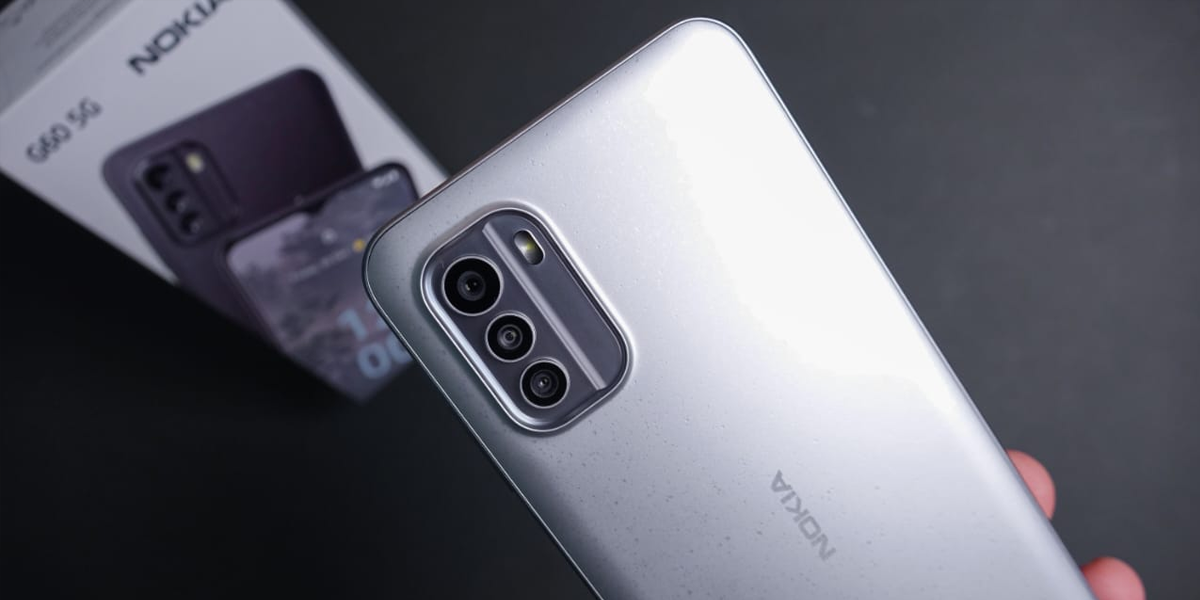
Nokia G60 5G looks pretty decent design-wise if we can avoid nitpicking here and there. The back of the smartphone is made out of 100 recycled plastic, while the frame of polycarbonate plastic material is also 60 recycled. The phone also comes with an IP52 splash and dust resistance rating, which basically is a part of its durability features.

What this means from a user’s perspective is that accidental splashes of water or raindrops shouldn’t harm the device in any which way. However, users should be mindful since it doesn’t mean the device is waterproof.

Also Read: Nokia G11 Plus Review
Nokia G60 5G Review

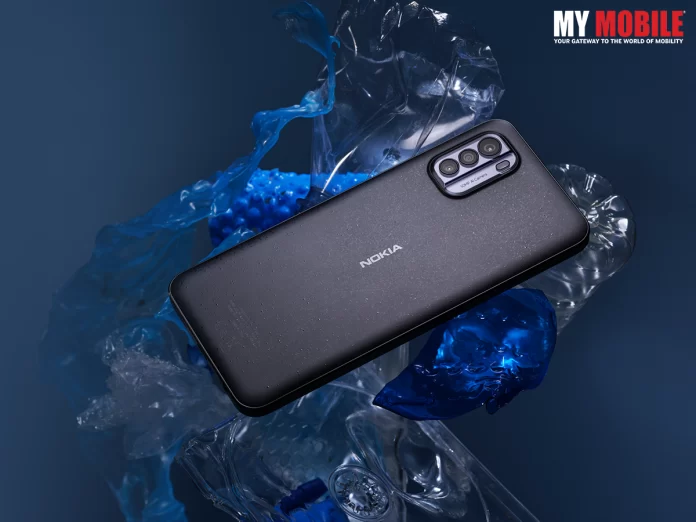
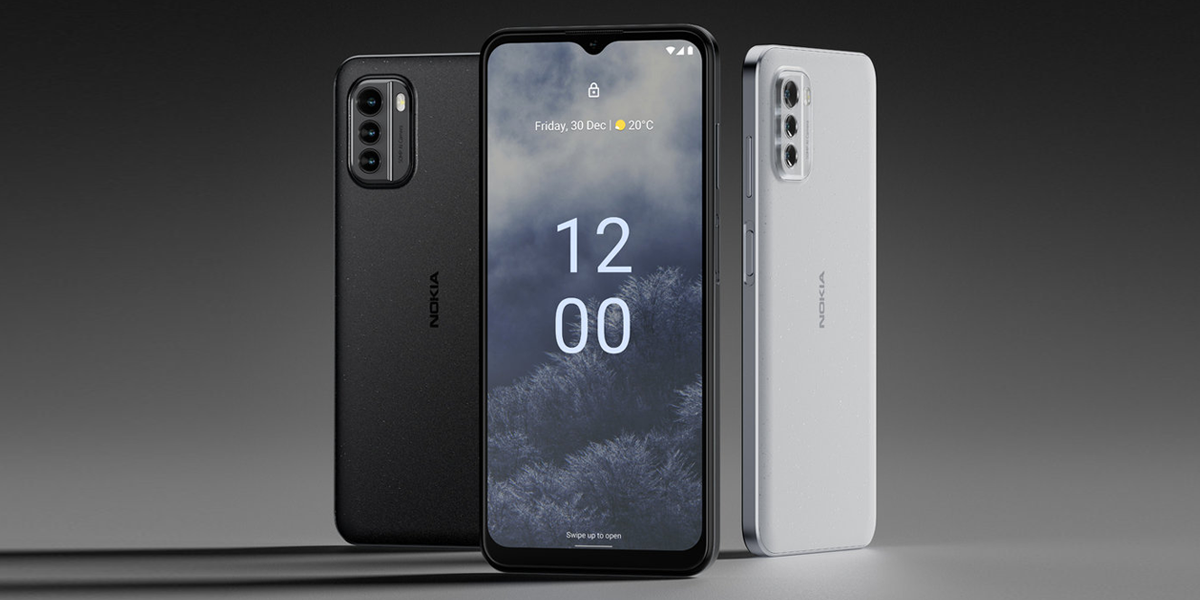
The Ice Gray colour is cool but what we found actually interesting is the Pure Black Version of the smartphone. In terms of in-hand feel, G60 does feel solid. The back is matte but it also has tiny flakes that shine under the right lighting, overall giving a pretty cool look to the smartphone.

The texture of the back doesn’t feel completely smooth. All in all, this does have an interesting design and look even though it is not as striking as the Nokia X30.

Display

One of the key features of the Nokia G60 is its display. The smartphone comes with a 6.58-inch full high-definition IPS LCD panel with 120-hertz refresh rates. This undoubtedly is a solid LCD panel that provides good contrast, decent viewing angles, and a decent maximum brightness of around 500 nits under direct sunlight.

However, the best part about this handset is how smooth it is while playing games or just browsing through the user interface. The front panel glass is Gorilla Glass 5, which although isn’t as shatter-resistant as Gorilla Glass Victus but it does a decent job at handling micro scratches.

Also Read: Nokia Phones for Diwali

Moreover, if you are one of the huge bezel admirers, we have good news for you. The iconic Nokia chin is making a comeback with Nokia G60 5G although you won’t be able to find the Nokia logo this time.

Performance of Nokia G60 5G

The performance of the Nokia G60 is dependent on the combination of three specifications and that is the Android 12 operating system, the Snapdragon 695 5G processor and the 120Hz refresh rate. The smartphone user experience of this device is really one of its key highlights. There are no noticeable lags or slowdowns while using this device. Apps launch almost instantly too.

The only time any user might actually feel that this is a mid-range hardware smartphone is while playing games. However, as long as you are not getting into the highest possible graphical settings or heavy games such as Gentian, the performance of the smartphone should be an issue.
Nokia G60 5G Review

Camera quality of Nokia G60 5G

Nokia G60 5G comes with a triple rear camera setup that consists of a 50-megapixel main camera, a 5-megapixel Ultra-wide camera, and a 2-megapixel depth sensor. The camera plate  in this one sports a matte plastic finish, which again doesn’t get scratched easily and has a nice 3D kind of effect. Overall, it looks alright. The camera panel design is definitely forgettable compared to the symmetrical designs we have seen Nokia experimenting with in the past.

Moreover, the smartphone also comes with an 8-megapixel front shooter for selfies and video chatting mainly.

Battery Support

The smartphone is equipped with a 4500mAh battery, which according to many Nokia advertisement campaigns should be good for up to 800 full recharge cycles. This is actually helpful to know for people who plan on using the device for a long period of time. It means that you can easily charge it for around three years without losing any significant amount of battery health.

In terms of charging speed, the Nokia G60 comes with a rather conservative 20w maximum charging speed. This goes on to show that you’ll be able to get about 50 per cent of the charge in about 40 minutes of time and a full charge in just over two hours. Now, these are segment-leading specifications by any standards and in case you are a fan of the faster-charging feature, this could be a disappointing aspect.

Also Read: Nokia G11 Plus launched in India
New Update on PS5 Slim Console Arrives

0
PS5 Slim Console
PS5 India

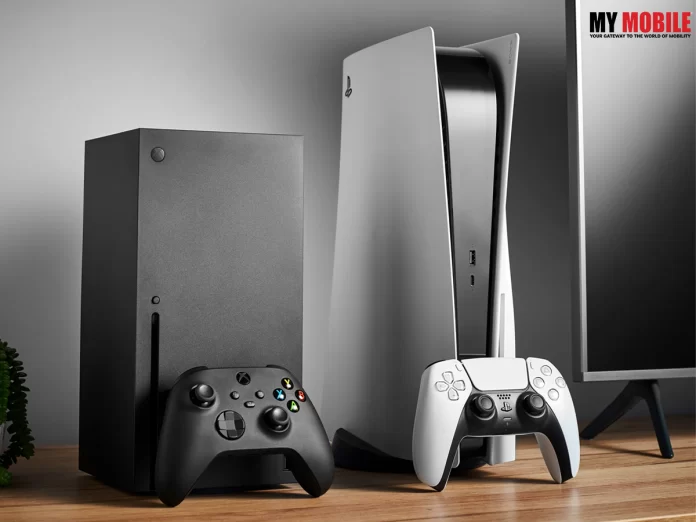
Sony is a leading player when it comes to PlayStations and it has come out with different variations of its consoles, while it will soon come out with the PS5 Slim console by early or mid-2023.

PlayStation has been quite a craze among the kids ever since it came out during the mid-90s and continued to grow in popularity since then, seeing numerous variations over the years, along with the addition of consoles.

Guide to Get Discord on PS4 and PS5

Highlights

  • Sony will soon be launching a PS5 Slim Console along with a new update very soon as things have been worked out.
  • Reliable insiders in the gaming industry too are confident on the matter where the update is speculated to be a detachable disc drive.
  • The PS5 Console is currently under the hands of the developer and might be under testing phase, while official word on its release is awaited.

PS5 Slim Console to Include a Detachable Disc Drive

There have been a wide range of speculations surrounding the much awaited gaming console from PS5, where many gaming industry experts were sure that it will come out very soon, which has apparently been confirmed.

Whenever a new device is set to hit the market, users can be sure to receive some news or the other on the matter like its features, updates, new additions, and many more, which has happened here as well.

Tom Henderson is one of the most trusted and reliable insiders in the gaming industry that has first hand knowledge regarding any update whenever a gaming device is about to be launched, as this time he reveals that PlayStation 5 will have a detachable disk drive with no flaws to complain about.

PS5 Slim Console

Although he has clarified that the update is small, he has had it from two people that the test kit is doing absolutely fine and the makers will reveal official word about it sooner than later once the process is complete.

Some gaming experts have expressed their satisfaction that the new PS5 Console will be in the developer’s hands, but it is unsurprising, seeing as to how Sony has launched new console hardware in the third year of a console generation, for multiple console generations in a row.

Sony-Honda Joint Venture To Produce An Autonomous Electric Car With The PS5 System

PS5 Slim Console Conclusion

With PS5 already having been launched in 2020, the three-year point will be completed in 2023, while the PS5 Console is speculated to be the long rumoured PS5 Slim, which will be a follow up to PS3 Slim and PS4 Slim.

Sony hasn’t confirmed anything on the matter yet but experts are clear in their mind the new PS5 will come as a standard with no optical disc drive and retail for less than a standard PS5, while an add-in optical disc drive can be purchased separately.

Fortnite Battle Royale Chapter 4 Season 1 Arrives On PS5, Xbox: Here’s What’s New

New iPad’s Weak Spot Revealed Via Durability Test

0
New iPad 2023

A new iPad was tested for its durability online where its weak spot was immediately revealed, which we will look into, because those who’re ignorant will get an idea how such devices are tested.

Whenever a new device is set to hit the market, users are left excited at what they might to witness this time around and whether it will live up to their expectations in matching their predecessors’ worth.

Whether it is a smartphone or tablet, users are extremely particular about the model and its features, which is why many of them conduct durability tests on YouTube to make sure that the device is worth their hard-earned money.

New iPad 2023: What We Want to See

Highlights

  • A new iPad underwent an online durability test on YouTube where a YouTuber named Zack tried to test it.
  • Zack unboxed the package online itself and found many interesting features about the iPad that he revealed.
  • He has claimed that the new iPad has “officially caught up with the rest of the world”, although he also detected the weak spot later on.

A Weak Spot Detected in New iPad Through Durability Test

It isn’t easy to launch a slew of devices in quick succession even if you’re as big a brand as Apple or Samsung or Google or Xiaomi, because it takes a lot of hard work and many sleepless nights to make it better than its predecessors.

When the new device is launched, it is an occasion to celebrate both for its brand and its users, who’ve been waiting for a long time for it to launch, but are quite apprehensive on whether it will match their expectations.

A newly launched iPad was being tested online for its durability capacity by a YouTuber called Zack, who did it on his official YouTube channel, to let users know whether they should buy it or not.

Once he unboxed the package, he found the iPad in all its glory, along with a USB Type-C port to USB Type-C cable for charging, and a 20W charging break, while the iPad itself was made of 100% recycled aluminum.

New iPad 2023

He further claimed that the new iPad has “officially caught up with the rest of the world” as it came with a USB Type-C port instead of the traditional Lighting port, where he also mentioned about Apple’s decision about supporting only the 1st generation Lighting connector Apple Pencil on a USB Type-C iPad.

He began the test by first scratching the display screen with marks at Level 6 and grooves at Level 7 on the Mohs hardness scale, following which he scraped the device on its sides with a knife, where the power button that doubles as a fingerprint scanner was revealed, which did not scratch.

Then he used the lighter to test the display’s resistance to fire, where the pixel on the LCD back panel turned black, only to recover later on. The final round was the bend test, where he applied pressure from the back due to which the iPad broke into two, thereby failing the test.

How To Recover Deleted Files On Apple iPhone/iPad?

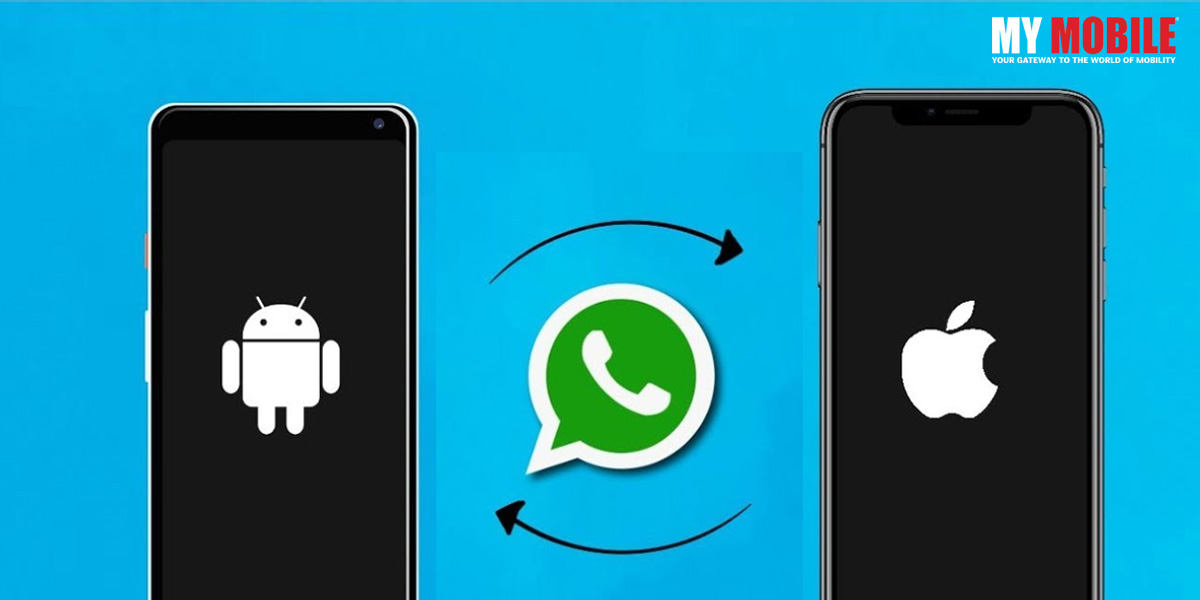
WhatsApp Message Transfer from Android to iOS, No Factory Reset Required

0
WhatsApp messages from Android to iPhone

WhatsApp is one of the most prominent messaging applications we have today, which has maintained its relevance even with more than a decade of its existence and received stiff competition from formidable messaging apps like Telegram and Signal.

Anyone who has been using Android smartphones, if needed to switchover to iPhone, would know the problem in transferring the chats from one phone to another because the migration of chats takes a long time, which is why here will learn on how to do it.

WhatsApp New Picture-to-Picture Mode for iOS Users

Highlights

  • WhatsApp data transfer from Android to iPhone is no easy task but following a step-by-step routine can manage things out easily.
  • While Factory Reset is an important part of transferring data but here we will learn on how to do so without it.
  • It can be achieved easily through AnyTrans software from iMobie.

Transferring WhatsApp Messages from Android to iPhone

Using WhatsApp has become an everyday task ever since the messaging platform came out more than a decade back in 2011, where it was initially seen as an upgraded alternative to SMS, but in fact was much more than that.

WhatsApp has become the de facto king of messaging platforms despite receiving stiff competition from the likes of Telegram and Signal, both with a significant following of their own.

Android users, more often that iOS ones, feel the need to switchover to iPhones and want to transfer all their WhatsApp data to it, which is easier said than done because chat migration from Android to iOS is a major obstacle.

WhatsApp messages from Android to iPhone

Users need to factory reset their iPhones first before transferring WhatsApp data to it, which indicates that all the data on their iPhones will be gone and, to make matters worse, moving data to iOS is known for being unstable, buggy, slow, and lethargic.

‘Move to iOS’ has received abysmal app ratings and reviews on Google Play, which when you visit, you would find a slew of one-star reviews that don’t seem to end.

Fortunately, transferring WhatsApp messages can be achieved at a better and faster pace from Android to iOS without factory reset via the iMobie AnyTrans software, which is why many experts have recommended it to users.

Thanks to AnyTrans, there is no need to reset the iPhone or its contents for performing any operation, which is why chats are transferred with the same structure as on the Android device, due to which users can continue on the same device right from where they had ended.

WhatsApp Starts Rolling Out New Feature; Photos to Retain Caption

Steps to Transfer

  • The first step is to download AnyTrans on your PC, Connect your Android and iPhone to it via USB, and Click on the “Social Messages Manager” mode
  • Then you click on WhatsApp to Device, tap on “Transfer Now” to move on
  • Your Android is your source phone that you have to select, while your new iPhone is the target, upon which you click on the “Next” button for transferring WhatsApp messages to your iOS
  • AnyTrans will show pop-up instructions that you need to follow to continue; where you backup your WhatsApp on Android, Install WhatsApp’s enhanced version on your Android, and allow phone storage access
  • Now, you log in to your WhatsApp on Android and tap the ‘Restore’ button, through which backup will be restored, and then click ‘Next’ on AnyTrans
  • AnyTrans will start transferring your WhatsApp messages from Android to iPhone

WhatsApp Launches New Feature; Users can Search Groups Via Contact Names

Android 14: Features & Eligible Devices Revealed

0
MagSafe

Android 14 is a new operating system from Google that will be soon released in early to mid-2023, which is less than a year after the Android 13 was launched in August 2022 after Google had been done with the beta-testing process for a considerable period of time.

It is interesting to see how Android has evolved in the past couple of years despite Android OEMs belonging to third parties still running, although it must be admitted that they constantly struggle to bring regular updates to the enormous portfolio of smartphones.

Add Hues To Your Google Chrome Browser’s Tab

Highlights

  • Android 14 OS is the latest offering by Google that will be launched very soon by the California based tech giant.
  • Currently, it is under beta testing phase, implying that its release will be specified very soon once the process is complete.
  • Android 14 has been codenamed “Upside Down Cake” as per a reliable leak, while Android 13 was codenamed “Tiramisu”.

Android 14 Release, Device List, and Features

It has been just four months since Android 13 was launched in August 2022, which wasn’t easy given the significant timeframe during which it was undergoing beta testing, while third party Android OEMs were running for a consistent period, even though their struggle to bring updates was apparent.

Android has evolved at a significant phase for a consistent period of time, courtesy of Google’s persistence, which is why the tech giant is working tooth and nail on Android 14 for bringing in the beta testing of a brand new update.

Features for Android users

Google had begun Android 14 development immediately after the release of Android 13, where the former came with the codename “Upside Down Cake”, even though stable releases stopped naming OS after the name of desserts with Android 10, which is why Android 13 was codenamed “Tiranisu”.

Android 14 is undergoing beta testing and will be launched soon, although Google has not specified the release date as yet, while some of the early reports are suggesting that the first Developer Preview will appear around February 2023.

It all depends on how smooth is the progress of Android 14 development, along with the depth of the changes involved, while developers need to have a significant amount of time to adapt to their apps and create new solutions for Android.

Android 13 TV Officially Launched by Google

Android 14 Features

Satellite Connectivity

One of the most prominent features of Android 14 is its Satellite Connectivity, where the good news is that the makers can see a considerable amount of relevancy, while Apple had come out with SOS Emergency System on iPhone 14 series.

Google is not speculated to offer it on a direct basis in 2023, but it is being speculated that “roads are being opened” on Android, as Android 14 might get native support, due to which Android OEMs will be able to save much needed time to adapt satellite communication to it.

Large, Foldable, and Rollable Devices to Get Support

Google has been working doubly hard to improve users’ experience on foldable smartphones since Android 12L, which is why these devices are increasing at a steady phase each year as more and more brands are joining the trend bandwagon.

Android 14 will be the answer as to how Google will hope to improve things on foldable, large, and rollable devices, where the improvements include launcher, multi-tasking, and other OS aspects.

Oppo INNO Day 2022 Set for December 14, Find N2 Foldable Phones May Launch

Android 14 Eligible Devices

Google has clarified that making a list of devices that are eligible for Android isn’t easy, which is why it hasn’t divulged any information on the matter, although once Android 14 is released, everyone will be aware of all the plans of every Android OEM.

One can guess that Samsung, OPPO, Xiaomi, Realme, Vivo, and OnePlus, among others will most likely be among the first ones to offer it because most of these brands offer up to four major updates on Android for their flagships.

Realme GT, Neo 2 Gain Early Access to Android 13 OS

Upcoming Amazon Sales – Dates & Offers

0
Upcoming Amazon Sales

As winter approaches, the one thing we all wait for is upcoming Amazon Sales!

Amazon, India’s leading e-commerce portal, every year comes up with an array of great Indian sales including Amazon Live Sales, Super Value Days, Budget Bazaar, Christmas Sale, Year End Sale, Wardrobe Refresh Sale, Year-End Deals on Electronics, and many more. And that’s not it. If you are an Amazon Prime Member, you get exclusive perks including an advanced sneak peek of the upcoming sale offers.

So, what are you waiting for? We have already curated the upcoming Amazon sale details here. All you need to do now is grab your favourite products or maybe finally purchase the one you have added for a long time in your cart. Now, save extra money on every Amazon order.

Also Read: Amazon Fab Phone Fest begins on 26th Nov

List of Upcoming Amazon Sales 2022

List of all the upcoming Amazon Sales December 2022 along with their expected dates –

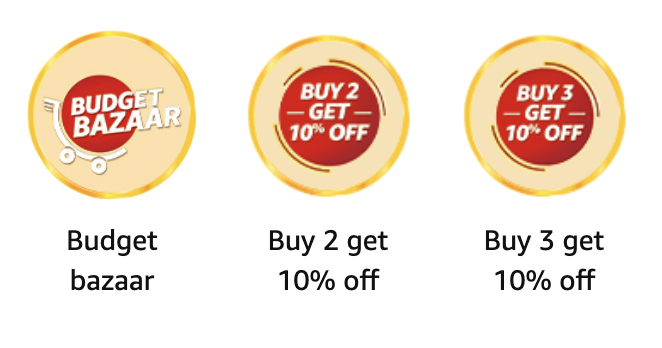
Budget Bazaar Sale 15th to 18th December
Christmas Sale 20th to 24th December
Year End Sale 22nd to 25th December
Wardrobe Refresh Sale 25th to 28th December
Year-End Deals on Electronics Sale 28th to 31str December

Highest-selling consumer electronics offers on sale now include 

  • pTron X11P BT calling smartwatch at 1499
  • Samsung S22 5G – up to 27% off
  • Blaupunkt Blockbuster Launch BTW20 – up to 61% off
  • Zhiyun Camera Gimbals starting INR 15999

Budget Bazaar Sale 15th to 18th December

upcoming Amazon Sales
The annual Amazon Budget Bazaar Sale will be offering grand up to 50% off on home and kitchen appliances specifically. Consumers can get their hands on some of the top home appliances during the sale, which include refrigerators, washing machines, microwave ovens & more. Moreover, additional discounts can also be availed by consumers through some extra bank discounts and coupons in order to increase savings.

Also Read: Amazon Seller Violates BIS Standards

Key Highlights

  • Best Deals Under Rs. 99
  • Coupon discount on select products

Amazon Christmas Bonanza Sale 22nd to 25th December

Amazon Christmas Bonanza Sale

The Amazon Christmas Bonanza Sale will kickstart in mid-December offering a range of discounts on various festive items such as Christmas Gifts, home decor, mobiles, & more. Consumers can get heavy discounts on Christmas trees, ornaments, candles & fairy lights.

The Christmas special sale on the e-commerce platform will also include discounts across various other consumer categories such as electronics, fashion, accessories, kitchen appliances and more.

Key Highlights

  • Christmas Trees Up to 40% OFF
  • Tree Ornaments Up to 50% OFF
  • Wreaths Up to 35% OFF
  • Garlands Up to 50% OFF
  • Candles Up to 50% OFF
  • Lamps Up to 50% OFF

Amazon Wardrobe Refresh Sale [25th to 28th December]

upcoming Amazon Sales

Key Highlights

  • Bottom wear for Everyone @ minimum 50% OFF
  • Men’s Shirts and T-Shirts at up to 70% OFF
  • Men’s Ethnic Wear @ minimum 40% discount
  • Women’s Shirts, Tops & Tees @ minimum 50% OFF
  • Men’s Jeans @ minimum 40% OFF
  • Fashion Jewellery @ minimum 70% OFF
  • Branded Sarees @ minimum 60% OFF
  • Men’s branded watches @ Flat 40% OFF

Also Read: Amazon Alleges Some TV Vendors are not Partnering Over Fear of Retaliation from Google

Amazon Year-End Deals on Electronics Sale 28th to 31st December

Amazon Year-End Deals on Electronics Sale

The end of the year is undoubtedly the best time of the year to get home some consumer electronics. Considering Amazon releases its special Year-End Deals on Electronics Sale is all the way more reason to indulge in some electronics shopping. Consumers get great offers such as up to 30 per cent off on TVs, up to 40 per cent on cameras & accessories, and more.

Key Highlights

  • Up to 60% off on speakers
  • Up to 40% off on wearables
  • Up to 50% off on hard drives
  • Lots of deals on memory cards, pen drives, & musical instruments

Also Read: Amazon Great Indian Festival

Microsoft Will Not Support Edge Browser On Windows 7, 8.1 OS

0
Edge browser
WINDOWS 11

Microsoft is one of the biggest tech giants we have today, on which many people have placed their implicit trust for years, which speaks volumes of the company doing their best to reinvent themselves from time to time.

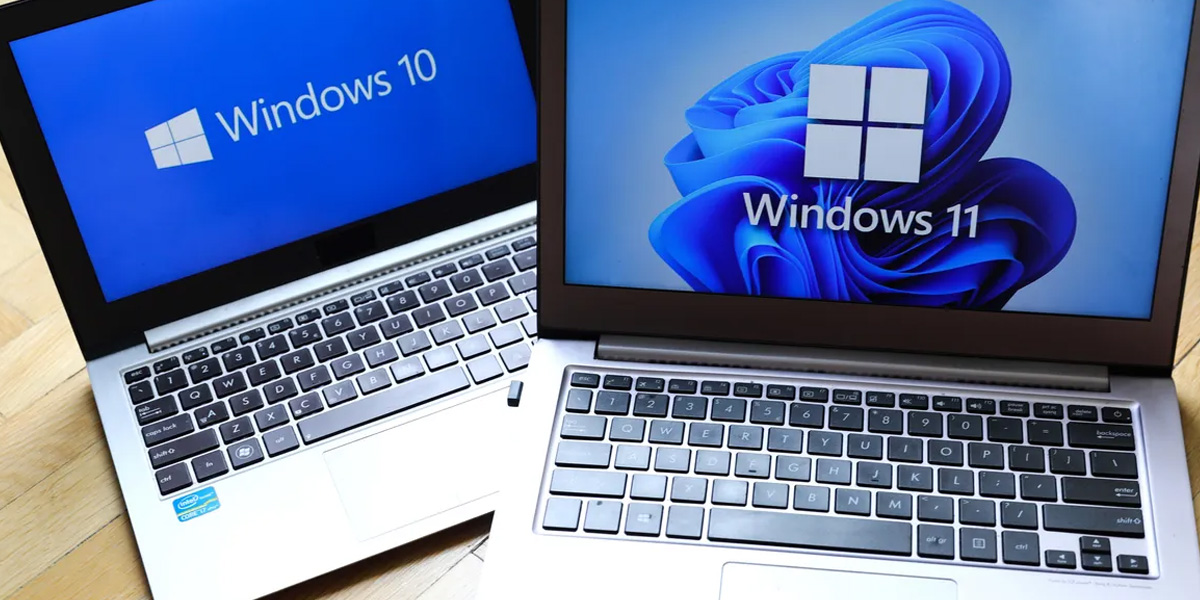
Microsoft is now ending its support for Edge browser version 109 and Webview2 runtime version 109, which’ll make these two as the last of their respective versions to support Windows 7 and 8.1 OS.

Microsoft Signs Ten-Year Commitment Deal with Nintendo; Call of Duty

Highlights

  • Microsoft Edge browser version 109 and Webview2 runtime version 109 will be the last respective versions to support these operating systems.
  • Chrome support for Windows 7 and Windows 8.1 is also ending, so users will need to upgrade to Windows 10 or Windows 11 to use the browser.
  • WebView2 is a developer control for embedding web content in applications.

Microsoft Discards Edge Browser Version on Windows 7, 8.1 OS

Some users will be disappointed to know that Microsoft has decided to end its support for Edge web browser on Windows 7 and Windows 8/8.1, along with that of Microsoft Edge Webview2 for both operating systems, although it was speculated to be just a rumour.

Also Read: Microsoft Announces 5 New Features For Teams

For the unversed, Webview2 is a developer control for embedding web content into applications, while both of the aforementioned operating systems will cease their support for Microsoft Edge on January 10, 2023, which might not be taken well by many people.

Edge browser

Furthermore, Chrome too is ending its support for Windows 7 and 8.1, which is why users have been advised to upgrade to Windows 10 or Windows 11 if they want to continue using the browser, while web developers have been notified by Microsoft to end Windows 7 and 8/8.1 support.

Microsoft has further clarified that it understands very well the difficulty for certain developers to switchover but it has made it clear that it is for their own good as it will keep end users safe from potential security risks and threats once both operating systems stop getting support come January 10, 2023.

It remains to be seen how things turn out from here because convincing developers is difficult but once they understand the issue at hand, they too will immediately upgrade to greener pastures.

Microsoft Strongly Urges Users to Upgrade from Windows 10 to Windows 11

Add Hues To Your Google Chrome Browser’s Tab

0
Google Chrome Browser

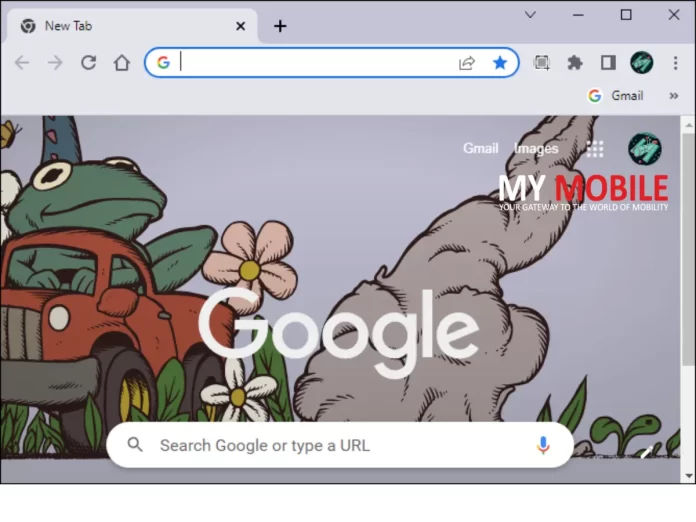
Google is advancing with age and currently, we are bestowed with an abundance of options from which we choose the best according to our long list of preferences to customize our Google chrome just like a mood board. Google has added possibly every feature to allow our account to reflect our image and vibes due to vast customization options. From that bustling list of preferences, the simplest personalization option is to change the browser’s tab color. The ‘how to’ process for the same is pretty easy and simple.

Tabs are good and quite essential, almost indispensable in managing and segregating our online search. If using google chrome, tabs are one of the most useful and most seen things.

Also Read: Google Chrome Extensions Are Tracking User Activity

The redundant and mundane appearance of it can sometimes be jarring where a little pop of color here and there wouldn’t harm anyone. The question is, does Google Chrome welcome this customization and have any way to get to the desirable tab color? Yes, there are ways to change the color of the tab and the steps are easy as well to use this customization feature now and then.

But why customize tabs?

Adding a different set of rules of customization will help the avid users in setting the tabs of different use or subject matter with different hues which will lead to a superior level of organizing. Moreover, just adding different colors to designated tabs will propel the apparentness of the active tab. In addition to this, users can also change the theme of chrome that is suitable to their liking that will also provide different colors to the tabs.

Also Read: Critical warning for Google Chrome users

How to get change your browser’s tab color

Google Chrome Browser


There can be many ways to get colored translations on Google chrome. One is to change the color of the tabs with a contrasting hue. On the other hand, users can also change the theme of Google Chrome which also changes the color of the tabs.

The steps to change the color of the tabs are as follows

  1. Open Google Chrome and select the three-dot icon at the right top. Tap on ‘Settings’ from the list.
  2. From the new window that appears. Tap on the ‘Customize your chrome profile’.
  3. After that, the users will be facilitated with different color contrasts. Select the one contrast of your choice. You can immediately see the customization according to your choice.

Also Read: Google launches New Chromecast

The steps to change the theme and color of Google chrome

  1. Open Google Chrome and tap on the three-dot icon on the top right. From the appeared list select ‘settings’.
  2. From the setting list appearing on the left side, click on the ‘Appearance’ option. From there select the ‘Themes’ option.
  3. From the wide range of options on the window choose one theme that reflects you and click on that theme.
  4. Now tap on ‘Add to Chrome.’

Now users have added a theme to their account which will be synced with other devices as well. Moreover, it gives tabs with colors.

Conclusion

Customization in Google Chrome to change the color of the tabs is an easy and hassle-free task. Follow the aforementioned steps and make the most of all the customized settings.

Also Read: Google’s FIFA World Cup 2022 Mini Mobile Venture

Twitter Rewards Business Accounts with Gold Ticks, Twitter Blue Returns

0
Twitter business accounts

Twitter has decided to reward Business Accounts with Gold Ticks, apart from announcing that government and multilateral accounts will be getting a new gray checkmark, while CEO Elon Musk has planned to bring back Twitter Blue as well.

Although there will be a lot of reactions coming from different people, this new step by Musk will be analyzed by tech experts on whether it is a good step or not, while Musk plans to go full speed ahead with his plans.

Twitter Blue iOS Price Leaked in India, Blue Ticks Face Removal

Highlights

  • Twitter has introduced Gold checkmarks on its platform.
  • Gold check marks are for business accounts on Twitter.
  • Twitter has also reintroduced Twitter Blue subscription service.

Twitter Plans to Give Gold Checkmarks for Business Accounts

Twitter seems to have gone a whole new route ever since Elon Musk took over the social media giant for a whopping $44 billion, where he has fired more than half of his employees, while ordered the remaining ones to work hard for 40 hours a week with high intensity.

Also Read: Elon Musk to Increase Twitter Character Limit from 280 to 4000

Now the latest news doing the rounds is that Twitter has introduced gold checkmarks for business accounts, while the official label for business accounts will be replaced and gold checkmarks will replace the blue checkmarks that are currently being used in official accounts.

The gold checkmark will indicate that the Business account is official through Twitter Blue for business, although the company was quick to clarify that not all blue checkmarks will be replaced by gold ones.

Also, Twitter will also be adding a gray checkmark for all government and multilateral accounts, which will help it differentiate from other checkmarks of different colours.

Also Read: Twitter Makes Phone Number Verification Mandatory for Blue Checkmark

In the midst of it all, Twitter has reintroduced the Twitter Blue subscription service, where it has already re-enabled Twitter blue sign-ups on web and iOS devices.

The subscription service will cost $8 per month on web, and $11 per month for iOS users, while the Android subscription prices have not been revealed as yet, while subscribers can gain access to subscriber-only features like Edit Tweet, 1080p video uploads, and reader mode.

Twitter Comes Out with Community Notes Feature at Global Level

Spotify Comes Out with a Rewards Program in India for Rs.2

1
Spotify Rewards Program
Spotify

Spotify is one of the most popular music streaming apps in the world, with a significant following in India, even though it originated in Sweden. It has achieved significant milestones in the past few years and continues to grow at a rapid pace.

As with many other applications, the primary reason why Spotify continues to remain relevant in public eye is because it has come out with new features to cater to the ever-changing tastes of the audience.

Spotify Acquires Kinzen; Harmful Content Cannot Go Amiss

Highlights

  • Premium Mini plan users will see a new Rewards Program section at the bottom of the home-screen.
  • The Spotify Premium Mini plan offers ad-free music and a Download option, just like the premium plan, for a day or a week.
  • Spotify Premium Mini will cost you Rs.7 for a day and Rs.25 for a week in India.

Spotify Launches Rewards Program for Indian users for Rs.2

To say that Spotify is the premium music sharing app in India would be an understatement given its ever intact popularity among the masses and classes of the most diverse country in the world.

India has become a huge platform for the western world to invest their money in due to its massive population, which is why Spotify hopes to capitalize on its success in the country by bringing out new features for the Indian diaspora.

Also Read: Spotify Wrapped 2022

The latest one is the Rewards Program that is exclusively meant for Indian users, although for now it is eligible for just Premium Mini plans subscribers, while the program itself will provide access to premium service at just Rs.2 for a week, while it was speculated to be Rs.25.

The Rewards section can be found at the bottom for Premium Mini plan users that includes three categories viz. Challenges, Rewards, and Help, where the first one will include many challenges like using Premium Mini for 10 days in the next 30 days.

The second category will showcase the rewards, although none have been revealed as of yet, while there are high expectations for continuous use of Premium Mini.

The third category will provide display info and help regarding Spotify Rewards Program in case users are confused on how to proceed forward with it, which is quite common among people that are new to it.

Spotify Updates Anchor App with New Feature