Apple is to build AI servers in 2023 for an ambitious hybrid AI strategy involving cloud-based and edge AI.
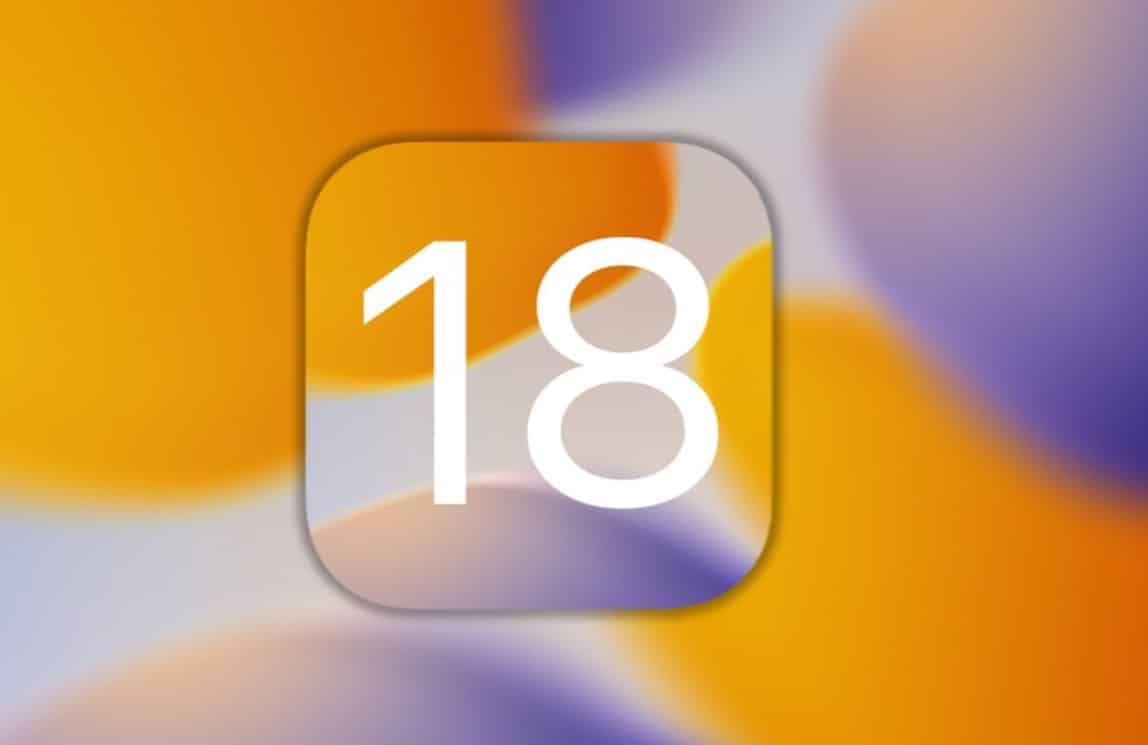
Generative AI features are expected to debut in iOS 18 and iPadOS 18 by late 2024.
Deep Siri integration could make iPhones and iPads smarter than ever, capable of automating complex tasks.
The tech world is abuzz with speculation after Jeff Pu, an analyst from Haitong International Securities, divulged new insights into Apple’s ambitious AI plans.
According to supply chain checks, the Cupertino giant is eyeing 2023 to build a substantial number of AI servers and potentially roll out generative AI features by iOS 18 next year.
This could mark the next evolutionary step for Apple’s ecosystem, with generative AI likely making its debut not only on the company’s smartphones but also iPadOS 18.
However, several questions remain about how Apple will approach this groundbreaking technology while maintaining its stringent focus on user privacy.
Pu’s intelligence suggests that Apple is planning a two fold AI strategy.
On one end is cloud-based AI, and on the other is edge AI, which allows more on-device data processing.
This hybrid approach could result in faster and more efficient functionalities, reducing the need for constant internet connectivity and potentially enhancing user privacy by keeping more data on-device.
Generative AI: The New Frontier?
AI in iOS 18
Generative AIis currently all the rage right now thanks to its ability to create content based on user input and other data, a leap forward from simply analyzing data or making predictions.
This is where Apple’s acquisition of large language models, possibly for deeper Siri integration, becomes intriguing.
According to The Information, there are plans to make Siri more capable of automating complex tasks, possibly as part of iOS 18.
The Privacy Conundrum
Apple has a well-known commitment to customer privacy, a policy that often serves as a selling point for its products.
Integrating generative AI without compromising this commitment is the tightrope Apple will have to walk.
The prospect of on-device edge AI could be a key part of this strategy, ensuring that users’ data doesn’t have to leave their devices for processing.
FAQs
What is Apple’s proposed AI strategy?
Apple is looking at a hybrid AI model, incorporating both cloud-based and edge AI, for enhanced data processing capabilities.
When can we expect generative AI features on Apple devices?
If the rumors hold, generative AI could debut in iOS 18 and iPadOS 18 by late 2024.
What could generative AI mean for Siri?
Generative AI could significantly enhance Siri’s capabilities, allowing it to automate more complex tasks.
How does Apple plan to maintain user privacy?
Edge AI technology could allow more on-device data processing, potentially minimizing the privacy concerns tied to cloud-based data storage.
The recently disclosed plans represent a refinement and expansion of this initial effort where he had started an $8 per month service on X giving verified accounts certain privileges.
Here’s what Musk said on X. “Two new tiers of X Premium subscriptions launching soon.
One is lower cost with all features, but no reduction in ads, and the other is more expensive, but has no ads.”
No further details have been provided at this point but we can take some educated guesses.
Combatting Platform Abuse
One of the key challenges of any social media platform is maintaining the quality and integrity of content.
Musk is trying to combat this system with the introduction of a ‘Not-a-bot’ subscription model, currently in the pilot phase in New Zealand and the Philippines.
Priced at $1 per year, this model aims to filter out spam accounts and bots, thereby reducing the potential for misinformation and manipulation on the platform.
Musk believes that making even a minimal charge for platform usage will serve as an effective barrier against these longstanding issues.
Elon Musk Announces Two New Premium Subscription Models
While the focus on monetization has allowed Musk to address specific platform challenges like bot activity, it also brings its own set of problems.
According to data from SimilarWeb, X has suffered a noticeable drop in visitor numbers, plummeting from 6.4 billion in August to 5.8 billion in September.
Perhaps the most significant change is the future for non-paying users. In line with the aggressive monetization,X will restrict non-subscribers to a “read-only” mode.
Users can read posts, watch videos, and follow accounts but won’t have the ability to engage in conversations.
This drastic shift veers away from the platform’s historical commitment to free and open dialogue, and raises questions about its future as an inclusive digital public square.
As part of the company’s 5th iteration, the Galaxy Z Fold 5 brought some incremental upgrades to the table.
So the tech community is already buzzing about its successor, the Galaxy Z Fold 6.
Amidst the rumors and speculations, there are some facts that provide a clearer view of what to expect from the upcoming device.
Camera Stagnation
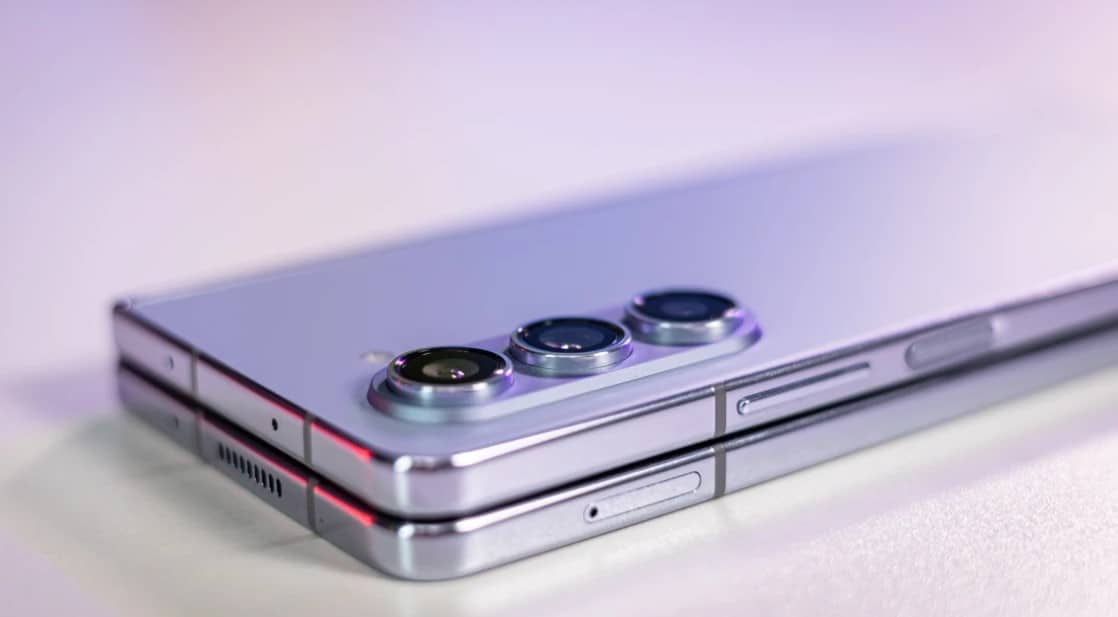
A major point of discussion is the camera module of the Galaxy Z Fold 6.
According to renowned tipster Ice Universe, the forthcoming foldable will maintain the same 50MP sensor found in its predecessors, the Galaxy Z Fold 5 and Fold 4.
This is somewhat surprising given the fast-paced advancements in smartphone camera technology.
Slimness: Room for Improvement
Samsung Galaxy Z Fold 6
While the camera setup may not see any drastic changes, the device’s form factor appears to be in focus.
This suggests that Samsung could be working on reducing the device’s profile to make it more competitive in the market.
No clear or concise numbers have been put forward as of yet, but it does seem that a tentative reduction in the thickness is definitely on the cards.
What About the Z Flip6?
In contrast to the Galaxy Z Fold 6, Samsung’s other foldable offering, the Galaxy Z Flip 6, is rumored to come with a significant camera upgrade.
Reports suggest that the device will feature a 50MP primary rear-facing camera, matching the imaging capabilities of the Galaxy Z Fold 5.
This would mark a significant advancement for the flip phone, which would likely be welcomed by consumers.
The competition in the foldable smartphone market is intensifying with entrants from OnePlus and other manufacturers.
In such a challenging environment, Samsung’s strategy seems to be more about refining existing technologies rather than introducing groundbreaking features.
FAQs
Will the Galaxy Z Fold 6 feature a new camera sensor?
No, it’s expected to keep the same 50MP sensor found in previous models.
How will the Galaxy Z Fold 6 compare in terms of thickness?
Rumors suggest it will have a slimmer profile compared to its predecessor.
Are there any major upgrades expected in Galaxy Z Fold 6?
Significant changes seem to be more on the design side, specifically in its slimness.
What about the Galaxy Z Flip 6 camera specs?
Reports suggest an upgraded 50MP primary rear-facing camera.
This tablet’s robust feature set, coupled with its competitive pricing—starting at Rs 19,999 for the Wi-Fi-only model—could signify a renewed interest in the Android tablet segment.
Apart from that, there are other lucrative pre-order deals, including bank offers, making the device an even more appealing choice.
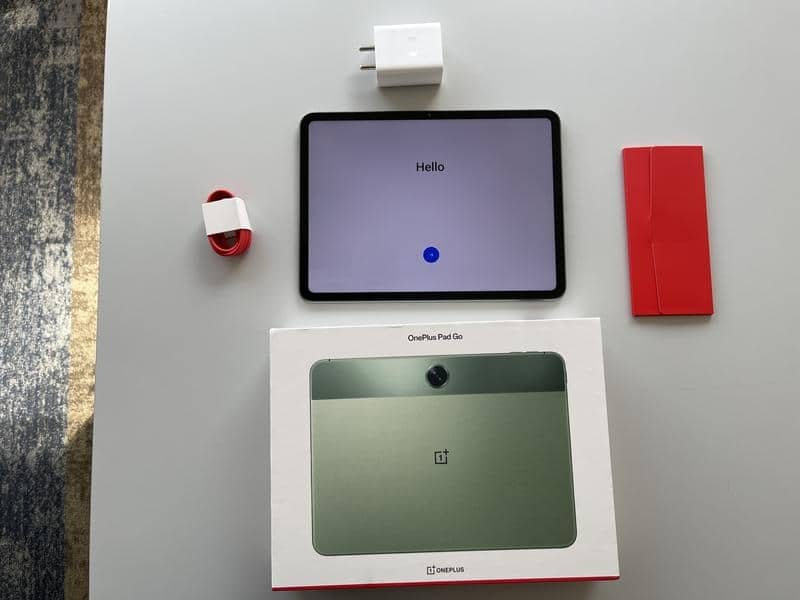
Let’s delve deeper into its various aspects, from design and display to performance and battery life, to understand the OnePlus Pad Go’s true potential.
Key Specs
OnePlus Pad Go Review: Key Specs
Display: 11.35-inch 2K LCD screen with 90Hz refresh rate
Processor: MediaTek Helio G99
Storage: Options of 128GB and 256GB, expandable up to 1TB
Battery: 8000mAh with 33W charging
Cameras: 8MP front and rear
Operating System: OxygenOS 13.2
Audio: Dolby Atmos support
Pros and Cons
Pros
Cons
Durable Build
Slow Charging
Vivid Display
Limited Outdoor Visibility
Long Battery
Good Audio
Build and Design
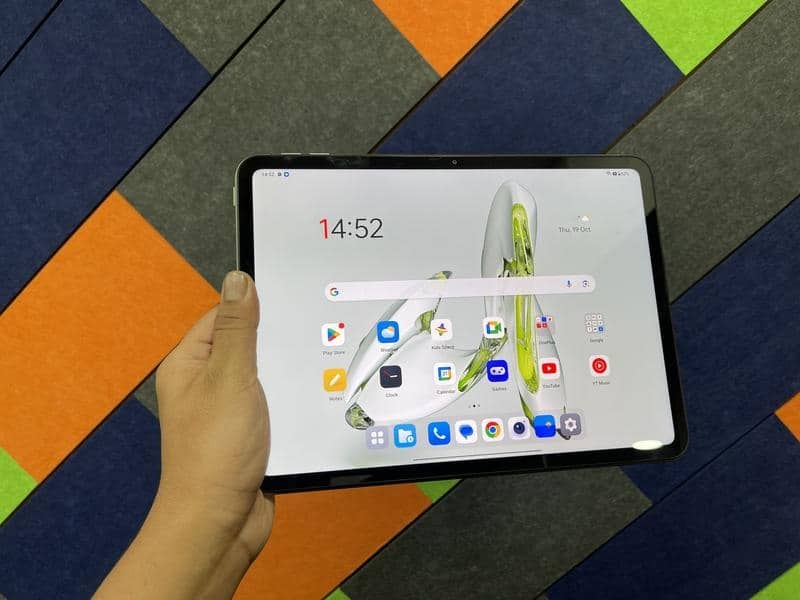
OnePlus Pad Go Review: Design
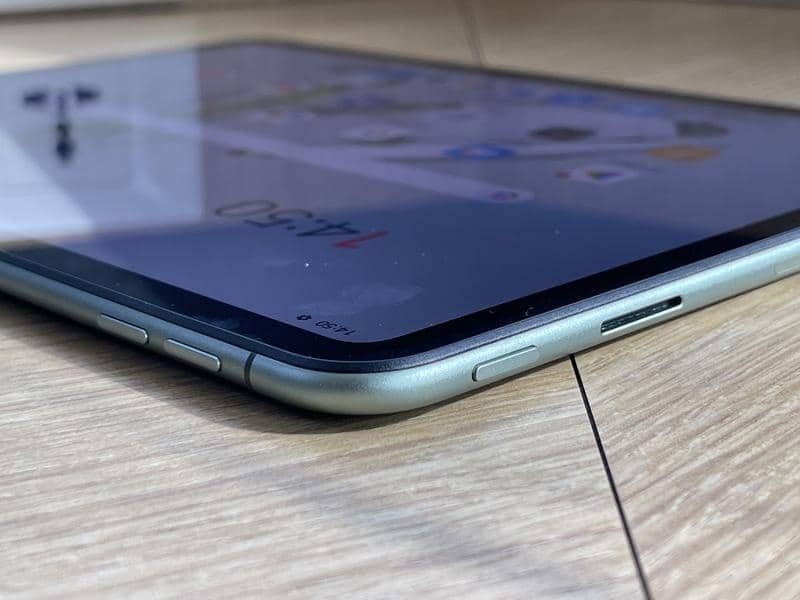
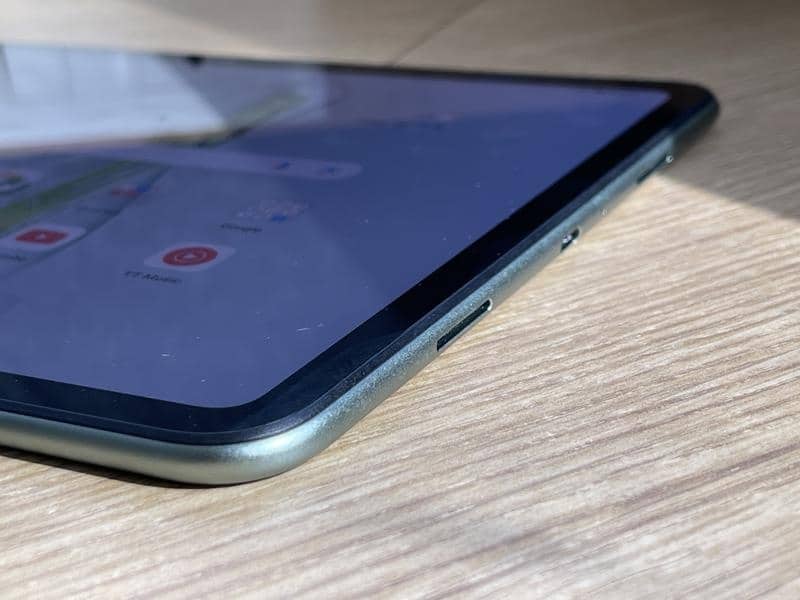
The OnePlus Pad Go’s unibody aluminum construction immediately signals durability and a premium feel in our hands.
The ergonomic design features rounded edges basically providing a comfortable hand-hold experience.
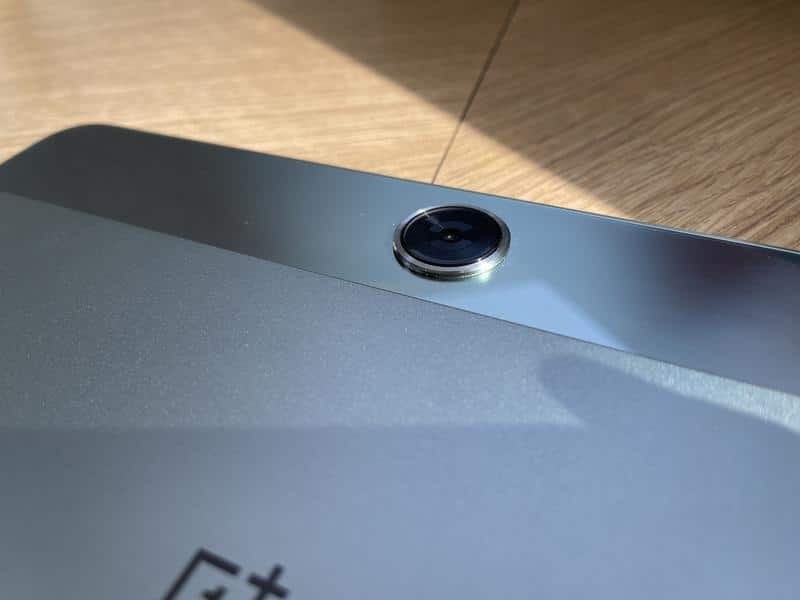
The device accommodates an 8MP camera both on the front and back.
While the front-facing camera sits within sizable, symmetrical bezels, these are far from being a design flaw.
In fact, they offer a functional advantage, providing enough grip space when holding the tablet in landscape or portrait mode, an especially helpful feature for a device of this size.
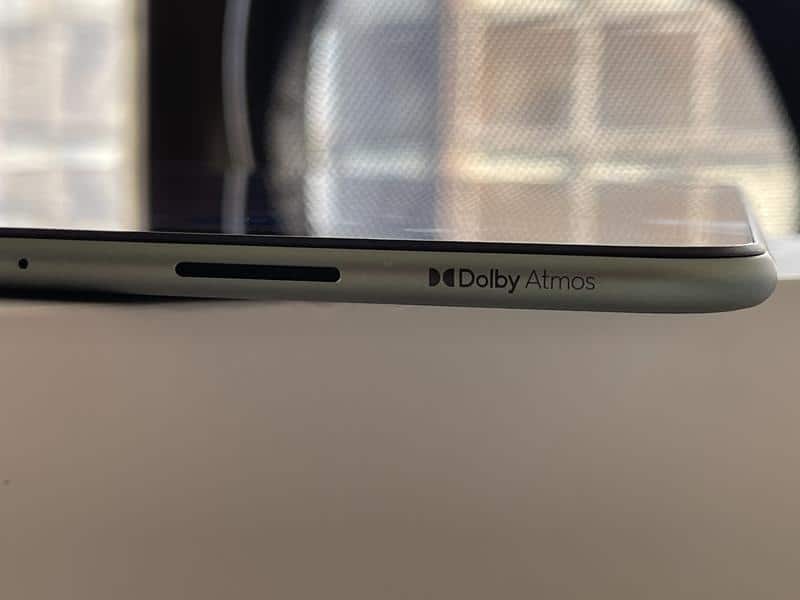
There is a USB Type-C port on the bottom, a quad-speaker setup on either side, volume rocker buttons on the opposite side, and a power button that is slightly difficult to reach.
A slight shortcoming of the OnePlus Pad Go is the lack of a keyboard foliocase to make proper use of the device’s utility.
Display
OnePlus Pad Go Review: Display
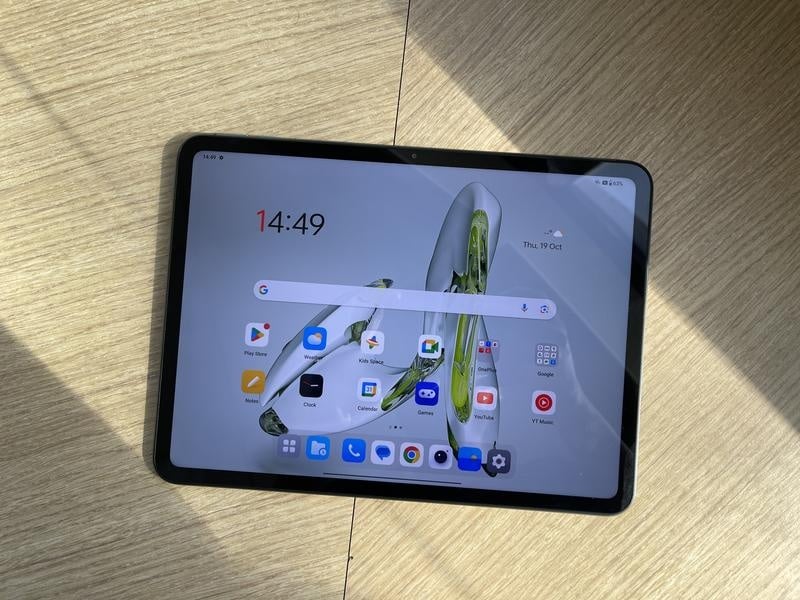
This tablet boasts an 11.35-inch 2K LCD screen with a 90Hz refresh rate, which is more than just impressive for its price bracket.
The display peaks at a brightness of 400 nits, sufficient for indoor use but not that great for outdoor conditions.
Beyond just the specs, the device also incorporates an intelligent, True Tone-like feature that adjusts the display’s colour temperature according to the ambient light, thus enhancing the viewing experience.
The OnePlus Pad Go runs on a MediaTek Helio G99 processor and comes with 8GB of RAM.
Users can opt between 128GB and 256GB storage variants, both expandable via Micro SD card up to 1TB.
On Geekbench 6, the device scored 1,886 on the multi-core test and 711 on the single-core, demonstrating decent performance for its price.
For gamers such as us, the large display and strong processor translated easily into a highly enjoyable gaming experience.
The device also did not appear to get hot while gaming, another good sign of great build quality.
The software, OxygenOS 13.2, is also highly optimised for tablet usage, offering a fluid multitasking experience with features like a quick access panel for recent files and documents.
A split-screen functionality allows users to work on two apps simultaneously, while other apps can be used in a floating window mode, contributing to workflow efficiency.
However, using too many apps does clog up the system’s RAM
Audio and Battery
OnePlus Pad Go Review: Audio
For its price, the OnePlus Pad Go provides excellent audio output, thanks to its Dolby Atmos support.
Four speaker cutouts provide an enriching stereo sound that is not only loud but has considerable depth, providing an immersive audio experience whether you are gaming or watching a movie.
The device houses an 8000mAh battery, which easily provides a couple of days’ worth of usage for a regular user.
Such extensive battery life is vital for a device expected to handle a wide array of tasks, from productivity to entertainment.
However, the 33W charging solution offered is a bit cumbersome and it takes the device about 3-4 hours to juice up completely.
Its standout features include an aluminum unibody design, an 11.35-inch 2K LCD screen, MediaTek Helio G99 processor, and a robust 8000mAh battery.
However, the lack of a faster charging solution and the absence of a keyboard folio case are drawbacks.
Nonetheless, it offers an array of features and strong performance that more than justify its price point, making it an excellent buy for those looking to enjoy premium features without a premium price tag.
FAQs
What can users expect from the battery life on OnePlus Pad Go?
The OnePlus Pad Go comes equipped with an 8000mAh battery that is designed to last. In moderate usage conditions, which may include browsing the web, streaming videos, and using various applications, the device can easily last up to two days. However, heavy gaming or continuous video playback may reduce this time frame slightly.
Does the OnePlus Pad Go support HD streaming on platforms like Netflix and Amazon Prime?
Absolutely, the device comes with Widevine L1 certification, which is a requirement for HD streaming on popular platforms such as Netflix, Amazon Prime Video, and Disney+. The high-resolution 2K display complements the HD content, offering an immersive viewing experience.
How expandable is the storage on this device?
The OnePlus Pad Go offers two storage variants: 128GB and 256GB. In addition to this, it has a dedicated Micro SD card slot that allows users to expand storage up to an impressive 1TB. This makes the device extremely versatile for storing a large amount of media, documents, and apps.
Are there any heating issues, particularly during gaming or heavy multitasking?
One of the impressive features of the OnePlus Pad Go is its thermal management. Even during extended gaming sessions or multitasking, the device does not show significant signs of overheating. The MediaTek Helio G99 processor, coupled with an efficient software interface, manages to maintain a stable temperature.
Google Meet launches portrait touch-up feature for mobile users with Google Workspace accounts.
Phased rollout begins on mobile platforms with plans to extend to web interface by year’s end.
Feature offers two modes for appearance enhancement: “subtle” and “smoothing.”
Google Meet is stepping up its game by launching a new portrait touch-up feature for its mobile app, aimed at Google Workspace users.
This much-anticipated upgrade offers users the ability to enhance their appearance subtly during video calls, bringing it at par with Zoom, which has offered a similar function for quite some time.
According to an official post on the Workspace Updates blog, Google is set to initiate a phased rollout of this feature for mobile devices, with plans to extend it to the web interface by year’s end.
This feature aims to give users the capability to modify their appearance modestly from the so-called “green room” before or during a meeting.
For those interested in using the portrait touch-up feature, it can be activated via the meeting settings in the Google Meet app on either Android or iOS platforms.
Google Meet App
Once a video call is underway, you would tap on the three-dot menu at the bottom right of the screen, navigate to “Settings,” and then switch on the “Portrait touch-up” option under the “Video” segment.
Starting October 28,Google Workspace account holders will have the option to fine-tune their appearance in two different modes while using the mobile app.
The “subtle” touch-up will offer minimal improvements like lightening the skin under the eyes and whitening the eyes.
On the other hand, the “smoothing” mode will offer these enhancements but with a more noticeable effect.
Google Meet: Video Conferencing
However, it’s worth mentioning that this feature will not be activated by default and is slated to become available on the desktop version by the close of the year.
Sadly, Googlehas made it clear that this functionality will not extend to personal account holders in the foreseeable future.
As a point of reference, Zoom has already offered a similar feature for years, allowing users to alter their appearance in real time with settings to smooth out skin imperfections.
FAQs
Who can access Google Meet’s new portrait touch-up feature?
The feature is currently only available to Google Workspace account holders using the mobile app.
When will the portrait touch-up feature be available on the web interface?
The web interface will include this feature by the end of the year.
Are there different modes for the touch-up feature?
Yes, there are two modes: a subtle touch-up for minimal enhancements and a smoothing mode for more noticeable effects.
Will this feature be available for personal Google Account holders?
No, Google has no current plans to extend this feature to users with personal Google Accounts.
Autocomplete feature now available in Samsung Internet Browser’s address bar.
Extended browsing history allows users to view data for up to 90 days.
New stable version 23.0.0.47 now rolling out in Galaxy and Play Stores.
Manual installation available via APKMirror for those who can’t wait.
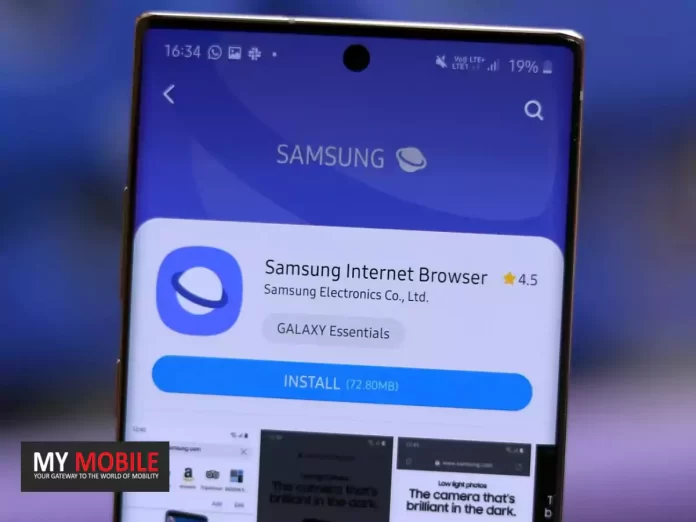
Samsung Internet Browser, a key player in the Android browser landscape, is finally catching up to its competitors.
The latest stable version, which has made the leap from v22 to v23, introduces a couple of useful features that were previously tested in the beta version.
One of them is the website name autocomplete in the address bar—a staple in most modern browsers, including Google Chrome.
The update also expands the duration for which your browsing history is saved.
Filling in the Gaps: Autocomplete Feature
It’s surprising that the Samsung Internet Browser, despite its popularity, has taken this long to introduce a feature as basic as autocomplete for website names.
This functionality activates when users begin typing a website name in the address bar, filling in the rest of the site name if it’s one they’ve visited before.
Google Chrome has had this feature for quite some time, making it a standard expectation among browser users.
Samsung Internet Browser Update
Extended Browsing History
Initially, the Samsung Internet Browser only allowed users to view up to 500 entries in their browsing history.
A subsequent update increased this limit to 60 days.
Now, the browserhas extended the viewing capacity for another 30 days, allowing users to backtrack their online steps for up to 90 days.
Availability and Installation
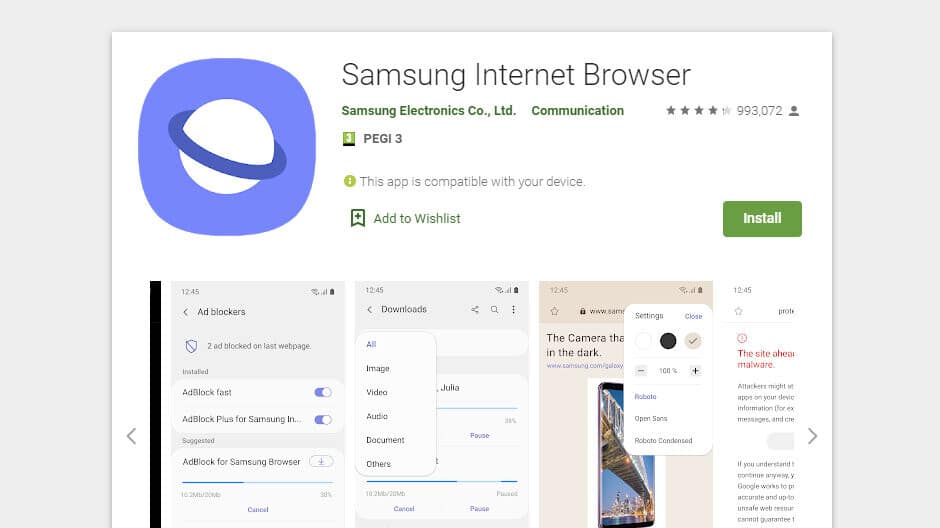
Version 23.0.0.47 of the Samsung Internet Browser is gradually rolling out, and although the Galaxy Store is the first point of release, the Play Store will also offer the updated app soon.
Those impatient for the new features can manually install the browser from APKMirror.
FAQs
What’s new in Samsung Internet Browser v23?
The latest version introduces an autocomplete feature and extends browsing history to 90 days.
Where can I download the new version?
It’s available in the Galaxy Store and will soon be in the Play Store as well.
Can I manually install the update?
Yes, the APK is available for manual installation via APKMirror.
Does Google Chrome have these features?
Yes, Google Chrome already includes both autocomplete and extended browsing history.
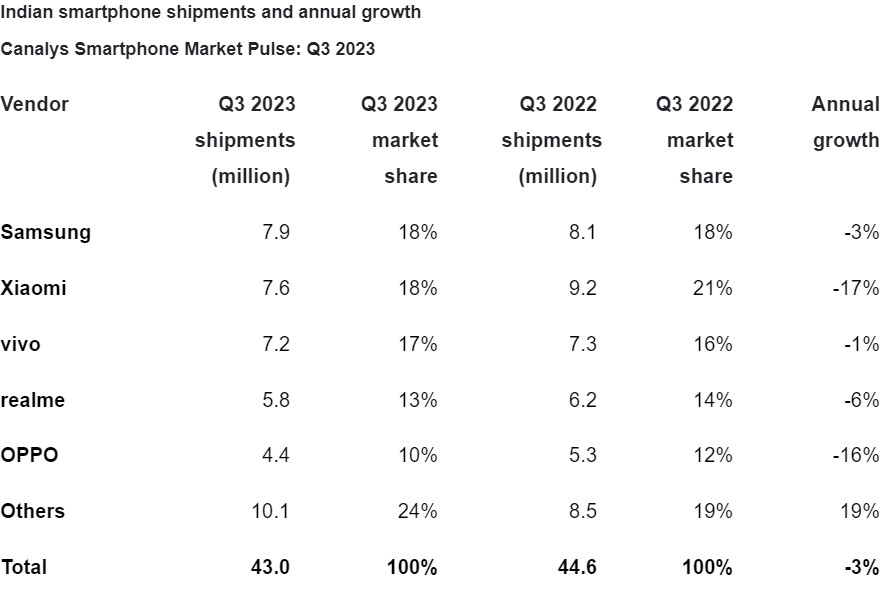
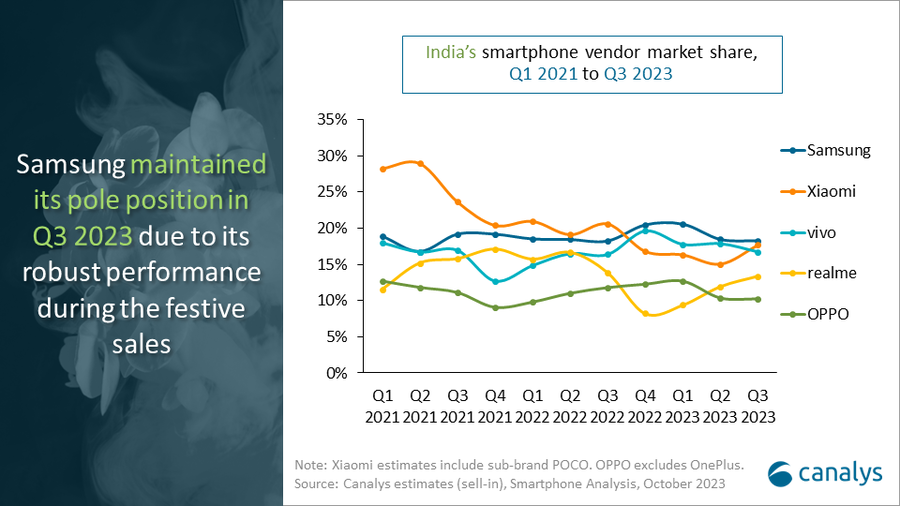
The South Korean tech giant has a market share of 18%, or 7.9 million units shipped.
Xiaomiisn’t far behind, climbing into second place with 7.6 million units, largely thanks to its new, affordable 5G models.
This year’s third-quarter results tell a compelling story about market trends and consumer preferences. Samsung’s steady performance is thanks to a balanced portfolio that caters to both the affordable and high-end segments.
Samsung Indian Smartphone Shipments
Meanwhile, Xiaomi’s focus on affordable 5G technology appears to be a winning strategy to capture market share, but not enough to overtake Samsung.
The premium smartphone market in India also saw strong growth, a segment where Samsung once again shined with its Galaxy S23 series.
At the same time, discounts on older Apple iPhone models such as iPhone 14 and 13 also contributed to this increase during the holiday season.
Interestingly,Realme and Oppo, which occupied the 4th and 5th positions, saw a decline compared to their performance in the same period last year.
Samsung Indian Smartphone Vendor Market Share
This suggests an opportunity for other brands, like OnePlusand Motorola, to potentially move up the rankings in the coming quarters.
Looking ahead, Samsung is projected to maintain its leadership in the final quarter of this year, mirroring its performance in Q4 2022.
Apple is also expected to grow in the “ultra-premium” segment and may even capture the top spot for premium shipments if the iPhone 15 lineupperforms well in India.
FAQs
Who led the Indian smartphone market in Q3 2023?
Samsung led the market with an 18% share and 7.9 million units shipped.
How did Xiaomi perform in this quarter?
Xiaomi climbed to second place by shipping 7.6 million units, largely due to its affordable 5G models.
What trends were observed in the premium smartphone segment?
The premium segment grew robustly, driven by Samsung’s Galaxy S23 series and older-generation iPhones offered at attractive deals.
Which brands faced a decline in Q3 2023?
Realme and Oppo experienced declines compared to the same timeframe in 2022.
AirDrop gets a makeover, allowing data transfer over the internet when out of range.
StandBy feature now customizable for iPhone 15 and iPhone 14 Pro models.
Music app revamp includes favorites, dynamic cover art, and playlist song suggestions.
Multiple bug fixes including crash detection and Screen Time syncing improvements.
The iOS 17.1 update is about to hit the iPhones globally, and Applehas given us a glimpse of what to expect.
As usual, the software update is set to bring in various features and fixes that aim to enhance the user experience.
Chief among these updates are likely the new AirDrop capabilities, the new StandBy feature, and changes to the Music app.
Elevated AirDrop Experience
As mentioned, one of the standout features in iOS 17.1 focuses on AirDrop.
A new capability will allow data transfer to continue even when the involved parties move out of AirDrop’s range.
Instead of halting the process, the data transfer will automatically switch to an internet-based transfer, ensuring uninterrupted sharing.
This was announced by Apple earlier during its WWDC conference and now it is finally arriving on iPhones.
Smart Display Options
Apple iOS 17.1 Update
iOS 17introduced the StandBy feature, which turns your iPhone into a smart display when charging in landscape mode.
The upcoming 17.1 update extends this feature by offering more customisation options.
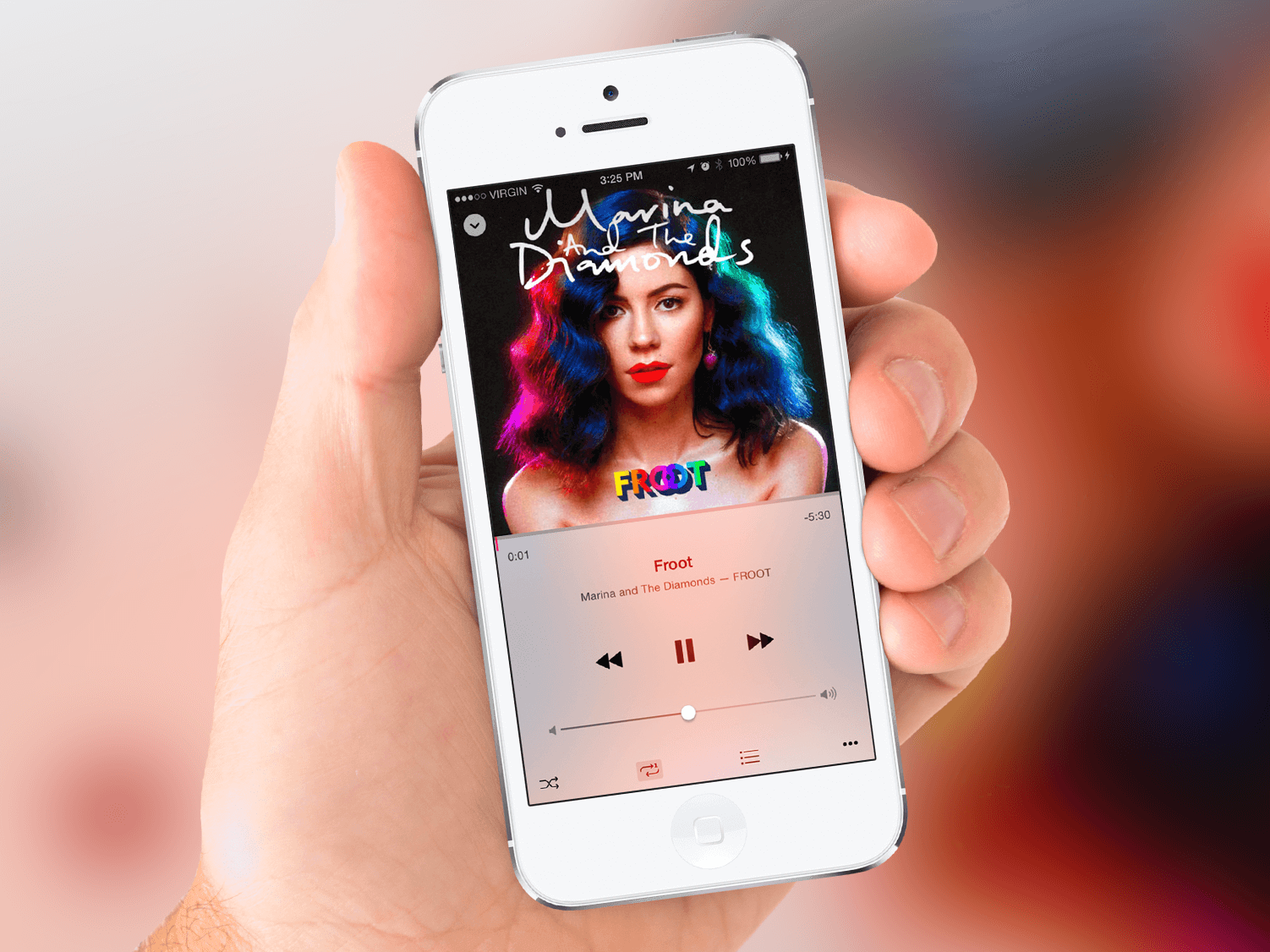
The iOS 17.1 update will introduce three noteworthy changes under the Music heading.
The Favorites section will now include songs, albums, and playlists, with a filter to display only your favorite items in your library.
The introduction of new cover art designs will offer a more dynamic, color-changing experience based on the music in your playlist.
Song suggestions will now appear at the bottom of every playlist, helping you to effortlessly add music that complements your existing tracks.
Addressing Bugs and Performance Issues
Apple iOS 17.1 Update: Performance
Apple also aims to improve device reliability through several bug fixes.
The update is set to optimize crash detection for iPhone 14 and iPhone 15 users and enhance the syncing of Screen Time settings across multiple devices.
Additionally, it promises to resolve several irritations, such as unresponsive virtual keyboards, caller name display issues during other calls, and bugs related to custom and purchased ringtones for text messages.
FAQs
What new features will AirDrop get in iOS 17.1?
AirDrop will now be able to continue data transfer over the internet if users move out of its range.
How does the StandBy feature change in the new update?
The StandBy feature will have new customization options for certain iPhone models, including an auto-off setting.
What changes are coming to the Music app?
Favorites will now include songs, albums, and playlists, and new dynamic cover art will change colors based on the music.
Are there any important bug fixes?
Yes, iOS 17.1 will fix several bugs including issues with crash detection, Screen Time syncing, and unresponsive virtual keyboards.
SpyNote malware distributed via smishing targets Android devices.
Once installed, the malware gains critical permissions through Accessibility Services.
The malware employs stealth tactics to hide its presence on compromised devices.
The threat has evolved, with custom variants emerging post a source code leak in January 2023.
SpyNote, a spyware specifically designed for Android devices, is ramping up its activities, putting users’ sensitive information at risk.
Detailed by cybersecurity firm F-Secure, this malware is currently being disseminated through fake text messages, commonly known as smishing.
Here’s what you need to know about this emerging cybersecurity threatand how you can protect yourself.
Method of Distribution
Researchers at Italy’s D3Lab first identified a fake IT alert site that warned of a possible upcoming volcanic eruption and urged visitors to download the app for updates.
When iOS usersclick on the download button, they are redirected to the authentic IT-alert site.
However, Android users receive an ‘IT-Alert.apk’ file upon clicking the download button. This APK file carries the SpyNote malware.
Functionality and Permissions
Once installed, the malware gains access to Accessibility services, enabling the attackers to carry out a broad range of invasive actions on the compromised device.
Although it doesn’t require an exhaustive list of permissions, the few that it does request are critical.
SpyNote Malware Targets Android
Upon launching, it initially asks for BIND_ACCESSIBILITY_SERVICE permission.
Once granted, the malware autonomously approves several additional vital permissions.
SpyNote is designed to stay under the radar; it does not appear in the app launcher or the Recents screen.
To activate the malware, external triggers such as an SMS are employed.
Evolving Threat
Evolving Threat
SpyNote was first documented in 2022 and has since reached its third major version.
In January 2023, a report from ThreatFabric revealed a spike in SpyNote detections following a leak of one of its source code variants, codenamed ‘CypherRat.’
This leak led to the development of custom variants that specifically targeted banks or masqueraded as popular apps like Google’s Play Store, Play Protect, WhatsApp, and Facebook.
FAQs
What is SpyNote malware?
SpyNote is a spyware that specifically targets Android devices. It is distributed primarily through fake text messages.
How does SpyNote get installed?
The malware deceives users into downloading an APK file, posing as an emergency alert, which then installs SpyNote on Android devices.
What permissions does SpyNote require?
The malware asks for BIND_ACCESSIBILITY_SERVICE permission initially, and once granted, autonomously approves several more vital permissions.
How can I protect myself?
Only download apps from trusted sources and be cautious when clicking on links from unknown or suspicious text messages.
First and foremost, your content needs to be visually appealing and engaging. High-quality photos and videos naturally attract more attention.
Invest in a good camera or smartphone with a decent camera setup.
Experiment with different styles, filters, and compositions to make your posts stand out.
Also, pay attention to your captions; they can enhance the context of your content and encourage interactions.
However, don’t overdo it; a mix of popular, niche-specific, and branded hashtags works best.
Additionally, create a unique branded hashtag for your business to encourage user-generated content and community participation.
Engage with Your Audience
Engage with Your Audience
Engagement is a two-way street. Respond to comments on your posts, reply to direct messages, and engage with other users’ content.
The more you interact with your audience, the more likely they are to reciprocate. Meaningful conversations not only boost your post visibility but also create a loyal follower base.
Utilize Instagram Stories and Reels
Utilize Instagram Stories and Reels
Instagram Stories and Reels are excellent features to enhance your reach.
Stories appear at the top of users’ feeds and Reels have a dedicated section on the Explore page.
Both formats allow you to reach a broader audience beyond your followers.
Use Stories to share behind-the-scenes glimpses, promotions, or exclusive content.
Reels are perfect for showcasing your creativity through short, engaging videos.
Collaborate with Influencers and Brands
Collaborate with Influencers and Brands
Collaborations can expose your profile to a wider audience. Partner with influencersor complementary brands within your niche for shoutouts, takeovers, or joint campaigns.
Influencers often have a dedicated fanbase, and their endorsement can introduce your content to potential followers interested in your niche.
Post Consistently and Regularly
Post Consistently and Regularly
Consistency is key on Instagram.
Aim for a regular posting schedule, whether it’s daily, a few times a week, or weekly.
Posting consistently keeps your audience engaged and your profile active.
An active account is more likely to be featured on users’ Explore pages, increasing your visibility.
Utilize User-Generated Content
Utilize User-Generated Content
Encourage your followers to create content related to your brand or products.
User-generated content not only provides social proof but also expands your reach organically.
Repost user-generated content on your profile (with proper credit, of course) to show appreciation for your community.
This practice strengthens your relationship with existing followers and attracts new ones.
Monitor and Adapt
Instagram Insights
Lastly, keep an eye on your Instagram Insights.
Analyze the performance of your posts, track follower growth, and observe which content resonates the most.
Adapt your strategies based on these insights.
If certain types of posts or hashtags yield better results, incorporate them more frequently.
Regularly evaluating your performance helps refine your approach for maximum reach.
By implementing these simple yet effective tips, you can expand your Instagram presence, connect with a broader audience, and elevate your social media marketing efforts.
Stay consistent, stay engaged, and watch your Instagram reach soar to new heights.
FAQs
Q1. How can I improve the visibility of my Instagram posts?
Answer. To boost your Instagram visibility, focus on creating high-quality, visually appealing content. Use relevant hashtags, engage with your audience, post consistently, and utilize features like Stories and Reels. Additionally, collaborating with influencers and analyzing your Insights data can provide valuable insights to enhance your reach.
Q2. What role do hashtags play in increasing Instagram reach?
Answer. Hashtags categorize your content, making it discoverable to a wider audience. Use a mix of popular, niche-specific, and branded hashtags related to your content. Research trending hashtags within your industry, and incorporate them strategically in your captions or comments to expand your post’s reach and engagement.
Q3. How often should I post on Instagram to maintain engagement?
Answer. Consistency is crucial on Instagram. Aim for a regular posting schedule that aligns with your audience’s activity times. Whether it’s daily, a few times a week, or weekly, maintaining a consistent posting frequency keeps your profile active, engages your audience, and contributes to increased visibility.
Q4. Can collaborations with influencers really help improve my reach on Instagram?
Answer. Yes, collaborating with influencers can significantly enhance your Instagram reach. Influencers have dedicated followers who trust their recommendations. When an influencer promotes your content or products, it introduces your profile to a broader audience interested in your niche. Collaborations can result in increased visibility, follower growth, and engagement.
Q5. How can Instagram Insights help in optimizing Instagram?
Answer. Instagram Insights provides valuable data about your audience, including their demographics, active hours, and preferences.
Analyze this data to understand which posts perform best, what content resonates with your audience, and when your followers are most active. This information enables you to refine your content strategy, post at optimal times, and create engaging content tailored to your audience’s preferences.
Q6. What is Instagram Reach?How is it different from Instagram impression?
Answer. Instagram reach is the number of unique users that see your post.
This is different from impression, which is the total number of views on a post.
A post that was viewed 5 times by a user, for example , would have generated 5 impressions but only have a reach of one.
For users who aim in multiplying their viewers and increasing their brand awareness, reach is the most important step to track their progress as informs you how many different people are seeing your posts.
As long as you have a business or creator account, Instagram will report your reach as part of its Insights feature.
You can see how many accounts you’ve reached in general, as well as the reach of a particular post, video, Story, or Reel.
To check out those numbers, simply view your Insights from your profile or a specific post.
Q7. What is the explanation of Instagram Ranking ?
Answer. Instagram doesn’t have a singular algorithm that checks what people do and don’t do on the app.
Each part of the app – Feed, Stories, Explore, Reels, and more – uses its own algorithm, to check how people use it.
* Feed is your personal space with Instagram to help you connected with friends & family,
This means your feeds will have a mix of content from the accounts you chose to follow, recommended content from accounts Instagram think you will enjoy mixed with suitable ads. You also see videos, photos, and carousels.
* Stories are a way to share everyday happenings and stay closer to the people and interests you are interested in .
The stories your followers see are from people they’ve chosen to follow, as well as ads.
* Explore was designed to help you discover new content and creators in line to your interests .
The grid is primarily made up of recommendations – photos and videos that Instagram finds for you from accounts you don’t follow .
* Reels is designed to help you discover new ways of entertainment.
Like Explore, what you see is from accounts you don’t follow.
By understanding how ranking and recommendations work on Instagram, it’s easier to find actionable ways to improve your reach.
Q8. How to Use interactive stickers on your Stories and Reels to increase reach ?
Answer. Instagram’s algorithm is designed to reward engagement.
The best way to encourage your audience to engage with your posts is by leveraging the platform’s interactive stickers.
Available on both Stories and Reels, these stickers are designed to spark participation from viewers and, as a result, signal to the algorithm that your posts are engaging and should be served more prominently on users’ feeds.
Q9. Which are some interactive stickers to use to increase Instagram reach ?
Answer. Here are just some of the interactive stickers you can use:
* Poll Sticker: Ask your followers to pick between two options with a poll they won’t be able to resist answering.
* Quiz Sticker: Kick it up a notch with multiple-choice questions that test their knowledge or pique their interest.
* Emoji Slider Sticker: Maybe things aren’t as simple as A or B (or C or D…). Let your followers show you how they feel based on a sliding scale.
* Add Yours Sticker: This sticker lets viewers add their own photos or videos to their story according to your prompt.
* Question Sticker: Give your followers free rein to ask questions or answer your prompt through a text box. You can then share and respond to their question in another Story. (Not currently available on Reels.)
* Hashtag & Location Stickers: Make it easy for curious users to discover more posts related to interesting hashtags or locations by adding these tappable stickers. Bonus: using them also helps your post show up in Search results and on the Explore feed.
For your audience, responding to most of these stickers is often as simple as a quick tap, making it a relatively low-effort yet fun interaction that they’re likely to engage in .
Q10. How to improve your reach with a boosted post?
Answer. If you are ready to invest into getting a bigger reach ,you can reach more people by putting an ad spend behind improving your Instagram efforts.
Boosted posts are Instagram posts that you pay to have shown to more people.
They’re different from paid ads in that they’re created from already-published posts and have more customization options when it comes to targeting.
This makes them a quick and easy way to have an organic post be seen by more people who are part of a specific audience.
Q11. How to “ Go Live “ to increase reach Instagram reach organically?
Answer. Here’s a “hack” to get your profile displayed front and center on your followers’ feeds: go live which will help to increase reach on your Instagram account which will further increase the reach on Instagram posts as well as increase reach on Instagram reels.
Placed at the beginning of the Stories feed and highlighted with a distinct “LIVE” label, live videos are hard to miss.
This makes them one of the best ways to get more views on your account and boost brand awareness — an effect that occurs even if a follower doesn’t watch the live.
This feature also has the added advantage of automatic post notifications.
For users who have this setting enabled, Instagram sends out alerts when an account that they follow goes live.
Unlike regular post notifications where they have to “subscribe” to a particular account, Live notifications can be sent out for any profile that they follow.
Q12. How does posting user generated content help in increasing the Instagram reach ?
Answer. When you share UGC, the original users are likely to return the favor by resharing the post and having their own following engage with it.
Highlighting user-generated content on your Instagram can encourage others to create similar posts that can be used to promote your brand.
Sharing user-generated content can strengthen your brand’s credibility, authenticity, and relatability.
Posts from real customers — real people — tend to stand out as trustworthy and interesting in generic branded messaging.
When people see posts they relate to on a human level, they engage.
Q13. How hosting contests & giveaways help in increasing your followers on Instagram ?
Answer. Most effective Instagram contests or giveaways provide an incentive for people to interact with the post by having entries be tied to particular actions, especially those that’ll get more eyes on your brand.
Asking your audience to follow your page, tag a friend in the comments, or share the contest to their Story are some popular ways to do this.
Q14. What is Instagram reach rate?
Answer. Instagram reach rate is the percentage of followers who see your Instagram post. Unlike Instagram reach, it’s unique to your followers only and doesn’t include non-followers who view your post.
Instagram reach rate is calculated as: (Total reach / Number of followers) * 100
Q15. Should you have an Instagram business or creator account?
Answer. An Instagram business profile is for brands who want to run ads.
It’s meant to help businesses connect with their prospective customers.
Creator accounts are for public figures, artists, and influencers.
They’re suitable for brand collaborations and building a community.
Does it matter whether you have an Instagram business account or an Instagram creator account for gaining new followers and boosting your reach? Instagram says no.
Reach wouldn’t be affected by what type of account you have, so go ahead and set it to whichever one meets your requirements.
Q16. Does purchasing the blue checkmark your reach on Instagram?
Answer. You can buy the blue checkmark using the app.
Only individuals can do this, not brands, since it requires you to verify your identity
Q17. Does getting verified affect reach?
Answer. The head of Instagram said yes, faced backlash over it, and redacted what they said based on feedback received. Getting verified should have no impact on your reach.
Q18. Does posting with a TikTok watermark decrease your reach on Instagram?
Answer. It might. Instagram has guided creators not to post Instagram Reels with a watermark. This doesn’t mean you can’t cross-post your TikTok videos or other video content. But export them raw first and write the same text using Instagram’s Reel editor.
Q19. Does Instagram reach to fluctuate up and down?
Answer. It’s okay for your Instagram reach to go up and down a bit.
It’s not always about your content: Sometimes, the algorithm changes might affect your reach.
It might be seasonal (like people spending less time on social media during the holidays).
Don’t put “increasing reach” as the sole focus of your social media marketing strategy.
Increased reach is the output of listening to your audience, creating content that resonates with them, and aligning with Instagram’s algorithm.
Q20. Which content type should you prioritize on Instagram?
Answer. Instagram’s algorithm monitors your followers’ activity and shows content they engage with. If your audience loves Carousel posts, it’ll show more of that to them in their Instagram feed. If they love videos, Instagram will show Reels.
Q21. How often should you post on Instagram to increase reach?
Answer. Adam Mosseri, Head of Instagram, said the ideal posting frequency is “a couple of feed posts per week and a couple of Instagram Stories per day.”
Q22. Does posting more content on Instagram lead to an increase in reach?
Answer. Yes. But you will eventually see a decline in reach if you don’t post high-quality content.
Aim for a number that’s realistic for you — whether that’s one post a week, to begin with.
The key is to be consistent and avoid creator burnout.
Use Buffer’s Instagram scheduler to automatically post your Reels, Stories, and Carousel posts.
Schedule it for the right time, and never worry about manually posting something ever again.
Q23. How to get more views on your Instagram Reels?
Answer. Instagram Reels are important for being the best booster of Instagram reach.
Here’s how you can capitalize on them to increase your reach on Instagram –
-Get Right to the point without any introduction that will grab attention in the first few seconds .
-Use a mix of speaking-to-the-camera and trending audio.
-Make Instagram Reels that get people commenting, saving, and sharing.
-Write well-thought-out captions on your Instagram Reels.
-Share your Instagram Reel in your Instagram Stories.
-Post when your audience is online.
How to get more views on your Instagram Stories?
-Use a variety of content types in your Instagram stories.
-Keep your design clear .
-Create a story that keeps people swiping.
-Add text to your Instagram Stories.
-Let your Stories fully expire before you reupload another .