Home Blog Page 1053

Top 5 Movies To Watch On This Dussehra

0
Top 5 Movies To Watch On This Dussehra

Bollywood has shown us many diverse aspects of life via its films, some of which are more realistic than others. Among these, some are more surreal than others. On the other hand, if they show ostentatious weddings or different types of events, we wish we had been invited. Your festivities might need some screen-based excitement, so we’ve compiled a list of five movies that we think would fit the bill nicely.

Jogi

The political web series Tandav (2022) is directed by Ali Abbas Zafar, who has directed the action-packed espionage thrillers Tiger Zinda Hai (2017) and Bharat (2019). This fictional story is set in India during the anti-Sikh riots of 1984.

Amu (2005), 31st October (2016), and Grahan (2021) are just a few examples of the many films and web series that have used a similar idea. The themes of bravery, camaraderie, compassion, sorrow, and hope give this picture its distinctive flavor. The 116 minutes fly by because this tale is so compelling. Diljit Dosanjh’s magnificent performance drives the film’s high points.

Top 5 Movies To Watch On This Dussehra

Jogi and his family are going about their routine at the film’s start until they are shocked by the news of Indira Gandhi’s murder. This sparked widespread anger and hostility, which in turn led to the murder of Sikhs. Instead of being selfish and caring about himself and his family, Jogi recruits two old friends from his neighborhood, Ravinder Chautala and Kaleem Ansari, to help rescue hundreds of people.

Zafar and Sukhmani Sadana contributed to the script, which is where their work really shone. The authors skillfully interweave scenes of great drama, tragedy, and action.

It’s possible that if we’d learned more about Jogi’s friends and family, we’d have had a clearer picture of his connection with them. This is readily overlooked, however, since the script is so well-written that viewers will feel connected to every film’s characters.

Peepal Tree

In the film’s first scene, the protagonist (National Award-winning filmmaker Kranti Kanadé, credited as He) confronts a crew of fellers cutting down ancient trees on property near his Pune house. He and his loved ones are outraged and concerned by the prospect of the drive’s adverse effects on the environment and human health, and they work tirelessly to persuade the authorities to halt it.

But the appeal always devolves into enraging disputes, whether with the city council or the police. The family accuses the three of trespassing and breaking the law by planting trees on government property without authorization. The argument about why it is illegal to grow trees but not kill them becomes irrelevant.

Peepal Tree

He and his wife (Eesha Thaker) go to the police station to submit a first information report. After scientist and botanist, Jagdish Chandra Bose said that trees breathe and feel much like humans, some have argued that killing trees is the same as murdering people.

They go to Vinod Jain, a tree activist when the police say they can’t press charges since the crime isn’t legally actionable. As of this moment, what was a straightforward tale becomes instructive and illuminating. There is a discussion of the unlawful tree cutting by building companies, the lack of knowledge about Indian laws protecting flora from destruction, and a glance at the mounting piles of PILs and RTIs opposing tree chopping.

Babli Bouncer

Babli comes from a Haryanvi community on the outskirts of Delhi that is well-known for supplying bouncers to nightclubs in the capital. After meeting Viraj (Abhishek Saxena) by happenstance, she chooses to become a bouncer at a Delhi nightclub, and her life is forever altered. After Viraj abandons her, she seeks solace in furthering her education and committing herself fully to her job and profession.

Madhur Bhandarkar is back behind the camera after a five-year hiatus, and once again, the film’s story centers on a woman’s search for her true love, power, and identity.

Babli Bouncer

The picture seems like it was written by someone familiar with the tropes and conventions of similar films in a corporate environment. While Babli Bouncer is not as good as some of Bhandarkar’s other award-winning works, he does not seem to have given up on stories of this kind.

In India, movies have never indeed delved into the life of a bouncer, much alone a female bouncer. The female bouncers’ difficult work has been portrayed humorously. There’s a dip in the literary quality here, however. All along her path to self-discovery, Babli encounters challenges, yet she always manages to overcome them with relative ease. She is portrayed as a confident, independent woman who cares about what others think of her.

Brahmastra Part One: Shiva

For a group of abandoned children, young DJ Shiva (Ranbir Kapoor) provides a bright and joyful home. Because of his unique relationship with fire (it doesn’t burn him) and the plethora of images that flash before his eyes at random intervals, he believes he has extraordinary abilities.

Despite the mythical underpinnings, this alters Shiva’s path in life since it brings him closer to the truth about his parentage. His journey to find love and light ultimately leads him to defeat dark forces and realize his full potential.

Brahmastra Part One: Shiva

The film’s idea and the foundation of its world are interestingly established using comic book–style graphics and Amitabh Bachchan’s baritone.

Part One of Brahmastra: The film’s success is based mainly on the special effects and the chemistry between Ranbir Kapoor and Alia Bhatt’s Shiva and Isha. The movie gets a lot of points for its impressive visual effects. It’s generally effective, well-designed, and well-executed. For instance, the buildup to the intermission is a spectacle in and of itself.

Excellently, the movie draws on stories from Indian mythology and folklore. A lot of time and care went into designing the world of this film, down to the tiniest of details. And along the way, the creators give a kind nod to movies like the Harry Potter series.

Parde Mein Rehne Do

The Heena Dsouza-directed play “Parde Mein Rehne Do” is a stirring piece that highlights the value of valuing oneself. Kuhu (Malishka Mendonsa), a 32-year-old lady who is emotionally spent after an unfortunate marriage and lacks the confidence to belong in a culture that is concerned with looks, is the protagonist of this film written by Garima Pura Patiyaalvi and Pranjali Dubey.

When a friend exposes her to internet dating, everything changes for the better in her life. However, as she enters a new chapter in her life, she will confront fresh obstacles and uncertainty.

Parde Mein Rehne Do

When Kuhu sees her husband or wife’s face fall after making a joke about her, it’s easy to see why she left. The reader is sure to despise him right away. Although the story’s predictable progression, Kuhu can keep you engaged until the end.

Malishka Mendonsa, a former radio jockey turned actress who co-starred with Vidya Balan in “Tumhari Sulu,” excels in the role of the film’s protagonist. She did an excellent job of conveying her character’s inner turmoil, who is bullied for a visible birthmark on her face.

Recommended Reads:

  1. Best Marvel Movies, Ranked from Worst to Best
  2. Netflix’s latest Top 10 Movies in trending in India
  3. New on Prime Video: Every New Show and Movie

FAQs

FAQs

Ques 1: What movies will be on Ott in September of 2022?
Ans 1: – New Over-the-Top Film Releases for September 2022 – Do you wish you could stay in your pajamas, make a big bowl of popcorn, pour yourself a cool drink, and munch on your favorite snacks while watching your favorite celebrities perform on the big screen In September of 2022, you may take a break and enjoy the latest films available on over-the-top services. Cuttputlli is a movie about a serial murderer with psychological motives.
Ques 2: Which movies will be worth seeing in 2022?
Ans 2: – A Look at the Kashmir Documents (2022) A young college student named Krishna, moved by the story, sets out on a journey to discover the truth about the persecution of the Kashmiri Pandits minority in the year 1990.

Another shot of update, to add Something to Nothing phone 1 and it’s cool!

0
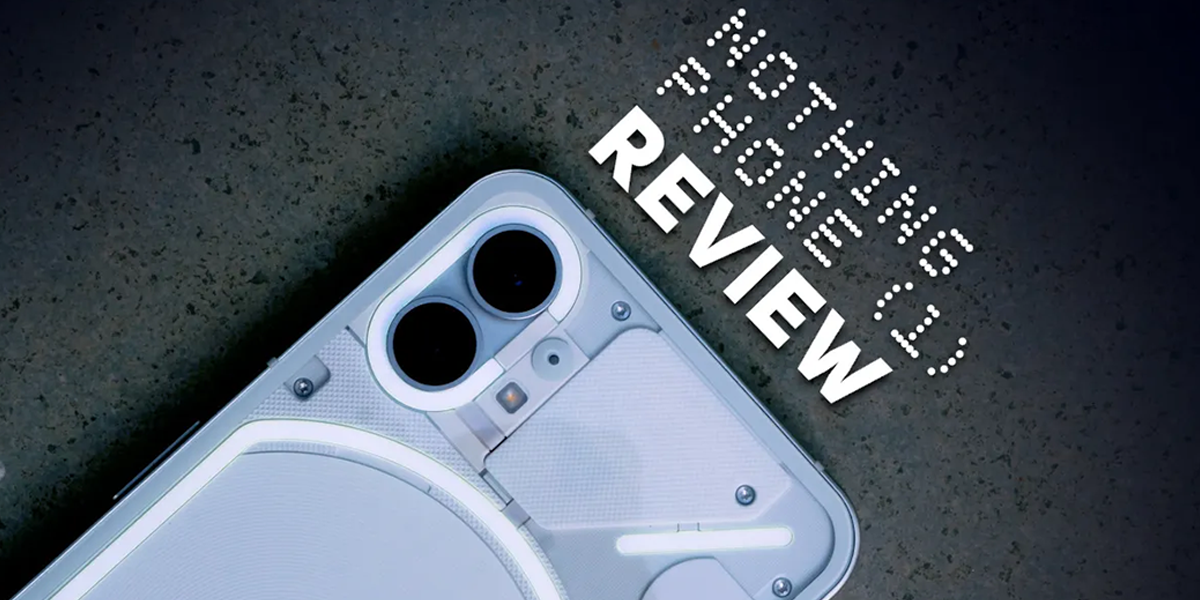
Nothing phone

According to company notes, version 1.1.2 of the Nothing operating system is now being released worldwide. In addition to several speed and bug fixes, the latest updates for the Phone (1) also enhances the user interface. This is the third software update released by the corporation, but it is a minor upgrade thus far, taking up a total of just 38.28MB.

This update, which will offer several improvements, is now being sent out to Phone (1) customers. The fingerprint symbol will now remain on the lock screen of the new smartphone; however, this may be disabled in the settings if desired. In addition, the Always on Display’s nighttime mode has been disabled by default to save unnecessary battery use.

The speed at which the battery may be recharged is also improved. Nothing’s latest improvements promise faster battery charging and compatibility with third-party chargers. On top of that, the business has addressed problems with the Bluetooth codec and implemented several additional bug fixes and UI enhancements for this Android Phone.

Changes To The UI

A new option has been added that allows the user to display or conceal the fingerprint indication even when the screen is turned off. As a consequence of this, you have the option of maintaining the visibility of the fingerprint sign even when the screen is turned off. In addition to that, the screen that is constantly on will automatically turn black when the sun goes down. However, if you want, you can keep it active at all times despite the fact that it will not be activated by default.

Changes To How Well Charging Works

The upgrade should help make charging faster. It has been claimed that compatibility with third-party chargers has been enhanced. Those who own Nothing Phone (1) and are willing to utilise their existing chargers may benefit from the upgrade since the phone does not come with a charger. Furthermore, the update fixes the problem with the audio codec.

It is unknown whether or not the upgrade will improve the system’s stability by fixing bugs and providing minor UI enhancements.

Nothing phone

New features

The new feature allows you to invert the bar’s three buttons.

Previously available only in the Ear (1) app, Nothing OS now incorporates all of the app’s capabilities, allowing you to adjust gesture controls, toggle Noise Cancellation settings, and more, all without ever leaving the operating system.

It was upgraded to LHDC hi-res audio support.

System Improvements

Update for September Security Flaws.

Enhanced battery life for Always On Display and other energy-intensive applications.

High thermal efficiency.

There is a new user interface for installing patches.

Camera Improvements

The camera app now has the option to include a watermark based on the Nothing theme.

Color accuracy in the ultra-wide camera has been enhanced, and there is more harmony between the primary and ultra-wide sensors.

An update to the algorithm used to detect motion has made it easier to maintain focus on moving subjects.

Quicker shooting times in ultra-wide HDR mode.

Bug fixes & Performance Optimizations

Certain carriers’ network difficulties have been resolved.

The problem of mislabeling inbound calls as “Unknown Contact” has been resolved.

The issue with fingerprint authentication in the HDFC Bank app has been resolved.

Fixes a wide variety of bugs.

Use The Local Upgrade Method To Install OTA

Make a directory called “ota” (no quotation marks) at the top level of the local storage. The space beyond the folders.

Download the over-the-air update ZIP file and paste it there.

Dial ##682## from your phone’s dial pad.

An offline updater should open up when you do this.

If an Over-the-Air (OTA) update is available, the utility will check the device’s storage and apply it.

You may try searching for the OTA file if it doesn’t work.

The update process is automated after the user selects the appropriate OTA file.

Simply rebooting the device will keep it up-to-date with the most recent firmware.

Conclusion

The Nothing Phone (1), designed by Carl Pei, was introduced to the globe last month. Since then, multiple upgrades have been released for the smartphone, each of which fixes specific customer concerns and enhances the device’s capabilities. This new Nothing Phone (1) version enhances the user interface and charging capabilities.

Update 1.1.2 for Nothing OS (1), measuring 38.2 MB, is now being sent out to Phones (1). New features in the UI, faster charging, and bug fixes are all part of the current release. Considering the new features and bug fixes, Nothing OS 1.1.1.2 appears relatively modest.

Recommended Reads:

  1. Nothing Ear (Stick)
  2. Nothing Ear Stick Launched in India, to Go on Sale from November 4
  3. Nothing Phone and Myntra Join Hands

Best Gadgets For Your Home To Buy On Dussehra

0
Best Gadgets on dusshera

From Mi Purifier 3 To Smart LED Bulb: Best Gadgets You Can Grab Online This Dussehra

You do not consider the ubiquitous smart light bulbs and light switches to be examples of “smart home equipment.” We dream of a future when we have access to futuristic conveniences such as automated door locks, robot butlers, voice-activated ceiling fans, floating lights, and air purifiers, among many more amazing inventions of which the general public is blissfully unaware.

To help you out, we’ve compiled a list of our favourite smart home gadgets and accessories right here. A few of these devices have already hit shelves, while others are still under development. Products featured in this post are not only functional but also attractive, making them perfect accents for any dwelling.

Mi Purifier 3

Mi Purifier 3 - Best Gadgets on dusshera

White and cuboid in shape, the Mi Air Purifier 3’s design is simple and unobtrusive. Up front, it has a touch-sensitive OLED circle display. The top square grille is the outlet for the conditioned air.

The front display’s brightness and on/off state may be controlled via a button on the device’s rear. Next, the laser particle sensor is tucked away underneath the switch. You may take out the bottom section of the back and wash it whenever you want.

A genuine HEPA Class 13 filter is used in the Mi Air Purifier 3. The filter traps 99.97% of particles as small as 0.3 microns, including smoke, dust, dander, spores, pollen, and mould.

A centrifugal fan allows for a clean air delivery rate (CADR) of 380 cubic metres per hour. It also has a colour-changing light ring on the front that serves as an air quality indicator.

The Mi Home app, available for iOS and Android, may also link the filter to a mobile device. The app allows for wireless regulation of the cleaner’s settings and remote monitoring of air quality readings.

Dyson V8 Absolute-Cord-Free

Dyson V8 Absolute-Cord-Free - Best Gadgets on dusshera

You can count on the Dyson V8 Absolute Cord-Free Vacuum to provide robust and constant suction, sucking up dirt, debris, pet hair, dust, and anything else your floors may be hiding. Our vacuum was so powerful that it took one pass to clean all of our floors, including the hardwood, the low- and high-pile carpets, and even the spaces between the floorboards.

We got the most out of our vacuum on a wide range of surfaces thanks to the many attachments. The soft roller head is ideal for cleaning hardwood floors, while the direct drive cleaner head’s beater bar is designed to reach deep into shag carpets.

The Dyson V8 Absolute is a cutting-edge vacuum cleaner that shows signs of having been designed with care. The machine is just the right weight, making it simple to move about the floor and reach higher places to dust.

There are flaws with the Dyson V8 Absolute. To begin with, the vacuum doesn’t have a regular on/off switch. Instead, it had a “trigger” that we had to hold down constantly while we vacuumed, which was a little rough on our hands as we tried to tackle the whole home.

Vacuum Cleaner

Best Gadgets on dusshera

Vacuum suction force is crucial to a vacuum’s effectiveness, but it is not the only factor determining how well a vacuum cleans. You’ll be able to make sense of the figures and prioritise the criteria that matter to you with some background knowledge and training.

Unfortunately, the capacity to clean is not reflected in a single grade. However, there are a few key features and measurements of vacuum cleaners that, once grasped, let shoppers confidently choose the most OK vacuum for their needs.

Power (in watts), amperage (amps), voltage (volts), water lift (or sealed suction), horsepower, air watts (or airflow), and airflow are all examples of these main criteria.

We will also look at a variety of secondary characteristics that have an impact on cleaning performance. Filtration, cleaning equipment (agitation), capacity, quality, noise, features, and cost all fall under this category.

Understanding the fundamentals of how a vacuum cleaner works are necessary for making sense of this whole situation.

Air enters the vacuum cleaner at the cleaning head or tool, travels to the bag and filter system, and finally exits the vacuum cleaner at the exhaust port. The vacuum motor (also known as the suction motor) produces this airflow.

The electrical components of the vacuum motor are coupled to the fan(s) or fans(s) that provide the suction. When the fans kick on, a partial vacuum is formed, and the vacuum cleaner’s internal pressure falls below the surrounding room’s ambient air pressure. The air pressure outside the vacuum is more significant than that within, so the air is forced to flow through the appliance.

Smart LED Bulb With Music Sync

Smart LED Bulb With Music Sync

Choice of hues: To create the ideal atmosphere, colours are essential, whether you’re hosting a party, filming a TikTok video, or immersing yourself in the stunning graphics of your favourite video game. Depending on the make and model, you may choose a soothing blue, a refreshing red, or any other hue in the rainbow. LED lights that play music should have a wide range of colours and dimming choices so that you may easily create your environment.

Manage your settings: Don’t limit yourself to just one purpose. These days, it’s not uncommon to find an LED light with a wide range of customizable lighting effects, including several reactive settings that twirl to the beat of your music. In many cases, control is not limited to a few basic sliders. Also, try to choose lighting that allows you complete control over the intensity of the light.

Possibilities for linking together: If you want an LED light to dance to the beat of your music, it must have some interface with your phone. It’s not uncommon to choose between WiFi connection and Bluetooth connectivity. Depending on its connection options, your fixture may easily link up with an app, Alexa, or Google Home, allowing you to create the ideal atmosphere easily.

Low-hassle assembly: Your preferred fixture shouldn’t require wiring, fasteners, or hammering. They should be easy to put up in a few minutes with little effort and no special equipment. The fixtures are often packaged with clear instructions and require little effort to position precisely where desired. After that, you may do anything you want with your lighting and interior design.

Safety: Look for certifications or registrations that show the light has been tried and tested with your equipment. These safeguards are crucial since they guarantee that your electronics won’t overheat or short out while in use. You may be sure that your LED lights meet or exceed all applicable safety regulations since they have been UL or ETL certified.

FAQs

Ques 1: How to make your home look nice for Dussehra?
Ans 1: – This Dussehra ornament is perfect for individuals who like laying out a collection of carpets and linens in their living room. A deep crimson futon is covered in vibrant yellow and green blankets in the living area. A legendary artwork and fairy lights provide a pleasant warmth on the stark white wall.
Ques 2: What are some cool things you should buy for your house?
Ans 2: – These items range from a stylish kettle to some helpful sanitisers to the newest Dyson vacuum and are the editors’ absolute favourites. Shopping for fascinating home devices that will enhance your house somehow is ahead.


Recommended Reads:

  1. Global smartphone sales fall 10% in May
  2. Black Friday Sale in India
  3. Samsung India Sells Smartphones Worth Rs. 14,400 Crore During Festive Season


Here’s How You Can Install & Use Discord On Xbox!!

0
Use Discord On Xbox

Discord, the much-anticipated voice chat network for gamers who have been testing for months, has finally been launched on Xbox systems. As of late, Microsoft and Discord have made it possible for Xbox Series X/S and Xbox One owners to have audio chats with their Discord pals on their consoles.

As a result, you won’t have to resort to Xbox party chat or other workarounds if you want to communicate with PC gaming buddies. If this is the day you’ve been waiting for, and you’re ready to use Discord on Xbox, read on to find out how to download and set up the program and begin making voice calls to your buddies.

A Step-by-Step Guide to Connecting Your Xbox to Discord

Linking your Xbox profile to your Discord server is the first and most crucial step. You only need the Discord software and the Xbox app loaded on your phone, as we’ve previously said. If you already have an Xbox account, you may connect it to Discord by following the instructions below.

  • To play Xbox games, use the app on your mobile device. Click the “Profile” button in the app’s upper right corner to access your profile.
  • To access the settings, click the gear icon in the profile’s upper right corner.
  • Find the “Linked accounts” option once you’re on the settings page and click on it.
  • After selecting this option, you’ll be sent to a new menu where you may choose which additional platforms you’d want to use with your Xbox account. Find the Discord icon, and then click “Link” to the right of it.
  • When you choose the “Link” button, you’ll be prompted to connect your Discord account. To go to the Discord sign-in screen, please click “Continue” below.
  • When you sign in to Discord through the Xbox app, you’ll be asked to provide permission for the app to access your profile. Tap the “Authorise” button if you agree with the granted permissions.
  • Once the permission is complete, you’ll be sent back to the Xbox app with a prompt to open Discord. Now, gamers may utilise voice chat through Discord on Xbox by transferring their voice call from the Discord app to their Xbox.

How to Use Xbox Discord (Two Methods)

Send Discord Mobile App Calls to Xbox (Android & iPhone)

Use Discord On Xbox


Once you’ve connected your Discord and Xbox profiles, it won’t take long to start receiving calls on Xbox instead of Discord.

  • The initial step is to connect to a server and enter a chat room where people may communicate with one another. Launch the current Discord conversation. To access the call menu from the main call window, slide up from the bottom bar containing the call controls.
  • There are many choices available after you swipe up from this section. You’ll be able to forward the call from Discord to Xbox if you’ve successfully integrated the two platforms. Therefore, choose the Xbox transfer option.
  • Choose “Transfer to Xbox” to be sent to the Xbox app, where you’ll be asked to confirm the transfer. You will be informed that Xbox will no longer moderate the Discord voice conversation once you have transferred it to Xbox. The last step is to click the “Transfer Voice” button.
  • Once your voice chat has been sent to Xbox, you may access it by selecting the Xbox icon on your console. Just go to the right, and you’ll see the parties and chat window where your Discord call will be answered.
  • The overlay has the same Mute, Deafen, and Audio controls seen in Discord’s mobile and desktop versions. The call volume for each participant may be adjusted individually by clicking the audio options button, precisely as in the desktop software.

Send Discord Desktop App Calls to Xbox One (Windows & Mac)

Use Discord On Xbox

In the above paragraph, we looked at how you may move a call from the Discord app on your phone to the Xbox console. However, if you use a desktop computer rather than a mobile phone to access Discord regularly, this won’t be an issue.

Then, we’ve got you covered there, too. The desktop client’s Discord integration is almost identical to the mobile version, with one key exception. The procedure is as follows:

  • The first step is to launch a server and connect to a chat room or other form of communication through voice. The next step is to go to the Discord voice call window that is now open. A “mobile device with controller” symbol has appeared in the lower left. Choosing that will trigger a popup with the “Transfer Voice to Xbox” option. You should click it.
  • Selecting “Transfer Voice to Xbox” brings up a QR code popup. To use the Xbox app, scan the code using a QR code reader app. Scan the QR code with Google Lens or Apple Live Text.
  • When you click the link, the Xbox app page we saw previously will load, offering you the choice to transfer the phone call to the game console. Your Xbox should now be connected to the Discord call.

Conclusion

That’s how you link your Xbox account to Discord and start having audio conversations with your pals on Xbox. It’s great that this much-requested addition is now available on a platform (the Xbox for the time being). The integration procedure is now rather basic since we allow voice chat. There are currently no chat options or ways to connect with your Xbox chat.

FAQs

Ques 1: Can Xbox users join Discord calls?
Ans 1: – However, with the help of a Quarrel program, Discord may be used on the Xbox One. Quarrel is a free program that allows you to make audio calls and exchange messages over Discord on your Xbox One. Not flawless, but it’s the best method I’ve found for accessing Discord on an Xbox One console.
Ques 2: Can you tell if someone is online on Discord?
Ans 2: – Discord’s status indicators make it easy to see who is currently online (small colored dot next to avatar). When someone is currently online, the dot will be colored green automatically. If you don’t interact with the app for a while, the dot will gradually become a yellow crescent. Remember, too, that users may also voluntarily choose this status.
Ques 3: How do I keep my game secret on Discord?
Ans 3: – To access the Discord settings, click the gear icon (the little cog) next to your user name and avatar. Click the “Game Activity” button on the left side of the screen. To prevent Discord from broadcasting your current game, turn off the option to “Display Currently Running Game As A Status Message.” The Settings window may be closed at this time.

Recommended Reads:

  1. Xbox Rolls Out Official Support For Discord, Lightstream, And Streamlabs
  2. Xbox Game Pass titles for November 2022 revealed: Warhammer 40,000: Darktide, Dune: Spice Wars
  3. Microsoft Updates Xbox Series with New Party Feature

Meta Reveals Its Upcoming Update That Allows You To Switch Between Facebook And Instagram

0
Facebook And Instagram

Meta, the giant company in its industry and recognised by everyone, works on updating users with new and constructive features timely. With this, users also like the updates that the company introduces.

And this time, Meta has said that the professionals are carrying out new tests for new features, and the new upcoming features will make it easier for users to change between Facebook and Instagram. All the information about the testing for new features was shared on Monday.

Meta New Updates

The company has said that the new updates will help users to create, access and navigate between multiple accounts and profiles more efficiently and quickly on the platform with millions of users.

The officials working at Meta have said that they are aware that many people use their multiple apps to pursue their different interests, and now they are working on a feature that will help users to switch between different platforms of Meta easily. The information was shared in a blog post.

One might think about the notifications in the new upcoming update. We want to share that users will be getting all notifications of all the platforms of Meta in a single space, but one can only avail of this offer if they are interested in adding the platforms to the same Accounts Center.

Facebook And Instagram

“Additionally, people can now see their Facebook and Instagram profiles in one place. Notifications will also be conveniently displayed for each profile, making it easier to stay up to date on activity across Facebook and Instagram,” Meta said.

As of now, the features are being tested for operating systems of Android, iOS and the web. With this many techs, geeks are excited about the new updates and claim that the new features will gain much appreciation as they are accommodating for everyone.

The new features can become best friends of content creators because content creators usually post the same content on all social media platforms. For ages, they complain that it burns up their significant amount of time, but now they are all sorted as they will be managing all Meta platforms from a single space only.

Meta has also reconstructed the login and signing page for both of its platforms that are Facebook and Instagram, and from now users will be getting a notification whenever a new account is created using their previous account.

An official also said that people having both Instagram and Facebook accounts would be able to utilise the login information of one app in another app, but this can only be done if the accounts are added to the Accounts Center, and two-factor authentication of one’s Facebook account should be kept off.

Last Meta said that the new features would be easy to use, and the officials have kept the account security of their users at the top by saying that they will roll out new security updates in future as well and will be working on cross features technology for both Instagram and Facebook.

Final Words

Meta, the tech giant, is known for its feature-adding service to the social media platforms, and people also appreciate their work as the officials working at Meta every time become successful in looking at the problems of users of their social media platforms and then the professionals solve the mass problem in new updates.

Now Meta has once again stepped into the talks of techies as the company will introduce new features that will let users switch between Facebook and Instagram accounts while managing both accounts from one single space. The article educated people on the features in detail, and we hope that we added some value with our words.

Recommended Reads:

  1. Here’s how to create your Meta 3D Avatar on Facebook and Instagram
  2. How Meta plans to curb phishing attacks on Instagram and Facebook
  3. Meta rolls out 3D avatars for Instagram, new options for Facebook and Messenger as well

Xiaomi CIVI-2 hits the market with pill shaped dual selfie cameras ready to beat the Apple’s Dynamic Island trend

0
Xiaomi Civi 2 Powered By Snapdragon 7 Gen 1 SoC

The Xiaomi Civi 2 was made available in China on Tuesday. The screen on the Xiaomi phone, which measures 6.55 inches and has a Full HD+ AMOLED display, is capable of displaying up to 120 frames per second.

The Xiaomi Civi 2 has a triple camera arrangement on the device’s rear. The dual selfie camera array on the front of the phone, which has a resolution of 32 megapixels and is said to be the most powerful ever seen in a smartphone, is the primary selling feature of the device. The second of the two cameras is a sensor with an extremely wide-angle lens, while the first is the primary shooter.

There are three distinct combinations of RAM and storage space that are available for purchase with the device: 8GB RAM + 128GB storage, 8GB RAM + 256GB storage, and 12GB RAM + 256GB storage.

Also Read: 5 Things We Want to See from Xiaomi in 2023

Black, blue, and pink are the three colour options available for purchase with the Xiaomi Civi 2 smartphone. In addition, there is a unique Hello Kitty model that comes in white and has a pleated pattern on the back of the garment.

Specifications & Highlights

Compared with its predecessor, the Xiaomi Civi 2, this model’s physical look has significantly improved. The Xiaomi 12 series of smartphones served as inspiration for this new design’s aesthetic direction. It boasts a Full-HD+ (2400 x 1080 pixel) resolution on its OLED screen, which is 6.55 inches in size and can refresh at a rate of 120 frames per second.

The colour depth and the touch sampling rate are set at 10 bits and 240 Hz, respectively. The HDR 10+ compatibility and the DCI-P3 colour gamut have been expanded to their maximum levels.

Similar to the Xiaomi 12, it has a “camera island” design on the rear of its triple camera array. The primary lens is a Sony IMX766 with a resolution of 50 megapixels, the ultra-wide lens has a resolution of 20 megapixels, and the macro sensor has a resolution of 2 megapixels and is a GalaxyCore GC02M1.

Also Read: These Xiaomi Smartphone Models Now Support Reliance Jio 5G

Its front-facing cameras each have a staggering 32-megapixel solution and are supported by a quad-LED flash for better low-light performance.

Xiaomi Civi 2 Powered By Snapdragon 7 Gen 1 SoC

The Qualcomm Snapdragon 7 Gen 1 SoC is the brains behind the operation, and users have the option of equipping their smartphones with as much as 12 GB of RAM and 256 GB of native storage space. The memory in this device is LPDDR4x, while the storage is UFS 2.2. While your game, everything will remain at a comfortable temperature thanks to the integrated VC liquid cooling system.

It has a great battery capacity of 4,500 mAh and is powered by a quick charging technology that uses 67W. A USB Type-C port, an infrared blaster, and two stereo speakers capable of Dolby Atmos sound are included in it.

The mobile device supports dual 5G SIM cards, Wi-Fi 6, Bluetooth v5.2, and NFC, making it possible to sync and share data with other devices. The mobile device comes preinstalled with Xiaomi’s MIUI 13 user interface layer on top of the Android 12 operating system.

Pricing

CNY 2,399 (about Rs 27,000) is the price of the Xiaomi Civi 2’s basic model, which comes with 8GB of RAM and 128GB of storage. The variants with 8GB RAM+ 256GB storage and 12GB RAM+ 256GB storage each have a price tag of CNY 2,499 (about Rs 28,500), while the models with 12GB RAM+ 256GB storage have a price tag of CNY 2,799 (roughly Rs 32,000).

Conclusion

On Tuesday, Chinese technology company Xiaomi presented their most current mobile device, which is known as the Xiaomi Civi 2. The Civi 2 is an updated model of the original Civi, including newer and more sophisticated camera hardware and other technological advancements over its forerunner.

Also Read: Used the Xiaomi 12t Pro

Gizmore Gizfit Glow Smartwatch Review: Millennial Age Fitness

0
Gizmore Glow Smartwatch

Highlights

  • Gizmore Gizfit 921 Glow Smartwatch
  • Features & Specifics
  • Benefits
  • Rating

Do you want to keep your body fit? Are you worried about your health? Do you want to keep all ailments and diseases at bay? Read on to find out.

Brief Up

Whenever the time comes to buy a new electronic device or gadget, the first thing that comes to mind is brand preference as everyone is spoilt for choice while there are some that simply don’t want to look beyond their favourite brand like staunch Apple aficionados will always look for Apple devices.

While smartphones are generally the most discussed, other devices, despite being popular, are sometimes relegated to the sidelines, which is sad because smartwatches are just as important, if not more, than smartphones that merit a discussion of their own.

Gizmore is one brand that many people would be familiar with and those who’ve tried out the company’s smartwatches would vouch for its efficiency, features, topnotch quality, and other specifications.

Gizmore Glow

There is an ironclad reason as to why Gizmore is called one of India’s leading Smart Accessories, Home Audio brands, Fitness Gear, and many other monikers that people have bestowed upon it.

This reflects the great love and admiration that people have for Gizmore products especially smartwatches as it helps them in keeping track of their health & fitness, which is something that the millennial generation is obsessed about.

You can always rely on Gizmore to give you high-quality smartwatches like its latest offer, Gizmore Gizfit Glow Smartwatch, which comes with the tagline ‘New Age Fitness’. There are many discerning users that will find it similar in size and design to previous Gizmore watches but that doesn’t take away the fact that it is just as reliable as the others.

The model that we are going to review is the GIZFIT 921 Glow along with its features, specifics, and whether it is worth spending the dough on or not because customers are very particular about device features these days and are frustrated if it doesn’t match their high expectations.

My Opinion on Gizmore Gizfit

Gizmore is an entity that originated in 2018 that deals with Smart Accessories and Audio Brands, which is known for its glamorous and fashionable product due to its styling and affordable prices but with exceptional quality.

It is one of the premier ‘Make in India’ lineup brands that completely revolutionized the smartwatch, home audio, and fashion accessories, which, by the way, also supports the Swasth Bharat- FIT INDIA campaigned, which was started by the present-day Modi Government at the centre.

Gizmore Gizfit 921 Glow comes in an orange-coloured, squared box with GIZMORE imprinted on the top right corner with ‘New Age Fitness’ right beneath it as it is the tagline and GLOW on the top left corner while the smartwatch design engulfs the entire front, while beneath it is given ‘AMOLED Display’.

Gizmore Glow

Upon opening it, there is another box inside that houses the smartwatch, which you discover while opening and find the thermocol sheet inside with the watch strap encased on the right with the dial on the left.

The smartwatch is extremely light to hold while the dial is slightly heavier than the strap as you can feel its weight upon holding it. I felt certain warmth upon holding it after first taking out the dial and strap, which is mostly due to it being kept inside for so long.

The box too is relatively light to hold and I felt a sudden surge of excitement as though the device inside belonged to me or had been gifted to me as a birthday present but once I got to witness its features, it was a whole new experience altogether.

The biggest concern of any consumer, myself included, is whether the newly launched device of the reputed brand will live up to his expectations or not but as far as GIZMORE GIZFIT 921 Glow is concerned, I can safely conclude that it is well worth every rupee you’ve spent on it.

Price, Features & Specifications of Gizmore Gizfit

This is the most important part that consumers look forward to because these days, while reputed brands to come out with competent devices, their customers are easily bored of finding the same features and specifics in them all the time, which is why they become disinterested after sometime.

Gizmore Gizfit 921 Glow comes with a 1.37 (3.47cm) inch AMOLED circular display screen, which not only guarantees images with crystal care clarity but its lightweight design allows users to comfortably wear it without any heaviness while the premier leather strap fully compliments the visual spectacle of the device.

Users can gain immediate access to its functions via the phenomenal split screen and try them out, which makes the experience a fun ride as the rotating crown controls allow you to navigate the device comfortably without any issues.

Furthermore, users can avail the aforementioned AMOLED screen with 420X420 resolution and 500 Nits brightness that guarantees sharp and clear visibility even in bright sunlight along with crystal clear and sharper pictures and has a 2.5D curved glass for protection.

It also comes with excellent battery life with multi-sport functions while the design is specifically done so as to appeal to outdoor customers so that they are immediately captivated by the design and make up their mind to buy it.

While the MRP rate of the smartwatch is Rs.8,999, it can be purchased for Rs.2,499 on Flipkart’s Big Billion Days Sale event of 2022 but once the sale period is over, you can get it at a retail price of Rs.3,499 in three colour options viz. Black, Burgundy, and Brown with multiple strap colour options as an added bonus.

Gizmore Glow

It also comes with an IP67 certification, which means that it is invulnerable to water, sweat and dust. This is good news for fitness enthusiasts that sweat it out in the gym for many hours wearing smartwatches but this model won’t be affected at all even if you walk in heavy rain/

Users can also avail all kinds of health and wellness features such as a SpO2 monitor, Heart Rate monitor, blood pressure monitor, stress monitor, sleep tracker and female health tracker and meditative breathing feature, to name a few.

Sports enthusiasts have a reason to rejoice as well because the watch also is well-equipped with several sports modes that allow you to comprehensively capture all the fitness data and keep them stored for future references if the situation calls for it.

Conclusion

All in all, a smartwatch well worth your time and money with all the features and specifics that are very good to try out along with display features and fitness apps that make it a good thing worth purchasing.

Tabular Data

Components Specifications Rating
AMOLED Display 1.37 inch (3.47cm) ****
Water Proof Certificate IP67 *****
Display Resolution 420X420 PX 500 Nits Brightness ***1/2
Strap Length 25.8 cm ***
Net Weight 65g ***
Body Premium Metallic ****
App Fit Cloud Pro *****
Working Time 2 Days with Calling/15 Days Without Calling ***

[Rating is out of 5 Stars (*)]

Also Read: Gizmore launches GIZFIT Glow On Big Billion Days Sale

Home Grown NavIC System for Smartphone Manufacturers; Details Inside

0
NavIC System
NavIC System

In Brief

Smartphones have become a basic necessity of life similar to the three basic necessities- food, water, and oxygen, where you need to constantly have your handset by your side in the pocket or handbag as it contains all the information about you.

Over the years, smartphones have evolved from being mere devices of convenience for calling and messaging to upgraded, futuristic models that people of all age groups are now relying upon to solve their daily problems.

Every smartphone’s viability depends on the brand that manufacturers it for it is the brand value of the device that will attract users to its name so that they can theorize what kind of device it will be.

All handsets have a specific shelf life and what is considered new today will become old and outdated tomorrow. This is the reason why every brand has to upgrade and evolve all its devices so that it caters to the present generation.

Also Read: Top 5 Best Smartphones for 2022

The latest report doing the rounds is that the Indian government has advised the phone manufacturers to make their models compatible with the new indigenous NavIC System by the end of 2022 or early 2023.

The government wants to create an alternative to the massively popular and widely used GPS, which was created in the US and the Indian government wants to create its new counterpart so that India has its own GPS.

Basically, the government wants the NavIC System to be “India’s Answer to GPS”. However, this has become a cause of worry for other renowned tech giants like Apple, Xiaomi, Samsung, and their ilk.

Navic system

The Central government has set January 23, 2023, as the deadline for all smartphone brands to fully equip their handsets with the NavIC System, which is all but implausible as of late as such a short period is not enough for all devices to be equipped with NavIC.

Also Read: Smartphone Battery Life — The Longest-Lasting Smartphone in 2022

The aforementioned tech giants held numerous meetings in the August-September 2022 time frame to discuss the challenges and obstacles of implementing such advanced technology in all future smartphone models and raised their concerns that it will lead to disastrous consequences in case it went wrong.

They argued that such technology requires very high production costs and complicated hardware/software changes that would take an insurmountable amount of time and the given deadline was not enough to get the project even halfway through.

Xiaomi and Samsung smartphones have a problem in inculcating NavIC System support as the costs would be extremely high for the dual-brand chipsets to support both GPS and NavIC.

It also includes conducting many tests to get clearance from authorities to go ahead with the project for which the January 2023 deadline is far from enough, which will lead to further delays in launching the NavIC System.

Conclusion

NavIC stands for Navigation for Indian Constellation whose navigation system will be developed by the Indian Space Research Organization (ISRO), which will be for both military and commercial purposes.

There are a number of smartphones that have come with the NavIC System support, which closely numbers around 300 models but given the tense situation in managing everything out in such a short while, it is likely that the Indian government will either push the date of deadline or come up with some solutions to help the makers out.

Also Read: These Xiaomi Smartphone Models Now Support Reliance Jio 5G

Intel Graphics Processing Unit: ARC Platform Unveiled

0
Intel Arc Gpu
Intel Arc Gpu

Highlights

  • Intel Graphics Processing Unit
  • Intel Arc 380
  • Intel Graphics

What do you know about Intel? What is your take on Graphics Processing Unit? What do you mean by ARC Platforms? Find out.

In Brief

Intel is a name that needs no introduction at least for people in the tech industry and those that have a keen interest in gadgets and electronic devices. Over the years, the semiconductor company has acquired a cult status of shorts for its innovative technology not only concerning semiconductor ships but a slew of other devices.

There is an ARC Platform by the company that has been in the pipeline for the last so many years and is completely shrouded in mystery as Intel has not divulged any information regarding it or its release.

Intel Arc

This has piqued the curiosity of many tech experts as they would like to know more about it. Luckily, the company plans to soon release the brand new Intel Alchemist Graphics Processing Unit (GPU), which will mark a tremendous comeback for Intel to the GPU space that was highly looked forward to by many.

It was only back in the late 90s that Intel launched its last GPU Platform of significance, which was their first and last by the way, called i740 AGP graphics card and it is now in 2022, so many years later, that the company finally came out with the Intel Arc 380, which was released in June 2022.

Although the first reactions for Arc 380 have been extremely mixed, the enthusiasm for Intel’s Arc GPUs and Intel GPUs in general continues to grow as users and tech experts alike are quite positive that they’ll turn out good in the end.

Intel came up with the ARC GPU Platform in 2020, which was met with positive response as people became curious as to why Intel, which was leading the GPU market at the time, would suddenly jump the bandwagon into the discrete GPU space.

Intel wants to spread its wings, like all its capitalist enterprise counterparts in the game, and look for innovative ways to expand its boundaries further because there is cutthroat competition from all corners where each industry wants to remain relevant in the eyes of the people.

With the change in generation, companies have to come out with creative and innovative technology at regular intervals in order to cater to the needs and tastes of the present generation and there cannot be a better opportunity for Intel than create its own GPU Space as its market size is to grow at a huge pace to a whopping 94% in 2025.

Intel is not completely new to the GPU Space and was already in the market through its iGPU lineup and started manufacturing High Performance Graphics (HPG) as it was the only way to achieve big in the GPU market and give its competitors a run for their money.

Intel Graphics Processing Unit

List of GPU Models

To learn more about the Intel Alchemist Architecture, one needs to learn about the whole GPU lineup that the company promises as it has made it clear that their Arc lineup will be covering two different GPU DIES, which stands for Different Underlying Chip Architecture, which in turn will be divided into 3 product families viz. 300 series, 500 series, and 700 series based on performance and price.

The tabular column will explain everything:

Specifications Arc A770 Arc A750 Arc A580 Arc A380
Architecture ACM-G10 ACM-G10 ACM-G10 ACM-G11
Process Technology TSMC N6 (6nm) TSMC N6 (6nm) TSMC N6 (6nm) TSMC N6 (6nm)
Transistors 21.7 billion 21.7 billion 21.7 billion 7.2 billion
Xe-cores 32 28 24 8
Clock speeds 2100MHz 2050MHz 1700MHz 2000MHz
VRAM (GDDR6) 16/8 8 8 6
XMX Engine units 512 448 384 128
VRAM bus-width 256 256 256 96
GPU bandwidth (GBPS) 560 512 512 186
TDP (in watts) 225W 225W 175W 75W
Release Date (rumored) Oct 2022 Oct 2022 Oct 2022 June 2022

Also Read: Intel 13th Gen Desktop CPU Launched; Christened as Raptor Lake

iPhone iOS 16 System; Battery Drainage Issue Fixed

0
iOS 16
iOS 16

Highlights

  • iOS 16 Operating System
  • Battery Drainage Issue
  • iPhone Solutions

What are your views on iPhones? What do you feel about the recently launched iOS 16 Operating System? How would you feel a major issue in your iPhone upon installing iOS 16?

Everyone desires to own an Apple iPhone these days and the most expensive ones at that. But sadly, not everyone can afford it due to budget constraints. However, there is another lot that has the best smartphone of the day but, still, is never satisfied with it, thereby looking for flaws or loopholes to criticize it.

iOS 16

Then there are those who have paid their hard earned money to buy a new handset but find, within days of purchase, that it has flaws or technical issues due to which they’re frustrated and feel they’ve wasted money in buying it out.

Also Read: Upcoming iPhone 2023- iPhone 15, iPhone 15 Ultra, iPhone SE 4, iOS 17

Brief Summary

iPhones are well known for their unique features, one of which is its strong battery power due to which many users constantly vouch for their handsets every now and then. They simply cannot stop singing its praises and recommending the iPhone models to other users.

Therefore, it becomes frustrating when your iPhone’s battery drains out in an unusually short time especially after you’ve installed iOS 16 in it, which has been the case with many of the handsets as of late with many users complaining that their battery drains out quickly ever since they installed iOS 16 into their smartphones.

The problem continues to persist even with the latest software update at hand and it has been barely a month since the new iOS 16 operating system was released in August 2022, which is quite sad that users have to go through with such a serious issue from a reputed brand.

Luckily, there are many solutions to sort out the issue that have proven to be helpful for many users that were complaining about battery drainage after installing iOS 16 on their iPhone handsets because there is no dearth of energy saving technologies out there.

Also Read: Top 10 hidden iPhone Hacks to Get the Most Out Of

iOS 16

Points of Note

  • The first step is to turn off your location services, which is difficult as food delivery apps, cab bookings, google maps, among many others, are the ones that require access to your location so as to deliver your orders to the right address, which also includes Weather ones and system services. Turning off this service allow to last low battery longer. You just need to go to ‘Settings’, scroll down, and tap ‘Privacy’, Go to ‘Location Services’ and turn it off
  • Always take care to remove unnecessary widgets from the home screen as iOS 16 has adept wedge support and if you store these widgets on your home screen, the battery lifespan will plunge at a quicker pace so to prevent it from happening, long press widgets on your phone and tap ‘Remove Widgets’.
  • Immediately Disable Background App Refresh as the data is constantly refreshed in the background that exerts massive pressure on the battery due to which it drains out fast. You first go to ‘Settings’ and tap ‘General’ and then go to ‘Background App Refresh’, tap it, and then tap ‘off’.
  • There are certain folks that quit every app on a frequent basis and reopen it as well due to which battery power is affected and drains out quickly, which has also happened in other devices like iPhone 7, iPad 8, and even Apple Watches.

Also Read: iOS 16 Battery Percentage: Enabling Process