Highlights
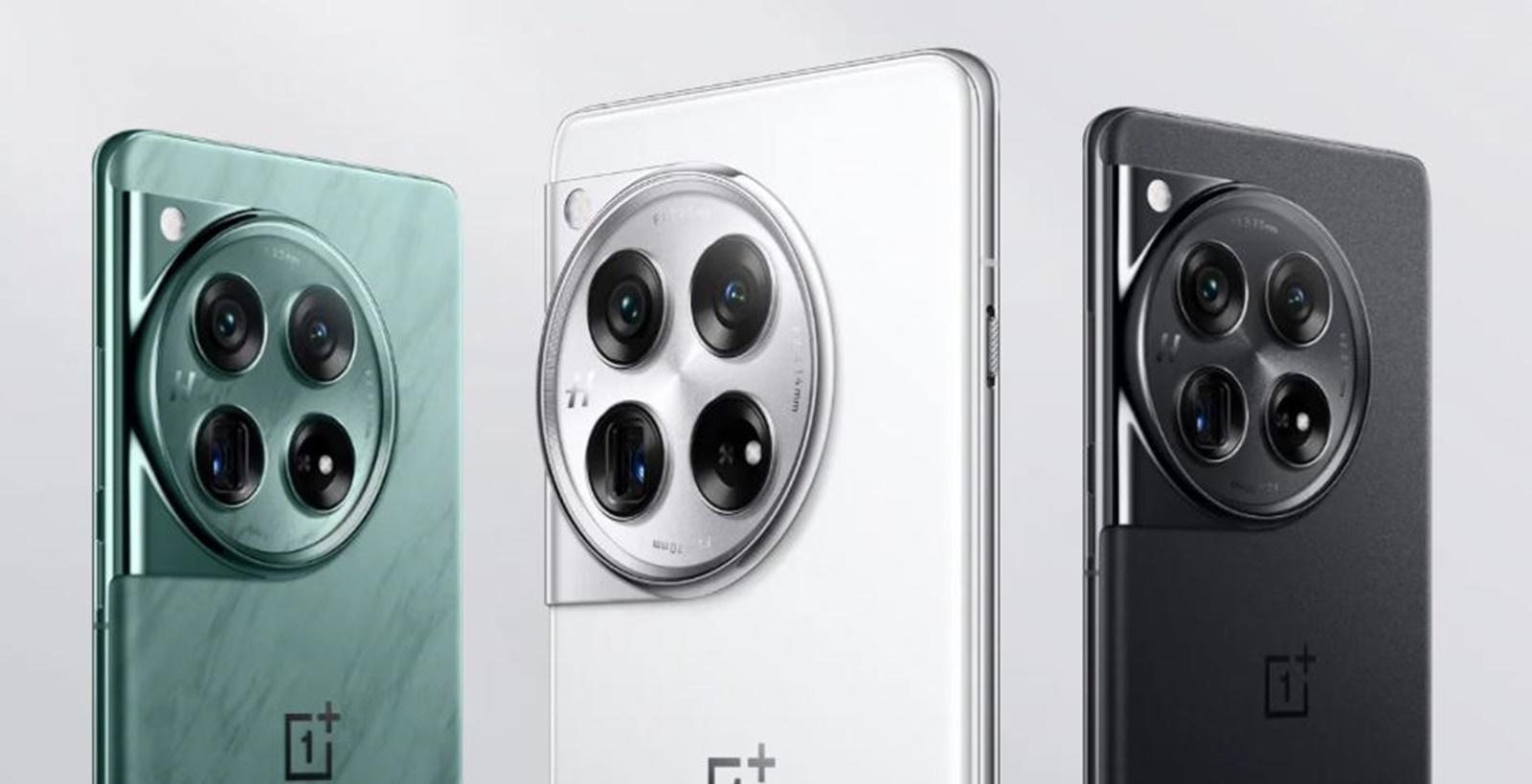
- OnePlus 12 is slightly bigger and bulkier than it’s predecessors in size: 164.3×75.8×9.15 mm, 220g.
- Competes closely with iPhone 15 Pro Max and Pixel 8 Pro in dimensions.
- Stands thicker and heavier than Galaxy S23+ and iPhone 15 Plus.
- Balances size with a large 5,400mAh battery, showcasing design priorities.
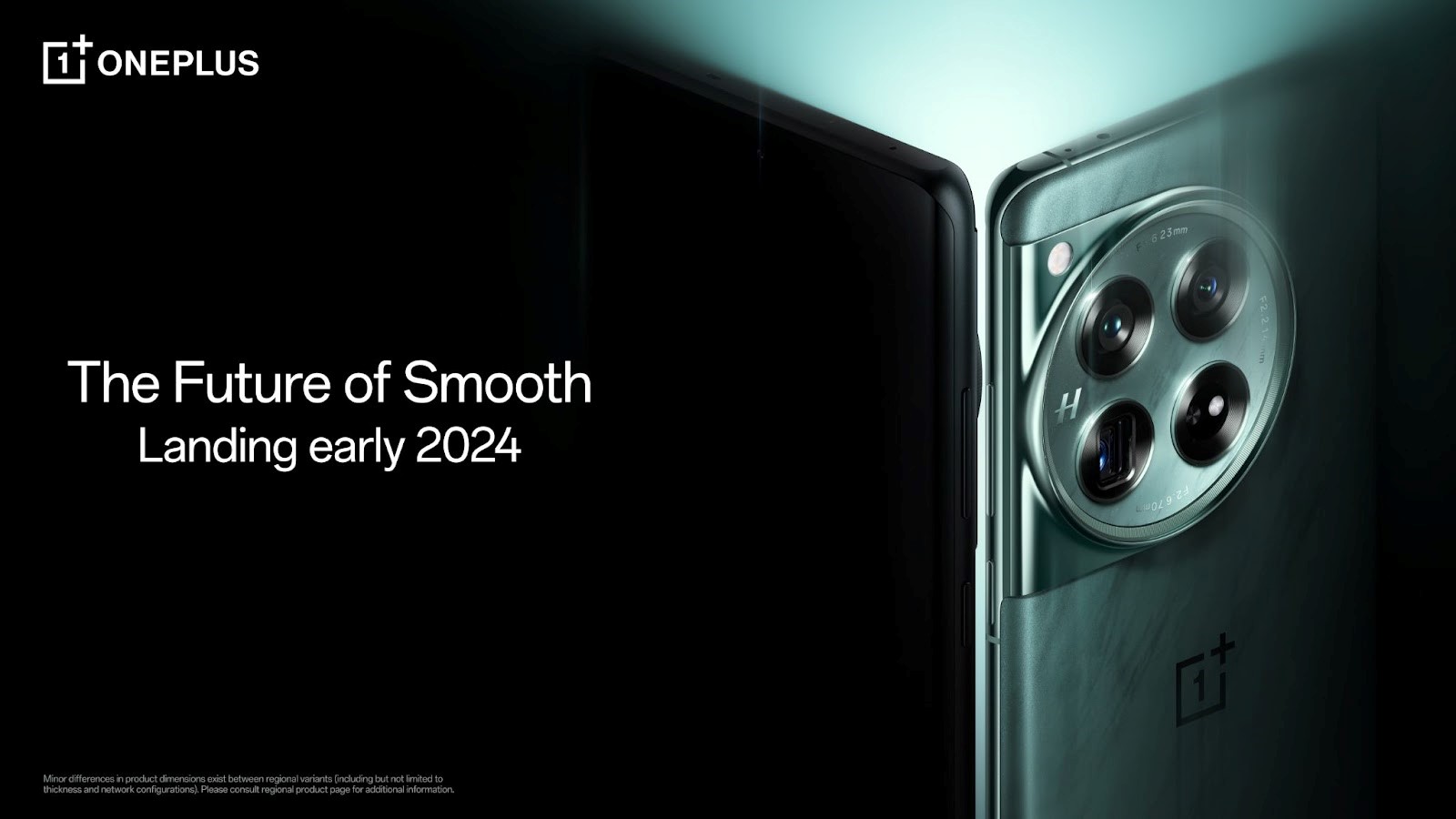
The OnePlus 12, a device talked about incessantly over the past three months, has now made its way to the Chinese shores.
Not surprisingly, the release has stirred considerable interest, with comparisons sprouting up in different corners of the internet.
One thing that has piqued interest is the apparent size specifications of the OnePlus 12, compared to its predecessors and other flagship giants.
Let’s have a gander at how the flagship from OnePlus fares against the company’s stable of products and other flagships out there.
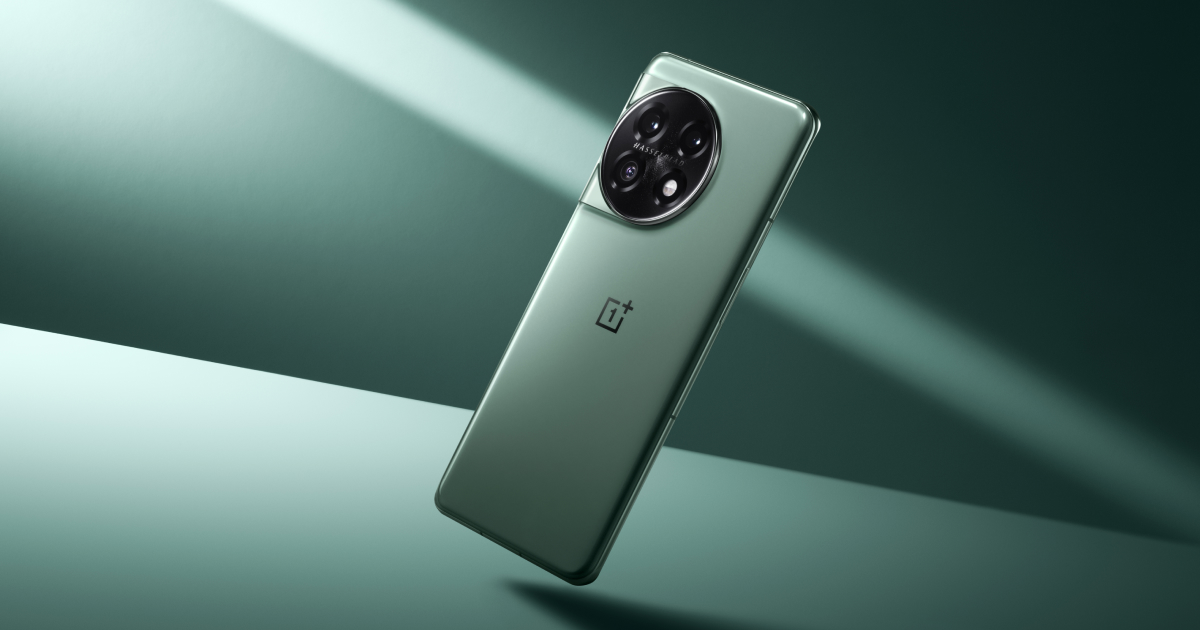
OnePlus 12: Family Size Comparison
| Smartphone | Width (mm) | Height (mm) | Thickness(mm) | Weight (g) |
| OnePlus 12 | 164.3 | 75.8 | 9.15 | 220 |
| OnePlus 10T | 163 | 75.4 | 8.75 | 204 |
| OnePlus 11 | 163.1 | 74.1 | 8.53 | 205 |
| OnePlus Open | 153.4 | 143.1 | 10.15 | 239 |
The OnePlus 12 marks a noticeable increase in size across all dimensions compared to its predecessors.
It measures 164.3 mm in length, 75.8 mm in width, and has a thickness of 9.15 mm, weighing about 220 grams.
That makes it a rather chonky device and we think it can be attributed to the larger 5,400mAh cell inside.
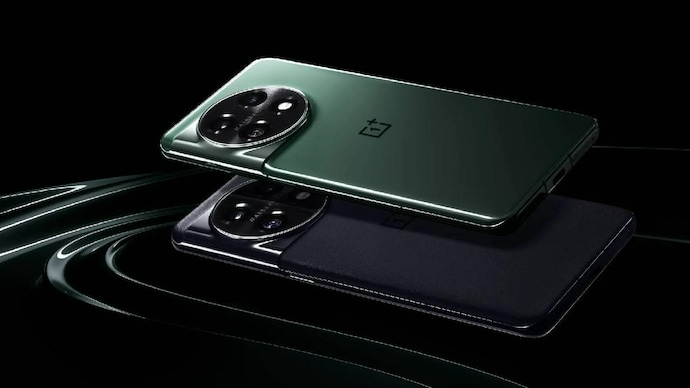
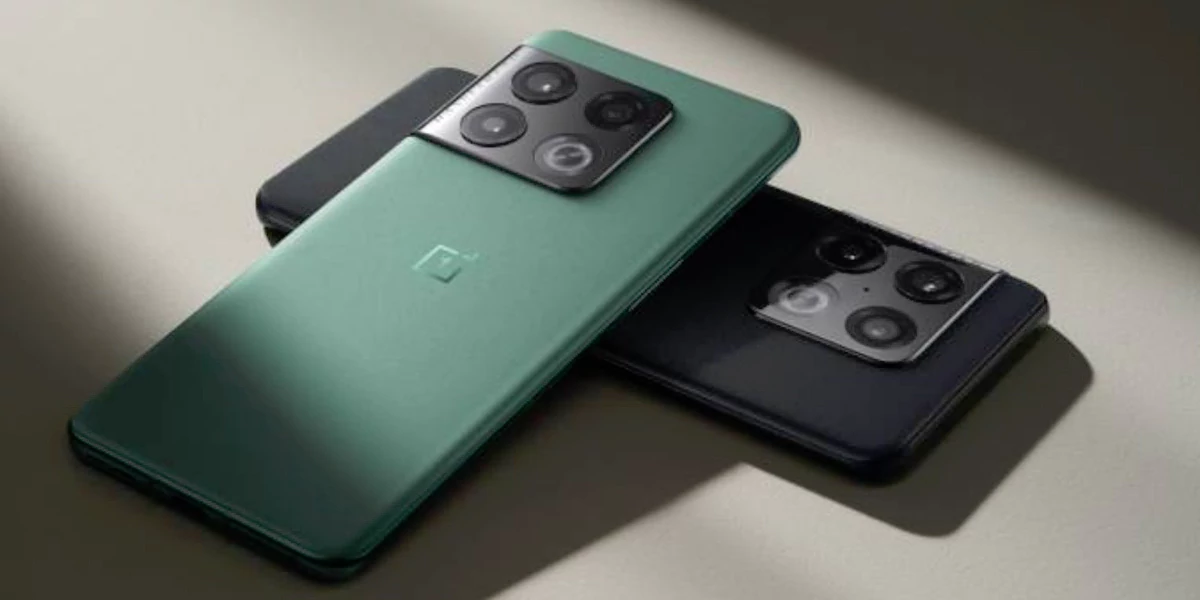
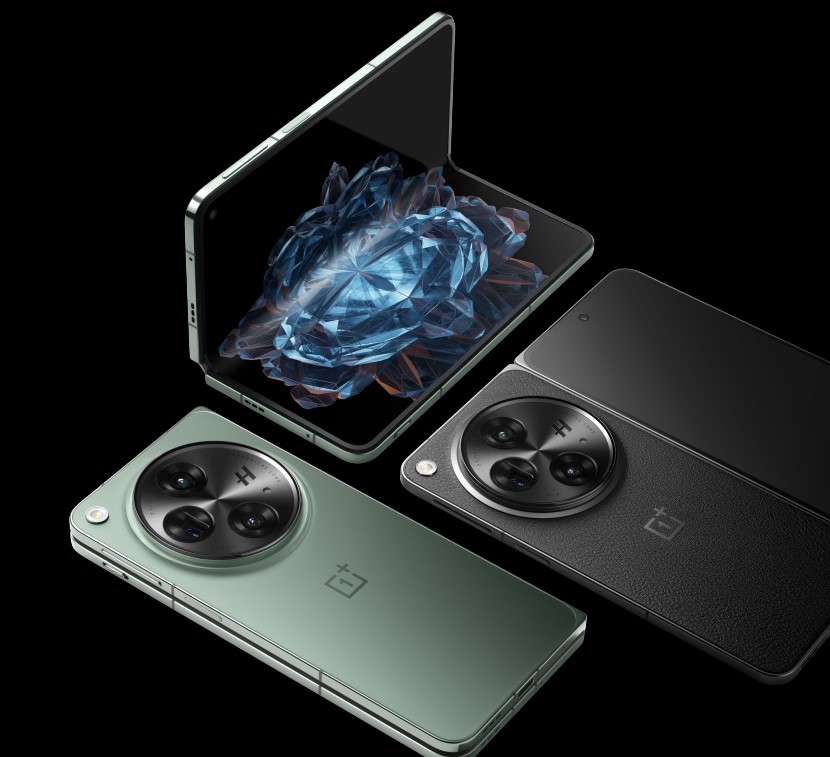


In contrast, the OnePlus 11 and OnePlus 10T are slightly smaller and lighter, with the OnePlus 11 at 163.1 x 74.1 x 8.53 mm and 205 grams, and the OnePlus 10T at 163 x 75.4 x 8.75 mm and 204 grams.
Interestingly, the OnePlus Open, a foldable variant, is just 1 mm thicker than the OnePlus 12 when closed, measuring 153.4 x 143.1 x 5.8 mm (open) and weighing 239 grams.
This should give just a slight idea about the craftsmanship that has gone into making the OnePlus Open.
OnePlus 12: Comparison with Other Flagship Models
| Smartphone | Width (mm) | Height (mm) | Thickness(mm) | Weight (g) |
| OnePlus 12 | 164.3 | 75.8 | 9.15 | 220 |
| Galaxy S23+ | 157.8 | 76.2 | 7.6 | 196 |
| iPhone 15 Plus | 160.9 | 77.8 | 7.8 | 201 |
| iPhone 15 Pro Max | 159.9 | 76.7 | 7.8 | 201 |
| Pixel 8 Pro | 162.6 | 76.5 | 8.8 | 213 |
That’s how the OnePlus 12 stacks up against its siblings.
Here’s a more detailed analysis on its standings with the rest of the flagship models.
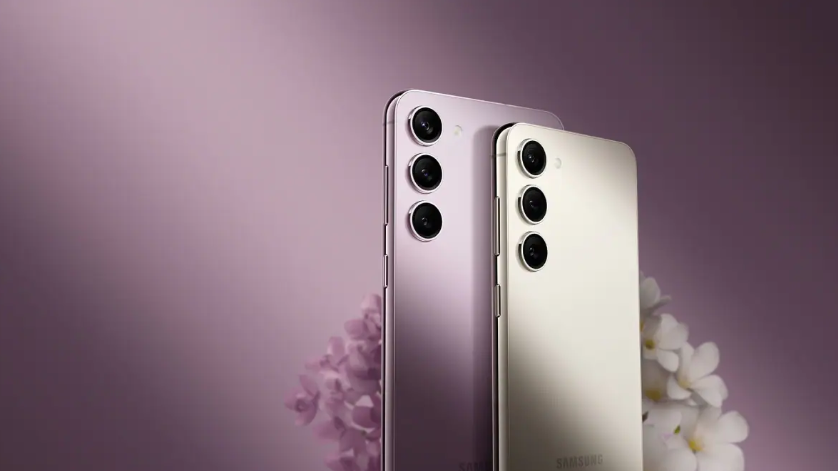
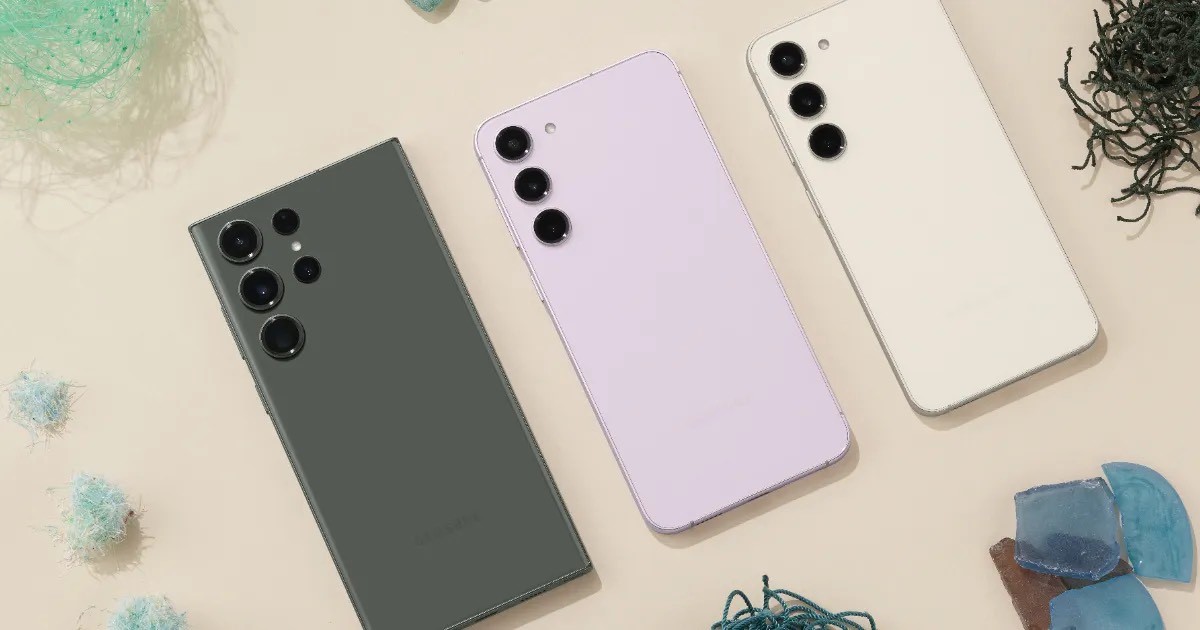
Samsung Galaxy S23+
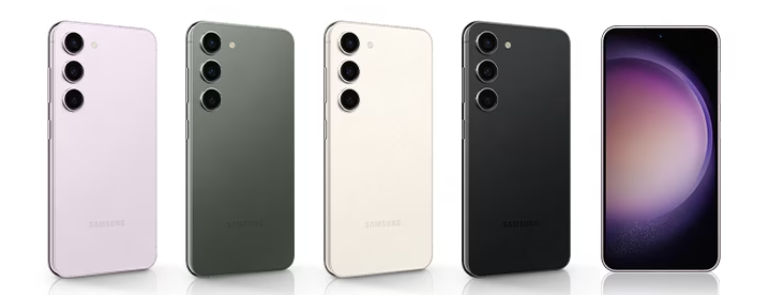
The Galaxy S23+ is perhaps the lightest flagship phone out there measuring 157.8 x 76.2 x 7.6 mm and weighing 196 grams.
As you can see, it is noticeably lighter and slimmer than the OnePlus 12.
The reduced thickness and weight make the Galaxy S23+ more pocket-friendly, but this comes at the cost of a potentially smaller battery capacity of 4,700mAh compared to the OnePlus 12.
Apple iPhone 15 Plus
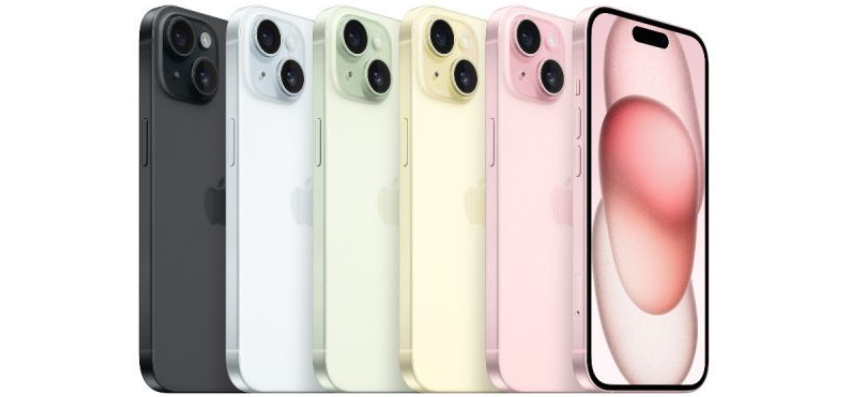
Apple’s iPhone 15 Plus, has a footprint of 160.9 x 77.8 x 7.8 mm and a weight of 201 grams.
It’s about the same as the S23+ and is slightly larger in terms of length and width, compared to the OnePlus 12.
Apple has been known as of late to not focus on slim, streamlined designs, even in their plus-sized models, in favour of a bigger battery.
However, the OnePlus 12 still outweighs the iPhone 15 Plus.
Apple iPhone 15 Pro Max
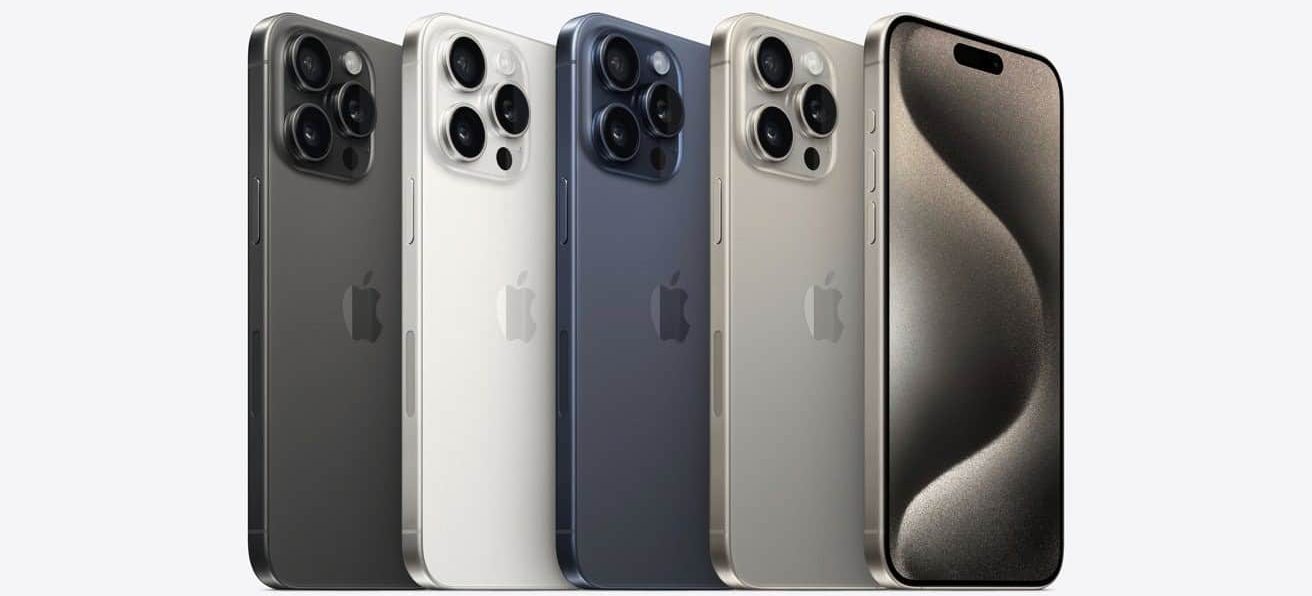
The iPhone 15 Pro Max measures 159.9 x 76.7 x 8.25 mm and tips the scales at 221 grams.
It is marginally lighter than the OnePlus 12, almost a negligible difference but is also less thick.
There is a lot of hardware on the Pro Max but the inclusion of a Titanium frame does offset the weight of the device slightly as compared to the OnePlus 12.
Google Pixel 8 Pro
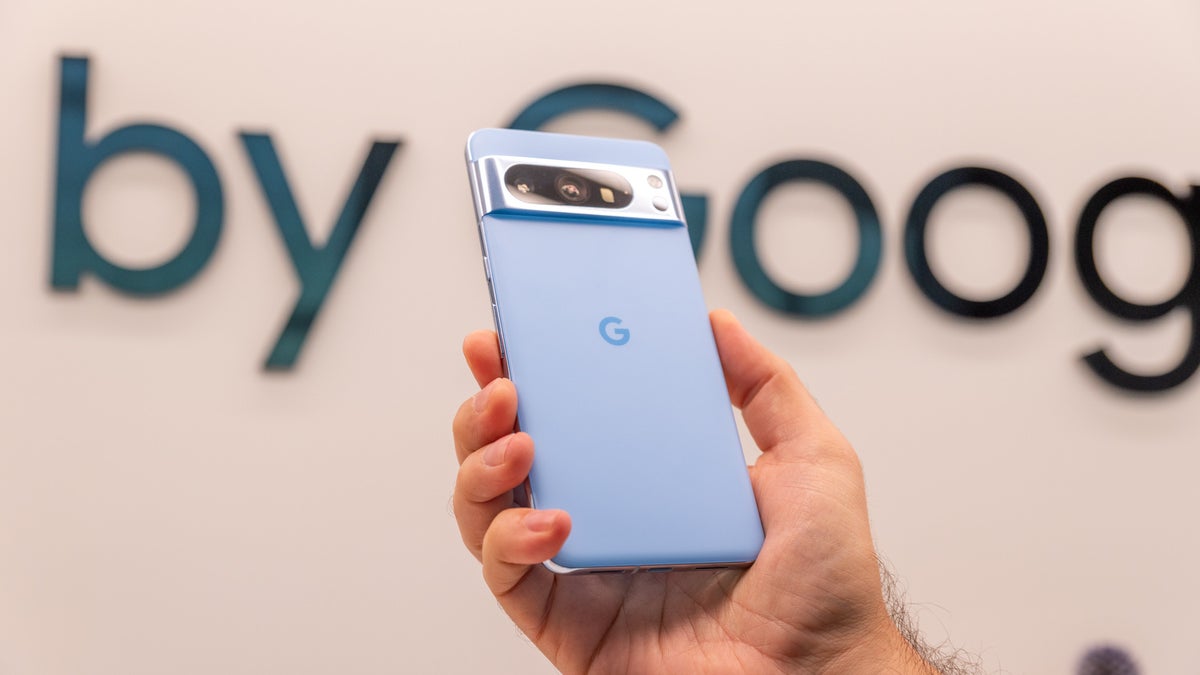
Google’s contender, the Pixel 8 Pro, presents itself with dimensions of 162.6 x 76.5 x 8.8 mm and a weight of 213 grams.
Again we have a device that is close to the OnePlus 12 in terms of size and weight but still not ahead of it.
The Pixel 8 Pro’s slightly smaller thickness could be due to different design priorities or material choices, influencing its handling and durability.
Even so, it packs in a slightly lower capacity 5,000mAh battery which could be the bigger reason why it weighs less and has a lower thickness.
FAQs
How does the OnePlus 12 size compare with its predecessors?
The OnePlus 12 shows a noticeable increase in size compared to previous models like OnePlus 11 and 10T, measuring 164.3×75.8×9.15 mm and weighing 220 grams, making it slightly larger and heavier.
Is the OnePlus 12 larger than other flagship models?
Yes, the OnePlus 12 is bulkier and heavier than models such as the Samsung Galaxy S23+ and Apple iPhone 15 Plus, indicating a preference for larger batteries and possibly more robust internal hardware.
What are the pricing details for the different variants of the OnePlus 12?
The OnePlus 12 comes in four configurations, each with a different price point.
The base variant with 12GB RAM and 256GB storage is available at 4299 CNY.
For those needing more storage and memory, the 16GB + 512GB model is priced at 4799 CNY.
A more expansive option with 16GB RAM and 1TB storage is offered at 5299 CNY.
The premium model, featuring 24GB RAM and 1TB storage, is set at 5799 CNY, catering to high-end performance needs.
What are the key features of the OnePlus 12’s display and battery?
The OnePlus 12 is equipped with a 6.8-inch 120Hz 2K Super Fluid AMOLED display, boasting a peak brightness level of 4500nits for vivid visuals.
The device’s power needs are met by a robust 5400 mAh dual-cell battery.
It supports 100W SUPERVOOC fast wired charging and 50W AIRVOOC wireless charging technologies, enabling the phone to be fully charged in just 26 minutes using wired charging and in 55 minutes wirelessly.
Can you describe the camera capabilities of the OnePlus 12?
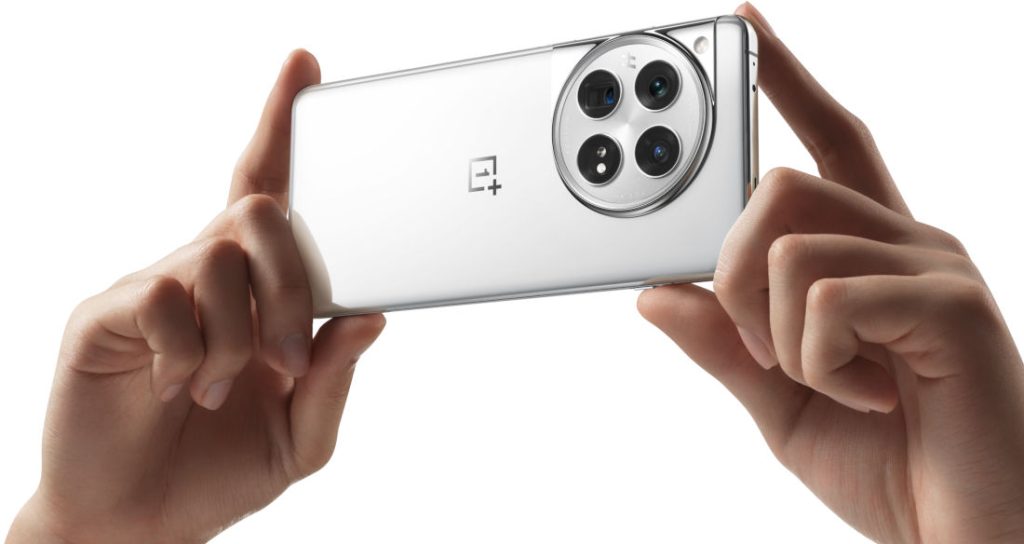
The OnePlus 12 comes equipped with a 4th Gen Hasselblad Camera for Mobile, featuring a triple camera system.
This includes a LYT808 50MP main camera, a 64MP OV64B 3X periscope telephoto camera, and a 48MP ultra-wide camera, alongside a 32MP front selfie shooter.
What design innovations are present in the OnePlus 12?
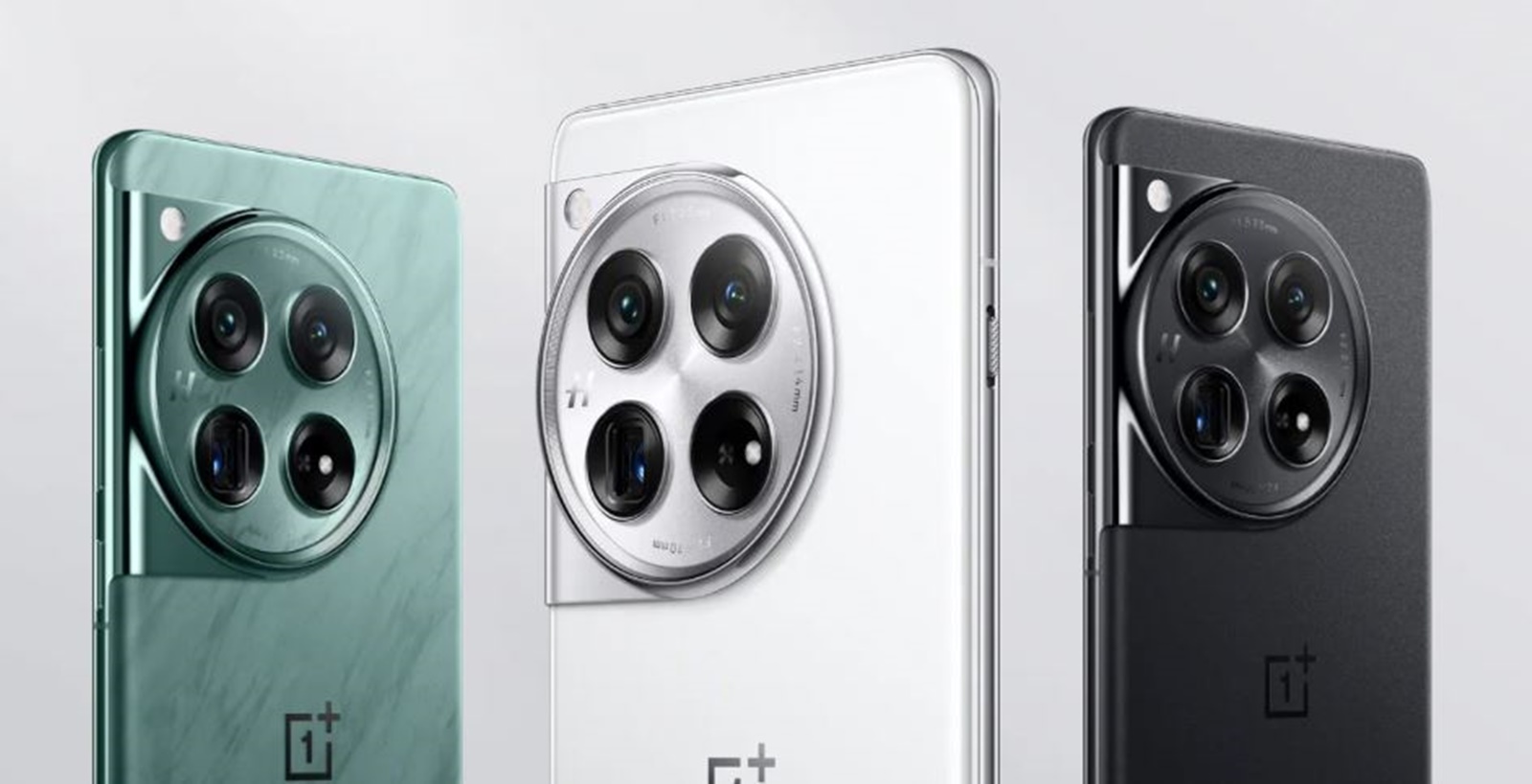
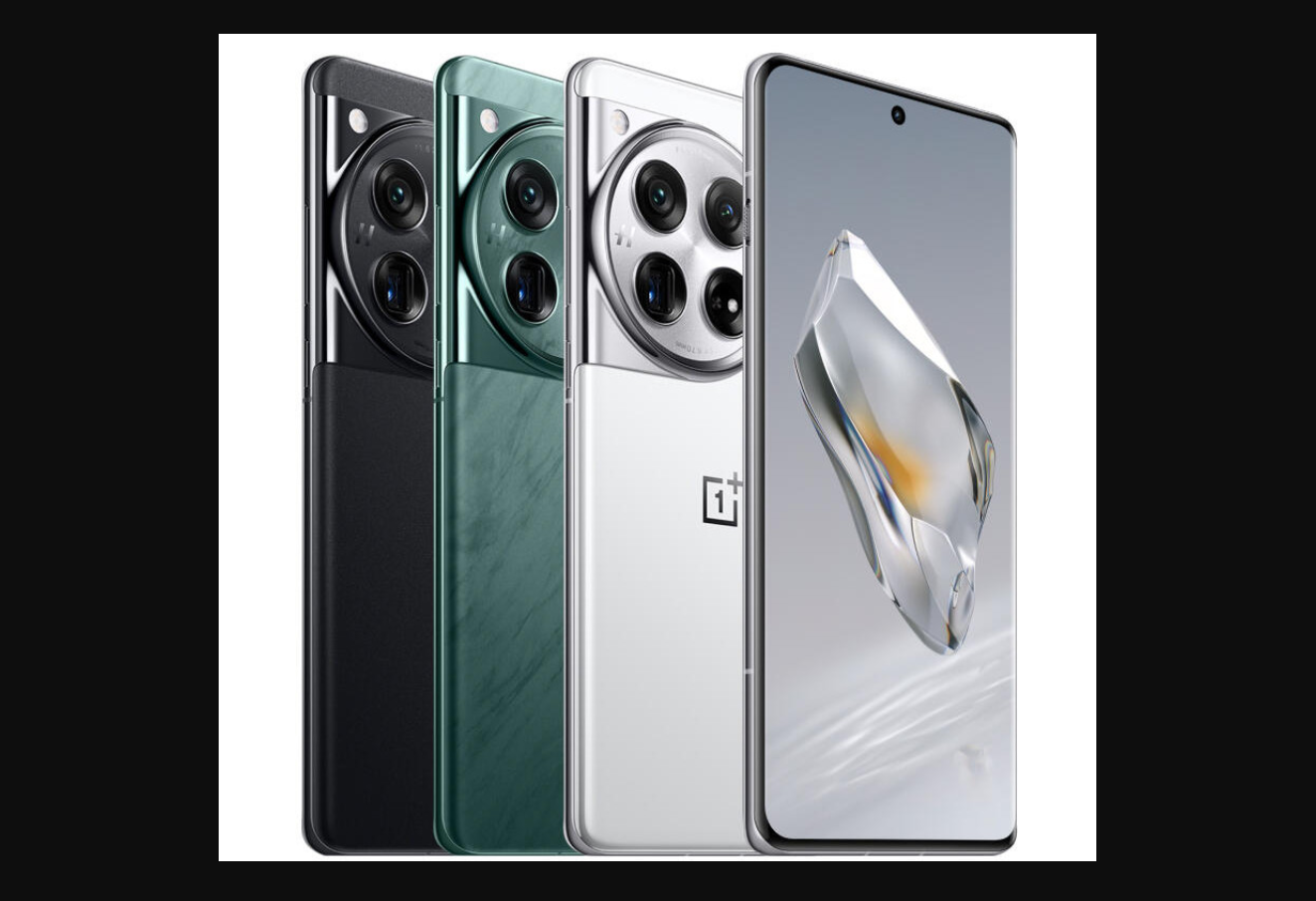
The OnePlus 12’s design is inspired by nature, particularly evident in its Flowy Emerald colorway.
The device also incorporates a new generation of ceramic glass technology with a matte finish and retains the iconic three-stage alert slider, now repositioned for improved antenna performance.
What is unique about the Pale Green colour of the OnePlus 12?
The Pale Green colour for the OnePlus 12 represents a continuation of OnePlus’s tradition of offering a green shade in its flagship lineup.
For the OnePlus 12, this green has been revamped, providing a fresh and distinctive appearance that aligns with the brand’s recognizable aesthetic.
How does the Rock Black variant of the OnePlus 12 stand out?
The Rock Black colour of the OnePlus 12 is characterized by its matte frosted finish.
This choice not only enhances the phone’s visual appeal but also serves a practical purpose by reducing fingerprint smudges.
The black variant integrates seamlessly with the phone’s large camera island, offering a polished and premium feel.
What is the AnTuTu score of the OnePlus 12, and what does it signify?
The OnePlus 12 has achieved an AnTuTu score of 2,333,033 points, the highest for any smartphone to date.
This score reflects the device’s powerful performance capabilities, driven by its advanced chipset and memory configuration.
How does the OnePlus 12 enhance the user experience?
With a high AnTuTu score, the OnePlus 12 is expected to offer an improved user experience, particularly in terms of interface responsiveness and multitasking.
The integration of Android 14 and OxygenOS 14 should provide a seamless and intuitive user interface.
How does the OnePlus 12’s performance compare to the OnePlus 11?
The OnePlus 12 is expected to house the Snapdragon 8 Gen 3 chipset, offering a 30% increase in CPU and 25% in GPU performance over the OnePlus 11’s Snapdragon 8 Gen 2.
This significant leap suggests the OnePlus 12 will outperform its predecessor in speed and efficiency.
What are the key design differences between the OnePlus 12 and OnePlus 11?
The OnePlus 12 is rumoured to feature a higher maximum brightness of 2,600 nits and 2,160Hz PWM dimming on its 6.7-inch OLED display.
It also sports a textured back and repositioned Alert Slider, distinguishing it from the OnePlus 11’s design.
What upgrades in battery life and charging does the OnePlus 12 have over the OnePlus 11?
The OnePlus 12 might feature a 5,400 mAh battery, larger than the OnePlus 11’s 5,000 mAh, and could introduce wireless charging.
Combined with the more efficient Snapdragon 8 Gen 3, this suggests an improvement in overall battery life.
What are the key differences in the SoC between Pixel 8 Pro and Pixel 7 Pro?
Pixel 8 Pro is powered by Google’s in-house Tensor G3 SoC, whereas the Pixel 7 Pro uses the older Tensor G2 SoC.
The newer SoC promises better speed and optimization for AI tasks.
How have camera capabilities evolved in the Pixel 8 Pro?
The Pixel 8 Pro features a 48MP ultra-wide camera with an f/1.95 aperture, offering higher resolution and better low-light performance compared to the Pixel 7 Pro’s 12MP ultra-wide sensor.
Did iPhone 15 Pro Max Lead Ookla’s Fastest 5G Phone Rankings Globally ?
Apple’s iPhone 15 series has secured the top spots on Ookla’s list of the fastest 5G phones in the United States, with the iPhone 15 Pro Max leading the charge, according to the latest data.
The series has not only excelled in domestic markets but also demonstrated superior 5G performance globally.
How does the display of iPhone 15 Plus compare to OnePlus 11?
The iPhone 15 Plus features a 6.7-inch flat display with a 60Hz refresh rate and a brightness of 2,000 nits.
In contrast, OnePlus 11 presents a curved 6.7-inch OLED with a dynamic refresh rate of 1Hz to 120Hz and an average brightness of 800 nits.
What differentiates the display of the iPhone 15 Pro Max from the iPhone 15 Plus?
The iPhone 15 Pro Max boasts a 6.7-inch OLED screen with ProMotion technology, adapting refresh rates from 1Hz to 120Hz. It also features an Always On mode.
Conversely, the iPhone 15 Plus has a similar-sized 6.7-inch OLED screen but with a standard 60Hz refresh rate, lacking the Always On feature.
Which chipset powers the iPhone 15 Pro Max and iPhone 15 Plus?
The Pro Max is powered by Apple’s latest A17 Bionic chip, while the Plus runs on the A16 Bionic, which was introduced the previous year.
ONEPLUS 12 KEY SPECIFICATION
Key Specs
| RAM | 8 GB |
| Processor | Qualcomm Snapdragon 888 |
| Rear Camera | 50 MP + 8 MP + 48 MP |
| Front Camera | 32 MP |
| Battery | 5000 mAh |
| Display | 6.7 inches (17.02 cm) |
General
| Launch Date | June 7, 2023 (Unofficial) |
| Operating System | Android v12 |
Performance
| Chipset | Qualcomm Snapdragon 888 |
| CPU | Octa core (2.84 GHz, Single core, Kryo 680 + 2.42 GHz, Tri core, Kryo 680 + 1.8 GHz, Quad core, Kryo 680) |
| Architecture | 64 bit |
| Fabrication | 5 nm |
| Graphics | Adreno 660 |
| RAM | 8 GB |
Display
| Display Type | OLED |
| Screen Size | 6.7 inches (17.02 cm) |
| Resolution | 1080 x 2400 pixels |
| Pixel Density | 393 ppi |
| Screen Protection | Corning Gorilla Glass v5 |
| Bezel-less display | Yes with punch-hole display |
| Touch Screen | Yes, Capacitive Touchscreen, Multi-touch |
Camera
| MAIN CAMERA | ||
| Camera Setup | Triple | |
| Resolution | 50 MP, Primary Camera 8 MP 48 MP |
|
| Autofocus | Yes | |
| Flash | Yes, LED Flash | |
| Image Resolution | 8150 x 6150 Pixels | |
| Settings | Exposure compensation, ISO control | |
| Shooting Modes | Continuous Shooting High Dynamic Range mode (HDR) |
|
| Camera Features | Digital Zoom Auto Flash Face detection Touch to focus |
|
| Video Recording | 1920×1080 @ 30 fps | |
| FRONT CAMERA | ||
| Camera Setup | Single | |
| Resolution | 32 MP, Primary Camera | |
| Video Recording | 1920×1080 @ 30 fps | |
Battery
| Capacity | 5000 mAh |
| Type | Li-Polymer |
| Removable | No |
| Quick Charging | Yes, Fast |
| USB Type-C | Yes |
Storage
| Internal Memory | 128 GB |
| Expandable Memory | No |
Network & Connectivity
| SIM Slot(s) | Dual SIM, GSM+CDMA |
| SIM Size | SIM1: Nano, SIM2: Nano |
| Network Support | 5G Not Supported in India, 4G Supported in India, 3G, 2G |
| VoLTE | Yes |
| SIM 1 |
4G Bands:
TD-LTE 2300(band 40)
FD-LTE 1800(band 3) 3G Bands:
UMTS 1900 / 2100 / 850 / 900 MHz
2G Bands:
GSM 1800 / 1900 / 850 / 900 MHz
GPRS:
Available
EDGE:
Available
|
| SIM 2 |
4G Bands:
TD-LTE 2300(band 40)
FD-LTE 1800(band 3) 3G Bands:
UMTS 1900 / 2100 / 850 / 900 MHz
2G Bands:
GSM 1800 / 1900 / 850 / 900 MHz
GPRS:
Available
EDGE:
Available
|
| Wi-Fi | Yes, Wi-Fi 4 (802.11 b/g/n) |
| Wi-Fi Features | Mobile Hotspot |
| Bluetooth | Yes, v5.2 |
| GPS | Yes with A-GPS, Glonass |
| NFC | Yes |
| USB Connectivity | Mass storage device, USB charging |
Multimedia
| Loudspeaker | Yes |
| Audio Jack | USB Type-C |
Sensors
| Fingerprint Sensor | Yes |
| Fingerprint Sensor Position | On-screen |
| Fingerprint Sensor Type | Optical |
| Other Sensors | Light sensor, Proximity sensor, Accelerometer, Compass, Gyroscope |
Oneplus 11 5G Key Specifications
| RAM | 12 GB |
| Processor | Qualcomm Snapdragon 8 Gen 2 |
| Rear Camera | 50 MP + 48 MP + 32 MP |
| Front Camera | 16 MP |
| Battery | 5000 mAh |
| Display | 6.7 inches (17.02 cm) |
General
| Operating System | Android v13 |
| Custom UI | ColorOS |
Performance
| Chipset | Qualcomm Snapdragon 8 Gen 2 |
| CPU | Octa core (3.2 GHz, Single core, Cortex X3 + 2.8 GHz, Quad core, Cortex A715 + 2 GHz, Tri core, Cortex A510) |
| Architecture | 64 bit |
| Fabrication | 4 nm |
| Graphics | Adreno 740 |
| RAM | 12 GB |
| RAM Type | LPDDR5X |
Display
| Display Type | AMOLED |
| Screen Size | 6.7 inches (17.02 cm) |
| Resolution | 1440 x 3216 pixels |
| Aspect Ratio | 20.1:9 |
| Pixel Density | 526 ppi |
| Screen to Body Ratio (calculated) | 89.68 % |
| Screen Protection | Corning Gorilla Glass v7 |
| Bezel-less display | Yes with punch-hole display |
| Touch Screen | Yes, Capacitive Touchscreen, Multi-touch |
| Brightness | 1300 nits |
| Refresh Rate | 120 Hz |
| Screen to Body Ratio (claimed by the brand) | 92.7 % |
Design
| Height | 163.1 mm Compare Size |
| Width | 74.1 mm |
| Thickness | 8.5 mm |
| Weight | 205 grams |
| Build Material | Back: Mineral Glass |
| Colours | Endless Black, Instant Blue |
Camera
| MAIN CAMERA | ||
| Camera Setup | Triple | |
| Resolution | 50 MP f/1.8, Wide Angle (84° field-of-view), Primary Camera(24 mm focal length, 1.56″ sensor size)48 MP f/2.2, Ultra-Wide Angle Camera 32 MP f/2.0, Telephoto Camera(48 mm focal length) |
|
| Sensor | Exmor-RS CMOS Sensor | |
| Autofocus | Yes, Phase Detection autofocus | |
| OIS | Yes | |
| Flash | Yes, LED Flash | |
| Image Resolution | 8150 x 6150 Pixels | |
| Settings | Exposure compensation, ISO control | |
| Shooting Modes | Continuous Shooting High Dynamic Range mode (HDR) |
|
| Camera Features | Digital Zoom Auto Flash Face detection Touch to focus |
|
| Video Recording | 7680×4320 @ 24 fps 3840×2160 @ 30 fps 1920×1080 @ 60 fps |
|
| Video Recording Features | Dual Video Recording | |
| FRONT CAMERA | ||
| Camera Setup | Single | |
| Resolution | 16 MP f/2.4, Wide Angle, Primary Camera(25 mm focal length) | |
| Flash | Yes, Screen flash | |
| Video Recording | 1920×1080 @ 30 fps 1280×720 @ 30 fps |
|
Battery
| Capacity | 5000 mAh |
| Type | Li-Polymer |
| Removable | No |
| Quick Charging | Yes, Super VOOC, 100W: 100 % in 25 minutes |
| USB Type-C | Yes |
Storage
| Internal Memory | 256 GB |
| Expandable Memory | No |
| Storage Type | UFS 4.0 |
| USB OTG | Yes |
Network & connectivity
| SIM Slot(s) | Dual SIM, GSM+GSM |
| SIM Size | SIM1: Nano, SIM2: Nano |
| Network Support | 5G Supported in India, 4G Supported in India, 3G, 2G |
| VoLTE | Yes |
| SIM 1 |
5G Bands:
FDD N1 / N3 / N5 / N7 / N8 / N20 / N28
TDD N38 / N40 / N41 / N66 / N77 / N78 4G Bands:
TD-LTE 2600(band 38) / 2300(band 40) / 2500(band 41) / 2100(band 34) / 1900(band 39)
FD-LTE 2100(band 1) / 1800(band 3) / 2600(band 7) / 900(band 8) / 700(band 28) / 1900(band 2) / 1700(band 4) / 850(band 5) / 850(band 18) / 850(band 19) / 800(band 20) / 850(band 26) 3G Bands:
UMTS 1900 / 2100 / 850 / 900 MHz
2G Bands:
GSM 1800 / 1900 / 850 / 900 MHz
GPRS:
Available
EDGE:
Available
|
| SIM 2 |
5G Bands:
FDD N1 / N3 / N5 / N7 / N8 / N20 / N28
TDD N38 / N40 / N41 / N66 / N77 / N78 4G Bands:
TD-LTE 2600(band 38) / 2300(band 40) / 2500(band 41) / 2100(band 34) / 1900(band 39)
FD-LTE 2100(band 1) / 1800(band 3) / 2600(band 7) / 900(band 8) / 700(band 28) / 1900(band 2) / 1700(band 4) / 850(band 5) / 700(band 17) / 850(band 18) / 850(band 19) / 800(band 20) / 850(band 26) 3G Bands:
UMTS 1900 / 2100 / 850 / 900 MHz
2G Bands:
GSM 1800 / 1900 / 850 / 900 MHz
GPRS:
Available
EDGE:
Available
|
| Wi-Fi | Yes, Wi-Fi 6 (802.11 a/b/g/n/ac/ax) 5GHz, MIMO |
| Wi-Fi Features | Wi-Fi Direct, Mobile Hotspot |
| Bluetooth | Yes, v5.3 |
| GPS | Yes with A-GPS, Glonass |
| NFC | Yes |
| USB Connectivity | Mass storage device, USB charging |
Multimedia
| FM Radio | No |
| Loudspeaker | Yes |
| Audio Jack | USB Type-C |
| Audio Features | Dolby Atmos |
Sensors
| Fingerprint Sensor | Yes |
| Fingerprint Sensor Position | On-screen |
| Fingerprint Sensor Type | Optical |
| Other Sensors | Light sensor, Proximity sensor, Accelerometer, Compass, Gyroscope |
Samsung Galaxy S23 Plus Key Specifications
Key Specs
| RAM | 8 GB |
| Processor | Qualcomm Snapdragon 8 Gen 2 |
| Rear Camera | 50 MP + 12 MP + 10 MP |
| Front Camera | 12 MP |
| Battery | 4700 mAh |
| Display | 6.6 inches (16.76 cm) |
General
| Launch Date | February 1, 2023 (Unofficial) |
| Operating System | Android v13 |
| Custom UI | Samsung One UI |
Performance
| Chipset | Qualcomm Snapdragon 8 Gen 2 |
| CPU | Octa core (3.2 GHz, Single core, Cortex X3 + 2.8 GHz, Quad core, Cortex A715 + 2 GHz, Tri core, Cortex A510) |
| Architecture | 64 bit |
| Fabrication | 4 nm |
| Graphics | Adreno 740 |
| RAM | 8 GB |
| RAM Type | LPDDR5X |
Display
| Display Type | Dynamic AMOLED |
| Screen Size | 6.6 inches (16.76 cm) |
| Resolution | 1080 x 2340 pixels |
| Aspect Ratio | 19.5:9 |
| Pixel Density | 390 ppi |
| Screen to Body Ratio (calculated) | 88.73 % |
| Screen Protection | Corning Gorilla Glass, Glass Victus |
| Bezel-less display | Yes with punch-hole display |
| Touch Screen | Yes, Capacitive Touchscreen, Multi-touch |
| HDR 10 / HDR+ support | Yes, HDR 10+ |
| Refresh Rate | 120 Hz |
Design
| Height | 157.8 mm Compare Size |
| Width | 76.2 mm |
| Thickness | 7.6 mm |
| Weight | 195 grams |
| Build Material | Back: Gorilla Glass |
| Colours | Pink |
| Waterproof | Yes, Water resistant (up to 30 minutes in a depth of 1.5 meter), IP68 |
| Ruggedness | Dust proof |
Camera
| MAIN CAMERA | ||
| Camera Setup | Triple | |
| Resolution | 50 MP f/1.8, Wide Angle, Primary Camera(23 mm focal length, 1.56″ sensor size, 1µm pixel size)12 MP f/2.2, Ultra-Wide Angle Camera(13 mm focal length, 2.55″ sensor size, 1.4µm pixel size)10 MP f/2.4, Telephoto Camera(70 mm focal length, 3.9″ sensor size, 1µm pixel size) | |
| Autofocus | Yes, Phase Detection autofocus | |
| OIS | Yes | |
| Flash | Yes, LED Flash | |
| Image Resolution | 8150 x 6150 Pixels | |
| Settings | Exposure compensation, ISO control | |
| Shooting Modes | Continuous Shooting High Dynamic Range mode (HDR) |
|
| Camera Features | Digital Zoom Auto Flash Face detection Touch to focus |
|
| Video Recording | 7680×4320 @ 24 fps 3840×2160 @ 30 fps 1920×1080 @ 30 fps |
|
| FRONT CAMERA | ||
| Camera Setup | Single | |
| Resolution | 12 MP f/2.2, Wide Angle, Primary Camera(25 mm focal length) | |
| Autofocus | Yes, Phase Detection autofocus | |
| Video Recording | 3840×2160 @ 30 fps 1920×1080 @ 30 fps |
|
Battery
| Capacity | 4700 mAh |
| Type | Li-Polymer |
| Removable | No |
| Wireless Charging | Yes |
| Quick Charging | Yes, Fast, 45W |
| USB Type-C | Yes |
Storage
| Internal Memory | 256 GB |
| Expandable Memory | No |
| USB OTG | Yes |
| Storage Type | UFS 4.0 |
Network & Connectivity
| SIM Slot(s) | Dual SIM, GSM+GSM |
| SIM Size | SIM1: Nano, SIM2: Nano |
| Network Support | 5G Not Supported in India, 4G Supported in India, 3G, 2G |
| VoLTE | Yes |
| SIM 1 |
4G Bands:
TD-LTE 2600(band 38) / 2300(band 40) / 2500(band 41) / 1900(band 39)
FD-LTE 2100(band 1) / 1800(band 3) / 2600(band 7) / 900(band 8) / 700(band 28) / 1900(band 2) / 1700(band 4) / 850(band 5) / 700(band 13) / 700(band 14) / 850(band 18) / 850(band 19) / 800(band 20) / 1900(band 25) / 850(band 26) 3G Bands:
UMTS 1900 / 2100 / 850 / 900 MHz
2G Bands:
GSM 1800 / 1900 / 850 / 900 MHz
GPRS:
Available
EDGE:
Available
|
| SIM 2 |
4G Bands:
TD-LTE 2600(band 38) / 2300(band 40) / 2500(band 41) / 1900(band 39)
FD-LTE 2100(band 1) / 1800(band 3) / 2600(band 7) / 900(band 8) / 700(band 28) / 1900(band 2) / 1700(band 4) / 850(band 5) / 700(band 13) / 700(band 14) / 850(band 18) / 850(band 19) / 800(band 20) / 1900(band 25) / 850(band 26) 3G Bands:
UMTS 1900 / 2100 / 850 / 900 MHz
2G Bands:
GSM 1800 / 1900 / 850 / 900 MHz
GPRS:
Available
EDGE:
Available
|
| Wi-Fi | Yes, Wi-Fi 6 (802.11 a/b/g/n/ac/ax) 5GHz |
| Wi-Fi Features | Mobile Hotspot |
| Bluetooth | Yes, v5.3 |
| GPS | Yes with A-GPS, Glonass |
| NFC | Yes |
| USB Connectivity | Mass storage device, USB charging |
Multimedia
| FM Radio | No |
| Loudspeaker | Yes |
| Audio Jack | USB Type-C |
Sensors
| Fingerprint Sensor | Yes |
| Fingerprint Sensor Position | On-screen |
| Fingerprint Sensor Type | Ultrasonic |
| Other Sensors | Light sensor, Proximity sensor, Accelerometer, Compass, Gyroscope |
Apple iPhone 15 Plus Specs
GENERAL
| Sim Type | Dual Sim, GSM+GSM |
| Dual Sim | Yes |
| Sim Size | Nano-SIM and eSIM |
| Device Type | Smartphone |
| Release Date | September 12, 2023 |
DESIGN
| Dimensions | 77.8 x 160.9 x 7.8 mm |
| Weight | 201 g |
| Colors | Black, Blue, Green, Yellow, Pink |
DISPLAY
| Type | Color Super Retina XDR OLED (1B Colors) |
| Touch | Yes |
| Size | 6.7 inches, 1290 x 2796 pixels, 60 Hz |
| Aspect Ratio | 19.5:9 |
| PPI | ~ 460 PPI |
| Glass Type | Ceramic Shield front, Colour-infused glass bac |
| Features | Dolby Atmos, Haptic Touch, 1,000 nits max brightness (typical), 1,600 nits peak brightness (HDR), 2,000 nits peak brightness (outdoor), True Tone display, 20,00,000:1 contrast ratio (typical),HDR display |
| Notch | Yes, Dynamic Island |
MEMORY
| RAM | 6 GB |
| Storage | 128 GB |
| Card Slot | No |
CONNECTIVITY
| GPRS | Yes |
| EDGE | Yes |
| 3G | Yes |
| 4G | Yes |
| 5G | Yes |
| 5G Bands | Bands n1, n2, n3, n5, n7, n8, n12, n20, n25, n26, n28, n30, n38, n40, n41, n48, n53, n66, n70, n77, n78, n79 |
| VoLTE | Yes |
| Wifi | Yes, with wifi-hotspot |
| Wifi Version | Wi‑Fi 6 (802.11ax) with 2×2 MIMO |
| Bluetooth | Yes, v5.3 |
| USB | Yes, USB-C v2.0 |
| USB Features | USB on-the-go, USB Charging |
EXTRA
| GPS | yes with A-GPS, GPS, GLONASS, Galileo, QZSS and BeiDou |
| Fingerprint Sensor | No |
| Face Unlock | Yes |
| Sensors | Light sensor, Proximity sensor, Accelerometer, Barometer, Compass, Gyroscope, TrueDepth |
| 3.5mm Headphone Jack | Lightning |
| Extra | NFC |
| Water Resistance | Yes |
| IP Rating | IP68 |
| Dust Resistant | Yes |
| Extra Features | Ultra Wideband Chip, Voice Isolation, Satellite Services , Road Side Assistance, Emergency SOS, Crash Detection footnote, Spatial Audio playback, Supports Dolby Atmos, Aluminium design,, Wide Spectrum microphone modes |
CAMERA
| Rear Camera | 48 MP f/1.6 (Main) 12 MP f/2.4 (Ultra Wide) with autofocus |
| Features | Super-high-resolution photos, (24MP and 48MP), Next-generation portraits with Focus and Depth Control, 4x optical zoom range, Night mode, Stereo recording, Audio zoom, Deep Fusion, Smart HDR 5, Photo geotagging, Burst mode, Photographic Styles, 12MP 2x Telephoto (enabled by quad-pixel sensor) |
| Video Recording | 1080p @ 60 fps FHD, 4K @ 24/25/30/60 fps UHD |
| Flash | Yes, Dual LED |
| Front Camera | 12 MP f/1.9 with Retina Flash |
| Front Video Recording | 4K @ 60 fps UHD, 1080p @ 60 fps FHD |
TECHNICAL
| OS | iOS v17 |
| Chipset | Apple Bionic A16 |
| CPU | 3.46 GHz, Hexa Core Processor |
| Core Details | 2×3.46 GHz Everest & 4×2.02 GHz Sawtooth |
| GPU | Apple GPU |
| IP Rating | IP68 |
| Java | No |
| Browser | Yes |
MULTIMEDIA
| Yes | |
| Music | AAC, MP3, Apple Lossless, FLAC, Dolby Digital, Dolby Digital Plus and Dolby Atmos |
| Video | HEVC, H.264 and ProRes, HDR with Dolby Vision, HDR10 and HLG |
| FM Radio | No |
| Document Reader | Yes |
BATTERY
| Type | Non-Removable Battery |
| Size | 4383 mAh, Li-ion Battery |
| Fast Charging | Yes |
| Wireless Charging | Yes, 15W MagSafe Charging |
Google Pixel 8 Pro Key Specs
GENERAL
| Sim Type | Dual Sim, GSM+GSM |
| Dual Sim | Yes |
| Sim Size | Nano+eSim |
| Device Type | Smartphone |
| Release Date | October 05, 2023 (Expected) |
DESIGN
| Dimensions | 76.5 x 162.6 x 8.7 mm |
DISPLAY
| Type | Color OLED Screen (16M Colors) |
| Touch | Yes |
| Size | 6.7 inches, 1440 x 3120 pixels, 120 Hz |
| Aspect Ratio | 20.5:9 |
| PPI | ~ 490 PPI |
| Screen to Body Ratio | ~ 88.8% |
| Glass Type | Corning Gorilla Glass Victus 2 |
| Features | 1600nits, HDR10+, Always-on Display |
| Notch | Yes, Punch Hole |
MEMORY
| RAM | 12 GB |
| Storage | 256 GB |
| Storage Type | UFS 3.2 |
| Card Slot | No |
CONNECTIVITY
| GPRS | Yes |
| EDGE | Yes |
| 3G | Yes |
| 4G | Yes |
| 5G | Yes |
| VoLTE | Yes, Dual Stand-By |
| Wifi | Yes, with wifi-hotspot |
| Wifi Version | Wi-Fi 7 |
| Bluetooth | Yes, v5.3, A2DP, LE, aptX HD |
| USB | Yes, USB-C v3.1 |
| USB Features | USB Tethering, USB on-the-go, USB Charging |
EXTRA
| GPS | Yes, with dual-band A-GPS, GLONASS, GALILEO, QZSS, BDS |
| Fingerprint Sensor | Yes, In Display |
| Face Unlock | Yes |
| Sensors | Accelerometer, Gyro, Proximity, Compass, Barometer, Magnetometer, Ambient light sensor |
| 3.5mm Headphone Jack | No |
| Extra | NFC |
| Water Resistance | Yes, 1.5 m upto 30 min |
| IP Rating | IP68 |
| Dust Resistant | Yes |
| Extra Features | Dual Stereo Speakers, 3 Microphones, Noise Suppression, Reply to Notifications through Google Assistant |
CAMERA
| Rear Camera | 50 MP (Wide Angle) 48 MP (Telephoto) 48 MP (Ultra Wide) with autofocus |
| Features | Magic Eraser19, Motion Mode, Real Tone, Face Unblur, Panorama, Manual white balancing, Locked Folder, Night Sight, Top Shot, Portrait Mode, Portrait Light, Super Res Zoom, Motion autofocus, Frequent Faces, Dual exposure controls, Live HDR+ |
| Video Recording | 4K, 1080p |
| Flash | Yes, Dual LED |
| Front Camera | Punch Hole 10.5 MP f/2.2 |
| Front Video Recording | 4K, 1080p |
TECHNICAL
| OS | Android v14 |
| Chipset | Google Tensor G3 |
| CPU | 3 GHz, Nine Cores Processor |
| Core Details | 1×3.0 GHz Cortex-X3 & 4×2.45 GHz Cortex-A715 & 4×2.15 GHz Cortex-A510 |
| GPU | Immortalis-G715s MC10 |
| IP Rating | IP68 |
| Java | No |
| Browser | Yes |
MULTIMEDIA
| Yes | |
| Music | Yes |
| Video | Yes |
| FM Radio | No |
| Document Reader | Yes |
BATTERY
| Type | Non-Removable Battery |
| Size | 4950 mAh, Li-Po Battery |
| Fast Charging | Yes, 27W Fast Charging |
| Wireless Charging | Yes, 12W |
| Reverse Charging | Yes |
Also Read: OnePlus 12 Colours: A Fresh Palette for the Upcoming Launch
Also Read: OnePlus 12 Sets Record with Highest AnTuTu Score Ahead of Launch
Also Read: OnePlus 12 vs OnePlus 11: Comparing Potential Upgrades in Performance, Design, and Cameras