Home Blog Page 983

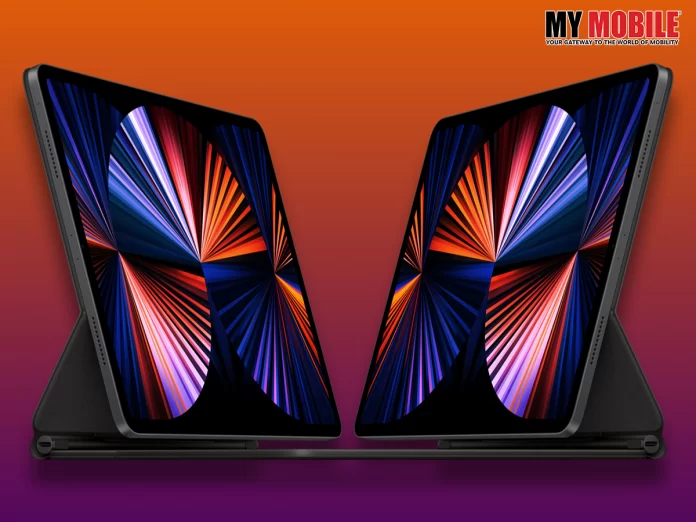
iPad Dock & iPad Pro News; Details Inside

0
iPad Dock
iPad Dock

Highlights

  • Apple could introduce a device that turns the iPad into a smart display
  • It was said to be working on a device to ‘dock’ an iPad last year
  • Apple tipped to be working on new HomePod powered by S8 chip

Are you partial to iPhones or iPads? Which is your favourite brand when it comes to iPads? What are your thoughts on Apple’s new iPad model?

In Brief

Apple recently launched the iPhone 14 Pro smartphones at the company’s ‘Far Out’ event held in September 2022 in California, which was met with success that boosted their image even further on a global level.

The latest buzz is that Apple is now working on a new iPad dock accessory feature due to which the device will function as a smart display and feature, which will soon be introduced around early 2023.

Apple iPad Pro

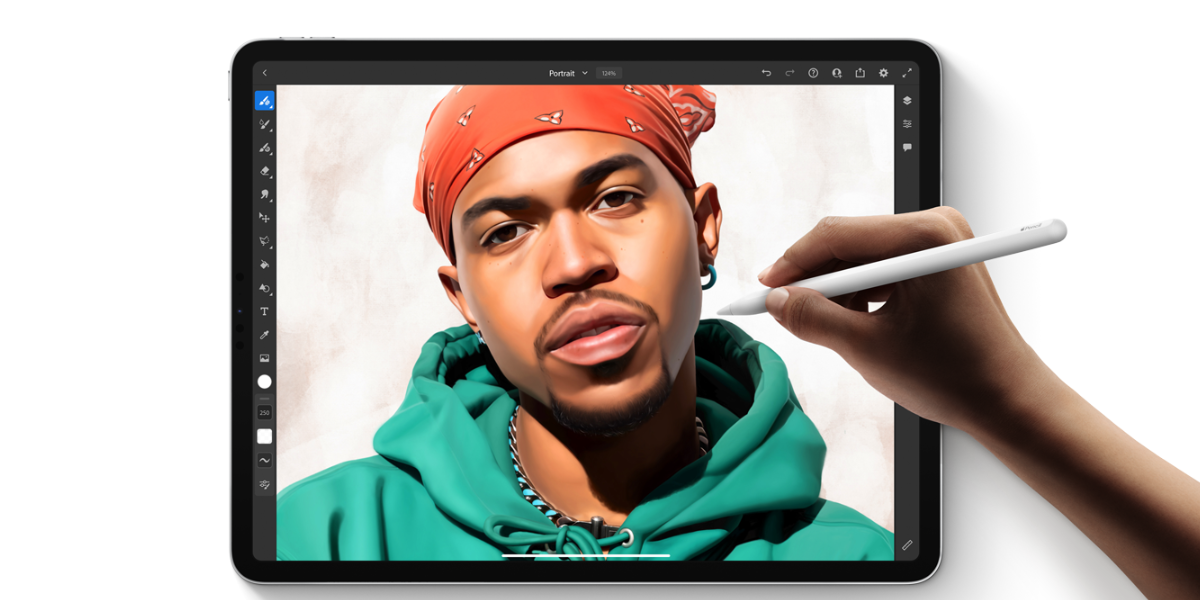
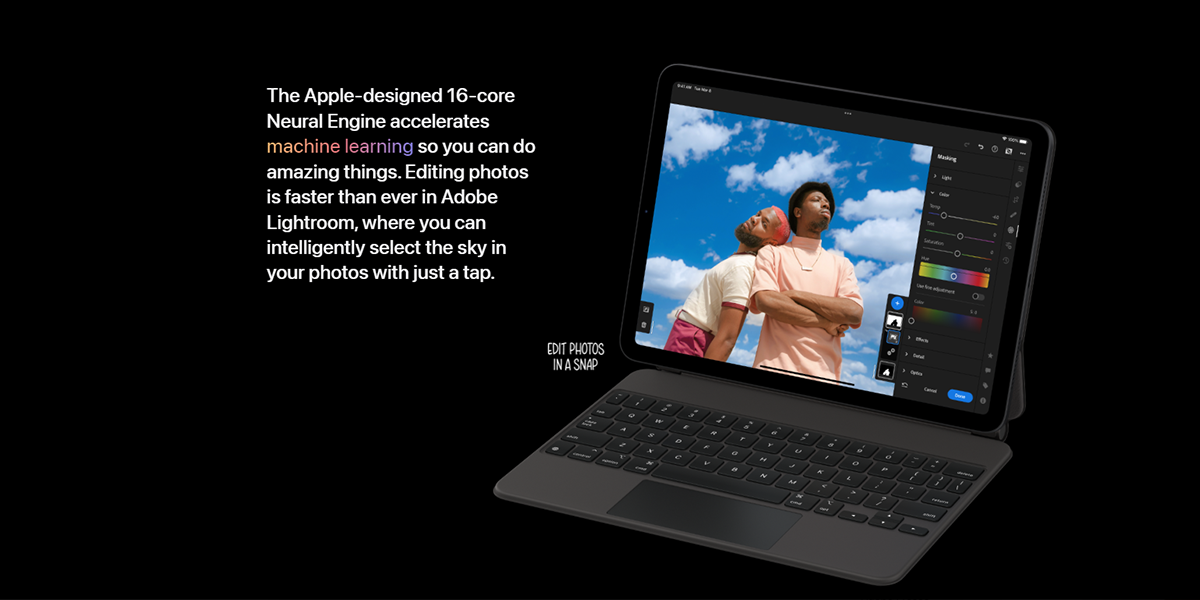
The iPad will be converted into a smart display device, which can be put atop a nightstand or counter, whilst in parallel, Apple is also launching a new iPad Pro model with a new feature.

iPad Pro will come with an M2 chip that will make its debut in October 2022 while the docking accessory is one that the company plans to sell separately, which is why Apple has been working for a long time on a standalone feature that will combine the iPad with a speaker hub.

Apple wants to keep pace with Google, which recently announced its own docking accessory for its upcoming Pixel Tablet that will apparently be a speaker cum magnetic charging station rolled into one.

Apart from this, Apple has many other devices in the smart home space that it plans to announce soon, which includes HomePod with new features like an updated display that comes with an exquisite design, multitouch functionality, and an S8 chip.

Apple iPad Pro might be launched by the end of October 2022 and while its features and specifications haven’t been officially confirmed, there is a strong buzz that it will have an 11-inch and 12-inch display feature, which might be officially confirmed very soon as the month is coming to a close.

Apple iPad

Also Read: Apple iPad Air 5 launched: Check specifications, price

All-New All-Powerful Intel’s 13th Gen Core Processor unleashed in India !

0
Intel's 13th Gen Core Processor

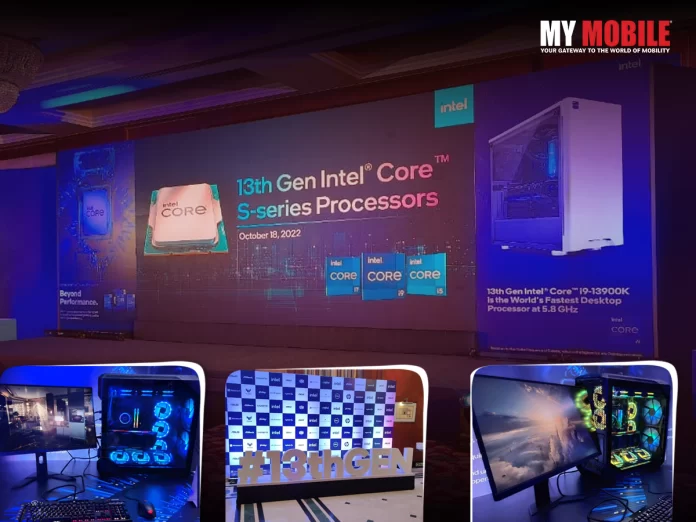
New Delhi, October 18, 2022- Intel today has launched its latest and greatest 13th Gen Intel Core processors in India which include six all new unlocked desktop processors which are very robust. These super performing engines are powered by the latest 13th Gen Intel Core i9-13900K which Intel claims to be the world’s fastest desktop processor with mind bending features like 24 cores, 32 threads and a super fast clock speed of up to 5.8 GHz which is insanely fast !

The 13th Gen Intel Core processor family is powered by the Intel Core K series of unlocked processors. This 13th Gen Intel Core desktop family includes 22 processors and more than 125 partner system designs giving a wide range of choices and delivering an impeccable and smooth user experience along with providing a better platform compatibility as well.

Intel’s 13th Gen event showcased a wide range of PC designs made possible by the Intel’s Latest and greatest 13th Gen processors, extending from full tower desktop to small factor systems along with vivid range of desktops flaunting the incredible custom made water loops.

Also Read: Intel Graphics Processing Unit: ARC Platform Unveiled

The main focus of the showcase event by Intel was it’s all new & all powerful 13th Gen Intel Core 19-13900K, capable to deliver the world’s best users experience in terms of gaming, streaming, and recording. Whether you’re a recreational gamers, pro gaming atheletes or professional creator, Intel’s new range of 13th Gen Core Processors got you covered!
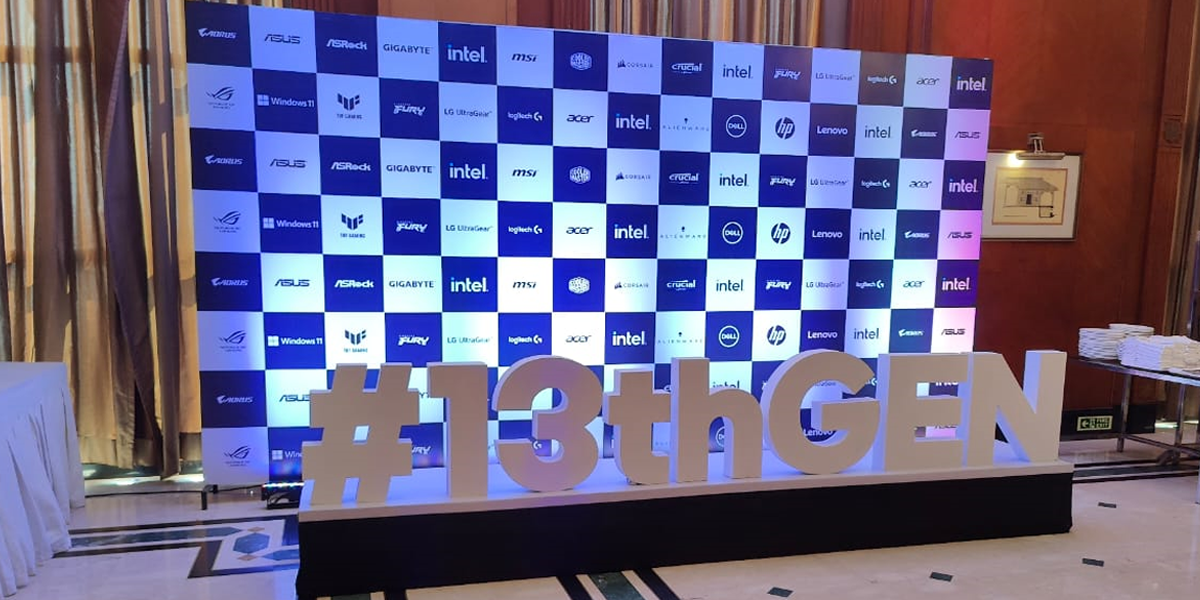
Intel's 13th Gen Core Processor

The new 13th Gen, Intel Core i9-13900K is available with up to 24 cores (8 P-cores, 16 E-cores) and 32 threads. With up to 5.8 GHz and 15% better single-thread
performance, which means it can easily push high frame rates and is potential to deliver the world’s best gaming experience to it’s users across the wide range of top titles.

Tech devotees can experience the 13th Gen Intel Core processor’s improvements in the performance of existing Intel 600 or new Intel 700 series chipset motherboards. Merged with both the latest DDR5 memory support and continued DDR4 memory support, users can now enjoy both the benefits of 13th Gen Intel Core and the luxury of customizing their setup based on their own custom features and budget preferences !

Also Read: Intel 13th Gen Desktop CPU Launched

Intel’s new 13th Gen Intel Core desktop processors are claimed to enable better performance of the system with up to 15% better single-threaded performance and up to 41% better multi-threaded performance. Intel also said that users with 13th Gen Intel Core processor can also experience higher average overclocking speeds across P-cores, E-cores, and DDR5 memory.
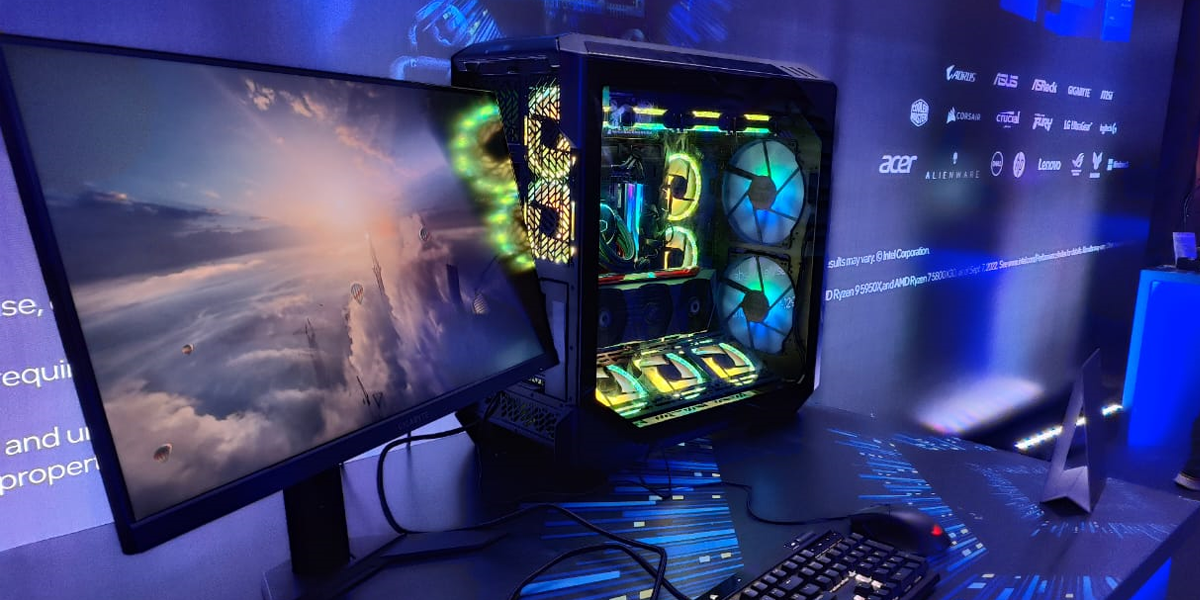
Intel's 13th Gen Core Processor

Santhosh Viswanathan, Managing Director- Intel India, said, “Intel is at the heart of gaming innovation, collaborating across the ecosystem to architect the most powerful experiences for gamers and creators. In the last decade, the overall gaming trend in India has grown tremendously, and this presents us with a great opportunity to demonstrate what’s possible with the PC experience going forward. Our latest generation of 13th Gen Intel Core Processors raises the bar once again for PC performance. The response we have received till now has been phenomenal and we are extremely optimistic about its future.”

Building with Intel 7 process and the Intel’s performance hybrid architecture , 13th Gen Intel Core powered desktop processors enable better system performance to carry out the most demanding of multitasking workloads efficiently and smoothly!

The 13th Gen Intel Core “K” processors also promises to offer a blazing fast overclocking experience to it’s users whether you are an experts to or a beginners. Users with 13th Gen Intel Core processor can experience a higher average overclocking speeds across P-cores, E-cores, and DDR5 memory.

Also Read: Everything you need to know about Intel Raptor Lake (13th generation)

Intel has also updated its one-click overclocking feature known as the Intel Speed Optimizer, to support all new 13th Gen Intel Core unlocked processors so that users can overclock with very minimal effort along with the powerful Intel’s Extreme Memory Profile (XMP) 3.0 ecosystem which provides a wide range of overclocking modules and when coupled with Intel’s Dynamic Memory Boost, this feature is capable to provide a super-smooth, lag-freelmemory overclocking experience with both DDR4 and DDRS.

Alongside the 13th Gen Intel core desktop processor, Intel has also launched it’s new 700 Series chipset with advanced features for increased reliability and performance. In Addition, Intel is also bringing it’s forward and backward compatibility.

The newly released 13th Gen Intel Core desktop “K” processors by Intel will be available to buy from October 21, 2022 in India.

Razer Edge 5G Gaming Console; Handheld Device

0
Razer Edge 5G
Razer Edge 5G

Highlights

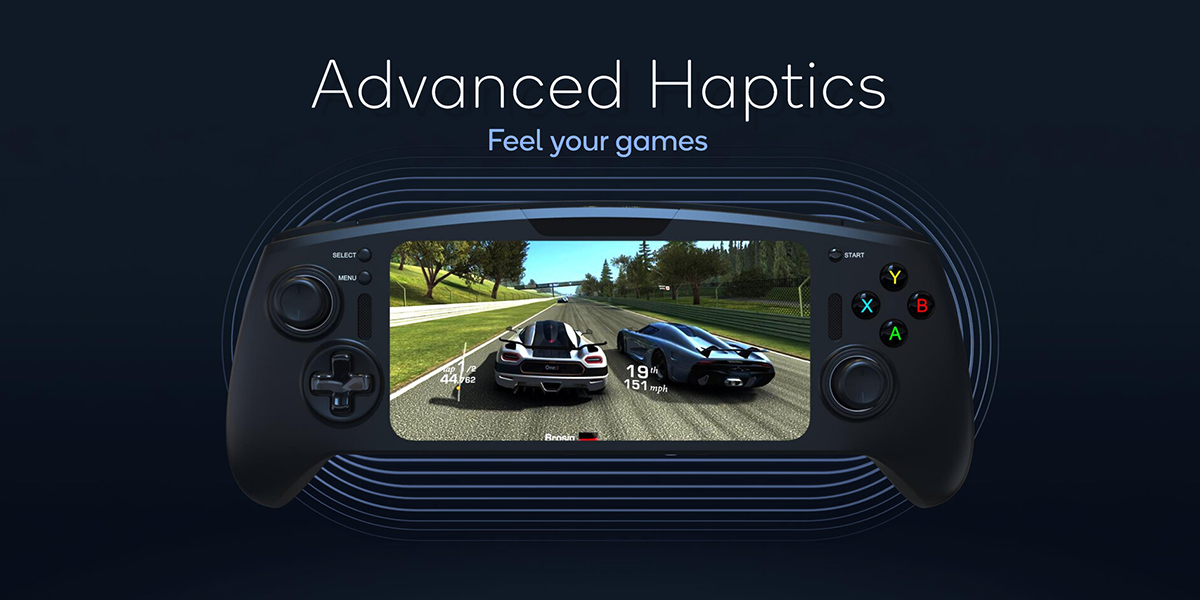
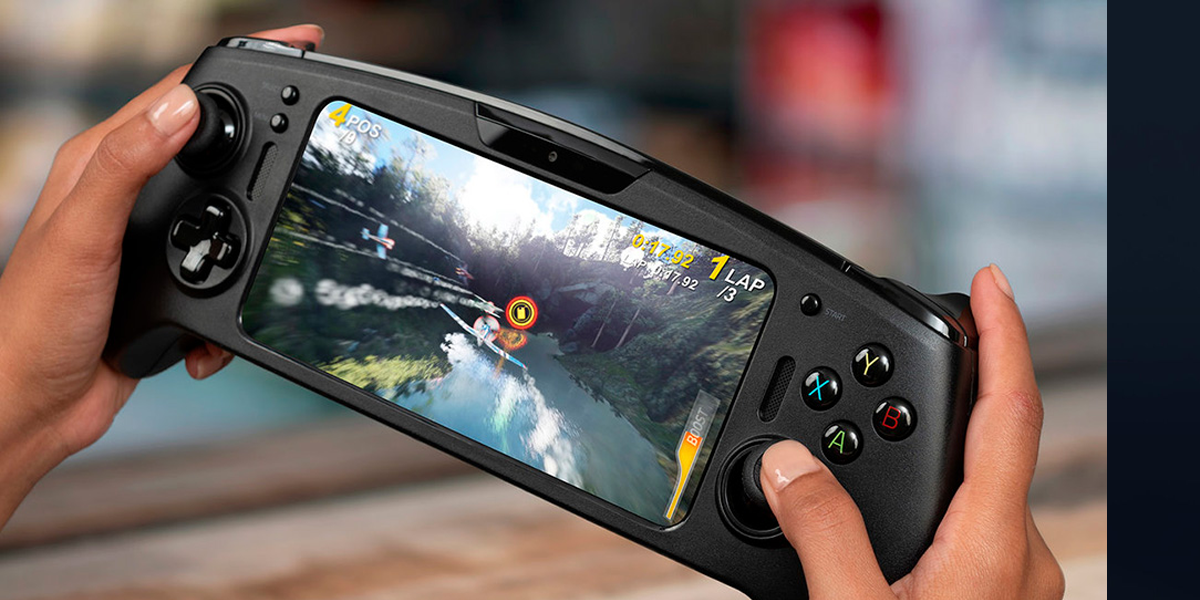
  • Razer Edge 5G is a handheld Android gaming console
  • The device features a Razer Kishi V2 controller
  • Razer has begun taking pre-orders for the device

Are you fond of mobile games? Do you own a gaming console? Check this one out.

In Brief

There was a time during the 90s and 00s when video games and play stations ruled the roost and it was truly a golden period that only those that grew up in that era can understand, which is why most of them relive it even in this day and age when we have electronic gadgets galore.

Mobile games have slowly taken over video games as the millennial generation has arrived and they want everything within the palm of their fingers, even if it means entertainment stuff like games.

Mobile games come in different genres and varieties, which is why they continue to be popular even after a decade in existence. Gaming technology has also evolved to a whole new level as youngsters today are playing games on gaming consoles, which are handheld devices meant for playing games.

Razer Inc. is one of the most prominent companies that manufactures consumer electronics, including gaming consoles, and is one of the best options to choose from when it comes to gaming devices.

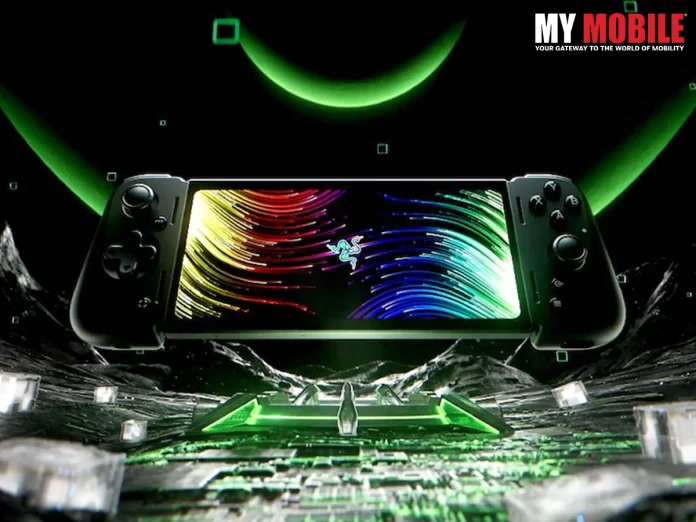
The company organized a RazerCon 2022 event where it launched its first ever handheld gaming device in the form of Razer Edge 5G, which is also said to be the world’s first ever dedicated 5G handheld gaming console.

Gaming Console

The game was first teased at the Mobile World Congress (WMC) held in early 2022 as the makers announced their partnership with Verizon to allow their device to stream games through platforms like Xbox Cloud, NVIDIA GeForce Now, Stream Link, etc. to name a few.

Features & Specifications of Razer Edge 5G

Razer Edge 5G comes with a 6.8 inch FHD+ AMOLED display screen, which has curved corners, along with a 144Hz refresh rate with the touch sampling rate being 288Hz and Gorilla Glass protection, while the gaming console is powered by the Qualcomm Snapdragon G3xGen 1 processor, which makes it the first gaming console device to do so.

It will be paired with an 8GB of LPDDR5 RAM, while there is one storage variant for the device, which is 128GB but there is also a microSD card slot for up to 2TB storage capacity, along with a battery power of 5,000mAh units, which is charged via USB Type-C port.

Razer Edge will come with two editions- Wi-Fi and Founders Edition, which will come at the starting price of $399.99 and $499.99, respectively, where you also get Razer Hammerhead True Wireless Earbuds.

Razer Edge 5G

The price of the 5G version is yet to be confirmed by the makers but the pre-orders are going on in full phase and if all goes well, the devices will start shipping in January 2023 and launch soon thereafter.

Also Read: Top ten gaming smartphones and what specs make them best for gaming

WhatsApp Comes Out with New Editing Feature; Details Inside

0
WhatsApp New Editing Feature
WhatsApp

Highlights

  • WhatsApp is said to be working on an edit button for messages
  • The edit button will allow people to correct typos within chats
  • WhatsApp’s ‘Edited’ label for messages yet to reach beta testers

What are your views on the latest WhatsApp features? Are you satisfied with them? Or do you want some improvements?

In Brief

Any good application, in order to sustain its reputation in the eyes of public, has to keep coming up with something new so as to appeal to the ever-changing public taste, which isn’t an easy task so if you’re not innovative enough, then you have no choice but to fade into oblivion.

There have been quite a few apps that have come and gone for many years that could not change with time but there are also those that have catered to the public taste and come out with flying colours.

WhatsApp is the most popular messaging platform today that has been around for more than 10 years and continues to sustain itself in the midst of stiff competition from the likes of Signal and Telegram, both prominent messaging apps of significance.

WhatsApp

The messaging application has come out with many interesting features over the years and most of them have got appreciation from the public and gadget experts alike, which inspires WhatsApp to keep up the momentum and continue churning out more and more features.

The latest addition to the list is the edit button because WhatsApp has been working out a way to edit messages on the platform, which will inform users whether the messages they’ve received in their inboxes have been edited by the sender or not.

This editing feature was spotted for the first time in an Android beta version of WhatsApp in early 2022, which indicates that it has been in testing phase. The Meta-owned platform is now working on an ‘Edited’ label under messages so as to ensure transparency in communication, which is quite important for users to have.

Conclusion

With this editing feature, WhatsApp will allot 15 minutes to users for editing their messages where they can correct typo errors within chats. WhatsApp does not guarantee whether the messages will be edited if the recipient does not turn on his/her device within a certain amount of time.

It appears that WhatsApp users have to long-press the text to edit its contents and select a new Edit option in the main menu. While this feature is currently undergoing beta tests, it will soon be made available to the general public.

WhatsApp New Editing Feature

Also Read: WhatsApp Finds a Solution for Internet Shutdown in Iran; Nationwide Protests Galore

India’s Appeal to G20; Standard Operating Procedure for Crypto

0
nirmala sitharaman
nirmala sitharaman

Highlights

  • India will preside the G20 for a year starting December this year
  • Finance Minister notes money laundering issues via crypto
  • India is not looking to disturb the crypto and blockchain technologies

Are you fond of using cryptocurrency? What are your views about it? Do you think it will prove beneficial for India?

In Brief

Cryptocurrency is an intriguing topic to discuss and has been a popular ‘currency’ all over the world but not as much in India. It has proven to be an excellent medium for youngsters for earning money.

For the unversed, cryptocurrency is defined as a digital currency that is not regulated by any government or central bank, but still works as a medium of exchange via computer network.

In short, you can call it a ‘non-official’ currency that works similarly to the official currency of a country but, unlike it, is not governed or regulated by any financial institution or authority whatsoever.

India'a Appeal to G20

Bitcoin is the most popular cryptocurrency in this day and age and has been so since the past decade or so. Although its value has experienced fluctuations at regular intervals, it still continues to be the leading light among all cryptocurrencies in existence.

Nirmala Sitharaman is the finance minister of India and the central government is currently working on something important in the cryptocurrency domain in the upcoming G20 intergovernmental group forum that comprises of 19 countries.

India is taking up the presidency for the event and will continue to preside the international union for the whole of 2023, beginning with December 2022. The nation wants to work with the other 19 countries in order to work out and formulate a framework around cryptocurrencies.

Sitharaman has claimed that formulating and handling effective rules for protecting the crypto community is something that no country will want to take the onus on itself to see it through.

The market volatility has been prevalent for quite some time due to which digital assets are exploited, which is why safeguarding the community is an important task. Many crypto experts opine that India has a good opportunity to be at the forefront of the crypto revolution by bringing up new and progressive policies that will encourage creativity and innovation in the country, which can be managed as cryptocurrency is not linked to any jurisdiction.

Among the 19 countries part of the G20 conclave, Australia, Argentina, Brazil, China, Canada, and France, have started reviewing the legal framework draft around the crypto sector in detail, as they want to make sure that everyone should be on the same page in such a serious matter.

A major drawback of cryptocurrency not being regulated by a central bank is that bad elements misuse it for anonymously laundering money by transferring a large amount of funds to cross border locations and, as a result, rarely get caught.

Sitharaman too wants all G20 nations to come together to work out a Standard Operating Procedure (SOP), so that all countries can have a strong regulatory framework that is digitally enhanced and technologically driven.

India'a Appeal to G20

Conclusion

India has currently around 115 million crypto investors, which makes up 15% of its population and Reserve Bank of India (RBI) has anyhow always been in favour of banning cryptocurrency in the country, which is why Nirmala Sitharaman has appealed for global support regarding cryptocurrency regulations.

Also Read: What is Cryptocurrency?

Samsung Galaxy M54 5G Smartphone; Feature Details

0
Samsung Galaxy M54 5G

Highlights

  • Samsung Galaxy M54 5G could be a premium smartphone offering
  • The M-Series is typically priced between Rs.20,000 and Rs.30,000
  • Samsung Galaxy M54 5G is also tipped to feature a triple-camera setup

Do you own Samsung devices? Are you ready for the company’s new smartphone model? What are your expectations on the new M-series handset? Find out.

In Brief

Samsung is one of the biggest tech giants in the world that has come out with many excellent devices in 2022, along with its counterparts like Apple, LG, Sony, OnePlus, Infinix, Vivo, among many others.

Apple iPhone 14 series and smartwatches were launched at the company’s ‘Far Out’ event held in September 2022 that was quite successful, where, despite its design, the smartphone models were received well by users.

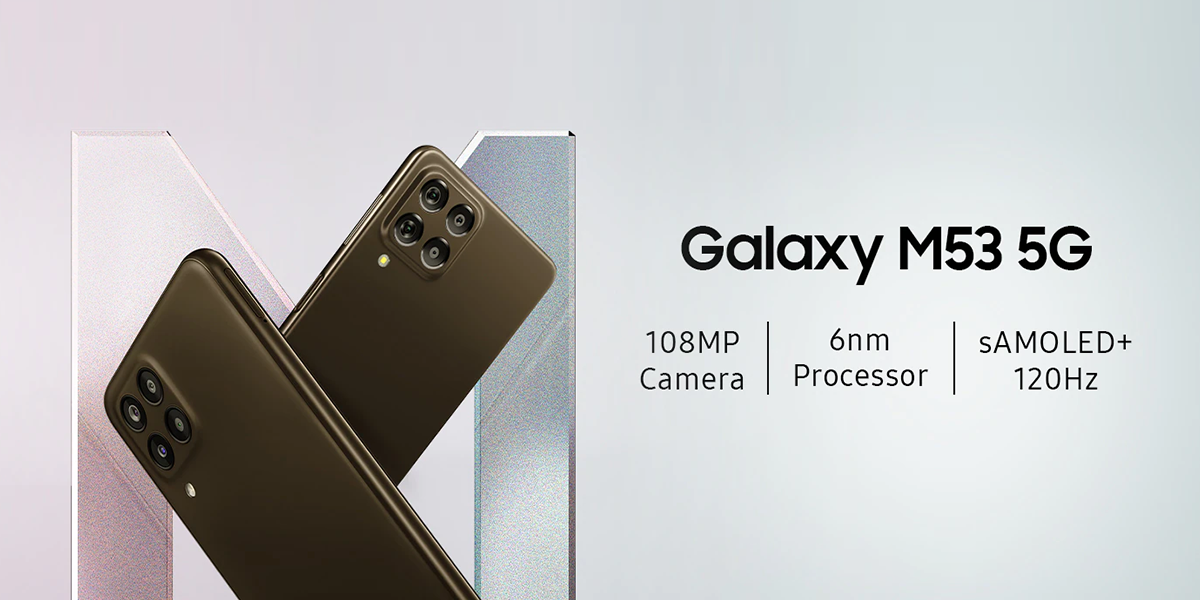
Samsung Galaxy M54 5G is going to be the latest addition to the M-series of smartphones that is expected to come out by the end of 2022 or early 2023, which will be the second one after the launch of Galaxy M53 5G in India in early 2022.

Galaxy M53 5G

The company has not divulged anything regarding its upcoming model so users will need to wait a little while before official sources elaborate further on its launch and specifics. As of now, there are ripe speculations online regarding its price, features, and specifications as tipsters are known for leaking stuff on the internet prior to the devices’ launch.

A YouTube channel that goes by the name ‘The Pixel’ has revealed some of its features that claim to be quite upgraded when compared to its predecessor. The following information is available on the device as of yet.

Features & Specifications of Samsung Galaxy M54 5G

The Pixel channel claims that Samsung Galaxy M54 5G will come with a 6.67 inch full HD+ AMOLED display screen and a 90Hz refresh rate. It will be powered by a Qualcomm Snapdragon 888 SoC chipset, which will be a massive upgrade in comparison to the older M-series models and will run on an Android 13 based on One UI 5.0.

Samsung Galaxy M54 5G

The storage capacity for the handset is speculated to be 8GB RAM + 128 GB internal configuration although there are strong rumours that it will have an additional variant of up to 256GB, along with a triple rear camera setup, with a 64 megapixel primary sensor that is paired with an 8 megapixel ultra-wide camera and a 5 megapixel micro sensor, and the front camera of 32MP will be for taking selfies.

Other features that Galaxy M54 5G may include pertains to connectivity, which includes Bluetooth 5.0, Wi-Fi 6E, and GPS, along with a USB Type-C port and an in-display fingerprint scanner.

Conclusion

All said and done, these are mere speculations that may or may not be true. Therefore, the aforementioned info on the devices’ features have to be taken with a grain of salt until Samsung gives official details about the device, which might happen any day as the speculated time for launching isn’t far off.

Also Read: Samsung Galaxy S23 Ultra Launch in 2023; Details Inside

Phone Supporting 5G Bands; Details Inside

0
Phone Supporting 5G
5G Bands

In Brief

5G services have been finally launched in India at the Indian Mobile Congress (IMC) on October 1, 2022, in New Delhi. It was PM Modi who launched the services with much fanfare amidst the who’s who of the tech industry, apart from the obvious presence of the central government ministers and politicians.

Phone Supporting 5G

The launch of 5G technology was confirmed at the recently held 5G auctions where many tech experts were quite excited to wait for the launch and when the big day finally arrived, it became an event that almost the entirety of India waited with bated breath as it happened.

The majority of the people in India are still using 4G smartphones and features and they too would like to change to 5G. The big telecom companies like Reliance Jio, Bharti Airtel, among others, have taken it upon themselves to launch 5G services throughout the country by launching it in different cities.

However, there are still many people out there that are unaware if their 5G smartphone is compatible with the 5G spectrum, which has spread across the globe. Therefore, users need to be aware whether their 5G handset support the 5G bands so as to avoid facing problems regarding any feature.

Steps to Check

  • The first step is to check your device specifications page, which is also the official specifications page on your handset because almost every device maker has his own specs page on their official website with respect to their smartphones, which reveals all the details of hardware, including 5G bands support.
  • There are many device makers that also mention all the relevant information regarding 5G band on the retail box as well, which is why users need to check the box to locate details regarding support of 5G bands, while info regarding radio is at the back labelled ‘NR’, which stands for New Radio (5G), or SA/NSA 5G band and this process is followed by most tech giants except Nothing, Google, Motorola, etc. that did not have any information.
  • Apart from retail boxes, you can also find information on 5G bands on official websites as there are many portals that do maintain the relevant information of the devices like cacombos.com where you can see all 5G bands listed on it.
  • Apple, just like Android, does not have any information about the 5G bands supported iPhones on the retail boxes but the company has made sure to maintain information for all its models on a single page and you can visit the page via the address (apple.com/iPhone/cellular) in your mobile or PC browser.5g bands

Also Read: All apps that work with Apple iPhone’s new The Display Island feature

Windows 11 Task; Enabling Taskbar Overflow

0
Windows 11 taskbar

Highlights

  • Windows 11 Taskbar
  • Steps for Enabling
  • Unique Features

How much do you know about Windows 11 and its operating system? Are you familiar with its taskbar? Can you enable or disable it without help? Find out.

In Brief

Whenever a new operating system comes out in the market, it is estimated to be bigger and better than its predecessors and rightfully so. Windows 11 is considered to be a superior version of Windows 10, Windows 7, and others that has become quite popular since its launch.

While people with an affinity for technology and gadgets can immediately tell whether a newly released device or system is worthy of their time/money or not, common users are unable to tell if the new device is good or not.

Speaking of common folks, it is even difficult for them to understand the meaning of a taskbar, sound bar, tabs, app folders, etc. although they will definitely know the basics. Then there are beginners that are totally new to the tech field and it takes time for them to understand everything from start to finish.

It is to the credit of Windows 11 that it keeps coming out with new features at regular intervals and the latest one is the Windows 11 22H2 build or, in simple terms, the Windows 11 2022 update, which it is now rolling out to its users.

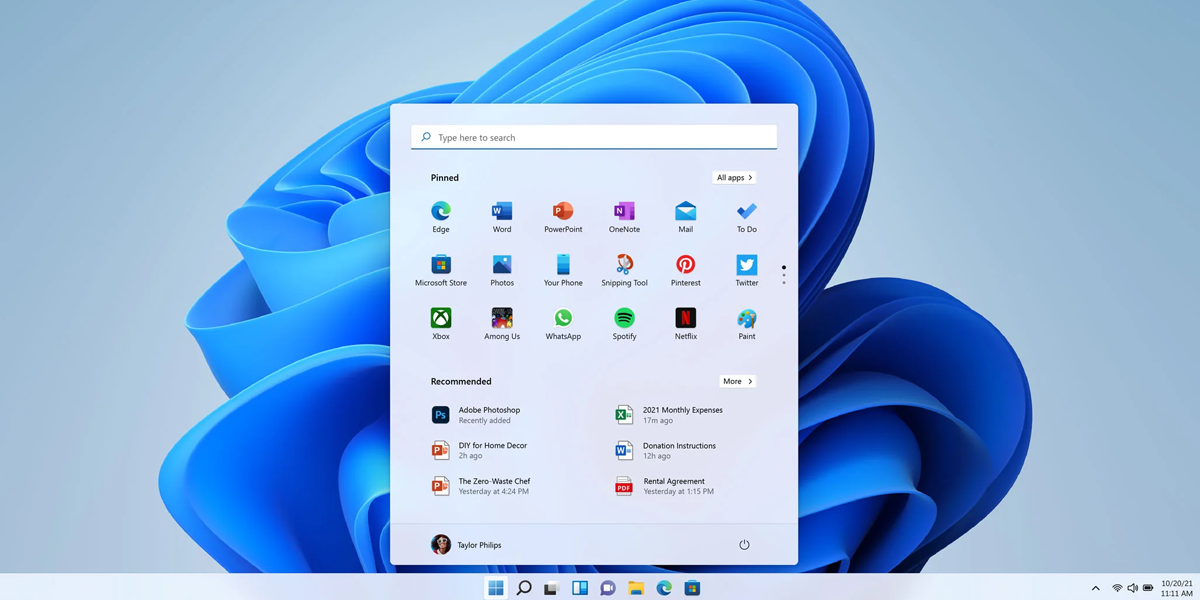
Most of their features have been well received by the general public in large numbers like, for example, the ability to use tabs in file explorer, which is the overflow menu in Taskbar, Start menu’s app folders, along with many more.

With the new update, Microsoft has released many more features although most are hidden behind the feature flags. As mentioned above, someone who is not that tech savvy would not know the process on how to enable the taskbar in Windows 11.

You have multiple pinned apps in the taskbar due to which you will get an Overflow menu to access all these pinned apps and the following steps will help you to understand on how enabling is done.

Windows 11 taskbar

Steps

  • One of the well known steps for enabling the Windows 11 Taskbar is the use of ViveTool, which is an open source tool that is free of charge through which you can turn on the experimental features on Windows 11. If you don’t have ViveTool, then download it immediately from the GitHub page
  • Next, you go to your Windows 11 PC and extract the ZIP File where you first go to the downloaded file option, right-click, and choose ‘Extract All’ option, following which you click ‘Next’, so that all the files are immediately extracted from the folder
  • Once it is done, you now right-click on the extracted folder and select ‘Copy as Path’ so that the folder path is immediately copied on the clipboard
  • Now you open the Start Menu and search ‘CMD’, where you will see Command Prompt pop up quickly in the results and you need to click on ‘Run as administrator’ in the right pane
  • In the Command Prompt Window, you now type ‘cd’ and add a space, following which you right-click on the CMD window to paste the directory path copied from above and then press ‘Ctrl + V’ to paste the address
  • Now you have to ‘run the below command’ for enabling the taskbar overflow menu on your Windows 11 PC
  • Upon closing the prompt window, you need to restart your computer so that all the changes are applied and once done, you will now see the Overflow menu on your Taskbar

Also Read: Windows 11 Full-Screen Widget Upgrade; Details Inside

Windows 11 Fast Startup; Details Inside

0
Windows 11
Fast Startup

Highlights

  • Fast Startup
  • Windows 11 Feature
  • Enabling & Disabling Process

How much do you prefer the Windows 11 OS? Do you think it is better than Windows 11 or don’t you? Are you aware of its features like Fast Startup? Find out.

In Brief

Windows 11 is the latest operating system from Microsoft that has been received extremely well by the vast majority of people, while it has also been called a heavy and bloated OS model, which is why many users feel that its speed is quite slow in comparison to Windows 10 and previous models.

Microsoft has been regularly upgrading its features so that viewers get their money’s worth and don’t become bored of monotony because it has happened in the past that many users have become disillusioned with an OS as they feel its features are the same as its predecessors.

Microsoft is, therefore, leaving no stone unturned so as to not repeat the mistakes of other brands and has been working extremely hard to make Windows 11 faster to use and boot, where one of the techniques is called ‘Fast Startup’.

Windows 11

For starters, Fast Startup is a way that will allow users to start their computer at a faster speed than usual after a shutdown, while its main aim is to make Windows 11 faster to boot, which’ll allow users to log in immediately and begin with their work right away.

When you enable fast startup in Windows 11 and shutdown your computer, Windows logs you out off all your user accounts and closes all the programs that are running on the PC at the moment.

For disabling Fast Startup, you need to follow certain steps to make sure that it has been enabled because it sometimes happens that many users are unaware about the feature being enabled and they need to rectify this problem immediately.

Disabling Steps

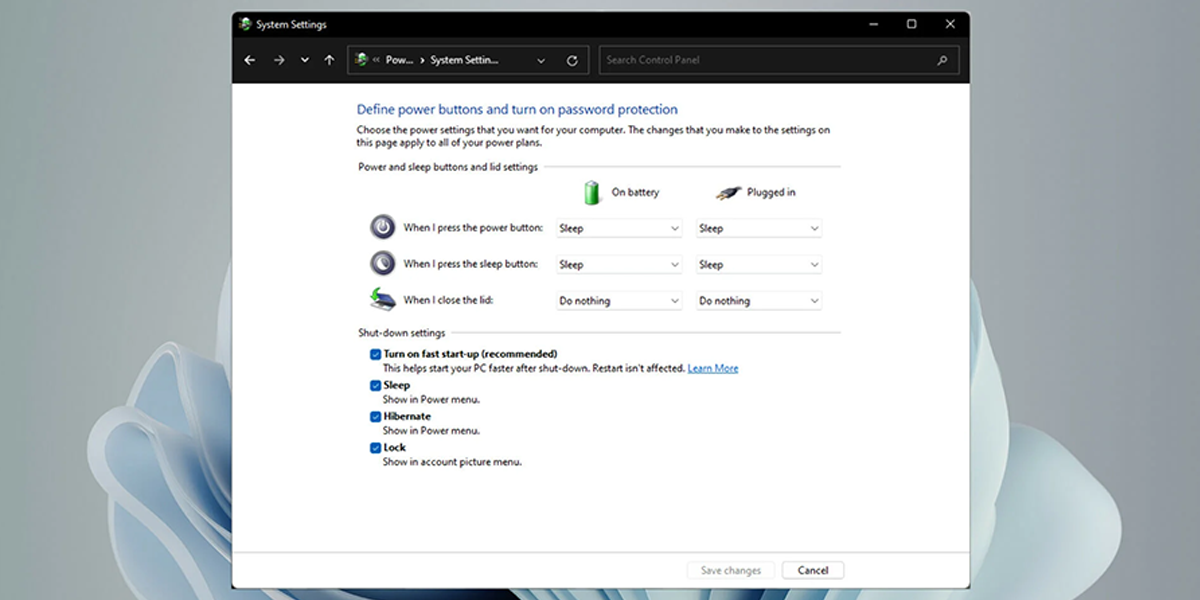
  • The first step is to press the Windows 11 keyboard shortcut, ‘Windows + R’, to open ‘Run prompt’, following which you enter powercfg.cpl and press ‘Enter’
  • The power options will be opened up on the Control panel where you now click on ‘Choose what power buttons do’ in the left sidebar
  • Once it is done, you click on ‘Change settings that are currently unavailable’ so that admin gets permission to do so
  • Now, you need to have the checkbox disabled, which is next to ‘Turn on fast startup (recommended)’ so that the feature is immediately disabled, following which you click on ‘Save changes’ at the bottom
  • Enabling process is similar to disabling process, where you simply have to follow the aforementioned steps and ‘enable the checkbox’ and click on ‘Save Changes’, so that the process is complete

Also Read: Windows Sandbox Enabling on Windows 11 Home Edition

Best Arcade Games for Android

0
Best Arcade Games for Android
Arcade games

Highlights

  • Arcade Adventures
  • Android Mobile Games
  • Angry Birds

Are you fond of playing games? What is your favourite gaming venture? What genre of games do you prefer?

In Brief

There has been a massive upsurge of popularity when it comes to mobile games, especially in the past two years ever since the nationwide lockdown happened due to Covid-19 and people were confined to the four walls of their house for a period of 6 to 8 months.

What is it about games that attracts us to it right from a young age? We all become addicted to games from childhood itself and anyone belonging to the 80s and 90s generation can vouch for the fact that their lives revolved around Play Stations and video games.

That was the time when arcade games were extremely popular all over the world, which is defined as the game that takes the players’ input from its controls, which is processed through components that are computerized and electrical in nature.

During the 90s and 2000s, we had games like Super Mario, Dangerous Dave, Swat Kats, Ninja Turtles, Pokemon Adventures, and many more, which are considered the crème-da-la-crème of games that continue to be popular with that generation.

Even today, you can find many 80s and 90s gen folks, who’re well into their 20s and 30s but have not lost the passion that they had for these games then, which is why they never lose an opportunity to take time out and play for long hours to their heart’s content.

Now, everything has changed as this is the era of mobile games, which are dime a dozen in terms of genres and are beloved by the millennial generation, and anyone that owns an Android or Apple device can gain access to these games in large numbers.

Whether it is an action adventure or a regular one, these games are the cream of the crop when you’re looking for entertainment as the main quotient. Let’s look at some of the best arcade games for Android smartphones that users can avail.

Also Read: Top 5 best Action-Adventure games for android.

List of Best Arcade Games for Android

  • Angry Birds– This is one of the most popular ventures and Best Arcade Games for Android that we have today, where players have to control a flock of multi coloured birds whose task is to retrieve their eggs that have been stolen by a bunch of hungry, green-coloured pigs. The gameplay consists of numerous stages where you will find dozens of structures made of stone, glass, and wood that shield the enemy pigs where the players’ job is to eliminate all of them at each level via a slingshot and win rewards in returnAngry Birds
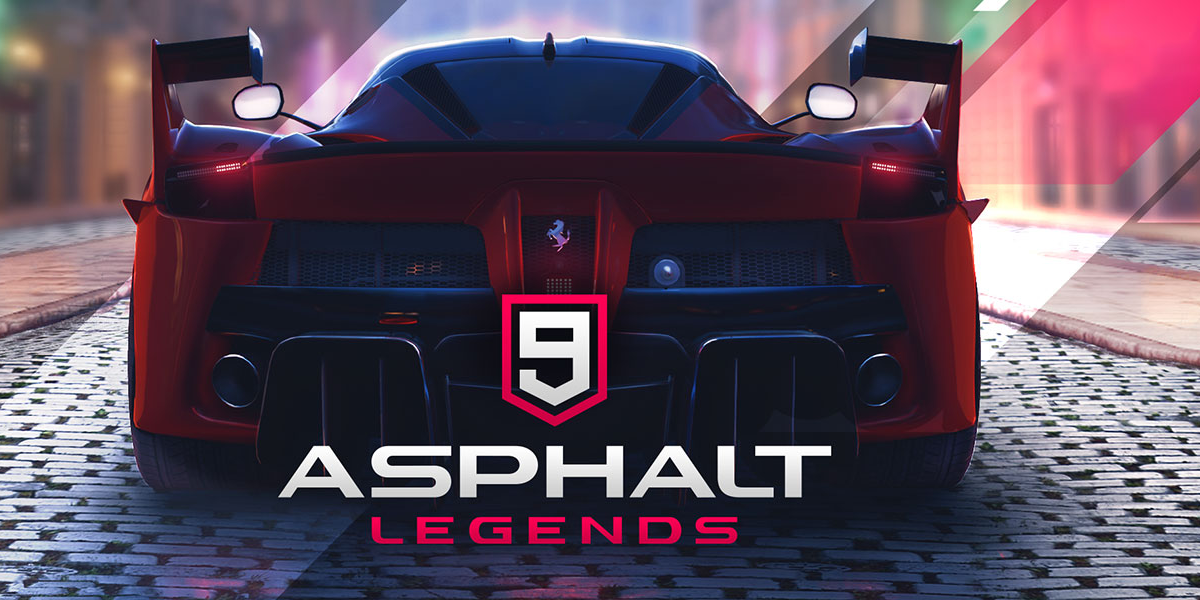
  • Asphalt 9 Legends– If you’re a fan of racing, then this game will be right up your alley because it has all the ingredients that make it an excellent racing game and it won’t be an exaggeration to say that when you make a list of the best arcade racer franchises in mobile, Asphalt 9 Legends will be somewhere at the top. It has competent graphics while the controls too are easy enough to understand and manage through, which is why it is so popular since the innumerable missions make it an exciting adventure where, in the process, you get to unlock numerous cars, along with an online PvP mode, but there are many players that opine that the controls were better in the previous venture of the gameAsphalt 9 Legends
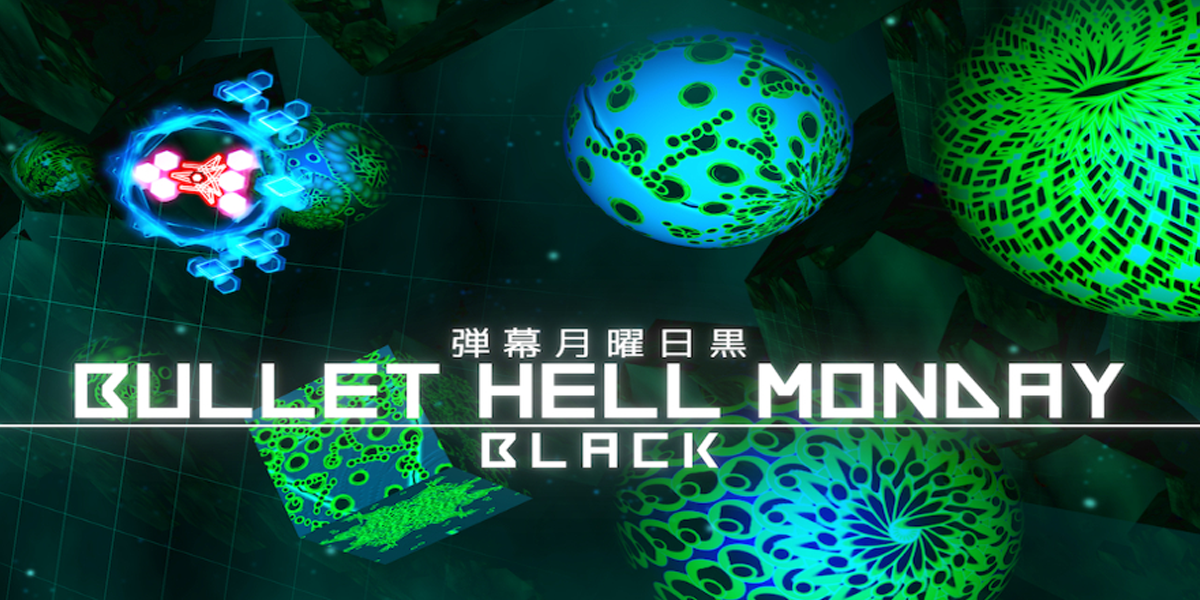
  • Bullet Hell Monday– This venture is a good one for those who prefer action adventures that involves a massive shooter that shoots back at the enemy camp that is shooting at the players, and they are pretty good shots as they’re able to fire many bullets that rarely miss their target. But the game itself is highly entertaining with more than 50 levels, four difficulties, three game modes, and an online leaderboard.

Bullet Hell Monday

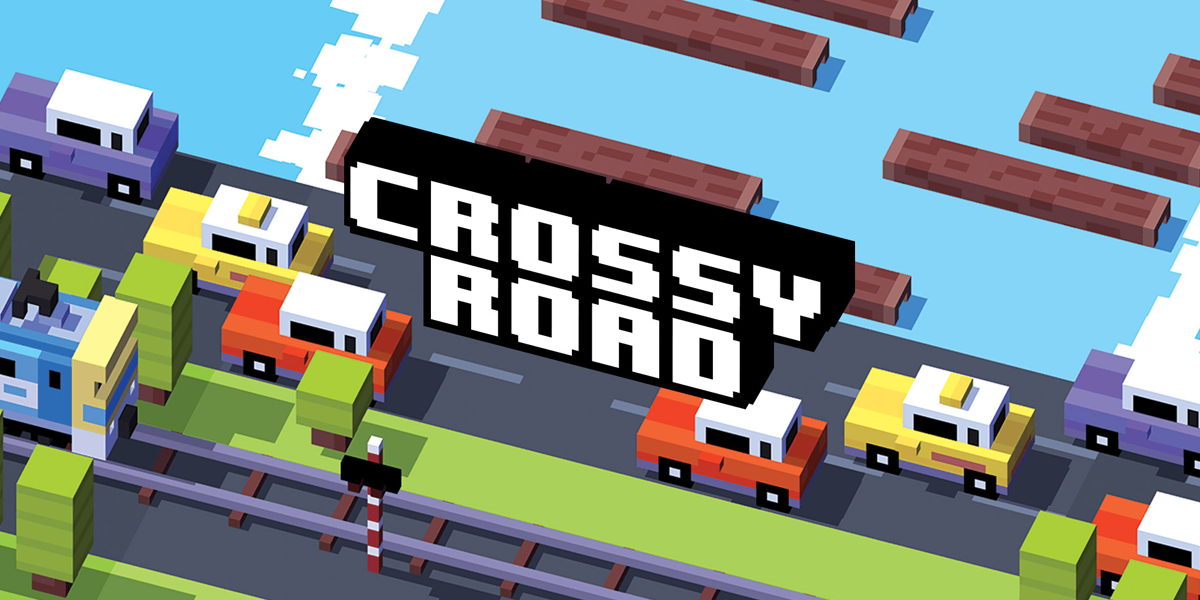
  • Crossy Road– When it comes to popularity, it is hard to find an alternative to Crossy Road, which is why many people consider to be the Frogger of the millennial generation, where the characters have to move across the roads, rivers, train tracks, mountains, and many other areas. The players’ job is to simply avoid being crushed, run over by vehicles, or get drowned in the river, while there are a multitude of characters that players can choose to play fromCrossy Road
  • Temple Run– This venture is a good option for those that prefer running in 3D format, which has spawned its own franchise that involves an explorer chased from demon monkeys, who form a group to attack the protagonist, who has to then defend himself and work out a strategy to go through all the difficult levels insideTemple Run - Best Arcade Games for Android
  • Jetpack Joyride– Another action adventure that the genres’ fans will be excited to know about that involves side-scrolling where the players’ job is to control Barry Steakfries who, incidentally, is the same protagonist as the one in ‘Monster Dash’ where you get a lab of Legitimate Research in a high flying adventure with excellent graphics that will keep you on the tenterhooks if you’re main objective is to simply kill timeJetpack Joyride

Pac-Man– Now this one involves applying your brains rather than brawns because its theme is based on a maze that contains innumerable dots called Pac-dots, where you get to enjoy it in classic mode format where the main goal is to keep yourself safe from the enemies and win rewards but the tournament is quite challenging to handle and it is one of the Best Arcade Games for Android.

Pac-Man - Best Arcade Games for Android

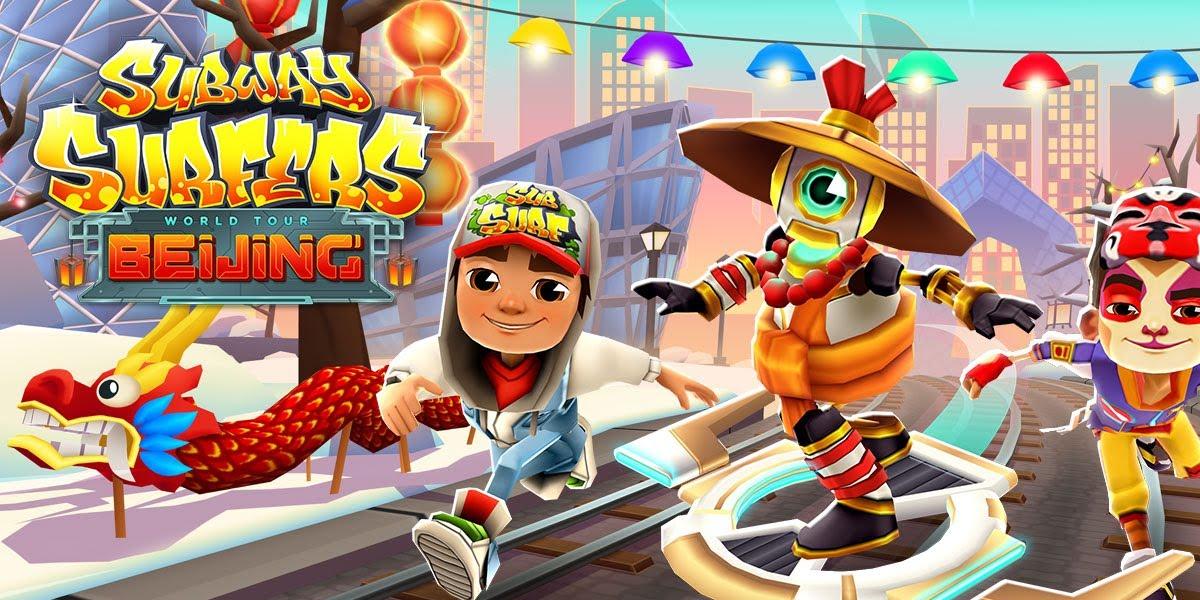
  • Subway Surfers– This is another game that involves running where players become graffiti artists run through the railroad tracks upon being caught ‘tagging’ a metro railway site and have to run through the tracks to escape the pursuing inspector and his dog, whilst simultaneously grabbing gold coins, power-ups, along with many other souvenirsSubway Surfers - Best Arcade Games for Android
  • Stack Ball– This is a 3D adventure involving players that bump, crash, bounce, and smash through revolving helix platforms that might look imagine or when done on paper, but it isn’t because the ball itself smashes through the colourful platforms that also blocks its descent, where the game is over if you hit a black oneStack
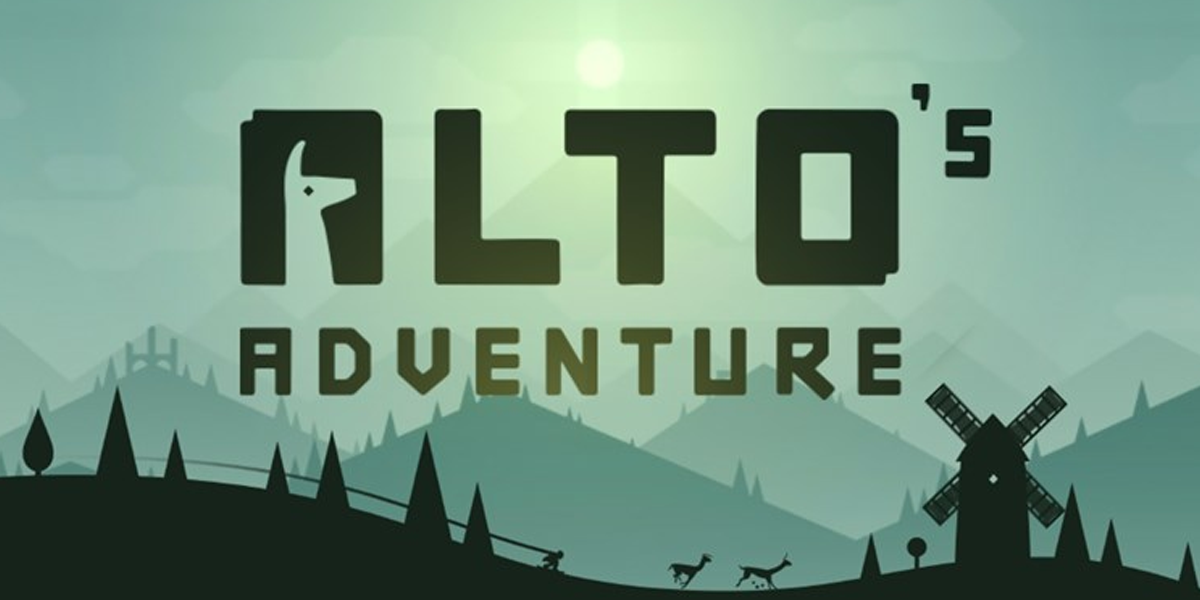
  • Alto’s Adventure– If you’re fond of cold weather, then you should definitely try this one out, which has been classified as a snowboarding, endless runner game where the player moves to the right automatically through generated landscapes, where you, as the player, have to tap the screen and perform tricks so as to move further towards your goals, and get high scores, along with the regular rewards

Alto's Adventure

Also Read: Top 10 Mind-Boggling Games Available On Android And IOS