Home Blog Page 1089

Tech News Wrap: iPhone 14 Series launch…and more

0
iPhone 14 Series launch
Tech News

iPhone 14 Series launch

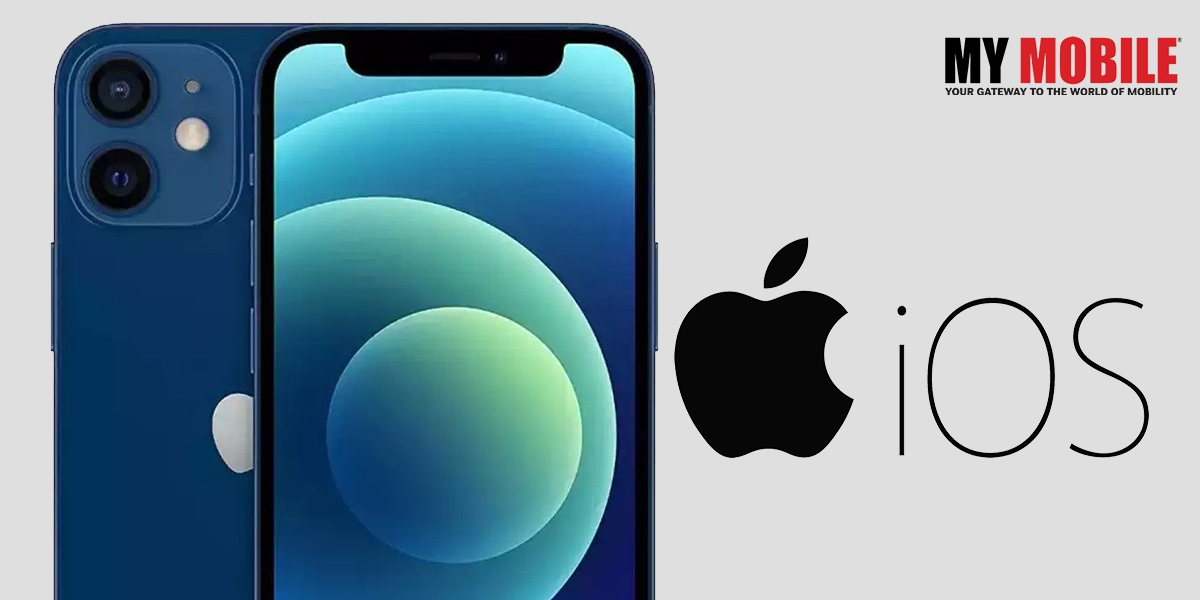
People are waiting with bated breath for the launch of the new iPhone 14 series smartphone because Apple has claimed that it will be very different than all the previous models, which is saying something as Apple has always something new to offer in every new model of every device.
 

iPhone 14 Series launch

The company is expected to launch the iPhone 14 line very soon the coming days or weeks where there are speculations that it will include iPhone 14 base, iPhone 14 large screen, iPhone 14 Pro, and iPhone 14 Pro Max.

In Brief

Apple is known for hosting a massive event in the first week of September each year so there is a buzz going around that the company has set September 7, 2022 as the target date for the launch of its brand new product.

The event is most likely to be streamed online where there are talks about the Pro models having flashier upgrades along with the next-generation-A-series processor. The iPhones released at events in the last few years have gone for sale very soon afterwards.

Also, there are rumours afloat that Apple will also reveal updates about the Apple Smartwatch, which includes a higher-ended rugged model and a revised Apple Watch Se along with some information regarding the next generation of Air Pods Pro that it is working on.

Also Read Here: Apple iPhone 14 series to be unveiled in a few months

Vivo V25 finally launches in the market

Vivo has finally unveiled its newest model of smartphone, V25 Pro, in India whilst simultaneously unveiling the vanilla Vivo V25 although it hasn’t yet revealed further details about the latter like price, features, specifications, or release date.

In comparison to V25, the vanilla model comes with a 90Hz AMOLED display screen with a dimensity chip of lesser power, a triple rear camera of 64 megapixel, and a 44W fast charging.

Coming back to V25 Pro, it has quite a few features and specifications to its name that users would be interesting in knowing about because they want it to be far more updated than the previous models and this will give them an idea on what to expect of it.
vivo 25

Features & Specifications of Vivo V25

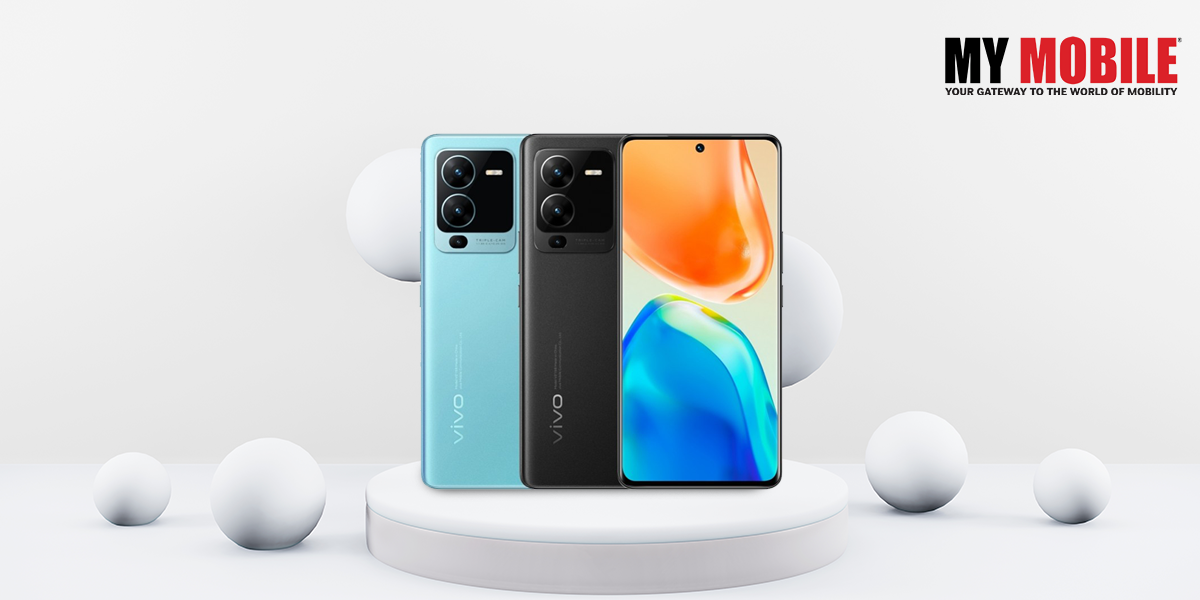
Vivo V25 comes with a 6.44 inch AMOLED display screen with a waterdrop notch and supports full HD + resolution, HDR 10+, and a 90Hz refresh rate. Then you have the Dimensity 900 chip with a storage capacity of 8GB RAM/12GB RAM + 128GB internal configuration that can extend up to 256GB and has battery power of 4500mAh.

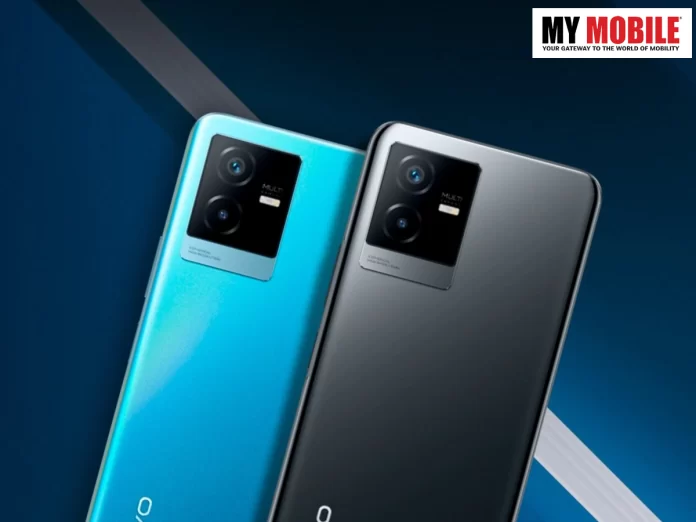
The device comes with three colour options- Aquamarine Blue, Diamond Black, and Sunrise Gold although only blue and gold can change colours like the previous model, Vivo V25 Pro, but is no less effective.

Also Read Here: Vivo V25 Pro India launch date leaks

Amazon App Quiz for August 18

Amazon has truly changed the lives of many an individual in more ways than one but it is not that well known for the App Quiz that it conducts every day and is available on Amazon App, where the participants can get an opportunity to win Rs.500 as Amazon Pay Balance. It is sad that many people are totally ignorant about any such quiz because Amazon conducts this daily app quiz on its official app.

To win the Rs.500 prize, the participant needs to answer five questions based on GK and current affairs correctly where they will receive four different options out of which they need to pick the right one.

Once the answers are submitted, you can enter a lucky draw following which the winners will be selected. However, it needs to be mentioned that the daily app quiz is available only on the mobile app so if you’re a user who intends to participate and don’t have the Amazon app, install it immediately.

amazon

Steps

Amazon App can be logged in by entering your email ID or mobile number following which you need to scroll to the bottom and click on Amazon quiz. Some users may have difficulty locating it so what they need to do is search Amazon quiz in the search bar at the top.

Once you tap on Amazon quiz, you can answer all five questions one by one and if all of them are correct, you can submit them to enter into the lucky draw following which the winners will receive an email from Amazon.

The app quiz questions for August 18, 2022, are as follows:

Question 1: Who among these Sri Lankan bowlers has taken 21 wickets in his first 2 Test matches?

Answer 1 – Prabath Jayasuriya

Question 2: In the movie ‘DC League of Super- Pets’ , who gives the voice for Krypto- Superman’s dog?

Answer 2 – Dwayne Johnson

Question 3: The closure of which company’s copper smelter plant at Thoothukudi, Tamil Nadu has resulted in an INR 14,749 crore loss to the economy?

Answer 3 – Vedanta

Question 4: The boy in the center of this picture is affected by which genetic disorder?

Answer 4 – Down’s Syndrome

Question 5: What are the 3 protruding elements on this equipment held by the woman called?

Answer 5 – Fins

Garena Free Fire Max Redeem Codes for August 18

Today’s millennial generation is easily bored as they find it difficult to pass their time despite having so many conveniences at their disposal like mobile games, social media platforms, indoor and outdoor games, etc.

Free Fire

However, there are certain online games that can hold their attention, one of which is Garena Free Fire Max, which has held on to the pulse of its loyal fanbase for 5 years, which it will complete in a few days.

To celebrate the occasion, Garena Free Fire North America has announced a tournament that will be held on August 26, 2022, where many players can participate and show their expertise in the venture.

A big part of the credit for the success of this action adventure goes to its redeem codes, which allow players to crack the most difficult of levels and win rewards in return like arms, weapons, gold, silver, costumes, etc. to name a few.

The codes for August 18, 2022, are as follows:

BKSK-ECCM-JZEB

L8LN-F5WK-2YPN

TPNA-MS84-ZE8E

26JT-3G6R-QVAV

A46N-U6UF-Q2JP

6LU6-9JJZ-J7S8

FAG4-LHKD-92GZ

RHUV-SWWV-N9G4

FBJ9-MTXB-9XAP

5R8S-AGS5-MCK5

2K5A-WHD3-FKWB

XKVJ-M65A-NPUQ

MHM5D8ZQZP22

FFPL72XC2SWE
Vivo X80 Pro, iQOO 9 Pro Preview Program in India

0
Vivo X80 Pro

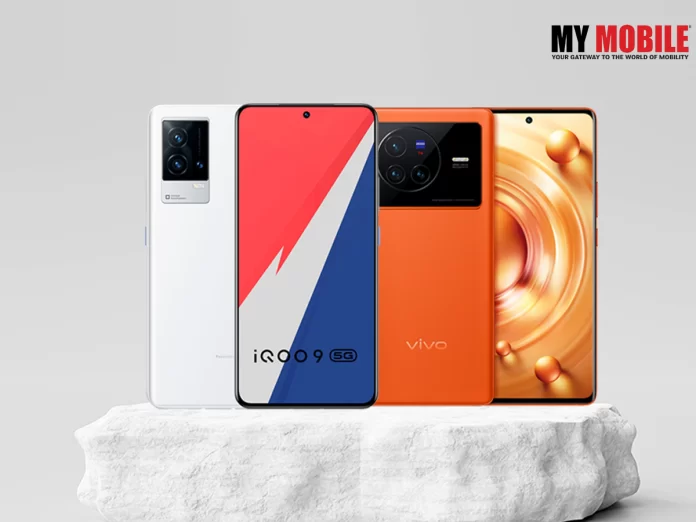
Vivo has come out with an Android 13 Preview program for two of its flagship models, Vivo X80 Pro and iQOO 9 Pro. Android 13 comes out every year but only those users that can avail it that own a Google Pixel smartphone as it is available only in those phones first.

This Android 13 is said to be a stable version that will allow the function to function on an efficient basis and is free of pesky bugs but sadly, smartphones from other brands have to wait for this version.

People that want to try it out first hand can do so by installing the beta version but with the latest news as mentioned above, Vivo X80 Pro and iQOO 9 Pro users in India can avail the Android 13 Preview.

Also Read: Vivo X90 Pro Global Variant Out before Launch on Geekbench

In order to receive the new software on August 23, 2022, users will need to sign up for the programme as it is still in testing phase for Android 13 OS, which makes it harmful for users of the device to use it as it can have bugs and other issues that may configure their smartphone.

Registration

In order to register for Android 13 Review Programme, Vivo X80 Pro and iQOO 9 Pro users need to go to ‘Settings’, which is followed by System Update and then go to the Cogwheel icon at the top to tap it and finally the ‘Trial’ version.

Vivo X80 Pro users must be on the system version 12.0.12.7 or above to download it as the company will accept only the first 500 registrations while iQOO has a similar process where users need to have a system version 12.0.5.8 or higher to download the Android 13 version.

Also Read: Phones Launched in Last Week of December 2022 

Samsung launches Odyssey Ark Gaming Monitor

0
Samsung launches Odyssey Ark Gaming Monitor

Samsung has been on a roll of late and has occupied the coveted top position when it comes to manufacturing the best electronic devices with little competition from its peers except Apple.

Whether it is smartphones or tablets, PCs or Smart TVs, you can always hope for the best of the best from Samsung with the latest news being that it is all set to launch the Samsung Odyssey Ark GN97B gaming monitor in India, which has many interesting features to look forward to.

This is in part of the Odyssey lineup that has a few gaming monitors in the pipeline with Ark GN97B ready to come out, which the makers are hopeful that users will receive it well just as their previous models.

Also Read: LG UltraGear Gaming Monitor Specifics Revealed Ahead of IFA 2022

Price & Specifications of Odyssey Ark Gaming Monitor

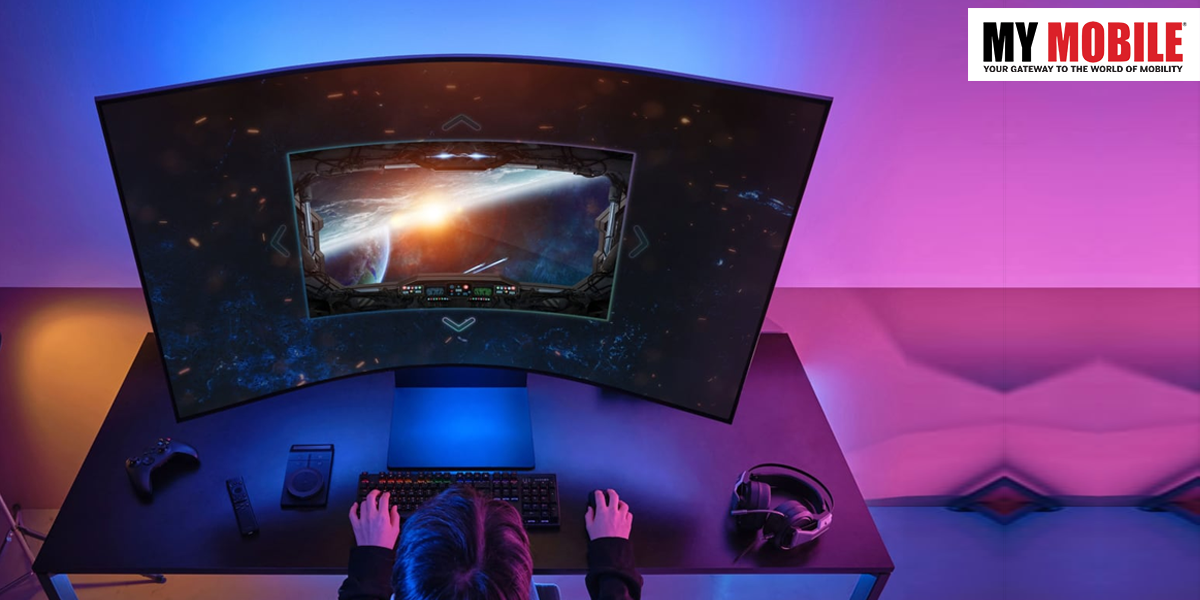
Samsung Introduces Odyssey Ark Curved Gaming Monitor

The company has revealed the official price and specifications of the Samsung Odyssey Ark that has been launched at Rs.2,38,000 where the gaming monitor that supports for Samsung SmartThings and Amazon Alexa, where you can also get a pre-loaded Samsung Gaming Hub.

The monitor comes with a 55 inch 4K display with a 1000R curvature and a 16:9 aspect ratio along with 1056 local dimming points courtesy of the mini LED technology that comes with a 14-bit processing.

To add on, it has a 165Hz refresh rate with a 1ms grey-to-grey response time along with a Quantum HDR 20000 technology, which increases the brightness to about 2000 nits, which will be an illuminating experience to all viewers.

Then you have the Flex Moving Feature through which users can modify the aspect ratio from 16:9 through 21:9 to 32:9 while the size of the image can be modified between 55 inch and 27 inch.

Finally, you add the in-built speaker system comprising of four speakers- one in each corner, while at the bottom you get two hoofers that produce a combined wattage of 60W Power where the frequency response goes as low as 45Hz.

Also Read: Corsair Announces New Gaming Monitor

Google Pixel 7 Series on FCC Database

0
Google Pixel 7

The FCC database has come out with a list of devices where many people spotted Google Pixel 7 Series with its two flagship devices viz. Pixel 7 and Pixel 7 Pro. Google is believed to be launching these two devices in the US on October 6, 2022 and the two handsets featuring on a database website only heightens rumours.

There are four other Google smartphones that have surfaced on the FCC database website, which are GP4BC, GVU6C, GE2AE, and GQML3. They are believed to be variants of Pixel 7 Series.

The first two models are listed to support sub-6GHz 5G connectivity while the latter two will support mmWave technology, which is not as widely used outside the country while its frequency is 24Hz.

With the launch date already out, pre-orders are going to open on the same day or a few days prior and once the booking is done, the smartphones will be available for purchase starting from October 13, 2022.

Also Read: Google Pixel Phones Receive Spatial Audio in January 2023 Update

Vivo Y22s Renders Leaked

0
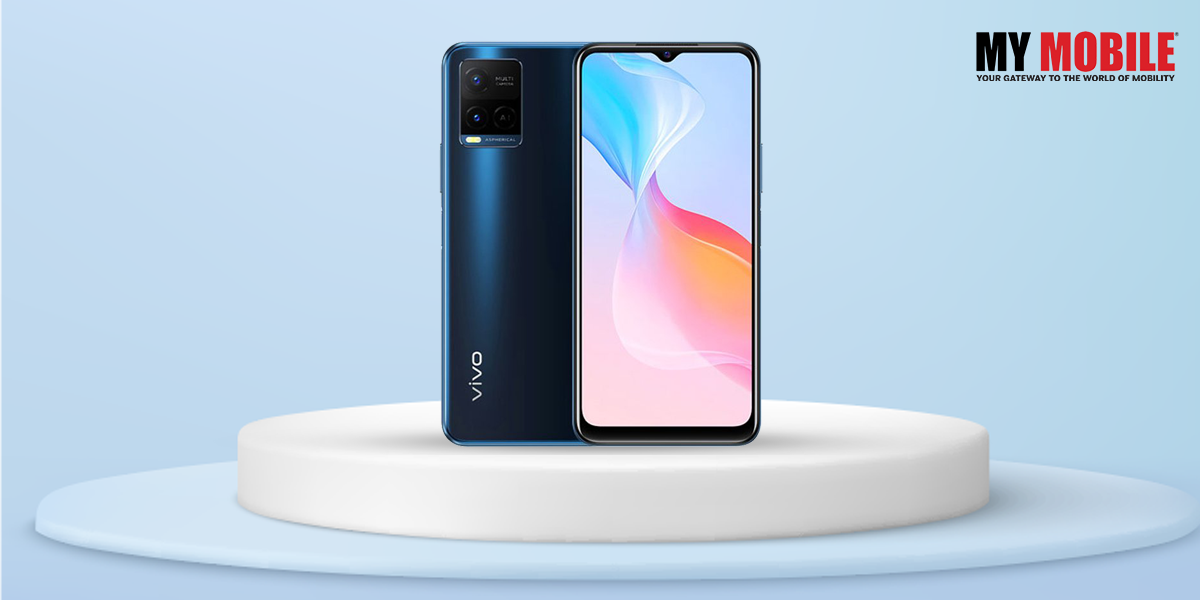
Vivo Y22s

Vivo has so many devices lined up for 2022 that it is launching at regular intervals with the latest addition to the list being Vivo Y22s smartphones. A tipster has leaked relevant information regarding the new model like its features, specifications, along with some smaller details.

This is one of those occasions where users will have prior knowledge to a new device before its launch although such leaks do happen every now and then but this one seems to be authentic information.

Of course, one has to wait for news from official sources regarding a device but the available details that have been made public definitely gives an idea to the users whether they can look forward to it or not.

Also Read: Vivo X90 Pro Global Variant Out before Launch on Geekbench

Key Specifications of Vivo Y22s

Vivo Y22s

The smartphone has appeared on many certifications websites, which includes the US Federal Communications Commission (FCC) database along with an another website partnered with it and is speculated to be launched sometime in September 2022.

According to the leaked information, the device will be a 4G smartphone with a 6.55 inch HD LCD display that will be powered by Qualcomm Snapdragon 680 SoC and come with two colour options- black and blue, and will have the capability to run FuntouchOS 12.

The internal storage will be 8GB RAM + 128GB storage configuration while the videos and photos will be managed by a 50 megapixel primary sensor and a 2 megapixel secondary camera alongside an LED flash while the front camera will be 8 megapixel essential for video calls and selfies and finally, the battery is packed with 5000mAh that supports 18W fast charging.

Also Read: Vivo X Fold 2 to Feature 2K Screen, Launch Tipped around Early 2023

Sony Bravia launches LED TV in India; Details Inside

0
Sony BRAVIA XR

Sony devices have always been successful all over the world and with India being one of its biggest markets, the company has achieved enormous success through its Indian markets through all their devices be it smartphone, smart TV, tablet, you name it and you’ll find many success stories where users vouch for their items.

The latest addition to the list is Sony Bravia XR 85X95K 4K Mini LED TV, which has an 85 inch screen along with many interesting features like any new device that users should know about so as to get an idea on whether it floats their boat or not.

The company has claimed the Cognitive Processor XR on the LED TV helps in reproducing content the way human beings have the power to see and hear things in the real world abd is backed by XR Backlight Master Driver technology, which uses a local dimming algorithm that gives natural mid-tones.

Also Read: Sony HT-A5000 & HT-A3000 Soundbars Enhances Home Cinema Experience

The device has been made available in all Sony centers across India, which include e-commerce platforms and online stores since August 16, 2022 at the starting price of Rs.6,99,990.

Features

Sony BRAVIA XR

The LED TV also supports XR 4K upscaling as Sony is well aware that its users want to enjoy their content in 4K quality and it doesn’t matter to what kind of content it will be as they’re totally mesmerized by the visuals.

Also Read: CES 2023 – “Afeela” Sony And Honda’s First Ever Electric Car (EV) Coming in 2026

Users can also avail a dedicated game mode with HDMI 2.1 compatibility that supports 4K 120fps, Auto Game Mode, Auto Low Latency Mode, Variable Refresh Rate, and Auto HDR Tone.

Then you add X-anti-reflection and X-Wide Angle technology that minimizes reflections due to which users will be able to clearly watch the content from anywhere in the house while those with a Bravia camera can also control settings like picture and sound.

The LED TV also supports audio enhancement features like Dolby Atmos, IMAX Enhanced, Netflix Adaptive Calibrated Mode, Dolby Vision, Acoustic Surface Video+, etc. that can be run on both Google and Android TV.

Also Read: Sony WF-LS900N Review

WhatsApp launches Windows Native App

0
Windows Native App

When it comes to messaging apps, WhatsApp holds fort over all others like Signal and Telegram, as it is not only for sending and receiving messages as it can now be used for video chats and calls as well.

There are many things to talk about WhatsApp but the latest news doing the rounds is that it has launched a new native desktop app for Windows, which was earlier limited to web based apps for Windows and Mac operating system.

WhatsApp has high hopes for native app as it vouches for the speed and reliability of the platform where users will continue to receive regular updates via notifications and messages even if their handset is offline but users can continue to login by scanning a QR code.

Also Read: WhatsApp in 2023

Mac phone users will have to wait for a while as the native desktop app is under development as of now for their smartphones and can only avail a beta version of the app for the time being.

The good news for Windows users is that they can use the native app for desktop and is currently live while users can download it through Microsoft’s website. This information was shared by WhatsApp itself on its official website.

Windows Native App

Conclusion

The user can download the native app for desktop and then open WhatsApp on their phone following which they have to tap on ‘More Options’, which is for Android users while Apple users have to do the same via ‘Settings’.

Then they have to click on ‘Linked Devices’ option to open the QR code scanner following which they have to point it at the QR code that is displayed on the native app to complete the process.

Also Read: How to be Online on WhatsApp Without Being Visible to Your Contacts?

Call of Duty Warzone 2 Release Date Leaked

0
Call of Duty Warzone 2

In this day and age, we have many forms of entertainment to look forward to with just as many platforms online to keep our interests piqued whether it is movies or video games. Speaking of video games, there was a time when we all used to enjoy Super Mario, Ninja Roberts, Swat Kats, and many others.

Nowadays, smartphones have taken over big time from video games and new games have emerged that we can now play on our phones. Mobile games too are aplenty where you have so many to choose from.

One of them is the Call of Duty franchise, which is an action adventure first person shooter game that has taken over the fancy of many youngsters with the latest buzz being that Call of Duty Warzone 2 is all set to launch in a few months on October 28, 2022.

Also Read: Top 5 Mobiles Games Launching In 2023: Valorant Mobile, COD: Warzone Mobile, And More

The other good news is that Call of Duty: Modern Warfare 2 has consented to grant early access to its campaign segment where those who order a digital edition of the adventure can be allowed to play the single-player component a week in advance on any platform of their choice from October 20, 2022.

Activision Blizzard has high hopes of being launched on November 16, 2022 by its makers while players can witness the globe trotting operation in its early phase if they pre-order Call of Duty: Modern Warfare 2, which happens the moment they take control of Task Force 141.

Call of Duty Warzone 2

It is a special forces unit that works under Soap MacTavish where the missions take place all over the world be it North America, Europe, Asia, etc. and get to participate in dangerous missions and hunt down Vladimir Makarov, leader of the Russian Ultranationalist Party.

Prior to this, multiplayer access was allowed only a week or so before the launch but this is the first instance when Activision has allowed early access to the campaign with many changes added for good measure.

Also Read: Top 5 Much-Awaited Games of 2023 for Console and PC

There are many stealth missions involved in offshore sieges where there are many underwater combats to look forward to that have been totally rebuilt from ground up as now players can avail upgraded graphics quality courtesy of photogrammetry technology.

Another benefit of pre-ordering Call of Duty: Modern Warfare 2 is that players can gain early access to arms and weapons that are very essential for the mission along with access to multiplayer beta, which is all set to come out in September 2022.

Those that have a PS4 and PS5 at home can get access to multiplayer Modern Warfare 2 beta from September 16-17 while preordering on PC and Xbox grants early access from September 22, 2022.

Conclusion

The starting price of Call of Duty: Modern Warfare 2 Vault Edition is going to be Rs.6,699 where players can avail perks such as Red Team 141 and be allowed to play as the four main operators, which are Farah, Price, Ghost, and Soap.

All eyes are on October 28, 2022 and it will be interesting to see as to what response it gets from the public although makers and tech experts have high hopes that it will be received well.

Also Read: Top 5 best Action-Adventure games for android.

How to Lock a Hidden Photo Album on iPhone with Face ID/Touch ID in iOS 16

0
How to Lock a Hidden Photo Album on iPhone

Despite the fact that the Apple Photos app already allowed you to hide photos on your iPhone, anyone can easily access your hidden album. As a result, most iOS users rely heavily on photo vault apps to keep their personal photos safe. However, if you have iOS 16, you can now use Face ID/Touch ID to lock your hidden photo album on your iPhone and iPad so that no one can access your private photos without your permission. So, in iOS 16, here’s how to lock the hidden photo album.

For a long time, iPhone users have been requesting the feature to password-protect sensitive photos, and iOS 16 was finally delivered. This is one of many new features in iOS 16 that Apple did not have time to talk about on stage.

iPhone Lock Hidden Photo Album

Aside from protecting the hidden album, iOS 16 allows you to protect the “Recently Deleted” folder, where deleted photos and videos can be found for up to 30 days. This is well-thought-out in terms of privacy. We frequently delete personal images and forget to permanently delete them. As a result, they are still present on the device. However, with this new privacy feature enabled, you will no longer have to be concerned about the security of deleted images.

Also Read: 5G iPhones Comes with iOS 16.2 Update

Face ID/Touch ID can be used to unlock hidden and recently deleted folders

  1. To begin, launch the Settings app on your iPhone or iPad.
  2. Now, scroll down to find and select the Photos app.
  3. Make sure the Use Face ID/Touch ID toggle is turned on.

A tiny lock icon will now appear next to both the hidden album and the recently deleted folders from now on. It’s worth noting that anyone attempting to disable this feature must first authenticate using Touch ID or Face ID. As a result, you can rest assured that your photos are secure.

Face ID/Touch ID can be used to unlock hidden and recently deleted folders

Unlocking the hidden photo album is as simple as it gets.

  1. Open the Photos app on your iPhone or iPad, then tap the Albums tab at the bottom of the screen.
  2. To view your photos, go to the utility section, tap Hidden, and then authenticate with Touch ID/Face ID. Tap Recently Deleted and then authenticate if you want to see your recently deleted images.

Also Read: How to Use Apple Passkeys on iOS 16?

Allow any family member or close friend access to your password-protected private photo album.

How to Lock a Hidden Photo Album on iPhone

What if you want to give one of your friends or loved ones full access to your hidden album? To gain unrestricted access to the hidden album, you can ask a friend to set up an alternate appearance on your Face ID-enabled device or add a fingerprint on your Touch ID-enabled device.

  1. Select Face ID/Touch ID & Passcode from the Settings app on your iPhone.
  2. Now, depending on the availability, either set up an alternate appearance or add a fingerprint.

Your friend will be able to view your hidden photo album using Face ID or Touch ID in the future.

Keep your personal photos out of the hands of prying eyes

That’s how you secure your hidden photos album in iOS 16. This is a welcome addition for iPhone users who previously had to rely on third-party apps to protect their personal photos. You don’t have to worry about a third-party app stealing your data or uploading your images to the cloud because the feature is built into the Photos app.

Also Read: iOS 16 Bulk Edit Photos Feature, A Tale To Tell!

What Is iOS 16’s Safety Check?

0
What is iOS 16's Safety

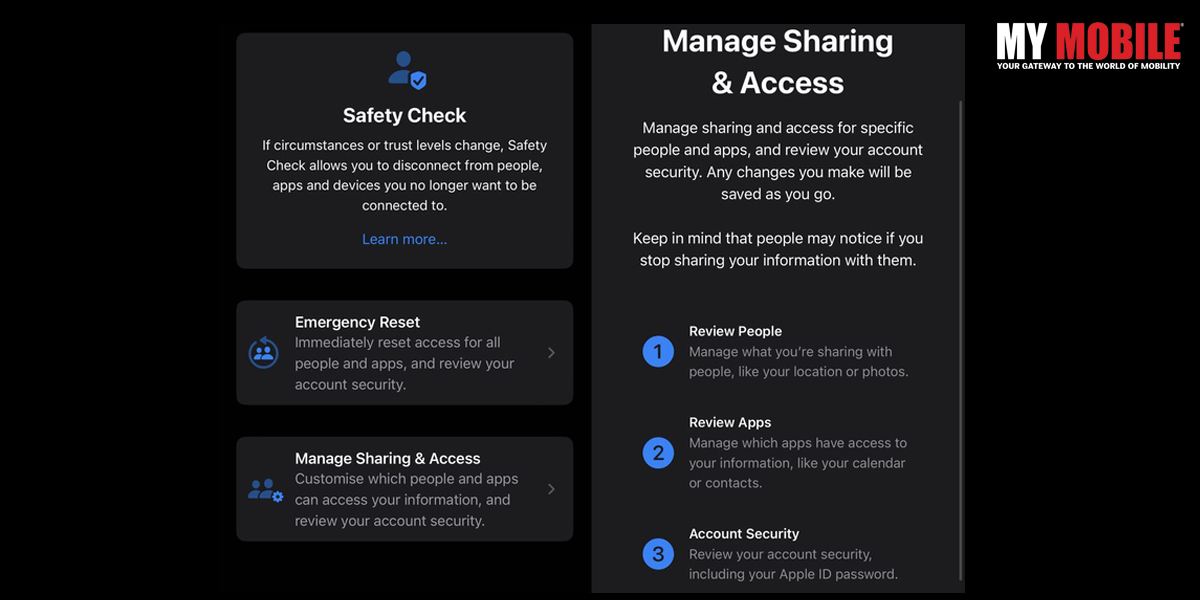
It’s important to note that Apple has always given users the option to revoke sharing their location with apps and people, as well as access to their iPhone via Face ID and passcodes. Safety Check, on the other hand, makes it easier for people at risk of domestic abuse to quickly adjust or completely revoke these permissions from a single location, rather than having to hunt down the various settings scattered throughout the iPhone.

Safety Check functions in two ways

Manage Sharing and Access

Emergency reset

Emergency reset

As the name implies, Emergency Reset acts as a kill switch, removing all access that you may have granted to apps and people in one fell swoop. It is intended for use in situations where data sharing needs to be stopped urgently with anyone, such as your location (including any apps that might be used to track your whereabouts). Follow the steps to use this feature.

Open settings -> Privacy and Security -> Safety Check.

Also Read: 10 Best Instagram Alternatives For Android and iOS

Tap ‘Emergency Reset‘ here. After verifying your identity with Face ID/Touch ID/Passcode, tap the ‘Start Emergency Reset‘ button. There are three steps to the process after this.

  1. This step ensures that your iPhone no longer shares any location data, photo libraries, or other information with anyone or any app. To do this, simply tap on ‘Reset People & Apps.’ Tap on ‘Reset’ to confirm.

1.1. Following that, Safety Check will ensure that only your personal devices are linked to your Apple ID. Simply select any devices you want to remotely sign out of and remove your Apple ID. After you’ve selected the devices, click ‘Remove Selected Devices.’ If there are no such devices, simply press the ‘Skip’ button.

  1. This step allows you to add (or remove) trusted phone numbers from your account. These are your personal phone numbers. If there are any other phone numbers in this list, simply remove them before clicking ‘Continue.’

2.1 Following that, if you’ve shared your Apple ID password with the person you’re attempting to remove yourself from, it’s critical to ensure they can’t access your Apple account. You can either use the ‘Update Password‘ button to change your password or use the ‘Update Later in Settings’ option to keep the same password.

  1. Finally, make a list of your emergency contacts. These should be people you can rely on, such as family members or friends. These contacts will be notified if, God forbid, you ever need to use your iPhone’s Emergency SOS feature. You can add contacts here before clicking ‘Continue.’

Once you’ve completed these steps, Safety Check will recommend additional actions you can take to improve your personal safety and peace of mind. Once you’ve completed this list, simply tap ‘Done.’

Also Read: How to Add Widgets to iPhone Lock Screen in iOS 16

Manage Sharing and Access

What is iOS 16's Safety

If you want to remove permissions and sharing settings for specific people, use the second option titled ‘Manage Sharing & Access.’ Follow the steps to use this feature.

Open settings  -> Privacy & Security -> Safety Check.

Tap ‘Manage Sharing & Access’ and then ‘Continue’ to proceed.

There are now three steps to take.

  1. You can see whom you’ve shared information with and what information you’re sharing here. This page allows you to remove people with whom you no longer want to share information such as your location, iPhone access, and so on.
  2. In the following step, you can see which apps have access to your data. You can uninstall any apps that you did not install yourself or that you no longer want to use. When finished, press the ‘Continue’ button.
  3. Finally, a list of devices where you have logged in with your Apple ID will be displayed. If you notice any unidentified devices here, please remove them. You can also remove any devices belonging to the abuser so that they no longer have access to your Apple ID. If there are no such devices, select ‘Skip.’

3.1 You can also verify your trusted contacts, delete those you no longer trust, and add new ones if necessary. When finished, simply tap ‘Continue’.

3.2 The iPhone will then ask you to update your Apple ID password. This is useful if the perpetrator of the abusive relationship has written down or saved your password in a password manager. You can easily change your password to ensure that no one else has access to your Apple ID.

3.3 It is critical to establish emergency contacts. These should be people you can rely on, such as family members or friends. These contacts will be notified if, God forbid, you ever need to use your iPhone’s Emergency SOS feature. You can add contacts here before clicking ‘Continue.’

3.4 Finally, to ensure the security of your data, you will be prompted to change your device passcode. You can change your passcode or skip this step if you prefer.

Once you’ve completed these steps, Safety Check will recommend additional actions you can take to improve your personal safety and peace of mind. Once you’ve completed this list, simply tap ‘Done.’

Also Read: How can I send photos in their entirety on WhatsApp for iOS?