Home Blog Page 1021

How To Record Videos on iPhone Without Interrupting Your Music?

0
record videos on iPhone

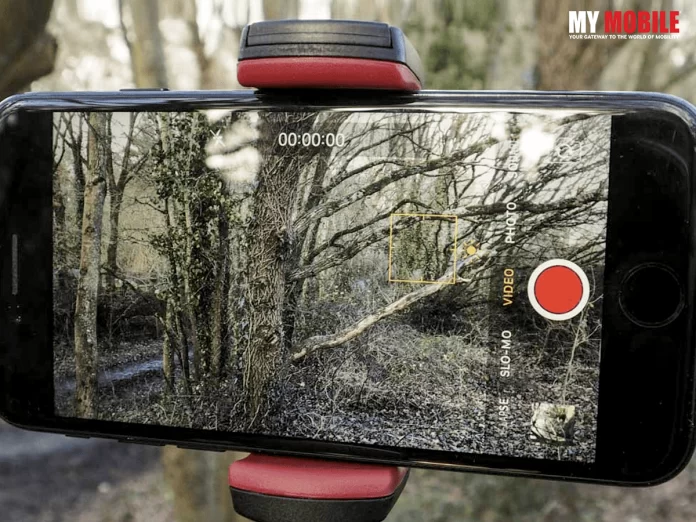
No matter how many years you have been an iPhone user, there are certain iPhone features and certain iPhone capabilities that remain hidden from most. The Cupertino giant is one of the most user-friendly companies out there and they make their devices very thoughtfully keeping in mind the smallest requirement that a user may have. However, there is very little done to make sure that the end users are actually aware of these hidden features. iPhone users have often struggled to record videos on iPhone without interrupting music for many years now. Usually, as soon as you start recording a video on your iPhone, the music running in the background automatically pauses or stops. Go to any online iPhone user forum and this one query always pops up. If you too have faced this issue, here’s a simple trick on how to record videos on iPhone without interrupting your music.

First things first, the feature where iPhone allows you to record video through the camera app without interrupting the music is only available for iPhone 11 or later variants. So, in case you are using an iPhone XS or an earlier version, then this below-mentioned trick will not work on your device.

Also Read: iPhone’s Full-Screen Call Interface Over Banner Notifications

Follow these steps to record videos on iPhone without interrupting your music:

Step 1. Open the iPhone Music app and start playing the song you wish to listen to.

Step 2. Now go to the iPhone Camera app and stay in the Photo mode.

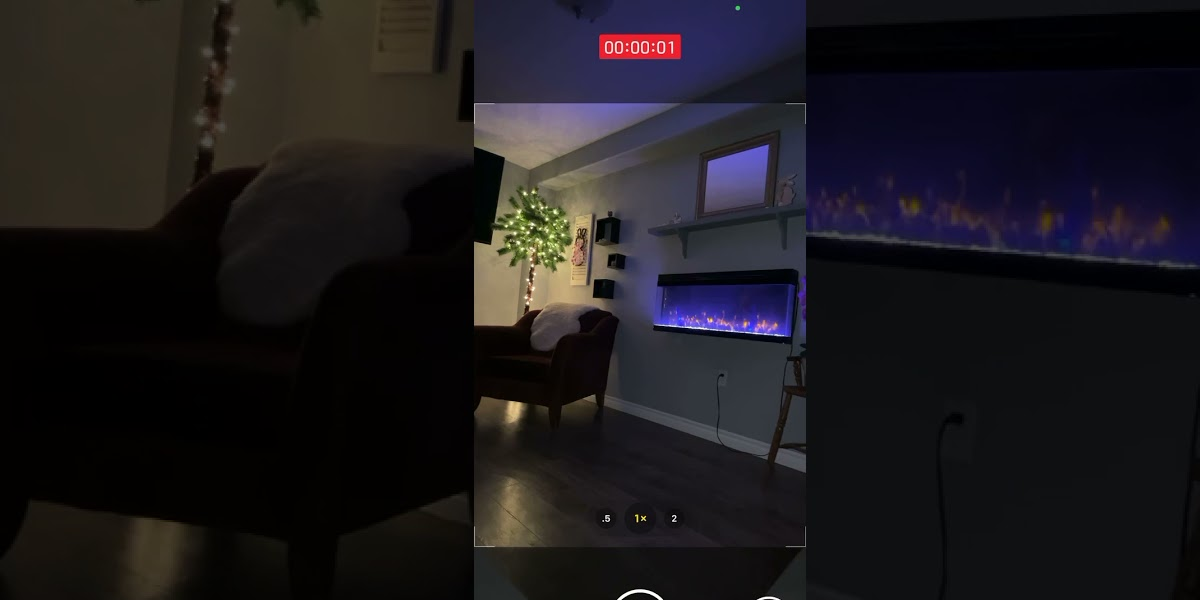
Step 3. Click on the Shutter button and hold it for the video recording to begin

Step 4. In order for the video recording to continue without you having to hold on to the Shutter Button, slide the circle shutter button to the right. The Shutter button will stretch and the video recording will continue.

Step 5. To end the video recording, you can tap on the End button.

Also Read: Make Way For More Photos And Videos In Your iPhone Storage Space!

Following these simple steps in an iPhone 11 or later version, you would be able to record videos on your iPhone without interrupting your music. To check results, simply check your iPhone Photo app and you will be able to see the video you recorded while the music was playing in the background.

For iPhone users, where the Camera App feature doesn’t work because of being an old iPhone model, there are a few alternative ways that can be tried. Popular social media app Instagram allows users to record videos while music is playing in the background. Below are simple steps to follow –

Record Videos on iPhone Via Instagram Without Interrupting Your Music
record videos on iPhone

Step 1. Start playing a song you wish to hear in the background.

Step 2. Open the Instagram App.

Step 3. Tap and Hold on the plus (+) icon in the top-right corner.

Step 4. Scroll down through the many choices that the window displays and at the bottom, you will see Story. Select the Story option.

Step 5. Hold the capture option visible right in the centre of the screen for the video record to start.

Step 6. Once you have captured the video, click on the arrow at the top of the screen to Save and download the video.
Also Read: Top photo, Video Editing Apps for iPhone Users

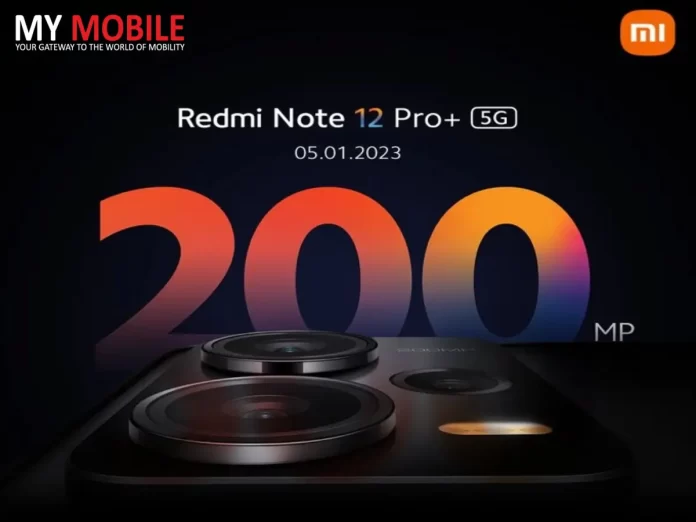
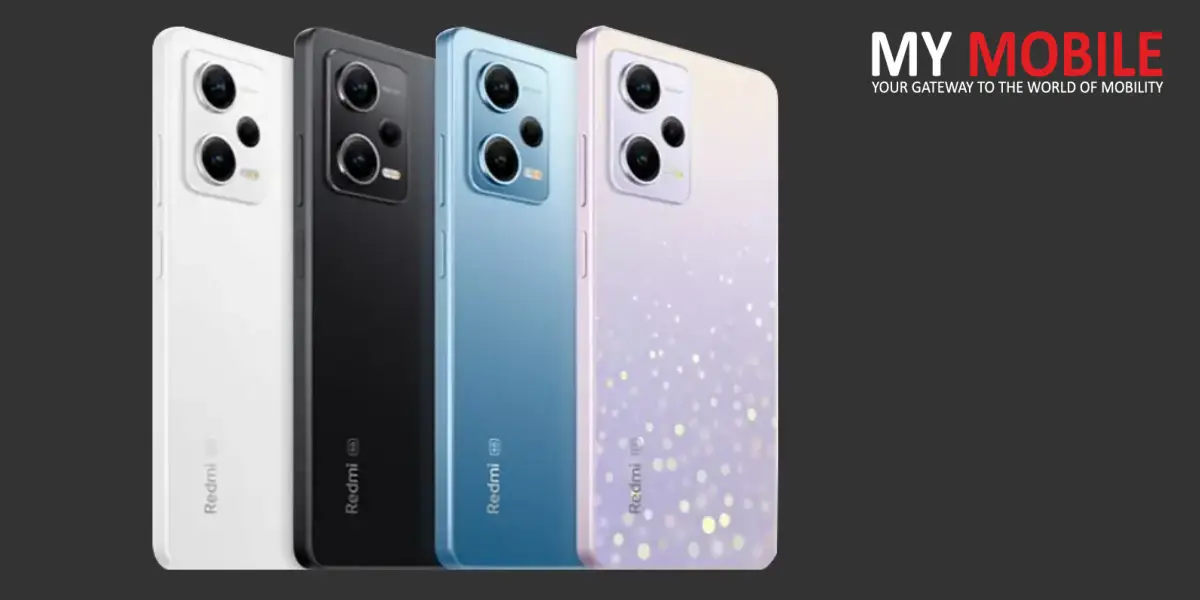
Redmi Note 12 Pro+ launch date in India officially Out with a 200 MP Camera

0
Redmi Note 12 Pro+

Redmi Note 12 Pro+ launch date in India is January 5th, Xiaomi has confirmed. The phone will feature a 200MP primary camera.

HIGHLIGHTS

1) Redmi Note 12 Pro+ will launch in the country on January 5th.
2) The phone is confirmed to ship with a 200MP primary camera.
3) Note 12 and Note 12 Pro are expected to be announced on the same date.

Redmi Note 12 Pro+ India launch date has been officially revealed by the company on Twitter. The phones will debut in the country on January 5th, 2023, and will succeed the Redmi Note 11 Pro+. Xiaomi India has also confirmed the Note 12 Pro+, which is the top-end variant in the series, will come with a 200MP primary camera. Note 12 series originally debuted in China last month.

Redmi Note 12 5G series Specifications

Redmi Note 12 features a 6.67-inch Samsung GOLED FHD+ display with a 120Hz refresh rate and a punch-hole cutout for the selfie snapper. Powering the phone is the Qualcomm Snapdragon 4 mobile platform. The handset is likely to boot Android 12-based MIUI 13 custom out of the box. Note 12 5G packs dual cameras on the back, with a 48MP camera and a 2MP depth sensor.

Also Read: Redmi K60 Series to be Launched Soon

There is an 8MP front-facing camera for selfies. There is a 5,000mAh battery with 33W charging support. Connectivity options include 5G, dual-band Wi-Fi, Bluetooth, GPS, and a USB Type-C port for charging. There is a side-mounted fingerprint sensor for security.

Redmi Note 12 Pro+

Redmi Note 12 Pro and Note 12 Pro+ Specifications

The Redmi Note 12 Pro and Note 12 Pro+ sport a 6.67-inch FHD+ OLED display with 2400 X 1080 pixels resolution, 20:9 aspect ratio, a 120Hz refresh rate, 240Hz touch sampling rate, Dolby Vision, HDR10+, and up to 900nits brightness. The phones are powered by the MediaTek Dimensity 1080 SoC paired with Mali-G68 GPU and boot MIUI 13 custom skin out of the box.

The Note 12 Pro comes in four variants 6GB/128GB, 8GB/128GB, 8GB/256GB, and 12GB/256GB. On the other hand, the Note 12 Pro+ ships in 8GB/256GB and 12GB/256GB.

Also Read: Redmi Note 11 SE launched in India

The Redmi Note 12 Pro has triple camera sensors on the back, with a 50MP Sony IMX766 primary sensor with f/1.88 aperture, 6P Lens, OIS, an 8MP UW lens and a 2MP macro unit. There is a 16MP snapper on the front for selfies and video chats. The Redmi Note 12 Pro+ has triple sensors on the back, with a 200MP Samsung HPX primary sensor with f/1.65 aperture, 7P Lens, ALD coating, and OIS. There is an 8MP ultra-wide-angle secondary lens and a 2MP macro unit. There is a 16MP snapper on the front for selfies and video chats.
The phones are equipped with a side-mounted fingerprint sensor for security, stereo speakers and X-axis linear motor.

Connectivity features include 5G, 4G LTE, Wi-Fi 6, Bluetooth 5.0, NFC, GPS, and USB Type-C port for charging and data transfers.

Also Read: Redmi Note 12 will be announced in the second half of 2022

Microsoft Announces 5 New Features For Teams: Check Details

0
Microsoft new features

Microsoft has added five new features for Microsoft Teams with an aim to make the entire process of video conferencing a lot easier. Microsoft Teams is a dedicated business communication platform developed by Microsoft exclusively as part of the Microsoft 365 family of products. Some of the newly added features include an instant poll, more videos on the same screen, schedule send, view message thread and an unread toggle. Let’s find out more about each of the newly added features in Microsoft Team.

Click Instant Poll

This feature will allow users to instantly receive pre-defined binary answers to any spoken poll question. It is like an instant poll that can use used to gather immediate responses on a particular topic or question from an audience. Pre-defined binary answers could be anything from a Yes/No, Heart/Broken to Thumps Up/Down. Such polls can be organised by the presenters at any time without any prior settings or notifications.

Also Read: Microsoft Teams adding support for Hindi live captions

View Up To 49 Videos

Those using Microsoft Teams for organising meetings or sessions currently can see a maximum of 9 videos on their screen. The limit is set to 9 videos by default but the latest feature Microsoft is introducing is going to change this default setting. Thanks to the new features, Microsoft Teams users can now see up to 49 videos simultaneously on their screens, which is a massive upgrade.

Schedule Send

Now you can schedule the delivery of your chat messages manual using the new feature of Microsoft Teams. The delivery can be set for a future date or time by simply clicking right on the send button option.

Microsoft new features

View the Entire Message Thread

Microsoft is making it easier for Microsoft Team users to keep a track of all the messages received on a particular thread irrespective of the time it was sent. Users will have to just click on the chat message in the search result for a particular search query and the entire message thread will open.

Also Read: Sennheiser Introduces TeamConnect Intelligent Speaker for Microsoft Teams Rooms

Unread Toggle

Microsoft Teams is also introducing a new feature that will make it easier for Microsoft Teams users to manage their unread chat notifications. The feature will Turn On the unread toggle button in the feed panel for users to easily view, triage and catch up with the unread messages. In case users want to view both the read and unread messages at the same time, they would be able to easily Turn Off the unread toggle.

Android Users Can Now Keep Wi-Fi On When Airplane Mode is Enabled

0
Android 13 users

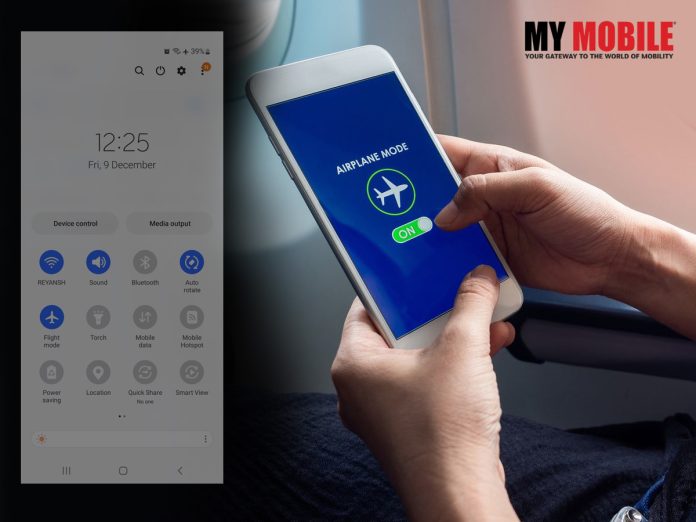
Android 13 users will now be able to keep Wi-Fi On even when Airplane Mode is enabled on their smartphones. Google is extending the technology which was earlier allowed users to keep their Bluetooth On with Airplane Mode now with the new Android version. The update was announced on 9to5google.com earlier this week. Let’s find out more about this new feature.

Highlights

  • Android 13 users from now on can keep Wi-Fi On even when Airplane Mode is enabled
  • Pixel Phone owner to receive notification about the new update
  • New feature announced on 9to5google.com this week

If you are a Pixel Phone owner, you might receive the following notification while turning on the Airplane Mode when the Wi-Fi is also On, “Wi-Fi on in Airplane Mode / If you keep Wi-Fi on, it will stay on the next time you’re in Airplane mode.”

Also Read: Operating the Feature on Android Devices

If you Tap on the notification you will be diverted to the Pixel support article noting “When you first turn on your Android phone’s Airplane mode, Wi-Fi and Bluetooth are turned off. You can change this setting to keep your wireless connections on, so you stay connected to devices like your smartwatch or Bluetooth earbuds. You can also turn your wireless connections off again.”

Apart from this, there will be another system prompt to remind you about your choice the next time whenever you turn on Airplane Mode on your device.

To enable this feature on your Pixel device, simply follow these steps

Android 13 users

Step 1. Go to the Settings of your Pixel device and turn On the Airplane Mode following the navigation – Settings > Network & Internet > Airplane mode.

Step 2. Next, Turn on WiFi from Settings as well following – Settings > Network & Internet > WiFi.

Step 3. Once WiFi is connected to your device then turn off Airplane Mode from Settings following – Settings > Network & Internet > Airplane mode.

Also Read: Android Lock Screen Vulnerability Could Give Attackers Complete Access to Your Phone

The new feature of keeping WiFi with the Airplane Mode will require the Pixel device to have the latest Android 13 version installed. In case you are not sure about the Android version of your device, you can check the Android version of your device by going to the Settings option and scrolling down to the “About Phone” option. From there, scroll down further to know the “Android version” entry” your device is currently working on. If your device is not running on Android 13, you can download your software update and install the latest version from Google Play Store or via the manual setting on your device.

Also Read: 10 features for Android users that will keep you safe from hackers and viruses !

Samsung Big Game Fest Offers on Premium TVs: All Details Inside

0
Samsung’s Big Game Fest

Samsung this week announced the Big Game Fest offers on its range of premium, big-screen TVs to make the Football World Cup 2022 a more enthralling experience for football lovers. One of India’s largest consumer electronics brands will be offering consumers a Limited Period Offer of assured gifts on every purchase of Samsung’s big-screen, premium TVs including The Neo QLED 8K, Neo QLED, Samsung QLED, The Frame TV, and The Freestyle Projector all around the country. The Big Game Fest offers will be available in all retail outlets across the country and consumers can also visit Samsung.com to make a direct purchase.

On every purchase of select TV sets, consumers can win a Samsung Ultra Slim Soundbar HW-S801B worth INR 49,900 or a free Galaxy S22 Ultra smartphone worth INR 1,09,999. Also, with the 75-inch UHD TV, consumers can take home Galaxy A23 worth INR 18,400. On the other hand, Freestyle Projector buyers can get a free Samsung Sound Tower T40 worth 17,990. Furthermore, on purchase of Neo QLED and QLED TVs, consumers can get a 10-year no-screen burn-in warranty.

The Big Game Fest offers are available on the below-mentioned products 

Neo OLED 8K TVs

Now experience every detail come alive with Neo OLED 8K TV that comes packed with Neural Quantum Processor 8K with real depth enhancer to display three-dimensional depth, an Eye Comfort mode for adjusting screen brightness automatically, and Quantum Matrix Technology Pro (with Quantum Mini LED) with Shape Adaptive Light Control for sharper image quality. Neo OLED 8K TVs are available at the starting price of ₹3,34,990.

Neo QLED TVs

The wide range of Samsung’s Neo QLED TV is a well-rounded product that is much more than just a television. Apart from viewing your favourite shows, the Neo QLEDs can be used as gaming consoles, virtual playgrounds, and Smart Hubs to manage your smart homes. Price in India starts from ₹ 187,100, these TVs also support Object Tracking Sound Pro (OTS Pro) and Dolby Atmos featuring Q-Symphony for a 3D surround sound home theatre experience.

Samsung’s Big Game Fest

Samsung QLED TVs

Samsung QLED TVs are a premium range of home entertainment screens that are designed to provide advanced picture quality. Powered by Quantum Dot technology, these TVs adjust brightness levels and create brighter, clearer visuals on the screen. For an unparalleled cinematic experience right in your home, these TVs feature Object Tracking Sound (OTS) and Active Voice Amplifier (AVA). The Samsung OLED TVs price in India starts from ₹99,990.

Crystal 4K UHD Televisions

Samsung’s 4K UHD TVs come with a wide range of impressive features such as a Crystal 4K Display, Smart IoT Hub, Video calling, Adaptive Sound, Screen Mirroring, Tap View, and Lag Free Gaming. With a starting price of ₹32,990, these UHD TVs are designed to provide unmatched colours, extra sharp imagery, and enhanced contrast levels.

The Frame TV

The Frame TVs are Samsung’s most unique TV sets that can be a TV when needed and turns into a piece of art in the room when not. With a starting price of ₹78,990, these visually stunning TVs whether On or Off comes in customisable bezels and super matte display. Customers can curate their own art and choose from different colour bezels to make the TV their own.

The Freestyle Projector

With the Freestyle Projector, no separate screen is required. This is another unique Samsung offering that provides a three-in-one functionality product with a projector, ambient lighting, and smart speaker, all combined together. Priced at ₹84,990, this lightweight portable device lets you rotate the projection up to 180 degrees, which further enables high-quality video display on any surface starting from tables, floors, walls or even ceilings.

Oppo INNO Day 2022 Set for December 14, Find N2 Foldable Phones May Launch

0
Oppo INNO Day 2022

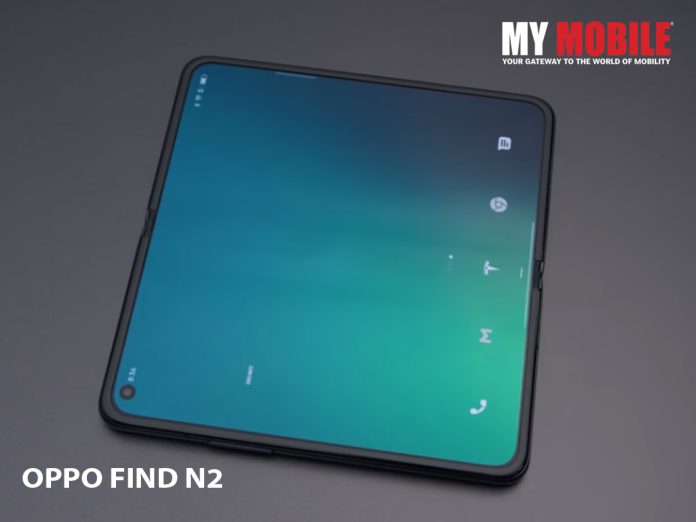
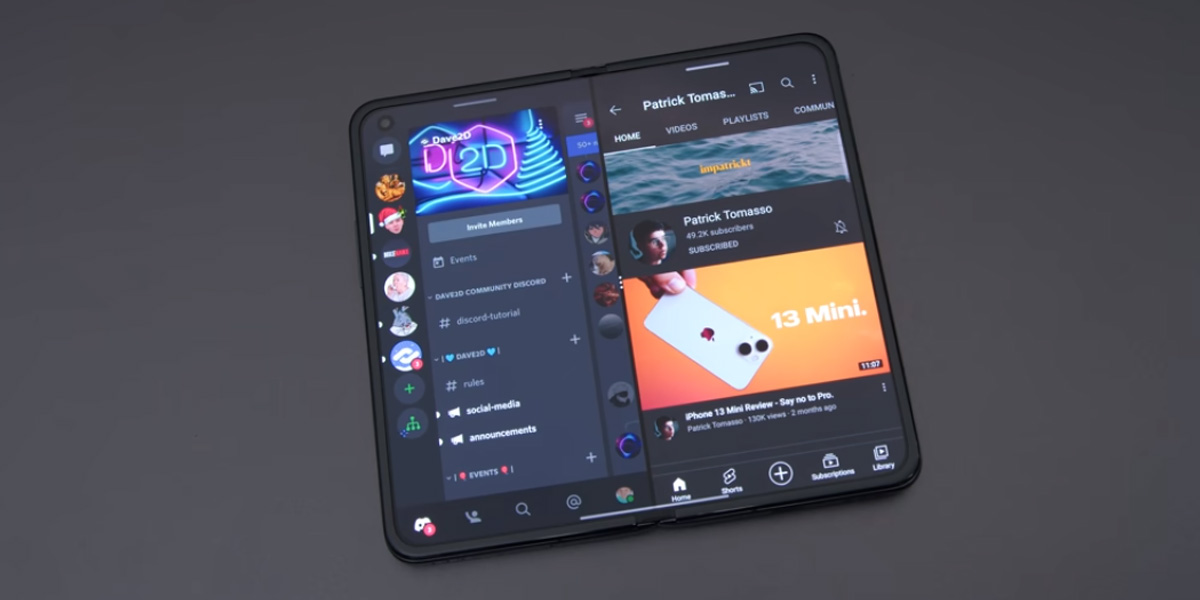
Oppo INNO Day, the brand’s annual global technology convention to showcase its latest innovations and technology explorations, will be held on December 14, 2022. The theme of the event this year will be “Empowering a Better Future” and it is being widely speculated that Oppo might unveil its next-generation foldable smartphone during the event. Although no official word has come out from the brand regarding the smartphone launch, rumour mill believes two new foldable phones – an Oppo Find N2 and an Oppo Find N2 Flip – will be launched during the December 14 Oppo INNO event.

As the brand prepares for Oppo INNO Day 2022, Oppo said in a statement, “This year’s event will see the introduction of several new cutting-edge technologies developed under Oppo’s Four Smart Initiatives of smart entertainment, smart productivity, smart health, and smart learning.”

Oppo announced the launch day and theme of the event on its official Twitter handle @oppo and tweeted, “Exciting new tech is on the horizon. #OPPOINNODay Are you ready?”

In line with Apple’s “Far Out” event and Google’s “Made by Google” event, INNO Day has now become the annual tradition of Oppo where the brand introduced its new innovations and upcoming technologies. The event was first organised in 2019 with the unveiling of Oppo’s first smartwatch. In the 2020 event, the brand showcased its rollable concept phone which strangely never made officially came out in the market. Later in 2021, the brand also introduced the MariSilicon X NPU, Oppo’s first neural processing unit along with Oppo’s first commercial foldable phone named Find N.

Oppo INNO Day 2022

Many might believe that the event doesn’t have the same fanfare surrounding it as one expects with an Apple or a Google event, but the reality is quite the opposite for dedicated tech enthusiasts.

As rumours of the Find N2 series launch gain momentum, a leak around Oppo Find N2 Flip reveals that the smartphone will sport a 3.2-inch OLED cover display along with a 6.8-inch FHD+ OLED primary display. Other specifications revealed in the leak include MediaTek Dimensity 9000+ SoC, 4300mAh battery with 44W fast charging support, 32MP front-facing shooter with dual rear camera setup of 50MP primary and 8MP ultrawide.

Also Read: OPPO Reno8 T Launch Confirmed in India; Handset Spotted on BIS

Sony WF-LS900N Review – The Small, Lightweight, All-Day Comfortable Earbuds

0
Sony LinkBuds S Review

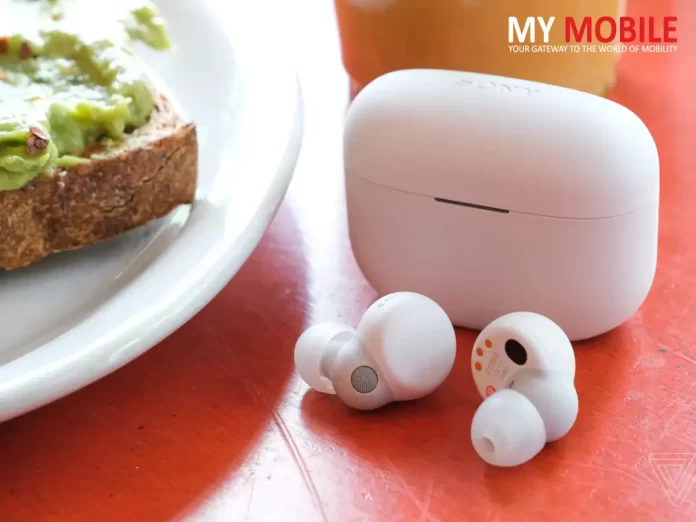
The Sony WF-LS900N with its unique doughnut-shaped open design is arguably one of the smallest and lightest earbuds recently launched in the market. Promising all-day comfort, WF-LS900N comes with traditional noise cancelling, natural ambient sound, adaptive sound control and immersive sound quality. Sony is positioning WF-LS900N as the smartest wear-all-day gadget that knows how to suit the requirements of the user. But did the brand go overboard with the premium price tag of Rs 16,990 considering the already competitive TWS earbuds segment in the Indian market? Or does the feature-rich earbuds are actually worth that price tag? Let’s find out in our in-depth Sony WF-LS900N Review.

In The Box

Inside the product packaging box, we get the WF-LS900N safely tucked in its stylish carry case, four different sizes of earbuds tips for different ear shapes, and the USB-C type device charging cable.

Sony WF-LS900N – Design and Finish

The first thing you notice about the Sony WF-LS900N is its small size and lightweight compact build. The brand developed a compact driver and used only one chip to integrate the Bluetooth Audio SoC (System on Chip) and high-quality noise cancelling processor to achieve the small-size headset design. It is at least 40% more compact than the last TWS earbuds Sony released. Just by looking at the name of the earbuds, one might assume that WF-LS900N is merely an updated version of the previous Sony headset named LinkBuds. However, WF-LS900N is a notably different product.

The design follows a more traditional approach by keeping a standard in-canal fit. The earpiece doesn’t attract too much attention to itself when sitting in your ears, which is one of the best things about WF-LS900N.

Also Read: Sony’s HT-S400 Soundbar

These are made up of recycled plastic material and are available in four premium matt colour options, black, white, marble blue and grey. Interestingly, the black colour variant appears to have a lot more surface texture as compared to the smoother finish white one. Comparatively speaking, WF-LS900N is slightly bigger the Airpod’s case. Sony is calling the WF-LS900N the smallest and lightest noise-cancelling high-res true wireless earbuds. The compact shape of the earbuds along with the case and around 4.8g weight does appear to be filling that bill.

Sony WF-LS900N – Sound Quality and Other Audio Features

These earbuds come with Sony’s v1 chip and not the standard QN1 chip. Both the chips don’t have the same components, not the same drivers, not the same microphone, so it is quite obvious that users are not going to get quite the same sound quality or noise cancellation as one gets with the previous Sony model wf-1000x mark IV. However, overall both the sound and noise cancelling on their own are really solid performance-wise. The touch controls relatively work well.

WF-LS900N also have an ambient mode with adjustable levels that allow you to tweak how much sound you wish to let in from the outside world. It may not be quite as good as what probably a premium brand Apple offers with its transparency mode in terms of how natural things sound. But it does sound pretty natural, so long as you don’t crank it up to the highest volume levels.

Also Read: Sony India announces the WF-LS900N noise-canceling earbuds

Moreover, WF-LS900N also comes with Sony’s quick attention mode that allows you to tap and hold the left button to muffle the music you’re listening to and then enter ambient mode so you can hear what’s going on around you and have a conversation.

There’s also the speak-to-chat feature that’s essentially hands-free quick attention mode in case someone comes up to you and wants to chat. In such cases, you can simply start talking such as saying “Hi, How are you?” and your audio pauses and the earbuds automatically go into Ambient Mode. The audio then resumes after a short period of time anywhere between 5 seconds to 30 seconds depending on your preference or you can manually resume it too by tapping on either bud.

The earbuds have a new sensor and spatial sound technology that promise to provide immersive sound for entertainment options beyond just calls and music. The immersive sound throws audio bites from different directions in order to enhance the overall experience while indulging in Augmented Reality games such as ‘Ingress’ from Niantic4.

Sony has added several extra features including an adaptive sound control mode that’ll adjust the sound and noise cancelling on the fly based on your environment. It also has plenty of EQ settings in the app to tweak the sound of it. Naturally, these have support for Sony’s 360 audio virtual surround music format. Moreover, Sony’s also introducing some new features like Autoplay which automatically launches a custom Spotify playlist based on your activity.

Also Read: pTron Bassbuds NYX TWS Earbuds with Transparent Case

Sony WF-LS900N – Battery Life

Sony WF-LS900N, as per the brand’s official claim, comes with a whopping 20 hours of battery life. The battery life is rated at six hours coupled with an extra 14 hours in the charging case. This may not sound great but it’s not on the negative side of the scoreboard either considering the compact size of the buds. This isn’t really surprising by comparison as the standard link bud offer 5.5 hours of battery life and those don’t even have active noise cancelling. WF-LS900N further has a 5-minute quick charge feature of up to 60 minutes of playtime.

Sony WF-LS900N – Verdict

Overall, Sony WF-LS900N is a decent pair of TWS earbuds that can be used for longer hours because of its comfortable and lightweight design. Even though the pricing tag might not seem appealing for the market segment, Sony is pretty confident that they are offering a product that would prove to be worth the price tag for the consumers. For those looking for a pair of mid-level earbuds with some cool audio features and a premium design, Sony WF-LS900N is the product that perfectly fits the description.

Fortnite Battle Royale Chapter 4 Season 1 Arrives On PS5, Xbox: Here’s What’s New

0
Fortnite Battle Royale Chapter 4

Epic Games this week released the Fortnite Battle Royale Chapter 4 Season 1 on PlayStation 5, Xbox Series X and Series S, PCs, and cloud gaming. The latest chapter of the popular free-to-play Battle Royale game introduced new maps, new landmarks, new game tweaks, and the Doom Slayer among other things. Season 1 utilises some of the most innovative and updated features of Unreal Engine 5.1. Those playing Fortnite Battle Royale on PlayStation 5 or Xbox Series X and S will have to set up the “120 FPS Mode” in the Graphics section of the Video settings in order to get Nanite, Lumen, Virtual Shadow Maps, and Temporal Super Resolution.

Following the events of Chapter 3 of the Fortnite Battle Royale, Chapter 4 bring a completely new realm and some new fun navigations. Some of the things you should expect along the journey include a ride on a dirt bike, launching with the Shockwave Hammer, a roll in a snowball, and a hurdle over obstacles. There will be newly forged weapons waiting for you, other than the power of Reality Augments. Players will have to claim territories and place banners to identify what has been claimed.

Among what is expected in the new realm stands many new landmarks such as the Citadel – a Castle ruled by “The Ageless,” Anvil Square – a “peaceful” town right in the centre of a forest, Brutal Bastion – Reality Warriors headquarters in the middle of the snowy mountains, Frenzy Fields – abandoned farm where frenetic battles take place, and the Kinetic Ore rock that you will have to pull off your Physics knowledge to use proficiently.

Moreover, there is a new slate of weapons waiting for you in the realm of Chapter 4 season 1 that you better prepare yourself for. The weapons along with some old re-returning ones include Ex-Caliber Rifle, Thunder Shotgun, Maven Auto Shotgun, Red-Eye Assault Rifle, Twin Mag SMG, Tactical Pistol, and Shockwave Hammer among others.

Fortnite Battle Royale Chapter 4

Season 1 of this chapter also introduced a cool new cast of combatants with the season’s Battle Pass purchase. Progress through each stage of the battle to unlock all outfits from the cast. The cast in Chapter 4 Season 1 includes the “Star of the Show” Selene, Massai, Doom Slayer, Dusty, Nezumi, Helsie (Part of The High Stakes Club with Joni the Red), The Ageless and lastly right at the last stage, Geralt of Rivia himself.

The Fortnite Battle Royale Chapter 4 Season 1 further brings in some new replenishment options as well. These latest set of replenishments include slap berries, health-restoring jellyfish and slap juice. As for the Reality Augments, the new hosts include Light Fingers, Aerialist, Mechanical Archer, Supercharged and Soaring Sprints.

Moreover, Epic Games also announced the Chapter 4 Placement Cup along with the new season. The cup, scheduled to start on December 10, will include FNCS, Zero Build Cups, Divisional Cups, and Victory Cash Cups among other things.

10 Apps and Gadgets to Keep You Warm During the Freezing Winters

0
10 Apps and Gadgets to Keep You Warm

As intense cold is approaching and blankets are coming out, maybe it’s time we trust technology to take the edge off the worst of winters. Below we have rounded up 10 apps and gadgets to keep you warm during the freezing winters. These devices should help you survive through the winter while some of them could be great as gifts in the upcoming holiday season. So, without further ado, let’s see how technology can help you stay warm this winter.

Electric Travel Mug

Nothing is better on a chilling December than some hot beverage. With an electric travel mug, you never have to drink cold tea again. Electric travel mugs can keep your drink hot for hours. Get yourself an easy-to-use electric cup that doesn’t spill your drink and can be used with one hand.

Heated Mouse Pads

If your work demands you to spend hours working on your computer, it means you cannot keep your hands covered as you have to keep them outside of your blanket or pockets. This ultimately means your hands remain cold while you work long hours on a computer. Heated mouse pads are the solution. Just buy yourself one if you haven’t already.

Hand Warmer

Cold hands are the most annoying in winter. And the simplest solution usually is to cover them with woollen gloves. However, the thing with gloves is you cannot perform any tasks. Here come the hand warmers. Some hand warmers are electric and some simply use lighter fluid to keep your hands warm. These are reusable and can last for hours.

10 Apps and Gadgets to Keep You Warm

Weatherbug App

Speaking of apps that can assist you in keeping the winters off the edge, Weatherbug is one of the most useful apps to have this season. Forecasting apps can really assist you in preparing for the coming cold days. Weatherbug alerts on what to expect from the weather are the best way to stay one step ahead.

Heated Socks

Electric heated socks, suitable for both men and women, are battery powered socks that keep feet warm for long hours. The material is usually soft and comfortable, so can be worn for longer hours without any irritation. The heated socks are washable too, so you don’t have to worry about them getting dirty because of regular use.

Highway Weather App

Since we already introduced you to the forecasting app, a highway weather app might seem unnecessary. But before you snub it off, make sure you understand some of its features and how such dedicated highway apps can be extremely helpful during winter when you are on the road.

10 Apps and Gadgets to Keep You Warm

Heated Vests

Most people who belong to regions that get extra chilling during the December-January phase are aware of vests or thermals. But sometimes, especially for old people, vests alone cannot stop the winds from reaching your spine. Electrically heated vests can be live savers at that time.

Dyson Hot fan + Heater + Purifier

The market is full of options when it comes to room heaters and hot fans. We also have many purifiers that now seem significant looking at the AQI charts every day in the newspaper. Dyson Hot fan + Heater + Purifier perfectly fits the bill and can be the solution you need.

Electric Blankets

Designed as an under-bed warmer, these electric blankets come with remote controls for temperature adjustment. The remote control is also used to turn on or off the blanket. Make sure you read the instructions properly before using these and also, get a product that is tested for shock, overheating or fire resistance.

Leg Warmers

This is probably something you are already using but if not maybe it is time to get yourself or your best friend one. The electric leg warmer with remote control for temperature adjustments buttons is perfect to get your feet cosy before you finally get into bed after on a freezing night.