Home Blog Page 1134

iPhone 12 & 13, among other iPhones models, to get new update

0
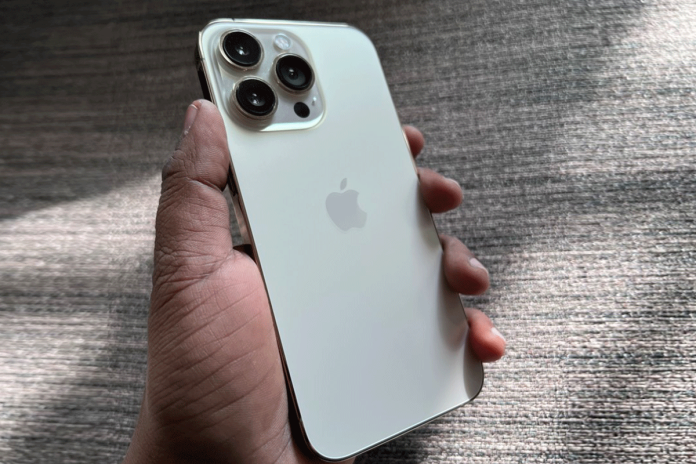
iPhone13 pro
iPhone13 pro

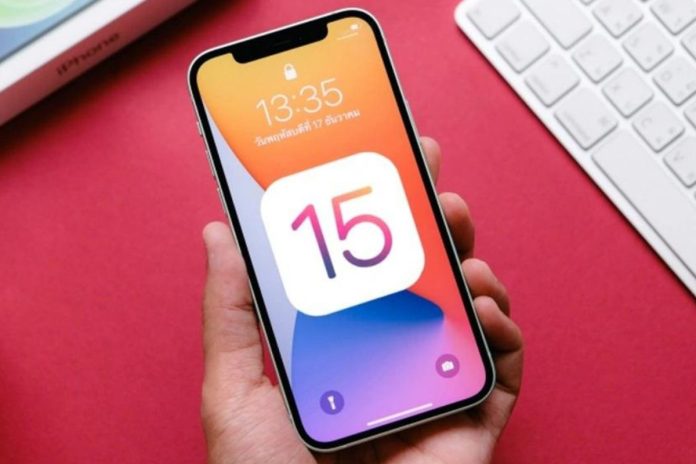
Apple users have a chance to rejoice as they are going to get a new update in their iPhone models like iPhone 12 and iPhone 13 among others. It isn’t just limited to phones but tablets as well.

Apple has good news for iPhone and iPad users galore as they’ve released iOS 15.6 and iPadOS 15.6, which is going to bring an interesting change as the update is one of a kind in the past few years.

Ever since the iOS 16 public beta update became available for users, this new update too had been doing the rounds and has come out mere days after the public beta update that has made users happy.

With the official release of iOS 16 just a few months away, it can be said that iOS 15.6 and iPadOS 15.6 update may be there last update before iOS 16 comes out but it has created a buzz amongst users.
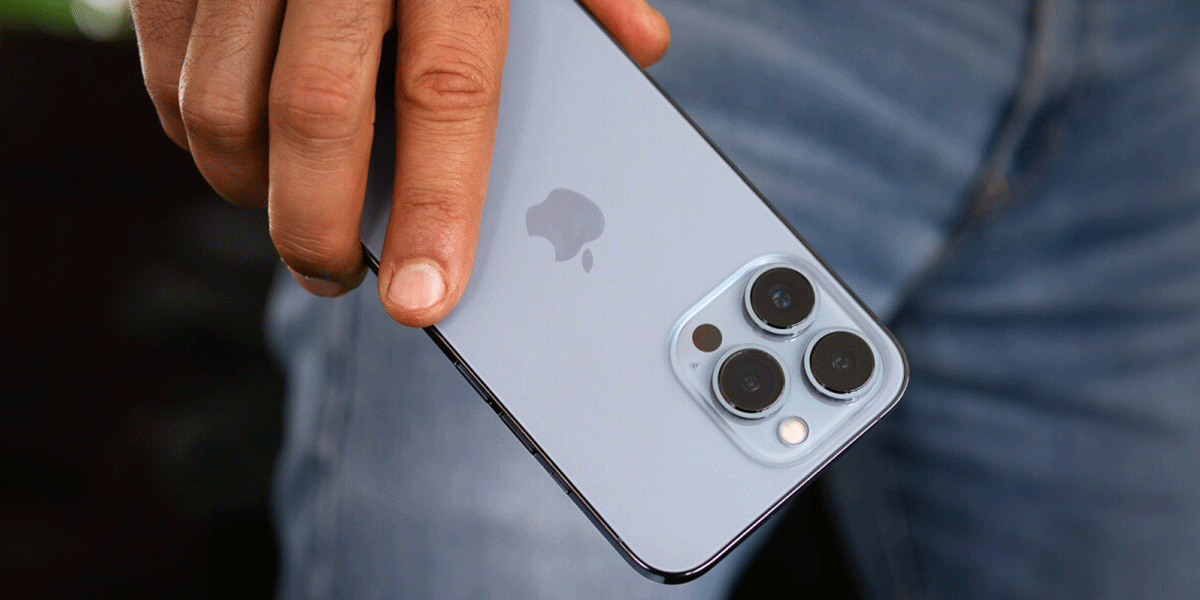
iPhone 13 pro
 

Description

With the new update, users can add the option to stop and restart a live sports game that is already in progress. They can pause, rewind and fast forward the game at leisure in the Apple TV app.

This new update is quite useful due to coming with multiple bug fixes and can easily fix bugs that show device’s storage is full even if it is available. Apart from that, iOS 15.6 is adept at fixing issues that causes a slow down in braille devices or when there isn’t any response while navigating text in the Mail app.

The iOS 15.6 and iPadOS 15.6 update are free for all users where anyone that has an iPhone 6S or later versions can go to ‘Settings’, tap ‘General’ and then ‘Software Update’ to first download and then install the new update.

Just to be on the safe side, it is better to take a backup of all your data before installing iOS 15.6 and iPadOS 15.6 on your iPhone and iPad as certain users have expressed skepticism regarding the update.

All in all, this new update will prove to be extremely useful for Apple users in many ways that they can find out once they start using it on a regular basis and get used to it similar to other features.

Also Read Here: Apple iPhone 14 series to be unveiled in a few months
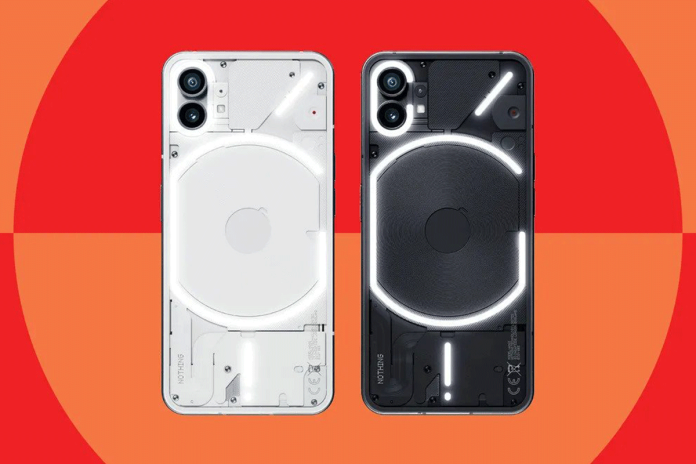
Nothing Phone 1 to Go on Sale in India

0
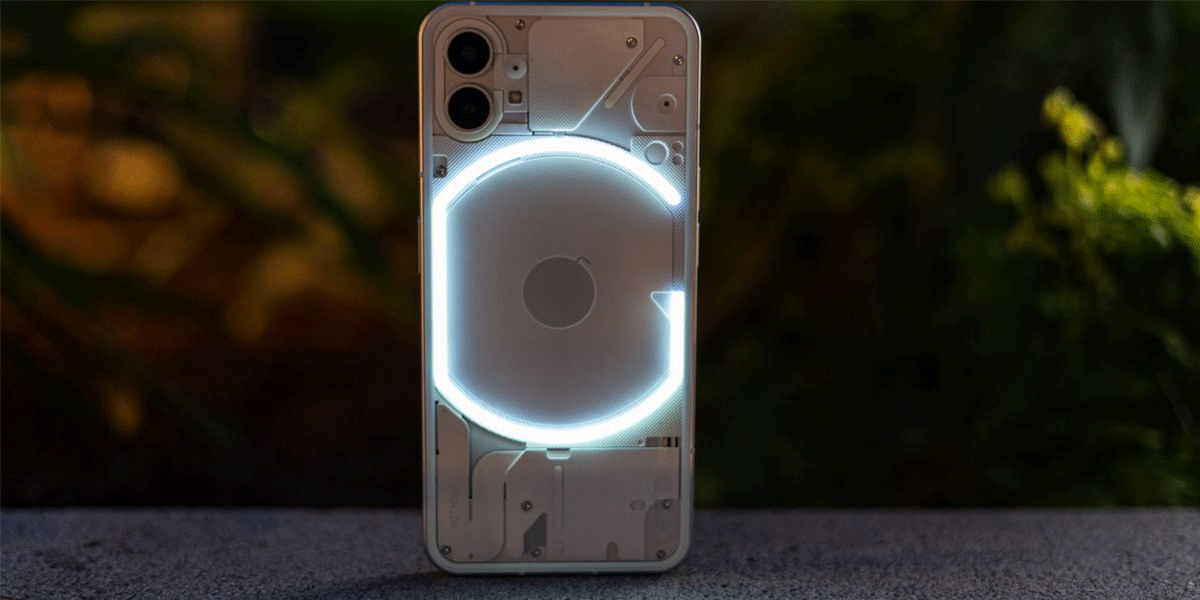
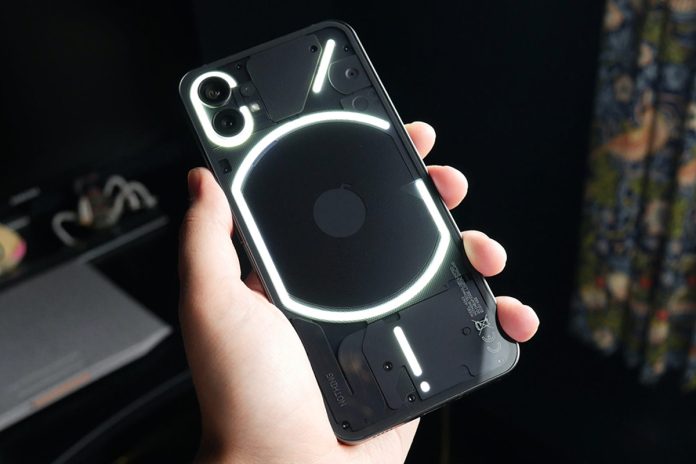
Nothing Phone (1)
Nothing Phone (1)

After a long period of anticipation, Nothing Phone 1 is all set to go on sale in India on July 21, 2022 at 7pm IST where it became the first smartphone from Nothing, a London-based company, to launch in India a week back.

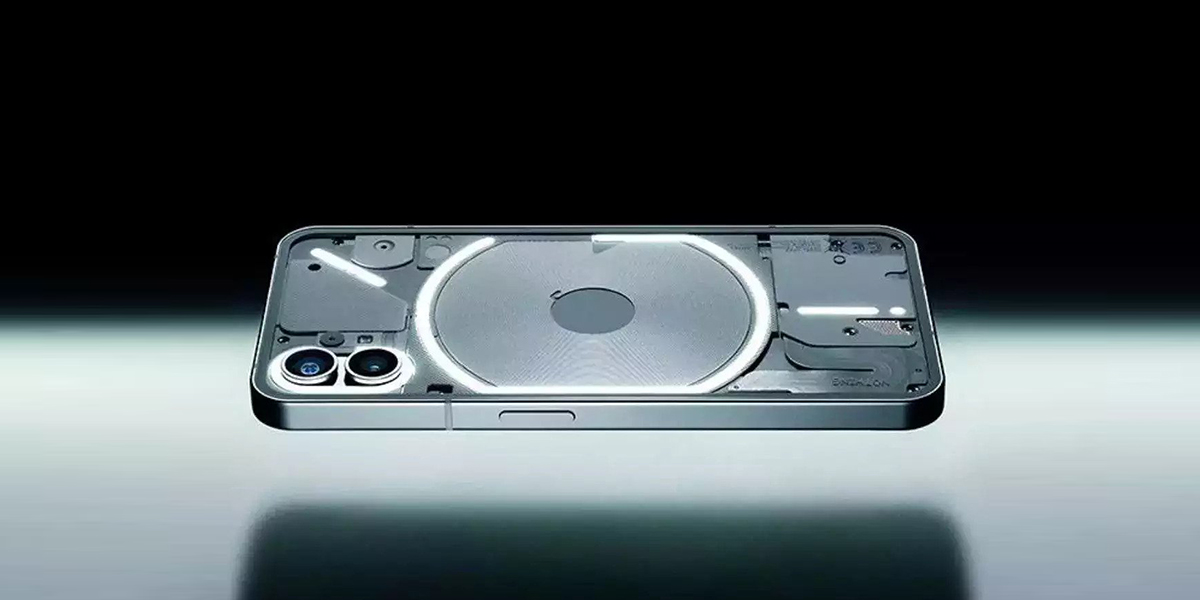
The handset has a 6.55 inch display screen with 120Hz refresh rate, 4,555mAh battery that comes with a 33W fast charging and a Qualcomm Snapdragon 778G+SoC. Apart from these features, it has a unique design at the surface and a back panel that is transparent.

The starting price for Nothing Phone 1 in India is Rs 32,999 for an 8GB RAM and 128GB storage variant and Rs 35,999 for an 8GB RAM and 256GB storage variant. When you take the variant that is at the top of the line i.e. 12GB RAM and 256GB storage, the handset costs Rs 38,999.

The colour options available are black and white where you can purchase it from Flipkart at 7:00pm on July 21, 2022 where consumers can also purchase other accessories necessary like a Nothing Ear 1 TWS earphones, 45W power adapter and a back cover/screen protector.

Nothing Phone 1
 

Key Specifications      

With a screen size of 6.55 inch full HD+ OLED display, Nothing Phone 1 runs Android 12 with a refresh rate of 120Hz where the back and front of the handset has glass protection from Corning Gorilla, a company that develops manufactures chemically strengthened glass.

For people fond of clicking pictures and taking videos, this is a perfect option for you to pick as it comes with a dual camera setup that has two 50 megapixel sensors where the first one, SONY IMX766, is paired with f/1.88 aperture lens that comes with strong image stabilization, which are OIS and EIS.

The second sensor Samsung JN1 that is paired with f/2.2 aperture ultra-wide angle lens. When it comes to inbuilt storage, Nothing Phone 1 has up to 256GB UFS 3.1 storage capacity aside from the aforementioned features.

An important feature that it possesses is that it comes with facial recognition that works even when your face is covered unlike other devices and this is a big reason why many people want to try it out.

Nevertheless, it remains to be seen how soon it caters to its loyal users because only time will tell whether it turns out to be successful but if initial reports are anything to go by, it seems like sales are going to go up after 7:00pm.

Also Read Here: Nothing Phone 1 Pre-book via Flipkart at Rs 2000

How to install the Nothing Launcher

0
How to install the Nothing Launcher

Android launchers are apps that can season up your phone’s home screen or act as a particular adjunct. One of the latest launchers is the Nothing launcher from the notorious phone maker- Nothing.

Nothing, which was innovated by the former director & co-founder of One Plus, Carl Pei, is a mobile company that has revolutionised the smartphone industry.

Requirements:

You can find the Nothing Launcher on the Google Play Store in the form of a beta figure. Unfortunately, unless you enjoy a Google Pixel5 or six or a Samsung phone from the S21 or S22 models you will get a compatibility issue.

If you do have one of these devices, you can download the launcher. Nothing has said that it will add compatibility to further phones soon.

How to install the Nothing Launcher

How to install the nothing launcher:

Let us see the steps to install the nothing launcher.

  • Open the Google Play Store and search for’ Nothing
  • Tap the applicable result, also choose’ Install’
  • Formerly installed, open Settings> Apps> dereliction apps> Home app.
  • Tap on’ Nothing Launcher’ to switch

That is it, you now have access to the Nothing launcher. However, if you do not have one of these phones and want to download the Nothing launcher, worry not, for there is another way for you to install the launcher.

Several users have had success installing the Nothing Launcher through an APK file. Thanks to APK Mirror, you can now have a feel of the Nothing Launcher on your phone. Any device running Android 10 and above should have no problem in installing the launcher.

Still, since this is a beta version that we are installing on technically unsubstantiated tackle, anticipate many bugs then and there.

Voila! You can now set up your home screen. Hope this article helped you to download nothing launcher on your device.

Also Read: Nothing Phone (1) – Customers report several glitches and issues

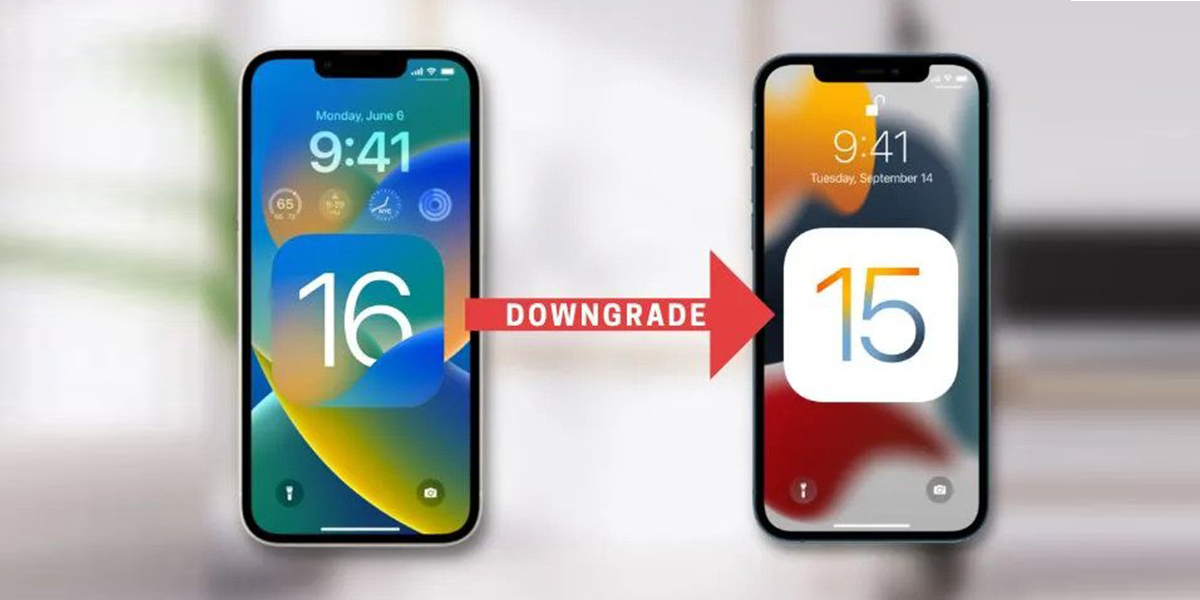
How to Downgrade from iOS 16 to iOS 15 Without Losing Data

0
How to Downgrade from iOS 16 to iOS 15 Without Losing Data

There are few interesting things about the latest iOS 16 version. The hottest topics in the iOS world right now is mainly about iOS 16. Many iOS users want to get their hands on this latest iOS 16. However, as with every latest version which is still in its developmental stages the users come across a lot of errors and are unstable which might frustrate the users and the users might downgrade to its previous version of iOS 15.

Back up your iPhone before downgrading  iOS 16 Beta to iOS 15

When you try to downgrade iOS 16 beta to the previous iOS, you will lose your iPhone data. Therefore, the first thing to do is back up the data on the device. With this, you can easily restore your data when the operating system downgrade is done.

  1. On your iPhone, go to “Settings” and click on the profile name. Search for “Find My” on the page and make sure it’s disabled. You’ll be prompted to enter your Apple ID and passcode before completing the process.
  2. Then, using a USB cord, connect your iPhone to your desktop. You could be asked to “trust this computer.”Click “Trust” and enter your password.
  3. Next, launch the iTunes app on your computer and go to the “Summary” page on iTunes.
  4. Then go to the backup field and then select “This computer” as the preferred location to create the backup of the all the files. A local backup of all your files will be created. 

How to Downgrade from iOS 16 to iOS 15 Without Losing Data

After backing up your data, The process of  downgrade from iOS 16 beta to 15 without losing any of your data. In the following method, this are the trusted ways that you can rely on. The users must make a note that the entire process requires Computer and the process cannot be completed without the help of Computer.

  1. Launch the browser on your computer and visit https://ipsw.me/ in order to download the official iOS 15.5 firmware and follow the below steps.
  2. On the website, go to the iPhone section and select your iPhone model. Select the latest IPSW file and press “Download” to download it to your computer.
  3. Now open iTunes on the computer and hold the “Shift” key on the keyboard. Now click on “Restore iPhone”.
  4. A window will appear on the screen. Select the downloaded IPSW file.
  5. Open the file and you’ll see “iTunes will erase and restore iPhone to iOS 15.5 version and verify the restore with Apple” on the screen.
  6. Click on “Restore” to start the downgrading process of iOS 16. The downgradation process will be shown on the screen. After downgrading, you need to set up your device as new. When setting up at this point, select “Do not transfer apps and data” option.
  7. Confirm the downgrade in the Settings app.

 Also Read: Apple rolls out beta version of iOS 16 and iPadOS 16, here is how you can install it


Here’s How to block tracking emails on different platforms

0
How to block tracking emails on different platforms

Have you ever wondered why our email inboxes are flooded with annoying marketing emails that aren’t attempting to sell anything. These marketing mails use embed tracking codes inside the email using programmes like Mailchimp. These mails keep their tabs on to track down whether you have opened the message, when you did, and where you were when you did.

With the widespread use of tracking pixels, senders can track on when and how many times you have opened their emails. They are even able to track the mails that were forwarded the mails received from the trackers.

As we all know there’s a solution to every problem. We have to find the right solution to in order to fix the problem. By following to the below-mentioned instructions you can protect your online privacy.  Here is a simple tutorial on how to stop email tracking.

How to block tracking emails on different platforms

How to block tracking emails on different platforms

Apple Mail on iPhone

 Apple included a new Mail Privacy Protection function in iOS 15. This “masks your IP address so senders can’t correlate it to your previous online activities or establish your location,” according to the business. Additionally, it stops senders from knowing when you open an email they sent you.

Steps to block email tracking on iPhone

  1. Open Settings
  2. Activate Protect Mail Activity under Mail > Privacy Protection.

On Apple Mac  Mail

 Open Mail

  1. Click on Select Mail > Preferences.
  2. Then enable the Protect Mail Activity option in order safeguard your mails from trackers.

Gmail on Android

 In the upper-left corner, tap on the three lines.

  1. Go down the page and choose “Settings.”
  2. Select the email account you wish to set up by tapping on it.
  3. Go down the page and click “Images.”
  4. Click on “Ask before displaying additional images” option.

Gmail on the Web

 To access your options, click on the gear icon in the top-right corner and then select “See all settings.”

  1. Scroll down to “Images” in the first tab.
  2. Click on “Ask before displaying additional images”
  3. Click on “Save Changes” at the bottom of the page after scrolling down.


Tech News Wrap: Garena Free Fire Max Codes for July 21…and more

0
Tech News
Tech News

Garena Free Fire Max Codes for July 21

 When it comes to the best video games, you’re really spoilt for choice as there are so many good ones out there that you simply cannot jot it down to a top 5 or top 10. Regular players of the game play it for different reasons like some do it for the rewards while others for the sheer joy of it.

Free Fire

Garena Free Fire Max falls into the category of those games where you can get both rewards and the sheer entertainment value that every gaming aficionado desires while playing his favorite game.

Anyone who is a fan of the game would know that it has little competition from any other game of current times when it comes to enjoyment and excellent rewards. But that isn’t all there is to it.

No matter how excellent any game might be or how big a player you are, there comes a time when you need cheat/redemption codes to sail through and Garena Free Fire Max is no exception in this regard.

Garena Free Fire Max Redeem codes for July 21, 2022 are as follows:

  • RHUV-SWWV-N9G4
  • FBJ9-MTXB-9XAP
  • 5R8S-AGS5-MCK5
  • 2K5A-WHD3-FKWB
  • XKVJ-M65A-NPUQ
  • AMCT-7DU2-K2U2
  • LQ6Q-2A95-G29F
  • 26JT-3G6R-QVAV
  • A46N-U6UF-Q2JP
  • 6LU6-9JJZ-J7S8
  • FAG4-LHKD-92GZ
  • HDQK-XDFJ-7D4H
  • Z2FB-HASU-3VXS
  • 4UBY-XPTW-ERES
  • FXDS-TSWY-QTJ9
  • BKSK-ECCM-JZEB
  • L8LN-F5WK-2YPN
  • QA97-CXS2-J0F0
  • W73D-61AW-NGL2
  • UK2P-Z3NF-GV5U
  • NLCB-6S92-K2DE
  • TPNA-MS84-ZE8E

Also Read Here: Garena Free Fire OB34 Update: How to download for iOS, Android, PC, and APK

Pre-Orders for Google Pixel 6a, Pixel Buds Pro open in India

Pixel phones have been quite successful in the Indian market and the good news is that Google Pixel 6a has opened up for pre-orders in India thereby putting an end to the suspense and speculations regarding its release that had been going on for some time.

Google Pixel A

The Pixel 6a was announced back in May of 2022 at a Google I/O conference and it is the newest Pixel device to be launched in India after Pixel 4a in 2020 but this is only half the information.

Along with Pixel 6a, we also have Pixel Buds Pro gearing up for launch where its starting price is going to be Rs 19,990 while Google Pixel 6a is going to cost Rs 43,999 but if you’re an Axis Card holder then you can get it at Rs 39,999 during the pre-booking period.

The smartphone will be open for sale from July 28, 2022 with Google offering Rs 6,000 as exchange bonus for any pixel device and select models of smartphone or Rs 2,000 exchange bonus for any other phone.

There is a good offer where if you purchase a Nest Hub Gen2 or Pixel Buds Series A along with a Pixel 6a you can get all of them for Rs 4,999. You can get Pixel 6a with a three month trial of YouTube Premium and Google One while Pixel Buds Pro can be purchased in India on Flipkart from July 28, 2022.

OnePlus 10T 5G set for launch on August 3

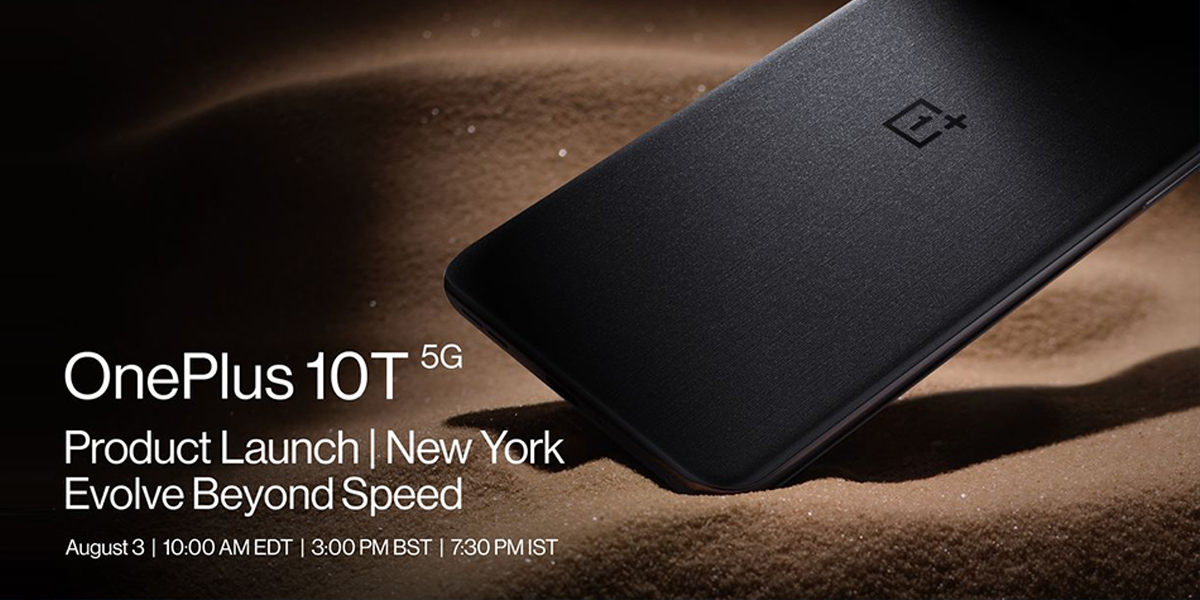
OnePlus has been on a roll for quite some time and is all set to launch its second global flagship smartphone of 2022, which is OnePlus 10T 5G that will come out on August 3, 2022 at 7:30pm IST.

One Plus

GSM Arena has reported that 10T 5G will come out in three RAM options- 8GB, 12GB and 16GB- and two storage variants, which will be 128GB and 256GB that carries the tagline ‘Evolve Beyond Speed’ and will also be powered by Qualcomm Snapdragon 8+Gen1 platform.

The colour options are interesting as well- Jade Green and Moonstone Black rather than the regular Red and blue ones that are so prevalent with other smartphones. This is going to be a gamechanger of sorts as makers have great hopes that it will be a success amongst users.

As an added bonus, OxygenOS 13, a new operating system, will also launch along with OnePlus 10T 5G that will give the smartphone a smooth and fast experience. Also, a brand new design will give it a polished look to go well with enhanced security measures.

LG announces new Gram series laptop for 2022

When it comes to LG devices, they have achieved universal success worldwide and most specifically in India as it is one of the biggest markets for not just LG but almost every other big tech company in existence.

LG Gram

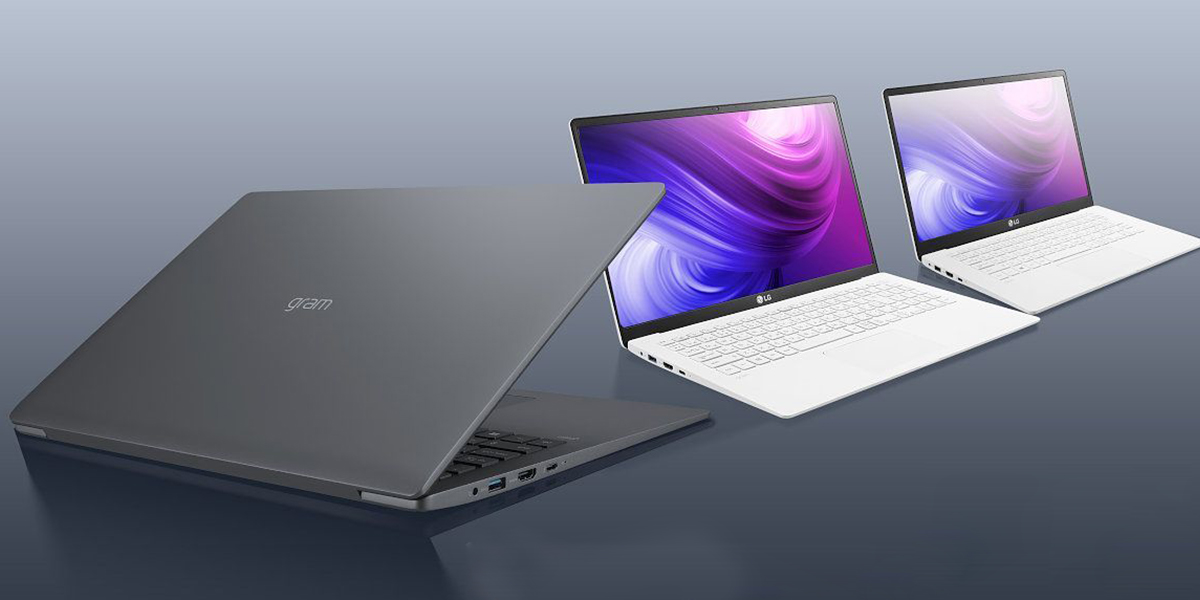
LG has launched its new edition of Gram series laptops for 2022 in India where you can get them in three different sizes viz. 14-inch, 16-inch and 17-inch but one of the biggest plus points of Gram laptops is that their portable and lightweight.

Even though the new ones will have large display screens to their credit they are going to be ultra-light and ultra-portable where LG has guaranteed that they’ll perform phenomenally.

The Amazon Prime Day sale is taking place on July 23-24, 2022 and LG has chosen the specific day to launch four new Gram model laptops that include LG Gram 17, 16 and 14. They have revealed that LG Gram 2022 model will be available at a starting price of Rs 94,999 though they’ve yet to reveal the individual prices of the models.

The laptops will be powered by 12 Gen Intel CoreTM with i7 processor and LPDDR 5 RAM that will give it high speed. There are other features that are going to be revealed on the launching day so it will be interesting to see what all we’ll get to learn.

Also Read Here: LG launches 2022 range of Gram laptops under the premium category

Snapdragon 8 Gen 1 vs Snapdragon 8+ Gen 1- What is the best option?

0
Snapdragon 8 Gen 1 vs Snapdragon 8+ Gen 1

Looking to buy a mobile and wondering what snapdragon is and which one is the best? Worry not, in this article you will find out not just which is the best processor but also what a processor is.

For the unversed, snapdragon is a suite of system-on-a-chip semiconductor products for mobile devices designed and marketed by Qualcomm Technologies Inc.

The brain of your smartphone is the CPU. Every command is received and carried out, and billions of computations are made every second. Every application you use, including the camera, audio player, and even a basic email software, is directly impacted by the processor’s performance.

Now if you’re wondering how to find out which snapdragon chip is, here’s the answer.

Snapdragon 8 gen 1

Qualcomm unveiled the Snapdragon 8 Gen 1 chipset at Snapdragon Tech Summit in December 2022. This is the company’s flagship chipset and that which will power most of the flagship phones of 2022.

It’s not just about a new nomenclature, but the SD8 Gen 1 claims to be up to 4x faster in AI computations, 30% faster in graphics rendering, and 25% more power-efficient than the Snapdragon 888 SoC. The newcomer also comes equipped with the world’s first 5G modem-RF solution that is capable of hitting 10Gb download speeds on a supported network.

Snapdragon 8 Gen 1 vs Snapdragon 8+ Gen 1

Snapdragon 8+ Gen 1

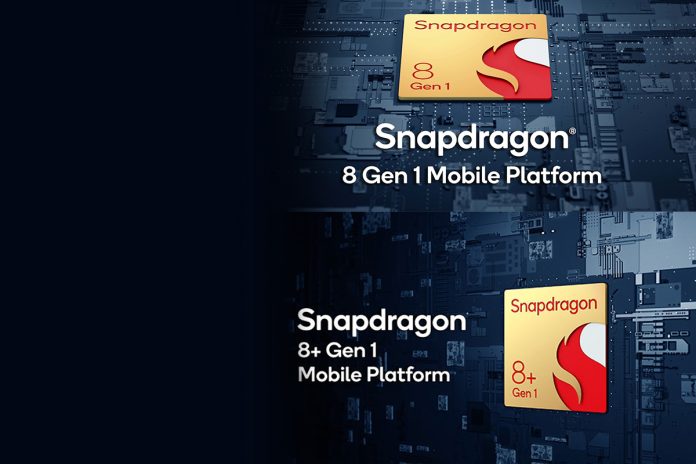
Snapdragon’s new version of its flagship chipset the Snapdragon 8 Gen 1 is the Snapdragon 8+ Gen 1 which was launched in May 2022. Qualcomm confirms that the new chipset improves upon key issues with the Snapdragon 8 Gen 1, while also improving on its performance.

Comparison

Qualcomm claims that compared to the SD 8 Gen 1, the SD 8+ Gen 1 offers 10% better CPU performance and 10% faster GPU clock. But what’s quite impressive is the expected 30% better power efficiency of the two – this is a result of the TSMC’s more efficient fabrication process.

Verdict

The Snapdragon 8+ Gen 1 shows better than that of the Snapdragon 8 Gen 1. So obviously the better choice is Snapdragon 8+ Gen 1.

How To Remix Snaps On Snapchat In A Few Simple Steps

0
The interactive features such as daily streaks keeps its users connected in using the app on a daily basis.

The popular instant messaging app with multiple features Snap Chat has been at the forefront as one of the most used messaging apps over the last couple of years. Snapchat continues to introduce great new features to keep users intact. The interactive features such as daily streaks keeps its users connected in using the app on a daily basis. A few days ago the app introduced the Remix feature.

The company till date has a net worth of $22.78B since its launch in 2016. The app has 493.7 million users worldwide and is the fourth largest social networks besides Facebook, Instagram, Twitter, and Tik Tok. 29.9% of the app’s users are from Asia. The app has gained a lot of users in India after the ban of Tik Tok.

What is Remix Snap Feature?

The new Remix Snap feature allows you the users to create new Snaps based their friends’ Snaps or even on their old Snaps. The app allows you to save your own Snap along with the original snap as it plays, the feature is much like the feature of TikTok’s Duets.

The new feature allows you to save and send replies to Snaps from other Snapchat users on Android and iPhone. The users can save remixes to your friend’s chat window, but you can’t upload your Snapchat remix yet. It is expected that  Snapchat will soon update this feature.

The interactive features such as daily streaks keeps its users connected in using the app on a daily basis.

Lets get started on how to use the new feature of Remixing the snaps. In order to remix a snap on snapchat follow the mentioned steps

Step 1 – Click on the Stories tab

Step 2 – Select the snap that you want to remix

Step 3 – Tap the three vertical dots icon in the top right.

Step 4 – Select on the remix snap option

Step 5 – Choose exclusive frames from the format menu at the left to spice matters up.

Step 6 – Edit your Snap as you normally would.

Step 7 – You can add GIFs or  choose from stickers from a wide array of collections, add filters to the snap.

Step 8 – Tap on  the Send icon to share your remixes to your friends.

To remix old snaps click on the  memories tab and  select a Snap. After selecting the snap follow the same steps as mentioned above. The point here is that you can’t save or share Snap Remixes that you create from your friends’ Snaps. Otherwise, you can save, share, and send mixes that you create with your own memories.

 Also Read: How to use the shared stories feature on Snapchat

Planning to buy a new TV, check out the list of five 50-Inch TV under Rs50000

0
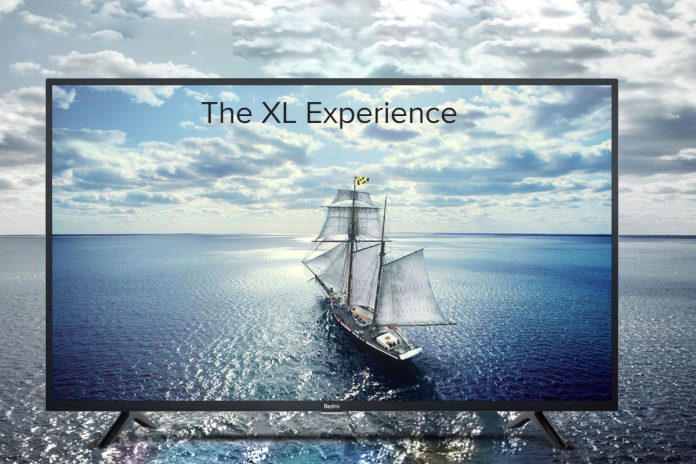
mi-tv
mi-tv

Television has become a necessity in our day-to-day life. We always want a television for our families which is fully loaded with more and more features in an affordable range, and this deal is hard to crack.

While planning to get a new TV, it is needed to put our eyes on different angles with many different perspectives. Here is the list of best five premium yet affordable smart UHD 50 inch television available in the market:

Scape 50 Inch TV

A 50 inch smart TV by Bengaluru-based brand Scape offers a frameless screen with 4K Ready Resolution and the list includes the hero model the UHD 50-inch UHD 4K Smart LED TV.  Priced Rs 35,500, the smart TV by Scape comes with 2500 PMPO (BOX SPEAKER) with surrounding DOLBY with AMP chip, Android version of 11. Available in nine states at more than 500 retailers, Scape TV ensures 2 GB RAM and 16 GB ROM with an IPS panel with a 4K HDR Processor.

With inbuilt wifi of 2.4GHz, 2 USB, 2 HDMI, and 1 EARPHONE OUTPUT, Scape TV is loaded with many supported apps such as Netflix, Sony Liv, Amazon Prime Video, Lattu Kids, Eros Now, YouTube, Hungama Play, Disney+ Hotstar and many more.

MI 50 Inch TV

Powered by a quad-core Amlogic Cortex A53 processor and equipped with 2GB RAM and 8GB of internal storage, Mi TV is available in the market with 4X features in a 50-inch 4K UHD display with HDR 10 support. Featuring company’s Vivid Picture Engine that delivers excellent colour accuracy, vibrancy and an audio output of 20W with Dolby Audio support, Mi TV is priced Rs29,999. The Mi TV comes with three HDMI ports and two USB ports. It runs on Android 9.0 and comes with PatchWall 3.0, allowing users to download different apps and games. MI 50 inches is available on different online shopping sites like Amazon and Corma.

Westinghouse

The next affordable and feature packed TV is Westinghouse. The brand offers 50-inch UHD/4K TVs at Rs 27,999 and it supports 2 GB of RAM, 8 GB of ROM, 3 HDMI ports, and 2 USB ports, which are on par with high-end TVs in the market.

With HDR10, and Chromecast, Westinghouse TV ensures that users enjoy every visual in sharp details and vivid colours. Equipped with two speakers, a digital noise filter, and a 40-watt speaker output that supports surround sound technologies, the TV promises an immersive aural experience.

Users can access multiple apps and games through the Google Play Store through Westinghouse TV, powered by the Android operating

Powered by the Android operating system, Westinghouse TV gives access to multiple apps and games through the Google Play Store. The TV comes pre-loaded with Amazon Prime, YouTube, and Sony Liv with a single touch of the remote. It carries a price tag of Rs 27,999.

500 nits of brightness, bezel-less design, 4K resolution, Google Assistant, IPS panel, dual-band wi-fi, 6000+ apps & games, sleek design with alloy stands are prominent features of the television, exclusively available on Amazon.

LG 50 Inch TV

With a slim design and a 4K Ultra HD LED display, LG TV has a slim design and a 4K Ultra HD LED display. With its Quad-Core Processor, LG TV is three times faster than a traditional TV, and offers smoother multitasking, faster web browsing, and faster boot-up. Some of its features include 4K WebOS Smart TV, AI ThinQ, and built-in Google Assistant and Alexa are some of the prominent features of the LG TV priced Rs43,990.

Also, Read Here: LG unveils OLED TV lineup in India, aims to increase footprint in premium TV segment

OnePlus 50 Inch

With extreme colour accuracy and a wider range of tones, users can unlock stunning picture quality every time they press play. With top-notch designed 50-inches OnePlus TV can display over one billion brilliant colours due to its 10-bit colour depth. With a screen-to-body ratio of up to 95.7%, the bezel-less display of OnePlus TV offers an immersive viewing experience. Priced Rs40,990, the OnePlus TV can be bought from Vijay Sales, Croma, Amazon etc.