Home Blog Page 907

iQOO Z7 5G sale starts today in India: Check Out Starting Price, Specifications, Availability & Sale Offers

0

HIGHLIGHTS

* The iQOO Z7 5G will go on its first sale today in India.
* The device features a 90Hz refresh rate AMOLED panel, a 64MP OIS main camera, and a MediaTek Dimensity 920 processor.
* The iQOO Z7 price in India was announced on March 17th.

Last week, iQOO confirmed the iQ0O Z7 5G’s price for the Indian market.

This device is different from the Snapdragon 782G-powered iQ0O Z7 that went official in China yesterday.

The Indian variant features the Dimensity 920 chipset among other specifications.

iQOO Z7 5G

At 1pm (local time), the iQ00 Z7 5G will be available for purchase for the first time in the Indian market.

iQOO recently took the wraps off its iQ0O Z7 5G mid-range offering in India.

The iQOO Z7 5G comes with features like 44W fast charging, a MediaTek Dimensity 920 processor, a 90Hz refresh rate AMOLED display, and a 64MP main camera with support for OlS, and the device will go on its first sale today in the country.

Here is a look at the specifications, features, and price of the device.

Commenting on the launch, Nipun Marya, Chief Executive Officer – iQOO, said, “The response we have witnessed for the previously launched Z series products was truly overwhelming. Our consumer’s trust in our product helps us bring new path breaking performance-oriented smartphones that not just satisfies the needs of our consumers but are segment leading in multiple aspects.

At iQOO, we always strive to provide the best technological innovation to our consumers in India. After launching two powerful devices this year, we are here with yet another power packed device – iQOO Z7. We are confident that this device will prove to be the flag bearer of #FullyLoaded performance in the segment featuring segment’s first and best MediaTek Dimensity 920 processor, 64MP OIS camera and much more”.

iQOO Z7 5G Price in India, Bank Offers, Availability & Colours

iQOO Z7 5G

The iQOO Z7 5G is priced at Rs 18,999 in India for the 6GB RAM and 128GB storage variant.

There is another variant of the device, which has 8GB RAM and 128GB storage, and is priced at Rs 19,999.

The brand is offering a flat Rs 1,500 discount to the interested buyers, who book the device using an HDFC or SBI card.

Both debit card and credit card transactions are eligible for the discount, and the net-effective price of the iQOO Z7 5G’s base variant trims down to Rs 17,499.

iQOO Z7 5G

The sale will start at 1 PM today in India, and the device can be bought via Amazon India and iQOO’s own website.

There will be two colour variants to choose from – Pacific Night and Norway Blue.

iQOO Z7 5G Specifications

iQOO Z7 5G

Coming to the specifications of the device, the iQOO Z7 5G has a 6.38-inch AMOLED display with a 90Hz refresh rate.

The device makes room for a 16MP selfie camera, which sits inside a waterdrop notch.

At the back, the iQOO Z7 5G has a 64MP main camera with OIS support and a 2MP secondary camera.

Powering the iQOO Z7 5G is an octa-core MediaTek Dimensity 920 processor, which is coupled with up to 8GB RAM and 128GB internal storage.

Speaking of the battery of the device, the iQOO Z7 5G has a 4,500mAh battery with support for 44W fast charging over a USB Type-C charging port.

Lastly, the iQ0O Z7 5G runs the latest Android 13-based FunTouchOS 13 skin out of the box.

IQOO Z7 Key Specifications

iQOO Z7 5G

SUMMARY

Processor Chipset Qualcomm Snapdragon 780G
RAM 8 GB
Rear Camera Triple (64MP + 8MP + 2MP)
Internal Memory 128 GB
Screen Size 6.58 inches (16.71 cms)
Battery Capacity 4500 mAh

PERFORMANCE

Chipset Qualcomm Snapdragon 780G
No Of Cores 8 (Octa Core)
CPU 2.4GHz, Single core, Kryo 6702.2GHz, Tri core, Kryo 6701.9GHz, Quad core, Kryo 670
Architecture 64-bit
Fabrication 5 nm
RAM 8 GB
Graphics Adreno 642

DESIGN

Screen Unlock Fingerprint, Face unlock

DISPLAY

Resolution 1080 x 2400 pixels
Aspect ratio 20:9
Display Type IPS LCD
Size 6.58 inches (16.71 cms)
Bezel-less display Yes, with Punch-hole
Pixel Density 400 pixels per inch (ppi)
TouchScreen Yes, Capacitive, Multi-touch
Color Reproduction 16M Colors

CAMERA

Rear camera setup Triple
Rear camera(Primary) 64 MP resolutionWide Angle lensf/1.8 aperture26 mm focal length
Rear camera(Secondary) 8 MP resolutionUltra-Wide Angle lensf/2.2 aperture
Rear camera(Tertiary) 2 MP resolutionMacro lensf/2.4 aperture
Front camera setup Single
Front camera(Primary) 16 MP resolutionWide Angle lensf/2.0 aperture
Flash LED Rear flash
Video Resolution(Rear) 1920×1080 @ 30 fps
Video Resolution(Front) 1920×1080 @ 30 fps
Camera Features Auto FlashAuto FocusFace detectionTouch to focus
Shooting Modes Continuous ShootingHigh Dynamic Range mode (HDR)

BATTERY

Type Li-Polymer
Capacity 4500 mAh
Removable No
Fast Charging Yes

STORAGE

Internal Memory 128 GB
Expandable Memory Yes, microSD, Up to 512 GB (Dedicated)

SOFTWARE

Operating System Android v11
Custom UI No

CONNECTIVITY

SIM Configuration Dual SIMSIM1: NanoSIM2: Nano
Network SIM1: 5G, 4GSIM2: 4G
SIM1 Bands
4G:TD-LTE 2300(band 40) ; FD-LTE 1800(band 3)
SIM2 Bands
4G:TD-LTE 2300(band 40) ; FD-LTE 1800(band 3)
Voice over LTE(VoLTE) Yes
Wi-Fi Yes, with b/g/n
Wi-fi features Mobile Hotspot
Bluetooth Bluetooth v5.2
USB USB Type-C, Mass storage device, USB charging
GPS Yes with A-GPS, Glonass
Infrared Yes

SOUND

Speaker Yes
Audio Jack Yes, 3.5mm
Video Player Yes, Video Formats: MP4

SENSORS

Fingerprint sensor Yes, Side
Face Unlock Yes
Other Sensor Light sensorProximity sensorAccelerometerCompassGyroscope
Faqs on IQOO Z7 

1) What is key specs of IQOO Z7?

Ans) iQOO Z7 5G is powered by the latest 6nm MediaTek Dimensity 930 SoC paired with the new IMG BXM-8-256 GPU. The chipset should offer improved performance over the existing Dimensity 920 SoC.

The phone runs on Android 13 OS out of the box and the company is promising 2 Android OS upgrades and 3 years of security updates. There is a decent-sized 4,500mAh battery with 44W fast charging support.

In comparison, the iQOO Z6 5G featured an 18W charging speed. iQOO Z7 5G sports a 6.38-inch FHD+ AMOLED display with a 90Hz refresh rate, a waterdrop notch for the selfie snapper, 1300nits peak brightness, 360Hz touch sampling rate, and an in-display fingerprint sensor for security.

This is an upgrade considering the iQOO Z6 5G shipped with an IPS LCD screen. Connectivity options include dual SIM 5G, 4G LTE, dual-band Wi-Fi, Bluetooth, GPS, and a USB Type-C port.

Moving to optics, the iQOO Z7 5G has dual cameras on the back, with a 64MP ISOCELL GW3 primary sensor that is aided by OIS and LED flash and a 2MP secondary sensor. There is a 16MP snapper on the front for selfies and video chats.

2) What are the two variants of IQoo Z7?

Ans) iQOO Z7 will come in two variants, including the QOO Z7 5G and the iQOO Z7 Pro 5G, with model numbers I2207 and I2213. The devices were codenamed I2207 and I2213. In China, the iQOO will launch the iQOO Z7 and the iQOO Z7x.

3) What did Nipun Marya say about IQoo Z7?

Ans) The CEO of iQOO India, Nipun Marya, recently teased a new smartphone from the company on social media. The smartphone is part of the Z-series, and is called the iQOO Z7. The image he posted showed a smartphone covered with a veil, and had the letters “Z7” in the background.

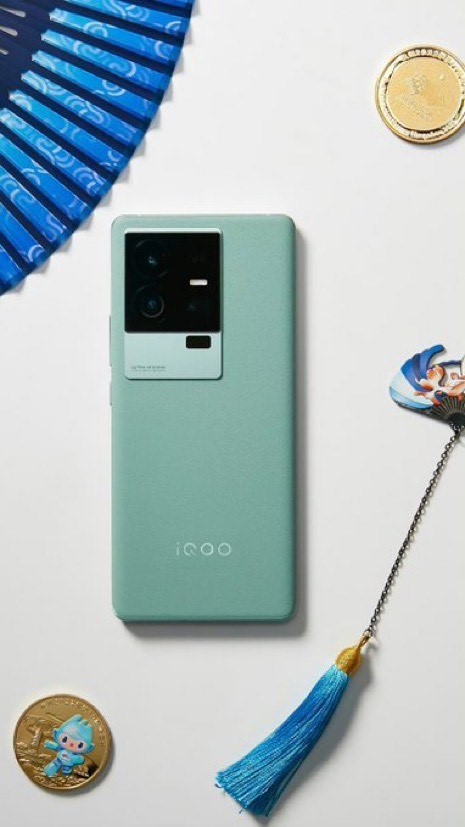
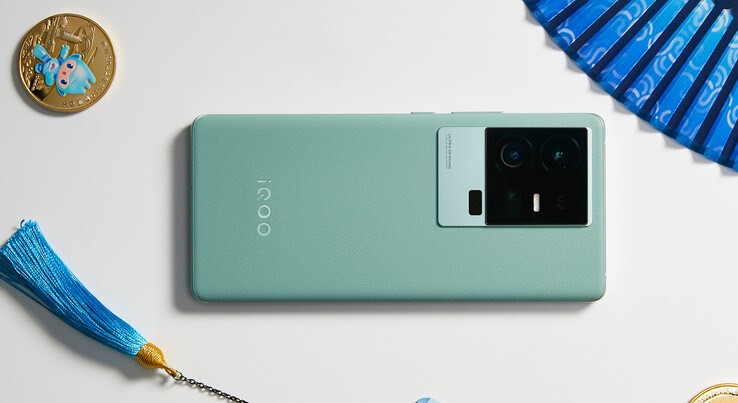
The picture showed the back of the phone, which had a rectangular camera module with two sensors, and also had OIS. The iQOO branding was at the bottom centre of the panel.

4) What do the live images of IQOO Z7 show ?

Ans) The image in the tweet shared by Marya reveals the back panel design of the iQOO Z7.
It looks similar to the last year’s Vivo T1x with a rectangular camera module housing two vertically stacked sensors. Upon a closer look, the image confirms the presence of OIS on the smartphone.

There is also a text ‘Photography High Definition’ written alongside the LED flash. There is an iQOO branding at the bottom centre of the back panel.
Lastly, the upcoming offering is seen in Teal colour and we can expect more options at launch.

5) What will set the Z7 apart from its competition in India?

Ans) The Z series is specially curated for the youth who love high performance with innovation at accessible price points.

In terms of performance, iQoo Z7 comes equipped with one of the most powerful processors, the MediaTek Dimensity 920 5G mobile platform.

This smartphone can achieve an AnTuTu score of 480,000 i.e., amongst the highest in the segment.

The ultra-bright AMOLED display and in-display fingerprint capabilities of the smartphone will further build on our consumer’s experience. iQoo Z7 is going to bring an exceptional photography experience with India’s first 64-megapixel OIS camera system in the segment.

6) What price segment will the Z7 compete in and what is its USP?

Ans) iQoo Z7 will be available for Indian consumers in the sub-Rs. 20,000 price segment with USPs such as its MediaTek Dimensity 920 SoC, AnTuTu score of 480,000+, an ultra-bright AMOLED display, and a 64-megapixel OIS camera. There is even more to the Z7 than these features, which will be revealed on the launch day, March 21.

7) What is IQOO Z7 Price in India?

Ans) The iQOO Z7 5G is priced at Rs 18,999 in India for the 6GB RAM and 128GB storage variant. There is another variant of the device, which has 8GB RAM and 128GB storage, and is priced at Rs 19,999

8) What are the sale offers availabile on IQOO Z7?

Ans) The brand is offering a flat Rs 1,500 discount to the interested buyers, who book the device using an HDFC or SBI card.

Both debit card and credit card transactions are eligible for the discount, and the net-effective price of the iQOO Z7 5G’s base variant trims down to Rs 17,499.

9) What are the colours available in IQOO Z7?

Ans) There will be two colour variants of IQOO Z7 to choose from – Pacific Night and Norway Blue.

10) A  #FullyLoaded Smartphone for A  #FullyLoadedYou -All Details of the Newly Launched IQOO Z7 ?

Ans) #FullyLoaded Performance

The iQOO Z7 5G is powered with MediaTek Dimensity 920 5G Mobile Platform adopts TSMC 6nm process carrying an AnTuTu score of more than 485K+, which allows segment leading performance in the segment.

It also sports an FHD+ AMOLED Display (6.38”) for an immersive visual experience that provides close to natural colors and a peak brightness of 1300 nits (brightest display in the segment) to maintain the steady balance of perfect hues in each visual scene.

The display also offers 90Hz Refresh Rate and 360Hz Touch Sampling Rate for smoother graphics ensuring a lag-free smartphone experience. The smartphone is also equipped with Schott Xensation UP glass protection, IP54 Rating and is HDR 10+ certified.

Z7 is ultra-loaded with a massive 4500mAh battery to ensure a full day of uninterrupted usage combined with a powerful 44W FlashCharge technology.

The FlashCharge features a super charge pump which is fast and stable allowing the smartphone to charge from 1-50% in just 25 mins along with power conversion efficiency.

The device also features 1TB Expandable Storage along with Extended RAM 3.0 that boosts the performance of an 8GB RAM to that of an 16GB RAM – resulting in lag-free switching between different apps with smooth operating experience even with almost 27 apps running in the background.

The all-rounder smartphone also provides the latest Wi Fi 6 and Dual 5G SIM support for enhanced support and power efficiency.

#FullyLoaded Gaming Experience

The gaming beast iQOO Z7 is designed to provide a seamless and immersive gaming experience with segment-leading features such as The Motion Control in the Ultra Game Mode that comes with six motion control options (left hand lifting, right hand lifting, left leaning, right leaning, horizontal forward pressing and horizontal backward pressing) and corresponding illustrations.

Gesture control with gyroscopes, acceleration sensors and other IC characteristics take basic gaming experience to a notch higher allowing more control.

Actions that cannot be realized by using two fingers or even four fingers previously can now be performed through this motion control feature.

This is further powered with 1200Hz Touch Response Rate to achieve 10x touch recognition rate during heavy gaming scenarios and battles. Additionally, iQOO Z7 comes with the Ultra Game Mode for uninterrupted gaming where it lets the users switch between various modes so that you never have to leave your game in any scenario.

Superior Camera Performance with Elegant Design

iQOO Z7 sports India’s First 64 MP OIS rear camera system with GW3 sensor in the segment that is capable of achieving superior image processing to deliver ultra-sharp and clear images in both bright and low light environments.

Additionally, the smartphone camera setup is paired with 16MP front camera and 2MP Bokeh Camera, allowing users to reinvent the consumer’s overall photography experience.

The hybrid image stabilization capabilities (OIS+EIS) of the smartphone helps in shooting scenes in bright outdoor settings, ensuring the stability and smoothness of single frames and across multiple frames, making videos more stable and clearer.

The phone has been specifically designed to provide an unparalleled photography and videography experience to the content creators, who can now make 4K@30 FPS videos to capture moments of their life.

This feature also adds flexibility to the videos with respect to editing. It also features Super Night Mode and captures the true colors and brightness on the go. The Super Night Mode restores the true color and brightness of the scenario and further improves contrast of the output, making night sky shots more colorful.

iQOO Z7 has another interesting feature – Vlog movie that allows users to create story-like video content based on different scenarios with either the front or rear cameras. It includes 8 built-in vlog templates to cover common everyday video scenarios.

It is also equipped with scripts that guide the users on a real time basis on how to move the camera, add special effects, apply filters, add background music and so on.

Additionally, to provide a memorable camera experience to users iQOO Z7 come with several other fun options such as Bokeh Flare Portrait, Dual View Video, Double Exposure, etc. to make the rear camera portrait even more fun to play with creatively.

Wrapped in elegant aesthetics, the stylish iQOO Z7 is packed in ultra-sleek design with solid form factor. iQOO Z6 Lite 5G weighs 173g, 7.80mm thin and comes in two bold and unique color options with beautiful hues – Norway Blue and Pacific Night.

Continuing iQOO’s commitment to ‘Make in India’, iQOO Z7 will be manufactured at vivo’s Greater Noida facility.

Also, to offer hassle free after sales service experience to its valued customers, iQOO customers can now visit any of the 650+ company owned service centres located across the country. Additionally, as per the 91 Mobile’s Great Indian Smartphone Survey 2022; iQOO remained on top position for two consecutive years 2021 – 2022 in customer satisfaction surpassing OnePlus and Apple.

Also Read: iQOO Z7 5G price in India officially revealed ahead of sale on March 21st: Specifications Listed

Also Read: iQOO Z7 price in India, colour options, and storage variants revealed ahead of launch March 21st

Also Read: iQOO Z7 5G India launch date revealed, Price teased by CEO: Check Design & Specifications

Also Read: iQOO Z7 5G Front Design Revealed in Official Poster will feature a waterdrop notch :Launch Date & Specifications

How to Restore Your Deleted Instagram Posts?

0

Highlights

  • Instagram added the “Recently Deleted” feature recently that allows users to restore deleted posts.
  • Instagram users can now restore recently deleted posts using this feature.
  • The deleted posts will be stored in the “Recently Deleted” folder for 30 days before they will be deleted permanently.
  • In this article, we are explaining in detail how to restore your deleted Instagram posts using this new feature along with alternative ways as well.

Did you just delete one of the most precious photos from your Instagram account by mistake? There’s no need to fret.

What if we tell you that you can now easily restore your deleted Instagram posts? Yes, Instagram has added a new feature that lets you restore posts, reels and IGTV videos that you may have accidentally deleted.

In this article, we are explaining in detail how to restore your deleted Instagram posts using this new feature.

Instagram has added a feature in the Settings menu that allows its users to restore photos, videos, reels, videos and Instagram stories they have deleted.

Any posts that you are deleting, Instagram automatically move to the “Recently deleted” folder.

The deleted posts can be restored from this folder within 30 days or up to 24 hours for unarchived stories. After 30 days, posts in the “Recently Deleted” folder will be permanently deleted.

The “Recently Deleted” option is available in the latest versions of the Instagram app on both Android and iPhone devices.

If you don’t see the content you’d like to restore in Recently deleted, the content may be older than 30 days or 24 hours for Stories.

Users must note while deleted posts are recoverable for 30 days, the deleted messages cannot be restored on Instagram.

Now, let’s to the step-by-step process of how to restore your deleted Instagram posts. But before that let’s get some more details about the Instagram feature first.

Which Deleted Posts Can Be Recovered on Instagram?

How to Recover Deleted Messages from Instagram

Once deleted, Instagram allows its users to recover the following content from their Instagram account within 30 days 

  • Photos and videos from your profile
  • Photos and videos from your Instagram story*
  • Instagram stories from highlights and your story archive
  • Reels

Deleted stories remain in the Your Activity’s “Recently Deleted” folder for up to 24 hours. Also, the stores must be archived for them to be recoverable.

Every other type of post will be in the “Recently Deleted” folder for 30 days later before they are automatically deleted.

How to Access Instagram’s “Recently Deleted” Folder?

Instagram: How to Recover Recently Deleted Posts | Gadgets 360

There are times when you would want to check the “Recently Deleted” folder in your Instagram account just to know what posts still remained saved in the folder.

Follow the steps below-mentioned steps to access Instagram’s Recently Deleted folder:

  • Open the Instagram app
  • Tap on your Profile icon in the right corner
  • Tap on the three lines in the right corner
  • Tap on Your Activity
  • Scroll down to and select Recently deleted

How To Restore Your Deleted Instagram Posts?

First things first, in order for this Instagram feature to work, you need to keep your app updated.

So first, make sure you are currently using the latest version of the Instagram app to be able to see your recently deleted posts.

If you don’t have the latest version, quickly update the app.

So, here’s how you can use the “Recently Deleted” feature to restore deleted Instagram posts –

  • Tap on your profile picture in the bottom right and go to your profile.

 Restore Your Deleted Instagram Posts?

  • Tap more options in the top right, then tap on “Your Activity.”
  • Next, scroll down to find the “Recently Deleted” option. Tap on that. (Some users may not see the options if they haven’t deleted any posts recently.)

 Restore Your Deleted Instagram Posts?

  • Once the “Recently Deleted” option opens, it will show everything you have deleted from your account in the last 30 days. It will show deleted posts under different categories such as Profile Posts, Videos, Reels and Archived Stories. Tap on the type of post you want to recover.
  • Then, Select the photo, video, or story you’d like to restore and Tap on the three dots in the top right corner.
  • Instagram will show you three options, Save, Delete or Restore. Tap on “Restore to Profile” or Restore to Restore” based on where you wish to restore the post.

 Restore Your Deleted Instagram Posts?

  • After you select restore, you will first have to confirm that it’s you. You will get the option to receive a one-time password (OTP) on your phone number or email ID connected to the Instagram account.
  • After you select it, you will receive the OTP and you will be asked to enter the OTP to restore the post.

Once you complete the above-mentioned steps, your deleted post will show up on your profile.

For a story, if it was shared less than 24 hours ago, then it will show on your profile and others can view it, else you can find it in the Archive folder for stories.

Alternate Ways to Recover Deleted Instagram Pictures

Apart from restoring the deleted posts via the in-app “Recently Deleted” folder, there are a few alternative ways you can try to recover deleted Instagram pictures. Here’s what you can try:

Check The Gallery of Your Smartphone

How to Do a Reverse Image Search From Your Phone | PCMag

Your smartphone’s gallery is one place where you might find what you are looking for in this case.

When you upload a photo on Instagram using your smartphone, some smartphones save a copy of that photo in the Instagram folder inside the gallery.

Most smartphones have multiple albums in the Gallery and the Instagram folder has the backup of uploaded files.

Check Google Photos and iCloud

Google Drive or iCloud: Which Is the Best Choice for You

Sometimes Google Photos and iCloud automatically back up all your photos uploaded on different platforms including Instagram.

Android users can check Google Photos and iOS users can head to iCloud to check if a backup is saved.

(Images usually are stored in the raw (unedited) format, however, you should be able to easily recover deleted Instagram photos from Google Photos or iCloud.)

How To Recover Deleted Instagram Posts After 30 Days?

Instagram’s in-app feature to restore any of your deleted posts works only within 30 days of deleting that post.

So, what if you want to recover a post after 30 days of deleting it? You can try to restore deleted posts via the “Download Your Information” option.

The “Download Your Information” option allows Instagram users to request a complete download of their entire account data.

Follow the below-mentioned steps to know how you can use this option.

  • Tap on the Profile icon at the bottom right.

 Restore Your Deleted Instagram Posts?

  • Once you are on the Profile page, Tap on the three lines in the top right corner.

 Restore Your Deleted Instagram Posts?

  • From the options, select Settings.

 Restore Your Deleted Instagram Posts?

  • In Settings, Tap on the Search icon and type in “download.” This will show you the “Download Your Information” option. Tap on that.

 Restore Your Deleted Instagram Posts?

  • Once you tap on “Download Your Information,” Instagram will ask you to provide an email address to get a copy of what you’ve shared on Instagram. So, enter the email address where you wish to receive all your Instagram information.
  • Next, enter your Instagram password when prompted.

It will take up to 14 days for them to recover all of the data that they have associated with your account.

This might include any of your previously deleted posts.

Although, there is no guarantee that Instagram will have that information on their servers but they might and that’s one option to recover deleted posts after 30 days.

FAQs on How to Restore Your Deleted Instagram Posts?

Q1. How to Delete Instagram Pictures?

Answer. You can delete the photos right from the Instagram iPhone or Android App. Here are the steps that you can follow to delete the pictures –

  • Open the Instagram app. Click on the profile icon at the bottom right part of the screen, as it will bring up the photos in your feed.
  • Go on the photo that you’d like to delete.
  • Now, tap on the three dots in the upper right corner.
  • Confirm to delete and remove the photo from Instagram

Q2. How to Find Deleted Instagram Photos via Instagram Archive Feature?

Answer. You can check the deleted Instagram photos via the Instagram Archive feature. The archive is a temporary location of your photos, where photos are available until you empty them. Here are the steps to find the deleted Instagram photos via Instagram Archive feature –

  • Log in to your Instagram account.
  • Check your profile, and you will see an “Archive” icon in the top right corner of the screen.
  • Click on Archive, and the recent photos will be displayed there.

Q3. How to Permanently Delete Instagram Photos from Recently Deleted?

Answer. The “Recently Deleted” folder keeps the deleted posts stored for 30 days. While this folder can be used to restore deleted posts, it can also be used to permanently delete those posts. Here is how to delete posts from the “Recently Deleted” folder –

  • Open the Instagram app and tap on your Profile icon in the right corner
  • Tap on the three lines in the right corner
  • Next, Tap on Your Activity and scroll down to select “Recently deleted”
  • Select the post you wish to delete and tap on the three dots in the top right corner.
  • Select “Delete” out of the available option and your post will be permanently deleted.

Q4. How to save Instagram Photos to a Phone to avoid Photo Loss?

Answer. You can save Instagram Photos to your device in order to ensure you have a backup with you. Here’s how you can save Instagram Photos to your Phone –

  • Go to your profile and tapStellar.
  • Tap StellarSettings > Account > Original Photos (iOS) or Original Posts (Android).
  • Tap next to Save Original Photos (iOS) or Save Original Posts (Android) to turn it on.

Q5. How do I recover permanently deleted pictures from Instagram?

Answer. If the photos are permanently deleted from your Instagram handle, search for them in your device storage and backup locations by using the methods given in this post. Alternatively, you can also use third-party software to recover the photos from a computer, pen drive, memory card etc. However, it is imperative to note that third-party software always poses security risks.

Q6. What happens when an Instagram post is deleted?

Answer. Content that you choose to delete is removed from your account immediately and moved to Recently deleted. Keep in mind that deleted messages on Instagram cannot be restored. Content in Recently deleted will be automatically deleted 30 days later, or up to 24 hours for stories that aren’t in your stories archive.

Q7. Why was my Instagram post automatically deleted?

Answer. Instagram automatically removes content (for example – post, comment, or story) from Instagram when they find that it goes against their Community Guidelines. Their Community Guidelines define what is and isn’t allowed on Instagram, and they apply all over the world. They’re designed to encourage expression and create a safe environment on Instagram.

Q8. Does Instagram save a copy of my deleted posts after 30 days?

Answer. It may take up to 90 days to complete the deletion process after it begins. Copies of your content may remain with Instagram after the 90 days in backup storage that they use to recover in the event of a disaster, software error, or other data loss event. Moreover, Instagram may also keep your information for legal issues, term violations, or harm prevention efforts.

Q9. How to permanently delete your account from the Instagram app?

Answer. Go to the “Delete Your Account” page. If you’re not logged into Instagram on the web, you’ll be asked to log in first. Select an option from the dropdown menu below Why do you want to delete [account name]? and re-enter your password. The option to permanently delete your account will only appear after you’ve selected a reason from the menu and entered your password. Click Delete (username) and you are done.
Q10. How to delete all of your Instagram posts in bulk?

Answer. When you have too many posts on your Instagram account and you wish to delete all of them or even some of them, Instagram has a feature where you can do that. Follow the below-mentioned steps –

  • Go to your Instagram profile
  • Tap the menu button in the top right corner and Tap on “Your activity”
  • Next, Tap “Photos and videos” and select “Posts”
  • Select all the posts you want to delete
  • When you’re done, just tap “Delete”
  • When you see the “Delete Posts?” popup, tap “Delete” 

Also Read: Instagram Hashtags 2022: Best Hashtags To Get the Most Likes on Your Instagram Posts

Also Read: How to Download Instagram Reels?

Also Read: Instagram New Update allows you to comment or reply on posts with a GIF: Here’s How You can use this New Feature

Also Read: Delete My Activity: How to Set your Google Activity to Automatically Delete on Android Mobile Phones and iPhone

BGMI Unban in India: Battle Royal Game Comeback if playing time limits are introduced, there’s no blood: Report

0
BGMI

HIGHLIGHTS

* A media report indicates that BGMI is likely to come back to India.
* The government banned the game over alleged privacy and safety concerns in July.
* A number of rumours in the past have indicated the same.
* The report stated that the government has accepted to lift the ban on the game for a limited time period of three months.
* Moreover, Krafton had been asked to make certain changes to the original version of the game.

After being banned for months, the popular battle royale game Battlegrounds Mobile India (BGMI), which had 100 million users in India, might return to the Apple App Store and Google Play Store in the country.

Citing sources, a report by News18 said it was advised during a meeting with the Indian government to lift the ban for a limited time with certain alterations to BMI’s original version.

Most likely, the plan was made after the game developer made some changes and told the government it would follow all the rules.

Krafton’s Indian version of PUBG Mobile, Battlegrounds Mobile India (BGMI) is likely to make a comeback soon to the digital storefronts (Google Play Store and App Store) after being removed from them over eight months ago.

According to the report, the government has allowed the app to be unblocked for a period of three months with certain changes made to the original version of the game.

The report stated that this decision has come after Krafton certain modifications and assured the government that the game will comply with all terms and conditions of the Indian Government.

BGMI

While this can be a piece of great news for Indian BGMI enthusiasts, there are still questions about why the game was given a green signal despite intel reports indicating that the game was communicating with servers in China directly or indirectly.

The cited source claims that the game’s developer has agreed to make the required changes to the game and comply with all the government rules.

The report explicitly mentions that BGMI has been given a green signal by the Indian government, which suggests that the game could soon return to the country. But, what will be the changes in Battlegrounds Mobile India?

The cited source claims that one of the biggest changes that will be made to the game is the time limit.

One won’t be able to engage with BGMI in India for 24 hours as there will be some restrictions on hours of playing.

The company has reportedly confirmed to the Indian government that the game won’t have blood and its colour will be changed.

Earlier, the BGMI offered an option to change the colour of blood from red to blue or green. The latest version will enable this by default.

The government has asked the company to make some more changes, so that people don’t get addicted to the game and we don’t see reports of suicides.

The rest of the details are currently unknown.

Besides, AKOP from Orangutan Gaming, recently anticipated in an Instagram video that BGMI could arrive by mid-2023.

He also tipped that Battlegrounds Mobile India will arrive soon, but it will be launched by a new Indian publisher (company).

The game will likely be renamed and it won’t be available with the same name.

It is important to note that all the above-mentioned details are not officially confirmed by the gaming company or the Indian government.

Hence, people are advised to take these details with a pinch of salt. If BGMI is returning, then we should get an official confirmation in the coming weeks or months.

To recall, BGMI was banned in India back in July this year. The app got removed from Google Play Store and Apple’s App Store.

The game was blocked under Section 69A of the Information Technology Act 2000, which is the same Act under which PUBG Mobile and TikTok were banned around two years ago.

BGMI Return on the Cards, but with a Catch

BGMI: Reports Claim That the Government May Temporarily Unban the Battle Royale Game if Krafton India Adds Limits on Playtime

The report claims that Krafton had a meeting with the Indian Govt. officials, and it has been recommended to unban the game for a limited time with certain modifications.

Following are the reported changes that Krafton needs to implement in BGMI to lift the ban:

Restricted Playtime: One of the major changes that will be implemented in the game is limited hours of playtime.

The Indian government has imposed the restrictions on the hours of playing to address addiction issues.

Earlier, several incidents of suicides and murders due to high addiction to PUBG Mobile and this game have been reported.

According to the report , players will no longer be able to play the game 24 hours a day, seven days a week.

Instead, the publisher will have to set a time limit and restrictions on the number of hours spent playing.

Unfortunately, the report does not specify how many hours players can play the game.

No Blood: The second reported change that will take place in the game is the removal of blood.

The developers of the game have informed government officials that no blood will be used in the game.

According to the report, the colour scheme of the game will be changed.

As of now, the game only supports yellow and green blood (similar to the version currently available in China (Peacekeeper Elite).

This change was made in response to concerns about the game’s violent nature and its impact on young players.

Internal Changes and Server:  The report also states that the Government has asked the publisher to make relevant changes in the game, including the server to combat addiction and prevent cyber threats.

The game has been accused of addiction, with reports of players becoming obsessed with it and committing violent acts.

Concerns have also been raised about user data being harvested for profiling in order to carry out targeted cyber-attacks on Indian users.

As a result, the firm has been asked to make the requisite internal changes and server changes made to address these concerns.

On 28 July 2022, BGMI was abruptly removed both Play Store and App Store.

The reasons for the removal of the game were unknown for a while.

Later, RTI confirmed that BGMI was officially banned by MeitY as per the requests made by MHA.

According to News18, a central intelligence agency report and communication from the Ministry of Home Affairs (MHA) to the Ministry of Electronics and Information Technology (Meity) triggered a ban on the popular battle royal game.

Despite multiple rumours of the game’s reintroduction, it remains suspended, and the developer is maintaining silence about its current status.

However, with the publication of a recent report, there appears to be a ray of hope for the game, and its return may be on the horizon.

What might be the new changes in BGMI?

BGMI

The report mentions that the app will be unblocked from e-stores for the first three months initially, and players wouldn’t be able to play the game for unlimited time in a day because there would be a time limit and restrictions on how long they could play.

Also, the company has told government officials that there won’t be any blood in the game because they will change its colour.

In the previous version, players could choose to change the colour of the blood from red to blue or green when it was shot, but now that will be the default setting.

Since the game was being blamed for murders and suicides by players obsessed with it, the government has asked the company for relevant changes in the game, including the server, the report said.

What triggered the BGMI ban in India?

BGMI

PUBG’s Indian version BGMI was banned in July 2022 by the Indian government for alleged privacy and safety concerns in the country.

Earlier, a government official claimed that although the app has a number of problems, its main one was that it communicated with servers that are either directly or indirectly situated in China, highlighting a security issue for the country.

However, an RTI response revealed that the game was banned by the Ministry of Electronics and Information Technology (Meity) following requests from the Ministry of Home Affairs (MHA), under the provision of section 69A of the Information Technology (IT) Act, 2000 and the Information Technology (Procedure and Safeguards for Blocking for Access of Inf. union for Public) Rules, 2009.

This isn’t the first time that there have been talks of BGMI’s return. In December 2022, gaming content creators Pratik “Alpha Clasher” Jogiya and Sohail “Hector” Shaikh claimed that BGMI might return soon to Android platforms. However, not much clarity was provided on the matter.

It should be noted that the Indian government banned the popular PUBG, TikTok, along with 58 other Chinese apps over security concerns. BGMI was launched as an Indian version of PUBG in 2021.

Is the BGMI app Chinese?

Battlegrounds Mobile India might return soon for downloads

A South Korean business called Krafton created and released BGMI. Tencent, a major Chinese gaming and technology player, owns a 13.5 per cent stake in Krafton. For those who are unaware, Tencent was PUBG Mobile’s first publisher.

Nevertheless, once the game was outlawed in India, Krafton acquired the publishing rights and re-released the title Battlegrounds Mobile India (BGMI).

FAQ’s on BGMI

1) How to Download BGMI on iPhone & iPad?

Ans) The installation process on an iOS device is very easy. Follow the given steps and start playing the battle royale game.

• Open your iOS device and open the Apple App Store.
• In the search bar type “India Ka Battlegrounds” and from the results click on the “Get” button on BGMI.
• The game will begin downloading, so wait for the process to complete
• Once it is done, click on “Open”
• Start playing the game on an iOS device. (iPhone or iPad)

The process is the same for iPad users also.

2) Can I download BGMI in iOS after ban?

Ans) Open iCareFone and select the Manage tab. On the left-hand side, select the “Apps Download” menu. You will see a list of apps available to download. Simply select BGMI from the list, and it will be downloaded and installed on the connected iPhone.

3) What was the BGMI 2.5 Update Release Date?

Ans) With the server remaining open, the community has been constant queries around the arrival of a new version (major update) in Battlegrounds Mobile India. However, the title is yet to experience any update since July 2022.

Given the fact that battlegrounds Mobile India has been barred in India, it is very much unlikely that players will be able to explore the 2.5 Update. However, the recent set of events has heavily indicated possible changes with its global counterpart, PUBG Mobile celebrating its 5th Anniversary.

4) How to get BGMI Apk Download New Version 2023?

Ans) The Battlegrounds Mobile India APK download process is quite easy and straightforward. To download and install the latest version of BGMI successfully on their Android devices, players need to go through the steps given below.

First Step: Download the Apk file from the link given below.

Second Step: Battlegrounds Mobile India’s latest Apk Download link – Click here

Final Step: Use different installers to install the Apk file.

So, these are the steps to install the latest version of the title successfully.

5) What is BGMI Unban News Latest?

Ans) The popular title was ousted by the Government of India after they received several intelligence reports indicating its negative impact on the social life of gaming enthusiasts.
However, one of the major reason of its exclusion was the location of its server. Those reports strongly believed that the server was located in China.

Another thing that promoted Government of India to take necessary action against the title was the color of the blood shown in-game.

It was previously red and now, the game might have a few tweaks in terms to giving a different colors, navigating those obvious concerns. However, the main reason behind its return is not clear yet.
Claims from popular content creators of the community also suggest that the title is nearing its return.

If the title complies with the terms and conditions of GOI, we will see the game return sooner rather than later. Meanwhile, there have been also rumors of the title’s restrictions on playing for a specific duration of time.

However, the best strategy for the fans will be to wait for any sort of official clarification from either the developers of the title i.e KRAFTON Or The Government of India. So, it remains to be seen how things take place in the coming days and months.

Read More: BGMI IOS or Android Release Date After Ban in India

Read More: Tech News Wrap: BGMI Disappears from Google Play…and more

Read More: Top 5 Alternatives of BGMI in 2022

Read More: Esports on Indian TV for the first time: Star Sports teams up with NODWIN Gaming to telecast BGMI tournament

How to Remove Password from PDF?

0

Highlights

  • PDFs are commonly shared documents used for official and unofficial documents.
  • These files are often password protected to ensure that only certain people can view sensitive information, to prevent a document from being copied, to keep it from being printed without permission, or to keep information safe from hacking.
  • There are times when passwords need to be removed from PDF files.
  • In this article, we are sharing a step-by-step guide on how to remove passwords from PDFs.

PDFs are one of the most commonly shared documents around the world.

These files are used for both personal and professional work and often contain sensitive information that needs to be protected from unwarranted third parties.

This is where password protection plays an instrumental role in ensuring the security of documents.

PDF password often works as the first wall of protection that the creator can use for documents with sensitive information.

Documents containing private information or personal details must be secured with passwords.

When PDF files are password-protected, the file cannot be opened, edited, and printed without the proper authorization.

There are various reasons why certain PDF files would be password protected.

It could be to ensure that only certain people can view sensitive information, to prevent a document from being copied, to keep it from being printed without permission, or to keep information safe from hacking.

However, these passwords can be later removed once the confidential exchange is over.

In this article, we are sharing a step-by-step guide on how to remove passwords from PDFs.

Why Remove PDF Passwords?

Many people are often apprehensive about removing passwords from a protected PDF file and wonder whether it will be unethical.

In simple terms, removing passwords from a protected PDF can pose security threats but only in case, you share the unprotected file with someone else.

Most of the time, the reason to remove PDF passwords is most for ease of usage.

Sometimes people remove passwords because they do not believe the information in the PDF is sensitive anymore and they do not want to cut that one step of putting a password in every time they open the document.

Here are some of the common reasons why remove PDF passwords

  • The document no longer needs a password for that information.
  • The document is already public
  • Information is no longer considered sensitive or private.
  • It is not shared with anyone

How To Remove Password from PDF using Adobe Acrobat DC? (Needs Subscription)

If you have a paid subscription to Adobe Acrobat DC, you can easily use its “Remove Security” feature, exclusively available for paid subscribers, to remove passwords from PDFs.

In case you do not have a paid subscription, you can get registered for the subscription trial and use the trial version of the software to remove the password.

Here’s the step-by-step process of how to remove a password using Adobe Acrobat DC

  • Open the PDF in Acrobat Pro on Windows or Mac.

How to Remove Password from PDF?

  • Choose Tools › Encrypt › Remove Security.

How to Remove Password from PDF?

  • If the document has a Document Open password, click OK to remove it.

How to Remove Password from PDF?

  • If the document has a permissions password, type the correct password in the Enter Password box and then click OK.

How to Remove Password from PDF?

  • Once done, you’ll have an unlocked PDF.

Users must ensure to save the document so others can access it as well.

How to Remove Password from PDF Using Android Phone?

Although most people use PDF documents on a computer or laptop, sometimes our smartphones are all we have got in an emergency.

In such situations, follow the below-mentioned steps to remove the password from PDF using an Android Phone

  • Download and install PDF Utilities from Google Play.

How to Remove Password from PDF?

  • Make sure that you’ve already downloaded the PDF file from which you want to remove the password.
  • Open the PDF Utilities app and tap Select next to Select PDF.

How to Remove Password from PDF?

  • Once you’ve located your file, select it and tap Start. You’ll get a pop-up asking you to enter the PDF password. Enter it and tap OK.
  • That’s it, just go back to the same destination where the original PDF file is saved to access the new PDF file without password protection.

How to Remove Password from PDF Using iPhone?

In order to remove passwords from PDF on iPhone or any iOS device, users require third-party apps such as the popular PDF Expert.

This is a free-to-download app available on App Store. However, the feature to remove passwords is part of a paid subscription plan.

A quick workaround for this paid subscription is to get your hands on the free trial for one week.

Users can use the free trial to remove passwords from their desired PDFs within a week and can cancel the subscription later.

  • Download and install PDF Expert on your iPhone or iOS device.

How to Remove Password from PDF?

  • Go to the main menu and open the Files folder to locate the PDF file you want to remove the password from.
  • Tap on the file to open it.
  • Enter the password to unlock the document.
  • Tap on the three-dots icon present in the top-right corner.

How to Remove Password from PDF?

  • Select “Change Password” option and tap on “Remove Password.”
  • Once done, this will disable the password-protection on the PDF file. When you open the file the next time, you won’t require to enter the password.

Those users who had the PDF Expert before it migrated to subscription model, the “Remove Password” feature will be available for free.

How to Remove Password from PDF via Google Chrome?

If you have a computer with Google Chrome browser installed, this is surely the easiest way one can remove a password from PDF. Here’s the simple step-by-step guide on how to use a Google Chrome to remove password from PDF

  • Open your PDF file on Google Chrome. This is can be done from Gmail, Drive or any other third-party non-Google service such as Dropbox or OneDrive.

How to Remove Password from PDF?

  • Enter the password to open the file for the first time.
  • Once the document is unlocked, give the print command on your computer. (For Mac – Command + P; Windows users – Ctrl + P). Alternatively, users can also manual go to the Print option from the top-right corner of the document.

How to Remove Password from PDF?

  • Once the dialog box for Print opnes, set the Destination as “Save as PDF” and select the “Save” option.

How to Remove Password from PDF?

  • Once done, the PDF will be locally saved on your computer, and you’ll now be able to access it without entering the password.

FAQs on How to Remove Password from PDF?

Q 1. What are the password requirements for PDF?

Answer. Your password must be at least six characters long. For each keystroke, the password strength meter evaluates your password and indicates the password strength. Select an Acrobat version from the Compatibility drop-down menu. Choose a version equal to or lower than the recipients’ version of Acrobat or Reader.

Q2. Is it possible to break PDF password?

Answer. Most PDFs can be unlocked! Files with an owner password can be unlocked instantly. However, if the file is thoroughly encrypted, you can only unlock the file by providing the correct password. There are many third-party applications and softwares available online that promises to break password from a protected file by uploading the document on their servers.

Q3. How can I edit a password protected PDF?

Answer. In case you forgot the document or permissions password, here’s how you can edit a password protected PDF > Open the PDF in Acrobat and Go to File > Print or click the Printer icon in the toolbar. In the Print dialog box, choose Adobe PDF as the printer and click Print. Type a name for your file and click Save. The PDF is created, and it opens in Acrobat. You can now edit the PDF.

Q4. Can a PDF be hacked?

Answer. Yes, they can. Because PDFs are one of the most universally used file types, hackers and bad actors can find ways to use these normally harmless files — just like dot-com files, JPGs, Gmail, and Bitcoin — to create security threats via malicious code.

Q5. How do I know if a PDF is safe to open?

Answer. How to Check PDF Virus? If you ever receive any PDF from any untrusted sources, it is recommended to scan the file before opening it. Email providers like Gmail have inbuilt malware scanner for file attachments. They implement the technology of VirusTotal so you can be assured.

Q6. How do I know if a PDF is encrypted?

Answer. To detect PDF Encryption, go to the end of the file and search upwards for the first line containing just the word ‘trailer’, then search downwards again for the string ‘/Encrypt’. If it’s there, the file is encrypted, otherwise not.

Also Read: How to Fix Video Lag in VLC Media Player on Windows?

Also Read: How to Download Aadhaar, PAN card on Your WhatsApp

Also Read: How to Block & Unblock Numbers On Your Android & IPhone

Upcoming Vivo X Flip foldable smartphone spotted on Geekbench with Snapdragon 8+ Gen 1, 12GB RAM, launch seems imminent

0

HIGHLIGHTS

* Alleged Vivo X Flip foldable smartphone spotted on Geekbench benchmarking site.
* An unknown smartphone with model number V2256A and Vivo X Flip-like specifications was spotted.
* The device runs on Snapdragon 8+ Gen 1 SoC, 12GB RAM and Android 13 mobile OS.
* The handset is tipped to feature a 120Hz OLED display.
* It is said to offer a 50MP primary camera.

Vivo’s upcoming vertically foldable smartphone seems to have been spotted on benchmarking website Geekbench.

The smartphone in question, believed to be the Vivo X Flip, carries the model number V2256A and presence on the benchmarking site suggests an imminent launch.

The device has been spotted running on the Snapdragon 8+ Gen 1 SoC from Qualcomm.

It is expected to get 12GB RAM, a 50MP Sony IMX866 main camera, a 6.8-inch 120Hz main display and a secondary smaller display on the top lid.

Vivo X Flip foldable

Vivo is expected to unveil its first clamshell foldable – the Vivo X Flip in the coming weeks.

The Vivo X Flip will join the company’s existing foldables – the Vivo X Fold and the Vivo X Fold+.

Vivo’s upcoming clamshell foldable will compete against the likes of the Samsung Galaxy Z Flip 4, Oppo Find N2 Flip, and Moto Razr.

Now, the upcoming Vivo X Flip has been spotted on the Geekbench benchmark database.

The Geekbench benchmark database listing reveals some of the key specifications of the upcoming Vivo X Flip.

As per the listing, the smartphone will be powered by a Qualcomm Snapdragon 8+ Gen 1 processor.

Also, the appearance on the benchmark database hints towards an imminent launch.

Let us take a closer look at the Vivo X Flip benchmark scores and specifications.

Vivo X Flip Geekbench ahead of Launch

Vivo X Flip foldable

The rumoured Vivo X Flip smartphone, running the Snapdragon 8+ Gen 1 SoC paired with 12GB of RAM, has managed to score 1,695 points on the single-core test and 4,338 points on the multi-core test. The device can be seen sporting Android 13 mobile OS.

Vivo X Flip Specifications (Expected)

Vivo X Flip foldable

The Vivo X Flip is a highly anticipated vertically folding smartphone from Chinese phone maker Vivo.

The device is expected to boast of a foldable 6.8-inch 120Hz main display with an FHD+ resolution.

A secondary display on the top lid with an HD resolution is also expected.

1
2
4
3
1 2 4 3

The optics department is rumoured to be benefitted from the presence of a 50MP Sony IMX866 main and a 12MP IMX663 ultra-wide.

These cameras could be tuned by Zeiss.

On the inside, a hole punch cutout will accommodate the front camera sensor.

Under the hood, the device will be powered by the Snapdragon 8+ Gen 1 SoC from Qualcomm paired with 12GB of RAM and 128GB of internal storage.

The device will draw juice from an onboard 4,400mAh battery with 44W fast charging support.

VIVO X FLIP KEY SPECIFICATIONS

Vivo X Flip foldable

Key Specs

RAM 8 GB
Processor Qualcomm Snapdragon 8 Plus Gen 1
Rear Camera 50 MP + 12 MP
Front Camera 32 MP
Battery 4400 mAh
Display 6.8 inches (17.27 cm)

General

Launch Date April 17, 2023 (Unofficial)
Operating System Android v13

Performance

Chipset Qualcomm Snapdragon 8 Plus Gen 1
CPU Octa core (3.2 GHz, Single core, Cortex X2 + 2.75 GHz, Tri core, Cortex A710 + 2 GHz, Quad core, Cortex A510)
Architecture 64 bit
Fabrication 4 nm
Graphics Adreno 730
RAM 8 GB

Display

Display Type Dynamic AMOLED
Screen Size 6.8 inches (17.27 cm)
Resolution 1200 x 2400 pixels
Aspect Ratio 20.5:9
Pixel Density 395 ppi
Screen Protection Corning Gorilla Glass, Glass Victus
Bezel-less display Yes
Touch Screen Yes, Capacitive Touchscreen, Multi-touch
Refresh Rate 120 Hz

Camera

MAIN CAMERA
Camera Setup Dual
Resolution 50 MP, Wide Angle, Primary Camera
12 MP, Ultra-Wide Angle Camera
Sensor Exmor-RS CMOS Sensor
Autofocus Yes
Flash Yes, LED Flash
Image Resolution 8150 x 6150 Pixels
Settings Exposure compensation, ISO control
Shooting Modes Continuous Shooting
High Dynamic Range mode (HDR)
Camera Features Digital Zoom
Auto Flash
Face detection
Touch to focus
FRONT CAMERA
Camera Setup Single
Resolution 32 MP f/2.4, Wide Angle, Primary Camera
Video Recording 1920×1080 @ 30 fps

Battery

Capacity 4400 mAh
Type Li-Polymer
Removable No
Wireless Charging Yes
Quick Charging Yes, Fast, 44W
USB Type-C Yes

Storage

Internal Memory 128 GB
Expandable Memory No

Network & Connectivity

SIM Slot(s) Single SIM, GSM
SIM Size SIM1: Nano
Network Support 5G Not Supported in India, 4G Supported in India, 3G, 2G
SIM 1
5G Bands:
FDD N2
TDD N38
4G Bands:
TD-LTE 2300(band 40)
FD-LTE 1800(band 3)
3G Bands:
UMTS 1900 / 2100 / 850 / 900 MHz
2G Bands:
GSM 1800 / 1900 / 850 / 900 MHz
GPRS:
Available
EDGE:
Available
Wi-Fi Yes, Wi-Fi 4 (802.11 b/g/n)
Wi-Fi Features Mobile Hotspot
Bluetooth Yes, v5.3
GPS Yes with A-GPS, Glonass
NFC Yes
USB Connectivity Mass storage device, USB charging

Multimedia

Loudspeaker Yes
Audio Jack USB Type-C

Sensors

Fingerprint Sensor Yes
Fingerprint Sensor Position On-screen
Fingerprint Sensor Type Optical
Other Sensors Light sensor, Proximity sensor, Accelerometer, Compass, Gyroscope

Faqs on Vivo X Flip

1) What is the Vivo X Flip details on Geekbench listing ?

Ans) The Vivo X Flip has the model number V2256A as per Geekbench 5 benchmark listing.

The upcoming device scored 1695 points in the single-core round of the benchmark test. Whereas, in the multi-core round, it recorded 4338 points.

The listing further reveals the presence of an octa-core processor with codename taro. It has 1 + 3 + 4 core configuration out of which one core is clocked at 3.0GHz.

2) What are the specifications of Upcoming Vivo X Flip ?

Ans) Vivo X Flip will be powered by a Qualcomm Snapdragon 8+ Gen 1 processor. The listing further reveals that the device will be equipped with 12GB of RAM.

We can expect Vivo to launch the device in other memory configurations as well.

The handset will come pre-loaded with Android 13 but as usual, we can expect it to feature FunTouchOS 13.

Previous leaks suggest that the Vivo X Flip will feature a 120Hz OLED display with a Full HD+ resolution and 6.8 inches size.

We can expect it to feature a centered punch hole notch The clamshell foldable will feature a cover display similar to other offerings but the cover display on Vivo X Flip could be square-shaped.

Other specifications of the cover display are yet to be leaked. The Vivo X Flip is tipped to offer a dual-rear camera setup.

The primary shooter on the device could be a 50MP Sony sensor. This might get accompanied by a 12MP secondary shooter. The Vivo X Flip is said to come equipped with a 4400mAH battery unit. It is said to feature support for 44W fast charging.

On the security front, it might offer a side-mounted fingerprint scanner.

3) What are the Vivo X Flip rumoured features?

Ans) According to past leaks, the Vivo X Flip could sport a 6.8-inch Full HD+ OLED screen.
The display will likely have a refresh rate of 120Hz. The smartphone could feature a punch-hole cutout at the center for the selfie camera.

Speaking of cameras, the Vivo X Flip could get a dual-camera setup at the rear, located above the cover display.

It could include a 50MP Sony IMX866 primary sensor and a 12MP IMX663 ultrawide lens.
The rear camera array will get Zeiss-branded sensors.

We can expect the flagship phone to feature Zeiss-exclusive features such as professional portrait filters and T-star coating.

Meanwhile, the selfie camera will be housed in the front display’s punch-hole notch.

Past reports suggest that the Vivo X Flip will be powered by a 4,400mAh battery. The battery will likely support 44W fast charging.

As for security, the smartphone will get a fingerprint scanner at the side.

Also Read: Pre-book New Vivo V27 with 3D Curved 120Hz Display and India’s first Mediatek Dimensity 7200 Starting Today through Flipkart: Price, Specifications

Also Read: Vivo V27 Pro first sale in India today via Flipkart: Price, Specifications, and should you buy it & Top Alternatives

Also Read: Vivo V27 Pro Review – Stylish Smartphone with Color Changing Back Panel Design, 3D Curved AMOLED display, and Impressive 50MP Selfie Camera

How to Lock Your Facebook Profile from Strangers via Android mobile phone, iPhone and Desktop?

0

Highlights

  • Facebook users often face privacy concerns from strangers and stalkers.
  • To tackle the problem, Facebook has introduced the “Lock Your Facebook Profile” feature.
  • The Lock your profile feature allows users to lock their profile so that only friends would be able to see the photos and posts on their profile, the full-size profile picture, cover photo or the stories, new posts and new photos.
  • Users can Lock Facebook Profiles via the Android mobile phone app, iPhone or desktop.
  • In this article, we are going to discuss what the Lock Your Profile feature is, what changes it makes to your profile and the easy way to lock your Facebook profile on your Android or iOS or desktop and through the mobile website.

Social media has connected the world in unimaginable ways.

While this may be great for getting in touch with long-lost friends, it always invites miscreants who often create fake profiles on various social media platforms and indulge in unwarranted activities such as online stalking.

This makes many users often worry about the privacy of their social media profiles. Facebook especially has been infamous for privacy concerns.

Over the years, Facebook has time and again found itself in the middle of online privacy discourse.

The Meta-owned social media platform, however, has often introduced features to boost privacy settings in order to provide a more secure experience.

One such feature is the “Lock Your Facebook Profile” feature.

The Lock Your Facebook Profile feature allows users to have more control over their Facebook profiles.

It is helpful in situations when Facebook users want to lock their profiles from strangers or stalkers.

This basically means once your Facebook is locked, you can easily keep people who are not on your friend list at bay.

 In this article, we are going to show you the easy way to lock your Facebook profile on your Android or iOS or desktop and through the mobile website.

But before we get to the step-by-step process of how to lock your Facebook profile, let’s understand more about the Lock feature itself.

What is Facebook Profile Lock Feature?

The “Lock Your Facebook Profile” feature is a limited-release feature of Facebook that allows users to lock their profiles from strangers and avoid unwanted intrusions.

When a Facebook user locks their profile, only their friends would be able to see the following

  • Photos and posts on their profile
  • The full-size profile picture or cover photo
  • The Stories
  • New posts and photos

When you visit a Facebook profile and see a lock icon next to their name, it indicates that the said user has chosen to lock their profile and offer only limited content to other users who are not added to the friend list.

What Changes When You Lock Your Facebook Profile?

Once a Facebook profile is locked, the following changes will be noticeable on the locked profile

  • In a locked profile, the profile pictures, cover photos and other information remains locked to unknown users who are not on the friend list.
  • When Facebook Profile is locked, friends will only be able to see photos and posts, full-size profile pictures or cover photos, stories, new posts and new photos.
  • Any posts shared in the past to the Public will change to Friends.
  • Only a portion of the “About Info” will be visible to everyone. Information such as hometown, current city, and education details would not be visible to unknown people in a lock locked profile.
  • Profile review and Tag review will be turned on.
  • It will not have any impact on the friend request settings. A locked profile can receive a friend request from any and can send a friend request to anyone.
  • There will not be any changes in the message settings A locked profile can send messages to anyone and can receive messages from anyone. (Although, Facebook does have an option that allows users to restrict getting messages from those who are not on their friend list.)
  • No Profile Picture zoom feature will be available for unknown users.

How To Lock Your Facebook Profile via Android Mobile Phone?

If you are an Android user and want to lock your profile from strangers, here are simple steps to follow on the Facebook Android app to successfully turn on the feature.

  • Open the Facebook app on your Android device.
  • On the home page, tap your Profile picture.

How To Lock Your Facebook Profile

  • Tap on the three dots to open the Menu options.
  • Select the Lock Profile option from the options on the page.

How To Lock Your Facebook Profile

  • Select the “Lock Your Profile” option at the end of the page on the Lock Profile Page.
  • Once done, a pop message will appear on the noting “You locked your profile. Only your friends can see the photos and posts on your timeline.”

How To Lock Your Facebook Profile

  • Tap Ok to complete the process.

How To Lock Your Facebook Profile via iPhone?

 If you are an iPhone user and want to lock your profile from strangers, here are simple steps to follow on the Facebook iPhone app to successfully turn on the feature.

 Open the Facebook app on your iPhone and go to your profile.

  • Tap the three dots icon next to +Add Story.

How To Lock Your Facebook Profile

  • Tap Lock Profile.

  • Read the short description that tells you what this feature is to confirm you actually want to lock your profile.

How To Lock Your Facebook Profile

  • Once sure, tap “Lock Your Profile” and this will lock your Facebook profile.

In case you cannot find Lock Your Profile button on the Facebook app on your iPhone, update the app and it should solve the issue.

How To Lock Your Facebook Profile via Desktop?

If you are using Facebook on a desktop and want to lock your profile from strangers, here are simple steps to follow on the desktop browser to successfully turn on the feature.

  • Open Google Chrome, Firefox or any browser on your desktop.
  • Then, log in using your Facebook ID and Password.

How To Lock Your Facebook Profile

  • Once logged in, you will see the Facebook Home Page. Head over to your profile page by clicking on your picture at the top right corner of your screen.
  • On Profile Page, right under the Edit Profile button, click on the three dots.
  • Clicking on the three dots will open a bunch of options. Click on the last option that says “Lock Profile.”

How To Lock Your Facebook Profile

  • Once you click on “Lock Profile,” you will see a popup window. Click on the “Lock Your Profile” button.
  • Once done, your Facebook profile will be locked from strangers.

How to Unlock Your Facebook Profile?

Follow the below-mentioned steps to unlock your locked Facebook profile at any given time based on your requirements –

  • Open your Facebook app and tap on your profile photo in the upper left corner.
  • You will find three horizontal dots just beside the “Edit profile” option. Tap on it.

How To Lock Your Facebook Profile

  • Once the Profile setting opens tap on “Unlock profile.”
  • After tapping on Unlock Profile, a page will open mentioning the current status of the locked profile. Tap on the open lock icon which says “Unlock.”
  • After tapping on that you will again be redirected to a new page. There you will see another option “Unlock Your Profile”, click on it.

How To Lock Your Facebook Profile

  • Once done you will see a prompt on your screen, click on Ok to complete the process.

How To Lock Your Facebook Profile

Other Ways to Manage Facebook Privacy

Facebook offers many alternate privacy features.

If locking your profile isn’t available in your  region, you can control your Facebook profile privacy in alternative ways through your privacy settings:

  • Use Privacy Checkup.
  • Choose who you share posts, photos and other information with.
  • Edit basic info and choose who can see it.
  • Change your story privacy settings.
  • Turn on the profile review.
  • Turn on the tag review
  • Turn on the profile picture guard.
  • Control who can friend and follow you.
  • Control who can look you up using your email address or mobile phone number.

FAQs on How to Lock Your Facebook Profile from Strangers

Q1. What happens to profile pictures, cover photos and feature photos when the profile is locked?

Answer. Whenever a user locks his/her Facebook profile, only those who are in the friends will be able to tap on the pictures to view them. People who are not on the friends’ list will see a smaller version of the profile picture and cover photo. However, the current profile pictures and cover photos will be visible to everyone, though they cannot open them. Moreover, only friends will be able to tag, comment or like the profile or cover photo.

Q2. What happens to posts, photos, albums, and more once the Facebook profile is locked?

Answer. When the Facebook profile is locked, all the profile posts, photos, albums, and stories will be only visible to their friends. One can no longer make Public posts from their profile. The same goes for photos, albums, and stories.

Q3. What country has the lock profile on Facebook?

Answer. As per the company, the Facebook profile lock feature is available in select countries. The list includes India, Afghanistan, Egypt, Iraq, Myanmar, Morocco, Pakistan, Saudi Arabia, Sudan, Turkey, UAE, and Ukraine.

Q4. Why do people lock their Facebook profiles?

Answer. The “lock profile” feature is meant to give users “one-click” access to additional privacy and security features, said Meta’s Head of Security Policy Nathaniel Gleicher. When their profile is locked, people who aren’t their friends can’t download or share their profile photos or see posts on their timelines.

Q5. Can you message a locked Facebook account?

Answer. You can send a message to anyone on Facebook, regardless of friend status or privacy settings. The only exception applies to members you’ve blocked and those who’ve blocked you. Filtering preferences may inadvertently cause messages to go unseen, even though they have been delivered.

Also Read: Facebook Issues Warning to 1 Million Users; User Data in Jeopardy

Also Read: Facebook Parent Meta’s Oversight Board Can Now Apply Warning Screens to Moderate Content

Also Read: Meta Upgrades Privacy Updates for Teens; Facebook and Instagram

Best Phones to Buy in Different Price Segments – under 10K, under 20, under 30K, under 40K, and above 50K

0

Highlights

  • Budget is one of the most important factors in the smartphone buying decision.
  • Smartphones are usually divided into different price categories such as best phones under 10K, best phones under 20K, best phones under 30K, best phones under 40K, and best phones above 50K.
  • In this article, we are sharing the best phone to buy across price ranges.

Did you know after Samsung the next smartphone manufacturers to have the highest market share in the Indian smartphone market are brands such as Xiaomi and Vivo? Yes, that’s right.

The most crucial aspect behind the popularity of these brands is their value-for-money smartphone range that appeals to a large section of society.

Budget plays an instrumental role for most users while finalising a smartphone from a wide variety of options available in the Indian smartphone market today.

In this article, we are looking at the best phones to buy in different price segments.

Smartphones are usually divided into different price segments. We have categories such as best phones under 10K, best phones under 20K, best phones under 30K, best phones under 40K, and best phones above 50K.

So, what makes a smartphone the best in its category? Overall, a smartphone stands out in its category for its display features, processor performance, camera output and battery life. Apart from these basic specifications, a smartphone can further make its mark in the segment for its design and additional features.

So, without further ado, let’s take a look at the best phones to buy in different price segments in categories such as under 10K, under 20, under 30K, under 40K, and above 50K.

Best Phone under 10K

POCO C55

POCO C55

POCO C55 with the premium leather-like stitch design and the brand’s claim of being the “best-performing smartphone in the segment” is the top contender for the best phone under 10k.

The smartphone flaunts a massive 6.71-inch HD IPS LCD display that features a pixel density of 268ppi, an aspect ratio of 20:9 and a screen resolution of 720 x 1650 pixels.

The leather-finish back panel presents a dual camera set-up housing a 50-megapixel primary lens and a 2-megapixel depth sensor.

The smartphone also comes with a 5-megapixel front camera for selfies and video calls.

POCO has powered the C55 with a MediaTek Helio G85 chipset, 4GB RAM and 64 GB internal storage in the base variant.

The higher variant is available with 6GB RAM and 128 GB internal storage options.

This storage is expandable by up to 512GB.

The smartphone boasts a massive 5000mAh battery capacity that is supported by a 10-watt charger.

As for connectivity requirements, POCO C55 offers Bluetooth v5.1, Mobile Hotspot, 4G, A-GPS, VolTE 5G and Wi-Fi 4.

POCO C55 Key Features

POCO C55

  • 71-inch IPS LCD Display
  • MediaTek Helio G85 Processor
  • 4GB/6GB RAM
  • 64GB/128GB Internal Storage
  • Dual Rear Camera Setup – 50-megapixel + 2-megapixel
  • 5-megapixel Front Camera
  • 5000 mAh Battery
  • Android v12 OS

POCO C55 Pros & Cons

Poco C55 launched in India; Gets a 50MP camera! Check price and  specifications | Mobile News

Pros Cons
●     Good Design with leather-like stitch design back panel

●     Good Overall Performance

●     Decent Cameras Features

●     Great Battery Life

●     IP52-Rating splash-resistant and scratch-resistant

●     Rear fingerprint sensor

●     Expandable RAM

●     Reasonably priced

●     Bloatware

●     Substandard Selfie Camera

●     Outdated microUSB 2.0 port


POCO C55 Review & Verdict

POCO C55

POCO C55 is a budget smartphone with a stylish leather-like stitch design, a decent display, good rear cameras, and a massive 5000mAh battery capacity. Overall, it’s a pretty good phone for the segment without a doubt.

However, the micro USB port and a tine 10-watt charge are surely a few downers.

And a USB type C port along with an 18-watt charger would have made POCO C55 flawless for an under 10K smartphone.

However, if one can move past these, the smartphone is definitely one of the most value-for-money devices in this segment.

POCO C55 My Mobile Rating

POCO C55 smartphone launched at Rs 9,499: 50MP dual camera, 5,000mAh  battery, MediaTek Helio G85 chipset and much more | Zee Business

Design – 4/5

Display – 3.5/5

Software – 3.5/5

Camera – 3.5/5

Performance – 3.5/5

Battery – 4/5

POCO C55 Price and Availability

poco c55

POCO C55 price in India starts from Rs. 8,999.

With a base variant of 4 GB RAM / 64 GB internal storage, POCO C55 is available in Forest Green, Power Black and Cool Blue colour options.

Best Phone under 20K

Redmi Note 12 5G

Redmi Note 12 5G

Xiaomi Redmi Note 12 features a massive 6.67-inch Super AMOLED bezel-less display that is equipped with a resolution of 1080 x 2400 pixels, a pixel density of 395ppi and a refresh rate of 120Hz compatible with multi-touch technology.

The device is powered by Qualcomm Snapdragon 4 Gen 1 chipset and an Octa-core CPU that comprises a Cortex A78 and a Cortex A55 layout.

Also, an  Adreno 619 and 4GB RAM is fitted to ensure optimum operations.

Xiaomi Redmi Note 12 comprises a triple camera composition at the rear side, which includes a 48-megapixel primary camera, an 8-megapixel ultra-wide angle camera and another 2-megapixel camera.

Users also get HDR mode, Face Detection, Auto Flash, Autofocus, ISO Control, Digital Zoom, Continuous Shooting and Exposure Compensation features loaded into the smartphone.

There is also a powerful 13-megapixel primary camera at the front for selfies and video calls.

The smartphone gets a 5000mAh Li-Polymer battery compatible with 33W fast charging technology.

As for connectivity, this smartphone is packed with 4G VoLTE and 5G network connections along with USB Type-C, A-GPS and Glonass, Bluetooth v5.2, Wi-Fi 802.11, b/g/n and Mobile Hotspot.

Redmi Note 12 5G Key Features

Redmi Note 12 4G

  • 67 inches Super AMOLED Display
  • Qualcomm Snapdragon 4 Gen 1 Processor
  • 4 GB RAM
  • 128 GB Storage
  • 48 MP + 8 MP + 2 MP Triple Rear Camera
  • 13 MP Front Camera
  • 5000 mAh Battery
  • Android v12 OS
  • 5G Network Support

Redmi Note 12 5G Pros & Cons

Pros Cons
●     AMOLED Display

●     Snapdragon 4 Gen 1 SoC

●     Expandable Storage

●     Decent Cameras

●     33W fast charging support

●     Excellent design and build quality

●     Good daylight photography

●     5G Connectivity

●     Still runs Android 12

●     Bloatware present


Redmi Note 12 5G Review & Verdict

Redmi Note 12

The first thing to consider here is that Redmi Note 12 5G is a mid-range phone that is directly competing with popular smartphones such as OPPO A78 and Realme 10 Pro 5G.

The smartphone is placed higher in terms of specs and pricing than its predecessor Redmi Note 11, which tells us that the brand believes this is the better option between the two when it comes to under 20K smartphone options.

All in all, if we closely look at the price of Redmi Note 12 5G, it appears to be a decent smartphone that offers what it promises. Though we wish for a few alterations such as getting an Android 13 instead of the Android 12 out of the box, it might get the update soon than anyone expects.

Then if you can look past the minor issues here and there, the smartphone does deliver on every front including design, display, performance, and battery capacity.

Redmi Note 12 5G My Mobile Rating

Redmi Note 12 5G is launching in India soon, officially teased by the  company - India Today

Design – 4/5

Display – 4/5

Software – 3.5/5

Camera – 4/5

Performance – 4/5

Battery – 4/5

Redmi Note 12 5G Price and Availability

Redmi Note 12 4G

Xiaomi Redmi Note 12 price in India starts from Rs. 17,388.

It is available in Frosted Green, Mystique Blue and Matte Black colour variants.

Best Phone under 30K

iQOO Neo 7

iQOO Neo 7

iQOO Neo 7 flaunts an impressive 6.78-inch AMOLED bezel-less display featuring a screen resolution of 1080 x 2400 pixels, a pixel density of 388ppi and a refresh rate of 120Hz.

The smartphone is configured with 8GB RAM, 128GB of internal storage and a MediaTek Dimensity 8200 MT6896Z chipset for optimum performance.

The smartphone boasts a triple-camera setup on the rear side that includes a 64-megapixel wide-angle primary camera, a 2-megapixel macro camera and a 2-megapixel depth camera.

The rear camera setup comes with supporting features that include Autofocus, Dual LED Flash, ISO Control, HDR mode, Digital Zoom, Face Detection and Touch to Focus.

There is also a massive 16-megapixel wide-angle primary lens for brilliant selfies and video calling support.

The smartphone has been equipped with a non-removable 5000mAh battery that supports 120W fast charging system.

For connectivity, the smartphone comes with 4G VoLTE, 5G, Wi-Fi 802.11, b/g/n, USB Type-C, Mobile Hotspot, A-GPS with Glonass, USB OTG and Bluetooth v5.3.

iQOO Neo 7 Key Features

IQOO Neo 7

  • 78 inches (17.22 cm) bezel-less display
  • MediaTek Dimensity 8200 MT6896Z Octa-core Processor
  • 8 GB RAM
  • 128 GB internal storage, Non-Expandable Memory
  • 64 + 2 + 2 MP Triple Rear Cameras
  • 16 MP Front Camera
  • 5000 mAh battery with Flash Charging
  • 5G Enabled

iQOO Neo 7 Pros & Cons

iQOO Neo7 用上了iQOO 10 同款螢幕和能充120W 的5,000mAh 電池- Engadget 中文版

Pros Cons
●     Solid performance

●     Good primary camera

●     Impressive 16MP front camera

●     8GB RAM

●     Decent stereo speakers

●     Capable display

●     5G Support

●     No ultra-wide shooter

●     Basic design


iQOO Neo 7 Review & Verdict

iQOO Neo 7

The fact that iQOO Neo 7 stands out from the rest of the smartphone in this segment just by looking at the specifications is enough to say that it is definitely the best phone under 30K available in the market today.

The rear and front camera layout with extra ordinary camera features, top-notch display configuration, great internal storage and a good inbuilt battery promises seamless operation and a great overall smartphone experience.

The competitive price tag only adds up to the overall appeal of the device.

Moreover, for anyone who is looking for a mid-range gaming phone, iQOO Neo 7 is a great option.

iQOO Neo 7 My Mobile Rating

Exclusive: iQOO Neo 7 India price after bank offers - India Today

Design – 3/5

Display – 3.5/5

Software – 4/5

Camera – 4/5

Performance – 3.5/5

Battery – 3.5/5

iQOO Neo 7 Price and Availability

IQOO Neo 7

iQOO Neo 7 price in India starts from Rs. 29,999.

This smartphone is available in Interstellar Black and Frost Blue colour variants.

Best Phone under 40K

OnePlus 11R

OnePlus 11R

OnePlus 11R has a 6.74-inch Fluid AMOLED bezel-less display with a screen resolution of 1240 x 2772 pixels, a pixel density of 451ppi and an aspect ratio of 20:9.

It also comes with Corning Gorilla Glass v5 that provides protection against accidental damages.

OnePlus has further packed the smartphone with a Qualcomm Snapdragon 8 Plus Gen 1 chipset, 8GB RAM and 128 GB internal storage.

There is also a rear triple camera setup that OnePlus 11R flaunts.

The camera setup includes a 50-megapixel wide-angle main lens, an 8-megapixel ultra-wide angle lens and a 2-megapixel macro lens. OnePlus has installed an impressive 16-megapixel wide-angle lens on the front to capture beautiful selfies and support video calling.

The smartphone is configured with a 5000mAh non-removable Li-Polymer battery that comes with 100W fast charging support.

Connectivity-wise, OnePlus 11R supports 5G and 4G VoLTE networks, along with Bluetooth v5.1, Wi-Fi, Mobile Hotspot, USB Type-C and A-GPS and Glonass.

OnePlus 11R Key Features

OnePlus 11R

  • 74 inches Super Fluid AMOLED Display
  • Qualcomm Snapdragon 8 Plus Gen 1 Processor
  • 8 GB RAM
  • 128 GB Storage
  • 50 MP + 8 MP + 2 MP Triple Rear Camera
  • 16 MP Front Camera
  • 5000 mAh Battery with 100W fast charging support
  • Android v13 OS
  • 5G support

OnePlus 11R Pros & Cons

OnePlus 11R

Pros Cons
●     Curved and fast display

●     Amazing battery life

●     Good primary camera

●     Consistent everyday performance

●     Excellent build quality and design

●     100W fast charging support

●     No IP rating

OnePlus 11R Review & Verdict

OnePlus 11R

The OnePlus 11R is an excellent smartphone for a regular user intending a device for everyday use.

It comes with a reliable battery, great display features, a good camera and decent battery support. Overall, specification-wise, OnePlus 11R is a good package.

Although, this one is certainly not the ideal choice for gamers.

And many tech reviewers have pointed out that the ultra-wide-angle is a little letdown. We also believe a smartphone in this price range should come with some IP rating, which was missing from OnePlus 11R.

So, all in all, If you are looking for a performance-oriented and smart-looking smartphone that comes with reliable battery backup under 4K, the OnePlus 11R can be the perfect choice for you.

OnePlus 11R My Mobile Rating

OnePlus 11R 5G

Design – 3.5/5

Display – 4/5

Software – 3.5/5

Camera – 3.5/5

Performance – 3.5/5

Battery – 3.5/5

OnePlus 11R Price and Availability

OnePlus 11R 5G

OnePlus 11R price in India starts from Rs. 39,999.

This is available in Sonic Black and Galactic Silver colour options.

Best Phone above 50K

Samsung Galaxy S23 Ultra


Samsung Galaxy S23 Ultra 5G sports a bezel-less 120Hz layered 6.8-inch dynamic AMOLED Corning Gorilla Glass display with a resolution of 1440 x 3008 pixels, a pixel density of 501ppi and an aspect ratio of 20:9.

The smartphone is powered by Qualcomm Snapdragon 8 Gen 2 chipset accompanied by a 12GB RAM.

Samsung Galaxy S23 Ultra 5G, further, comes with a quad-camera setup that includes a 200-megapixel wide-angle shooter, two 10-megapixel periscope cameras, and a 12-megapixel ultra-wide angle camera with an LED Flash.

The smartphone comes with a 5000mAh Li-ion battery supported by a 45W Fast Charging system.

Samsung Galaxy S23 Ultra 5G features 4G VoLTE network connections.

Other connectivity features include Wi-Fi, Mobile Hotspot, Bluetooth v5.1, A-GPS with Glonass and USB Type-C.

Samsung Galaxy S23 Ultra Key Features


  • 8-inch dynamic AMOLED display
  • Qualcomm Snapdragon 8 Gen 2 chipset
  • 12GB RAM
  • Quad-camera (200mp + 10mp + 10mp + 12mp) setup on the backside
  • 12MP Selfie Shooter at the front
  • 5000mAh battery compatible with 45W fast charging
  • On-screen fingerprint sensor
  • Dustproof, water-resistant
  • 5G Network Support

Samsung Galaxy S23 Ultra Pros & Cons 

Samsung Galaxy S23 Ultra first look revealed - Smartprix

Pros Cons
●     Impressive flatter display

●     Great design

●     Excellent 200MP camera with great camera setup

●     Solid performance

●     Good battery life with 45W fast charging

●     Unmatched S Pen

●     Best Samsung Flagship device to ever come out

●     Expensive

●     Too huge and bulky


Samsung Galaxy S23 Ultra Review & Verdict

Buy Galaxy S23 Ultra | Price & Deals | Samsung UK


The S23 Ultra is definitely the best Flagship smartphone Samsung has ever produced. There is a lot to love in this smartphone and other than the hefty price tag, we can hardly point out any disadvantage.

The exquisite flatter display, outstanding build-quality, the Qualcomm Snapdragon 8 Gen 2 chipset, Quad-camera setup and massive battery capacity with an impressive 45W fast charging support, everything that Samsung Galaxy S23 Ultra has to offer just makes this device one of the best smartphones to ever come out from Samsung’s gallery.

Samsung has nicely packed every feature one can think of including water resistance, dustproof features, an on-screen optical fingerprint sensor, and advanced camera features.

Overall, if you can afford it, there is no reason why you shouldn’t go for a Samsung Galaxy S23 Ultra.

Samsung Galaxy S23 Ultra My Mobile Rating

Samsung Galaxy S23 Ultra review: the best Android phone yet | Digital Trends

Design – 4/5

Display – 4/5

Software – 3/5

Camera – 3.5/5

Performance – 3.5/5

Battery – 3.5/5

Samsung Galaxy S23 Ultra Price and Availability

Samsung Galaxy S23 Ultra

Samsung Galaxy S23 Ultra 5G price in India starts from Rs. 124,999.

The base variant of the smartphone comes with 12 GB RAM / 256 GB internal storage. It is available in Green, Red, Phantom Black, Cream, Graphite, Sky Blue and Lime colour variants.

POCO C55 Key Specs

Key Specs

RAM 4 GB
Processor MediaTek Helio G85
Rear Camera 50 MP + 2 MP
Front Camera 5 MP
Battery 5000 mAh
Display 6.71 inches (17.04 cm)

General

Launch Date April 27, 2023 (Unofficial)
Operating System Android v12

Performance

Chipset MediaTek Helio G85
CPU Octa core (2 GHz, Dual core, Cortex A75 + 1.8 GHz, Hexa Core, Cortex A55)
Architecture 64 bit
Fabrication 12 nm
Graphics Mali-G52 MC2
RAM 4 GB

Display

Display Type IPS LCD
Screen Size 6.71 inches (17.04 cm)
Resolution 720 x 1650 pixels
Aspect Ratio 20:9
Pixel Density 268 ppi
Bezel-less display Yes with waterdrop notch
Touch Screen Yes, Capacitive Touchscreen, Multi-touch

Camera

MAIN CAMERA
Camera Setup Dual
Resolution 50 MP, Primary Camera
2 MP, Depth Camera
Autofocus Yes
Flash Yes, LED Flash
Image Resolution 8150 x 6150 Pixels
Settings Exposure compensation, ISO control
Shooting Modes Continuous Shooting
High Dynamic Range mode (HDR)
Camera Features Digital Zoom
Auto Flash
Face detection
FRONT CAMERA
Camera Setup Single
Resolution 5 MP, Primary Camera

Battery

Capacity 5000 mAh
Type Li-Polymer
Removable No
USB Type-C Yes

Storage

Internal Memory 64 GB
Expandable Memory Yes, Up to 512 GB

Network & Connectivity

SIM Slot(s) Dual SIM, GSM+GSM
SIM Size SIM1: Nano, SIM2: Nano
Network Support 5G Not Supported in India, 4G Supported in India, 3G, 2G
VoLTE Yes
SIM 1
4G Bands:
TD-LTE 2300(band 40)
FD-LTE 1800(band 3)
3G Bands:
UMTS 1900 / 2100 / 850 / 900 MHz
2G Bands:
GSM 1800 / 1900 / 850 / 900 MHz
GPRS:
Available
EDGE:
Available
SIM 2
4G Bands:
TD-LTE 2300(band 40)
FD-LTE 1800(band 3)
3G Bands:
UMTS 1900 / 2100 / 850 / 900 MHz
2G Bands:
GSM 1800 / 1900 / 850 / 900 MHz
GPRS:
Available
EDGE:
Available
Wi-Fi Yes, Wi-Fi 4 (802.11 b/g/n)
Wi-Fi Features Mobile Hotspot
Bluetooth Yes, v5.1
GPS Yes with A-GPS
NFC No
USB Connectivity Mass storage device, USB charging

Multimedia

Loudspeaker Yes
Audio Jack 3.5 mm

Sensors

Fingerprint Sensor Yes
Fingerprint Sensor Position Rear
Other Sensors Light sensor, Proximity sensor, Accelerometer

Redmi Note 12 5G

Performance 

Chipset Qualcomm Snapdragon 778G
CPU Octa core (2.4 GHz, Single core, Kryo 670 + 2.2 GHz, Tri core, Kryo 670 + 1.9 GHz, Quad core, Kryo 670)
Architecture 64 bit
Fabrication 6 nm
Graphics Adreno 642L
RAM 8 GB

Camera & Display

RAM 8 GB
Processor Qualcomm Snapdragon 778G
Rear Camera 50 MP + 8 MP + 2 MP
Front Camera 16 MP
Battery 5000 mAh
Display 6.67 inches (16.94 cm)

 General

Launch Date May 17, 2023 (Unofficial)
Operating System Android v13

  Display

Display Type OLED
Screen Size 6.67 inches (16.94 cm)
Resolution 1080 x 2400 pixels
Aspect Ratio 20:9
Pixel Density 395 ppi
Screen Protection Corning Gorilla Glass
Bezel-less display Yes with punch-hole display
Touch Screen Yes, Capacitive Touchscreen, Multi-touch
HDR 10 / HDR+ support Yes, HDR 10+
Refresh Rate 120 Hz

Camera

Camera Setup Triple
Resolution 50 MP, Primary Camera
8 MP, Ultra-Wide Angle Camera
2 MP, Macro Camera
Autofocus Yes
Flash Yes, LED Flash
Image Resolution 8150 x 6150 Pixels
Settings Exposure compensation, ISO control
Shooting Modes Continuous Shooting
High Dynamic Range mode (HDR)
Camera Features Digital Zoom
Auto Flash
Face detection
Touch to focus
Video Recording 3840×2160 @ 30 fps

FRONT CAMERA

Camera Setup Single
Resolution 16 MP, Primary Camera

Battery

Capacity 5000 mAh
Type Li-Polymer
Removable No
Quick Charging Yes, Fast, 67W
USB Type-C Yes

Storage

Internal Memory 128 GB
Expandable Memory No

Network & Connectivity

SIM Slot(s) Dual SIM, GSM+GSM
SIM Size SIM1: Nano, SIM2: Nano
Network Support 5G Not Supported in India, 4G Supported in India, 3G, 2G
VoLTE Yes
SIM 1
4G Bands:
TD-LTE 2300(band 40)
FD-LTE 1800(band 3)
3G Bands:
UMTS 1900 / 2100 / 850 / 900 MHz
2G Bands:
GSM 1800 / 1900 / 850 / 900 MHz
GPRS:
Available
EDGE:
Available
SIM 2
4G Bands:
TD-LTE 2300(band 40)
FD-LTE 1800(band 3)
3G Bands:
UMTS 1900 / 2100 / 850 / 900 MHz
2G Bands:
GSM 1800 / 1900 / 850 / 900 MHz
GPRS:
Available
EDGE:
Available
Wi-Fi Yes, Wi-Fi 4 (802.11 b/g/n)
Wi-Fi Features Mobile Hotspot
Bluetooth Yes, v5.2
GPS Yes with A-GPS
USB Connectivity Mass storage device, USB charging

Multimedia

Loudspeaker Yes
Audio Jack 3.5 mm

Sensors

Fingerprint Sensor Yes
Fingerprint Sensor Position Side
Other Sensors Light sensor, Proximity sensor, Accelerometer, Compass, Gyroscope

iQOO Neo 7 Key Specs

Key Specs

RAM 8 GB
Processor MediaTek Dimensity 9000 Plus
Rear Camera 50 MP + 8 MP + 2 MP
Front Camera 16 MP
Battery 5000 mAh
Display 6.78 inches (17.22 cm)

General

Launch Date February 16, 2023 (Expected)
Operating System Android v13
Custom UI Origin OS

Performance

Chipset MediaTek Dimensity 9000 Plus
CPU Octa core (3.2 GHz, Single core, Cortex X2 + 2.85 GHz, Tri core, Cortex A710 + 1.8 GHz, Quad core, Cortex A510)
Architecture 64 bit
Fabrication 4 nm
Graphics Mali-G710 MC10
RAM 8 GB
RAM Type LPDDR5

Display

Display Type AMOLED
Screen Size 6.78 inches (17.22 cm)
Resolution 1080 x 2400 pixels
Aspect Ratio 20:9
Pixel Density 388 ppi
Screen to Body Ratio (calculated) 87.57 %
Bezel-less display Yes with punch-hole display
Touch Screen Yes, Capacitive Touchscreen, Multi-touch
HDR 10 / HDR+ support Yes, HDR 10+
Refresh Rate 120 Hz
Screen to Body Ratio (claimed by the brand) 93.11 %

Design

Height 164.8 mm Compare Size 
Width 76.9 mm
Thickness 8.5 mm
Weight 197 grams
Colours Pop Orange, Impression Blue, Geometric Black

Camera

MAIN CAMERA
Camera Setup Triple
Resolution 50 MP f/1.88, Wide Angle, Primary Camera(24 mm focal length, 1.56″ sensor size, 1µm pixel size)8 MP f/2.2, Ultra-Wide Angle Camera(16 mm focal length, 4.0″ sensor size, 1.12µm pixel size)2 MP f/2.4, Macro Camera
Sensor Exmor-RS CMOS Sensor
Autofocus Yes
OIS Yes
Flash Yes, LED Flash
Image Resolution 8150 x 6150 Pixels
Settings Exposure compensation, ISO control
Shooting Modes Continuous Shooting
High Dynamic Range mode (HDR)
Camera Features 20 x Digital Zoom
Auto Flash
Face detection
Touch to focus
Video Recording 3840×2160 @ 30 fps
1920×1080 @ 30 fps
Video Recording Features Dual Video Recording
FRONT CAMERA
Camera Setup Single
Resolution 16 MP f/2.45, Wide Angle, Primary Camera(3.1″ sensor size, 1µm pixel size)
Video Recording 1920×1080 @ 30 fps

Battery

Capacity 5000 mAh
Type Li-Polymer
Removable No
Quick Charging Yes, Fast, 120W: 50 % in 9 minutes
USB Type-C Yes

Storage

Internal Memory 128 GB
Expandable Memory No
USB OTG Yes
Storage Type UFS 3.1

Network & Connectivity

SIM Slot(s) Dual SIM, GSM+GSM
SIM Size SIM1: Nano, SIM2: Nano
Network Support 5G Supported in India, 4G Supported in India, 3G, 2G
VoLTE Yes
SIM 1
5G Bands:
FDD N1 / N3 / N5 / N8 / N28
TDD N40 / N41 / N77 / N78
4G Bands:
TD-LTE 2600(band 38) / 2300(band 40) / 2500(band 41) / 2100(band 34) / 1900(band 39)
FD-LTE 2100(band 1) / 1800(band 3) / 2600(band 7) / 900(band 8) / 700(band 28) / 1900(band 2) / 1700(band 4) / 850(band 5) / 850(band 18) / 850(band 19) / 850(band 26)
3G Bands:
UMTS 1900 / 2100 / 850 / 900 MHz
2G Bands:
GSM 1800 / 1900 / 850 / 900 MHz
GPRS:
Available
EDGE:
Available
SIM 2
5G Bands:
FDD N1 / N3 / N5 / N8 / N28
TDD N40 / N41 / N77 / N78
4G Bands:
TD-LTE 2600(band 38) / 2300(band 40) / 2500(band 41) / 2100(band 34) / 1900(band 39)
FD-LTE 2100(band 1) / 1800(band 3) / 2600(band 7) / 900(band 8) / 1900(band 2) / 1700(band 4) / 850(band 5) / 850(band 18) / 850(band 19) / 850(band 26)
3G Bands:
UMTS 1900 / 2100 / 850 / 900 MHz
2G Bands:
GSM 1800 / 1900 / 850 / 900 MHz
GPRS:
Available
EDGE:
Available
Wi-Fi Yes, Wi-Fi 5 (802.11 a/b/g/n/ac) 5GHz
Wi-Fi Features Mobile Hotspot
Bluetooth Yes, v5.3
GPS Yes with A-GPS, Glonass
NFC Yes
USB Connectivity Mass storage device, USB charging

Multimedia

FM Radio No
Loudspeaker Yes
Audio Jack USB Type-C

Sensors

Fingerprint Sensor Yes
Fingerprint Sensor Position On-screen
Fingerprint Sensor Type Optical
Other Sensors Light sensor, Proximity sensor, Accelerometer, Compass, Gyroscope

OnePlus 11R Key Specs

Key Specs

RAM 8 GB
Processor Qualcomm Snapdragon 8 Plus Gen 1
Rear Camera 50 MP + 12 MP + 2 MP
Front Camera 16 MP
Battery 5000 mAh
Display 6.7 inches (17.02 cm)

General

Launch Date February 7, 2023 (Unofficial)
Operating System Android v13
Custom UI Oxygen OS

Performance

Chipset Qualcomm Snapdragon 8 Plus Gen 1
CPU Octa core (3.2 GHz, Single core, Cortex X2 + 2.75 GHz, Tri core, Cortex A710 + 2 GHz, Quad core, Cortex A510)
Architecture 64 bit
Fabrication 4 nm
Graphics Adreno 730
RAM 8 GB

Display

Display Type Fluid AMOLED
Screen Size 6.7 inches (17.02 cm)
Resolution 1240 x 2772 pixels
Aspect Ratio 20:9
Pixel Density 453 ppi
Screen Protection Corning Gorilla Glass v5
Bezel-less display Yes with punch-hole display
Touch Screen Yes, Capacitive Touchscreen, Multi-touch
Refresh Rate 120 Hz

Camera

MAIN CAMERA
Camera Setup Triple
Resolution 50 MP f/1.8, Wide Angle, Primary Camera(23 mm focal length)12 MP f/2.4, Ultra-Wide Angle Camera
2 MP f/2.4, Macro Camera
Sensor Exmor-RS CMOS Sensor
Autofocus Yes
Flash Yes, LED Flash
Image Resolution 8150 x 6150 Pixels
Settings Exposure compensation, ISO control
Shooting Modes Continuous Shooting
High Dynamic Range mode (HDR)
Camera Features Digital Zoom
Auto Flash
Face detection
Touch to focus
FRONT CAMERA
Camera Setup Single
Resolution 16 MP f/2.4, Wide Angle, Primary Camera
Video Recording 1920×1080 @ 30 fps

Battery

Capacity 5000 mAh
Type Li-Polymer
Removable No
Quick Charging Yes, Fast, 100W
USB Type-C Yes

Storage

Internal Memory 128 GB
Expandable Memory No

Network & Connectivity

SIM Slot(s) Dual SIM, GSM+GSM
SIM Size SIM1: Nano, SIM2: Nano
Network Support 5G Not Supported in India, 4G Supported in India, 3G, 2G
VoLTE Yes
SIM 1
4G Bands:
TD-LTE 2300(band 40)
FD-LTE 1800(band 3)
3G Bands:
UMTS 1900 / 2100 / 850 / 900 MHz
2G Bands:
GSM 1800 / 1900 / 850 / 900 MHz
GPRS:
Available
EDGE:
Available
SIM 2
4G Bands:
TD-LTE 2300(band 40)
FD-LTE 1800(band 3)
3G Bands:
UMTS 1900 / 2100 / 850 / 900 MHz
2G Bands:
GSM 1800 / 1900 / 850 / 900 MHz
GPRS:
Available
EDGE:
Available
Wi-Fi Yes, Wi-Fi 4 (802.11 b/g/n)
Wi-Fi Features Mobile Hotspot
Bluetooth Yes, v5.1
GPS Yes with A-GPS, Glonass
NFC Yes
USB Connectivity Mass storage device, USB charging

Multimedia

Loudspeaker Yes
Audio Jack USB Type-C

Sensors

Fingerprint Sensor Yes
Fingerprint Sensor Position On-screen
Fingerprint Sensor Type Optical
Other Sensors Light sensor, Proximity sensor, Accelerometer, Compass, Gyroscope


Samsung Galaxy S23 Ultra Key Specs

Display & Storage

RAM 8 GB
Processor Qualcomm Snapdragon 8 Gen 2
Rear Camera 200 MP + 12 MP + 10 MP + 10 MP
Front Camera 12 MP
Battery 5000 mAh
Display 6.8 inches (17.27 cm)

General

Launch Date February 1, 2023 (Unofficial)
Operating System Android v13
Custom UI Samsung One UI

Performance

Chipset Qualcomm Snapdragon 8 Gen 2
CPU Octa core (3.2 GHz, Single core, Cortex X3 + 2.8 GHz, Quad core, Cortex A715 + 2 GHz, Tri core, Cortex A510)
Architecture 64 bit
Fabrication 4 nm
Graphics Adreno 740
RAM 8 GB
RAM Type LPDDR5X

Display

Display Type Dynamic AMOLED
Screen Size 6.8 inches (17.27 cm)
Resolution 1440 x 3088 pixels
Pixel Density 501 ppi
Screen to Body Ratio (calculated) 89.99 %
Screen Protection Corning Gorilla Glass, Glass Victus
Bezel-less display Yes with punch-hole display
Touch Screen Yes, Capacitive Touchscreen
Brightness 1750 nits
HDR 10 / HDR+ support Yes, HDR 10+
Refresh Rate 120 Hz

Design

Height 163.4 mm Compare Size 
Width 78.1 mm
Thickness 8.9 mm
Weight 223 grams
Build Material Back: Gorilla Glass
Colours Green
Waterproof Yes, Water resistant (up to 30 minutes in a depth of 1.5 meter), IP68
Ruggedness Dust proof

Camera

MAIN CAMERA
Camera Setup Quad
Resolution 200 MP f/1.7, Wide Angle, Primary Camera(23 mm focal length, 1.31″ sensor size, 0.6µm pixel size)12 MP f/2.2, Ultra-Wide Angle Camera(13 mm focal length, 2.55″ sensor size, 1.4µm pixel size)10 MP f/2.4, Telephoto Camera(70 mm focal length, 3.52″ sensor size, 1.12µm pixel size)10 MP f/4.9(230 mm focal length)
Sensor ISO-CELL
Autofocus Yes
OIS Yes
Flash Yes, LED Flash
Image Resolution 14500 x 13650 Pixels
Settings Exposure compensation, ISO control
Shooting Modes Continuous Shooting
High Dynamic Range mode (HDR)
Camera Features Digital Zoom
Auto Flash
Face detection
Touch to focus
Video Recording 7680×4320 @ 24 fps
3840×2160 @ 30 fps
1920×1080 @ 30 fps
FRONT CAMERA
Camera Setup Single
Resolution 12 MP f/2.2, Wide Angle, Primary Camera(25 mm focal length)
Autofocus Yes, Phase Detection autofocus
Video Recording 3840×2160 @ 30 fps
1920×1080 @ 30 fps

Battery

Capacity 5000 mAh
Type Li-Polymer
Removable No
Wireless Charging Yes
Quick Charging Yes, Fast, 45W
USB Type-C Yes

Storage

Internal Memory 256 GB
Expandable Memory No
Storage Type UFS 4.0
USB OTG Yes

Network & Connectivity

SIM Slot(s) Dual SIM, GSM+GSM
SIM Size SIM1: Nano, SIM2: Nano
Network Support 5G Not Supported in India, 4G Supported in India, 3G, 2G
VoLTE Yes
SIM 1
4G Bands:
TD-LTE 2600(band 38) / 2300(band 40) / 2500(band 41) / 1900(band 39)
FD-LTE 2100(band 1) / 1800(band 3) / 2600(band 7) / 900(band 8) / 700(band 28) / 1900(band 2) / 1700(band 4) / 850(band 5) / 850(band 18) / 850(band 19) / 1900(band 25) / 850(band 26)
3G Bands:
UMTS 1900 / 2100 / 850 / 900 MHz
2G Bands:
GSM 1800 / 1900 / 850 / 900 MHz
GPRS:
Available
EDGE:
Available
SIM 2
4G Bands:
TD-LTE 2600(band 38) / 2300(band 40) / 2500(band 41) / 1900(band 39)
FD-LTE 2100(band 1) / 1800(band 3) / 2600(band 7) / 900(band 8) / 700(band 28) / 1900(band 2) / 1700(band 4) / 850(band 5) / 850(band 18) / 850(band 19) / 1900(band 25) / 850(band 26)
3G Bands:
UMTS 1900 / 2100 / 850 / 900 MHz
2G Bands:
GSM 1800 / 1900 / 850 / 900 MHz
GPRS:
Available
EDGE:
Available
Wi-Fi Yes, Wi-Fi 6 (802.11 a/b/g/n/ac/ax) 5GHz
Wi-Fi Features Mobile Hotspot
Bluetooth Yes, v5.3
GPS Yes with A-GPS, Glonass
NFC Yes
USB Connectivity Mass storage device, USB charging

Multimedia

FM Radio No
Loudspeaker Yes
Audio Jack USB Type-C

Sensors

Fingerprint Sensor Yes
Fingerprint Sensor Position On-screen
Fingerprint Sensor Type Ultrasonic
Other Sensors Light sensor, Proximity sensor, Accelerometer, Compass, Gyroscope

FAQs on Best Phones to Buy

Q1. What are the camera capabilities of the POCO C55?

Answer. The POCO C55 packs dual rear cameras with a 50MP primary sensor and a 0.8MP depth sensor. The images are detailed with decent colour accuracy in daylight where the sensor is also quick to focus. There is no auto HDR, but it can be enabled from the camera layout. The HDR shots look good with enough dynamic range and balanced exposure level.  For selfies and video calling, the handset relies on a 5MP front camera that outputs hazy images, but the facial details are closer to reality. However, skin tones are subdued at times.

Q2. How much time it takes to fully charge Redmi Note 12 5G?

Answer. The Redmi Note 12 Pro+ 5G is fueled by a 4,980mAh battery unit and comes with an in-box 120W HyperCharge adapter. The fast charging technology is claimed to charge the device up to 100% in just 19 minutes.

Q3. Does iQOO Neo 7 support wireless charging?

Answer. The iQOO Neo 7 is backed by a 5000mAh battery with support for 120W wired charging. There’s no wireless charging support.

Q4. How long does OnePlus 11R take to charge?

Answer. Downtime is down to a minimum with OnePlus 11R 5G’s 5000mAh battery supplemented by its 100W SUPERVOOC fast charging. Believe it or not, it only takes 5 minutes and 17 seconds to get it from 0% to 30% battery, 10 minutes to get it to 52%, and 25 minutes to 100% battery!

Q5. Is Samsung S23 Ultra waterproof?

Answer. Unfortunately, the Galaxy S23 is not waterproof, but it has a rating of IP68, making it water-resistant and dust-proof. Though this means you shouldn’t purposely take a dip with your Galaxy S23, you do have some pretty substantial protection from water and dust particles.

Also Read: Best 5G Mobile Phones under 20000 in India

Also Read: Best 5G Mobile Phones under 15000 in India

Also Read: Best Samsung 5G Mobile Phones in India

POCO C55 Review – A Perfect Under 10K Smartphone with MediaTek Helio G85 chipset, leather-like stitch design, and 50MP rear camera

0
POCO C55

Highlights

  • POCO C55 is a recently launched budget smartphone in the under 10K segment.
  • The smartphone comes with a unique leather-like stitch design that is scratch resistant.
  • The smartphone sports a 6.71-inch HD IPS LCD display, MediaTek Helio G85 chipset, 4GB/6GB RAM and 64GB/128GB internal storage, 50MP rear camera and 5000mAh battery.
  • POCO C55 price in India starts from Rs. 8,999 and it is available in Forest Green, Power Black and Cool Blue colour options.
  • In this article, check our in-depth POCO C55 review for a closer look at the device.

POCO C55 is the recently launched budget smartphone in the under 10K segment. The brand claims it to be the “best performing in the segment” with a premium leather-like stitch design and great smartphone experience.

In this article, we are presenting our in-depth POCO C55 review to test the claim and take a closer look at the device.

POCO C55 flaunts a massive 6.71-inch HD IPS LCD display that features a pixel density of 268ppi, an aspect ratio of 20:9 and a screen resolution of 720 x 1650 pixels. The leather-finish back panel presents a dual camera set-up housing a 50-megapixel primary lens and a 2-megapixel depth sensor.

The smartphone also comes with a 5-megapixel front camera for selfies and video calls.

POCO has powered the C55 with a MediaTek Helio G85 chipset, 4GB RAM and 64 GB internal storage in the base variant.

The higher variant is available with 6GB RAM and 128 GB internal storage options. This storage is expandable by up to 512GB.

The smartphone boasts a massive 5000mAh battery capacity that is supported by a 10-watt charger.

As for connectivity requirements, POCO C55 offers Bluetooth v5.1, Mobile Hotspot, 4G, A-GPS, VolTE 5G and Wi-Fi 4.

POCO C55 price in India starts from Rs. 8,999.

Although, it can be grabbed at a lesser price with certain bank offers at select online and offline stores.

With a base variant of 4 GB RAM / 64 GB internal storage, POCO C55 is available in Forest Green, Power Black and Cool Blue colour options.

Before we get to our in-depth POCO C55 review, let’s take a quick look at the key features and Pros & Cons of this latest smartphone.

POCO C55 Key Features

POCO C55 Review

  • 71-inch IPS LCD Display
  • MediaTek Helio G85 Processor
  • 4GB/6GB RAM
  • 64GB/128GB Internal Storage
  • Dual Rear Camera Setup – 50-megapixel + 2-megapixel
  • 5-megapixel Front Camera
  • 5000 mAh Battery
  • Android v12 OS

POCO C55 Pros and Cons

POCO C55 Review

Pros Cons
●     Good Design with leather-like stitch design back panel

●     Good Overall Performance

●     Decent Cameras Features

●     Great Battery Life

●     IP52-Rating splash-resistant and scratch-resistant

●     Rear fingerprint sensor

●     Expandable RAM

●     Reasonably priced

●     Bloatware

●     Substandard Selfie Camera

●     Outdated microUSB 2.0 port


POCO C55 Unboxing

POCO C55 Review

First things first, let’s take you all through a quick unboxing.

POCO C55 comes in a standard yellow box packaging from POCO.

The box highlights all the key features of the smartphone on the top along with some manufacturing details at the back.

POCO has been consistent with the packaging design throughout its lineup so far.

Inside the box, we get the smartphone POCO C55 itself, the Sim ejector pin, some paperwork, a micro USB cable, and a 10-watt charging adapter.

POCO C55 Design

POCO C55 Review

One thing we can surely tell just by looking at POCO C55 is that it’s one of the most beautiful-looking smartphones one can get in the market under Rs 10,000.

The smartphone has a leather-like stitch design on the back with a thread design in the centre.

The texture of the back panel gives off a premium feel, which is extremely rare to find in a device in the price range.

The device comes with an IP52-Rating splash-resistant and scratch-resistant feature as well.

We get a capacitive fingerprint scanner at the back which is great for a phone in this category.

The fingerprint scanner, we must say, works smoothly and didn’t really create any issues while we were using the smartphone.

There is a single speaker at the bottom which gets quite loud and does a decent job.

POCO has also added a 3.5 headphone jack on the top to ensure plug-in wired headphones can be easily used.

The SIM tray can house two nano SIM cards and a dedicated SD card that can be expanded up to 1 TB.

POCO C55 Display

POCO C55 comes with a 6.71-inch High Definition IPS LCD display with a resolution of 1650 by 720 pixels.

The colours on the screen look decent.

It does not have the most vibrant colour, however, it appears to be tuned to look more natural. If any user prefers more punchy colours, they can definitely change it to “Saturated” from the display settings.

We watched a lot of videos and its overall streaming experience is pretty good. The display goes edge to edge with a slightly noticeable lower chin.

Since it’s only a 720p display, it isn’t very crisp but the colours look pretty nice.

POCO C55 comes with a Widevine L3 certification.

So, users would not be able to stream from apps such as Netflix and Prime videos at high resolution.

However, the device will support a stream at 540p, which we believe is totally viewable and should work for most regular smartphone users.

We don’t have the exact Nits specification of display brightness, but while using the smartphone outdoors, we didn’t face any issues. Outdoors as well the display is very clearly visible.

POCO C55 Performance

POCO C55 Review

The smartphone is powered by the MediaTek Helio G85 chipset and supports 4G LTE.

So, the thing to note here is that there is NO 5G support and anyone interested in purchasing this one should keep that in mind.

The brand has further configured a Mali-G52 MC2 GPU and an Octa-core (Cortex A55, Hexa core + Cortex A75, dual-core) CPU.

The unit we have comes with 4GB LPDDR4X RAM and with an option in the settings to extend the RAM by another 5GB giving you a total of 9GB RAM.

This is really helpful for gamers and people who often indulge in multitasking between apps and keep switching back and forth.

Overall, the performance was snappy for an under 10,000 smartphone.

We ran some benchmarks starting with Antutu and the result was around 260260, which is quite good.

The storage is eMMC 2.1 and the results were a read speed of 310 MB and a write speed of 254 MB. We also ran a CPU throttle test and the result received was 90 per cent of its peak performance.

Moreover, we played a few games and the overall smartphone behaviour was decent even considering it’s not a gaming phone.

The 40 FPS without any lag or startup was definitely decent.

However, we did notice the phone heat up during gaming but it was not to the extent of making users uncomfortable.

It’s a good device for casual gaming.

About the OS, it’s running on Android 12 with MIUI13 skin.

Overall the user interface is snappy and responsive. Opening and closing apps, multitasking, everything is very responsive.

Although we wish it came with Android 13 out of the box, many tech experts online have been guessing that the update will come soon.

Moreover, MIUI comes with a lot of handy features such as the floating apps, which is one cool and fun UI feature.

The most useful is the MIUI dialer which allows users to record calls without the recording announcement.

POCO has installed too many bloatware apps, which can be annoying but the good thing is that users can delete what they do not require.

POCO C55 Camera

As for the camera features, POCO C55 comes with a dual rear camera setup which includes a 50-megapixel primary lens and a 2-megapixel depth sensor for portrait shots.

On the front is a water drop notch that houses the 5-megapixel sensor for selfies.

The additional camera features of this device include Auto Flash, Digital Zoom, HDR Mode, Continuous Shooting Mode, ISO Control and Exposure Compensation.

We tried to take some shots with the 50-megapixel rear camera and we must say they do a pretty good job in the daytime. Shots have good dynamic range and decent colour reproduction.

The portrait sensor shots have clean edge detection although the highlights do get overexposed colours.

As for the selfies, we were not expecting too much from a 5-megapixel sensor but the selfie shooter does a decent job. The highlights, again, are a little overexposed but skin tones come off nice and give a natural appearance. The faces look clear and crisp.

Both front and rear cameras can record video at 1080p at 30 FPS. The results of handheld videos recorded are decent.

Overall, there is nothing to rave about in the camera department. However, they still get the job done and should be a good tool for an average smartphone user.

POCO C55 Battery

Let’s talk about the battery. POCO C55 comes with a massive 5000mAh battery.

This one is a Li-Polymer, non-removable battery type. Now, in ideal circumstances, this should easily last a day.

And for users who are into medium usage, it can even last a day and a half.

The complaint we have, however, is that this smartphone comes with a really tiny 10-watt charger.

Now with such a low charging capacity, it takes more than two hours to charge this smartphone from 0 per cent to 100 per cent.

This, in our opinion, is one of the biggest drawbacks of POCO C55.

In all honesty, an 18-watt charger would have made this the perfect under 10000 smartphone.

Verdict

POCO C55

POCO C55 is a budget smartphone with good overall performance.

It’s got a stylish-looking smartphone with a unique leather-like stitch design.

The excellent smartphone performance is facilitated by the decent display, good rear cameras, and a massive 5000mAh battery capacity. It also has the MIUI dialer, so users can record calls without that recording announcement.

Overall, it’s a pretty good phone for the package.

However, the biggest gripe is that POCO C55 comes with a micro USB port and a tine 10-watt charge.

In 2023, a smartphone should not be getting launched with a micro USB port in our opinion.

A USB type C port is a must-have today. And as we mentioned before, a 10-watt charge would have made POCO C55 perfect for the price segment.

Though we must admit, the pros of POCO C55 definitely outweigh the cons.

And once we move past the small disadvantages, the smartphone is definitely one of the most value-for-money devices in this segment.

POCO C55 – My Mobile Ratings

Design – 4/5

Display – 3.5/5

Software – 3.5/5

Camera – 3.5/5

Performance – 3.5/5

Battery – 4/5

Buy POCO C55 For

  • A decent under 10K smartphone
  • Good battery life
  • Good design with classic leather finish back panel
  • Good Overall Performance
  • Decent Cameras Features

POCO C55 KEY SPECIFICATIONS

Key Specs

RAM 4 GB
Processor MediaTek Helio G85
Rear Camera 50 MP + 2 MP
Front Camera 5 MP
Battery 5000 mAh
Display 6.71 inches (17.04 cm)

General

Launch Date April 27, 2023 (Unofficial)
Operating System Android v12

Performance

Chipset MediaTek Helio G85
CPU Octa core (2 GHz, Dual core, Cortex A75 + 1.8 GHz, Hexa Core, Cortex A55)
Architecture 64 bit
Fabrication 12 nm
Graphics Mali-G52 MC2
RAM 4 GB

Display

Display Type IPS LCD
Screen Size 6.71 inches (17.04 cm)
Resolution 720 x 1650 pixels
Aspect Ratio 20:9
Pixel Density 268 ppi
Bezel-less display Yes with waterdrop notch
Touch Screen Yes, Capacitive Touchscreen, Multi-touch

Camera

MAIN CAMERA
Camera Setup Dual
Resolution 50 MP, Primary Camera
2 MP, Depth Camera
Autofocus Yes
Flash Yes, LED Flash
Image Resolution 8150 x 6150 Pixels
Settings Exposure compensation, ISO control
Shooting Modes Continuous Shooting
High Dynamic Range mode (HDR)
Camera Features Digital Zoom
Auto Flash
Face detection
FRONT CAMERA
Camera Setup Single
Resolution 5 MP, Primary Camera

Battery

Capacity 5000 mAh
Type Li-Polymer
Removable No
USB Type-C Yes

Storage

Internal Memory 64 GB
Expandable Memory Yes, Up to 512 GB

Network & Connectivity

SIM Slot(s) Dual SIM, GSM+GSM
SIM Size SIM1: Nano, SIM2: Nano
Network Support 5G Not Supported in India, 4G Supported in India, 3G, 2G
VoLTE Yes
SIM 1
4G Bands:
TD-LTE 2300(band 40)
FD-LTE 1800(band 3)
3G Bands:
UMTS 1900 / 2100 / 850 / 900 MHz
2G Bands:
GSM 1800 / 1900 / 850 / 900 MHz
GPRS:
Available
EDGE:
Available
SIM 2
4G Bands:
TD-LTE 2300(band 40)
FD-LTE 1800(band 3)
3G Bands:
UMTS 1900 / 2100 / 850 / 900 MHz
2G Bands:
GSM 1800 / 1900 / 850 / 900 MHz
GPRS:
Available
EDGE:
Available
Wi-Fi Yes, Wi-Fi 4 (802.11 b/g/n)
Wi-Fi Features Mobile Hotspot
Bluetooth Yes, v5.1
GPS Yes with A-GPS
NFC No
USB Connectivity Mass storage device, USB charging

Multimedia

Loudspeaker Yes
Audio Jack 3.5 mm

Sensors

Fingerprint Sensor Yes
Fingerprint Sensor Position Rear
Other Sensors Light sensor, Proximity sensor, Accelerometer

FAQs on POCO C55 Review

Q1. What are the camera capabilities of the POCO C55?

Answer. POCO C55 features a 50MP Dual Camera which also has Portrait, Night and HDR modes and a 5MP front camera for amazing selfie shots.

Q2. Can I use SD Card in POCO C55?

Answer. Yes, POCO C55 comes with a dedicated slot for SD Card expandable up to 1TB.

Q3. Can I use 5GHz Wifi on POCO C55?

Answer. Yes, POCO C55 supports Dual Band Wifi (2.4/5GHz).

Q4. Does POCO C55 come with MIUI Dialer?

Answer. Yes, POCO C55 comes with MIUI Dialer.

Q5. How is the Oleophobic coating useful in POCO C55?

Answer. The Oleophobic coating in POCO C55 protects the screen and reduces fingerprints.

Q6. What are the dimensions of POCO C55?

Answer. The dimensions of POCO C55 are 168.76mm x 76.41mmx 8.77mm (Height x Width x Thickness) and its weight is only 192g.

Q7. Is POCO a trustworthy brand?

Answer. Poco was launched as a Xiaomi brand back in 2018, swiftly gaining popularity thanks to its first smartphone – the Poco F1 – which offered top-of-the-line specifications at an affordable price. Poco was separated into an independent brand by the Chinese electronics giant in 2020, before the launch of its second phone. Yes, it is a trustworthy brand and has been quickly gaining popularity for its entry-level range of smartphones.

Also Read: Poco F5 5G Launch Soon ,Memory Variants Revealed & Key Details Emerge Via FCC Certification

Also Read: POCO X5 5G with 120Hz AMOLED display, Snapdragon 695 SoC, 48MP camera & 5000mAh battery launched in India: Price in India, Specifications, Colours & Availability

Also Read: POCO C55 with 50-Megapixel Rear Camera, MediaTek Helio G85 SoC ,6.71-inch display & 5,000mAh Battery launched in India: Price, Specifications

#LenovoTechWorldIndia Event Promises A Smarter Technology Era

0

Highlights

  • Whereabout of the #LenovoTechWorldIndia event
  • Agenda of #LenovoTechWorldIndia
  • Behold the Net-Zero by 2050
  • Lenovo’s mission: Go green and digitization
  • Smarter technology and Smarter India
  • “Innovations that define growth in the 5G Era”
  • Digitally empowered India
  • “Fostering Inclusiveness in Technology”
  • “Reinventing Customer Experiences through Metaverse”

With technology evolving and becoming indispensable.

Lenovo’s annual flagship technology event #LenovoTechWorldIndia on 16th March reiterated the entire setup of what the company promises to accomplish with the help of technology in the coming years.

Introduction

On 16th of March amongst a massive crowd, including delegates and speakers, LenovoTech World India held an annual flagship technology event.

Where, Lenovo discussed vastly about emergence and adoption of  smarter technology in the world and how India is successfully coping up with it that catalyzes to build an empowered society.

The discussion was held among great tech heads, conveying the upcoming tech trends that India will be welcoming soon and how lenovo will make it accessible to the masses.

All About The Event

Lenovo invited all the tech enthusiasts on 16th March for Lenovo Tech World India 2023.

The event started at 12 noon and went over evening 7 pm.

Amidst the great hospitality of JW Marriott Hotel, Aerocity, New Delhi, India the event was worth exploring with a great demo zone setup, where the registered members of the event can experience all the technology lenovo is coming up with.

The demo zone, a heaven itself, included VRX headset gaming battle area, Hands-on experience of AR and VR technology, A3 smart glasses, Thinkpad X1 fold, and many more.

Along with the compèring by Rajiv Makhani, the gadget Guru Himself the event did not lack any WOW factor.

The event was live streamed on Amazon, Linkedin, Youtube, Twitter to engross an exceptional number of online viewers.

With the focal point remaining to enable the discussion on the current and future of technology, this intriguing event had several discussion sessions with different panel members touching diverse revolutionary acts happening around technology.

Agenda of #LenovoTechWorldIndia

With the 5G network coming in and optical fibers set on the main cities.

Along with the growing talk on sustainability and environmental concerns has drawn lenovo on a mission to solve it all with taking the interest in the agriculture sector too.

Besides taking care of societal problems, lenovo’s innovation is here to make the technology accessible to the masses.

Technology and digitization is empowering and enlightening people towards a smarter Future and lenovo’s TechWorldIndia is here to create awareness around the same, including the metaverse, AI, AR, VR, and many more is allowing the teaser to the Smarter world ahead.

Lenovo, Technology, And India!

Every ounce of work to develop Smarter India as envisioned by the leaders, have things to say that is limiting the growth, elements that can help in the growth, and what good can technology deliver to the world and environment.

The vision of smarter technology and accessible to all hot no bounds in the sectors it will penetrate its use.

As poverty and lack of accessibility is still a challenge for the country, Lenovo offers to generate tech ade for the masses.

Net Zero by 2050

LenovoTechWorldIndia Event

“Lenovo is committed to achieving net-Zero greenhouse gas emission by 2050, with science-based targets validated through the Science Based targets initiative’s Net-Zero standard.” Lenovo indicates the working of Go Green and digitization will keep the company’s reliability for future.

The Zero-emission target is for 2050 for which lenovo has started working currently and focusing on the sustainability of the product with keeping in mind the environmental richness.

The digital and intelligent transformation will change India’s tech ade shape by working for humankind.

Lenovo’s Innovation Vision

LenovoTechWorldIndia Event

Lenovo is all about innovation and also welcoming all the tech trends, such as 5G, Cloud, Edge, Sustainability, AI, and metaverse.

Also in the mission to India’s techade by establishing offices and factories of the world, investing even more on the R&D activities, and moving towards making India ‘sustainability Champion of the World.’

Moreover, eradicating the hindrances coming along, including tech skilling, access to basics, productivity, and affordable energy.

Further, Lenovo envisioned making India ‘innovation-led growth’ that will include tech workforce, Smart infrastructure, and Inclusion & sustainability.

Smarter technology and Smarter India

LenovoTechWorldIndia Event

On which Shailendra Katyal MD of Lenovo states that “As India tries to solve issues for 1.4 billion people, we’ll create models for other countries as well. We are firmly committed to India’s techade”

“By 2025, 100% of our PCs will use recycled materials & will be plastic-free. I see new IT & intelligent transformation driving great opportunity, driving a higher level of sustainability and innovation” – Amar Babu, President, Lenovo Asia-Pacific stated his confidence on how lenovo will be delivering beyond ordinary to the environment and promising a sustainable development on the technology front hailing the go green agenda.

Amitabh Kant, G20 Sherpa, GOI, also addresses the environmental concerns and sustainable development will look in India by stating

“We’ll add value only if we go digital & go green. Thus, we must become the first country to industrialize without carbonizing the world. It’s the only way to become $10 trn economy”

“Innovations that define growth in the 5G Era”

LenovoTechWorldIndia Event

The unlimited and uninterrupted 5G is coming and it offers more than pace and robust connectivity. Under the discussion with Prateek Pashine, Sumir Bhatia, Santosh Vishwanathan, and moderated by Manpreet S ahuja on “Innovations that define growth in the 5G Era” was an intriguing session that briefly tells what all is coming with 5G and development is the only byproduct of it.

“Democratization is where the disruption begins”– Prateek Pashine – President, Enterprise Business, Reliance Jio states in order to lay the layers 5G network will explore meeting the many diverse demands of several sectors in line and also offering the services to the SMEs.

Sumir Bhatia, President, Asia Pacific, Infrastructure Solutions Group, Lenovo stated in the discussion that “The Edge is left to your imagination. Be it warehouses or factories or banks, the Edge is everywhere” reiterating the idea of innovation with 5G in corporations can only make things better.

Making India Digitally empowered with Rajeev Chandrasekhar

Rajeev Chandrasekhar, Minister of State for Electronics and Information Technology, also graced the stage with the insightful discussion on Making India Digitally empowered. Placing all the struggles, challenges, and the work goes behind to make the country digitally empowered. Rajeev Chandrasekhar also mentions

“In the wake of #SVB crisis, we can say with certainty that the Indian Banking System is resilient & strong and should be the preferred banking partner for Indian startups”

Moreover, adds that “Indian tech ecosystem is doing cutting-edge work & pushing the boundaries. However, we need a legal framework that is future ready & can keep up with this dynamic growth.” indicating what all work needs to be done for smooth digital working in future.

“Changing Paradigm with New IT in Modern Workplace”

Technology is penetrating people’s life faster than ever now and the Post-covid-19 scenario seems to make technology more important than before. Based on this, a panel was sat, including  Harnath Babu, CIO & Partner, KPMG, Diwa Dayal, and moderated by Shalil Gupta, discussing the “Changing Paradigm with New IT in Modern Workplace”.

“Be it managing your own organization or securing your clients firm, #innovation should be in the DNA by investing in tech like #Metaverse, #AI & ML. Therefore, security by design and privacy by design should be considered.” – Harnath Babu, CIO & Partner, KPMG states on the crucial use of technology in the workplace and how it is helping all. Technology sporting as a digital equalizer and is here to meet the diverse demands of a hybrid team.

2
4
5
7
8
9
1
2 4 5 7 8 9 1

“Fostering Inclusiveness in Technology”

The panel included Deepa Malik Athlete & Paralympic Winner and Prateek Madhav, Co-Founder & CIO, AssisTech Foundation discussing on the topic “Fostering Inclusiveness in Technology”.

In such a place where the ecosystem changes constantly, technology is the important tool to empower the people and use the upcoming innovations for different sectors, including sports.

“If we’re not including persons with disability in the conversation, we’re losing 7-8% of our GDP on the table” – Prateek Madhav, Co-Founder & CIO, AssisTech Foundation, pointed out his views on including technology, where required the most.

On the same concern Deepa Malik Athlete & Paralympic Winner stated that “Be it books, equipment, or by improving accessibility, technology is creating equity & has become an enabler. “

“Reinventing Customer Experiences through Metaverse”

LenovoTechWorldIndia EventWe can not leave without discussing metaverse, Web3, AI, and all that will be accessible to the masses.

The customer experience will go immersive with all the technology bringing in and Mataverse is among that compartment. To put the light on

“Reinventing Customer Experiences through Metaverse” the panel included Vishal Shah – General Manager, XR (AR/VR) and Metaverse, Lenovo, Rucha Nanavati – CIO, Mahindra Group, Rajesh Uppal – Executive Director & CIO, Maruti Suzuki India Ltd, Rajen Vagadia – VP and President, Qualcomm India & SAARC, and Moderator – Leslie D’Monte, Executive Editor, Mint

“PCs reduced the digital divide. Metaverse can eliminate the digital divide.”  – Vishal Shah, GM, XR & Metaverse, Lenovo, stating the impact Matverse can make and what all hindrances of the past will be negated.

Rajesh Uppal, Executive Director & CIO, Maruti Udyog Ltd. stated that “Metaverse has ensured a greater engagement by understanding customer needs and give a 360-degree experience…currently, its in a wow factor phase but in the future, it will become the norm” pointing out the development and margin of growth metaverse can provide.

Performance

Also the performance by three-time Grammy Award winner Ricky Kej, who also talked about technology and India by stating “We Indians are extremely lucky as we have co-existed with nature for a long time…I’m really glad to be here performing at Lenovo Tech World. Most of the music I created has been on Lenovo devices. I really appreciate Lenovo’s efforts towards sustainability”

Conclusion

With the world becoming smarter with the smarter technology, chances are India will lead from the front.

Might as well be away from 6G that china is providing and the working on 10G that America is Providing, India is moving at a robust pace to take all the challenges and lenovo ensures the same.

Also Read: Lenovo ThinkBook Plus Gen 3 laptop with 17.3-inch main display, 8-inch second display launched in India Priced at Rs 1,94,990: Price, Specifications & Details Here

Also Read: Tab P11 5G Lenovo Launched in India, Price, Availability & Specifications

Also Read: Lenovo IdeaPad Flex 3i Chromebook Launched Ahead of CES 2023

Also Read: Lenovo launches New Range of K14 Business Laptops

Microsoft Backed OpenAl Announces A More Advanced, New Generation ChatGPt’s successor GPT-4 says: It will replace twenty jobs, check if yours is on the list: Everything You Need to Know

0

Highlights

OpenAI has announced GPT-4, the latest version of its hugely popular artificial intelligence chatbot ChatGPT.

  • GPT-4 is a more advanced next-generation language model that is more capable of performing complex language tasks, similar to how GPT-3 and ChatGPT can understand and generate human-like language.
  • GPT-4 will initially be available to ChatGPT Plus subscribers, who pay $20 per month for premium access to the service.
  • In this article, we are sharing all details related to GPT-4 along with the difference between ChatGPT & GPT-4, ChatGPT Plus subscriptions, ChatGPT visual and more.

Microsoft-backed OpenAI, the American artificial intelligence research laboratory, recently announced the new version of their language model called GPT-4.

This model has been claimed to be even more advanced than the current ChatGPT and will be able to perform even more complex language tasks.

As per OpenAI’s announcement, it will have a larger capacity to learn and process information, and will likely have more advanced features such as a better understanding of context and improved natural language generation capabilities.

The company CEO Sam Altman recently tweeted the GPT-4 official announcement blog on their official Twitter handle. Altman tweeted, “Here is GPT-4, our most capable and aligned model yet. It is available today in our API (with a waitlist) and in ChatGPT+. It is still flawed, still limited, and it still seems more impressive on first use than it does after you spend more time with it.”

He further extended the tweet thread and added, “It is more creative than previous models, it hallucinates significantly less, and it is less biased. it can pass a bar exam and score a 5 on several AP exams. There is a version with a 32k token context. We are previewing visual input for GPT-4; we will need some time to mitigate the safety challenges. we now support a “system” message in the API that allows developers (and soon ChatGPT users) to have significant customization of behaviour. if you want an AI that always answers you in the style of Shakespeare, or in json, now you can have that.”

GPT-4, similar to ChatGPT, is a creation of generative artificial intelligence that uses algorithms and predictive text in order to generate intelligent responses based on prompts.

 GPT-4

Altman also added in a series of tweets, “We are open-sourcing OpenAI Evals, our framework for automated evaluation of AI model performance, to allow anyone to help improve our models. we have had the initial training of GPT-4 done for quite a while, but it’s taken us a long time and a lot of work to feel ready to release it. we hope you enjoy it and we really appreciate feedback on its shortcomings.”

OpenAI has also announced new partnerships with language learning apps Duolingo and Be My Eyes. With these new partnerships, the company is hoping to create AI Chatbots which can assist their users using natural language.

In this article, we are sharing all details related to GPT-4 along with the difference between ChatGPT & GPT-4, ChatGPT Plus subscriptions, ChatGPT visual and more.

What is GPT-4?

GPT

As per OpenAI’s recent announcement, GPT-4 is the recently released version of OpenAI’s language model, which is being developed as a successor to ChatGPT. It will be an even more advanced model that is capable of performing complex language tasks, similar to how GPT-3 and ChatGPT can understand and generate human-like language.

GPT-4 will initially be available to ChatGPT Plus subscribers, who pay $20 per month for premium access to the service.

The latest version of the bot has “more advanced reasoning skills” as compared to ChatGPT, OpenAI claims. The language model, for example, can find available meeting times for three schedules.

Nonetheless, OpenAI has also warned of a few shortcomings. Similar to its predecessors, OpenAI believed GPT-4 too is still not completely reliable functionally.

The company has warned users that the program may “hallucinate” at times. “Hallucination” in artificial intelligence is a phenomenon where the AI at times invents facts or can even commit reasoning errors.

What is a ChatGPT Plus Subscription?

GPT

ChatGPT Plus is a premium version of the ChatGPT API that provides additional features and functionality beyond the standard API. Some of the benefits of ChatGPT Plus include faster response times, higher message limits, and access to more advanced language processing capabilities.

To access ChatGPT Plus, users must have an OpenAI API key and be subscribed to the Plus plan, which requires payment of a monthly subscription fee.

The Plus plan is intended for users with more demanding use cases and higher volumes of requests.

Altman also tweeted this week that OpenAI loves India and shared the details about the ChatGPT Plus subscription.

Altman tweeted “we love India” while quote tweeting  OpenAI’s official Twitter page that tweeted, “Great news! ChatGPT Plus subscriptions are now available in India. Get early access to new features, including GPT-4 today: “

 GPT-4

It’s worth noting that the availability of ChatGPT Plus and its specific features may be subject to change, so interested users should check the OpenAI website for the most up-to-date information.

What is ChatGPT?

GPT

ChatGPT is a powerful natural language processing tool developed by OpenAI, a leading artificial intelligence research organization.

This tool is designed to understand and generate human-like language, making it an invaluable resource for a wide range of applications, from chatbots and customer service to content creation and language translation.

What sets ChatGPT apart is its ability to learn from vast amounts of text data using unsupervised learning, meaning it can understand and generate language without being explicitly trained on specific language tasks.

This allows ChatGPT to generate coherent language responses that are remarkably similar to what a human might say.

With ChatGPT, businesses and developers can easily integrate advanced language processing capabilities into their products and services, enabling them to better understand and communicate with their customers.

Whether you’re looking to build a chatbot, improve customer service, or create compelling content, ChatGPT can help you achieve your goals with its advanced natural language processing capabilities.

What is the Difference Between ChatGPT and GPT-4?

GPT

One major difference between GPT-4 and ChatGPT is that GPT-4 will likely have a significantly larger model size, which will enable it to process more data and perform more complex tasks.

It will also have more advanced natural language processing capabilities, such as a better understanding of context and semantics.

Additionally, GPT-4 will have improved training methods and architecture, which will enable it to learn from even larger amounts of data and generate more accurate and coherent language responses.

Overall, GPT-4 represents a significant step forward in the development of AI language models and is expected to have a significant impact on a wide range of industries and applications.

Sure, here’s a table summarizing some of the key differences between ChatGPT and GPT-4:

Features ChatGPT GPT-4
Model Size Relatively small compared to GPT-3,

Can handle 4,096 tokens or around 8,000 words

Expected to be significantly larger than GPT-3,

Can handle up to 32,768 tokens or around 64,000 words

Natural Language Processing


Can understand and generate human-like language Expected to have more advanced NLP capabilities, such as better understanding of context and semantics
Training Methods


Trained on large amounts of text data using unsupervised learning Expected to have improved training methods and architecture, enabling it to learn from even larger amounts of data
Accuracy and Coherency


Can generate coherent language responses, but may sometimes produce irrelevant or nonsensical responses Expected to have improved accuracy and coherency in generating language responses
Potential Applications


Chatbots, customer service, language translation, content creation Wide range of applications, including language translation, content creation, natural language understanding, and more

Keep in mind that GPT-4 is still going through changes, so some of these details may change or be refined as more information becomes available.

What Is Visual ChatGPT?

2
1
3
4
1
2 1 3 4 1


Visual ChatGPT is a cutting-edge technology that combines natural language processing with computer vision to create a more immersive and interactive chatbot experience.

With Visual ChatGPT, users can engage in conversations with a virtual assistant that can understand both text and images, making it easier to communicate and receive information.

The technology behind Visual ChatGPT is based on OpenAI’s advanced language processing capabilities, which enable the chatbot to understand and generate human-like language responses.

In addition, Visual ChatGPT uses computer vision algorithms to analyze and interpret images, allowing the chatbot to understand visual inputs as well.

Here is an example of Visual inputs on ChatGPT 

 GPT-4

Visual ChatGPT has a wide range of potential applications, from customer service and e-commerce to education and entertainment.

For example, a visual chatbot could help users find products by analyzing an image of the product they’re looking for or provide educational resources by answering questions based on visual inputs.

Overall, Visual ChatGPT is an exciting development in the field of natural language processing and computer vision and has the potential to revolutionize the way we interact with virtual assistants.

How To Use Visual ChatGPT?

GPT

To use Visual ChatGPT, simply navigate to a website or app that has integrated the technology and start a conversation with the virtual assistant.

Once you’ve initiated the chat, you can enter text-based questions or provide images as inputs to get a response from the chatbot.

Here are quick pointers on how to use Visual ChatGPT:

  • Navigate to a website or app that has integrated Visual ChatGPT technology.
  • Initiate a chat with the virtual assistant by clicking on the chatbot icon or typing in a text-based message.
  • Provide text-based questions or upload images as inputs to get a response from the chatbot.
  • When providing visual inputs, select clear and relevant images that the chatbot can use to understand your query.
  • Engage with the virtual assistant by answering follow-up questions or providing additional information as needed.
  • Visual ChatGPT will use its advanced language processing and computer vision capabilities to understand your queries and provide relevant responses.
  • Continue the conversation until you have received the information or assistance you need.

Overall, using Visual ChatGPT is a simple and straightforward process that can enhance your chatbot experience and enable you to communicate with virtual assistants in a more natural and interactive way.

FAQs on ChatGPT

Q1. What is the difference between GPT-3 and 4?

Answer. As OpenAI’s most advanced system, GPT-4 surpasses older versions of the models in almost every area of comparison.

It is more creative and more coherent than GPT-3. It can process longer pieces of text or even images.

It’s more accurate and less likely to make “facts” up.

Q2. Is GPT-4 free?

Answer. No, Only ChatGPT Plus subscribers will get GPT-4 access on chat.openai.com with a usage cap.

OpenAI says it will adjust the exact usage cap depending on demand and system performance in practice, but they expect to be severely capacity constrained.

So, as of now, the only way to access the text-input capability through OpenAI is with a subscription to ChatGPT Plus, which guarantees subscribers access to the language model at the price of $20 a month.

Q3. Can GPT-4 generate images?

Answer. OpenAI claims that the next-generation ChatGPT known as GPT-4 contains big improvements.

It has already stunned people with its ability to create human-like text and generate images and computer code from almost any prompt.

Q4. Where can I use ChatGPT 4?

Answer. To get to ChatGPT-4, you will need the paid version of the site, ChatGPT+. Open up the ChatGPT site, at chat.openai.com.

If you already have access to ChatGPT+, then the site will take you directly to ChatGPT4.

Q5. Will GPT-4 have any aspect of Steerability?

Answer. OpenAI, in its GPT-4 announcement blog, stated, “We’ve been working on each aspect of the plan outlined in our post about defining the behaviour of AIs, including steerability. Rather than the classic ChatGPT personality with a fixed verbosity, tone, and style, developers (and soon ChatGPT users) can now prescribe their AI’s style and task by describing those directions in the “system” message. System messages allow API users to significantly customize their users’ experience within bounds. We will keep making improvements here (and particularly know that system messages are the easiest way to “jailbreak” the current model, i.e., the adherence to the bounds is not perfect), but we encourage you to try it out and let us know what you think.”

Q6. What are some limitations of GPT-4?

Answer. Despite its capabilities, GPT-4 has similar limitations as earlier GPT models. Most importantly, it still is not fully reliable (it “hallucinates” facts and makes reasoning errors).

Great care should be taken when using language model outputs, particularly in high-stakes contexts, with the exact protocol (such as human review, grounding with additional context, or avoiding high-stakes uses altogether) matching the needs of a specific use case.

Q7. WHAT IS THE DIFFERENCE BETWEEN GPT-4 AND GPT-3.5?

Answer. GPT-3.5 takes only text prompts, whereas the latest version of the large language model can also use images as inputs to recognize objects in a picture and analyze them.

GPT-3.5 is limited to about 3,000-word responses, while GPT-4 can generate responses of more than 25,000 words.

GPT-4 is 82% less likely to respond to requests for disallowed content than its predecessor and scores 40% higher on certain tests of factuality.

It will also let developers decide their AI’s style of tone and verbosity.

For example, GPT-4 can assume a Socratic style of conversation and respond to questions with questions.

The previous iteration of the technology had a fixed tone and style. Soon ChatGPT users will have the option to change the chatbot’s tone and style of responses, OpenAI said.

Q8. WHAT ARE THE CAPABILITIES OF GPT-4?

Answer. The latest version has outperformed its predecessor in the U.S. bar exam and the Graduate Record Examination (GRE).

GPT-4 can also help individuals calculate their taxes, a demonstration by Greg Brockman, OpenAI’s president, showed.

The demo showed it could take a photo of a hand-drawn mock-up for a simple website and create a real one.

Be My Eyes, an app that caters to visually impaired people, will provide a virtual volunteer tool powered by GPT-4 on its app.

Q9.  WHAT ARE THE LIMITATIONS OF GPT-4?

Answer. According to OpenAI, GPT-4 has similar limitations as its prior versions and is
“less capable than humans in many real-world scenarios”.

Inaccurate responses known as “hallucinations” have been a challenge for many AI programs, including GPT-4.

OpenAI said GPT-4 can rival human propagandists in many domains, especially when teamed up with a human editor.

It cited an example where GPT-4 came up with suggestions that seemed plausible, when it was asked about how to get two parties to disagree with each other.

OpenAl Chief Executive Officer Sam Altman said GPT-4 was “most capable and aligned” with human values and intent, though “it is still flawed.”

GPT-4 generally lacks knowledge of events that occurred after September 2021, when the vast majority of its data was cut off. It also does not learn from experience.

Q10. WHO HAS ACCESS TO GPT-4?

Answer. While GPT-4 can process both text and image inputs, only the text-input feature will be available to ChatGPT Plus subscribers and software developers, with a waitlist, while the image-input ability is not publicly available yet.

The subscription plan, which offers faster response time and priority access to new features and improvements, was launched in February and costs $20 per month.

GPT-4 powers Microsoft’s Bing AI chatbot and some features on language learning platform Duolingo’s subscription tier.

Q11. What’s New in GPT-4?

Answer. GPT-4 is a new language model created by OpenAI that can generate text that is similar to human speech.

It advances the technology used by ChatGPT, which is currently based on GPT-3.5.

GPT is the acronym for Generative Pre-Trained Transformer, a deep learning technology that uses artificial neural networks to write like a human.

According to OpenAI, this next-generation language model is more advanced in three key areas: creativity, visual input, and longer context.

In terms of creativity, OpenAI says GPT-4 is much better at both creating and collaborating with users on creative projects.

Examples of these include music, screenplays, technical writing, and even “learning a user’s writing style.”

The longer context plays into this as well. GPT-4 can now process up to 25,000 words of text from the user.

You can even just send GPT-4 a web link and ask it to interact with the text from that page.

OpenAI says this can be helpful for the creation of long-form content, as well as “extended conversations.”

GPT-4 can also now receive images as a basis for interaction.

In the example provided on the GPT-4 website, the chatbot is given an image of a few baking ingredients and is asked what can be made with them.

It is not currently known if video can also be used in this same way.

OpenAI says it’s been trained with human feedback to make these strides, claiming to have worked with “over 50 experts for early feedback in domains including AI safety and security.”

As the first users have flocked to get their hands on it, we’re starting to learn what it’s capable of.

One user made GPT-4 create a working version of Pong in just sixty seconds, using a mix of HTML and JavaScript.

Q12. How to Use GPT-4?

Answer. The easiest way to get started with GPT-4 today is to try it out as part of Bing Chat.

Microsoft revealed that it’s been using GPT-4 in Bing Chat, which is free to use. Some GPT-4 features are missing from Bing Chat, however, such as visual input.

But you’ll still have access to that expanded LLM & the advanced intelligence that comes with it.

It should be noted that while Bing Chat is free, it is limited to 15 chats per session and 150 sessions per day.

The only other way to access GPT-4 right now is to upgrade to ChatGPT Plus.

To jump up to the $20 paid subscription, just click on “Upgrade to Plus” in the sidebar in ChatGPT.

Once you’ve entered your credit card information, you’ll be able to toggle between GPT-4 and older versions of the LLM.

You can even double-check that you’re getting GPT-4 responses since they use a black logo instead of the green logo used for older models.

From there, using GPT-4 is identical to using ChatGPT Plus with GPT-3.5. It’s more capable than ChatGPT and allows you to do things like fine-tune a dataset to get tailored results that match your needs.

Q13. What are Jobs taken Up by AI ?

Answer. The 20 jobs that will be taken up by AI
Prashanth Rangaswamy, a Twitter user, prompted GPT-4 to identify 20 current day jobs that it could replace.

He then asked the AI to plot the response in the form of ‘number, position, and human characteristic replace,’ and the result is literally shocking.

The 20 jobs that it can replace, in the order of how easy it will be for ChatGPT to replace, are:

* Data Entry Clerk
* Customer Service Representative
* Proofreader
* Paralegal
* Bookkeeper
* Translator
* Copywriter
* Market Research Analyst
* Social Media Manager
* Appointment Scheduler
* Telemarketer
* Virtual Assistant
* Transcriptionist
* News Reporter
* Travel Agent
* Tutor
* Technical Support Analyst
* Email Marketer
* Content Moderator
* Recruiter

Not only that, but GPT-4-enabled ChatGPT has also disclosed the human characteristics that it can replace in these positions.

These traits include speed and accuracy, communication and empathy, attention to detail, research and organization, mathematical skills, language proficiency, creativity and writing, analytical skills, content creation and curation, time management, persuasion and communication, multitasking and organization, listening and typing skills, fact-checking and writing, planning and coordination, knowledge and teaching, troubleshooting and problem-solving, writing and targeting, critical thinking and judgement, interviewing and assessment.

Recently, when OpenAI launched GPT-4 and demoed what all it was capable of, Twitter CEO Elon Musk put out a tweet, asking “What will be left for us people to do? We’d better get Neuralink going,”.

Q14. How AI started taking human jobs weeks before GPT-4 launch?

Answer. According to a recent poll of 1,000 business leaders conducted by Resumebuilder.com, roughly half of US businesses have adopted ChatGPT in their company in some way or the other, and have started to replace their workers with the AI chatbot, and either “release” them or resituate them within the company.

This was before OpenAI released GPT-4, so the number of businesses going for AI-based resources is only going to increase.

When Open AI released the enhanced edition of ChatGPT, which is powered by GPT-4, it was asked whether it ever considered how many jobs was it going to have an effect on.

However, OpenAI has stated that the AI chatbot cannot replace humans and is designed to assist people in their jobs.

Q15. Can you try GPT-4 right now?

Answer. GPT-4 has already been integrated into products like Duolingo, Stripe, and Khan Academy for varying purposes. While it’s yet to be made available for all for free, a $20 per month ChatGPT Plus subscription can fetch you immediate access.

The free tier of ChatGPT, meanwhile, continues to be based on GPT-3.5.

However, if you don’t wish to pay, then there’s an ‘unofficial’ way to begin using GPT-4 immediately.

Microsoft has confirmed that the new Bing search experience now runs on GPT-4 and you can access it from bing.com/chat right now.

Meanwhile, developers will gain access to GPT-4 through its API. A waitlist has been announced for API access, and it will begin accepting users later this month.

Q16. How is GPT-4 different from GPT-3?

Answer. GPT-4 can ‘see’ images now: The most noticeable change to GPT-4 is that it’s multimodal, allowing it to understand more than one modality of information. GPT-3 and ChatGPT’s GPT-3.5 were limited to textual input and output, meaning they could only read and write.

However, GPT-4 can be fed images and asked to output information accordingly. If this reminds you of Google Lens, then that’s understandable.

But Lens only searches for information related to an image. GPT-4 is a lot more advanced in that it understands an image and analyses it.

An example provided by OpenAI showed the language model explaining the joke in an image of an absurdly large iPhone connector. The only catch is that image inputs are still a research preview and are not publicly available.

GPT-4 is harder to trick: One of the biggest drawbacks of generative models like ChatGPT and Bing is their propensity to occasionally go off the rails, generating prompts that raise eyebrows, or worse, downright alarm people. They can also get facts mixed up and produce misinformation.

OpenAl says that it spent 6 months training GPT-4 using lessons from its “adversarial testing program” as well as ChatGPT, resulting in the company’s “best-ever results on factuality, steerability, and refusing to go outside of guardrails.”

GPT-4 can process a lot more information at a time: Large Language

Models (LLMs) may have been trained on billions of parameters, which means countless amounts of data, but there are limits to how much information they can process in a conversation. ChatGPT’s GPT-3.5 model could handle 4,096 tokens or around 8,000 words but GPT-4 pumps those numbers up to 32,768 tokens or around 64,000 words.

This increase means that where ChatGPT could process 8,000 words at a time before it started to lose track of things, GPT-4 can maintain its integrity over way lengthier conversations. It can also process lengthy documents and generate long-form content – something that was a lot more limited on GPT-3.5.

GPT-4 has an improved accuracy: OpenAI admits that GPT-4 has similar limitations as previous versions – it’s still not fully reliable and makes reasoning errors. However, “GPT-4 significantly reduces hallucinations relative to previous models” and scores 40 per cent higher than GPT-3.5 on factuality evaluations. It will be a lot harder to trick GPT-4 into producing undesirable outputs such as hate speech and misinformation.

GPT-4 is better at understanding languages that are not English: Machine learning data is mostly in English, as is most of the information on the internet today, so training LLMs in other languages can be challenging.

But GPT-4 is more multilingual and OpenAl has demonstrated that it outperforms GPT-3.5 and other LLMs by accurately answering thousands of multiple-choice across 26 languages. It obviously handles English best with an 85.5 per cent accuracy, but Indian languages like Telugu aren’t too far behind either, at 71.4 per cent.

What this means is that users will be able to use chatbots based on GPT-4 to produce outputs with greater clarity and higher accuracy in their native languages.

Also Read: Here’s How an Artificial Intelligence Works

Also Read: Google To Soon Integrate Text-to-Image Generator Imagen Into Gboard Android App

Also Read: ChatGPT FAQs: What is ChatGPT, how does it work, is it better than Google, what to do if ChatGPT is not working, Tips for Chat GPT to give the best answers & More