App Clips, as defined by Apple, allow users to access a portion of an app for quick tasks without the need for a full download.
This feature aims to provide a convenient, bite-sized app experience.
Availability and Download
Instagram for iOS will soon have an App Clip
Details on the public release of the App Clip feature are yet to be announced. Instagram remains available for free on the App Store, offering a diverse suite of social networking tools for photo and video sharing.
Introducing Instagram’s App Clip
Instagram is getting its own App Clip, but still no iPad app
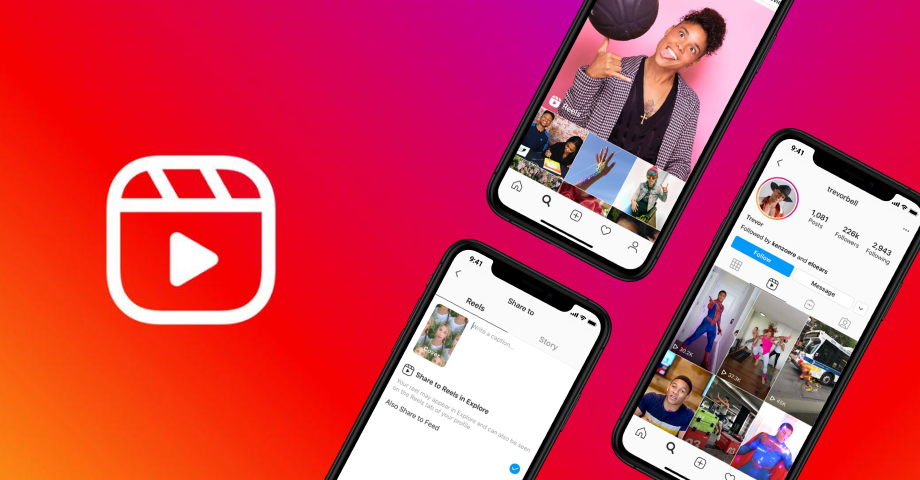
The new Instagram App Clip focuses on the Reels feature, allowing iOS users to watch short videos directly within Instagram’s environment, even without the app installed.
This functionality mirrors the convenience seen in TikTok’s App Clip, offering users the ability to view Reels through a link shared via iMessage, bypassing the need to open a web browser.
How the App Clip Works
Similar to TikTok’s App Clip, the Instagram version will let users watch a Reel in the app’s native interface even when they don’t have Instagram installed
With this addition, viewers can enjoy a selection of popular Reels, share them, and after viewing approximately six Reels, are encouraged to download thefull Instagram app for an extended experience.
This update follows Instagram’s previous enhancement for iOS users, which included support for Live Activities, enabling users to monitor the progress of uploads while multitasking between apps.
Despite these advancements, Instagram has yet to prioritise the development of a dedicated iPad app, a decision that remains consistent for itsThreads app as well.
When can this app come out for iPad?
It’s anyone’s guess right now.
FAQs
What is the Instagram App Clip?
The Instagram App Clip is a new feature that allows iOS users to quickly access and view Instagram Reels without needing to download the entire Instagram app. It’s designed for convenience and speed.
How can I use the Instagram App Clip?
You can access the Instagram App Clip when someone shares a link to an Instagram Reel with you via iMessage. Instead of opening in a browser, the link will open in the App Clip for a seamless viewing experience.
Do I need to download anything to use the Instagram App Clip?
No, the App Clip feature is designed to be used without the need for a full app download. It’s a small part of the Instagram app that lets you view Reels quickly and easily.
Will the Instagram App Clip be available for all iOS users?

Currently, the Instagram App Clip is in beta testing. Details about its public release will be announced in the future. It will be available for free on the App Store.
Why has Instagram introduced the App Clip feature?
Instagram introduced the App Clip feature to enhance user experience on iOS devices, making it easier and faster to view and share Reels without the full app. This is part of Instagram’s ongoing efforts to improve functionality and user satisfaction.
GoldPickaxe Trojan now targets both iOS and Android devices, compromising security.
Harvests sensitive data including facial recognition, ID documents, and SMS.
Utilizes sophisticated social engineering to gain device control.
Requires vigilant protection strategies including regular updates and two-factor authentication.
In a significant shift from the perceived security of iPhones, cybersecurity experts are raising alarms about a new threat specifically designed to infiltrate iOS devices.
The GoldPickaxe Trojan, previously known to afflict Android users as GoldDigger, has evolved, extending its malicious reach to iPhone and iPad users.
This development challenges the long-held belief that iOS platforms offer superior protection against such threats.
Understanding GoldPickaxe: A Dual-Threat to iOS and Android
How to keep your iPhone safe from malware
GoldPickaxe marks a troubling advancement in cyber threats, targeting personal data on mobile devices across both major platforms.
Initially distributed through Apple’s TestFlight, the trojan has since adopted more sophisticated infiltration methods.
After being ousted from TestFlight, attackers resorted to social engineering strategies to persuade users to install a Mobile Device Management (MDM) profile.
This maneuver grants attackers complete control over the device, a tactic previously less common in the iOS ecosystem.
The Risks of GoldPickaxe
Group-IB researchers discovered the GoldFactory trojans target the Asia-Pacific region
The primary objective of the GoldPickaxe Trojan is to harvest sensitive information, including facial recognition data, ID documents, and SMS content.
This information facilitates unauthorized access to banking and financial applications, posing a significant risk to personal finances.
Moreover, the collected biometric data opens the door to creating AI-generated deepfakes, which just gives it a bigger potential for identity theft and fraud.
How To Protect Against GoldPickaxe Trojan
This Malware Might Be Stealing Money From Bank Accounts Of iPhone Users
Safeguarding against the GoldPickaxe Trojan necessitates heightened vigilance and adherence to cybersecurity best practices.
Users are advised to scrutinize links in emails, text messages, and on social media, avoiding clicks on anything suspicious.
Installing apps exclusively from the Google Play Store or Apple App Store is crucial, as is a careful examination of app permissions during installation.
Additional recommendations include limiting online interactions with unknown contacts, using official bank contact numbers for communication, and immediate action to secure accounts at the first sign of fraud.
In addition to these strategies, it’s imperative for users to regularly update their device’s operating system and apps to the latest versions.
These updates often include critical security patches that address vulnerabilities which could be exploited by trojans like GoldPickaxe.
Employing robust antivirus software on smartphones can also provide an added layer of defense by detecting and neutralizing malware before it can cause harm.
Furthermore, enabling two-factor authentication (2FA) on all sensitive accounts adds a crucial barrier against unauthorized access, ensuring that even if data is compromised, the potential for financial theft is significantly reduced.
FAQs
What is the GoldPickaxe Trojan?
The GoldPickaxe Trojan is a cybersecurity threat that targets mobile devices, harvesting sensitive data to gain unauthorized access to financial applications and create AI-generated deepfakes for identity theft.
How does GoldPickaxe infiltrate iOS and Android devices?
Initially distributed through Apple’s TestFlight, the GoldPickaxe Trojan now uses social engineering to persuade users into installing a Mobile Device Management (MDM) profile, granting attackers complete control over the device.
What risks does the GoldPickaxe Trojan pose to users?

GoldPickaxe poses significant risks by harvesting personal data for unauthorized financial access and creating deepfakes, leading to potential financial loss and identity theft.
How can users protect themselves from the GoldPickaxe Trojan?
Users can protect against GoldPickaxe by scrutinizing links, installing apps from official stores, regularly updating their devices, using antivirus software, and enabling two-factor authentication.
What are the best practices to safeguard against mobile trojans like GoldPickaxe?
Best practices include avoiding suspicious links, limiting interactions with unknown contacts, using official contact numbers for banking, and taking immediate action to secure accounts at signs of fraud.
Who is behind this trojan and who is it targeting?
The Group-IB researchers have attributed this trojan to a single threat actor, codenamed GoldFactory, and it is targeting devices predominantly located in the Asia-Pacific region.
“While the current evidence points to a particular focus on two APAC countries, there are emerging signs that GoldFactory’s geography of operations may be extended beyond Vietnam and Thailand,” the company added in its blog post.
How does this trojan work?
Initially, the scammers who developed the GoldPickaxe.iOS trojan used Apple’s mobile application testing platform, TestFlight, to distribute malware.
However, when Apple detected the fraudulent activity and removed the malicious app from TestFlight, the hackers moved to using a multi-stage social engineering scheme to persuade victims to install a Mobile Device Management (MDM) profile.
This allowed the hackers to gain complete control over the victim’s device.
What are the key things we know about the iOS trojan ?
— It collects identity documents, SMS, and facial recognition data.
— It is available for both iOS and Android platforms. The trojan for Android devices is called GoldDigger Android Trojan and the one for iOS devices is called GoldPickaxe.iOS.
— This trojan can be used to gain unauthorised access to victims’ bank accounts.
— Group-IB’s researchers have identified a new variant of this malware named GoldDiggerPlus. This malware extends the functionality of GoldDigger and it lets the scammers to call its victims in real time.
How Does GoldPickaxe Attack iPhones?
While installing malicious apps and other phishing techniques are common methods for breaking into Android devices, breaking into iPhones is more difficult because of Apple’s tightly regulated ecosystem.
Nevertheless, astute hackers were able to spread the GoldPickaxe.io Trojan at first by successfully taking advantage of TestFlight, Apple’s mobile application testing infrastructure.
After being kicked out of TestFlight, the hackers used social engineering techniques to get victims to install a Mobile Device Management (MDM) profile, which gave them complete access to the iPhone that had been compromised.
The cybersecurity company Group-IB discovered a new GoldPickaxe variation, which they attribute to a lone threat actor called GoldFactory, who is in charge of creating both versions of the virus.
This variety is known as GoldDiggerPlus. The software has been modified to allow hackers to make live calls from compromised devices, adding a worrying new element to the ever-changing threat landscape.
This release marks an important milestone in Android’s continuous effort to enhance developer productivity and offer advanced capabilities for media experiences, battery optimization, app performance, and user privacy and security.
Everything to Know About the First Release of Android 15 Developer Preview
Speaking on the announcement, Dave Burke, VP of Engineering, said, We’re excited to announce the release of the first Developer Preview of Android 15 today, inviting our developers to collaborate with us in crafting a superior Android experience.
Android 15 advances our mission to create a platform that enhances productivity, fosters superior media experiences, optimizes battery efficiency, boosts app performance, and prioritizes user privacy and security across a diverse range of devices.
Additionally, Android remains dedicated to equipping developers with the necessary tools and libraries to leverage the latest advancements in AI.
Android 15: First Look
First preview of Android 15 is now available for developers to test
The Android 15 Developer Preview offers an array of features designed to leverage premium device hardware, including high-end cameras, GPUs, displays, and AI processing.
It addresses the growing demand for large-screen devices like tablets, foldables, and flippables, providing developers with tools and libraries to harness thelatest AI advancements.
Feedback from the Developer Preview and QPR beta program is crucial for Android’s improvement.
The Android 15 developer site provides detailed information, including downloads for Pixel devices and extensive documentation on the updates.
Key updates in Android 15 include
Google rolls out the first Android 15 developer preview
Privacy Sandbox on Android: Extension to level 10, introducing the latest version for enhanced user privacy alongside personalized advertising experiences. The developer preview and beta programs for the Privacy Sandbox on Android are detailed on the official website.
Health Connect Integration: Incorporation of Android 14 extensions around Health Connect, offering a secure platform for managing health and fitness data with support for new data types.
File Integrity Management: Introduction of new APIs through FileIntegrityManager, utilizing fs-verity for enhanced file security and integrity.
Partial Screen Sharing: Allows sharing or recording of specific app windows, enhancing privacy and customization. User consent is now required for MediaProjection capture sessions.
In-app Camera Controls: New extensions for camera hardware control, including low light enhancements and flash strength adjustments.
Virtual MIDI 2.0 Devices: Extension of Universal MIDI Packets (UMP) support to virtual MIDI apps, facilitating composition and synthesizer app control.
Dynamic Performance: Investment in the Android Dynamic Performance Framework (ADPF) with new capabilities for power-efficiency mode, GPU and CPU work duration reporting, and thermal headroom thresholds.
Developer Productivity: Continuation of OpenJDK API updates, focusing on improvements in NIO buffers, streams, security, and more, available on devices running Android 12+ through Google Play System updates.
App Compatibility: Announcement of the Platform Stability milestone, set for June 2024, providing developers with a timeline for final testing before the official release.
Here’s everything new in Android 15 Developer Preview 1
Developers can start with Android 15 by flashing a system image onto compatible Pixel devices or using the Android Emulator in Android Studio.
The latest preview of Android Studio Jellyfish is recommended for the best development experience.
This Developer Preview is geared towards developers for testing and feedback purposes, with manual download available for initial access.
Future updates will be provided over-the-air for subsequent previews and Betas.
Back up your phone before you install Android 15 Developer Preview.
FAQs
What is the Android 15 Developer Preview?
The Android 15 Developer Preview is the latest release by Google, designed to offer developers an early look at the new features and capabilities of Android 15. It aims to enhance developer productivity, app performance, and user privacy.
How can developers participate in the Android 15 Developer Preview?
Developers can participate by flashing a system image onto a compatible Pixel device or using the 64-bit system images with the Android Emulator in Android Studio. Feedback and testing are encouraged to improve Android 15.
What are the key features of Android 15?
Key features include Privacy Sandbox for enhanced privacy, Health Connect for centralized health data management, File Integrity Management for improved security, and partial screen sharing for user privacy.
When will Android 15 reach Platform Stability?
Android 15 is expected to reach Platform Stability in June 2024, providing developers with a timeline for final testing before the official release.
Is the Android 15 Developer Preview available for consumer use?
No, the Developer Preview is intended for developers only for testing and feedback purposes. It is not recommended for daily or consumer use at this stage.
What is the timeline & update of android 15?
Google outlines a timeline for Android 15’s development, including Developer Previews, Beta releases, and the final release to the Android Open Source Project (AOSP) and ecosystem.
February: Developer Preview 1 (Early version for developer feedback, with new features, APIs, and behavior changes).
March: Developer Preview 2 (Update with more features, APIs, and behavior changes).
April: Beta 1 (First beta-quality release, available via over-the-air update to early adopters in Android Beta).
May: Beta 2 (Incremental beta-quality release).
June: Beta 3 (Marks Platform Stability milestone with final APIs and behaviors, and opens Play publishing).
July, August: Beta 4, … (Near-final builds for final testing).
Final release: Android 15 released to AOSP and ecosystem.
What is the Platform Stability Milestone for Android 15?
Android 15 includes a Platform Stability milestone, expected to be reached at Beta 3 in June 2024, signaling the finalization of APIs and behaviors.
Google encourages developers to target this milestone for final compatibility testing and release planning.
How to get started with Android 15?
Getting Started with Android 15 – Developer Preview 1
The First Developer Preview of Android 15 is currently available for the following Pixel devices, exclusively catering to developers for testing purposes and not intended for daily consumer use:
Pixel 8 and 8 Pro Pixel 7, 7 Pro and 7a Pixel 6, 6 Pro and 6a Pixel Fold Pixel Tablet
Google encourages developers to engage with the Developer Preview to provide feedback and prepare for the upcoming Android 15 release.
What are the privacy & security features of Android 15?
Privacy and Security Measures
Android 15 introduces features to safeguard user privacy and security:
Privacy Sandbox: Upgrades Android AD Services to extension level 10, incorporating the latest Privacy Sandbox for personalized advertising experiences while prioritizing user privacy.
Health Connect: Integrates Android 14 extensions 10, offering a secure platform to manage and share health data collected by apps.
File Integrity: Introduces FileIntegrityManager with enhanced security features utilizing fs-verity to prevent unauthorized file modifications or malware attacks.
Partial Screen Sharing: Supports sharing or recording specific app windows for improved user consent and privacy.
What Pixel devices are compatible with Android 15?
While Google now has an industry-leading software commitment on the Pixel 8 series, older Pixel devices still only get three years of major Android updates. As such, the Android 15 Developer Preview marks a preview of the end of life for a few Pixel devices. Specifically, Pixels released in 2020 and early 2021 are dropping off including the Pixel 4a, Pixel 4a 5G, Pixel 5, and Pixel 5a.
As for what Pixel devices are compatible with Android 15, the list is as follows:
Pixel 6
Pixel 6 Pro
Pixel 6a
Pixel 7
Pixel 7 Pro
Pixel 7a
Pixel Tablet
Pixel Fold
Pixel 8
Pixel 8 Pro
By the time Android 15 formally debuts later this year, Google will likely have also added Pixel 8a, a Pixel Fold sequel, and the Pixel 9 series to that list, but that’s all a long way off.
When does the Android 15 Beta start?
Yearly Android releases typically begin with a couple of developer preview releases. This year, Google says there will be two previews released in February and March. Then, in April, the Android 15 Beta program will officially begin.
Google estimates there will be five Android 15 Beta releases in April, May, June, and July leading up to a final release soon after. Android 14 launched unexpectedly late in October 2023, so it remains to be seen if Android 15 will follow suit or move back to its September slot.
How to install the Android 15 Developer Preview on Pixel?
During the developer preview stage, you can only sideload Android 15 builds on Pixel devices. The update is not available through over-the-air updates. That functionality is reserved for the later beta releases. If you are not familiar with sideloading updates manually, we strongly encourage you to wait for the final release. But if you just can’t wait to get your hands on the latest and greatest, here’s how to install it.
Download the needed files
Boot into Recovery mode
Navigate to ADB sideload
Connect the handset to a computer with ADB tools installed
Enter the sideload command
Reboot your phone
The following process explains how to install the OTA update, not a factory image.
How does Android 15 Support for Creators ?
Android 15 provides tools and hardware support for creators, including:
In-app Camera Controls: Offers more control over camera hardware and algorithms, facilitating low light enhancements and flash adjustments.
Virtual MIDI 2.0 Devices: Extends support to virtual MIDI apps, enabling composition apps to control synthesizers effectively.
Performance and Quality Enhancements
Android 15 focuses on enhancing app quality and performance:
Dynamic Performance: Expands the Android Dynamic Performance Framework (ADPF) with power-efficiency modes and thermal management capabilities.
Developer Productivity
Android 15 continues to enhance developer productivity by adding OpenJDK APIs and quality-of-life improvements, ensuring compatibility with over a billion devices running Android 12+.
What is the fastest method to Download Android 15?
For the faster method with an OTA, here’s how to do it.
You can download the OTA file from Google’s Full OTA Image hosting site. That site contains OTA downloads for sideloading different updates, including Android 14, on every Pixel and Nexus device ever made, so you’ll need to scroll down to ensure you are downloading the file that associates with your device. OTA downloads are available here.
For the Android 15 Developer Preview, only Pixel 6/Pro, Pixel 6a, Pixel 7/Pro, Pixel 7a, Pixel Fold, Pixel Tablet, and Pixel 8/Pro are available. Basically, you won’t be able to install it on any Pixels not running a Tensor processor, including the original Pixel/XL, Pixel 2/XL, Pixel 3/XL, Pixel 3a/XL, Pixel 4/XL, Pixel 4a, Pixel 4a 5G, Pixel 5, or Pixel 5a.
How to install the Android 15 Developer Preview on your Pixel ?
First, you can install a Factory Image, which wipes your phone and starts everything from scratch. Alternatively, there’s an OTA file, which installs over your current version of Android without wiping your phone.
When installing a developer preview, it’s actually good practice to install a factory image rather than an OTA, as you’ll see fewer issues with that. Google even directly says it could cause issues this year.
However, the process there is a bit more complicated, including unlocking your bootloader, resetting you device, and more. If you want to go down that route, Google has instructions available.
According to Bloomberg, the tech giant is internally testing new AI features that aims to revolutionise how iOS and macOS users interact with their devices.
This development could allow users to make natural language requests similar to ChatGPT, enabling them to obtain weather updates or navigate app features effortlessly.
Innovations under consideration include automated playlist generation in Apple Music, dynamic slideshows in Keynote, and advanced search functionalities that could redefine user interaction with their devices.
The company plans to update its Xcode programming software with generative AI features, potentially allowing third-party developers to leverage these tools within the year.
This initiative mirrors efforts by tech counterparts like Microsoft’s GitHub Copilot and Amazon’s CodeWhisperer, which utilize large language models to aid in code prediction and completion.
Recent AI Contributions
Apple’s recent contributions to the AI landscape include the release of MLX, an open-source machine learning framework optimized for Apple silicon chips, MGIE, a text-to-image editing AI model, and Keyframer, an AI animator.
Despite Apple CEO Tim Cook’shistorically cautious stance on generative AI, he had confirmed during an investor call this month that the company is set to introduce more generative AI features in the coming year, signaling a more pronounced foray into AI technologies for Apple.
FAQs
What is Apple’s latest development in AI technology?
Apple is working on incorporating generative AI into Spotlight search, allowing iOS and macOS users to use natural language for tasks like getting weather updates and navigating app features.
How will Apple’s generative AI affect consumer products?
Apple plans to use generative AI to automate playlist creation in Apple Music, generate dynamic slideshows in Keynote, and enhance search functionalities, offering users a more intuitive interaction with devices.
What changes are expected for developers with Apple’s AI updates?
Apple aims to update its Xcode programming software with generative AI features, enabling developers to predict and complete code more efficiently, similar to Microsoft’s GitHub Copilot and Amazon’s CodeWhisperer.
What recent AI tools has Apple released?
Apple has recently launched MLX, a machine learning framework, MGIE, a text-to-image editing model, and Keyframer, an AI animator, demonstrating its commitment to advancing AI technology.
When can we expect these AI features to be released?
While specific release dates have not been provided, Apple CEO Tim Cook confirmed that more generative AI features are planned for this year, with announcements expected at major events like WWDC.
Apple Developing AI Tool to Help Developers Write Code for Apps. Details?
Apple is working on an updated version of Xcode that will include an AI tool for generating code, reports Bloomberg.
The AI tool will be similar to GitHub Copilot from Microsoft, which can generate code based on natural language requests and convert code from one programming language to another.
The Xcode AI tool will be able to predict and finish blocks of code, allowing developers to streamline their app creation process. Apple is now testing the functionality internally and plans to release it to third-party software developers “as early as this year.”
Apple is also testing AI-generated code for testing apps, and has asked some engineers to try these features out internally.
The artificial intelligence capabilities added to Xcode will join several other AI features that Apple plans to add to Siri and other built-in apps.
Some new features could include the option to generate playlists in Apple Music and create slideshows in Keynote, with Apple also working on improved Spotlight search capabilities.
Search could encompass specific features in apps and might also provide responses to complex questions, with the feature built using large language models.
According to Bloomberg, Apple software chief Craig Federighi has asked employees to create as many new AI features as possible for iOS 18, iPadOS 18, and macOS 15.
Apple plans to introduce “a slew of new AI features,” and iOS 18 will be marketed as one of the biggest updates to the iPhone since it launched.
Some of the AI features will come to macOS, but Apple plans to “take a gradual approach to AI development” with some features not coming “for years.”
As per a Reuters report this new arrangement, a 30% service charge, mandated by Apple’s updated App Store guidelines, will now be applied to such transactions.
In a statement, the company said: “We are required to either comply with Apple’s guidelines, or remove boosted posts from our apps. We do not want to remove the ability to boost posts, as this would hurt small businesses by making the feature less discoverable and potentially deprive them of a valuable way to promote their business”.
Navigating the Apple Tax
The “Apple tax,” as it’s colloquially known, stems from Apple’s 2022 announcement regarding its App Store guidelines, which now require digital services, including post boosting on social platforms, to utilise its in-app purchasing system, thereby incurring a 30% fee.
Meta, in compliance with these guidelines, has begun implementing these changes in the United States, with plans to extend them to other markets throughout the year.
“We are required to either comply with Apple’s guidelines, or remove boosted posts from our apps,” Meta stated, emphasising the dilemma faced by the company.
By opting to comply rather than eliminate the boosting feature, Meta is looking to value the services it offers for small businesses making promotional content more accessible and effective.
The Impact on Advertisers
However, for advertisers, this change introduces a new billing system where Apple,not Meta, will invoice boosted posts on iOS, requiring payment in advance rather than post-ad run.
This shift not only affects the payment process but also imposes an additional financial burden on businesses seeking to amplify their content’s reach on Facebook and Instagram.
Meta suggests a workaround for avoiding the Apple service charge by boosting content through Facebook and Instagram’s desktop or mobile websites.
This alternative, while viable, presents logistical challenges for iOS app users, who now face the inconvenience of preloading funds with an added 30% to accommodate Apple’s transaction costs.
Apple’s Stance
Meta Announces 30% Apple Service Charge for Boosting Posts on iOS
In response to inquiries about the new charge, Apple defended its policy, stating, “Boosting, which allows an individual or organization to pay to increase the reach of a post or profile, is a digital service – so of course In-App Purchase is required.
This has always been the case and there are many examples of apps that do it successfully.”
FAQs
What prompted Meta to introduce a 30% service charge for boosted posts on iOS?
This change follows Apple’s updated App Store guidelines requiring digital services to use its in-app purchasing system, leading Meta to adjust its billing for boosted posts to include the 30% fee.
How can advertisers avoid paying the Apple service charge on Meta platforms?
Advertisers can bypass the Apple service charge by boosting their posts through Facebook and Instagram’s desktop or mobile websites instead of the iOS apps.
Will this service charge affect how businesses use Facebook and Instagram for promotions?
The additional cost may impact budgeting for some businesses, encouraging them to explore alternative methods for boosting posts or reevaluate their advertising strategies on iOS devices.
Is the Apple service charge for boosted posts being implemented worldwide?
Meta has started rolling out this change in the United States, with plans to extend it to other markets later in the year, adhering to Apple’s global App Store guidelines.
What was Apple’s response to the implementation of this service charge?
Apple stated that requiring an in-app purchase for digital services like boosting posts is standard practice, emphasizing that many apps successfully comply with this policy.
Meta: Advertisers can avoid the fee by using desktop or mobile websites, amid Apple’s defense of its in-app purchase policy.
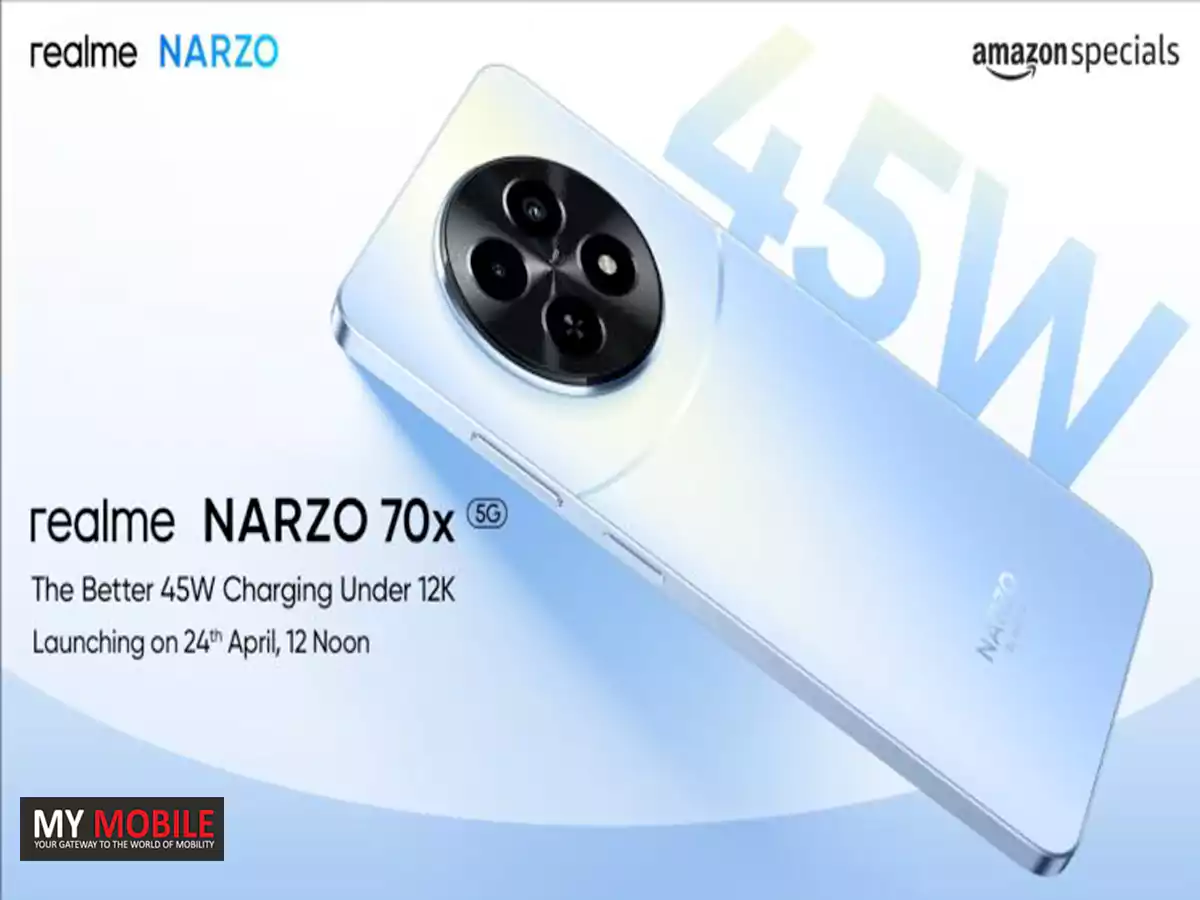
The camera setup is rumoured to include a 50MP main sensor with OIS, an 8MP ultrawide lens, and a 2MP macro lens.
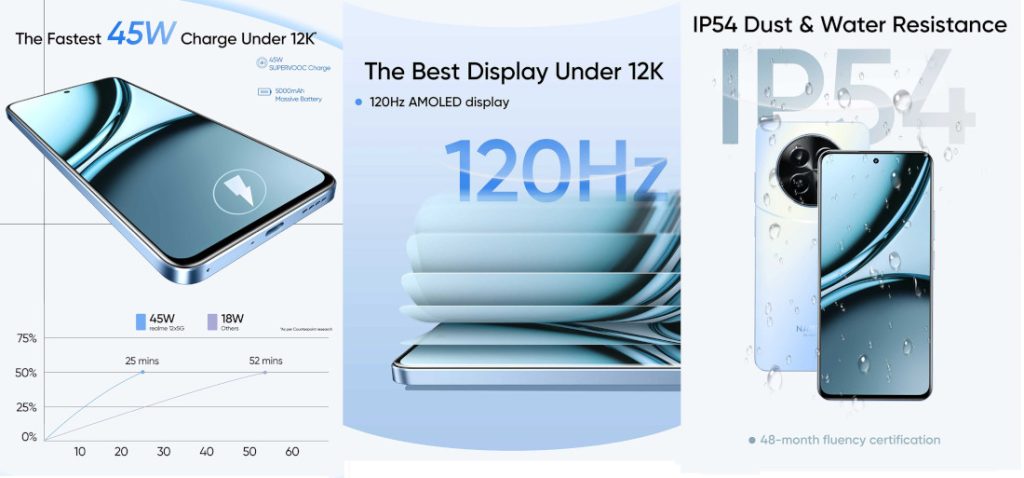
It’s also expected to come with a 5,000mAh battery supported by 67W SuperVOOC fast charging, as indicated by the FCC database.
Device to feature MediaTek Dimensity 7050 SoC
FAQs
When is the Realme 12+ 5G launching in India?
Realme India’s website teaser suggests the Realme 12+ 5G is launching soon, following its global debut in Malaysia on February 29. The exact date for India is yet to be announced.
What specifications can we expect from the Realme 12+ 5G?
Rumors point to the Realme 12+ 5G featuring a MediaTek Dimensity 7050 SoC, a 6.67-inch AMOLED display with FHD+ resolution and 120Hz refresh rate, and a leatherette back finish.
What camera features does the Realme 12+ 5G offer?
The Realme 12+ 5G is expected to come with a 50MP main camera with OIS, an 8MP ultrawide lens, and a 2MP macro lens, catering to various photography needs.
How does the Realme 12+ 5G’s battery and charging capability compare to competitors?
With a 5,000mAh battery and 67W SuperVOOC fast charging, the Realme 12+ 5G aims to provide long battery life and rapid charging speeds, placing it competitively in the mid-range market.
What makes the Realme 12+ 5G a standout in the mid-range smartphone segment?
The Realme 12+ 5G seeks to offer exceptional value through its high refresh rate AMOLED display, powerful camera setup, and quick charging, positioning it as a strong contender in the mid-range market.
With its specs laid bare for all to see, the Zenfone 11 Ultra is shaping up to be a powerhouse in the smartphone market, boasting top-tier components that are likely to make it a formidable contender in the flagship arena.
Asus Zenfone 11 Ultra: Glimpse into the Powerhouse
The device is accompanied by 16GB of RAM which alludes to the fact that the Zenfone 11 Ultra is geared towards handling the most demanding applications and multitasking scenarios with ease.
Asus Zenfone 11 Ultra Spotted on Geekbench
While the Geekbench listing only confirms these two aspects, it’s speculated that Asus may offer different variants at launch, potentially catering to a wider range of preferences and budgets.
Asus Zenfone 11 Ultra: Other Expected Specs
The Zenfone 11 Ultra is rumoured to feature a versatile triple camera setup.
This includes a 50MP main camera equipped with a Sony IMX890 sensor, a 13MP ultra-wide lens, and a 32MP telephoto lens.
Complementing its photographic capabilities is likely to be a 6.78-inch FHD+ AMOLED display, boasting a 120Hz refresh rate for buttery-smooth visuals.
Powering the Zenfone 11 Ultra might be a massive 5,500mAh battery, ensuring that users can go through their day without worrying about running out of juice.
Zenfone 11 Ultra confirmed to have Snapdragon 8 Gen 3 processor
The inclusion of 65W wired HyperCharge technology means that the device can be recharged rapidly.
For added convenience, the phone might also support 15W wireless charging.
Well whatever be the final specs, the ZenFone 11 Ultra is shaping up to be an exciting launch.
What processor does the Asus Zenfone 11 Ultra use?
The Asus Zenfone 11 Ultra is confirmed to be powered by Qualcomm’s Snapdragon 8 Gen 3 processor, ensuring top-tier performance for users.
How much RAM will the Zenfone 11 Ultra have?
According to the Geekbench listing, the Zenfone 11 Ultra will come with 16GB of RAM, indicating that it’s designed for heavy multitasking and high-end gaming.
What kind of camera can we expect on the Zenfone 11 Ultra?
The Zenfone 11 Ultra is rumored to feature a triple camera setup, including a 50MP main camera, a 13MP ultra-wide lens, and a 32MP telephoto lens, promising versatile photography capabilities.
What are the display specifications of the Zenfone 11 Ultra?
It’s expected to boast a 6.78-inch FHD+ AMOLED display with a 120Hz refresh rate, offering smooth and vibrant visuals for an immersive viewing experience.
What battery specifications does the Zenfone 11 Ultra offer?
The device is rumored to be powered by a massive 5,500 mAh battery, supported by 65W wired HyperCharge and 15W wireless charging, ensuring long-lasting usage and quick power-ups.
Qualcomm Could Partner with Samsung for next year’s 2nm Snapdragon 8 Gen 5 Chipset
Qualcomm’s ‘For Galaxy’ versionshave historically offered superior performance, tailored to optimize Samsung’s flagship smartphones and tablets.
Looking back at the Snapdragon 8 Gen 4, Qualcomm reportedly opted for TSMC’s second-generation 3nm process (N3E) to achieve better power efficiency and yield rates, a strategic move to stay ahead in the competitive chipset landscape.
Qualcomm selects Samsung to develop a 2nm Snapdragon 8 Gen 5 trial product
However, the narrative seems to be shifting for the Snapdragon 8 Gen 5, with Qualcomm poised to utilize both.
‘For Galaxy’ Snapdragon 8 Gen 5 variant to enhance Galaxy S26 series performance
FAQs
Why is Qualcomm collaborating with Samsung for the Snapdragon 8 Gen 5 chipset?
Qualcomm’s collaboration with Samsung on the Snapdragon 8 Gen 5 chipset, using a 2nm process, aims to leverage Samsung’s advanced semiconductor manufacturing capabilities for next-generation chip technology.
What is the significance of the ‘For Galaxy’ variant of the Snapdragon 8 Gen 5?
The ‘For Galaxy’ variant of the Snapdragon 8 Gen 5 is specially designed to optimize performance in Samsung’s Galaxy smartphones and tablets, offering higher CPU and GPU clock speeds compared to regular versions.
How does the Snapdragon 8 Gen 5 compare to its predecessor?
While the Snapdragon 8 Gen 4 utilized TSMC’s 3nm process for improved efficiency, the Snapdragon 8 Gen 5 is expected to further advance in performance and power efficiency by utilizing a 2nm process developed in collaboration with Samsung and TSMC.
Will Qualcomm exclusively use Samsung Foundry for the Snapdragon 8 Gen 5 production?
Qualcomm plans to use both Samsung Foundry and TSMC for the Snapdragon 8 Gen 5 production, diversifying its manufacturing strategy to ensure the highest quality and efficiency in its chipsets.
What does the Snapdragon 8 Gen 5 mean for future smartphones?
The Snapdragon 8 Gen 5 chipset represents a leap forward in processing power and efficiency, promising to deliver unparalleled performance and battery life in future smartphones, particularly in the Galaxy S26 series.
Samsung’s foldable for this year ie. the Galaxy Z Fold 6
Galaxy Z Fold6: Potential Optical Hardware
Initial reports by the tipster Revegnus, a tipster known in the leaker community for accurate information, suggested continuity with the previous Galaxy Z Fold 5’s 50MP ISOCELL GN3 image sensor, a sentiment echoed by Ice Universe, another well-regarded leaker, indicating no significant camera upgrades were expected.
Contrastingly, recent whispers spurred by Revegnus among others, have ignited discussions about the Galaxy Z Fold 6 possibly sharing the same 200MP main camera sensor as its Galaxy S24 Ultra counterpart.
Leaks offer conflicting views, with some suggesting continuity of the 50MP sensor
Again,GalaxyClub, also known for its reliable information, tempers expectations by maintaining that Samsung plans to equip the Z Fold 6 with a 50MP main camera, identical to that of the Samsung Galaxy S24.
The rationale for possibly retaining the 50MP sensor could be attributed to the physical dimensions and design ambitions for the Z Fold 6.
Galaxy Z Fold 6 Rumoured to Feature 200MP Camera Sensor
It’s understood that Samsungaims for an even sleeker profile for their new foldable, potentially achieving a thickness of approximately 11 mm when folded—down from the Z Fold 5’s 13.4 mm.
A 200MP Sensor Unsustainable?
Integrating a larger 200MP sensor, which necessitates a longer focal length and thus a more pronounced camera bump, could compromise the sleek, slim aesthetic Samsung is striving for with its next-generation foldable.
This is exemplified by the OnePlus Open, which, despite its mainstream flagship appearance, has a noticeable camera module protrusion due to its larger 64MP sensor for the 3x telephoto lens and an 11.7 mm thickness when closed.
Design constraints may influence the decision between a 200MP sensor and a sleeker profile
Given that the 200MP sensor is significantly larger than the Galaxy Z Fold 5’s 10MP telephoto sensor, adopting such a sensor for the Z Fold 6 could indeed alter its design profile.
Speculation grows about Galaxy Z Fold 6 adopting a 200MP main camera sensor
Samsung Galaxy Z Fold 6 Specs
GENERAL
Sim Type
Dual Sim, GSM+GSM
Dual Sim
Yes
Sim Size
Nano + eSim
Device Type
Smartphone
Release Date
July 26, 2024 (Expected)
DESIGN
Dimensions
–
DISPLAY
Type
Color Dynamic AMOLED 2X (1B)
Touch
Yes, 560 Hz Touch Sampling Rate
Size
8 inches, 1812 x 2176 pixels, 144 Hz
Aspect Ratio
23.1:9
PPI
~ 374 PPI
Screen to Body Ratio
~ 90.9%
Features
Infinity Flex Display, HDR10+, 1200 nits (peak)
Notch
Yes, Punch Hole
Foldable Display
Yes
Dual Display
Yes, Dynamic AMOLED 2X, 6.67 inches, 904 x 2316 pixels, 387 PPI, 23.1:9 Aspect Ratio
What are the current rumours about the Galaxy Z Fold 6’s camera?
There’s growing speculation that the Galaxy Z Fold 6 might include a 200MP main camera sensor, akin to the Galaxy S24 Ultra, despite initial leaks suggesting it would retain the Z Fold 5’s 50MP sensor.
Why might Samsung choose not to upgrade the Galaxy Z Fold 6’s camera to 200MP?
Design considerations, particularly the aim for a slimmer foldable profile, may limit the inclusion of a larger 200MP sensor, which would require a more prominent camera bump.
How does the camera sensor size affect the design of foldable smartphones?
Larger sensors like the 200MP require longer focal lengths, leading to a more pronounced camera bump. This could compromise the sleek, slim design Samsung is reportedly targeting for the Z Fold 6.
What impact would a 200MP sensor have on the Galaxy Z Fold 6’s thickness?
Integrating a 200MP sensor could necessitate a thicker device to accommodate the larger camera module, potentially moving away from the desired slim aesthetic.
Is there any confirmation from Samsung about the Galaxy Z Fold 6’s camera specifications?
As of now, Samsung has not officially confirmed the camera specifications for the Galaxy Z Fold 6. The information available is based on leaks and speculation from the tech community.
Unlike its counterparts Netflix and YouTube, which have remained relatively passive towards the Vision Pro ecosystem, TikTok’s dedicated app offers users a novel way to engage with their favorite content.
The app promises an enhanced ‘For You’ feed experience, tailored for the immersive environment of Vision Pro,potentially setting a new benchmark for content interaction within virtual spaces.
However, the introduction of TikTok’s appto Apple Vision Pro comes with its caveats.
Profile pages can also be shown alongside a vertical video
Users of the device have reported losing track of time, a phenomenon exacerbated by the platform’s engaging content and the headset’s design, which does not prominently display the time.
This could lead to extended periods of usage without breaks, highlighting the need for mindful consumption practices in immersive environments.
Early adopters are experiencing a wave of buyer’s remorse as they navigate the device’s practicality and physical comfort.
Reports of headaches, motion sickness, and other discomforts have emerged, with some users citing the device’s weight and front-loaded design as major detractors from its usability.
Users have pointed out limitations in productivity features and difficulties in adapting to digital workspaces, such as Figma, within the virtual realm.
The app introduces an enhanced ‘For You’ feed specifically tailored for Vision Pro’s immersive environment
FAQs
What makes the TikTok app for Apple Vision Pro different from its mobile version?
The TikTok app for Apple Vision Pro is designed to leverage the headset’s spatial reality capabilities, offering users an immersive way to engage with content that goes beyond traditional video viewing experiences.
Have Netflix and YouTube developed apps for the Apple Vision Pro?
As of now, Netflix and YouTube have not released apps for the Apple Vision Pro, making TikTok one of the first major content platforms to venture into this new immersive ecosystem.
What are some user concerns with the TikTok Apple Vision Pro app?
While the app offers an immersive experience, some users have expressed concerns about losing track of time due to the engaging nature of the content and the Vision Pro’s design, which doesn’t prominently display time.
How does the immersive experience of the TikTok app impact content interaction?
The TikTok app for Apple Vision Pro potentially sets a new benchmark for how users interact with content in virtual spaces, promising a more engaging and tailored experience through its enhanced ‘For You’ feed.
What challenges have Apple Vision Pro users faced with the device?
Early adopters of the Apple Vision Pro have reported issues such as headaches, motion sickness, and discomfort related to the device’s weight and design, raising questions about its practicality and comfort for extended use.
TikTok Releases Vision Pro App With ‘Immersive’ Viewing Experience. Details?
TikTok today announced that it has released an app for Apple’s Vision Pro headset. The app is optimized for visionOS’s spatial design style, with TikTok promising a more “immersive” viewing experience for its short-form videos.
“Experience your For You feed in an entirely new way through this immersive content view,” said TikTok, in a post on social media platform X, formerly known as Twitter.
The app has a familiar layout on the Vision Pro, with a main “For You” video feed, along with profiles, comments, search, and more.
TikTok is available now on the Vision Pro’s App Store, and additional images of the app can be found below.
There are still a handful of major social media, streaming video, and streaming music apps that are entirely unavailable on the Vision Pro, including Instagram, Facebook, YouTube, Netflix, Spotify, and WhatsApp.
In the meantime, developer Christian Selig created an app called Juno for watching YouTube videos on the Vision Pro.