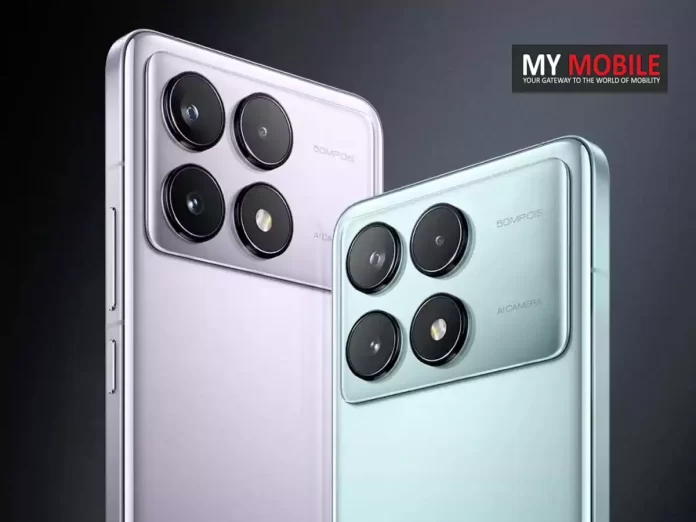
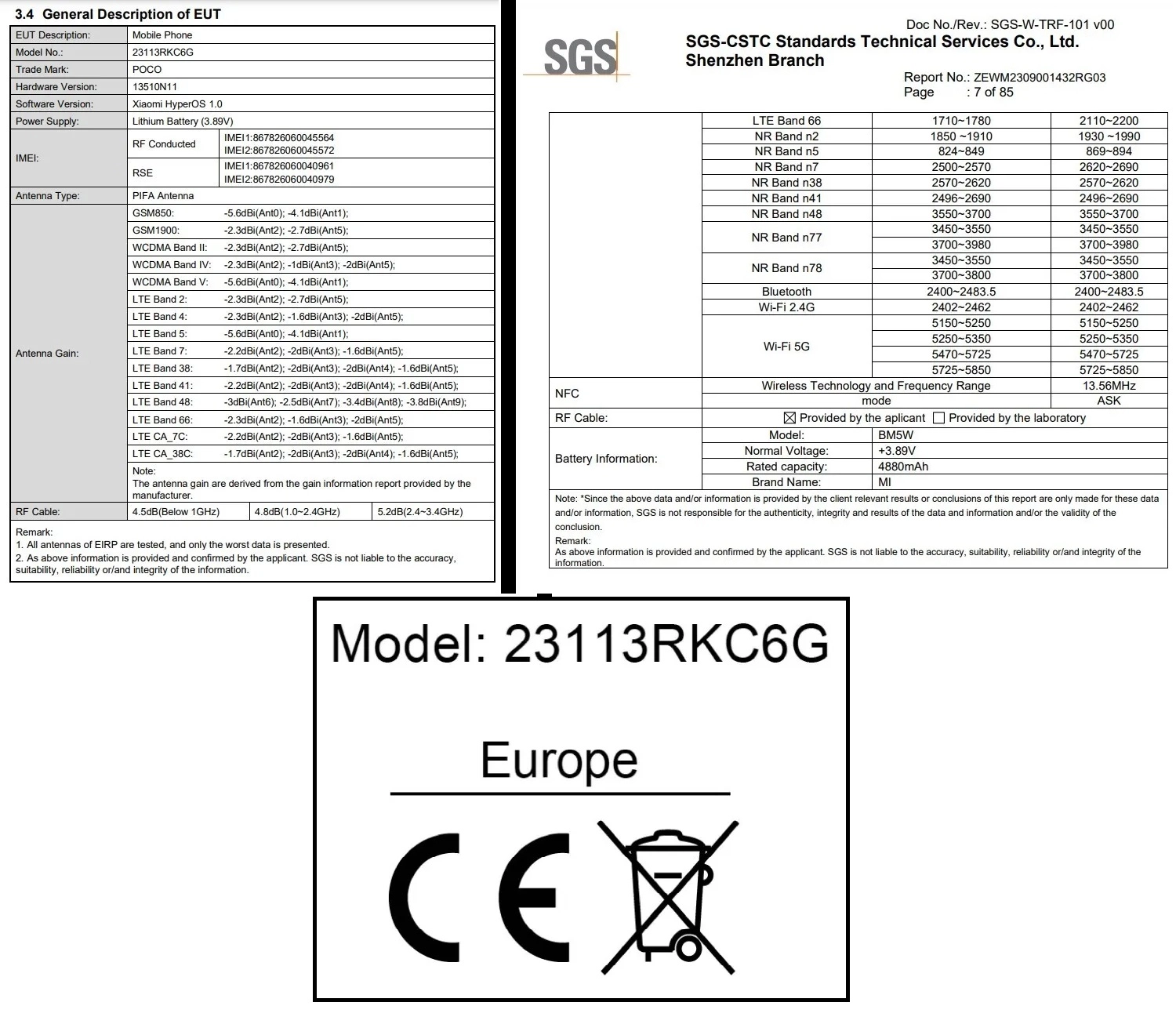
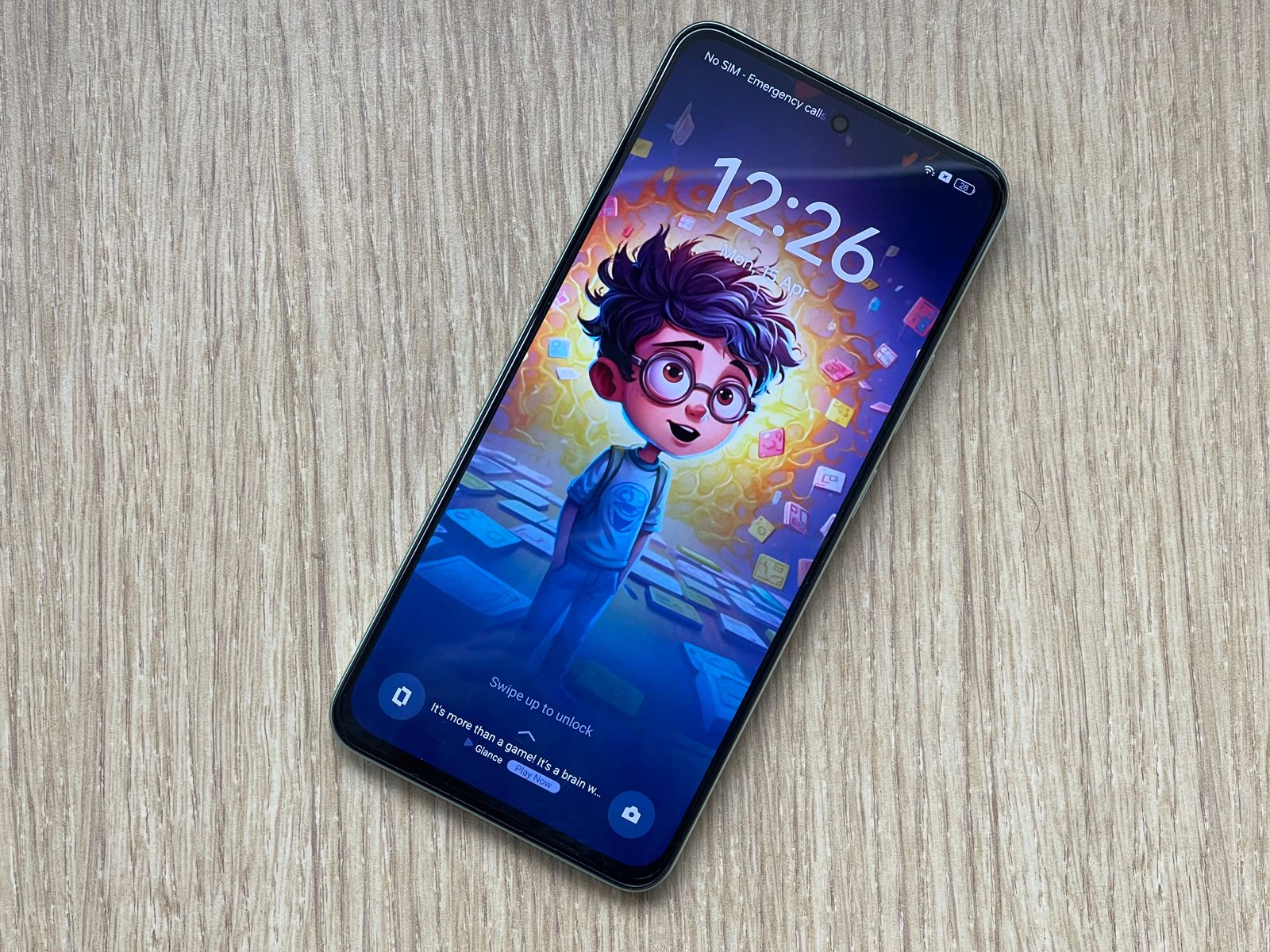
Listed under the model number 23113RKC6G, the FCC certification unveils some intriguing specifications about the device.
POCO F6 Pro: Expected Specs
POCO F6 Pro Gears Up for Launch After Being Spotted on FCC With Advanced Features and Powerful Specs
Key among these is the inclusion of a 4,880mAh battery.
The device is also set to operate on Xiaomi’s HyperOS 1.0 right out of the box and will support both 2.4GHz and 5GHz Wi-Fi networks, enhancing its connectivity capabilities.
While the FCC listing doesn’t divulge much more, it’s been noted that the model number closely aligns with that of the Redmi K70, suggesting that the POCO F6 Pro may be a rebranded version of this smartphone, which launched in China last November.
If speculations hold true, the POCO F6 Pro will share several features with the Redmi K70.
This includes a 6.67-inch 2K OLED display with a 120Hz refresh rate and a peak brightness of 4,000 nits, along with support for Dolby Vision.
This setup features a 50MP Light Hunter 800 OIS-enabled main camera, supplemented by an 8MP ultra-wide-angle lens and a 2MP macro sensor.
A 16MP front camera is anticipated for selfies and video calls.
Moreover, the POCO F6 Pro is expected to come with a 5,000mAh battery, supporting 120W fast charging technology.
It could also incorporate the Surge G1 battery management chip to optimize power use.
Other prospective features include an IP53 rating for dust and splash resistance, an in-display fingerprint sensor, an IR blaster, and more, making it a well-rounded flagship device.
These specifications suggest the POCO F6 Pro is gearing up to be a significant contender in the smartphone market, especially if it launches in India and other regions under the POCO branding.
What notable specifications does the POCO F6 Pro offer?
The POCO F6 Pro is expected to come with a robust 4,880mAh battery, a 6.67-inch 2K OLED screen with a 120Hz refresh rate, and operates on Xiaomi’s HyperOS 1.0.
This device aims to deliver top-notch performance and connectivity with support for both 2.4GHz and 5GHz Wi-Fi networks.
How does the camera system on the POCO F6 Pro compare to other smartphones?
The POCO F6 Pro boasts a versatile camera system featuring a 50MP main camera with OIS, complemented by an 8MP ultra-wide-angle lens and a 2MP macro sensor.
The front-facing 16MP camera enhances selfie and video call quality, making it competitive in today’s market.
Can the POCO F6 Pro handle intensive applications and games?
Powered by the Qualcomm Snapdragon 8 Gen 2 processor and available with up to 16GB of RAM and 1TB of storage, the POCO F6 Pro is more than capable of handling high-end games and demanding applications, providing users with a seamless and responsive experience.
What additional features enhance the POCO F6 Pro’s usability?
Beyond its core specifications, the POCO F6 Pro includes several features aimed at boosting user experience, such as an IP53 rating for resistance to dust and splashes, an in-display fingerprint sensor for enhanced security, and a Surge G1 battery management chip for efficient power use.
Having a gander at the specs, I am of the opinion that this new series is designed to offer superior performance coupled with an exceptional user experience, promising to shake up the current market dynamics.
But does it manage to do that?
Is there just one too many Realme lineups floating in the budget market?
Let’s find out in this detailed review of the Realme P1.
Pros
Cons
Efficient chipset
Missing ultra-wide camera
Bright, smooth display
Some bloatware
Reliable performance
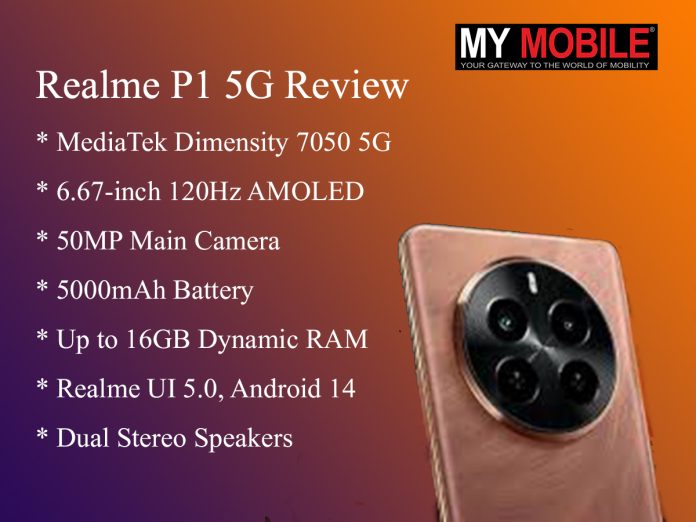
Realme P1 5G: Key Specs
Realme P1 5G: Key Specs
MediaTek Dimensity 7050 5G
6.67-inch 120Hz AMOLED
50MP Main Camera
5000mAh Battery, 45W Charging
Up to 16GB Dynamic RAM
Realme UI 5.0, Android 14
Dual Stereo Speakers
Realme P1 5G: Unboxing Experience
Unpacking the Realme P1 5G, I was satisfied with the inclusion of Realme’s regular accessory set — a rare commitment in today’s market.
This included the smartphone, a clear silicone case, a charging brick, and a USB Type-A to Type-C cable for charging.
Alongside this, you also get the standard documentation including the Setup guide and warranty papers.
Finally there is the SIM ejector toolkit packaged neatly in the middle.
Realme P1 5G: Design and Display
Realme P1 5G: Design
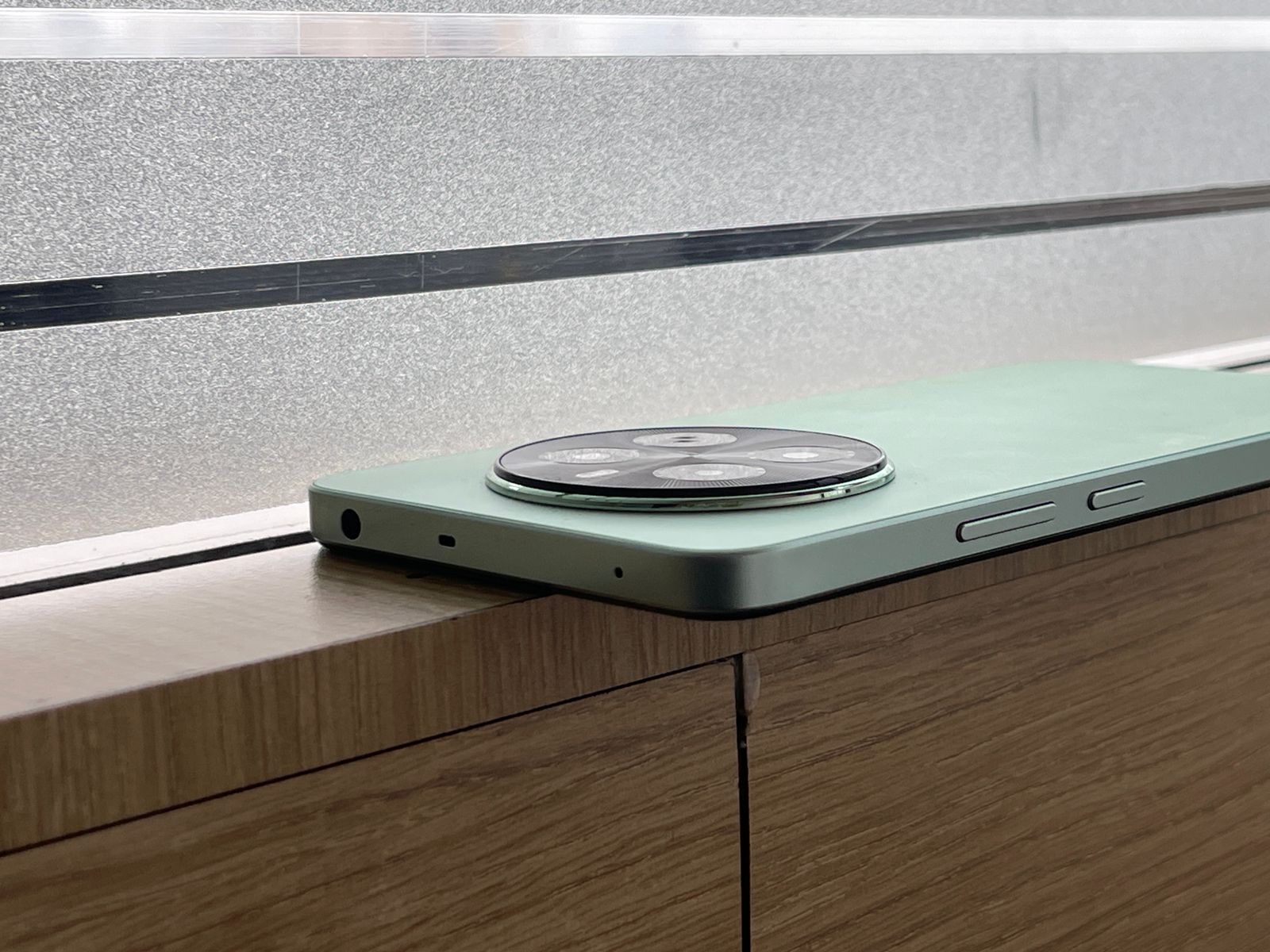
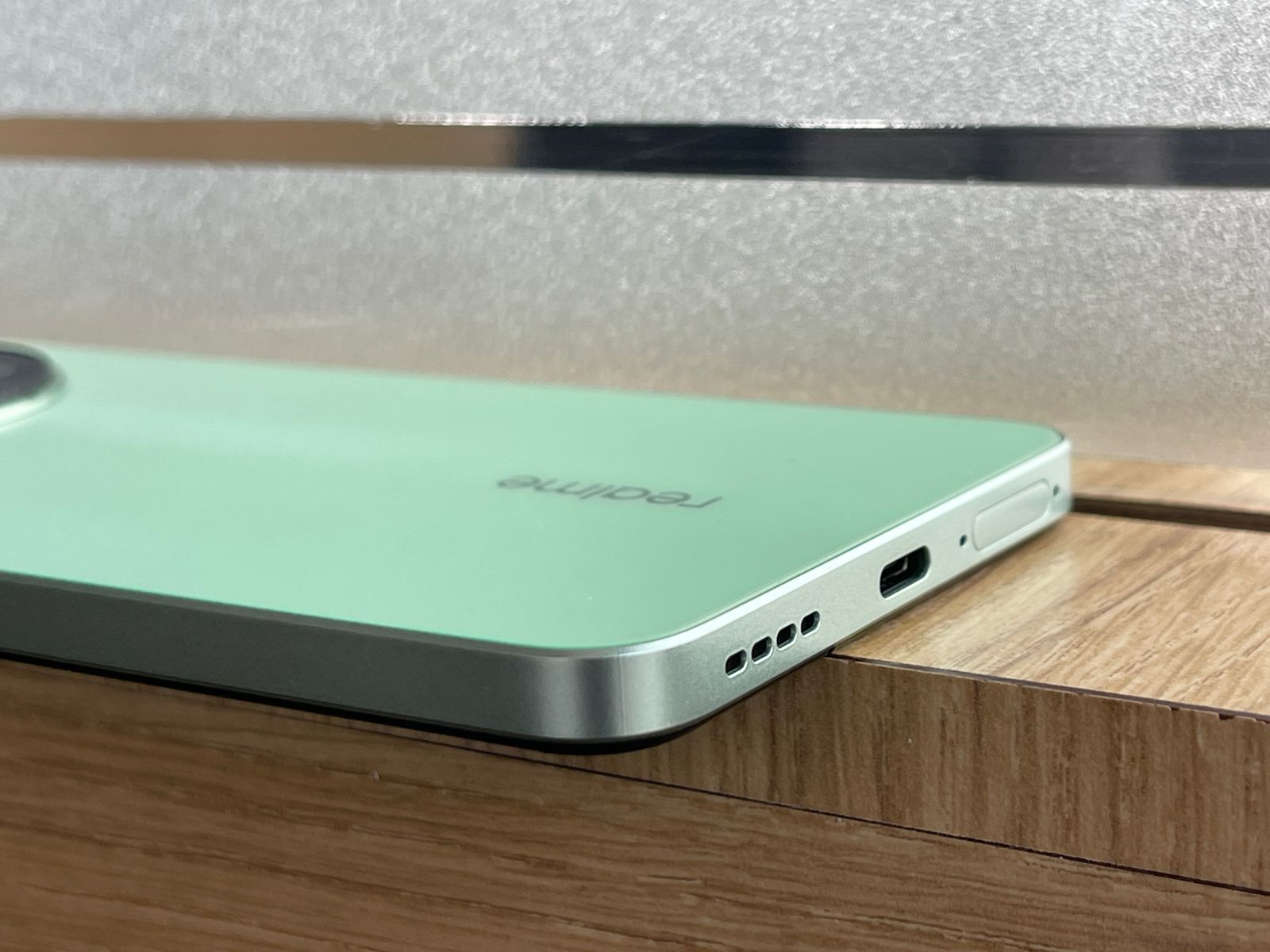
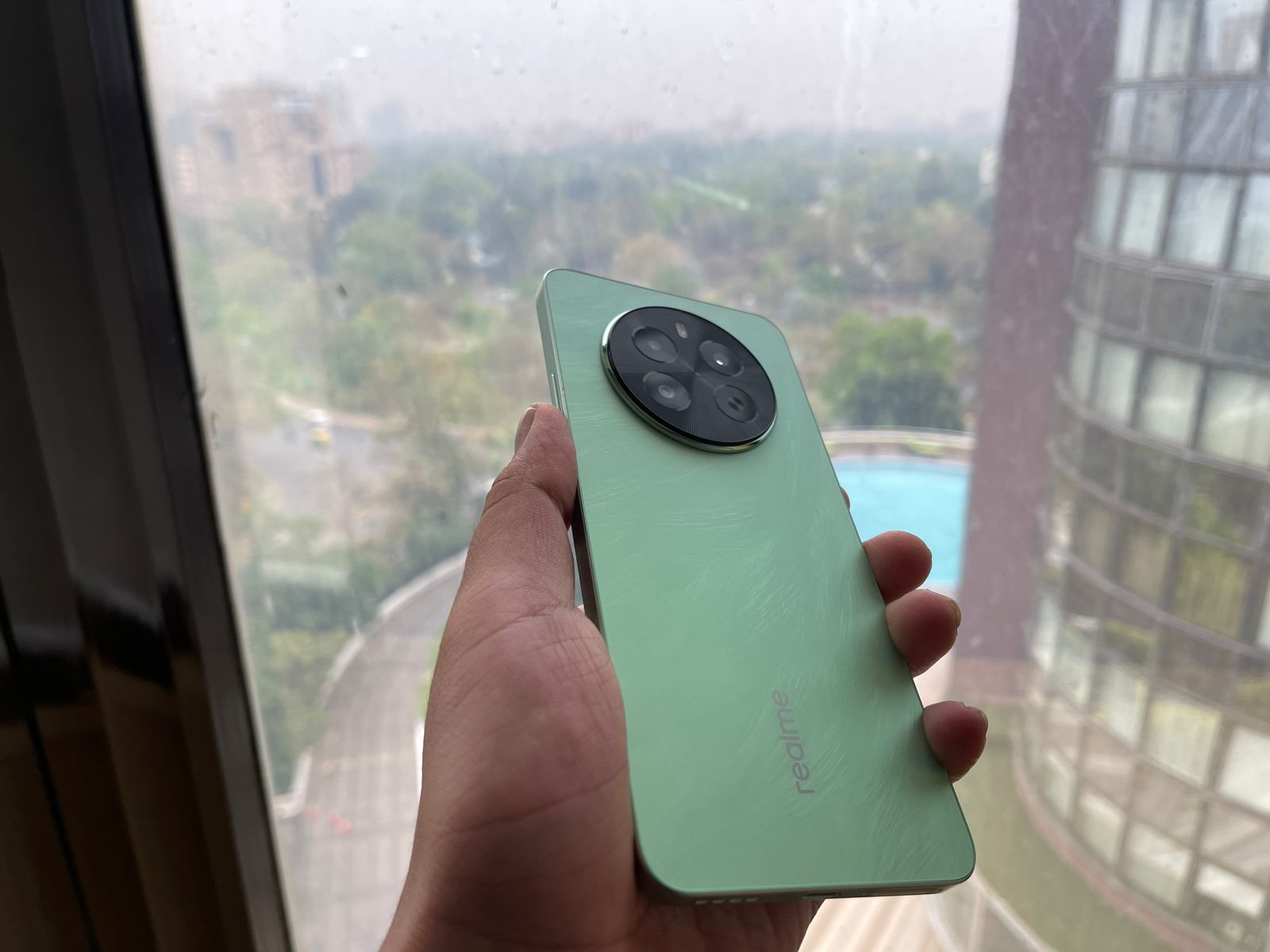
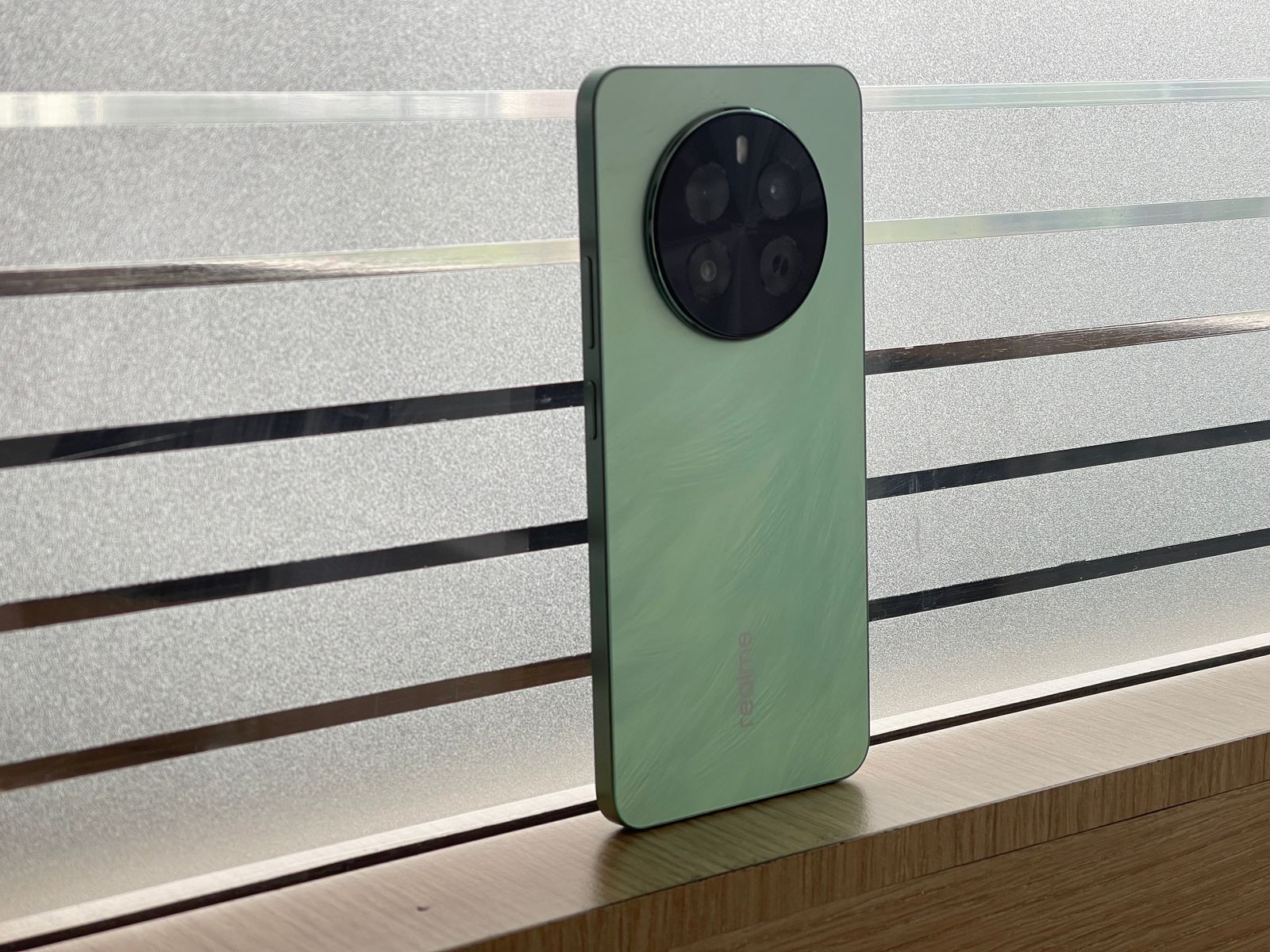
The Realme P1 5G features a design that I think is best described as a double-edged sword in today’s competitive market.
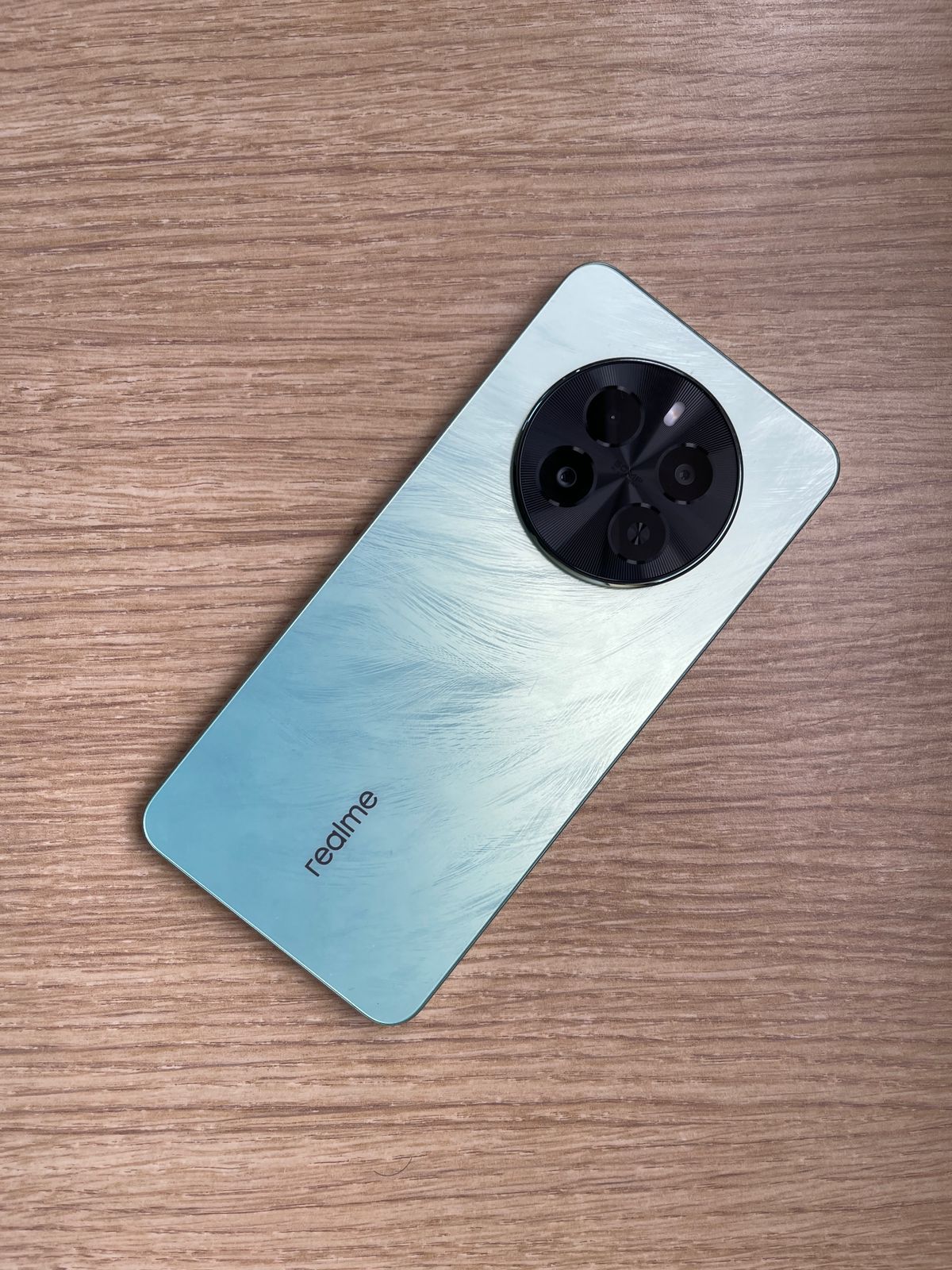
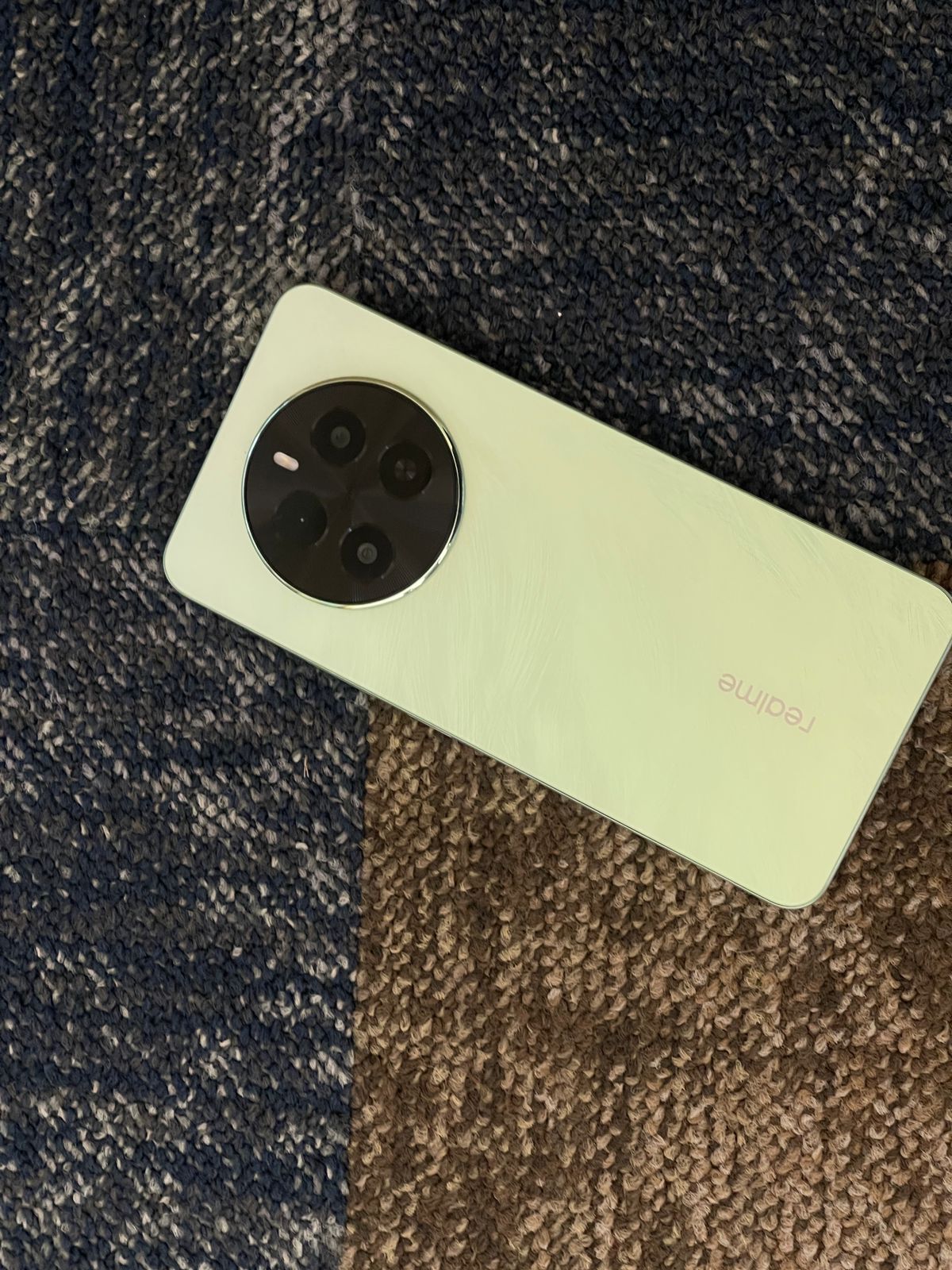
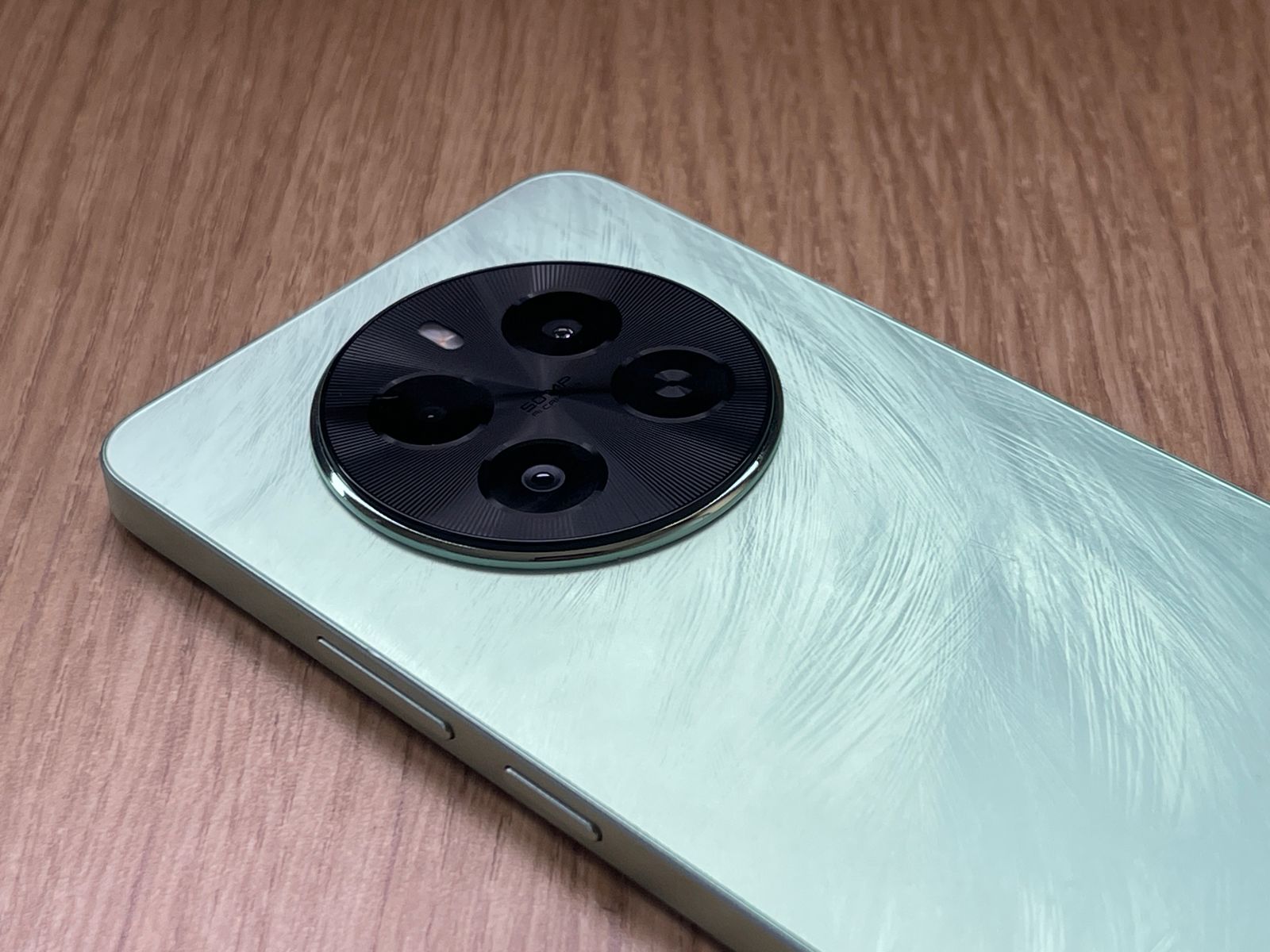
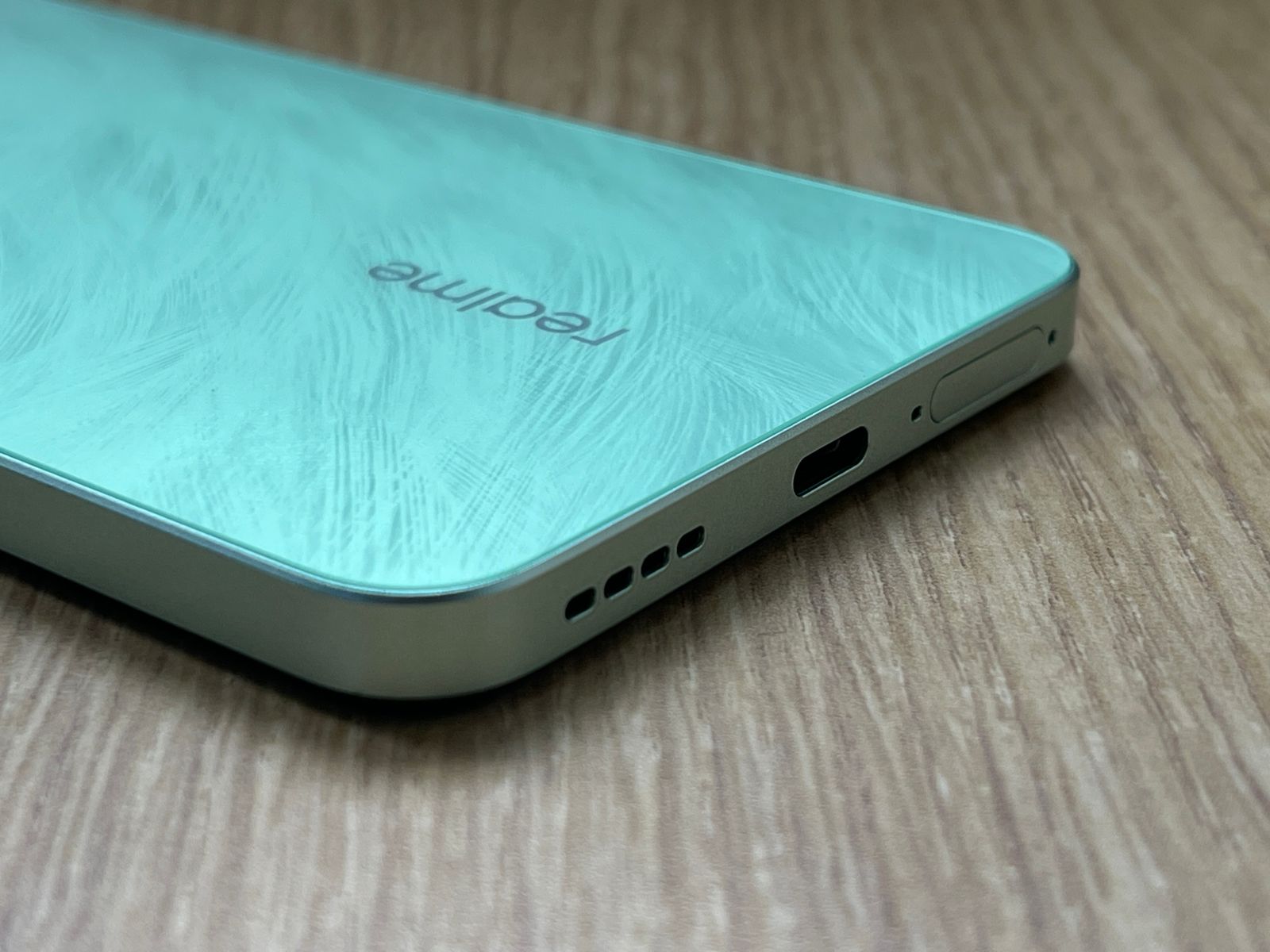
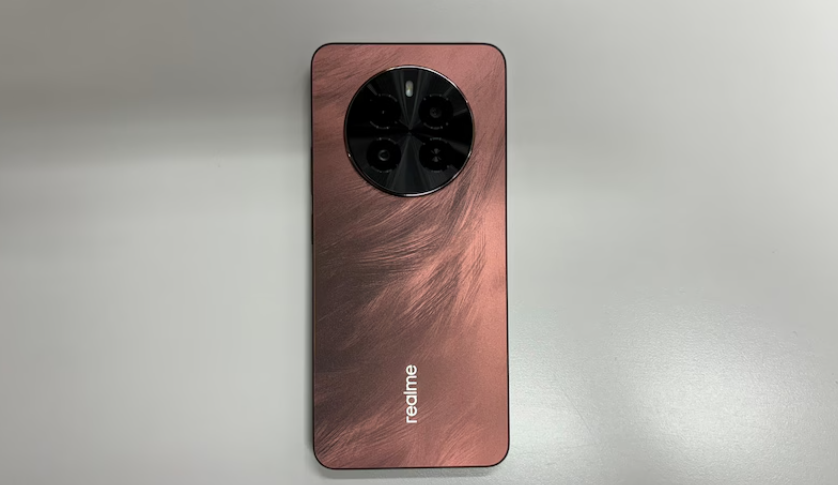
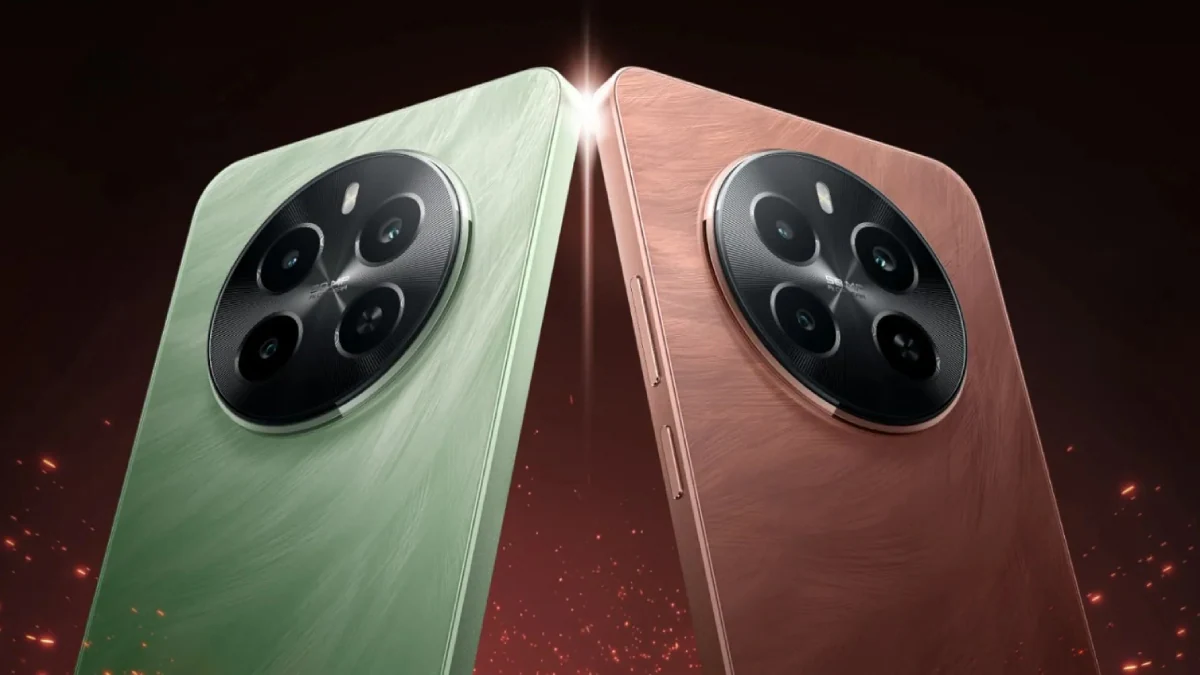
It adopts the Bird Culture-inspired Phoenix Design, incorporating a micro-crystal sparrow feather texture that gleams under light, offering a tactile sensation reminiscent of nature’s elegance.
This unique approach adds an artistic flair, but it’s nestled within a form factor that might feel too familiar to Realme enthusiasts.
I feel that the design from the back, while premium, does not stray far from the aesthetic seen in numerous previous Realme models, which might disappoint users looking for something distinctly fresh.
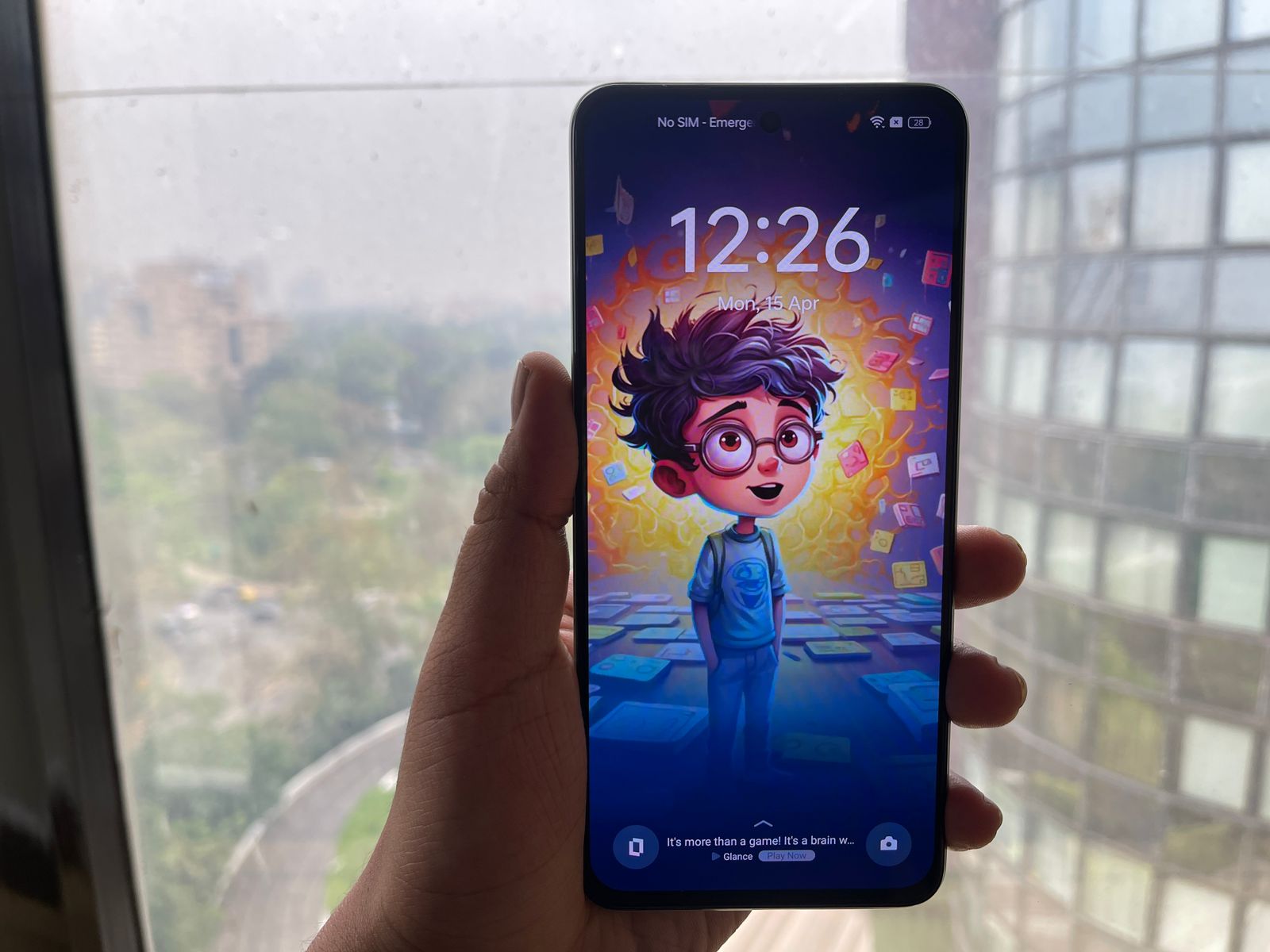
The display also features an innovative Rainwater Smart Touch technology, enhancing screen interaction during inclement weather by adjusting touch sensitivity to prevent unintended inputs.
I feel that this is a significant usability boost, particularly for those living in wetter climates.
While the display offers peak brightness levels up to 2000 nits, ensuring excellent visibility in bright conditions, it lacks HDR support, which has become a common feature in many mid-range smartphones.
Even so, all things considered it is a great offering for casual viewing purposes.
50MP main camera captures vibrant, detailed photos
Additionally, the 2MP macro shooter included in the setup offers very limited utility due to its low resolution.
The images produced by this camera often lacked the detail necessary for impactful close-up shots, which can be frustrating for users looking to explore macro photography.
Nighttime photography with the Realme P1 5G also presented some challenges.
In some cases, the night shots appeared washed out or overly processed, lacking the finesse seen in competitors’ night modes that use more sophisticated processing algorithms.
However, the 16MP front-facing camera does a solid job for selfies and video calls, equipped with AI beautification features that enhance portraits.
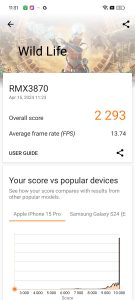
During my use, as I had expected, this processor delivered solid performance, handling everyday tasks and moderate gaming without any noticeable lag.
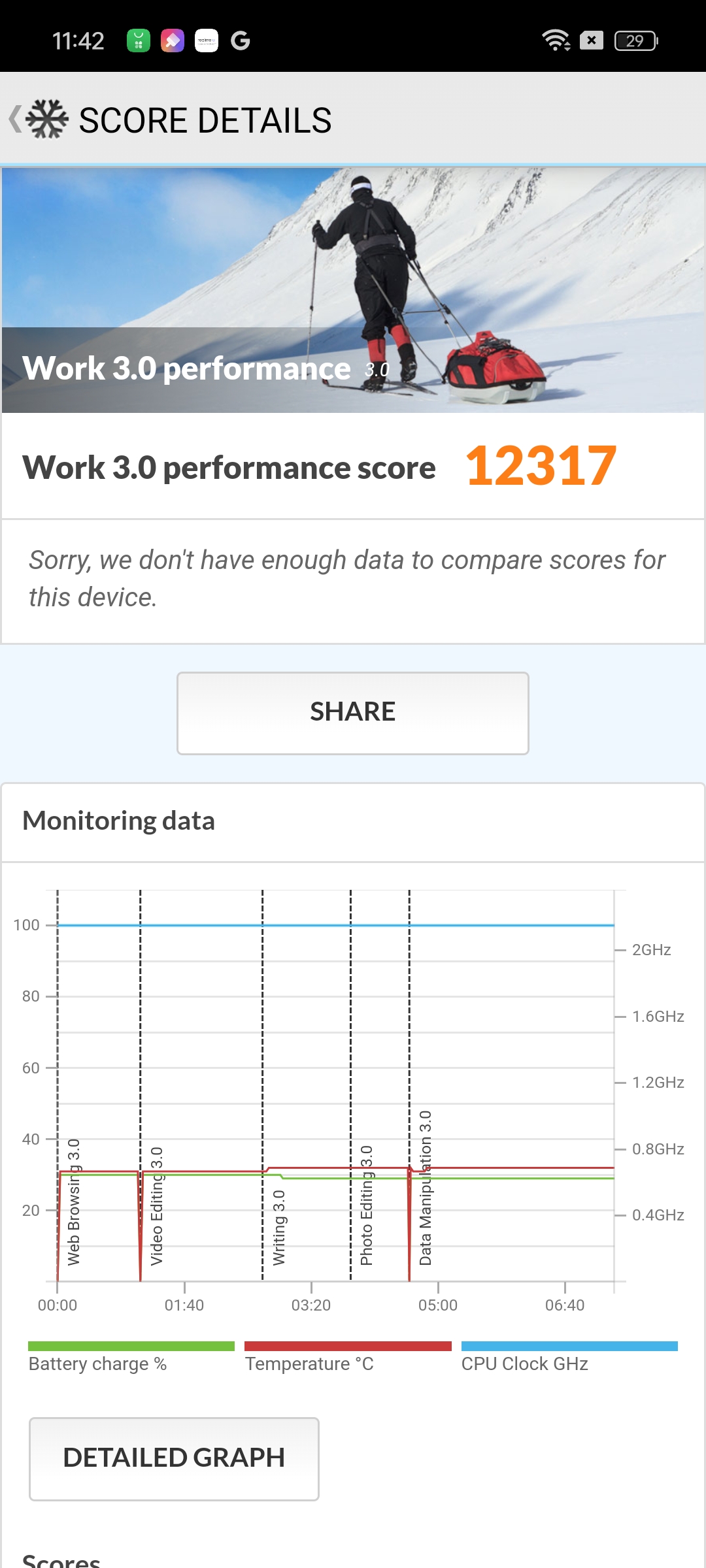
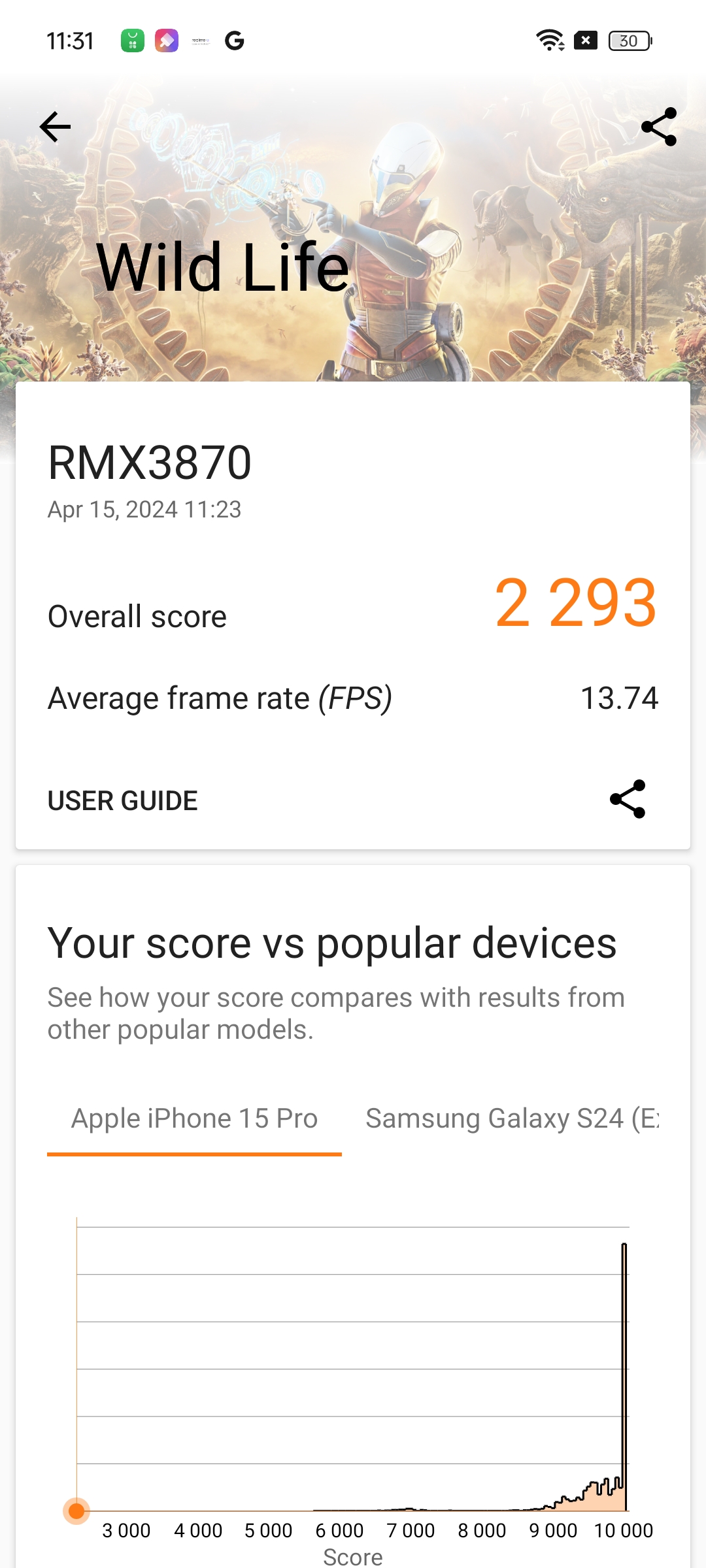
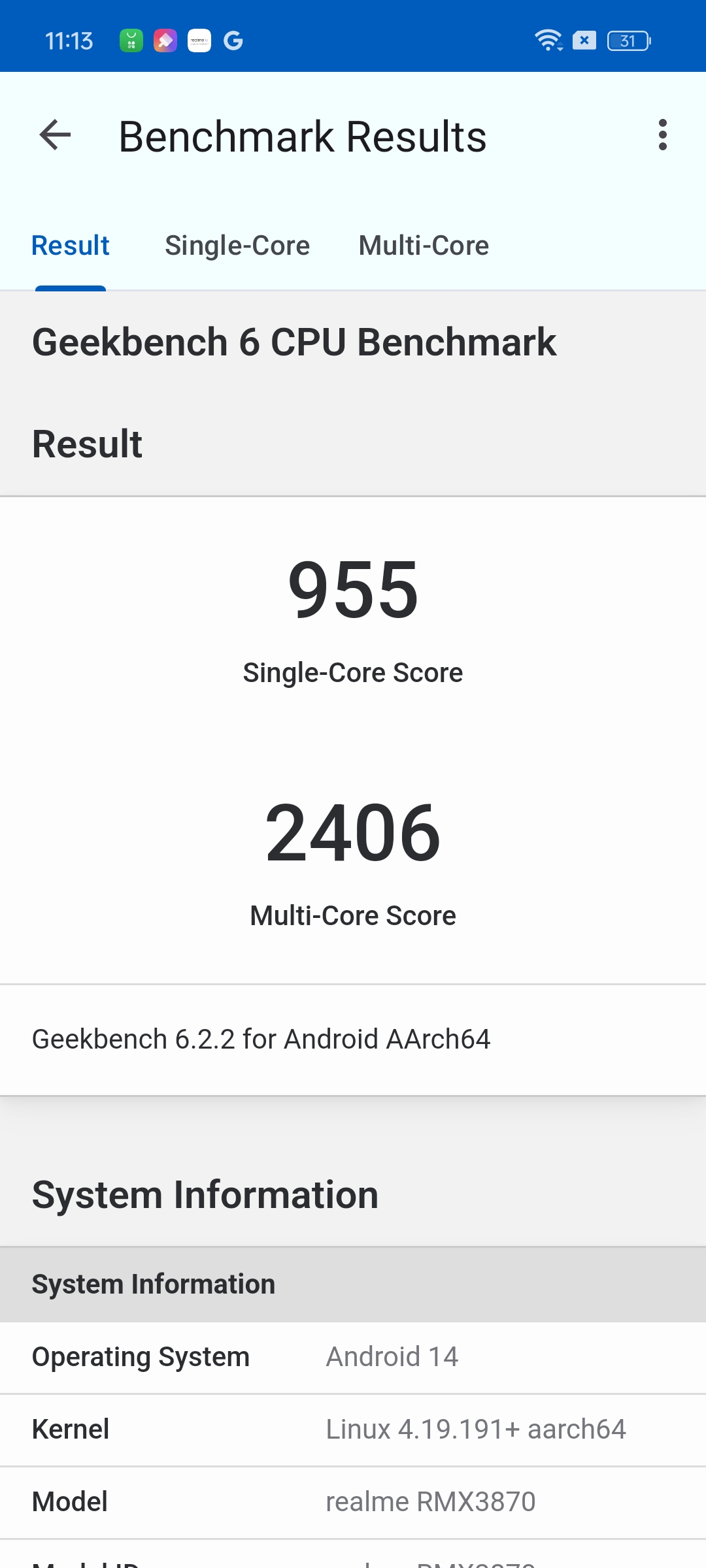
Benchmark tests confirm its capability, showing that the P1 5G can comfortably meet the needs of most users, particularly those who aren’t pushing the device with high-end gaming or intensive multitasking.
However, while general performance is robust, the device does have limitations when it comes to more demanding games.
I found that I needed to adjust settings to low to maintain a stable frame rate, which might be a bit disappointing for avid gamers looking for a budget-friendly smartphone that doesn’t compromise gaming capabilities.
The Realme P1 5G’s dual stereo speakers were a standout feature, providing an excellent audio experience with rich and clear sound.
As far as network connectivity, goes the Realme P1 5G supports a wide range of bands and includes features like dual 5G and Smart 5G, which efficiently manage power consumption while maintaining stable connections.
The design of the UI is clean and well-organized, making it easy for me to find settings and apps quickly.
The customisation options are abundant, allowing for a personalized experience that can be tailored to individual preferences.
However, still, the presence of bloatware detracts somewhat from the overall experience.
Several pre-installed apps and persistent notifications can be intrusive, which might frustrate users who prefer a cleaner, more streamlined software environment.
This is a common issue with many manufacturer skins, and realme UI 5.0 is no exception.
Realme P1 5G: Battery Life
On the battery front, the Realme P1 5G is equipped with a 5000mAh battery that supports 45W SUPERVOOC charging.
This setup allows for relatively quick top-ups—reaching a 50% charge in just 28 minutes.
While the charging speed is efficient and certainly beneficial for quick recharges, I have to point out that it isn’t the fastest available in this segment.
Some competitors offer faster charging capabilities, which could make the Realme P1 seem less appealing to those who prioritize cutting-edge fast-charging technologies.
Despite this, the battery life is commendable, comfortably supporting a full day of moderate to heavy usage on a single charge.
This device impresses with its Phoenix Design, sharp AMOLED display, and solid performance capabilities.
While it excels in daily tasks and offers a user-friendly interface with Realme UI 5.0, it is slightly marred by bloatware and a camera setup that lacks versatility.
Despite these shortcomings, the Realme P1 5G holds its own with robust battery life, effective fast charging, and commendable network performance, making it a noteworthy option for those seeking a budget-friendly yet capable smartphone.
5 Reasons to Buy
5 Reasons to Buy
Robust Performance: Handles everyday tasks and moderate gaming smoothly.
High-Quality Display: Sharp AMOLED screen with innovative touch features.
Effective Fast Charging: 45W SUPERVOOC charging quickly powers the phone.
Solid Build: Attractive design with a comfortable grip.
Good Network Capabilities: Stable and efficient connectivity options.
3 Reasons Not to Buy
3 Reasons Not to Buy
Limited Camera Flexibility: Lacks an ultra-wide sensor and effective low-light performance.
Presence of Bloatware: Clutters the user interface.
Non-Competitive Fast Charging: Slower compared to some rivals in the segment
What makes the Realme P1 5G stand out in the budget smartphone market?
The Realme P1 5G distinguishes itself with a potent combination of a high-performance MediaTek Dimensity 7050 chipset, a vibrant 6.67-inch AMOLED display, and a robust 5000mAh battery with 45W SUPERVOOC charging.
These features are packaged in a sleek design, offering substantial value in the budget smartphone segment.
How does the camera performance of the Realme P1 5G measure up?
The Realme P1 5G is equipped with a 50MP primary camera that excels in capturing sharp and vibrant images under good lighting conditions.
However, it lacks an ultra-wide lens, which limits its versatility compared to competitors. The macro and nighttime photography capabilities could also be improved to enhance the overall camera utility.
What are the display features of the Realme P1 5G?
The device features a 6.67-inch AMOLED screen with a 120Hz refresh rate, offering fluid and crisp visuals.
The display’s high peak brightness level of up to 2000 nits ensures good visibility even in bright conditions, although it lacks HDR support which is becoming more common in similar price ranges.
Can the Realme P1 5G handle intensive gaming and multitasking?
Thanks to its MediaTek Dimensity 7050 processor and up to 16GB of dynamic RAM, the Realme P1 5G handles everyday tasks and moderate gaming smoothly.
However, for more graphics-intensive games, settings may need to be adjusted for optimal performance, as the device can struggle with high-end gaming demands.
What are some potential drawbacks of the Realme P1 5G?
While the Realme P1 5G offers many advantages, it does have some drawbacks, including the absence of an ultra-wide camera and effective low-light photography features.
Additionally, the presence of bloatware might detract from the user experience, and its fast-charging speed, while quick, is not the fastest available in this market segment.
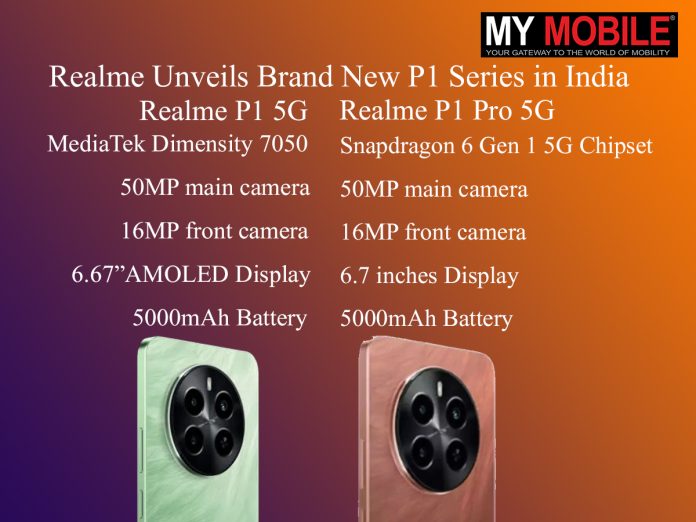
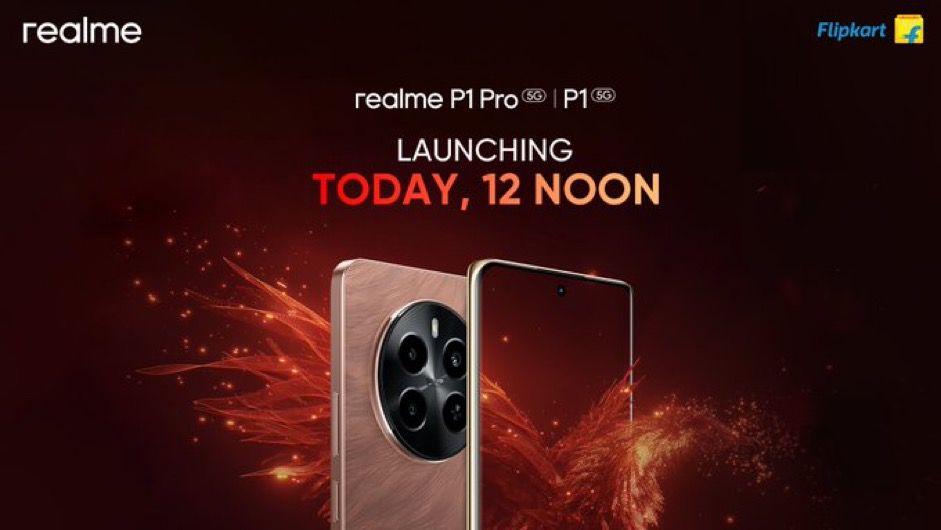
As the latest entrants, the Realme P1 and P1 Pro boast impressive specifications tailored for power users.
Realme Unveils Brand New P1 Series in India
Yet, this launch raises questions about Realme’s growing portfolio, which now spans several lines that blur in distinction regarding features and specs.
In any case, here’s what you need to know about the new Realme P1 series.
Commenting on the launch, a Realme spokesperson said, “We are thrilled to introduce the Realme P Series 5G, a smartphone that is set to redefine performance standards in the smartphone industry.
With the Realme P Series 5G, we have introduced cutting-edge technology and advanced features that will redefine the mid-range segment.
Additionally, we are also excited to launch the Realme Pad 2, Wi-Fi variant and Realme T110 buds alongside the new P Series. We believe these smartphones and the AIOT products will further solidify our position as a brand that offers innovative and trendsetting smartphones.
We aim to achieve the 50M sales milestone in Flipkart with the launch of the new P Series this year.”
Pricing and Availability
Realme Brand New P1 Series Pricing and Availability
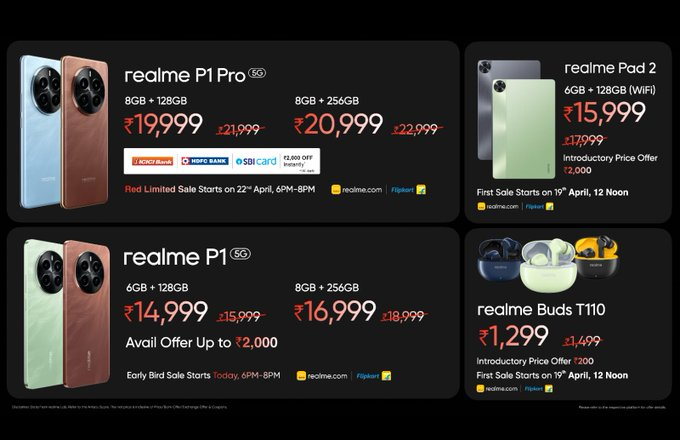
The details concerning the pricing and availability of the Realme P1 and P1 Pro are out.
The standard Realme P1 will be offered in 6GB/128GB and 8GB/256GB variants which will be priced at Rs 15,999 and Rs 18,999.
The early bird sale for the device starts today.
Realme Unveils Brand New P1 Series Early Bird Sale
The Realme P1 Pro will be available in 8GB/128GB and 8GB/256GB variants that are priced at Rs 21,999 and Rs 22,999.
The first sale for the device will start on 30th April can be purchased starting at Rs 19,999 and Rs 20,999 for this initial sale, exclusively on Flipkart.
The price and sale date of realme P Series 5G is as below:
realme P1 Pro 5G
Variant
Colors
Price
Offer on Flipkart.com & realme.com
Offer Price
Sale Date
realme P1 Pro 5G
(8GB+128GB)
Phoenix Red and Parrot Blue
INR 21,999
INR 2000 Bank offer**+3 Month No Cost EMI
**Offer valid on ICICI, HDFC, SBI cards
INR 19,999
Red Limited Sale:
22nd, April 6PM-8PM IST
P1 Pro First Sale: 30th April –
12Noon-12:00 Midnight IST
realme P1 Pro 5G
(8GB+256GB)
INR 22,999
INR 20,999
realme P1 5G
Variant
Colors
Price
Offer on Flipkart.com & realme.com
Offer Price
Sale Date
realme P1 5G
(6 GB +128 GB)
Phoenix Red and Peacock Green
INR 15,999
INR 1000 Discount Coupon
INR 14,999
Early Bird Sale: 15th April –
6PM – 8PM IST
First Sale:22nd April –
12Noon-12:00 Midnight IST
realme P1 5G
(8 GB +256 GB)
INR 18,999
INR 2000 Discount Coupon
INR 16,999
Key Specs
Realme P1 5G
Realme P1 and P1 Pro debut with top-tier MediaTek and Snapdragon processors
Processor: MediaTek Dimensity 7050, 8-core up to 2.6GHz
Camera: 50MP main camera, 2MP B&W; 16MP front camera
Display: 6.67-inch AMOLED, 120Hz refresh rate
Battery: 5000mAh with 67W SUPERVOOC Charging
Storage Options: 6GB/128GB, 8GB/128GB, 8GB/256GB
Connectivity: 5G, Bluetooth 5.2, 2.4/5GHz Wi-Fi
System: Realme UI 5.0 based on Android 14
Realme P1 Pro 5G
Both models feature high-resolution 50MP main cameras for superior photography
Processor: Snapdragon 6 Gen 1 5G Chipset
Camera: 50MP main camera with OIS, 8MP portrait; 16MP front camera
Display: 6.7 inches, FHD+, 120Hz refresh rate
Battery: 5000mAh with 45W SUPERVOOC Charging
Storage Options: 8GB/128GB, 8GB/256GB
Connectivity: 5G, Bluetooth 5.2, 2.4/5GHz Wi-Fi
System: Realme UI 5.0 based on Android 14
Realme P1 Series: Features
Enhanced battery technology with rapid charging capabilities in both models
The P1 features a 6.67-inch AMOLED display, whereas the P1 Pro slightly upscales to a 6.7-inch screen, both offering a 120Hz refresh rate for smooth visual performance.
P1 features Maximum Storage
These displays are built for those who value crisp and fluid visuals.
Each model is supported by a 5000mAh battery, but charging capabilities differ.
The P1 offers a 67W SUPERVOOC charge, providing rapid charging, while the P1 Pro offers a 45W SUPERVOOC charge, focusing on efficiency and battery longevity.
Both models support dual 5G modes, ensuring wide connectivity options.
Realme Brand New P1 Series Launched 12 Pm
Multiple storage configurations give users flexibility based on their needs, from 128GB to 256GB, paired with substantial RAM options.
Night Mode, Photo Mode, Street Shooting Mode, Portrait Mode, High Pixel, Professional Mode, Panoramic View, Macro, Super Text, Super Group Portrait, Tilt Shift, Long Exposure Photo, Video Features: Video, Movie Mode, Slow Motion, Timelapse, Multi View Video, Tilt Shift
What are the primary differences between the Realme P1 and P1 Pro models?
The Realme P1 is equipped with a MediaTek Dimensity 7050 processor, ideal for balanced performance and efficiency, while the P1 Pro is powered by a Snapdragon 6 Gen 1 chipset, enhancing 5G capabilities and processing power.
Additionally, the P1 Pro includes an 8MP portrait camera alongside the standard 50MP main camera, offering advanced depth-sensing capabilities.
What kind of display technology is used in the Realme P1 series?
The Realme P1 series features AMOLED displays, with the P1 sporting a 6.67-inch screen and the P1 Pro a slightly larger 6.7-inch screen.
Both models offer a 120Hz refresh rate, providing users with smooth scrolling and a responsive interface, which is particularly beneficial for gaming and high-speed content.
How do the battery specifications differ between the P1 and P1 Pro?
Both models in the Realme P1 series are supported by a 5000mAh battery, ensuring long-lasting usage.
However, the P1 boasts a 67W SUPERVOOC charging capability, allowing for faster power replenishment compared to the P1 Pro’s 45W charging, which focuses more on efficiency and preserving battery health.
What storage options are available for the Realme P1 series?
The Realme P1 offers three storage configurations: 6GB/128GB, 8GB/128GB, and 8GB/256GB. T
he P1 Pro provides two options: both with 8GB of RAM but with either 128GB or 256GB of storage.
These options give potential buyers flexibility in choosing a device that best meets their memory needs and budget considerations.
Realme unveils the Power-Packed Realme P Series 5G, Realme Pad 2, Wi-Fi variant and Realme T110 buds starting from INR 15,999, INR 17,999 and INR 1499 respectively.Details ?
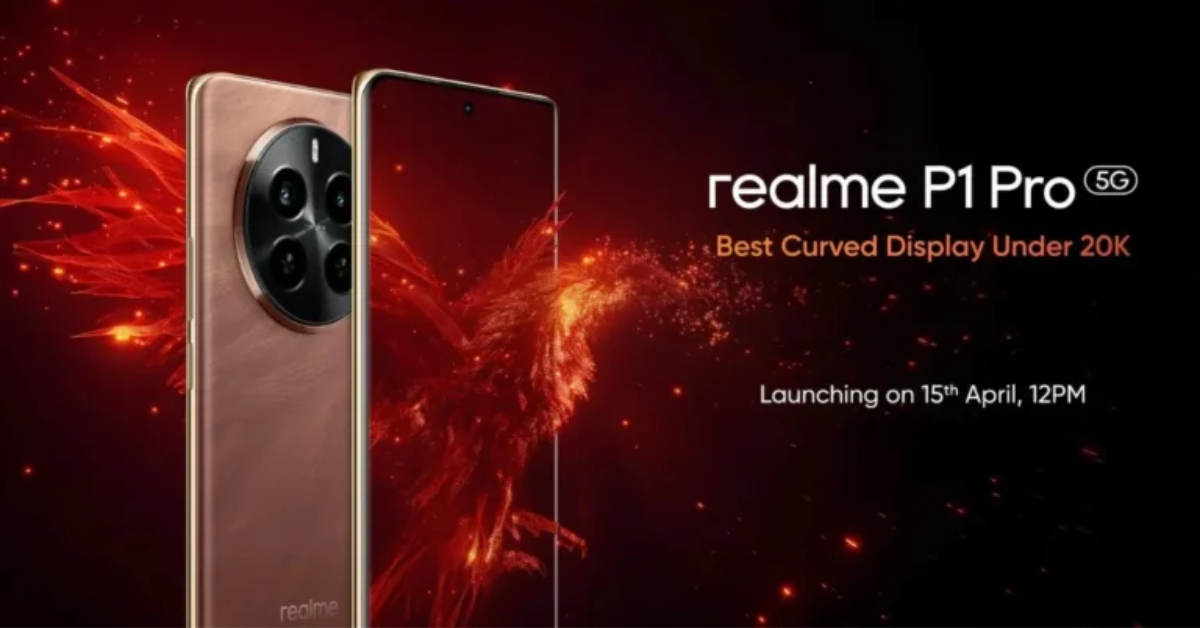
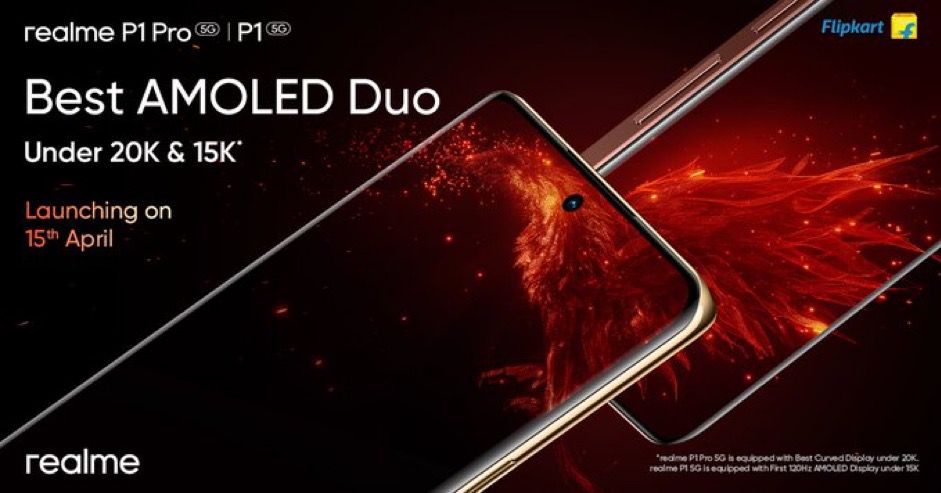
The Realme P1 Pro 5G steps up the game with a Snapdragon 6 Gen 1 5G Chipset, a 50 MP Sony LYT-600 Camera with OIS, and a 120Hz Curved Vision Display.
It also offers a large storage capacity of up to 256GB and a dynamic RAM of up to 8GB+8GB.
The Realme P1 Pro 5G comes in two colors: Phoenix Red and Parrot Blue and two storage variants: 8GB+128GB, priced at INR 21,999 and 8GB+256GB, priced at INR 22,999.
The Realme P1 5G boasts a powerful MediaTek Dimensity 7050 5G Chipset, a great 120Hz AMOLED Display, superfast 45W SUPER VOOC Charging, and a massive 5000mAh Battery.
The device also showcases a bird culture-inspired design and a 50 MP AI Camera for capturing stunning visuals.
The Realme P1 5G comes in two colors: Phoenix Red and Peacock Green and two storage variants: 6GB+128GB, priced at INR 15,999 and 8GB+256GB, priced at INR 18,999.
The Realme Pad 2, Wi-Fi variant features a large 120Hz 2K display and comes with a 33W SUPERVOOC charging system and a hefty 8360mAh battery, priced at INR 17,999
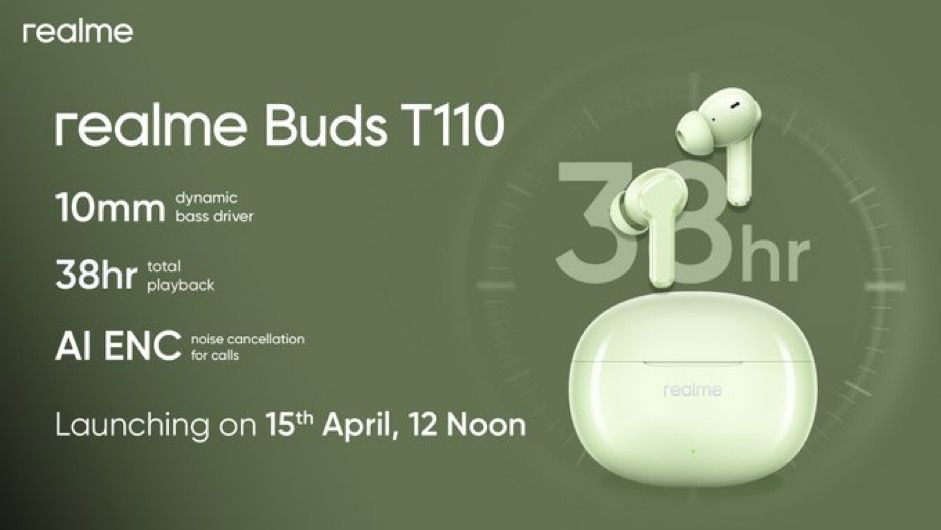
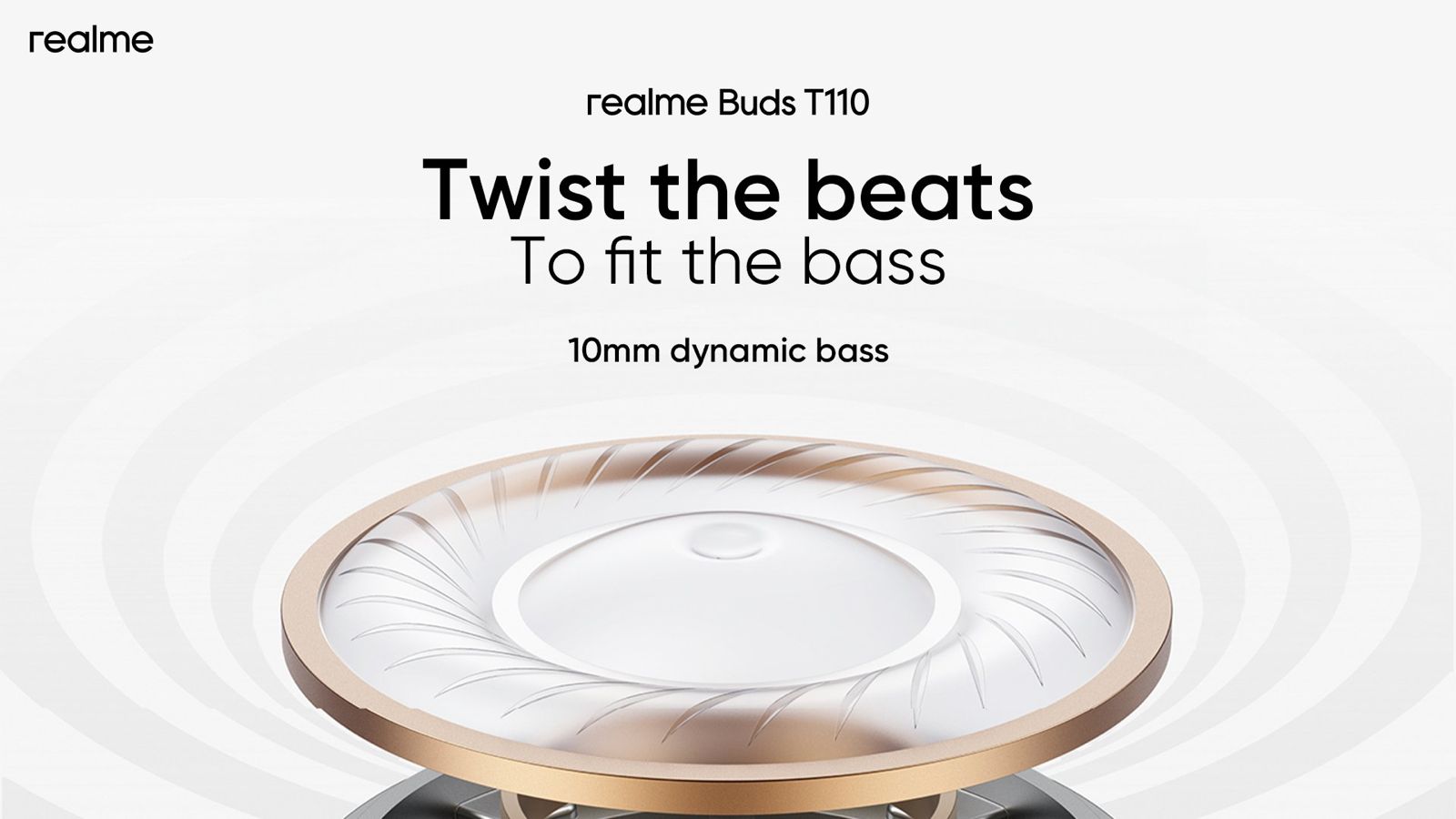
The Realme T110 wireless earbuds feature a 10mm Dynamic Bass Driver and offer an impressive 38-hour total playback. It also comes with IPX5 Water Resistance rating, priced at INR 1499.
Realme, India’s Most Reliable Smartphone Service Provider, is thrilled to announce the launch of its latest Realme P Series 5G smartphones – Realme P1 Pro 5G and Realme P1 5G.
The two cutting-edge devices are set to disrupt the mid-range smartphone segment with their superior performance, exceptional user experience, and exclusive availability on Flipkart for Indian customers.
Alongside the new P Series Realme will also launch its Realme Pad 2, Wi-Fi variant and Realme T110 buds.
Positioned as the “Best Player of Performance and Display”, the new Realme P Series 5G represents power. The design of these smartphones reflects the Realme DNA of being bold and new-to-market, which will light up the eyes of users.
The Realme P1 5G features the powerful MediaTek Dimensity 7050 5G Chipset, a 120Hz AMOLED Display, 45W SUPERVOOC Charging, and a massive 5000mAh Battery.
Whereas the Realme P1 Pro 5G comes with a 50 MP Sony LYT-600 Camera with OIS, a 120Hz Curved Vision Display, 45W SUPERVOOC charge along with a massive 5000mAh battery and Qualcomm Snapdragon 6 Gen 1 5G Chipset.
The Realme T110 wireless earbuds blend style and power together and are designed to enrich your audio experience. They feature a 10mm Dynamic Bass Driver for immersive sound quality and offer an impressive 38-hour total playback.
Equipped with AI ENC Noise Cancellation technology, they ensure clear calls even in noisy settings. With Bluetooth 5.4 connectivity and an 88ms Super Low Latency, they provide fast connections and seamless streaming.
The IPX5 Water Resistance rating makes them suitable for workouts and outdoor activities. Intelligent Touch Controls allow easy navigation through music and calls with a simple tap.
What are the key features of Realme P1 Pro 5G ?
Best 120Hz Curved Vision Display in the segment
The Realme P1 Pro 5G boasts a 6.7-inch FHD+ OLED display. The stunning display offers a refresh rate of up to 120Hz, providing users with a seamless and smooth content-watching experience.
It also features an impressive 20000 levels of brightness adjustment and can reach a peak brightness of 950 Nits, ensuring optimal visibility in various lighting conditions.
In low-brightness conditions, Realme P1 Pro 5G employs high-frequency 2160Hz PWM dimming, offering a 4.5 times increase in dimming efficiency compared to conventional 480Hz methods.
The smartphone also comes with an Eye Protection Certificate by TÜV Rheinland, which will help the users to operate the device for a longer period while comforting and protecting their eyes.
Dynamic 50 MP Main Camera with Sony LYT 600
The Realme P1 Pro 5G is equipped with a superior camera system. The 50MP main camera features a Sony LYT-600 sensor that captures stunningly detailed and vibrant images.
In addition, there’s an 8MP Ultra-wide camera for capturing expansive landscapes and a 16 MP selfie camera for high-quality self-portraits.
The camera system also includes unique imaging functions like Auto-zoom Technology and HyperTone Image Engine for enhanced photography experiences.
Design Inspired by nature and birds
Inspired by the beauty of nature, the design of the Realme P1 Pro 5G incorporates elements from bird culture.
The device features a Micro-Crystal Sparrow Feather Texture and a Large Circular 3D LDI Texture Design, giving it a unique and sophisticated look. It is available in two eye-catching colors – Parrot Blue and Phoenix Red.
The intricate structure, designed through considerable data programming, preserves the essence of feather shafts and barbs, replicating their subtle swing in the breeze and conveying a sense of lightness and freedom.
Superfast 45W SUPERVOOC charger and massive 5000mAh battery
One of the standout features of the Realme P1 Pro 5G is its massive 5000mAh battery paired with a 45W SUPERVOOC charger.
This combination ensures extended usage time and superfast charging speeds. The device can be fully charged to 100% in just 67 minutes or reach 50% charge in just 30 minutes.
The massive 5000mAh battery capacity allows for up to 473.58 hours of standby time, 35 hours of phone calls, 20.14 hours of movie playing, 85 hours of music playback, and 12.62 hours of navigation, making it incredibly convenient for users who are always on the go.
Powerful Snapdragon 6 Gen 1 5G Chipset
Powering the Realme P1 Pro 5G is the high-performance Snapdragon 6 Gen 1 5G Chipset processor.
This powerful chipset is based on Samsung’s 4nm-core process and includes a 64-bit 4+4 8-core architecture with a main frequency of 2.2GHz. This robust configuration ensures fast and efficient performance for all tasks.
Flagship level experience with 3D VC Cooling System
The Realme P1 Pro 5G features a 3394mm² stainless steel vapor chamber, which increases heat dissipation efficiency and offers a large surface for heat dissipation, leading to a more stable performance.
What are Key features of Realme P1 5G ?
Powerful MediaTek Dimensity 7050 5G Chipset
The Realme P1 5G smartphone is powered by the MediaTek Dimensity 7050 5G Chipset, which is based on the TSMC 6mm advanced process. This chipset features an 8-core 64-bit processor that includes 2 ARM® Cortex-A78 @2.6GHz and 6 ARM® Cortex-A55 @2.0GHz.
It also includes a Mali-G68 GPU to enhance its image processing capabilities. The phone comes in three different versions, each scoring over 603,000 in the AnTuTu Benchmark, indicating superior performance.
Best in the segment AMOLED display
The device boasts a stunning 6.67-inch AMOLED display with a resolution ratio of FHD+ 2400*1080, providing users with a clear image display. The display supports 16.7 million colors and a 100% P3 Color Gamut, making it perfect for viewing photos and videos.
It also includes 4096 levels of brightness adjustment and a peak brightness of 2000 Nits with a Turbo Charged Touch Sampling Rate of up to 2200Hz.
The Realme P1 5G also introduces the segment’s first Rainwater Smart Touch feature, improving user experience through greater touch input accuracy.
Bird Culture Inspired Design
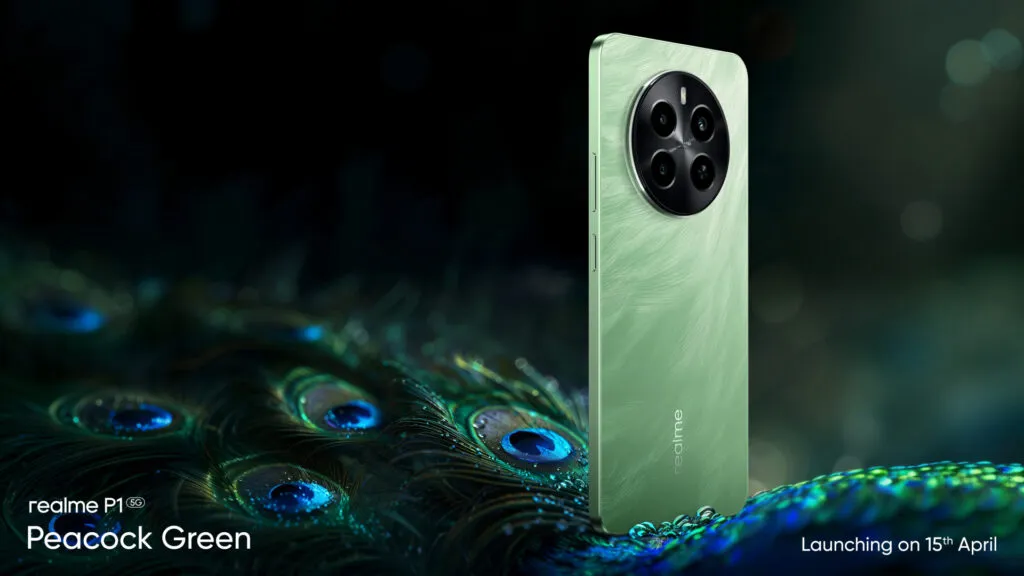
In terms of design, the Realme P1 5G draws inspiration from bird culture, specifically sparrow feathers. The texture is reminiscent of light, soft yet strong feathers gleaming subtly under sunlight.
The device comes in two vibrant colors – Peacock Green and Phoenix Red, both reflecting dazzling hues through their micro-crystal glass texture and nano ink printing.
Despite housing a large 5000mAh battery, the device maintains an ultra-thin and lightweight body, measuring approximately 7.97mm in thickness and weighing around 188g.
Powerful 50 MP AI Camera
The Realme P1 5G features a 50MP main primary camera and a 16MP selfie camera. The high-resolution primary camera can produce large-pixel photos up to 8160*6144, ensuring clear and detailed images.
It offers a variety of photography modes including Night Mode, Street Mode, Photograph Mode, Portrait Mode, Professional Mode, Panorama Mode, Long Exposure Photo, Text Scanner, Super Group Portrait, and Tilt Shift.
The device also includes various video recording modes such as Dual-view Video, Film Mode, Tilt Shift, Slow Motion, Timelapse, and Video Mode.
Superfast 45W SUPERVOOC charger and massive 5000mAh battery
Another standout features of the Realme P1 5G is its 45W SUPERVOOC charging and massive 5000mAh battery. With 45W SUPERVOOC charging, the device can be fully charged to 100% in just 65 minutes or reach 50% charge in just 28 minutes.
The massive 5000mAh battery provides extended usage time, offering up to 518 hours in standby, 31 hours for phone calls, 8 hours of camera recording, 17 hours of video playback, 85 hours of music playback, and 14 hours of navigation.
The device also features intelligent algorithms for efficient and safe charging.
Flagship level experience with 3D VC Cooling System
The Realme P1 5G is equipped with a 7-layer heat dissipation architecture, a high-performance graphite heat dissipation system measuring 10231 mm², and a stainless steel vapor chamber of 4356.52 mm.
This ensures a more steady performance by including a wide heat dissipation surface and greatly improving heat dissipation efficiency.
However, they contain the XploitSPY malware strain aimed at stealing user data.
Posing as Innocent Messaging Apps
Dangerous Android Apps Removed but Users Urged to Uninstall to Avoid Malware Risk
While the apps – named Dink Messenger, Sim Info, and Defcom – have now been removed from the Google Play Store, they can still wreak havoc if already installed on devices.
Users are strongly urged to immediately uninstall any of these three apps found on their Android phones.
Alarmingly, the apps evaded detection by Google Play Protect, which routinely scans for harmful programs.
Signs of Potential Infection
Three Android apps identified with XploitSPY malware removed from Google Play
There are several concerning indicators that an Android device may have fallen victim to the XploitSPY malware lurking within these apps:
Noticeably slower device performance and internet speeds
Unexplained changes to system settings
Rapid battery drain
More critically, if money has inexplicably disappeared from financial apps or identities have been compromised through scams, it could signal a successful malware infection stealing sensitive login details.
An Ongoing Battle
Apps targeted users’ personal details and financial credentials
While Google works continuously to improve Play Protect’s defenses, this incident underscores how cybercriminals constantly evolve new tactics to bypass security measures and distribute their malicious code.
Taking proactive steps like regularly reviewing installed apps, keeping software updated, and being cautious of unfamiliar apps – especially those requesting excessive permissions – can help Android users better protect themselves against emerging threats.
FAQs
What are the names of the Android apps involved in the recent malware scare?
The three Android apps identified as dangerous due to containing XploitSPY malware are Dink Messenger, Sim Info, and Defcom.
These apps posed as legitimate messaging tools to deceive users but were designed to harvest sensitive information.
How did these malicious apps evade Google Play Protect’s security measures?
Despite Google Play Protect’s routine checks for harmful programs, these apps managed to slip through due to their ability to disguise as harmless messaging apps.
Cybercriminals are continually developing new methods to bypass security protocols, making it challenging for automated systems to catch every threat.
What should users do if they have installed one of these apps?
Users who have installed Dink Messenger, Sim Info, or Defcom should immediately uninstall these apps from their devices.
It is also advisable to check for any signs of infection, such as unusual account activities or unauthorized financial transactions, and to change passwords on sensitive accounts.
What are the signs that an Android device might be infected with malware?
Key indicators of malware infection include noticeably slower device and internet performance, unexplained changes to system settings, and unusually rapid battery drainage.
These symptoms suggest that malicious software might be running processes in the background or attempting to transmit data.
However, this belated launch points toward the Android ecosystem as a whole and has severely overlooked the potential of ultra-wideband (UWB) technology.
UWB Tech is Not New
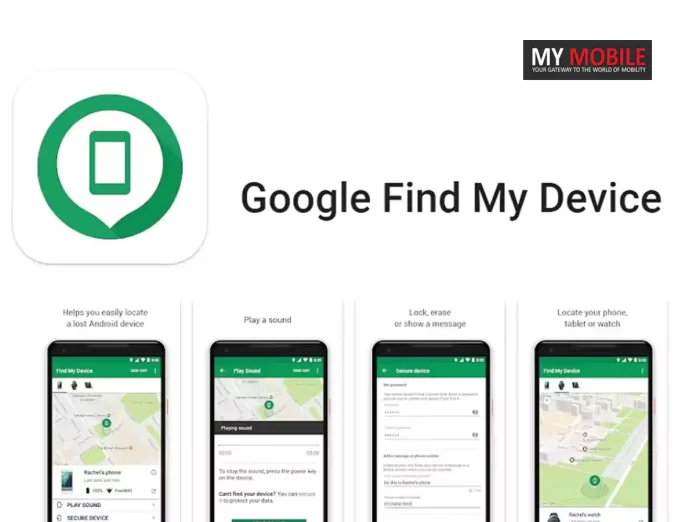
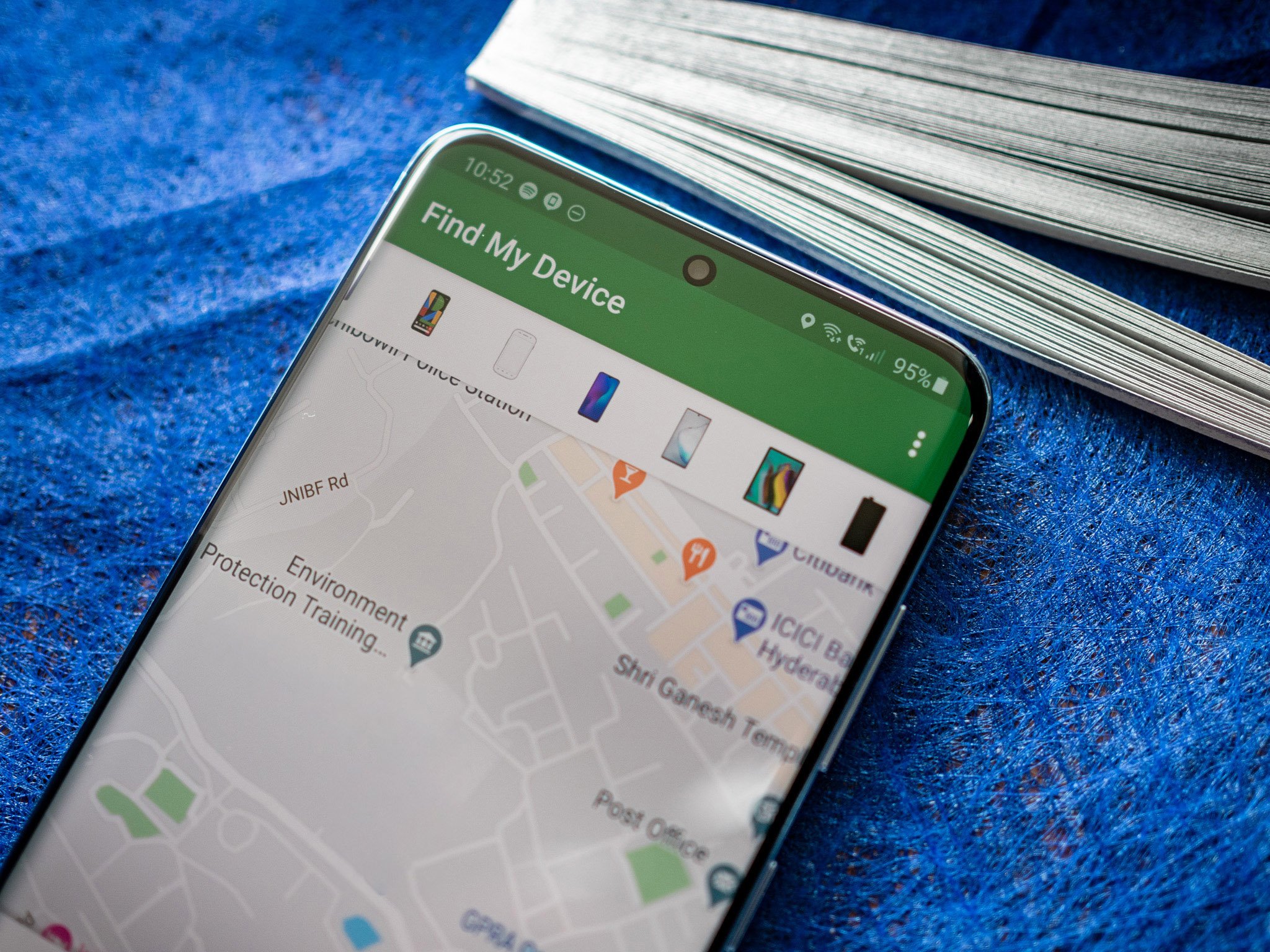
Google Starts Android Find My Device Network Rollout with Limited UWB Integration
Despite being far from new, UWB remains an underutilised capability within the Android space.
This short-range communication tech excels at determining precise proximity between devices, making it well-suited for applications like digital car keys or seamless device interactions through simple “tapping” gestures.
Ironically, while Google has equipped several recent Pixel models like the 6 Pro, 7 Pro, 8 Pro, and Pixel Fold with the requisite UWB hardware, the software implementation remains sorely lacking.
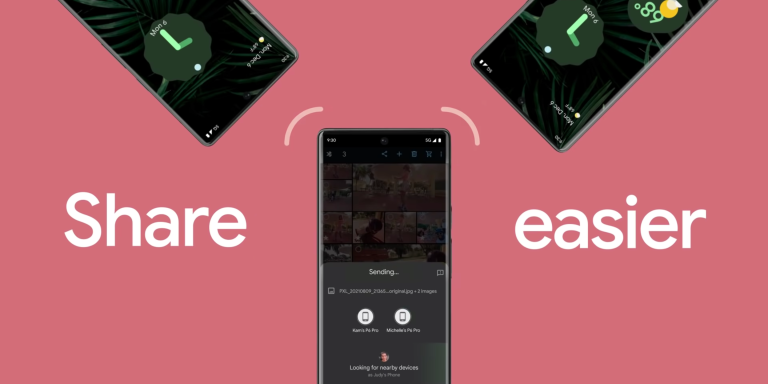
As of now, there’s virtually no functionality users can access or experience involving UWB on these supported devices beyond a limited role in the Nearby Share feature.
A Missed Opportunity with Trackers
Google rolls out Android’s Find My Device network with delayed UWB use
This lack of ultra-wideband integration is a stark contrast to Apple’s AirTags, which have leveraged UWB since launch to help pinpoint an item’s exact location.
It remains uncertain whether Google plans to introduce UWB support to this tracking network in the future, as the company has not publicly discussed such plans so far.
Signs of Progress on the Horizon
Upcoming Pixel devices may show improved UWB functionality
However, despite the sluggish adoption so far, there are indications that Google may finally be recognising UWB’s potential moving forward.
The upcoming Pixel Tablet is confirmed to support “Tap to Cast” functionality with UWB-enabled Android phones starting this year.
Additionally, rumours suggest the Pixel Watch 3 could utilise UWB for improved automatic phone unlocking when the two devices are in close proximity – showcasing genuinely useful implementations of the technology.
Google is a bit late to the awakening of ultra-wideband’s possibilities, users can hopefully expect to see UWB play a more prominent role across Android’s hardware and software ecosystems in the years ahead.
What is ultra-wideband (UWB) technology and why is it important for Android devices?
Ultra-wideband (UWB) is a short-range communication technology that excels in accurately determining the proximity between devices.
It’s ideal for applications such as digital car keys and enhancing device interactions with precise “tapping” gestures.
UWB’s precise location capabilities make it a critical feature for the future of connected devices within the Android ecosystem.
Which Google Pixel models include UWB technology, and what are its current uses?
Google has incorporated UWB technology into several of its Pixel models, including the 6 Pro, 7 Pro, 8 Pro, and Pixel Fold.
Despite this hardware capability, the software applications remain limited, with UWB primarily supporting the Nearby Share feature without much additional functionality.
How does Google’s implementation of UWB compare to Apple’s AirTags?
Unlike Google’s current implementation, which lacks comprehensive UWB-enabled applications, Apple’s AirTags have utilized UWB technology since their inception to provide users with exact location tracking.
This integration highlights a missed opportunity for Google, which has yet to fully leverage UWB in its Find My Device network or other practical applications.
What future UWB features are rumoured or confirmed for upcoming Google devices?
Future developments in Google’s UWB technology include the confirmed “Tap to Cast” functionality in the upcoming Pixel Tablet, allowing seamless interaction with UWB-enabled phones.
Additionally, rumors suggest that the Pixel Watch 3 may use UWB for enhanced automatic unlocking features when near UWB-equipped phones.
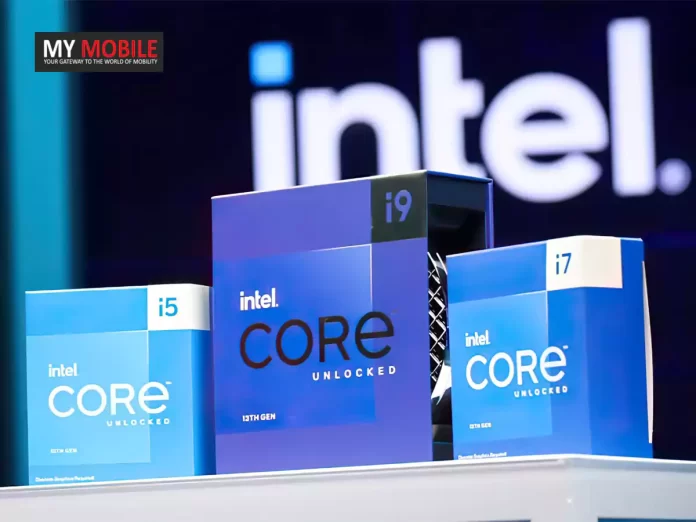
Recent leaks have revealed tantalizing details about these chips, providing an early glimpse at what could be in store when they eventually succeed the current Raptor Lake lineup.
Alleged Core Configurations
Intel Prepares for Major Leap with Arrow Lake Processors Featuring New Core Configurations
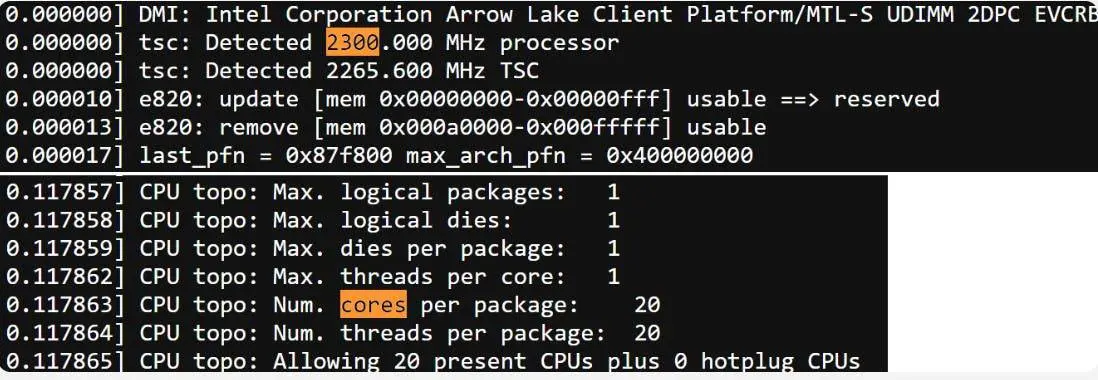
At the heart of these leaks are details about two potential core configurations Intel may offer – one variant packing 24 cores, and another with 20.
While the split between performance and efficiency cores seems reminiscent of Raptor Lake at 8P+16E, the rumour mill suggests Intel has made noteworthy improvements to the architecture underpinning those efficiency or “LP” cores.
Rumoured Architectural Upgrades
Arrow Lake to offer 24-core and 20-core configurations
The leaked specs even hint at potential GPU integration, with whispers of Arrow Lake desktop models leveraging Intel’s Xe-LPG graphics based on Alchemist, while mobile chips could step things up with Xe-LPG+.
However, it’s the underlying platform changes that are among the most intriguing aspects.
Leaked details point to Intel transitioning to a new LGA 1851 socket and support for UDIMM memory with Arrow Lake.
Of course, concrete facts remain scarce at this early stage.
Official product names, final clock speeds, and precise feature sets are still to be confirmed.
But the leaked engineering samples, while lacking hyper-threading and running at modest 2.3GHz clocks for testing, have already generated significant buzz.
There’s no definitive timeline for Arrow Lake’s eventual launch either.
But with each new leak, it’s becoming clear Intel has its sights set on an ambitious performance target for this upcoming processor generation.
Whether the final products can live up to the early hype remains to be seen, but the PC desktop space could be set for a shake-up once Arrow Lake arrives.
FAQs
What are the expected core configurations for Intel Arrow Lake processors?
Intel’s upcoming Arrow Lake processors are rumoured to come in two core configurations: one with 24 cores and another with 20 cores, featuring a mix of performance and efficiency cores.
This arrangement aims to optimize both power and performance, enhancing the capabilities of desktop PCs beyond the current Raptor Lake series.
How do the architectural upgrades in Arrow Lake compare to previous Intel processors?
Arrow Lake processors are expected to feature significant architectural refinements, particularly in the efficiency cores.
These improvements are designed to offer better performance metrics and enhanced power efficiency, which could see them outperforming existing models like those from the Raptor Lake lineup.
What new technologies are being introduced with Arrow Lake?
The Arrow Lake series is rumoured to include new technological advancements such as integration with Intel’s Xe-LPG graphics architecture, possibly extending to Xe-LPG+ in mobile variants.
Additionally, a transition to the new LGA 1851 socket and support for UDIMM memory is also anticipated, marking a significant update over previous generations.
When can consumers expect the release of Intel Arrow Lake processors?
While there is no confirmed release date for the Intel Arrow Lake processors, the ongoing leaks and discussions suggest that Intel is gearing up for a launch in the near future.
However, specifics regarding the timeline remain speculative until official announcements are made.
Google Wallet now requires device unlock for every tap-to-pay transaction.
New three-minute unlock limit tested on Pixel 8 devices.
Google’s security approach moves closer to Apple Pay’s transaction verification.
Changes may soon be implemented widely as part of security enhancements.
Users have noticed that Google is now requiring them to unlock their devices for every tap-to-pay transaction, regardless of the amount.
Previously, this verification step was not always necessary, especially for smaller purchases made shortly after unlocking the device.
Tighter “Recently” Unlocked Window
Google Wallet now requires device unlock for every tap-to-pay transaction
While Google’s support documents state that verification methods like fingerprint or PIN are requiredif the device hasn’t been “recently” unlocked, the definition of “recently”seems to be tightening.
Many users, including 9to5Google, have noticed this unlock window becoming shorter.
Three-Minute Unlock Limit Observed
Google Tightens Security for Tap-to-Pay on Wallet with New Unlock Requirements
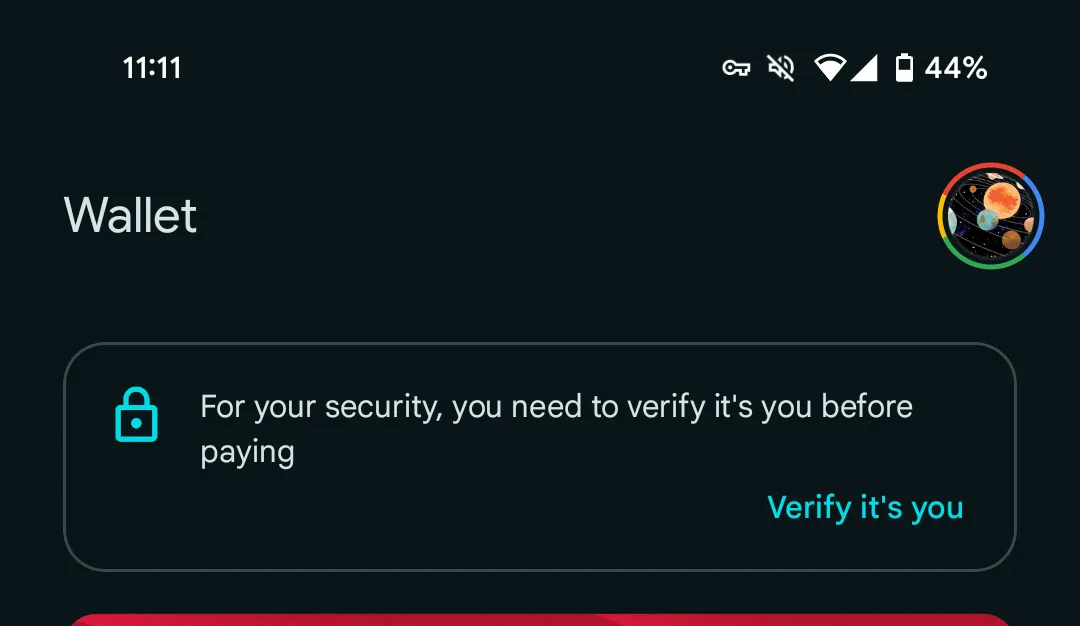
In testing, 9to5Google found that on a Pixel 8 smartphone, Google Wallet now prompts for re-verification if more than three minutes have passed since the initial device unlock.
A new “For your security, you need to verify it’s you before paying” message appears at this point.
Interestingly, this three-minute verification limit did not manifest on other Pixel phones used in the same tests by 9to5Google.
This suggests Google may still be testing this behavior or has not widely rolled it out across all devices yet.
Inching Closer to Apple Pay’s Approach
New three-minute unlock limit tested on Pixel 8 devices
For comparison, Apple Pay on iPhones requires biometric or passcode authentication for every single tap-to-pay transaction without exceptions.
While still providing slightly more flexibility, Google’s changes move Google Wallet closer to Apple’s stricter verification model for contactless payments.
Potential Wider Rollout Forthcoming
Google’s security approach moves closer to Apple Pay’s transaction verification
Although the findings indicate Google has not implemented this tighter verification across its entire user base so far, the observed changes could signal the company’s intent to enforce more frequent device unlocks for all Google Wallet tap-to-pay transactions in the near future as an added security measure.
FAQs
What is the new security update for Google Wallet?
Google has updated its security protocols for Google Wallet, now requiring users to unlock their device for every tap-to-pay transaction.
This change is designed to enhance security by ensuring that the device has been recently verified by the user before any payment is processed.
How does the new unlock requirement for Google Wallet work?
Under the new security measures, Google Wallet users must authenticate their identity through a device unlock, such as a fingerprint or PIN, if more than three minutes have passed since the last unlock.
This ensures continuous security verification during transactions.
Why did Google implement these tighter security measures?
Google’s decision to enforce stricter unlock requirements for tap-to-pay transactions aligns with a broader industry trend towards enhancing security for digital payments.
This move helps prevent unauthorized transactions and increases user protection against potential fraud.
Are the new Google Wallet security updates consistent across all devices?
The tighter security updates, including the three-minute unlock limit, have currently been observed on Pixel 8 smartphones, but not uniformly across all Google devices.
This suggests that Google may still be in the process of testing these changes or preparing for a broader rollout.
Rather than a catchy seasonal name, this recap is simply titled “December-February ’24” with fairly generic cover art.
Users would be wise to manually add this auto-generated playlist to their libraries before the next seasonal recap becomes available and replaces it.
Accessing the Recap
YouTube Music’s winter recap covers listening habits from December to February
To view your own “December-February ’24” listening recap, open the YouTube Music mobile app (Android or iOS) and tap your profile picture in the top right corner. The “Your Recap” option should appear there.
Alternatively, users can navigate directly to yt.be/music/recap, although this URL currently only works on mobile devices.
Insightful Listening Breakdown
Users encouraged to save the recap playlist before the next update
As with previous recaps, this winter edition provides users with an insightful story-like breakdown of their listening habits over the past three months.
Key stats highlighted include top artists, tracks, albums, genres, playlists, and even the most listened-to moods.
A summary section displays the total listening time accumulated, while those who enable Google Photos integration can enjoy a personalized musical photo album – otherwise generic images are used.
While admittedly lighthearted this time, the rollout of YouTube Music’s winter recap allows users to at least check out their recent musical tastes and discoveries before shifting focus to the sounds of spring.
FAQs
What is the YouTube Music winter recap?
The YouTube Music winter recap is a personalized summary of a user’s listening habits over the winter months, specifically from December to February.
It includes detailed analytics like top artists, favorite tracks, and preferred genres, providing users with a reflective look at their music consumption during these months.
How can users access their YouTube Music winter recap?
To access the winter recap, users should open the YouTube Music app on either Android or iOS and tap their profile picture to find the “Your Recap” option.
Alternatively, they can visit yt.be/music/recap on their mobile devices to view the recap directly.
What features does the YouTube Music winter recap include?
The recap offers a comprehensive breakdown of listening statistics, including top artists, favorite tracks, most played albums, and the genres listened to.
It also shows the most common moods associated with the music played and provides a total of listening hours.
Why was the release of the YouTube Music winter recap delayed?
The specific reasons for the delay in releasing the winter recap by YouTube Music are not clearly stated, but it typically involves the time taken to compile and analyze extensive user data to create a personalized and accurate summary of three months’ worth of listening activity.
New technique generates 3D holograms using an ordinary iPhone.
Method bypasses expensive lasers, using screens and spatial light modulators.
Research demonstrates cost-effective holographic displays.
Potential future applications in VR, commercial, and military sectors.
While holographic technology has long been a staple of science fiction visuals, creating realistic holographic displays has typically required expensive and complex laser systems – until now.
In a breakthrough, researchers at Optics Letter have demonstrated the ability to generate 3D holographic images using just the touchscreen of an ordinary iPhone.
Moving Beyond Costly Laser Systems
Breakthrough in Holographic Technology Using iPhone Screens Unveiled
Traditionally, the only way to produce holographic projections has involved utilizing sophisticated and costly laser emitters.
However, this new approach leverages more affordable and accessible components, potentially opening up holographic displays for a wider range of virtual reality applications and use cases.
Coordinating Screen and Spatial Light
New technique generates 3D holograms using an ordinary iPhone
The researchers, whose findings were published in the journal Optics Letters, revealed they were able to create a two-layer, full-color 3D holographic image by combining an iPhone 14’s screen with a spatial light modulator.
Through careful algorithm modeling, the team coordinated the light output from both sources to produce a realistic-looking holographic display akin to those created by expensive laser setups.
Complex Coordination, Affordable Result
Research demonstrates cost-effective holographic displays
While the methodology may seem simple, achieving this holographic effect required highly intricate modeling and coordination between the iPhone screen and spatial light modulator.
However, the researchers’ efforts paid off by demonstrating holographic visuals can be achieved through more cost-effective means compared to the prohibitively expensive laser systems previously required.
Potential for Scaling and Commercialization
Potential future applications in VR, commercial, and military sectors
Looking ahead, the researchers aim to explore ways to scale up and enhance the technology for potential commercial or military applications now that an affordable foundation has been established.
By tapping into the power of commonplace smartphone screens, realistic 3D holographic displays may soon become much more accessible and widespread across various industries and consumer applications.
FAQs
How does the new holographic display technology work?
The recent breakthrough in holographic technology involves using the touchscreen of an iPhone combined with a spatial light modulator to create realistic 3D images.
The iPhone screen displays one layer of the hologram, while the modulator projects the second layer.
Synchronized through sophisticated algorithms, this setup mimics the effect of high-end laser systems but at a fraction of the cost.
What are the advantages of using iPhone screens for holographic displays?
Utilizing iPhone screens for creating holograms offers a more accessible and cost-effective alternative to traditional laser-based systems.
This method allows for the production of high-quality holographic visuals without the need for expensive equipment, making the technology more feasible for broader applications.
What potential applications could this holographic technology have?
This innovative approach to holographic displays opens up possibilities in virtual reality environments, augmented reality applications, advertising, education, and even military planning.
The technology could be used to enhance user experiences by providing more immersive and interactive visuals.
What challenges did researchers face in developing this technology?
Developing this technology required intricate coordination between the light output of an iPhone screen and a spatial light modulator.
The researchers had to carefully align and synchronize the images from both sources using complex algorithms to ensure the hologram appeared realistic and three-dimensional.
Gmail develops new “Manage subscriptions” feature to streamline email control.
New tool enables viewing and managing email senders by volume directly in the app.
Users can quickly unsubscribe with a single tap using an intuitive interface.
Imminent rollout suggested as users encounter preliminary feature prompts.
Signing up for newsletters and updates from websites you’re interested in is convenient, but those subscriptions can quickly accumulate and clutter your inbox.
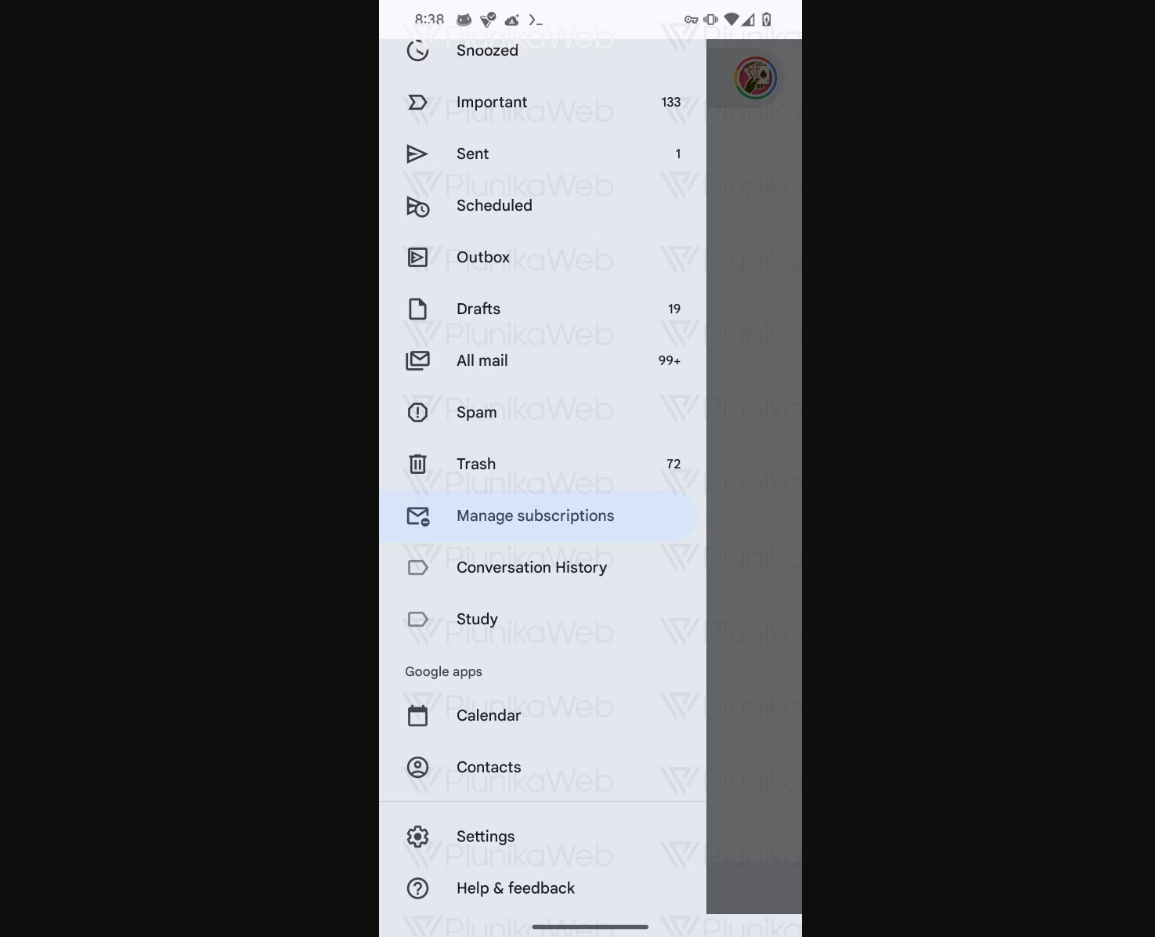
It appears Google is developing a newa “Manage subscriptions” option for the Gmail app that will provide greater control over the various newsletters and promotional emails flooding your inbox.
In the latest Gmail version 2024.04.07.622678535, developers were able to enable the subscription managing tool through hidden flags.
Accessible via the sidebar menu, this dedicated “Subscriptions” page will likely allow users to view and interact with a list of their most prolific senders.
Filtered by Volume
Gmail Set to Launch New Subscription Management Tool for Easier Inbox Control
Based on code strings discovered, this subscriptions list appears to categorize senders into separate sections based on the volume of emails received per quarter – fewer than 10 emails, between 10-20 emails, or more than 20 emails.
For each subscription source, users can expect to see the company logo alongside a convenient unsubscribe button for quickly opting out with just a tap.
Rollout Imminent
Gmail develops new “Manage subscriptions” feature to streamline email control
This suggests the rollout is likely approaching, with Google potentially just needing to flip a server-side switch to enable it across Gmail’s user base.
What is the new “Manage subscriptions” feature in Gmail?
Gmail’s upcoming “Manage subscriptions” feature is designed to help users easily control their email subscriptions directly within the app.
This tool will allow users to view a list of their subscription emails categorized by the frequency of messages received and offers a straightforward option to unsubscribe from unwanted senders.
How does the Gmail subscription manager work?
The subscription manager in Gmail categorizes email senders based on the volume of emails they send per quarter. Users can view these categories and manage subscriptions through a dedicated page accessible from the Gmail sidebar menu.
Each listed sender will feature a company logo and an unsubscribe button for user convenience.
Where can I find the new subscription management tool in Gmail?
Once rolled out, the “Manage subscriptions” option will be available in the sidebar menu of the Gmail app.
This placement makes it easily accessible, allowing users to efficiently manage their email interactions without searching through settings or individual messages.
What are the benefits of using Gmail’s new subscription management feature?
The primary benefit of this new tool is its ability to help users declutter their inboxes by providing a centralized platform to view and manage all email subscriptions.
This feature simplifies the process of unsubscribing from unwanted emails and helps maintain a cleaner, more organized inbox.