SMIC set to start mass production of 5nm chips for Huawei, defying US sanctions.
Project marks significant push for China’s semiconductor self-reliance and innovation.
Utilizes DUV lithography, with expected yields of 30-40% for 5nm chips.
Prices for SMIC’s 5nm and 7nm chips are 40-50% higher than TSMC’s.
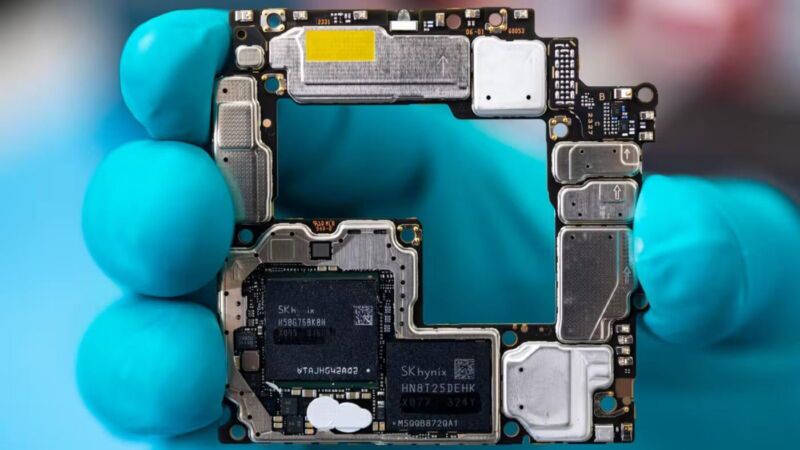
China’s Semiconductor Manufacturing International Corp (SMIC),the nation’s premier chipmaker, is set to commence mass production of 5-nanometer (nm) chips for Huawei later this year.
Navigating Challenges: High Costs and Political Will
China’s SMIC to Mass Produce 5nm Chips for Huawei Amidst Rising Semiconductor Costs
The report by the Financial Times says that the decision by Huawei and SMIC to embark on the production of 5nm chips, despite facing significant hurdles such as low production yields and elevated costs, is a way for Huawei to come to the forefront of technological breakthroughs, as it did so often before being on the US Balcklist.
As such, the project, which is expected to entail considerable financial investment, is reportedly seen as a statement of political defiance against international sanctions, particularly the US chip export ban.
SMIC set to start mass production of 5nm chips for Huawei, defying US sanctions
Experts have highlighted the technical feasibility of using immersion deep-ultraviolet (DUV) lithography for the fabrication of 5nm chips, albeit at a cost significantly higher than the more advanced extreme-ultraviolet (EUV) lithography.
Despite the cost implications, SMIC plans to leverage its existing equipment to produce these advanced chips, with expectations of achieving yields of 30-40% for 5nm chips.
This move is priced at a premium, with SMIC’s 5nm and 7nm offerings marked up by 40-50% over those of Taiwan Semiconductor Manufacturing Co (TSMC), a global leader in the semiconductor industry.
A Leap Toward Self-Reliance
Prices for SMIC’s 5nm and 7nm chips are 40-50% higher than TSMC’s
The initiative is part of a broader “whole-nation” strategy embraced by Beijing to fortify its semiconductor industry amidst international trade tensions and supply chain vulnerabilities.
Navigating Challenges: High Costs and Political Will
FAQs
What is the significance of SMIC producing 5nm chips for Huawei?
This move signifies China’s commitment to advancing its semiconductor technology and reducing dependence on foreign tech, despite facing international sanctions and the US chip export ban.
Why are the production costs and prices of SMIC’s 5nm chips higher?
The higher costs and prices are attributed to the use of DUV lithography, which is technically feasible but more expensive than EUV lithography, leading to lower yields and higher production costs.
How does the SMIC 5nm chip production align with China’s broader goals?
The production is part of China’s “whole-nation” strategy to bolster its semiconductor industry, aiming for technological self-reliance and innovation amid global trade tensions.
What challenges does SMIC face in producing 5nm chips?
SMIC faces challenges such as achieving lower yields and dealing with high production costs, which are significant hurdles in the mass production of 5nm chips.
What is unique about the Kirin 9010 chipset in Huawei’s P70 series?
The Kirin 9010, potentially used in Huawei’s P70 series, is rumored to be a cutting-edge 3nm chip.
This development represents a significant technological leap, offering enhanced performance and efficiency over its predecessors.
Will the Huawei P70 series support 5G connectivity?
Yes, Huawei is reportedly planning to bring back 5G connectivity in its upcoming P70 series.
This addition will mark a significant upgrade, ensuring the smartphones meet current high-speed internet standards.
What camera features are expected in the Huawei P70 series?
The Huawei P70 series, particularly the P70 Art model, is rumored to have an ultra-wide camera with a 1-inch type sensor and a superior 1G6P lens.
This advancement suggests a notable improvement in image quality and camera performance.
Has Huawei faced challenges in developing the Kirin 9010 chipset?
Huawei’s development of the Kirin 9010 chipset has been hindered by trade restrictions and a challenging business environment.
Initially planned for production in 2022, the project was delayed but now appears to be back on track.
What is unique about the Huawei P70’s camera?
The Huawei P70 series is set to revolutionize smartphone photography with a 1-inch sensor in its ultra-wide camera.
This larger sensor size is expected to significantly improve image quality, particularly in low-light conditions, a feature not commonly seen in smartphones.
How does the Huawei P70 series compare in sales projections to its predecessor?
With its advanced camera technology, the Huawei P70 series is projected to see a substantial sales increase of 100-120% compared to the Huawei P60 series, indicating strong market anticipation and consumer interest.
What processing power can be expected in the Huawei P70 series?
There is speculation that the Huawei P70 series might be equipped with the Kirin 9000s processor, a 7nm chip that enhances performance and supports 5G connectivity, promising a powerful and efficient user experience.
How does the 1G6P lens technology benefit the Huawei P70’s camera?
The 1G6P lens, meaning one glass and six plastic elements, in the Huawei P70’s ultra-wide camera, is designed to enhance image clarity and reduce distortions, making it a significant advancement in lens technology for smartphones.
What does the leaked 3D render suggest about the new Huawei device?
The 3D render indicates a Huawei smartphone that mirrors the design of the Nova 11, yet it showcases potential advancements.
The modified camera module and new alignment of the lenses imply significant enhancements in camera technology, possibly setting a new standard for Huawei’s imaging capabilities.
How does the device’s design stand out?
The side profile of this mysterious Huawei device features a trio of buttons, including a distinctive red-accented power button.
This design choice, combined with rounded corners and a less pronounced curvature, suggests a focus on ergonomic and user-friendly design, catering to a seamless user experience.
What is Xmage, and how does it relate to this Huawei device?
Xmage is reportedly Huawei’s new photography system, developed following their separation from Leica.
This system signifies Huawei’s shift towards in-house imaging technology, potentially offering innovative photographic features and capabilities that could differentiate this device in the competitive smartphone market.
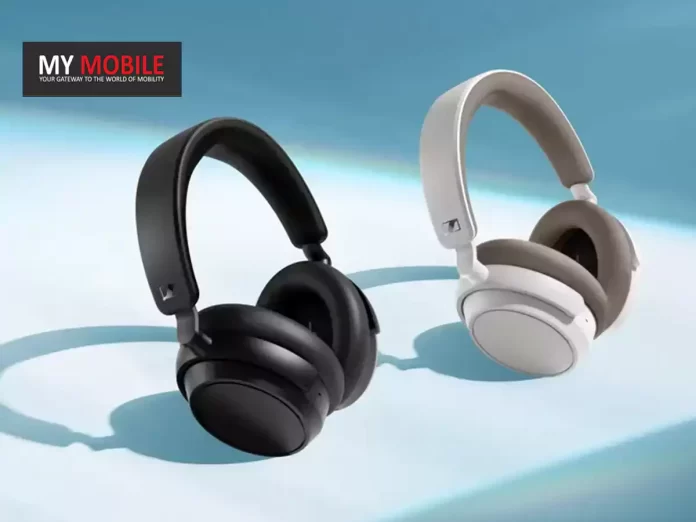
Sennheiser ACCENTUM Plus Headphones Launched in India
Commenting on the launch, Vijay Sharma, General Manager – Sennheiser Consumer business in India, said:
We are thrilled to introduce the ACCENTUM series to India, representing a significant milestone in our commitment to delivering exceptional audio experiences to our price-conscious listeners. The launch of the ACCENTUM Plus wireless headphones reaffirms Sennheiser’s dedication to innovation, quality, and customer satisfaction. The ACCENTUM Plus sits right in the sweet spot of blissful sound and convenient technology.
Sennheiser ACCENTUM Plus: Pricing and Availability
Sennheiser ACCENTUM Plus: Pricing and Availability
Retail Price: Set at Rs 15,990.
Color Options: Available in Black and White.
Sale Start Date: Available from February 14, 2024.
Where to Buy: Can be purchased through Amazon India and the Sennheiser India online store.
Pre-Booking Deal: A discount of Rs 1,000 is available for pre-bookings done from February 7 to February 13, lowering the price to Rs 14,990.
Launched at Rs 15,990 with a special pre-booking offer
Advanced ANC: Hybrid Adaptive ANC for immersive listening.
Battery Life: Up to 50 hours of playback with quick charge feature.
Connectivity: Bluetooth 5.2 with multiple codec support.
App Support: Compatible with the Sennheiser Smart Control app.
Extras: Includes a 3.5mm stereo plug and audio cable for wired listening.
Sennheiser ACCENTUM Plus: Features
Sennheiser ACCENTUM Plus: Features
The Sennheiser ACCENTUM Plus is designed for audiophiles who crave not only quality sound but also convenience and style.
The headphones come equipped with touch gesture controls, allowing users to easily manage playback without reaching for their device.
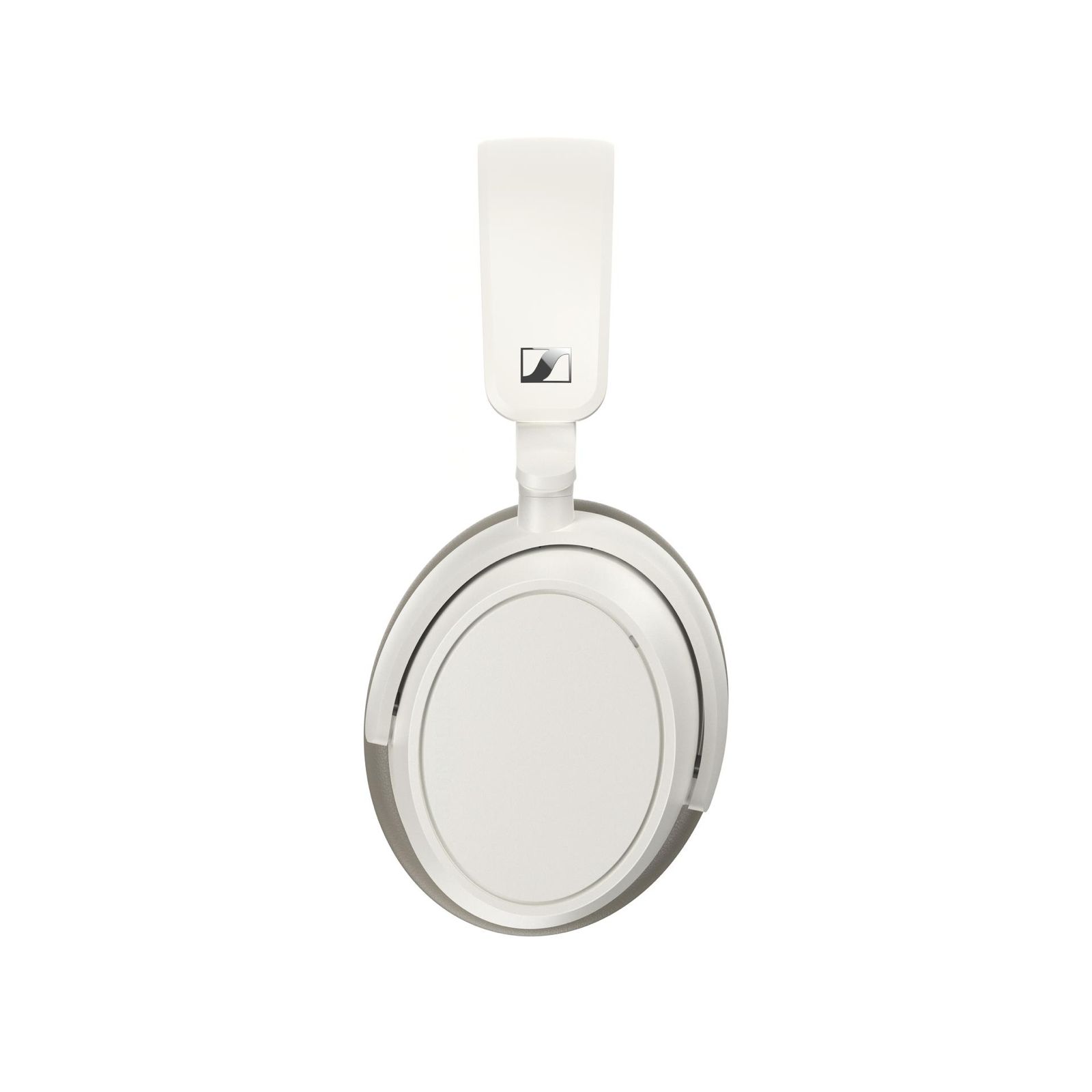
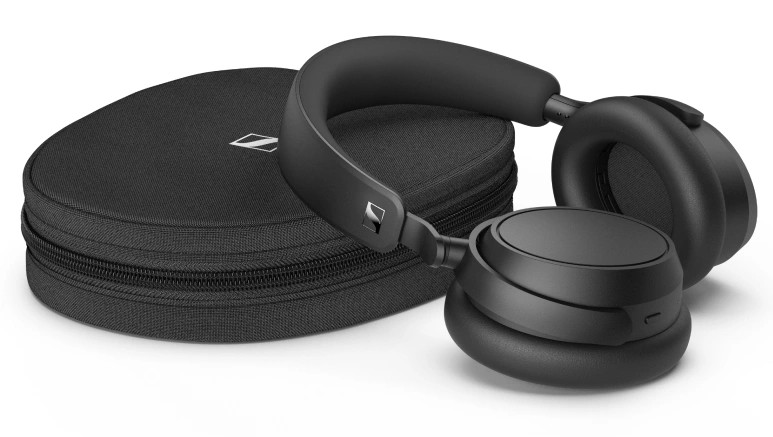
Sennheiser ACCENTUM Plus Headphones
This intuitive interface is complemented by the headphone’s luxurious build, appealing to those who value both aesthetics and functionality.
The ACCENTUM Plus stands out with its Hybrid Adaptive ANC technology, offering users an escape into their music by effectively blocking out background noise.
Features 37mm dynamic drivers and Hybrid Adaptive ANC
This feature, combined with the headphone’s long battery life of up to 50 hours, ensures a seamless audio experience throughout the day.
Moreover, the quick charging capability is a boon for users on the go, providing 5 hours of playback with just 10 minutes of charge.
With support for a wide range of audio codecs and Bluetooth 5.2, these headphones offer versatility and high-quality sound across devices and music formats.
Sennheiser ACCENTUM Plus a comprehensive solution for all-day audio enjoyment
Additionally, the inclusion of a 3.5mm audio cable ensures that listeners can continue to enjoy their music even when the battery runs out, making the Sennheiser ACCENTUM Plus a comprehensive solution for all-day audio enjoyment.
Sennheiser ACCENTUM Plus Specifications
Sennheiser ACCENTUM Plus Specifications
Wearing style: Headband stereo headphones
Ear Coupling: Around-the-ear, circum-aural
App support: Sennheiser Smart Control app for iOS and Android 37mm dynamic drivers
Mic pick-up pattern: 2 mics, beamforming for noise reduction 800mAh battery, up to 50 hr music playtime via Bluetooth and with ANC (test condition: iPhone, medium volume level)
Sennheiser ACCENTUM Plus is designed for audiophiles
FAQs
What is the price of the Sennheiser ACCENTUM Plus headphones in India?
The Sennheiser ACCENTUM Plus headphones are priced at Rs 15,990, with a special pre-booking discount available.
What are the main features of the Sennheiser ACCENTUM Plus?
The headphones feature 37mm dynamic drivers, Hybrid Adaptive ANC, up to 50 hours of battery life, and quick charge capability.
Where can I buy the Sennheiser ACCENTUM Plus in India?
They are available through Amazon India and the Sennheiser India online store starting February 14.
Can the Sennheiser ACCENTUM Plus be used with an audio cable?
Yes, the headphones come with a 3.5mm stereo plug and audio cable for wired listening.
What connectivity options does the Sennheiser ACCENTUM Plus offer?
The headphones support Bluetooth 5.2 and various audio codecs for versatile connectivity.
What are the launch offers of Sennheiser ACCENTUM Plus ?
Pricing and availability
ACCENTUM Plus will be available in black and white color variant at an exciting price of INR 15,990 starting 14th February 2024.
Sennheiser has announced a special pre-booking offer for ACCENTUM Plus headphones. Customers can now purchase the headphones at a special offer price of INR 14,990/- which is inclusive of a pre-booking discount of INR 1000.
This pre-booking offer starts from 7th February 2024 and is valid till 13th February 2024 on the brand webshop www.sennheiser-hearing.com and Amazon.in.
Sennheiser marks the India debut of ACCENTUM series with the launch of ACCENTUM Plus wireless headphones. Details?
Setting a new standard in audio excellence, Sennheiser today marked the India debut of the much awaited ACCENTUM series with the launch of ACCENTUM Plus wireless headphones.
Designed to deliver performance and features that surpass its price point, the ACCENTUM series stands out for its unparalleled combination of exceptional comfort, durability, and superior sound quality.
The ACCENTUM Plus wireless headphone unlock new audio adventures, bringing your music to life with the unique Sennheiser sound. The perfect, on-the-go audio companion, ACCENTUM Plus provides you with high-quality wireless audio anywhere.
Enjoy exceptional features like Hybrid ANC and unrivaled 50-hour battery playtime to thrill you and keep you motivated for days.
Immersive, ‘round-the-clock listening
In a world with endless content consumption options, ACCENTUM Plus has the stamina and controls for you to enjoy all of it.
Featuring Sennheiser’s expansive acoustic expertise, touch-gesture controls, Hybrid Adaptive Noise Cancellation and a luxurious build, they prioritize a better headphone listening experience for less.
With a class-leading 50 hours of listening between charges and sound that rivals that of a stable, cabled connection, it’s easy to forget that ACCENTUM Plus is even wireless.
The Bluetooth® 5.2 headphones emphasize outstanding sound quality and versatile connectivity, supporting all popular codecs including aptX™ Adaptive for optimum sound no matter where you decide to take them.
The proprietary 37mm dynamic transducer features Sennheiser’s Sound Personalization mode to match over 75 years of audio expertise to the listener’s sonic preferences—all without sacrificing the bass performance and striking detail the brand is known for.
Powerful Adaptive ANC performance will delight commuters, optimizing its noise target to constantly adapt to changes in the ambient noise environment around the wearer.
This dramatically reduces constant distractions so that the subtle details in your content shine through, naturally.
Quick charge—if you even need to
Not only does ACCENTUM Plus offer globe-trotting endurance, it also boasts a “quick charge” feature that adds an extra 5 hours of listening time in about 10 minutes.
The provided USB-C cable also allows the listener to stream music from a class compliant audio device like a laptop while charging—the headphones convert into an audio interface for content consumption and even voice communication.
The marathon battery life further extends the time between charges, taking far longer to reach the maximum number of charge cycles over the lifespan of the headphone battery, reducing electronic waste and aligning with Sennheiser’s commitment to sustainability.
A Touch of control
ACCENTUM Plus can be controlled in two main ways thanks to an intuitive touch panel and companion app that respond to gesture controls: familiar taps and swipes manage listening levels, wireless media controls, and transparency mode so you can get keep your hands on your device or put it away entirely.
A touch-enabled earcup—also used in the flagship MOMENTUM series—offers immediate feature control without needing to search for buttons or dive into menus. For power users, automatic wind-reduction and adjustable side-tone keeps calls natural and free from distractions.
Multipoint connectivity seamlessly switches the active wireless connection from one Bluetooth device to another without the need for re-pairing.
The Smart Control App elevates the headphone experience by effortlessly handling Bluetooth connections, exploring the 5-band EQ, and adjusting a plethora of audio-centric features. All of this is presented through a refreshingly simple visual user interface that fits neatly in your pocket.
Smart Control also allows users to store personalized presets—perfect for when your smartphone platform or listening habits change.
On-the-go flow
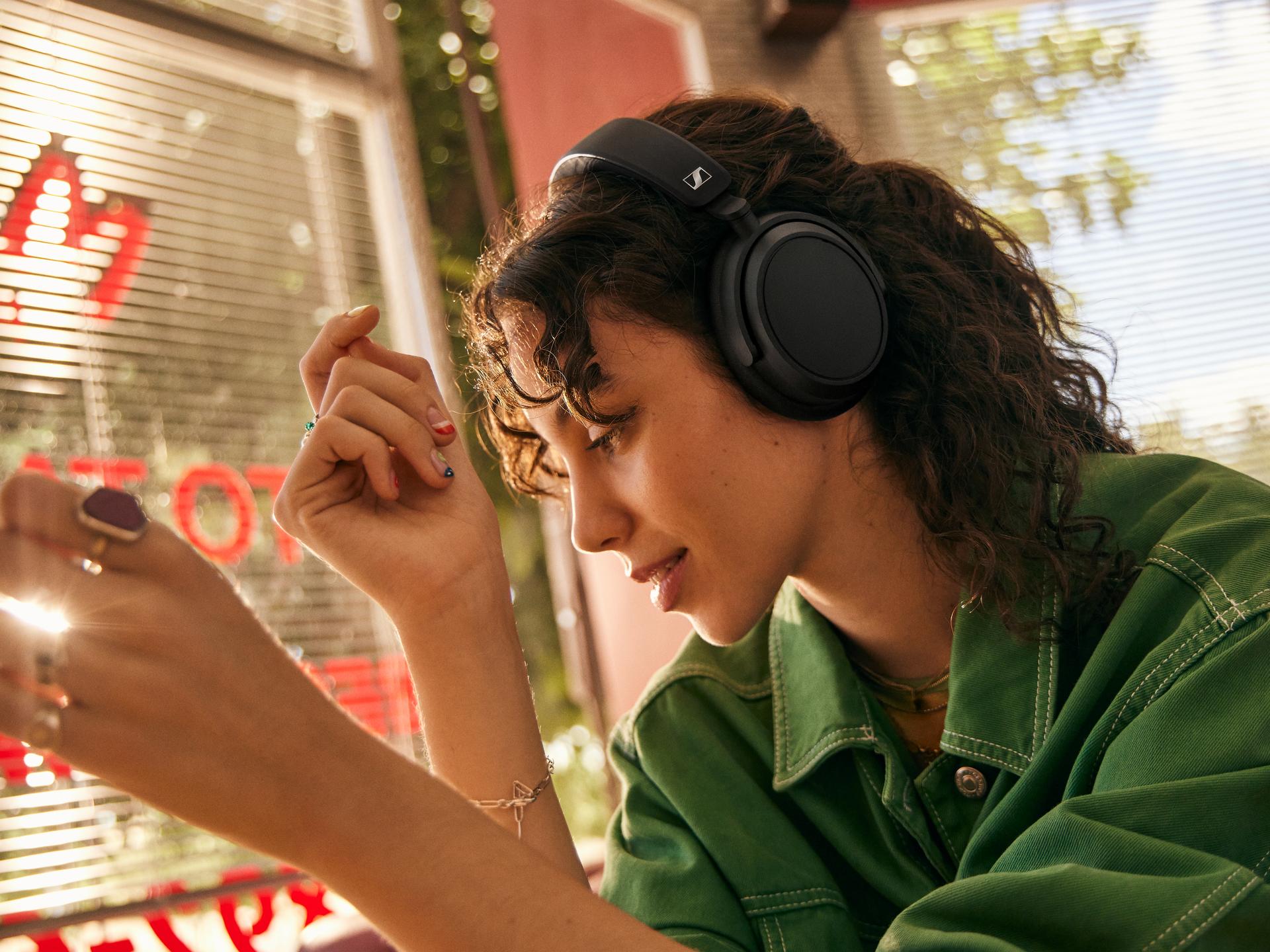
ACCENTUM Plus’ playtime is only matched by its comfort. The earcup and headband padding adapt to the wearer’s contours, providing reassuring stability through a gentle touch.
And for those times when wireless listening is not permitted, an included audio cable with a 3.5mm stereo plug can be used to tap into in-flight entertainment systems or other headphone outputs.
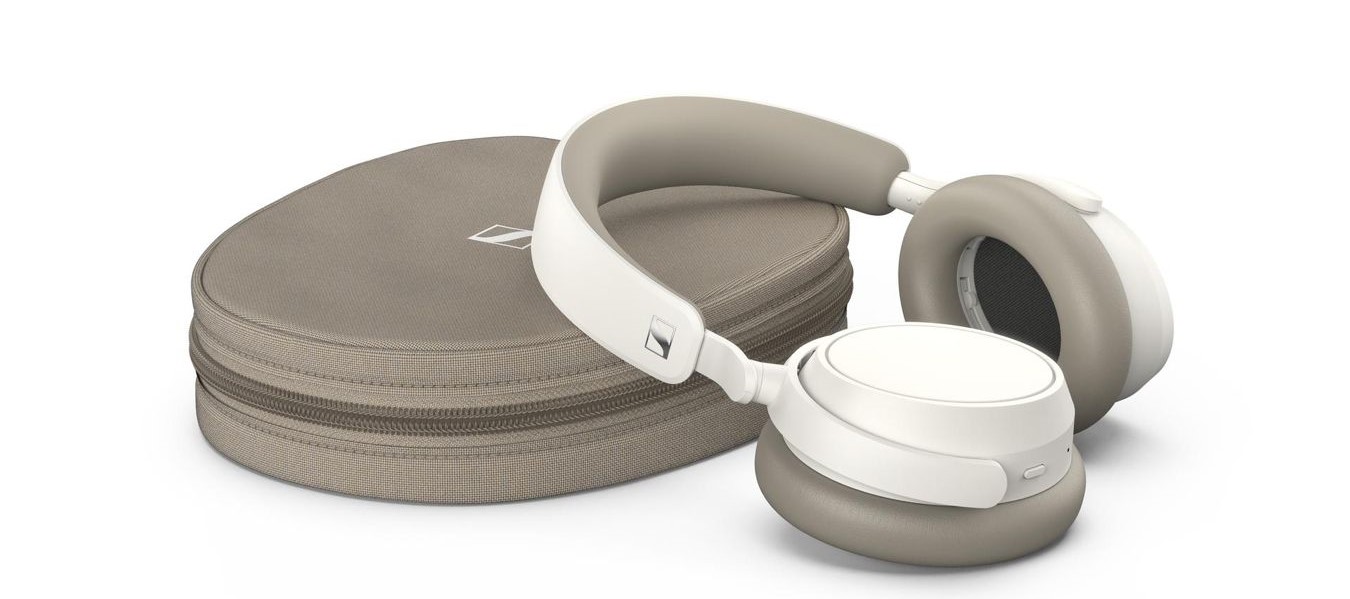
ACCENTUM Plus folds flat and ships with a protective zip-storage case to keep your new favorite travel headphones and accessories organized while on the move.
It’s a common fact now that with the introduction of channels not too long ago, organising them has become a necessity for a more streamlined user interface.
This move by the Meta-owned messaging giantcomes as a response to the growing clutter within the app due to an increase in the number of channels users join.
Streamlining Your Chat Experience
Streamlining Your Chat Experience
According to insights from WABetaInfo, this feature has been spotted in the version 2.24.4.3 of WhatsApp for Android, indicating active testing phases.
This addition aims to give users the ability to prioritize their channels by pinning them, ensuring easy access to frequently used or important channels.
It’s suggested that this new feature could come with a revamped interface for channels, likely mirroring the familiar layout of the chats tab to maintain consistency within the app.
While it’s not set in stone that this pinning feature will make its way to the stable release, the odds are in favour of its inclusion, promising an improvement in navigating through WhatsApp’s expanding ecosystem of channels.
As WhatsApp continues to evolve, this feature is likely just a glimpse of what’s to come in enhancing user convenience and app functionality.
What is the channel pinning feature in WhatsApp for Android?
Channel pinning allows users to prioritize and easily access their most important or frequently used channels by fixing them at the top of their channel list.
In which version of WhatsApp for Android was the pinning feature spotted?
The channel pinning feature was identified in version 2.24.4.3, indicating it’s currently under active development and testing.
How will the new channel pinning feature affect the WhatsApp interface?
It’s anticipated that with the introduction of channel pinning, WhatsApp will unveil a redesigned interface for channels, potentially mirroring the existing chats tab to ensure a cohesive user experience.
Is it guaranteed that the channel pinning feature will be released to all users?
While there’s high optimism for its rollout, the final decision to include the channel pinning feature in the stable version of WhatsApp has yet to be confirmed.
WhatsApp beta for Android 2.24.4.3: what’s new?
After announcing a section to allow users to view their reported channels and updates, WhatsApp continues to work on new features aimed at improving the overall experience for users engaging with channels.
The introduction of these new features not only keeps existing users engaged but also attracts potential new users to interact with WhatsApp Channels.
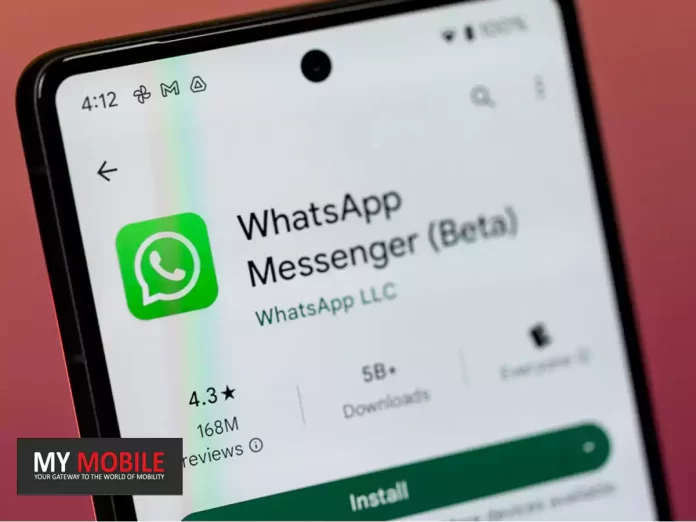
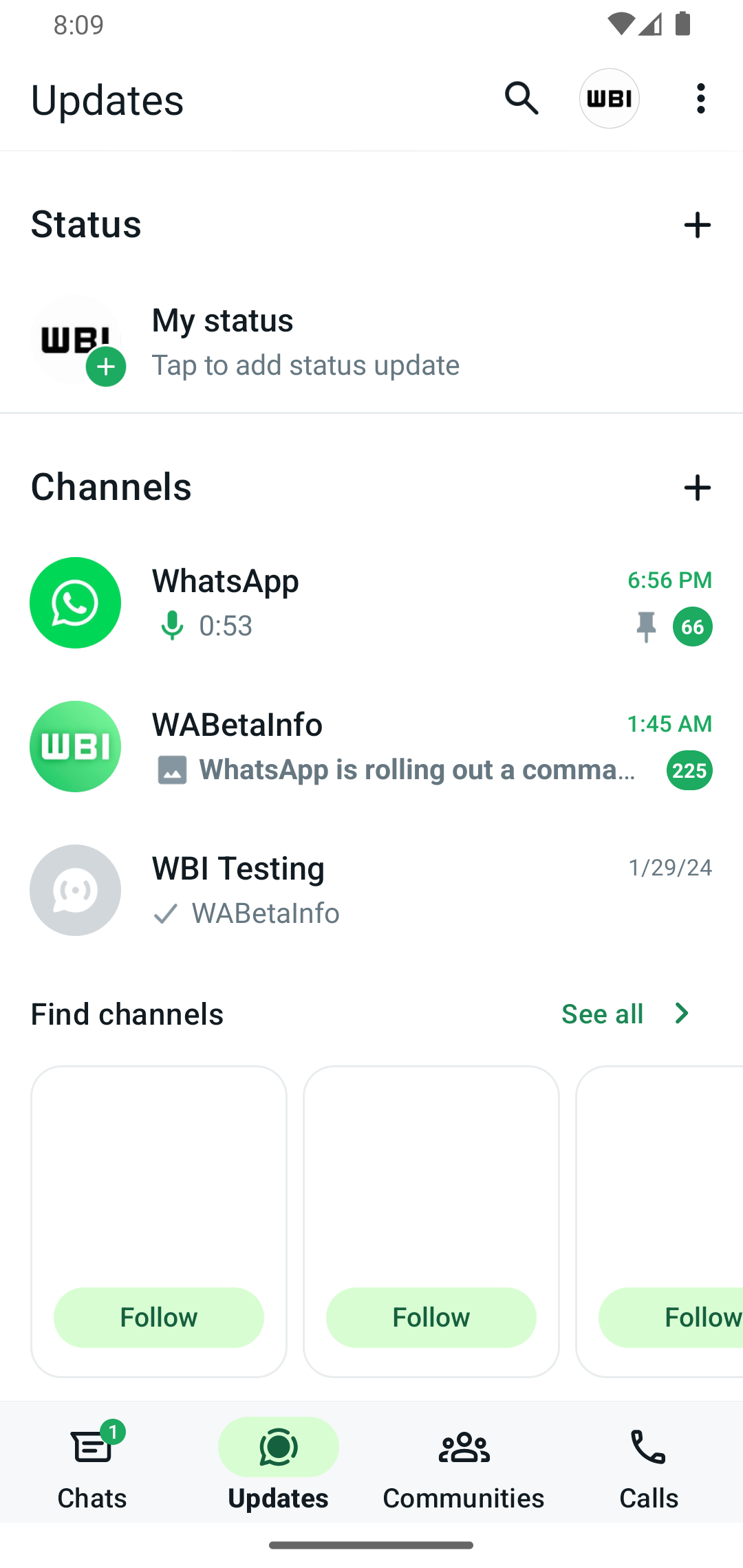
Specifically, thanks to the latest WhatsApp beta for Android 2.24.4.3 update, which is available on the Google Play Store, we discovered that WhatsApp is working on bringing a feature to pin channels to the top of the channels list!
WhatsApp is exploring a new feature to provide users with a tool to pin their important channels to the top of the channels list, for a future update of the app.
This means that when a channel is pinned, it will remain prominently displayed at the top of the channels list, ensuring easy access and visibility for users.
It’s important to note that the ability to pin channels to the top of the channels list will be released with a revamped interface for channels, similar to the existing interface of the chats tab.
In our opinion, implementing a feature that allows users to pin channels to the top of the channels list can offer several advantages.
Users will be able to prioritize and highlight the channels that are most important or frequently accessed.
This feature will help users organize their channels based on relevance or priority, ensuring that important channels are readily available at the top of the list.
In addition, as users join more channels, the channel list can become cluttered and finding specific channels may become time-consuming.
We believe that pinning channels will offer users a simple and effective solution to declutter the interface, allowing them to focus on the channels that matter most to them.
The feature to pin channels is under development and it will be available in a future update of the app.
How to Pin More Than 3 Chats in WhatsApp ?
Pinning more than three chats on WhatsApp is a bit like bending the rules, but here’s a creative workaround to make it happen:
WhatsApp officially allows you to pin a maximum of three chats. However, if you have a plethora of chats vying for your attention, here’s how you can go beyond that limit using a clever technique:
Group Your Chats: Start by organizing your chats into groups based on your priority or categories. For instance, you can create groups like “Work,” “Family,” “Friends,” and “Projects.”
Archiving Strategy: WhatsApp lets you archive chats to declutter your main chat list. Long-press the chat you want to hide, then tap the archive button (usually represented by a downward arrow). This action will move the chat to the “Archived Chats” section.
Pin and Unpin Strategically: Now, you can work within the official pinning limit. Pin the three most critical chats you need quick access to from your main chat list. These might be your current work project, your family group, and your best friend.
Unpin and Archive Rotation: As your priorities change, unpin a chat that you no longer need at the top and replace it with another chat. Always ensure that you have three pinned chats on your main chat list.
How to Pin Message in WhatsAppSimplifying Chat Management:
Managing your WhatsApp chats is a breeze with the Quick Access to Archive Chat feature. It’s like having a secret drawer for your conversations. To use it:
1. Android Users: Long-press a chat, then tap the archive icon (box with an arrow). You can also archive multiple chats by selecting them.
2. iOS Users: Swipe left on a chat and tap “Archive.” For multiple chats, swipe and select, then tap “Archive.”
Access your archived chats by scrolling to the top of your chat list and tapping “Archived.”
It’s an easy way to keep your main chat list tidy while still having your important conversations at your fingertips.
How do u Unpin a Message on WhatsApp?
If you ever want to unpin a message, follow these steps:
Step 1: Open WhatsApp: Open WhatsApp’s main interface. Step 2: Open the Pinned Chat: Go to the chat where the message is pinned. Step 3: Tap and Hold: Tap and hold the pinned message again. Step 4: Unpin the Message: Look for the “Unpin” option (usually represented by a thumbtack with a strikethrough). Tap on it to unpin the message.
How to pin a message on Android, iPhone and web/desktop?
Android: Tap and hold the message. Tap more options > Pin > select the pin duration (24 hours, 7 days, or 30 days) > Pin.
iPhone: Tap and hold the message. Tap More options > Pin > select the pin duration (24 hours, 7 days, or 30 days).
Web and Desktop: Go to the message you want to pin and click menu > Pin message > select the pin duration (24 hours, 7 days, or 30 days) > Pin.
Real-time weather and AQI information directly integrated into Google Maps for Android.
Tap the weather box for detailed forecasts and “Feels like” temperatures.
Dynamic weather feature updates as you move across the map.
Generative AI feature rolling out to Local Guides for personalized discovery.
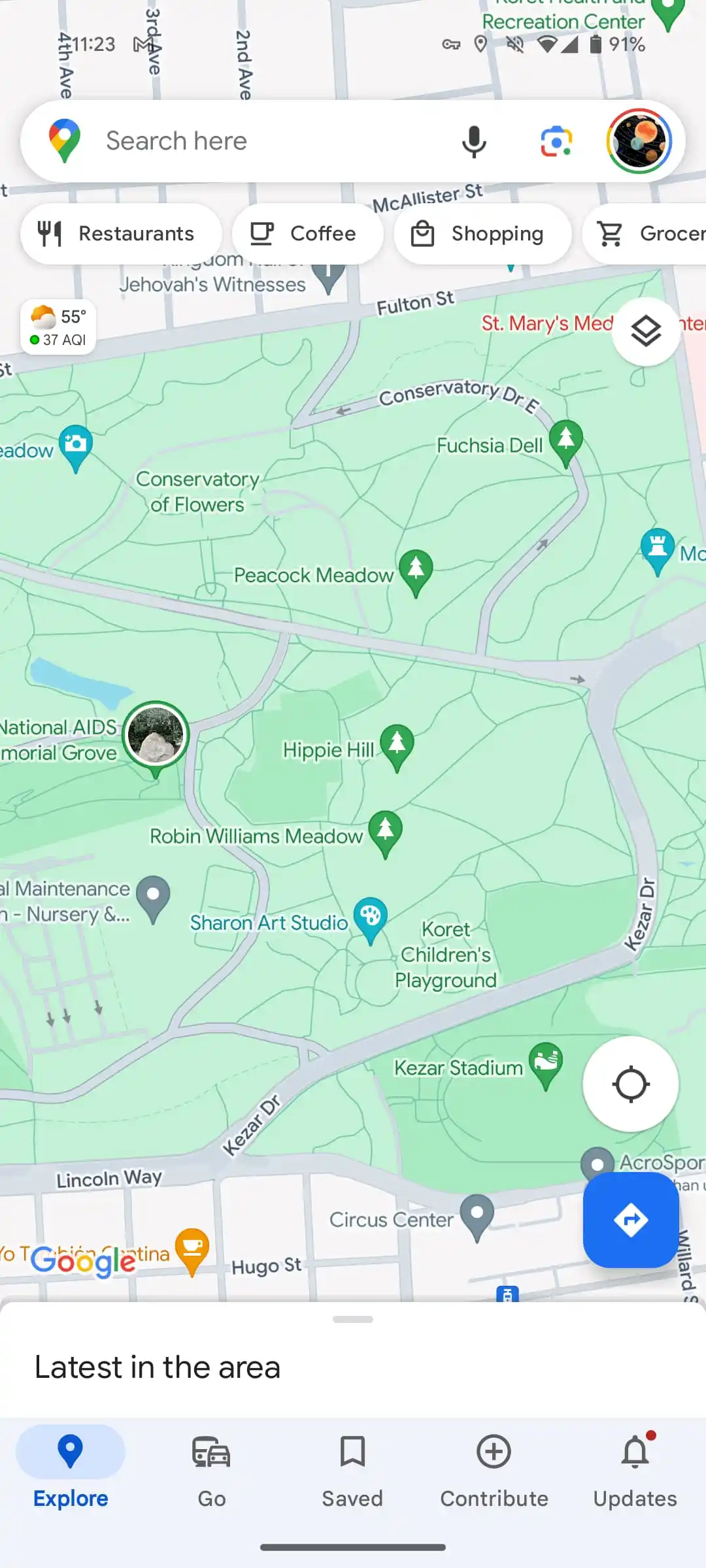
Google Maps for Androidis embracing a more immersive and informative browsing experience by integrating real-time weather updates and Air Quality Index (AQI) information directly into its map layer.
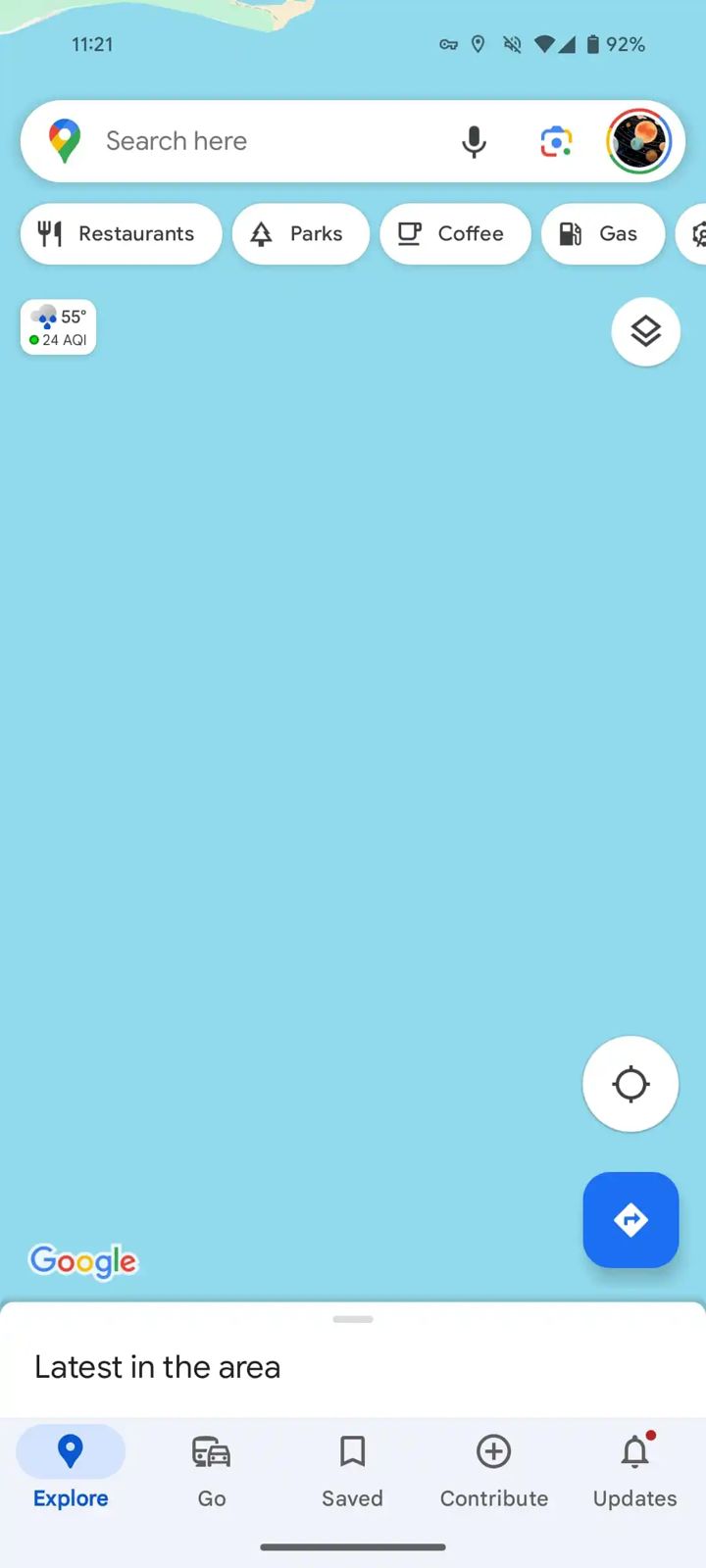
A subtle yet significant addition, a small rectangular box now adorns the top-left corner of the screen, nestled beneath the search bar and the carousel of place filters.
By default, this box displays the current temperature along with a corresponding icon to visually represent the weather condition—be it sunny, cloudy, rainy, or snowy.
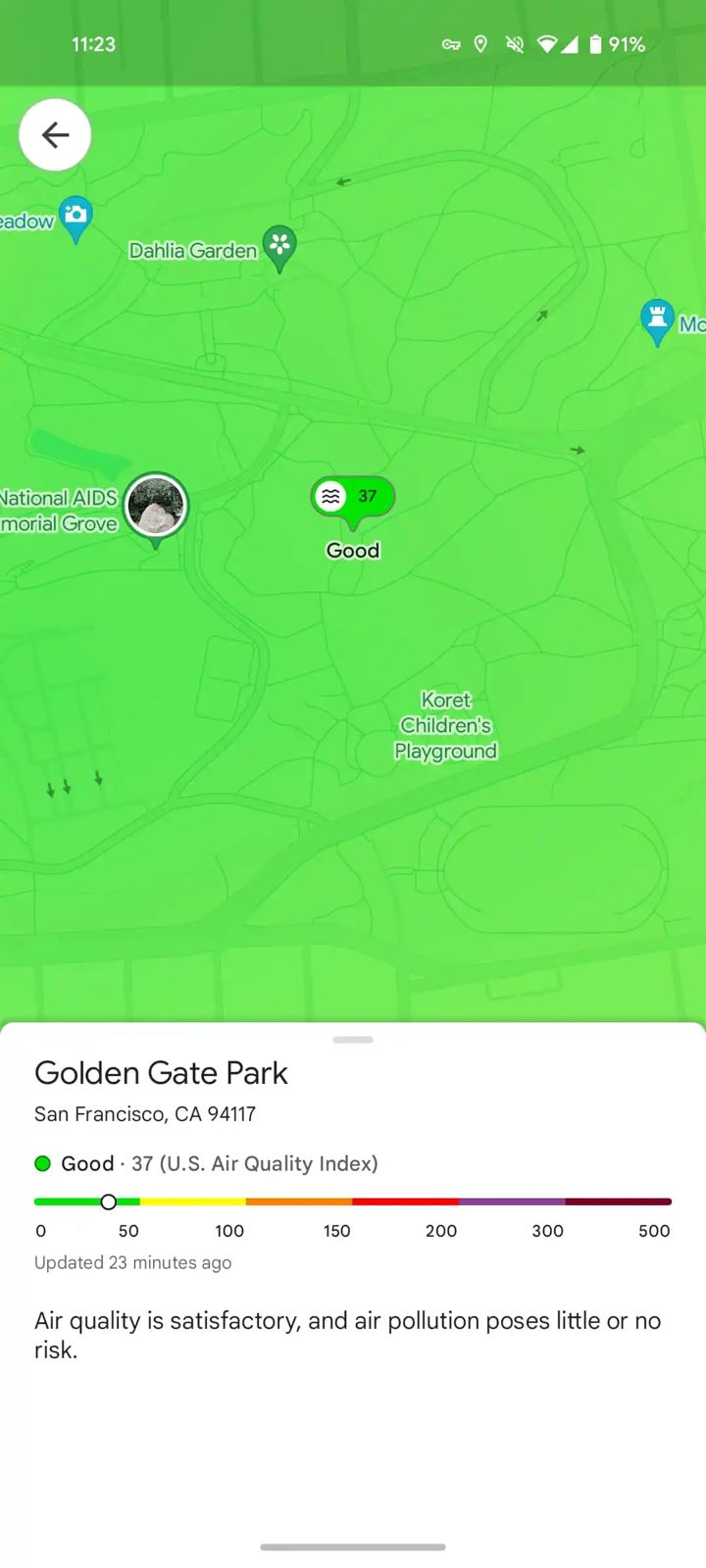
Additionally, as mentioned above, it provides the current AQI, alerting users to the quality of air in their immediate vicinity or any other location they choose to explore on the map.
Google Maps for Android Now Features Real-Time Weather and AQI Updates
For those interested in a more detailed weather breakdown, a simple tap on the box unfolds a card filled with essential weather details.
Users can find information on the “Feels like” temperature, the day’s high and low temperatures, and a swipeable 12-hour forecast, offering insights into upcoming weather changes.
This weather feature updates dynamically as you navigate through the map, ensuring you’re always informed about the weather and air quality of the places you’re heading to or exploring.
It’s designed to vanish temporarily when you select something on the map, maintaining a clutter-free viewing experience.
Notably, Google Maps for Android opts for a slightly different set of icons for weather conditions compared to those used in Google Weather, adding a touch of uniqueness to the app’s interface.
Rolling out in recent weeks, this update (version 11.113.x) is now reaching a broader audience.
Generative AI feature rolling out to Local Guides for personalized discovery
Users eager to try this new feature can force stop Google Maps and restart it to see the changes if they aren’t visible immediately.
Moreover, Google is not stopping at weather integration.
The tech giant has also announced the introduction of a generative AI featureaimed at enhancing the discovery process within Maps.
Initially available to Local Guides in the US, this AI-driven tool employs large language models (LLMs) to provide personalized suggestions for places to explore, tailored to the user’s specific interests and needs.
This rollout is set to begin with select Local Guides, with plans for a wider release in the future.
FAQs
How do I access weather and AQI updates on Google Maps for Android?
Look for a small rectangular box in the top-left corner under the search bar, displaying temperature and AQI; tapping it reveals more details.
What kind of weather information can I see on Google Maps for Android?
Users can view current temperature, weather condition icons, high/low temperatures for the day, and a 12-hour forecast by tapping the weather box.
Can I check air quality in different areas using Google Maps?
Yes, clicking on the AQI section within the weather box opens the Air Quality map layer for detailed exploration of air quality in various regions.
Will the weather and AQI features be available for all Android users immediately?
The update is gradually rolling out. If it’s not visible yet, try force stopping Google Maps and restarting the app.
What is the new generative AI feature in Google Maps?
Aimed at Local Guides in the US initially, this feature uses large language models to offer personalized place suggestions, enhancing the discovery process.
How does Google Maps’ weather feature work?
Once users have downloaded the latest version of Google Maps on their Android phones, they will see a tiny widget on the left side under the search bar that will show the local temperature along with weather conditions and AQI in a small box.
These details change as a user moves around. Tapping the widget reveals more details about the weather conditions in their area. For instance, users will see the temperature throughout the day. It also shows if it will be sunny, windy or rainy that day along with ‘Feels Like’ details.
In addition to this, the widget shows detailed air quality map. This air quality map is powered by weather.com.
How to get the feature?
Android users can download the latest version of Google Maps on their smartphones to use this feature. It is available with version 11.113.x of Google Maps.
That said, not all Android users have got this feature, and it is still being rolled out to users.
Has Google Maps got new AI-based features in India?
Google recently announced a host of new artificial intelligence (AI)-based features that are coming to Maps. Here are some of the top features that you need to check out:
Address Descriptors: Google has expanded this feature to over 75 Indian cities and it plans to roll it out to all users in 2025. This feature shows up to five relevant landmarks to find a pinned location.
Lens in Maps: This feature will show nearby destinations as users point out their phones in a particular direction on road. It will be available on Android first.
Live View walking navigation: This feature will show arrows and other markets overlaid on the Maps to users to help them navigate on foot.
Fuel-efficient routing: This feature will let users find greener routes. It will be available for both two-wheelers and four-wheelers.
What are the major changes in the new Google Weather app design?
Google’s Weather app has undergone a comprehensive redesign, initially rolled out for Pixel devices in October.
The revamped design offers a user-friendly interface with a simplified view of weather forecasts, including today, tomorrow, and a 10-day outlook on a single page.
This design overhaul allows users to scroll through detailed weather information like hourly forecasts, wind speed, and humidity without the need to switch between different tabs or pages.
How does the Google Weather app integrate with Google Search?
Unlike typical standalone apps, Google Weather is integrated within the Google Search app. Users can easily access the latest weather updates by simply searching for “weather” on their Android device.
What is GraphCast and how does it improve weather forecasting in the Google Weather app?
GraphCast is Google’s latest AI-driven forecasting model that has been incorporated into the Weather app.
It can deliver accurate 10-day weather predictions in less than a minute. Developed and detailed in a Science report, GraphCast represents a significant leap in weather forecasting technology.
What are the changes to the auto-delete function in Google Maps?
Google Maps has revised its auto-delete function for location history.
Previously, the app retained location data for 18 months, but following the update, it will now automatically delete this information after just three months.
Users have the option to adjust this setting if they wish to retain their data for a longer period. This change is a proactive step by Google to prioritize user privacy and data security.
What additional privacy features does the Google Maps update include?
The update introduces new functionalities for enhanced privacy control. Users can now delete specific place-related activities from their Maps history.
Additionally, the update includes new blue dot controls, providing users with more direct management over their location data.
These features offer users increased flexibility and control over their personal data and how it is used within the app.
What has changed with Google’s redesigned weather app?
Google has updated their weather app with a streamlined interface, offering a single-feed layout, an intuitive Hourly forecast carousel, and a detailed 10-day forecast.
It maintains the famous Froggy mascot and includes informative cards about wind, humidity, UV index, pressure, and sunrise and sunset times.
Is the updated Google Weather app available on non-Pixel Android devices?
Yes, the updated weather experience, which was previously exclusive to Pixel phones, Pixel Tablet, and Fold is now extending its reach to Samsung and other Android smartphones.
What is the layout of the Google Weather app on tablets and foldables?
For tablets and foldable devices, the app presents a two-column format, allowing for easier navigation and viewing.
How can users on non-Pixel devices access the updated weather features?
Android users can access the up-to-date weather features through shortcuts and home screen widgets on their devices.
Does the new design signify anything for future Google services on Android devices?
The evolution of the Google Weather app suggests a trend toward a more integrated and user-friendly approach, which may indicate similar enhancements for other Google services on Android devices in the future.
How to add weather widgets on Android 11 or older?
Download and Install the Pixel
Weather Widget & Themes app from the Google Play Store.
Tap and hold on to any empty area of your home screen.
Tap on Widgets.
Expand the Pixel Weather widget option and pick your favorite one.
Tap and hold on to the widget and drag it to your home screen.
How to add weather widgets on Android 12 or newer:
Tap and hold on to any empty area of your home screen.
Tap on Widgets.
Scroll down to find Weather and expand the section.
Tap and hold on to your widget of preference, then drag it to your home screen.
When the widget shows up on your home screen, you can tap and hold onto it and release it.
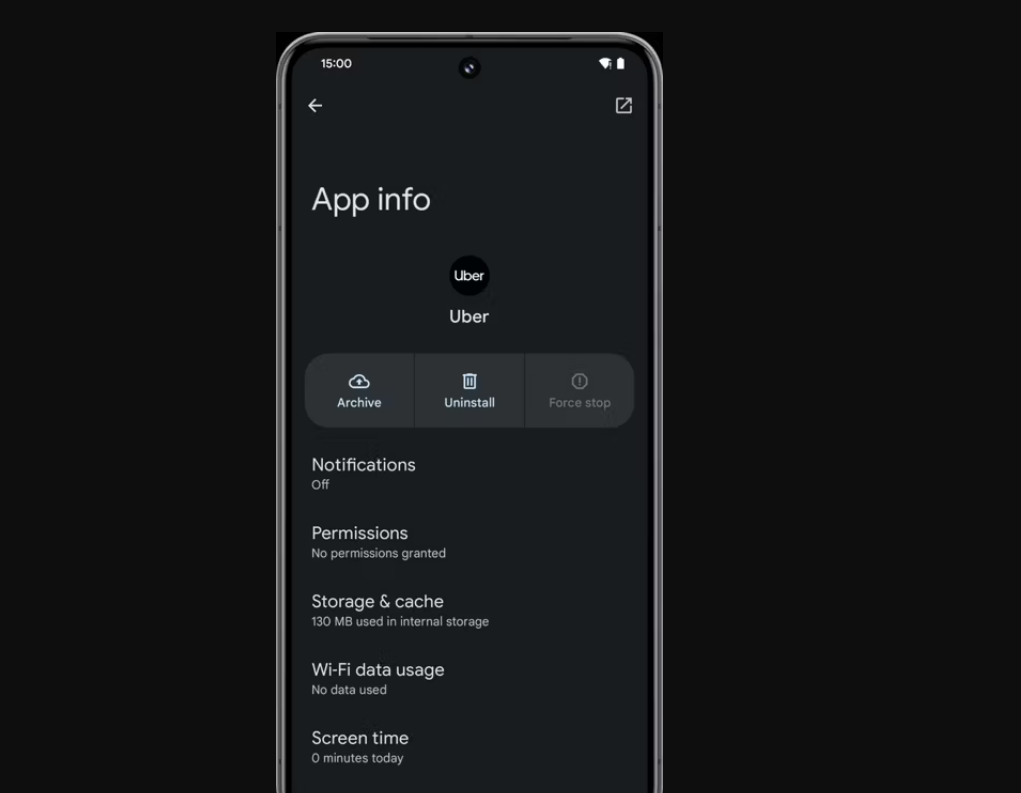
Android 15 poised to include an in-built app archiving feature.
Automatic archiving introduced in 2022 now expands beyond Play Store apps.
Users can easily reactivate archived apps with a simple tap.
Feature designed to significantly reduce app storage footprint on devices.
Android userswho are grappling with limited storage space, Google’s innovation in app archiving is likely to offer some temporary respite.
Introduced in 2022 via the Play Store, this feature automatically archives unused apps, thereby freeing up essential storage without requiring users to manually decide which apps to remove.
However, this functionality was limited to apps obtained from the Play Store, leaving out those downloaded from external sources and offering no option for manual archiving by the user.
Android 15 to Have In-Built App Archiving
Android 15 to Have In-Built App Archiving
There’s a potential expansion on the horizon, as hinted by recent discoveries within an Android 14 QPR2 beta update.
Mishaal Rahman of Android Authority uncovered new testing commands that suggest developers might soon have the ability to archive or restore their apps directly.
This indicates Google’s intention to integrate the app archiving feature more deeply into the Android operating system, potentially making it a standard feature in Android 15.
Android 15 Set Change App Management with In-Built Archiving Feature
The mechanics of app archiving on Android involve a significant reduction in the app’s footprint on the device.
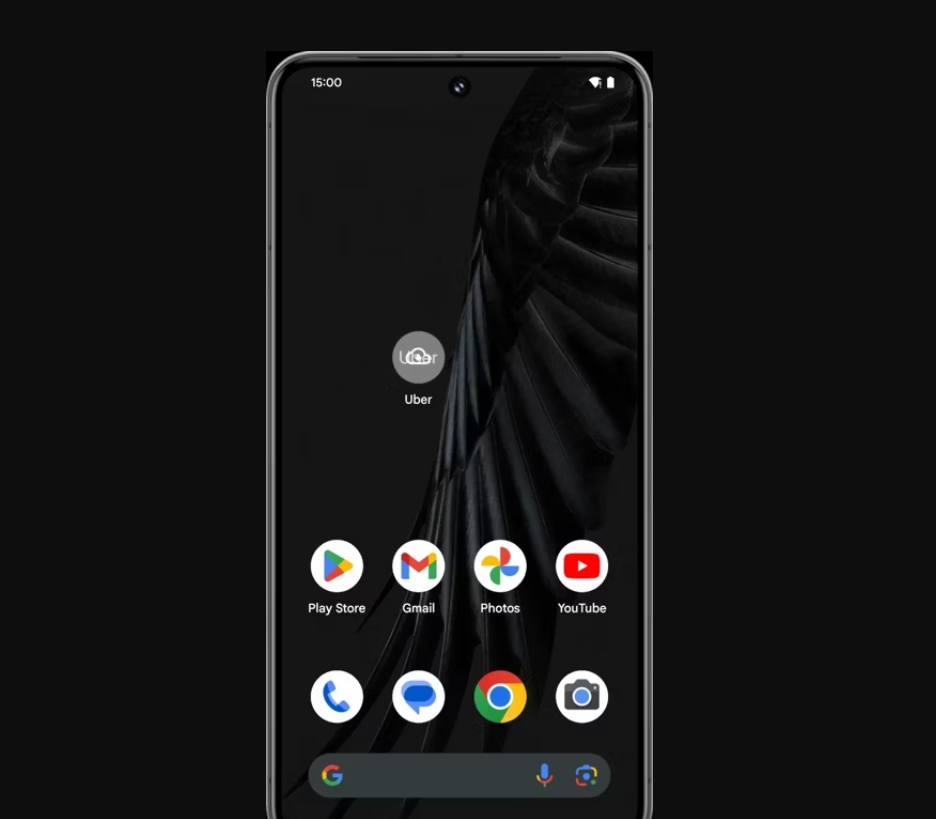
Only the essential components are retained, while the bulk of the app’s data is removed, symbolised by a cloud icon on the app icon for easy identification.
This feature addresses a critical need for users of devices without expandable storage options and those reluctant to permanently delete apps to reclaim space.
App archiving promises to alleviate some of this pressure by allowing users to temporarily remove apps without losing them entirely.
While the full implementation of this feature in Android 15 remains speculative, the evidence points towards a more flexible and user-friendly approach to managing apps and storage space.
FAQs
What is the app archiving feature in Android?
App archiving allows Android users to temporarily remove unused apps while retaining their essential components, thereby freeing up storage space without permanent deletion.
How does app archiving work on Android devices?
When an app is archived, most of its data is removed, leaving a minimal footprint. A cloud icon appears on the app icon, indicating its archived status. Tapping on the app restores it to full functionality.
Will Android 15 support archiving for apps not downloaded from the Play Store?
Indications from Android 14 QPR2 beta testing suggest that Android 15 may extend archiving capabilities to include apps downloaded from external sources, offering a more comprehensive solution.
How can I restore an archived app in Android?
Restoring an archived app is as straightforward as tapping on its icon. The app will download its main components again, assuming it’s still available on the Play Store.
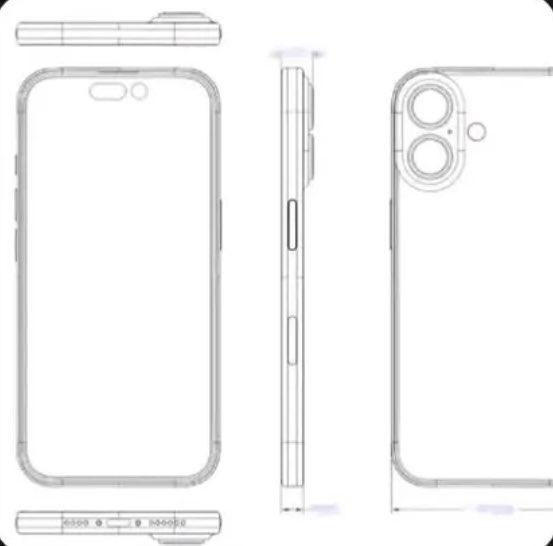
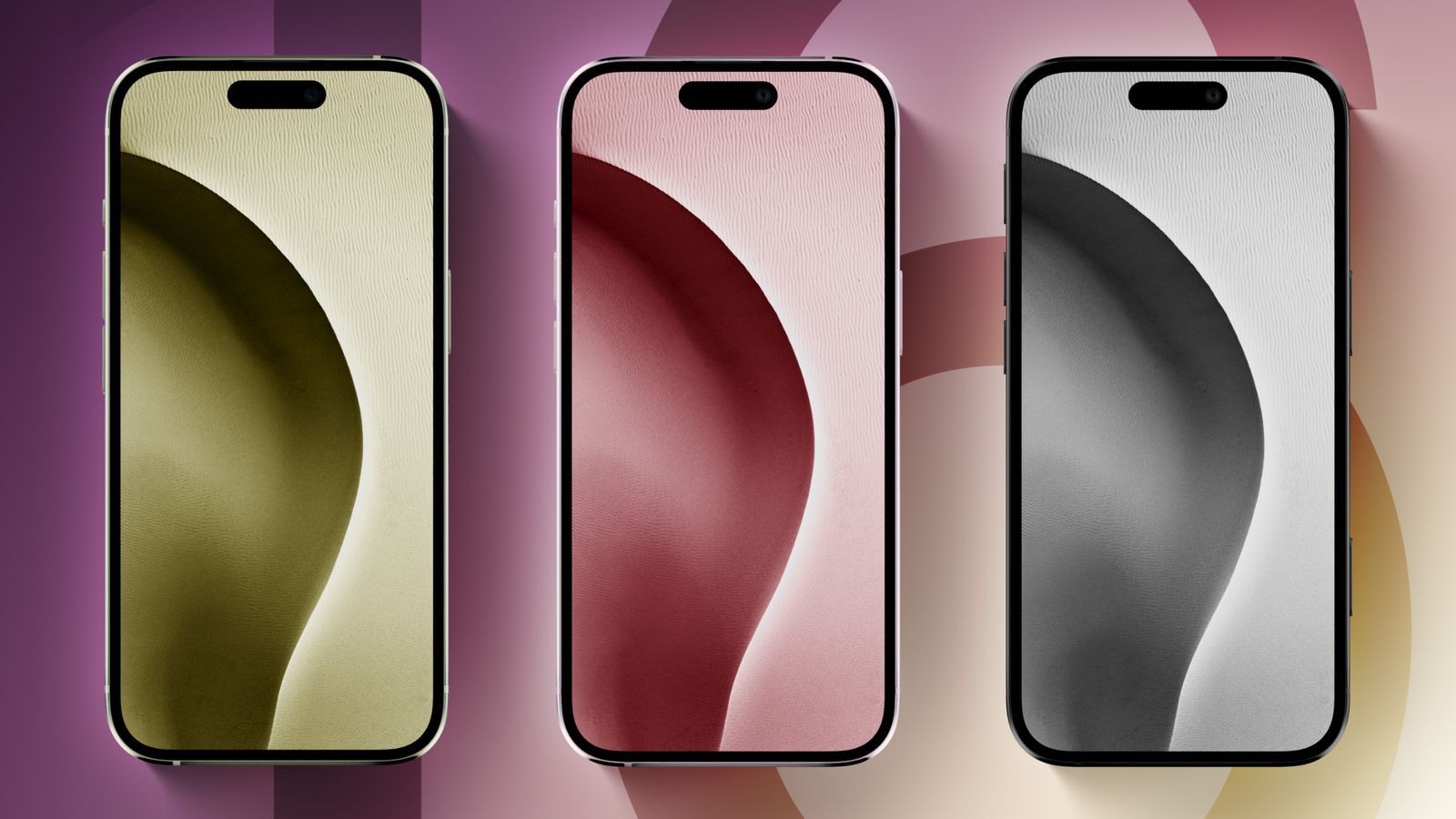
Drawing inspiration from the iconic iPhone X, Apple’s newest prototype might be introducing a new aesthetic coupled that will deviate from the company’s .
Reviving the Pill-Shaped Camera Bump
Reviving the Pill-Shaped Camera Bump
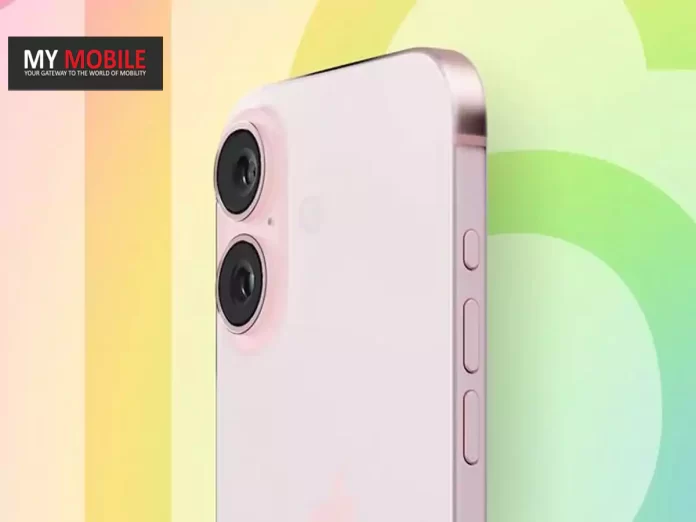
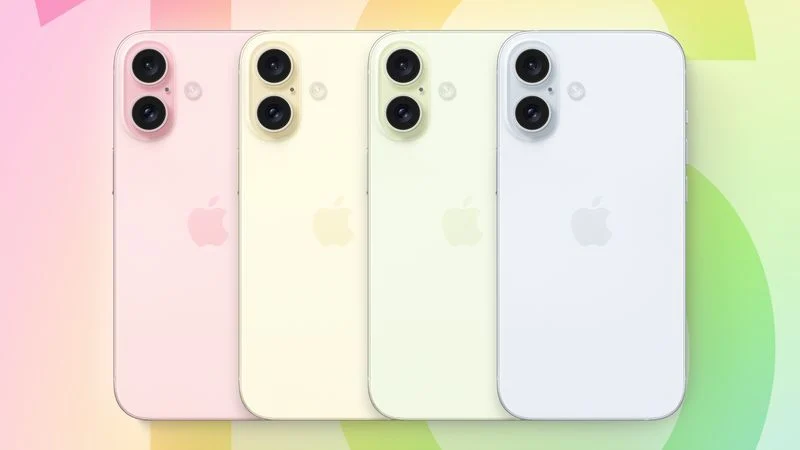
As per Macrumors, and corroborated by tipster Majin Bu the centerpiece of the latest iPhone 16 prototype is undoubtedly its pill-shaped camera bump, a nod to the design philosophy behind the iPhone X.
This prototype distinguishes itself by featuring two distinct camera rings dedicated to the Wide and Ultrawide cameras, subtly incorporating elements from previous designs.
The continuity in the vertical arrangement of the camera system, alongside the unchanged positioning of the flash and camera lenses is possibly what we can expect from the base iPhones this year.
Pill-shaped camera bump inspired by iPhone X introduced in iPhone 16 prototypes
Clearly, the design is there to differentiate the device’s visual appeal but there is also an indication of functional enhancements, particularly the potential inclusion of Spatial Video recording capabilities in the base iPhone 16 models.
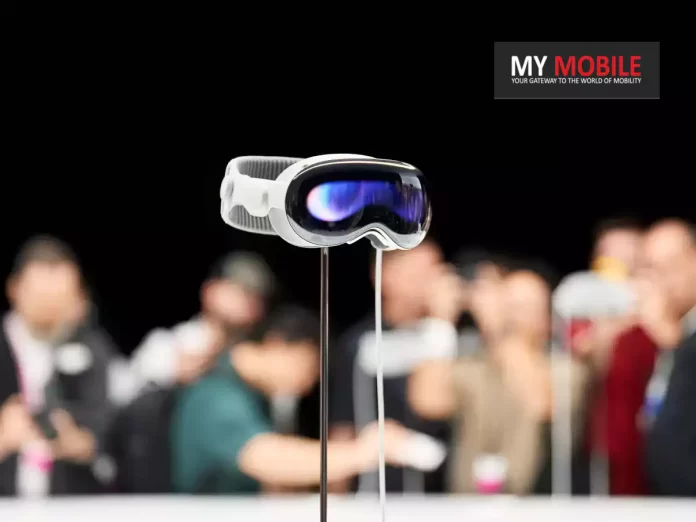
As the Vision Pro reaches more and more hands, the ability to take record in this new spatial video format, is what Apple is banking on to get the sales of the former to shoot up.
Design Tweaks and Functional Upgrades
Design Tweaks and Functional Upgrades
Beyond the camera,Apple has not shied away from refining other elements of the iPhone 16.
Super Retina XDR Display, HDR Display, True Tone, Wide Color (P3), Haptic Touch, 1200 Nits Max Brightness (HDR), Support for Display of Multiple Languages and Characters Simultaneously
AAC‑LC, HE‑AAC, HE‑AAC v2, Protected AAC, MP3, Linear PCM, Apple Lossless, FLAC, Dolby Digital (AC‑3), Dolby Digital Plus (E‑AC‑3), Dolby Atmos and Audible (formats 2, 3, 4, Audible Enhanced Audio, AAX and AAX+)
Video
HEVC, H.264, MPEG‑4 Part 2 and Motion JPEG, HDR with Dolby Vision, HDR10 and HLG
FM Radio
No
Document Reader
Yes
BATTERY
Type
Non-Removable Battery
Size
3500 mAh, Li-ion Battery
Fast Charging
Yes
Wireless Charging
Yes, 25W MagSafe
Music Playback Time
100 hours
FAQs
What new camera design is Apple introducing in the iPhone 16?
The iPhone 16 is expected to feature a pill-shaped camera bump with a vertical arrangement for its Wide and Ultrawide cameras, taking inspiration from the design philosophy of the iPhone X.
How does the iPhone 16’s camera design differ from previous models?
Unlike the broader square bumps of past models, the iPhone 16 aims to differentiate with a sleek, pill-shaped bump that focuses on enhancing both aesthetic appeal and camera functionality.
Will the iPhone 16 support Spatial Video recording?
Indications suggest that Apple plans to introduce Spatial Video recording capabilities in the iPhone 16 base models, expanding the immersive video experience to a wider audience.
Are there any changes to the iPhone 16’s Action and Capture Buttons?
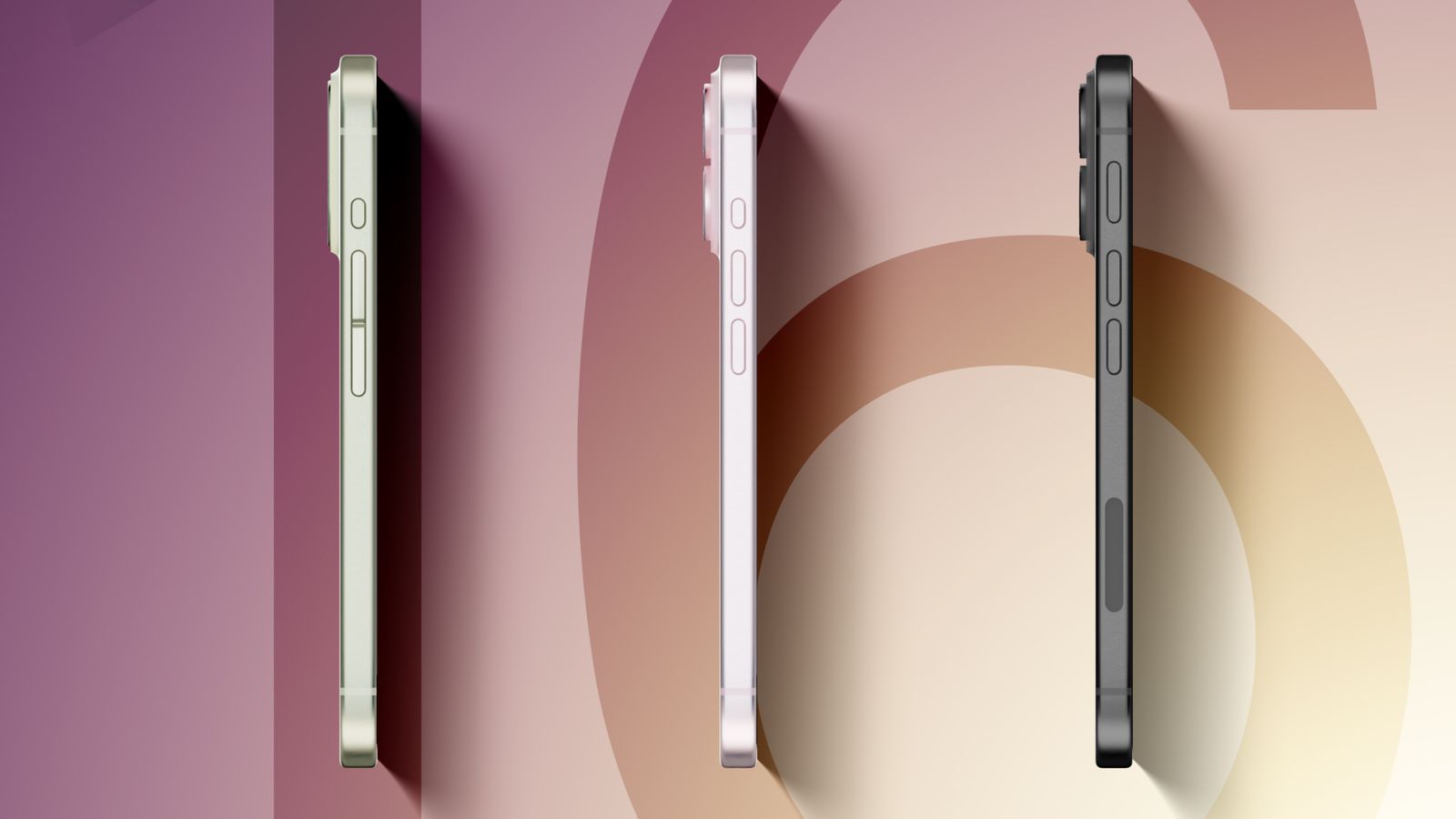
The latest prototypes show a downsized Action Button akin to the iPhone 15 Pro and a new pressure-sensitive Capture Button, aiming for a more uniform and intuitive user interface.
What are the key design changes in the latest iPhone 16 Pro prototype?
The latest “Proto2” prototype of the iPhone 16 Pro shows a design shift, adopting a smaller Action button akin to that of the iPhone 15 Pro.
This contrasts with earlier prototypes that experimented with different sizes and placements for the Action button.
How did the iPhone 16 Pro’s Action button design evolve from initial prototypes?
Early prototypes of the iPhone 16 Pro included a unified volume button and a smaller multi-purpose Action button.
This design was part of the discontinued Project Bongo, which initially aimed to bring haptic buttons to the iPhone 15 Pro.
What was the purpose of Apple’s Project Bongo and how did it influence the iPhone 16 Pro’s design?
Project Bongo was an attempt to introduce haptic buttons to the iPhone 15 Pro. Although the project was canceled, its design elements, particularly the unified volume button, influenced early versions of the iPhone 16 Pro.
What does the “Proto2” prototype indicate about the future of the iPhone 16 Pro’s design?
The “Proto2” prototype suggests that Apple may be moving away from the idea of a capacitive Action button, as it features a smaller, more traditional Action button similar to the iPhone 15 Pro.
Meta aims to develop AI surpassing ChatGPT with Facebook, Instagram data.
Privacy issues loom over training AI with personal, interactive user content.
Challenges in filtering toxic content from vast datasets highlight potential risks.
Meta’s approach contrasts with more cautious AI development strategies.
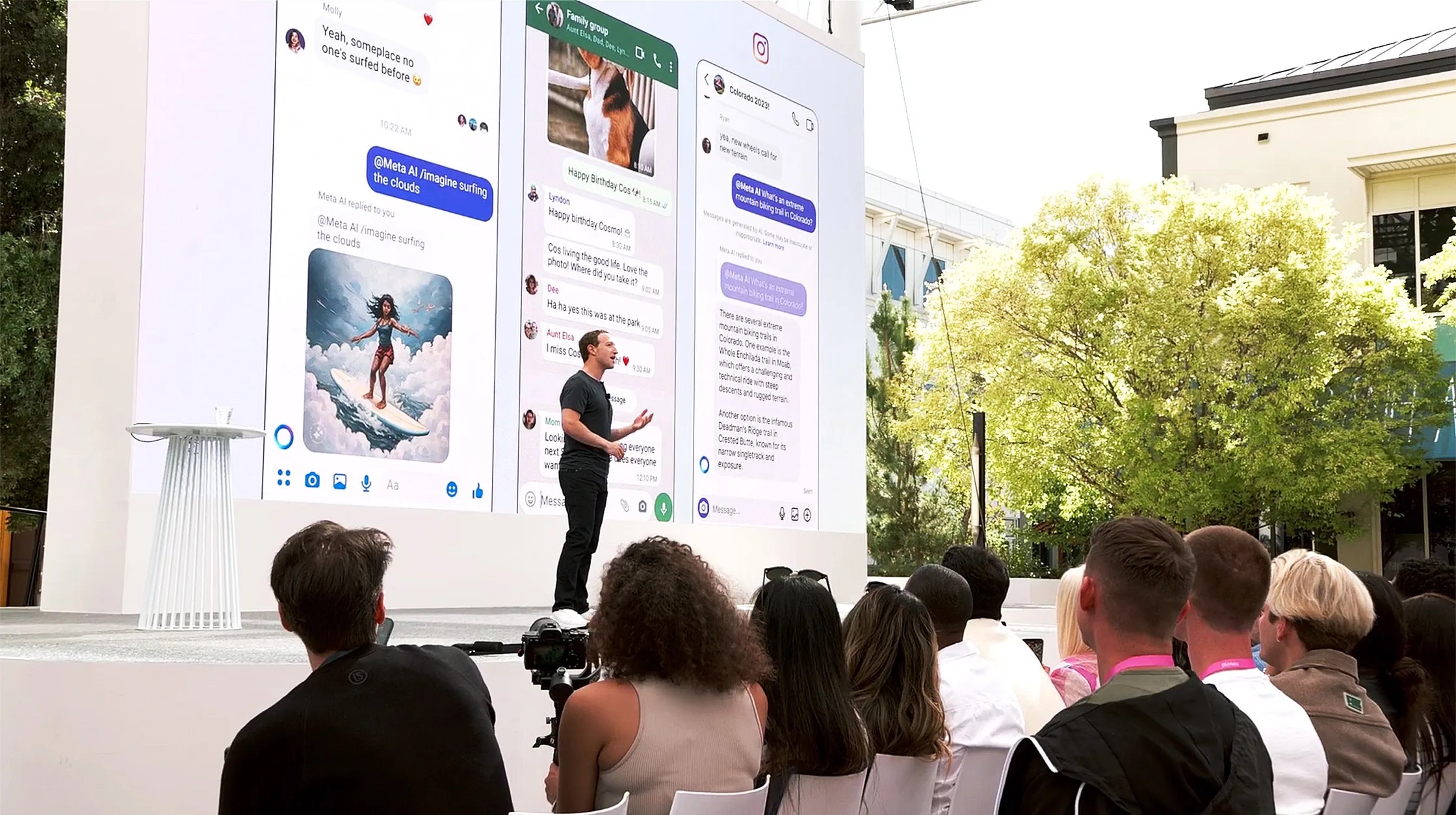
Mark Zuckerberg’srecent announcement about Meta’s plans to develop its own artificial intelligence systems using data from Facebook and Instagram has sparked significant outcry.
Meta wants to rival ChatGPT by tapping into a dataset that surpasses the Common Crawl’s 250 billion webpages, a primary resource for training conversational AI.
Meta’ Ambitious AI Approach
Meta’ Ambitious AI Approach
Zuckerberg’s ambition to harness hundreds of billions of publicly shared images, tens of billions of videos, and the extensive volume of public text and comments presents a potential edge in developing more sophisticated AI.
The value of this data is amplified by its interactive nature, particularly the comment threads that mirror human dialogue, crucial for creating conversational agents.
Privacy and Toxic Red Flags
Meta’s AI Plan Using Facebook Data Raises Privacy, Toxicity Concerns
However, the move to utilize such personal and interactive content raises significant privacy concerns, as it involves training AI on potentially sensitive conversations and posts shared among friends.
Moreover, the challenge of filtering toxic content from the training data cannot be understated.
The online environment, including Facebook’s comments sections, is rife with harmful content, including personal attacks, and discriminatory speech.
As such, training AI on unfiltered datasets could perpetuate these issues, making the development of a non-toxic, conversational AI a daunting task.
Meta’s historical content, which includes politically charged and misleading information, further complicates the dataset’s quality.
Meta’s recent stance on allowing a manipulated video of President Biden to remain on its platform is pretty much indicative of the company’s lenient content standards.
This is likely to intensify concerns over itsupcoming AI’s potential to inherit and amplify the platform’s existing issues with privacy and toxicity.
FAQs
What is Meta’s plan for developing artificial intelligence?
Meta intends to create a new chatbot by using vast amounts of user-generated content from Facebook and Instagram, aiming to outperform existing AI like ChatGPT.
Why are privacy concerns being raised over Meta’s AI development?
The use of personal and sensitive data from social interactions for AI training has sparked fears over the potential misuse of private information.
How does Meta plan to handle toxic and harmful content in its AI training process?
While the specifics of filtering strategies remain unclear, the inherent challenge of cleansing the dataset of toxicity is a significant hurdle for Meta.
How does Meta’s AI initiative compare to other companies’ approaches to AI development?
Unlike Meta’s ambitious and broad data utilization, companies like Apple take a more cautious route, focusing on privacy and careful curation of training data for AI.
Has Zuckerberg’s AI announcement raised privacy and toxicity red flags?
Meta CEO Mark Zuckerberg’s AI announcement has raised major concerns, after he said that the company had more user data than was used to train ChatGPT – and would soon be using it to train its own AI systems.
The company’s plan to use Facebook and Instagram posts and comments to train a competing chatbot raises concerns about both privacy and toxicity …
Zuckerberg announced the company’s plan after releasing the company’s latest earnings report, as Bloomberg reports.
For many people, Facebook is the internet, and the number of its users is still growing, according to Meta Platforms Inc.’s latest financial results. But Mark Zuckerberg isn’t just celebrating that continuing growth.
He wants to take advantage of it by using data from Facebook and Instagram to create powerful, general-purpose artificial intelligence.
[Zuckerberg said] “The next key part of our playbook is learning from unique data and feedback loops in our products… On Facebook and Instagram, there are hundreds of billions of publicly shared images and tens of billions of public videos, which we estimate is greater than the Common Crawl dataset and people share large numbers of public text posts in comments across our services as well.”
Common Crawl refers to a huge archive of 250 billion webpages, representing the bulk of the text used to train ChatGPT. By calling on an even larger dataset, Meta could be in a position to build a smarter chatbot.
As Bloomberg notes, it’s not just the sheer volume of data that might give Meta an advantage – it’s the fact that so much of it is interactive.
The pile of data he’s sitting on is especially valuable because so much of it comes from comment threads.
Any text that represents human dialogue is critical for training so-called conversational agents, which is why OpenAI heavily mined the internet forum Reddit Inc. to build its own popular chatbot.
What are the two red flags raised by Zuckerberg’s AI announcement?
First, Meta would effectively be training its AI on what may be quite personal posts, and conversations between friends in Facebook comments.
That raises major privacy alarms. Second, anyone who has ever read the comments section anywhere on the Internet knows that the percentage of toxic content is high.
This early version of the software is now accessible through the device’s Settings app, marking a significant update for developers and users eager to explore the new features and improvements.
Streamlines Apple Vision Pro setup and management for business use
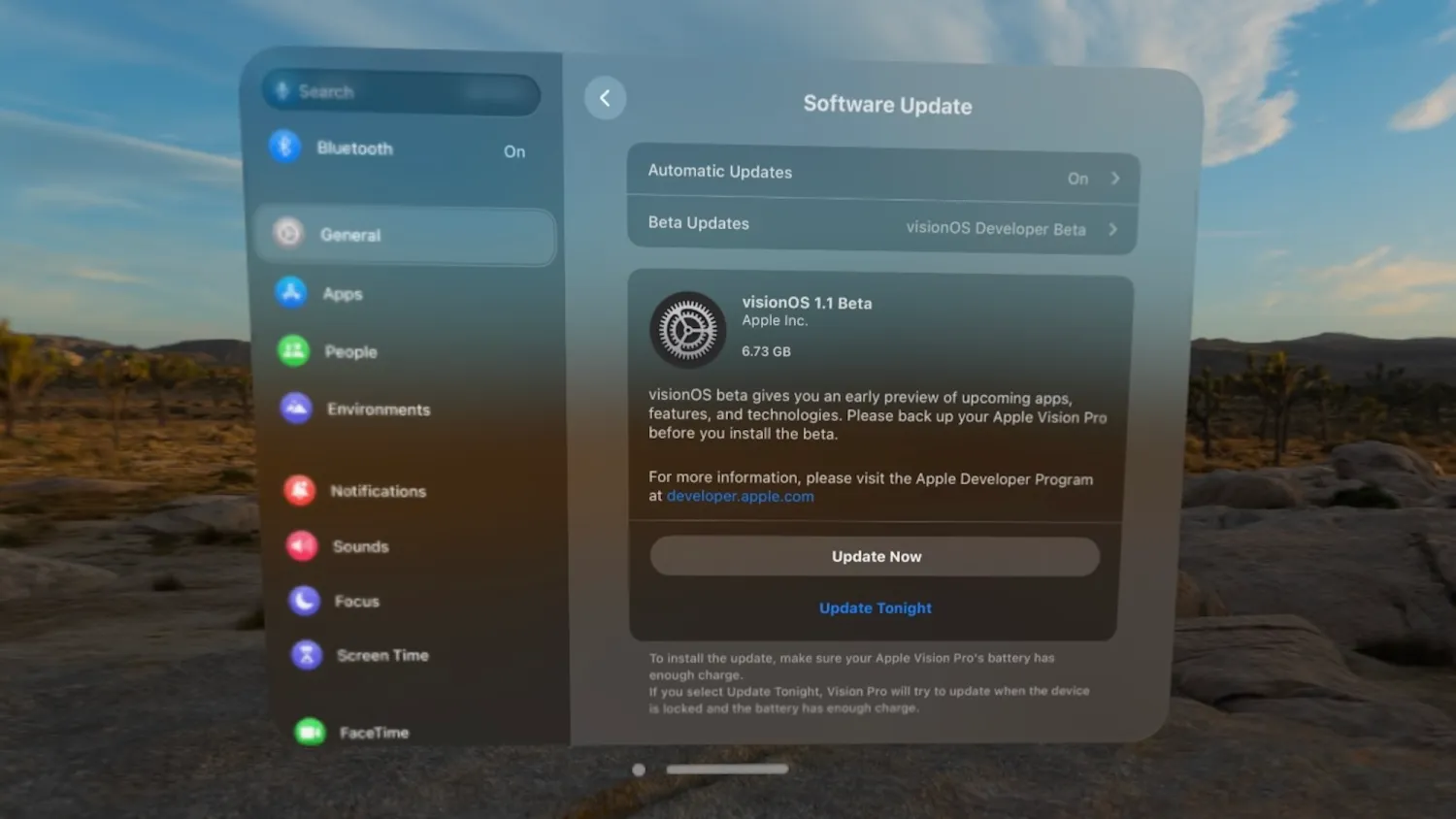
Here’s a step-by-step guide on how to join the developer beta program and download the update:
Launch the Settings app on your Apple Vision Pro.
Navigate to “General” and then to “Software Update”.
Tap on “Beta Updates” followed by selecting “visionOS Developer Beta”.
Once these steps are completed, return to the “Software Update” menu where visionOS 1.1 beta 1 will be available for installation.
This update is set to address one of the notable omissions in the initial release of visionOS – the lack of support for Mobile Device Management (MDM).
The introduction of MDM support in visionOS 1.1 is a game-changer for enterprise use, aligning Apple Vision Pro with the management capabilities currently available on other Apple devices such as the iPhone, iPad, and Mac.
This advancement facilitates the seamless integration of Apple Vision Pro into business environments, enabling professionals to manage work emails, contacts, calendars, and more directly on their device.
Apple Vision Pro visionOS 1.1 Beta Rolling Out With MDM Support
MDM integration in visionOS 1.1 promises to streamline the setup and management of Apple Vision Pro units within organizations, offering features like account-driven enrollment, app installation, configuration of Managed Apple IDs and network settings, as well as enabling single sign-on, and extending support to Exchange and Google Workspace.
As Apple collaborates with MDM developers to refine these features, the potential for Apple Vision Pro in professional settings becomes increasingly evident.
Apple Vision Pro visionOS 1.1 Beta Rolling Out With MDM Support
FAQs
How do I download the visionOS 1.1 beta for Apple Vision Pro?
Access the beta by opening the Settings app, going to “General” > “Software Update” > “Beta Updates”, and selecting “visionOS Developer Beta”. The update will appear in the “Software Update” menu.
What is Mobile Device Management (MDM) in visionOS 1.1, and why is it important?
MDM in visionOS 1.1 enables businesses to manage Apple Vision Pro devices similarly to iPhones, iPads, and Macs, covering email, contacts, and calendar management, crucial for enterprise use.
What new features does visionOS 1.1 beta bring to Apple Vision Pro?
While specific enhancements are yet to be disclosed, the key feature is MDM support, promising a significant boost in enterprise functionality and device management.
Can I manage my work email and calendar on Apple Vision Pro with visionOS 1.1?
Yes, with MDM support, users can seamlessly integrate work email, contacts, and calendar into the Apple Vision Pro, mirroring the functionality available on other Apple devices.
What’s new in visionOS 1.1 ?
MDM (Mobile Device Management): Businesses will find it easier to manage workplace users with support for account-driven enrollment, app installation, Managed Apple IDs, network configurations, single sign-on, support for Exchange and Google Workspace, and more.
Reset device: If you forget your Vision Pro passcode, you need to take it to an Apple Store for them to reset the device. 9to5Mac has discovered code to suggest that users will be able to reset their device after multiple failed password attempts.
Activation Lock is still active, meaning it can only be set up again with the Apple ID and password used before.
App placement: Users will now be able to reposition volumetric scenes much closer than before, according to Apple’s release notes.
visionOS 1.1: How to install the public beta ?
We’re not sure if Apple will have a public beta program for visionOS yet—there’s no Public Beta option yet, but the device is brand new. We expect it would work like it does on other Apple devices.
You’ll probably join the beta by opening Settings, selecting General, then Software Updates. In the Beta Updates section, choose visionOS Public Beta.
visionOS 1.1: How to install the developer beta ?
You’ll need to be registered as an Apple developer, but you don’t need to be in the $99 per year developer program to access the developer beta; a free developer account will do. You can get one via Xcode or the Apple Developer app in iOS.
Here’s how to do it via the Apple Developer app:
Download the Apple Developer App from the App Store.
Open the app.
Tap on Account.
Sign in using your usual Apple ID.
On your Apple Vision Pro, open Settings, choose General, then Software Update. In the Beta Updates menu, select visionOS Devleoper Beta.
OnePlus 12 features a Hasselblad-enhanced triple camera for superior photography.
OnePlus 12R offers a solid core photography experience with a more straightforward setup.
OnePlus 12 excels in ultra-wide and low-light conditions with higher sensor resolution.
OnePlus 12’s selfie camera outperforms the 12R, providing finer detail and quality.
The OnePlus 12 and OnePlus 12Rare two contending models, each boasting distinct camera capabilities tailored to cater to varying user preferences.
The below comparative analysis delves into the intricacies of their camera systems, aiming to discern the nuances that might influence a potential buyer’s decision.
Both the OnePlus 12 and 12R excel in capturing detailed images under daylight conditions, showcasing the prowess of their primary sensors.
The OnePlus 12, equipped with a superior sensor, delivers images with enhanced contrast and a vibrant dynamic range that matches that of the 12R.
However, it manages to edge out the 12R with slightly better detail capture and a more visually pleasing output, despite the 12R’s tendency to exhibit marginally higher saturation levels.
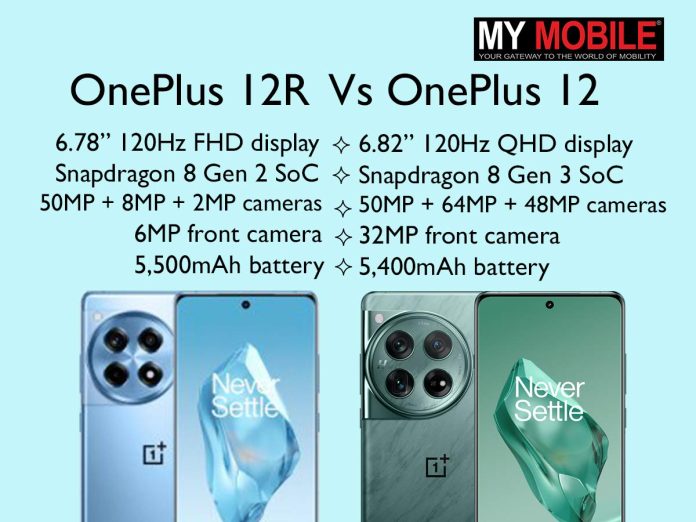
The disparity in ultra-wide capabilities between the two models becomes apparent with the OnePlus 12 utilising a 48MP sensor, overshadowing the 12R’s 8MP counterpart.
This significant difference in sensor resolution allows the OnePlus 12 to capture ultra-wide shots with superior detail and accuracy, particularly in well-lit conditions.
The colour temperatures rendered by the OnePlus 12 also tend to be more accurate, further enhancing the overall quality of the images.
Thus, for ultra-wide photography enthusiasts, the OnePlus 12 stands out as the more capable contender.
OnePlus 12 Ultra
Selfie Photography
OnePlus 12 Selfie
For selfie aficionados, the OnePlus 12’s 32MP front-facing camera offers a compelling proposition, producing detailed and attractive shots with a slight facial smoothing effect.
Conversely, the OnePlus 12R’s 16MP front camera, while adequate for general use and video calls, falls short in comparison, delivering quality that, though usable, does not match the finesse of the OnePlus 12.
OnePlus 12R Selfie
Low Light Photography
OnePlus 12R Night
When it comes to low-light photography, both devices demonstrate commendable performance, with the OnePlus 12’s larger sensor allowing for better light capture and more detailed images in both highlights and shadows.
The dedicated night mode on both devices enhances their ability to shoot in dim conditions, yet it is the OnePlus 12 that produces images with superior color output.
OnePlus 12’s selfie camera outperforms the 12R, providing finer detail and quality
For users who prioritize top-tier photography performance and seek the versatility to explore a wide range of photographic styles and conditions, the OnePlus 12 emerges as the clear winner.
Its comprehensive camera system, enhanced by Hasselblad’s colour tuning and advanced imaging technologies, offers a superior photography experience that is hard to match.
However, for those who may not require the extensive camera capabilities of the OnePlus 12 or are perhaps looking for a more cost-effective alternative without making significant compromises on image quality, the OnePlus 12R remains a strong contender.
What makes the OnePlus 12 camera better than the OnePlus 12R?
The OnePlus 12 boasts a Hasselblad-enhanced camera setup with higher resolution sensors, providing an advanced photography experience in various lighting conditions.
Can the OnePlus 12R camera compete with the OnePlus 12 in daylight photography?
While both perform excellently in daylight, the OnePlus 12 edges out with slightly better detail and dynamic range, though the 12R still delivers vibrant images.
How do the ultra-wide capabilities of the OnePlus 12 and 12R compare?
The OnePlus 12’s 48MP ultra-wide sensor captures more detailed and accurate shots than the 12R’s 8MP sensor, making it the better choice for ultra-wide photography.
Are selfies better on the OnePlus 12 or 12R?
The OnePlus 12’s 32MP front camera provides higher quality selfies with better detail and portrait mode effects compared to the 12R’s 16MP front camera.
Which device should I choose for low light photography?
The OnePlus 12, with its larger sensors and superior night mode, offers enhanced low light photography, capturing better detailed and colored images than the 12R.
How does the OnePlus 12R’s camera perform?
The OnePlus 12R’s camera setup, led by a 50MP main sensor, delivers impressive shots in various lighting conditions.
While it includes features like macro and tilt-shift, the macro lens may underperform compared to the main and ultra-wide sensors.
What are the camera details of OnePlus 12R?
A super snappy camera
Just because OnePlus 12R has a performance focus, that doesn’t mean it can’t have a brilliant camera too.
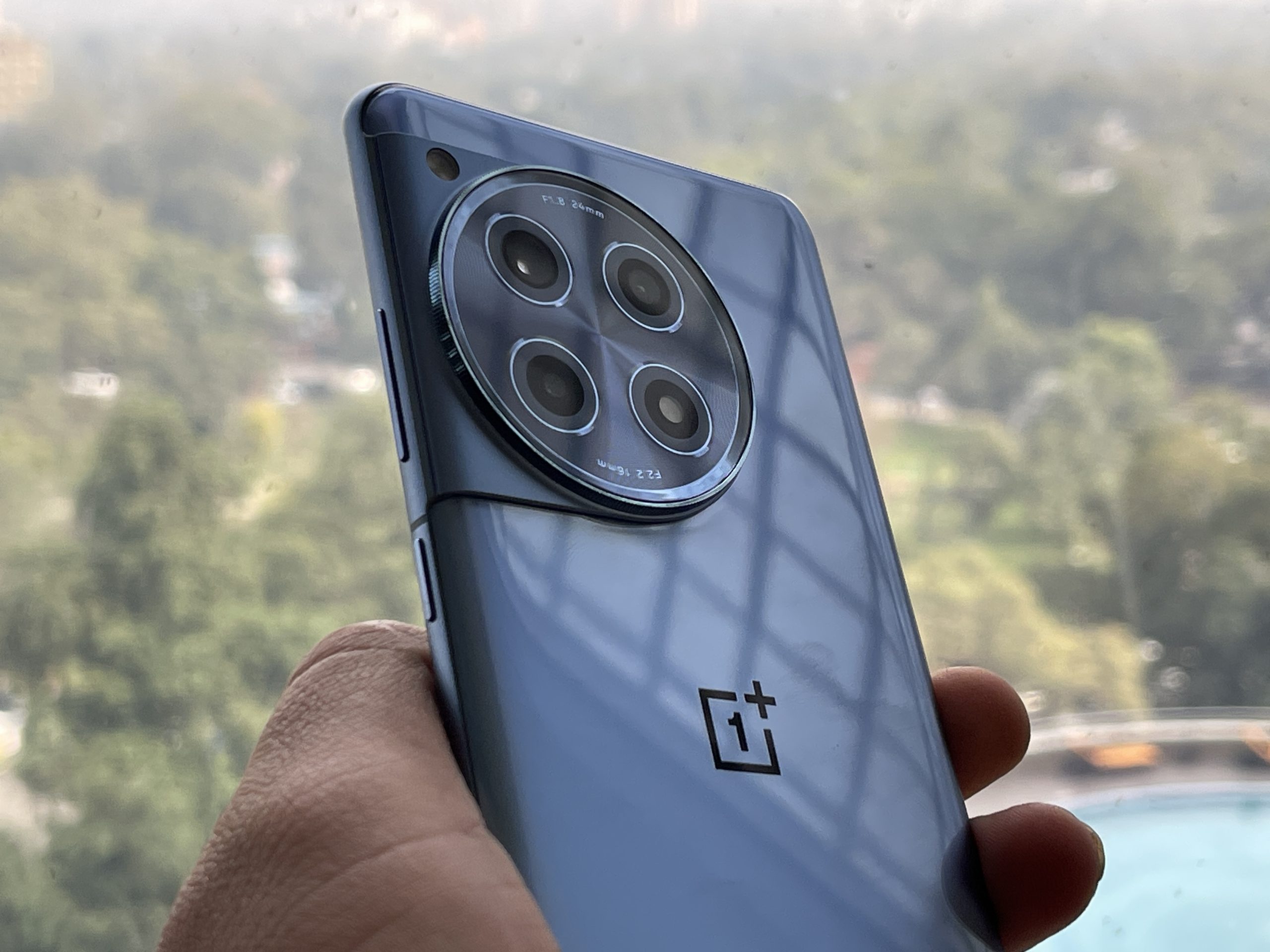
At the heart of OnePlus 12R’s camera is the Sony IMX890 50-megapixel sensor, widely regarded as the most consistent and high-performance sensor on the market, as well as some proprietary OnePlus photography algorithms designed to give great results at any time.
OnePlus 12R also features a range of secondary camera lenses including a 112-degree ultrawide camera, a macro camera and a 16-megapixel front-facing camera – perfect for those moments where nothing beats a super wide shot or a super close shot.
How does the camera setup on the OnePlus 12R stand out?
The OnePlus 12R comes with a triple-camera setup, including a 50MP primary Sony IMX890 sensor, an 8MP ultra-wide lens, and a 2MP macro lens, allowing for versatile photography options.
OnePlus 12 features Authentic Hasselblad Style Photography. Details?
The OnePlus 12 stands out as a photography master with a professional-grade camera system featuring flagship hardware and advanced image processing algorithms developed in collaboration with Hasselblad.
The phone takes the flagship-level triple camera system of the OnePlus 11 and brings it to the next level with an industry-first 50MP Sony’s LYT-808 wide-angle camera.
Featuring a large ƒ/1.6 aperture and 1/1.4-inch sensor size, the camera offers a greater depth of field while compensating for the loss of light to deliver crystal-clear images with vibrant colors and intricate details even in low-light environments.
Red glare and artefact reduction are also supported to help capture even more true-to-life images.
As the first OnePlus single-screen flagship to feature a best-in-class OV64B 3x periscope telephoto camera with 6x in-sensor zoom, the OnePlus 12 offers a 3x to 120x photographic zoom range that gives users the flexibility to capture spontaneous moments and highly expressive portraits from afar.
This unrivalled periscope telephoto lens not only ensures high image quality but also perfectly replicates natural lights and shadows.
With its 114° field of view in an impressive 48MP resolution, the OnePlus 12’s ultra-wide camera is more than just the icing on the cake, instead empowering users to capture a broader perspective on life that still retains the finest details.
OnePlus’ latest RAW HDR algorithm further enhances the phone’s ability to control light by understanding visual landscapes and harmonizing the interplay between highlights and shadows.
By rendering optimal brightness, balanced exposure, authentic color saturation, and seamless vignette control, the OnePlus 12 makes it possible to capture DSLR-like images that mirror reality with impeccable resolution and even greater precision.
The newly upgraded Hasselblad Portrait Mode simulates the nuances of bokeh and flare effects of Hasselblad’s classic lenses from 1x to 3x, adding additional visual angles while imparting a natural depth of field to create transitions between subject and background that are seamless beyond belief.
How does OnePlus 12 give Cinematic Visual and Audio Experiences?
The OnePlus 12 harmonizes an ultra-bright display with cinema-like sound to bring users flagship audiovisual experiences like never before.
At the centre of this experience is a 2K 120Hz ProXDR display powered by BOE’s brand-new blue diamond pixel layout, which enables the OnePlus 12 to reach a peak brightness of 4,500 nits – the brightest-ever screen on a OnePlus smartphone – with the ability to deliver ultra-realistic, silky-smooth visuals for a premium viewing experience.
ProXDR further ensures that lossless images with high dynamic range and a rich color spectrum can be enjoyed in full detail on the phone’s stunning display.
This innovative display sets or matches 18 smartphone display performance records of DisplayMateA+. It also receives Intelligent Eye Care certification by TÜV Rheinland thanks to its ability to effectively reduce blue light emission and intelligent color temperature adjustment in response to changing ambient conditions.
Fitted with LTPO technology, the display can automatically switch between a refresh rate of 1Hz to 120Hz based on user preferences and specific usage scenarios while keeping power consumption comparatively low.
Dolby Vision is also supported to elevate the overall visual experience with ultra-vivid colors, crisp contrast, and intricate details.
For avid gamers seeking hyper-realistic and ultra-immersive mobile gaming experiences, the OnePlus 12 offers the perfect solution in the form of HyperRendering.
Built upon OnePlus’ in-house graphics algorithms and a dedicated Pixelworks X7 Independent Visual Processor, this groundbreaking visual quality enhancement technology empowers the OnePlus 12 to deliver super-resolution picture quality with remarkable efficiency, achieving 120Hz frame rate for all games through frame Interpolation technology2 while ensuring real-time HDR color calibration.
For enhanced touch accuracy, Aqua Touch can detect wet fingers and water droplets on the screen and compensate accordingly, significantly alleviating issues related to sweaty hands and mistouches during both intense gameplay and everyday use.
Complementing the high-quality visuals are immersive 3D sound spaces that add the finishing touch to the all-round entertainment experience.
When paired with the OnePlus Buds 3 or other OnePlus earbuds with spatial audio and in-app customization support, the OnePlus 12 delivers simultaneous playback of different audio content in multiple directions to create a flagship 3D Spatial Audio experience.
Thanks to the inclusion of dual stereo speakers with Dolby Atoms, dedicated spatial audio can even be enjoyed without earbuds, offering cinema-level audio quality with reduced acoustic resonance.
Google Play Store, Gmail, YouTube, Google, Google Assistant, Maps, Files, Facebook
Navigation
Yes
Preinstalled Browser
Yes, Google Chrome
GPRS
Yes
EDGE
Yes
3G
Yes
4G
Yes
Wifi
Wi-Fi 802.11 b/g/n/ac, hotspot
USB Connectivity
Type-C
GLONASS
Yes
Bluetooth
V5.0
Audio Jack
3.5mm
MULTIMEDIA
Music Player
Yes
Video Player
Yes
Ringtone
Yes
OTHER
SAR Value
<1.6W/Kg
Sensors
Accelerometer, Proximity, Ambient Light
Additional Features
Side Fingerprint Sensor, Face Unlock, Battery Saver Mode
WARRANTY
1 Year Handset Warranty and 6 Months Warranty on Accessories
FAQs
What are the pricing details for the Lava Yuva 3 variants?
The 64GB version is priced at Rs 6,799, while the 128GB model is available for Rs 7,299, offering options to suit different storage needs.
When will the Lava Yuva 3 be available for purchase?
Sales start on Amazon on February 7, 2024, with broader availability across Lava’s retail and online stores from February 10.
What are the key features of Lava Yuva 3?
Key features include a 90Hz HD+ display, UNISOC T606 processor, 13MP Triple AI camera, 5000mAh battery with fast charging, and security enhancements like a fingerprint sensor and face unlock.
How does Lava Yuva 3’s battery and charging stand out?
The 5000mAh battery coupled with 18W Fast Charging technology ensures long-lasting battery life and quick recharge times.
Lava’s Yuva 3 Now Available for Sale on Amazon starting at Rs 6,799/-.Details?
Lava International Limited, India’s leading smartphone brand, is thrilled to announce the Yuva 3 sale on Amazon starting at Rs 6,799/- today.
Lava Yuva 3 is fuelled by the UNISOC T606 Octa-core Processor, a powerful 5000 mAh battery for long-lasting usage that gets the phone ready with full charge in lesser time. To deliver an unmatched viewing experience, it features a 90Hz 16.55cm (6.5″) HD+ Punch Hole Display.
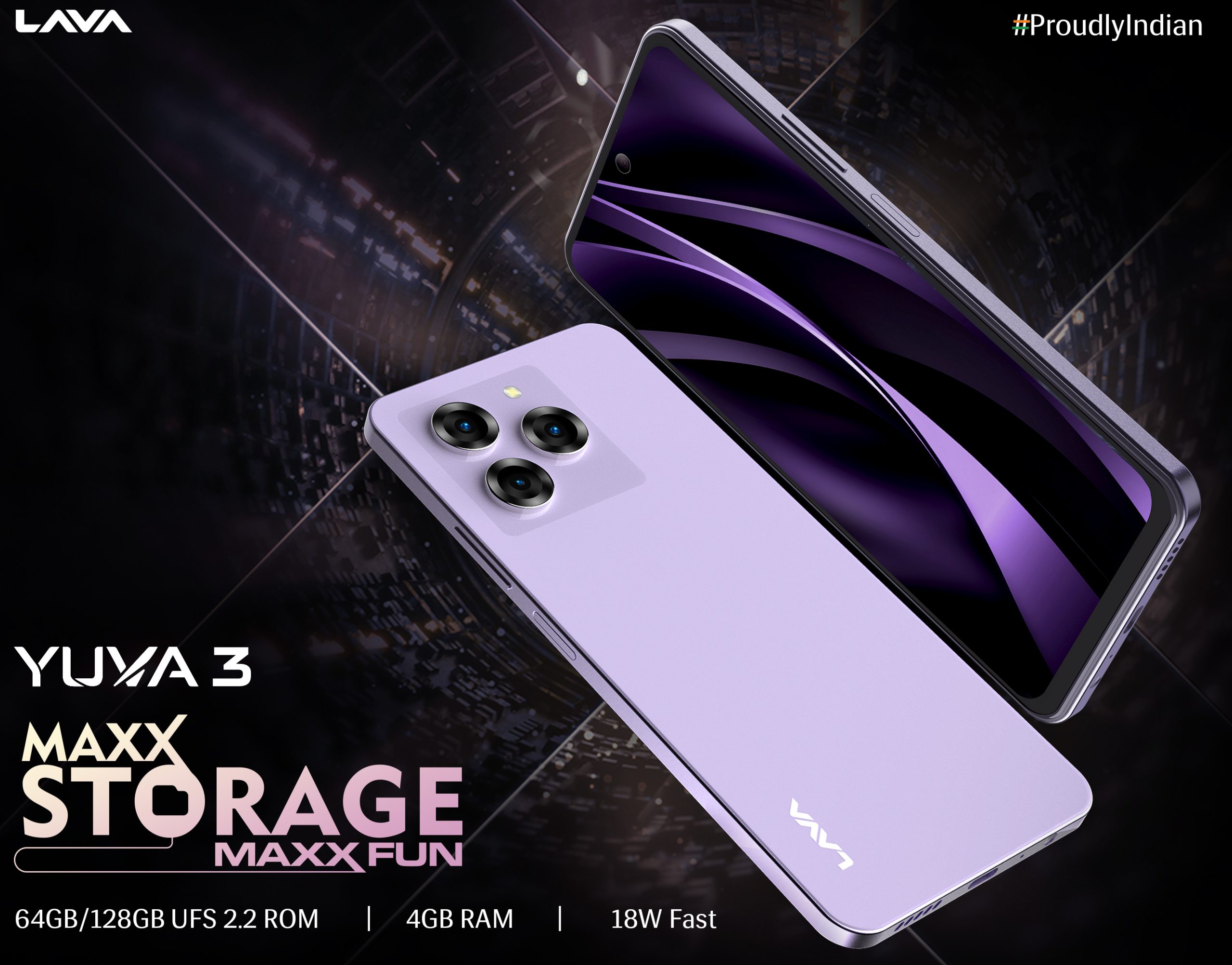
Yuva 3 boasts an array of features, including a premium back design housing a side fingerprint sensor, 4GB RAM paired with either 64GB or 128GB UFS 2.2 ROM, 18W Fast Charging facilitated by a Type-C USB Cable, a 13MP Triple AI rear camera alongside a 5MP front camera optimized for superior photography and selfies, a bottom-firing speaker, stock Android 13, and a face unlock feature.
Additionally, it provides 2 years of assured security updates and a guaranteed upgrade to Android 14.
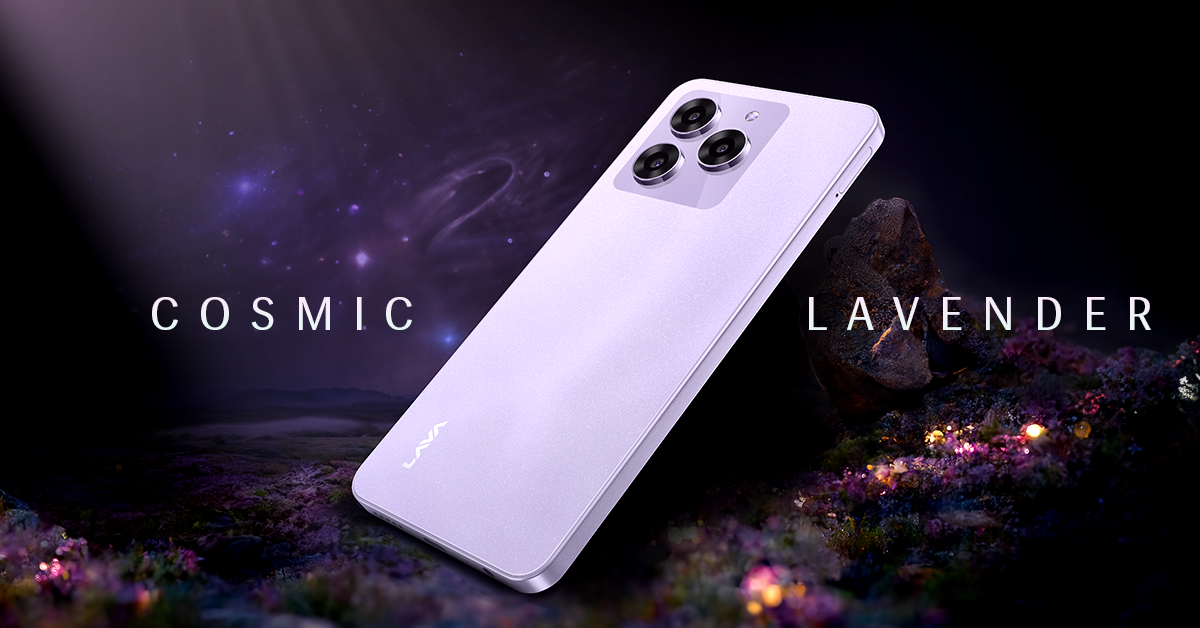
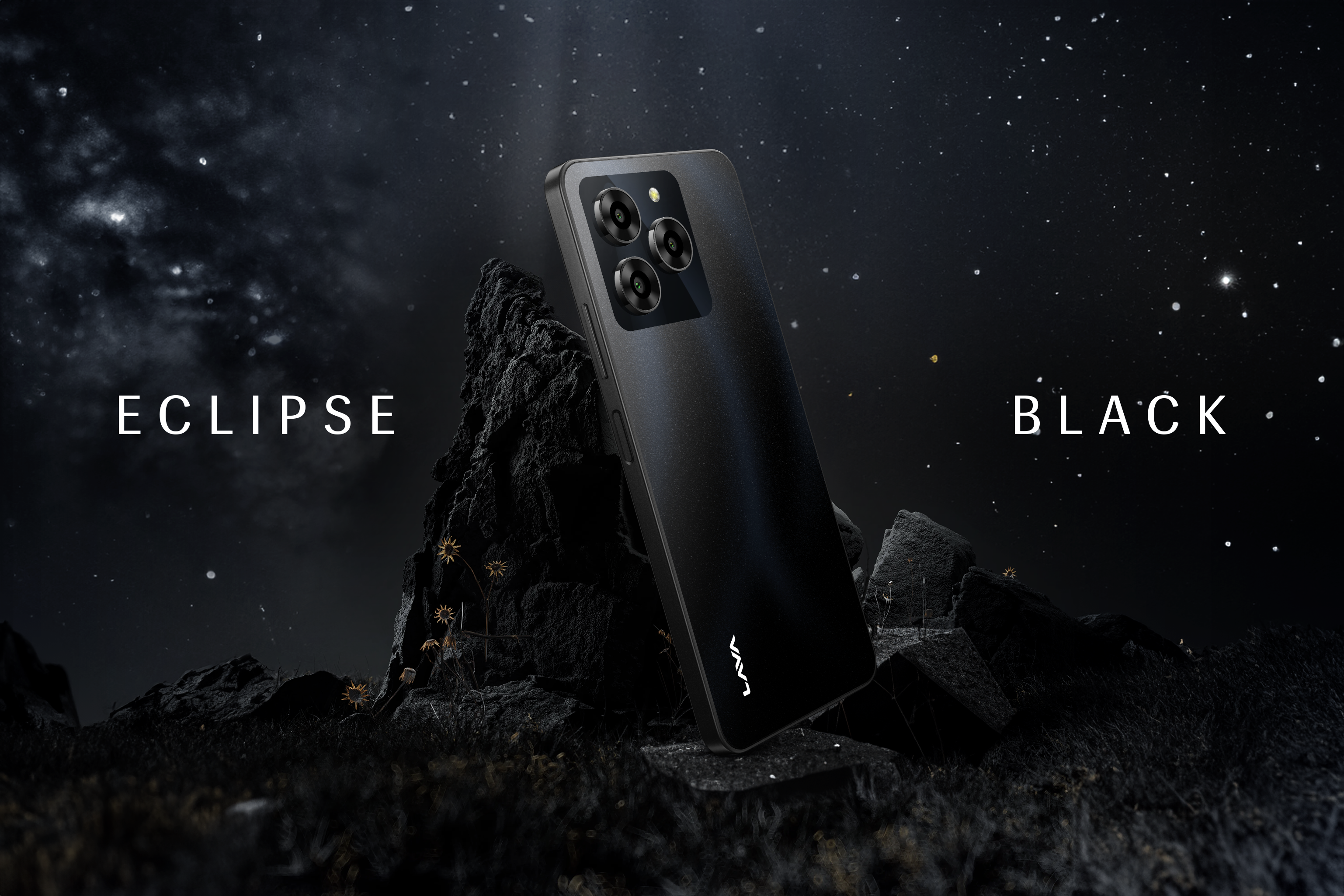
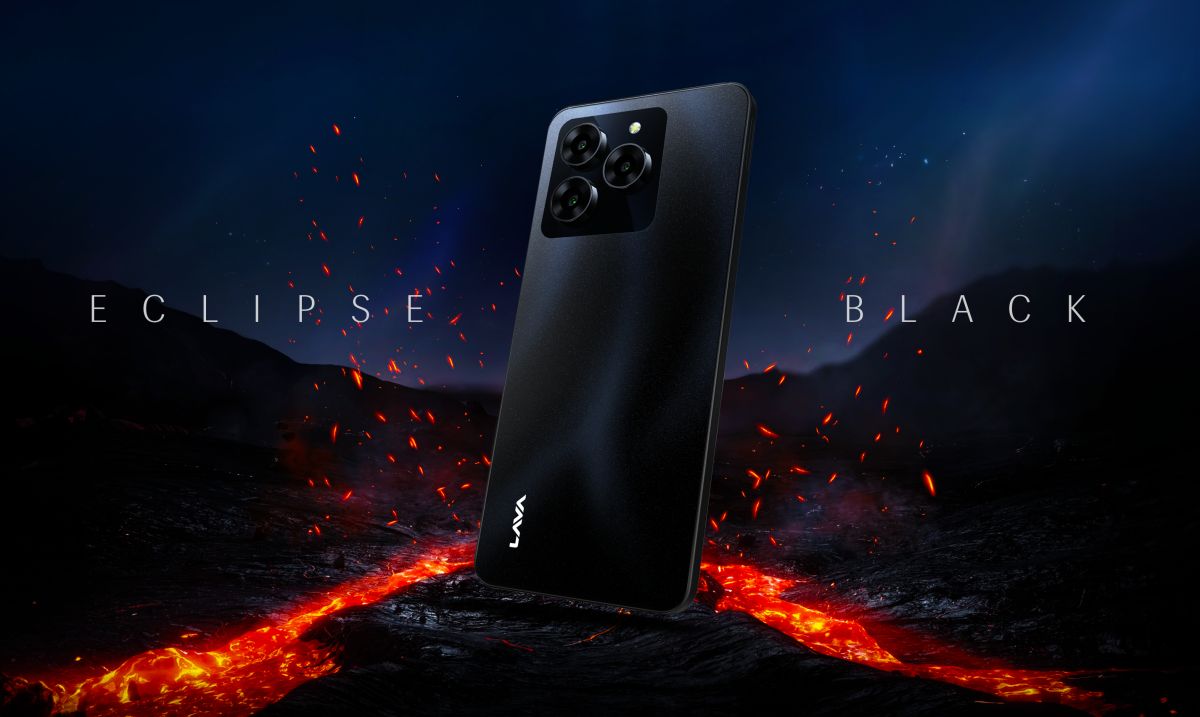
The smartphone is available in three stunning color variants – Eclipse Black, Cosmic Lavender and Galaxy White. It will be available for across Lava retail network from 10th February.
FREE SERVICE AT HOME
Lava remains committed to providing a superior after-sales consumer experience. The ‘FREE SERVICE AT HOME’ initiative allows customers to avail service at their doorstep within the phone’s warranty period. To avail Service at Home, click here:
Buy it here –
Cosmic Lavender:
4GB/64GB: 4GB/128GB:
Eclipse Black:
4GB/64GB: 4GB/128GB:
Galaxy White:
4GB/64GB: 4GB/128GB:
What are the storage options for Lava Yuva 3?
Lava Yuva 3 comes in two storage variants: 64GB and 128GB, both featuring 4+4GB of Virtual RAM for enhanced performance.
What OS does Lava Yuva 3 run?
Lava Yuva 3 runs on stock Android 13, with Lava promising a guaranteed upgrade to Android 14 and 2 years of security updates.
What colors does the Lava Yuva 3 come in?
The smartphone is available in Eclipse Black, Cosmic Lavender, and Galaxy White.
Lava International Launches Yuva 3 featuring 128GB storage, 90Hz Display and 18W Fast Charging starting Rs 6,799/-. Details?
Lava International, the leading Indian Smartphone brand, has launched Yuva 3 smartphone offering stylish design, performance, and features that match the expectations of young Indian customers at affordable price.
Starting at Rs. 6,799, Yuva 3 is loaded with features such as Premium back design with side fingerprint sensor, 4+4(Virtual) GB RAM + 64GB/128GB UFS 2.2 ROM, 18W Fast Charging with Type-C USB Cable, 13MP Triple AI rear camera with 5MP front camera for a superior photography experience and selfies, bottom firing speaker, stock Android 13 and face unlock feature for enhanced security, among others.
It also offers 2 years of assured security updates and guaranteed Android 14 upgrade.
Yuva 3 is powered by UNISOC T606 Octa-core Processor, a powerful 5000 mAh battery for long-lasting usage that gets the phone ready with full charge in lesser time.
For an unparalleled viewing experience, it has a 90Hz 16.55cm (6.5″) HD+ Punch Hole Display.
Customers will be able to buy the latest Yuva 3 starting from 7th February 2024 on Amazon. It will be available for customers with two storage options 64GB and 128GB.
The Yuva 3 will be available in three youthful colour variants – Eclipse Black, Cosmic Lavender and Galaxy White across Lava’s retail network and Lava e-store starting 10th February, 2024.