Home Blog Page 1218

With combined noise-canceling headphones & a personal air filter, Air-Purifying Dyson Zone Headphones are now a sci-fi turned into reality after 6 years: Set to release this fall

0

Dyson is most known for its high-end vacuum cleaners and the viral Airwrap, Yes, we know it! However, it has now released a new product: headphones! That connects to an air purifier that looks like a cyborg mask. This happened on Wednesday!

Dyson revealed the Dyson Zone, which is a set of headphones that connect to an air purifier that fits over the nose and mouth. This is Dyson’s first push into audio technology, as well as its first wearable air purifier altogether.

Dyson Zone

The Dyson Zone is the company’s first wearable device. It offers filtered airflow to the wearer’s nose and mouth. Also, it has an integrated set of over-ear earbuds with neutral frequency response, minimal distortion, and noise cancellation capabilities.

As for the headphone sides, it has three active noise cancellation modes: isolation, which cancels out the most noise; conversation, which activates when you dip the visor to turn off the purification function and amplify conversation; and transparency, which lets the most noise in and helps you stay aware of your surroundings.

Dyson Zone about

While, on the other hand, the visor holds a potassium-enriched carbon filter that cleans the air through electrostatic filtration. It has four air purification modes: low, medium, high, and auto. The numerous modes are designed to accommodate varied breathing patterns (for example, working out or ascending stairs), and the auto mode should assist the wearer in switching between them as needed. The visor should not come into contact with the wearer’s face at any moment, instead of connecting simply to the headphones and allowing two contactless streams of pure air to flow straight to the nose and mouth.

According to the business, the air-purifying headphones were developed after six years of research and development. Also, it contains high-performance filters with miniaturised air pumps.

Dyson Zone Price and Availability

We are still in the dark about the price of this upcoming device. Moreover, the air-purifying headphones will be accessible internationally starting in Autumn 2022, with timetables varying depending on geographical locations. More information will be out by the brand in the coming months.

Dyson Zone Specs

The Dyson Zone, which was just revealed, has two motors in the earcups that send two streams of cleansed air to the nose and mouth. According to the brand, it has four air-purifying modes: low, medium, high, and auto, each optimised for varying degrees of effort. According to Dyson, the Dyson Zone has integrated accelerometers that automatically switch between high, medium, and low purifying modes as needed.

The Dyson Zone’s air-purification system uses electrostatic filtration to catch 99 per cent of particle pollution, including dust, pollen, and bacteria, down to 0.1 microns. It also filters out city pollutants such as nitrogen dioxide, sulphur dioxide, and ozone. According to Dyson, the newly revealed Dyson Zone will interact with the company’s app to monitor filtration and regulate various settings.

Dyson Zone specs

The Dyson Zone over-ear headphones include neodymium drivers and a balanced sound characteristic, according to the brand. Isolation, Conversation, and Transparency are the three active noise cancellation (ANC) modes available on the headphones. When the visor is dropped, the greatest degree of ANC is used, while conversation mode amplifies surrounding conversations and turns off purification. Users will be able to magnify noises around them in transparency mode. It will also allow them to be more aware of their environment.

The new air-purifying headphones have four distinct usage modes. The visor stays attached to the headphones in combined air purification, music playing, and ANC mode. However, users can remove it for audio-only mode. According to the business, users who reside in areas where FFP2-compliant face coverings are necessary owing to the continuing coronavirus pandemic can use a face-covering attachment that satisfies the required filtration criteria provided with the Dyson Zone box.

Conclusion: The author’s point

It is true that the product seems quite cool and interesting by combining two of the most significant features together. We can stay connected to our music while breathing the fresh air altogether. Also, the concept also looks quite unique with a headphone making you look like a living cyborg walking around. However, do we really need it?

In my opinion, the product itself looks a little more on the heavier side and fragile as well. It will require a lot more care and while travelling.. it might create more worries than fun. With the summer kicking in, we were already looking for something that is a bit lighter. So, Dyson coming with these heavy-structured headphones with the complex looking mask attached, in my opinion, is not something that will help!

Here’s how you can increase the smartphone’s life and avoid short term obsolescence

0

Want to save money by holding onto that phone you’ve previously paid off? Well, you’re not alone. Buying a new phone every year or two may be out of your budget, but after implementing a couple of these suggestions, it may not be required.

Rather of squandering money by upgrading every year or paying a monthly rental price, it is prudent to follow the best methods for extending the life of your smartphone. Fortunately, there are a few options, and following the advice below will help you get the more bang for your buck.

Invest in a sturdy case

Phone-Case

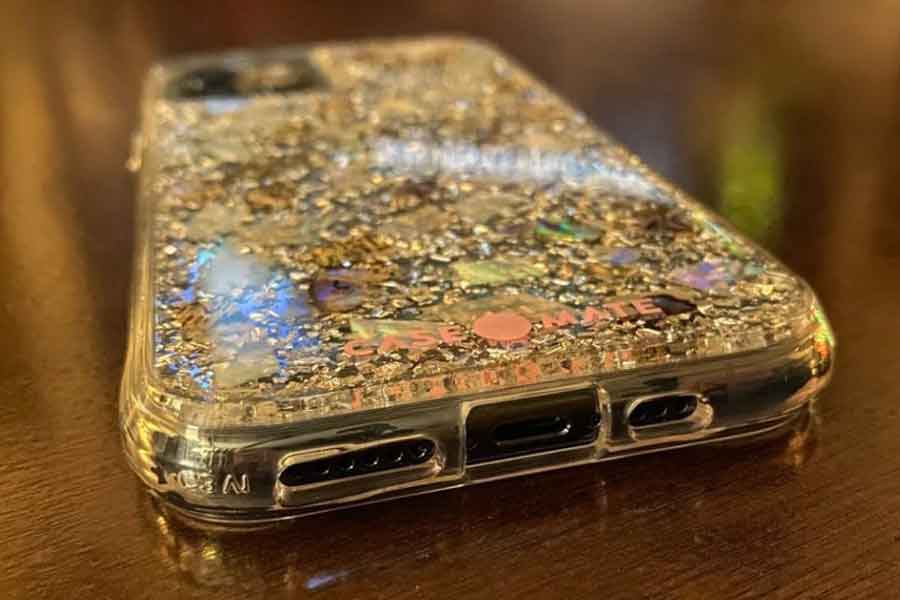
No case can prevent every type of damage that can render a phone unusable, but buying something sturdy will give you the best chance of avoiding an expensive accident. This is especially important for people who drop their smartphones frequently. A sturdy case will also add an extra layer of protection to the phone’s screen.

Use a tempered glass screen protector

A damaged screen can make your phone next to impossible to use, and it can also lead to more damage. Instead of paying to replace your screen, you should take precautions to safeguard this essential smartphone component. A tempered glass screen protector is an excellent investment that will significantly reduce your chances of having a smashed screen. However, if your screen cracks before taking preventative measures, make sure to look into a repair instead of buying a new phone.

Use the best security practices available

On a device, a web browser is used for a variety of tasks ranging from submitting assignments to editing spreadsheets. We rely heavily on the web and apps on our phones. So, in the absence of direct manufacturer assistance, staying safe online essentially entails taking precautions when browsing the web and using apps.

Power down regularly

You wouldn’t leave your laptop on for several weeks at a time, but most of you haven’t turned off your smartphone in months. Keep in mind that your phone is, in many ways, similar to a computer. Allowing your phone to shut down for a few minutes at least once a week will help it run more efficiently, extending its useful life.

Remove unnecessary apps and photos

Almost every smartphone user has encountered significant lag times that make using their device frustrating. In the vast majority of cases, this occurs because the smartphone’s storage and RAM capabilities have been exhausted. This can make the phone less responsive, and it frequently persuades people to upgrade when they don’t really need to. To avoid this unnecessary expense, make a habit of regularly deleting any apps, photos, documents, or text messages that you no longer require.

Avoid viruses and malware

VIRUS

Although it is uncommon for a smartphone to become infected with a virus or malware, you should take precautions to safeguard your investment. Viruses are spread by malicious apps, so avoid downloading anything that appears suspicious. If your phone begins to behave strangely after installing a new app, you can check the app’s data usage to see if it is sending information to a third party. If you have a jailbroken device, virus-infected apps may be installed without your knowledge. Be aware that the only way to remove a virus is to reset your iPhone or enter safe mode on your Android to delete the offending app.

Secure your smartphone while driving

The built-in navigation system on your phone makes it very useful during a road trip, but be careful where you place this valuable device. You run the risk of having your smartphone thrown through the vehicle during an accident if it is not properly secured at all times. This can easily damage the phone’s sensitive electronics. Unfortunately, your warranty is unlikely to cover this type of problem.

Don’t exercise with your smartphone in your pocket

Smartphone in Pocket.jpeg

There are numerous apps for your smartphone that can help you work out, but using them may not be in your best interests. This is because some iPhone users have reported water damage as a result of sweating while their phone was in their pocket or strapped to their arm. This issue is exacerbated by Apple’s refusal to cover even minor moisture damage under their warranty program. When you consider how expensive an iPhone is, it makes no sense to risk damaging it with sweat.

Avoid software updates after two generations

Phone manufacturers only provide software support for approximately two generations. This is the reason that the latest iOS updates are only compatible with the 4S and later models. In some cases, you will have the ability to update even if your device is older, but it is very likely that doing so will cause a lot of performance issues.

Clean your charging port

Keeping your smartphone clean can help you reclaim that brand-new sensation. The charging port is a typical spot where dirt collects, potentially jeopardising device operation. Similarly, if dirt or sand gets under your smartphone case, remove your phone from its case and wipe it down every now and then.

Also Read: Oppo is all set to launch F21 Pro Series on April 12 in India

Twitter tried hard, but Instagram is winner now

0

Meta-owned photo sharing app Instagram and microblogging site Twitter were engaged in a war of tweets recently over Instagram’s announcement to restart an update whereby you can now view your feed chronologically. Responding to Instagram’s announcement Twitter used a shady GIF.

Through this GIF, Twitter wanted to show how users are already able to switch between ‘Home tweets, and Latest tweets’ in chronological order. Twitter has added a sparkle icon on the top right corner to switch between home and latest tweets. However, Twitter’s move to instigate Instagram did not work out well with it.

Instagram may have done just that after a little exchange on Twitter saw the official Twitter Comms account get ratioed.`

In response to Twitter’s tweet, Instagram also responded with a screen shot of its ‘Edit’ option button available at the photo-sharing app. Twitter users have long had a gripe against the microblogging site over the non-existence of Edit button

To offer more choice and control over what users see in the photo-sharing app, ‘Following and Favorites’, two new chronological views, were introduced by the Instagram. To see newly introduced two chronological by Instagram on your Feed, you need to Tap “Instagram” on the top left of your app to choose between Favorites and Following.

With the help of Favorites and Following, Instagram users will be able to catch up on recent posts from the accounts they follow.

Other than Following and Favorites, Instagram also introducing Family Center and Parental Supervision Tools on Instagram.

Also, Read Here: Following and Favorites for Instagram: All you need to know

Here is how you can grab everyone’s attention in Messenger group chat

0

Meta-owned Facebook has introduced several shortcuts and new features to its Messenger app. The move is aimed to help supercharge your messaging efficiency and add a little extra fun to your experience.

With the addition of shortcuts, users will be able to perform various tasks such as making important announcement, notify everyone, sending silent message and GIF among others. These are just the first of many shortcuts users can use in Messenger, more shortcuts will be coming later this year.

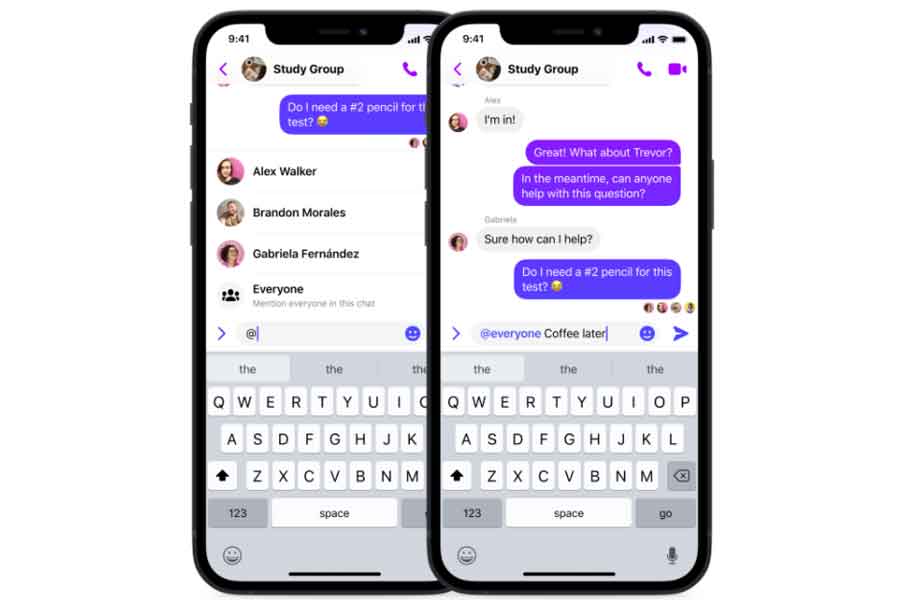
To grab everyone’s attention in a group chat, you can enter the @everyone and /silent shortcuts. The facility is available to people using Messenger on iOS and Android.

When you start a message with @everyone, all participants in the chat will be notified. With @everyone your message gets maximum exposure, and nobody misses out. It can be used for sending group reminders, impromptu get-togethers or when you need to gather the braintrust to crowdsource an answer to a time-sensitive question.

 Silent

Available on Instagram also, when you use silent, the members of your chat will not receive a notification of your message at all. Sending a message with /silent removes the anxiety of interrupting someone with a non-urgent pop-up notification or disturbing them during their off hours. With silent, it is easy to share late-night epiphanies without disturbing the peace of those who are not in your time zone and they can go through your message as per their convenience.

Pay, gif, shrug and tableflip are other services that Facebook will introduce to supercharge the Messenger experience.

Messenger

Pay shortcut

To send and receive money right in your one-on-one Messenger chats, Facebook will soon introduce pay to iOS and Android for Messenger fans in the US. Users need to type pay to send or request money securely without fees.

GIF

GIFs help us express ourselves, conveying a sense of identity through pop culture references, which in turn help form our larger digital culture. To easily find and send that perfect GIF, use the /gif shortcut – simply type /gif and your chosen topic to see your gif options appear. The facility will be available for Ios.

Shrug & /tableflip

This too will be avaialbel to iOS. Instead of struggling to type each emoticon (or having to find it online to copy and paste), simply type in /shrug or /tableflip to add your chosen emoticons to your message.

Also, Read Here: Apple will no longer repair iPhones marked as stolen, missing


Oppo is all set to launch F21 Pro Series on April 12 in India

0

Smart-device brand Oppo will launch its much-awaited F21 Pro series in India on April 12, 2022.

Oppo’s industry-first Fibreglass-Leather design on the back of the retro-styled F21 Pro Sunset Orange edition doubles as a ‘frameless’ battery cover to make the phone thin, light, and sturdy. Because of its plush feel, Oppo’s developers picked lychee-grain leather as the basis material after two years of research and refinement.

The lychee grain leather material is both waterproof and extremely durable. To assure colour fidelity and durability, the completed material is put through rigorous lab tests that include rubbing it with an alcohol-soaked pad, a rubber eraser, and a denim swatch over 5,000, 10,000, and 2,00,000 times, respectively.

The F21 Pro’s Cosmic Black variant uses Oppo Glow technology to make its back cover look shiny while giving it a matte-in-hand feel that is fingerprint- and stain-resistant.

Rainbow Spectrum and Cosmic Black are the two colour options for the Oppo F21 Pro 5G. For the Rainbow Spectrum colour, the brand uses a ‘three-layer texture and a two-layer coating’ manufacturing process to provide the device its dazzling rainbow appearance.

According to a recent source, the Oppo F21 Pro+ will be the first model in the series to be released. However, the Oppo F21 Pro will most likely be released with the top-end model.

The basic Oppo F21, as well as the Oppo F21 Pro variants, are expected to be released soon following the initial launch.

When Oppo launches its F21 Pro series next month, the Oppo F21 Pro, Oppo F21 Pro+, and Oppo F21 could be on display.

Surprisingly, the Oppo F21 Pro has been said to be in the works since at least September 2020. However, no official information on the phone has been released by the company.

Get set to #FlauntYourBest, block your calendar for complete pricing and specifications, during the official launch event.

Also Read: Redmi 10A launched: Check price and specifications here

Samsung’s smart monitor M8 pre-order is live, here is how the new monitor can compete with iMac

0

With the launch of M8, there has been a comparison between Samsung’s smart monitor and iMac which offers similar features.

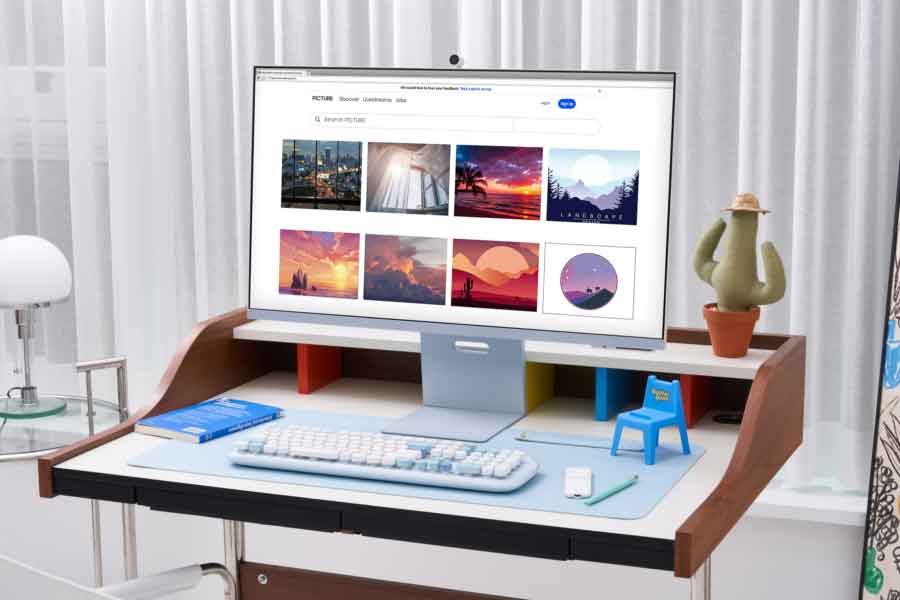
First launched in November 2020, Samsung has opened pre-booking for its newly launched Smart Monitor series, the M8. Featuring a SlimFit Cam, the new 32-inches Smart Monitor M8 is available in four modern colors — Warm White, Sunset Pink, Daylight Blue and Spring Green. UHD resolution and a SlimFit Cam are other features of the Samsung M8. While iMac is available in seven vibrant colors —Green, Yellow, Orange, Pink, Purple, Blue, and Silver. Thanks to a sophisticated flat-back design, the M8’s range of colors developing on stylish warm white complements any environment based on the user’s personal preferences.

The Samsung Smart Monitor can be pre-ordered at .

Designed with an aim to offer both functionality and entertainment at home, Samsung M8 serves as a traditional monitor and TV also. It allows users to enjoy a variety of OTT platforms, including Netflix, Amazon Prime Video, Disney+ and Apple TV via Wi-Fi without having to connect to a PC or TV.

About three-quarters slimmer than the previous models, the 11.4mm thin Smart Monitor M8, offers both space and work efficiency in an ultra-stylish design. Thanks to M1, the first system on a chip for Mac which makes iMac 11.5 mm thin and compact that it fits in more places than ever.

Productivity

To enjoy a perfect home office environment, the Smart Monitor M8 can be connected to various IT devices through the upgraded Smart Hub.

The Workspace User Interface offers all services needed to work on one screen. It helps users wirelessly connect to a Windows or Mac PC and efficiently use an extensive range of useful features, including Samsung DeX, Apple AirPlay 2 and Microsoft 3652 cloud service. It also allows mirroring content from smartphone to the M8.

Equipped with a magnetic and removable SlimFit Cam that can attach to the monitor while keeping desk space neat without any unsightly wires.

Samsung M8

Face tracking and auto zoom

Featuring Face Tracking and Auto Zoom functions, the SlimFit Cam allows to swiftly identif a person’s face when on screen and automatically focusing on the subject. This feature makes M8 a perfect option for active presentation or livestreaming.

Video chat apps such as Google Duo is also supported by the M8, allowing users to work remotely or engage in video conferencing at home or in the workplace using the SlimFit Cam.

While iMac is equipped with 1080p FaceTime HD camera and offers double the resolution for higher-quality video calls. Collaborating with co-workers to catching up with friends and family, you’ll always look your best as the advanced image signal processor (ISP) of M1 greatly improves image quality.

M8

SmartThings Hub

Equipped with an IoT hub called SmartThings Hub, it allows users to connect all their IoT devices wirelessly and track IoT devices throughout the house easily with the app’s intuitive control panel highlighting all information provided by other devices connected to the M8, including light switch and plug power.

With its high-sensitivity Far Field Voice microphone, the assistant controls devices such as Bixby and Amazon Alexa4 using voice commands. Always On Voice function, displaying conversation information on screen when Bixby is activated, even if the monitor screen is turned off is additional feature of M8.

With its height adjustable stand (HAS) and tilt functionality, users will be able to find the perfect position for every project, movie night or study session.

To enhance viewer’s comfort by automatically adjusting display brightness and color temperature, M8’s display offers adaptive picture technology.

According to Kyounghoon Kim, Executive Vice President and Head of Design Team, Visual Display Business, Samsung Electronics, inspired by the theme ‘Shades of Nature’, the M8’s color palette composed of four different colors.

Kim also said that the Samsung aims to create a product capable of matching the lifestyles of all kinds of people and preferences.

Comparison between M8 and iMac

Initially launched in in January 2022, Samsung M8 is now available to pre-order starting at $699.99 (around Rs 54,000) for white colour. The other three colors add an extra $30 to the price. In India, iMac carries an initial price tag of Rs Rs 119900.00.

With the price difference and similar features, M8 might become a popular but it would be interesting to see it can beat iMac or pose a greater challenge to Apple.

Also, Read Here: Samsung inks MoU with Western Digital to create an ecosystem for zoned storage solutions

Redmi 10A launched: Check price and specifications here

0

With the debut of the new Redmi 10 in India (Redmi 10C for other markets), Xiaomi has started focusing on the Redmi 10 series from last year. In China, the brand has just released the Redmi 10A, a new smartphone in the Redmi 10 series. It is a successor to the Redmi 9A and comes within the inexpensive pricing range. Here’s a closer look at the specifics.

Redmi 10A Specifications

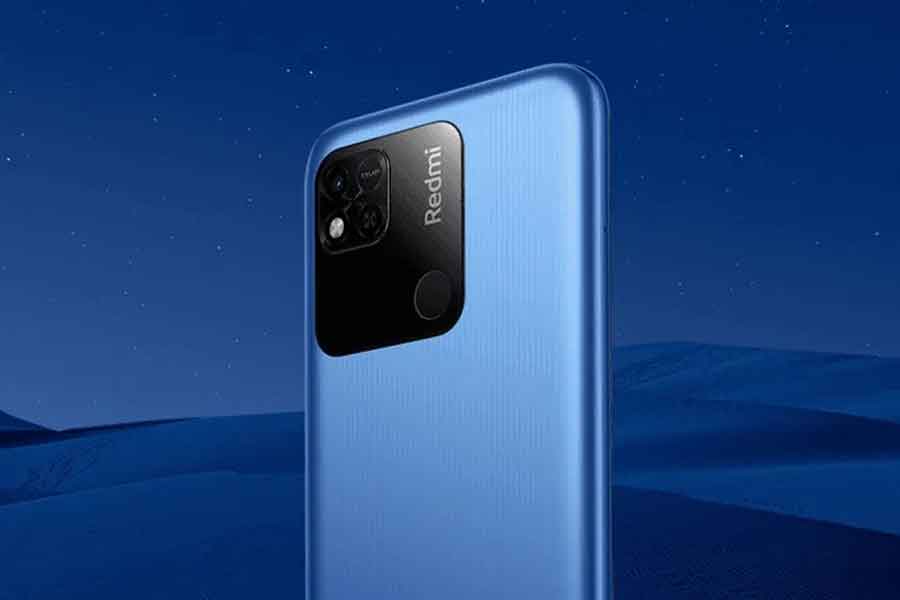
The Redmi 10A resembles the Redmi 10 in appearance and features a large square-shaped camera hump with room for a fingerprint scanner, similar to the Realme Narzo 50A. However, instead of the two back cameras featured on its siblings, it only has one. It comes in Moonlight Silver, Shadow Black, and Smoke Blue color options and has a waterdrop notch on the display.

Redmi 10A

Redmi 10A display

The device has a 6.53-inch HD+ LCD display with a 20:9 aspect ratio, 400 nits of brightness, and a 1500:1 contrast ratio. A sunshine screen mode is also available on the screen.

Redmi 10A processor

The Redmi 10A is powered by an octa-core MediaTek Helio G25 SoC with up to 6GB of RAM and 128GB of storage.

Redmi 10A camera

Redmi 10A Camera

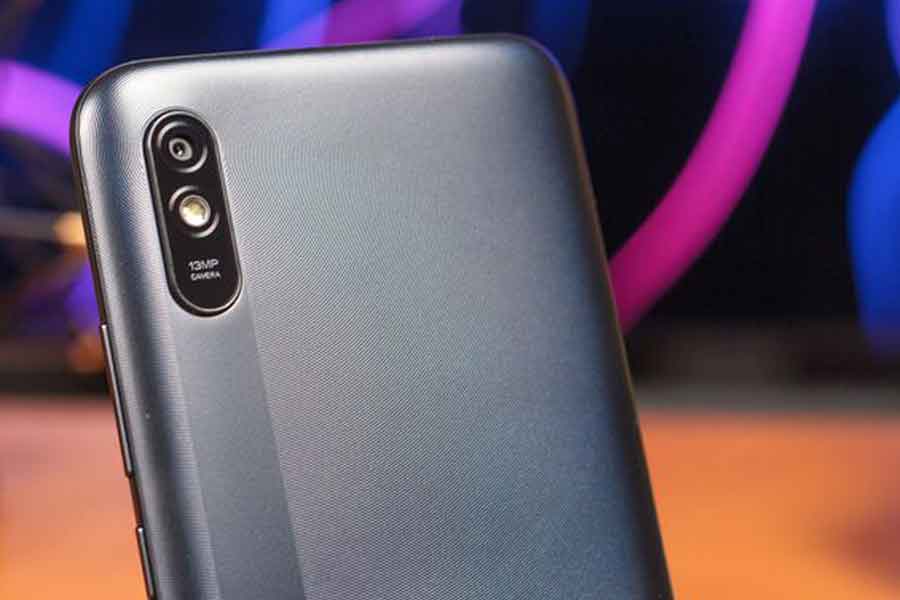
A 13MP AI rear camera with LED light and a 5MP selfie camera round out the photography section. Scene recognition, Portrait mode, time-lapse movies, 1080p films, Beauty mode, HDR (for both the front and back cameras), and more are among the camera modes available.

Redmi 10A battery

The Redmi 10A is powered by a 5,000mAh battery along with a 10W fast charging. Regrettably, it runs MIUI 12.5 on Android 11.

Price and Availability

The Redmi 10A comes in three RAM + Storage options. The 4GB + 64GB variant will cost you CNY 649 (around Rs 7,700) while the 4GB + 128GB variant will set you for CNY 799 (around Rs 9,500). There’s also 6GB + 128GB model that will cost you CNY 899 (around Rs 10,700). This smartphone will be available to buy, starting March 31. There’s no word on its availability in India, though.

Also Read: Apple will no longer repair iPhones marked as stolen, missing

Garena Free Fire Max redeem codes for March 30: How to claim the freebies

0

Garena Free Fire Max is the classic version of the Garena Free Fire launched in 2021. Now we know that the original Free Fire is banned by the government along with some other apps and games, leaving the fans disheartened and disappointed. However, it’s a blessing in disguise that we have the apt substitute for the original battle royale game. Furthermore, the redemption codes for March 30 2022 are also out to make sure you’ve grabbed yours!

Garena Free Fire Max

Garena Free Fire Max has gained a lot of popularity as a multi-player Battle Royale game developed by the 111 Dots Studio. The game features 50 players at a time battling in the arena for about 10 minutes. Players also get to decide their starting positions, choose weapons, and collect supplies they would require to survive till the end. Since it is an action-adventure game, only one and the best player wins the round.

Garena Free Fire Max: Redemption codes for March 30, 2022

Now, as it is a Battle Royale Game, it has many premium features that can be unlocked by buying some specific crates. However, the developers keep adding some special alpha-numeric codes, which the players can use and get free items and rewards in the game. 

So, here are the codes available to grab the rewards for March 30, 2022. Check it out!

EUUM 7G33 N2T8

 HZFR YHCQ VFR9

 WXAD BEOE NR1W

QZ29 JLEN DSAM

V7FQ AQFA 1JTX

1UJD 20PP N9RP

A4HW 8O47 L2EO

 N2S0 4IQL ZUX7

 B0Z3 YZ94 MLTU

 5YGK AFM2 1994

 529I 3QJ9 QN9K

 K6EE 6AZR 1834

 RXQ7 2H2L 5W6Y

 AEL3 VFM3 56WE

 G7HJ AAS9 DHXR

 GA5D 1PWF CUEC

 QKGL 6Z6Q GLV4

 390D XB4P AZNW

 TRVP 5HEJ Y8DV

 2K3E KUM2 3FB7


How to redeem the codes for March 30, 2022, in Free Fire Max

Free Fire MAX codes

It is very easy to redeem the codes in Free Fire Max. Still, if you have any doubts about the process, follow the steps mentioned below:

Step1: Visit the official redemption website at https://reward.ff.garena.com/en

 Step2: Sign in using your Social Media handle. You can use your Facebook, Twitter, and Google ID.

Step3: Copy and paste the codes on the text box and then confirm the same.

Step4: You will see a confirmation dialogue box on the screen for cross-reference. Now just click ok to redeem the codes.

Step5: You will get the reward in your in-mail section.

(Rewards take up to 24 hours to get credited to your account).

Also Read: Twitter makes it easier for you to search for specific messages, Know how!

Tech NewsWrap: Reliance JioMart to enter quick delivery segment… and more

0

Reliance JioMart to enter quick delivery segment

With its new service, ‘JioMart Express,’ Reliance Jio Mart is also seeking to enter the new quick grocery delivery category. In contrast to Zomato, this new service will compete with Big Basket, Blinkit, Zepto, and Swiggy’s Instamart. Reliance JioMart will begin trials for the new service in Navi Mumbai, according to a report. JioMart will offer a catalogue of roughly 2000 stock-keeping units as part of this new offering (SKUs). This means that JioMart stores will be able to supply these highly requested items as part of this service.

Samsung Galaxy M33 set to release in India

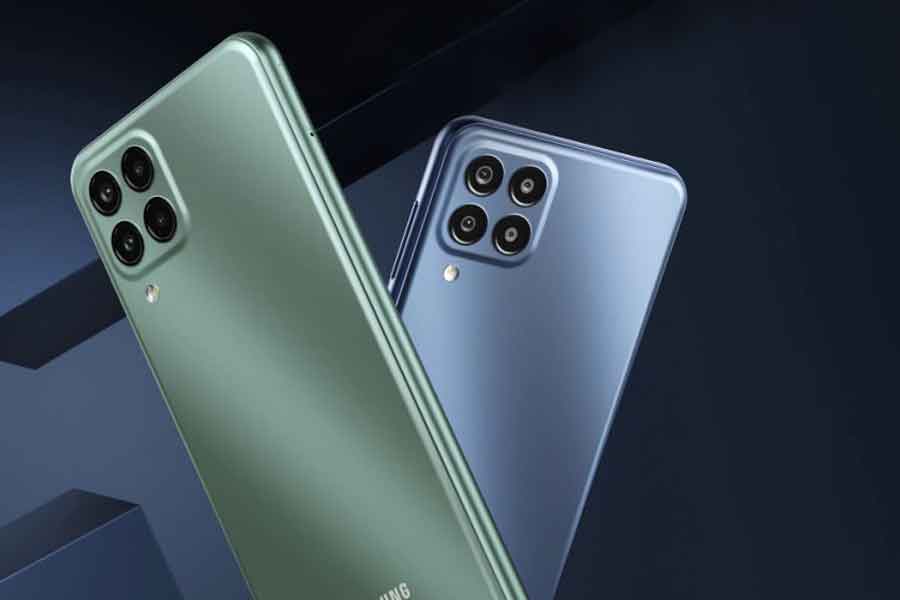
Samsung Galaxy M33The Samsung Galaxy M33 5G will be unveiled on April 2 at 12 p.m. IST in India. The launch date was verified by an Amazon webpage dedicated to the South Korean tech giant’s midrange offering. The phone will be equipped with a 5nm octa-core processor and a 6,000mAh battery that can be charged at a rate of 25W. It is believed to include a 6.6-inch LCD display with a 120Hz refresh rate. The Samsung Galaxy M33 5G’s India pricing has yet to be confirmed. Interested shoppers can use Amazon’s ‘Notify Me’ button to receive an alert when the smartphone goes on sale.

Apple cuts production targets of iPhones, AirPods

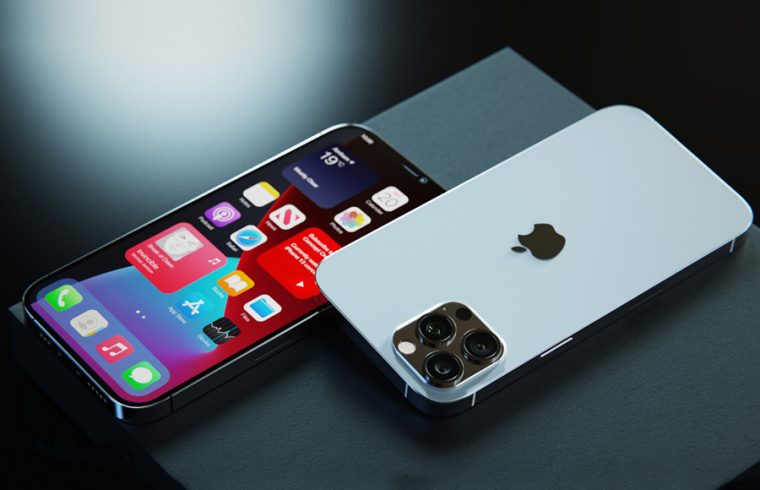
AppleIn view of the ongoing conflict in Ukraine and Russia and rising inflation, Apple may be reducing its production. In order to weather the low-demand phase, the American company plans to drastically reduce production of iPhones and AirPods. Nikkei has reported on Apple’s decision to reduce output. People with knowledge of the situation were quoted in the report. Apple will cut production of the iPhone SE 2020 and iPhone SE 2022 by 20%, according to the report.

Intel launches Core i9-12900KS as the fastest desktop processor of world

Intel CoreIntel has now released all of the specifics about its new 12th Generation Intel Core i9-12900KS processor, including pricing and availability. The new Intel chipset, dubbed “the world’s fastest desktop processor,” will go on sale worldwide on April 5. A “recommended customer pricing” of $739 (about Rs 56,000) is mentioned by Intel. In India, we may expect it to cost between Rs 50,000 and Rs 60,000. Aside from the world’s quickest tag, Intel claims that the Core i9-12900KS can reach a maximum turbo frequency of 5.5 GHz.

Apple will no longer repair iPhones marked as stolen, missing

0

Apple will no longer fix iPhones that have been reported stolen or lost through the GSMA Device Registry. This means that Apple Store staff and Apple Authorized Support Providers will refuse to repair iPhones that have been identified as lost in the MobileGenius or GSX systems that they use to provide customer service.

According to an internal memo obtained by MacRumors, Apple will now check the GSMA Device Registry database to see if an iPhone has been recorded as lost before proceeding with the repair process. If an iPhone is “reported as missing” in the database and company’s internal systems, the technicians must deny the repair.

iPhone 13 launch

What’s GSMA Device Registry?

The GSMA global register is a database of serial numbers and associated statuses of the devices, such as lost, stolen, and fraudulent. The register also specifies whether or not an item is on a payment plan. The state of registered devices informs what actions should be taken by individuals who handle them. For example, if a device is reported stolen, it will be denied network connection and will not be purchased or sold. This data is useful in cases of device theft, digital fraud, and security concerns.

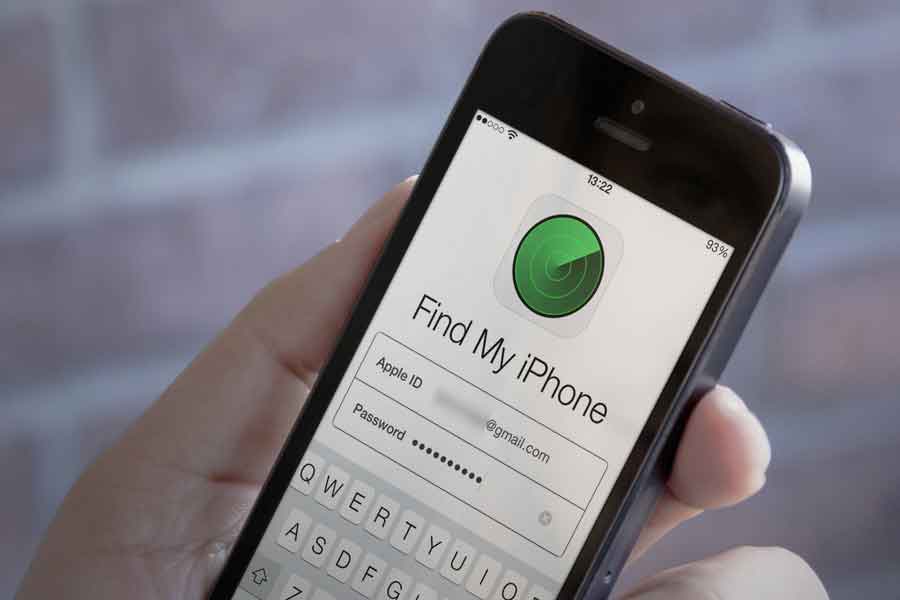
How to enable or disable ‘Lost Mode’ on Apple devices?

If you’ve misplaced your iPhone, follow this step-by-step guide to enable Lost Mode on Apple devices. It’s worth mentioning that turning on the lost mode modifies the device’s functionality in various ways. When a message or notice is received, Apple claims the device will not show alerts or play a sound. The device, on the other hand, can still receive phone and FaceTime calls. All of the alarms go off, and Apple Pay, as well as any linked credit or debit cards, is disabled.

Apple Lost Mode

Users with an iPhone, iPad, iPod touch, or Apple Watch can view their device’s current location on a map, as well as any updates. Users can also choose to have a custom message shown to indicate that the device has been misplaced or how to contact them if it is found.

How to enable Lost Mode on iPhone?

Step 1: Click All Devices under Find My iPhone on iCloud.com

Step 2: Select the device you’d like to put in Lost Mode now

Step 3: Click Lost Mode or Lock

How to disable Lost Mode on iPhone?

Step 1: Click All Devices under Find My iPhone on iCloud.com

Step 2: Now, choose the device that is in Lost Mode

Step 3: Click Lost Mode, after that click Stop Lost Mode

Step 4: Confirm your selection.

Alternatively, by entering your passcode on the device, you can turn off Lost Mode.

Also Read: Stalkers can track you using Apple AirTags; here’s how to prevent yourself