Home Blog Page 828

How To Check Your Railway PNR Status On WhatsApp

0

Highlights

  • The PNR system is an essential part of train travel in India, providing a convenient and reliable way for passengers to check the status of their reservations and for Indian Railways to manage its passenger data more efficiently.
  • PNR is a unique identification number assigned to each passenger who books a train ticket on Indian Railways that allows passengers to check the status of their reservation at any time, even if they have lost their ticket.
  • A PNR typically includes information such as the passenger’s name, age, gender, contact details, journey details such as train number, date of travel, boarding and destination stations, seat or berth number, and fare details.
  • The PNR system was introduced to make it easier for passengers to check the status of their reservation, as it provides a comprehensive record of all the information associated with a particular booking.
  • In this blog, we are looking at how to check your railway PNR status on WhatsApp along with everything significant you need to know about PNR.

Indian Railways is one of the largest rail networks in the world, connecting millions of people across India on a daily basis. With its vast network of trains and services, it’s no surprise that Indian Railways has introduced a range of digital services to make train travel more accessible and convenient for its passengers.

One such service is the PNR system, which allows passengers to check the status of their reservation.

Traditionally, checking your PNR status involved visiting the Indian Railways website or using the official app.

However, with the increasing popularity of messaging apps, the Indian Railways has introduced a new way to check your PNR status – via WhatsApp.

Now, travellers can simply send a message to a designated phone number, and within seconds, receive an update on their PNR status. This new system is not only convenient but also saves time and eliminates the need for accessing the website or app.

In this blog, we’ll take a closer look at how to check your railway PNR status on WhatsApp and the main details you need to know about this system. So, if you’re ready to simplify your PNR status checks and learn more about Indian Railways, keep reading!

 What is PNR?

What Is PNR? What Does a PNR Code Do?

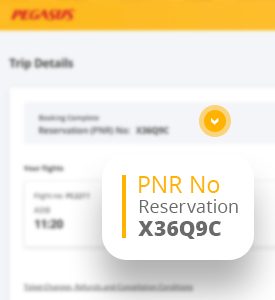
PNR stands for “Passenger Name Record” and is a unique identification number assigned to each passenger who books a train ticket on Indian Railways. The PNR system was introduced to make it easier for passengers to check the status of their reservation, as it provides a comprehensive record of all the information associated with a particular booking.

A PNR typically includes information such as the passenger’s name, age, gender, contact details, journey details such as train number, date of travel, boarding and destination stations, seat or berth number, and fare details. It also includes other important information such as the ticket’s booking status, current status, and any changes made to the reservation.

One of the main advantages of the PNR system is that it allows passengers to check the status of their reservation at any time, even if they have lost their ticket. They can simply provide their PNR number to retrieve their booking information and check if their seat or berth is confirmed, waitlisted or on RAC (Reservation Against Cancellation).

Additionally, the PNR system also helps Indian Railways to manage its passenger data more efficiently and provide better services. The system is an essential part of train travel in India, providing a convenient and reliable way for passengers to check the status of their reservations and for Indian Railways to manage its passenger data more efficiently.

What Does a PNR Number Generated Explain?

Pnr Facts of your rail tickets on redBus

PNR number holds various information related to the train journey.

  • Passenger Details – Name, Age, Sex, Birth Preference
  • Ticket Details – Train Number, Date of Journey, Origin/Source Station, Destination Station, Boarding Station, Class, Berth, Quota
  • Fare, Transaction Type and Payment Details
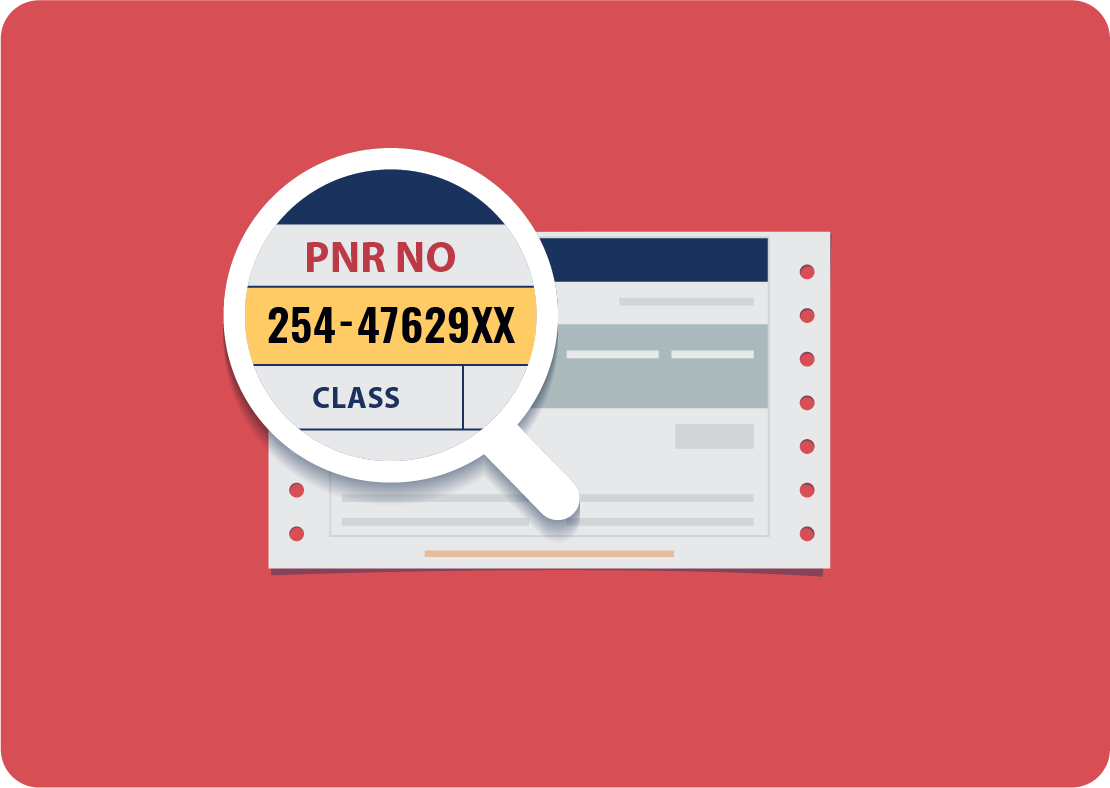
  • The first 3 digits tell us from which Passenger Reservation System or PRS the ticket has been booked.
  • The first digit depends on the Zone of the Train, w.r.t. starting station of the train.
  • Zonal Codes – 1 (SCR Secunderabad PRS); 2, 3 (NR, NCR, NWR, NER New Delhi PRS); 4, 5 (SR, SWR, SCR Chennai PRS); 6, 7 (NFR, ECR, ER, ECoR, SER, SECR Calcutta PRS); 8, 9 (CR, WCR, WR Mumbai PRS)
  • The last seven digits are randomly generated numbers using the Rand() function. These numbers represent no information about the ticket or journey as such. They only provide a unique identity to the PNR number.

How to Know Your PNR?

Railway PNR Status On WhatsApp

Knowing your PNR is a simple process and can be done through a variety of methods. Here is how to check your PNR:

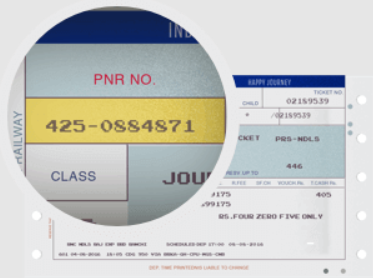
Through your ticket: Your PNR number is usually printed on your train ticket. Look for a 10-digit number on the top left or top right corner of your ticket. This number is your PNR.

How to Check Your Railway PNR Status on WhatsApp?

Here’s how to check PNR on WhatsApp 

Railway PNR Status On WhatsApp

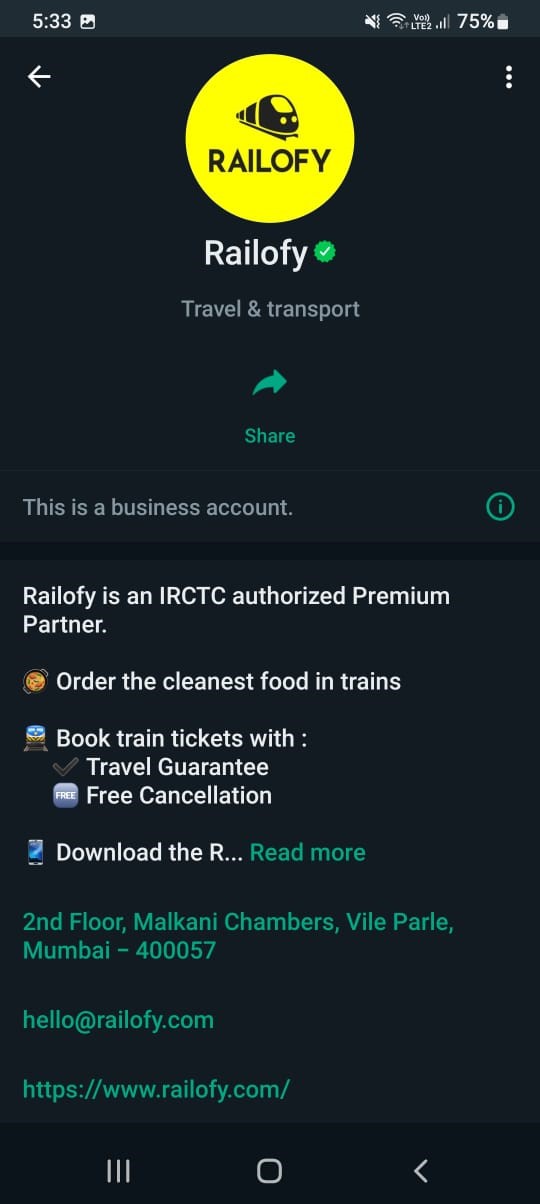
  • To activate, you need to add Railofy’s WhatsApp chatbot’s number to the contacts: +91 9881193322

Railway PNR Status On WhatsApp

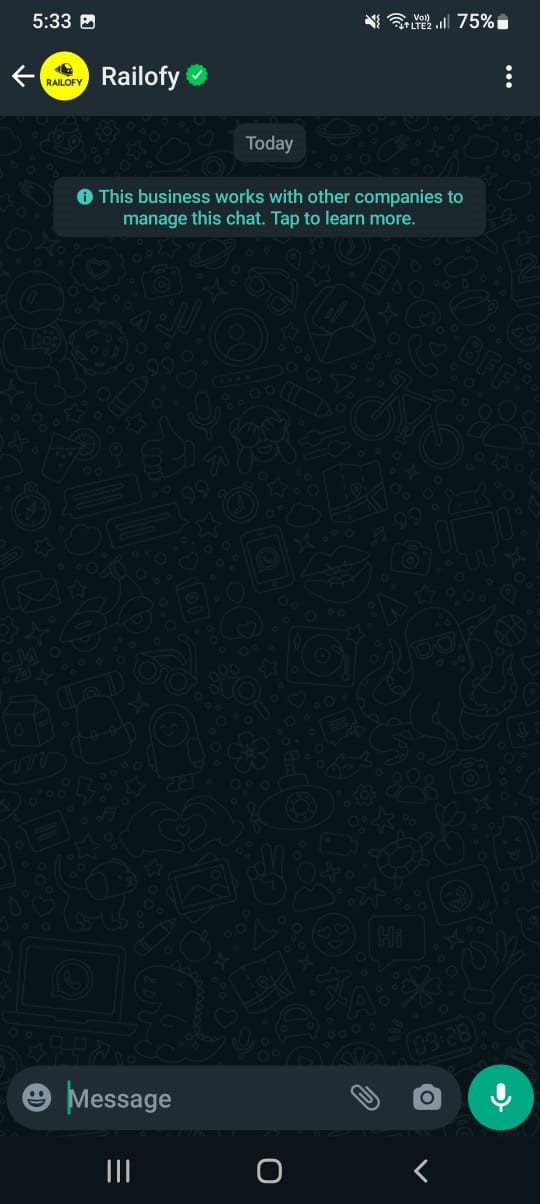
  • Open WhatsApp and launch the chat window of Railofy.
  • Enter the 10-digit PNR number in the chat box.
  • Once you enter the PNR Number, the chatbot will share all the information, including notifications and real-time updates regarding the train journey.

What are the Alternative Ways To Check Railway PNR Status?

Apart from using the WhatsApp chatbot, Railways Ministry has opened up a bunch of other alternatives for railway travellers to check the PNR status of the train they have to catch.

Below are some of the alternative ways to check Railway PNR status:

Railway PNR Status On WhatsApp

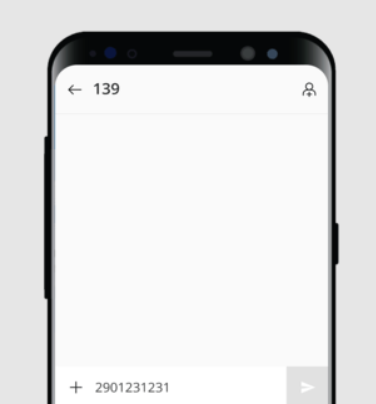
  • SMS or Call: You can also find your PNR by sending an SMS to a designated phone number provided by Indian Railways or via calling the national railway care number. SMS PNR and send to 139 or call 139.

Railway PNR Status On WhatsApp

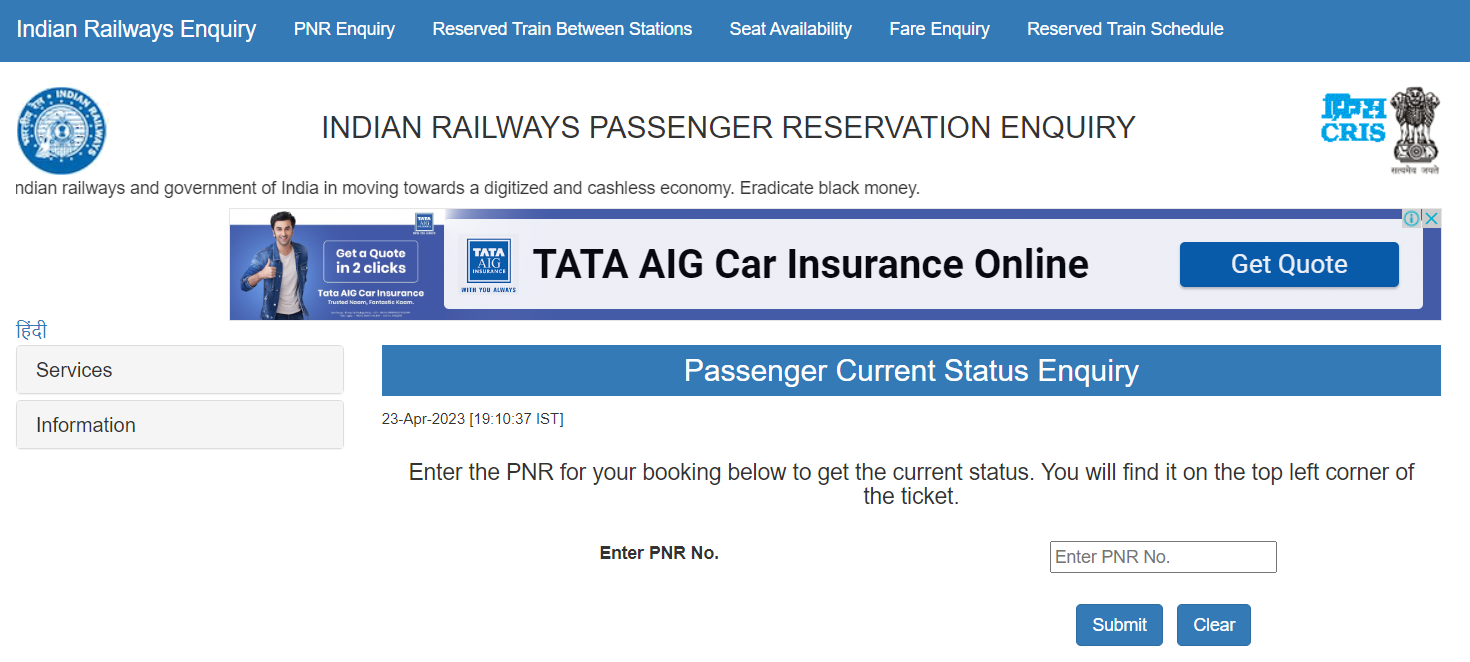
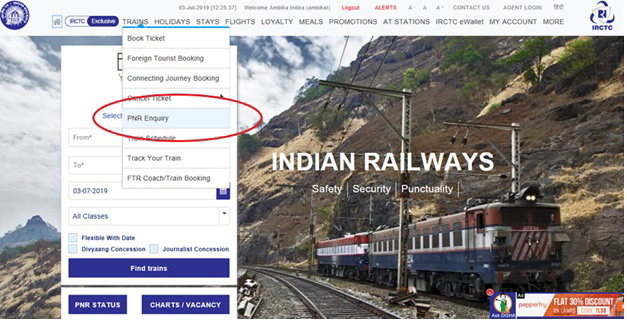
  • Indian Railways website: Another way to check your PNR is by visiting the Indian Railways website. Go to the ‘PNR Enquiry’ section and enter your 10-digit PNR number. You will be able to view your booking status, current status, and other details. 

Railway PNR Status On WhatsApp

  • Official app: Indian Railways has an official app, which allows you to check your PNR status as well. Download the app, enter your 10-digit PNR number, and you will be able to view your booking details. 

Railway PNR Status On WhatsApp

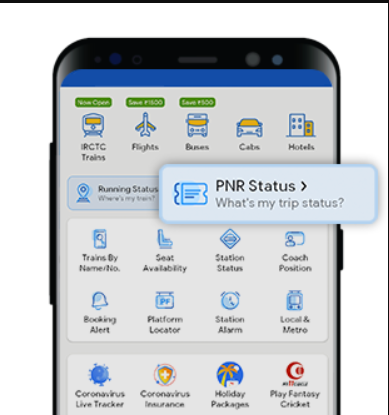
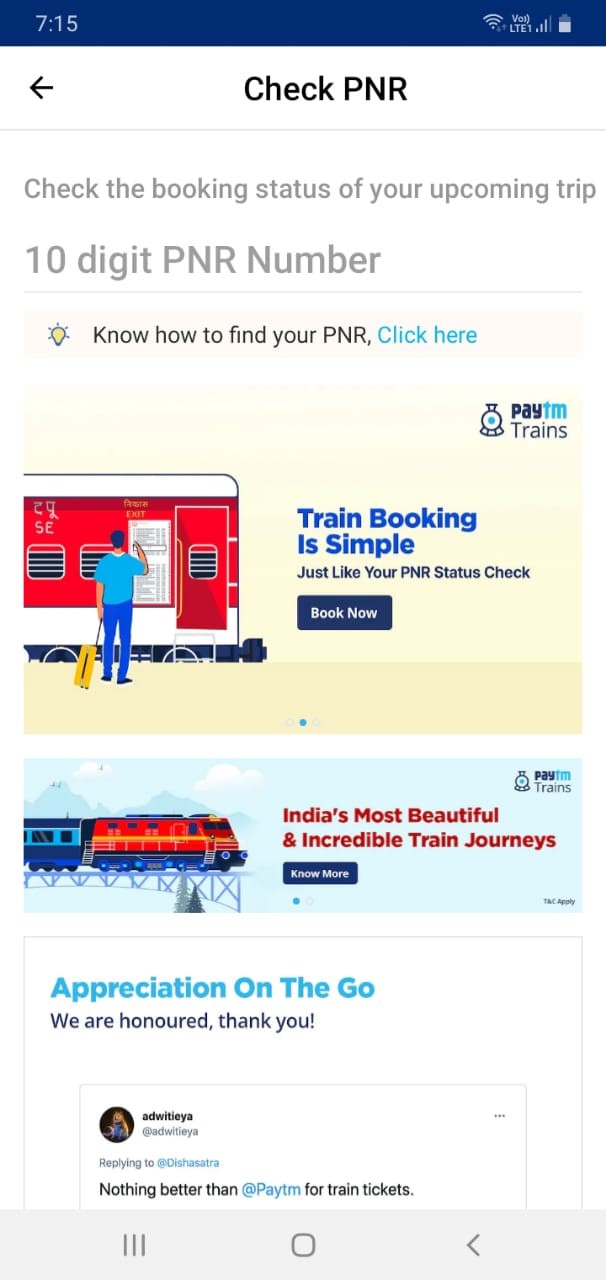
  • PNR status on any mobile payment wallet app like Google Pay or PayTM. 
  • PNR Status Enquiry at railway station counters. 
  • Check in the Final reservation charts. 

Types of IRCTC PNR Status

 Different PNR status types provided:

 CNF – It means confirmed. The ticket status shows as CNF when seats are confirmed.

 RAC – It stands for Reservation Against Cancellation meaning the train ticket has a confirmed seat but a wait-listed berth. If the tickets are booked under RAC status, then the allocated berth has to be split into two seats.

 CAN – It means cancelled i.e. ticket has been cancelled.

 WL – Waiting List is a ticket status that gets confirmed only if the passengers on the same train who have booked before you cancel their ticket.

 GNWL – General Waiting List. The probability of this ticket status getting confirmed is very high.

 PQWL – Pooled Quota Waiting List status is issued when a passenger is travelling from the origin station to a station short of the last station, or from an intermediate station to the last station, or between any two intermediate stations.

 RLWL – Remote Location Waiting List means a ticket has been issued to a passenger for intermediate stations (between the origin and terminating station). These intermediate stations are usually the most important towns on the route in particular.

 TQWL – Tatkal Quota Waiting List. This is the waiting list for tatkal tickets booking. The tickets in Tatkal get confirmed directly, instead of going through RAC. However, during chart preparation, GNWL is preferred over TQWL.

 NOSB – It stands for NO SEAT BERTH which means a journey is allowed without a seat. This is allotted to child passengers below the age of 11 years.

What are Zones From Which PNR Is Issued?

 There are several zones of the Indian Railways from which the PNR is issued.

NR: Northern Railways

NER: North Eastern Railways

NFR: Northeast Frontier Railways

ER: Eastern Railways

SER: South Eastern Railways

SCR: South Central Railways

SR: Southern Railways

CR: Central Railways

WR: Western Railways

SWR: South Western Railways

NWR: North Western Railways

WCR: West Central Railways

NCR: North Central Railways

SECR: South East Central Railways

ECoR: East Coast Railways

ECR: East Central Railways

How to Order Food on Trains Using WhatsApp?

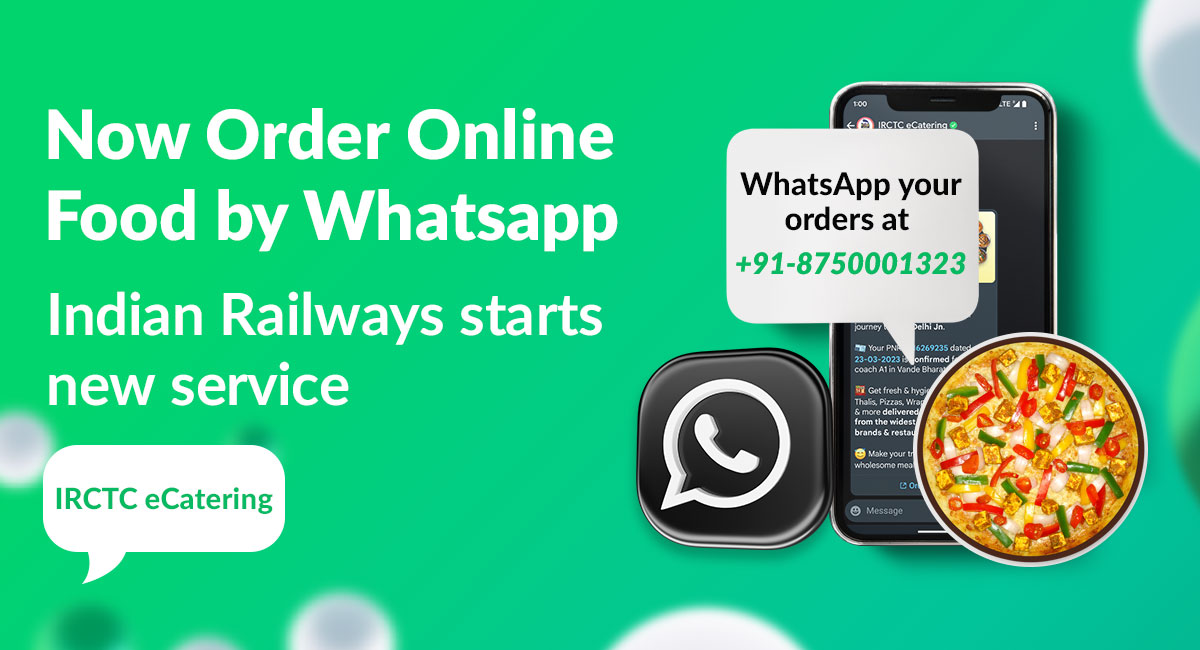
Order Online Food by Whatsapp: IRCTC eCatering new service | eCatering IRCTC

IRCTC now allows you to order food online via Zoop. Here’s how to order food online when on a train journey

  • Save Zoop’s WhatsApp chatbot number +91 7042062070 on your smartphone
  • Open the Zoop chatbot window in WhatsApp.
  • Enter the 10-digit PNR number in the chat and select the upcoming station you want to order to get delivered at.
  • The zoop chatbot will give you a set of options from the restaurants to choose from. Order food from your preferred restaurant and complete the transaction online.
  • The chatbot also allows you to track your food from the chatbot itself.

FAQs

Q1. How to check the PNR status on a phone?

Answer. Check PNR Status by sending an SMS on:

  • Type “PNR (10-digit PNR Number)” and send it to 139.
  • Type “PNR (10-digit PNR Number)” and send it to 5676747.

Q2. Can you explain RLGN PNR Status?

Answer. Remote Location General Waiting List (RLGN) is issued when a user books a ticket where the WL quota is RLWL. This means after booking a ticket, RLWL gets named RLGN.

Q3. What are the benefits of a PNR Number?

Answer: You can order food to your seat by telling your PNR number. You can book rooms and dorms and get them at cheaper prices at railway stations.

Q4. Is the PNR number allotted for unreserved and reserved tickets?

Answer. PNR number is only allotted for reserved tickets.

Q5. How to check the status of the waiting list?

Answer. Check the PNR number status via any of the available methods. The status of your ticket will display on the screen.

Q6. How is a PNR Number generated?

Answer: The PNR number consists of 10 digits, where the first 3 digits specify the PRS (Passenger Reservation System) from which the ticket is booked. The first digit of the PNR number specifies that the zone of the train (starting station of the train) of the ticket. The following numbers belong to the below-mentioned zones respectively.

1 – Issued from the SCR zone (Secundarabad PRS)

2, 3 – Issued from NR, NCR, NWR, or NER zone (New Delhi PRS)

4, 5 – Issued from SR, SWR, or SCR zone (Chennai PRS)

6, 7 – Issued from NFR, ECR, ER, EcoR, SER or SECR zone (Kolkata PRS)

8, 9 – Issued from CR, WCR, or WR zone (Mumbai PRS)

The last 7 digits are randomly generated digits, only to make the PNR number unique.

Q7. Why do I get error messages while checking PNR?

Answer: There are three possible reasons why you’re getting the error message. You could have entered the wrong PNR number, the web servers might be down, or you may be checking the PNR between 11.30 PM and 12.30 AM when the Indian Railways servers are under maintenance.

Q8. What are the confirmation chances of my waitlisted ticket? Will it be confirmed?

Answer: Confirmation of the waitlisted tickets depends on the ticket demand on specific days. So it is quite difficult to assure the ticket confirmation. Additionally, you can know the confirmation chances of your waitlisted tickets with the help of Paytm’s PNR prediction feature. You can see it in percentages like 50%, 70%, and 45%. The higher the percentage, the more the confirmation probability.

Q9.  What is meant by “Chart not prepared” status?

Answer. The final booking chart would be prepared at least 2 hours prior to the scheduled departure of the train at the originating station. However, if the train is scheduled for departure at late night or early morning, the chart may be prepared as early as 4 hours before the scheduled departure.

Q10. Is there any chance of ticket confirmation after chart preparation?

Answer. Waitlisted tickets get confirmed only before the chart preparation. If your tickets remain waitlisted after the chart preparation, the booked tickets will not get confirmed. However, if there are vacant seats, you can talk to the TC and check if you can be allotted a seat.

Q11. What is the validity of Indian Railways PNR Number?

Answer. Your PNR number turns invalid after the completion of the journey.

Q12. How often should you check Train PNR Status updates?

Answer. If you are allotted a waitlisted train ticket, the status of the ticket keeps changing based on the cancellations on the confirmed tickets. Your ticket could move to a lower waiting list number or can also get confirmed. Since the change in the Train PNR status is recorded real-time, it is better to have the live PNR status checked for trains often.

Q13. Can we travel with only the PNR number?

Answer. Yes, passengers are allowed to travel without tickets, if the PNR status is confirmed. If you don’t have the ticket with you, approach the TC and give the details of your ticket along with your ID proof for verification.

Also Read: WhatsApp Web: How to Check Whether Your WhatsApp Web QR Code Has Been Hacked?

Also Read: WhatsApp Unveils Three New Features To Safeguard User Accounts On iOS & Android: Check Latest Updates Here

Also Read: WhatsApp to let users share status updates to Facebook stories; edit contacts within app

Redmi Note 12 Pro and Redmi Note 12 Pro Plus receive MIUI 14 update

0
Redmi Note 12 Pro Series

HIGHLIGHTS

* Redmi Note 12 Pro and Redmi Note 12 Pro Plus have received MIUI 14 update in India.
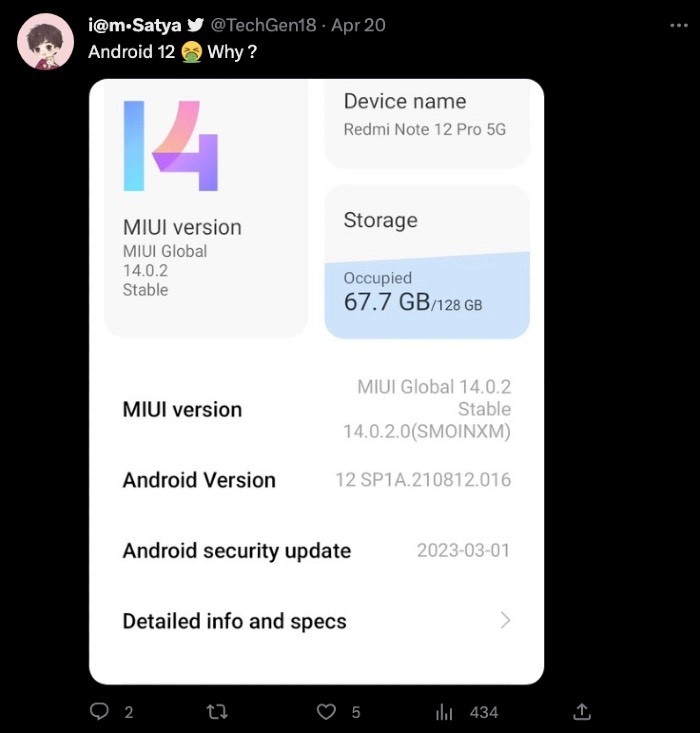
* The update, however, is based on Android 12 and not Android 13.
* MIUI 14 update brings new widgets, quick app launch, enhanced performance, improved battery life, new Super icons on the home screen and much more.

Redmi Note 12 Pro 5G and Redmi Note 12 Pro Plus are now receiving the MIUI 14 software update in India. The company took to Twitter to announce the same but as per user reports, the MIUl update doesn’t bring the Android version to 13; instead, it stays put in Android 12.

This should come as a big disappointment to users considering Android 13 has been here for a while and we are just days away from the Android 14 announcement.

MIUI 14 for Redmi Note 12 Pro Series

Redmi Note 12 Pro Series

MIUI 14 update brings new widgets, quick app launch, enhanced performance, improved battery life, new Super icons on the home screen and much more. There is a Smart ROM Optimisation feature which reduces cached storage by up to 3GB over the course of three months.

MIUI 14 is claimed to boot up faster thanks to tweaks to the system that has resulted in lesser boot-up memory. The update also reduces RAM occupied by 19 system apps such as camera, messages, clock and others. There are 6 new wallpapers and new card-style widgets for users to choose.

Redmi Note 12 Pro Series

The MIUI 14 update will first be available to users who enrolled in the Mi Pilot program and gradually it will be made available to everyone. Users of Redmi Note 12 Pro and Redmi Note 12 Pro Plus can check for the MIUI 14 update from System Settings. It is safe to have at least 50 percent battery life and enough storage before proceeding with the update.

XIAOMI REDMI NOTE 12 PRO 5G KEY SPECIFICATIONS

Key Specs

RAM 6 GB
Processor MediaTek Dimensity 1080 MT6877V
Rear Camera 50 MP + 8 MP + 2 MP
Front Camera 16 MP
Battery 5000 mAh
Display 6.67 inches (16.94 cm)

General

Launch Date January 5, 2023 (Official)
Operating System Android v12
Custom UI MIUI

Performance

Chipset MediaTek Dimensity 1080 MT6877V
CPU Octa core (2.6 GHz, Dual core, Cortex A78 + 2 GHz, Hexa Core, Cortex A55)
Architecture 64 bit
Fabrication 6 nm
Graphics Mali-G68 MC4
RAM 6 GB

Best in Class 
RAM Type LPDDR4X

Display

Display Type AMOLED
Screen Size 6.67 inches (16.94 cm)
Resolution 1080 x 2400 pixels
Aspect Ratio 20:9
Pixel Density 395 ppi

Best in Class 
Screen to Body Ratio (calculated) 86.67 %
Screen Protection Corning Gorilla Glass v5
Bezel-less display Yes with punch-hole display
Touch Screen Yes, Capacitive Touchscreen, Multi-touch
Brightness 900 nits
HDR 10 / HDR+ support Yes, HDR 10+
Refresh Rate 120 Hz

Design

Height 163 mm Compare Size 
Width 76.03 mm
Thickness 7.98 mm

Very Good 
Weight 187 grams

Average 
Colours Onyx Black, Glacier Blue, Stardust Purple
Waterproof Yes, Splash proof, IP53
Ruggedness Dust proof

Camera

MAIN CAMERA
Camera Setup Triple
Resolution 50 MP f/1.88, Wide Angle, Primary Camera(24 mm focal length, 1.56″ sensor size, 1µm pixel size)8 MP f/2.2, Ultra-Wide Angle Camera(4.0″ sensor size, 1.12µm pixel size)2 MP f/2.4, Macro Camera
Sensor IMX766, Exmor-RS CMOS Sensor
Autofocus Yes
OIS Yes
Flash Yes, LED Flash
Image Resolution 8150 x 6150 Pixels
Settings Exposure compensation, ISO control
Shooting Modes High Dynamic Range mode (HDR)
Camera Features 10 x Digital Zoom
Auto Flash
Face detection
Touch to focus
Video Recording 3840×2160 @ 30 fps
1920×1080 @ 30 fps
FRONT CAMERA
Camera Setup Single
Resolution 16 MP f/2.45, Wide Angle, Primary Camera(3″ sensor size, 1µm pixel size)
Video Recording 1920×1080 @ 30 fps
1280×720 @ 30 fps

Battery

Capacity 5000 mAh
Type Li-Polymer
Removable No
TalkTime Up to 29 Hours(4G)
Quick Charging Yes, Turbo, 67W: 100 % in 46 minutes
USB Type-C Yes

Storage

Internal Memory 128 GB

Best in Class 
Expandable Memory No
Storage Type UFS 2.2
USB OTG Yes

Network & Connectivity

SIM Slot(s) Dual SIM, GSM+GSM
SIM Size SIM1: Nano, SIM2: Nano
Network Support 5G Supported in India, 4G Supported in India, 3G, 2G
VoLTE Yes
SIM 1
5G Bands:
FDD N1 / N3 / N5 / N8 / N28
TDD N38 / N40 / N41 / N77 / N78
4G Bands:
TD-LTE 2600(band 38) / 2300(band 40) / 2500(band 41) / 2100(band 34) / 1900(band 39)
FD-LTE 2100(band 1) / 1800(band 3) / 900(band 8) / 850(band 5) / 850(band 19)
3G Bands:
UMTS 1900 / 2100 / 850 / 900 MHz
2G Bands:
GSM 1800 / 1900 / 850 / 900 MHz
GPRS:
Available
EDGE:
Available
SIM 2
5G Bands:
FDD N1 / N3 / N5 / N8 / N28
TDD N38 / N40 / N41 / N77 / N78
4G Bands:
TD-LTE 2600(band 38) / 2300(band 40) / 2500(band 41) / 2100(band 34) / 1900(band 39)
FD-LTE 2100(band 1) / 1800(band 3) / 900(band 8) / 850(band 5) / 850(band 19)
3G Bands:
UMTS 1900 / 2100 / 850 / 900 MHz
2G Bands:
GSM 1800 / 1900 / 850 / 900 MHz
GPRS:
Available
EDGE:
Available
SAR Value Head: 0.844 W/kg, Body: 0.810 W/kg
Wi-Fi Yes, Wi-Fi 6 (802.11 a/b/g/n/ac/ax) 5GHz, MIMO
Wi-Fi Features Wi-Fi Direct, Mobile Hotspot
Wi-Fi Calling Yes
Bluetooth Yes, v5.2
GPS Yes with A-GPS, Glonass
NFC No
USB Connectivity Mass storage device, USB charging

Multimedia

FM Radio No
Loudspeaker Yes
Audio Jack 3.5 mm
Audio Features Dolby Atmos

Sensors

Fingerprint Sensor Yes
Fingerprint Sensor Position Side
Other Sensors Light sensor, Proximity sensor, Accelerometer, Compass, Gyroscope


Also Read: Redmi Note 12 Pro Plus 5G Review – A SuperNote to Revolutionise Smartphone Photography

Also Read: Redmi Note 12 Pro and Redmi Note 12 Pro+ Launching Today, Launch Event Time, Venue, How to Watch Online, Expected Price & Specs

Also Read: MIUI 14 announced for global markets – Check out list of Xiaomi, Redmi, Poco Eligible Devices & MIUI14 Expected Features

Vivo S17 Pro spotted on Geekbench with MediaTek Dimensity 7200, 8GB RAM, Android 13

0
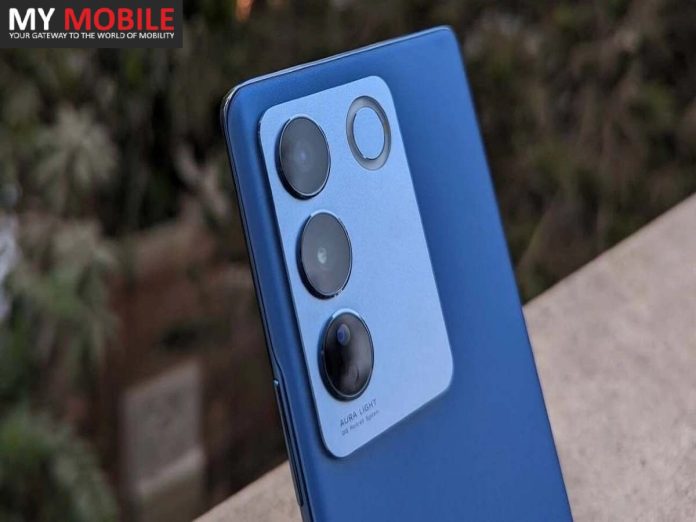
Vivo S17 Pro

HIGHLIGHTS

* The Vivo S17 series is expected to launch soon in China.
* The Pro variant in the series, the Vivo S17 Pro, has today been spotted on the Geekbench database website.
* The Geekbench listing of the device reveals its key specifications.

Vivo is reportedly in the works to launch its Vivo S17 series of smartphones soon in the Chinese market. The leaks and rumours surrounding the Vivo S17 Pro and the vanilla Vivo S17 have been popping up on the internet for quite some time now and today, the Vivo S17 Pro has been spotted on the Geekbench database website, which gives us a working clue as to what some of its specifications will be. Let’s take a look.

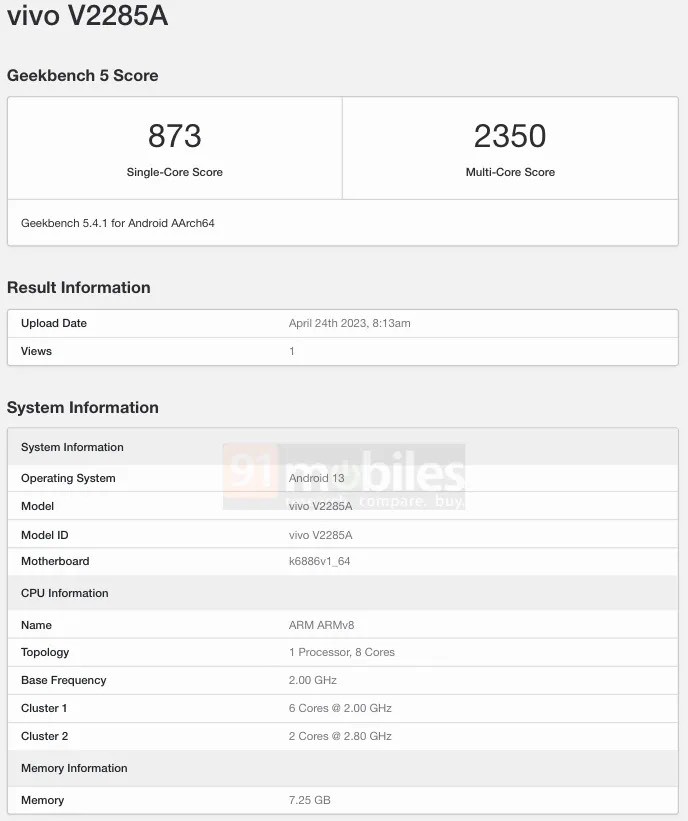
Vivo S17 Pro Visits Geekbench

Vivo S17 Pro

* Before we get to the details revealed by the listing, readers must be made aware as to what Geekbench listing is. Geekbench is a benchmarking platform, which runs several tests on a device to gauge its potential performance. The listing of the Vivo S17 Pro on the database, therefore, confirms that the device has already been produced and tests on the same have begun.

* As seen in the Geekbench database screenshot above, the Vivo S17 Pro has the model number vivo V2285A.

* The device has scored 873 in the single-core test and 2,350 in the multi-core test.

* The Geekbench listing reveals that the Vivo S17 Pro will feature an octa-core processor, with the SoC code k6886v1_64, max CPU clock speed of 2.80 GHz, and a Mali-G610 MC4 GPU. Upon mapping, the processor is turning out to be the MediaTek Dimensity 7200. The listing also confirms that the Vivo S17 Pro will arrive with at least 8GB RAM and will boot Android 13 OS out of the box.

Vivo S17 Pro Specifications (Expected)

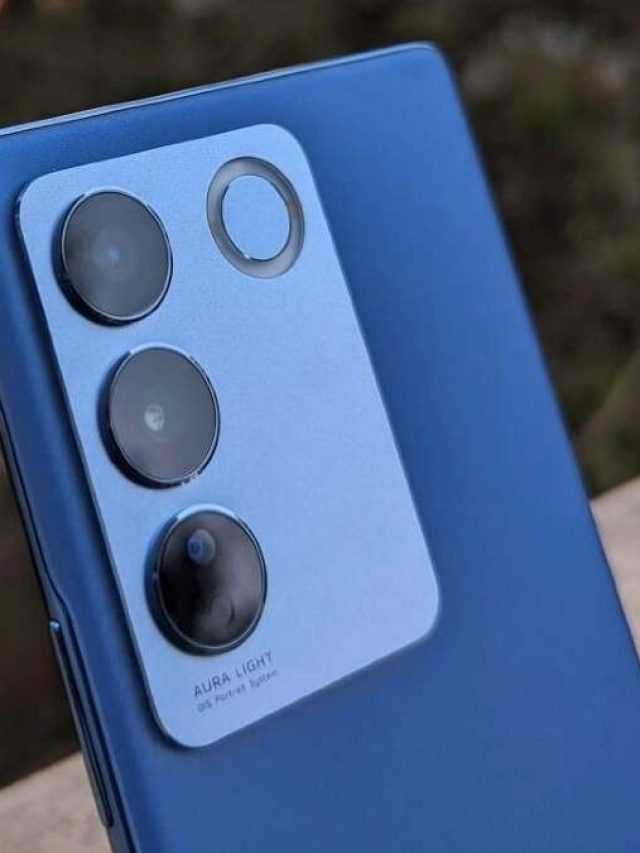
Vivo S17 Pro

* Display: The Vivo S17 Pro is expected to feature a 6.7-inch 120Hz refresh rate
AMOLED display with an under-display fingerprint scanner.

* Chipset: The Geekbench listing of the device reveals that it will be powered by a MediaTek
Dimensity 7200 processor.

* RAM and Storage: The device will feature at least 8GB of RAM and, in all likelihood, 128GB
and 256GB of onboard memory.

* Camera: The Vivo S17 Pro could come with a 64MP front camera and a 64MP primary rear camera, which will be accompanied by a couple more cameras at the back.

* OS: The device will boot Android 13-based
FunTouchOS 13 out of the box.

* Battery and Fast Charging: We can expect the Vivo S17 Pro to house a 4,500mAh battery with support for 80W fast charging.

Vivo S17 Pro

1-199
2-112
3-102 (1)
1-199 2-112 3-102 (1)


VIVO S17 PRO KEY SPECIFICATIONS

Key Specs

RAM 12 GB
Processor MediaTek Dimensity 9000 Plus
Rear Camera 50 MP + 13 MP + 2 MP
Front Camera 32 MP
Battery 5000 mAh
Display 6.67 inches (16.94 cm)

General

Launch Date July 12, 2023 (Unofficial)
Operating System Android v13

Performance

Chipset MediaTek Dimensity 9000 Plus
CPU Octa core (3.2 GHz, Single core, Cortex X2 + 2.85 GHz, Tri core, Cortex A710 + 1.8 GHz, Quad core, Cortex A510)
Architecture 64 bit
Fabrication 4 nm
Graphics Mali-G710 MC10
RAM 12 GB

Display

Display Type AMOLED
Screen Size 6.67 inches (16.94 cm)
Resolution 1080 x 2400 pixels
Aspect Ratio 20.5:9
Pixel Density 395 ppi
Bezel-less display Yes with punch-hole display
Touch Screen Yes, Capacitive Touchscreen, Multi-touch
Refresh Rate 120 Hz
Screen to Body Ratio (claimed by the brand) 90.1 %

Camera

MAIN CAMERA
Camera Setup Triple
Resolution 50 MP f/1.9, Wide Angle, Primary Camera
13 MP f/2.2, Ultra-Wide Angle Camera
2 MP f/2.4
Autofocus Yes
Flash Yes, LED Flash
Image Resolution 8150 x 6150 Pixels
Settings Exposure compensation, ISO control
Shooting Modes Continuous Shooting
High Dynamic Range mode (HDR)
Camera Features Digital Zoom
Auto Flash
Face detection
Touch to focus
Video Recording 1920×1080 @ 30 fps
FRONT CAMERA
Camera Setup Single
Resolution 32 MP f/2.5, Wide Angle, Primary Camera
Video Recording 1920×1080 @ 30 fps

Battery

Capacity 5000 mAh
Type Li-Polymer
Removable No
Quick Charging Yes, Fast, 120W
USB Type-C Yes

Storage

Internal Memory 256 GB
Expandable Memory No

Network & Connectivity

SIM Slot(s) Dual SIM, GSM+GSM
SIM Size SIM1: Nano, SIM2: Nano
Network Support 5G Not Supported in India, 4G Supported in India, 3G, 2G
VoLTE Yes
SIM 1
4G Bands:
TD-LTE 2300(band 40)
FD-LTE 1800(band 3)
3G Bands:
UMTS 1900 / 2100 / 850 / 900 MHz
2G Bands:
GSM 1800 / 1900 / 850 / 900 MHz
GPRS:
Available
EDGE:
Available
SIM 2
4G Bands:
TD-LTE 2300(band 40)
FD-LTE 1800(band 3)
3G Bands:
UMTS 1900 / 2100 / 850 / 900 MHz
2G Bands:
GSM 1800 / 1900 / 850 / 900 MHz
GPRS:
Available
EDGE:
Available
Wi-Fi Yes, Wi-Fi 4 (802.11 b/g/n)
Wi-Fi Features Mobile Hotspot
Bluetooth Yes, v5.2
GPS Yes with A-GPS, Glonass
NFC Yes
USB Connectivity Mass storage device, USB charging

Multimedia

Loudspeaker Yes
Audio Jack USB Type-C

Sensors

Fingerprint Sensor Yes
Fingerprint Sensor Position On-screen
Fingerprint Sensor Type Optical
Other Sensors Light sensor, Proximity sensor, Accelerometer, Compass, Gyroscope

FAQ’s on Vivo S17 Pro

1) Will Vivo S17 Pro Might Get Some Decent Camera Upgrades ?

Ans) The Vivo S17 Pro might launch in global markets as the V29 Pro. While we wait for some more details about the same, the phone’s camera specs have leaked. Tipster Digital Chat Station (DCS) has revealed that the phone will have a triple-camera setup on the back. The tipster claims that the S17 Pro will have a 50MP main camera with support for optical image stabilisation (OIS). Vivo is likely to use the Sony IMX766V sensor for the main camera.

The device is also likely to feature an 8MP ultra-wide camera. The tipster did not reveal any details about the camera sensor. Lastly, the S17 Pro will feature a 12MP Sony IMX663 portrait telephoto camera.

The S16 Pro’s camera setup, in comparison, 50MP main camera with OIS support, a 12MP ultrawide camera and a 2MP macro sensor.

Some other details of the phone had leaked in the past. The S17 Pro is likely to feature a MediaTek Dimensity 8200 SoC under the hood.

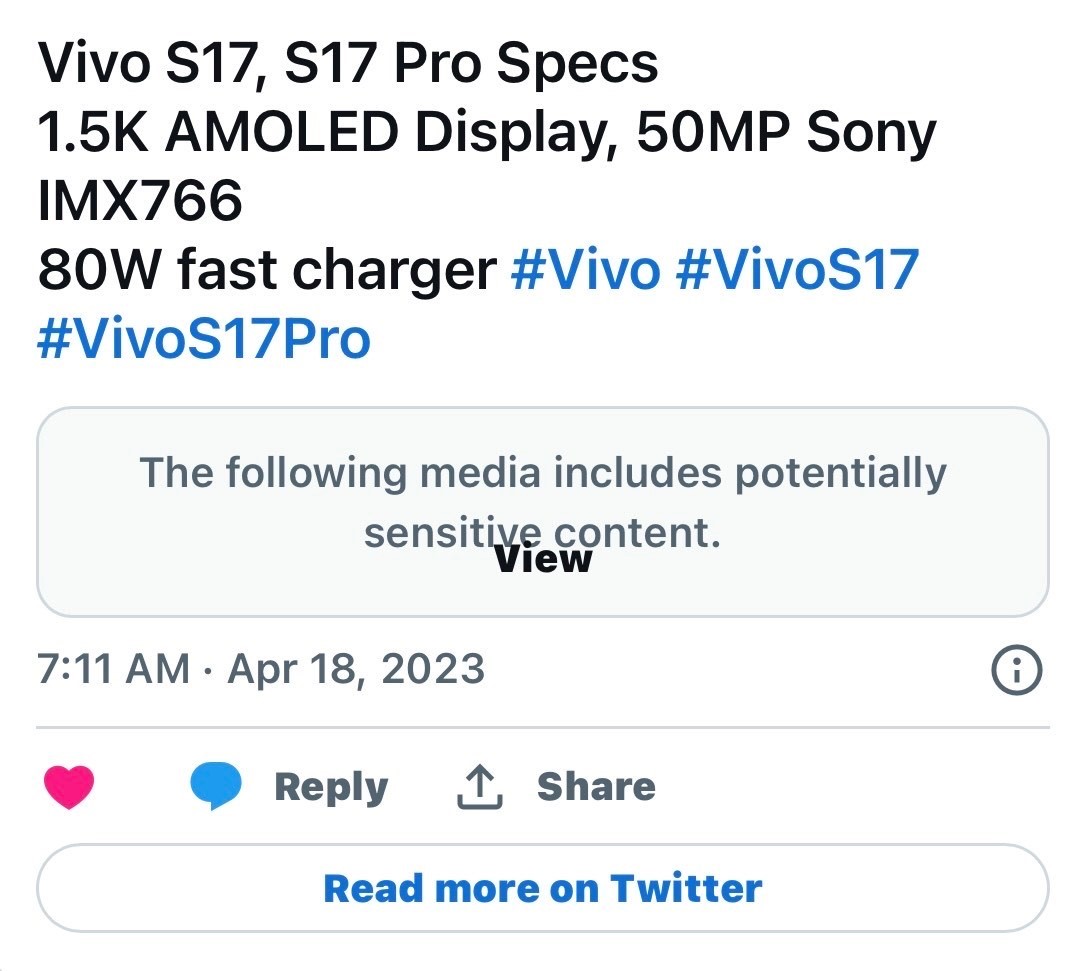
There will be a curved OLED display made by BOE. According to DCS, the S17 Pro will feature a 1.5K resolution display.

The device is also said to offer support for 80W fast charging out of the box. In comparison, the S16 Pro has support for 66W fast charging. The S17 Pro is also likely to launch with up to 16GB of RAM.

Vivo is expected to launch the device in the third quarter of 2023. Alongside, there will be the S17 5G and S17e 5G. The S17 5G is tipped to feature a Snapdragon 778G SoC under the hood. There will be up to 12GB of RAM for the S17 5G, whereas the S17e might launch with 8GB of RAM for the base model.

We can expect the phones to launch with the latest Android 13 update out of the box. There will be a layer of Origin OS 3 on top of Android.

2) What are Vivo S17 Pro Specifications ?

Ans) Additionally, the primary camera will be paired with an 8MP ultrawide unit and a 12MP Sony IMX663 portrait lens with presumably 2x optical zoom. At the front, the Vivo S17 Pro will likely use a 32MP selfie camera. The Vivo S17 Pro is expected to use a MediaTek Dimensity 8200 SoC.

The handset could sport an AMOLED display with a 120Hz refresh rate and a 1.5K resolution. The tipster added that the S17 Pro’s screen would feature curved edges. The phone will also support 80W fast charging support. The Vivo S17 Pro will run on Android 13 with the latest Origin OS 3 skin on top.

3) Vivo S17 Specifications (Expected)

Ans) The vanilla Vivo S17 is expected to be powered by a Snapdragon 778G SoC. Other details about the vanilla version of the S17 are still scarce, although it might lose the third 12MP telephoto camera in place of a macro unit. The Vivo S17 Pro is expected to debut as the Vivo V29 Pro globally. However, its specifications and design appear similar to that of the Vivo V27 Pro with a few minor tweaks.

Also Read: Vivo S17 Pro Camera Specifications Tipped; to Feature 50MP Sony IMX766V Main Camera

Also Read: Vivo S17, S17 Pro Specifications Leaked; Tipped to Feature 1.5K AMOLED Display, 50MP Sony IMX766 Main Camera & 80 W Fast Charging Support

Vivo V29 Lite 5G moniker revealed via GCF certification, launch imminent

0
Vivo V29 Lite 5G

HIGHLIGHTS

* The Vivo V29 Lite 5G is reportedly launching soon in the global market.
* The device has been spotted on the GCF certification website today.
* Key specifications of the Vivo V29 Lite 5G include a probable Snapdragon 695 processor, 8GB RAM, and a FHD+ display.

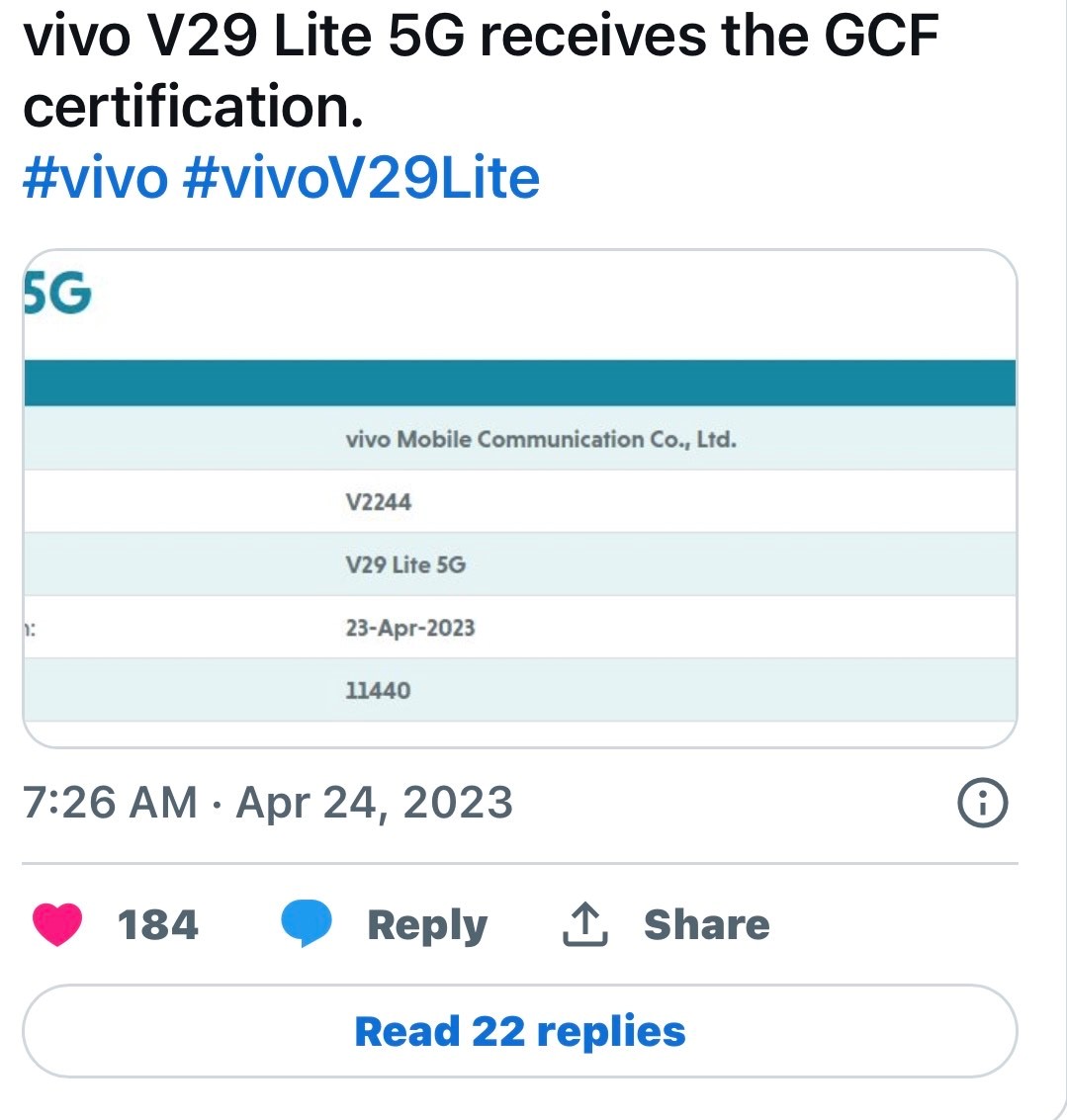
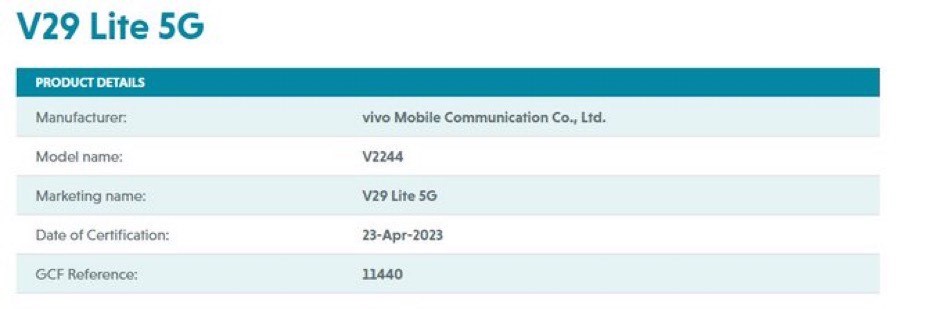
Vivo is reportedly in the works to launch a new mid-range V-series smartphone, dubbed the Vivo V29 Lite 5G, soon in the global market. The device was spotted on the Google Play Console listing and the Google Supported Devices list a little while ago and today, the vivo V29 Lite 5G has been spotted on the CF certification website as well, thereby hinting at an imminent launch. Let’s take a look at what all we know about the vivo V29 Lite 5G smartphone so far.

Vivo V29 Lite 5G receives the GCF Certification

Vivo V29 Lite 5G

* For those unaware, the GCF certification is a global certification authority, which certifies mobile phones and other mobile devices. The authority offers industry-relevant certification programmes for telecom, automotive, IoT, cities, retail, and more.
* The GCF certification for the Vivo V29 Lite 5G reveals its moniker and also hints at the fact that the device might soon launch in the global market.
* As for the specifications and features, the certification does not tell us much about the device, save for the fact that it will be a 5G handset.

Vivo V29 Lite 5G Specifications (Expected)

Vivo V29 Lite 5G

* Display: The Vivo V29 Lite 5G will feature a
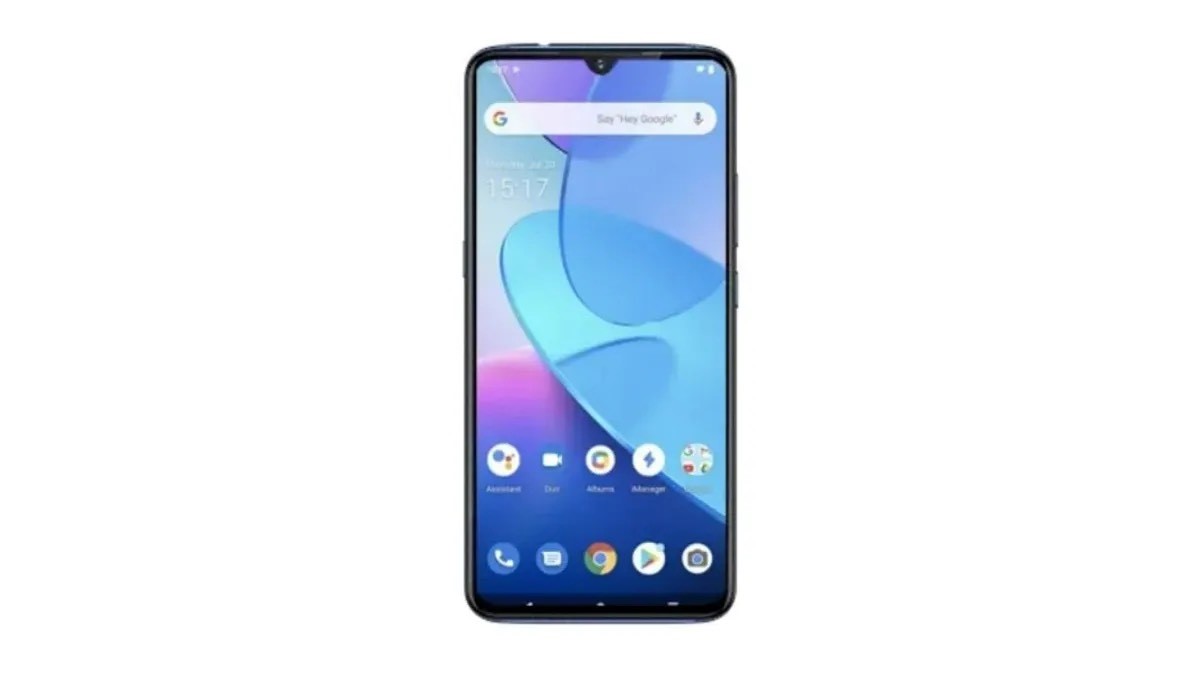
* FHD+ display with a waterdrop notch at the top. The device appears to feature thin bezels all around.
* Chipset: The device is said to be powered by an octa-core Snapdragon 695 processor, paired with an Adreno 619 GPU for graphics.
* RAM and Storage: The Vivo V29 Lite 5G might feature at least 8GB RAM and at least
128GB internal storage. However, there might be more storage configurations available as well.
* Connectivity: Connectivity options for the Vivo V29 Lite 5G might include 5G, dual-band
Wi-Fi, Bluetooth, GPS, GLONASS, a USB
* Type-C charging port, and a 3.5mm headphone jack.
* Battery: The device will likely feature a 5,000mAh battery with support for fast charging.
* OS: The Vivo V29 Lite 5G will reportedly run on the latest Android 13-based FunTouchOS
13 skin out of the box.

Vivo V29 Lite 5G

VIVO V29 LITE KEY SPECIFICATIONS

Key Specs

RAM 8 GB
Processor MediaTek Dimensity 1080 MT6877V
Rear Camera 50 MP + 2 MP
Front Camera 16 MP
Battery 5000 mAh
Display 6.67 inches (16.94 cm)

General

Launch Date July 11, 2023 (Unofficial)
Operating System Android v13

Performance

Chipset MediaTek Dimensity 1080 MT6877V
CPU Octa core (2.6 GHz, Dual core, Cortex A78 + 2 GHz, Hexa Core, Cortex A55)
Architecture 64 bit
Fabrication 6 nm
Graphics Mali-G68 MC4
RAM 8 GB

Display

Display Type AMOLED
Screen Size 6.67 inches (16.94 cm)
Resolution 1080 x 2400 pixels
Aspect Ratio 20.5:9
Pixel Density 395 ppi
Bezel-less display Yes with punch-hole display
Touch Screen Yes, Capacitive Touchscreen, Multi-touch
Refresh Rate 90 Hz
Screen to Body Ratio (claimed by the brand) 93.04 %

Camera

MAIN CAMERA
Camera Setup Dual
Resolution 50 MP f/1.89, Primary Camera
2 MP, Macro Camera
Autofocus Yes
Flash Yes, LED Flash
Image Resolution 8150 x 6150 Pixels
Settings Exposure compensation
Shooting Modes Continuous Shooting
High Dynamic Range mode (HDR)
Camera Features Digital Zoom
Auto Flash
Face detection
Touch to focus
Video Recording 1920×1080 @ 30 fps
FRONT CAMERA
Camera Setup Single
Resolution 16 MP f/2, Primary Camera
Video Recording 1920×1080 @ 30 fps

Battery

Capacity 5000 mAh
Type Li-Polymer
Removable No
Quick Charging Yes, Fast, 33W
USB Type-C Yes

Storage

Internal Memory 128 GB
Expandable Memory Yes, Up to 512 GB

Network & Connectivity

SIM Slot(s) Dual SIM, GSM+GSM
SIM Size SIM1: Nano, SIM2: Nano
Network Support 5G Not Supported in India, 4G Supported in India, 3G, 2G
VoLTE Yes
SIM 1
4G Bands:
TD-LTE 2300(band 40)
FD-LTE 1800(band 3)
3G Bands:
UMTS 1900 / 2100 / 850 / 900 MHz
2G Bands:
GSM 1800 / 1900 / 850 / 900 MHz
GPRS:
Available
EDGE:
Available
SIM 2
4G Bands:
TD-LTE 2300(band 40)
FD-LTE 1800(band 3)
3G Bands:
UMTS 1900 / 2100 / 850 / 900 MHz
2G Bands:
GSM 1800 / 1900 / 850 / 900 MHz
GPRS:
Available
EDGE:
Available
Wi-Fi Yes, Wi-Fi 4 (802.11 b/g/n)
Wi-Fi Features Mobile Hotspot
Bluetooth Yes, v5.3
GPS Yes with A-GPS, Glonass
NFC Yes
USB Connectivity Mass storage device, USB charging

Multimedia

Loudspeaker Yes
Audio Jack USB Type-C

Sensors

Fingerprint Sensor Yes
Fingerprint Sensor Position Side
Other Sensors Light sensor, Proximity sensor, Accelerometer, Compass, Gyroscope

Faqs Vivo V29 Lite 5G

1) vivo V29 Lite 5G receives the GCF certification? Details

Ans) * For those unaware, the GCF certification is a global certification authority, which certifies mobile phones and other mobile devices. The authority offers industry-relevant certification programmes for telecom, automotive, IoT, cities, retail, and more.
* The GCF certification for the Vivo V29 Lite 5G reveals its moniker and also hints at the fact that the device might soon launch in the global market.
* As for the specifications and features, the certification does not tell us much about the device, save for the fact that it will be a 5G handset.

2) Vivo V29 Lite 5G specifications ?(Expected)

Ans) * Display: The Vivo V29 Lite 5G will feature a FHD+ display with a waterdrop notch at the top. The device appears to feature thin bezels all around.
* Chipset: The device is said to be powered by an octa-core Snapdragon 695 processor, paired with an Adreno 619 GPU for graphics.
* RAM and Storage: The Vivo V29 Lite 5G might feature at least 8GB RAM and at least 128GB internal storage. However, there might be more storage configurations available as well.
* Connectivity: Connectivity options for the Vivo V29 Lite 5G might include 5G, dual-band Wi-Fi, Bluetooth, GPS, GLONASS, a USB Type-C charging port, and a 3.5mm headphone jack.
* Battery: The device will likely feature a 5,000mAh battery with support for fast charging.
* OS: The Vivo V29 Lite 5G will reportedly run on the latest Android 13-based FunTouchOS 13 skin out of the box.

Also Read: Vivo V29 Lite 5G specifications leaked via Google Play Console listing, Key Specifications listed

Also Read: Vivo V29 Pro specifications revealed: Leaks show 6.7-inch AMOLED display, 50MP front camera & MediaTek Dimensity 8000: Launch Soon

OnePlus Nord N30 5G 2023 design renders leaked ahead of launch

0
OnePlus Nord N30 5G 2023

HIGHLIGHTS

* The OnePlus Nord N30 5G could soon launch in the US.
* The device will supposedly be a rebranded OnePlus Nord CE 3 Lite 5G, which has already launched in India.
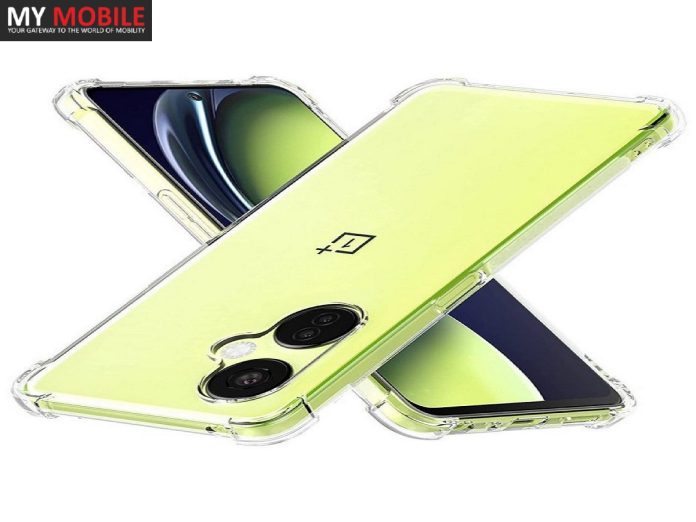
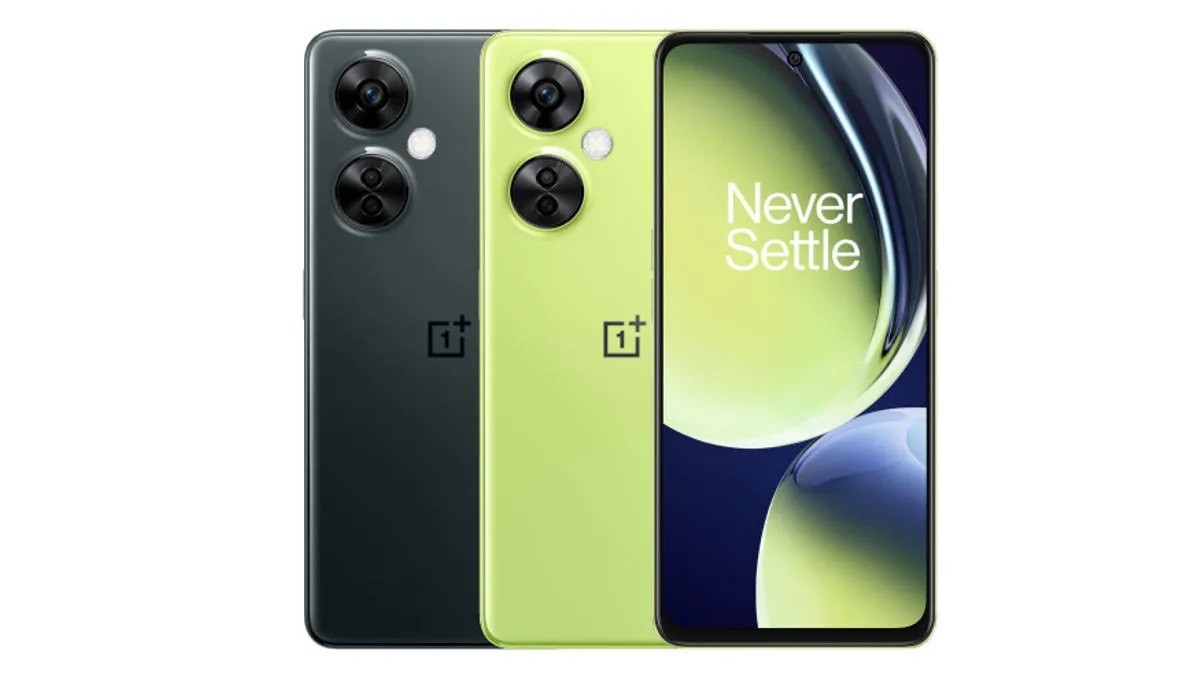
* An official-looking render image of the OnePlus Nord N30 5G has leaked ahead of launch.

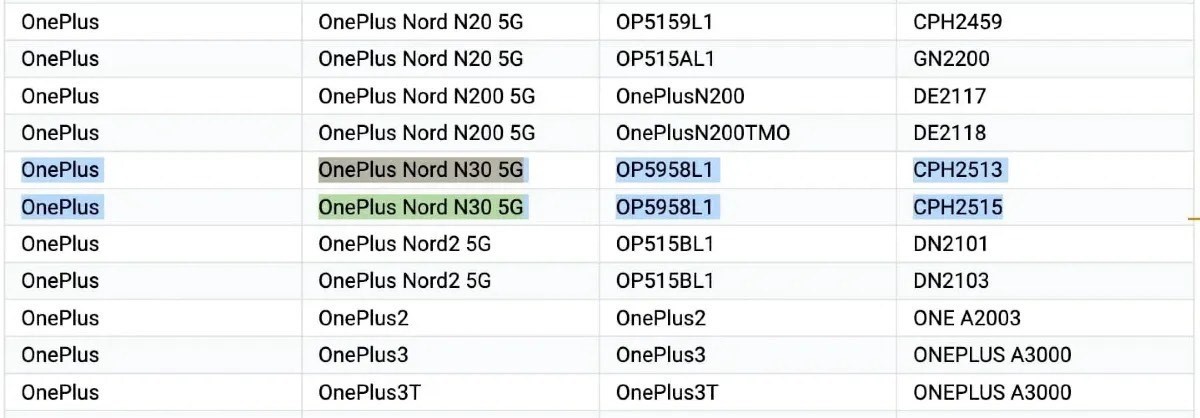
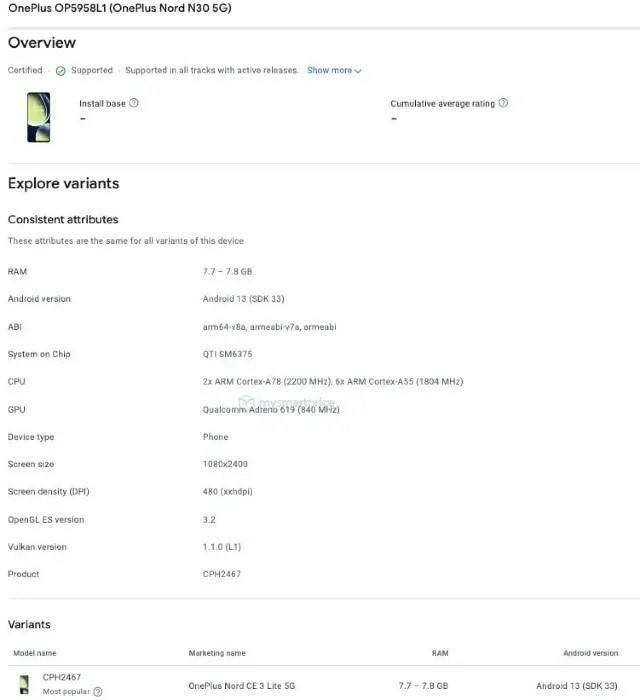
Upcoming OnePlus Nord N30 5G smartphone was spotted on the Google Supported Devices list and the Google Play Console listing, which suggested that the device would likely be a rebadged OnePlus Nord CE 3 Lite 5G, which has already launched in India.

The device will launch soon in the US, as per the reports, and has now been spotted once again in the wild, as its official looking renders have leaked. Let’s take a look.

OnePlus Nord N30 5G Renders Leaked

OnePlus Nord N30 5G 2023

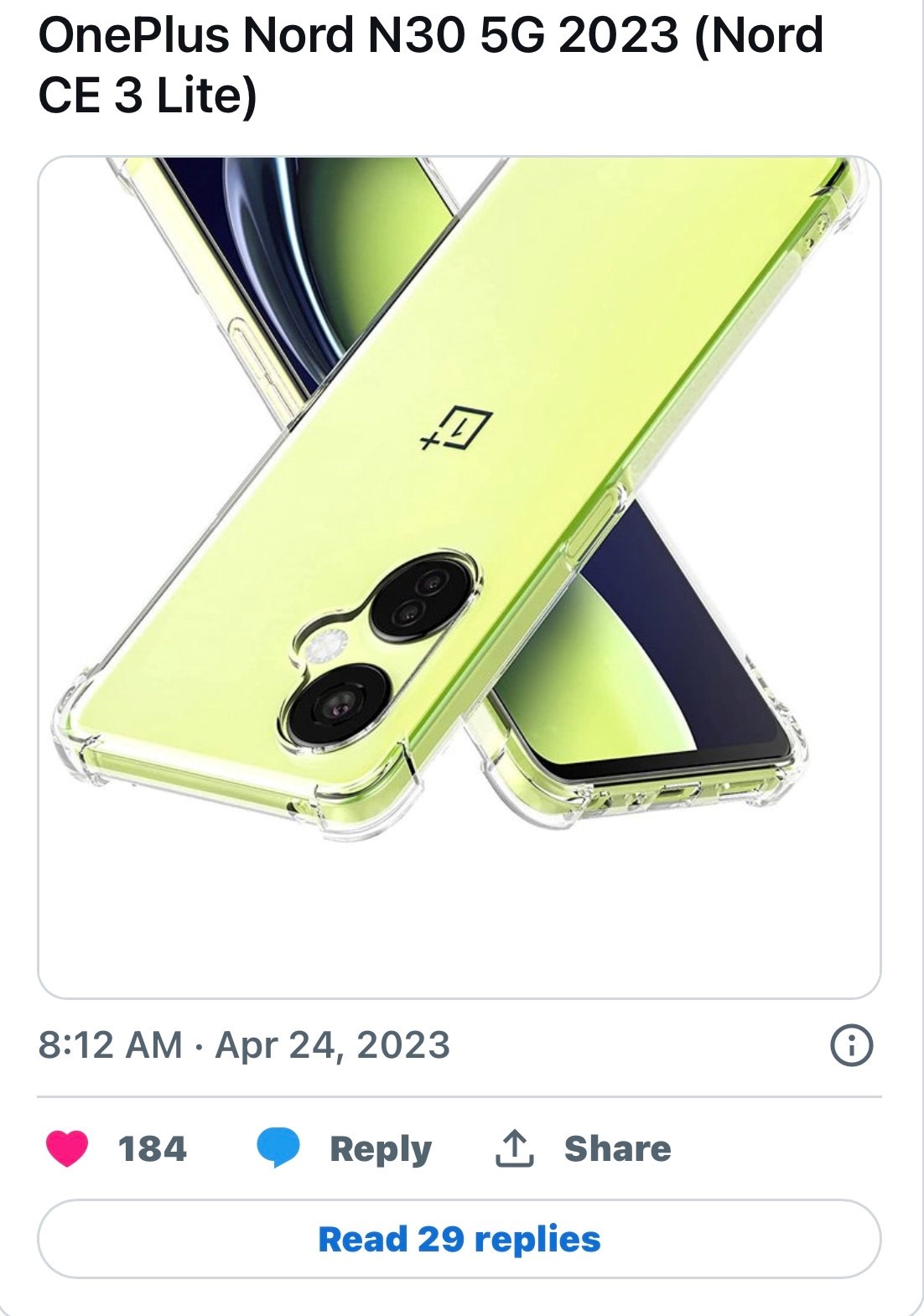
As seen in the image above, this is what the OnePlus Nord N30 5G would reportedly look like. The leaked image leaves little room for guesswork, as the OnePlus Nord N30 5G looks exactly like the OnePlus Nord CE 3 Lite 5G. In all likelihood, the OnePlus Nord N30 5G will launch in the US in this quarter itself.

OnePlus Nord N30 5G Specifications (Expected)

OnePlus Nord N30 5G 2023

If the OnePlus Nord N30 5G is indeed an exact replica of the OnePlus Nord CE 3 Lite 5G smartphone, we can expect the device to feature a 6.72-inch FHD+ IPS LCD panel with a 120Hz refresh rate.

Under the hood, the device will come equipped with an octa-core Snapdragon 695 processor, which will be coupled with 8GB RAM and 128GB/256GB internal storage. In terms of cameras, the OnePlus Nord N30 5G will likely feature a 108MP + 2MP + 2MP triple rear camera setup and a 16MP selfie snapper.

OnePlus Nord N30 5G 2023

Coming to the battery of the device, the OnePlus Nord N30 5G will feature a 5,000mAh battery with support for 67W SuperVOOC fast charging over a USB Type-C charging port. Lastly, the device will boot the latest Android 13-based OxygenOS 13 skin out of the box.

OnePlus Nord N30 5G 2023 OnePlus Nord N30 5G 2023

ONEPLUS NORD N30 5G KEY SPECIFICATIONS

Key Specs

RAM 8 GB
Processor Qualcomm Snapdragon 695
Rear Camera 108 MP + 2 MP + 2 MP
Front Camera 16 MP
Battery 5000 mAh
Display 6.72 inches (17.07 cm)

General

Launch Date July 20, 2023 (Unofficial)
Operating System Android v13

Performance

Chipset Qualcomm Snapdragon 695
CPU Octa core (2.2 GHz, Dual core, Cortex A78 + 1.8 GHz, Hexa Core, Cortex A55)
Architecture 64 bit
Fabrication 6 nm
Graphics Adreno 619
RAM 8 GB

Display

Display Type AMOLED
Screen Size 6.72 inches (17.07 cm)
Resolution 1080 x 2400 pixels
Aspect Ratio 20:9
Pixel Density 392 ppi
Bezel-less display Yes with punch-hole display
Touch Screen Yes, Capacitive Touchscreen, Multi-touch
Refresh Rate 120 Hz
Screen to Body Ratio (claimed by the brand) 87.1 %

Camera

MAIN CAMERA
Camera Setup Triple
Resolution 108 MP f/1.8, Wide Angle, Primary Camera(1.67″ sensor size, 0.64µm pixel size)2 MP f/2.4, Macro Camera
2 MP f/2.4, Depth Camera
Autofocus Yes
Flash Yes, LED Flash
Image Resolution 12000 x 9000 Pixels
Settings Exposure compensation
Shooting Modes Continuous Shooting
High Dynamic Range mode (HDR)
Camera Features Digital Zoom
Auto Flash
Face detection
Touch to focus
Video Recording 1920×1080 @ 30 fps
FRONT CAMERA
Camera Setup Single
Resolution 16 MP f/2, Wide Angle, Primary Camera
Video Recording 1920×1080 @ 30 fps

Battery

Capacity 5000 mAh
Type Li-Polymer
Removable No
Quick Charging Yes, Fast, 67W
USB Type-C Yes

Storage

Internal Memory 128 GB
Expandable Memory Yes, Up to 1 TB

Network & Connectivity

SIM Slot(s) Dual SIM, GSM+GSM
SIM Size SIM1: Nano, SIM2: Nano
Network Support 5G Not Supported in India, 4G Supported in India, 3G, 2G
VoLTE Yes
SIM 1
4G Bands:
TD-LTE 2300(band 40)
FD-LTE 1800(band 3)
3G Bands:
UMTS 1900 / 2100 / 850 / 900 MHz
2G Bands:
GSM 1800 / 1900 / 850 / 900 MHz
GPRS:
Available
EDGE:
Available
SIM 2
4G Bands:
TD-LTE 2300(band 40)
FD-LTE 1800(band 3)
3G Bands:
UMTS 1900 / 2100 / 850 / 900 MHz
2G Bands:
GSM 1800 / 1900 / 850 / 900 MHz
GPRS:
Available
EDGE:
Available
Wi-Fi Yes, Wi-Fi 4 (802.11 b/g/n)
Wi-Fi Features Mobile Hotspot
Bluetooth Yes, v5.3
GPS Yes with A-GPS, Glonass
USB Connectivity Mass storage device, USB charging

Multimedia

Loudspeaker Yes
Audio Jack USB Type-C

Sensors

Fingerprint Sensor Yes
Fingerprint Sensor Position Side
Other Sensors Light sensor, Proximity sensor, Accelerometer, Compass, Gyroscope

Faqs on OnePlus Nord N30 5G

1) What are the OnePlus Nord N30 5G Specifications Revealed By Google Play Console Listing?

Ans) According to the Google Play Console listing, the OnePlus Nord N30 5G (CPH2513/CPH2515) will have a Full HD+ resolution display and 8 GB of RAM. Powering the handset under the hood there will be Snapdragon 695 SoC. The device will run Android OS.
Additionally, the handset is registered on the list of Google Play supported devices with the moniker OnePlus Nord N30 5G. These new details does reaffirm that the OnePlus Nord CE 3 Lite 5G will be rebranded as OnePlus Nord N30 5G for the US market.

The smartphone will arrive as a successor to the OnePlus Nord N20 which debuted last year in April. Considering that the OnePlus Nord N30 5G will be rebranded device, we can expect to it have the same specifications as that of the Nord CE 3 Lite 5G.

The upcoming OnePlus Nord N30 5G will flaunt a 6.7-inch IPS LCD display a 120Hz refresh rate. The display will have a Corning Gorilla Glass protection and 680 nits brightness. The smartphone will ship with 8GB of RAM and 128GB/256GB of internal storage.

In terms of imaging, the handset will feature a triple-camera setup consisting of a 108MP main camera and a pair of 2MP depth and macro camera units. The device will pack a 5,000mAh battery which will offer 67W fast charging support.

On the frontside, the smartphone will boast a 16MP selfie camera which will have a f/2.0 aperture. Connectivity-wise, the device will offer a host of features such as dual-SIM card support, 5G, Wi-Fi 802.11 b/g/n/ac, Bluetooth v5.1, GPS, a 3.5mm audio jack, and a Type C port. Last but not least, the device will also have a side-mounted fingerprint reader.

2) Is OnePlus Nord N30 headed to the US?

Ans) A OnePlus forum member recently presented evidence of the OnePlus Nord N30 being a rebranded Nord CE 3 Lite, headed to the States. It’s supposed to be the successor to the Nord N20, and the Google Play console listing seems to confirm that it’ll have a Full HD+ screen and 8GB of RAM, powered by a Snapdragon 695 chip. It’s also listed to run Android 13. Basically, it’s got pretty much the same specs as the Nord CE 3 Lite, which was just released.

Additionally, the handset has appeared on the list of Google Play-supported devices with the name OnePlus Nord N30 5G. This all makes it evident that OnePlus is just slapping a new name on the handset and calling it a day.

Also Read: OnePlus Nord N30 5G specifications on Google Play Console suggest rebranded Nord CE 3 Lite

Also Read: OnePlus Nord CE 3 Lite 5G first sale in India starts today: Price, Specifications, Launch Offers, Extended warranty & more

WhatsApp New Feature: Here’s how you can ‘keep’ Disappearing Messages/Conversations

0

HIGHLIGHTS

* WhatsApp has introduced a new ‘keep in chat’ feature.
* It allows users to save the important messages in chat for future recall even in the disappearing messages setting.
* It will be the sender’s discretion whether the messages can be saved for later or not.

Meta CEO Mark Zuckerberg has announced a new WhatsApp feature for users that will allow them to keep relevant messages saved in a chat, irrespective of having the disappearing messages setting turned on. The new feature is called ‘Keep in Chat’.

While the purpose of disappearing messages is to keep the conversations private as the chat disappears after a specific period of time, the ‘keep in chat’ feature allows users to save important messages that they might want to refer back to in future. WhatsApp’s idea behind it is that it is the sender’s choice if others can keep that chat for later or not.

To enable the new feature, the sender of the WhatsApp text will be alerted as and when someone keeps a message in the disappearing messages setting. Then it will be on the sender’s discretion to either allow the user to save it or to veto the decision. In case of negative, the messages sent by the user will get deleted once the timer expires.

WhatsApp New Feature

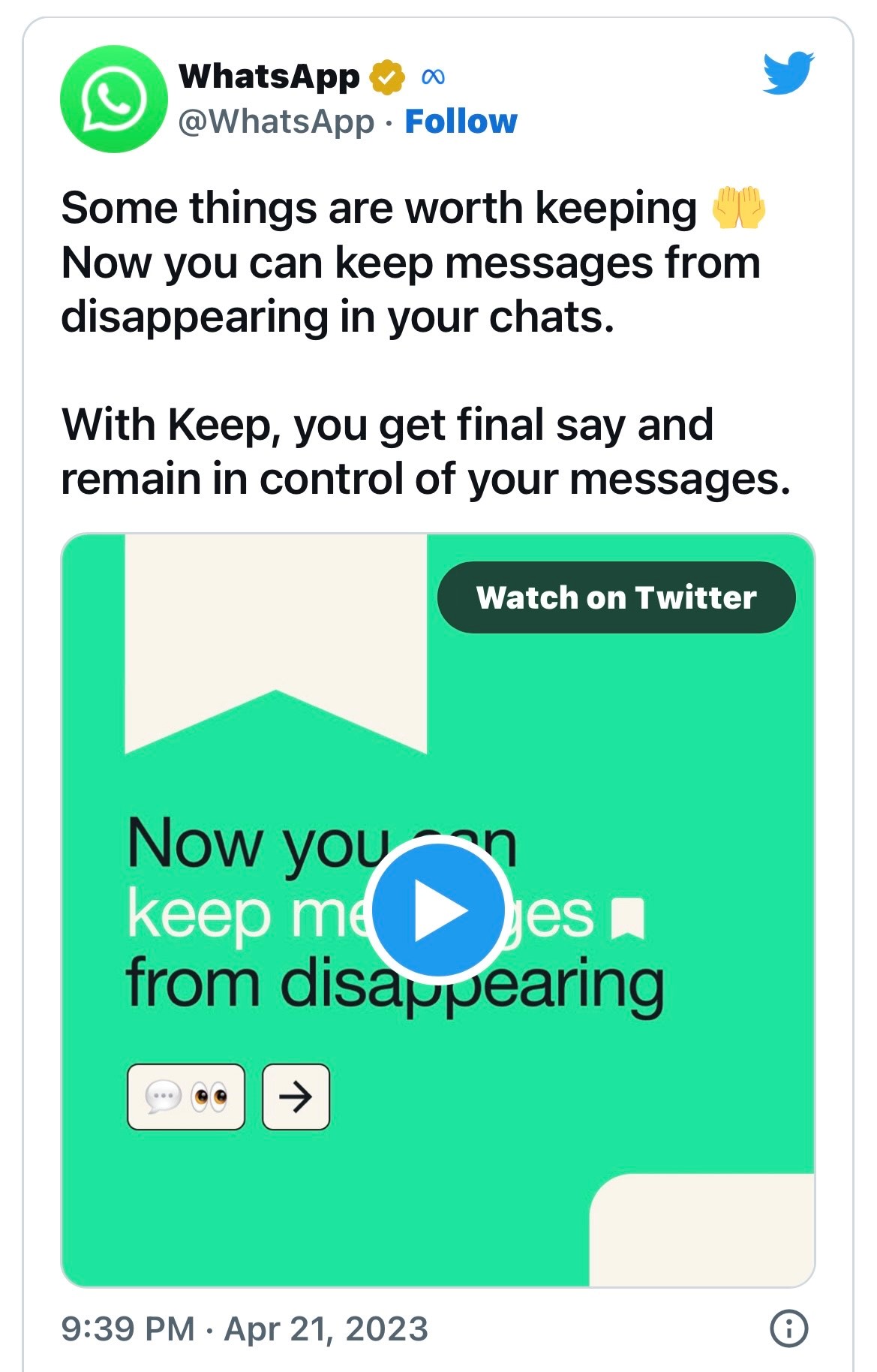
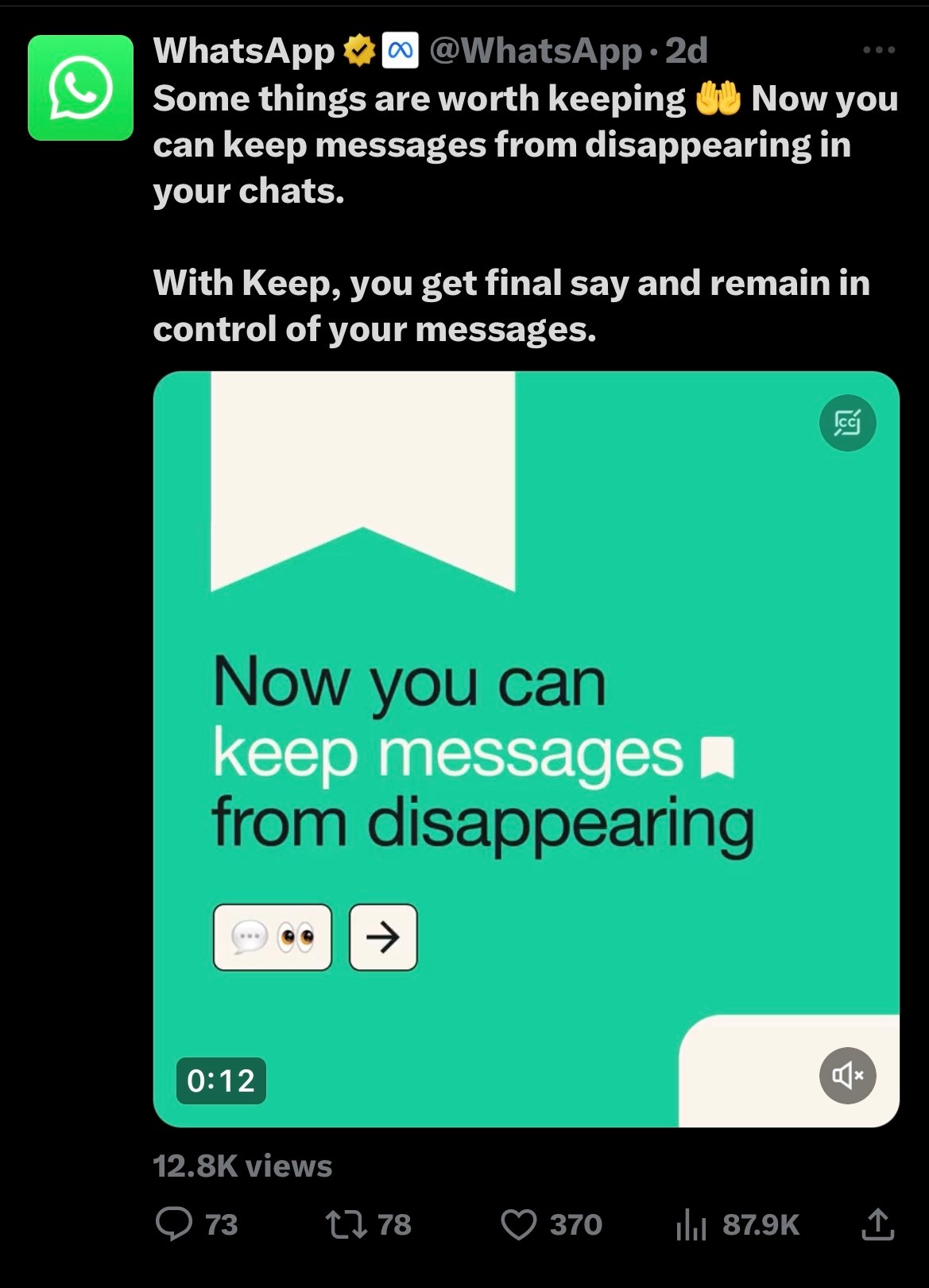
WhatsApp announced this feature via a tweet and mentioned “Some things are worth keeping.” Have a look.

If you’re in a WhatsApp group chat where the disappearing messages feature is turned on, there’s now a way to keep some important chats, like an address or voice note someone sends you.

WhatsApp’s “Keep in Chat “announced Friday, lets you bookmark messages sent to you, although veto power remains with the sender.

“Anyone in a disappearing message thread can long press on a message to keep it,” Meta CEO Mark Zuckerberg explained in his Instagram broadcast channel. “The sender will be notified if it was saved and can decide if it stays or remains a disappearing message.” Disappearing messages is a privacy measure that was announced at the end of 2020.

Meta says it can also help declutter your phone and increase storage. It lets you set a timer for when messages in your WhatsApp chat will be deleted, with options for 24 hours, one week or 90 days.

Here’s how to turn on Disappearing Messages

  • Open your chat on WhatsApp.
  • Tap on the three vertical dots in the top right corner.
  • Select Disappearing messages.
  • Choose which message timer you want for when messages will automatically be deleted –24 hours, 7 days or 90 days.
  • Hit the back arrow in the top left corner.
  • Once it’s on, here’s how to save a message
  • Long press on the message you want to keep.
  • Tap the bookmark icon at the top of the screen, located next to the reply arrow.

The message sender will then be notified of your request to save that message, and will have the power to veto it.

WhatsApp New Feature

If you don’t see the option in your WhatsApp chats yet, it’s because Meta is rolling the capability out over the next few weeks.

Messages saved in WhatsApp will be put in a Kept Messages folder and organized by chat, the company said.

How will the ‘Keep in Chat’ feature look like?

The saved messages in the chat will be kept with a bookmark icon, and users will be able to access these messages in the Kept Messages folder. Zuckerberg, in the announcement, said, “We hope people enjoy this new update and the flexibility to keep the messages they need.” He added the feature will roll out globally over the next few weeks.

WhatsApp New Feature

In related news, the Meta-owned app is reportedly testing a new feature that will allow users to add new description to forwarded media files including forwarded videos, images, GIFs, and documents.

Faqs WhatsApp New Feature

1) WhatsApp’s new Keep in Chat feature allows users to save disappearing messages?

Ans) WhatsApp’s disappearing messages is a great privacy feature for users who want their messages to disappear after a set time. Now, the instant messaging service will allow the senders of disappearing messages to keep some of the texts they send in the chat even if the feature is turned on.

Earlier this year, it was reported that WhatsApp is testing such a “Kept Messages” feature, and now, the instant messaging service has made it official. With disappearing messages, conversations do not stitch around forever. This acts as a layer of protection for messages that you wouldn’t want falling into the wrong hands. But what if there is a message or voice note that you want to keep in the chat despite the feature being turned on? That is where the Keep in Chat feature comes in handy.

When someone in a group chat keeps a disappearing message, the sender of the message will be notified, and they will be able to veto the decision. If the sender decides that the message should not be kept by others, their decision is final. This would mean that no one can keep it, and the message will automatically be deleted when the timer expires, just like disappearing messages usually do.

If you save any disappearing messages, they will be labelled with a bookmark icon, and you can see them in the Kept Messages feature, organised by chat.
WhatsApp says that the new feature will be rolled out globally over the next few weeks.

2) How to Disable disappearing messages on

Ans) Android and iPhone

You can disable disappearing messages at any time. Once disabled, new messages sent in the chat will no longer disappear.

1. Open the WhatsApp chat.
2. Tap the contact’s name.
3. Tap Disappearing messages. If prompted, tap CONTINUE.
4. Select Off.

Similarly if you want to enable or disable Disappearing Messages in a group then you will have to open the WhatsApp group chat who’s messages you want to disappear.

3) What can I do if I’ve lost access to my WhatsApp account?

Ans) Chances are that a hacker has taken over your account. When this happens, you can’t log in, and all of your account information is in the hands of the hacker. Getting your account back can be complicated. Fortunately, you can still reclaim your WhatsApp account.

4) If I receive a text verification code from WhatsApp, does that mean someone is using my account?

Ans) One of the more notorious ways someone can gain access to your WhatsApp account is by obtaining the text verification code. If WhatsApp sends you a text verification code that you didn’t invoke, it’s best to ignore it. You may even receive multiple codes back to back. However, WhatsApp will only send so many verification codes within a specific period. Afterwards, the app will lock you out if you log out.

5) How many days does WhatsApp web stay logged in?

Ans) Your phone doesn’t need to stay online to use WhatsApp on linked devices, but your linked devices will be logged out if you don’t use your phone for over 14 days.

6) How far does WhatsApp web work?

Ans) Once a phone is paired with a computer, it will stay linked, even if both devices aren’t using the same internet connection or gasp, in the same place. There is no distance limitation.

7) Can someone read WhatsApp messages from another phone?

Ans) You just need to pair the Android device with another mobile. Suppose your child has enabled Notification permission for WhatsApp, you can read the incoming WhatsApp messages from the dashboard. Screen Mirroring can even help you see the live screen of the original device.

8) Can I Use Whatsapp Web Without A Phone?

Ans) No, you cannot use WhatsApp Web without a phone. Although it’s an online-only service, users still need an active phone with Internet connectivity to make WhatsApp Web work. A phone with an active Internet connection is needed for WhatsApp Web to work and to be able to send messages. This is to make use of WhatsApp’s end-to-end encryption where messages are encrypted from the sender’s device and can only be decrypted by the intended receiver. Also, the messages are sent from the registered same phone number, which cannot be accessed with a working phone.

9) How To Download Whatsapp Web On My Computer?

Ans) You cannot download WhatsApp Web on your PC. It’s an online-only service, which can be accessed by visiting the link given above. You can also google WhatsApp Web.

10) How To Log In To Whatsapp Web?

Ans) WhatsApp Web login can be performed by simply pointing your phone that has the WhatsApp account configured to it, to the QR code shown on the web page. Follow these steps to log in to WhatsApp Web:

Open WhatsApp on your phone.
Open Settings and scroll down to WhatsApp Web.
The following screen will open the camera scanner. Now visit the following web address given above and scan the QR code on it.

Once done, the service will fetch your WhatsApp conversations and present it on your computer.

11) Can I Make A Video Call On Whatsapp Web?

Ans) No, it’s not possible to make a call using WhatsApp Web. You can still send voice messages using the web app on any Windows or Mac system. Simply press the microphone icon on the bottom right corner to record your message and send it. However, if you still want to make a call, you may use the WhatsApp app on your Android or iOS-based smartphone. You can also download the desktop app to make WhatsApp calls from your computer.

Also Read: WhatsApp Web: How to Check Whether Your WhatsApp Web QR Code Has Been Hacked?

Also Read: Latest WhatsApp update brings sticker maker tool for iPhone users: How to use this WhatsApp Sticker Maker

Also Read: WhatsApp to let users share status updates to Facebook stories; edit contacts within app

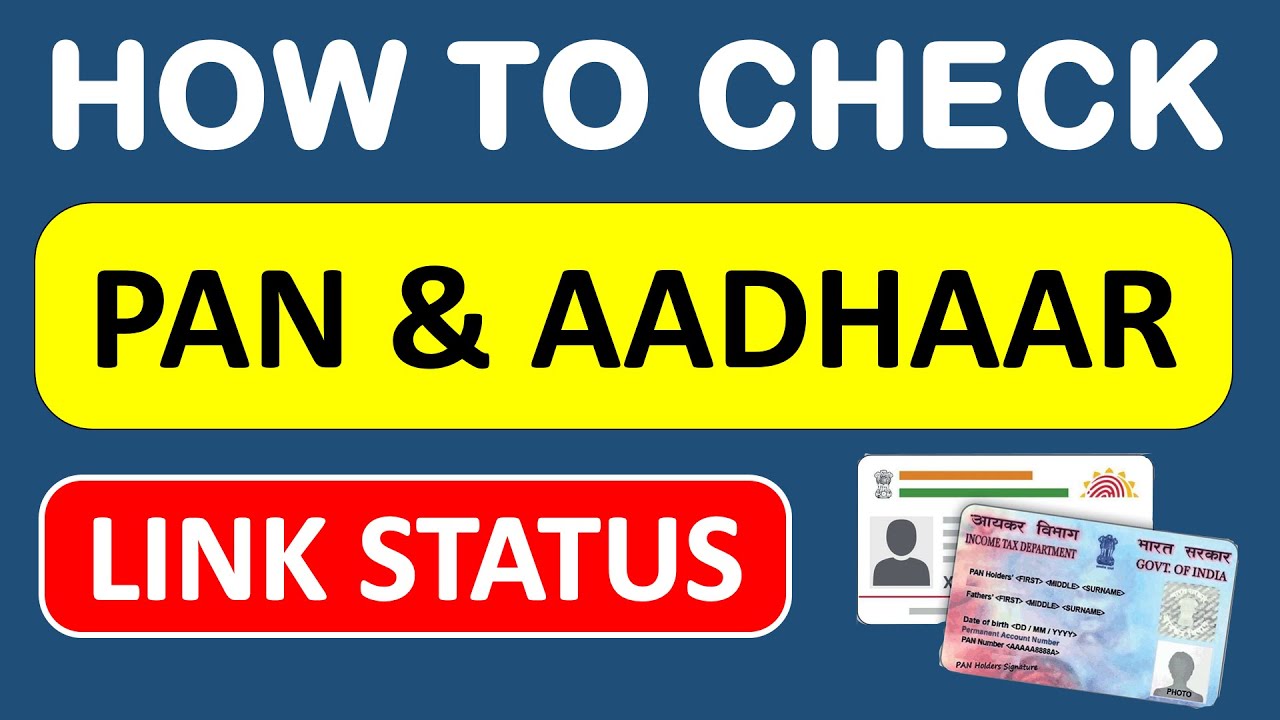
Aadhaar-PAN Link: How to Check Status of Aadhaar link with PAN card, How to Link, Deadline, and More

0

Highlights

  • The Indian government has made it mandatory for all taxpayers to link their Aadhaar numbers with their PAN.
  • The purpose of linking Aadhaar with PAN is to streamline the tax filing process and prevent fraudulent activities.
  • The process of linking Aadhaar with PAN can be done online or offline.
  • The government has set a deadline for linking Aadhaar with PAN, and failure to do so can result in a penalty.
  • Linking Aadhaar with PAN is important to ensure compliance with government regulations and avoid any consequences.
  • In this blog, we are sharing a complete guide on the Aadhaar-PAN link including how to check the status of the Aadhaar link with their PAN card, how to link the Aadhaar-PAN, the deadline to do so, and more.

The Indian government has made it mandatory for all taxpayers to link their Aadhaar number with their PAN (Permanent Account Number) in order to file their tax returns. The process of linking Aadhaar with PAN has been made simple and straightforward, with both online and offline methods available for taxpayers to choose from.

The purpose of linking Aadhaar with PAN is to streamline the tax filing process and reduce fraudulent activities. By linking the two, the government can verify the identity of taxpayers and prevent individuals from creating multiple PANs to evade taxes. Additionally, linking Aadhaar with PAN can also help in detecting black money transactions and improving tax compliance.

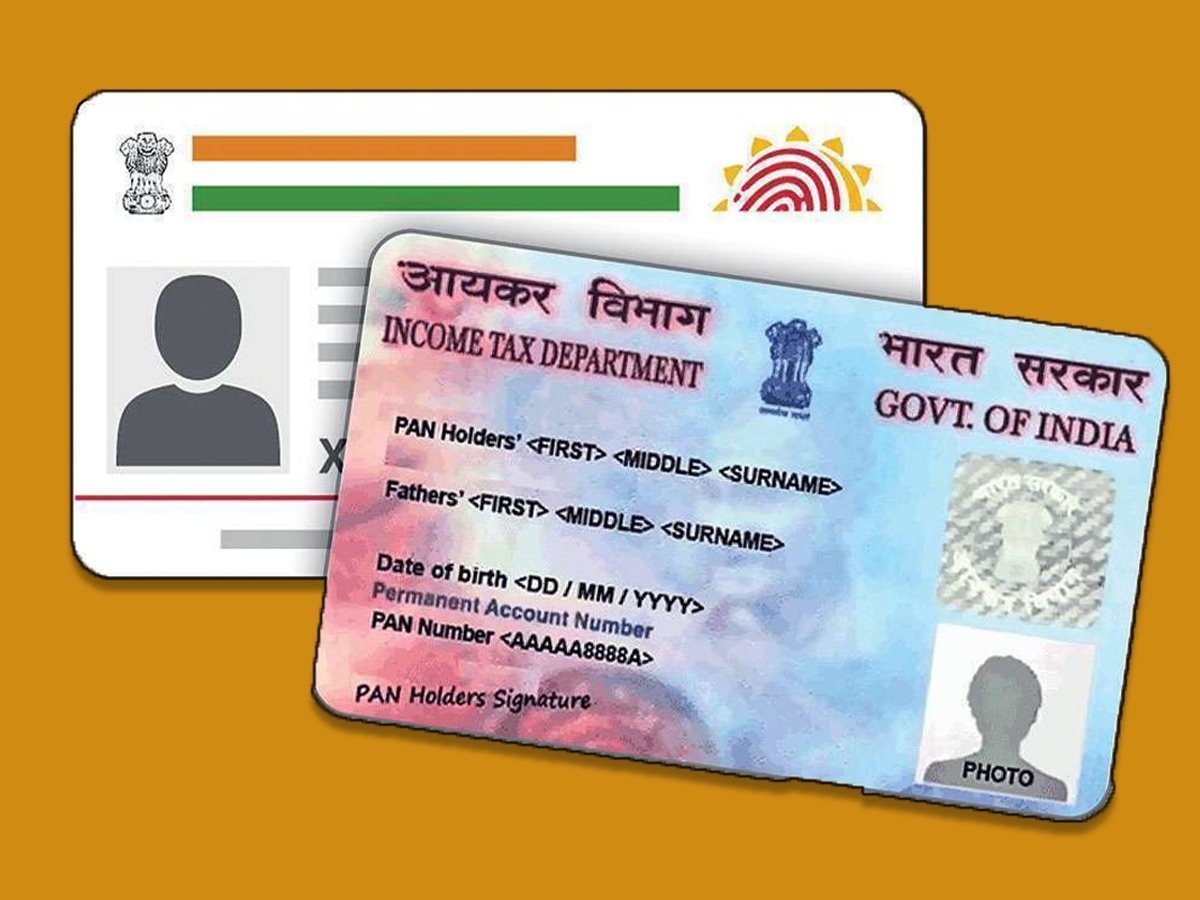
Aadhaar-PAN Link

The process of linking Aadhaar with PAN can be done online through the Income Tax e-filing website. All that a taxpayer needs to do is visit the website and follow the instructions provided on the page. Alternatively, taxpayers can also link their Aadhaar with their PAN Card offline by visiting a PAN service centre or sending a request through the post.

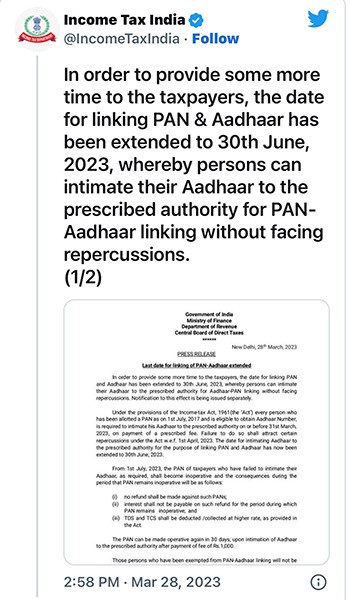
It is important to note that the government has set a deadline for linking Aadhaar with PAN, and failure to do so can result in a penalty or consequences. The deadline, which was previously 31st March 2023 with the penalty, has been recently extended till 30th June 2023 with the penalty. Therefore, it is recommended that taxpayers link their Aadhaar with their PAN as soon as possible to avoid any issues.

Linking Aadhaar with PAN is a crucial step in the tax filing process in India. By doing so, taxpayers can ensure compliance with government regulations and avoid any penalties or consequences. The process has been made simple and convenient, and taxpayers can choose the method that best suits their needs.

What is the Fees and Deadline for Aadhaar PAN Card Linking?

Aadhaar-PAN Link

The PAN-Aadhaar linking was free till 31 March 2022.

If you linked PAN-Aadhaar after 31 March 2022, but before 30 June 2022, a penalty of Rs.500 was imposed.

However, after 30 June 2022, a penalty of Rs.1,000 is imposed to link PAN with an Aadhaar card.

Thus, you must first pay the penalty of Rs.1,000 to link your Aadhaar with your PAN before 30 June 2023. When the PAN and Aadhaar cards are not linked before 30 June 2023, PAN cards will become inoperative from 1 July 2023.

Who Should Link Aadhaar with a PAN Card?

Aadhaar-PAN Link

  • All Indian taxpayers are required to link their Aadhaar with their PAN card.
  • This includes individuals, Hindu Undivided Families (HUFs), companies, and any other entities that are eligible to obtain a PAN card.
  • Any person who wishes to file their income tax return must link their Aadhaar with a PAN card.
  • If an individual has multiple PAN cards, they must link all their PAN cards with their Aadhaar and declare the inactive PAN cards as invalid.
  • It is also mandatory for individuals who are not eligible to obtain an Aadhaar card to provide proof of enrollment or application for an Aadhaar to link it with a PAN card.
  • Failure to link Aadhaar with a PAN card before the deadline set by the government can result in a penalty or consequences.

How To Check Aadhaar Card – PAN Card Link Status via the Income Tax Portal?

Aadhaar-PAN Link

  • Login into the Income Tax e-filing portal.
  • Go to ‘Dashboard’ on the homepage and click the ‘Link Aadhaar Status’
  • Next, navigate to the ‘My Profileoption and click on the ‘Link Aadhaar Status’

If your Aadhaar number is linked to your PAN card, the Aadhaar number will be displayed. If your Aadhaar is not linked with your PAN card, ‘Link Aadhaar Status’ will be displayed.

In case the request to link your Aadhaar with your PAN card is pending with the Unique Identification Authority of India (UIDAI) for validation, you will have to check the status later.

How To Check Aadhaar Card – PAN Card Link Status Online?

Aadhaar-Pan Card Link Status: How To Check Online If Both Are Linked or Not?

Here is the direct link to check the Aadhaar PAN card link status https://eportal.incometax.gov.in/iec/foservices/#/pre-login/link-aadhaar-status

  • Enter your PAN.
  • Aadhaar numbers.
  • Click ‘View Link Aadhaar Status’.

The PAN-Aadhaar linking status will be displayed on the screen.

How To Check Aadhaar Card – PAN Card Link Status via SMS?

  • Compose an SMS – UIDPAN <12 digit Aadhaar number> < 10 digit PAN number>
  • Send the SMS to ‘567678’ or ‘56161’.
  • Wait for the response from the government service.

If Aadhaar is linked with PAN, the message will appear as follows – “Aadhaar is already associated with PAN (number) in ITD database. Thank you for using our services.”

If Aadhaar is not linked to PAN, the message will appear as follows – “Aadhaar is not associated with PAN (number) in ITD database. Thank you for using our services.”

How to link Aadhaar with a PAN card online?

PAN-Aadhaar Linking Last Date Is 30 June 2023, Here How You Can Check Aadhaar Card & PAN Card Linking Status Online With Easy Steps

Anyone linking their Aadhaar with their PAN card after 31st March 2022 will have to first pay a late penalty of Rs.1,000 on the Income Tax website. So, there are two main steps for linking your Aadhar with your PAN now –

  1. Payment of fee on https://www.incometax.gov.in/iec/foportal/ under Major head (0021) and Minor head (500) for AY 2023-24.
  2. Submit the Aadhaar-PAN link request.

How to Submit the Fee Online?

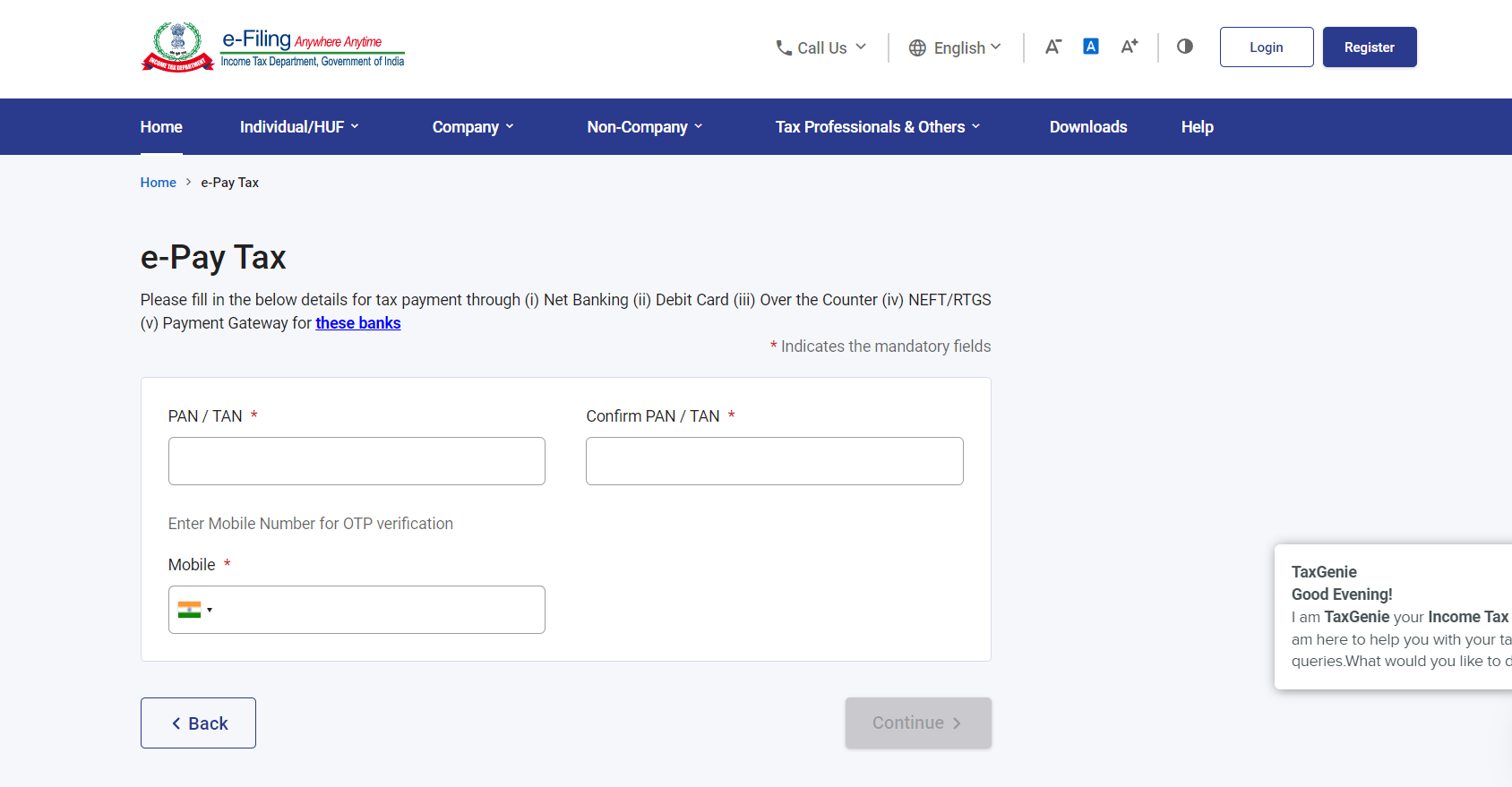
  • Go to the e-Pay Tax page on E-filing page

https://eportal.incometax.gov.in/iec/foservices/#/e-pay-tax-prelogin/user-details

Aadhaar-PAN Link

  • Enter Your PAN Card, Confirm PAN Card, and Enter Your Mobile Number linked with Aadhaar Card in the field provided. And click on Confirm.
  • Verify OTP on next page and click on Continue.

Aadhaar-PAN Link

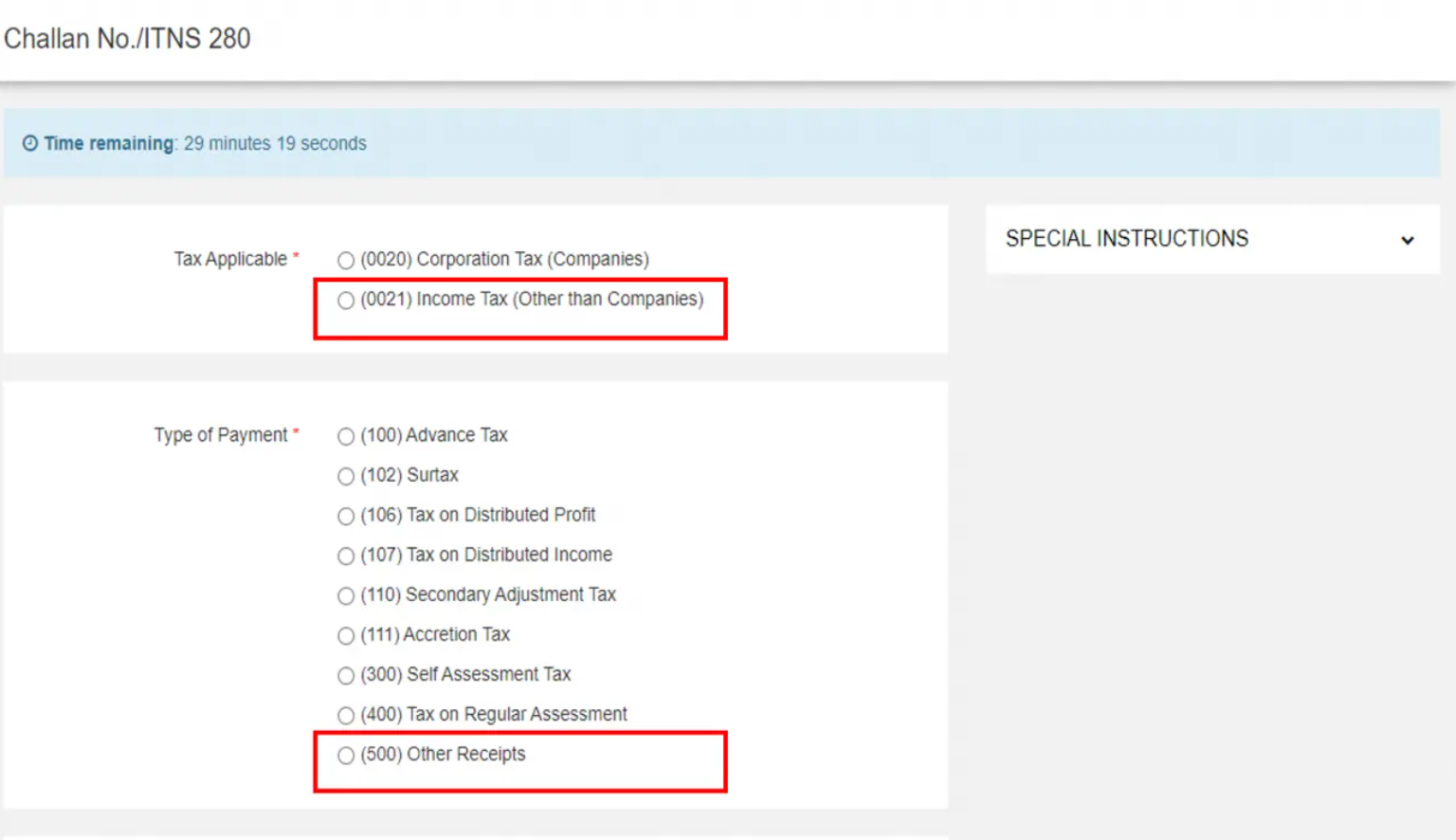
  • On the next screen, select head ‘(0021)’ and then ‘(500)’

Aadhaar-PAN Link

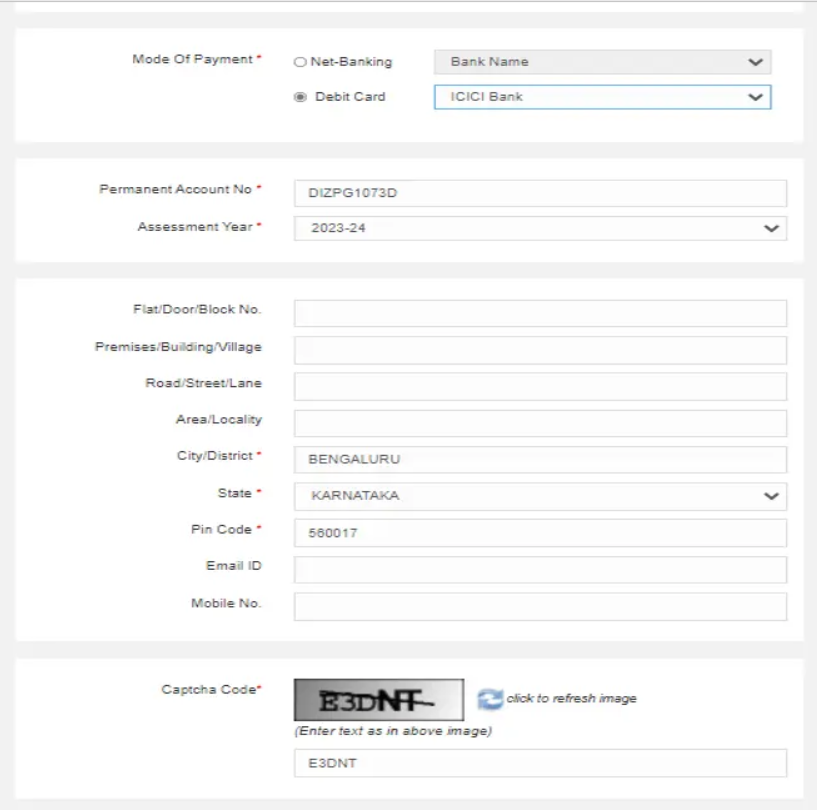
  • Scroll down to select the mode of payment and enter the required details (like your PAN, for Assessment Year select 2023-24, address, etc.)
  • Proceed to make the payment and follow the next steps to submit the PAN-Aadhaar link request.

NOTE – It is advisable to wait 4-5 days before submitting the request.

How to link Aadhaar with the PAN card?

There are three ways of linking your PAN to your Aadhaar:

  1. Linking of Aadhaar Number and PAN via SMS
  2. Without logging in to your account (2-step procedure)
  3. Logging in to your account (6-step procedure)

 Let’s take a look at each one by one.

Linking of Aadhaar Number and PAN via SMS

Link PAN-Aadhaar Via SMS by March 31, 2023. A Step-by-Step Guide Here

Now you can link your Aadhaar and PAN through SMS.

The income tax department has initiated an SMS-based facility for linking Aadhaar with PAN. It can be done by sending an SMS to either 567678 or 56161.

Send SMS to 567678 or 56161 from your registered mobile number in the following format:

 UIDPAN<SPACE><12 digit Aadhaar><Space><10 digit PAN>

 Example: UIDPAN 123456789123 AKPLM2124M

Linking of Aadhaar Number and PAN  Without Logging in to Your Account

Aadhaar-PAN Link

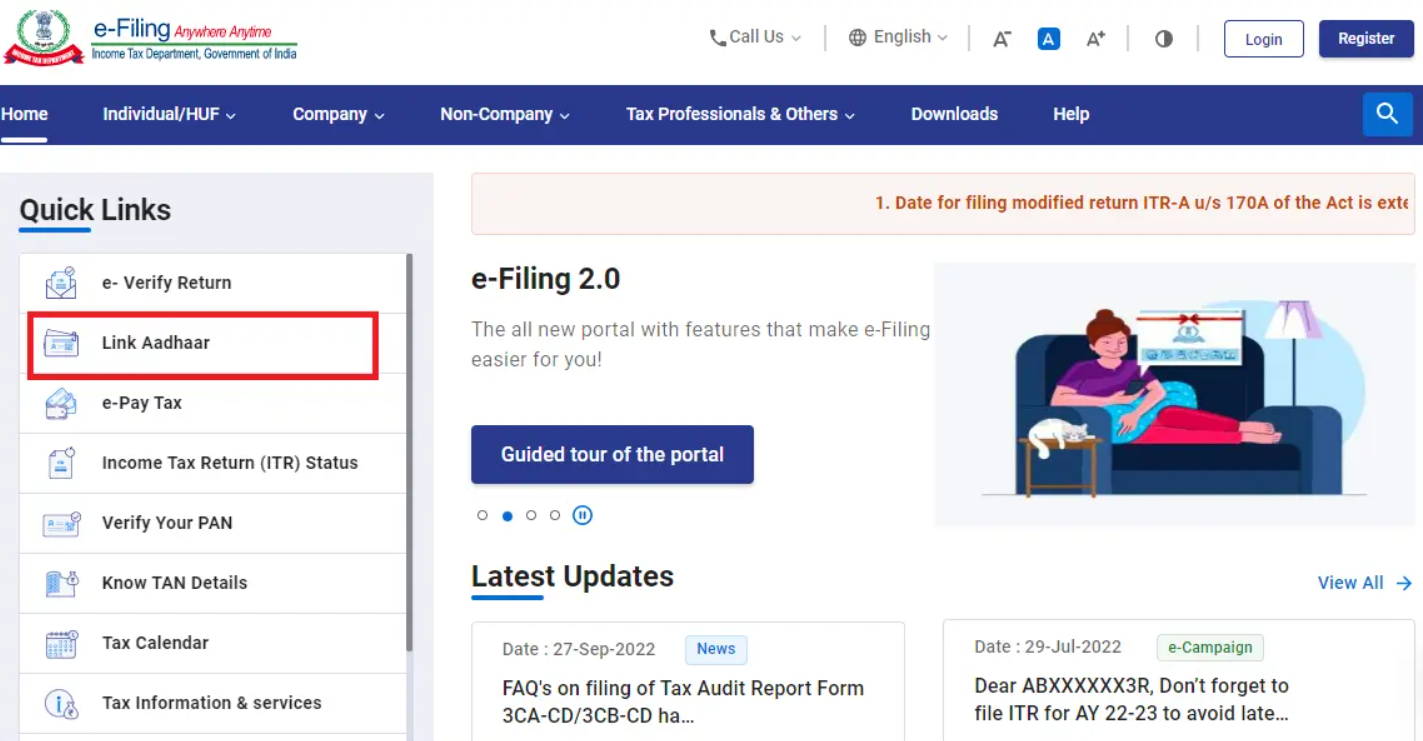
  • Go to the Income Tax e-filing portal. Under quick links, click on the ‘Link Aadhaar’ tab.

Aadhaar-PAN Link

  • Enter your PAN, Aadhaar number and click on Validate.

Aadhaar-PAN Link

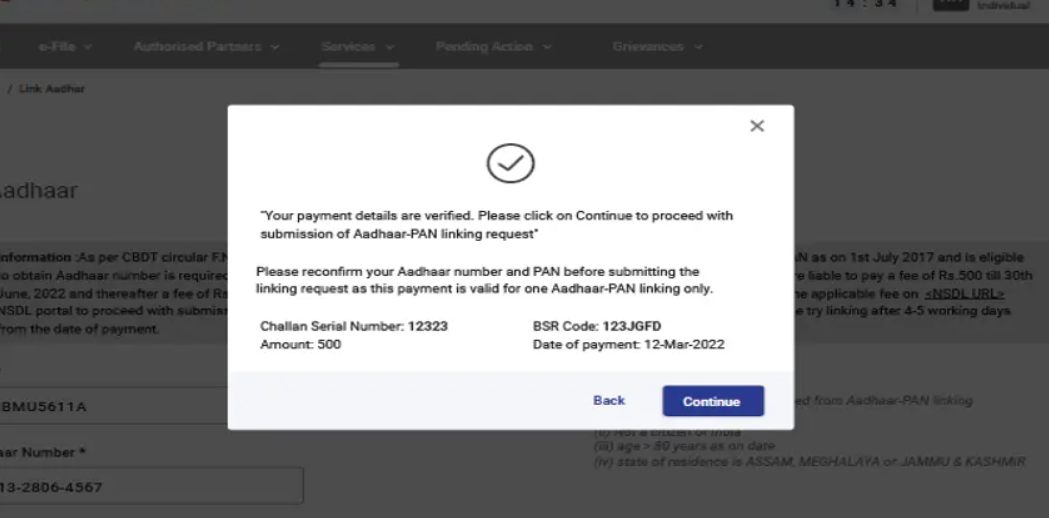
  • After validating PAN and Aadhar, you will see a pop-up message “Your payment details are verified”. Click the ‘Continue’ button to submit the ‘Aadhaar link’

Aadhaar-PAN Link

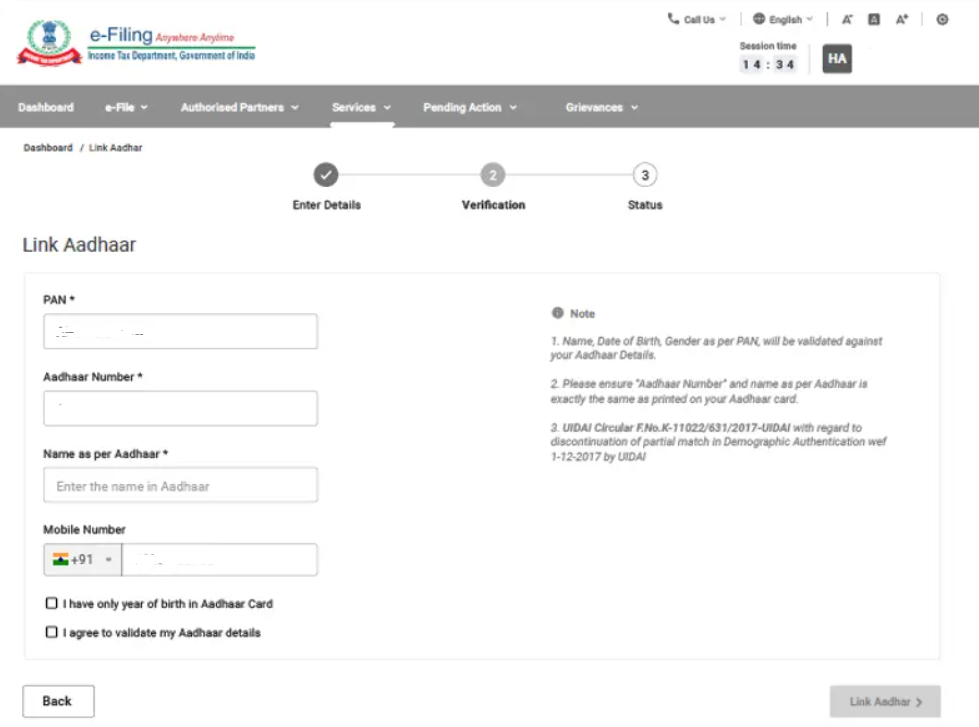
  • Enter the required details and click the ‘Link Aadhaar’ button.  

Aadhaar-PAN Link

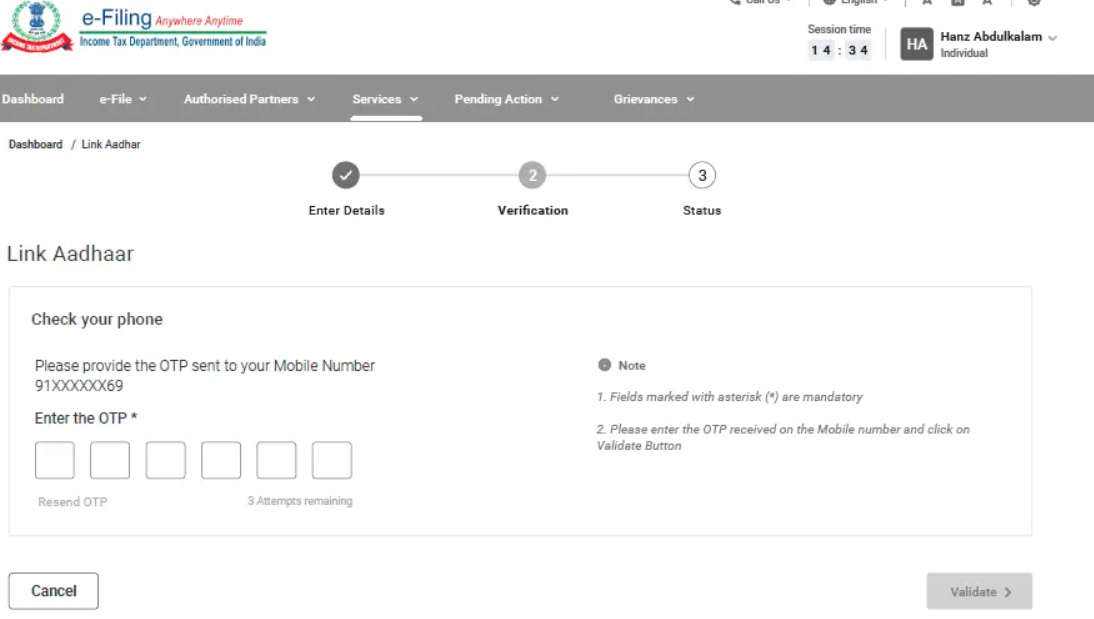
  • Enter the 6-digit OTP received on your mobile number and validate.

Your request see a success message on the screen. You may now check your Aadhaar-PAN link status.

Linking of Aadhaar Number and PAN Logging in to Your Account

  • Register yourself at the Income Tax e-filing portal, if you are not already registered.

Aadhaar-PAN Link

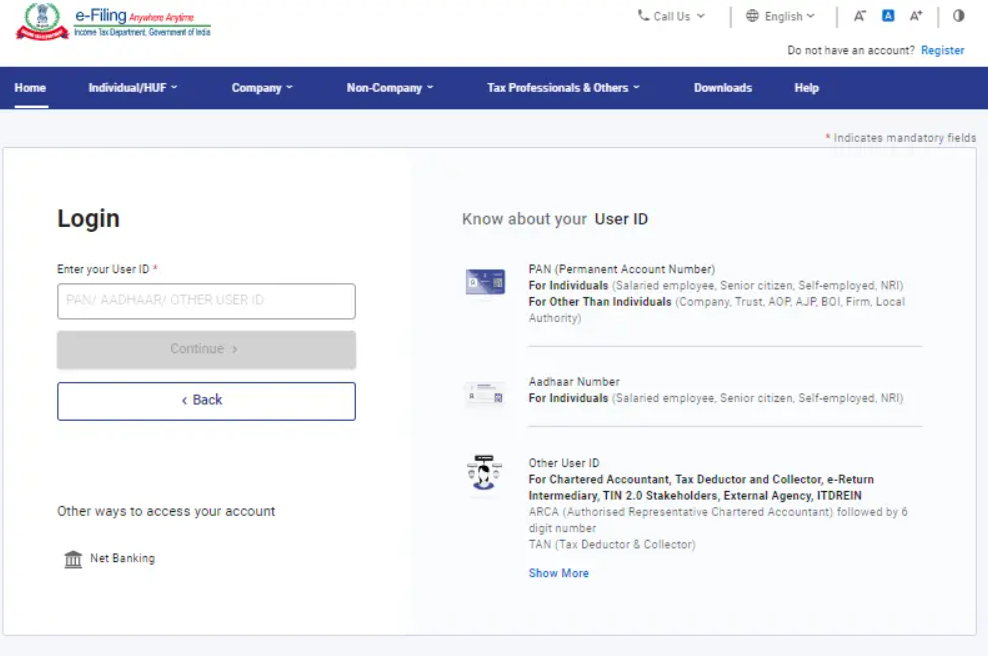
  • Log in to the e-filing portal of the income tax department by entering the user ID.
  • Confirm your secure access message and enter the password. And click ‘Continue’ to proceed further.

Aadhaar-PAN Link

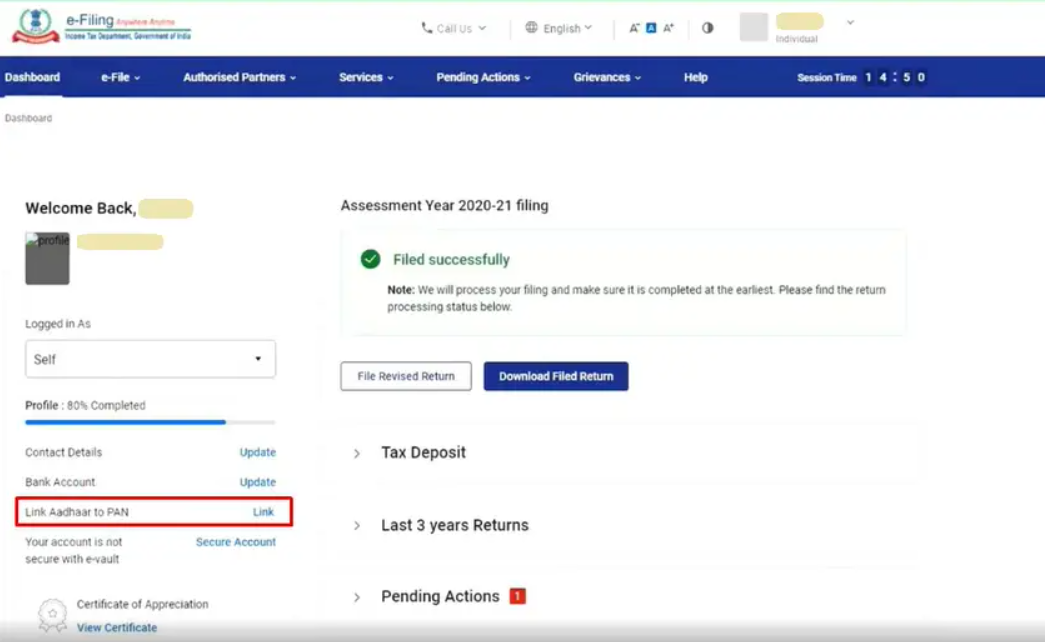
  • After logging in to the website, click on ‘Link Aadhaar’. Alternatively, go to ‘My Profile’ and select ‘Link Aadhaar’ under the ‘Personal Details’ option.
  • Enter details, enter your Aadhaar number and name as per Aadhaar. Verify the details on the screen with the ones mentioned on your Aadhaar card.
  • Click on the check box ‘I Agree to validate Aadhaar details’.
  • In case only the year of birth is mentioned in your Aadhaar card, then select the check box asking ‘I have only year of birth in Aadhaar card’.
  • Click on ‘Link Aadhaar’ button

Aadhaar-PAN Link

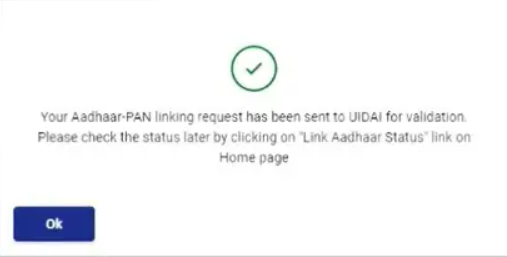
A pop-up message will inform you that your Aadhaar number has been successfully linked to your PAN card.

Alternatively, you can also link your Aadhaar with your PAN while filing your income tax return. The process is similar to the one mentioned above and can be done at the time of filing the return.

It is important to note that you should ensure that the details entered while linking your Aadhaar with your PAN match the details mentioned on both documents. If there is any discrepancy, the linking process may fail, and you may need to rectify the details first. Also, ensure that your Aadhaar card and PAN are not linked with any other PAN or Aadhaar card to avoid any issues.

FAQs

1) Who should link Aadhaar with a PAN card?

Ans) According to Section 139AA of the Income Tax Act, taxpayers with a PAN card should link it to their Aadhaar cards. Thus, all taxpayers must mandatorily link their PAN with their Aadhaar cards by 30 June 2023 by paying the penalty of Rs.1,000 else their PAN cards will become inoperative.

However, Non-Residents Indians (NRIs), citizens aged above 80 years, and residents of Assam, Meghalaya and Jammu and Kashmir need not link their Aadhaar with PAN cards since they come under the exempt category. Thus, check your Aadhaar-PAN link status to find out if your Aadhaar is linked with your PAN card. If it is not linked, ensure to link it by 30 June 2023 to prevent your PAN card from being inoperative.

2) Is it mandatory to link PAN and Aadhaar?

Ans) Yes, it is mandatory to link PAN and Aadhaar as per the Income Tax India rules. Failure to link PAN and Aadhaar by June 30, 2023, can result in the deactivation of your PAN.

3) What is the deadline for linking PAN and Aadhaar?

Ans) The deadline for linking PAN and Aadhaar has been extended several times. The latest deadline to link PAN with Aadhaar is June 30, 2023.

4) Can I link multiple PAN cards to one Aadhaar card?

Ans) No, you cannot link multiple PAN cards to one Aadhaar card. Each individual can only link one PAN card to one Aadhaar card.

5) Can I link my Aadhaar card to someone else’s PAN card?

Ans) No, you cannot link your Aadhaar card to someone else’s PAN card. Each individual must link their own Aadhaar card to their own PAN card.

6) Can I link my Aadhaar card to my PAN card if there is a mismatch in my name?

Ans) No, you cannot link your Aadhaar card to your PAN card if there is a mismatch in your name. You will need to correct the name on either your Aadhaar card or PAN card before linking them.

7) How can I correct the name on my Aadhaar card or PAN card?

Ans) You can correct the name on your Aadhaar card or PAN card by visiting the respective official websites and following the instructions for name correction.

8) How to link Pan-Aadhaar with penalty

Ans)

Step:1 Visit e-Filing portal Home page and click on Link Aadhaar in Quick Links section.
Step:2 Enter your PAN and Aadhaar Number
Step:3 Click on Continue to Pay Through e-Pay Tax.
Step:4 Enter your PAN, Confirm PAN and Mobile number to receive OTP
Step:5 Post OTP verification, you will be redirected to e-Pay Tax page.
Step:6 Click on Proceed on the Income Tax tab.
Step:7 Select AY as 2023-24 and type of Payment as Other Receipts (500) and click Continue.
Step:8(a) Applicable amount will be pre-filled against Others.
Alternatively, if you have a Bank account which is not listed for payment through e-Pay Tax, please follow the steps as under:
Step:8b(i) Click on hyperlink given below on e-Pay tax page to redirect to Protean (NSDL) portal
Step:8b(ii) You will be redirected to Protean portal. Click Proceed under Challan No./ITNS 280
Step:8b(iii) Select Tax applicable as 0021 and Type of Payment as 500
Step:8 b (iv) Provide other mandatory details and Proceed.

Please select the Assessment Year 2023-24 for making late fee payment for Aadhaar PAN linkage.

Post payment of fee you can link your Aadhaar number with PAN on the e-Filing Portal.

9) How to link PAN-Aadhaar after penalty payment?

Ans) Login income tax website, under Dashboard, in Profile Section under the Link Aadhaar to PAN option, click Link Aadhaar.

10) Who needs to link Aadhaar and PAN?

Ans) Section 139AA of the Income Tax Act provides that every individual who has been allotted a permanent account number (PAN) as on the 1st day of July, 2017, and who is eligible to obtain an Aadhaar number, shall intimate his Aadhaar number in the prescribed form and manner. In other words, such persons have to mandatorily link their Aadhaar and PAN before the prescribed date (31.03.2022 without fee payment and 31.03.2023 with prescribed fee payment For more details refer to CBDT circular No.7/2022 dated 30.03.2022.

11) For whom is Aadhaar-PAN linkage not compulsory?

Ans) Aadhaar-PAN linkage requirement does not apply to any individual who is:

Residing in the States of Assam, Jammu and Kashmir, and Meghalaya;
a non-resident as per the Income-tax Act, 1961; of the age of eighty years or more at any time during the previous year; or not a citizen of India.

Note:

1. The exemptions provided are subject to modifications depending on subsequent government notifications on this subject

2. For further details refer to Department of Revenue Notification No 37/2017 dated 11th May 2017”

3. However, for users falling in any of the above category, voluntarily desires to link Aadhaar with PAN fee payment of specified amount is required to be done.

12) How to link Aadhaar and PAN?

Ans) Both registered and unregistered users can link their Aadhaar and PAN on the e-Filing Portal, even without logging in. You can use the quick link Link Aadhaar on the e-Filing home page to link Aadhaar and PAN.

13) What will happen if I don’t link Aadhaar and PAN?

Ans) Kindly, refer to the Circular No. 7/2022 dated 30/3/2022

14) I cannot link my Aadhaar with PAN because there is a mismatch in my name/phone number/date of birth in Aadhaar and PAN. What should I do?

Ans) Correct your details in either PAN or Aadhaar database such that both have matching details. You can correct your PAN details on:

The TIN-NSDL website ), or
UTIISL’s PANOnline Portal ).
In case of Query/Assistance, please contact on NSDL /UTI helpline number: 033 40802999 ,03340802999 or write on e-mail id: utiitsl.gsd@utiitsl.com
You can correct your Aadhaar details on the UIDAI website ).

In case of Query/Assistance, please contact on toll-free number 18003001947 or 1947

15) What should I do if my PAN becomes inoperative?

Ans) Kindly, refer to the Circular No. 7/2022 dated 30/3/2022.

Also Read: PAN Card Online Apply: How to Apply for PAN Card Online, Check Status, and Download e-PAN?

Also Read: DigiLocker:What is DigiLocker? Registration, How to Delete Digilocker Account? How to access Aadhaar, PAN Card, driving license etc on your WhatsApp Importance of digilocker, Digilocker Mobile Application and More

Also Read: How to Download Aadhaar, PAN card on Your WhatsApp

How to Convert Word to PDF for Free

0

Free methods that let you convert Word documents into PDF files on mobile and on your computer.

PDF is one of the most popular file formats, from government circulars to ebooks. We’ve already shown you how to convert PDF to Word, and now we’re going to show you how to convert Word to PDF. Word to PDF is a relatively easy conversion because there are really simple Word to PDF converters available. You can convert Word to PDF for free without installing any apps too. Follow this guide to see how to convert Word to PDF.

HIGHLIGHTS

* You can easily make changes to a Word doc
* Learn to convert Word docs to PDF for free
* It isn’t very easy to modify a PDF file

How to convert Word to PDF

The first method we are going to show doesn’t require you to install any app on your device. It works across all devices, be it smartphones, tablets and computers. With that said, follow these steps.

1. Visit the website, www.hipdf.com.
2. Once the website is loaded, click on the third option from the top that says, Word to PDF.
3. After that, click Choose File > select the Word document from your phone’s or computer’s local storage and open it.
4. Once the document is finished uploading, hit Convert > wait for the file to finish the conversion > click on Download.
5. That’s it. Your Word document will now be converted into a PDF file.

If you want to convert Word to PDF offline, you can do so via Apple’s Pages app, which is a Word alternative for iOS and macOS. Here’s how to convert Word to PDF via Pages.

Convert Word to PDF using Google Docs on Mac or PC

1. Locate the Word document and open it in Pages.
2. Once the document is loaded, on Pages for Mac, click on File > Export To > PDF.
3. On Pages for Mac, a menu will pop-up, set the quality to Best and click on Next.
4. You’ll now be asked to enter the file name and edit the save location. Once done, hit Export. With this done, you have just now successfully converted a Word doc into a PDF file on a Mac.
5. On Pages for iOS, open the document, tap the three-dots icon on the top right > Export > PDF. The share sheet will open now and you can save it via the Files app, copy it to other apps, or share it with others.

That brings us to the last method that we’ll be suggesting to convert Word to PDF. This method is for the ones who have a Windows 10 machine and want to convert Word documents into PDFs. Simply, follow these steps.

Use iLovePDF to convert Word to PDF on Mac using a browser

1. Locate the Word document on your Windows 10 computer and open it in Microsoft Word.
2. Once the document is loaded, click on File > Save As > edit the file name.

Save Word file as PDF on iPhone Below that when you click, you’ll see a drop-down menu > select PDF.
3. Once done, hit Save and your Word file will now be downloaded as a PDF on your computer.

By following these simple methods, you can now easily convert Word documents into PDF files.

Use Print to convert Word to PDF on iPhone

Faqs on How to Convert Word to PDF for Free

1) How to convert Word to PDF on Mac?

Ans) You can use any of the three ways mentioned below to export a Word document as a PDF on Mac.

1. Use the Pages app

Pages is a free app from Apple and you can download it from the macOS App Store. Once you have the app, follow these steps to change a Word file into a PDF.

1) Right-click on the Word file in the Finder folder and select Open With > Pages.
2) Click File from the top left.
3)Select Export To and choose PDF.
4) Optionally, set the image quality and explore other options like adding password protection to the PDF.
When done, click Next.
5) Change the name and location if desired and click Export.

You have effortlessly converted a Word file into a PDF.

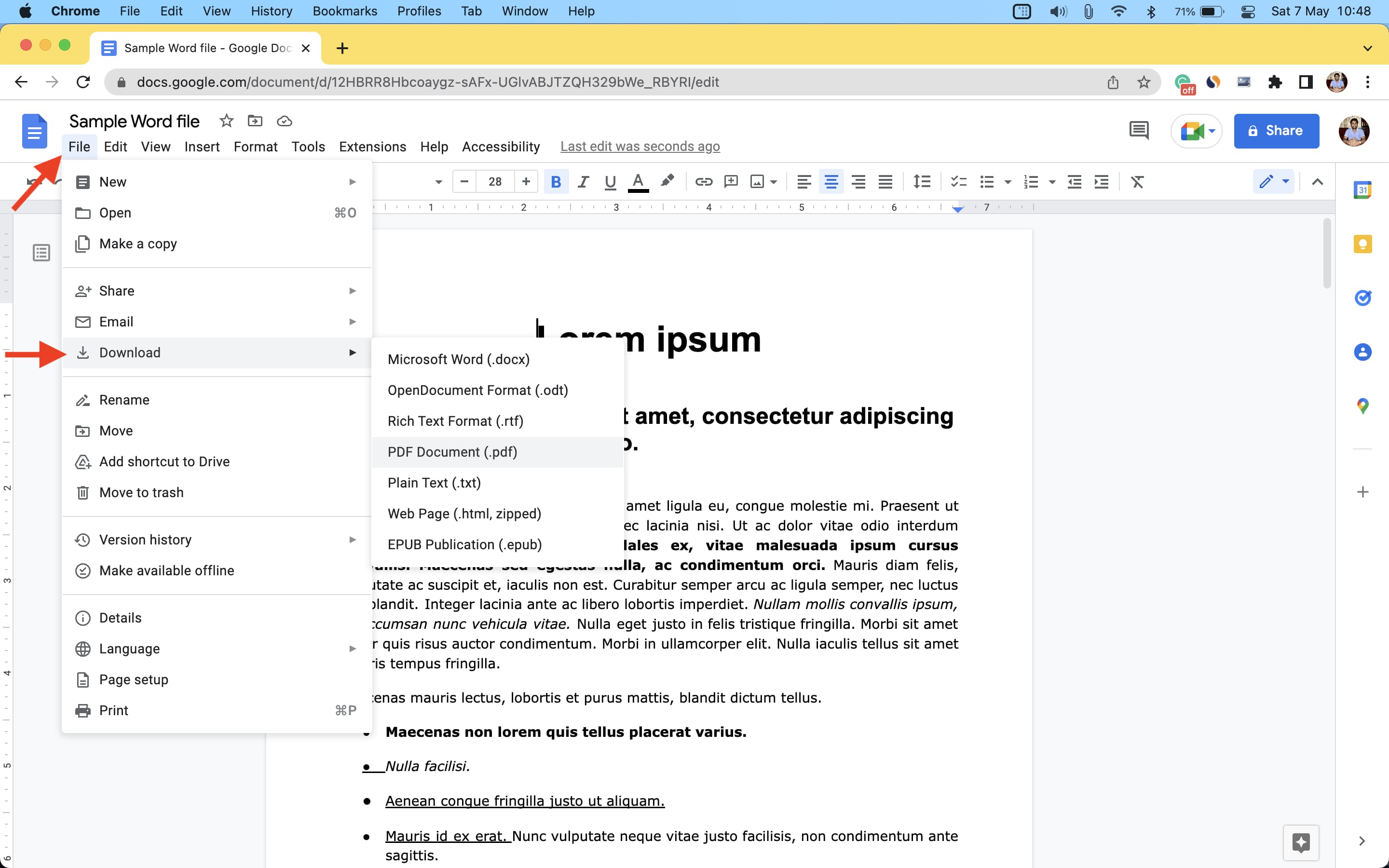
2. Use Google Docs

If you don’t have the Pages app, downloading it may take a while if your internet connection isn’t fast . In these situations, you can use Google Docs in your Mac’s web browser (Chrome, Safari, Firefox, etc.) to convert a Word file to PDF.

Here’s how to use Google Docs to export a Word document as a PDF:

1) Visit Google Docs at docs.google.com and make sure you’re signed in to your Google account.
2) Click Blank to start a new document.
3) Press Command + O or click File > Open.
4) Choose Upload and drag the Word file here or select from the Finder folder.
5) Once the Word file is uploaded, it should open in Google Docs. If not, click Open.        6)Select File > Download > PDF Document
The Word file will instantly convert and save as a PDF to your Mac

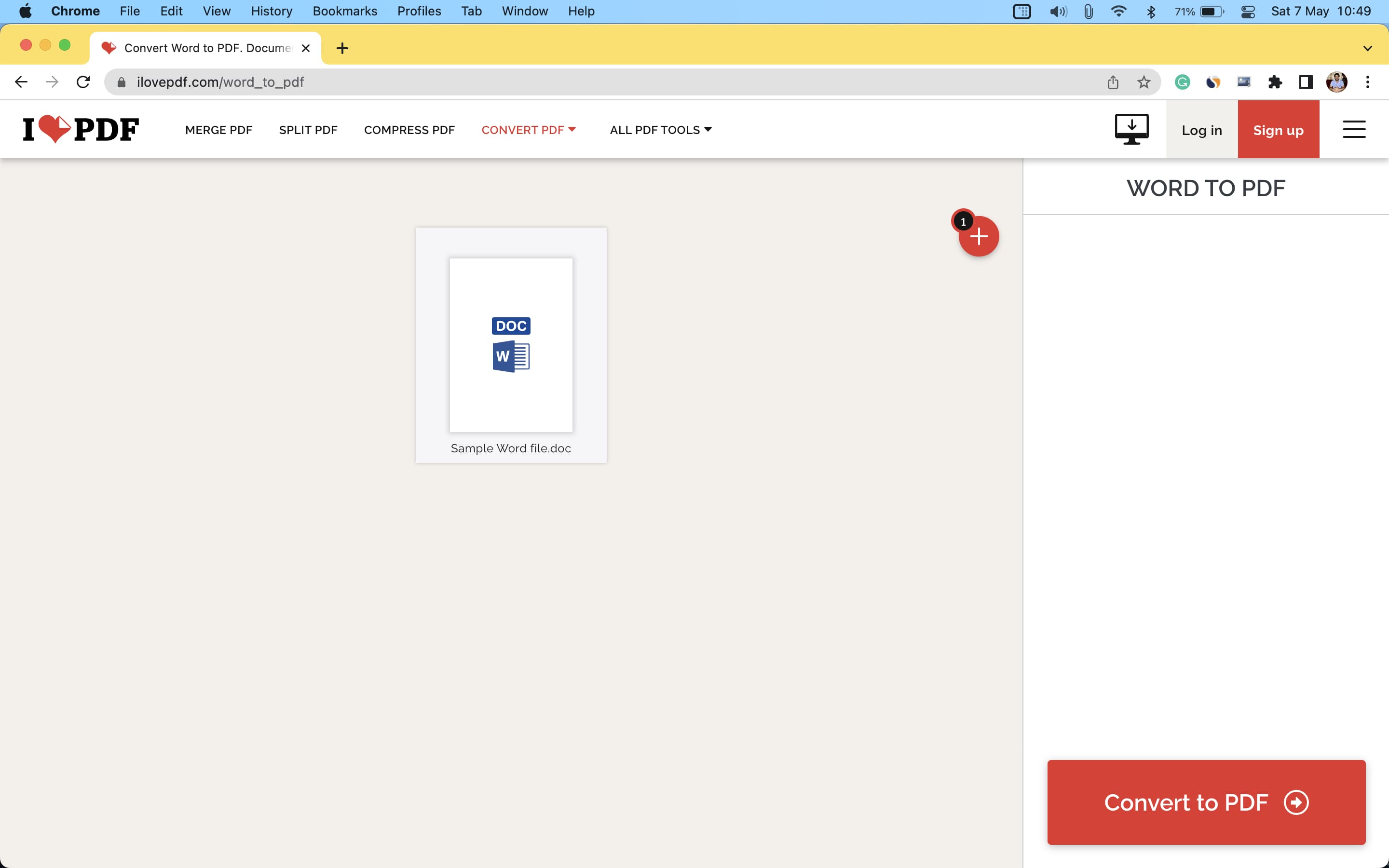
3. Use iLovePDF.com

If you have some non-sensitive Word files, you can use this method to convert them instantly to PDF. The best part is, even in the free version, you can convert up to three Word files to PDF in one go. And if you subscribe to their premium plan, this number can go up to 10.

Here’s how to use iLovePDF to change a Word file to PDF:

1) Visit iLovePDF.com in a web browser and go to its Convert WORD to PDF page.
2) Drag the Word files here or click Select Word files and add from your Finder.
3) Click Convert to PDF.
4) Once done, click Download PDF.

2) How to convert Word to PDF on iPhone and iPad

Ans) Making a Word file into a PDF is effortless on iPhone and iPad. The best part is you don’t even need an additional app!

1. Use the Files app

Files app comes preinstalled on all recent versions of iOS and iPadOS. In case you deleted it, download it from the App Store. After that, make sure the Word file is saved inside the Files app.

If the Word file is in some other app, open it, tap the share icon and choose Save to Files. And in case the Word file is in a third-party cloud storage service like Google Drive, Dropbox, etc., you can simply enable these services .

Here’s how to use the iPhone Files app to convert a Word file to PDF:

1) Open the Files app, tap Browse and go to the folder where the Word file is saved.
2) Tap the Word file, and it will open inside the Files app.
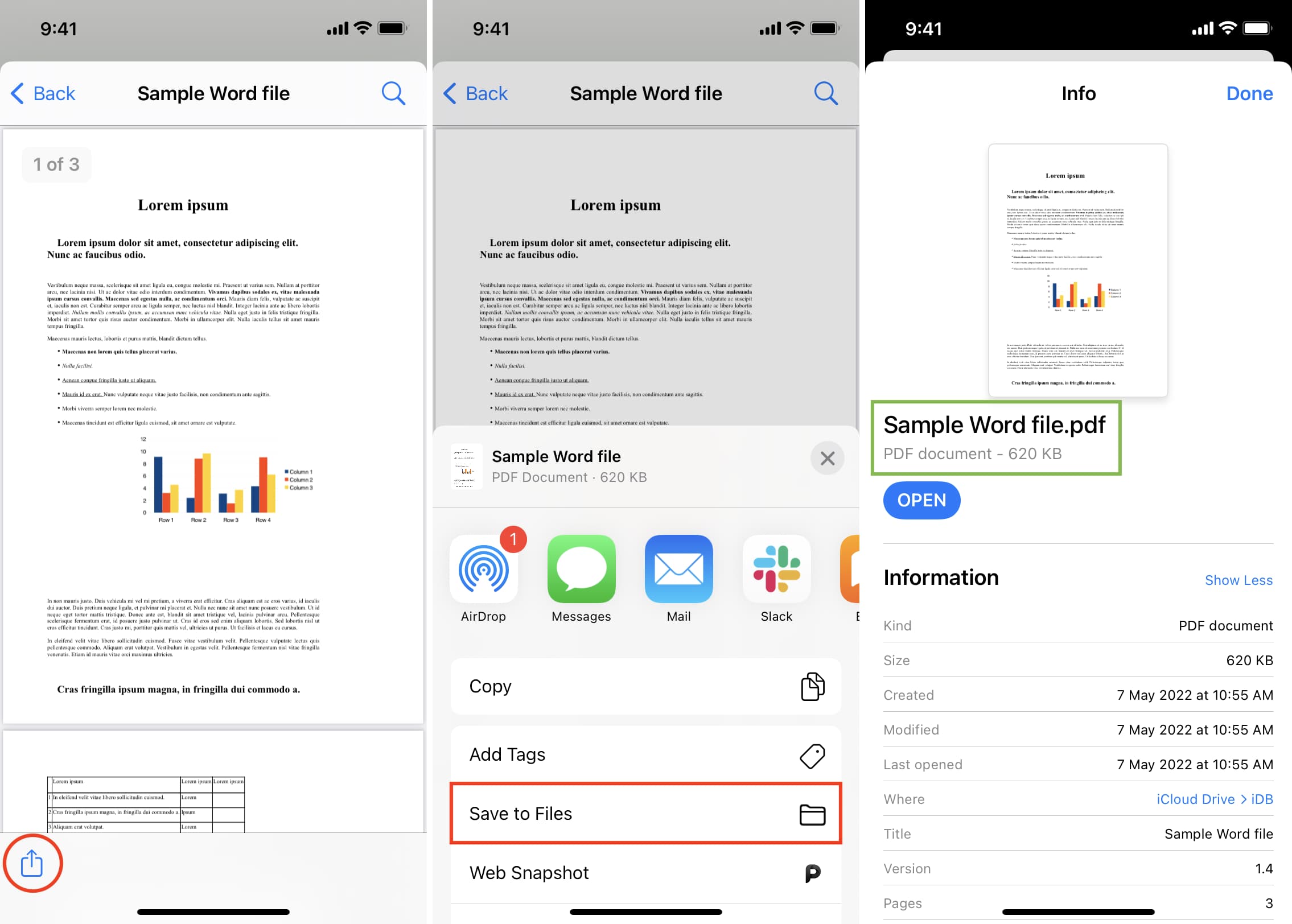
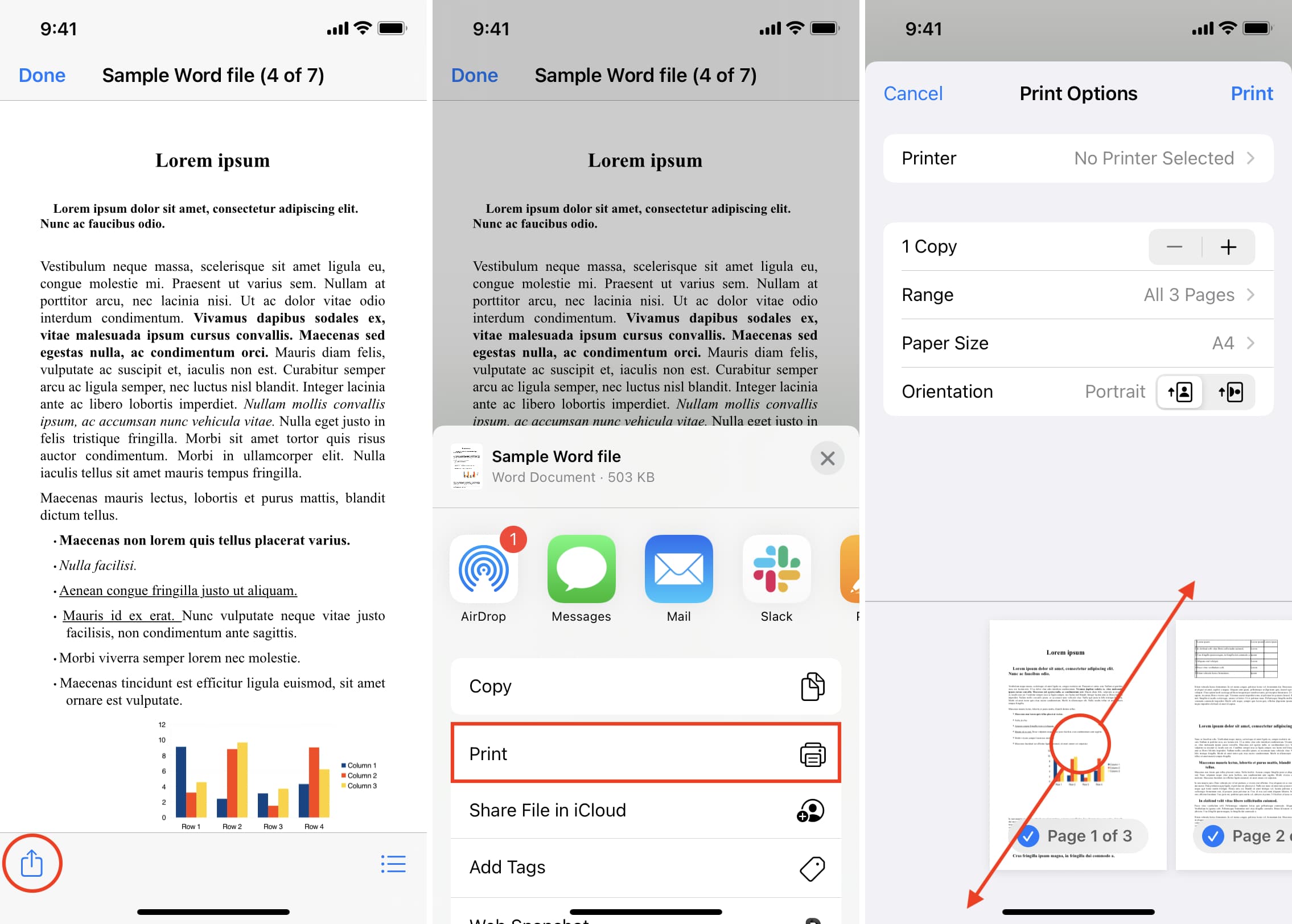
3) Select the share icon.
4) On the Share Sheet, choose Print.
5) Put two fingers on the page thumbnail and pinch out.                                      6)Tap the share icon again and choose Save to Files > choose any location > Save.
You have successfully converted a Word file into a PDF, all from the iOS Files app. To be sure, press the newly created document and tap Get Info. You will see that it’s a PDF.
2. Use an iOS shortcut

Ans) With the help of this simple shortcut that I built, you can instantly convert a Word file to PDF in just a few taps.

Follow these steps to use an iOS shortcut to convert a Word document into PDF:
1) Tap this iCloud link and then tap Add Shortcut to get the Save As PDF shortcut.
2) Go to the Files app or the app where the Word file is saved. From here, open the Word file and tap the share icon.
3) In the Share Sheet, select Save As PDF.
4) The shortcut will swiftly convert the Word file to PDF. Finally, choose a folder and tap Done to save the PDF version of the document.

Go to the Files app folder where you saved the final converted file to access it.

3. Use the Pages mobile app
Apple’s Pages app is also available free download on the iOS & iPadOS App Store.
Get the app and follow these steps to convert a Word document into a PDF file.

Here’s how to use Pages to change a Word file to PDF on iPhone or iPad:

1) Open Pages and tap Browse. Now, go to the location where the Word file is saved and tap to open it.
2) Choose the more icon (three dots inside a circle).
3) Select Export and choose PDF from the list of formats.
4) Tap Export, and it should show the Share Sheet.
5) From the Share Sheet, tap Save to Files > choose any location > Save.

This is how you can quickly and easily convert Word files to PDF on your iPhone, iPad, or Mac.

Besides the above options, you can also use dedicated iOS, iPadOS, or macOS apps that can do this job for you. Simply open the App Store and search for Word to PDF converter. Go through the search result and download an app with good ratings. However, keep in mind that, unlike the above methods, most third-party apps will either require payment or show several ads before you can complete the Word to PDF conversion.

3) How to convert Word to PDF

Ans) Follow these easy steps to turn Microsoft Word files into PDFs:

1)Click the Select a file button above, or drag and drop your Word doc into the drop zone.
2)Select the RTF, TXT, DOCX, or DOC file you want to convert into the PDF format.
3)Watch Acrobat automatically convert the file.
4)Download your new PDF or sign in to share it.

4) How to Convert a Document to PDF Using Word?

Ans) If you have the desktop version of Microsoft Word installed on your Windows PC or Mac, the easiest way to convert your document to PDF is right in Word itself.
Open the document you want to convert and then click the “File” tab.

On the backstage screen, select “Save As” from the list on the left.

Next, from the Save As screen, select where you would like the PDF to be saved (OneDrive, This PC, a particular folder, or wherever).

Click the dropdown arrow on the right side of the “Save As Type” box and select “PDF (*.pdf)” from the dropdown menu.

If you want to, you can change the filename at this time. When you’re ready, click the “Save” button.

After saving the PDF, you’ll be returned to your Word document, and the new PDF will open automatically in your default PDF viewer.

If You Don’t Have Microsoft Word

If you don’t have Word, but need to convert a document someone sent you to PDF, you do have a few options:

* Google Drive: You can upload a Word document to Google Drive, save it as a Google Document, and then convert it to PDF. This works well enough if you have a simple, mostly text Word document without much formatting (and if you already have a Google account).
* A Conversion Website: There are a lot of sites out there that offer to convert Word documents to PDF for free. We recommend freepdfconvert.com. It’s a safe site, it works fast, and it does a pretty good job on Word documents with even a modest amount of formatting. And it really is free if you just need to convert the occasional Word document to PDF. A paid subscription gets you additional features like unlimited conversions (multiple documents at once), and the ability to convert more types of files.
* LibreOffice: LibreOffice is a free, open-source office app that offers a lot of the same features as Microsoft Office. You can even open Microsoft Word documents, and convert them to PDF.

5) Why convert Word files to PDF?

Ans) Word files (.doc or docx) can be easily edited, while PDF files (.pdf) require special apps to make edits. So, if you plan to send a document like a resumé, rent agreement, bill, or research paper that you don’t want to be edited, PDF is an ideal choice.
Secondly, if you use a fancy font in Word files, the same may look different if someone opens that file in some other Word app on a mobile or computer. However, PDF is great for preserving style, format, and looks.

Besides that, certain websites like those related to tax and such might only allow you to upload PDF files. If you try to upload a Word file, it will show an error.
So, if you want to change a Word document to PDF due to a specific reason or one mentioned above, here are some safe, free, and swift ways to do that.

Also Read: How to Remove Password from PDF?

Also Read: Secret Essential Windows Keyboard Shortcut Keys You Didn’t Know Existed on Your Keyboard

Motorola teases Razr 2023 smartphone launch, to feature a larger cover display & Higher Refresh Rate

0
Motorola Razr+ (2023)

HIGHLIGHTS

* The upcoming phone will likely launch as the Motorola Razr+ 2023 in some regions, including China and Canada.
* The foldable will be powered by the Qualcomm Snapdragon 8+ Gen 1 SoC.
* It will feature a new and improved cover display which is expected to measure 3.2 inches.
* The Moto Razr+ 2023 is tipped to feature a larger secondary display.
* The device might be powered by Snapdragon 8+ Gen 1 processor.
* The handset is expected to run Android 13 OS with My UX on top.

Motorola has recently announced the upcoming release of its new foldable screen phone, the Moto Razr 2023.

The company claims that the phone represents the “ultimate form of small foldable screens” due to its large external screen and high screen-to-body ratio. Although the release date of the vertical foldable has not yet been confirmed, it is speculated that the phone will launch sometime next month and feature a familiar design, as depicted in a teaser poster on Weibo.

Motorola Razr Pro


While the teaser poster does not disclose the device’s name, it is likely that the phone will be called the “Moto Razr Pro 2023” or the “Razr 40 Ultra”. One of the most notable features of the Moto Razr 2023 is its nearly edgeless cover display, which is rumored to be 3.26 inches in size, an upgrade from the 2.7-inch OLED panel on the Motorola Razr 2022.

The Moto Razr 2023 has already obtained certification from several global agencies, and it has also been seen on India’s BIS certification, revealing some critical specifications.


Moto Razr 2023

Lenovo-owned Motorola is preparing for the launch of the new phone in the Moto Razr series. The upcoming handset is tipped to be named as the Moto Razr+ 2023, and the company has now officially teased the arrival of this smartphone.

Though the brand has not revealed the launch date of the phone yet, it has posted a teaser on Weibo revealing that the handset will have a large external display and a higher refresh rate. As disclosed by Motorola through the teaser, the upcoming Razr+ 2023 will have a vertical folding design.

Motorola Razr 2023 Specifications (ZRumoured)

Moto Razr 2023

The Moto Razr 2023 is rumoured to come with a 6.7-inch OLED foldable panel with Full HD+ resolution and a 120Hz refresh rate. The handset will feature a much larger cover display standing at 3.26 inches, which is said to span half the length of the phone.

At its heart, the Razr 2023 will likely be powered by the Qualcomm Snapdragon 8+ Gen 1 SoC paired with up to 12GB RAM and 256GB storage. As for the cameras, the Razr 2023 is expected to retain the dual-camera setup with a 50MP primary camera with support for Optical Image Stabilization (OIS), along with a secondary 13MP ultra-wide-angle camera. The handset will also come with a 32MP camera for selfies and video calls.

Moto Razr 2023

The handset will ship with Motorola My UX 5 based on Android 13 out of the box along with a promise of 2 future Android version updates. The handset passed China’s quality certification center, revealing that it will have a 3,640mAh battery and support 33W fast charging.

6-72
8-44
5-92
6-72 8-44 5-92

MOTOROLA RAZR 2023 KEY SPECIFICATIONS

Key Specs

RAM 8 GB
Processor Qualcomm Snapdragon 8 Plus Gen 1
Rear Camera 64 MP + 13 MP
Front Camera 32 MP
Battery 4000 mAh
Display 6.7 inches (17.02 cm)

General

Launch Date June 21, 2023 (Unofficial)
Operating System Android v12

Performance

Chipset Qualcomm Snapdragon 8 Plus Gen 1
CPU Octa core (3.2 GHz, Single core, Cortex X2 + 2.75 GHz, Tri core, Cortex A710 + 2 GHz, Quad core, Cortex A510)
Architecture 64 bit
Fabrication 4 nm
Graphics Adreno 730
RAM 8 GB

Display

Display Type P-OLED
Screen Size 6.7 inches (17.02 cm)
Resolution 1080 x 2400 pixels
Aspect Ratio 20:9
Pixel Density 393 ppi
Screen Protection Corning Gorilla Glass v5
Bezel-less display Yes with punch-hole display
Touch Screen Yes, Capacitive Touchscreen, Multi-touch
Refresh Rate 144 Hz

Design

Waterproof Yes, Splash proof

Camera

MAIN CAMERA
Camera Setup Dual
Resolution 64 MP, Primary Camera
13 MP, Ultra-Wide Angle Camera
Autofocus Yes
Flash Yes, LED Flash
Image Resolution 9000 x 7000 Pixels
Settings Exposure compensation, ISO control
Shooting Modes Continuous Shooting
High Dynamic Range mode (HDR)
Camera Features Digital Zoom
Auto Flash
Face detection
Touch to focus
FRONT CAMERA
Camera Setup Single
Resolution 32 MP, Primary Camera

Battery

Capacity 4000 mAh
Type Li-Polymer
Removable No
Quick Charging Yes, Fast
USB Type-C Yes

Storage

Internal Memory 128 GB
Expandable Memory No

Network & Connectivity

SIM Slot(s) Dual SIM, GSM+GSM
SIM Size SIM1: Nano, SIM2: Nano
Network Support 5G Not Supported in India, 4G Supported in India, 3G, 2G
VoLTE Yes
SIM 1
4G Bands:
TD-LTE 2300(band 40)
FD-LTE 1800(band 3)
3G Bands:
UMTS 1900 / 2100 / 850 / 900 MHz
2G Bands:
GSM 1800 / 1900 / 850 / 900 MHz
GPRS:
Available
EDGE:
Available
SIM 2
4G Bands:
TD-LTE 2300(band 40)
FD-LTE 1800(band 3)
3G Bands:
UMTS 1900 / 2100 / 850 / 900 MHz
2G Bands:
GSM 1800 / 1900 / 850 / 900 MHz
GPRS:
Available
EDGE:
Available
Wi-Fi Yes, Wi-Fi 4 (802.11 b/g/n)
Wi-Fi Features Mobile Hotspot
Bluetooth Yes, v5.2
GPS Yes with A-GPS, Glonass
NFC Yes
USB Connectivity Mass storage device, USB charging

Multimedia

Loudspeaker Yes
Audio Jack USB Type-C

Sensors

Fingerprint Sensor Yes
Fingerprint Sensor Position On-screen
Fingerprint Sensor Type Optical
Other Sensors Light sensor, Proximity sensor, Accelerometer, Compass, Gyroscope

Faqs on Moto Razr + 2023

1) Moto Razr+ 2023 Launch Teased? details

Ans) The teaser revealed by Motorola doesn’t explicitly reveal the name of the upcoming Razr handset. However, as mentioned above, the device could debut as the Moto Razr+ 2023, or as the Motorola Razr 40 Ultra. As far as the specifications go, the phone is said to feature a larger external display than 2.7-inches, which the Moto Razr 2022 has. Under the hood, the smartphone is expected to come with Snapdragon 8+ Gen 1 SoC. The handset is said to pack up to 8GB or 12GB of RAM. Furthermore, the phone is tipped to run Android 13 OS with My UX on top. As far as the other details of the device go, it is tipped to ship with a 3,640mAh battery which could offer 33W fast charging support.

Recently, the device also had made an appearance at India’s BIS certification with the model number XT2321-1. As mentioned above, the official launch date of the Moto Razr+ 2023 is vet to be revealed by Motorola. However, now that the company has started teasing the handset, we can expect its launch to happen in the upcoming few weeks.

2) What are the specifications of Moto Razr +2023?

Ans) The upcoming Moto Razr+ 2023 will succeed the Moto Razr 2022 which debuted back in August last year. To recall, the device features a 6.7-inches foldable AMOLED display with a Full HD+ 1080 x 2400 pixels resolution. The secondary display on the device is of 2.7-inches and it has a 573 × 800 pixels resolution. Powering the handset under the hood there is a Snapdragon 8+ Gen 1 SoC which is accompanied with a 12GB of RAM and 512GB of internal storage. The handset runs Android 13 out of the box.

In terms of optics department, the handset features a dual-camera setup which consists of a 50MP main camera and a 13MP ultra-wide lens. The other key specifications of the Razr 2022 include a 32MP selfie camera, stereo speaker setup, a 3,500mAh battery, a side-mounted fingerprint sensor, and 30W fast charging support.

Also Read: Motorola Razr+ (2023) To Feature 33W Fast Charging, Revealed by 3C Certification Ahead of Launch

Also Read: Motorola Razr 2023 takes the outer screen to a whole new level, leaked design renders reveal bigger cover display, a probable under-display selfie camera & more