This enhancement allows users to record and send voice messages within their chats, offering a new dimension to online communication within the platform.
However, this feature debuts exclusively for paid Google Workspace accounts.
Voice Messaging: A Closer Look
Voice messages now available in Google Chat for Workspace accounts
The new voice messaging capability is designed with user convenience in mind.
It replaces the previously grayed-out send icon in Google Chat’s Android and iOS applications with a new microphone button, positioned next to the photo/gallery button for easy access.
Users can start recording their message with a simple tap on the microphone icon, eliminating the need to hold it down during recording.
As you speak, Google Chat visually represents your voice with a live waveform, accompanied by a timer to track the duration of your message.
Before sending, you have the option to playback your recording for review or delete it if a retake is necessary.
Once sent, voice messages are visually displayed as waveforms within a pill-shaped container in direct messages, group chats, and Spaces.
Recipients can interact with these voice messages just like any other chat content, including quoting, reacting, and replying.
At its launch, the voice messaging feature is accessible to subscribers of Workspace Enterprise Essentials, Enterprise Essentials Plus, Enterprise Standard, and Enterprise Plus tiers.
Users with free or lower-tier accounts will need to await further updates for access.
The rollout begins today and will gradually reach all eligible users over the next few weeks.
FAQs
How can I send a voice message in Google Chat?
To send a voice message in Google Chat on Android or iOS, simply open a conversation and tap on the new microphone icon next to the photo/gallery button.
The app will start recording your message immediately without needing to hold the button, and you can review or delete the recording before sending.
Who has access to the new voice messaging feature in Google Chat?
At its launch, the voice messaging feature in Google Chat is available exclusively to users with Workspace Enterprise Essentials, Enterprise Essentials Plus, Enterprise Standard, and Enterprise Plus accounts.
Users with free or other lower-tiered Google Workspace accounts will need to wait for wider access in future updates.
Can I review my voice message before sending it in Google Chat?
Yes, Google Chat allows you to playback your recorded voice message before sending it. If you’re not satisfied with the recording, you have the option to delete it and record a new message.
Will Google Chat voice messages be available on web browsers?
While the voice messaging feature is initially rolling out on mobile devices, Google has announced that web support for voice messages in Google Chat is in the works and will be coming soon.
Slated for June 10 through June 14, the event will kick off with an in-person keynote at Apple Park, welcoming a select group of developers and students, alongside virtual streaming options for a global audience.
Greg Joswiak, Apple’s Senior Vice President of Worldwide Marketing, intriguingly highlighted the upcoming WWDC as “Absolutely Incredibly,” emphasizing “AI” in capital letters, potentially signaling a focus on AI innovations.
Apple Newsroom mentions: “Apple today announced it will host its annual Worldwide Developers Conference (WWDC) online from June 10 through 14, 2024. Developers and students will have the opportunity to celebrate in person at a special event at Apple Park on opening day.”
“WWDC24 will spotlight the latest iOS, iPadOS, macOS, watchOS, tvOS, and visionOS advancements. As part of Apple’s ongoing commitment to helping developers elevate their apps and games, the event will also provide them with unique access to Apple experts, as well as insight into new tools, frameworks, and features,” the company noted in its press release.
“WWDC is all about sharing new ideas and providing our amazing developers with innovative tools and resources to help them make something even more wonderful,” said Susan Prescott, vice president, Worldwide Developer Relations, Apple.
What to Expect at WWDC 2024
Developers and students will have the opportunity to celebrate in person at a special event at Apple Park on opening day.
This year’s event, emphasizing inclusivity, will offer free entry to all developers, with live broadcasts available through the Apple Developer app, website, and YouTube.
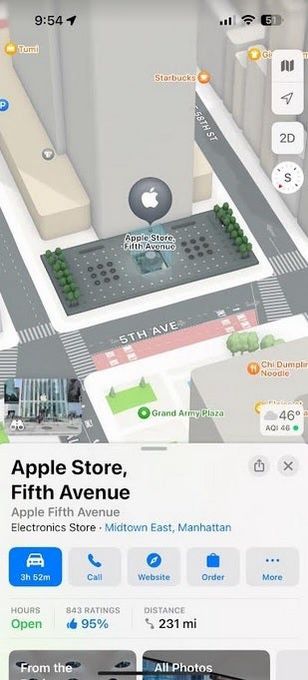
Apple Maps users could get the ability to create custom routes with iOS 18
This move comes on the heels of Apple’s acquisition of DarwinAI, suggesting a pivotal shift towards integrating artificial intelligence within its ecosystem.
Revolutionary Features on the Horizon
Revolutionary Features on the Horizon
Siri, Apple’s virtual assistant, is anticipated to receive a substantial upgrade, adopting large-language models to enhance conversational abilities and task automation.
Mark Gurman of Bloomberghighlights that the upcoming announcements will focus on proactive features designed to simplify users’ daily routines.
However, Apple is not expected to unveil a dedicated chatbot.
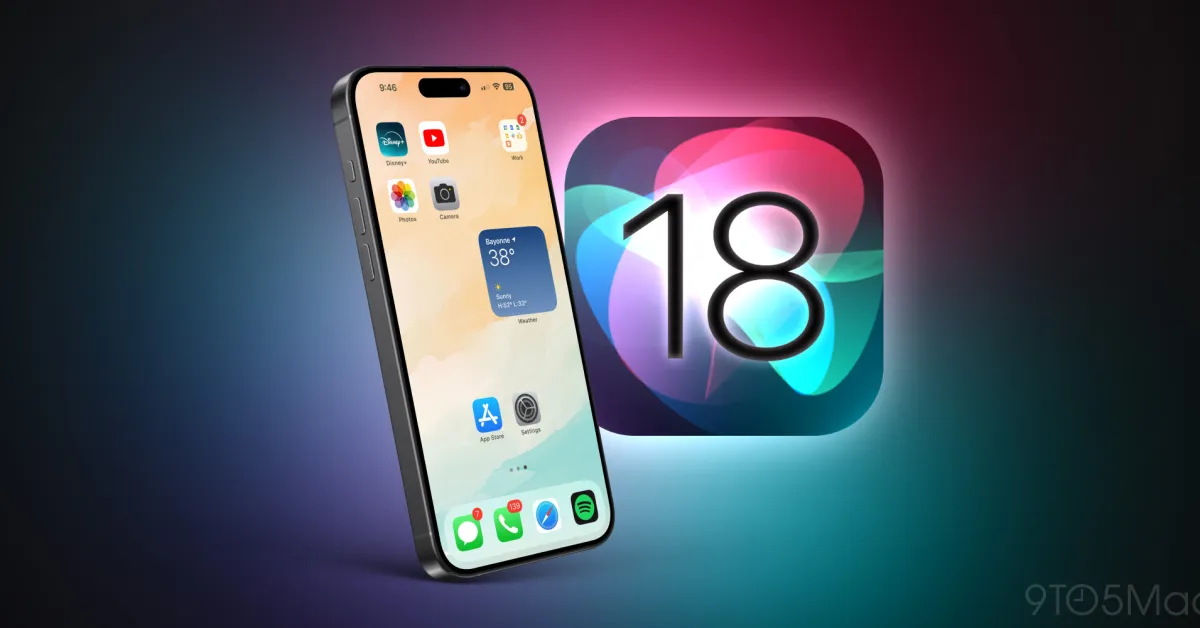
Instead, iOS 18 will introduce UI enhancements, including flexible Home Screen customization, allowing users to break free from the traditional grid layout.
Apple Developer app has plenty of information about WWDC 2024
WWDC 2024 is set to introduce significant updates across Apple’s operating systems, including iOS, iPadOS, macOS, watchOS, tvOS, and visionOS.
Key highlights include the anticipated launch of iOS 18, which is expected to bring advanced AI capabilities and a new design philosophy influenced by visionOS.
How can I watch the WWDC 2024 keynote?
The WWDC 2024 keynote will be available for live streaming through the Apple Developer app, the Apple Developer website, and YouTube.
The event, running from June 10 to June 14, will also welcome a select number of developers and students for an in-person viewing at Apple Park.
Will Siri get any updates in iOS 18?
Yes, Siri is expected to undergo significant improvements with the iOS 18 update, incorporating large-language models to enhance its conversational abilities and automate tasks more efficiently, marking a significant leap forward in Apple’s virtual assistant technology.
Is Apple planning any collaborations for its AI features in iOS 18?
Reports suggest that Apple may be partnering with industry leaders like Google, Baidu, and OpenAI to power the new AI features in iOS 18.
These collaborations aim to integrate cutting-edge artificial intelligence technologies into the Apple ecosystem, enhancing user experiences.
Camera:
⚡ Enhanced overall camera performance.
👤 Improved Portrait Mode.
🌈 Enhanced camera saturation and tone.
General improvements:
🔌 Optimised compatibility with certain charging adaptors.
📡 Enhanced stability and compatibility of Bluetooth… pic.twitter.com/mDXY3aj50u
— Nothing (@nothing) March 26, 2024
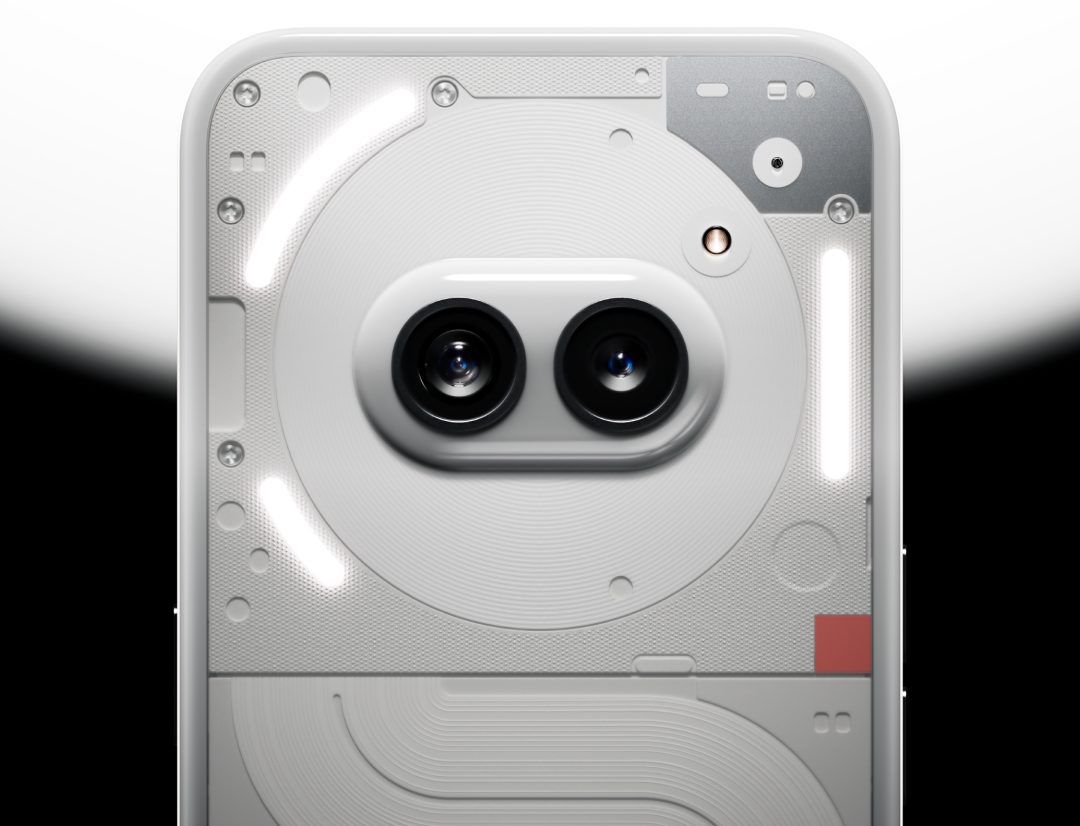
Camera Upgrades: Users can expect a boost in the camera’s performance, with notable improvements in Portrait Mode’s quality.
The update aims to refine camera saturation and tone, ensuring that photos capture more vivid and true-to-life colors.
System and Connectivity: The update addresses stability and enhances the Bluetooth connection’s reliability.
Additionally, it improves the compatibility with specific charging adaptors, ensuring a more seamless charging experience.
Bug Rectifications: A significant focus has been on ironing out bugs, including a fix for the fingerprint unlock feature, which some users found unreliable.
Another rectification involves eliminating an occasional static noise heard in the receiver.
The “Hey Google” voice command functionality has also been optimized to work more consistently across various scenarios.
What new features does the Nothing Phone 2a update include?
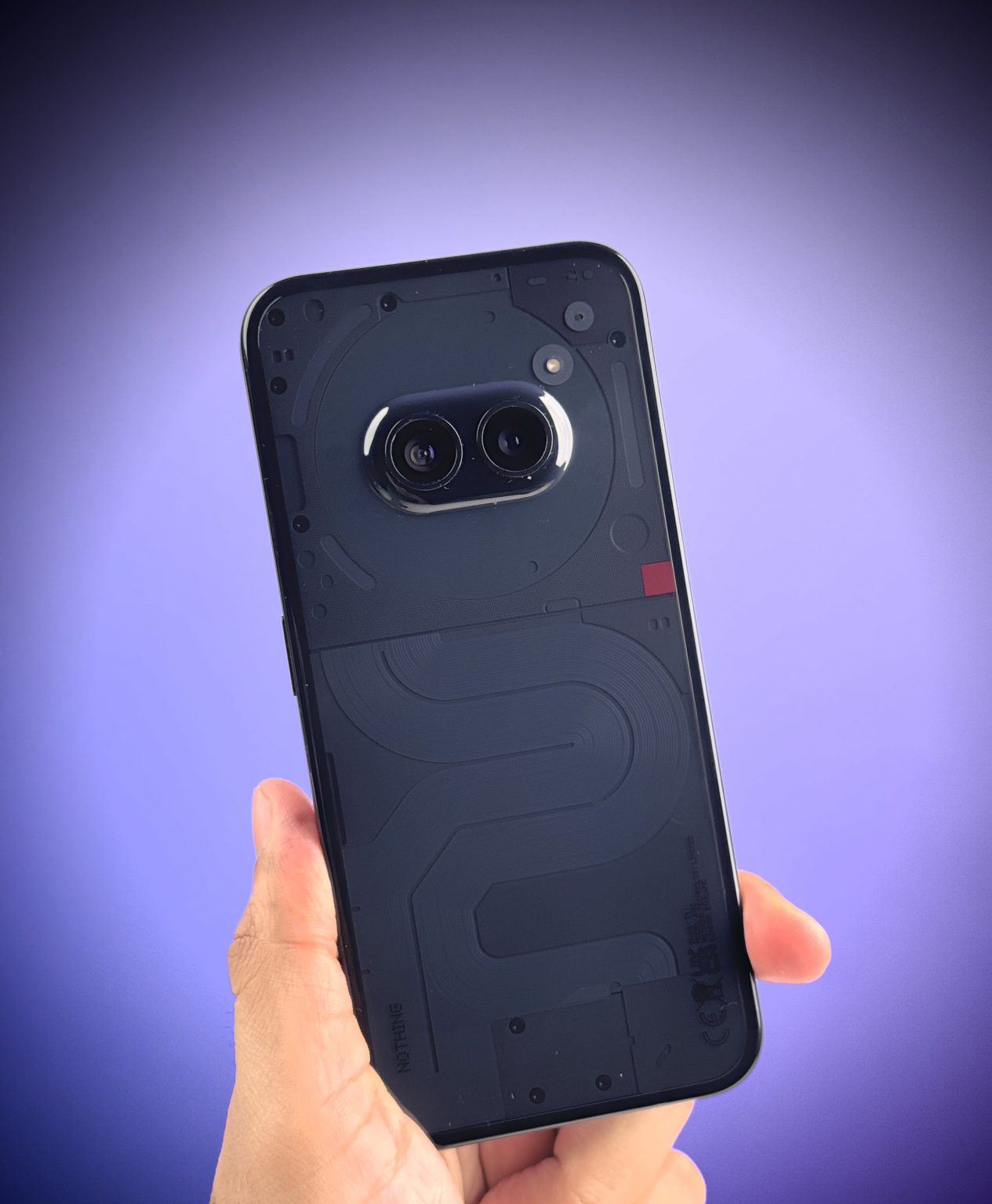
The latest update for the Nothing Phone 2a, NothingOS 2.5.4, focuses on camera improvements, offering better portrait mode, saturation, and tone.
It also enhances the phone’s Bluetooth connectivity and charging adaptor compatibility, alongside crucial bug fixes that address fingerprint unlock issues and remove static noise in the receiver.
How can I download the Nothing Phone 2a update?
To download the update, ensure your Nothing Phone 2a is connected to Wi-Fi, then navigate to Settings > System > System Update, and follow the prompts.
The update is 25MB in size and should be downloaded and installed in a few minutes.
Are there any improvements in system stability with the new update?
Yes, the NothingOS 2.5.4 update for the Nothing Phone 2a brings with it enhancements in system stability, ensuring a smoother and more reliable user experience.
It addresses several bugs, including issues with fingerprint recognition and static noise in calls.
Why hasn’t the flagship Nothing Phone 2 received the update?
As of the latest Nothing Phone 2a update release, the flagship Nothing Phone 2 has not received a similar update, causing some discontent among its users.
The reasons for this discrepancy have not been explicitly addressed by Nothing, leaving flagship device users awaiting further updates.
What makes the Nothing Phone 2a unique in terms of hardware?
The Nothing Phone 2a is notable for being the company’s first venture into the mid-range smartphone market, equipped with a MediaTek Dimensity SoC.
It’s powered by a Dimensity 7200 Pro processor and boasts a 120Hz AMOLED display, making it a competitive option within its price range.
● The Vivo T3 5G features the MediaTek Dimensity 7200 chipset – the fastest processor in the category, complemented by a vivid 120Hz High Brightness AMOLED Display, and Dual Stereo Speakers.
● With its big 5000mAh battery, the Vivo T3 5G ensures seamless usage throughout the day for users.
● Vivo T3 5G is equipped with a specialized flicker sensor, enhancing the clarity of captured content.
Its 6.67-inch FHD+ AMOLED screen, dual stereo speakers, and 5000 mAh battery complemented by a 44W fast charging capability make this device the perfect mid-ranger.
Vivo T3 5G Pricing and Availability
Vivo T3 5G Pricing and Availability
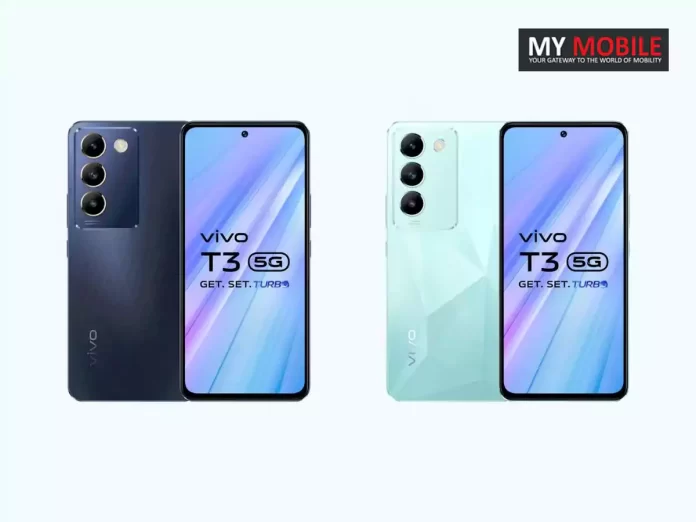
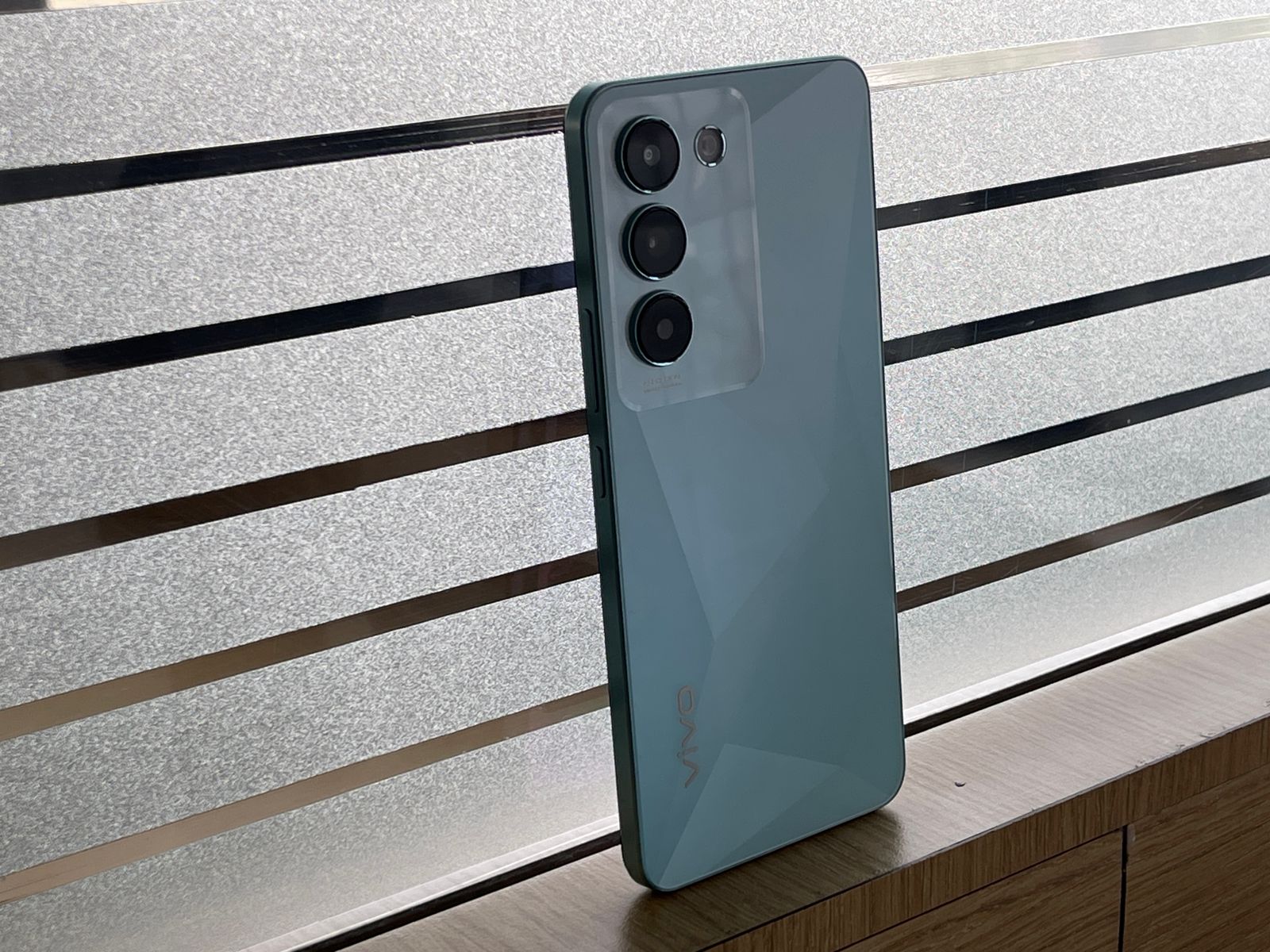
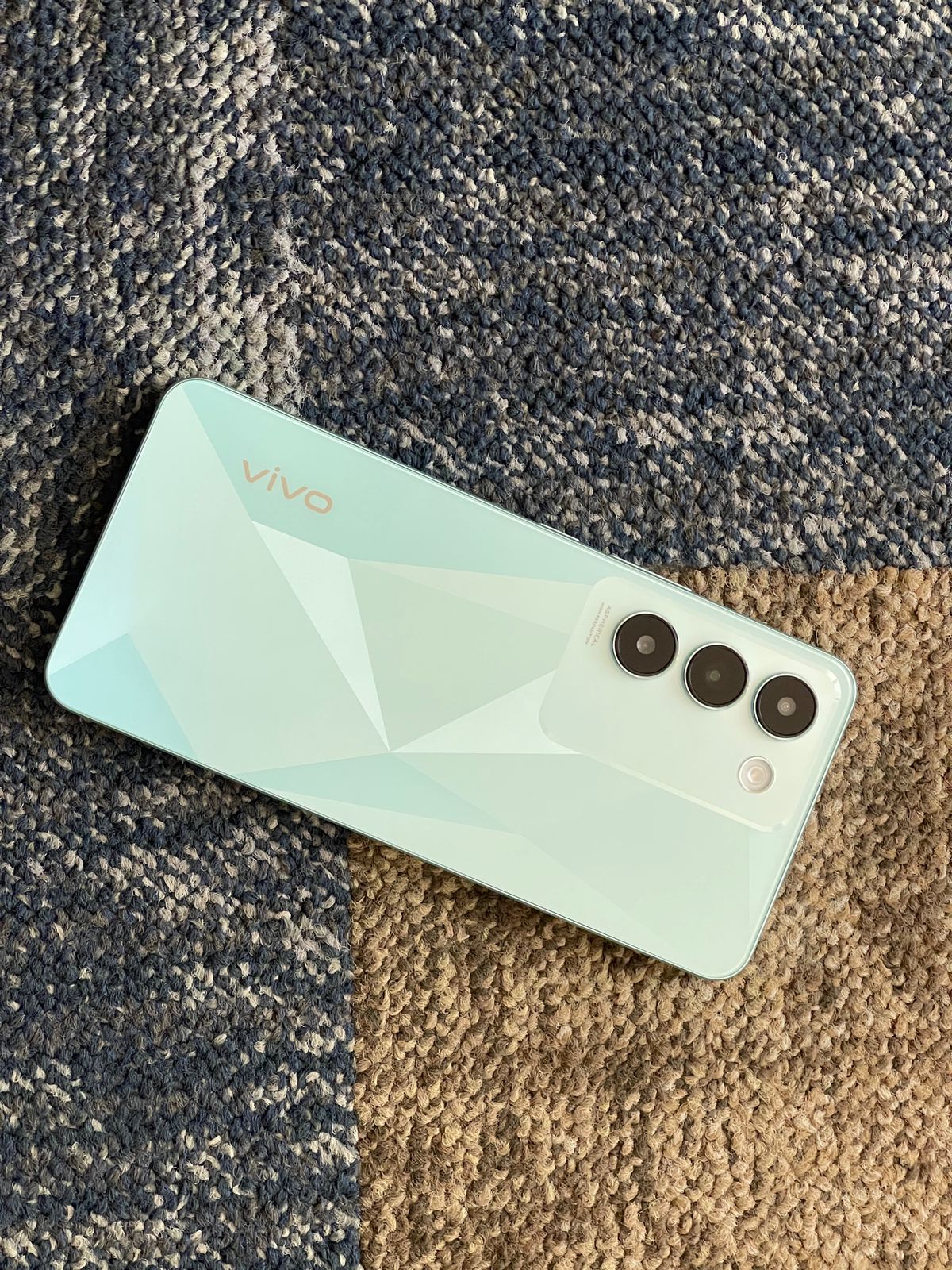
The Vivo T3 5G comes in two captivating colors – Crystal Flake and Cosmic Blue and will be available starting today, March 27, 2024, across Flipkart and Vivo India e-store, along with partner retail stores.
The T3 5G is priced at INR 19,999 for the 8GB+128GB variant and INR 21,999 for the 8GB+256GB variant.
To make the purchase even more exciting, consumers can avail of various offers including a flat instant discount of INR 2,000 using HDFC and SBI cards, or an exchange bonus of up to INR 2,000, along with 3 months No Cost EMI.
The Vivo T3 5G introduces advanced camera features to enhance photography experiences, including a flicker sensor that ensures clearer shots by mitigating alternating light and dark flickers.
Smooth Operations with Advanced Processor: The Vivo T3 5G, leveraging the MediaTek Dimensity 7200 processor, promises seamless functionality for apps and games.
Extended Usage on a Single Charge: With its 5000mAh battery complemented by 44W FlashCharge technology, the device aims to keep you connected and active from morning to night.
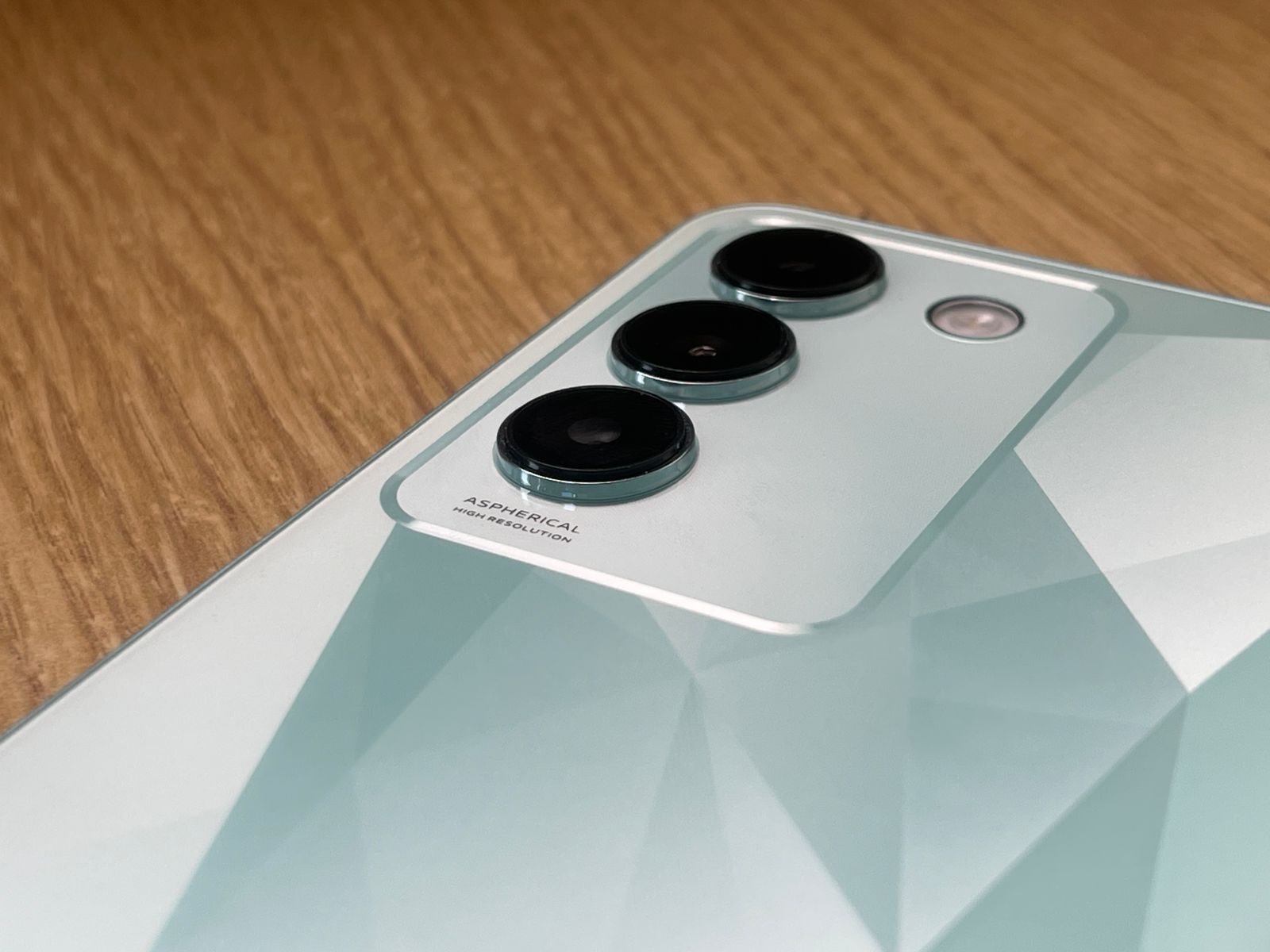
Comprehensive Photographic Capabilities: The integration of a 50 MP OIS main camera, supported by additional lenses for depth and portraits, allows for a broad spectrum of photographic explorations.
Superior Multimedia Experience: The combination of a 6.67-inch AMOLED screen with a 120Hz refresh rate and dual stereo speakers is designed to amplify your audio-visual engagement.
Built for the Long Haul: Thanks to its IP54 rating for dust and water resistance, the Vivo T3 5G is positioned as a dependable everyday gadget under various conditions.
Vivo T3 5G Key Specifications
Vivo T3 5G Key Specifications
Display: 6.67-inch 120 Hz Ultra Vision AMOLED
Processor: MediaTek Dimensity 7200 Mobile Platform
Battery: 5000mAh with 44W FlashCharge
Camera: 50 MP OIS Main Camera, 2 MP Bokeh Camera, 16 MP Portrait Camera
Storage: Options including 8 GB RAM with Extended RAM 3.0 feature
Water Resistance: IP54 Dust and Water Resistance
Audio: Dual Stereo Speakers with Audio Booster
Design: Ultra Slim Design with IP54 rating
Unboxing the Vivo T3 5G
Unboxing the Vivo T3 5G
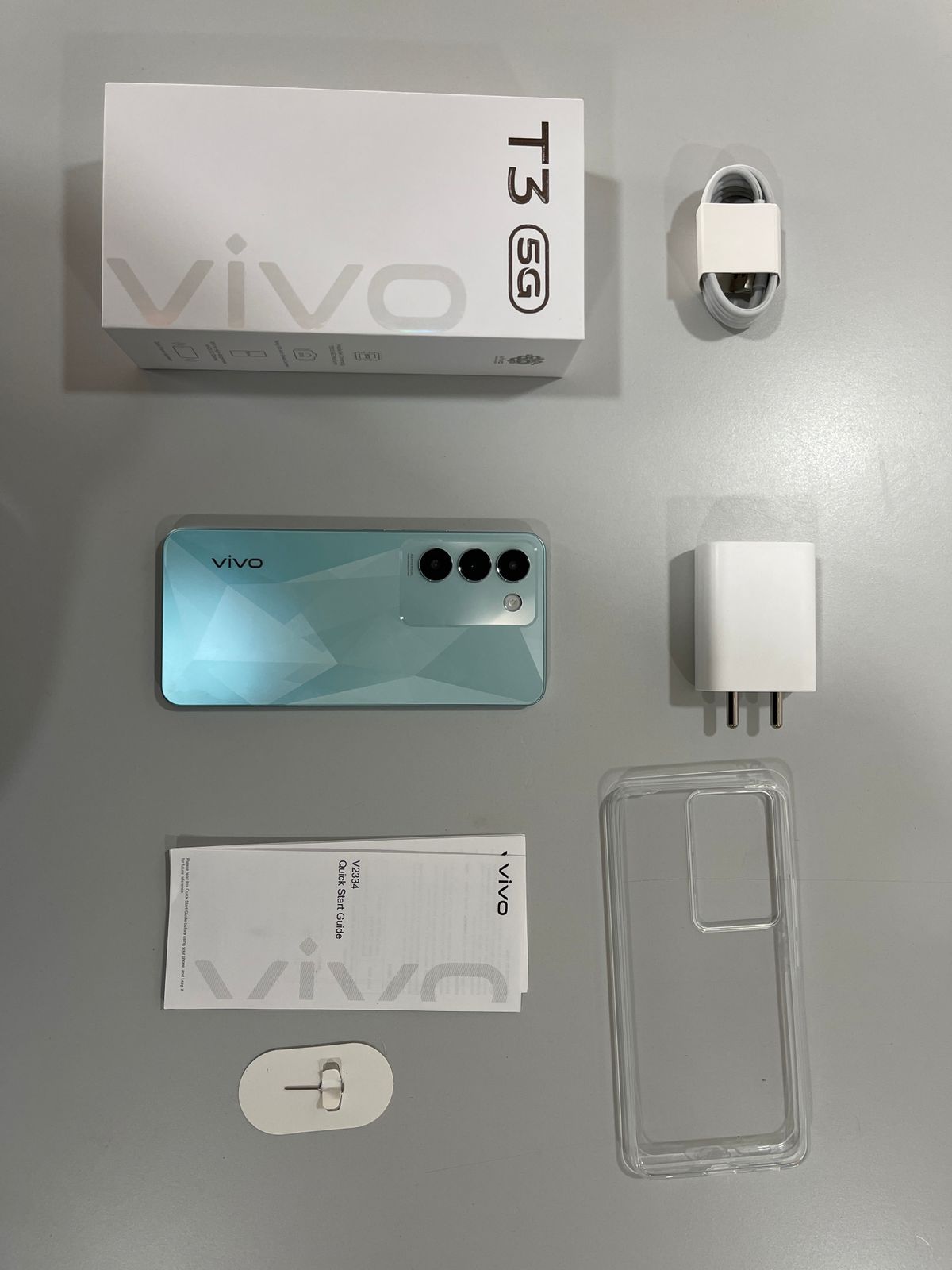
Diving into the box, the standard affair awaits with the Vivo T3 5G itself, accompanied by a charger and cable for power needs, essential paperwork for the curious and the responsible, a SIM ejector toolkit for immediate setup, and a clear silicone case to keep it pristine from day one.
It’s everything you need to get started, packaged neatly and ready to go.
The device supports a 5000mAh battery complemented by 44W FlashCharge, promising extended usage and rapid charging capabilities.
It runs on a software platform that incorporates Extended RAM 3.0 and RAM Saver, enhancing the device’s multitasking abilities by allowing more apps to run in the background and optimizing memory usage.
Camera capabilities include a 50 MP OIS main camera for stable, clear shots in various lighting conditions, supported by additional lenses for bokeh and portrait shots.
The device also boasts a 6.67-inch 120 Hz Ultra Vision AMOLED display for immersive viewing experiences, enhanced by dual stereo speakers for enriched audio output.
Personalization features like Ambient Light Effect and diverse Always On Display (AOD) styles allow users to customize their device’s appearance according to their preferences.
Vivo T3 5G Specs
GENERAL
Sim Type
Dual Sim, GSM+GSM (Hybrid Slot)
Dual Sim
Yes
Sim Size
Nano SIM
Device Type
Smartphone
Release Date
April 11, 2024 (Expected)
DESIGN
Dimensions
158.9 x 73.5 x 7.8 mm (6.26 x 2.89 x 0.31 in)
Bezel less
No
Colors
Nitro Blaze, Velocity Wave
DISPLAY
Type
Color AMOLED Screen (1B Colors)
Touch
Yes, 480 Hz Touch Sampling Rate
Size
6.58 inches, 1080 x 2400 pixels, 120 Hz
Aspect Ratio
20.5:9
PPI
~ 413 PPI
Screen to Body Ratio
~ 84.1%
Features
up to 1,600 nits Brightness, Contrast Ratio: 6000000:1
Photo, Night, Portrait, Video, Micro Movie, 64MP, Panorama, Live Photo, Slo-Mo, Timelapse, Pro, AR Stickers, Documents, Double Exposure, Dual-View Video
Video Recording
1080p @ 30 fps FHD
Flash
Yes, LED
Front Camera
16 MP f/2 (Wide Angle)
Front Video Recording
1080p @ 30 fps FHD
TECHNICAL
OS
Android v14
Custom UI
Funtouch OS 14
Chipset
Mediatek Dimensity 7200
CPU
2.8 GHz, Octa Core Processor
Core Details
2.8GHz×2+2.0GHz×6
GPU
Mali G610
Java
No
Browser
Yes
MULTIMEDIA
Email
Yes
Music
WAV, MP3, MP2, MIDI, Vorbis, APE, FLAC
Video
MP4, 3GP, MKV, FLV
FM Radio
No
Document Reader
Yes
BATTERY
Type
Non-Removable Battery
Size
4700 mAh, Li-Po Battery
Fast Charging
Yes, 67W Superfast Flash Charge
FAQs
What processor does the Vivo T3 5G use?
The Vivo T3 5G is powered by the MediaTek Dimensity 7200 Mobile Platform, ensuring smooth performance across all tasks.
How long can the Vivo T3 5G battery last?
With a 5000mAh battery supported by 44W FlashCharge, the Vivo T3 5G is designed for extended usage and quick recharging.
What are the camera features of the Vivo T3 5G?
The device includes a 50 MP OIS main camera, a 2 MP bokeh camera, and a 16 MP portrait camera, catering to a variety of photography needs.
Is the Vivo T3 5G water-resistant?
Yes, the Vivo T3 5G features IP54 Dust and Water Resistance, making it a durable option for everyday challenges.
What makes the Vivo T3 5G a good choice for multimedia consumption?
Its 6.67-inch 120 Hz Ultra Vision AMOLED display combined with dual stereo speakers and Audio Booster makes it an excellent device for watching videos and listening to music.
How is the video & audio experience of Vivo T3 5G?
Immersive Video and Audio Experience
Featuring a vibrant 6.67-inch 120Hz Ultra Vision AMOLED Display, the Vivo T3 5G delivers stunning visuals. The display comes with a peak brightness of 1800 nits, the brightest display in the segment, and an in-display fingerprint unlock for seamless accessibility.
The display’s 100% DCI-P3 wide color gamut delivers rich and natural colors, and its pixel density of 394 PPI provides high resolution. The Vivo T3 5G comes with HDR10+ Certification along with SGS Low Blue Light Eye Care certification, ensuring the well-being of the users.
Vivo T3 5G’s audio capabilities provide an immersive experience, being the first series T smartphone to come with Dual Stereo Speakers, boasting a 200%-volume Audio Booster. With High-Resolution Wired and Wireless Certification, users can enjoy high-quality audio for a truly immersive experience.
How is the Camera performance of Vivo T3 5G?
Professional-Grade Camera Performance
The Vivo T3 5G boasts a primary 50 MP OIS Camera alongside a 2 MP bokeh camera, equipped with the segment’s 1st Sony IMX882 sensor which ensures crisper shots and blur-free images, especially in low-light environments.
Utilizing 4-in-1 pixel binding, it achieves a pixel size of 1.6 μm, ensuring clear images in various lighting conditions. Its f1/1.79 aperture enhances light intake, which is particularly beneficial for capturing brighter and clearer night shots in low-light settings.
Additionally, its 4K video recording capability ensures sharper shots, allowing users to effortlessly capture all memorable moments with unparalleled clarity and detail.
The Vivo T3 5G introduces advanced camera features to enhance photography experiences. With the upgraded Supermoon Mode utilizing AI detail enhancement, users can capture stunning moon shots at zoom levels of 5x or higher, ensuring detailed images while overcoming common issues like overexposure and lack of detail.
Additionally, the device’s 2x professional portrait camera delivers authentic visual experiences with minimal distortion, producing natural-looking portraits with a shallow depth of field for a pleasing bokeh effect. This feature is ideal for clear half-body portraits, offering professional-level photography with advanced camera capabilities.
To enhance shooting experiences, the Vivo T3 5G also incorporates a flicker sensor that ensures clearer and purer shots by mitigating alternating light and dark flickers. In indoor or artificially lit environments, it precisely monitors flickering frequencies of ambient light sources to adjust exposure in real-time, resulting in cleaner visual effects for both photos and videos.
How is the Battery performance of Vivo T3 5G?
Long-lasting Power
With a robust 5000 mAh battery, the Vivo T3 5G keeps users connected throughout the day, supported by Super Battery Saver for extended standby time.
Essential functions like calls, messages, and frequently used apps remain accessible without draining the battery or causing unexpected shutdowns, enhancing user connectivity and productivity.
Running on Funtouch OS 14, the Vivo T3 5G provides a seamless operating experience, enhancing user interaction and efficiency.
The cost of smartphones has been on a steady upward trajectory.
This is due to a variety of factors, including the increasing complexity of the technology used in these devices, the rising cost of materials, and the growing demand for smartphones worldwide.
What Drives the Price?
Advancements in technology and materials drive up costs
It ultimately boils down to the value the user places on the features, performance, and prestige that come with these devices.
FAQs
Why have smartphone prices increased over the years?
The surge in smartphone prices can be attributed to several key factors. The technology within these devices has grown more advanced, requiring more expensive components such as high-resolution displays and sophisticated processors.
Additionally, the cost of materials has risen, and companies invest significantly in research and development to introduce innovative features.
Are the high prices of smartphones justified?
Whether the price of a smartphone is justified depends on the individual’s valuation of the device’s features, performance, and the convenience it offers.
For many, a high-end smartphone’s expansive functionalities and status appeal justify its cost, while others may find equal satisfaction in more budget-friendly models.
What contributes to the high cost of manufacturing smartphones?
The high cost of manufacturing smartphones stems from the sophisticated components required to meet today’s technology standards, including powerful processors, advanced camera systems, and high-quality screens.
Furthermore, the intricate design and development process, coupled with the cost of materials, significantly impact the overall manufacturing costs.
Can I find a good smartphone without spending a fortune?
Yes, the market offers a wide range of smartphones catering to various price points, including many models that provide excellent functionality at a fraction of the cost of flagship devices.
These smartphones can efficiently handle everyday tasks, though they may lack some of the premium features found in high-end models.
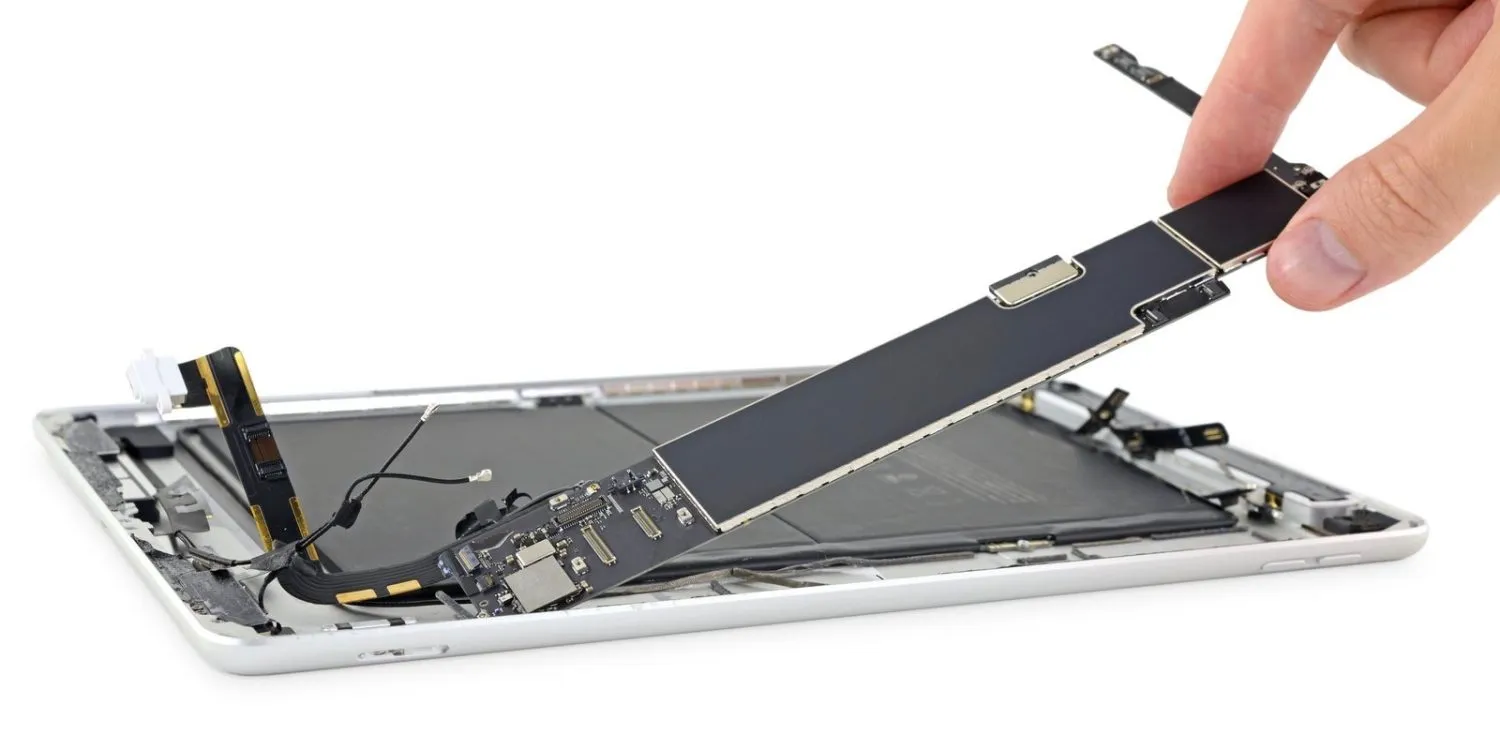
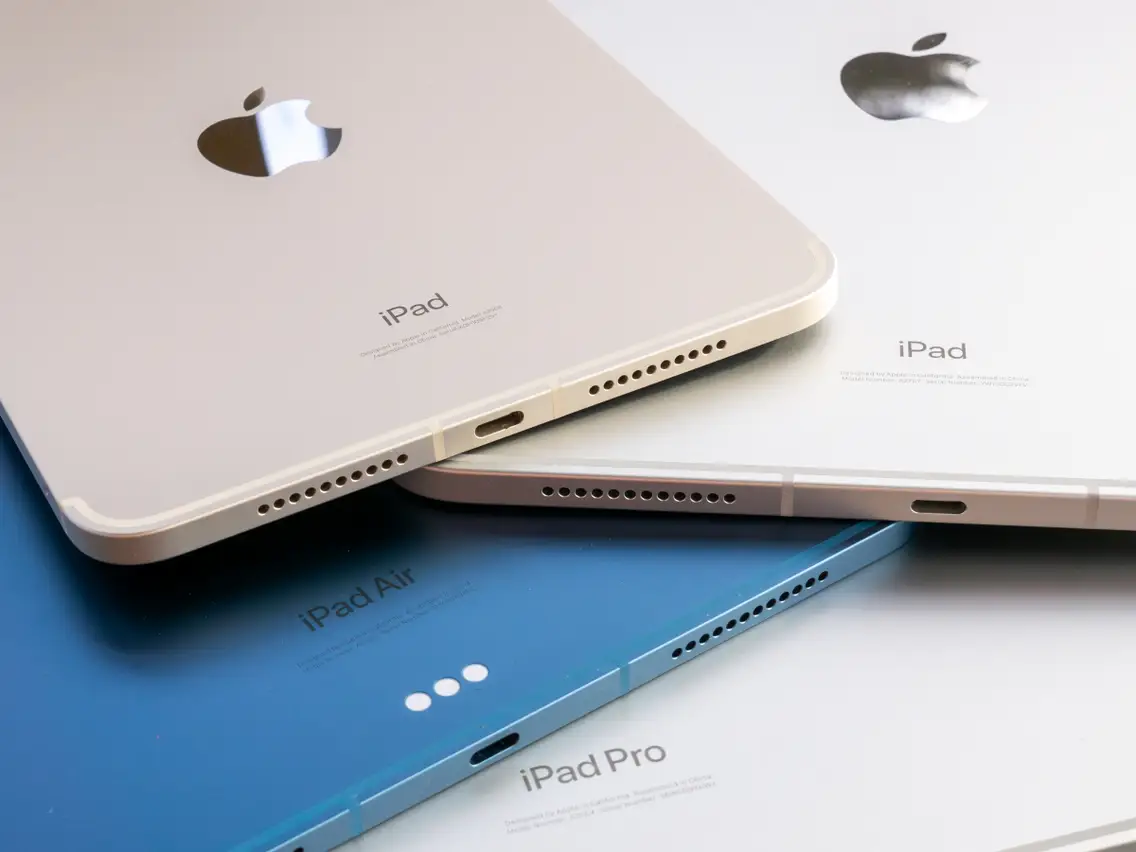
For example, iPad Pro models with 1TB or more storage are equipped with 16GB of RAM, whereas those with up to 512GB of storage are fitted with 8GB of RAM.
Here is the total amount of RAM in each iPad since 2010, thanks to the data provided by 9to5Mac.
Apple’s expertise in marrying hardware with software results in devices that deliver a user experience greater than the mere sum of their parts.
Therefore, when selecting an iPad, it’s essential to consider how you plan to use the device.
With an iPad, you’re investing in a piece of technology that has been carefully crafted for optimal performance, regardless of the spec sheet.
FAQs
How does RAM affect my iPad’s performance?
RAM, or Random Access Memory, is essential for your iPad’s operation as it holds data for quick access by the device’s processor.
The more RAM your iPad has, the better it can handle running multiple apps simultaneously and swiftly loading applications. This leads to a smoother, more efficient user experience.
Why does Apple not publicly share the RAM details of iPads?
Apple tends to focus on the overall performance and user experience of its devices rather than the specifications.
While the company doesn’t officially disclose RAM details, these are typically revealed through product teardowns and third-party testing, offering insight into the hardware powering the seamless operation of iPads.
Can I upgrade the RAM in my iPad?
Unlike some PCs and laptops, iPads do not offer the option to manually upgrade RAM. Apple pre-configures each model with a fixed amount of RAM, optimized to balance performance and efficiency within the device’s ecosystem.
This approach ensures each iPad delivers optimal performance without the need for user modifications.
Which iPad model has the most RAM?
As of the latest releases, certain iPad Pro models, specifically those with 1TB or more of storage, come equipped with up to 16GB of RAM.
This higher RAM capacity is designed to support intensive tasks and professional applications, catering to users who require top-tier performance from their devices.
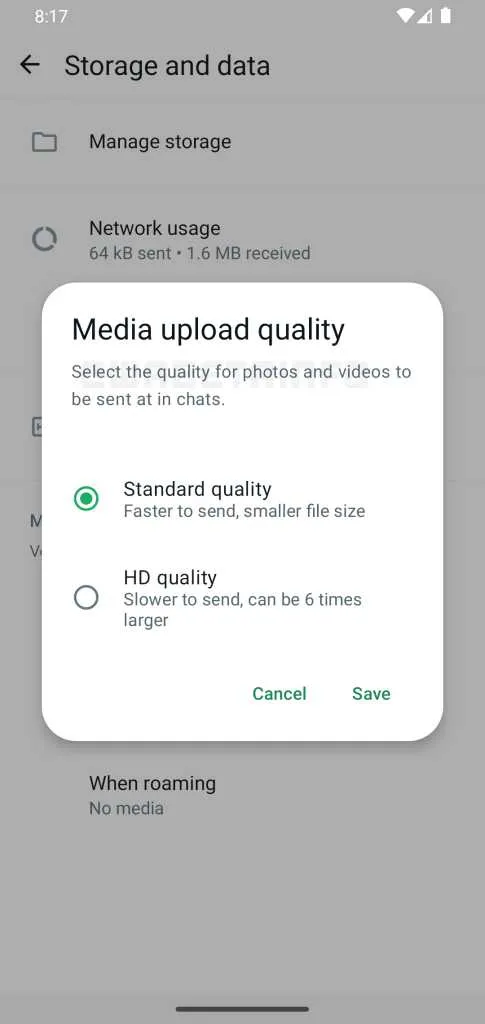
Recognizing the need for a more streamlined process, WhatsApp is now testing a feature that allows users to set their default media quality to either standard or HD.
Users interested in this feature need to enroll in the public beta and adjust their settings under “Storage and Data” to enable their preferred media upload quality.
Enhanced Status Updates Interface
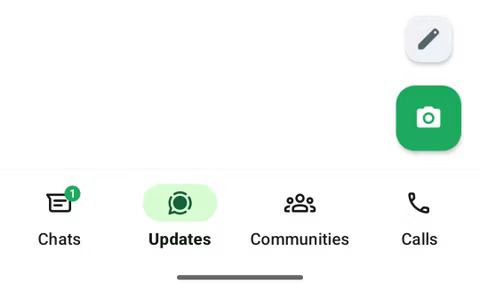
WhatsApp is testing a new interface to share text-based status updates easily
The pencil FAB that lets users post text-based status updates
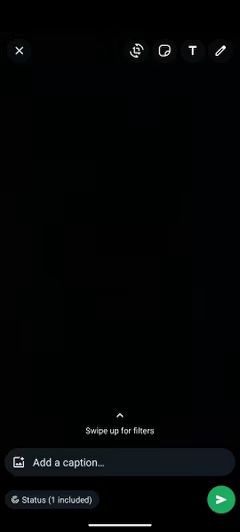
The updated composer will feature options at the bottom of the status update screen, allowing users to seamlessly choose the type of media they wish to share.
The current status editor page
Video Forwarding and Rewinding
WhatsApp update adds the ability to forward and rewind a video
Finally, WhatsApp is also rolling out a feature that allows users to forward and rewind videos within the app.
This convenient addition, which has been in testing since last year, enables users to quickly navigate to specific parts of a video by double-tapping the edges of the screen.
How do I automatically send HD photos and videos on WhatsApp?
WhatsApp’s latest update allows you to set your media quality preference to HD, so all photos and videos you send will automatically be in high definition.
This feature can be activated by going to the “Storage and Data” section in the app’s settings, where you can select your preferred media upload quality. This ensures that every image and video you share meets your standards for clarity and detail.
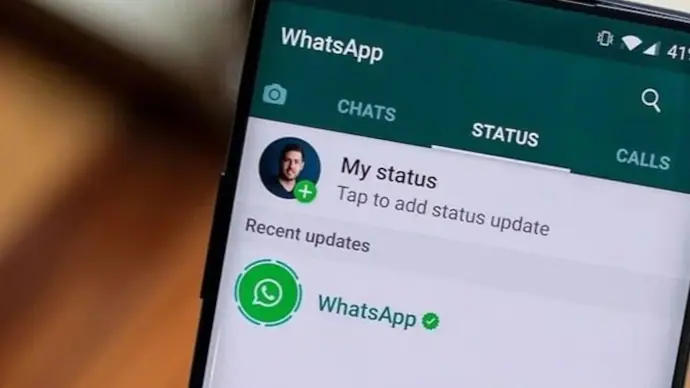
What has changed with WhatsApp’s status updates?
WhatsApp has redesigned the status update feature to make it easier for users to choose between sharing text, videos, or photos.
With the new interface, you can select the type of media you want to share right from the status composer, streamlining the process and making it more user-friendly.
Can I rewind and fast-forward videos in WhatsApp?
Yes, the latest WhatsApp update includes a feature that allows you to quickly navigate through videos by double-tapping on the right or left edge of the video screen.
This lets you easily rewind to see something you missed or fast-forward to skip ahead, adding convenience to video playback.
Are these new WhatsApp features available to all users?
The HD media sharing and status update enhancements are currently available to beta users for testing.
The video forward and rewind feature has started rolling out to iOS users, with plans to expand to Android users in the near future. To access these features early, you can join the WhatsApp beta program.
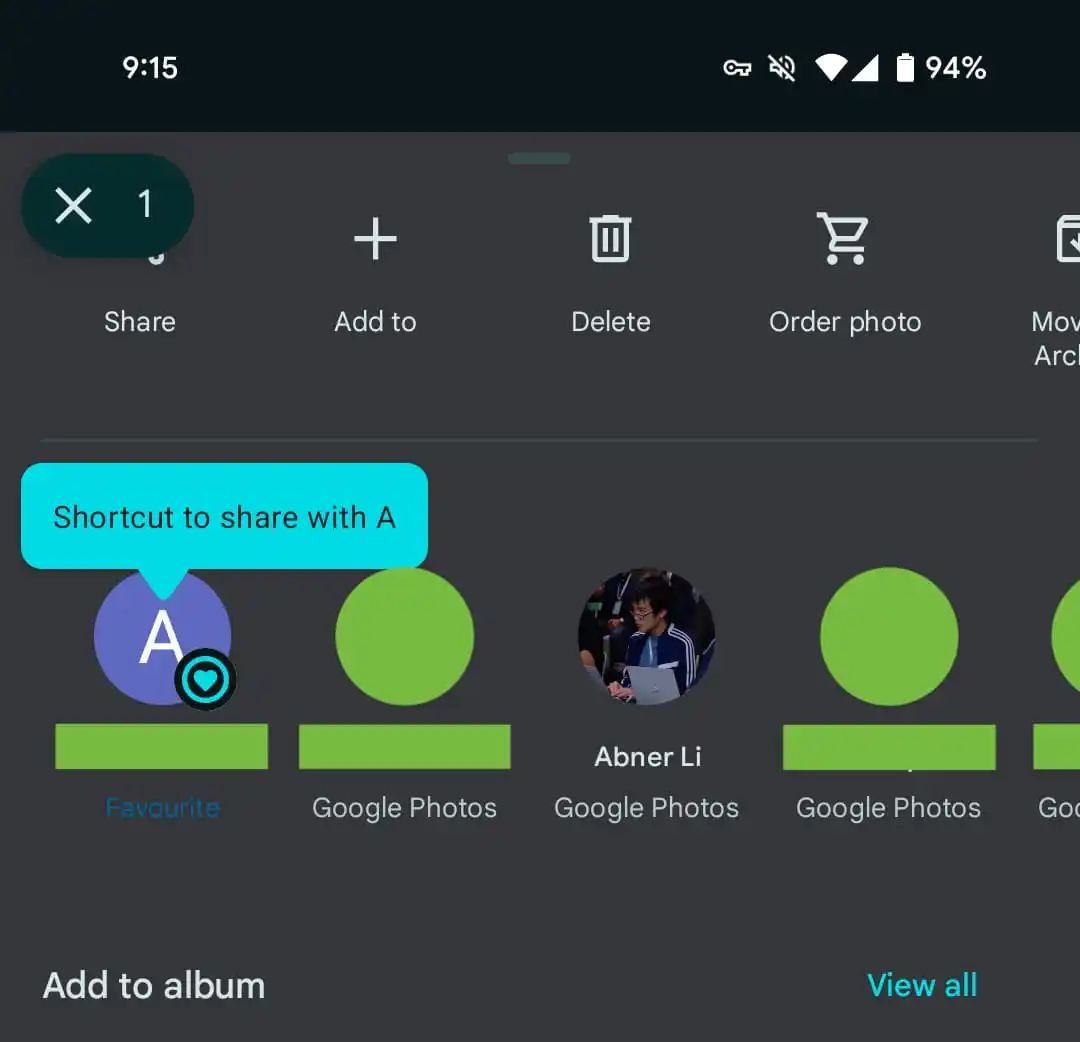
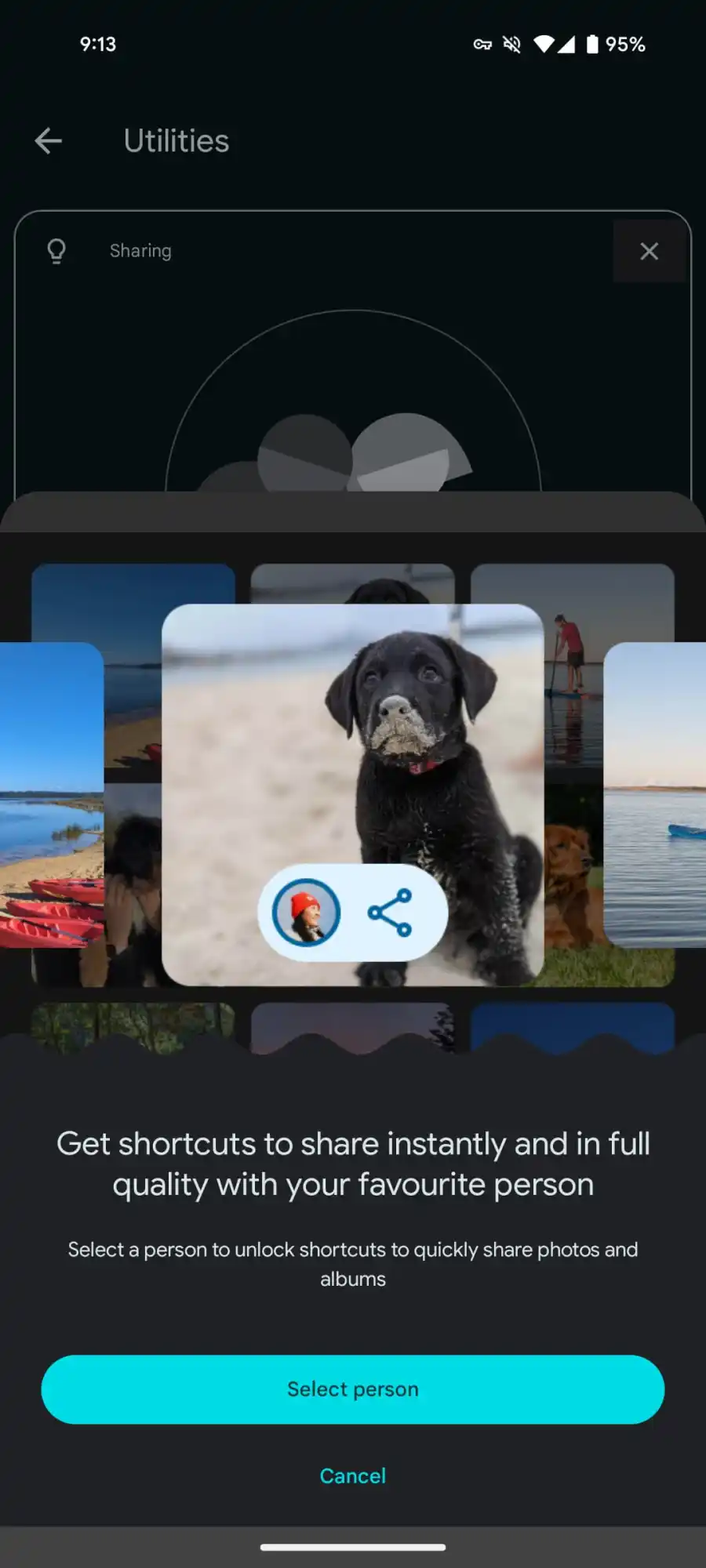
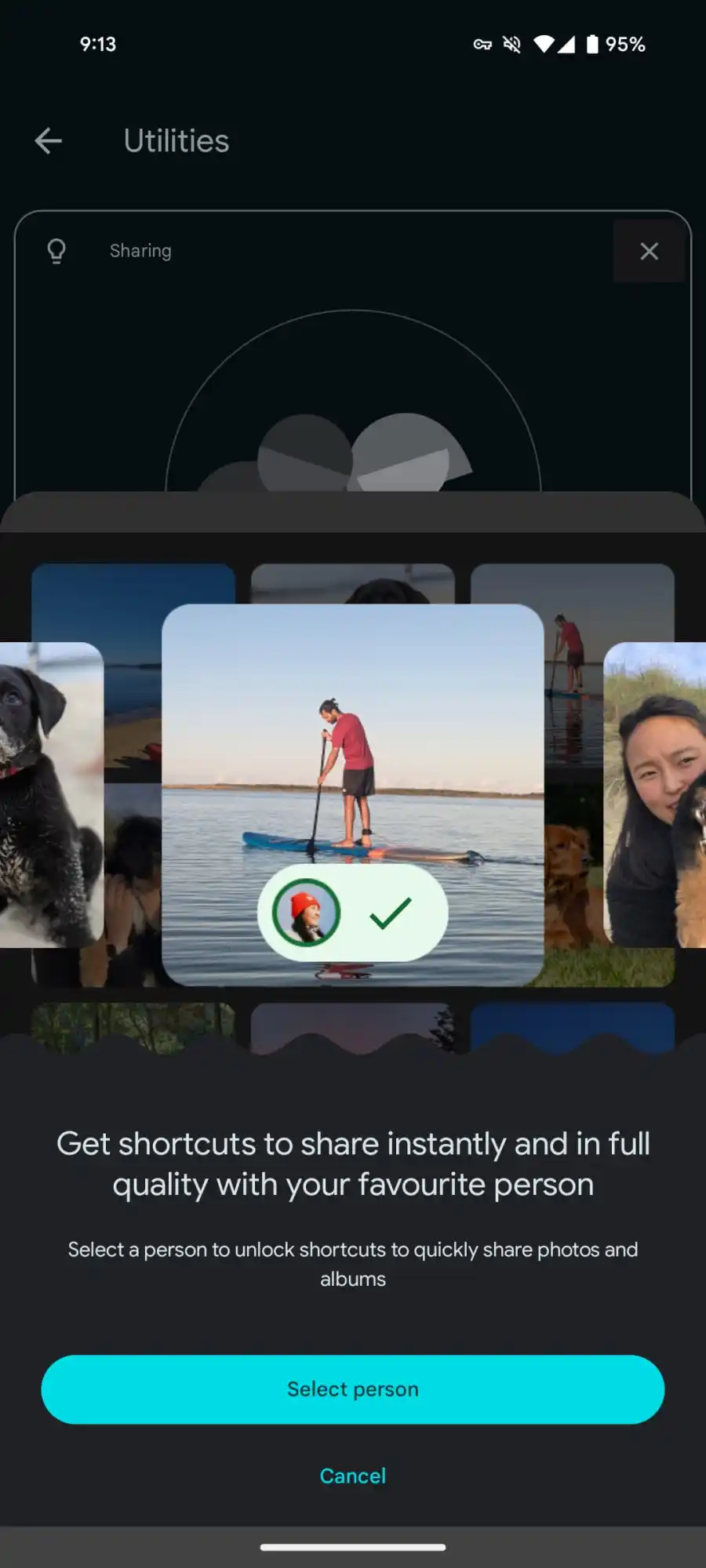
It offers users the convenience of having a preferred contact for photo sharing, though it’s worth noting that only one favorite can be selected at a time, with the option to change or remove this preference in the settings.
Xiaomi, for instance, transitioned from its cloud backup solution to Google Photos, signifying the latter’s increasing relevance in photo storage and sharing.
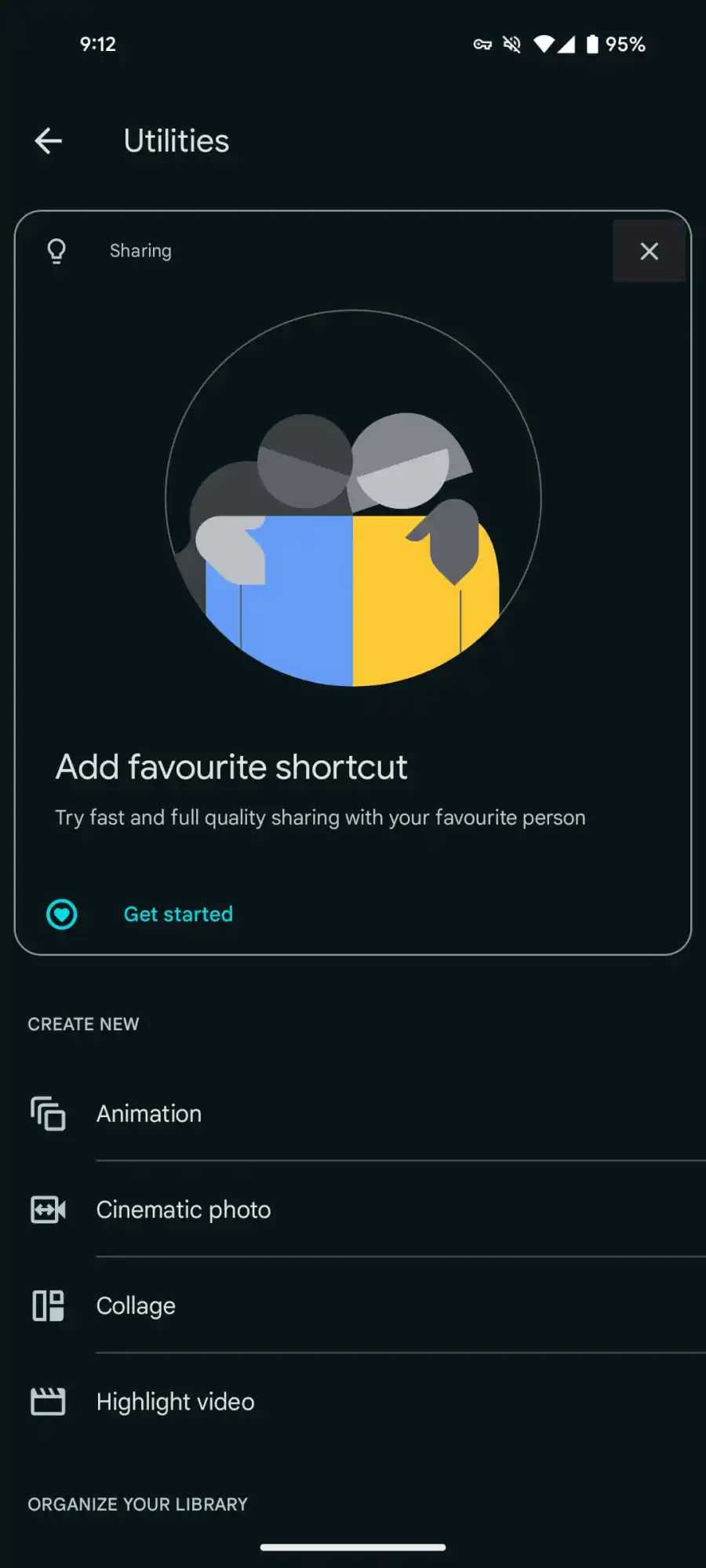
Google Photos Gets a Favorite Shortcut on Android; OEMs Integrate Photos Into Their Native Gallery Apps
The integration allows for a straightforward setup where users can enable Google Photos backup directly from their gallery settings, marking a step towards unified photo management solutions.
Additionally, Google Photos has introduced a sharing feature with a user-friendly interface, marked by a heart icon, that emphasizes sharing photos in their original quality.
FAQs
How do I enable the Google Photos Favorite Shortcut on my Android device?
To activate the Favorite Shortcut in Google Photos, navigate to the app’s Library section, then Utilities, and select Add favorite shortcut.
This allows you to choose a preferred contact for quick sharing, making them the first option in the Send carousel when sharing images.
Can I use Google Photos for backing up photos directly from my phone’s gallery app?
Yes, several Android smartphones from brands like OPPO, OnePlus, Realme, and Xiaomi allow direct backup to Google Photos via their gallery apps.
Simply access the gallery settings, choose the Backup to Google Photos option, and follow the prompts to enable this feature.
What advantages does Google Photos offer for managing my photo library?
Google Photos provides an efficient cloud storage solution, accessible across multiple platforms, that simplifies photo management and editing.
Its features include a convenient way to back up your photos, share them in full quality, and edit them with various tools.
Is the Google Photos Favorite Shortcut available on all Android devices?
The Favorite Shortcut feature is rolling out with Google Photos version 6.76 on Android devices.
However, its availability may vary, and it’s currently not offered on iOS devices. It’s advisable to update your Google Photos app to the latest version to access this feature.
What happens if I want to change my designated favorite contact in Google Photos?
You can have only one favorite contact at a time in Google Photos. To change or remove your current favorite, go to Settings within the app and select Sharing Favorite Shortcut.
From there, you can modify your preferred contact for sharing.
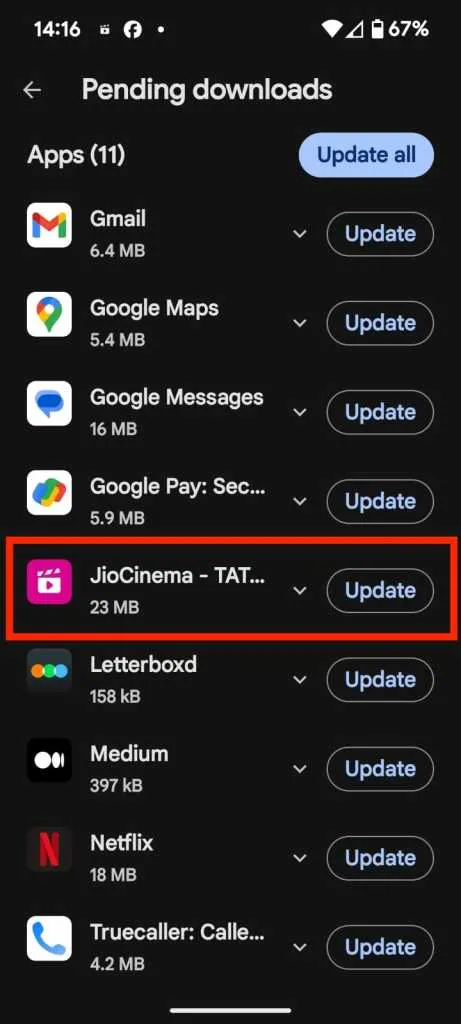
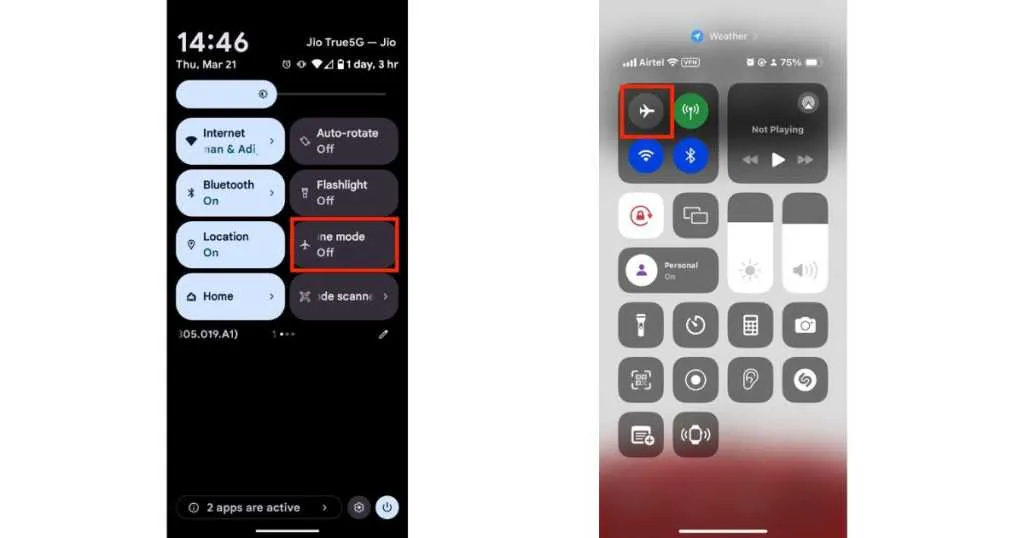
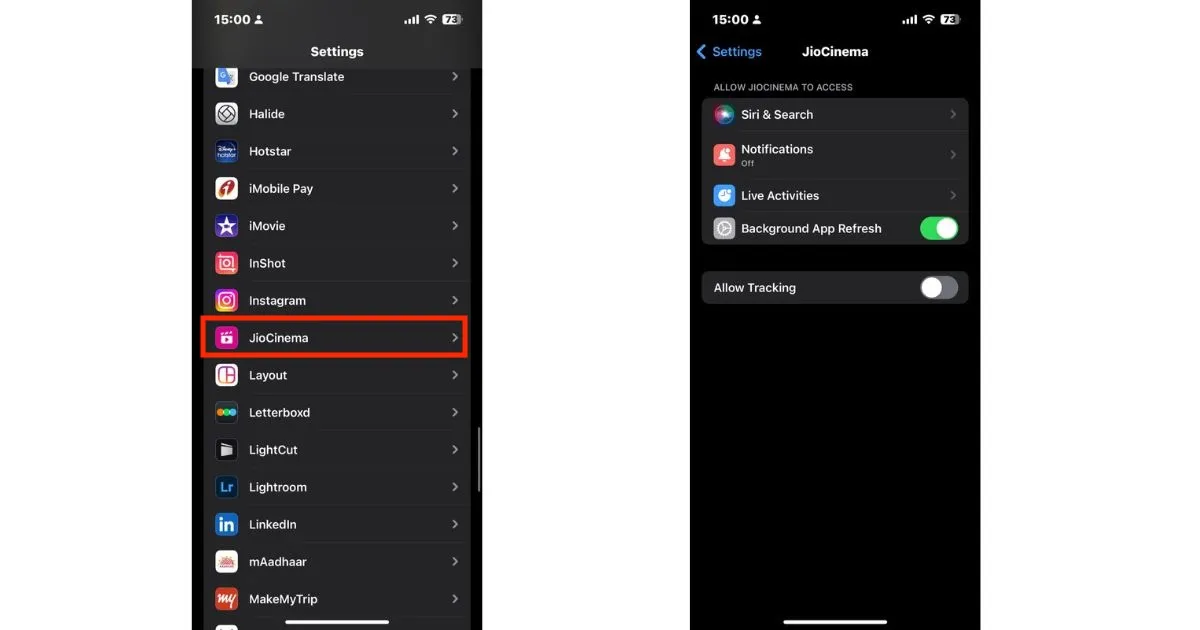
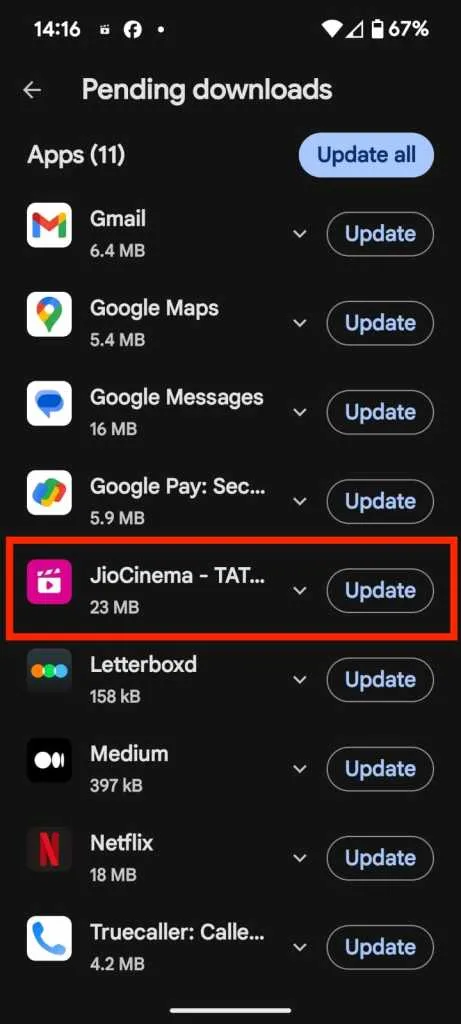
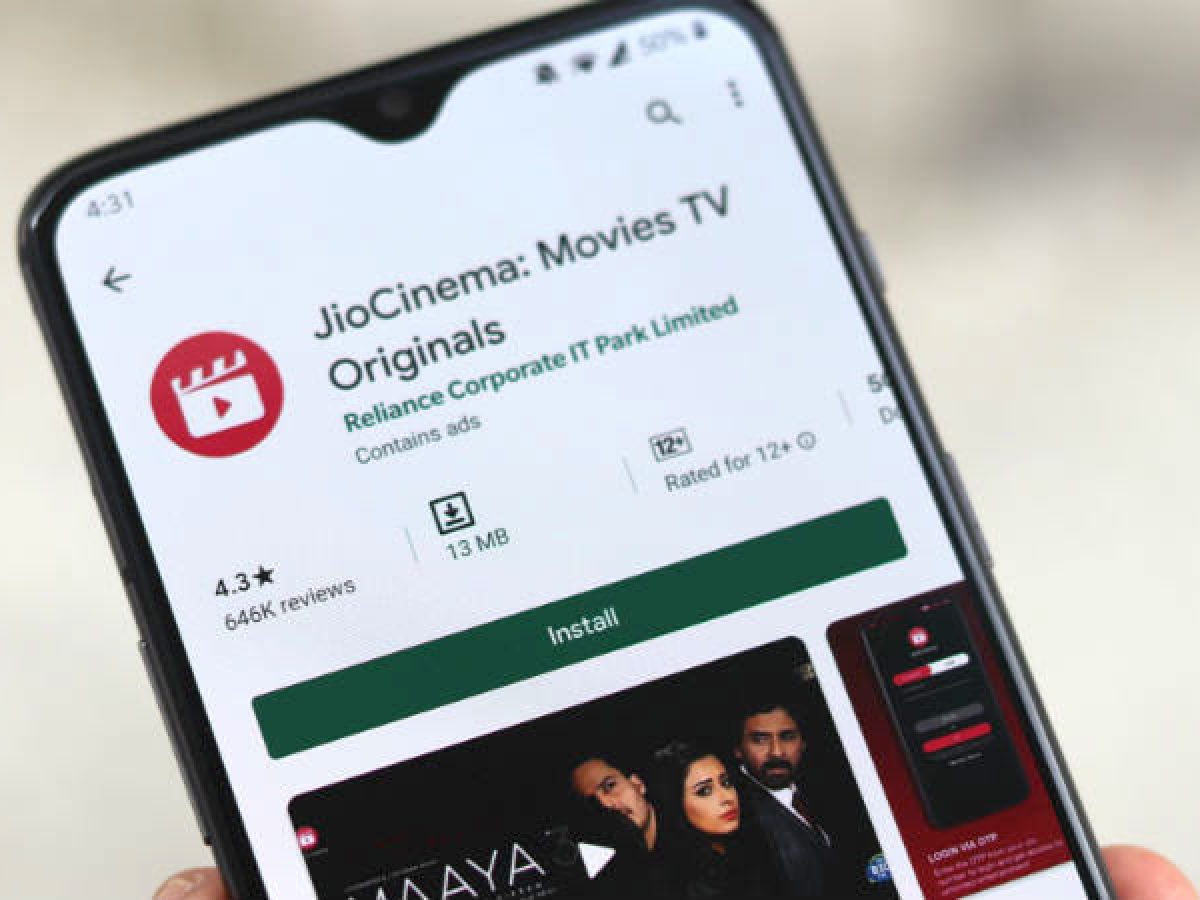
What steps can I take if my JioCinema app is not streaming IPL 2024 matches properly?
First, ensure your JioCinema app is updated to the latest version through the Play Store or App Store. Check your internet connection by toggling Airplane mode or restarting your Wi-Fi router.
If issues persist, adjust the app permissions, clear the app’s cache, or consider reinstalling the app. A device restart can also help refresh the app’s operation.
Why is updating the JioCinema app important for watching IPL 2024?
Updating the JioCinema app ensures that you have the latest features and bug fixes, enhancing the streaming quality of IPL matches.
Developers frequently release updates to improve app stability and performance, particularly during high-traffic events like the IPL.
How can I fix buffering or lag issues while watching IPL on JioCinema?
Check your internet connection speed and stability first. You might need to reset your network settings by enabling and then disabling Airplane mode.
If connected via Wi-Fi, restarting your router can help. Ensuring your app is up to date and clearing its cache are also beneficial steps.
What should I do if I’ve tried all troubleshooting steps but still face issues with JioCinema?
If standard troubleshooting steps like updating the app, checking your connection, clearing cache, and reinstalling the app do not resolve your issues, it’s advisable to contact JioCinema’s customer support.
They can provide more specific guidance and help resolve unique or persistent problems.
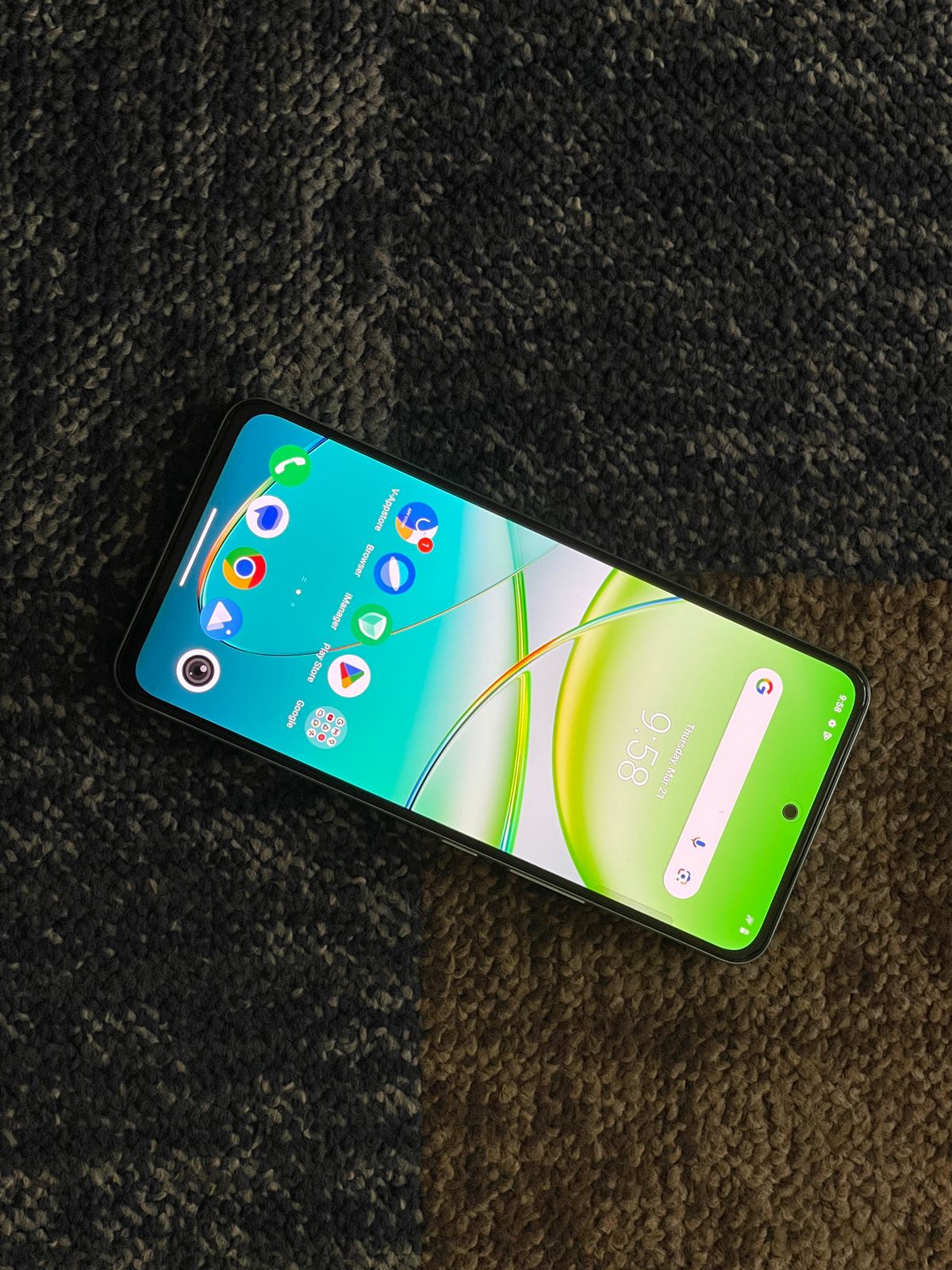
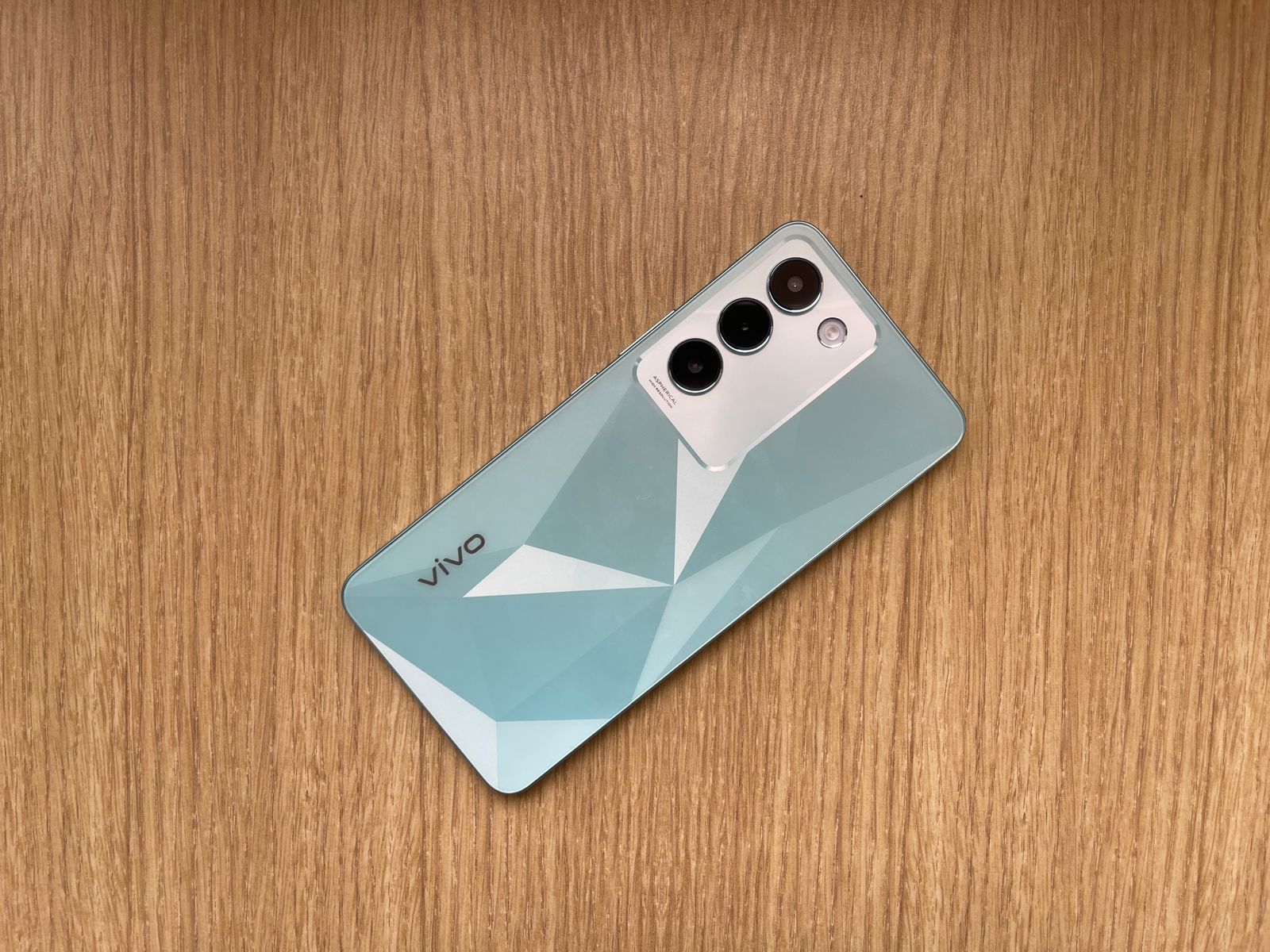
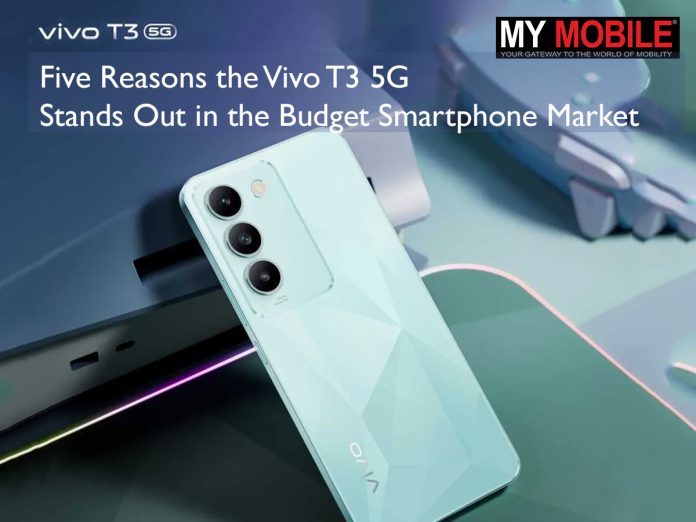
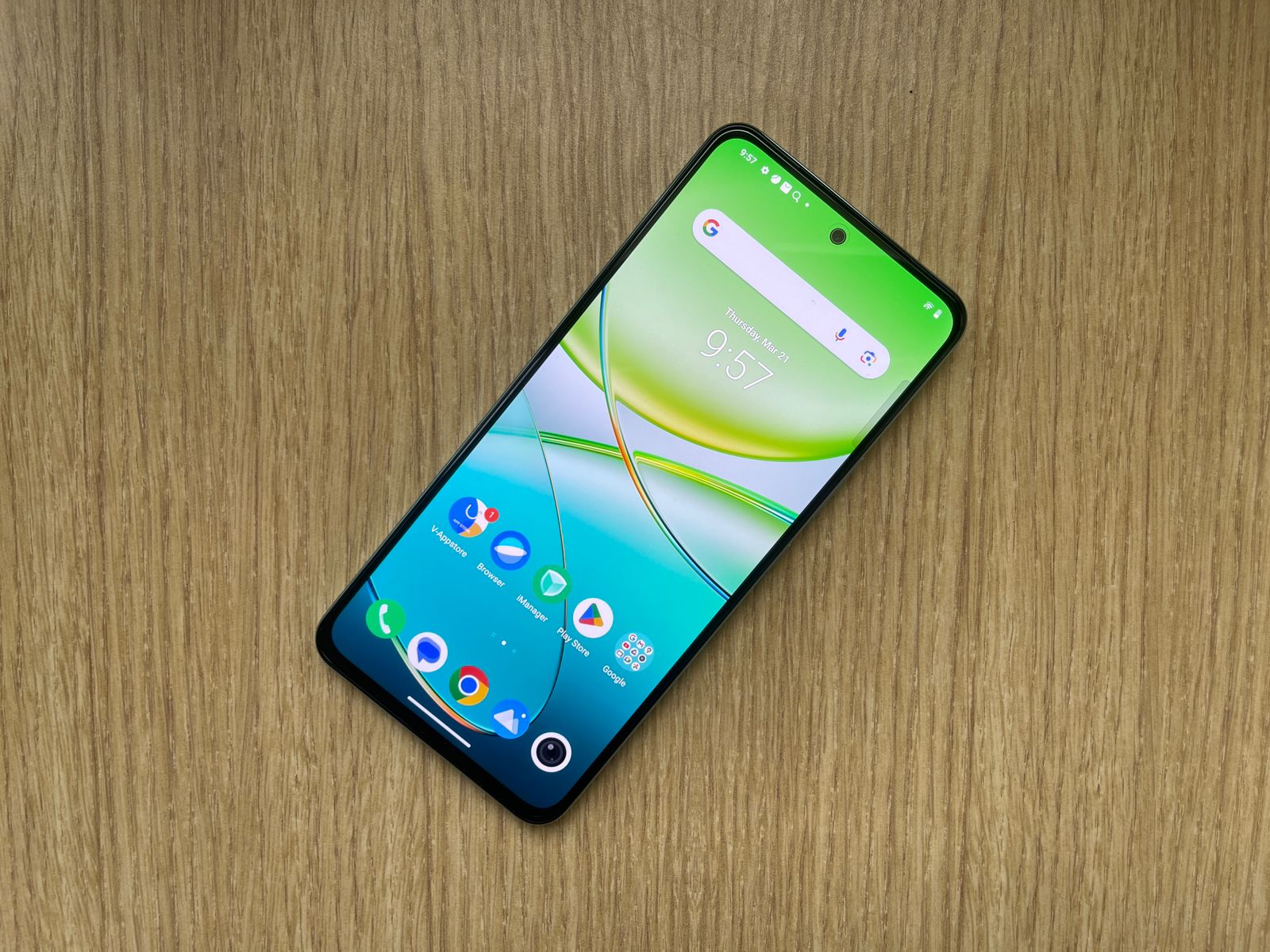
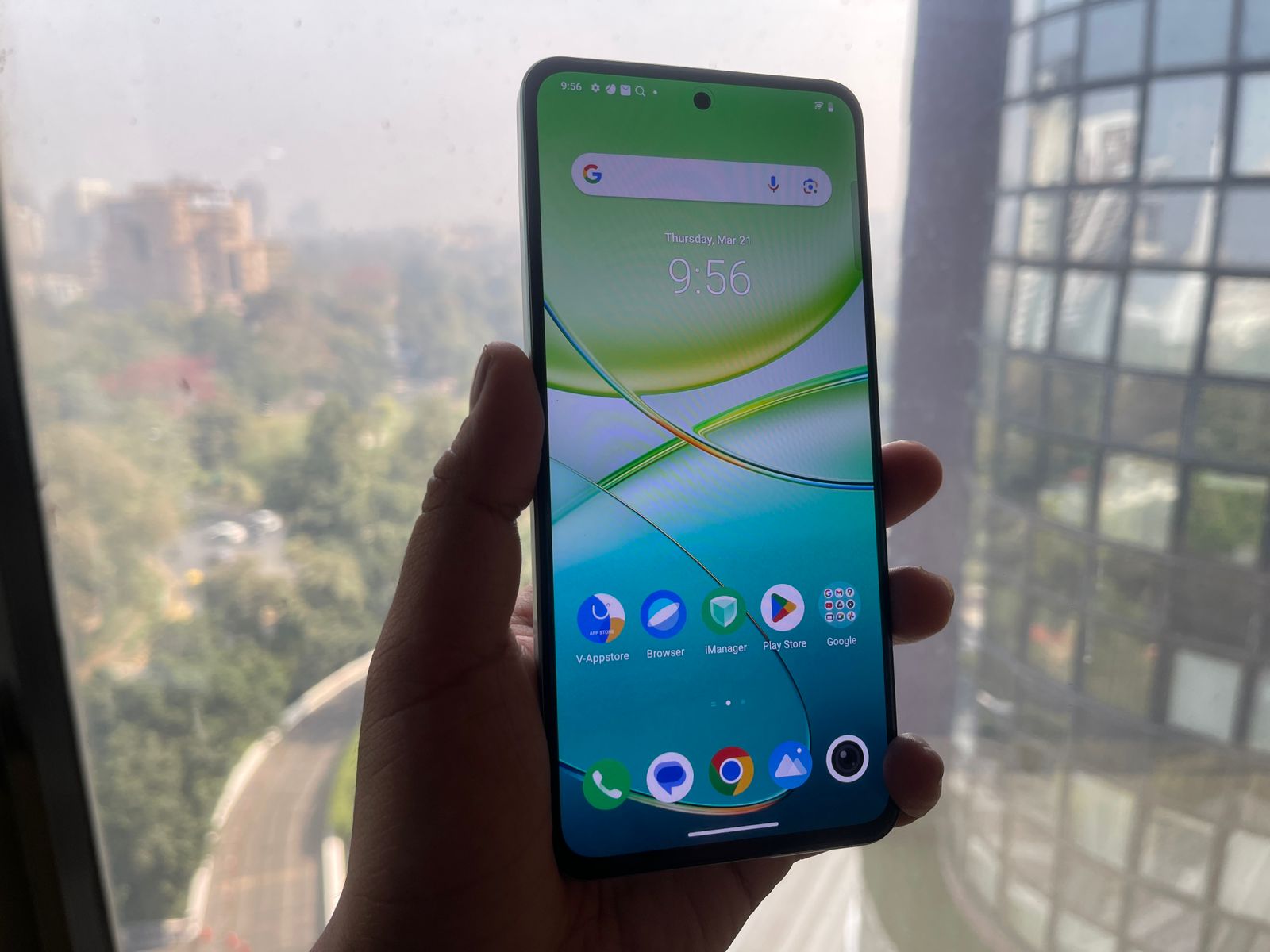
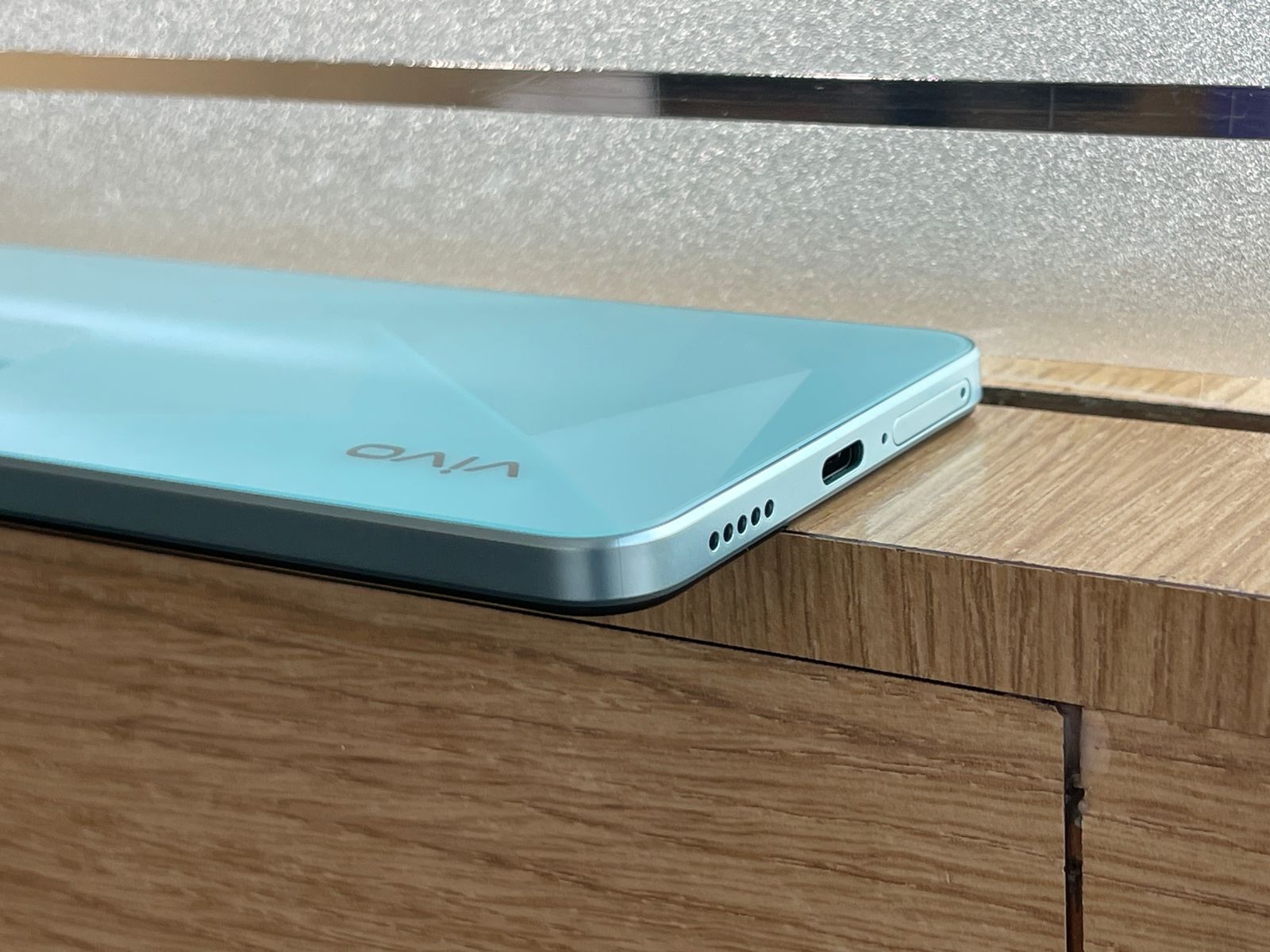
I have already used the device for a while and even though the review is on its way, I thought to list down the top 5 reasons the device’s capabilities and features should have your attention.
The device supports 8GB of RAM with an additional 8GB of extended RAM, designed to enhance multitasking and prolong the device’s smooth operational capability.
Performance benchmarks place this model as a notable entry in its price range, with scores reflecting its rapid processing capabilities.
Features such as Smart Charging Engine 2.0 and overnight charging protection are included to extend battery lifespan and ensure safety during charging.
The device also incorporates power-saving modes to optimize battery usage in low-charge scenarios.
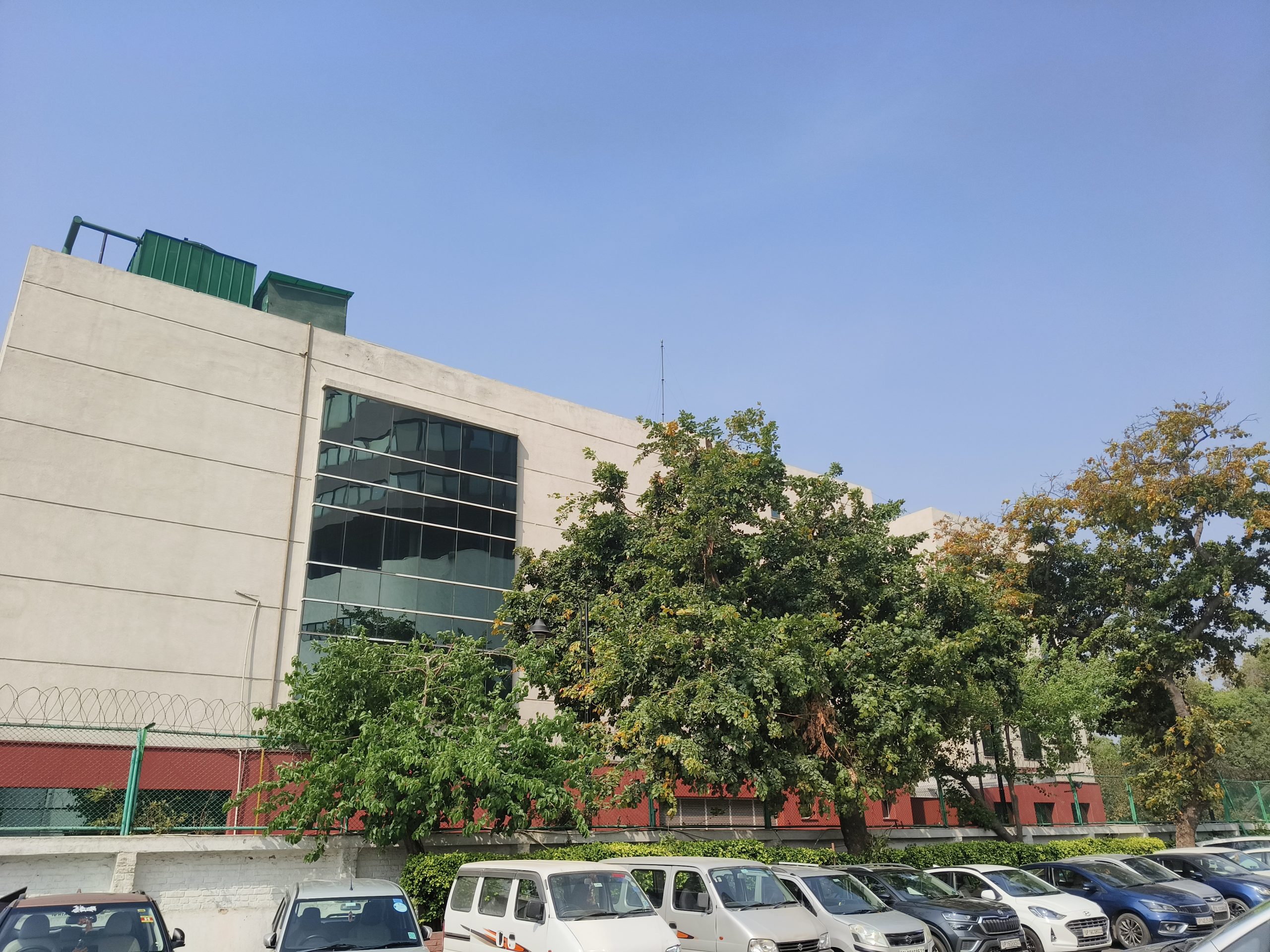
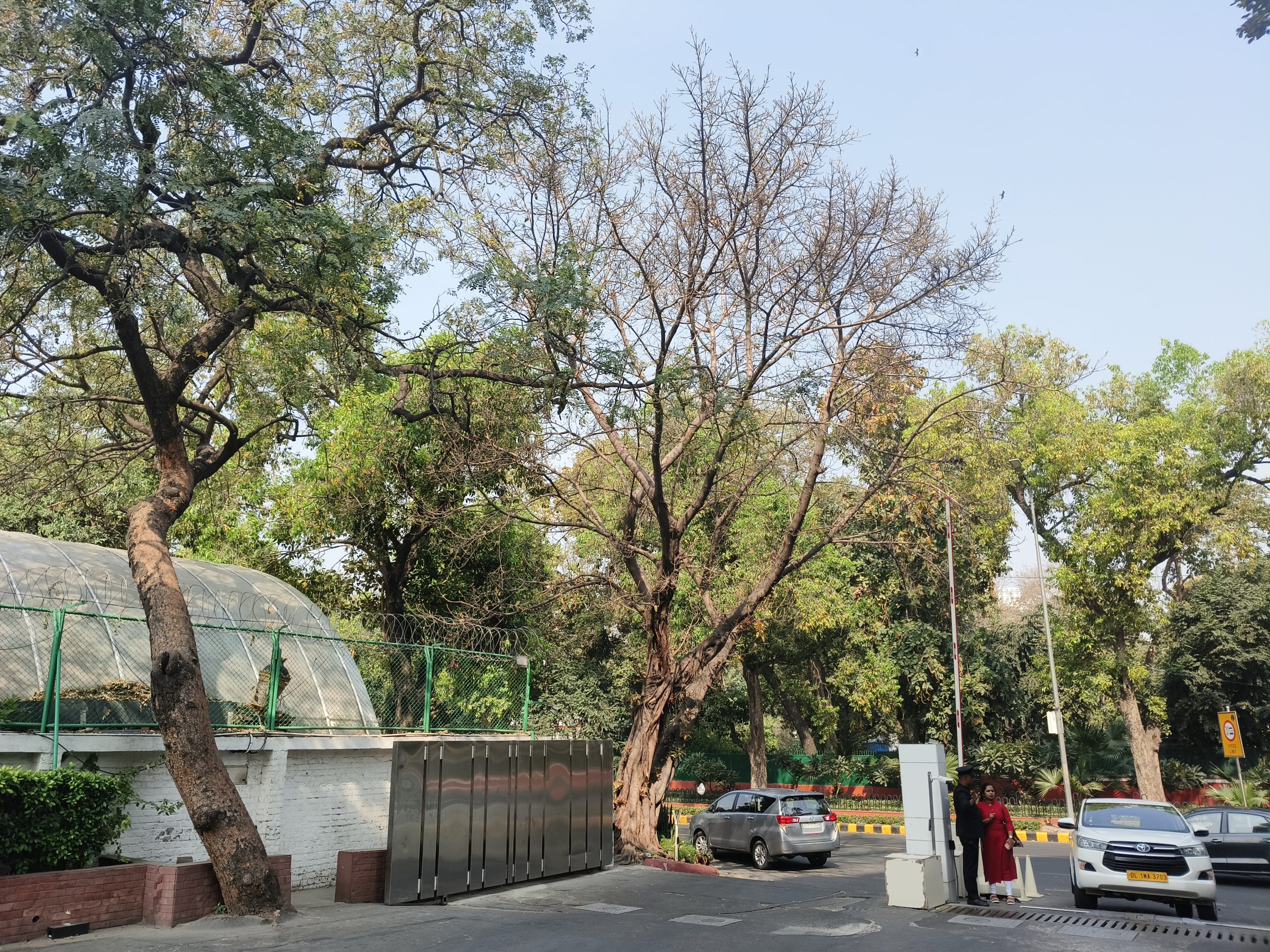
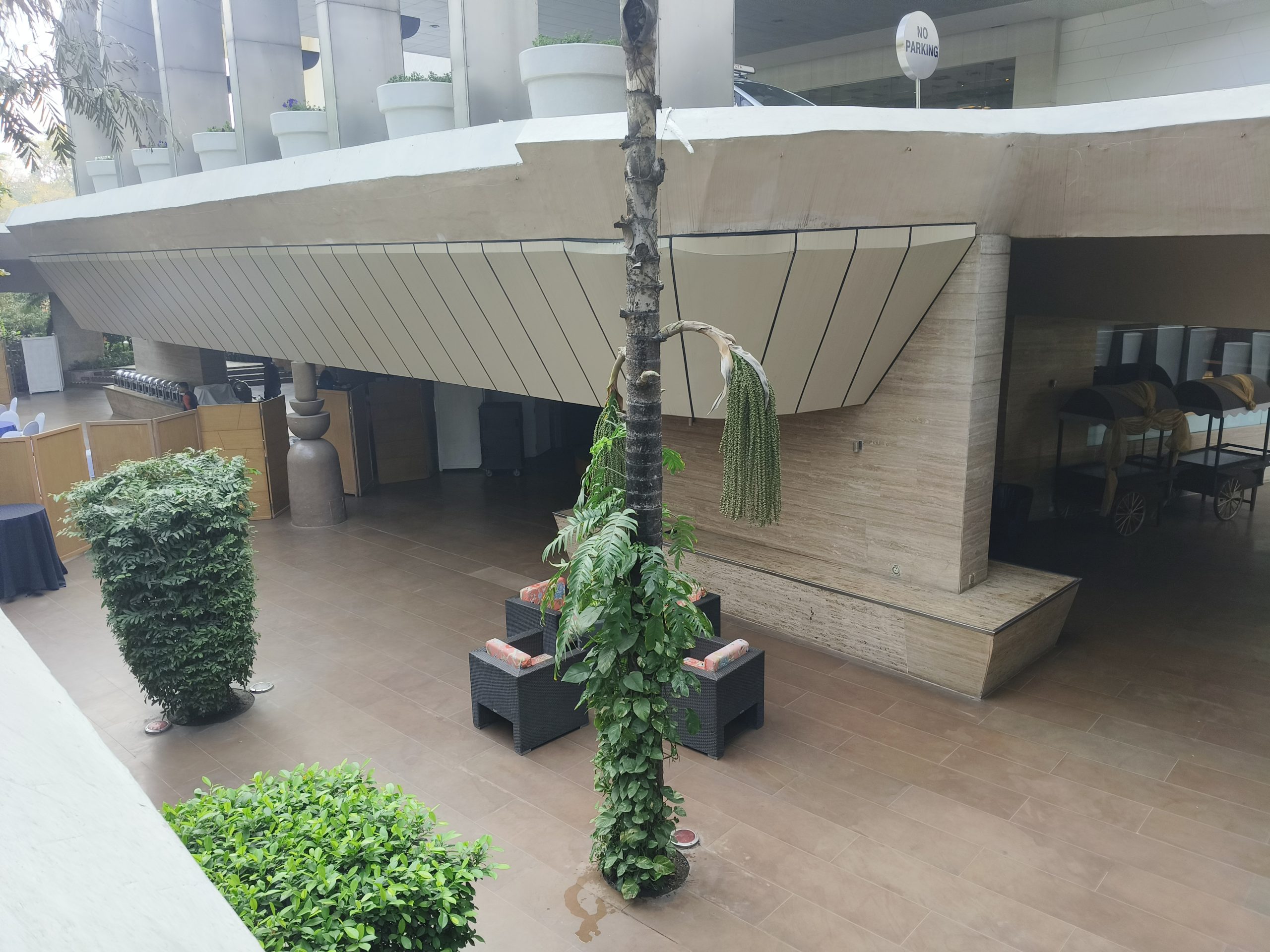
Vivo T3 5G Camera: Day Samples
Vivo T3 5G Camera: Day Video
Vivo T3 5G Specs
GENERAL
Sim Type
Dual Sim, GSM+GSM (Hybrid Slot)
Dual Sim
Yes
Sim Size
Nano SIM
Device Type
Smartphone
Release Date
April 11, 2024 (Expected)
DESIGN
Dimensions
158.9 x 73.5 x 7.8 mm (6.26 x 2.89 x 0.31 in)
Bezel less
No
Colors
Nitro Blaze, Velocity Wave
DISPLAY
Type
Color AMOLED Screen (1B Colors)
Touch
Yes, 480 Hz Touch Sampling Rate
Size
6.58 inches, 1080 x 2400 pixels, 120 Hz
Aspect Ratio
20.5:9
PPI
~ 413 PPI
Screen to Body Ratio
~ 84.1%
Features
up to 1,600 nits Brightness, Contrast Ratio: 6000000:1
Photo, Night, Portrait, Video, Micro Movie, 64MP, Panorama, Live Photo, Slo-Mo, Timelapse, Pro, AR Stickers, Documents, Double Exposure, Dual-View Video
Video Recording
1080p @ 30 fps FHD
Flash
Yes, LED
Front Camera
16 MP f/2 (Wide Angle)
Front Video Recording
1080p @ 30 fps FHD
TECHNICAL
OS
Android v14
Custom UI
Funtouch OS 14
Chipset
Mediatek Dimensity 7200
CPU
2.8 GHz, Octa Core Processor
Core Details
2.8GHz×2+2.0GHz×6
GPU
Mali G610
Java
No
Browser
Yes
MULTIMEDIA
Email
Yes
Music
WAV, MP3, MP2, MIDI, Vorbis, APE, FLAC
Video
MP4, 3GP, MKV, FLV
FM Radio
No
Document Reader
Yes
BATTERY
Type
Non-Removable Battery
Size
4700 mAh, Li-Po Battery
Fast Charging
Yes, 67W Superfast Flash Charge
FAQs
What makes the Vivo T3 5G’s processor unique?
The Vivo T3 5G is powered by the MediaTek Dimensity 7200 processor, a standout feature for a budget smartphone. This processor is noted for its 4nm fabrication process, which includes two high-performance cores and six efficiency cores.
This configuration is aimed at delivering a balance between high-speed performance and energy efficiency, enabling the phone to handle multitasking and demanding applications smoothly.
How does the Vivo T3 5G accommodate extensive storage needs?
This smartphone comes equipped with 256GB of internal storage, providing ample space for storing a large number of photos, videos, and applications.
For users with even greater storage needs, the device offers the flexibility to expand the storage capacity via a microSD card, ensuring that space constraints are seldom a concern.
Can you describe the Vivo T3 5G’s camera capabilities?
The Vivo T3 5G features a primary camera equipped with the Sony IMX882 sensor, renowned for its optical image stabilization (OIS) capability.
This is complemented by additional camera features such as a 2MP bokeh camera and a flicker sensor, which together enhance portrait photography.
The phone also introduces several modes specifically designed for low-light photography, ensuring quality images in a variety of lighting conditions.
What are the key features of the Vivo T3 5G’s display?
The device boasts an AMOLED display that supports up to 1200 nits of peak brightness, making it suitable for use in various lighting conditions.
The 120Hz refresh rate of the display ensures smooth scrolling and responsiveness, while integrated eye protection features aim to reduce blue light exposure and adapt brightness to protect users’ eyes.
What makes the Vivo T3 5G stand out in the mid-range smartphone market?
The Vivo T3 5G sets a new standard with its premium design, impressive 120Hz AMOLED display, and a powerful camera setup, offering a high-end experience at a mid-range price point.
How does the camera performance of the Vivo T3 5G fare in low light?
Thanks to its 50 MP Sony IMX882 main camera with OIS and a large f/1.79 aperture, the Vivo T3 5G excels in low-light conditions, promising sharp and clear images.
Can the Vivo T3 5G handle heavy multitasking and gaming?
Equipped with the MediaTek Dimensity 7200 Mobile Platform and features like Extended RAM 3.0, the Vivo T3 5G is designed to deliver smooth multitasking and gaming experiences without lag.
What are the battery specifications of the Vivo T3 5G, and how quickly can it be charged?
The Vivo T3 5G comes with a 5000mAh battery capable of supporting a full day of use, complemented by 44W FlashCharge technology for quick recharging.
What software does the Vivo T3 5G run on, and what are its key features?
Running on FunTouchOS 14 based on Android 14, the Vivo T3 5G offers a user-friendly interface with enhancements like Memory Booster, RAM Saver, and versatile multitasking options for an optimized experience.
Vivo Launches Vivo T3 5G, a Performance-Packed Smartphone Featuring MediaTek Dimensity 7200 and Sony OIS Anti Shake Camera. Details?
Vivo T3 5G brings MediaTek Dimensity 7200 chipset – the fastest processor in its segment along with a 120Hz High Brightness AMOLED Display, and Dual Stereo Speakers.
Vivo T3 5G houses a 5000 Mah battery, ensuring that users can use the device throughout their day easily.
The Vivo T3 5G also comes with a dedicated flicker sensor to deliver a clearer and purer experience when shooting various content.
Vivo, the innovative global smartphone brand, today expanded its series T lineup in India by launching the latest addition, the Vivo T3 5G. The all-new Vivo T3 5G caters to tech-savvy individuals and multitaskers, offering turbo performance.
Powered by the MediaTek Dimensity 7200 mobile platform, the Vivo T3 5G ensures seamless multitasking and an immersive user experience.
Its 6.67-inch FHD+ AMOLED screen, dual stereo speakers, and 5000 mAh battery complemented by a 44W fast charging capability make this device the perfect mid-ranger.
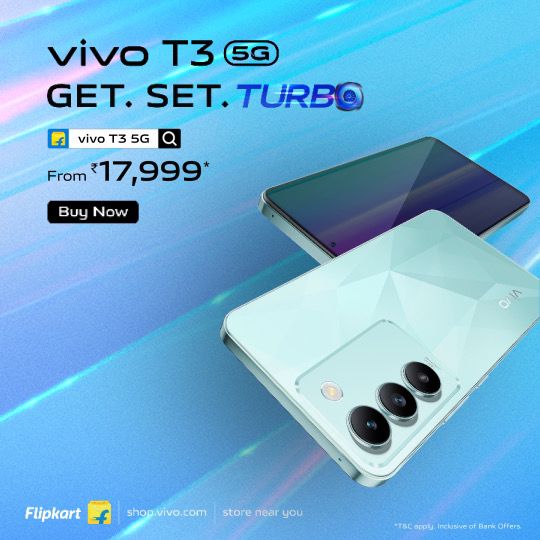
Available in two captivating colors – Crystal Flake and Cosmic Blue, the Vivo T3 5G is priced at INR 19,999 for the 8GB+128GB variant and INR 21,999 for the 8GB+256GB variant. The smartphone will go on sale starting March 27, 2024, across Flipkart and Vivo India e-store.
Consumers can also avail of various offers including a flat instant discount of INR 2,000 using HDFC and SBI cards, or an exchange bonus of up to INR 2,000, along with 3 months No Cost EMI.
How is the performance of Vivo T3 5G?
Flagship Level Turbo Performance
Driven by the MediaTek Dimensity 7200 chipset, the Vivo T3 5G achieves an impressive AnTuTu score of 734,924. Coupled with Vivo’s meticulous optimization, it guarantees a seamless and stable user experience.
Sporting the second-generation Armv9 architecture design, its octa-core CPU, including a high-performance core, Arm Cortex-A715, operates at a clock speed of 2.8 GHz, effortlessly managing multitasking and maximizing performance while maintaining prolonged battery life.
How is the video & audio experience of Vivo T3 5G?
Immersive Video and Audio Experience
Featuring a vibrant 6.67-inch 120Hz Ultra Vision AMOLED Display, the Vivo T3 5G delivers stunning visuals. The display comes with a peak brightness of 1800 nits, the brightest display in the segment, and an in-display fingerprint unlock for seamless accessibility.
The display’s 100% DCI-P3 wide color gamut delivers rich and natural colors, and its pixel density of 394 PPI provides high resolution. The Vivo T3 5G comes with HDR10+ Certification along with SGS Low Blue Light Eye Care certification, ensuring the well-being of the users.
Vivo T3 5G’s audio capabilities provide an immersive experience, being the first series T smartphone to come with Dual Stereo Speakers, boasting a 200%-volume Audio Booster. With High-Resolution Wired and Wireless Certification, users can enjoy high-quality audio for a truly immersive experience.
How is the Camera performance of Vivo T3 5G?
Professional-Grade Camera Performance
The Vivo T3 5G boasts a primary 50 MP OIS Camera alongside a 2 MP bokeh camera, equipped with the segment’s 1st Sony IMX882 sensor which ensures crisper shots and blur-free images, especially in low-light environments.
Utilizing 4-in-1 pixel binding, it achieves a pixel size of 1.6 μm, ensuring clear images in various lighting conditions. Its f1/1.79 aperture enhances light intake, which is particularly beneficial for capturing brighter and clearer night shots in low-light settings.
Additionally, its 4K video recording capability ensures sharper shots, allowing users to effortlessly capture all memorable moments with unparalleled clarity and detail.
The Vivo T3 5G introduces advanced camera features to enhance photography experiences. With the upgraded Supermoon Mode utilizing AI detail enhancement, users can capture stunning moon shots at zoom levels of 5x or higher, ensuring detailed images while overcoming common issues like overexposure and lack of detail.
Additionally, the device’s 2x professional portrait camera delivers authentic visual experiences with minimal distortion, producing natural-looking portraits with a shallow depth of field for a pleasing bokeh effect. This feature is ideal for clear half-body portraits, offering professional-level photography with advanced camera capabilities.
To enhance shooting experiences, the Vivo T3 5G also incorporates a flicker sensor that ensures clearer and purer shots by mitigating alternating light and dark flickers. In indoor or artificially lit environments, it precisely monitors flickering frequencies of ambient light sources to adjust exposure in real-time, resulting in cleaner visual effects for both photos and videos.
How is the Battery performance of Vivo T3 5G?
Long-lasting Power
With a robust 5000 mAh battery, the Vivo T3 5G keeps users connected throughout the day, supported by Super Battery Saver for extended standby time.
Essential functions like calls, messages, and frequently used apps remain accessible without draining the battery or causing unexpected shutdowns, enhancing user connectivity and productivity.
Running on Funtouch OS 14, the Vivo T3 5G provides a seamless operating experience, enhancing user interaction and efficiency