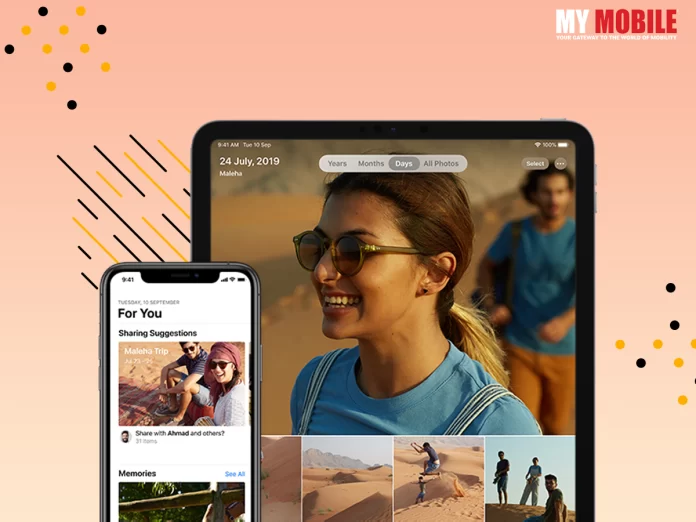
Apple has redesigned the iOS Lock Screen with iOS 16, making it more customizable than ever and able to show widgets with plenty of information. This article demonstrates how to add certain widgets to the iOS 16 beta-tested iPhone lock screen.
The device’s battery level, the calendar, the clock, the fitness tracker, the home screen, the news feed, the stock market, the weather, and other information-rich widgets can all be added below the time. You can add up to two rectangle widgets with further information, up to two square widgets with symbols, or a combination of up to four square widgets with symbols below the time.
It’s encouraging to see those Lock Screen Widgets, which had previously only been available on Android phones, will now also be available on iPhones when iOS 16 is launched in the autumn of this year. The Lock Screen may be personalized with distinctive fonts, colors, and, for the first time, widgets, giving you quick access to information without having to open your iPhone’s Home Screen or Today view.
Simply unlock your iPhone using Face ID or Touch ID, long-press the lock screen to access the Lock Screen gallery, and then start adding widgets. The remaining phases of the procedure are outlined in the steps that follow.
Widgets for your lock screen:-
To open the widgets picker, tap the frame either above or below the time.
To add a widget to the frame, tap any of the suggested widgets at the top of the widgets selection.
Additionally, you may press an app’s column-list entry to select one of the widgets that are offered for that app. To position it where you want it, swipe to the image you want, tap it or drag it into the frame.
Tap Done in the top-right corner of the screen after you’re done organizing your widgets.
To activate the current Lock Screen, tap it in the wallpaper collection.
There will be a tonne more Lock Screen widgets as a result of developers being able to create widgets for third-party apps in iOS 16 utilizing Apple’s new WidgetKit API.
When pitted against each other in direct comparison, it’s easy to see a number of similarities between Google’s new Pixel 6a and Apple’s iPhone SE (2022)
Each phone also boasts the same cutting-edge chipset that powers its flagship bigger brother (that’s the A15 Bionic chip on Apple’s most recent iPhone SE and the Google-designed Tensor chip on the Pixel 6a), making them both the most affordable handsets in their respective manufacturers’ 2022 ranges.
However, there are a few areas where Google’s low-cost smartphone clearly outperforms its rival created by Apple, giving it a somewhat more luxury feel.
With that in mind, here are three justifications for why the new Google Pixel 6a is a superior entry-level smartphone to Apple’s iPhone SE (2022), as well as two against them.
The display is bigger and better
With all due respect to the vivid True Tone display on the iPhone SE (2022), the Pixel 6a’s screen is outstanding in every aspect imaginable. Its thin bezels and lack of a forehead and chin allow it to be significantly larger at 6.1 inches (the iPhone SE’s is only 4.7 inches).
Additionally, the Pixel 6a has OLED display technology, which enables far higher contrast and vibrancy at the individual pixel level than the iPhone SE (2022), which has an outdated LCD screen.
Which brings us to each phone’s display resolution. The iPhone SE (2022) offers a less-premium LCD display, but its resolution only tops out at 1334 x 750 with a density of 326 ppi. The champion of this category is unquestionably the Pixel 6a, with its 429 ppi density and 1080 x 2400 resolution.
Camera Features
Additionally, the iPhone SE (2020)’s Touch ID sensor was kept apart from the display because it was wise for Apple to do so. The Pixel 6a’s in-display fingerprint scanner is so slow that it confirms this.
Both smartphones include a 12MP primary camera, but the Pixel 6a has a dual camera configuration with an extra 12MP ultra-wide sensor, allowing you to record more in a single frame.
Double the storage for a comparable cost
The entry-level Apple iPhone SE (2022) costs $429 (£419/AU$719) and has a meagre 64GB of storage, while the Google Pixel 6a costs $449 (£399/AU$749) and has a single 128GB storage option.
Smartphones have become an important component of our daily life. We use them for communication, photography, cloud storage, internet surfing, and even as a power bank to charge other smartphones.
You can compare mobile phones online with the help of a website or comparing tools.
Here’s a checklist of items to think about before purchasing your next smartphone.
Quality of construction
The durability of a smartphone is determined by its design. The whole handset market is separated into two types of construction: metal and plastic.
There are few with glass-coated panels, but they are few and far between. If you are prone to dropping your smartphone, it is best to choose a metal or plastic-built device.
Display
The size and quality of your smartphone’s display are controlled by how you use it. If you frequently stream videos, edit photographs or videos, or download and watch movies, a smartphone display with a 5.5-inch to 6-inch full-HD or QHD resolution should suffice.
Processor
The processing capability of a smartphone varies based on numerous aspects such as OS version, UI, bloatware, and others.
If you are a heavy user who needs to edit images/videos/documents online, play demanding games, streams movies, or often use applications in split screen mode, smartphones with Qualcomm Snapdragon 652 or Snapdragon 820/821 should make multitasking easier.
Camera
Simply having further megapixels doesn’t indicate that the smartphone camera is superior. A camera’s orifice, ISO settings, pixel size, autofocus, and other features are also important. A 16MP back camera isn’t always superior to a 12MP camera. The same holds true for the front-facing camera.
Battery
The battery use varies from stoner to stoner grounded on how the smartphone is used. However, plays games, and aqueduct vids, If you’re a heavy stoner who works on applications. However, a handset with a 3000mAh battery will last you a whole day, If you’re an average or light stoner.
Storage
The OS and the apps that come pre-installed on the smartphone consume a significant amount of storage space.
A 16GB/32GB/64GB or more does not always come with the specified amount of space. If you want to keep fewer programs on your devices, 32GB storage is an option.
The iPhone 14 series, one of the most eagerly awaited mobile gadgets of 2022, will be unveiled by Apple in less than a month. Four products from the Cupertino-based tech titan will be released this year. An iPhone 14, an iPhone 14 Pro, an iPhone 14 Max, and an iPhone 14 Pro Max will be available. A number of individuals have been startled by Apple’s decision to forego releasing an iPhone 14 small.
The 5.4-inch iPhone “mini” form factor was released by Apple with the iPhone 12 series in 2020, and despite the device having many loud advocates and receiving favorable reviews from a number of well-known critics, it just did not generate enough revenue for Apple. The iPhone 12 mini’s poor sales compared to the rest of the iPhone 12 series were instantly apparent.
The iPhone 12 small had only made up 6% of total iPhone sales in the first two months, according to a study from analysts at CIRP at the time. In comparison, sales of the iPhone 12 standard model accounted for 27% of all sales, followed by the iPhone 12 Pro and iPhone 12 Pro Max at 20% apiece.
In spite of being a member of a flagship series, the analysis discovered that it was underperforming more recent models like the iPhone XR, iPhone 11, and the inexpensive iPhone SE.
iPhone 13 had a comparable tale. It still selling badly even after gaining a much better battery and a lot brighter display. According to a recent CIRP report, just 3% of all iPhone purchases were attributed to the iPhone 13. This was obviously bad news for the products that Apple had the lowest profit margin on among its flagships.
This Apple smartphone is marketed as having a Hexa-core CPU, which will enable you to access several programs and play graphically demanding games without experiencing latency. The device may also have a respectable 3115 mAh battery and the iOS v15 operating system.
After some time, you could start to notice that your older iPhone is operating slowly, but these tricks might help even a sluggish iPhone 7 or iPhone 6 work quicker. Anytime your iPhone lags, you should save this article and refer to it. Here are seven little-known techniques you may use the next time you need to speed up your iPhone.
Get alerted and improved your memory
I have software that swiftly frees up memory and speeds up my Mac. It turned out to be the forty dollars I’ve ever spent. But! On your iPhone, the App Store has comparable software that is free to download. Announcing Battery Saver. You can see how much memory you’ve used and how much free memory is still available in the app. It might save your life if your phone is sluggish. Throughout the testing of each method, I’ll also be keeping an eye on how much RAM I’m using to see whether it makes a discernible difference.
A big green button that reads “Boost Memory” is there. The software will put your iPhone in “ideal form” when you press that.
Before running the software, You possessed roughly 100 MB of memory available; now, You have nearly 1076 MB of free capacity, all in the space of two minutes.
The app is a fantastic method to keep track of how well the other phone performance tips are working for you.
Use This Clear RAM with iPhone Restart Trick to Speed Up a Slow Phone
This differs from merely restarting or shutting down your iPhone. This is the precise technique to clean the RAM on your iPhone, for any reason. Follow the instructions in the article mentioned above for your specific iPhone model up until your screen goes black and then comes back on to complete this. As said in the tip above, shut any unneeded applications before attempting this advice because if you leave a lot of apps open, your iPhone will restart them when it reboots, using up a lot of memory. After that, I used this approach to free up roughly 120 MB more RAM, according to the Battery Saver app.
When it comes to Samsung smartphones, it has very few peers to compete with and this is a big reason why it is going from strength to strength with each passing decade. Now with Samsung Galaxy Z series all set for launch on August 10, 2022, it is going to set new records in the coming days.
It is Samsung that is going to host the Galaxy unpacked event on August 10 when it is going to launch its next generation of foldable smartphones viz. Galaxy Z Fold 4 and Galaxy Z Flip 4 because the company has not revealed anything as yet regarding its design, which is why they’ll reveal everything at the event.
Evan Blass, a reliable source working in the company, has served as the tipster who leaked press renders, or so it is alleged, of the Galaxy Z Fold 4 and Galaxy Z Flip 4 that reveals info about its design and colour options in detail.
Features & Specifics
Galaxy Z Fold 4 comes with three colour options that are Beige, Grey-green, and Phantom black along with a triple rear camera setup that is vertically inclined with an LED flash at the bottom.
It also comes with a 12GB + 256GB internal storage with a starting price of Rs.1,51,800 along with a 12GB + 512GB storage variant that costs around Rs.1,60,000 aside from the regular features.
Galaxy Z Flip 4 comes with four colour options that are Grey, Gold, Light Blue and Purple along with a dual rear camera setup but the one common thread between both smartphones is that they’re depicted to feature volume rockers on the side along with a side mounted fingerprint sensor.
Galaxy Z Flip 4 is reported to come with three variants- 8GB RAM + 128GB internal storage, 8GB RAM + 256GB internal storage and finally 8GB RAM + 512GB internal storage that cost around Rs.88,000, Rs.94,000 and Rs.1,03,000, respectively.
Asus has many excellent electronic devices in its name and it is difficult to choose the best of the lot. Given the enormous success it has achieved, no wonder that it launches a new device at regular intervals.
Asus released its newest model, Zenfone 9, on July 29, 2022 as the latest flagship version for the company and it hopes that it achieves the same popularity as Zenfone 7 and other previous versions of the smartphone.
The makers are leaving no stone unturned to make it a monstrous success all around especially in India as the country is one of their biggest markets, which is why they would like to cater to the users there who have given a thumbs up for their devices.
Price & Specifications
The starting price of Asus Zenfone 9 is Rs.64,800 with different variants to its credit like the base 8GB RAM + 128GB internal storage, 8GB RAM + 256GB internal storage and a 16GB RAM + 256GB internal storage.
The colour options include Midnight Black, Sunset Red, Moonlight White and Starry Blue although some users are upset that they’re no other options to choose in terms of colour but suffice to say that the available options are excellent too.
Asus Zenfone 9 is a dual-SIM (Nano) with a 5.9 inch full HD+ 120Hz AMOLED display from Samsung, 112% coverage of the DCI-P3 colour gamut along with a peak brightness of 1,100 nits.
It is also powered by a Qualcomm Snapdragon 8+ Gen 1 SoC with a 16GB of LPDDR5 RAM and an integrated Adreno 730 GPU. When it comes to battery power, Zenfone 9 packs a 4,300mAh battery with support of 30W fast charging that claims to deliver up to 18.5 hours of video playback time.
This means that you can get a gaming time of 8 hours on a single charge, which is welcome news for gaming aficionados that can play uninterrupted for 8 hours without fear of draining their battery.
You can get dual microphones packed with OZO Audio Noise Reduction Technology that bolsters the recording capability of the audio of the handset, which also has dual stereo speakers with Dirac HD sound.
Zenfone 9 comes with a dual rear camera setup with a 50-megapixel Sony IMX766 primary sensor with an f/1.9 lens that is paired with a 12-megapixel Sony IMX363 secondary sensor that has an f/2.2 ultra-wide lens with 113 degree field of view.
For people obsessed with taking selfies, the handset sports a 12-megapixel Sony IMX663 camera at the front that is with an f/2.45 lens while the camera setup itself is preloaded with different filters and modes that include slow motion, panorama, night photo, light trail and others.
Conclusion
To conclude, it has a fingerprint sensor at the back of the handset for authentication along with am IP68 certified build that is water and dustproof so you need not worry about either of them.
The above features will definitely increase the curiosity of users that want to try out the smartphone for themselves and are anxiously waiting for the day when it comes out in the market so they can purchase it.
It seems like bad times have befallen on mobile game fanatics since the past few years as they’ve not yet recovered from the shock of banning PUBG in India when the grim reaper struck again on July 28, 2022.
Battlegrounds Mobile India (BGMI) has disappeared from Google Play Store and Apple App Store as soon as the government order was made public and the sudden removal has left many users shocked as they weren’t informed about it.
A small respite for some players is that if they’ve already installed the game in their device, they can play it for now but Google has recently confirmed that it is delisting the game from their Play Store citing official orders from the central government itself.
In the past few years, India has banned innumerable Chinese apps citing national security threats from the neighboring country, which also included the popular Playerunknown’s Battlegrounds or PUBG, a move that met with immense criticism.
There was a massive trend on Twitter #BGMI and #BGMIban as social media experts started speculating the reason behind the ban where some connected it to the recent allegations regarding excessive violence in video games along with massive concerns of online security and data privacy.
Krafton, BGMI developer, has claimed to have invested nearly $100 million for creating BGMI where today it has more than 100 million registered users, which makes India one of the biggest open markets for Krafton.
It remains to be seen if this ban is indefinite or will be lifted in the future although there don’t seem to be too high hopes in this regard.
iQOO 9T 5G to launch on August 2
The excitement is fever pitch as iQOO 9T 5G is all set for launch on August 2, 2022 in India and is obviously going to be an upgraded version of its predecessors, which is why many people are anticipating some brand new features in it.
With the launch just a few days away, there are many tech YouTube channels that have released unboxing videos of this new handset along with the pricing information and launch offers that the users can avail.
Tech Burns and Traking Tech, two popular tech YouTube channels, have released unboxing videos of iQOO 9T 5G that are set for release on August 2 at 12:30pm and can be purchased on Amazon.
The starting price of the new model is Rs.49,999 and it will come with an 8GB RAM + 128GB internal storage while the 12GB RAM + 256GB internal storage model will cost Rs.54,999 and finally, the colour options are Legend and Alpha.
ICICI Bank customers will get a Rs.4,000 discount offer where they can get a Rs.7,000 discount upon exchanging an iQOO smartphone whereas exchanging a non-iQOO smartphone will reduce the price of the model up to Rs.5,000.
Specifications
ICICI Bank customers can also avail a no-EMI cost option for a period of 12 months, which is quite rare to happen. Meanwhile, the iQOO 9T 5G handset will have a 6.78 inch AMOLED display screen that comes with a HD+ resolution, Snapdragon 8+ Gen 1 SoC along with a Vivo V1+ imaging chip.
The handset will be equipped with a 4,700mAh battery that will support a 120W fast wire charging. The company has high hopes that the model will be just as successful as its previous devices.
Regardless of how popular any mobile game is, the ultimate aim is to provide entertainment and even though the main aim of any player is to win the game, it has to be done while looking good.
This is what the developers of Garena Free Fire have claimed and have practically applied it in their game in the form of numerous costumes, skins and treasured items for accessories so that players can try out numerous looks of their choice.
But the fact of the matter is that if you want the best outfit in the game then you need to spend real dough on it and Rampage Bundle is a good example in this regard as it is considered the best skin to have come out this season.
It gives out a glow of two different colours and only those that spend money are privileged to have it but there is another way to get your own outfits and they are redeem codes that come out every day.
It is impossible to move ahead due to the game being difficult to cope with at many levels due to which the makers have released these codes as a token of appreciation for the players although they’re valid for only 12 to 18 hours so they need to be grabbed quickly.
The redeem codes for July 29, 2022 are as follows:
You need to visit the official website of Garena Free Fire on its redemption page through your personal social media handles like Facebook, Twitter or Google where you’ll get a step by step process on how to avail these codes.
Are you looking for a game that can sharpen your memory? What you need is focus and concentration on the task at hand whether at home or in office in order to complete it successfully and achieve the desired results.
Wordle is an excellent web-based game through which you can enhance your concentration power but it is quite simple to play and is played by millions across the globe.
Wordle comes out with new riddles every day where the players have to identify a word through the given hints and clues. If you want the answer for the riddle that has come out on July 29, 2022, you’ll need to read further on.
The game was created by Josh Wordle, a software engineer from Wales but now it is owned by The New York Times Company where players are assigned a new word each day that they have to guess in the first six attempts.
World for July 29 is a noun, a verb and an adjective that contains two vowels where it begins with a vowel and ends with a consonant. Being a noun, it means ‘an unexpected situation or result’ but as a verb it means ‘to make someone unhappy, worried or disappointed’ and finally, as an adjective it is, ‘disappointed, worried or unhappy.’
The answer is ‘UPSET’. Once you play the game yourself, you will understand how fun it is to guess the word while simultaneously putting your brain at work that will sharpen your focus on the other tasks you perform and get successful results.
Google has already stated that the Pixel 7 series would be released this year, but it has provided very little information on the upcoming Pixel 7 and the Pixel 7 Pro. We now have some insight about the phones’ cameras and an idea that another Pixel phone is on the way thanks to a leaked report. Here are some specifications.
Pixel 7, 7 Pro Camera Specifications Reportedly Revealed
The 50MP main camera in the Pixel 7 and Pixel 7 Pro will have a Samsung GN1 sensor, just like the Pixel 6 phones, and an ultra-wide lens with a Sony IMX381 sensor, according to research done by a leaker going by the handle “Za Raczke” on Twitter.
However, rather than a Sony IMX sensor, it is said to have an 11MP Samsung 3J1 sensor for the front camera on both phones. This will be able to use dual pixels. An extra telephoto lens for the Pixel 7 Pro will use a Samsung GM1 sensor rather than a Sony IMX586 sensor. Utilizing sensors from a single vendor for sensors with identical camera outputs is the purpose behind this switch.
Another premium Pixel phone may also be in the works, with the unreleased Sony IMX787 sensor said to be used for either the telephoto or ultra-wide angle lens. According to rumors, the primary camera will be the same as the Pixel 7 series.
The “Lynx L10” phone is anticipated to have a 13MP selfie camera using a previously unannounced Sony IMX712 sensor. Google will be utilizing new sensors for the first time at this time. However, nothing is known about this technology, and it’s unclear whether it will ever be used.
Information is also provided on the Pixel tablet and Pixel foldable phone. The tablet (also verified) could include twin cameras with a Sony IMX355 sensor and an 8MP front camera comparable to the Pixel 6. The main camera on the foldable Pixel phone could be identical to that in the Pixel 6. Although it has supposedly been postponed, you should be aware that we still don’t have any certainty about whether or not a Pixel foldable phone would launch.
The Web Authentication API is the foundation of Passkey, a new standard created to authenticate apps and websites using public-key cryptography. The smooth and secure passcode sign-in experience is made possible by Passkey, which enables your device to retain private key information and use it to produce fingerprints to let you validate against a web server.
How to Create a Passkey on iPhone
Follow the below steps in order to create a passkey
You will get a popup asking you if you want to save a passkey for your username when you register on a website that has Passkeys support. For sign-in on all of your devices, passkeys are kept in your iCloud Keychain.
To store your Passkey to your keychain, tap “Continue” and confirm your authenticity using Face ID or Touch ID. Considering that Passkeys syncs with iCloud Keychain, make sure the built-in password manager is turned on.
Open your iPhone’s Settings app. Tap on your profile after that, then select iCloud.
Ensure that toggle for Synchronization with this iPhone/iPad is enabled after tapping Passwords and Keychain.
How to Use Passkeys on iPhone
You can easily utilize your Passkeys once you’ve made them.
Go to the website or app you wish to sign in to, and then hit the Sign In button.
Now a message will appear in a popup at the bottom. Select Continue. “Do you want to sign in to ‘Site/App’s name’ with your saved passkey for ‘Username”?, When you confirm using Face ID or Touch ID, you are good to go!
How to Use Passkeys on Mac
Go to the app or website where you wish to utilise a Passkey, then select “Sign In.”
A popup to sign in using your Passkey will now appear. Use Touch ID to validate your account if you have it installed on your Mac.
Click Other Sign-In Option if your Mac does not support Touch ID or if you do not use it.
Choose “Use passkey from a device with a camera” from the menu now.
You will then be prompted to use your iPhone or iPad to scan the QR code.
You will have access to all of the Passkeys you have saved in your iCloud keychain for that website when you scan the code. Simply choose the one you like, then click “Continue.”
Then use your Face ID or Touch ID to verify your identity. Your website account will be used to log you in.