AirDrop gets a makeover, allowing data transfer over the internet when out of range.
StandBy feature now customizable for iPhone 15 and iPhone 14 Pro models.
Music app revamp includes favorites, dynamic cover art, and playlist song suggestions.
Multiple bug fixes including crash detection and Screen Time syncing improvements.
The iOS 17.1 update is about to hit the iPhones globally, and Applehas given us a glimpse of what to expect.
As usual, the software update is set to bring in various features and fixes that aim to enhance the user experience.
Chief among these updates are likely the new AirDrop capabilities, the new StandBy feature, and changes to the Music app.
Elevated AirDrop Experience
As mentioned, one of the standout features in iOS 17.1 focuses on AirDrop.
A new capability will allow data transfer to continue even when the involved parties move out of AirDrop’s range.
Instead of halting the process, the data transfer will automatically switch to an internet-based transfer, ensuring uninterrupted sharing.
This was announced by Apple earlier during its WWDC conference and now it is finally arriving on iPhones.
Smart Display Options
Apple iOS 17.1 Update
iOS 17introduced the StandBy feature, which turns your iPhone into a smart display when charging in landscape mode.
The upcoming 17.1 update extends this feature by offering more customisation options.
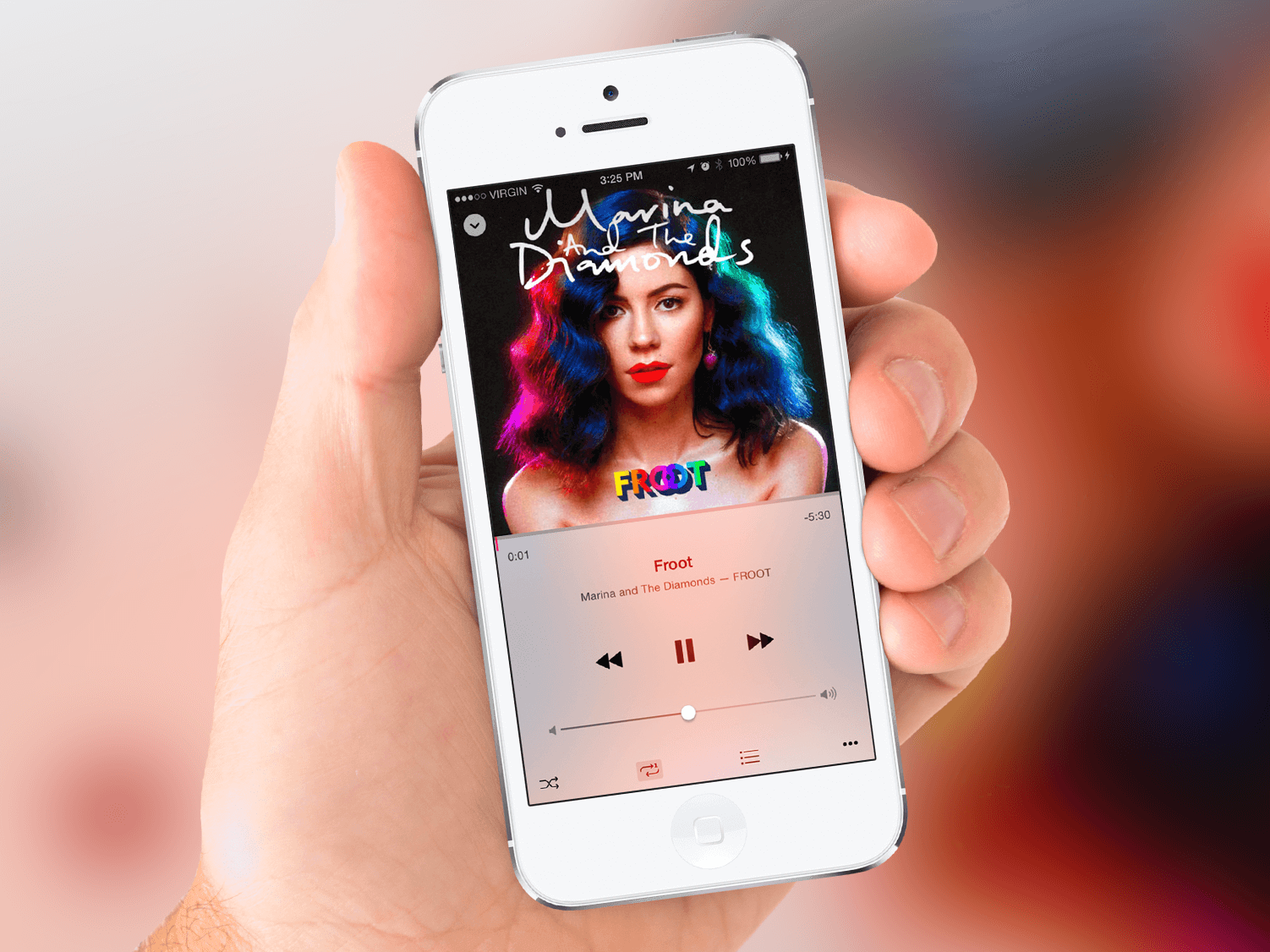
The iOS 17.1 update will introduce three noteworthy changes under the Music heading.
The Favorites section will now include songs, albums, and playlists, with a filter to display only your favorite items in your library.
The introduction of new cover art designs will offer a more dynamic, color-changing experience based on the music in your playlist.
Song suggestions will now appear at the bottom of every playlist, helping you to effortlessly add music that complements your existing tracks.
Addressing Bugs and Performance Issues
Apple iOS 17.1 Update: Performance
Apple also aims to improve device reliability through several bug fixes.
The update is set to optimize crash detection for iPhone 14 and iPhone 15 users and enhance the syncing of Screen Time settings across multiple devices.
Additionally, it promises to resolve several irritations, such as unresponsive virtual keyboards, caller name display issues during other calls, and bugs related to custom and purchased ringtones for text messages.
FAQs
What new features will AirDrop get in iOS 17.1?
AirDrop will now be able to continue data transfer over the internet if users move out of its range.
How does the StandBy feature change in the new update?
The StandBy feature will have new customization options for certain iPhone models, including an auto-off setting.
What changes are coming to the Music app?
Favorites will now include songs, albums, and playlists, and new dynamic cover art will change colors based on the music.
Are there any important bug fixes?
Yes, iOS 17.1 will fix several bugs including issues with crash detection, Screen Time syncing, and unresponsive virtual keyboards.
SpyNote malware distributed via smishing targets Android devices.
Once installed, the malware gains critical permissions through Accessibility Services.
The malware employs stealth tactics to hide its presence on compromised devices.
The threat has evolved, with custom variants emerging post a source code leak in January 2023.
SpyNote, a spyware specifically designed for Android devices, is ramping up its activities, putting users’ sensitive information at risk.
Detailed by cybersecurity firm F-Secure, this malware is currently being disseminated through fake text messages, commonly known as smishing.
Here’s what you need to know about this emerging cybersecurity threatand how you can protect yourself.
Method of Distribution
Researchers at Italy’s D3Lab first identified a fake IT alert site that warned of a possible upcoming volcanic eruption and urged visitors to download the app for updates.
When iOS usersclick on the download button, they are redirected to the authentic IT-alert site.
However, Android users receive an ‘IT-Alert.apk’ file upon clicking the download button. This APK file carries the SpyNote malware.
Functionality and Permissions
Once installed, the malware gains access to Accessibility services, enabling the attackers to carry out a broad range of invasive actions on the compromised device.
Although it doesn’t require an exhaustive list of permissions, the few that it does request are critical.
SpyNote Malware Targets Android
Upon launching, it initially asks for BIND_ACCESSIBILITY_SERVICE permission.
Once granted, the malware autonomously approves several additional vital permissions.
SpyNote is designed to stay under the radar; it does not appear in the app launcher or the Recents screen.
To activate the malware, external triggers such as an SMS are employed.
Evolving Threat
Evolving Threat
SpyNote was first documented in 2022 and has since reached its third major version.
In January 2023, a report from ThreatFabric revealed a spike in SpyNote detections following a leak of one of its source code variants, codenamed ‘CypherRat.’
This leak led to the development of custom variants that specifically targeted banks or masqueraded as popular apps like Google’s Play Store, Play Protect, WhatsApp, and Facebook.
FAQs
What is SpyNote malware?
SpyNote is a spyware that specifically targets Android devices. It is distributed primarily through fake text messages.
How does SpyNote get installed?
The malware deceives users into downloading an APK file, posing as an emergency alert, which then installs SpyNote on Android devices.
What permissions does SpyNote require?
The malware asks for BIND_ACCESSIBILITY_SERVICE permission initially, and once granted, autonomously approves several more vital permissions.
How can I protect myself?
Only download apps from trusted sources and be cautious when clicking on links from unknown or suspicious text messages.
First and foremost, your content needs to be visually appealing and engaging. High-quality photos and videos naturally attract more attention.
Invest in a good camera or smartphone with a decent camera setup.
Experiment with different styles, filters, and compositions to make your posts stand out.
Also, pay attention to your captions; they can enhance the context of your content and encourage interactions.
However, don’t overdo it; a mix of popular, niche-specific, and branded hashtags works best.
Additionally, create a unique branded hashtag for your business to encourage user-generated content and community participation.
Engage with Your Audience
Engage with Your Audience
Engagement is a two-way street. Respond to comments on your posts, reply to direct messages, and engage with other users’ content.
The more you interact with your audience, the more likely they are to reciprocate. Meaningful conversations not only boost your post visibility but also create a loyal follower base.
Utilize Instagram Stories and Reels
Utilize Instagram Stories and Reels
Instagram Stories and Reels are excellent features to enhance your reach.
Stories appear at the top of users’ feeds and Reels have a dedicated section on the Explore page.
Both formats allow you to reach a broader audience beyond your followers.
Use Stories to share behind-the-scenes glimpses, promotions, or exclusive content.
Reels are perfect for showcasing your creativity through short, engaging videos.
Collaborate with Influencers and Brands
Collaborate with Influencers and Brands
Collaborations can expose your profile to a wider audience. Partner with influencersor complementary brands within your niche for shoutouts, takeovers, or joint campaigns.
Influencers often have a dedicated fanbase, and their endorsement can introduce your content to potential followers interested in your niche.
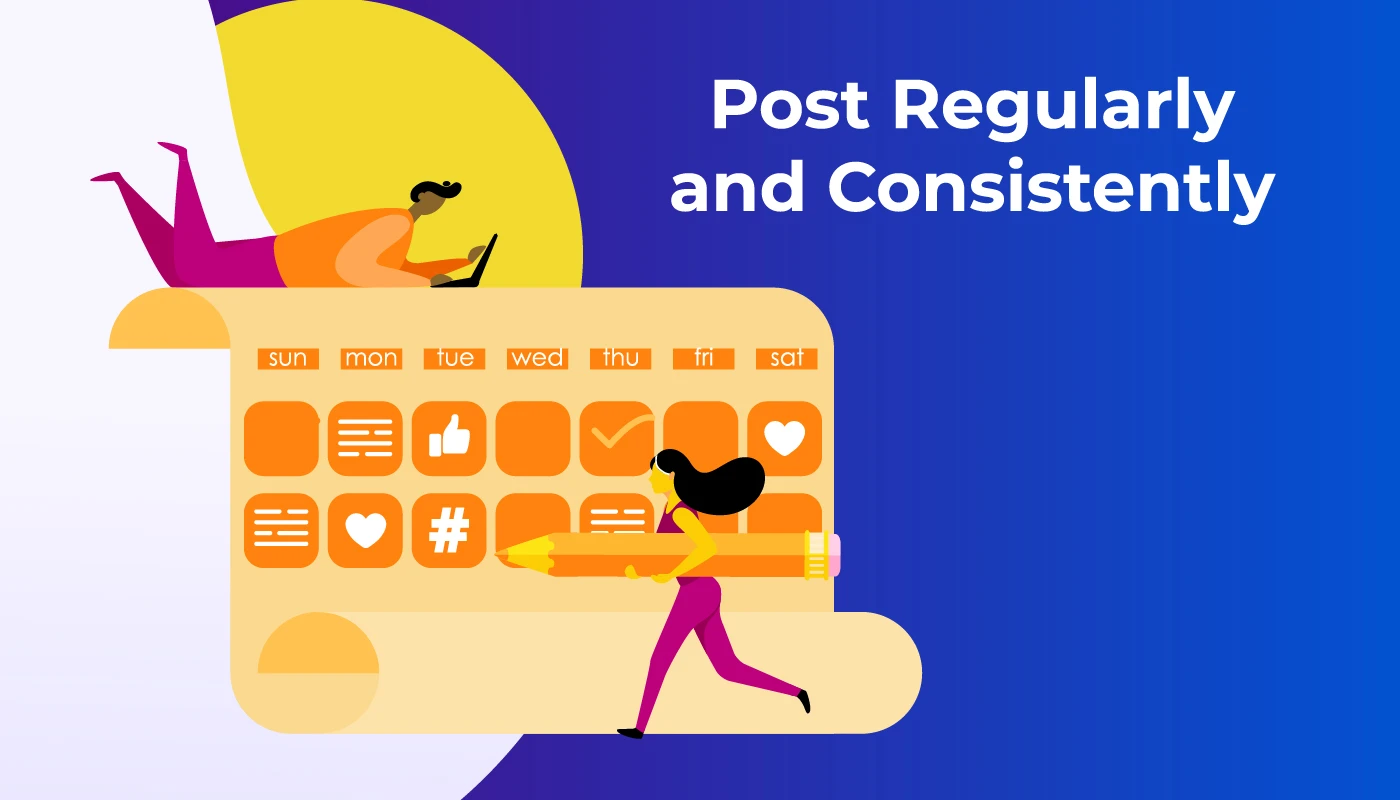
Post Consistently and Regularly
Post Consistently and Regularly
Consistency is key on Instagram.
Aim for a regular posting schedule, whether it’s daily, a few times a week, or weekly.
Posting consistently keeps your audience engaged and your profile active.
An active account is more likely to be featured on users’ Explore pages, increasing your visibility.
Utilize User-Generated Content
Utilize User-Generated Content
Encourage your followers to create content related to your brand or products.
User-generated content not only provides social proof but also expands your reach organically.
Repost user-generated content on your profile (with proper credit, of course) to show appreciation for your community.
This practice strengthens your relationship with existing followers and attracts new ones.
Monitor and Adapt
Instagram Insights
Lastly, keep an eye on your Instagram Insights.
Analyze the performance of your posts, track follower growth, and observe which content resonates the most.
Adapt your strategies based on these insights.
If certain types of posts or hashtags yield better results, incorporate them more frequently.
Regularly evaluating your performance helps refine your approach for maximum reach.
By implementing these simple yet effective tips, you can expand your Instagram presence, connect with a broader audience, and elevate your social media marketing efforts.
Stay consistent, stay engaged, and watch your Instagram reach soar to new heights.
FAQs
Q1. How can I improve the visibility of my Instagram posts?
Answer. To boost your Instagram visibility, focus on creating high-quality, visually appealing content. Use relevant hashtags, engage with your audience, post consistently, and utilize features like Stories and Reels. Additionally, collaborating with influencers and analyzing your Insights data can provide valuable insights to enhance your reach.
Q2. What role do hashtags play in increasing Instagram reach?
Answer. Hashtags categorize your content, making it discoverable to a wider audience. Use a mix of popular, niche-specific, and branded hashtags related to your content. Research trending hashtags within your industry, and incorporate them strategically in your captions or comments to expand your post’s reach and engagement.
Q3. How often should I post on Instagram to maintain engagement?
Answer. Consistency is crucial on Instagram. Aim for a regular posting schedule that aligns with your audience’s activity times. Whether it’s daily, a few times a week, or weekly, maintaining a consistent posting frequency keeps your profile active, engages your audience, and contributes to increased visibility.
Q4. Can collaborations with influencers really help improve my reach on Instagram?
Answer. Yes, collaborating with influencers can significantly enhance your Instagram reach. Influencers have dedicated followers who trust their recommendations. When an influencer promotes your content or products, it introduces your profile to a broader audience interested in your niche. Collaborations can result in increased visibility, follower growth, and engagement.
Q5. How can Instagram Insights help in optimizing Instagram?
Answer. Instagram Insights provides valuable data about your audience, including their demographics, active hours, and preferences.
Analyze this data to understand which posts perform best, what content resonates with your audience, and when your followers are most active. This information enables you to refine your content strategy, post at optimal times, and create engaging content tailored to your audience’s preferences.
Q6. What is Instagram Reach?How is it different from Instagram impression?
Answer. Instagram reach is the number of unique users that see your post.
This is different from impression, which is the total number of views on a post.
A post that was viewed 5 times by a user, for example , would have generated 5 impressions but only have a reach of one.
For users who aim in multiplying their viewers and increasing their brand awareness, reach is the most important step to track their progress as informs you how many different people are seeing your posts.
As long as you have a business or creator account, Instagram will report your reach as part of its Insights feature.
You can see how many accounts you’ve reached in general, as well as the reach of a particular post, video, Story, or Reel.
To check out those numbers, simply view your Insights from your profile or a specific post.
Q7. What is the explanation of Instagram Ranking ?
Answer. Instagram doesn’t have a singular algorithm that checks what people do and don’t do on the app.
Each part of the app – Feed, Stories, Explore, Reels, and more – uses its own algorithm, to check how people use it.
* Feed is your personal space with Instagram to help you connected with friends & family,
This means your feeds will have a mix of content from the accounts you chose to follow, recommended content from accounts Instagram think you will enjoy mixed with suitable ads. You also see videos, photos, and carousels.
* Stories are a way to share everyday happenings and stay closer to the people and interests you are interested in .
The stories your followers see are from people they’ve chosen to follow, as well as ads.
* Explore was designed to help you discover new content and creators in line to your interests .
The grid is primarily made up of recommendations – photos and videos that Instagram finds for you from accounts you don’t follow .
* Reels is designed to help you discover new ways of entertainment.
Like Explore, what you see is from accounts you don’t follow.
By understanding how ranking and recommendations work on Instagram, it’s easier to find actionable ways to improve your reach.
Q8. How to Use interactive stickers on your Stories and Reels to increase reach ?
Answer. Instagram’s algorithm is designed to reward engagement.
The best way to encourage your audience to engage with your posts is by leveraging the platform’s interactive stickers.
Available on both Stories and Reels, these stickers are designed to spark participation from viewers and, as a result, signal to the algorithm that your posts are engaging and should be served more prominently on users’ feeds.
Q9. Which are some interactive stickers to use to increase Instagram reach ?
Answer. Here are just some of the interactive stickers you can use:
* Poll Sticker: Ask your followers to pick between two options with a poll they won’t be able to resist answering.
* Quiz Sticker: Kick it up a notch with multiple-choice questions that test their knowledge or pique their interest.
* Emoji Slider Sticker: Maybe things aren’t as simple as A or B (or C or D…). Let your followers show you how they feel based on a sliding scale.
* Add Yours Sticker: This sticker lets viewers add their own photos or videos to their story according to your prompt.
* Question Sticker: Give your followers free rein to ask questions or answer your prompt through a text box. You can then share and respond to their question in another Story. (Not currently available on Reels.)
* Hashtag & Location Stickers: Make it easy for curious users to discover more posts related to interesting hashtags or locations by adding these tappable stickers. Bonus: using them also helps your post show up in Search results and on the Explore feed.
For your audience, responding to most of these stickers is often as simple as a quick tap, making it a relatively low-effort yet fun interaction that they’re likely to engage in .
Q10. How to improve your reach with a boosted post?
Answer. If you are ready to invest into getting a bigger reach ,you can reach more people by putting an ad spend behind improving your Instagram efforts.
Boosted posts are Instagram posts that you pay to have shown to more people.
They’re different from paid ads in that they’re created from already-published posts and have more customization options when it comes to targeting.
This makes them a quick and easy way to have an organic post be seen by more people who are part of a specific audience.
Q11. How to “ Go Live “ to increase reach Instagram reach organically?
Answer. Here’s a “hack” to get your profile displayed front and center on your followers’ feeds: go live which will help to increase reach on your Instagram account which will further increase the reach on Instagram posts as well as increase reach on Instagram reels.
Placed at the beginning of the Stories feed and highlighted with a distinct “LIVE” label, live videos are hard to miss.
This makes them one of the best ways to get more views on your account and boost brand awareness — an effect that occurs even if a follower doesn’t watch the live.
This feature also has the added advantage of automatic post notifications.
For users who have this setting enabled, Instagram sends out alerts when an account that they follow goes live.
Unlike regular post notifications where they have to “subscribe” to a particular account, Live notifications can be sent out for any profile that they follow.
Q12. How does posting user generated content help in increasing the Instagram reach ?
Answer. When you share UGC, the original users are likely to return the favor by resharing the post and having their own following engage with it.
Highlighting user-generated content on your Instagram can encourage others to create similar posts that can be used to promote your brand.
Sharing user-generated content can strengthen your brand’s credibility, authenticity, and relatability.
Posts from real customers — real people — tend to stand out as trustworthy and interesting in generic branded messaging.
When people see posts they relate to on a human level, they engage.
Q13. How hosting contests & giveaways help in increasing your followers on Instagram ?
Answer. Most effective Instagram contests or giveaways provide an incentive for people to interact with the post by having entries be tied to particular actions, especially those that’ll get more eyes on your brand.
Asking your audience to follow your page, tag a friend in the comments, or share the contest to their Story are some popular ways to do this.
Q14. What is Instagram reach rate?
Answer. Instagram reach rate is the percentage of followers who see your Instagram post. Unlike Instagram reach, it’s unique to your followers only and doesn’t include non-followers who view your post.
Instagram reach rate is calculated as: (Total reach / Number of followers) * 100
Q15. Should you have an Instagram business or creator account?
Answer. An Instagram business profile is for brands who want to run ads.
It’s meant to help businesses connect with their prospective customers.
Creator accounts are for public figures, artists, and influencers.
They’re suitable for brand collaborations and building a community.
Does it matter whether you have an Instagram business account or an Instagram creator account for gaining new followers and boosting your reach? Instagram says no.
Reach wouldn’t be affected by what type of account you have, so go ahead and set it to whichever one meets your requirements.
Q16. Does purchasing the blue checkmark your reach on Instagram?
Answer. You can buy the blue checkmark using the app.
Only individuals can do this, not brands, since it requires you to verify your identity
Q17. Does getting verified affect reach?
Answer. The head of Instagram said yes, faced backlash over it, and redacted what they said based on feedback received. Getting verified should have no impact on your reach.
Q18. Does posting with a TikTok watermark decrease your reach on Instagram?
Answer. It might. Instagram has guided creators not to post Instagram Reels with a watermark. This doesn’t mean you can’t cross-post your TikTok videos or other video content. But export them raw first and write the same text using Instagram’s Reel editor.
Q19. Does Instagram reach to fluctuate up and down?
Answer. It’s okay for your Instagram reach to go up and down a bit.
It’s not always about your content: Sometimes, the algorithm changes might affect your reach.
It might be seasonal (like people spending less time on social media during the holidays).
Don’t put “increasing reach” as the sole focus of your social media marketing strategy.
Increased reach is the output of listening to your audience, creating content that resonates with them, and aligning with Instagram’s algorithm.
Q20. Which content type should you prioritize on Instagram?
Answer. Instagram’s algorithm monitors your followers’ activity and shows content they engage with. If your audience loves Carousel posts, it’ll show more of that to them in their Instagram feed. If they love videos, Instagram will show Reels.
Q21. How often should you post on Instagram to increase reach?
Answer. Adam Mosseri, Head of Instagram, said the ideal posting frequency is “a couple of feed posts per week and a couple of Instagram Stories per day.”
Q22. Does posting more content on Instagram lead to an increase in reach?
Answer. Yes. But you will eventually see a decline in reach if you don’t post high-quality content.
Aim for a number that’s realistic for you — whether that’s one post a week, to begin with.
The key is to be consistent and avoid creator burnout.
Use Buffer’s Instagram scheduler to automatically post your Reels, Stories, and Carousel posts.
Schedule it for the right time, and never worry about manually posting something ever again.
Q23. How to get more views on your Instagram Reels?
Answer. Instagram Reels are important for being the best booster of Instagram reach.
Here’s how you can capitalize on them to increase your reach on Instagram –
-Get Right to the point without any introduction that will grab attention in the first few seconds .
-Use a mix of speaking-to-the-camera and trending audio.
-Make Instagram Reels that get people commenting, saving, and sharing.
-Write well-thought-out captions on your Instagram Reels.
-Share your Instagram Reel in your Instagram Stories.
-Post when your audience is online.
How to get more views on your Instagram Stories?
-Use a variety of content types in your Instagram stories.
-Keep your design clear .
-Create a story that keeps people swiping.
-Add text to your Instagram Stories.
-Let your Stories fully expire before you reupload another .
• Price reduced to Rs 74,999 with cashback and EMI offers. • MediaTek Dimensity 9200 and up to 12GB RAM for high performance. • Triple rear camera setup featuring 50MP main sensor. • 4,870mAh battery supported by 120W fast charging.
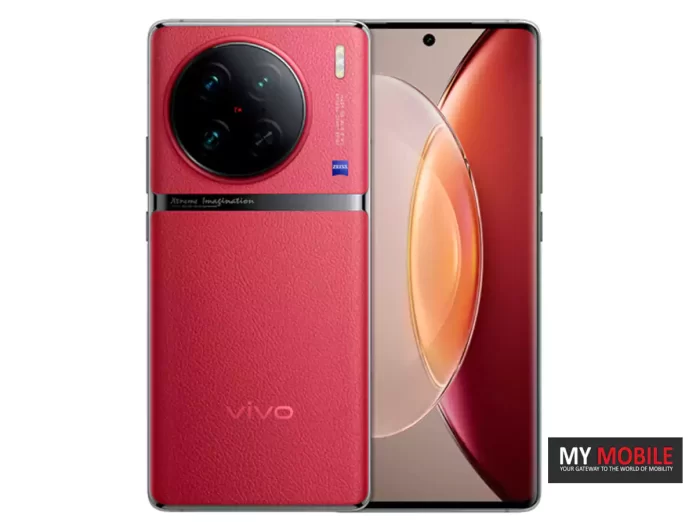
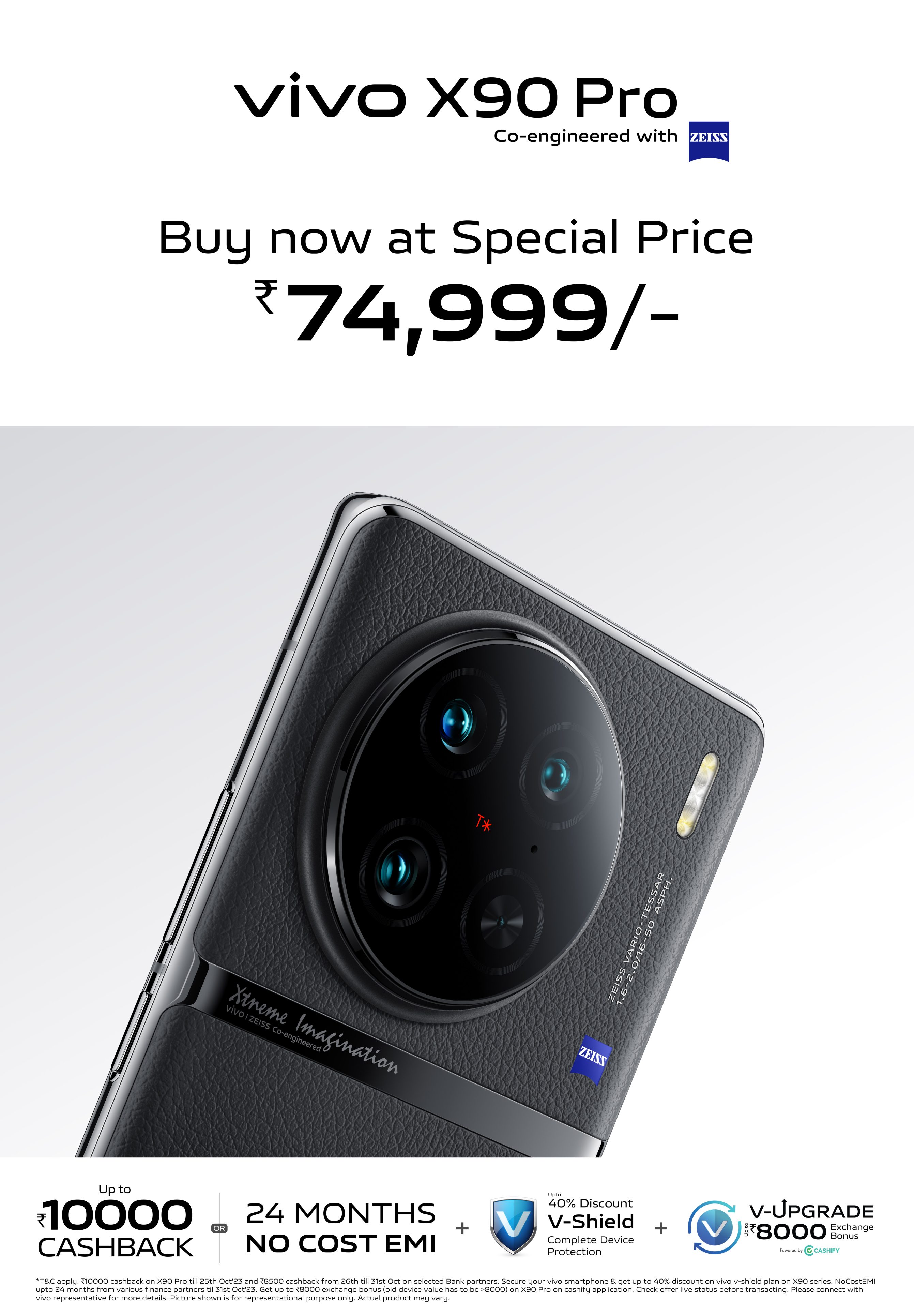
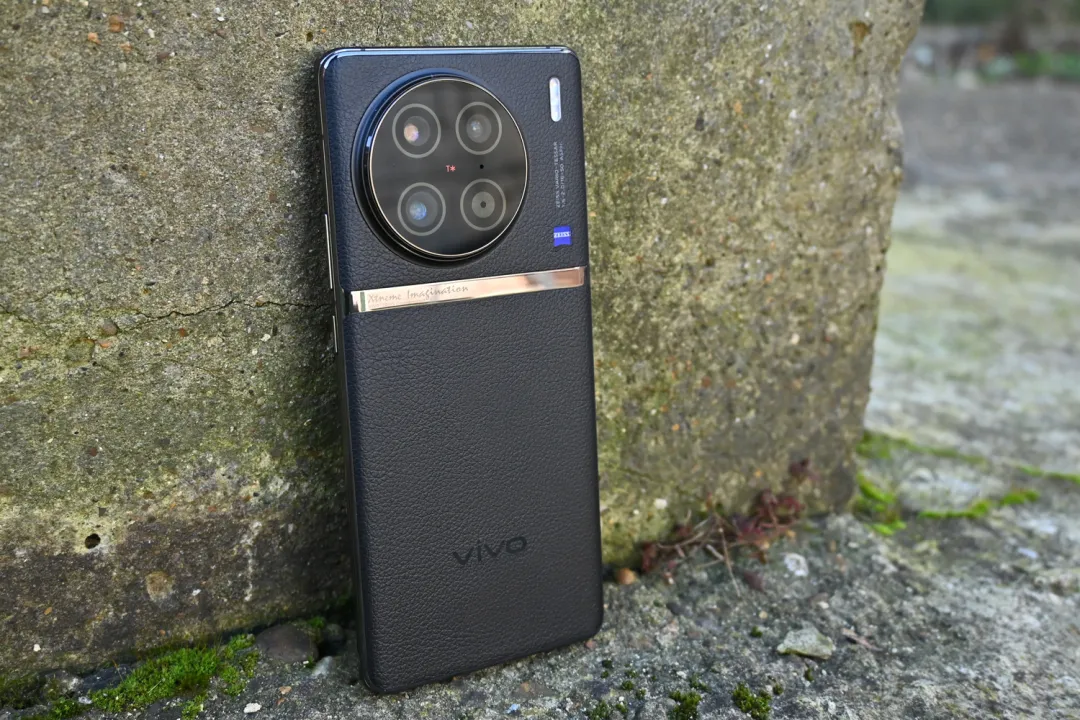
The Vivo X90 Pro, a premium smartphone known for its camera capabilities and performance, will now be available at a reduced price of Rs 74,999.
The new pricing comes with additional benefits such as cashback, EMI options, and discounts on protection plans.
New Pricing and Offers
Vivo X90 Pro: New Pricing
Starting today, October 20, 2023, the Vivo X90 Pro can be purchased for Rs 74,999. This is not the only incentive for potential buyers.
There are cashback offers of up to Rs 10,000 from select banking partners.
Additionally, consumers can opt for a 24-month No Cost EMI.
An exchange bonus of up to Rs 8,000 is also available on Cashify.
Furthermore, buyers will receive up to a 40% discount on vivo V-Shield Protection Plans.
The smartphone can be purchased on Flipkart, the vivo India e-store, and across all partner retail stores.
Vivo X90 Pro: Key Features
Vivo X90 Pro: Key Features
The Vivo X90 Pro enhances user experience with its vibrant 2K display that has a 20:9 aspect ratio and a high 452 PPI.
The screen also supports HDR10+ and boasts a rapid 300Hz touch sampling rate along with a 2160Hz PWM, making it not just vivid but highly responsive.
Under the hood, the device is fuelled by a MediaTek Dimensity 9200 processor, teamed up with the Immortalis-G715 GPU, ensuring rapid and smooth performance.
The phone comes equipped with up to 12GB of LPDDR5 RAM and 256GB UFS 4.0 storage, offering abundant room for apps and media files.
Camera capabilities are a major attraction, with the device featuring a triple rear camera setup.
This includes a 50MP main sensor with an f/1.75 aperture that benefits from Optical and Electronic Image Stabilization, a secondary 50MP portrait lens with f/1.6 aperture and 2x optical zoom, and a 12MP ultrawide lens with an f/2.0 aperture.
For selfie enthusiasts, the phone offers a 32MP front-facing camera.
On the battery front, the X90 Pro is powered by a 4,870mAh battery unit, supported by 120W fast charging technology.
As for connectivity, the device supports 5G, 4G LTE, dual-band Wi-Fi 6, and Bluetooth 5.2. A USB Type-C port serves for both fast charging and data transfer.
Snapdragon 8 Gen 2 SoC with up to 16GB RAM and 1TB internal storage.
Dual AMOLED displays featuring a 120Hz dynamic refresh rate.
Triple-camera setup includes a 64MP telephoto lens.
4,805mAh battery with 67W fast charging for long-lasting use.
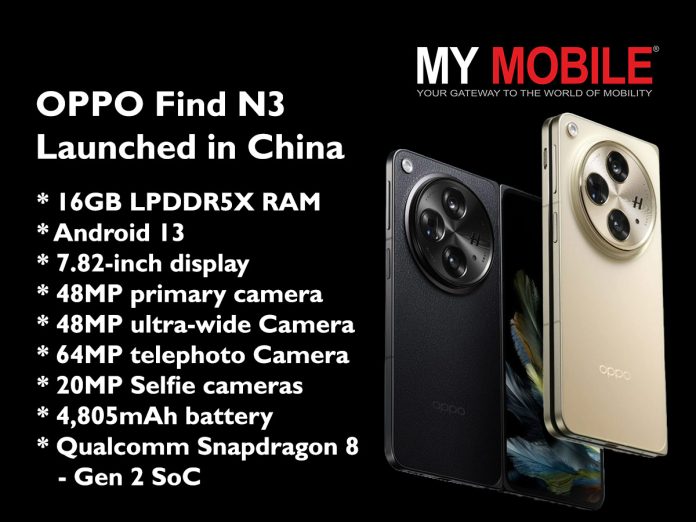
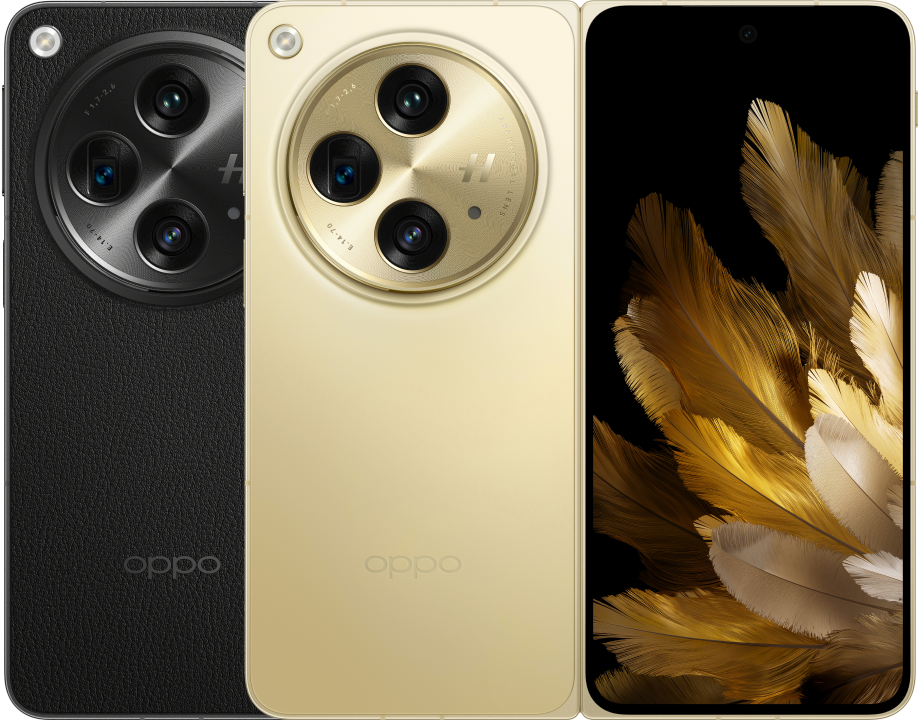
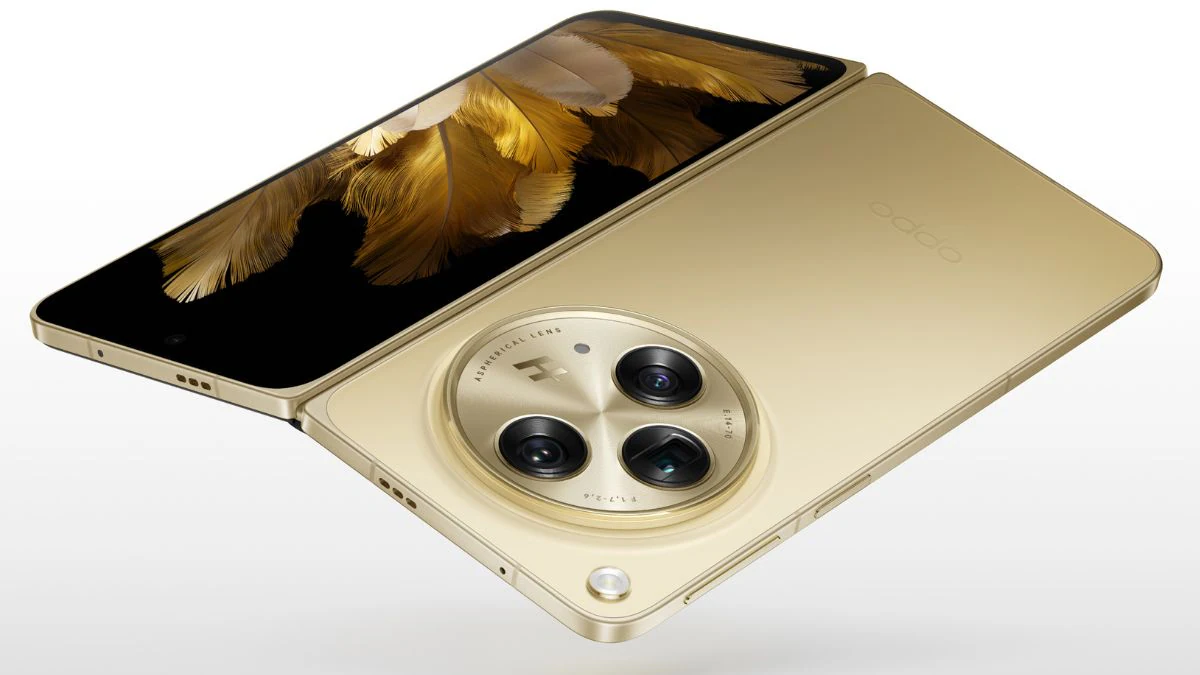
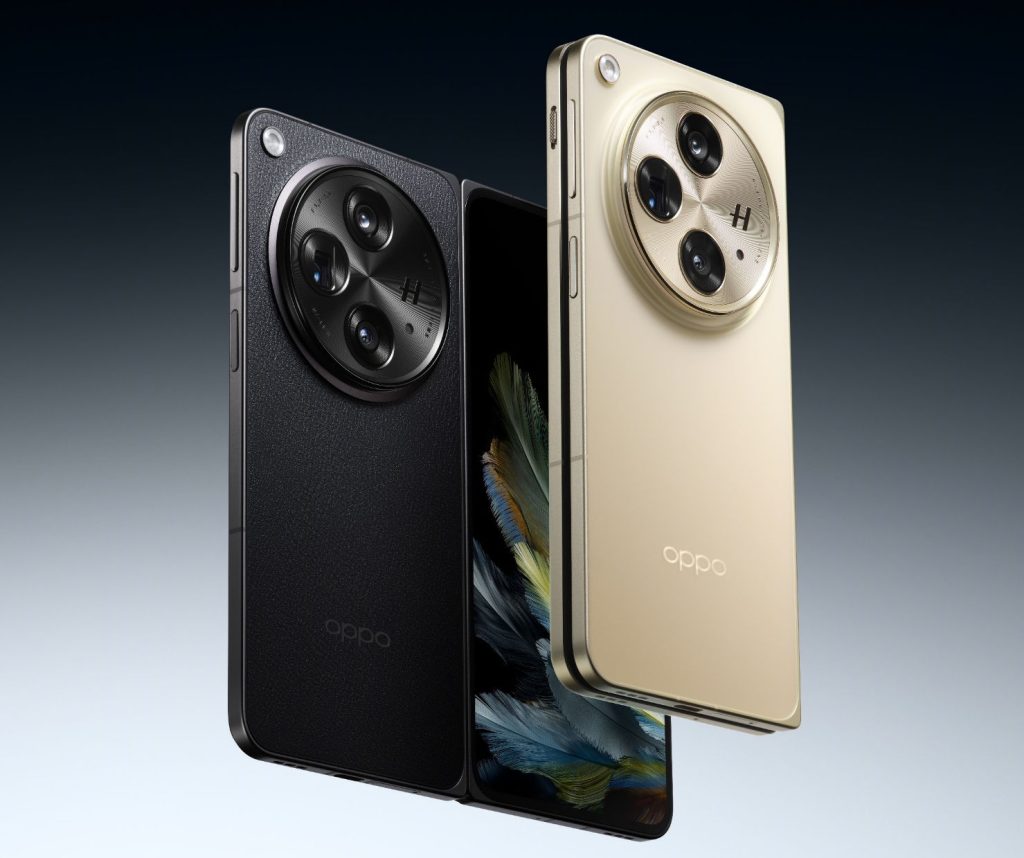
The OPPO Find N3has been revealed in China and it is the next-gen foldablefrom the company coming on the heels of the Find N3 Flip release last month.
The device is actually very similar to the OnePlus Open that was announced alongside it in India.
This is of course the 3rd generation of the book-style folding form factor from OPPOand it stands to reason that the Chinese electronics giant has made a fair amount of improvements.
Let’s have a look at what the OPPO Find N3 offers.
Pricing and availability
OPPO Find N3 Launched in China: Pricing
The Oppo Find N3 is available in a palette of four shades: Green, Gold, Black, and Red. The device is set to hit the Chinese market starting October 27.
Interestingly, the Green and Gold versions come equipped with 12GB RAM and 512GB of storage and carry a price tag of approximately CNY 9,999 (about Rs 1,14,000).
On the other hand, the Black and Red variants offer a more robust 16GB RAM and an expansive 1TB internal storage, costing CNY 12,999 (around Rs 1,49,000).
In terms of the software solution, the Oppo Find N3 comes with Android 13 pre-installed, offering the latest features and security patches right out of the box.
The inclusion of ColorOS 13 adds another layer of functionality, providing a suite of customised features and utilities that enhance the Android experience.
When it comes to display technology, the Find N3 has a main display which is a large 7.82-inch 2K LTPO 3.0 AMOLED screen that offers an eye-catching 2,268 x 2,440-pixel resolution.
The 120Hz dynamic refresh rate ensures smooth scrolling through the interface.
The device also features a cover screen with a 6.31-inch 2K AMOLED display, offering the same dynamic refresh rate.
The Find N3’s camera setup is equally worthy of attention.
OPPO Find N3: Specifications
The triple-camera array on the rear is made up of a 48MP primary sensor, a 48MP ultra-wide-angle lens, and a 64MP telephoto lens.
This versatile setup ensures that you are equipped for any photographic scenario, be it capturing landscapes, shooting close-ups, or taking detailed portraits.
On the front, a 20MP selfie camera on the inner display and a 32MP camera on the cover screen provides users with diverse options for self-portraits.
Finally, the Find N3 comes with a 4,805mAh battery, which, considering the energy-efficient components, should offer a long-lasting user experience.
The inclusion of 67W fast charging means that users can spend less time charging and more time making the most of the phone’s expansive capabilities.
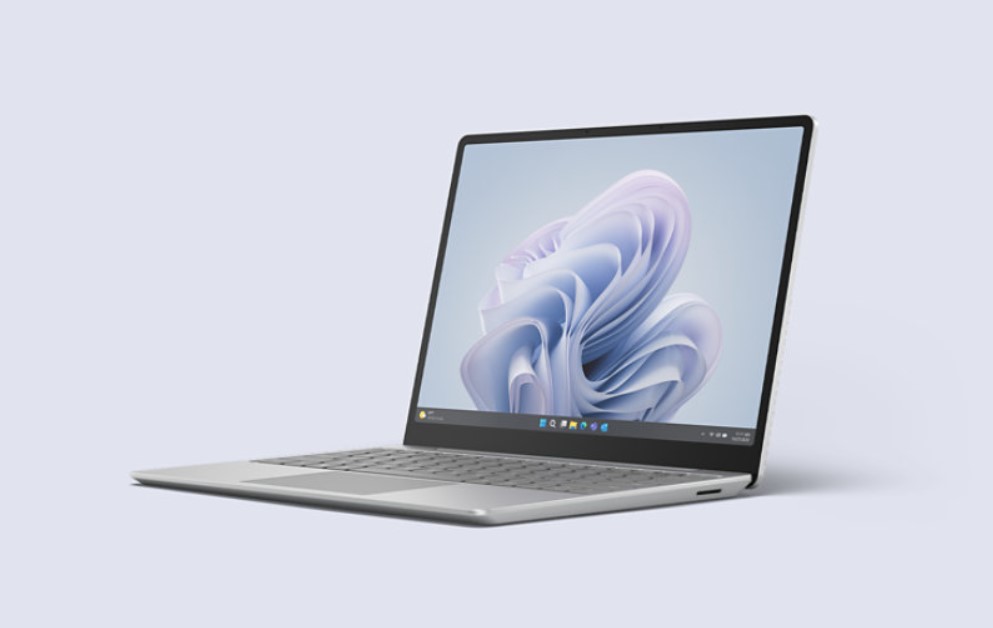
Microsoft Surface Laptop Go 3 pre-orders now live in India with exclusive perks.
Price range from Rs 80,999 to Rs 133,884.
Equipped with Omnisonic Speakers, Dolby Audio, and HD camera.
Runs on Windows 11 with up to 16GB RAM.
Microsoft has officially opened the doors for Indian customers to pre-order its Surface Laptop Go 3, following its grand unveiling at last month’s special event.
The Indian laptop market is a very crowded one for sure with different players offering products in a variety of price brackets.
With the Surface Laptop Go 3 Microsoft is at least trying to tackle the mid-range segmentand make its mark.
Price and Pre-order Incentives
Starting today, customers can place their pre-orders through a range of platforms, including Amazon, Reliance Digital, Croma, and Vijay Sales, among other select multi-brand stores.
Microsoft is also throwing in some tempting offers for early birds.
Anyone who pre-orders the Surface Laptop Go 3 between now and November 8, 2023, will receive a complimentary Marshall Major IV Wireless Headset valued at Rs 14,999.
Microsoft Surface Laptop Go 3 Pre-orders Begin in India
Additionally, the pre-order package will include a one-month free subscription to Microsoft 365 and PC Game Pass.
The Surface Laptop Go 3 offers a range of configurations to suit various needs and budgets:
The base model with 8GB RAM and 128GB SSD is priced at Rs 80,999.
The 8GB RAM and 256GB SSD model will set you back by Rs 98,562.
The 16GB RAM and 256GB SSD variant comes with a price tag of Rs 117,817.
The top-tier model with 16GB RAM and 512GB storage is priced at Rs 133,884.
What’s New?
Omnisonic Speakers and Dolby Audio: The laptop promises a superior audio experience thanks to its Omnisonic Speakers equipped with Dolby Audio.
HD Camera for Video Calls: Whether for work or personal connections, the built-in HD camera is optimized for video calling.
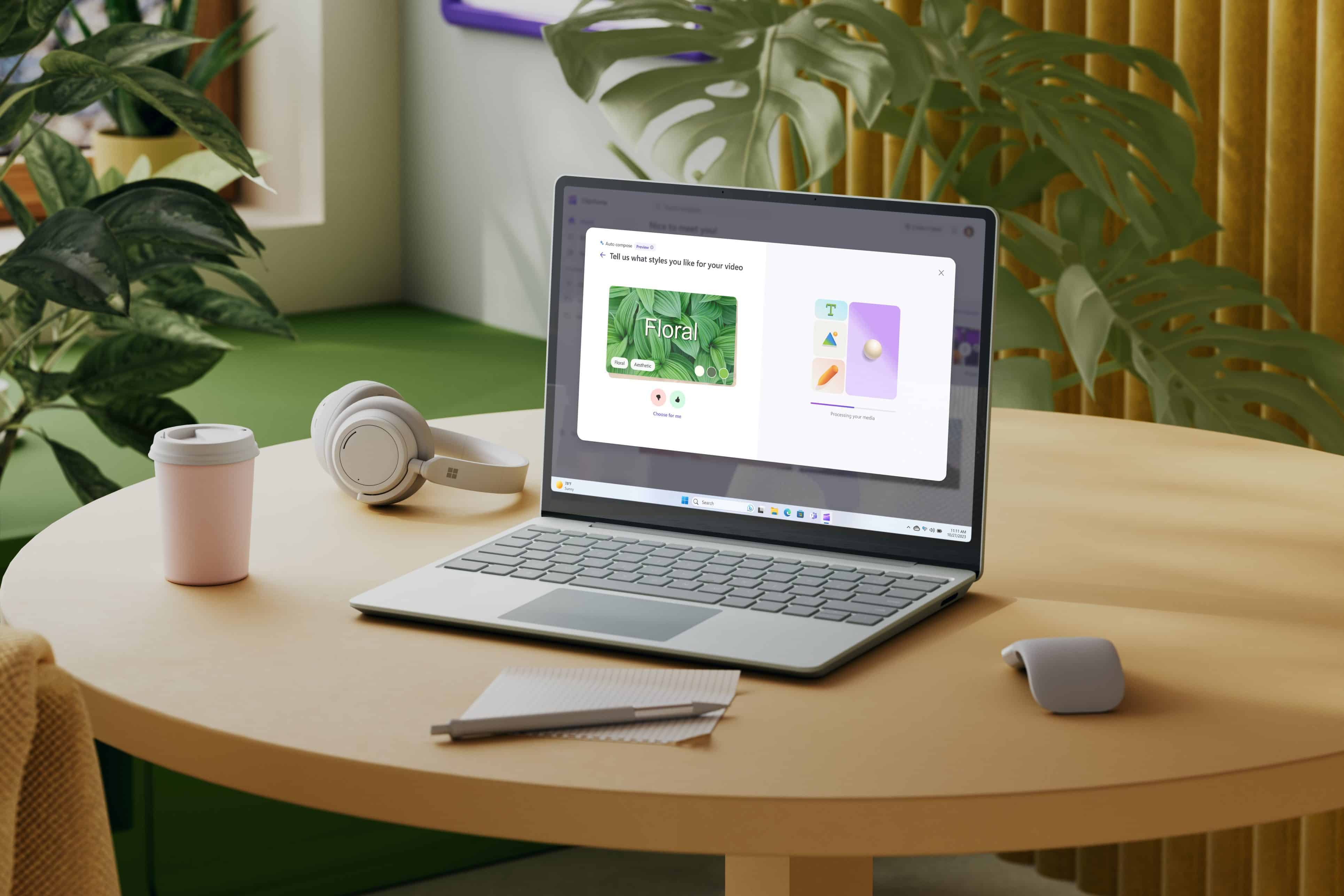
AI-Powered Tools: The Surface Laptop Go 3 runs on Windows 11 and comes loaded with Microsoft’s suite of AI-powered tools.
Features like auto-compose on Clipchamp and text prompts in Paint add a layer of convenience and capability to routine tasks.
Microsoft Copilot: Microsoft has designed its centralised AI assistant is designed to make the Windows experience more efficient.
From voice recognition to action initiation, Copilot aims to make life easier for users.
Microsoft Surface Laptop Go 3
A Closer Look at the Hardware
The Surface Laptop Go 3 has the sleek, lightweight design that users have come to appreciate in its predecessor.
It will be offered Exclusively in the Platinum color variant in India.
However, it brings significant upgrades under the hood.
The laptop is equipped with the latest 12th Gen Intel Core i5 processors and supports configurations of up to 16GB RAM and 512GB storage.
With a 12.4-inch display and an impressive battery life of up to 15 hours, the laptop appears to check many boxes for both casual users and professionals alike.
FAQs
When can I pre-order the Surface Laptop Go 3 in India?
Pre-orders are live now and will continue till November 8, 2023.
What are the pre-order incentives?
You’ll receive a Marshall Major IV Wireless Headset and a one-month free subscription to Microsoft 365 and PC Game Pass.
What configurations are available?
The laptop comes in configurations ranging from 8GB to 16GB RAM and 128GB to 512GB storage.
What are the key features of Surface Laptop Go 3?
It comes with Omnisonic Speakers, Dolby Audio, an HD camera, and AI-powered tools.
In India, the device is positioning itself as a strong rival to an established name like Samsung’s Galaxy Z Fold 5.
The device has been unveiled after months of speculation, marketing, and leaks, drawing attention with its unique design and robust features.
While we haven’t tested the OnePlus Open ourselves a variety of users in the tech industry certainly have.
In this overview of the OnePlus’ first foldable, let’s see if the device is actually worth its rather ginormous Rs 1,39,990 price tag.
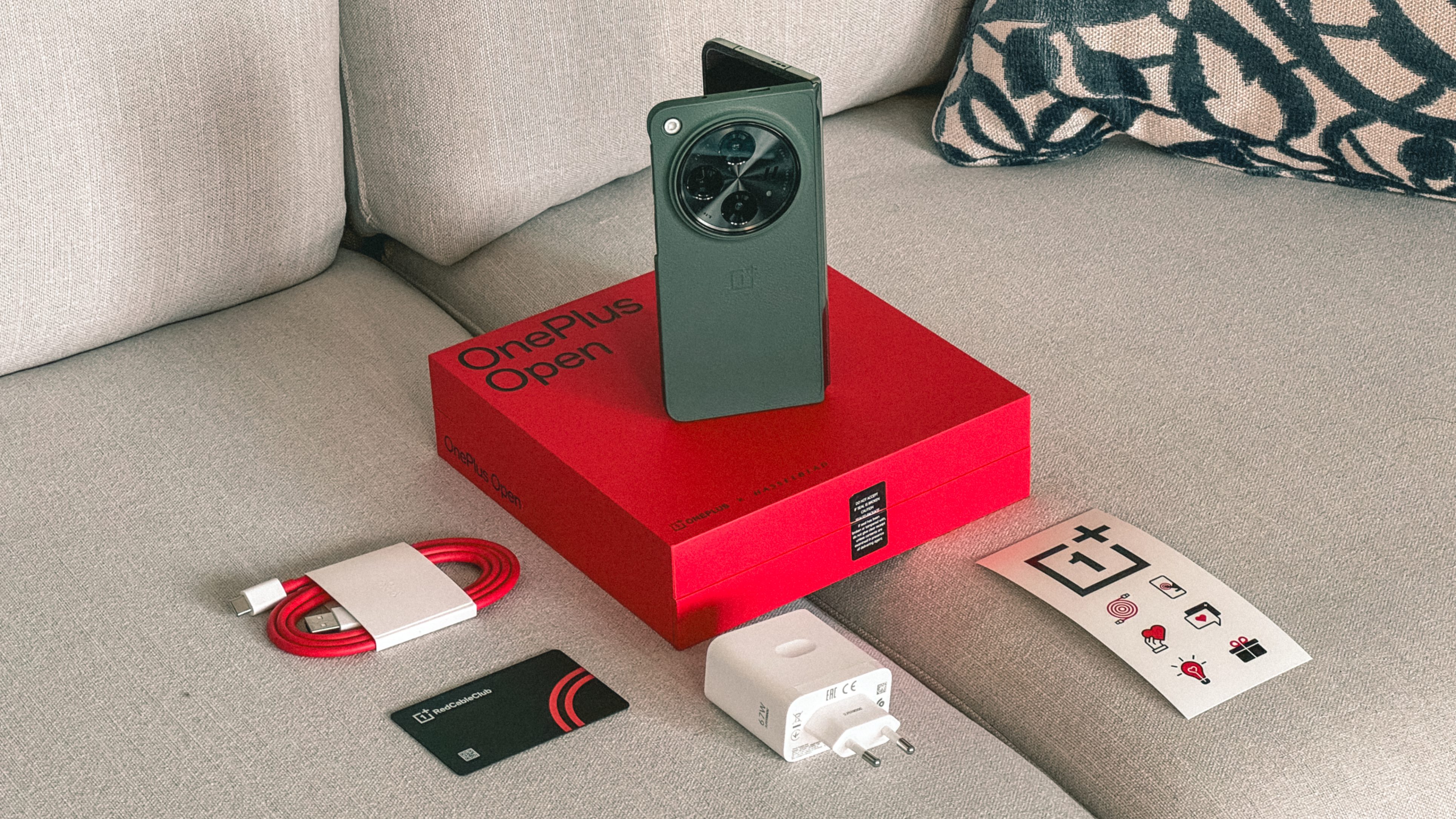
What’s in the Box
OnePlus Open Overview: What’s in the Box?
In terms of packaging, customers will receive a wealth of items, including the phone itself, an 80W SUPERVOOC charger, various types of USB cables, a protective case, and a pre-applied screen protector, among other things.
It’s worth mentioning that the charging speed is capped at 67W, for the Indian market.
Verdict: It can be stated that the OnePlus Open offers an impressive unboxing experience, providing all the necessary accessories and then some.
The 80W charger is a nice touch, although the 67W limit for Europe is somewhat disappointing.
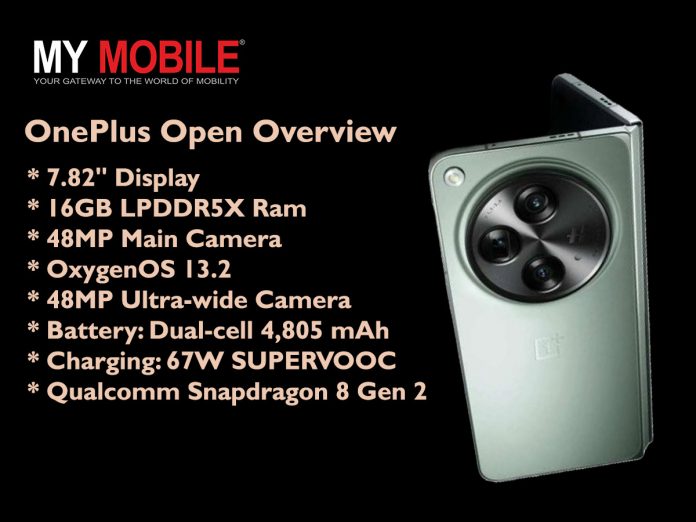
OnePlus Open: Key Specs
OnePlus Open Overview: Key Specs
Primary Display: 7.82-inch Flexi-fluid AMOLED,
Secondary Display: 6.31-inch, 2K (2484×1116),
Operating System: OxygenOS 13.2 based on Android 13
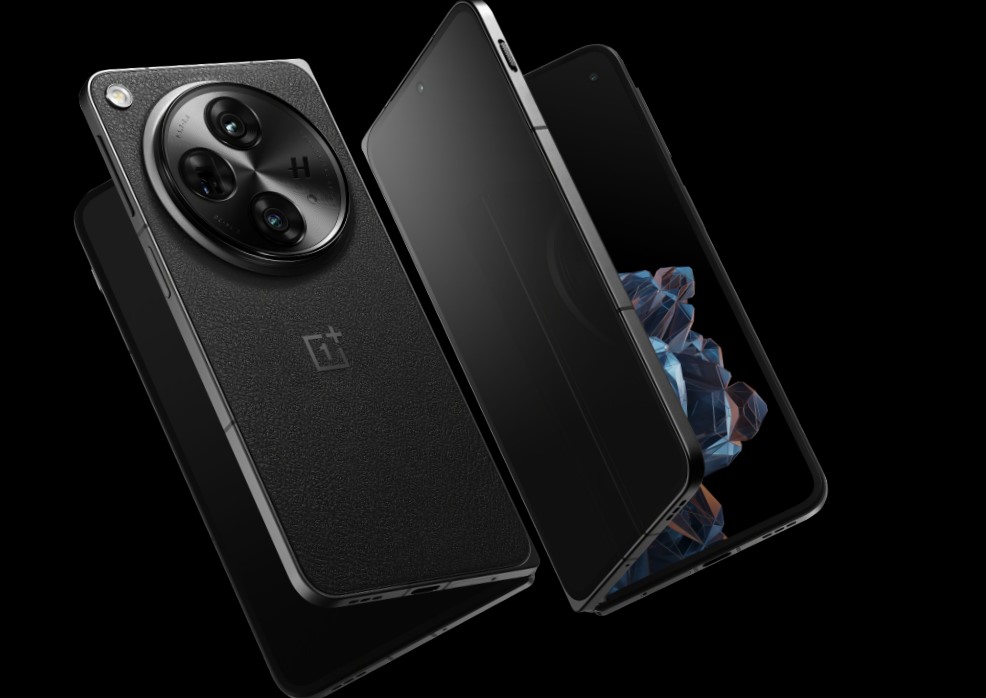
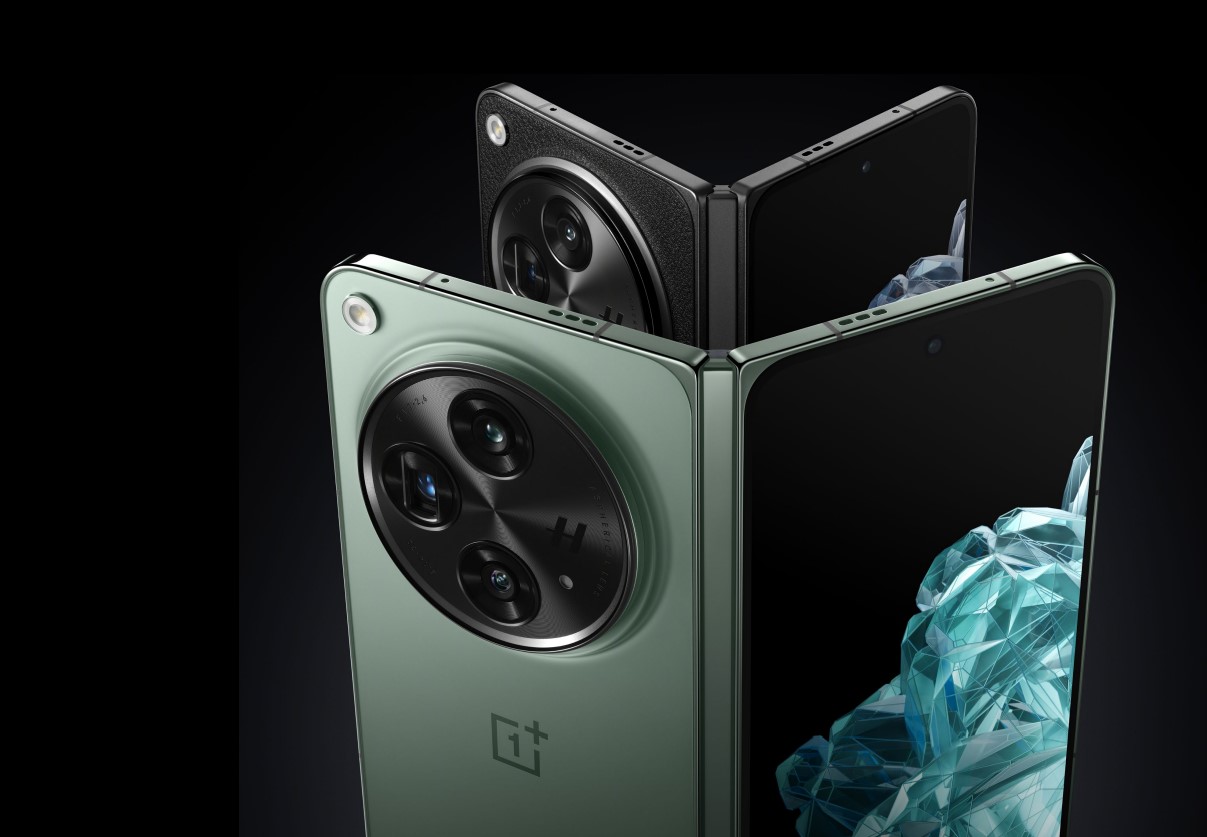
Available in two hues—Emerald Dusk and Voyager Black—the OnePlus Open boasts a double display setup, with an inward folding design.
The outer screen is 6.31 inches in size, featuring an aspect ratio of 20:9,almost equal to modern-day smartphones, and offering peak brightness levels of up to 2800 nits.
This luminosity has not been previously seen on any handset so it really is a big deal.
Additionally, it supports a 120Hz refresh rate, and continuity between the inner folding screenand the outer display has been noted to be seamless, further adding a touch of panache to the OnePlus Open.
Verdict: From a look at the initial reviews and impressions, OnePlus seems to have hit a home run.
The brightness level and refresh rate make this phone a strong contender in the market. The inward folding design also seems ergonomic and user-friendly.
Additionally, the lack of any center crease should play well in the market.
Multimedia Capabilities
OnePlus Open Overview: Multimedia Capabilities
The OnePlus Open is meant for power users and as such it takes multimedia engagement to a new level with several cutting-edge features.
The display has the support of Dolby Vision, a high dynamic range 4K video format, that promises to deliver exceptional video playback quality.
As per reviews, this inclusion has definitely ensured brighter brights, darker blacks, and a broader palette of colours, enhancing the overall visual experience significantly.
On the audio front, the OnePlus Open also impressed reviewers with its triple spatial speaker setup.
These speakers are said to be fine-tuned to work in conjunction with a proprietary spatial audio algorithm which is further augmented by Dolby Atmos capabilities.
The spatial audio provides a three-dimensional sound environment, elevating the user’s auditory experience.
This means that sound will flow in a more natural and realistic manner, providing an ultra-immersive experience whether you are listening to music, watching a movie, or playing a game.
Verdict: The OnePlus Open clearly excels in multimedia capabilities.
The Dolby Vision support elevates video quality to a cinematic level, while the triple spatial speaker setup with spatial audio algorithm ensures an extraordinary sound experience.
Camera System
OnePlus Open Overview: Camera
The OnePlus Open packs a powerful punch in the camera department, setting itself apart with a versatile and advanced setup.
There are a total of 5 cameras on the device that aim to cover all photographic bases.
The rear camera module consists of a 48MP main (wide-angle) lens, a 48MP ultra-wide sensor, and a 64MP telephoto lens.
What makes the 48MP main camera particularly notable is the inclusion of Sony’s new LYTIA “Pixel Stacked” image sensor.
Reviewers from around the globe have stated that the sensor basically allows for enhanced light capture without the need for a larger sensor, ensuring high-quality images even in low-light conditions.
The telephoto camera has equally impressed people and it boasts a customised sensor that allows the slim-bodied phone to capture 23 percent more light than standard sensors.
Coupled with its 3X optical zoom and the capability for a 6X lossless sensor crop, users have reported remarkable flexibility for capturing distant subjects.
The OnePlus Open doesn’t skimp on selfie capabilities either.
The device has two selfie cameras, one embedded in the cover display and another in the inner display.
This dual-setup has been reported to capture high-quality selfies irrespective of how the phone is folded.
Verdict: The camera system on the OnePlus Open is undoubtedly one of its strongest features.
From the main sensor’s advanced light-capturing capabilities to the telephoto lens’s customized sensor and zoom functions, reviewers have stated that the OnePlus Open provides a versatile and high-quality photographic experience.
The inclusion of selfie cameras on both displays adds another layer of functionality, making it a comprehensive package for photography enthusiasts.
Performance
OnePlus Open Overview: Performance
The OnePlus Open is engineered to deliver top-tier performance, thanks to its Snapdragon 8 Gen 2 chipset coupled with a robust 16GB of RAM.
This powerhouse configuration has seen to it that the device can handle a multitude of tasks without breaking a sweat.
DigitalTrends‘ testing confirms that multitasking is smooth and seamless, even when multiple apps are open simultaneously.
The device also features a unique RAM Expansion option, allowing users to allocate a part of their storage space to act as additional RAM.
This feature can extend the RAM by up to 12GB which in turn gives you more headroom for demanding tasks and applications.
Verdict: The OnePlus Open scores high in the performance category.
Its Snapdragon 8 Gen 2 chipset and ample 16GB RAM make for a robust combination that should suffice for even the most demanding tasks.
The additional RAM Expansion feature is an innovative touch that adds versatility, making it a compelling choice for power users.
Battery Life
OnePlus Open Overview: Battery
The phone comes with a 4,805mAh battery, which is on par with other foldable devices like the Google Pixel Foldand the Galaxy Z Fold 5.
With its dual-cell design and 67W fast charging, PhoneArena’s testsshow that the OnePlus Open can last more than 13 hours for browsing, around 8 hours for gaming, and about 7 hours for video streaming.
Verdict: While the battery life might not blow anyone away, it’s competitive within the foldable market.
Apart from that various reviews have also stated that the fast charging capability somewhat mitigates the average battery capacity.
Size and Weight
OnePlus Open Overview: Size & Weight
The OnePlus Open weighs 239 grams and has dimensions of 153.4 x 143.1 x 5.8 mm, placing it in close competition with the Galaxy Z Fold 5 and the Pixel Fold in terms of size and weight.
However, it does fall short of the Honor Magic V2, which currently holds the title of the thinnest and lightest foldable phone in the market.
Verdict: While it may not be the thinnest or lightest foldable on the market, the OnePlus Open’s size and weight are well-balanced, making it a comfortable device to hold and use.
Overall Summary
OnePlus Open Overview
In summary, the OnePlus Open appears to be a well-rounded contender in the foldable smartphone market, offering a variety of features that stand up well to the competition, according to various publications such as DigitalTrends, PhoneArena, and more.
We are also looking to test out the OnePlus Open, when we get our hands on it so stay tuned for our take on OnePlus’ first foldable entry.
FAQs
What is unique about the OnePlus Open’s camera system?
The OnePlus Open sports a versatile 5-lens camera system, including a 48MP main sensor and a 64MP telephoto lens for advanced photography.
How powerful is the device’s performance?
The phone is powered by a Snapdragon 8 Gen 2 chipset and a hefty 16GB of RAM, making multitasking smooth and efficient.
What sets the OnePlus Open’s display apart?
The phone boasts a double display setup with peak brightness levels of up to 2800 nits and supports a 120Hz refresh rate.
Is the OnePlus Open value for money?
With a robust feature set including high-performance internals and advanced camera capabilities, the device offers value for its premium price tag.
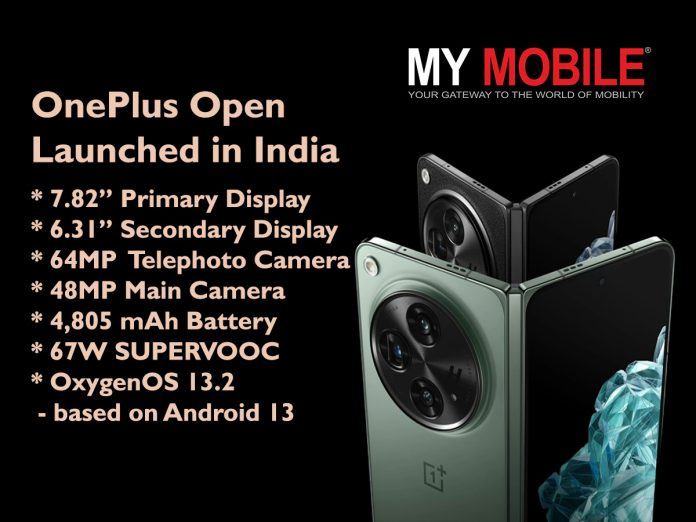
OnePlus Open has a dual-display setup featuring 7.82-inch primary and 6.31-inch secondary AMOLED screens.
It is Powered by Qualcomm’s latest Snapdragon 8 Gen 2 chipset and 16GB RAM.
There’s a versatile camera system on board including a 48MP main sensor by Sony.
Dual-cell 4,805mAh battery with rapid 67W SUPERVOOC charging.
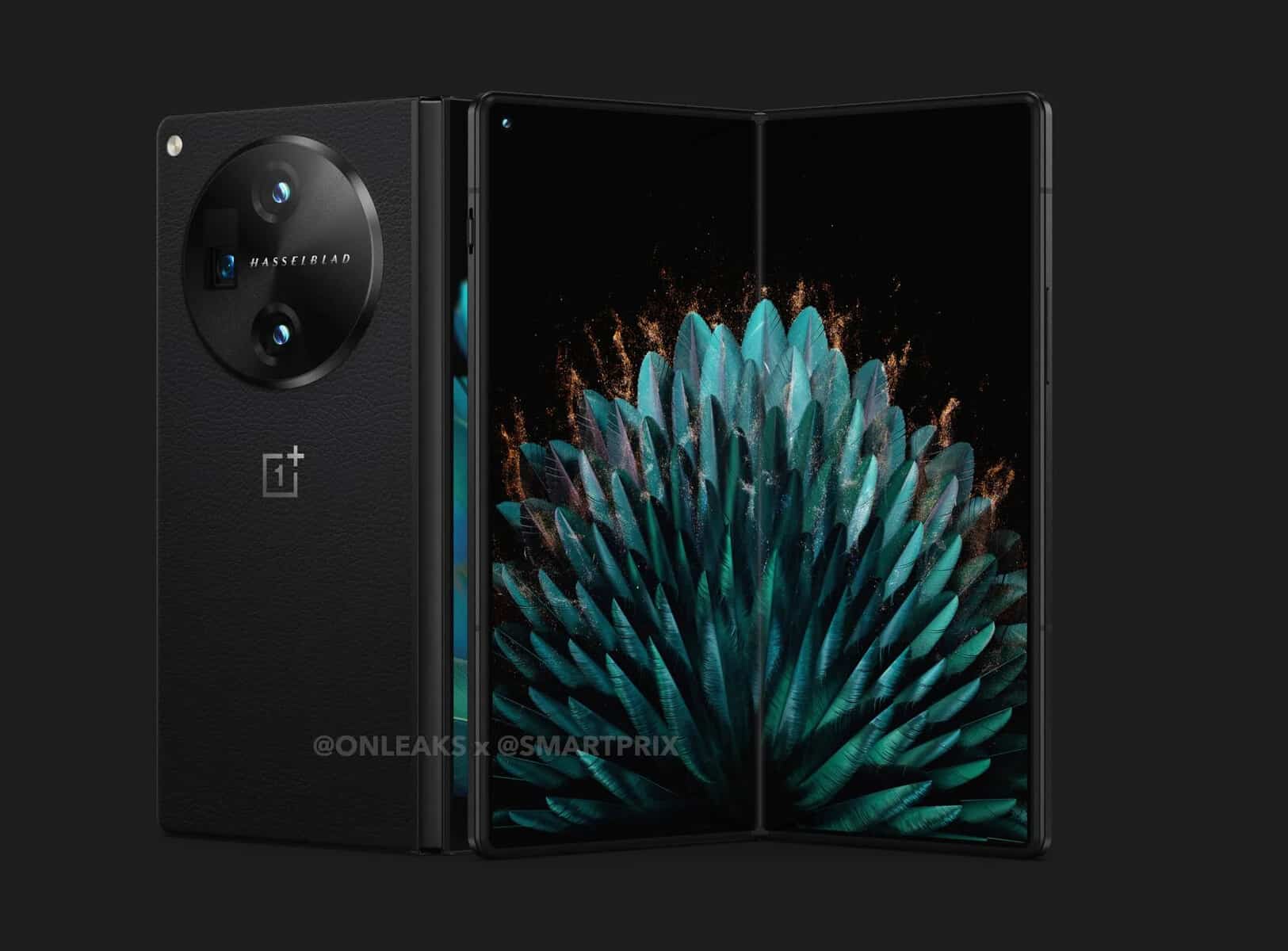
OnePlushas finally taken the curtains off its most premium phone and its very first foldable phone: the OnePlus Open.
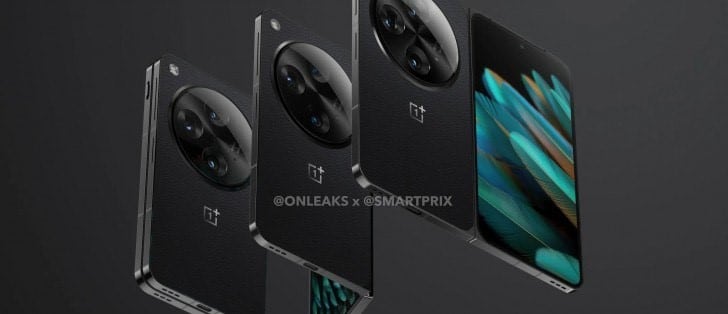
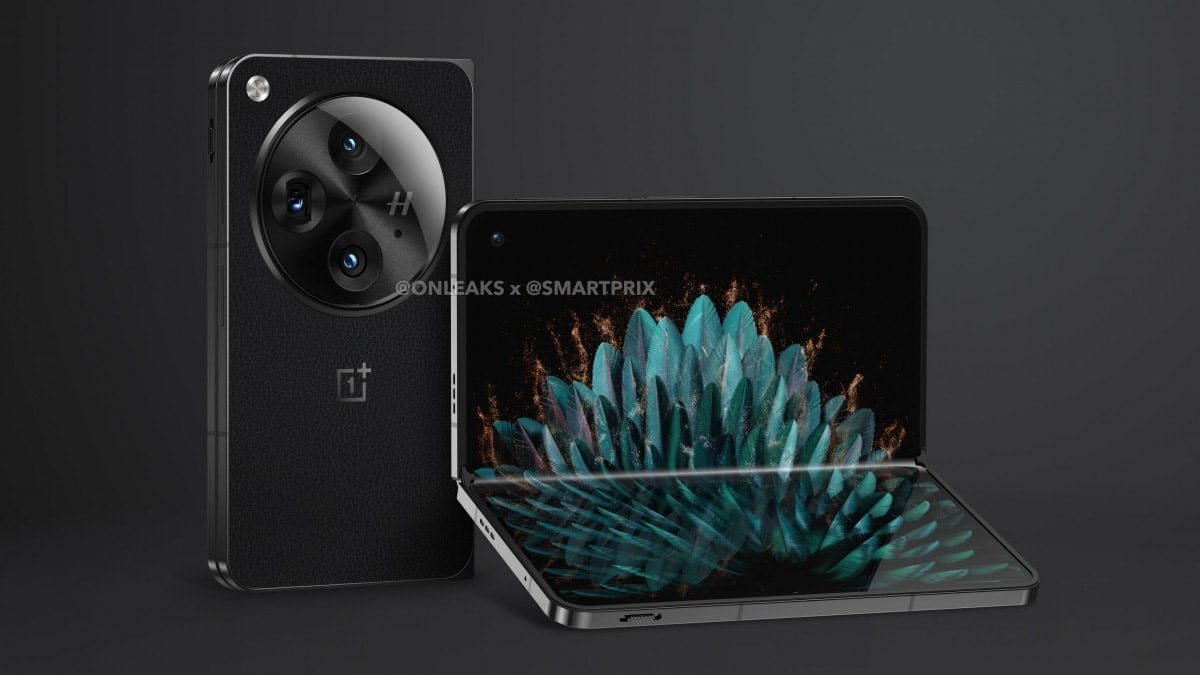
There has been a lot of marketing and promotional build-up ahead of the launch with specs, renders, and design elements leaking or being revealed over the past few weeks.
The OnePlus Open occupies a unique position in the Indian context as it only has the Samsung Galaxy Fold5 to contend with.
Which device is better is a story for another day but for now, let’s dive into the OnePlus Open and what it brings to the table.
OnePlus Open: Pricing and Availability
OnePlus Open: Pricing
The OnePlus Open sets a new benchmark with its pricing at Rs1,39,999, marking it as the most expensive OnePlus smartphone ever launched in India.
Pre-orders start from today and sale will be from October 27th.
OnePlus Open: Key Specs
OnePlus Open: Key Specs
Primary Display: 7.82-inch Flexi-fluid AMOLED,
Secondary Display: 6.31-inch, 2K (2484×1116),
Operating System: OxygenOS 13.2 based on Android 13
This high-end device sets itself apart through its unparalleled combination of technology and design.
Encased in two exquisite colours, Voyager Black and Emerald Dusk, the smartphone sports unfolded dimensions of 153.4 mm x 143.1 mm with a slender thickness ranging between 5.8 mm and 5.9 mm, based on the colour variant.
When folded, its dimensions transform to a convenient 153.4 mm x 73.3 mm and the thickness jumps to either 11.7 mm or 11.9 mm.
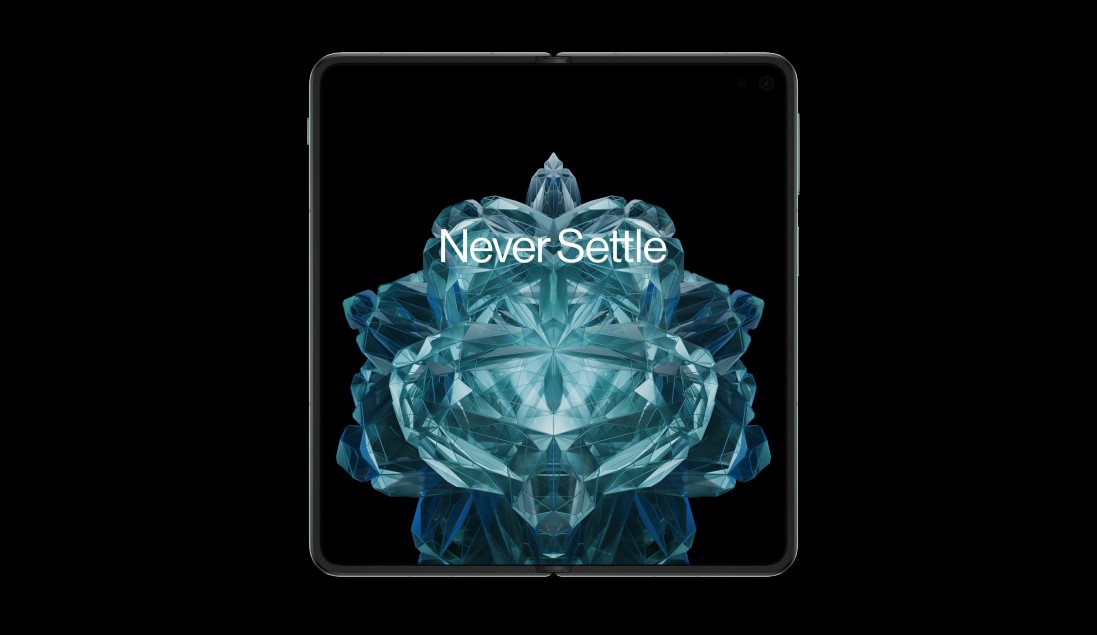
Of course, being a foldable device, its standout feature is the dual-display setup. The primary display measures 7.82 inches diagonally and is a Flexi-fluid AMOLED with LTPO 3.0 technology. It boasts a 2K resolution of 2440×2268 pixels, with a pixel density of 426 ppi.
The screen supports a dynamic refresh rate of 1-120 Hz and offers peak brightness levels of up to 2800 nits.
What’s more, it comes with TÜV Rheinland Intelligent Eye Care certification, providing optimum visual comfort.
The secondary display is not to be overlooked; measuring 6.31 inches diagonally, it also sports a 2K resolution and supports a dynamic 10-120 Hz refresh rate.
At its core, the OnePlus Open runs on the company’s proprietary OxygenOS 13.2, based on the Android 13 operating system. For processing needs, OnePlus has employed the services of Qualcomm’s latest Snapdragon 8 Gen 2 chipset and X70 5G platform.
Memory and storage are just as remarkable, offering 16GB of LPDDR5X RAM that can be expanded by 4/8/12GB. Storage is set at a whopping 512GB, thanks to the UFS 4.0 technology. In all actuality, from the hardware specs on offer, the OnePlus Open is a performance fiend.
For photography enthusiasts, the device packs a Sony LYT-T808 48MP main sensor with 1.12 µm pixel size, backed by a 7P lens system.
It supports a combination of OIS and EIS for improved stability while recording. Additionally, there is a 64MP telephoto camera and a 48MP ultra-wide camera, providing versatility for all your photography needs.
The OnePlus Open comes equipped with a dual-cell 4,805 mAh battery, which supports 67W SUPERVOOC charging—ensuring you spend less time plugged in and more time on the go.
The device also incorporates an alert slider, a handy feature that allows users to quickly switch between different sound profiles without unlocking the phone.
Moreover, it supports USB 3.1 Type-C and comes with Dolby Atmos-supported “Reality” Speakers, enhancing both data transfer and audio experiences.
FAQs
What makes the OnePlus Open’s display unique?
The OnePlus Open features a 7.82-inch primary Flexi-fluid AMOLED display and a secondary 6.31-inch display. Both screens have 2K resolution and dynamic refresh rates.
How is the device’s performance?
The smartphone runs on Qualcomm’s latest Snapdragon 8 Gen 2 chipset and 16GB RAM, ensuring top-notch performance and multitasking capabilities.
What camera features can users expect?
The phone has a 48MP main camera, a 64MP telephoto camera, and a 48MP ultra-wide camera. It supports Optical and Electronic Image Stabilization.
How fast can the OnePlus Open charge?
The device supports 67W SUPERVOOC charging, allowing rapid replenishment of its dual-cell 4,805mAh battery.
A recent report also reveals a list of exciting launch offers that potential buyers can avail themselves of.
Here are the details broken down:
Launch Offers
Vivo Y200 5G: Launch Offers
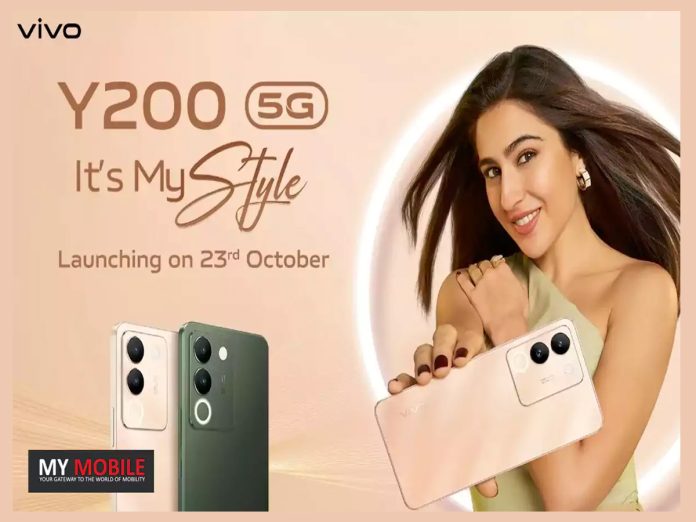
According to a report by Appuals, the Vivo Y200 5G will likely be available in a single variant, featuring 8GB of RAM and 128GB of internal storage, priced at Rs 21,999. Introductory offers include:
Cashback of up to Rs 2,500 on EMI transactions with major banks such as SBI, IndusInd, and BOB. This offer is valid till October 31st, 2023.
A 40 percent discount on the Vivo V-Shield Plan, which provides an Accidental Damage Protection Plan against physical and fluid damages.
Expected Specifications
Vivo Y200 5G: Expected Specs
The specifications of the Vivo Y200 are also attracting attention. Highlights include:
Display: 6.67-inch AMOLED screen with FHD+ resolution and 120Hz refresh rate, featuring an embedded fingerprint reader.
Processor: Qualcomm Snapdragon 4 Gen 1 SoC.
Software: Funtouch OS 13 based on Android 13.
Memory: 8GB RAM and 256GB internal storage, with a rumoured 8GB of virtual memory.
Battery: A 4,800mAh battery supporting 44W fast charging.
Cameras: A 64MP primary sensor (with OIS) accompanied by a 2MP depth sensor, and a 16MP front-facing camera.
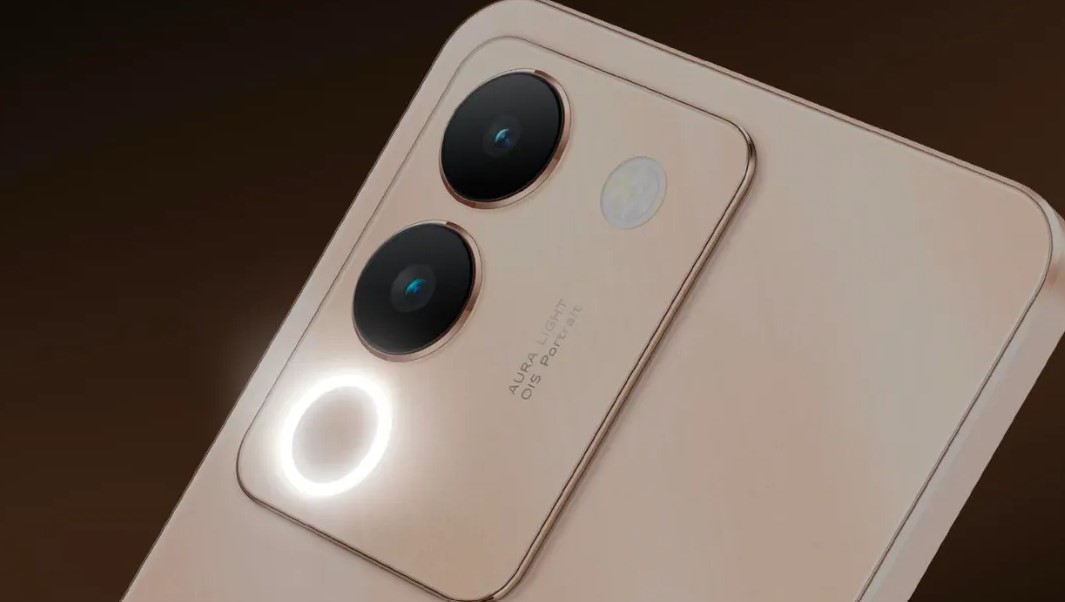
Additional features include the Smart Aura Light with 38-level colour adjustment and Wedding Style Portrait mode.
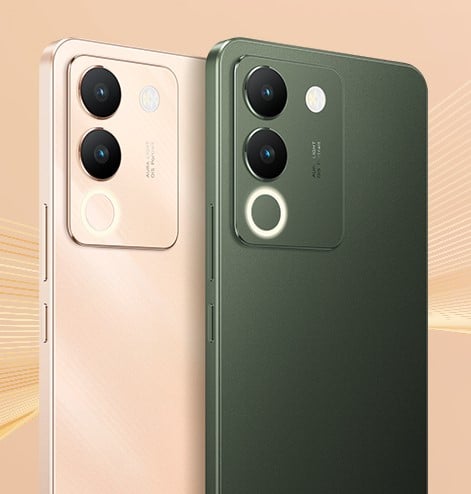
Colours: Jungle Green and Desert Gold, as seen in leaked renders.
Dimensions and weight: The device is expected to weigh 190g and have a width of 7.69mm.
Vivo Y200 5G Key Specs
GENERAL
Sim Type
Dual Sim, GSM+GSM (Hybrid Slot)
Dual Sim
Yes
Sim Size
Nano+Nano SIM
Device Type
Smartphone
Release Date
October 23, 2023 (Expected)
DESIGN
Weight
181 g
Colors
Metal Black, Twilight Gold, Pacific Blue
DISPLAY
Type
Color AMOLED Screen (1B Colors)
Touch
Yes
Size
6.67 inches, 1080 x 2400 pixels, 90 Hz
Aspect Ratio
20:9
PPI
~ 409 PPI
Screen to Body Ratio
~ 91.04%
Features
DCI-P3 Wide Color Gamut, Local Peak Brightness: 1300 Nits, HDR10+ Certification
OpenAI adds browsing to ChatGPT for real-time information.
DALL-E 3 is now integrated into ChatGPT for image queries.
Internet browsing feature was re-introduced after resolving paywall issues.
ChatGPT gets new voice and image interaction features.
OpenAI, the brains behind the revolutionary generative AI system ChatGPT, has launched an internet-browsing feature for its service.
Alongside that, the company has also revealed the integration of its latest text-to-image model,DALL-E 3 with GPT.
The output of search results on ChatGPThas been limited to data up to September 2021, so the utility of the platform as a real-time search engine remained non-existent.
OpenAI has been looking to remedy this situation since March 2023, when OpenAI started a beta program to introduce internet services to the chatbot.
After that, this ChatGPT was integrated with Microsoft’s Bing search engine to assess the output, but the service was limited to a few Enterprise users and GPT Plus subscribers.
New Features
DALL-E 3 with GPT: New Feature
So now ChatGPT has fully functional internet browsing capability, what does this mean for the overall consumer?
Well, the browsing capability aims to make the chatbot more resourceful by providing instant answers along with source links.
OpenAI has also enriched ChatGPT by announcing several voice and image capabilities.
These allow users to show an image or speak commands to communicate a query to the chatbot, which will then convert voice to text and analyze the image’s various elements.
Withdrawal and Re-Introduction
While these internet-browsing functionalities were initially extended to the ChatGPT mobile app in late June, they were abruptly pulled back.
The withdrawal came after it was discovered that ChatGPT could display paywalled content, posing legal and ethical challenges.
According to OpenAI, “From a simple sentence to a detailed paragraph, ask ChatGPT what you want to see and it will translate your ideas into exceptionally accurate images.”
This feature is available for both web and mobile versions of the chatbot and can be accessed in the selector under GPT-4.
FAQs
What new features has OpenAI added to ChatGPT?
OpenAI has launched internet browsing and DALL-E 3 integration for ChatGPT, along with voice and image capabilities.
Why was the internet browsing feature withdrawn before?
It was withdrawn due to legal and ethical challenges stemming from ChatGPT displaying paywalled content.
How does the DALL-E 3 integration work?
DALL-E 3 allows ChatGPT to convert text queries into exceptionally accurate images, available on both web and mobile platforms.
Who can access the new features of ChatGPT?
The features are available to the general public, but were initially tested among Enterprise users and GPT Plus subscribers.