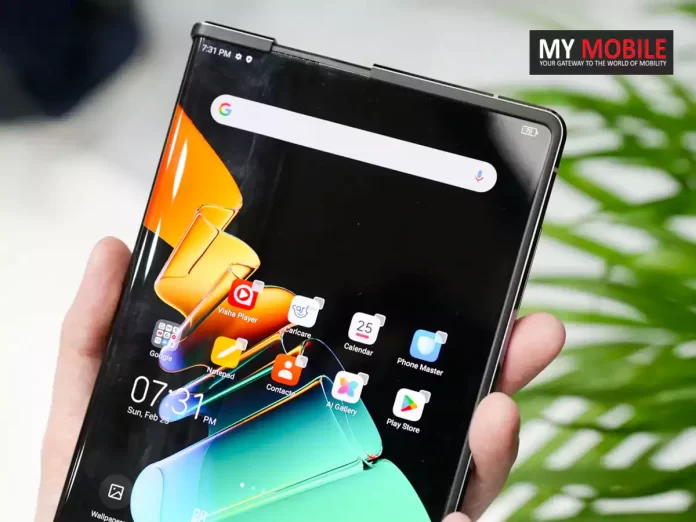
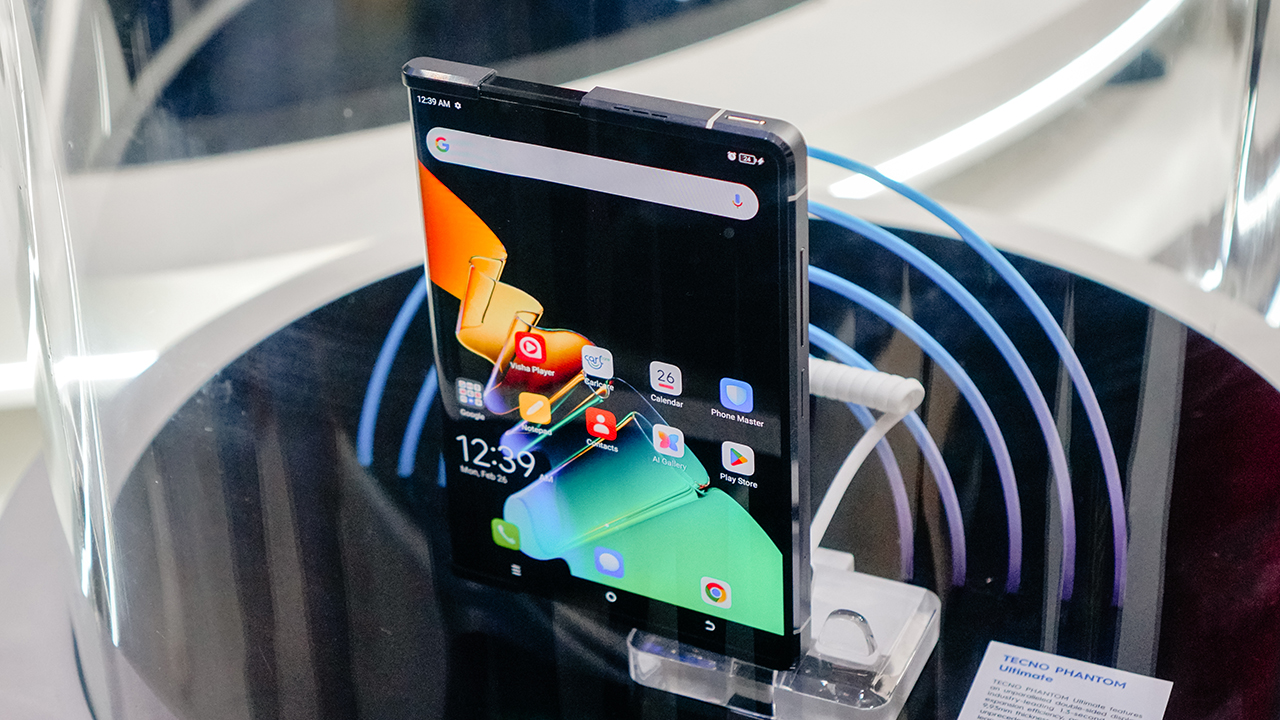
Among the highlights was the Tecno Phantom Ultimate, a concept that last year existed only in demo videos but has now materialized into a tangible, working prototype.
The Tecno Phantom Ultimate: A Rollable Revolution
The Tecno Phantom Ultimate: A Rollable Revolution
The Phantom Ultimate has a dynamic display that transitions from a 6.55-inch screen, wrapping around the left edge, to a 7.11-inch screen in just 1.3 seconds with the simple push of a button.
This design not only offers a variable screen size but also introduces a unique aspect ratio, catering to various user needs with its adaptive display.
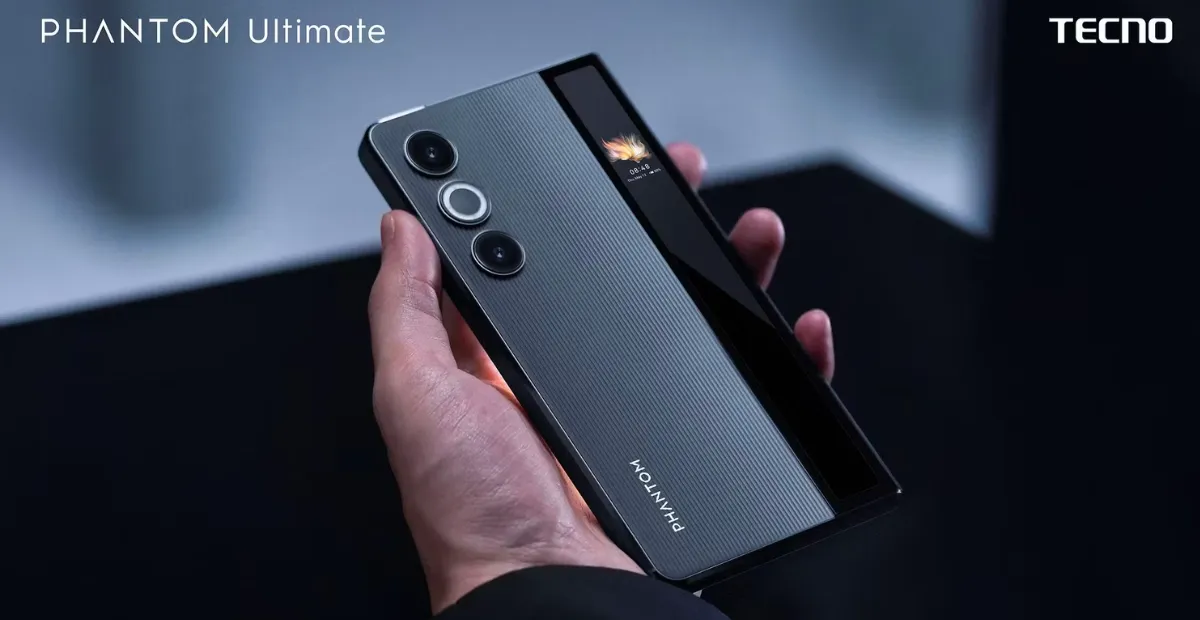
Interestingly, the device incorporates a “second display” concept.
However, upon closer inspection, it becomes apparent that this is not a separate screen but the continuation of the main display that rolls around the back of the device.
Protected by a glass window, this design choice cleverly leverages the existing display technology while ensuring durability and protection from potential damage.
Tecno’s Foray into Foldable Tech and Future Innovations
Tecno’s Foray into Foldable Tech and Future Innovations
Sporting a thickness of 9.93mm, the Phantom Ultimate was once considered slimmer than any foldable phone on the market.
However, recent developments in foldable technology have seen competitors achieving sub-10mm thicknesses, particularly in models that fold horizontally.
Beyond the realm of rollable displays, Tecno has not shied away from exploring the foldable market, already offering two foldable models: the Phantom V Fold and V Flip.
The company’s commitment to innovation is further evidenced by its development efforts aimed at enhancing these devices.
A notable invention is the Borderless Foldable Main Screen, which employs a novel method of attaching Ultra Thin Glass (UTG) to the device.
This technique enables a reduction in bezel size, thus improving the screen-to-body ratio and offering users a more immersive viewing experience.
Tecno Dives into AI with “Ella”
Tecno Dives into AI with “Ella”
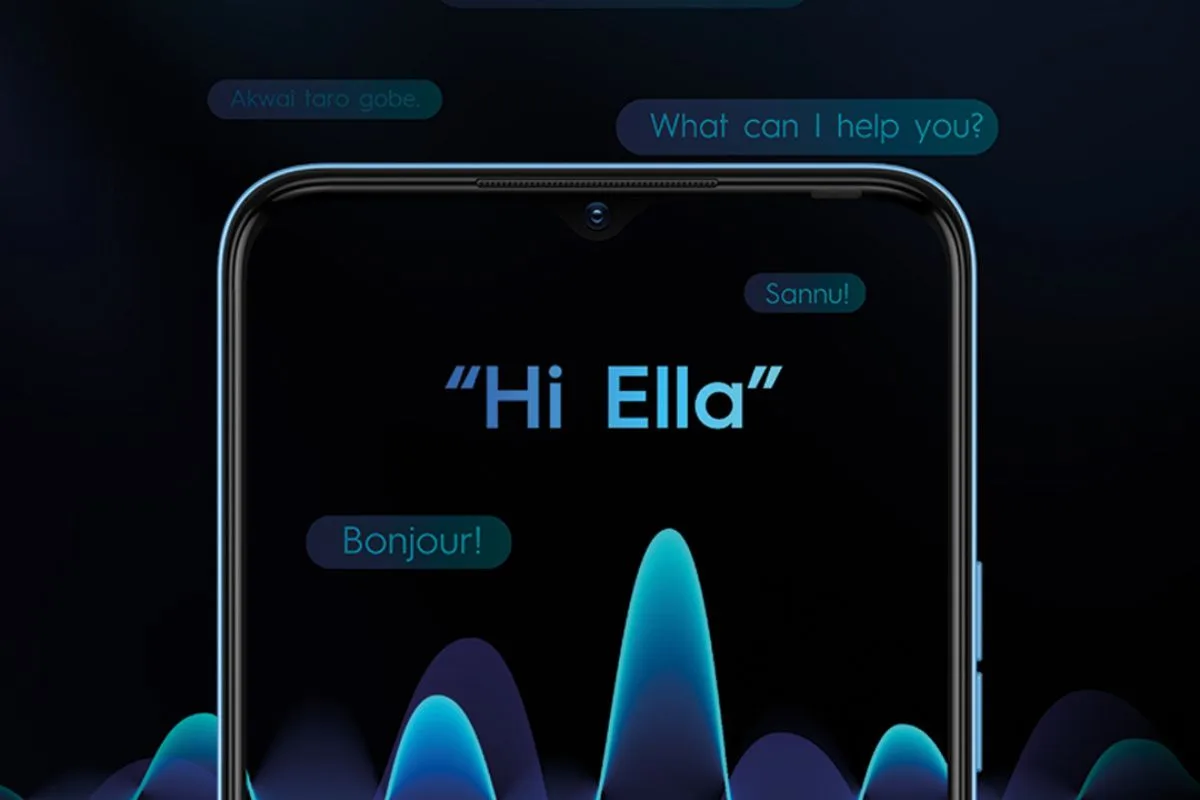
Apart from the innovative Phantom Ultimate, Tecno is taking a bold leap into the AI world with its own assistant, named “Ella.”
This venture into the realm of AI is not just about performing routine tasks like setting alarms or playing music; Ella is designed to be an all-encompassing personal assistant that brings convenience and a new dimension to content creation directly to Tecno users.
Key Features of Ella: Enhancing User Experience with AI
Key Features of Ella: Enhancing User Experience with AI
Image Generation: Ella harnesses the power of generative AI to transform textual descriptions into vivid images, offering users a tool to bring their creative ideas to life. This feature mirrors the capabilities of OpenAI’s Dall-E, promising to add a creative spark to user projects.
Translation Powerhouse: The AI boasts robust translation capabilities, including call translation, social media post translation, and the generation of subtitles for videos, aiming to make communication seamless across languages.
Inclusive Enhancements: Recognizing the importance of diversity, Ella is designed to adapt its image generation and photo enhancement features to cater to different regions, ensuring that every user benefits from tailored and optimal results.
Smarter Photo Editing: Ella introduces advanced photo editing features, allowing users to effortlessly remove unwanted elements from their photos, akin to Google’s Magic Eraser.
Effortless Photo Searching: Searching for photos in your gallery is made simple with Ella. By using straightforward descriptions, users can quickly locate specific images without the need to scroll through extensive collections, a feature reminiscent of Google Photos.
Tecno has not yet announced specific release dates for these features, but expectations are set for their arrival on Tecno phones by this summer.
Expect a date soon for Tecno’s key market of India.
FAQs
What is the Tecno Phantom Ultimate?
The Tecno Phantom Ultimate is a concept smartphone showcased by Tecno at MWC, featuring a rollable display that can extend and retract with the push of a button, offering a unique and adaptive viewing experience.
How does Ella, Tecno’s AI assistant, enhance the smartphone experience?
Ella offers a range of AI-driven features such as generative image creation, translation services, and smart photo editing, making it a comprehensive tool for content creation, communication, and photo management on Tecno devices.
Can the Phantom Ultimate’s display size change dynamically?
Yes, the Phantom Ultimate’s display can dynamically change from a 6.55-inch screen to a 7.11-inch screen within 1.3 seconds, offering users flexibility and a novel interaction with their device.
What unique features does Ella provide for photo editing and searching?
Ella allows users to remove unwanted elements from photos, create personalized stickers, and search for images in their gallery using simple descriptions, streamlining photo editing and organization.
When will Tecno release the Phantom Ultimate and Ella features?
While Tecno has showcased the Phantom Ultimate and Ella, specific release dates for these features have not been announced. However, they are expected to be available on Tecno phones by this summer, particularly in key markets like India.
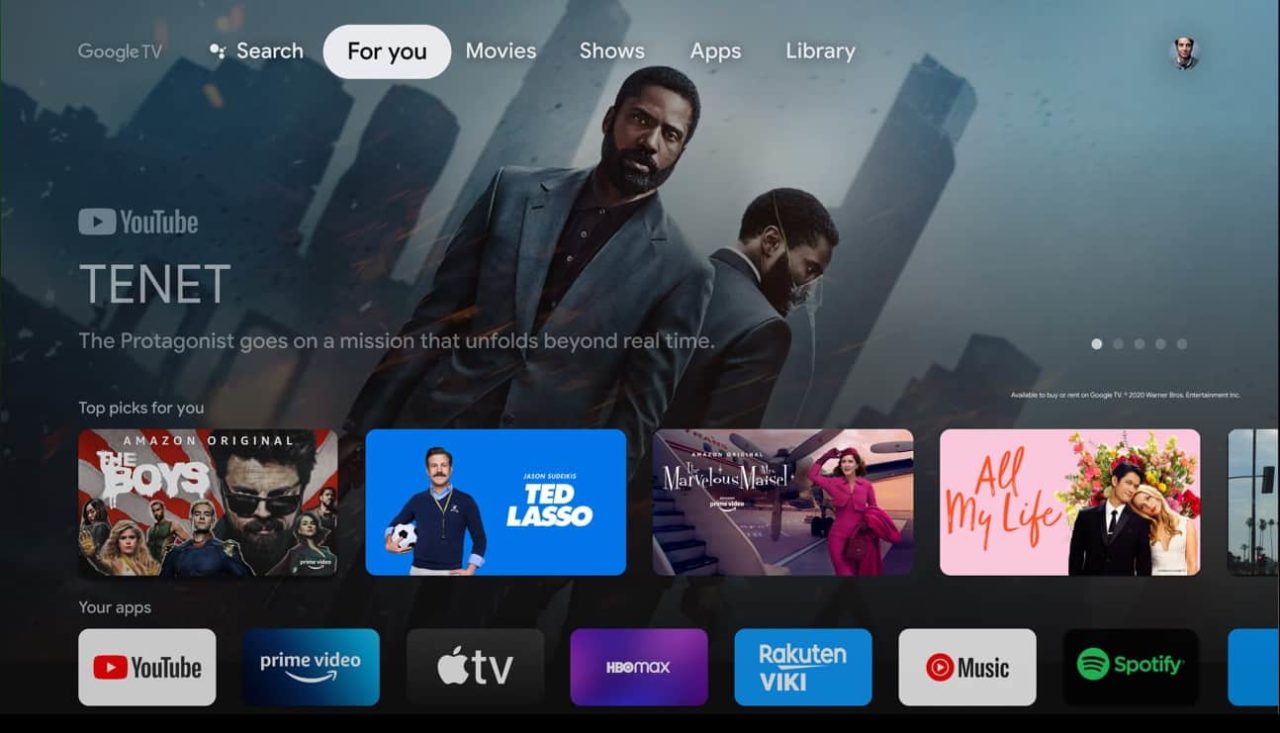
Key among these updates is the transition of app icons to a circular format, a change that modernizes the interface and also allows for more efficient use of space.
This redesign, first hinted at months ago and now detailed on Google’s support forums, also brings significant improvements to the user experience.
Google TV homescreen redesign introduces circular app icons for space efficiency
Notably, the “Your Apps” section has been refined to offer users greater ease in customizing their app array.
Additionally, the introduction of an “add apps” button marks another convenience, facilitating the discovery and installation of new applications.
While it remains to be specified whether this feature links directly to the Play Store or merely opens the “Apps” tab, it represents a clear effort to enhance app management and accessibility.
This move underscores Google’s commitment to providing users with seamless access to a broad spectrum of live content.
Google has announced that the rollout of this homescreen redesign begins today, with the update expected to reach all Google TV devices in the coming months.
Pixel Phones Getting Satellite SOS
Pixel Phones Getting Satellite SOS
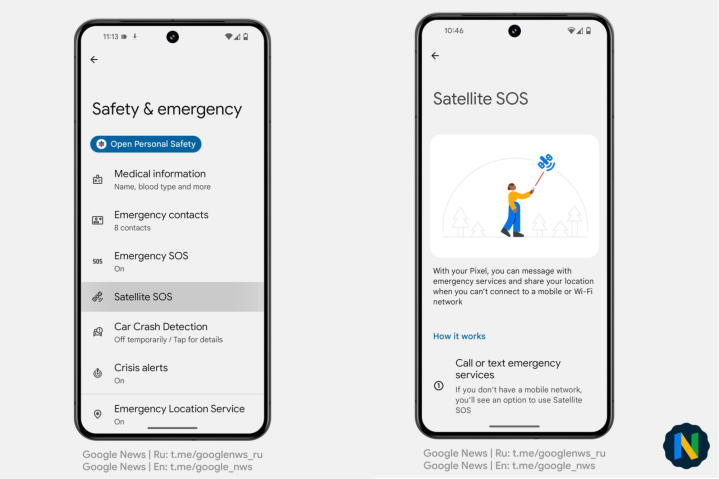
In more unrelated but relevant Google news, the tech giant is set to enhance the safety features on its Pixel smartphones with the forthcoming introduction of a “Satellite SOS” capability.
As per reports this feature is accessible via the Settings app, under the Safety & emergency section, where users will soon notice the option for Satellite SOS.
This development positions Google Pixel phones alongside the iPhone 14 and 15 models, which already offer a similar Emergency SOS via satellite feature.
The functionality of Satellite SOS is designed for scenarios where cell service or Wi-Fi is unavailable.
Users in such situations will identify an SOS icon in their status bar, indicating the availability of satellite connection for emergency communication.
Initiating this service, users will be prompted to provide details about their emergency situation through a series of questions.
Following this, they will be connected with the appropriate emergency services personnel, with the option to share their location throughGoogle Maps for precise assistance.
Google Photos Getting New Activity-based personalisation
Google Photos Getting New Activity-based personalisation
Apart from the Pixel phones receiving the Satellite SOS feature, Google Photos is also rolling out a significant update aimed at enhancing user experience with Activity-based personalisation settings.
This new functionality is designed to tailor the Memories feature, which showcases a carousel of story-like images at the top of the app, to better align with user interactions.
Activity-based personalization works by analyzing how users engage with Memories, taking note of which ones are viewed or skipped.
This data then informs the app to present more relevant Memories in the future, creating a more personalized experience.
The setting is activated by default to ensure users immediately benefit from this refined customization, but it offers the flexibility to be disabled at any time.
For users concerned about privacy, disabling the Activity-based personalization setting will erase the activity data collected over the past 18 months.
However, this action won’t affect the availability or accessibility of the user’s library, Memories, or Creations within Google Photos.
To adjust the Activity-based personalization setting, users can navigate to photos.google.com, access the Settings menu, and toggle the feature on or off according to their preference.
FAQs
What’s new in the Google TV homescreen redesign?
The Google TV homescreen redesign features circular app icons for a refreshed look, streamlined app management with dedicated buttons for reordering and adding apps, and a new shortcut for accessing free live TV channels.
How does the Satellite SOS feature work on Pixel phones?
The Satellite SOS feature on Pixel phones enables users to communicate with emergency services via satellite connection when Wi-Fi or cell service is unavailable, including the option to share their location for precise assistance.
What is Activity-based personalization in Google Photos?
Activity-based personalization in Google Photos tailors the Memories feature based on user interaction, such as viewing habits and skipped content, to surface more relevant Memories, enhancing the personalized experience.
Can I control the Activity-based personalization setting in Google Photos?
Yes, users can toggle the Activity-based personalization setting on or off in Google Photos’ settings. Turning it off deletes past activity data without affecting the availability of your library, Memories, or Creations.
When will the Google TV homescreen redesign be available?
The rollout for the Google TV homescreen redesign starts today and will be available to all devices over the next few months, offering users a more intuitive and enhanced viewing experience.
How will the “add apps” button on the Google TV homescreen redesign impact app discovery?
The “add apps” button simplifies the process of finding and installing new applications on Google TV, potentially linking directly to the Play Store or the “Apps” tab. This feature is designed to enhance user convenience by making app discovery more straightforward and accessible.
What privacy options do users have with the new Activity-based personalisation feature in Google Photos?
Users concerned about privacy can easily disable the Activity-based personalisation feature in Google Photos, which will delete activity data from the past 18 months.
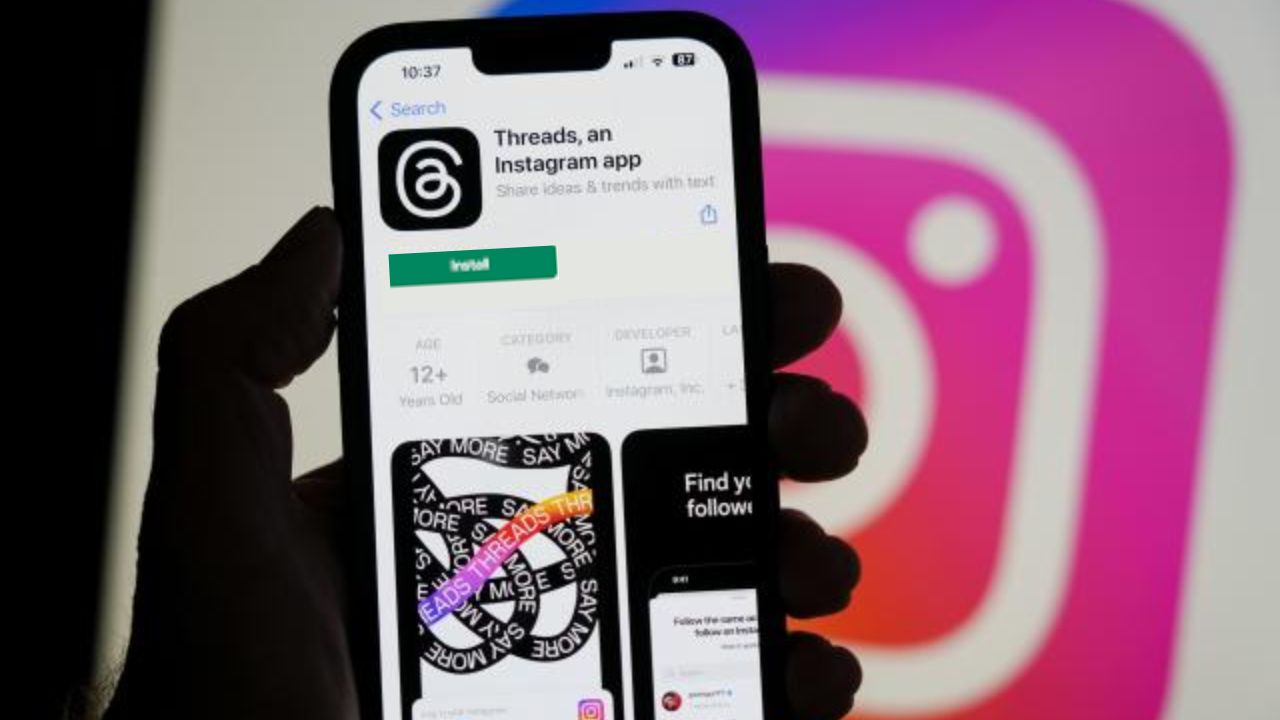
Threads to introduce API, enabling third-party app development and direct content publishing.
Initial API testing with partners such as Hootsuite and Sprinklr.
API features include authentication, publishing, and content fetching capabilities.
Recent Threads updates introduce quick-access camera and draft saving features.
Threads, the rapidly evolving social platform, is set to broaden its horizons by introducing an API by the end of June, marking a significant leap in its connectivity and functionality.
This strategic move will open up new avenues for developers to create third-party applications and for sites to directly publish content on Threads, enhancing the platform’s versatility and user engagement.
Innovative API Integration
Innovative API Integration
The forthcoming API, announced by Threads developer Jesse Chan, promises to empower users with the ability to authenticate, publish threads, and access their content through third-party tools.
Threads is now commited to expanding its ecosystem, with initial tests involving a select group of partners including Hootsuite, Sprinklr, Sprout Social, Social News Desk, and Techmeme.
Balancing Content Creation
Threads Announces API Launch to Enhance User Experience
Platforms like Twitter and Reddit have historically welcomed external developers, though recent years have witnessed a shift towards restricting or monetizing API access.
The closure of Tweetbot following X’s API modifications underscored the challenges faced by third-party apps.
However, the creation of Ivory for Mastodon by Tweetbot’s developers illustrates the adaptability and resilience of the developer community.
Threads’ API initiative can be seen as a response to these market dynamics, offering a fresh platform for innovation and connectivity.
Recent Enhancements and Features
Recent Threads updates introduce quick-access camera and draft saving features
Threads continues to evolve, with recent updates introducing user-centric features such as a quick-access camera button and the ability to save drafts.
Additionally, the platform is experimenting with a Trending feature in the US, further enriching the user experience.
FAQs
What is the Threads API?
The Threads API is a new development by Threads that will allow developers to create third-party apps and enable sites to publish content directly on the platform, enhancing connectivity and user experience.
When will the Threads API be available?
The Threads API is scheduled for release by the end of June, following successful testing with a limited set of partners including major social media management platforms.
How will the Threads API benefit users?
The API will provide users with more options to publish and manage their content on Threads through third-party tools, improving accessibility and streamlining the content creation process.
Are there any known partners involved in the API testing?
Yes, Threads is testing the API with a select group of partners, including Hootsuite, Sprinklr, Sprout Social, Social News Desk, and Techmeme, to ensure a wide range of functionalities for users.
Will the Threads API affect the platform’s focus on user-generated content?
While there are concerns about balancing publisher and user-generated content, the Threads API aims to enhance the platform’s functionality without compromising the essence of user-created posts.
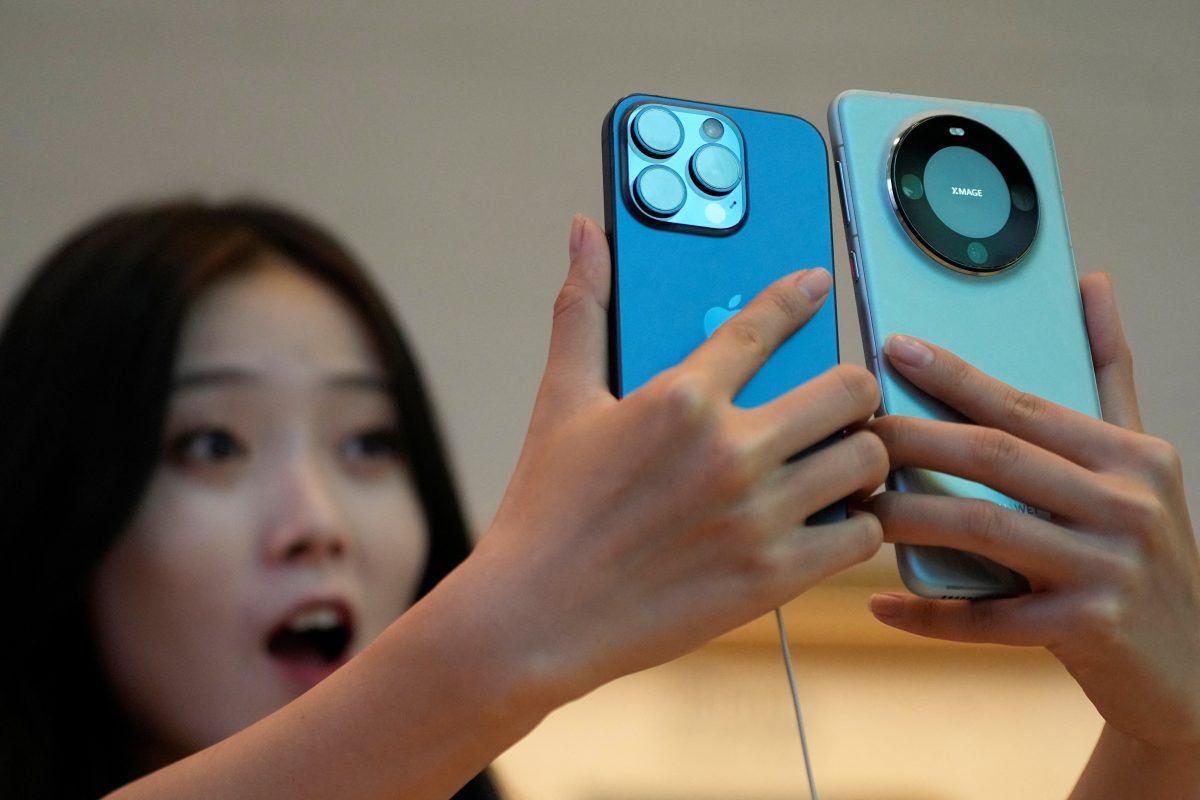
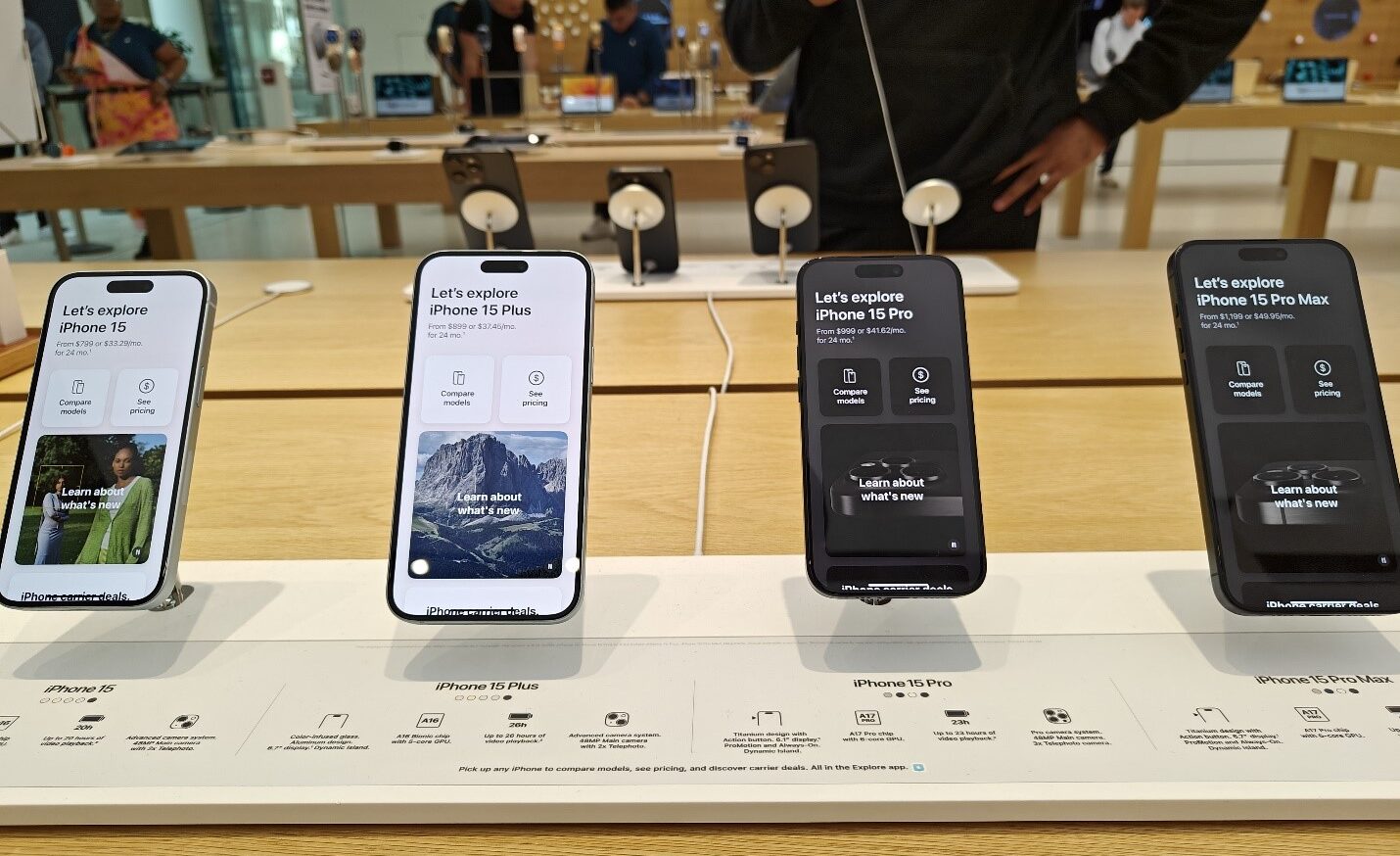
In China, the demand for the iPhone 15 is heavily reliant on discounts and promotional offers.
Competitors like Samsung, Oppo, and Huawei have surged ahead with innovations such as foldable designs, leaving Apple facing criticism for its iterative design approach and lack of groundbreaking features.
This has been especially noticeable in a market that values rapid technological advancements.
Sales and Strategies
iPhone 15 sees price cuts up to $180 by resellers in China to boost demand
Despite efforts to boost sales through seasonal discounts, including significant price cuts during the Lunar New Year holiday, Apple’s sales in Chinahave seen a 13% decline, dropping to $20.8 billion in the last quarter.
This downturn is notable compared to the anticipated $23 billion revenue, signaling a pressing need for Apple to revisit its strategy in the Chinese market.
Innovation and Future Prospects
Apple faces tough competition from foldable designs of Samsung, Oppo, and Huawei
However, the company is reportedly developing generative AI features for its upcoming iOS 18, aiming to revitalize interest in both new and older iPhone models.
This move could potentially align Apple with competitors who have already embraced AI technologies, such as Samsung with its Galaxy S24 series.
Looking Ahead
Apple to introduce generative AI features in iOS 18, potentially rejuvenating interest
As the tech giant prepares to launch the iPhone 16, it remains to be seen whether these innovations will be enough to rekindle interest among Chinese consumers and regain lost market share.
FAQs
Why are iPhone 15 sales lower in China?
iPhone 15 sales in China are underwhelming due to strong competition from Android manufacturers who offer innovative features like foldable designs, which Apple has yet to match.
What is Apple doing to increase iPhone 15 demand in China?
Resellers in China are offering significant discounts on iPhone 15 models, and Apple is working on introducing generative AI features in the upcoming iOS 18 to make its devices more appealing.
How much are iPhone 15 models being discounted in China?
Reports indicate that iPhone 15 models are being discounted by up to $180 by resellers in China, aiming to stimulate consumer interest and sales.
Will older iPhone models receive the new AI features?
Apple plans to roll out generative AI features with iOS 18, which could also be available on older iPhone models, although specific details about compatibility have not been disclosed.
How has Apple’s market performance in China been affected recently?
Apple’s sales in China have dropped by 13%, reflecting a decrease in demand and highlighting the challenges Apple faces in competing with more innovative smartphone brands.
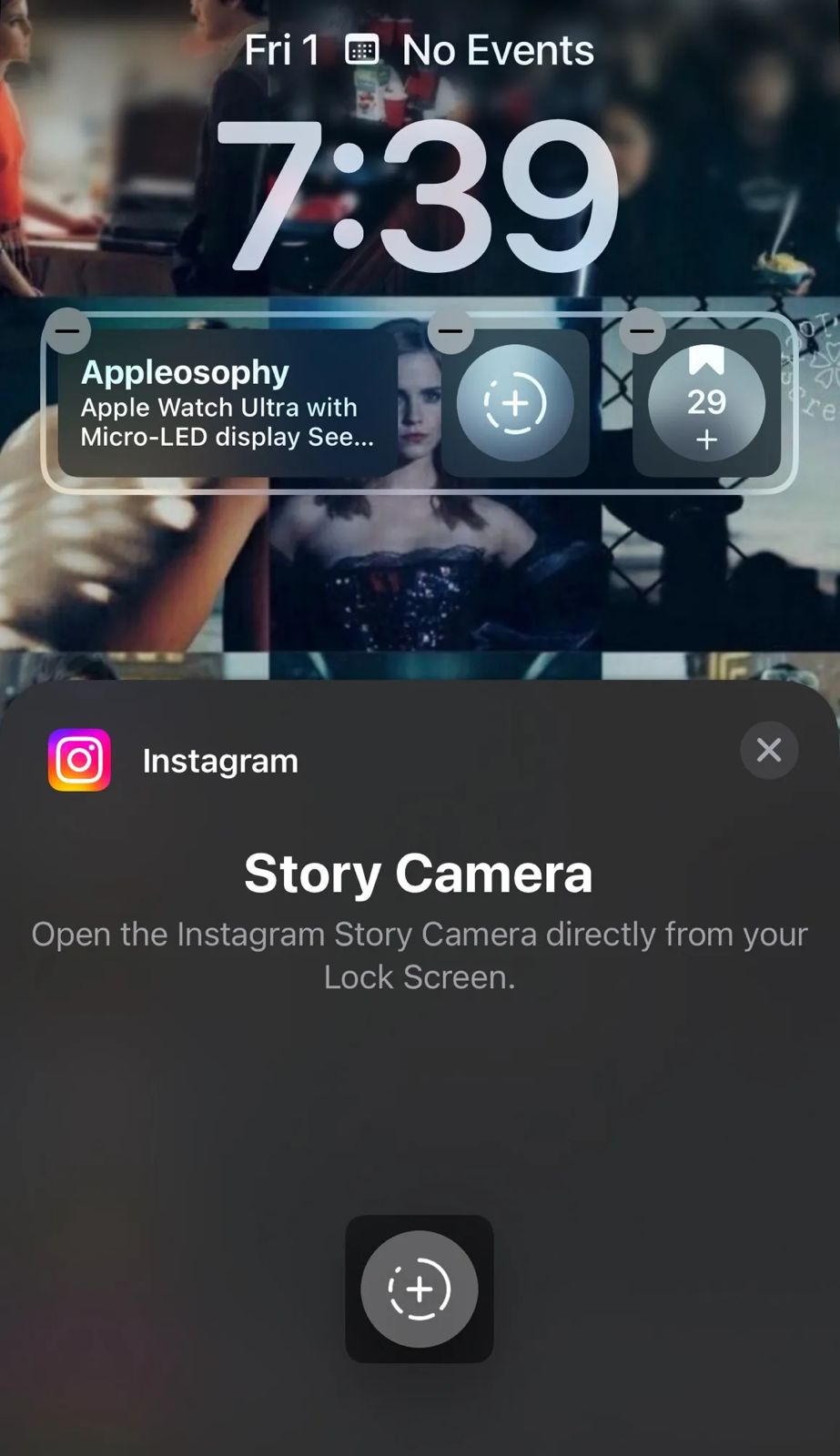
This development, highlighted by users and confirmed by 9to5Mac, aims to streamline the content creation process on the platform, offering a swift shortcut to capturing moments without the need to navigate through the phone’s interface.
Key Highlights
Instagram Introduces New iOS Lock Screen Widget for Instant Story Camera Access
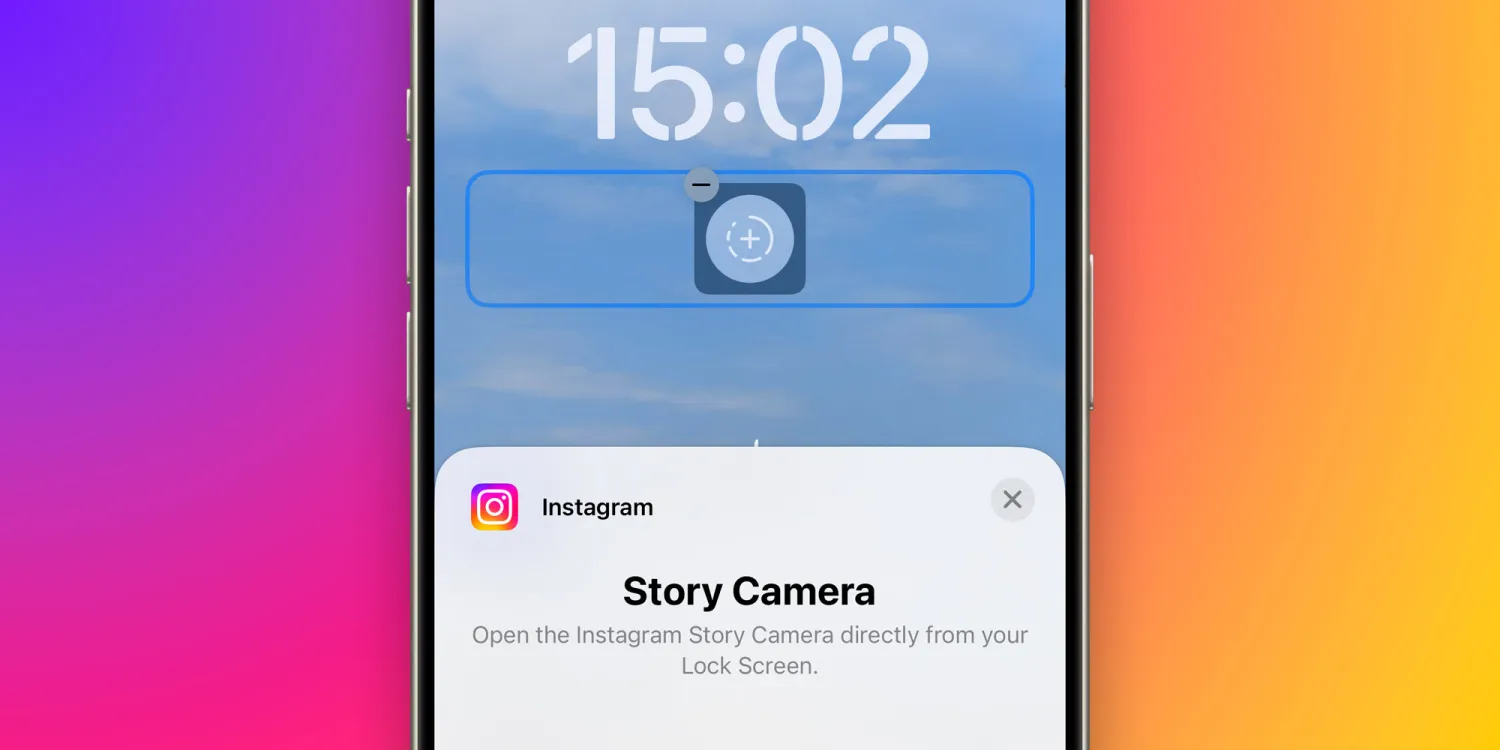
Instant Access to Story Camera: The newly introduced Lock Screen widget allows users to jump straight into the Instagram Story Camera from the iOS Lock Screen, facilitating immediate photo and video capture.
Enhanced User Convenience: This feature significantly reduces the steps required to post Stories on Instagram, eliminating the need to unlock the phone and search for the app, thereby catering to avid Story posters.
Optimization for Content Creators: While the iPhone’s native Camera app remains the preferred choice for high-resolution images and videos, the Instagram Story Camera, with its array of filters and effects, presents a favored alternative for many. The ease of access from the Lock Screen adds to its appeal.
Additional Instagram Innovations
Instantly open Instagram Story Camera from iOS Lock Screen with new widget
Instagram is not stopping at the Lock Screen widget.
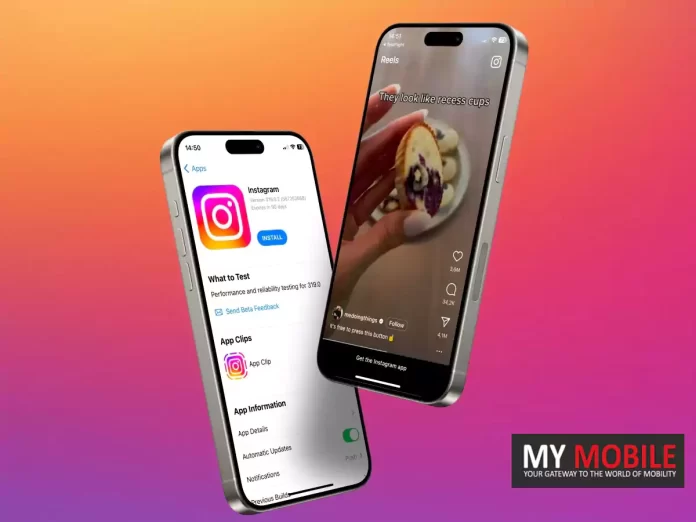
Recent reports from 9to5Mac indicate that the platform is experimenting with an App Clip for its Reels feature, allowing users to sample the short video experience without the app installed.
The platform has previously integrated Live Activities support, enhancing user engagement by displaying the upload progress of posts or stories when multitasking across apps.
Noteworthy Absence
Despite these advancements, Instagram has yet to release a dedicated app for iPad users, a gap in its device coverage that remains a point of contention.
Feature requires iOS 16 and the latest Instagram app version for optimal use
This feature requires iOS 16 or later and is accessible for free via the App Store.
This strategic move by Instagram to embed direct access features into the iOS ecosystem underscores the platform’s commitment to enhancing user experience and content engagement.
The Instagram Lock Screen Widget is a new feature for iPhone users that allows direct access to the Instagram Story Camera from the Lock Screen, enabling quick photo and video capture.
How can I use the new Instagram widget on my iPhone?
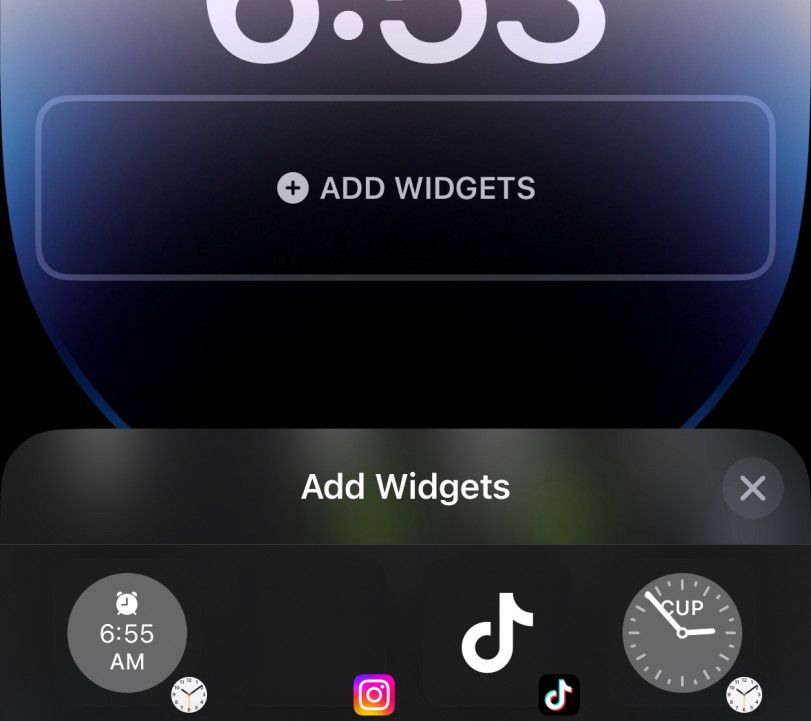
To use the new Instagram Lock Screen Widget, update your Instagram app to the latest version, ensure your iPhone runs on iOS 16 or later, and add the widget to your Lock Screen through the customization options.
Why is the Instagram Lock Screen Widget beneficial for Instagram users?
The widget offers a convenient shortcut for users who frequently post stories, allowing them to instantly access the Story Camera without navigating through their phone, saving time and enhancing the content creation process.
Can I use the Instagram Lock Screen Widget without updating my iPhone?
The Instagram Lock Screen Widget requires iOS 16 or later to function. Users with earlier iOS versions will need to update their iPhone to access this feature.
Is there an Instagram app available for iPad users?
Despite the introduction of new features like the Lock Screen Widget, Instagram has not yet released a dedicated app for iPad users, focusing instead on enhancing the iPhone app experience.
Step-by-step guide to enhance Airtel signal strength and coverage.
Tips on managing mobile data and Wi-Fi settings for optimal connectivity.
Importance of APN settings adjustment and software updates.
Contacting Airtel customer care for unresolved network issues.
Airtel,one of the giants in the telecommunications industry, serves millions of users across the globe.
Given its vast user base, the impact of network issues can be profound, not just on an individual level but also on businesses and services that rely on uninterrupted connectivity.
Understanding the Essence of Network Troubleshooting
Understanding the Essence of Network Troubleshooting
Before diving into the solutions, it’s crucial to grasp the importance of a systematic approach to troubleshooting.
Network issues can stem from a myriad of sources –from simple signal strength problems to more complex issues tied to your device settings or the network infrastructure itself.
Therefore, addressing these issues in a sequential manner not only saves time but also isolates the exact problem, making the solution more effective.
Step-by-Step Guide to Resolving Airtel Network Issues
Step-by-Step Guide to Resolving Airtel Network Issues
Signal Strength and Network Coverage: The first step in troubleshooting should always be to check the signal strength. A low signal strength indicator on your device could mean you are in a poorly covered area. A quick check of Airtel’s network coverage map can confirm if you’re in a low-coverage area, suggesting a simple move might solve your issue.
Active Connection Check: It’s not uncommon for network issues to arise from an inactive connection. Whether due to an expired plan or a newly activated SIM, ensuring your connection is active is a foundational step. Newly ported or activated SIM cards may also have a brief waiting period before full service is resumed.
Airplane Mode Toggle: This might seem like a rudimentary step, but toggling Airplane Mode on and then off can effectively reset your device’s network connection, often resolving transient connectivity issues.
Mobile Data Management: Similarly, switching your mobile data off and back on can kickstart stalled connections, clearing minor glitches in the process.
Wi-Fi Interference: Sometimes, the preference settings on your device might favor Wi-Fi connections over mobile data, leading to issues when Wi-Fi is unavailable or unstable. Disabling Wi-Fi can help in such scenarios, allowing mobile data to take precedence.
Device Restart: The age-old advice of turning it off and on again holds true for network issues. A restart can clear up any temporary software glitches that might be affecting connectivity.
SIM Card Slot Swap: For dual-SIM devices, switching the SIM card to a different slot can sometimes resolve detection issues, ensuring the device properly recognizes the Airtel network.
APN Settings Adjustment: Incorrect APN settings are a common culprit behind connectivity issues. Ensuring these settings match Airtel’s recommended configuration can often restore normal service.
Software Updates: Outdated software can lead to compatibility issues with network services. Keeping your device updated is not just good practice for security but can also ensure optimal connectivity.
Network Settings Reset: As a more drastic measure, resetting your device’s network settings can clear any corrupt configurations that might be causing issues.
Customer Care Support: When all else fails, Airtel’s customer care is your go-to. Their support teams can provide insights into potential network outages or account-specific issues that might be affecting your service.
The Bigger Picture
The Bigger Picture
While the steps outlined above provide a roadmap to resolving most common network issues, they also highlight the complex interplay between device settings, network infrastructure, and user actions.
In an era where connectivity is a cornerstone of daily life, understanding how to navigate these challenges is invaluable.
However, it’s also a reminder of the broader challenges facing the telecommunications industry as it strives to provide seamless connectivity in an ever-expanding digital landscape.
The dialogue between users and service providers is crucial in this context, with user feedback driving improvements and innovations in network service delivery.
FAQs
Why is my Airtel network signal weak?
Your Airtel network signal may be weak due to being in a low coverage area or due to physical obstructions. Checking the network coverage map and moving to a different location can help improve signal strength.
How can I fix connectivity issues with my Airtel network?
Start by checking your signal strength, ensure your connection is active, toggle Airplane Mode, and restart your device. If issues persist, check your APN settings or contact Airtel customer care for assistance.
What should I do if my Airtel mobile data is not working?
First, ensure your mobile data is turned on and you have an active plan. Toggle mobile data off and on, check for any network restrictions, and ensure your APN settings are correctly configured.
How do I update APN settings for my Airtel connection?
APN settings can be updated by accessing the mobile network settings on your device. Ensure the settings match those recommended by Airtel for your specific device model and region.
Can restarting my device solve Airtel network issues?
Yes, restarting your device can solve temporary network issues by refreshing your connection to the Airtel network and clearing minor software glitches.
How to fix ‘mobile network not available’ error?
The following methods are troubleshooting techniques to fix your phone. They don’t require proper technical know-how.
On/Off Airplane mode
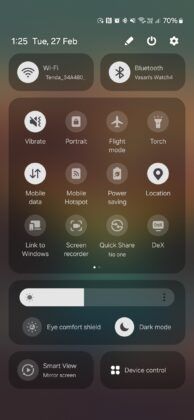
The Airplane mode switches on and off your mobile network. If you switch it off and on again, it can help your phone to connect to the cellular network easily. Most of the Android devices have the Airplane mode shortcut in the slide menu showing time and date details.
Just slide down from the top of your home or lock screen and click on Airplane mode to switch it on. Wait for 5-10 seconds and switch it off by clicking on it again. If it was a small error, your cellular network will restart again, and mobile network not available error will stop.
Restart your phone
Simply restarting your phone can also fix mobile network not available error. By restarting your phone, background apps or memory leaks causing the error are cleared. It helps the phone to fix crashes. Haven’t we all tried restarting our phones for every phone error whatsoever? Use the same logic and see if it helps with your issue.
Remove your sim card and put it back in the slot
Sometimes, your sim card might have shifted from its original place due to high impact fall or shift. Therefore, the SIM card finds it difficult to connect with a cellular network. All you need to do is open your sim card slot by using a pin. Adjust your sim. Use this opportunity to clean the tray with a soft cloth. Put your sim properly in the tray and close the tray.
You can also try isolating the issue by putting in another sim card in your phone. If you are getting network using the other sim, the issue is probably with your sim. It can be damaged. In this case, you will need to contact your telco partner to get a new sim immediately.
Switch off data roaming
Data roaming should only be enabled if you are outside your primary network circle. It should only be enabled when traveling abroad. A turned-on data roaming feature can interfere with your mobile network. Therefore, you should turn if off and check once. Both Apple and Android phones usually have this feature in the ‘Settings’ section.
Update the phone’s software to fix mobile network not available issue
Often considered as waste of data, contrarily software updates are very important to fix existing bugs and introduce new advanced features in the phone. Go to the ‘Settings’ section, tap on System>System update to see if there are any pending updates. Updating your firmware can fix your mobile network problem. Do try this step.
Move to another place
This is by far one of the simplest methods to fix your mobile network issue. Sometimes, simply moving to a different location can help you get better network. We all have done it! Try this simple method.
The above-mentioned were a few easy troubleshooting methods. If none of these steps work for you, the issue might be deep rooted.
How to fix ‘mobile network unavailable’ error using advanced methods?
Tweak and reset network settings
Sometimes, you need to reset your network from the settings app in your phone.
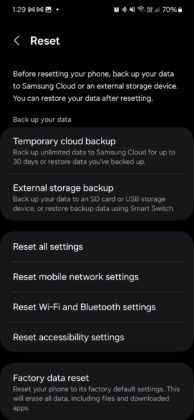
Go to Connection and Sharing>Reset Wi-Fi, mobile networks, and Bluetooth.
Tap on Reset settings.
Your phone will restart. Now, check if your network issue is solved or not. These steps are applicable only for the latest version of Android phones. You can find these options in the settings app in any other phone.
Connect with your telco partner
This step will help you to understand if the issue is from your end or simply a downtime in your locality. If you are an Airtel user and are facing mobile network not available in Airtel sim, you can reach out to our customer care by calling 121 or take live chat support from the Airtel Thanks app.
Try out Factory Reset to fix mobile network not available issue
If the above steps don’t fix your problem, you will need to format your phone. Factory reset will wipe all your data including pictures, documents, videos, saved accounts, etc. It basically brings your phone back to its original state.
Before performing this step, we suggest you take a backup. You can reset your phone from the settings app in your phone. It is better you perform this step under the supervision of a customer care support executive.
Why mobile network is not available?
In most of the cases, poor reception in your area can be the main culprit. In addition to this, any incorrect mobile network setting or a damaged/displaced SIM card can be the culprits of your issue. Old software/firmware can also be a contributing factor.
To sum up, keep your firmware updated and SIM card protected to make sure something like this doesn’t happen again. Or you can just go for our postpaid connection which never fails to offer seamless connectivity.
Why is my mobile network not available on my Android?
There could be plenty of reasons why you are not getting a mobile network on your Android device and keep seeing the unable to detect SIM card message. Here are some of the reasons that may have led to it:
Physical damage to the smartphone
Internal errors within your smartphone
Unpaid mobile bills
Poor network connectivity
Now, whatever may be the reason for the no SIM card detected message, there are many ways to fix it.
What are the ways to fix mobile networks not available on my Android?
Stressed about how to fix a SIM card not detected issue or how to fix an Airtel SIM card not detected error? Simply follow the below steps and you should be okay!
Toggle Airplane mode on and off
Restart your Android smartphone
Remove your SIM card from the device, clean it and insert it back
Checking for software updates could also help
Turn off additional services, such as data roaming, if it is not required
Try changing your location and see if the cell phone service is better
Reset Wi-Fi, mobile and Bluetooth settings
Choose the preferred network type
Contact your service provider
Finally, perform a factory reset on your Android device
Remember that the factory reset feature is only meant for you in case none of the previous methods work.
Why is my mobile network not available on my iPhone?
Just like Android devices, iPhones or iOS devices could also deal with the same issue of SIM that is not detected in iPhone, or SIM card not readable, or unable to detect SIM card issues. Here are some of the reasons why your iOS device possibly cannot read the SIM:
Network congestion or bad telecom service
Software or hardware issues within your iOS device
Unpaid mobile bills
Whatever the reason may be, you should not have to worry. Let us tell you how to fix the ‘SIM card not detected’ issue on your iPhone.
What are the ways to fix mobile network not available on iPhone?
You may want to try out these methods to fix the SIM card not detected error:
Ensure that you have a working mobile plan with your telecom operator. Do a quick recharge, if required.
Restart your iPhone and check if the service is back.
Check if your phone is eligible for a carrier settings update. Download it and go through it.
If you do not have an eSIM, remove the SIM card from the SIM tray. Inspect for dust or any form of physical damage. Insert it back once done.
Port your number if everything else fails
If any of the above methods do not work out, then you will have to port your number to a different telecom operator. Porting is a great option for those who are regularly facing SIM card not detected issues on their devices.
When you port your SIM, you keep the same phone number. However, just the telecom operator changes. As a result, you get access to better mobile plans, be it prepaid or postpaid, different sets of benefits, many additional features and a lot more.
Motorola teases the Moto X50 Ultra, an AI-driven flagship smartphone.
Features include advanced AI for text summarization and photo editing.
The device sports a premium pleather back, hinting at elegant design choices.
Moto X50 Ultra pioneers the “Ultra” category in Motorola’s X series lineup.
Motorola has been on an upward trajectory with its flagship smartphones, achieving notable success with the Motorola Edge Plus 2023, hailed as one of its best flagships to date.
Now, it appears the company is set to elevate its portfolio even further with an upcoming high-end device.
Introducing the Moto X50 Ultra: A New AI Powerhouse
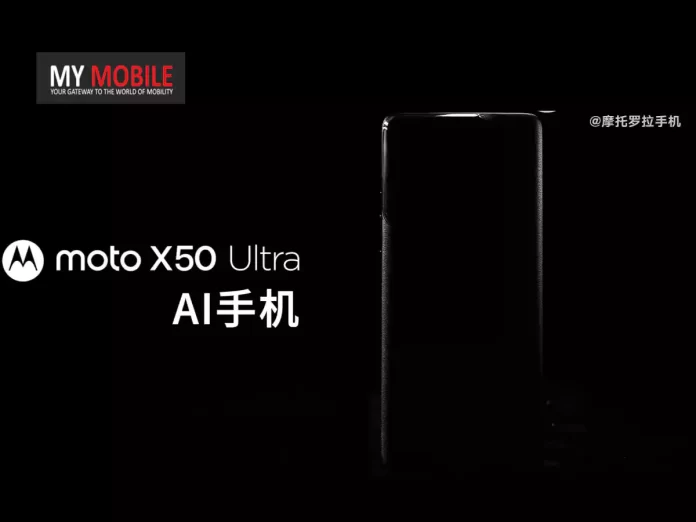
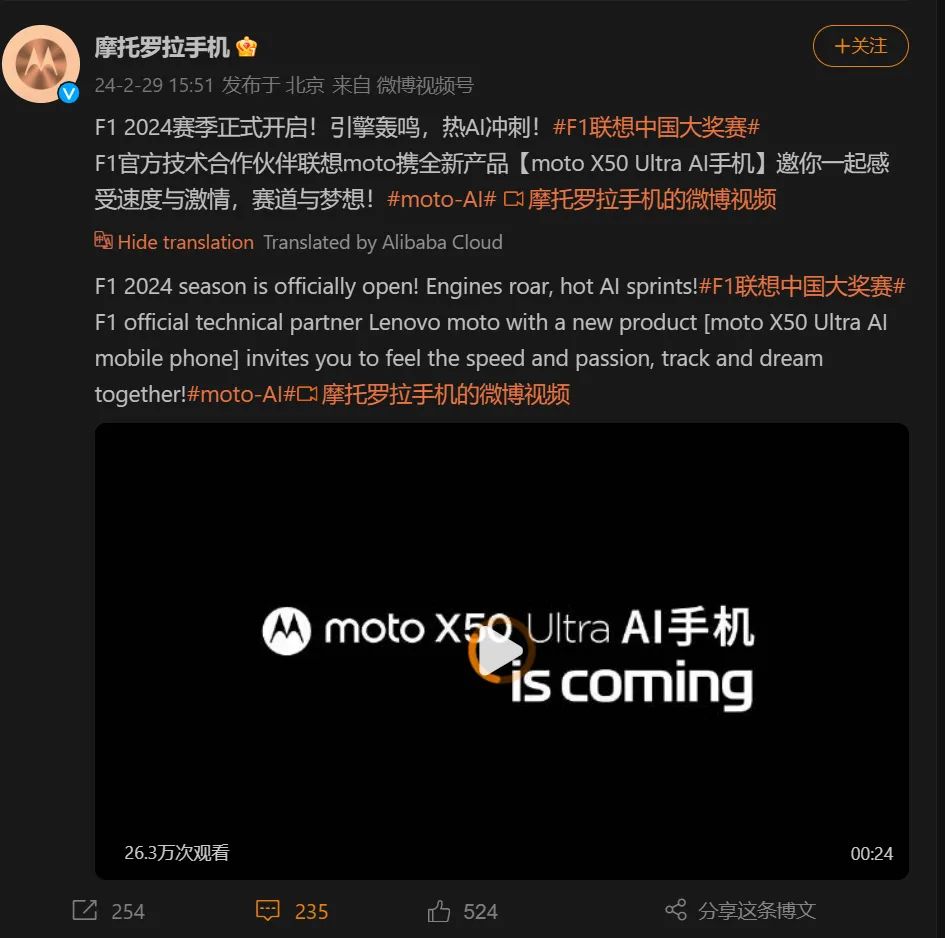
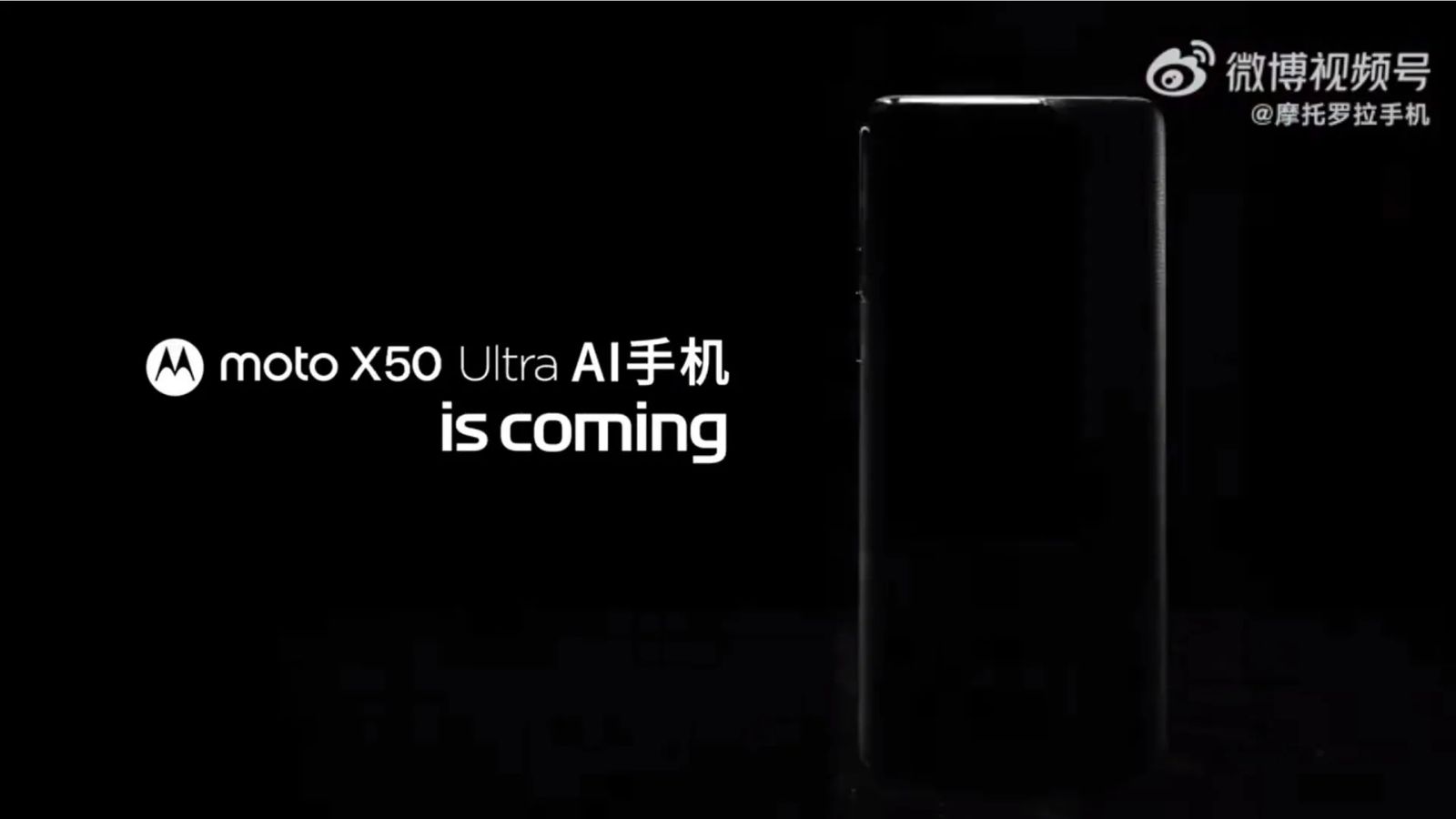
In a recent teaser on its Weibo account, Motorola unveiled a sneak peek of the Moto X50 Ultra.
The video, themed around Formula 1, brands the new device as an “AI phone,” hinting at a focus on artificial intelligence capabilities.
Motorola has been on an upward trajectory with its flagship smartphones
Although specifics about the AI features were not disclosed, expectations lean towards functionalities such as text summarization and advanced AI-driven photo editing, aligning with trends set by competitors.
Moto X50 Ultra’s F1-Themed Teaser Shared on Weibo Hinting at Imminent Arrival
The teaser provides brief glimpses of the phone, with most shots cleverly concealing the camera setup. However, it’s evident from the visuals that the Moto X50 Ultra will feature a distinguished pleather back, suggesting a premium design approach.
Interestingly, the Moto X series skipped a “Pro” and “Ultra” model last year, offering only the Moto X40, which, with minor adjustments, was introduced globally as the Moto Edge 40 Pro.
Motorola teases the Moto X50 Ultra, an AI-driven flagship smartphone
This pattern follows from the previous iteration, where the Moto X30 Pro transitioned into the Moto Edge 30 Ultra. The introduction of the Moto X50 Ultra marks a new chapter, as it’s the first device to bear the “Ultra” designation in the X series.
Features include advanced AI for text summarization and photo editing
Rumours around the Motorola Edge 50 Pro suggest a 4,500mAh battery equipped with 125W wired and 50W wireless charging capabilities.
This is a slight enhancement over the Edge 40 Pro’s 4,600mAh battery, which supported 125W wired but only 15W wireless charging. While it’s speculated that the Edge 50 Pro could be based on the Moto X50, the debut of the Moto X50 Ultra indicates a significant leap forward.
Moto X50 Ultra pioneers the “Ultra” category in Motorola’s X series lineup
FAQs
What is the Moto X50 Ultra?
The Moto X50 Ultra is Motorola’s latest flagship smartphone, teased as an AI-focused device. It’s expected to feature cutting-edge AI capabilities for enhanced user experiences in areas like text summarization and photo editing.
What new features does the Moto X50 Ultra offer?
While specific details are yet to be announced, the Moto X50 Ultra is anticipated to include advanced AI features, a premium design with a pleather back, and potentially groundbreaking camera technologies.
How does the Moto X50 Ultra compare to previous Motorola flagships?
The Moto X50 Ultra represents a significant evolution from its predecessors, being the first to carry the “Ultra” designation. It builds on the success of models like the Motorola Edge Plus 2023, with enhancements in AI capabilities and design.
Will the Moto X50 Ultra support fast charging?
Rumors suggest that the related Motorola Edge 50 Pro will feature a 4,500mAh battery with 125W wired and 50W wireless charging, implying that the Moto X50 Ultra could offer similar, if not more advanced, charging technologies.
When can we expect the Moto X50 Ultra to be available?
The release date for the Moto X50 Ultra has not been officially announced. However, its teaser on Motorola’s Weibo account suggests that more details could be revealed soon.
Spotify introduces Song Psychic, a unique feature for music-based fortune telling.
Users can select from nine topics and pre-set questions for personalized song recommendations.
The feature is designed for easy sharing on social media platforms like WhatsApp and Instagram.
Available to both free and Premium Spotify users in 64 markets and 21 languages.
Spotify has announced the launch of the Song Psychic feature, a novel addition aimed at providing users with a unique, fun way to engage with their music streaming experience.
This feature introduces a playful twist to getting personalized music recommendations by answering user queries with songs.
What is Song Psychic?
Spotify Launches Song Psychic Feature for Personalized Music Fortune Telling
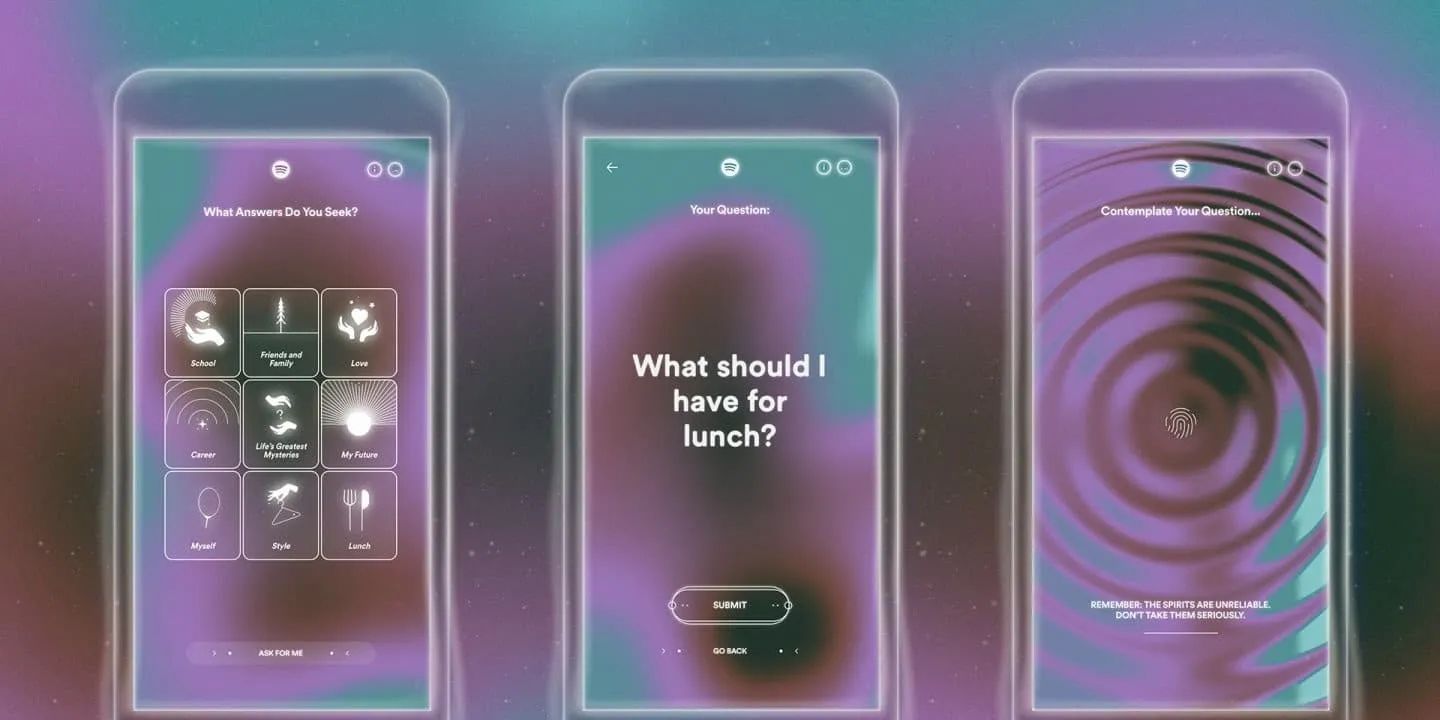
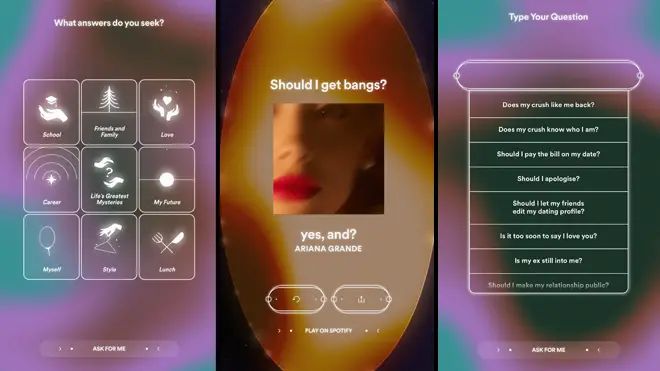
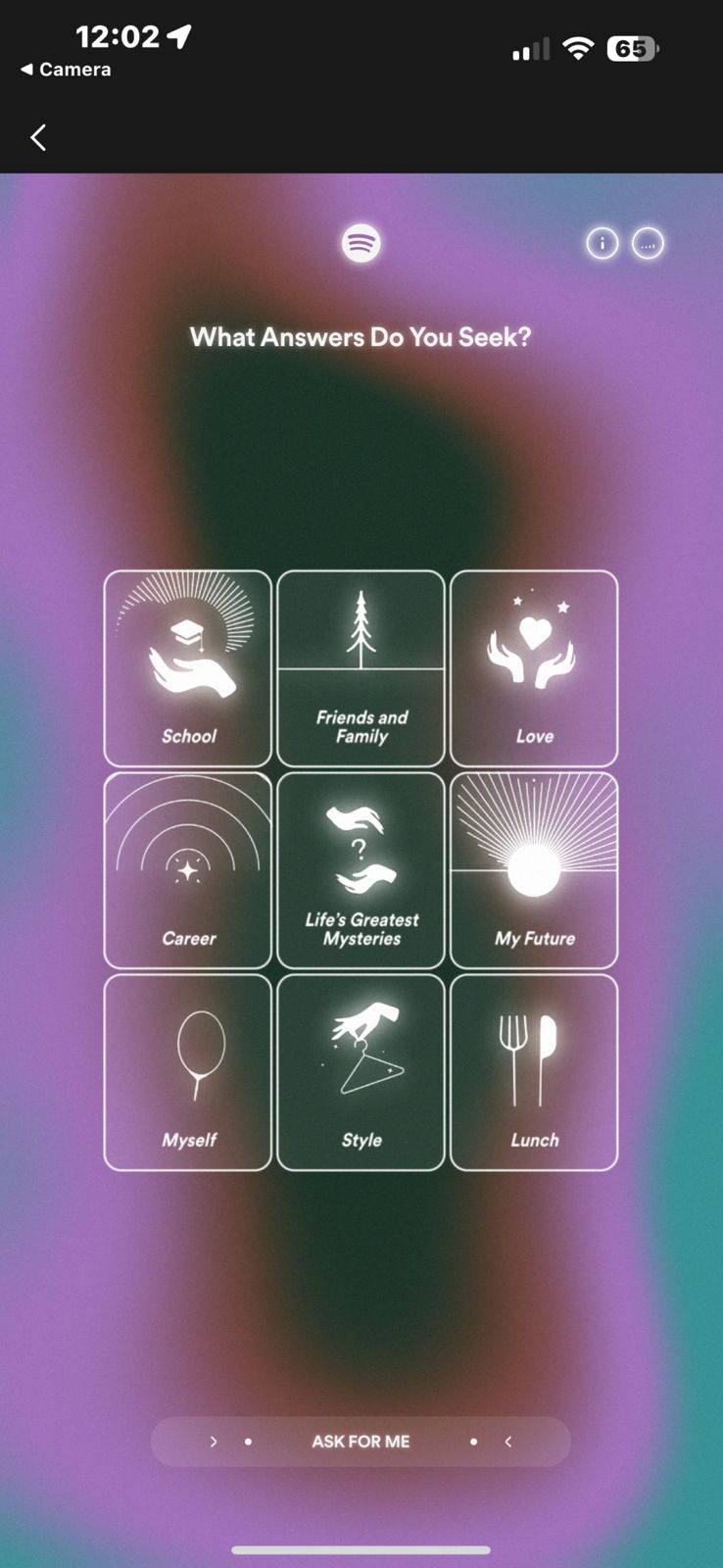
Users coming to the Song Psychic’s website, are greeted with a choice of nine broad categories, including but not limited to School, Love, Career, and even Lunch.
Spotify introduces Song Psychic, a unique feature for music-based fortune telling
Navigate to spotify.com/songpsychic using a mobile device.
Select a topic from options like School, Style, Lunch, Love, Career, Myself, My Future, Friends & Family, Life’s Greatest Mysteries, or opt for Song Psychic to intuitively choose for you.
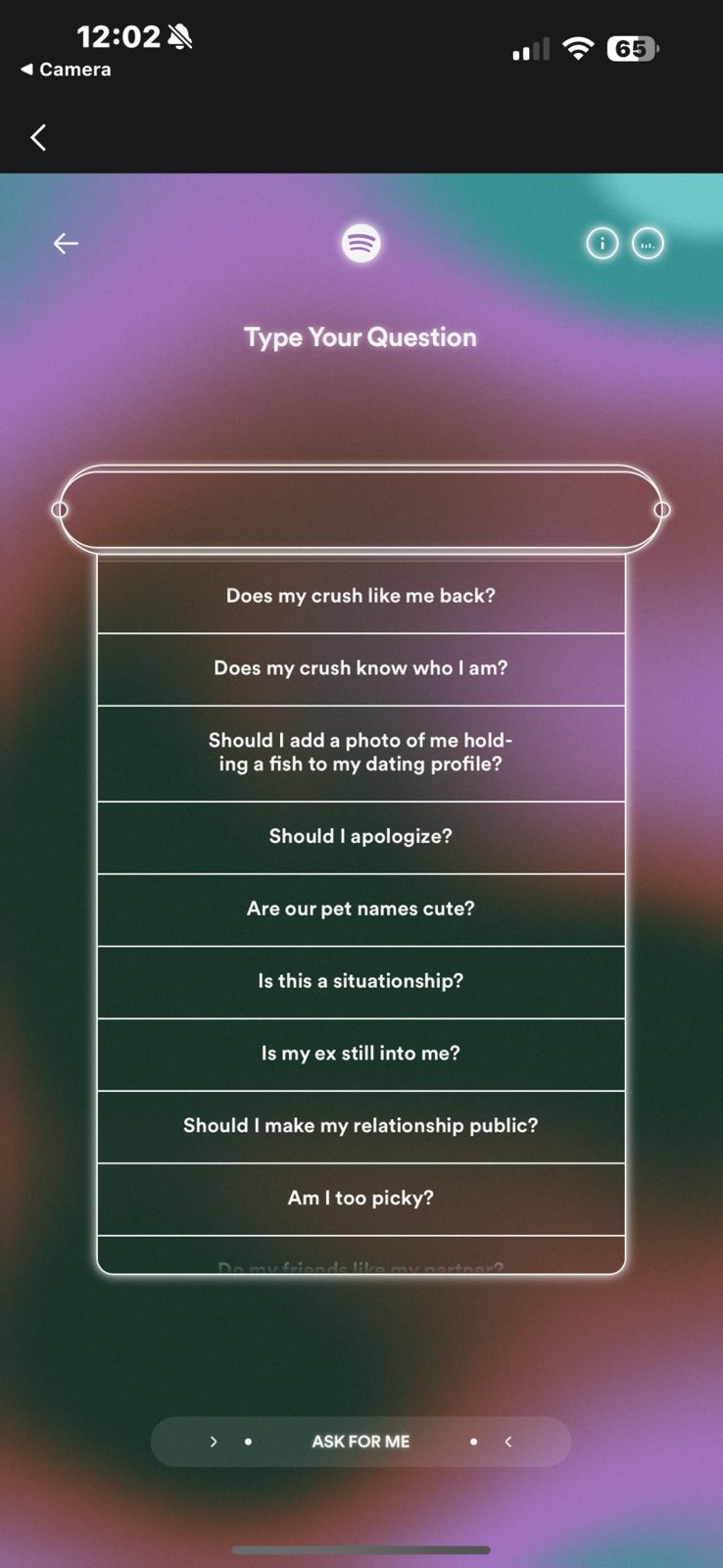
Choose a question from a list of pre-set queries such as “Should I go on this date?”, “Should I book a vacation?”, or “What should I have for lunch?”.
Wait as the contemplation screen displays, indicating Song Psychic is selecting the ideal song as your answer.
Once the song is revealed, listen to it on Spotify, pose another question if you wish, and share your musical fortune on social media platforms.
The feature is designed for easy sharing on social media platforms like WhatsApp and Instagram
Inspired by the popularity of Spotify’s Wrapped feature, which offers personalized year-end music summaries, Song Psychic’s responses are designed to be shared across social media platforms.
With just a tap, users can broadcast their musical fortunes to friends and followers on WhatsApp, Instagram, Facebook, and more, thanks to an intuitive sharing feature.
Spotify ensures that the Song Psychic feature is inclusive, making it available to both free and Premium subscribers across 64 markets and in 21 languages.
This global rollout is a way for Spoitfy to gauge the universal appeal of music and its potential to connect and entertain in innovative ways.
Available to both free and Premium Spotify users in 64 markets and 21 languages
FAQs
What is Spotify Song Psychic?
Spotify Song Psychic is an innovative feature that provides music recommendations based on user queries.
By selecting a topic and a question, users receive song-based answers that offer insight into various life aspects.
How do I use Spotify Song Psychic?
To use Spotify Song Psychic, visit spotify.com/songpsychic on a mobile device, choose a topic and a question, and wait for the feature to recommend a song as your answer. You can then listen to the song on Spotify and share your results on social media.
Can I share my Spotify Song Psychic results?
Yes, Spotify Song Psychic allows users to easily share their musical fortunes on popular social media platforms such as WhatsApp, Instagram, Facebook, and more, with a simple tap on the sharing feature.
Is Spotify Song Psychic available for all users?
Spotify Song Psychic is accessible to both free and Premium subscribers, making it a universal feature designed to engage a wide range of Spotify users across 64 markets and in 21 languages.
What kind of questions can I ask Spotify Song Psychic?
Spotify Song Psychic offers a variety of pre-set questions related to topics like School, Love, Career, and Lunch, enabling users to explore different facets of their lives through music recommendations.
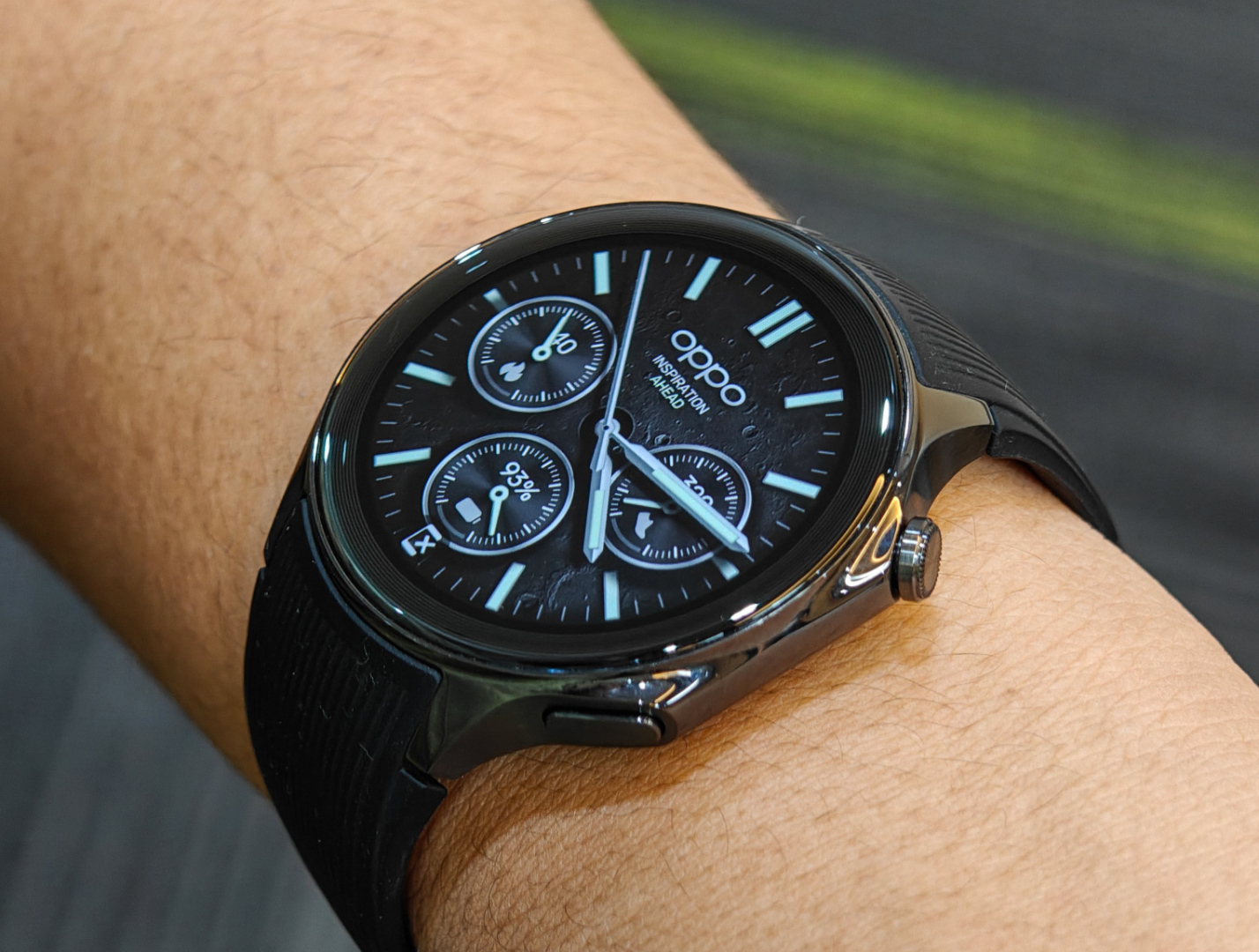
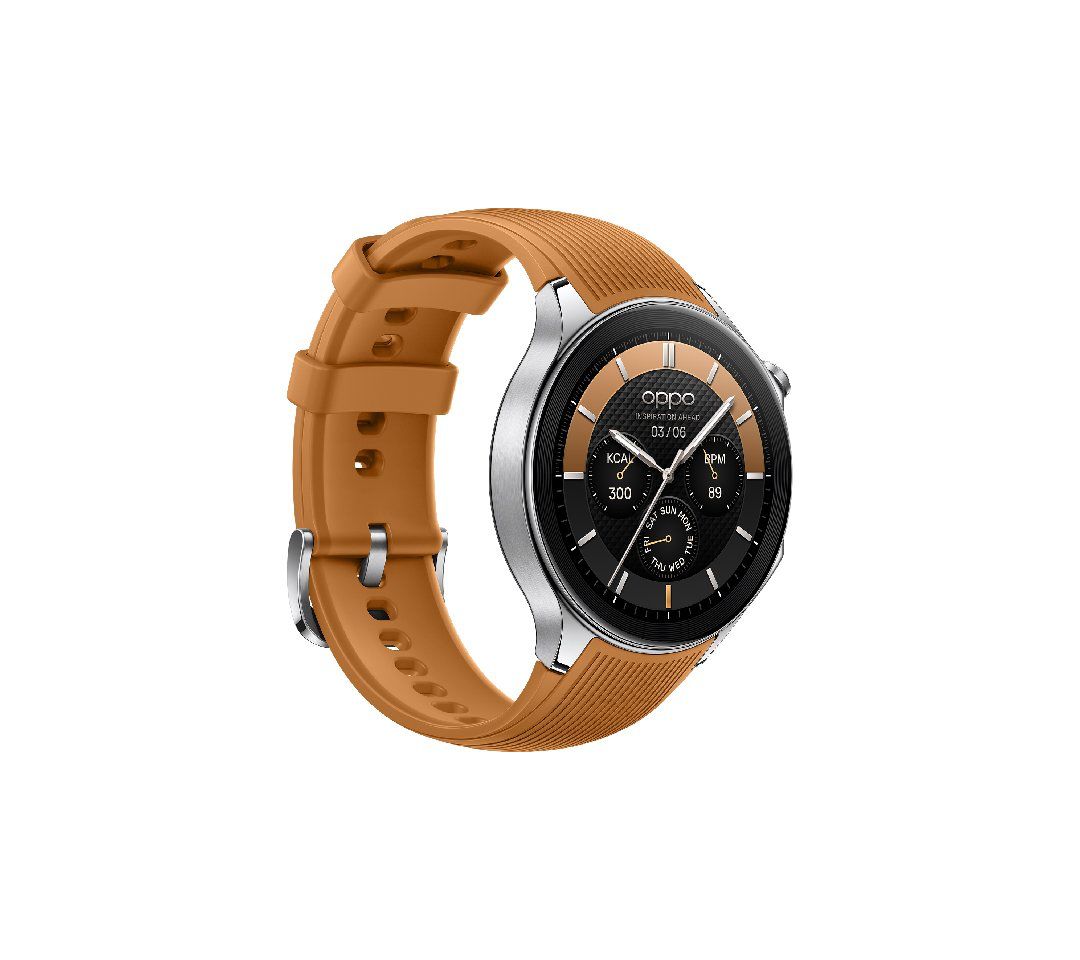
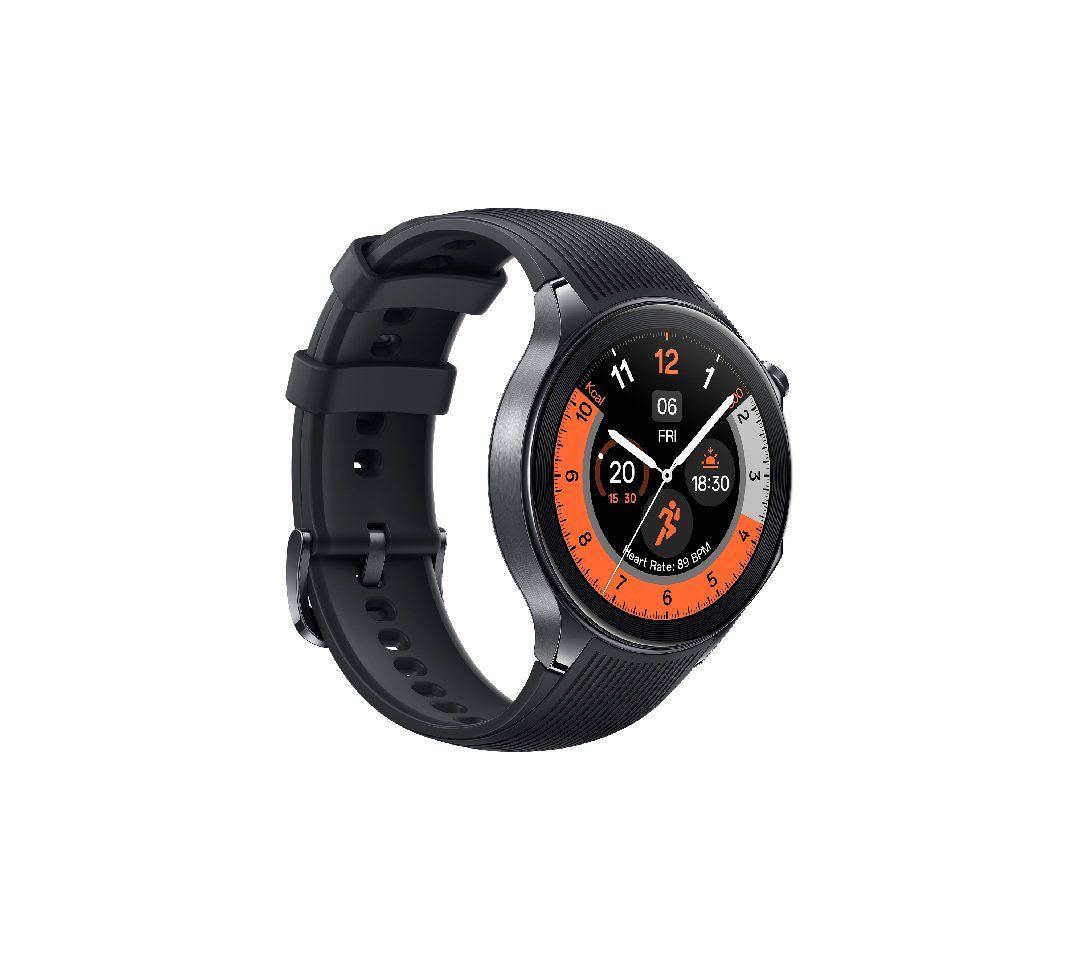
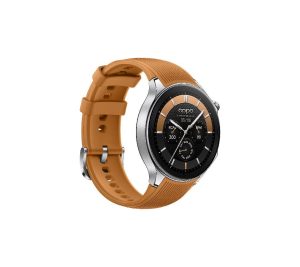
It promises impressive battery longevity, with up to 48 hours of heavy usage in Smart Mode, up to 100 hours of standard usage in Smart Mode, and an impressive 12 days in Power Saving Mode.
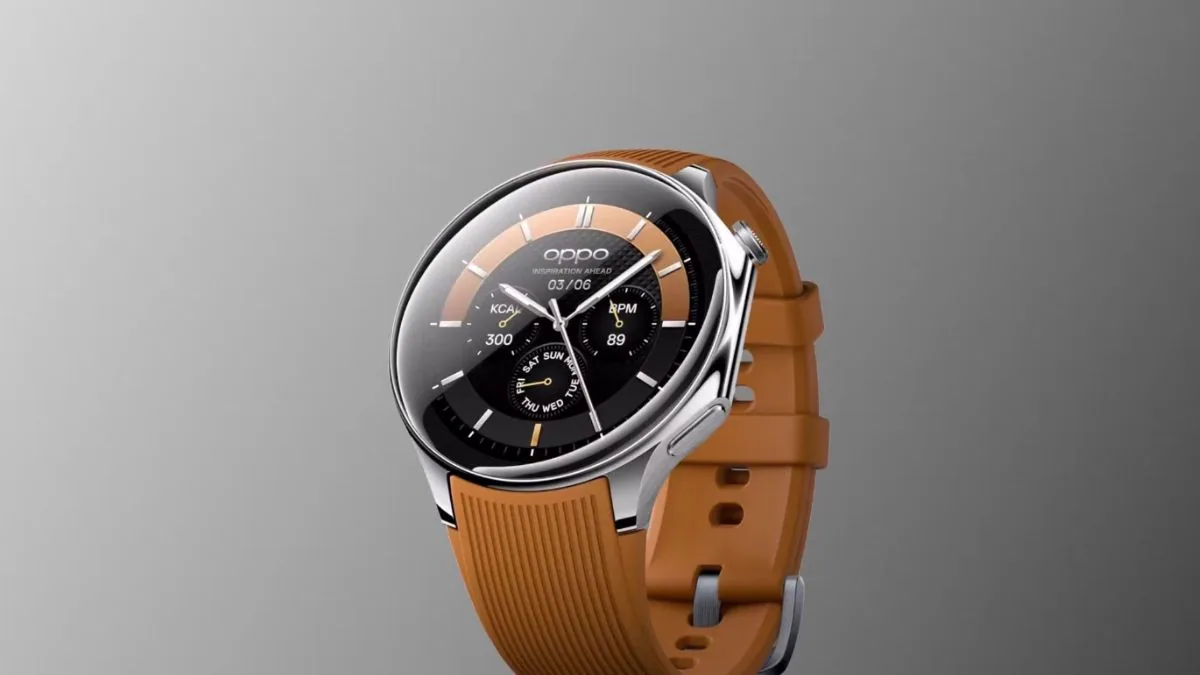
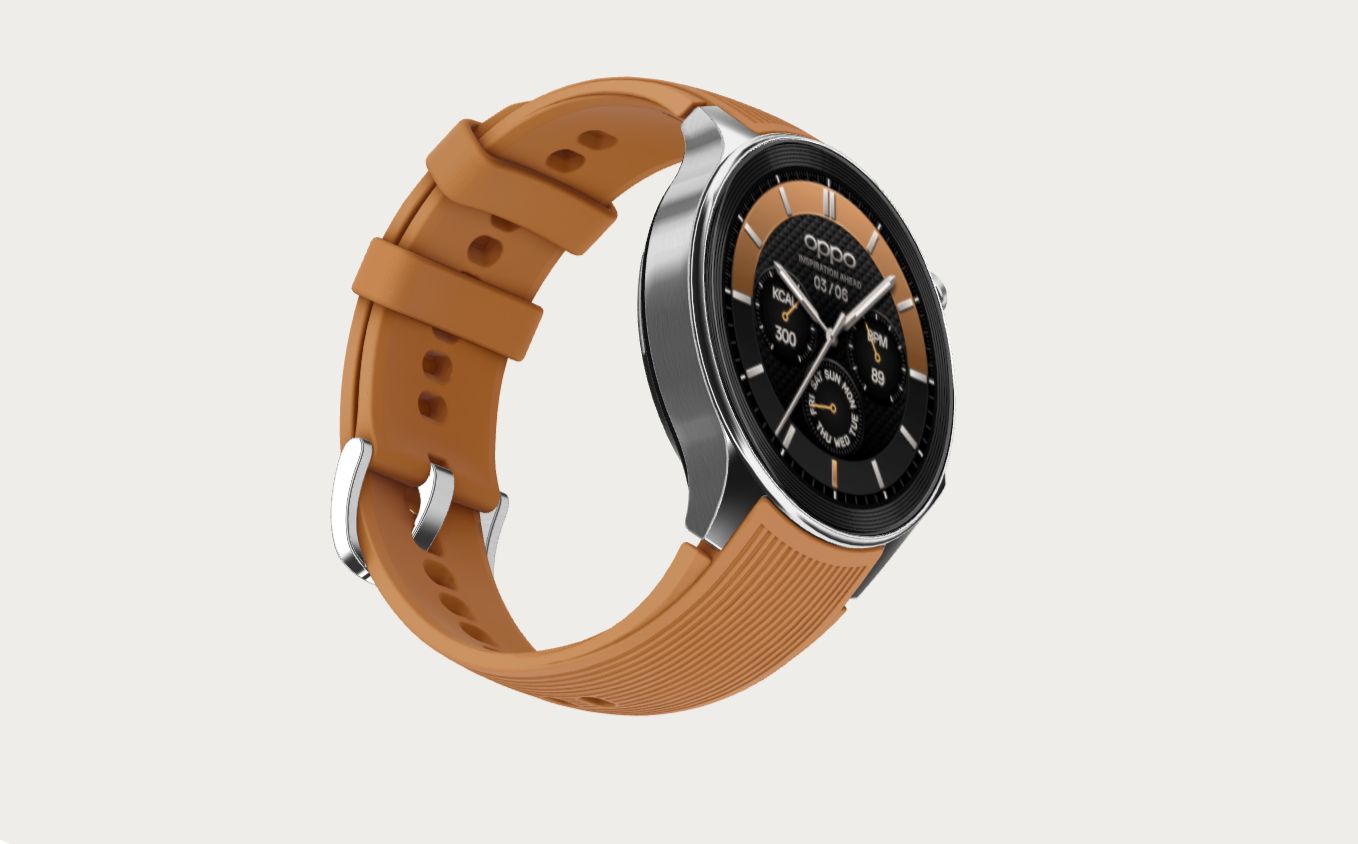
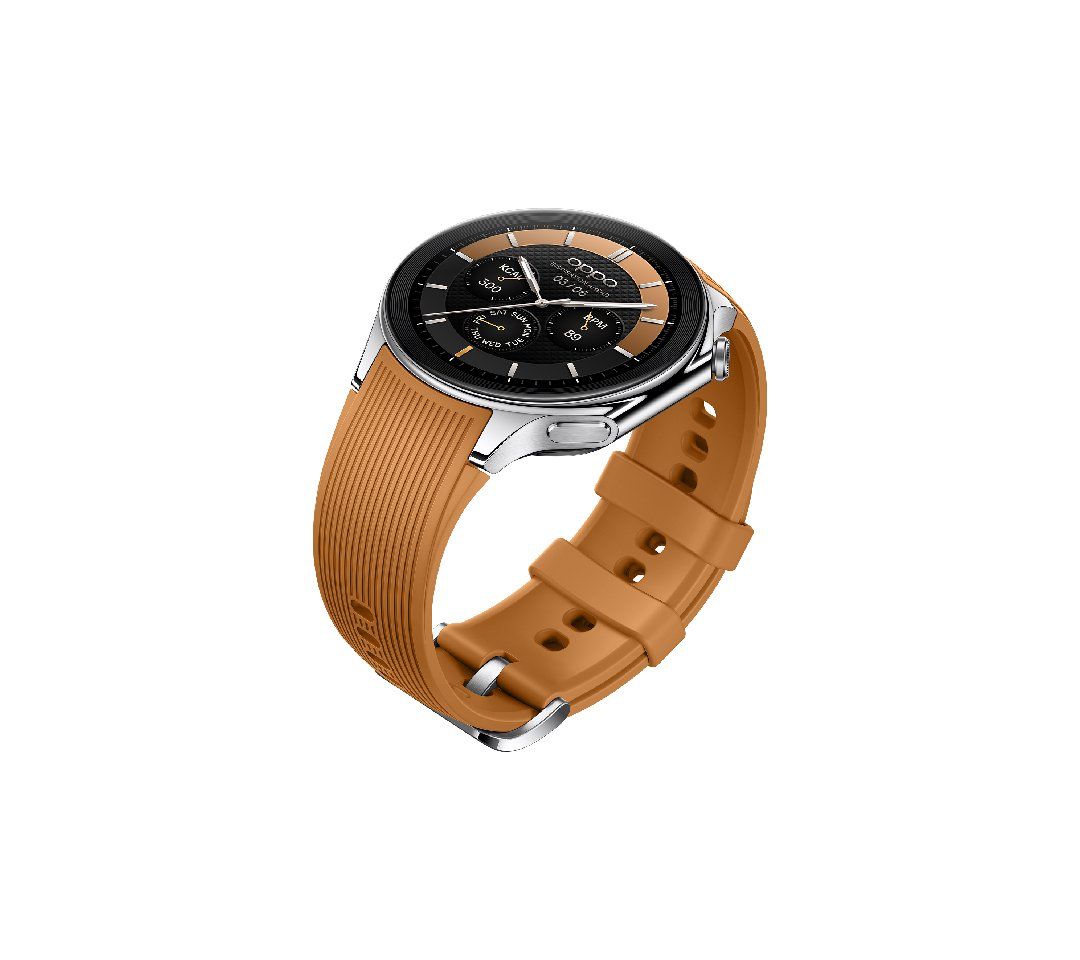
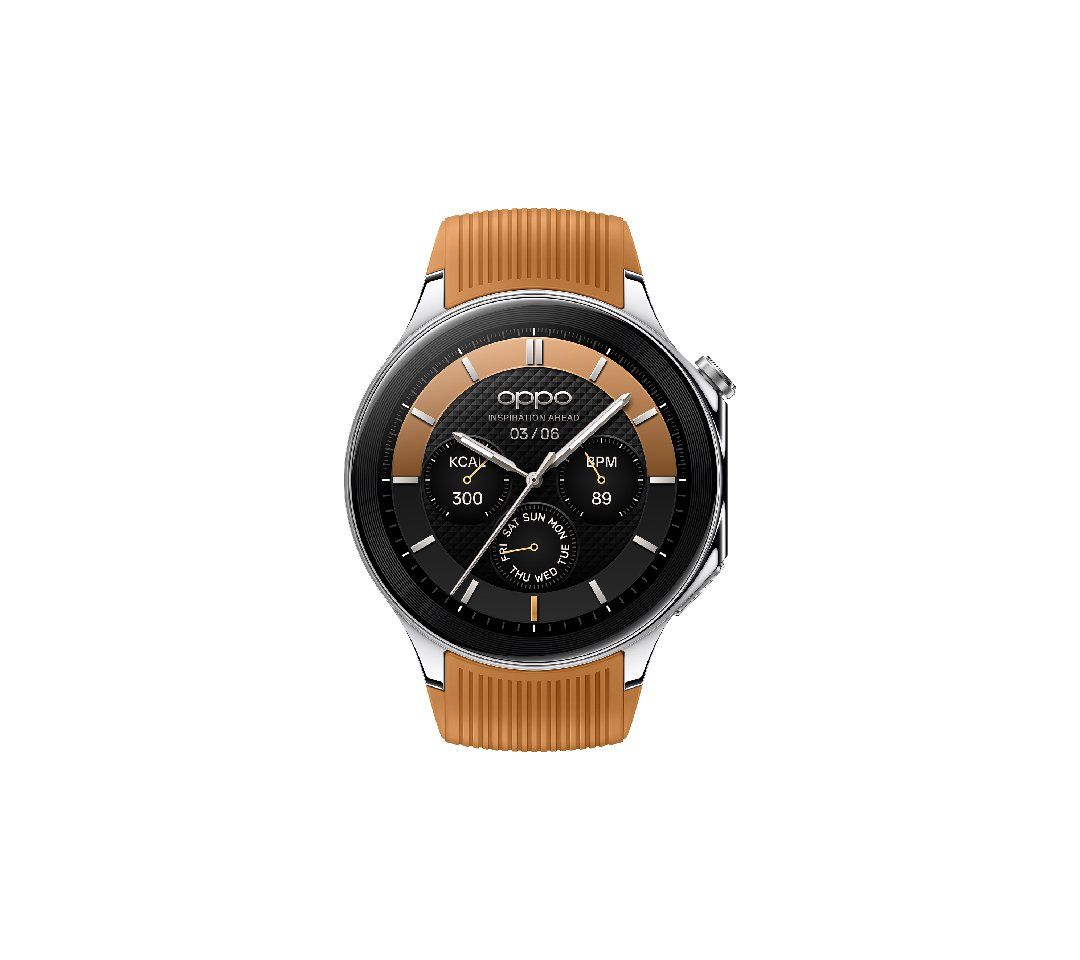
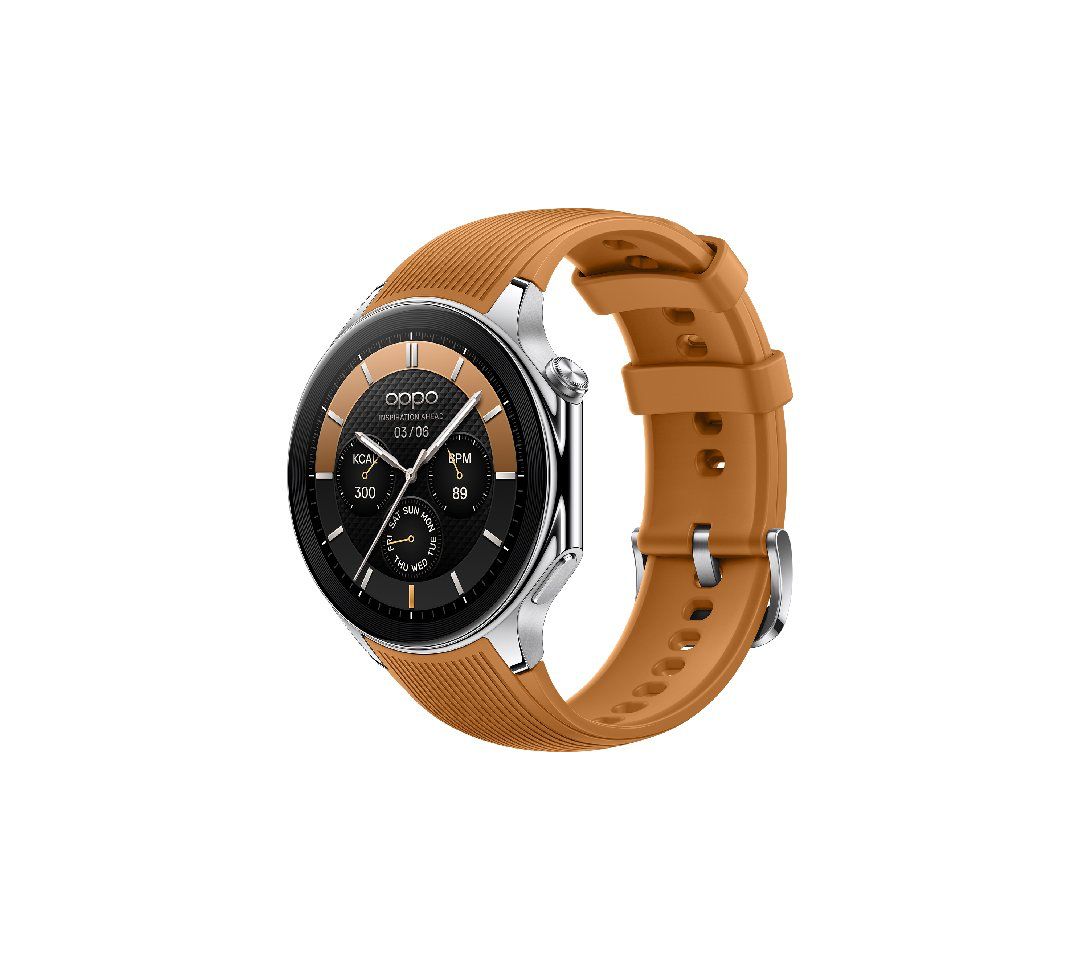
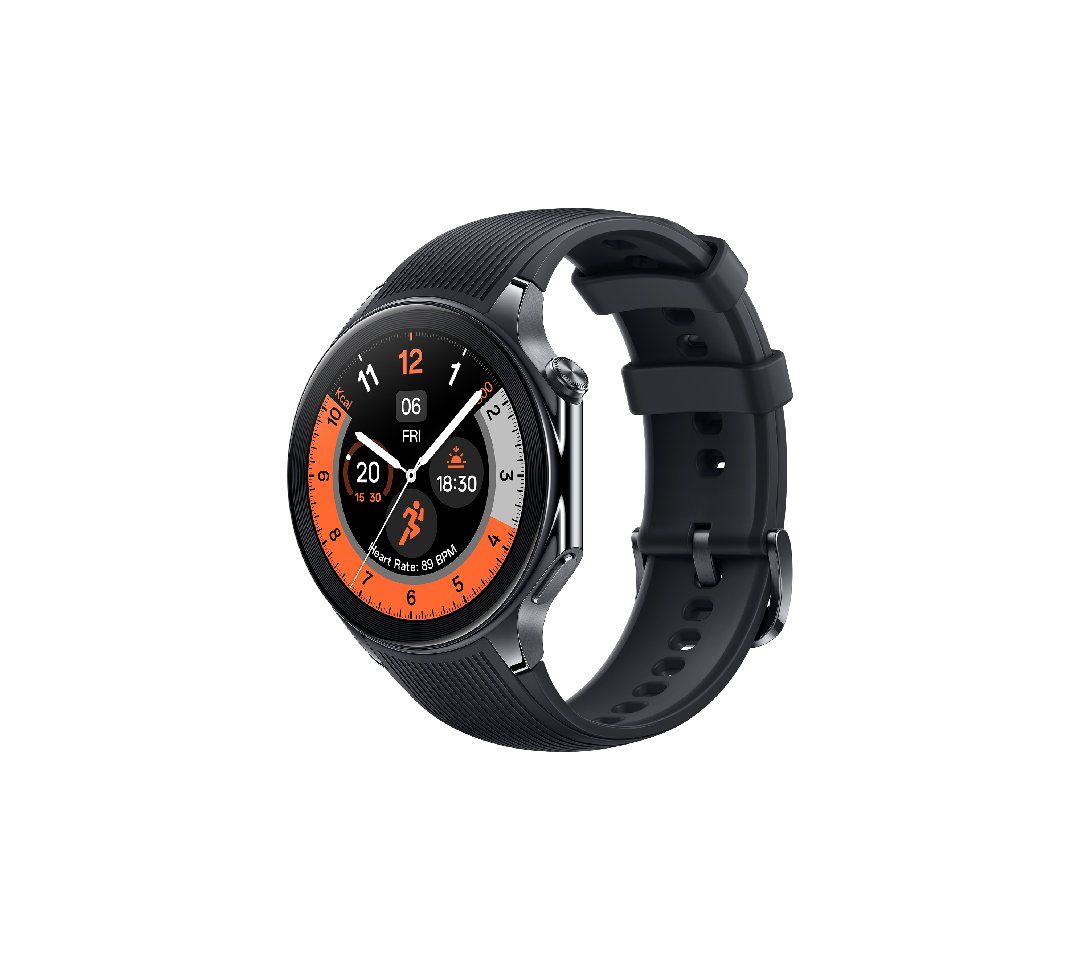
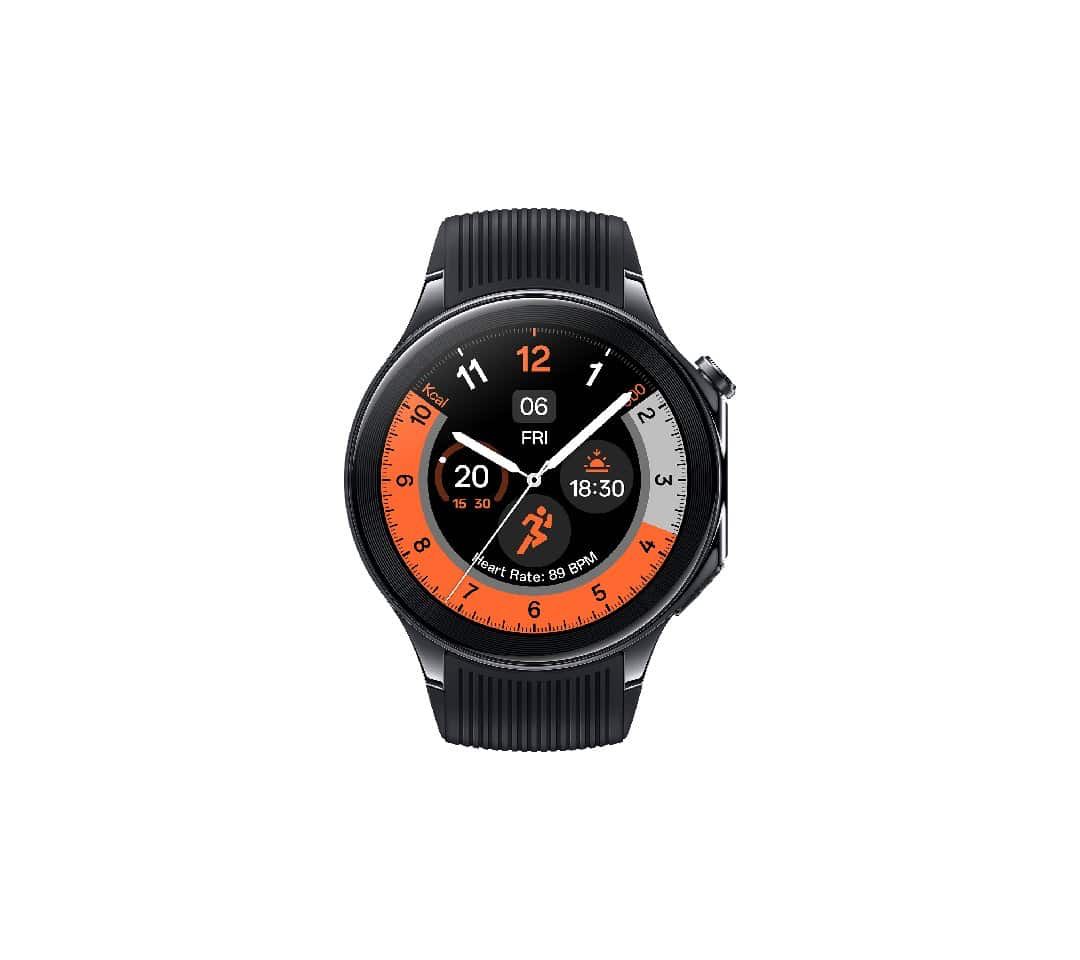
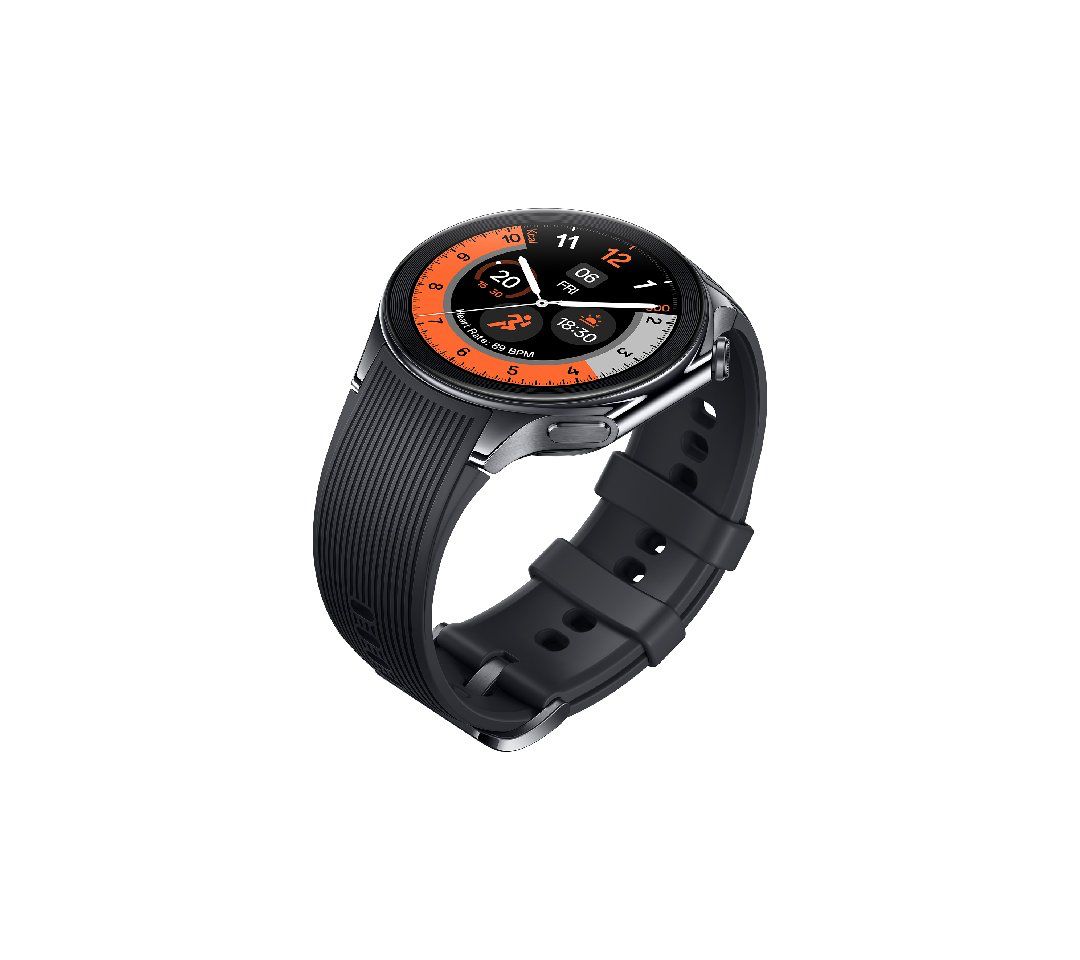
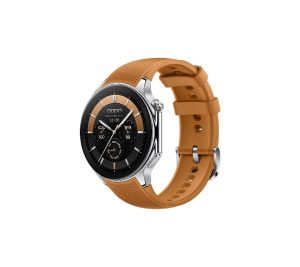
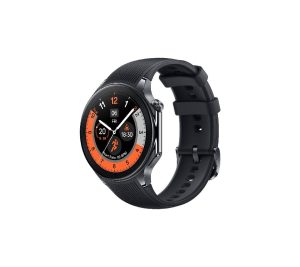
Oppo Watch X Launched in Malaysia with Wear OS and Snapdragon W5 Gen 1
The health and fitness features of the Oppo Watch X are comprehensive.
It offers all-day sleep tracking that monitors various aspects of sleep including quality, breathing rate, and snoring risk assessment.
It also includes heart rate monitoring, a blood oxygen (SpO2) tracker, and daily activity reminders.
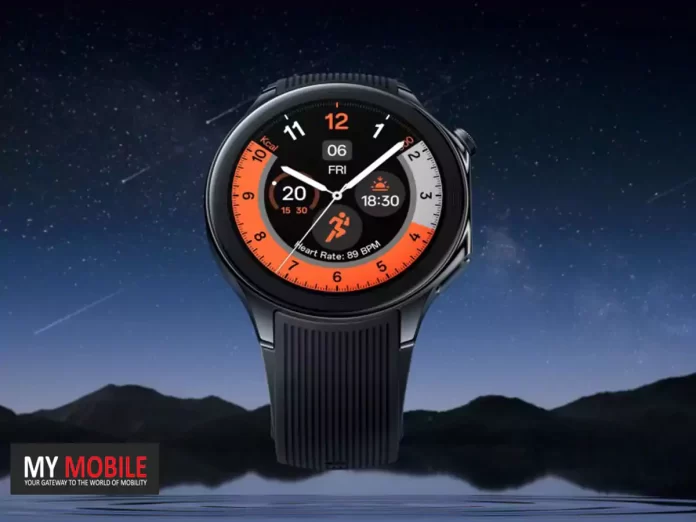
Oppo Watch X is identical to the OnePlus Watch 2 down to the design and specs.
For fitness enthusiasts, it offers over 100 sports modes, recognition for six types of cardio machines, and professional sports modes.
The Oppo Watch X has a 1.43-inch round AMOLED display with a resolution of 466 x 466 pixels, a maximum brightness of 1,000 nits, and a 2.5D sapphire crystal screen. T
Oppo’s new watch features dual-band GPS, Wi-Fi, Bluetooth, and NFC.
It also offers 2GB of RAM and 32GB of built-in storage.
The device is powered by a 500mAh battery and can be fully charged from zero to 100 in just 60 minutes.
The battery life is impressive, offering up to 48 hours of heavy usage, up to 100 hours in Smart Mode, and up to 12 days in Power Saver mode.
FAQs
What makes the Oppo Watch X stand out in the smartwatch market?
The Oppo Watch X stands out with its stylish design, advanced Snapdragon W5 Gen 1 processor, comprehensive health and fitness tracking features, and impressive battery life, making it a competitive choice in the smartwatch market.
How long does the battery last on the Oppo Watch X?
The Oppo Watch X boasts a 500mAh battery, offering up to 48 hours of heavy usage, 100 hours in Smart Mode, and up to 12 days in Power Saver mode, providing users with long-lasting performance.
What health and fitness features does the Oppo Watch X offer?
It includes all-day sleep tracking, heart rate monitoring, SpO2 tracking, daily activity reminders, and over 100 sports modes, catering to a wide range of fitness and health monitoring needs.
Where can I buy the Oppo Watch X?
The Oppo Watch X is currently available for purchase on the official Oppo website in Malaysia. There are plans for a launch in China, but details for an Indian launch have not been confirmed.
Does the Oppo Watch X support Wear OS apps?
Yes, the Oppo Watch X runs on a Snapdragon W5 chipset that supports Wear OS apps, alongside RTOS for efficient background task management, offering a versatile and user-friendly experience.
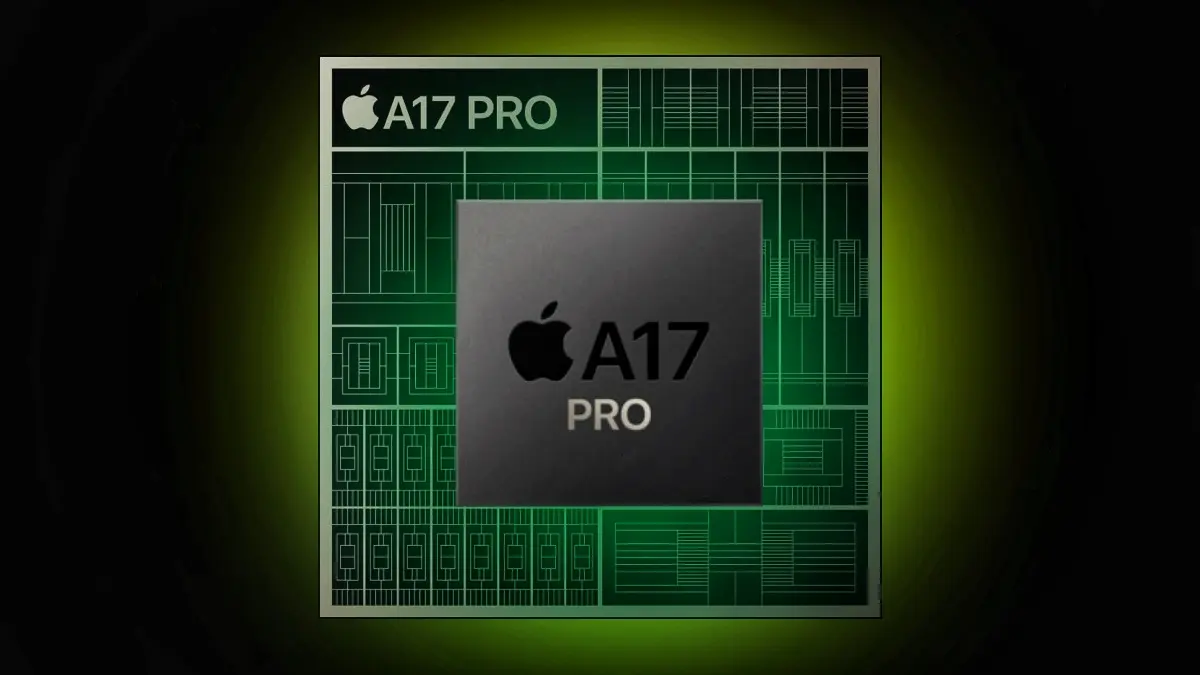
As we stand at the threshold of the 3nm era with theA17 Pro Bionic chipsets, it’s worth exploring how far we can push the boundaries of manufacturing processes.
The Current State of Chipsets
The Current State of Chipsets
The A17 Pro Bionic chipset,announced on September 12, 2023, is a 64-bit ARM-based system on a chip (SoC) designed by Apple Inc. and manufactured by TSMC.
It’s the first widely available SoC to be built on a 3nm process.
The A17 Pro features an Apple-designed 64-bit six-core CPU with two high-performance cores running at 3.78 GHz, and four energy-efficient cores running at 2.11 GHz
The Roadmap to the Future
The Roadmap to the Future
Intel’s roadmap until 2025 outlines a transition to Intel 7 and Intel 4, with Intel 3, 20A, and 18A coming in the next few years.
The company aims to achieve “process leadership” in 2025.
The 20A (the company’s 2nm process) is said to be where Intel will reach “process parity” and will debut with Arrow Lake and the company’s first usage of PowerVia and RibbonFET.
Then 18A will be 1.8nm using both PowerVia and RibbonFET.
The Challenges Ahead
The Future of Chipsets: Pushing the Boundaries of Manufacturing Processes
The cost of building and operating fabs has risen significantly.
The government incentives landscape is still being pondered upon across multiple parts of the world, new, more aggressive financial support programs will be critical to make the economics of these massive capital-intense projects viable.
Moreover, the global $450 billion semiconductors industry was blindsided due to the global pandemic after a massive demand for semiconductors.
The crunch led to supply chain issues as the industry relied on a few giant players.
The Future Beyond 2nm
The Future Beyond 2nm
IBM researchershave presented a set of innovations showing a future beyond nanosheet devices and copper interconnects.
However, it should be noted that all of this work is currently highly theoretical.
FAQs
What does the 3nm process mean for chipset manufacturing?
The 3nm process represents a significant leap in semiconductor technology, offering higher efficiency and performance.
The A17 Pro Bionic chipset is the first to adopt this advanced manufacturing process, setting a new standard for power and efficiency in SoCs.
How is Intel planning to achieve process leadership in the semiconductor industry?
Intel’s roadmap outlines a transition through several technological milestones, including Intel 7, Intel 4, and eventually reaching 1.8nm processes with Arrow Lake.
These developments aim to position Intel as a leader in chipset manufacturing by 2025.
What are the major challenges facing the semiconductor industry today?
The semiconductor industry faces challenges including escalating fabrication costs, dependence on a few major players for supply, and the need for significant government incentives to support the economics of high-capital projects.
What does IBM’s research indicate about the future of chipsets?
IBM’s research suggests that innovations beyond current nanosheet devices and copper interconnects could enable semiconductor manufacturing at 1nm and smaller scales. This theoretical work paves the way for future advancements in chipset technology.
Why is the semiconductor industry crucial for technological advancement?
Semiconductors are the backbone of modern electronics, powering devices from smartphones to supercomputers.
Advances in chipset technology drive progress in computing power, energy efficiency, and the overall capabilities of electronic devices.
What are Qualcomm’s Plans for the Future?
Qualcomm has always been at the forefront of innovation in the mobile industry, and the company has ambitious plans for the future.
One of Qualcomm’s key focus areas is research and development. The company invests heavily in R&D to drive advancements in mobile technology and stay ahead of the competition.
Qualcomm’s research efforts are focused on several key areas, including 5G connectivity, artificial intelligence, and power efficiency.
The company is working on developing chipsets that can deliver even faster data speeds, lower latency, and improved network coverage. Qualcomm is also investing in AI research to enable new features and capabilities in mobile devices.
Additionally, the company is exploring ways to improve power efficiency in its chipsets to address concerns about battery life.
In addition to its research efforts, Qualcomm is also actively collaborating with other industry players to drive innovation.
The company works closely with smartphone manufacturers, network operators, and software developers to ensure that its chipsets are optimized for the latest technologies and standards.
By fostering these partnerships, Qualcomm aims to create a seamless ecosystem that benefits both consumers and manufacturers.
What are The Impact of a New Chipset on Mobile Devices ?
A new chipset from Qualcomm in 2024 would have a significant impact on mobile devices. Firstly, it would improve overall performance and responsiveness.
With faster CPUs and GPUs, users would experience smoother multitasking, faster app launches, and improved gaming performance. This would make mobile devices more powerful and capable than ever before.
Secondly, a new chipset could enhance the multimedia capabilities of mobile devices. With improved graphics processing, devices would be able to deliver stunning visuals and support high-resolution displays.
This would result in a more immersive viewing experience for users, whether they are watching movies, playing games, or browsing the web.
Furthermore, a new chipset could improve battery life and power efficiency. Qualcomm has been working on developing chipsets that consume less power without compromising performance.
A new chipset in 2024 could introduce even more power-efficient technologies, allowing users to enjoy longer battery life and reducing the need for frequent charging.
What are The Benefits for Consumers and Manufacturers of a new chipset ?
A new chipset from Qualcomm in 2024 would bring several benefits for both consumers and manufacturers. For consumers, the improved performance and capabilities of mobile devices would enhance the overall user experience.
Whether it’s faster app launches, smoother gaming experiences, or better camera performance, users would be able to do more with their smartphones and enjoy a more seamless and enjoyable mobile experience.
Manufacturers would also benefit from a new chipset. With improved performance and capabilities, manufacturers would be able to create more innovative and feature-rich devices.
This would give them a competitive edge in the market and attract more customers. Additionally, a new chipset could enable manufacturers to differentiate their products by offering unique features and capabilities that are not available on other devices.