Home Blog Page 923

How to Secure Your Whatsapp Chat?

0

Highlights

  • WhatsApp is one of the most popular messaging apps in the world, with over 2 billion active users.
  • With so many people using the app, it’s important to take steps to secure your chats and protect your privacy.
  • Securing WhatsApp chats is crucial for protecting personal and sensitive information, preventing cyber-attacks, and maintaining privacy.
  • Users can ensure WhatsApp chats security by enabling two-factor authentication, locking the app, turning off chat backups, and verifying the identity of their contacts to protect their privacy and prevent potential risks.
  • In this blog post, we’ll cover some simple and effective ways to secure your WhatsApp chats.

WhatsApp is one of the most widely used messaging apps in the world, with over 2 billion active users. It’s a convenient and easy-to-use platform for staying in touch with friends, family, and colleagues.

However, as with any communication tool, it’s important to take steps to secure your WhatsApp chat to protect your privacy and personal information.

A key step to secure your WhatsApp chat is to be cautious about what you share on the app. Avoid sending sensitive information, such as passwords or credit card details, over WhatsApp.

How to Secure Your Whatsapp Chat?

If you do need to share sensitive information, consider using a secure method such as an encrypted email or a password manager.

However, in recent years, WhatsApp has implemented a number of security features to protect user data, including end-to-end encryption.

Apart from these security measures, there are still steps that you can take to further secure your WhatsApp chat. One of the most important is to enable two-factor authentication (2FA).

This adds an additional layer of security to your account by requiring a code in addition to your password to access your WhatsApp account.

In this blog, we are sharing everything that you need to know on how to secure your Whatsapp Chats. By taking simple steps, you can help to ensure that your WhatsApp chat is as secure as possible, giving you peace of mind and protecting your personal information.

Let’s start by understanding the importance of securing WhatsApp chat.

Why Securing WhatsApp chats is Important?

WhatsApp is one of the most popular messaging applications used globally, with over two billion active users. The application offers end-to-end encryption, which means that messages sent and received are only visible to the sender and the recipient.

This makes WhatsApp an incredibly secure means of communication. However, there are still reasons why securing WhatsApp chats is important.

Firstly, WhatsApp is a platform that is prone to cyber-attacks. Hackers can try to gain access to users’ chats, photos, and files, and use them for malicious purposes. This can lead to identity theft, financial fraud, and other serious consequences.

By securing chats with strong passwords, users can prevent unauthorized access and keep their information safe.

Secondly, WhatsApp is used by many individuals and businesses to exchange sensitive information. This includes personal information, financial information, and confidential business data.

If this information falls into the wrong hands, it can have serious consequences for individuals and businesses. By securing WhatsApp chats, users can ensure that their information is protected and not compromised.

Lastly, securing WhatsApp chats is important for maintaining privacy. In a world where online privacy is becoming increasingly important, securing chats ensures that users have control over their personal information.

This allows users to communicate freely and without fear of their messages being intercepted, monitored, or shared without their consent.

Securing WhatsApp chats is crucial for protecting personal and sensitive information, preventing cyber attacks, and maintaining privacy.

How To Secure WhatsApp Chats by Enabling Two-Factor Authentication?

How to Make WhatsApp More Secure and Private: 8 Tips

Two-factor authentication is an important security feature that adds an extra layer of protection to your WhatsApp account. It requires you to enter a unique code, in addition to your password, when you sign in to your account on a new device.

Here’s a complete step-by-step process for enabling two-factor authentication (2FA) on WhatsApp

To enable 2FA on WhatsApp, follow these steps:

Step 1: Open WhatsApp on your device and go to Settings.

How to Secure Your Whatsapp Chat?

Step 2: Click on Account, then select Two-step verification.

How to Secure Your Whatsapp Chat?

Step 3: Click on Enable to start setting up two-step verification.

Step 4: You will be prompted to enter a six-digit PIN. This PIN will be required whenever you register your phone number with WhatsApp again.

How to Secure Your Whatsapp Chat?

Step 5: Re-enter the six-digit PIN to confirm it.

Step 6: Optionally, you can provide an email address. This will allow you to reset your PIN in case you forget it. WhatsApp will send you an email with a link to reset your PIN.

Step 7: Confirm your email address.

Step 8: Two-step verification is now enabled on your WhatsApp account.

Note that once you’ve enabled 2FA on WhatsApp, you’ll need to enter your PIN every time you register your phone number with WhatsApp, such as when you install the app on a new device. This helps to prevent unauthorized access to your account, even if someone else has your password.

By enabling two-factor authentication on WhatsApp, you’ll add an additional layer of security to your account, helping to protect your personal information and privacy.

How To Secure WhatsApp Chats by Locking The App?

How to boost WhatsApp's privacy and better protect your data | WIRED UK

Locking the WhatsApp app is an effective way to secure your chats, especially if you share your device with other people. It ensures that your messages remain private and can only be accessed by you.

Here’s a complete step-by-step process of securing WhatsApp chats by locking the app:

Lock WhatsApp Using a Third-Party App

To lock the WhatsApp app on your device using a third-party app, follow these steps:

Step 1: Download a third-party app lock from your app store. There are many app lock apps available on both the Apple App Store and Google Play Store.

How to Secure Your Whatsapp Chat?

Step 2: Open the app lock and follow the prompts to set a password or pattern lock.

Step 3: Once the app lock is set up, open it and add WhatsApp to the list of locked apps.

Step 4: From now on, whenever you open WhatsApp, you’ll need to enter your app lock password or pattern before you can access your chats.

How to Secure Your Whatsapp Chat?

Step 5: If you want to disable the app lock, simply go back to the app lock app and turn off the lock for WhatsApp.

Lock WhatsApp Using In-Built App Lock Features –

Alternatively, if your device has a built-in app lock feature, you can use that instead of downloading a third-party app. For example, on an iPhone, you can use the Screen Time feature to lock WhatsApp. Here’s how you can use the feature –

Step 1: Go to Settings on your iPhone.

How to Secure Your Whatsapp Chat?

Step 2: Click on Screen Time.

Step 3: Tap on Turn on Screen Time.

Step 4: Follow the prompts to set up Screen Time.

How to Secure Your Whatsapp Chat?

Step 5: Once Screen Time is set up, go to App Limits and add WhatsApp to the list of limited apps.

How to Secure Your Whatsapp Chat?

Step 6: Set a time limit for WhatsApp or choose to block it entirely.

How to Secure Your Whatsapp Chat?

Step 7: Whenever you open WhatsApp during the limited time, you’ll need to enter your Screen Time passcode before you can access your chats.

By locking the WhatsApp app on your device, you can ensure that your chats remain private and secure, even if someone else has access to your device.

How To Secure WhatsApp Chats by Turning Off Chat Backups?

WhatsApp Chat Backup: How To Keep WhatsApp Chat Backups Saved Securely on Google Drive

WhatsApp allows you to backup your chats to the cloud, making it easy to restore your messages if you ever need to.

However, storing your chats in the cloud could potentially put your messages at risk, as they could be accessed by unauthorized parties. To secure your chats, you can turn off chat backups in WhatsApp.

Here’s a complete step-by-step process of securing WhatsApp chats by turning off chat backups:

To turn off chat backups in WhatsApp, follow these steps:

Step 1: Open WhatsApp on your device and go to Settings.

How to Secure Your Whatsapp Chat?

Step 2: Click on Chats, then select Chat Backup.

Step 3: Click on Back Up Now to create a backup of your chats, if you haven’t already done so.

How to Secure Your Whatsapp Chat?

Step 4: Click on Auto Backup and select Never. This will turn off automatic chat backups.

Step 5: Optionally, you can also choose to exclude certain chats from backups by selecting Exclude Chats.

Step 6: If you want to delete your existing chat backups from the cloud, you can do so by clicking on Back Up Now, and then selecting Delete Backup.

Step 7: Confirm that you want to delete the backup.

By turning off chat backups in WhatsApp, you’ll ensure that your chats aren’t stored in the cloud, minimizing the risk of unauthorized access.

However, keep in mind that turning off backups means that you won’t be able to restore your messages if you lose or switch devices. If you’re concerned about losing your chats, you may want to consider backing them up locally to your device instead.

Whastsapp-Seguro-1024x538
1631302154_227_WhatsApp-reads-the-messages-of-our-chats
1582265131Whatsapp_Secure_Chat
2
Whastsapp-Seguro-1024x538 1631302154_227_WhatsApp-reads-the-messages-of-our-chats 1582265131Whatsapp_Secure_Chat 2

FAQs on How to Secure Your Whatsapp Chat?

Q1. How to adjust your WhatsApp privacy settings to make your account safer?

Answer. WhatsApp isn’t the most private messenger out there, but it gives users at least some control. Go to Settings > Account > Privacy to see everything at your disposal. You can control who can see your WhatsApp Last Seen and online status, Profile photo, About, Status, and Live location. You can also turn off Read receipts here, so the blue check marks are switched off, and even adjust who can add you to groups.

Additionally, use the Disappearing message timer to set a default timer when you enable the feature in a given chat.

Q2. Can I encrypt chat Cloud backups?

Answer. The end-to-end encryption is awesome, but there’s one loophole: WhatsApp backs up chats to Google Drive or iCloud. That way, if you reinstall it later, you can retrieve your old messages.

But this backup isn’t encrypted by default. So if you care about your privacy, you must enable end-to-end encryption for your WhatsApp backups. Remember, storing your data with Apple and Google might not protect you against eavesdropping by governments.

Here’s how to encrypt chat Cloud backups on Android devices –

  • Tap the three-dot menu in the top right and select Settings
  • Chats > Chat backup > End-to-end encrypted backup > Turn on.

You can do the same on iPhone by going to Settings > Chats > Chat Backup > End-to-end encrypted backup > Turn on.

Q3. Can I lock WhatsApp with With Fingerprint or Face Verification?

Answer. Yes. A cool feature to improve the privacy of your WhatsApp messages is to lock the app with your fingerprint or face. This ensures that only you can access WhatsApp even if you give someone else your device without a screen lock.

The only catch is this feature is only available on phones with facial or fingerprint verification. As such, there’s no way to lock your WhatsApp app with a password. You’ll have to use a third-party locking app if that’s what you want.

On Android, you can lock your WhatsApp app by hitting the three-dot menu in the top right, selecting Settings > Privacy > Fingerprint lock, and then toggling Unlock with a fingerprint. You’ll then be asked to add a fingerprint, and then you can select the standby time before WhatsApp is automatically locked.

On iOS, go to Settings > Privacy > Screen Lock and toggle on Require Touch ID or Require Face ID. Finally, select the time standby time before WhatsApp automatically locks.

Q4. How can I enable disappearing messages for sensitive conversations to secure my WhatsApp chats?

Answer. Even though WhatsApp encrypts all chats by default, sometimes you also want to be sure that there’s no copy of your conversation in the future. This helps ensure that even if your device or the recipient’s device falls into bad hands, you can be certain that none of your secret conversations can be seen.

WhatsApp’s disappearing messages feature ensures that exchanged messages are automatically deleted for everyone after a specific period.

To activate Disappearing messages in a given chat, tap the contact’s name at the top and select Disappearing messages. Next, choose a period after which a message will be deleted.

Q5. Why is WhatsApp security important?

Answer. Criminals, hackers, and scammers have all taken advantage of this. There have been instances of attackers passing off malicious software as WhatsApp desktop applications. If you are unfortunate enough to have downloaded one of these, the installation can distribute malware or otherwise compromise your computer.

Q6. Is WhatsApp more secure than texting?

Answer. WhatsApp is far more private and secure than iMessage, with end-to-end encryption that works across both iPhones and Android, including group chats. With WhatsApp, you can also set all new chats to disappear with the tap of a button. And last year we introduced end-to-end encrypted backups too.

Q7. Can WhatsApp be tracked or hacked?

Answer. WhatsApp boasts the world’s most secure encryption, but hackers can use social engineering to make their way into your chats – through you, the user. Here’s how to stay one step ahead and keep your data safe on WhatsApp.

Q8. Is WhatsApp end-to-end encrypted?

Answer. WhatsApp provides end-to-end encryption for all personal messages that you send and receive to ensure that only you and the person you’re talking to can read or listen to them. With end-to-end encrypted backup, you can also add that same layer of protection to your iCloud and Google Drive backups.

Q9. Can anyone track my WhatsApp chats?

Answer. Yes, you can use a monitoring app like AirDroid Parental Control App or Hoverwatch to monitor a WhatsApp chat

Q10. Can WhatsApp messages be traced after being deleted?

Answer. Thankfully WhatsApp has a dual-backup system that saves chats to your smartphone as well as the cloud. This means that even if you lose your phone, the chats will be stored on your Google Drive account or your iCloud account (for Android and iPhone respectively) and can be recovered at any time.

Q11. What is end-to-end encrypted chat?

Answer. End-to-end encryption is a security method that keeps your communications secure. With end-to-end encryption, no one, including Google and third parties, can read eligible messages as they travel between your phone and the phone you message.

Also Read: WhatsApp launches picture-in-picture (PIP) mode for video calls on Apple IOS

Also Read: How to Add Emojis on WhatsApp in Android

Also Read: WhatsApp’s upcoming features: ‘Audio chats’ on Android, Edit Messages Tab for iOS users

How to Check If Your Phone Call is Being Recorded?

0
How to Check If Your Phone Call is Being Recorded?

Highlight

  • Call recording can only be done for specified purposes such as national security, prevention of incitement to the commission of an offence, and investigation or detection of any offence.
  • Call recording is legal in India as long as one party involved in the conversation consents to it.
  • While call recording can have its benefits, such as improving customer service quality and resolving disputes, it can also raise concerns about privacy and legal implications.
  • In this blog post, we’ll discuss how to check if your phone call is being recorded, and what to do if it is.

In today’s digital age, phone conversations have become an essential part of our daily lives. Whether we’re calling a friend, family member, or business, phone calls are a convenient way to communicate.

However, with the rise of call recording technology, it’s become increasingly important to know if our calls are being recorded.

How to Check If Your Phone Call is Being Recorded?

While call recording can have its benefits, such as improving customer service quality and resolving disputes, it can also raise concerns about privacy and legal implications.

Whether it’s for legal reasons, customer service quality assurance, or simply to ensure privacy, knowing if your call is being recorded is crucial.

In this blog, we’ll explore various methods to check if your call is being recorded, including listening for the beep tone, asking the other party, and using third-party call recording detection apps.

We’ll also discuss what to do if your call is being recorded and you’re not comfortable with it, including asking the other party why they’re recording the call, hanging up, or contacting the company or authorities.

By the end of this guide, you’ll have a better understanding of how to check if your call is being recorded, what to do if it is, and how to protect your privacy and legal rights.

However, let’s start by understanding the legality of call recordings.

Is Recording A Call Legal?

How to Check If Your Phone Call is Being Recorded?

It’s important to note that the legality of call recording varies from country to country and jurisdiction to jurisdiction. Some countries require all parties to consent to call recording, while others only require one party to consent.

In some jurisdictions, call recording without consent may be illegal, while in others, it may be legal under certain circumstances.

It’s essential to familiarize yourself with the laws and regulations in your country or jurisdiction to ensure that you’re aware of your rights and responsibilities when it comes to calling recording.

In India, call recording laws are primarily governed by the Indian Telegraph Act 1885 and the Information Technology Act 2000.  According to the Indian Telegraph Act, call recording is legal as long as one party involved in the conversation consents to it.

This means that if you’re recording a call and you’re one of the parties involved, you don’t need the other party’s consent to record the call. However, if you’re not one of the parties involved, you need the consent of at least one party before you can legally record the call.

It’s also important to note that call recording without consent may be a violation of a person’s right to privacy, which is protected under the Indian Constitution.

How To Check If Your Phone Call is Being Recorded?

How to know if someone whom I'm talking to over the phone is recording me - Quora

So, how can you check if someone you are on a call with is actually recording your call? Here are some simple ways to check if your call is being recorded or not.

Listen for the beeping tone

Most countries require a beep tone to be played at the beginning of a call if it’s being recorded. This tone indicates to the participants that the call is being recorded, and it’s a legal requirement in many jurisdictions. However, some companies may not play the beep tone, so this method isn’t foolproof.

Ask the other party

Another way to find out if your call is being recorded is to simply ask the other party. If you’re speaking with a customer service representative, for example, you can ask them if the call is being recorded. If they confirm that it is, you can decide whether or not you’re comfortable with that.

Look for call recording signs

If you’re making a call from your smartphone or landline, there may be a sign indicating that the call is being recorded. For example, on some smartphones, you may see a small recording icon or an indication in the call history that the call was recorded.

Similarly, on some landlines, there may be a red light or an indicator on the phone that the call is being recorded.

Check the company’s website or privacy policy

How to Check If Your Phone Call is Being Recorded?

If you’re unsure whether a company records its calls, you can check its website or privacy policy. Many companies have a section on their website or in their privacy policy that explains their call recording practices. If you can’t find this information, you can contact the company and ask them directly.

Look for Suspicious Apps in Your Phone

How to Check If Your Phone Call is Being Recorded?

Check your phone’s installed apps for any suspicious recording apps. You can do this by going to your phone’s settings and checking the list of installed apps. Look for any app that may have the capability to record audio or phone calls.

Check your phone’s permissions

How to Check If Your Phone Call is Being Recorded?

Some recording apps require special permissions to access your phone’s microphone and record audio. Go to your phone’s settings and check which apps have access to your microphone and audio recording capabilities. If you find any suspicious apps with these permissions, you may want to uninstall them.

Use an Anti-spyware App

How to Check If Your Phone Call is Being Recorded?

There are anti-spyware apps available on both Android and iOS platforms that can detect any spyware or recording apps installed on your phone. Download and install a reputable anti-spyware app and run a scan to check for any suspicious apps.

Use call recording detection apps

There are various call-recording detection apps available for smartphones that can detect if a call is being recorded. These apps work by analyzing the call for any signs of call recording, such as the beep tone or background noise. However, keep in mind that these apps may not work for all types of calls or in all countries.

How To Check if Your Phone Call is Being Recorded Using Third-Party Apps?

How to Check If Your Phone Call is Being Recorded?

There are multiple third-party apps available on both Android and iOS platforms that claim to detect if someone is recording your calls. However, it is important to note that the effectiveness of such apps may vary, and there is no guarantee that they will work correctly.

One such third-party app is Call Recording Detector. Follow the below-mentioned steps to install and use the app to detect if your phone call is being recorded.

  • First, you need to install the Call Recording Detector: Block Recorder Simulator app.

How to Check If Your Phone Call is Being Recorded?

  • After installation, you will receive an alert if someone is recording your call.

How to Check If Your Phone Call is Being Recorded?

  • You can then choose to block that person. If you want to continue with the recording, you can simply press the “Confirm” button.

And that’s how you can use a third-party app to check if your call is being recorded. The steps to follow on any app would be almost similar when minor setting changes, if any.

What To Do If Your Phone Call is Being Recorded?

Now, suppose in the middle of a call you suddenly realise that the person on the other end is recording your conversation. What should you do in that case? Here we are sharing some simple ways of getting yourself out of a call that is being recorded.

Ask the Other Party

If you find out that your call is being recorded and you’re not comfortable with it, you can ask the other party why they’re recording the call. If it’s for legal reasons, such as in a court case, you may not have a choice. However, if it’s for customer service quality assurance or other reasons, you can request that they stop recording the call.

Hang up the Call to Avoid Getting Recorded

If you’re not comfortable with the call being recorded and the other party refuses to stop recording, you can hang up. While this may not be ideal, it’s your right to end the call if you feel your privacy is being violated.

Contact the Company or Authorities

If you feel that your privacy is being violated or the call recording is illegal, you can contact the company or authorities. Depending on the country and jurisdiction, call recording without consent may be illegal, and you may have legal recourse.

Conclusion

Knowing if your call is being recorded is important, both for legal and privacy reasons. By using the methods outlined in this blog post, you can determine if your call is being recorded and take appropriate action if necessary. Remember, it’s your right to know if your call is being recorded, and to take steps to protect your privacy.

FAQs on How to Check If Your Phone Call is Being Recorded?

Q1. How can I block my Android device from listening to my phone?

Answer. You can use Google Assistant to block your device from listening to your calls on android. Follow the below steps –

  • Open the Settings app on your phone. Then, scroll down and tap Account Services.
  • Tap Search, Assistant & Voice. Then, tap Google Assistant.
  • Tap on Assistant. Then, scroll down to Assistant devices and tap Phone.
  • Tap the Google Assistant slider to turn it off.

Q2. How Do I Turn Off Voice Recording On Android smartphone?

Answer. Turn voice and audio activity on or off by following the simple steps below –

  • On your Android phone or tablet, open your device’s Settings app Google. Manage your Google account.
  • At the top, tap Data & privacy.
  • Under “History settings,” tap Web & App Activity.
  • Next to “Include voice and audio activity,” check or uncheck the box.

Q3. What to do if someone is secretly recording you?

Answer. If you realize someone is recording you without your permission in a public setting, there isn’t much you can do but ask them to stop or leave. If this is a recurring occurrence with a certain individual, you can call the police or choose to sue if you have legal grounds for it.

Q4. Which audio source is best for call recording?

Answer. The microphone is the best audio source for call recorder apps on most devices. Typically, when you install the call recording software on your device, it automatically finds the best audio source and starts using it for recording purposes.

Q5. How can I record a call without notification?

Answer. There are multiple ways you can record calls without the other person knowing on Android. You can either disable call recording warning in Google Dialer, use a third-party app to record calls, or even use the manufacturer’s app if it supports phone recording.

Q6. How can I recover deleted call recordings?

Answer. Follow the below-mentioned steps to recover deleted call recordings –

Open Android phone > Open local or cloud backup drive > Select and download deleted call recordings on your phone. Contact the call recording app service provider > Or visit the call recording cloud drive > Find and restore the deleted recordings to your phone.

Q7. What can I do if someone recorded me without my consent in India?

Answer. If someone recorded you without your permission in such a way that it violates the law, you could take them to court. Depending on the situation, you may be able to bring criminal charges against them or sue them for damages.

Q8. Can I record a phone call on iPhone?

Answer. An easy way to record a phone call on an iPhone is by using another Apple device with the Voice Memos app, which should come already been installed on your Apple device. This app allows you to record audio using the microphone on your iPhone, with no need for a cord or extra devices to help you pick up sound.

9) Does factory reset remove spy apps from the phone?

Ans) Factory reset also known as master reset involves resetting your phone back to factory settings. It erases all the data, settings, and applications that were previously on the device. Hence, you can get rid of the spy app too.

10) Can a person read my text messages from their phone?

Ans) Yes, if someone has hacked your phone then he or she can surely read your text messages. And, to do the same one needs to install a tracking or spying app on your smartphone.

11) Can someone spy through a phone camera?

Ans) Yes, you can be spied upon through the camera of your smartphone. There are several applications that can be found online that assist in spying on someone through their cell phone camera.

12) Can a cell phone be hacked without the Internet?

Ans) Smartphones can be hacked without the Internet. Hackers may be able to sneak into your mobile just by analyzing the low-power electronic signals your device emits.

13) What happens when your phone is hacked?

Ans) When your phone gets hacked, the hacker will have access to all the data and accounts. You will have to check your social media and email for password reset prompts, unusual login locations or new account signup verifications.

14) Does factory reset remove hackers?

Ans) Factory reset removes all apps, data, messages, contacts, and call history. In addition to this, it will remove all kinds of spy apps, malicious downloads, malware, Trojans, and viruses. So if your phone has been hacked using a spy app, it will also be removed.

15) What happens after the factory reset?

Ans) All the data from your phone is erased after the factory data. Moreover, the data that you have stored in your Google account is safe. All apps and data will be uninstalled after the factory reset

16) Can Your Phone Be Tracked?

Ans) Your phone can be tracked. The most common way is through the use of third-party spy software that will track all your device activity and report it to the third party. Examples of such software are mSpy ,uMobix, and Webwatcher .

17) Can Your Phone Be Tracked If It Is Off?

Ans) Your phone can still be tracked if it’s off. For example, your last known location can be tracked through the last cell tower that your phone’s signal passed through. You can also track Bluetooth locations, as well as through the Find My Phone feature on iCloud.

Method 1: Physical Signs Your Phone Is Being Tracked

Although tracking apps have already come a long way in terms of technology, in most cases, there are still unintentional side effects of having one installed on a target device.
For this method, I’m going to examine the telltale signs specified by Kapersky one of the leaders in the security protection industry. These signs may indicate someone is tracking your phone.

Take note that seeing just one of these signs on your phone doesn’t necessarily mean your phone is being tracked, but if it’s two or more, you should probably be concerned.

Faster Battery Drain

If you notice that your device’s battery percentage is going down faster than normal, it could mean two things: either your battery is old and needs servicing, or there’s a hidden spy app working in the background to track your device’s information.

Havimnga tracking app installed on your phone can be hard on your phone’s battery. After all, spy apps need to constantly comb through your data, take screenshots, and send alerts and notifications to the third party that’s monitoring your device.

These apps have to run in the background 24/7, consuming battery all the while. Obviously, this drains your battery much faster than normal. That said, it’s important to know the difference between an overused device and a bad battery.

If your device has a removable battery, you can simply test how fast a full charge will drain by transferring it to another device of the same model.
However, if your device’s batteries can’t be removed, such as is the case with iPhones and newer Androids, you’ll have to resort to other methods.

Checking Battery Health

This is much easier on an iPhone, thanks to the Battery Health app. It is a native app on iOS devices and it is mentioned in the iphone user by apple.com.
You can access it by going to Battery Health. It will take you about 3 minutes.

Here are the steps on how to check your battery health with the native Battey Health app.

1)Go to Settings and scroll down to find Battery.
2) Click battery health.
3) Here, you’ll see the health of your iPhone’s battery.
It should give you an idea of what battery life you can expect

For instance, if your iPhone has a battery health of 95 to 100 percent and yet it drains in just a few hours, then there’s a chance that a spy app may be installed. If the battery health is at 80 percent or lower, however, it shouldn’t come as a surprise if it gets fully drained halfway through the day.

Some Android phones also have this feature, and the steps are the same as with iPhones. However, instead of Battery Health, it’s under Battery Usage.

Take note that it’s not available for all brands, though. The brands Xiaomi and Oppo, for instance, don’t have it. Don’t worry, if your device doesn’t have this feature, you can download a third-party app like Accubattery.

Accubattery seems to be a trustworthy app with a 4.7-star rating, 429K reviews, and whopping 10M+ downloads so you can use it without fear.
For Google phones, you can follow the steps provided on Pixel Phone help by Google.

Keep in mind that a fast-draining battery alone might not be a sufficient reason to assume that there’s spyware involved. That said, if it happens along with the other signs on this list, then there’s a probability that you’re being tracked.

Increased Data Usage

A hidden tracking app needs to send information to its server using either your device’s Wi-Fi or mobile data.

Since it’s recording and tracking all your device activity, you can expect that its data demands are pretty big. This is especially true if you tend to make a lot of calls or video messages.

If you think your phone is being tracked, there’s one way you can check. Simply turn off your Wi-Fi and turn on your phone’s cellular data. Then notice if there’s an unusual spike in your phone’s data usage.

Once you rule out any data-heavy apps, like online games, you’ll be able to check if it’s a hidden spy app causing the increased data usage.

Checking Data Usage On Android

So, how do you check your phone’s data usage? If you have an Android phone, follow these steps:

1. First, go to your phone’s Settings.
2. The next step differs, depending on your phone. Some Android phones have Data Usage on the main page of Settings. Others need you to click another option first.may be under Connection and Sharing, Dual Sim and Cellular Network, Connections, or something similar.In this specific example, you’ll see that it’s under the Dual Sim and Cellular Network option.
3. After that, you should see a section for Mobile Data Usage, like the one in the screenshot. This shows you the amount of data you’ve consumed for the set period. Again, the exact feature will differ depending on your device. Some devices provide an option to show the data usage for the day, week, or month.As you can see on the test device, it only logs the monthly data usage. If this is the case for you, you should have a rough idea of your average monthly usage to ensure that there’s something suspicious going on. You can also find more useful tips about your Android’s data usage in the Reduce & Manage Date Use by Google.

Checking Data Usage On iPhone

If you’re using an iPhone, you can also see your data usage by going to Settings. However, since iPhones only show your overall data usage, it’s best to reset it first before trying this method out.

1. Go to Settings and tap Cellular.
2. Scroll all the way down to the bottom and tap Reset Statistics. This will bring your Cellular Data Usage to 0.
3. Once you’ve reset the stats, leave your Cellular Data on for at least a day or two. If the amount of data consumed seems suspicious for your regular usage, then there’s a possibility that there’s a hidden spy app using your data without your knowledge.

Uncharacteristic Overheating

Did your phone suddenly become much hotter, even though you weren’t doing anything? Mobile devices tend to heat up when you’re using apps with high processing demands, such as mobile games or video streaming apps.

However, if it just happened randomly without you using a demanding app, it’s possible that you’ve got spy software installed on your phone. Tracking apps put additional strain on your device’s computational power, which leads to your device generating more heat.

That said, keep in mind that a bad battery can also cause overheating. To rule out this cause, check your battery health or test your phone battery on another device.

Unauthorized Phone Activities

If your phone does something without you clicking or setting anything, it’s a pretty strong sign that there’s an app running in the background.

These could be unprompted phone reboots, lighting up even when not in use, and strange noises or messages during calls or text conversations.

You may even see the location or microphone notification pop up.
Some spy apps need to restart your phone to install updates or apply changes in settings. That’s why if your phone reboots randomly without being told to do so, it could be a strong sign an app is initiating the command in the background.

The same is true if your phone lights up even if you’re not using it. This should only happen if there are notifications from your phone, such as calls, texts, and important system alerts that warrant your attention. If you turn on your screen and you see that there’s no reason for it to light up, then some kind of spying activity could’ve been what triggered the response.

Lastly, if you notice something different in your calls and conversations, that’s a good sign that your phone is being tapped.

This could include strange sounds during your call, extra words or characters in your text messages, or contacts that appear on your blacklist, even though you didn’t do anything.
Some spy software can also send messages and chats from your phone remotely, so you might notice messages that are sent without your knowledge.

Other signs include photos, recordings, and internet searches that you don’t remember doing.

Sudden Performance Deterioration

Mobile devices will naturally become sluggish over time, especially if you don’t regularly uninstall unused apps, clean caches, and maintain healthy internal storage levels.

However, if you regularly do all these things and yet you still experience sudden lag, touchscreen sluggishness, and longer boot-up and shutdown times, it could be because of unauthorized spy software running in the background.

As mentioned before, spy software can take up a lot of your device’s computational power. Aside from making your phone overheat and quickly drain the battery, it can also leave less processing power for other normal operations, resulting in laggy performance.

Method 2: Check For Enabled Root Permissions

In order for most spy apps to function, they need permissions that are not usually granted to normal users. This is called “rooting” in Android and “jailbreaking” in iPhones.

Understandably, spy apps such as mSpy and uMobix root permissions to achieve their full potential.

If you think a tracking app was installed on your phone without permission, you can check if your phone was rooted or jailbroken.

Remember, just the fact that your phone is rooted or jailbroken without your knowledge is already a clear sign that there was some tampering done.

After all, rooting is not a simple process. Someone going through all that trouble must mean that they have an ulterior motive.

However, before I tell you how to detect rooting or jailbreaking, it’s important to note that many spy apps still function even on non-jailbroken or unrooted phones.

Just because your phone isn’t jailbroken or rooted doesn’t mean there’s no spy software accessing it.

Detecting A Jailbroken iPhone

The best way to know if your iPhone was jailbroken is to look for jailbreak apps installed on your phone.

In order to jailbreak your device , apps like Cydia, Pangu, or Sileo need to be installed. According to Avast ,if one of these apps is present, you can reasonably assume that your phone is jailbroken – or at least was jailbroken in the past.

To check, follow the steps below:

1)Go to the Spotlight search bar by swiping right on your home screen.
2) Search for Cydia, Sileo, or Pangu. If it’s not present, then your phone is likely not jailbroken.
3) Another way is to download a third-party app like 3utools.
You can use this to check the device summary of your iPhone, where it will show if the software is jailbroken or not.

Detecting a Rooted Android

Checking for root access is more straightforward on Android devices.

Just like in iPhones, some apps need to be installed during the rooting process. To check for these, look for Kinguser, SuperSU, EasyRoot, or Unrevoked on your home screen.
Two last apps are suggested by PCWorld being the easiest to use.
If you can’t find these apps and you still suspect that your phone is rooted, you can use a root checker app from Google Play.

1)Go to Google Play. Search for the Root Checker app and download it.

2) Once it’s successfully installed, open the app and go through the necessary verifications.

3) On the home screen, you will see multiple tabs: Verify Root, Upgrades, Rankings, etc. Make sure you’re in Verify Root and tap the Verify Root button.

4) Under the Status category, you will see whether your Android is rooted or not.

Method 3: Checking Utility Phone Codes

There’s a clever, little-known way to check your phone’s status using built-in USSD codes.

USSD stands for Unstructured Supplementary Service Data, which serves as a way for you to avail of additional utility services on your phone.
You can also use them as a number to dial to see if your phone is tapped.
Basically, dialing these codes can tell you all kinds of information.

IMEI Check USSD Code: *#06# 

The first thing you have to do is find out your IMEI, which stands for International Mobile Equipment Identifier.

As you might have gained from the name, it’s a unique phone identifier code that’s assigned to devices all around the world.

It can be used when taking legal action against the person illegally monitoring your phone, and when finding your phone Incase it goes missing .

You can actually see your IMEI when viewing your phone’s About info in settings, but the IMEI Check via USSD code is also a viable option.

1. Open your phone dialer app and type in the code. In most cases, as soon as you finish the code, the USSD activates, and you won’t have to hit dial.
2. Your IMEI code will then appear. Take a screenshot or record it and keep it somewhere safe and private.The steps for the rest of the USSD codes are exactly the same, so simply replace the code in Step 1 with the others.

Redirection Code: #62 

The signals that carry calls, messages, and data get passed around from tower to tower before transferring from one phone to another.

When someone is monitoring your device, they could be redirecting those signals to their device before it gets to you.

The #62 USSD code will forward you the redirection status of your device.

If no one can seem to be able contact you, even if you have service, then someone may be redirecting your calls and messages to another device.

If you see nothing after the code, don’t worry. The code is working, it’s just that your signals aren’t being redirected to another number.

On the other hand, if a 10-digit number shows after you dial the code, that’s the cell number of the device that has your signals.

Diversion Code: *#21#

Call diversion means forwarding your call to another number when the line of the target phone number is currently in use.

This means that calls won’t even reach your phone, leaving fewer traces than a redirect.
To know whether your calls are being diverted without you knowing, you can dial the *#21# USSD code.

You should see a pop-up screen that displays the diversion status of calls, data, and more.

Utility Netmonitor Code

The Utility Netmonitor Code is a nifty way to find out who’s tracking your device.
When used properly, it’s supposed to help you find the geographic location of the contact number connected to your device through these ways.

This can be very useful if you want to investigate further, or even when pressing charges.

For Android, you can use:

* #*#197328640#*#
* #*#4636#*#   

For iOS, you can use:
* 3001#12345#

That said, while the codes do work for my test devices, I see different options, so I wasn’t able to test the validity of this method.

Nonetheless, here’s how you can use this USSD code to check if your phone is monitored and potentially track down your unknown tracker.

1. Dial the correct code for your device as mentioned above.
2. You will then be presented with a menu. From there, choose UMTS Cell Environment.
3. Next, select UMTS RR Information. If you’re being tracked, you’ll see a 5-digit number called a cell ID. Write it down.
4. Press the back key twice to go back to the main menu.
5. Choose MM Information.
6. Pick Serving PLMN (Public Land Mobile Network).
7. You will then be presented with a local area code (LAC). Once again, write it down.
8. Lastly, you need a netmonitor website such as Open Cell ID tocross-reference the cell ID and PLMN code you wrote down.
9. On the left side of the interface, you will see search fields for cell towers. Enter the Cell ID and the LAC that you have previously jotted down and press Search.
10. You will now see the tracker’s rough geographic location.
11. If this seems interesting to you, here’s a video of someone playing around with the #*#197328640#*# code.

18) How To Know If Your Phone Is Being Tracked: Conclusion

Ans) Nowadays, anyone with enough time, money, and opportunity can track your device.
However, hope is not lost. If you’re wondering how to know if your phone is being tracked, you can do so by looking for physical signs, checking for root access, and using USSD codes. Better yet, you can even take the initiative and get rid of the spyware yourself .

19) Can We Know If Someone Is Recording Your Phone Calls?

Ans) Yes, you can know if someone is recording your call. Type “history.google.com/history” into your web browser. On the lefthand menu, click ‘Activity controls’.

Scroll down to the ‘Voice & Audio activity’ section and click that. There you’ll find a chronological list of all the voice and audio recordings, which will include any recorded without you knowing.

20) How Do You Know If My Calls Are Being Recorded?

Ans) A regular beeping sound is one sign your call is being recorded. Laws governing the recording of telephone conversations vary by state. If you suspect your phone calls are being recorded without your consent, first determine whether your consent is legally required in your state.

21) Can I Stop Someone From Recording Your Call?

Ans)You can’t. Recording a call needs permission from only one person, either you or the person at the other end. But you can tell the person to respect your privacy by stopping the recording.

22) How Do You Tell If Someone Is Recording You On iPhone?

Ans)When your iPhone’s microphone is on or was recently accessed, a small orange dot appears in the upper-right-hand corner of the screen.
If your camera is in use or was recently recording, you’ll see a green dot. When your iPhone’s camera and microphone are in use, you’ll see the green camera dot.

23) Is there an app to detect if you are being recorded?

Ans) Yes. Android users have the app Detectify. Detectify offers cloud-based external attack surface management products that streamline asset discovery and vulnerability assessment to security and product development teams.

24) Can my phone calls be recorded without me knowing?

Ans) Yes, your call can be recorded without your notice. But under the federal Wiretap Act, it is illegal for any person to secretly record an oral, telephonic, or electronic communication that other parties to the communication reasonably expect to be private. (18 U.S.C. § 2511.).

25) Is there an app for detecting listening devices?

Ans) There are apps for detecting listening devices. Popular apps include Glint Finder for Android phones and Spy Hidden Camera Detector for iOS. Or, as you’d do with a regular flashlight, you can use your smartphone’s flashlight to scan your home for camera lenses.

26) How can I block a device from listening to my phone?

Ans)You can use Google Assistant to block your device from listening to your calls on android.

* Open the Settings app on your phone. Then, scroll down and tap Account Services.
* Tap Search, Assistant & Voice. Then, tap Google Assistant.
* Tap on Assistant. Then, scroll down to Assistant devices and tap Phone.
* Tap the Google Assistant slider to turn it off.

Also Read: Truecaller users will not be able to record calls, here is why

Also Read: Your Phone Has A Secret Spy, How To Stop Google From Recording?

Also Read: WhatsApp launches picture-in-picture (PIP) mode for video calls on Apple IOS 

Tecno Phantom V Fold launch date in India announced, will be made in India: Early Bird Sale Date, Price & Specifications

0
Tecno Phantom V Fold

HIGHLIGHTS

* The Tecno Phantom V Fold is all set to launch in India on April 11th
* The handset will be available at Rs 77,777 for a limited period.
* Key specs include a large foldable screen, MediaTek Dimensity 9000+ SoC, a 5,000mAh battery, and more.
* The 5-lens camera unit of the phone comes with two selfie cameras
* Tecno Phantom V Fold is offered in two storage variants

After making its global debut at Mobile WorldCongress (MWC), the Tecno Phantom V Fold is all set to launch in India.

The OEM has officially announced that the handset will make its debut as early as next month in the country.

The foldable smartphone will be ‘Made in India’ and come with a sticker price of Rs 77,777 for a limited period.

Tecno Phantom V Fold

Key specs of Tecno Phantom V Fold (first impression) include a 7.65-inch foldable screen, MediaTek Dimensity 9000+ SoC, a 5,000mAh battery, and more.

Tecno launched the Phantom V Fold in India earlier this month.

The device carries a price tag of Rs 89,990 and Rs 99,999 for the 12GB + 25GB and 12GB +512GB configurations respectively. Tecno had announced an early-bird sale offer but the exact date was not mentioned. Now the brand has revealed an exclusive early access date to initial users.

Additionally, Teno India has also announced the production of its first-ever foldable phone in the country under the ‘Make in India’ initiative.

Tecno Phantom V Fold launch Date, Availability

Tecno Phantom V Fold foldable

The company has confirmed that the Teno Phantom V Fold will be launched in India on April 11th.

It will be available for purchase as an early bird offer on Amazon from April 12th.

As per the company, the Tecno Phantom V Fold will be manufactured in the Noida factory, which is now capable of producing 24 million phones on an annual basis.

Tecno Phantom V Fold Price in India, Specifications

Tecno Phantom V Fold foldable

Initially, the company announced that the price of the Tecno Phantom V Fold in India is Rs 89,999 for the model with 12GB+256GB of storage and Rs 99,999 for the one with 12GB + 512GB of storage.

But as part of the early bird offer, the smartphone will be available for Rs 77,777 for a limited period.

The Tecno Phantom V Fold boasts a novel, aerospace-grade drop-shaped hinge with a fixed-axis rotate and slide mechanism and a self-designed reverse snap structure that enables flawless, crease-free folding.

In terms of specifications, the smartphone has a 6.42-inch FHD+ LTPO outer AMOLED dual 10Hz-120Hz display.

The main screen is ultra-flat and has dual-high brightness and dual-high colour accuracy. It has a 7.65-inch 2K 10-120Hz LTPO AMOLED display.

Tecno Phantom V Fold

The Tecno Phantom V Fold sports a triple rear camera setup – a 50MP main camera, a 13MP ultra-wide-angle sensor, and a 50MP 2x portrait lens.

It comes with a 32MP selfie camera on the external screen and a 16MP selfie camera placed on the inner display.

The foldable smartphone comes offers the MediaTe Dimensity 9000+ chipset and paired with up to 12GB of RAM and 512GB of internal storage.

It houses a 5,000mAh battery with fast charging support of 45W. The Tecno Phantom V Fold has an in-display fingerprint sensor for security.

Regarding the connectivity options, the smartphone has 5G SA/NSA, Dual 4G VoLTE, Wi-Fi 6, Bluetooth 5.3, and USB Type-C, among others.

TECNO PHANTOM V FOLD SPECIFICATIONS

Key Specs

RAM 12 GB
Processor MediaTek Dimensity 9000 Plus
Rear Camera 50 MP + 13 MP + 50 MP
Front Camera 16 MP
Battery 5000 mAh
Display 7.85 inches (19.94 cm)


General

Launch Date March 30, 2023 (Expected)
Operating System Android v13
Custom UI HiOS

Performance

Chipset MediaTek Dimensity 9000 Plus
CPU Octa core (3.2 GHz, Single core, Cortex X2 + 2.85 GHz, Tri core, Cortex A710 + 1.8 GHz, Quad core, Cortex A510)
Architecture 64 bit
Fabrication 4 nm
Graphics Mali-G710 MC10
RAM 12 GB

Display

Display Type AMOLED
Screen Size 7.85 inches (19.94 cm)
Resolution 2000 x 2296 pixels
Pixel Density 388 ppi
Screen to Body Ratio (calculated) 87.97 %
Bezel-less display Yes with punch-hole display
Touch Screen Yes, Capacitive Touchscreen, Multi-touch
Brightness 1100 nits
Refresh Rate 120 Hz
Screen to Body Ratio (claimed by the brand) 90 %

Design

Height 159.4 mm Compare Size 
Width 140.4 mm
Thickness 6.9 mm
Weight 299 grams
Colours Black, White

Camera

MAIN CAMERA
Camera Setup Triple
Resolution 50 MP f/1.9, Wide Angle, Primary Camera(1.33″ sensor size)13 MP, Ultra-Wide Angle Camera
50 MP , Telephoto Camera
Autofocus Yes, Phase Detection autofocus
Flash Yes, Dual LED Flash
Image Resolution 8150 x 6150 Pixels
Settings Exposure compensation, ISO control
Shooting Modes Continuous Shooting
High Dynamic Range mode (HDR)
Camera Features Digital Zoom
Auto Flash
Face detection
Touch to focus
Video Recording 3840×2160 @ 30 fps
1920×1080 @ 30 fps
FRONT CAMERA
Camera Setup Single
Resolution 16 MP, Wide Angle, Primary Camera

Battery

Capacity 5000 mAh
Type Li-Polymer
Removable No
Quick Charging Yes, Fast, 45W: 40 % in 15 minutes
USB Type-C Yes


Storage

Internal Memory 256 GB
Expandable Memory No
USB OTG Yes


Network & Connectivity

SIM Slot(s) Dual SIM, GSM+GSM
SIM Size SIM1: Nano, SIM2: Nano
Network Support 5G Not Supported in India, 4G Supported in India, 3G, 2G
VoLTE Yes
SIM 1
4G Bands:
TD-LTE 2300(band 40)
FD-LTE 1800(band 3)
3G Bands:
UMTS 1900 / 2100 / 850 / 900 MHz
2G Bands:
GSM 1800 / 1900 / 850 / 900 MHz
GPRS:
Available
EDGE:
Available
SIM 2
4G Bands:
TD-LTE 2300(band 40)
FD-LTE 1800(band 3)
3G Bands:
UMTS 1900 / 2100 / 850 / 900 MHz
2G Bands:
GSM 1800 / 1900 / 850 / 900 MHz
GPRS:
Available
EDGE:
Available
Wi-Fi Yes, Wi-Fi 5 (802.11 a/b/g/n/ac)
Wi-Fi Features Mobile Hotspot
Bluetooth Yes, v5.2
GPS Yes with A-GPS, Glonass
NFC Yes
USB Connectivity Mass storage device, USB charging

Multimedia

Loudspeaker Yes
Audio Jack USB Type-C

Sensors

Fingerprint Sensor Yes
Fingerprint Sensor Position Side
Other Sensors Light sensor, Proximity sensor, Accelerometer, Compass, Gyroscope

FAQ’s on Tecno Phantom V Fold

1) What is the price of Tecno Phantom V Fold ? Where can I buy the Tecno Phantom V Fold?

Ans) The Tecno Phantom V Fold early access sale for initial users will start on April 12th on Amazon.

It will be applicable as long as stocks last. The device will be available for Rs 77,777.
The open sale date of the foldable phone remains unknown at the moment.

The Tecno Phantom V Fold will be manufactured at the Noida facility and it is said to have a present capacity of producing 24 million phones annually.

2) What are the specifications of Tecno Phantom V Fold ?

Ans) As for the core specifications, the Tecno Phantom V Fold is a horizontal folding phone with a 6.42-inch main display with an FHD+ resolution and a 7.85-inch interior screen with a resolution of 2,000 x 2,296 pixels. Both displays have an AMOLED LTPO panel with a 120Hz refresh rate and a punch-hole cutout. There is a side-mounted fingerprint scanner.

The Tecno Phantom V Fold sports a circular camera module housing a 50MP main sensor, a 50MP telephoto unit, and a 13MP ultra-wide-angle lens. There is a 32MP camera on the primary screen and a 16MP sensor on the interior display for selfies and video calling.

Under the hood, the Tecno Phantom V Fold is equipped with a Dimensity 9000 Plus processor.

It packs 12GB LPDDR5 RAM and is offered in 256GB and 512GB storage options. The foldable phone is backed by a 5,000mAh battery unit with support for 45W fast charging.
It runs on Android 13 OS out of the box.

3) How is the battery of Tecno Phantom V Fold?

Ans) The foldable phone is backed by a 5,000mAh battery unit with support for 45W fast charging.

Also Read: Tecno Spark 10 Pro India Launch Set for March 23; To Feature 16GB RAM, and teased to Priced Under Rs 15,000

Also Read: Tecno Spark 10 Pro India Launch Set for March 23; To Feature 16GB RAM, and teased to Priced Under Rs 15,000

Akshaya Tritiya 2023: 10 Best Mobile Phones to Buy on this Akshaya Tritiya

0

Highlights

  • Akshaya Tritiya is an auspicious Hindu festival celebrated across India, considered highly significant for new beginnings, investments, and purchases.
  • The festival is traditionally associated with buying gold and property but is now increasingly becoming associated with buying mobile phones.
  • Many people believe that investing or purchasing something on Akshaya Tritiya will bring good luck and prosperity in the long run.
  • In this context, retailers and manufacturers offer attractive discounts and deals to attract buyers to purchase mobile phones on the festival day.
  • In this blog, we are looking at the 10 best mobile phones to buy on this Akshaya Tritiya with their quick reviews, features, and My Mobile Ratings to assist you in making an informed purchase decision.

Akshaya Tritiya 2023 is around the corner, and it is that time of the year again when people across India celebrate the auspicious occasion by making new investments and purchases. It is a popular belief that investing in something on this day will bring good luck and prosperity. While traditionally gold and property have been the preferred choices for Akshaya Tritiya purchases, the trend is gradually changing.

With the rise of technology and smartphones becoming an essential part of our daily lives, many people are now opting to buy mobile phones on Akshaya Tritiya.

Mobile phone manufacturers and retailers are aware of this trend and are coming up with exciting offers and discounts to attract buyers.

If you’re planning to buy a new mobile phone this Akshaya Tritiya, there are plenty of options to choose from. From flagship models to mid-range phones, you can find a phone that suits your budget and requirements.

In this blog post, we’ll take a look at some of the best mobile phones to buy on this Akshaya Tritiya 2023 that will offer you the best value for your money. But before we get to the list of mobile phones you can choose from, let’s quickly understand the significance of Akshaya Tritiya.

What is Akshaya Tritiya and Why is Akshaya Tritiya an Auspicious Time?

Akshaya Tritiya, also known as Akti or Akha Teej, is an auspicious Hindu festival that falls on the third lunar day of the Hindu month of Vaishakha. Celebrated across India, this day is considered highly significant and auspicious for new beginnings, investments, and purchases.

According to Hindu mythology, Akshaya Tritiya marks the day when Lord Vishnu, the preserver of the universe, reincarnated as Lord Parashurama, the sixth incarnation of Lord Vishnu, to free the world from the tyranny of evil kings. It is also believed that on this day, Lord Ganesha, the god of wisdom and prosperity, started writing the epic Mahabharata.

Akshaya Tritiya is considered a highly auspicious day for making purchases, starting new ventures, and investments. It is believed that any investment made on this day is bound to grow and bring prosperity in the long run. Therefore, people purchase gold, silver, property, and other valuables on this day. Many people also perform pujas and rituals to seek the blessings of Lord Vishnu, Goddess Lakshmi, and Lord Ganesha for prosperity and success.

The significance of Akshaya Tritiya lies in the fact that it is believed to bring eternal prosperity and success to those who make investments or purchases on this day. It is considered a highly auspicious time for starting new ventures, making new investments, and purchasing new assets. Hence, people wait for this day to make new investments and purchases in the hope of achieving long-term prosperity and success.

10 Mobile Phones You Can Buy on This Akshaya Tritiya

Best Premium Mobile Phones

Oppo Find N2 Flip

2
1
3
4
5
2 1 3 4 5

Oppo Find N2 Flip is Oppo’s foray into foldable smart devices. It presents an impressive 6.8-inch AMOLED inside screen featuring Corning Gorilla Glass v5 Schott Xensation Glass protection, 1080 x 2520 pixels resolution, 120Hz refresh rate and 403ppi pixel density. Moreover, The foldable smartphone is configured with 8GB RAM, a MediaTek Dimensity 9000 Plus MT6983 chipset and an Octa-core CPU having Cortex A510, Cortex A710 and Cortex X2 layout.

This flip smartphone by Oppo comes with a dual-camera setup on the rear side. The camera setup includes an Exmor-RS CMOS Sensor and has two lenses with 50-megapixel and 8-megapixel resolutions. On the other hand, the front side of this smartphone offers a 32-megapixel wide-angle camera for selfies and video calls. Other camera features include  ISO Control, Face Detection, Exposure Compensation, Continuous Shooting Mode, HDR Mode and Auto Flash are some of the important highlights of the smartphone.

It has a Li-Polymer battery of 4300mAh capacity. The battery is supported by a Super VOOC 44W fast charging system. Some of its connectivity features are Wi-Fi 4 (802.11 b/g/n), Mobile Hotspot, 5G, GLONASS A-GPS, v5.3 Bluetooth, 4G and VolTE networks.

Oppo Find N2 Flip Key Features

  • 8 inches AMOLED Display
  • MediaTek Dimensity 9000 Plus MT6983 Processor
  • 8 GB RAM
  • 256 GB Storage
  • 50 MP + 8 MP Dual Rear Camera
  • 32 MP Front Camera
  • 4300 mAh Battery
  • Android v13 OS

Oppo Find N2 Flip Pros & Cons 

Pros Cons
●       Sleek design that feels solid

●       Practical cover screen

●       Excellent primary camera

●       44W SuperVOOC fast-charging

●       Hardly any crease

●       Smooth performance

●       Capable cameras

●       ColorOS needs more refinement

●       No IP rating and wireless charging


Oppo Find N2 Flip My Mobiles Ratings

Design – 4/5

Display – 4/5

Software – 3.5/5

Camera – 3.5/5

Performance – 3.5/5

Battery – 3.5/5

Oppo Find N2 Flip Price and Availability

OPPO Find N2 Flip price in India starts from Rs. 89,999. The base variant comes with 8 GB RAM / 256 GB internal storage configurations. It is available in Black, Gold, and Purple colour variant options.

Samsung Galaxy S23 Ultra

samsung-feature
IMG_7375
in6
IMG_7373
samsung-feature IMG_7375 in6 IMG_7373

Samsung Galaxy S23 Ultra 5G sports a bezel-less 120Hz layered 6.8-inch dynamic AMOLED Corning Gorilla Glass display with a resolution of 1440 x 3008 pixels, a pixel density of 501ppi and an aspect ratio of 20:9.

The smartphone is powered by Qualcomm Snapdragon 8 Gen 2 chipset accompanied by a 12GB RAM. Samsung Galaxy S23 Ultra 5G, further, comes with a quad-camera setup that includes a 200-megapixel wide-angle shooter, two 10-megapixel periscope cameras, and a 12-megapixel ultra-wide angle camera with an LED Flash.

The smartphone comes with a 5000mAh Li-ion battery supported by a 45W Fast Charging system. Samsung Galaxy S23 Ultra 5G features 4G VoLTE network connections. Other connectivity features include Wi-Fi, Mobile Hotspot, Bluetooth v5.1, A-GPS with Glonass and USB Type-C.

Samsung Galaxy S23 Ultra Key Features

  • 8-inch dynamic AMOLED display
  • Qualcomm Snapdragon 8 Gen 2 chipset
  • 12GB RAM
  • Quad-camera (200mp + 10mp + 10mp + 12mp) setup on the backside
  • 12MP Selfie Shooter at the front
  • 5000mAh battery compatible with 45W fast charging
  • On-screen fingerprint sensor

Samsung Galaxy S23 Ultra Pros & Cons 

Pros Cons
●       Impressive display

●       Excellent camera setup

●       Solid performance

●       Good battery life

●       Unmatched S Pen

●       Expensive

●       Too huge and bulky


 Samsung Galaxy S23 Ultra My Mobiles Ratings

Design – 4/5

Display – 4/5

Software – 3/5

Camera – 3.5/5

Performance – 3.5/5

Battery – 3.5/5

Samsung Galaxy S23 Ultra Price and Availability

Samsung Galaxy S23 Ultra 5G price in India starts from Rs. 124,999.

The base variant of the smartphone comes with 12 GB RAM / 256 GB internal storage. It is available in Green, Red, Phantom Black, Cream, Graphite, Sky Blue and Lime colour variants.

Google Pixel 7 Pro 5G

Google Pixel 7
Google Pixel 7 Pro
Google Pixel 7 Pro
Google Pixel 7
Google Pixel 7 Google Pixel 7 Pro Google Pixel 7 Pro Google Pixel 7

Google Pixel 7 Pro 5G flaunts a 6.7-inch OLED front screen with a resolution of 1440 x 3120 pixels, a pixel density of 513ppi, an aspect ratio of 19.5:9 and a refresh rate of 120Hz. It also comes with a Corning Gorilla Glass Victus for complete screen protection.

Google has further packed a massive RAM of 12GB backed by Mali-G710 MC10 GPU and a Google Tensor G2 chipset. Its 64-bit Octa-Core processor stands with Cortex X1, Cortex A78 and Cortex A55 layout, clocking at a speed of 2.85GHz, 2.25GHz and 1.8GHz precisely.

The Google device has a triple camera layout on the rear side, which includes a 50-megapixel wide-angle main camera, a 48-megapixel telephoto camera and a 12-megapixel ultra-wide angle camera with dual LED flash. Users with also get a 10.8-megapixel front camera.

As for the battery, it comes with a 5000mAh battery supported by a 30W fast charging system. On the connectivity part, it is compatible with 4G VoLTE networks besides Bluetooth v5.2, Wi-Fi, A-GPS Glonass, NFC, USB Type-C and 5G.

Google Pixel 7 Pro Key Features

  • 7 inches OLED Display
  • Google Tensor G2 Processor
  • 12 GB RAM
  • 128 GB Storage
  • 50 MP + 12 MP + 48 MP Triple Rear Camera
  • 8 MP Front Camera
  • 5000 mAh Battery
  • Android v13 OS

Google Pixel 7 Pro Pros & Cons

Pros Cons
●       Beautiful display

●       Respectable camera performance

●       Powerful enough for mid-to-high-level gaming

●       Live captioning is very useful

●       Smoothest Android experience to date

●       All-day battery life

●       Slow charging

●       No 8K video recording


Google Pixel 7 Pro My Mobiles Ratings

Design – 4/5

Display – 4/5

Software – 3.5/5

Camera – 3.5/5

Performance – 3.5/5

Battery – 4/5

Google Pixel 7 Pro Price and Availability

Google Pixel 7 Pro 5G price in India starts from Rs. 73,390. The base variant is available in 12 GB RAM / 128 GB internal storage configuration. Google Pixel 7 Pro 5G is available in Obsidian, Snow, and Hazel colour variants.

Best Mid-Range Mobile Phones

OnePlus 11R

OnePlus 11R
1
OnePlus 11R
OnePlus 11R
OnePlus 11R
OnePlus 11R 1 OnePlus 11R OnePlus 11R OnePlus 11R

OnePlus 11R has a 6.74-inch Fluid AMOLED bezel-less display with a screen resolution of 1240 x 2772 pixels, a pixel density of 451ppi and an aspect ratio of 20:9. It also comes with Corning Gorilla Glass v5 that protects against accidental damages. OnePlus has further packed the smartphone with a Qualcomm Snapdragon 8 Plus Gen 1 chipset, 8GB RAM and 128 GB internal storage.

There is also a rear triple camera setup that OnePlus 11R flaunts. The camera setup includes a 50-megapixel wide-angle main lens, an 8-megapixel ultra-wide angle lens and a 2-megapixel macro lens. OnePlus has installed an impressive 16-megapixel wide-angle lens on the front to capture beautiful selfies and support video calling.

The smartphone is configured with a 5000mAh non-removable Li-Polymer battery that comes with 100W fast charging support.

Connectivity-wise, OnePlus 11R supports 5G and 4G VoLTE networks, along with Bluetooth v5.1, Wi-Fi, Mobile Hotspot, USB Type-C and A-GPS and Glonass.

OnePlus 11R Key Features

  • 74 inches Super Fluid AMOLED Display
  • Qualcomm Snapdragon 8 Plus Gen 1 Processor
  • 8 GB RAM
  • 128 GB Storage
  • 50 MP + 8 MP + 2 MP Triple Rear Camera
  • 16 MP Front Camera
  • 5000 mAh Battery with 100W fast charging support
  • Android v13 OS
  • 5G support

OnePlus 11R Pros & Cons

Pros Cons
●       Curved and fast display

●       Amazing battery life

●       Good primary camera

●       Consistent everyday performance

●       Excellent build quality and design

●       100W fast charging support

●       No IP rating


OnePlus 11R My Mobiles Ratings

Design – 3.5/5

Display – 4/5

Software – 3.5/5

Camera – 3.5/5

Performance – 3.5/5

Battery – 3.5/5

OnePlus 11R Price and Availability

OnePlus 11R price in India starts from Rs. 39,999. This is available in Sonic Black and Galactic Silver colour options.

Redmi Note 12 Pro 5G

redmi-note12pro
redminote12-feature
IMG_7395
Redmi Note 12 Pro+ 5G
redmi-note12pro redminote12-feature IMG_7395 Redmi Note 12 Pro+ 5G

Xiaomi Redmi Note 12 Pro 5G features a 6.67-inch AMOLED type display with an aspect ratio of 20:9, a pixel density of 394ppi and a resolution of 1080 x 2400 pixels. This bezel-less display also has an alluring visual experience with its 120Hz refresh rate.

Moreover, the brand has powered the Xiaomi Redmi Note 12 Pro 5G with the help of a MediaTek Dimensity 1080 MT6877V chipset and 6GB RAM.

A powerful triple-camera setup is available on the rear side of the Xiaomi Redmi Note 12 Pro 5G. It consists of a 50-megapixel Wide Angle Camera, an 8-megapixel Camera and a 2-megapixel Depth Camera. On the front side, users can also find a 16-megapixel Camera for selfies and video calls.

The operational energy comes from a 5000mAh battery, which has a 67W Turbo Charging system support. Connectivity-wise, the device supports 5G and 4G VoLTE connections along with USB Type-C, Wi-Fi, A-GPS with Glonass, NFC, Bluetooth and Mobile Hotspot.

Redmi Note 12 Pro 5G Key Features

  • 67 inches AMOLED Display
  • MediaTek Dimensity 1080 MT6877V Processor
  • 6 GB RAM
  • 128 GB Storage
  • 50 MP + 8 MP + 2 MP Triple Rear Camera
  • 16 MP Front Camera
  • 5000 mAh Battery
  • Android v12 OS

Redmi Note 12 Pro 5G Pros & Cons

Pros Cons
●       Attractive design and display

●       Crisp 120Hz display

●       Fast charging

●       Good camera capabilities with a great front camera

●       Decent overall performance

●       Headphone jack

●       Side-wise fingerprint sensor

●       Average low-light ultrawide performance

●       HDR inconsistencies


Redmi Note 12 Pro 5G My Mobiles Ratings

Design – 3.5/5

Display – 4/5

Software – 3.5/5

Camera – 4/5

Performance – 3.5/5

Battery – 4/5

Redmi Note 12 Pro 5G Price and Availability

Xiaomi Redmi Note 12 Pro 5G price in India starts from Rs. 24,999. The base variant is available with 6 GB RAM / 128 GB internal storage configuration. Xiaomi Redmi Note 12 Pro 5G is available in Onyx Black, Glacier Blue, and Stardust Purple colour options.

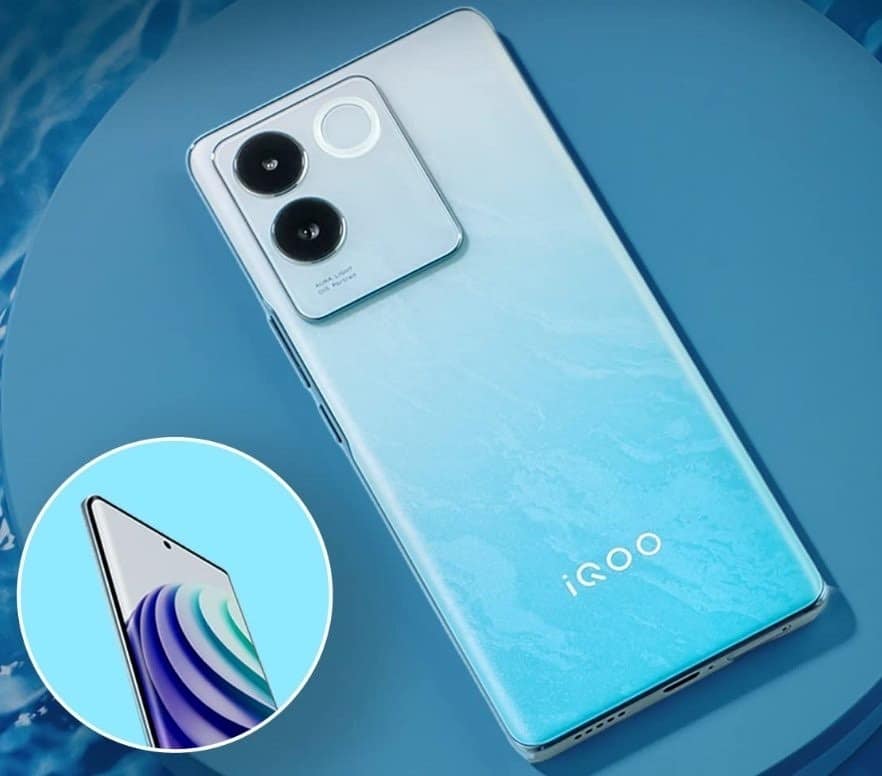
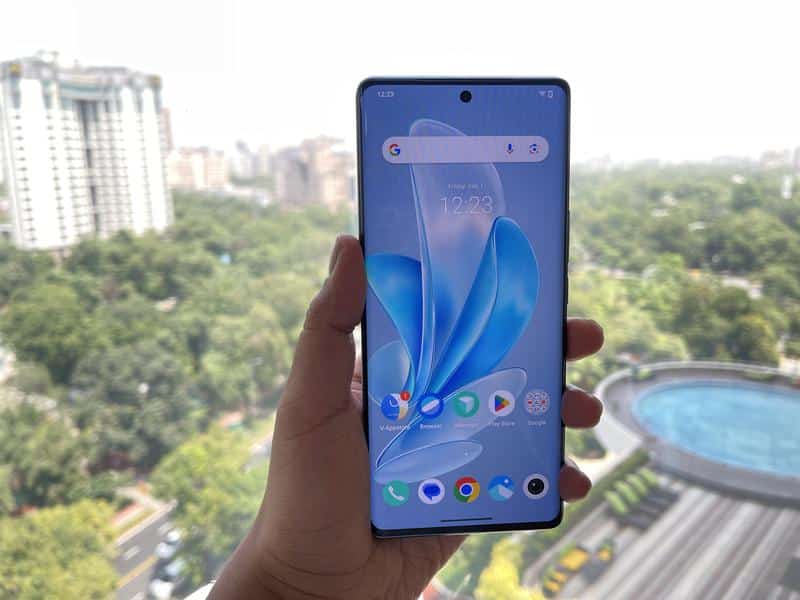
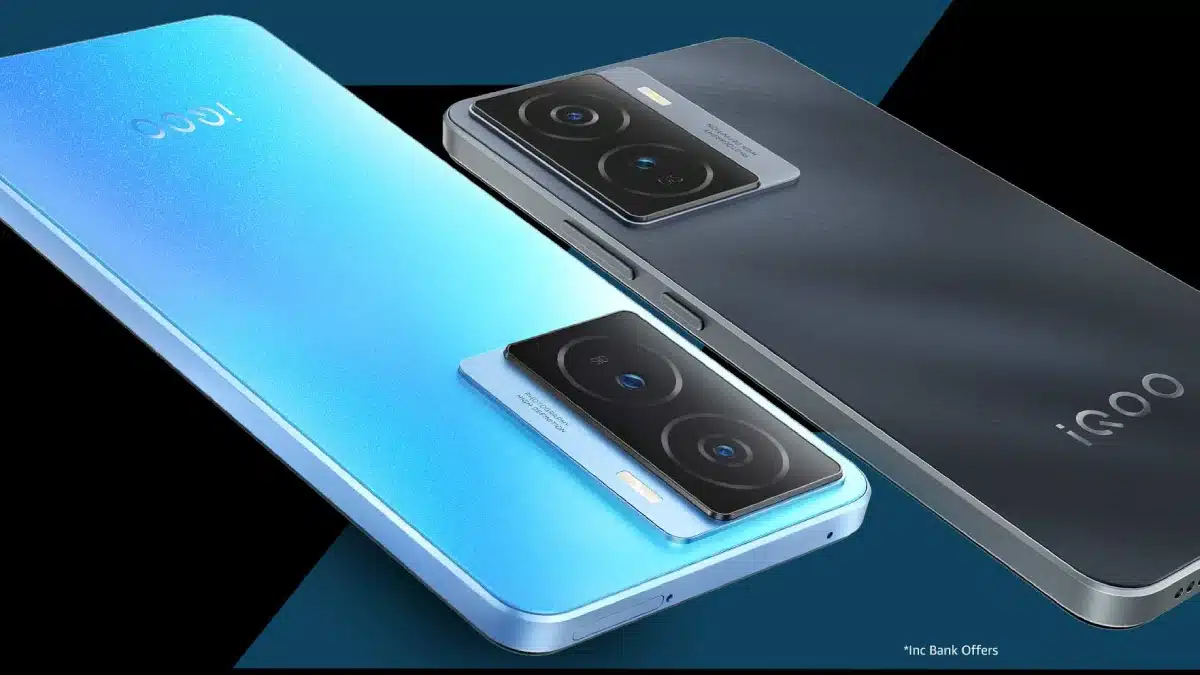
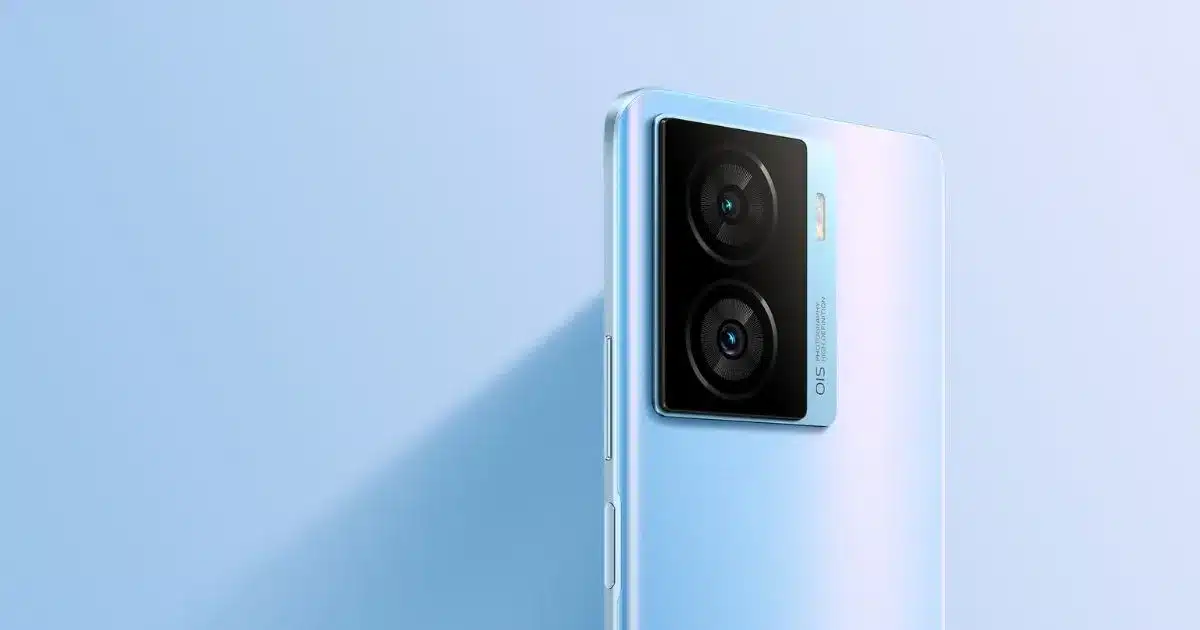
iQOO Neo 7

neo-7-feature
iQOO Neo 7
IQOO Neo 7
iQOO Neo 7
neo-7-feature iQOO Neo 7 IQOO Neo 7 iQOO Neo 7

iQOO Neo 7 has a 6.78-inch AMOLED bezel-less display. The display is featured with a screen resolution of 1080 x 2400 pixels, a pixel density of 388ppi and a refresh rate of 120Hz.

The smartphone boasts a triple-camera setup on the rear side that includes a 64-megapixel wide-angle primary camera, a 2-megapixel macro camera and a 2-megapixel depth camera. The rear camera setup comes with supporting features that include Autofocus, Dual LED Flash, ISO Control, HDR mode, Digital Zoom, Face Detection and Touch to Focus. There is also a massive 16-megapixel wide-angle primary lens for brilliant selfies and video calling support.

The smartphone is configured with 8GB RAM, 128GB of internal storage and a MediaTek Dimensity 8200 MT6896Z chipset for optimum performance.

The smartphone is configured with 8GB RAM, 128GB of internal storage and a MediaTek Dimensity 8200 MT6896Z chipset for optimum performance.

The smartphone has been equipped with a non-removable 5000mAh battery that supports 120W fast charging system. For connectivity, the smartphone comes with 4G VoLTE, 5G, Wi-Fi 802.11, b/g/n, USB Type-C, Mobile Hotspot, A-GPS with Glonass, USB OTG and Bluetooth v5.3.

iQOO Neo 7 Key Features

  • 78 inches (17.22 cm) bezel-less display
  • MediaTek Dimensity 8200 MT6896Z Octa-core Processor
  • 8 GB RAM
  • 128 GB internal storage, Non-Expandable Memory
  • 64 + 2 + 2 MP Triple Rear Cameras
  • 16 MP Front Camera
  • 5000 mAh battery with Flash Charging
  • 5G Enabled

iQOO Neo 7 Pros & Cons

Pros Cons
●       Solid performance

●       Good primary camera

●       Impressive 16MP front camera

●       8GB RAM

●       Decent stereo speakers

●       Capable display

●       5G Support

●       No ultra-wide shooter

●       Basic design


iQOO Neo 7 My Mobile Rating

Design – 3/5

Display – 3.5/5

Software – 4/5

Camera – 4/5

Performance – 3.5/5

Battery – 3.5/5

iQOO Neo 7 Price and Availability

QOO Neo 7 price in India starts from Rs. 29,999. This smartphone is available in Interstellar Black and Frost Blue colour variants.

Realme GT Neo 3T 5G

1
2
3
4
1 2 3 4

Realme GT Neo 3T 5G sports a 6.62-inch AMOLED front bezel-less screen and has a pixel density of 398ppi, an aspect ratio of 20:9, a resolution of 1080 x 2400 pixels and a refresh rate of 120Hz. Moreover, it comes with a RAM of 6GB and a Qualcomm Snapdragon 870 chipset. To enhance the device`s performance, the brand has placed a CPU that runs at the speed of 3.2GHz which is backed by a GPU of Adreno 650 for better graphical outputs.

It comes with a triple camera setup at the rear side, which comprises a 64-megapixel camera, an 8-megapixel wide-angle lens, and a 2-megapixel macro camera. Additional features include Autofocus, Digital Zoom, Autoflash, Face Detection and Touch-to-Focus. Users also get a front camera with a 16-megapixel lens for selfies and video calls.

The 5000mAh battery comes with 80W super dart charging support. And the connectivity features are mobile hotspots and WiFi, Bluetooth v5.2, A-GPS along with a C-type USB charging facility. The phone also allows you to make 5G and 4G network calls.

Realme GT Neo 3T 5G Key Features

  • 62 inches AMOLED Display
  • Qualcomm Snapdragon 870 Processor
  • 6 GB RAM
  • 128 GB Storage
  • 64 MP + 8 MP + 2 MP Triple Rear Camera
  • 16 MP Front Camera
  • 5000 mAh Battery
  • Android v12 OS

Realme GT Neo 3T 5G Pros & Cons

Pros Cons
●       Good display

●       Decent performance

●       Fast charging

●       Unique design

●       Decent speakers

●       Decent battery life

●       Average low-light camera performance


Realme GT Neo 3T 5G My Mobiles Ratings

Design – 3.5/5

Display – 3.5/5

Software – 3.5/5

Camera – 3/5

Performance – 3.5/5

Battery – 4/5

Realme GT Neo 3T 5G Price and Availability

 Realme GT Neo 3T 5G price in India starts from Rs. 22,999. The base variant comes with 6 GB RAM / 128 GB internal storage variant configuration. Realme GT Neo 3T 5G is available in White, Dash Yellow, Drifting White, and Shade Black colour options.

Best Mobile Phones Under 10k

POCO C55

POCO C55
POCO C55
POCO C50
Poco C50
POCO C55 POCO C55 POCO C50 Poco C50

POCO C55 with the premium leather-like stitch design and the brand’s claim of being the “best-performing smartphone in the segment” is the top contender for the best phone under 10k. The smartphone flaunts a massive 6.71-inch HD IPS LCD display that features a pixel density of 268ppi, an aspect ratio of 20:9 and a screen resolution of 720 x 1650 pixels.

The leather-finish back panel presents a dual camera set-up housing a 50-megapixel primary lens and a 2-megapixel depth sensor. The smartphone also comes with a 5-megapixel front camera for selfies and video calls.

POCO has powered the C55 with a MediaTek Helio G85 chipset, 4GB RAM and 64 GB internal storage in the base variant. The higher variant is available with 6GB RAM and 128 GB internal storage options. This storage is expandable by up to 512GB.

The smartphone boasts a massive 5000mAh battery capacity that is supported by a 10-watt charger. As for connectivity requirements, POCO C55 offers Bluetooth v5.1, Mobile Hotspot, 4G, A-GPS, VolTE 5G and Wi-Fi 4.

POCO C55 Key Features

  • 71-inch IPS LCD Display
  • MediaTek Helio G85 Processor
  • 4GB/6GB RAM
  • 64GB/128GB Internal Storage
  • Dual Rear Camera Setup – 50-megapixel + 2-megapixel
  • 5-megapixel Front Camera
  • 5000 mAh Battery
  • Android v12 OS

POCO C55 Pros & Cons

Pros Cons
●       Good Design with leather-like stitch design back panel

●       Good Overall Performance

●       Decent Cameras Features

●       Great Battery Life

●       IP52-Rating splash-resistant and scratch-resistant

●       Rear fingerprint sensor

●       Expandable RAM

●       Reasonably priced

●       Bloatware

●       Substandard Selfie Camera

●       Outdated micro USB 2.0 port


POCO C55 My Mobiles Ratings

Design – 4/5

Display – 3.5/5

Software – 3.5/5

Camera – 3.5/5

Performance – 3.5/5

Battery – 4/5

POCO C55 Price and Availability

POCO C55 price in India starts from Rs. 8,999. With a base variant of 4 GB RAM / 64 GB internal storage, POCO C55 is available in Forest Green, Power Black and Cool Blue colour options.

Xiaomi Redmi 10

1
34
2
3
1 34 2 3

Xiaomi Redmi 10 comes with a massive 6.7-inch IPS LCD bezel-less display that is featured an aspect ratio of 20.6:9, a pixel density of 269ppi and a screen resolution of 720 x 1650 pixels. Apart from a waterdrop notch, the screen also has been equipped with Corning Gorilla Glass v3 to provide adequate protection. Moreover, Xiaomi Redmi 10 has a Qualcomm Snapdragon 680 chipset with in-built 4GB RAM promising smooth multitasking.

The smartphone comes with a dual-camera setup at the backside, which includes a 50-megapixel wide-angle primary camera and another 2-megapixel depth camera. Its ear camera also has various additional functionalities such as the LED Flash, Touch to Focus, Autofocus, Face Detection, Digital Zoom, Exposure Compensation, ISO Control and HDR mode. There is also a 5-megapixel front camera to click selfies.

Users also get a 6000mAh battery compatible with 18W fast charging technology. As for connectivity, there are 4G VoLTE networks besides Bluetooth v5.0, Wi-Fi 802.11, b/g/n, A-GPS and Mobile Hotspot.

Xiaomi Redmi 10 Key Features

  • 7 inches IPS LCD Display
  • Qualcomm Snapdragon 680 Processor
  • 4 GB RAM
  • 64 GB Storage
  • 50 MP + 2 MP Dual Rear Camera
  • 5 MP Front Camera
  • 6000 mAh Battery
  • Android v11 OS

Xiaomi Redmi 10 Pros & Cons

Pros Cons
Snapdragon 680 processor

Impressive 6,000mAh battery

Expandable storage slot

18W fast charging support

Stereo loudspeakers

Android 11

Average Cameras


Xiaomi Redmi 10 My Mobiles Ratings

Design – 3.5/5

Display – 3/5

Software – 3/5

Camera – 4/5

Performance – 3.5/5

Battery – 4/5

Xiaomi Redmi 10 Price and Availability

Xiaomi Redmi 10 price in India starts from Rs. 9,610. The smartphone is available in Pacific Blue, Caribbean Green, Midnight Black, and Sunrise Orange colour variants.

Vivo Y16

1
2
14
1
1234
1 2 14 1 1234

The Vivo Y16 comes with an impressive 6.51-inch IPS LCD display that has 1600 x 720 pixels resolution, 270ppi pixel density and a waterdrop notch. The smartphone is running on a MediaTek Helio P35 chipset with 3GB RAM and an Octa-core processor manufactured with a two-Cortex A53 module.

The dual rear camera setup of the Vivo Y16 includes a 13-megapixel main shooter and a 2-megapixel depth-sensing shooter. Users also get another 5-megapixel shooter on the front for video calls and selfies.

The 5000mAh battery is decent enough to support everyday smartphone functions. Moreover, the supported connectivity features of the Vivo Y16 are A-GPS, 4G VoLTE, micro USB 2.0, Bluetooth v5.0, Mobile Hotspot and Wi-Fi.

Vivo Y16 Key Features

  • 51 inches IPS LCD Display
  • MediaTek Helio P35 Processor
  • 3 GB RAM
  • 32 GB Storage
  • 13 MP + 2 MP Dual Rear Camera
  • 5 MP Front Camera
  • 5000 mAh Battery
  • Android v12 OS

Vivo Y16 Pros & Cons

Pros Cons
●       Decent Display

●       Decent Design Langauge

●       Good Battery Life

●       Expandable Storage

●       Android 12 OS

●       Average cameras

●       No fast charging support


Vivo Y16 My Mobiles Ratings

Design – 3.5/5

Display – 3/5

Software – 3/5

Camera – 3/5

Performance – 3/5

Battery – 3.5/5

Vivo Y16 Price and Availability

Vivo Y16 price in India starts from Rs. 9,999. The base variant comes in 3 GB RAM / 32 GB internal storage configuration. Vivo Y16 is available in Stellar Black and Drizzling Gold colour options.

FAQs

Q1. Why is it good to buy gold on Akshaya Tritiya?

Answer. According to another legend, it was on this day that Lord Kuber was made the custodian of the wealth of heaven. Hence, the devout believe that buying gold on Akshaya Tritiya and worshipping Lord Kuber will bring prosperity to their family. People also believe that making donations on this day will bring prosperity.

Q2. What is the importance of Akshaya Tritiya in astrology?

Answer. The Astrological Importance Of Akshaya Tritiya – Akha Teej is observed once a year when the Sun and the Moon are in exaltation along with being at the peak level of brightness during the day. Indeed a rare phenomenon, isn’t it? In Vedic Astrology, the 3 lunar periods are believed to be extremely auspicious during the year.

Q3. What are the similarity in the significance of Ramadan 2023 and Akshaya Tritiya 2023?

Answer. While Ramadan and Akshaya Tritiya are two distinct religious observances celebrated by different communities, there are some similarities in their significance:

Spiritual reflection: Both Ramadan and Akshaya Tritiya are times for spiritual reflection and growth. During Ramadan, Muslims are encouraged to reflect on their faith, practice self-discipline and improve their relationship with Allah. Similarly, Akshaya Tritiya is associated with new beginnings and is a time for Hindus to reflect on their lives and set new goals.

Charitable giving: Both Ramadan and Akshaya Tritiya emphasize the importance of charitable giving. During Ramadan, Muslims are encouraged to give Zakat (charitable donations) to those in need, while during Akshaya Tritiya, Hindus are encouraged to donate to charity and perform acts of kindness.

New beginnings: Both observances signify new beginnings. For Muslims, Ramadan is seen as a time to start fresh and focus on personal and spiritual growth. Similarly, Akshaya Tritiya is considered an auspicious time for new investments, purchases, and business ventures.

Overall, while the specific practices and traditions associated with Ramadan and Akshaya Tritiya differ, both observances share common themes of spiritual reflection, charitable giving, and new beginnings.

Q4. What type of camera does Samsung Galaxy S23 Ultra 5G has?

Answer. Samsung Galaxy S23 Ultra 5G has a quad-camera setup with a 200-megapixel f/1.8 Wide Angle Shooter, a 10-megapixel Periscope Camera, two 10-megapixel Cameras and a 12-megapixel Ultra-Wide Angle Camera placed on the rear side of the Samsung Galaxy S23 Ultra 5G along with an LED Flash. For the front side, the brand has installed an amazing 12-megapixel f/2.2 Wide-Angle Primary Shooter that clicks beautiful selfies.

Q5. What is the charging time of the OnePlus 11R?

Answer. Battery life and charging speed in one of the biggest selling points of the OnePlus 11R. The smartphone comes with a 5000mAh battery supplemented by an impressive 100W SUPERVOOC fast charging technology. Believe it or not, it only takes 5 minutes and 17 seconds to get it from 0% to 30% battery, 10 minutes to get it to 52%, and 25 minutes to 100% battery!

Q6. Being a low-budget phone, is the camera of the POCO C55 any good?

Answer. The POCO C55 packs dual rear cameras with a 50MP primary sensor and a 0.8MP depth sensor. The images are detailed with decent colour accuracy in daylight where the sensor is also quick to focus. There is no auto HDR, but it can be enabled from the camera layout. The HDR shots look good with enough dynamic range and balanced exposure level.  For selfies and video calling, the handset relies on a 5MP front camera that outputs hazy images, but the facial details are closer to reality. However, skin tones are subdued at times.

Q7. What is the screen size and resolution of the Oppo Find N2 Flip?

Answer. Oppo Find N2 Flip sports a 6.8-inch main FHD+ display with 1080×2520 pixel resolution. The display offers 120Hz of adaptive refresh rate with up to 1600 nits of brightness. The display is also protected with a coating of UTG glass on top. Along with this, the foldable smartphone also houses a 3.26-inch AMOLED display 720×382 pixel resolution and it is protected with a layer of Corning Gorilla Glass 5 on top.

Q8. Does Google Pixel 7 Pro heat up?

Answer. Some heat is anticipated and perfectly normal, though the phone should not become too warm to handle comfortably. The Pixel 7 and Pixel 7 Pro supports Fast Charging, and therefore are likely to get warm during charging. This is expected, especially if the device is being operated while it is charging.

Q9. Is Vivo Y16 waterproof and does it support wireless charging?

Answer. Vivo Y16 is not completely waterproof. However, it is built with a glass front, plastic frame, and plastic back while it is splashproof. And No, the Vivo Y16 cannot be charged wirelessly.

Q10. Which company does iQOO Neo 7 belong to?

Answer. This smartphone is the latest addition to the Neo series from Vivo’s subsidiary brand iQOO.

Q11. Does the Redmi Note 12 Pro 5G come with Turbo Charge?

Answer. The Redmi Note 12 Pro 5G comes with 67W Turbo Charging support along with a 67W Turbo charger in the box. It also features a massive battery of 5000mAh that further enhances the charging experience.

Also Readhttps://www.mymobileindia.com/best-samsung-5g-mobile-phones-in-india/

Also Read – https://www.mymobileindia.com/best-oppo-5g-mobile-phones-in-india/

Also Read – https://www.mymobileindia.com/best-5g-mobile-phones-under-15000-in-india/

Apple Watch survives hours at sea after being lost for days; returned to owner in working condition after being found on Instagram

0
Apple Watch

HIGHLIGHTS

* An Apple Watch was lost in the sea and was later recovered.
* As per the report, the Apple Watch was still in working condition.
* The company says Apple Watches can be submerged underwater.

There are several reports in the past that indicated how Apple Watch saved the lives of a number of people.

However, a new report has indicated that a lost Apple Watch survived for hours in the sea and was later returned to the owner in working condition.

According to a report by G1, Jefferson Rocha was on a schooner trip in Rio de Janeiro, Brazil, when he lost his Apple Watch at sea. He was fortunate enough to retrieve the watch later because of the Find My feature. However, it is not clear which Apple Watch model it was.

Lost Apple Watch retrieved from the sea

During a tour in Bzios, Rocha decided to go for a swim and lost his Apple Watch. The watch, he claims, detached from his wrist while he was underwater.

Rocha attempted to reclaim his Apple Watch, but it appeared impossible. So he went back to the schooner, and to his surprise, he could still monitor it at sea using the Find My app, but later it was switched off.

The following day, he received an alert from the Find My app indicating that the Apple Watch had been activated. He powered up Lost Mode and provided personal details so anyone who discovered the watch could contact him.

To his surprise, a 16-year-old girl messaged him on Instagram, saying she had discovered the lost Apple Watch.

Rocha found out that the watch was found by a 50-year-old diver, Benoni Antônio Filho, who takes care of a coral park and always looks for lost things to return them to their owners, the report said “We are happy because there are still good people in the world. I can only thank God that there are still honest, good-natured people like him and his family,” the man said.

How to locate a lost Apple Watch?

Apple Watch

* On your iPhone, launch the Apple Watch app.
* After selecting All Watches, select My Watch.
* Next to your watch, tap the Info button; after that, tap Find My Apple Watch.
* To view your watch’s location on a map in the Find My app on your iPhone, tap it.
* Tap Play Sound if the map indicates that your Apple Watch is nearby.

Can an Apple Watch survive underwater?

Apple Watch

According to the company, all Apple Watch models released after the Series 2 are rated to be water resistant for a depth of 50 metres. The Apple Watch Ultra has a rating of 100 metres for its water resistance. Therefore, they can survive under the mentioned range.

FAQ’s on Lost Apple Watch

1) What’s the story of a Man losing his Apple Watch in the sea and recovering it days later?

Ans) As reported by GI ,Rocha decided to go for a swim during a tour in Búzios when he lost his Apple Watch. According to him, the watch detached itself from his wrist while underwater. “My watch fell into the water, came off my wrist and I just lost hope,” he said.

Rocha tried to get his Apple Watch back, but it seemed impossible. So he returned to the schooner and surprisingly, he was still able to track it at sea through the Find My app. “This watch has GPS, it’s water-resistant. But I didn’t know it was so resistant.”

Eventually, the Apple Watch died, and the man thought he would never see his smartwatch again.

The next day, Rocha received a notification from the Find My app showing that the Apple Watch had been turned on. He enabled Lost Mode and entered some of his personal information so that anyone who found the watch could contact him. To his surprise, a 16-year-old girl sent him a message on Instagram saying that she had found the Apple Watch.

“The daughter of the man who found the Apple Watch texted me and asked if I was in Búzios, that they had found the watch, and her father wanted to return it,” said Rocha. The watch was found by Benoni Antônio Filho, a 50-year-old diver who takes care of a coral park and always collects lost items to return them to their owners.

Filho told the report that he had no hope that the Apple Watch was still working. However, since his daughter also has an Apple Watch, he put it on the charger and waited. The Apple Watch turned on and showed the Find My app message.

“I asked my daughter to handle the return process so that she could learn about being honest,” the diver mentioned. The Apple Watch was safely returned to Rocha, who was surprised not only that the Apple Watch survived the sea but also by the honesty of the people who found it and returned it.

2) How deep can an Apple Watch stay underwater?

Ans) Since Apple Watch Series 2, every Apple Watch Model is fully water-resistant. According to Apple, the device has been tested to withstand up to 50 meters underwater.
For Apple Watch Ultra ,resistance level increases to 100 meters deep.

However, one thing to keep in mind is that Apple doesn’t cover water damage, even though you can use the Apple Watch to track activities like swimming and diving. You can find more details about the water resistance of the Apple Watch on Apples Website.

Also Read: What Happens If You Replace Your iPhone with an Apple Watch Ultra?

Also Read: Apple Watch Ultra Becomes Diving Computer via Oceanic+ App

Also Read: How to Change the Language Used to Send a Message on Apple Watch?

OPPO Find N3 specifications tipped: bigger 8-inch display, Snapdragon 8 Gen2 and Periscope Lens in Line

0
OPPO Find N3

HIGHLIGHTS

* OPPO Find N3 key details have been leaked.
* The foldable is expected to come with a larger 8-inch main display compared to a smaller 7.1-inch panel on the Find N2.
* OPPO Find N3 might debut before the end of this year
* The Oppo Find N2 made its debut back in December.
* The company has kept Find N and Find N2 exclusive to the Chinese market.
* The upcoming Find N series foldable is tipped to sport a 4805mAh battery.

Oppo, back in December, unveiled the Oppo Find N2 foldable in the Chinese market. Within a few months of launch, the details of its successor – the Oppo Find N3 have started surfacing on the web.

Now, in the latest development, some of the specifications of the upcoming Oppo Find N3 have surfaced on the Chinese micro-blogging site – Weibo, courtesy of Digital Chat Station.

The tipster claims that the upcoming Find N series foldable from Oppo will feature a larger display compared to its predecessor – the Find N2. Apart from it, DCS has also revealed that the Find N3 will feature a periscope camera lens and will be powered by a Qualcomm Snapdragon 8 Gen 2 processor.

OPPO launched the Find N2 foldable back in December 2022. This is the brand’s most premium flagship that has the same design as the Samsung GalaxyZ Flip 4, but with a slightly shorter screen.

Now, it appears the brand has started working on a potential successor, which could be called the OPPO Find N3, details of which have leaked on Weibo.

The first biggest change the Find N3 is touted to bring is a larger 8-inch main display; in comparison, the Find N2 had a smaller 7.1-inch panel.

Let us take a closer look at the details.

OPPO Find N3


Digital Chat Station claims that the upcoming Find N series foldable will feature an 8-inch display with a 120Hz refresh rate and 2268 × 2440 pixel resolution.

To those unaware, the current generation foldable – the Find N2 features a 7.1-inch AMOLED display that supports a 120Hz refresh rate and 1792 × 1920 pixel resolution.

The upcoming Find N foldable from Oppo is tipped to feature a 50MP Sony IMX890 camera with optical image stablisation (OlS) on the rear.

It will reportedly be accompanied by a 48MP Sony IMX581 sensor which will function as an ultra-wide-angle lens. The smartphone is tipped to sport a 32MP L07D1W22 periscope sensor.

Talking about the front camera, the cover display is said to house a 20MP selfie shooter. Whereas, the main display might sport a 32MP selfie camera.

Oppo’s upcoming foldable is rumoured to sport a 4805mAh battery unit under the hood.
Oppo might equip the upcoming foldable handset with the flagship Qualcomm Snapdragon 8 Gen 2 processor.

Oppo decided not to launch the Oppo Find N and the Oppo Find N2 in global markets and kept both of these exclusive to the Chinese market.

We do not know yet if the company will change that with the upcoming Find N3. However, Oppo’s sister company

OnePlus has confirmed that it will launch a foldable in Q3, 2023 which might be a rebranded Oppo Find N3 or might be based on the Find N3.

OPPO Find N3 Specifications (Expected)

OPPO Find N3

The OPPO Find N3 is tipped to arrive with the Qualcomm Snapdragon 8 Gen2 SoC paired with Adreno GPU for graphics. The 8-inch main screen on the foldable will have a 2268 x 2440 pixels resolution and a 120Hz refresh rate.

The OPPO Find N3 is expected to come with two selfie cameras, one for the cover screen and one for the main display. The resolutions for the cameras will be 20MP and 32MP sensors, respectively. The OPPO foldable is tipped to house a 50MP Sony IMX890 main display with OIS, a 48MP IMX581 for the ultra-wide lens, and a 32MP shooter for the telephoto module.

Lastly, the battery capacity of the phone is tipped to be 4,805mAh battery. The Weibo post claims the Find N3 will have an ultra-thin design but no specifics are mentioned.

The leak doesn’t mention anything about the launch timeline, but we can speculate the OPPO foldable might debut before the end of the year, so there’s still time for us to come across more details.

FAQ’s on Oppo Find N3

1) What are the rumoured features of Oppo Find N3?

Ans) According to DCS, the Find N3 will arrive with an 8-inch foldable OLED display, which is expected to have a resolution of 2,268 x 2,440 pixels and a refresh rate of 120Hz. The foldable screen is quite bigger than the 7.1-inch display that was made available on the Find N2.

While the size of the front display is not known yet, it can be assumed that it will have a front screen of around 6.5 inches.

In terms of cameras, the OPPO Find N3’s back panel is set to feature an OIS-assisted 50-megapixel Sony IMX890 primary camera, along with a 48-megapixel IMX581 ultra-wide camera and an L07D1W22 periscope camera.

Moreover, the device is also rumoured to come with a 20-megapixel front camera and a 32-megapixel OmniVision OV32C camera on the inside.

Under the hood, the OPPO Find N3 is expected to pack the Snapdragon 8 Gen 2 processor, which should offer lightning-fast performance and exceptional multitasking capabilities.
Furthermore, the device is rumoured to come with a massive 4805mAh battery.

Additionally, the device is said to be ultra-thin, making it extremely portable and easy to carry around.

The Find N3 looks like it will be a great device, full of enticing features and advanced technology.

At present, there is no word on the launch date or the price of the device.

2) How are the selfie camera of Oppo Find N3?

Ans) The OPPO Find N3 is expected to come with two selfie cameras, one for the cover screen and one for the main display. The resolutions for the cameras will be 20MP and 32MP sensors, respectively. The OPPO foldable is tipped to house a 50MP Sony IMX890 main display with OIS, a 48MP IMX581 for the ultra-wide lens, and a 32MP shooter for the telephoto module.

Also Read: OPPO Find N2 Flip price in India officially revealed sale starts from 17th March: Check Specifications, Availability & Colours

Also Read: OPPO Find X6, Find X6 Pro Launched In India with Hasselblad cameras, up to 100W fast charging ,1-inch sensor & periscopic camera: Price , Specifications & Availability

Also Read: OPPO Find X6 Pro spotted on Geekbench with Snapdragon 8 Gen2 and 16GB RAM: Launch Expected Soon

Samsung Galaxy S23 series receives major improvements with significant camera update

0
Samsung Galaxy S23 Series

HIGHLIGHTS

* Samsung recently released a significant Galaxy S23 camera update.
* The Samsung Galaxy S23 was launched last month.
* The Galaxy S23 series consists of three flagship smartphones.

Samsung has recently launched its latest flagship device, the Galaxy S23, which has been receiving positive feedback from consumers.

However, some users reported issues with the camera, which has now been addressed in a new update rolled out by Samsung.

The update with build number S91xNKSU1AWC8 is currently available in Korea and comes under the March 2023 security patch with a file size of 922.88 MB. Galaxy S23, Galaxy S23+, and Galaxy S23 Ultra are all part of this update.

One of the major improvements in the update is related to the camera and gallery. The gallery has a new function that allows users to delete photos immediately, providing a smoother experience.

Samsung Galaxy S23 series

Additionally, the autofocus concept has been changed, allowing users to take photos even when the focus is not completely set.

However, users can also turn off this feature and prioritize focus over speed by going to the camera assistant settings.

Furthermore, the update enhances ultra-wide camera photography by improving sharpness and adding notice when shooting Ultrawide in low light.

It also fixes several issues related to shooting after Night mode off in low light, face recognition after ending a video call using a third-party app, and improves the stability of camera movements. The OIS is now also more stabilized, resulting in better image quality.

Overall, the latest update for the Galaxy S23 devices brings significant improvements and fixes related to the camera and gallery.

A Samsung executive has revealed exactly which camera features of the Samsung Galaxy S23 series have been improved, as the South Korean technology giant Samsung is currently in the process of releasing a new update that will improve the performance of the camera on its recently released flagship series, the Samsung Galaxy S23 series, which consists of three smartphones – Galaxy S23, Galaxy S23+, and Galaxy S23 Ultra.

The enhancements are now available in South Korea as part of the second software update rolled out in March 2023 for the Galaxy S23 series. It has a massive file size of approximately 922.88MB and comes with the firmware version S91xNKSU1AWC8.

Samsung Galaxy S23 Series Camera Update

Samsung Galaxy S23 Series


In a post on the Community forum, the executive said that the company had enhanced the speed and accuracy of autofocus and the speed of the Camera and Gallery apps. We have mentioned some of the major updates here. You read the full text here.

* With the latest update to the Gallery app, users can now instantly delete freshly captured photos while they are being processed.
* Since the autofocus algorithm has been modified, pressing the shutter button now causes the camera to take a picture even if the subject is blurry or the scene isn’t properly composed. However, you can alter this behavior in the Camera Assistant app (Camera Assistant » Prioritize Focus Over Speed ON) to have the image taken only when the frame is in focus.
* When recording video in low light with the ultrawide camera’s Super Steady mode, sharpness is increased and flicker is decreased. Super Steady mode requires bright lighting, so the camera app will alert you to this fact if you use it.
* When taking pictures with the rear camera in “Photo” mode, a green line will no longer appear on the left side.
* Enhanced video stabilisation when using the rear-facing camera at Full HD 60 frames per second and with the Auto FPS setting off.
* A solution for the sky banding issue that showed up in high resolution and medium-low ambient light (50MP or 200MP). The overall sharpness of the 50MP and 200MP modes has improved. To address the sporadic blurring issue, Samsung also enhanced the OIS performance.
While the Samsung Galaxy S23 series impressed users with its amazing camera capabilities, a few issues created a fuss among the users. However, the aforementioned camera updates and fixes will soon be available in other nations. However, they might appear in April 2023.

Samsung Galaxy Ultra 5G Key Specifications

Samsung Galaxy S23 Series

Display & Storage

RAM 8 GB
Processor Qualcomm Snapdragon 8 Gen 2
Rear Camera 200 MP + 12 MP + 10 MP + 10 MP
Front Camera 12 MP
Battery 5000 mAh
Display 6.8 inches (17.27 cm)

General

Launch Date February 1, 2023 (Unofficial)
Operating System Android v13
Custom UI Samsung One UI

Performance

Chipset Qualcomm Snapdragon 8 Gen 2
CPU Octa core (3.2 GHz, Single core, Cortex X3 + 2.8 GHz, Quad core, Cortex A715 + 2 GHz, Tri core, Cortex A510)
Architecture 64 bit
Fabrication 4 nm
Graphics Adreno 740
RAM 8 GB
RAM Type LPDDR5X

Display

Display Type Dynamic AMOLED
Screen Size 6.8 inches (17.27 cm)
Resolution 1440 x 3088 pixels
Pixel Density 501 ppi
Screen to Body Ratio (calculated) 89.99 %
Screen Protection Corning Gorilla Glass, Glass Victus
Bezel-less display Yes with punch-hole display
Touch Screen Yes, Capacitive Touchscreen
Brightness 1750 nits
HDR 10 / HDR+ support Yes, HDR 10+
Refresh Rate 120 Hz

Design

Height 163.4 mm Compare Size 
Width 78.1 mm
Thickness 8.9 mm
Weight 223 grams
Build Material Back: Gorilla Glass
Colours Green
Waterproof Yes, Water resistant (up to 30 minutes in a depth of 1.5 meter), IP68
Ruggedness Dust proof

Camera

MAIN CAMERA
Camera Setup Quad
Resolution 200 MP f/1.7, Wide Angle, Primary Camera(23 mm focal length, 1.31″ sensor size, 0.6µm pixel size)12 MP f/2.2, Ultra-Wide Angle Camera(13 mm focal length, 2.55″ sensor size, 1.4µm pixel size)10 MP f/2.4, Telephoto Camera(70 mm focal length, 3.52″ sensor size, 1.12µm pixel size)10 MP f/4.9(230 mm focal length)
Sensor ISO-CELL
Autofocus Yes
OIS Yes
Flash Yes, LED Flash
Image Resolution 14500 x 13650 Pixels
Settings Exposure compensation, ISO control
Shooting Modes Continuous Shooting
High Dynamic Range mode (HDR)
Camera Features Digital Zoom
Auto Flash
Face detection
Touch to focus
Video Recording 7680×4320 @ 24 fps
3840×2160 @ 30 fps
1920×1080 @ 30 fps
FRONT CAMERA
Camera Setup Single
Resolution 12 MP f/2.2, Wide Angle, Primary Camera(25 mm focal length)
Autofocus Yes, Phase Detection autofocus
Video Recording 3840×2160 @ 30 fps
1920×1080 @ 30 fps

Battery

Capacity 5000 mAh
Type Li-Polymer
Removable No
Wireless Charging Yes
Quick Charging Yes, Fast, 45W
USB Type-C Yes

Storage

Internal Memory 256 GB
Expandable Memory No
Storage Type UFS 4.0
USB OTG Yes

Network & Connectivity

SIM Slot(s) Dual SIM, GSM+GSM
SIM Size SIM1: Nano, SIM2: Nano
Network Support 5G Not Supported in India, 4G Supported in India, 3G, 2G
VoLTE Yes
SIM 1
4G Bands:
TD-LTE 2600(band 38) / 2300(band 40) / 2500(band 41) / 1900(band 39)
FD-LTE 2100(band 1) / 1800(band 3) / 2600(band 7) / 900(band 8) / 700(band 28) / 1900(band 2) / 1700(band 4) / 850(band 5) / 850(band 18) / 850(band 19) / 1900(band 25) / 850(band 26)
3G Bands:
UMTS 1900 / 2100 / 850 / 900 MHz
2G Bands:
GSM 1800 / 1900 / 850 / 900 MHz
GPRS:
Available
EDGE:
Available
SIM 2
4G Bands:
TD-LTE 2600(band 38) / 2300(band 40) / 2500(band 41) / 1900(band 39)
FD-LTE 2100(band 1) / 1800(band 3) / 2600(band 7) / 900(band 8) / 700(band 28) / 1900(band 2) / 1700(band 4) / 850(band 5) / 850(band 18) / 850(band 19) / 1900(band 25) / 850(band 26)
3G Bands:
UMTS 1900 / 2100 / 850 / 900 MHz
2G Bands:
GSM 1800 / 1900 / 850 / 900 MHz
GPRS:
Available
EDGE:
Available
Wi-Fi Yes, Wi-Fi 6 (802.11 a/b/g/n/ac/ax) 5GHz
Wi-Fi Features Mobile Hotspot
Bluetooth Yes, v5.3
GPS Yes with A-GPS, Glonass
NFC Yes
USB Connectivity Mass storage device, USB charging

Multimedia

FM Radio No
Loudspeaker Yes
Audio Jack USB Type-C

Sensors

Fingerprint Sensor Yes
Fingerprint Sensor Position On-screen
Fingerprint Sensor Type Ultrasonic
Other Sensors Light sensor, Proximity sensor, Accelerometer, Compass, Gyroscope

FAQ’s on Samsung Galaxy S23 Ultra 5G

1) What are Galaxy S23 Series March Update Changelogs?

Ans) A new function has been added to the gallery that allows users to delete photos immediately after they are taken with the camera while still being processed.

1. The autofocus concept has been modified to allow users to take photos even if the focus is not completely set when the shooting button is pressed for faster photo taking. However, users can still shoot after completing focus as before by changing the settings in the latest Camera Assistant. To prioritize focus over speed, users can turn on the “focus priority” setting.
(Camera Assistant > Prioritize Focus Over Speed ON)

2. Improved sharpness and flicker have been added when shooting ultrawide in low light indoors after setting the Camera Video Mode to Super Steady On. Users will also receive a notice stating that more light is needed to take a good Super Steady photo.

3. A green line that intermittently appeared on the left side when shooting in rear photo mode has been fixed.

4. Image stabilization has been improved when shooting with FHD60 after setting Auto FPS Off in the rear video.

5. Improved line-shaped banding noise in the sky in mid-low light when shooting high-pixel in low-mid light. The overall sharpness has also been optimized for high-pixel shooting, and intermittent blurring has been reduced through OIS stabilization.

6. A malfunction when shooting after Night Off in low light after selecting Shooting Speed > High Resolution > Speed Priority in Camera Assistant has been fixed.

7. Face recognition issues after ending a third-party video call have been resolved.

8. Samsung has also improved the stability of the camera app when the frame has moving subjects.

2) How to buy Samsung Galaxy S23 Ultra for Rs 59,999?

Ans) The Samsung Galaxy S23 Ultra price in India starts from Rs 1,24,999.
 However, Samsung is offering an exchange value of old devices up to Rs 47,000 with an additional upgrade bonus of Rs 10,000.

Moreover, HDFC card holders can avail a cashback of Rs 8,000 on the purchase of the Galaxy S23 Ultra, bringing the effective price of the device down to Rs 59,999. Additionally, the Galaxy S23 Ultra can be purchased for as low as Rs 6,060.78 per month using the 24-month No Cost EMI option.

3) What are Samsung Galaxy S23 Series Discount Brings Lowest Prices Yet?

Ans) The Samsung Galaxy S23 series is the company’s most premium offering in India before it launches the Galaxy foldable phones later this year.

Samsung has announced some new offers for its flagship lineup. Customers who wish to buy the Galaxy S23 or S23 Plus can get benefits of up to Rs 13,000 and 12 months no cost EMI offers. There is also an option to buy the devices with a no-cost EMI option of up to 24 months with a monthly instalment of Rs 3,125.

Consumers will also get an additional upgrade bonus of Rs 8,000 on the Galaxy S23 and Galaxy S23 Plus.

The Galaxy S23 was launched in India for Rs 74,999. For the price, users get 8GB of RAM and 128GB of storage.

There is also an 8GB + 256GB storage option, which is priced at Rs 79,999. The phone is available in four colours — Phantom Black, Lavender, Green and Cream.

The Galaxy S23 Plus has been launched for Rs 94,999 and comes with 8GB of RAM and 256GB of internal storage.

The higher 512GB storage option also comes with 8GB of RAM and is priced at Rs 1,04,999.
It is available in Phantom Black and Cream colour options in India. Samsung has also announced some lucrative offers on the S23 Ultra.

The phone can be bought for as low as Rs 59,999 during the offer period. Samsung is providing benefits worth Rs 18,000 and 12 months no cost EMI option. There is also a 24-month no-cost EMI option along with an additional upgrade bonus of Rs 10,000.

The Galaxy S23 Ultra has a starting price of Rs 1,24,999. With the exchange value of your old smartphone, you can get up to Rs 47,000 as a discount.

On top of this, there is an additional upgrade bonus as mentioned above. Customers with an HDFC Bank card can also get a cashback of Rs 8,000 on the S23 Ultra, bringing the total price down to Rs 59,999.

The Galaxy S23 Ultra also arrives in 12GB + 512GB and 12GB + 1TB storage options, which are priced at Rs 1,34,999 and Rs 1,54,999.

All three Galaxy S23 phones come with a customised version of the Snapdragon 8 Gen 2 SoC.

The Galaxy S23 Ultra gets a 200MP quad-camera setup, a 6.8-inch QHD+ AMOLED display with a 120Hz refresh rate.

There is also a dedicated S Pen slot at the bottom. The phone packs a 5000mAh battery and offers 45W fast charging support.

The Galaxy S23 and Galaxy S23 Plus have a triple-camera setup on the back. The phones feature a 50MP main camera.

The Galaxy S23 Plus has a bigger display and battery compared to the vanilla Galaxy S23.

4) What are the new Samsung Galaxy S23 Plus: Specifications ?

Ans) Display: 6.6-inch FHD+ (2340 x 1080) Dynamic AMOLED 2X of adaptive refresh rate (48Hz-120Hz)
Rear camera: 50MP f1.8 dual-pixel (wide) + 12MP f2.2 dual-pixel (ultra-wide) + 10MP f2.4 (3x telephoto)
Front camera: 12MP F2.2 dual-pixel
Processor: Qualcomm Snapdragon 8 Gen 2 for Galaxy
Dimension: 76.2 x 157.8 x 7.6 mm
Weight: 196g
Protection: Gorilla Glass Victus 2
Colours: Phantom Black, Green, Cream, Lavender
Operating system: Android 13-based One UI 5.1 interface
Configuration: 8GB + 256GB, 8GB + 512GB
Battery: 4,700 mAh
Charging: Super Fast Charging 2.0, Fast Wireless Charging 2.0, and Wireless PowerShare
Connectivity: Bluetooth v5.3, Wi-Fi 6E

5) What are the Samsung Galaxy S23: Specifications?

Ans)  Display: 6.1-inch FHD+ (2340 x 1080) Dynamic AMOLED 2X of adaptive refresh rate (48Hz-120Hz)
Rear camera: 50MP f1.8 dual-pixel (wide) + 12MP f2.2 dual-pixel (ultra-wide) + 10MP f2.4 (3x telephoto)
Front camera: 12MP F2.2 dual-pixel
Processor: Qualcomm Snapdragon 8 Gen 2 for Galaxy
Dimension: 70.9 x 146.3 x 7.6 mm
Weight: 168g
Protection: Gorilla Glass Victus 2
Colours: Phantom Black, Green, Cream, Lavender
Operating system: Android 13-based One UI 5.1 interface
Configuration: 8GB + 128GB, 8GB + 256GB, 8GB + 512GB
Battery: 3,900 mAh
Charging: Super Fast Charging 2.0, Fast Wireless Charging 2.0, and Wireless PowerShare
Connectivity: Bluetooth v5.3, Wi-Fi 6E

6) What are the Samsung Galaxy S23 Ultra: Specifications?

Ans) Display: 6.8-inch QHD+ (3088 x 1440) Dynamic AMOLED 2X of adaptive refresh rate (1Hz-120Hz)
Rear camera: 200MP f1.7 quad-pixel with OIS (wide) + 12MP f2.2 dual-pixel (ultra-wide) + 10MP f2.4 dual-pixel (3x telephoto) + 10MP f4.9 dual-pixel (10x telephoto)
Front camera: 12MP F2.2 dual-pixel
Processor: Qualcomm Snapdragon 8 Gen 2 for Galaxy
Thermals: Vapour cooling chamber
Dimension: 78.1 x 163.4 x 8.9 mm
Weight: 234g
Protection: Gorilla Glass Victus 2
Colours: Phantom Black, Green, Cream, Lavender
Operating system: Android 13-based One UI 5.1 interface
Configuration: 8GB + 256GB, 12GB + 256GB, 12GB + 512GB, 12GB + 1TB
Battery: 5,000 mAh
Charging: Super Fast Charging 2.0, Fast Wireless Charging 2.0, and Wireless PowerShare
Connectivity: Bluetooth v5.3, Wi-Fi 6E, and UWB (Ultra wideband)

7) What’s new in the Samsung Galaxy S23 Ultra camera?

Ans) Samsung added new features while enhancing the existing ones for improved imaging experience on the Galaxy S23 Ultra. The smartphone gets enhanced ‘Night Photos’ with a new adaptive pixel 200MP sensor. To create bright and detailed shots in the dark of night, our new adaptive sensor on the S23 Ultra combines 16-pixels into one larger pixel to improve lighting – said Samsung.

8) What’s new in the Galaxy 23 series?

Ans) “The new Galaxy S series offers the ultimate premium smartphone experience, designed for today and beyond to help people take their passions further,” Samsung said at the Unpacked event.
All three smartphones in the Galaxy S23 series boast new design, enhanced protection and durability, and improved imaging experience. Samsung said its Galaxy S23 series is “a new standard with industry best and first innovations”.

Also Read: Samsung Galaxy S23 Series Gets New Offers in India with benefits up to Rs 18,000 ; Galaxy S23 Ultra Effective Price Drops to Rs 59,999

Also Read: Samsung Galaxy S23 Series Gets New Offers in India with benefits up to Rs 18,000 ; Galaxy S23 Ultra Effective Price Drops to Rs 59,999

Also Read: Samsung Galaxy S23 FE tipped to ship with Older Qualcomm Snapdragon 8+ Gen1 SoC In an Effort to Provide Competitive Pricing

iPhone 14 is available at a Rs 15,000 discount on Flipkart: Check The Deal

0
iPhone 14

HIGHLIGHTS

* iPhone 14 is discounted by a straight-off Rs 11,000 on Flipkart for the Red-coloured model.
* Additionally, there’s a Rs 4,000 discount instant discount when paid with an HDFC credit card.
* Other colours are continuing to sell at a slightly higher price on Flipkart.
* People who want to save money and want the same device should buy iPhone 13.

iPhone 14 has been discounted on Flipkart by Rs 15,000, making it a sweet deal for those looking to grab the latest iPhone.

The latest entry-level iPhone has been seeing various discounts off late and this new cut makes the price more tempting to buy.

Apple iPhone 14 Plus (128GB)

Customers looking to grab the phone should immediately jump right in since the discounted deal might go back to regular at any point in time.

The iPhone 14 comes with the A15 Bionic SoC, a 6.1-inch XDR display, dual cameras and MagSafe support.

iPhone 14 Sale Details

iPhone 14

iPhone 14 price on Flipkart is Rs 68,999 for the 128GB model, down from the original price of Rs 79,999.

This means Flipkart is offering a flat discount of Rs 11,000 on the iPhone. However, do note the price is only for the red colour option as other colours are selling at a slightly higher (around Rs 72,000) price, but the bank discount is still applicable.

Additionally, there’s a Rs 4,000 discount instant discount when paid with an HDFC credit card.

iPhone 14 Specifications

iPhone 14 Yellow Colour

iPhone 14 flaunts a 6.1-inch Super Retina XDR OLED display with a wide colour gamut, 60Hz refresh rate, HDR, 1200nits brightness, a True Tone regular notch on the top to house the front camera, and a Face ID sensor.

The latest iPhone is powered by the A15 Bionic SoC paired with 4GB RAM and 128GB/256GB/512GB storage options.

Connectivity 5G, Wi-Fi, dual SIM, Bluetooth, GPS, and a Lightning port for charging. As for the cameras, iPhone 14 features dual cameras on the back, comprising a 12MP wide-angle primary sensor with a larger f/1.5 aperture, sensor-shift OIS, and a 12MP secondary ultra-wide-angle lens. There is a 12MP snapper on the front with autofocus.

Running the show is iOS 16 out of the box and there’s a FacelD sensor for security. The iPhone 14 measures 146.7×71.5×7.80mm and weighs172 grams.

iPhone 14: Is it worth buying in India?

Apple Yellow IPhone 14

People who want to save Rs 3,000 and don’t have an HDFC bank card should consider buying the iPhone 13.

While the iPhone 14 and its predecessor are the same in terms of specifications, one can consider buying the latest version if they also want the exclusive Satellite Connectivity feature to send alerts to anyone during the emergency period when there is no network in their area.

Though, this feature is not available in India and so, it would make more sense to buy the iPhone 13.

There is not much of a difference in terms of camera output. One won’t be able to spot a difference. The cameras are not better than the Samsung Galaxy S23 series, but the iPhones have a capable set of sensors that can offer some picturesque shots in daylight.

iPhone 15 Pro Colors

The chipset is also the same and it is powerful enough to offer a smooth performance.
When it comes to software, Apple is known for offering updates to even six-year-old phones. So, you don’t have to worry about this department.

The display is vivid on both units and one will likely enjoy consuming the content on those iPhones. The battery size of the iPhone 14 is a bit larger, but there isn’t much of a difference in the real-world usage.

You still get 20W fast charging support, which is pretty low compared to what Android phones are offering these days, but it is better to have something than nothing. Do keep in mind that Apple doesn’t ship a charger in the retail box, along with the iPhones. So, one will have to spend extra on this.

iPhone 14 discount offer on Flipkart Explained

iPhone 14

The iPhone 14 is currently listed on the e-commerce platform for as low as Rs 68,999, which is down from its original price of Rs 79,999. This basically means that Flipkart has given a flat discount of Rs 11,000 on this iPhone.

But, you can buy the iPhone 14 at an effective price of Rs 64,999 if you use an HDFC bank credit card for payment.

There is a Rs 4,000 discount offer on this bank card, which brings down the price by a big margin.

However, do keep in mind that this offer is only Product Red model of the iPhone 14 and the other color variants are selling at different prices. The mentioned offer is applicable for the 128GB storage model.

The iPhone 13 is on sale in India with a starting price of Rs 61,999. Apple is selling the same iPhone for Rs 69,999 via its online store. So, customers are getting a big discount on this device as well. But, which one should a customer buy?

iPhone 14 Key Specifications

iPhone 14

Key Specs 

RAM 6 GB
Processor Apple A15 Bionic
Rear Camera 12 MP + 12 MP
Front Camera 12 MP
Battery 3279 mAh
Display 6.1 inches (15.49 cm)

General

Launch Date September 9, 2022 (Official)
Operating System iOS v16

Performance

Chipset Apple A15 Bionic
CPU Hexa Core (3.23 GHz, Dual core, Avalanche + 1.82 GHz, Quad core, Blizzard)
Architecture 64 bit
Fabrication 5 nm
Graphics Apple GPU (Five-core graphics)
RAM 6 GB

Best in Class
RAM Type LPDDR4X

Display

Display Type OLED
Screen Size 6.1 inches (15.49 cm)
Resolution 1170 x 2532 pixels
Aspect Ratio 19.5:9
Pixel Density 457 ppi

Best in Class
Screen to Body Ratio (calculated) 86.89 %
Screen Protection Yes
Bezel-less display Yes with notch
Touch Screen Yes, Capacitive Touchscreen, Multi-touch
Brightness 1200 nits
HDR 10 / HDR+ support Yes
Refresh Rate 60 Hz

Design 

Height 146.7 mm Compare Size 
Width 71.5 mm
Thickness 7.8 mm

Very Good
Weight 172 grams

Average
Build Material Back: Gorilla Glass
Colours Blue, Purple, Midnight, Starlight, Product Red
Waterproof Yes, Water resistant (up to 30 minutes in a depth of 6 meter)
Ruggedness Dust proof

Camera

MAIN CAMERA
Camera Setup Dual
Resolution 12 MP f/1.5, Wide Angle, Primary Camera(26 mm focal length)12 MP f/2.4, Ultra-Wide Angle Camera(13 mm focal length)
Sensor Sensor-shift Image Stabilization
Autofocus Yes, Phase Detection autofocus, Dual Pixel autofocus
OIS Yes
Flash Yes, LED Flash
Image Resolution 4000 x 3000 Pixels
Settings Exposure compensation, ISO control
Shooting Modes Continuous Shooting
High Dynamic Range mode (HDR)
Burst mode
Camera Features 5 x Digital Zoom
2 x Optical Zoom
Auto Flash
Face detection
Touch to focus
Video Recording 3840×2160 @ 24 fps
1920×1080 @ 30 fps
FRONT CAMERA
Camera Setup Single
Resolution 12 MP f/1.9, Wide Angle, Primary Camera(23 mm focal length, 3.6″ sensor size)
Autofocus Yes
Flash Yes, Retina Flash
Video Recording 3840×2160 @ 24 fps
1920×1080 @ 30 fps

Battery

Capacity 3279 mAh
Type Li-ion
Removable No
Wireless Charging Yes
Quick Charging Yes, Fast, 20W: 50 % in 30 minutes
USB Type-C No

Storage 

Internal Memory 128 GB
Expandable Memory No
Storage Type NVMe

Network & Connectivity 

SIM Slot(s) Dual SIM, GSM+GSM
SIM Size SIM1: Nano, SIM2: eSIM
Network Support 5G Supported in India, 4G Supported in India, 3G, 2G
VoLTE Yes
SIM 1
5G Bands:
FDD N1 / N2 / N3 / N5 / N7 / N8 / N20 / N25 / N26 / N28 / N30
TDD N38 / N40 / N77 / N78 / N79
4G Bands:
TD-LTE 2600(band 38) / 2300(band 40) / 2500(band 41) / 2100(band 34) / 1900(band 39) / 3500(band 42)
FD-LTE 2100(band 1) / 1800(band 3) / 2600(band 7) / 900(band 8) / 700(band 28) / 1900(band 2) / 1700(band 4) / 850(band 5) / 700(band 13) / 700(band 17) / 850(band 18) / 850(band 19) / 800(band 20) / 1900(band 25) / 850(band 26) / 2300(band 30)
3G Bands:
UMTS 1900 / 2100 / 850 / 900 MHz
2G Bands:
GSM 1800 / 1900 / 850 / 900 MHz
GPRS:
Available
EDGE:
Available
SIM 2
5G Bands:
FDD N1 / N2 / N3 / N5 / N7 / N8 / N12 / N20 / N25
TDD N38 / N40 / N77 / N78 / N79
4G Bands:
TD-LTE 2600(band 38) / 2300(band 40) / 2500(band 41) / 2100(band 34) / 1900(band 39) / 3500(band 42)
FD-LTE 2100(band 1) / 1800(band 3) / 2600(band 7) / 900(band 8) / 700(band 28) / 1900(band 2) / 1700(band 4) / 850(band 5) / 700(band 13) / 700(band 17) / 850(band 18) / 850(band 19) / 800(band 20) / 1900(band 25) / 850(band 26) / 2300(band 30)
3G Bands:
UMTS 1900 / 2100 / 850 / 900 MHz
2G Bands:
GSM 1800 / 1900 / 850 / 900 MHz
GPRS:
Available
EDGE:
Available
Wi-Fi Yes, Wi-Fi 6 (802.11 a/b/g/n/ac/ax), MIMO
Wi-Fi Features Mobile Hotspot
Wi-Fi Calling Yes
Bluetooth Yes, v5.3
GPS Yes with A-GPS, Glonass
NFC Yes
USB Connectivity Mass storage device, USB charging

Multimedia

FM Radio No
Loudspeaker Yes
Audio Jack Lightning
Audio Features Dolby Atmos, Dolby Digital, Dolby Digital Plus

Sensors

Fingerprint Sensor No
Other Sensors Light sensor, Proximity sensor, Accelerometer, Barometer, Compass, Gyroscope

iPhone 13 Key Specifications

Key Specs

RAM 4 GB
Processor Apple A15 Bionic
Rear Camera 12 MP + 12 MP
Front Camera 12 MP
Battery 3227 mAh
Display 6.1 inches (15.49 cm)

General

Launch Date September 17, 2021 (Official)
Operating System iOS v15

Performance

Chipset Apple A15 Bionic
CPU Hexa Core (3.23 GHz, Dual core, Avalanche + 1.82 GHz, Quad core, Blizzard)
Architecture 64 bit
Fabrication 5 nm
Graphics Apple GPU (four-core graphics)
RAM 4 GB

Excellent 
RAM Type LPDDR4X

Display

Display Type OLED
Screen Size 6.1 inches (15.49 cm)
Resolution 1170 x 2532 pixels
Aspect Ratio 19.5:9
Pixel Density 457 ppi

Best in Class 
Screen to Body Ratio (calculated) 86.89 %
Screen Protection Yes
Bezel-less display Yes
Touch Screen Yes, Capacitive Touchscreen, Multi-touch
Brightness 800 nits
HDR 10 / HDR+ support Yes
Refresh Rate 60 Hz

Design

Height 146.7 mm Compare Size 
Width 71.5 mm
Thickness 7.6 mm

Very Good 
Weight 173 grams

Average 
Build Material Back: Gorilla Glass
Colours Blue, Green, Pink, Red, Starlight, Midnight
Waterproof Yes, Water resistant (up to 30 minutes in a depth of 6 meter), IP68
Ruggedness Dust proof

Camera

MAIN CAMERA
Camera Setup Dual
Resolution 12 MP f/1.6, Wide Angle, Primary Camera
12 MP f/2.4, Ultra-Wide Angle Camera(13 mm focal length)
Sensor Sensor-shift Image Stabilization
Autofocus Yes, Phase Detection autofocus, Dual Pixel autofocus
OIS Yes
Flash Yes, Dual LED Flash
Image Resolution 4000 x 3000 Pixels
Settings Exposure compensation, ISO control
Shooting Modes Continuous Shooting
High Dynamic Range mode (HDR)
Burst mode
Camera Features 5 x Digital Zoom
2 x Optical Zoom
Auto Flash
Face detection
Touch to focus
Video Recording 3840×2160 @ 24 fps
1920×1080 @ 30 fps
1280×720 @ 30 fps
FRONT CAMERA
Camera Setup Single
Resolution 12 MP f/2.2, Wide Angle, Primary Camera(23 mm focal length, 3.6″ sensor size)
Flash Yes, Retina Flash
Video Recording 3840×2160 @ 24 fps
1920×1080 @ 30 fps

Battery

Capacity 3227 mAh
Type Li-ion
Removable No
Wireless Charging Yes
Quick Charging Yes, Fast, 20W: 50 % in 30 minutes
USB Type-C No

Storage

Internal Memory 128 GB

Best in Class 
Expandable Memory No
Storage Type NVMe

Network & Connectivity

SIM Slot(s) Dual SIM, GSM+GSM
SIM Size SIM1: Nano, SIM2: eSIM
Network Support 5G Supported in India, 4G Supported in India, 3G, 2G
VoLTE Yes
SIM 1
5G Bands:
FDD N1 / N2 / N3 / N5 / N7 / N8 / N20 / N25 / N28 / N66
TDD N38 / N40 / N41 / N71 / N77 / N78 / N79
4G Bands:
TD-LTE 2600(band 38) / 2300(band 40) / 2500(band 41) / 2100(band 34) / 1900(band 39) / 3500(band 42)
FD-LTE 2100(band 1) / 1800(band 3) / 2600(band 7) / 900(band 8) / 700(band 28) / 1900(band 2) / 1700(band 4) / 850(band 5) / 700(band 13) / 700(band 17) / 850(band 18) / 850(band 19) / 800(band 20) / 1900(band 25) / 850(band 26) / 2300(band 30)
3G Bands:
UMTS 1900 / 2100 / 850 / 900 MHz
2G Bands:
GSM 1800 / 1900 / 850 / 900 MHz
GPRS:
Available
EDGE:
Available
SIM 2
4G Bands:
TD-LTE 2600(band 38) / 2300(band 40) / 2500(band 41) / 2100(band 34) / 1900(band 39) / 3500(band 42)
FD-LTE 2100(band 1) / 1800(band 3) / 2600(band 7) / 900(band 8) / 700(band 28) / 1900(band 2) / 1700(band 4) / 850(band 5) / 700(band 13) / 700(band 17) / 850(band 18) / 850(band 19) / 800(band 20) / 1900(band 25) / 850(band 26) / 2300(band 30)
3G Bands:
UMTS 1900 / 2100 / 850 / 900 MHz
2G Bands:
GSM 1800 / 1900 / 850 / 900 MHz
GPRS:
Available
EDGE:
Available
SAR Value Head: 1.18 W/kg, Body: 1.19 W/kg
Wi-Fi Yes, Wi-Fi 6 (802.11 a/b/g/n/ac/ax) 5GHz, MIMO
Wi-Fi Features Mobile Hotspot
Wi-Fi Calling Yes
Bluetooth Yes, v5.0
GPS Yes with A-GPS, Glonass
NFC Yes

Multimedia

FM Radio No
Loudspeaker Yes
Audio Jack Lightning
Audio Features Dolby Atmos, Dolby Digital, Dolby Digital Plus

Sensors

Fingerprint Sensor No
Other Sensors Light sensor, Proximity sensor, Accelerometer, Barometer, Compass, Gyroscope

FAQ’s on IPhone 14 & IPhone 13 Deals

1) What is iPhone 14 Price?

Ans) The iPhone 14 is currently available at Rs 68,999 only. It is a discount of Rs 11,000 over the original retail price of Rs 79,900 for the 128GB variant.

But on the platform of Flipkart, users can get a further discount of Rs 4000 if they make the purchase through an HDFC Bank credit or debit card.

Note that it is an instant discount that would bring the price of the smartphone down to Rs 64,999. Also, keep in mind that this is the price for the Product Red variant. The other colours still start at Rs 71,999 on Flipkart.

2) What are the offers on IPhone 13?

Ans) The iPhone 13 is currently available for Rs 61,999 on Flipkart. If you have an HDFC Bank card, then you can get a further discount of Rs 2,000. With the discounts included, the price of both devices is just Rs 5,000 apart.

This makes the iPhone 14 an actually better deal than the iPhone 13. This is because the former has a better resale value and more features such as Car Crash Detection Mode, Satellite Connectivity, Action Mode on camera, and more.

At the same time, iPhone 13 is not a bad deal at all. You can go for the iPhone 13, too, if your budget is a little restrictive.

Also Read: iPhone 14 price discounted by up to Rs 14,000 on Apple reseller Unicorn Store: Grab This Apple Sale Before it Ends

Also Read: Apple introduces new iPhone 14 and iPhone 14 Plus Yellow Colour Variant

Also Read: iPhone 14, iPhone 14 Plus Tipped to Launch in New Yellow Colour Soon: Apple Yellow IPhone 14 Next Week?

Martin Cooper, inventor of the Motorola DynaTAC 8000x 94-year-old ‘Father of the cellphone’ uses this smartphone but concerned with People’s Phone Obsession

0
Martin Cooper

HIGHLIGHTS

* Martin Cooper, the father of the cellphone, spoke recently about his latest smartphone.
* The pioneering inventor is credited with having developed the Motorola DynaTAC 8000x.
* Cooper today uses a top variant of the latest generation iPhone.

Which mobile device would you expect the inventor of the mobile, handheld phone to use? As it aptly turns out, the father of the cellphone is suitably savvy, even at the age of 94.

Martin Cooper, famously known for his three-decade stint at Motorola and for having invented the world’s first mobile phone and placing the first mobile phone call, recently offered an interview to French publication and wire service Agence France-Presse (AFP).

During the interview, the pioneering inventor spoke about a number of key points, which included what his latest smartphone is, what he thinks of the modern-day mobile phone industry, and the things that he is concerned and optimistic about.

The latest Smartphone of Cooper’s

Martin Cooper

According to the AFP report, Cooper today uses a top model of the latest generation iPhone, the iPhone 14 series.

The innovator reportedly gets his hands on the latest smartphone that Apple launches every year, and gives the phone “a thorough road test” before proceeding to use it naturally.

Cooper also owns an Apple Watch, and uses his devices to speak to his acquaintances, check his email, browse videos on YouTube, and control his hearing aids.

What does Cooper feel about the modern-day smartphone

Martin Cooper

Born in December 1928, Cooper studied as an engineer in Chicago, graduating in 1950 and serving as a US submarine officer in the Korean War.

After returning and taking up a job, Cooper joined Motorola in 1954, where he would go on to spend the next 29 years of his life.

It is here that in 1973, he built the world’s first mobile phone — the Motorola DynaTAC 8000x, from which he placed the world’s first known phone call from a mobile phone.

Today, 50 years since the first phone call was placed from a mobile phone, handheld devices have come a long way.

Speaking about this, Cooper told AFP that he feels that having a “million apps” on a mobile device could be overwhelming. “I will never, ever understand how to use the cellphone the way my grandchildren do,” he said.

However, the inventor feels that the latest smartphone and its features have a long way to go, and is mostly bullish about the future.

While he says that users of new smartphones could be “a little obsessed” and be using it in situations where they should not — such as while crossing the road — he feels that handheld phones have the power to help find cures for serious diseases and ailments “within the next generation or two.”

Mobile Inventor ‘Devastated’ with Phone Use Nowadays

Martin Cooper

Cooper made the first mobile phone, so he has seen how they have changed over the years, from the first ones to the smartphones that are now everywhere. He recognizes the benefits of smartphones, but he also sees the problems that come with their widespread use.

“I am devastated when I see somebody crossing the street and looking at their cell phone. They are out of their minds,” Martin Cooper told AFP. 

He believes it will take a few accidents before people realize the dangers of their phone addiction.

While he owns an iPhone and an Apple Watch himself, he admits that the millions of available apps can be overwhelming, and he will never understand how to use the phone the way his grandchildren and great-grandchildren do.

Many people share the concerns expressed by the phone’s inventor. According to the National Safety Council, phone use causes 1.6 million crashes each year.

Not to mention that extreme use of the device can lead to health problems and even expose people to various dangers such as scams and cyberattacks.

Outlasting the Phone Obsession

Martin Cooper

Cooper’s involvement in developing the mobile phone started in the 1970s when he worked for Motorola. He created the first mobile phone, the DynaTac ,the leader of a team of designers and engineers in 1973.

The DynaTAC weighed more than a kilogram and had a battery life of approximately 25 minutes. It was expensive, but it gave early adopters advantage, such as those in real estate.

They could show clients properties while also answering the phone, doubling their productivity.

Since then, mobile phones have come a long way. Cooper believes they have the potential to completely transform education and healthcare.

He envisions a future in which phones are linked to bodily sensors that detect illness before it develops (something Apple is already expanding with its Health App).

Cooper believes that, while the mobile phone has already become an extension of the person, we are only now beginning to understand what it is capable of.

Despite his concerns about people’s phone addiction, Cooper believes that people will eventually adapt to the new technology.

He notes that television faced similar criticisms when it first emerged, but people eventually learned to appreciate it.

In any case, Cooper is confident that the mobile phone will continue to change the world just as he imagined it would.

iPhone 14 Key Specifications

Martin Cooper

Key Specs 

RAM 6 GB
Processor Apple A15 Bionic
Rear Camera 12 MP + 12 MP
Front Camera 12 MP
Battery 3279 mAh
Display 6.1 inches (15.49 cm)

General

Launch Date September 9, 2022 (Official)
Operating System iOS v16

Performance

Chipset Apple A15 Bionic
CPU Hexa Core (3.23 GHz, Dual core, Avalanche + 1.82 GHz, Quad core, Blizzard)
Architecture 64 bit
Fabrication 5 nm
Graphics Apple GPU (Five-core graphics)
RAM 6 GB

Best in Class
RAM Type LPDDR4X

Display

Display Type OLED
Screen Size 6.1 inches (15.49 cm)
Resolution 1170 x 2532 pixels
Aspect Ratio 19.5:9
Pixel Density 457 ppi

Best in Class
Screen to Body Ratio (calculated) 86.89 %
Screen Protection Yes
Bezel-less display Yes with notch
Touch Screen Yes, Capacitive Touchscreen, Multi-touch
Brightness 1200 nits
HDR 10 / HDR+ support Yes
Refresh Rate 60 Hz

Design 

Height 146.7 mm Compare Size 
Width 71.5 mm
Thickness 7.8 mm

Very Good
Weight 172 grams

Average
Build Material Back: Gorilla Glass
Colours Blue, Purple, Midnight, Starlight, Product Red
Waterproof Yes, Water resistant (up to 30 minutes in a depth of 6 meter)
Ruggedness Dust proof

Camera

MAIN CAMERA
Camera Setup Dual
Resolution 12 MP f/1.5, Wide Angle, Primary Camera(26 mm focal length)12 MP f/2.4, Ultra-Wide Angle Camera(13 mm focal length)
Sensor Sensor-shift Image Stabilization
Autofocus Yes, Phase Detection autofocus, Dual Pixel autofocus
OIS Yes
Flash Yes, LED Flash
Image Resolution 4000 x 3000 Pixels
Settings Exposure compensation, ISO control
Shooting Modes Continuous Shooting
High Dynamic Range mode (HDR)
Burst mode
Camera Features 5 x Digital Zoom
2 x Optical Zoom
Auto Flash
Face detection
Touch to focus
Video Recording 3840×2160 @ 24 fps
1920×1080 @ 30 fps
FRONT CAMERA
Camera Setup Single
Resolution 12 MP f/1.9, Wide Angle, Primary Camera(23 mm focal length, 3.6″ sensor size)
Autofocus Yes
Flash Yes, Retina Flash
Video Recording 3840×2160 @ 24 fps
1920×1080 @ 30 fps

Battery

Capacity 3279 mAh
Type Li-ion
Removable No
Wireless Charging Yes
Quick Charging Yes, Fast, 20W: 50 % in 30 minutes
USB Type-C No

Storage 

Internal Memory 128 GB
Expandable Memory No
Storage Type NVMe

Network & Connectivity 

SIM Slot(s) Dual SIM, GSM+GSM
SIM Size SIM1: Nano, SIM2: eSIM
Network Support 5G Supported in India, 4G Supported in India, 3G, 2G
VoLTE Yes
SIM 1
5G Bands:
FDD N1 / N2 / N3 / N5 / N7 / N8 / N20 / N25 / N26 / N28 / N30
TDD N38 / N40 / N77 / N78 / N79
4G Bands:
TD-LTE 2600(band 38) / 2300(band 40) / 2500(band 41) / 2100(band 34) / 1900(band 39) / 3500(band 42)
FD-LTE 2100(band 1) / 1800(band 3) / 2600(band 7) / 900(band 8) / 700(band 28) / 1900(band 2) / 1700(band 4) / 850(band 5) / 700(band 13) / 700(band 17) / 850(band 18) / 850(band 19) / 800(band 20) / 1900(band 25) / 850(band 26) / 2300(band 30)
3G Bands:
UMTS 1900 / 2100 / 850 / 900 MHz
2G Bands:
GSM 1800 / 1900 / 850 / 900 MHz
GPRS:
Available
EDGE:
Available
SIM 2
5G Bands:
FDD N1 / N2 / N3 / N5 / N7 / N8 / N12 / N20 / N25
TDD N38 / N40 / N77 / N78 / N79
4G Bands:
TD-LTE 2600(band 38) / 2300(band 40) / 2500(band 41) / 2100(band 34) / 1900(band 39) / 3500(band 42)
FD-LTE 2100(band 1) / 1800(band 3) / 2600(band 7) / 900(band 8) / 700(band 28) / 1900(band 2) / 1700(band 4) / 850(band 5) / 700(band 13) / 700(band 17) / 850(band 18) / 850(band 19) / 800(band 20) / 1900(band 25) / 850(band 26) / 2300(band 30)
3G Bands:
UMTS 1900 / 2100 / 850 / 900 MHz
2G Bands:
GSM 1800 / 1900 / 850 / 900 MHz
GPRS:
Available
EDGE:
Available
Wi-Fi Yes, Wi-Fi 6 (802.11 a/b/g/n/ac/ax), MIMO
Wi-Fi Features Mobile Hotspot
Wi-Fi Calling Yes
Bluetooth Yes, v5.3
GPS Yes with A-GPS, Glonass
NFC Yes
USB Connectivity Mass storage device, USB charging

Multimedia

FM Radio No
Loudspeaker Yes
Audio Jack Lightning
Audio Features Dolby Atmos, Dolby Digital, Dolby Digital Plus

Sensors

Fingerprint Sensor No
Other Sensors Light sensor, Proximity sensor, Accelerometer, Barometer, Compass, Gyroscope

FAQ’s on Martin Cooper & Phone Obsession

1) Problem with mobile phones is..’

Ans) Cooper also talked about the problems of new-age mobile phones. He said that people look at them too much as people right now “can be a little obsessed.”
“I am devastated when I see somebody crossing the street and looking at their cell phone. They are out of their minds,” the 94-year-old told the news agency.

“But after a few people get run over by cars, they’ll figure it out,” he added jokingly.

2) How are Mobile phones improving people’s lives:Cooper?

Ans) He also talked about the potential of smartphones saying that the “neat little device we all have in our pockets” has the potential to even help conquer disease one day..

“The cell phone has now become an extension of the person, it can do so many more things,” he was quoted as saying.

“And in that regard, we are just at the very beginning. We’re just starting to understand what that could do. In the future, we can expect the cell phone to revolutionise education, it will revolutionise healthcare. I know that sounds like an exaggeration, but I want you to know within a generation or two, we are going to conquer disease.”

He said that “just like his watch monitors his heart rate while he swims, and his phone monitors his hearing aids, phones will one day be connected to an array of bodily sensors that will catch illness before it develops.”

3) What is Real mobility according to Cooper ?

Ans) Cooper’s iPhone — which he says he likes to use mostly to speak to people — is certainly a very long way from the weighty block of wires and circuits that he used to make the very first mobile phone call on April 3, 1973.

At the time he was working for Motorola, leading a team of designers and engineers who were engaged in a sprint to come up with the first properly mobile technology and avoid being squeezed out of an up-and-coming market.

The company had invested millions of dollars in the project, hoping to beat out Bell System, a behemoth that dominated US telecoms for more than a century from its inception in 1877.

Bell’s engineers had floated the idea of a cellular phone system just after World War II, and by the late 1960s had taken it as far as putting phones in cars — partially because of the huge battery they needed.

But for Cooper, that didn’t represent real mobility. At the tail end of 1972, he decided he wanted a device that you could use anywhere.

So with the entire resources of Motorola at his disposal, he pulled together experts on semiconductors, transistors, filters and antennae who worked around the clock for three months.

By the end of March, they had cracked it, unveiling the DynaTAC — Dynamic Adaptive Total Area Coverage — phone.

“This phone weighed over a kilo — about two and a half pounds — and had a battery life of roughly 25 minutes of talking,” he said.

“That was not a problem. This phone was so heavy, you couldn’t hold it up for 25 minutes.”
That very first phone call didn’t have to be long. It just had to work.

And who better for Cooper to call than his rival? “So here I am standing on Sixth Avenue (in New York) And it occurred to me I had to call my counterpart at the The Bell System… Dr Joel Engel “And I said, ‘Joel, this is Martin Cooper… I’m talking to you on a handheld cell phone. But a real cell phone, personal, portable, handheld.’

“There was silence on the other end of the line. I think he was gritting his teeth.”

4) How to Conquer disease of Mobile Addiction according to Cooper ?

Ans) Those first mobile phones were not cheap at around $5,000 per handset, but they granted early adopters — who Cooper says included people trying to sell property– an edge.

“It turns out that what real estate people do is they show people houses, or they answer the phone for new clients.

“Now they could do both at the same time; it doubled their productivity.” And mobile phones continue to improve people’s lives.

“The cell phone has now become an extension of the person, it can do so many more things,” he said.

“And in that regard, we are just at the very beginning. We’re just starting to understand what that could do.

“In the future, we can expect the cell phone to revolutionize education, it will revolutionize healthcare.

“I know that sounds like an exaggeration, but I want you to know within a generation or two, we are going to conquer disease.”

Just like his watch monitors his heartrate while he swims, and his phone monitors his hearing aids, phones will one day be connected to an array of bodily sensors that will catch illness before it develops, he says.

It’s all a long way from where it started with that monster handset, but while he didn’t envisage every development, Cooper always knew the device he and his team came up with would change the world.

“We really knew that everybody someday would have a cell phone. We’re almost there.

“There are more mobile phone subscriptions in the world today than there are people. So that part of our dream has come true.”

As for the problem of people gawping at their phones too much — even as they cross the road — he’s not worried. New technology often throws up challenges.

“When television first came out, people were just hypnotized.

“But we somehow… managed to understand that there is a quality associated with looking at a television.”

Right now, we’re at the mindless staring phase with our phones, he says, but that won’t last.

“Each generation is going to be smarter… They will learn how to use the cell phone more effectively.

“Humans sooner or later figure it out.”

Also Read: Smartphone Vision Syndrome: Cellphone Addiction: 30year old Hyderabad Woman Lost Vision Temporarily Due to Excessive Phone Usage In Dark

Also Read: 74% parents confess phone usage hurting relationship with kids: Vivo-SwitchOff Report

Also Read: MediaTek Continues its Dominance in Smartphone Chipset Market

iPhone 15 Pro models will not have the 15-year-old mute switch, will be replaced with multi-use ‘Action’ button, almost zero bezel design, upgraded camera & all leaks so far

0
APPLE IPHONE 15

Highlights

*The iPhone 15 series is expected to launch in September 2023.
*The Pro models are said to get some big updates in the design department.
* The iPhones are said to feature USB Type C port for the first time.
* iPhone 15 series is set to be revealed in the second half of 2022.
* A report said Apple would replace the mute button, seen on iPhones since 2007.
* The new Apple Watch Ultra Action button will likely replace the mute button.

Tech giant Apple will release the iPhone 15 series this year, including the iPhone 15, iPhone 15 Plus, iPhone 15 Pro, and iPhone 15 Pro Max, likely to be renamed iPhone 15 Ultra.

Ahead of that, citing a forum member, a MacRumors report said the company would replace the iconic mute button, which we have seen on iPhones since 2007, from the iPhone 15 Pro and iPhone 15 Pro Max and will instead bring a new Action button, seen on Apple Watch Ultra.

iPhone 15 series

The source said the Action button would replace the mute switch but did not mention how it would work.

But it will probably be customisable and allow users to navigate the button to different system functions for easy access.

The iPhone 15 series will likely launch in September this year, but it seems that we will have all the details way before the event because new details leak every week.

The leaks have suggested that we will be seeing some big upgrades in terms of design and Apple will also make some changes in the hardware.

If you are waiting for the upcoming iPhone 15 series and would like to know about the next generation of iPhones, then keep reading to know more.

Action button on iPhone 15 Pro, iPhone 15 Pro Max/ Ultra

iPhone 15 series

The things that you might do by pressing the Action button:

* Ring/Silent
* Do Not Disturb
* Background Sounds
* Magnifier
* Flashlight
* VoiceOver
* Shazam
* Show the App Library
* Show the App Switcher
* Toggle on Reachability
* Light/Dark Mode
* Low Power Mode
* Lock Rotation
* Show the Lock Screen
* Show the Home Screen
* Screen Recording
* Screenshot
* Run a Shortcut
* Open Camera
* Open Notification Center
* Open Control Center

The majority of these operations are already managed by Back Tap, introduced with iOS 14.

Back Tap allows you to double or triple tap on the back of an iPhone to perform a specific action, such as turning on the torch or taking a screenshot. The feature may be enabled via the Settings app.

The mute switch on iPhone 15 Pro models was already expected to be replaced by a button, but an Action button was merely logical speculation until now, the report said.

Additionally, there are rumours that iPhone 15 Pro models will have a single volume button that can be used to turn the volume up or down.

Both buttons are likely to have a solid-state design, meaning they won’t physically move when pressed.

Instead, they will use additional Taptic Engines to give haptic feedback that feels like a movement, just like the Home button on the iPhone 7 and the most recent iPhone SE.

It should be noted that the same community member has also tipped accurately about the Dynamic Island feature on all the iPhone 15 series.

However, the exact details and features of the iPhone 15 series will only be known when they are launched.

iPhone 15 series said to get big design changes

iPhone 15 series

The next generation of iPhones is said to get some big updates in the design department. Some of the leaks have claimed that the iPhone 15 Pro or the iPhone 15 Pro Max are said to come with a no-button design.

In simpler terms, we could see a solid-state haptic button design on ultra-high-end models.

This means that there won’t be moving buttons and one will feel like they are pressing the buttons – thanks to Apple’s Taptic Engine.

The company will incorporate a small motor inside the device to produce vibrations which will give users haptic feedback as and when they press the button to know the unit has acknowledged their command.

Currently, the iPhones only have one Taptic Engine that offers feedback when you tap on the display and the next generation iPhones could get additional engines for the new button design.

A fresh report from MacRumors suggests that Apple is also planning to replace the Ring/Silent switch with a common Action button.

iPhone 15 series

It is unknown how this will work, but the cited source claims that it could function like the Apple Watch Ultra.

Apple will likely offer an option to customize the button and one might be able to assign it various system functions for a more convenient experience.

We could see Dynamic Island feature on all the iPhone models, as per the leaks. If this turns out to be true, then we might get to see the punch-hole display design on all the iPhone 15 variants.

Last year, only the iPhone 14 Pro and iPhone 14 Pro Max were introduced with the latest feature.

The new iPhones are said to offer the same old displays, but the next-generation iPhones are said to sport thinner bezels. This will likely offer more screen space to users. Apple is also said to ditch its proprietary Lightning port in favour of USB Type C ports.

Leak: New Cameras on the iPhone 15 series

iPhone 15 series

While the standard iPhone 15 and iPhone 15 Plus models may not be getting major design upgrades compared to the Pro variants, they are at least getting better cameras, according to the leaks.

If leaks are to be believed, the regular versions are said to feature 48-megapixel cameras that we have seen on the Pro models of iPhone 14 series.

This would be a major upgrade over the 12-megapixel sensors seen on the existing iPhone models.

But, don’t expect to see a telephoto lens for optical zoom or a LiDAR on the standard models because this will reportedly remain limited to the higher-end models.

As for the iPhone 15 Pro models, we might get to see a new periscope lens with 5x optical zoom on the upcoming high-end units. The details about the Pro models are currently unknown.

Other Leaked Features

iPhone 15 series

The iPhone 15 Pro and iPhone 15 Pro Max smartphones are tipped to come with Apple’s new Bionic A17 chipset.

The standard model could use last year’s Bionic A16 SoC, which is powering the iPhone 14 Pro models.

It is unknown whether Apple will also launch the new version of the Plus model which it introduced last year.

There are reports claiming that the iPhone 14 Plus wasn’t a success for the company and it didn’t receive a good response in terms of sales.

At the moment, there is information on the battery and fast charging tech of the upcoming iPhones.

APPLE IPHONE 15 SPECIFICATIONS

Key Specs

RAM 8 GB
Processor Apple A14 Bionic
Rear Camera 12 MP + 12 MP
Front Camera 12 MP
Battery 4200 mAh
Display 6.1 inches (15.49 cm)

General

Launch Date August 23, 2023 (Unofficial)
Operating System iOS v15

Performance

Chipset Apple A14 Bionic
CPU Hexa Core (3.1 GHz, Dual core, Firestorm + 1.8 GHz, Quad core, Icestorm)
Co-Processor Apple M14 motion
Architecture 64 bit
Fabrication 5 nm
Graphics Apple GPU (four-core graphics)
RAM 8 GB

Display

Display Type OLED
Screen Size 6.1 inches (15.49 cm)
Resolution 1170 x 2532 pixels
Pixel Density 457 ppi
Bezel-less display Yes with notch
Touch Screen Yes, Capacitive Touchscreen, Multi-touch

Camera

MAIN CAMERA
Camera Setup Dual
Resolution 12 MP f/1.6, Wide Angle, Primary Camera(26 mm focal length)12 MP f/2.4, Ultra-Wide Angle Camera
Autofocus Yes
OIS Yes
Flash Yes, LED Flash
Image Resolution 4000 x 3000 Pixels
Settings Exposure compensation, ISO control
Shooting Modes Continuous Shooting
High Dynamic Range mode (HDR)
Camera Features Auto Flash
Face detection
Touch to focus
Video Recording 1920×1080 @ 30 fps
FRONT CAMERA
Camera Setup Single
Resolution 12 MP f/2.2, Wide Angle, Primary Camera
Video Recording 1920×1080 @ 30 fps

Battery

Capacity 4200 mAh
Type Li-ion
Removable No
Quick Charging Yes, Fast
USB Type-C No

Storage

Internal Memory 256 GB
Expandable Memory No

Network & Connectivity

SIM Slot(s) Dual SIM, GSM+GSM
SIM Size SIM1: Nano, SIM2: eSIM
Network Support 5G Not Supported in India, 4G Supported in India, 3G, 2G
VoLTE Yes
SIM 1
4G Bands:
TD-LTE 2300(band 40)
FD-LTE 1800(band 3)
3G Bands:
UMTS 1900 / 2100 / 850 / 900 MHz
2G Bands:
GSM 1800 / 1900 / 850 / 900 MHz
GPRS:
Available
EDGE:
Available
SIM 2
4G Bands:
TD-LTE 2300(band 40)
FD-LTE 1800(band 3)
3G Bands:
UMTS 1900 / 2100 / 850 / 900 MHz
2G Bands:
GSM 1800 / 1900 / 850 / 900 MHz
GPRS:
Available
EDGE:
Available
Wi-Fi Yes, Wi-Fi 4 (802.11 b/g/n)
Wi-Fi Features Mobile Hotspot
Bluetooth Yes, v5.2
GPS Yes with A-GPS, Glonass
USB Connectivity Mass storage device, USB charging

Multimedia

Loudspeaker Yes
Audio Jack Lightning

Sensors

Fingerprint Sensor No
Other Sensors Light sensor, Proximity sensor, Accelerometer, Compass, Gyroscope


APPLE IPHONE 15 PRO SPECIFICATIONS

Key Specs

RAM 12 GB
Processor Apple A15 Bionic
Rear Camera 12 MP + 12 MP + 12 MP
Front Camera 12 MP
Battery 4300 mAh
Display 6.1 inches (15.49 cm)

General

Launch Date August 16, 2023 (Unofficial)
Operating System iOS v15

Performance

Chipset Apple A15 Bionic
CPU Hexa Core (3.23 GHz, Dual core, Avalanche + 1.82 GHz, Quad core, Blizzard)
Architecture 64 bit
Fabrication 5 nm
Graphics Apple GPU (Five-core graphics)
RAM 12 GB

Display

Display Type OLED
Screen Size 6.1 inches (15.49 cm)
Resolution 1170 x 2532 pixels
Pixel Density 457 ppi
Bezel-less display Yes with notch
Touch Screen Yes, Capacitive Touchscreen, Multi-touch

Camera

MAIN CAMERA
Camera Setup Triple
Resolution 12 MP f/1.6, Wide Angle, Primary Camera(26 mm focal length)12 MP f/2.0, Telephoto Camera
12 MP f/1.8, Ultra-Wide Angle Camera
Autofocus Yes
Flash Yes, LED Flash
Image Resolution 4000 x 3000 Pixels
Settings Exposure compensation
Shooting Modes Continuous Shooting
High Dynamic Range mode (HDR)
Camera Features Auto Flash
Face detection
Touch to focus
Video Recording 1920×1080 @ 30 fps
FRONT CAMERA
Camera Setup Single
Resolution 12 MP f/2.2, Wide Angle, Primary Camera
Video Recording 1920×1080 @ 30 fps

Battery

Capacity 4300 mAh
Type Li-ion
Removable No
Quick Charging Yes, Fast
USB Type-C No

Storage

Internal Memory 256 GB
Expandable Memory No

Network & Connectivity

SIM Slot(s) Dual SIM, GSM+GSM
SIM Size SIM1: Nano, SIM2: eSIM
Network Support 5G Not Supported in India, 4G Supported in India, 3G, 2G
VoLTE Yes
SIM 1
4G Bands:
TD-LTE 2300(band 40)
FD-LTE 1800(band 3)
3G Bands:
UMTS 1900 / 2100 / 850 / 900 MHz
2G Bands:
GSM 1800 / 1900 / 850 / 900 MHz
GPRS:
Available
EDGE:
Available
SIM 2
4G Bands:
TD-LTE 2300(band 40)
FD-LTE 1800(band 3)
3G Bands:
UMTS 1900 / 2100 / 850 / 900 MHz
2G Bands:
GSM 1800 / 1900 / 850 / 900 MHz
GPRS:
Available
EDGE:
Available
Wi-Fi Yes, Wi-Fi 4 (802.11 b/g/n)
Wi-Fi Features Mobile Hotspot
Bluetooth Yes, v5.2
GPS Yes with A-GPS, Glonass
USB Connectivity Mass storage device, USB charging

Multimedia

Loudspeaker Yes
Audio Jack Lightning

Sensors

Fingerprint Sensor No
Other Sensors Light sensor, Proximity sensor, Accelerometer, Compass, Gyroscope

FAQ’s on iPhone 15 & iPhone15 Pro

1) What is the release date of iPhone 15?

Ans) One of the most anticipated features of the iPhone 15 Pro is its camera system. Rumors suggest that the phone will have a triple-lens camera setup with improved optical zoom capabilities, as well as better low-light performance. The camera is also expected to have improved computational photography features, such as better portrait mode and night mode.

2) What are the Color’s of iPhone 15 & iPhone 15 pro?

Ans) Apple has regularly offered the “Pro” models of the iPhone in special edition colors every year. The iPhone 12 Pro was available in pacific blue, the iPhone 13 Pro was available in sierra blue, and the iPhone 14 Pro is available in special space black and deep purple colors.

Apple is planning a new dark red color option. The color itself is a very dark red with the color hex of #410D0D.

For the standard iPhone 15 and iPhone 15 Plus, our source says two of the color options in testing are light blue and pink.

The source cautioned, however, that this information is still early and could change as Apple moves closer toward the iPhone 15 release this fall.

It will be particularly interesting to see what Apple does with iPhone 15 Pro colors this year. This is because the iPhone 15 Pro will also be made from titanium, according to number of different rumours .

Apple has used titanium in the Apple Watch for several years, offering “natural” and “space black” coatings.

Apple tests multiple different colors of new iPhone models before they are released. Given the transition to titanium, Apple will also need to perfect the coating process of the titanium material.

Apple has to factor in things like yield rates, production time, and costs. For example, it was widely rumored that the iPhone X would be available in gold, but this didn’t actually happen. A few months after the device’s release,however leaked images from the FCC Revealed unreleased gold iPhone X in its entirety.

This shows how close to a new iPhone’s launch that Apple can scrap a new iPhone color – especially in the year of a dramatic redesign or materials change.

Aside from the color options, the iPhone 15 and iPhone 15 Pro models will come with a boatload of front-facing changes. We are expecting Dynamic Island on the standard models and solid-state buttons on the ‘Pro’ models. Additionally, it was previously reported that the iPhone 15 Pro would feature a titanium finish. It remains to be seen how the color would actually look on the new finish.

Apple is also planning to use the A17 Bionic chip on the iPhone 15 Pro models which will be based on TSMC’s 3nm process. It will not only offer enhanced performance capabilities but also consume less power.

3) How is the design of iPhone 15?

Ans) According to the most recent rumors, the iPhone 15 will feature a USB-C port, an entirely new design, and a number of other cool features. If you want to upgrade to an iPhone 15 design this year, we’ve gathered the most recent rumors about its features, variations, design, and anticipated price.

In terms of design, the iPhone 15 design is expected to feature a similar look to the iPhone 12 Pro, with a stainless steel frame and glass back. However, there may be some changes, such as a smaller notch on the display and a relocated SIM card tray.

The California-based corporation apparently plans to improve the cameras on the iPhone 15 and iPhone 15 Plus. According to rumors, these gadgets might get the same camera sensors that were exclusive to the iPhone 14 Pro variants. If the rumor is true, the iPhone 15 and iPhone 15 design might include a three-stacked back camera with a 48MP wide lens. According to the source, the iPhone 15 models might not come equipped with a LiDAR scanner or a telephoto lens for optical magnification.

4) What are some of the new features expected in the iPhone 15 series?

Ans) Although there is no official confirmation year, iPhone 15 series will most likely have a faster A17 Bionic processor, better build quality, solid state buttons instead of the regular volume rockers and bigger RAM for optimum multitasking.

5) What is the expected price of the iPhone 15 Pro Max model?

Ans) The iPhone’s top-end model with at least up to 1TB internal storage might cost somewhere around $1,799 (which is approx. Rs 1,48,000)

6) Will iPhone 15 Pro have a more premium design?

Ans) Yes, the iPhone 15 Pro series is likely to feature a titanium mid-frame, which will make it look more premium and will also bring down the weight of the device by a couple of grams.

7) Which processor will power the iPhone 15 series?

Ans) The iPhone 15 and the 15 Plus are likely to be powered by the A16 Bionic while the iPhone 15 Pro series will make use of the new A17 Bionic processor, which is also said to be the first processor from Apple to be fabbed using TSMC’s 3nm manufacturing process.

8) Will iPhone 15 Pro offer Dynamic Island?

Ans) yes , as of now, all four iPhone 15 models are said to feature Dynamic Island, including the entry-level iPhone 15 and the iPhone 15 Plus.

9) What camera features will the iPhone 15 series have?

Ans) The iPhone 15 and 15 Pro will have a dual-camera system while the iPhone Pro models feature an improved triple camera system with a periscope zoom lens.

10) Will iPhone 15 series have a lighting port or a USB Type-C port?

Ans) The iPhone 15 and the iPhone 15 Pro are said to feature a USB Type-C port for charging and data syncing.

11) What iOS version will the iPhone 15 have?

Ans) iPhone 15 series will ship with iOS 17 out-of-the-box which will be announced at the upcoming WWDC 2023.

Also Read: iPhone 15 Leaks: First look at the special edition color for this Years Release, Dark Red for iPhone 15 Pro, pink and light blue iPhone 15

Also Read: iPhone 15 Pro 2023 first look: leaked render images reveal ‘curved design’ with thinner bezels, USB Type-C charging port & thicker camera bump

Also Read: iPhone 15 Pro Max / iPhone 15 Ultra Launching with Apple First ever Periscope Camera