Home Blog Page 1110

Top ten gaming smartphones and what specs make them best for gaming

0
Top ten gaming smartphones

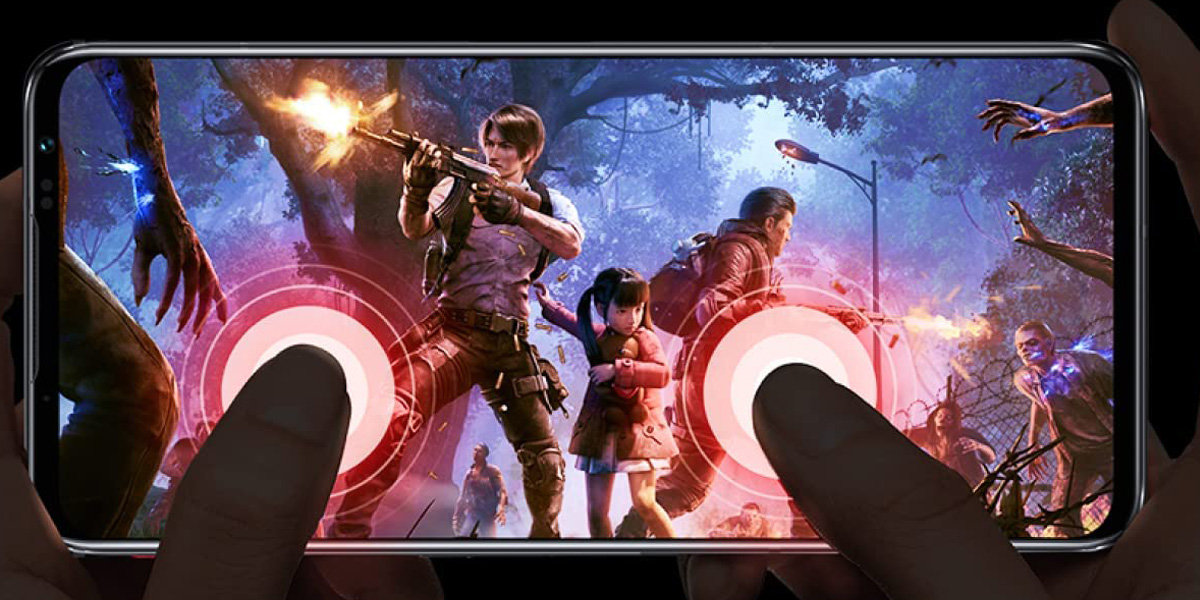
Gaming has been a thing since we all first booted up our Nokia 3310s and played Snake for hours, long before our iPhones were clogged with hours of Candy Crush Saga. However, cellphones are gradually becoming effective gaming devices for more than just passing the time on the road, sitting alongside home consoles in every dedicated gamer’s collection.

That is the power of today’s smartphones. Fortnite and Call of Duty Mobile can appreciate their mobile platforms and portability for their incredible success. And it’s no surprise given the power packed into the top cellphones available.

While the latest Apple and Samsung phones are capable of running the most demanding mobile games, the market is so large that dedicated gaming phones from Asus ROG, Red Magic, and Black Shark are available. Because there are just a few of these, we’ve also included the occasional ‘regular’ phone that also provides a good gaming experience.

The top phones for gaming that we recommend are listed below.

Red Magic 7 – Overall winner
Top ten gaming smartphones

Nubia’s Red Magic smartphones have a reputation for having some of the greatest gaming-focused displays available, and the Red Magic 7 is no exception.

At the heart of the device is a fast 6.8in 165Hz OLED panel with an astonishing 720Hz touch sample rate that outperforms almost every other smartphone on the market. Though there will be little change in real-world performance, it will certainly satisfy gamers’ demand for the best of the best.

This is complemented with premium specs including Qualcomm’s Snapdragon 8 Gen 1, 12/16/18GB of RAM, 128/256GB of storage, and an upgraded three-fan cooling system to keep everything operating smoothly even during long gaming sessions.

There are also a slew of gaming features, such as side-mounted touch-based shoulder triggers, enhanced haptic feedback, and the ability to customize performance on a per-game basis, all of which are indicated in Red Magic’s ‘Game Space’ mode.

The one big letdown is the battery life, which is lower than that of its predecessor at 4500mAh and drains much faster when combined with the 165Hz display.

Black Shark 5 Pro – Most effective for physical triggers
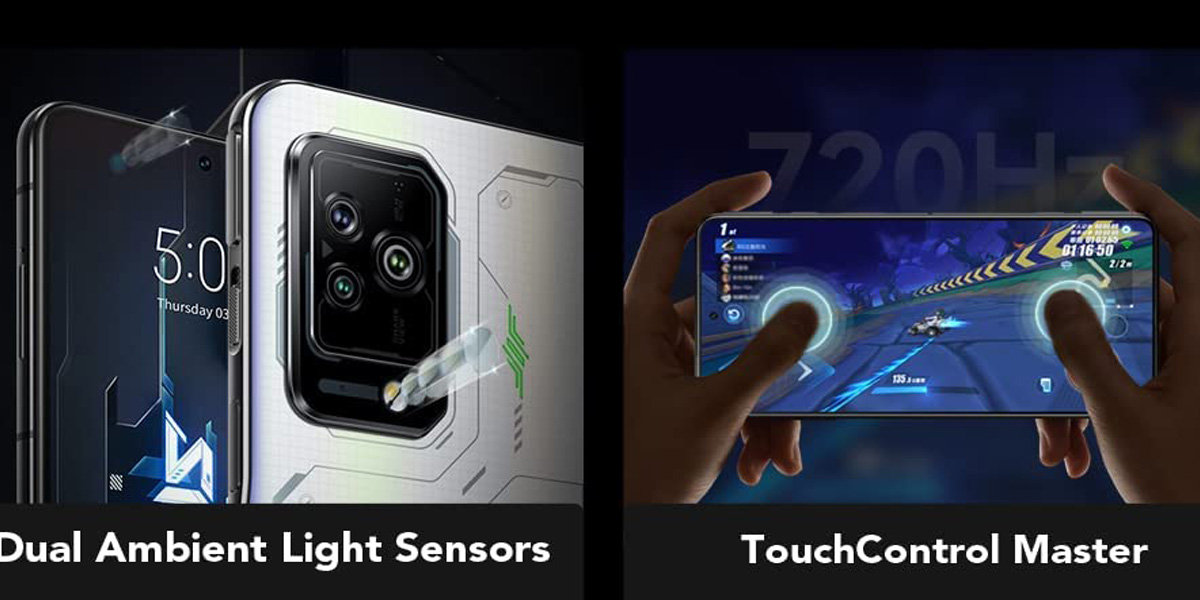
Top ten gaming smartphones

The Black Shark 5 Pro does not reinvent the wheel, but it checks all the boxes for gamers: a silky smooth 144Hz refresh rate, top-tier performance, gaming-specific features like magnetic triggers, gesture-activated shortcuts, and much more.

While the 120W charging remains intact, it gives some of the fastest charging rates available, delivering a full 100 percent charge in under 30 minutes, but with a smaller battery than competitors.

Unlike some competitors’ touch-based triggers, the Black Shark 5 Pro includes magnetic triggers that spring up from the phone’s body for a more traditional controller experience, making for a wonderful movable gaming experience without the need to carry additional devices.

Asus ROG Phone 6 Pro – Best ultra-premium smartphone
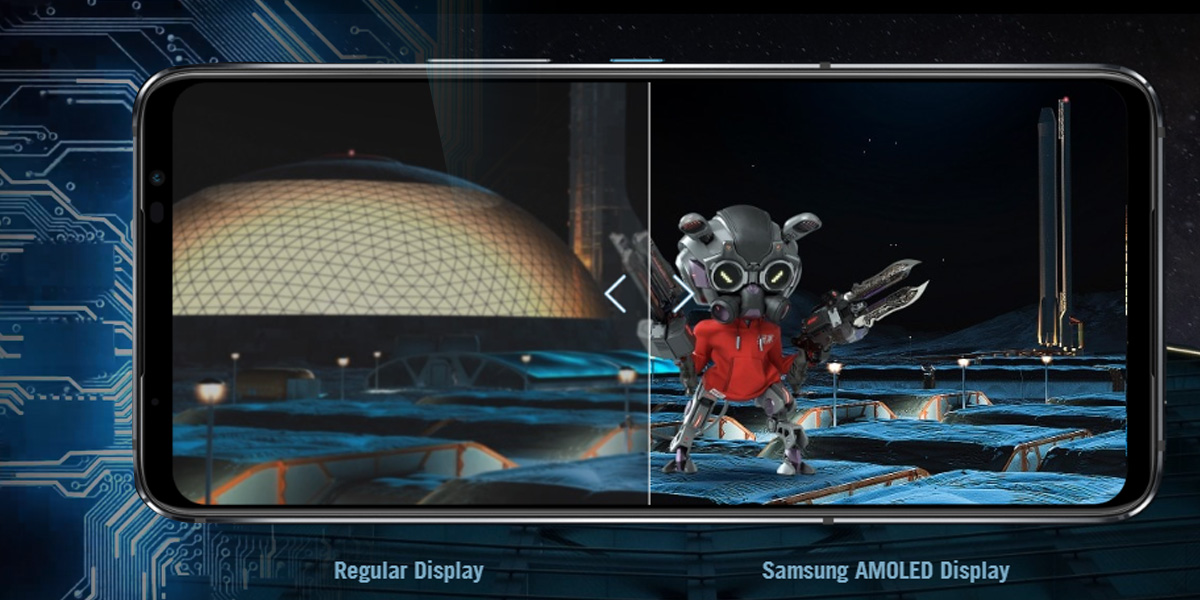
Top ten gaming smartphones

The Asus ROG Phone 6 Pro is undoubtedly the ultimate gaming phone, but it comes at a cost.

Because performance is a top priority, the phone is powered by the most powerful Snapdragon 8+ Gen 1 chip available.

Other features include a 165Hz AMOLED screen, a 6000mAh battery, and up to 18GB of RAM.

It also has a distinctive PMOLED screen on the back of the phone that displays incoming calls, alerts, and charge status, and it, like all ROG Phones, comes with a variety of optional supplementary accessories.

Poco F4 GT – A gaming phone that does not appear to be one.
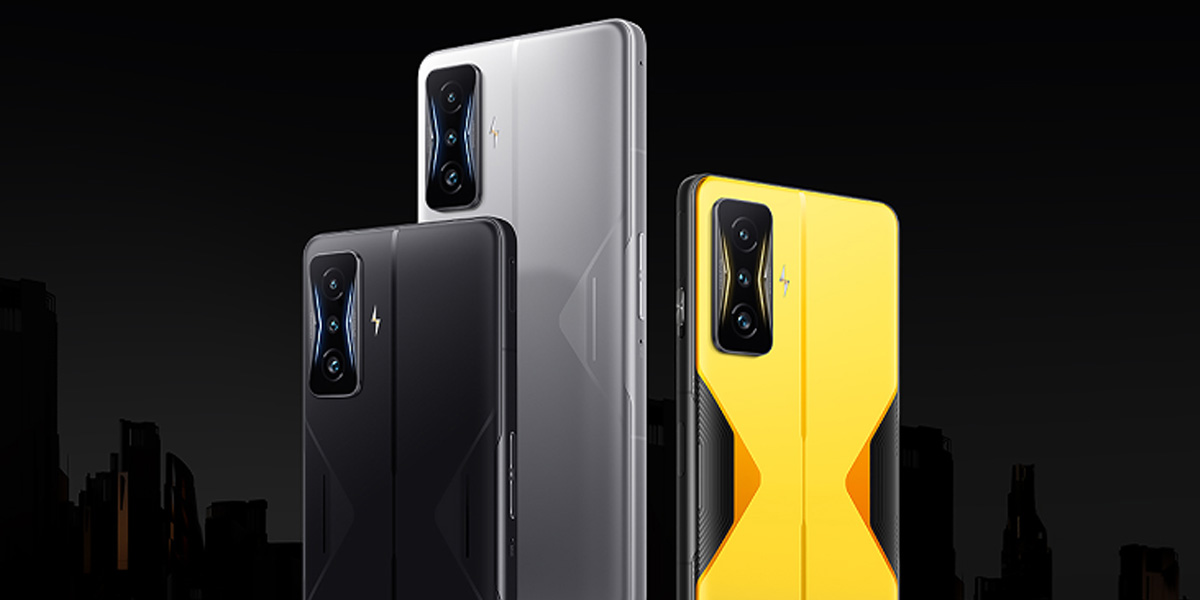
Top ten gaming smartphones

The Poco F4 GT is an attempt to create a gaming phone that is also appealing to non-gamers.

The F4 GT comes with the expected extreme hardware: a Snapdragon 8 Gen 1 chipset, a 120Hz AMOLED display, and up to 12GB of RAM, not to mention almost insanely quick 120W charging. It even has pop-up magnetic shoulder buttons, similar to the Black Shark 5 Pro.

However, the understated design ensures that it won’t scream ‘gamer’ to everyone who sees it, and the shoulder buttons double as supplementary purposes outside of games, such as a camera shutter button.

Red Magic 7 Pro – Fastest display
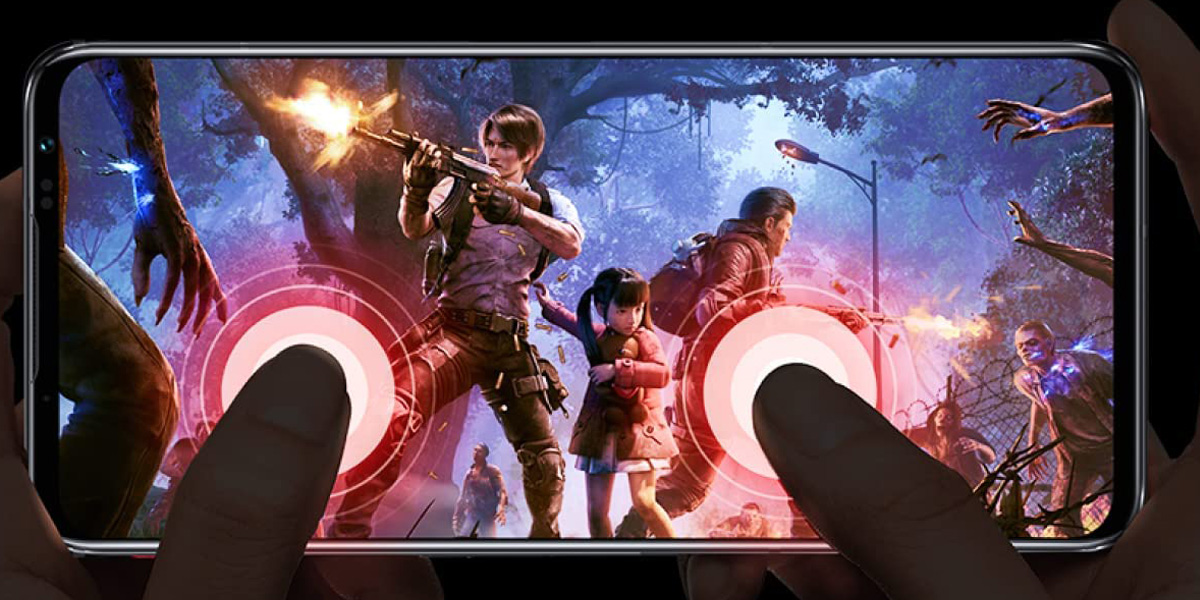
Top ten gaming smartphones

The Red Magic 7 Pro is an interesting phone, not least because it isn’t an increase in every way over the regular Red Magic 7 – in fact, we’d suggest the regular model to most people.

The majority of the changes here are in the display. The first is that the 7 Pro has the most responsive display of any phone right now, detecting touch input at 960Hz – 960 times per second. That’s a game changer, but there’s a catch: the screen refresh rate is ‘just’ 120Hz, down from 165Hz on the standard 7.

Another difference is the addition of an under-display selfie camera. This helps to keep the 7 Pro compact and provides a lovely full-screen experience, but there is a trade-off: your actual selfies will be soft and over-processed.

This has a lot of power and a long battery life, but with a steep price tag, think about if you really need to upgrade from the Red Magic 7.

Also Read: Best Gaming Headphones Under 2000 for Mobile and PC: List of Top 7 Headset with Price in India

iPhone 13 Pro Max – Best Gaming iPhone
Top ten gaming smartphones

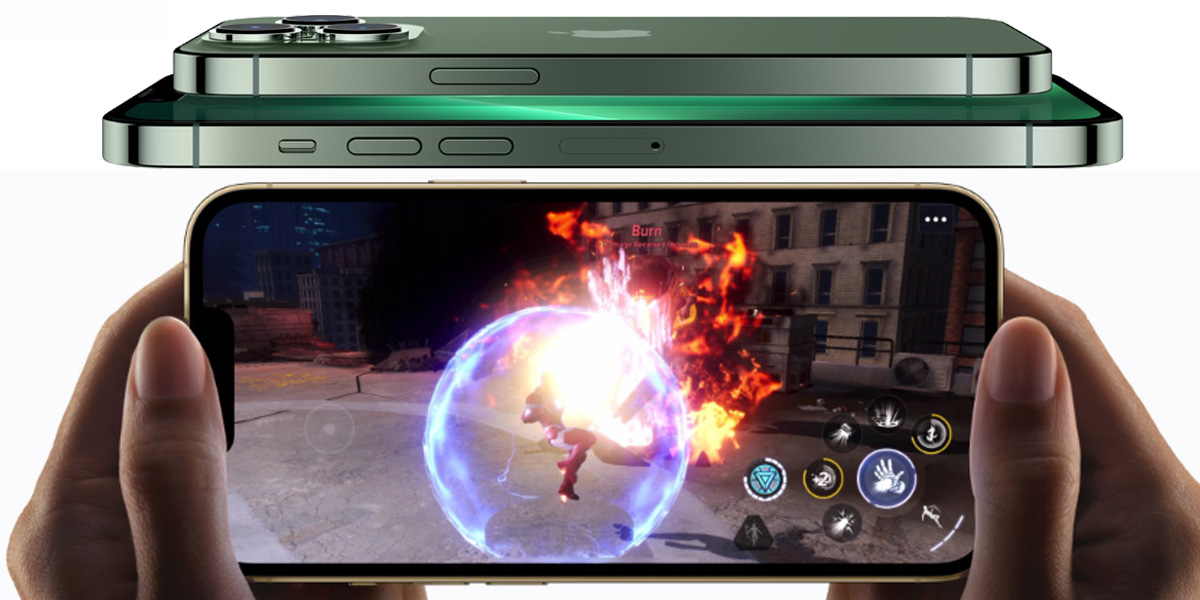
When it comes to iOS gaming, the 6.7in iPhone 13 Pro Max is unrivaled. Apple’s 5nm A15 Bionic is one of the most powerful chipsets on the market right now, capable of handling almost anything without stuttering or lag – and our benchmarks back that up.

Importantly, the iPhone 13 Pro Max sports a gorgeous Super Retina XDR display, which makes iPhone games look amazing, whether they’re free-to-play or the most recent Apple Arcade exclusives.

It’s also one of the first iPhones to use a variable 120Hz refresh rate, providing the buttery-smooth refresh rate – and increased response time – that makes Android rivals so powerful.

There’s also up to 1TB of storage, letting you carry a full library of mobile games in your pocket, and the battery life is the best of any iPhone to date, allowing for extended play sessions.

Oppo Find X5 Pro – Best Android gaming flagship
Oppo Find X5 Pro

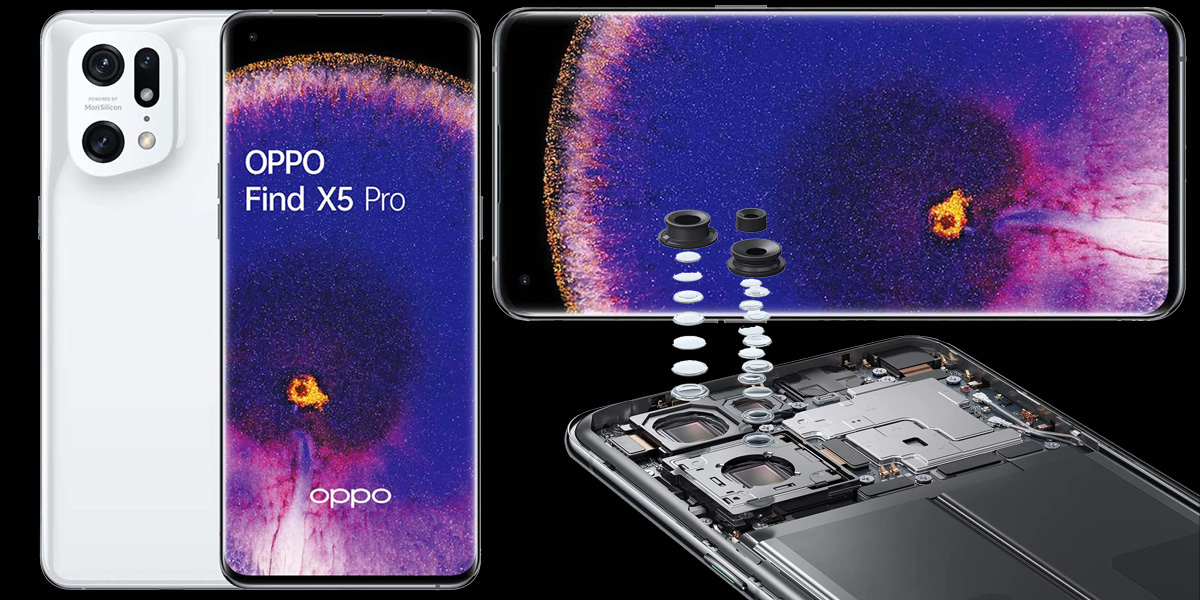
Though Oppo’s top-tier Find X5 Pro doesn’t appear to be much of a gaming phone – in fact, at 8.5mm thick and 218g, it’s quite lightweight compared to the likes of the ROG Phone 5 – the slimline flagship has a surprise or two up its sleeve.

It’s powered by Qualcomm’s top-tier Snapdragon 8 Gen 1 processor, with 12GB of LPDDR5 RAM and 256GB of storage, and benchmarks show an outstanding handset capable of competing with specialized gaming phones.

There’s also the 6.7in LTPO AMOLED panel to consider, which features a WQHD+ resolution and a buttery-smooth 120Hz refresh rate for a snappy gaming experience.

Aside from its gaming abilities, it includes all the bells and whistles you’d expect, such as 80W rapid charging, which will get you 94 percent charged in 30 minutes, and a triple-camera array, which delivers some of the most detailed images available – especially in low-light.

Asus ROG Phone 5 – Excellent for Accessories
Top ten gaming smartphones

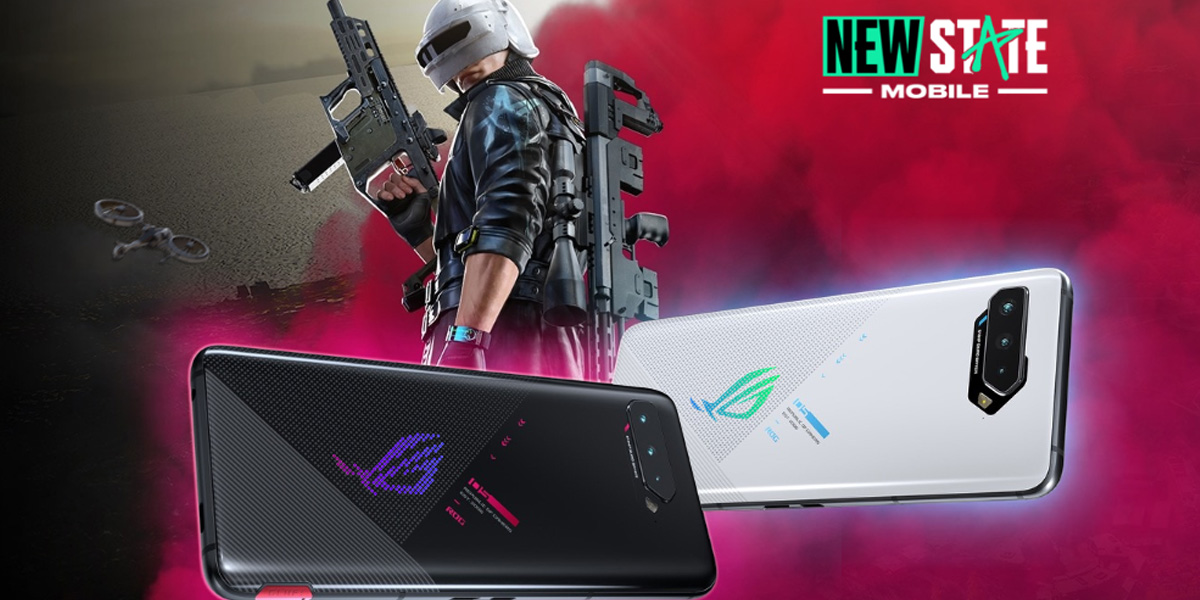
The Asus ROG Phone 5’s hefty, gamer-like design may not appeal to the masses, but that is not the goal here.

With a 144Hz AMOLED screen, two 3,000mAh batteries, last year’s top-end Snapdragon 888, and up to 16GB of RAM, Asus has emphasized gaming.

It can handle practically every game currently available on Android, with enough power left over to keep the phone operating for an extended amount of time – all at a lower price than big-name competitors.

Haptic triggers built into the side of the ROG Phone 5 improve the gaming experience even more, and if you want to take things a step further, the plethora of official accessories – including Nintendo Switch-Esque Kunai 5 controllers and the fan-powered AeroActive Cooler 5 cooling system – should be right up your path.

Despite the fact that they are unrelated to gaming, the cameras are excellent, which is rare for a gaming phone. We can only really complain about the size and weight, which are 10.3mm thick and 238g respectively, but that isn’t that important in the gaming sector.

Red Magic 6R – Cheapest gaming phone

Red Magic 6R

The Red Magic 6R is currently one of the cheapest gaming smartphones on the market, but that doesn’t mean it lacks features or performance.

The 6.67-inch AMOLED display is significantly smaller than the flagship Red Magic 6, but it has the same 1080 x 2400 resolution and 400Hz touch sampling rate. The 144Hz refresh rate is slightly slower, but it’s still in gamer territory, and the difference in real-world use is insignificant.

The powerful Snapdragon 888 is hidden behind the display and comes with 6GB, 8GB, or 12GB of RAM depending on the model. In terms of performance, it can compete with flagship gaming phones, but the lack of an active fan cooling mechanism means it gets heated much faster than pricier competitors.

The battery life is a huge letdown, with a 4200mAh battery only capable of offering all-day usage if the refresh rate is decreased from 144Hz to 90Hz.

Nonetheless, if you can overlook the battery life difficulties, the Red Magic 6R provides a premium mobile gaming experience at a reasonable price.

Poco X3 Pro – Best budget gaming phone

POCO X3 Pro

Xiaomi’s Poco X3 Pro isn’t a dedicated gaming phone, but it builds on the success of the popular Poco X3 NFC to give a quick performance at a low price.

The Snapdragon 860 is the major standout, which is an impressive achievement given the X3 Pro’s cheap pricing. This is paired with 6 or 8GB of RAM and up to 256GB of storage, and the 6.67in LCD panel has a 120Hz refresh rate and a 240Hz touch response rate.

The big 5160mAh battery will fuel you through a few intense gaming sessions, and while the 33W wired charging isn’t the quickest available, it’s still rather quick.

Also Read: Acer Predator Gaming League 2022
Apple Watch- Questions, Questions

0
Apple Watch
Apple Watch

You always pre-decide on what you want to buy when you go out shopping. But when it comes to electronic gadgets and devices, there are so many choices that one has to wrack their brains as to which one to choose especially when manufactured by Apple.

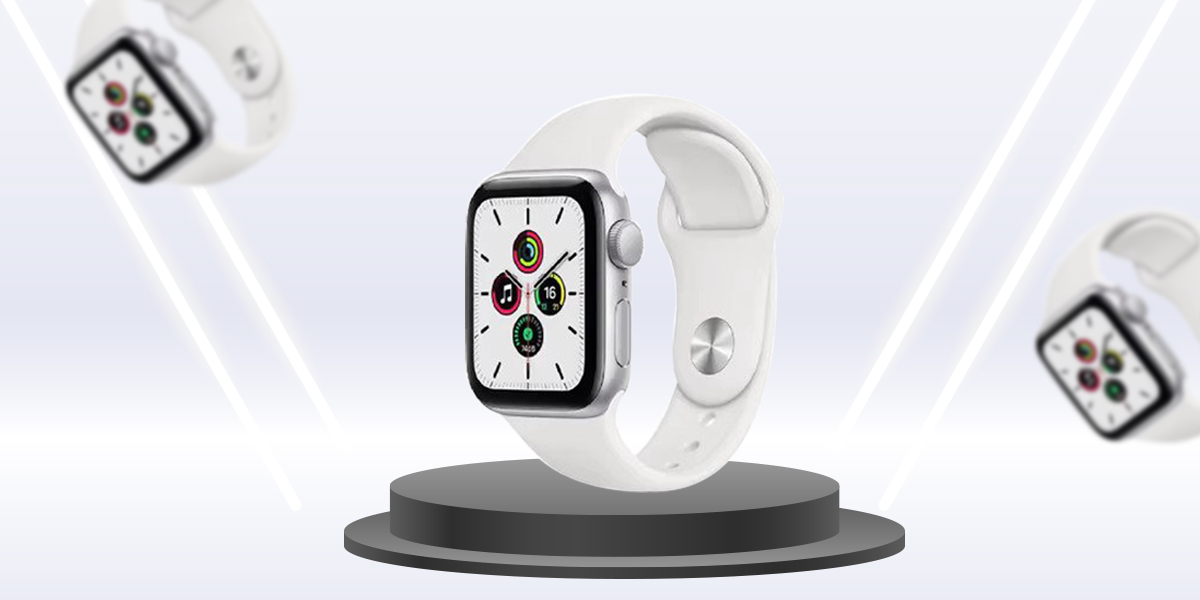
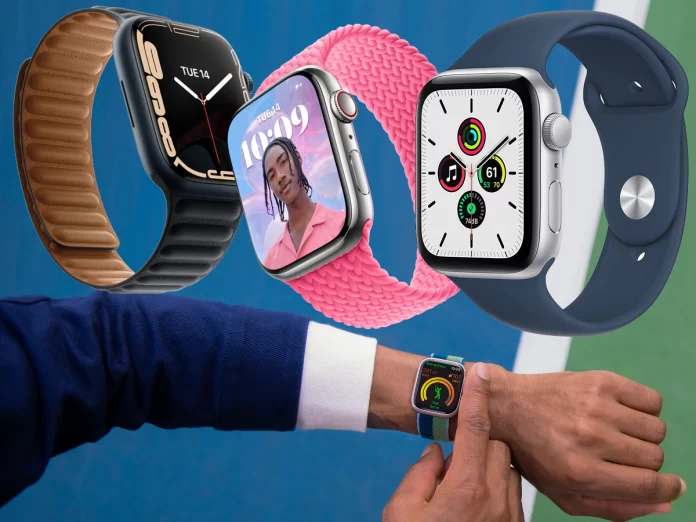
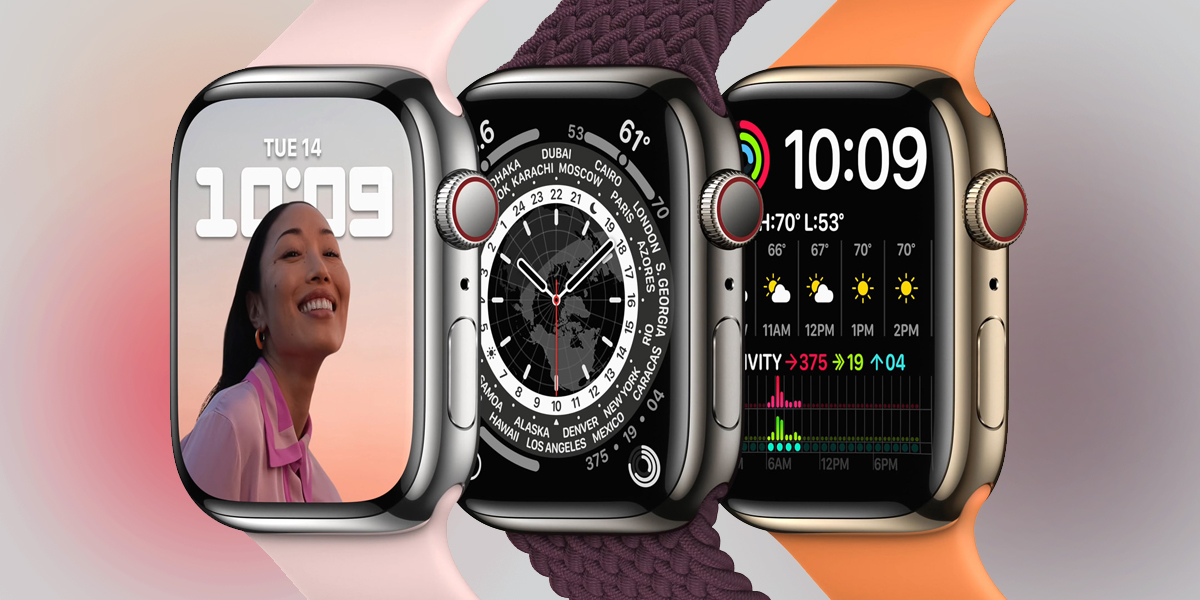
An Apple Smartwatch is a must on every fitness enthusiasts’ shopping list as it helps them keep a track on their every movement along with the relevant functions of some of their body parts like monitoring their steps, workout sessions, heartrate, sleep quality, along with a few others.

Unfortunately, an Apple smartwatch does not come up in discussions regarding electronic devices as often as smartphone, laptop and tablet so it can be called underrated in a way but that doesn’t diminish its importance in any way, shape or form.

It could be that an apple watch is relatively newer in design when compared to its aforementioned counterparts as it was launched only in 2015 but since then, they have become as common and as useful as any of the above.

Apple watch

Apple Watch questions

Here are a list of questions that you need to consider before buying an Apple watch because they are important for many reasons that we’ll discuss about and they’ll help you to be clear in your mind.

  • Will you be using the watch?

    We’ll start with the obvious because there is a reason why the apple watch is underrated as mentioned above as many people are unsure whether they’ll be using it or not especially those that are not into fitness. So you need to ask yourself whether you need because they cost real dough and it’s a waste of money if you buy one and let it gather dust in a corner of the room. But if you’re into listening to music or reading messages then you can very well consider buying one as it will be very useful.

  • Will it be useful?

    Fitness enthusiasts always use some kind of technology while in the gym or working out at some so another question that you need to mull over is whether this apple watch will improve the quality of your workouts. An apple watch is highly efficient and useful during exercise because it has new features that will come in handy later on

  • Can you afford it?

    An important question that might very well have been at number one because talking of buying a smartwatch is one thing but you need to reconsider it if you have budget constraints because even a basic Apple watch costs around Rs.15,763 while some are even above Rs.55,000 so only go for it if you can afford it otherwise you can even settle for a basic model

  • Do you have an iPhone to pair with your watch?

    It is useless to buy an Apple watch if you don’t have an Apple iPhone as only with that can you ever connect with it to set up your watch. However once it is done, you can use it without the use of an iPhone like listening to music, podcasts, checking time, although it will be at the cost of your battery life so keep these points in mind before purchasing it

Also Read Here: Is it Worth Buying Apple Watch without iPhone?

Bluei Launches TORSO smartwatch

0
Torso Smartwatch

Bluei is a home-grown brand of mobile accessories that has achieved considerable fame and repute and when it launches a new device, the whole world will sit up and take notice.

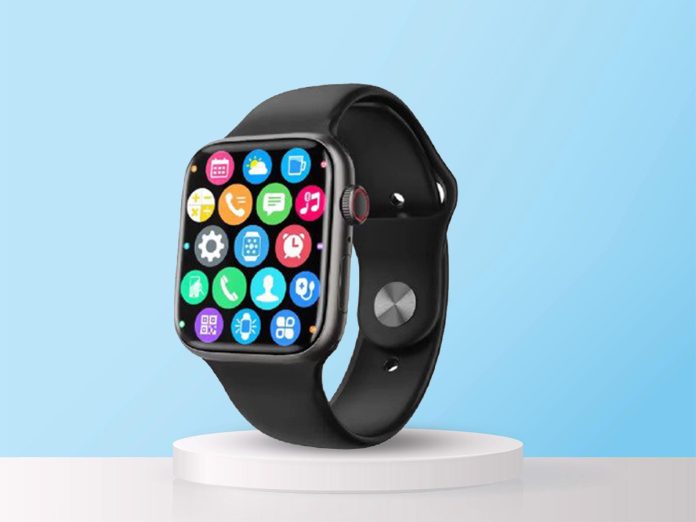
It has announced the launch of its first ever smartwatch called ‘TORSO‘, which also has a Bluetooth calling feature. The device comes with a large 1.69 inch IPS screen that is designed to support animations and HD visuals that allows you to feel the bigger picture when you wear it.

The device is always on display with what the makers believe to be the best ever screen resolution of 240×280 pixels, which has to be seen to be believed but we can take their word given their reputation.

Also Read: Ambrane launches budgeted smart watch with multiple health tracking features

Bluei TORSO has the perfect contrast ratio that makes it a cynosure of all eyes. The smartwatch has a square dial with a crown rotation button for that is for maneuverin that gives you a royal feeling of living in grandeur and luxury.

Torso Smartwatch

Torso will be available for purchase from August 5, 2022 on as many as 150 offline stores pan India with a starting price of Rs.2,999.

It is preloaded with multi-sports modes and is a complete health suite that allows you to truly stretch your limits. You need to just pick yourr favorite sport, set your goals, and allow the smartwatch do all the hard work of tracking your every move and overall performance.

People that believe in the motto of ‘Health is Wealth’, there are innumerable features to look forward to like SpO2 monitoring, tracking heartrate, monitoring sleep , number of steps, tracking fitness, etc. to name a few.

Also Read: Pebble launches premium smart watch under 3k

Then there is the Bluetooth Calling feature in the device that is supported by a Quick Access Dial Pad along with Call history, Sync, and save contacts, making it a device that gives 100% positive results.

You also have the Bluetooth remote control that takes care of camera functions of the where you can click the watch to control the photo, which makes it easy to store those beautiful images as souvenirs.

Lastly, we come to the smart notifications on the watch through which you can relinquish the use of your hands while enjoying the chores at hand. Another interesting feature of the smartwatch is that it supports multiple languages and enjoys the sense of science and technology brought by its counterparts.

Akhilesh Chopra, Sales and Technology, Director of Bluei elaborated on the vision with which they launched their latest smartwatch– the TORSO. “Our new Bluei TORSO is our first smartwatch as it has all the great features of a smartwatch like a great touch response, monitoring many more body vitals, allowing access to music and calls on the go along with it is IP68 waterproof. The new features of the smartwatch, camera control, music control, and weather updates right there on your wrist will get you

hooked. IP68 water resistant feature ensures that you can beat the heat with water sports and be monsoon ready.”

Also Read: Apple Watch Series 9

Is it Worth Buying Apple Watch without iPhone?

0
is it worth buying apple watch
Apple Watch

When it comes to the best smartwatches, Apple is the company that takes the cake as they’re not only great but extremely popular as well. Then if you add smartphones, laptops, PCs, along with many other electronic devices, it is no wonder that Apple is one of the top tech giants on the planet.

The credit goes to the late Steve Jobs for making our lives much easier as we have so many products at our disposal that we can use thereby greatly reducing manual labour but smartwatches are generally underrated when compared to smartphones or laptops.

Apple Watches are not counted in the same vein as the aforementioned devices and therefore it becomes necessary for others to bring out its benefits. The topic of discussion here is this- Does an Apple Watch, by itself, mean anything? Is it worth buying it without an iPhone?

If you look at it superficially, an apple watch will appear as an ordinary watch that merely tells the time but upon closer examination, but is much more than that as it takes care of matters pertaining to health as well.

However, to set up and start an Apple Watch, you would need an iPhone to pair with it as only then you would get an Apple ID as an iPad would be useless for such a thing and for that matter, you cannot pick and choose any random iPhone for the task.

The device must be an iPhone 6s or a much later running iOS 15. Of course, you cannot use a phone from a different brand, like Android or Samsung, to start an Apple Watch as it is designed in such a way that it becomes a companion device to an iPhone so that it functions properly.

All it takes is a strong Wi-Fi connection and once the two devices are connected, you’ll be able to do many tasks that you cannot otherwise do without an iPhone. Let’s face it, we’ve become too addictive to iPhones and don’t consider any other device worthy of comparison, least of all a smartwatch.

Now you will be able to send/receive messages, attend phone calls and gain access to all functions that require a strong internet connection but experts are of the opinion that it will lead to drain of power in your watch whilst using mobile data.

It is not feasible to use your Apple Watch while the iPhone is not in close proximity as you can’t use it for the whole day without losing battery power let alone for prolonged periods.

You’ll not be able to use the various functions on your watch if you’re smartphone is out of range although there’s a notable exception when you’re close to a Wi-Fi connection that you’ve connected to before with your phone.

is it worth buying apple watch

List of Functions

There are quite a few functions that won’t need the use of an iPhone especially health and exercise as mentioned above. You can track everything if you’re wearing your Apple Watch like your steps, workout regime, heartrate, calories and a few others.

The watch constantly tracks and records your heartbeat through the Heart app while the ECG app can be used for performing echocardiograms. Then we have the regular timer, alarm and listening to music stored in the device with paired headphones.

The watch can also monitor your sleep quality if you sleep while wearing it and it is an excellent way to keep track on your nap as its very important to keep yourself in sound health.

Also, you can also make your payments through your Apple Watch via Apple Pay to mirror the watch by adding your debit/credit cards in your Apple Wallet and enable the passcode, for security reasons, where you can use the feature while shopping.

There is also a life-saving fall detection feature in your iPhone model that will be useful during emergency services but Wi-Fi models won’t be able to contact them without an iPhone in the vicinity.

Conclusion

In conclusion, you don’t need to buy an Apple Watch unless you own an iPhone even if you use a friend or relative’s iPhone to set it up, it won’t be applicable as the Watch can work only with your personal Apple ID and smartphone as it is designed to work in that way.

Also Read Here: Is the Apple Watch Series 7 worth its price?

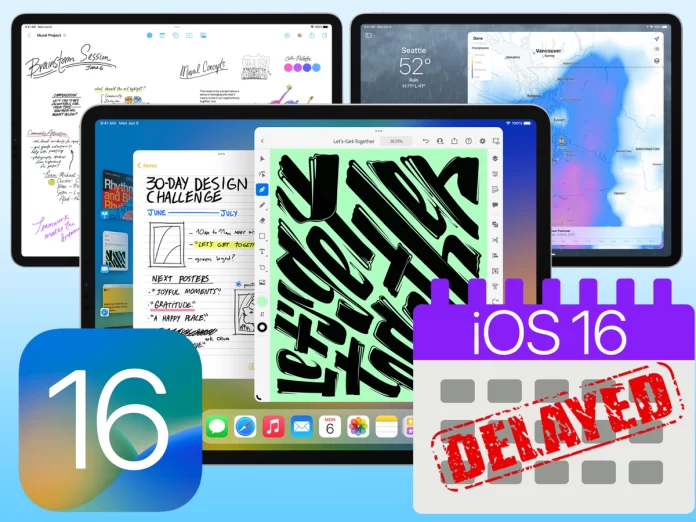
iPad OS 16 Release Will Reportedly Be Delayed by a Month.

0
iPad OS 16 Release

Apple Inc. expects to delay its next major iPad software update by approximately a month, taking the rare step of not releasing it at the same time as the new iPhone software.

For the past three years, Apple has launched major iPad and iPhone software updates, known as iPadOS and iOS, in September. According to the insiders who asked not to be identified because the discussions are confidential, Apple plans to release iOS 16 during the regular period but not iPadOS 16 until October.

The software’s delay is due, in part, to an ambitious endeavor to improve the iPad’s multitasking capabilities. The upgrade contains a new tool called Stage Manager, which allows users to run many activities at once, resize windows, and switch between program clusters.

During beta testing, some developers and users criticized the system for having flaws, a confusing interface, and a lack of interoperability with most iPads. Apple will also be able to devote additional engineering resources to the completion of iOS 16, the software update that will be bundled with the iPhone 14 in September.

iPad OS 16 Release

Apple declined to comment on the plans, which could alter as the Cupertino, California-based company approaches its fall product launch cycle.

Even without the extra delay, Apple’s software releases have been slightly behind schedule this year, with the public beta phase of the updates beginning later than usual. However, the corporation has faced similar issues in the past.

In 2019, Apple had substantial issues with iOS 13, which impacted the launch of the iPhone 11, prompting Apple to rethink the way it conducts software updates.

A similar Stage Manager function is coming to the Mac as part of macOS Ventura, but that version of the system has been less controversial.

The Mac update is set to be released in October, the same month Apple usually releases significant Mac software updates. And the latest Apple Watch software, watchOS 9, is still scheduled for September, along with the iPhone update.

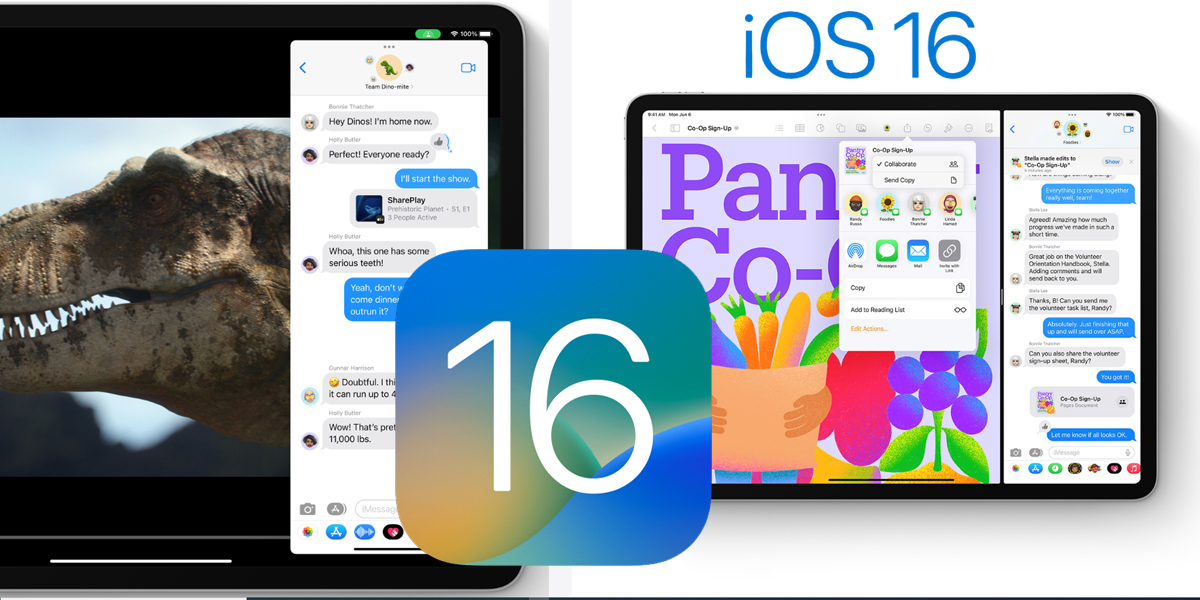
The iPad’s 16 upgrade also contains new features such as an integrated weather app, enhanced support for external screens, and Mac-like controls for productivity apps.

Meanwhile, the iOS 16 upgrade adds a revamped lock screen, the option to withdraw iMessage texts, and a redesigned Home app for controlling accessories.

Also, Read Best iPad accessories for students: Must-have accessories to go with your iPad.

How to Make An Iron Farm in Minecraft and why do we need to make an iron farm in Minecraft

0
Iron Farm in Minecraft

Iron is one of the most reliable ores in Minecraft, whether you are a beginner or an established player. Iron is easy to come by, allows for a solid improvement from basic tools, and as a block, allows you to build distinctive Minecraft houses. Unfortunately, iron, like other Minecraft ores, can only be found in a restricted number of locations.

To get additional iron, you must travel further into your globe. Fortunately for you, we’re here to put an end to your exhausting search. You simply need to follow this step-by-step instruction to learn how to build an iron farm, and you will never have to look for iron again. There will be no more mining. Doesn’t that seem exciting? So, without further ado, let’s learn how to build an iron farm in Minecraft.

In Minecraft, create an iron farm

An iron farm in Minecraft is made up of many distinct pieces. We will go over each of the construction processes in detail, as well as the mechanics of this farm. Let’s begin by studying how an iron farm works in Minecraft.

How is Minecraft performing in the market with the niche of gamers

Minecraft has established itself as one of the few games that have continued to grow in popularity even a decade after its initial release. While most computer games have a shelf life of fewer than two years, Mojang Studios‘ successful game continues to gain new users year after year, with spurts of older players returning.

Minecraft, which was created in 2009 by Markus ‘Notch’ Persson, a game developer who previously worked for King, gained a lot of attention even before its official release. The alpha and beta for PC users lasted two years, during which time Mojang fine-tuned the game and introduced new content.

Iron Farm in Minecraft

As millions flocked to this new game, Mojang proceeded to add more components to the main experience, allowing users to create increasingly intricate creations.

Following rumors of a potential Mojang IPO in 2014, Microsoft purchased the studio for $2.5 billion. Microsoft was not a prominent gaming publisher at the time, and it was unclear what Microsoft’s goals were for the game.

It has since acquired a number of game studios, including Double Fine Productions, Compulsion Games, Bethesda Studios, and Obsidian Entertainment.

Mojang expanded the Minecraft universe when Microsoft was in charge. It also released many forks of Minecraft, including a free Chinese edition with NetEase in 2016 and an education edition the same year. Minecraft virtual reality versions are available for the Oculus Rift, PlayStation, and Microsoft HoloLens.

Telltale Games released Minecraft: Story Mode between 2016 and 2017, which was the first attempt to expand the IP outside the sandbox experience. Mojang would follow Telltale’s release of Minecraft Dungeons, a dungeon-crawler available on consoles and PC, in 2020.

Key statistics for Minecraft

  • In 2021, Minecraft generated $380 million in sales, with mobile revenue accounting for $110 million.
  • In 2020, around 130 million people will play Minecraft at least once a month.
  • Minecraft has sold over 200 million copies in all media.
  • The free Chinese edition of Minecraft has been downloaded over 400 million times.

Iron Farm in Minecraft

Why do we need to make an iron farm in Minecraft?

Iron is one of Minecraft’s most versatile materials. Every player’s world requires an iron farm. Iron farms operate by frightening villages with zombies/pillagers. When a group of villagers becomes afraid, they produce an iron golem to protect themselves. This technology can be used by players to establish automatic iron farms.

How to Construct an Iron Farm?

Iron Farm is made up of multiple interconnected components in Minecraft. We’ve included dedicated lesson sections for each of the processes to make them easier to grasp. Maintain the general sequence while constructing each individual component.

Villager District To control the spawn position of the Iron Golem, we must trap at least three villagers in a floating structure. To build this structure, follow these steps:

Iron Farm in Minecraft

  1. To begin, construct a climbable tower on which to build a structure. For the task, you can use ladders in conjunction with any solid blocks or scaffolding. Ascertain that the skyscraper is at least 12 blocks tall.
  2. Then, using the tower, construct a platform that is at least 7 x 7.
  3. Finally, construct a two-block-high boundary around the structure and install three beds within. This boundary should be internal and cannot expand the platform’s area horizontally. Then put three beds inside for the folks to sleep in.

Also Read: Best Adventure Games for Android Phone in 2022: Take The Adventure Ride with These Games

Guide to Get Discord on PS4 and PS5

0
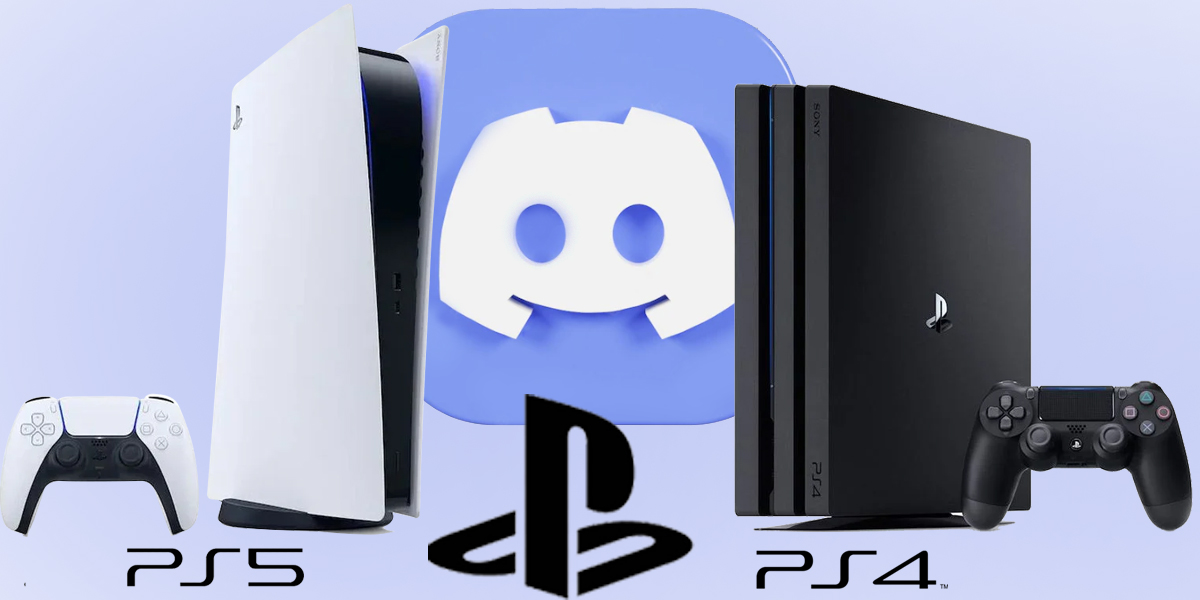
Discord on PS4 and PS5
PS 4 and 5 Discord

Sony has set an example of sorts by investing in Discord albeit in a minor way when it announced its new partnership with the tech messaging giant in a bid to bring both PlayStation and Discord together.

Discord has come out with a new option where it hopes to bring PlayStation Network account by connecting it to the company for great presence. The company hopes that this partnership will reap in rich dividends in the coming future and everything turns out good.

There are some important steps that need to be followed to link a PlayStation account to Discord so that the PS4 and PS5 gaming activities is displayed on your official Discord profile.

Some readers would be astonished and disappointed to know that there is no official Discord app to link PS4 and PS5 consoles because it cannot be installed on your consoles on an immediate basis.

However, there is a solution to read all discord messages on your PlayStation where, in addition, you will also get to learn about voice chat and its functions so that it works on PS4 and PS5.

Discord on PS4 and PS5

Content Steps

If you want to have discord messages on your PlayStation then the following steps will come in great handy for doing so because it is very difficult to find a Discord client for PS4 and PS5.

You can gain access to discord with the help of a workaround albeit in read-only mode on your consoles.

The first step is to launch PlayStation Party and open a chat window with another person where you will find a chatbox in which you will see the official website of Discord and test it by sending a message to another person on your PS5.

There’s no need to send messages on PS4 as it already has an inbuilt browser installed through which you can open Discord Web directly, which might be a reason why PS4 is preferred over PS5.

Now you can select the link upon which a pop-up browser window will pop up in which the PlayStation will open following which you can sign into your Discord account with the necessary credentials and click ‘Open Discord in your browser’ and the chat app will open up.

Once this is done, you’ll be able to read the discord messages on the right of your PS4 and PS5 that have been posted by your friends that are involved in the game and all of you can chat and discuss about it.

Workaround Process

It is difficult to connect the Discord voice audio with your game audio although it is made easy with the help of two workarounds. Let’s face it, players want the best facilities in a game and are stubbornly adamant on having Discord on their PlayStation for which they are prepared to do anything.

The two workarounds are as follows:

  • You need to buy an Astro MixAmp Pro as it is a foolproof way of using Discord when it comes to joining voice channels although you need to have headphones that are highly compatible for connecting with over USB along with a PC with Discord installed in it. Then you create a cross platform connection between your PS5 and PC through which you can chat with your friends about the game.
  • For gaining access to your games on your iPhone and Android devices you need to have a PC Remote Play, which can be done when you have a secondary PS account by default and log into the PS Remote Play app following which you connect your headphone and join Discord voice channel and then connect

Connecting PlayStation Network to Discord

The first step is to open Discord and go to ‘settings’ at the bottom left corner so that the page pops up on the left sidebar where you will click on ‘Connections’ to view the list of available integrations.

Now you click on the logo of PlayStation Network through ‘Connect Your Accounts’ upon which you can link your Sony account with Discord following which you will see a Sign in page where you’ll enter your PlayStation credentials and sign in.

The PS accounts details will pop up onscreen on the Connections Page and it is here where you can choose to display PSN account on your profile and display all the gaming activities that you’re involved in.

Once this is done, your friends will be able to know when your logged in and playing any preferred game of your choice so that they too can join in on the fun as that is the ultimate goal for any gaming aficionado.

Sometimes it happens that Discord does not show your activity while logged in through your PlayStation even after the PSN account is linked and it may be due to your privacy settings so make sure to change it to solve the problem.

Also Read Here: Sony PlayStation 5 pre-orders start today.

Login to iPhone and Mac without Password

0
login to iphone and mac
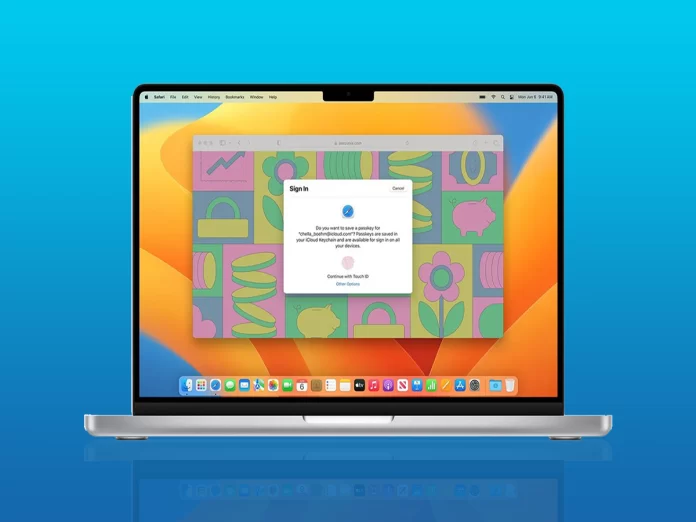
passkey

The above title would have confused many readers where some would be delighted while others would be shocked. When you require no password to login iPhone or Mac smartphones is something that any average user would be surprised to know about.

Bear in mind that remembering passwords is no child’s play what with all the alpha-numericals and signs that one has to save it in a separate file or notepad. Many smartphone users face this problem of remembering long drawn out passwords and want a solution to this issue.

Apple users have a stroke of luck as the company is all set to eliminate passwords while signing into different websites and applications that will make it easier for users to login without the hindrance of remembering or resetting passwords when login failed.

There are countless applications out there with a new one being launched every other day that constantly ask for login details like ID and password that makes it more and more difficult for users to remembering all the exact details.

At the same time, you cannot keep an easy password for fear of getting hacked and keeping a difficult password will make you forget it later, which is why Apple has come out with an excellent solution i.e. passkeys

This will allow you to login without passwords on iOS 16 for iPhone and macOS Ventura for Mac in the latter half of 2022. But those who know about the Apple Worldwide Developers Conference, 2022 would know that the company had announced about it at the event itself.

Brief Up on Passkey

With the help of passkeys, the problem of remembering nerve wracking passwords will be a thing of the past where you would need only biometric identification like Touch ID and Face ID aside from fingerprint sensors.

login to iphone and mac

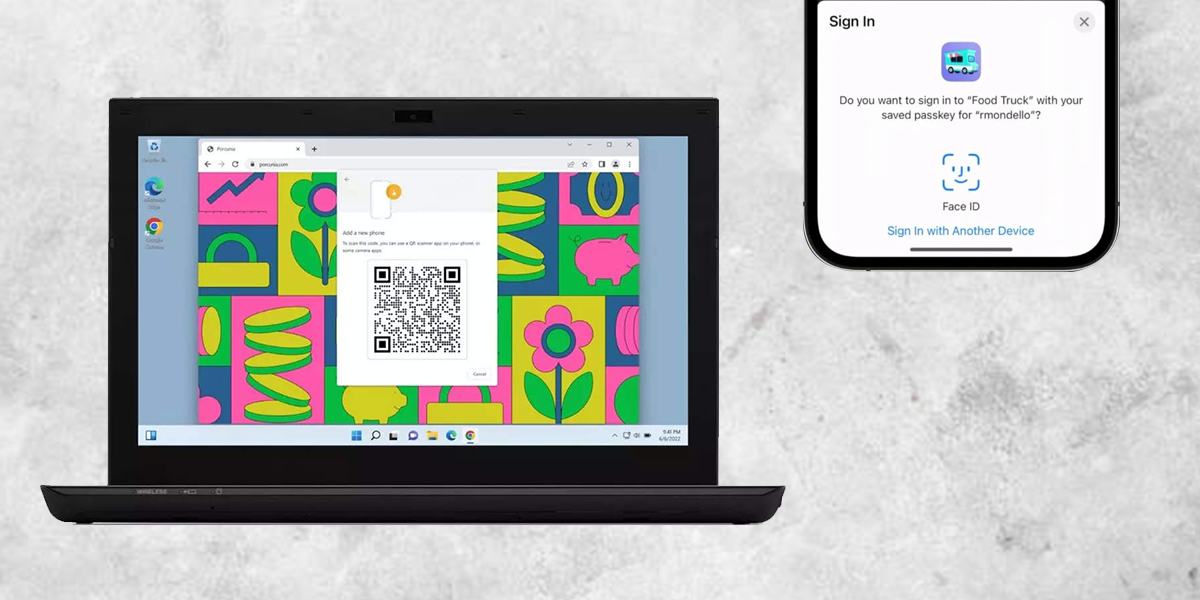
iPhone will also come in handy to sign into apps and websites on non-Apple devices as well because the makers have claimed that passkeys will allow users to login in a jiffy and have strong credentials that will make the smartphone safe from hacking, phishing and server leaks.

Apple’s iCloud Keychain will be used to sync across multiple gadgets so that the passkeys are easily stored on your numerous devices, which is an excellent way to keep phone data safe.

Also Read Here: Apple rolls out beta version of iOS 16 and iPadOS 16, here is how you can install it

How can I send photos in their entirety on WhatsApp for iOS?

0
WhatsApp for iOS

WhatsApp uses a file compression technology that robs image and video files of their original quality when they are transferred. They still seem fantastic on the phone, but when seen on a computer, a completely other picture emerges.

Fortunately, we have discovered a clever workaround, and in today’s post, we’ll demonstrate how to send a full-resolution photo via WhatsApp for iOS.

Let’s get going.

FIRST METHOD: VIA ICLOUD DRIVE

  • Step 1: Making WhatsApp thinks the image you are uploading is a document. Open Photos, choose the image files and then hit the Share icon to accomplish this.
  • Step 2: Send and share it at this point. Open WhatsApp, pick the Plus symbol > Document option, then choose the iCloud Drive files.
  • Click “Share,” and you’re done!

METHOD 2: VIA ZIP PACKAGE

Zipped files are an additional way to distribute full-resolution photos. However, there isn’t a native zip file mechanism for iOS, therefore you’ll need to use third-party software.

One of the many iOS apps that makes making zip files easier is Bundler.

  • Step 1: Open Photos, select the pictures you wish to transmit by tapping on Select. Bundler won’t immediately appear on the Share sheet though. It would require manual addition.
  • Step 2: Toggle the switch for Bundler on by selecting the Share button > More. To create a zip file after adding the program, tap the icon.
  • You have the option to either add to the current file going forward or start a new one.
  • Step 3: At this point, all you need to do is visit Bundler and tap the Share option. From the Share sheet, pick WhatsApp, then touch Send after choosing your contacts. Simple as that!

WhatsApp for iOS

SHARING PHOTOS THROUGH GOOGLE PHOTOS

After ten years, all of my cousins got together for Christmas last year, and of course, we had a wild photo shoot. However, it turned out that WhatsApp only allowed you to share up to 30 images at a time when it comes to sharing the majority of photos. In order to upload the following batch, I had to scroll through a quarter of the camera roll.

In situations like this, Google Photos is the finest platform for sharing photos. Simply choose the photographs you require and touch the Share icon up top to use this straightforward tool.

After choosing Create Link, hit WhatsApp to share it after it has been created. Just select your contacts, done!

Also Read: How Can I Send High-Quality Images Over WhatsApp?

Best iPad accessories for students: Must-have accessories to go with your iPad.

0
Ipad Accessories

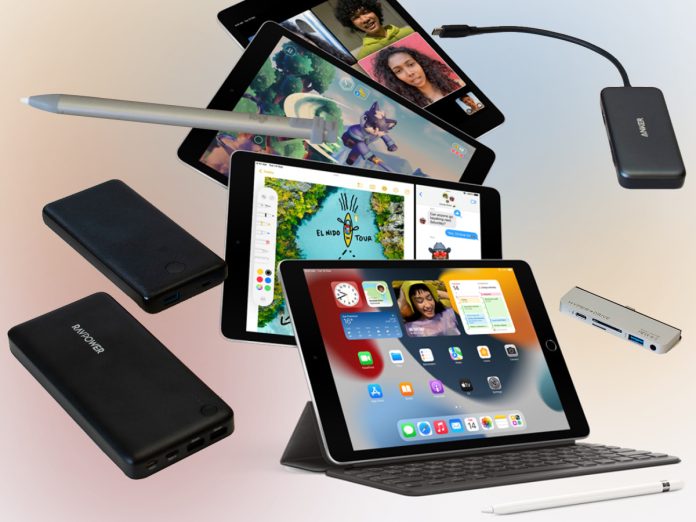
With our top recommendations for iPad accessories for students, you can start or end the current academic year with the highest possible chance of success.

On college campuses, iPads are commonplace, and many students opt to use them every day rather than PCs.

The iPad can help you organize your study space, make group work go more smoothly, and provide you a terrific opportunity to unwind during downtime by adding a few crucial accessories.

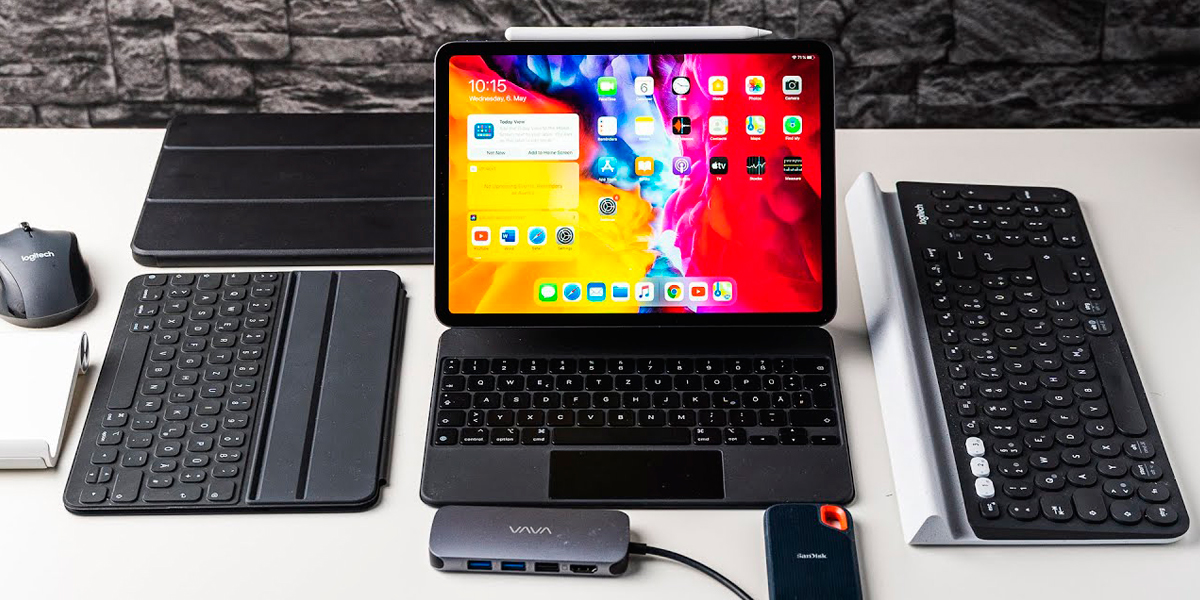
Apple Magic Keyboard

Although you may type directly on the iPad’s screen, there is much to be said for the convenience and usefulness of a real keyboard. We chose Apple’s own Magic Keyboard for this reason.

It’s easy to type on, has a USB-C connector for charging your iPad, and has the greatest built-in trackpad in the game.

The Magic Keyboard is available for $299 for the 11-inch iPad Pro and iPad Air, or $349 for the 12.9-inch iPad Pro.

If you don’t have an iPad Pro or an iPad Air, we recommend the Brydge 10.2 MAX+, which fits the 10.2-inch iPad (7th, 8th, and 9th Generations), or the Brydge 7.9, which fits the iPad mini 4 and iPad mini 5.

Apple Pencil

For students, the Apple Pencil is a must-have accessory. It makes it easy to write down notes fast. It’s also useful for project planning, marking up first versions of documents, and working with a variety of art and design programs.

Of course, the Apple Pencil you receive is dependent on the iPad you own. The second-generation Apple Pencil ($129) works with iPad models that support USB-C charging.

The first-generation Apple Pencil ($99) is available for various iPad models with a Lightning connection. That is solely the 10.2-inch iPad from Apple’s current lineup.

Ipad Accessories

A suitable bag or backpack

It should also be easy to transport your iPad. After all, if you’re going to be on campus for any length of time, you’ll want to make sure you have your charger and charging connections with you. A good bag should also feature a spot for your keys, pens and pencils, and anything else you might need for the day.

Another question is whether you need a full-size backpack. If you’ll be carrying a lot of books from class to class, we recommend investing in a heavy-duty bag with a padded section for your iPad.

Of course, if the majority of your books are digital, there’s no reason you can’t also downsize. A smaller bag, such as SoloNY’s Ludlow Universal Tablet Sling ($19.99 in certain colors), may comfortably handle a 12.9-inch iPad Pro, a notebook, pens and pencils, keys, sunglasses, and your phone.

Portable SSD

Even a small amount of additional storage can go a long way, especially if you’re recording and editing video, keeping photos, or backing up key work.

We recommend the CalDigit Tuff Nano Plus for students because of its tiny size, which allows it to fit in your backpack or back pocket, and its silicone bumper, which distinguishes it from others you may purchase in the future.

These guys have an IPX8 water-resistant USB-C port that is dust-protected by a silicone dust cover. It has a maximum transfer speed of 1088 megabytes per second. The CalDigit Tuff Nano Plus has a storage capacity of 2TB.

AirPods with Charging Case from Apple

It’s no coincidence that the AirPods with Charging Case is the default pair of wireless earphones for any Apple iPhone. These are the most affordable AirPods in Apple’s collection, and while they miss key niche features like Active Noise Cancellation and wireless charging, they get the basics right.

For starters, thanks to Apple’s H1 chipset, AirPods provide the finest Bluetooth experience of any pair of wireless headphones. You can effortlessly connect to your iPad and switch to another device thanks to the seamless communication.

As a student, these earbuds will provide adequate sound quality for regular music listening, but more importantly, they will last the entire day.

The one big complaint you might have about AirPods is their design; for some people, they don’t provide a secure fit, which can be a serious issue for those who plan on using them for a long period of time.

Also Read: Which iPad is best to buy for students & How to choose the best?