We all need to know the importance of being in sound health in this day and age because there are still many that are ignorant about this simple fact that keeping yourself in good health is entirely in your hands and nobody else’s.
Luckily, the millennial generation is smart in this regard as they don’t want to repeat the mistakes of their parents and elders by letting themselves go from a young age, which is why they are into fitness, gym, exercise, cardio, etc. to keep ailments at bay and most of them are succeeding.
Smartwatches are replete with excellent gadgetry due to which keeping your health and fitness in check has become easier, which is why fitness freaks are constantly on the lookout for new ones being launched in the market.
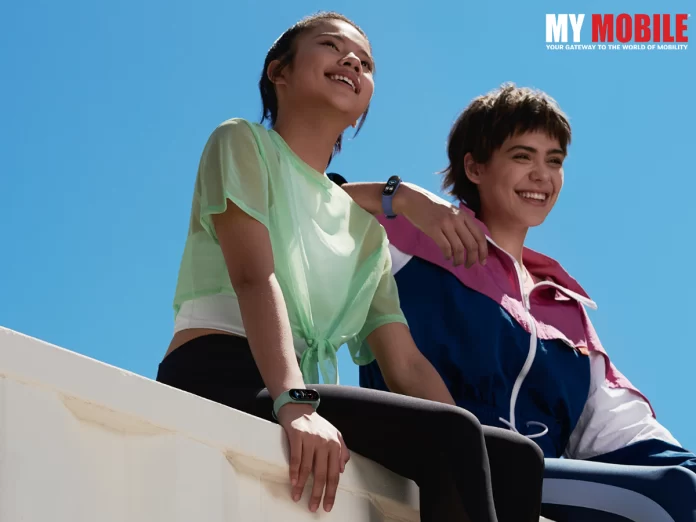
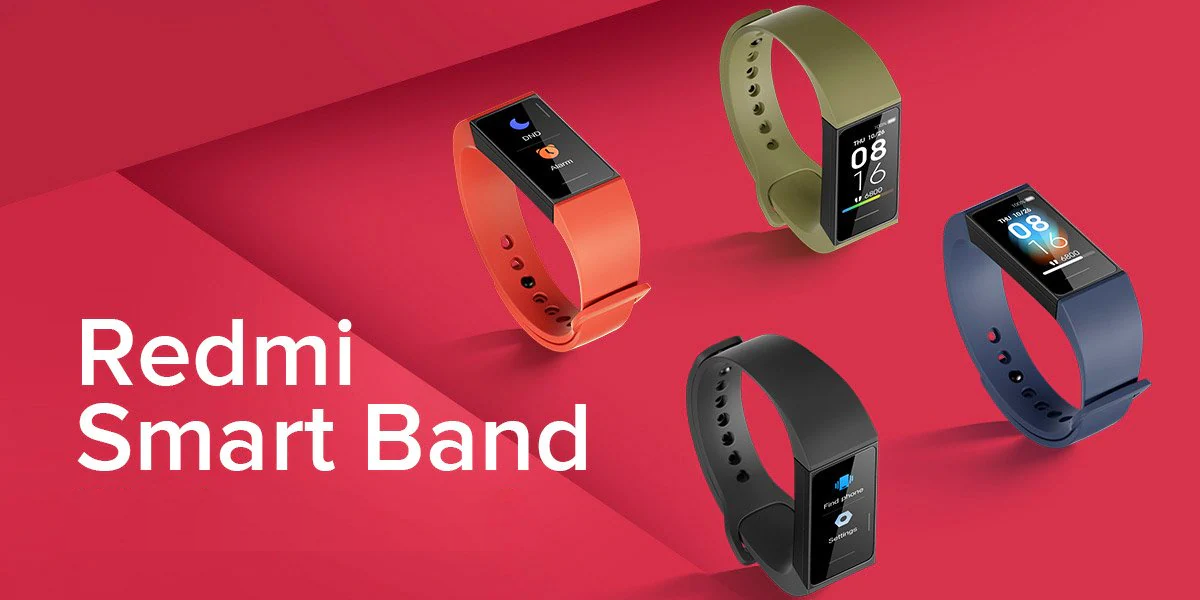
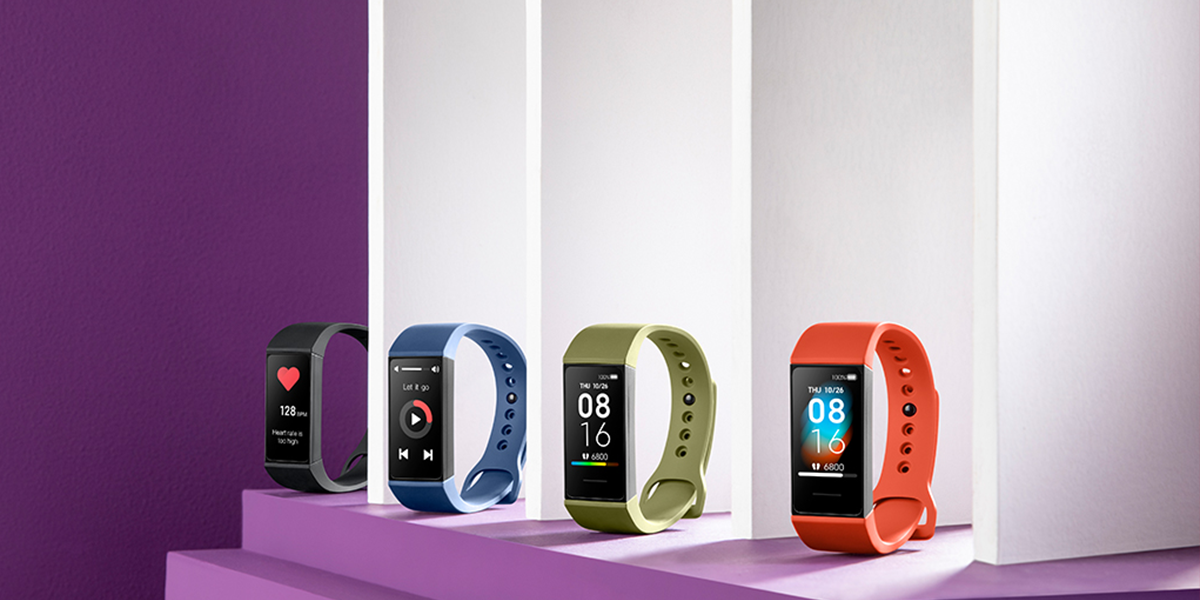
Redmi is all set to launch its new Smart Band 2, which will also be the company’s first fitness tracker that has already made its debut in China in 2020, while it was also launched under the name Mi Smart Band 4C in select global markets.
As it generally happens prior to the launch of any device, its features and specifics are leaked to the public by reliable tipsters that are on the lookout for some news or reports they can find so as to learn more about the upcoming product, which has happened here as well.
Band along with its charging dock has already begun in various Asian and European countries, while also implying that the device may be launched globally around early 2023.
Also, its features and specifications haven’t been made public either so one has to wait for official news to come out as until then, one can only make guesses based on its predecessor models that are available in the public domain.
The Redmi Smart Band comes with a 1.08 inch 16-bit colour TFT LCD panel that offers a 128×200 pixel resolution, along with a touch input support, while the maximum brightness that the device offers is 200 nits and costs $22, which is a sufficient enough price.
It also comes with 50+ screen customization options, along with direct USB charging, while the battery capacity is 130mAh units that last up to 14 days. Once again, users have to wait from official information from Redmi to be sure whether the upcoming model will be the same or not.
JIO TRUE 5G IS NOW AVAILABLE ACROSS DELHI, GURUGRAM, NOIDA.
GHAZIABAD, FARIDABAD & OTHER MAJOR NCR LOCATIONS.
JIO USERS GET UNLIMITED 5G DATA AT UP TO 1 GBPS SPEED.
Mumbai, 18th November 2022: Jio is now the only operator to provide True-5G services across the Delhi-NCR region, including Delhi, Gurugram, Noida, Ghaziabad, Faridabad, and other major locations. Jio is rolling out the most-advanced True-5G network at a rapid pace and now covers major parts of this geography.
This transformational network will be present across all important localities and areas, including, but not limited to:
Most residential areas
Hospitals
Schools, Colleges and Universities
Government buildings
High streets
Malls & Markets
High footfall areas such as tourist spots and hotels
Tech-parks
Roads, Highways and Metros
Commenting on this occasion, Jio’s spokesperson said, “Covering the majority of the National Capital Region and NCR region is a matter of pride for us.” Jio is expanding its True-5G reach at a rapid pace and has already rolled out a large portion of the planned True-5G network in this area. It is the only operator to be present across the Delhi-NCR region with true 5G services. “The reason Jio engineers are working round the clock to deliver True5G to every Indian is because of the transformational power of this technology and the exponential benefits it can deliver to every citizen.”
Lakhs of Jio users in Delhi-NCR are already enjoying the Jio Welcome Offer, in which they experience Unlimited Data at up to 1 Gbps+ speeds at no additional cost. This is possible because:
Stand-alone 5G architecture with zero dependency on the 4G network
The largest and best mix of 5G spectrum is across the 700 MHz, 3500 MHz, and 26 GHz bands.
Carrier Aggregation seamlessly combines these 5G frequencies into a single, robust “data highway” using an advanced technology called carrier aggregation.
More Jio users in Delhi-NCR will continue to be invited to the Jio Welcome Offer to experience Unlimited Data at up to 1 Gbps+ speeds at no additional cost.
About Reliance Jio Infocomm Limited
Reliance Jio Infocomm Limited, a subsidiary of Jio Platforms Limited, has built a world-class, all-IP, future-proof network with 4G LTE technology.
The network is 5G-ready, with no legacy infrastructure and an indigenous 5G stack. It is the only network designed from the ground up to be a mobile video network. It is future-ready and can be easily upgraded to support even more data as technologies advance to 6G and beyond.
Jio has brought transformational changes to the Indian digital services space to enable the vision of Digital India for 1.3 billion Indians and propel India into global leadership in the digital economy. It has created an eco-system consisting of a network, devices, applications, and content, a service experience, and affordable tariffs for everyone to live the Jio Digital Life.
Everyone has their own preference of a phone model, whether it is Android or iPad because while earlier it was difficult to find one with a good GPU but now they’re getting better and better, which is why gaming aficionados won’t have any problem with due to better graphics.
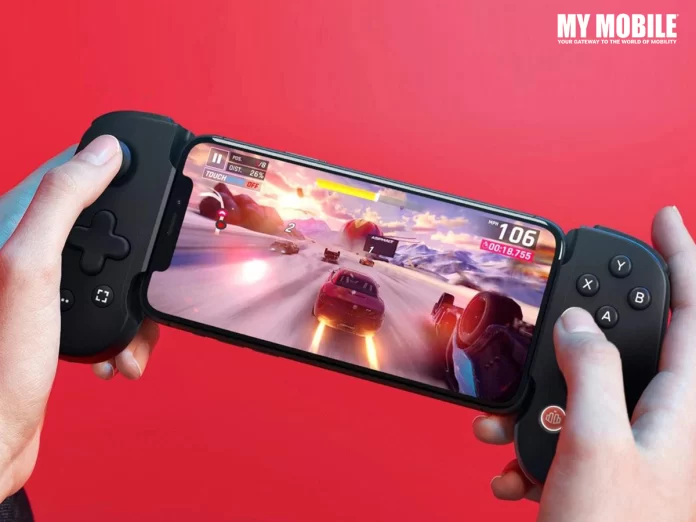
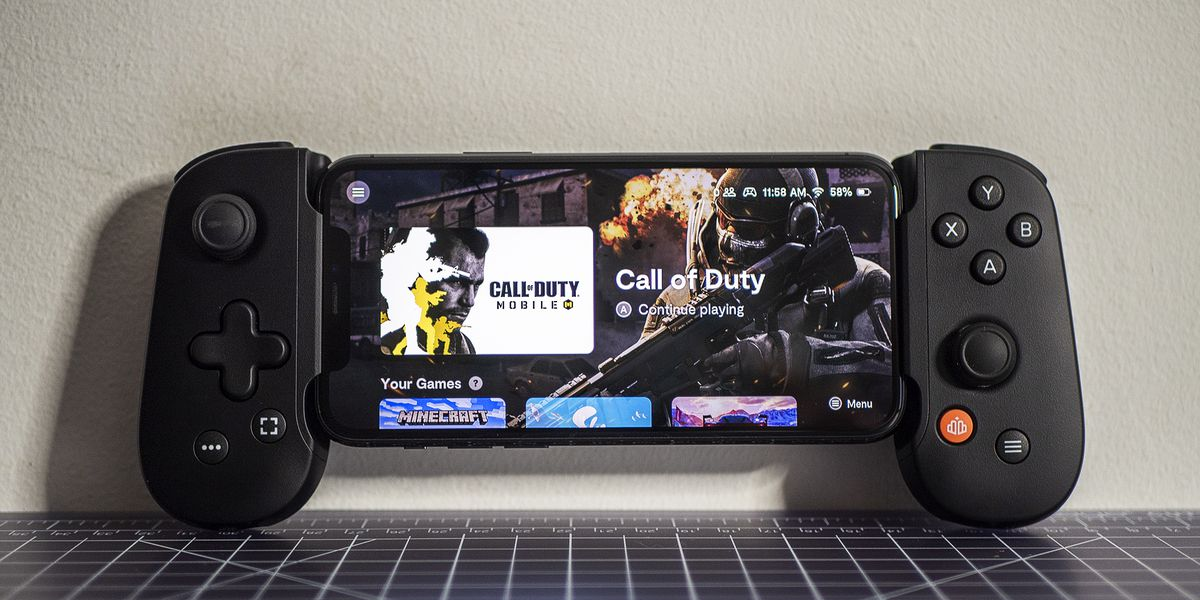
It is even more difficult to find a proper gamepad for an Android model because sometimes the touch controls don’t work as smoothly as they should for some games but now with the Backbone One PlayStation controller is now available for sale for Android smartphones, while the one compatible for iPhone has already gone on sale in July 2022.
Users can start ordering the Backbone One for Android from a select group of retailers for $99.9 and also the company’s official website because all you need is a USB Connection for connecting the gamepads with your smartphone with an adjustable size, unlike certain controllers that require a Bluetooth connection.
Android users will be delighted to know that Backbone One is compatible with most Android models but to make sure that it fits properly, you’ll need to remove your phone from your case first and due to the asymmetrical stick and standard A, B, X, and Y button layout, it quite resembles the controller of an Xbox.
Those familiar with cloud gaming will find it easy to play the PC games because the iOS version of the model is also a model that is highly compatible with PlayStation, while there is also another version with a button system akin to DualShock that is good for using the PlayStation Remote Play feature.
The playback version of the Android smartphone controller hasn’t been listed as yet but given that the Backbone One has had an exclusive partnership agreement with Sony, things can be managed out easily while there is another PlayStation variant that is under developing phase that will be USB Type-C powered.
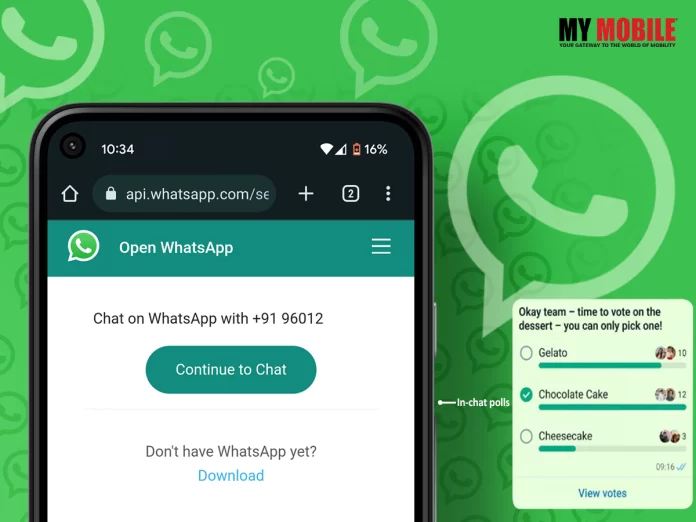
WhatsApp has rolled out an interesting in-chat poll feature that will allow users to create polls within a chat box. These in-chat polls can be created in both WhatsApp groups and individual chatboxes for users to take opinions. A total of 12 options can be added to the poll feature for the group chat members to cast their votes on. This feature for now will only be available for WhatsApp mobile version. However, the Meta owned instant messaging service company is expected to soon roll out the feature for the web version of the app as well. The in-chat poll feature would be available for both Android and iOS device users.
To set up an in-chat poll, the first thing the WhatsApp users need to check is whether their app is updated to the latest available version or not. If not, go to the App Store or Play Store and update your app first and foremost. Once update follow the below mentioned step and you should be able to create a poll in your individual or group WhatsApp chat window.
Here’s a step-by-step guide on how to create in-chat polls on WhatsApp
Step 1 – Go to your WhatsApp on your Android or iOS smartphones
Step 2 – Next, open the chat window, individual or group, where you want to create the in-chat poll
Step 3 – Third, Tap on the Attach sign given in the form of a small size paperclip next to the message box and Tap on the Poll icon visible amongst other option
Step 4: Now enter the Poll options in the window to create a poll with the title of the poll. Users can add up to 12 options in the poll at the moment
(There is an icon given on the right side of the poll options which can be tapped and dragged to change the order of all the options.)
Step 6: After adding the poll title and all the options, Tap on the send option given in the green colour
And your poll will be created.
Every time someone votes in these in-chat polls, the poll is automatically updated to show refreshed results. WhatsApp has also added some additional functionalities to the feature like allowing users to check poll information. So, users can simply tap on the “view votes” option in the pill and know who viewed the poll results. The same option also revealed who voted in the poll along with which option was selected.
Sony’s Smallest and Lightest, Noise-Cancelling, Hi-Res Truly Wireless Earbuds
Experience the best ambient sound in truly wireless earbuds
With authentic natural sound, enjoy clearer calls and conversations
Adaptive Sound Control automatically adjusts to whatever you do, and you can enjoy smart features such as speak to chat.
Up to 20 hours of playback with a charging case and 5 minutes of quick charging
Easy Bluetooth pairing with fast and swift pairing and quick access to your favourite music
A multipoint connection allows you to quickly switch between two devices.
Immersive sound quality with Integrated Processor V1
Sony prioritises sustainability with eco-friendly packaging.
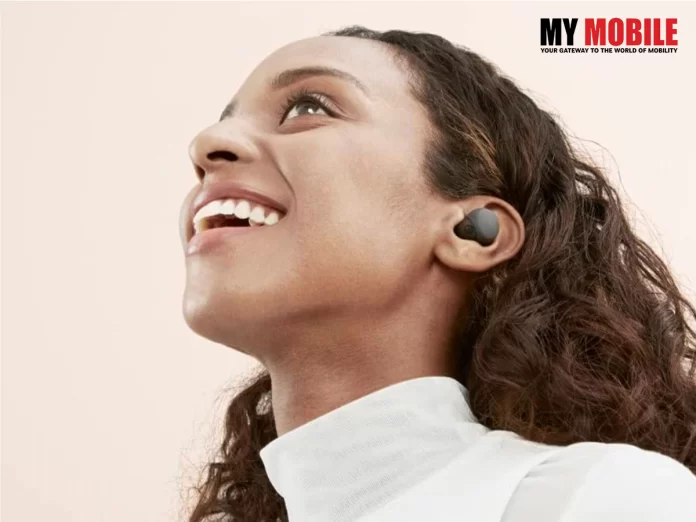
New Delhi, 21st November 2022: Sony India today introduced a new addition to its personal audio category, the WF-LS900N. The latest model empowers a new sound experience through Sony’s sensing technology and partner collaboration, all while maintaining a “Never Off” wearing experience with noise cancellation. By leveraging sensor and spatial sound technology, these earbuds deliver fun and immersive sound entertainment in AR games such as Ingress. This new model is also designed to make listening to your favourite artists easier than ever with quick access to music. The WF-LS900N is perfect for streaming content all day long. The user can enjoy music, video, or social media content just as the creator intended with Sony’s highly acclaimed noise-cancelling technology and high-resolution capability.
Sony’s Smallest and Lightest, Noise-Cancelling, Hi-Res Truly Wireless Earbuds
Sony India has engineered these remarkably small and light truly wireless earbuds, weighing approximately 4.8 grammes, with comfort in mind. The WF-LS900N combines a shape that perfectly matches the human ear with an ergonomic design for a more stable fit, so you can steer clear of annoying ear pain that gets in the way of you and your entertainment. The WF-LS900N gives a “Never Off” wearing experience, and it automatically switches between superlative noise cancelling and optimised ambient sound for listening without distractions.
Experience the best ambient sound in truly wireless earbuds
The WF-LS900N combines the best of both the online and offline worlds. These earbuds have an innovative ambient sound concept that lets you interact with the world around you, with high-quality noise cancelling that allows you to focus on the content you love and nothing else. You can walk into a coffee shop and order quickly, then sit back and enjoy your favourite distraction-free entertainment. The earbuds integrate Adaptive Sound Control, a smart feature that adjusts ambient sound settings depending on where you are, creating the ideal listening experience. With this, you can seamlessly move through your surroundings while letting your favourite artists and entertainment play on.
With authentic natural sound, enjoy clearer calls and conversations
With Precise Voice Pickup Technology that optimally controls microphones on the outside and inside of the earbud and advanced audio signal processing, conversations are ultra-clear, even in noisy environments. Our noise reduction algorithm was created using AI machine learning and over 500 million voice samples to suppress background noise and clearly extract your voice.
Adaptive Sound Control automatically adjusts to whatever you do, and you can enjoy smart features such as speak to chat.
Life should be full of interactions, so with the help of Speak-to-Chat, based on precise voice pickup technology, your music will automatically pause when you speak to someone, making it easier than ever to have a conversation when your hands are full. It also automatically pauses when earbuds are taken off and starts again when they are put back on. These new earbuds are also Google Assistant and Alexa compatible, helping you with everyday tasks for hands-free help on the go. You can connect with friends and family, get information, listen to music, set reminders, and more. Thanks to the intuitive touch sensor control panel, you can change your sound settings, activate Quick Attention, and even resume Spotify music playback or Endel with just a few taps on the earbuds. With Endel, you can create personalised soundscapes that give your body and mind what they need to achieve total sonic immersion while you carry out any task.
5. Up to 20 hours of playback with a charging case and 5 minutes of quick charging
WF- LS900N is packed with a full working day of charge—6 hours with noise cancellation on—from the earbuds and stores another 20 hours in the stylish, compact charging case. Additionally, just a 5-minute quick charge gives you up to 60 minutes of playtime.
Easy Bluetooth pairing with fast and swift pairing and quick access to your favourite music
WF- LS900N supports Google’s new “Fast Pair” feature, which means you can pair the headphones with your AndroidTM device quickly and easily. Swift Pair makes it quick and easy to pair your earbuds with your Windows 11 or Windows 10 laptop, desktop PC, or tablet.
A multipoint connection allows you to quickly switch between two devices.
For total convenience, these Bluetooth earbuds can be paired with two Bluetooth devices at the same time. So, when a call comes in, your earbuds know which device is ringing and connect to the right one automatically. You’ll also be able to quickly switch your earbuds between the two devices at the touch of a button.
Immersive sound quality with Integrated Processor V1
WF- LS900N creates immersive sound and authentic reproduction, so you can enjoy your music, video, or social media content just as the creator intended. With the help of a new 5mm driver unit, these small earbuds pack a punch, producing powerful bass and stunningly clear vocals despite their size, bringing out the best in whatever genre or entertainment you choose. Sony’s Integrated Processor V1 improves noise cancellation, enhances sound quality, and reduces distortion with less power for distraction-free listening, perfect for busy commutes.
Sony prioritises sustainability with eco-friendly packaging.
WF- LS900N isn’t just designed to be slick and stylish, but also with the environment in mind. Like the rest of the latest audio series, all packaging on the earbuds is plastic-free, and the earbuds use recycled materials from automobile parts, reflecting Sony’s commitment to reducing the environmental impact of their products.
Price, Availability and cashback offer
The WF-LS900N will be available across all Sony Centers, major electronic stores and e-commerce portals in India from 25th November 2022 onwards.
Model
Best Buy (in Rs.)
Availability
Colors
WF- LS900N
13,990/-
(Including Rs. 3,000/- cashback)
25th November 2022 onwards
Black, White, Beige
Sony India has also announced an exclusive cashback offer on the purchase of the WF-LS900N. Customers can avail a cashback of Rs. 3,000 on select debit and credit cards. This offer is valid from November 21, 2022 to November 30, 2022.
The FIFA World Cup 2022 is just around the corner that has left football fans highly excited because this is no less than a festive season for them, which is why FIFA is one of the most watched sports events all over the world, whose popularity continues to grow with each passing day.
Even for a person novice at football, it is an interesting event to watch two teams display their talent in the stadium and showcase their ‘twinkle toes’ in managing the football and scoring a goal at the other end of the opposing team’s goalpost.
FIFA video games have been quite popular as well and have been so for many years but this 2022 event kicked off on November 20 in Qatar with Vivo being the only official sponsor for the game.
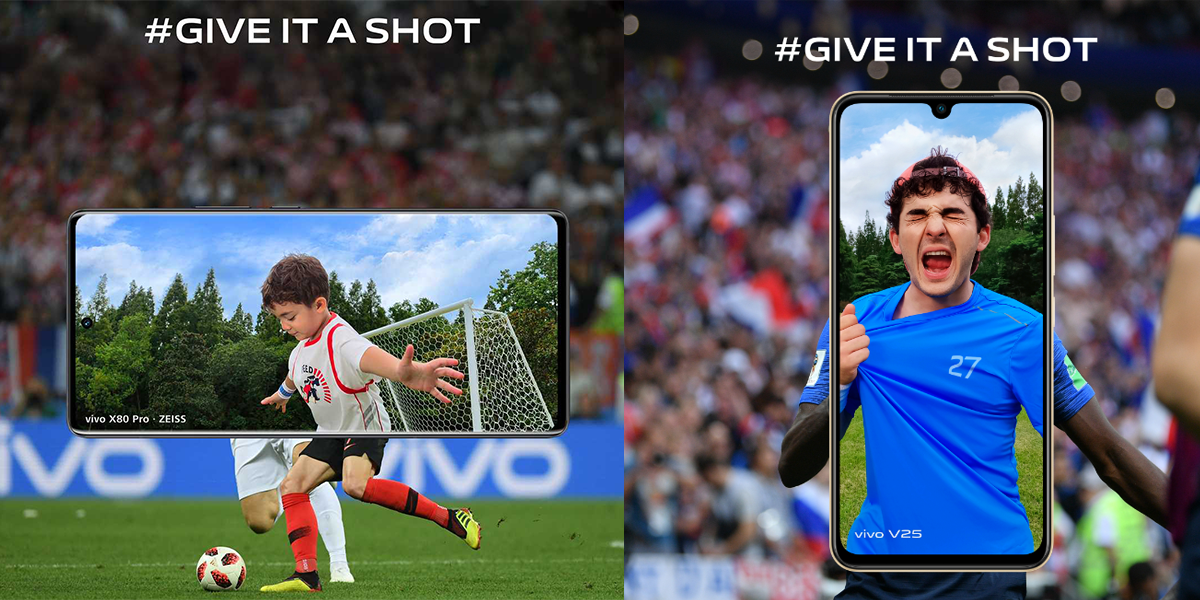
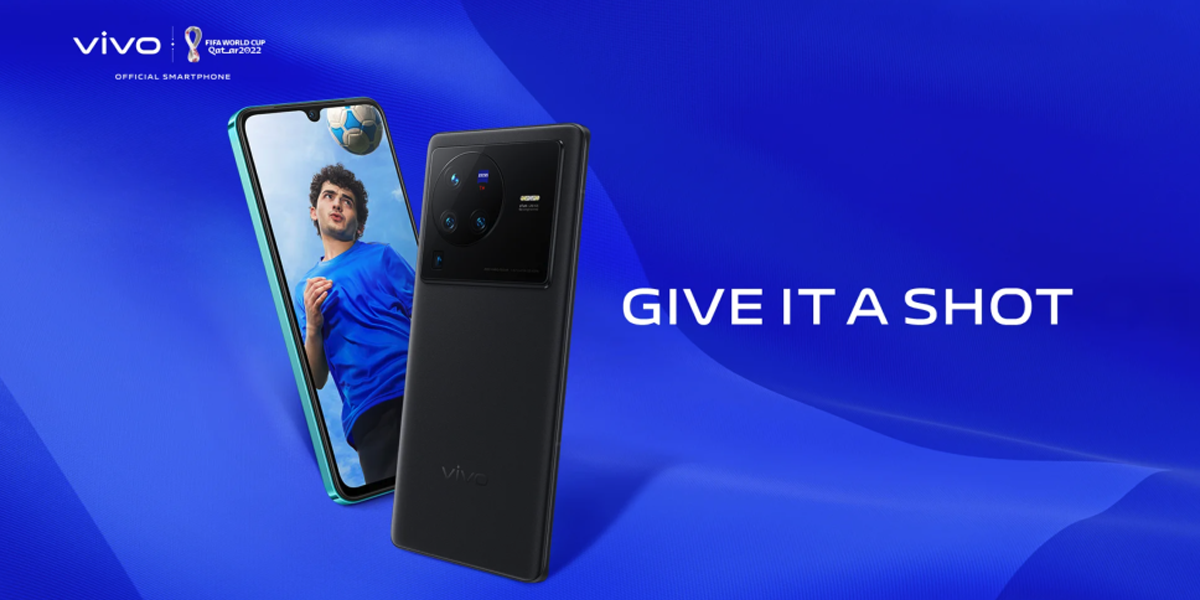
What is interesting is that the Chinese smartphone giant has launched a ‘Give it a Shot’ campaign in a bid to bring people of different strata closer together where football lovers all around can join football challenges that take place online/offline, which is an excellent way to connect with new people.
Vivo wants to make sure that football aficionados will remember this years’ event in more ways than one and this campaign is one such way where they hope to provide the people an opportunity.
Those participating in the campaign will get a golden chance to win the official FIFA World Cup, along with numerous gifts from Vivo, which can be learnt about by visiting the company’s official website for further information on the matter.
The campaign takes place in two waves where the first one ended on November 16 where people were 10 of the most creative participants had a chance to win a Vivo smartphone and an official FIFA football.
The task was to post as many videos and photos as possible on Instagram accounts that had elements of Vivo and football where the hashtag would be #VivoGiveitaShot. Those who’ve missed out on the first wave need not feel sad because the second one lasts from November 14 to December 31, 2022.
In this wave, participants need to post special Vivo filters where they can post various moments and events in their life that they think are worth celebrating with the aforementioned hashtag on platforms like Facebook, Twitter, TikTok, and Instagram.
Vivo will launch another campaign between December 15 and December 18 with another hashtag viz. #vAreHereToShare so that they can drive engaging and worthwhile conversations on the semi-finals and finals as the World Cup draws to a close.
Conclusion
Vivo has been a FIFA sponsor since 2017 where it has sponsored many tournaments and world cups for the brand with interesting contest opportunities for users to win exciting prices.
Whenever a new device is ready to be launched, there is a surge of excitement among its users who can’t wait to try out the new model or themselves. While smartphones are generally more discussed about, smartwatches are just as important to discuss, along with other devices.
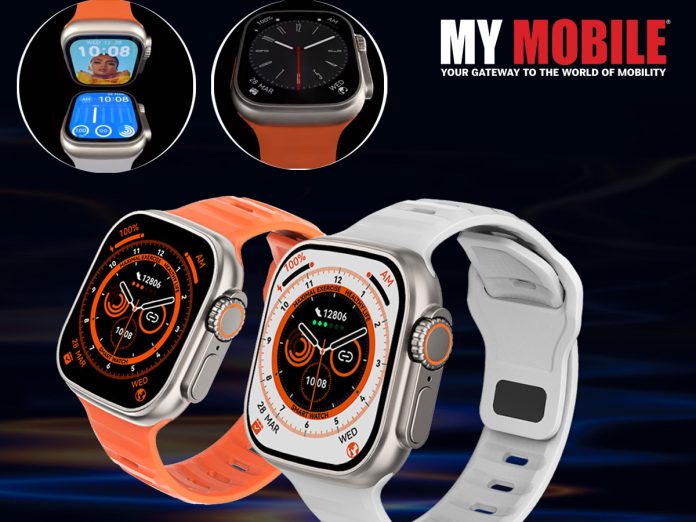
There is a new one that has just come out from the DTNO.1 Smartwatch called DT8 Ultra+, which is going to be an upgraded version of the previous model from Max but it seems that the company is all set to go for a new one as the features will be completely new for DT8 Ultra+.
For a device maker, the bigger the device, the better it will be, which is why you will get to enliven some excellent features for this particular smartwatch model that will be totally relatable to the millennial generation, who, in any case, always want something new with any new model so that it outclasses the previous one.
Features of DTNO.1 Smartwatch
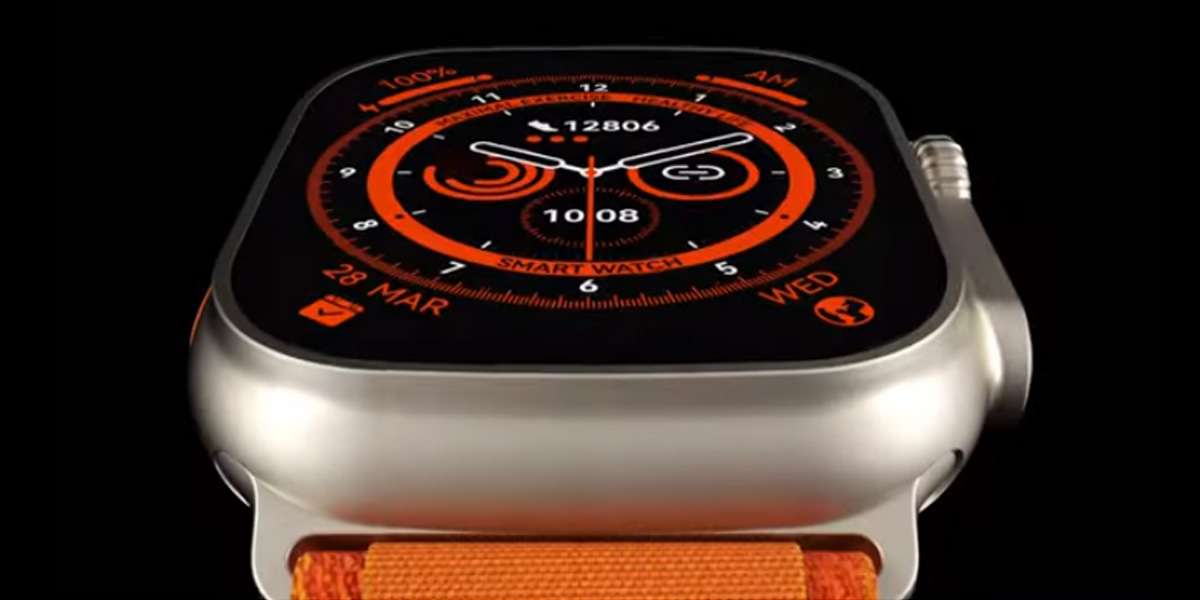
DTNO.1 Smartwatch comes with a 2.1 inch sized G+F tempered glass HD+ screen with crisp pixel resolution of 420×485, while the glass itself is completely blast resistant with a narrow bezel design due to which you can avail excellent sturdiness and it weighs 46g.
You get three hardware buttons on the sides with an enormous digital crown and a multi-sports hot key while there will be a brand new Ocean strap with locks so as to keep it in place where they can be changed easily on an immediate basis.
It will be powered by an RTK8762DK chipset so that the stability level is high and constant, while the battery capacity is going to be 280mAh units and since it is built-in, it lasts up to 5 days of normal use and for 20 days in power saving mode.
The smartwatch can be charged wirelessly now, while the usual features like heartrate monitoring, sleep tracking, blood pressure monitor, pressure and atmospheric tracking ones are quite good to try out as well, not to mention the IP68 label.
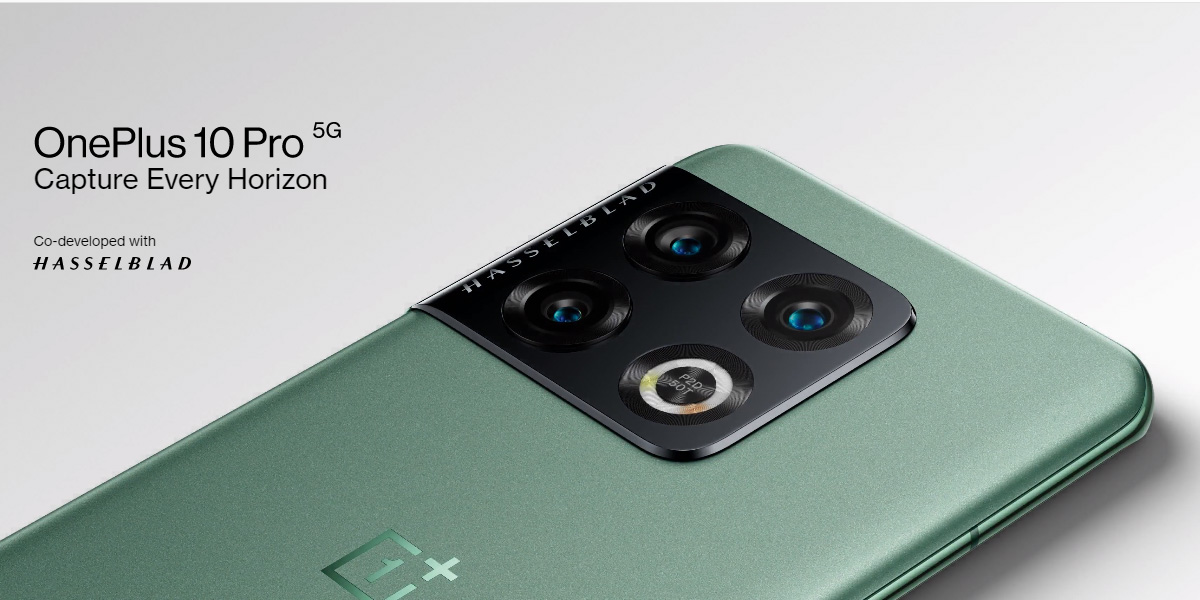
December will see the launch of the OnePlus 11 smartphone in India, and the leaked images of the same have already solidified it as the next big smartphone for the Indian market. Prior to the release of the new model, OnePlus has reduced the price of the current model, the OnePlus 10 Pro. The phone was released earlier this year for ₹66,999 with 8 GB of RAM and 128 GB of storage space. The top-end variant of the same smartphone, which consists of 12 GB of RAM and 256 GB of storage space, was launched at ₹71,999.
Both variants are now available with a ₹5,000 discount on OnePlus’ official website and other online retail stores. The price of the base model is now ₹61,999, and the higher variant will cost you ₹66,999. The OnePlus range has been a hit in the Indian market since it was first introduced in 2014. Since then, OnePlus has released many high-end phones, satisfying tech gurus and smartphone users alike. Interestingly, OnePlus has also reduced the prices of their earbuds as well; both variants of the OnePlus buds were pretty successful when they were launched earlier this year. The OnePlus Z2 was launched at a price of ₹4,999, and the OnePlus Buds Pro was launched at ₹9,990. The former is now ₹2,229 and the latter is ₹5,499, respectively.
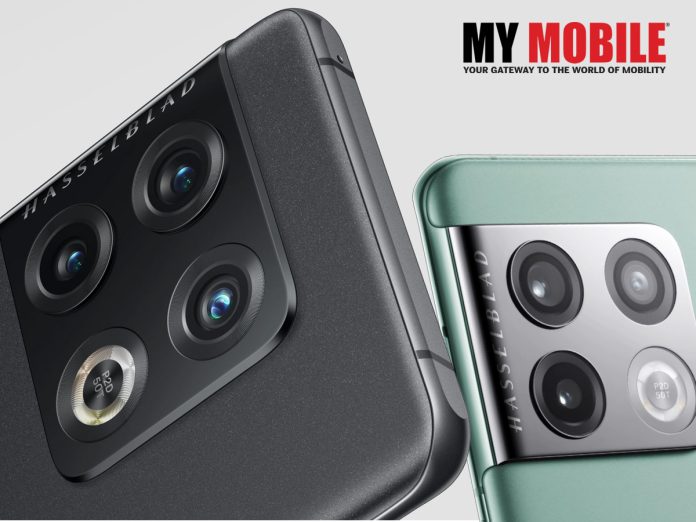
The OnePlus 10 is a revolutionary smartphone, just like its predecessors. In regards to specifications, it was all the community could ask for. On the back, it has a triple camera setup with a 48-megapixel primary sensor, a 50-megapixel ultra-wide lens, and an 8-megapixel telephoto lens. On the front, the phone has a 32-megapixel Sony IMX615 snapper.
The front also exhibits a 6.7-inch 2K display with a refresh rate of 120 Hz. The device is powered by the Qualcomm Snapdragon 8 Gen 1 chipset and runs OxygenOS, which is based on Android 12. It weighs approximately 200.5 grams, and its dimensions are 163 x 73.9 x 8.55 mm.
OnePlus 10 was launched in two variants: the base version comes with 8 GB of RAM and 128 GB of storage space, and the high-end version comes with 12 GB of RAM and 256 GB of storage space. Both the variants have a massive battery of 5,000 mAh, allowing users to get 80W SuperVOOC wired fast charging and 50W AirVOOC wireless charging and reverse charging, and both the phones support 5G connectivity.
The OnePlus 11 is speculated to launch on November 28th for the Indian market, and only time will tell if the device will keep its name. If not, then you always have the tried-and-tested OnePlus 10.
Check out the detailed Specifications
NETWORK
Technology
GSM / CDMA / HSPA / EVDO / LTE / 5G
BODY
Dimensions
163 x 73.9 x 8.6 mm (6.42 x 2.91 x 0.34 in)
Weight
201 g (7.09 oz)
Build
Glass front (Gorilla Glass Victus), glass back (Gorilla Glass 5), aluminum frame
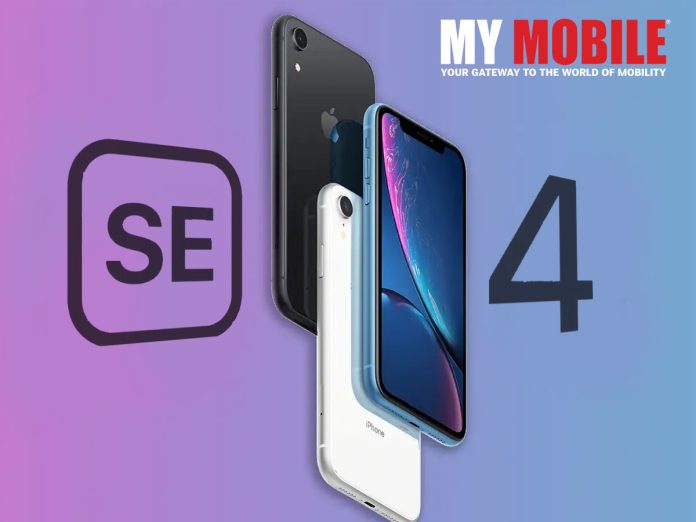
It seems Apple has decided to have 2022 all for its own because it has come up with so many great devices this year with the latest being iPhone 14 series and Apple Watch that were launched in September of that year but now it is all set to come out of with Apple iPhone SE 4 as well.
iPhone SE will be undergoing a massive change this time around as it will have many a significant upgrade so that the premium of iPhone lineups continue, even though its launch is still sometime away.
Apple iPhone SE 4 will be out sooner or later but whenever the time of release is nearing, there is a likely probability of its design, features, and specifications are leaked to the general public because there are tipsters out there that have good relations with inside sources that supply them with information regarding a device before its release.
Features & Specifics of Apple iPhone SE 4
While not much is known about its launch date, it has been confirmed that the design of iPhone SE will be inspired by iPhone 8 series, which had with a 4.7 inch display screen with identical proportions, along with a Touch ID Home Button, similar broad bezels, with some expected changes as it will be a whole new model.
The new design, however, will also be similar to the premium model smartphones that Apple is renowned for because you will get to see a new form of verification in place of the Home button, which might be scrapped altogether.
iPhone SE is currently the only iPhone model that has an LCD screen whereas as all others have OLED screens but the rumours are ripe that Apple is looking out for 6.1 inch OLED and LCD panel suppliers as they want to explore more on its display tech options being different from previous models.
iPhone SE 4 might have a 4GB RAM as the standard option across memory configurations while the base storage might by 128GB, while the current SE storage options are 64, 128, and 256GB, while the battery capacity could be 2,900mAh units.
Coming to camera, it will have a single one at the back with a 12MP primary sensor, which is the standard option that Apple has been using for all its iPhones until now, while there will be a 7MP sensor meant for taking selfies, which is also available in current generation iPhone SE models.
The iPhone 15 Pro models could have a faster USB Type-C port than the iPhone 15 and 15 Plus.
The iPhone 15 and 15 Plus will have standard Type-C ports with support for USB 2.0, the same as the Lightning port.
The iPhone 15 Pro models could support at least USB 3.2 or Thunderbolt 3.
Brief Summary
iPhone 14 series smartphones were launched in September 2022, thereby putting an end to the suspense of users that were eagerly waiting to try out the new series because they wanted an even better alternative to iPhone 13 series.
While the iPhone 14 series was criticized due to its design being similar to its predecessor, it still received good reviews overall, but if you think Apple has nothing else coming up or sometime, then you’re wrong because the tech giant has iPhone 15 series lined up as well.
While there are many more devices coming out before the end of 2022, Apple devices are a whole new story altogether because users have higher than usual expectations from the biggest tech giant in the world.
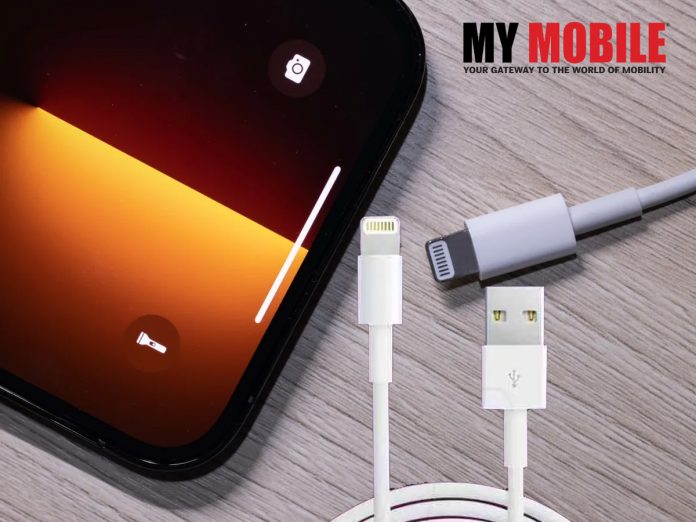
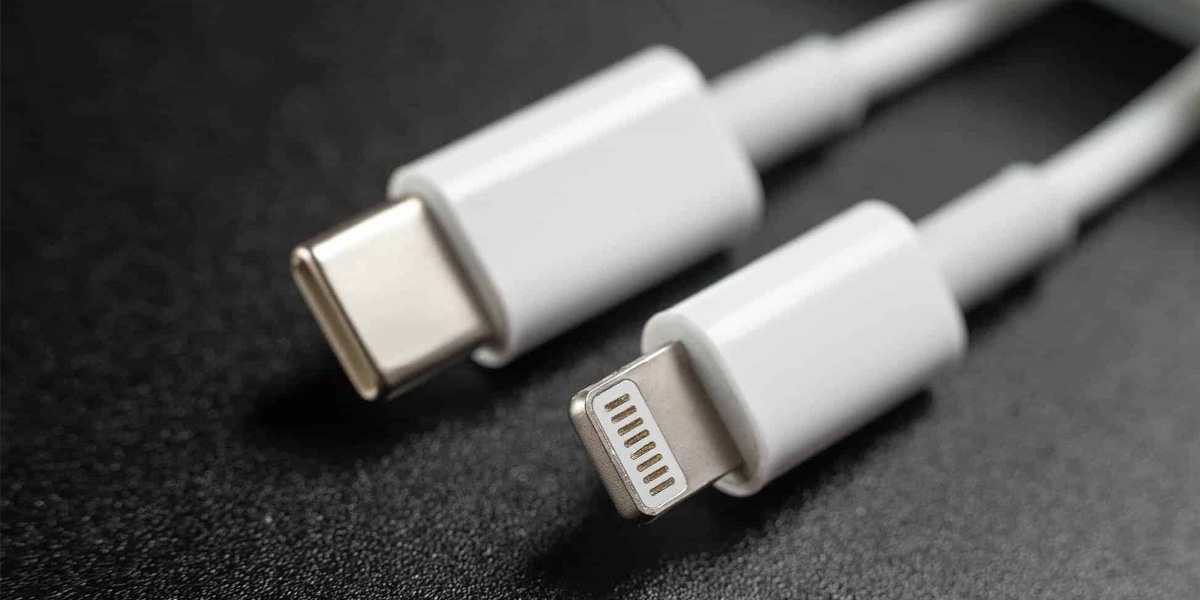
People have not even gotten over iPhone 14, when the buzz is strong about iPhone 15 series, although it remains a mystery as to what it will look like, but if the recent reports are anything to go by, Apple will no longer use the Lightning port and go completely for USB Type-C Port from iPhone 15 and other upcoming smartphones from the company.
Ming-Chi Kuo, a renowned analyst, has confirmed that there will be two different USB Type-C Ports on the iPhone 15 series, which will comprise of iPhone 15 and iPhone 15 Plus that will have the standard ports, while the Pro models will ship with faster ports, as Mr. Kuo has stated.
If anyone is skeptical that the ports will make the device slower, Kuo has confirmed, once again, that it will be right on par with lightning port because it will support USB 2.0, while one of the Pro models will definitely support at least USB 3.2 or Thunderbolt 3.
It will be a whole decade since Apple will be switching from Lightning port to Type-C ports where the Thunderbolt 3 offers data transfer speeds of up to 40GB per second, and Kuo being a reliable analyst, his words can definitely be taken at face value.