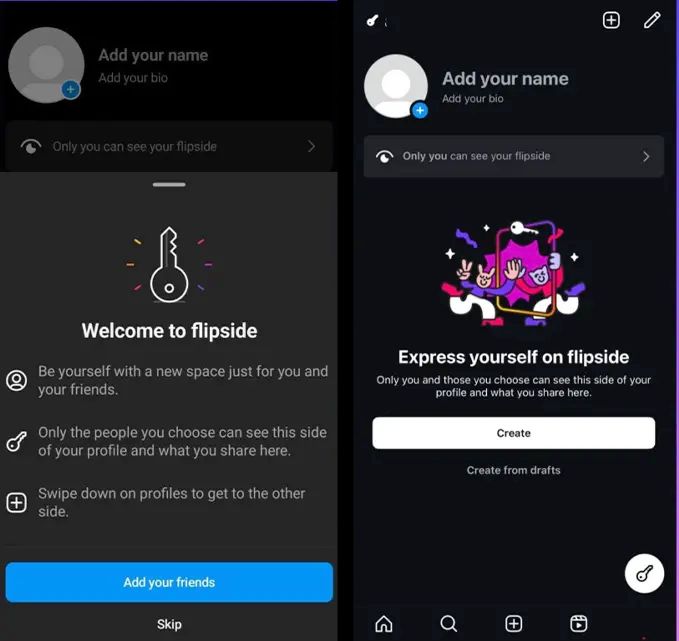
Flipside offers a private photo grid for a user-selected audience.
Distinct from ‘Close Friends’ and ‘Finstas,’ focusing on intimate sharing.
Key icon indicates exclusive access to Flipside content.
Part of Instagram’s strategy to boost engagement and privacy.
Instagram is experimenting with a novel feature known as “Flipside,” which offers users a secondary, more private photo grid visible only to a selected group of friends.
This test is likely part of Instagram’s ongoing efforts to provide users with more intimate and selective sharing options.
“Flipside allows users to create a new, private side to their profile where they can post more candid and personal photos for a subset of their friends,” Matt Navarra, Founder of Geekout Newsletter, posted on Threads. Users may be able to “swipe down on profiles to get to the other side”.
What is Flipside on Instagram?
What is Flipside on Instagram?
Flipside enables users to curate a distinct group, separate from their ‘close friends,’ to whom they can exclusively showcase their secondary grid.
This feature can be accessed from the user’s profile, but it remains hidden from those not included in the designated list.
A key icon in the user’s grid will indicate the presence of such exclusive content.
Although this feature might appear to overlap with existing functionalities — such as sharing grid posts with close friends, a feature introduced in November, and the creation of multiple audience lists for Stories — Flipside aims to carve out a more clearly defined private space within the app.
This feature is distinct from the concept of ‘finstas’ or secondary accounts, which Instagram also supports.
While it provides another avenue for users to reach a smaller audience, it also adds to the array of options for private sharing already available on the platform.
Mosseri has expressed mixed feelings about the necessity of Flipside and hinted at the possibility that it may not be officially launched.
The testing of Flipside, first identified as an internal prototype in December, has begun to reach actual users.
This rollout has been met with mixed reactions.
Some users are excited about the additional layer of privacy and selective sharing, while others question the need for another social media profile to manage.
The broader context for Instagram’s exploration of such features lies in the platform’s shift towards creating more private spaces for sharing.
This change is part of a strategy to address the decline in the frequency of user posts, particularly in feeds, a trend noted by Mosseri in recent years.
With Instagram’s revenuemodel heavily reliant on feed-based advertising, encouraging more frequent and diverse posting behaviours is key to the platform’s success.
Instagram Testing a New ‘Flipside’ Feature Aimed at Enhancing User Privacy with Selective Sharing
FAQs
What is the Instagram Flipside feature?
Flipside on Instagram is a new feature allowing users to create a secondary, more private photo grid.
This grid is visible only to a select group of friends chosen by the user, different from their regular followers or close friends list.
How does Flipside differ from existing Instagram features?
Unlike existing features like ‘Close Friends,’ Flipside creates a completely separate grid on a user’s profile.
This secondary grid is accessible only to a specially curated group, offering a more private sharing space.
How can users know if they have access to someone’s Flipside grid?
Access to a Flipside grid is indicated by a key icon on the user’s profile grid. Only those selected by the user to view the Flipside content will see this icon and gain access.
What has been Adam Mosseri’s response to the Flipside feature?
Adam Mosseri, the head of Instagram, has recognized the redundancy in creating another private sharing feature like Flipside.
He has indicated uncertainty about its official launch, given the mixed reactions from users.
Why is Instagram testing the Flipside feature?
Instagram is testing Flipside as part of its broader strategy to create more private spaces for sharing and to encourage diverse posting behaviors.
This is in response to a decrease in the frequency of posts in users’ feeds, impacting the platform’s advertising-driven revenue model.
What is The Future of Flipside on Instagram ?
Instagram is expected to launch the Flipside feature, which will revolutionize the way users share private content on the platform.
While an official launch date has not been confirmed, Instagram is actively refining and finalizing the Flipside feature for a wider rollout.
The current testing phase is underway, with users already encountering the Flipside feature in their Instagram accounts. This ongoing testing allows Instagram to gather valuable user feedback and make necessary improvements to ensure a seamless and user-friendly experience.
As Flipside becomes more widely available, it has the potential to transform the social media landscape, offering users an enhanced level of privacy and personalization.
With a refined feature, Instagram users can look forward to a more tailored and private social media experience.
How does Instagram Flipside Feature work?
Distinct Profile: Users can have a separate profile picture, name, and bio for their Flipside, creating a distinctive space for private content.
Privacy Control: Users have the ability to APP manage who sees their Flipside content, ensuring a more selective sharing experience.
Fresh Start Option: Users can choose to start fresh on their Flipside by ‘removing everyone,’ allowing for a clean slate in terms of connections.
Accessing Flipside: Users can simply tap a button or swipe down on the main profile to access someone’s Flipside. This action creates a segregated space where users can share content more selectively.
Privacy and Customisation: Flipside APP designed to give users control over who can view their private content. It aims to offer a more private sharing experience specifically for close friends.
How does Flipside feature compare with ‘Close Friends’ Feature ?
Instagram introduced the ‘Close Friends’ feature in November 2023, allowing users to share private stories in the main feed.
Flipside appears to take this concept further by creating a distinct section on the user’s profile for selected posts, potentially offering a more organized and private sharing experience.
As of now, Instagram has not confirmed the official launch date for the Flipside feat
APP
While the testing is ongoing, users may anticipate a wider rollout in the coming days as Instagram refines and finalizes this new addition to the platform.
What are the benefits of Flipside feature ?
Enhanced Privacy: With Flipside, users have the ability to share personal content exclusively with selected friends, ensuring that their private moments remain private.
Influencer-Free Feed: Unlike the traditional social media feed, Flipside allows users to break free from the constant bombardment of influencer content, creating a more personalized and tailored experience.
User-Controlled Content: Flipside empowers users to take control of the content they consume and share. This user-centric approach fosters a greater sense of ownership and authenticity in their social media experience.
Can I control who sees my Flipside posts?
Yes, Flipside gives users control over who can see their private posts. Users can choose to share their Flipside content exclusively with selected friends.
What is Instagram’s new nighttime alert feature for teenagers?
Instagram’s new feature alerts teenagers if they use the app for more than 10 minutes at night.
The aim is to discourage prolonged usage of the app during bedtime hours, promoting better sleep and healthier digital habits among young users.
How does this feature work on other Meta platforms?
The nighttime alert feature is also implemented on Facebook and Messenger.
It is part of Meta’s broader initiative to address concerns about excessive screen time among teenagers across all its platforms.
Can parents monitor their children’s usage of Instagram and Facebook?
Yes, Meta provides parental supervision tools that allow parents to track and monitor their children’s time spent on Instagram and Facebook.
These tools offer insights into daily and weekly app usage, aiding parents in managing their children’s screen time.
What are some tips to reduce screen addiction on Instagram?
To combat screen addiction, users are advised to turn off notifications, keep their phones out of easy reach, practice meditation, and engage in physical activities.
These practices help in reducing the urge to constantly check social media apps.
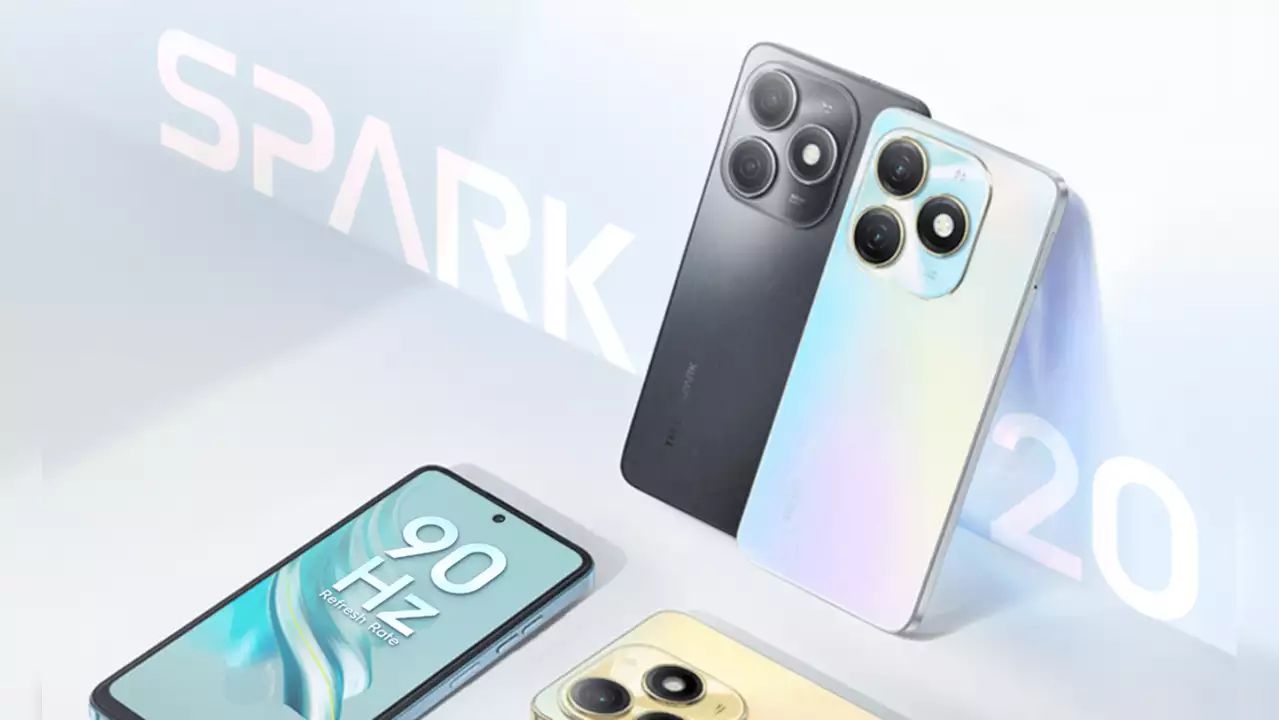
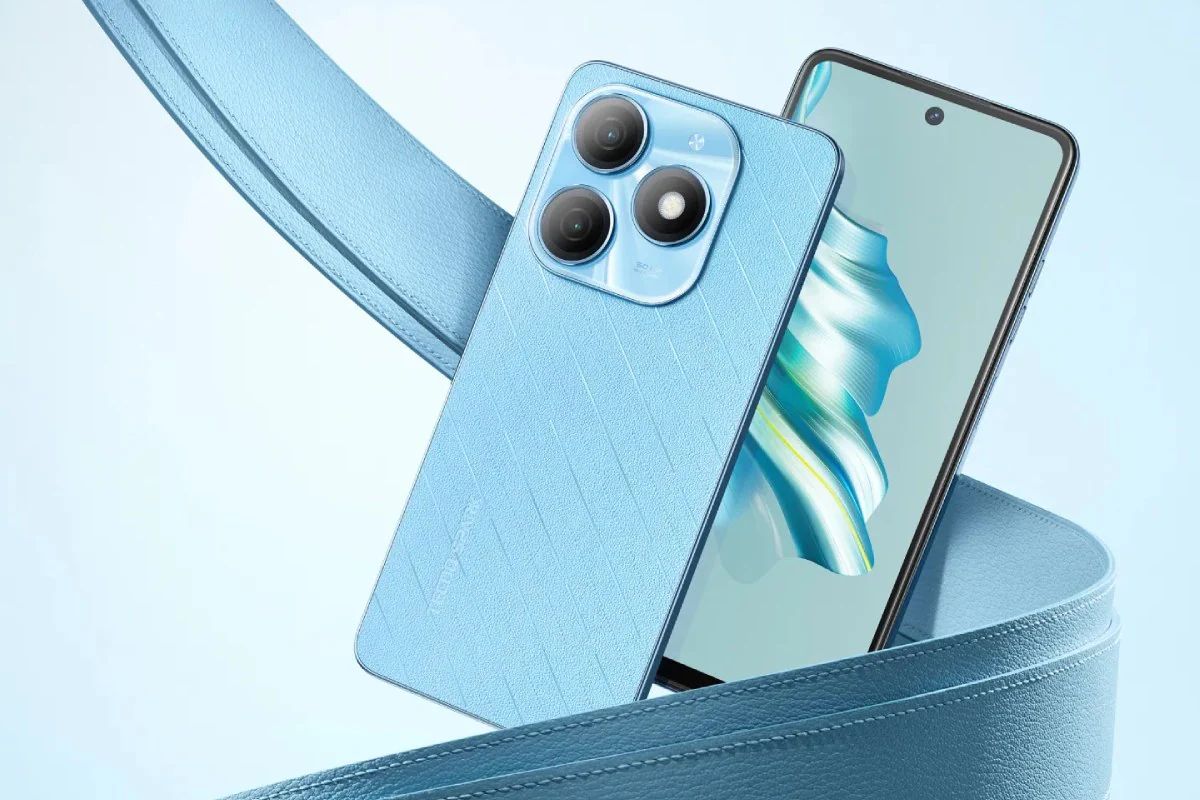
It is set to be officially released on January 30, 2024.
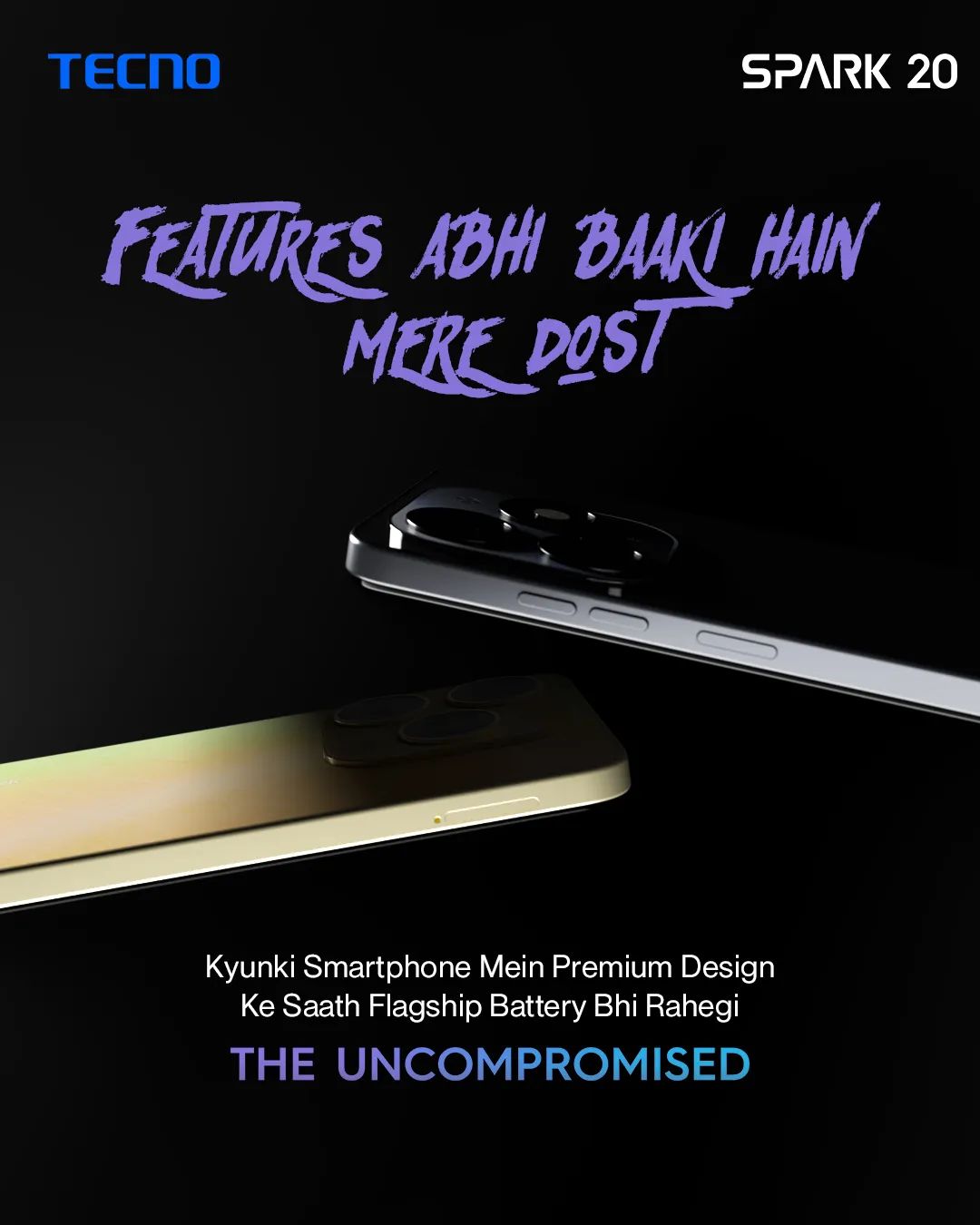
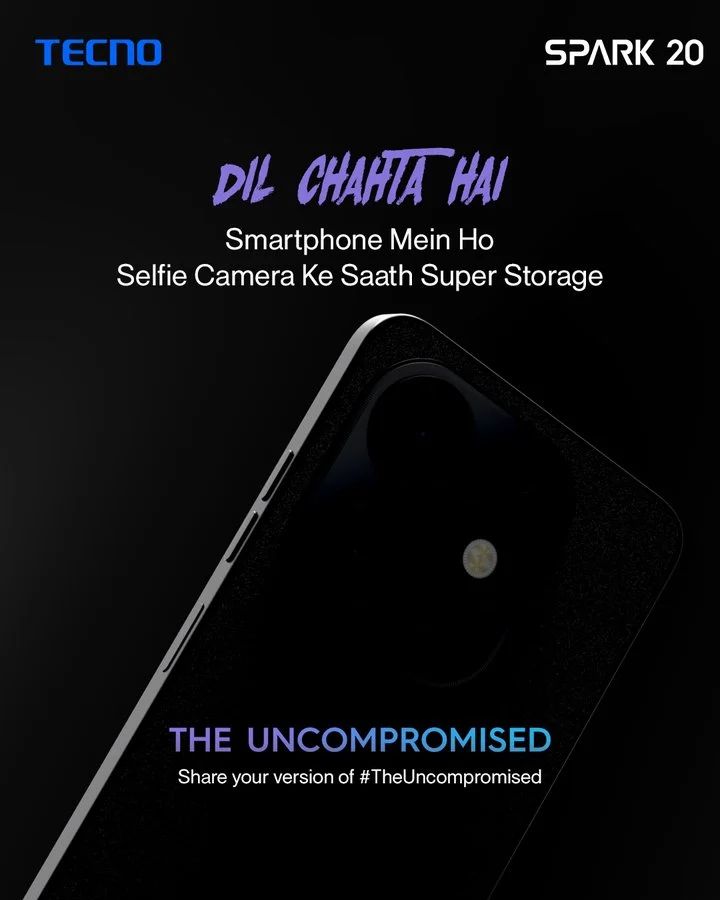
TECNO says that this new unveiling of the SPARK series aims to provide premium hardware and software technologies at an accessible price point for Indian consumers.
The TECNO SPARK 20 will be available for purchase at retail outlets and on Amazon, with the company emphasizing its commitment to delivering an uncompromised user experience with this new model.
More details about the device will most likely be revealed closer to the launch date ie. tomorrow.
What distinguishes the storage capacity of the TECNO SPARK 20 from other smartphones in its category?
The TECNO SPARK 20 pushes the boundaries in its price segment by offering an unprecedented 256GB of internal storage.
This is further enhanced with a unique 16GB total RAM configuration, comprising 8GB of physical RAM and an additional 8GB virtual RAM.
This combination is a standout feature in the affordable smartphone market, aimed at providing ample space for apps, media, and multitasking.
How do the camera specifications of the SPARK 20 stand out for photography enthusiasts?
The device boasts a dual-camera setup, featuring a 32MP front camera for high-resolution selfies and video calls. The rear camera is a powerful 50MP sensor, designed for capturing detailed and vibrant images.
This camera configuration is particularly noteworthy for users interested in photography and video content creation, offering quality imaging capabilities in a budget-friendly device.
What additional entertainment value does the TECNO SPARK 20 offer to its users?
TECNO enhances the SPARK 20’s appeal by including a complimentary OTT Play premium subscription, valued at Rs 5,604.
This subscription provides access to 23 OTT platforms, catering to a wide range of entertainment preferences.
This feature positions the SPARK 20 as not just a communication device, but also a portable entertainment hub, ideal for users who enjoy streaming movies, shows, and other digital content.
This launch is anticipated to mark a significant shift in smartphone screen technology with the debut of India’s first Ultra Bounce display, equipped with innovative ‘Airbag’ technology.
Honor X9b: Expected Specs and Features
Honor X9b: Expected Specs and Features
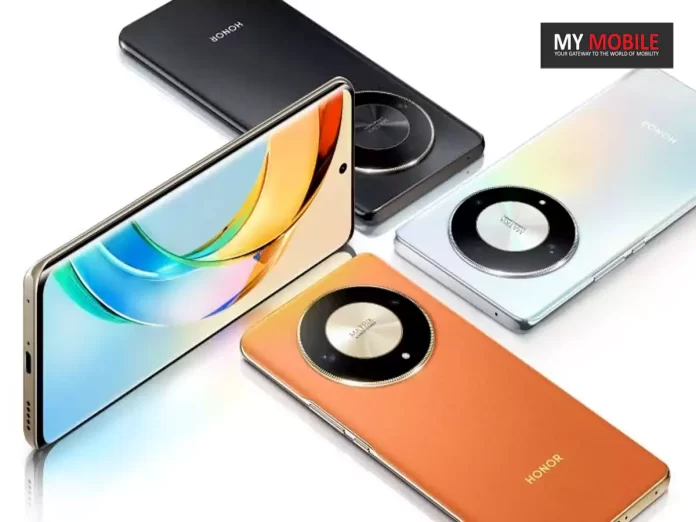
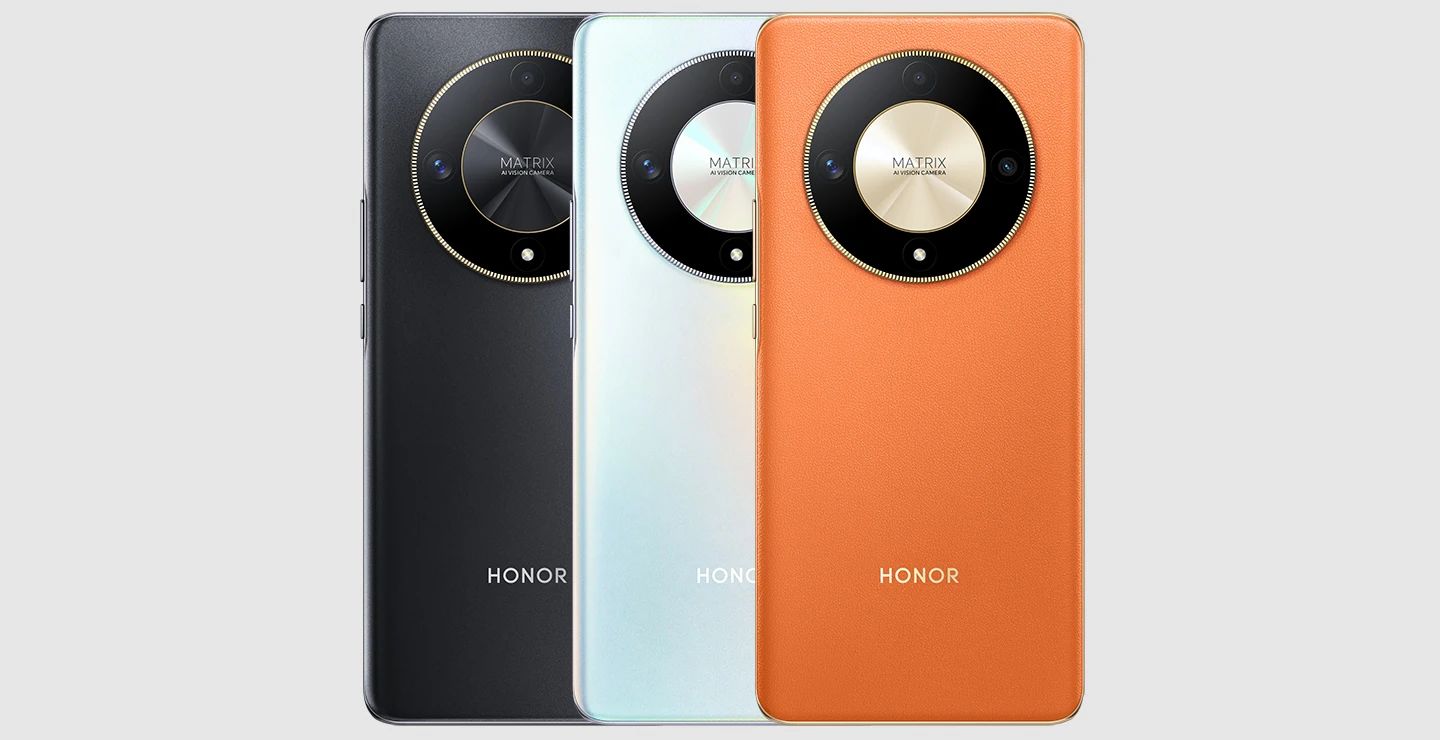
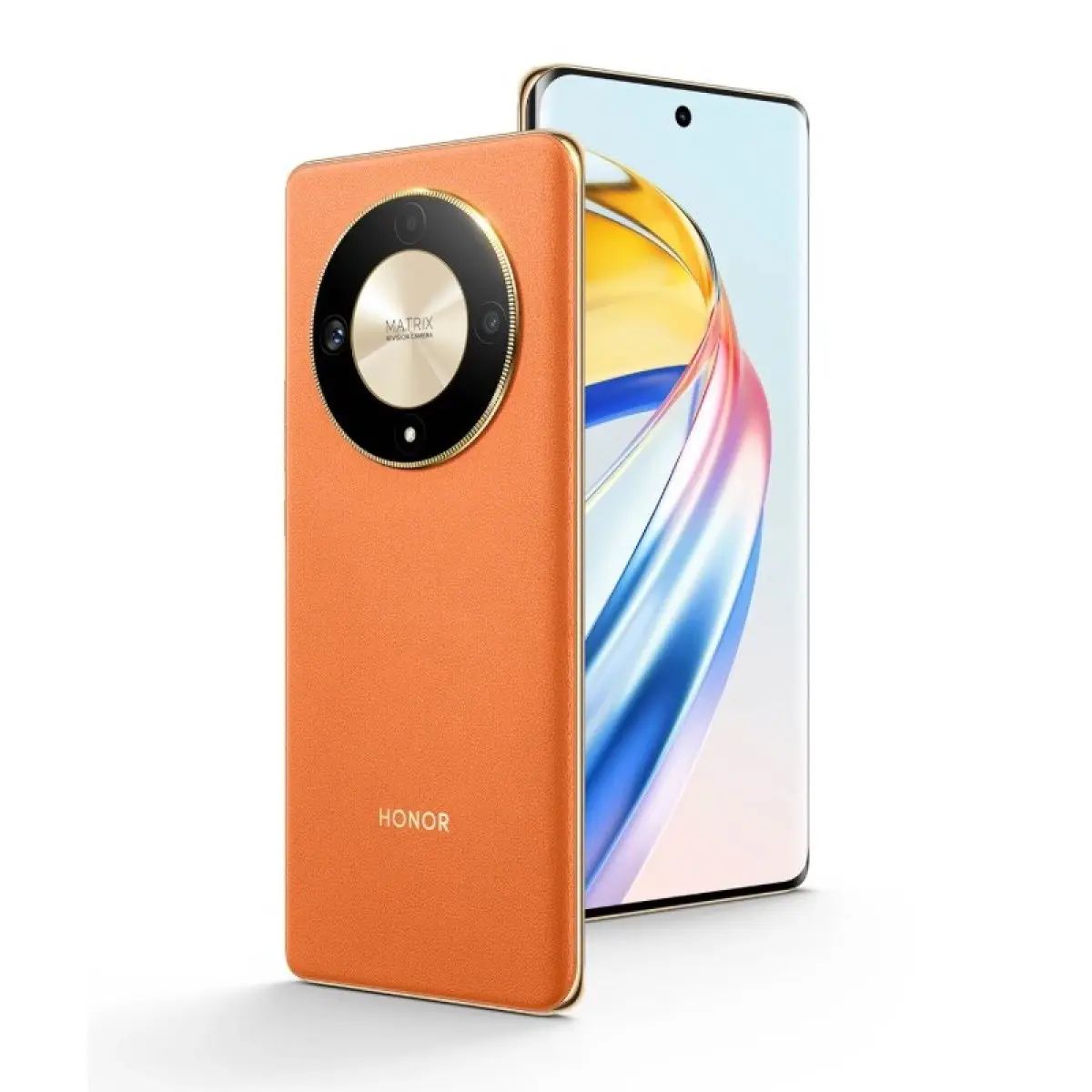
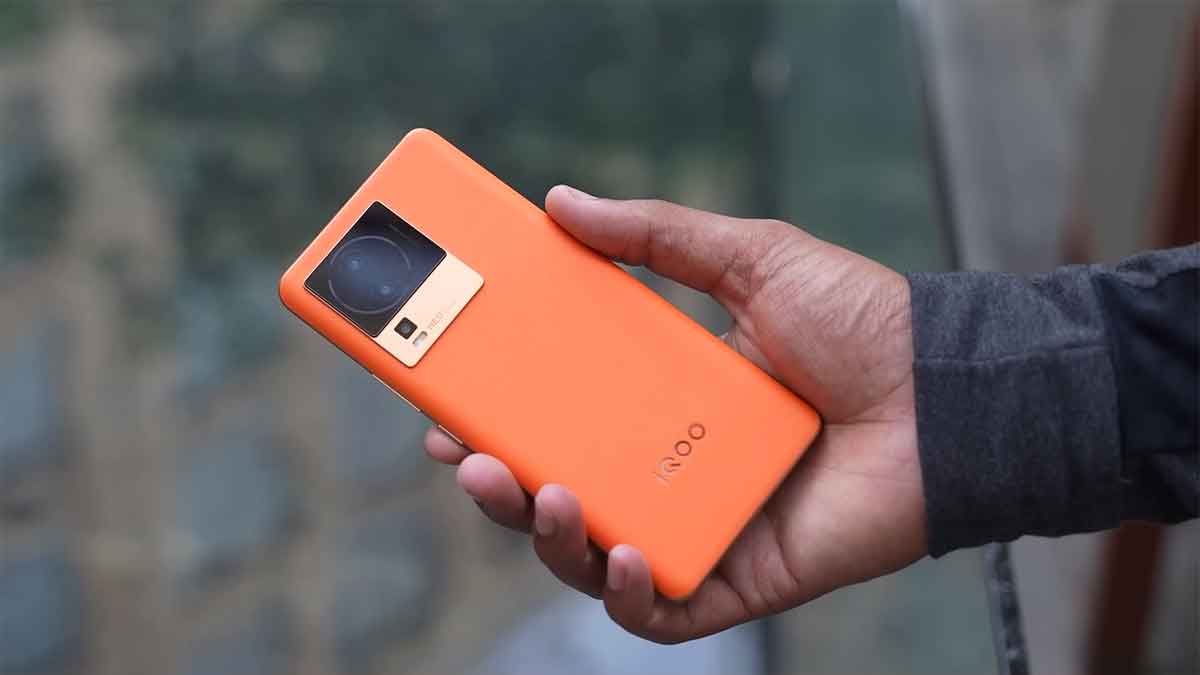
The Honor X9b 5G, as per its Amazon listing, is expected to feature 12GB of RAM and 256GB storage and will be available in a striking Sunrise Orange variant.
The device also promises a unique combo offer, bundling theHonor Choice Earbuds X5Ealong with a comprehensive 12-month warranty covering the screen and back cover.
Reflecting its global counterpart, the Honor X9b 5G boasts a 6.78-inch AMOLED display with a resolution of 1200 × 2652 pixels and a smooth 120Hz refresh rate.
The camera setup includes a 108MP primary sensor, complemented by a 5MP wide-angle sensor and a 2MP Macro lens. For selfies and video calls, there’s a 16MP front-facing camera.
The device is supported by a substantial 5,800mAh battery, which benefits from fast charging capabilities through a 35W charger included in the box.
The upcoming launch of the Honor X9b 5G in India is quite the buzz, particularly for its innovative Ultra Bounce display with ‘Airbag’ technology.
This feature might just render tempered glass obsolete.
Honor X9b 5G, as per its Amazon Listing
The Honor X9b 5G’s comprehensive expected features and specifications position it as a competitive player in the budget smartphone market, especially among users looking for high-end features at a presumably competitive price point.
Will Honor be able to replicate its success with the Honor X9b?
What is unique about the Honor X9b 5G’s display technology?
The Honor X9b 5G introduces India’s first Ultra Bounce display, featuring ‘Airbag’ technology that could potentially replace the need for tempered glass.
What are the storage specifications of the Honor X9b 5G?
This smartphone comes with 12GB of RAM and 256GB storage, available in a striking Sunrise Orange variant.
What additional benefits come with the Honor X9b 5G?
It offers a combo deal including Honor Choice Earbuds X5E and a 12-month warranty covering the screen and back cover.
Can you describe the Honor X9b 5G’s camera capabilities?
It boasts a 108MP primary camera, a 5MP wide-angle sensor, a 2MP Macro lens, and a 16MP front-facing camera for diverse photography needs.
What are the charging and battery specifications of the Honor X9b 5G?
The device features a substantial 5,800mAh battery with a 35W charger, ensuring efficient and fast charging.
What is the expected launch date of the Honor X9b in India?
While the exact launch date of the Honor X9b in India hasn’t been revealed yet, HTech’s Madhav Sheth has officially teased its arrival.
The announcement hints at an imminent launch, following the phone’s debut in China.
What are the key specifications of the Honor X9b?
The Honor X9b is expected to feature a Qualcomm Snapdragon 6 Gen 1 processor, a 6.78-inch OLED display with a 1.5K resolution, and a 120Hz refresh rate.
These specifications suggest a strong performance in the mid-range smartphone segment.
What camera features does the Honor X9b offer?
The device is likely to come with a triple rear camera setup, including a 108MP primary camera, complemented by an 8MP ultrawide lens and a 2MP macro lens.
The front camera is expected to be a 16MP sensor, catering to selfie enthusiasts and video calling needs.
How does the Honor X9b fare in terms of battery and charging?
The Honor X9b is anticipated to be equipped with a 5800mAh battery, supported by 35W fast charging technology.
This combination promises extended battery life and rapid charging times.
What’s the standout feature of the Honor X9b’s display?
The device sports a curved 6.78-inch AMOLED display with a 120Hz refresh rate for smooth visuals.
How powerful is the Honor X9b 5G ?
It runs on Snapdragon 6 Gen 1 SoC, with RAM options up to 12GB and 256GB storage.
What’s unique about the Honor X9b’s camera setup?
The phone houses a 108MP primary rear camera, with additional 5MP ultra-wide and 2MP macro sensors.
Is the Honor X9b 5G-enabled?
Yes, the device supports 5G connectivity along with a range of other options like Wi-Fi, Bluetooth, and NFC.
What is Honor X9b India launch date?
Honor X9b is scheduled to launch on February 15 in India.
The smartphone is expected to arrive in the mid-range segment, competing with the likes of phones from Realme, Redmi, Infinix, Tecno, Motorola, and others.
The device is expected to be priced under Rs 30,000 segment. Rumors have it that the company will also launch a pair of TWS earbuds alongside the smartphone at the launch event.
The long-rumored Honor Choicebuds will likely make it to the event and could be given in a bundle offer.
What are Honor X9b specifications ?
Honor X9b will be a 5G smartphone and it is expected to feature a 6.78-inch FHD+ display. It may have an AMOLED panel with 120Hz refresh rate, 1920 PWM dimming, and SGS glass protection.
The panel may have a higher 1200 nits of peak brightness.
Ahead of the launch, the smartphone briefly appeared on Amazon India, revealing some key details.
The listing confirms that the Sunrise Orange will be coming to India with 12GB RAM and 256GB storage.
The listing also reveals that the phone will be available with a combo offer including the Honor Choice Earbuds X5E, as well as 12 months of screen and back cover warranty, and an extended 24-month battery health guarantee.
The listing also reveals that the phone will launch with Android 13 onboard.
While the rest of the specs are still unconfirmed, the phone is likely to be the same as the global model which boasts a 6.78-inch display with 1.5K resolution and a 120Hz refresh rate.
Under the hood, it will likely be powered by the Snapdragon 6 Gen 1 SoC, accompanied by the Adreno 710 GPU.
For photography, the phone could boast a robust 108 MP primary camera, supported by a 5MP ultra-wide and a 2MP macro lens. While on the front, it will have a 16MP selfie snapper.
The device will feature a large 5800 mAh battery, supporting 35W wired fast charging.
Premium design with vegan leather back and association with Ollivier Savéo.
Impressive 6.7-inch OLED display with Dolby Vision and HDR10+.
Versatile camera setup with 64MP periscope telephoto lens.
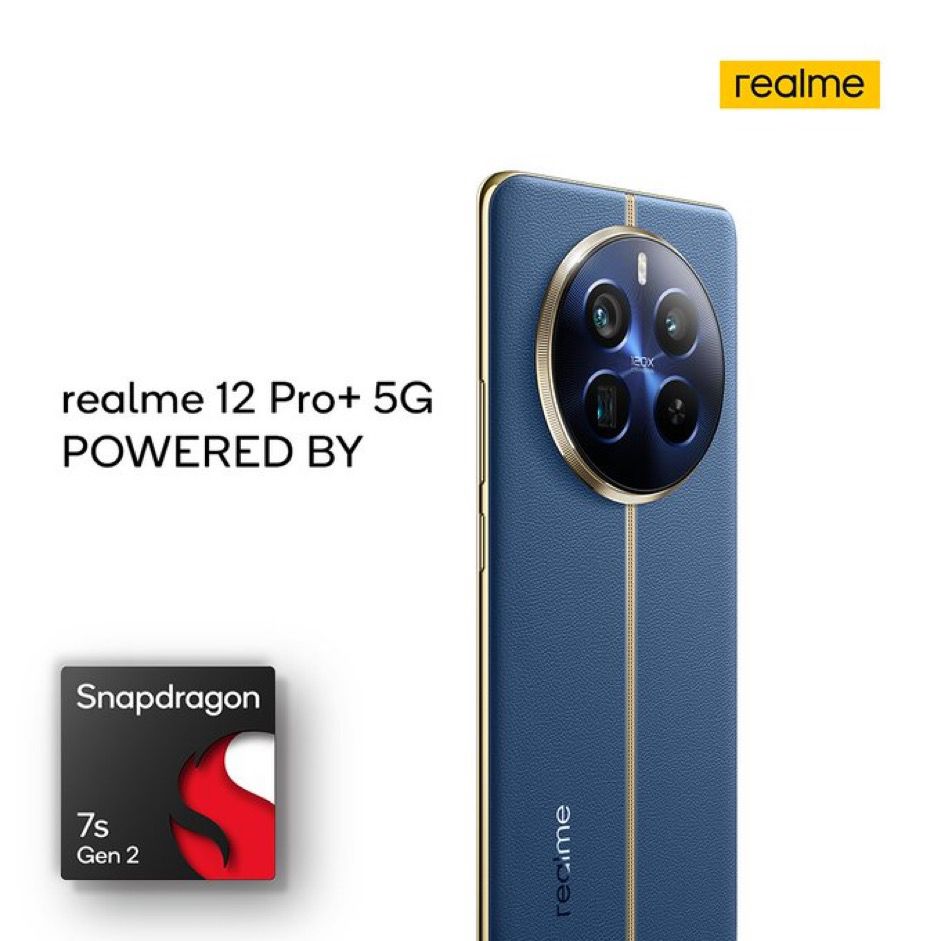
Robust performance with Snapdragon 7s Gen 2 and 67W SuperVOOC charging.
The Realme 12 Pro+, an evolution in Realme’s product line, has not truly transcended the company’s traditional budget-friendly territory, venturing into the premium segment, breaching the Rs 30,000 mark.
However, this leap forward brings with it an array of top-notch features, possibly setting a new benchmark in the mid-range smartphone market.
In this detailed review, let’s explore how the Realme 12 Pro+ balances its upscale pricing with advanced functionalities, a testament to the brand’s commitment to innovation and quality, while also catering to a more discerning consumer base.
Realme 12 Pro+: Pros and Cons
Pros
Cons
Premium Design
Slightly Cluttered UI
Impressive Display
Soft Ultra-wide Camera
Strong Performance
Realme 12 Pro+: Unboxing
Realme 12 Pro+: Unboxing
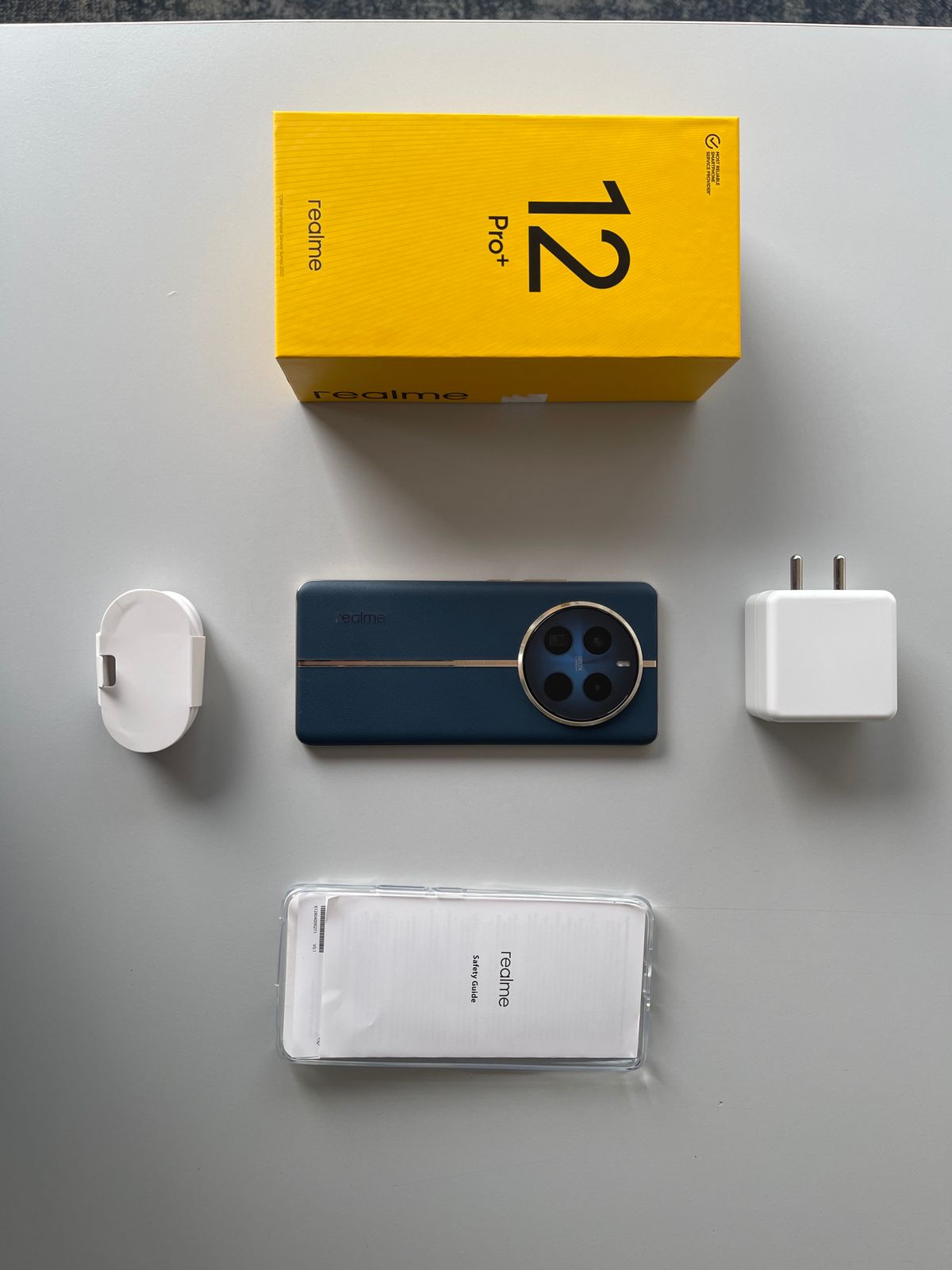
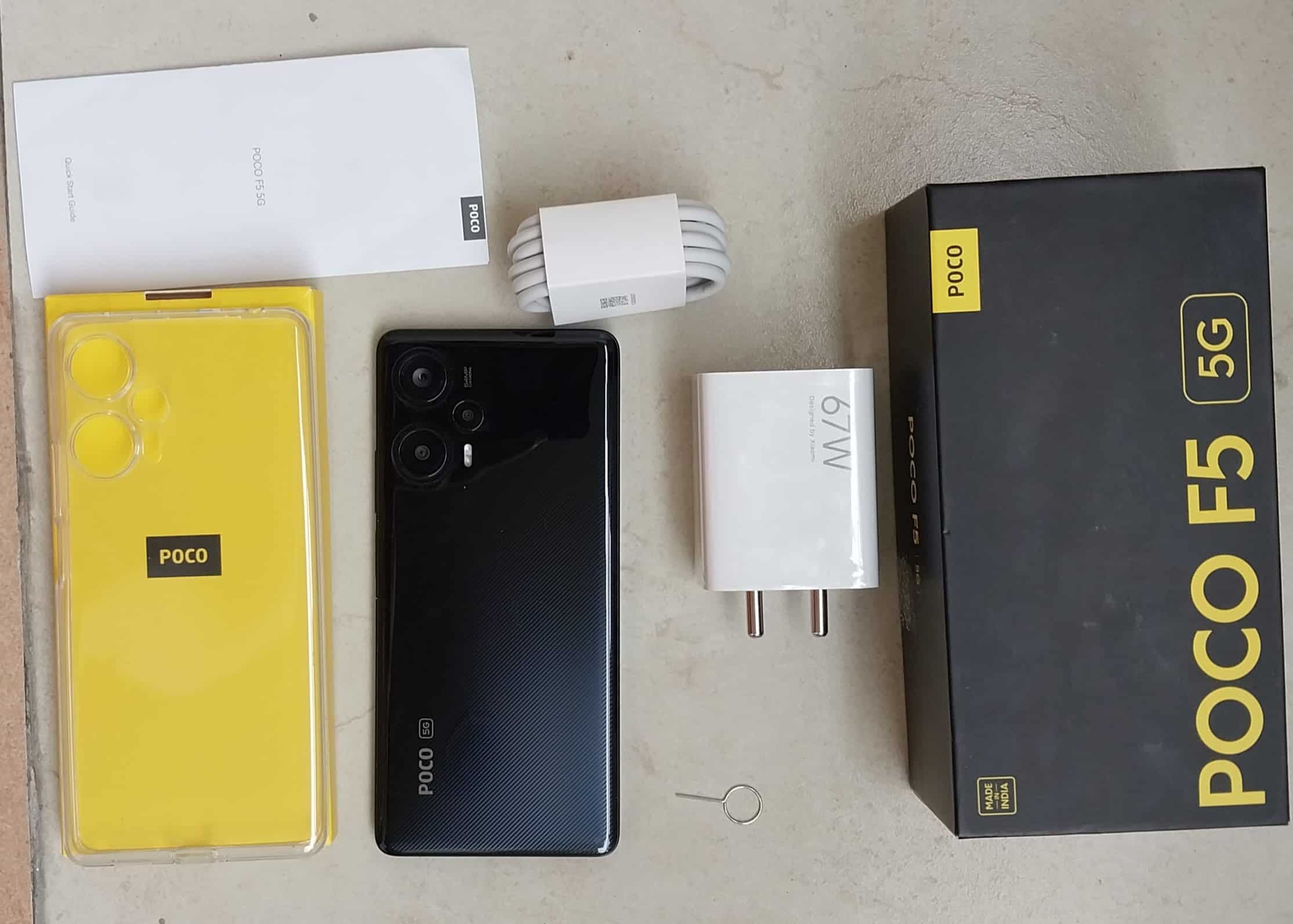
The unboxing experience of the Realme 12 Pro+ is quite satisfying, especially for tech enthusiasts who appreciate the attention to detail.
As you open the box, you’re first greeted with the phone itself, showcasing its sleek design and immediately drawing attention to its standout features.
Beneath the phone, neatly arranged, is the 67W charger.
Alongside the charger, there’s a USB Type-C cable, essential for charging and data transfer.
In a separate compartment, you’ll find a clear silicone case.
This inclusion is a thoughtful touch, offering immediate protection for the device right out of the box.
It’s a practical addition that many users will appreciate, as it ensures the phone’s safety against scratches and minor impacts from day one.
Additionally, the box includes the usual paperwork, which provides important information about the device, and a sim ejector tool, an indispensable item for setting up the phone with your SIM card.
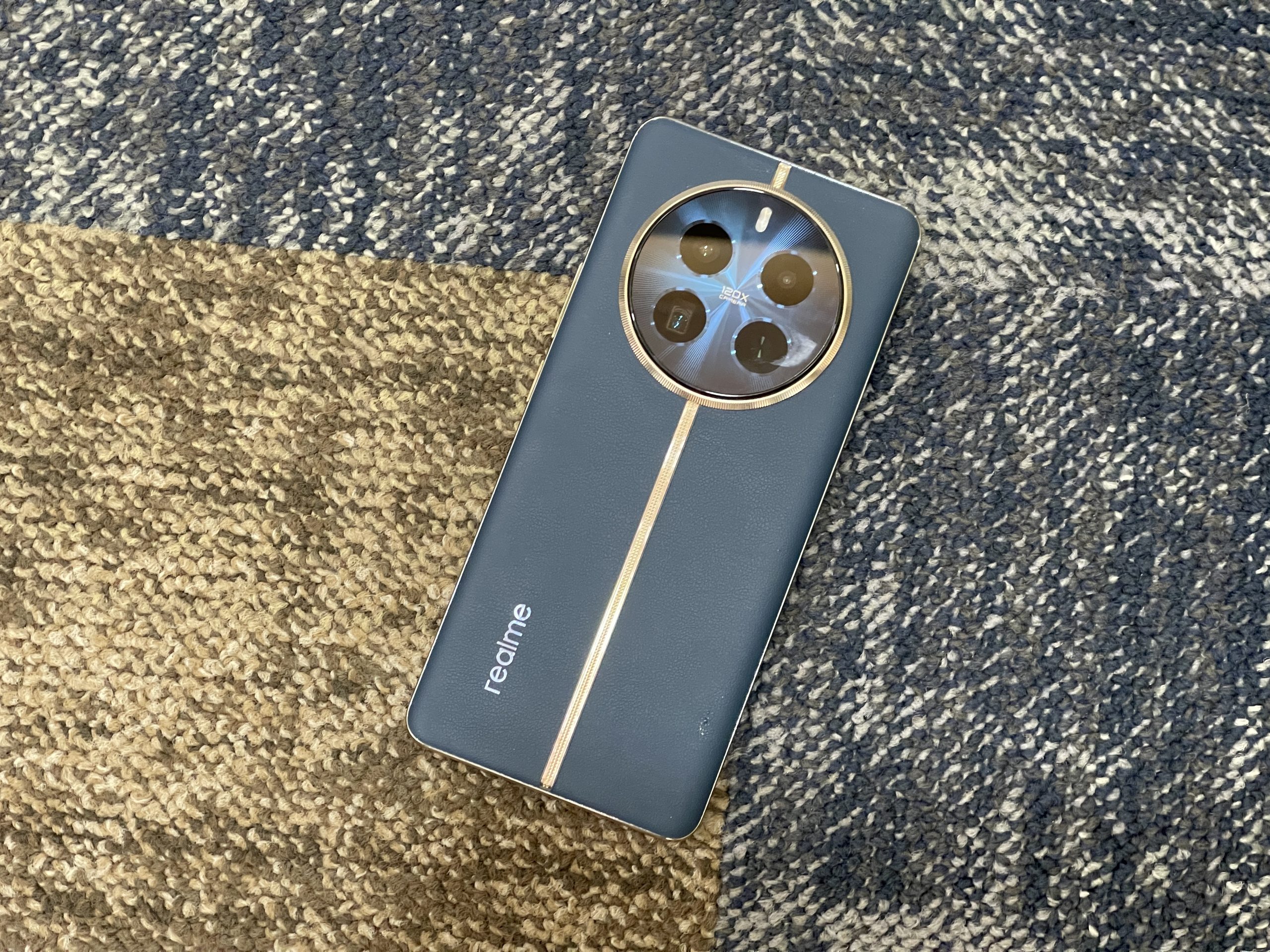
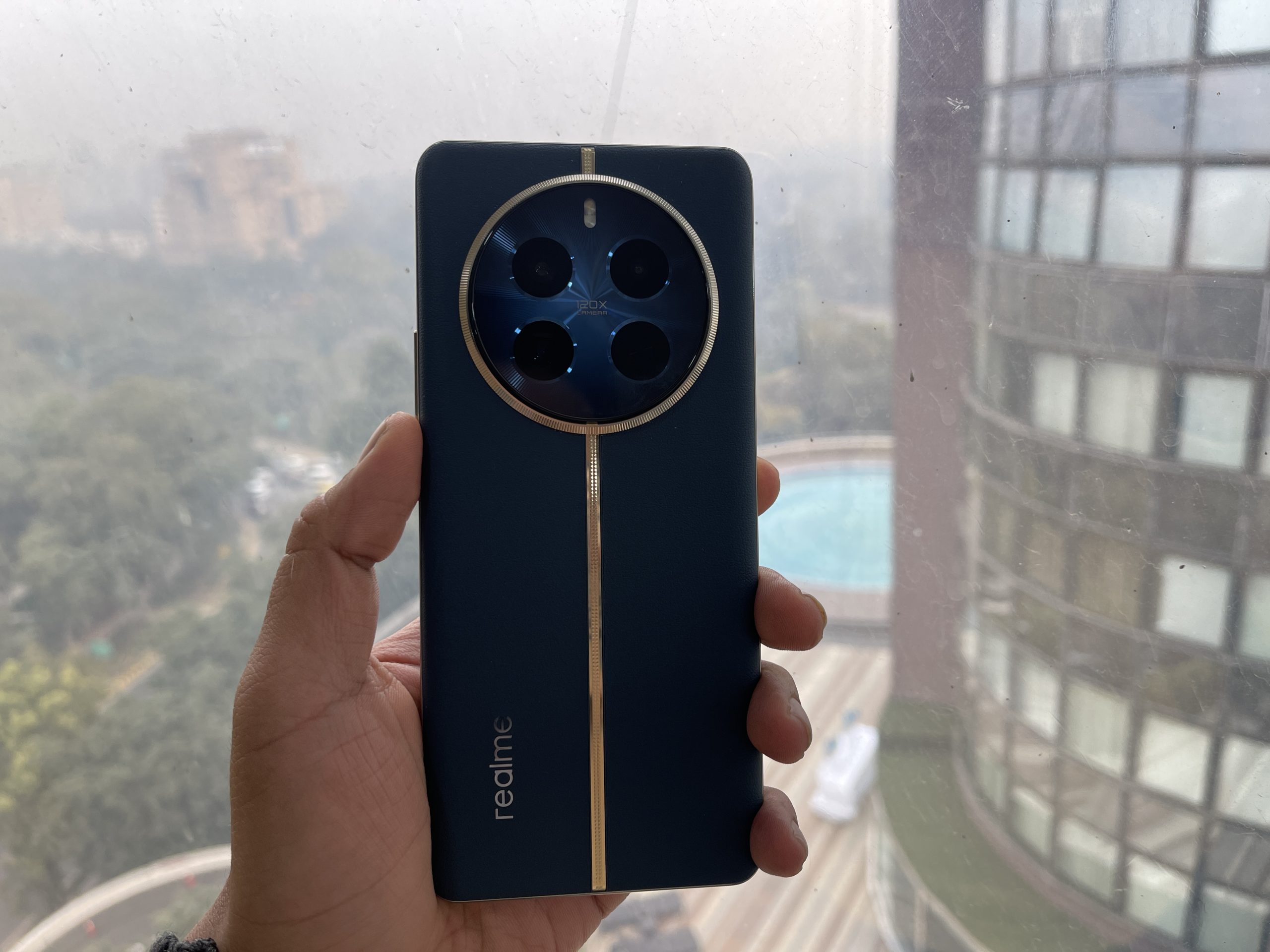
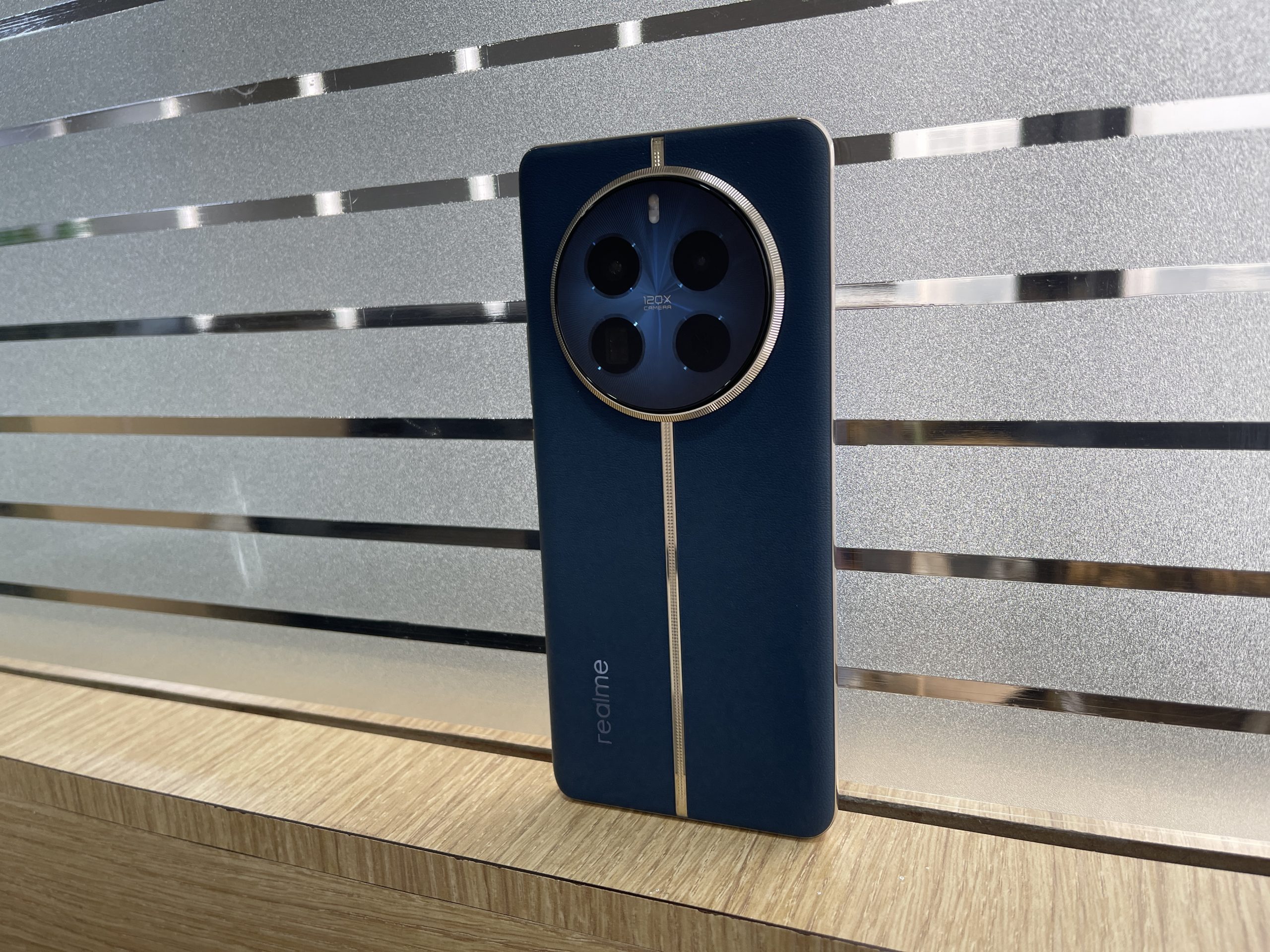
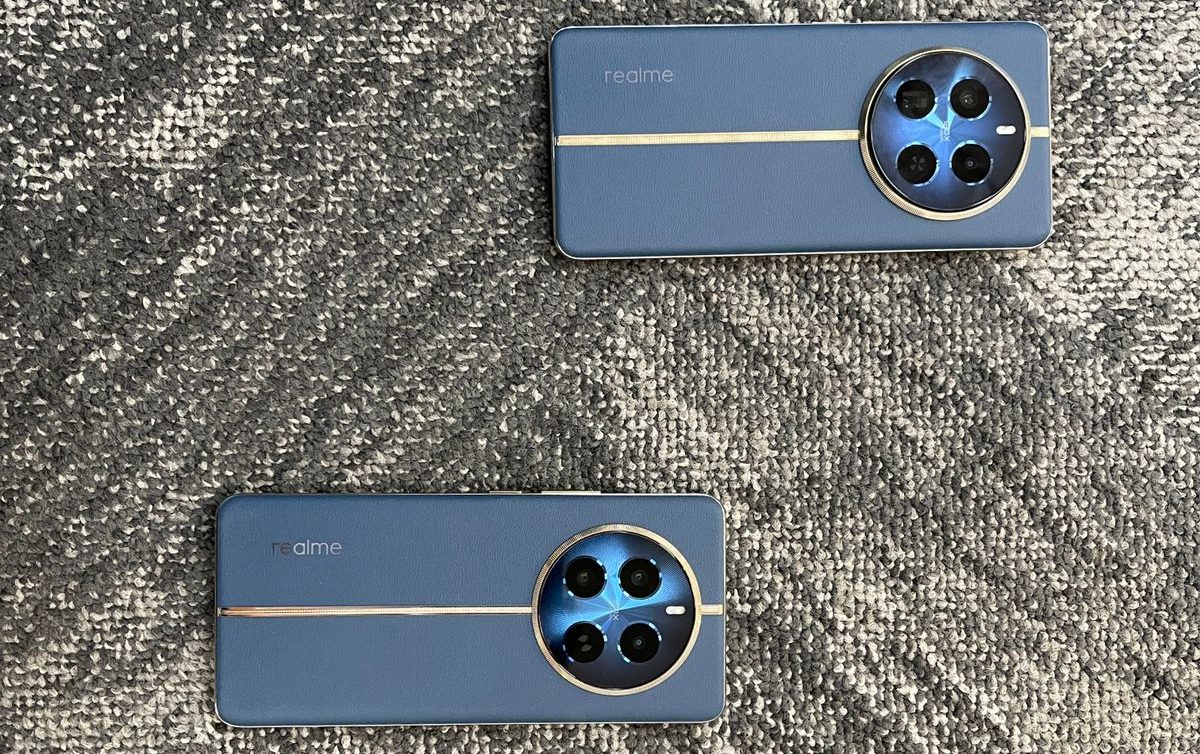
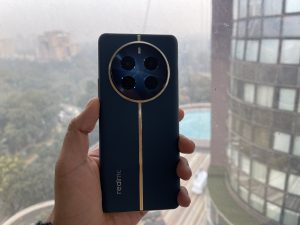
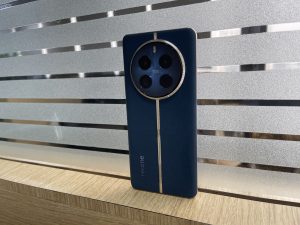
The Realme 12 Pro+ in my opinion has a design that expertly melds luxury with functionality.
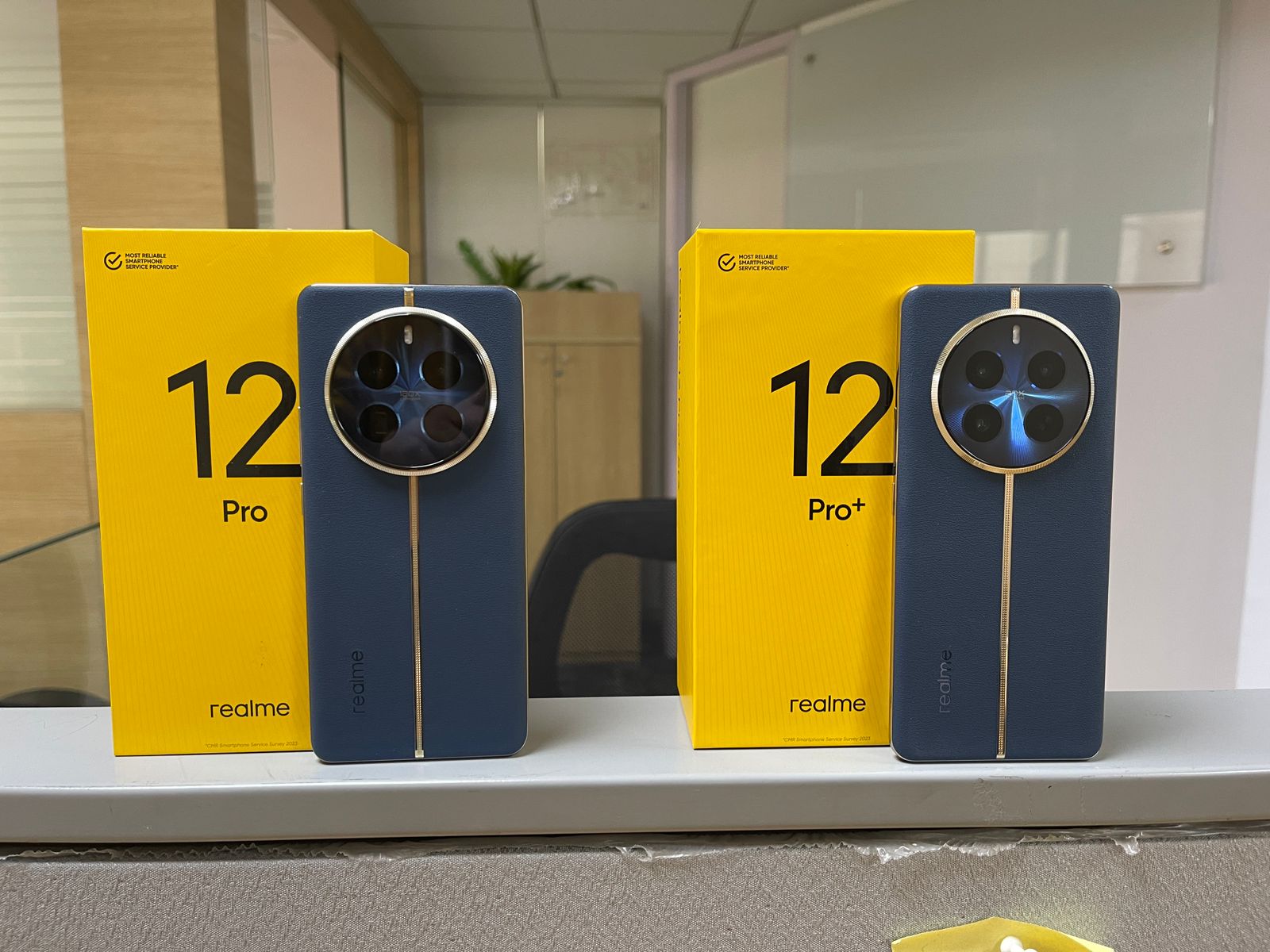
A standout feature is its vegan leather back, a continuation from its predecessor, imbuing the device with an air of sophistication and eco-conscious appeal.
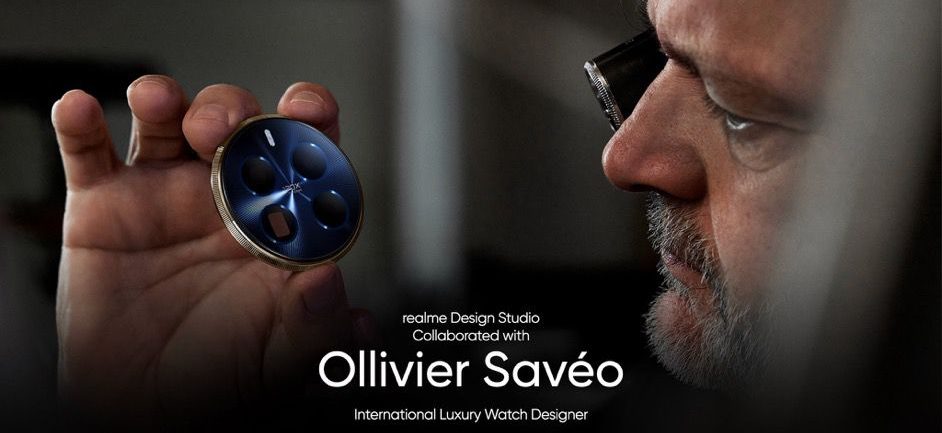
The back panel’s aesthetics were made in association with French luxury watchmaker Ollivier Savéo, and the style is evident in the 12 Pro+’s design language.
As has been evident from the last few iterations, Realme’s craftsmanship is meticulous, reflecting a deep attention to detail that rivals even higher-priced competitors.
The aesthetic appeal of the Realme 12 Pro+ is not just superficial.
In my opinion, the device feels robust and well-built, a commitment to quality that Realme has increasingly become known for.
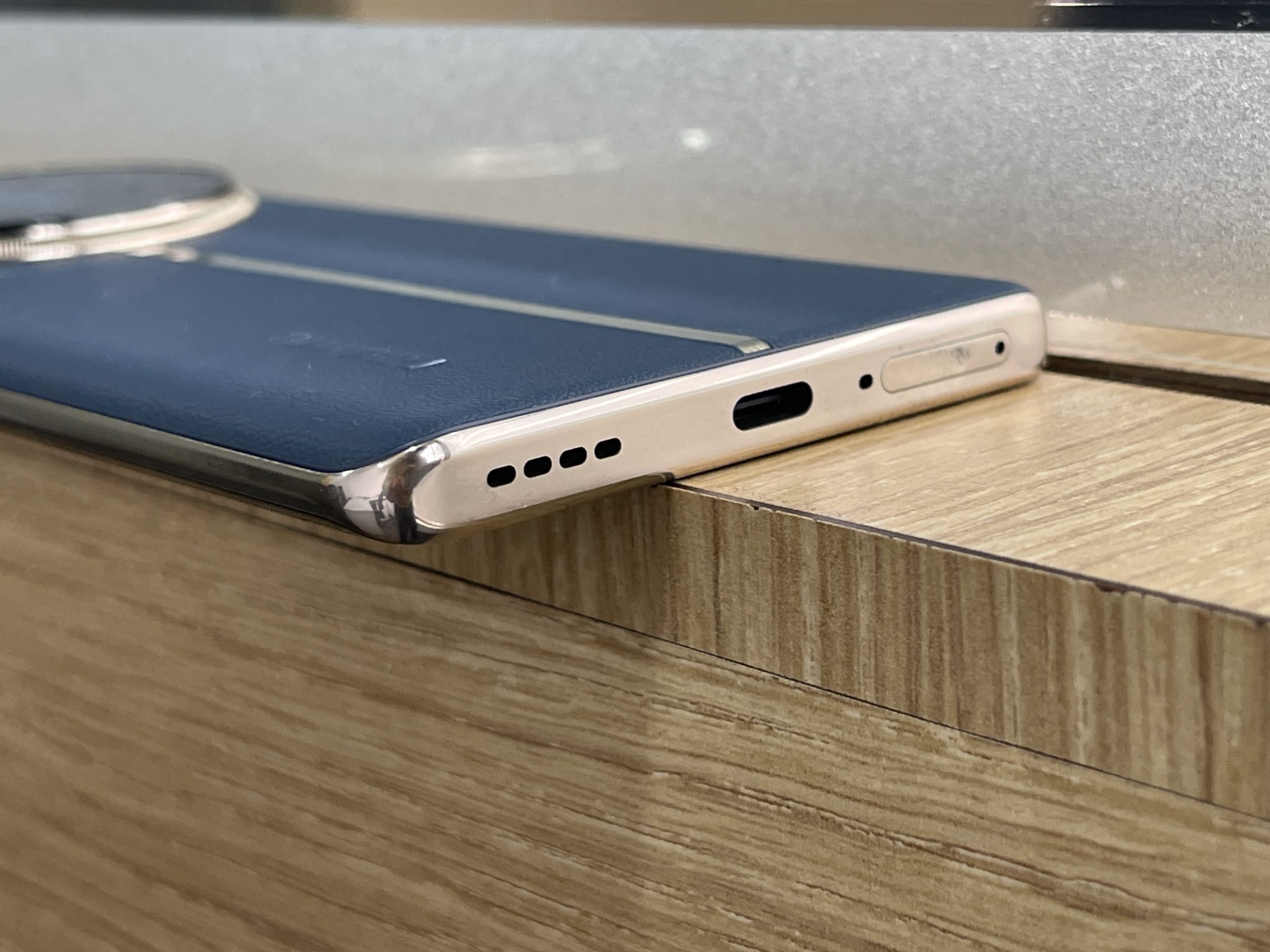
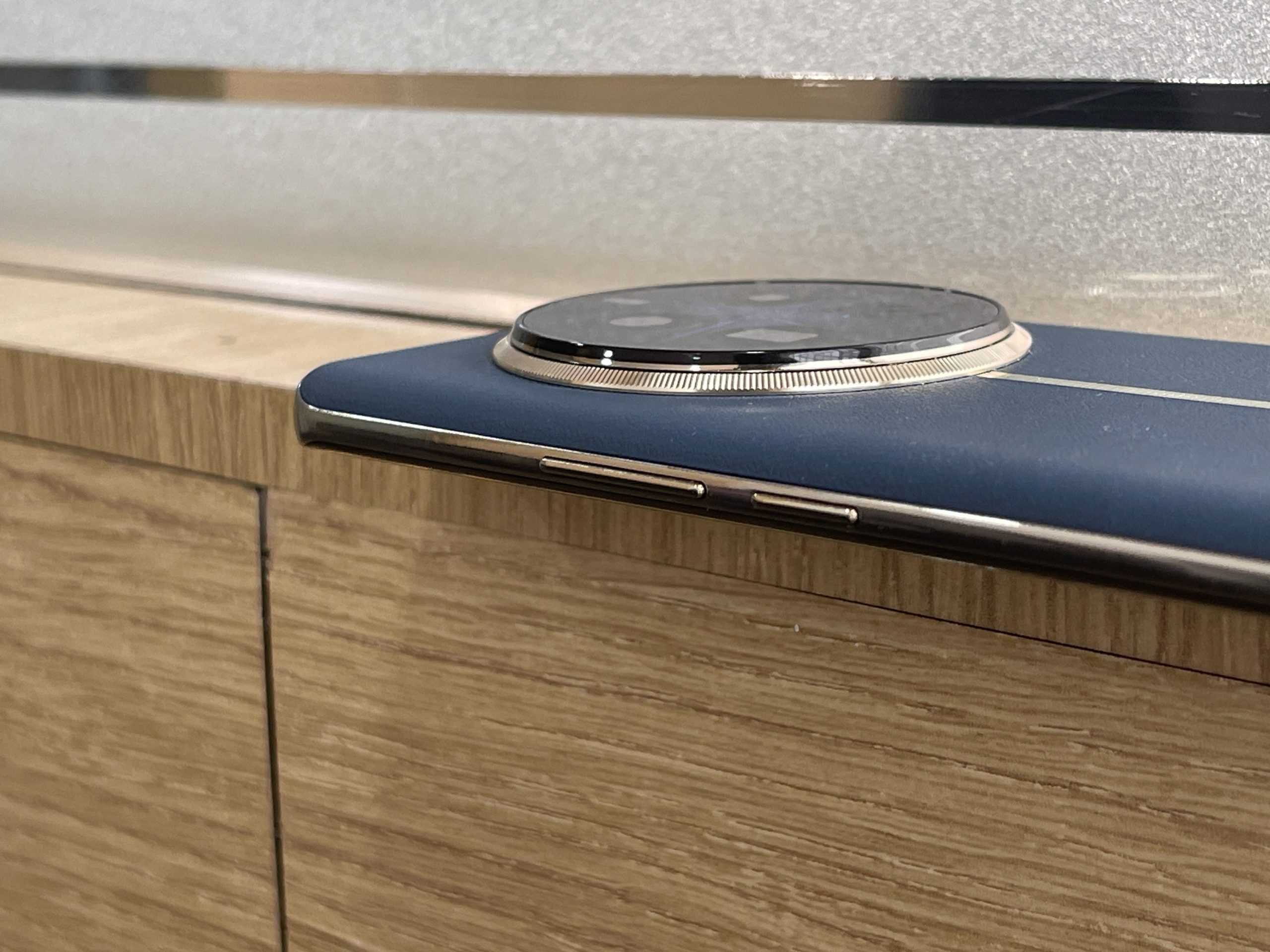
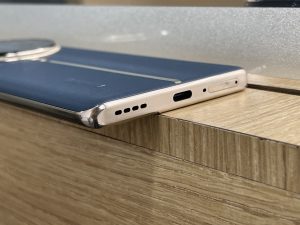
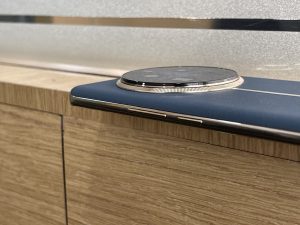
Other aspects of the phone such as the button placement, USB Type-C port, and speaker grille find themselves in areas that you can expect them to be.
Basically, it’s a design that doesn’t just look good; it feels good too, offering a comfortable grip and a sense of durability.
Overall, I feel that the Realme 12 Pro+ is a testament to the fact that premium design and practicality can coexist, creating a device that is as pleasing to use as it is to look at.
Realme 12 Pro+: Display
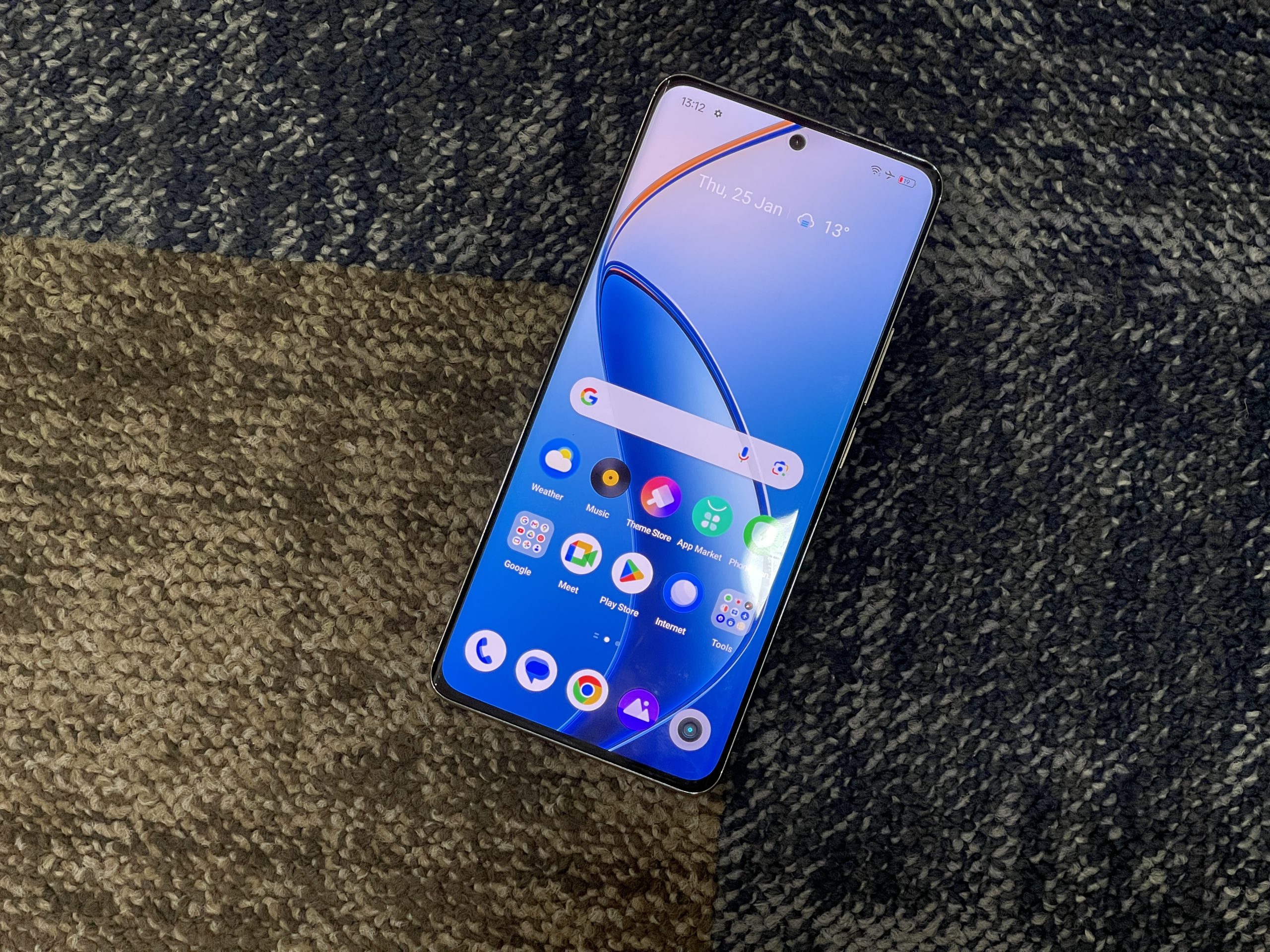
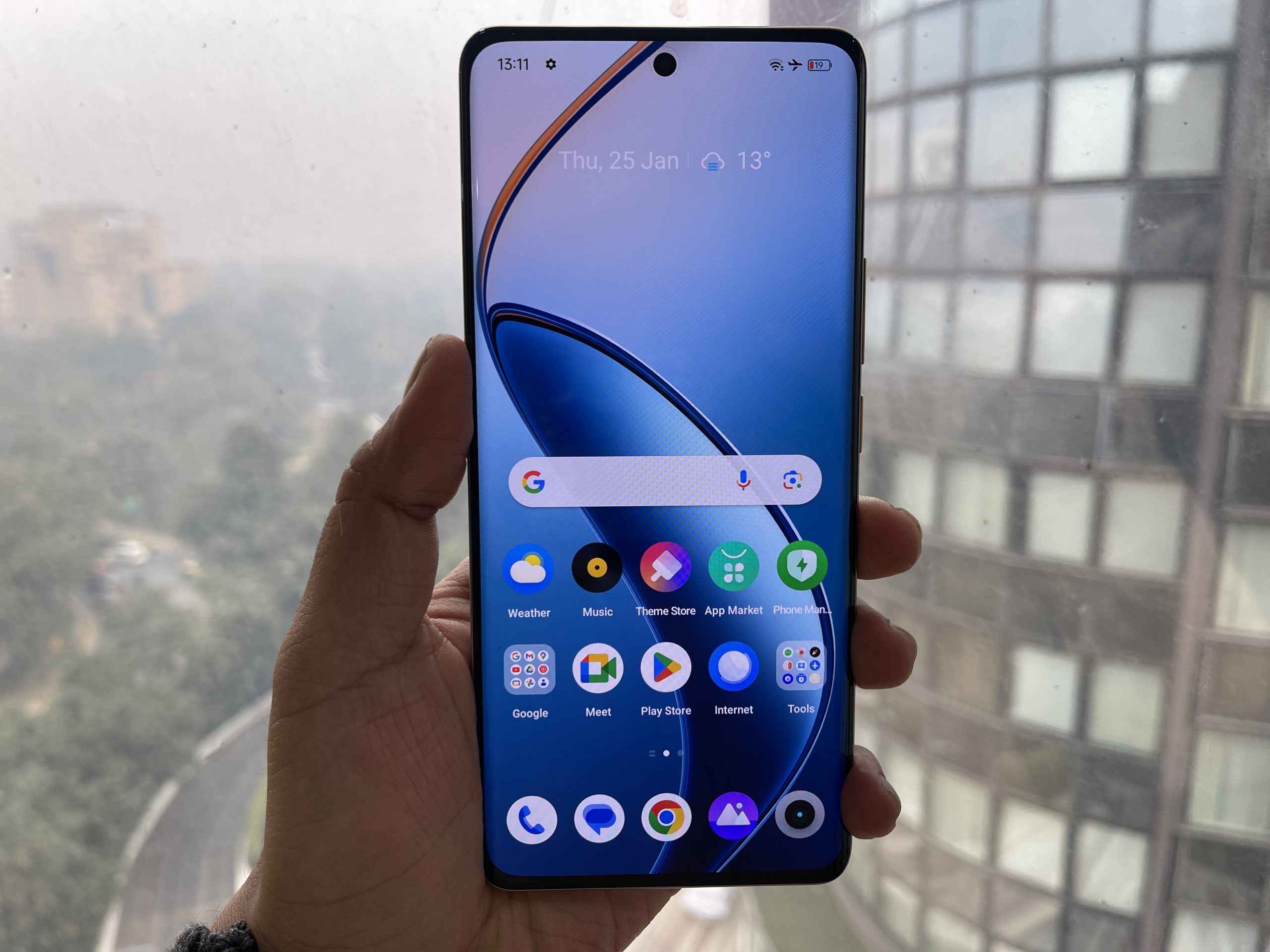
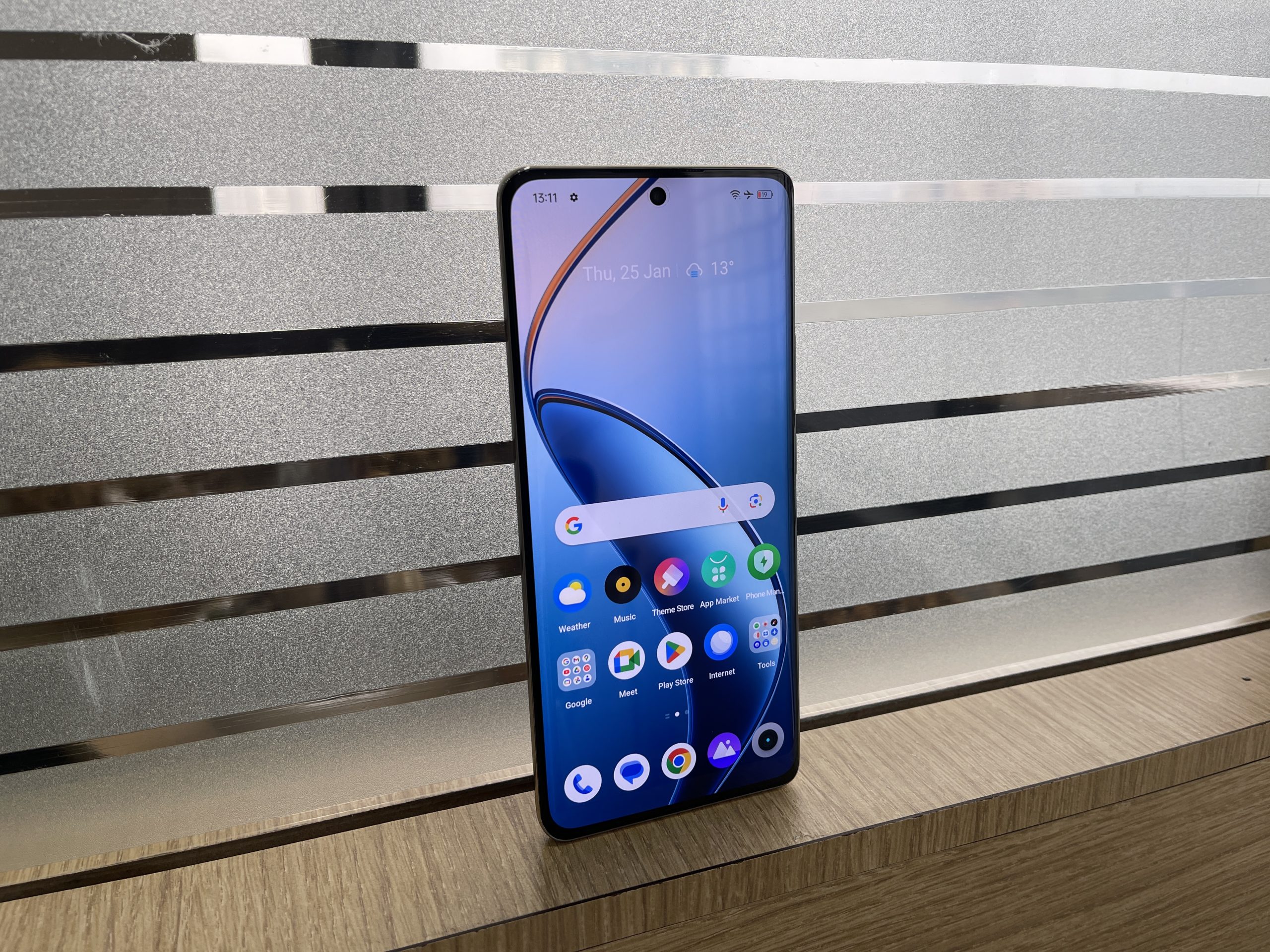
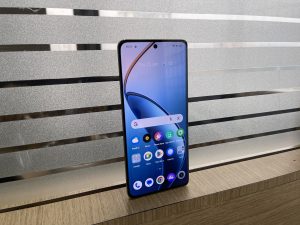
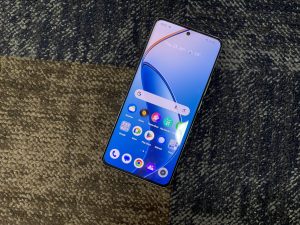
Moving on, when I first laid eyes on the Realme 12 Pro+, the display immediately caught my attention.
The curved edges of the screen give it a modern and sophisticated feel, while the slim bezels allow for a more immersive viewing experience.
I was particularly impressed by the screen’s brightness, which makes it easy to use outdoors.
Talking about specs the Realme 12 Pro+ has a 6.7-inch OLED screen with FHD+ resolution, 120Hz refresh rate, 1.07 billion colors, 100% P3 color gamut, a 240Hz touch sampling rate.
The colour accuracy is remarkable, ensuring that images are both vibrant and true to life.
Moreover, the addition of Dolby Vision and HDR10+ certifications enhances the viewing experience, especially for streaming content.
Realme 12 Pro+: Cameras
Realme 12 Pro+: Cameras
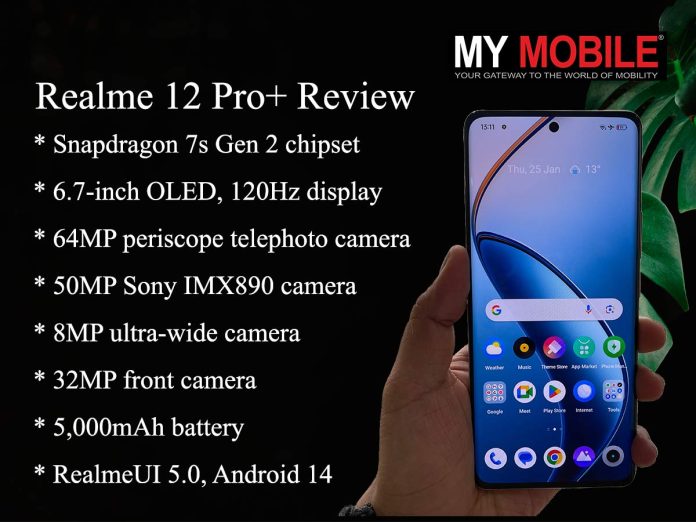
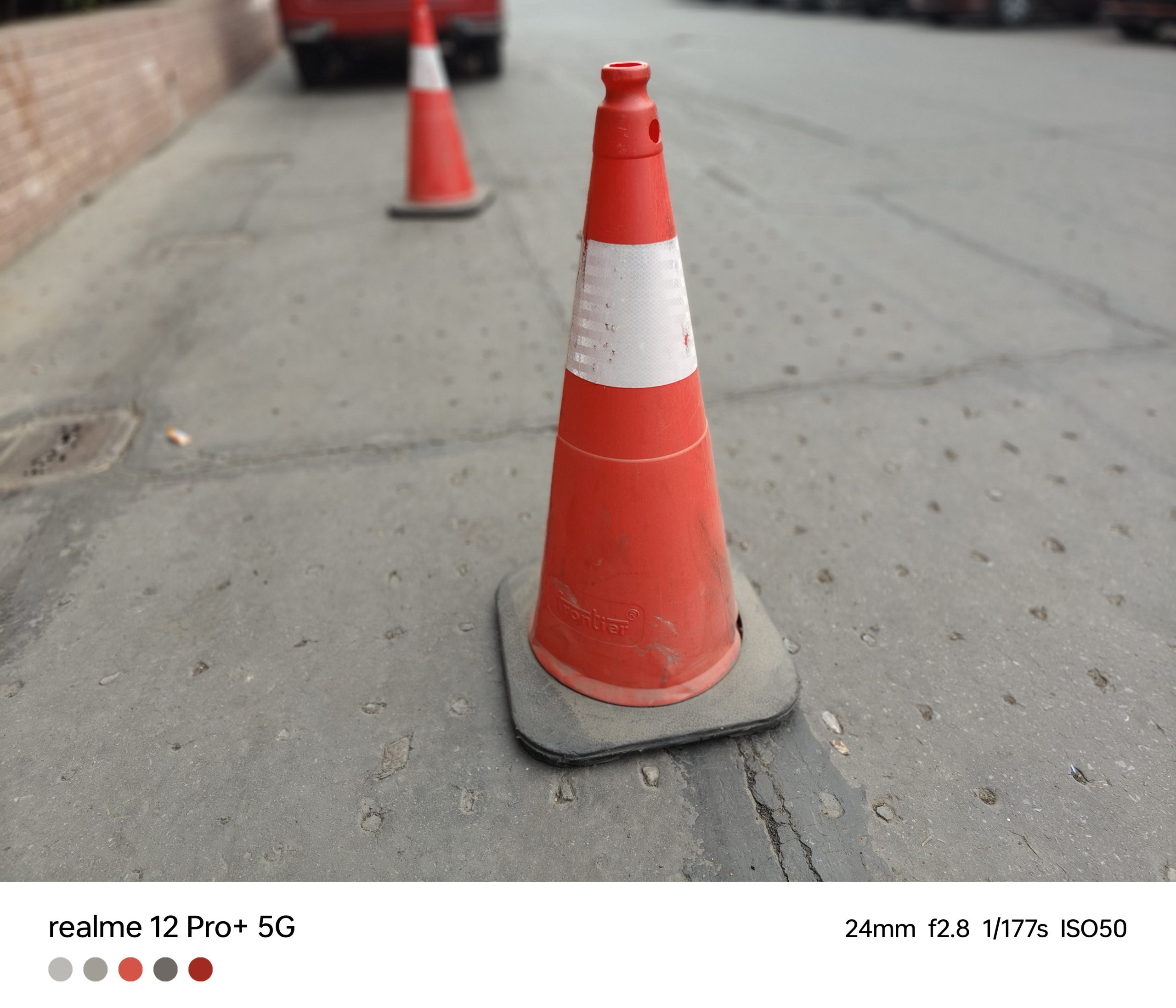
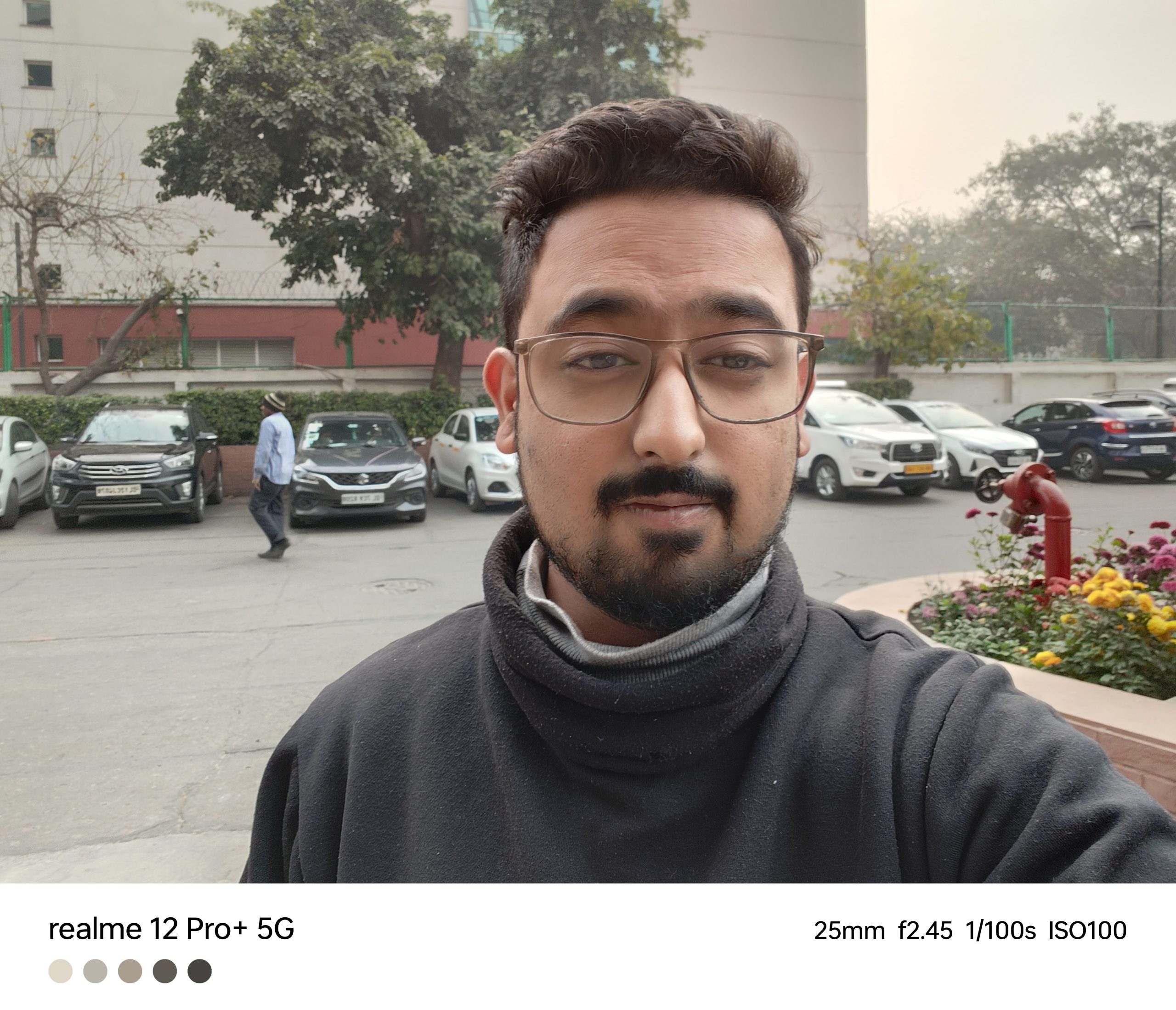
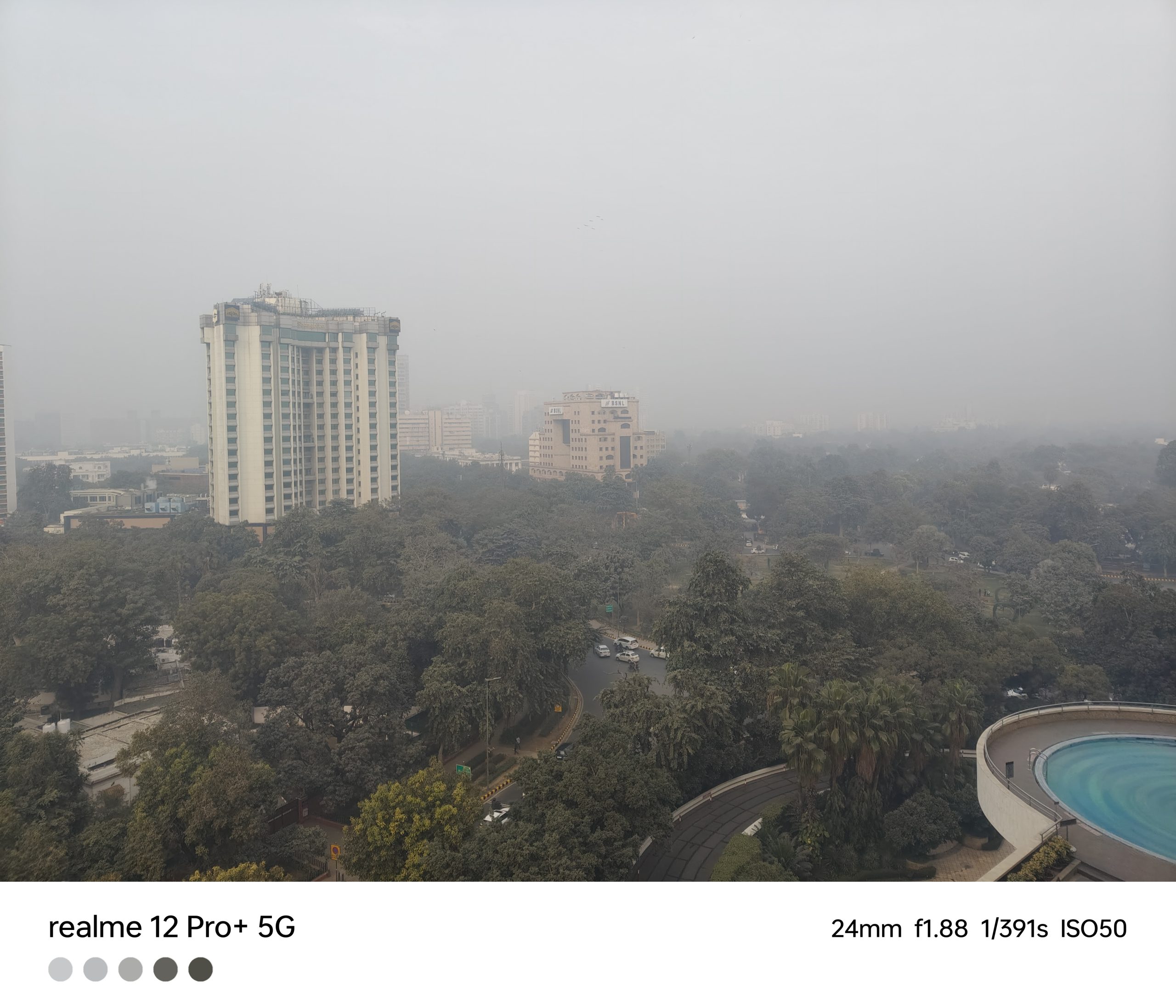
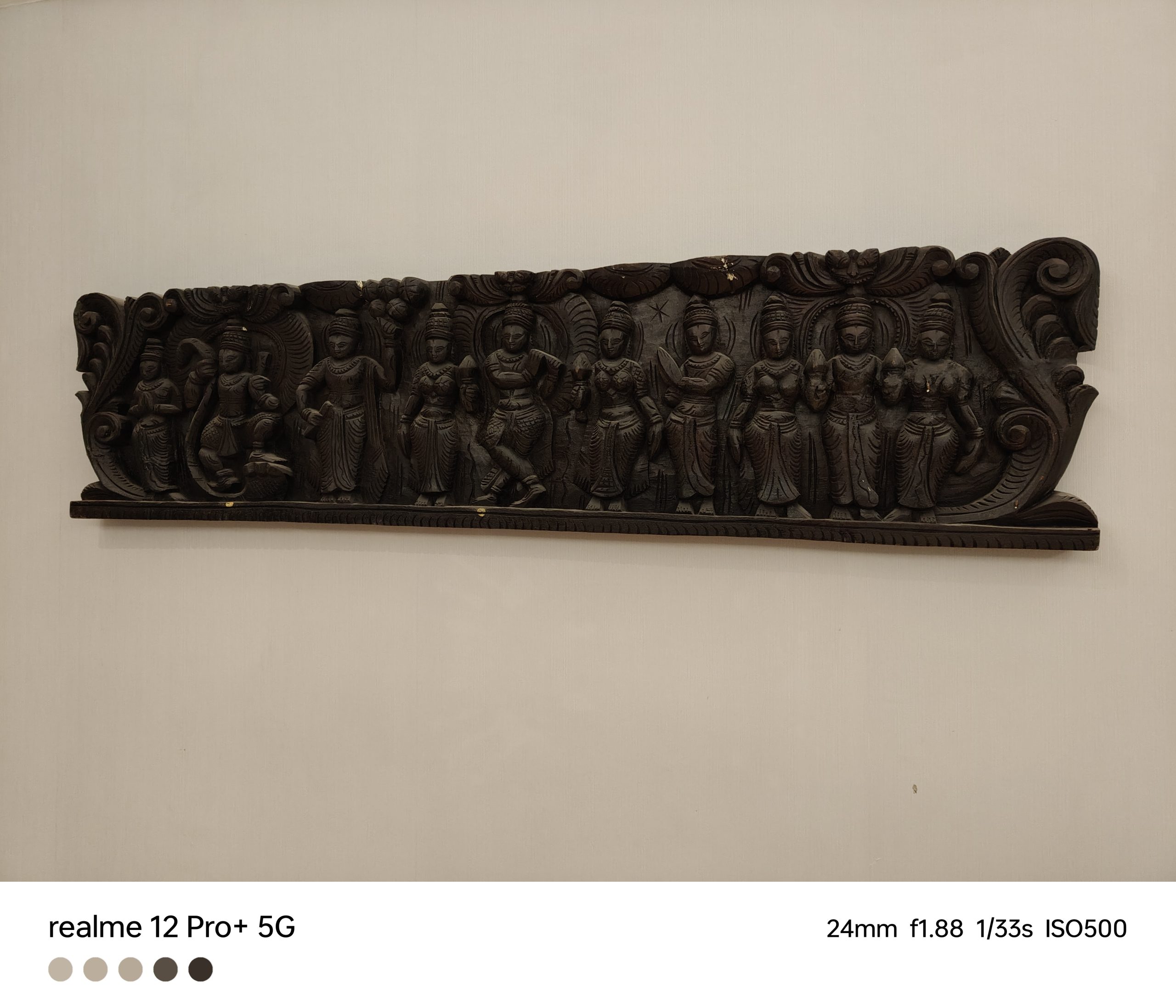
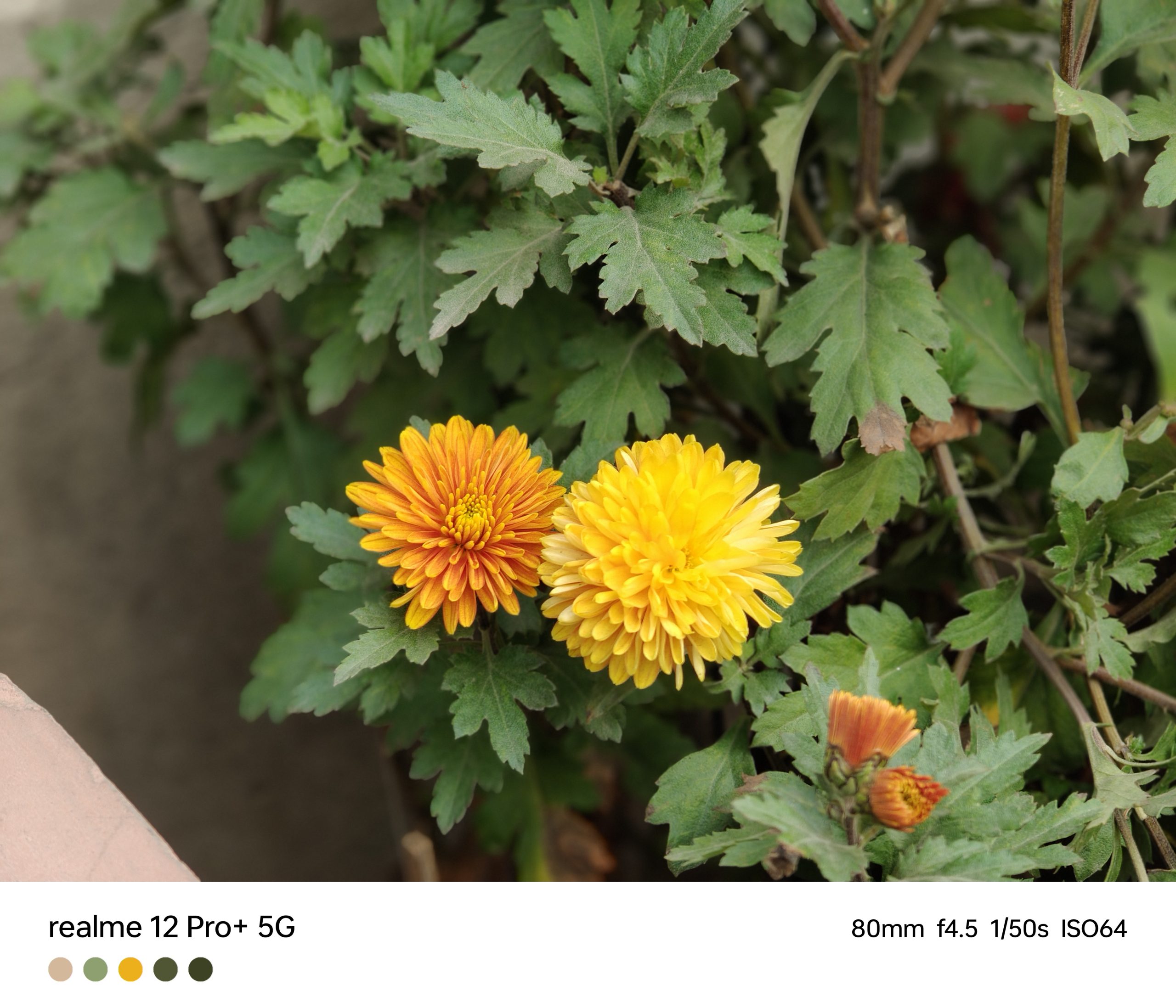
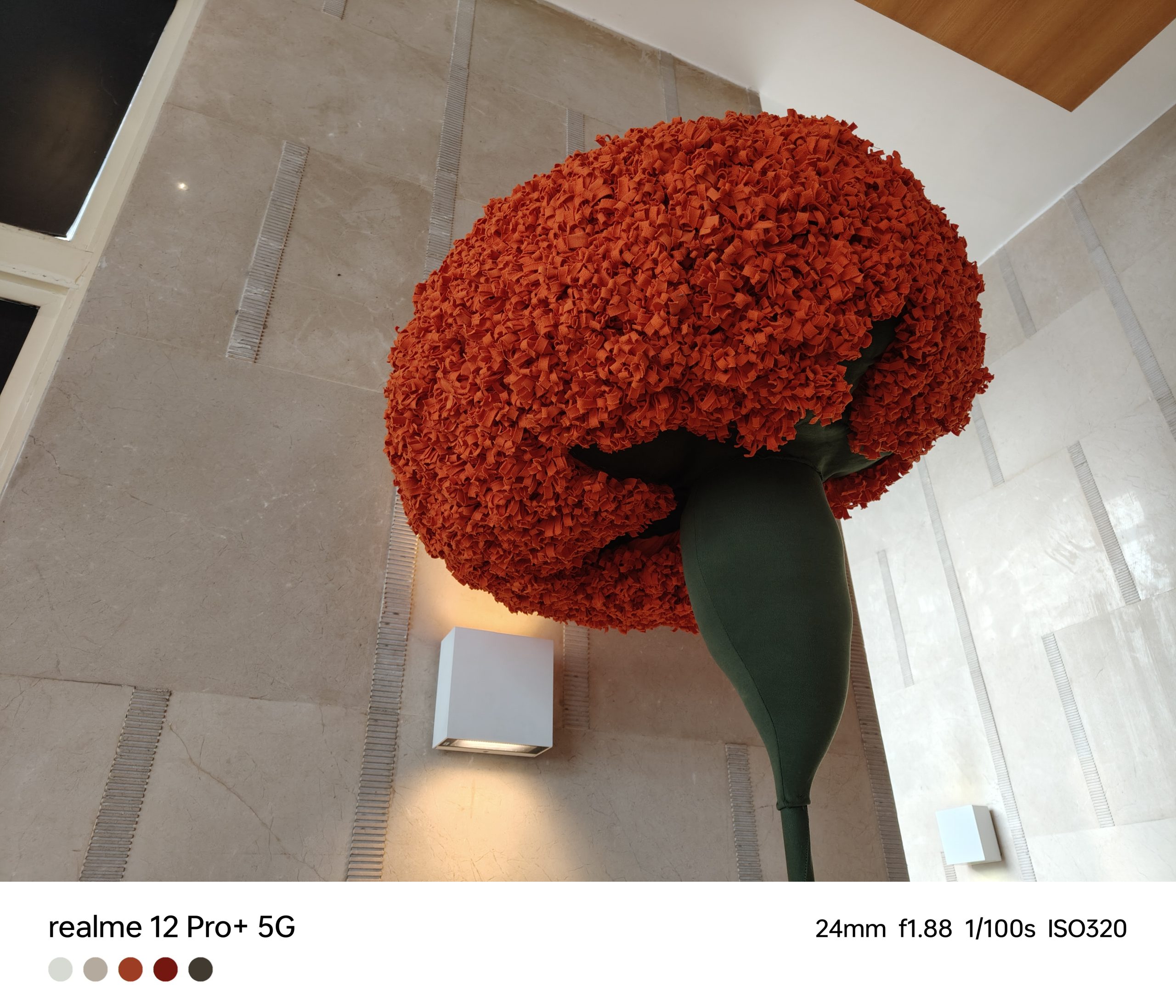
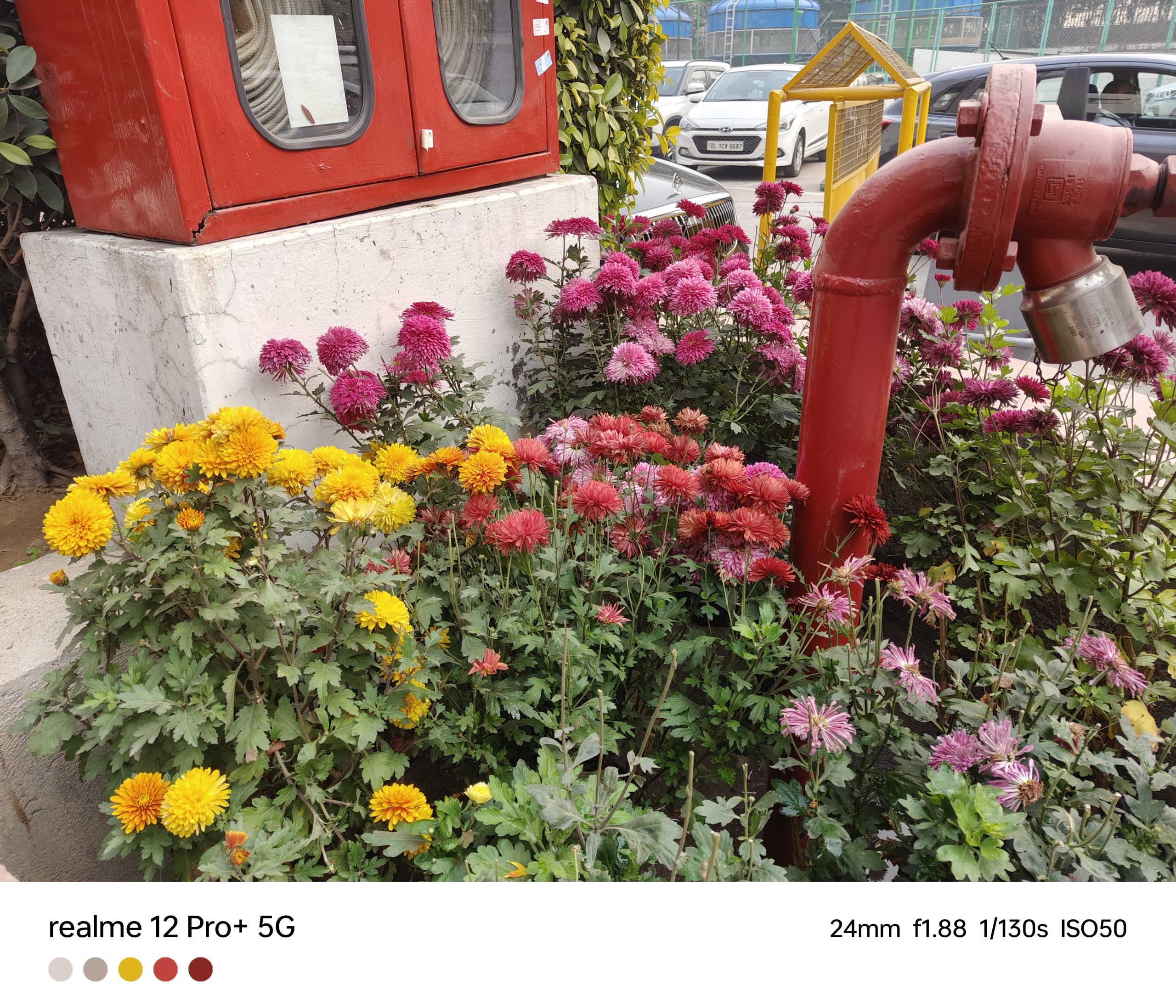
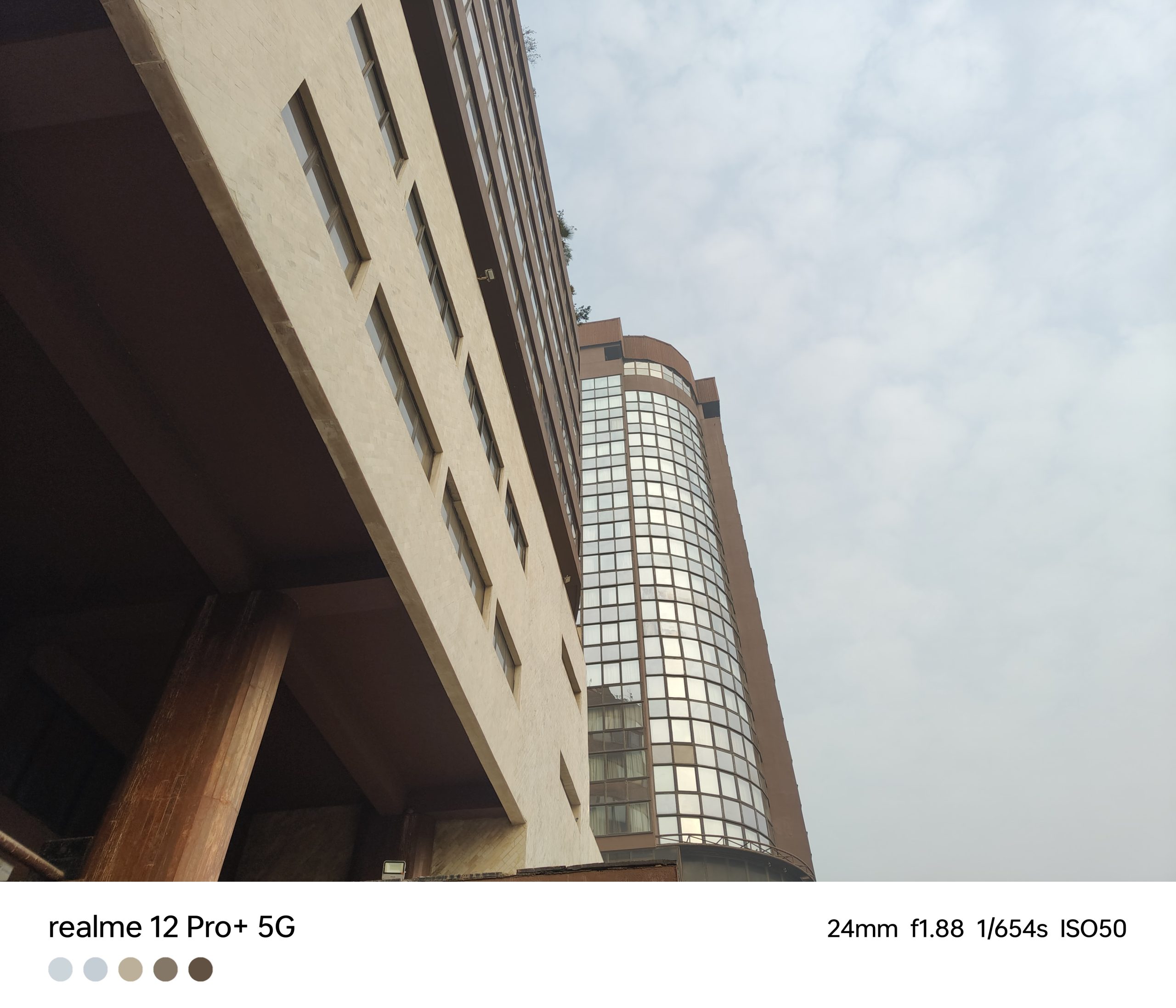
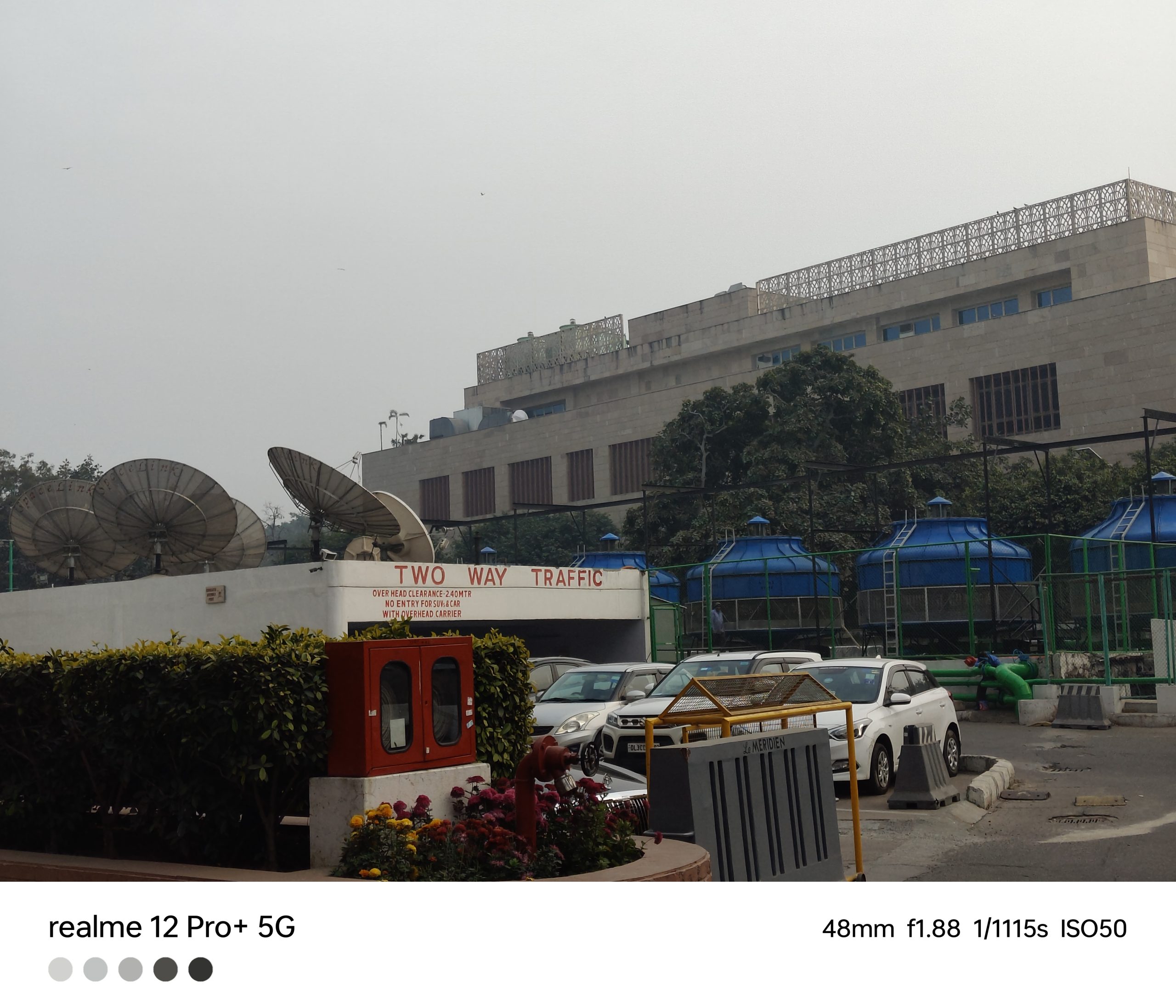
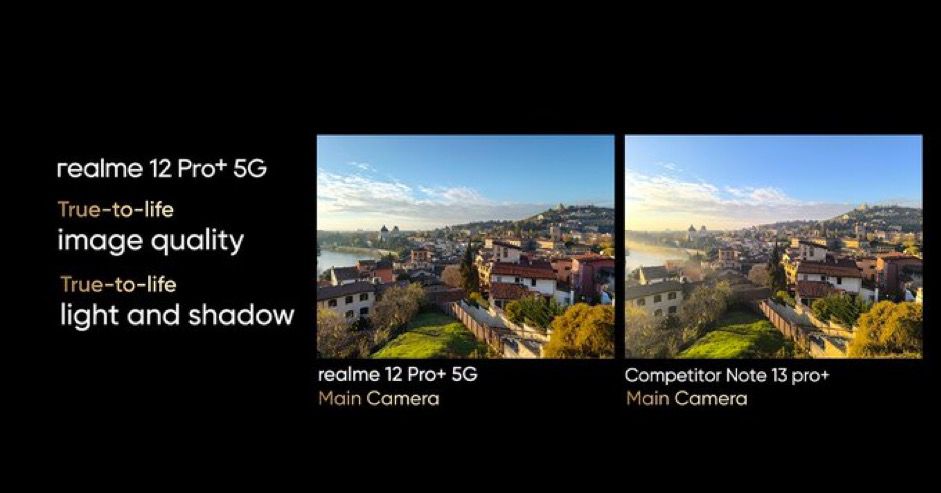
In my experience with the Realme 12 Pro+, the daylight photography was quite impressive,especially with the 64MP 3X periscope telephoto lens and the 50MP Sony IMX890 primary camera.
The ultra-wide camera didn’t quite meet my expectations, as the focus tended to be softer than I preferred.
As for the main sensor, the dynamic range was commendable, and I appreciated the fast shutter speeds and excellent focusing capabilities.
However, I did notice the absence of a macro mode, which could have added more versatility.
The AI-based scene detection is a helpful feature, adding extra lighting to images, although I found the focusing to be a bit slower in these conditions.
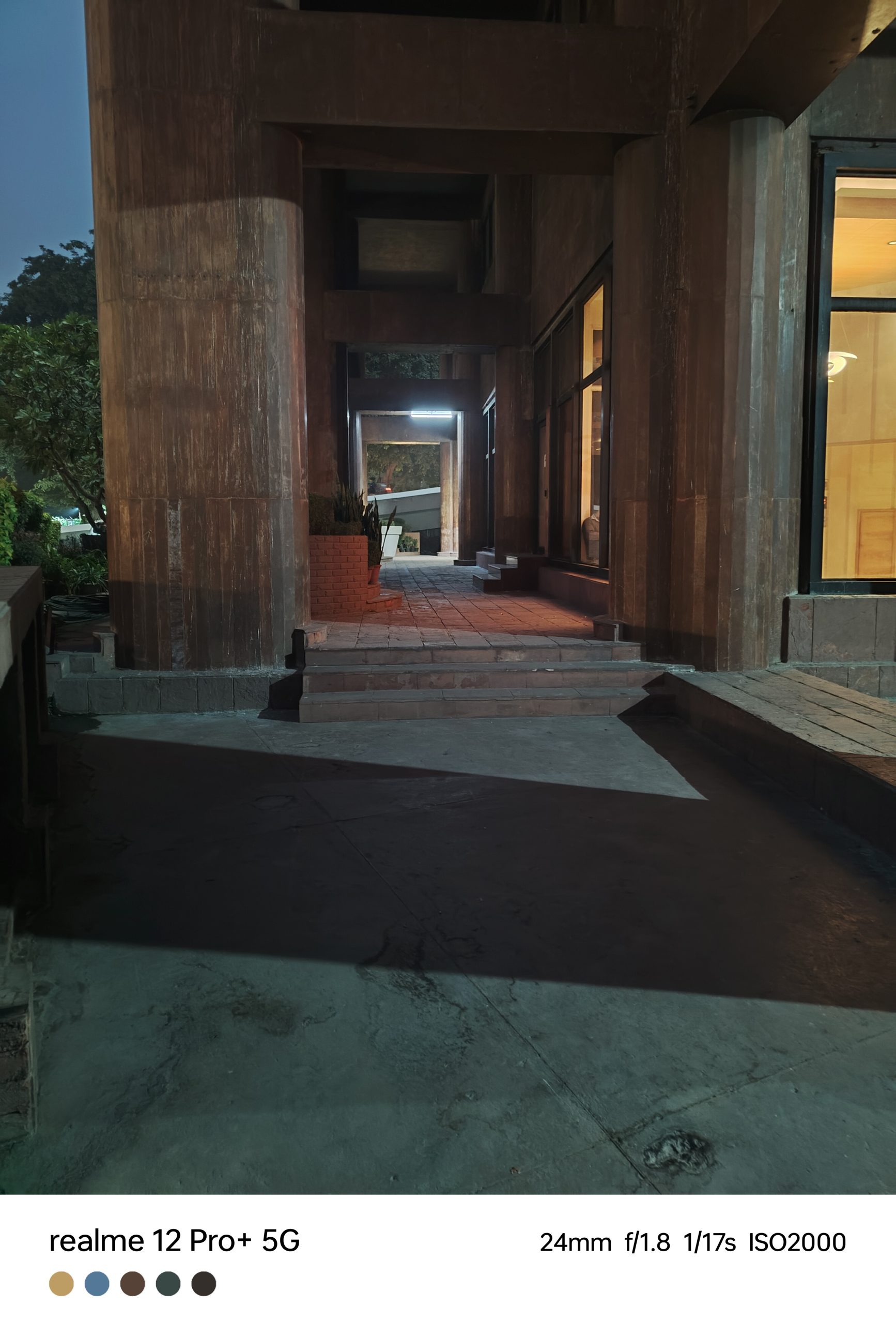
The night mode is a highlight, adding good details to images, even though the colors are sometimes more saturated than I would like.
In low-light situations, the periscope lens doesn’t significantly enhance the quality.
The front-facing 32MP camera captures detailed selfies, rounding out a versatile camera setup.
The meticulous design, impressive display, and versatile camera setup stand out, though with room for improvement in ultra-wide and periscope lens performance.
Its robust performance, enhanced by the Snapdragon 7s Gen 2 chipset, and user-friendly RealmeUI 5.0, add to its appeal.
The battery life and fast charging are commendable, ensuring the phone keeps up with daily demands.
Overall, I am recommending the Realme 12 Pro+ as a strong contender in the mid-range segment, ideal for users seeking a blend of style, performance, and value.
5 Reasons to Buy
5 Reasons to Buy
Excellent Price-Performance Ratio: The Realme 12 Pro+ offers high-end features at a mid-range price, providing great value for money.
High-Quality Display: With its OLED screen, 120Hz refresh rate, and Dolby Vision and HDR10+ support, the display offers a premium viewing experience.
Versatile Camera Capabilities: The combination of a 64MP periscope telephoto lens, a 50MP primary camera, and an 8MP ultra-wide lens allows for a wide range of photography options.
Robust Build Quality: The vegan leather back and collaboration with Ollivier Savéo give the phone a luxurious and durable feel.
Reliable Battery Performance: The 5,000mAh battery and 67W fast charging mean the phone can easily last a day and recharge quickly.
3 Reasons Not to Buy
3 Reasons Not to Buy
Some amount of bloatware in RealmeUI: The interface, slightly cluttered with pre-installed apps, might not appeal to users who prefer a cleaner, more streamlined experience.
Limited Ultra-Wide Camera Performance: The ultra-wide lens, while useful, does not match the quality of the main camera, especially in terms of focus.
Underperforming Periscope Lens in Low Light: The periscope lens doesn’t significantly enhance the quality of low-light photography, which might be a drawback for night photography enthusiasts.
Top 5 Alternatives
POCO F5
POCO F5
This phone comes with a 6.67-inch AMOLED display with a 120Hz refresh rate.
Both models have a similar screen size and resolution, 6.7-inch FHD+ AMOLED displays, and a 5000mAh battery, but the 12 Pro+ supports a newer Android version, Android 14.
Realme 12 Pro+ vs Realme 12 Pro: Which One Should You Choose?
Realme 12 Pro+ vs Realme 12 Pro: Which One Should You Choose?
Choosing between the Realme 12 Pro+ and Realme 12 Pro depends on your specific needs and preferences. Here are some considerations to help you decide:
Camera Capabilities: If photography and videography are your priorities, the Realme 12 Pro+ might be the better choice. It offers advanced features like a periscope telephoto lens with higher zoom capabilities and a more sophisticated imaging algorithm. The Realme 12 Pro, while still capable, has a slightly less advanced camera setup.
Performance: The Realme 12 Pro+ is equipped with a more powerful Qualcomm Snapdragon processor compared to the Realme 12 Pro. If you require a device for more intensive tasks like gaming or multitasking, the Pro+ model could be more suitable.
Battery and Charging: Both models have similar battery capacities and charging technologies. Your choice in this aspect would depend more on the other features of the phone.
Design and Display: If the aesthetics of the phone and the quality of the display are important to you, compare the design elements and screen specifications of both models. The Pro+ version might offer slight enhancements in terms of luxury design elements and display quality.
What are the key features of the Realme 12 Pro+’s display?
The Realme 12 Pro+ boasts a 6.7-inch OLED screen with FHD+ resolution, a 120Hz refresh rate, and support for Dolby Vision and HDR10+.
How does the Realme 12 Pro+ perform in terms of photography?
It excels in daylight with its 64MP periscope telephoto and 50MP Sony IMX890 primary camera, though the ultra-wide camera and low-light performance have room for improvement.
What makes the Realme 12 Pro+ stand out in design?
Its vegan leather back and meticulous craftsmanship, developed in collaboration with French luxury watchmaker Ollivier Savéo, offer a luxurious feel.
Is the Realme 12 Pro+ good for gaming and multitasking?
Yes, its Snapdragon 7s Gen 2 chipset and 12GB RAM ensure smooth gaming and efficient multitasking.
What about the Realme 12 Pro+’s battery life and charging capabilities?
The phone features a 5,000mAh battery with 67W SuperVOOC charging, providing extended usage and fast recharge times.
What are the Key features of realme 12 Pro+ 5G ?
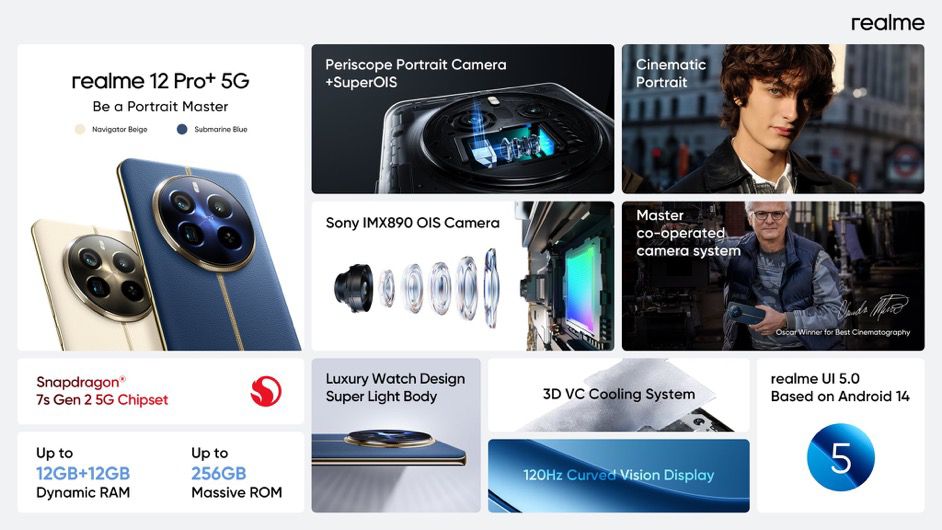
realme’s latest flagship, the realme 12 Pro+ 5G promises to take photography to the next level for smartphone photographers.
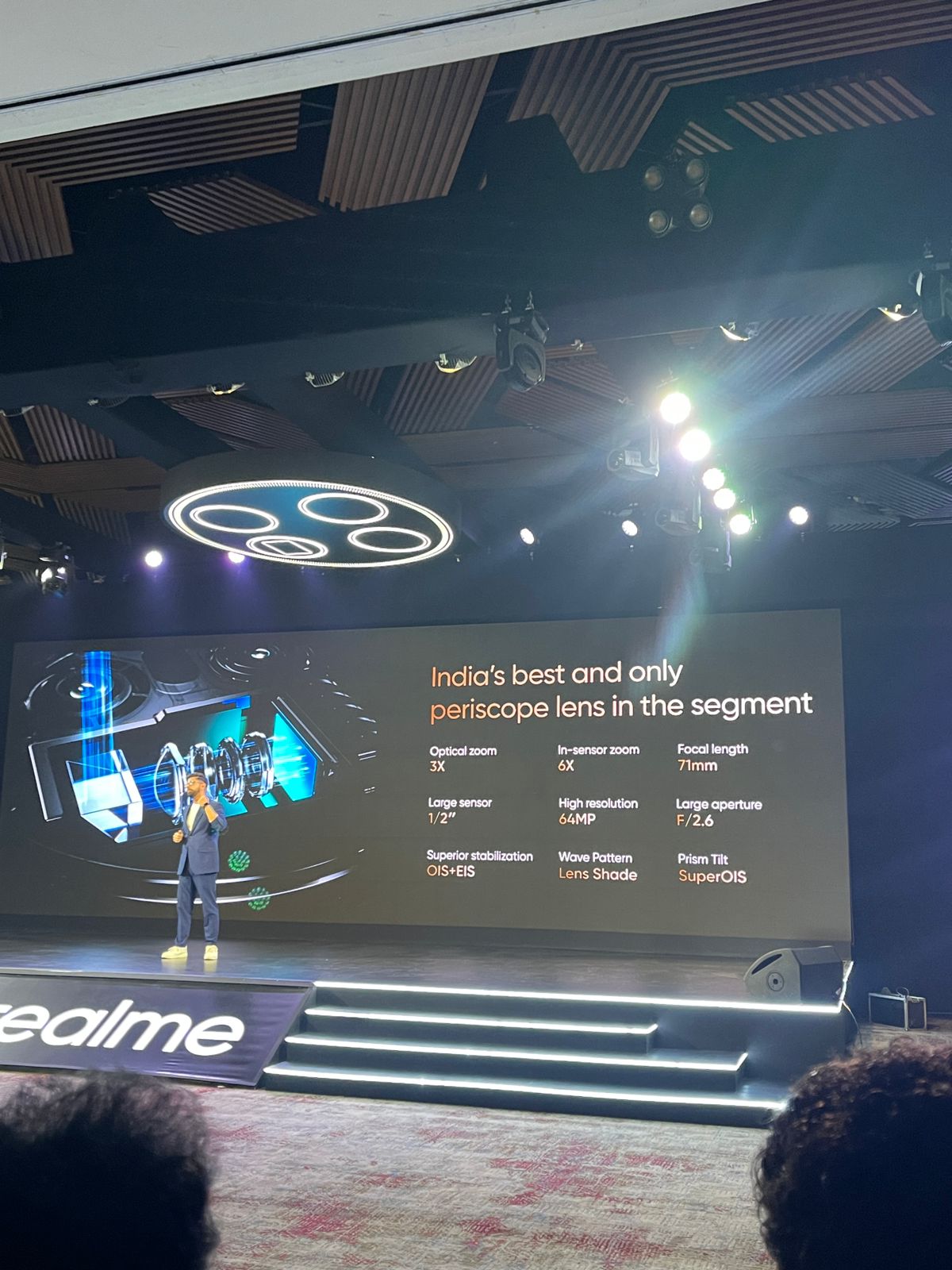
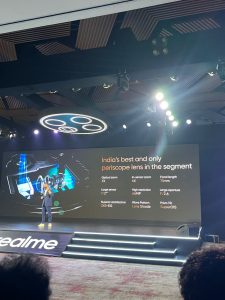
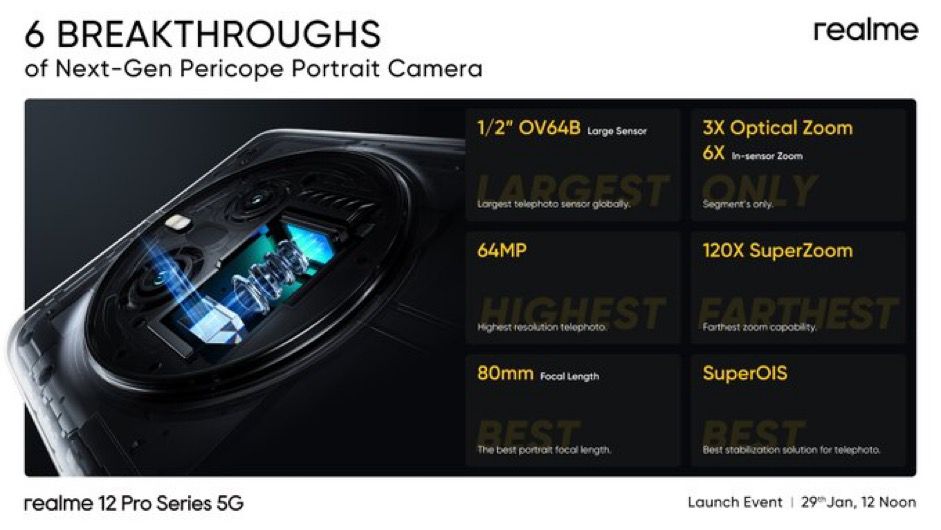
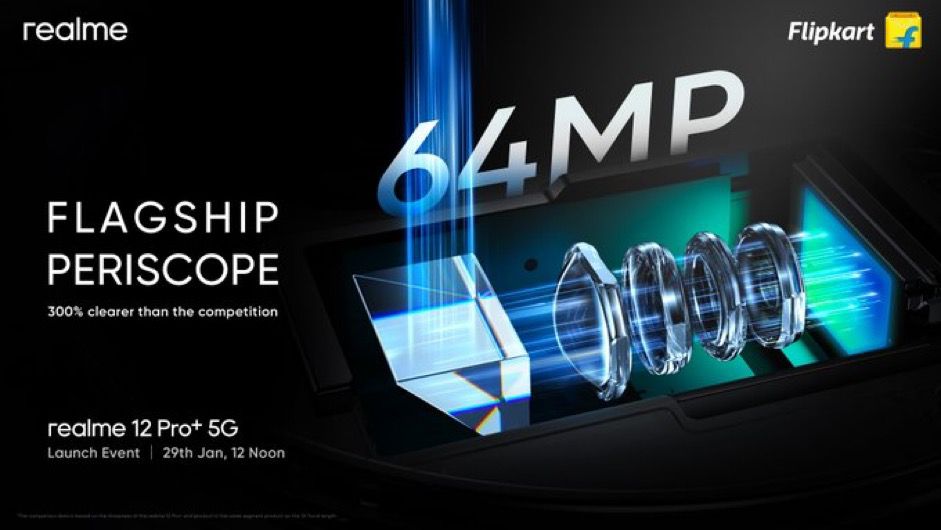
It features a 64MP Periscope Telephoto camera, 50 MP Sony IMX 809 Main camera, 8MP Ultra Wide Camera and a 32MP Sony selfie camera with an OV64B camera sensor with 3X optical zoom and 6X in-sensor zoom and boasts the largest-in-class periscope telephoto lens, marking it as the best periscope telephoto lens in this segment.
This is a crucial milestone in realme’s flagship photography journey, making advanced photography more accessible and enabling young enthusiasts to explore and capture cinematic views beyond the horizon at an incredible price range.
Does Realme 12 Pro + 5G have the Best periscope telephoto lens in the segment ?
The realme 12 Pro+ 5G, realme’s latest flagship, aims to take photography and videography to an entirely new level for smartphones.
It features the OV64B sensor with 3X optical zoom and 6X in-sensor zoom, making it the greatest periscope telephoto lens in this market at an unbelievable price.
This is a crucial milestone in realme’s flagship photography journey, making advanced photography more accessible and enabling young enthusiasts to explore and capture cinematic views beyond the horizon.
Is Realme 12 Pro + 5G Design inspired by Luxury Watch ?
Ollivier Savéo, a renowned international luxury watch design master recognized for cooperation with major Swiss watch brands, Roger Dolby, Piaget, Breitling, Rolex and Quentin has collaborated with realme to infuse the design of the new realme 12 Pro+ 5G with elements of premium watch workmanship.
realme and Ollivier Savéo came together and drew inspiration from elements of luxury found in watches, deconstructing and incorporating them into the design of the realme 12 Pro Series, bringing luxury workmanship to mobile phones.
How is the display of realme 12 pro plus 5G?
• 120 Hz Curved Vision Display
realme 12 Pro+ 5G has a magnificent 120Hz Curved Vision Display, to provide an excellent viewing experience.
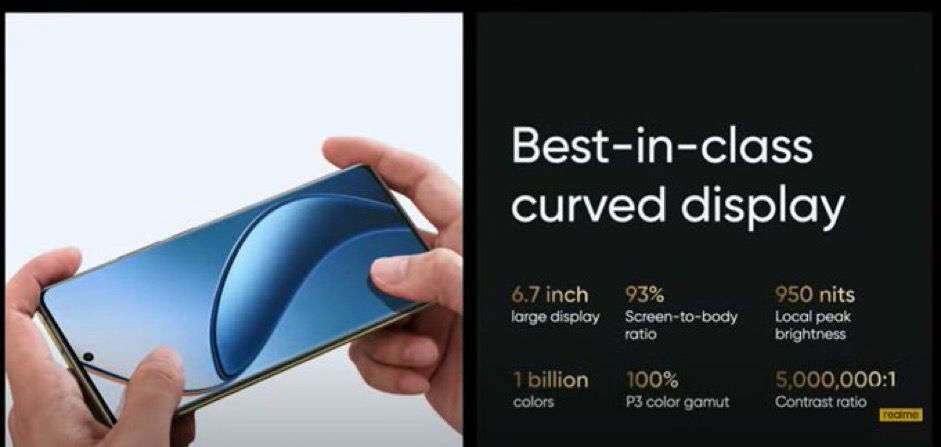
The display features a 6.7-inch OLED panel with 2412 x 1080 FHD+ resolution, 1.07 billion colors, a 100% P3 color gamut, a touch sampling rate of 240Hz, and an instantaneous sampling rate of up to 2000Hz.
It has a global maximum brightness of 800 nits and a local peak brightness of 950 nits. The display is covered by 0.55mm secondary tempered high-strength glass, making this an inexpensive premier curved screen for users to enjoy.
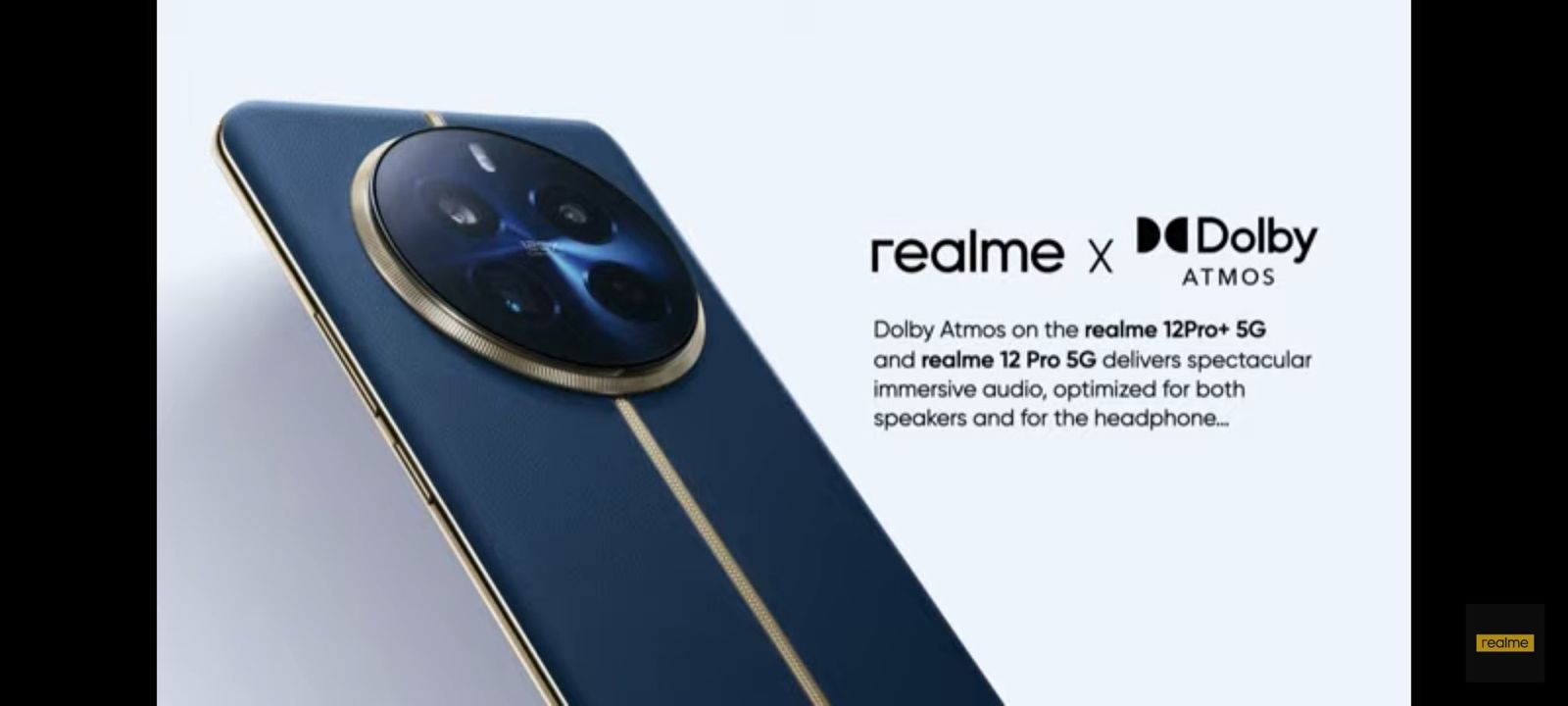
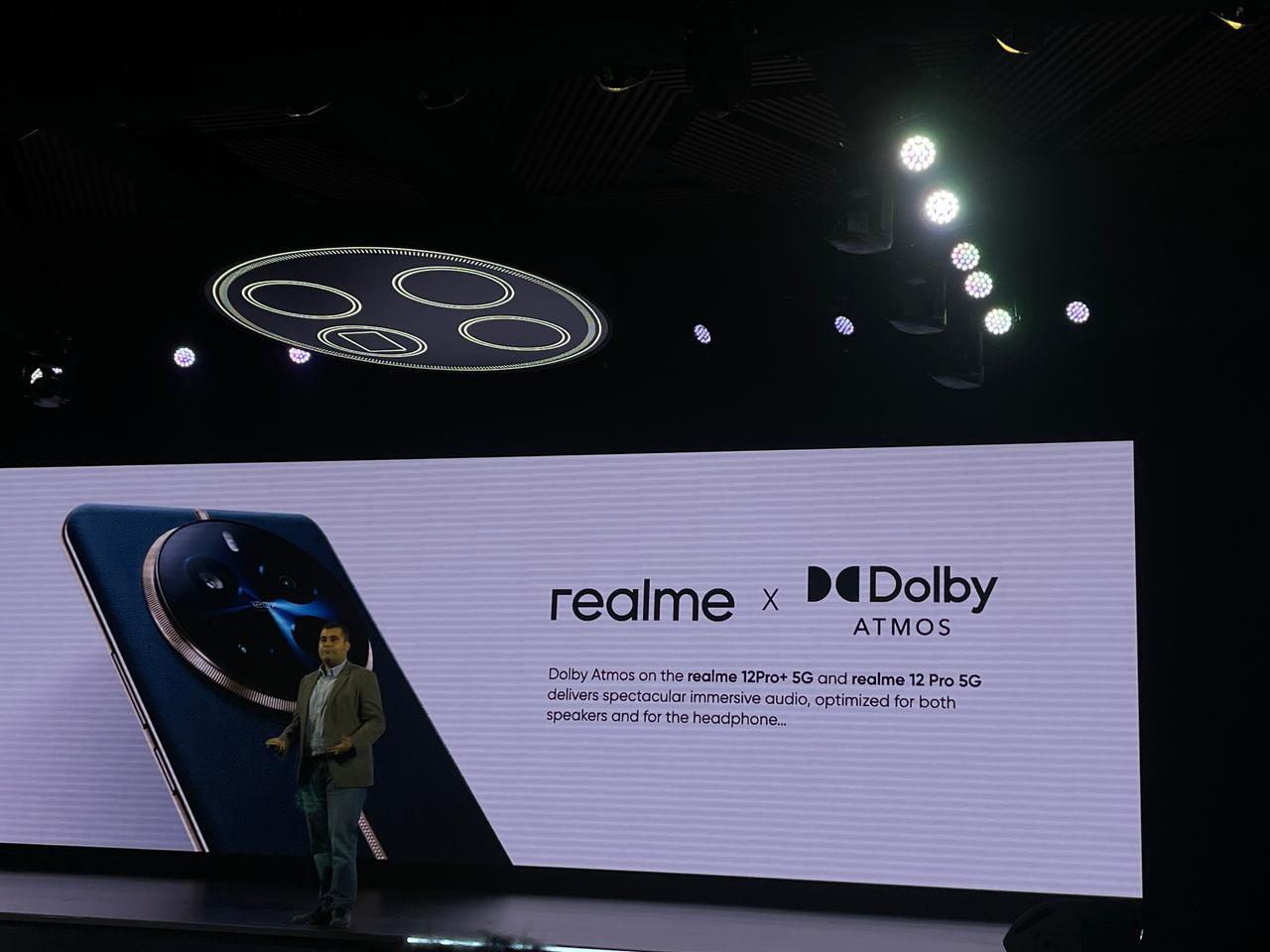
To complete the immersive experience, the device features breathtaking Dolby Atmos sound for an unparalleled audio experience that you can feel all around you.
With Dolby Atmos, your favorite content comes to life with greater depth, clarity, and details like never before.
Is Realme 12 Pro plus 5G powered by Snapdragon 7s Gen 2 Mobile Platform ?
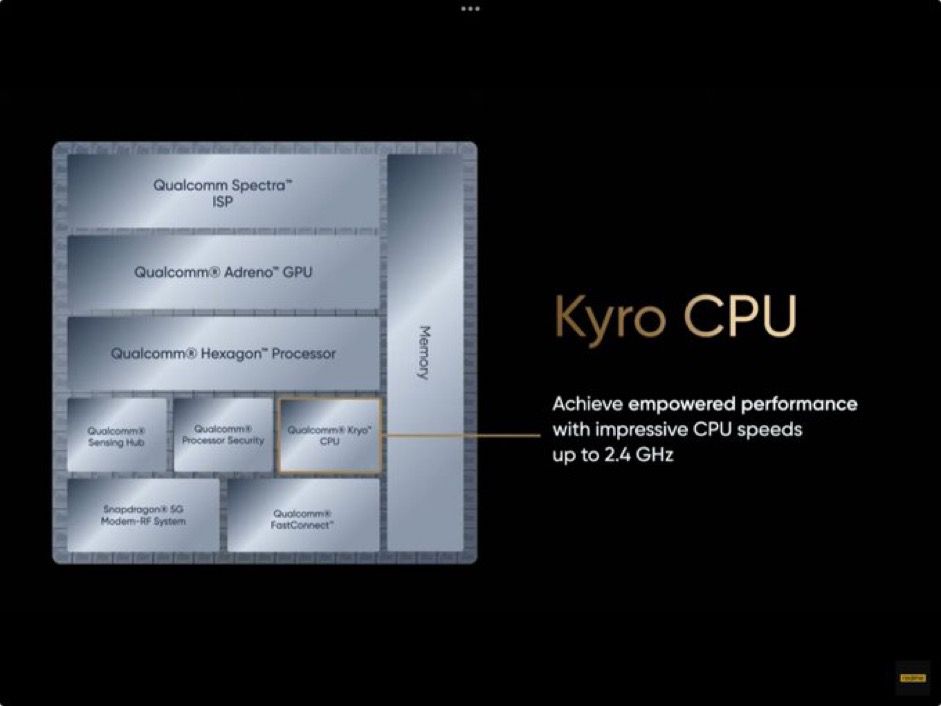
The realme 12 Pro+ 5G has been built using 4nm process and has remarkable energy efficiency enabled by the advanced Qualcomm® Kryo™ CPU and Qualcomm® Adreno™ GPU and powered by a dedicated Qualcomm® AI Engine for enhanced photography, smooth multitasking and gaming, and backed by speedy recharging via Qualcomm® Quick Charge™ 4+ technology.
Using an 8-core 64-bit architecture, which includes 4 ARM Cortex-A78 cores running at 2.4GHz and 4 ARM Cortex-A55 cores running at 1.95GHz, it provides exceptional performance.
The Adreno GPU operates at 940MHz and improves graphics capabilities. The improved CPU provides a significant 20% increase in output, raising the Antutu benchmark from 170000 to 210000 compared to the realme 11 Pro+ 5G.
Similarly, the GPU, GFX 1080P Manhattan ES3.0 Offscreen, improves performance by 9%, increasing frame rates from 67 to 73 and demonstrating superior graphics capabilities when compared to the 11 Pro+ 5G. Also, with 4G Internet access even during phone calls, you will never be stranded without a signal.
How is the battery life of Realme 12 pro plus 5G?
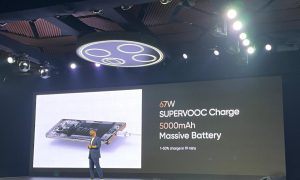
Massive 5000mAh battery and 67W SUPERVOOC Charge
With the high-capacity 5000mAh battery, users can charge their smartphone to up to 50% in as little as 19 minutes.
This combination offers minimal waiting time and faster charging speed, allowing customers to fully utilize their device’s capabilities every day.
Does realme 12 pro plus 5G Come with realme UI 5.0 ?
The realme 12 Pro+ 5G comes with the new realme UI 5.0 based on Android 14, which allows users to enjoy smarter and more improved efficient experiences.
What are the Color’s available in Realme 12 Pro plus 5G?
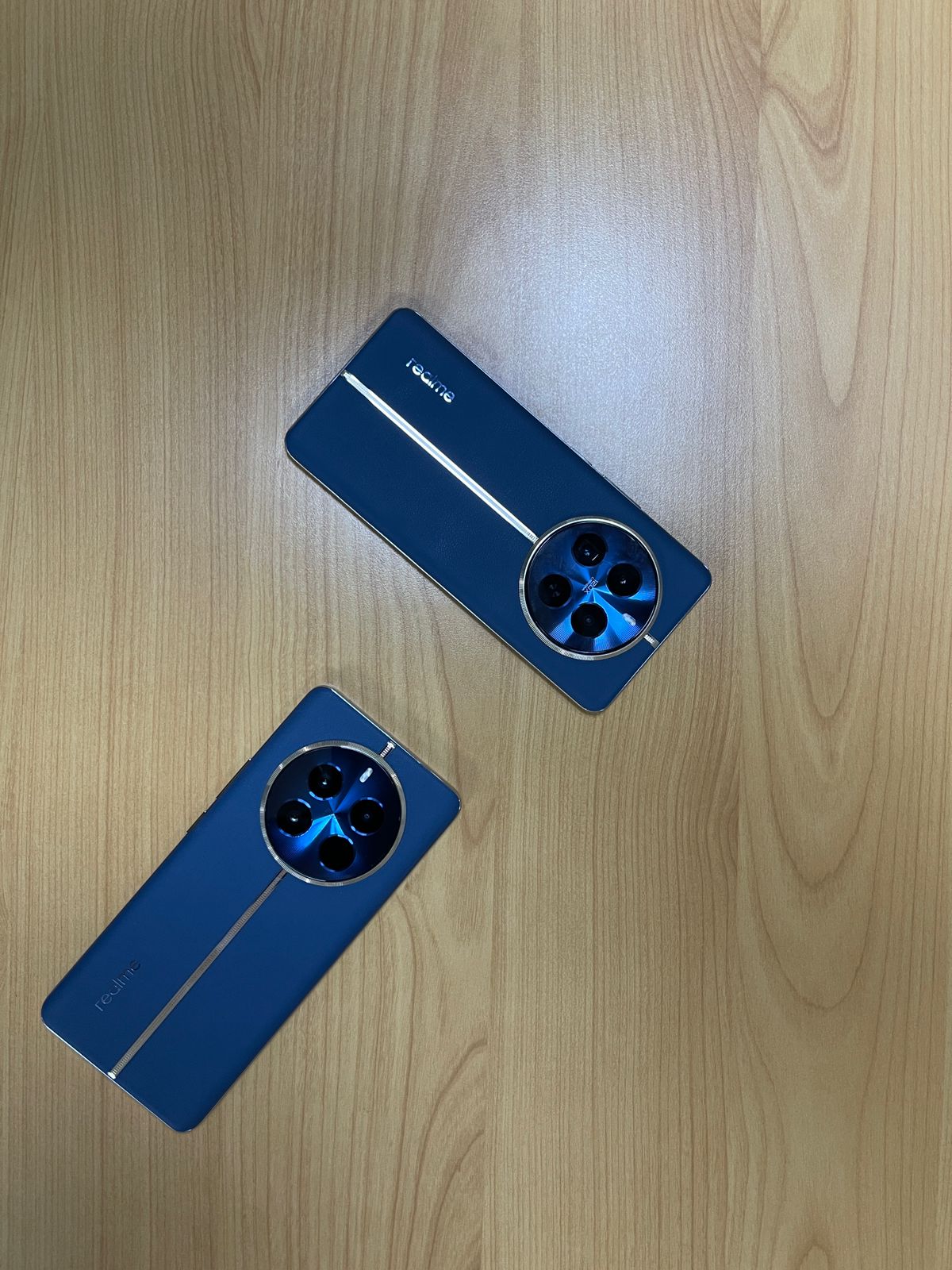
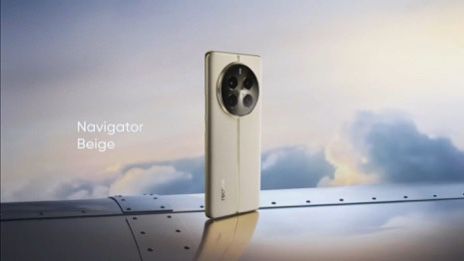
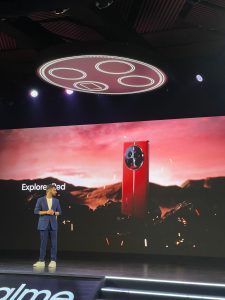
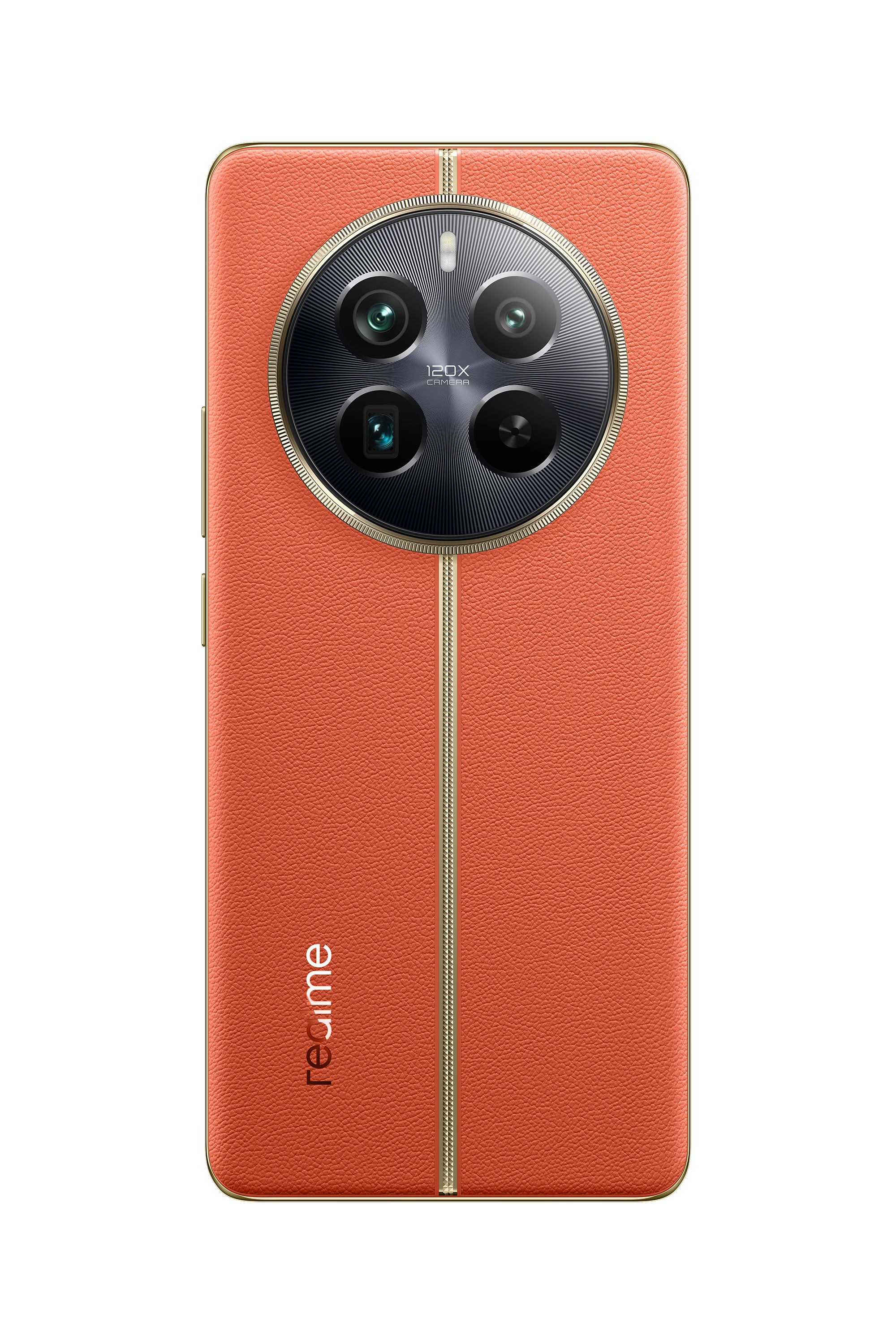
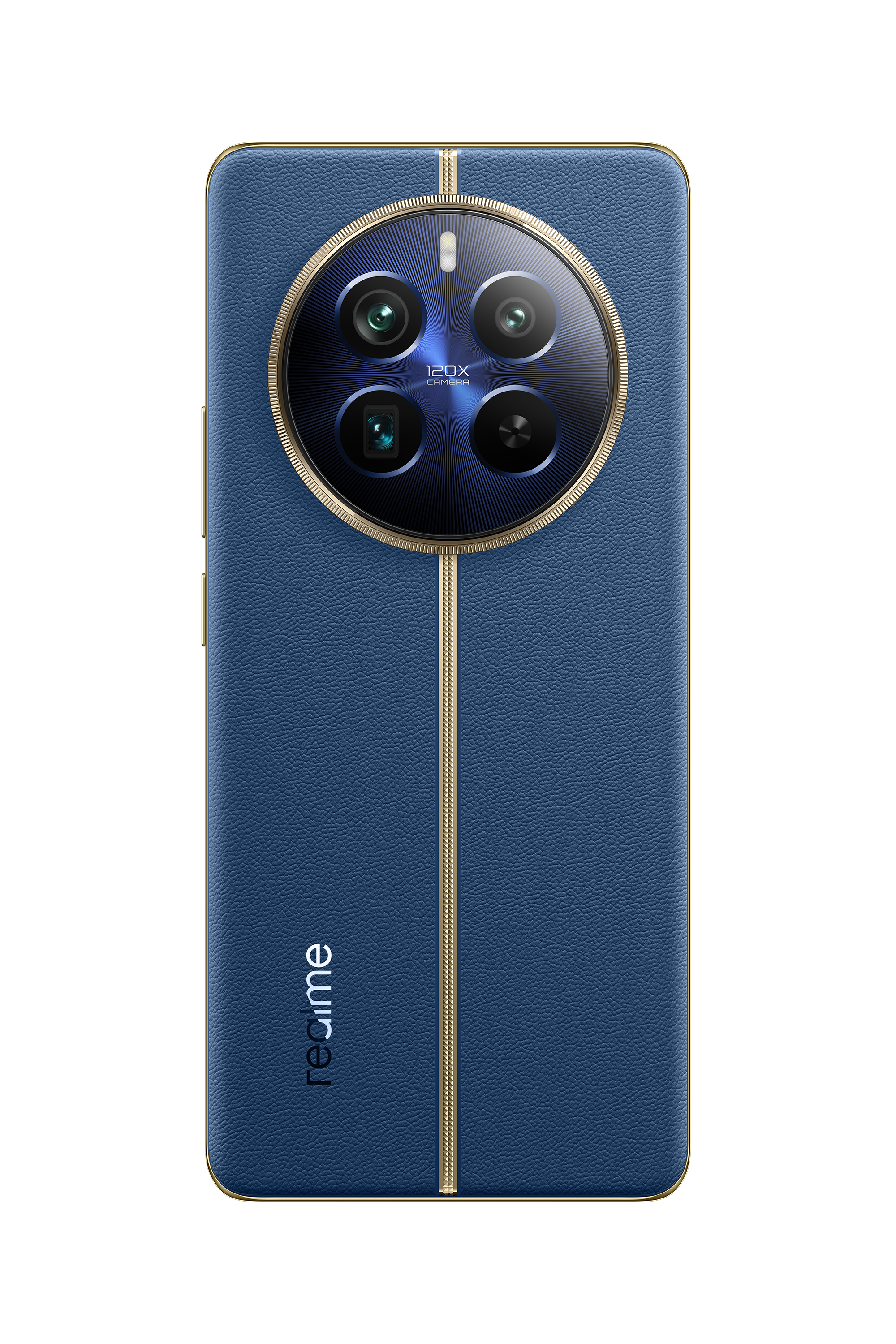
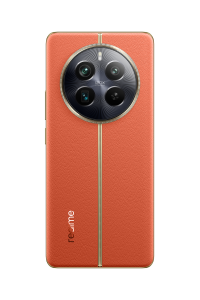
The realme 12 Pro + 5G comes in three stunning colors: Submarine Blue reflects tranquil elegance, Navigator Beige offers refinement, and the exclusive Explorer Red adds a vibrant touch, exclusively available in India.
These colors draw inspiration from prestigious luxury watch series.
What is Realme 12 Pro series price in India & sale details ?
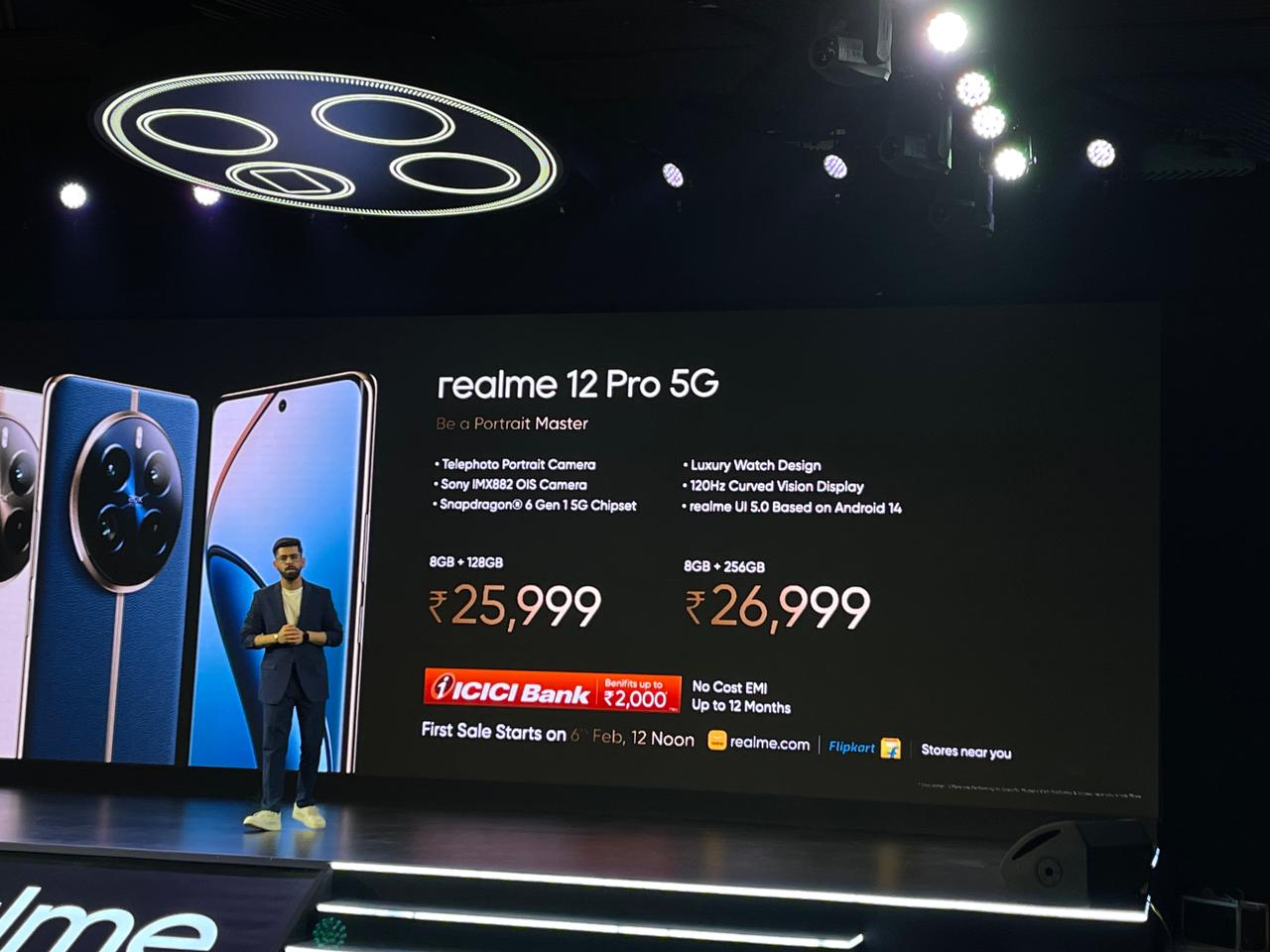
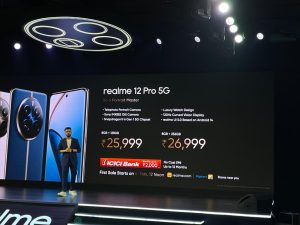
Realme 12 Pro is priced at Rs 25,999 for the 8GB/128GB and Rs 26,999 for the 8GB/256GB model. The phone comes in Submarine Blue and Navigator Beige colours.
Realme 12 Pro+ is priced at Rs 29,999 for the 8GB/128GB, Rs 31,999 for the 8GB/256GB model, and Rs 33,999 for the 12GB/256GB version.
The handset will be sold in Submariner Blue, Navigator Beige, and Explorer Red(only for India) colours.
The first sale of the phones is on February 6th at 12 PM via the Realme website, Flipkart, and retail stores.
The company is offering Rs 2,000 instant discount through the ICICI Bank card and no-cost EMI option.
There is also a Rs 1,000 exchange offer as well (pre-booking and early access sale benefit). There is an early-access sale today i.e. January 29th from 6 PM.
Pre-booking for offline stores starts today and from January 30th through Flipkart.
What Realme 11 Pros series vs Realme 12 Pro lineup Upgrades ?
The Realme 11 Pro+ and Realme 12 Pro+ have several key differences.
The Realme 12 Pro+ upgrades to a Qualcomm Snapdragon 7s Gen2 processor from the MediaTek Dimensity 7050 in the 11 Pro+, offering improved performance.
It also features a 50MP Sony IMX890 main camera, compared to the 100MP Omnivision sensor in the 11 Pro+. The selfie camera in the 12 Pro+ is 32MP, an upgrade from the 16MP camera in the 11 Pro+.
Both models have a similar screen size and resolution, 6.7-inch FHD+ AMOLED displays, and a 5000mAh battery, but the 12 Pro+ supports a newer Android version, Android 14.
These updates contribute to enhanced performance, photography capabilities, and overall user experience in the Realme 12 Pro+.
The display size of the Realme 11 Pro and Realme 12 Pro remain the same at a 6.7-inch display with a 120Hz refresh rate and 2160 PWM Dimming support.
In terms of processor, the Realme 11 Pro series shipped with the MediaTek Dimensity 7050 SoC.
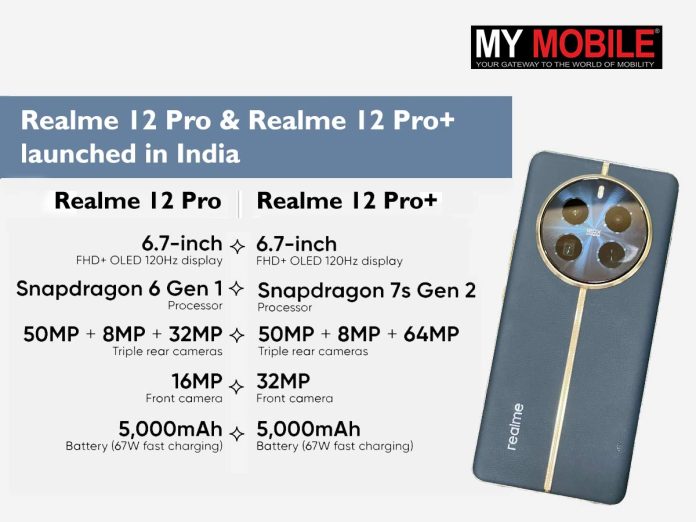
In comparison, the Realme 12 Pro comes with a Snapdragon 6 Gen 1 SoC, while the 12 Pro+ is powered by the Qualcomm Snapdragon 7s Gen 2 chipset.
Cameras is where the Realme 12 Pro series takes a lead over the Realme 11 Pro lineup. The Realme 12 Pro ships with a 50MP Sony IMX882 primary camera with OIS, a 32MP Sony IMX709 telephoto 1/2.74″ sensor with f/2.0 Aperture, OIS, and 4X support, and an 8MP ultra-wide-angle lens.
In comparison, the Realme 11 Pro shipped with a 100MP rear camera with f/1.75 aperture, OIS and a 2MP macro camera with f/2.4 aperture. The primary sensor should be able to click better images and there is also a new 32MP periscope telephoto shooter.
Realme 12 Pro+ comes with a 50MP Sony IMX890 primary camera with OIS, a 32MP OV64B periscope telephoto sensor with f/2.6 aperture, ALC anti-glare coating, OIS, 6X zoom support and 120x digital Super-Zoom, and an 8MP ultra-wide-angle lens.
In comparison, the Realme 11 Pro came with a 200MP Samsung HP3 sensor, an 8MP ultra-wide camera with f/2.2 aperture, and a 2MP 4cm macro camera.
The charging speed on the Realme 11 Pro+ was 100W, in comparison, the Realme 12 Pro+ only has 67W speed. Both series have the same 5000mAh battery cells.
These devices, part of Realme’s innovative journeyunder the ‘Make it real’ strategy, are being touted for their optical hardware with cutting-edge features like a periscope telephoto lens, exquisite design, a vibrant display, and more.
Realme 12 Pro Series Launched in India with 3X Periscope Telephoto Lens
Here is what you need to know about the Realme 12 Pro series.
Commenting on the launch, realme spokesperson said, “The realme 12 Pro Series 5G is truly a cut above the competition. It exemplifies our commitment to providing users with a value-driven premium product. You see this with the periscope telephoto technology and innovative MasterShot Algorithm, developed in collaboration with Qualcomm, emphasize our dedication to pushing the boundaries of mobile imaging.
That’s not all! The realme 12 Pro Series 5G is a powerhouse designed to cater to the evolving creative needs and expectations of our users, that is not just limited to photography but also includes premium design and flawless performance. Our collaboration with Ollivier Savéo for the luxury watch design is a testament to our commitment to offering a holistic and premium user experience. Integrating all these features, we believe, will enable this Series to set new standards in the smartphone industry.”
Commenting on the launch, Saurabh Arora, Mobile, Compute and XR, Business Development, Qualcomm India Pvt. Ltd. said, “The realme 12 Pro Series 5G powered by the Snapdragon 7s Gen 2 underscores our commitment to working with our partners to provide premium experiences across the spectrum of user experiences.
Whether your interests lie in photography, gaming, music or just upping your productivity, these devices are designed to meet every need with best-in-class features and performance. With its integrated AI Engine, our Snapdragon platforms have you covered with more intuitive experiences and performance while you enjoy improved 5G and Wi-Fi speeds.”
Commenting on the launch, Sameer Seth, Director, Marketing – India, Dolby Laboratories said, “We are excited to collaborate with realme to offer more Indian consumers an opportunity to experience the immersive sound of Dolby Atmos with the launch of the realme 12 Pro Series 5G.
Consumers will now be able to enjoy rich, multidimensional sound that reveals more depth, clarity, and details across all the entertainment they enjoy. ”
Realme 12 Pro series: Pricing and Availability
Realme 12 Pro series: Pricing and availability
The Realme 12 Pro+ 5Gwill come in three variants: the 8GB+128GB model priced at Rs 29,999, the 8GB+256GB at Rs 31,999, and the 12GB+256GB version at Ra 33,999.
The Realme 12 Pro is available at Rs 25,999 for the 8GB + 128GB variant while the 256GB version is priced at Rs 26,999.
These devices will be sold exclusively on Flipkart and Realme’s online store, with the sale starting from 6th February.
You can get Rs 2,000 off on No Cost EMI with ICICI Bank credit cards.
There will an early access sale for limited users on 29th January and also pre-orders are starting from today.
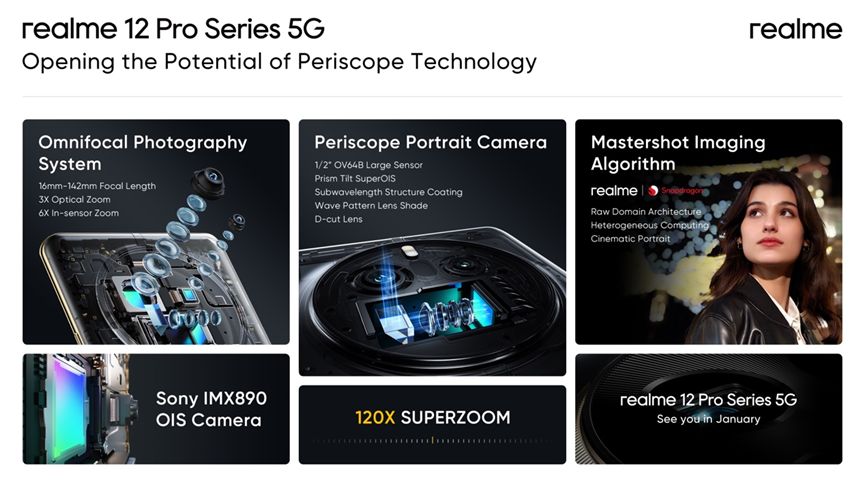
This sensor, combined with a 3X Optical Zoom and a 6X In-Sensor Zoom, allows users to capture sharp, detailed images from great distances.
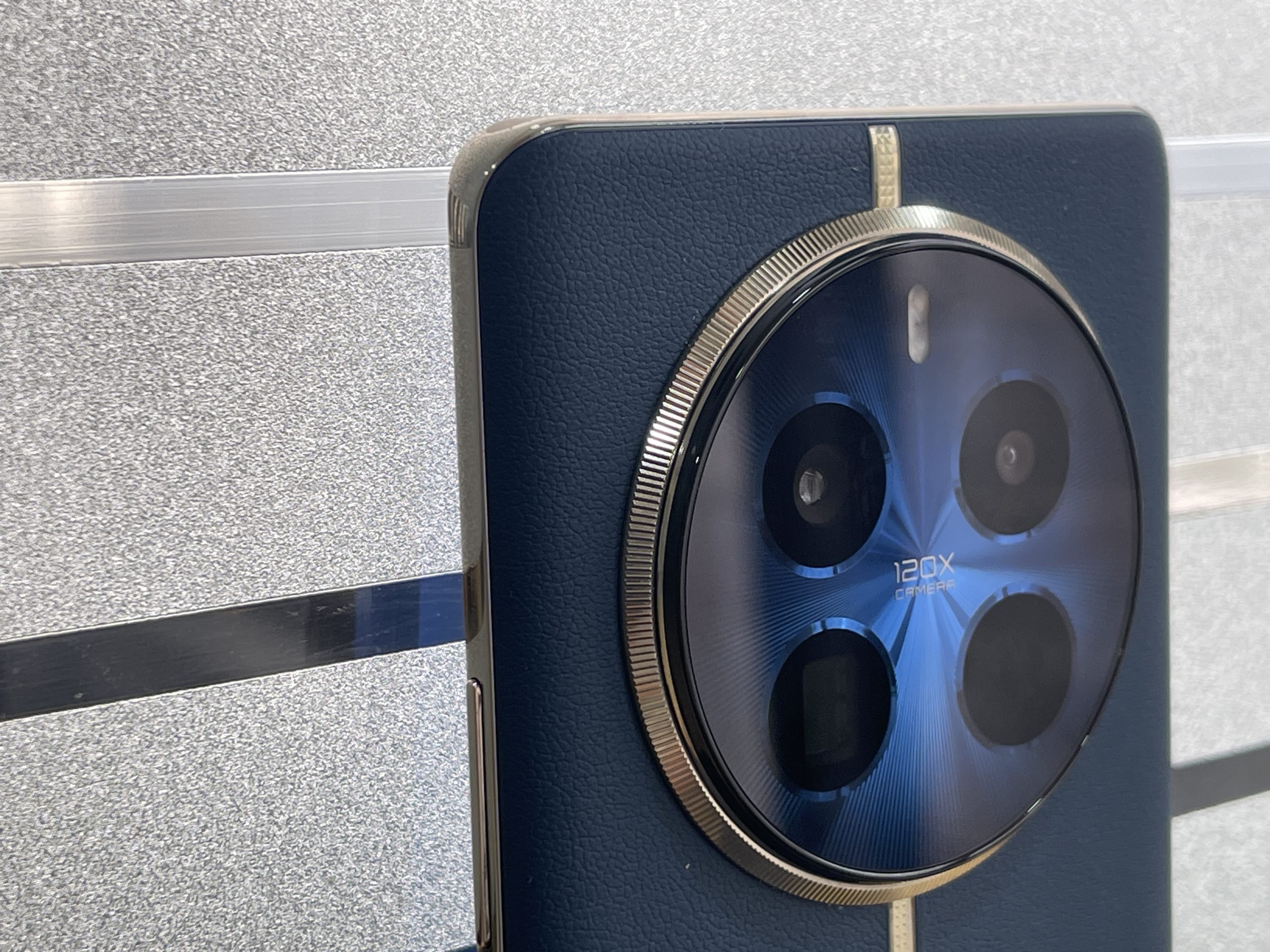
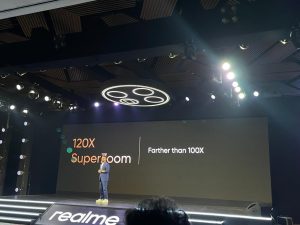
Furthermore, the phone boasts a 120X SuperZoom feature, enabling ultra-long-distance photography.
In addition to the telephoto lens, the Realme 12 Pro+ 5G includes a 50MP IMX890 main camera with advanced 4-in-1 pixel fusion technology.
Realme 12 Pro Series Cinematic Aspect Ratio 2.39:1
This camera is equipped with OIS and a 2X In-Sensor Zoom, providing flexibility across various lighting conditions.
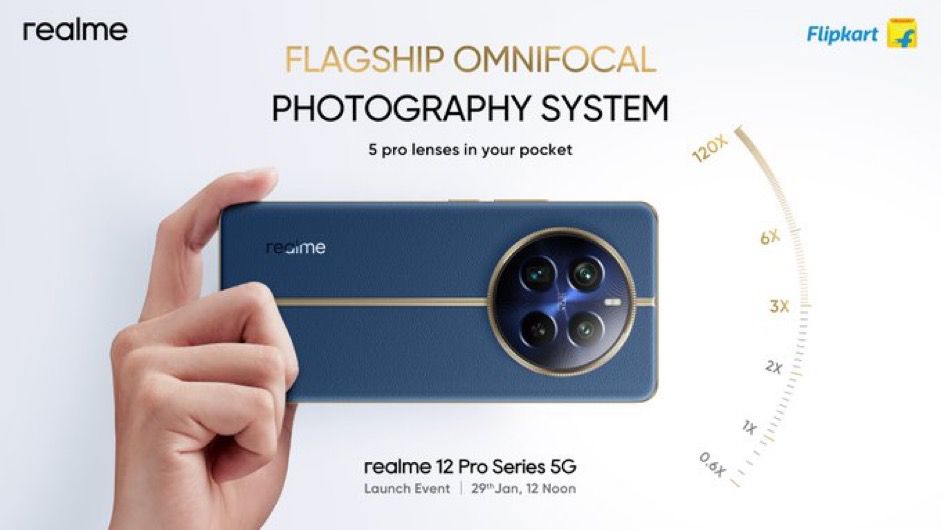
The phone’s Omnifocal Photography System offers 5 focal lengths (0.6X, 1X, 2X, 3X, 6X), that Realme claims to enable lossless shooting experiences at each length.
The Realme 12 Pro+ 5G is said to excel in video and portrait photography as well.
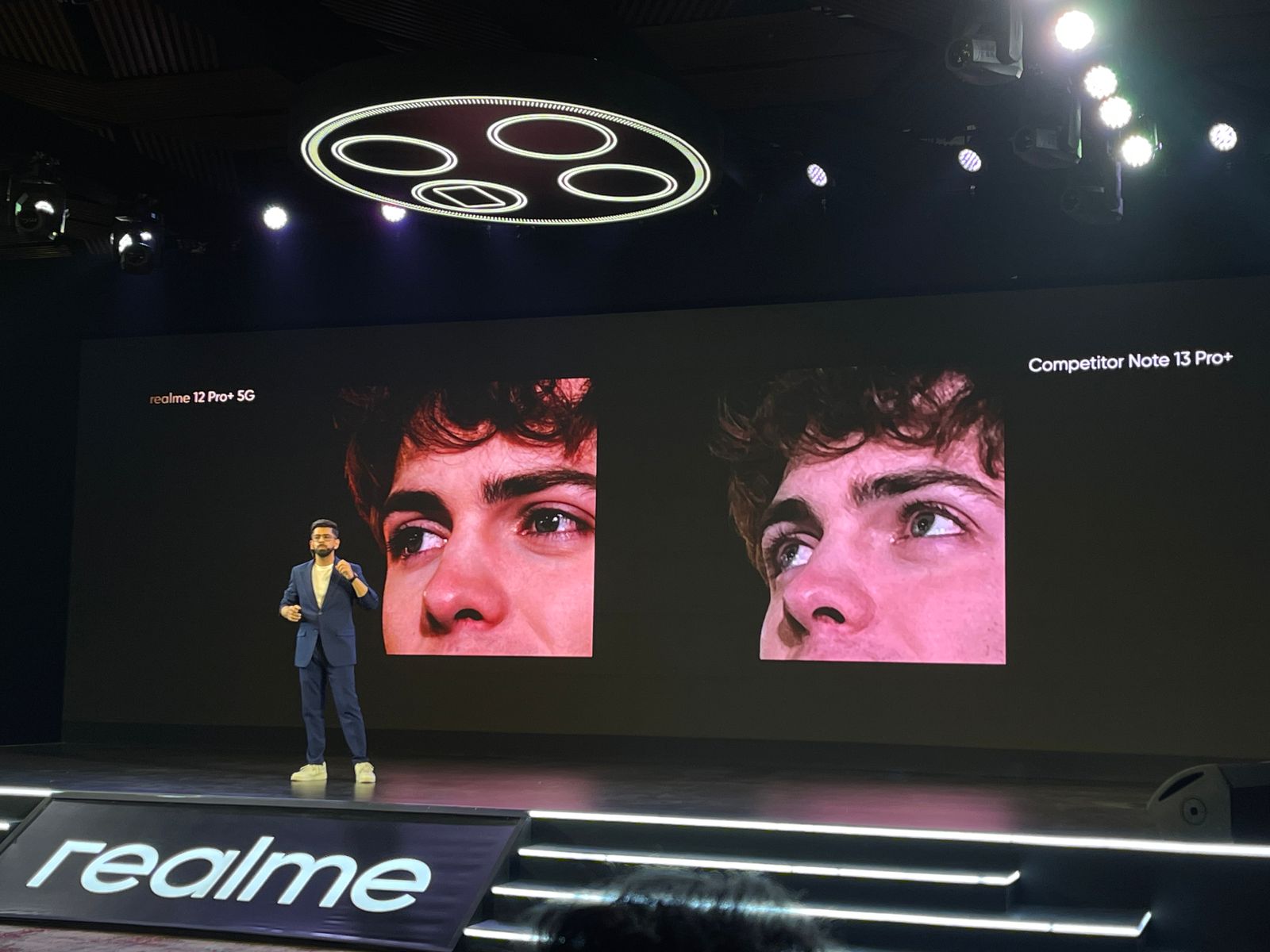
Its 3X Portrait with Cinematic Bokeh Algorithm creates professional-grade depth of field effects.
Realme 12 Pro Series Cinematic Portraits Preferred by Bollywood
The phone also includes Real-Time Aperture Adjustment Preview and a hairline-level keying effect, enhancing subject-background separation.
Additionally, Claudio Miranda-inspired Cinematic Oscar Portrait Filters add artistic flair to images.
The MasterShot Algorithm is another highlight of the Realme 12 Pro+ 5G.
This feature, coupled with the flagship RAW domain processing capability, includes an Ultra HDR Engine, Ultra Clarity Engine, and a NightEye Engine.
Realme 12 Pro+ 5G has been made in collaboration with luxury watch designer Ollivier Savéo
It is available in three colours: Submarine Blue, Navigator Beige, and Explorer Red.
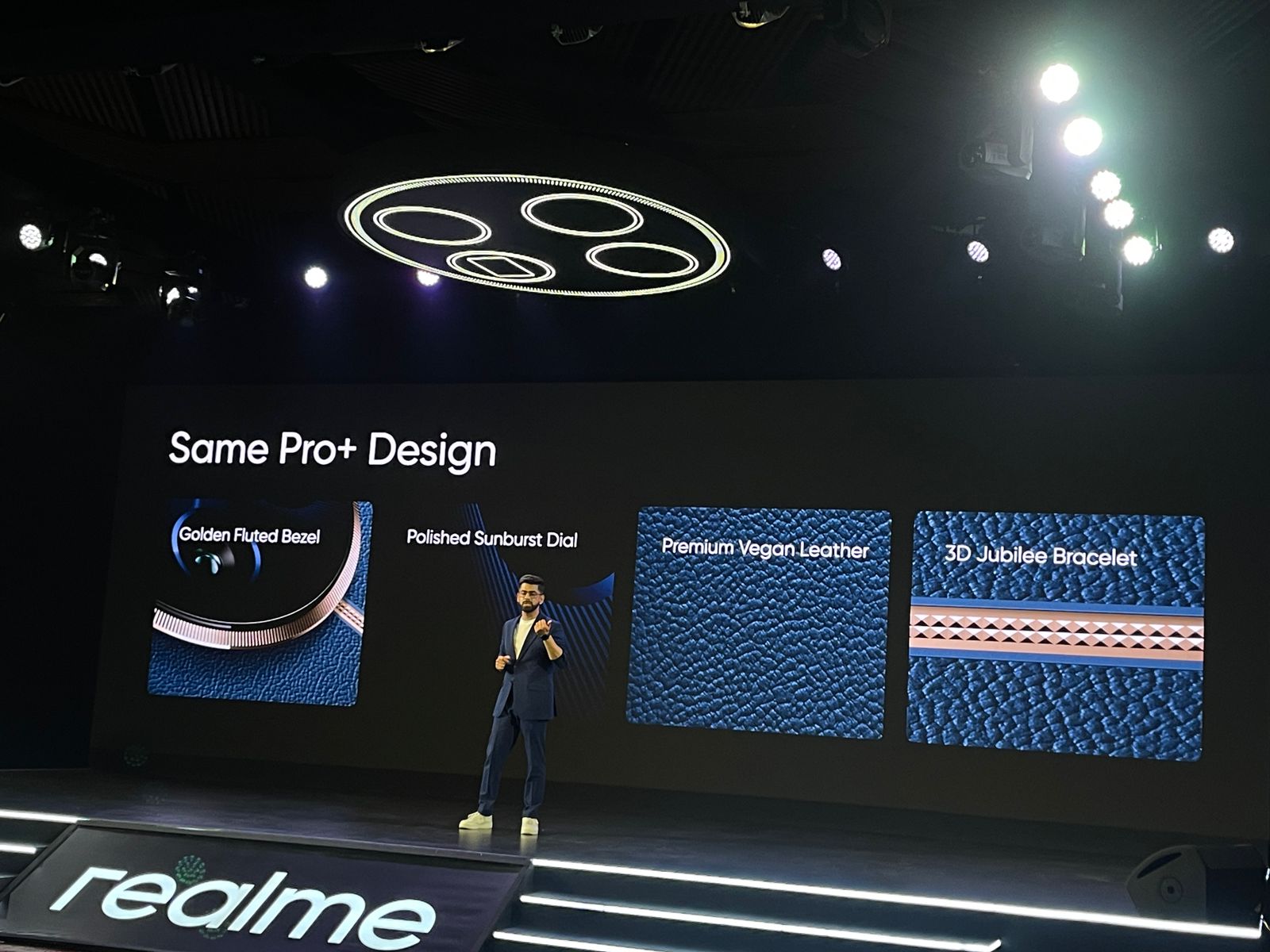
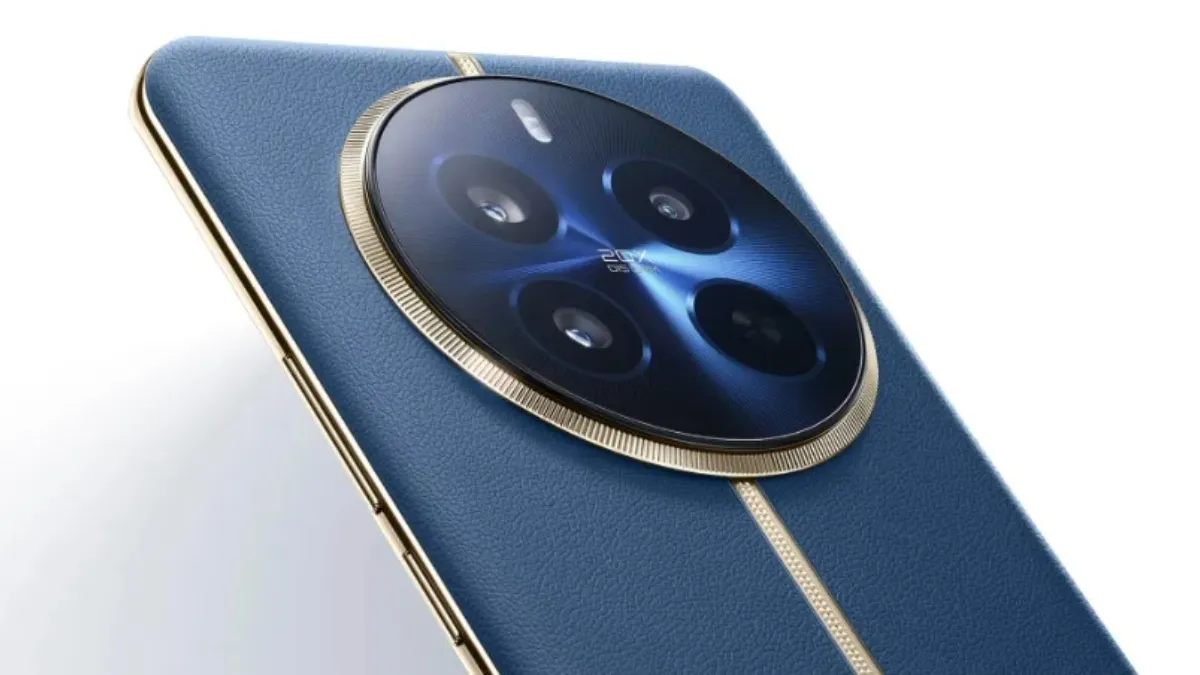
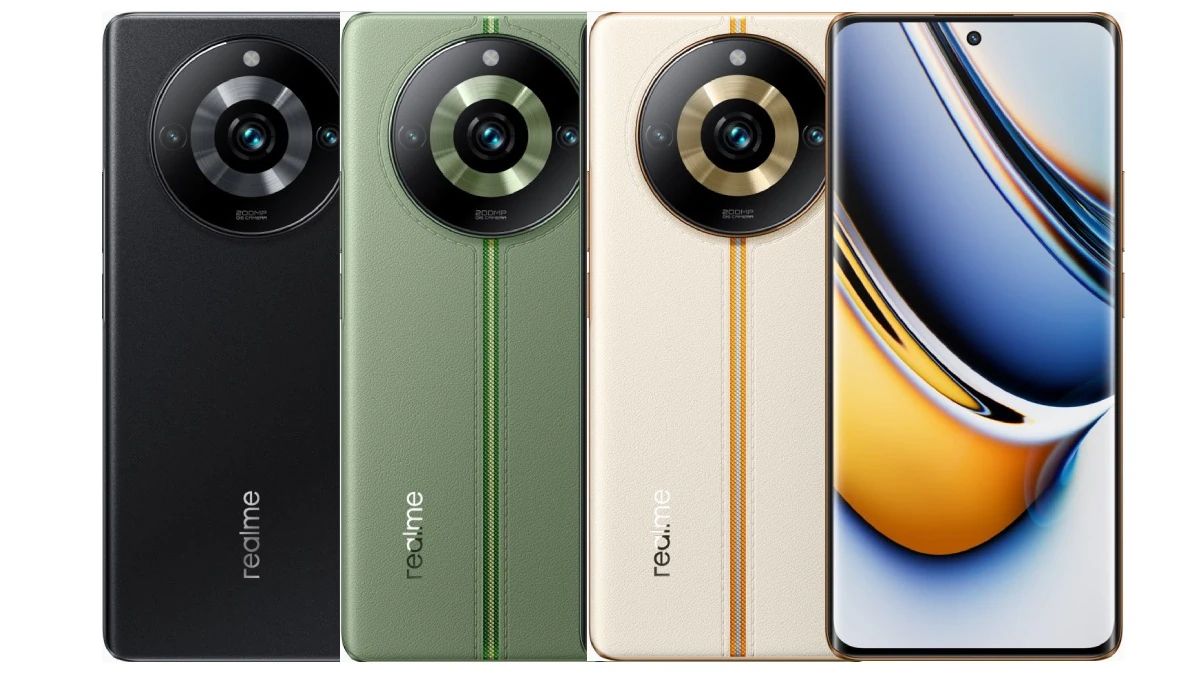
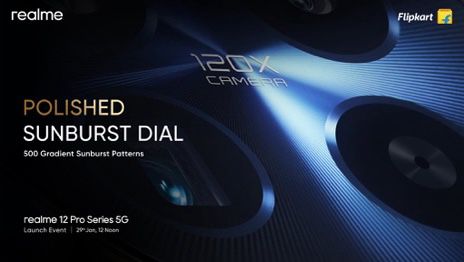
The phone’s design also includes features like a Golden Fluted Bezel, a Polished Sunburst Dial, and Premium Vegan Leather.
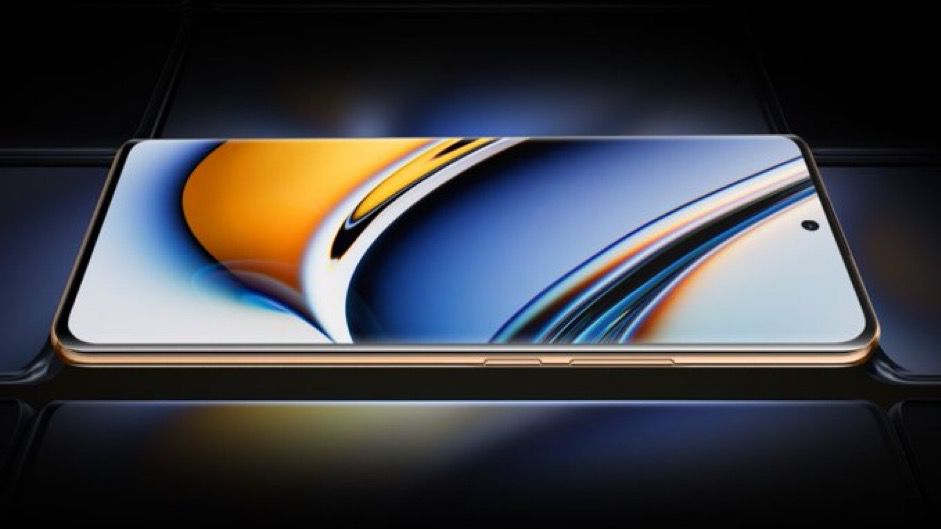
The Realme 12 Pro+ 5G’s display features a 120Hz Curved Vision Display, enhancing the visual experience with a 6.7-inch OLED screen, FHD+ resolution, and a high colour gamut.
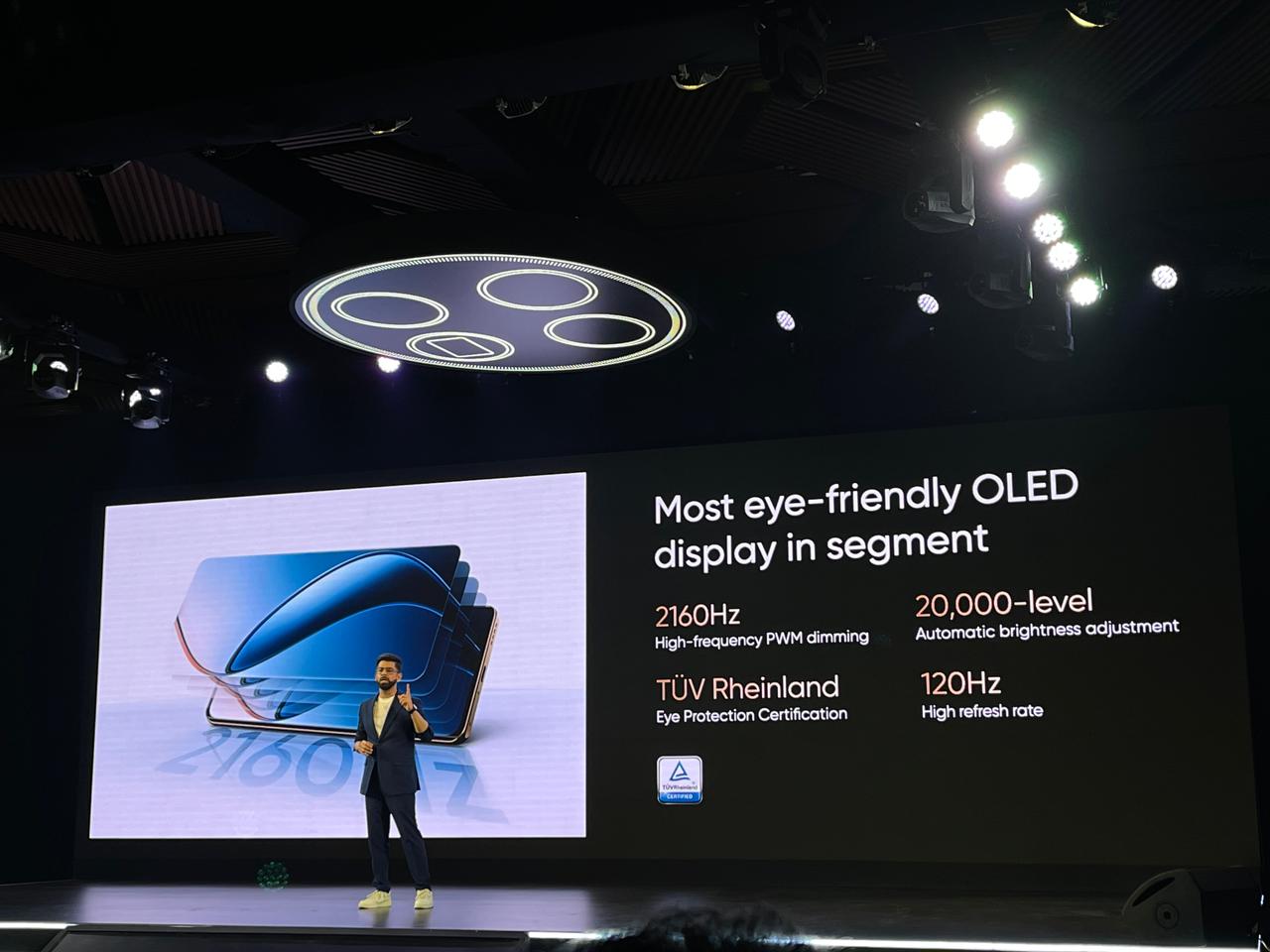
The display also supports 2160Hz PWM dimming and has received TÜV Rheinland certifications for eye protection.
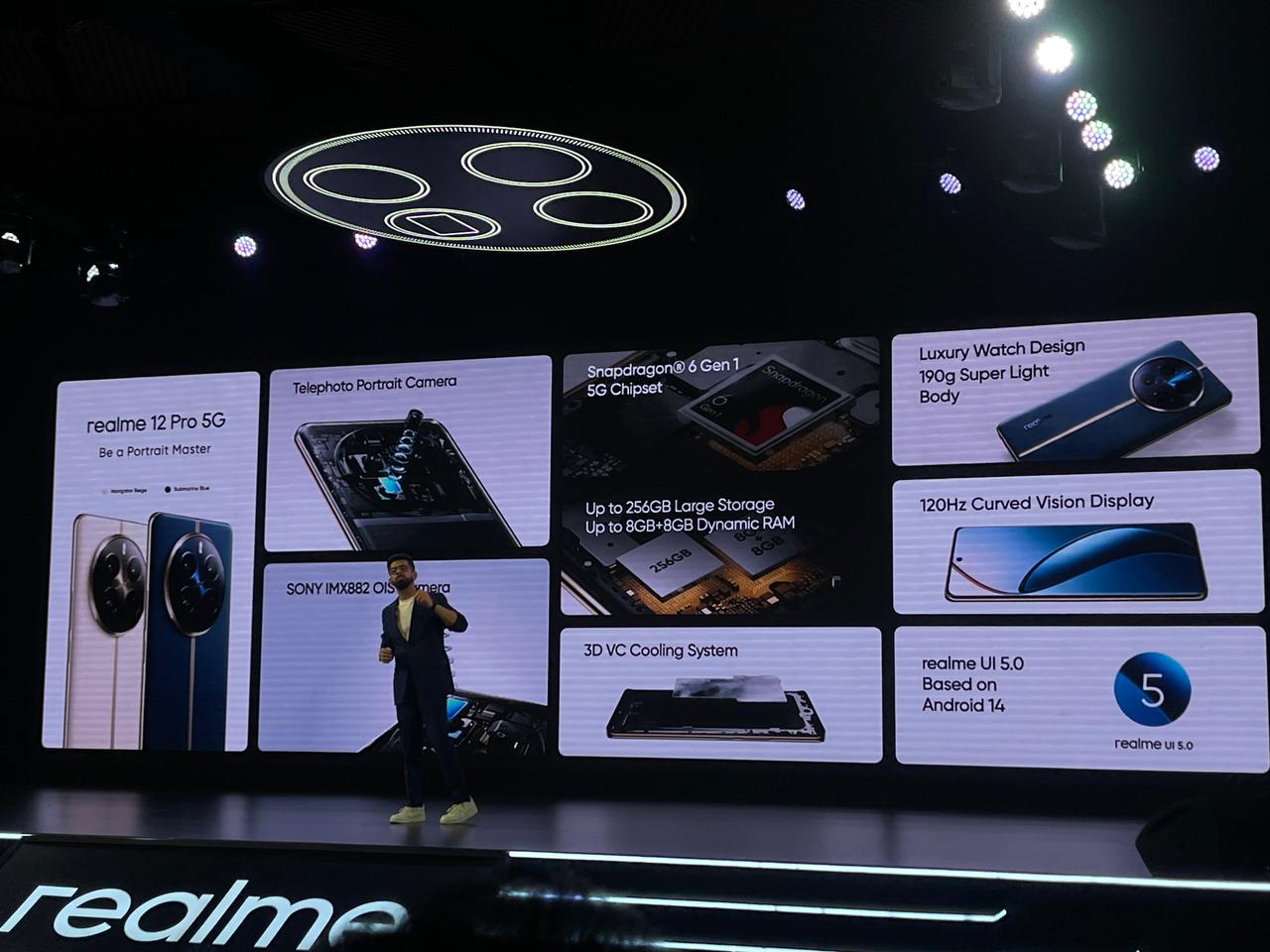
Camera: 32MP Sony IMX709 Telephoto with 2X Optical Zoom, 50MP Sony IMX882; 8MP Ultra-wide; 16MP Selfie
Battery: 5000mAh with 67W SUPERVOOC charging
OS: realme UI 5.0 (Based on Android 14)
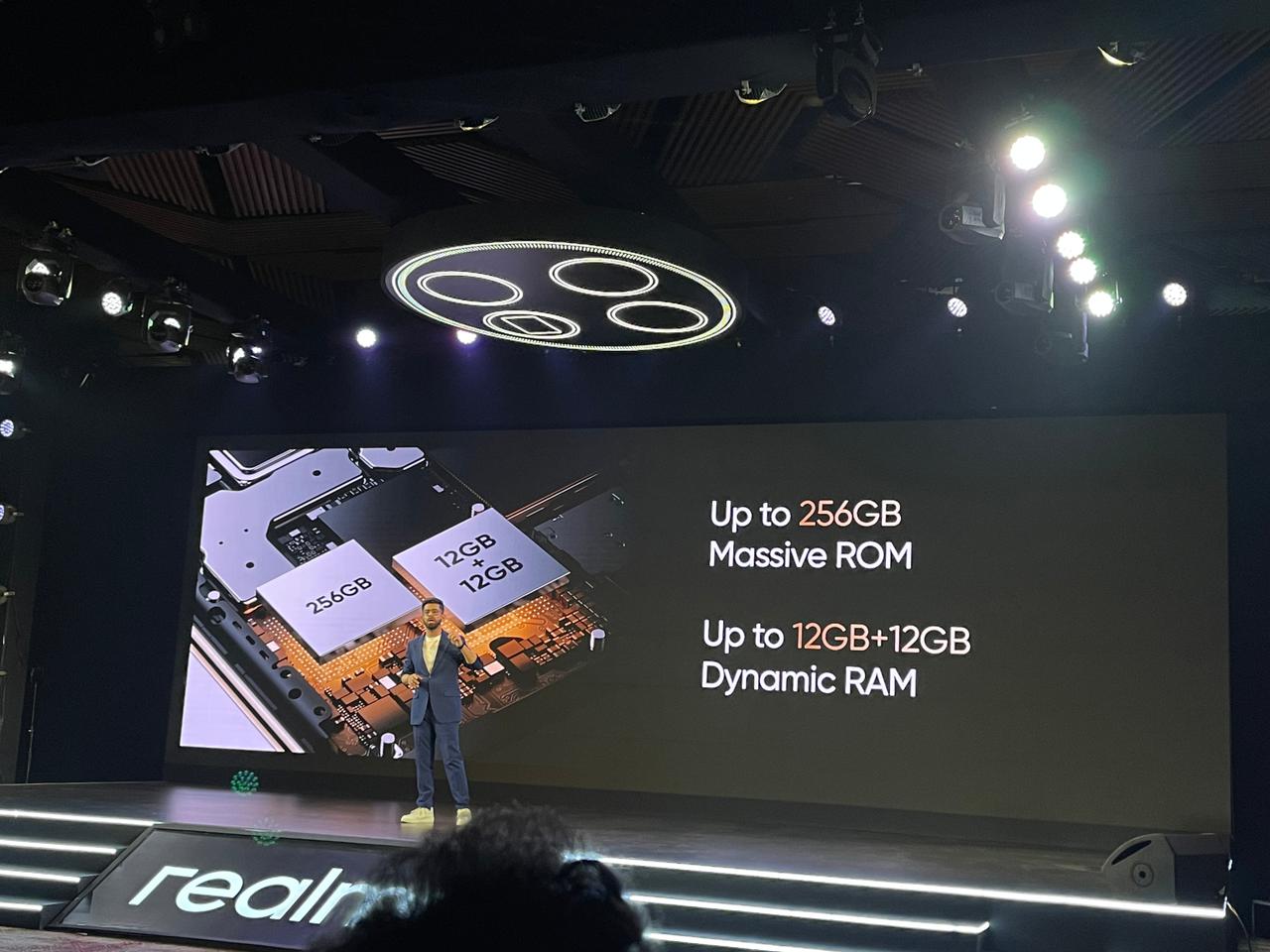
Storage: Up to 256GB ROM
RAM: Up to 8+8GB Dynamic RAM
Realme 12 Pro: Features
Realme 12 Pro: Features
The Realme 12 Pro 5G features a 32MP Sony IMX709 sensor and a telephoto lens with 2X Optical Zoom and 4X Lossless Zoom, ensuring quality images in various lighting conditions.
The main camera, a Sony IMX882 OIS, has a 50MP sensor.
Apart from that the device also has a 16MP Hynix Hi1634Q selfie camera, and an 8MP 112-degree ultra-wide Hynix Hi846W sensor as well.
SuperZoom
The device includes Cinematic Bokeh and Oscar-inspired portrait filters, supporting a 2.39:1 cinematic aspect ratio.
The MasterShot Algorithm with RAW domain processing offers Ultra Clarity Engine, Light Fusion Engine, NightEye Engine, Ultra HDR Engine, and DIS Engine, alongside Moon Mode and Auto-zoom.
Realme 12 Pro: Qualcomm Snapdragon
In design, the Realme 12 Pro 5G incorporates luxury watch elements and is also available in Submarine Blue and Navigator Beige.
Apart from that, it features a Golden Fluted Bezel, Polished Sunburst Dial, Premium Vegan Leather, and 3D Jubilee Bracelet, and has IP65 water resistance.
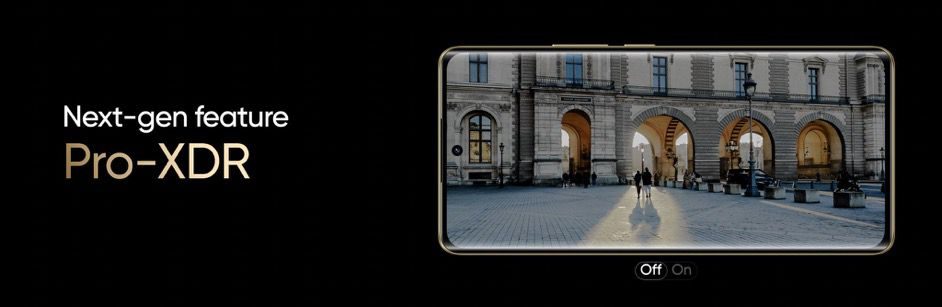
The 6.7-inch OLED screen has a 120Hz refresh rate and Pro-XDR for optimized visuals, with 2160Hz PWM dimming and certifications for eye comfort.
The device has up to 256GB ROM and 8GB+8GB Dynamic RAM options.
Realme 12 Pro: Best Curved Display
Realme 12 Pro: Colors
Realme UI 5.0, based on Android 14, is running the device and offers an intuitive experience with features like File Dock, Flash Capsule, Smart image matting, and Phonelink.
The 5,000mAh battery, coupled with 67W SUPERVOOC charging, supports efficient energy use.
The device also packs in a dual speaker setup with Dolby Atmos to provide high-quality audio.
Device also packs in a dual speaker setup with Dolby Atmos to provide high-quality audio
Realme 12 Pro+ vs Realme 12 Pro: Which One Should You Choose?
Realme 12 Pro+ vs Realme 12 Pro: Which One Should You Choose?
Choosing between the Realme 12 Pro+ and Realme 12 Pro depends on your specific needs and preferences. Here are some considerations to help you decide:
Camera Capabilities: If photography and videography are your priorities, the Realme 12 Pro+ might be the better choice. It offers advanced features like a periscope telephoto lens with higher zoom capabilities and a more sophisticated imaging algorithm. The Realme 12 Pro, while still capable, has a slightly less advanced camera setup.
Performance: The Realme 12 Pro+ is equipped with a more powerful Qualcomm Snapdragon processor compared to the Realme 12 Pro. If you require a device for more intensive tasks like gaming or multitasking, the Pro+ model could be more suitable.
Battery and Charging: Both models have similar battery capacities and charging technologies. Your choice in this aspect would depend more on the other features of the phone.
Design and Display: If the aesthetics of the phone and the quality of the display are important to you, compare the design elements and screen specifications of both models. The Pro+ version might offer slight enhancements in terms of luxury design elements and display quality.
Realme 12 Pro: Kyro CPU
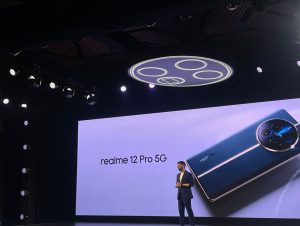
Realme 12 Pro 5G Series Launch Event ( #Realme12ProSeries #BeAPortraitMaster #Realme12ProPlus #Realme12Pro)
Night Scene Mode, Street Mode, Photo Mode, Portrait Mode, 108M Mode, Professional Mode, Panorama Mode, Super Text, Tilt-Shift, Group Portrait, AI Video Tracking, One Take (Introduced by OTA Upgrade), CMOS, EIS, 20 Continous Shots, Video Feature: Multi-View Video, Movie Mode, Tilt-Shift, Slow Motion, Timelapse Photography, Video Mode
What are the key features of the Realme 12 Pro+ 5G?
The Realme 12 Pro+ 5G offers a 120Hz OLED display, Snapdragon 7s Gen 2 processor, and a dual-camera setup with a 64MP primary camera. It also features 67W SUPERVOOC charging and up to 12GB of Dynamic RAM.
Does the Realme 12 Pro series support advanced photography?
Yes, the Realme 12 Pro series is equipped with high-resolution cameras, including a periscope telephoto lens, offering advanced photography capabilities like 3X Optical Zoom and 120X SuperZoom.
What charging technology does the Realme 12 Pro+ 5G use?
The Realme 12 Pro+ 5G utilizes 67W SUPERVOOC charging technology, ensuring fast charging and prolonged battery life with its 5000mAh battery.
What design elements are unique to the Realme 12 Pro series?
The Realme 12 Pro series incorporates luxury watch design elements, featuring a Golden Fluted Bezel, Polished Sunburst Dial, and Premium Vegan Leather in various color options.
How does the Realme 12 Pro differ from the Pro+ model?
The Realme 12 Pro features a Qualcomm Snapdragon 6 Gen 1 processor, a 32MP Sony telephoto camera with 2X Optical Zoom, and 8GB+8GB Dynamic RAM, distinguishing it from the Pro+ model.
How does the collaboration with Ollivier Savéo reflect in the Realme 12 Pro Series?
Realme’s collaboration with luxury watch designer Ollivier Savéo has led to an exclusive watch design for the Realme 12 Pro Series 5G, showcasing a unique blend of technology and luxury style, particularly evident in the Rolex-inspired camera design.
Realme 12 Pro Series 5G to Feature Segment-First Flagship Periscope Telephoto Lens & Luxury Watch Design. Details ?
Realme, the Most Reliable Smartphone Service Provider, today announced at its 2024 media preview event in Las Vegas that the Realme 12 Pro Series will include a flagship periscope telephoto lens.
During the event, Realme showcased its advanced periscope telephoto technology and Luxury Watch Design.
Attendees were given a firsthand look at the upcoming Realme 12 Pro Series 5G, with some suggesting that it could potentially lead the category in imaging capabilities.
Realme’s Founder and CEO, Sky Li, recently penned an open letter, marking 2024 as the year of brand refreshment for the company.
Accompanying this announcement, Realme unveiled its new slogan, ‘Make it real,’ thereby repositioning itself as a tech brand that better understands young users.
Under this fresh brand positioning, the Realme number series is set to represent the future of next-gen imaging. This media event marked Realme’s initial official communication following its brand refreshment.
Is Realme 12 pro series 5G Empowering Young Users with Next-Gen Imagery through the Flagship Periscope Telephoto Lens ?
Research conducted by Realme indicates a preference among young users for telephoto lenses with 3X zoom or more, as opposed to just 2X.
To accommodate high zoom levels in slim phones, a periscope telephoto lens is the only feasible option.
However, this technology poses technical challenges and incurs high costs, typically making it exclusive to flagship phones.
Realme aims to bridge this gap by bringing the flagship-exclusive periscope telephoto technology to a wider audience of young users.
Realme has engineered a proprietary periscope telephoto formula to ensure top-quality imaging under diverse conditions.
This formula was first introduced in the Realme GT5 Pro, launched in November 2023, and it positioned Realme GT5’s telephoto performance at the forefront of the industry.
The upcoming Realme 12 Pro Series 5G will adopt this same approach, incorporating a leading sensor size, a high-performance platform, and an advanced algorithm to deliver superior imaging performance.
Is Realme 12 pro 5G The Next-gen Telephoto with the Best Periscope Telephoto Lens in the Segment?
The Realme 12 Pro Series 5G enhances night shot clarity and stability while minimizing flare and ghosting.
It achieves this using a unique combination of prism tilt OIS, sub-wavelength structure coating, and a wave-shaped lens hood – technologies also utilized in the GT5 Pro.
The series features a 3X Portrait Mode with a 71mm golden portrait focal length, which creates a naturally shallow depth of field ideal for portraits.
Additionally, the Realme 12 Pro Series 5G leads its class in telephoto capabilities, offering up to 120X digital zoom.
Is Realme 12 pro 5G The Next-Gen Sensor with the Largest Periscope Telephoto Sensor in the Segment?
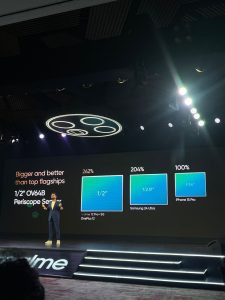
The realme 12 Pro Series 5G boasts the segment’s largest periscope telephoto sensor, featuring the OV64B flagship sensor, which outshines its competitors and matches other top-tier flagships.
With a 1/2-inch size, it’s over twice as large as the telephoto sensor in the iPhone 15 Pro.
Thanks to its larger aperture and light intake, the realme 12 Pro Series 5G telephoto lens is nearly three times more light-sensitive than that of the iPhone 15 Pro.
Realme 12 Pro 5G Partnered with an international luxury watch designer to create a luxury watch design. Details?
The realme number series aims to offer young people Next-gen imaging experiences and aesthetically designed products.
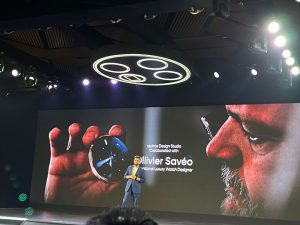
Along with the flagship image technology, realme also collaborated with Ollivier Savéo, the international luxury watch design master, to create an exclusive luxury watch design for the realme 12 Pro Series 5G.
Ollivier Savéo, renowned for his leadership in high-end watch and jewelry groups, has previously collaborated with prestigious Swiss watch brands, including Rolex, Roger Dubuis, Piaget, Breitling, and Quentin.
His expertise has played a pivotal role in the creation of a light luxury watch design that elevates the realme 12 Pro Series 5G to new heights of sophistication.
Taking inspiration from classic luxury watches, realme and Ollivier Savéo embarked on a journey to deconstruct their design and craftsmanship.
This collaboration has resulted in the infusion of refined elements into the industrial design of the realme 12 Pro Series 5G, redefining the concept of light luxury.
Golden Fluted Bezel:
Crafted using CNC machine cutting, the Golden Fluted Bezel achieves a 360° luxury watch-level precision texture with 300 meticulously designed metal lines.
Polished Sunburst Dial:
The Polished Sunburst Dial showcases a light cone texture and gradient UV texture seamlessly blended to present over 500 sunburst patterns interwoven with light and shadow.
Premium Vegan Leather:
The use of the latest silicone materials results in a silky feel and dirt-resistant Premium Vegan Leather, combining high-end aesthetics with practicality.
3D Jubilee Bracelet:
Featuring three-dimensional rhomboid precision splicing, the 3D Jubilee Bracelet creates a metallic strap texture that adds a touch of luxury to the realme 12 Pro Series 5G.
Is realme 12 pro 5G The Next-gen Lossless Zoom with Flagship Full-Focal-Length Lossless Zoom Imaging Capability?
realme 12 Pro Series 5G main camera features Sony IMX890 OIS, which enhances night-time photography.
This camera has a 1/1.56” large sensor, a 24mm equivalent focal length, and a wide f/1.8 Aperture, making it well-suited for nighttime photography.
With OIS support, it excels in providing stable video recording and optimizing the success rate of photos.
Additionally, realme 12 Pro Series 5G features a periscope telephoto and ultra wide-angle camera.
It offers lossless zoom at 0.6x, 1x, 2x, 3x, and 6x, providing a full-focal-length lossless zoom photographic experience comparable to that of a flagship device.
Is Realme 12 Pro The Next-gen Algorithm with Exclusive Customization of the MasterShot Algorithm ?
In collaboration with Qualcomm, realme has enhanced its image processing with the MasterShot Algorithm.
The realme 12 Pro Series 5G is the first and only device in its segment to process RAW domains, ensuring top clarity, dynamic range, and realism in cinematic portraits.
The next-generation omni-focal MasterShot Algorithm is a flagship-level architecture that offers the industry’s most advanced computational photography.
It integrates the LightFusion Engine for enhanced clarity and tone, plus the NightEye Engine for superior night photography.
The series also features a unique movie portrait filter, allowing effortless capture of striking portraits.
What is Realme 12 Pro series price in India & sale details ?
Realme 12 Pro is priced at Rs 25,999 for the 8GB/128GB and Rs 26,999 for the 8GB/256GB model. The phone comes in Submarine Blue and Navigator Beige colours.
Realme 12 Pro+ is priced at Rs 29,999 for the 8GB/128GB, Rs 31,999 for the 8GB/256GB model, and Rs 33,999 for the 12GB/256GB version.
The handset will be sold in Submariner Blue, Navigator Beige, and Explorer Red(only for India) colours.
The first sale of the phones is on February 6th at 12 PM via the Realme website, Flipkart, and retail stores.
The company is offering Rs 2,000 instant discount through the ICICI Bank card and no-cost EMI option. There is also a Rs 1,000 exchange offer as well (pre-booking and early access sale benefit). There is an early-access sale today i.e. January 29th from 6 PM.
Pre-booking for offline stores starts today and from January 30th through Flipkart.
What Realme 11 Pros series vs Realme 12 Pro lineup Upgrades ?
The Realme 11 Pro+ and Realme 12 Pro+ have several key differences. The Realme 12 Pro+ upgrades to a Qualcomm Snapdragon 7s Gen2 processor from the MediaTek Dimensity 7050 in the 11 Pro+, offering improved performance.
It also features a 50MP Sony IMX890 main camera, compared to the 100MP Omnivision sensor in the 11 Pro+. The selfie camera in the 12 Pro+ is 32MP, an upgrade from the 16MP camera in the 11 Pro+.
Both models have a similar screen size and resolution, 6.7-inch FHD+ AMOLED displays, and a 5000mAh battery, but the 12 Pro+ supports a newer Android version, Android 14. These updates contribute to enhanced performance, photography capabilities, and overall user experience in the Realme 12 Pro+.
The display size of the Realme 11 Pro and Realme 12 Pro remain the same at a 6.7-inch display with a 120Hz refresh rate and 2160 PWM Dimming support.
In terms of processor, the Realme 11 Pro series shipped with the MediaTek Dimensity 7050 SoC. In comparison, the Realme 12 Pro comes with a Snapdragon 6 Gen 1 SoC, while the 12 Pro+ is powered by the Qualcomm Snapdragon 7s Gen 2 chipset.
Cameras is where the Realme 12 Pro series takes a lead over the Realme 11 Pro lineup. The Realme 12 Pro ships with a 50MP Sony IMX882 primary camera with OIS, a 32MP Sony IMX709 telephoto 1/2.74″ sensor with f/2.0 Aperture, OIS, and 4X support, and an 8MP ultra-wide-angle lens.
In comparison, the Realme 11 Pro shipped with a 100MP rear camera with f/1.75 aperture, OIS and a 2MP macro camera with f/2.4 aperture. The primary sensor should be able to click better images and there is also a new 32MP periscope telephoto shooter.
Realme 12 Pro+ comes with a 50MP Sony IMX890 primary camera with OIS, a 32MP OV64B periscope telephoto sensor with f/2.6 aperture, ALC anti-glare coating, OIS, 6X zoom support and 120x digital Super-Zoom, and an 8MP ultra-wide-angle lens.
In comparison, the Realme 11 Pro came with a 200MP Samsung HP3 sensor, an 8MP ultra-wide camera with f/2.2 aperture, and a 2MP 4cm macro camera.
The charging speed on the Realme 11 Pro+ was 100W, in comparison, the Realme 12 Pro+ only has 67W speed. Both series have the same 5000mAh battery cells.
What are the Key features of realme 12 Pro+ 5G ?
realme’s latest flagship, the realme 12 Pro+ 5G promises to take photography to the next level for smartphone photographers. It features a 64MP Periscope Telephoto camera, 50 MP Sony IMX 809 Main camera, 8MP Ultra Wide Camera and a 32MP Sony selfie camera with an OV64B camera sensor with 3X optical zoom and 6X in-sensor zoom and boasts the largest-in-class periscope telephoto lens, marking it as the best periscope telephoto lens in this segment.
This is a crucial milestone in realme’s flagship photography journey, making advanced photography more accessible and enabling young enthusiasts to explore and capture cinematic views beyond the horizon at an incredible price range.
Does Realme 12 Pro + 5G have the Best periscope telephoto lens in the segment ?
The realme 12 Pro+ 5G, realme’s latest flagship, aims to take photography and videography to an entirely new level for smartphones. It features the OV64B sensor with 3X optical zoom and 6X in-sensor zoom, making it the greatest periscope telephoto lens in this market at an unbelievable price.
This is a crucial milestone in realme’s flagship photography journey, making advanced photography more accessible and enabling young enthusiasts to explore and capture cinematic views beyond the horizon.
Is Realme 12 Pro + 5G Design inspired by Luxury Watch ?
Ollivier Savéo, a renowned international luxury watch design master recognized for cooperation with major Swiss watch brands, Roger Dolby, Piaget, Breitling, Rolex and Quentin has collaborated with realme to infuse the design of the new realme 12 Pro+ 5G with elements of premium watch workmanship.
realme and Ollivier Savéo came together and drew inspiration from elements of luxury found in watches, deconstructing and incorporating them into the design of the realme 12 Pro Series, bringing luxury workmanship to mobile phones.
How is the display of realme 12 pro plus 5G?
•120 Hz Curved Vision Display
realme 12 Pro+ 5G has a magnificent 120Hz Curved Vision Display, to provide an excellent viewing experience. The display features a 6.7-inch OLED panel with 2412 x 1080 FHD+ resolution, 1.07 billion colors, a 100% P3 color gamut, a touch sampling rate of 240Hz, and an instantaneous sampling rate of up to 2000Hz.
It has a global maximum brightness of 800 nits and a local peak brightness of 950 nits. The display is covered by 0.55mm secondary tempered high-strength glass, making this an inexpensive premier curved screen for users to enjoy. To complete the immersive experience, the device features breathtaking Dolby Atmos sound for an unparalleled audio experience that you can feel all around you. With Dolby Atmos, your favorite content comes to life with greater depth, clarity, and details like never before.
Is Realme 12 Pro plus 5G powered by Snapdragon 7s Gen 2 Mobile Platform ?
The realme 12 Pro+ 5G has been built using 4nm process and has remarkable energy efficiency enabled by the advanced Qualcomm® Kryo™ CPU and Qualcomm® Adreno™ GPU and powered by a dedicated Qualcomm® AI Engine for enhanced photography, smooth multitasking and gaming, and backed by speedy recharging via Qualcomm® Quick Charge™ 4+ technology.
Using an 8-core 64-bit architecture, which includes 4 ARM Cortex-A78 cores running at 2.4GHz and 4 ARM Cortex-A55 cores running at 1.95GHz, it provides exceptional performance. The Adreno GPU operates at 940MHz and improves graphics capabilities.
The improved CPU provides a significant 20% increase in output, raising the Antutu benchmark from 170000 to 210000 compared to the realme 11 Pro+ 5G. Similarly, the GPU, GFX 1080P Manhattan ES3.0 Offscreen, improves performance by 9%, increasing frame rates from 67 to 73 and demonstrating superior graphics capabilities when compared to the 11 Pro+ 5G.
Also, with 4G Internet access even during phone calls, you will never be stranded without a signal.
How is the battery life of Realme 12 pro plus 5G?
Massive 5000mAh battery and 67W SUPERVOOC Charge
With the high-capacity 5000mAh battery, users can charge their smartphone to up to 50% in as little as 19 minutes. This combination offers minimal waiting time and faster charging speed, allowing customers to fully utilize their device’s capabilities every day.
Does realme 12 pro plus 5G Come with realme UI 5.0 ?
The realme 12 Pro+ 5G comes with the new realme UI 5.0 based on Android 14, which allows users to enjoy smarter and more improved efficient experiences.
What are the Color’s available in Realme 12 Pro plus 5G?
The realme 12 Pro + 5G comes in three stunning colors: Submarine Blue reflects tranquil elegance, Navigator Beige offers refinement, and the exclusive Explorer Red adds a vibrant touch, exclusively available in India. These colors draw inspiration from prestigious luxury watch series.
What are the Key features of realme 12 Pro 5G ?
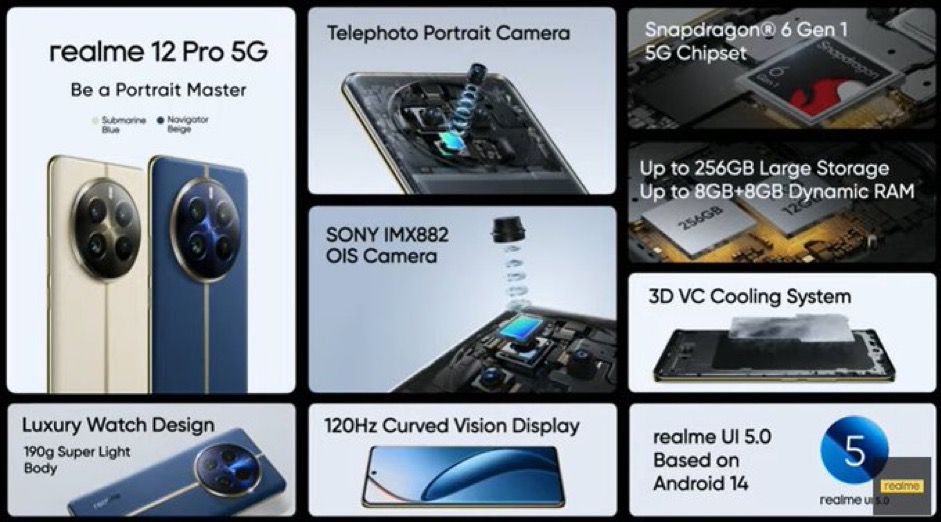
The realme 12 Pro 5G features an improved 50MP Telephoto Portrait camera that comes mated to a Sony IMX 709 sensor for great, flawless photography. The phone also features a 50MP Sony IMX 882 Main Camera, an 8MP Ultra Wide Camera and a 16MP Selfie Camera.
The cutting-edge image technology is enabled by the Sony IMX882 OIS camera sensor that pairs up with the flagship Omnifocal Mastershot Algorithm.
The result is that users get all of the tools needed to create cinematic portraits and inspiring photos in both daytime and low-light circumstances.
Best Telephoto Lens in its Class
The 50 MP Telephoto Portrait Camera comes with a 1/2.74″ sensor, 2X optical zoom, and 4X lossless zoom, as well as the largest-in-class telephoto lens that in combination with the Flagship Omnifocal Mastershot Algorithm, makes it the best telephoto lens in this segment at a fantastic price point.
With a focal length similar to 26mm and an f/1.8 aperture, this lens is great for shooting wide-angle shots in both daytime and low-light circumstances. The wide aperture allows for enough light ingress, improving image clarity.
This is a crucial milestone in realme’s flagship photography journey, making advanced photography more accessible and enabling young enthusiasts to explore and capture cinematic views beyond the horizon.
Superlative Design
The smartphone design is also inspired by luxury watches and comes with a vegan leather finish designed by the realme Design Studio in collaboration with renowned international luxury watch design masterOllivier Savéo, known for collaborations with prestigious Swiss watch brands like Rolex, Roger Dolby, Piaget, Breitling, and Quentin.
67W SUPERVOOC Charge and Massive 5000mAh Battery
realme 12 Pro 5G comes equipped with 67W SUPERVOOC Charge and a massive 5000mAh battery, offering users long-lasting power. The smartphone sports 2:1 dual charge pump technology, which charges the battery from 1 to 50% charge in as little as 19 minutes.
120Hz Curved Vision Display for the Best Viewing Experience
realme 12 Pro 5G has a stunning 120Hz Curved Vision Display to provide an excellent viewing experience. The display features a 6.7-inch OLED panel with 2412 x 1080 FHD+ resolution, 1.07 billion colors, a 100% P3 color gamut, a touch sampling rate of 240Hz, and an instantaneous sampling rate of up to 2000Hz.
It has a global maximum brightness of 800 nits and a local peak brightness of 950 nits. The display is covered by 0.55mm secondary tempered high-strength glass, giving an inexpensive flagship curved screen for users to enjoy.
Qualcomm Snapdragon 6 Gen 1
The 64-bit octa-core processor, built on 4nm process, boasts four high-performance A78 cores clocked at 2.2GHz and four efficient A55 cores clocked at 1.8GHz, ensuring maximum energy efficiency. This novel 4nm architecture in its pricing range, with the Qualcomm Adreno GPU and Qualcomm Kryo CPU, greatly increases computing power without compromising battery life.
The Adreno GPU significantly improves graphics performance, setting a new benchmark for speed and efficiency. The performance can ensure smooth running and deliver an immersive visual experience for gaming and multimedia. realme 12 Pro 5G has an impressive AnTuTu benchmark score of 590,000, representing a 17% performance gain over its predecessor, realme 11 Pro 5G. This score represents the device’s improved processing capabilities and efficiency, indicating that the Realme 12 Pro 5G is a powerhouse capable of offering flawless performance.
Its 7th Gen Qualcomm AI Engine adds intelligence to on-device activities in camera, audio and productivity. The 4th Gen Snapdragon X62 5G Modem-RF System and Qualcomm® FastConnect™ 6700 Mobile Connectivity System bring record speed, coverage, and bandwidth for better 5G connectivity.
The Qualcomm Spectra™ Triple ISP ushers in all-new camera possibilities to this series, including up to 200 MP photos and computational HDR video capture. Plus, AI De-Noising (AIDE) is a neural network trained to remove noise in low-light images to deliver sharper and clearer photos.
realme UI 5.0
The realme 12 Pro 5G comes with the new realme UI 5.0 based on Android 14, which allows users to enjoy smarter and more improved efficient experiences.
realme launches the newest addition to its Number Series with the realme 12 Pro Series 5G with the best in class periscope telephoto starting from INR 25999.Details?
The realme 12 Pro Series 5G exhibits a luxury watch-inspired design created in collaboration with renowned international luxury watch design master Ollivier Savéo.
The realme 12 Pro+ 5G features a flagship 64MP Periscope Telephoto camera, the largest-in-class periscope telephoto lens with an OV64B sensor along with 3X optical zoom and 6X in-sensor zoom, marking it as the best periscope telephoto lens in this segment.
It is equipped with a 120Hz curved vision display, 67W SuperVOOC charging with a massive 5000mAh battery. Last, but not least, it boasts a Snapdragon™ 7s Gen 2 chipset and supports Dolby Atmos.
The realme 12 Pro + 5G comes in three colors: Submarine Blue, Navigator Beige and Explorer Red which will come in three storage variants: 8GB+128GB, priced at INR 29,999, 8GB+256GB, priced at INR 31,999 and 12GB+256GB, priced at INR 33,999.
The realme 12 Pro 5G features the flagship-level 120 Hz curved vision display. It is equipped with a Snapdragon™ 6 Gen 1 Chipset, 32MP Sony IMX 709 Telephoto camera, 50MP Sony IMX 882 Main Camera and 8MP Ultra Wide Camera, along with a 67W SUPERVOOC Charge that pairs up with a huge 5000mAh Battery and supports Dolby Atmos.
The realme 12 Pro 5G comes in two colors: Submarine Blue and Navigator Beige and will come in two storage variants: 8 GB +128 GB, priced at 25,999 and 8GB+256GB, priced at 26,999.
During the Early Access Sale starting from 29th January 2024, 6PM onwards on realme.com and Flipkart, buyers can avail a discount of INR 2,000 on realme 12 Pro Series 5G.
The Pre-booking will start from 29th January for offline buyers and 30th January for online buyers.
Additionally, there is an Exchange offer of Rs. 1,000 on Early access, Pre bookings and First sale.
The First Sale will begin from 6th February 2024, 12 noon onwards. Users can avail a discount of INR 2,000 on bank offer and a No Cost EMI up to 12 months on realme 12 Pro Series 5G across realme stores, realme.com and Flipkart.
The First Sale of Explorer Red will begin from 9th February 2024, 12 noon onwards on realme.com, Flipkart.com and mainline stores
Has realme launched the newest addition to its Number Series with the realme 12 Pro Series 5G ?
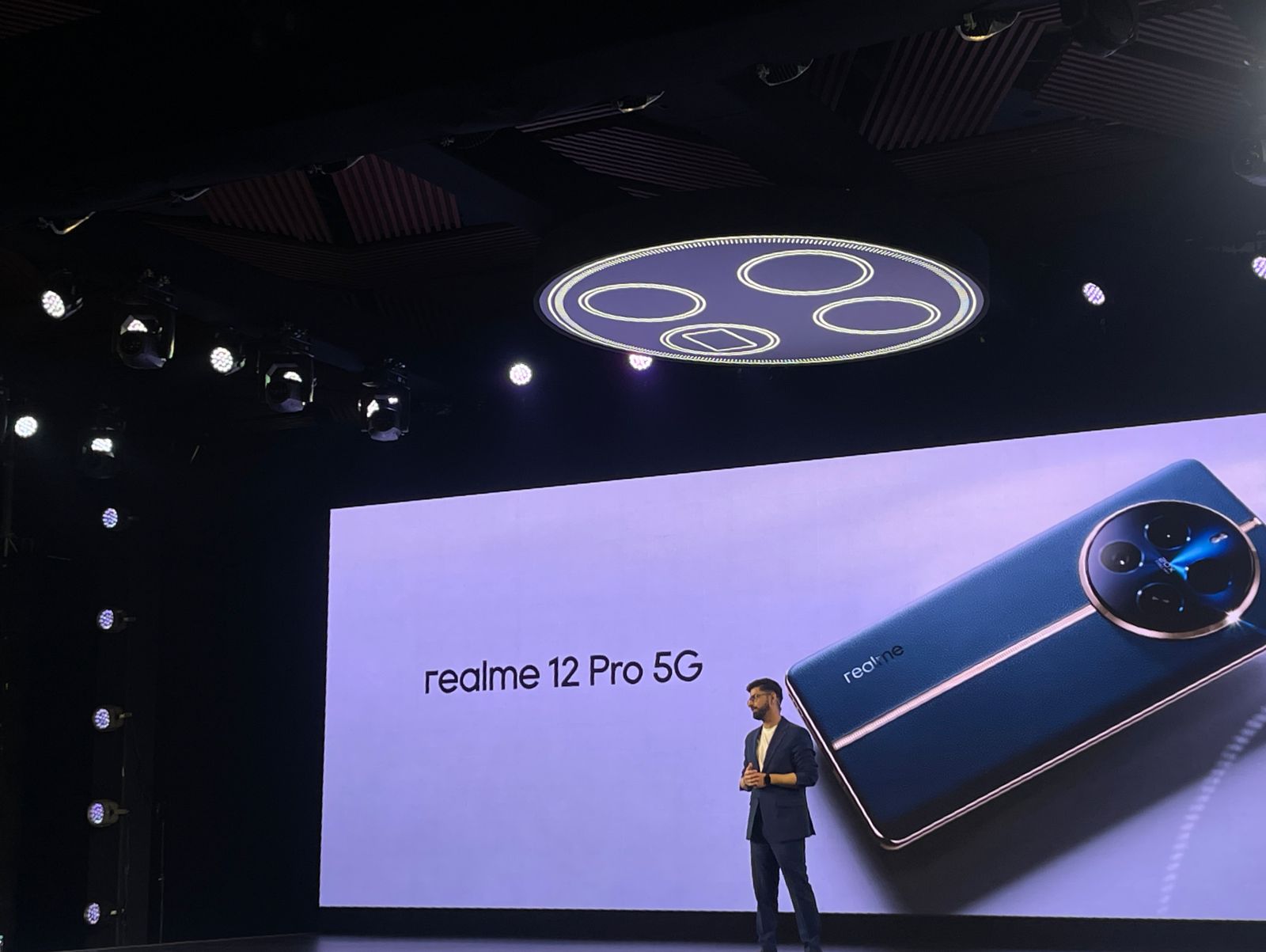
realme, today announced the launch of the realme 12 Pro Series 5G, the newest addition to its premium Number Series. The realme 12 Pro Series 5G introduces two standout smartphones: the realme 12 Pro+ 5G and the realme 12 Pro 5G.
The two new additions are positioned as the Next-gen Imaging smartphones, marking an important milestone that is aligned with realme’s revamped ‘Make it real’ brand spirit, and boasts a refreshed brand identity that resonates with young users.
The realme 12 Pro+ 5G introduces next-generation imaging technology and features cutting-edge periscope telephoto technology to enable full-focal-length, lossless zoom capabilities, and a proprietary MasterShot Algorithm developed in collaboration with Qualcomm.
realme 12 Pro+ 5G is the latest premium smartphone from realme, designed to elevate photography and videography to new heights for young users.
realme is always at the forefront of introducing innovative technologies coupled with bespoke designs to its users. realme Design Studio also collaborated with renowned international luxury watch design master Ollivier Savéo to bring a luxury watch-inspired design that comes to life in the new realme 12 Pro Series 5G.
Not just this; realme also collaborated with Claudio Miranda, Oscar Winner for Best Cinematography to curate three Camera filters inspired by his award-winning movies exclusively for this Series. These are the Journey Filter – “Life of Pi” Inspiration, the Memory Filter – “The Curious Case of Benjamin Button” Stylea and the Maverick Filter – “Top Gun: Maverick” Influence.
•Realme is launching its Realme 12 Pro smartphone series today in India. •The series includes two smartphones: Realme 12 Pro and Realme 12 Pro+. •The launch event will be live-streamed on the company’s YouTube and social media channels.
This series is poised to bring advanced technology to the smartphone market, with a special emphasis on enhanced photography capabilities.
A key highlight of the series is the Flagship Periscope Telephoto Lens, which is expected to significantly improve photo quality and offer new photography experiences.
This phone series is getting launched as the brand introduced its new strategy and identity at the start of the new year.
The realme 12 Pro Series 5G strives to bring cutting-edge technology that will take your experience to the next level.
The series includes the Flagship Periscope Telephoto Lens, which promises to be a game changer in smartphone photography, allowing users to shoot breathtaking photographs thanks to its powerful features.
“Join us as we unveil the realme 12 Pro Series 5G and witness how these smartphones are set to revolutionize the smartphone industry. We can’t wait to share this moment with you! Stay tuned, and for more information visit our website and social platforms: realme.com, Twitter, Facebook and YouTube,” said the company in an invite.
Realme 12 Pro Series early Access Sale
Here’s how to watch the launch and everything we know about the device.
Realme 12 Pro Series Launch Event Time: How to Watch Online Live Streaming
Realme 12 Pro Series Launch Event Time: How to Watch Online Live Streaming
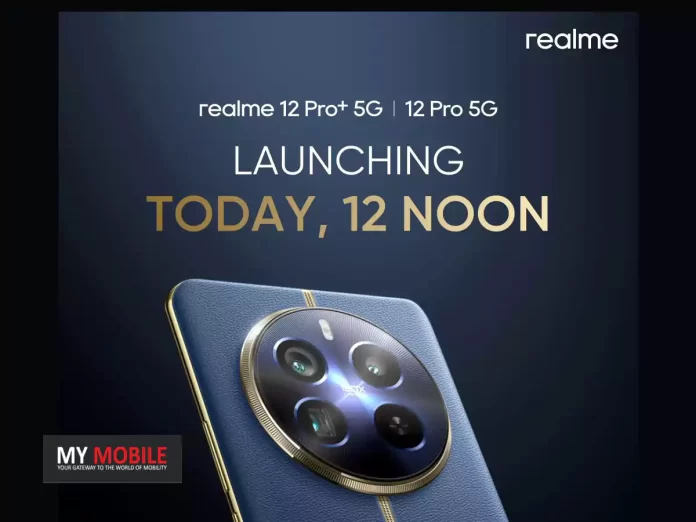
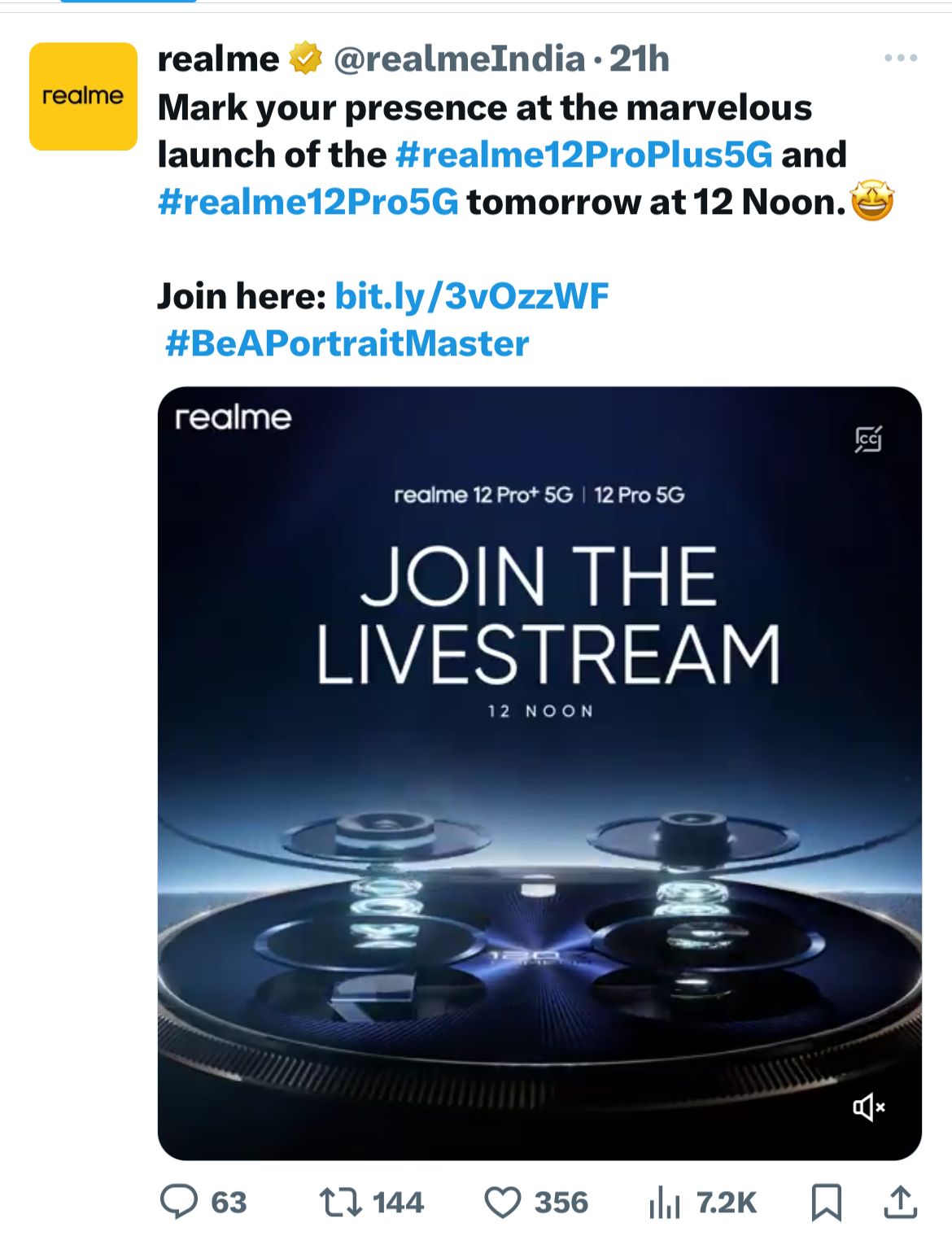
The launch event for the devices will take place in Delhi and start at 12 noon today.
The Realme India YouTube channel will be streaming the event for those looking to watch it live. Here is a link to watch the launch online.
Live Streaming Link:
Day & Date: Monday, 29th January 2024 Time: 12:00 noon
Realme India YouTube channel will be streaming the event
Realme 12 Series: Expected Specs
Realme 12 Series: Expected Specs
The series will include at least two models: the Realme 12 Pro and the 12 Pro+.
Realme has teased the series with the tagline, “Beyond 200MP, Periscope Awaits,” hinting at the advanced camera technology, particularly a periscope camera.
The Realme 12 Pro is rumoured to have a 6.7-inch AMOLED display with a resolution of 2,412 x 1,080 pixels.
The device might come in various RAM and storage configurations, ranging from 6GB to 16GB of RAM and 128GB to 1TB of storage.
It’s anticipated to feature a triple rear camera setup with a 50MP primary sensor, 32MP and 8MP secondary sensors, and a 16MP front camera.
Realme 12 Series: Qualcomm Snapdragon 7s Gen 2 chipset
The Pro+ variant is speculated to have an upgraded 64MP main rear camera, supplemented by 50MP and 8MP sensors, and a 32MP front-facing camera.
Both models are expected to be similar in dimensions and weight, with the Pro version around 190g and the Pro+ slightly heavier at 196g.
The dimensions are likely to be around 161.47mm x 74.02mm x 8.75mm, and both are expected to include a 5,000mAh battery 5G support is anticipated for both models.
Additionally, Realme has collaborated with Ollivier Savéo, an internationally recognized luxury watch designer, to create an exclusive luxury watch design for the Realme 12 Pro Series 5G, highlighting the blend of style and functionality.
Official renders of the Realme 12 Pro have revealed a Rolex-inspired design around the camera island and a periscope zoom lens that supports up to 120x hybrid zoom.
Dimensions are likely to be around 161.47mm x 74.02mm x 8.75mm
Realme 12 Pro Specs Revealed on TENNA
Realme 12 Pro’s capabilities revealed through its TENNA certification listing
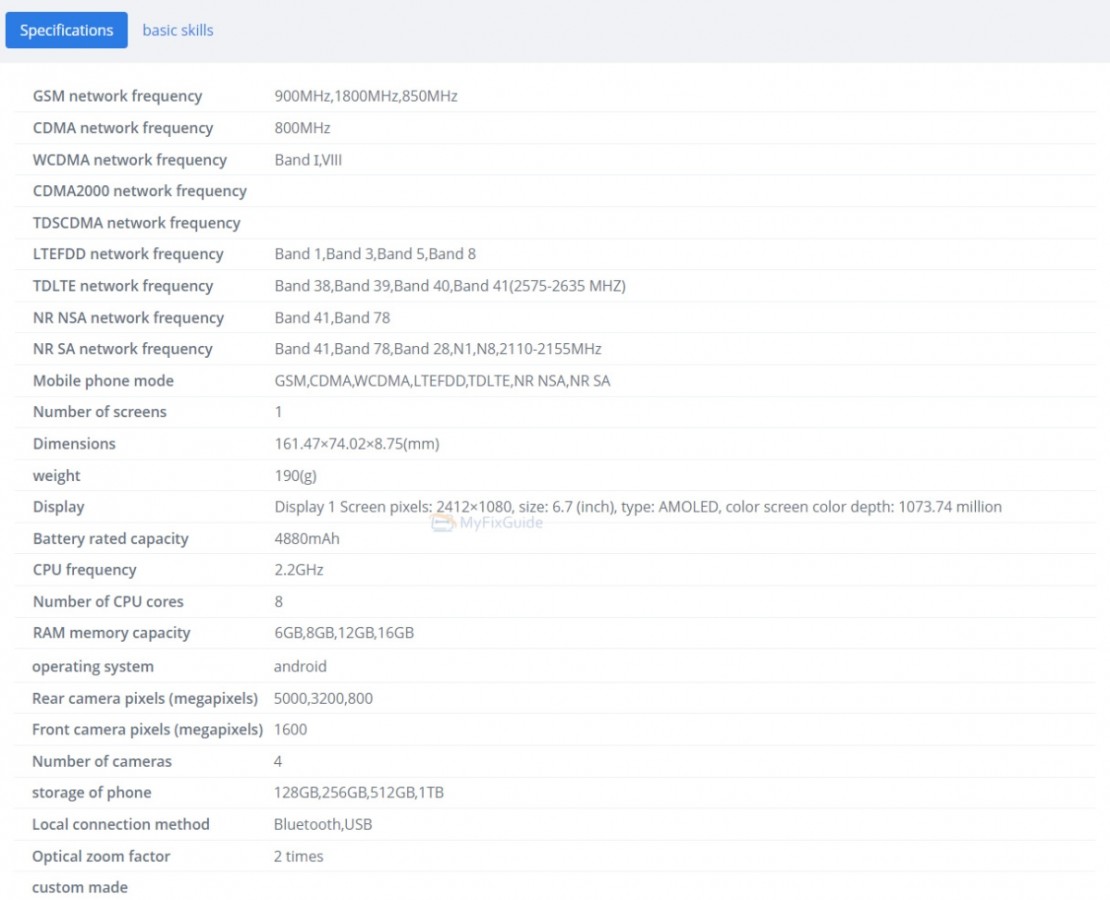
Further insights into the Realme 12 Pro’s capabilities were revealed through its TENNA certification listing.
The device is expected to feature a stunning 6.7-inch AMOLED display with a resolution of 2412×1080 pixels.
At its core, the Realme 12 Pro is likely to be powered by an octa-core 2.2GHz chipset, rumored to be the Snapdragon 7s Gen 2 SoC.
This advanced chipsetcould be paired with multiple RAM options, ranging from 6GB to an impressive 16GB, and storage choices extending from 128GB to a vast 1TB.
The smartphone’s dimensions, as per the certification, are 161.47×74.02×8.75mm, and it weighs around 190 grams.
Its imaging prowess is expected to be significant, featuring a triple-camera setup with a 50MP primary sensor, a 32MP secondary lens, and an 8MP sensor.
The front of the device is anticipated to house a 16MP camera, promising high-quality selfies and video calls.
A notable highlight of the Realme 12 Pro series is its advanced periscope telephoto lens, which was a central focus at CES 2024.
Realme showcased their periscope telephoto which is expected to ‘revolutionize’ smartphone photography, especially for young users who prefer telephoto lenses with 3X zoom or more.
This lens is designed to accommodate high zoom levels in slim phones, a feature that has traditionally been limited to flagship models due to technical and cost constraints.
The Realme 12 Pro Series 5G’s periscope lens will also be featuring technologies like prism tilt OIS, sub-wavelength structure coating, and a wave-shaped lens hood.
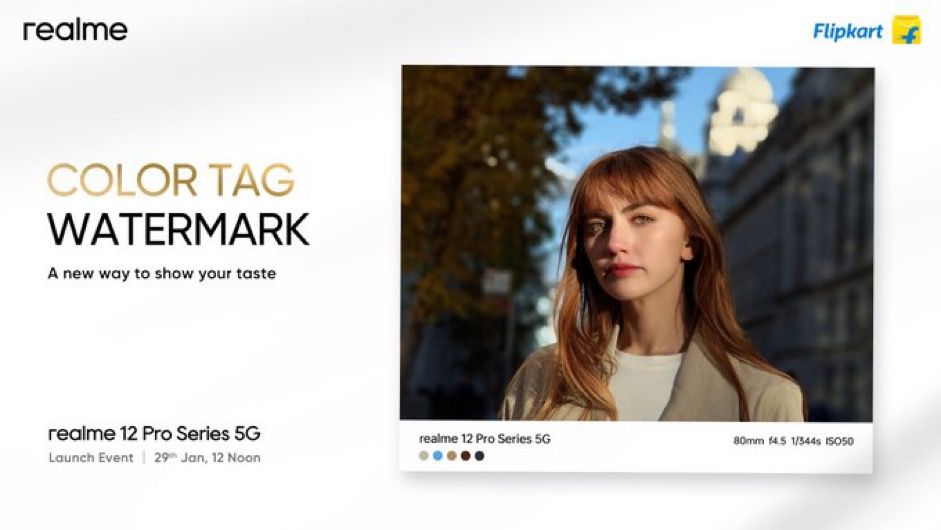
Realme 12 Pro series 5G Color Tag Watermark
These innovations are said to contribute to enhanced night shot clarity, reduced flare and ghosting, and a 3X Portrait Mode with a 71mm golden portrait focal length for perfect portraits.
As for the sensor itself, Realme claimsit to be the largest periscope telephoto sensor in its segment, featuring the OV64B flagship sensor.
Realme claims it will offer exceptional light sensitivity, enhancing the phone’s photographic capabilities.
Realme showcased their periscope telephoto which is expected to ‘revolutionize’ smartphone photography
Realme 12 Pro: Savéo Colloboration
Realme 12 Pro: Savéo Colloboration
In a unique collaboration, Realme partnered with Ollivier Savéo, an internationally acclaimed luxury watch designer, to create a luxury watch design for the Realme 12 Pro Series 5G.
Savéo, known for his work with prestigious Swiss watch brands, brings an element of high-end sophistication to the design of the phone, making it a blend of technology and style.
Realme 12 Pro Series 5G to create a luxury watch design
Realme 12 Pro Series Geekbench
Realme 12 Pro Series Geekbench
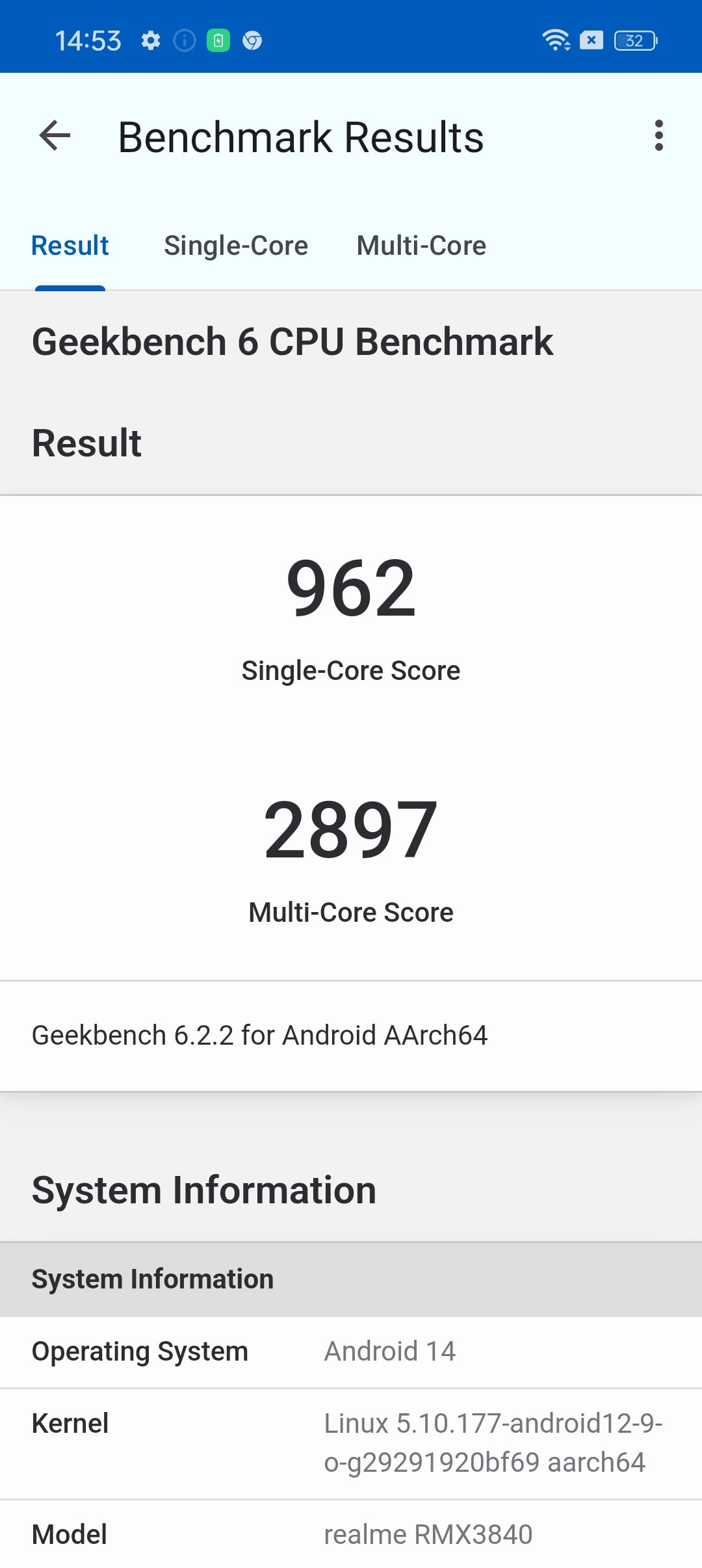
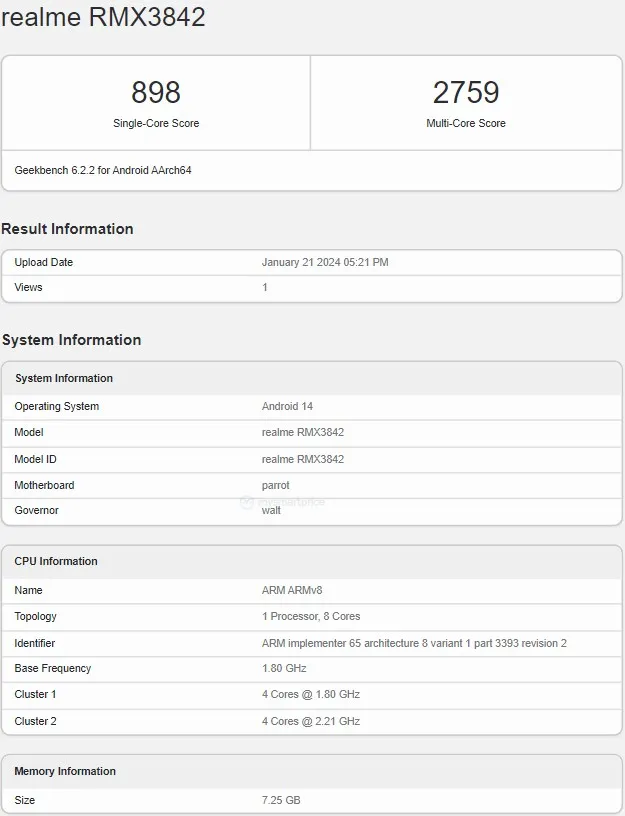
The Realme 12 Pro Indian variant has appeared on the Geekbench benchmarking platform.
This revealed the phone would come with Android 14 OS and 8GB RAM but there could be other options at launch.
The phone has secured scored 898 points in the single-core test and 2,759 points in the multi-core test.
Realme 12 Pro+ was also spotted on Geekbench
Realme 12 Pro+ was also spotted on Geekbench and this showed the phone would come with Android 14 OS, 12GB RAM and Snapdragon 7s Gen 2 chipset.
The phone has managed to score 1,025 points in single-core and 2,915 points in multi-core tests.
Realme 12 Pro Series: TRDA Certification
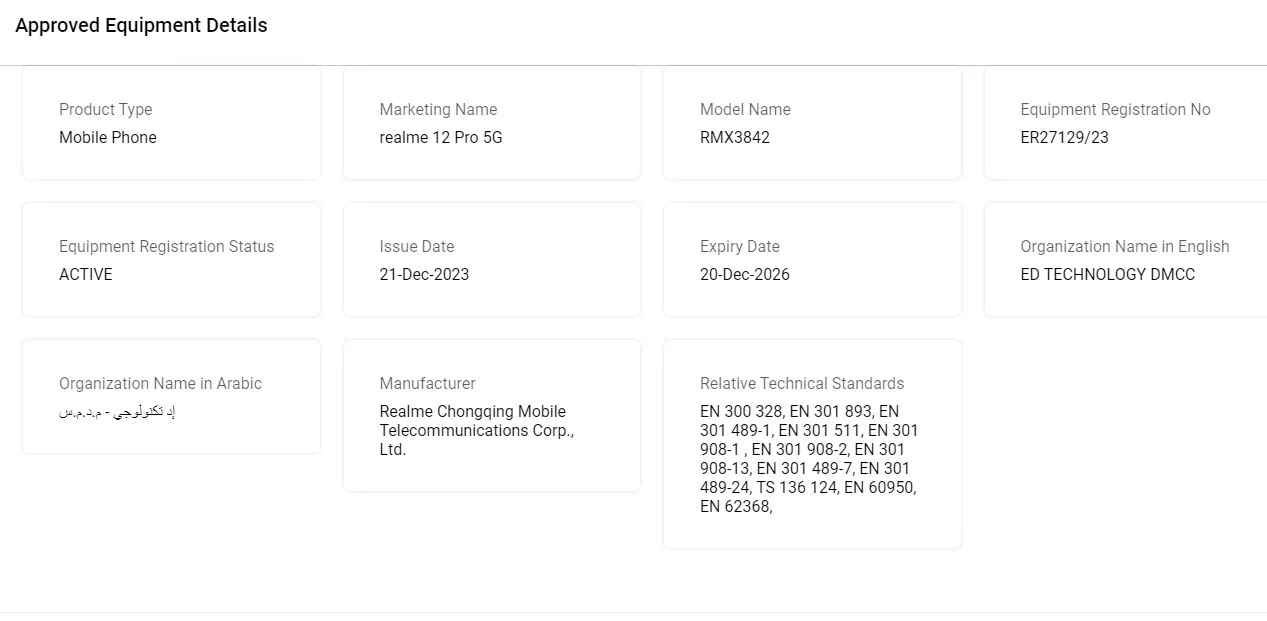
Realme 12 Pro and Realme 12 Pro+ have successfully passed the TRDA certification
As per reports, the Realme 12 Pro and Realme 12 Pro+ have successfully passed the TRDA certification, marking a significant step towards their launch.
The Realme 12 Pro, with the model number RMX3842, and the Realme 12 Pro+, RMX3840 were previously listed on India’s BIS and Indonesia’s TKDN portals, as well.
Realme 12 Pro Series Spotted on BIS Certification Website
Realme 12 Pro Series Spotted on BIS Certification Website
This development is usually a strong indicator that an Indian launch is going to happen quite soon.
Upcoming Realme 12 Pro series on the Bureau of Indian Standards (BIS) certification website
Realme 12 Pro Series Leaked Pricing Details
Realme 12 Pro Series Leaked Pricing Details
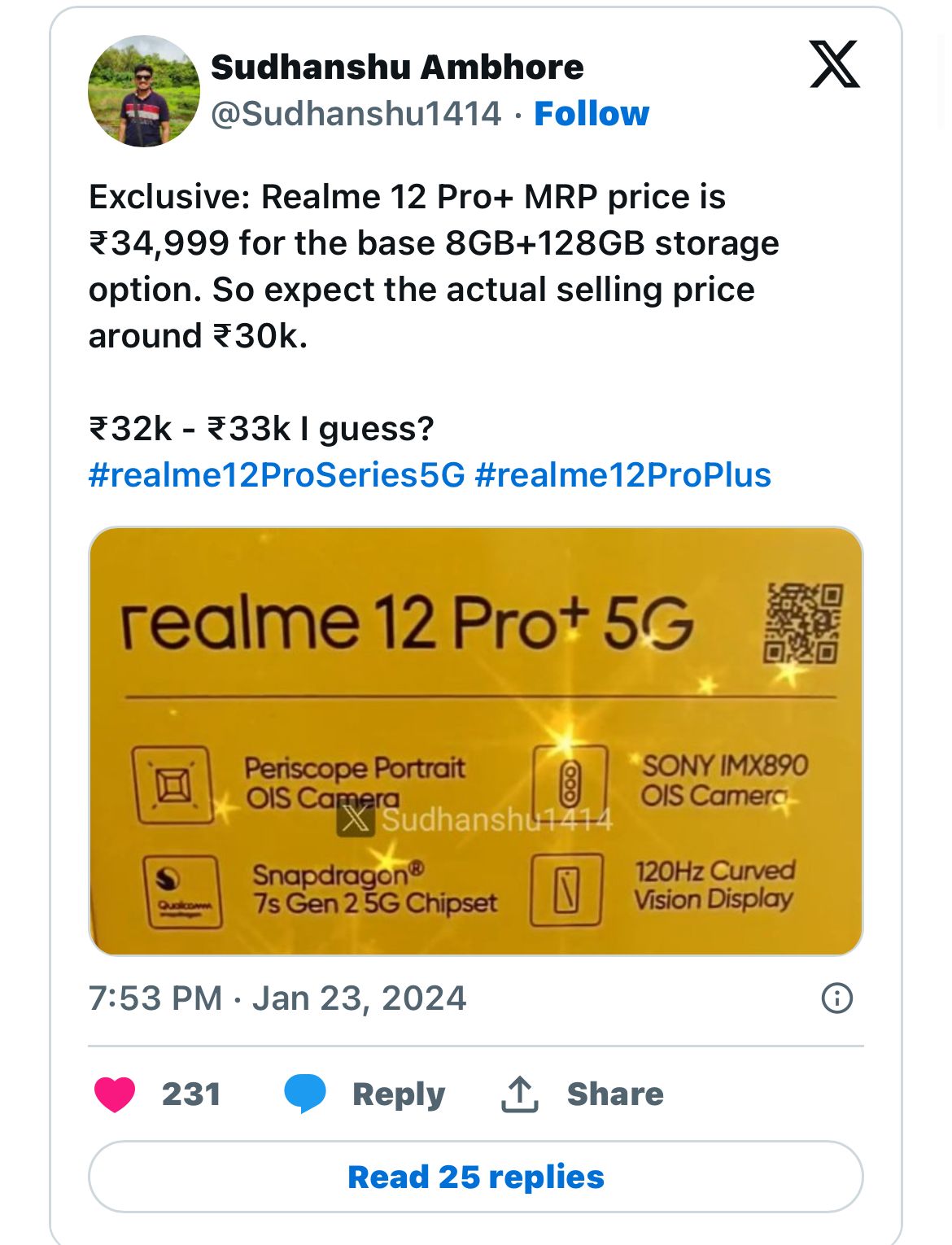
According to Ambhore’s post on X (formerly known as Twitter), the Realme 12 Pro+ will be priced at a maximum MRP of Rs 34,999 for its base variant and is likely to be sold for approximately Rs 30,000, with expectations of the actual selling price hovering between Rs 32,000 and Rs 33,000.
Leaked Pricing Details by Ambhore’s post on X
There are no pricing estimates currently for other storage variants but we can expect it to be in multiples of Rs 2,000 over the base price.
Realme 12 Pro Series Launch Offers and Availability
Realme 12 Pro Series Launch Offers and Availability
The Realme 12 Pro+ is anticipated to come with attractive introductory launch offers, potentially lowering the price further, and making it an even more appealing option for smartphone enthusiasts.
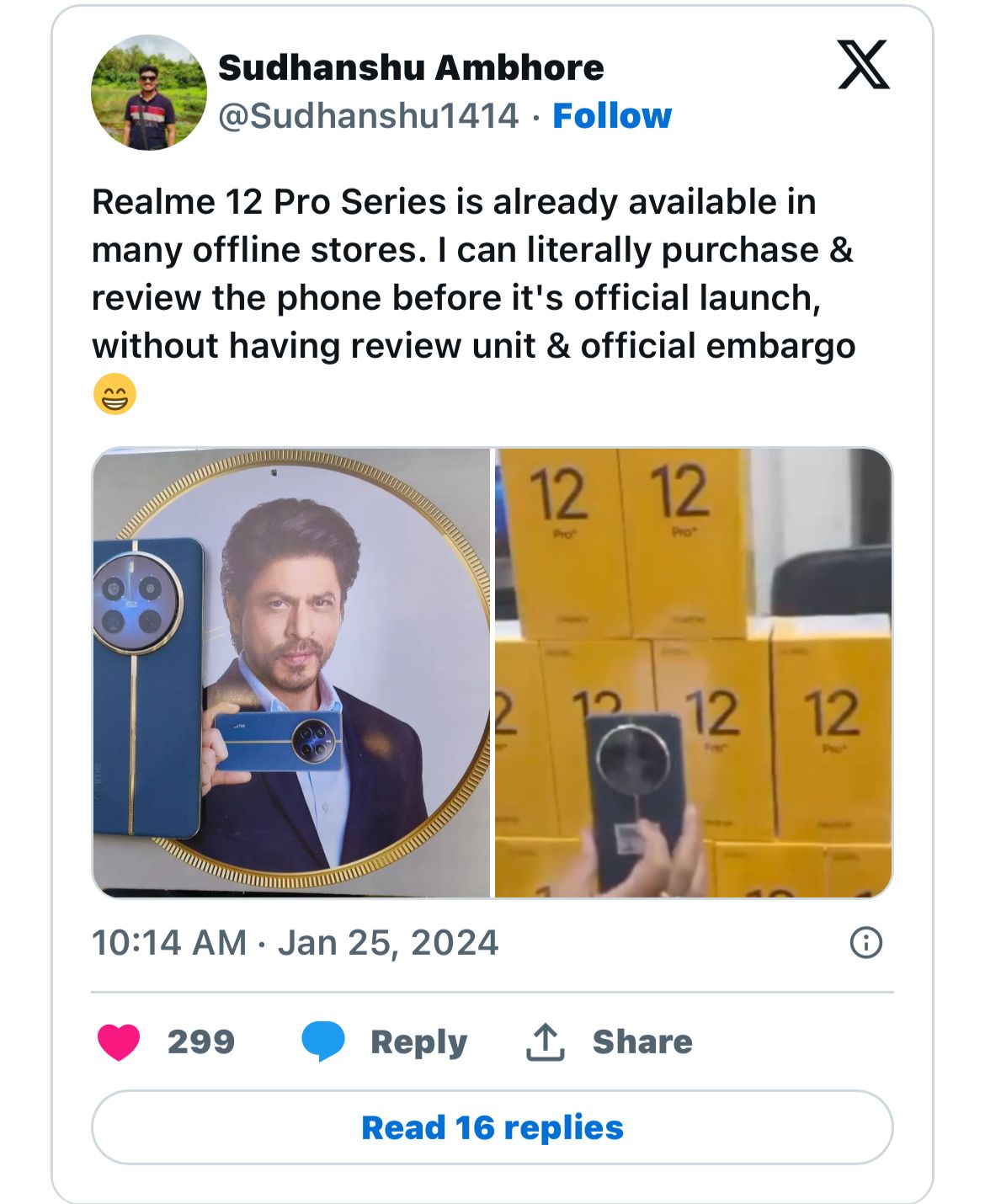
Then there is also the fact that these devices are already reportedly available in offline stores.
Night Scene Mode, Street Mode, Photo Mode, Portrait Mode, 108M Mode, Professional Mode, Panorama Mode, Super Text, Tilt-Shift, Group Portrait, AI Video Tracking, One Take (Introduced by OTA Upgrade), CMOS, EIS, 20 Continous Shots, Video Feature: Multi-View Video, Movie Mode, Tilt-Shift, Slow Motion, Timelapse Photography, Video Mode
1) What is Realme 12 Pro series India price (expected)?
The Realme 12 Pro series is expected to feature two phones, the Realme 12 Pro and the Realme 12 Pro+.
The Realme 12 Pro is expected to start at a price tag of Rs 26,000-28,000.
The Realme 12 Pro+, on the other hand, is expected to start at Rs 30,000-32,000.
2) What is Realme 12 Pro Series Price In comparison with its predecessor & competitors ?
Last year Realme 11 Pro price started at Rs 23,999, and Realme 11 Pro+ price started at Rs. 27,999.
A price increase is expected due to the addition of a more intense camera setup.
The Realme 12 Pro series would compete against the new Redmi Note 13 Pro series and the POCO X6 Pro.
3) What is the expected display and processor in the Realme 12 Pro Series?
The Realme 12 Pro is anticipated to feature a 6.7-inch AMOLED display with a resolution of 2,412 x 1,080 pixels and be powered by the Qualcomm Snapdragon 7s Gen 2 chipset.
This combination promises a high-quality visual experience with efficient performance.
4) What are the camera capabilities of the Realme 12 Pro Series?
The series is expected to include groundbreaking camera technology, with the Pro model featuring a 50MP primary sensor and the Pro+ model upgrading to a 64MP main camera.
Both models are rumored to include a high-powered periscope telephoto lens, enhancing photography options.
5) How does the collaboration with Ollivier Savéo reflect in the Realme 12 Pro Series?
Realme’s collaboration with luxury watch designer Ollivier Savéo has led to an exclusive watch design for the Realme 12 Pro Series 5G, showcasing a unique blend of technology and luxury style, particularly evident in the Rolex-inspired camera design.
6) What are the storage options and weight specifications for the Realme 12 Pro and 12 Pro+?
The Realme 12 Pro Series offers a range of storage options from 128GB to 1TB and RAM from 6GB to 16GB.
The Pro model is expected to weigh around 190g, and the Pro+ slightly more at 196g, maintaining a balance between robust features and portability.
7) What are the display specifications of the Realme 12 Pro?
The Realme 12 Pro is set to feature a 6.7-inch AMOLED display with a 2412×1080 pixel resolution, promising crisp and vibrant visuals suitable for both multimedia consumption and daily tasks.
8) What processing power can we expect from the Realme 12 Pro?
The device is likely to be powered by an octa-core 2.2GHz chipset, rumored to be the Snapdragon 7s Gen 2 SoC.
This powerful chipset is expected to provide smooth performance, catering to both gaming and multitasking needs.
9) Can you detail the Realme 12 Pro’s camera specifications?
Realme 12 Pro is anticipated to boast a triple-camera setup with a 50MP primary sensor, a 32MP secondary lens, and an 8MP sensor.
Additionally, a 16MP front camera is expected for high-quality selfies and video calls.
10)What is unique about the Realme 12 Pro’s periscope telephoto lens?
The Realme 12 Pro series introduces a segment-first periscope telephoto lens, featuring advanced technologies for enhanced clarity and stability in photography, especially in low-light conditions.
It’s designed to bring high zoom capabilities to sleek smartphone designs.
10) Realme 12 Pro Series 5G to Feature Segment-First Flagship Periscope Telephoto Lens & Luxury Watch Design. Details ?
Realme, the Most Reliable Smartphone Service Provider, today announced at its 2024 media preview event in Las Vegas that the Realme 12 Pro Series will include a flagship periscope telephoto lens.
During the event, Realme showcased its advanced periscope telephoto technology and Luxury Watch Design.
Attendees were given a firsthand look at the upcoming Realme 12 Pro Series 5G, with some suggesting that it could potentially lead the category in imaging capabilities.
Realme’s Founder and CEO, Sky Li, recently penned an open letter, marking 2024 as the year of brand refreshment for the company.
Accompanying this announcement, Realme unveiled its new slogan, ‘Make it real,’ thereby repositioning itself as a tech brand that better understands young users.
Under this fresh brand positioning, the Realme number series is set to represent the future of next-gen imaging. This media event marked Realme’s initial official communication following its brand refreshment.
11) Is Realme 12 pro series 5G Empowering Young Users with Next-Gen Imagery through the Flagship Periscope Telephoto Lens ?
Research conducted by Realme indicates a preference among young users for telephoto lenses with 3X zoom or more, as opposed to just 2X.
To accommodate high zoom levels in slim phones, a periscope telephoto lens is the only feasible option.
However, this technology poses technical challenges and incurs high costs, typically making it exclusive to flagship phones.
Realme aims to bridge this gap by bringing the flagship-exclusive periscope telephoto technology to a wider audience of young users.
Realme has engineered a proprietary periscope telephoto formula to ensure top-quality imaging under diverse conditions.
This formula was first introduced in the Realme GT5 Pro, launched in November 2023, and it positioned Realme GT5’s telephoto performance at the forefront of the industry.
The upcoming Realme 12 Pro Series 5G will adopt this same approach, incorporating a leading sensor size, a high-performance platform, and an advanced algorithm to deliver superior imaging performance.
12) Is Realme 12 pro 5G The Next-gen Telephoto with the Best Periscope Telephoto Lens in the Segment?
The Realme 12 Pro Series 5G enhances night shot clarity and stability while minimizing flare and ghosting.
It achieves this using a unique combination of prism tilt OIS, sub-wavelength structure coating, and a wave-shaped lens hood – technologies also utilized in the GT5 Pro.
The series features a 3X Portrait Mode with a 71mm golden portrait focal length, which creates a naturally shallow depth of field ideal for portraits.
Additionally, the Realme 12 Pro Series 5G leads its class in telephoto capabilities, offering up to 120X digital zoom.
13) Is Realme 12 pro 5G The Next-Gen Sensor with the Largest Periscope Telephoto Sensor in the Segment?
The realme 12 Pro Series 5G boasts the segment’s largest periscope telephoto sensor, featuring the OV64B flagship sensor, which outshines its competitors and matches other top-tier flagships.
With a 1/2-inch size, it’s over twice as large as the telephoto sensor in the iPhone 15 Pro.
Thanks to its larger aperture and light intake, the realme 12 Pro Series 5G telephoto lens is nearly three times more light-sensitive than that of the iPhone 15 Pro.
14) Realme 12 Pro 5G Partnered with an international luxury watch designer to create a luxury watch design. Details?
The realme number series aims to offer young people Next-gen imaging experiences and aesthetically designed products.
Along with the flagship image technology, realme also collaborated with Ollivier Savéo, the international luxury watch design master, to create an exclusive luxury watch design for the realme 12 Pro Series 5G.
Ollivier Savéo, renowned for his leadership in high-end watch and jewelry groups, has previously collaborated with prestigious Swiss watch brands, including Rolex, Roger Dubuis, Piaget, Breitling, and Quentin.
His expertise has played a pivotal role in the creation of a light luxury watch design that elevates the realme 12 Pro Series 5G to new heights of sophistication.
Taking inspiration from classic luxury watches, realme and Ollivier Savéo embarked on a journey to deconstruct their design and craftsmanship.
This collaboration has resulted in the infusion of refined elements into the industrial design of the realme 12 Pro Series 5G, redefining the concept of light luxury.
Golden Fluted Bezel:
Crafted using CNC machine cutting, the Golden Fluted Bezel achieves a 360° luxury watch-level precision texture with 300 meticulously designed metal lines.
Polished Sunburst Dial:
The Polished Sunburst Dial showcases a light cone texture and gradient UV texture seamlessly blended to present over 500 sunburst patterns interwoven with light and shadow.
Premium Vegan Leather:
The use of the latest silicone materials results in a silky feel and dirt-resistant Premium Vegan Leather, combining high-end aesthetics with practicality.
3D Jubilee Bracelet:
Featuring three-dimensional rhomboid precision splicing, the 3D Jubilee Bracelet creates a metallic strap texture that adds a touch of luxury to the realme 12 Pro Series 5G.
The realme 12 Pro Series 5G is scheduled to launch in January. In addition to imaging, the realme 12 Pro Series 5G boasts other attractive features.
15) Is realme 12 pro 5G The Next-gen Lossless Zoom with Flagship Full-Focal-Length Lossless Zoom Imaging Capability?
realme 12 Pro Series 5G main camera features Sony IMX890 OIS, which enhances night-time photography.
This camera has a 1/1.56” large sensor, a 24mm equivalent focal length, and a wide f/1.8 Aperture, making it well-suited for nighttime photography.
With OIS support, it excels in providing stable video recording and optimizing the success rate of photos.
Additionally, realme 12 Pro Series 5G features a periscope telephoto and ultra wide-angle camera.
It offers lossless zoom at 0.6x, 1x, 2x, 3x, and 6x, providing a full-focal-length lossless zoom photographic experience comparable to that of a flagship device.
16) Is Realme 12 Pro The Next-gen Algorithm with Exclusive Customization of the MasterShot Algorithm ?
In collaboration with Qualcomm, realme has enhanced its image processing with the MasterShot Algorithm.
The realme 12 Pro Series 5G is the first and only device in its segment to process RAW domains, ensuring top clarity, dynamic range, and realism in cinematic portraits.
The next-generation omni-focal MasterShot Algorithm is a flagship-level architecture that offers the industry’s most advanced computational photography.
It integrates the LightFusion Engine for enhanced clarity and tone, plus the NightEye Engine for superior night photography.
The series also features a unique movie portrait filter, allowing effortless capture of striking portraits.
TUV certification confirms 45W charging for Nothing Phone 2a.
Nothing Phone 2a to feature USB Power Delivery compatibility.
Expected to boast a 6.7-inch full-HD AMOLED display with 120Hz refresh rate.
Rumored dual rear camera setup with 50MP primary and ultra-wide-angle lenses.
The much-anticipated Nothing Phone 2a, the midrange sibling of the Nothing Phone 2,is inching closer to its launch, with the latest sighting on the TUV certification website hinting at an imminent release.
This upcoming handset from Nothing, expected to debut by the end of February, marks a significant step for the company as it introduces a MediaTek chipset in its product lineup for the first time.
Nothing Phone 2(a): What the Certification Says
Nothing Phone 2(a): What the Certification Says
The TUV certification listing for the Nothing Phone 2a, bearing the model number A142, reveals some key features, including support for 45W charging, similar to its predecessor, the Nothing Phone 2.
While there’s no confirmation on wireless charging capabilities, the inclusion of 45W charging sets a promising standard for the device’s battery life and efficiency.
An interesting revelation from the TUV certification is the support for the USB Power Delivery (PD) standard.
This feature indicates that the Nothing Phone 2a can be charged with any USB PD-compatible charger, offering convenience and flexibility to users.
In terms of design and specifications, leaks and speculations suggest that the Nothing Phone 2a will maintain the aesthetic appeal synonymous with the brand.
What new features are confirmed for the Nothing Phone 2a?
The Nothing Phone 2a is confirmed to have 45W charging and USB Power Delivery compatibility, as revealed by its TUV certification. This suggests enhanced charging capabilities and flexibility.
Will the Nothing Phone 2a support wireless charging?
As of now, there is no confirmation on whether the Nothing Phone 2a will include wireless charging capabilities, despite its advanced 45W wired charging feature.
What can we expect in terms of display and performance from the Nothing Phone 2a?
The Nothing Phone 2a is rumored to sport a 6.7-inch full-HD AMOLED screen with a 120Hz refresh rate and is expected to run on MediaTek’s Dimensity 7200 processor for smooth performance.
What are the camera specifications for the Nothing Phone 2a?
The device is anticipated to feature a dual rear camera setup, including a 50MP primary camera and a 50MP ultra-wide-angle camera, aiming to provide versatile photography options.
iOS 17.4 beta introduces iPhone sideloading in compliance with DMA.
Regional restrictions limit sideloading to European users.
‘Identifiable_Region’ feature and Apple ID checks control sideloading access.
MarketplaceKitBridge API key to enabling third-party app stores in EU.
Apple’s latest iOS 17.4 beta rollout introduces support for iPhone sideloading and compliance with the Digital Markets Act (DMA) requirements.
However, this feature comes with specific regional restrictions, limiting its accessibility to European users in alignment with the DMA legislation.
Navigating the Restrictions of Sideloading in iOS 17.4 Beta
Navigating the Restrictions of Sideloading in iOS 17.4 Beta
The implementation of sideloading in iOS 17.4 is restricted to Europe, and Apple has put in place measures to ensure that these features remain exclusive to European users.
According to an analysis by 9to5Mac of the iOS code, Apple will use several criteria to determine a device’s eligibility for sideloading:
Apple ID Billing Address: Apple checks the Apple ID billing address associated with the user’s account. This makes it challenging to bypass restrictions as international users would need to create a new Apple ID with a valid European address and payment system.
User’s Current Location and Region Settings: The user’s current location (country level) and the region set in iOS settings play a crucial role in determining eligibility. Apple emphasizes privacy by not requiring precise location details.
Device Class: The type of device (iPhone, iPad, etc.) is also considered in the eligibility criteria.
‘Identifiable_Region’ Feature in iOS 17.4 Beta
‘Identifiable_Region’ Feature in iOS 17.4 Beta
A notable addition in the iOS 17.4 beta is a new section in the ‘About’ menu of the Settings app, labeled ‘identifiable_region.’
This section will indicate the region where the iPhone is currently in use. As of the beta version, this feature is present but not fully operational.
MarketplaceKitBridge and Future of Sideloading
MarketplaceKitBridge and Future of Sideloading
The inclusion of the ‘MarketplaceKitBridge’ in the iOS 17.4 beta is a crucial element for enabling third-party app stores or marketplaces in the EU.
This API, initially thought to be connected to sideloading or Mobile Device Management (MDM), will facilitate the functioning of alternative app stores on iPhone within the European Union.
As iOS 17.4 remains in beta, it’s important to note that Apple may modify its approach to determine eligibility for sideloading and related features.
FAQs
What is sideloading in iOS 17.4 beta, and who can access it?
Sideloading in iOS 17.4 beta allows installing apps from third-party sources. This feature, however, is regionally restricted to European users to comply with the Digital Markets Act (DMA).
How does Apple ensure sideloading is restricted to European users?
Apple employs criteria like the Apple ID billing address, user’s current location at the country level, and the device class to determine eligibility for sideloading in the iOS 17.4 beta.
What is the ‘Identifiable_Region’ feature in iOS 17.4 beta?
‘Identifiable_Region’ in iOS 17.4 beta, found in the Settings app, indicates the current regional use of the device, playing a role in enabling sideloading for users in the EU.
Can international users bypass the sideloading restrictions in iOS 17.4 beta?
Bypassing sideloading restrictions in iOS 17.4 beta is challenging due to the stringent checks, including the need for a valid European Apple ID billing address.
What does iPhone app sideloading mean under the EU’s DMA?
Sideloading on iPhones, as influenced by the EU’s Digital Markets Act (DMA), refers to the ability for users to install apps from sources outside the official Apple App Store.
This regulatory change is aimed at breaking Apple’s tight control over app installations, providing EU users with more flexibility and choice.
Will sideloading be available for iPhones globally?
Currently, the allowance for sideloading apps on iPhones is expected to be confined to the 27 EU member countries, in line with the DMA’s jurisdiction.
This means that outside these nations, Apple’s traditional app installation methods via the App Store will likely remain unchanged.
What are the potential risks of sideloading for iPhone users?
Sideloading apps can potentially expose users to increased security risks, such as malware and trojans.
With this new policy, iPhone users in the EU will bear more responsibility for ensuring the safety of the apps they install from non-App Store sources.
How does app sideloading benefit iPhone users and developers?
This change benefits users by offering a wider range of app choices and potentially promotes innovation by allowing developers to reach users directly without App Store constraints.
It also helps smaller developers who might find it challenging to comply with App Store policies.
What are the key changes Apple is making in the EU to comply with the Digital Markets Act?
Apple is rolling out significant updates in response to the EU’s Digital Markets Act, including the introduction of new APIs, alternative app marketplace and payment processing options, and revised functionality for browser engines.
How will Apple’s changes impact app developers and marketplace options in the EU?
Developers will now have access to new tools and APIs for creating alternative app marketplaces, utilizing different browser engines, and managing app updates, significantly expanding their capabilities within the EU market.
What security measures is Apple implementing in light of these changes?
To counter potential risks from more open platforms, Apple is introducing safeguards like app Notarization and required authorization for marketplace developers, aiming to protect users from malware and other security threats.
Will Apple’s compliance with the DMA affect user experience in Safari and the App Store?
Yes, users in the EU will notice changes such as a new default browser choice screen in Safari and additional payment options in the App Store, though some existing features like Family Sharing might not be compatible with externally downloaded apps.
This move, while complying with the DMA, has drawn flak from various corners of the tech industry, including major players like Spotify and the Coalition for App Fairness (CAF).
Contentious Implementation by Apple
Contentious Implementation by Apple
Apple’s plan to integrate third-party app stores includes imposing a “Core Technology Fee” for apps sold outside its own App Store and requiring a hefty €1,000,000 letter of credit for those wishing to open an app store.
These requirements are being said to be quite prohibitive, especially for smaller developers, as they impose financial and operational hurdles that could limit the diversity and innovation in the app market.
Spotify CEO Criticizes Apple’s Approach
Spotify CEO Criticizes Apple’s Approach
Spotify CEO Daniel Ek has been vocal in his criticism of Apple’s new policy.
In a blog post, Ek condemns the move as “extortion, plain and simple,” highlighting the combination of the new 0.50 Euro fee per app install and the lack of flexibility around App Store in-app payments as major issues.
Ek’s concerns are legitimate and stem from the potential financial burden these policies would place on developers, especially those relying on large numbers of downloads for freemium apps.
The Spotify CEO’s stance reflects a broader discontent within the industry regarding Apple’s approach to DMA compliance.
Implications for Developers and the Industry
App Store icon displayed on a phone screen is seen in this illustration photo taken in Krakow, Poland on January 29, 2023. (Photo by Jakub Porzycki/NurPhoto via Getty Images)
The requirement of a €1M letter of credit essentially excludes smaller developers from establishing their own app stores, as it necessitates having a significant amount of funds set aside.
Additionally, the per-install fee poses a considerable financial risk, especially for apps that rely on high download volumes without immediate monetization.
Potential Legal Battles Ahead
Potential Legal Battles Ahead
Apple’s strategy, while in compliance with the DMA, is more than anticipated to lead to legal challenges.
The company’s approach, as per several deevlopers, is positioned as a calculated move to make leaving its App Store an expensive and complex endeavour.
While Applemay have bought some time with its intricate plan, the likelihood of regulatory scrutiny and future legal disputes seems inevitable.
FAQs
What is Apple’s new policy regarding third-party app stores?
Apple announced plans to allow third-party app stores in Europe, including a “Core Technology Fee” for apps sold outside its App Store and a €1,000,000 letter of credit requirement for opening an app store.
Why is Apple’s new policy being criticized?
Critics, including Spotify’s CEO, argue that Apple’s new policy imposes high financial burdens on developers, especially smaller ones, potentially stifling innovation and diversity in the app market.
What did Spotify’s CEO say about Apple’s new app store policy?
Spotify CEO Daniel Ek criticized Apple’s policy in a blog post, calling it “extortion” due to the combination of the per-install fee and restrictions on in-app payments.
How does Apple’s policy affect smaller app developers?
The requirement of a €1M letter of credit and per-install fees pose significant financial challenges for smaller developers, potentially excluding them from establishing their own app stores.
Are there potential legal implications for Apple’s policy?
Apple’s approach to DMA compliance is expected to lead to legal challenges, with accusations that the company is making it difficult and costly to leave its App Store.
App Store, Apple Music, and More Experiencing Outage .Details?
The App Store, Mac App Store, Apple Music, subscription purchases, and AppleCare on Device are all experiencing an outage, according to Apple’s System Status page.
Apple says that the services have been unavailable for some users since 6:30 p.m. Eastern Time.
Affected users may be unable to make purchases in the iTunes Store, Mac App Store, and App Store, and are also experiencing intermittent issues with Apple Music.
Update: Apple has fixed the outage.
Spotify CEO slams Apple’s App Store changes; Apple fires back .Details?
Ek said Apple’s reaction to the Digital Markets Act is “a masterclass in distortion.”
Under Apple’s new changes, apps with over one million downloads will need to pay a “core technology fee” for “each first annual install per year.” That puts an app like Spotify — which Ek said has more than 100 million downloads in the EU — in an “untenable situation” because it drastically increases the cost of acquiring new customers.
In a statement, Spotify described the fee as “extortion, plain and simple.” The company says the fee will likely hurt developers, potential start-ups, and those offering free apps who might not have the funds to pay Apple — especially if their app suddenly goes viral.
That means that even a multibillion-dollar company like Spotify will need to “stick with the status quo” to remain profitable, Ek said.
For its part, Apple said in a statement that it seeks to support developers, including Spotify, which it acknowledged as the world’s “most successful” music streaming app.
“The changes we’re sharing for apps in the European Union give developers choice — with new options to distribute iOS apps and process payments,” a spokesperson for Apple told Business Insider by email. “Every developer can choose to stay on the same terms in place today. And under the new terms, more than 99% of developers would pay the same or less to Apple.”
While Apple’s tight hold over the iOS ecosystem has helped it reap billions in revenue, it has also caused it to run afoul of regulators who believe its tactics stifle innovation and suppress new entrants. Ek, too, is a longtime critic of Apple’s tactics and has previously said the company has a ways to go before it becomes an “open and fair platform.”
Apple’s App Store change not only falls short of that ideal, but “mocks the spirit of the law and the lawmakers who wrote it,” Ek said.
Apple’s third-party app store announcements guarantee the company will end up in court .Details?
Apple has bought itself some time here for sure – in part, because what it has come up with is so complicated it will take regulators some time to digest all the details and run all the numbers.
But there seems little doubt that Apple is aiming to do everything it can to make leaving the App Store as difficult and expensive as possible.
Some tiny fraction of 1% of developers will be big enough to create their own ‘app marketplace,’ and developers who work on a freemium model could end up punished for their own success.
Apple’s third-party app store plan is a ‘shameless insult’ and ‘must not stand’, says Coalition for App Fairness.Details?
Full statement:
“Apple clearly has no intention to comply with the DMA. Apple is introducing new fees on direct downloads and payments they do nothing to process, which violates the law. This plan does not achieve the DMA’s goal to increase competition and fairness in the digital market – it is not fair, reasonable, nor non-discriminatory,” said Rick VanMeter, Executive Director of the Coalition for App Fairness. “Apple’s proposal forces developers to choose between two anticompetitive and illegal options. Either stick with the terrible status quo or opt into a new convoluted set of terms that are bad for developers and consumers alike. This is yet another attempt to circumvent regulation, the likes of which we’ve seen in the United States, the Netherlands and South Korea. Apple’s ‘plan’ is a shameless insult to the European Commission and the millions of European consumers they represent – it must not stand and should be rejected by the Commission.”
Apple announced its plan to comply with the Digital Markets Act (DMA) in Europe yesterday which will allow third-party app stores. However, the Coalition for App Fairness believes Apple’s approach will be found illegal and says the iPhone maker’s plan is a “shameless insult to the European Commission and the millions of European consumers they represent.
iPad users will miss out on third-party app stores, browser engines, and more .Details?
Changes coming to the App Store are coming to all of Apple’s platforms, while changes to the iPhone are coming only to the iPhone, even if iOS shares a lot of the same codebase as iPadOS.
Here’s what that means in practice.
The ability to install third-party app marketplaces and download apps from third-party app marketplaces will be an option only on the iPhone.
The new prompt in Safari that asks users to pick a default browser engine is coming only to the iPhone.
Support for third-party browser engines is coming only to the iPhone.
The ability to set default NFC and wallet apps will only be available on the iPhone.
Changes to App Store policy to allow alternative payments and lower commissions affect the App Store across all Apple platforms.
Changes to the App Store guidelines to allow game streaming apps impact all of Apple’s platforms.
All of these changes are coming as part of iOS 17.4, which is currently available in developer beta testing.
What are the Changes to iOS in the E.U. which Apple has made ?
In the EU, Apple is making a number of changes to iOS to comply with the DMA.
For developers, those changes include new options for distributing apps. The coming changes to iOS in the EU include:
New options for distributing iOS apps from alternative app marketplaces — including new APIs and tools that enable developers to offer their iOS apps for download from alternative app marketplaces.
New framework and APIs for creating alternative app marketplaces — enabling marketplace developers to install apps and manage updates on behalf of other developers from their dedicated marketplace app.
New frameworks and APIs for alternative browser engines — enabling developers to use browser engines, other than WebKit, for browser apps and apps with in-app browsing experiences.
Interoperability request form — where developers can submit additional requests for interoperability with iPhone and iOS hardware and software features.
As announced by the European Commission, Apple is also sharing DMA-compliant changes impacting contactless payments. That includes new APIs enabling developers to use NFC technology in their banking and wallet apps throughout the European Economic Area. And in the EU, Apple is introducing new controls that allow users to select a third-party contactless payment app — or an alternative app marketplace — as their default.
Inevitably, the new options for developers’ EU apps create new risks to Apple users and their devices. Apple can’t eliminate those risks, but within the DMA’s constraints, the company will take steps to reduce them. These safeguards will be in place when users download iOS 17.4 or later, beginning in March, and include:
Notarization for iOS apps — a baseline review that applies to all apps, regardless of their distribution channel, focused on platform integrity and protecting users. Notarization involves a combination of automated checks and human review.
App installation sheets — that use information from the Notarization process to provide at-a-glance descriptions of apps and their functionality before download, including the developer, screenshots, and other essential information.
Authorization for marketplace developers — to ensure marketplace developers commit to ongoing requirements that help protect users and developers.
Additional malware protections — that prevent iOS apps from launching if they’re found to contain malware after being installed to a user’s device.
These protections — including Notarization for iOS apps, and authorization for marketplace developers — help reduce some of the privacy and security risks to iOS users in the EU. That includes threats like malware or malicious code, and risks of installing apps that misrepresent their functionality or the responsible developer.
However, Apple has less ability to address other risks — including apps that contain scams, fraud, and abuse, or that expose users to illicit, objectionable, or harmful content. In addition, apps that use alternative browser engines — other than Apple’s WebKit — may negatively affect the user experience, including impacts to system performance and battery life.
Within the DMA’s constraints, Apple is committed to protecting the privacy, security, and quality of the iOS user experience in the EU as much as possible. For instance, App Tracking Transparency will continue to work with apps distributed outside of the App Store — asking a user’s permission before a developer tracks their data across apps or websites. However, the DMA’s requirements mean that App Store features — including Family Purchase Sharing and Ask to Buy — will not be compatible with apps downloaded from outside of the App Store.
When these changes come into effect in March, Apple will share more detailed resources explaining the options available to users — including best practices for protecting their privacy and security.
What are the Changes to Safari by Apple in EU?
Today, iOS users already have the ability to set a third-party web browser — other than Safari — as their default. Reflecting the DMA’s requirements, Apple is also introducing a new choice screen that will surface when users first open Safari in iOS 17.4 or later. That screen will prompt EU users to choose a default browser from a list of options.
This change is a result of the DMA’s requirements, and means that EU users will be confronted with a list of default browsers before they have the opportunity to understand the options available to them. The screen also interrupts EU users’ experience the first time they open Safari intending to navigate to a webpage.
What are the Changes to the App Store by Apple in EU?
On the App Store, Apple is sharing a number of changes for developers with apps in the EU, affecting apps across Apple’s operating systems — including iOS, iPadOS, macOS, watchOS, and tvOS. The changes also include new disclosures informing EU users of the risks associated with using alternatives to the App Store’s secure payment processing.
For developers, those changes include:
New options for using payment service providers (PSPs) — within a developer’s app to process payments for digital goods and services.
New options for processing payments via link-out — where users can complete a transaction for digital goods and services on the developer’s external website. Developers can also inform EU users of promotions, discounts, and other deals available outside of their apps.
Business planning tools — for developers to estimate fees and understand metrics associated with Apple’s new business terms for apps in the EU.
The changes also include new steps to protect and inform EU users, including:
App Store product page labels — that inform users when an app they’re downloading uses alternative payment processing.
In-app disclosure sheets — that let users know when they are no longer transacting with Apple, and when a developer is directing them to transact using an alternative payment processor.
New App Review processes — to verify that developers accurately communicate information about transactions that use alternative payment processors.
Expanded data portability on Apple’s Data & Privacy site — where EU users can retrieve new data about their usage of the App Store and export it to an authorized third party.
For apps that use alternative payment processing, Apple will not be able to issue refunds, and will have less ability to support customers encountering issues, scams, or fraud. Helpful App Store features — like Report a Problem, Family Sharing, and Ask to Buy — will also not reflect these transactions.
Users may have to share their payment information with additional parties, creating more opportunities for bad actors to steal sensitive financial information. And on the App Store, users’ purchase history and subscription management will only reflect transactions made using the App Store’s In-App Purchase system.
What are the New Business Terms for Apps in the EU ?
Also today, Apple is sharing new business terms available for developers’ apps in the European Union. Developers can choose to adopt these new business terms, or stay on Apple’s existing terms.
Developers must adopt the new business terms for EU apps to use the new capabilities for alternative distribution or alternative payment processing.
The new business terms for apps in the EU are necessary to support the DMA’s requirements for alternative distribution and payment processing. That includes a fee structure that reflects the many ways Apple creates value for developers’ businesses — including distribution and discovery on the App Store, the App Store’s secure payment processing, Apple’s trusted and secure mobile platform, and all the tools and technology to build and share innovative apps with users around the world.
Developers operating under either set of business terms can continue to use the App Store’s secure payment processing and share their apps on the App Store in the EU. And both sets of business terms reflect Apple’s long-standing work to make the app ecosystem the best opportunity for all developers.
Developers operating under the new business terms will have the option to distribute their iOS apps from the App Store and/or alternative app marketplaces. These developers can also choose to use alternative payment processors in their EU apps on the App Store, across Apple’s operating systems.
The new business terms for iOS apps in the EU have three elements:
Reduced commission — iOS apps on the App Store will pay a reduced commission of either 10 percent (for the vast majority of developers, and subscriptions following their first year) or 17 percent on transactions for digital goods and services.
Payment processing fee — iOS apps on the App Store can use the App Store’s payment processing for an additional 3 percent fee. Developers can use a payment service provider within their app or link users to their website to process payments for no additional fee to Apple.
Core Technology Fee — iOS apps distributed from the App Store and/or an alternative app marketplace will pay €0.50 for each first annual install per year over a 1 million threshold.
For apps on iPadOS, macOS, watchOS, and tvOS in the EU, developers who process payments using a PSP or by linking out to their website will get a 3 percent discount on the commission they owe to Apple.
Apple is also sharing a fee calculator tool and new reports to help developers estimate the potential impact of the new business terms on their app businesses. Developers can learn more about the changes for EU apps on a new Apple Developer Support page and can begin testing these capabilities today in the iOS 17.4 beta.
What are the key changes Apple is making in the EU to comply with the Digital Markets Act?
Apple is rolling out significant updates in response to the EU’s Digital Markets Act, including the introduction of new APIs, alternative app marketplace and payment processing options, and revised functionality for browser engines.
How will Apple’s changes impact app developers and marketplace options in the EU?
Developers will now have access to new tools and APIs for creating alternative app marketplaces, utilizing different browser engines, and managing app updates, significantly expanding their capabilities within the EU market.
What security measures is Apple implementing in light of these changes?
To counter potential risks from more open platforms, Apple is introducing safeguards like app Notarization and required authorization for marketplace developers, aiming to protect users from malware and other security threats.
Will Apple’s compliance with the DMA affect user experience in Safari and the App Store?
Yes, users in the EU will notice changes such as a new default browser choice screen in Safari and additional payment options in the App Store, though some existing features like Family Sharing might not be compatible with externally downloaded apps.
A recent incident involving a stolen iPhone 15 Pro Max, shared on Reddit by user “Commercial_Big_4378,” highlighted the importance of being vigilant against potential scams and the value of AppleCare+ Theft and Loss coverage.
Theft and the Follow-up Scam
iPhone 15 Pro Max Theft and the Follow-up Scam
After the theft of their iPhone 15 Pro Max, the Reddit user received a text message purportedly from an individual who claimed to have bought the phone.
The message contained personal details from the phone, including messages and banking information, and requested the victim to disable the Find My app.
This is a classic scam tactic, aiming to gain control over the stolen device by removing its tracking ability.
Disabling the Find My app on a stolen or lost iPhone is a critical mistake.
It allows the thief to reset the Apple ID password, create a new passcode, reset Face ID, and potentially access passwords stored on various apps.
In this case, the victim wisely contacted Apple, leading to the device being locked and wiped remotely.
However, the phone has ended up in China, where it may still be sold to an unsuspecting buyer.
AppleCare+ Theft and Loss Coverage
AppleCare+ Theft and Loss Coverage
This incident underscores the importance of considering AppleCare+ Theft and Loss coverage.
For the iPhone 15 Proand iPhone 15 Pro Max, the coverage costs $13.49 a month for 24 months or a one-time payment of $269 for two years.
It provides coverage for two incidents of loss or theft every 12 months, with the condition that the Find My app must be enabled.
The coverage cost varies for different iPhone models.
For the iPhone 15 Plus and iPhone 14 Plus, it’s $12.49 monthly or $249 for two years.
For the iPhone 15, iPhone 14, and iPhone 13, the price is $11.49 monthly or $219 for two years.
FAQs
What should you do if your iPhone is stolen?
If your iPhone is stolen, immediately contact Apple or your service provider to lock and potentially wipe your device. Avoid responding to any suspicious messages asking to disable the Find My app.
How does disabling the Find My app affect a stolen iPhone?
Disabling the Find My app on a stolen iPhone allows the thief to reset Apple ID and passcodes, gaining full access to the device and potentially sensitive information.
What coverage does AppleCare+ Theft and Loss provide?
AppleCare+ Theft and Loss coverage offers protection for two incidents of theft or loss every 12 months, provided the Find My app is enabled, with varying costs for different iPhone models.
Is it common for stolen iPhones to be sold in other countries?
Stolen iPhones can end up in different countries, as seen in the reported case where the stolen iPhone 15 Pro Max was located in China, potentially to be sold to an unsuspecting buyer.
What happened during the robbery incident in Washington D.C. involving an Android phone?
In a surprising twist during a robbery in Washington, D.C., the thieves returned the victim’s smartphone upon realizing it was an Android device, not an iPhone.
The incident, which took place late at night, involved the victim being approached by two armed individuals who demanded his belongings.
Why did the robbers return the Android phone to the victim?
The robbers in the D.C. incident handed back the Android phone after they realized it wasn’t the iPhone they had hoped to steal.
This reflects a common perception among criminals that iPhones have a higher resale value and are more sought-after in the black market compared to Android phones.
Are iPhones more targeted for theft than Android phones?
iPhones are often perceived as more valuable in criminal activities due to their higher resale value and market demand.
Despite Apple’s stringent security features, iPhones continue to be a target, possibly due to established illegal methods for unlocking and reselling these devices.
How did Azim G. steal the iPhones?
Azim G., working for a courier company in Adana, Turkey, was assigned to deliver 33 iPhones to a technology store. Instead of completing the delivery, he stole the phones, which were valued at around $30,000.
What did the thief do with the stolen iPhones?
After stealing the iPhones, Azim G. quickly sold most of them and used the money to buy a car for his girlfriend, who was reportedly unaware of the theft.
How was the theft discovered?
The technology store, noticing the missing delivery of iPhones, checked their security cameras. The footage revealed that Azim G. had never delivered the iPhones, leading to further police investigation.