* Nokia has unveiled a new brand logo for the first time in 60 years of its existence. * The new logo has five different shapes that form the word ‘Nokia’. * The iconic Blue colour has been changed to various new colours depending on the use.
Nokia, for the first time in its existence of 60 years, has announced a change to its brand identity with a completely new logo.
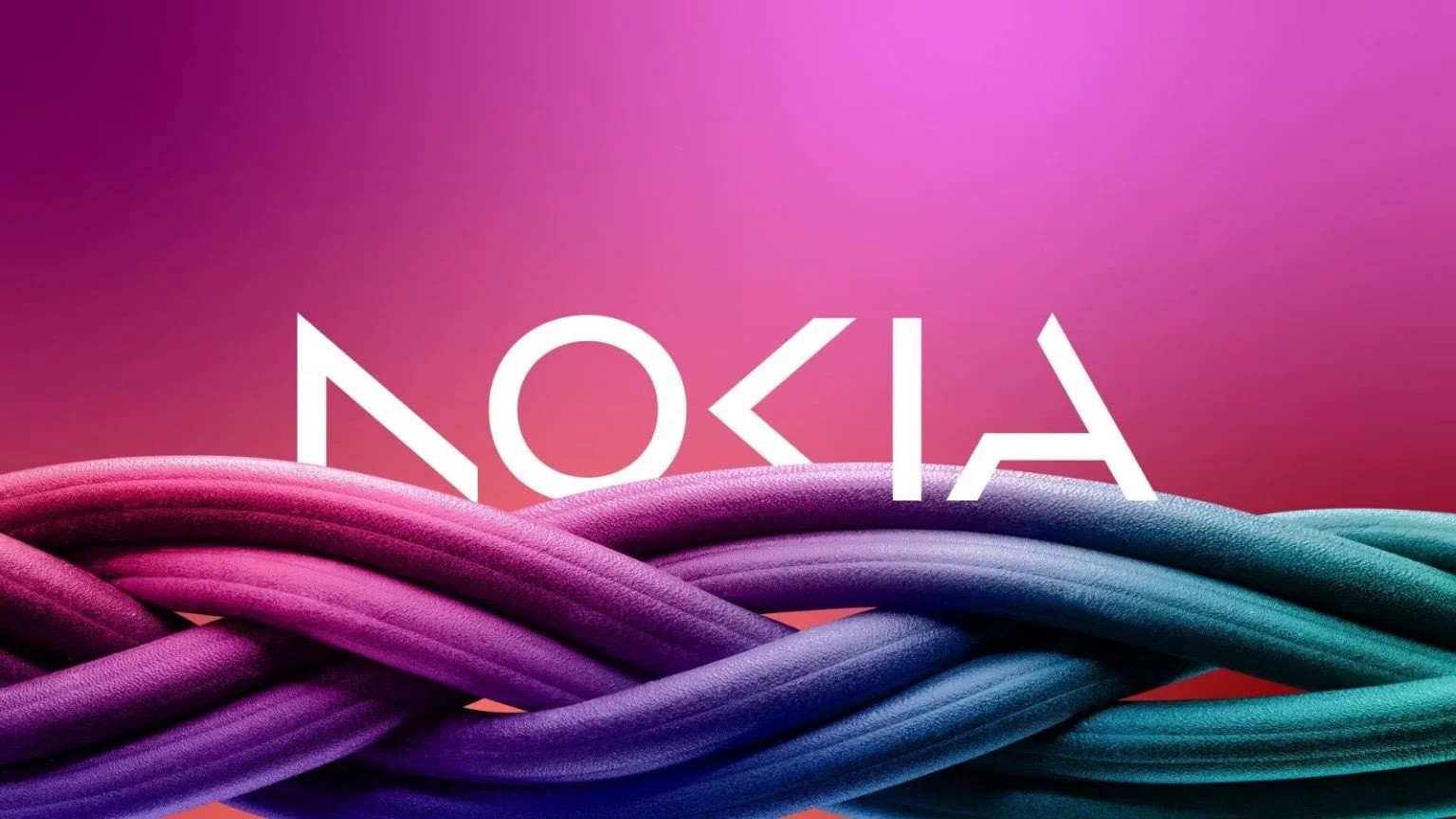
The new logo has five different shapes that form the word ‘Nokia’. The iconic Blue colour has been changed to various new colours depending on the use.
In an interview with Reuters, Chief Executive Pekka Lundmark, said “There was the association to smartphones and nowadays we are a business technology company.”
Lundmark set out a strategy after taking over the position at the Finnish company in 2020, which included the mantra of reset, accelerate, and scale.
According to the company, the reset stage is now complete, so Lundmark said the second stage is now beginning.
Nokia still wants to grow its service provider business, where it sells equipment to telecom companies; the main focus is now to sell gear to other enterprises.
Nokia Logo Change
“We had very good 21 percent growth last year in enterprise, which is currently about 8 percent of our sales, (or) 2 billion euros ($2.11 billion) roughly. We want to take that to double digits as quickly as possible.“ – Chief Executive Pekka Lundmark
Technology firms are partnering with telecom gear makers such as Nokia to sell private 5G networks and gears for automated factories to customers. Nokia plans to review the growth path of its different businesses and consider alternatives, including divestment.
The signal is very clear. We only want to be in businesses where we can see global leadership,” Lundmark said.
Nokia aims to take onMicrosoft and Amazonby moving forward with automation and data centres.
“There will be multiple different types of cases, sometimes they will be our partners. sometimes they can be our customers. and I am sure that there will also be situations where they will be competitors,” said the top executive.
Lundmark says that India is its fastest-growing market that has lower margins and this is a structural change.
Nokia expects North America to be stronger in the second half of the year.
Iconic Nokia logo Redesigned
According to Reuters, the new logo comprises five different shapes forming the word ‘Nokia’. The iconic blue colour of the old logo has been dropped for a range of colours depending on the use.
Finnish manufacturer of 5G equipment, Nokia redesigned its logo to avoid being associated with mobile phones, a sector it left almost ten years ago.
CEO Lundmark said that Nokia is no longer just a smartphone company, but a “business technology company.”
He was speaking ahead of a business update by the company on the eve of the annual Mobile World Congress (MWC)which opens in Barcelona on Monday and runs until 2 March.
Besides unveiling a new logo, the brand also outlined how it expects networks to evolve in the next seven years or so, and how it is planning to evolve in line with these changes.
According to Livemint, the CEO said in an interview,
“We want to launch a new brand that is focusing very much on the networks and industrial digitalisation, which is a completely different thing from the legacy mobile phones.”
HMD Global Oy continues to sell mobile devices with the Nokia brand. Once Microsoft Corp., which acquired the company in 2014, stopped using the name, HMD obtained the rights.
Change in Strategy
While Nokia still aims to grow its service provider business, selling equipment to telecom companies, its main focus is now to sell gear to other businesses.
“We had very good 21 per cent growth last year in enterprise, which is currently about eight per cent of our sales, (or) 2 billion euros ($2.11 billion) roughly,” Lundmark said. “We want to take that to double digits as quickly as possible.”
Major technology firms have been partnering with telecom gear makers such as Nokia to sell private 5G networks and gears for automated factories to customers, mostly in the manufacturing sector.
Lundmark said that Nokia will focus on adding market share in the company’s business by serving wireless service providers with network equipment.
Nokia now has “the ammunition and the tools,” according to him, to gain market share without compromising margins.
This has been made possible by limits placed on Huawei Technologies Co., a Chinese rival, after some European governments forbade the business from supplying components for 5G networks, according to Livemint.
Nokia also plans to review the growth path of its different businesses and consider alternatives, including divestment.
According to Telecoms,
CEO Lundmark said, “We see the potential of digital to transform business, industry and society with an opportunity for significant gains in productivity, sustainability, and accessibility.
Our market-leading critical networking technology is increasingly needed by customers and partners in every industry. We see a future where networks go beyond connecting people and things.
They’re adaptable, autonomous and consumable. They are networks that sense, think and act, and they maximise the opportunity of digitalisation.”
“Today we share our updated company and technology strategy with a focus on unleashing the exponential potential of networks – pioneering a future where networks meet cloud. To signal this ambition, we are refreshing our brand to reflect who we are today – a B2B technology innovation leader. This is Nokia, but not as the world has seen us before,” the CEO added.
“The signal is very clear. We only want to be in businesses where we can see global leadership,” he said.
Market Competition
Nokia’s move toward factory automation and datacentres will also see them locking horns with big tech companies, such as Microsoft & Amazon, reported Reuters.
“There will be multiple different types of cases, sometimes they will be our partners … sometimes they can be our customers… and I am sure that there will also be situations where they will be competitors.”
The market to sell telecom gear is under pressure with the macro environment denting demand from high-margin markets such as North America, being replaced by growth in low-margin India, pushing rival Ericsson to lay off 8,500 employees.
“India is our fastest growing market that has lower margins – this is a structural change,” Lundmark said, adding that Nokia expects North America to be stronger in the second half of the year.
Additionally, Nokia decided against following in the footsteps of its rival Ericsson AB, whose $6.2 billion purchase of Vonage Holdings Inc. was motivated by a similar need to expand its business.
The Finnish company just ended its more than ten-year struggle in junk status by regaining an investment-grade BBB- rating from S&P Global Ratings.
Lundmark believes there is still more to be done, particularly with regard to the operating margins of the business, as per Livemint.
“We are not happy yet with where we are,” he said.
Brands who Changed their Names to Signal Strategy Shift
Facebook – Meta
In October 2021, Facebook CEO Mark Zuckerberg announced that the social media giant will change the name of its holding company to Meta, in a rebrand that came as the company faced several public relations crises.
Zuckerberg outlined that the new name goes with the company’s virtual-reality vision for the future, according to The Guardian.
Dunkin’ Donuts – Dunkin
In an effort to reinvent itself, the business dropped the word “Donuts” in 2019. The corporation intended to pay homage to the chain’s beverage sales, which made up more than half of its revenue, even while customers would still recognise its colours and typography, as per Economic Times.
FAQ’s on Nokia Logo
1) How has the Iconic Nokia logo been redesigned?
According to Reuters, the new logo comprises five different shapes forming the word ‘Nokia’. The iconic blue colour of the old logo has been dropped for a range of colours depending on the use.
Finnish manufacturer of 5G equipment, Nokia redesigned its logo to avoid being associated with mobile phones, a sector it left almost ten years ago.
CEO Lundmark said that Nokia is no longer just a smartphone company, but a “business technology company.”
He was speaking ahead of a business update by the company on the eve of the annual Mobile World Congress (MWC) which opens in Barcelona on Monday and runs until 2 March.
2) What is the change in strategy for Nokia ?
While Nokia still aims to grow its service provider business, selling equipment to telecom companies, its main focus is now to sell gear to other businesses.
“We had very good 21 per cent growth last year in enterprise, which is currently about eight per cent of our sales, (or) 2 billion euros ($2.11 billion) roughly,” Lundmark said. “We want to take that to double digits as quickly as possible.”
Major technology firms have been partnering with telecom gear makers such as Nokia to sell private 5G networks and gears for automated factories to customers, mostly in the manufacturing sector.
Lundmark said that Nokia will focus on adding market share in the company’s business by serving wireless service providers with network equipment.
Nokia now has “the ammunition and the tools,” according to him, to gain market share without compromising margins.
This has been made possible by limits placed on Huawei Technologies Co., a Chinese rival, after some European governments forbade the business from supplying components for 5G networks, according to Livemint.
Nokia also plans to review the growth path of its different businesses and consider alternatives, including divestment.
According to Telecoms, CEO Lundmark said, “We see the potential of digital to transform business, industry and society with an opportunity for significant gains in productivity, sustainability, and accessibility.
Our market-leading critical networking technology is increasingly needed by customers and partners in every industry. We see a future where networks go beyond connecting people and things.
They’re adaptable, autonomous and consumable. They are networks that sense, think and act, and they maximise the opportunity of digitalisation.”
“Today we share our updated company and technology strategy with a focus on unleashing the exponential potential of networks – pioneering a future where networks meet cloud. To signal this ambition, we are refreshing our brand to reflect who we are today – a B2B technology innovation leader. This is Nokia, but not as the world has seen us before,” the CEO added.
“The signal is very clear. We only want to be in businesses where we can see global leadership,” he said.
Market competition
Nokia’s move toward factory automation and datacentres will also see them locking horns with big tech companies, such as Microsoft & Amazon, reported Reuters.
“There will be multiple different types of cases, sometimes they will be our partners … sometimes they can be our customers… and I am sure that there will also be situations where they will be competitors.”
The market to sell telecom gear is under pressure with the macro environment denting demand from high-margin markets such as North America, being replaced by growth in low-margin India, pushing rival Ericsson to lay off 8,500 employees.
“India is our fastest growing market that has lower margins – this is a structural change,” Lundmark said, adding that Nokia expects North America to be stronger in the second half of the year.
Additionally, Nokia decided against following in the footsteps of its rival Ericsson AB, whose $6.2 billion purchase of Vonage Holdings Inc. was motivated by a similar need to expand its business.
The Finnish company just ended its more than ten-year struggle in junk status by regaining an investment-grade BBB- rating from S&P Global Ratings.
Lundmark believes there is still more to be done, particularly with regard to the operating margins of the business, as per Livemint.
“We are not happy yet with where we are,” he said.
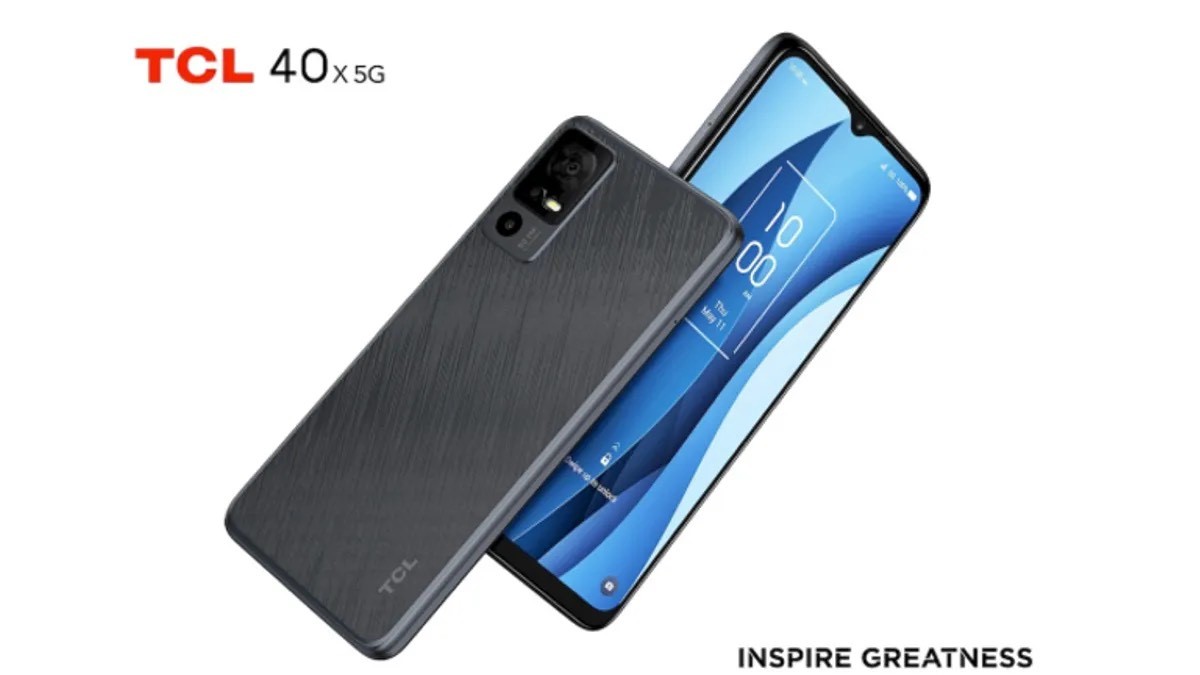
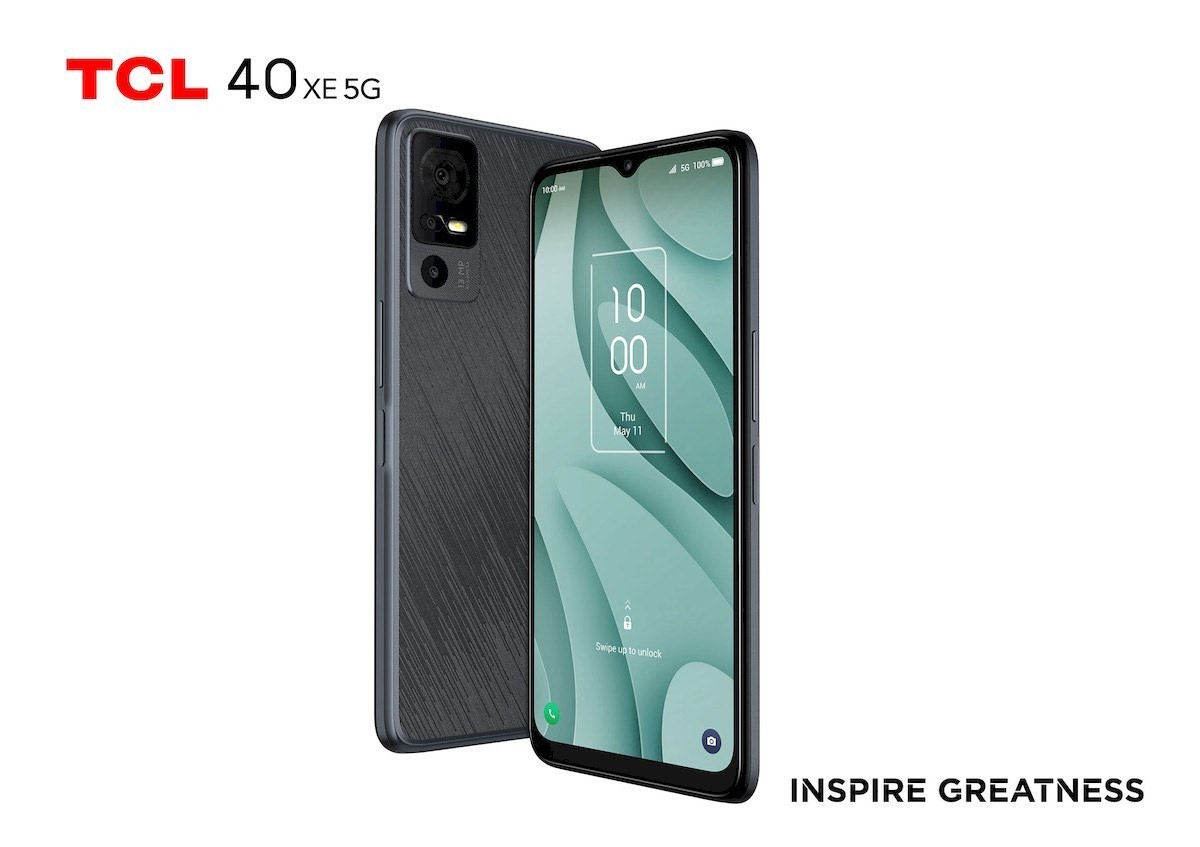
* TCL 40 X, TCL 40 XL, and TCL 40 XE phones have been launched. * TCL 40 series come with HD+ resolution, up to 50MP triple camera sensors, and an 8MP selfie shooter on the front. * The MOVEAUDIO Neo ANC offers an IP54 rating, ANC support, and up to 40 hours of playback support.
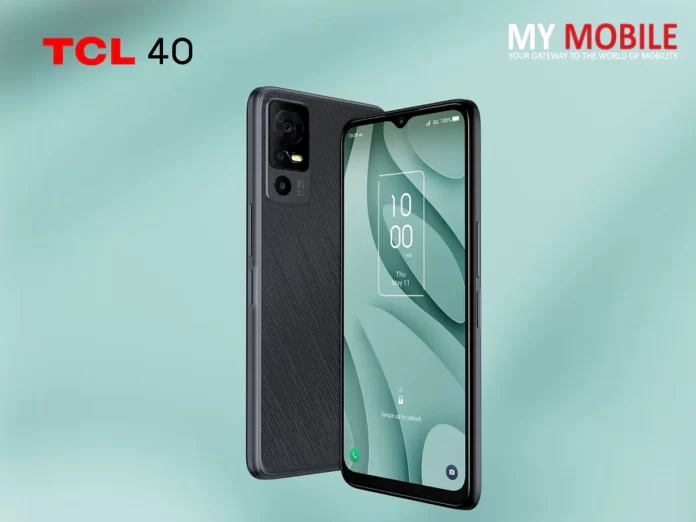
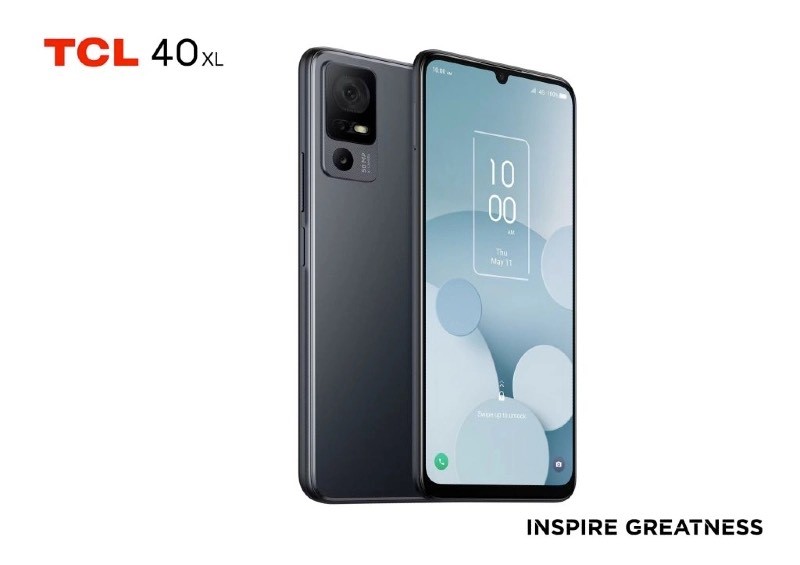
TCL 40 X, TCL 40 XL, and TCL 40 XE phones and MOVEAUDIO Neo TWS earbuds have been launched officially. The TCL XLcomes with 4G network support, while the TCL X and TCL XE ship with 5G network connectivity.
All phones come with a waterdrop notch for the selfie snapper, a square module on the back-to-house cameras, a side-mounted fingerprint sensor for security, and a unique textured finish for a comfortable grip on hands.
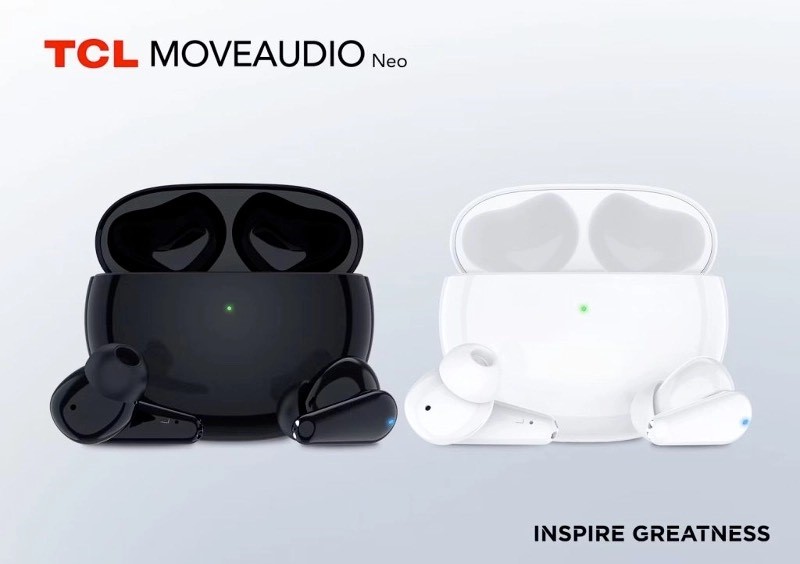
The TCL 40 series come with HD+ resolution, up to 50MP triple camera sensors, and an 8MP selfie shooter on the front. The MOVEAUDIO Neo ANC offers an IP54 rating, ANC support, and up to 40 hours of playback support.
TCL 40 X series, TCL 406, and MOVEAUDIO Neo Price
* TCL 40 X 5G is priced at $199 (approx Rs 16,500) * TCL 40 XE 5G costs $169 (around Rs 14,010) * TCL 40 XL 4G is priced at $149 (approx Rs 12,350) * TCL MOVEAUDIO Neo ANC Earbuds cost $50 (around Rs 4,200)
The TCL 40 X 5Gand TCL 40 XE 5G will be available from June, while the TCL 40 XL 4G will be on sale from May this year.6
TCL 40 X, 40 XE Specifications
The TCL 40 Xand 40 XEsport a 6.56-inch HD+ display with a 90Hz refresh rate and a waterdrop notch to house the selfie shooter.
The phones are powered by the MediaTek Dimensity 700 SoC paired with 4GB RAM and 64GB storage that is further expandable via a microSD card. Connectivity features include 5G, 4G LTE, Wi-Fi, Bluetooth and GPS.
The TCL 40 XE has a 13MP primary camera paired with a 2MP macro and a 2MP depth shooter. The TCL 40 X has a 50MP primary sensor on the back. There is an 8MP shooter on the front for selfies and video chats and a side-mounted fingerprint sensor for security.
TCL 40 XL Specifications
The TCL 40 XLhas a larger 6.75-inch HD+ display with a waterdrop notch and a 90Hz refresh rate.
The phone is powered by the MediaTek Helio G37 4G SoC paired with 4GB RAM and 128GB storage that is further expandable. Connectivity features include 4G LTE, Wi-Fi, Bluetooth and GPS.
The TCL 40 XL has a 50MP primary camera paired with a 2MP macro and a 2MP depth shooter.
There is an 8MP shooter on the front for selfies and video chats, a side-mounted fingerprint sensor for security and dual speakers.
TCL 406 Specifications
The TCL 406 sports a 6.6-inch HD+ display with a waterdrop notch for the selfie shooter, 720 x 1612 pixels resolution, and a 20:9 aspect ratio.
The phone is powered by an octa-core processor. The phone runs on Android 13 OS out of the box.
There is a 13MP snapper on the back paired with a 2MP macro and a 2MP depth shooter. The phone packs a 5000mAh battery.
TCL MOVEAUDIO Neo
TCL MOVEAUDIO Neo ANC earbuds have been launched alongside the phones. These come with four pre-set EQ modes and offer up to 25 decibels of bass-boosted sound.
They are claimed to offer up to 7 hours of playback and the charging case and earbuds combined offer 40 hours of use. The TCL MOVEAUDIO Neo feature both ANC and environment noise cancellation for voice calls.
The ANC is said to reduce noise by up to 28 dB. The Neo Buds support Google Fast Pair. The earbuds pack 10mm drivers, control controls and an IP54 rating.
Each bud weighs 4.5g and the case weighs 41 grams. The earbuds are claimed to last up to 7 hours of continuous playback and up to 40 hours with the carry case.
There’s fast charging support, which offers 100 minutes of playback with 10 minutes of charging.
TCL Linkzone 4G and 5G Hotspots
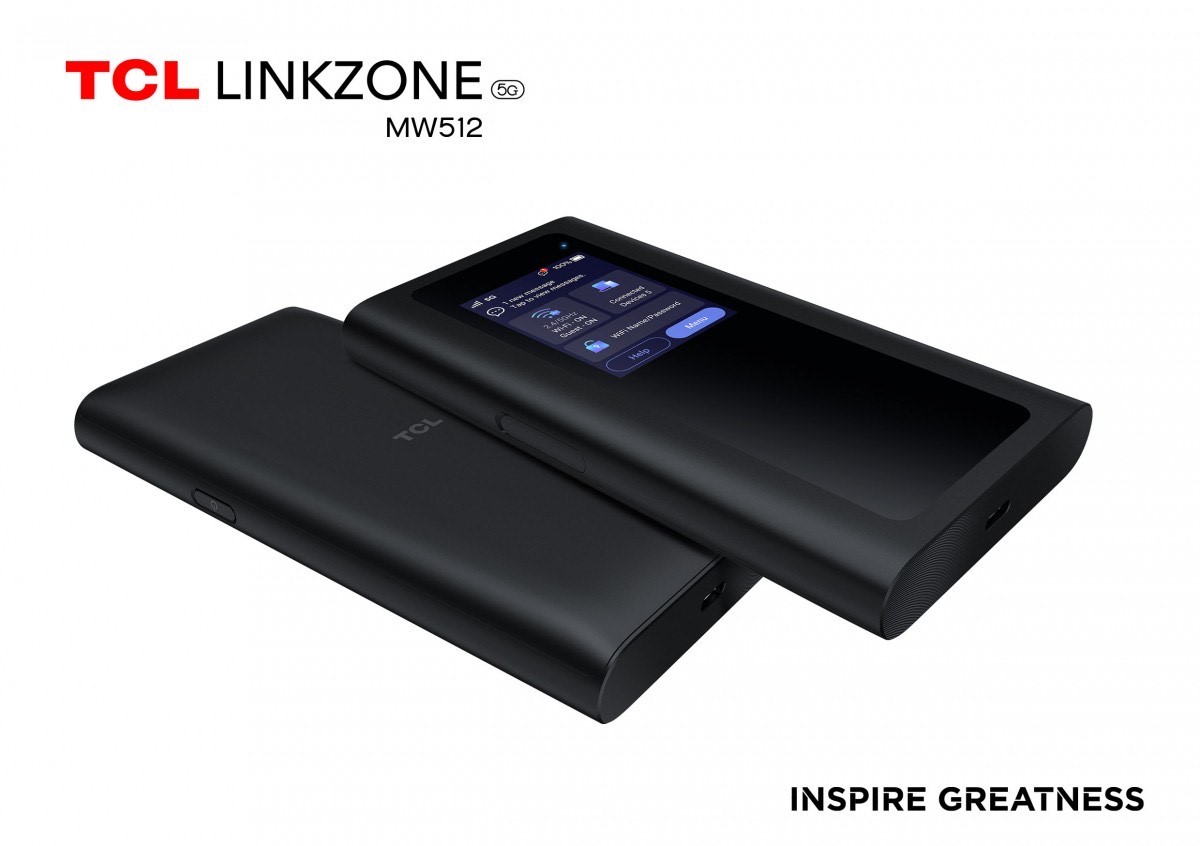
The TCL Linkzone MW512 is a 5G Wi-Fi hotspot that works in the sub-6GHz band. It has an intuitive user interface thanks to the on-board display so you can keep an eye on connection status, battery life and so on.
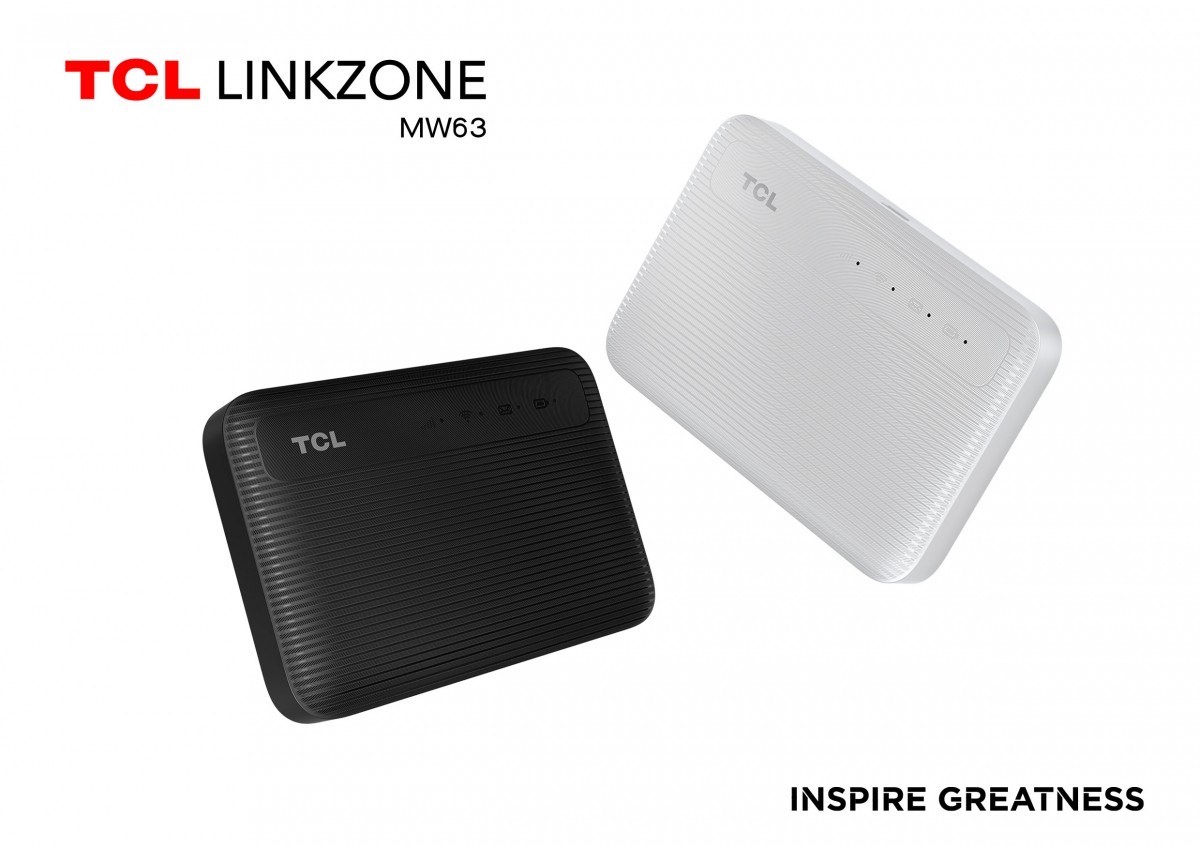
There is also the Linkzone MW63, which has a 4G connection (Cat. 6, up to 300Mbps down and up 50Mbps up) and supports eSIMs so you don’t need to purchase a physical SIM when traveling abroad.
This pocketable device can connect up to 32 devices to the Internet over Wi-Fi 5 (ac at 867Mbps), its 2,150mAh battery can last up to 8 hours of operation (standby time is up to 300 hours).
Info on the prices and availability of the Linkzone hotspots will be announced soon.
Last on TCL’s list of MWC launches are a couple of tablets which appear to be targeted toward Europe for the time being.
The NXTPAPER 11 is a tablet/e-reader hybrid sporting an 11-inch color 2K display powered by TCL’s latest NXTPAPER 2.0 tech, which increases the brightness by 150% compared to v1, offering up to 500 nits and an overall better reading experience.
It’s an Android 13 tablet for all intents and purposes, but with the ability to instantly transform into a conventional e-ink reader. It runs on MediaTek’s Helio P60T processor.
The onboard 8MP front camera enables the NXTPAPER 11 to make video calls or capture self-portraits and there will be plenty of lasting power for those selfies with a mammoth 8,000mAh battery and the option to reverse charge your other devices.
Quad speakers and dual microphones are also on-board.
Customers across select regions of Europe can get the NXTPAPER 11 starting from $249 (€235) in May. TCL didn’t provide a US launch date for the NXTPAPER 11.
The TCL Tab 11, on the other hand, is designed for those who prefer a “conventional tablet experience.” It features an 11-inch 2K display, the same MediaTek Helio P60T SoCas frin the NXTPAPER 11, plus 4GB of RAM and up to 128GB of storage.
The hardware is crammed into a 6.9mm thick body, weighing just over 1lb (462 grams).
TCL said it will make the tablet available in 4G and non-4G versions. There’s an 8,000mAh battery inside the Android 13-running Tab 11.
Much like the NXTPAPER 11, the Tab 11 supports TCL’s T-pen stylus which will be available separately.
The company says it will launch Wi-Fi only and 4G LTE variants of the tablet in May, starting from $179 (€169) and $209 (€197) across Europe, with no word on a US release date at this point.
FAQ’s on TCL Launches
1) What are the NXTPAPER 11 Specifications & Price ?
Ans) The NXTPAPER 11 is a tablet/e-reader hybrid sporting an 11-inch color 2K display powered by TCL’s latest NXTPAPER 2.0 tech, which increases the brightness by 150% compared to v1, offering up to 500 nits and an overall better reading experience.
It’s an Android 13 tablet for all intents and purposes, but with the ability to instantly transform into a conventional e-ink reader. It runs on MediaTek’s Helio P60T processor.
The onboard 8MP front camera enables the NXTPAPER 11 to make video calls or capture self-portraits and there will be plenty of lasting power for those selfies with a mammoth 8,000mAh battery and the option to reverse charge your other devices.
Quad speakers and dual microphones are also on-board.
Customers across select regions of Europe can get the NXTPAPER 11 starting from $249 (€235) in May. TCL didn’t provide a US launch date for the NXTPAPER 11.
The TCL Tab 11, on the other hand, is designed for those who prefer a “conventional tablet experience.” It features an 11-inch 2K display, the same MediaTek Helio P60T SoC as frin the NXTPAPER 11, plus 4GB of RAM and up to 128GB of storage.
The hardware is crammed into a 6.9mm thick body, weighing just over 1lb (462 grams).
TCL said it will make the tablet available in 4G and non-4G versions. There’s an 8,000mAh battery inside the Android 13-running Tab 11.
Much like the NXTPAPER 11, the Tab 11 supports TCL’s T-pen stylus which will be available separately.
The company says it will launch Wi-Fi only and 4G LTE variants of the tablet in May, starting from $179 (€169) and $209 (€197) across Europe, with no word on a US release date at this point.
2) What are specifications of TCL MOVEAUDIO Neo?
Ans) TCL MOVEAUDIO Neo ANC earbuds have been launched alongside the phones. These come with four pre-set EQ modes and offer up to 25 decibels of bass-boosted sound. They are claimed to offer up to 7 hours of playback and the charging case and earbuds combined offer 40 hours of use. The TCL MOVEAUDIO Neo feature both ANC and environment noise cancellation for voice calls.
The ANC is said to reduce noise by up to 28 dB. The Neo Buds support Google Fast Pair. The earbuds pack 10mm drivers, control controls and an IP54 rating. Each bud weighs 4.5g and the case weighs 41 grams. The earbuds are claimed to last up to 7 hours of continuous playback and up to 40 hours with the carry case.
There’s fast charging support, which offers 100 minutes of playback with 10 minutes of charging.
3) What are the TCL 406 specifications?
Ans) The TCL 406 sports a 6.6-inch HD+ display with a waterdrop notch for the selfie shooter, 720 x 1612 pixels resolution, and a 20:9 aspect ratio. The phone is powered by an octa-core processor. The phone runs on Android 13 OS out of the box.
There is a 13MP snapper on the back paired with a 2MP macro and a 2MP depth shooter. The phone packs a 5000mAh battery.
* The OnePlus Ace 2 Dimensity Edition is reportedly in the works. * The design of the upcoming mid-ranger has leaked ahead of the official launch. * The device has also reportedly been spotted on the AnTuTu benchmarking platform. * The OnePlus Ace 2 Dimensity Edition could feature a triple-rear camera setup. * The smartphone might sport an alert slider and a centered punch-hole notch display. * A leaked image reveals that the device will feature a flat-edge design.
OnePlus, earlier this month, unveiled the OnePlus Ace 2smartphone in China. The OnePlus Ace 2 is nothing but a rebranded OnePlus 11Rfor the Chinese market.
OnePlus is said to launch a new smartphone under the Ace series – the OnePlus Ace 2 Dimensity Edition.
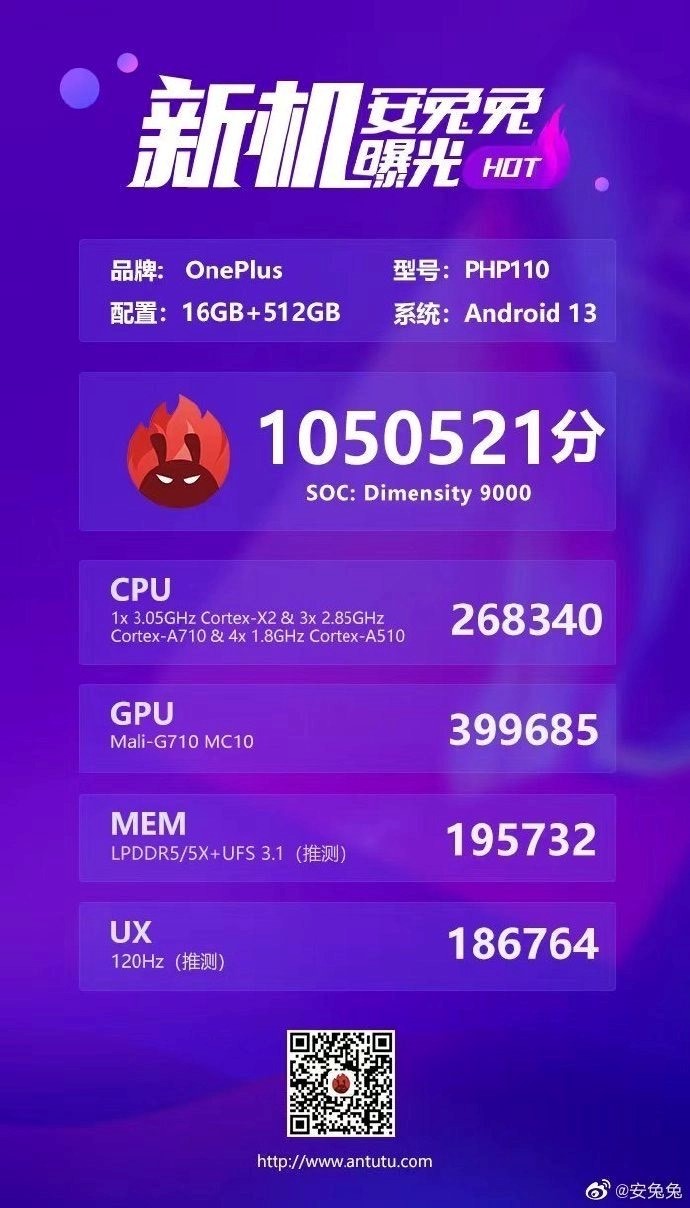
Now, the upcoming OnePlus Ace 2 Dimensity Edition with the model number PHP110 has been spotted on the AnTuTu benchmark database.
The listing further reveals that the upcoming Ace series smartphone will come in a 16GB + 512GB configuration.
Let us take a closer look at the details.
OnePlus Ace 2 Dimensity Edition Design
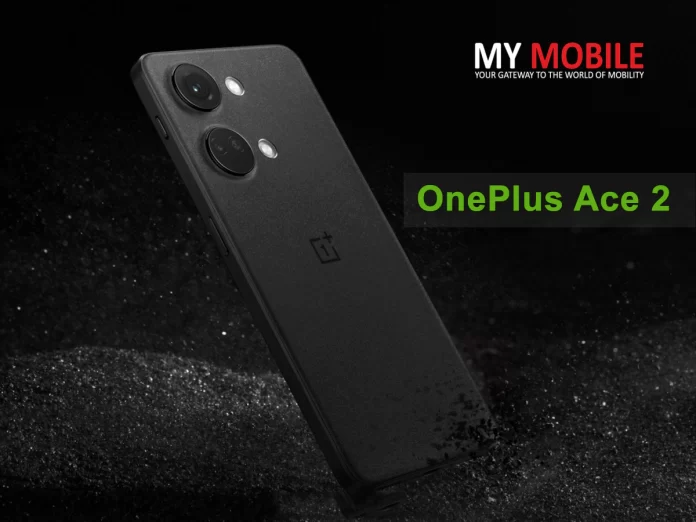
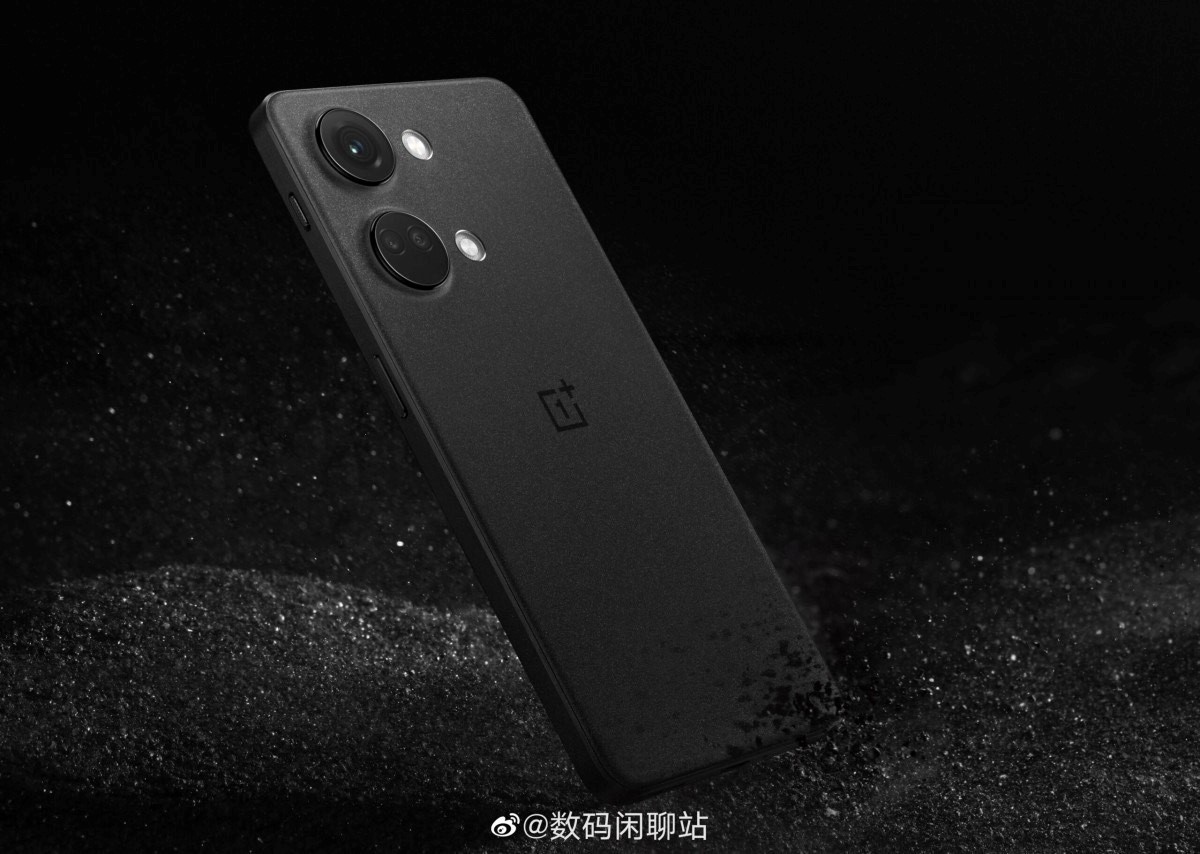
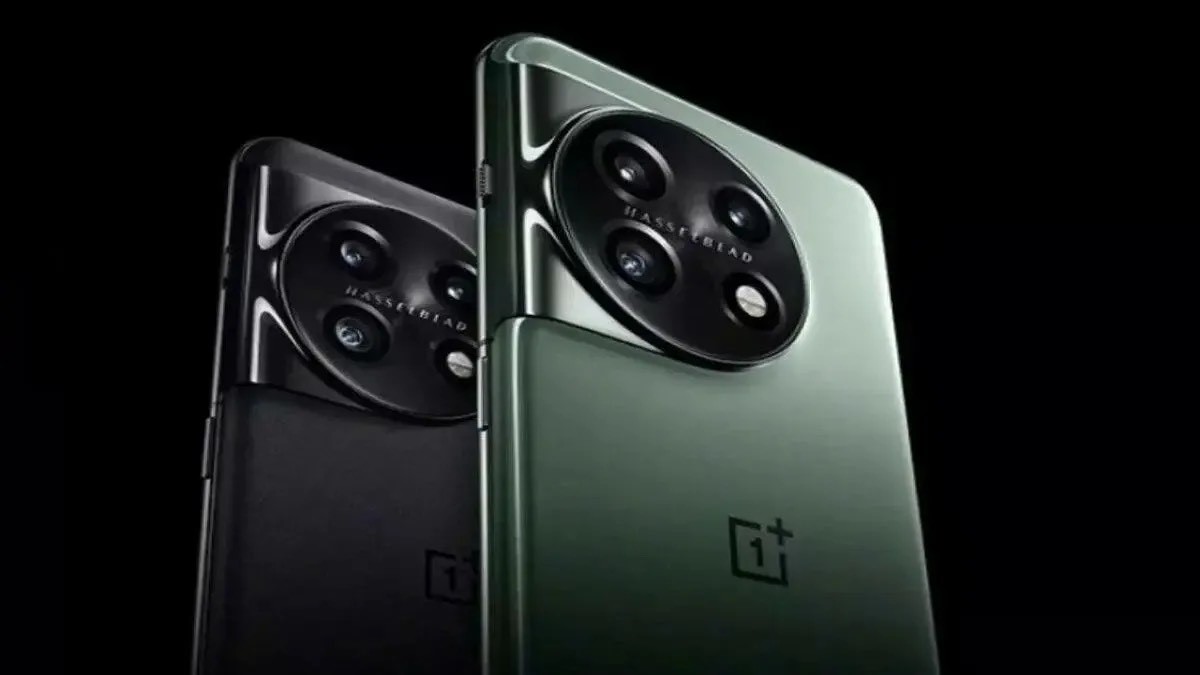
As seen in the image above (posted by tipster Digital Chat Station), this is what the OnePlus Ace 2 Dimensity Edition is reportedly going to look like.
The device appears to have a triple rear camera setup, encased inside a familiar dual circle camera design.
The power button is on the right side of the device, while the volume up and down buttons will likely be on the left. Plus, there’s another protrusion at the top right side, which will likely be the brand’s iconic alert slider.
The rear of the device appears to have a matte finish with the OnePlus logo sitting right at the middle.
Coming to the device’s AnTuTu listing, the alleged OnePlus Ace 2 Dimensity Edition (model number OnePlus PHP110) has managed to pull off 1050521 in the AnTuTu tests.
The listing also confirms that the OnePlus Ace 2 Dimensity Edition will boot Android 13 OS of the box.
Plus, the device will have 16GB RAM and 512GB storage.
We can expect the OnePlus Ace 2 Dimensity Edition to launch in more memory variants as well.
Lastly, the AnTuTu listing confirms that the OnePlus Ace 2 Dimensity Edition will be powered by the MediaTek Dimensity 9000 processor.
OnePlus Ace 2V AnTuTu Listing
The OnePlus Ace 2 Dimensity Edition managed to score 1050521 points in the An TuTu benchmark test.
The listing reveals that the smartphone will be powered by a MediaTek Dimensity 9000 processor which comprises of a Cortex-X2 core (clocked at 3.05GHz), 3 × Cortex-A710 cores (clocked at 2.85GHz each), and 4 × Cortex-A 510 cores (each clocked at 1.8GHz). It comes paired with an integrated Mali G710 GPU.
The listing further reveals that the upcoming Ace series smartphone will feature a 120Hz refresh rate display.
The smartphone will make use of LPDDR5/5X memory and UFS 3.1 storage, as per the listing.
Similar to recently launched OnePlus smartphones, the OnePlus Ace 2 Dimesnity Edition will come pre-loaded with Android 13out of the box. It will come in a 16GB + 512GB configuration as well.
OnePlus Ace 2V Specifications
Reports have claimed that the OnePlus Ace 2V will have a 6.7-inch AMOLED 1.5K display that offers a 120Hz refresh rate. It will pack a 5,000mAh battery that supports 80W charging.
It will have a 16-megapixel front camera and a 64-megapixel main camera with OIS on the back. The main camera will be accompanied by an 8-megapixel ultra-wide camera and a 2-megapixel macro snapper. The Ace 2V is likely to be rebranded as the OnePlus Nord 3 in the global market.
Ans) The OnePlus Ace 2V has appeared with model number
PHP110 in AnTuTu’s database. The listing reveals that it has a 120Hz display, a Dimensity 9000 chipset, LPDDR5 / 5x RAM, UFS 3.1 storage, and Android 13 OS.
In the CPU, GPU, memory, and UX tests of AnTuTu, the device scored 268,340, 399,685, 195,732, and 186,764 points, respectively. Hence, it has achieved a total score of 1,050,512 on the AnTuTu benchmarks.
2) What are the OnePlus Ace 2V Specifications?
Ans) Reports have claimed that the OnePlus Ace 2V will have a 6.7-inch AMOLED 1.5K display that offers a 120Hz refresh rate. It will pack a 5,000mAh battery that supports 80W charging.
It will have a 16-megapixel front camera and a 64-megapixel main camera with OIS on the back. The main camera will be accompanied by an 8-megapixel ultra-wide camera and a 2-megapixel macro snapper. The Ace 2V is likely to be rebranded as the OnePlus Nord 3 in the global market.
* Alongside the Xiaomi 13 series, Xiaomi also announced the list of devices that would soon receive the latest MIUI 14 update. * The list mostly includes the high-end Xiaomi devices and some mid-range Redmi devices. * More devices are likely to be added to the list soon.
Xiaomifinally launched its Xiaomi 13 series of smartphones in the global market during the ongoing Mobile World Congress (MWC) 2023.
At the very end of the launch event, Xiaomi also announced a list of smartphones that would soon be receiving the latest MIUI 14 update.
Xiaomi had earlier confirmed that MIUI 14 will be officially rolling out in India starting today. The list, consisting of a total of 18 smartphones, mostly includes the high-end Xiaomi smartphones, but some mid-range Redmi devices have made it to the list as well.
Though an actual rollout date has not been confirmed, we now have a tentative timeframe during which (at least) these devices should receive the MIUI 14 update. Let’s take a look.
MIUI 14 Expected Features
Reimagined Home screen
You can arrange your home screen in your way. Using tabular icons, big folders, widgets and wallpapers to not only stylize your own home screen, but also make it look clearer and easier for your everyday use.
Flexible and intuitive design
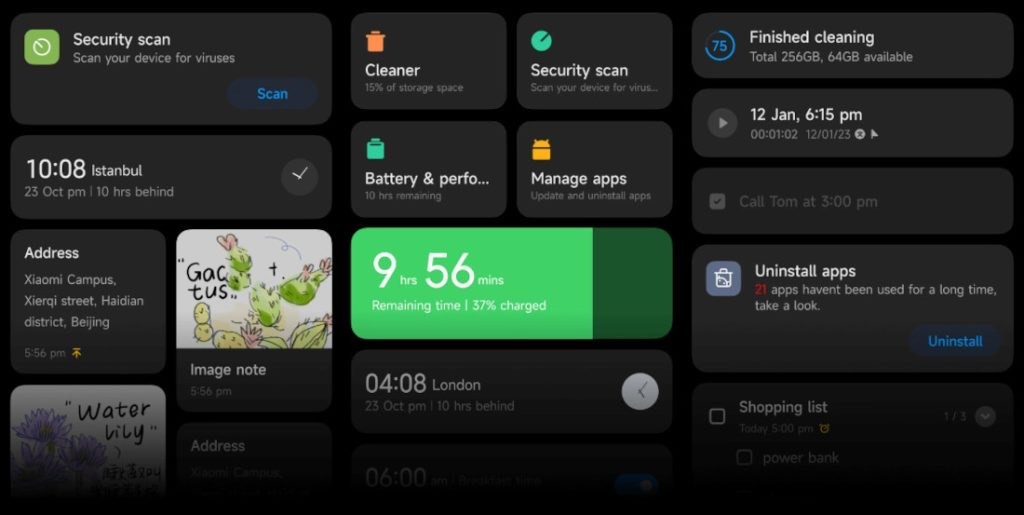
Introducing card-style design on your display just help to present your information more efficiently, just like Post-it notes but only more organized.
Back-end optimization
MIUIis lighter than ever with optimized system resources that take up less storage and optimized overall system memory usage to free more memory. The rarely used apps will be auto-compressed by MIUI 14. Notifications are not permanent Now. If you do not need them any more, just close them.
On-Device Privacy
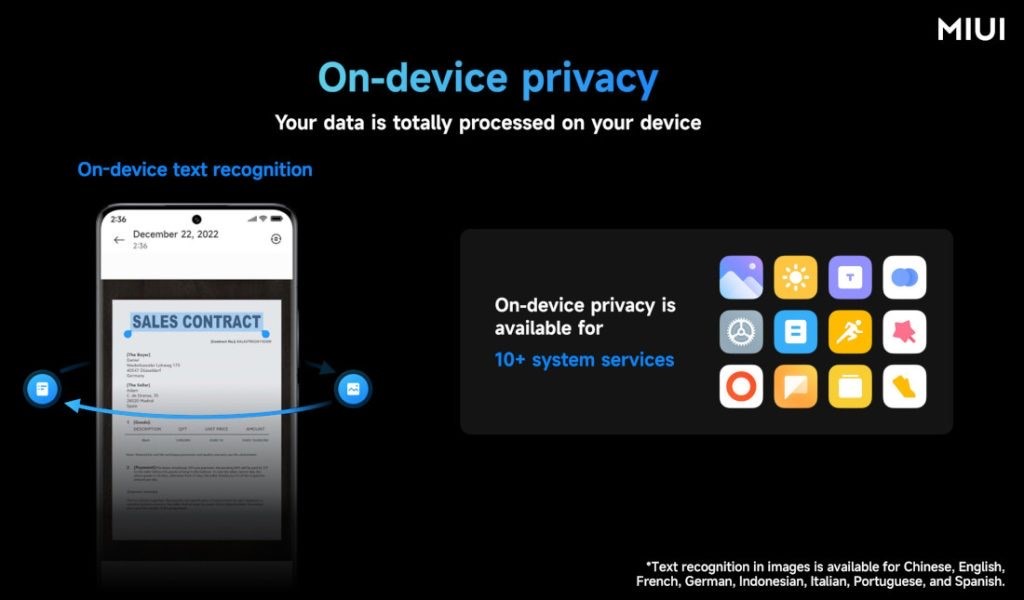
Sensitive items are processed without leaving your device. MIUI 14 minimizes such risks by using on-device privacy protection mechanisms that allow the processing of sensitive items directly on your device.
On-device privacy protection mechanisms allow MIUI 14 to recognize text on images quickly and accurately by using the capabilities of your device. On-device privacy is available for 10+ system services.
Connected devices
Connect devices seamlessly and switch in a snap. Sync the app you are using between your smartphone and tablet, with a simple click from your task bar. Drag and drop, it’s so easy to transfer files between devices.
Xiaomi’s software update policyremains hazy as ever, so it’s difficult to ascertain exactly what devices will get treated to the new update. The company’s Product Support Policy Overview says that it maintains security updates for 2 years, but there are some models that can be supported for 3 years.
Based on this, we’ve arrived at the following list. The list contains the names of devices that are almost certain to receive MIUI 14, but there can be others that may have been missed. Do note that MIUI 14 may or may not be based on Android 13on your device.
Xiaomi Phones Eligible for MIUI 14
As seen in the image above, the list mostly includes Xiaomi-branded devices, namely:
1. Xiaomi 12T Pro 2. Xiaomi 12T 3. Xiaomi 12 Pro 4. Xiaomi 12 5. Mi 11 Ultra 6. Mi 11i 7. Xiaomi 12X 8. Xiaomi 12 Lite 9. Xiaomi 11T Pro 10. Xiaomi 11T 11. Mi 11 12. Xiaomi 11 Lite 5G NE 13. Mi 11 Lite 5G 14. Mi 11 Lite
That said, the brand has added several Redmi smartphones to the list as well. Below are the Redmi devices that are confirmed to receive the latest MIUI 14 update soon:
The very last tab confirms that Xiaomi intends to add more devices to the list, and post the first batch rollout, we can expect other Xiaomi/Redmi devices to follow suit, and, in all likelihood, more devices from the brand will receive MIUI 14 sometime during Q2, 2023.
It remains to be seen whether Xiaomi rolls out Android 13 alongside the MIUI 14 update to all the devices in the list or it makes the MIUI 14/Android 13 combo available to select devices for now.
FAQ’s on MIUI 14
1) What are the xiaomi MIUI 14 eligible devices ?
Ans) Xiaomi phones eligible for MIUI 14
Xiaomi 12 Pro
Mi 11 Ultra
Xiaomi 11i
Xiaomi 11i Hypercharge
Xiaomi 11T Pro
Xiaomi Pad 5
Mi 11X
Mi 11X Pro
Mi 11 Lite
Xiaomi 11 Lite NE 5G
2) What are the poco MIUI 14 eligible devices ?
Ans) Poco phones eligible for MIUI 14
Poco M4 Pro 5G
Poco X4 Pro 5G
Poco F3 GT
Poco F4
Poco M4 Pro
Poco M4
Poco M3 Pro 5G
3) What are the Redmi MIUI 14 eligible devices?
Ans) Redmi phones eligible for MIUI 14
Redmi 10
Redmi Note 10 Pro Max
Redmi Note 11T
Redmi Note 11S
Redmi Note 11
Redmi Note 12
Redmi K50i
Redmi Note 11 Pro+
Redmi Note 11 Pro
Redmi Note 12 Pro+
Redmi Note 12 Pro
Redmi Note 10S
Redmi Note 10 Lite
Redmi Note 10 Pro
Redmi Note 10T
Redmi 10 Prime (2022)
Redmi 10 Prime
Redmi 9T
Redmi 10A
Redmi 10 Power
4) What are the specifications of Xiaomi 13 Pro ?
Ans) The Xiaomi 13 Pro will feature a 50MP Sony IMX989 1-inch sensor in the photography area. A Leica telescopic lens measuring 75mm will be included. Also, this gadget will have 50MP Samsung JN1 sensors for both the zoom and ultra-wide-angle lenses. Additionally, a 6.73-inch OLED 120Hz, 2K monitor will be included with the Xiaomi 13 Pro. This device will also come with a 4820 mAh battery that supports 120W rapid charging. This product will also enable 10W reverse wireless charging and 50W wireless charging.
5) What are MIUI 14 features ?
Ans) Xiaomi has confirmed an ‘India-exclusive’ experience, meaning we will get some new exclusive features meant for Indian devices only.
Otherwise, MIUI 14 will be a simpler skin, not taking much space. It will occupy around 1.5GB less space than MIUI13. Pre-installed apps will be lesser (only 8, that too uninstallable), and optimizations for 3rd party apps so that less power is consumed.
There will be automatic compression of apps that are not used too often and system fluency will be improved by 60% along with some visual changes as well. Just like every time, there will be new widgets, icon designs, customizable folders, and much more.
XiaomiAI Assistant 6.0, new privacy and security features, health sharing, and more are also expected.
6) What are MIUI 14 Eligible Xiaomi Smartphones (unofficial list)?
* Xiaomi 12 Pro
* Mi 11 Ultra
* Xiaomi 11T Pro
* Xiaomi 11i Hypercharge
* Xiaomi 11i
* Xiaomi 11 Lite NE 5G
* Mi 11 Lite
* Mi 11X Pro
* Mi 11X
* Xiaomi Pad 5
7) What are the MIUI 14 Eligible Redmi Smartphones (unofficial list)?
* Redmi Note 12 Pro+
* Redmi Note 12 Pro
* Redmi Note 12
* Redmi K50i
* Redmi Note 11 Pro+
* Redmi Note 11 Pro
* Redmi Note 11
* Redmi Note 11S
* Redmi Note 11T
* Redmi Note 10 Pro Max
* Redmi 10
* Redmi Note 10 Pro
* Redmi Note 10T
* Redmi Note 10S
* Redmi Note 10 Lite
* Redmi 10A
* Redmi 10 Power
* Redmi 10 Prime
* Redmi 10 Prime (2022)
* Redmi 9T
8) What are the MIUI 14 Eligible POCO Smartphones (unofficial list)?
Ans) *Poco F4
* Poco F3 GT
* Poco M4Pro 5G
* Poco X4 Pro 5G
* Poco M4
* Poco M3 Pro 5G
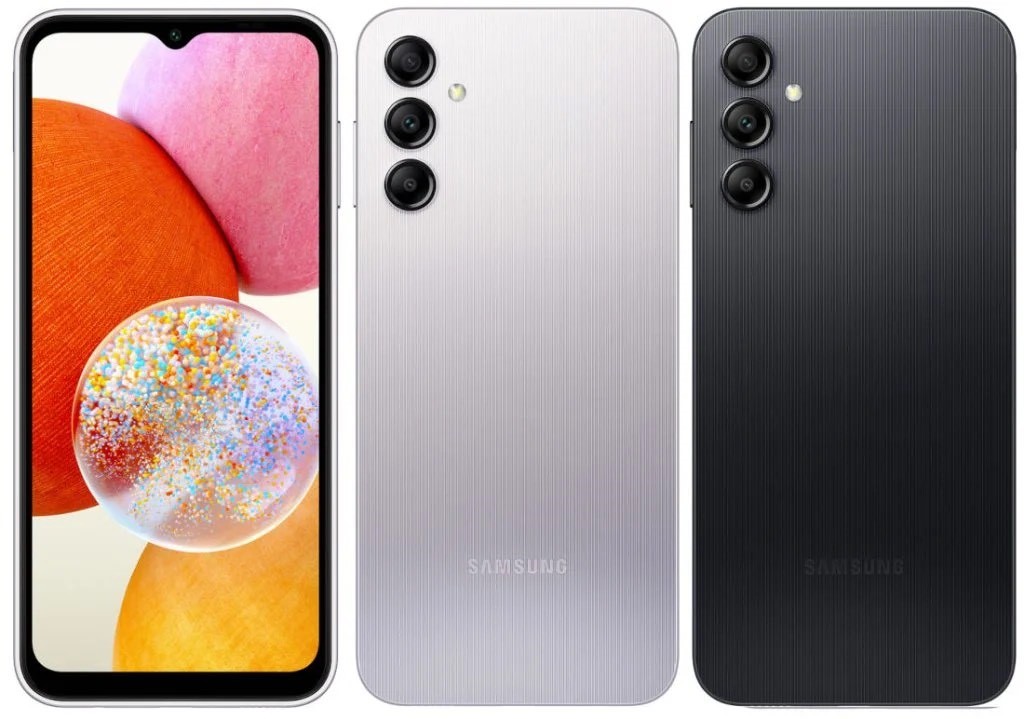
* The Galaxy A14 is getting a 4G variant soon. * The Google Play Console listing reveals toned-down specifications. * The design gets a dewdrop notch and sizeable bezels. * The Samsung Galaxy A14 4G could be launched soon. * The device will run on Android 13 out of the box. * The phone’s India Support page went live recently.
The Samsung Galaxy A14 4G has been in the news for a few weeks. The upcoming Galaxy A series device from Samsungis expected to be made official soon in India and some global markets.
The company has already launched the Samsung Galaxy A14 5G which is available in India, USA, and some other global markets for purchase.
Multiple reports have already revealed that the brand is gearing up to launch the Samsung Galaxy A14 4G soon, which could be a cheaper alternative to the 5G version of the phone.
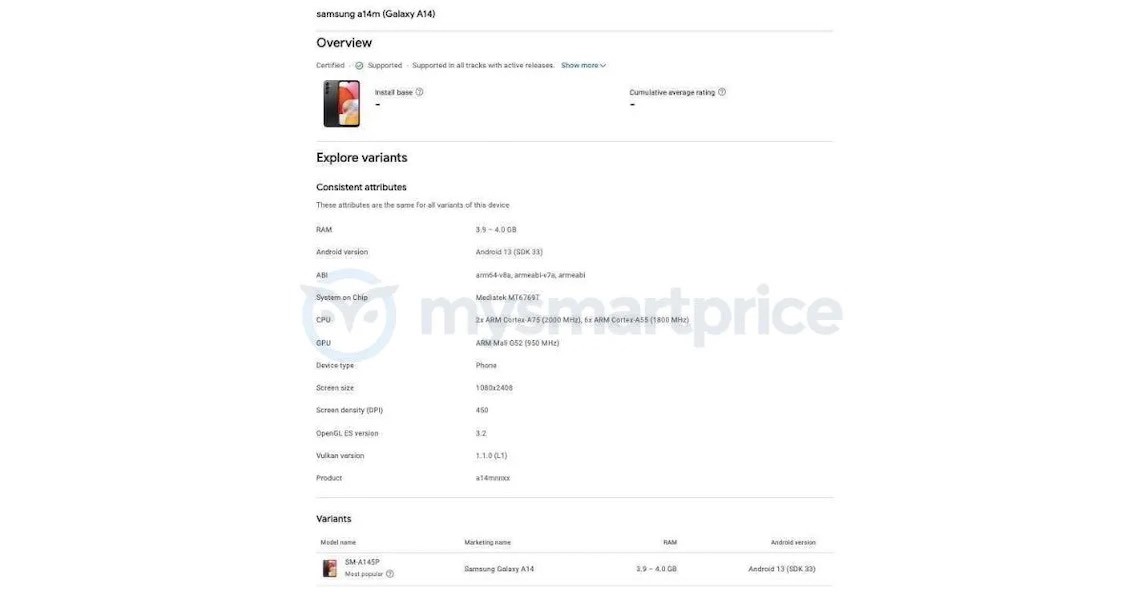
Now, we have spotted the Samsung Galaxy A14 4G’s listing on Google Play Console, which reveals details like RAM, OS version, SoC, screen resolution, and phone’s render as well.
The Samsung Galaxy A14 4G has now been spotted on Google Play Console, weeks after the launch of the Galaxy A14 5G in India. This comes after the 4G variant of the new mid-range smartphone was spotted on FCC and TUV certification websites in December last year.
Notably, Samsung is planning to unveil this supposedly affordable variant of the phone in India and certain other global markets.
Let’s take a look at the upcoming Samsung phone in detail.
Samsung Galaxy A14 4G Google Play Console Listing Reveals Specifications
Samsung Galaxy A14 4G will come with 4GB of RAM. However, the company could also come up with other variants as well.
In terms of software, the device will run on Android 13out of the box, which will be based on One UI 5.
The phone will come with a Full HD+ resolution measuring 1080 × 2408 pixels with 450 DPI pixel density.
In terms of processing power, the Galaxy A14 4G will be equipped with MediaTek MT6769T, which is the MediaTek Helio G80 SoC.
This mobile processor will come with two ARM Cortex A75 cores with 2GHz clock speed and six A55 cores clocked at 1.8GHz. The Helio G80 SoCwill be paired with Mali G52 GPU with 950Mhz clock speed.
In terms of design, the phone will come with a triple rear camera setup on the back with a flash.
To the front, the device will come with a dew-drop notch and sizeable bezels on the chin.
Previously reported showed the sightings of the Samsung Galaxy A14 4G on FCC and TUV certification websites.
These reports gave the insights of other specifications such as a 4,900mAh (5,000mAh capacity) battery, 15W charging speed, and Android 13 OS.
The dimensions of the smartphone were reported to be 167.7 X 78.8 X 11.8 mm.
1) What are the specifications of Samsung Galaxy A14 5G?
Ans) Samsung Galaxy A14 4G will initially be available with 4GB of RAM, although the company may release other versions. It will run on Android 13 with One UI 5 and feature a Full HD+ resolution of 1080 x 2408 pixels and a pixel density of 450 DPI.
The device will be powered by the MediaTek Helio G80 SoC, which includes two ARM Cortex A75 cores clocked at 2GHz and six A55 cores clocked at 1.8GHz. Additionally, it will be paired with a Mali G52 GPU running at 950Mhz.
The listing does not reveal any other details about the smartphone, however, previous leaks suggest that it could feature a 5,000mAh battery pack with 10W fast charging. The Samsung Galaxy A14 4G is expected to have a triple-camera system for photography. Its rear-facing cameras may consist of a 50MP primary lens, a 5MP ultra-wide lens, and a 2MP macro sensor. Meanwhile, the front-facing camera may be a 13MP lens with an f/2.0 aperture, designed for taking selfies.
2) How is the camera of Samsung Galaxy A14 5G?
Ans) The Samsung Galaxy A14 4G is expected to have a triple-camera system for photography. Its rear-facing cameras may consist of a 50MP primary lens, a 5MP ultra-wide lens, and a 2MP macro sensor. Meanwhile, the front-facing camera may be a 13MP lens with an f/2.0 aperture, designed for taking selfies.
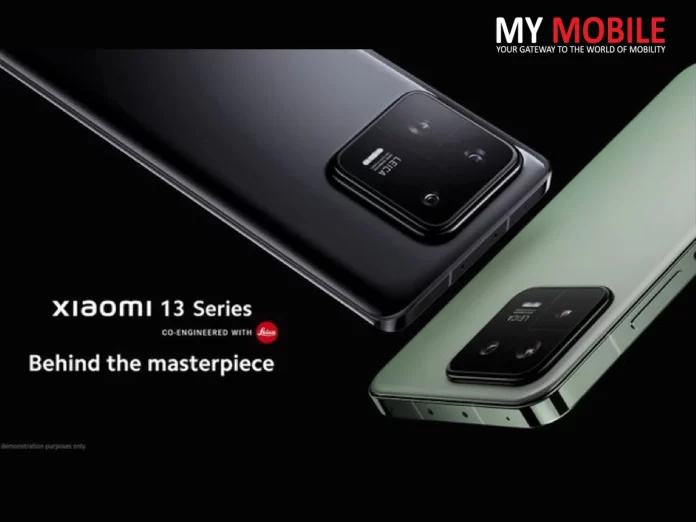
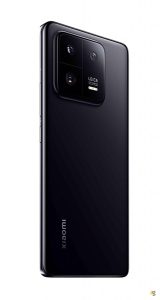
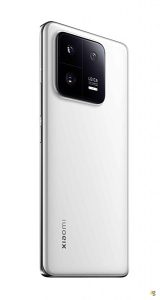
* The Xiaomi 13 Pro price starts at EUR 1,299. * The Xiaomi 13 Pro comes in Ceramic Black and Ceramic White. * The smartphone was initially launched in China in December 2022. * The Xiaomi 13 Pro has officially been launched at the MWC 2023. * The phone is equipped with a 4500mAh battery. * The Xiaomi 13 Pro is powered by Qualcomm’s latest Snapdragon 8 Gen 2 chipset.
Xiaomi has launched its much-anticipated flagship smartphone of the year, the Xiaomi 13 Pro, ahead of the MWC (Mobile World Congress) 2023 in Barcelona.
The latest flagship smartphone from Xiaomi features an elegant design with a stunning 6.7-inch LTPO OLED display offering a 120Hz refresh rate.
The phone also comes with a Corning Gorilla Glass Victus protection and is powered by Qualcomm’s latest Snapdragon 8 Gen 2 chipset.The phone comes in two colours — Ceramic Black and White.
After several rounds of leaks and rumours, Chinese smartphone maker Xiaomi has unveiled its flagship-grade Xiaomi 13 series, with the Xiaomi 13 Pro coming to India.
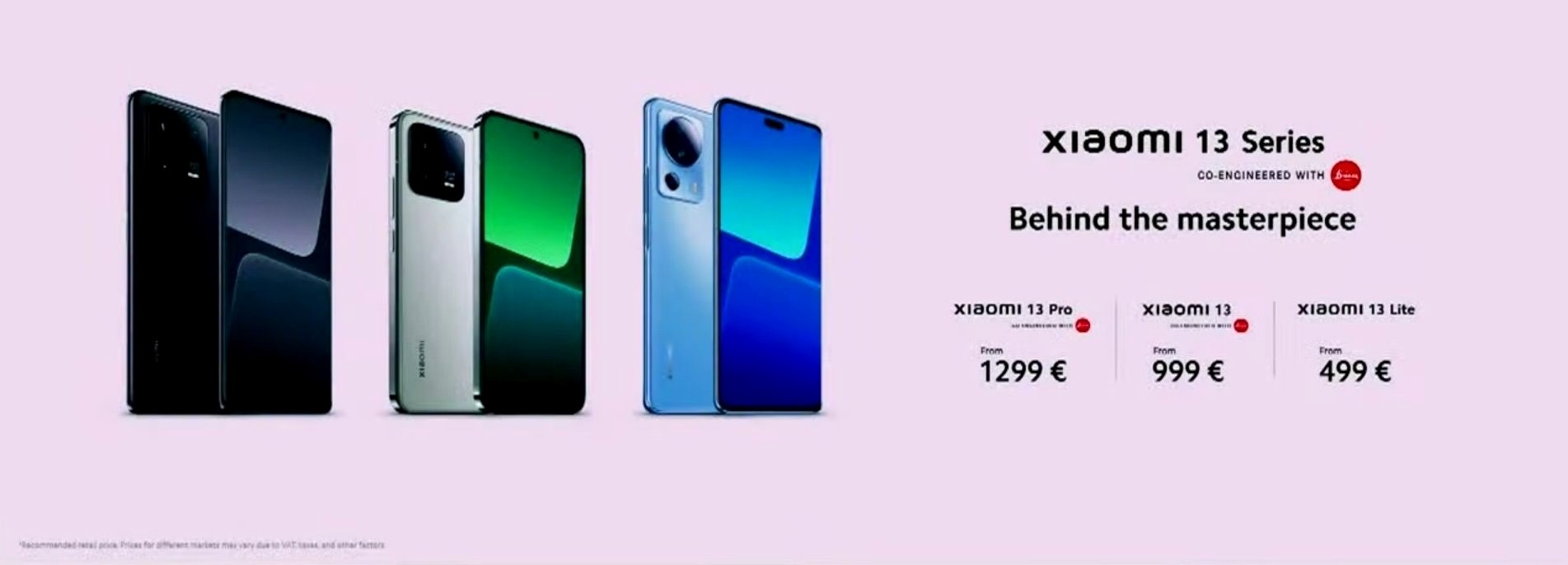
The Xiaomi 13 and Xiaomi 13 Pro start at EUR999 (approx Rs 87,585) and EUR 1,299 (approx Rs 1,13,887), respectively. The Xiaomi 13 Lite price starts at EUR 499 (approx Rs 43,748).
The Xiaomi 13 Pro will be available on the company’s official website and e-commerce platform, Amazon.
The Xiaomi 13 Pro India price and availability will be revealed on February 28th.
Xiaomi 13 Pro Design & Colours
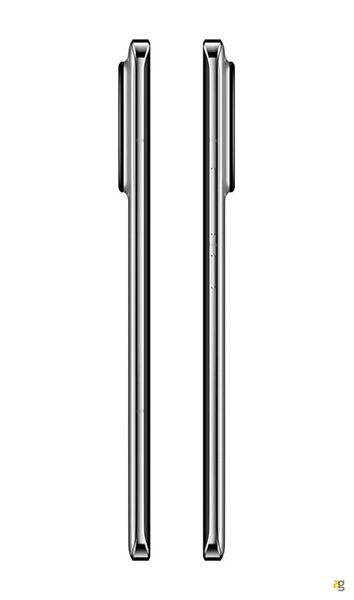
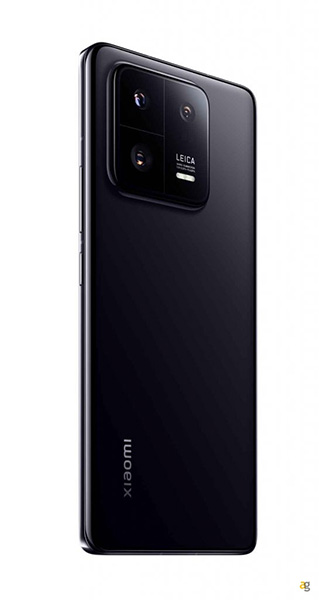
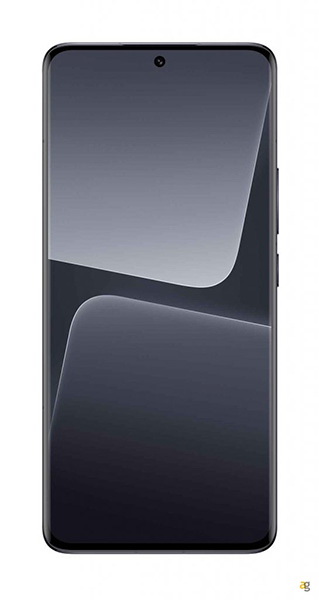
The Xiaomi 13 Pro 5G features a premium design with an ultra-slim body. It has a metal frame and a glass sandwich design that looks great from every angle. The handset has a punch-hole design on the front and a bezel-less display.
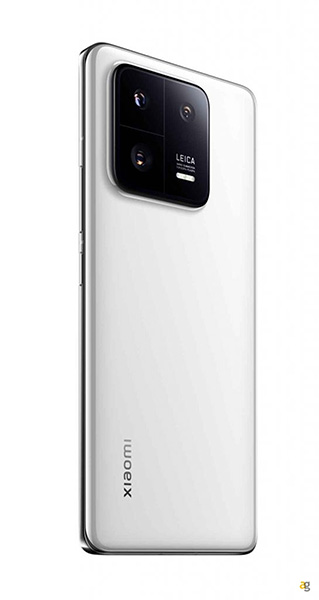
It is launched in two colour options – Ceramic Black and Ceramic White.
Xiaomi 13 Pro Specifications
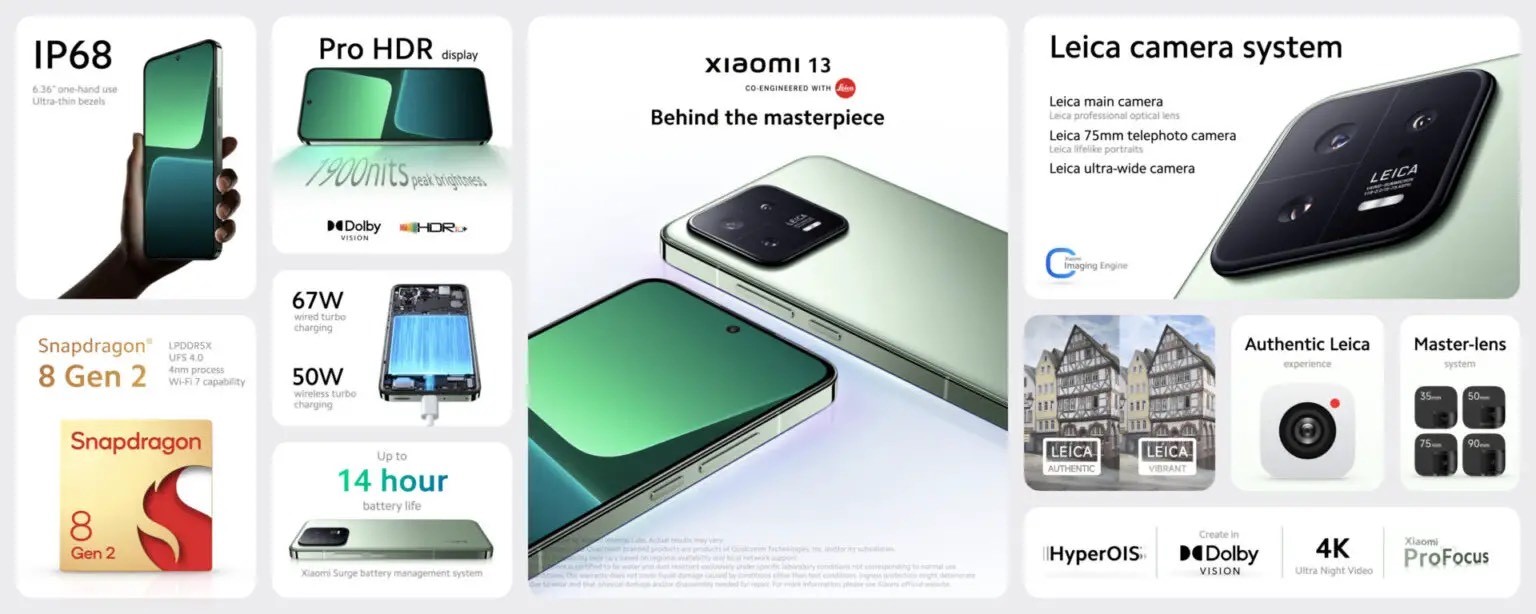
The Xiaomi 13 Pro comes with a 6.78-inch 2K flexible E6 AMOLED LTPO display with a 120Hz refresh rate, peak brightness of 1900 nits, HDR10+, and Dolby Vision support.
In terms of camera, the smartphone sports a triple rear camera setup consisting of a 50MP Sony IMX989 1-inch sensor with an f/1.9 aperture, 50MP telephoto lens with a 3x optical zoom, and Leica’s Floating Lens element along with a 50MP ultra-wide lens with an f/2.2 aperture and a macro mode.
On the front, the Xiaomi 13 Pro equips a 32MP selfie camera.
The Xiaomi 13 Pro is powered by the Qualcomm Snapdragon 8 Gen 2 chipset paired with up to 12GB of RAM and 256GB of internal storage.
It runs on MIUI 14, based on Android 13. In terms of battery, the smartphone houses a 4,820mAh battery that supports 120W fast charging and 50W wireless charging.
Regarding the connectivity features, the Xiaomi 13 Pro comes with 5G, 4G, 3G, and 2G support, Wi-Fi 7 capabilities, NFC, Bluetooth 5.3, Dual speakers, Dolby Atmos, and more.
Full Specs of Xiaomi 13 Pro
* 6.73in 120Hz LTPO OLED display (1440×3200) * Qualcomm Snapdragon 8 Gen 2 * 8/12GB RAM * 128/256/512GB storage * 4820mAh battery * 120W wired charging * 50W wireless charging * Camera: * 50Mp, f/1.9 main camera with OIS * 50Mp, f/2.0, 3x telephoto camera with OIS * 50Mp, f/2.2 ultrawide camera * 32Mp, f/2.0 selfia camera * IP68 * 162.9 x 74.6 x 8.4/8.7mm * 210/229g * Android 13 with MIUI 14
Xiaomi 13 Specifications
On the other hand, at the Mobile World Congress (MWC) 20223. which is currently undergoing in Barcelona, the base model of the series, Xiaomi 13, has also been launched alongside the Xiaomi 13 Pro.
The smartphone has been launched in three colour options, including black, White, and Green colours.
The Xiaomi 13 comes with a 6.36-inch OLED display that supports a 120Hz refresh rate and up to 1900 nits peak brightness.
It sports a Leica-based triple rear camera setup, which has a 50MP wide-angle lens, a 50MP ultra-wide angle sensor and a 50MP telephoto lens.
However, it does not feature a 1-inch sensor, unlike the Xiaomi 13 Pro. It has a 32MP front camera.
The Xiaomi 13 is powered by the Qualcomm Snapdragon 8 Gen 2 chipset with Adreno GPU for graphics, paired with up to 12GB of RAMand up to 512GB of internal storage.
The smartphone packs a 4,500mAh battery with 67W wired turbo charging, 50W wireless turbo charging, and 10W reverse wireless charging support.
Key Specs of Xiaomi 13
* 6.36in 120Hz OLED display (1080×2400) * Qualcomm Snapdragon 8 Gen 2 * 8/12GB RAM * 128/256/512GB storage * 4500mAh battery * 67W wired charging * 50W wireless charging * Camera: * 50Mp, f/1.8 main camera with OIS * 10Mp, f/2.0, 3x telephoto camera with OIS * 12Mp, f/2.2 ultrawide camera * 32Mp, f/2.0 selfia camera * IP68 * 152.8 x 71.5 x 8.0/8.1mm * 185/189g * Android 13 with MIUI 14
Xiaomi 13 Lite Specifications
The company has also unveiled the Lite version of the smartphone, Xiaomi 13 Lite. It will be available in select markets in three colour options, including Light Pink, Light Blue, and Black.
The smartphone offers a 6.55-inch Full HD AMOLED display with a 120 Hz curved display. It sports a triple rear camera setup with 50MP primary shooter, 8MP ultra-wide shooter, and a 2MP macro sensor.
The dual camera setup on the front has a 32MP main sensor and an 8MP secondary lens with dual front LED flash.
It is powered by a Qualcomm Snapdragon 7 Gen 1 chipset paired with up to 8GB of RAM and 256GB of internal storage.
It houses a 4,500mAh battery with support for 67W fast charging and runs the Android 13-based MIUI 14 interface.
Here are the Full Specs of Xiaomi 13 Lite
* 6.55in 120Hz OLED display (1080×2400) * Qualcomm Snapdragon 7 Gen 1 * 8GB RAM * 128/256GB storage * 4500mAh battery * 67W wired charging * 50Mp, f/1.8 main camera * 8Mp, f/2.0 ultrawide camera * 2Mp macro camera * 32Mp, f/2.4 selfie camera * 162.9 x 74.6 x 8.4/8.7mm * 171g * Android 13 with MIUI 14
Here are the starting prices for the all three
Xiaomi 13 series phones:
* Xiaomi 13 Pro 12+256GB) - £1,099/€1,299
* Xiaomi 13 (8+256GB) – £849€999
* Xiaomi 13 Lite (8+128GB) – £449/€499
For context, here’s how the company priced the phones last year:
* Xiaomi 12X – €799
* Xiaomi 12 – £749/€899
* Xiaomi 12 Pro – £999/€1099
That puts the Xiaomi 13 and 13 Pro in flagship territory, while the 13 Lite is a midrange contender.
2) When will the Xiaomi 13 be released globally?
Xiaomi unveiled the first two phones in the Xiaomi 13 series – alongside its updated MIUI 14 software – on 11 December 2022, after an initial 1 December launch was postponed.
However, that was only a Chinese launch. It wasn’t until 26 February 2023 that the 13 and 13 Pro were announced internationally at MWC, alongside a more affordable 13 Lite.
3) What are the key specifications of xiaomi 13 pro?
Ans) Xiaomi 13 Pro is seen as the most remarkable model of 2023. It uses the 6.73-inch LTPO AMOLED curved display with almost the same features as its predecessor, the Xiaomi 12 Pro.
The panel has a resolution of 1440*3200 and a refresh rate of 120Hz. There are features such as HDR10+, Dolby Vision, and HLG.
The use of an LTPO panel in this model provides a reduction in power consumption. Because the screen refresh rates can be changed easily.
The most significant improvement over the previous generation occurs at the peak brightness level. Xiaomi 13 Pro can reach 1900 nits brightness, for example, in HDR video playback.
The device has a very high brightness value. We can guarantee that there will be no problems under the sun.
As known by the chipset, the Xiaomi 13 Pro is powered by Snapdragon 8 Gen 2. We’ll be doing a detailed review of the new SOC soon.
The cutting-edge TSMC 4nm node, ARM’s latest V9-based CPUs, and the new Adreno GPU work wonders.
When Qualcomm switched from Samsung to TSMC, clock speeds increased.
The new Snapdragon 8 Gen 2 houses an octa-core CPU setup that can clock up to 3.2GHz.
While it lags a bit in CPU compared to Apple’s A16 Bionic, it makes a significant difference when it comes to GPU.
Stability, stability, and extreme performance all in one.
The camera sensors are powered by Leica and are similar to the previous Xiaomi 12S series. Xiaomi 13 Pro comes with a 50MP Sony IMX 989 lens.
This lens offers a 1-inch sensor size and F1.9 aperture.
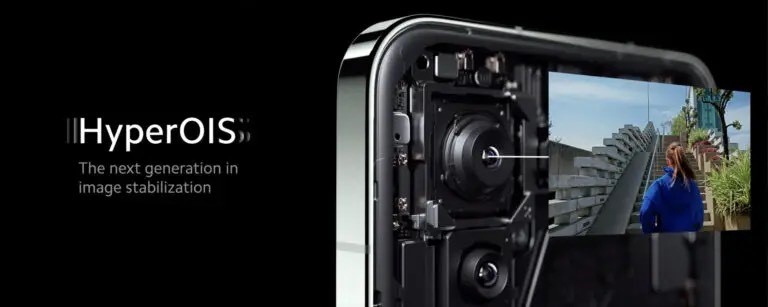
There are features such as Hyper OIS. As for other lenses, the 50MP Ultra Wide and 50MP Telephoto lens are also on the 13 Pro. Telephoto has a 3.2x optical zoom and an F2.0 aperture.
The ultra-wide-angle lens, on the other hand, brings the F2.2 aperture and has a 14mm focal angle.
Snapdragon 8 Gen 2 is expected to be able to take better photos and videos with its superior ISP.
Video support continues as 8K@30FPS. The camera design is different from the previous series. A square design with oval corners.
On the battery side, there are minor improvements over its predecessor. Xiaomi 13 Pro combines a 4820mAh battery capacity with 120W super fast charging.
It also has 50W wireless charging support. The Surge P1 chip used in previous smartphones has likewise been added to the new Xiaomi 13 Pro.
Xiaomi 13 Pro has Dolby Atmos Stereo speakers and new IP68 dust and water protection certification.
Previous Xiaomi 12 models did not have this certificate. It was the first time we encountered this with the Xiaomi Mi 11 Ultra. Xiaomi 13 Pro comes with 4 color options. These are white, black, green, and some kind of light blue.
The back is made of leather material. It’s being promoted to be a small-sized flagship.
4) What are the key specifications of Xiaomi 13?
Ans) Xiaomi 13 is a small-sized flagship. Although there is an increase in size compared to the Xiaomi 12, we can still consider it small.
Because there is a 6.36-inch 1080*2400 resolution flat AMOLED panel. Compared to the high-end model of the series, the new Xiaomi 13 does not have an LTPO panel.
This is seen as a shortcoming during variable refresh rates.
Xiaomi 13 is impressive with its technical features. It supports 120Hz refresh rate, Dolby Vision, HDR10+, and HLG.
It also bears resemblance to the Xiaomi 13 Pro. One reason is that it can reach 1900 nits of brightness. You may not know what 1900 nits brightness means.
If you want to use your smartphone in very sunny weather, never the screen will be in a dark state.
Your home screen and apps will look smooth.
Xiaomi 13 uses the Snapdragon 8 Gen 2 chipset. Also, the same chip is found in the Xiaomi 13 Pro.
Xiaomi 13 series supports LPDDR5X and UFS 4.0.
Chipset is good.
Xiaomi 13 series is fully supported by Leica. Main Lens is a 50 MP Sony IMX 800. It has f/1.8, 23mm focal length, 1/1.56″ sensor size, 1.0µm, and Hyper OIS. Now Xiaomi 13 comes with a Telephoto lens.
The previous generation Xiaomi 12 did not have this lens. Users are very happy with this improvement The telephoto lens offers an F2.0 native aperture in 10MP. It’s enough to zoom in on distant objects.
We have an Ultra wide-angle camera with these lenses.
The ultra wide-angle has 12MP and the aperture in F2.2. New SOC and software compared to the previous generation devices are expected to make a difference.
The battery unit has a 4500mAh battery capacity, 67W wired fast charging, 50W wireless charging, and 10W reverse charging support.
In addition, like the Xiaomi 13 Pro, it has a Dolby Atmos stereo speaker and IP68 certification for water and dust resistance.
The back cover of the Xiaomi 13 Pro is made of leather material.
But Xiaomi 13, unlike the Pro model, has a standard glass material. The color options are as follows: It comes in Black, Light Green, Light Blue, Gray, and White. It also has flashy colors – Red, Yellow, Green, and Blue. In the Xiaomi 13 model, only the Light Blue option is designed with a leather back cover.
5) What are the key differences & similarities between Xiaomi 13 & Xiaomi 13 Pro?
Xiaomi 13 and Xiaomi 13 Pro come with the same camera design, some differences are obvious.
One of them is that the Xiaomi 13 Pro comes with a curved structure and the Xiaomi 13 comes with a flat structure.
Both devices have been launched with MIUI 14 based on Android 13.
6) What are the Xiaomi 13 Lite Specifications?
Xiaomi 13 Lite aims to provide the best experience on the screen side. It comes with a 6.55-inch Full HD resolution AMOLED panel.
This panel offers a 120Hz refresh rate and supports Dolby Vision. The new model is equipped with 2 combined punch-hole cameras on the front.
It is similar to iPhone 14 series introduced by Apple. Both front cameras are 32MP resolution. The first is the main camera. At F2.0 aperture. Other is an ultra-wide-angle lens so you can take pictures with a wider angle. This lens has an angle of view of 100 degrees.
The device is built with a 4500mAh battery. It also comes with 67W super fast charging support.
There is a triple rear camera system on the back of the model. Our first lens is the 50MP Sony IMX 766.
We have seen this lens before with Xiaomi 12 series. It has a size of 1/1.56 inches and an aperture of F1.8.
In addition, it is accompanied by 20MP Ultra Wide and 2MP Macro lenses.
It is powered by Snapdragon 7 Gen 1 on the chipset side.
This chipset comes with an 8-core CPU setup. It combines high-performance 4x Cortex-A710 and efficiency-oriented 4x Cortex-A510 cores. The
graphics processing unit is Adreno 662. We do not think that it will disappoint you in terms of performance.
Xiaomi 13 Lite is one of the thinnest smartphones. It comes with a thickness of 7.23mm and a weight of 171.8 grams.
With its compact design, Xiaomi13 Lite will make users happy. It comes out of the box with Android 12-based MIUI 14. It is offered for sale in 4 different colors. These are black, blue, pink, and white.
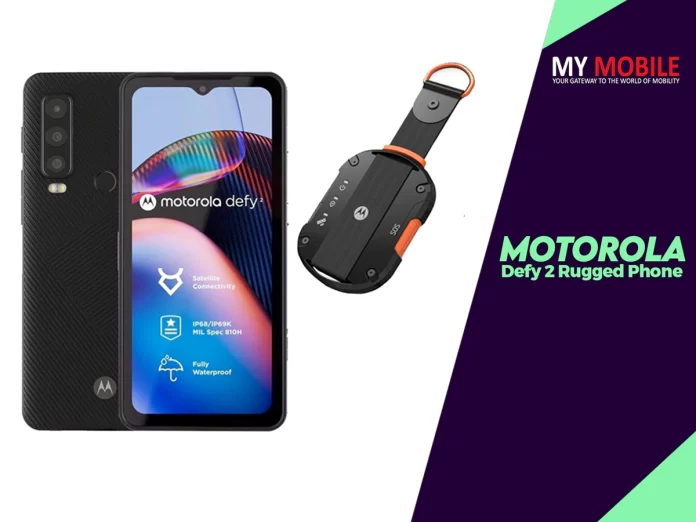
* Motorola and Bullitt Group have launched two smartphones with two-way satellite messaging capabilities. * The Motorola Defy 2 and CAT S75 can send and receive text messages via satellite communications. * The robust devices get a 120Hz display, 5,000mAh battery and 50MP triple camera sensor.
Motorola Defy 2 is the world’s first smartphone to use Bullitt’s satellite messenger service, which includes not just advanced two-way satellite messaging, but also location sharing and SOS assistance.
The Defy 2 is one of Motorola’s most advanced 5G phones. First off, since it’s a rugged device, it’s been built to survive drops and falls.
In fact, Motorola claims the Defy 2 was lab and real-world tested to heights of up to 1.8 meters, including repeated drops onto a steel plate in every orientation, which seems quite impressive.
Moreover, the phone offers full protection against dust, sand, and dirt ingress, but it’s also highly waterproof. The Defy 2 was submersion tested to depths down to 5 meters and subjected to high pressure water jets, which qualified it for both IP68 and IP69K certifications.
But wait, there’s more! Motorola Defy 2 has been tested in high and low temperature extremes, in humid environments, and in salt mist conditions. It’s also been put through vibration and tumble tests.
If you want, you can wash it with soap and water, or even alcohol wipes without any issues.
Motorola and Bullitt Group have launched the Motorola Defy 2 and CAT S75 smartphones with built-in two-way satellite messaging capabilities.
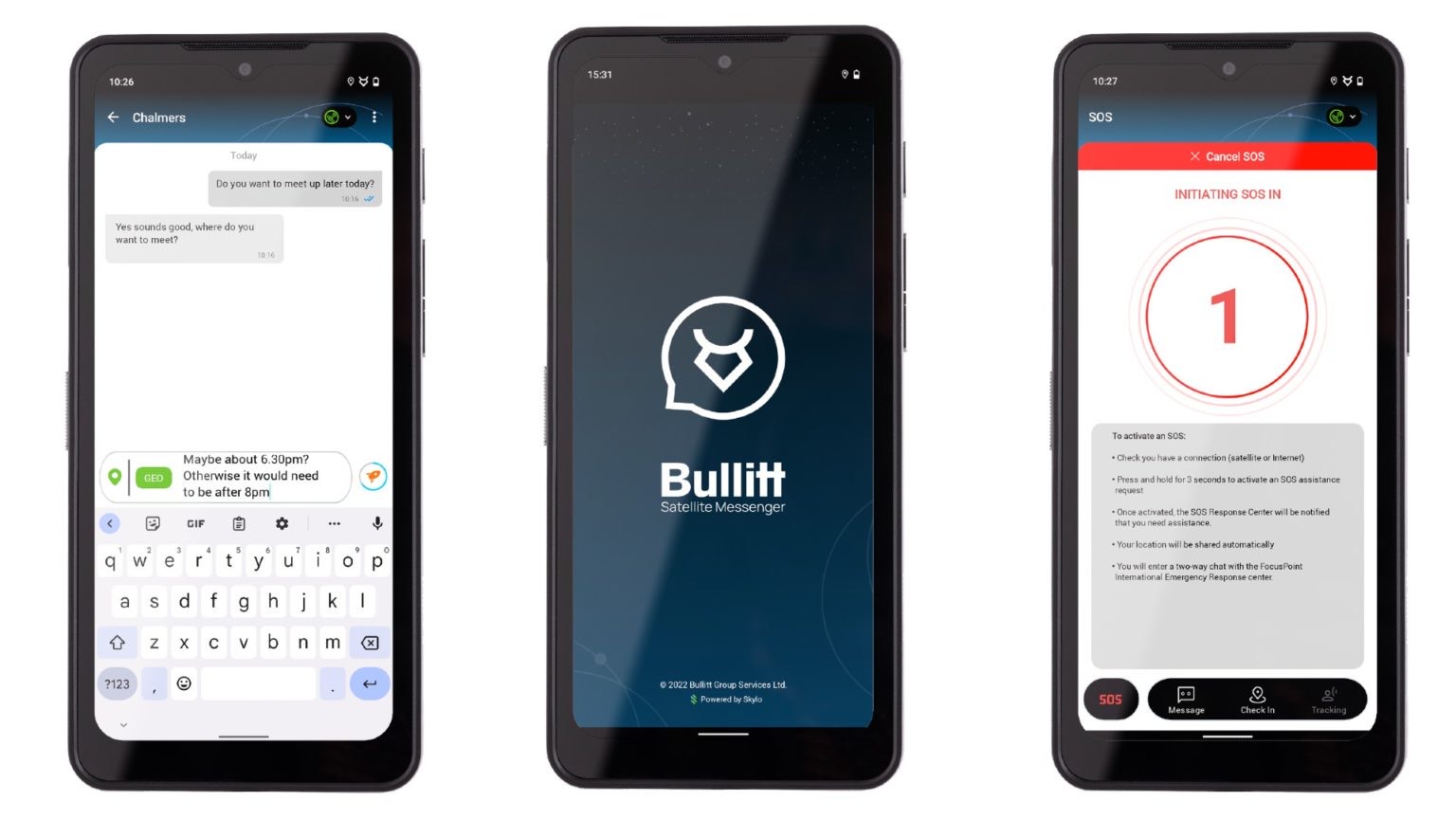
Both devices can subscribe to a satellite communication plan that allows users to send and receive satellite messages that include text messages, location-sharing details, and check-ins.
The devices are also made up of military-grade finish levels and are designed to take a beating. Both the devices get a 6.6-inch 120Hz display, MediaTek Dimensity 930 chipset, a 5,000 mAh battery and a 50MP triple camera setup.
Motorola Defy, CAT S75 Price & Availability
The Motorola Defy 2 and CAT S75 smartphones have been launched at $599 (~ Rs 49,677) and £549 (~ Rs 54,386) respectively.
The Motorola Defy will cater to North American, Latin American, and Canadian markets and includes a 12-month subscription to the Essential plan.
The CAT S75 smartphone in Europe, the Middle East, and Africa and includes a three-month free Bullitt’s Essentials service trial.
The Essential pack starts at $4.99 (~ Rs 414) and gets 30 two-way messages per month and SOS to assist for 12 months. There is also a $59.99 (~ Rs 4,975) plan that enables 250 satellite-based messages per year and the emergency response service.
Motorola Defy, CAT S275 Specifications
Specs-wise, Motorola Defy 2 sports a large 6.6-inch FHD+ display with 20:9 aspect ratio and 120Hz refresh rate.
On the inside, the phone packs a 2.2GHz octa-core MediaTek Dimensity 930 processor, 6GB RAM, 128GB internal memory (expandable with microSD cards), and a massive 5,000 mAh battery.
The phone also includes a triple camera setup (50MP + 8MP + 2MP) and an 8-megapixel front-facing camera. Surprisingly, the Defy 2 will launch with Android 12on board, but Motorola has already confirmed the phone will receive two OS updates and 5 years of security patches.
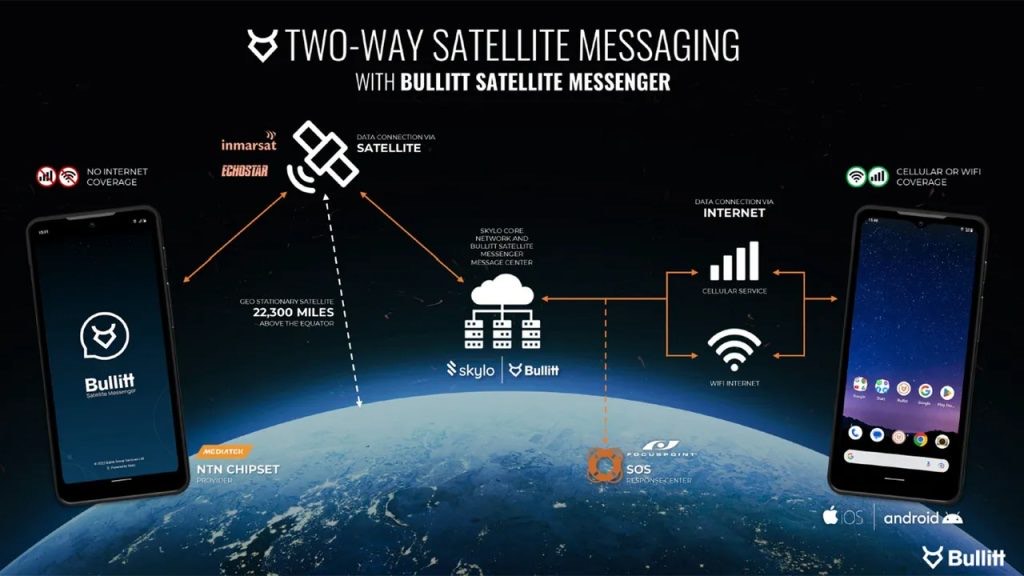
Now, what makes this phone stand out apart from its very durable built is Bullitt’s Satellite Messenger, which provides users of the Defy 2 with continuous coverage internationally over existing infrastructure.
Also, thanks to the new technology, users can message over satellite whenever they have a clear view of the sky.
The service users Defy 2’s hardware and the Bullitt Satellite Messenger app, to send messages.
First, the phone will attempt to connect via Wi-Fi or cellular, and if neither are found, it will automatically connect via satellite. Recipients who don’t have the Bullitt Satellite Messenger can still receive messages as a simple SMS, but they will have to download the app if they want to respond.
It’s also important to mention that the cost of messages sent or received over satellite will be deducted from the satellite messaging subscriber’s plan with no cost to the recipient.
Additionally, SOS Assist is available free for the first year at launch with the Motorola Defy 2 and is included in all plans. Customers interested can subscribe to Bullitt’s Satellite Messenger service for as low as $4.99 per month.
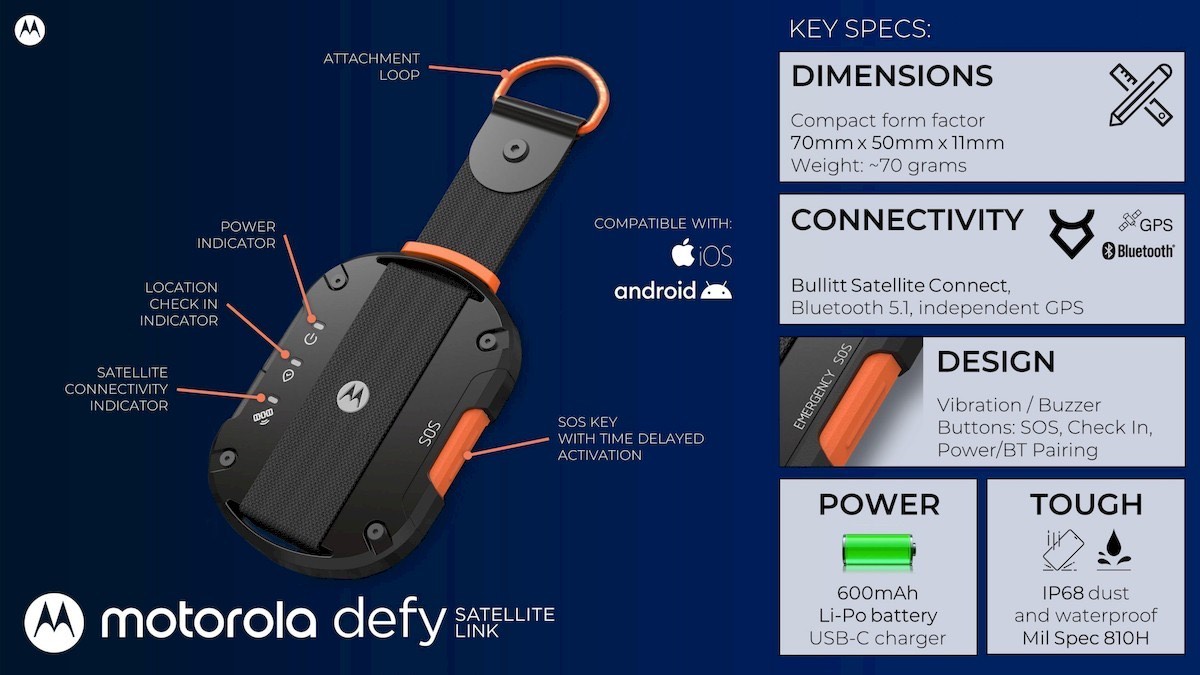
In related news, Motorola introduced the Defy Satellite Link, a Bluetooth accessory with an attachment loop that allows Android and iOS usersto connect to the Bullitt Satellite Messenger service and make use of the app.
The Bluetooth accessory has a 600mAh battery and features Mil-Spec 810H certification. It’s also waterproof and dustproof with an IP68 rating.
Faqs on Motorola Defy 2
1) Motorola Defy, CAT S275 Satellite Services: how does it work?
Ans)The Motorola Defy and CAT S275 smartphones get a two-way satellite-based communication technology that allows users to establish contact with other users even when cellular services and Wi-Fi services are unavailable.
It gets the first satellite-based direct-to-device messaging service for Android phones, called the Bullitt Satellite Messenger.
This service is built using standards defined by the 3rd Generation Partnership Project (3GPP).
The 3GPP is a term used to refer to various standards that are used to develop mobile telecommunications protocols.
The communication is established using existing geostationary satellites. Users who do not have the Bullitt Satellite Messenger can respond to a text message by downloading an associated app service. The cost of the service is then billed to the sender using the satellite messaging system.
A 24/7 SOS assistance via satellite communication is also in the works. The satellite communication system will be available in Europe and North America at launch, followed by Australia, New Zealand, Africa, and Latin America. Other regions will be added in the future.
2) What are Motorola Defy, CAT S275 specifications ?
Ans) The Motorola Defy and CAT S275 smartphones are identical and hence run on the same hardware. This starts with a 6.6-inch 120Hz FHD+ display covered in Gorilla Glass Victus. Under the hood, there is an octa-core MediaTek Dimensity 930 chipset and the device runs on Android 12.
The companies have also promised software support for up to two years. The device drives juice from a 5,000mAh battery pack that charges at 15W. The devices get a 50MP main camera sensor, an 8MP wide-angle shooter, and 2MP macro shooter. The front camera duties are handled by an 8MP shooter.
Both the Motorola Defy and CAT S275 smartphones IP68 and IP69K ingress protection.
3)What is the price of Motorola Defy 2?
Ans) Price-wise, the new Motorola Defy Satellite Link will be available for purchase sometime in Q2 2023 for $100. A bundle including 12 months subscription to the Essential Messaging service plan (up to 30 two-way messages per month and SOS Assist) will start at $150.
4)What is the availability of Motorola Defy 2?
Ans) Motorola announced that its new Defy 2 rugged smartphone will be available from Q2 2023 from selected carries across North America, Latin America, and Canada. It will sell for $600 outright, but the price also includes 12 months of SOS Assist
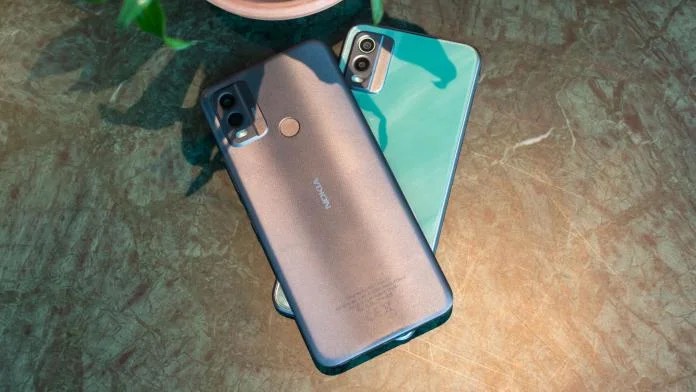
* Nokia has launched three new smartphones globally – Nokia C22, Nokia C32 and Nokia G22. * The Nokia C22 has a strong suite in its build quality and the C32 has the most advanced imaging system . * The Nokia G22 on the other hand is highly repairable and can be fixed using iFixit tools . * Nokia has launched the smartphones in the budget and mid-range categories. * Nokia had previously launched Nokia X30 in India.
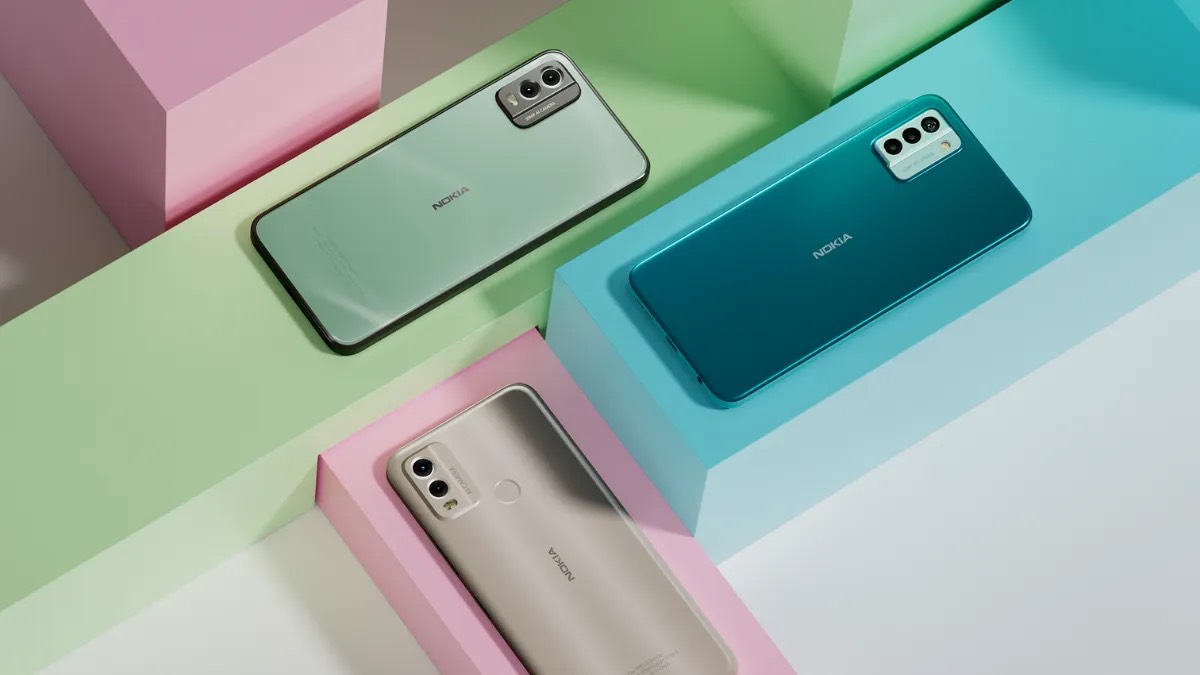
The Nokia G22, Nokia C32 and Nokia C22 smartphones have been launched with up to three days’ battery life and better imaging qualities.
The Nokia G22 also happens to be a highly repairable device according to the company while the Nokia C32 has the best imaging system on a C-series Nokia device to date. The company is boasting of the Nokia C22smartphone’s durability. Let’s take A look at them .
Adam Ferguson, Head of Product Marketing, HMD Global, said:
People value long lasting, quality devices and they shouldn’t have to compromise on price to get it.
The new Nokia G22 is purposefully built with a repairable design so you can keep it even longer, and with advanced imaging on Nokia C32 and improved durability on Nokia C22, we are bringing even more value to the C-series.
Jean-Francois Baril, Co-Founder, Chairman and CEO of HMD Global, said:
We are very pleased to announce this first step in our journey to bring 5G device manufacturing to Europe. The Nokia brand has a proud history within the European market, and with this move we are continuing to strengthen our position as the only major European smartphone provider.
Ben Wood, Chief Analyst, CCS Insight, said:
As consumers increasingly demand more sustainable and longer-lasting devices, the ability to repair smartphones easily and affordably will become a key differentiator in the market. CCS Insight’s end user research reflects this, with approximately half of mobile phone users in Western Europe saying they would like to be able to have their device repaired at a reasonable cost if they break outside the warranty period.
Nokia G22, C22 and C32: Price,Availability & Colours
The Nokia G22 has been launched in two colour options, Meteor Grey and Lagoon Blue, with two memory and storage options: 4/64GB and 4/128GB.
The global average recommended retail price (RRP) for this device is 179 Euros, which is approximately 15,307.21 Indian Rupees. If you need to replace parts or repair your Nokia G22, you can purchase an at-home Fit Kit for 5 Euros (approximately 428.91 Indian Rupees) from iFixit.com.
Replacement parts are also available from iFixit.com at a global average price of 49.95 Euros (approximately 4,284.95 Indian Rupees) for the screen, 24.95 Euros (approximately 2,141.98 Indian Rupees) for the battery, and 19.95 Euros (approximately 1,714.63 Indian Rupees) for the charging port.
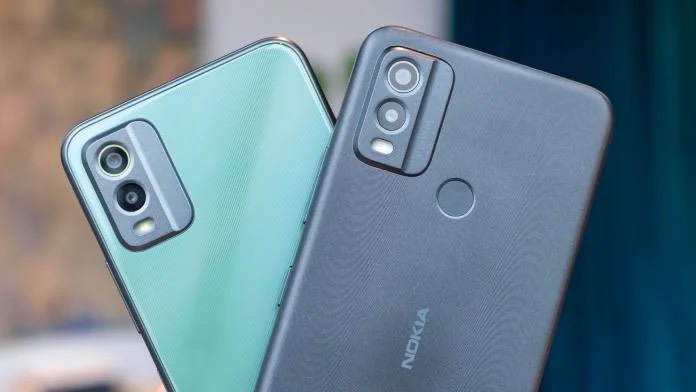
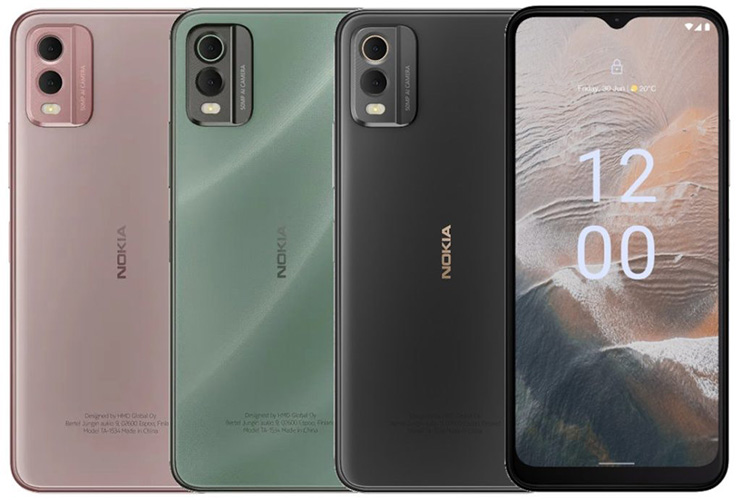
The Nokia C32 is available in three colors: Charcoal, Autumn Green, and Beach Pink, with two memory and storage options: 3/64GB and 4/128GB.
The global average RRP for this device is 139 Euros, which is approximately 11,931.95 Indian Rupees. You should check with your local seller to confirm availability.
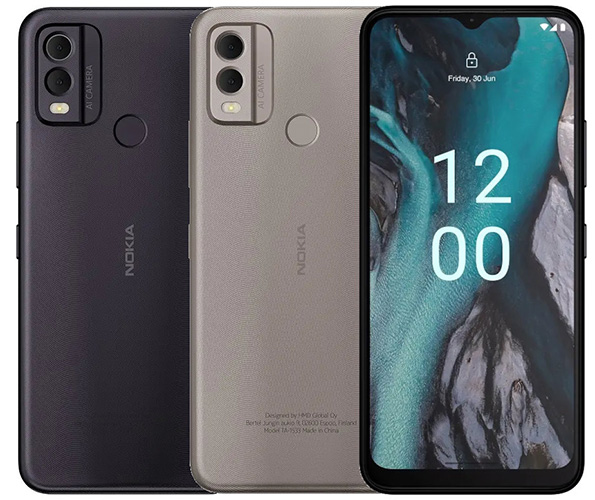
The Nokia C22 is available in two colors: Midnight Black and Sand, with two memory and storage options: 2/64GB and 3/64 GB. The global average RRP for this device is 129 Euros, which is approximately 11,065.60 Indian Rupees.
You should check with your local seller to confirm availability.
It provides faster charging and has a case made from 70 per cent recycled materials. You can purchase it from Nokia.com for 49.99 Euros, which is approximately 4,292.38 Indian Rupees.
Nokia G22 – the first Nokia smartphone with repairability at its core
Nokia G22 is the first Nokia smartphone purposefully designed with repairability at its core.
With collaboration with iFixit, you can easily access repair guides and affordable parts to replace a damaged display, bent charging port or flat battery with a QuickFix design, said the company.
The phone also comes with a 100% recycled plastic back, OZO Playback that delivers enhanced bass and clearer sound.
It runs Android 12, and the company has promised 2 years of Android OSupgrades, three years of monthly security updates and extended three-year warranty at no extra cost.
There is not much of a difference compared to Nokia G21, this comes with 20W fast charging, and the company has says that the phone maintains over 80% of original battery capacity even after 800 full charging cycles.
1.6GHz Octa Core Unisoc T606 (6x Cortex-A55 and 2x Cortex-A75 cores) 12nm processor with Mali G57 MP1 GPU
4GB LPDDR4x RAM (2GB virtual RAM), 64GB / 128GB storage, expandable memory up to 2TB with microSD
Dual SIM (nano + nano + microSD)
Android 12
50MP rear camera with f/1.8 aperture, 2MP depth, 2MP macro camera with f/2.4 aperture, LED flash
8MP front-facing camera with f/2.2 aperture
3.5mm audio jack, FM Radio, OZO audio
Side-mounted fingerprint scanner
Dust and Splash resistant (IP52)
Dimensions: 165 x76.19x 8.48mm; Weight: 195.23g
Dual 4G VoLTE, Wi-Fi 802.11 b/g/n, Bluetooth 5, GPS/ GLONASS/ Beidou, USB Type-C, NFC (In select markets)
5050mAh battery with support for 20W charging (PD3.0)
Nokia C32-camera focused phone
The Nokia C32 has a 50MP camera, the highest in a C series phone, that promises advanced imaging capabilities at an affordableprice point.
It comes in a refined design with a toughened glass finish and elegant, straight sidewalls for a premium feel, said the company.
It runs Android 13 out of the box with 2 years of quarterly security updates, and packs a 5000mAh battery that promises up to 3 days of battery life.
The phone also has IP52 ratings for dust and splash resistance.
Nokia C32 specifications
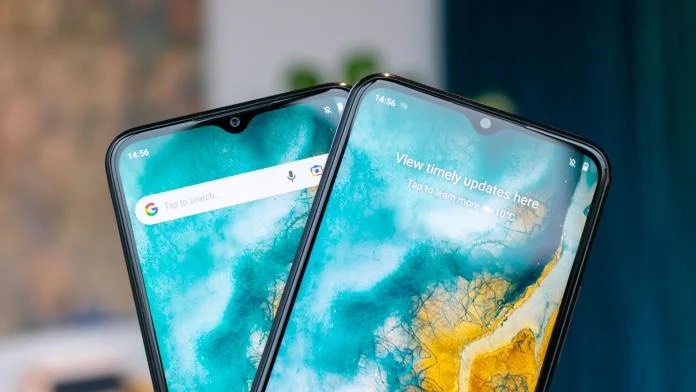
* 6.5-inch (1600 × 720 pixels) HD+ V-notch 20:9 toughened glass display
* 1.6GHz Octa-Core processor
* 3GB RAM with 64GB storage / 4GB RAM with 128GB storage, expandable memory up to 256GB with microSD
* Android 13
* Dual SIM (nano + nano + microSD)
* 50MP autofocus rear camera with LED Flash, 2MP macro sensor
* 8MP front-facing camera
* Side-mound fingerprint sensor
* 3.5mm audio jack, FM Radio
* Dust and Splash resistant (IP52)
* Dimensions: 164.6x 75.9x 8.55 mm; Weight: 199.4g
* 4G VoLTE, Wi-Fi 802.11 b/g/n, Bluetooth 5.2, GPS + GLONASS, USB Type-C
* 5000mAh battery with 10W charging
Nokia C22-the most durable Phone
The Nokia C22 has an exceptional build quality that outperforms the competition in rigorous free fall tests, says the company.
It has IP52 splash and dust protection, toughened 2.5D display glass, and rigid metal chassis housed within a strong polycarbonate unibody design.
Compared to the 8MP camera in the predecessor, this has 13MP camera, is powered by an octa-core chipset, runs Android 13 (Go edition) with 2 years of quarterly security updates, and packs a 5000 mAh battery that promises up to 3 days of battery life.
Nokia C22 specifications
* 6.5-inch (1600 × 720 pixels) HD+ V-notch 20:9 toughened glass display
* 1.6GHz Octa-Core processor
* 2GB / 3GB RAM with 64GB storage, expandable memory up to 256GB with microSD
* Android 13 (Go edition)
* Dual SIM (nano + nano + microSD)
* 13MP autofocus rear camera with LED Flash, 2MP macro sensor
* 8MP front-facing camera
* Rear-mound fingerprint sensor
* 3.5mm audio jack, FM Radio
* Dust and Splash resistant (IP52)
* Dimensions: 164.6 x 75.89 x 8.55 mm; Weight: 190g
* 4G VoLTE, Wi-Fi 802.11 b/g/n, Bluetooth 5.2, GPS + GLONASS, USB Type-C
* 5000mAh battery with 10W charging
Nokia G22, C32, C22 specifications
The Nokia C22 aims to be a highly durable product thanks to IP52 splash and dust protection, toughened 2.5D display glass, and rigid metal chassis housed within a polycarbonate unibody design. The device is powered by a Unisoc 9863A1 processor and is paired with up to 3GB of RAM and 64GB storage, which is further expandable up to 256GB. The device draws juice from a 5,000mAh battery with a claimed three-day battery, and supports 10W charging. The device sports a 6.5-inch HD+ display, a 13MP dual camera and an 8MP front camera. The device supports 4G LTE, gets a fingerprint sensor and runs on Android 13 (Go Edition).
The Nokia C32 has its 50MP main camera as the highlight and Nokia claims that it delivers the best imaging experience amongst its C series offerings. The main sensor is accompanied by a 2MP macro camera and an 8MP front shooter. The device gets up to 4GB of RAM as an option. The rest of the device remains fairly similar to the Nokia C22 mentioned above.
The Nokia G22 gets a Unisoc T606 SoC and is paired with up to 6GB and up to 128GB of internal storage. The Nokia G22 sports a 6.5-inch HD+ display with a 90Hz high refresh rate and Corning Gorilla. The device gets a triple camera system with 50MP main camera, a 2MP depth camera and a 2MP macro camera. The device according to Nokia is highly repairable and has partnered with iFixit to roll out manuals and parts that get damaged most often. The Nokia G22 gets a fingerprint sensor, a 5,050mAh battery with 20W charging, and Android 12.
Faq’s on Nokia C22, Nokia C32 & Nokia G22
1)What is Pricing, availability and accessories of Nokia G22, Nokia C22& Nokia C32?
* The Nokia G22 comes in Meteor Grey and Lagoon Blue and starts at an RRP of 179 Euros (US$ 189 / Rs. 15,690 approx.) for 4GB + 64GB
* At-home Fit Kits for Nokia G22 are available for 5 Euros (US$ 5.3 / Rs. 440 approx.) from iFixit.com. Replacement parts are available from iFixit.com at a global average price of 49.95 Euros (US$ 52.8 / Rs. 4,380 approx.), battery at 24.95 Euros (US$ 26.3 / Rs. 2,185 approx.), and charging port at 19.95 Euros (US$ 21/ Rs. 1,750 approx.).
* Nokia C32 comes in Charcoal, Autumn Green, and Beach Pink, and starts at an RRP of 139 Euros (US$ 147 / Rs. 12,185 approx.) for 3GB + 64GB
* Nokia C22 comes in Midnight Black and Sand, and starts at an RRP of 129 Euros (US$ 136 / Rs. 11,305 approx.) for 2GB + 64GB
* Nokia 65W Dual Port Wall Charger made from 70% recycled materials – 49.99 Euros (US$ 52.85 / Rs. 4,380 approx.).
The company said that it is developing capabilities and processes to bring 5G Nokia device production to Europe in 2023.
2)What are the key features of Nokia G22?
Ans) Nokia’s G22 features an optimization assistant known as Auto Cleanup. This function clears phone deceleration items such as too much stored cache to keep apps opening and running swiftly. The memory extension feature will turn any unused storage space into at least 2GB of RAM to help you multitask without slowing down the device. The G22 will be offered in Meteor Grey and Lagoon Blue with a 4/64GB (RAM/internal storage) option and a 4/128GB option. The G22 can be purchased beginning on March 8 starting at £149.99.
3)What is Nokia C32 know for ?
Ans) The Nokia C32 is said to provide the highest image quality of any phone in the brand’s C-series.
The device begins by offering a 6.5-inch HD+ display.
The display’s glass has been toughened with an IP52 rating for its strength and premium feel.
On the back, the C32’s dual camera array contains a 50MP main shooter and a 2MP macro lens.
On the front, there is an 8MP selfie camera. Nokia details that its main shooter and front-facing selfie camera utilize a powerful imaging algorithm to unearth the most out of the hardware.
The device’s Night mode can snap impressive photos in various lighting conditions.
On the inside, the C32 contains a 5,000mAh battery, with 10W charging, which utilizes AI-powered battery solutions to keep you going without ever worrying about how much power is left.
Additionally, the device will feature Android 13 right out of the box.
Users can pick from the Charcoal, Autumn Green, and Beach Pink colorways for the C32. The device will be featured in RAM/internal storage options of 2/64GB and 3/64GB during its Spring launch. The Nokia C32 will start at £129.99.
4)What is Nokia C22 best known features ?
And) The Nokia C22 may be the toughest of the bunch with its strong polycarbonate unibody design. Consumers will find that the C22 offers a 6.5-inch HD+ display with hardened 2.5D glass. An IP52 rating on its screen offers protection against dust and spills. The device’s dual camera array features a 13MP main shooter and a 2MP macro lens. The front-facing selfie camera comes in at 8MP. Nokia is confident that both its main shooter and front-facing camera will perform well with their powerful Night and Portrait modes.
Tucked away inside will be the 5,000mAh battery with 10W charging with streamlined software to ensure users can get the most time out of the device before plugging it in. The Nokia C22 offers the slimmed-down Android 13 Go Edition of the larger version the C32 provides.
What is the same as the C32 is the Auto Cleanup feature and memory extension function for added RAM.
Although, the Nokia C22 does have support for up to 256GB MicroSD card. Consumers will have two choices when it comes to its RAM/internal storage options: 2/64GB and 3/64GB. Choice continues into its colorways as the C22 will be offered in Sand and Midnight Black.
During the device’s Spring launch, it will begin at £109.99.
* iQOO confirms the launch of the Z7 5G in India. * The handset has been tipped to launch towards the end of March. * iQOO Z7 is expected to be placed in the Rs 15,000 – Rs 20,000 price segment. * iQOO reveals the design of a device under the Z7 lineup. * It is expected to launch two devices under the series – Z7 5G and Z7 Pro 5G.
iQOOhas been on a roll since the start of 2023. Till now, the company has launched its flagship iQ00 11 (review) and mid-range iQOO Neo 7 (review) in India.
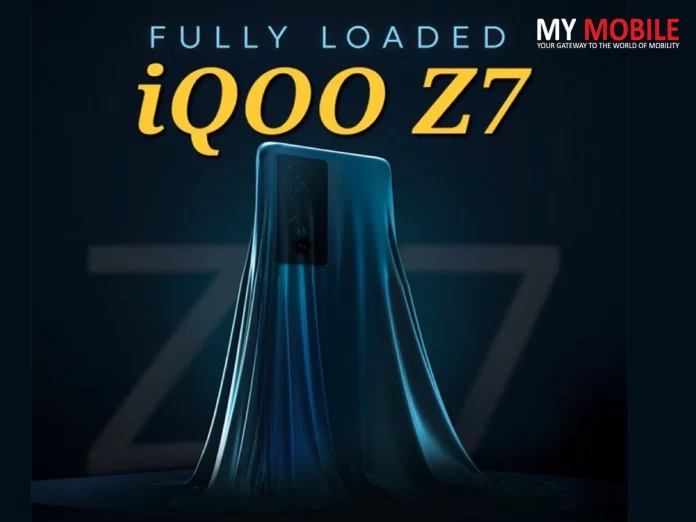
The company is now gearing up to launch another smartphone. iQOO has teased the launch of a Z-series phone which is expected to be the successor of the Z6 series.
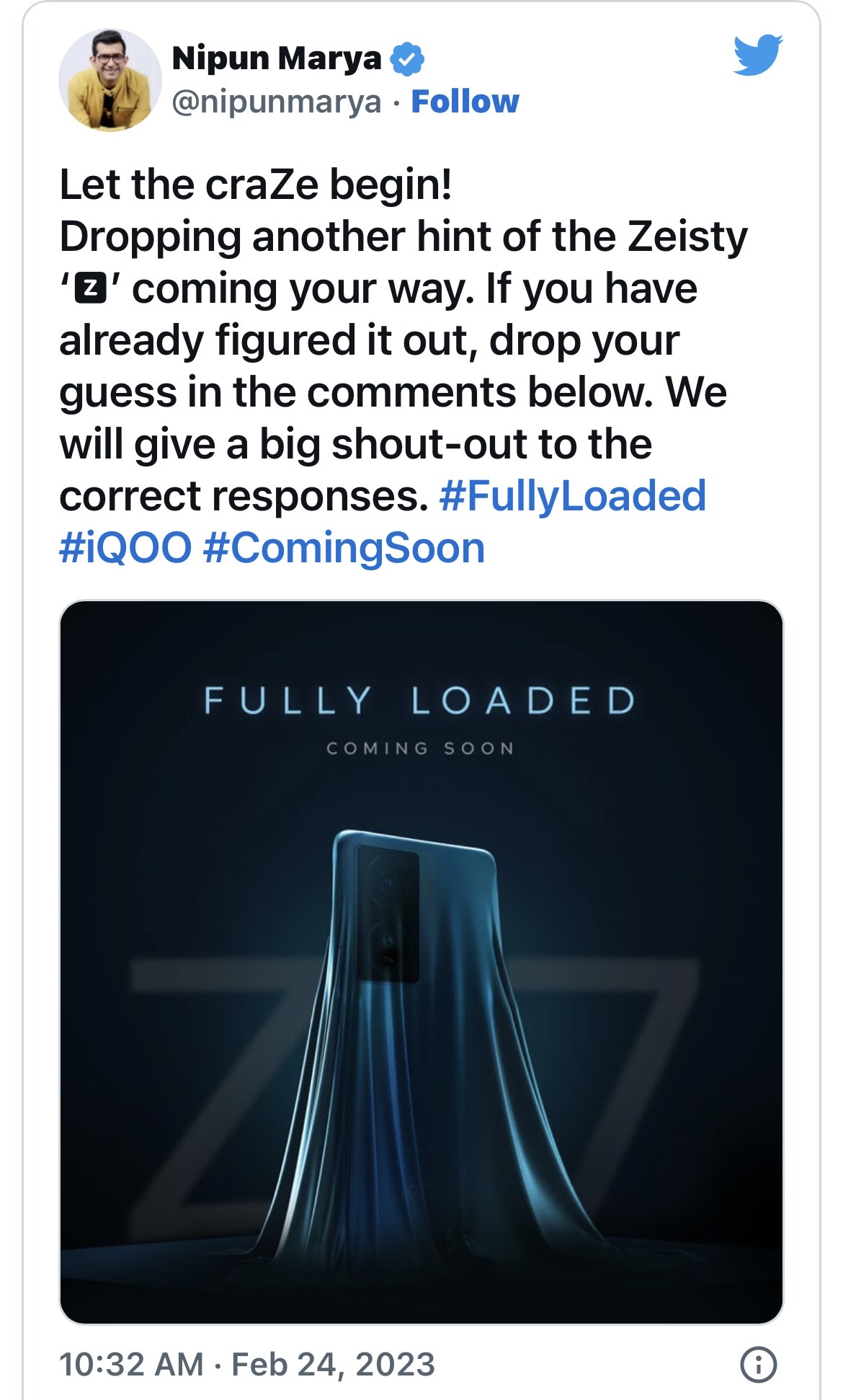
¡QOO India CEO, Nipun Marya has teased the launchof Z7 series in India. The company is expected to launch the series in March in the country.
The image shared by Nipun confirms the design of the device. Here’s everything we know about the iQOO Z7 series launch in India.
iQOO Z7 5G India launch
The device’s design was teased on Twitter by iQOO India CEONipun Marya.
The device shown in the image is hinted to look like the Vivo T1x, which made its debut in India last year. On the back, it will have a vertical camera module with the words “Photography High Definition” written on it, as well as a dual-LED flash.
The iQOOlogo will be located in the bottom center.
The teaser also confirms that the smartphone will have a dual camera setup on the back, with a 50MP main sensor that supports optical image stabilisation (OIS) and a secondary camera.
The upcoming product is shown in the colour teal, and we can anticipate more options when it launches.
The iQOO Z7’s remaining specifications haven’t been made public yet. A prior report, however, indicated that the iQ0O Z7 series would include a standard Z7 5G and a Z7 Pro 5G with model numbers 12207 and 12213, respectively.
While the information on iQOO Z7 5G is still a secret, let’s look at what the iQ00 Z6 offered to its users.
The phone has a 6.58-inch IPS LCD with a waterdrop notch on top. It has a Full HD+ resolution and supports a 120Hz refresh rate.
The phone also comes with a layer of Panda Glass second generation.
On the back, there is a triple-camera setup. The phone has a 50MP main camera along with two 2MP sensors for macro and depth sensing. There is a 16MP front camera for selfies and video calls. The Z6 5G boots Android 12 out of the box with a layer of Funtouch OS 12 on top.
It weighs about 187 grams and is 8.25mm thick.
Smartphonemaker iQOO has been quite busy this year. The company started the year with the release of its flagship smartphone, the iQ00 11 (review), which was followed this month by the release of the iQOO Neo 7 (review). The company is now preparing to announce a smartphone in the Z-series which is expected to be the successor of the popular iQ00 Z6.
While the CEO of iQOO India, Nipun Marya, teased the launch of the Z7 on Twitter. iQOO Z7 5G will launch in India sometime in March.
The company is currently only considering releasing one Z7 model, though a Z7 Pro and a Z7 Lite model could be announced in the upcoming months.
IQOO Z7 Specifications
SUMMARY
Processor Chipset
Qualcomm Snapdragon 780G
RAM
8 GB
Rear Camera
Triple (64MP + 8MP + 2MP)
Internal Memory
128 GB
Screen Size
6.58 inches (16.71 cms)
Battery Capacity
4500 mAh
PERFORMANCE
Chipset
Qualcomm Snapdragon 780G
No Of Cores
8 (Octa Core)
CPU
2.4GHz, Single core, Kryo 6702.2GHz, Tri core, Kryo 6701.9GHz, Quad core, Kryo 670
Architecture
64-bit
Fabrication
5 nm
RAM
8 GB
Graphics
Adreno 642
DESIGN
Screen Unlock
Fingerprint, Face unlock
DISPLAY
Resolution
1080 x 2400 pixels
Aspect ratio
20:9
Display Type
IPS LCD
Size
6.58 inches (16.71 cms)
Bezel-less display
Yes, with Punch-hole
Pixel Density
400 pixels per inch (ppi)
TouchScreen
Yes, Capacitive, Multi-touch
Color Reproduction
16M Colors
CAMERA
Rear camera setup
Triple
Rear camera(Primary)
64 MP resolutionWide Angle lensf/1.8 aperture26 mm focal length
Ans) The image in the tweet shared by Marya reveals the back panel design of the iQOO Z7.
It looks similar to the last year’s Vivo T1x with a rectangular camera module housing two vertically stacked sensors. Upon a closer look, the image confirms the presence of OIS on the smartphone.
There is also a text ‘Photography High Definition’ written alongside the LED flash. There is an iQOO branding at the bottom centre of the back panel.
Lastly, the upcoming offering is seen in Teal colour and we can expect more options at launch.
2)What are the key specifications of IQOO Z6?
Ans) The iQOO Z6 comes with a 6.58-inch IPS LCD panel with a Full HD+ resolution, a waterdrop notch on top, and a 120Hz refresh rate. The handset comes powered by the Qualcomm Snapdragon 695 SoC paired with up to 8GB RAM and 128GB internal storage.
On the back of the Z6, there is a triple camera setup with a 50MP main camera and two 2MP sensors for depth and macro sensing. For taking selfies and making video calls, the handset has a 16MP on the front. The iQOO Z6 5G boots Android 12 out of the box with a layer of Funtouch OS 12 on top, and carries a 5,000mAh battery with support for 18W fast charging.
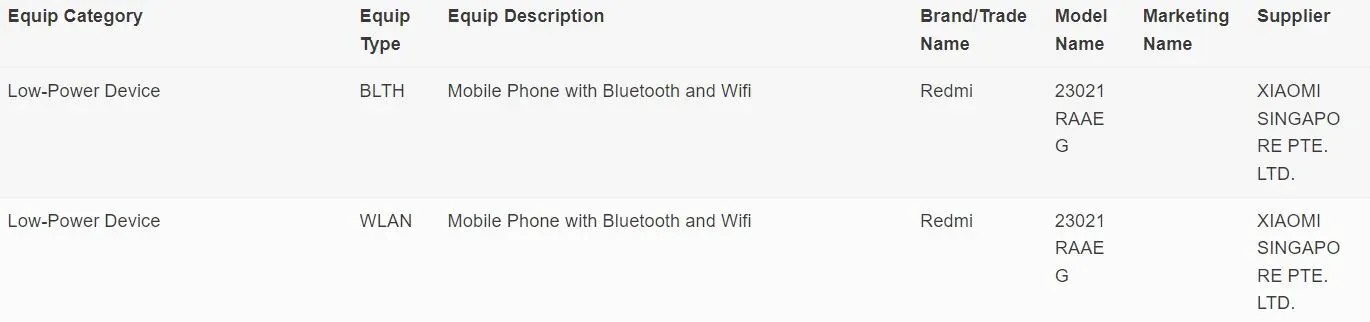
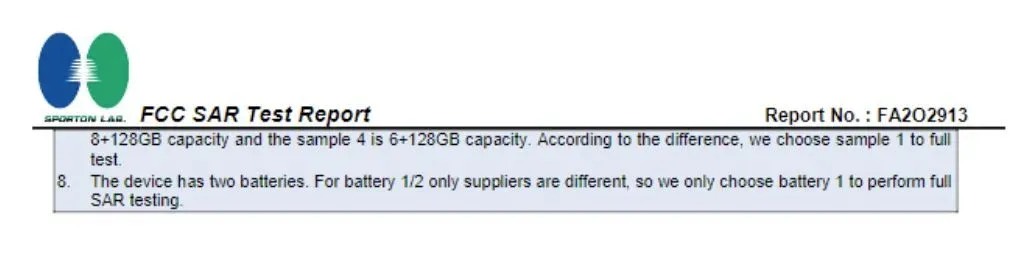
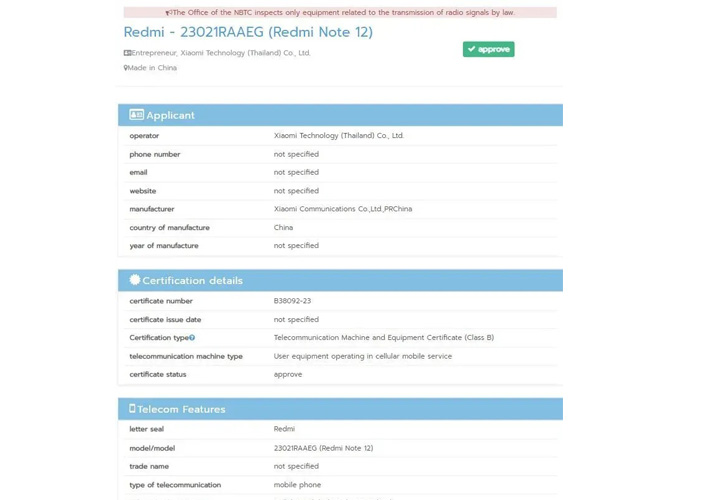
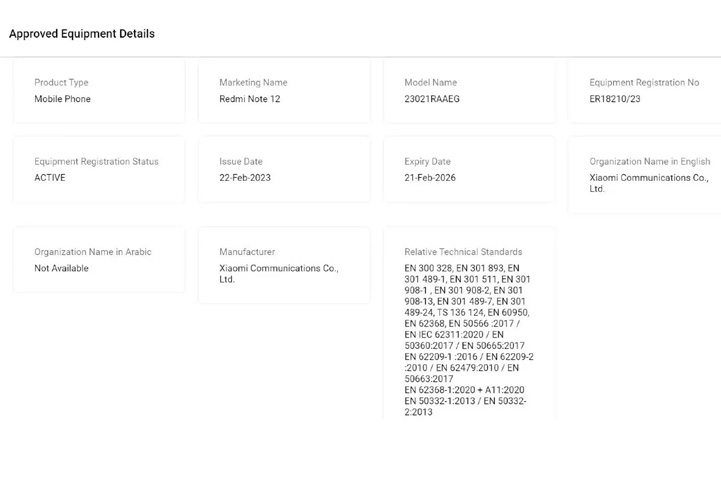
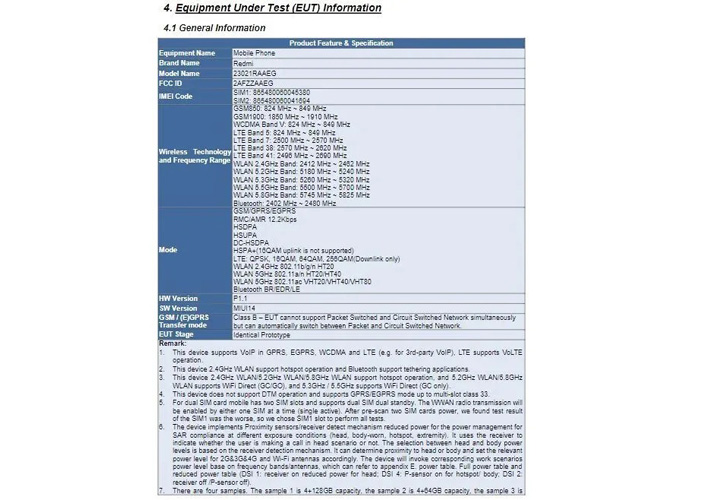
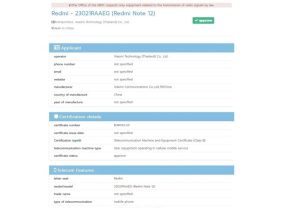
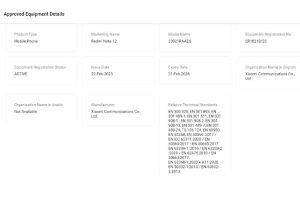
* Redmi Note 12 4G has secured NBTC, TDRA, FCC and IMDA certifications. * The TDRA and NBTC certification have confirmed the marketing name of the phone and model number. * Redmi Note 12 4G is speculated to be a rebrand of the Redmi Note 10 Pro. * Redmi Note 12 4G has secured NBTC, TDRA, FCC and IMDA certifications. These confirm the marketing name of the phone for the first time officially.
After the debut of the Redmi Note 12 5G series in both China and some global markets, the Note 12 4G is said to be the next addition to the lineup.
The device has already appeared on the IMEI database confirming its existence.
Now, it has appeared on multiple certification databases signaling that the launch might happen soon.
It has appeared on NBTC, TDRA, IMDA, and FCC databases. Among these certifications, all have the device marked with the model number 23021RAAEG.
The FCC listing reveals that the smartphonehas two different memory variants 8GB + 128GB and 6GB + 128GB.
Looks like Xiaomiis working on launching the Redmi Note 12 4G global variant.
The device was earlier spotted at the IMEIdatabase listing, confirming its existence.
Now, in the latest development, the Redmi Note 12 4G has secured a few more certifications as well.
The handset has appeared on NBTC, TDRA, FCC and IMDA certifications, as spotted by MySmartPrice.
The newly received certifications reveal the marketing name of the device as well as confirm the model number 23021RAAEG. The ‘G” at the end means global.
The phone could be powered by the Qualcomm Snapdragon 732G SoC paired with up to 8GB RAM and 128GB internal storage that is further expandable via a microSD card.
There are chances the phone might run on Android 12 OS out of the box and pack a 5,020mAh battery with 33W fast-charging support.
The Redmi Note 10 Pro has quad rear cameras on the back with a 64MP Samsung ISOCELL GW3 primary sensor, an 8MP ultra-wide sensor with 120-degree FoV, a 5MP tele-macro sensor, and a 2MP depth sensor. There is a 16MP sensor for selfies and video chats and a side-mounted fingerprint sensor for security.
Connectivity features include 4G LTE, dual-band Wi-Fi, Bluetooth, GPS, and a USB Type-C port for charging.
Other than that, the certifications don’t reveal much, however, previous reports state that the phone will have an Android 13-based MIUI 14 operating system onboard.
The base version of the device is expected to have a 4GB + 64GB configuration. This configuration will likely ship to global regions like India, and Indonesia among others.
There is no word on other specs and features of this upcoming 4G device, but we can assume that it will have an AMOLED display. It is also possible that Redmi opts for the MediaTek Helio G99 chipset to power this device.
The Helio G99 is a recently launched mid-range 4G chipset based on a 6nm node. It boasts decent performance and high efficiency.
1)What are the specifications of Redmi Note 12 4G?
Ans) Past rumours have suggested the Redmi Note 12 4G could be a rebadge of the Redmi Note 10 Pro. Now that the phone has started appearing on the web frequently, the launch could be happening soon. Considering the Redmi Note 12 4G is indeed a rebrand of the Redmi Note 10 Pro, we already what’s coming our way. The handset is likely to flaunt a 6.67-inch FHD+ AMOLED display with a 120Hz refresh rate, 1200 nits brightness, HDR10+, and Corning Gorilla Glass 5 protection.
The phone could be powered by the Qualcomm Snapdragon 732G SoC paired with up to 8GB RAM and 128GB internal storage that is further expandable via a microSD card. There are chances the phone might run on Android 12 OS out of the box and pack a 5,020mAh battery with 33W fast-charging support.
The Redmi Note 10 Pro has quad rear cameras on the back with a 64MP Samsung ISOCELL GW3 primary sensor, an 8MP ultra-wide sensor with 120-degree FoV, a 5MP tele-macro sensor, and a 2MP depth sensor. There is a 16MP sensor for selfies and video chats and a side-mounted fingerprint sensor for security.
Connectivity features include 4G LTE, dual-band Wi-Fi, Bluetooth, GPS, and a USB Type-C port for charging.
2)Which certifications has Redmi Note 12 4G appeared on ?
Ans) Redmi Note 12 4G has secured NBTC, TDRA, FCC and IMDA certifications. These confirm the marketing name of the phone for the first time officially. Redmi Note 12 4G has secured NBTC, TDRA, FCC and IMDA certifications. The TDRA and NBTC certification have confirmed the marketing name of the phone and model number.