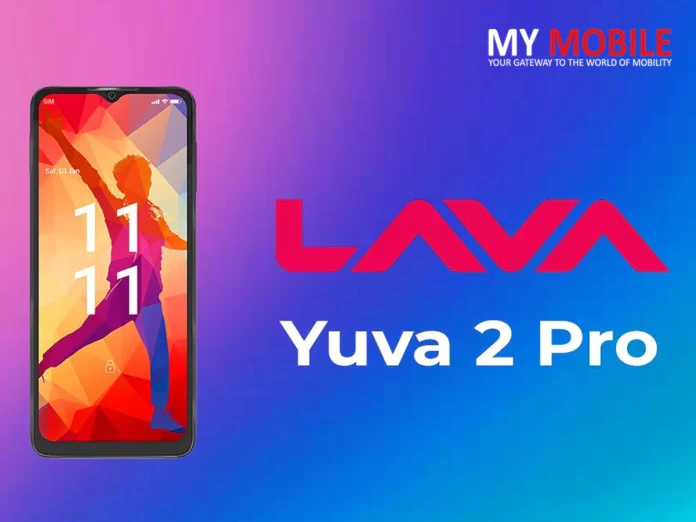
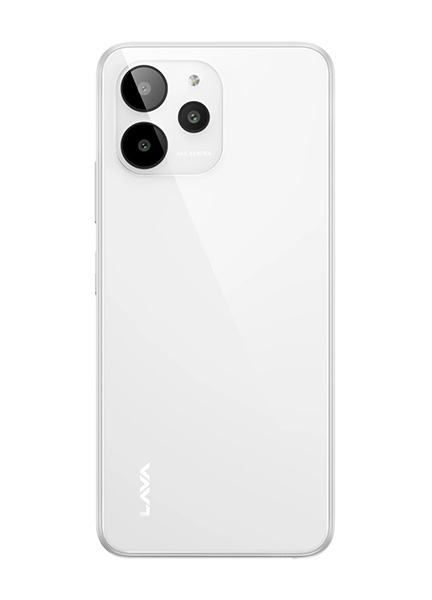
* The Lava Yuva 2 Pro features a rear glass panel and flat sides. * It also has a triple rear camera module that closely resembles the iPhone 14 Pro. * The smartphone costs Rs 7,999 in India, and is available now in all online and offline stores.
Homegrown mobile phone brand Lava has announced the launch of a new smartphone, the Lava Yuva 2 Pro.
The smartphone comes at a time when the demand for budgetdevices with 4G connectivity is witnessing a low tide, and more buyers are seemingly looking to buy more expensive devices that offer 5G connectivity.
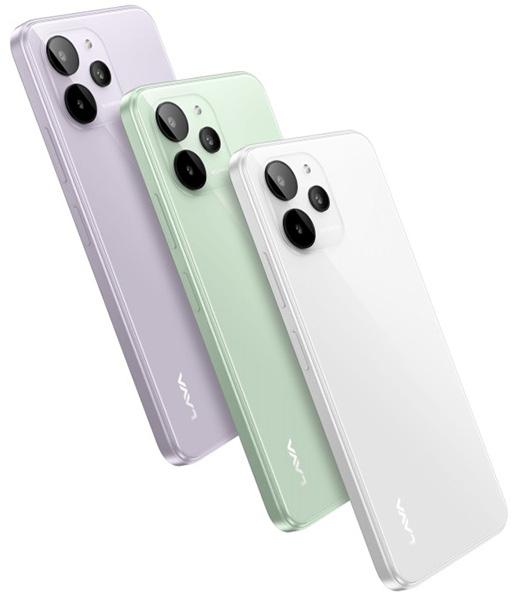
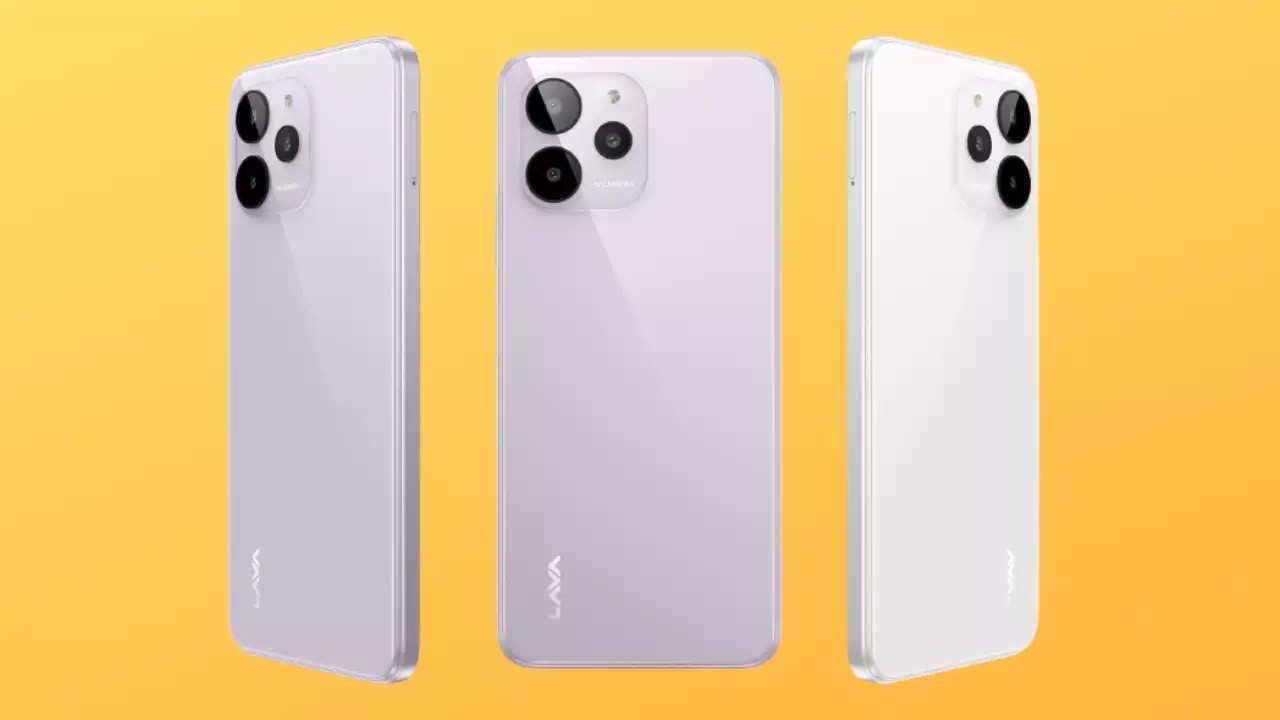
As part of the launch, the Lava Yuva 2 Pro claims to offer a premium design and build factor with a glass back.
The smartphone clearly resembles Apple’s ‘Pro’ iPhone lineup, with the glass back, the triangular layout of the rear camera module, and the flat side edges all making the smartphone look similar to the iPhone 14 Pro.
Lavahas quietly announced the Lava Yuva 2 Pro as the successor to the original Lava Yuva Pro, which debuted last year.
Like last year’s model, the Yuva 2 Pro is packed with entry-level specs.
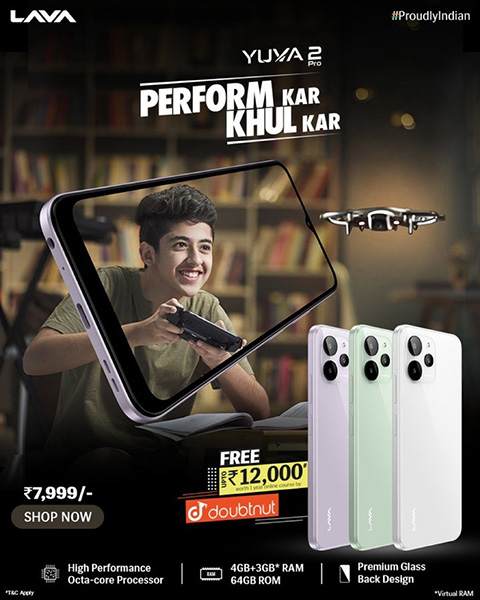
What’s interesting about the device is that Lavahas teamed up with the EdTech platform Doubtnut to provide educational material worth up to Rs 12,000 (~$145) for students in 9th to 12th classes for free.
Lava Yuva 2 Pro Price in India, Availability & Colours
The device is priced at Rs 7,999, and the company has confirmed that the device can be purchased starting today across all multi-brand offline retail stores, and online e-commerce platforms including Lava’s own.
It has three colour variants – white, lavender and green. The handset can also be purchased through offline stores.
Lava Yuva 2 Pro Specifications and Features
The Lava Yuva 2 Pro has a 6.5-inch LCD panel that offers an HD+ resolution, 269 ppi pixel density, and a 60Hz refresh rate. Under the hood, the device features the Helio G37 chipset and 4GB of RAM. It is powered by a 5,000mAh battery that supports 10W charging via the USB-C port.
The Yuva 2 Pro comes with 3 GB of virtual RAM, which is taken out of the 64 GB built-in storage.
The phone runs on a near-stock version of the Android 12 OS and comes with support for anonymous call recording.
Lava also promises an Android 13 upgrade, along with two years of security updates with the smartphone.
On the front, the Yuva 2 Pro has a 5-megapixel selfie camera. The back panel of the device has a 13-megapixel main camera, which is accompanied by a pair of VGA cameras. It also has an ‘AI’ mode in its inbuilt camera app.
The device offers other features like dual SIM support, 4G VoLTE, Wi-Fi 802.11ac, Bluetooth 5.1, GPS, a side-facing fingerprint scanner, and a 3.5mm headphone jack. Last but not least, the device features a glass back.
The Indian smartphone manufacturer has also announced offering a ‘free service at home’ to customers. The service will be provided at the customers’ doorstep. It should be noted that customers can avail of the ‘free service at home’ service only within the phone’s warranty period.
1) What are the colours available in Lava Yuva 2 Pro?
Ans) Lava Yuva 2 Pro has three colour variants — white, lavender and green.
2) What are key specifications of Lava Yuva 2 Pro?
Ans) The Lava Yuva 2 Pro smartphone is powered by a MediaTek Helio G37 SoC, paired with 4GB RAM and 64GB storage. The storage can be upgraded by up to 256GB, through a hybrid SIM and microSD card slot. To the front is a 6.5-inch HD+ display with a waterdrop notch to accommodate the front camera.
The triple rear camera setup offers a 13MP main camera and two additional VGA cameras, but it is not clear as to what purpose do the two additional camera units serve. To the front, the smartphone has a 5MP selfie camera. It also has an ‘AI’ mode in its inbuilt camera app. The device is powered by a 5,000mAh battery with no additional fast charging feature, and claims to run on a bloatware-free Android 12 software. Lava also promises an Android 13 upgrade, along with two years of security updates with the smartphone.
3) What is the price of Lava yuva Pro?
Ans) The Lava Yuva 2 Pro has been launched in only one variant, with 4GB RAM and 64GB internal storage.
The device is priced at Rs 7,999, and the company has confirmed that the device can be purchased starting today across all multi-brand offline retail stores, and online e-commerce platforms including Lava’s own.
* The Indian Premier League (IPL) is all set to start its 16th season. * IPL will begin on March 31st and run through May 28. * All the matches will be shown for free on Jio Cinema in 4K. * JioCinema will stream all IPL 2023 matches in Ultra-HD resolution. * The platform also streamed the 2022 FIFA World Cup in India. * AR and VR implementations are also being worked on by JioCinema. * There will be over 74 matches played during the 2023 Indian Premier League.
JioCinema, the digital streaming partner for the Indian Premier League cricket tournament for 2023 and beyond, will be streaming the tournament for free in India.
IPL 2023 kicks off on March 31, and JioCinema is introducing various new technological improvements on various platforms, meant to enhance the viewing experience for users.
Some of the new technologies include multiple camera angles that the user can choose and switch between, as well as streaming at up to Ultra-HD 4K resolution for all 74 matches in the tournament.
IPL 2023 on JioCinema: Ultra-HD Resolution Streaming
Ahead of its first year as the digital streaming platform for the popular Indian Premier League cricket tournament, JioCinema has introduced various new technologies and improvements, meant to improve the viewing experience on various mobile and television platforms.
The company has worked with the tournament organiser Board of Control for Cricket in India (BCCI) to upgrade the equipment and ensure that the tournament can be streamed worldwide in up to Ultra-HD 4K resolution – ideal for viewing on large-screen smart televisions.
Low-cost, low-tech options to be able to stream IPL 2023 are also being worked on by JioCinema. Jio’s affordable JioPhone feature phones support the JioCinema platform, and will also work with the Jio Media Cable accessory, which can potentially enable streaming from a feature phone to even older televisions that don’t have HDMI ports, such as CR televisions. Smartphone and tablet users can, of course, use adapters or cables to connect to a TV for a stable, wired display connection, in addition to casting wirelessly.
IPL 2023 on JioCinema: Statistics, multiple camera angles, and 12 languages High-resolution streaming will benefit viewers with big-screen smart tvs the most, but there are various changes that will benefit users on all kinds of devices, including smartphones, tablets, and virtual reality headsets.
The service is ready to implement a much-improved viewing experience, which includes statistics such as scores and pitch heat maps, text commentary that allows for comments and interactions from viewers, and multiple camera angles that can be cycled and accessed by individual viewers.
The app will also mark match highlights in the streaming bar to allow users to quickly jump to key moments with ease. Many of these features are also available on the JioCinemasmart TV apps; features such as multiple camera angles, statistics and scorecards, and more can be seen even on big-screen devices, ensuring that the main stream and statistics can be viewed side-by-side so as to not interrupt the view of the match.
Interestingly, JioCinema is offering the IPL in 12 languages in India, in order to improve the viewing experience for viewers in different regions. Language selection will not only change the language of the commentary, but will also modify graphics and statistics to display in the chosen language. Languages that will be available include English, Hindi, Tamil, Telugu, Marathi, Bhojpuri, Bengali, and Gujarati, among others.
IPL 2023 on JioCinema: Virtual Reality Cricket Viewing
Although there’s no firm timeline on when this will fully roll out, JioCinema is already working on making IPL streaming VR-friendly. Some content could be made available in 360-degree format, where advertising banners or statistics are shown alongside a virtualised big-screen experience.
Equipment for this, including an affordable VR headset (JioDive) and more expensive VR glasses (JioGlass) are already in the works. The use of 360-degree cameras at certain matches could enable a true 360-degree viewing experience based on how you position your head.
To watch the IPL 2023 live streaming for free, one needs a Jio mobile or Fiber broadband connection to be able to access the Jio Cinema app for free.
Compared to the current streaming quality, which is HD, the plan to stream IPL matches in 4K is a huge improvement. For the uninitiated, 4K resolution refers to Ultra-HD resolution, which is four times higher than Full HD (1080p) resolution.
Reliance is expected to show ads during the matches, like 10-second TV-style spots, to cover the costs. The platform also plans to stream the IPL in nearly 11 languages, which include English, Hindi, Bangla, Marathi, and Odia, among others.
Users can also check scoreboardswhile watching matches with the app.
FAQ’s on Jio Cinema IPL 2023
1) What is Virtual reality cricket viewing?
Ans) Although there’s no firm timeline on when this will fully roll out, JioCinema is already working on making IPL streaming VR-friendly. Some content could be made available in 360-degree format, where advertising banners or statistics are shown alongside a virtualised big-screen experience. Equipment for this, including an affordable VR headset (JioDive) and more expensive VR glasses (JioGlass) are already in the works. The use of 360-degree cameras at certain matches could enable a true 360-degree viewing experience based on how you position your head.
2) Statistics, multiple camera angles, and 12 languages for IPL 2023 on Jio Cinema ?
Ans) High-resolution streaming will benefit viewers with big-screen smart tvs the most, but there are various changes that will benefit users on all kinds of devices, including smartphones, tablets, and virtual reality headsets. The service is ready to implement a much-improved viewing experience, which includes statistics such as scores and pitch heat maps, text commentary that allows for comments and interactions from viewers, and multiple camera angles that can be cycled and accessed by individual viewers.
The app will also mark match highlights in the streaming bar to allow users to quickly jump to key moments with ease. Many of these features are also available on the JioCinema smart TV apps; features such as multiple camera angles, statistics and scorecards, and more can be seen even on big-screen devices, ensuring that the main stream and statistics can be viewed side-by-side so as to not interrupt the view of the match.
Interestingly, JioCinema is offering the IPL in 12 languages in India, in order to improve the viewing experience for viewers in different regions. Language selection will not only change the language of the commentary, but will also modify graphics and statistics to display in the chosen language. Languages that will be available include English, Hindi, Tamil, Telugu, Marathi, Bhojpuri, Bengali, and Gujarati, among others.
* The Realme GT 3 will be unveiled during the MWC 2023. * Ahead of launch, Realme has showcased the fast charging capabilities of the device. * The device is shown to charge completely in 9 minutes and 37 seconds.
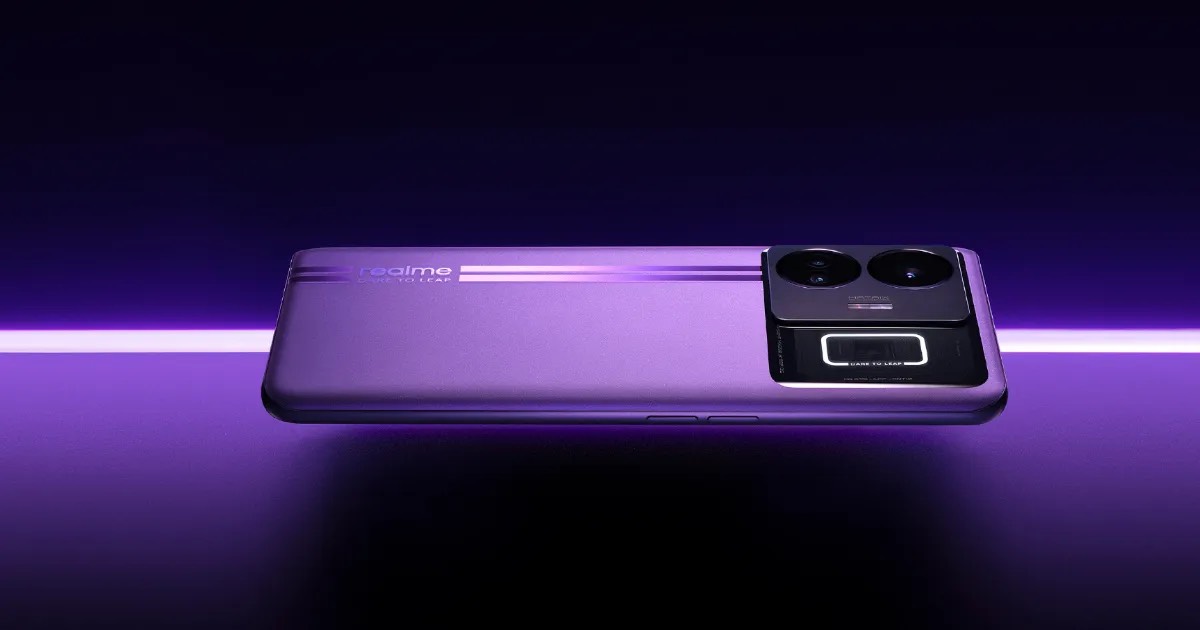
Realme will launch the Realme GT 3 during the upcoming MWC 2023, on February 28th. By the looks of it, the Realme GT 3 will likely be a global version of the already launched Realme GT Neo 5.
Ahead of the official release, Realme has started teasing the specifications and features of the Realme GT 3.
A new promotional video has been posted by the brand, which showcases the fast charging capabilities of the device.
The Realme GT 3, with its whopping 240W fast charging support, is shown to charge in less than 10 minutes from 1 percent to 100 percent.
Over the last few years, Chinese smartphone manufacturers have been in a race to launch phones with the fastest charging speed possible.
At MWC 2022, Realme showcased its 150W charging technology, which made its debut soon after on the GT Neo 3.
The tech allowed topping off the Neo 3’s 4,500mAh battery from 0-50 percent in a claimed 5 minutes.
You’d think such charging speeds would be more than sufficient for almost everyone. But that’s not the case with Realme, as it has gone ahead and unveiled a phone with 240W fast charging support.
Realme claims the GT Neo 5 will be the world’s first mass-produced smartphone to support 240W charging speeds. This is also the maximum power the USB-C standard was designed to carry, so hopefully, the company will stop working on even faster charging standards for now.
The Neo 5 will ship with a 12A custom charging cable, another first in the smartphone industry, and a 240W dual GaN mini charger.
The BBK-owned smartphone maker claims to use a 4,600mAh 10C ultra-thin electrode battery on the GT Neo 5 to ensure it can safely handle such high power input. Realme says the GT Neo 5 can be topped from 0-50 percent in four minutes, while a full charge takes less than 10 minutes.
Realme GT 3 Fast Charging Capabilities Showcased ahead of Launch
As seen in the promotional video , the Realme GT 3 (in lab conditions) can charge from 1 percent to 100 percent in 9 minutes and 37 seconds. The device needs just 80 seconds to charge from 1 percent to 20 percent, which seems incredible. Within 4 minutes, the device’s battery reaches 50 percent, and takes around the same time to drink the remaining juice.
The Realme GT 3 is confirmed to feature 240W fast charging, but the Realme GT Neo 5 has also been launched in a much ‘slower’ 150W fast charging variant. Whether the Realme GT 3 will receive similar treatment is anyone’s guess for now.
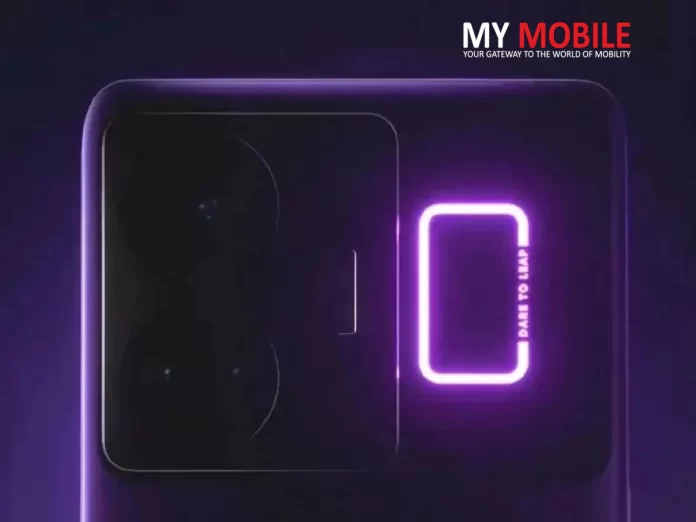
Design is another highlight of the GT Neo 5, as it features a transparent rear square with customizable RGB pulse lightning. The window gives a peek inside some of the phone’s components, including the NFC sensor, mainboard, and C-shaped lighting ring.
Realme GT 3 Specifications (expected)
If the Realme GT 3 is indeed a renamed Realme GT Neo 5, we can expect the device to house a 6.74-inch 1.5K 144Hz refresh rate AMOLED display.
Under the hood, the device will be powered by the Snapdragon 8+ Gen 1 processor, which will be paired with up to 16GB RAM and up to 512GB storage.
In terms of software, we can expect the Realme GT 3 to boot Android 13-based RealmeUl 4.0 out of the box.
Coming to the cameras of the device, the Realme GT 3 is expected to sport a 50MP + 8MP + 2MP triple rear camera setup and a 16MP selfie snapper.
Lastly, there are likely going to be two battery variants of the Realme GT 3 – one with a 4,500mAh battery and 240W fast charging support and one with a larger 5,000mAh battery with 150W fast charging support.
In China, prices for the GT Neo 5 start from 3,199 yuan ($470) for the 240W version, while the 150W model starts at 2,599 yuan ($385). So far, Realme has only announced the GT Neo 5 for its home market, with the global launch slated to happen soon.
1) What are the key specifications of Realme Gt 3?
Ans) The Realme GT 3 is expected to feature a 144Hz refresh rate 1.5k display. Under the hood, the device will likely be powered by a Snapdragon 8+ Gen 1 processor, which could be paired with up to 16GB RAM and up to 512GB storage.
In terms of cameras, we can expect the Realme GT 3 to house a 50MP + 8MP + 2MP triple rear camera setup and a 16MP front camera. Moving on to the battery of the device, the Realme GT 3 is tipped to feature a 4,500mAh battery with support for 240W fast charging. Lastly, the device will boot the latest Android 13-based Realme UI 4.0 out of the box.
2) Who is the Vp of Realme?
Ans) Madhav Sheth is the VP of Realme.
3) How is the battery life of Realme GT 3?
Ans) Realme GT 3 will also be available in 150W and 240W charging variants.
GBWhatsApp: Features and threats discussed with How to download the app
Highlights
GB WHATSAPP IS A MODDED VERSION OF WHATSAPP
GB WHATSAPP ENTAILING ADDITIONAL FEATURES THAN WHATSAPP
HOW TO DOWNLOAD GBWHATSAPP
THE GBWHATSAPP COMES WITH PRIVACY ISSUES
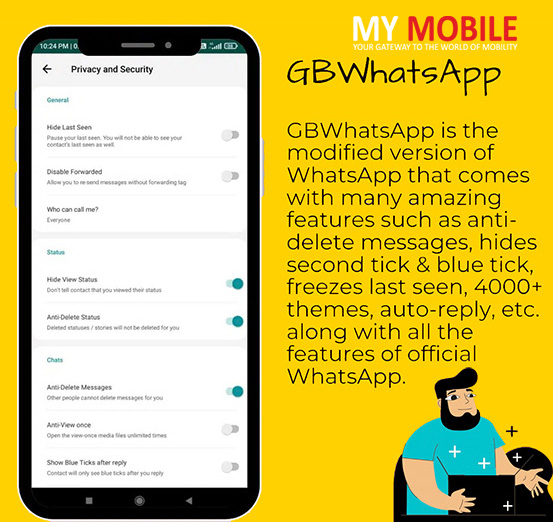
Among several upcoming messenger apps, GBWhatsApp has caught a massive attention. GBWhatsApp is the modified version of whatsApp and has additional features than whatsApp itself. This discussion catalyzes the decision making of the app’s worthiness to download.
Introduction
WhatsApp leads the race of being the famous choice as a messenger app followed by Instagram, Twitter, Facebook, and many more. With incorporating the maximum number of features whatsApp offers the most personalized chatting experience to the users.
However, the modified version of WhatsApp, called GBWhatsApp, claims to have numerous advanced features that can excite a user to install the app; however, this app has its fair share of risks intact. Read further in the article, all about the GBWhatsApp and its additional features, How to download GBWhatsApp, and what all risks GBWhatsApp can possibly bring to the system and user.
What is GBWhatsApp?
Group of programmers, namely GB group has shaped and developed the foundation of this mod version of WhatsApp application. The development of this variant is based on the former mod version of whatsApp called Whatsapp plus.
Already making itself shine by highlighting the fact of providing extra and advanced features than the basic WhatsApp application, including improved messaging ability, DND mode, privacy options, Anti-Ban, and many more features.
Besides this, the developers have also claimed the latest version of the app also focuses on the security and is quickly responsive. As the app stays in the developing mode constantly by adding new functionalities everyday, generating unlimited customized features and appearance of the app.
However, This app can not be installed oniOS devices as it is basically a 3rd party application that is prohibited on iOS devices.
GBWhatsapp APK File Details
App Name
GBWhatsApp APK
Android Version
4.3 and Above
Version
Latest Version
Total Downloads
9,000,000+
App size
51.1MB
Root Required
Not Root Required
Main Purpose
WhatsApp with Extra Features
Last Updated
1 Hour Ago
Requirements
It requires an internet connection
WIFI Connection is recommended
Location of the device
Access to Gallery
Access to Contacts
WIFI Connection is recommended
Device Identity
External Storage Access
Features of GBWhatsApp
As told before GBWhatsApp has several advanced features and functionalities that are also not added in the whatsApp that grips the attention of users.
Among various extra features, GBWhatsApp entertains multiple accounts is one of the important elements. Unlike WhatsApp, where users have to manage all the tasks under one account, GBWhatsApp allows users to create multiple accounts that adds to the popularity of the app.
Moreover, in GBWhatsApp users can also use the themes for free that are designed by other users. Along with this, this mod version of WhatsApp can be operated in different languages, such as Chinese, Spanish, and many other languages.
In line with other added features, GBWhatsApp has also taken care of the privacy and security of the users. As under this app, users can opt for personal privacy and enjoy the complete control of the app. Its users choose the visibility of their availability.
The privacy features include, Being online (status), Double click, Microphone settings, Bluetick, Typing status, Message Scheduling, Recording status, and Other added features
Other advanced features include, Auto-reply (use auto-reply to send reply to any of the contacts, whenever required), DND (DND is a do not disturb feature for the app, where the internet data connection has been turned off for GBWhatsApp), Text message broadcast (This feature helps the user to send the message to groups), Filter messages (this feature in the app allows the user to clear the chat and filter messages), Anti-revoke messages, Customize font,Share live locations, Unique effects (This feature provides extraordinary effects to add in videos and images while sending), Revoke multiple messages, Status download, Hide your status (This feature helps to hide the voice recording status of the users), being able to view deleted texts and stories, and many more.
Other advanced features coming in the new version, Resolved Sticker issues, Anti-ban, Modified participants in groups, Added more emojis, Reply privately when in groups, Themes issues resolved, and Bugs fixed
How to download the GBWhatsApp
If you have not downloaded the app yet then follow the steps below to install the app on your system. This app is not available on the playstore and can be installed from a third party website. Be careful before selecting the website to install the app as such apps are prone to data security breaches. Also, This app is only supported by Android devices.
Note that: Users can download GBWhatsApp without uninstalling WhatsApp.
Go to
Tap on the ‘download’ button that downloads the APK file.
Note that V16.10.0 is the latest version of the app and also enables the ‘unknown sources’ before downloading GB Whatsapp.
If you already have GB WhatsApp, Update the app to the latest version
If you update your already downloaded GBWhatsApp, the user will be allowed to use the advanced features added to the new version. Here are the steps to update the app:
Open the GBWhatsApp on your devices
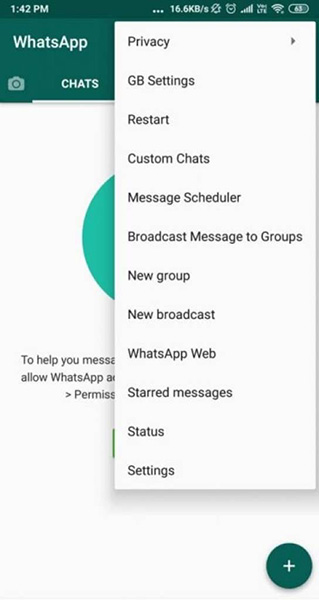
Tap on the three dots appearing in the top right corner of the screen.
From the list select ‘Fouad Mods’ and go on ‘updates’
Select ‘Check for Updates’ option.
Tap on the ‘update’ button if the update is available. Redirected to the browser where update is available to download.
Once the download is completed, Allow the device to ‘Install from an unknown source’.
Once the update is done, the app will already be updated with the added advanced features to use.
What risks GBWhatsApp contains?
Privacy and security are not the terms to be used when installing and using GBWhatsApp. Using GBWhatsApp can be tricky and unwarranted at some levels. Also, with the chances of getting blocked from using WhatsApp (Original) app.
GB WhatsApp is not a flag bearer of end-to-end encryption as not developed by the original creators. That leads to the lack of security of the data shared, possibly difficult to share secretive information on the platform.
Moreover, Play Store doesn’t keep the app, implying the reliability on the third-party website that can not be trusted 100 percent as it involves the risk of entailing harmful links. And due to these few reasons the credibility of the app suffers a little.
GBWhatsApp Update 2023: But you know, even WhatsApp has so many nice features, but many features can be added to it and that is fulfilled by GBWhatsApp. Many users feel these features’ absence in various situations.
Official WhatsApp only has two themes, dark & light. Anyone can call you on it which is also annoying. There should be an option to control who can call you. But there isn’t. That’s why we have GBWhatsApp. Along with these WhatsApp Mods, you can also check out FM WhatsApp Latest Version.
What’s New in GBWhatsApp Latest Update
GBWhatsApp Latest Update is full of amazing features. You can enjoy them freely. Here is the list of all the features:
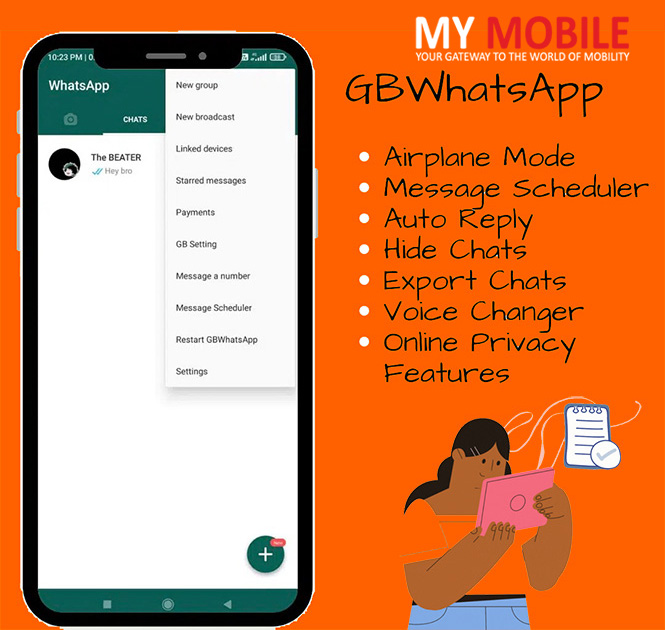
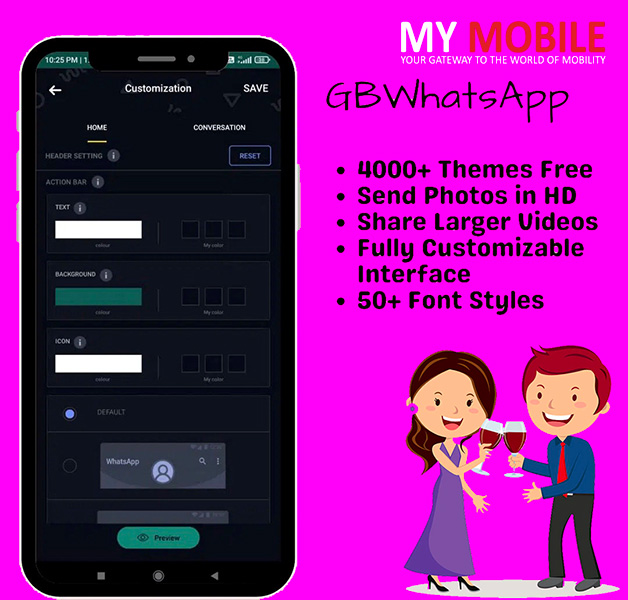
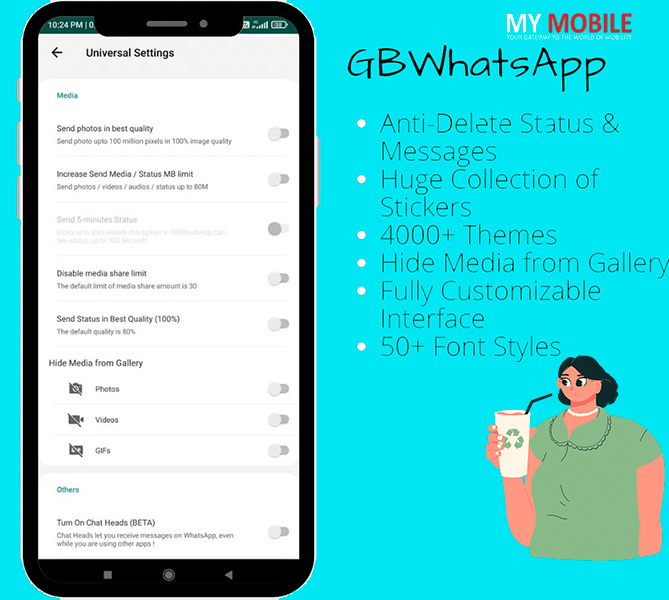
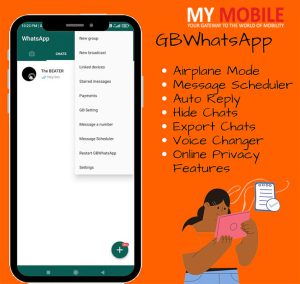
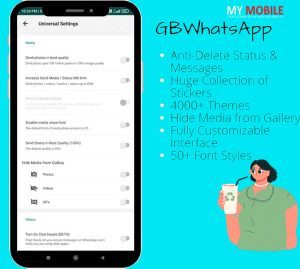
* Airplane Mode * Message Scheduler * Auto Reply * Hide Chats * Export Chats * Voice Changer * Online Privacy Features * Freeze Last Seen * Hide Typing & Recording Status * Hide Second Tick & Blue Tick * Control Who Can Call You * Disable Forwarded Status on Messages * Show Blue Ticks After Reply * Hide Status Seen Status * Anti-Delete Status & Messages * Set Custom Password for Each Contact * Huge Collection of Stickers & Wallpapers * 4000+ Themes * Hide Media from Gallery * Fully Customizable Interface * 50+ Font Styles * Customize Launcher & Notification Icon
Best GBWhatsApp APK Features
Airplane Mode
WhatsApp messages can be annoying sometimes, especially when you are playing games or watching movies.
You can’t turn off the internet connection to get rid of them. In this case, you can turn on airplane mode. Yes, yes! Airplane mode, but not of the mobile, but the GBWhatsApp’s. It has its own airplane mode.
When you turn it on, you will not receive any messages from you. You will be offline. And you can enjoy your favorite games & movies without any interruptions.
Message Scheduler
If you are busy with work, games, or watching movies and you need to message someone at a specific time, you can use this feature. In the message scheduler, you can select contacts, set a specific date & time and enter the message you want to send to that contact user. Then it will automatically send that message to that user when it meets the entered date & time. You don’t need to do anything.
Auto Reply
Another great feature for busy people or for someone who doesn’t want their special one to wait for their reply. The Auto-reply feature will automatically reply to the user who messages you.
You can set the message you want to send, enter the time (in seconds) after which it will be sent, set a specific time when auto-reply activates, and on what conditions to reply. You can set it to work for all messages or only when a specific message comes and also for contacts, groups, or both. You can also exclude contacts & groups from the auto-reply list.
Hide Contacts, Chats & Group Chats
Some friends or family members’ bad habits are checking others’ WhatsApp. There is no avoiding it. But you can hide the contacts, chats & group chats from all lists in this WhatsApp MOD. No one can find them even by entering their name in the search bar.
Chats will disappear from the chatting list and contact list. You can access the hidden chats by tapping on your name on the home screen. It will also ask for the password. If you don’t know the password, you can’t access it.
Freeze Last Seen
When you turn this option on, it freezes your last seen. No one will be able to see you online even if you stay online at that time. They will only see the time when you activated this option. For instance, if you turn on the “freeze last seen” at 10:23 AM. Then whenever someone tries to see your status, he/she will see the “last seen at 10:23 AM”. You can freely use chat with others or stay online without anyone letting know.
Hide Typing & Recording Status
If you don’t want others to know that you are typing or recording a message, you can use this feature. It will not show the typing status ever.
Hide Second Tick & Blue Tick
In WhatsApp, the first tick on the message means the message has been sent from your side but is not delivered to your friend yet. The second tick means the message has been delivered to your friend. And blue tick means that your friend has seen the message. You can hide the second & blue tick in this MOD.
So, your friends think you are offline. You can read the messages without letting them know. You can set this feature for any contact or group you want. It is fully customizable.
Export Chats
Export chat functionality lets you share all the messages of any chat with anyone. It creates a .TXT file of the chat. You can share it on other social apps or upload it to cloud storage. You also get the option of including or excluding media files while exporting. TXT file
Voice Changer
Don’t want to send a voice message in your voice? No Problem. GBWhatsApp got your back, pal. It comes with voice changer functionality. It includes 10 voice types. Robot, Baby, Teenager, Deep, Drunk, Fast, Underwater, Slow Motion, Reverse & a Funny voice. Select any voice type, record your message, and then send it.
Forward & Copied Messages Settings
When you forward messages in official WhatsApp, a “forwarded” status appears on that message. Also, when you copy multiple messages and paste them into the chat, it shows the name, date & time of each message. You can hide these statuses in this MOD version, forwarded status when forwarding, and name, date & time in copied messages, all of it.
Show Blue Tick After Reply
Hiding the second & blue tick is a good feature for tricking your friends. They will think that you are offline after sending you a message. But if you reply to them while there’s a single tick in their chat, they will know you are using some kind of mod. To solve this problem, it comes with the “Show Blue Tick After Reply” feature. As soon as you reply to your friend, the single tick will turn into a double-blue tick. It means the messages will be marked as seen messages in your friend’s chat.
Anti-Delete Messages & Status
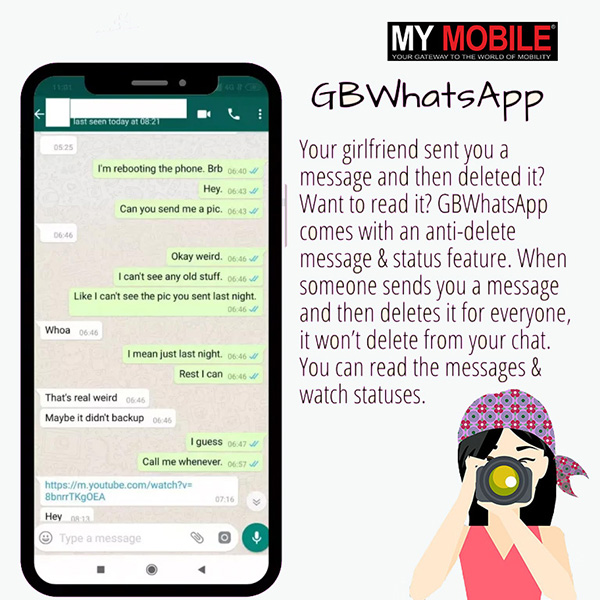
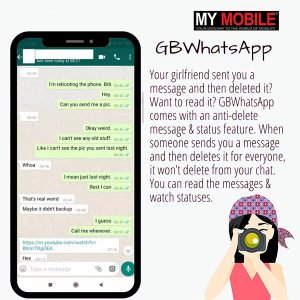
Your girlfriend or ex sent you a message and then deleted it? Lol! Want to read it? GBWhatsApp comes with an anti-delete message & status feature. When someone sends you a message and then deletes it for everyone, it won’t delete from your chat. The same goes for statuses. You can read the messages & watch statuses. They won’t know about it until you tell them yourself.
Set Custom Password for Each Contact
It provides you with all the features to protect your privacy & chats from others. You can set a password to lock GBWhatsApp. But there are chances that you have to tell the password to someone for some reason. To prevent unwanted chat access by someone, you can lock the chats as well with the password. You can set a different password for each chat. Even if someone knows one password, he can’t access other chats.
Huge Collection of Stickers & Wallpapers
In WhatsApp, there are only 90 wallpapers to apply to the chat background. At some point, you will want something new for the background. But that point will never come in GBWhatsApp. It has hundreds of wallpapers of various categories to choose from. You can set a different wallpaper for each contact.
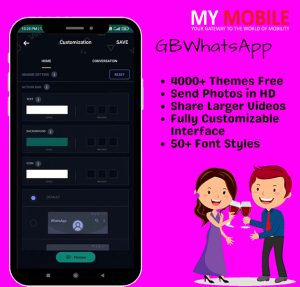
4000+ Themes
Are you bored of the light & dark theme? Then change it. You are getting more than four thousand themes in this MOD. You will find a theme of your taste. The theme of “Dante from Devil May Cry” for gamers and “One Piece & Tokyo Ghoul” for Otaku. Nature, sports, cars, bikes, black & white, abstract, and all kind of themes are available on it including “Waifu” for weebs.
Create Your Own Theme
If you want to customize the UI, you can do that too. It provides all the options to do that. Customize the color of the Action Bar, Background, List Background, Status Bar or Navigation Bar. You can choose the emoji variant, font style, launcher icon & also notification icon. Home UI style, stories style, floating action buttons, and status bar are customizable too. You can save your custom settings as a theme so you can apply it whenever you want with a single tap.
GBWhatsApp for iPhone
Nowadays, many devices are using, but the iPhone is the most popular device. Thousands of people use this device, but they don’t know about how to download the iOS file on their device. If you are also known about the downloading process, then stay with me!
Firstly, go to your browser site on your device.
Click on the given button below to download the iOS file.
After the downloading, open the file to install it.
Press on the install button to install it.
Installing process will be complete after a few seconds.
When the Gbwhatsapp iOS is installed, launch the app.
Login in to your WhatsApp account or create a new one.
Now enjoy the app!
Backing up GBWhatsApp Information
Supporting can save time in regards to shielding the messages which concern you and grant you overall comfort to make sure your chats are secured and safe. More, two methods by which one can get back his/her very own files, helping you to continue to be in control.
Process # 1: Back-up GBWhatsApp with apk.
The initial strategy to consider will certainly be to support GBWhatsApp chat right through the program.
Procedure # 1: Open apk and also search Setting and then Chat Backup. Procedure # 2: Click on Back-Up to save a copy of your messages along with your associated media right into your internal gadget memory.
Alternative Process # 2: Backup GBWhatsApp with a pc.
Dr.fone – Bring Back Social Application is the world’s best Android app information transfer alternative and is planned to use in best and also handiest experience when managing your mobile information; including your own GBapk and Whatsapp backup records.
The program is simple to use, also in case you have extremely limited technological abilities, and you have the ability to send every one of your GBWhatsApp documents, such as chats, images, large size videos, data, voice messages and far more.
Installation Guide to GB WhatsApp
Don’t worry if you don’t know how to install the APK. We will explain every step in detail. Read & follow the following steps:
First of all, Download the APK using the download button given in this post. * Wait until the APK is downloaded successfully.
After the downloading completion, go to the file manager and navigate to the folder where it is downloaded. If you are using Chrome, then visit the Download folder.
Now tap on the APK and open it.
If you are installing an APK from outside the Play Store for the first time, then it will ask you to enable permission of installing the application from unknown sources. You will find it in Settings >> Security. Here, enable the “Allow Installation of App from Unknown Sources” option.
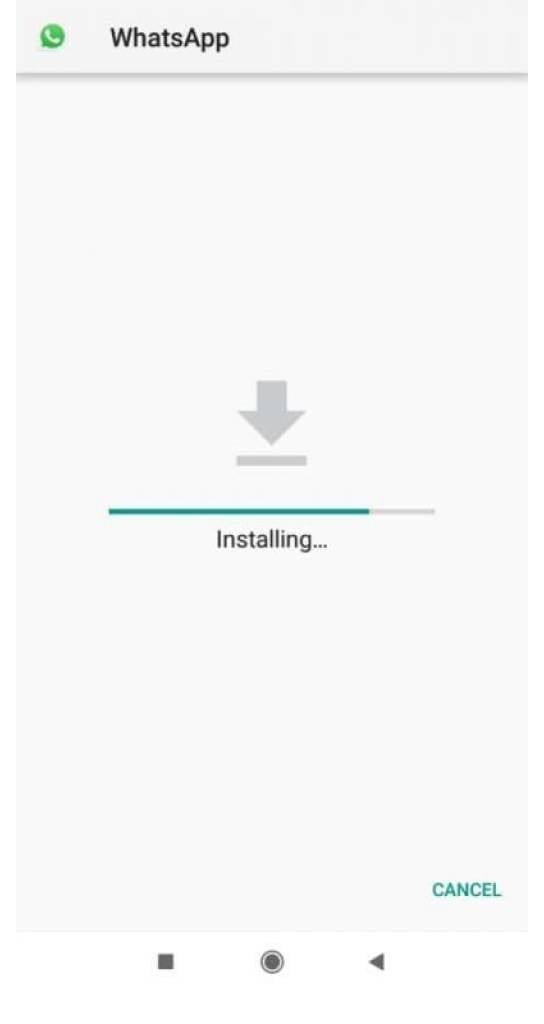
Now head back to the APK and tap it again. It will open a new window. You will see two options, Install and Cancel.
Tap on the install and it will begin the installation of the app. Wait for its completion.
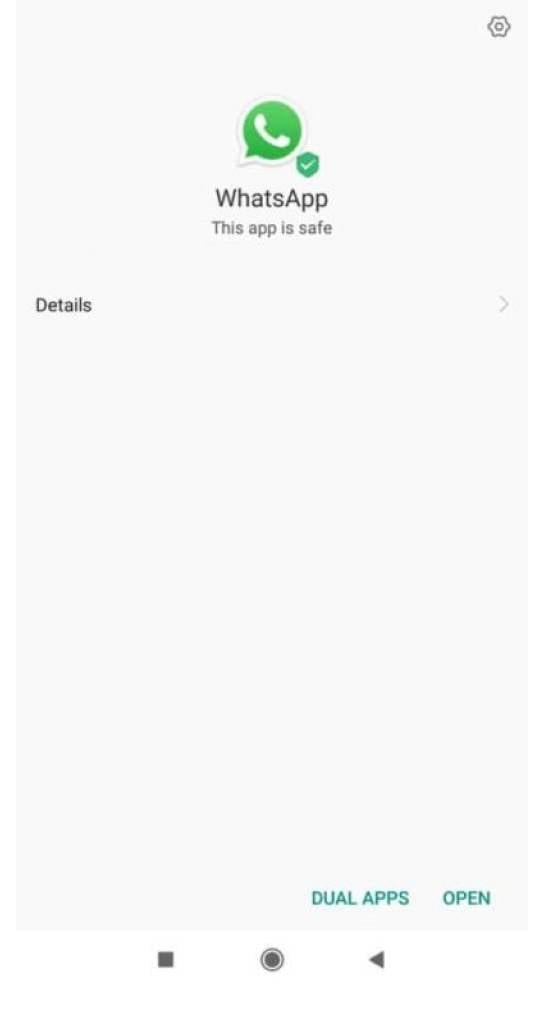
Once installed, open the app and create your account.
Creating the account is the same as in the official WhatsApp.
Enjoy the features of GBWhatsApp.
Download the Older Version of GBWhatsApp APK
For everyone who is using an older Android device, if you can’t install the GBWhatsApp Latest Version on your Android device, you will need the older version of the GBWhatsApp APK. But you should also try using GBWhatsApp APK Updated Version to use all the newest features.
Conclusion
GBWhatsApp and its latest version has extra features than the original WhatsApp. The question remains, is it worthwhile to install the app at the expense of lacking privacy.
Comparison Whatsapp VS GBWhatsapp
FEATURES
GBWHATSAPP
WHATSAPP
Status Characters Length
Up to 255 Characters
Up to 139 Characters
Document Sharing at one time
100
30
Media Sharing
50 MB
15 MB
Hide Last Seen
Status Copying
Documents Sharing in Pdf, Txt format
Languages Supported
45
130
Blank Messages Sending
Theme Changing
FAQ’s on What is GB WhatsApp
Q.1 How to download GBWhatsApp?
Ans.1 The steps are as follows:
Go to
Tap on the ‘download’ button that downloads the APK file.
Note that V16.10.0 is the latest version of the app and also enables the ‘unknown sources’ before downloading GB Whatsapp.
Q.2 Is GB Whatsapp available on iOS devices?
Ans.2 No, GB Whatsapp is not available on any iOS devices. As iOS does not allow third party website downloads.
Q.3 Is GBWhatsapp related to WhatsApp (Original) app?
Ans.3 No, GB Whatsapp is just the modified version of WhatsApp (Original) app. Group of programmers, namely GB group has shaped and developed the foundation of this mod version of WhatsApp application.
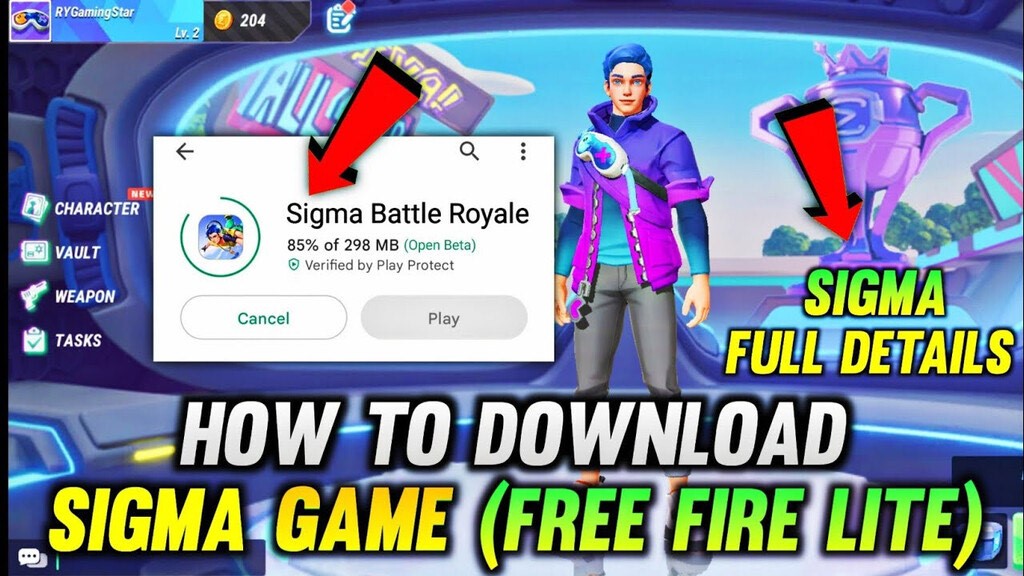
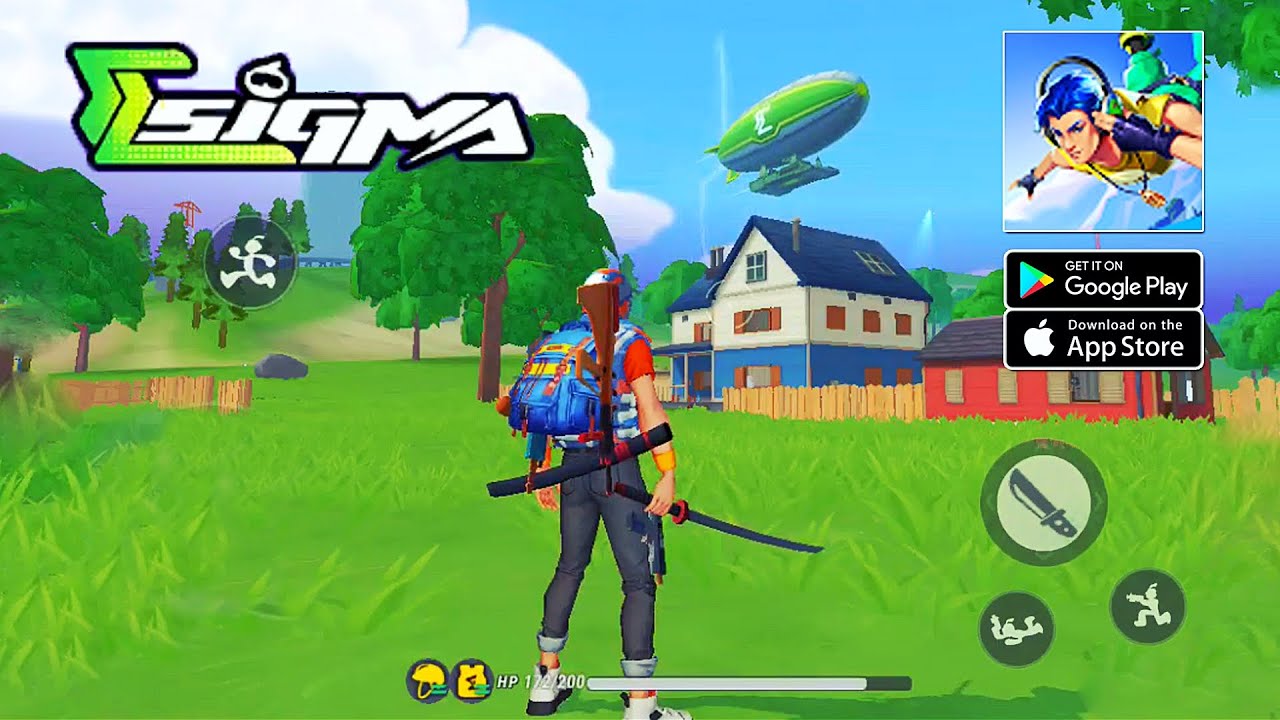
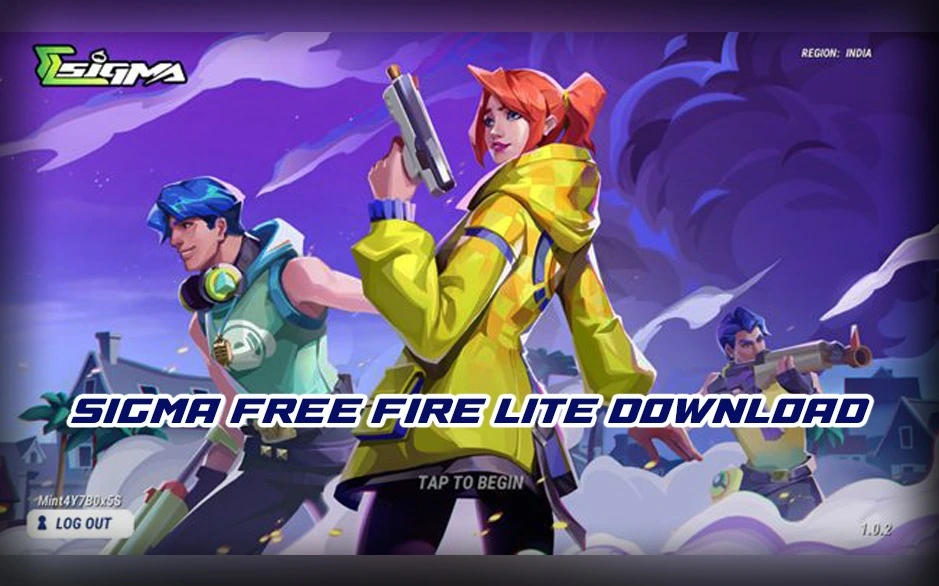
The lite version of the Sigma Battle Royale game is gaining popularity among the masses. However, the game is not available on the playstore. The steps to download the game on your device from the other way around with the steps are given here.
Introduction
The Sigma Battle Royale game is getting all the attention in the gaming community including its lite version. After the recent launch, this game has been downloaded by millions of gamers, the primary reason can be said to be the size of the game.
Even a low-end speciation smartphone is well-compatible to download Sigma Battle Royale owing to the 280 MB size. Read the article ahead to know the steps to take for downloading this game to have an immersive experience via the owned device.
This instantly became a popular game and secured millions of downloads in a little while after the launch of the Sigma Battle Royale Mobile Game is the latest version that came with better graphics and wider reach. This 280 MB sized game is compatible for devices supported by Android 5.0 and upwards.
With the whole gaming community eager to download the Sigma Free Fire Lite has led to some illegal distribution of the game. And due to the internet data connections some can not even play Garena free Fire and Free Fire MAX easily.
So, as these shortcomings have been restored now, the latest version of Sigma Free Fire Lite has been recently launched with compatible size for lighter phonesfor gamers to play the lighter version of the games on low end specification devices. The latest lite version is still not available on playstore and is planned to release soon; However, there is a way to install the game.
What is a Free Fire Lite?
Sigma Free Fire Lite is an action game, which is free and powered by Studio Arm Private Limited. This game provides battle royale experience by putting together 50 players in a combat scenario with the winner should be the last man standing.
This game sports 3D visuals, almost similar to Fortnite. Sigma Free Fire Lite is of 280 MB size that brings an ease to massive low end specifications phone on the basis of being compatible to install. Currently, the site has prohibited the downloading process but the latest version can be installed by request.
Features of Sigma Game Free Fire
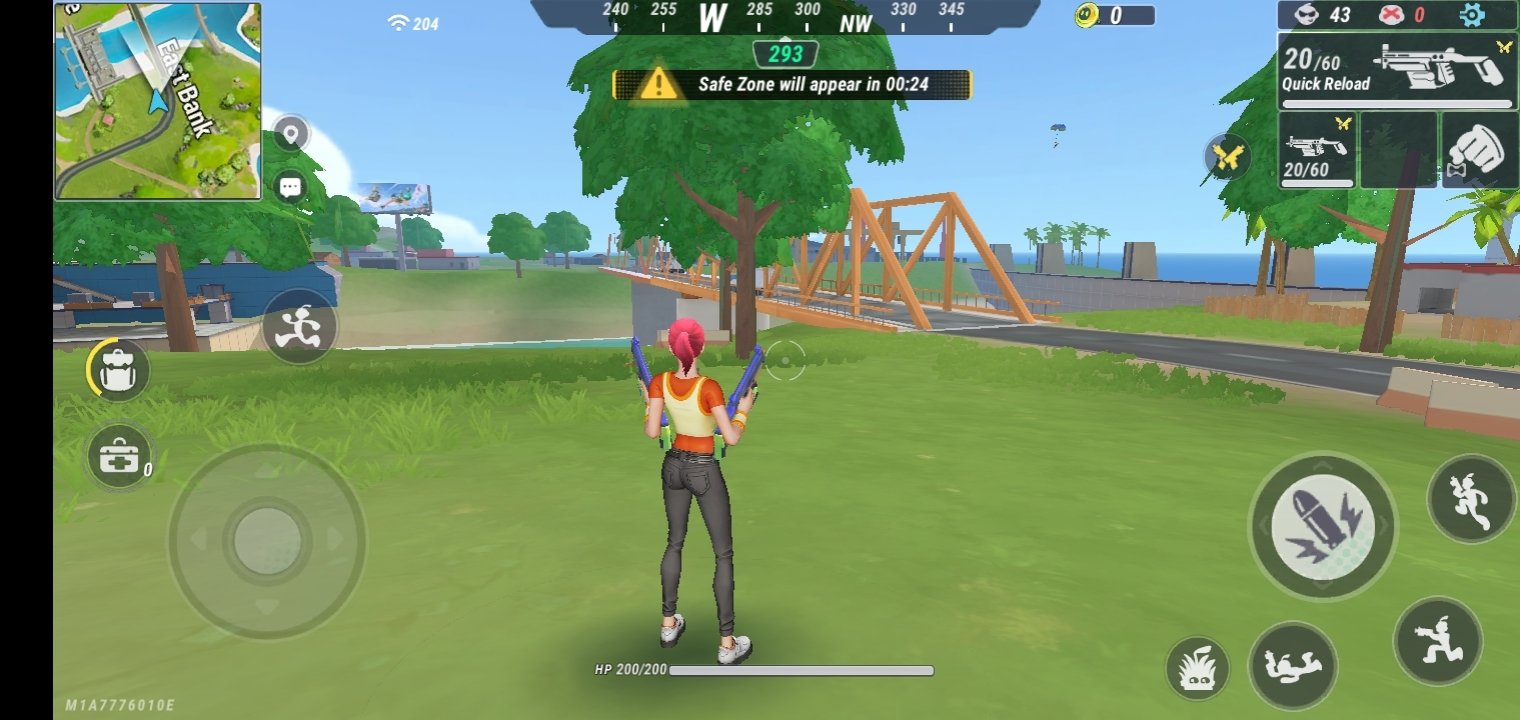
Just like any other action games, including PUBG Mobile, Rules of Survival, or Fire Squad Free Fire. Sigma Free Fire also entails some basic features, such as looting boxes for weapons and items, shrinking Safe Zone, and many more.
Besides this, the game will provide lengthy graphic options from attire customization to choose the weapon of choice. Along with not so complex setup design against its counterparts Sigma Free Fire can be a great option for beginner gamers. The graphics are detailed and not jarring the eyes.
Moreover, the controls and addition of new buttons are easy to understand and put in senses.
The Pros and Cons list of the latest version of Sigma Game
Pros
Cons
Intuitive and Decent touch screen control
Collision mechanism can be improved
Addition of new useful buttons
Player base is small
Impressive visual set up
OVERVIEW OF SIGMA BATTLE ROYALE LATEST VERSION
Category.Genre of game
Action
Organization
Studio Arm private ltd.
Latest update
26 Nov. 2022
Game size
280 MB
Sigma Free Fire Lite APK Download
As mentioned before, this game is yet not available on playstore to install. Here we have also tried to add the guidelines to follow while installing Sigma free fire Lite. Not only this, through these steps you can also download the Sigma Battle Royale game too. The steps are as follows:
First click on to
Appearing the Homepage on the official site.
Under the ‘How to download Sigma free fire Lite’ link, the user can see the ‘download APK’ button.
Click on the button and download the Sigma Free Fire Lite Royale APK.
After the successful download, install the Apk file that will start the game.
Note that: the application is only compatible for Android 5.0 devices and above. Gamers with other operating systems still need to wait for an updated and diverse version of the game to enjoy on their system.
Sigma Battle Royale APK Download
How much time you can spend there is the basic objective of the game. After that, the MAX version of Free Fire Lite came on the market around last year. However, Free Fire Lit was produced by someone other than Garena.
Instead, it was produced by a third party. Due to this, many players might find it difficult to use third-party applications such as Free Fire Lite Download PC, Free Fire Lite APK Download, etc.
Therefore, we ask you to look at the game’s benefits and shortcomings before installing any of the available versions in the market. And now, there is the news that Free Fire Lite APK will be released in the year 2023.
It has been prepared with the same idea and functions as the original one. So, if you are a gamer, you don’t need to worry about your phone being used to this new version. The Free Fire Lite APK will look after each of them.
Sigma Free Fire Lite APK Download
According to the sources provided by Garena, the new Free Fire-Lite, which is going to be available soon, is the modified version of Free Fire. It has been tagged as a cheat application, due to which it cannot be used in the game.
The players who get caught using third-party applications have the risk of getting their access permanently denied. So, players will only be able to escape the anti-cheat system of the Free Fire Lite that has been repeatedly developed with time.
Free Fire Lite Release Date/ Launch Date
The currently available version of Free Fire-Lite, i.e., the MAX version, has been running quite well on Android and IOSdevices such as mobile phones. The users also like it for its better visuals.
However, those users with mobile phones having lower specifications are facing difficulty in running it on their device as it puts a lot of strain on it. They are now looking for a version of Free Fire Lite that can work on their device without putting undue stress on it.
So, developers have come up with a new version. Garena will launch the beta testing of Free Fire Lite in Brazil first. It will be made available for all users somewhere between 2023-2024.
Users will be allowed to pre-register for the app in both the Play Store and the App Store. You can also win the chance to get exciting prizes.
Size of Free Fire Lite APK File (FF Lite Apk File)
The size of the Free Fire Lite APK file is just 280 MB (Expected). At the same time, the entire edition can occupy up to 500 MB of your storage space.
In the new version, the makers of Free Fire Lite have removed certain attributes of the game which were deemed to be generating problems for the user, thus making it more flexible and compatible to use at the same time.
Application Name
Garena Free Fire Lite
Developer
Studio Arm Private Limited
Application Format
APK Format
Space needed
280 MB
Disseminator
Garena International Private Itd.
Release Date
2023 (Expected)
Steps to Download Free Fire Lite APK File
The process of downloading and installing the latest version of Free Fire Lite APK is quite easy. It will be available to download from the Play Store once it gets released. So, to download it,
* Go to the Google Play Store on your device. * Tap the search button for ‘Garena Free Fire Lite.‘ * Find the official version of the app. * Before installing it, make sure to see certain things, such as the number of downloads, reviews, and other certifications, to ensure the authenticity of the application. * Now, download it. After completing the download, it will be installed on your device. Then, have fun playing it. To play it, * You have to open the Free Fire Lite on your mobile phone. * Then you have to create your account in the app if you still need to register. If you have a registration, then click on the login option. * Then, finally, you will be able to play the Garena Free Fire Lite.
Sigma FF Lite iOS
The Sigma Battle Royale game was released only for Android users, the game is not currently available for iOs Devices, and it is not expected whether the application will be available on the store, because the game is very similar to Free Fire.
In such a situation, this game may be available again on the play store and on the iOS store, when the graphics of the game or anything else will not be similar to Free Fire.
Download Sigma APK For Android
Here we are willing to inform you under Sigma Game Download APK that the Sigma Battle Royale game has been released some time ago and you will not even believe how it has become so popular in such a short time.
If you are curious to know how Sigma Game Download APK became so popular, then there is only one answer: that this game is given a five star positive rating by every user of Sigma Battle Game Royale on Google Play Store.
And because it has lite written behind its name, it means, this game downloads in very less space. And there is no fear of hanging on the smartphone. Regarding Download Sigma APK For Android, this is a very good opportunity for you to download and enjoy it. And share your experiences with other gamers.
Best Android APK Download Site
If a question is ticking in your mind under Best Android APK download Site, that this application is valid only on Android, and it is not valid for other operating systems, then let us explain to you that Sigma Game Download APK. For users using other operating systems, we will notify you as soon as this application is updated under other operating systems and other developers.
As we have already made it clear to you that within a few hours of the launch of this game under Sigma Game Download APK, it became so popular that the game players downloaded it thousands and millions of times, although this game’s quality has been in the news for.
Conclusion
The new version of Sigma free fire Lite with great visuals as Fornite does require one try on download. This game can be fun, especially for the reviewers and the beginner gamers.
FAQ’s on Sigma Free Fire Lite
1) Compatible devices for the Free Fire Lite APK?
Ans Any device with Android 5.0 and above software is compatible with the Free Fire Lite APK. Free Fire Lite APK can be downloaded in low end specification phones with a 280 MB size only.
2) Is the Free Fire Lite available for iOS yet?
Ans No, the Free Fire Lite game is not available for iOS devices yet.
3) How Can We Download Sigma Free Fire Game APK?
Ans We have mentioned certain procedure and guidelines to download sigma game free fire in the above content.
4) Is Sigma Free Fire version Free Fire Lite?
Ans No.
5) When will be Available to Download Free Fire Lite APK?
Ans The latest version of Free Fire Lite APK will be available latest by 2023 in the market for low end devices.
6) Where to get the Free Fire Lite APK?
Ans The Free Fire Lite APK will be made available both in the Google Play store and Apple Play store.
7) Is the Free Fire Lite APK compatible enough with every device?
Ans Yes, the newly developed Free Fire Lite APK will be compatible enough with every device, be it an Android mobile phone or an IOS device
8) What is the Launch Date of FF Lite Version?
Ans Expected by 2023
9) What is the required link to download Sigma Game APK?
Ans You will get the necessary link to Sigma Game Download APK in this article.
10) What type of operating system is Sigma Game Download APK working on?
Ans As of now Sigma Game Download APK works on Android operating system however updates are going to be received to implement it on other operating systems.
11) What is the size of Sigma Games Battle Royale?
Ans The Sigma Battle Royale game can install in 280mb storage.
* Once the market leader, Vi’s share is now reduced to 21.11 percent. * Per TRAI’s latest report, the telco lost 2.47 million subscribers in December 2022. * Airtel and Jio, in contrast, added 1.7 million and 1.52 million subscribers, respectively. * Reliance Jio might not increase tariffs in the coming months. * Reliance Jio is losing its active user base every month. * Reliance Jio offers services to 391 million users, whereas Airtel’s user base is 365 million.
Vodafone Idea (Vi) Limited’s market share plunges, per the Telecom Authority of India (TRAI) latest report. The debt-ridden telco, which is struggling to launch 5G in India, has reportedly lost a whopping 2.47 million subscribers in December 2022.
Airtel and Jio, on the other hand, gained subscribers. Bharati Airtel added 1.7 million users, while Mukesh Ambani-promoted telco had 1.52 million subscribers during the same period, per the report.
Having said that, the number of overall mobile subscribers decreased for the third time in four months. TRAI highlights that the numbers dropped to 1.142 billion at the end of December 2022, from 1.143 billion in November.
The decline in subscribers was attributed to a drop in rural users, as the rural wireless user base decreased to 515.89 million from 516.45 million, while wireless subscriptions in urban areas increased to 627.03 million from 626.6 million.
Jio and Airtel now hold market shares of 37.14 percent and 32.16 percent, respectively, while VIL’s share decreased to 21.11 percent. In terms of wireline service, Jio improved its position.
VILs net loss for the fiscal third quarter widened to Rs 7,990 crore from Rs 7,595.5 crore sequentially, primarily due to higher financing and operating costs, despite a substantial drop in subscriber numbers.
The revenue for the October-December period remained stable at Rs 10,620.6 crore sequentially, as the effects of tariff hikes in late 2021 slowed down. The average revenue per user (ARPU), a key performance metric for telecom companies, for the cash-strapped VIL, was up 3.3 percent sequentially at Rs 135.
Active Subscribers Receive a Big Boost
December 2022 has come as a boost to telcos as the active subscriber base has seen the highest net addition in the last 10 months. The three telcos reported a net addition of 8.6 million active subscribers.
While Jio led the charge in net subscriber addition, Airtel reported the highest increase of active subscribers at 5.98 million, followed by Jio at 2.97 million. Vi on the other hand lost 0.12 million active subscribers.
The active subscriber base has come from across areas, with A-circles and B-circles leading at 3.8 million and 2.9 million respectively. Metros have also reported an increase of 1.6 million active subscribers.
With this, Jio now has 391 million active subscribers, followed by Airtel’s 365 million active subscribers. Vi is again lagging with 209.6 million active subscribers.
Vodafone Idea Trouble Continues as it Loses 2.47 Million Subscribers
Vodafone Idea’stroubles have worsened and the telco reported a net loss of ₹7,990 crore in Q3. This was marginally higher than the loss of ₹7,596 crore the company reported in Q2.
After losing 2.47 million subscribers in December 2022, the telco’s total subscribers have declined to 241.32 million. As per TRAI, its gross subscriber base has declined from 265 million in January 2022 to 241.32 million in December 2022, which is a decline of 23.68 million subscribers during the period.
Jio Continues to Lead the Sector
Reliance Jio has further strengthened its subscriber base, taking its total subscriber count to 424.52 million. The company’s gross subscribers increased from 406 million in January 2022 to 424.52 million in December 2022.
The telco had reported a Rs 4,881 net profit in Q3, slightly up from ₹4,729 crore in the previous quarter.
Airtel continues its Growth, Active Subscribers Jump
December 2022 has turned out to be excellent for Airtel. The telco not only reported an increase of 1.52 millionnet subscribers, its active subscribers have jumped by nearly 6 million, the highest increase it has reported in the last two years.
The telco reported a Q3 net profit of ₹1,588 crore, which was significantly lower than expectations.
Faq’s on Reliance Jio, Airtel & Vodafone
1) Whom do I reach out for help in case I face an issue with my Jio SIM while roaming internationally under Jio Postpaid Pack ?
Ans) While roaming internationally, If you face any issue or need assistance, Type ‘Hi’ on our WhatsApp Support at +917018899999 or call us on +91 70188 99999 (charges apply). We will answer your call on priority and help resolve any issues.
2) How do I reach JioCare using MyJio app?
Ans) You can reach JioCare for any assistance or support through both MyJio app and Jio.com.
Using the MyJio app:
1. Sign in to MyJio
2. Tap on ‘Menu’ and select ‘Jio Care’, in this section you can choose from FAQs, How to videos, Troubleshoot, Helpful tips, Live Chat or Track Request to get support for your issue.
3. You can also talk to our virtual assistant ‘Hello Jio’ from the MyJio home page for all your queries.
Using Jio.com:
1. Go to Support page and select How to videos, Jio Helpful Tips or select ‘Contact us’
2. Here you can choose from Email support or Call to get support for your issue.
3) Why is my Vodafone SIM not working?
Ans) Restart your device. Take your SIM card out, wipe with a clean, dry cloth and re-insert it. Try the SIM card in another device to ensure it’s the card and not the device that’s faulty. Ensure your device is not locked to a non-Vodafone network.
Check Airtel Data, Balance & SMS: step by step guide to different ways
Highlights
Check prepaid Airtel Data, balance, and SMS via Airtel Thanks app
Check prepaid Airtel Data, balance, and SMS via USSD code
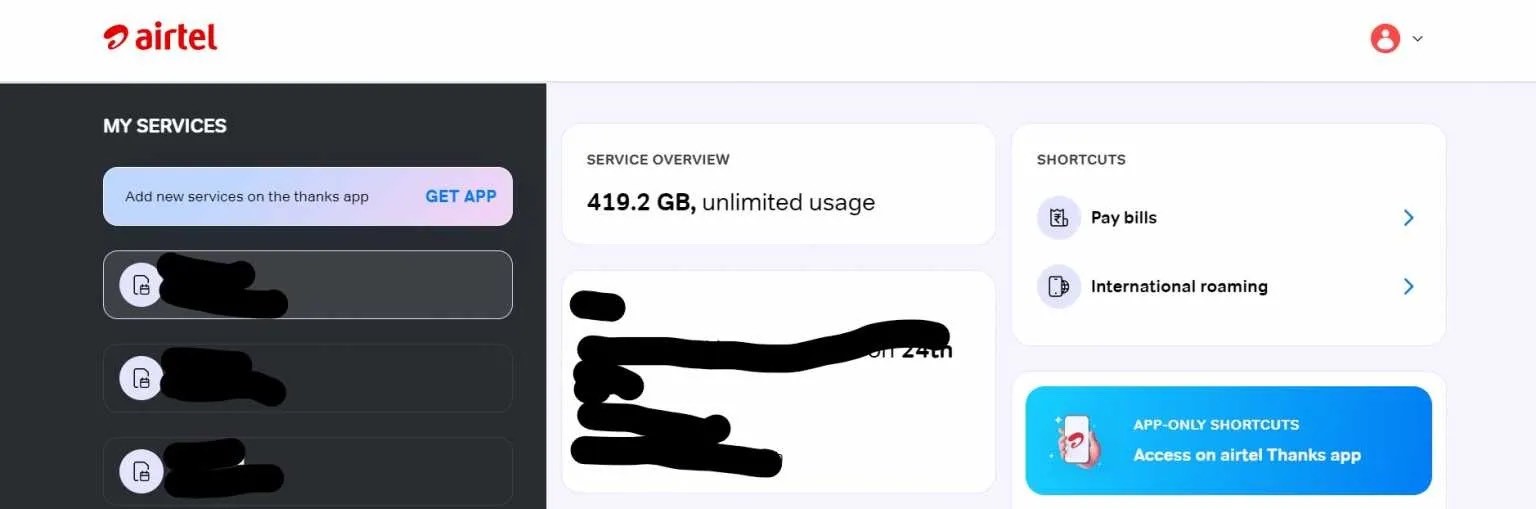
Check prepaid Airtel Data, balance, and SMS via Website
Check prepaid Airtel Data, balance, and SMS via Airtel customer care number
Checking the balance to your prepaid number is the next important thing after buying a smartphone. And there are several ways to check the data balance, main balance, and SMS to the prepaid Airtel number.
Introduction
Checking the balance and numerous kinds of balance, including Airtel data balance, Airtel main balance, and Airtel SMS validity period is an important and not so difficult task for the users.
With new different ways surfaced for the users to get utmost information of the Airtel plan they are using, the balance can be checked within a few minutes.
Here, read the step to step encounter of how to check Airtel main balance, Data balance, and SMS balance via Airtel Thanks app, USSD code, Website, and Airtel customer care number
The moment of scare can be many, where the users do not have enough main balance or data and SMS balance to get done with the essential task at that moment. Better not fall for these shortcomings and always be informed about the balance available in the Airtel prepaid number.
Different Ways to check data balance in Airtel
Check data balance in Airtel via Thanks app
Keep the Airtel Thanks app in your smartphone. As this app can provide the easiest way to recharge and check the concerned balance information in no time.
With barely talking any long chunk of the day, the Airtel Thanks app helps to manage all the information in one place or platform. The users can also link their UPI ids to the app to make the payments easily to get the uninterrupted services.
To get the app activated, follow the mentioned steps:
Download the Airtel Thanks app via Play Store or Apple store according to the device owned.
After downloading the app. Register yourself to get further information at one platform by adding your prepaid Airtel number.
This will get you the OTP on the registered number. Enter the OTP that will keep you logged in with the number into the app.
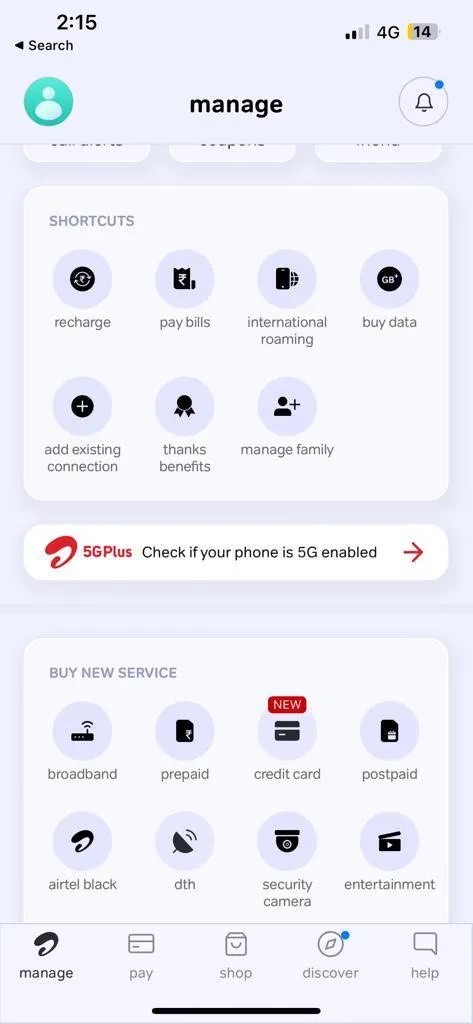
Once the app is activated, users can now check the data balance on the app. The active data plan can be seen on the homepage of the app.
Also, if the user owns only one service, keep put on the ‘manage’ page, where the user can see the data balance and the recharge dashboard.
Airtel service, stay on the ‘Manage’ page to check the data balance. Here, you will see a recharge dashboard.
The recharge dashboard contains all the major information regarding the registered number, including SMS validity, daily data left, unlimited call.
If the user owns Airtel services for multiple purposes, such as DTH, prepaid, Broadband, etc. the information for these services can be seen collectively. For that tap on the small tab appearing on the left of the ‘Manage’ page. This will redirect the user to a new page where the user can check the data balance for the same under prepaid connection services category.
Check data balance in Airtel via USSD code
There are several specified USSD codes that help the user to know the data balance and more. Here are few of the majorly used USSD codes
Start with going to the phone app on your device
To check Airtel data balance, dial *123*10#
To check SMS Balance dial *121*7#
Use *121*2# USSD code to check Airtel plan validity
Dial *123# on the phone app to check Airtel talktime balance.
And to check the postpaid Airtel data dial *121#
These few USSD codes can help you to get the desired information.
Check Data Balance in Airtel Via Website
Users can also check the data balance in Airtel SIM from the company’s website. Go to the official site of Airtel and login to the account, where the users can gather the information on the connections owned.
Check Data Balance in Airtel via Airtel customer care services
Users can also opt for calling on Airtel’s toll free customer care number. This is again the easy way to check the data balance.
For that, dial 121 customer care number, to register your complaint regarding the Airtel connection dial 198, and to avail DND services dial 1909. Moreover, users can also recharge the plan for that dial 123.
How to Check Airtel Main Balance, SMS, Plan and Validity
Airtel offers different ways through which you can easily check multiple things like main balance, SMS balance, your Airtel recharge plan and validity. Users can use the application or use USSD codes to get the above-mentioned details.
Here’s what you need to do in order to check for Airtel’s main balance, SMS, plan, and validity
How to use Airtel self-care services to check Airtel Data Balance?
Unlike Jioand Vodafone, Airtel provides “self-care services,” which, while similar to the Airtel Thanks app, is a web-based application. All you need to do is login to your Airtel account and check your Airtel data balance.
If you can’t find the self-service website, simply Google “Airtel self-service” and it will come up as the top search result.
The website requests your mobile number and requires an OTP to log in, so keep your phone nearby. When you log in, the self-care dashboard appears in front of you, and you can use it to check the services you want.
How to Check Airtel Recharge Plan and Validity
Customers can also check Airtel recharge plans and validity using the application and USSD codes. To start with the app, one can go to the home screen of the app and click on the main balance. There you can see which Airtel recharge plan you are currently using along with its validity.
Coming to the USSD codes, one can dial *123# to check for the validity of your Airtel mobile number. Alternatively, you can use *121*2# to know the detail about your recharge plan and validity.
Check Airtel 4G Internet Balance On Dongle
Users can easily check the balance of their Airtel 4G dongle by following these simple steps:
* Connect your Airtel dongle to your laptop and turn it on. * Enter the dongle’s IP address which is 192.168.1.1 into your browser. * When you press Enter, you will be taken to the login screen. ‘admin’ is the default password. Enter your information and click the login button. * You will now see the Airtel 4G dongle’s user interface. Navigate to the Information section and select ‘Data Usage’. Your remaining balance, validity, and pack name will be displayed.
How to Check Airtel Main Balance?
You can check your Airtel balance by simply using the Airtel Thanks application. Just follow these steps:
* Simply use the Airtel Thanks application to check your Airtel balance. Follow these steps: * Install the Airtel Thanks app from the Google Play Store or the Apple App Store. * Log in to the app with your Airtel number and OTP. Now return to the home screen, where you will see the Airtel main balance. * You can also use USD codes to find out about your main Airtel balance. Simply dial *123# from your dialer app and you will see a pop-up message displaying your Airtel main balance.
How to check Airtel SMS Balance?
In order to check for your SMS balance, you can simply follow the above-mentioned steps.
Users can download and install the Airtel Thanks app and navigate to the home screen to view information about their SMS balance. Alternatively, you can obtain your Airtel SMS balance by dialing *121*7# & then Type 8 code to get your Airtel SMS balance.
Check Airtel 4G data speed
You can easily check your Airtel number’s internet speed by downloading the internet speed test app to your smartphone. To test the download and upload speed of the Airtel network, various apps such as Ookla Speedtest and others can be used.
Airtel Balance Check without Thanks app
Now, if you don’t have the app on your smartphone, don’t worry! You can still check the Airtel balance on your mobile through the ways mentioned below:
Through Unstructured Supplementary Service Data (USSD) Code. Also known as quick codes or features codes, Unstructured Supplementary Service Data (USSD) is a Global System for Mobile Communications (GSM) protocol. It is used to receive information from the cellular device, SIM card, or mobile network. In simple terms, USSD code is an extra-UI protocol, which allows people to access hidden features.
Purpose
Code
Main balance check
*123#
Number check
*282#
Offers
*121#
Talk time loan
*141# or dial 52141
Data loan code
*141# or call 52141
Miss call alert service
*888#
Unlimited packs
*121*1#
Voice or roaming
packs
*222#
Postpaid current bill
plan check
SMS “BP” To 121
Postpaid due/pending
amount check
SMS “OT” To 121
Postpaid bill payment
check
SMS “PMT” To 121
Postpaid current plan
usage check
SMS “UNB” To 121
Data balance check
for 2G users
*121*9#
Airtel gift service
Dial *141#
Airtel hello tunes
Dial *678#
Airtel Facebook service
Dial *325#
Airtel Twitter service
Dial *515#
Airtel free Wynk detail
Dial *121*8# Then Type 6
Airtel voice packs detail
Dial *121*8# Then Type 7
Airtel SMS packs detail
Dial *121*8# Then Type 8
There are a number of USSD codes to check Airtel balance for different purposes.
They are as follows:
The above USSD codes will instantly provide you with information about your Airtel net balance, plan validity, and so forth.
Through SMS
Users can also check the Airtel balance, start or stop a new service, manage other services, and so on, by sending text messages to the following numbers:
1. Send ‘START’ to 121 to purchase a new service 2. Send ‘STOP’ to 121 to opt out of a service 3. Send ‘START 0’ to 1909 to activate the ‘Do not Disturb’ mode 4. SMS ‘PORT’ to 1909 to port your postpaid number 5. Send ‘Short Code’ to manage all your Airtel services
Through Missed Calls
Number
Purpose
Dial 12131
To check Airtel offers available on your usage
Dial 123
To get the Airtel recharge code
Dial 1909
To activate DND mode on Airtel
For checking your Airtel balance and other details associated with your postpaid number, give missed calls on the numbers mentioned below:
In addition to these two methods, there is also another method to check the Airtel balance. This includes checking the balance through the Airtel website. So, let’s find out how to do so in detail below:
How to Check Airtel Balance through the Website ?
You can use the website to your advantage if you don’t want to download the Airtel Thanks app, send text messages, or USSD codes.
In order to check the balance on the website, follow the instructions below:
Step 1: Visit the Airtel website by clicking https://www.airtel.in/ Step 2: Login to the website by entering your mobile number. Once done, you will receive an OTP on your phone Step 3: Submit the OTP to access the website Step 4: Once you’ve entered the OTP, go to the dashboard that displays your Airtel number Step 5: Check the main balance, SMS balance, Airtel internet balance, and other details.
Now that you know the different methods to check your Airtel balance, let’s proceed further to find out some of the best postpaid plans below:
Rs. 399 Plan
It is one of our basic postpaid plans that provides benefits, such as 40GB data rollover, 100 SMS per day, unlimited local/STD and roaming calls, free Amazon Prime Subscription and access to the Airtel Xstream app.
Rs. 499 Plan
This plan includes OTT benefits like free subscriptions to Amazon Prime Video and Disney + Hotstar well as free access to the Airtel Xstream app. In addition to this, it also includes standard benefits, such as 75 GB data rollover, 100 SMS per day, and unlimited local/STD and roaming calls.
Conclusion
The aforementioned ways are some of the easiest ways to check Airtel balance. The users can opt for any of the ways to gather the information.
List of All Airtel USSD Codes
S.no
USSD Codes
Features
1
Main balance check
*123#
2
Number check
*282#
3
Offers
*121#
4
Talk time loan
*141# or dial 52141
5
Data loan code
*141# or call 52141
6
Miss call alert service
*888#
7
Unlimited packs
*121*1#
8
Voice or roaming packs
*222#
9
Data balance check for 2G users
*121*9#
10
Airtel gift service
Dial *141#
11
Airtel hello tunes
Dial *678#
12
Airtel Facebook service
Dial *325#
13
Airtel Twitter service
Dial *515#
14
Airtel free Wynk detail
Dial *121*8# Then Type 6
15
Airtel voice packs detail
Dial *121*8# Then Type 7
16
Airtel SMS packs detail
Dial *121*8# Then Type 8
Faq’s on Airtel Balance Check: How to Check Airtel Data, SMS Balance, Plan, Validity Online & Via USSD Code?
1) I Forgot My Airtel Number. How To Check?
Ans) To know your airtel number, dial *282# from your phone. Ensure you have the sim in your mobile phone to make use of these services.
2) Which USSD Code Should I Use To Know My Data Balance?
Ans) Simply dial *121*2# from your phone carrier to know your 2G, 3G, or 4G data balance.
3) Can I Use USSD Codes Without Internet?
Ans) USSD codes do not require any internet connection to function. Customers from very remote areas with weak network coverage can easily make use of USSD codes for anything.
4) How To Get Data Loan From Airtel?
Ans) Dial *141*567# and choose data services relevant to you, i.e, 2G, 3G, or 4G. You can also dial 52141 to instantly get the data loan.
5) Can I Get Emergency Talktime Loan From Airtel?
Ans) Unfortunately, airtel has discontinued the emergency talk time loan. Instead, you can quickly recharge your number from the Airtel Thanks app.
6) How Do I Check Airtel 4G Data Speed?
Ans) You can easily check the internet speed of your Airtel number by downloading the internet speed test app on your smartphone. One can use different apps like Ookla Speedtest, and more to test the download and upload speed of the Airtel network.
7) How to do Airtel net recharge from my main balance?
Ans) You can easily recharge your internet recharge using Airtel main balance. Here’s how you can do it:
* Dial USSD code *121# from your registered Airtel prepaid mobile number.
* Browse the Airtel prepaid plans
* Select the plan you want to recharge
* Now, simply activate it using your main balance.
8) How to check Airtel’s main balance?
Ans) You can easily check your Airtel mobile number’s main balance by dialling 121#5 from your smartphone.
9) How to check the data balance on Airtel postpaid?
Ans) In order to check the data balance, you can visit MyAirtel application. Else, you can also SMS “UNB” To 121 to get the current plan usage.
10) What USSD codes can be used to check the Airtel Balance?
Ans) There are different USSD codes assigned to check different balance categories:
To check Airtel data balance, dial *123*10#
To check SMS Balance dial *121*7#
Use *121*2# USSD code to check Airtel plan validity
Dial *123# on the phone app to check Airtel talktime balance.
And to check the postpaid Airtel data dial *121#
11) Is the Airtel Thanks app compatible with iOS and Android devices?
Ans) Yes, users either with iOS or Android can install the Airtel Thanks app.
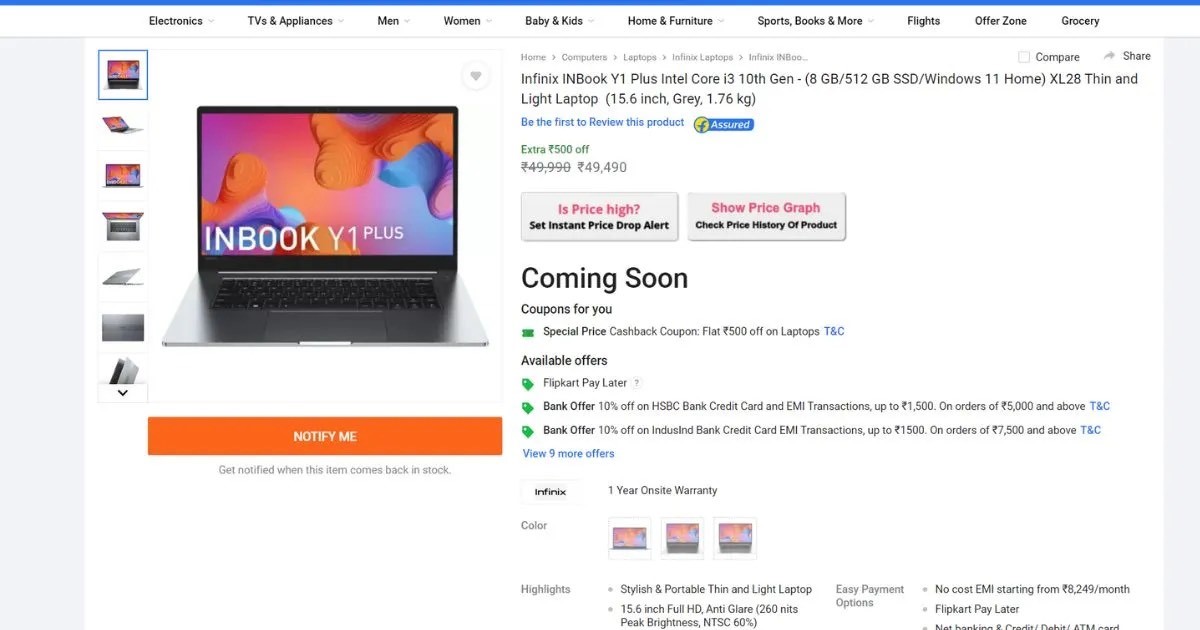
* Infinix INBook Y1 Plus is a budget laptop priced below Rs 30,000. * The laptop features a 10th gen Intel Core i3 processor, and up to 256GB SSD. * It weighs 1.76kg, and has a 15.6-inch full HD display. * The Infinix INBook Y1 Plus can be purchased via Flipkart.
Infinix has officially launched the Infinix INBook Y1 Plus laptop in India today as promised earlier.
China-headquartered electronics brand Infinix on Monday unveiled a new laptop in the budget segment, following the launch of its premium Zero Book Ultra in India last month. The new laptop caters to a value sensitive buyer segment, with introductory base pricing of Rs 27,990 in the country.
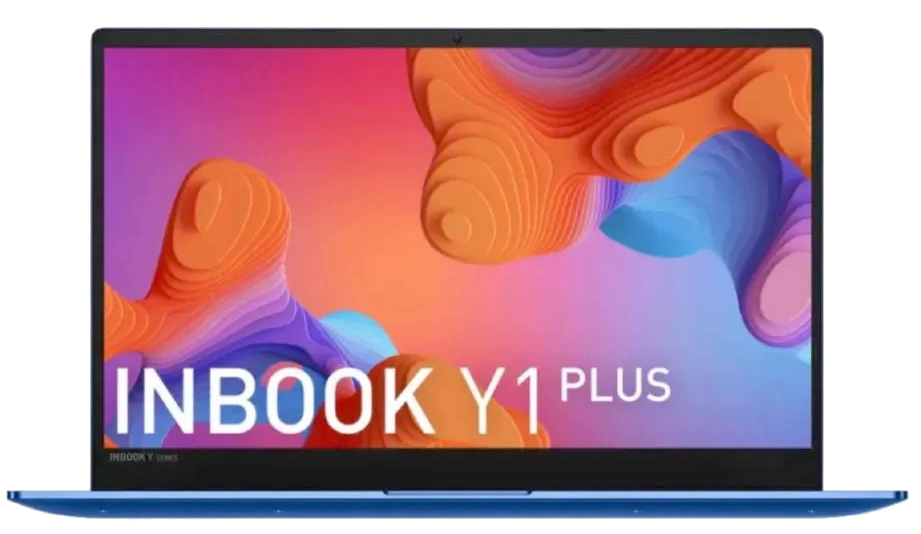
The newly introduced INBook Y1 Plus laptop from Infinix comes with a 15.6-inch Full HD display.
The laptop is equipped with 1.2GHz 10th Gen Intel Core i3 processor which is paired with 8GB LPDDR4X.
This new offering from Infinix features an Aluminium alloy finish. The laptop weighs around 1.76 kg, and it measures 18.2mm in terms of thickness.
The Laptop is offering a competitive set of specifications at a low price point. This will see the laptop going up against existing legacy laptop brands such as HP, Dell, Lenovo and others.
Infinix INBook Y1 Plus Price in India, Availability & Colours
The Infinix INBook Y1 Plus has been launched in three colour variants — blue, grey and silver.
There are two RAM and storage combinations of the laptop, with 8GB LPDDR4X RAM in both, and the choice of either 128GB or 256GB of SSD for storage. The two variants are priced at Rs 29,990 and Rs 32,990 respectively, with an introductory bank-linked discount of Rs 2,000 on both variants.
The laptop will be sold on e-commerce platform Flipkart, starting February 24th.
The laptop rivals options like the Acer Aspire 3with AMD Ryzen 3, the HP 15s (also with AMD Ryzen 3).
Infinix INBook Y1 Plus Specifications
15.6-inch (1920 x 1080 pixels) Full HD display with 80% sRGB, 60% NTSC color gamut, 260 nits Peak Brightness
1.2GHz 10th Gen Intel Core i3-1005G1 (3.4GHz) dual-core processor with Intel UHD Graphics
8GB LPDDR4X+ 256GB / 512GB NVME PCIE 3.0 SSD
Windows 11 Home
2 MP FHD Webcam
Wi-Fi 5 802.11ac (2.4GHz + 5GHz), Bluetooth 5.1, 1 x USB 2.0, 2 x USB 3.0, 1 x HDMI 1.4, 1 x USB Type-C
Dimensions:358.5 x 235.7 x 18.2mm ; Weight:1.76kg
3.5mm headphone / microphone jack, two digital microphones, Stereo speakers, DTS Audio Processing
50Wh battery with 65W PD Type-C fast charging of 75% in 60 minutes, up to 10h video playback
Infinix INBook Y1 Plus Specifications
The Infinix INBook Y1 Plus, as mentioned above, is powered by a 10th generation Intel Core i3 processor, clocked at 1.2GHz.
Users will get up to 8GB LPDDR4X RAM and 256GB NVMe PCIe 3.0 SSD ,The storage can be expanded by up to 2TB.
It has a 15.6-inch full HD display with a Full HD screen resolution, 87% sRGB colors, that covers 60 percent NTSC colour gamut, and offers 260 nits peak brightness. It has thin side bezels.
It runs on Windows 11Home Edition preloaded, and also has a 2MP webcam that can undertake full HD video calls.
Other key features of the laptop include dual-band Wi-Fi 5 and Bluetooth 5.1 support for wireless connectivity.
Wired connectivity features include three USB-A ports, with one of them being USB 2.0 standard and the other two being USB 3.0.
There is also one USB-C port, and one HDMI 1.4 port, for linking external displays to the laptop.
Users also get a 3.5mmwired headphone jack, and stereo speakers.
Interestingly, Infinix has also included a backlit keyboard on the laptop — a rare feature for a budget segment laptop.
The Infinix INBook Y1 Plus is powered by a 50Wh battery, and is paired with a 65W charger which supports up to 10 hours of local 1080P video playback or 6-7 hours of web browsing.
Additionally, the laptop comes with a 45W Type-C charger, which can recharge the device up to 75% in approximately one hour.
The company claims 10 hours of video playback time, and 70 percent charging power with one hour’s charging time.
For connectivity, there are two USB 3.0 ports, two USB Type-C slots, a microSD card slot, and a 3.5mmaudio jack.
The INBook Y1 Plus also includes a 2MP Full HD web camera with support for a dual-LED flash and an in-built dual mic array. There’s an AI noise cancellation feature too for enhanced video calls.
Additionally, you get 2W dual stereo speakers, an Ice Storm Cooling System, a backlit keyboard with a 1ms response time, and more. It runs Windows 11 Home.
INFINIX INBOOK Y1 PLUS KEY SPECIFICATIONS
General Information
Brand
Infinix
Model
1INBook Y1 Plus XL28
Thickness
18.2 Millimeter thickness
Dimensions(WxDxH)
358.5 x 235.7 x 18.2 mm
Weight
1.76 Kg weight
Colour(s)
Silver
Operating System
Windows 11 Home Basic
Operating System Type
64-bit
Display Details
Display Size
15.6 Inches (39.62 cm)
Display Resolution
1920 x 1080 Pixels
Pixel Density
141 ppi
Display Features
Full HD
Anti Glare (260 nits Peak Brightness
NTSC 60%)
Touchscreen
No
Refresh Rate
60 Hz
Brightness
260 nits
Performance
Processor
Intel Core i3-1005G1 (10th Gen)
Clock-speed
1.2 Ghz
Number of Cores
2
Graphic Processor
Intel UHD
Memory
Capacity
8 GB
RAM type
LPDDR4X
Memory Slots
1
Memory Layout
1*8 Gigabyte
Storage
SSD Capacity
256 GB
Battery
Battery type
Li-Ion
Power Supply
65 W
Networking
Wireless LAN
802.11 a/b/g/n/ac
Wi-Fi Version
5
Bluetooth
Yes
Bluetooth Version
5.1
Ports
USB 3.0 slots
2
SD Card Reader
Yes
Headphone Jack
Yes
Microphone Jack
Yes
VGA Port
No
Multimedia
Webcam
Yes
Webcam Resolution
2 MP
Video Recording
720p
Speakers
Built-In Speakers
Sound Technologies
DTS Audio Processing
In-built Microphone
Yes
Microphone Type
Built-In Microphones
Peripherals
Pointing Device
Multi-Touch AG Glass Touchpad
Backlit Keyboard
Yes
Fingerprint Scanner
No
Others
Warranty
1 Year
Sales Package
Laptop, Power Adaptor, User Guide, Warranty Documents
FAQ’s on Infinix Y1 Plus Laptop
1) What are the colours available in Infinix INBook Y1 Plus?
Ans) The Infinix INBook Y1 Plus has been launched in three colour variants — blue, grey and silver.
2) Where can I buy the Infinix INbook Y1 Plus?
Ans) The laptop Infinix INbook Y1 Plus will be sold on e-commerce platform Flipkart, starting February 24th.
3) What is the price of Infinix INbook Y1 Plus?
Ans) There are two RAM and storage combinations of the Inifinix INbook Y1 Plus laptop, with 8GB LPDDR4X RAM in both, and the choice of either 128GB or 256GB of SSD for storage.
The two variants are priced at Rs 29,990 and Rs 32,990 respectively, with an introductory bank-linked discount of Rs 2,000 on both variants.
Xiaomi 13 Pro is set to launch in India and globally on February 26th but ahead of the official unveil the global variant of the smartphone has appeared on benchmarking website Geekbench.
To recall, the handset was launched in China in December last year.
Now that the international phone variant has shown up on Geekbench, we can also compare the benchmark scores to get a rough idea of the new model’s performance compared to the variant already on shelves in the brand’s homeland.
Xiaomi 13 series was unveiled in China last year in November and the lineup has been on the shelves for quite some time now. Now, the company is ready to bring its latest number series, which includes the Xiaomi 13, Xiaomi 13 Pro, and Xiaomi 13 Lite, to the global market on February 26.
While we wait, the top-end model of the series has visited the Geekbench website, revealing some interesting details in the process.
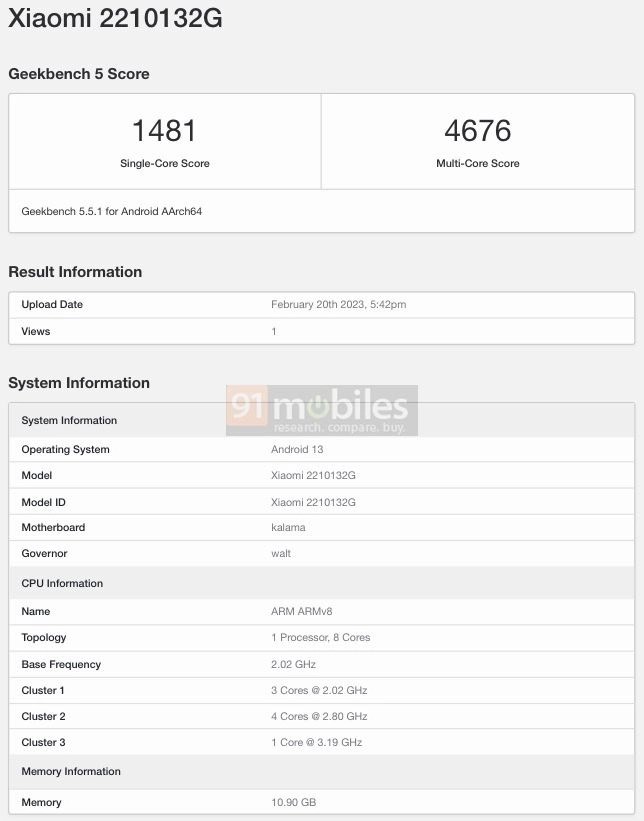
Xiaomi 13 Pro has visited the Geekbench benchmarking site with model number 2210132G.
The handset has been listed with an octa-core processor, codenamed “Kalama”. We already know it is Qualcomm’s latest and greatest Snapdragon 8 Gen 2 SoC.
The listing reveals the global version of Xiaomi 13 Pro will have 12GB of RAMand run Android 13 out of the box.
Xiaomi 13 Pro International Variant Geekbench Scores
The global variant of the Xiaomi 13 Pro managed to get a single-core score of 1481 and a multi-core score of 4676.
At first glance, these numbers look impressive, but let us remind you that the Chinese variant managed to score 1504 in single-core and 5342 in multi-core tests on Geekbench.
Could this mean that the global variant will come with a performance downgrade? It is hard to say at this point as post-launch, the retail units could perform better on benchmarking tools. However, it would be interesting to see how the story unfolds.
Xiaomi 13 Pro Specifications
* 6.73-inch 2K OLED display (120Hz) * Qualcomm Snapdragon 8 Gen 2 SoC * 50MP+50MP (ultra-wide-angle)+50MP (telephoto) rear cameras * 32MP selfie camera * 4,820mAh battery (120W fast charging)
The Chinese variant of the Xiaomi 13 Pro packs a 6.73-inch 2K OLED display with a maximum refresh rate of 120Hz.
The display comes with an HDR10+ certification and offers a whopping 1900 nits of peak brightness.
As far as software is concerned, the phone runs MIUI 14 custom skin (based on Android 13) out of the box.
For photography, the handset gets a Leica-tuned triple camera setup on the back. Moving on to the optics, the phone sports a Leica-equipped triple camera setup on its back with a 50MP primary camera, a 50MP ultra-wide-angle lens, and a 50MP telephoto sensor. For selfies and video calling, the phone sports a 32MP front-facing camera.
The smartphone ships with a 4,820mAh battery with 120W fast and 50W wireless charging support.
On the connectivity front, you get 5G, 4G LTE, Wi-Fi 6, a USB Type-C port, Bluetooth 5.3, NFC, GPS, and NFC support. For security, the phone comes with an in-display fingerprint sensor.
Ans) The Xiaomi 13 Pro’s base variant in China is priced at CNY 4,999, which is roughly Rs 59,000, for the base 8GB RAM and 128GB storage variant.
The next two options with 8GB RAM and 256GB storage and 12GB RAM and 256GB storage carry a price tag of CNY 5,399 (around 64,000) and CNY 5,799 (around Rs 68,700), respectively.
Lastly, its top-end model with 12GB RAM and 512GB storage has a price tag of CNY 6,299 (around Rs 74,600).
Ahead of its official launch, tipster Sudhanshu Ambhore has leaked its global price, which is set to be EUR 1,299 (around Rs 1,06,00), likely for the top-end storage variant. The tipster claims that the company would also launch a vanilla Xiaomi 13 and a more-affordable Xiaomi 13 Lite for global markets. Both phones are tipped to cost EUR 999 (around Rs 88,300) and EUR 499 (around Rs 44,100), respectively.
2) How is the battery life of Xiaomi 13 Pro ?
Ans) Xiaomi 13 Pro houses 4,820mAh battery with 120W fast charging support and 50W wireless charging support.
3) How is the camera of Xiaomi 13 Pro for Selfie & Video Calls?
Ans) Xiaomi 13 Pro has a 32MP camera for selfies & Video Calls which is equipped on the front.
4) Where can I watch the Launch of Xiaomi 13 Pro in India ?
Ans) The Xiaomi 13 Pro launch in India and Globally will be live-streamed on the company’s official website, and their Facebook, YouTube, and Twitter accounts.
* The Fire-Boltt BLIZZARD is launched at an introductory price of Rs 3,499. * The smartwatch will be available in three colour options in India. * The newly launched Fire-Boltt BLIZZARD offers a premium design and look. * Fire-Boltt Blizzard comes with a stainless-steel body. * It features a ceramic bezel and a rotating crown. * Fire-Boltt Blizzard has a battery capacity of 220mAh. * Fire-Boltt BLIZZARD can be purchased from the company’s official website and Flipkart from February 23rd.
Fire-Boltt Blizzard smartwatch is here. Domestic wearable manufacturer Fire-Boltt has expanded its affordable smartwatch lineup with the launch of Fire-Boltt Blizzard smartwatch in India.
The device is part of the company’s Luxe collection and it sports an anti-corrosion design.
The watch has a premium-looking design, Bluetooth Calling functionality, and more at a sub-Rs 5,000 price tag.
Fire-Boltt Blizzard smartwatch has been unveiled in India at an introductory price of Rs. 3,499.
The smartwatch packs a 220mAh battery. The smartwatch sports a 1.28-inch HD display and features a stainless-steel body with a bezel made of high-technology ceramic.
The Fire-Boltt Blizzard smartwatch comes with support for Bluetooth calling, and offers several smart health trackers including heart rate monitors and blood oxygen level sensors.
The smartwatch also supports 120 sport modes and is claimed to offer up to seven days of battery life.
Let us take a closer look at the price, specification and other details of the Fire-Boltt BLIZZARD.
Fire-Boltt BLIZZARD India Price, Availability & Colours
The Fire-Boltt BLIZZARD will be available from February 23rd for an introductory price of Rs. 3,499 and comes in three colors: Silver, Black & Silver, and Silver & Golden. You can purchase it from the Fire-Boltt website, as well as Flipkart.
Quick specifications: Fire-Boltt BLIZZARD
-High Tech Ceramic body, Stainless Steel -2 Button Pushers, Rotating Crown -1.28″ HD Display, 240 X 240 pixels display resolution -Bluetooth Version 5.1; Supports calling -In-built Speaker and Mic -Battery: 220mAh, Magnetic charging -Battery life: Up to 7 days -IP67 Water resistance -Health and Sports: 24/7 Dynamic monitoring, Sleep, Calories, Sports mode, Tracking & reminder -Smart features: Music and Camera control, Timer, DND, Voice assistance, In-built games etc. -Colors: Silver, Black & Silver, and Silver & Golden
Fireboltt Blizzard Features & Specifications
Fireboltt expanded its luxury smartwatchcollection with the new Fire-Boltt Blizzard smartwatch.
It features a 1.28-inch (240 x 240 pixels) HD display with a high-tech ceramic bezel. It sports a round dial, stainless steel body that’s claimed to have anti-corrosion properties, and a rotating crown.
The smartwatch comes with a Bluetooth calling feature enabling users to make and receive phone calls directly from the watch.
Users can also dial numbers and save their favourite contacts. The smartwatch supports AI voice assistants like Google Assistant and Siri.
The Fire-Boltt Blizzard comes with several smart health trackers like SpO2 monitoring, dynamic heart rate tracking, female health tracker, and sleep monitoring.
Additionally, the smartwatch also supports 120 sport modes and 50 customisable unique watch faces that can be set via the H Band App. The Fire-Boltt Blizzard also has an IP67 rating for dust and water resistance.
Further, the smartwatch houses a 220mAh battery that is claimed to last for up to seven days with regular usage and up to two days with Bluetooth calling enabled. Other highlights of the watch include inbuilt games, remote camera control, alarm, timer, stopwatch, weather forecast, and more.
Fire-Boltt Quantum Smartwatch Launched Recently
Fire-Boltt recently launched its first Luxe Collection smartwatch — Fire-Boltt Quantum. Priced at Rs 2,999, the smartwatch can be purchased online on Amazon India website.
The smartwatch features a ceramic body and stainless-steel dial. The device comes with IP67 rating and offers multiple sports modes. The company claims that the smartwatch can deliver up to 7 days of battery backup on a single charge.
Faq’s on FireBoltt
1) How to Set Time in Fire Boltt Smartwatch?
Ans) There is no option to set the time in Fire Boltt from the watch, you can set the time of your watch through your smartphone.
Here is the step to set time in fire-bolt, by following which you can.
First of all, you have to connect your watch to your smartphone through Da Fit App. You can download this app from Play Store and Apple Store.
After this, when your watch is connected to your smartphone, the time of your smartwatch will automatically be set.
2) How to Set Date in Fire Boltt Smartwatch?
Ans) No option has been given to set the date in the Fire Boltt smartwatch. You have to set it up from your phone itself. Here is a step-by-step method to set a date in fire-bolt which you can follow.
First of all, you have to connect your watch to your smartphone through Da Fit App. You can download this app from Play Store and Apple Store.
After your watch is connected to your smartphone, automatically the date of your watch will be set.
3) How to Change Time in Fire Boltt Smartwatch?
Ans) If the time of your watch is not showing correctly, then you cannot change it through your watch, rather you have to check the time of your smartphone which is connected to your smartwatch.
As soon as you change the time by going to the setting of your mobile, the time of your watch will also change.
4) Which are the best smart watches for men?
Ans) Check out the best smartwatches for men
* Apple Watch Series 8
* Fire-Boltt Ninja
* boAt Wave Lite Smartwatch
* Noise Newly Launched Twist Bluetooth
* Samsung Galaxy Watch5 Bluetooth
5) What are the features of the Fire- Boltt Smartwatch?
* Bluetooth calling
* Large screen size
* Water-resistant
* Dustproof
* Heart rate monitor