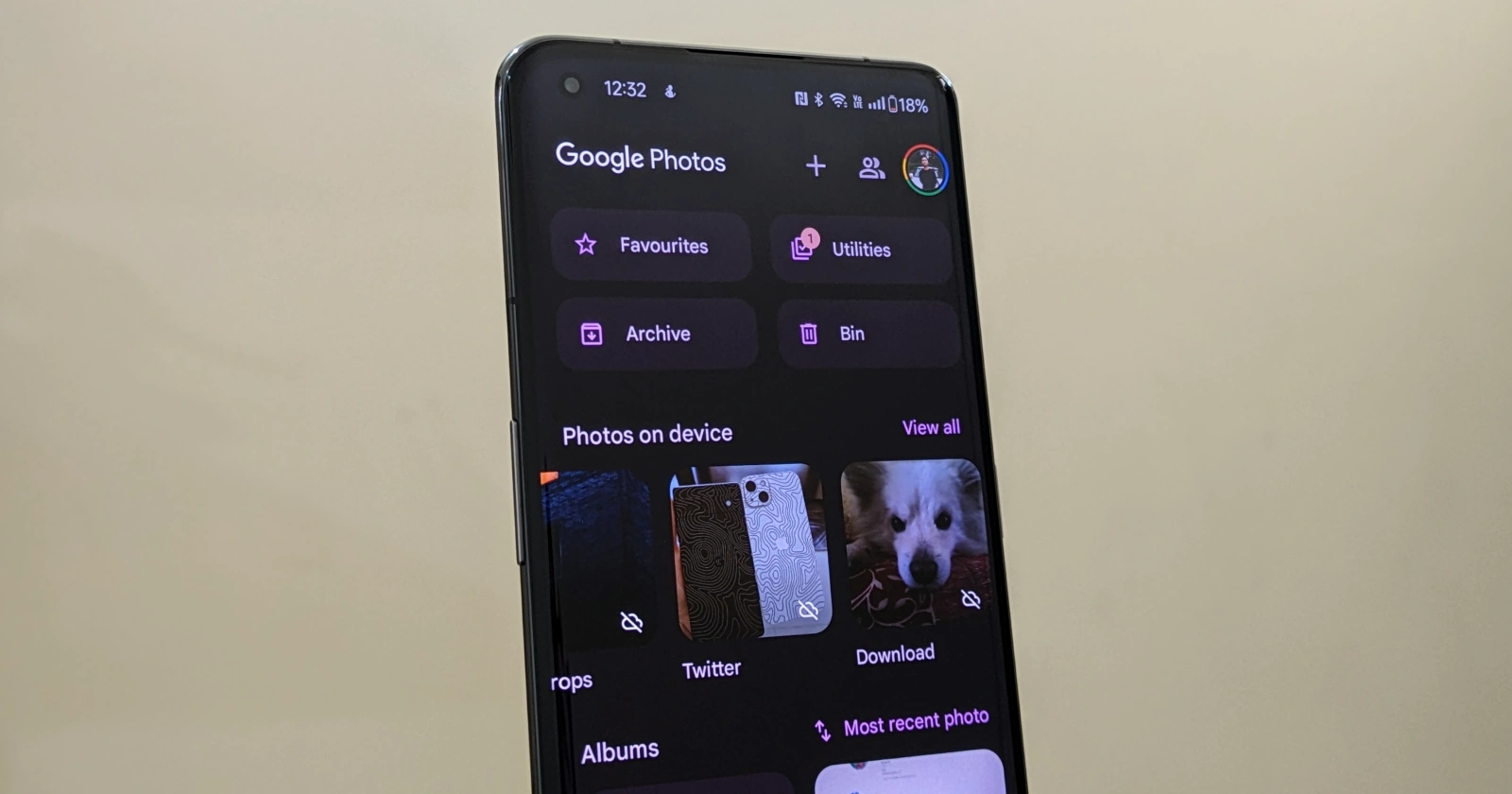
Among the most notable changes is an option labelled “Hide clutter,” which promises to be a game-changer for those seeking a more curated photo library.
While the feature won’t permanently delete the files from your device, it will effectively conceal them from the main “Photos” tab within the app.
Instead, these cluttering items will be tucked away in their respective folders under the “Library” tab, ensuring that your primary photo gallery remains free of visual noise.
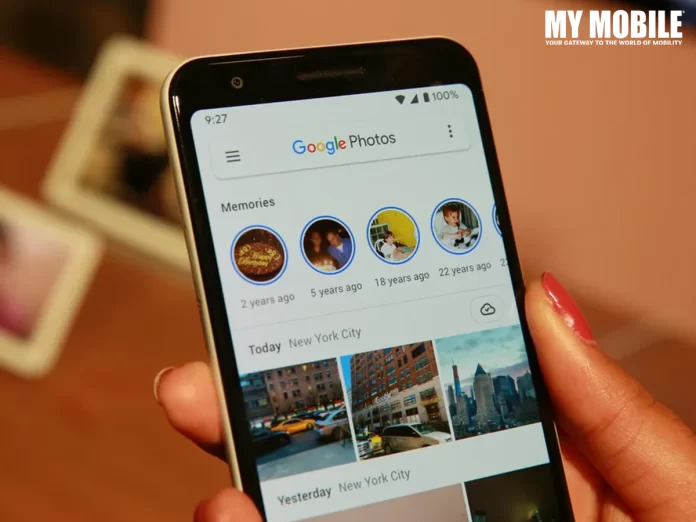
The update suggests that Memories will adopt a more visually appealing layout, with rectangular thumbnails featuring rounded edges and a cover image taken from the album itself.
New AI Features Coming to Google Photos
New “Hide clutter” option to remove memes and screenshots from the main Photos tab
Google’s move to introduce a “Hide clutter” might be addressing a common pain point but let’s see how the new interface is received by the users.
FAQs
What is the ‘Hide clutter’ feature in Google Photos?
Google Photos is set to roll out a new feature called “Hide clutter” aimed at enhancing user experience by allowing the hiding of unwanted images such as memes and screenshots from the main Photos tab.
This feature will help keep the primary photo gallery clean without permanently deleting the content, which will instead be organized into specific folders under the Library tab.
How does the ‘Hide clutter’ feature work?
The ‘Hide clutter’ feature in Google Photos allows users to manage visual clutter by hiding unwanted images from the main gallery view.
These images are not deleted but are simply moved to a different location within the app, specifically designated folders in the Library tab. This helps users maintain a cleaner and more organized main gallery.
What changes are being made to the Memories section in Google Photos?
Google Photos is redesigning the Memories section to make it visually more appealing.
The updated design features rectangular thumbnails with rounded edges and uses album cover images to represent the memories more attractively.
This redesign aims to enhance the visual experience and interaction with personal photo collections.
What are the ‘AI features by Labs’ in Google Photos?
The ‘AI features by Labs’ is a new addition to the Google Photos Preferences menu, set to host various AI-powered tools designed to enhance photo management and creativity.
The initial feature mentioned under this category is ‘Help me title,’ which suggests intelligent captions for users’ photos, indicating Google’s push towards integrating more AI functionalities in user interactions.
However, a recent rumour has suggested that the upcoming iPhone 17 Plus could potentially feature a smaller screen than its predecessor, the iPhone 16 Plus.
A Smaller Display in iPhone 17 Plus
Rumour Mill: Apple’s iPhone 17 Plus May Shrink in Screen Size
According to well-known Apple leaker and consultant Ross Young, the iPhone 17 Plus, expected to debut in 2025, might have a display size that falls between the iPhone 17 Pro and the iPhone 17 Pro Max.
While the exact dimensions remain undisclosed, this move would mark a notable departure from Apple’s recent trend of increasing screen sizes with each new generation.
Young’s claim comes as a surprise, especially since the iPhone 16 Plus, slated for release later this year, is anticipated to maintain the same display size as its predecessor, the iPhone 15 Plus.
Interestingly, rumours also suggest that the upcoming iPhone 16 Pro models will receive a slight screen size increase, with the iPhone 16 Pro Max boasting a 6.9-inch OLED panel and the iPhone 16 Pro featuring a 6.3-inch display.
Meanwhile, the non-Pro iPhone 16 and iPhone 16 Plus are expected to retain their 6.1-inch and 6.7-inch displays, respectively.
As the rumour mill continues to churn, Apple enthusiasts and industry watchers alike will be eagerly anticipating official confirmation or denial of these claims.
Apple iPhone 17 Plus Expected Specs
GENERAL
Sim Type
Dual Sim, GSM+GSM
Dual Sim
Yes
Sim Size
Nano + eSIM
Device Type
Smartphone
Release Date
September 07, 2025 (Expected)
DISPLAY
Type
Color OLED Screen (1B)
Touch
Yes
Size
6.8 inches, 1284 x 3200 pixels, 120 Hz
Aspect Ratio
20:9
PPI
~ 507 PPI
Features
Super Retina XDR Display, HDR Display, True Tone, Wide Color (P3), Haptic Touch, 1200 Nits Max Brightness (HDR), Support for Display of Multiple Languages and Characters Simultaneously
AAC‑LC, HE‑AAC, HE‑AAC v2, Protected AAC, MP3, Linear PCM, Apple Lossless, FLAC, Dolby Digital (AC‑3), Dolby Digital Plus (E‑AC‑3), Dolby Atmos and Audible (formats 2, 3, 4, Audible Enhanced Audio, AAX and AAX+)
Video
HEVC, H.264, MPEG‑4 Part 2 and Motion JPEG, HDR with Dolby Vision, HDR10 and HLG
FM Radio
No
Document Reader
Yes
BATTERY
Type
Non-Removable Battery
Size
5100 mAh, Li-ion Battery
Fast Charging
Yes
Wireless Charging
Yes, 45W MagSafe
Music Playback Time
100 hours
FAQs
What is the rumoured screen size change for the iPhone 17 Plus?
Apple insider Ross Young has hinted that the upcoming iPhone 17 Plus, set to launch in 2025, may feature a smaller display compared to its predecessor, the iPhone 16 Plus.
While specific dimensions haven’t been disclosed, this change suggests an alteration in screen size that positions the iPhone 17 Plus closer in size to the iPhone 17 Pro rather than the iPhone 17 Pro Max.
How does the potential screen size reduction of the iPhone 17 Plus compare to previous models?
Traditionally, Apple has maintained or increased screen sizes with each new iteration of its iPhone lineup.
The iPhone 17 Plus’s rumoured smaller display marks a significant shift from this trend, offering a more compact alternative within the Plus model category.
Why might Apple consider reducing the screen size of the iPhone 17 Plus?
Industry analysts speculate that by adjusting the screen size of the iPhone 17 Plus, Apple aims to sharpen the distinctions between its Plus and Pro Max models, potentially catering to a segment of consumers who prefer a larger than standard phone without reaching the maximum size offered by the Pro Max.
What are the expected screen sizes for the other models in the iPhone 16 and 17 series?
For the upcoming iPhone 16 series, the iPhone 16 Pro Max is rumoured to sport a 6.9-inch OLED display, while the iPhone 16 Pro might come with a 6.3-inch screen.
The standard iPhone 16 and iPhone 16 Plus are expected to continue with 6.1-inch and 6.7-inch displays, respectively. This variation provides options for different user preferences and needs across the range.
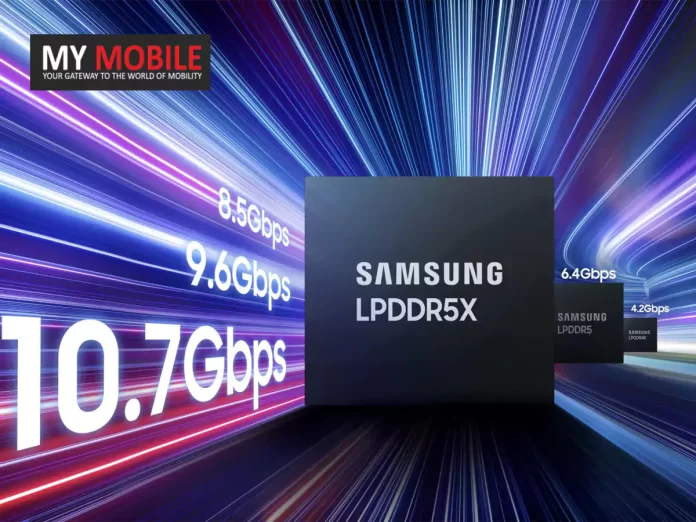
The South Korean tech giant claims that its new LPDDR5X-10700 memory will offer a staggering 25% performance boost and a whopping 30% increase in capacity compared to its existing mobile DRAM offerings.
Samsung is likely to be outpacing rivals like Micron’s LPDDR5X and SK Hynix’s LPDDR5T memory solutions.
Samsung’s New RAM Speeds
Samsung Launches Fastest LPDDR5X RAM for Next-Gen Devices
A blistering data transfer rate of 10.7 GT/s and a maximum capacity of 32 GB per stack is where Samsung is setting the bar.
This means that device manufacturers can equip their latest flagship products with a massive 32 GB of low-power memory using just a single DRAM package.
Achieves a data transfer rate of 10.7 GT/s with a maximum capacity of 32 GB per stack
In addition to raw performance, Samsung has incorporated multiple power-saving features into the LPDDR5X-10700 chips.
These include an optimized power variation system that adjusts energy consumption based on workload, and expanded intervals for low-power mode, collectively improving power efficiency by an impressive 25% compared to previous generations for an extended battery life.
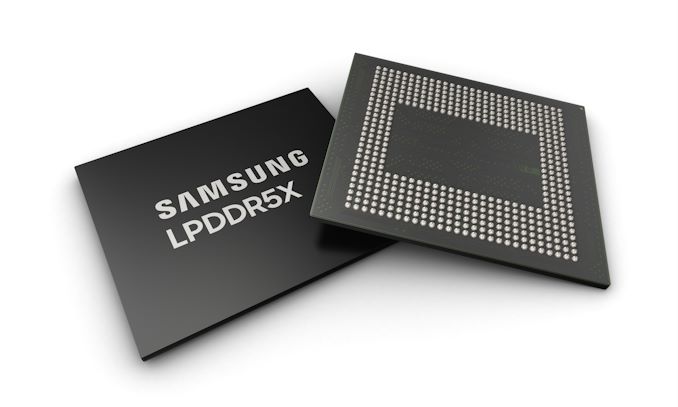
Samsung’s LPDDR5X-10700 RAM is the latest advancement in mobile memory technology, offering unprecedented performance for smartphones and laptops.
It features a data transfer rate of 10.7 GT/s and can provide up to 32 GB of memory per stack, setting a new benchmark for capacity and speed in the industry.
How does the LPDDR5X-10700 compare to previous Samsung RAM models?
The LPDDR5X-10700 represents a significant upgrade over earlier versions, offering a 25% increase in performance and a 30% increase in memory capacity.
This enhancement allows for faster processing speeds and greater multitasking capabilities, making it ideal for high-performance mobile devices.
What are the benefits of the 12nm-class DRAM process used in the LPDDR5X-10700?
Samsung’s 12nm-class DRAM process technology used in the LPDDR5X-10700 allows for smaller chip size while improving energy efficiency and performance.
This advancement makes it possible to pack more power into a smaller space, enabling the creation of more compact and power-efficient devices.
How does the LPDDR5X-10700 improve power efficiency?
The LPDDR5X-10700 includes several power-saving features such as an optimized power variation system that adjusts energy consumption according to the workload and expanded intervals for low-power mode.
These innovations collectively enhance power efficiency by 25% compared to previous generations, contributing to longer battery life in devices.
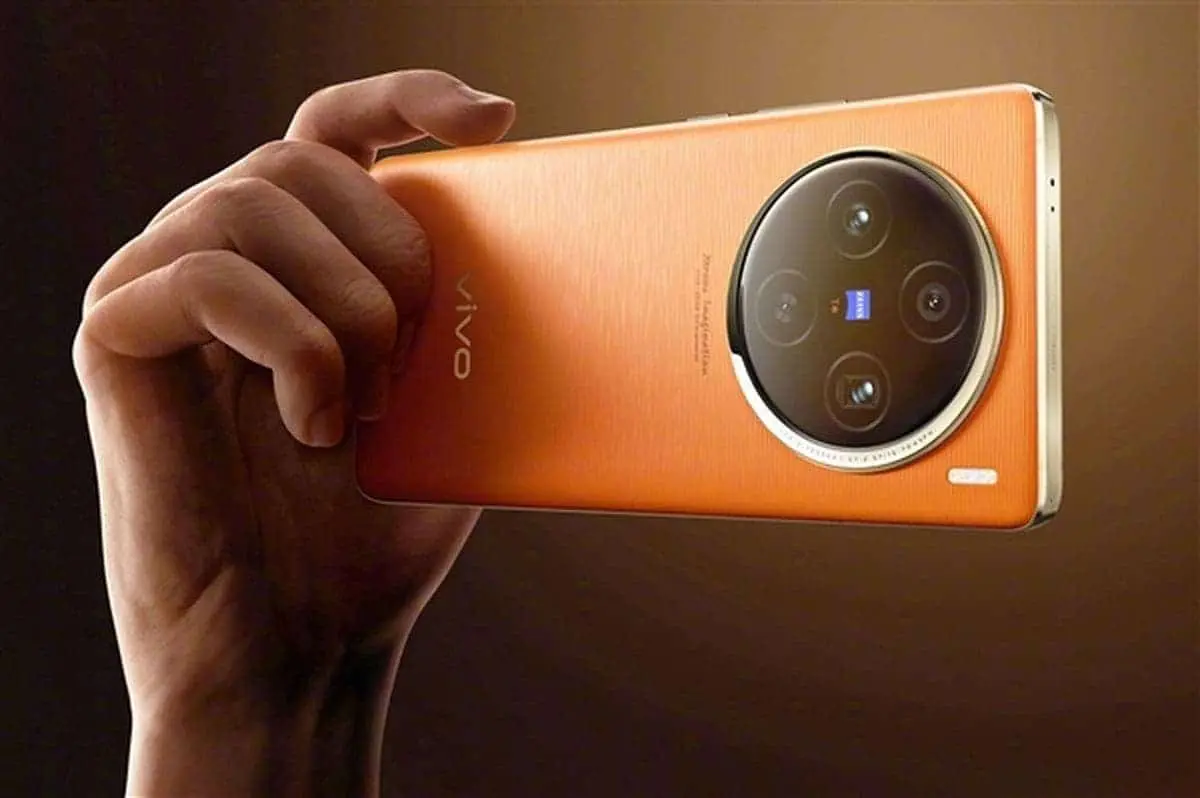
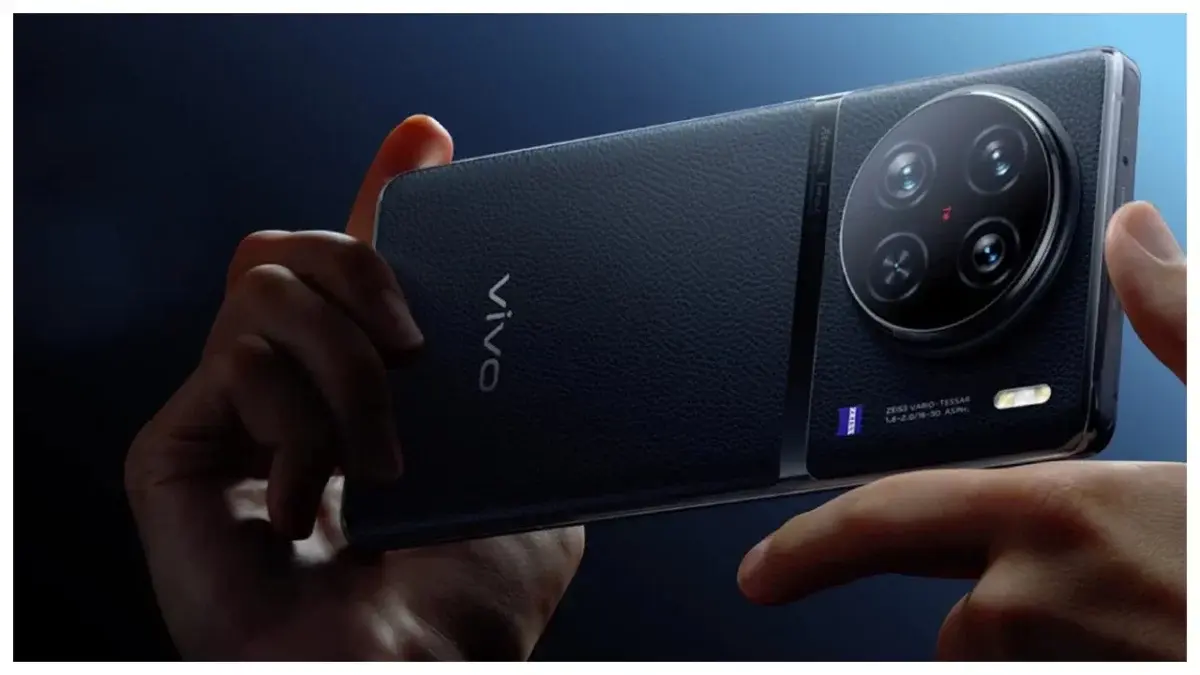
Vivo X100 Ultra Camera Specs Reportedly Leaked Showing 200MP Periscope Camera
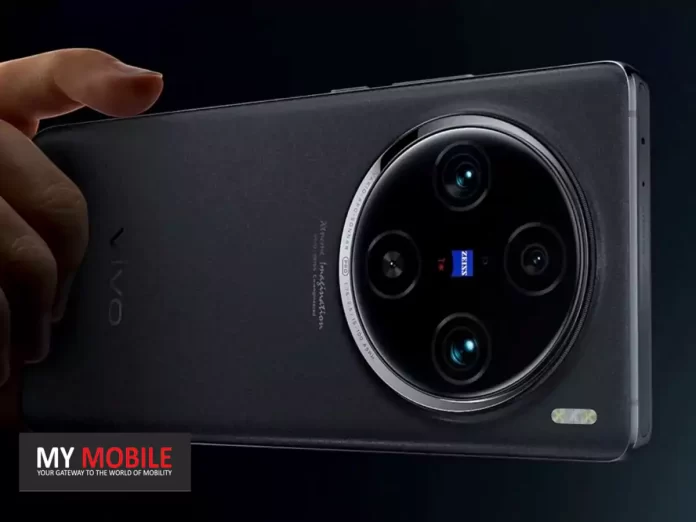
According to renowned tech blogger @DCS, the X100 Ultra will boast a 50MP front-facing camera powered by Samsung’s JN1 sensor, ensuring crisp and detailed selfies and video calls.
However, the real showstopper lies in the rear camera setup.
But the standout component is rumoured to be a groundbreaking 100mm 200MP periscope telephoto lens, utilising Samsung’s HP9 sensor and offering a staggering 200x digital zoom capability.
Vivo X100 Ultra: Expected Specs
Equipped with a 50MP front-facing camera featuring Samsung’s JN1 sensor
While these camera specifications are undoubtedly impressive, Vivo hasn’t neglected other aspects of the X100 Ultra’s user experience.
What are the key camera features of the Vivo X100 Ultra?
The Vivo X100 Ultra is set to impress with a 50MP front camera using Samsung’s JN1 sensor for high-quality selfies and video calls.
The main attraction is the rear camera that includes a 1-inch LYT900 Sony sensor and a 200MP 100mm periscope telephoto lens by Samsung, capable of 200x digital zoom. This setup promises exceptional image quality and groundbreaking zoom capabilities.
When is the Vivo X100 Ultra expected to launch and what are its anticipated specifications?
While the exact launch date for the Vivo X100 Ultra has not been confirmed, anticipation is high due to its advanced specifications.
The device is expected to feature NFC, an infrared remote control, dual speakers for enhanced audio, and an X-axis motor for superior haptic feedback.
These features aim to complement its impressive camera technology.
How does the Vivo X100 Ultra improve on previous models in terms of camera technology?
The Vivo X100 Ultra marks a significant upgrade by incorporating a 1-inch Sony sensor and a high-resolution 200MP periscope lens, which are not commonly found in previous models.
These enhancements allow for superior low-light performance and detailed photography at great distances, setting a new standard in mobile imaging.
What unique features does the Vivo X100 Ultra offer for professional photographers and enthusiasts?
Apart from its advanced camera system, the Vivo X100 Ultra caters to photography enthusiasts with features like NFC for quick pairing with other devices, an infrared remote to control the device at a distance, and dual speakers for a rich audio playback, useful for video review.
The phone’s robust processing capabilities also ensure that it can handle complex image processing tasks required by professional users.
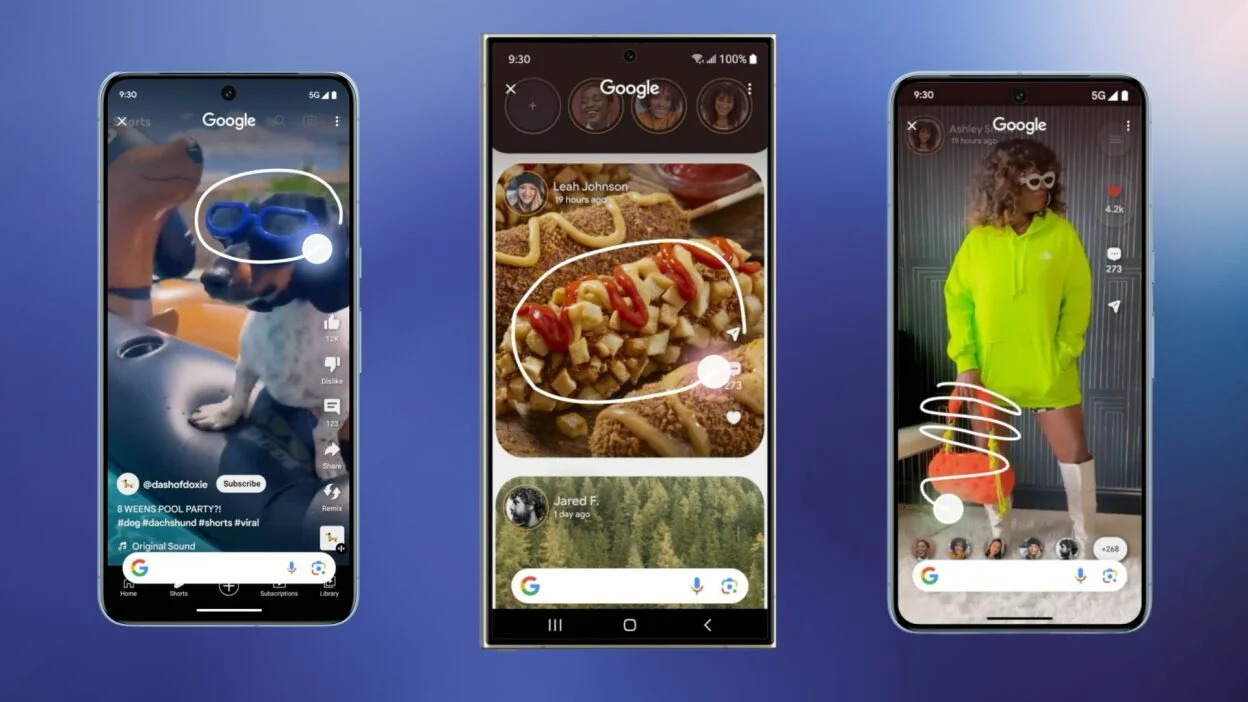
Rather than taking a screenshot, you simply long-press the navigation bar and circle the area you want to look up.
The convenience comes with a drawback – the wide navigation bar makes it easy to accidentally launch Circle to Search when switching between apps or performing other tasks.
Employs Google Lens for advanced search capabilities
Google admits there’s room for improvement in preventing unintended activations.
In a recent“Made by Google” podcast, Erin Lynch and Alistair Pott, developers of Circle to Search, acknowledged the concerns, stating: “We’re working hard to ensure Circle to Search only triggers when you actually want it, not when you don’t.”
The company has also directly confirmed plans to address the accidental trigger issue.
Google Looking to Enhance Circle to Search
Circle to Search is newly introduced on the Samsung Galaxy S24
For now, users must tolerate the occasional unwanted activation as Google irons out the kinks.
But a smoother, more reliable Circle to Search experience should eventually emerge from the company’s ongoing development efforts.
FAQs
What is the Circle to Search feature?
The Circle to Search feature, launched on the Samsung Galaxy S24, allows users to search for information by long-pressing the navigation bar and circling content on their screen.
It uses Google Lens to analyze the selected area for quick online searches.
How does Circle to Search work?
To activate Circle to Search, users long-press on the navigation bar and then draw a circle around any text or image they wish to search.
The feature then uses Google Lens to identify and search for the circled content.
Why are there accidental triggers of Circle to Search?
Many users experience accidental triggers of Circle to Search due to its sensitive activation method via the navigation bar.
This often happens during routine tasks like app switching.
What is Google doing to improve Circle to Search?
Google has acknowledged the issue of accidental triggers and is working on updates to make sure the feature only activates when intentionally used.
The company aims to refine the user experience to prevent these unintended activations.
What future enhancements are expected for Circle to Search?
Google plans to integrate real-time translation and better unify Google Lens and search results within the Circle to Search feature.
These enhancements aim to make the tool more versatile and effective for users.
More physical dummy models representing Apple’s upcoming iPhone 16 range have emerged online, seemingly reinforcing many of the design changes tipped for this year’s release.
New iPhone 16 Design Details
iPhone 16 mockup pic.twitter.com/Zjser2Tcuq
— Majin Bu (@MajinBuOfficial) April 16, 2024
The new mock-up units have been shared by a reputable leaker and show consistency with previous dummy device leaks over recent months.
If accurate, they provide our clearest look yet at the iPhone 16’s revised looks.
The most noticeable addition is the rumoured new ‘Capture’ button, seemingly taking the place of the mmWave antenna window on the right side.
These dummy units depict it as a large, elongated button situated below the power key.
Super Retina XDR Display, HDR Display, True Tone, Wide Color (P3), Haptic Touch, 1200 Nits Max Brightness (HDR), Support for Display of Multiple Languages and Characters Simultaneously
AAC‑LC, HE‑AAC, HE‑AAC v2, Protected AAC, MP3, Linear PCM, Apple Lossless, FLAC, Dolby Digital (AC‑3), Dolby Digital Plus (E‑AC‑3), Dolby Atmos and Audible (formats 2, 3, 4, Audible Enhanced Audio, AAX and AAX+)
Video
HEVC, H.264, MPEG‑4 Part 2 and Motion JPEG, HDR with Dolby Vision, HDR10 and HLG
FM Radio
No
Document Reader
Yes
BATTERY
Type
Non-Removable Battery
Size
3500 mAh, Li-ion Battery
Fast Charging
Yes
Wireless Charging
Yes, 25W MagSafe
Music Playback Time
100 hours
FAQs
What are the rumored new features of the iPhone 16?
The iPhone 16 is expected to introduce a dedicated Capture button for camera operations, slight increases in device size, and potentially larger screen sizes up to 6.86 inches for the Pro Max version.
How does the new Capture button function on the iPhone 16?
The new Capture button on the iPhone 16 is designed to enhance camera usability.
A light press is expected to focus the camera, while a firmer press will capture the photo, mimicking the functionality of traditional camera shutters.
What improvements will the iPhone 16 feature over previous models?
Anticipated upgrades for the iPhone 16 include the new A17 processor, advancements in camera technology, extended battery life, and improved safety features like enhanced crash detection.
Are there any size changes in the iPhone 16 compared to the iPhone 14?
Yes, the iPhone 16 is rumored to have slightly larger dimensions than the iPhone 14, which is in line with speculated marginal increases in screen size for the new models.
When is the iPhone 16 expected to be released?
The iPhone 16 is likely to be unveiled in September of this year, following Apple’s pattern of annual fall announcements for new iPhone models.
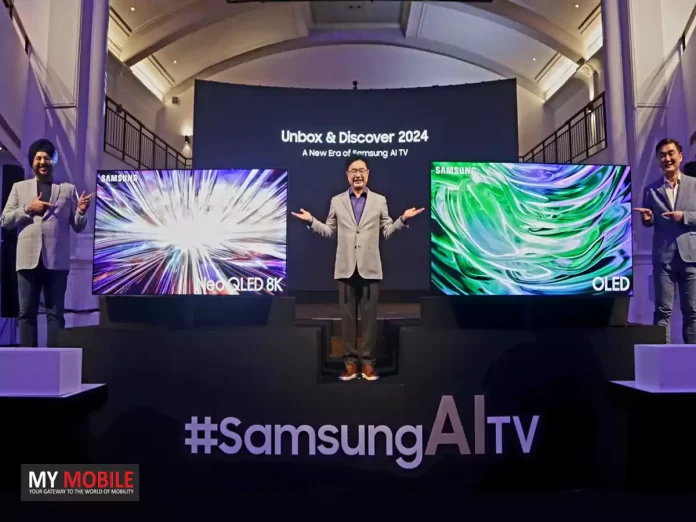
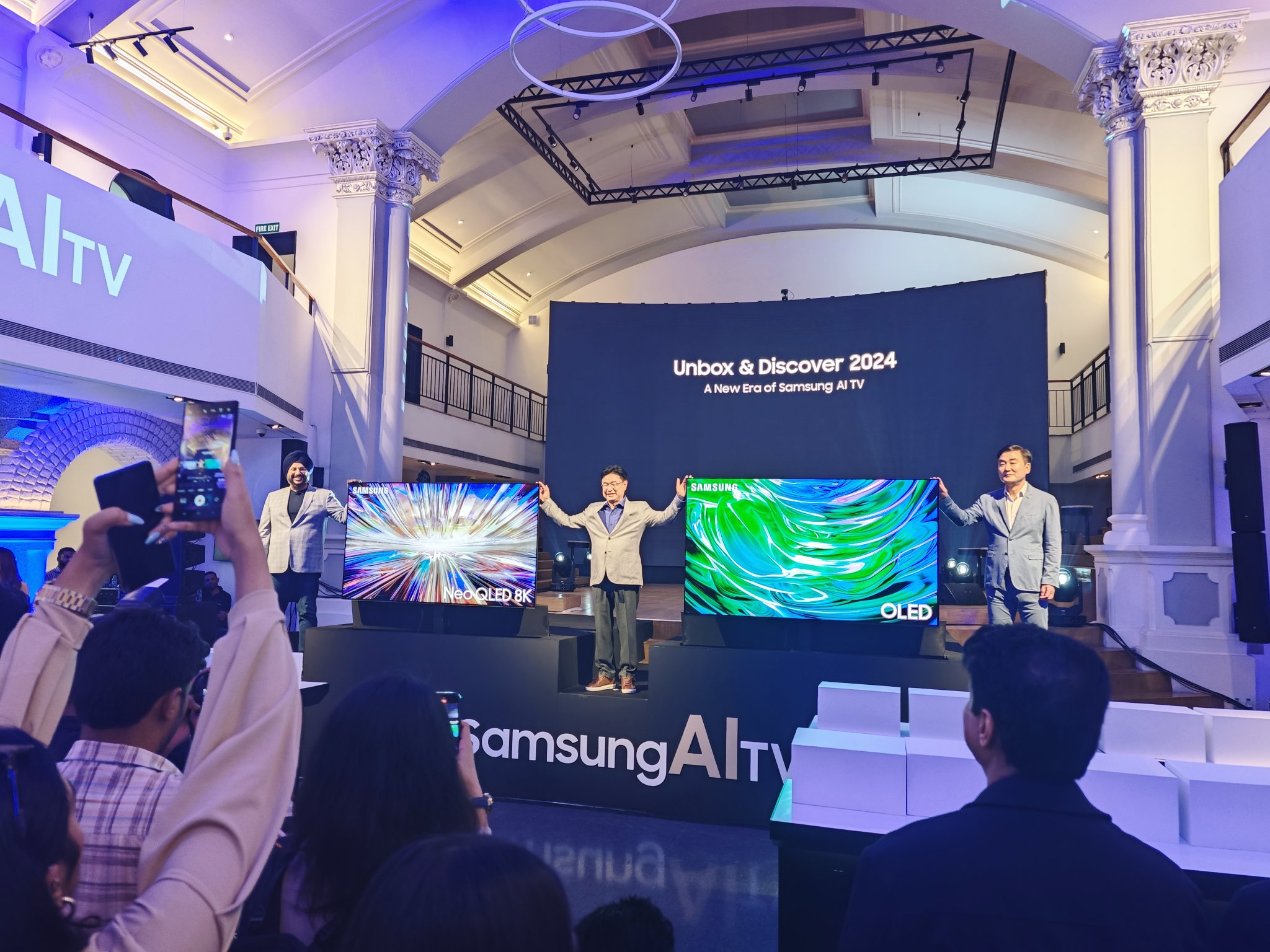
Samsung Launches New AI-Integrated Neo 8K QLED and OLED TVs in India
Neo QLED 8K: Starts at Rs 3,19,990
Neo QLED 4K: Starts at Rs 1,39,990
OLED: Starts at Rs 1,64,990
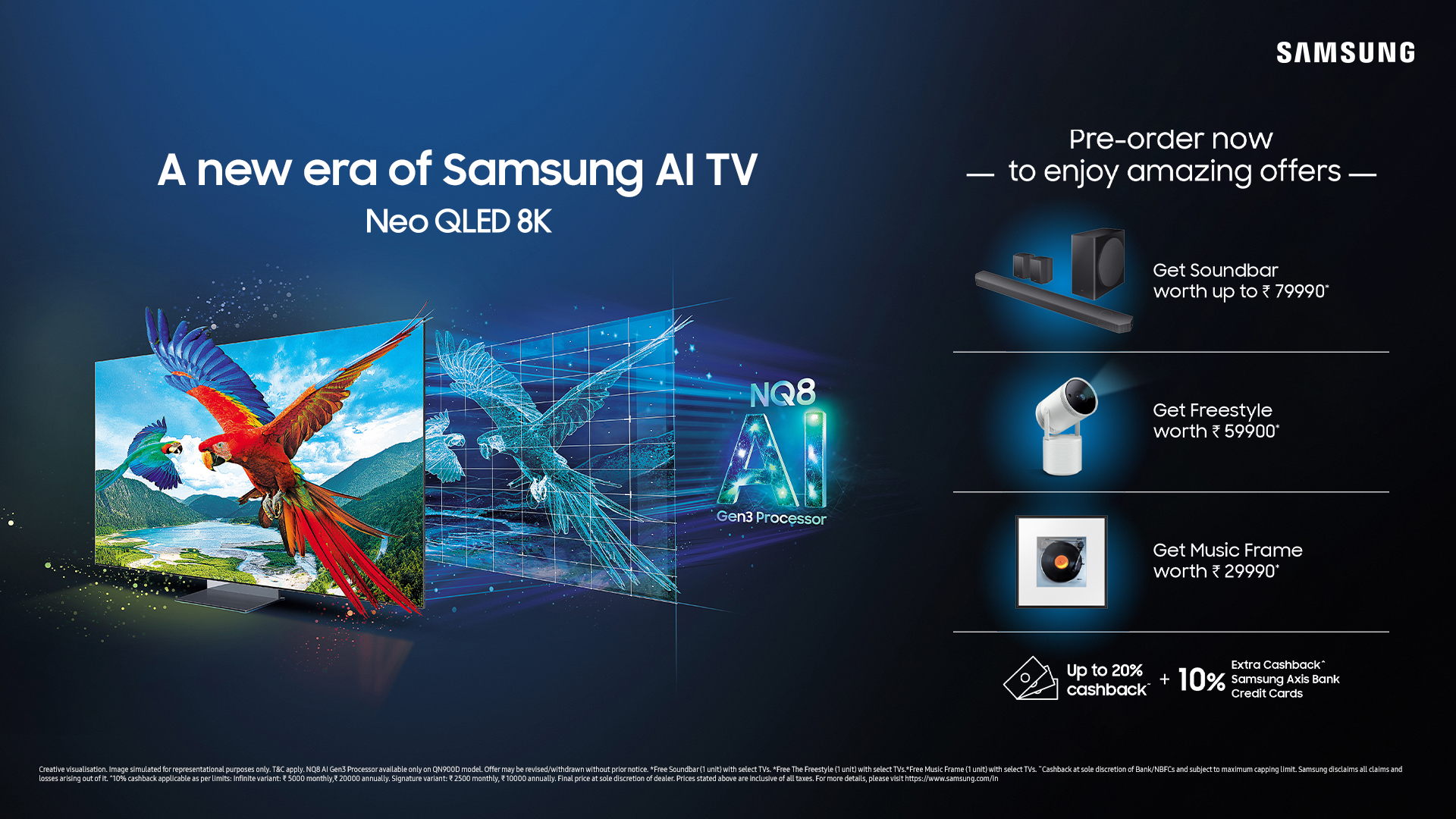
Pre-orders include a free soundbar, with offers extending up to Rs 79,990 in value, plus up to 20% cashback.
These offers are valid until April 30, 2024.
Model
Price
Samsung Neo QLED 8K TV
Rs 3,19,990
Samsung Neo QLED 4K TV
Rs 1,39,990
Samsung OLED TVs
Rs 1,64,990
Key Specifications
Samsung has introduced AI-powered TVs
Display: Options include 8K and 4K resolutions, with features like high dynamic range and a high refresh rate for smooth visuals.
Processor: The latest models are equipped with Samsung’s new AI processors, enhancing image and sound quality through advanced neural network technology.
Camera Setup: Includes advanced imaging technologies like Real Depth Enhancer and AI-enhanced upscaling for superior picture quality.
Battery: Long-lasting performance with advanced power management.
Design: Slim profiles with options for customization in materials and colours.
Additional Features: Includes IP68 dust and water resistance, dual stereo speakers, and advanced gaming modes.
Features
Features high refresh rates and AI processors
The 2024 lineup features several enhancements:
AI Integration: Samsung’s TVs now incorporate AI to optimize both audio and visual output, improving clarity and sound precision.
Enhanced Connectivity: These TVs connect seamlessly with other devices and networks as soon as they are powered on, facilitated by notifications on users’ smartphones.
Smart Experiences for Indian Consumers: Tailored services such as Cloud Gaming, Samsung Education Hub, and Smart Yoga enhance entertainment and education experiences.
Security: Samsung Knox provides robust protection, ensuring privacy and security in connected experiences.
Enhanced connectivity and tailored smart experiences
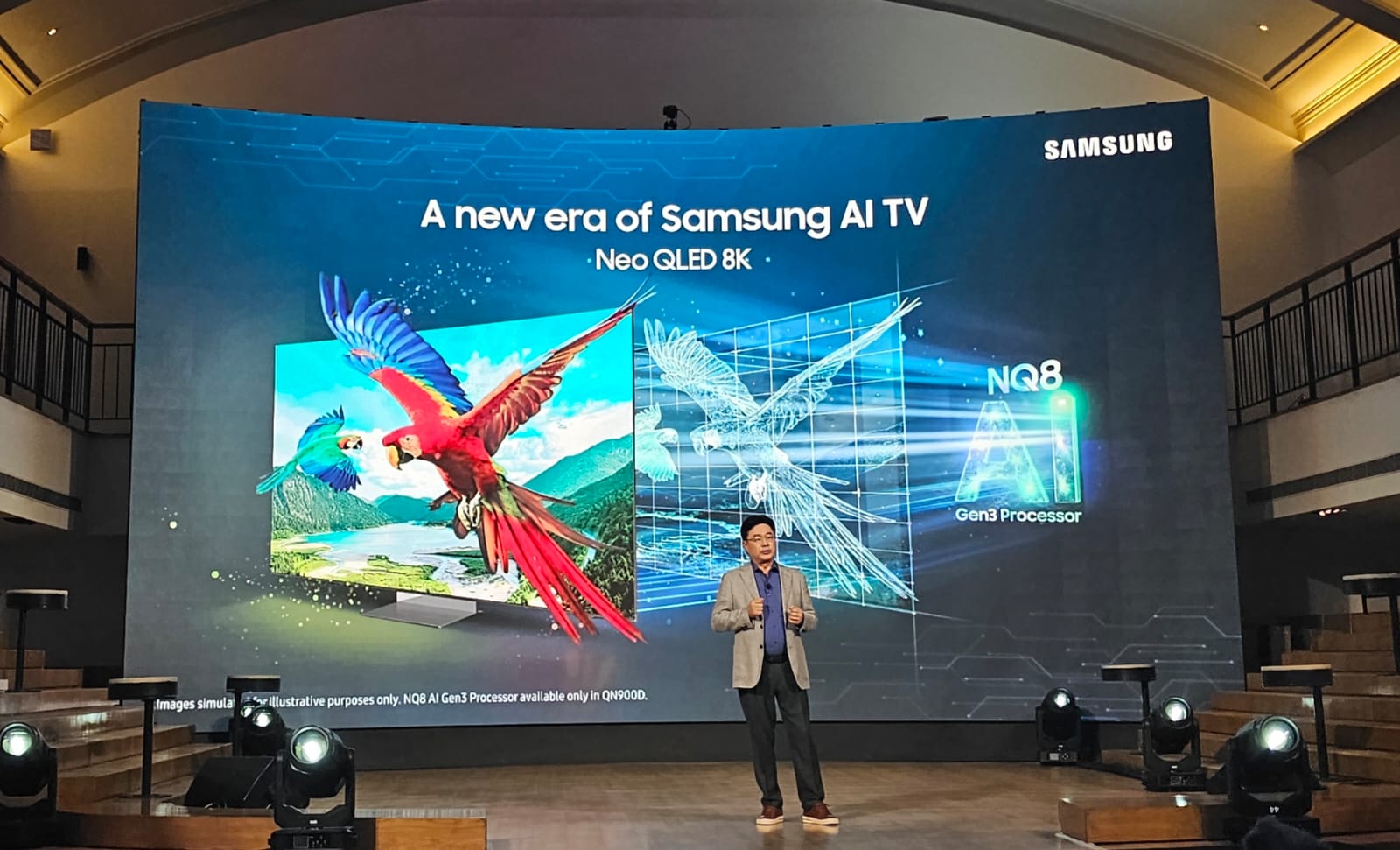
Mohandeep Singh, Senior Vice President, Visual Display Business, Samsung India, commented on the launch, “Televisions have emerged as the centerpieces of modern living, seamlessly integrating technology and lifestyle. The rising demand for larger screen sizes in India reflects consumers’ preference for premium TVs.
We are launching AI TVs that have been designed to set a new standard in visual immersion and sound quality. With the launch of our new range of AI-powered 8K Neo QLEDs, 4K Neo QLEDs and OLED TVs, we are confident of extending our market leadership in India” .
Starts at Rs 1,39,990 with significant pre-order benefits
What are the starting prices for Samsung’s new TV lineup?
The Neo QLED 8K starts at Rs 3,19,990, the Neo QLED 4K at Rs 1,39,990, and the OLED at Rs 1,64,990.
What enhancements do the 2024 Samsung TVs feature?
The new models incorporate AI technology to optimize audio and visuals, offer enhanced connectivity, and provide tailored smart experiences like Cloud Gaming and Smart Yoga.
Can consumers expect any offers with their pre-orders?
Yes, pre-order offers include a free soundbar worth up to Rs 79,990 and up to 20% cashback, valid through April 30, 2024.
How does Samsung ensure the security of its smart TVs?
Samsung employs Knox security to protect every feature, ensuring that connectivity and personal data remain secure.
What makes Samsung’s 2024 TVs suitable for modern living?
They seamlessly integrate advanced technology with lifestyle, meeting the demand for premium, large-screen TVs in India, enhancing entertainment and educational experiences.
Samsung Announces New Era of AI TVs in India, Launches Neo QLED 8K, Neo QLED 4K, and OLED TVs with Powerful AI Features. Details?
The 2024 range of New QLED 8K TVs comes with NQ8 AI Gen3 Processor featuring a Neural Processing Unit (NPU) that delivers an eight-fold increase in neural networks from 64 to 512 — ensuring an exceptional viewing experience with crisp details
Neo QLED 4K TVs are powered by NQ4 AI Gen2 Processor for stunning 4K resolution
Samsung is also launching the world’s first glare-free OLED TV
What are the Features of Samsung Launches New AI-Integrated Neo 8K QLED and OLED TVs?
Neo QLED 8K with new NQ8 AI Gen3 Processor for Clarity, Sound and Smart Experiences
Samsung’s flagship TV – Neo QLED 8K – is equipped with the advanced NQ8 AI Gen3 processor, marking a significant leap in AI TV technology.
The NQ8 AI Gen3 processor features a Neural Processing Unit (NPU) that delivers twice the speed of its predecessor, along with an eight-fold increase in neural networks from 64 to 512 — ensuring an exceptional viewing experience with crisp details, regardless of the input source.
Several AI features come together to redefine the big screen experience on the 2024 Neo QLED 8K:
AI Picture Technology brings out the finest details with outstanding clarity and naturalness, including facial expressions and other subtle nuances.
AI Upscaling Pro transforms content to closely match the 8K display.
AI Motion Enhancer Pro utilizes a sophisticated motion detection algorithm to enhance clarity during motion-intense content, such as sports, helping users enjoy every moment.
During a match, it helps in tracking the ball without any distortion, making users feel they are watching the match LIVE in a stadium.
Real Depth Enhancer Pro adds a lifelike depth to the picture and pulls viewers into the scene.
AI Sound Technology helps deliver precise audio with Active Voice Amplifier Pro, which detects background noises and adjusts volume automatically.
Object Tracking Sound Pro enriches the audio experience by syncing the sound with on-screen action, creating a more dynamic and engaging viewing experience.
Adaptive Sound Pro further refines the audio experience by intelligently adjusting the audio to the content and room acoustics, for a genuinely rich and lifelike sound.
AI Auto Game Mode recognizes both the game and the genre and automatically tailors the picture quality and sound quality settings.
AI Customization Mode adjusts the picture for each scene based on user preference basis the content type.
AI Energy Mode saves power without compromising picture quality.
The Neo QLED 8K is available in two models, QN900D and QN800D, and in sizes of 65, 75, and 85 inches.
Expansive Lineup for All Entertainment Needs: Neo QLED 4K, World’s First Glare-Free OLED
The 2024 Neo QLED 4K lineup is powered by the NQ4 AI Gen2 Processor, which breathes life into almost any content, rendering it in stunning 4K resolution.
Enhanced by Real Depth Enhancer Pro and Quantum Matrix Technology, the screen ensures impeccable contrast even in complex scenes.
With the world’s first Pantone Validated display for colour accuracy and Dolby Atmos for an immersive audio experience, Neo QLED 4K sets the bar for the ultimate 4K UHD experience.
The Neo QLED 4K is available in two models, QN85D and QN90D, and in sizes of 55, 65, 75, 85 and 98 inches.
Samsung is also introducing the world’s first glare-free OLED, eliminating unnecessary reflection while preserving deep blacks and clear images under any lighting condition.
Powered by the same formidable NQ4 AI Gen2 Processor as the Neo QLED 4K lineup, Samsung’s OLED TVs boast features like the Real Depth Enhancer and OLED HDR Pro, bringing picture quality to new heights.
Additionally, with features such as Motion Xcelerator 144Hz ensuring smooth motion and quick response rates, Samsung OLED is the ultimate choice for gaming. Complemented by sleek designs, these OLED TVs elevate the viewing space.
Samsung OLED TV will be available in two models — S95D and S90D — in sizes of 55, 65, 77 and 83 inches.
Samsung has also curated localized Smart Experiences for Indian consumers to include a range of services like gaming, entertainment, education and fitness.
Cloud Gaming Service enables users to experience AAA games with Plug and Play – with no console or PC required.
Samsung Education Hub helps users to experience Big Screen Learning with live classes, making learning for your kids more interactive and immersive.
Smart Yoga can be experienced with an AI- enabled mat. You not only get real-time asana tracking tips, but also posture correction feedback.
Additionally, with TV Key Cloud service, consumers no longer need a set-top box as it enables direct transmission of content through the cloud.
Samsung TV Plus provides 100+ channels absolutely free with instant access to news, movies, entertainment and more.
The 2024 Neo QLED 8K, New QLED 4K and OLED TVs are designed to connect with a smart ecosystem immediately upon setup.
The moment users turn on their new Samsung TV, the TV recognizes and connects to existing networks and devices, all orchestrated through a simple notification on users’ smartphones. This effortless setup extends to all Samsung devices at home as well as third-party appliances and IoT devices.
Samsung’s 2024 screen lineup also brings integration with users’ smartphones to new heights.
Users can simply bring their smartphone near the TV to activate Smart Mobile Connect, which turns the device into a universal remote for the TV and connected home appliances.
The new AI TVs also provide a highly personalized experience with apps and platforms. With the latest addition of widgets, TV screens are now personalized dashboards that allow users to easily monitor home status, camera feeds, energy usage, weather updates and more.
Security is paramount, and with Samsung Knox, every feature, app, and platform benefits from robust protection, allowing connected experiences to remain private and secure.
Samsung also announced the all-new Music Frame, marrying premium audio with artistic design inspired by The Frame.
This versatile device allows users to display personal pictures or artwork while enjoying wireless audio with smart features. Whether used as a standalone device or paired with a TV and soundbar, the Music Frame promises an enhanced auditory experience that complements any space.
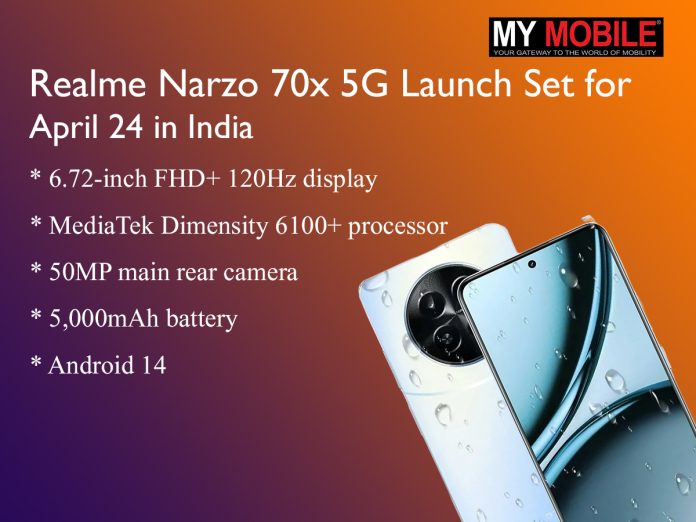
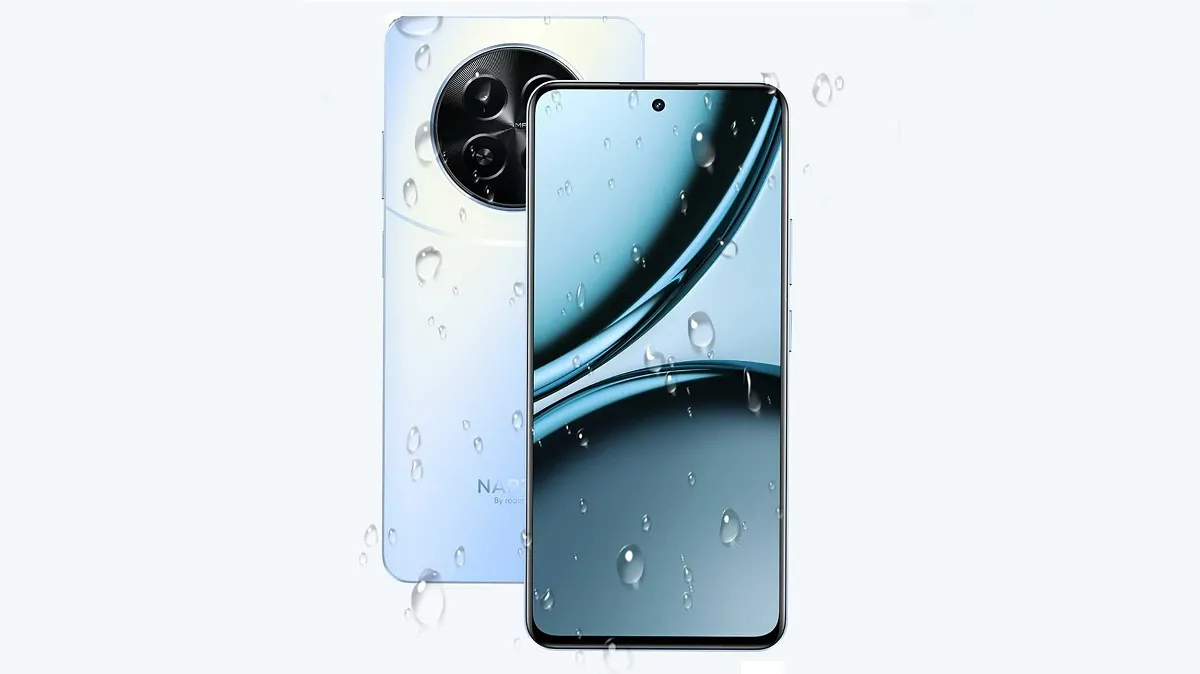
In the camera department, a 50MP main sensor is expected to lead a dual rear setup, accompanied by a 2MP auxiliary lens.
Selfie duties will likely be handled by an 8MP front-facing shooter.
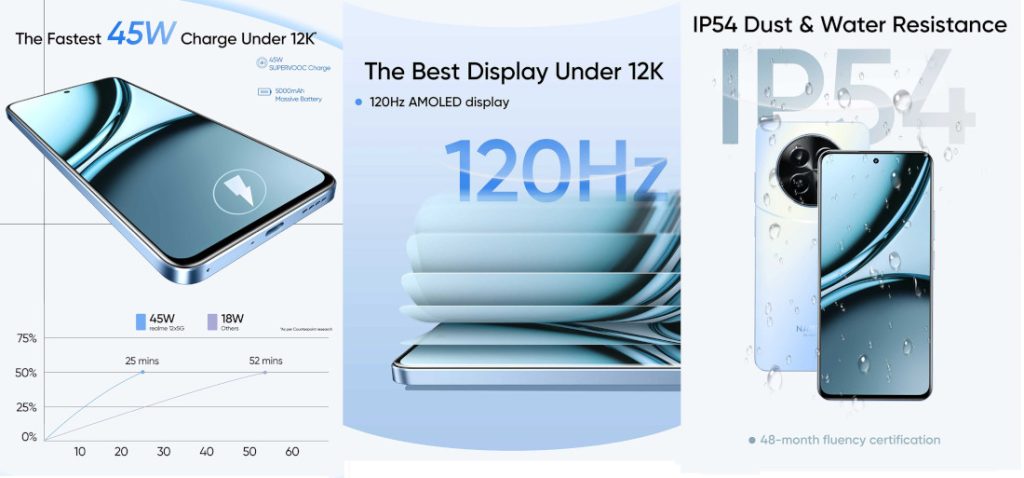
Other highlights being discussed include a sizeable 5,000mAh battery with 45W fast charging support, side-mounted fingerprint sensor, and IP54 water resistance rating.
Powered by MediaTek Dimensity 6100+ processor
Dual stereo speakers, a 3.5mm headphone jack and Wi-Fi 5 connectivity are also rumoured.
Realme itself has already confirmed a few key details ahead of the April 24th launch event.
What are the expected features of the Realme Narzo 70x 5G?
The Narzo 70x 5G is anticipated to feature a 6.72-inch FHD+ LCD display with a high 120Hz refresh rate, a MediaTek Dimensity 6100+ chipset, and a 50MP main camera, along with 5G support and Android 14.
When is the Realme Narzo 70x 5G launching in India?
Realme has scheduled the launch of the Narzo 70x 5G for April 24th, targeting the budget segment with advanced features at a competitive price.
What is the price point for the Realme Narzo 70x 5G?
The Narzo 70x 5G is set to be priced under Rs12,000, making it one of the most affordable 5G options available in the Indian market.
What makes the Realme Narzo 70x 5G stand out in the budget category?
Apart from its aggressive pricing, the Narzo 70x 5G offers a high refresh rate display, latest-generation MediaTek chipset, robust camera capabilities, and fast charging, positioning it as a top contender in its price bracket.
How does the Narzo 70x 5G compare with its competitors?
With specifications that rival more expensive models, the Narzo 70x 5G is expected to challenge other budget smartphones by offering superior value through its advanced features and 5G connectivity.
Wider availability will depend on the feedback and data gathered during this limited trial.
YouTube frequently runs these kinds of novice feature tests to gauge audience interest and fine-tune ideas before potentially launching them more broadly.
Trying smarter recommendation algorithms for Subscriptions could make it easier to stay on top of your favourite creators.
FAQs
What is the ‘Most Relevant’ feed on YouTube?
YouTube’s ‘Most Relevant’ feed is an experimental feature that sorts subscription videos not by upload time but by what YouTube thinks you’ll prefer to watch.
It bases its suggestions on your past interactions and viewing habits.
How do I access this new feed?
Those included in the test will see a new button or avatar on their subscription feed.
By tapping it, users can switch between the classic chronological layout and the new personalized feed.
Will this feature replace the current subscription feed?
No, YouTube has made it clear that the ‘Most Relevant’ feed is an optional test. Users can choose to stick with the conventional chronological feed if they prefer.
How is YouTube deciding which videos are most relevant?
The platform uses algorithms that analyze your interaction frequency and viewing preferences with subscribed channels to tailor the content shown in the ‘Most Relevant’ feed.
What happens if I’m not interested in participating in this test?
If you’re selected but prefer the usual layout, you can simply continue using the default chronological feed without opting into the test.
However, the claims appear to be based on an unverified advertisement rather than credible evidence.
Trust Wallet’s Security Flaw
Due to this post getting a lot of views & comments, we thought we’d elaborate further for the community:
How did we come by this intel?
Trust Wallet is constantly monitoring multiple avenues for any and all security threats to our users, alongside security partners &…
The warning naturally sparked alarm among many iPhone owners concerned about being hacked.
However, upon closer inspection, the supposed “intel” appears to originate from an advertisement on a relatively unknown dark web site called CodeBreach Lab, which has no established reputation.
Trust Wallet Issues iOS Security Alert Based on Unverified Claims
The advert makes the bold claim of offering a zero-click remote code execution exploit impacting the latest iOS version, but provides no proof to back this up.
Security experts have expressed skepticism, noting CodeBreach Lab’s obscure nature and complete lack of established credibility.
It seems highly likely the site’s “iMessage Exploit” listing is little more than an audacious scam attempt to trick people into paying an exorbitant sum.
While Trust Wallet may have been well-intentioned, it appears the company fell victim to fear-mongering hype rather than a genuine and verified security threat.
What did Trust Wallet claim about the iOS security flaw?
Trust Wallet claimed to have “credible intel” about a zero-day exploit in Apple’s iMessage that could allow remote access to iPhones without user interaction.
They cited an advertisement on a dark web site offering this exploit for sale.
How did Trust Wallet respond to the alleged iMessage security flaw?
Trust Wallet advised iOS users to disable iMessage until a security patch could be issued by Apple, citing concerns over user safety based on the information they believed was credible.
Where did the claim about the iMessage exploit originate?
The claim originated from an advertisement on CodeBreach Lab, a dark web site that lacks a reputable track record and is unknown to many in the cybersecurity community.
What are the concerns regarding the credibility of the iMessage exploit advertisement?
Security experts have expressed doubts about the legitimacy of the CodeBreach Lab and the iMessage exploit advertisement, considering it likely to be a scam due to the lack of proof and the site’s obscurity.
Has Apple commented on the alleged iMessage security flaw?
As of now, Apple has not acknowledged any vulnerabilities related to the claims made by Trust Wallet regarding a zero-day exploit in iMessage.