Home Blog Page 987

OPPO Calls Out Android 13-based ColorOS 13 Stable Update on Timeline for Q1 2023

0
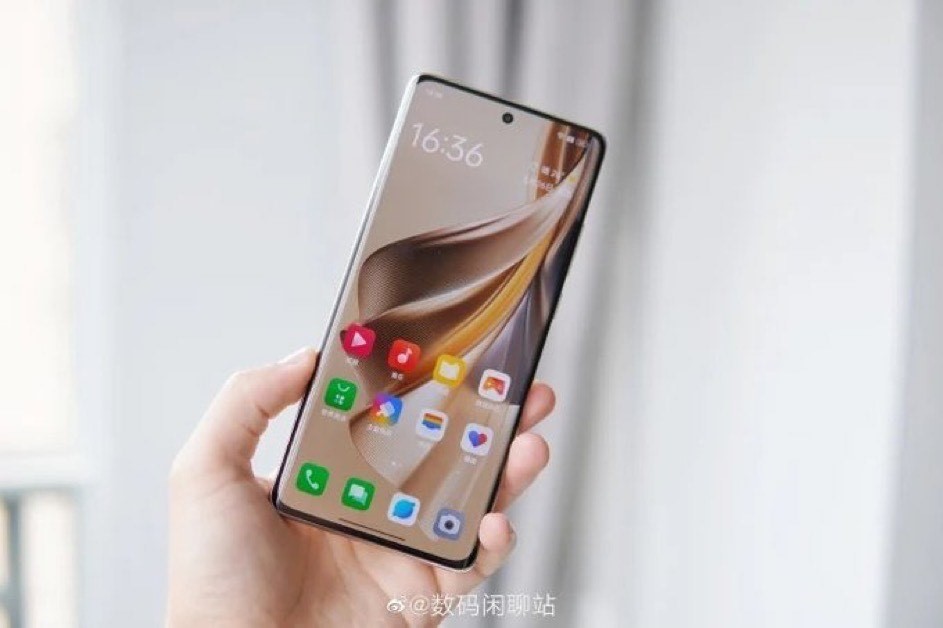
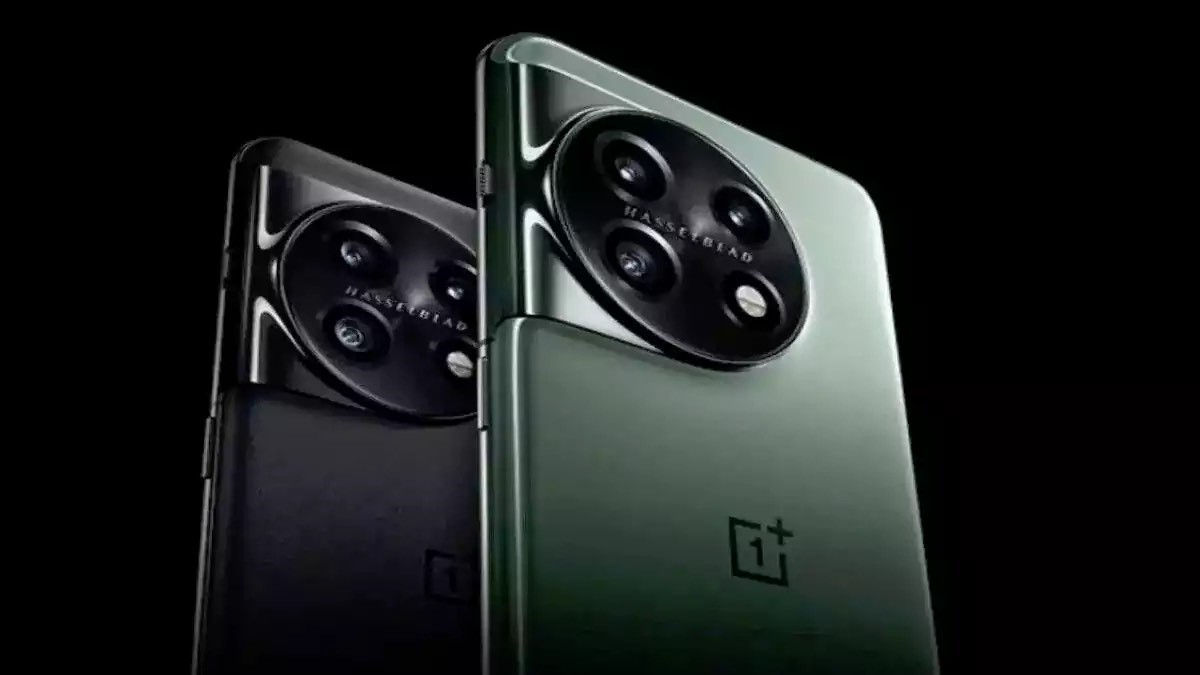
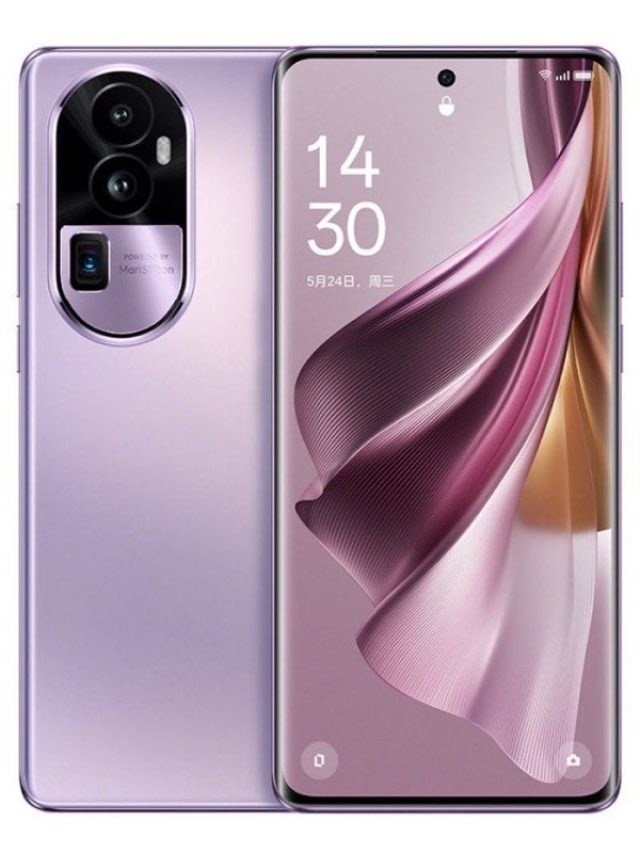
OPPO Reno10 Series
OPPO Reno10 Pro+

OPPO has announced a stable Android 13-based ColorOS 13 update that it will roll out during the first quarter of 2023 in which six smartphones will get the new update in the first batch.

The list of smartphones includes OPPO Find X2 Pro, OPPO Find X2, Find X2 Pro Lamborghini Edition, Find X2 League of Legends Edition, among others, which will be launched in India in due course.

OPPO Find N2 Flip Receives BIS Certificate; Indian Launch Confirmed

Highlights

  • OPPO ColorOS 13 stable update rollout timeline for Q1 2023 revealed.
  • Six smartphones will receive the update in the first batch, including the OPPO Find X2 Pro, Find X2, Find X2 Pro Lamborghini Edition, Find X2 League of Legends Edition, and more.
  • We need to wait for OPPO India to announce the timeline for the devices in the country.

OPPO to Come Out with Android 13-based ColorOS 13 Update around Q1 2023

OPPO had an excellent 2022 when it rolled out many devices that were extremely well-received, but now the company is ready to launch the Android 13-based ColorOS 13 stable update, which will act as a roadmap for all its devices.oppo reno10 pro+ - OPPO ColorOS 13

The company has chosen six smartphones in which the feature will be available in the first batch as the custom skin too starts rolling out on January 12, 2023, while some of the handsets coming with the feature are OPPO Find X2 Pro, OPPO Find X2, Find X2 Pro Lamborghini Edition, Find X2 League of Legends Edition, OPPO Ace2, and OPPO Ace2 EVA Limited Edition.

OPPO has also revealed that it will roll out the feature to OPPO K10x 5G and OPPO K10 Pro 5G as well on January 13, 2023, while the final roll out is scheduled for January 31 when OPPO Pad and OPPO Pad Artist Limited Edition too get the update.

OPPO is testing the ColorOS 13 beta version for Reno7 5G, Reno7 New Year Edition, OPPO K9s, and OPPO K10 Vitality Edition on January 11, 2023, although it seems that the roadmap is only for China at the moment, while there is a different timeline for other countries.

The company has further confirmed that OPPO ColorOS 13 beta recruitment for OPPO Reno5 K 5G and OPPO K9 will begin in February 2023, while the one for OPPO K9 Pro 5G, OPPO K9x 5G, and OPPO A55 5G will happened in March 2023, although OPPO India has to give official confirmation in this regard.OPPO ColorOS 13

With OPPO ColorOS 13, users can avail features like visual changes, Always-on display features, among others that will be revealed in detail once it starts rolling out but it has been confirmed that the company has upgraded the custom skin with a new watery theme and Material You.

Five Best Features Of The OPPO ColorOS 13

Top 10 hidden iPhone Hacks to Get the Most Out Of

0
iPhone 15

If you want to make the best use of your iPhone, there are certain important features to try out like iOS Control Center, Back Tap, Siri, iOS Weather map, Trackpad, Hidden codes for unlocking little known features, Calculator app, Spotlight, Drag and Drop files, using iPhone camera as a Document Scanner.

There are some important updates through which you can make much better use of your device than you are already as the iOS is expanding at a steady phase where you have many hacks, tips, and hidden features that are yet unexplored and enhance your confidence that you’ve got the right device.

Highlights

  • The iPhone has many known and hidden features that many users aren’t even aware of like iOS Control, Center, Trackpad, Calculator, File drop, Document scanner, among others.
  • Those who’ve paid a fortune to buy an iPhone are more often than not worried whether they’ve done the right thing.
  • Apart from Siri, there are several other features through which you can make get the most out of your Apple phone.

Hidden iPhone Features to Make Best Use of Your Device

Whenever someone buys a new smartphone, especially an Apple one, there is a constant doubt lingering in his mind whether it was worth spending his hard earned money on the device.top 10 hidden iphone hacks

Many people are doubtful on whether any new device will prove to be their money’s worth but a big reason for that is their ignorance on certain features and hacks in their iPhone, due to which many people easily dismiss their handset as just another regular smartphone with nothing new.

It is these tips, hacks, and features that help you in clearing your doubts that you’ve done the right thing by purchasing an iPhone because they help you in understanding the device better because there are so many hidden features that it would take a long time to understand each one of them.

How to Use Dynamic Island on iPhone 14 Pro

Top 10 Hidden iPhone Features

  • iOS Control Center

One of the best features that can make any user’s life easier is the iOS Control Center Customization where you can add your most used widgets that you like the most to Control Center, where you just need to swipe it down to gain access to them, even when your handset is locked as this feature is of great use when you require the use of a feature at the spur of the moment, especially Music Recognition.

For customizing control center, you need to go to Settings, then Control Center, and then the More Controls section, where you will find numerous controls that you can utilize for further use.

The Best PC controller 2022

  • Back Tap

This is an important feature where you can assign numerous functions of different ranges to both double and triple finger tap at the back of your handset, which are similar to gestures on a trackpad.

For using the Torch, you need to Double Tap, while for camera you need to Triple Tap and both are of great use when you own an iPhone 13 Pro Max at odd angles and cannot reach the lock screen horns.

  • iOS Weather Map

Even though all iPhone 13 smartphones are marked with an IP68 rating, nobody likes to get stuck in the rain for long hours, which is why you need the iOS Weather Map where you get a map that is easily interactive and users can guess the next day’s weather and never get stuck in it if its bad.

You get a 12-hour forecast irrespective of your location in the world where you get other features like air quality overlays, precipitation, temperate, pinned locations, while the Weather Map becomes a weather reporter, which can be started by going to the Weather app, then the bottom-left corner of the screen.

ISRO, MapmyIndia join hands to bring homegrown rival to Google Maps

  • Siri

Siri is an application that everyone is familiar with but with the advent of iOS 15, you can make use of this feature to get advanced sharing abilities like sharing whatever is on your screen with anyone in the contact list, while you can also share images, along with songs, in the middle of listening, on Spotify. For sharing your screen, you just need to say, “Hey Siri, share this with…” then type the person’s name.

  • Trackpad

It is a hidden feature that anyone can find through compact keyboards of smartphone screens that are a little hassle-prone, while the exact spot can be located by scanning through innumerable texts.

For using it, you need to press and hold the space bar on your iPhone’s space key to turn the keyboard into a trackpad.

  • Turning iPhone Camera into Document Scanner

There was a time when you required an all-in-one printer for scanning a document for turning physical pages into a digital file. But now it can be done with your notes app as well as you can now utilize the iPhone camera for converting physical text into digital.

First of all, you need to open an app like Messages, Notes, etc. that you want to scan text to, while in the text-entry area, you need to tap and hold on for a few seconds before releasing your finger, where you will see a scanner icon and ‘Scan Text’ pop up.

  • Drag and Drop files between iPhone Apps

This feature will help users in saving lots of time as you can just drag and drop the files between different apps like importing a video/image from your webpage or gallery, and drop it into other apps like Notes or Messages.

For doing this, you need to tap and hold onto the file for a few seconds, then move it to the bottom or top of the display, following which you swipe up from the bottom whilst continuing to hold the file with one finger, then open the app you want to drag your file into.

How To Recover Deleted Files On Apple iPhone/iPad?

  • Enter Hidden Codes for Unlocking Lesser Known Features

There are certain codes hidden from your view that tells your iPhone to do a whole range of things like diverting calls, hiding numbers, launching field test mode, head to Keypad, etc. which can be done by opening your Phone app, go to keypad, and dial one of the codes.

Learn Call Forwarding Codes: How to Activate or Deactivate Call Forwarding on Jio, Airtel, Vi, and BSNL

  • Calculator App

While some users might consider the app a simple and basic feature, it is much more than that because it can be turned into a scientific calculator while using it in a landscape mode, while you can also delete a digit via swiping in the Calculator app.

  • Spotlight

Now this is arguably the most popular feature as everyone who’s ever owned an Apple product is aware of this particular tool where you can save a lot of time if you want things done very fast and with iOS 15, Spotlight can be accessed directly from the lock screen by swiping down from anywhere except the top right of your screen.

8 Rumored Features For The Upcoming iPhone 15

How Can Your Wifi Router Measure your breathing ?

0
Wifi Router

Breathing Problems While Sleeping Will Be Long Gone Cause, Soon!

Introduction

Wi-fi routers are a serious blessing to humankind and not only monitor our day-to-day activity by helping in the oscillation of the data but now wi-fi routers will also help us to have a good night’s sleep.

Thanks to scientists at the National Institute of Standards and Technology (NIST) that have recently engineered a way to detect the breathing uneasiness one experiences while sleeping from sleep apnea to sleep groaning via a Wi-Fi router that was installed with the least motive for detecting our breathing pattern.

The quality matters the most and this applies to the breathing pattern while sleeping and the wi-fi router deployed in the house. Now again the apprise of the query ‘HOW?’ For that, read ahead and find your way through this discovery.

Also Read: How to Share WiFi Password from iPhone Step-to-Step Guide

It is next to a miracle for diagnosing if one had a problem breathing during their sleep, but NIST’s scientists propose otherwise and claim the possibility and the device making it possible is a Wi-Fi router.

In a nutshell, Wi-Fi systems broadcast radio frequencies continuously that travel through everything around the house, including people. The router alerts the connected device of the users when it detects a minute shift in breathing pattern than usual.

Why this plan now?

During the outburst of the Covid-19 virus that was seriously multiplying the breathing problems among the population. NIST came up with the plan to tailor an application out of the existing devices in the house and not go for the tedious path of manufacturing something during the challenging time.

Wifi Router

A journey to BreatheSmart

Science and Engineering Labs of the FDA Office with the group of coders and research associate Susanna Mosleh gauged the breathing pattern and rate of members in a room and coordinated it with the existing Wi-Fi routers.

Also Read: Snapdragon 8 GEN 2: New king is here with Ray-Tracing and Wifi 7

To successfully achieve the same the team used channel state information (CSI) that will help in signaling the connected devices, such as laptops or smartphones, from the router in diagnosing the breathing abnormality in the person while sleeping.

On one side NIST notes down the detailed features of Wifi router frequencies and recognizes how the signal changes with some pattern changes of breathing by gauging the passing signals through the person.

These changes in breathing patterns do not affect the network system but the abnormality of the breathing can be captured.

For getting a precise lookout, the team collected all the necessary data, including a special manikin replicating fluctuating breathing conditions, an off-the-shelf Wi-Fi router, and a receiver.

And to give a proper shape to the collected data the team developed a learning algorithm called BreatheSmart that further assists in giving signals if the breathing patterns differ even slightly.

What can be predicted for the program in the future

To explain the working of the NIST towards developing BreatheSmart a coder from the team stated that “All the ways we’re gathering the data is done on software on the access point (in this case, the router), which could be done by an app on a phone. This work tries to lay out how somebody can develop and test their own algorithm. This is a framework to help them get relevant information.”

Conclusion

With this great innovation, we wonder what should be the prefix for technology that will meet the excellence of this booming strata.

Also Read: WiFi 6E Routers: The next revolutionary routers to look out for in India

Elon Musk Becomes the First Person in History to Lose $200 Billion

0
Elon Musk lose $200 billion
Elon Musk

Elon Musk has created history of sorts by becoming the first ever person to lose a whopping $200 billion as Tesla shares have hit rockbottom and has wiped out billions of dollars, due to which there is a huge crisis looming over the automotive giant.

This is after the Twitter CEO became the second person ever to amass a jaw dropping fortune of more than $200 billion in January 2021, which is mere months after Jeff Bezos did the same.

Highlights

  • Twitter’s new chief, Elon Musk, has lost close to $200 billion.
  • He has become the first person in the history to lose the whopping amount,
  • Tesla’s shares declined after Musk acquired Twitter in a $44 billion deal.

Elon Musk is the First Person to Lose $200 billion as Tesla Shares Plummet

Elon Musk has been constantly springing up in discussions in the past few months ever since he took over as the new CEO of Twitter and drastically changing the landscape of social media altogether.Elon Musk lose $200 billion

Recently, he became the second ever person to amass more than a $200 billion personal fortune in January 2021, after Jeff Bezos, Amazon president, and therefore became one of the richest persons on the planet.

However, the Tesla/Twitter CEO too has created a history of sorts, although not one that he should be proud of as he has lost more than $200 billion from Tesla’s net worth as the company’s shares have plummeted like anything, with little chance of recovery.

The huge loss has brought down Elon Musk’s net worth to $137 billion after Tesla saw its shares fall abysmally low in the past few weeks, which includes a massive 11% drop on December 27, 2022.

In 2022 itself, Musk had topped the Forbes’ annual list of billionaires for the very first time after ousting Jeff Bezos, while his fortunes’ skyrocketed to $340 billion in November 2021 and sometime later, ranked 31st in the Forbes list of, as the stock shares in Tesla were at $72.24.

To add to his woes, Musk is also facing international scrutiny for his hands-on management at Twitter headquarters where he has completely changed the work culture by firstly firing 11,000 employees soon after taking over, suspended journalists who cover his companies and write against him, no longer regulates the misinformation being spread on Covid-19.

Musk did not stop there as he has recently fired janitors at the headquarters in San Francisco while in parallel, Tesla is offering American buyers a discount of $7,500 on some of its models and reduced production in Shanghai.

Elon Musk Accused of Seat-of-the-Pants Decision Making by Bill Gates

Divided By Jio And Airtel Plans, United By 5G Network!

0
Jio And Airtel Plans

In the recent course of news, it was revealed that the Government of India made the 5G network available for full-fledged operations. And gaining the advantage of arriving with a variety of the facility with upgraded network connectivity, Jio and Airtel have rolled out some premium and some economical plans.

The country has vividly envisioned a digitally updated and strong ecosystem. Moreover, these two big telecommunication companies of India have made this network possible by connecting the fast pace life with the superior connectivity network and even given the choices to the users to choose the best plan for themselves from the given limited yet sufficient set of plans for their 5G enabled smartphones.

Also Read: Learn Call Forwarding Codes

To recall

There is also cutthroat competition between the two biggest telecommunication companies after the Prime Minister of India Shri Narendra Modi inaugurated and welcomed the 5G services and operations in India.

Furthermore, the plans offered by both are quite intriguing; however, polarizing the users.

Talking about the plans related to 5G networks. Currently, there are limited but promising and excellent connectivity and operation services with of course the uber-fast 5G network.

And this further discussion may help you to make your decision on which plan to pick but we are not doing a jio Vs Airtel challenge as both the telecommunication companies are here with the motive of absolute satisfaction of the users.

The only requirement from the user’s end is to own a smartphone that is compatible with the services.

Also Read: After Airtel and VI, Reliance Jio hikes prepaid tariffs by 20 percent

Airtel launching 5G network

Jio And Airtel Plans

On 1st October, Airtel rolled out its 5G network operations. People grabbed the offers laid down by the company at the drop of the hat owing to its vast goodwill.

Airtel already being a star performer in providing great network connectivity services with network boosters deployed at some spots made people purchase the 5G plans quickly.

Airtel started by launching its 5G services across eight metropolitan cities of India, that are Delhi, Mumbai, Bangalore, Kolkata, Chennai, Hyderabad, Varanasi, and Gurugram.

Jio Launch of 5G network

Jio And Airtel Plans

Jio was also not behind in launching its services based on the 5G network. On 5th October 2022, Jio rolled out its 5G services across four major cities of the nation, including Mumbai, Delhi, Kolkata, and Varanasi.

Also Read: Reliance Jio Launches New Prepaid Recharge Plan at Rs.749

The 5G network connectivity plans Jio is offering are not easy to forget and to talk about. It’s interesting and feasible.

5G plans by Jio and Airtel

Starting with Jio plans, which have arrived with an initial price of INR 239 with unlimited 5G data and up to 1Gbps network speed. Additionally, this 5G plan is available to Prepaid and postpaid plans leaving no space of concern for the users owning a compatible smartphone with a 5G network.

Whereas, we can see Airtel making some appreciable moves for its users having a smartphone complimenting and supporting 5G network connectivity and 4G sim cards as the company has declared that the Airtel 5G plan will be accessible to the users at the equivalent price as the 4G plans.

The premium offers are yet to roll out and there is strong anticipation that the Airtel 5G premium plans will not further be of the same price as the 4G premium plans and might see fluctuation in the price of the plan.

Conclusion

The plans from Airtel and jio are interesting and equally worth considering. It’s too soon to say anything about the degree of satisfaction received from 5G network services.

Also Read: Airtel 5G Plus Finds Its Way into Shimla

iPhone 15 launch date . Any guesses ? : Here’s when the new iPhone 15 could be launched

0
iPhone

Apple will soon be launching the iPhone 15 series that will be having some new features like USB Type-C over Lightning, along with a periscope-style telephoto lens on some of the handsets, etc. to name a few that will be revealed in due course.

People have already started making speculations regarding its release date even though its barely two months since iPhone 14 series hit the market but with the advent of the new year, 2023, everyone will anyhow start guessing about when the next series of Apple smartphones might come out.

Highlights

  • Apple iPhone 15 is one of the most awaited smartphone series from the tech giant that will come with new features like a telephoto lens resembling a periscope and USB Type-C over Lightning.
  • The iPhone 15 series might comprise of iPhone 15, iPhone 15 Pro, and iPhone 15 Ultra for which Apple has laid out some of its best plans.
  • Apple will be launching a smartphone for a 17th year in a row, while its first ever launch was way back in 2007.

What New to Look for in iPhone 15

Apple had a wonderful year in 2022 when it launched a slew of devices, including the iPhone 14 series in September 2022 that was quite well received but now that 2023 has finally arrived, Apple users are eagerly awaiting for news regarding the launch of the iPhone 15 series.iPhone 15 Latest Rumors

Whenever a new device is eagerly awaited, many people start making speculations beforehand regarding its launch even though, in this case, it’s barely two months since the iPhone 14 series hit the market and besides, it is never too early for making speculations regarding a smartphone’s release date.

The eagerness and excitement with which people are making speculations for a release date of the iPhone 15 series is quite understandable because Apple has promised to introduce some new features for the series, which comprises of iPhone 15, iPhone 15 Pro, and iPhone 15 Ultra.

iPhone 15 Release: Tabular Data of Earlier iPhone Launches

2023 will be the 17th year in a row that Apple will be releasing a new smartphone, which means that the company has a long history of iPhone release dates that go back to 2007 when Apple previewed the first ever iPhone prior to its launch and seven years later in 2014, it changed the release window due to iPhones coming out during fall.

The following table gives a list of all the flagship iPhone series released in the past 8 years right from the iPhone 6s series that debuted in 2015, aside from the actual release date of each smartphone and the launch event date for each of the announcements.

Phone Announce date Release date
iPhone 14, iPhone 14 Pro, iPhone 14 Pro Max September 7, 2022 September 16, 2022
iPhone 14 Plus September 7, 2022 October 7, 2022
iPhone 13, iPhone 13 mini, iPhone 13 Pro, iPhone 13 Pro Max September 14, 2021 September 24, 2021
iPhone 12, iPhone 12 Pro October 13, 2020 October 23, 2020
iPhone 12 mini, iPhone 12 Pro Max October 13, 2020 November 13, 2020
iPhone 11, iPhone 11 Pro, iPhone 11 Pro Max September 10. 2019 September 20, 2019
iPhone XS, iPhone XS Max September 12, 2018 September 21, 2018
iPhone XR September 12, 2018 October 26, 2018
iPhone 8, iPhone 8 Plus September 12, 2017 September 22, 2017
iPhone X September 12, 2017 November 3, 2017
iPhone 7, iPhone 7 Plus September 7, 2016 September 16, 2016
iPhone 6s, iPhone 6s Plus September 9, 2015 September 25, 2015

iPhone 15 Release Date: Expectations

Although there many speculations going on regarding the release date, Apple has not hinted at any particular time for the release of the iPhone 15 series, which is why one can only do guesswork based on Apple’s past performance that gives hints of their future plans.iPhone 15 Rumors

As can be observed in the aforementioned table, Apple has a specific month when it announces its new smartphones i.e. September, except for 2020, the year that was dominated by a global pandemic, while the announcement dates are not just random ones in September but have all come within the first two weeks of the month.

There is a noticeable pattern in the release dates as well as Apple ships its smartphones 10 days after announcing their release date, with some notable exceptions, although it has also been noticed that sometimes Apple staggers the launch of certain handsets like iPhone X in 2017 and iPhone XR in 2018.

Therefore given Apple’s pattern, it is highly possible, or probable, that the announcement regarding the iPhone 15 series might happen within the first two weeks of September 2023 from September 4 to September 14.

It must be noted that Apple mostly holds its product announcements on Tuesdays, whenever possible, while September 4 is Labor Day holiday in the United States, which rules out that particular day and may very well avoid September 5, which is a Tuesday that comes off a three-day weekend.

If Apple sticks to its old habit of shipping smartphones 10 days after the launch event, the release date for the iPhone 15 series should be set around September 22, 2023, although it also comes with certain caveats as predicting anything with complete confidence nine months in advance is foolish and immature.

Nine months is a long period where many things can change between now and then, which is why you should not take it for granted that the iPhone 15 series will definitely come out on the given date.

8 Rumored Features For The Upcoming iPhone 15

iPhone 15 Release Date: My Mobile Look

It is way too early to say anything for certain regarding the launch date of the iPhone 15 series as the aforementioned points are mere guesswork and not astrological predictions or a weather forecast but just some points that speculate that the new smartphone series might come out during September 2023.

How to Use Dynamic Island on iPhone 14 Pro

How to Use Dynamic Island on iPhone 14 Pro

0
How to use Dynamic Island on iPhone

Dynamic Island is a word that not many people have heard of but when Apple launched its iPhone 14 lineup, there were many rumours going around regarding a big change the company was about to bring in the new smartphone series called Dynamic Island.

For the unversed, Dynamic Island is the new pill design that Apple hopes would be a gamechanger in many aspects as it will be used for displaying notifications for transactions made on Apple Pay.

Highlights

  • Apple has come up with a new notch feature at the top called Dynamic Island for both iPhone 14 Pro and iPhone 14 Pro Max.
  • With the help of Dynamic Island, users will now be able to see the displayed notifications from Apple Pay transactions, AirDrop transfers, low-batter warnings.
  • Dynamic Island can also be seen in a longer window where you just need to tap the feature to launch it in its full-screen app.

Dynamic Island In Brief

Apple had launched the iPhone 14 series smartphones during the ‘Far Out’ event held in California on September 7, 2022, along with several other devices, but the company had promised to bring in major changes in the new smartphone models, which is the redesign of the iPhone notch at the top, which has been classified as notorious.

The redesigned feature is called Dynamic Island that has been confirmed to come in iPhone 14 Pro and iPhone 14 Pro Max, which Apple has confirmed will be a new pill design and resolved to launch it soon after facing major flak from many Apple users over the smartphone’s notch, so now the notch is redesigned as a pill-shaped cutout called Dynamic Island.

While Dynamic Island is now featured on iPhone 14 Pro and 14 Pro Max, it is unavailable on the iPhone 14 and iPhone 14 Plus, although Apple has confirmed that it will be featured on all iPhone 15 smartphone models launched in the future where users with a Pro model don’t need to enable or configure anything for the Dynamic Island to do the job as it automatically comes in once the phone is unlocked and any supported activity is running.

iPhone 14 Vanilla Model- Users’ Preference

Steps to Use Dynamic Island

The Dynamic Island displays notifications for Apple Pay transactions, privacy indicators, low battery warnings, background tasks like Apple Maps directions, music being played, incoming phone calls, screen recordings, SharePlay sessions.

  • Step 1- Apple Pay

Once you make a purchase on Apple Pay, the dynamic island app displays a swirling green image to indicate Face ID authentication where you have to double-check the side button to confirm its transaction and when the face is authenticated and transaction is complete, the image turns into a green smiley face.

apple pay

  • Step 2- AirDrop Transfer

AirDrop Transfer is another excellent way to use Dynamic Island as it works as a visual status indicator because once the items are shared with you, the AirDrop status indicator pops up once the files are transferred completely.How to use Dynamic Island on iPhone

  • Step 3: Timer Set

Another step is to set a timer through Dynamic Island, which can be done by opening the clock app and setting it up as the Island feature displays the countdown in minutes where you expand the info by pressing down the display.How to use Dynamic Island on iPhone

  • Step 4: Apple Maps

You can also return to the home screen while navigating Apple maps and see the turn-by-turn directions via Dynamic Island. All you need to do is to press the down display to show the next turn with an option to end the route.

How to use Dynamic Island on iPhone

Apple’s App Store to Start Displaying More Ads, Details Inside

Change Truecaller Name: ‘How To’ Edition!

0
Truecaller iOS
Automatically blocks calls not from approved contacts or flagged as potential spam

In this episode of the ‘how to’ edition, we bring you how to change the true caller name in Android-and iOS-based smartphones. The knowledge, the more the merrier. The question is, are you seeing the wrong name on your truecaller against a specific number?

Then you can fix it yourself and guess what it’s a cakewalk of a task. The curiosity and to maintain security just keep us active on the true caller. With the venerable usage of Truecaller services, one finds it the most reliable tool to get the name of unknown numbers.

And if you do not have this application on your smartphone, it will be vehemently advisable to install this app for true results. However, just like every other service, truecaller is also not immune to some bugs and issues here and there.

Also Read: TrueCaller iOS Update, Detects Scam

Among these issues changing the true caller name is one of them, the good news is it can be solved. Before going ahead and knowing the steps to resolve the problem let’s know the ‘why’ or reason for such a scenario.

Why is TrueCaller Showing the Wrong Name?

If we simply get into this, the details and the name of the contact are gathered by a true caller from the phonebook of the mobile where the app is installed. And via the crowd-sourcing method, truecaller gets all the information.

During this entire process, the name against that specific contact number gets amalgamated by their profession or where the person is working, resulting in giving a completely different meaning to the contact number.

Sometimes the case can be different if the phone number previously belonged to the other party and the truecaller has gathered the old information and the prior owner’s name for that number.

Also Read: Truecaller users will not be able to record calls

Concluding the scenario here, we can say why it is required to change the number on truecaller sometimes as follows:

  1. The wrong combination of a name with information gathered from the crowd-sourcing method.
  2. The discrepancies occurred on the newly acquired number, as the truecaller still shows the name of the former owner.

The steps to change the name on truecaller

Change the true caller name in the Android device:

With the Truecaller app installed on Android handsets, the users need to change the name. Follow the following instructions:

  1. First, open the Truecaller App, and go to the profile icon that appears in the top left corner.
  2. Click on ‘Edit Profile’.
  3. There you can edit the name or rectify the name on the true caller.

Truecaller Name

The case of changing names in truecaller for iPhone users. The instructions are as follows:

  1. Go to the Truecaller app on the iPhone, and select the profile icon that can be seen in the top left corner.
  2. Click on ‘edit profile’
  3. Now, you can edit the modified or rectified name on the true caller app.

Truecaller Name

Note that in cases where the profile is freshly updated, do wait for 24-48 hours to get the required and updated details appearing on the true caller app.

Conclusion

Nowadays a true caller is the real deal, to change the names on the app, the steps are simple, and as mentioned above do follow these steps to get the desired results.

Also Read: Truecaller teams up with leading phone makers to preload app in key markets

2022 Winners and Loser Gadgets – Samsung, Xiaomi, and Apple

0
2022 Winners and Loser Gadgets

2022 wasn’t an easy year for the consumer electronics industry including the smartphone market segment with the pandemic after effects and looming economic downturn. The smartphone industry is competitive and always looking for market disruptors, which is why every brand constantly tries to reinvent its portfolio.

In this quest, we get a range of new products every year with some of them turning out to be winner and loser gadgets. Leading brands such as Apple, Xiaomi and Samsung also present an assortment of budget to mid range smartphones with some cool features and high-end specifications.

In order to understand how the top brands – Apple, Xiaomi, and Samsung – faired with their new product launches and which are the 2022 winners and loser gadgets, let’s get into the details of each brand one by one.

Samsung – 2022 Winners and Loser Gadgets

Samsung has been at the top of its game ever since it entered the smartphone segment. However, as a well-established brand, the journey henceforth gets even more challenging in itself and then there is always the competition from newer brands.

But this is where Samsung has always managed to emerge victorious with its capable portfolio of mid-ranges, flagships, accessories and other gadgets. Let’s look at the 2022 winners and losers for Samsung.

Winner: Galaxy S22 Ultra

Samsung Galaxy S22 Ultra

The Samsung Galaxy S22 Ultra is a perfect flagship product with premium camera features that most users can’t stop raving about. The Galaxy S22 Ultra has been one of the most popular products from the brand’s lineup and a clear winner for Samsung.

Winner: Galaxy Z Fold4 and Galaxy Z Flip4

2022 Winners and Loser Gadgets

The Galaxy Z Fold4 and Galaxy Z Flip4 are again two absolute winners from the brand’s portfolio of the year. While the Galaxy Z Fold4 with its 50MP main camera and a 3x telephoto camera over its predecessor is an absolute star, the Galaxy Z Flip4 with battery and charging speed boost makes it a killer combination that is hard to miss.

Losers: Galaxy S22 and S22+

Let’s keep the Ultra model aside and look at the S22 series, disappointment is bound to happen.  No one can argue that the Galaxy S22 series remained underwhelming especially when you look at it as an upgrade from the S21.

There are many reasons to complain but let’s highlight the smaller rear panel and underwhelming camera set-ups.

Losers: Galaxy Watch5 and Watch5 Pro

Samsung brought the latest colour options and clad them with Sapphire crystal, something that does give the smartwatch a nice touch. However, both Galaxy Watch 5 and Watch 5 Pro use the same Exynos W920 chip and sensors as Galaxy Watch4. Now, this automatically reduces the appeal of the new watches as compared to the old ones.

Xiaomi – 2022 Winners and Loser Gadgets

Being one of the major players in the Indian smartphone market, Xiaomi was in the middle of a financially turbulent 2022. However, that never affected its gadget lineup as the company launched some great products throughout the year.

We got a range of Redmi Note 11 phones, some Poco phones and also an exciting Xiaomi 12 series beasts. But what turned out to be a winner and loser for the brand is what we are here to see. Let’s find out.

Winner: Xiaomi 12S Ultra

This smartphone was an instant winner when it arrived. The 1”-type 50MP main camera sensor with two more shooters provided one of the most capable camera setups that one can find in the market today at the given price range.

Now widely recognised as a cameraphone, Xiaomi 12S Ultra is a sure-shot winner without second thoughts for the year 2022.

Winner: Xiaomi 12T Pro

Xiaomi 12T pro

Another winner, if we had to choose one, has to be 12T Pro. When Xiaomi decided to have no Ultra phones this year, the Pro variants somehow turned out to be the next best thing on its portfolio.

Being the brand’s international flagship, the affordable Xiaomi 12T Pro with Snapdragon 8+ Gen 1 chipset and a 200 MP camera quickly became one of the sought-after smartphones in its entire portfolio.

Loser: Xiaomi Mix Fold 2

Xiaomi MIX Fold 2 Ultra - 2022 Winners and Loser Gadgets

Xiaomi Mix Fold 2 is Xiaomi’s second-generation foldable device, which interestingly never got an international release. As a second-generation gadget, most people would agree that the device was rather unprepared or half-baked.

Keeping everything aside, the custom MIUI limiting the multitasking capabilities of the smartphone is what takes away most of the value from the smartphone.

Loser: Xiaomi Redmi Note 11 series

This is a perfect case of when you don’t know how to handle the success of one product.  The Redmi Note family is surely one of the best-selling smartphone series in Xiaomi’s portfolio.

But in 2022, Xiaomi ended up confusing not only its customers but also many tech experts. The brand released the same phone with the same name but different specs in different locations and no one really got the better of it.

Apple – 2022 Winners and Loser Gadgets

Apple’s 2022 has been a good year with some good products and some great product launches. On one hand, we have the iPhone 14 Pro and Pro Max smashing through the high-end smartphone segment, on the other hand, we had accessories such as the Apple MR headset and Apple Watch Ultra launched this year. So, let’s look at the 2022 winners and losers from Apple’s lineup.

Winners: iPhone 14 Pro and Pro Max

iPhone 14 Pro - 2022 Winners and Loser Gadgets

We can all them Apple’s best-seller of 2022. The 14 Pro has been the most moving Apple product out of the four iPhone 14 models.

The first Dynamic Island notch, the first truly high-megapixel camera on an iPhone, autofocusing ultrawide cameras, and the latest A16 Bionic chipset, iPhone 14 Pro and Pro Max gave us many reasons to be termed as the winners of 2022.

Loser: iPhone 14 Plus, iPhone mini

2022 is also the year when Apple decided to take the leap with iPhone 14 Plus and stop the already underwhelming Mini. However, even the 14 Plus couldn’t enter the trending list.

This, on the other hand, proves that customers aren’t keen on investing in an iPhone that is non-pro. Overall, it is not easy to assume which one between iPhone 14 Plus and iPhone mini performed worse than the other.

Best wireless Earbuds of 2022

0
Best Earbuds of 2022

Wired earbuds are history to many as we have gladly welcomed wireless earbuds. This wish to own earbuds is well supported by numerous tech-giants by giving us a widened range of earbuds just under our nose.

Moreover, only e-commerce was left to make these purchases a success and Amazon, flipkart, Croma, and many more sites helped us with an efficient commute of the device to its owners. The absence of earbuds is always felt and if you are an introvert then it is part of your coping mechanism while traveling or may be sitting at home and watching series and listening to songs.

And if you are an extrovert then earbuds can help you to communicate with a number of people and not keeping your phone near to your ear. The selection of earbuds varies with the credentials one is searching for. Here we have prepared the listicle of the best earbuds of 2022 and that can be a part of the 2023 journey too. We won’t be brutal and give rankings to the wireless earbuds.

We are just here to put the best in the market into perspective. These earbuds are not allied with water and will keep the device safe from ruining it via water. Additionally, these earbuds come with 5.2 or 5.3 Bluetooth technology.

The listicle has it all from Apple AirPods Pro 2 Gen to Nura True Pro to Bose QuietComfort Earbuds 2 and many more. Spared and forgotten none! Provided next with features and prices in the following columns will do all the further talking.

EARBUDS STAR FEATURES/ WHY TO PICK PRICE
Nura True Pro ●     CD-quality lossless audio

●     Untouchable excellence to provide personalized sound

●     Great battery life, including 8 hours (ANC on); 32 hours (charging case with ANC on)

₹27,499
Apple AirPods Pro 2 Gen ●     Indisputable noise cancellation feature

●     Supported by Dolby Atmos spatial audio

●     Volume adjustment right from the stem

●     Better battery life 6 hours; 30 hours

₹26,900
Bose QuietComfort Earbuds 2 ●     Best-ever noise cancellation facility

●     Purified and well-balanced sound

●     Dapper-looking and compact

●     Enhanced call quality

●     Broad customization settings

₹29,999

Soon to arrive!

Sony WF-1000XM4 ●     Defined and enjoyable sound quality with useful features

●     Great ANC

●     Fair battery life 12 hours (ANC off); 35 hours (with charging case)

₹17,850
Grado GT220 ●     Refined and authentic sound quality

●     Decent Good battery life 6 hours; 36 hours (with charging case)

●     Highly comforting to ears

●     Defined Touch-control assistance

₹27,677
Astell & Kern AK UW100 ●     Up to 24 hours of decent battery life

●     Satisfactorily great technical specifications

●     Vivid and convincing sound quality

●     Crafty and useful touch controls

₹24,000
Samsung Galaxy Buds 2 Pro ●     Publicly relevant and compact design

●     Wide soundstage

●     Powerful ANC

●     user-friendly features

●     Top-notch connectivity

₹16,999
Sennheiser Momentum True Wireless 3 ●     Excellent noise-cancellation

●     Useful and lucid control options

●     Balanced, explicit, and convincing sound quality

₹19,990
Sennheiser CX Plus ●     Consummate sound and call quality

●     Powerful active noise canceling

●     Respectable battery life 9 hours (ANC off); 24 hours (charging case)

●     Impressive controls

₹12,890
Apple AirPods 3 ●     Produces clear sound

●     Effective Adaptive EQ

●     Spatial audio support

₹19,992


Be careful while choosing any of the earbuds as all provides a stellar performance and does the job well. This will be hard to pick one, advisable choose more (You Only Live Once) get the best sound effects in your life it will make it more colorful anyways.

Conclusion

A lot of earbuds have come that deserve all the recognition. Here we have given you 10 such earbuds. Select the best that ticks all the features in your list.