This distinction is part of X’s strategy to increase its subscriber base, especially as its traditional revenue streams, like ad sales, have been underperforming.
The cost of X Premiumstarts at $3 per month for the “Basic” tier.
However, it is not explicitly stated in X’s Help Centre which subscription level includes the outbound video and audio calling feature.
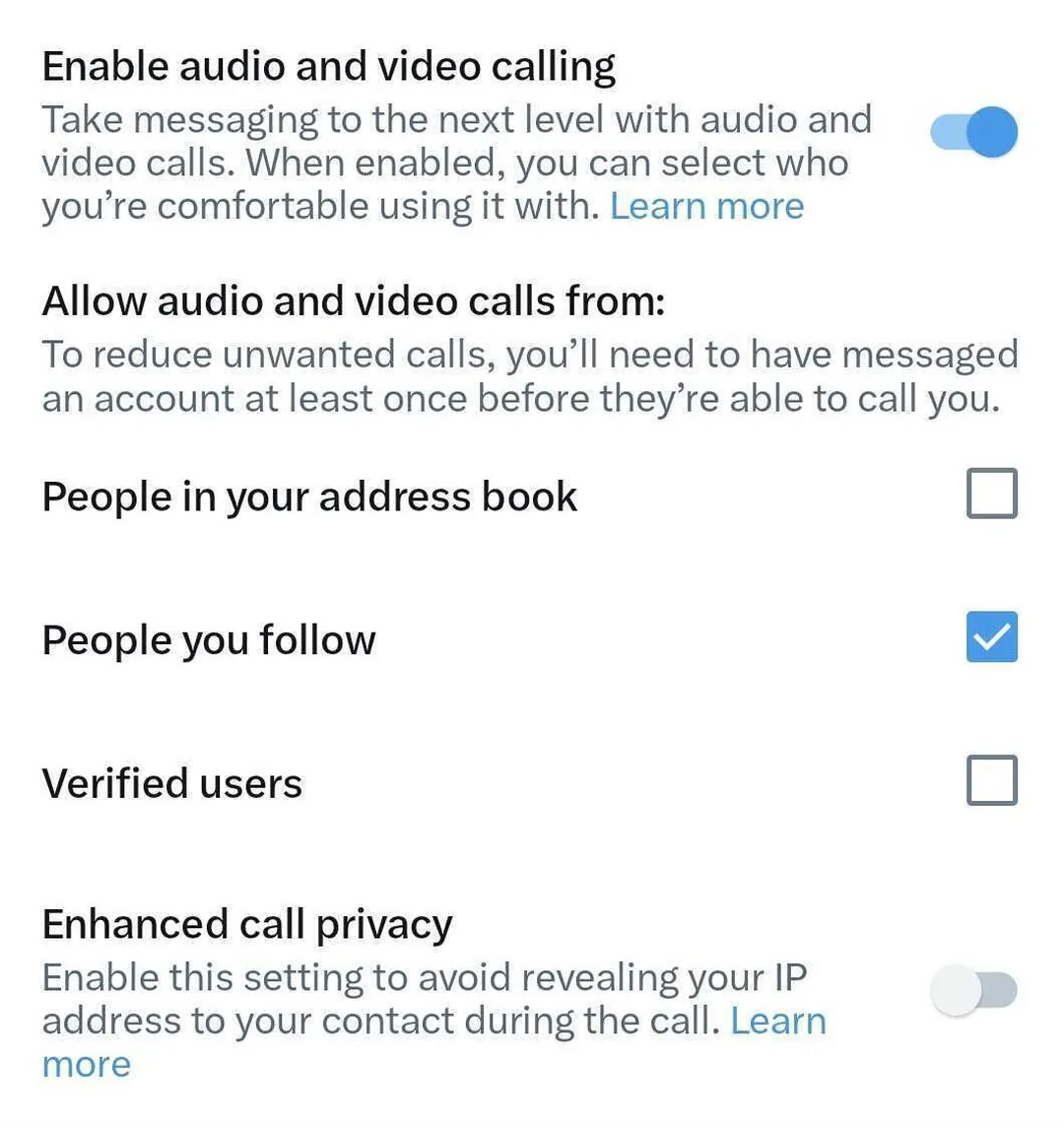
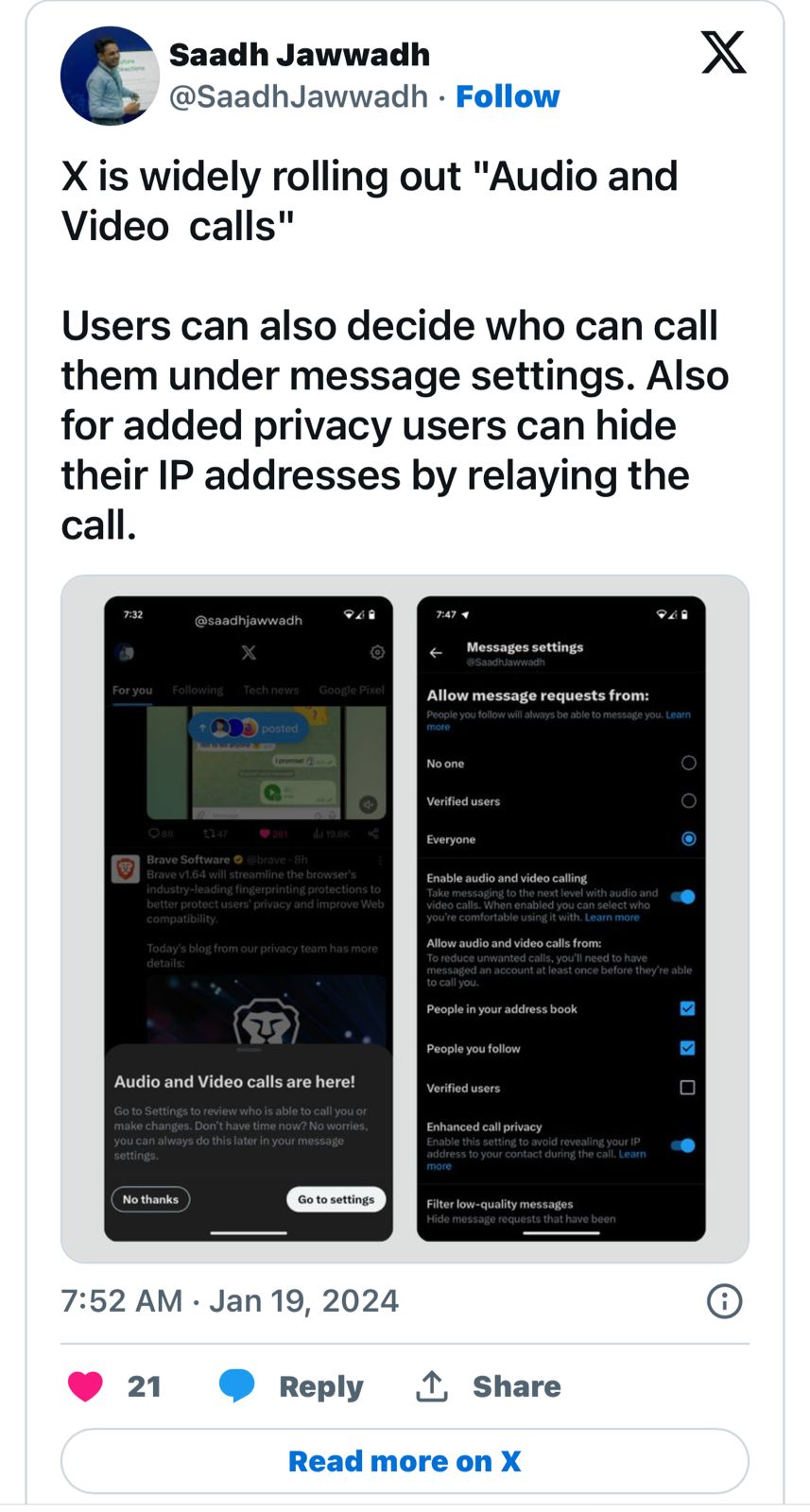
For users concerned about privacy, X provides options to manage who can call them.
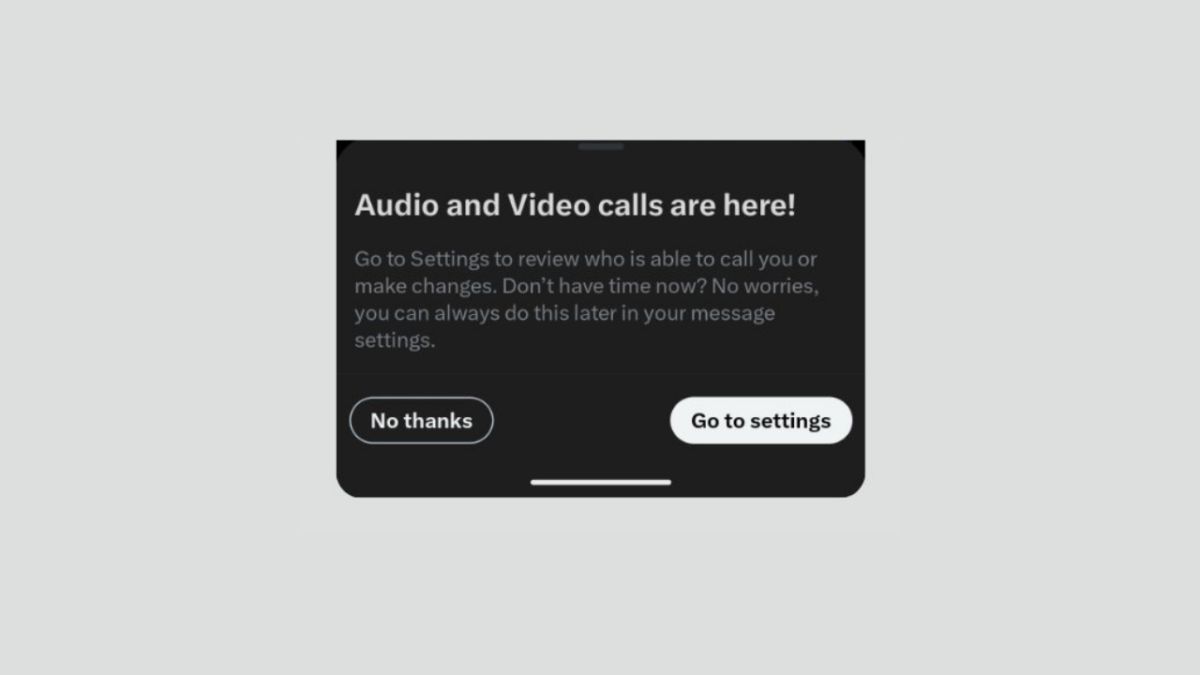
These settings are accessible under Settings > Privacy and safety > Direct Messages > Enable audio and video calling.
Only premium subscribers can place calls on both Android and iOS, while all users can receive calls.
Users can restrict incoming calls to contacts in their address book, users they follow, or accounts verified with blue ticks.
However, the company has also been known to remove certain features, such as NFT profile pictures, indicating a dynamic approach to its service offerings and user engagement strategies.
X Introduces Audio and Video Calling on Android: Premium Subscribers Get Exclusive Access
FAQs
What is X’s new feature for Android users?
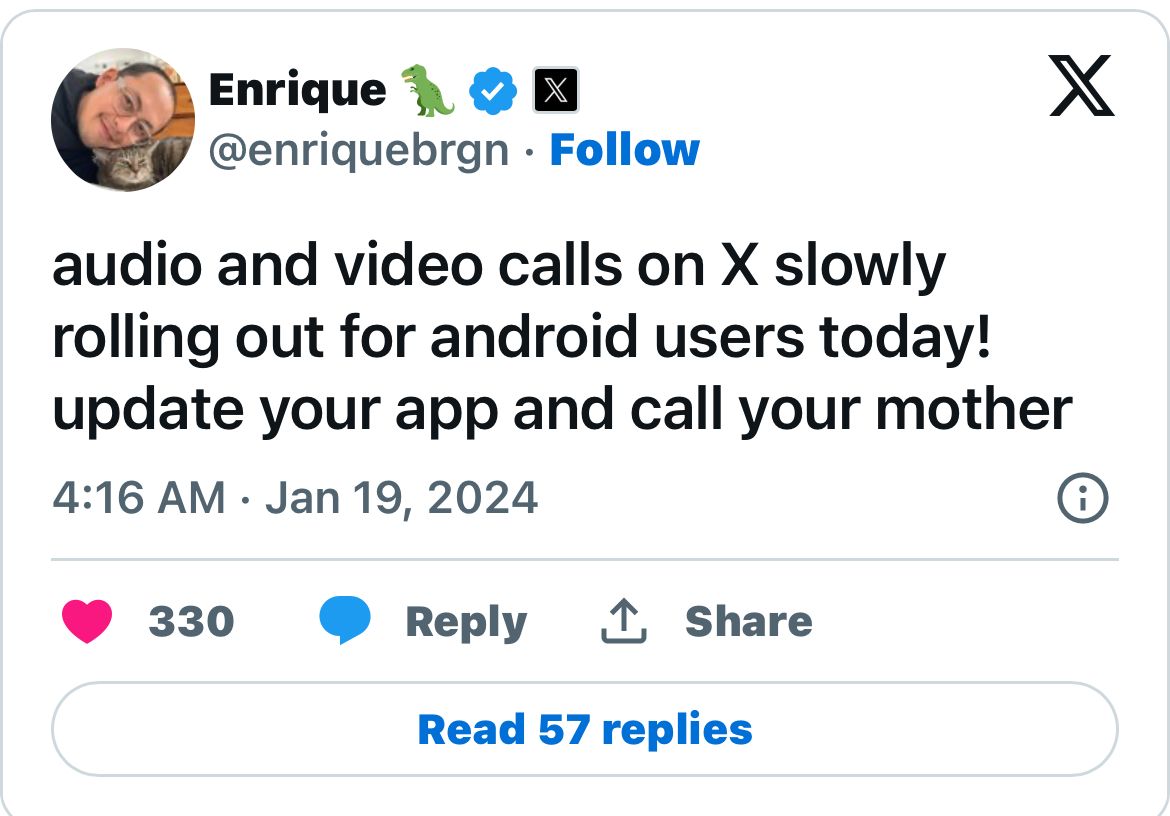
X has recently launched audio and video calling features for Android users.
This rollout follows the feature’s successful implementation on iOS devices, allowing Android users to engage in audio and video conversations directly through the X app.
Who can use the outbound calling feature on X?
The ability to make outbound calls on X is reserved for X Premium subscribers.
This approach is part of X’s strategy to offer exclusive features to paid members, as the platform seeks to diversify its revenue streams beyond traditional advertising.
How can Android users access X’s new calling feature?
To access the audio and video calling feature, Android users need to update their X app to the latest version.
Once updated, they can find the option to enable these features in the app’s privacy and safety settings.
Can all X users receive audio and video calls?
Yes, all X users, regardless of their subscription status, can receive audio and video calls.
This inclusivity ensures that the platform remains accessible for broader user interaction and engagement.
How can users manage an audio call on XWhile on an audio call ?
•Tap the audio icon to put the call on the speaker.
•Mute or unmute microphone by tapping the microphone icon.
•End the call by tapping the X button.
How can users manage a video call on XWhile on a video call ?
•Switch between the front or back-facing camera by tapping the flip camera icon. •Tap the audio icon to turn off speaker mode. •Turn the camera off by tapping the camera icon. •Mute microphone by tapping the microphone icon. •End the call by tapping the X button.
How to control who can call you ?
•Open the messages section by tapping on the envelope icon. •Tap the settings icon in the top right corner that will open up the Messages settings. •In the messages settings users can control if they’d like the audio and video calling feature to be enabled or not. •If the audio and video calling feature is enabled, users can choose who is able to call them. •Users can choose to receive calls from: •People in your address book •People you follow •Verified users
This development follows months of speculation and hints at the global availability of the new fitness tracker.
Galaxy Fit 3: Global Launch and Certification
Galaxy Fit 3: Global Launch and Certification
The Galaxy Fit 3, with the model number SM-R390, has its support page now visible on Samsung’s India website, suggesting an imminent release.
Similar support pages have also appeared in other regions, including Europe, America, and Russia, indicating the tracker’s worldwide availability.
Further fueling the anticipation, the Galaxy Fit 3 has been listed on Malaysia’s SIRIM certification site, corroborating the global launch expectations.
Although specific details haven’t been revealed on the support page, the certification points towards an upcoming debut.
Design and Features: What to Expect
Galaxy Fit 3 Design and Features: What to Expect
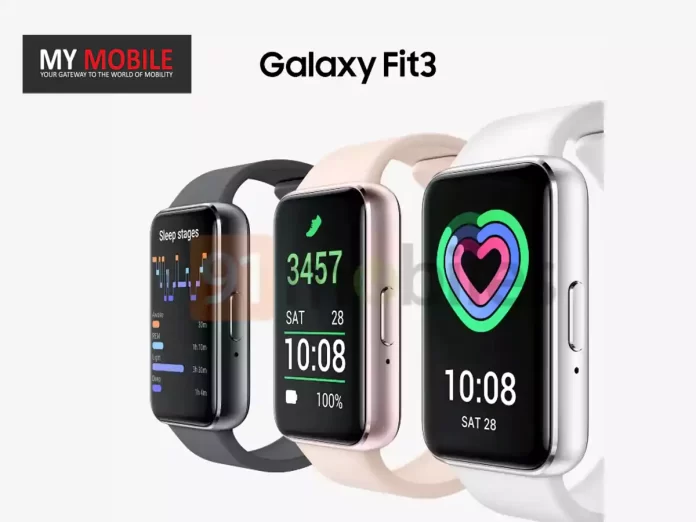
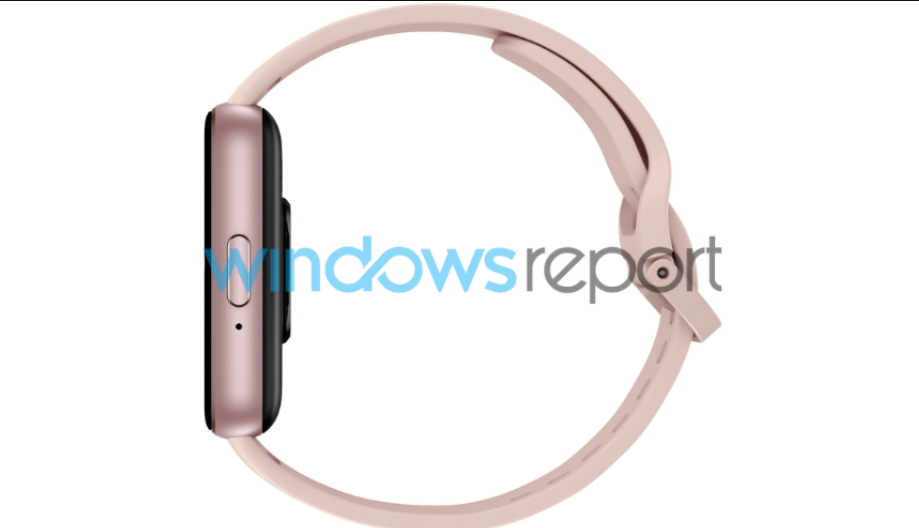
Leaked renders and images have given us a glimpse into the Galaxy Fit 3’s design.
Notably, Samsung seems to have chosen non-removable straps for the Galaxy Fit 3.
The device is likely to include a side button, presumably serving as a power button, with charging pins located at the bottom.
The Galaxy Fit 3 is anticipated to be available in several color options, including Grey, Gold, Black, and possibly Rose Gold, offering a range of choices to suit different style preferences.
FAQs
What are the indications of the Galaxy Fit 3’s upcoming launch?
The launch of Samsung’s Galaxy Fit 3 seems imminent with the activation of support pages on Samsung’s India website and in other global markets.
Additionally, the device’s listing on Malaysia’s SIRIM certification site further suggests its nearing release.
Where has the Galaxy Fit 3 been spotted?
The Galaxy Fit 3, carrying the model number SM-R390, has its support page live on Samsung’s websites in various regions including India, Europe, America, and Russia, indicating a broad launch scope.
What new design features are expected in the Galaxy Fit 3?
Leaked images and renders suggest the Galaxy Fit 3 will sport a larger display than its predecessor and a design akin to the Huawei Watch Fit.
It is also anticipated to have non-removable straps and a side power button.
What color options might be available for the Galaxy Fit 3?
The Galaxy Fit 3 is expected to come in multiple color options, such as Grey, Gold, and Black, with a potential Rose Gold variant also being speculated.
What are the new design features of the Galaxy Fit 3?
The Galaxy Fit 3 is expected to feature a larger OLED screen with a slim-bezel design, giving it a more smartwatch-like appearance.
It will likely come with a silicon strap and a single button, without the ability to make calls or use a voice assistant.
Will the Galaxy Fit 3 include GPS tracking?
While not officially confirmed, the Galaxy Fit 3 is rumoured to include GPS tracking, a feature that was absent in its predecessors, enhancing its appeal to fitness enthusiasts who need location tracking.
How will the battery life of the Galaxy Fit 3 compare to smartwatches?
Without the power-intensive features of a smartwatch OS like Wear OS, the Galaxy Fit 3 may offer a prolonged battery life, potentially lasting a week or more on a single charge, depending on usage.
When can consumers expect the Galaxy Fit 3 to be officially announced?
The official announcement for the Galaxy Fit 3 has not been scheduled, but it might be introduced at Samsung’s next Galaxy Unpacked event, with speculations pointing towards a near-future reveal.
Instagram introduces a 10-minute nighttime usage alert for teenagers.
Feature extends to Facebook and Messenger to encourage healthier screen habits.
Parental supervision tools offered for monitoring child app usage.
Strategies suggested for reducing screen time, like meditation and outdoor activities.
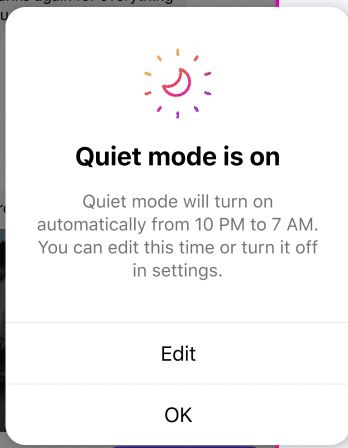
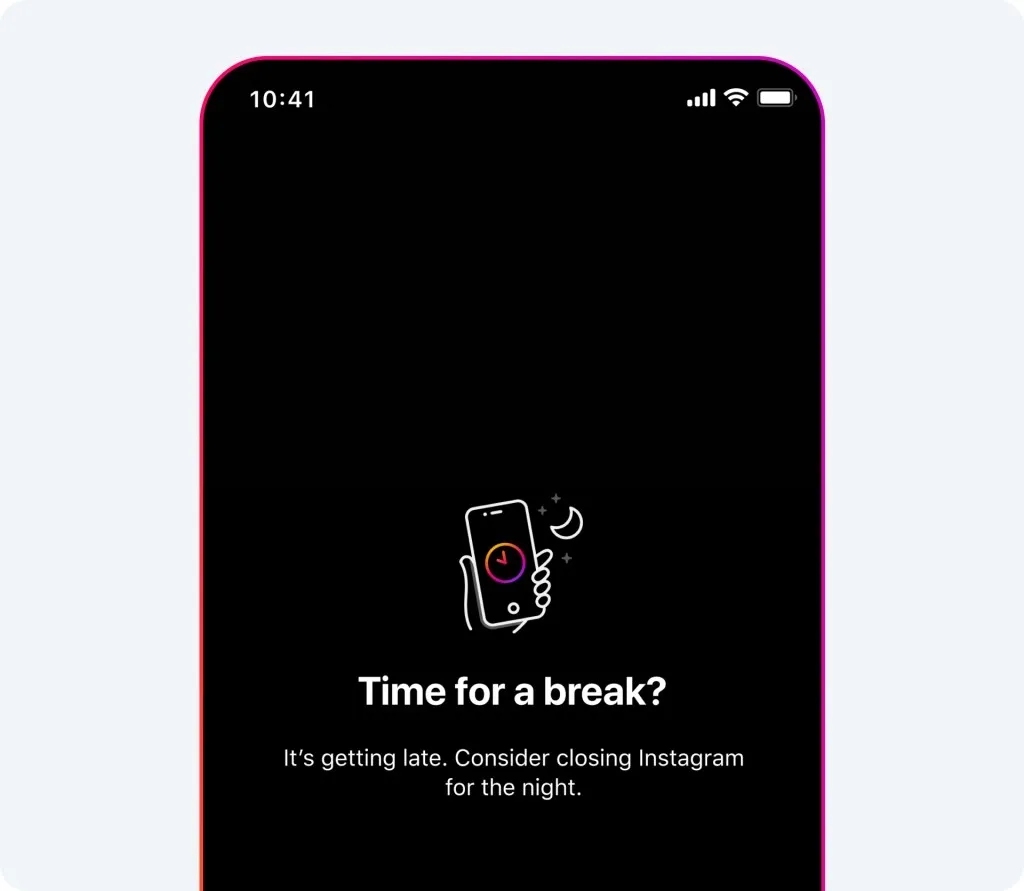
In a bid to combat the growing issue of screen addiction, particularly among teenagers,Instagram has rolled out a new featuredesigned to encourage healthier digital habits.
This innovative update prompts teenagers to close the app if they exceed 10 minutes of use at night, addressing concerns about excessive scrolling through Reels and the use of direct messages (DMs) during bedtime.
Tackling the Addiction to Reels
Tackling the Addiction to Reels
Instagram Reels, the platform’s popular short video feature, has seen a surge in popularity, especially among younger users.
However, this has also led to an increase in screen time, with many teenagers becoming vulnerable to addiction.
Meta’s response, in the form of this new warning system, is aimed at promoting better sleep and reducing late-night app usage.
Implementation Across Meta Platforms
Instagram Targets Teen Screen Time with New Nighttime Alert Feature
These tools provide detailed insights, including total daily usage and weekly averages, aiding parents in guiding their children towards more balanced screen time.
Effective Strategies to Curb Screen Addiction
Effective Strategies to Curb Screen Addiction
While the new feature is a step in the right direction, overcoming the lure of constant scrolling requires more than just app-based solutions.
Measures such as turning off notifications, keeping phones out of reach, and practicing meditation can significantly help reduce screen time.
We also feel that it’s beneficial to engage in outdoor activities, read physical books, and consciously avoid replacing one time-consuming app with another.
FAQs
What is Instagram’s new nighttime alert feature for teenagers?
Instagram’s new feature alerts teenagers if they use the app for more than 10 minutes at night.
The aim is to discourage prolonged usage of the app during bedtime hours, promoting better sleep and healthier digital habits among young users.
How does this feature work on other Meta platforms?
The nighttime alert feature is also implemented on Facebook and Messenger.
It is part of Meta’s broader initiative to address concerns about excessive screen time among teenagers across all its platforms.
Can parents monitor their children’s usage of Instagram and Facebook?
Yes, Meta provides parental supervision tools that allow parents to track and monitor their children’s time spent on Instagram and Facebook.
These tools offer insights into daily and weekly app usage, aiding parents in managing their children’s screen time.
What are some tips to reduce screen addiction on Instagram?
To combat screen addiction, users are advised to turn off notifications, keep their phones out of easy reach, practice meditation, and engage in physical activities.
These practices help in reducing the urge to constantly check social media apps.
What are ‘Add Yours’ Templates on Instagram?
‘Add Yours’ Templates on Instagram are a new feature that allows users to create their own custom templates for Stories.
Users can add GIFs, text, and images to craft unique, meme-friendly templates, which can then be shared with others for further customization and collaboration.
How does one create and use ‘Add Yours’ Templates?
To create an ‘Add Yours’ Template, users can add their desired elements to a story and select the ‘Add Yours’ option from the Sticker Tray.
This shared template becomes a collaborative space where other users can add their contributions, enhancing the sense of community on the platform.
What type of content can be created with ‘Add Yours’ Templates?
‘Add Yours’ Templates offer limitless possibilities for content creation, from interactive quizzes and sharing snapshots of daily life to inviting users to share themed photos.
This feature is designed to encourage creativity and user engagement on Instagram Stories.
When will ‘Add Yours’ Templates be available to all users?
The rollout of ‘Add Yours’ Templates on Instagram is currently underway globally for both Android and iOS users.
However, it might take a few days for the feature to become available to everyone, so users are advised to stay patient.
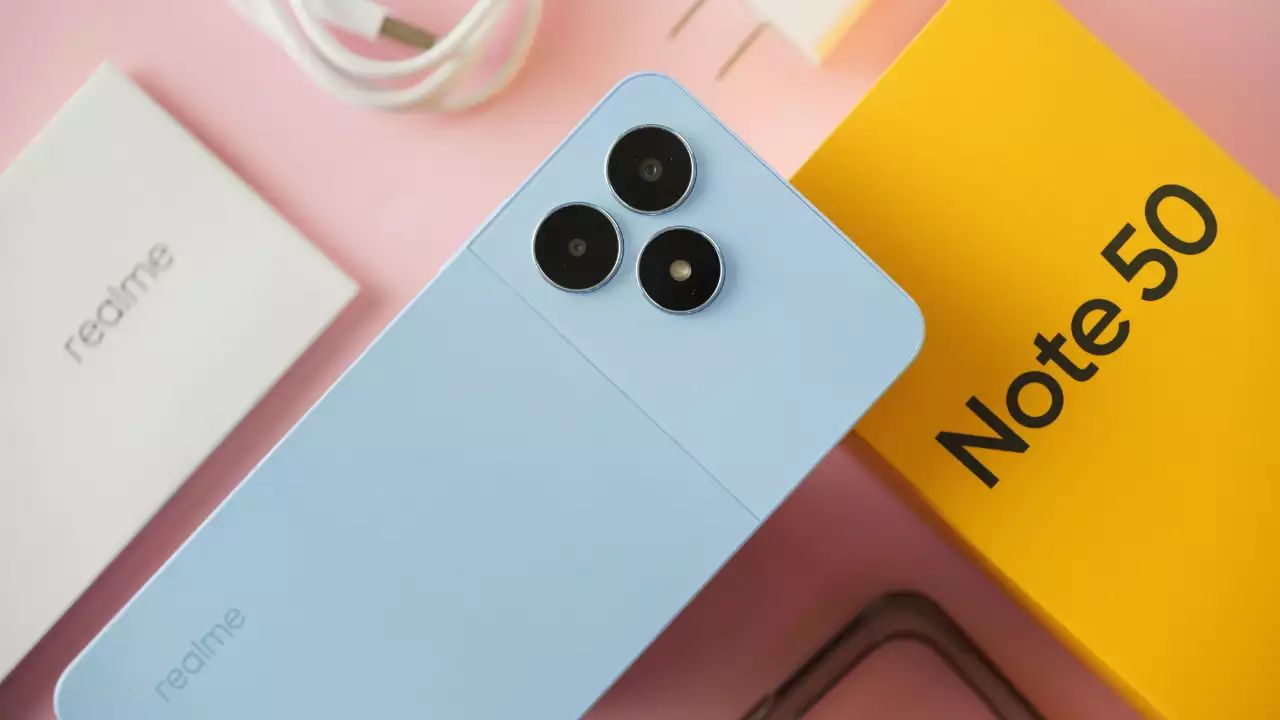
The announcement comes from Realme Philippines, which has also disclosed the device’s pricing and specifications ahead of its official release in the country.
realme VP, Chase said “It is the first product and a new beginning for a very extensive series,” he added, so we might see several phones in this new realme Note series.
Realme Note 50: Launch Details and International Availability
Realme Note 50: Launch Details and International Availability
Sky Li, the CEO and founder of Realme, initially revealed the plans for the Realme Note series.
The company later confirmed that the Realme Note 50 will be available in various global markets, including Vietnam, Thailand, Italy, Bangladesh, Myanmar, and the Philippines.
The detailed country-wise availability is set to be announced on January 23.
While Realme has not yet confirmed the release of the Note 50 in India, anticipation is high.
Realme Note 50: Pricing and Colour Variants
Realme Note 50: Pricing and Colour Variants
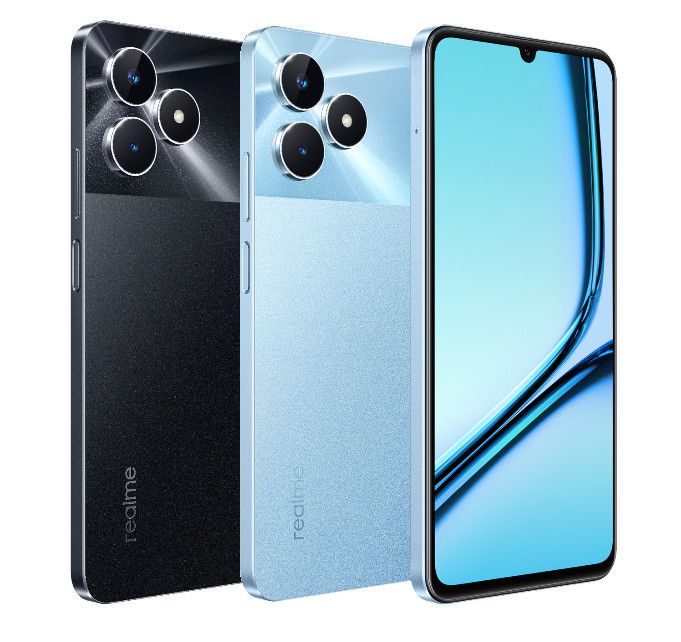
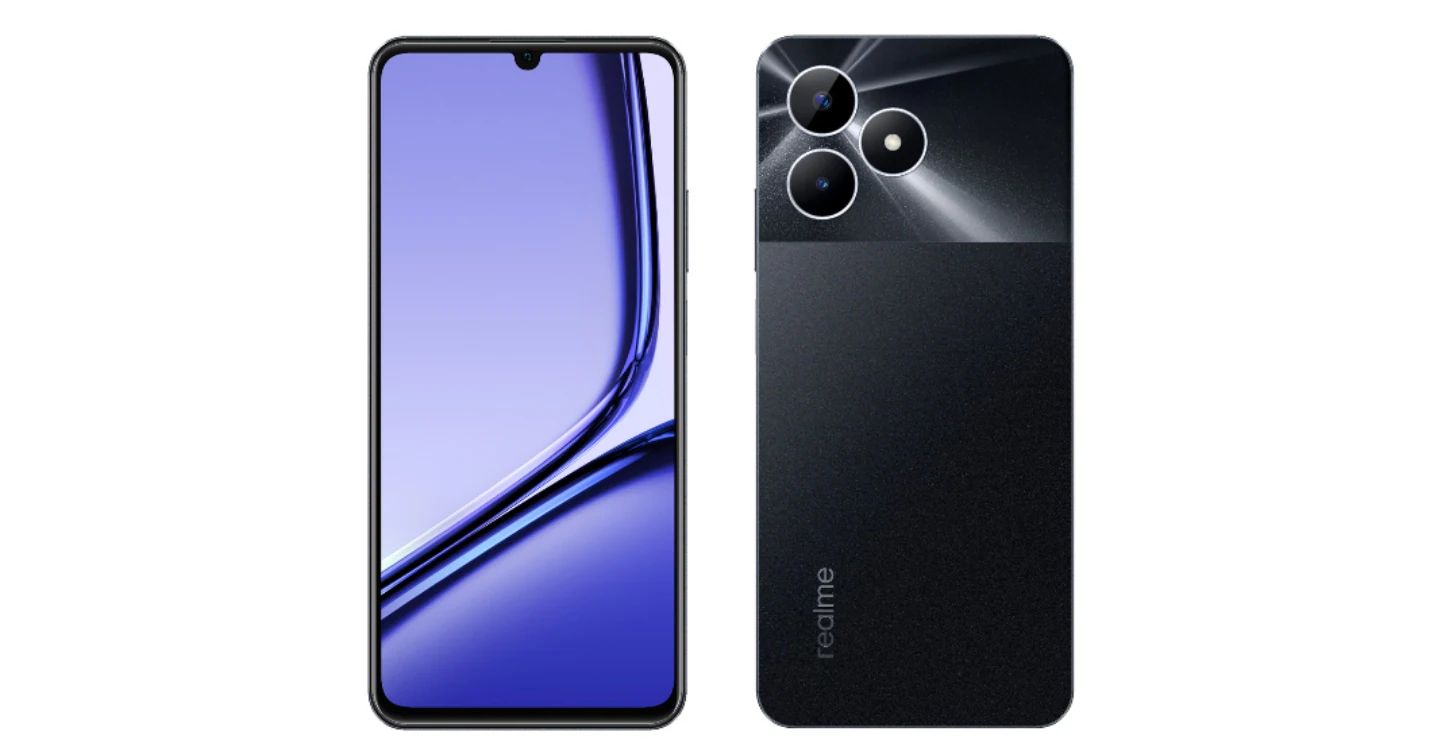
The Realme Note 50, available in striking Midnight Blue and Sky Blue colors, has been priced at PHP 3,599 (approximately Rs 5,500).
This price is for the single variant offering 4GB of RAM and 64GB of storage.
Realme Note 50: Specifications and Features
Realme Note 50: Specifications and Features
The Realme Note 50 boasts a 6.74-inch IPS LCD display featuring a waterdrop-style notch, HD+ resolution, and a refresh rate of 90Hz.
The Realme Note 50, essentially a rebranded version of the Realme C51 with some feature downgrades, reflects the brand’s strategy to offer cost-effective options.
This series will coexist with Realme’s existing GT, number, and C series smartphones, catering to a diverse consumer base.
FAQs
What are the key markets for the Realme Note 50’s launch?
The Realme Note 50 is set to launch in several global markets, including Vietnam, Thailand, Italy, Bangladesh, Myanmar, and the Philippines.
The specific release date for each country will be announced on January 23, with high expectations for its release in India.
What are the color options and pricing for the Realme Note 50?
The Realme Note 50 is available in Midnight Blue and Sky Blue colors, catering to different style preferences.
It is priced at PHP 3,599 (approximately Rs 5,500) for its single variant offering 4GB RAM and 64GB storage.
What are the standout features of the Realme Note 50?
The Realme Note 50 boasts a 6.74-inch IPS LCD display with HD+ resolution and a 90Hz refresh rate.
It is powered by the UNISOC T612 SoC and includes a dual rear camera setup, a 5000mAh battery with fast charging, and runs on Realme UI T Edition based on Android 13.
How does the Realme Note 50 fit into Realme’s smartphone strategy?
The Realme Note 50 represents Realme’s strategy to target a wide range of users, from entry-level to flagship customers.
It is a rebranded version of the Realme C51 with some feature adjustments, allowing the brand to offer affordable yet feature-rich smartphones.
What can we expect from the Realme Note 1 according to recent teasers?
Realme has teased the Note 1, expected to feature a 6.67-inch OLED display with FHD+ resolution and a 120Hz refresh rate.
It’s anticipated to come with a MediaTek Dimensity 7050 SoC, a triple rear camera setup including a 108MP primary sensor, and a 16MP selfie camera.
When is the Realme Note 1 expected to be launched?
The Realme Note 1 is teased to be launched on January 24 in Indonesia, with subsequent plans for a global release, including a major presence in India.
What specifications has Realme hinted at for the Note 50?
The Realme Note 50 is teased to include a Unisoc T612 SoC, a 6.67-inch HD+ LCD display, and a dual rear camera setup.
It’s expected to run Android 13 and feature a 4890mAh battery with a 10W charger.
How is Realme positioning the Note 50 in the smartphone market?
Realme’s teasers suggest the Note 50 will be a budget-friendly option, potentially priced under Rs 8,000, aiming to make a significant impact in the budget smartphone market against competitors like Redmi.
What are the Geekbench scores for the Realme Note 50?
The Realme Note 50 has achieved a score of 424 in the single-core test and 1478 in the multicore test on Geekbench, indicating reliable performance for a budget smartphone.
What processor does the Realme Note 50 use?
The device is expected to feature the Unisoc T612 processor, as suggested by its Geekbench listing which matches the motherboard code of the Realme C53.
What are the battery specifications of the Realme Note 50?
According to TUV Rheinland certification, the Realme Note 50 will be powered by a 4890mAh battery, complemented with a standard 10W charging capability.
Can you describe the display and camera features of the Realme Note 50?
The smartphone is rumored to have a 6.67-inch HD+ LCD display with a water-drop notch.
It’s likely to include a 13MP primary camera and a 0.8MP secondary rear camera, along with a 5MP front-facing camera for selfies.
These updates include an expansion of Copilot for Microsoft 365, integration of Microsoft Loop, and the launch of a novel AI tool, Reading Coach.
Expanded Access to Copilot in Microsoft 365
Expanded Access to Copilot in Microsoft 365
Microsoft’s Copilot, known for its advanced data protection features, is now accessible to a broader audience, including faculty and higher education students over 18.
This expansion is particularly notable as it includes users of the free offers.
Prestigious universities like The University of Hong Kong and The University of Manchester are already leveraging Copilot.
Microsofthas also removed the 300-seat minimum purchase requirement, making it more affordable for smaller businesses and educational institutions.
Microsoft Loop: Enhancing Collaboration in Education
Microsoft Loop: Enhancing Collaboration in Education
Set to be included in Microsoft 365 A3 and A5 plans from March 2024, Microsoft Loop is an AI-powered app designed to streamline collaborative work, planning, and content creation.
This integration will also be part of the Student Use Benefit, facilitating interactive learning environments.
Users with Office 365 A1 plans will have the ability to create workspaces and pages until June 30, 2024.
Reading Coach is a generative AI-powered Learning Accelerator aimed at boosting students’ reading practices.
It allows students to engage actively in storytelling, enhancing their reading experience through personalized narratives, progress tracking, badges, and incentives.
This tool is tailored to create a more interactive and personalized reading journey.
AI-Powered Enhancements in Microsoft Teams and Reflect
AI-Powered Enhancements in Microsoft Teams and Reflect
These AI-driven tools provide assistance in generating reading passages, comprehension questions, rubrics, and more, all at no additional cost.
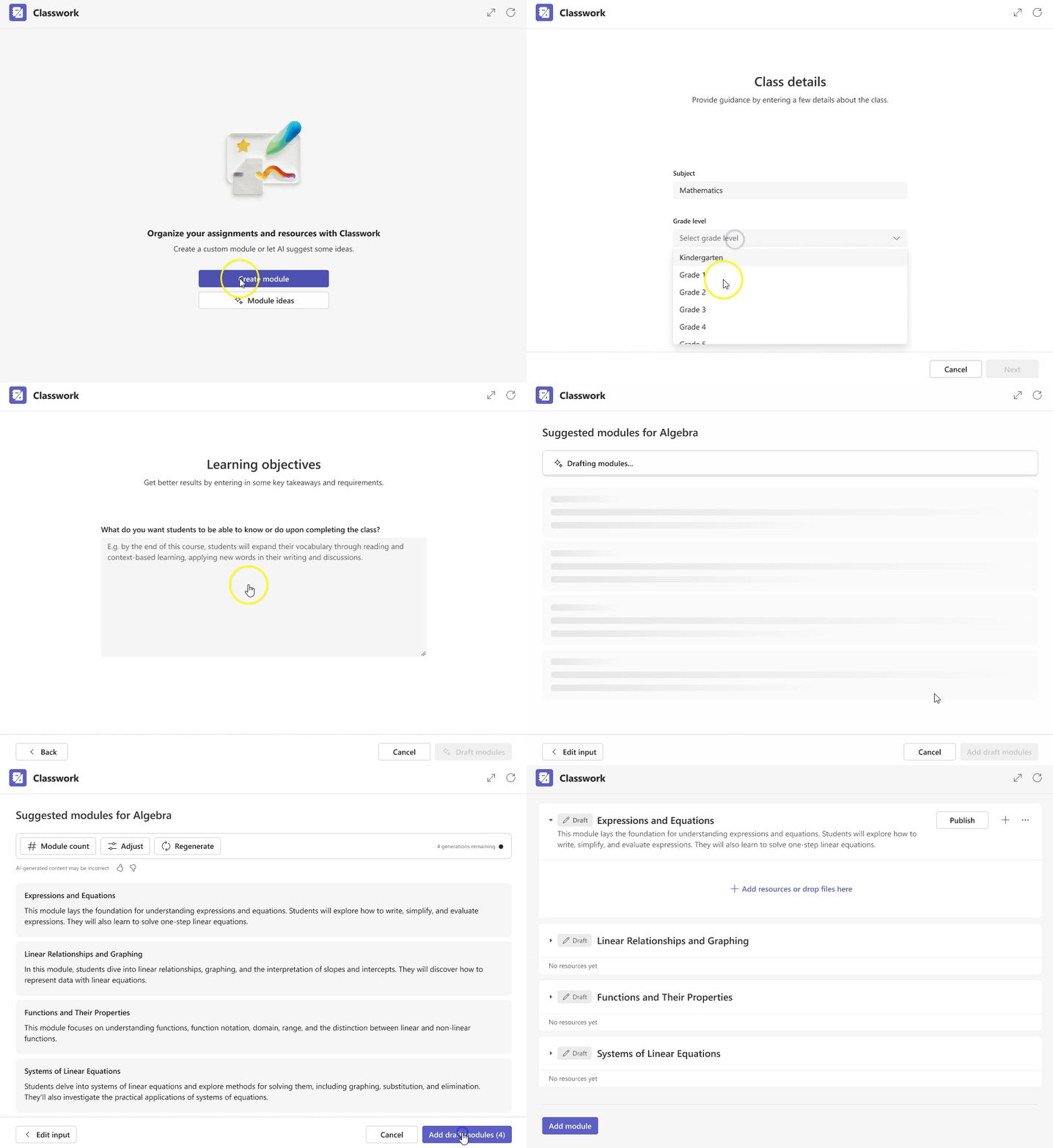
The Classwork module in Teams now offers a more streamlined curriculum management system, while AI aids in creating assignments aligned with educational goals.
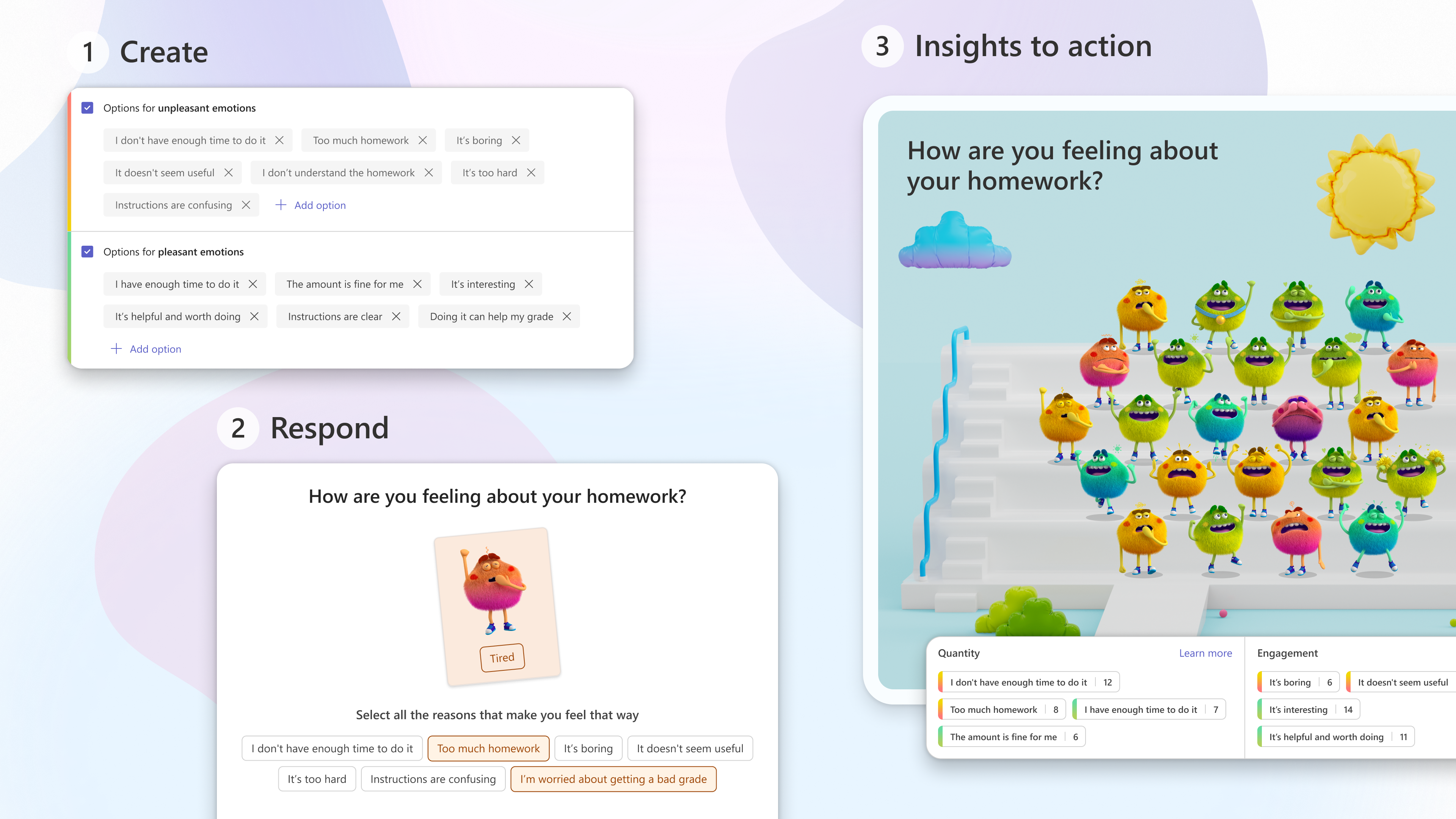
Microsoft Reflect, which supports students in expressing their emotions, now includes enhanced features that allow educators to gain deeper insights into students’ well-being by understanding the reasons behind their emotions.
Copilot Pro: Elevating Productivity in Microsoft 365
Classwork Module in Teams
In a move to further enhance productivity, Microsoft has recently introduced Copilot Pro, an add-on service priced at $20 per user per month.
Extending advanced AI capabilities to Microsoft 365 apps like Word, Excel, PowerPoint, Outlook, and OneNote, Copilot Pro is available on PC, Mac, and iPad for users with an existing Microsoft 365 Personal or Family plan.
Copilot Pro, while an additional service and not part of the Microsoft 365 subscription, also boosts capabilities in Designer, Microsoft’s AI-powered image creation tool.
Subscribers benefit from 100 daily “boosts” for quicker image generation, improved quality, and more formatting options.
Additionally, they get priority access to the latest GenAI models, like OpenAI’s GPT-4 Turbo, ensuring optimal performance even during peak times.
FAQs
What is the new Copilot expansion in Microsoft 365?
Microsoft’s Copilot has been expanded to include faculty and higher education students, removing the 300-seat minimum purchase.
This expansion aims to make the tool more accessible and affordable for educational institutions of all sizes.
How does Microsoft Loop enhance the educational experience?
Microsoft Loop, an AI-powered collaboration app, is being integrated into Microsoft 365 A3 and A5 plans from March 2024.
It facilitates interactive learning by enabling collaborative work, planning, and content creation within the educational sphere.
What features does the new Reading Coach tool offer?
The Reading Coach tool in Microsoft Education, powered by generative AI, is designed to improve students’ reading skills.
It offers an interactive and personalized experience, encouraging active participation in story shaping and providing incentives like badges and progress reports.
What are the new features added to Microsoft Teams for Education?
Microsoft Teams for Education introduces new AI-powered features for reading passages, comprehension questions, and curriculum management.
These tools aim to simplify the educational process for both students and teachers.
What is Copilot Pro and how does it integrate with Microsoft 365?
Copilot Pro is a premium AI-powered add-on for Microsoft 365, priced at $20 per user per month.
It integrates with Microsoft 365 apps like Word, Excel, PowerPoint, Outlook, and OneNote, offering advanced AI functionalities such as text generation, data visualization, and email drafting.
Who can access Copilot Pro and what are the subscription requirements?
Copilot Pro is accessible to users with an existing Microsoft 365 Personal or Family plan.
It is an additional service on top of the Microsoft 365 subscription, bringing the total cost for the lowest-tier subscription to $27 per month.
What are the unique features of Copilot Pro compared to the enterprise version?
Copilot Pro offers enhanced image creation capabilities in Designer with 100 daily boosts, and priority access to the latest GenAI models like OpenAI’s GPT-4 Turbo.
It differs from the enterprise version, which includes Copilot in Teams and enterprise-grade data protection.
What future enhancements are planned for Copilot Pro subscribers?
Future updates for Copilot Pro include the ability to switch between different AI models and access to Copilot GPT Builder for creating tailored AI assistants for specific topics or needs.
Apple Watch Series 9 and Ultra 2’s blood oxygen feature removed due to patent lawsuit.
Masimo wins lawsuit leading to sales ban of affected Apple Watch models in the U.S.
Indian market offers Apple Watch Series 9 and Ultra 2 without feature removal.
Masimo CEO criticizes Apple’s blood oxygen technology, questioning its reliability.
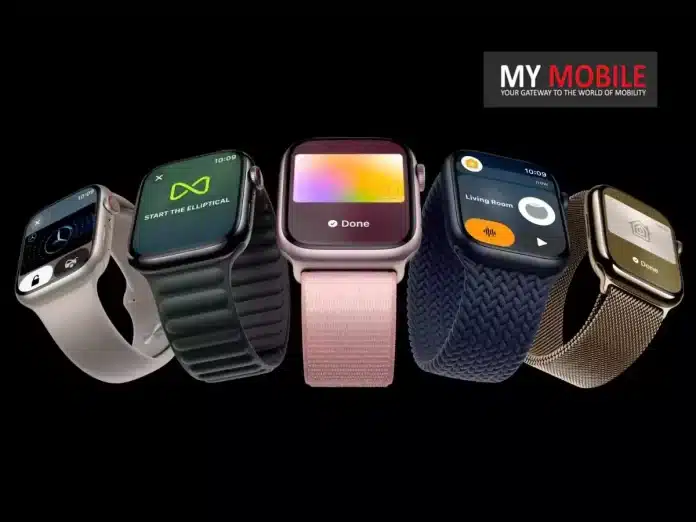
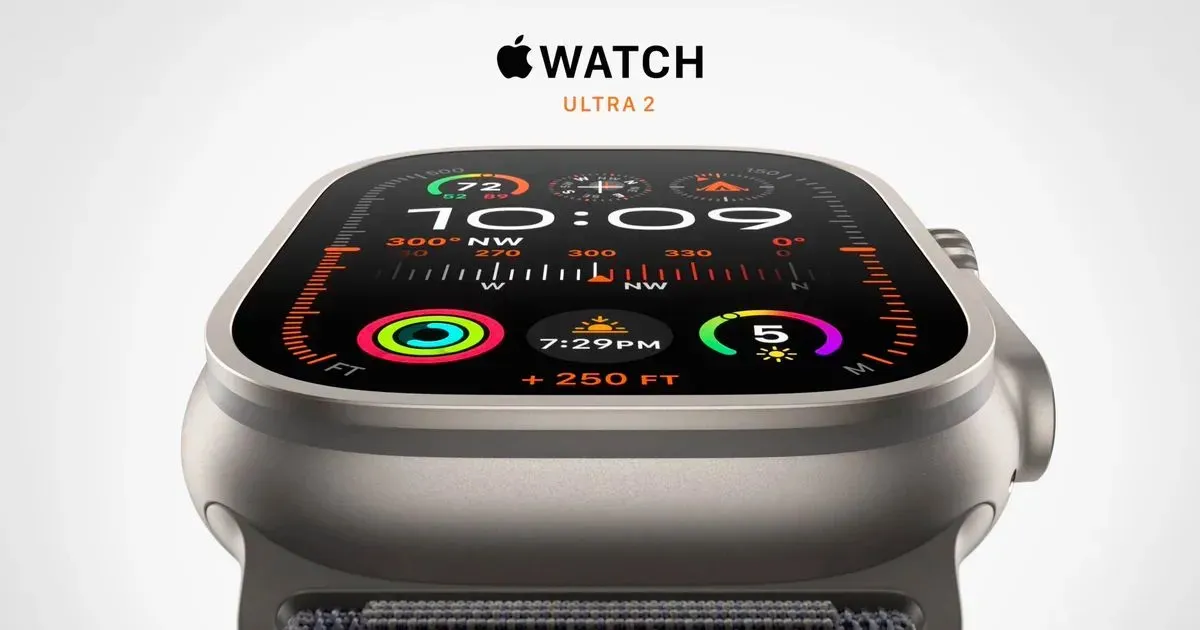
Apple’s latest models, the Apple Watch Series 9 and Ultra 2, have been at the center of a significant legal battle that’s impacting their functionality.
Particularly for those considering a purchase in the United States, there’s a crucial development: these models will no longer include the blood oxygen monitoring feature, a decision stemming from a lawsuit over patent infringement.
Patent Infringement Lawsuit’s Impact
Patent Infringement Lawsuit’s Impact
Caught in a lawsuit against California-based health technology firm Masimo, Apple has faced setbacks.
Complying with this ruling, Apple removed these models from retail shelves before Christmas, along with an import ban.
The US Court of Appeals for the Federal Circuit later confirmed that Apple could not sell models using the disputed technology, prompting Apple to remove the blood oxygen feature.
Removal of SpO2 Monitoring
Removal of SpO2 Monitoring
The blood oxygen monitoring feature, essential for tracking health and wellness, has been a standout aspect of recent Apple Watch models.
Apple’s workaround, following the lawsuit, is to disable this feature.
For those in India, the removal of this feature in U.S. models shifts the purchasing decision.
In India, the Apple Watch Series 9 starts at Rs 41,900 (41mm, GPS only) and Rs 44,900 (44mm, GPS only).
The GPS+LTE models are priced higher.
The Apple Watch Ultra 2, starting at Rs 89,900, also offers GPS+LTE and is currently listed as out of stock on Apple’s website.
Apple Watch Model
India Price
US Price
Series 9 (41mm)
Rs 41,900
$399 (about Rs 33,000)
Series 9 (45 mm)
Rs 44,900
$429 (about Rs 35,000)
Series 9 (41mm with LTE)
Rs 51,900
$499 (about Rs 41,000)
Series 9 (45 mm with LTE)
Rs 54,900
$529 (about Rs 44,000)
Ultra Series 2
Rs 89,900
$799 (about Rs 66,000)
How to Measure Blood Oxygen Levels on Apple Watch
How to Measure Blood Oxygen Levels on Apple Watch
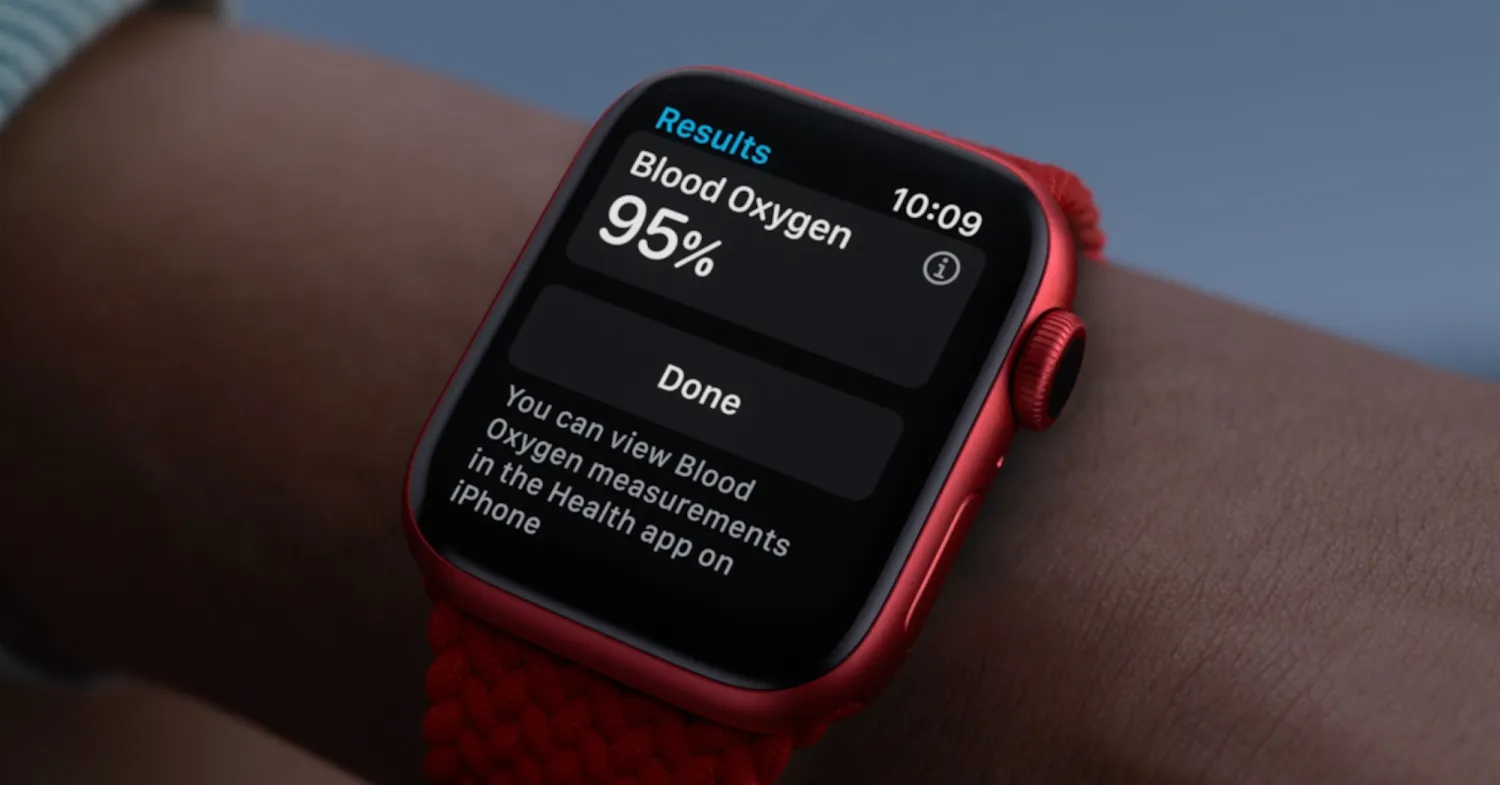
Despite the controversy in the U.S., existing models with the blood oxygen app can measure oxygen levels.
This feature, available on Series 6 or later, helps users understand their health and wellness, though it’s not intended for medical use.
Users in eligible regions with updated devices can easily set up and use this feature.
On Apple’s support page, this is how the company describes the process:
Open the Blood Oxygen app on your Apple Watch.
Rest your arm on a table or in your lap, and make sure your wrist is flat, with the Apple Watch display facing up.
Tap Start, then hold your arm very still during the 15-second countdown.
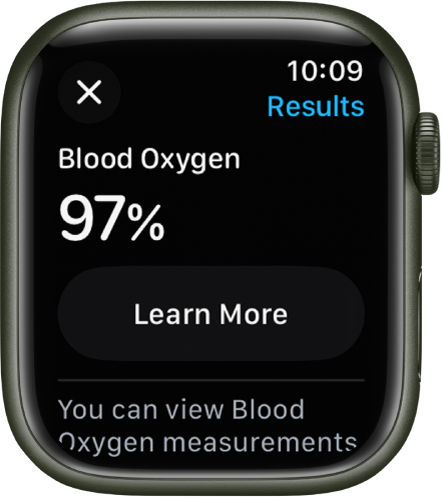
At the end of the measurement, you receive the results. Tap Done.
Masimo CEO Criticizes Apple’s Implementation
Masimo CEO Criticizes Apple’s Implementation
In the midst of this legal battle, Masimo CEO Joe Kiani has openly criticized Apple’s blood oxygen feature, calling it unreliable and asserting that consumers are better off without it.
Apple has defended the feature, claiming its reliability and potential to save lives.
For buyers, it’s possible to determine if an Apple Watch Series 9 or Ultra 2 has the blood oxygen sensing feature by checking the model number.
This number reveals which batch the watch belongs to – the original with the feature or the modified hardware without it.
FAQs
Why has the blood oxygen monitoring feature been removed from Apple Watch Series 9 and Ultra 2 in the U.S.?
The removal of the blood oxygen monitoring feature from Apple Watch Series 9 and Ultra 2 in the U.S. is a direct result of a patent infringement lawsuit won by Masimo, a health technology firm.
This legal decision led to a ban on the sale of these models in the U.S., forcing Apple to disable this feature.
Can I still buy Apple Watch Series 9 and Ultra 2 with blood oxygen monitoring in India?
Yes, in India, the Apple Watch Series 9 and Ultra 2 are still available with the blood oxygen monitoring feature.
They are priced starting at Rs 41,900 and Rs 89,900, respectively, for the GPS only and GPS+LTE models.
How can users measure their blood oxygen levels on eligible Apple Watch models?
Users with an Apple Watch Series 6 or later in regions where the feature is available can measure their blood oxygen levels using the Blood Oxygen app.
The process involves resting the arm, starting the measurement in the app, and staying still for a 15-second countdown.
What has been Masimo CEO’s stance on Apple’s blood oxygen technology?
Masimo CEO Joe Kiani has criticized Apple’s implementation of blood oxygen technology in their watches, calling it unreliable.
He argues that consumers would be better off without this feature, which Apple has contested, defending the feature’s reliability and life-saving potential.
How Apple is informing customers about the modified Apple Watch Series 9 and Ultra 2?
Apple has updated its online store to denote the modification required to avoid another import ban on Apple Watch Series 9 and Ultra 2.
Apple has disabled the blood oxygen sensor functionality on new Apple Watch S9 and U2 models sold in the US from today.
Apple has added a new banner to the Apple Watch Series 9 and Ultra 2 product pages.
“Apple Watch Series 9 and Ultra 2 no longer include the Blood Oxygen feature,” reads the banner applied to the checkout flow for both model watches.
Checking the model number for the specific watch you’re buying will reveal which batch of hardware it belongs to, the original or the modified hardware.
Did Masimo CEO say Apple Watch Blood Oxygen Sensor is Not Reliable, Customers Are ‘Better Off Without It’?
As Apple starts selling Apple Watch Series 9 and Ultra 2 models without the blood oxygen sensor enabled, Masimo CEO Joe Kiani confirmed to Bloomberg that there has been no chat with Apple about a possible settlement.
According to Kiani, he has not spoken to anyone from Apple “personally” and no one from Apple has reached out about an agreement.
He did say there have been court-ordered mediations he is unable to discuss, and that there are likely to be additional meetings in the future, but he does not believe those meetings will serve as steps to settling the legal dispute with Apple.
Kiani maligned the Apple Watch blood oxygen sensor, even though it is allegedly using Masimo-patented technology.
“Apple is masquerading what they are offering to consumers as a reliable, medical pulse oximeter, even though it is not,” said Kiani. “I really feel wholeheartedly that consumers are better off without it.”
Apple’s blood oxygen sensor does not have FDA clearance, but Masimo’s W1 watch does. Masimo’s device offers continuous real-time oxygen saturation and pulse rate monitoring, and it can be used as a medical device in hospitals, clinics, and at home. Kiani says that pulse oximetry “is not useful unless it is a continuous monitor.”
Apple has accused Masimo of copying the Apple Watch with the W1, and claims that it infringes on several Apple patents.
Apple has said that Masimo is using litigation to eliminate the Apple Watch from the market to make room for the W1 watch. Kiani says that Apple’s narrative is “false” and that Apple is living in a “fake reality.”
What did Massimo Ceo say in December about apple settlement ?
Back in December, Kiani said that Masimo would be open to a settlement with Apple and would help the Cupertino company “improve their product,” but he said he would want an apology and “honest dialogue” as part of any settlement discussion.
The U.S. International Trade Commission ruled in October that Apple violated Masimo patents with the Apple Watch blood oxygen sensor, and it levied an import ban on the component in December.
Apple was forced to stop selling the Apple Watch for a short period, but sales resumed while the Court of Appeals for the Federal Circuit considered whether or not to stay the import ban during the appeals process.
The court decided yesterday that the import ban would not be paused while Apple’s appeal is considered, and as of today, Apple is not allowed to sell Apple Watch Series 9 or Apple Watch Ultra 2 models with a functional blood oxygen sensor in the United States.
To avoid having to stop sales, Apple opted to sell modified Apple Watch Ultra 2 and Apple Watch Series 9 models that do not contain pulse oximetry functionality, and those devices are now available for purchase.
These Apple Watches still have a blood oxygen sensor inside, but it is disabled.
How to use the Blood Oxygen app?
Make sure that you meet the below requirements and follow the steps to set up the Blood Oxygen app.
Here’s what you need
Make sure that the Blood Oxygen app is available in your country or region. You will be able to see this during the setup process.
Update your iPhone 6s or later to the latest version of iOS.
Update your Apple Watch Series 6 or later, or any model of Apple Watch Ultra, to the latest version of watchOS.*
The Blood Oxygen app is not available for use by people under 18 years old. You can confirm or set up your age in your Health Profile.
Set up the Blood Oxygen app and background readings
On your iPhone, open the Health app.
Follow the onscreen steps. If you don’t see a prompt to set up, tap the Browse tab, then tap Respiratory > Blood Oxygen > Enable.
After you complete setup, open the Blood Oxygen app on your Apple Watch to measure your blood oxygen levels.
If you still don’t see the Blood Oxygen app on your Apple Watch, you can search the App Store on your Apple Watch for Blood Oxygen and download it.
The Blood Oxygen app is installed during the setup in the Health app. If you deleted the Blood Oxygen app, you can install it again from the App Store on your Apple Watch if you’ve completed the Blood Oxygen app setup.
How to take a blood oxygen measurement?
You can take a blood oxygen measurement at any time with the Blood Oxygen app. Make sure that your Apple Watch is snug but comfortable on your wrist.
Open the Blood Oxygen app on your Apple Watch.
Stay still, and make sure your wrist is flat with the Apple Watch facing up.
Tap Start, then keep your arm steady for 15 seconds.
Wait. The measurement takes 15 seconds. At the end of the measurement, you will receive the results.
Tap ❌
How to get the best results while checking blood oxygen level ?
Rest your arms on a table or in your lap while you take a measurement. Keep your wrist and palm down and flat, and hold as still as you can.
Make sure that your Apple Watch isn’t loose on your wrist. The band should be snug but comfortable, and the back of your Apple Watch needs to be touching your wrist.
Make sure that the back of your Apple Watch is flush with the top of your wrist. If your wrist bones interfere with this, move your watch 1 to 2 inches up your arm away from your wrist bone.
What are the Things you should know about blood oxygen app ?
Blood Oxygen app measurements are not intended for medical use, including self-diagnosis or consultation with a doctor, and are only designed for general fitness and wellness purposes.
The Blood Oxygen app is designed for users who are at least 18 years old.
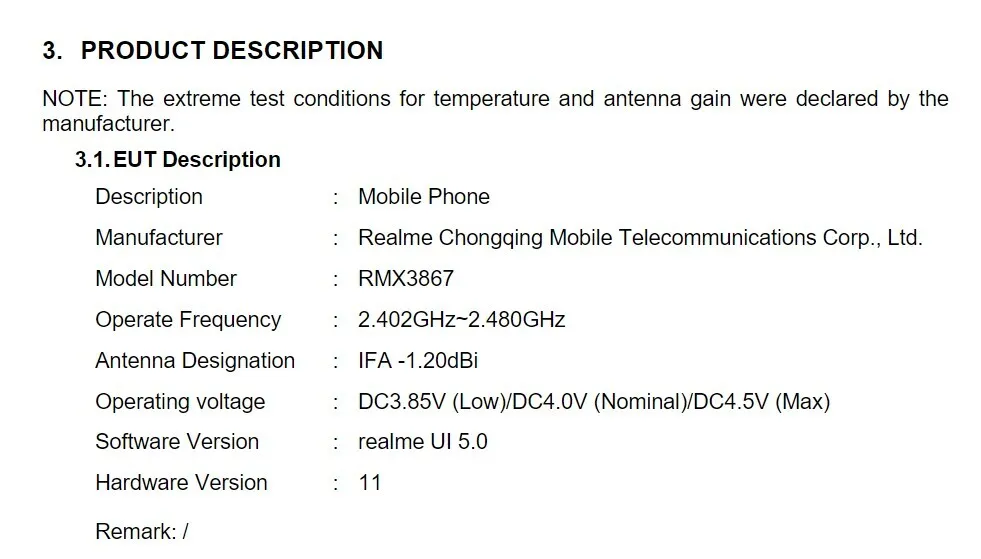
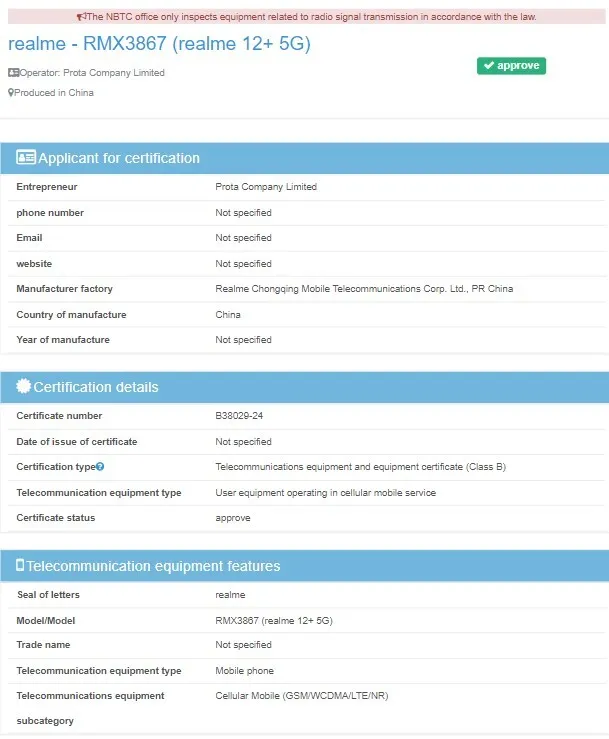
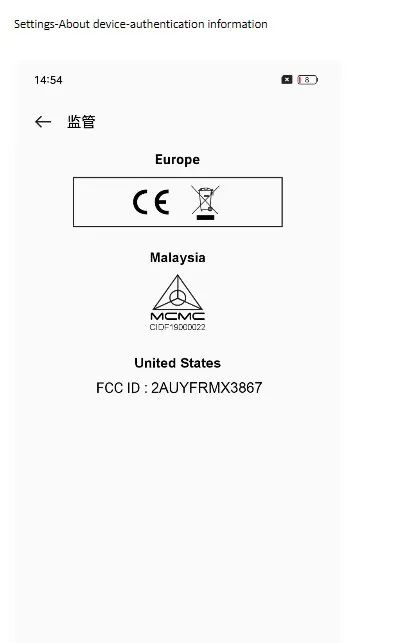
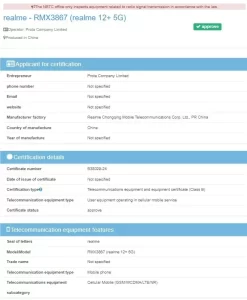
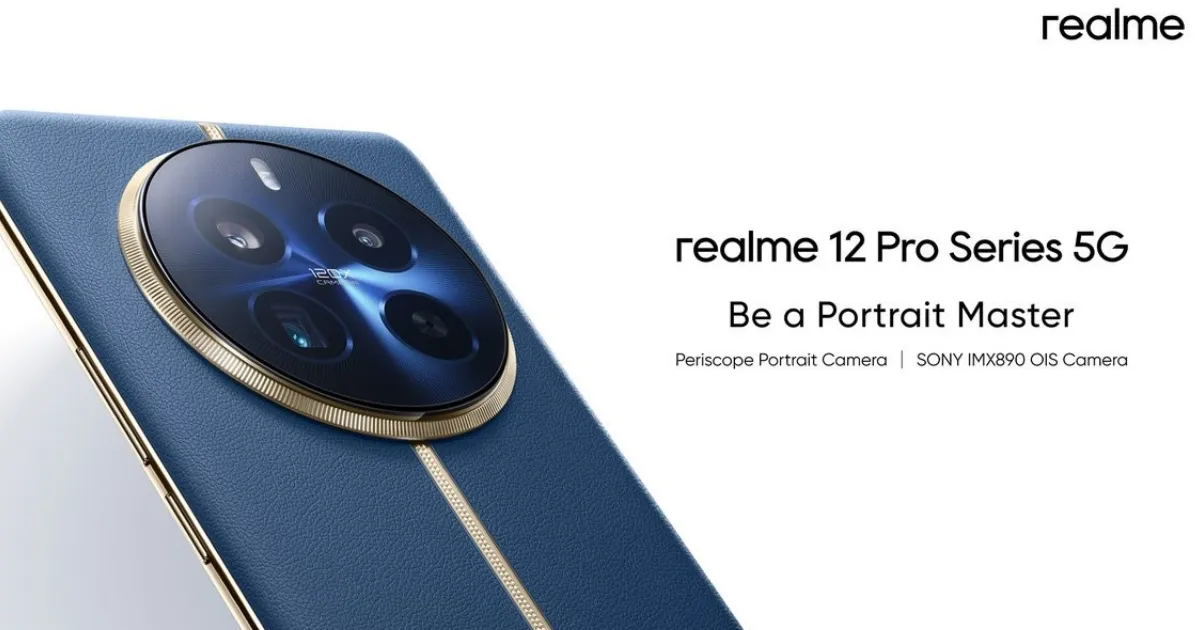
The Realme 12 Pro series, which includes the Realme 12 Pro and Realme 12 Pro+, is eagerly anticipated, and adding to the excitement, the latter of the two, with model number RMX3867, has been spotted in recent NBTC and FCC listings, revealing intriguing details about the device.
Certifications Confirming Key Realme 12 Pro+ Features
The NBTC certification, bearing the certificate number B38029-24, confirms the upcoming launch of the Realme 12+ 5G in global markets.
This certification, alongside the SIRIM certification, also reveals support for 5G connectivity.
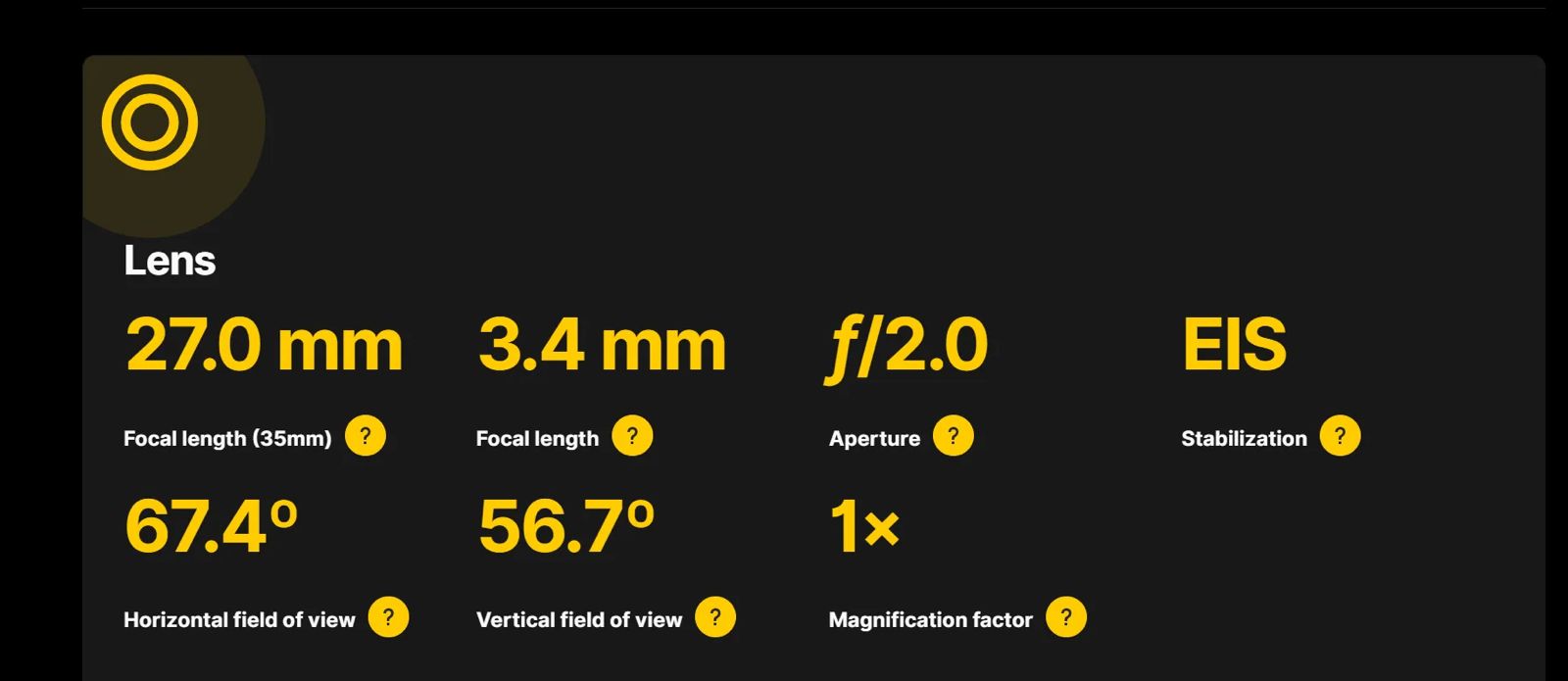
For selfie enthusiasts, the device will sport a 16MP front camera, likely housed within a punch-hole cutout.
FAQs
When is the Realme 12+ 5G launching globally and in India?
The Realme 12+ 5G is scheduled for a global launch on January 29, with India being a key market for its debut.
This eagerly awaited launch is part of the Realme 12 Pro series which includes the Realme 12 Pro and Realme 12 Pro+ models.
What are the key features confirmed by the NBTC and FCC certifications for Realme 12+ 5G?
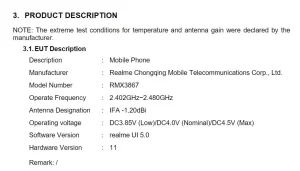
The NBTC and FCC certifications have revealed that the Realme 12+ 5G will feature 5G connectivity and run on Realme UI 5, likely based on Android 14.
It will be powered by a robust 5000mAh battery supporting 67W fast charging and include NFC capability.
What are the camera specifications of the Realme 12+ 5G?
The Realme 12+ 5G is expected to feature a dual rear camera setup, with a 64MP primary sensor with an f/1.8 aperture and an 8MP ultrawide sensor with an f/2.0 aperture.
It will also have a 16MP front camera, ideal for high-quality selfies.
Will the Realme 12+ 5G support dual SIM cards?
Yes, the FCC certification confirms that the Realme 12+ 5G will support dual SIM card slots, catering to users who need multiple network connections.
Realme 12 Pro Plus receives FCC, TUV, and NBTC certifications. Details ?
Realme 12 Pro Plus has received the FCC, TUV, and NBTC certifications with the model number RMX3840.
The FCC and TUV listings confirm the phone will come with a 4880mAh battery and 67W fast charging support.
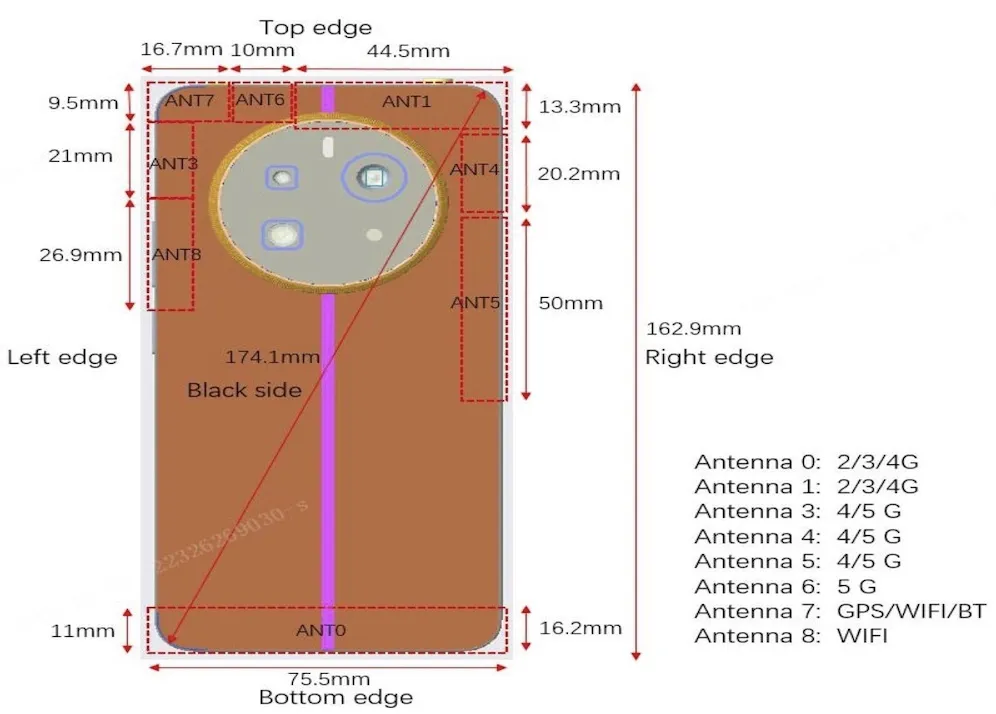
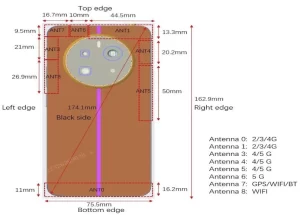
The FCC images show the back panel of the phone. However, the design doesn’t look similar to the one the brand has been teasing. We see two circular rings instead of a large round ring.
The listing confirms the Realme 12 Pro+ will run on Android 14-based Realme UI 5.0 custom skin out of the box.
The handset will measure 171.61mm x 74.16mm x 174.00mm.
The NBTC certification confirms the marketing name of the phone but doesn’t spill out any hardware details.
Realme 12 Pro appears on China’s 3C.Details?
Realme 12 Pro has received China’s 3C certification, as spotted by MySmartPrice, with the model number RMX3841.
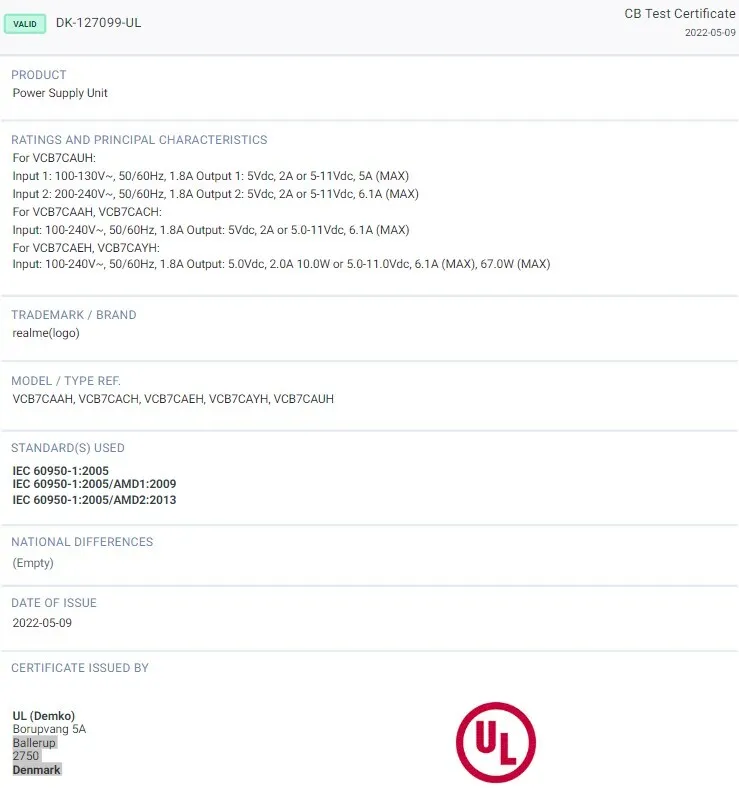
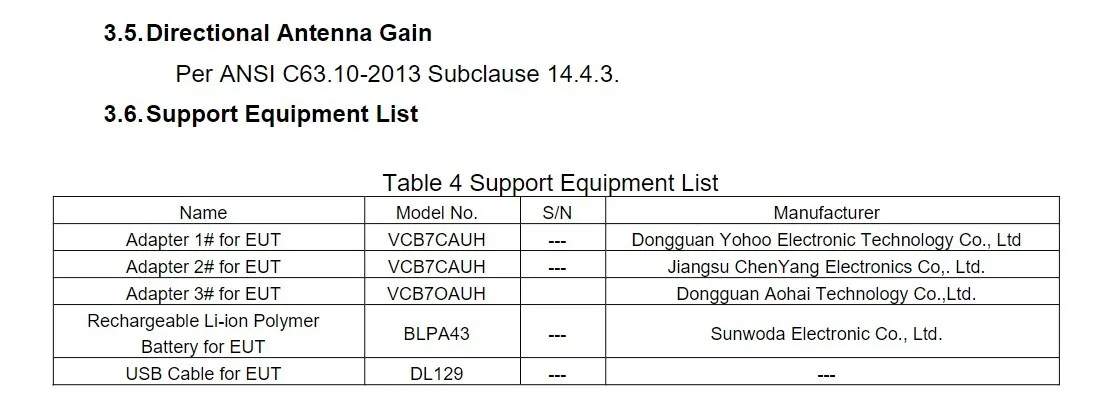
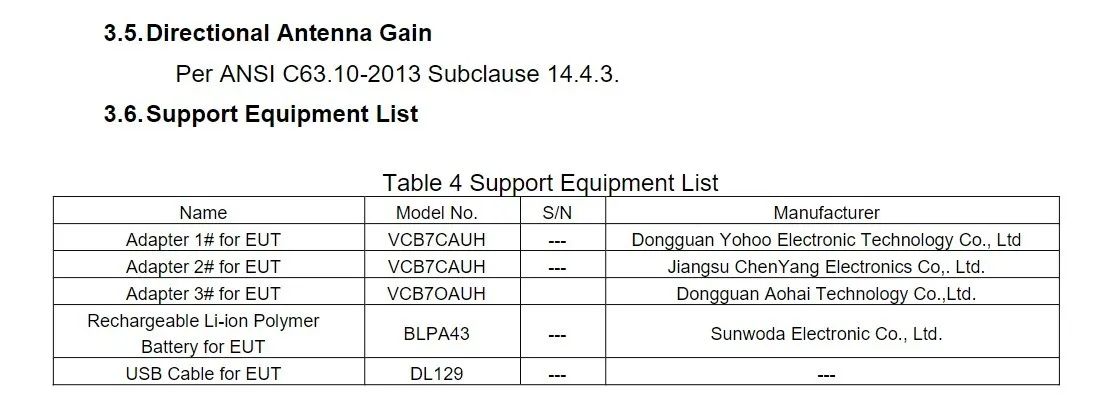
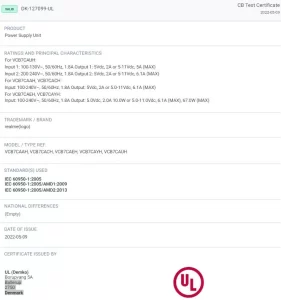
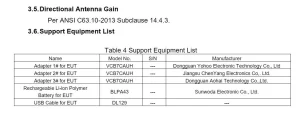
The listing confirms the phone will come with 67W fast charging support, courtesy of VCB7CACH and VCB70ACH power adapters.
The handset will come with 5G network support.
What are Realme 12+ 5G Specifications?
The NBTC certification has confirmed that the Realme 12+ 5G will support 5G connectivity, positioning it as a future-ready device.
Additionally, the FCC certification has revealed that the smartphone will come with Realme UI 5 out of the box, based on Android 14. It is also set to feature NFC and 5G connectivity, along with a sizable 5000mAh battery.
The FCC certification further confirms that the smartphone will support 67W fast charging, which indicates quick recharging capabilities.
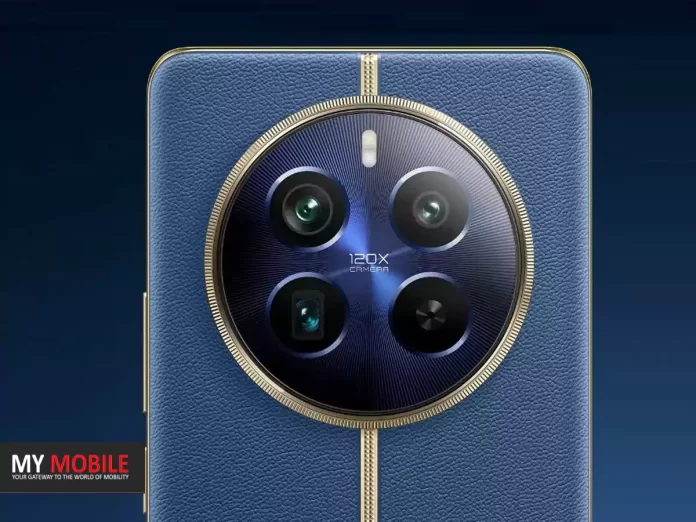
The device will also support dual SIM card slots and feature a design akin to the Realme 12 Pro series smartphones with a circular camera island.
The smartphone has also been spotted in Indonesia’s TKDN and SDPPI, signaling a broader market launch.
In terms of the camera setup, the Realme 12+ 5G is expected to sport a dual rear camera setup with a 64MP primary sensor with f/1.8 aperture and an 8MP ultrawide sensor with f/2.0 aperture.
On the front, the smartphone will house a 16MP selfie camera within a punch hole cutout at the center.
Following its pre-orders last month, this enhanced version of Naughty Dog’s 2020 hit game brings a suite of upgrades and new features, promising an even more immersive gaming experience.
Affordable Upgrade for Existing Owners
The Last of Us Part 2 Remastered: Affordable Upgrade for Existing Owners
For Indian gamers, the remastered version is priced at Rs 2,999, available both digitally via the PlayStation Store and physically through various retailers.
In a move that’s sure to please fans, those who already own the PS4 version of “The Last of Us Part 2” can upgrade to the remastered edition at the nominal price of Rs 500.
This offer stands for both physical and digital versions of the original game,though it’s important to note that the upgrade only grants a digital copy of the remastered version.
Seamless Upgrade Process
The Last of Us Part 2 Remastered: The Last of Us Part 2 Remastered:
Upgrading to the remastered version is straightforward.
Digital owners of the PS4 version can simply head to the PlayStation Store, where the discounted upgrade price will automatically be displayed.
For those with a physical copy of the PS4 game, inserting the disc into their PS5 will prompt the discounted upgrade option.
Remember, the PS4 disc must be inserted every time to download or play the remastered version.
Enhanced Features and New Adventures
Players can carry over their game progress and trophies from the PS4 to the PS5 version, ensuring a seamless transition without losing any hard-earned achievements.
The Last of Us Part 2 Remastered is tailored for the PS5, boasting native 4K support, unlocked frame rates for TVs with Variable Refresh Rate (VRR) support, and notably faster loading times.
New to the remastered edition is the “No Return” roguelike survival mode.
This challenging single-player mode offers players the opportunity to play as one of the ten characters from the game, navigating through various encounters and striving to survive against the infected and other adversaries.
Another exciting addition is the “Lost Levels,” which presents three previously unseen levels from the original game, offering fresh content for even the most seasoned players.
FAQs
What is the price of The Last of Us Part 2 Remastered in India?
In India, The Last of Us Part 2 Remastered for PS5 is priced at Rs 2,999.
It’s available for purchase both digitally through the PlayStation Store and physically via various retailers, making it accessible for a wide range of gamers.
How can PS4 owners upgrade to the PS5 remastered version?
Owners of the PS4 version can upgrade to the PS5 remastered edition at a discounted price of Rs 500.
This applies to both physical and digital copies, but note that the upgrade is only for a digital copy of the remastered version.
What new features does the PS5 remastered version offer?
The Last of Us Part 2 Remastered on PS5 includes several enhancements like native 4K support, unlocked frame rates for VRR TVs, and faster loading times.
Additionally, it leverages the PS5’s DualSense controller for a more immersive experience with features like Descriptive Audio and Speech to Vibrations.
What are the new game modes in the remastered version?
The remastered version introduces a new ‘No Return’ roguelike survival mode, where players can choose from 10 characters to survive challenging encounters.
It also includes ‘Lost Levels’, which features three new levels not available in the original game.
The Last of Us Part 2 Remastered: What’s New?
Since The Last of Us Part 2 Remastered is meant for PlayStation 5, it comes with visual and performance improvements.
These include native 4K support, Unlocked Framerate for TVs with VRR support, and faster loading times. It has complete DualSense wireless controller integration along with Descriptive Audio and Speech to Vibrations accessibility features.
The Last of Us Part 2 Remastered has a new No Return roguelike survival mode. It is a single-player mode where you get to play as one of the 10 characters of the title.
There are different encounters, where your goal is to survive for as long as possible while you battle with the infected and other enemies.
The remastered version has Lost Levels, which lets you play three levels that were not seen on the original version.
These are Jackson Party, Sewers, and Boar Hunt, and come with developer commentary. Other additions include Guitar Free Play mode, bonus skins for Ellie and Abby, and enhanced photo mode.
The massive 17-inch Mini LED panel with HDR support provides a stunning visual experience.
With 64GB DDR5 RAM and 4TB of storage, it’s a behemoth in both speed and capacity.
FAQs
What makes Lenovo IdeaPad Gaming 3 the best option under Rs 50,000?
Lenovo IdeaPad Gaming 3 is an excellent choice for budget-conscious gamers, offering an AMD Ryzen 5 5500H processor and NVIDIA GeForce RTX 2050 GPU.
Its 15.6-inch FHD display with a 144Hz refresh rate makes it ideal for fast-paced games, all within an affordable price range of around Rs 50,000.
Why is HP Omen 16 a top pick in the Rs 50,000 to Rs 1 lakh bracket?
HP Omen 16 stands out in its price bracket with a 13th Gen Intel Core i5 processor and NVIDIA GeForce RTX 4050 GPU.
The 16-inch FHD display and dual B&O speakers, coupled with 16GB DDR5 RAM and a 512GB NVMe SSD, make it a powerful option for modern gaming.
What features make Dell G15 a great choice between Rs 1 lakh to Rs 1.5 lakh?
The Dell G15, priced around Rs 1,20,000, boasts a 13th Gen Intel Core i9 processor and NVIDIA GeForce RTX 4060 GPU.
Its 15.6-inch FHD panel with a 165Hz refresh rate and 4-zone RGB lighting keyboard provide a premium gaming experience.
How does ASUS ROG Strix G16 excel in the Rs 1.5 lakh to Rs 2 lakh range?
ASUS ROG Strix G16, priced at about Rs 1,80,000, offers exceptional performance with its 13th Gen Intel Core i9 processor and NVIDIA GeForce RTX 4070 GPU.
The 16-inch QHD+ panel with a 240Hz refresh rate, along with Aura Sync technology, makes it a top contender for serious gamers.
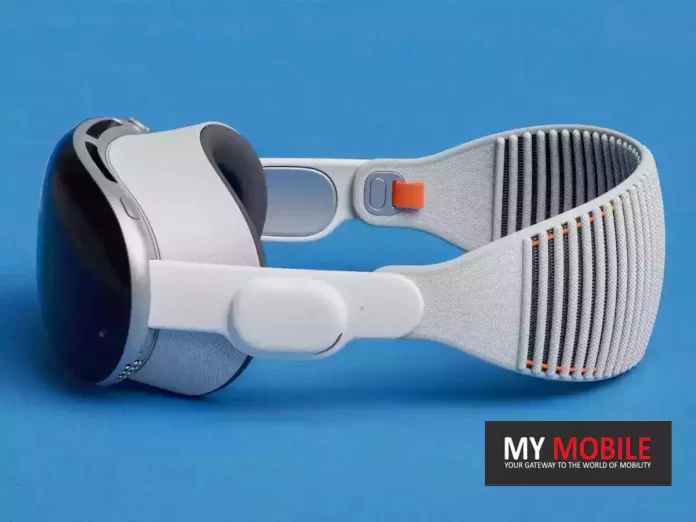
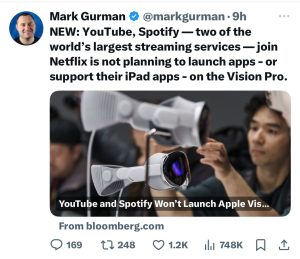
As per Bloomberg, the Vision Pro will present two categories of apps for users: those natively developed for Vision Pro and iPad apps that are compatible in a special mode.
However, a recent revelation indicates a notable absence of several popular apps in its initial offering.
As it stands, the majority of the top apps on the App Store, including key players like YouTube and Spotify, will not be natively available for Vision Pro at launch.
YouTubehas confirmed that Vision Pro users can access its services via Safari, while Spotify’s plans for Vision Pro remain unannounced, with no immediate intention to enable its iPad app on the device.
Vision Pro Launch To See Major Apps Like YouTube and Spotify Absent
This development reflects a broader trend among major social media platforms, with Instagram, Threads, Facebook, WhatsApp, and TikTok also opting out of Vision Pro support initially.
On the brighter side, services like Uber and Uber Eats will be accessible on Vision Pro.
These developments, however, are not set in stone.
The tech world is known for its dynamic nature, and there’s still a window for app developers to change their stance, either by making their iPad apps compatible with Vision Pro or by developing native apps specifically for this new platform.
Netflix’s Absence But Disney+ to be Present
Netflix’s Absence But Disney+ to be Present on the Apple Vision Pro
Disney+ plans to offer unique virtual environments inspired by popular franchises, including Marvel’s Avengers Tower, Pixar’s “Monsters Inc.,” the El Capitan Theatre, and a Star Wars-themed backdrop featuring Luke Skywalker’s landspeeder and the planet Tatooine.
Apple Giving 25 percent Discount on Vision Pro
Apple Giving 25 percent Discount on Vision Pro
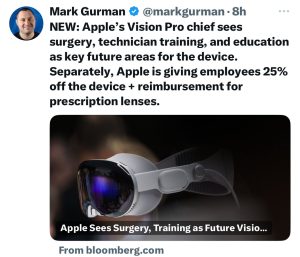
In related news, Apple has announced a significant 25 percent discount on Vision Pro for its employees, a gesture that, while less than the 50 percent discounts previously offered for products like the HomePod and Apple Watch, is still notable.
Additionally, employees can utilize a $500 credit, available every three years for Mac purchases, towards acquiring Vision Pro.
This could potentially bring the cost down to around $2,100, offering substantial savings.
For customers eager to experience Vision Pro, pre-orders are set to begin on January 19, with sales commencing two weeks later across Apple.com and in all Apple Store locations in the United States.
This launch represents a pivotal moment in tech, showcasing the evolution of app compatibility and corporate incentives in the face of innovative new products.
FAQs
Which popular apps will not be available on Vision Pro at launch?
At its launch, Vision Pro will not feature native versions of top App Store apps like YouTube and Spotify.
While YouTube can be accessed through Safari, Spotify’s stance on Vision Pro compatibility remains unclear, with no plans announced for supporting the device initially.
How is Netflix adapting its services for Vision Pro?
Netflix has chosen not to release a dedicated app for Vision Pro, nor will it modify its iPad app for the new device.
Vision Pro users will need to use Netflix’s web version, which lacks features like offline viewing available in the iPad app.
What unique features is Disney+ planning for Vision Pro users?
Disney+ is actively working to enhance the Vision Pro experience by creating unique virtual environments.
These include settings inspired by Marvel, Pixar, and Star Wars, offering a distinctive viewing experience on the new platform.
Are social media platforms like Instagram and Facebook available on Vision Pro?
Major social media platforms, including Instagram, Facebook, WhatsApp, and TikTok, will not be initially supporting Vision Pro.
This reflects a broader trend among app developers in adapting to new platforms.
What discounts are available for Apple employees on Vision Pro?
Apple is offering its employees a 25% discount on the Vision Pro.
Additionally, employees can use their $500 Mac purchase credit, which is available every three years, to further reduce the cost of acquiring Vision Pro.
Pre-Ordering Apple Vision Pro: What You Need to Know .When Will Pre-Orders Begin?
Apple Vision Pro is initially launching only in the United States, with pre-orders beginning at 5:00 a.m. Pacific Time on Friday, January 19. For those in other U.S. time zones, here is the full list of pre-order times:
8:00 a.m. Eastern Time 7:00 a.m. Central Time 6:00 a.m. Mountain Time 5:00 a.m. Pacific Time 4:00 a.m. Alaska Time 3:00 a.m. Hawaii–Aleutian Time
What’s in the box of Apple Vision Pro ?
Apple says customers can expect the Vision Pro packaging to include the following:
Polishing cloth Solo Knit Band Dual Loop Band Light Seal Two Light Seal cushions Vision Pro cover External battery pack USB-C charging cable Power adapter
For customers who want to use the headset on the go without pockets or a backpack, Belkin will sell an accessory clip that allows the battery pack to be attached to clothing.
What are Vision Pro Payment Options ?
Apple customers will be able to purchase the Vision Pro online and at retail stores using Apple Card installments.
Typically, Apple Card installments let customers spread the purchase over monthly payments with no interest. Mac and iPhone purchases can be made over 24 monthly payments, for example.
What are Vision Pro Pre-Order Requirements ?
Face ID Scan: Ensure you have an iPhone or iPad with Face ID available. This is required to scan your face for a custom fit of the Light Seal and headbands.
Apple Store App Update: Update your Apple Store app to the latest version (released January 11) to support Vision Pro face scanning.
Which are the Streaming services and Sports Apps for Apple Vision Pro ?
Apple has confirmed that shows and films from top streaming services, including Apple Originals from Apple TV+, Disney+, ESPN, NBA, MLB, PGA Tour, Max, Discovery+, Amazon Prime Video, Paramount+, Peacock, Pluto TV, Tubi, Fubo, Crunchyroll, Red Bull TV, IMAX, TikTok, and the 2023 App Store Award-winning MUBI will be available for the Vision Pro.
Users can also watch popular online and streaming video using Safari and other browsers, it added.
At launch, Apple Vision Pro users can watch more than 150 3D movies from the world’s top studios with remarkable depth wherever they are, including all-time favorites and recent releases, such as Avatar: The Way of Water, Dune, Spider-Man: Into the Spider-Verse, and The Super Mario Bros. Movie, said Apple.
Several streaming apps, including Disney+, will offer 3D versions of their latest and most popular movies on Vision Pro at launch, and will debut new 3D editions alongside or shortly following standard 2D releases.
Users can watch both 2D and 3D movies with Spatial Audio and in an Environment to make the experience even more immersive.
What will the App Store support with Apple Vision Pro ?
The visionOS App Store will feature both apps designed specifically to take advantage of the capabilities of the Vision Pro, and iOS apps that are able to run on the device in a 2D mode.
Existing apps can be ported to the Vision Pro easily with no action needed on the part of the developer, which means that most apps should be available in some capacity. Developers can choose to opt out of having their apps appear.
Netflix Won’t Launch An App For Apple Vision Pro.Details ?
Apple announced all the entertainment apps that would be compatible with its spatial computing device. However, it had a notable exclusion — Netflix.
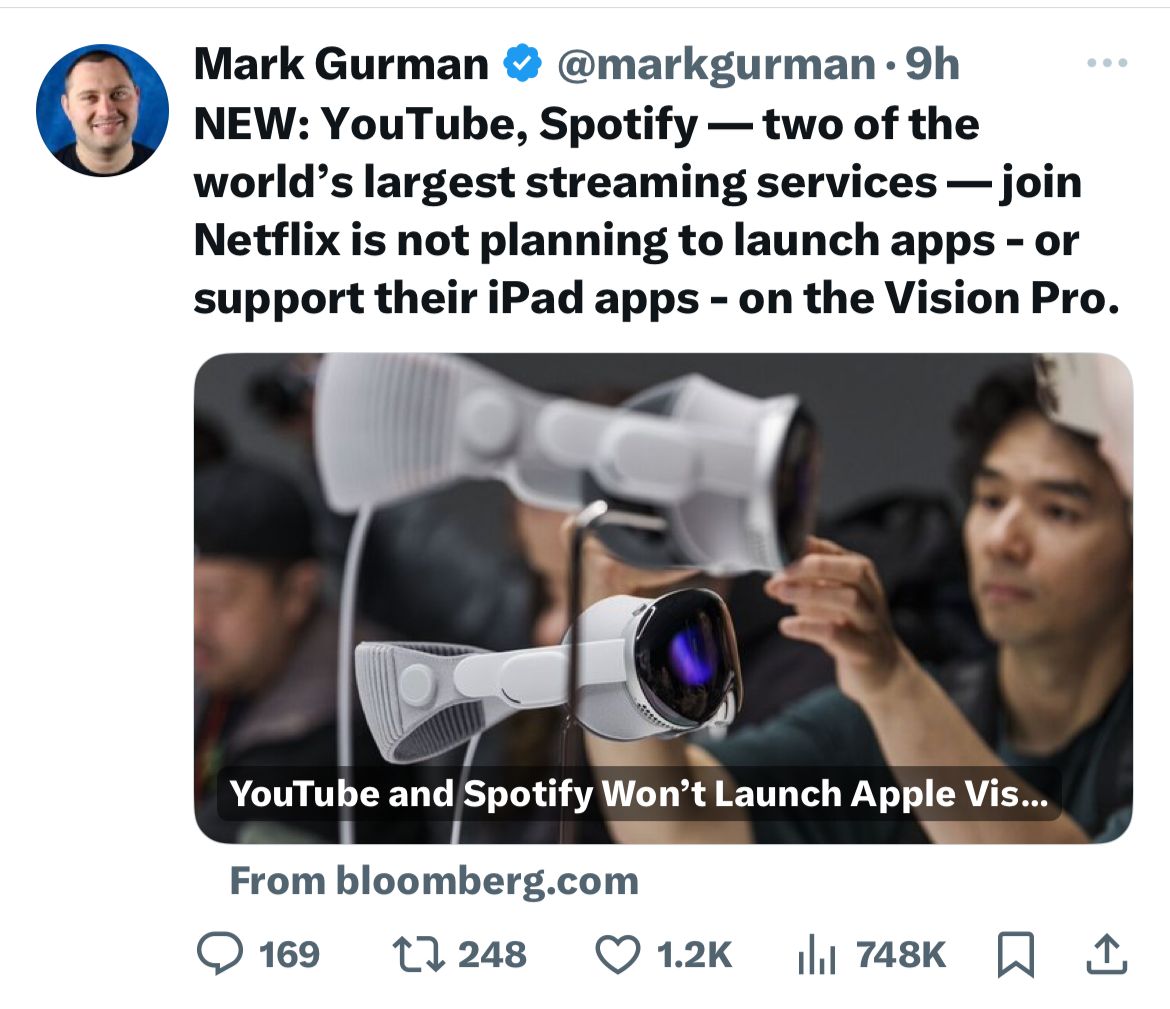
According to a report by Bloomberg. Netflix has now confirmed that it has no intention of developing a native app for the Apple Vision Pro headset.
Moreover, Netflix has gone a step further, stating that it won’t allow users to run the iPad version of its app on the Apple Vision Pro either.
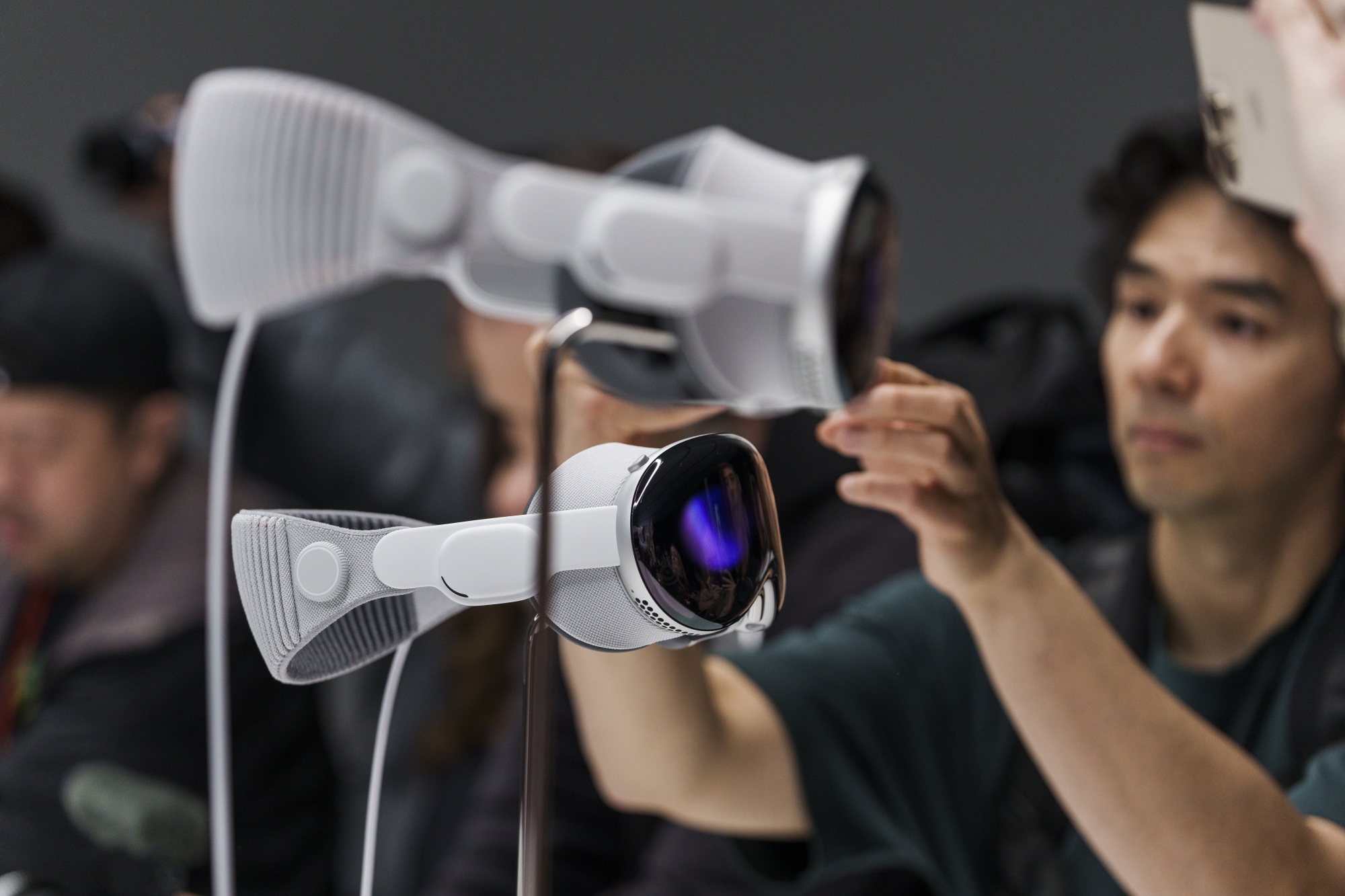
The Apple Vision Pro boasts compatibility with over a million iPhone and iPad apps from the App Store, presenting them as mini-windows in the user’s virtual space.
However, developers have the option to opt out of this support, and Netflix has officially chosen to do so. Instead, Netflix users on the Apple Vision Pro are directed to access the service through the Safari web browser.
“Our members will be able to enjoy Netflix on the web browser on the Vision Pro, similar to how our members can enjoy Netflix on Macs,” Netflix told Bloomberg in a statement.