This 5G-enabled chipset, a rebranded Dimensity 930, offers two Cortex-A78 cores and six Cortex-A55 cores, promising enhanced processing power and efficiency.
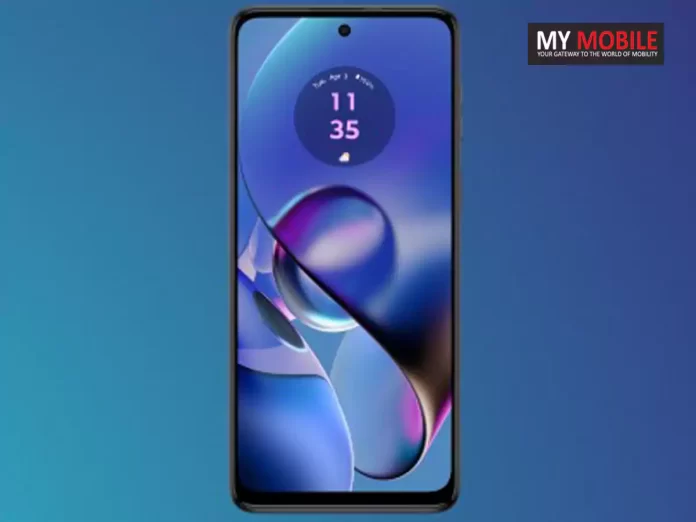
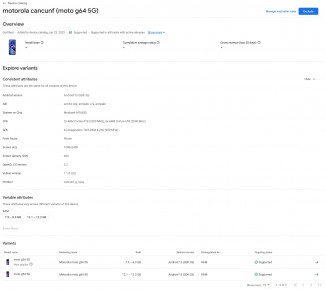
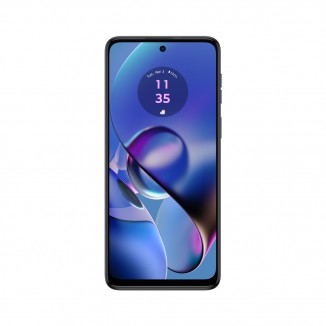
Motorola Moto G64 5G Appears on Google Play Console
The Moto G64 5G will be available in two variants, boasting 8GB and 12GB of RAM, catering to varying user needs.
The smartphone’s display, though its size remains undisclosed, will offer a FullHD+ resolution of 1080 x 2400 pixels, ensuring crisp and vivid visuals.
Features a FullHD+ display with a resolution of 1080 x 2400 pixels
Additionally, the device’s power and volume buttons are conveniently located on the right side, enhancing user accessibility.
Motorola’s Moto G family has seen significant additions lately, including the Moto G Power 5G (2024) and Moto G (2024), alongside teasers for the upcoming Edge 50 Pro and Edge 50 Fusion.
The Moto G64 5G’s emergence on the Google Play Console highlights Motorola’s strategy to diversify its portfolio and strengthen its position in the competitive smartphone market.
The Motorola Moto G64 5G is equipped with the MediaTek Dimensity 7020 chipset, a powerful processor designed for efficient and speedy performance in mid-range smartphones.
How much RAM is available in the Moto G64 5G?
The Moto G64 5G comes in two configurations, offering 8GB and 12GB of RAM to cater to different user needs, from everyday tasks to more demanding applications.
What is the display resolution of the Moto G64 5G?
The Moto G64 5G boasts a FullHD+ display with a resolution of 1080 x 2400 pixels, ensuring sharp and vivid visuals for an immersive viewing experience.
Where are the power and volume buttons located on the Moto G64 5G?
The power and volume buttons on the Moto G64 5G are strategically placed on the right-hand side, making them easily accessible for users.
How does the Moto G64 5G differ from its predecessor?
Details on the differences between the Moto G64 5G and its predecessor are highly anticipated, with consumers eager to see the upgrades and improvements Motorola has implemented in the new model.
Apple has a history of announcing the dates of its flagship developer conference several weeks in advance, typically through its developer website and a press release.
Looking back at the past several years, the announcement dates have varied from as early as February 16 (in 2017) to as late as April 5 (in 2022).
If history is any guide, we can expect Apple to reveal the WWDC 2024 dates sometime in the next two to three weeks, most likely in late March or early April.
Predicted Dates for WWDC 2024
Predicted Dates for WWDC 2024
Traditionally, WWDC takes place during the first full week of June.
Based on this pattern, the likely kickoff for WWDC 2024 is June 3.
This weeklong event has consistently served as a platform for Apple to unveil its latest software developments and, occasionally, new hardware.
Updates Across the Board:Alongside iOS 18, updates for iPadOS 18, macOS 15, watchOS 11, and tvOS 18 are on the agenda. Not to be overlooked, visionOS 2 for the Apple Vision Pro is expected to bring new functionalities and improvements to Apple’s immersive headset.
Hardware Speculations
The tech community is abuzz with anticipation for potential hardware announcements. The spotlight is on the expected M3 versions of the Mac Studio and Mac Pro.
Following the pattern of previous years, these could very well make their debut at WWDC 2024, mirroring the introduction of their M2 counterparts at last year’s event.
FAQs
Q: When is WWDC 2024 expected to be announced?
A: Based on previous years, Apple is likely to announce WWDC 2024 dates in late March or early April.
Q: What are the expected dates for WWDC 2024?
A: WWDC 2024 is traditionally held in the first full week of June, with June 3 being the likely start date this year.
Q: What key updates are anticipated at WWDC 2024?
A: Major updates expected include iOS 18 with groundbreaking AI enhancements, along with updates for iPadOS 18, macOS 15, watchOS 11, and tvOS 18. VisionOS 2 for Apple Vision Pro is also anticipated.
Q: Will there be any hardware announcements at WWDC 2024?
A: Speculation suggests the possibility of unveiling M3 versions of the Mac Studio and Mac Pro, following the trend of previous WWDC hardware announcements.
Q: How significant are the AI features expected in iOS 18?
A: The AI features in iOS 18 are rumored to be a major highlight, with advancements in Siri and across various Apple services, potentially setting a new standard for Apple’s ecosystem.
Withdraw and transfer funds up to the available balance in PPBL accounts.
No new deposits in PPBL accounts post-March 15, 2024.
Refunds, cashbacks, and interest credits continue in PPBL accounts.
Wallet, FASTag, and NCMC card usage allowed up to existing balance.
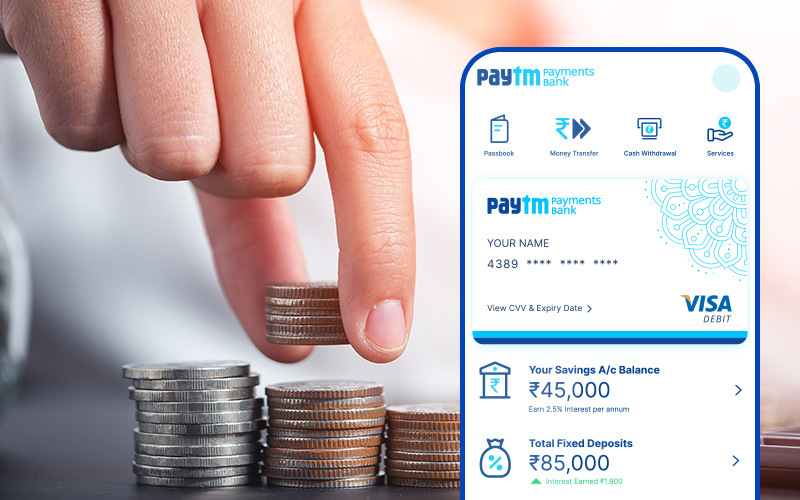
From March 15, 2024, Paytm Payments Bank Ltd (PPBL) will see significant changes to its services following directives from the Reserve Bank of India (RBI).
The RBI’s decision has led to adjustments in the services provided by PPBL, impacting how customers can use their accounts.
Here’s a detailed overview of what’s changing, what services will remain available, and what won’t be accessible post-March 15.
Services Continuing Post-March 15
Services Continuing Post-March 15
Withdrawals and Transfers: Customers can still withdraw or transfer money using their accounts or debit cards up to the existing balance.
Refunds and Cashbacks: Accounts will still receive refunds, cashbacks, and interests.
Sweep-in from Partner Banks: Funds with partner banks can be transferred back to PPBL accounts, respecting the ₹2 lakh balance limit.
Wallet Use: Wallet balances can still be used for transactions, transfers to other wallets, or bank accounts, and for merchant payments (minimum KYC wallets restricted to merchant payments only).
FASTag Payments: FASTags issued by PPBL can be used until their balance runs out.
NCMC Cards Use: NCMC cards can be used up to the balance available.
Bharat Bill Payment System (BBPS): Payments through BBPS can be made from PPBL accounts up to the available balance.
Biometric Withdrawals: Withdrawals using AePS (Aadhar enabled Payment System) are available up to the account balance.
Withdrawal via UPI/IMPS: Funds can be withdrawn through UPI/IMPS based on the available balance.
Services Discontinued After March 15
Services Discontinued After March 15
Account Deposits: No deposits, including salary, subsidies, or direct benefit transfers, can be made into PPBL accounts.
New Deposits to Partner Banks: Fresh deposits through PPBL into partner banks will be stopped.
Wallet Top-ups: No new funds can be added to PPBL wallets.
FASTag and NCMC Cards Recharge: No top-up or recharge will be possible for FASTags and NCMC cards issued by PPBL.
Money Transfers to PPBL Account: No money can be transferred into PPBL accounts via UPI/IMPS.
Making the Transition
Paytm Payments Bank Service Changes
Customers using PPBL for salary credits, subsidies, or direct benefit transfers need to link their transactions to another bank before March 15 to avoid disruptions.
Similarly, for automatic bill payments, subscriptions, or loan EMIs debited from PPBL accounts, ensure sufficient balance until alternative arrangements are made.
FAQs
Q: Can I still withdraw money from my Paytm Payments Bank account after March 15, 2024?
A: Yes, withdrawals and fund transfers from your PPBL account will remain active up to the available account balance.
Q: Will I be able to receive my salary in my Paytm Payments Bank account after the changes?
A: No, after March 15, 2024, credits such as salary payments into PPBL accounts will be discontinued. Consider linking your salary to a different bank account.
Q: Can I top-up my Paytm wallet after March 15, 2024?
A: No, adding new funds to your PPBL wallet, including top-ups and transfers, will not be permitted after the specified date.
Q: Are FASTag services by Paytm Payments Bank affected by the recent changes?
A: Yes, while existing FASTag balances can be used, recharging FASTags through PPBL will not be possible after March 15, 2024.
Q: How will the Paytm Payments Bank changes impact automatic bill payments and subscriptions?
A: Automatic withdrawals for bill payments and subscriptions will continue as long as there is a balance in your account. However, ensure alternative payment methods are set up due to the new deposit restrictions.
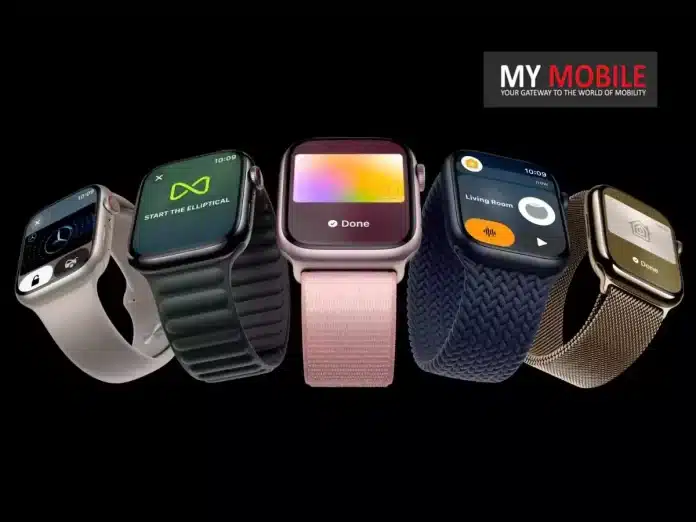
This advanced feature, while optimized for the new hardware, is accessible in a limited form to owners of Apple Watch Series 3 onwards.
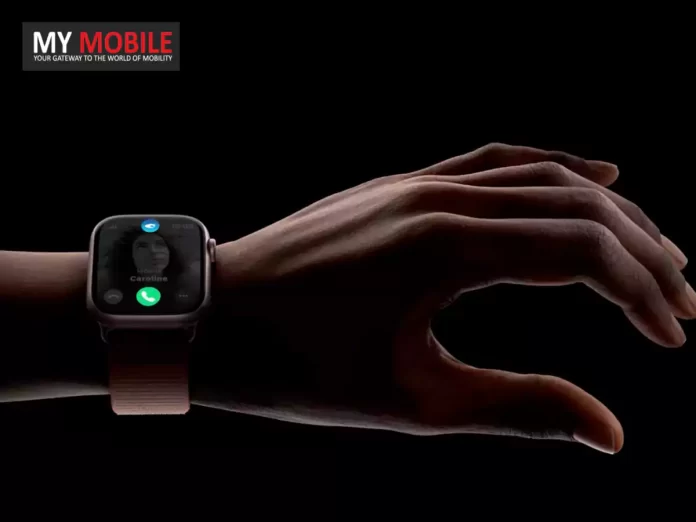
The “double tap” functionality relies on the upgraded Neural Engine in the S9 SiP, which processes data from the device’s accelerometer, gyroscope, and optical heart rate sensor more efficiently.
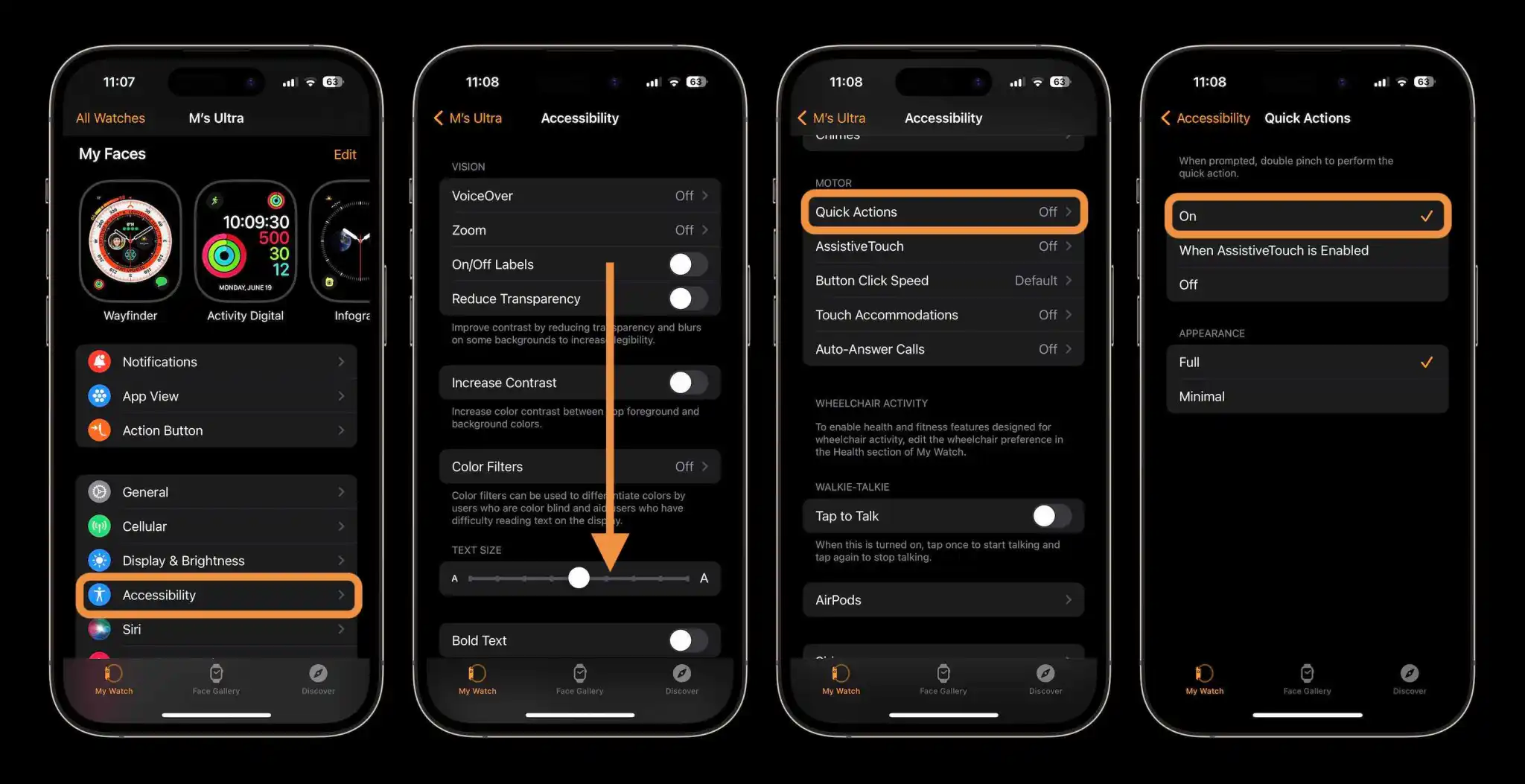
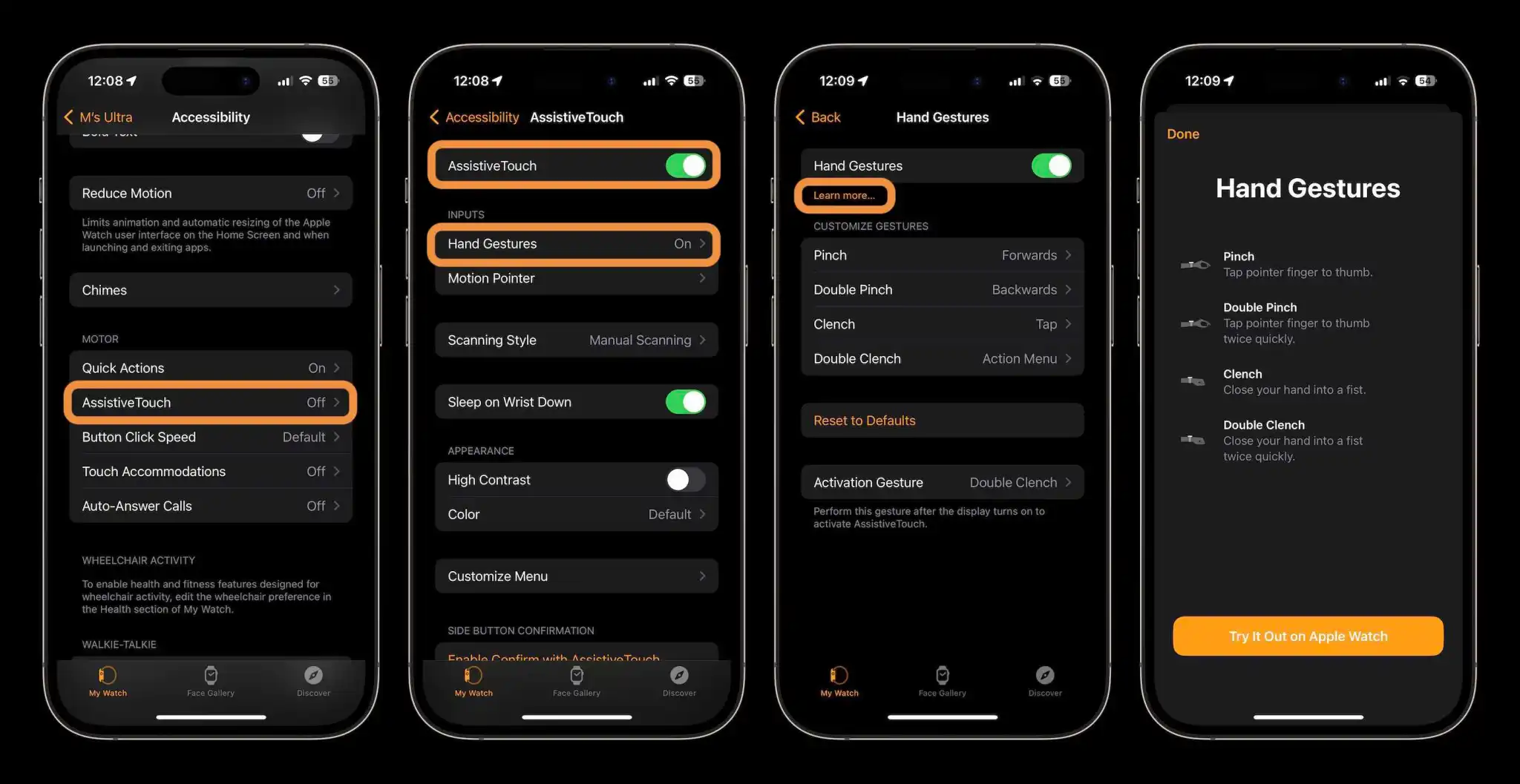
For those with older models, Apple offers an alternative through its Accessibility settings with AssistiveTouch and quick actions.
These settings allow for gesture control such as pinching and clenching to command the watch.
How to Activate Double Tap Gestures
How to Activate Double Tap Gestures
Quick Actions Method:
Open the Watch app on your iPhone.
Navigate to Accessibility.
Select Quick Actions under Motor.
Enable it by tapping On.
Use double pinch gestures for quick actions when prompted or for buttons outlined in blue.
Quick actions offer a taste of “double tap,” enabling functions like answering calls or controlling the camera.
Customize gestures such as pinch, double pinch, clench, and double clench according to your preference.
AssistiveTouch provides a comprehensive gesture control experience, allowing nearly full control over the watchOS through various gestures and an actionable menu, making it suitable for those with upper limb differences and anyone who wishes to explore advanced gesture-based navigation.
FAQs
Q: What is the Double Tap Gesture on Apple Watch?
A: The Double Tap Gesture allows users to interact with their Apple Watch by pinching their thumb and index finger, offering a new way to navigate and control the device.
Q: Can I use Double Tap Gesture on my older Apple Watch?
A: Yes, Apple Watch Series 3 and newer models can use similar gestures through Accessibility features like Quick Actions and AssistiveTouch.
Q: How do I activate Double Tap Gesture on my Apple Watch?
A: Activate it by going into the Watch app on your iPhone, selecting Accessibility, then either Quick Actions or AssistiveTouch, and turning the feature on.
Q: What can I do with Double Tap Gesture on Apple Watch Series 9 and Ultra 2?
A: You can navigate to the widget UI, scroll through widgets, answer/end calls, control workouts, and much more using the Double Tap Gesture.
Q: Is Double Tap Gesture the same as AssistiveTouch and Quick Actions?
A: Double Tap Gesture is optimized for Series 9 and Ultra 2, offering more features. AssistiveTouch and Quick Actions provide similar, though not identical, functionality for older models.
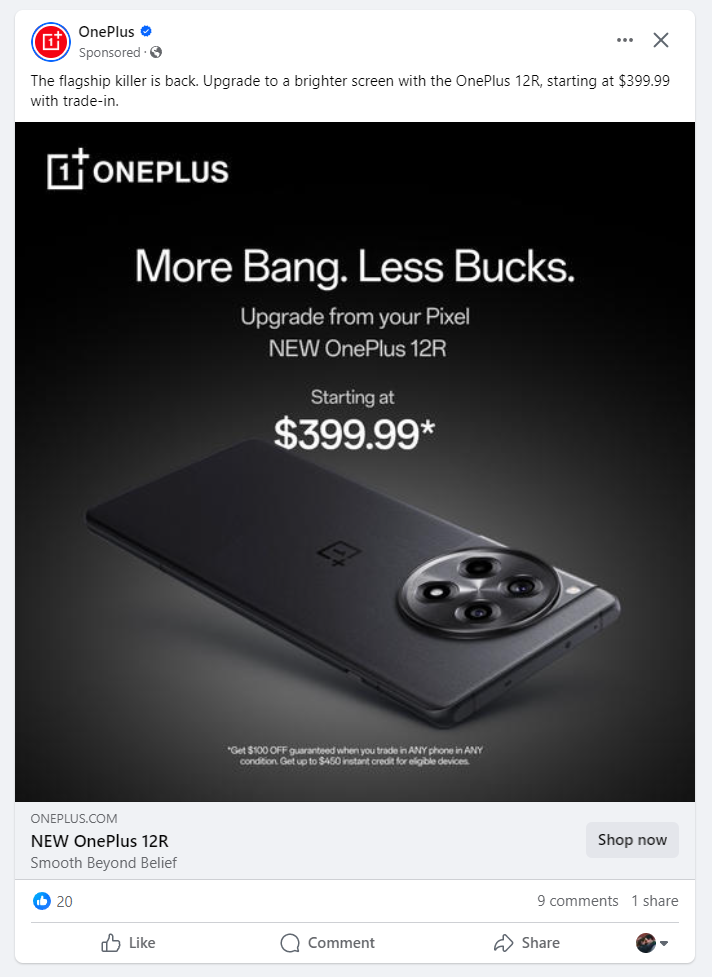
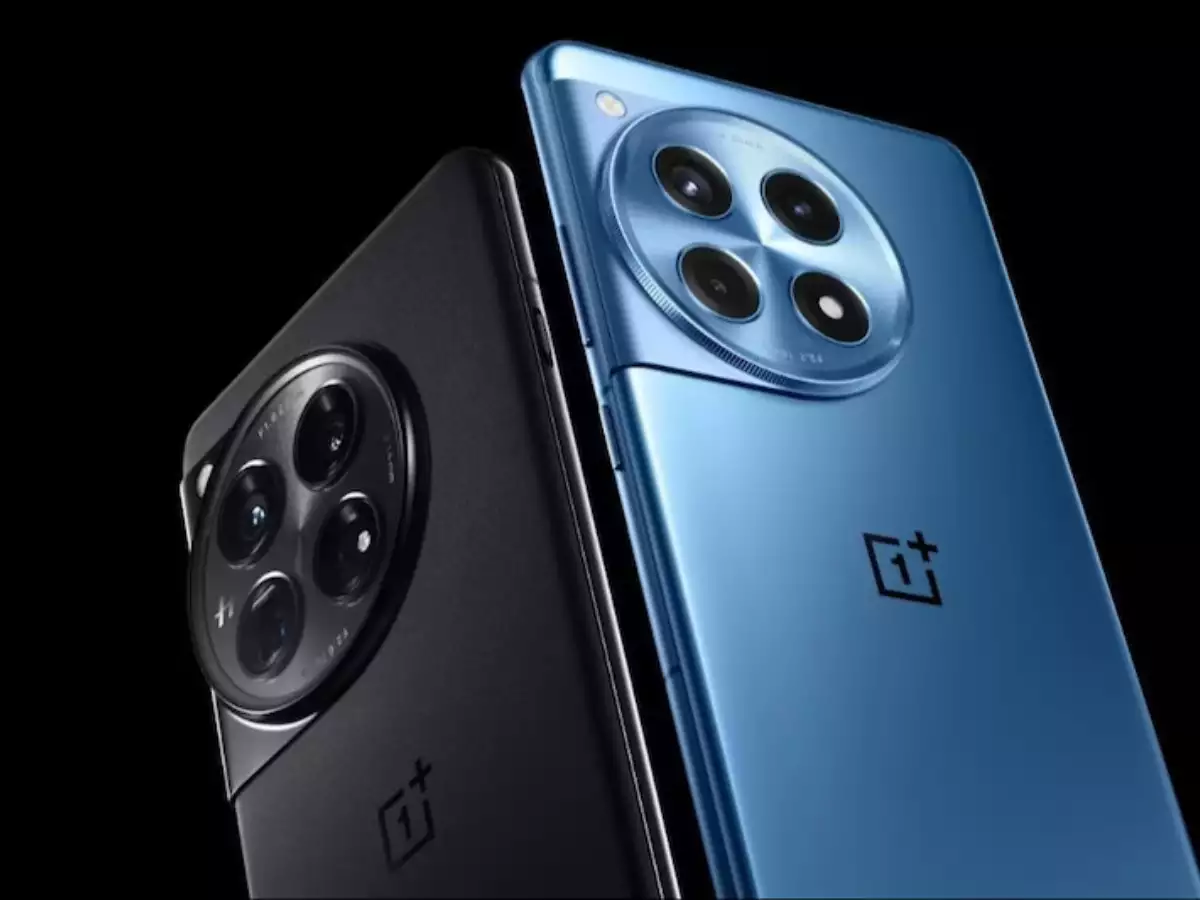
OnePlus 12R markets itself as the superior choice for Pixel users looking for an upgrade.
Starting at $399 with a trade-in offer, making high-end features more affordable.
Offers a significant performance and quality at a lower price point than its competitors.
Trade-in deal promises at least $100 for any smartphone, including older Pixels.
OnePlus is challenging Pixel users to rethink their brand loyalty with the introduction of the OnePlus 12R, a device that the company is marketing not just as a new phone but as a direct upgrade from Google’s Pixel lineup.
The campaign, which emerged from an eye-catching ad spotted on Facebook in the US markets, positions the OnePlus 12R as offering “More Bang, Less Bucks,” a proposition that’s hard to ignore in today’s economy.
OnePlus 12R or the Latest Pixel?
Starting at $399 with a trade-in offer, making high-end features more affordable
Launched in February, the OnePlus 12R has been designed to bridge the gap between affordability and high-end smartphone experience.
However, the ad campaign sweetens the deal even further, dropping the starting price to $399 for those willing to trade in their current smartphone—making it an enticing offer for Pixel users considering an upgrade.
OnePlus Wants Pixel Users to Upgrade to the OnePlus 12R in the US
We reviewed the OnePlus 12R and commended it for its impressive performance, feature set, and exceptional value for money, highlighting it as a noteworthy contender in the budget smartphone category.
OnePlus’s marketing strategy is unapologetically aggressive, urging Pixel owners to consider the 12R as a significant upgrade.
The trade-in deal, offering a minimum of $100 for any smartphone, is especially appealing for Pixel users who might find their older devices fetching low resale values on the open market.
Not An Easy Decision
OnePlus 12R markets itself as the superior choice for Pixel users looking for an upgrade.
The decision to switch, however, might not be straightforward for every Pixel enthusiast.
OnePlus’s camera technology, while competent, often doesn’t match the photographic prowess of even older Pixel models.
Furthermore, OnePlus’s OxygenOS, despite its many merits, may not resonate with everyone’s taste, particularly those accustomed to Google’s Android implementation.
As the debate on whether the OnePlus 12R truly qualifies as an “upgrade” continues, it ultimately boils down to individual preference and priorities in a smartphone.
OnePlus’s offer, with its attractive pricing and trade-in incentives, certainly makes a compelling case, but will it be enough to sway Pixel loyalists?
Q: What makes the OnePlus 12R an appealing upgrade from a Pixel phone?
A: With its aggressive price point, especially with trade-ins, the OnePlus 12R offers a compelling package of performance and features for those looking to upgrade from a Pixel phone without breaking the bank.
Q: How does the trade-in offer work for the OnePlus 12R?
A: OnePlus is offering a minimum of $100 trade-in value for any smartphone towards the purchase of a OnePlus 12R, reducing the starting price to $399 and making it an attractive offer for Pixel and other smartphone users.
Q: Can the OnePlus 12R camera compete with that of Pixel phones?
A: While OnePlus cameras have traditionally been a step down from Pixel’s, the OnePlus 12R still offers a solid camera experience that many users will find satisfactory, especially considering the price difference.
Q: What are the major differences between OxygenOS and the Pixel’s Android version?
A: OxygenOS offers a unique take on Android with a focus on customization and efficiency, while Pixel phones provide a more stock Android experience. The choice between the two is largely a matter of personal preference.
Q: Is the OnePlus 12R considered a budget phone?
A: The OnePlus 12R is positioned as a “budget” phone only in comparison to high-tier smartphones, offering flagship-like features and performance at a more accessible price point.
Known for its exceptional camera, long-lasting battery, and cutting-edge AI capabilities, the Magic 6 Pro set a high bar.
However, Honor is ready to raise it even higher with the Magic 6 Ultimate, to be unveiled on March 18, alongside the Magic 6 RSR Porsche Designand the MagicBook Pro 16 AI computer.
A Glimpse into the Future
Honor Magic 6 Ultimate Set to Dazzle With New BOE Smartphone Display
Just a few days ago, the tech community got its first look at the Magic 6 Ultimate.
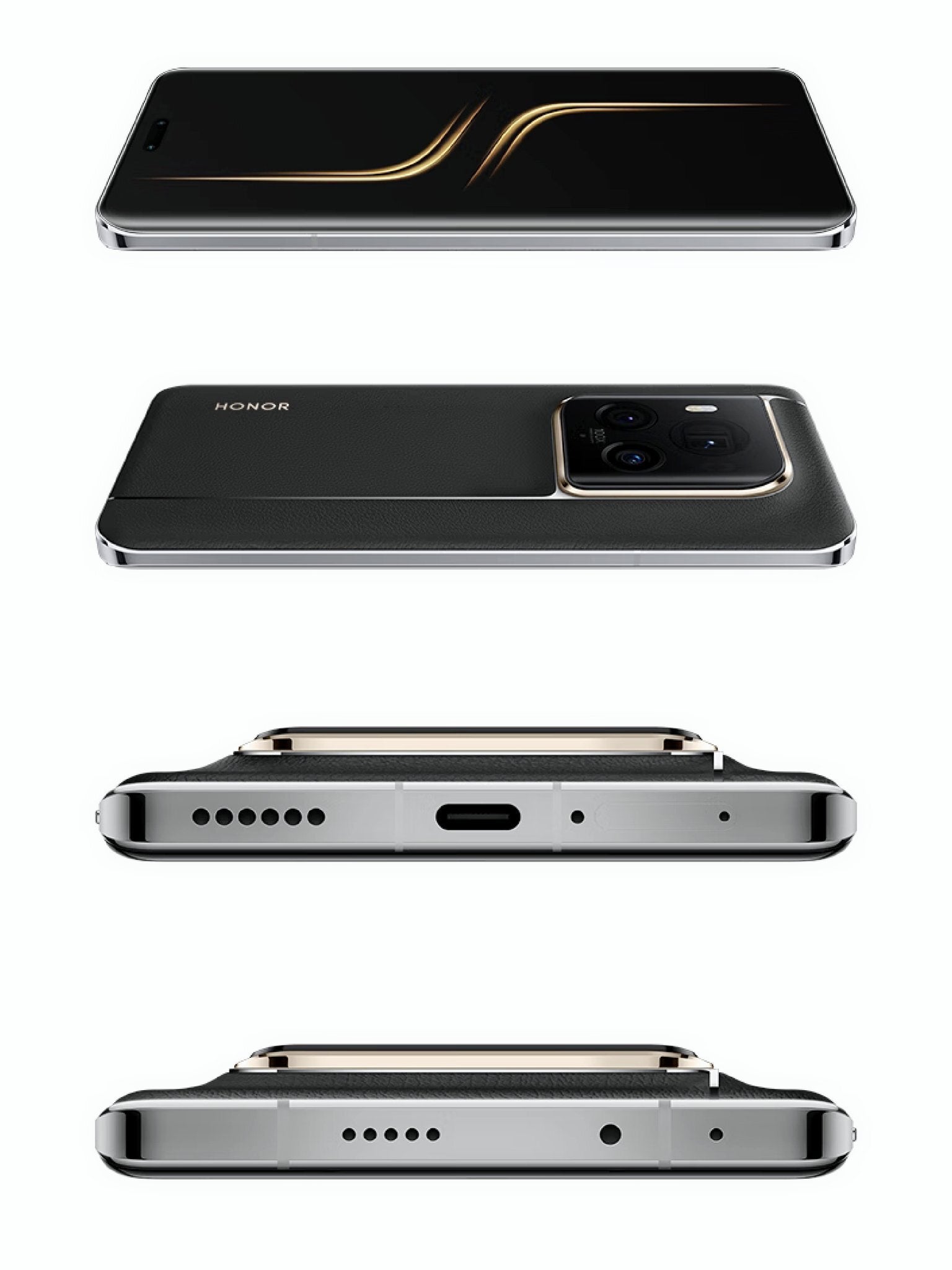
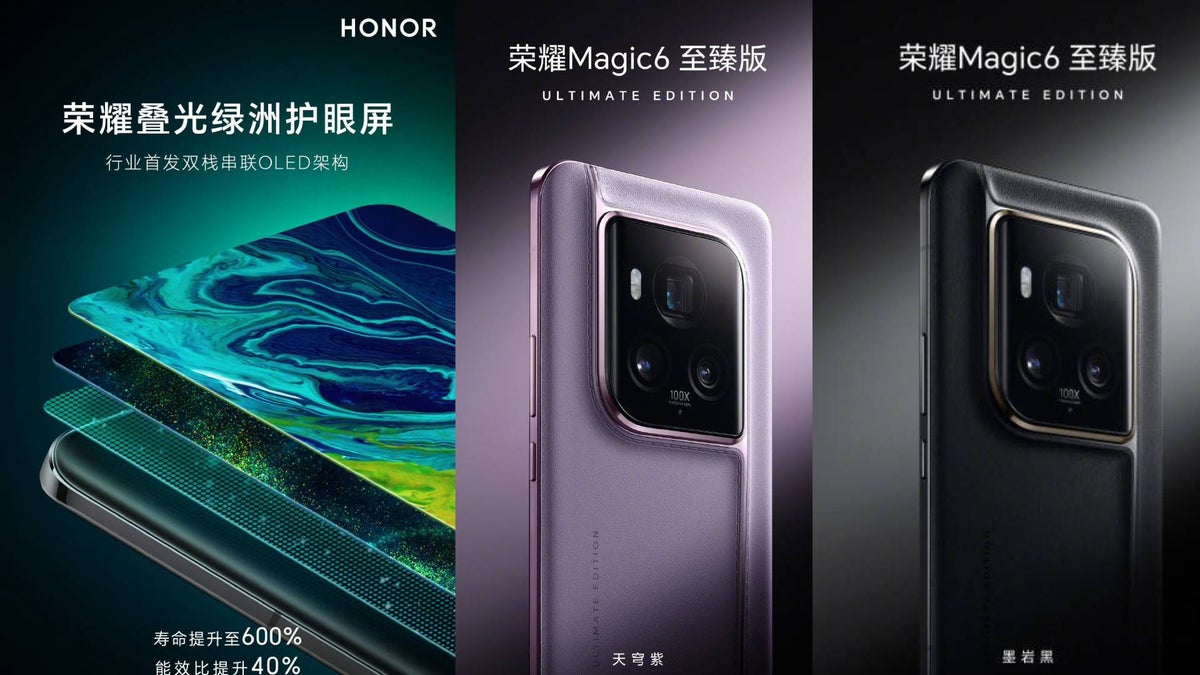
Revealed in two striking colors, the design has already been confirmed by Honor, leaving little to the imagination in terms of aesthetics.
The real game-changer for the Magic 6 Ultimate lies in its display technology. Honor is set to introduce a new double-layer OLED screen developed by BOE.
This groundbreaking technology is claimed to increase screen lifespan by a staggering 600%, a figure that is sure to capture the attention of tech enthusiasts and casual users alike.
Furthermore, Honor has confirmed through a Weibo post that this display technology will also enhance power efficiency by 40%, marking a significant leap forward in both durability and energy conservation.
Magic 6 Ultimate: Anticipation Builds
Launching alongside Magic 6 RSR Porsche Design and MagicBook Pro 16
With the launch date fast approaching, anticipation is building for what could be one of the most significant smartphone releases of the year.
TheMagic 6 Ultimate, with its revolutionary double-layer OLED screen, is poised to set a new standard in smartphone display technology.
Moreover, the simultaneous launch of the Magic 6 RSR Porsche Design suggests that attendees of the March 18 event in China are in for a treat, with the possibility of shared design elements between the two models adding to the excitement.
Honor Magic 6 Specs
GENERAL
Sim Type
Dual Sim, GSM+GSM
Dual Sim
Yes
Sim Size
Nano SIM
Device Type
Smartphone
Release Date
February 27, 2024 (Expected)
DESIGN
Dimensions
161.4 x 75.5 x 7.8 mm (6.35 x 2.97 x 0.31 in)
Colors
Black, Glacier Blue
DISPLAY
Type
Color OLED Screen (1B Colors)
Touch
Yes
Size
6.74 inches, 1224 x 2688 pixels, 144 Hz
Aspect Ratio
19.76:9
PPI
~ 439 PPI
Screen to Body Ratio
~ 92.68%
Features
HDR10+, 1000 nits (peak), Curved Display
Notch
Yes, Punch Hole
MEMORY
RAM
12 GB
Storage
256 GB
Storage Type
UFS 4.0
Card Slot
No
CONNECTIVITY
GPRS
Yes
EDGE
Yes
3G
Yes
4G
Yes
5G
Yes
VoLTE
Yes
Vo5G
Yes
Wifi
Yes, with wifi-hotspot
Wifi Version
802.11 a/b/g/n/ac/ax/be, 2×2 MIMO
Bluetooth
Yes, v5.3, A2DP, LE, aptX HD
USB
Yes, USB-C
USB Features
USB on-the-go
IR Blaster
Yes
EXTRA
GPS
Yes, with A-GPS. Up to tri-band: GLONASS (1), BDS (3), GALILEO (2)
Fingerprint Sensor
Yes, In Display
Face Unlock
Yes
Sensors
accelerometer, gyro, proximity, compass, color spectrum
3.5mm Headphone Jack
No
Extra
NFC
Water Resistance
Yes
IP Rating
IP54
Dust Resistant
Yes
CAMERA
Rear Camera
50 MP f/1.9 (Wide Angle)
160 MP f/2.4 (Periscope)
50 MP 13mm, 122˚, 1/2.5″, AF f/2 (Ultra Wide) with autofocus
Features
AI Motion Sensing Capture,AI photography, Super Wide Angle, Aperture,Multi-Video, Night shot, Portrait mode, Photo, Pro mode, Video, Panorama, Filter,Watermark, Scan Document, HIGH-RES,Super Macro, Capture smiles,Time-lapse, Timer,Movie, Slow-MO,Story
Q: What makes the Honor Magic 6 Ultimate different from its predecessor?
A: The Honor Magic 6 Ultimate introduces a revolutionary double-layer OLED screen, promising a 600% increase in screen lifespan and a 40% boost in power efficiency, setting it apart from the Magic 6 Pro.
Q: When and where will the Honor Magic 6 Ultimate be launched?
A: The Honor Magic 6 Ultimate is set for launch on March 18, during a special event in China, where it will debut alongside the Magic 6 RSR Porsche Design and MagicBook Pro 16.
Q: Will the Honor Magic 6 Ultimate retain the design of the Magic 6 Pro?
A: Yes, the Honor Magic 6 Ultimate will maintain the same dimensions as the Magic 6 Pro, offering fans the sleek design and comfortable grip they appreciate, with the addition of two new color options.
Q: What are the benefits of the new double-layer OLED screen in the Magic 6 Ultimate?
A: The new double-layer OLED screen technology not only dramatically increases the screen’s lifespan by 600% but also improves power efficiency by 40%, enhancing durability and battery life.
Q: Can we expect any similarities between the Magic 6 Ultimate and the Magic 6 RSR Porsche Design?
A: With both devices set to launch on the same day, there’s anticipation of shared design elements or features, adding an extra layer of excitement to the unveiling event.
Integrate Copilot with Microsoft 365 for streamlined productivity.
Customize voice commands for a personalized user experience.
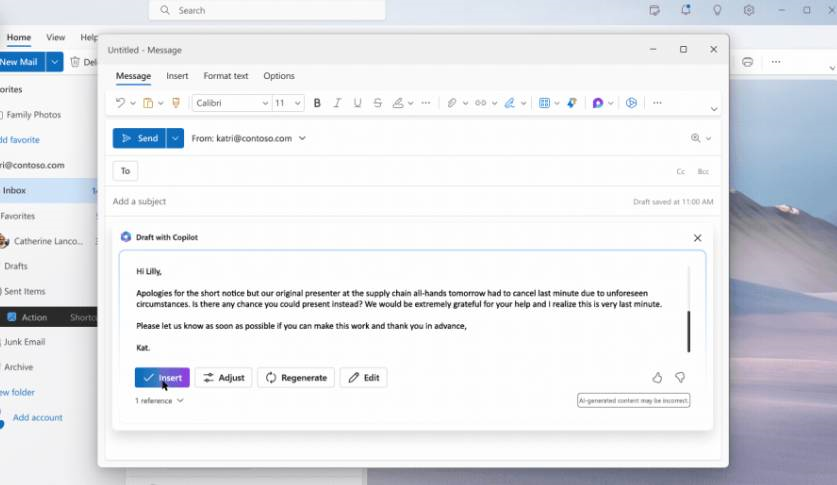
Utilize Copilot for efficient email and calendar management.
Leverage Copilot’s document editing and note-taking features for professional tasks.
Microsoft Copilot, like ChatGPT, has emerged as a revolutionary tool for enhancing productivity and streamlining tasks across various platforms, including Android.
Here are ten essential tips to help you get the most out of Microsoft Copilot on your Android device:
Integrate with Microsoft 365: Ensure you’ve integrated Copilot with your Microsoft 365 account. This seamless integration unlocks a plethora of functionalities, from managing your emails to scheduling meetings, all through voice commands or simple text inputs.
Integrate Copilot with Microsoft 365 for streamlined productivity
Customize Voice Commands: Tailor voice commands to suit your preferences. Microsoft Copilot allows for customization, enabling you to interact with your device more naturally and efficiently.
Customize voice commands for a personalized user experience
Leverage Copilot to manage your inbox efficiently. From composing emails to setting up automatic replies, it streamlines your email communication, saving you valuable time.
Utilize Copilot for efficient email and calendar management
Smart Calendar Management: Utilize Copilot for managing your calendar. It can help schedule meetings, remind you of upcoming events, and even find suitable meeting times for your contacts, ensuring you never miss an important date.
Document Editing Assistance: Take advantage of Copilot’s editing capabilities. Whether you’re drafting a report or preparing a presentation, it offers suggestions for improvement, making the editing process quicker and more effective.
Efficient Note-Taking: Use Copilot for note-taking during meetings or brainstorming sessions. It can transcribe voice notes, allowing you to focus on the discussion without worrying about missing any details.
Leverage for Research: Ask Copilot to conduct research on your behalf. Whether you need quick facts or detailed information, it can provide concise, accurate answers, significantly reducing your research time.
Leverage Copilot’s document editing and note-taking features for professional tasks.
Travel and Expense Management: Make travel arrangements and manage expenses effortlessly. Copilot can track your expenses, create and submit expense reports, and even help plan your business trips.
Learn Its Capabilities: Spend time exploring Copilot’s features. The more you understand what it can do, the better you can leverage its capabilities to your advantage.
Provide Feedback: Microsoft continually updates Copilot based on user feedback. Share your experiences and suggestions to help improve the tool for everyone.
How can Microsoft Copilot on Android enhance my productivity?
Microsoft Copilot on Android connects with Microsoft 365, streamlines email and calendar management, and assists with document editing and note-taking, significantly enhancing productivity.
Can I customize Microsoft Copilot to understand my voice commands better?
Yes, Microsoft Copilot allows for customization of voice commands, enabling you to interact with your device more naturally and efficiently, tailored to your preferences.
What features does Microsoft Copilot offer for managing emails and schedules?
Copilot offers comprehensive email management by composing, sorting, and replying to emails, along with smart calendar management to schedule meetings and remind you of important dates.
Is Microsoft Copilot useful for creating and editing documents on Android?
Absolutely, Microsoft Copilot assists in creating and editing documents by providing suggestions for improvement, making the editing process quicker and enhancing the overall quality of your documents.
How can I provide feedback to improve Microsoft Copilot?
Microsoft encourages users to provide feedback on Copilot’s performance and suggestions for improvements, which can be done directly through the app’s feedback feature.
Known for connecting people through messages, it’s borrowing features from its sibling apps, Instagram and Messenger.
The latest addition?
Tagging contacts in status updates, a move that spices up how we share moments.
“Thanks to the latest WhatsApp beta for Android 2.24.6.19 update, which is available on the Google Play Store, we discovered that WhatsApp is working on a feature to mention contacts in status updates,” said WABetaInfo.
“We believe that WhatsApp can enhance communication by ensuring that users are always aware of relevant status updates. By receiving notifications when they are mentioned in a status update, users will be more likely to engage with the content, contributing their thoughts with a reply or reaction,” the report said.
WhatsApp’s New Tagging Feature
You mention specific users when you share a WhatsApp status, similar to tagging in Instagram Stories.
Beta testers have discovered that WhatsApp is working on a feature allowing users to tag others in their status updates, similar to Instagram and Facebook stories.
This feature, still in development, promises to notify tagged individuals instantly, ensuring they don’t miss out on shared content.
While it’s uncertain if these tags will be visible to everyone or just the tagged contacts, the intention is clear: to enhance sharing experiences and acknowledge friends directly in updates.
Beyond Messaging: WhatsApp’s Expanding Horizons
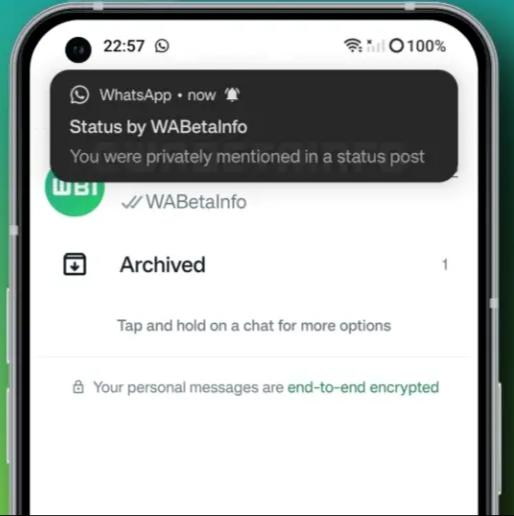
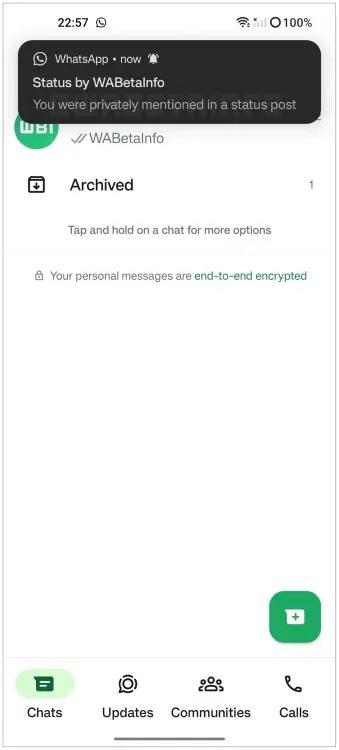
Mentioned users will receive a notification, which they can tap on to view the status and interact with it.
WhatsApp is not just about chatting anymore.
With the introduction of ephemeral status updates, users enjoy a 24-hour window to share photos, videos, and messages creatively, without the usual forwarding limits.
Meta’s strategy appears to keep WhatsApp’s essence as a personal communication tool while subtly integrating social networking elements.
As WhatsApp continues to evolve, blending messaging with social media traits, users can look forward to a more dynamic and interconnected platform, making everyday communications not just convenient but also more engaging.
WhatsApp Stickers
WhatsApp beta release for Android shows the introduction of mentions in WhatsApp status.
In more news related to WhatsApp, one of the standout additions in the latest WhatsApp beta is the implementation of chat filters.
This feature, currently available to a select group of beta testers, offers a pragmatic approach to managing conversations.
By allowing users to filter their chat list to show unread messages or group chats exclusively, WhatsApp addresses the common challenge of navigating through an extensive list of conversations.
Positioned beneath the top app bar, these filters may require users to scroll down to discover them, adding a step but potentially simplifying chat navigation significantly.
FAQs
Q: What is WhatsApp’s new contact tagging feature?
A: WhatsApp is testing a feature that lets users tag their contacts in status updates, similar to how tagging works on Instagram and Facebook. This will notify tagged individuals about the update.
Q: Can everyone see who you tag in your WhatsApp status?
A: It’s currently unclear if tags will be visible to all viewers of your status or just to those tagged. The feature is still in development, and more details will be revealed over time.
Q: How does the new tagging feature affect WhatsApp’s privacy?
A: WhatsApp is known for its emphasis on privacy. The introduction of tagging aims to enhance user engagement while keeping the platform’s private messaging essence intact.
Q: Will the contact tagging feature change how I use WhatsApp?
A: The feature is designed to enrich your sharing experience by allowing direct mentions within status updates. It shouldn’t complicate usage but rather make communication more interactive.
Q: When will the WhatsApp contact tagging feature be available to all users?
A: The feature is in beta testing and does not have a confirmed rollout date. Stay tuned for updates from WhatsApp regarding its official release.
Despite an International Trade Commission (ITC) ruling against Apple for patent infringement, the smartwatches continue to be sold without the pulse oximeter feature.
This development follows a series of legal and regulatory hurdles, culminating in Apple’s decision to disable the feature to comply with the ITC’s orders.
Possibilities for Affected Consumers
Apple Watch Series 9 and Ultra 2 May Regain Pulse Oximeter Feature After Patent Dispute
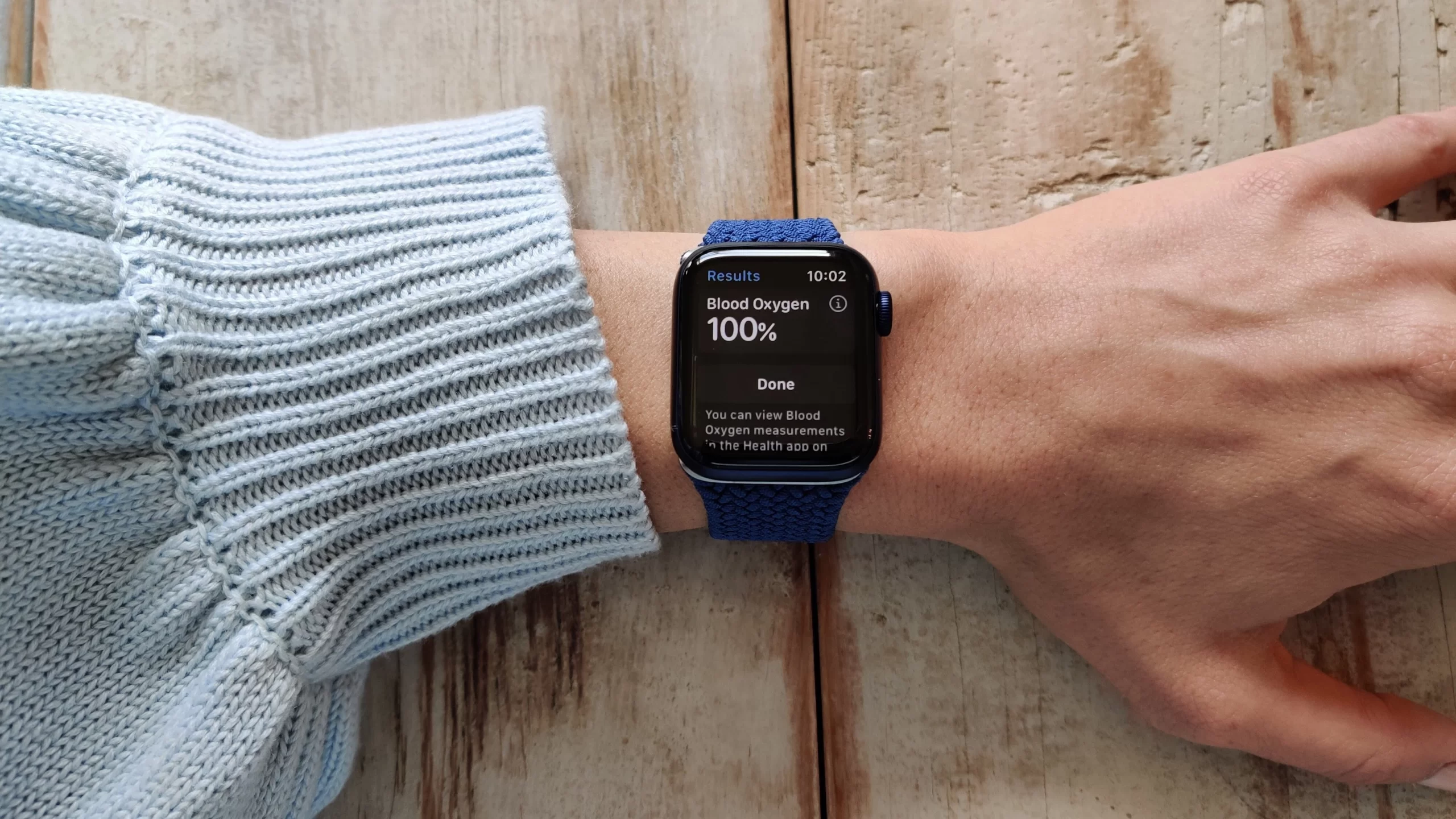
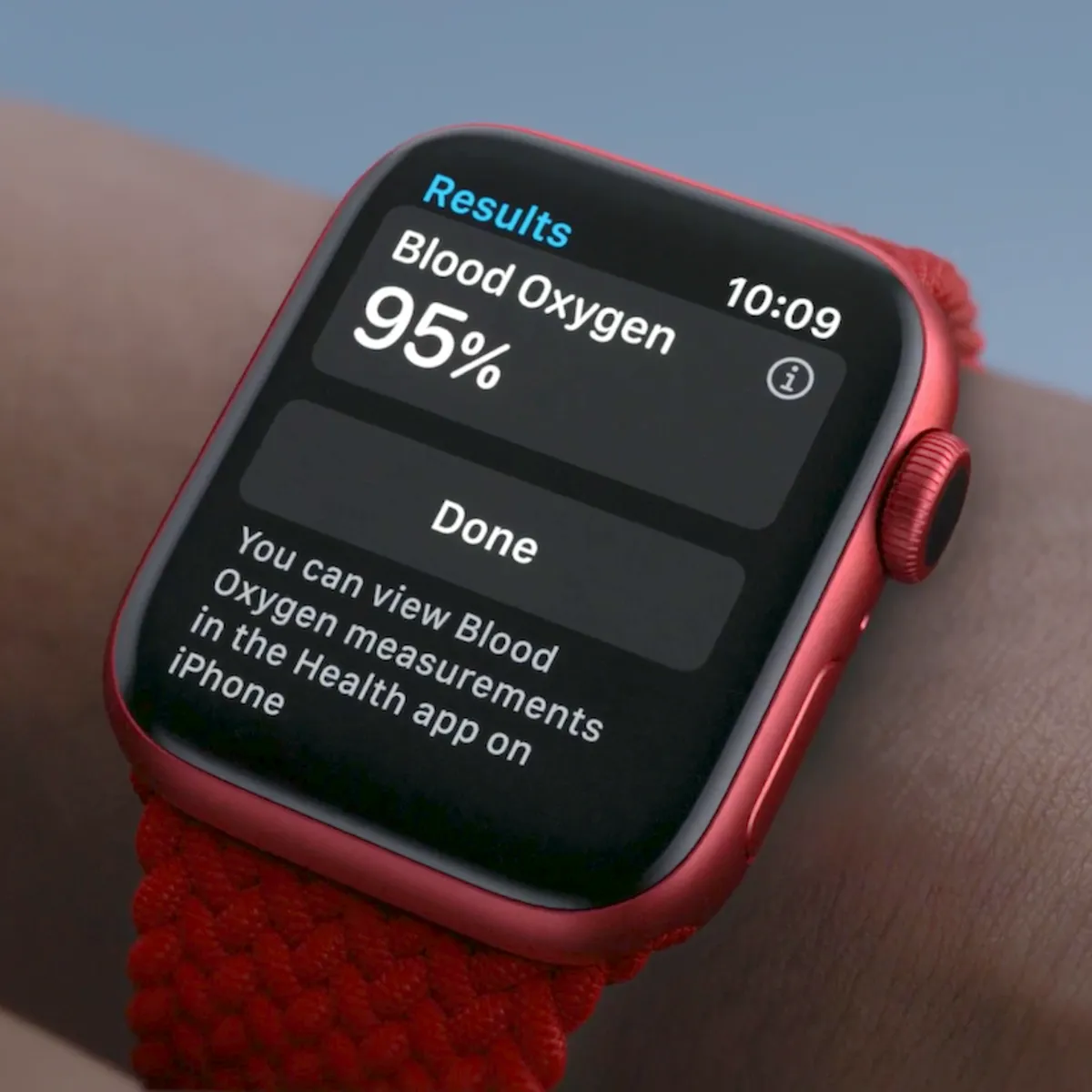
Interestingly, reports suggest a pathway for the reactivation of the pulse oximeter—a tool for measuring blood oxygen levels, feature in the future.
The Customs and Border Patrol’s (CBP) original order permits Apple to import the watches with the feature disabled, not removed.
Apple Watch Series 9 and Ultra 2 sold without pulse oximeter due to patent dispute
This means that, pending patent expiration in August 2028 or a successful appeal by Apple, users could potentially regain access to the pulse oximeter.
Apple’s compliance with CBP’s requirements involved providing the code used to disable the feature, ensuring it wasn’t trivially reactivated, yet leaving a door open for its return under specific conditions.
Legal Battles and Regulatory Decisions
Legal Battles and Regulatory Decisions
Even so, after the ITC’s decision that Apple had infringed on Masimo’s patents, Apple temporarily removed the Series 9 and Ultra 2 models from its U.S. stores.
Despite efforts to appeal the ruling and a brief temporary stay, the tech giant has had to reconfigure its latest smartwatches to exclude the pulse oximete.
The absence of a veto from President Biden has left Apple with limited options, leading to the current sale of these devices without the disputed feature.
FAQs
Why don’t the Apple Watch Series 9 and Ultra 2 currently have the pulse oximeter feature?
Due to a patent dispute with Masimo, Apple was required to disable the pulse oximeter feature in these models to comply with an ITC ruling.
Can the pulse oximeter feature be reactivated on the Apple Watch Series 9 and Ultra 2?
Yes, the feature has the potential to be reactivated in the future, depending on the outcome of patent expiration or Apple’s ongoing legal appeal.
What was the reason behind the temporary removal of these Apple Watch models from U.S. stores?
Apple temporarily removed the Series 9 and Ultra 2 models from its U.S. stores following an ITC ruling that found Apple infringed on Masimo’s patents.
How did Apple comply with the CBP’s requirements regarding the pulse oximeter?
Apple provided the code used to disable the pulse oximeter feature, ensuring compliance with the CBP’s requirements while leaving the possibility of reactivation open under certain conditions.
What could lead to the reinstatement of the pulse oximeter feature in the affected Apple Watch models?
The reinstatement could occur if Apple’s patents infringed on expire in August 2028 or if Apple wins the appeal it has in progress, allowing users to access the feature again.
With these tips, Indian consumers can enjoy a smooth and efficient smartphone experience without breaking the bank.
FAQs
Why is it important to update my budget smartphone regularly?
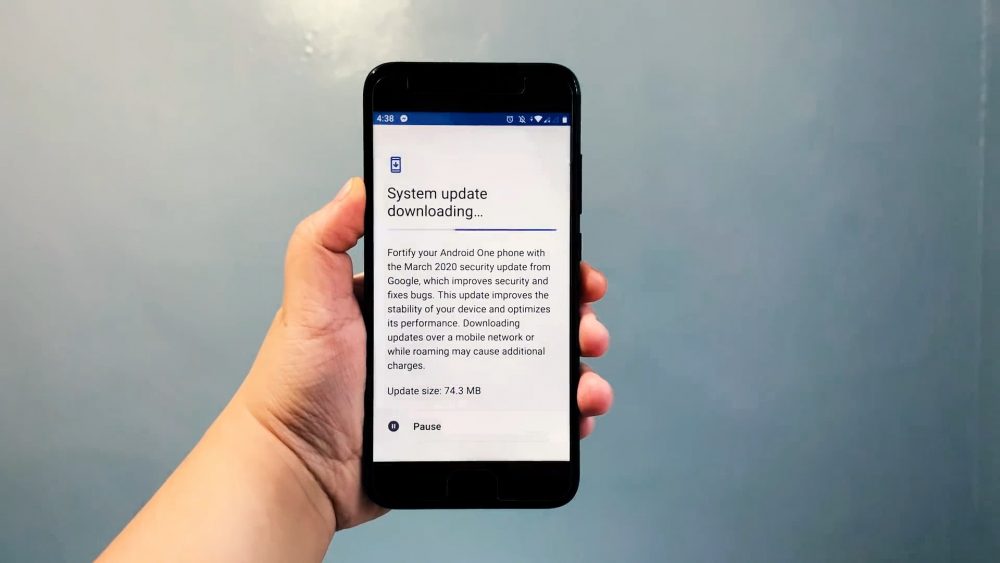
Updating your smartphone ensures you have the latest operating system and app versions, which often include performance improvements and bug fixes, crucial for maintaining your device’s speed and efficiency.
How can limiting background apps impact my smartphone’s performance?
Background apps consume system resources, even when not in active use. By limiting these, you free up memory and processing power, leading to better device performance.
What are Lite versions of apps, and why should I use them?
Lite versions are simplified variants of standard apps designed for devices with limited resources. They use less data and require less storage space, making them ideal for enhancing the performance of budget smartphones.
How does clearing the cache affect my smartphone?
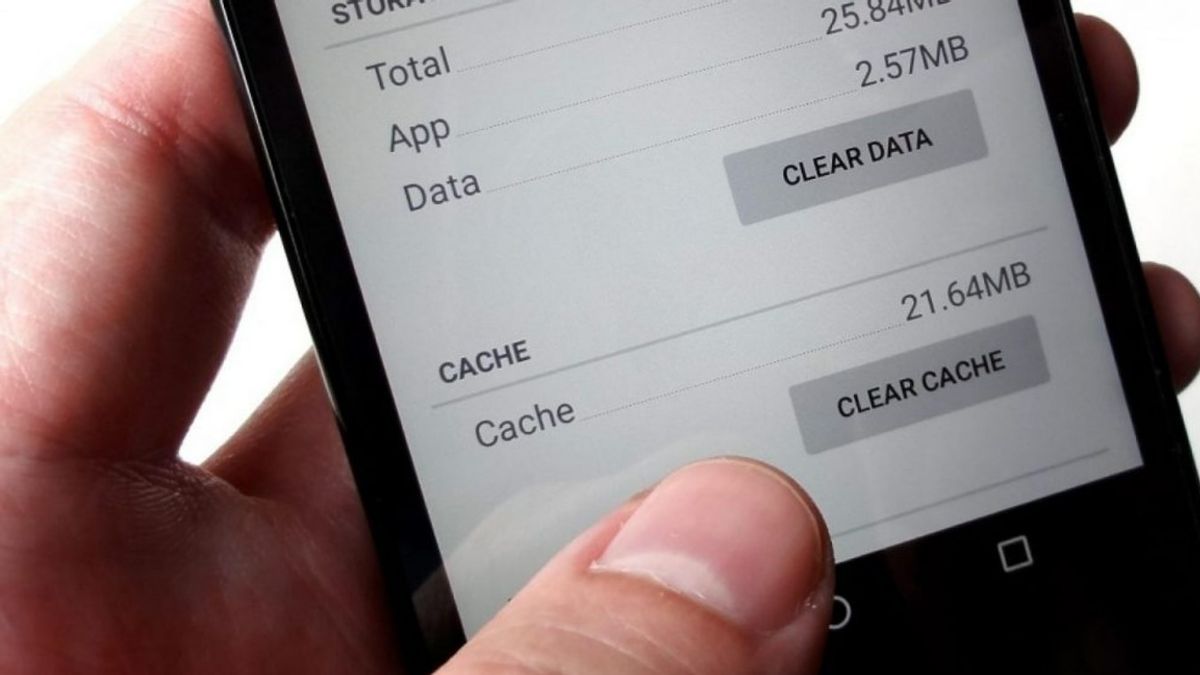
Clearing the cache removes temporary data stored by apps, freeing up storage space and potentially speeding up your device by eliminating unnecessary data that could slow it down.
Why should I avoid live wallpapers and widgets?
Live wallpapers and widgets, although visually appealing, consume more system resources, including battery life and processing power. Opting for static wallpapers and minimal widgets can significantly improve your device’s performance.