Highlights
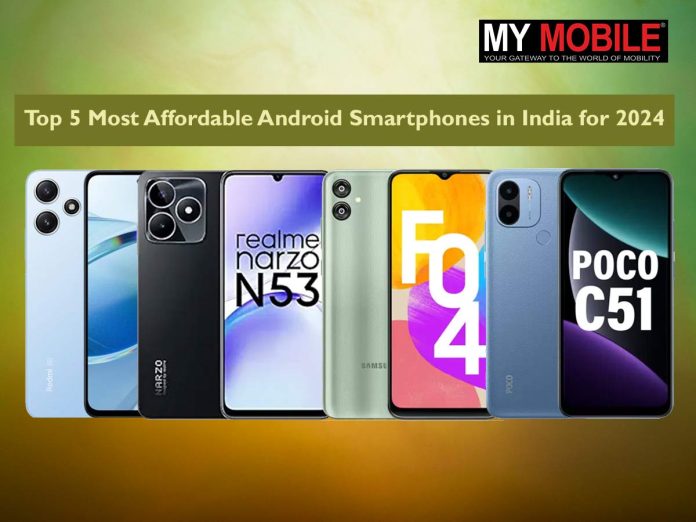
- Xiaomi Redmi 12 leads with a MediaTek Helio G88 and a triple camera setup.
- Realme Narzo N53 excels in gaming with Unisoc T616 and 33W fast charging.
- Samsung Galaxy F04 offers reliability with decent camera specs and smooth performance.
- POCO C51 impresses with 6GB RAM and extensive storage at a competitive price.
The search for affordable and feature-packed Android smartphones is always on the rise, especially in a diverse market like India.
Here’s a detailed look into some of the best and cheapest Android mobile phones available in India as of February 2024, offering a mix of performance, battery life, and camera capabilities.
Xiaomi Redmi 12
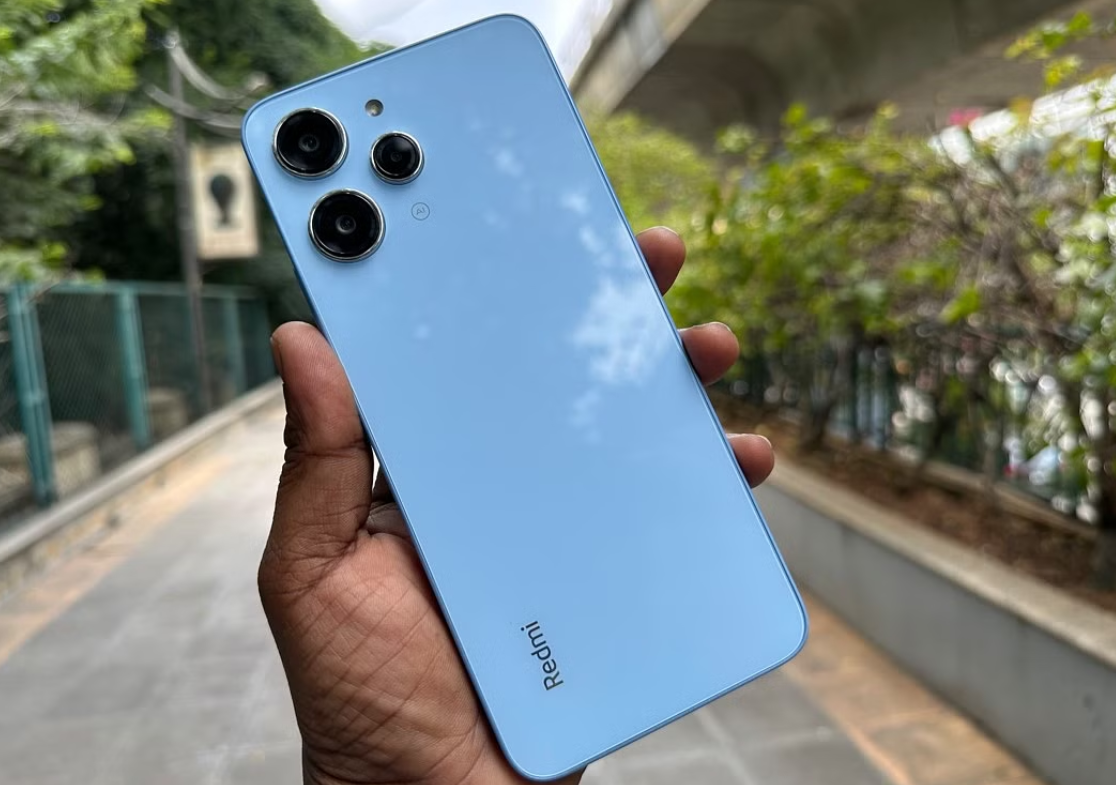
Price: Rs 9,490
Key Specs
- MediaTek Helio G88 Octa-core processor
- 50+8+2 MP Rear Camera; 8 MP Front Camera
- 6.79-inch 90Hz IPS LCD Display
- 4 GB RAM; 128 GB Storage
- 5000 mAh battery with 18W Fast Charging
- Android v13 OS; Fingerprint Sensor
The Xiaomi Redmi 12 packs in a more formidable MediaTek Helio G88 processor which is supported by a triple camera setup, ensuring smooth performance and quality photography.
Its large 6.8-inch display with 90Hz refresh rate and 18W fast charging make it a great choice for media consumption and daily usage.
Realme Narzo N53
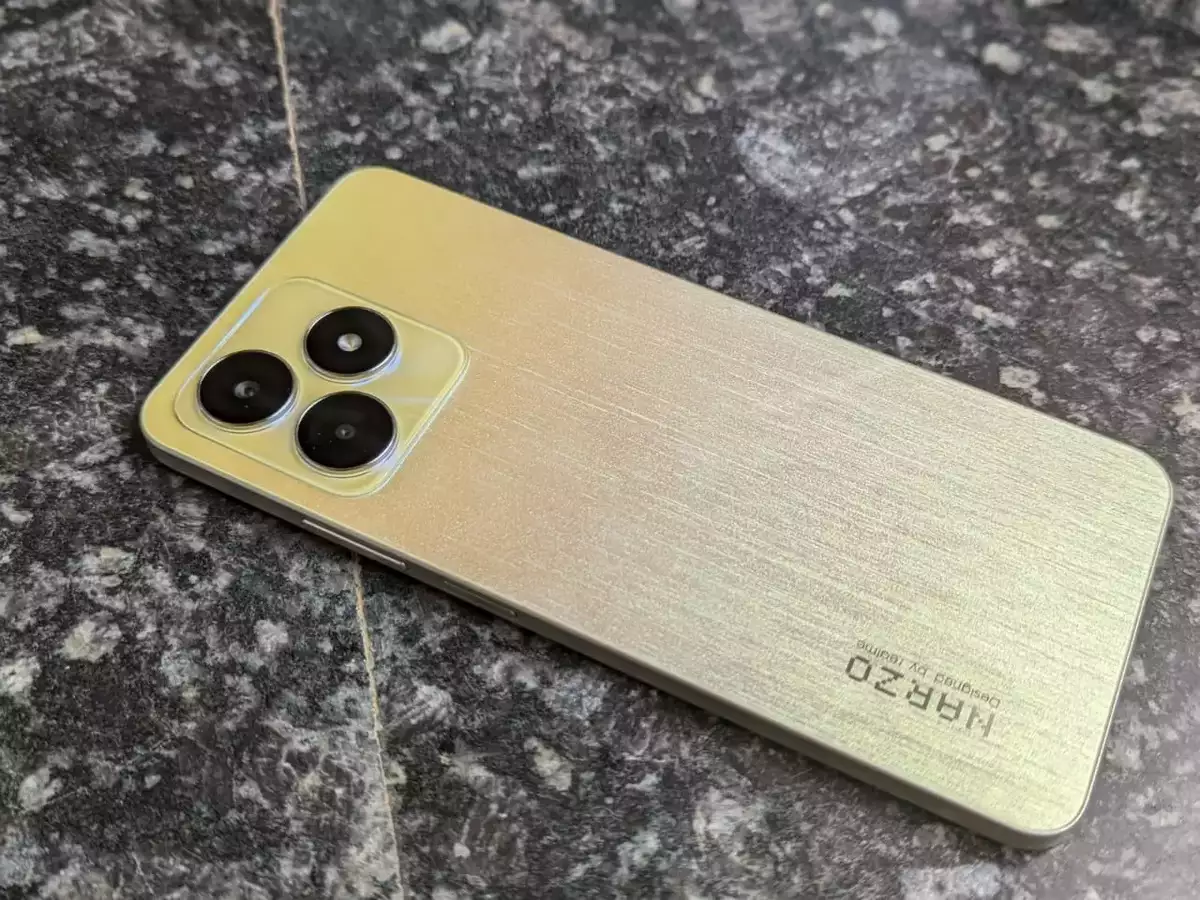
Price: Rs 7,999
Key Specs
- Unisoc T616 Octa-core processor
- 50 MP Rear Camera; 8 MP Front Camera
- 6.74-inch 90Hz IPS LCD Display
- 4 GB RAM; 64 GB Storage
- 5000 mAh battery with 33W Fast Charging
- Android v13 OS; Fingerprint Sensor
Realme Narzo N53 offers a robust Unisoc T616 processor and a high refresh rate display, ideal for gaming and multitasking.
Even with the cameras, the N53 does a more than decent job.
The device also stands out for its fast charging capability, ensuring minimal downtime.
Samsung Galaxy F04
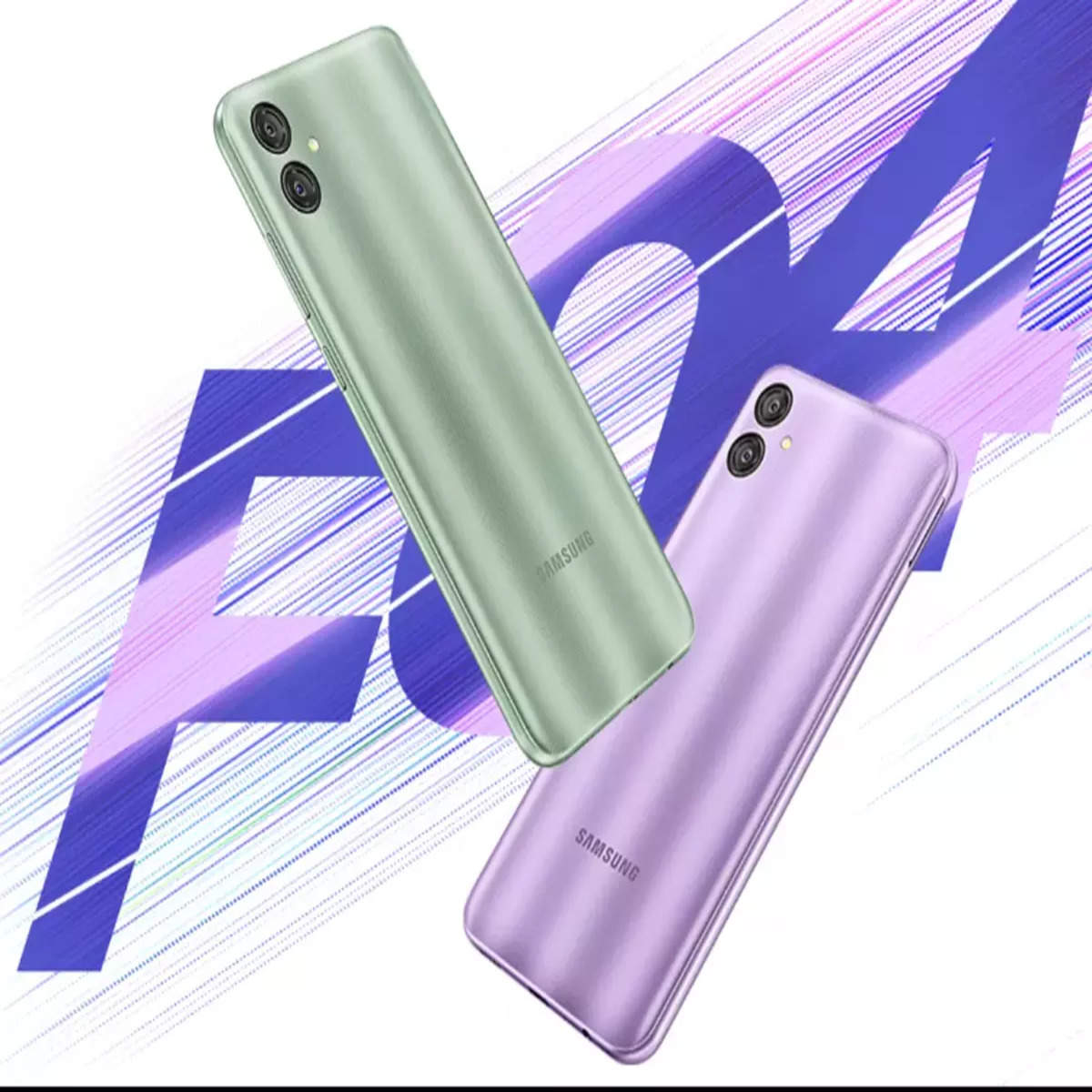
Price: Rs 6,750
Key Specs
- MediaTek Helio P35 Octa-core processor
- 13+2 MP Dual Primary Cameras; 5 MP Front Camera
- 6.5-inch display with 270 PPI, PLS LCD
- 4 GB RAM; 64 GB Storage
- 5000 mAh battery; USB Type-C Port
- Android v12 OS
The device doesn’t have the best performance with Helio P35 but it compensates with the 13MP primary camera.
The Samsung Galaxy F04 can be considered is a solid choice for users looking for reliability from a renowned brand.
The device’s ample storage and RAM ensure smooth operation for everyday tasks.
POCO C51
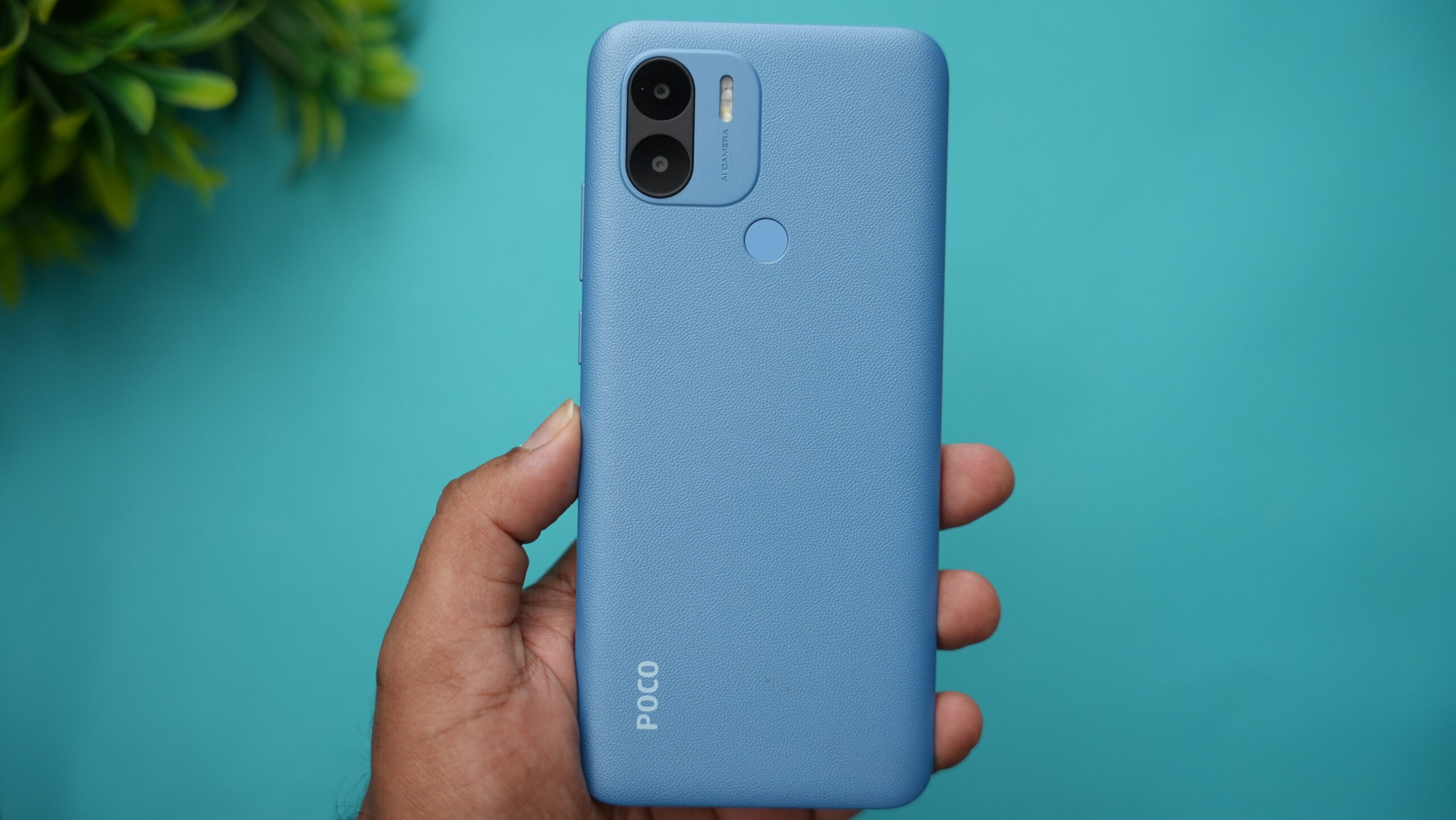
Price: Rs 5,999
Key Specs
- Helio G36, Octa Core, 2.2 GHz Processor
- 8 MP + 0.08 MP Dual Rear & 5 MP Front Camera
- 6.52 inches, 720 x 1600 px Display
- 6 GB RAM; 128 GB inbuilt
- 5000 mAh Battery with 10W Fast Charging
- Android v13 OS; Memory Card Supported, upto 1 TB
The POCO C51 stands out for its exceptional value, offering 6GB of RAM and 128GB of storage at a very competitive price point.
The Helio G36 SoC doesn’t hurt for those looking for above average performance. Its large display and significant battery capacity make it a great all-rounder for users on a budget.
Moto E13
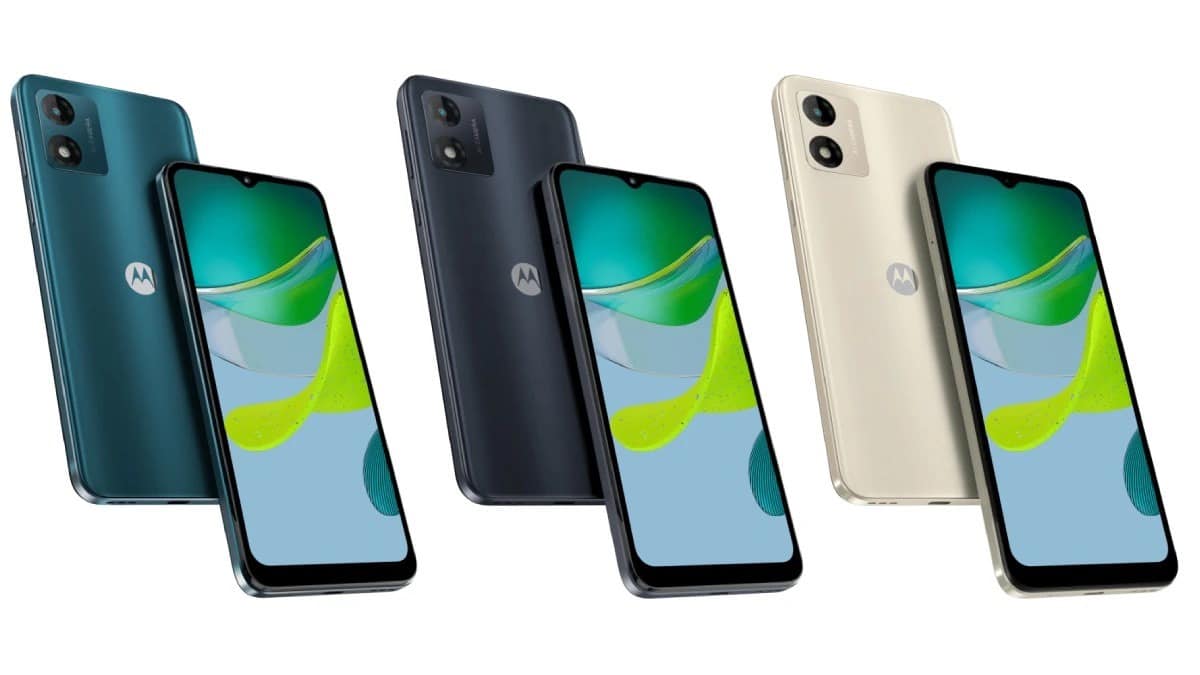
Price: Rs 5,969
Key Specs
- Unisoc T606 Octa-core processor
- 13 MP Primary Camera; 5 MP Front Camera
- 6.5-inch IPS LCD Display; 60 Hz Refresh Rate
- 2 GB RAM; 64 GB Storage
- 5000 mAh battery; USB Type-C Port
- Android v13 OS
Moto E13 offers a reliable performance with its T606 Octa-core processor and ample battery life.
The performance metrics of the device are at par with phones in its price range.
Its camera setup is decent for its price, making it suitable for casual photography and everyday use.
XIAOMI REDMI NOTE 12 KEY SPECIFICATIONS
Key Specs
| RAM | 4 GB |
| Processor | Qualcomm Snapdragon 4 Gen 1 |
| Rear Camera | 48 MP + 8 MP + 2 MP |
| Front Camera | 13 MP |
| Battery | 5000 mAh |
| Display | 6.67 inches (16.94 cm) |
General
| Launch Date | January 11, 2023 (Official) |
| Operating System | Android v12 |
| Custom UI | MIUI |
Performance
| Chipset | Qualcomm Snapdragon 4 Gen 1 |
| CPU | Octa core (2 GHz, Dual core, Cortex A78 + 1.8 GHz, Hexa Core, Cortex A55) |
| Architecture | 64 bit |
| Fabrication | 6 nm |
| Graphics | Adreno 619 |
| RAM | 4 GB
Excellent
|
| RAM Type | LPDDR4X |
Display
| Display Type | Super AMOLED |
| Screen Size | 6.67 inches (16.94 cm) |
| Resolution | 1080 x 2400 pixels |
| Aspect Ratio | 20:9 |
| Pixel Density | 395 ppi
Best in Class
|
| Screen to Body Ratio (calculated) | 84.97 % |
| Screen Protection | Corning Gorilla Glass v3 |
| Bezel-less display | Yes with punch-hole display |
| Touch Screen | Yes, Capacitive Touchscreen, Multi-touch |
| Brightness | 1200 nits |
| Refresh Rate | 120 Hz |
Design
| Height | 165.88 mm Compare Size |
| Width | 76.21 mm |
| Thickness | 7.98 mm
Very Good
|
| Weight | 188 grams
Average
|
| Colours | Frosted Green, Mystique Blue, Matte Black |
| Waterproof | Yes, Splash proof, IP53 |
| Ruggedness | Dust proof |
Camera
| MAIN CAMERA | ||
| Camera Setup | Triple | |
| Resolution | 48 MP f/1.8, Wide Angle, Primary Camera 8 MP f/2.2, Ultra-Wide Angle Camera 2 MP f/2.4, Macro Camera |
|
| Autofocus | Yes | |
| Flash | Yes, LED Flash | |
| Image Resolution | 8000 x 6000 Pixels | |
| Settings | Exposure compensation, ISO control | |
| Shooting Modes | Continuous Shooting High Dynamic Range mode (HDR) Burst mode |
|
| Camera Features | Digital Zoom Auto Flash Face detection Touch to focus |
|
| Video Recording | 1920×1080 @ 30 fps 1280×720 @ 30 fps |
|
| FRONT CAMERA | ||
| Camera Setup | Single | |
| Resolution | 13 MP f/2.45, Wide Angle, Primary Camera | |
| Video Recording | 1920×1080 @ 30 fps 1280×720 @ 30 fps |
|
Battery
| Capacity | 5000 mAh |
| Type | Li-Polymer |
| Removable | No |
| TalkTime | Up to 34 Hours(4G) |
| Standby time | Up to 624 Hours(2G) |
| Quick Charging | Yes, Fast, 33W: 50 % in 22 minutes |
| USB Type-C | Yes |
Storage
| Internal Memory | 128 GB
Best in Class
|
| Expandable Memory | Yes, Up to 1 TB |
| USB OTG | Yes |
| Storage Type | UFS 2.2 |
Network & Connectivity
| SIM Slot(s) | Dual SIM, GSM+GSM |
| SIM Size | SIM1: Nano, SIM2: Nano (Hybrid) |
| Network Support | 5G Supported in India, 4G Supported in India, 3G, 2G |
| VoLTE | Yes |
| SIM 1 |
5G Bands:
FDD N1 / N3 / N5 / N8 / N28
TDD N40 / N78 4G Bands:
TD-LTE 2300(band 40) / 2500(band 41)
FD-LTE 2100(band 1) / 1800(band 3) / 900(band 8) / 850(band 5) 3G Bands:
UMTS 1900 / 2100 / 850 / 900 MHz
2G Bands:
GSM 1800 / 1900 / 850 / 900 MHz
GPRS:
Available
EDGE:
Available
|
| SIM 2 |
5G Bands:
FDD N1 / N3 / N5 / N8 / N28
TDD N40 / N78 4G Bands:
TD-LTE 2300(band 40) / 2500(band 41)
FD-LTE 2100(band 1) / 1800(band 3) / 900(band 8) / 850(band 5) 3G Bands:
UMTS 1900 / 2100 / 850 / 900 MHz
2G Bands:
GSM 1800 / 1900 / 850 / 900 MHz
GPRS:
Available
EDGE:
Available
|
| Wi-Fi | Yes, Wi-Fi 5 (802.11 a/b/g/n/ac) 5GHz |
| Wi-Fi Features | Mobile Hotspot |
| Bluetooth | Yes, v5.1 |
| GPS | Yes with A-GPS, Glonass |
| NFC | No |
| USB Connectivity | Mass storage device, USB charging |
Multimedia
| Loudspeaker | Yes |
| Audio Jack | 3.5 mm |
Sensors
| Fingerprint Sensor | Yes |
| Fingerprint Sensor Position | Side |
| Other Sensors | Light sensor, Proximity sensor, Accelerometer, Compass, Gyroscope |
REALME NARZO N53 KEY SPECIFICATIONS
Key Specs
| RAM | 4 GB |
| Processor | MediaTek Helio G80 |
| Rear Camera | 50 MP + 2 MP |
| Front Camera | 8 MP |
| Battery | 5000 mAh |
| Display | 6.72 inches (17.07 cm) |
General
| Launch Date | May 31, 2023 (Unofficial) |
| Operating System | Android v13 |
| Custom UI | Realme UI |
Performance
| Chipset | MediaTek Helio G80 |
| CPU | Octa core (2 GHz, Dual core, Cortex A75 + 1.8 GHz, Hexa Core, Cortex A55) |
| Architecture | 64 bit |
| Fabrication | 12 nm |
| Graphics | Mali-G52 MC2 |
| RAM | 4 GB |
Display
| Display Type | IPS LCD |
| Screen Size | 6.72 inches (17.07 cm) |
| Resolution | 1080 x 2400 pixels |
| Aspect Ratio | 20:9 |
| Pixel Density | 392 ppi |
| Bezel-less display | Yes with punch-hole display |
| Touch Screen | Yes, Capacitive Touchscreen, Multi-touch |
| Refresh Rate | 90 Hz |
Camera
| MAIN CAMERA | ||
| Camera Setup | Dual | |
| Resolution | 50 MP, Primary Camera 2 MP, Depth Camera |
|
| Autofocus | Yes | |
| Flash | Yes, LED Flash | |
| Image Resolution | 8150 x 6150 Pixels | |
| Settings | ISO control | |
| Shooting Modes | Continuous Shooting High Dynamic Range mode (HDR) |
|
| Camera Features | Digital Zoom Auto Flash Face detection Touch to focus |
|
| Video Recording | 1920×1080 @ 30 fps | |
| FRONT CAMERA | ||
| Camera Setup | Single | |
| Resolution | 8 MP, Primary Camera | |
Battery
| Capacity | 5000 mAh |
| Type | Li-Polymer |
| Removable | No |
| Quick Charging | Yes, Fast, 33W |
| USB Type-C | Yes |
Storage
| Internal Memory | 64 GB |
| Expandable Memory | Yes, Up to 1 TB |
Network & Connectivity
| SIM Slot(s) | Dual SIM, GSM+GSM |
| SIM Size | SIM1: Nano, SIM2: Nano |
| Network Support | 5G Not Supported in India, 4G Supported in India, 3G, 2G |
| VoLTE | Yes |
| SIM 1 |
4G Bands:
TD-LTE 2300(band 40)
FD-LTE 1800(band 3) 3G Bands:
UMTS 1900 / 2100 / 850 / 900 MHz
2G Bands:
GSM 1800 / 1900 / 850 / 900 MHz
GPRS:
Available
EDGE:
Available
|
| SIM 2 |
4G Bands:
TD-LTE 2300(band 40)
FD-LTE 1800(band 3) 3G Bands:
UMTS 1900 / 2100 / 850 / 900 MHz
2G Bands:
GSM 1800 / 1900 / 850 / 900 MHz
GPRS:
Available
EDGE:
Available
|
| Wi-Fi | Yes, Wi-Fi 4 (802.11 b/g/n) |
| Wi-Fi Features | Mobile Hotspot |
| Bluetooth | Yes, v5.0 |
| GPS | Yes with A-GPS |
| NFC | No |
| USB Connectivity | Mass storage device, USB charging |
Multimedia
| Loudspeaker | Yes |
| Audio Jack | 3.5 mm |
Sensors
| Fingerprint Sensor | Yes |
| Fingerprint Sensor Position | Side |
| Other Sensors | Light sensor, Proximity sensor, Accelerometer |
POCO C51 KEY SPECIFICATIONS
Key Specs
| RAM | 3 GB |
| Processor | MediaTek Helio G36 |
| Rear Camera | 8 MP |
| Front Camera | 5 MP |
| Battery | 5000 mAh |
| Display | 6.52 inches (16.56 cm) |
General
| Launch Date | April 7, 2023 (Expected) |
| Operating System | Android v13 |
| Custom UI | Android Go |
Performance
| Chipset | MediaTek Helio G36 |
| CPU | Octa core (2.2 GHz, Quad core, Cortex A53 + 1.8 GHz, Quad core, Cortex A53) |
| Architecture | 64 bit |
| Fabrication | 12 nm |
| Graphics | PowerVR GE8320 |
| RAM | 3 GB |
| RAM Type | LPDDR4X |
Display
| Display Type | IPS LCD |
| Screen Size | 6.52 inches (16.56 cm) |
| Resolution | 720 x 1600 pixels |
| Aspect Ratio | 20:9 |
| Pixel Density | 269 ppi |
| Bezel-less display | Yes with waterdrop notch |
| Touch Screen | Yes, Capacitive Touchscreen, Multi-touch |
| Screen to Body Ratio (claimed by the brand) | 88.89 % |
Design
| Colours | Black, Blue |
Camera
| MAIN CAMERA | ||
| Camera Setup | Single | |
| Resolution | 8 MP f/2.0, Wide Angle, Primary Camera | |
| Autofocus | Yes | |
| Flash | Yes, LED Flash | |
| Image Resolution | 3264 x 2448 Pixels | |
| Settings | Exposure compensation | |
| Shooting Modes | Continuous Shooting High Dynamic Range mode (HDR) |
|
| Camera Features | Digital Zoom Auto Flash Face detection Touch to focus |
|
| Video Recording | 1920×1080 @ 30 fps | |
| FRONT CAMERA | ||
| Camera Setup | Single | |
| Resolution | 5 MP f/2.2, Primary Camera | |
| Video Recording | 1920×1080 @ 30 fps | |
Battery
| Capacity | 5000 mAh |
| Type | Li-ion |
| Removable | No |
| USB Type-C | No |
Storage
| Internal Memory | 32 GB |
| Expandable Memory | Yes, Up to 1 TB |
| Storage Type | eMMC 5.1 |
Network & Connectivity
| SIM Slot(s) | Dual SIM, GSM+GSM |
| SIM Size | SIM1: Nano, SIM2: Nano |
| Network Support | 5G Not Supported in India, 4G Supported in India, 3G, 2G |
| VoLTE | Yes |
| SIM 1 |
4G Bands:
TD-LTE 2300(band 40)
FD-LTE 1800(band 3) 3G Bands:
UMTS 1900 / 2100 / 850 / 900 MHz
2G Bands:
GSM 1800 / 1900 / 850 / 900 MHz
GPRS:
Available
EDGE:
Available
|
| SIM 2 |
4G Bands:
TD-LTE 2300(band 40)
FD-LTE 1800(band 3) 3G Bands:
UMTS 1900 / 2100 / 850 / 900 MHz
2G Bands:
GSM 1800 / 1900 / 850 / 900 MHz
GPRS:
Available
EDGE:
Available
|
| Wi-Fi | Yes, Wi-Fi 4 (802.11 b/g/n) |
| Wi-Fi Features | Mobile Hotspot |
| Bluetooth | Yes, v5.0 |
| GPS | Yes with A-GPS |
| NFC | No |
| USB Connectivity | Mass storage device, USB charging, microUSB 2.0 |
Multimedia
| Loudspeaker | Yes |
| Audio Jack | 3.5 mm |
Sensors
| Fingerprint Sensor | Yes |
| Fingerprint Sensor Position | Rear |
| Other Sensors | Light sensor, Proximity sensor, Accelerometer |
Moto E13 Key Specifications
Key Specs
| RAM | 2 GB |
| Processor | Unisoc T606 |
| Rear Camera | 13 MP |
| Front Camera | 5 MP |
| Battery | 5000 mAh |
| Display | 6.52 inches (16.56 cm) |
General
| Launch Date | March 13, 2023 (Expected) |
| Operating System | Android v13 |
| Custom UI | Android Go |
Performance
| Chipset | Unisoc T606 |
| CPU | Octa core (1.6 GHz, Dual core, Cortex A75 + 1.6 GHz, Hexa Core, Cortex A55) |
| Fabrication | 12 nm |
| Graphics | Mali-G57 |
| RAM | 2 GB |
Display
| Display Type | IPS LCD |
| Screen Size | 6.52 inches (16.56 cm) |
| Resolution | 720 x 1600 pixels |
| Aspect Ratio | 20:9 |
| Pixel Density | 269 ppi
Good
|
| Screen to Body Ratio (calculated) | 83.5 % |
| Bezel-less display | Yes with waterdrop notch |
| Touch Screen | Yes, Capacitive Touchscreen, Multi-touch |
| Refresh Rate | 60 Hz |
| Screen to Body Ratio (claimed by the brand) | 89.2 % |
Design
| Height | 164.1 mm Compare Size |
| Width | 74.9 mm |
| Thickness | 8.4 mm
Very Good
|
| Weight | 179.5 grams
Average
|
| Build Material | Back: Plastic |
| Colours | Aurora Green, Cosmic Black, Creamy White |
| Waterproof | Yes, Splash proof, IP52 |
| Ruggedness | Dust proof |
Camera
| MAIN CAMERA | ||
| Camera Setup | Single | |
| Resolution | 13 MP f/2.2, Wide Angle, Primary Camera(1.12µm pixel size) | |
| Autofocus | Yes, Phase Detection autofocus | |
| Flash | Yes, LED Flash | |
| Image Resolution | 4128 x 3096 Pixels | |
| Settings | Exposure compensation, ISO control | |
| Shooting Modes | Continuous Shooting High Dynamic Range mode (HDR) |
|
| Camera Features | Digital Zoom Auto Flash Face detection Touch to focus |
|
| Video Recording | 1920×1080 @ 30 fps 1280×720 @ 30 fps |
|
| FRONT CAMERA | ||
| Camera Setup | Single | |
| Resolution | 5 MP f/2.2, Primary Camera(1.12µm pixel size) | |
| Video Recording | 1920×1080 @ 30 fps 1280×720 @ 30 fps |
|
Battery
| Capacity | 5000 mAh |
| Type | Li-Polymer |
| Removable | No |
| USB Type-C | Yes |
Storage
| Internal Memory | 64 GB |
| Expandable Memory | Yes, Up to 1 TB |
Network & Connectivity
| SIM Slot(s) | Dual SIM, GSM+GSM |
| SIM Size | SIM1: Nano, SIM2: Nano |
| Network Support | 5G Not Supported in India, 4G Supported in India, 3G, 2G |
| VoLTE | Yes |
| SIM 1 |
4G Bands:
TD-LTE 2600(band 38) / 2300(band 40) / 2500(band 41)
FD-LTE 2100(band 1) / 1800(band 3) / 2600(band 7) / 900(band 8) / 700(band 28) / 850(band 5) / 800(band 20) 3G Bands:
UMTS 1900 / 2100 / 850 / 900 MHz
2G Bands:
GSM 1800 / 1900 / 850 / 900 MHz
GPRS:
Available
EDGE:
Available
|
| SIM 2 |
4G Bands:
TD-LTE 2600(band 38) / 2300(band 40) / 2500(band 41)
FD-LTE 2100(band 1) / 1800(band 3) / 2600(band 7) / 900(band 8) / 700(band 28) / 850(band 5) / 800(band 20) 3G Bands:
UMTS 1900 / 2100 / 850 / 900 MHz
2G Bands:
GSM 1800 / 1900 / 850 / 900 MHz
GPRS:
Available
EDGE:
Available
|
| Wi-Fi | Yes, Wi-Fi 5 (802.11 a/b/g/n/ac) 5GHz |
| Wi-Fi Features | Mobile Hotspot |
| Bluetooth | Yes, v5.0 |
| GPS | Yes with A-GPS, Glonass |
| NFC | No |
| USB Connectivity | Mass storage device, USB charging |
Multimedia
| Loudspeaker | Yes |
| Audio Jack | 3.5 mm |
| Audio Features | Dolby Atmos |
Sensors
| Fingerprint Sensor | No |
| Other Sensors | Light sensor, Proximity sensor, Accelerometer |
Samsung Galaxy F04 Key Specs
GENERAL
| Country of Origin | India |
| Sim Type | Dual Sim, GSM+GSM |
| Dual Sim | Yes |
| Sim Size | Nano+Nano SIM |
| Device Type | Smartphone |
| Release Date | January 04, 2023 |
DESIGN
| Dimensions | 75.9 x 164.2 x 9.1 mm |
| Weight | 188 g |
| Colors | Jade Purple, Opal Green |
DISPLAY
| Type | Color IPS Screen (16M Colors) |
| Touch | Yes |
| Size | 6.5 inches, 720 x 1600 pixels, 60 Hz |
| Aspect Ratio | 20:9 |
| PPI | ~ 269 PPI |
| Screen to Body Ratio | ~ 81.8% |
| Notch | Yes, Water Drop Notch |
MEMORY
| RAM | 4 GB |
| Expandable RAM | Upto 4 GB Extra Virtual RAM |
| Storage | 64 GB |
| Card Slot | Yes, upto 1 TB |
CONNECTIVITY
| GPRS | Yes |
| EDGE | Yes |
| 3G | Yes |
| 4G | Yes |
| VoLTE | Yes, Dual Stand-By |
| Wifi | Yes, with wifi-hotspot |
| Bluetooth | Yes, v5.0, A2DP |
| USB | Yes, USB-C v2.0 |
| USB Features | USB on-the-go, USB Charging |
EXTRA
| GPS | Yes, with A-GPS, GLONASS, GALILEO, BDS |
| Face Unlock | Yes |
| Sensors | Accelerometer, Light Sensor, Proximity Sensor |
| 3.5mm Headphone Jack | Yes |
CAMERA
| Rear Camera | 13 MP f/2.2 (Wide Angle) 2 MP f/2.4 (Macro) with autofocus |
| Features | Food, Hyperlapse, Panorama, Photo, Portrait, Pro, Video |
| Video Recording | 1080p |
| Flash | Yes, LED |
| Front Camera | 5 MP f/2.2 |
| Front Video Recording | 1080p |
TECHNICAL
| OS | Android v12 |
| Chipset | Mediatek Helio P35 |
| CPU | 2.3 GHz, Octa Core Processor |
| Core Details | 4×2.3 GHz Cortex-A53 & 4×1.8 GHz Cortex-A53 |
| GPU | PowerVR GE8320 |
| Java | No |
| Browser | Yes |
MULTIMEDIA
| Yes | |
| Music | MP3, M4A, 3GA, AAC, OGG, OGA, WAV, AMR, AWB, FLAC, MID, MIDI, XMF, MXMF, IMY, RTTTL, RTX, OTA |
| Video | MP4, M4V, 3GP, 3G2, AVI, FLV, MKV, WEBM |
| FM Radio | Yes, with FM Recording |
| Document Reader | Yes |
BATTERY
| Type | Non-Removable Battery |
| Size | 5000 mAh, Li-Po Battery |
| Fast Charging | Yes, 15W Fast Charging |
FAQs
What makes Xiaomi Redmi 12 a good choice among affordable Android smartphones in India?
Xiaomi Redmi 12 offers a potent mix of performance with its MediaTek Helio G88 processor, a high-quality triple camera setup, and a large display with a 90Hz refresh rate, making it a versatile choice for users seeking both efficiency and entertainment.
How does the Realme Narzo N53 stand out in the affordable smartphone category?
Realme Narzo N53 is designed for gamers and multitaskers, featuring a powerful Unisoc T616 processor, a high refresh rate display for smooth visuals, and 33W fast charging to quickly get back to action.
Why is the Samsung Galaxy F04 considered a solid choice for budget smartphone seekers?
Despite its modest MediaTek Helio P35 processor, the Samsung Galaxy F04 provides a balanced experience with a reliable camera setup, sufficient storage, and the trustworthiness of the Samsung brand, suitable for everyday use.
What features make POCO C51 an exceptional value for money?
POCO C51 is remarkable for its price, offering 6GB RAM, 128GB storage, and a sizable battery, catering to users needing ample storage and seamless performance without breaking the bank.
Is the Moto E13 a good option for budget-conscious consumers?
Moto E13 is tailored for those prioritizing value, with a decent processor, satisfactory camera performance, and a robust battery life, making it ideal for casual photography and daily tasks.
How is the camera of Moto E13 to click selfies ?
The device comes with a 13MP artificial intelligence (AI)-powered camera system, featuring ‘Auto Smile Capture’ which recognises when everyone in the frame is smiling and clicks a picture, and ‘Face Beauty’ and “Portrait mode” to enhance the photos automatically.
Moreover, it comes with a 5MP front camera, is 8.47 mm thin and weighs 179.5g.
“With today’s moto e13 launch, we’re incredibly excited to announce that the device will be the first to support Kangri and Kuvi, endangered indigenous languages from regions in India.
Kuvi and Kangri will make up the third phase of our endangered indigenous languages digital inclusion initiative,” the company said.
How is the camera of Poco C51 to click selfies & record videos ?
Poco has equipped the smartphone with a dual rear camera and LED flash in the optics department.
The C51 has an 8MP rear camera with f/2.0 aperture and a secondary Auxiliary lens, Aka QVGA lens, with an active pixel array of 248 x 328.
The rear camera supports video recording up to 1080p at 30fps. The display has a waterdrop notch for the 5MP selfie camera with f/2.2 aperture. Poco has also included support for 1080p video recording for the front camera.
How is the battery of Poco C51?
The device Poco C51 is backed by a large 5000mAh battery with support for 10W charging tech. However, the company still uses the old micro-USB port for charging.
Buy Realme Narzo N53 For?
Wide IPS LCD
50MP rear side camera
8MP Front Camera
4GB RAM
Fast charging enabled battery
Expandable storage
Should you buy the Realme Narzo N53?
The Realme Narzo N53 has a lot of features that other smartphones in the under 10000 price bracket don’t have.
This includes features such as the fingerprint scanner, a super slim design and a 33 Watt fast charging support.
Then we also get the exciting Mini Capsule feature that none of the phones in this price bracket offer. We would like to see this feature develop further in the future where we can make more use of it. But still, it’s a good start.
The Narza N53 packs in a lot for a budget phone. From watching movies to playing games, the smartphone gives you a powerhouse of entertainment. It is a perfect device for a regular smartphone user.
All-in-all, the smartphone is indeed a smart choice for people who are looking for an easy-to-use budget smartphone that gets most basic tasks done.
Buy a Redmi 12 For ?
Crystal Glass Design
Big Display with FHD+
Decent Camera Setup
Large Battery Capacity
Affordability
Why should you buy the Redmi 12?
Redmi 12 offers a large, high-resolution panel with a fast refresh rate, exceptional touch sensitivity, and excellent brightness levels.
It’s a great choice for users who prioritize visual quality and responsiveness in their smartphones.
It also delivers a balanced hardware and performance package, catering to the needs of most users in the mid-range segment.
It offers good value for those seeking a dependable smartphone without breaking the bank.
Also Read: Poco C51 6GB + 128GB Launched In India via Flipkart: Check Launch Offers, Price & Specifications
Also Read: Samsung Galaxy F04 Launched in India- Price, Specifications, Availability
Samsung Galaxy S24 Series Surpasses iPhone in Customer Satisfaction, Says PerfectRec Report
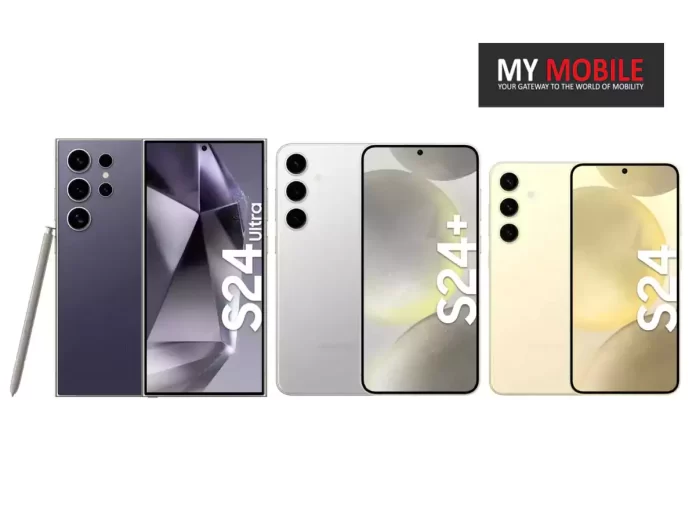
Highlights
- Galaxy S24 series achieves higher customer satisfaction than iPhone.
- Over 90% of Galaxy S24 base model customers give five-star reviews.
- iPhone 15 series sees a drop in satisfaction due to battery and heating issues.
- PerfectRec to monitor Galaxy S24 satisfaction as more reviews come in.
The Samsung Galaxy S24 series has achieved higher customer satisfaction levels than its Apple counterpart for the first time, according to a report by PerfectRec.
Garnering glowing reviews from early adopters, the Galaxy S24 lineup has set a new benchmark for Samsung and also outpaced the latest iPhone series in terms of customer approval.
Stellar Reviews for Galaxy S24 Series
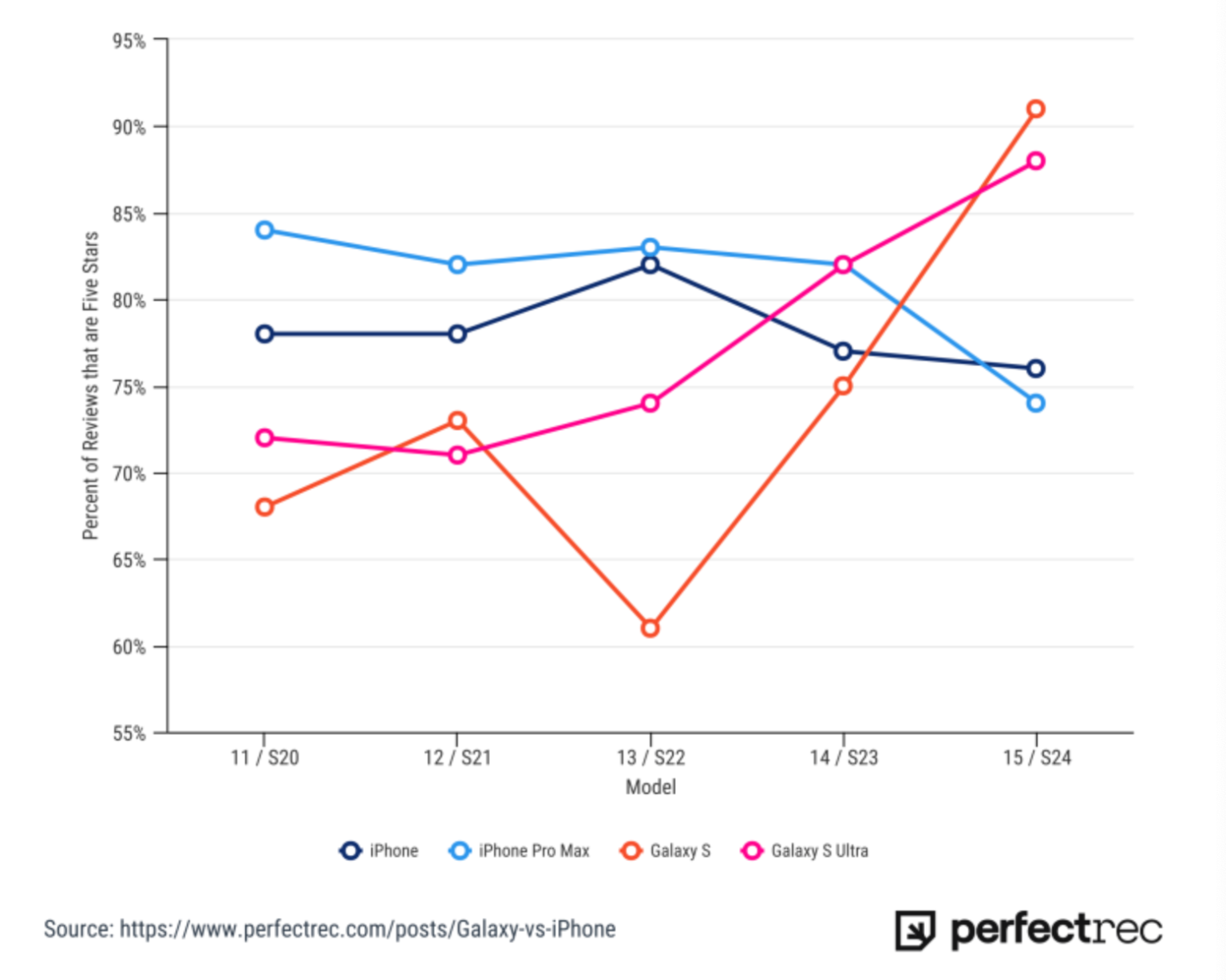
PerfectRec’s analysis, which aggregates user-generated reviews from Google, reveals an impressive 91% of Galaxy S24 base model customers awarded the device five stars.
The Galaxy S24 Plus and S24 Ultra weren’t far behind, with 84% and 88% of customers respectively giving them top marks.
However, Samsung S24 devices as of late have been at the centre of a display-issue storm with early adopters not very happy with some of the faults arising in the screen.
This could mean that the ratings might fall a bit in the coming months.
A Dip in iPhone Satisfaction
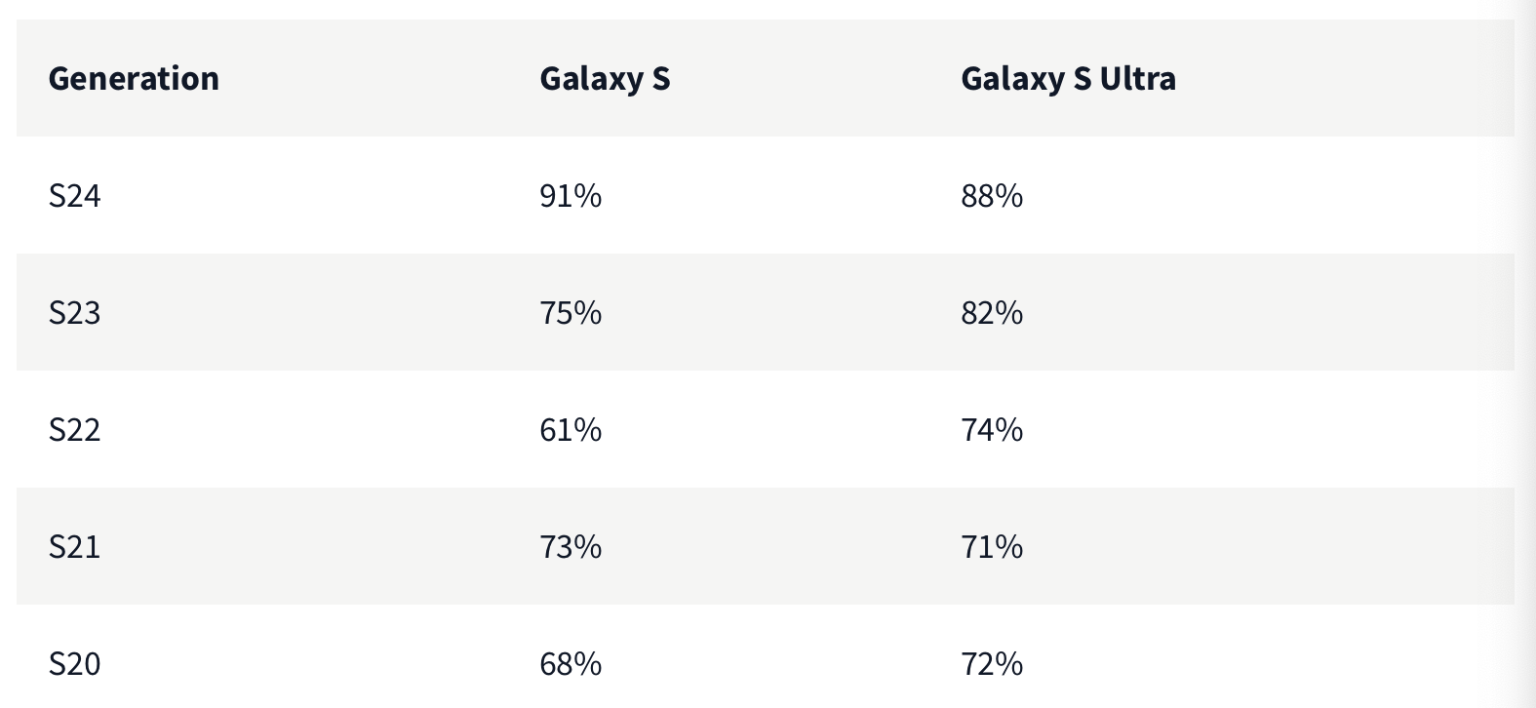
Conversely, the report highlights a downturn in satisfaction for the iPhone 15 Pro series, with ratings falling below those of the iPhone 14 Pro and iPhone 13 Pro.
January 2024 was the month that saw a notable decline in customer satisfaction for the latest pro iPhones.
This could be due to some initial heating issues being reported with the 15 Pro’s Titanium build, an overclocked SoC, and no clear outlets for thermal management.
This inturn lead to disappointment over battery life.
Comparative Analysis
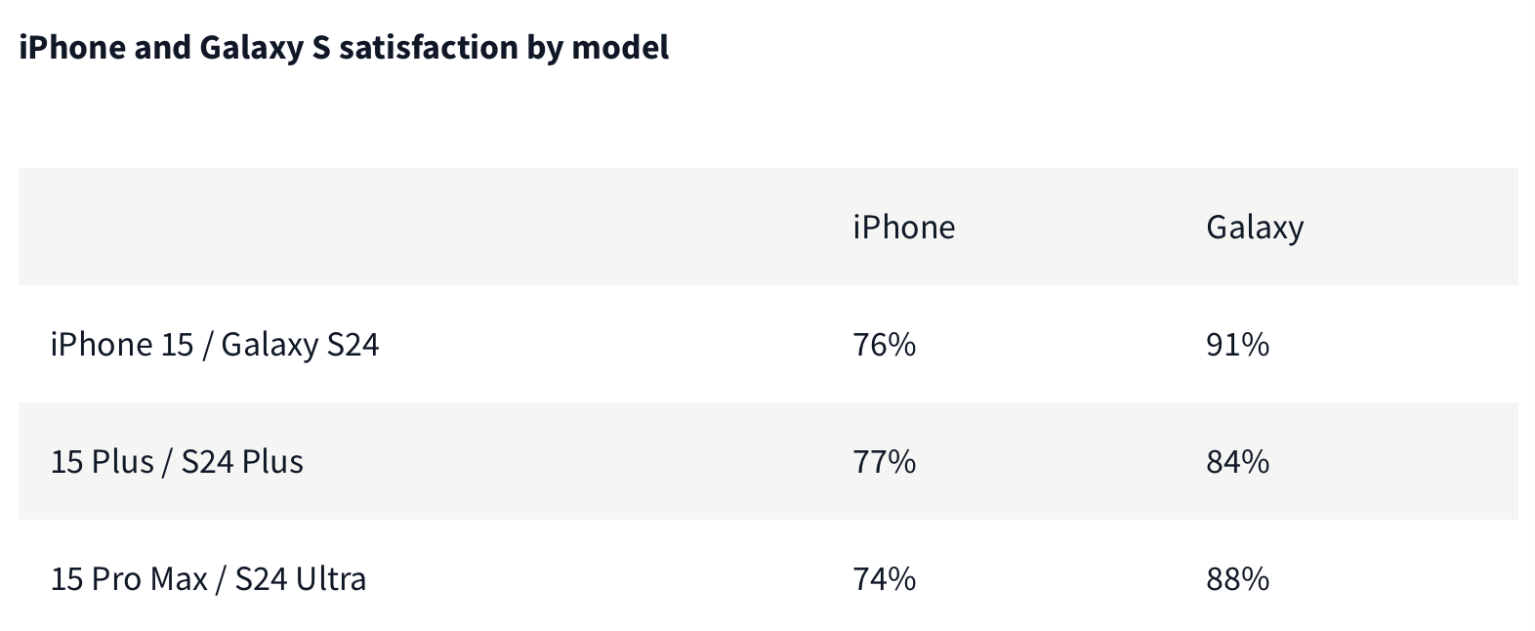
The Galaxy S24 series not only surpassed its predecessors with a notable jump in five-star reviews but also achieved a clean sweep against the iPhone 15 lineup.
The comparison shows a stark difference in customer satisfaction: 91% for the Galaxy S24 compared to 76% for the iPhone 15, 84% for the Galaxy S24+ versus 77% for the iPhone 15 Plus, and 88% for the Galaxy S24 Ultra against 74% for the iPhone 15 Pro Max.
A Turning Point for Samsung
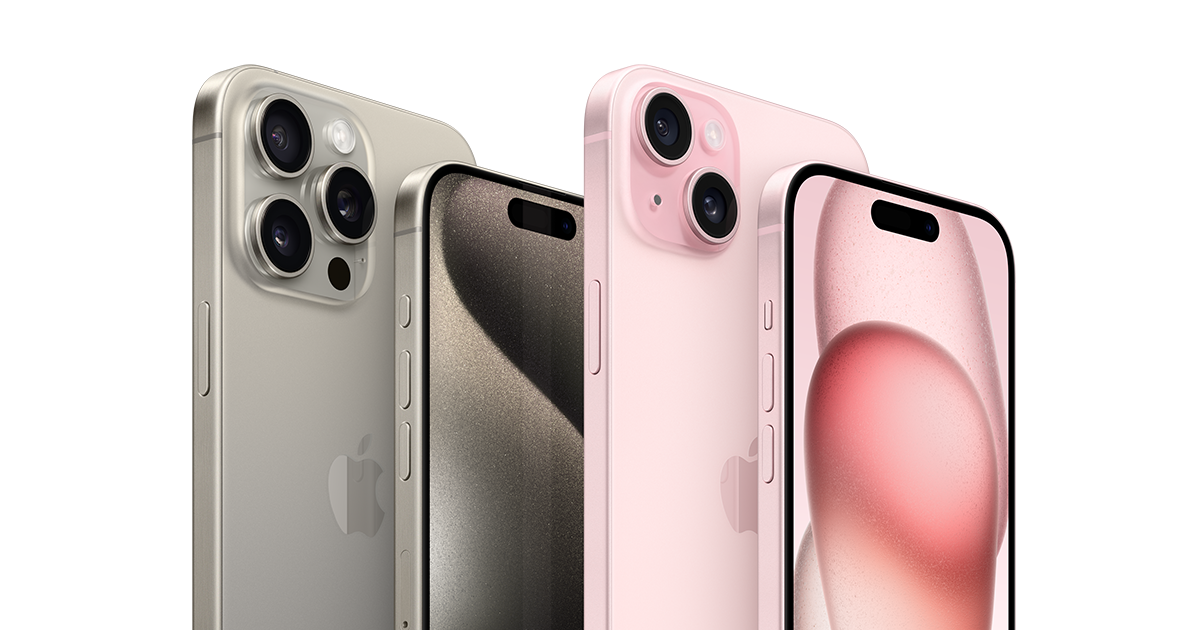
Analyzing PerfectRec’s report you can begin to understand the shifting dynamics in the smartphone market, with Samsung’s Galaxy S24 series emerging as a formidable competitor to the iPhone, something that has not happened in a long time.
However, it’s also important to note that the Galaxy S24 series was only released in January, resulting in a smaller pool of reviews compared to the iPhone 15 and Pro models.
Consequently, PerfectRec has committed to keeping a close eye on any shifts in customer satisfaction levels for Samsung’s latest smartphones as more reviews accumulate over time.
SAMSUNG GALAXY S24 SPECIFICATIONS
Key Specs
| RAM | 8 GB |
| Processor | Samsung Exynos 2200 |
| Rear Camera | 200 MP + 12 MP + 10 MP + 10 MP |
| Front Camera | 32 MP |
| Battery | 5000 mAh |
| Display | 6.8 inches (17.27 cm) |
General
| Launch Date | November 23, 2023 (Unofficial) |
| Operating System | Android v12 |
| Custom UI | Samsung One UI |
Performance
| Chipset | Samsung Exynos 2200 |
| CPU | Octa core (2.8 GHz, Single core, Cortex X2 + 2.52 GHz, Tri core, Cortex A710 + 1.82 GHz, Quad core, Cortex A510) |
| Architecture | 64 bit |
| Fabrication | 4 nm |
| RAM | 8 GB |
Display
| Display Type | Dynamic AMOLED |
| Screen Size | 6.8 inches (17.27 cm) |
| Resolution | 1440 x 3200 pixels |
| Pixel Density | 516 ppi |
| Bezel-less display | Yes with punch-hole display |
| Touch Screen | Yes, Capacitive Touchscreen, Multi-touch |
Design
| Waterproof | Yes, Water resistant, IP68 |
| Ruggedness | Dust proof |
Camera
| MAIN CAMERA | ||
| Camera Setup | Quad | |
| Resolution | 200 MP, Primary Camera 12 MP, Ultra-Wide Angle Camera 10 MP , Telephoto Camera 10 MP |
|
| Autofocus | Yes | |
| OIS | Yes | |
| Flash | Yes, LED Flash | |
| Image Resolution | 15500 x 13000 Pixels | |
| Settings | Exposure compensation, ISO control | |
| Shooting Modes | Continuous Shooting High Dynamic Range mode (HDR) |
|
| Camera Features | Digital Zoom Auto Flash Face detection Touch to focus |
|
| Video Recording | 7680×4320 @ 24 fps 3840×2160 @ 30 fps |
|
| FRONT CAMERA | ||
| Camera Setup | Single | |
| Resolution | 32 MP, Primary Camera | |
Battery
| Capacity | 5000 mAh |
| Type | Li-Polymer |
| Removable | No |
| Wireless Charging | Yes |
| Quick Charging | Yes, Fast |
| USB Type-C | Yes |
Storage
| Expandable Memory | No |
| User Available Storage | Up to 128 GB |
Network & Connectivity
| SIM Slot(s) | Dual SIM, GSM+GSM |
| SIM Size | SIM1: Nano, SIM2: Nano |
| Network Support | 5G Not Supported in India, 4G Supported in India, 3G, 2G |
| VoLTE | Yes |
| SIM 1 |
4G Bands:
TD-LTE 2300(band 40)
FD-LTE 1800(band 3) 3G Bands:
UMTS 1900 / 2100 / 850 / 900 MHz
2G Bands:
GSM 1800 / 1900 / 850 / 900 MHz
GPRS:
Available
EDGE:
Available
|
| SIM 2 |
4G Bands:
TD-LTE 2300(band 40)
FD-LTE 1800(band 3) 3G Bands:
UMTS 1900 / 2100 / 850 / 900 MHz
2G Bands:
GSM 1800 / 1900 / 850 / 900 MHz
GPRS:
Available
EDGE:
Available
|
| Wi-Fi | Yes, Wi-Fi 4 (802.11 b/g/n) |
| Wi-Fi Features | Mobile Hotspot |
| Bluetooth | Yes, v5.2 |
| GPS | Yes with A-GPS |
| NFC | Yes |
| USB Connectivity | Mass storage device, USB charging |
Multimedia
| Loudspeaker | Yes |
| Audio Jack | USB Type-C |
Sensors
| Fingerprint Sensor | Yes |
| Fingerprint Sensor Position | On-screen |
| Fingerprint Sensor Type | Ultrasonic |
| Other Sensors | Light sensor, Proximity sensor, Accelerometer, Compass, Gyroscope |
FAQs
What makes the Galaxy S24 series stand out in customer satisfaction?
The Galaxy S24 series has garnered high praise from users, with over 90% of reviews for the base model rating it five stars.
This level of satisfaction surpasses that of the recent iPhone series, marking a significant achievement for Samsung.
How does the Galaxy S24 series compare to the iPhone 15 in terms of customer satisfaction?
Customer satisfaction for the Galaxy S24 series significantly exceeds that of the iPhone 15 line, with stark differences in five-star review percentages: 91% for Galaxy S24 vs. 76% for iPhone 15, indicating a clear preference among consumers.
Are there any concerns about the Galaxy S24 series that might affect future satisfaction ratings?
While the Galaxy S24 series currently enjoys high satisfaction ratings, there have been reports of display issues that could potentially impact these ratings in the future.
PerfectRec will continue to monitor changes as more reviews are submitted.
Why has iPhone 15 Pro’s customer satisfaction declined?
The iPhone 15 Pro has experienced a drop in customer satisfaction, attributed to initial heating issues, challenges with thermal management due to its Titanium build and overclocked SoC, leading to battery life disappointments.
Will PerfectRec update the satisfaction ratings for the Galaxy S24 series?
Yes, PerfectRec has stated it will keep a close eye on customer satisfaction for the Galaxy S24 series as more reviews are collected, ensuring an accurate reflection of consumer sentiment over time.
Also Read: Samsung Galaxy S24 Ultra Could Snap 24MP Shots From its 200MP Lens To Rival iPhone 15 Pro
Also Read: iPhone 15 Pro Max vs. Galaxy S24 Ultra: Who Wins in the Ultimate Durability Showdown?
Also Read: Samsung Leads the Way as India’s Smartphone Market Sees a Resurgence in 2023: Counterpoint
Samsung Galaxy S24 Series Grapples with More Display Issues, Company Remains Silent
Highlights
- Users report “washed-out” displays on Galaxy S24 series devices.
- Samsung to introduce “vividness slider” for color saturation adjustments.
- Complaints of grainy textures and horizontal bars at low brightness.
- Samsung offers troubleshooting steps and device replacements for affected users.
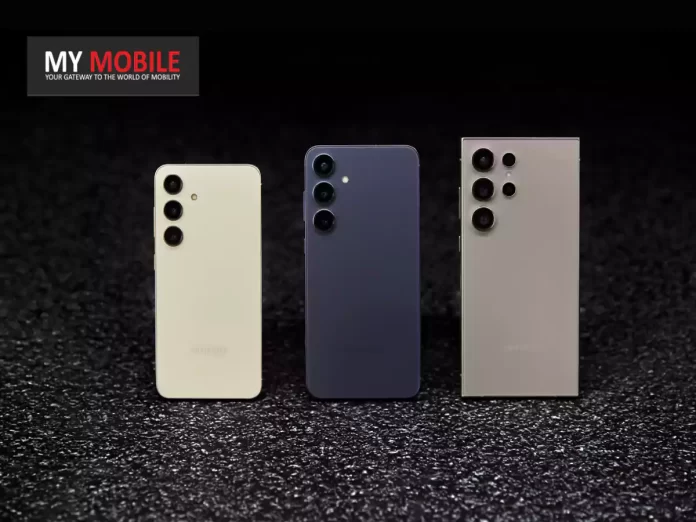
The Samsung Galaxy S24 series has, as of late, encountered its fair share of hurdles shortly after launch last month.
Despite its flagship status, early adopters are facing some key issues that detract from the premium experience expected from such a high-end device.
Initial Complaints and Samsung’s Response
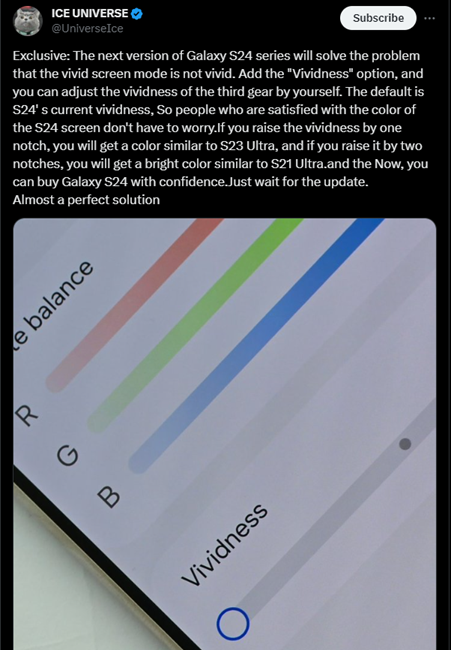
Users of the Galaxy S24 series took to various forums, including Reddit, to voice their concerns over what appeared to be a “washed-out” display.
Samsung initially stood by the design choice, suggesting that the display’s appearance was intentional.
However, the company swiftly acknowledged the feedback by announcing plans to introduce a “vividness slider” feature in a forthcoming update, aimed at allowing users to adjust the screen’s color saturation to their preference.
Emerging Display Problems
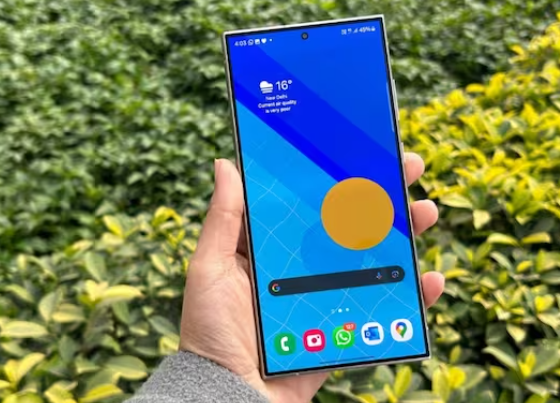
The display issues, however, extend beyond colour saturation.
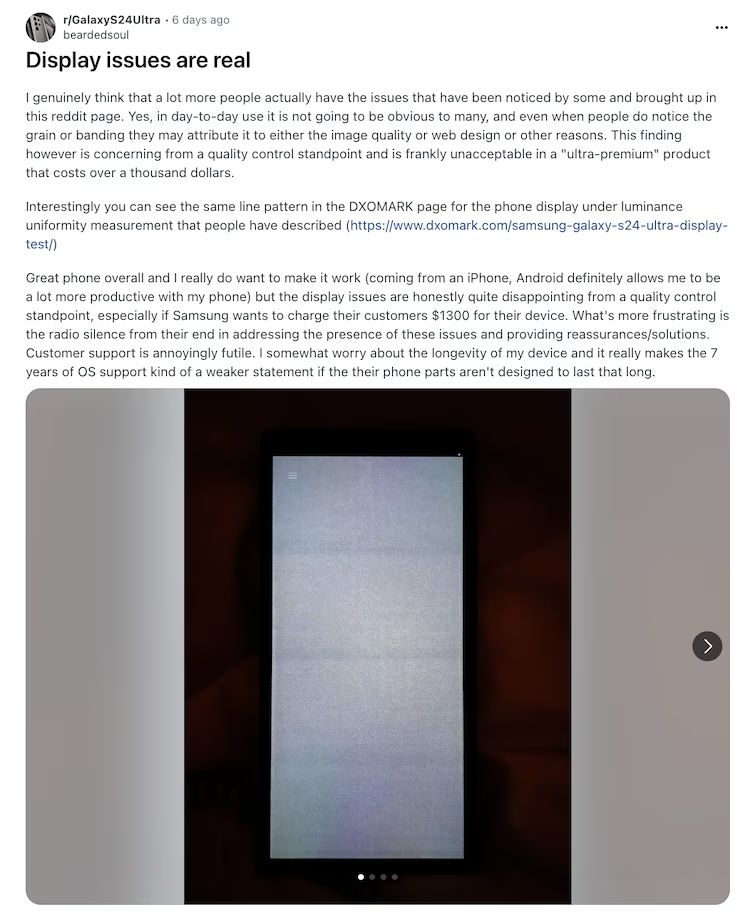
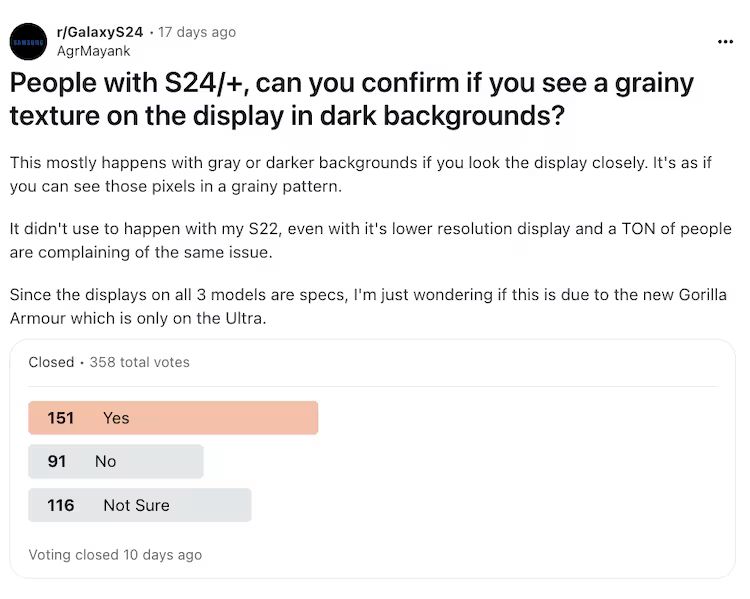
A significant number of users have reported a grainy texture on their screens, especially noticeable against dark or gray backgrounds in low-light conditions.
Additionally, unsightly horizontal bars have been observed, becoming more apparent at lower brightness levels, particularly under 10% brightness.
This problem echoed by hundreds on Reddit, has naturally led to a lot of speculation regarding its cause.
The main culprit that many are pointing towards is a potential hardware flaw.
Given the complexity and novelty of the panels used in the Galaxy S24 series, some users have had their devices replaced by Samsung.
This is definitely indicative of the fact that the company acknowledges the possibility of a hardware malfunction.
This is also not the first time Samsung’s flagship models have faced display issues; similar complaints were made about the Galaxy S23 series.
Troubleshooting and Next Steps
For users experiencing these display anomalies, Samsung has provided a method to diagnose the issue.
By dialing #0# on their device, users can cycle through various colours to detect any irregularities such as gradients, grains, or lines.
Additionally, third-party apps like Test My Screen can offer further insight into the extent of the display problems.
We also encourage customers facing these issues to reach out to Samsung support for assistance.
With the company already taking steps to address the colour saturation issue, it remains to be seen how it will tackle these newly surfaced display challenges.
SAMSUNG GALAXY S24 SPECIFICATIONS
Key Specs
| RAM | 8 GB |
| Processor | Samsung Exynos 2200 |
| Rear Camera | 200 MP + 12 MP + 10 MP + 10 MP |
| Front Camera | 32 MP |
| Battery | 5000 mAh |
| Display | 6.8 inches (17.27 cm) |
General
| Launch Date | November 23, 2023 (Unofficial) |
| Operating System | Android v12 |
| Custom UI | Samsung One UI |
Performance
| Chipset | Samsung Exynos 2200 |
| CPU | Octa core (2.8 GHz, Single core, Cortex X2 + 2.52 GHz, Tri core, Cortex A710 + 1.82 GHz, Quad core, Cortex A510) |
| Architecture | 64 bit |
| Fabrication | 4 nm |
| RAM | 8 GB |
Display
| Display Type | Dynamic AMOLED |
| Screen Size | 6.8 inches (17.27 cm) |
| Resolution | 1440 x 3200 pixels |
| Pixel Density | 516 ppi |
| Bezel-less display | Yes with punch-hole display |
| Touch Screen | Yes, Capacitive Touchscreen, Multi-touch |
Design
| Waterproof | Yes, Water resistant, IP68 |
| Ruggedness | Dust proof |
Camera
| MAIN CAMERA | ||
| Camera Setup | Quad | |
| Resolution | 200 MP, Primary Camera 12 MP, Ultra-Wide Angle Camera 10 MP , Telephoto Camera 10 MP |
|
| Autofocus | Yes | |
| OIS | Yes | |
| Flash | Yes, LED Flash | |
| Image Resolution | 15500 x 13000 Pixels | |
| Settings | Exposure compensation, ISO control | |
| Shooting Modes | Continuous Shooting High Dynamic Range mode (HDR) |
|
| Camera Features | Digital Zoom Auto Flash Face detection Touch to focus |
|
| Video Recording | 7680×4320 @ 24 fps 3840×2160 @ 30 fps |
|
| FRONT CAMERA | ||
| Camera Setup | Single | |
| Resolution | 32 MP, Primary Camera | |
Battery
| Capacity | 5000 mAh |
| Type | Li-Polymer |
| Removable | No |
| Wireless Charging | Yes |
| Quick Charging | Yes, Fast |
| USB Type-C | Yes |
Storage
| Expandable Memory | No |
| User Available Storage | Up to 128 GB |
Network & Connectivity
| SIM Slot(s) | Dual SIM, GSM+GSM |
| SIM Size | SIM1: Nano, SIM2: Nano |
| Network Support | 5G Not Supported in India, 4G Supported in India, 3G, 2G |
| VoLTE | Yes |
| SIM 1 |
4G Bands:
TD-LTE 2300(band 40)
FD-LTE 1800(band 3) 3G Bands:
UMTS 1900 / 2100 / 850 / 900 MHz
2G Bands:
GSM 1800 / 1900 / 850 / 900 MHz
GPRS:
Available
EDGE:
Available
|
| SIM 2 |
4G Bands:
TD-LTE 2300(band 40)
FD-LTE 1800(band 3) 3G Bands:
UMTS 1900 / 2100 / 850 / 900 MHz
2G Bands:
GSM 1800 / 1900 / 850 / 900 MHz
GPRS:
Available
EDGE:
Available
|
| Wi-Fi | Yes, Wi-Fi 4 (802.11 b/g/n) |
| Wi-Fi Features | Mobile Hotspot |
| Bluetooth | Yes, v5.2 |
| GPS | Yes with A-GPS |
| NFC | Yes |
| USB Connectivity | Mass storage device, USB charging |
Multimedia
| Loudspeaker | Yes |
| Audio Jack | USB Type-C |
Sensors
| Fingerprint Sensor | Yes |
| Fingerprint Sensor Position | On-screen |
| Fingerprint Sensor Type | Ultrasonic |
| Other Sensors | Light sensor, Proximity sensor, Accelerometer, Compass, Gyroscope |
FAQs
What are the main display issues reported by Galaxy S24 series users?
Galaxy S24 series users have reported several display issues, including “washed-out” colours, grainy textures on the screen, and horizontal bars appearing at low brightness levels.
These problems have raised concerns about potential hardware flaws in the devices.
How is Samsung addressing the Galaxy S24 display problems?
Samsung has acknowledged the display issues by promising a software update to introduce a “vividness slider” allowing users to adjust the screen’s colour saturation.
For more severe issues like grainy textures and horizontal bars, Samsung is offering device replacements for affected users.
Can Galaxy S24 users troubleshoot display issues themselves?
Yes, Galaxy S24 users can troubleshoot display issues by dialing #0# to cycle through various colours and detect any display irregularities. Additionally, third-party apps like Test My Screen can provide further diagnostics.
Are the Galaxy S24 display problems widespread?
While not all Galaxy S24 users have experienced display issues, a significant number of reports on forums like Reddit and tech news sites like AndroidPolice indicate that these problems are not isolated incidents.
What should Galaxy S24 users do if they experience display problems?
Galaxy S24 users facing display issues are encouraged to contact Samsung support for guidance. Depending on the problem’s nature, Samsung may offer troubleshooting advice, software fixes, or device replacements.
What is the main defect reported by Galaxy S24 Ultra users?
Users report a persistent green and, in some cases, an additional white line across the display of their Galaxy S24 Ultra, indicating a potential manufacturing defect.
How has Samsung responded to the Galaxy S24 Ultra display issue?
Samsung has acknowledged the issue but recommends users return and repurchase their device, a process that could result in the loss of pre-order discounts.
What challenges do users face with carrier-financed Galaxy S24 Ultra devices?
Users entangled in carrier financing, such as with T-Mobile or Verizon, find themselves in a dilemma where neither Samsung nor the carriers take full responsibility for the defect.
Can users track their defective Galaxy S24 Ultra through the Find My app?
The scenario provided does not mention tracking capabilities through Find My app; the focus is on the issue of display defects and warranty claims.
What should Galaxy S24 Ultra owners do if they encounter display issues?
Owners should contact Samsung Care+ or their carrier immediately, ensuring they understand the implications of returning the device and any financial repercussions involved.
Also Read: Samsung Galaxy S24 Ultra Camera Glitch: Company Promises Fixes for Early Adopters
Also Read: Samsung Galaxy S24 Ultra Display Defects Stir Frustration As Users lose Pre-order Discount
OpenAI Unveils ChatGPT Memory Features for Enhanced User Experience

Highlights
- ChatGPT to remember user instructions for tailored interactions.
- Memory feature available to both free and paid ChatGPT users.
- Strict privacy protocols ensure user data is safeguarded.
- Temporary Chat option for privacy-conscious conversations.
OpenAI has introduced a new set of memory features to ChatGPT which, in a nutshell, means that the AI chatbot is finally going to remember specific instructions you tell it to.
It will retain information from conversations and is likely to enrich future discussions.

OpenAI explains in a blog post:
“ChatGPT can now carry what it learns between chats, allowing it to provide more relevant responses … As you chat with ChatGPT, you can ask it to remember something specific or let it pick up details itself.
ChatGPT’s memory will get better the more you use it and you’ll start to notice the improvements over time.”
It’s not hard to picture scenarios where a ChatGPT with memory could come in handy.
If, say, you wanted ChatGPT to recall you live in the suburbs and so prefer driving versus public transit directions, you can simply tell it that fact (e.g. “Remember that I live in the suburbs and mostly drive.”).
Or if you wanted its advice about child-rearing to pertain to younger kids because you have a kindergartner, you could highlight this for it (e.g. “Remember I have a kindergartner.”).
“You can also turn it off entirely. We are rolling out to a small portion of ChatGPT free and Plus users this week to learn how useful it is. We will share plans for broader roll out soon,“ OpenAI said in a statement.
“ChatGPT’s memory will get better the more you use it and you’ll start to notice the improvements over time”.
The users can turn off memory at any time. While memory is off, they won’t create or use memories.
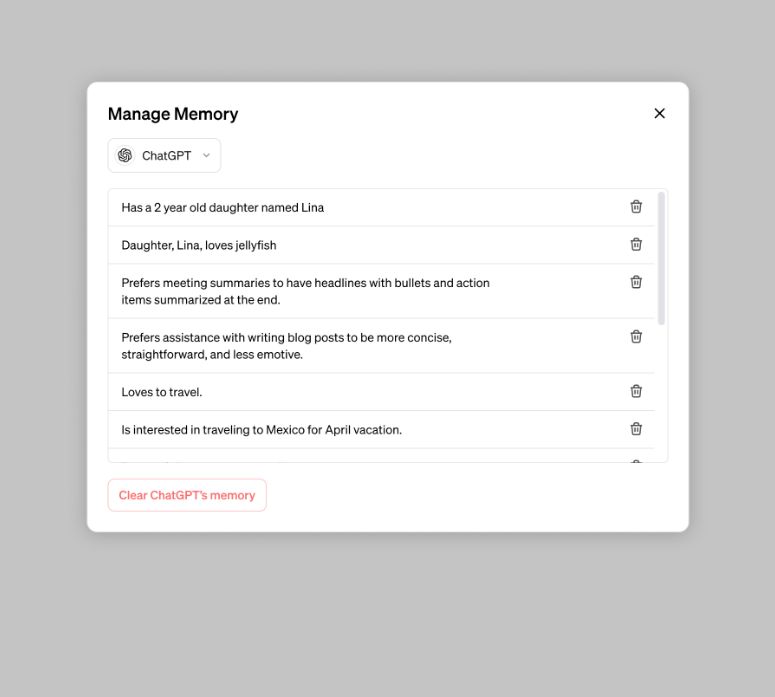
“If you want ChatGPT to forget something, just tell it. You can also view and delete specific memories or clear all memories in settings,” the company informed.
If you’d like to have a conversation without using memory, use temporary chat.
“Temporary chats won’t appear in history, won’t use memory, and won’t be used to train our models,” said the company.
GPTs will have their own distinct memory. Builders will have the option to enable memory for their GPTs.
“Like your chats, memories are not shared with builders. To interact with a memory-enabled GPT, you will also need to have memory on,” said OpenAI.
Key Features and User Control

This new memory feature will be accessible to both free and paid users of ChatGPT.
Users will get the ability to command the AI to remember or forget specific details, ensuring an interaction that respects user preferences and privacy.
For users seeking more direct control over this feature, OpenAI has provided options within the Settings under Personalisation and Manage Memory, where information can be edited or the feature turned off entirely.
A key aspect of this feature is the strict privacy protocol ensuring that memories are not shared between users and builders or between individual bots.
Each GPT will maintain its separate Memory, safeguarding user data.
It is clear that OpenAI has put privacy at the forefront of this new update.
Temporary Chat and Global Roll-out
There’s also going to be a Temporary Chat option, offering users the ability to engage in conversations without the memory feature, akin to using an incognito mode in web browsing.
This ensures that certain interactions do not influence future conversations or contribute to the training of OpenAI’s LLMs, providing users with flexibility and control over their privacy.
ChatGPT and Contextual Memory
This innovation is part of OpenAI’s continuous efforts to enhance its large language models (LLM) and a gradual rollout of this feature is currently underway, targeting ChatGPT users and Plus subscribers.
Previously, OpenAI introduced Custom Instructions, allowing users to tailor ChatGPT responses according to personal preferences or requirements.
Here are examples of what you can now ask ChatGPT to remember

If you tell ChatGPT that you prefer meeting notes with bolded headlines and information in bulleted format, ChatGPT will remember and recap meetings that way.
Let the bot know that your child likes sea otters and the color purple, and it may just generate a purple birthday card with a sea otter illustration when you ask it to create a birthday card.
The new feature is also helpful for businesses.
ChatGPT can be used to remember your tone, voice, and format preferences.
Memories in the ChatGPT “workspace” are excluded from training AI models, the company says.
GPTs — or customized chatbots that users can create — will also have a distinct memory.
With memory enabled, Book GPT (which recommends your next book) will remember your preferences, like favorite genres, and will tailor recommendations based on that information.
FAQs
What are the new ChatGPT Memory Features introduced by OpenAI?
OpenAI has launched memory features for ChatGPT, enabling the AI to retain information from user interactions.
This allows for more personalized and context-aware conversations, enhancing the overall user experience.
How can users control the ChatGPT Memory Features?
Users have the option to directly command ChatGPT to remember or forget specific details.
Additionally, settings for managing memory preferences, including turning off the feature, are accessible within the ChatGPT interface under Personalisation and Manage Memory.
Are the ChatGPT Memory Features secure?
Yes, OpenAI has implemented strict privacy protocols to ensure that memories are not shared between users and bot builders, or among individual bots. Each GPT maintains its separate memory, ensuring user data privacy.
What is the Temporary Chat feature in ChatGPT?
Temporary Chat allows users to interact with ChatGPT without utilizing the memory feature, similar to an incognito mode in web browsers.
This option ensures that certain interactions don’t affect future conversations or contribute to the training of OpenAI’s LLMs.
When will the ChatGPT Memory Features be available to users?
The memory features are rolling out gradually to ChatGPT users, including both free and Plus subscribers.
OpenAI plans to extend these features to a broader audience in future updates.
Also Read: ChatGPT’s OpenAI Seeks Talent: Comprehensive Guide to Job Roles, Skills, and Salaries
Also Read: ChatGPT 5: A Glimpse into the Future of OpenAI’s AI Evolution
Also Read: ChatGPT Data Policy: A Look at Security Enhancements by OpenAI To Protect User Data
Also Read: OpenAI Launches Internet Browsing and DALL-E 3 Integration in ChatGPT
Samsung Launches Galaxy AI Features for Enhanced Buds and S24 Series Integration

Highlights
- Samsung introduces Live Translate and AI interpreter for Galaxy Buds series.
- Galaxy Buds now support real-time call translation with the Galaxy S24.
- New Galaxy S24 series offers colours, RAM, and storage variations with special offers.
- Galaxy Buds series updates with pricing and limited period offers.
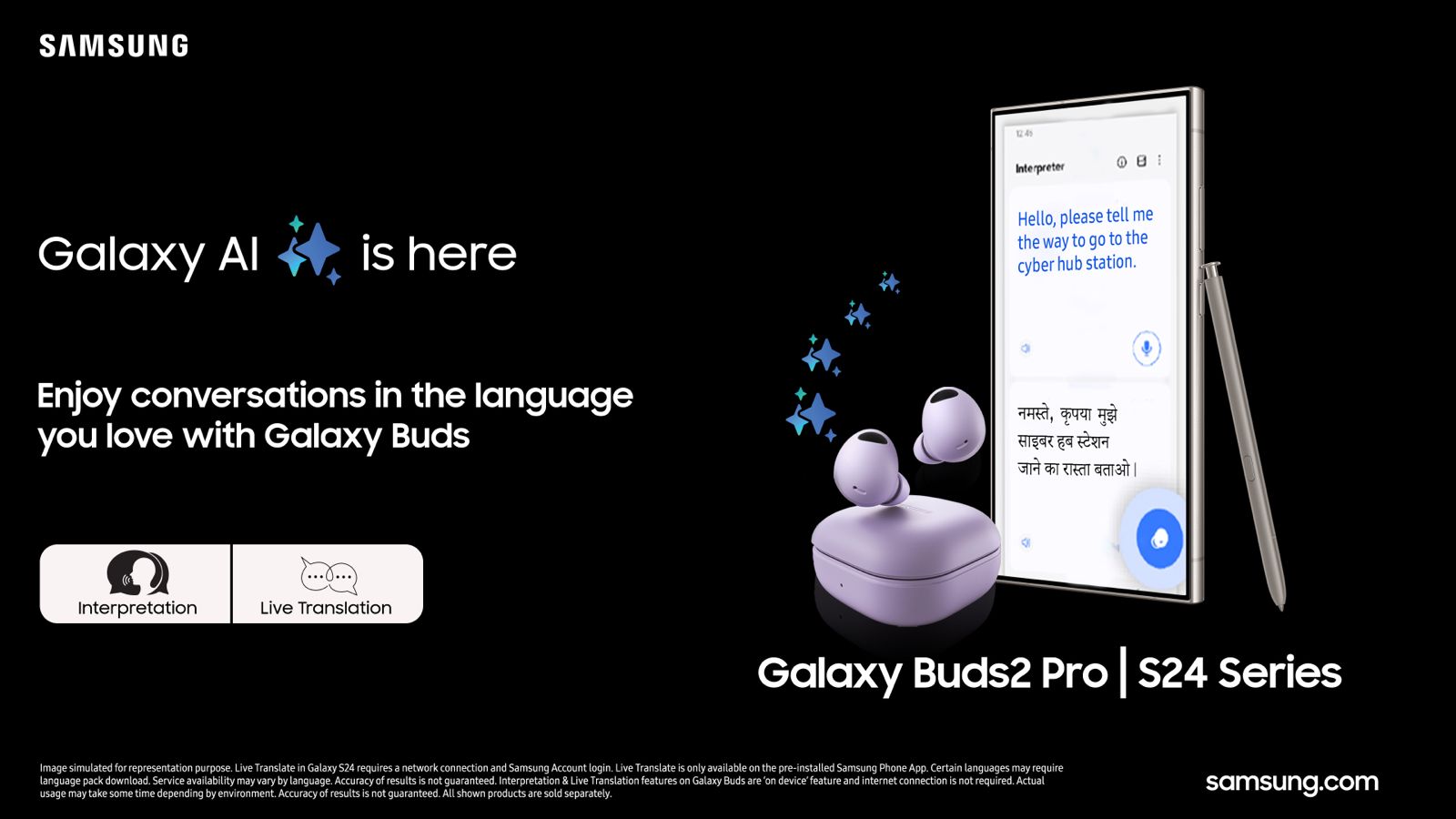
Samsung has rolled out new Galaxy AI features for its Galaxy Buds series, including the Galaxy Buds2 Pro, Galaxy Buds2, and Galaxy Buds FE.
These updates are designed to integrate with the newly launched Galaxy S24 series, enhancing user experience with capabilities such as Live Translate and an AI-driven interpreter feature.
Galaxy AI Features
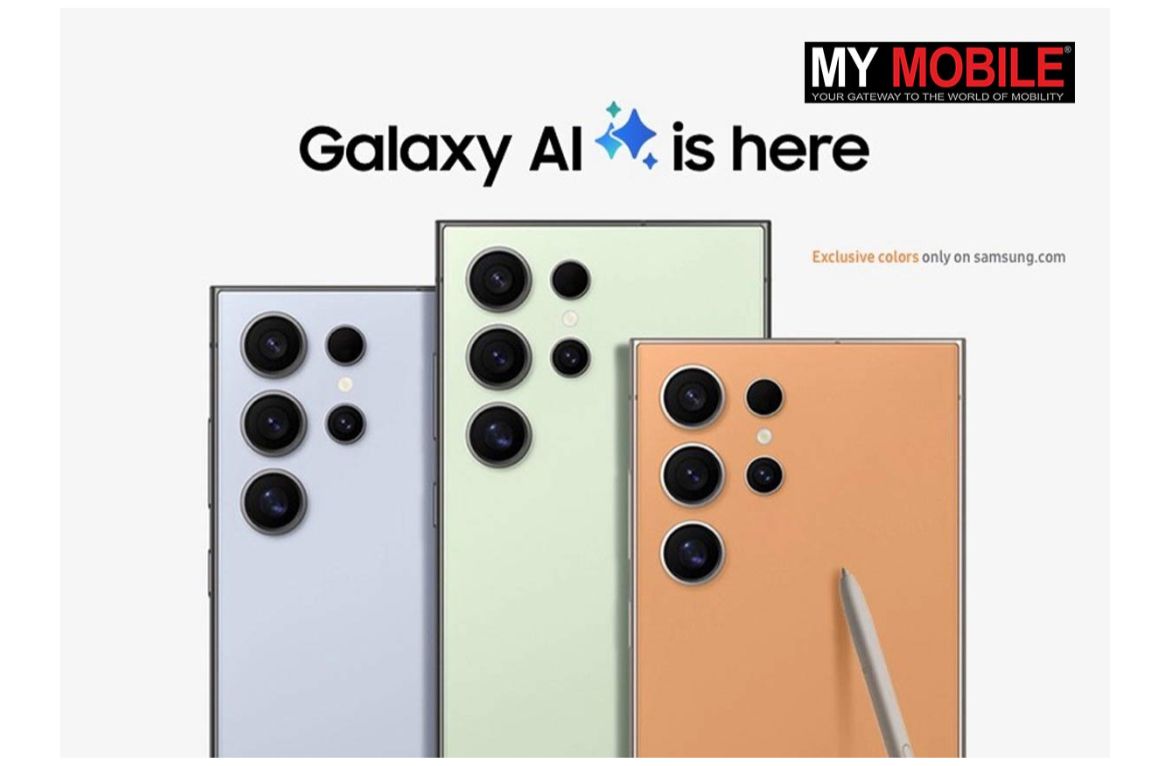
The introduction of Live Translate allows for real-time call translation displayed on the Galaxy S24 series screen, facilitated through the Galaxy Buds.
This feature aims to simplify communication between users speaking different languages by providing a seamless two-way interpretation service.
The AI-driven interpreter allows for face-to-face conversations, with translations delivered directly through the Galaxy S24 series, negating the need to pass the phone back and forth.
Galaxy Buds 2: Key Specs
- 24-bit Hi-Fi audio
- Intelligent ANC
- 360 Audio
- 5-29 hours battery
- Bluetooth 5.3
- IPX7 rated
Galaxy Buds FE: Key Specs
- ANC feature
- Deep, powerful sound
- Comfortable, secure grip
- Up to 30 hours battery
- Bluetooth v5.2
- Seamless pairing
Galaxy S24 Series: Launch and Offers
| RAM Storage | Colours | MOP | |
| Galaxy S24 | 8GB + 256GB | Amber Yellow, Cobalt Violet, Onyx Black | Rs 79,999 |
| 8GB + 512GB | Rs 89,999 | ||
| Galaxy S24+ | 12GB + 256GB | Cobalt Violet, Onyx Black | Rs 99,999 |
| 12GB + 512GB | Rs 109,999 | ||
| Galaxy S24 Ultra | 12GB + 256GB | Titanium Gray, Titanium Violet, Titanium Black | Rs 129,999 |
| 12GB + 512GB | Rs 139,999 | ||
| 12GB + 1TB | Titanium Gray | Rs 159,999 |
The Galaxy S24 series, encompassing the Galaxy S24, S24+, and S24 Ultra, has been announced with varying RAM and storage options across different color variants.
The series is available at prices ranging from Rs 79,999 to Rs 159,999, depending on the model and specifications.
Special offers include benefits worth up to Rs 12,000 and options for No Cost EMI up to 24 months for S24 Series purchases.
Galaxy Buds Series: Pricing and Offers
| Colours | MOP | Offers | |
| Galaxy Buds2 Pro | Graphite, White, Bora Purple | Rs 17,999 | Rs 6000 cash back [or] Upgrade |
| Galaxy Buds2 | Graphite, Onyx, Bronze, White, Red | Rs 11,999 | Rs 5000 cash back [or] Rs 3000 Upgrade |
| Galaxy Buds FE | Gray, White | Rs 9,999 | Rs 3000 cash back [or] Upgrade |
The Galaxy Buds2 Pro, Galaxy Buds2, and Galaxy Buds FE are available in multiple color options, with prices starting from Rs 9,999 to Rs 17,999.
Limited period offers include cashback or upgrade options up to Rs 6,000.
Upcoming One UI 6.1 Update for Galaxy S23 Series

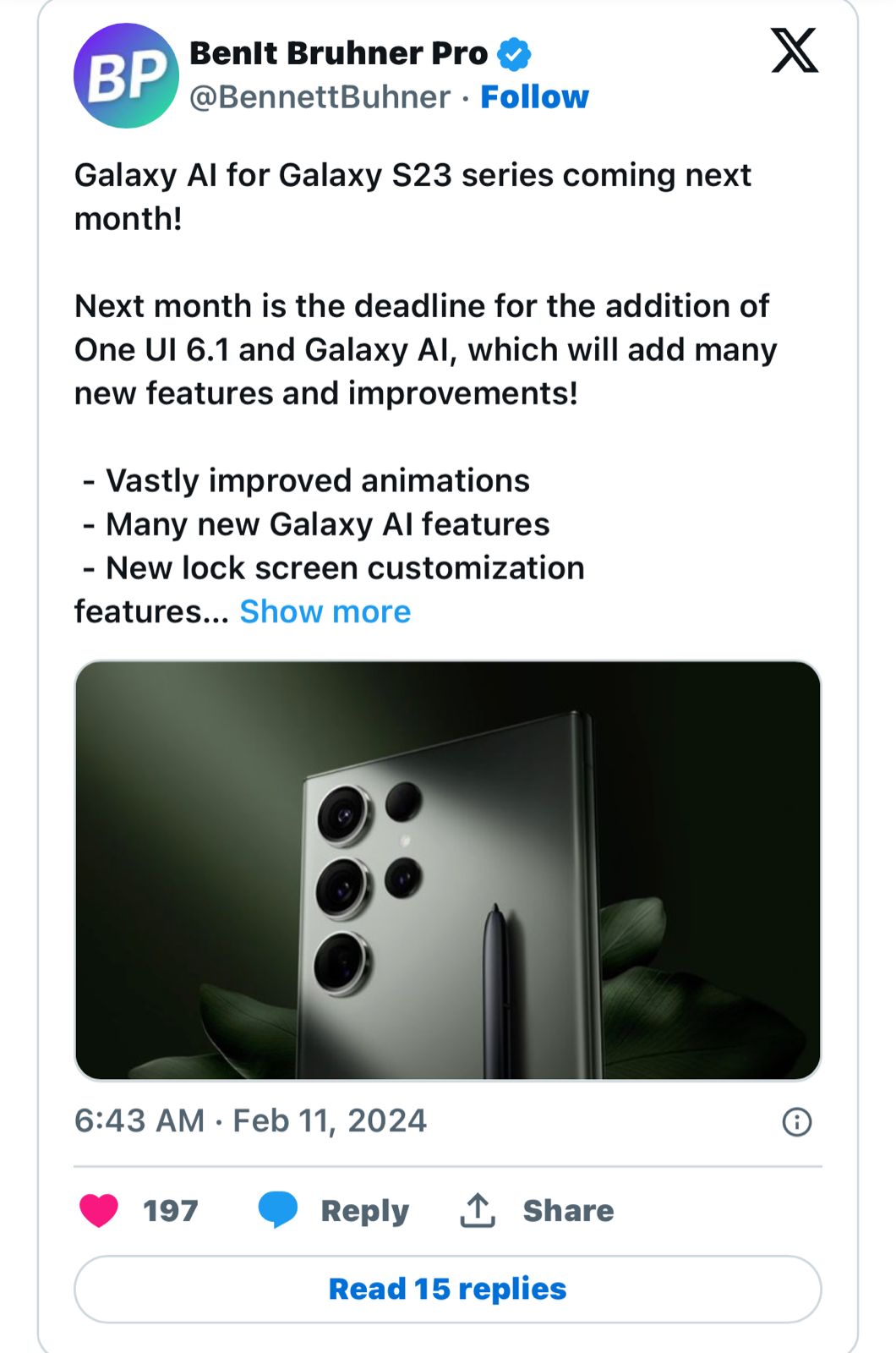
The Galaxy S23 series is anticipated to receive the One UI 6.1 update shortly, expected to incorporate Galaxy AI among other enhancements.
This update is likely to introduce improved UI animations, new lock screen customization options, and various performance optimizations.
It remains unclear if the S23 series will receive the full suite of AI tools available on the Galaxy S24 or a selection of features.
FAQs
What are the new Galaxy AI features introduced by Samsung?
Samsung has rolled out new Galaxy AI features including Live Translate and an AI-driven interpreter feature for the Galaxy Buds series, aimed at enhancing the integration with the Galaxy S24 series for a superior user experience.
How does the Live Translate feature work on Galaxy Buds?
Live Translate facilitates real-time call translation, displaying translations on the Galaxy S24 series screen. This feature allows for seamless communication between users speaking different languages.
Can the Galaxy S24 series and Galaxy Buds work together for face-to-face conversations?
Yes, the AI-driven interpreter feature enables face-to-face conversations by delivering translations directly through the Galaxy S24 series, making communication more fluid without the need to pass the phone around.
What are the key specifications of the Galaxy Buds2 and Galaxy Buds FE?
The Galaxy Buds2 offers features like 24-bit Hi-Fi audio, Intelligent ANC, and up to 29 hours of battery life. The Galaxy Buds FE features ANC, a deep and powerful sound profile, and up to 30 hours of battery life.
How does Samsung galaxy S24 provide Barrier Free Communication?
Galaxy S24 series enhances and redefines the phone’s most fundamental role: communication with Live Translate, two-way, real-time voice and text translations of phone calls within the native app.
With Interpreter, live conversations can be instantly translated on a split-screen view. It even works without cellular data or Wi-Fi. For messages and other apps, Chat Assist can help perfect conversational tones to ensure communication sounds as it was intended.
AI built into Samsung Keyboard can also translate messages in real-time in 13 languages, including Hindi.
In the car, Android Auto will automatically summarize incoming messages and suggest relevant replies and actions.
The Note Assist in Samsung Notes, features AI-generated summaries, template creation that streamlines notes with pre-made formats, and cover creation to make notes easy to spot with a brief preview.
For voice recordings, even when there are multiple speakers, Transcript Assist uses AI and Speech-to-Text technology to transcribe summarize and even translate recordings.
Galaxy S24 marks a milestone in the history of search as the first phone to debut intuitive, gesture-driven Circle to Search with Google.
Users can circle, highlight, scribble on, or tap anything on Galaxy S24’s screen to see helpful, high-quality search results.
For certain searches, generative AI-powered overviews can provide helpful information and context pulled together from across the web.
How does Samsung Galaxy S24 Series Make Everyday Experiences Epic ?
Galaxy AI introduces meaningful intelligence aimed at enhancing every part of life, especially the phone’s most fundamental role: communication.
When you need to defy language barriers, Galaxy S24 makes it easier than ever. Chat with another student or colleague from abroad. Book a reservation while on vacation in another country.
It’s all possible with Live Translate2, two-way, real-time voice and text translations of phone calls within the native app. No third-party apps are required, and on-device AI keeps conversations completely private.
With Interpreter, live conversations can be instantly translated on a split-screen view so people standing opposite each other can read a text transcription of what the other person has said. It even works without cellular data or Wi-Fi.
For messages and other apps, Chat Assist can help perfect conversational tones to ensure communication sounds as it was intended: like a polite message to a coworker or a short and catchy phrase for a social media caption.
AI built into Samsung Keyboard can also translate messages in real-time in 13 languages.
In the car, Android Auto5 will automatically summarize incoming messages and suggest relevant replies and actions, like sending someone your ETA, so you can stay connected while staying focused on the road.
Organization also gets a big boost with Note Assist6in Samsung Notes, featuring AI-generated summaries, template creation that streamlines notes with pre-made formats, and cover creation to make notes easy to spot with a brief preview.
For voice recordings, even when there are multiple speakers, Transcript Assist7 uses AI and Speech-to-Text technology to transcribe, summarize and even translate recordings.
Communication isn’t the only way Galaxy S24 series takes the fundamental benefits of the phone into the future.
Online search has transformed nearly every aspect of life. Galaxy S24 marks a milestone in the history of search as the first phone to debut intuitive, gesture-driven Circle to Search8 with Google.
To give Galaxy users an incredible new tool, Galaxy turned to the worldwide leader of search, Google, and opened up new forms of discovery with a simple gesture. With a long press on the home button, users can circle, highlight, scribble on, or tap anything on Galaxy S24’s screen to see helpful, high-quality search results.
Seeing a beautiful landmark in the background of a friend’s social media post or a surprising fun fact on YouTube Shorts can quickly become an accurate search to learn more – without having to leave that app.
And depending on a user‘s location, for certain searches, generative AI-powered overviews can provide helpful information and context pulled together from across the web, and users can ask more complex and nuanced questions. It’s that easy. And that epic.
What’s Galaxy’s Most Intelligent Experience Ever, Powered by Premium Performance ?
As AI becomes a more prominent part of everyday life, performance power must excel to meet the demands. Gaming.
Heavy-duty video recording and editing. Jumping between five apps to plan a trip.
Whatever the task, Galaxy S24 provides an incredible experience thanks to enhancements in its chipset, display and more. Every Galaxy S24 Ultra is equipped with Snapdragon® 8 Gen 3 Mobile Platform for Galaxy.
Optimized especially for Galaxy users, this chipset delivers remarkable NPU improvement for incredibly efficient AI processing. In all three Galaxy S24 models, 1-120 Hz adaptive refresh rates also improve performance efficiency.
Galaxy gaming is more powerful thanks to hardware and software improvements. Galaxy S24 Ultra boast an optimal thermal control system with a1.9 times larger vapor chamber>, improving device surface temperature while also maximizing sustained performance power.
Ray tracing enables lifelike visuals with superior shadow and reflection effect. And through collaboration with industry-leading gaming partners, Galaxy S24 let users enjoy more optimized popular global mobile games.
Visuals are more vibrant and captivating on the brightest Galaxy display ever.18 Galaxy S24 reaches 2,600nit peak brightness and delivers improved outdoor visibility with Vision Booster.
On the display, Corning® Gorilla® Armor19 on the Galaxy S24 Ultra is optically enhanced and demonstrates superior durability against damage caused by everyday scratches.
It delivers dramatically reduced reflection by up to 75% in a wide range of lighting conditions, ensuring a smooth, comfortable viewing experience.
Across the Galaxy S24 series, design enhancements with slimmer and even bezels make it easier to immerse in any viewing experience and enable larger screen sizes on Galaxy S24+’s 6.7-inch and Galaxy S24’s 6.2-inch displays within nearly the same size specifications.
Galaxy S24 Ultra has a 6.8-inch flatter display, optimized not just for viewing but also for productivity. Plus, Galaxy S24+ now supports the same level of QHD+ found on Galaxy S24 Ultra.
Google’s Gemini Pro and Imagen 2 to deploy in producing new text, voice, and image features on the new Samsung Galaxy S24 series.Details?
Samsung Electronics Co., Ltd. and Google Cloud today announced a new multi-year partnership to bring Google Cloud’s generative artificial intelligence (AI) technology to Samsung smartphone users around the globe.
Starting with the Samsung Galaxy S24 series announced today at Galaxy Unpacked in San Jose, California, Samsung will be the first Google Cloud partner to deploy Gemini Pro and Imagen 2 on Vertex AI via the cloud to their smartphone devices.
“Google and Samsung have long shared deeply held values around the importance of making technology more helpful and accessible for everyone.
We’re thrilled that the Galaxy S24 series is the first smartphone equipped with Gemini Pro and Imagen 2 on Vertex AI,” said Janghyun Yoon, Corporate EVP and Head of Software Office of Mobile eXperience Business at Samsung Electronics.
“After months of rigorous testing and competitive evaluation, the Google Cloud and Samsung teams worked together to deliver the best Gemini-powered AI experience on Galaxy.”
Samsung is the first Google Cloud partner to deploy Gemini Pro on Vertex AI to consumers. Built from the ground up to be multimodal, Gemini can generalize and seamlessly understand, operate across, and combine different types of information including text, code, images, and video.
Starting with Samsung-native applications, users can take advantage of the summarization feature across Notes, Voice Recorder, and Keyboard.1 Gemini Pro on Vertex AI provides Samsung with critical Google Cloud features, including security, safety, privacy, and data compliance.
Galaxy S24 series users can also immediately benefit from Imagen 2, Google’s most advanced text-to-image diffusion technology from Google DeepMind to date.
With Imagen 2 on Vertex AI, Samsung can bring safe and intuitive photo-editing capabilities into users’ hands. These features can be found in Generative Edit2 in S24’s Gallery application.
As part of this partnership, Samsung is also one of the first customers to test Gemini Ultra, Google’s most capable and largest model for highly-complex tasks. The S24 series will also use Gemini Nano, an on-device LLM delivered as part of the Android 14 operating system, the most efficient model of Gemini for on-device tasks.
“Together with Samsung, Google Cloud sees the tremendous opportunity for generative AI to create meaningful mobile experiences that stimulate and strengthen connection and communication for millions,” said Thomas Kurian, CEO, Google Cloud.
“With Gemini, Samsung’s developers can leverage Google Cloud’s world-class infrastructure, cutting-edge performance, and flexibility to deliver safe, reliable, and engaging generative AI powered applications on Samsung smartphone devices.”
Also Read: Samsung Diversifies Battery Suppliers for Galaxy S24 Lineup
Also Read: Samsung’s One UI 6.1 Update Is Likely To Enhance Battery Life of Galaxy Smartphones
Nothing Phone 2a Launch Set for March 5; To Launch in India and UK
Highlights
- Launch confirmed for March 5, marking the third smartphone by Nothing.
- Event to feature global debut in the UK and India, available via Flipkart.
- Rumored features include a MediaTek Dimensity 7200 chip and Android 14-based Nothing OS 2.5.
- Anticipated 50MP dual rear camera setup and distinctive Glyph interface.
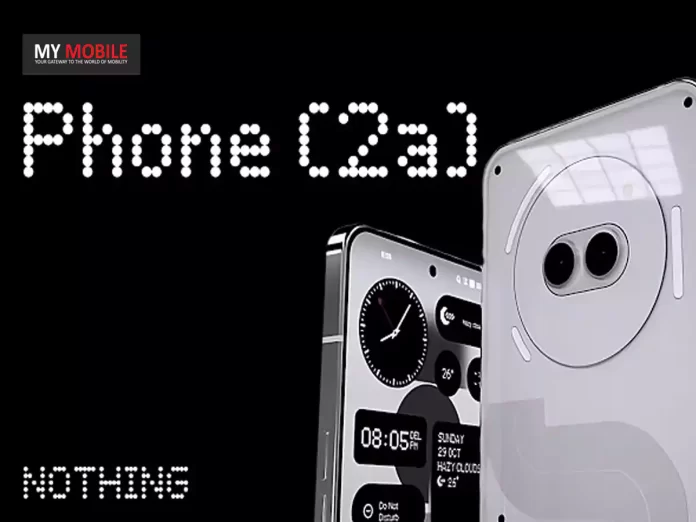
Nothing the tech startup spearheaded by OnePlus co-founder Carl Pei, is gearing up for the launch of its third smartphone, the Nothing Phone 2a.
Touted as a more affordable alternative to last year’s Nothing Phone 2, this upcoming handset has sparked considerable interest over the past few months.
Now the company has confirmed that the launch is scheduled for March 5 at 11:30 GMT (5pm IST), with simultaneous debuts in the UK and India.
Nothing Phone 2a: Event Details and Availability
Fresh. Eyes.
The official Phone (2a) launch event is happening on 5 March 2024, 11:30 GMT. pic.twitter.com/eE6hPjXOeB
— Nothing (@nothing) February 13, 2024
Nothing’s video teaser on X (formerly Twitter), has a cryptic message “Fresh. Eyes.” accompanied by intriguing visual cues.
This could be a major hint to the repositioned camera sensors that have been doing the rounds over the last few weeks.
The event promises to unveil the Nothing Phone 2a in full, with Flipkart confirmed as the official sales partner in India.
Nothing Phone 2a: Speculation and Expectations
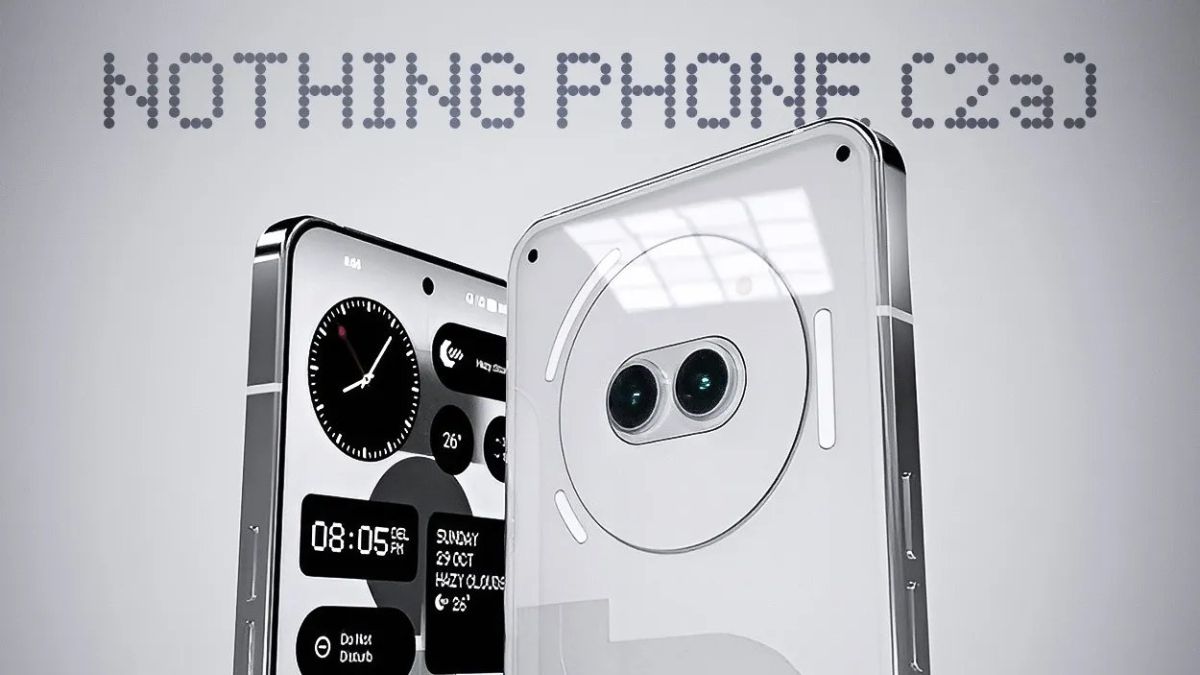
It remains to be seen whether the device will carry over the distinctive Glyph interface from its predecessor, a unique feature that has become synonymous with Nothing’s design philosophy.
Earlier reports have speculated that it most likely will and also pack in some additional hardware.
In terms of specifications, we can only guess for now but expect a highly clean NothingOS skin and some good performance metrics from the device.
The expected specs of the Nothing Phone 2a have been listed below;
Anticipated Specs of the Nothing Phone 2a:
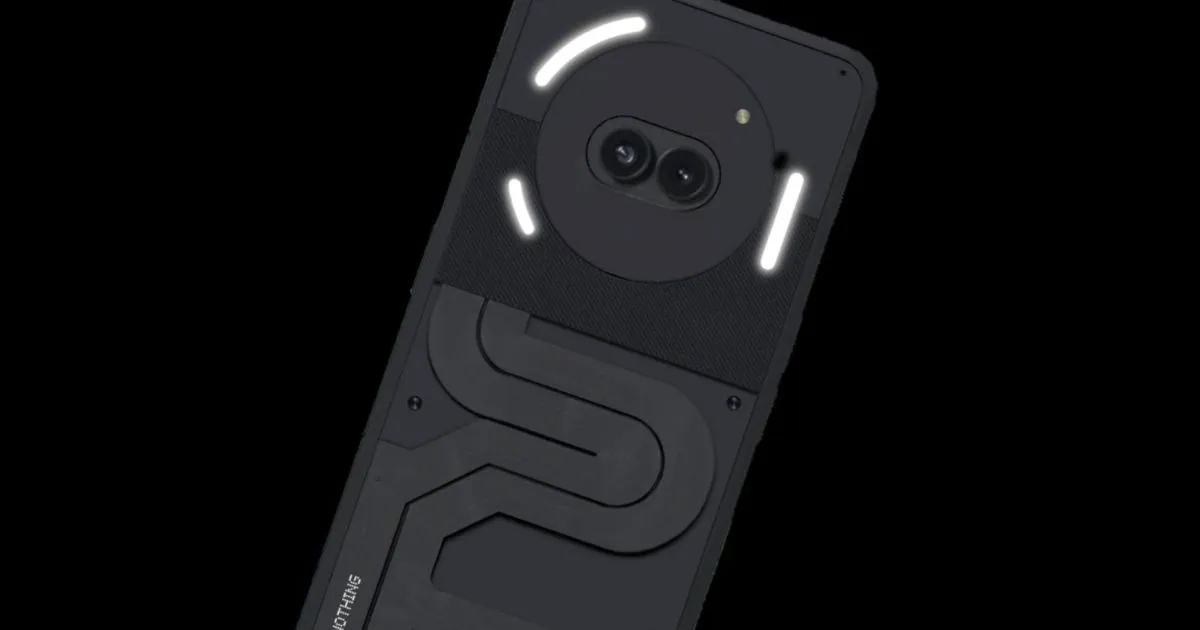
- Processor: MediaTek Dimensity 7200 chip, promising top-notch performance.
- Operating System: Android 14-based Nothing OS 2.5, offering a fresh and intuitive user experience.
- Display: 6.7-inch full-HD+ (1,084 x 2,412 pixels) AMOLED screen, boasting a 120Hz refresh rate for smooth visuals.
- Camera Setup: A powerful 50-megapixel dual rear camera configuration, ensuring high-quality photography.
- Design Cues: Speculation around the rear panel’s design, including the possibility of the Glyph interface.
- Launch Date: Officially set for March 5, with simultaneous events in the UK and India.
- Pricing: Approx Rs 25,000 starting
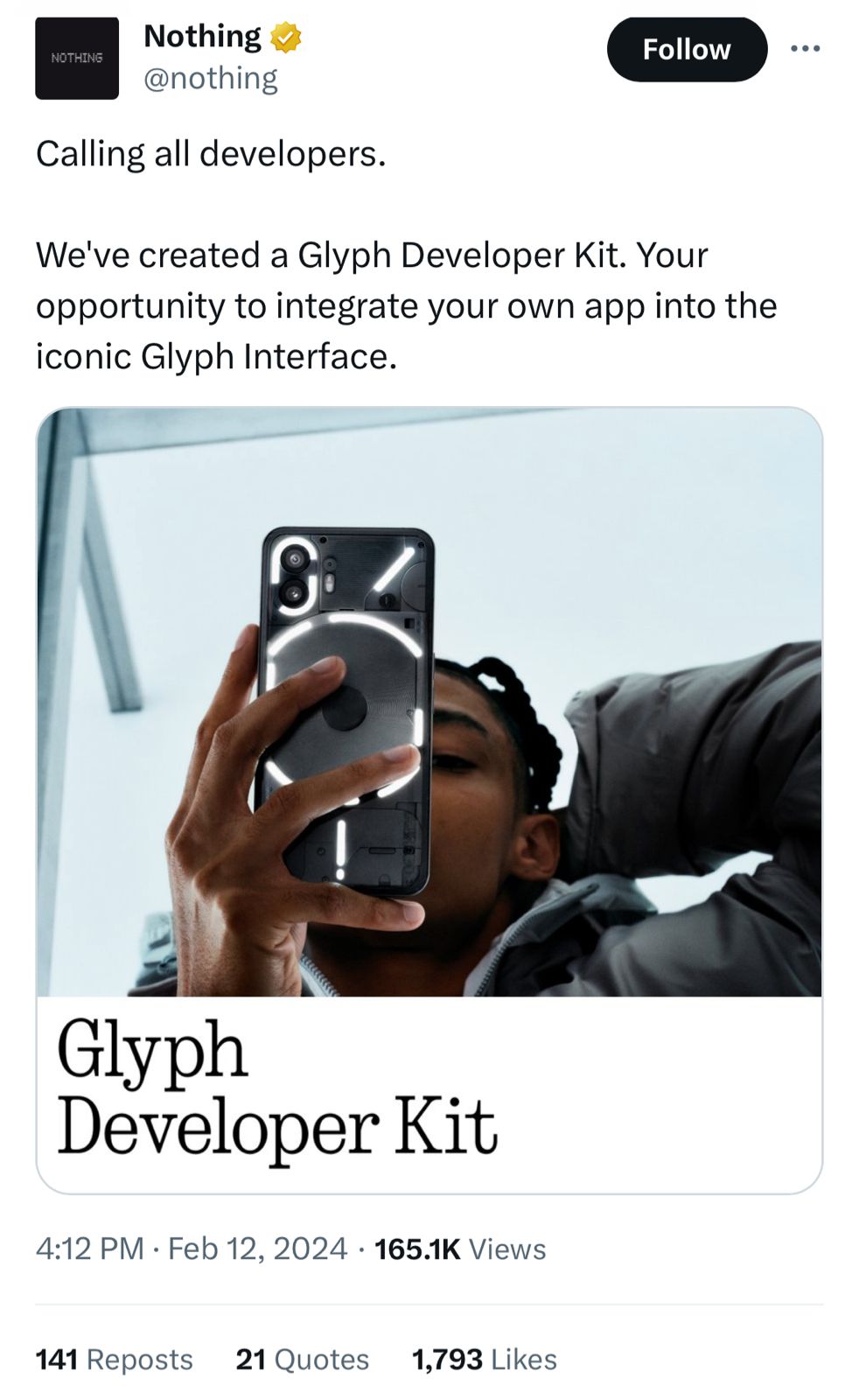
Nothing has released “Glyph Developer Kit” for Phone (1) and Phone (2)
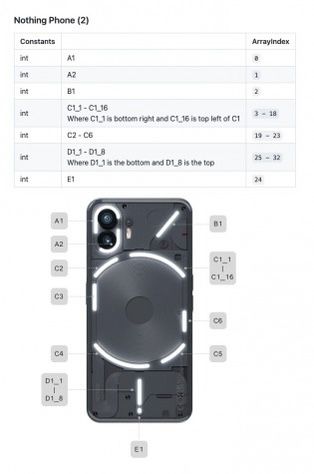
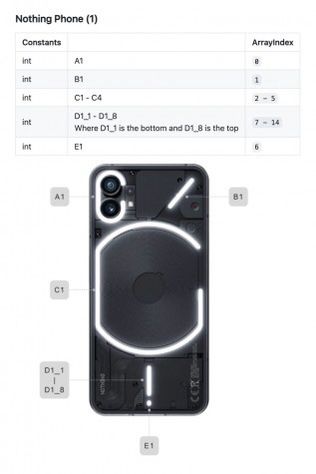
The kit is available easily on GitHub and comes with all the necessary tools and instructions for developers to tap into the LED zones on the Nothing Phone (1) and the Phone (2).
For the Phone (1), developers can program 12 individual zones.
The Phone (2) increases customization potential with a total of 33 programmable LED areas.
The Glyph Developer Kit from Nothing allows developers to fully make use of those fancy LED lights.
The kit includes different methods like GlyphFrame, which identifies the Glyph to be used, GlyphFrame Builder and GlyphManager for controlling the Glyph Interface.
Developers can use GlyphManager. Callback to confirm successful connections.
By using the Glyph Kit, developers can create apps with notifications that use unique patterns or for games that involve user participation.
This should add to the experience for users of Nothing phones making it more fun for them.
The Glyph Developer Kit has launched before the release of of the Nothing Phone (2a).

The upcoming device should most likely use the Glyph Interface, with the company likely to add support for it in the Kit after the launch.
Developers who are keen for the toolkit can commence working with it and sign up for notifications to receive API keys as soon as they become available.
Nothing Phone 2a Specs
GENERAL
| Sim Type | Dual Sim, GSM+GSM |
| Dual Sim | Yes |
| Sim Size | Nano+Nano SIM |
| Device Type | Smartphone |
| Release Date | July 11, 2023 |
DISPLAY
| Type | Color AMOLED Screen (1B Colors) |
| Touch | Yes, 240 Hz Touch Sampling Rate |
| Size | 6.7 inches, 1080 x 2412 pixels, 120 Hz |
| Aspect Ratio | 20:9 |
| PPI | ~ 394 PPI |
| Screen to Body Ratio | ~ 87.2% |
| Features | 1,000,000:1 Contrast Ratio, 500 nits Brightness, 1000 nits HBM, 1200 nits Peak Brightness |
| Notch | Yes, Punch Hole |
MEMORY
| RAM | 6 GB |
| Storage | 128 GB |
| Storage Type | UFS 2.2 |
| Card Slot | No |
CONNECTIVITY
| GPRS | Yes |
| EDGE | Yes |
| 3G | Yes |
| 4G | Yes |
| 5G | Yes |
| 5G Bands | n1/n2/n3/n5/n7/n8/n12/n20/n25/n28/n30/n38/n40/n41/n66/n71/n75/n77/n78 |
| VoLTE | Yes, Dual Stand-By |
| Wifi | Yes, with wifi-hotspot |
| Wifi Version | Wi-Fi 6, 802.11 a/b/g/n/ac/ax (2.4 GHz | 5 GHz) |
| Bluetooth | Yes, v5.3, A2DP, LE, aptX, aptX HD, LDAC, AAC |
| USB | Yes, USB-C v2.0 |
| USB Features | USB Tethering, USB on-the-go, USB Charging, USB Storage |
EXTRA
| GPS | Yes, with dual-band A-GPS, GLONASS, Galileo, Beidou, NavIC |
| Fingerprint Sensor | Yes, In Display |
| Face Unlock | Yes |
| Sensors | Accelerometer, Electronic Compass, Gyroscope, Front and Rear Ambient Light Sensor, Proximity Sensor, Sensor Core |
| 3.5mm Headphone Jack | No |
| Extra | NFC |
| Water Resistance | Yes |
| IP Rating | IP54 |
| Dust Resistant | Yes |
| Extra Features | Glyph Interface, Dual stereo speakers |
CAMERA
| Rear Camera | 50 MP 24mm, 1/1.56″, 1.0µm, PDAF, OIS f/1.9 (Wide Angle) 13 MP f/2.2 (Ultra Wide) with autofocus |
| Features | Night Mode, Portrait Mode, Motion Photo, Super Res Zoom, Lenticular (Filter), AI Scene Detection, Expert Mode, Panorama, Night Mode, Document Mode) |
| Video Recording | 4K @ 30 fps UHD, 1080p @ 30 fps FHD |
| Flash | Yes, LED |
| Front Camera | Punch Hole 16 MP f/2.45 (Wide Angle) with Screen Flash |
| Front Video Recording | 1080p @ 30 fps FHD |
TECHNICAL
| OS | Android v13 |
| Custom UI | Nothing OS 2 |
| Chipset | Qualcomm Snapdragon 7 Gen3 |
| CPU | 2.63 GHz, Octa Core Processor |
| Core Details | 1xPrime Core@2.63 GHz & 3xPerformance Cores@2.4 GHz& 4xEfficiency cores@1.8 GHz |
| GPU | Adreno GPU |
| IP Rating | IP54 |
| Java | No |
| Browser | Yes, supports HTML5 |
MULTIMEDIA
| Yes | |
| Music | MP3, AAC, AAC+, WMA, AMR-NB, AMR-WB, WAV, FLAC, APE, OGG, MID, M4A, IMY, AC3, EAC3, EAC3-JOC, AC4 |
| Video | MKV, MOV, MP4, H.265 (HEVC), AVI, WMV, TS, 3GP, FLV, WEBM |
| FM Radio | No |
| Document Reader | Yes |
BATTERY
| Type | Non-Removable Battery |
| Size | 5000 mAh, Li-Po Battery |
| Fast Charging | Yes, 35W Fast Charging |
| Reverse Charging | Yes, 5W |
FAQs
When is the Nothing Phone 2a launching?
The Nothing Phone 2a is officially set to be unveiled on March 5 at 11:30 GMT (5pm IST), with events in both the UK and India.
Where can I buy the Nothing Phone 2a in India?
The smartphone will be available for purchase in India exclusively through Flipkart following its launch.
What makes the Nothing Phone 2a different from its predecessor?
Touted as a more affordable version of the Nothing Phone 2, the 2a model is expected to feature a MediaTek Dimensity 7200 chip, a 120Hz AMOLED display, and possibly retain the unique Glyph interface.
What are the anticipated specifications of the Nothing Phone 2a?
Speculations suggest a 6.7-inch full-HD+ AMOLED screen, Android 14-based Nothing OS 2.5, and a 50MP dual rear camera setup among its key features.
Will the Nothing Phone 2a have the Glyph interface?
While not confirmed, it is widely speculated that the Nothing Phone 2a will continue the brand’s tradition of incorporating the distinctive Glyph interface on its rear panel.
Also Read: Nothing Says Something Is Coming This Week, Perhaps the Nothing Phone 2a?
Also Read: Nothing Phone 2a Sparks Buzz with Latest Pokemon-related Tease from Carl Pei
Also Read: Nothing Phone 2a Set for Imminent Launch After Appearing on TUV Certification
Also Read: Nothing Phone 2a Officially Confirmed After Being Teased by the Company on X
Possible Google Pixel 9 or Fold 2 Appears on UL Demko Certification
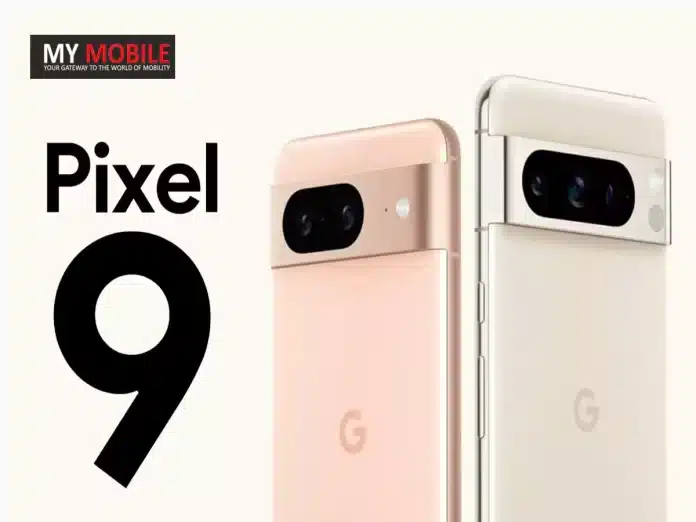
Highlights
- Google smartphone GH2MB spotted with a 4,942mAh battery, hinting at Pixel 9 Pro or Pixel Fold 2.
- Pixel Tablet 2 development hinted in Android 14 QPR3 beta with codenames “Clementine” and “Kiyomi”.
- Upcoming Google devices may feature advanced Tensor 4 chip and Gemini AI models.
- Anticipation builds for official announcements on Google’s expanding hardware lineup.
Google’s hardware lineup is poised for expansion, with recent certifications and leaks hinting at the imminent arrival of new devices, including a potentially powerful Google smartphone and the much-anticipated Pixel Tablet 2.
A Peek into Google’s Next Smartphone
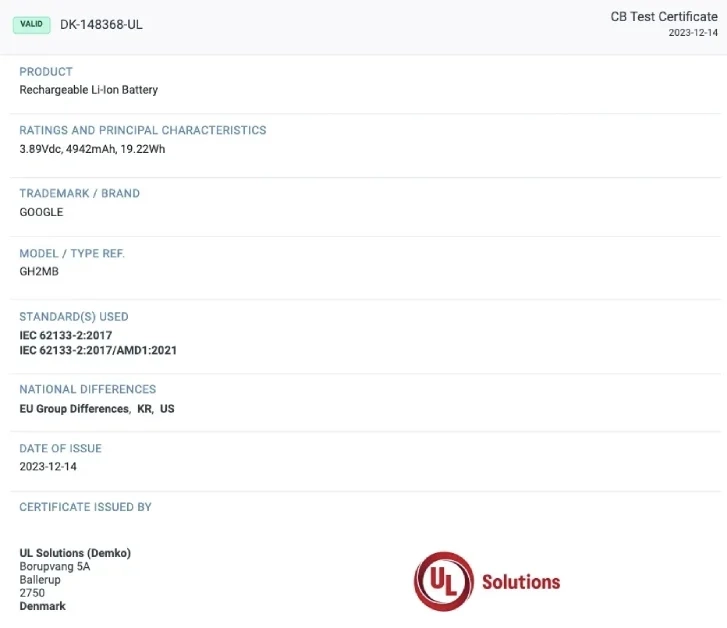
A new Google smartphone has made its way onto the UL Demko certification website, sporting the model number GH2MB.
This device is notable for its 4,942mAh battery, which is expected to be marketed as a 5,000mAh unit, according to a MySmartPrice report.
While the certification stops short of unveiling the device’s name, the battery capacity has sparked speculation that it could be the upcoming Pixel 9 Pro or even the Pixel Fold 2, with its foldable form factor necessitating a larger battery.
The Buzz Around Pixel Tablet 2
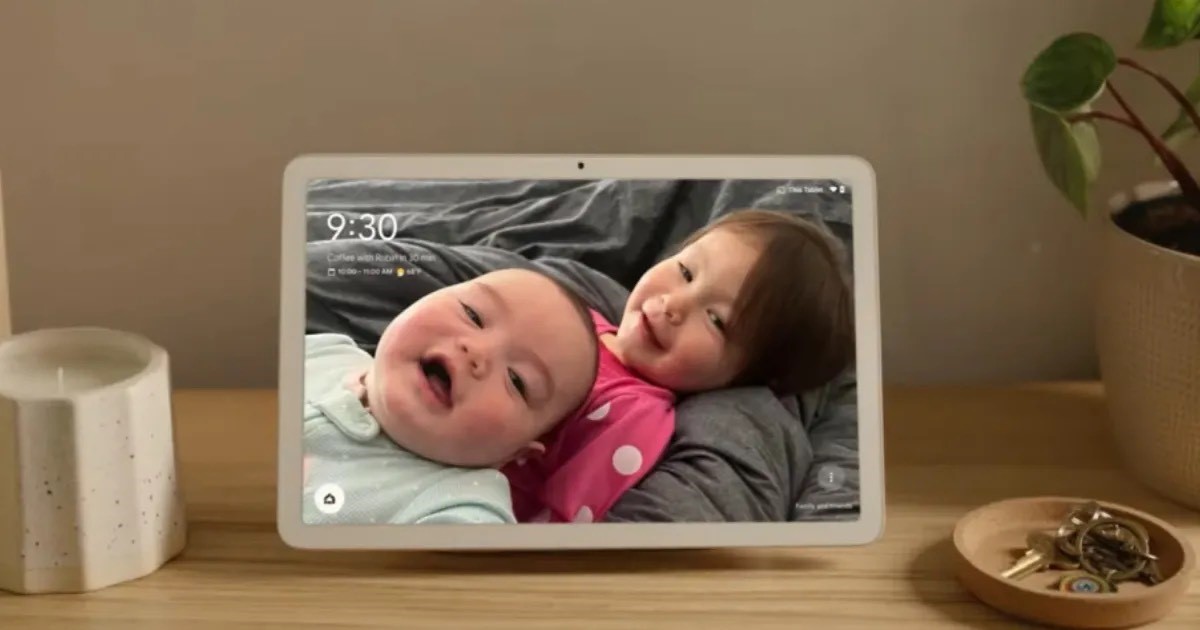
In parallel, there have also been reports of the Pixel Tablet 2’s development.
References to this next-gen tablet were discovered in the Android 14 QPR3 beta for Pixel phones, codenamed “Clementine” and “Kiyomi”.
These codenames follow the naming convention of the first Pixel Tablets, “Tangor” and “Tangorpro”, fueling speculation about the continuation of Google’s tablet series.
However, with Google keeping details under wraps, all of us remain on the lookout for concrete information to emerge.
What’s Next for Google?
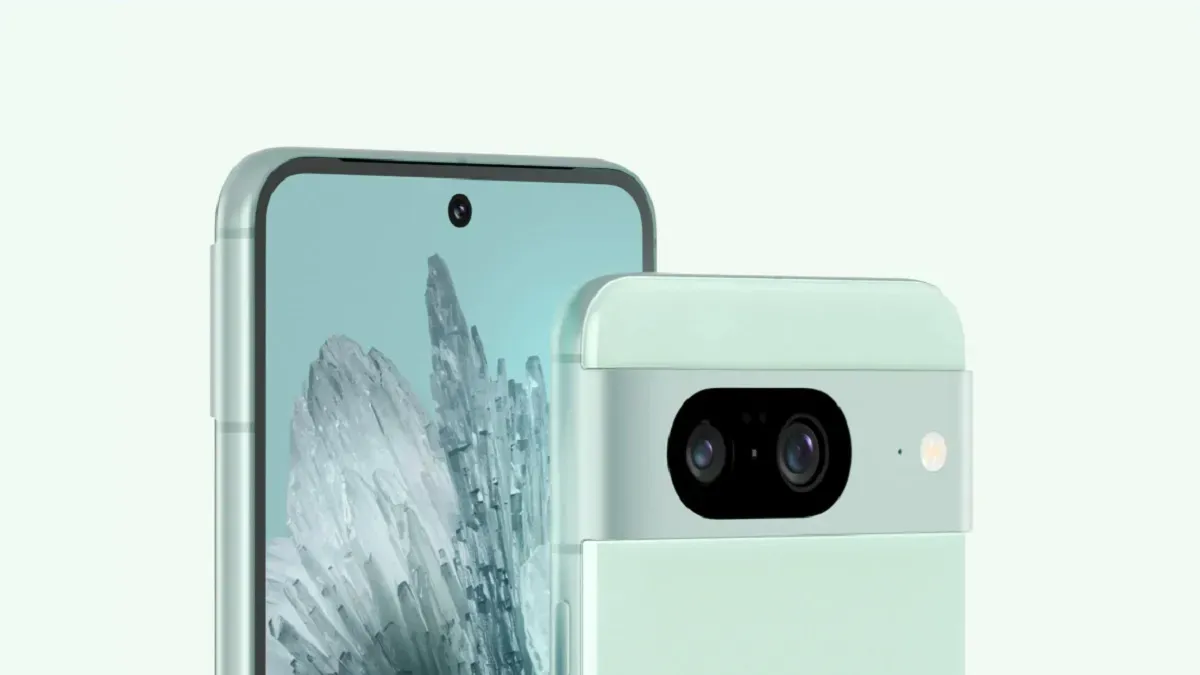
The prospect of a new Pixel smartphone powered by the Tensor 4 chip and the development of the Pixel Tablet 2 is pretty exciting.
Google’s commitment to AI and its vision for the future of mobile technology is going to be further bolstered by the company’s Gemini AI models.
You can expect a lot of generative AI features to be part of both Pixel devices.
We will update you when we have more details about the handsets.
Google Pixel 9 Pro Specs
GENERAL
| Sim Type | Dual Sim, GSM+GSM |
| Dual Sim | Yes |
| Sim Size | Nano+eSim |
| Device Type | Smartphone |
| Release Date | September 19, 2024 (Expected) |
DESIGN
| Dimensions | 163.9 x 75.9 x 8.9 mm (6.45 x 2.99 x 0.35 in) |
DISPLAY
| Type | Color OLED Screen (16M Colors) |
| Touch | Yes |
| Size | 6.67 inches, 1440 x 3120 pixels, 144 Hz |
| Aspect Ratio | 20.5:9 |
| PPI | ~ 512 PPI |
| Screen to Body Ratio | ~ 88.8% |
| Glass Type | Corning Gorilla Glass Victus Plus |
| Features | HDR10+, Always-on Display |
| Notch | Yes, Punch Hole |
MEMORY
| RAM | 12 GB |
| Storage | 256 GB |
| Storage Type | UFS 4.0 |
| Card Slot | No |
CONNECTIVITY
| GPRS | Yes |
| EDGE | Yes |
| 3G | Yes |
| 4G | Yes |
| 5G | Yes |
| VoLTE | Yes, Dual Stand-By |
| Vo5G | Yes |
| Wifi | Yes, with wifi-hotspot |
| Bluetooth | Yes, v5.3, A2DP, LE, aptX HD |
| USB | Yes, USB-C v3.1 |
| USB Features | USB Tethering, USB on-the-go, USB Charging |
EXTRA
| GPS | Yes, with dual-band A-GPS, GLONASS, GALILEO, QZSS, BDS |
| Fingerprint Sensor | Yes, In Display |
| Face Unlock | Yes |
| Sensors | Accelerometer, Gyro, Proximity, Compass, Barometer, Magnetometer, Ambient light sensor |
| 3.5mm Headphone Jack | No |
| NFC | Yes |
| Water Resistance | Yes, 1.5 m upto 30 min |
| IP Rating | IP68 |
| Dust Resistant | Yes |
| Extra Features | Dual Stereo Speakers, 3 Microphones, Noise Suppression |
CAMERA
| Rear Camera | 50 MP (Wide Angle) 50 MP (Telephoto) 50 MP (Ultra Wide) with autofocus |
| Features | Magic Eraser19, Motion Mode, Real Tone, Face Unblur, Panorama, Manual white balancing, Locked Folder, Night Sight, Top Shot, Portrait Mode, Portrait Light, Super Res Zoom, Motion autofocus, Frequent Faces, Dual exposure controls, Live HDR+ |
| Video Recording | 4K, 1080p |
| Flash | Yes, Dual LED |
| Front Camera | Punch Hole 50 MP f/2.2 |
| Front Video Recording | 4K, 1080p |
TECHNICAL
| OS | Android v14 |
| Chipset | Google Tensor G4 |
| CPU | Octa Core Processor |
| Java | No |
| Browser | Yes |
MULTIMEDIA
| Yes | |
| Music | Yes |
| Video | Yes |
| FM Radio | No |
| Document Reader | Yes |
BATTERY
| Type | Non-Removable Battery |
| Size | 5000 mAh, Li-Po Battery |
| Fast Charging | Yes, 100W Fast Charging |
| Wireless Charging | Yes, 65W |
| Reverse Charging | Yes |
FAQs
What details are known about the new Google smartphone?
Spotted on the UL Demko site with model GH2MB, this smartphone boasts a 4,942mAh battery, speculated to be marketed as 5,000mAh, possibly indicating it’s the Pixel 9 Pro or Pixel Fold 2.
How does the Pixel Tablet 2 fit into Google’s future plans?
Leaks from Android 14’s beta suggest development under codenames “Clementine” and “Kiyomi”, signaling a continuation of Google’s tablet series.
What technology might power the upcoming Google devices?
Both the new smartphone and Pixel Tablet 2 are expected to be powered by the Tensor 4 chip, incorporating Gemini AI models for enhanced features.
When can we expect official news about these Google devices?
While no official timeline has been announced, the tech community is eagerly awaiting updates, especially with recent certifications and code leaks.
What makes Google’s new smartphone and Pixel Tablet 2 stand out?
With a large battery capacity and the potential inclusion of the Tensor 4 chip and Gemini AI, these devices are set to offer cutting-edge technology and AI capabilities.
Also Read: Google’s Pixel Fold 2 Leaks Reveal Design Overhaul and Possible Specifications
Also Read: Google Pixel 9 Pro Potentially Revealed in Detailed 5K Renders Months Ahead of Official Launch
iPhone 16 Pro Max to Set New Battery Life Record, Reveals Leaks
Highlights
- iPhone 16 Pro Max rumoured to offer unprecedented 30 hours of battery life.
- Anticipated 5% increase in battery size to a 4,676mAh cell.
- Features enhanced hardware including the Apple A18 Pro SoC and Super Periscope camera.
- Innovations include a larger 6.9-inch MLA OLED display and titanium build.
The iPhone 16 Pro Max, Apple’s future flagship, is poised to redefine expectations if reports are to be believed.
According to recent leaks, this next-generation iPhone is on track to offer the longest battery life ever witnessed in Apple’s smartphone lineup.
A Leap in Battery Capacity
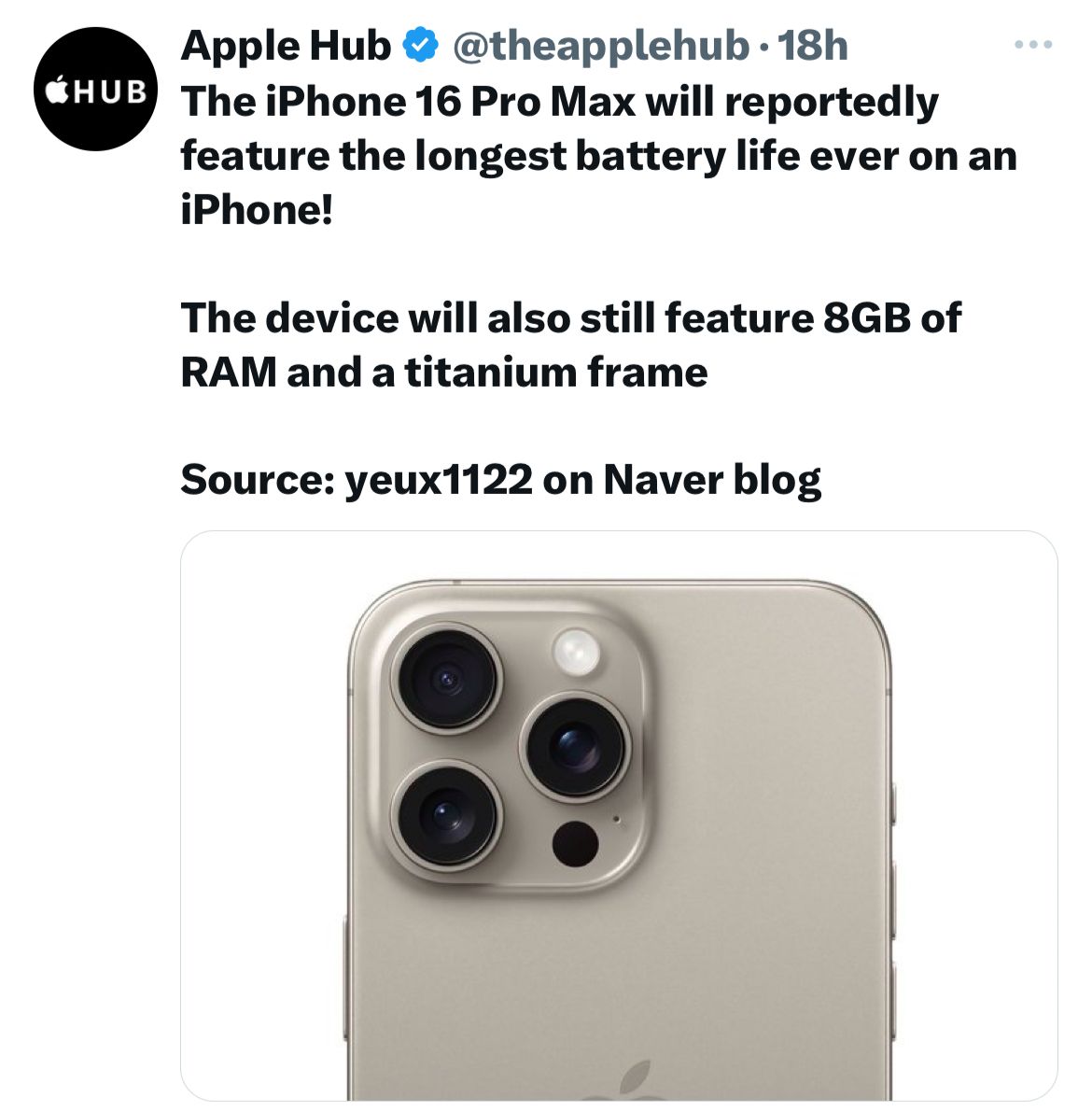
Insiders, including a notable Naver user, yeux1122, suggest that the iPhone 16 Pro Max will sport a significantly larger battery compared to its predecessor, the iPhone 15 Pro Max.
The anticipated increase in battery size is expected to shoot up the battery life to 30 hours of usage, an hour more than the current model.
Speculation around the battery size points towards a 5 percent increase, potentially upgrading the device to a 4,676mAh cell from the previous 4,422mAh.
This enhancement is speculated to be complemented by advancements in both software and hardware efficiency, ensuring that the device’s power management is optimized for the rumoured larger 6.9-inch MLA OLED display.
Innovations Beyond Battery Life
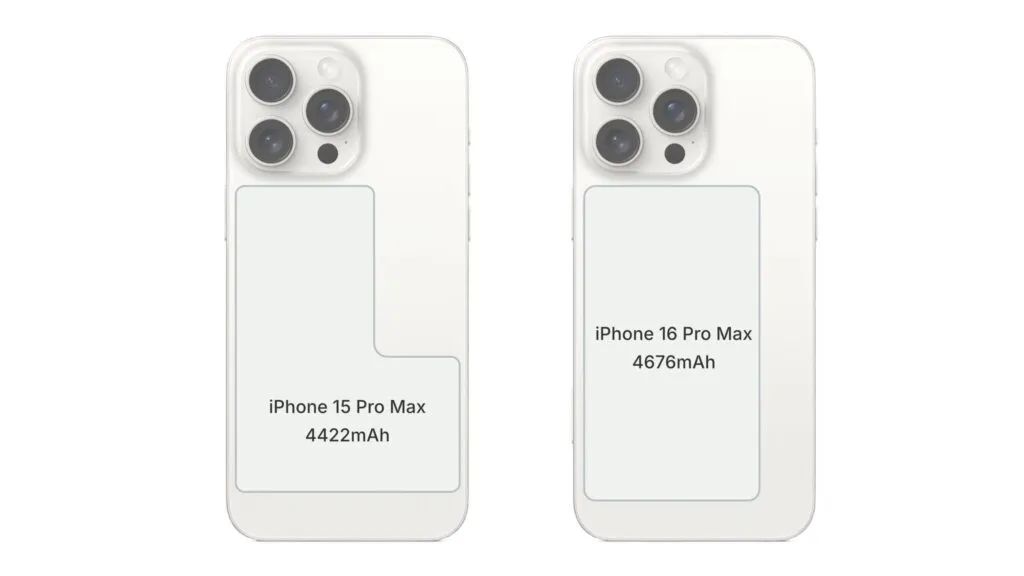
The iPhone 16 Pro Max is also rumoured to maintain its innovative L-shaped dual-cell battery design, a strategic choice to maximize internal space efficiency.
The entire iPhone 16 Pro series, including the slightly smaller iPhone 16 Pro with a proposed 6.3-inch display, seems geared for substantial enhancements.
Rumours hint at larger displays across the board, potentially requiring larger chassis for both models, with the iPhone 16 Pro’s bezels expected to be thinner than those on the Galaxy S24.
Camera and Hardware Upgrades
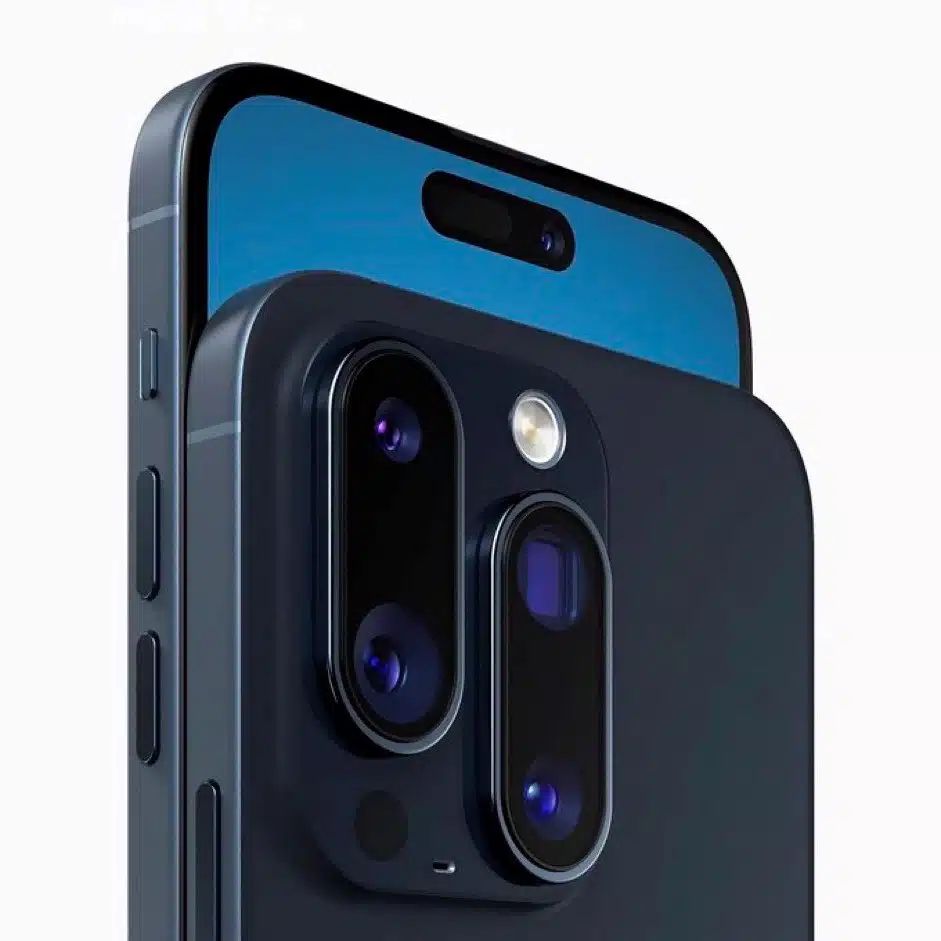
On the camera front, the iPhone 16 Pro Max could be outfitted with a “Super Periscope” lens, succeeding last year’s introduction of a 5x periscope zoom.
Under the hood, both Pro models are anticipated to feature the new Apple A18 Pro SoC, promising leaps in processing power and efficiency.
Additionally, a novel capture button, up to 2TB of storage, and 8GB of RAM are expected, alongside exclusive on-device AI capabilities and an enhanced titanium build for improved durability.
APPLE IPHONE 16 PRO MAX SPECIFICATIONS
Key Specs
| RAM | 6 GB |
| Processor | Apple A16 Bionic |
| Rear Camera | 13 MP + 13 MP + 13 MP |
| Front Camera | 13 MP |
| Battery | 4700 mAh |
| Display | 6.25 inches (15.88 cm) |
General
| Launch Date | October 26, 2023 (Unofficial) |
| Operating System | iOS v16 |
Performance
| Chipset | Apple A16 Bionic |
| CPU | Hexa Core (3.464 GHz, Dual core, Everest + 2.02 GHz, Quad core, Sawtooth) |
| Architecture | 64 bit |
| Fabrication | 4 nm |
| Graphics | Apple GPU (Five-core graphics) |
| RAM | 6 GB |
Display
| Display Type | OLED |
| Screen Size | 6.25 inches (15.88 cm) |
| Resolution | 1189 x 2546 pixels |
| Pixel Density | 450 ppi |
| Bezel-less display | Yes |
| Touch Screen | Yes, Capacitive Touchscreen, Multi-touch |
Camera
| MAIN CAMERA | ||
| Camera Setup | Triple | |
| Resolution | 13 MP, Primary Camera 13 MP 13 MP |
|
| Autofocus | Yes | |
| Flash | Yes, LED Flash | |
| Image Resolution | 4128 x 3096 Pixels | |
| Settings | Exposure compensation, ISO control | |
| Shooting Modes | Continuous Shooting High Dynamic Range mode (HDR) |
|
| Camera Features | Digital Zoom Auto Flash Face detection |
|
| Video Recording | 1920×1080 @ 30 fps | |
| FRONT CAMERA | ||
| Camera Setup | Single | |
| Resolution | 13 MP, Primary Camera | |
| Video Recording | 1920×1080 @ 30 fps | |
Battery
| Capacity | 4700 mAh |
| Type | Li-Polymer |
| Removable | No |
| Quick Charging | Yes, Fast |
| USB Type-C | No |
Storage
| Internal Memory | 128 GB |
| Expandable Memory | No |
Network & Connectivity
| SIM Slot(s) | Dual SIM, GSM+GSM |
| SIM Size | SIM1: Nano, SIM2: eSIM |
| Network Support | 5G Not Supported in India, 4G Supported in India, 3G, 2G |
| VoLTE | Yes |
| SIM 1 |
4G Bands:
TD-LTE 2300(band 40)
FD-LTE 1800(band 3) 3G Bands:
UMTS 1900 / 2100 / 850 / 900 MHz
2G Bands:
GSM 1800 / 1900 / 850 / 900 MHz
GPRS:
Available
EDGE:
Available
|
| SIM 2 |
4G Bands:
TD-LTE 2300(band 40)
FD-LTE 1800(band 3) 3G Bands:
UMTS 1900 / 2100 / 850 / 900 MHz
2G Bands:
GSM 1800 / 1900 / 850 / 900 MHz
GPRS:
Available
EDGE:
Available
|
| Wi-Fi | Yes, Wi-Fi 4 (802.11 b/g/n) |
| Wi-Fi Features | Mobile Hotspot |
| Bluetooth | Yes, v5.3 |
| GPS | Yes with A-GPS, Glonass |
| USB Connectivity | Mass storage device, USB charging |
Multimedia
| Loudspeaker | Yes |
| Audio Jack | Lightning |
Sensors
| Fingerprint Sensor | No |
| Other Sensors | Light sensor, Proximity sensor, Accelerometer, Barometer, Compass, Gyroscope |
FAQs
What sets the iPhone 16 Pro Max’s battery life apart from its predecessors?
Leaks suggest the iPhone 16 Pro Max will have a 30-hour battery life, thanks to a 5% larger battery and efficiency improvements, making it the longest-lasting iPhone yet.
How does the iPhone 16 Pro Max’s display compare to previous models?
The iPhone 16 Pro Max is rumoured to feature a larger 6.9-inch MLA OLED display, enhancing visual experience with better clarity and color accuracy.
What camera upgrades can we expect with the iPhone 16 Pro Max?
The device is expected to introduce a Super Periscope lens for superior zoom capabilities, building on the previous model’s 5x periscope zoom feature.
What are the anticipated hardware improvements in the iPhone 16 Pro series?
Both the iPhone 16 Pro and Pro Max are rumoured to include the Apple A18 Pro SoC, offering significant boosts in processing power and energy efficiency.
Also Read: MARK GURMAN Backs Up IPHONE 16 PRO / PRO MAX LARGER DISPLAY SIZE RUMORS
Vivo T3 5G Spotted on BIS Certification After Visiting SIG, India Launch Imminent
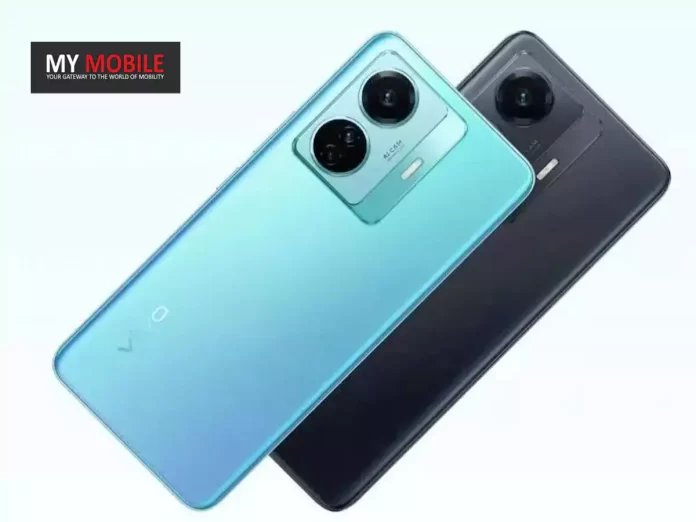
Highlights
- Vivo T3 5G spotted on BIS and Bluetooth SIG, hinting at an upcoming launch.
- Set to succeed Vivo T2 with advanced connectivity including Bluetooth v5.3.
- Anticipates similar launch timeline and enhancements over Vivo T2.
- Vivo T2 praised for its display, performance, and fast charging capabilities.
Vivo is on the brink of enhancing its T series portfolio with the much-anticipated launch of the Vivo T3 5G.
The smartphone, carrying the model number V2334, has recently made its appearance on the BIS certification website, stirring excitement among tech enthusiasts.
While the BIS listing kept the specifications under wraps, the device’s presence signals an imminent unveiling.
Adding to the buzz, the Vivo T3 5G has also been validated by the Bluetooth Special Interest Group (SIG) certification, showcasing the same model number.
This certification not only solidifies the device’s identity but also teases the inclusion of Bluetooth v5.3, setting the stage for superior connectivity and an optimized user experience.
From Vivo T2 to T3
The Vivo T3 5G is poised to succeed the Vivo T2, which made a notable entry into the market in April 2023.
Drawing parallels from its predecessor, the T3 is expected to embrace a similar launch timeline, reflecting Vivo’s strategic product cadence.
Vivo T2: A Recap of Specs

- Display: 6.38-inch AMOLED, Full HD+ (2400 × 1080), 90Hz refresh rate, 1300 nits brightness.
- Performance: Qualcomm Snapdragon 695 SoC with Adreno 619 GPU for smooth multitasking.
- Memory: Options of 6GB/8GB RAM, 128GB storage, plus 8GB Virtual RAM and expandable storage.
- Software: Funtouch OS 13 based on Android 13 for an intuitive user experience.
- Cameras: Dual rear setup with 64MP main and 2MP depth sensors; 16MP front camera for selfies.
- Design: Sleek build at 158.91 x 73.53 x 7.80 mm, weighing 172 grams.
- Battery: 4,500mAh with 44W fast charging capability.
- Colours: Available in Velocity Wave and Nitro Blaze.
Vivo T3 5G Specs
GENERAL
| Sim Type | Dual Sim, GSM+GSM (Hybrid Slot) |
| Dual Sim | Yes |
| Sim Size | Nano SIM |
| Device Type | Smartphone |
| Release Date | April 11, 2024 (Expected) |
DESIGN
| Dimensions | 158.9 x 73.5 x 7.8 mm (6.26 x 2.89 x 0.31 in) |
| Bezel less | No |
| Colors | Nitro Blaze, Velocity Wave |
DISPLAY
| Type | Color AMOLED Screen (1B Colors) |
| Touch | Yes, 480 Hz Touch Sampling Rate |
| Size | 6.58 inches, 1080 x 2400 pixels, 120 Hz |
| Aspect Ratio | 20.5:9 |
| PPI | ~ 413 PPI |
| Screen to Body Ratio | ~ 84.1% |
| Features | up to 1,600 nits Brightness, Contrast Ratio: 6000000:1 |
| Notch | Yes, Water Drop Notch |
MEMORY
| RAM | 8 GB |
| Expandable RAM | Upto 8 GB Extra Virtual RAM |
| Storage | 128 GB |
| Card Slot | Yes, (Hybrid Slot), upto 1 TB |
CONNECTIVITY
| GPRS | Yes |
| EDGE | Yes |
| 3G | Yes |
| 4G | Yes |
| 5G | Yes |
| 5G Bands | 1, 3, 8, 28, 77, 78 SA/NSA |
| VoLTE | Yes, Dual Stand-By |
| Wifi | Yes, with wifi-hotspot |
| Wifi Version | Wi-Fi 802.11 a/b/g/n/ac, dual-band |
| Bluetooth | Yes, v5.3, A2DP, LE, aptX HD |
| USB | Yes, USB-C v2.0 |
| USB Features | USB on-the-go, USB Charging |
EXTRA
| GPS | Yes, with A-GPS, BEIDOU, GLONASS, GALILEO |
| Fingerprint Sensor | Yes, In Display |
| Face Unlock | Yes |
| Sensors | accelerometer, gyro, proximity, compass |
| 3.5mm Headphone Jack | Yes |
CAMERA
| Rear Camera | 108 MP 0.7µm, PDAF, OIS f/1.8 (Wide Angle) 2 MP f/2.4 (Depth Sensor) with autofocus |
| Features | Photo, Night, Portrait, Video, Micro Movie, 64MP, Panorama, Live Photo, Slo-Mo, Timelapse, Pro, AR Stickers, Documents, Double Exposure, Dual-View Video |
| Video Recording | 1080p @ 30 fps FHD |
| Flash | Yes, LED |
| Front Camera | 16 MP f/2 (Wide Angle) |
| Front Video Recording | 1080p @ 30 fps FHD |
TECHNICAL
| OS | Android v14 |
| Custom UI | Funtouch OS 14 |
| Chipset | Qualcomm Snapdragon 7 Gen1 |
| CPU | 2.4 GHz, Octa Core Processor |
| Core Details | 1x Cortex-A710@2.4GHz & 3x Cortex-A710@2.36GHz& 4x Cortex-A510@1.8 GHz |
| GPU | Adreno 662 |
| Java | No |
| Browser | Yes |
MULTIMEDIA
| Yes | |
| Music | WAV, MP3, MP2, MIDI, Vorbis, APE, FLAC |
| Video | MP4, 3GP, MKV, FLV |
| FM Radio | No |
| Document Reader | Yes |
BATTERY
| Type | Non-Removable Battery |
| Size | 4700 mAh, Li-Po Battery |
| Fast Charging | Yes, 67W Superfast Flash Charge |
FAQs
What is the Vivo T3 5G?
The Vivo T3 5G is an upcoming smartphone from Vivo, expected to build upon the success of the Vivo T2 with advanced features and connectivity options.
Where has the Vivo T3 5G been spotted?
It has been listed on the BIS certification website and validated by the Bluetooth SIG, indicating its imminent launch.
What are the expected features of the Vivo T3 5G?
While specific details are not disclosed, it’s anticipated to offer enhanced connectivity with Bluetooth v5.3 and improvements over the T2’s specs.
How does the Vivo T2 set a benchmark for the T3?
The T2 featured a 6.38-inch AMOLED display, Snapdragon 695 SoC, up to 8GB RAM, and 44W fast charging, setting high expectations for the T3’s capabilities.
When is the Vivo T3 5G expected to launch?
While an official launch date is not confirmed, it’s expected to follow a similar timeline to the Vivo T2, which debuted in April 2023.
DoT Launches Shark Tank-Inspired Initiative to Boost Indian Tech Startups

Highlights
- DoT facilitates startup-VC connections in Shark Tank-inspired event.
- Over 25 startups pitched to VCs from India, UK, and Uganda.
- Initiative supports next-gen tech sectors like AI, 5G drones, cybersecurity.
- Special Telecom Technology Development Fund (TTDF) to bolster telecom startups.
Looks like there is going to be a new initiative reminiscent of the popular TV show Shark Tank, aimed at building connections between burgeoning startups and venture capitalists.
This innovative program, being helmed by the DoT, is part of India’s strategy to nurture the next generation of tech companies, specializing in areas such as AI, 5G-enabled drones, and cybersecurity.
Bridging the Gap Between Startups and Venture Capital

The government’s role in this initiative is pivotal, acting as a conduit between innovative startups and potential investors.
A recent event organized by the DoT saw more than 25 startups presenting their business models to a group of venture capitalists from diverse backgrounds, including India, the United Kingdom, and Uganda.
These interactions have already propelled several funding discussions into advanced stages, signaling the initiative’s potential to catalyze significant growth in the tech sector.
The government aims to develop an all-encompassing ecosystem for technology companies, covering everything from research and development to manufacturing.
Support mechanisms such as the Special Telecom Technology Development Fund (TTDF) are likely to help in the empowering of companies within the telecommunications domain.
India’s Tech Market: A Global Contender

The Indian technology market is witnessing rapid growth, setting global benchmarks with achievements like Reliance Jio’s record-setting 5G network rollout.
A critical objective for the nation is to reduce reliance on imported or jointly engineered telecom equipment by promoting local development and manufacturing.
The government’s Production Linked Incentive (PLI) scheme plays a crucial role in this regard, enticing international corporations to establish manufacturing bases in India.
FAQs
What is the Shark Tank-Inspired Initiative by the DoT?
It’s a program designed by the Department of Telecommunications to connect startups in technology sectors with venture capitalists, modeled after the TV show Shark Tank.
Which technology sectors does the initiative focus on?
The focus is on next-generation technology segments including artificial intelligence (AI), 5G-enabled drones, cybersecurity, and more.
How many startups participated in the recent DoT-organized event?
More than 25 startups had the opportunity to pitch their business ideas to venture capitalists from India, the United Kingdom, and Uganda.
What role does the Special Telecom Technology Development Fund (TTDF) play in this initiative?
The TTDF aims to support startups in the telecommunications sector, from R&D to manufacturing, as part of the initiative.
How does the initiative impact India’s technology market?
By fostering local development and manufacturing, and reducing reliance on imported telecom equipment, this initiative is set to strengthen India’s position as a global technology contender.
Also Read: Cell Broadcast Alert in Multiple Languages: India’s Pioneering Safety Initiative
Also Read: India’s Emergency Lifeline: Evaluating the Mobile Panic Button’s Impact and Future Solutions

About us
My Mobile has always believed in well researched, in-depth, truthful and relevant content which has evolved with time and produced by the very best of well informed journalists. It has always been our endeavour to provide tremendous value to both readers and advertisers with our relevance and reach.
Quick Links
Copyright © 2023 All Right Reserved, My Mobile India