Home Blog Page 922

How to Stream the Asia Cup 2023 Super Four Matches Live in India

0

Highlights

  • Asia Cup 2023 matches available for free on Disney+ Hotstar mobile app.
  • Watch matches on laptop, PC, or TV with a paid Disney+ Hotstar subscription.
  • Don’t miss the electrifying India vs Pakistan match on September 10th.
  • Choose from Hindi, English, Tamil, Kannada, or Telugu commentary for an immersive viewing experience.

Witness the thrill of the Asia Cup 2023 as it unfurls with top cricketing nations of the subcontinent battling it out. Whether you’re eager to catch all the matches or just gearing up for the much-awaited India vs Pakistan face-off, we’ve got you covered on how to watch the event live.

Watch on Mobile

Disney+ Hotstar brings cricket right to your fingertips by offering free live streaming of the Asia Cup 2023 on mobile devices. Here’s a quick guide:

  • Step 1: Ensure you’ve installed Disney Plus Hotstar, available on Play Store for Android and App Store for iPhones.
  • Step 2: Launch the app and look out for the live match banner on the top.
  • Step 3: Alternatively, tap the ‘Sports’ tab at the bottom to navigate to the ongoing matches.

Streaming on Laptops, PCs, and Smart TVs

Streaming on Laptops, PCs, and Smart TVs

While the convenience of mobile streaming is undeniable, the real thrill for many is watching the match on a bigger screen. However, this would require a paid subscription to Disney+ Hotstar.

Subscription Plans: To view the Asia Cup matches on a laptop, PC, or smart TV, you’d need to opt for either the three-month Disney+ Hotstar Super or Premium subscription. Not only does this grant you access to the Asia Cup, but it also covers the upcoming ICC World Cup 2023.

Streaming Languages: Elevate your viewing experience by choosing from five commentary languages on Disney Plus Hotstar – Hindi, English, Tamil, Kannada, and Telugu.

India vs Pakistan: A Rivalry Like No Other

India vs Pakistan: A Rivalry Like No Other

When: Sunday, September 10th.

As the two cricketing giants lock horns once again, this match promises to be an electric event in the Asia Cup 2023.

Given the history and intense rivalry between the two nations, it’s more than just a game; it’s about pride and passion. Make sure you’re tuned in to catch every over of this epic showdown.

The Asia Cup 2023 offers cricket enthusiasts a chance to witness thrilling contests. With easy streaming options, ensure you’re set to catch all the live-action!

List of India’s Matches In Asia Cup Super Four

Match Venue Date Time
Pakistan vs India R.Premadasa Stadium, Colombo September 10 3.00 PM IST
India vs Sri Lanka R.Premadasa Stadium, Colombo September 12 3.00 PM IST
India vs Bangladesh R.Premadasa Stadium, Colombo September 15 3.00 PM IST

FAQs

Is Disney+ Hotstar offering the Asia Cup 2023 streaming for free?

Yes, mobile users can enjoy free streaming of Asia Cup 2023 matches on the Disney+ Hotstar app. Just download, launch, and start watching!

How can I watch the Asia Cup 2023 on my laptop or TV?

For a bigger screen experience, you’d need a paid subscription to Disney+ Hotstar. Opt for either the three-month Disney+ Hotstar Super or Premium subscription to watch on your laptop, PC, or smart TV.

When is the India vs Pakistan match, and why is it significant?

The India vs Pakistan match is scheduled for September 10th. Given the historical rivalry and passion, this encounter is one of the most anticipated clashes in the Asia Cup.

In how many languages can I enjoy the Asia Cup commentary?

Disney Plus Hotstar offers commentary in five languages: Hindi, English, Tamil, Kannada, and Telugu. Choose your preferred language and enjoy the game!

Realme Buds T300 – Unboxing and Review

0
Realme Buds T300

Highlight

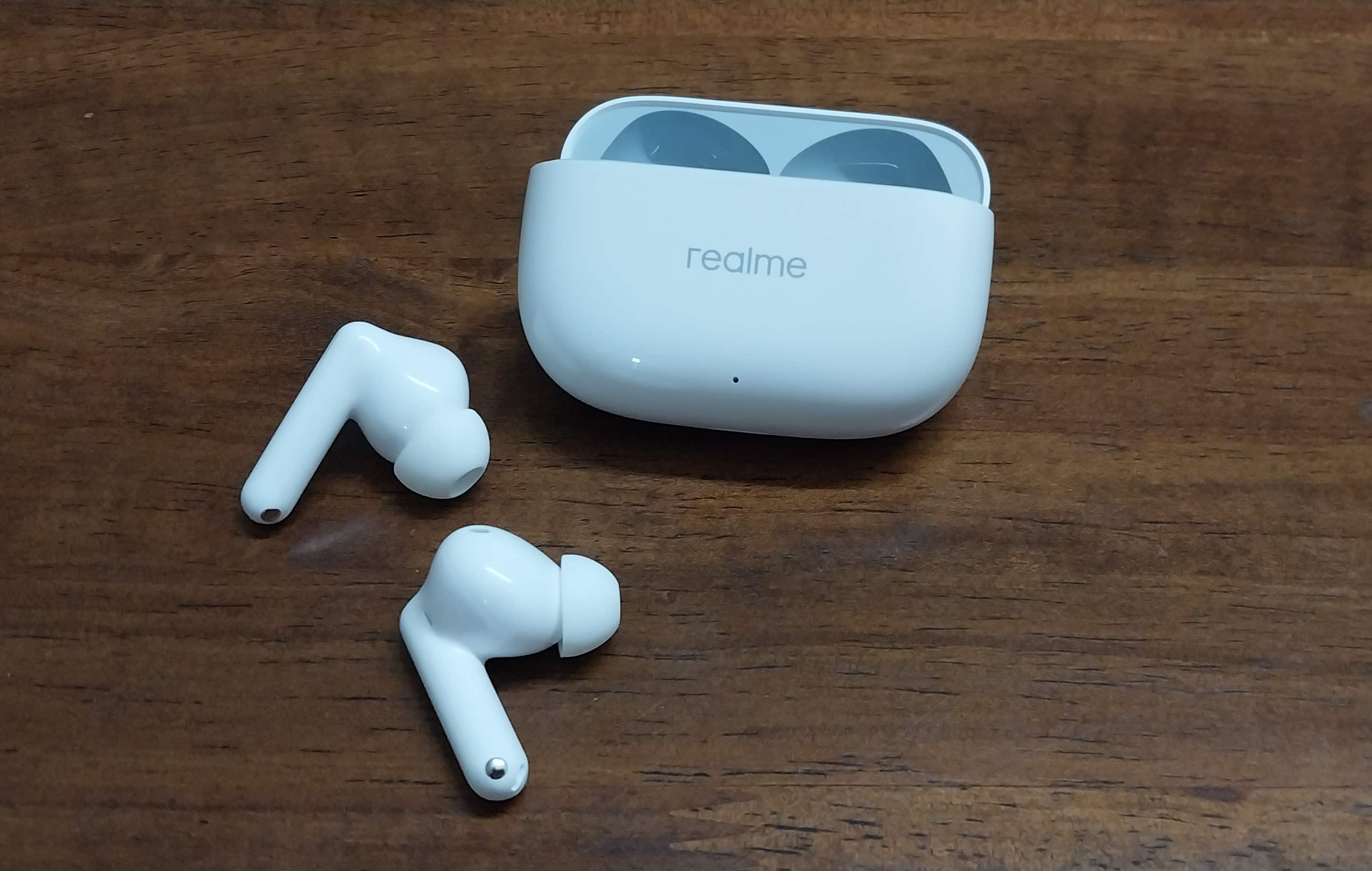
 Realme has launched its newest member in the Buds family – the Realme Buds T300.

  • With Realme’s segment-leading technology, Buds T300 price in India is Rs 2,299.
  • Salient features include a 12.4mm Dynamic Bass Driver, 30dB ANC, and, 360-degree Spatial Audio Effect.

Although the first Realme Buds T300 sale is scheduled to start on 12 September 2023, I have managed to spend a considerable amount of time with these newly launched earbuds.

Check out my first impression and review to determine if these TWS earbuds stand true to what they promise.

Realme Buds T300 – Key Features

Realme Buds T300 - Key Features
Realme Buds T300 – Key Features
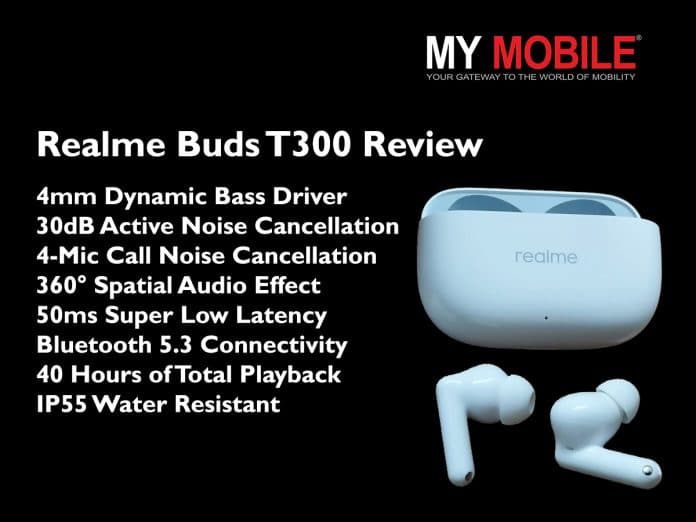
  • 4mm Dynamic Bass Driver
  • 30dB Active Noise Cancellation
  • 4-Mic Call Noise Cancellation
  • 360° Spatial Audio Effect
  • 50ms Super Low Latency
  • Bluetooth 5.3 Connectivity
  • 40 Hours of Total Playback
  • IP55 Water Resistant

Realme Buds T300 – Pros & Cons

Pros Cons
●     Trendy and ergonomic design

●     Comfortable fit

●     Good sound quality

●     Good battery life and quick charging

●     50ms super low latency

●     Intelligent touch control

●     IP55 water resistance

●     Scratch-resistant case body

●     No auto play/pause option

●     Sound leakage problem on very low volumes also

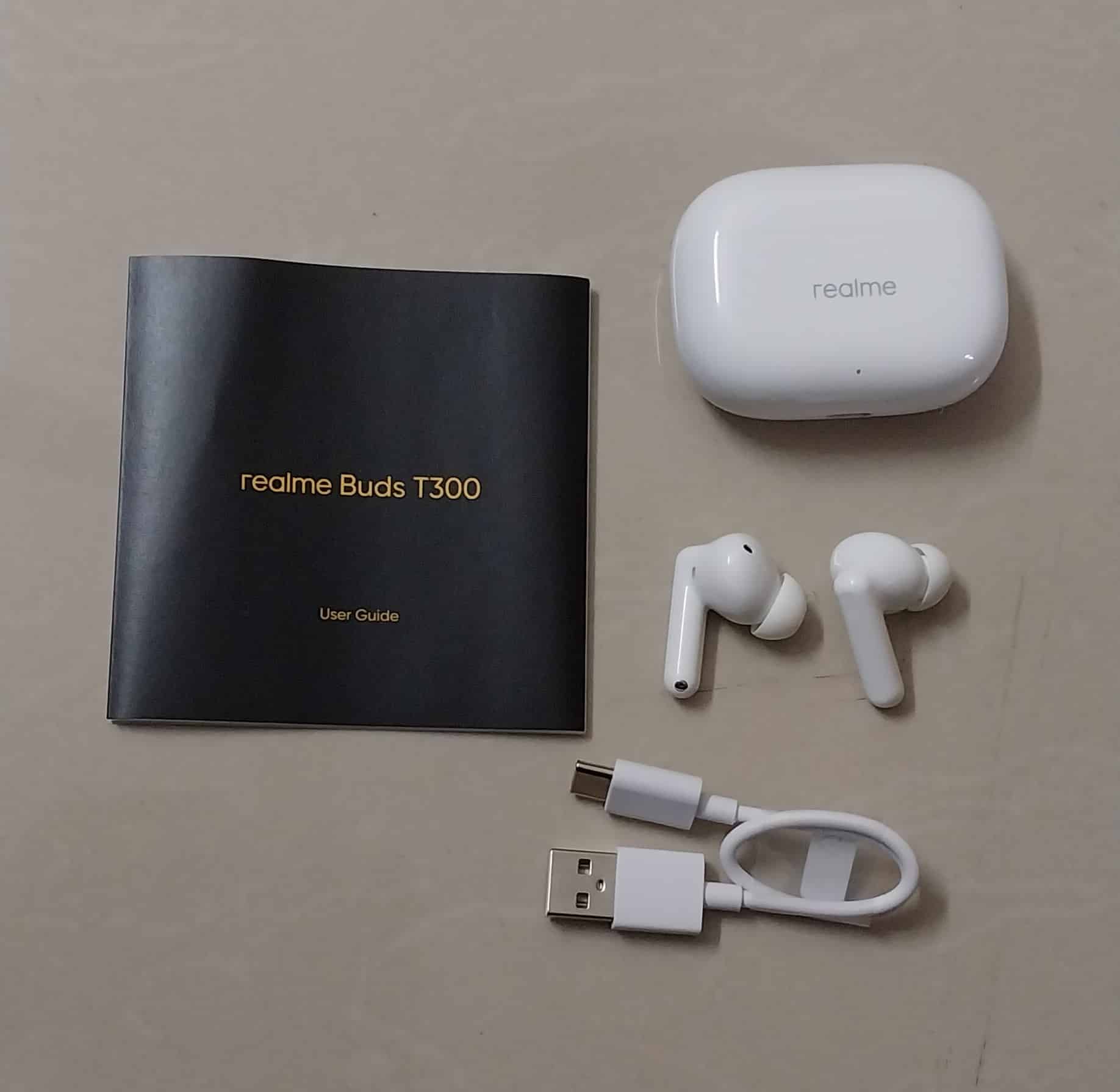
Realme Buds T300 Unboxing Video

Realme Buds T300 – Design and Fit

Design
Realme Buds T300 - Design
Realme Buds T300 – Design
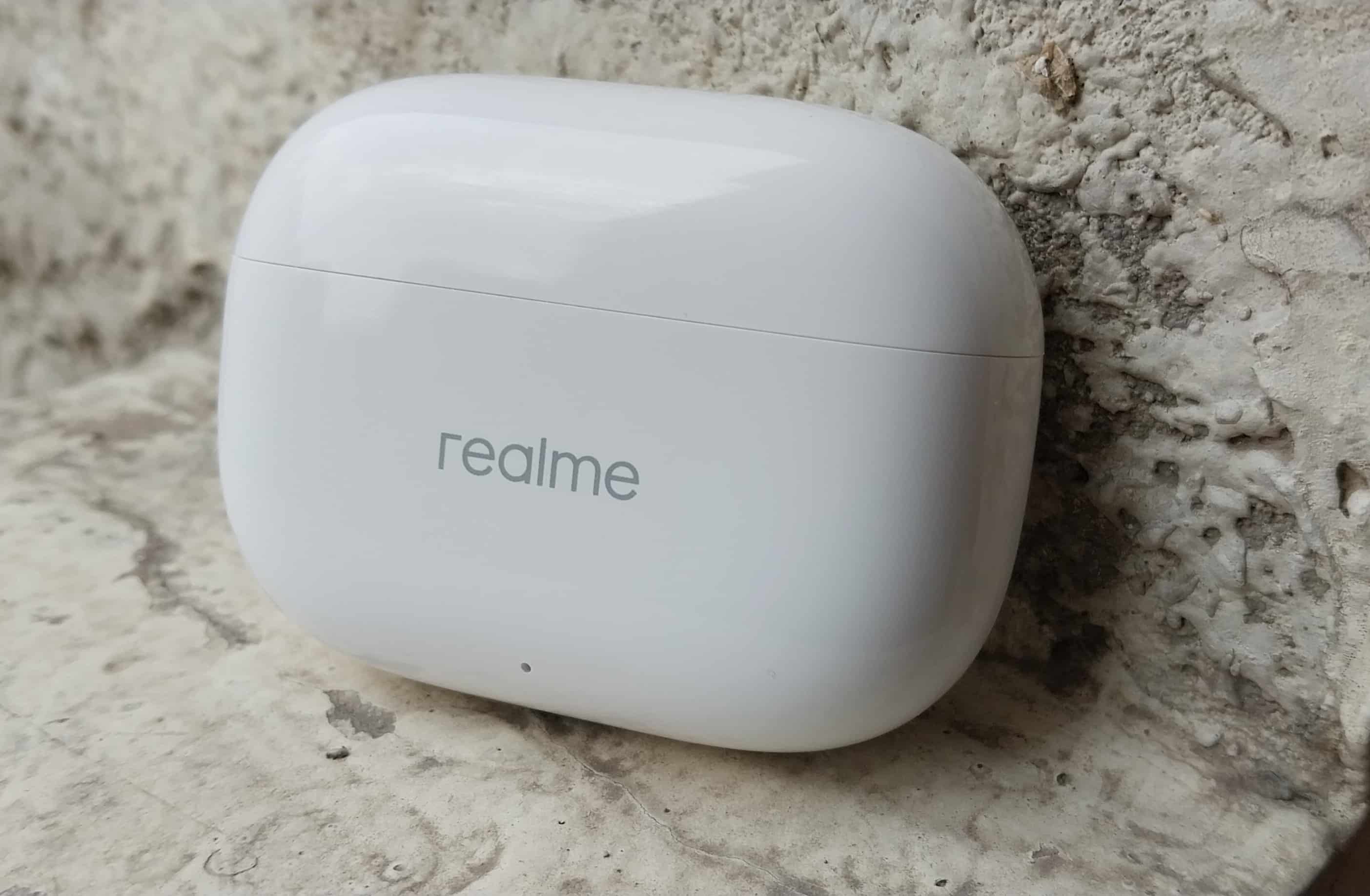
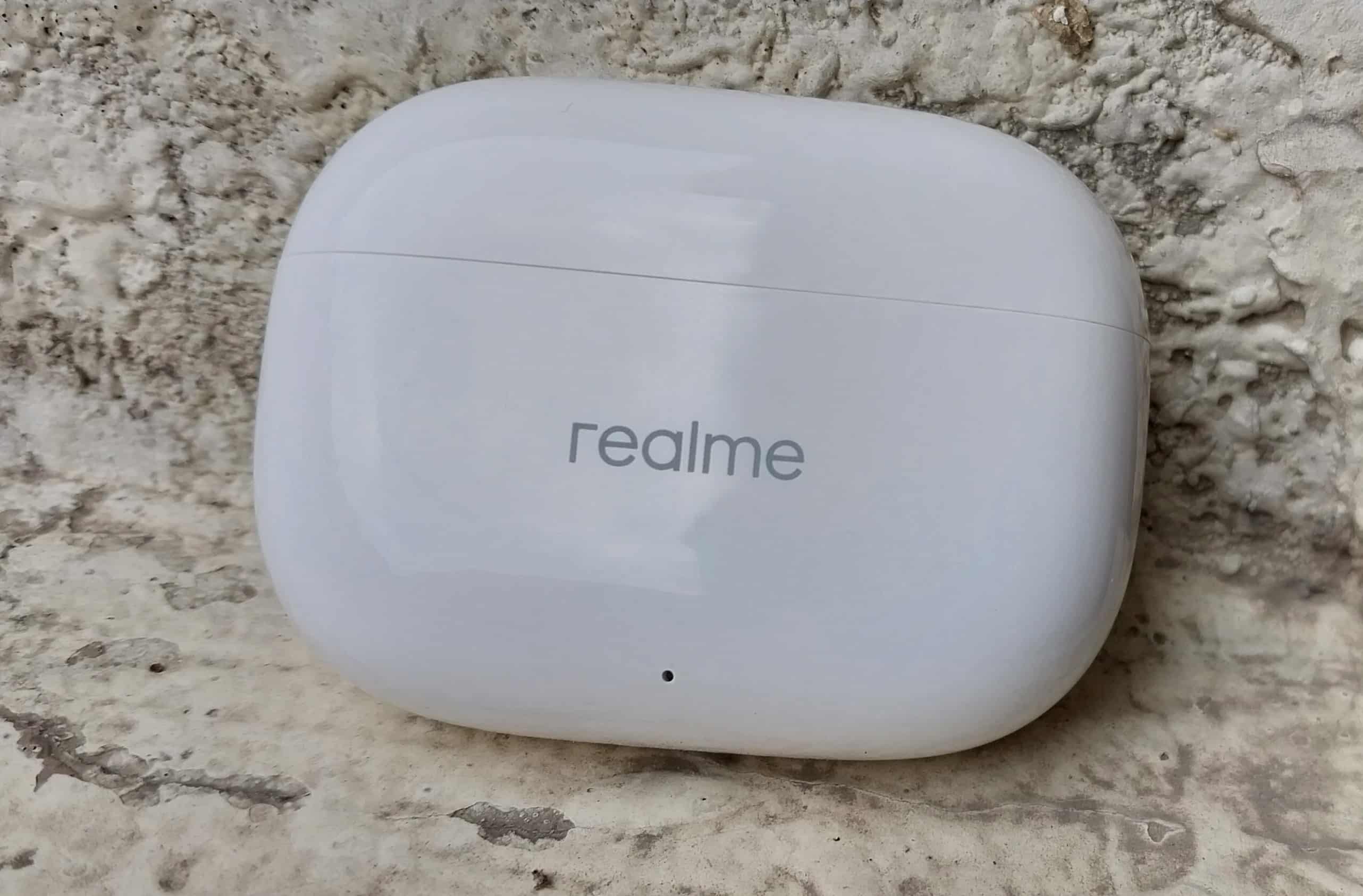
  • I’m personally not a fan of the glossy finish, but with Buds T300 it adds a touch of sophistication.
  • The overall design is slim and stylish, appealing to those looking for a fashion-forward accessory.
  • The Youth White colour variant contributes to the aesthetic appeal.
  • The case is sturdy and compact, providing protection for the earbuds during transport and storage.
  • The IP55 water and dust resistance rating ensures that they are suitable for outdoor activities.

Fit

Realme Buds T300 - Design and Fit
Realme Buds T300 – Fit
  • Buds T3000 ensures a secure and comfortable fit for all users with extra ear tips.
  • Comfortable fit extends to long hours of use without discomfort or fatigue.

Realme Buds T300 – Sound Quality and ANC Performance

Realme Buds T300 - Sound Quality
Realme Buds T300 – Sound Quality

The Realme Buds T300 offers exceptional sound quality, setting a benchmark for its segment. Here are some points I would like to highlight –

  • The 12.4mm Dynamic Bass Driver really delivers. The sound is rich and powerful, making music and movies immersive and enjoyable.
  • I’m particularly impressed with the 360° Spatial Audio Effect. It has a spacious and well-balanced soundstage, ensuring an engaging audio experience. You will feel like in the centre of the stage with music blasting from all sides.
  • I must say that Individual Rear Cavity Design seems to have a positive impact on sound quality. It provides a unique clarity and separation in audio output.
  • The support for Dolby Atmos enhances the overall audio experience, allowing for a more cinematic and three-dimensional sound.
  • About the ANC, 30dB active noise cancellation is impressive and effectively reduces ambient noise.

As for the call sound quality, the 4-Mic Call Noise Cancellation feature ensures clear and uninterrupted phone calls.

I tried to test the calling feature from outdoors and Buds T300 was able to minimize background noise during calls efficiently. In fact, it has one the best call qualities you can expect in this under 2500 earbuds segment.

Realme Buds T300 – Features and App Support

Realme Buds T300 - Features
Realme Buds T300 – Features

With a super low latency of just 50ms, these earbuds ensure a seamless and lag-free audio experience, perfect for gaming and video streaming.

The intelligent touch control feature allows for easy and intuitive control of music playback, calls, and voice assistants with a simple tap, enhancing user convenience. Some common touch controls are as follows.

Double tap Play/Pause; Answer/Hang up Call
Triple tap Next track
Press & hold for 2 sec Noise Control Modes &

Transparency Mode

Switching; Call Decline

Press and hold for 4s Simultaneously press and

hold two buds for 4 seconds

to pair them again


Equipped with Bluetooth 5.3 technology, the Realme Buds T300 provide stable and high-quality wireless connectivity, ensuring a reliable connection with your device.

For added customization and control, users can take advantage of the Realme Link App support, allowing them to fine-tune their audio experience, update firmware, and monitor the earbuds’ status, all from their smartphones.

Realme Buds T300 – Battery Life

Realme Buds T300 - Battery Life
Realme Buds T300 – Battery Life

With an impressive 40-hour battery life, these earbuds ensure extended usage. It makes Buds T300 perfect for long journeys or extended listening sessions.

As for charging, just 10 minutes of charging provides a remarkable 7 hours of playback, making them the fastest-charging earbuds in their segment.

Verdict – Should You Buy Realme Buds T300?

Verdict - Should You Buy Realme Buds T300?
Verdict – Should You Buy Realme Buds T300?

The Realme Buds T300 boast an attractive and durable design with attention to detail. It offers good sound quality with a focus on bass and spatial audio. And ANC performance is highly effective too.

Battery capacity is decent with good charging speed. Overall, I would say these earbuds are a solid choice for those seeking both excellent sound and active noise cancellation in an affordable package.

Buy Realme Buds T300 For
Buy Realme Buds T300 For
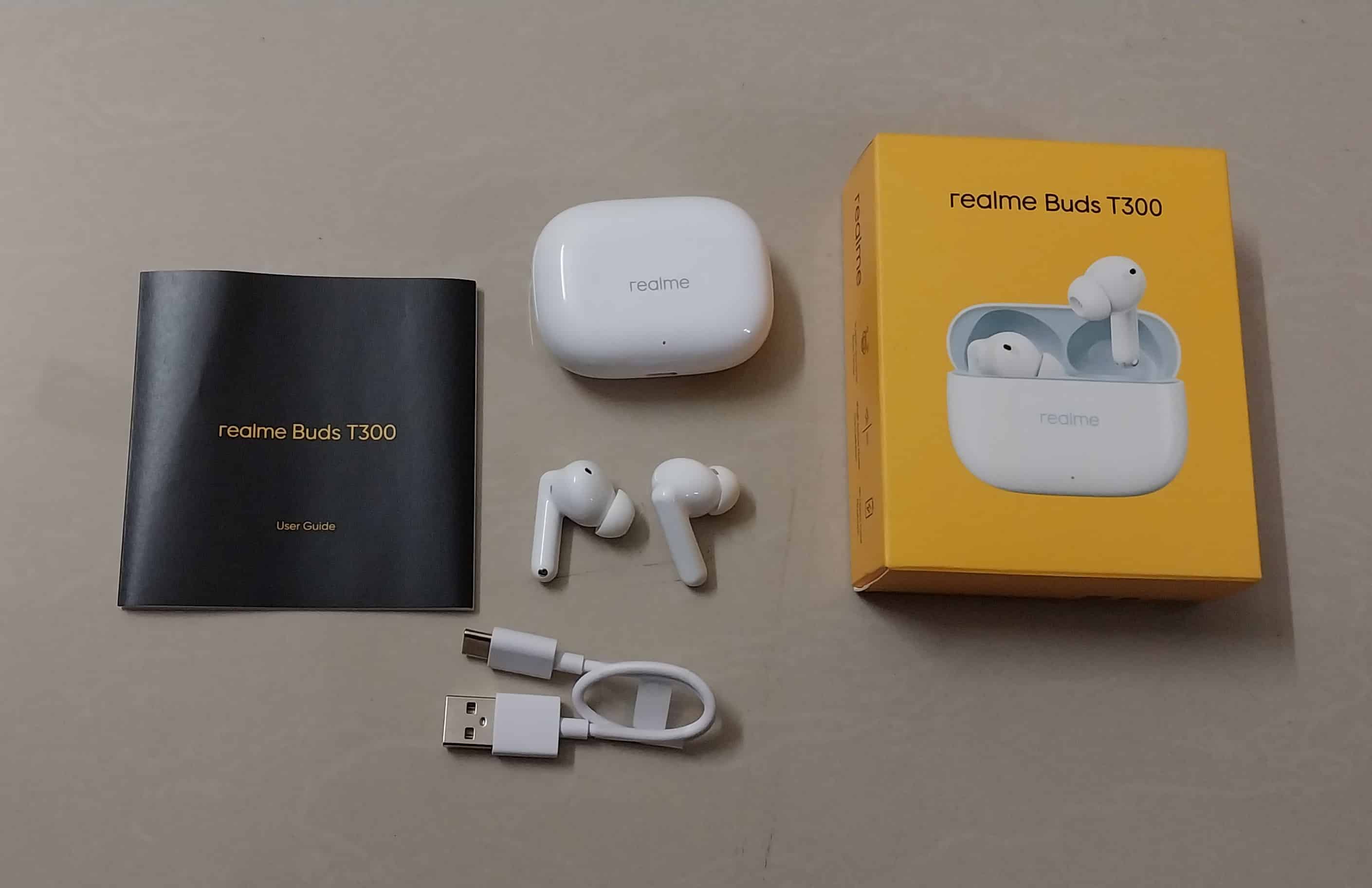
  • Good sound quality
  • Good battery life
  • Quick charging
  • 50ms super low latency
  • Intelligent touch control
  • IP55 water resistance

My Mobiles Ranking

My Mobiles Ranking
My Mobiles Ranking

Design – 3/5

Fit – 3/5

Sound Quality – 3.5/5

ANC – 3.5/5

Battery – 4/5

Performance – 3.5/5
20230906_170733
20230906_170906
20230906_171015
20230906_170938
20230906_170943
20230906_171045
20230906_171104
20230906_171122
20230906_171020
Realme Buds T300 - Features
20230906_171332
20230906_171348
20230906_171144
20230906_171150
20230906_170733 20230906_170906 20230906_171015 20230906_170938 20230906_170943 20230906_171045 20230906_171104 20230906_171122 20230906_171020 Realme Buds T300 - Features 20230906_171332 20230906_171348 20230906_171144 20230906_171150

Alternatives

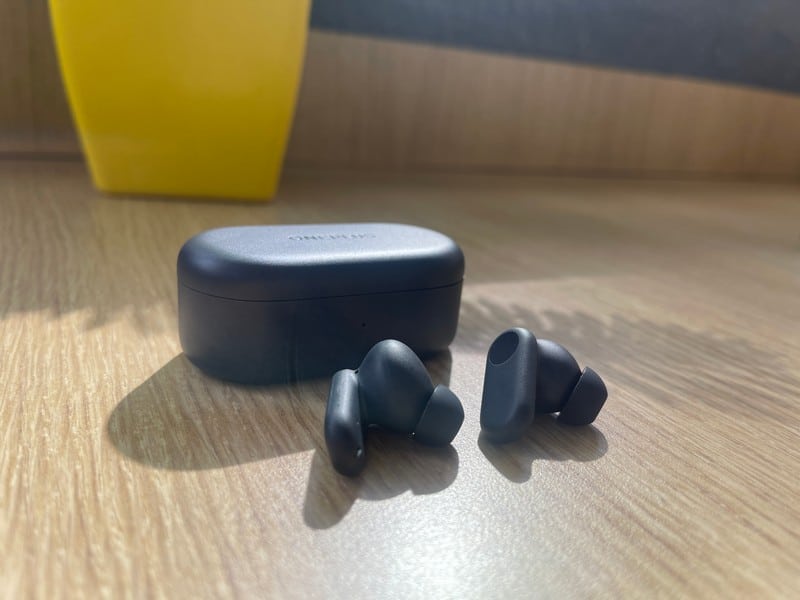
OnePlus Nord Buds 2R
OnePlus Nord Buds 2r: Features
OnePlus Nord Buds 2R

Features 

  • In-ear Wireless Earbuds
  • Bluetooth v5.3
  • 20 hrs Playback Time
  • 4mm, Dynamic Driver
  • Dual Mics with AI Clear Call Algorithm
  • Replaceable Earbuds
  • IP55 Water & Sweat Resistance.
  • BT 5.3 Connectivity

Price – Rs 2,199

OPPO Enco Buds 2

OPPO Enco Buds 2
OPPO Enco Buds 2

Features 

  • In-ear Wireless Earbuds
  • Bluetooth v5.2
  • 28 hrs Playback Time
  • 10mm Dynamic Bass Boost Driver
  • Enco Live Stereo Sound Effects
  • AI Deep Noise Cancellation
  • 80ms Ultra Low Latency game mode
  • Intelligent Touch Controls
  • IPX4 Water Resistant

Price – Rs 1,799

boAt Airdopes 393

boAt Airdopes 393
boAt Airdopes 393

Features 

  • Bluetooth Earbuds
  • Bluetooth v5.2
  • One Touch Voice Assistant
  • IPX5 water resistance
  • Active noise cancellation
  • Quad Mics with ENx™ technology
  • Up to 30 hours on a single charge

Price – Rs 1,999

FAQs

Q1. What is the standout feature of the Realme Buds T300?

Answer. The Realme Buds T300’s standout feature is their 50ms Super Low Latency, ensuring a lag-free audio experience, making them ideal for gaming and seamless video streaming.

Q2. How fast does the Realme Buds T300 charge?

Answer. These earbuds offer rapid charging capability, with just 10 minutes of charging providing an impressive 7 hours of playback. On a full charge, they can last up to 40 hours, ensuring extended usage without frequent recharging.

Q3. Can I customize the Realme Buds T300 to my preferences?

Answer. Yes, you can! The Realme Link App supports these earbuds, allowing you to fine-tune your audio experience, update firmware, and monitor their status from your smartphone. This customization feature enhances your control over the earbuds to suit your preferences.

 Also Read: Realme Buds Air 5 First Impressions, Unboxing and Review – Promising TWS With Segment Leading ANC

 Also Read: Realme Buds Wireless 3 With 360-degree Spatial Audio, 13.6mm Dynamic Bass Driver Launched in India: Price, Specifications , Availability & Offers

 Also Read: Realme Buds Air 5 Pro with up to 40 hours battery life, active noise cancellation, dual drivers, 50 DB ANC, LHDC support launched in China: Price, Features & Specifications

iOS 16.6.1 Released: Addressing Critical Zero-Click Exploits in iPhones and iPads

0
iOS 16.6.1 Released

Highlights

  • Zero-click Exploit is a vulnerability allowing hackers to access iPhones without user interaction.
  • Pegasus Malware leverages vulnerabilities, potentially used by global governments for covert surveillance.
  • iOS 16.6.1 addresses security breaches in Wallet app and ImageIO framework.

In today’s digitally connected world, our devices play an integral role in both our professional and personal lives. This makes them prime targets for cyberattacks, as we recently witnessed with Apple’s iOS 16.6 update.

An alarming vulnerability came to light, urging Apple to promptly release the 16.6.1 update. If you’re an iPhone or iPad user, updating your device should be on the top of your to-do list. Here’s why.

Unmasking the Zero-click Exploit

Unmasking the Zero-click Exploit

Citizen Lab, a vigilant internet watchdog stationed at the University of Toronto, Canada, unearthed an unsettling zero-click exploit present in the iOS 16.6 version. This exploitation pathway reportedly provided an avenue for the Israeli cyber-intelligence firm, NSO Group, to infiltrate devices.

The term “zero-click” means the victim doesn’t need to click on any link or download any file to get affected. It’s a silent predator, making it even more dangerous. NSO’s notorious software, Pegasus, leverages such vulnerabilities.

This malware is said to be employed by governments worldwide to discreetly monitor political adversaries, journalists, activists, and more. A civil society member in Washington, D.C., was reportedly at the crosshairs of this flaw, though the broader implications remain unclear.

Apple’s Swift Response

Apple’s Swift Response

On discovering this covert entryway, Apple’s in-depth investigation brought another vulnerability to light. The iOS 16.6.1 update aims to rectify these security breaches:

Wallet App Vulnerability: Here, the exploit activates upon receiving a malicious attachment, without any need for the user to open it.

ImageIO Framework Issue: This flaw gives hackers a potential upper hand if an infected image is processed on your iPhone.

Ensuring Your Device’s Safety

Safeguarding your device is a straightforward process:

  • Navigate to iOS Settings.
  • Access the ‘General’ tab.
  • Proceed to ‘Software Update’. If your device runs on iOS 16.6, you should promptly notice the iOS 16.6.1 update. Initiate the download and installation.
  • iPad users aren’t left out either. The iPadOS 16.6.1 update has been released encompassing similar security patches.

In Conclusion

In this age of rapidly evolving cyber threats, staying vigilant is paramount. By updating to iOS 16.6.1, iPhone and iPad users can ensure they’re protected from these newly identified threats.

As technology advances, it’s crucial to prioritize security to enjoy the conveniences of our digital world safely.

FAQs

What is the zero-click exploit discovered in iOS 16.6?

The zero-click exploit is a vulnerability where hackers can gain control of an iPhone without the user needing to click on any malicious link or download a suspicious file. This silent cyber threat was identified by Citizen Lab in the iOS 16.6 version, potentially allowing access to the Israeli cyber-intelligence group, NSO.

How does the Pegasus malware relate to this security flaw?

The NSO Group’s notorious Pegasus malware reportedly capitalizes on vulnerabilities like the zero-click exploit. This software is believed to be used by various governments to covertly monitor key figures such as journalists, activists, and political rivals.

What vulnerabilities does the iOS 16.6.1 update fix?

The iOS 16.6.1 update addresses two significant flaws: one in the Wallet app, where just receiving a malicious attachment can trigger the exploit, and another in the ImageIO framework, where an infected image, when processed, could allow hacker control.

How can I ensure my iPhone or iPad is protected from these vulnerabilities?

To secure your device, navigate to iOS Settings, tap on the ‘General’ tab, proceed to ‘Software Update’, and if your device is on iOS 16.6, you should promptly see the iOS 16.6.1 update. Download and install it immediately.

Also Read: iOS 17 Features Leak Apple iPhone’s Siri to be integrated with Dynamic Island in iOS 17, claims tipster

Also Read: iOS 17 features for iPhones, as per the latest leak

Also Read: Upcoming iOS 17 Tipped to Bring Major Design Changes to IPhone’s Control Centre

Infinix GT 10 Pro vs iQOO Z7 Pro: Which Mid-Range Powerhouse Reigns Supreme?

0
Infinix GT 10 Pro vs iQOO Z7 Pro

Highlights

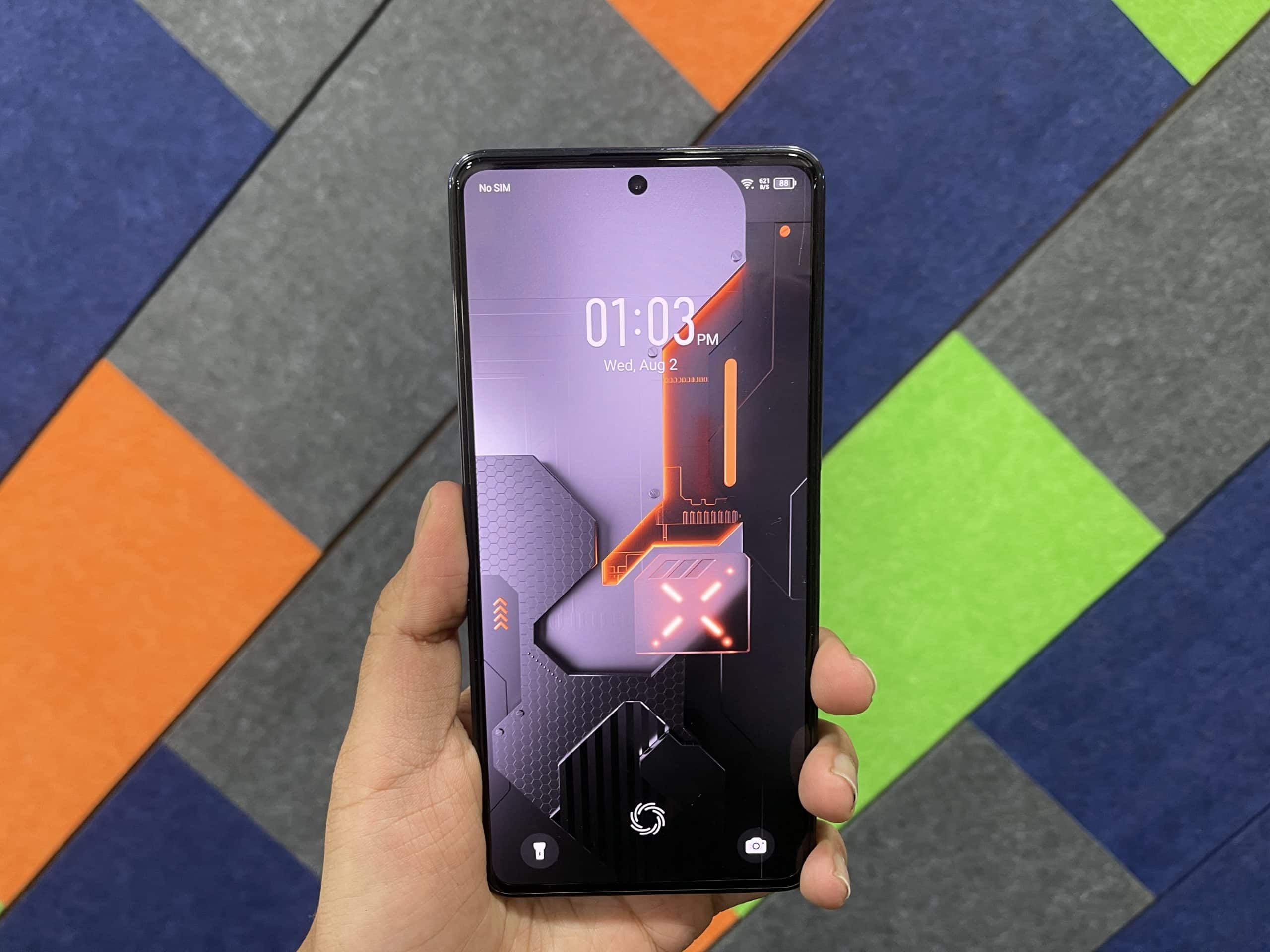
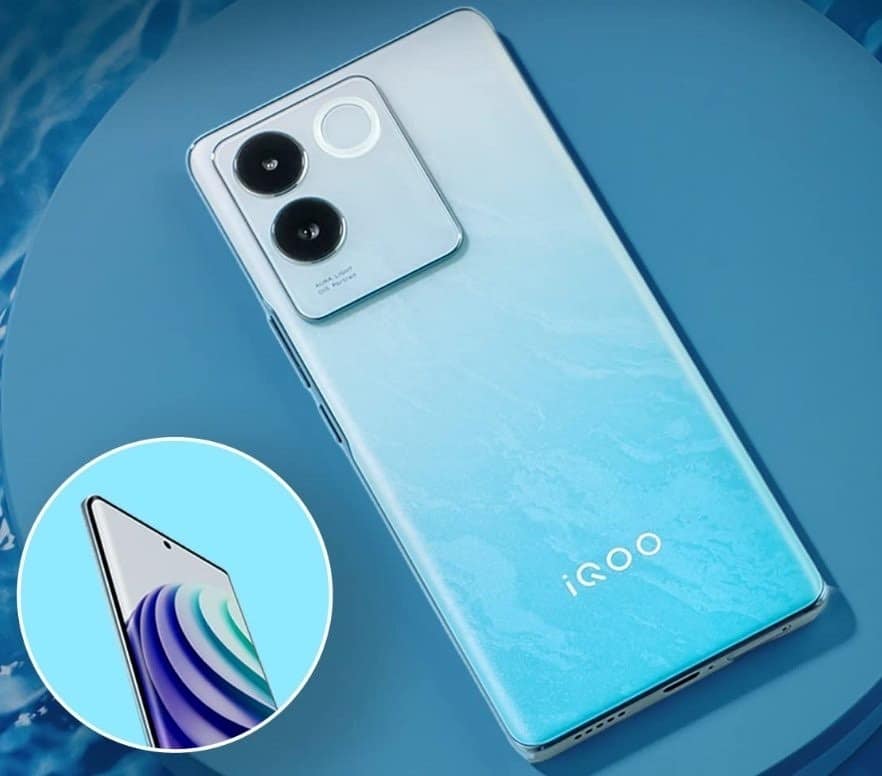
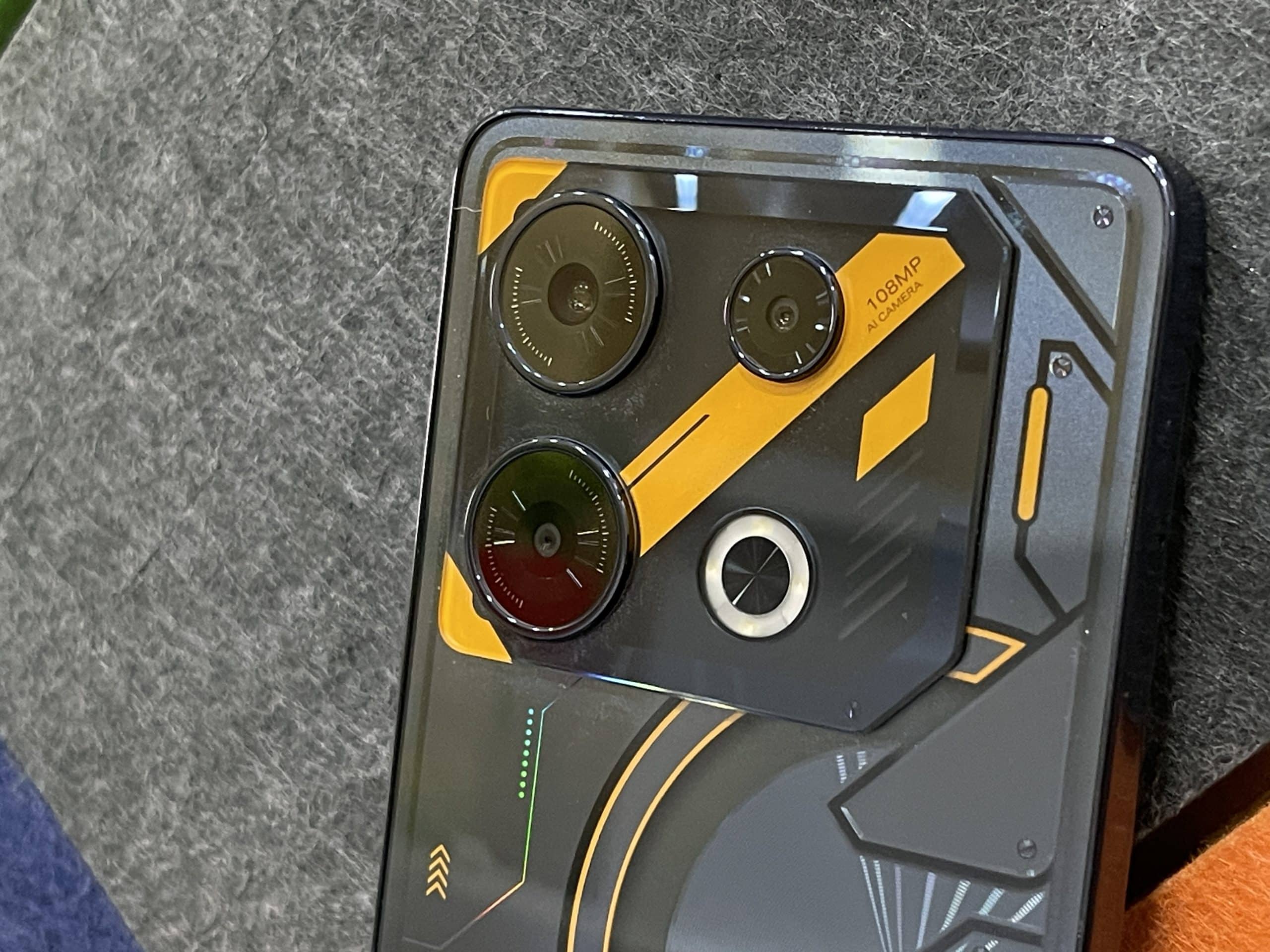
  • Infinix GT 10 Pro: Boasts a 6.67-inch display, 108 MP camera, 5000 mAh battery, and unique Cyber Mecha design.
  • iQOO Z7 Pro: Features a 6.38-inch display, 64 MP primary camera, and innovative camera features like Vlog Movie.
  • Price Point: The GT 10 Pro is priced slightly higher at Rs 24,990, compared to the Z7 Pro at Rs 23,999.

The Infinix GT 10 Pro and the iQOO Z7 Pro are two devices that have garnered attention recently. With the iQOO Z7 Pro priced at Rs 23,999 and the Infinix GT 10 Pro slightly higher at Rs 24,990, both phones are vying for dominance in the mid-range segment.

These phones promise flagship-grade specifications without the typical flagship price tag. But with a price difference of just under a thousand rupees, which one gives you more bang for your buck?

Let’s embark on an in-depth editorial specs comparison to discover which one takes the crown.

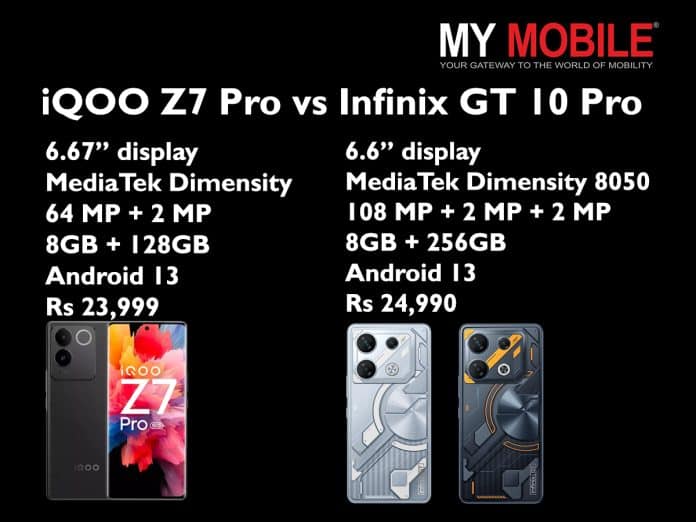
Infinix GT 10 Pro vs. iQOO Z7 Pro: Key Specs

Description iQOO Z7 Pro Infinix GT 10 Pro
Display  6.67-inch AMOLED, 120Hz 6.6-inch AMOLED, 120Hz
Performance MediaTek Dimensity 7200 MediaTek Dimensity 8050
Cameras 64 MP + 2 MP 108 MP + 2 MP + 2 MP
Storage and RAM 8GB + 128GB 8GB + 256GB
Software Android 13 Android 13
Price Rs 23,999 Rs 24,990

Infinix GT 10 Pro vs iQOO Z7 Pro: Display

Infinix GT 10 Pro: When and Where to Watch
Infinix GT 10 Pro: Display
  • iQOO Z7 Pro: This device flaunts a 6.78-inch AMOLED display, ensuring a broad canvas for vibrant visuals. With a resolution comparable to the Infinix, it has a pixel density of 388 ppi. This means it offers sharp images, although not the sharpest in its class.
  • Infinix GT 10 Pro: A slightly smaller screen at 6.6-inch, this AMOLED display compensates with a denser pixel count at 403 ppi. This promises crisper visuals, potentially enhancing user experience in activities like video streaming and gaming.

Verdict: While size preferences vary among users, those seeking finer details might lean towards the Infinix GT 10 Pro due to its superior pixel density.

Infinix GT 10 Pro vs iQOO Z7 Pro: Performance & Chipset

iQOO Z7 Pro: Display Design
iQOO Z7 Pro: Performance
  • iQOO Z7 Pro: Powered by the MediaTek Dimensity 7200, it promises efficient multitasking and gaming. The Octa-core CPU, although robust, is a tad less powerful than its Infinix counterpart.
  • Infinix GT 10 Pro: A slightly edge here with the MediaTek Dimensity 8050, ensuring smoother operations, especially under heavy loads. The higher CPU frequency for its single-core suggests better performance in tasks demanding rapid processing.

Verdict: For those chasing peak performance, especially gamers and heavy app users, the Infinix GT 10 Pro seems a tad more promising.

Infinix GT 10 Pro vs iQOO Z7 Pro: Camera

Infinix GT 10 Pro: Cameras
Infinix GT 10 Pro: Camera
  • iQOO Z7 Pro: Armed with a dual-camera setup, its 64 MP primary shooter is commendable, suitable for most photography scenarios. Supported by various shooting modes, it ensures versatility in photo capture.
  • Infinix GT 10 Pro: Here, the numbers do the talking. A triple camera setup, led by a staggering 108 MP primary sensor, suggests superior photo quality, especially in well-lit conditions.

Verdict: The Infinix GT 10 Pro appears to be the go-to choice for photography enthusiasts, thanks to its higher megapixel count and additional lens.

Infinix GT 10 Pro vs iQOO Z7 Pro: Design & Build

The iQOO Z7 Pro’s design emphasizes sleekness and lightweight, evident from its dimensions and weight. Conversely, the Infinix GT 10 Pro, though slightly bulkier, offers a robust feel and varied colour options.

Verdict: Personal preference will be the key here. While the iQOO Z7 Pro caters to those valuing a sleek and lightweight design, the Infinix GT 10 Pro appeals to those desiring a more substantial and diverse aesthetic.

Infinix GT 10 Pro vs iQOO Z7 Pro: Battery

The Infinix GT 10 Pro houses a 5000 mAh battery, hinting at prolonged usage. The iQOO Z7 Pro, with its 4600 mAh battery, doesn’t lag far behind, but the difference might be noticeable in extended use.

Verdict: For those prioritizing battery longevity, the Infinix GT 10 Pro seems to have a slight edge, though both phones offer commendable battery life.

Infinix GT 10 Pro vs iQOO Z7 Pro: Storage

iQOO Z7 Pro 5G
iQOO Z7 Pro: Storage

A distinct edge for the Infinix GT 10 Pro here, with a spacious 256 GB internal memory and an expandable storage option. The iQOO Z7 Pro’s 128 GB might suffice for many, but the lack of expandability could be a limiting factor for some.

Verdict: Users requiring ample storage and flexibility would likely lean towards the Infinix GT 10 Pro due to its superior internal memory and expandability.

Infinix GT 10 Pro vs iQOO Z7 Pro: Final verdict

While both phones stake a strong claim in the smartphone market, individual preferences will determine the best fit. Whether prioritizing display quality, camera prowess, or performance metrics, users are spoiled for choice between the iQOO Z7 Pro and Infinix GT 10 Pro.

FAQs

What are the core differences between the Infinix GT 10 Pro and the iQOO Z7 Pro?

The Infinix GT 10 Pro offers a 6.67-inch display, 108 MP camera, and a 5000 mAh battery, while the iQOO Z7 Pro features a 6.38-inch display, 64 MP camera, and boasts unique camera features like Vlog Movie.

Which device offers better storage capacity?

The Infinix GT 10 Pro leads with 256 GB internal storage, against the iQOO Z7 Pro’s 128 GB.

How do their prices compare?

The iQOO Z7 Pro is priced at Rs 23,999, while the Infinix GT 10 Pro is a notch higher at Rs 24,990.

Does any device stand out in terms of camera quality?

The Infinix GT 10 Pro boasts a larger 108 MP primary sensor, suggesting better photo quality, especially in favourable lighting.

Fire-Boltt Encore Launched featuring 1.83″ display, metal body, Bluetooth calling: Price , Availability & Specifications

0

HIGHLIGHTS

* Fire-Boltt has launched Encore Bluetooth calling smartwatch in India. 
* It’s an affordable smartwatch with a premium design priced under Rs 2,000.
* The Encore smartwatch has a square dial, a metallic body, and various health features.

The Fire-Boltt Encore is an affordable smartwatch with premium features. Fire-Boltt has launched the Encore Bluetooth calling smartwatch.
This launch follows the announcement of the Phoenix AMOLED Ultra Ace smartwatch .
This is a square dial design with a metallic body, which includes a rotating crown. It also comes with a metallic strap available in different colors.

Fire-Boltt Encore Price in India, Availability

Fire-Boltt Encore Price in India, Availability

Fire-Boltt Encore smartwatch is available in Black, Rose Gold, and Silver colours.
It is available for purchase at Fireboltt.com and Amazon India.

The smartwatch has been launched with an introductory price of Rs 1,799 for a limited duration.
The company is also offering an extra 5% instant discount on prepaid offers on the official website.

Fire-Boltt Encore Specifications, Features

Fire-Boltt Encore Specifications, Features

Fire-Boltt Encore features a square dial and a metallic chassis with metal straps. The watch comes with an IP67 rating, making it water and dust-resistant.

It is available in classic metallic colours like Black, Silver, and Rose Gold. There is a physical rotating crown for easy navigation through the UI.
Fire-Boltt Encore, the smartwatch features a 1.83-inch screen, which the brand calls HD Canvas.
The display offers a screen resolution of 240 x 280 pixels.

Fire-Boltt Encore offers multiple watch faces for users to customise the watch according to their style.

Fire-Boltt Encore comes with a complete health suite for the benefit of the users.

Fire-Boltt Encore Launched

It features heart rate monitoring, SpO2 tracking, and sleep monitoring. Apart from these, the smartwatch also flaunts multiple sports modes to track various activities.
The device also supports women’s health tracking, water, and sedentary reminders.

The Encore smartwatch has a built-in mic for Bluetooth calling and offers features like a quick dial pad, call history, sync contacts, etc.

Other smart features include voice assistant support, smart reminders, weather updates, built-in games, music playback, camera control, alarm, timer, and stopwatch.
As for the battery life, the brand claims that the Fire-Boltt Encore offers up to 10 days of standby time.

Fire-Boltt Encore Quick Specifications

* 1.83″ (240 x 280 pixels) HD screen
* Multiple watch faces
* Bluetooth Calling, Call history, Quick dial pad, Sync contacts
* Inbuilt Mic and Speaker
* Rotating crown
* Multiple Sports modes
* Voice Assistant support
* Health monitoring: Sleep, SpO2 and Heart rate tracking, Women’s health
Drink water and sedentary remainder
* Smart Reminders, Weather update, Inbuilt games, music and camera control, alarm, timer, stopwatch
* Dust and water resistant (IP67)
* Up to 10 days of standby time

Also Read: Fire-Boltt Phoenix AMOLED Ultra Ace Smartwatch Launched in India

Also Read: Fire-Boltt Asteroid Smartwatch Launched in India: to feature Amoled Display & BT Calling

Oppo A38 Launched In India: Price , Specifications & Availability

0

HIGHLIGHTS

* The OPPO A38 is powered by Helio G70 SoC.
* The phone features a 50MP dual-camera setup and has a side-mounted fingerprint sensor.
* The device comes with a 5,000mAh battery which supports 33W fast charging.

The OPPO A38 launched in India today as the newest addition to OPPO’s latest A-series.
It is a budget smartphone that packs a 6.56-inch HD+ screen with 90Hz refresh rate with a 5MP camera inside the notch, is powered by MediaTek Helio G70 SoC with 4GB of RAM and up to 4GB of virtual RAM. It runs Android 13 with ColorOS 13.1 on top.

The phone has a 50MP rear camera along with a 2MP portrait sensor. The back has a Glowing Silk Design that sparkles with a luxurious silk-satin finish from OPPO Glow’s innovative design.

It as a side-mounted fingerprint scanner and packs a 5000mAh battery with support for 33W SuperVOOC fast charging via USB Type-C.

OPPO A38 Price in India, Availability

The OPPO A38 is priced at Rs 12,999 in India. The device comes in sole 4GB RAM + 128GB storage configuration.
It is currently available for purchase in India in Glowing Black and Glowing Gold colours via Flipkart.

OPPO A38 Specifications

* 6.56-inch (1612x720pixels) HD+ LCD screen, 90Hz refresh rate, 100% sRGB / DCI-P3 color gamut, up to 720 nits peak brightness
* Octa-Core MediaTek Helio G70 12nm processor (Dual 2GHz Cortex-A75 + Hexa 1.7GHz 6x Cortex-A55 CPUs) with ARM Mali-G52 2EEMC2 GPU
* 4GB LPDDR4X RAM, 128GB eMMC 5.1 storage, expandable memory up to 1TB with microSD
* Android 13 with ColorOS 13.1
* Dual SIM (nano + nano + microSD)
* 50MP rear camera with f/1.8 aperture, 2MP portrait camera with f/2.4 aperture, LED Flash
* 5MP front-facing camera with f/2.0 aperture
* Side-mounted fingerprint scanner
* Dimensions: 163.74×75.03×8.16mm; Weight: 190g
* 3.5mm audio jack
* Splash resistant (IPX4)
* Dual 4G VoLTE, Wi-Fi 802.11 ac (2.4GHz + 5GHz), Bluetooth 5.3, GPS, USB Type-C
* 5000mAh battery with 33W SuperVOOC fast charging

OPPO A38 Specifications & Features

On the software side of things, the ColorOS 13.1 skin on top. Powering the device there is an octa-core Helio G70 chipset which is paired with an ARM Mali-G52 2EEMC2 GPU.
The smartphone comes with 4GB of LPDDR4X RAM and 128GB of eMMC 5.1 internal storage.
The phone has a microSD card slot which allows storage expansion up to 1TB.

The OPPO A38 features a 6.56-inch display that has an HD+ resolution and a 90Hz refresh rate.
The display panel has a 720 nits peak brightness and a water drop shape notch which houses the selfie camera.

The phone comes with a dual-camera setup which has a 50MP primary camera and a 2MP portrait sensor.
The smartphone features a 5MP camera on the front side for selfies and video-calling purposes.

The device gad a side-mounted fingerprint sensor which is embedded in a power button.
The other key features include an IPX4 rating, dual 4G VoLTE support, microSD card support, a 5,000mAh battery, and 33W SuperVOOC fast charging.

Top 5 Budget Gaming Keyboards in India: Ultimate Guide for Gamers

0
Top 5 Budget Gaming Keyboards in India

Highlights

  • Precision is key, ensuring every command is registered even during rapid gameplay.
  • Customisable RGB lighting allows gamers to set the right ambiance and mood for each gaming session.
  • Aluminum bodies and other robust materials promise longevity and resistance to wear and tear.
  • Enhance the gaming experience by providing seamless control over volume, playback, and more.

In the rapidly evolving world of gaming, having the right keyboard can be a game-changer. Not only do they provide precision and speed, but they also offer an immersive experience with their customisable features.

India has seen a surge in the gaming community, and with it, the demand for high-quality yet budget-friendly gaming peripherals. Let’s dive into the top 5 budget gaming keyboards you can get your hands on in the Indian market.

EvoFox Deathray RGB Gaming Keyboard: Rs 999 (Amazon)

EvoFox Deathray RGB Gaming Keyboard
  • Lighting Modes: Offers eight distinct customizable lighting setups.
  • Keys: Silent membrane keys with 19 anti-ghosting keys.
  • Connectivity: Tangle-resistant braided cable.

The EvoFox Deathray isn’t just a gaming keyboard; it’s a statement. With its eight distinct lighting modes, gamers can set the ambiance just right for every gaming session. Its silent membrane keys guarantee uninterrupted and quiet gameplay.

With 19 keys featuring anti-ghosting technology, every command is registered without fail. It also boasts of multimedia control keys, ensuring a holistic gaming experience. To top it off, connectivity is seamless and hassle-free, thanks to its tangle-resistant braided cable.

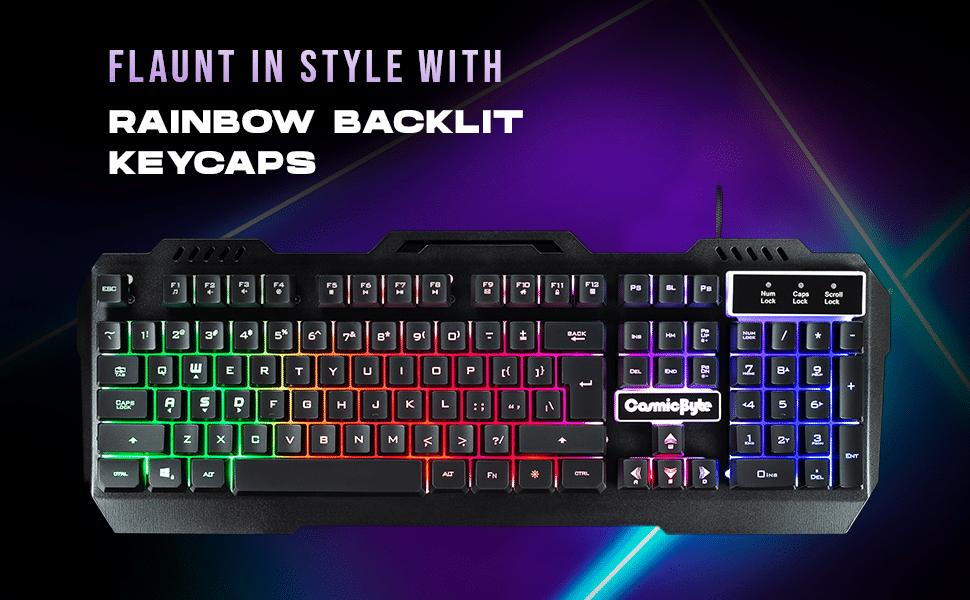
Cosmic Byte CB-GK-05 Titan Wired Gaming Keyboard: Rs 849 (Amazon)

Cosmic Byte CB-GK-05 Titan Wired Gaming Keyboard
  • Material: Premium aluminum body design.
  • RGB Modes: Multiple RGB lighting modes for customization.
  • Cable: Non-tangling braided USB cable.

A blend of elegance and efficiency, the Cosmic Byte CB-GK-05 is constructed with a premium aluminum body, lending it a superior feel and durability.

Its RGB lighting is not just about aesthetics; it offers multiple modes, allowing gamers to tweak their setup to their liking. Precision is never compromised, with its anti-ghosting keys ensuring every input is registered.

Additional features like multimedia controls and a non-tangling braided USB cable make it a top choice for gamers.

Redgear Blaze Semi-Mechanical Gaming Keyboard: Rs 1,184 (Flipkart)

Redgear Blaze Semi-Mechanical Gaming Keyboard
  • Build: Durable aluminum design with a premium look.
  • RGB Features: Multiple backlighting modes and brightness levels.
  • Special Feature: Windows Key lock for uninterrupted gaming.

The Redgear Blaze is a testament to durability combined with style. Its aluminum design ensures longevity while giving it a polished appearance. The keyboard’s RGB backlighting isn’t just for show – it comes with varied modes and brightness settings, allowing for optimal customization.

The 19 anti-ghosting keys make sure every action is precise. An added advantage is the Windows Key lock, ensuring no inadvertent interruptions during crucial gaming moments.

MEETION MT-K9320 Wired Gaming Keyboard: Rs 849 (Amazon)

  • Design: Sleek, ultra-thin, water-resistant build.
  • Backlighting: Customizable RGB backlighting for varied setups.
  • Functionality: 19 anti-ghosting keys with integrated multimedia controls.

When design meets functionality, you get the MEETION MT-K9320. This sleek, ultra-thin keyboard is not only a treat to the eyes but also ensures optimal space utilization.

While its water-resistant property safeguards against any unforeseen spills, the customizable RGB backlighting adds vibrancy to every game setup. It features 19 anti-ghosting keys, ensuring no command is missed.

Moreover, the integrated multimedia keys provide gamers with enhanced control over their experience.

HP K500F Backlit Membrane Wired Gaming Keyboard: Rs 1.049 (Amazon)

  • RGB Options: Diverse RGB lights for personalized setups.


  • Key Features: Anti-ghosting keys for precise multi-key inputs.
  • Durability: Robust design with a scratch-resistant metal panel.

The HP K500F is a blend of tradition and innovation. It allows gamers to illuminate their setup with a plethora of RGB lighting options. The anti-ghosting feature ensures simultaneous key presses are detected with precision.

Crafted with robust materials, it promises to endure those marathon gaming sessions. Its resilient metal panel keeps unsightly scratches at bay, and the dedicated multimedia keys add convenience to functionality.

Conclusion

In conclusion, the Indian market is brimming with options for budget gaming keyboards, each offering unique features catering to different gaming needs.

Whether you prioritize aesthetics, durability, or precision, there’s something for every Indian gamer in this list.

FAQs

How important are anti-ghosting keys in gaming keyboards?

Anti-ghosting keys ensure that when multiple keys are pressed simultaneously, each keypress is registered independently, avoiding missed commands or unintended actions. This is crucial for gamers, especially in high-paced games where precise inputs can mean the difference between victory and defeat.

Is RGB lighting on keyboards just for aesthetics?

While RGB lighting primarily enhances the visual appeal, it also helps gamers set the ambiance and mood. Additionally, specific color configurations can assist in recognizing key groups or functions, especially in dimly lit environments.

How does a braided cable enhance the keyboard’s functionality?

Braided cables are not just about aesthetics; they provide added durability, reducing wear and tear. Their tangle-resistant nature ensures hassle-free storage and use, especially for gamers who frequently move or adjust their setups.

Why is the material used in the keyboard’s construction essential?

The material, like aluminum, not only provides a premium look but also ensures durability. Gamers often subject their keyboards to rigorous use, so having a sturdy build can prolong the lifespan of the device.

Unlock the Secrets to a Long-Lasting Smartphone Battery: 6 Key Factors to Monitor

0
Long-Lasting Smartphone Battery

Highlights

  • Adjusting smartphone screen luminosity according to ambient light optimizes display quality and conserves battery life.
  • Switching to Dark Mode in low-light environments lowers battery consumption and enhances viewing experience.
  • Monitoring and limiting apps running in the background is crucial for battery longevity.

In today’s hyper-connected world, we rely on our smartphones for everything – from business to entertainment. However, a rapidly depleting battery can halt our activities in their tracks.

Here’s an in-depth look into the six main culprits that could be draining your smartphone battery faster than expected.

Ageing Phone Batteries

Ageing Phone Batteries

As all things eventually wear out, so does your smartphone’s battery. Typically, after two to three years, depending on your phone model, the battery starts losing its original capacity. You might have observed that your once long-lasting phone now struggles to make it through the day.

It’s not your imagination; the battery’s efficiency diminishes over time. If you notice a significant decrease in battery performance, even though you’re using the device as you always have, it’s probably time to consider a battery replacement. It’s an economical alternative to purchasing a new phone.

Constant Connectivity

Constant Connectivity

The convenience of staying connected 24/7 comes at a cost. Continually keeping your Wi-Fi or mobile data on, especially when not in use, can be a primary battery drainer. Think about it: each notification, app update, or email check pulls power.

An easy hack? Toggle off Wi-Fi and data during periods of inactivity, especially when you’re asleep. If you’re concerned about missing out on crucial calls, simply deactivate Wi-Fi and data without turning on Airplane Mode.

Background Apps Overdrive

Background Apps Overdrive

Those handy apps running silently in the background? They could be consuming more battery than you realize. Apps like VPNs, health monitors, calendar notifications, and even some social media platforms operate even when not in active use.

While they offer convenience by providing real-time updates and monitoring, they continuously tap into your battery reserves. Dive into your phone settings and assess which apps truly need to remain active and which ones can be put to rest.

Location, Location, Location

Modern apps – from food delivery services like Postmates to rideshare platforms like Uber – often tap into your phone’s location services. Contrary to popular belief, many continue to monitor your location even when not in active use.

This continuous tracking can heavily drain your battery. The quick fix? Navigate to your phone’s settings and either deactivate location services entirely or customize permissions for individual apps, ensuring only essential apps can access your whereabouts.

The Lure of Bright Displays

The Lure of Bright Displays

A brightly lit screen might enhance your viewing experience, especially under direct sunlight, but it’s a significant battery guzzler. An auto-brightness feature, available on most smartphones, adjusts the screen’s luminosity based on ambient light, optimizing both display quality and battery consumption.

For an added battery boost, consider switching to dark mode on apps and your phone’s main display. This feature not only reduces strain on the eyes in low-light conditions but also conserves battery life.

Multitasking with Picture-in-Picture Mode

While it’s efficient to watch a video in a minimized window while browsing or texting, this multitasking method, known as picture-in-picture mode, is a stealthy battery consumer.

Apps like YouTube Premium or Twitch allow such features, and while they are undoubtedly convenient, they demand your phone to process multiple tasks concurrently, causing faster battery depletion.

Being cognizant of these factors can help you optimize your smartphone usage, ensuring that you get the most out of every battery charge. Adjust your habits and settings as necessary, and you’ll find yourself charging your device less frequently.

FAQs

Why is my smartphone battery draining faster than usual?

The rapid battery drain can be attributed to several factors such as background apps running continuously, high display brightness, 24/7 connectivity, location services, multitasking with apps, and an aging battery.

Can using ‘Dark Mode’ on apps and main display save battery life?

Absolutely! Dark mode reduces the amount of light emitted by the screen, which can save battery life, especially on OLED and AMOLED screens. Additionally, it’s easier on the eyes in low-light conditions.

Is it harmful to keep my Wi-Fi and mobile data on at all times?

Continuously keeping your connectivity options on can significantly drain your battery due to constant notifications and app updates. It’s advisable to toggle off Wi-Fi and data during periods of inactivity.

How do background apps affect my phone’s battery?

Many apps run silently in the background, providing real-time updates or monitoring services. While they offer convenience, they also use up battery reserves. It’s essential to assess which apps need to run continuously and which can be paused.

India vs Pakistan ICC World Cup 2023: Here’s How To Secure Your Seat

0
India vs Pakistan ICC World Cup 2023

Highlights

  • The high-octane India vs Pakistan match is set at the majestic Narendra Modi Stadium in Ahmedabad.
  • Cardholders receive early access to ticket presales, a day before the general public.
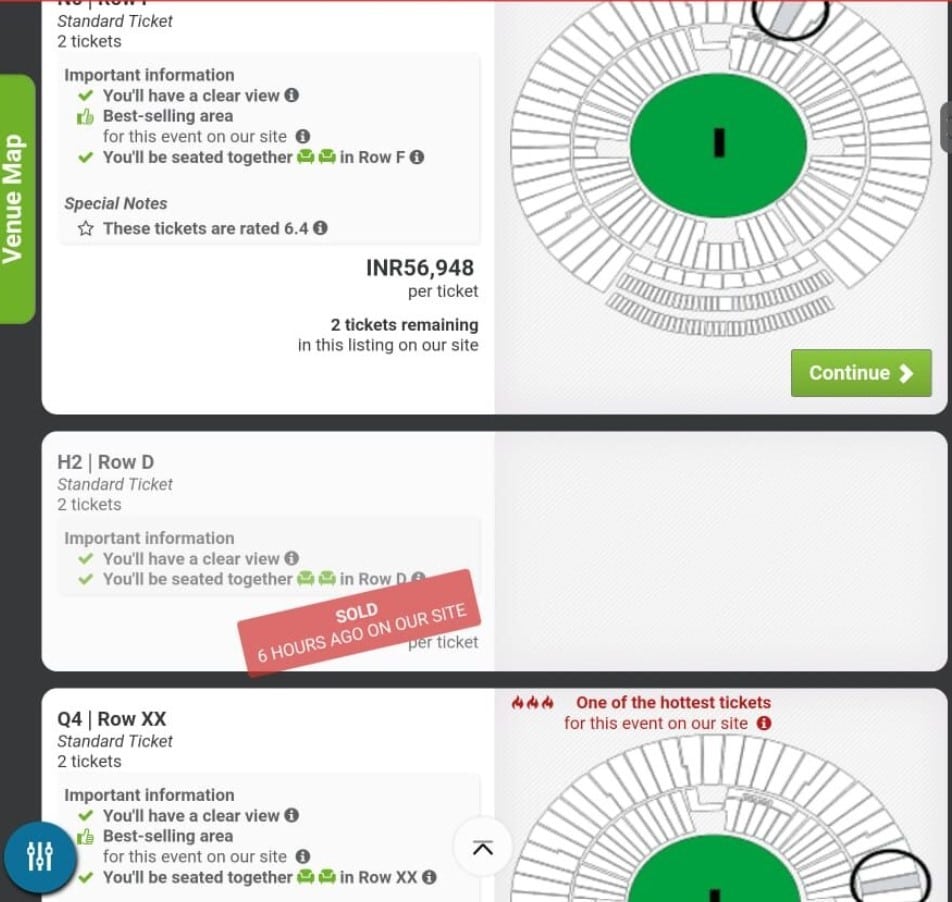
  • Secondary market platforms, like Viagogo, reportedly sell tickets at prices reaching up to ₹56 lakh.
  • Dedicated counters at the stadium will offer offline ticketing, but availability commences only a few days before the match.

The ICC Men’s Cricket World Cup 2023 is all set to launch a series of exhilarating matches, and amidst this cricket extravaganza, the contest that’s catching everyone’s eye is the face-off between India and Pakistan.

Slated to be held in the grand Narendra Modi Stadium in Ahmedabad, this is a game cricket aficionados wouldn’t want to miss. If you’re aiming to be a part of this historical event, here’s a simplified guide on how you can get your tickets, both online and offline.

Match Details

India vs Pakistan ICC World Cup 2023
India vs Pakistan ICC World Cup 2023: Details
  • Date: October 14, 2023
  • Time: 2:00 PM IST
  • Venue: Narendra Modi Stadium, Ahmedabad

Booking Online through BookMyShow

BookMyShow has been chosen as the exclusive online platform to facilitate ticket bookings for the World Cup. Here’s a step-by-step guide on how to secure your seat:

  • Navigate to the BookMyShow website or get the app from your device’s application store.
  • Access the ‘ICC World Cup 2023’ section.
  • Decide if you want to search by the match venue or the participating team.
  • A list of matches will appear. Locate and select the desired match.
  • Initiate the booking process by selecting ‘Book’.
  • Choose the seating. Note: A maximum of two seats can be reserved in one go.
  • Pick your preferred stadium stand based on availability. Ticket costs will be displayed.
  • Zoom in to select specific seats.
  • Confirm your booking.
  • Input your address details for ticket delivery.
  • Make the payment. Await your ticket delivery, which should arrive between two to seven days prior to the match.

Offline Ticket Booking

Offline Ticket Booking

For traditionalists who prefer buying tickets in person, head to the stadium’s ticket counters. However, this option will only be available a few days before the match, so it’s essential to keep tabs on the exact dates.

Presale Ticket Schedule

Mastercard users get an advantage, as they can access the tickets a day earlier than the general public. Here’s the breakdown:

  • Non-India Matches (excluding warm-ups): Started Since August 24, 6 PM IST
  • India Matches (excluding warm-ups): Started Since August 29, 6 PM IST
  • Semi-finals and Final: Opens September 14, 6 PM IST

Secondary Market Alerts

Secondary Market Alerts

While the anticipation for the India vs. Pakistan match has led to tickets being snapped up quickly, some claims suggest tickets are being resold at exorbitant prices on secondary platforms like Viagogo. The prices, as per reports, range from a staggering ₹18 lakh to ₹56 lakh.

It’s crucial for fans to exercise caution. Ensure to buy tickets from legitimate sources like BookMyShow to avoid overpricing and potential scams.

Discussions on social media highlight concerns over the inflated ticket prices and demand transparency regarding ticket distributions.

FAQs

Where can I buy legitimate tickets for the India vs Pakistan ICC World Cup 2023 match?

Authentic tickets for the match can be purchased online through BookMyShow, the exclusive ticket booking partner for the World Cup. Additionally, offline tickets will be available at the stadium’s ticket counters closer to the match date.

How do Mastercard users benefit during the ticket presale?

Mastercard cardholders get a head start. They can access the tickets a day before the general public. For instance, tickets for semi-finals and the final will be open to them on September 13, a day before the official release on September 14.

Is there a limit to the number of tickets one can purchase online?

Yes, while booking through BookMyShow, you can reserve a maximum of two seats at once.

What should fans be cautious of when purchasing tickets for the World Cup?

Fans need to be wary of secondary market platforms. There are claims of tickets for the India vs. Pakistan match being resold at heavily inflated prices. Always ensure to buy tickets from legitimate sources, such as BookMyShow, to avoid potential scams.

Also Read: Airtel Offers Cricket Plans to Amazon Prime; Earlier it was Disney Hotstar

Also Read: Disney Plus Hotstar to hike prices in US markets

Vivo X100 Pro, X100 Pro+ Launch Timeline, fast charging specs tipped ; confirms 50W Wireless Charging, IP68 Rating and More Features

0
Vivo X100 series

HIGHLIGHTS

* Vivo confirmed the launch of X100 series smartphones.
* A tipster has revealed some more specifications of the upcoming devices.
* Vivo will also launch the smartphones in the global markets.
* The Vivo X100 Pro and X100 Pro+ will have 50W wireless charging.
* The Vivo X100 series is to feature dual stereo speakers, an IR blaster and more.
* The Vivo X100 series might be launched with the Vivo X Fold 3.

Vivo is confirmed to unveil its next-generation flagship X100 series smartphones at the end of this year.
Vivo X100 series is expected to come with standard, pro, and pro plus models.
These will arrive as the successors to the current X90 lineup.

Chinese tipster Digital Chat Station has revealed new details of the Vivo X100 series phones on the microblogging platform Weibo.

Digital Chat Station states that the Vivo X100 series will come with IP68 certification for water and dust resistance.

Chinese tipster Digital Chat Station

It will be limited to the Pro and Pro+ variants.
The IP rating of the standard model is not confirmed.
X90 has an IP64-rated chassis whereas the X90 Pro and X90 Pro+ are IP68-certified. 

DCS also mentions that the Vivo X100 Pro and Pro+ models will come with support for 50W wireless charging whereas the X100 will miss out on the feature.

The trio will feature dual stereo speaker, an X-Axis linear motor, as well as an IR Blaster. The Vivo X100 and X100 Pro are tipped to launch first in China in November.
The Pro+ model will reportedly debut in the first quarter of 2024.

Vivo X100 Pro, X100 Pro+ Launch Timeline

Vivo X100 and X100 Pro are expected to be powered by the unannounced Dimensity 9300 SoC whereas the Pro+ model will be equipped with a Snapdragon 8 Gen 3.
All three phones will reportedly feature significantly upgraded cameras along with Vivo’s V3 imaging chip onboard. 

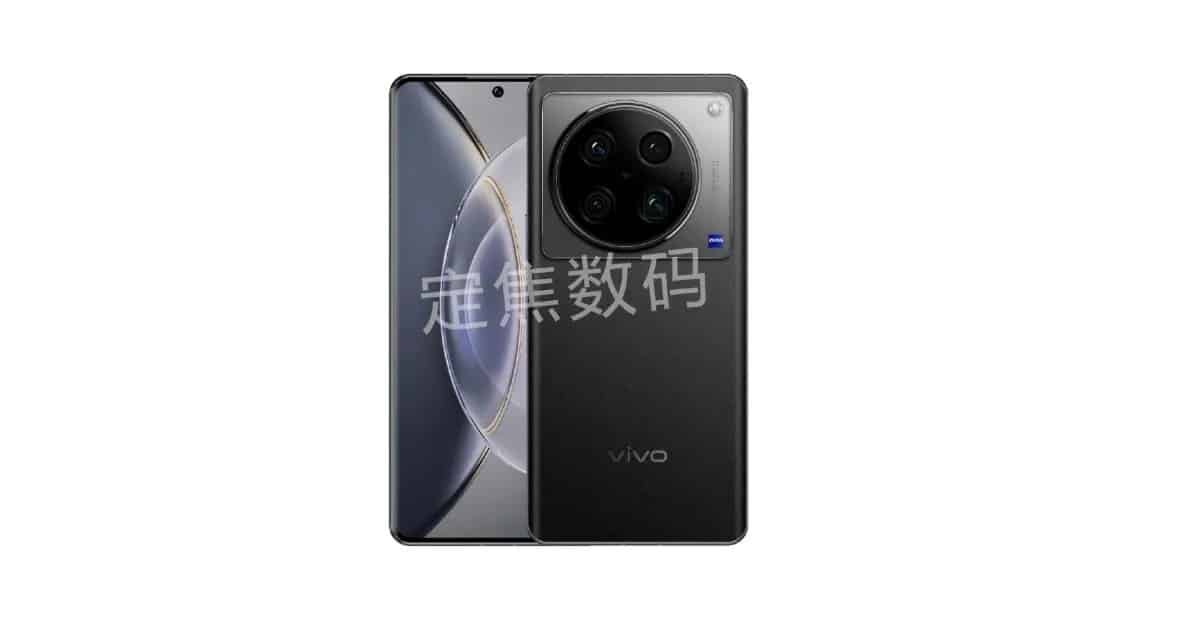
The leaked render of the X100 Pro+ revealed that it will feature a rectangular island housing a circular camera module.

Faqs

1) What is Vivo X100 series launch timeline ?

Ans) Vivo X100 and X100 Pro is expected to launch in November, and the Vivo X100 Pro+ is anticipated to be released in early 2024.
The tipster also recently hinted that the Vivo X100 series will be launched alongside the Vivo X Fold 3 after the company announces the OriginOS 4.0 operating system.

2) What is the IP rating of Vivo X 100 Pro ?

Ans) Vivo X100 Pro and X100 Pro+ will come with an IP68 rating.

Also Read: Vivo X100 Pro+ Specifications Leaked: To feature with Snapdragon 8 Gen 3 Soc, 50 Megapixel Camera , 200 Megapixel Telephoto Lens & More

Also Read: Vivo X100 Pro Specifications Leak reveals 1.5K OLED display, 100W charging, Camera Details: To Come with Dimensity 9300 SoC