Home Blog Page 764

Should You Buy the iPhone 15? 10 Iconic Features Apple is Bidding Adieu To

0
Apple's iPhone 15 Pro Series

Highlights

  • Matte Glass Finish: iPhone 15 to introduce sophisticated matte over reflective glass back.
  • 48MP Camera Leap: From 12MP on iPhone 14, Apple advances to a robust 48MP sensor.
  • Farewell to the Notch: ‘Dynamic Island’ may replace the distinctive notch in iPhone 15.
  • USB-C Makes an Entry: Lightning port might bid adieu, ushering in the USB-C era.

Apple is ushering in a new era with its iPhone 15 and iPhone 15 Pro, turning the tables on design elements that have become synonymous with its brand over the last decade and a half.

Here’s a deep dive into ten significant departures Apple is set to introduce, changing the iPhone landscape as we know it.

Ways in Which iPhone 15 Will Be Different from iPhone 14
Ways in Which iPhone 15

Back Panel Evolution

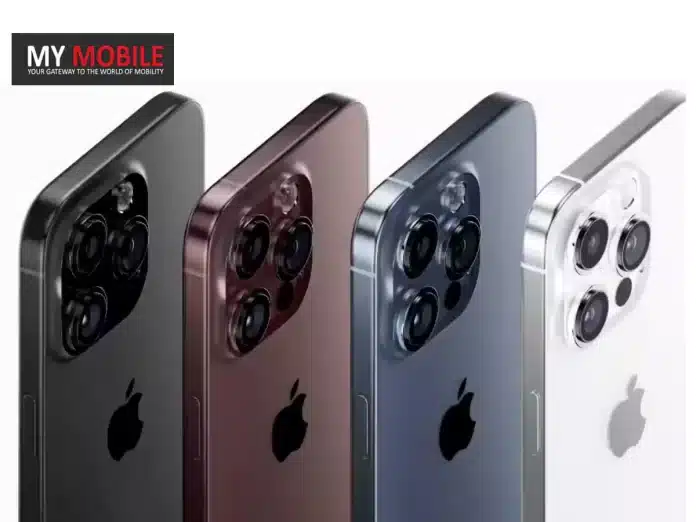
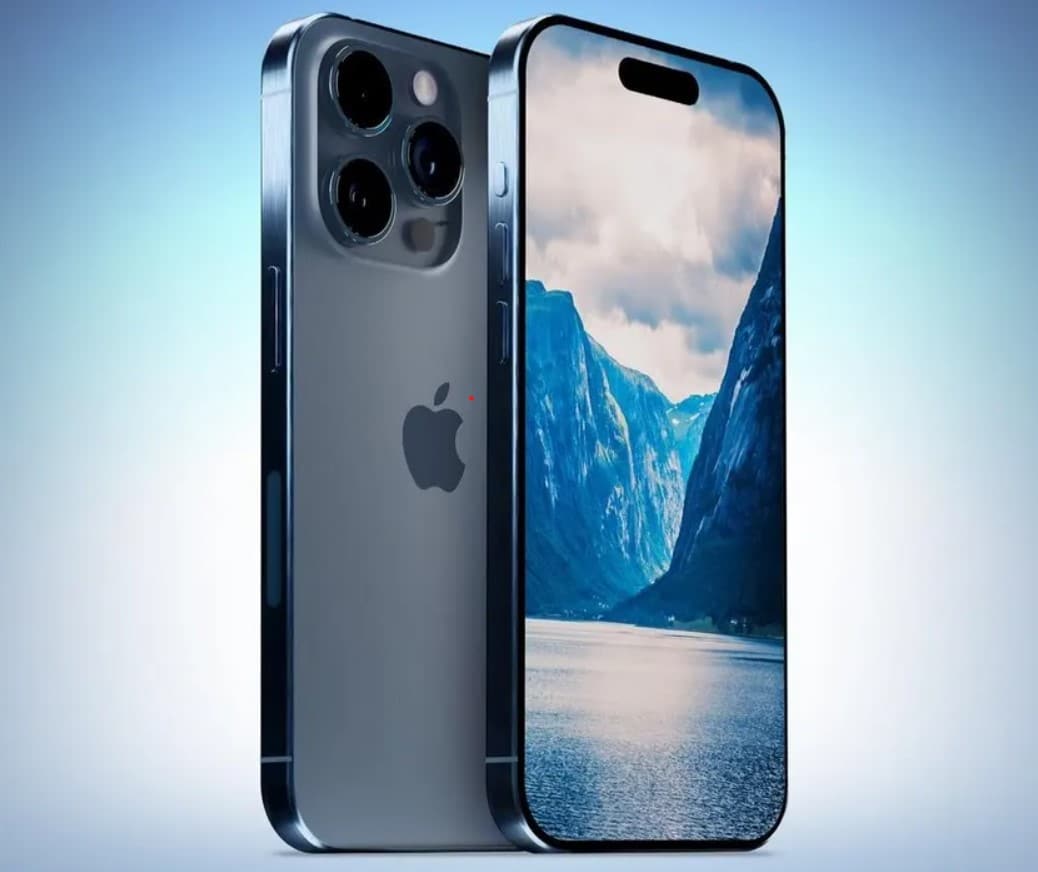
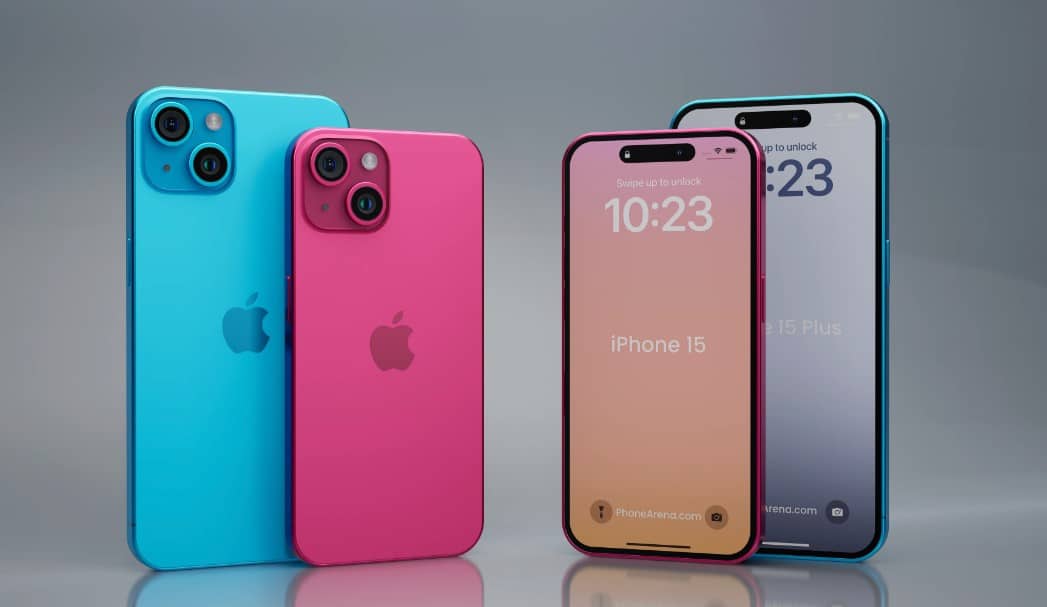
Where iPhone 14 sported the iconic reflective glass back, the iPhone 15 might debut with a matte glass finish, bringing a more sophisticated look.

Colour Palette Transformation

The gold hue, a beloved shade since the iPhone 5, may not find its place in the iPhone 15. Instead, expect shades like Silver, Space Black, Titan Grey, and Dark Blue to dominate.

Camera Advancements

The 12MP camera, a consistent feature since the iPhone 6S, might be replaced on the iPhone 15 with a powerful 48MP sensor, offering enriched photography experiences.

Goodbye Notch

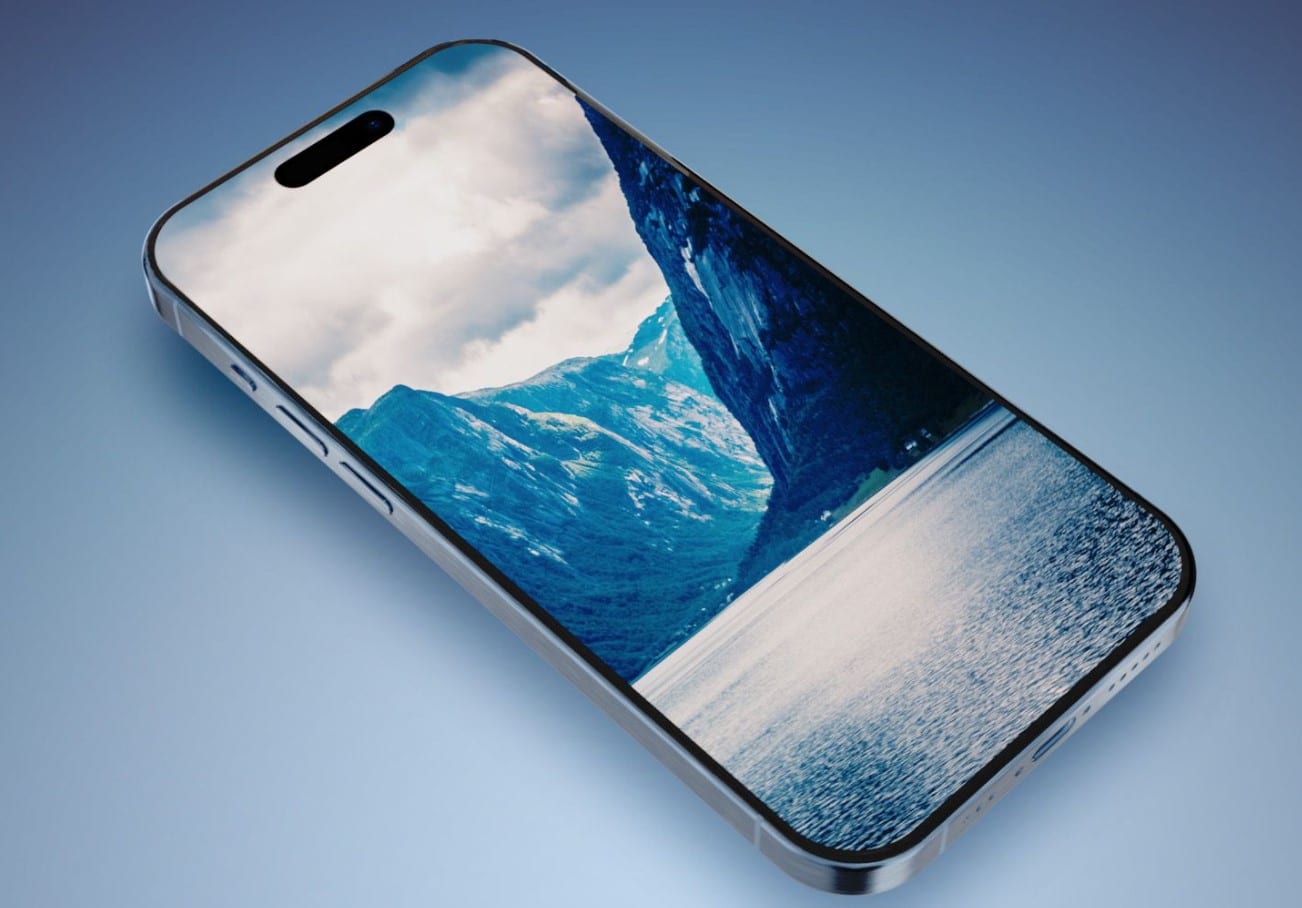
The iPhone 14’s defining notch could be replaced in iPhone 15 by the ‘Dynamic Island’, indicating a significant display design shift.
Switching the Switch

Switching the Switch

The iPhone’s signature mute/ring switch might undergo a transformation for the iPhone 15 Pro, introducing a new versatile button mechanism.

Port Alterations

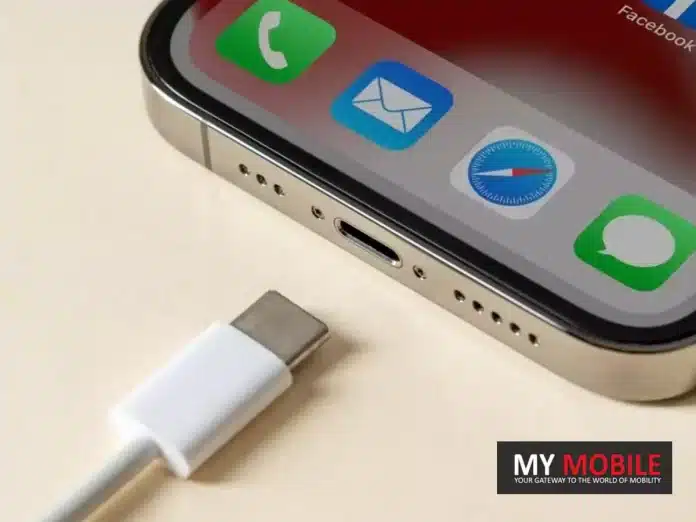
The Lightning port, which has been a feature since the iPhone 5, may give way to the USB-C port, aligning with most of Apple’s other devices.

Frame Redesign

The stainless steel frame we’ve seen since the iPhone X era may be upgraded to a titanium frame in the iPhone 15 Pro, ensuring durability and lighter design.
Cable Transformation

Cable Transformation

iPhone 15 might surprise users with a revamped color-coordinated, braided USB-C cable, moving away from the classic white rubber design.

Price Revision

Apple might be rethinking the $1,000 iPhone tag, potentially marking an upsurge in the starting prices of premium models.

Name Change on the Horizon

The iPhone 15 might see the ‘Pro Max’ variant being rebranded as the “Ultra”, adding a touch of grandiosity.

Should You Buy the iPhone 14 or Wait for iPhone 15?
Wait for iPhone 15?
Wait for iPhone 15?

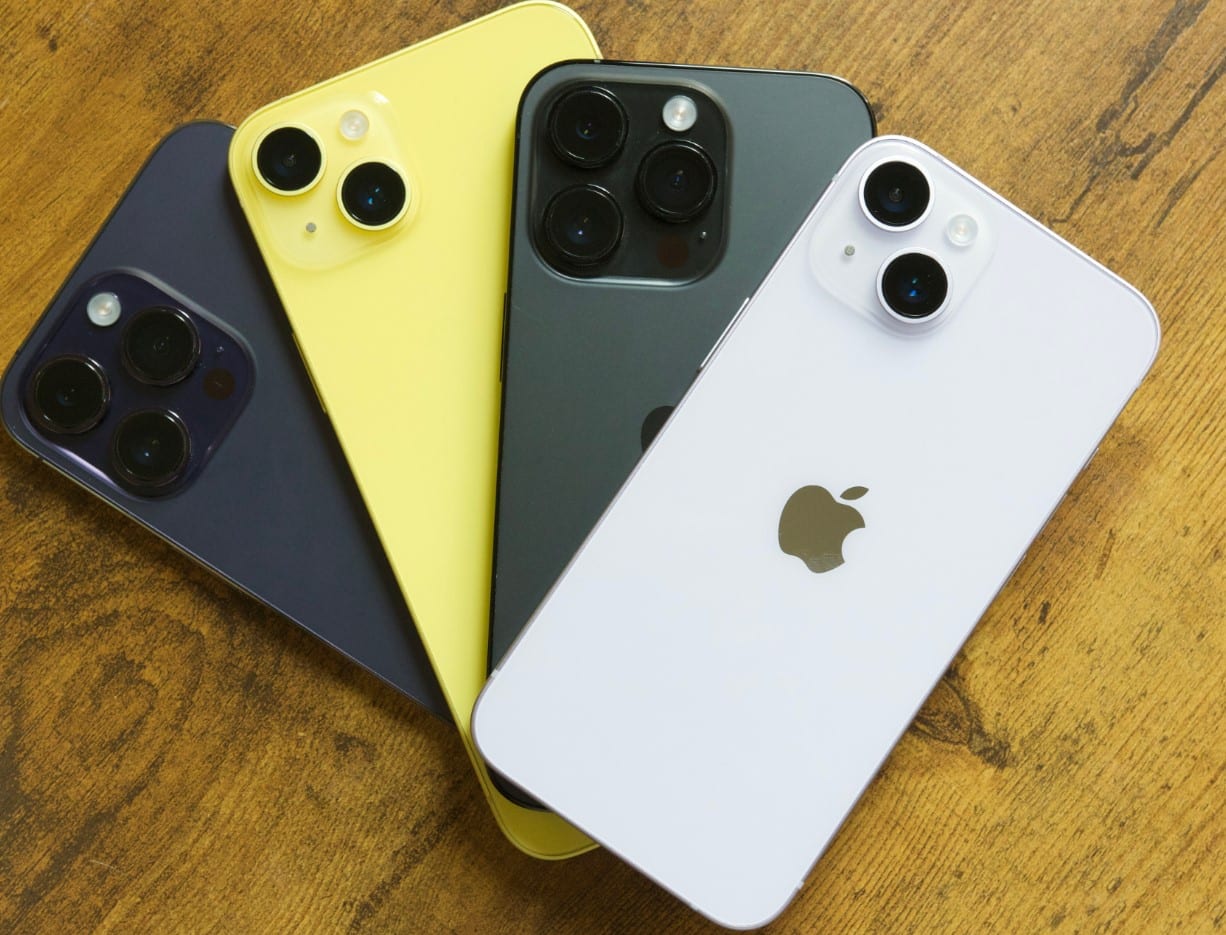
Considering the array of design and technical upgrades hinted for the iPhone 15, it seems like Apple is on the brink of introducing a significant evolution in their smartphone line.

If you value being on the cutting edge of technology and design, waiting for the iPhone 15 might be the wiser choice. The expected advancements, especially in camera tech, port design, and build quality, hint at a transformative user experience.

On the other hand, if you’re content with the tried-and-tested features of the iPhone, the iPhone 14 remains a powerful and reliable choice. It’s crucial to assess your priorities and preferences, and whether the speculated changes resonate with your smartphone expectations.

In the end, whether it’s the familiarity of the iPhone 14 or the novelty of the iPhone 15, both promise the hallmark Apple experience, with innovations at every turn.

FAQs

How significant is the shift from a reflective to a matte glass back?

The transition from reflective to matte offers not just an aesthetic upgrade but also practical benefits. Matte finishes are typically more resistant to fingerprints and provide a different tactile feel, potentially improving grip.

What can users expect from the new 48MP camera?

A 48MP sensor offers sharper images, especially noticeable when zooming in or cropping. Additionally, it can enhance low-light photography, bringing out details usually missed with lower megapixels.

What does the introduction of the ‘Dynamic Island’ mean for users?

The ‘Dynamic Island’ hints at a substantial redesign of the front display. This change might offer more screen real estate, reduced bezels, and potentially innovative interactive elements, enhancing the user interface experience.

How will the shift to USB-C impact iPhone users?

A move to USB-C would align the iPhone with the industry standard, making it universally compatible with other devices. This could simplify charging and data transfer for many users who have other USB-C devices.

Redmi 12 Review – Affordable Smartphone with Glass Crystal Back, HelioG88 Chip and a huge 6.79” DotDisplay

0
Redmi 12 Review

Highlight

  • Redmi 12 was launched in India last month at the starting price of Rs 9999.
  • The smartphone is available in two memory variants – 4GB/6GB RAM and 128GB/256GB Internal storage.
  • Powered by an octa-core MediaTek Helio G88 processor, the phone comes with a 90 Hz refresh rate 6.79-inch touchscreen display, a triple rear camera setup, Android 13 and a 5000mAh battery.

Join us as we delve into the question of whether the Redmi 12 is a game-changer device for its class or not.

Here’s the hands-on Redmi 12 review.

Redmi 12 – Key Features

Redmi 12 - Key Features
Redmi 12 – Key Features
  • 79-inch FHD+ 90Hz DotDisplay
  • MediaTek Helio G88 Processor
  • Android 13
  • 4GB/ 8GB RAM
  • 128GB/ 256GB Storage
  • 50MP+8MP+2MP triple rear camera
  • 8MP camera front camera
  • 5000mAh Battery with 18W fast charging
  • IP53 Dust and Splash Resistant
  • Side Mounted Fingerprint Sensor
  • AI Face Lock

Redmi 12 – Pros & Cons

Redmi 12 - Pros & Cons
Redmi 12 – Pros & Cons
Pros Cons
●     Sleek Phone with Premium Glass Back Design

●     Good battery support

●     Good 50MP AI Camera

●     IP53 Dust and Splash Resistant

●     SGS Low Blue Light Certification and Reading Mode 3.0

●     AI Face Lock and Side Fingerprint sensor

●     NFC support

●     Affordable

●     Outdated chipset

●     Single Speaker

●     Frequent touch lags

●     Bloatware

Redmi 12 – Design and Build Quality

Redmi 12 - Design and Build Quality
Redmi 12 – Design and Build Quality

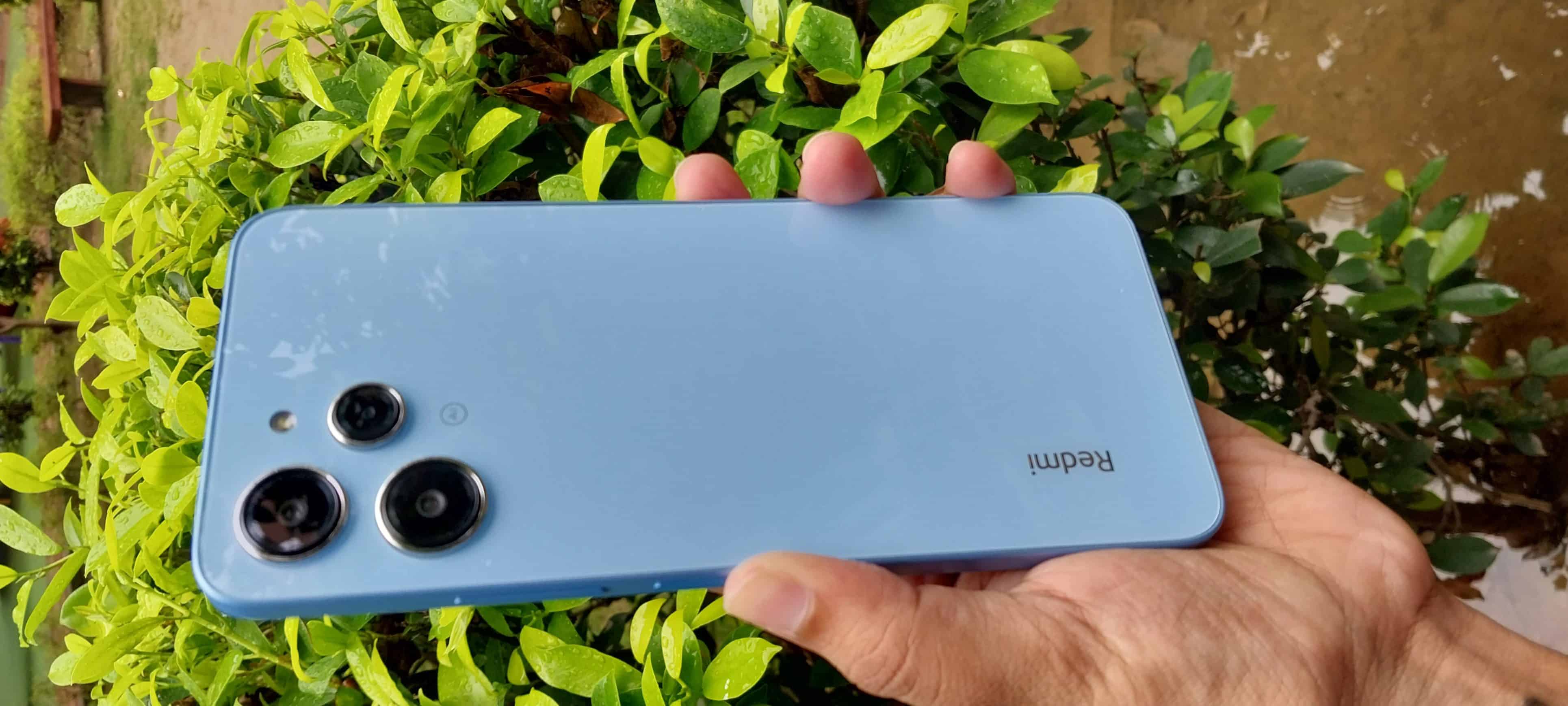
The Redmi 12 follows an extremely clean design philosophy.
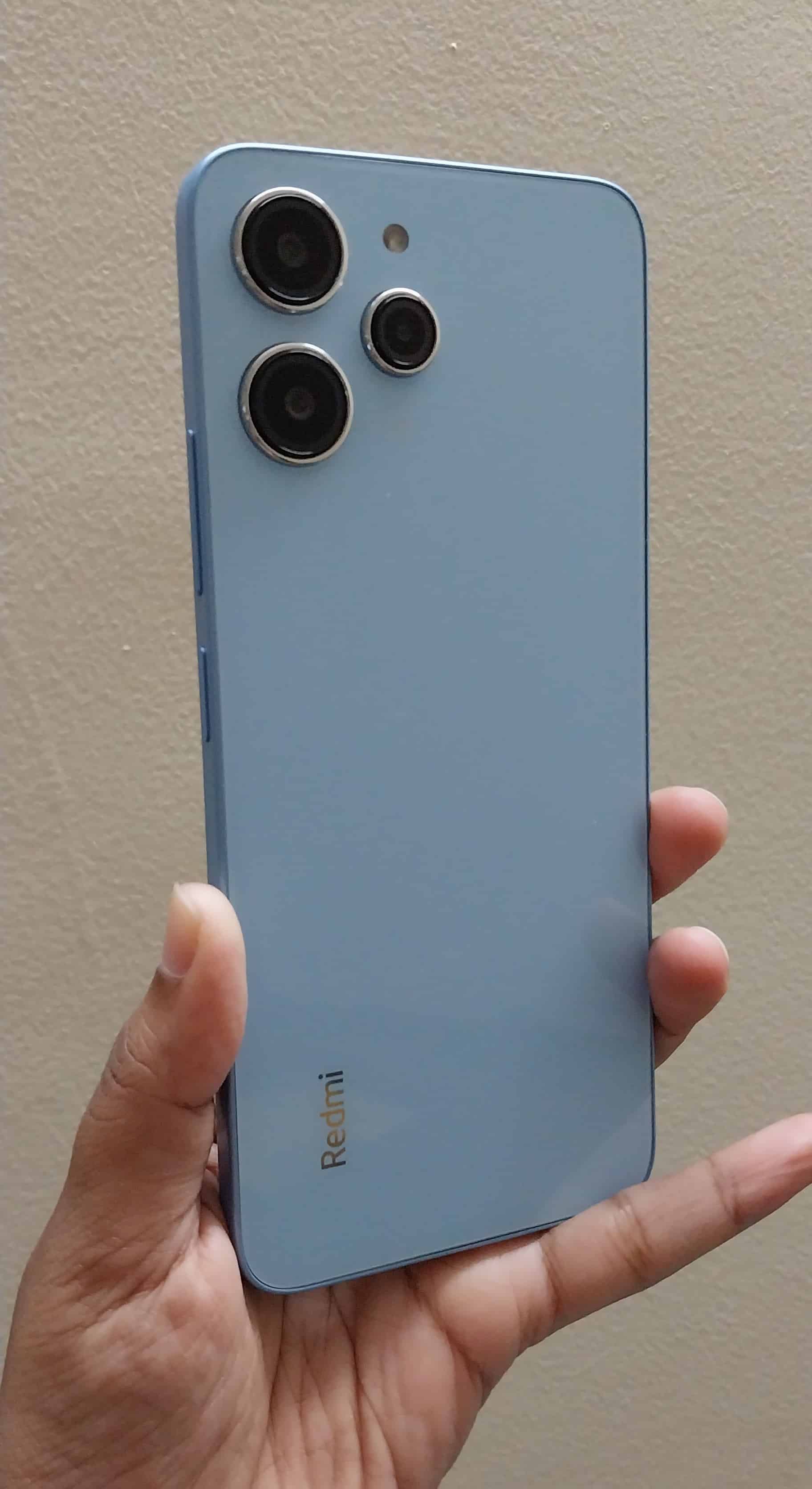
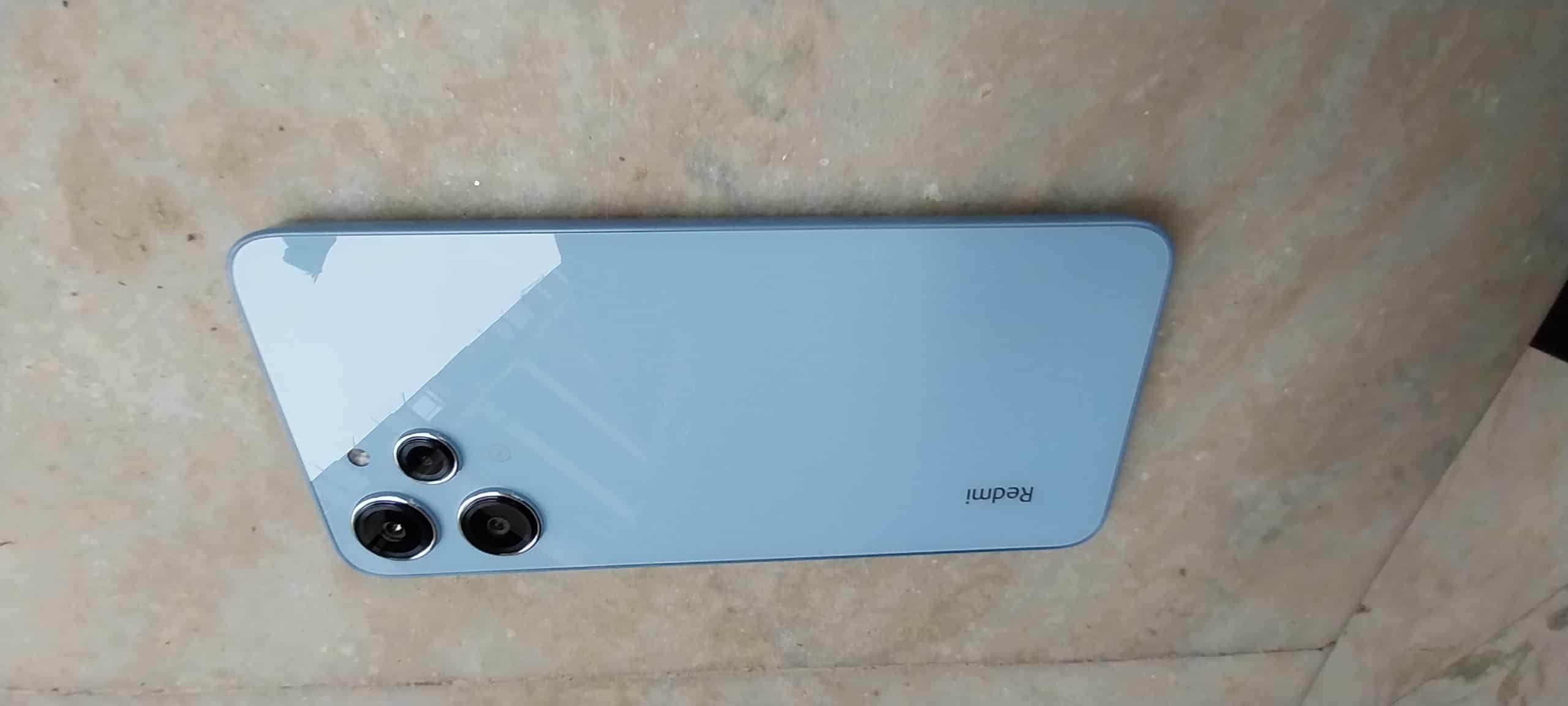
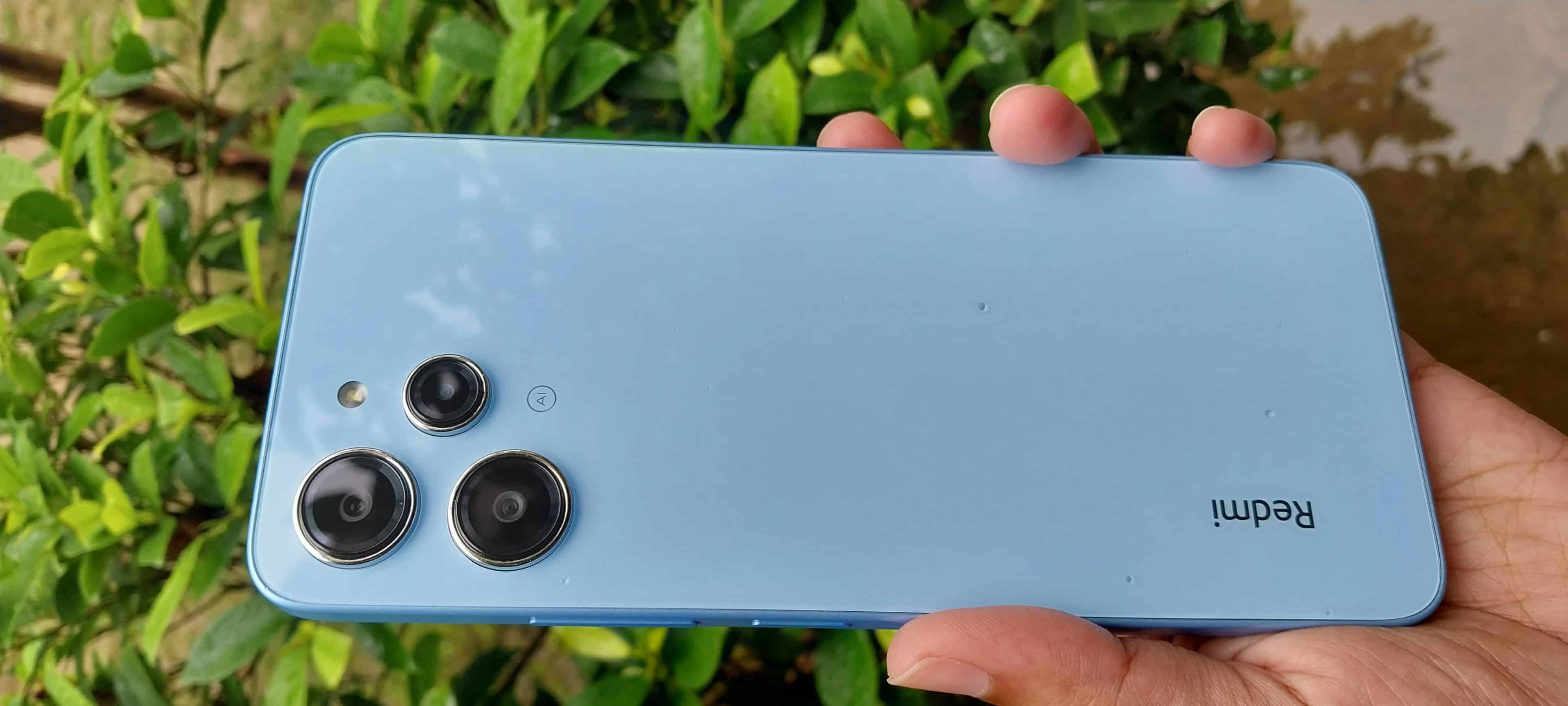
The industrial design has no unique features and is something you have probably seen many times before. While to many users it may look very similar to Tecno Spark 10 Pro or Infinix Hot 30, we were particularly reminded of Redmi Note 12 Turbo.

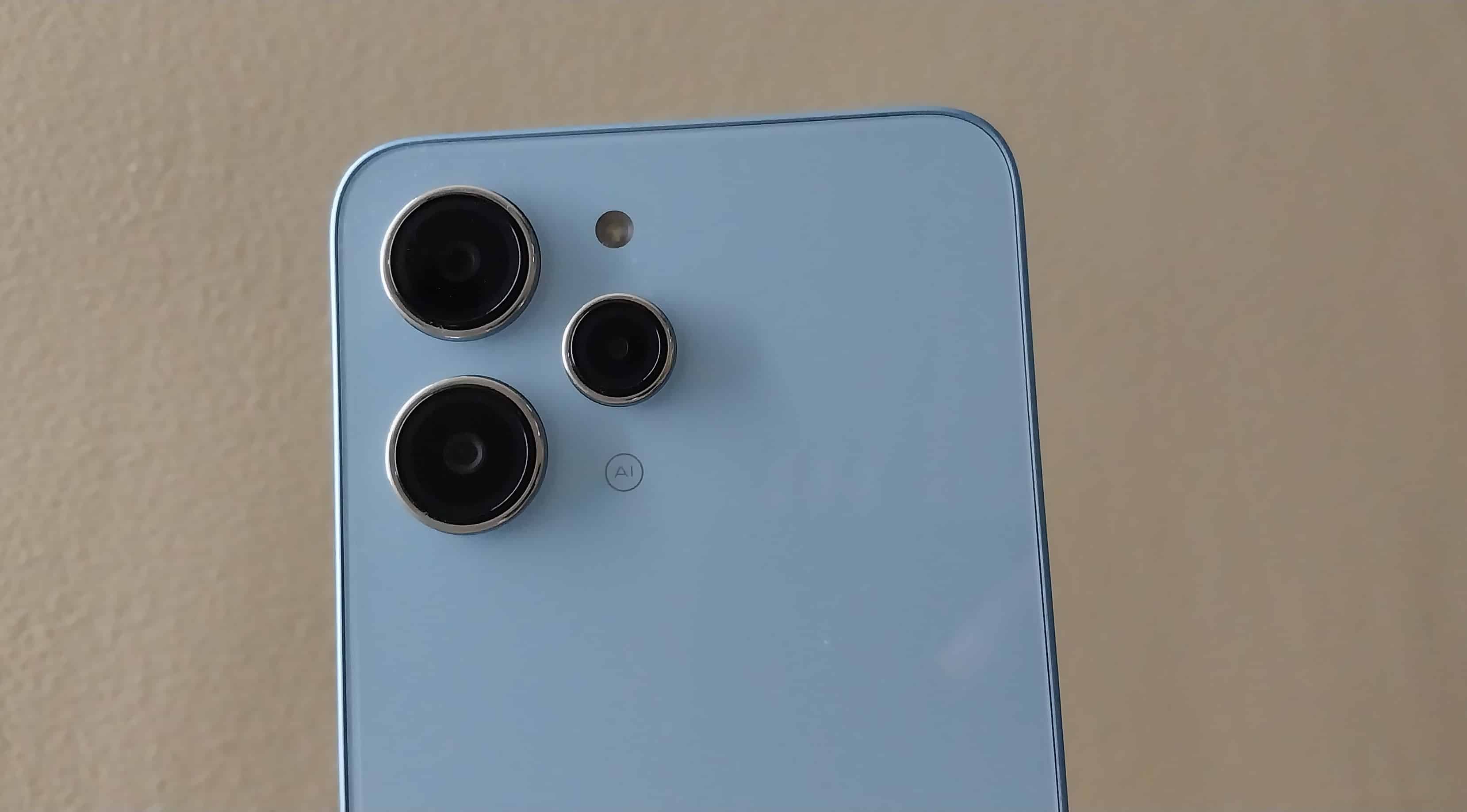
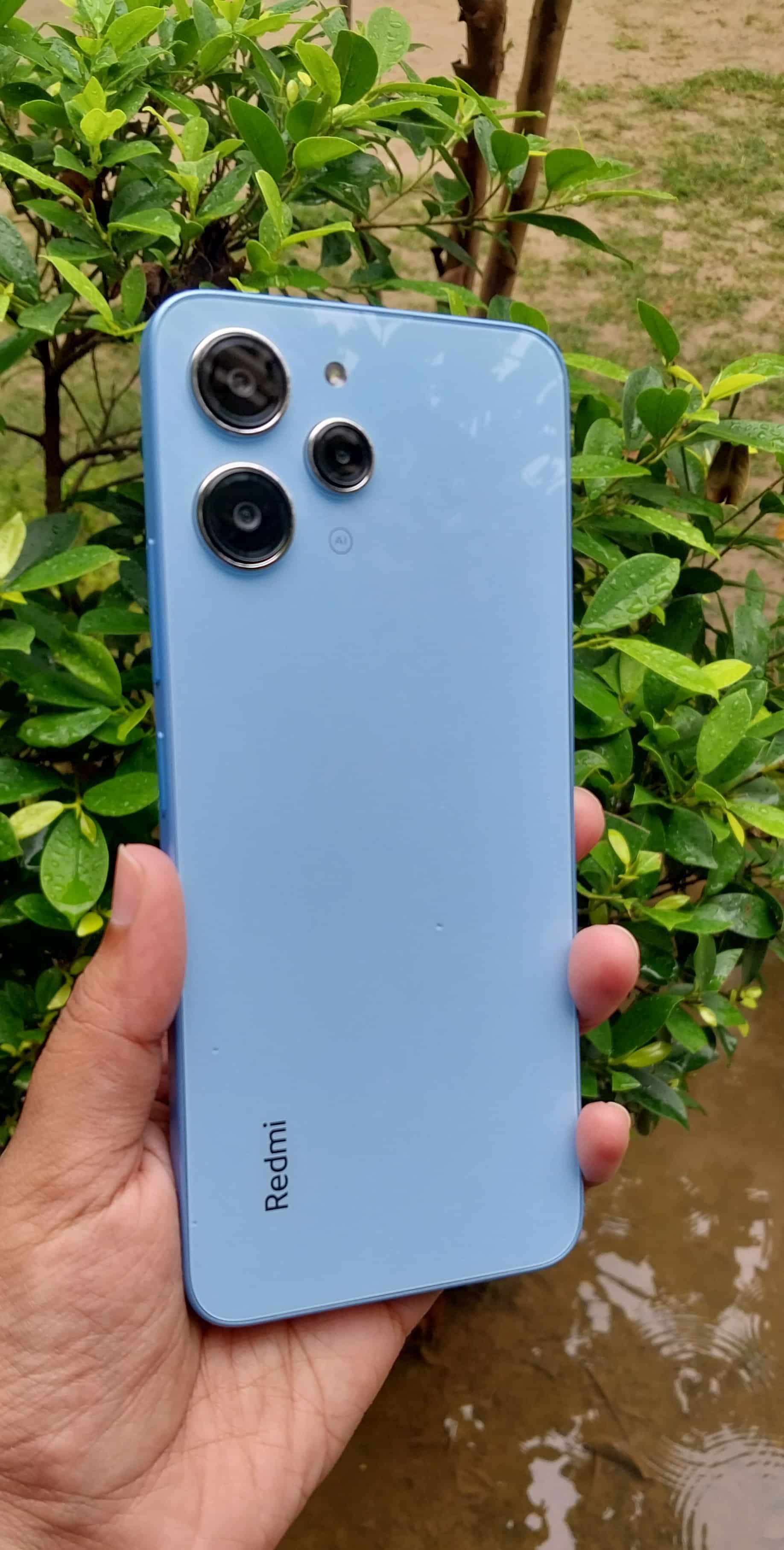
The boxy body with a flat frame design is very old school. However, the crystal glass back definitely adds a touch of style.
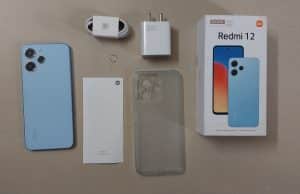
We had the Pastel Blue colour variant for this review and it instantly feels premium for the segment.

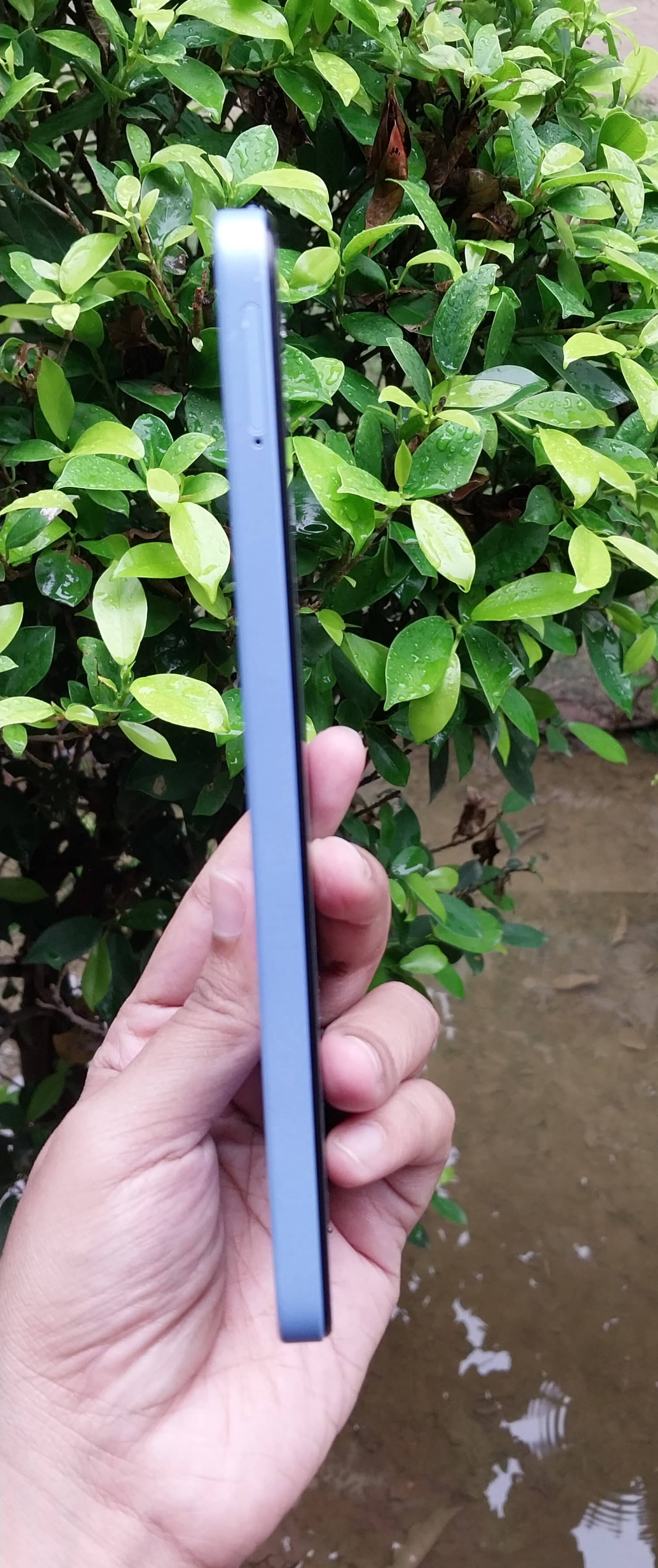
Redmi 12 feels comfortable in hand and has an ergonomic grip.

The build quality is decent. Apart from Corning Gorilla Glass protection, it also comes with IP53-rated splash and dust resistance.

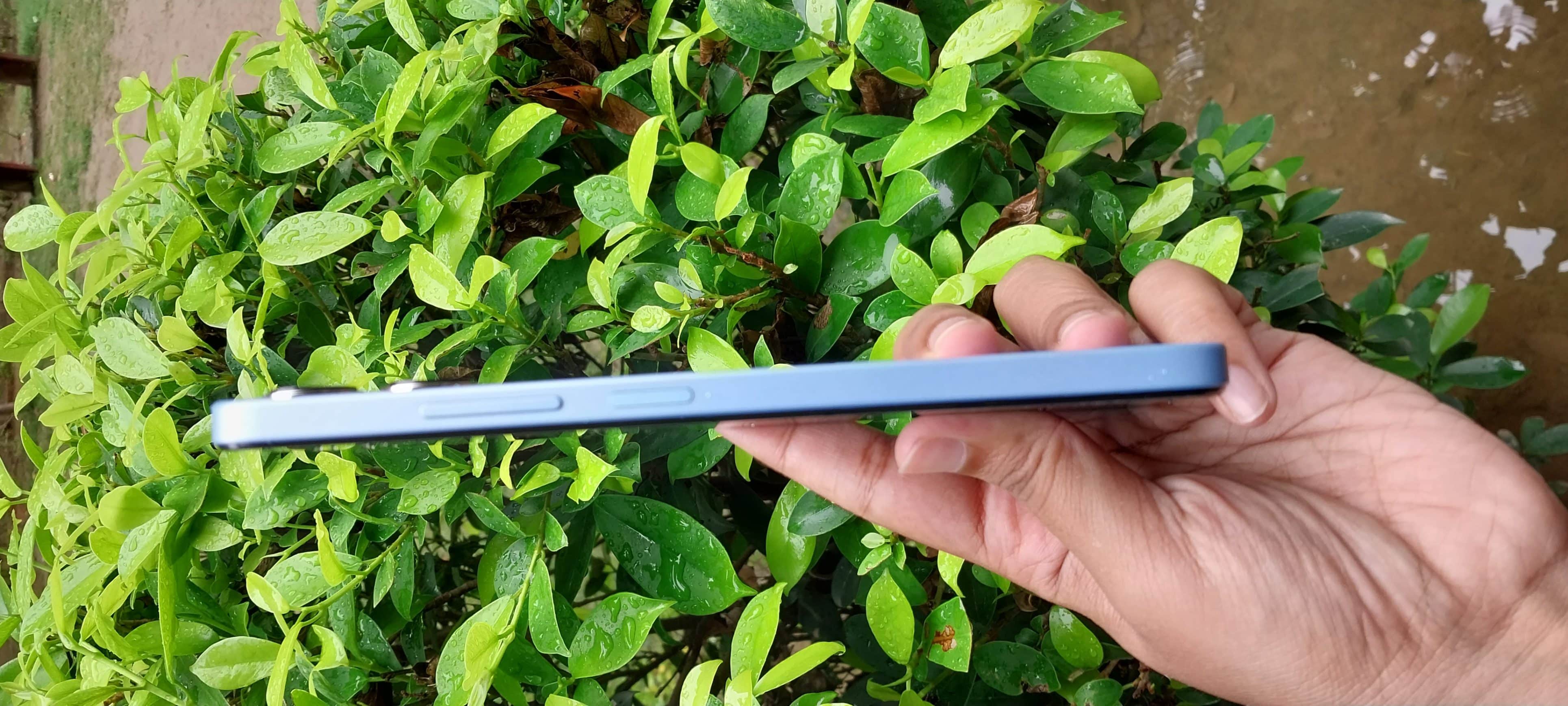
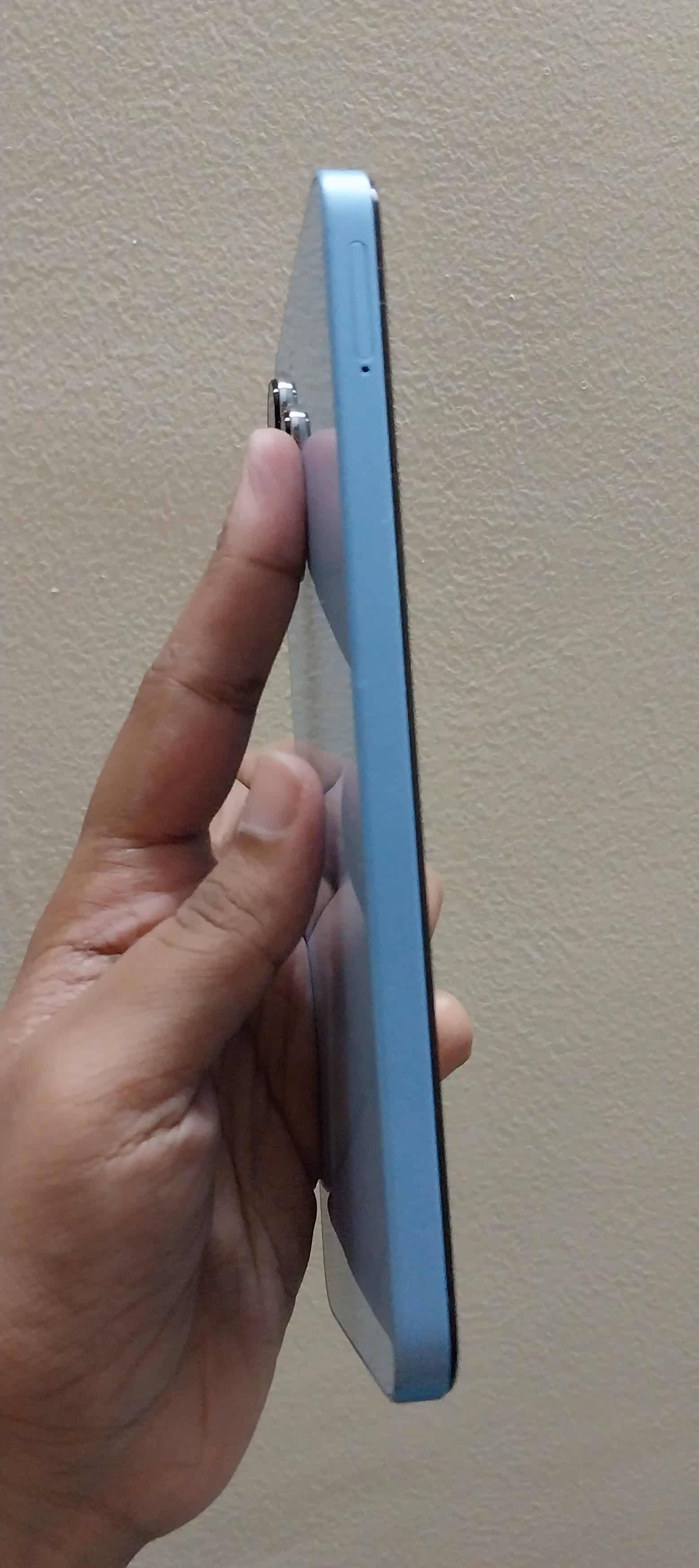
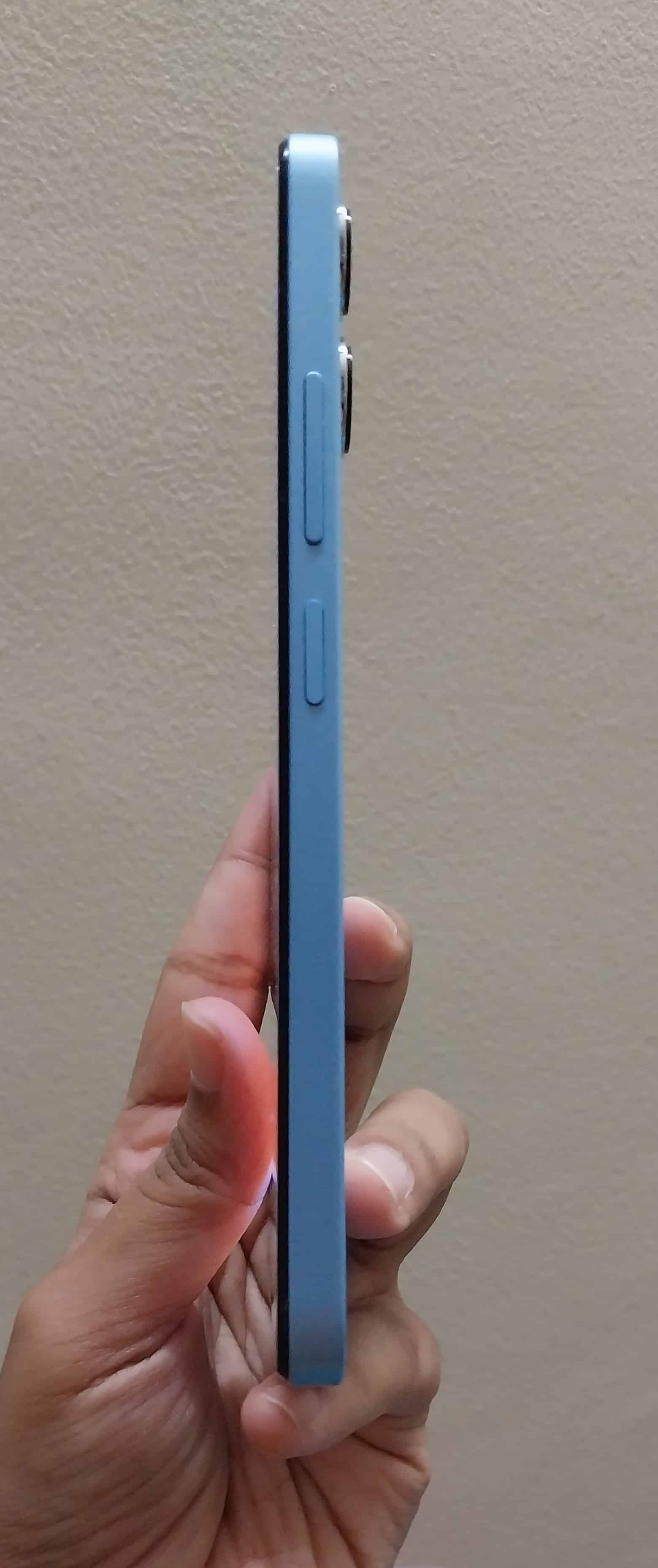
On the right side of Redmi 12, we have the power button and the volume rockers.
The power button also serves as a fingerprint scanner and it works efficiently.

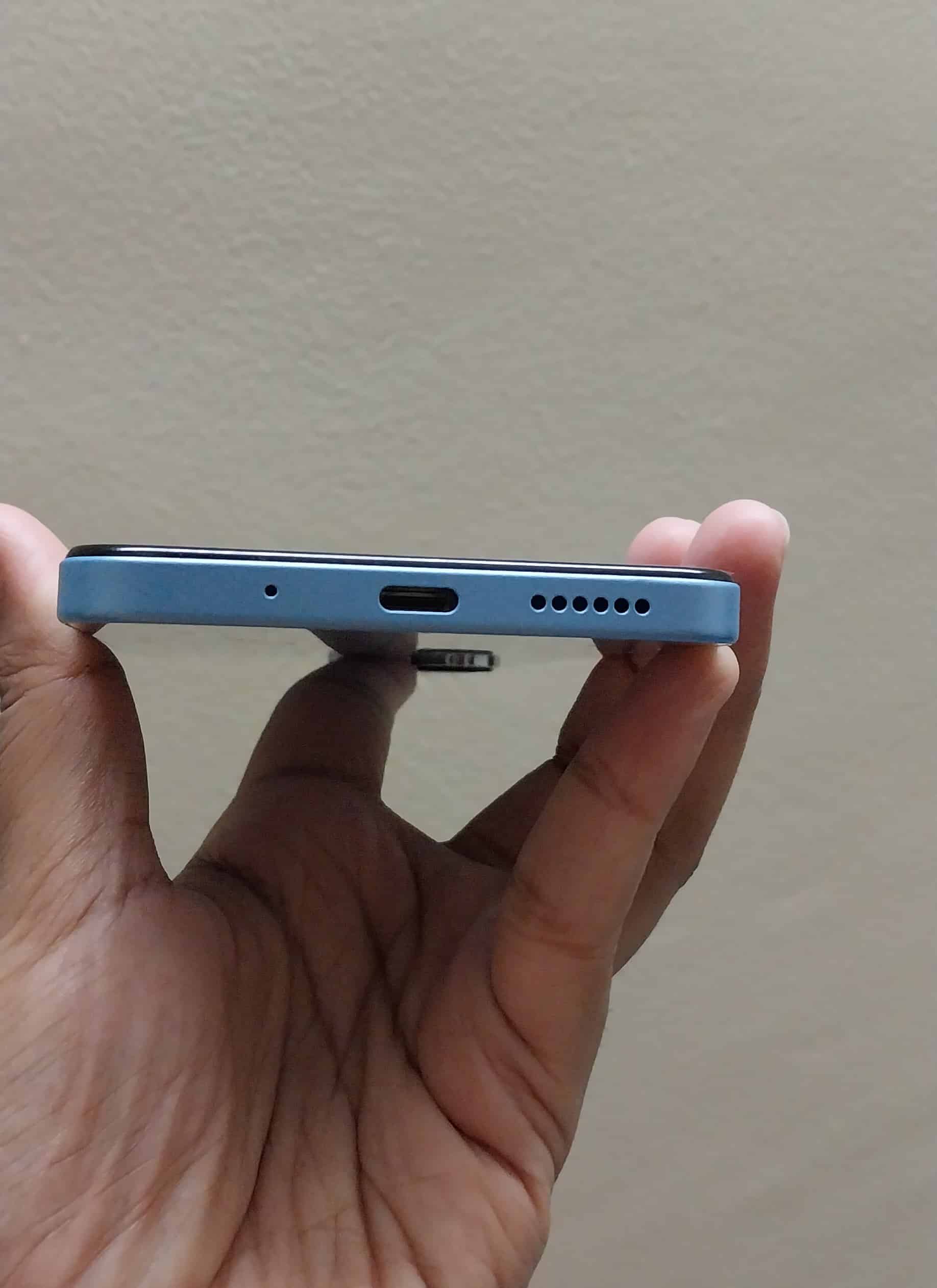
At the bottom of the device, we have a USB TYPE-C charging port, a microphone and a speaker grill.
You are also getting an IR blaster and audio jack on the top of the phone frame.

Redmi 12 – Display and Multimedia Experience

Redmi 12 - Display
Redmi 12 – Display

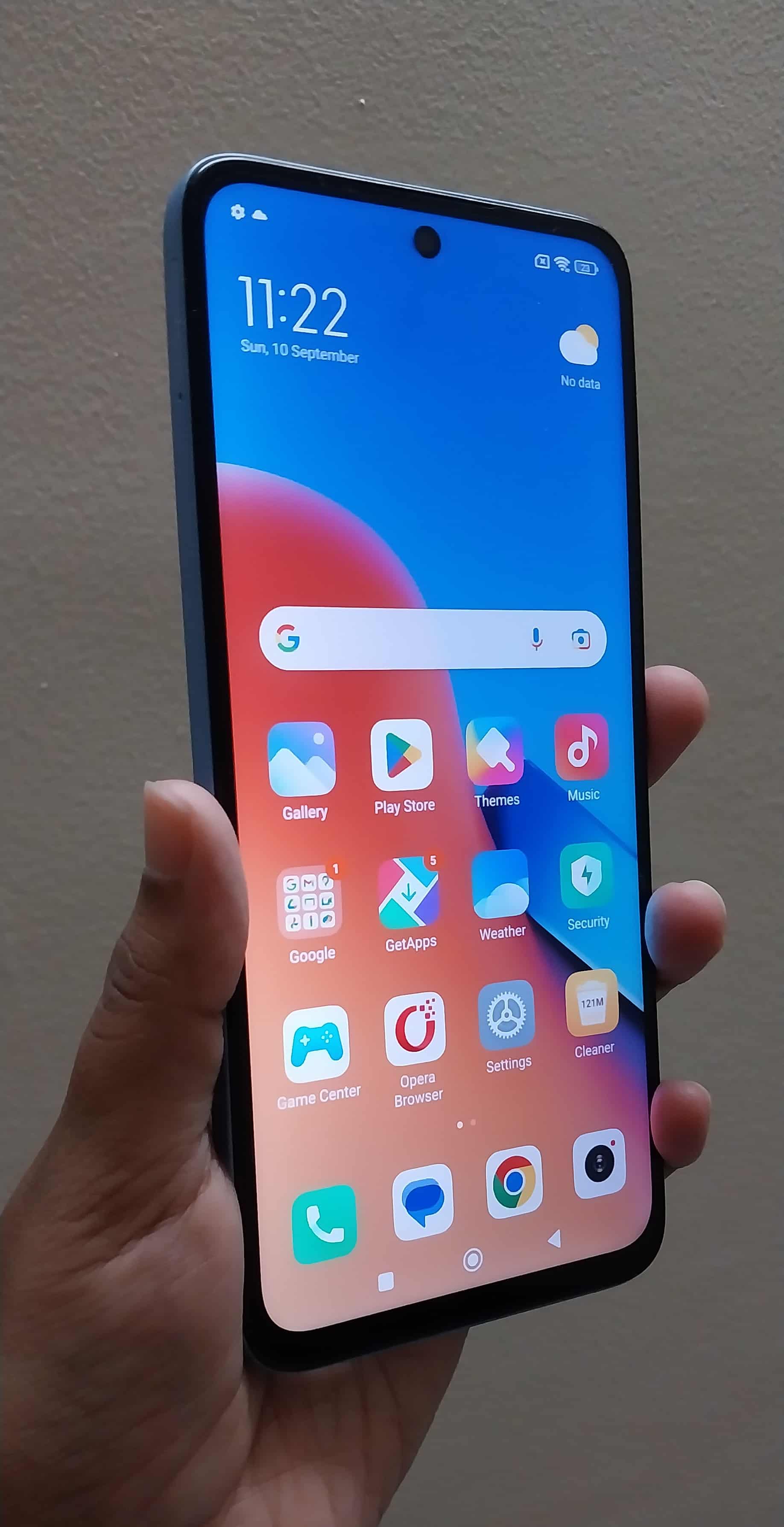
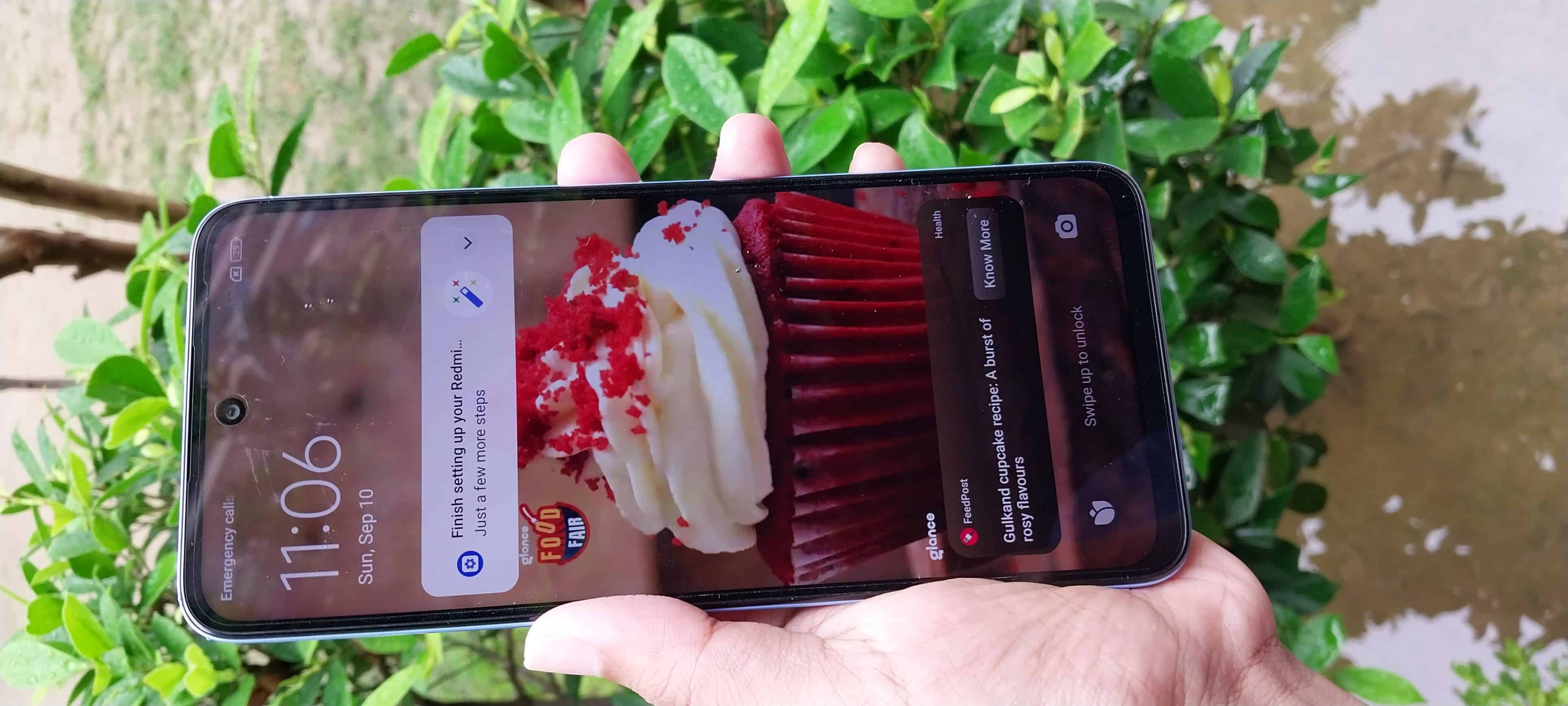
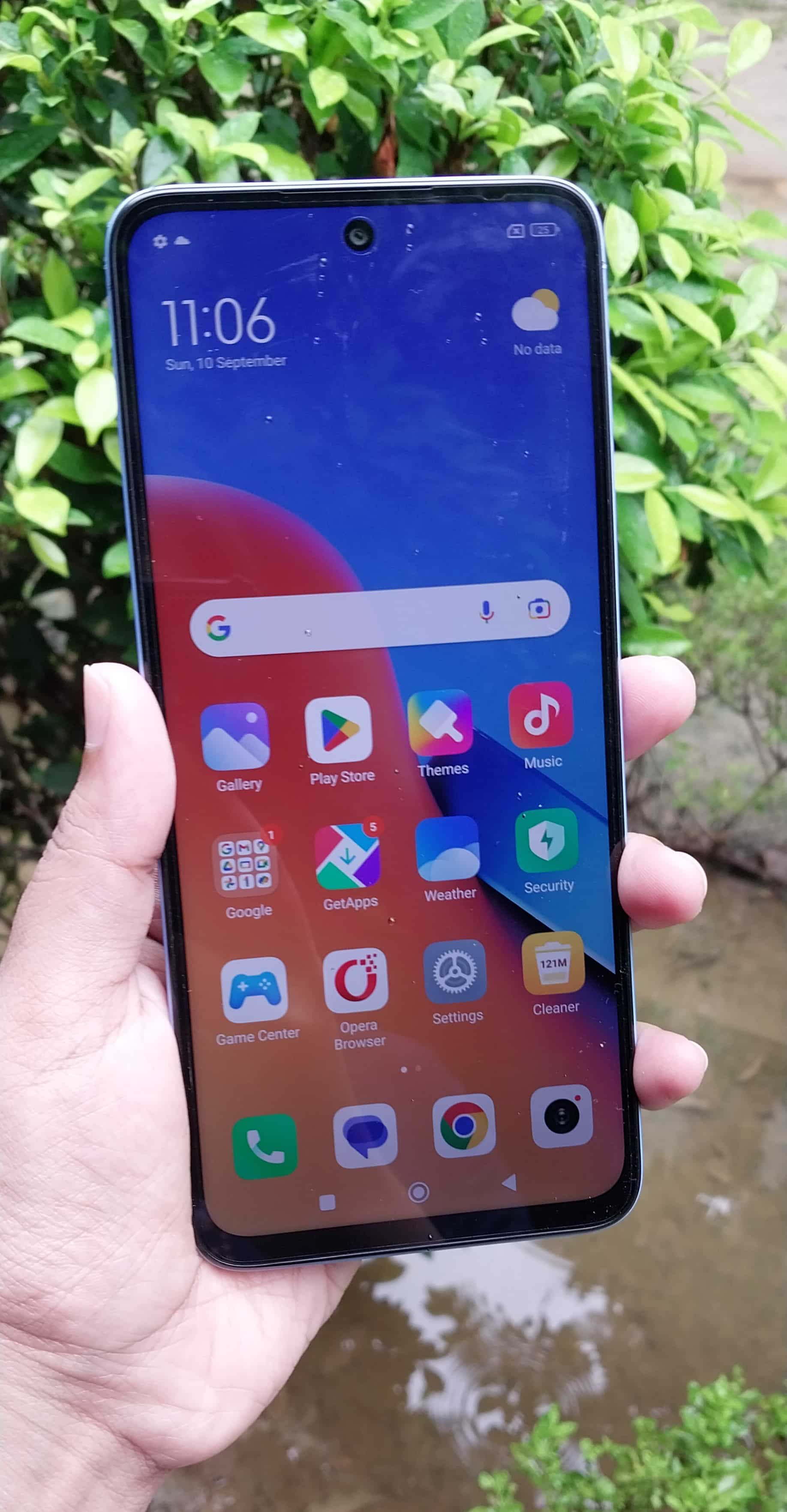
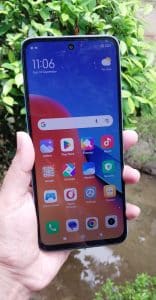
The Redmi 12 boasts an impressive display, a fact evident from the first time the screen turns on.
With its expansive 6.79″ FHD+ screen, you’ll enjoy sharp and vibrant visuals that bring your content to life.

The 90Hz refresh rate ensures smooth and fluid transitions.
You can expect scrolling through apps and websites to be a breeze.

For those who demand precision, the Redmi 12’s touch sampling rate of 240Hz ensures ultra-responsive touch input, perfect for quick and accurate interactions with your device.
Whether you’re typing, swiping, or gaming, you can count on a seamless and lag-free experience.

Even in bright outdoor environments, the Redmi 12 shines with a peak brightness of 550nits.

You can comfortably use your phone under direct sunlight.
Its brightness is definitely better than a lot of phones in this segment.

Redmi 12 – Hardware and Performance

Redmi 12 - Hardware and Performance
Redmi 12 – Hardware and Performance

The MediaTek Helio G88 processor in the Redmi 12 is a capable mid-range chipset. However, it is also one of the outed ones.

Tasks like app launching, web browsing, and casual gaming are handled smoothly without noticeable lag or stutter.

Users have the choice between 4GB and 6GB of RAM. This flexibility allows you to pick the configuration that suits your multitasking needs.
We received the 6GB variant for this review.
If you are someone who frequently switches between multiple apps or runs resource-intensive applications, we suggest you get the 6GB variant.

The inclusion of virtual RAM, either 4GB + 4GB or 6GB + 6GB, is a clever feature.
It helps improve multitasking capabilities and app load times by utilizing storage space as additional RAM.

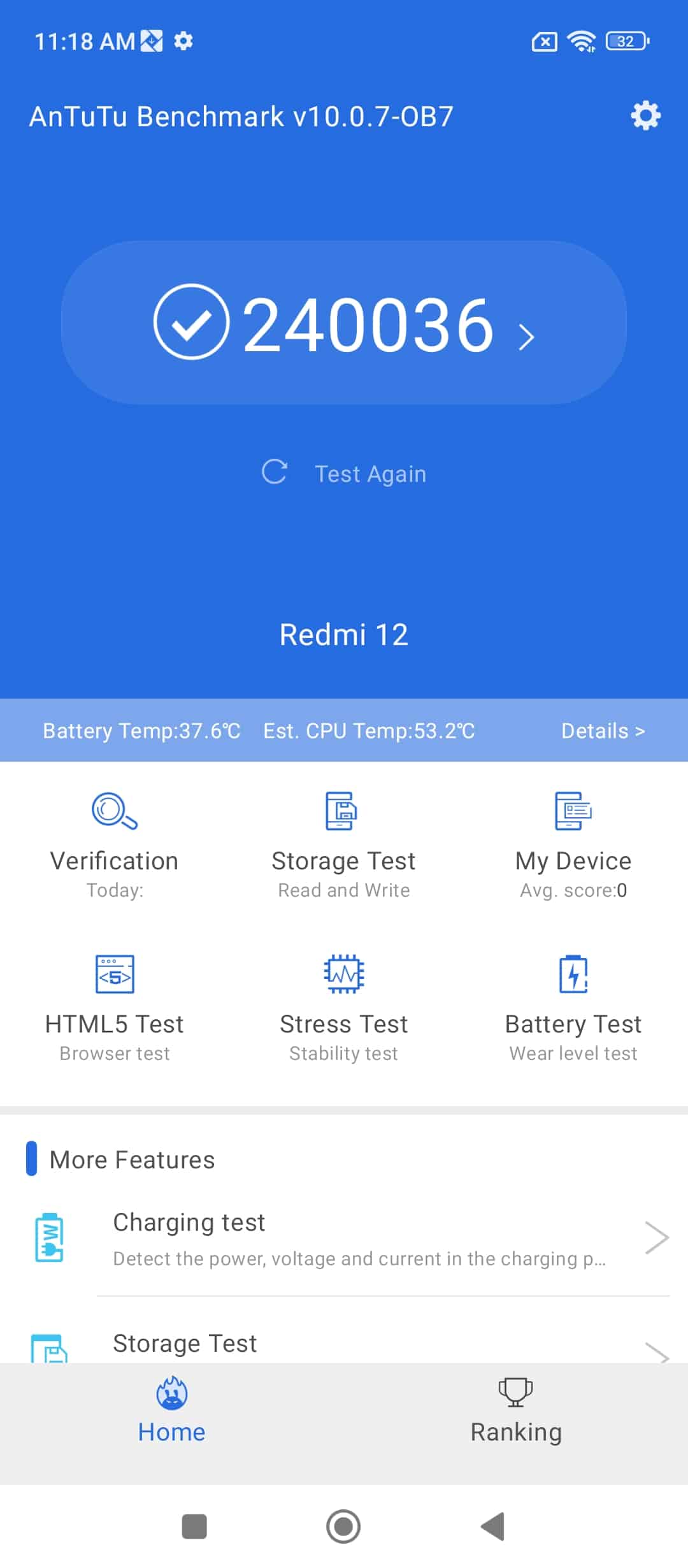
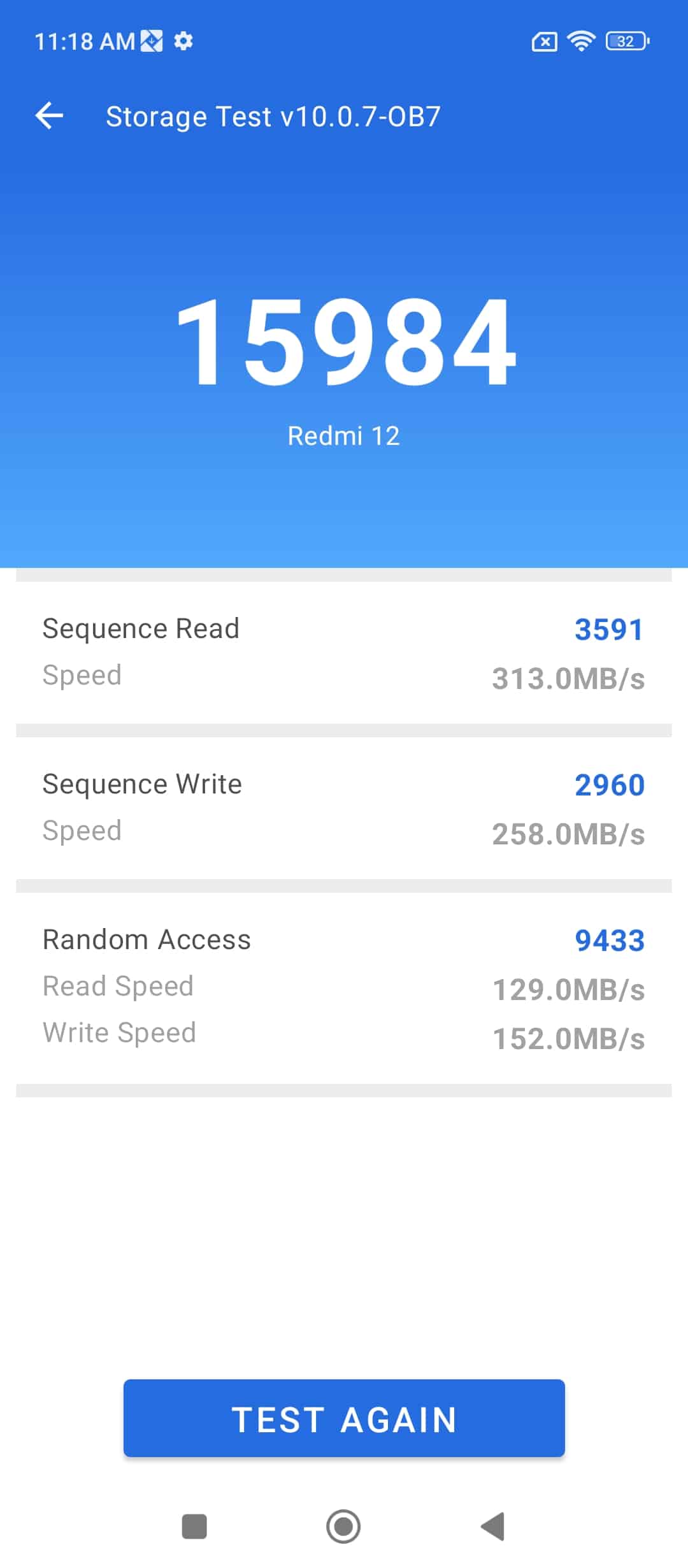
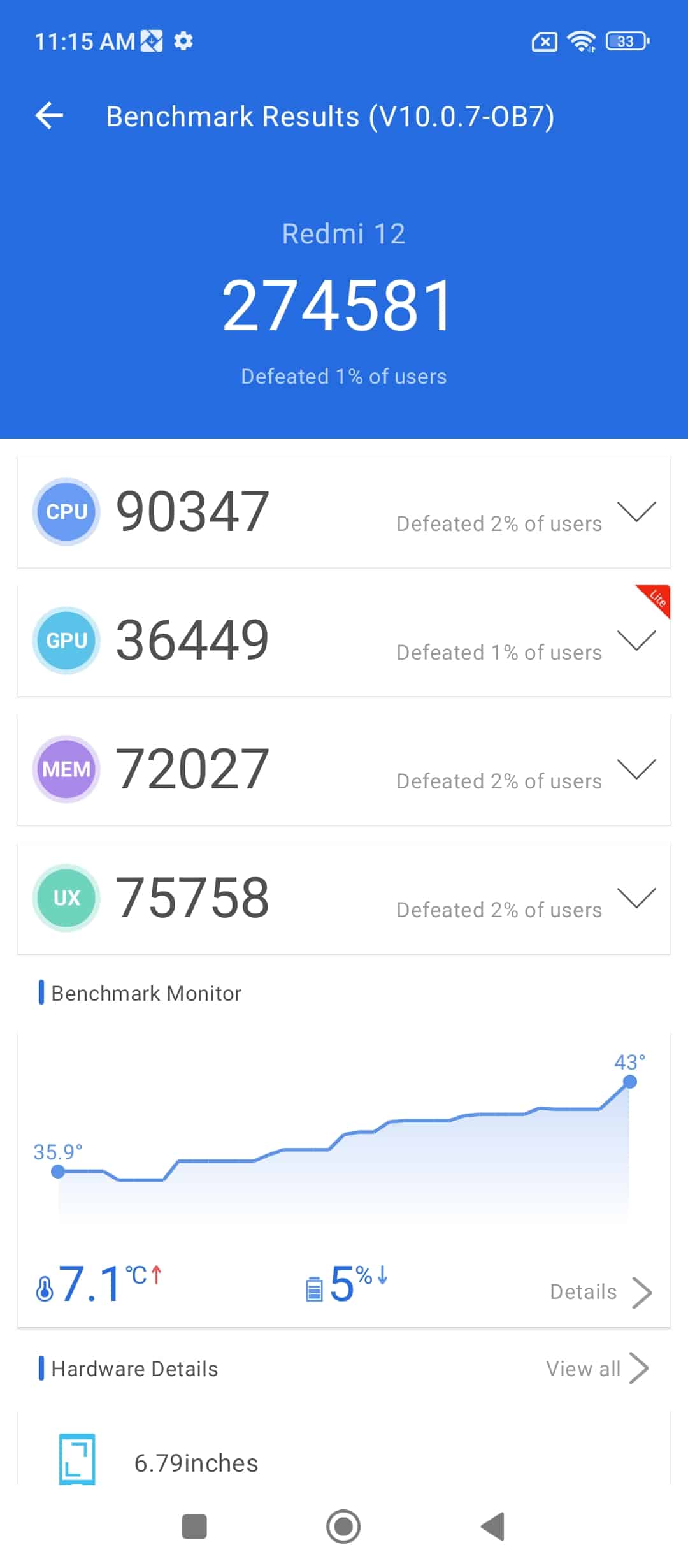
The AnTuTu v10 score of 274,581 indicates that the Redmi 12 offers respectable performance for its class.
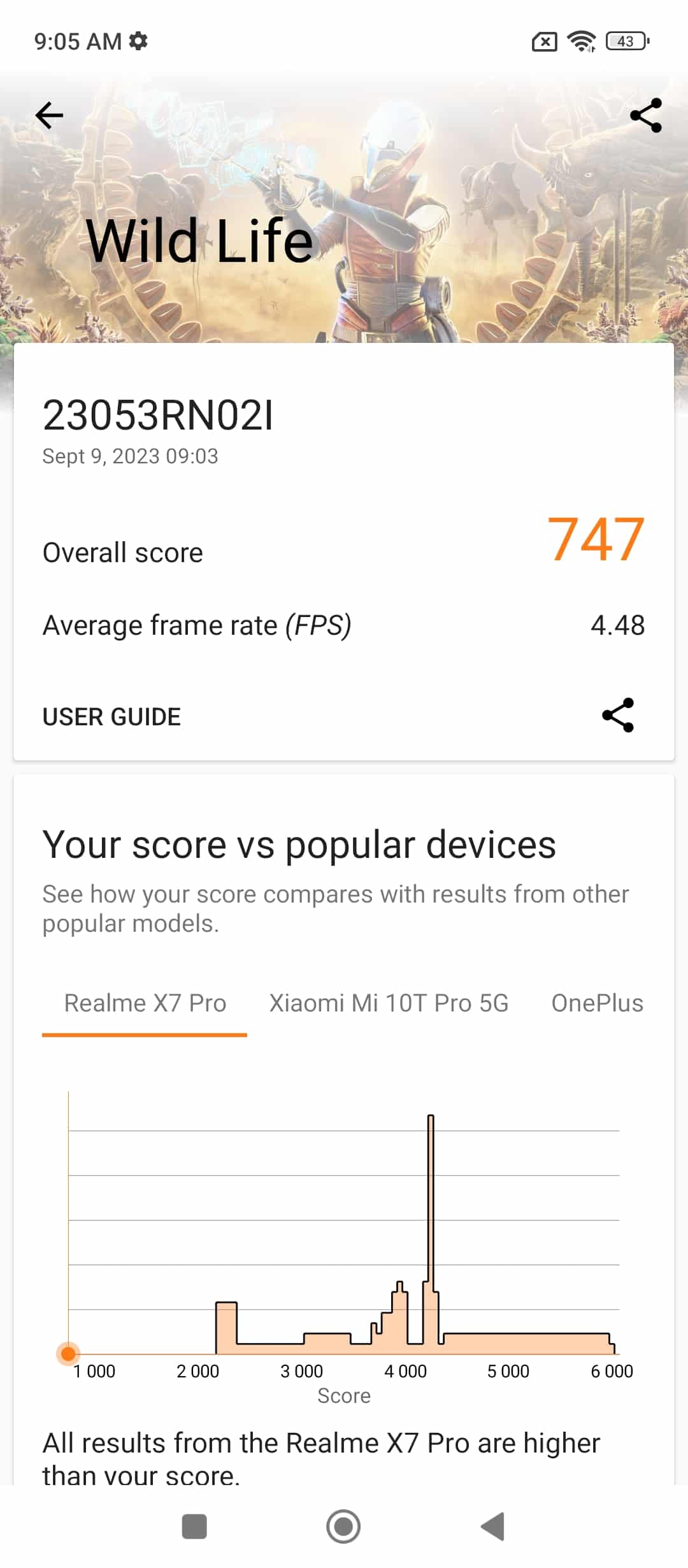
Below are some of the other benchmark test results for reference.

Screenshot_2023-09-09-11-18-31-079_com.antutu.ABenchMark
Screenshot_2023-09-09-11-18-25-008_com.antutu.ABenchMark
Screenshot_2023-09-09-11-15-25-100_com.antutu.ABenchMark
Screenshot_2023-09-09-09-05-44-564_com.futuremark.dmandroid.application
Screenshot_2023-09-09-02-13-52-555_com.primatelabs.geekbench6
Screenshot_2023-09-09-01-59-20-735_com.primatelabs.geekbench6
Screenshot_2023-09-09-11-18-31-079_com.antutu.ABenchMark Screenshot_2023-09-09-11-18-25-008_com.antutu.ABenchMark Screenshot_2023-09-09-11-15-25-100_com.antutu.ABenchMark Screenshot_2023-09-09-09-05-44-564_com.futuremark.dmandroid.application Screenshot_2023-09-09-02-13-52-555_com.primatelabs.geekbench6 Screenshot_2023-09-09-01-59-20-735_com.primatelabs.geekbench6

While benchmarks are just one aspect of real-world performance, these above scores suggest that the device can handle everyday tasks and even some light gaming without breaking a sweat.

Redmi 12 – Camera Capability and Performance

Redmi 12 - Camera Capability
Redmi 12 – Camera Capability

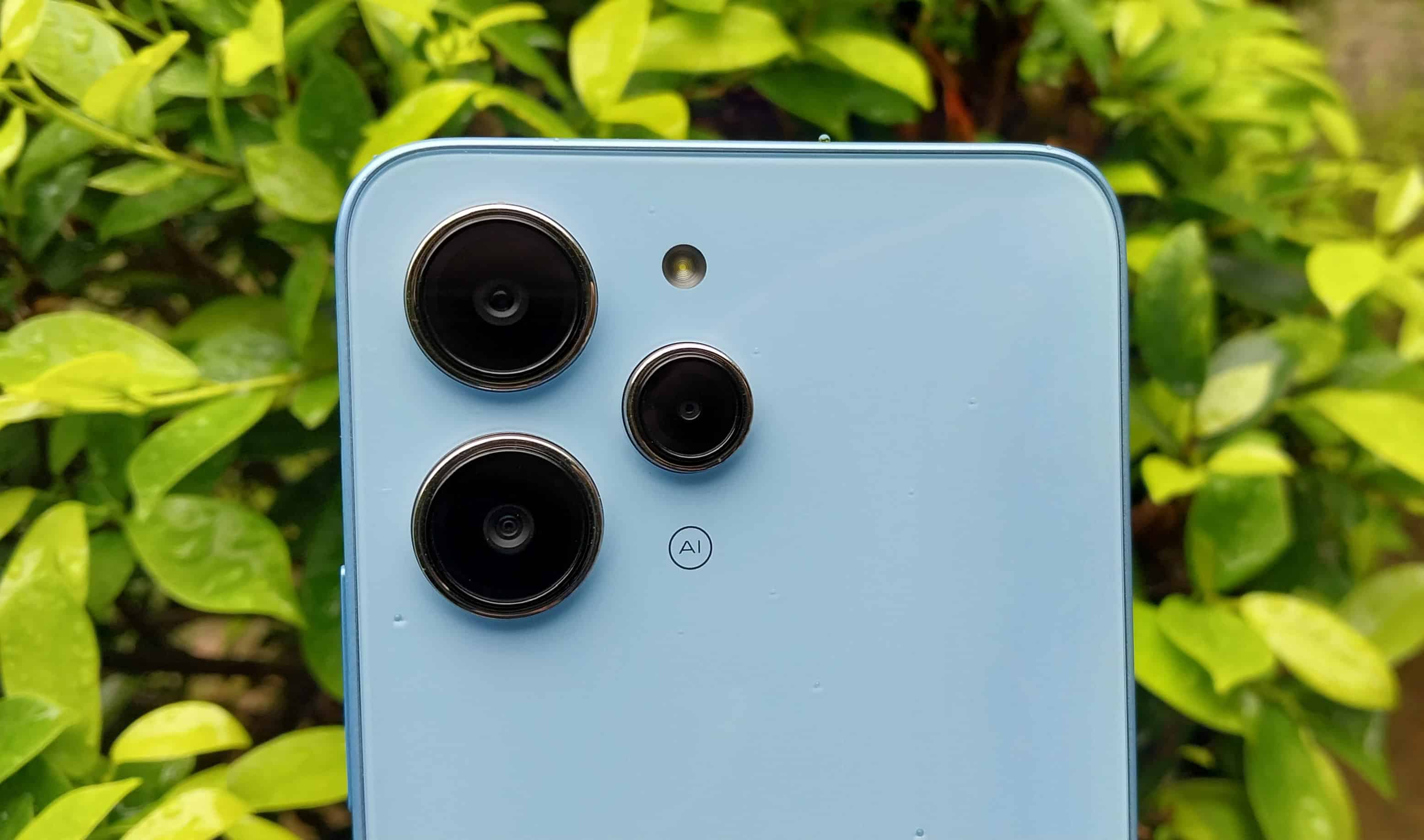
With Redmi 12, you get a 50MP primary camera with an f/1.8 aperture and 1.28μm pixel size (4-in-1 superpixel).
Then there is the 8MP ultrawide camera adds versatility to your photography and a 2MP macro camera designed for close-up shots.

The 50MP lens takes decent and detailed images in a well-lit environment or when you are out on a bright sunny day.
For the price segment, the camera performance has nothing to complain about.
Although there is nothing too impressive either.
You are basically getting worth of your money.

Here are some shots taken from the camera

IMG_20230909_192725
IMG_20230909_193333
IMG_20230909_192747
IMG_20230909_193428
IMG_20230909_193628
IMG_20230910_111125
IMG_20230910_111225
IMG_20230910_111208
IMG_20230910_111404
IMG_20230910_111452
IMG_20230910_111426
PortraitMode_Daylight_1
IMG_20230910_111533
PhotoMode_Daylight_2
IMG_20230909_192725 IMG_20230909_193333 IMG_20230909_192747 IMG_20230909_193428 IMG_20230909_193628 IMG_20230910_111125 IMG_20230910_111225 IMG_20230910_111208 IMG_20230910_111404 IMG_20230910_111452 IMG_20230910_111426 PortraitMode_Daylight_1 IMG_20230910_111533 PhotoMode_Daylight_2

Video recording at 1080p@30fps and 720p@30fps is suitable for capturing moments of standard quality. Here are two videos taken at day and night time.

Additionally, the device offers modes like Time-lapse, Movie frame, HDR, Google Lens integration, Voice shutter, Tilt-shift, Timed burst, and Custom watermark, giving you plenty of tools to experiment with.

The 8MP selfie camera with an f/2.0 aperture and 1.12 um pixel size is standard for the category. You can expect it to do its job without promising anything extraordinary.

Redmi 12 Daylight Video

Redmi 12 Night Video


Redmi 12 – Battery

Redmi 12 - Battery
Redmi 12 – Battery

The Redmi 12 boasts a robust 5000mAh Li-Polymer battery, ensuring extended usage without frequent recharging.

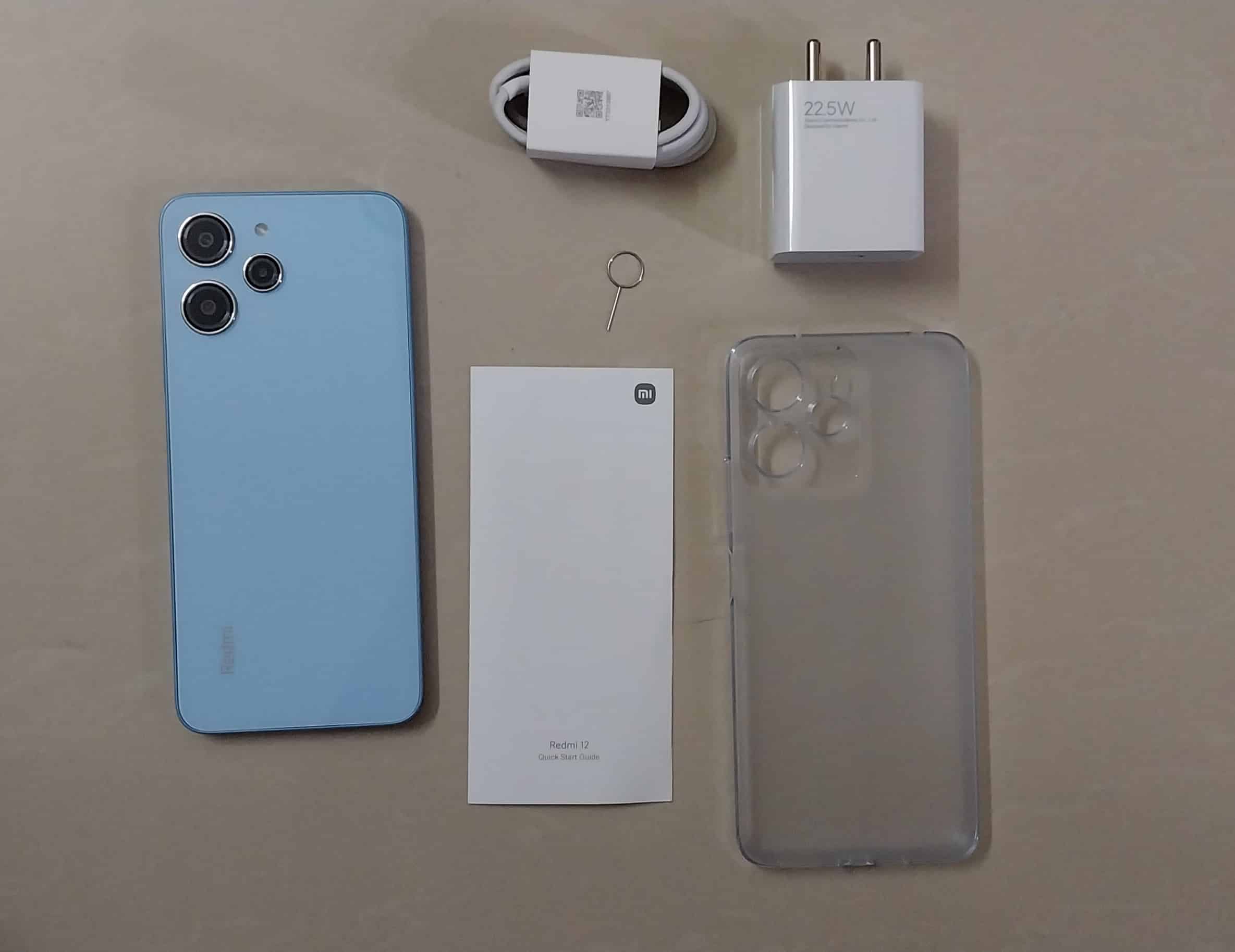
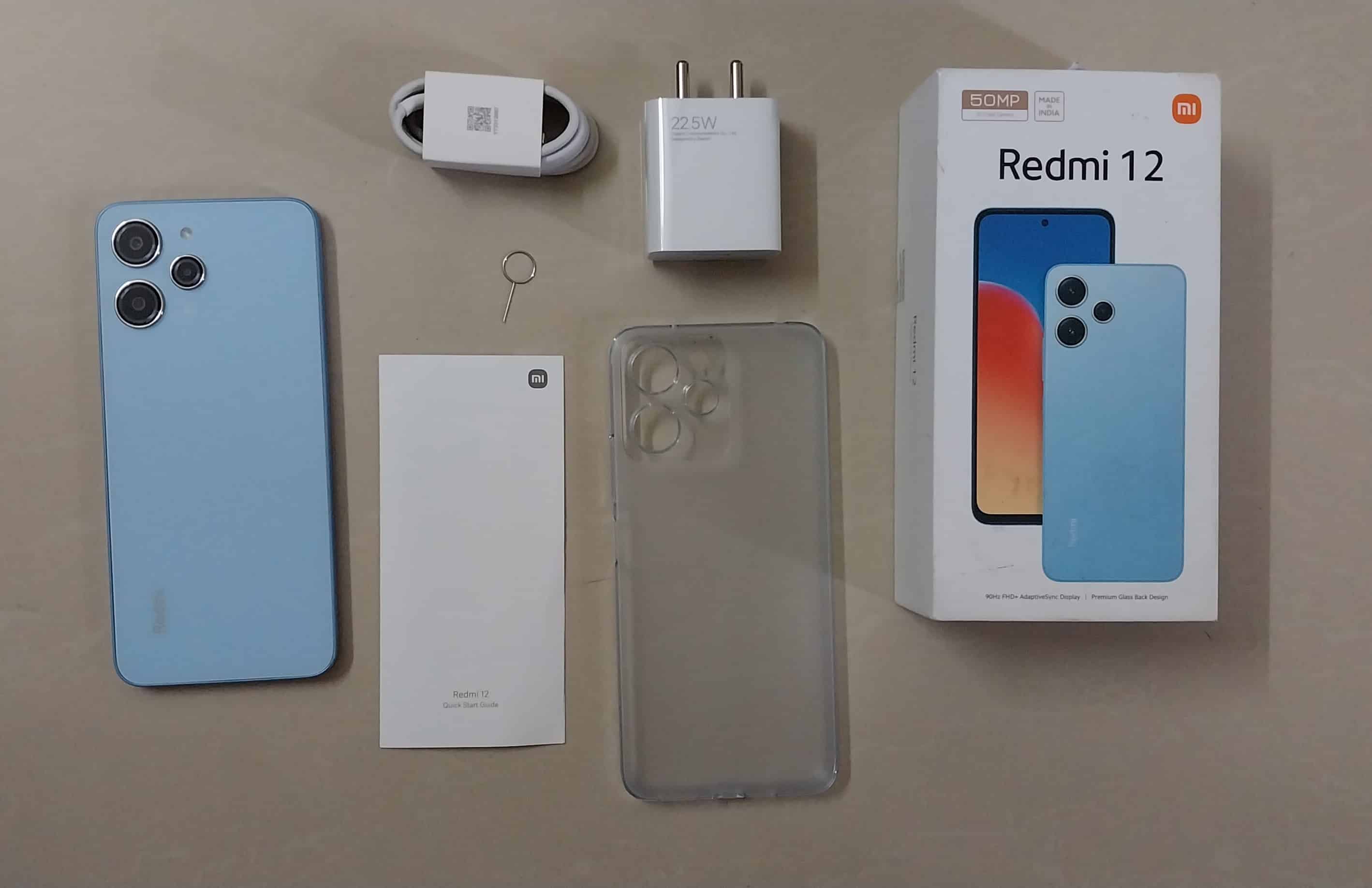
The inclusion of a 22.5W Type-C Fast Charger with 18W charging support guarantees quick refills, minimizing downtime.

This combination delivers reliable battery life and speedy top-ups for an uninterrupted mobile experience.

My Mobile Rating

Design – 3/5

Display – 3.5/5

Hardware – 3/5

Camera – 3/5

Battery – 3/5

Performance – 3/5

Verdict

Verdict
Verdict

In summary, the Redmi 12 offers a large, high-resolution panel with a fast refresh rate, exceptional touch sensitivity, and excellent brightness levels.

It’s a great choice for users who prioritize visual quality and responsiveness in their smartphones.

It also delivers a balanced hardware and performance package, catering to the needs of most users in the mid-range segment.
It offers good value for those seeking a dependable smartphone without breaking the bank.

Buy a Redmi 12 For

Buy a Redmi 12 For
Buy a Redmi 12 For
  • Crystal Glass Design
  • Big Display with FHD+
  • Decent Camera Setup
  • Large Battery Capacity
  • Affordability
20230910_112257
20230910_112308
20230910_112344
20230910_112217
20230910_110930
20230910_110706
20230910_110718
20230910_110638
20230910_110556
20230910_110606
20230910_110626
20230910_110713
20230910_112257 20230910_112308 20230910_112344 20230910_112217 20230910_110930 20230910_110706 20230910_110718 20230910_110638 20230910_110556 20230910_110606 20230910_110626 20230910_110713

FAQs

Q1. Does Redmi 12 feature a headphone jack?

Answer. Yes, Redmi 12 comes with a 3.5mm headphone jack. It is located on the top frame of the phone.

Q2. What are the specifications of the Redmi 12’s front camera?

Answer. The Redmi 12 features an 8MP front camera with an aperture of f/2.0 and a pixel size of 1.12μm. This camera is designed for capturing high-quality selfies and video calls.

Q3. Can I expand the memory of Redmi 12?

Answer. For expandable storage, the Redmi 12 comes with a Hybrid SIM slot that can be used to expand the memory up to 1TB.

Q4. How many speakers are there in Redmi 12?

Answer. Redmi 12 has one speaker grill at the bottom.

Q5. What is the display size and key display features of the Redmi 12?

Answer. The Redmi 12 boasts a 6.79″ FHD+ display with a 90Hz refresh rate and a 240Hz touch sampling rate. It also reaches a peak brightness of 550nits, making it a vibrant and responsive screen for a wide range of activities.

Apple’s New Matte Black MacBook: A Glimpse into the Future of Aesthetics

0
Apple's New Matte Black MacBook

Highlights

  • New Matte Black finish for upcoming MacBooks designed to minimise light reflection.
  • Inspired by the Matte Black option of the iPhone 7 with smudge-resistant features.
  • The latest patent (dated September 5th, 2023) delves deep into the colour’s technicalities.
  • Represents Apple’s continuous commitment to aesthetic innovation.

Apple’s journey in the tech realm has been about more than just groundbreaking products. Their patent filings, often a treasure trove for tech enthusiasts, provide a glimpse into their inventive spirit.

These range from the surprising, such as unique pizza box designs, to the more familiar, like the Face ID feature we’ve grown to rely on.

And in this vast array of innovations, a standout is Apple’s dedication to aesthetics, as evidenced by their recent focus on a new colour option for the MacBook lineup.

Unveiling the Matte Black MacBook

A closer look at 9to5Mac’s report reveals that Apple’s colour innovation isn’t stopping anytime soon. They’ve filed another patent centred on mastering the matte black finish for their next generation of MacBooks.

Though the initial patent emerged in 2020, this recent filing (dated September 5th, 2023) emphasizes the intricate process behind it.

Apple’s ambition is a finish that transcends the conventional. They’re exploring a matte black that eschews any light reflection, ensuring the hue remains consistent, irrespective of where or how you view it.

Delving into the technicalities, the patent mentions an anodized layer for the laptop, enhanced with “nano-scale tubes filled with colour particles” and a uniquely textured surface with varied peaks and recesses.

A Nod to the Past

Apple’s colour palette has always garnered attention. Currently, MacBook Pro enthusiasts recognize the signature Space Gray, while MacBook Air aficionados might be familiar with the dark bluish-black Midnight shade, a tribute to the black variants of the iPhone 13 and 14. Notably, the iPhone 7 back in 2016 stood out with its Matte Black option, boasting a finish resistant to smudges on its aluminium frame.

What Lies Ahead

The potential introduction of a matte black MacBook could rejuvenate the line for many users who crave a departure from the familiar Space Gray. As always, the tech community watches with bated breath, curious about when Apple might translate this patent into a tangible product.

With anticipation high for the iPhone 15 series launch this September 15th, one wonders if the MacBook’s colour evolution might just steal the spotlight.

FAQs

What is the new matte black MacBook about?

Apple has filed patents hinting at a new matte black finish for MacBooks, aiming for a shade that minimizes light reflection and ensures a consistent hue from all angles.

How is this colour different from previous MacBook colours?

This new matte black is designed to absorb light and appear true black. It’s distinct from the current Space Gray and borrows its texture and finish from Apple’s previous endeavour’s with the iPhone 7.

What technology is behind this new colour?

The patent details a unique anodized layer on the laptop, which includes “nano-scale tubes filled with colour particles”. The surface also has peaks and pits of varying depths to enhance the shade’s consistency.

When can we expect this new MacBook colour in stores?

While the patent has been filed, there’s no official confirmation on when or if this colour will make it to production. Apple aficionados should keep an eye out for future product launches.

Purchasing the iPhone 15: Is it Worth the Upgrade? All Your FAQs Answered Here

0
iPhone 15

Highlights

  • Rumoured A17 Chip: Talk of a potential 3nm processor hints at significant speed and performance boosts.
  • USB-C Charging Revolution?: Speculation is rife about Apple ditching the Lightning port. Will this be a game-changer?
  • Design Whispers: Leaks suggest slimmer bezels, curved edges, and a possible titanium frame, pointing to a sleeker look.
  • Anticipated Camera Feats: Expect a potential 48MP camera upgrade and exclusive features for the Pro Max version.

The tech world is abuzz with anticipation for the upcoming iPhone 15 release, and many potential buyers are pondering the same question: “Should I buy the iPhone 15 immediately after its release or hold off for a while?”

Deciding on the best time to upgrade to a new iPhone often hinges on individual needs, budget considerations, and the allure of the latest tech features. Let’s delve deeper into what we know so far about the iPhone 15 and its variants, which may help you make an informed decision.

Anticipated Features of the iPhone 15 Pro and iPhone 15 Pro Max

iPhone 15
  • Apple’s groundbreaking A17 chipset, which will be the first 3nm processor in the smartphone arena.
  • A new programmable “Action button” set to replace the traditional mute switch.
  • Transition from stainless steel to a lighter titanium frame.
  • Design enhancements, including slimmer bezels and subtly curved edges.
  • Migration from the Lightning port to the more universal USB-C charging mechanism.
  • Noteworthy improvements in battery longevity.
  • An exclusive periscope zoom lens for the iPhone 15 Pro Max variant.
  • Introduction of a striking crimson red to the colour palette.
  • Elevated storage options to cater to the ever-growing media and app demands.
  • Projected starting prices are $1099 for the iPhone 15 Pro and $1199 for the iPhone 15 Pro Max.

Given the impending release of these models, it would generally be advisable to pause on purchasing the iPhone 14 Pro and iPhone 14 Pro Max.

However, the hike in the starting price and significant changes to familiar features like the mute switch and charging port might deter some prospective upgraders.

Expected Features of iPhone 15 and iPhone 15 Plus

  • Incorporation of the A16 chip, akin to its predecessor, the iPhone 14 Pro.
  • The “Dynamic Island” feature will be carried over from the iPhone 14 Pro.
  • Enhanced 48MP camera sensor.
  • A design overhaul with a frosted glass back and gentle curved edges.
  • Transition to a USB-C charging interface.
  • A fresh cyan-inspired colour variant.
  • Estimated starting prices are $799 for the iPhone 15 and $899 for the iPhone 15 Plus.
Expected Features of iPhone 15

While a price surge isn’t anticipated for these models, potential buyers should be wary of the change from Lightning to USB-C, especially if they have a significant investment in Lightning accessories.

Considerations for Prospective Upgraders

  • For the Tech-Savvy: If you’re someone who always wants the latest and greatest, then waiting for the iPhone 15 series would be ideal.
  • Budget-Wise: Post-launch, the iPhone 14 and iPhone 14 Plus are predicted to experience price reductions, making them a more affordable option.
  • Feature-Oriented: For those who appreciate the camera capabilities of the iPhone 14 Pro and iPhone 14 Pro Max and aren’t concerned about having the latest model, the current availability and potentially reduced prices might be tempting.

End of an Era for the Mini?

iPhone 13 Mini - Key features
End of an Era for the Mini

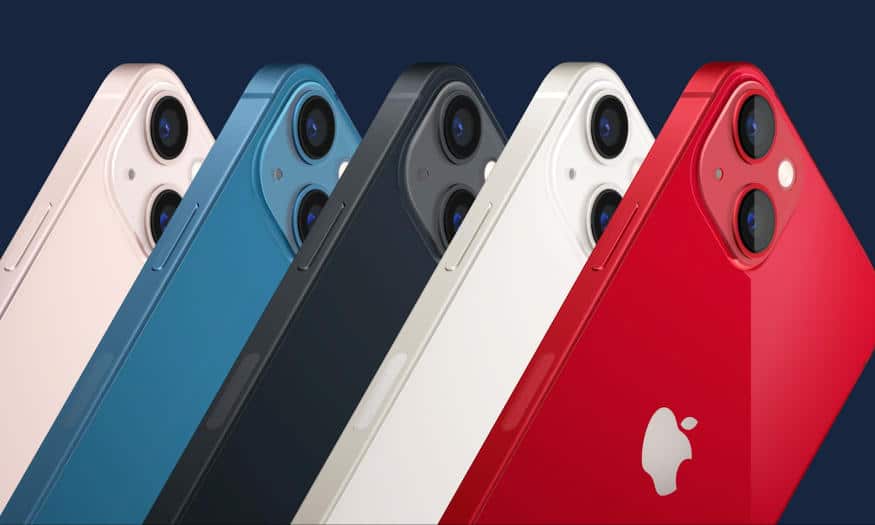
Speculations are rife about the discontinuation of the ‘mini’ line-up, with the iPhone 13 mini’s future in particular being uncertain.

Its predecessor, the iPhone 12 mini, was already phased out, possibly due to the underwhelming battery performance or a lack of demand for a two-generations-old model in two sizes.

Conclusion

To sum up, tech enthusiasts and early adopters might want to delay their purchase until the iPhone 15 series is officially launched.

Those apprehensive about the new charging system or those looking for a budget-friendly option might not need to wait. If the compact ‘mini’ model appeals to you, it could be prudent to secure one sooner rather than later.

FAQs

What distinguishes the iPhone 15 from its predecessors, making it a worthy upgrade?

The iPhone 15 boasts several significant enhancements over previous models. Key highlights include the A17 chipset, promising increased performance and efficiency with its 3nm architecture.

Additionally, design refinements like thinner bezels and slightly curved edges contribute to a more ergonomic and modern appearance. The introduction of the USB-C port promises faster charging and data transfer speeds. The iPhone 15 also touts a revamped camera system, with notable upgrades like the 48MP sensor, offering sharper image capture and improved low-light performance. Assessing these features can help potential buyers decide if these enhancements align with their needs.

Considering the change in ports from Lightning to USB-C, how disruptive could this be for current iPhone users?

Answer: Transitioning from Lightning to USB-C might pose initial challenges for long-time iPhone users who have invested in Lightning-compatible accessories, like earphones, chargers, and docks.

However, the industry trend leans towards USB-C adoption, making it a more universal and versatile port for a variety of devices, not just smartphones. Over time, this change can reduce the clutter of multiple cables and adapters and streamline the charging and data transfer experience. Those heavily invested in the Lightning ecosystem might need to weigh the costs of adapting to a new standard.

Is the expected higher price tag for the iPhone 15 justified by the features it offers?

The iPhone 15 series, particularly the Pro versions, are expected to have a starting price higher than their predecessors. The justification for this price bump lies in the numerous upgrades: a groundbreaking chipset, enhanced camera system, and design changes.

Additionally, the shift to a more durable titanium frame in the Pro versions adds to the device’s longevity and premium feel. Prospective buyers should evaluate if these enhancements align with their usage patterns and whether they offer a tangible improvement to their smartphone experience to warrant the higher cost.

With the potential discontinuation of some older models, should buyers consider the iPhone 15 or look at previous models for better value?

Post the iPhone 15’s release, Apple is likely to reduce the prices of older models like the iPhone 14 and 13, presenting them as value propositions. While these older models may lack some of the cutting-edge features of the iPhone 15, they still deliver robust performance and camera capabilities.

Those looking for the latest tech advancements might lean towards the iPhone 15, but budget-conscious consumers could find significant value in the discounted older models.

Apple’s iPhone 15 ‘Wanderlust’ Event – How to Tune In

0
Upcoming ‘Wonderlust’ Event Announcement

Highlights

  • Apple’s latest flagship phone is set to be unveiled during the “Wanderlust” event.
  • Viewers can choose from the Apple TV app, YouTube, or Apple’s official website for a seamless experience.
  • Expect Apple’s signature cinematic transitions and detailed presentations.
  • Ensure you never miss out by using Apple’s calendar subscription service for timely reminders.

Apple is gearing up for its eagerly anticipated annual unveiling, this time featuring the iPhone 15, during the “Wanderlust” event scheduled for September 12.

As with previous launches, Apple will be employing its signature style, blending cinematic artistry with clear, informative presentations in a pre-recorded format.

While only a privileged few have the honor of attending the Apple extravaganza in person, Apple ensures that fans and tech enthusiasts worldwide won’t miss out on the excitement.

The firm offers multiple official streaming platforms, ensuring everyone can access the event in real-time, irrespective of their choice of device or platform.

How to Catch the ‘Wanderlust’ Event in Real-Time

  • Apple TV App: One of the premier ways to experience the event, Apple TV users will notice a dedicated event icon appearing before the commencement on September 12. Once live, a direct link will facilitate seamless access.
  • YouTube: Apple recognizes the vast user base of YouTube and ensures a smooth broadcast on this platform. Ideal for those who like to view launches on a bigger screen or comment in real-time with fellow viewers.
  • Apple’s Official Website: A consistent and classic option, Apple’s official website will host the pre-recorded video. It’s perfect for those who want a straightforward viewing experience without distractions.

The broadcast is slated to go live at 10 AM PT (10.30 PM IST). If scheduling conflicts prevent you from tuning in during the live session, worry not. Apple ensures a recorded version will be accessible on the aforementioned platforms shortly after the initial broadcast concludes.

For those with a packed schedule, Apple offers a nifty solution to ensure you don’t miss out. By availing the Apple calendar subscription service, users receive timely notifications and direct links to the live stream of any major Apple event, including “Wanderlust”.

A simple click on the provided link, followed by the activation of the subscription with notifications enabled, ensures you’re always in the loop.

FAQs

What is the Apple ‘Wanderlust’ Event all about?

The “Wanderlust” event is Apple’s annual showcase, this year focusing on the much-anticipated iPhone 15 unveiling. This pre-recorded session will integrate Apple’s classic blend of cinematic transitions and scripted presentations.

When is the event scheduled, and how can I watch it?

Scheduled for September 12 at 10 a.m. Pacific Time, you can stream it live via the Apple TV app, YouTube, or Apple’s official website. A link will be provided on Apple TV shortly before the event starts.

I might miss the live broadcast. Will there be a replay available?

Absolutely! Apple ensures the recorded version of the event will be available on the aforementioned platforms shortly after the live broadcast concludes.

How can I get reminders for the event?

By availing the Apple calendar subscription service, users can receive timely notifications and direct links to the live stream. This feature ensures you never miss out on any major Apple event.

iPhone 15 Could Usher in the U2 Ultrawide-Band Era: Enhanced Precision in Location Tracking

0
iPhone 15

Highlights

  • Introduction of the U2 ultrawide-band chip for enhanced location-finding.
  • Upgrade marks the first evolution since U1’s debut in iPhone 11 Pro.
  • All four iPhone 15 models, including non-Pro versions, to feature the U2 chip.
  • Potential for the U2 chip to become a staple in future Apple products.

The iPhone 15 is set to break new ground in its location-detecting capabilities by integrating an upgraded ultrawide-band (UWB) chip, known as the U2. This marks the chip’s first significant evolution since the introduction of the U1 in the iPhone 11 Pro.

Bloomberg recently provided insights into what the upcoming Apple event might unveil. Among the anticipated announcements is the incorporation of the U2 chip across all four iPhone 15 models. This isn’t just limited to the higher-tier Pro versions.

The speculation suggests that Apple might be looking to standardize this enhanced UWB technology in its subsequent flagship products.

What’s intriguing about the U2 chip is its potential to refine and expand upon the remarkable location-tracking precision of its predecessor, the U1. The breadth of its applications could range from more accurate device tracking to smoother augmented reality experiences.

While the iPhone 15 Pro Max is expected to spotlight its periscope lens, which promises to extend optical zoom capabilities before requiring digital enhancements, the U2 chip’s introduction signifies Apple’s commitment to enhancing foundational technology components.

As past speculations have hinted, the optical zoom with the periscope lens might range between 5x to 6x, a noticeable jump from the existing 3x zoom in current models.

FAQs:

What is the U2 ultrawide-band chip set to feature in iPhone 15?

The U2 ultrawide-band chip is an advanced version of the U1 chip that debuted in the iPhone 11 Pro. It’s designed to offer unprecedented accuracy in location-finding capabilities.

How does the U2 chip differ from its predecessor, the U1?

While the specifics are yet to be fully unveiled, the U2 chip is believed to improve upon the already impressive location-tracking precision of the U1, offering potential applications ranging from augmented reality to device tracking.

Will all iPhone 15 models come equipped with the U2 chip?

According to insights from Bloomberg, all four iPhone 15 models, not just the Pro versions, are expected to feature the U2 chip, indicating Apple’s broader push towards advanced location technology.

Apart from the iPhone 15, will other Apple products get the U2 chip in the future?

The report hints at the likelihood of the U2 chip being integrated into other major Apple products in subsequent releases, although exact details remain speculative.

How To Reset Apple ID Password Using Different Methods?

0

Highlight

  • Tips on things to remember before resetting your Apple ID password.
  • Step-by-step instructions for each of the various methods available to reset an Apple ID password.
  • Clear, concise explanations that make the password reset process easy to follow, even for those with minimal technical expertise.

Your Apple ID is the key to accessing a wide range of Apple services, from iCloud to the App Store. So, if you’ve forgotten your Apple ID password or suspect it has been compromised, it’s crucial to reset it promptly.

In this blog, we’ll walk you through various methods to reset your Apple ID password, ensuring that you can regain access to your account without much hassle.

Everything You Need To Know Before Resetting Your Apple ID Password

Here are some essential tips and considerations to keep in mind before resetting your Apple ID password –

  • Make sure you have access to one of your trusted Apple devices or a trusted phone number for account recovery, as these are crucial for the reset process.
  • Back up your device using iCloud or iTunes. Resetting your password won’t affect your data directly, but it’s better to be safe.
  • If you’ve set up security questions, ensure you remember the answers you provided.
  • Check and update your recovery email address and phone number associated with your Apple ID to receive verification codes and account recovery instructions.
  • When resetting your password, create a strong and unique one that’s not easily guessable. Use a combination of letters, numbers, and symbols.

Reset Apple ID Password using iPhone, iPad, or iPod touch

Here’s a step-by-step guide to help you reset your Apple ID password on your iPhone, iPad, or iPod touch –

  • Tap on the “Settings” app on your device’s home screen. It looks like a gear icon.
  • Scroll down and tap on your name at the top of the Settings menu. This takes you to the Apple ID settings.
  • On the Apple ID page, select “Password & Security.”
  • Under the “Security” section, tap on “Change Password.”
  • If prompted, enter your device passcode to proceed.
  • Type in your new password on the next screen. You’ll need to enter it twice to confirm.
  • Tap “Change” or “Change Password” to confirm your new password.

Reset Apple ID Password On Mac

If you are using a Mac device, resetting your Apple ID password on your Mac is straightforward. Here’s a complete step-by-step guide –

  • Click on the Apple logo in the top-left corner of your Mac’s screen, and then select “System Preferences” from the dropdown menu.
  • In the System Preferences window, click on “Apple ID” at the top of the list.
  • In the left sidebar of the Apple ID settings, select “Password & Security.”
  • Click the “Change” or “Change Password” button to finalize the password reset.
  • You should receive a confirmation message that your Apple ID password has been changed

Reset Apple ID Password Without an Apple Device

Note: You should have access to the phone number associated with your Apple ID for this method to work.

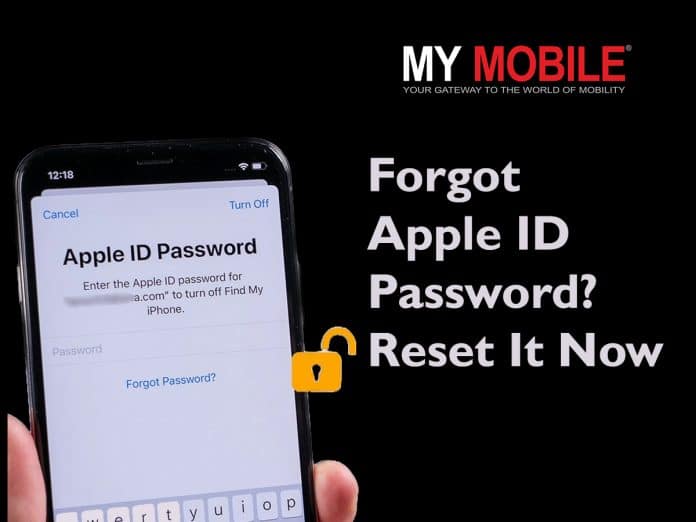
  • Click on “Forgot Apple ID or password” below the login fields for the password recovery page to pop up.
  • Enter your Apple ID, which is usually the email address associated with your Apple account.
  • Enter your phone number on the next page to confirm your identity.
  • On the next page, you will be prompted with three different ways to reset your Apple ID password using an Apple device. Since we don’t want to use an Apple device, skip all these ways and click on “Can’t use any of these options?” at the bottom of the page.
  • Next, Apple informs you about the long time it may take to reset your Apple ID without an Apple device. Click on “Continue Anyway” to proceed further.

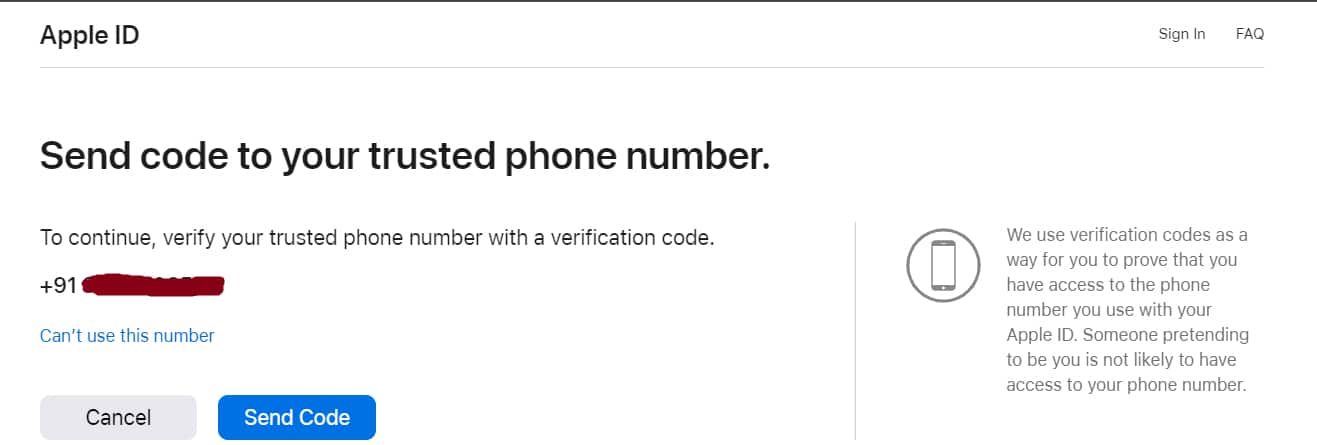
  • Verify your phone number on the next page by receiving a verification code.
  • The verification could take a long time. After Apple successfully verifies your identity, you can create a new password for your Apple ID.

Once you’ve changed your Apple ID password on your iPhone, iPad, iPod touch, or Apple Watch, make sure to update it on any other devices you use with the same Apple ID to ensure seamless access to your Apple services.

Additionally, consider enabling Two-Factor Authentication or Two-Step Verification for added security, which can help you recover your account more quickly if you forget your password in the future.

FAQs

Q1. What are the rules for an Apple ID?

Answer. Apple requires that you use a strong password for your Apple ID—eight or more characters, including upper and lowercase letters and at least one number.

Q2. Can I have 2 Apple IDs?

Answer. You can create multiple Apple IDs, but it’s best to stick with one account. If you want all of your Apple services to work properly and your devices to sync, you need to make sure to use the same Apple ID everywhere you sign in.

Q3. Can I delete my Apple ID?

Answer. You can delete your Apple ID from Apple’s Data and Privacy website. Once an Apple ID account is deleted, you’ll lose access to a number of services and saved content. Deactivating your account is a temporary alternative to permanently deleting your Apple ID.

Q4. Can I use Gmail for Apple ID?

Answer. Apple allows you to sign up for a new Apple ID using any of your existing email addresses from services like Gmail, Yahoo, Outlook, etc.

Q5. How long is Apple ID valid?

Answer. Apple removes IDs from its database if it is not used for a long period (2 years).

Also Read: How Keyboard Sounds Can Reveal Your Passwords: Acoustic Side-Channel Attacks Explained

Also Read: Top 10 Free WiFi Calling Apps on Android And iOS To Revolutionise Your Communication

Also Read: Apple will automatically assign an Apple ID passkey for users with Ipad iOS 17 and macOS Sonoma

First Thing You Need to Do After Buying A Smartphone

0
First Thing You Need to Do After Buying A Smartphone

Highlight

  • Get guidance on the crucial steps to take immediately after buying a smartphone.
  • Learn how to ensure the security and functionality of a new smartphone.

Buying a smartphone is always exciting. Whether it’s an upgrade or your very first device, a smartphone with the latest features enhances your daily life.

However, before you start exploring all the amazing features and downloading apps, there’s an essential first step you should take to ensure your new device is safe, secure, and optimized for your needs.

In this blog, we’ll discuss the very first thing you need to do after buying a smartphone.

Power On and Initial Setup

Turn on your smartphone by pressing and holding the power button. Follow the on-screen instructions to set your language, region, and time zone. Connect to Wi-Fi or your mobile data network during this setup process.

Google or Apple ID Sign-In

Depending on whether you’re using an Android or iOS device, sign in with your Google or Apple ID. This step is crucial as it associates your device with your account, enabling access to your email, contacts, and app purchases.

Set Up Security Measures

Prioritize your device’s security by setting up a lock screen PIN, pattern, or biometric authentication (e.g., fingerprint or facial recognition). This step is vital to protect your personal data in case your phone is lost or stolen.

First Thing You Need to Do After Buying A Smartphone

Enable Find My Device (or Find My iPhone)

In case you misplace your smartphone, having a tracking feature enabled can be a lifesaver. Android users should enable “Find My Device,” while iOS users can activate “Find My iPhone.”

Update Your Device

Check for software updates and install them immediately if available. Updates often contain important security patches and performance enhancements.

Backup Your Data

Before you start customizing your smartphone, consider setting up an automatic backup for your important data, including photos, contacts, and app data. Both Android and iOS offer backup solutions.

Install Essential Apps

While you may be excited to explore the app store, start by installing essential apps like a reliable antivirus, a password manager, and a cloud storage service. These apps will help keep your device secure and your data organized.

Configure Privacy Settings

Go through your privacy settings and tailor them to your preferences. Review app permissions and decide what data you’re comfortable sharing with each app.

Sync Accounts and Data

Sync your email, calendar, and social media accounts to your smartphone to streamline your communication and keep all your data in one place.

Once you’ve completed these essential steps, your smartphone will be ready for you to explore and enjoy. Remember that ongoing maintenance, regular backups, and staying vigilant about security are crucial for ensuring a safe and smooth smartphone experience.

FAQs

Q1: Should I insert my SIM card into the new Android phone before transferring data?

Answer: Regardless of the device you’re transitioning from, it’s advisable not to insert your SIM card until the entire data transfer process is completed. Additionally, ensure that both your old and new devices have a minimum battery level of 20% before starting the transfer.

Q2. Should I charge my new smartphone?

Answer. Nowadays, most modern phones use Lithium Polymer (Li-Po) batteries. Lithium Polymer batteries don’t need to be charged before the first use. Most probably, your new phone will probably already be charged to about 60-70%.

Q3. How to sync data in a new smartphone from old phone?

Answer. To sync data from your old smartphone to a new one, follow these steps:

  • Use your old phone’s backup feature to save data like contacts, photos, and apps to the cloud or a computer.
  • Turn on your new smartphone and follow the initial setup instructions. Connect to Wi-Fi and sign in with your Google (Android) or Apple (iOS) account.
  • Android users can use Google Drive or Samsung Smart Switch for a seamless transfer. iOS users can use iCloud or Quick Start.
  • Choose what data to sync, including contacts, photos, apps, and settings.
  • Follow the on-screen prompts to finish the setup. Your new phone will now have your old data.

Q4. What are some of the apps essential in a newly bought smartphone?

Answer. Essential apps for a new smartphone include:

  • Security App: Protect your device with antivirus and security apps.
  • Password Manager: Safely store and manage passwords.
  • Messaging Apps: WhatsApp, Messenger for communication.
  • Navigation: Google Maps for directions.
  • Cloud Storage: Dropbox, Google Drive for file backup.
  • Social Media: Facebook, Instagram for social networking.
  • Email: Gmail, Outlook for email communication.
  • Productivity: Microsoft Office, Google Workspace for work tasks.
  • Entertainment: Spotify, Netflix for music and videos.
  • Utility: Flashlight, QR Code Scanner for convenience.

Also Read: Things To Consider before Buying a Smartphone in 2022 – How To Choose Best Mobile For You?

Also Read: Tech Insight: 5 key touchpoints for online buying of smartphones

Also Read: Multi-brand outlets dominated smartphone buying market in Q1 and Q2: Report

Folding Phones – Pros and Cons

0
Folding Phones - Pros and Cons

Highlight

  • Get an overview of the advantages and disadvantages of folding phones.
  • Understand the foldable phone technology.
  • Learn both the exciting possibilities and challenges that come with these innovative devices.

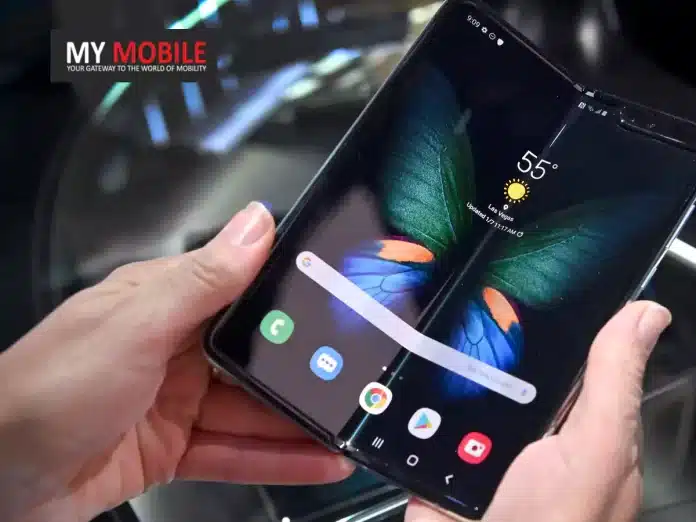
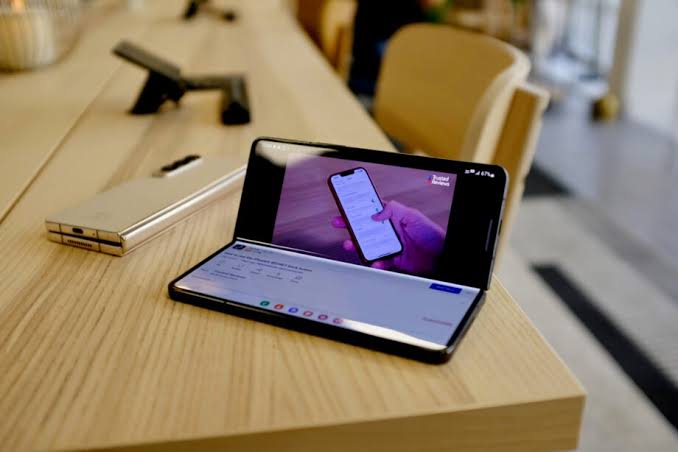
Smartphones have undergone remarkable transformations over the years. One of the latest innovations to hit the market is folding phones. These devices boast flexible screens that can fold, allowing for a unique combination of a compact form factor and an expansive display.

While folding phones offer exciting possibilities, they also come with their own set of advantages and disadvantages.

In this blog, we’ll explore the pros and cons of folding phones to give you a fair idea.

Folding Phones - Pros and Cons
Folding Phones – Pros and Cons
Pros Cons
Design Novelty

Folding phones represent a significant leap in smartphone design. Owning a folding phone can be a status symbol, signalling that you’re at the cutting edge of technology trends. It’s an eye-catching and conversation-starting device that can set you apart in social and professional circles.

High Price Tag

Folding phones often come with a premium price tag, making them inaccessible to budget-conscious consumers. The cutting-edge technology required for foldable screens contributes significantly to their cost.


Bigger Screen Real Estate

Folding phones provide users with a larger display area than traditional smartphones when unfolded. This extra-screen real estate is perfect for productivity, multitasking, and media consumption, providing a tablet-like experience in a portable device.

Durability Concerns

While improvements have been made, foldable screens are still more fragile than traditional smartphone displays. They may be susceptible to damage from dust, debris, or excessive pressure, raising concerns about long-term durability.

Compact and Portable

When clamshell folded, these phones are compact and easily fit into pockets or bags. This portability makes them convenient for users who are always on the go, offering a balance between screen size and portability.

Bulky When Folded

Book-style foldable phones can be thicker than standard smartphones. This can make them less comfortable to carry in pockets, as well as less visually appealing due to their bulkier profile.

Multitasking Made Easy

The larger unfolded screen allows for seamless multitasking. Users can run multiple apps simultaneously, improving productivity and making tasks like video conferencing and document editing more efficient.

Limited App Optimization

Many apps are not yet fully optimized for foldable screens. This can result in awkward app layouts and user experiences, detracting from the advantages of the larger display.


Hybrid Functionality

Imagine having a tablet that you can fold and turn into a smartphone to keep inside your pocket. That’s the hybrid functionality feature the foldable phones offer.


Limited Selection

As of now, the market for folding phones is relatively limited compared to traditional smartphones. This means consumers have fewer options to choose from in terms of specifications, features, and price points.

Prestige Factor

Owning a foldable phone can be a status symbol, signalling that you’re at the cutting edge of technology trends and willing to embrace innovation.

Learning Curve

The unique form factor of folding phones may require users to adapt to new ways of interacting with their devices. Some users may find the learning curve steep, leading to initial frustration.

As technology continues to evolve and mature, we can expect these pros and cons to shift and evolve as well. Ultimately, the decision to invest in a folding phone should consider individual preferences, budget, and tolerance for adopting emerging technology.

FAQs

Q1. What is the life of a foldable phone?

Answer. The life of a foldable can’t be predicted as such. We also don’t have enough user reviews or data to draw a conclusion about the life of foldable phones. However, Samsung has claimed that the screens in both devices have been certified to fold up to 200,000 times.

Q2. How many types of foldable phones are available?

Answer. There are two main types of foldable phones available in the market: the clamshell design and the book-style design.

Q3. Are foldable phones durable?

Answer: Foldable phones have made significant strides in terms of durability, but they can still be more vulnerable to screen damage compared to traditional smartphones. The durability of a foldable phone largely depends on factors like the quality of materials used, the design of the hinge mechanism, and how well the user takes care of the device.

Many modern foldable phones come with improved screen protection, such as ultra-thin glass, which makes them more resistant to scratches and damage. However, it’s essential to handle them with care, avoid applying excessive pressure, and keep them away from dust and debris to prolong their lifespan.

Q4. Are there enough apps optimized for foldable phones?

Answer: While the number of apps optimized for foldable phones has been increasing, there is still room for improvement. Many popular apps have started offering better support for foldable screens, allowing for a smoother user experience.

However, not all apps are fully optimized, and users may encounter compatibility issues or awkward layouts on some apps when using a foldable phone. It’s essential to check app compatibility before purchasing a foldable device and keep an eye on software updates, as manufacturers and app developers continue to work on enhancing the foldable phone experience.

Also Read: Honor to Unveil Two Foldable Phones at IFA 2023: Here’s What To Expect

Also Read: Motorola Razr Pro, Razr Lite foldable phones’ global launch date leaked: Check Specifications

Also Read: Realme Fold and Realme Flip foldable phones teased by CEO Madhav Sheth: Hints Official Teaser

Embracing the Future: iPhone 15’s Smooth Transition to USB-C

0
Embracing the Future: iPhone 15's

Highlights

  • Apple’s iPhone 15 makes a significant shift from the Lightning connector to USB-C.
  • The move is largely influenced by European regulations advocating for USB-C adoption.
  • Unlike the previous transition to the Lightning port, USB-C is already familiar to many tech users, making this change smoother.

On September 12, Apple is set to unveil the iPhone 15, marking a significant shift from its traditional Lightning connector to the USB-C port.

Many may recall the uproar from Apple enthusiasts over a decade ago when Apple transitioned from the 30-pin connector to the Lightning port. Users had heavily invested in accessories tailored to the 30-pin design.

The Motivation Behind the Shift

Fast forward to today, we’re on the brink of another major port transformation. However, the reaction is anticipated to be considerably more muted.

The move from the 30-pin connector to Lightning was an Apple-initiated decision, whereas the change to USB-C stems from impending European regulations advocating for USB-C adoption, slated to come into effect next year.

Though Apple may position this change as a user-centric decision, the underlying regulatory push will likely remain unmentioned.

iPhone 15’s Smooth Transition to USB-C

Comparing Past and Present Transitions

When the Lightning connector was introduced with the iPhone 15, it was an entirely new design.

Its introduction necessitated the purchase of new cables and accessories, demanding users to adapt almost entirely. In contrast, the USB-C, although new to iPhones, is familiar to many tech users.

USB-C’s Widespread Adoption

Android smartphones have incorporated USB-C ports for several years now. Some might argue that the USB-C integration could tempt iPhone loyalists to consider Android options. However, the opposite could be just as plausible.

USB-C’s prevalence extends beyond smartphones. It’s featured in many modern-day gadgets, from cars and exercise equipment to gaming consoles and cameras.

The widespread adoption of USB-C means that many potential iPhone 15 buyers are already equipped with USB-C compatible devices and a plethora of cables and chargers.

This familiarity and readiness ensure that the iPhone 15’s adoption of USB-C is poised to be a less disruptive change for consumers.

FAQs

Why is Apple transitioning from the Lightning connector to USB-C with the iPhone 15?

The shift from the Lightning connector to USB-C is in response to impending European regulations that advocate for the adoption of USB-C. While Apple might highlight the user benefits of this shift, the regulatory background plays a significant role.

How does the move to USB-C compare with the past transition from the 30-pin connector to Lightning?

The transition from the 30-pin connector to the Lightning port was a significant overhaul as the Lightning design was entirely new to consumers. In contrast, USB-C, though new to iPhones, is already familiar to many tech enthusiasts, making this change less disruptive.

Will the iPhone 15’s USB-C port be compatible with other USB-C devices?

Yes, the USB-C port is a universal standard. Its adoption in the iPhone 15 means users can use the same cables and chargers they have for other USB-C devices, such as Android phones, cameras, and gaming consoles.

Is there a possibility that the switch to USB-C might influence iPhone users to consider Android options?

While some might argue that the USB-C integration could tempt iPhone users towards Android, the reverse is also plausible. The widespread adoption of USB-C makes transitioning between devices smoother, irrespective of brand preference.