New feature to manage photo display from other apps
Four customizable options for displaying backed-up images
Enhanced organization with tagged images
Initial support for WhatsApp photos, more apps to follow
Keeping the photos in check and organized can be overwhelming for all of us, especially when they come from other apps.
With the popular photo storage and management tool from the digital giant, Google Photos, this is going to be less of a headache as it rolls out a new feature aimed at cleaning up your photo stream.
How Disorganized It Is
New feature to manage photo display from other apps
Even though users can save photos from other applications, for example, Office Lens or WhatsApp, these backups are mixed with those of the camera images by default; thus, this could make for a messy and confusing primary view.
Customizable Photo Display
Four customizable options for displaying backed-up images
There are now reports that Google Photos is developing a new feature that will enable users to have better control over what gets displayed in their primary photo stream, with the objective of countering the congestion.
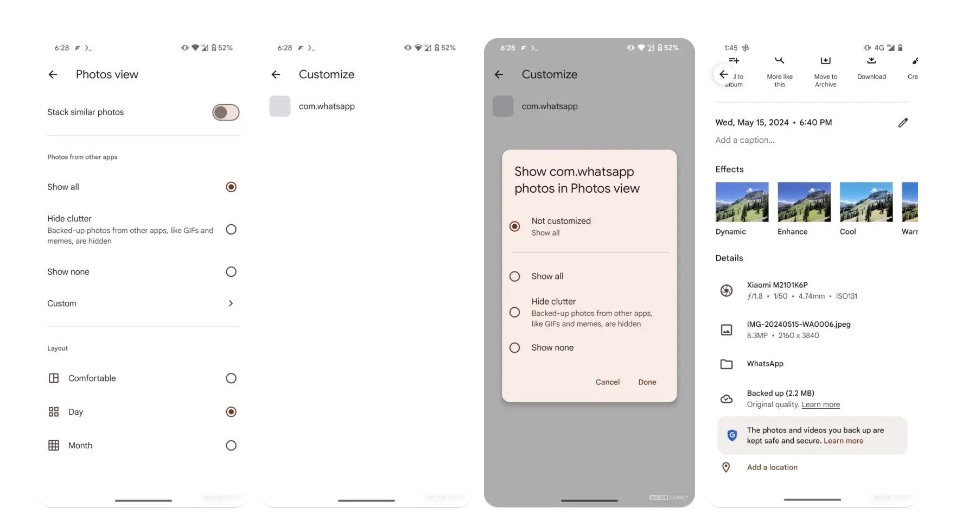
This planned update, as found in the app version 6.813, adds a special “Photos view” area to the settings.
“Show all”: The default Photos view will show all backed-up images, including those from other apps.
“Hide clutter”: Other images will be shown, but the lower-priority content—GIFs and memes from other apps—shall be buried under them.
“Show none”: The images from the backup of other applications do not appear in the main Photos display; however, they are still available and saved somewhere.
“Custom”: From the main Photos view, users can choose on an individual basis which apps’ photos to see.
To further enhance organization, backed-up images from other apps will be tagged accordingly, allowing users to easily identify and manage them on both primary and secondary devices.
What is the new feature in Google Photos for managing photo displays?
The new feature allows users to customize how backed-up photos from other apps are displayed in their primary photo stream, providing options to hide or show certain images.
How can I customize the photo display in Google Photos?
You can customize the photo display by accessing the new “Photos view” section in the settings, where you can choose from options like “Show all,” “Hide clutter,” “Show none,” and “Custom.”
What does the “Custom” option do in Google Photos?
The “Custom” option allows users to select on an individual basis which apps’ photos to display in the main Photos view, initially supporting WhatsApp with plans to expand to other apps.
Will the new feature affect how my photos are backed up in Google Photos?
No, the feature only changes how backed-up photos are displayed in the main Photos view. All photos will still be backed up and stored as usual.
Protects iMessage conversations from eavesdropping and man-in-the-middle attacks
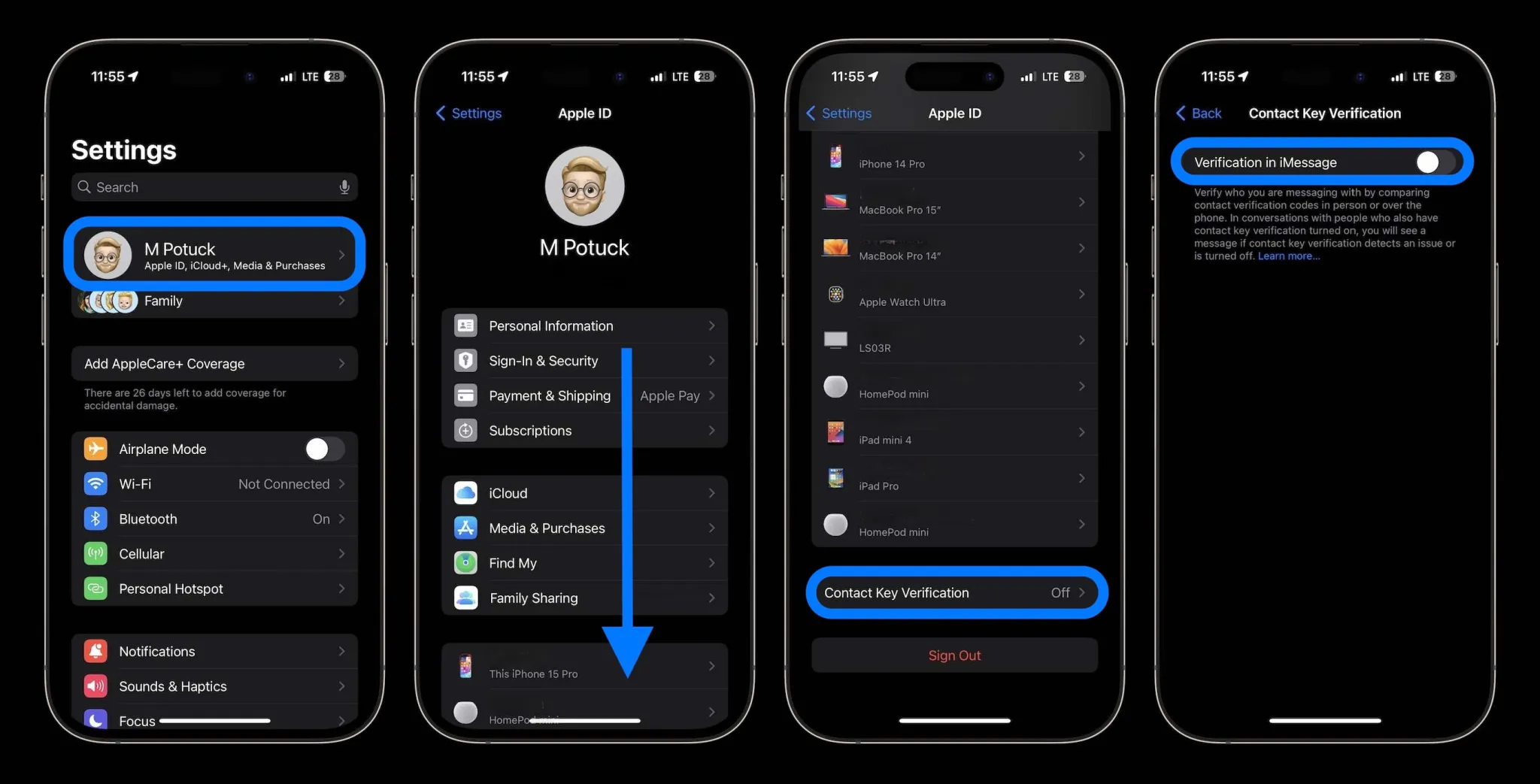
As per 9to5Mac, this is an opt-in security feature designed to protect iMessage conversations from probable eavesdropping or man-in-the-middle attacks.
When you turn it on, you’ll automatically receive an alert if the encryption keys used in your iMessage conversation don’t match the ones expected for the intended recipient.
Alerts users when encryption keys don’t match expected recipients
Although Apple has not yet experienced these sophisticated attacks, the company’s adoption of CKV shows how proactive it is in preventing threats and giving users an extra layer of security.
That means that the additional security may benefit users without sacrificing convenience, if they do not necessarily have to meet the highest levels of protection.
Contact Key Verification (CKV) is a security feature in iMessage that alerts users if the encryption keys for their conversations don’t match the expected recipients, helping to prevent eavesdropping and man-in-the-middle attacks.
How does Contact Key Verification enhance security?
CKV increases security by notifying users when an unauthorized device is added to an iMessage account, ensuring the integrity and confidentiality of their conversations.
Is it difficult to activate Contact Key Verification?
No, activating CKV is straightforward. Users need to ensure their devices are updated to iOS 17.2 or later and follow a few simple steps in the Settings app to enable the feature.
Will enabling Contact Key Verification affect the functionality of my iPhone?
No, enabling CKV does not compromise the usability or functionality of your iPhone or iMessage. It adds an extra layer of security without sacrificing convenience.
Do I need to update all my devices to use Contact Key Verification?
Yes, all devices logged into your iCloud account need to be updated to iOS 17.2, macOS 14.2, or watchOS 10.2 or later.
Temporarily sign out of iMessage on any devices running earlier software versions before enabling CKV.
The 39.99Wh or 10,209 mAh battery capacity should give comparable battery life to the previous mini-LED model.
Thermal Management
Battery placement enhances ergonomics and weight distribution
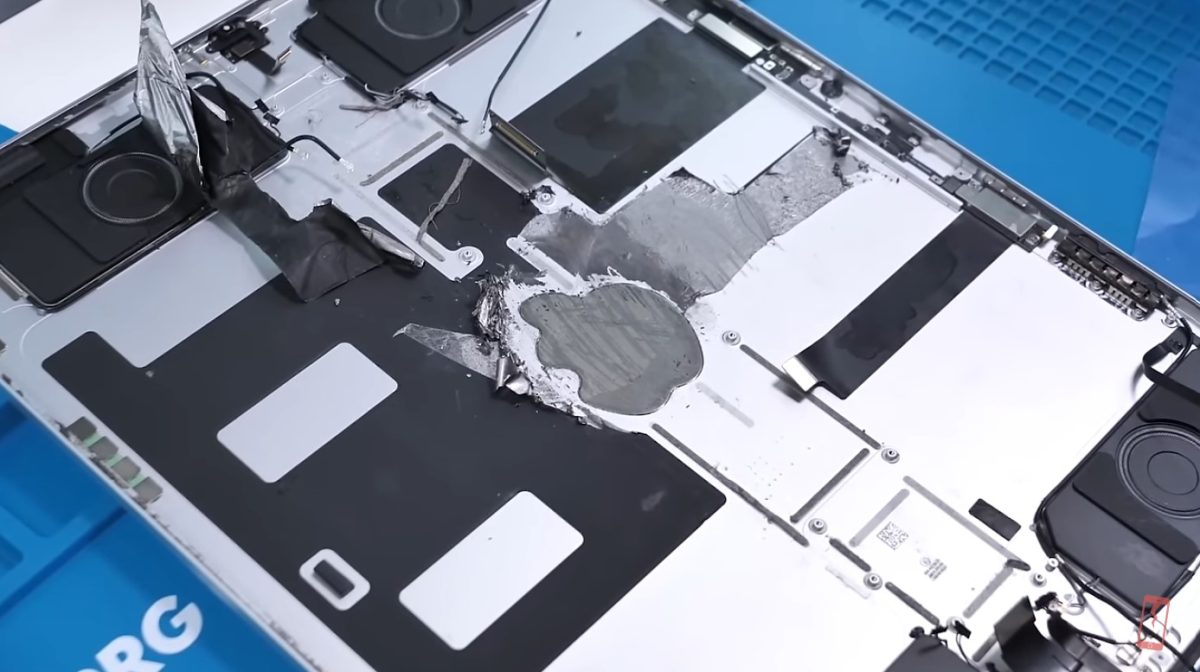
Since the tablet is so thin, at the launch event, Apple said that they had implemented some new thermal solution.
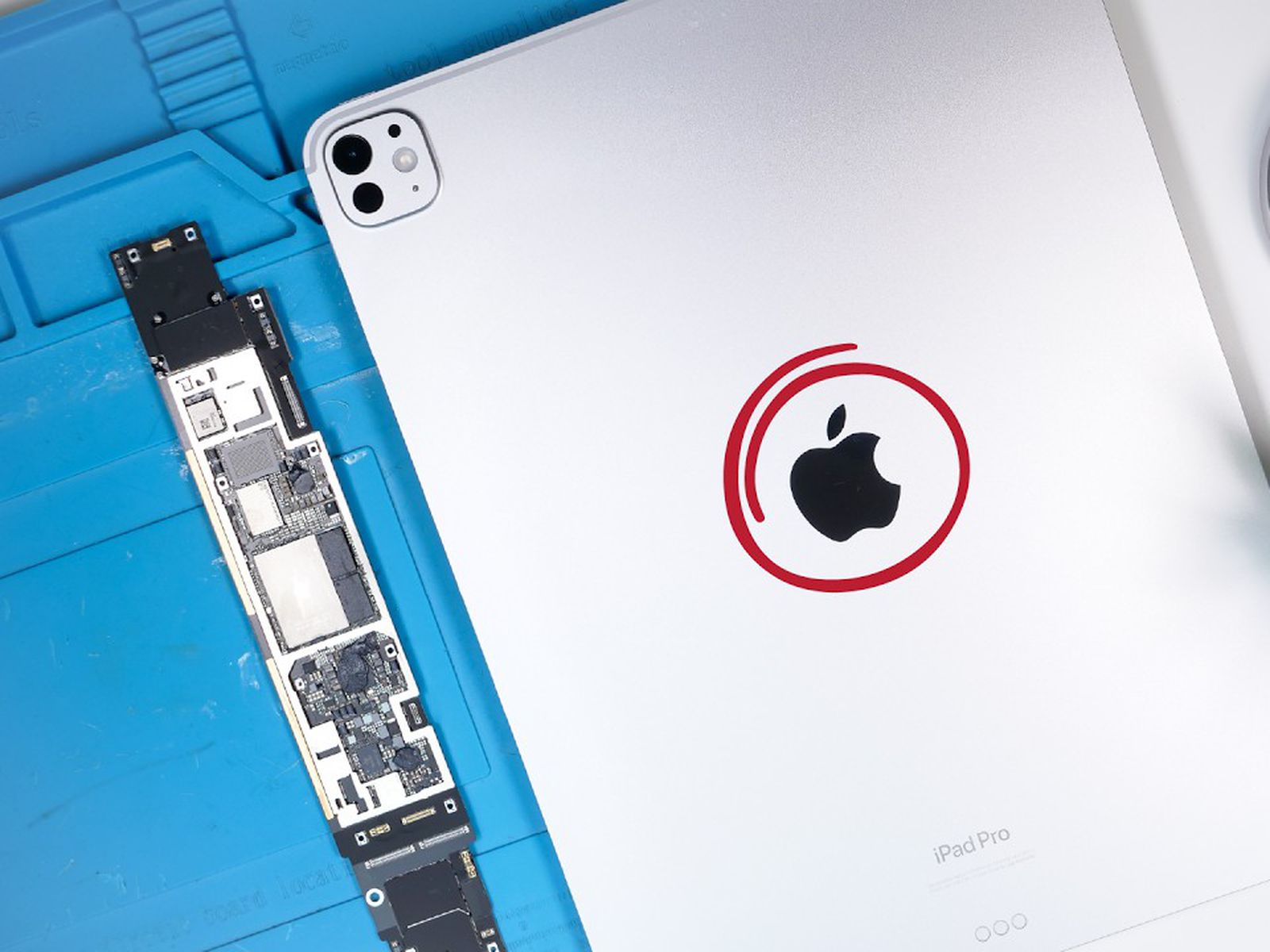
Apple claims to use a copper-infused Apple logo to help dissipate heat, and the teardown validates this.
It is speculated that this copper logo is going to give a 20 percent boost in thermal performance due to the addition of a graphite sheet in the chassis.
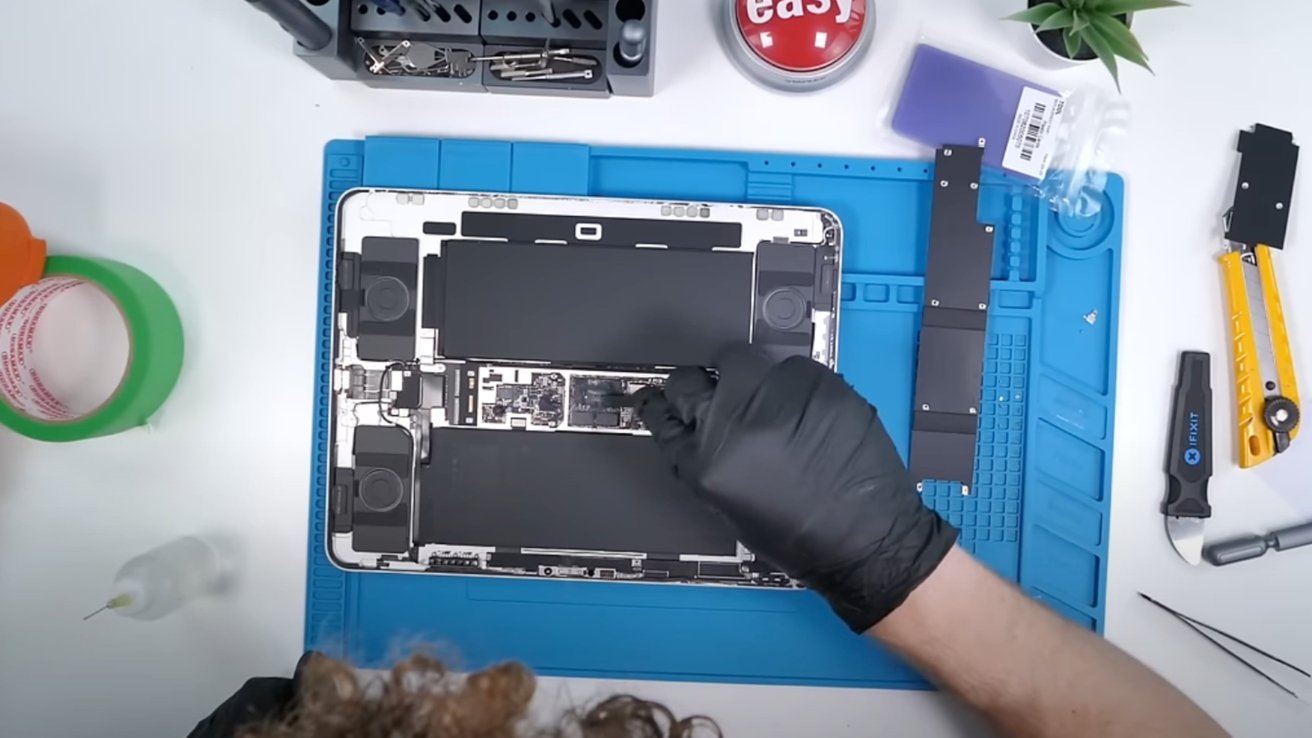
The YouTuber says that the device is not that hard to open, which is definitely a step in the right direction for repairs.
On the other hand, some components soldered to the motherboard might be difficult, if not impossible, to fix.
This is just a first look at the possible repairability of the OLED iPad Pro, so we are really waiting for a deeper teardown from iFixit.
FAQs
What is the battery capacity of the OLED iPad Pro?
The OLED iPad Pro has a battery capacity of 39.99Wh or 10,209 mAh, which should provide similar battery life to the previous mini-LED model.
How does the OLED iPad Pro manage heat dissipation?
The iPad Pro uses a copper-infused Apple logo and a graphite sheet within the chassis to enhance thermal management, potentially boosting thermal performance by 20%.
Where are the front-facing camera and Face ID located on the OLED iPad Pro?
The front-facing camera and Face ID have been moved to the right side of the device, as revealed in the teardown video.
Are the batteries in the OLED iPad Pro easy to replace?
The teardown video indicates that the batteries are located on both sides of the device for better weight distribution, but it does not specify the ease of replacement.
What are the challenges in repairing the OLED iPad Pro?
While the device is not particularly hard to open, some components are soldered to the motherboard, making them difficult or impossible to repair.
How can I check headphone noise levels on my iPhone?
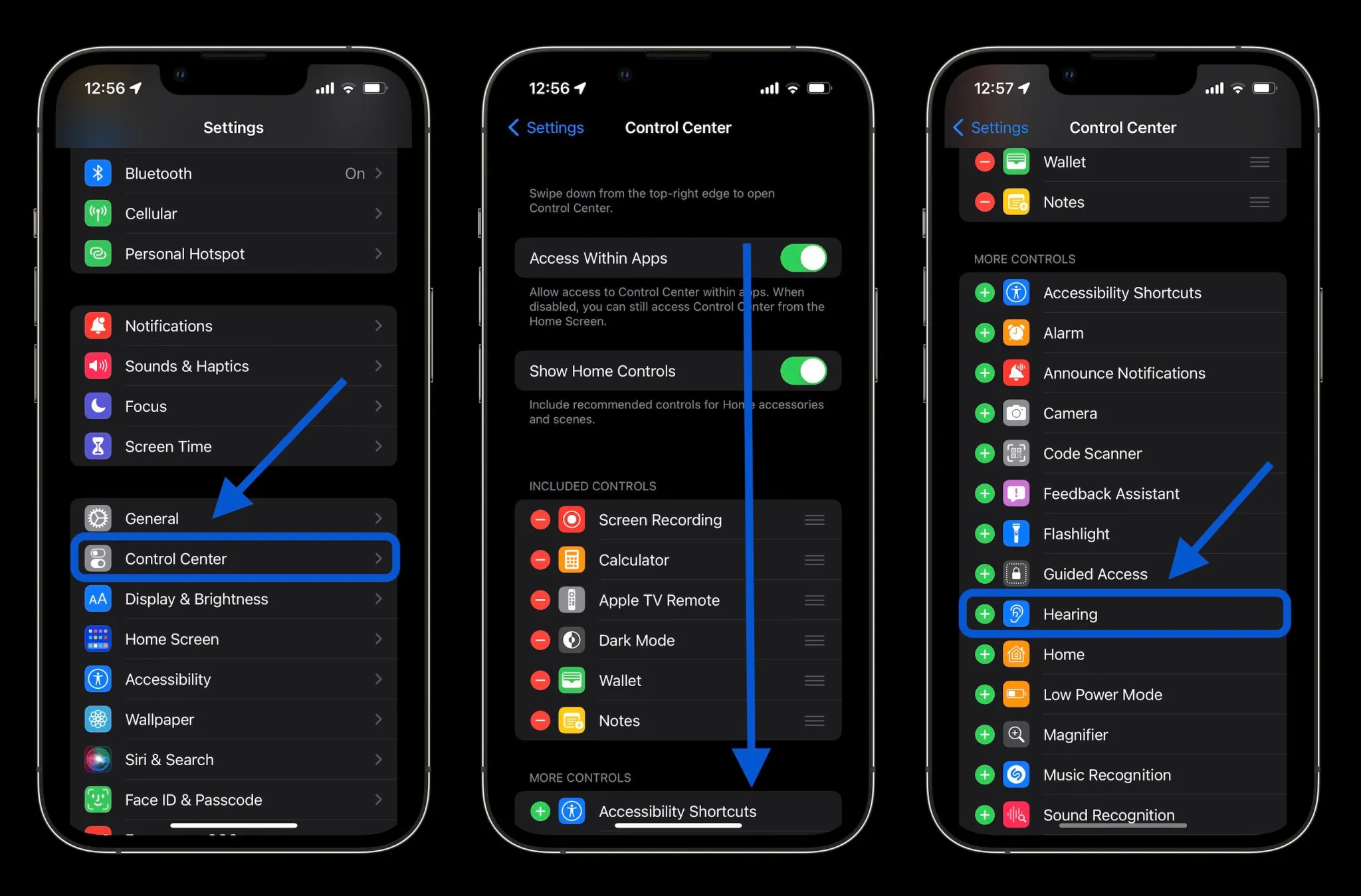
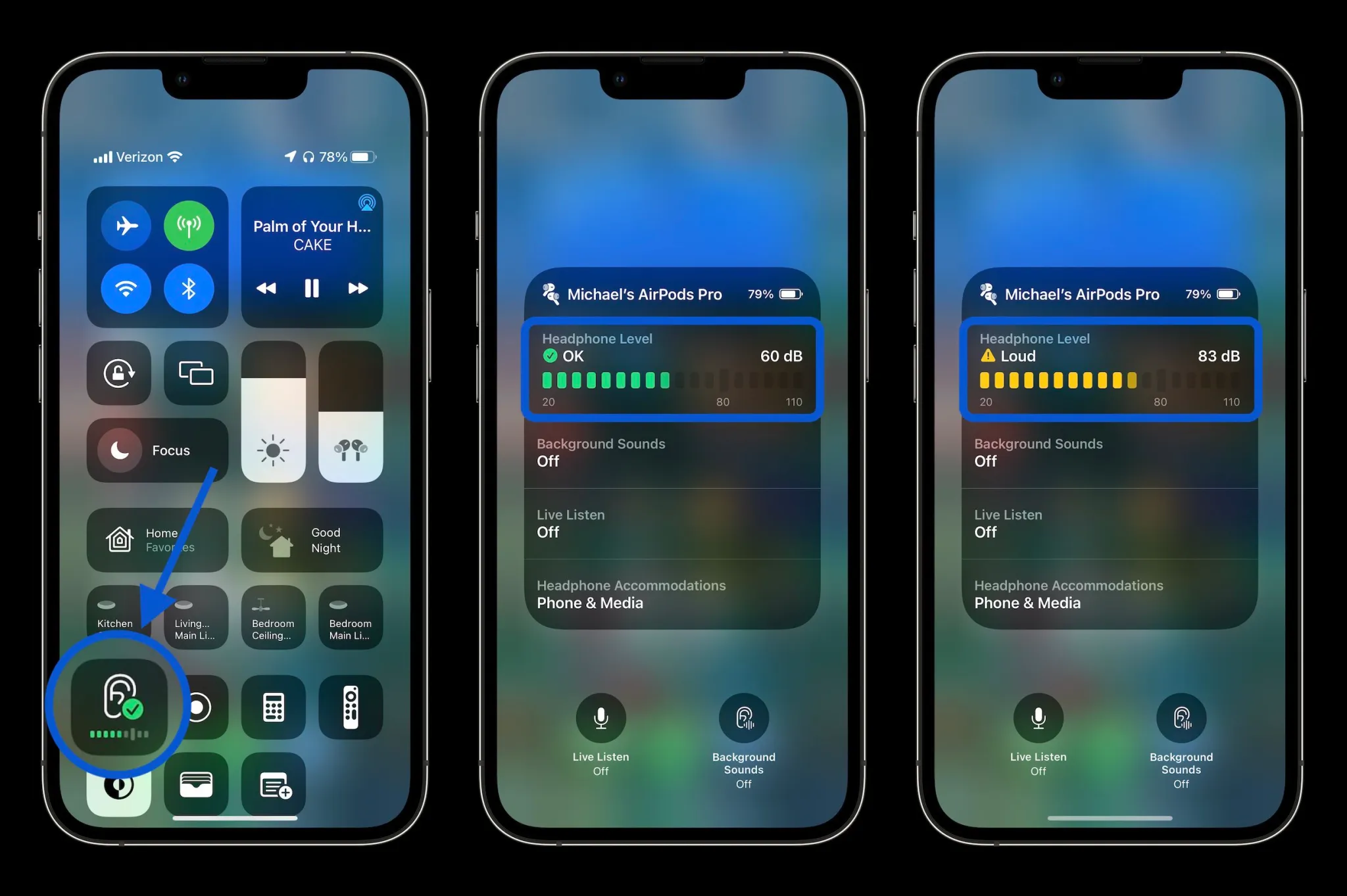
Connect your headphones, open Control Centre by swiping down from the top right corner, and look for the ear icon to see the decibel reading.
What should I do if my iPhone shows high noise levels?
To manage high noise levels, go to Settings > Accessibility > Audio/Visual to enable loud headphone alerts and limit loud sounds.
How does the Noise app on Apple Watch work?
The Noise app monitors environmental noise levels and notifies you if the noise exposure reaches potentially harmful levels, helping you protect your hearing.
Can I view a history of my noise exposure on my iPhone?
Yes, you can view a history of your noise exposure in the Health app on your iPhone.
What decibel levels can cause hearing damage?
Repeated exposure to sounds above 80 dB can cause permanent hearing damage, with higher levels causing damage more quickly.
How can I check ambient noise levels using my iPhone?
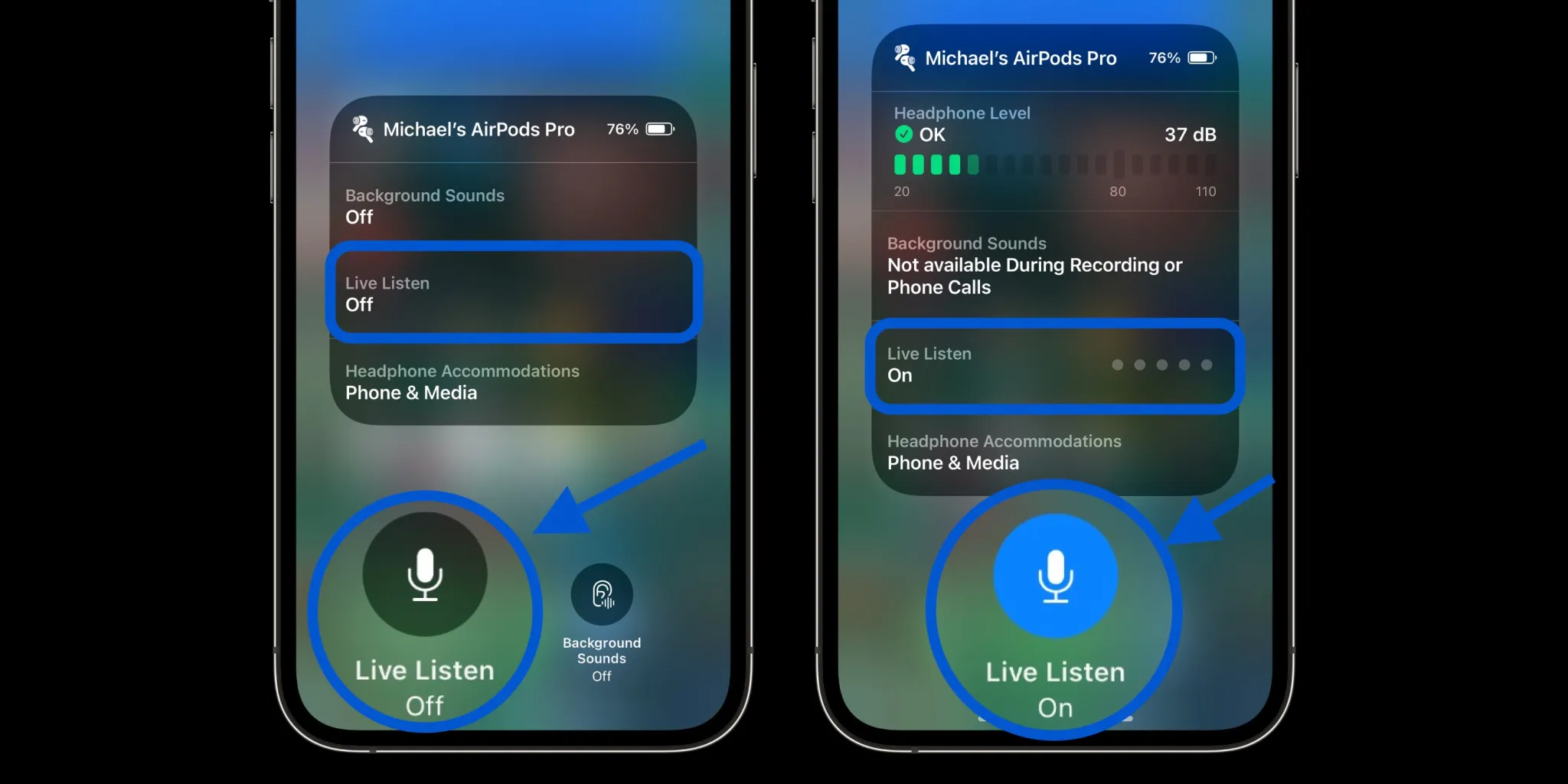
Pause any music playing, open Control Centre, and tap the “Live Listen” microphone icon to measure surrounding noise levels using your headphone mic.
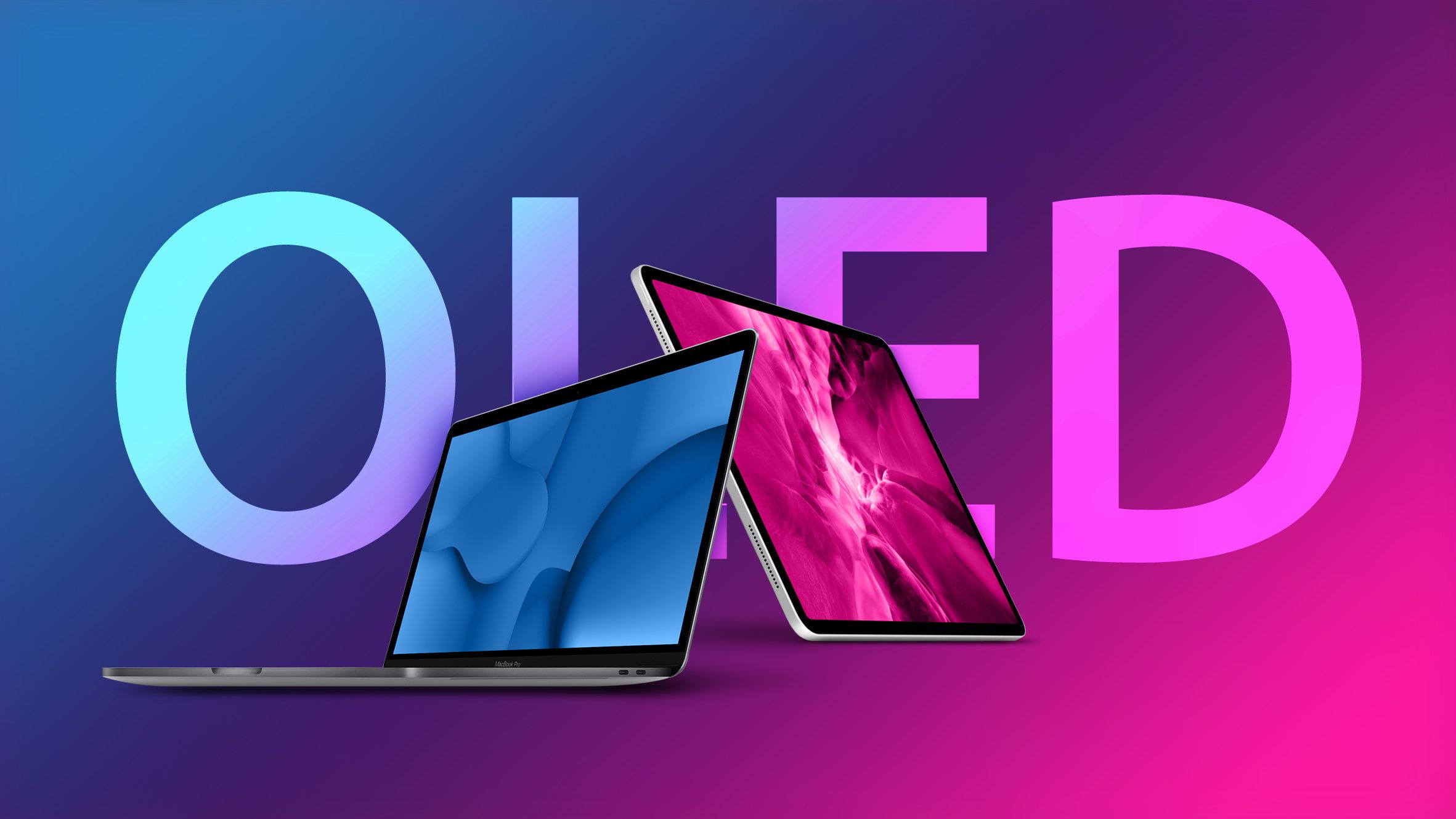
OLED display construction is a two-stack tandem structure with two emissive layers comprising hundreds of thousands of red, green, and blue organic light-emitting diodes.
Tandem OLED uses a two-stack structure for improved screen performance.
Tablets—along with larger screen sizes and longer usage times than smartphones—use a two-stack tandem structure.
Larger displays require more power to illuminate the screen and tablet displays, such as those found in automotive, must endure over thousands of hours of use to ensure long vehicle life.
Tandem OLED Overcomes Portable Device Challenges
Larger displays like tablets benefit from Tandem OLED’s power efficiency
What is the new display technology in the iPad Pro?
The new iPad Pro features Tandem OLED displays, a first for Apple’s flagship tablets.
How does Tandem OLED differ from traditional OLED?
Tandem OLED uses a two-stack tandem structure with two emissive layers, unlike the single-stack structure found in most smartphone OLED displays.
What are the benefits of Tandem OLED in tablets?
Tandem OLED offers higher dynamic range, power efficiency, and better performance under various ambient lighting conditions.
Why is the two-stack structure important for larger displays?
Larger displays, like those in tablets, require more power and need to endure longer usage times, making the two-stack structure ideal for maintaining performance and efficiency.
Who pioneered the two-stack tandem OLED structure?
LG Display pioneered the two-stack tandem OLED structure in 2019, initially for automotive displays.
Will the new iPad Pro’s Tandem OLED improve battery life?
Yes, the Tandem OLED technology supports efficient power management, which is crucial for battery-operated devices like tablets.
You can remove not only certain transactions but all your Google Pay transaction histories.
This guide is going to walk you through the process.
Deleting Individual Google Pay Transactions
Steps to delete individual Google Pay transactions.
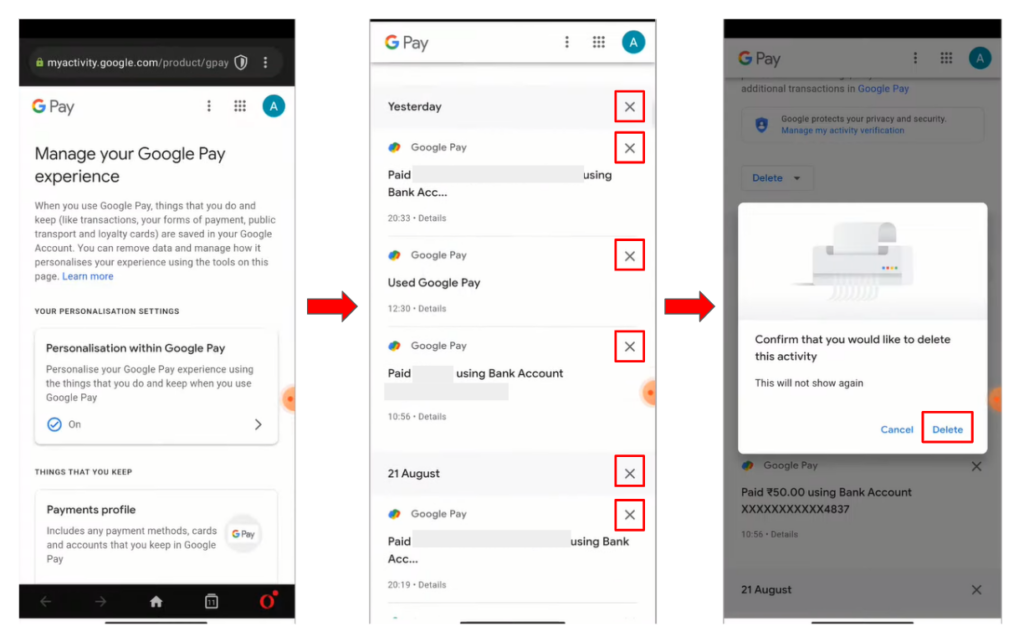
On your mobile device, launch the Google Pay app.
Tap the upper-right corner of the profile icon.
After swiping down, choose “Settings.”
Step 4: Select “Privacy & Security.”
Select the option “Data & Personalization.”
In your mobile browser, navigate to the Google Accounts page by selecting the “Google Account” link (in blue). Using the Google email address connected to your Google Pay account, you might need to log in.
Select “Payments & Subscriptions” from the menu.
In the “Payments Info” section, select “Manage Experience.”
You can remove specific transactions by tapping the cross button next to each entry in the “Payments Transactions & Activity” section.
Deleting All Google Pay Transactions
Guide to removing all Google Pay transactions
Follow steps 1-8 above.
In the “Payments Transactions & Activity” section, tap the “Delete” option.
Select the time frame for which you want to delete transaction data.
Confirm your choice, and the selected transactions will be permanently removed from your Google Pay account.
Permanently Deleting a Google Pay Account
Instructions for permanently deleting a Google Pay account.
Visit myaccount.google.com and navigate to “Data & Privacy.”
Scroll down and locate the “Delete a Google Service” option.
Click the trash can icon next to “Google Pay.”
Check the box to approve the deletion.
Click “Delete,” and your Google Pay account will be permanently removed.
Exporting Google Pay Transaction History
How to export Google Pay transaction history before deletion
If you want to keep a record of your transaction history before deleting it, you can export the data
Visit the Google Takeout website ) and sign in with your Google account.
Ensure that “Google Pay” is selected, and choose “All activity and saved items included.”
Select your preferred download location, frequency, and file type.
Click “Create Export” to download your Google Pay transaction history.
Google claims that they won’t use this information to serve targeted advertisements to you or sell it to others, but in any case, if you care about your privacy, would rather start over, or use some other payment app, clearing your transaction history could be the best idea for you.
Remember to protect your Google Pay data with the strong PIN you create, by installing the app only on your own device, and being vigilant against any strange activity that might try to access your private data.
FAQs
How can I delete individual transactions on Google Pay?
To delete individual transactions, open the Google Pay app, go to “Settings” > “Privacy & Security” > “Data & Personalization,” then manage your transaction history under “Payments Transactions & Activity.”
Is it possible to delete all transactions from my Google Pay account at once?
Yes, you can delete all transactions by following the steps to “Payments Transactions & Activity” and selecting the “Delete” option for the desired time frame.
How do I permanently delete my Google Pay account?
Visit myaccount.google.com, go to “Data & Privacy,” select “Delete a Google Service,” and follow the prompts to remove Google Pay permanently.
Can I export my Google Pay transaction history before deleting it?
Yes, you can export your transaction history by visiting the Google Takeout website, selecting “Google Pay,” and downloading the data to your preferred location.
Does Google sell my transaction data to third parties?
Google claims not to sell your transaction data to third parties or use it for targeted advertising.
What steps should I take to protect my Google Pay data?
Protect your data by setting strong PINs, using the app only on personal devices, and being cautious of suspicious activities.
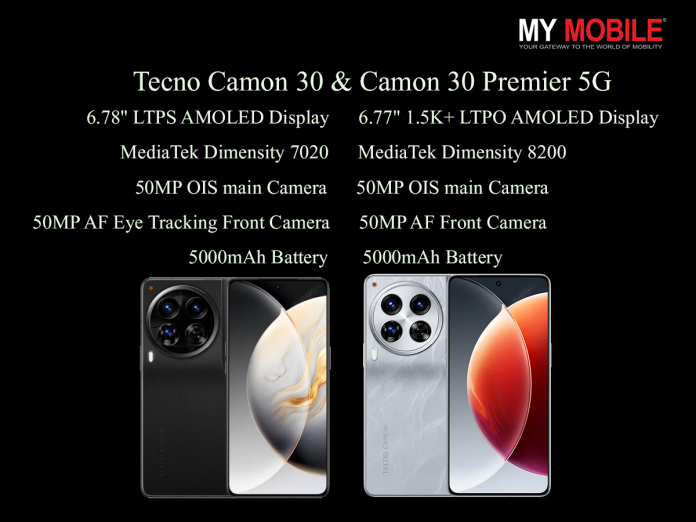
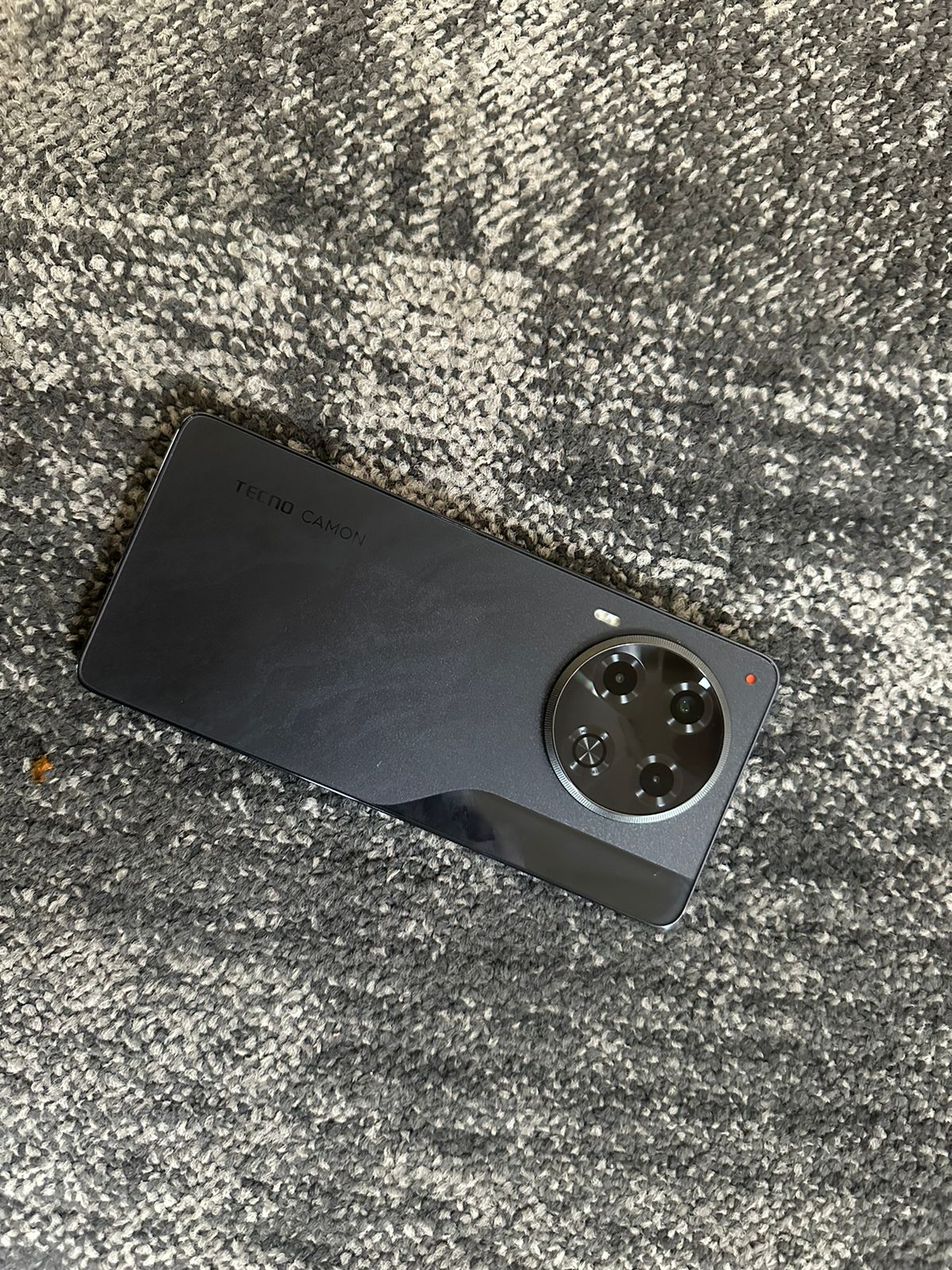
Tecno Camon 30 and 30 Premier 5G feature advanced camera setups.
Premier 5G model boasts a 6.77-inch LTPO AMOLED display with 120Hz refresh rate.
Both models come with MediaTek Dimensity processors for seamless performance.
Camon 30 Premier 5G offers 70W fast charging for quick battery replenishment.
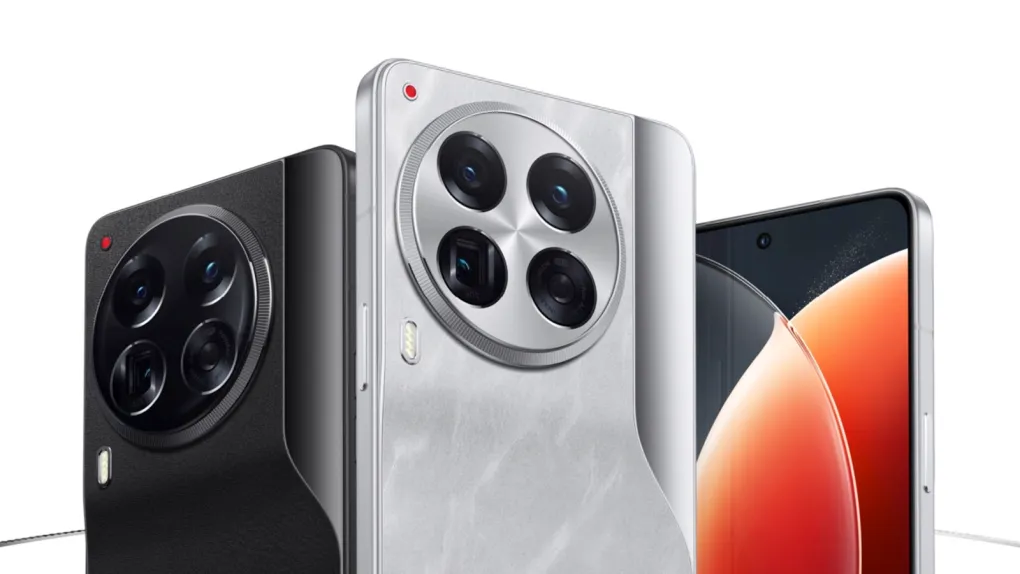
Tecno continues to enhance its presence in the smartphone market with the introduction of two exciting models: the Tecno Camon 30 and the Tecno Camon 30 Premier 5G.
Cashback can be availed with all bank credit and debit cards.
Addressing the launch, Arijeet Talapatra, CEO of Transsion India, said, “Celebrating the passion of our young consumers, the TECNO CAMON 30 Series presents a pro-photography experience in style. Featuring the revolutionary 100MP OIS Mode, partnering with Sony for IMX 890, and collaborating with Dolby for an immersive sound experience, and many more experience-centric features, we await users’ feedback. At the same time, we challenge and encourage our users to experience the beauty of photography and see what’s never been seen.”
The Camon 30 Premier 5G steps up as the more advanced sibling, sporting a 6.77-inch 1.5K+ LTPO AMOLED display that pushes a 120Hz refresh rate for ultra-smooth visuals protected by Corning Gorilla Glass.
Under the hood, it is powered by theMediaTek Dimensity 8200 chipset, which, combined with 12GB of RAM (expandable up to 24GB),ensures blazing-fast performance and fluid multitasking.
Both models excel in camera performance, with the Camon 30 Premier 5G featuring a triple 50MP camera system that includes optical image stabilization, up to 3x optical zoom, and an ultra-wide lens to capture expansive scenes.
The 50MP front camera with autofocus ensures sharp and detailed selfies.
The Premier model’s sophisticated camera system allows for stunning photography in any light condition, from bright daylight to dim indoor environments.
The standard Camon 30 offers a robust camera setup with features tailored for dynamic range and color accuracy, making it perfect for photography enthusiasts on a budget.
Its performance is backed by the MediaTek Dimensity 7020 processor,which handles daily tasks and gaming with ease.
What is the starting price of the Tecno Camon 30 series in India?
The starting price for the Tecno Camon 30 series is Rs 22,999 for the 8GB + 256GB variant, with an effective price of Rs 19,999 after cashback.
What are the key differences between the Camon 30 and Camon 30 Premier 5G?
The Camon 30 Premier 5G has a 1.5K+ LTPO AMOLED display, MediaTek Dimensity 8200 chipset, and advanced camera features including 3x optical zoom and ultra-wide lens, while the Camon 30 features a standard AMOLED display and MediaTek Dimensity 7020 processor.
How does the camera setup differ between the Camon 30 and Camon 30 Premier 5G?
The Camon 30 Premier 5G features a triple 50MP camera system with optical zoom and ultra-wide lens, while the Camon 30 has a 50MP main camera, 2MP depth sensor, and AI QVGA sensor.
What charging capabilities do the Tecno Camon 30 models offer?
The Camon 30 comes with 33W/70W fast charging, while the Camon 30 Premier 5G supports 70W fast charging, which can fill the battery in about 45 minutes.
What operating system do the Tecno Camon 30 series phones run on?
Both the Tecno Camon 30 and Camon 30 Premier 5G run on HiOS 14 based on Android 14, providing a clean and customizable user interface.
Camera Master TECNO CAMON 30 Series Launched with Sony IMX 890 starting at ₹19,999. Details?
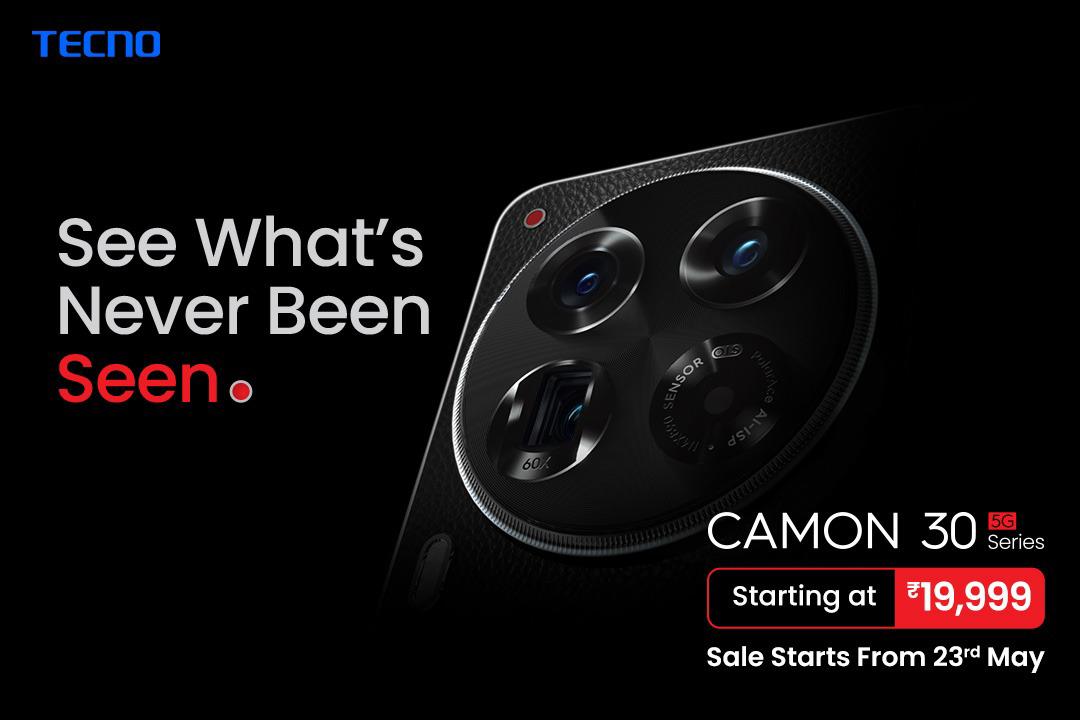
CAMON 30 Series will be available for purchase at a stunning price starting ₹19,999 and will include CAMON 30 5G in two storage variants and CAMON 30 Premier 5G
TECNO has also released its latest TVC campaign with Deepika Padukone in a playful unseen avatar.
Going all-in for its young and bold audience, TECNO has revealed the first edition of its Shot on CAMON calendar, celebrating the Tech+Style spirit
Get ready to be amazed because TECNO, the global smartphone, just dropped the smartphone photography revolution: CAMON 30 Series!
This highly anticipated lineup features a premium yet classic design and epic camera technology. This beauty is built to up users’ photography game with features like India’s first 100MP OIS Mode with 50MP AF Front Camera, Super Night Mode, and AI magic.
With the CAMON 30 Series, TECNO challenges users to “See what’s never been seen” and flex their creativity to snap pro-level photos and videos effortlessly.
Landing in India on May 23rd, setting new standards for mobile photography and proving that TECNO is all about capturing life in style!
Powered by the legendary SONY IMX 890, the CAMON 30 Series is the go-to for capturing life’s vibrant moments in stunning detail and colors that pop! Whether soaking in the sunrise or chasing the night’s magic partying, this sensor ensures every snap is pure beauty.
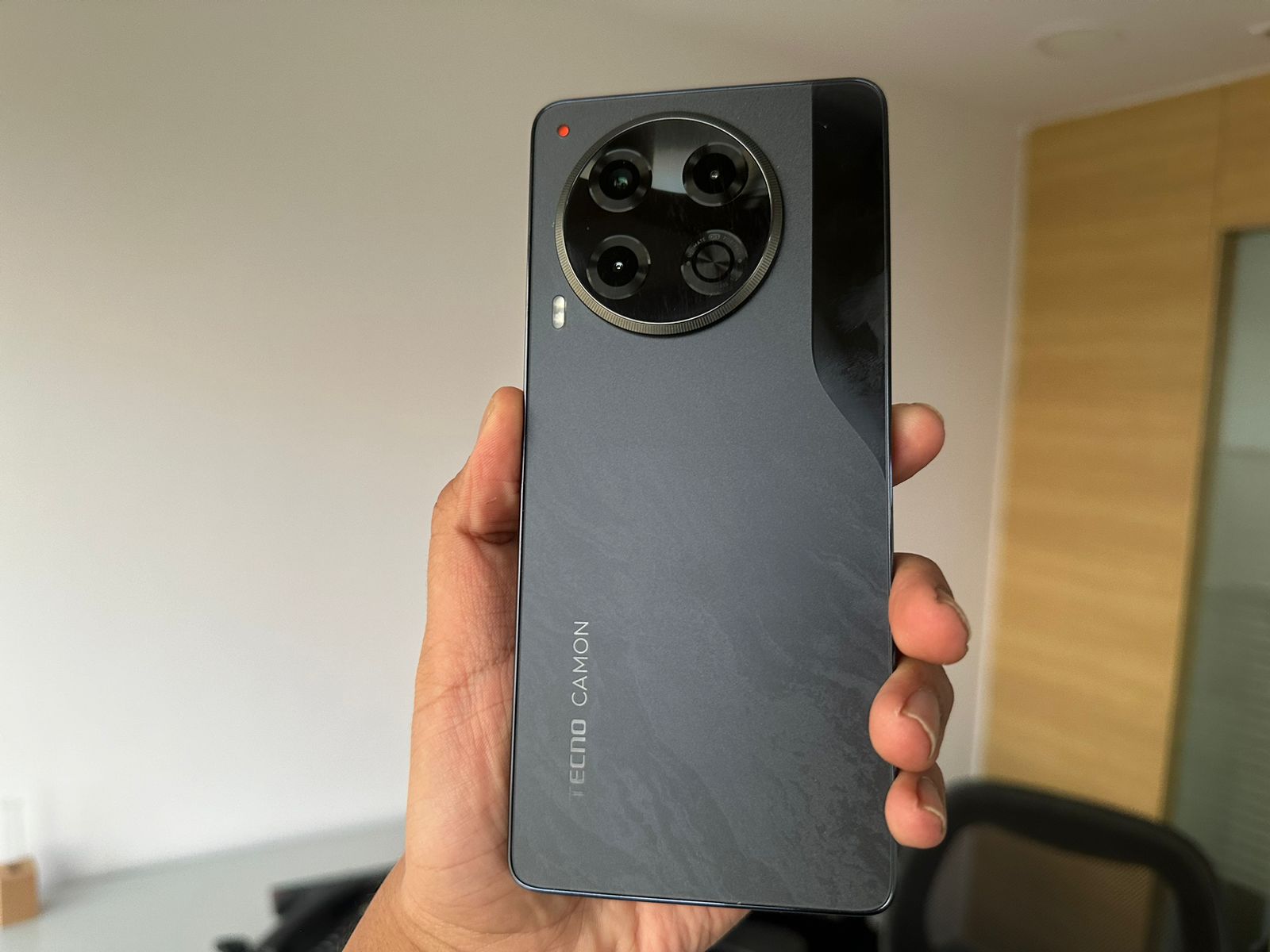
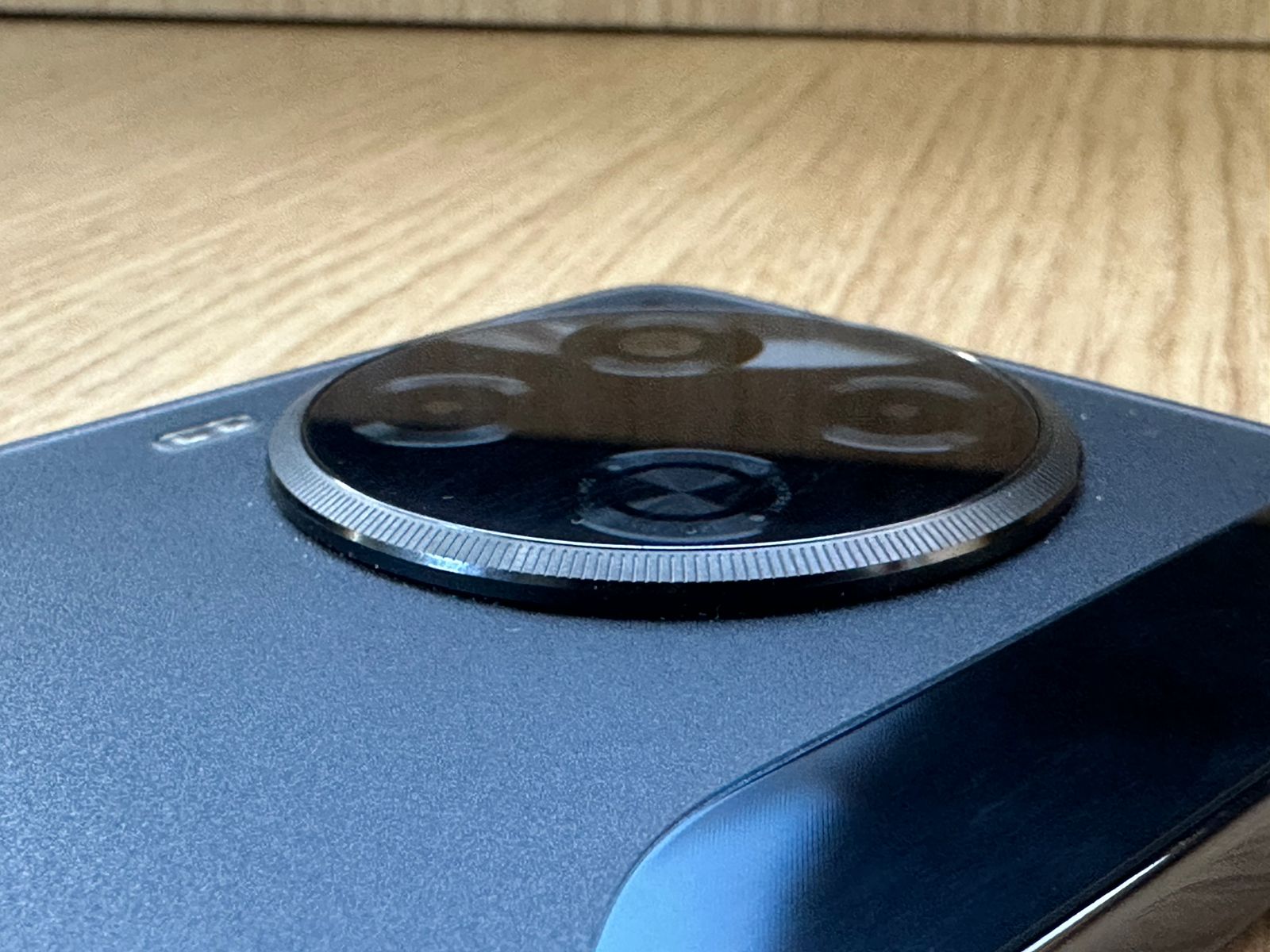
Combining innovation with a nod to timeless design, the CAMON 30 series boasts a triple-camera setup that captures the essence of a classic camera.
And that’s not all, it comes with up to 24GB RAM and up to 512GB ROM, ensuring smooth performance and ample storage catering to all needs with ease.
TECNO also unveiled its latest campaign for the CAMON series, featuring none other than Bollywood’s favourite superstar, Deepika Padukone.
This fun TVC shows the sensation in an unseen playful avatar, bringing the colours back to the world, with the CAMON 30 series!
Why Should Users Join the CAMON 30 Series Revolution?
Ditch the darkness! The Polar Ace AI Image Processor turns dim lighting into dazzling shots. Need to zoom in on a squirrel from a mile away?
No problem!
The 50MP 3X Periscope lens and its crazy 60X Hyper Zoom have users covered. Capture those majestic landscapes with the 50MP Ultra Wide camera.
And forget blurry selfies forever – the 50MP front camera with Eye-Tracking Autofocus ensures users will always be selfie-ready, like a total pro!
Moreover, the phone is also empowered by AI Generative large models to produce 480 plus AI Styles in real time.
Scroll Through Tasks with a Hi-Speed Display
Whether diving into the latest show or busy in meme-scrolling, this phone’s got users covered. The hi-speed display with an adaptive refresh rate (think 10Hz for battery saving and 120Hz for super smooth action) keeps everything looking sharp and responsive.
Plus, the In-Display Fingerprint Sensor and tough Corning Gorilla Glass 5 make using it a breeze – all with a touch of premium style.
Feel the Luxe
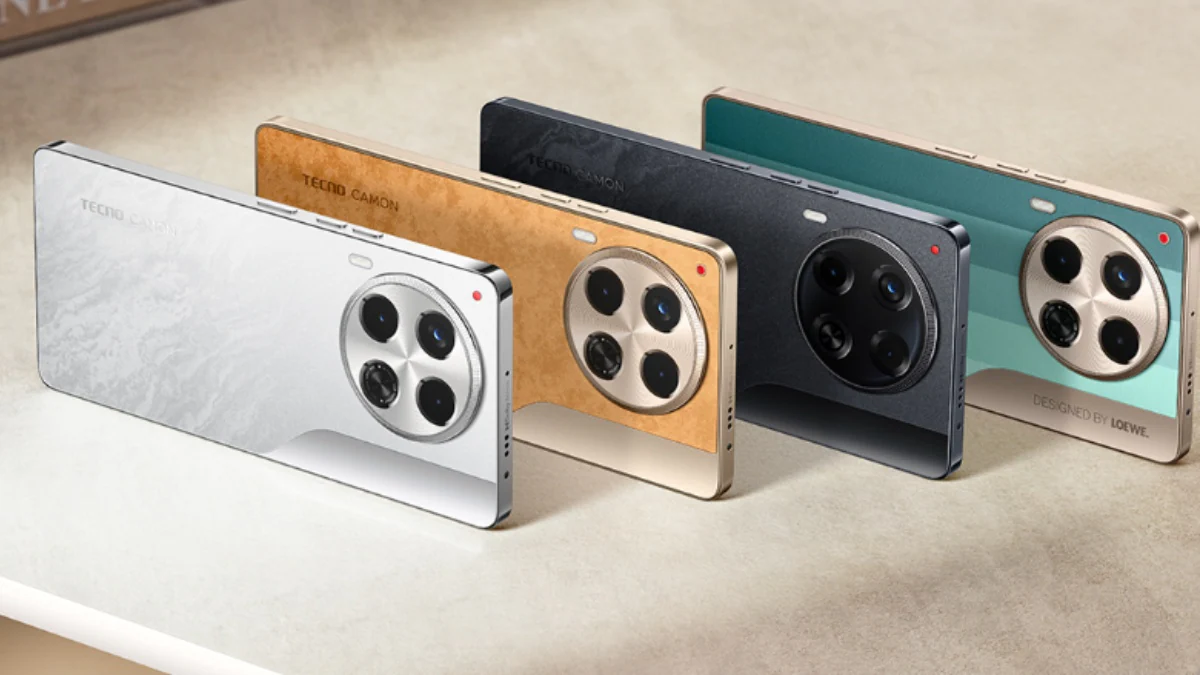
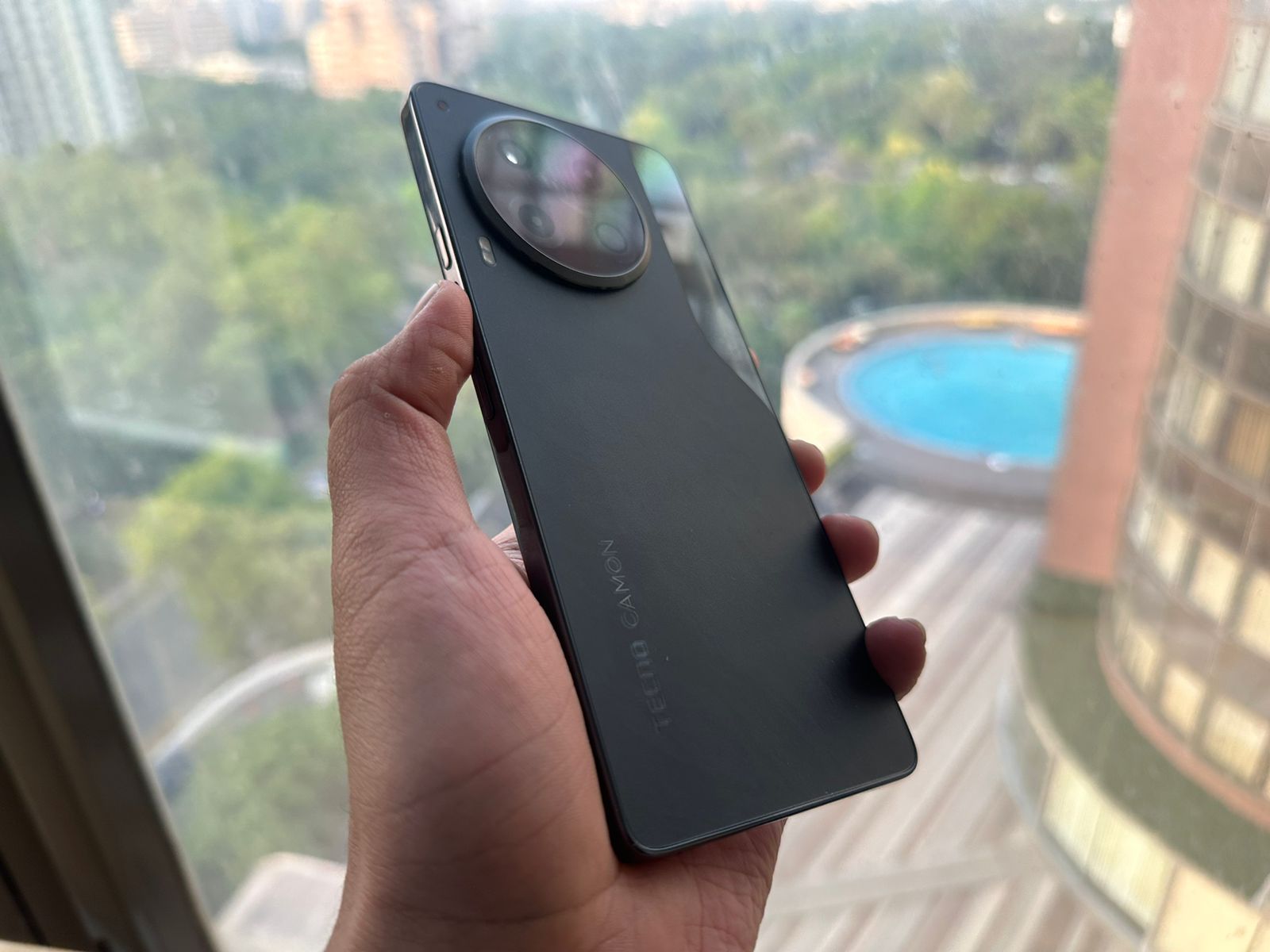
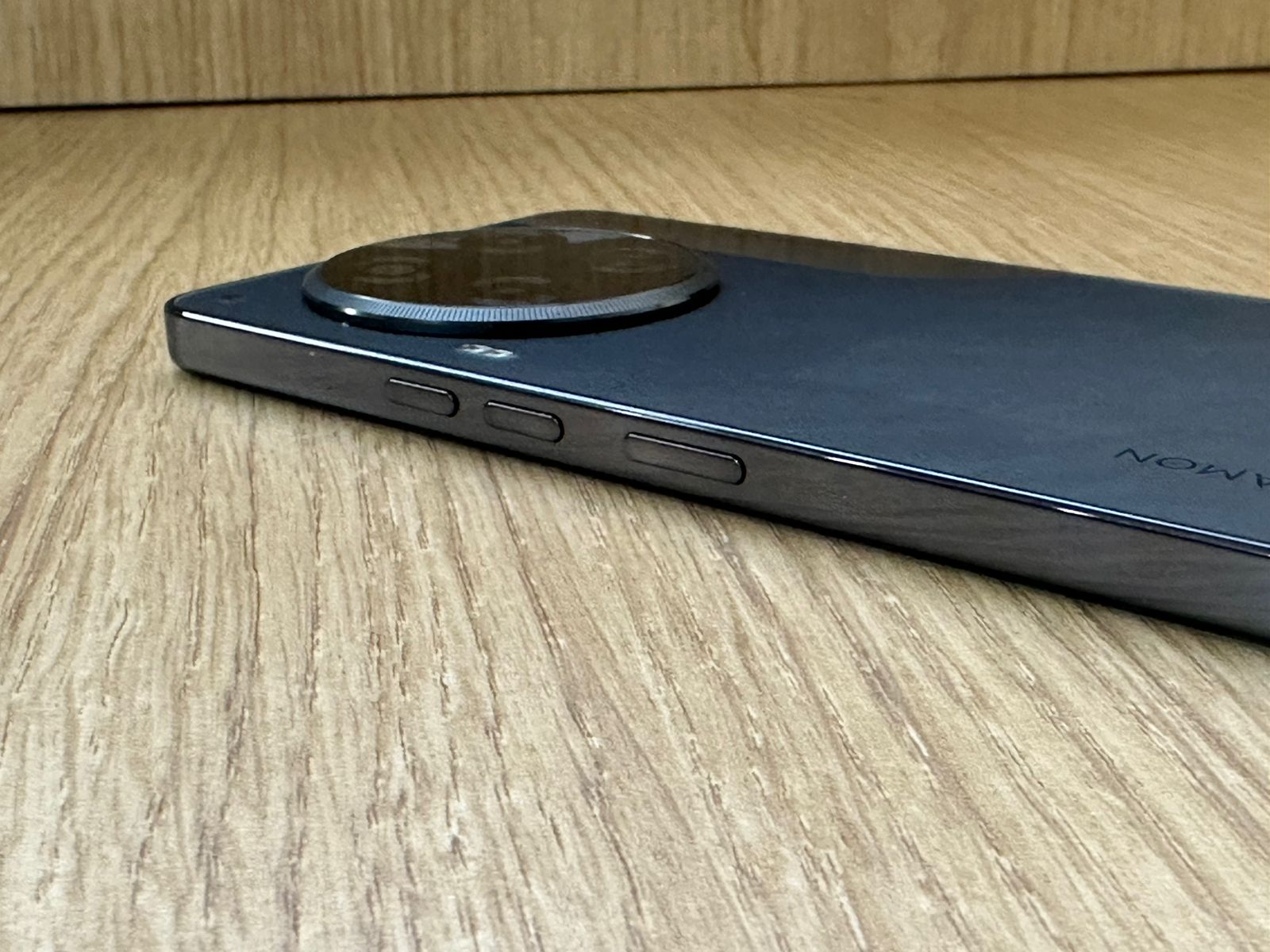
Forget boring phone backs! This phone breaks the mould with the first-ever super cool suede leather back that screams premium.
Inspired by pro cameras, it flaunts a classic side-axis design. And something more distinctive? A breathing light notification system that lets users know what’s going on in style.
What is the Price and Availability of Tecno Camon 30 ?
CAMON 30 5G, 8GB RAM + 256GB Storage variant will be available for purchase at ₹22,999 and the 12GB RAM + 256GB Storage variant at ₹26,999.
Users can enjoy an instant bank discount of ₹3,000 on both variants, snagging them for an effective price of just ₹19,999 and ₹23,999, respectively as part of a limited-time launch offer.
The CAMON 30 Premier 5G 12GB RAM + 512GB is available at ₹39,999 users can grab the device with ₹3,000 effectively bringing the price down to ₹36,999!
Additionally, the brand is offering complimentary goodies worth ₹ 4,999 for both online and offline customers.
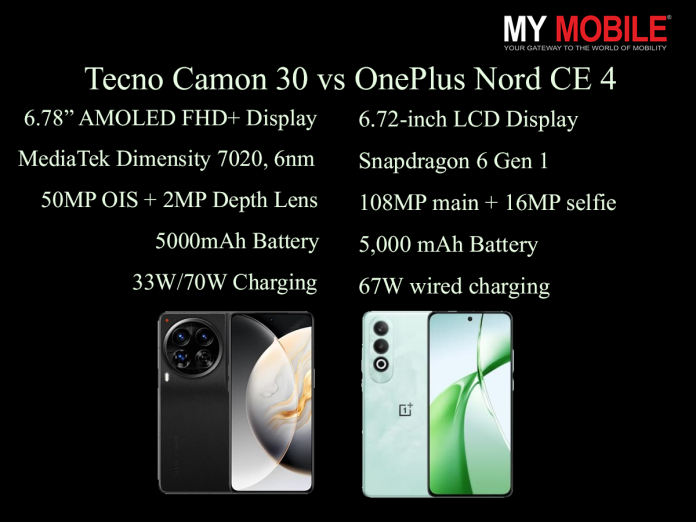
Both devices are the same price category and we’ll evaluate five key areas: daylight HDR, selfies, full-resolution shots, portrait mode, and low-light performance.
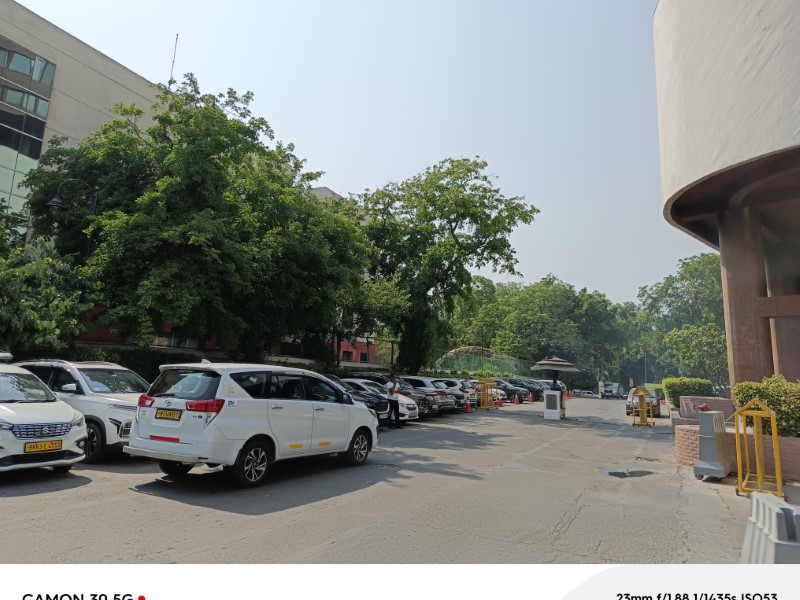
Daylight HDR Tecno Camon 30
Daylight HDR Tecno Camon 30
50MP primary camera with Optical Image Stabilization (OIS)
AI-enhanced HDR
The Tecno Camon 30 delivers vibrant and well-balanced daylight HDR shots.
The AI enhancement helps in adjusting the exposure, ensuring that both shadows and highlights are properly detailed.
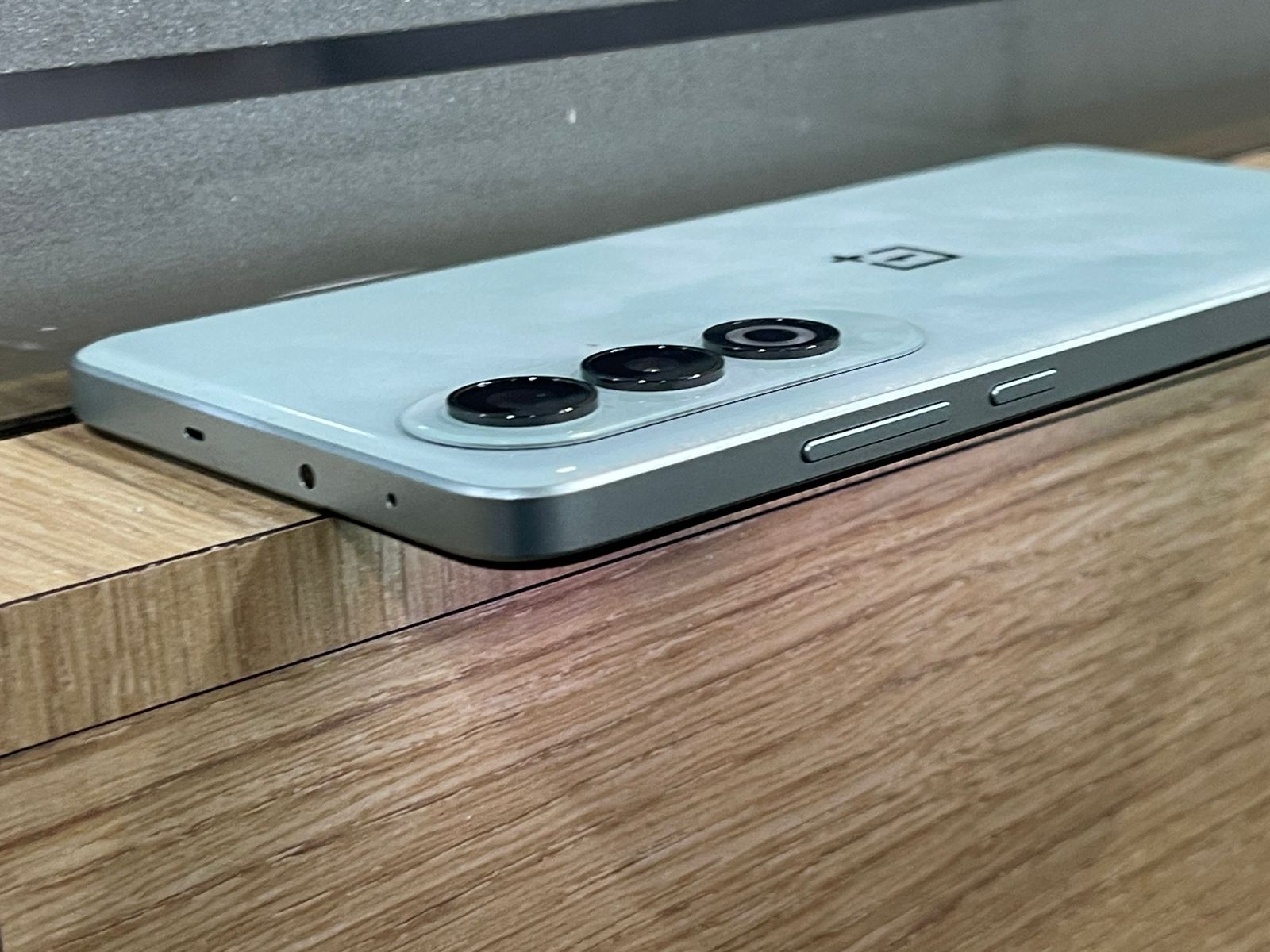
OnePlus Nord CE 4
OnePlus Nord CE 4
50MP primary camera
8MP ultra-wide lens
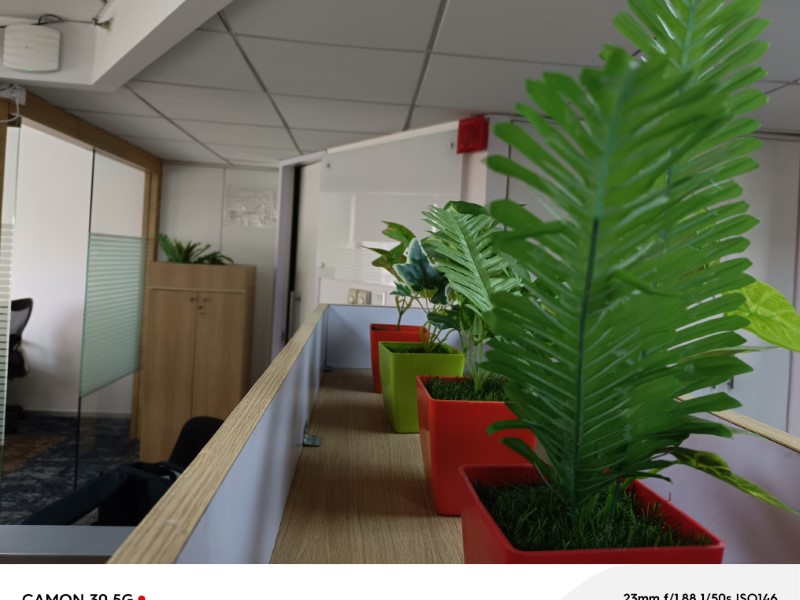
The OnePlus Nord CE 4’s HDR performance is commendable.
Verdict: The Tecno Camon 30 slightly edges out in HDR processing, thanks to its OIS and AI enhancements, which provide better stability and detail management.
The additional ultra-wide lens offers flexibility but doesn’t enhance the primary sensor’s output.
Verdict: Both phones perform admirably in full resolution shots, but the Tecno Camon 30’s OIS gives it a slight advantage in sharpness and stability.
Portrait Mode
Tecno Camon 30: 2MP depth sensor
Portrait Mode Tecno Camon 30
Portrait shots with the Tecno Camon 30 are impressive, with good edge detection and natural bokeh effect.
The depth sensor aids in accurate subject isolation.
OnePlus Nord CE 4:Dual primary cameras
OnePlus Nord CE 4:Dual primary cameras
The OnePlus Nord CE 4’s portrait mode produces aesthetically pleasing images with decent edge detection and background blur.
However, the dual-camera setup doesn’t significantly outperform the competition.
Verdict: The Tecno Camon 30 offers slightly better portrait shots, thanks to its dedicated depth sensor, which enhances subject separation.
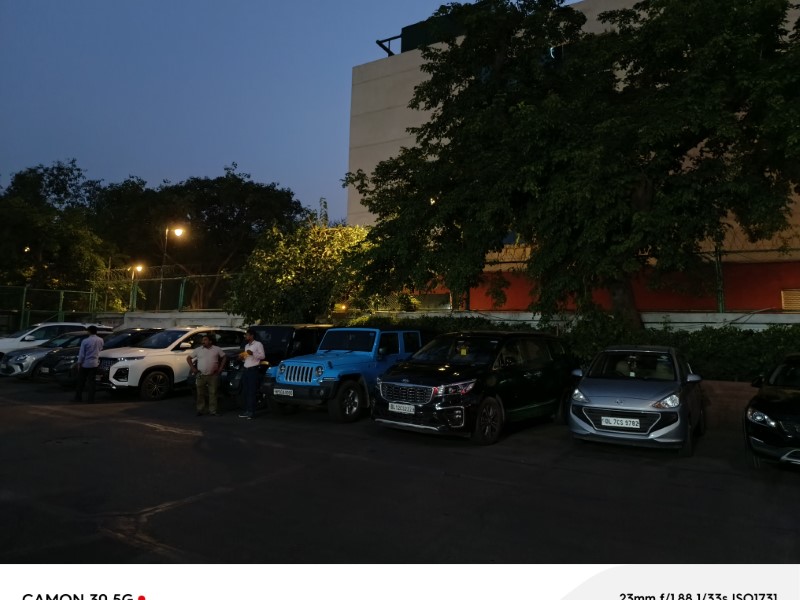
Low Light Shot
Tecno Camon 30: 50MP primary camera with AI lens
Low Light Shot Tecno Camon 30:
In low light, the Tecno Camon 30 performs adequately, with the AI lens helping to brighten images and reduce noise.
However, it struggles to capture fine details in very dark conditions.
OnePlus Nord CE 4: 50MP primary camera
OnePlus Nord CE 4: 50MP primary camera
The OnePlus Nord CE 4 excels in low light conditions, producing clearer and more detailed images. The ultra-wide lens isn’t as effective in low light but provides some versatility.
Verdict: The OnePlus Nord CE 4 is the winner in low light photography, with better noise management and detail retention.
Conclusion
Tecno Camon 30 vs OnePlus Nord CE 4
Both the Tecno Camon 30 and the OnePlus Nord CE 4 offer robust camera setups at competitive price points.
The Tecno Camon 30 stands out with its superior HDR processing, selfie quality, and portrait mode, making it an excellent choice for those who prioritize these features.
On the other hand, the OnePlus Nord CE 4 shines in low light photography and offers the added flexibility of an ultra-wide lens, making it a versatile option for various shooting conditions.
Ultimately, your choice will depend on which camera features matter most to you.
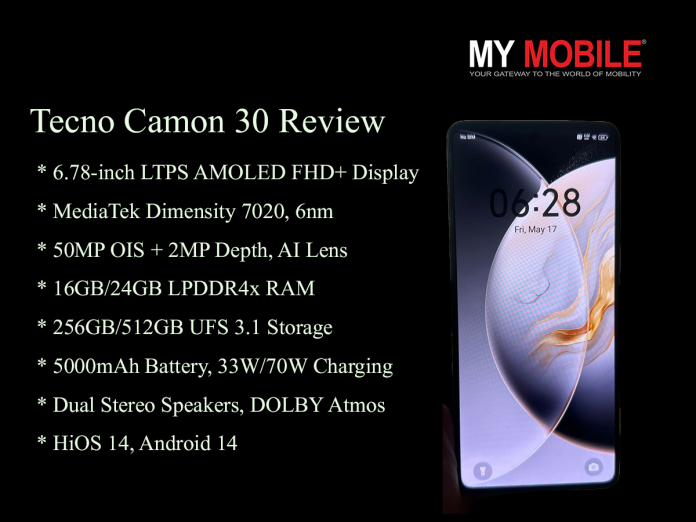
Tecno Camon 30 boasts a vibrant 6.78-inch AMOLED display.
50MP primary camera with OIS for sharp, high-resolution photos.
Powered by MediaTek Dimensity 7020 processor for smooth performance.
Equipped with 5000mAh battery and 70W fast charging.
It’s safe to say that when the Tecno Camon 30 was introduced to the Indian market, it quickly drew my attention.
It starts at Rs 21,999. It seems to be a significant competitor for mid-range smartphones.
A matte-finished outer body, combined with cutting-edge technology, Tecno promises a sophisticated yet affordable mobile experience.
As I spent time with the device, I was curious to see if the gadget could live up to its ambitious claims of rocking the market.
This is my review of the Tecno Camon 30 in full.
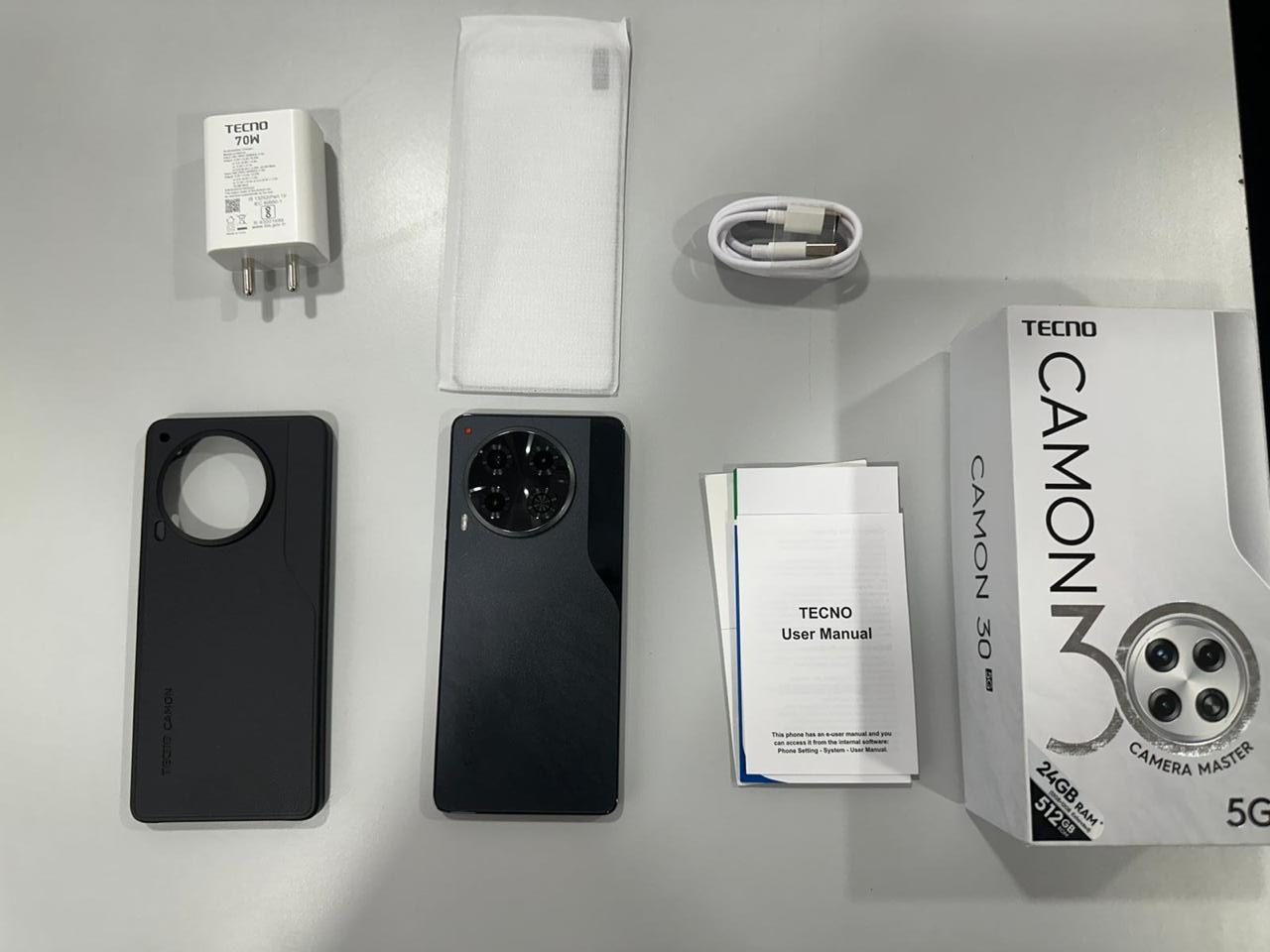
Tecno Camon 30: Unboxing
Tecno Camon 30: Unboxing
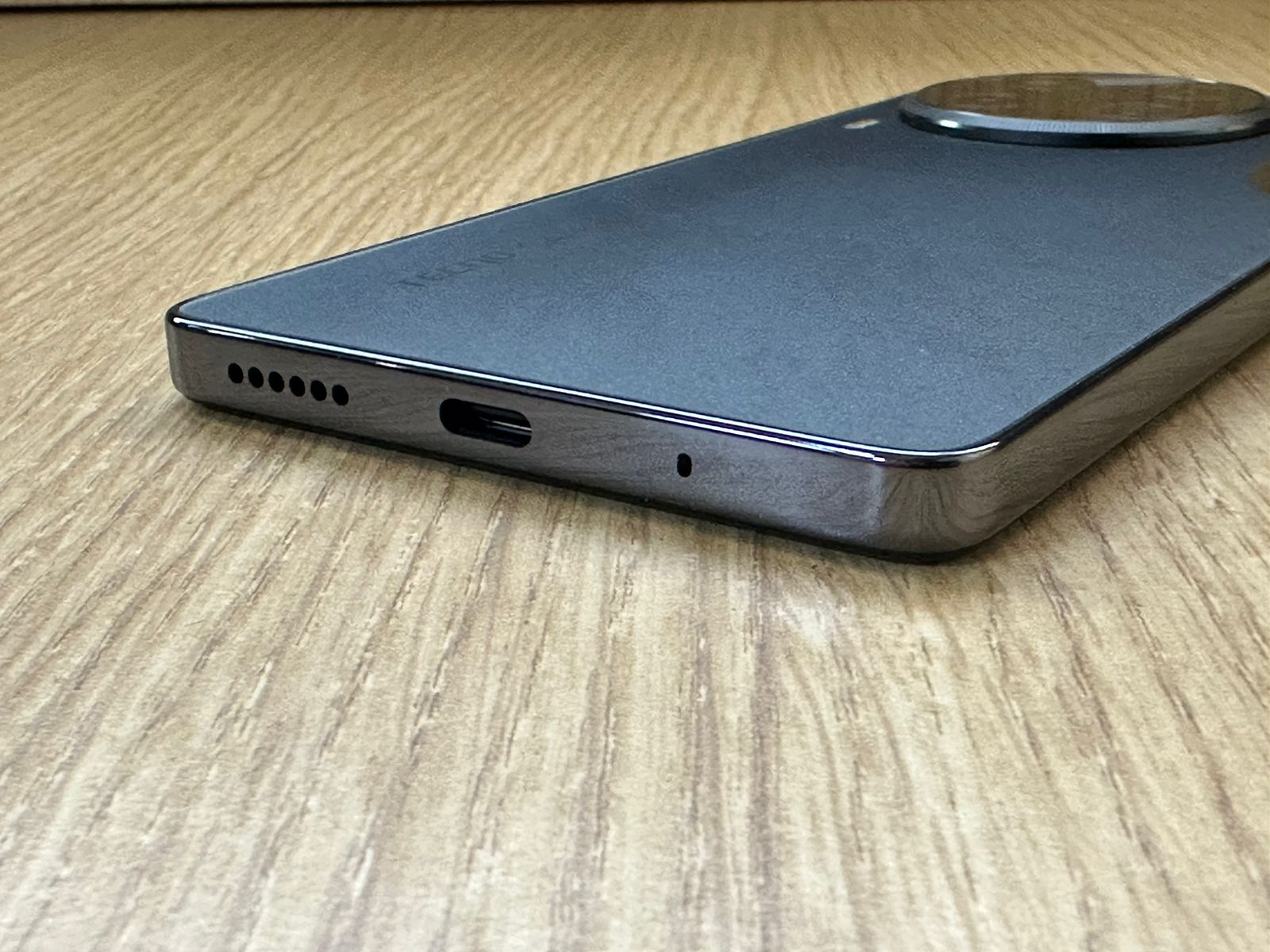
As soon as the Tecno Camon 30 was unpacked, the presentation was striking.
Along with the phone, the packaging included a good assortment of accessories, such as a USB Type-C cable, a clear silicone case, a fast charger with a 70W output, and the standard documentation.
The huge battery is not noticeable due to its ultra-slim 7.83mm profile and lightweight 199g design.
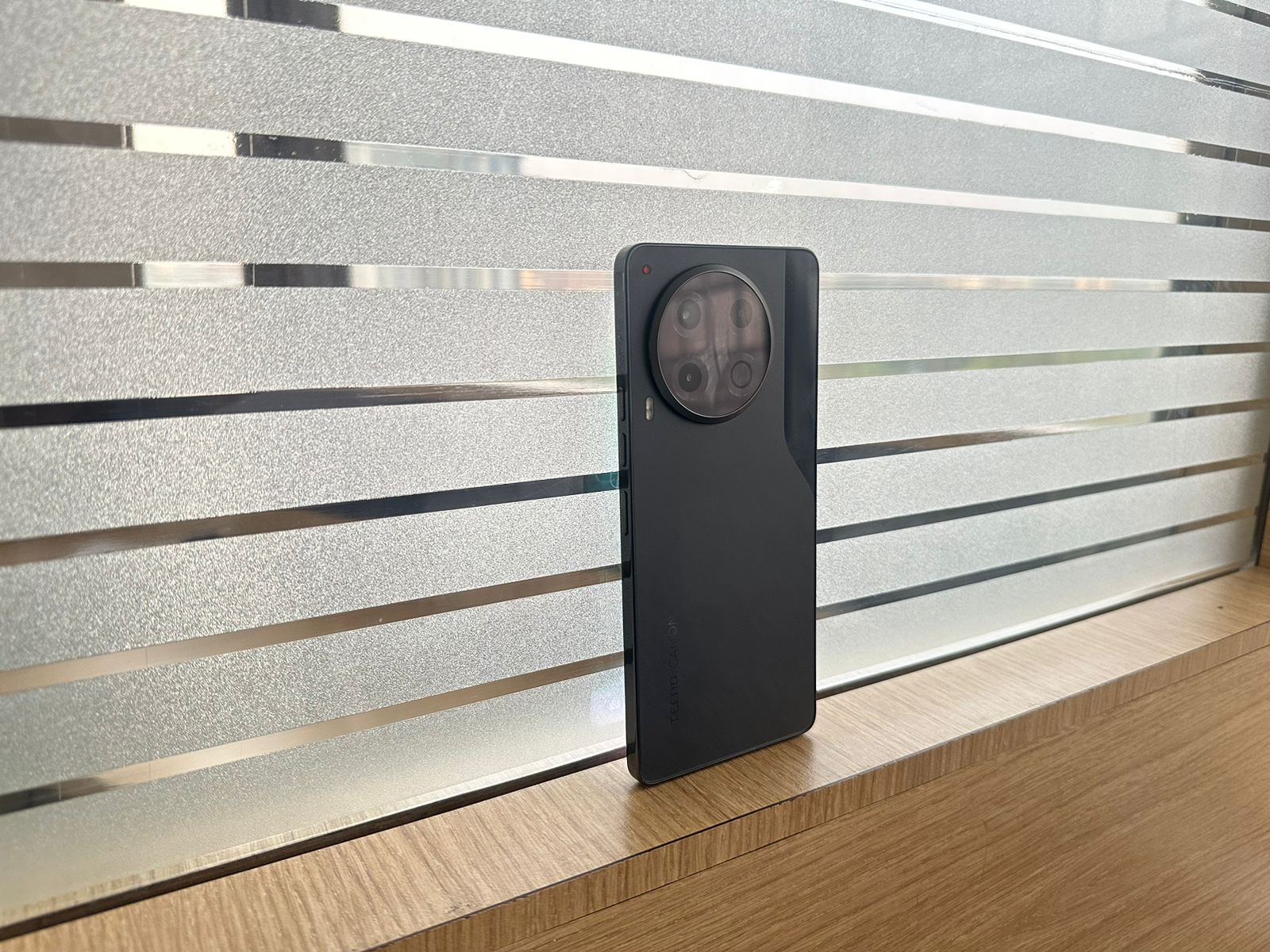
The marble-finished glass rear panels in the color options of “Uyuni Salt White” and “Iceland Basaltic Dark” give a high-end, elegant appearancethat is uncommon for models in the midrange.
The latter is what I have with me, and let me tell you, it’s just stunning.
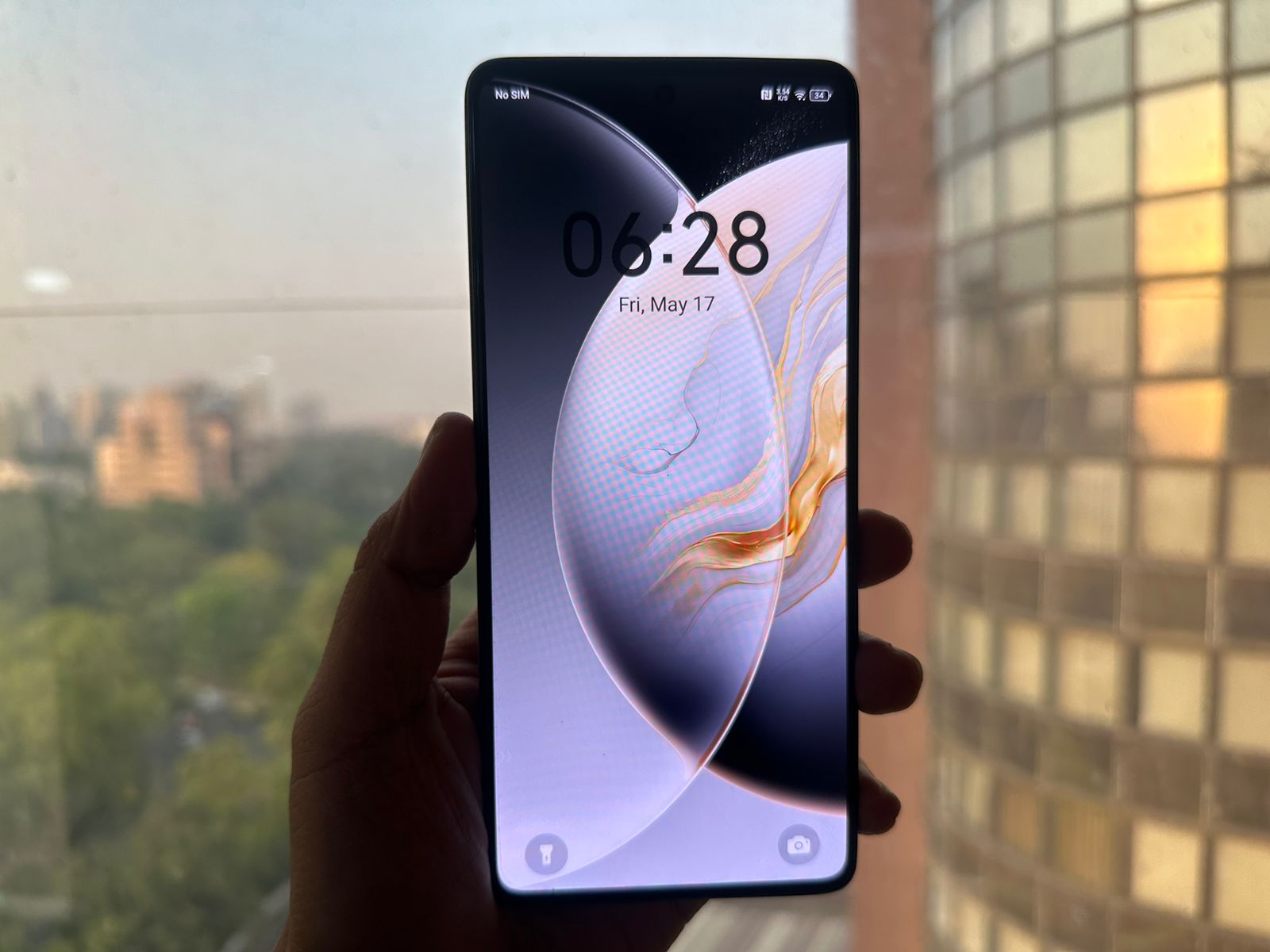
With its 360Hz touch sampling rate for seamless responsiveness, FHD+ resolution, and adaptive 120Hz refresh rate, the 6.78-inch LTPS AMOLED display is exceptional.
The 1300 nits peak brightness and 100% DCI-P3 colour gamut with 10-bit color depthdeliver vibrant, Tecno Camon 30 .
However, there is IP53 dust/water resistance, and Wet Hand Touch capability adds durability for everyday use.
Tecno Camon 30: Cameras
Tecno Camon 30: Cameras
Now, for the cameras, the Tecno Camon 30 is equipped with a strong 50MP primary camera with OIS, which delivers pictures clear enough and with ample detail.
In addition, it offers a 100MP option to zoom in without compromising on image clarity.
The dynamic range of this camera is very good, where it balances between highlights and shadows for vivid, clear images, particularly in high-contrast settings.
In wide-angle scenes, it does feel a little limited without an ultra-wide lens;however, a strong point is the color fidelity, where it maintains the natural-looking hue.
Besides that, the portrait modes often make the bokeh unnatural in cases when the edge detection is bad around complex details of hair or patterned clothing.
One of the biggest standout features here is the Super Night Mode, which deploys advanced algorithms to enhance low-light photography through increased exposure and noise reduction for a clearer image.
Photography in well-lit conditions suffers from an HDR feature of the camera that struggles to retain information in shadows.
The killer feature of this camera is its 50MP AF Eye Tracking, which delivers clear and colorful selfies, even when moving.
Perfectly designed for group shots or vlogs, it really does a great job in well-lit environments, though it does lose some detail in the darker regions when hit with different lighting.
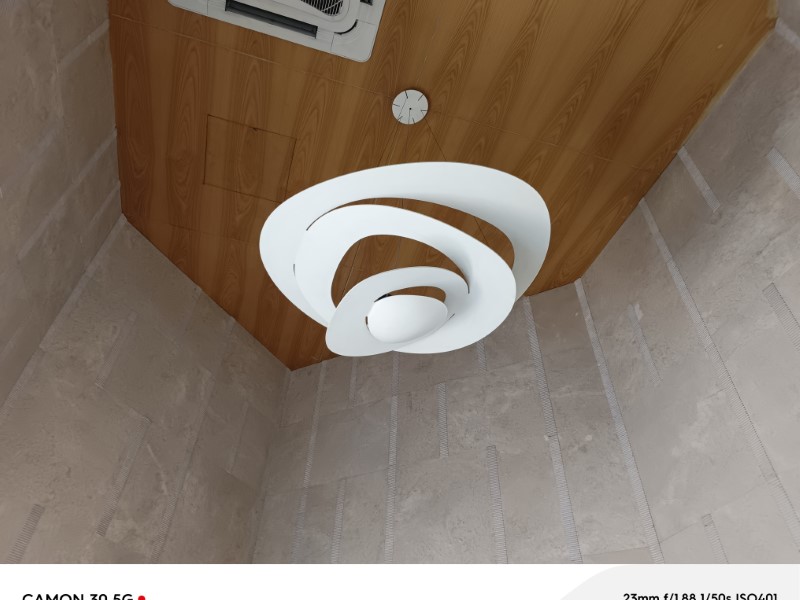
Tecno Camon 30: Cameras Day Sample
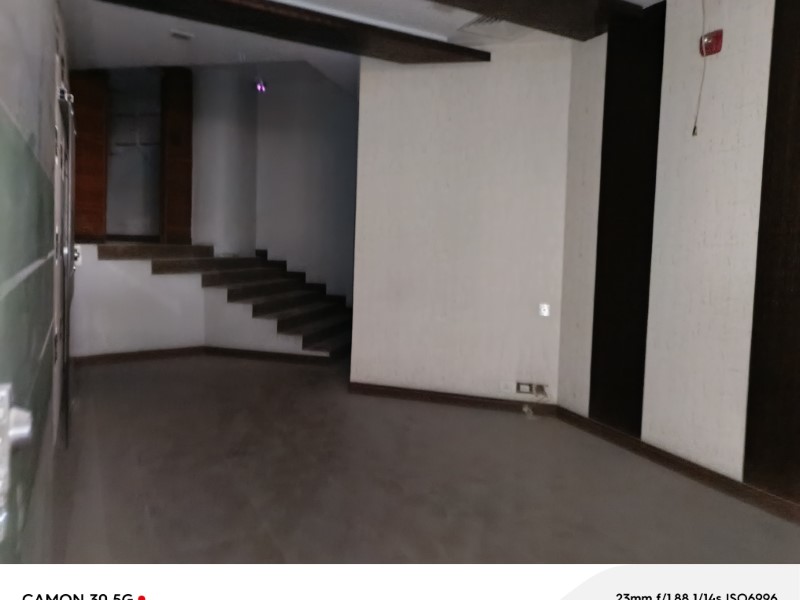
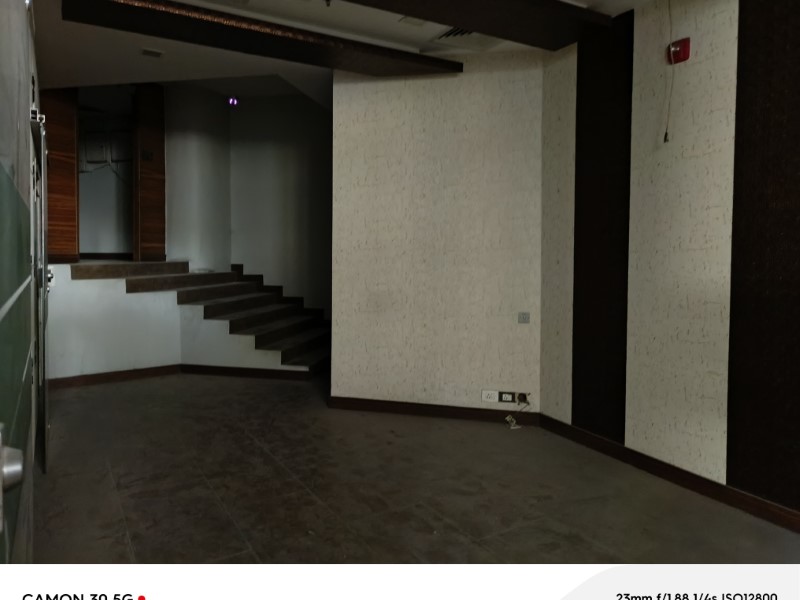
Tecno Camon 30: Cameras Night Sample
Tecno Camon 30: Video
Tecno Camon 30: Performance and Features
When I looked at the performance of the Tecno Camon 30, what I found was a powerhouse for its price.
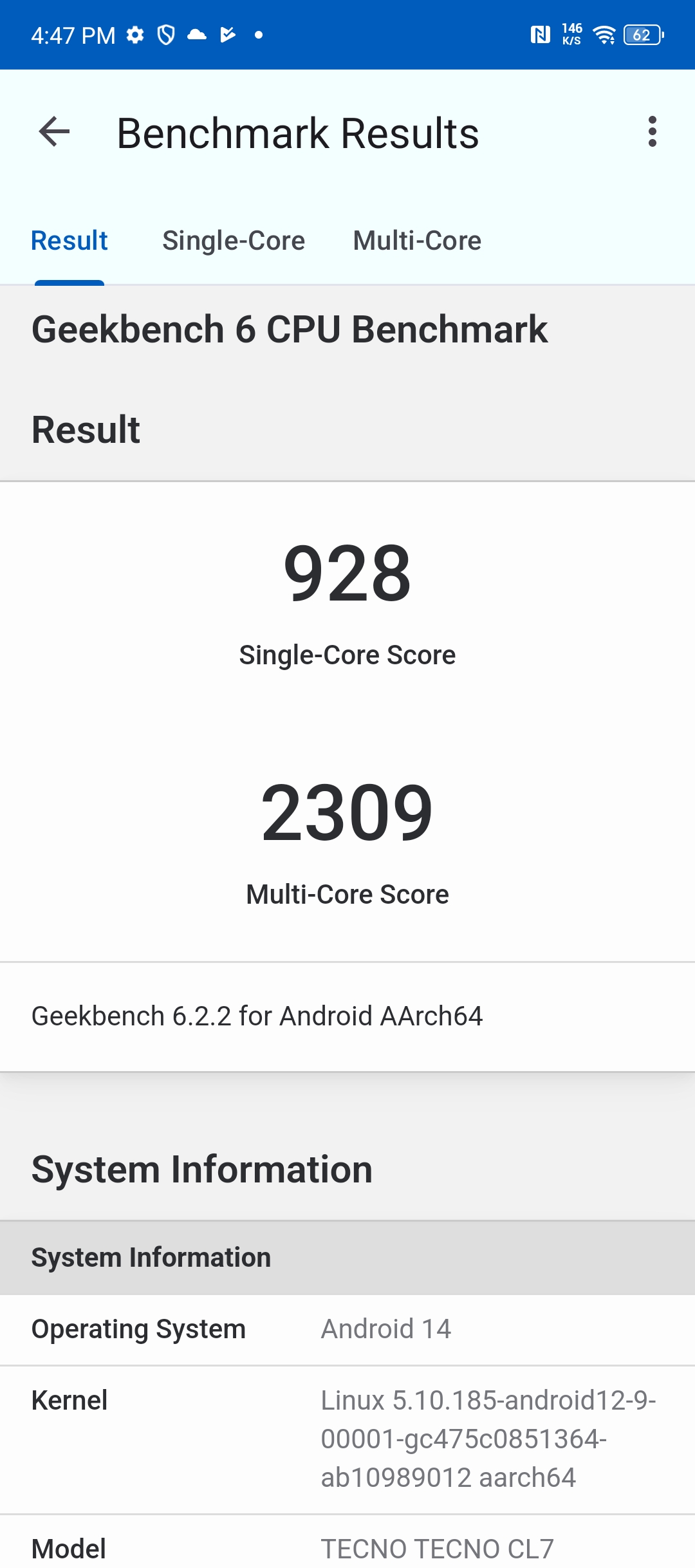
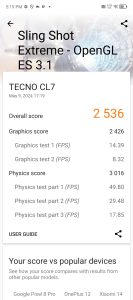
With the MediaTek Dimensity 7020 processorand HyperEngine 5.0 technology, there was seamless and efficient performance on basically all apps.
Gaming and multitasking came without a hitch, thanks to up to 24GB of combined RAM and 512GB of storage.
I was pleased that the 9-Layer Gaming Grade Cooling System worked effectively, minimizing overheating during extended game sessions, even on graphically intensive games.
There is also a setting of “Esports Pro” that augments the game experience.
However, I would not encourage purchasing it only for this.
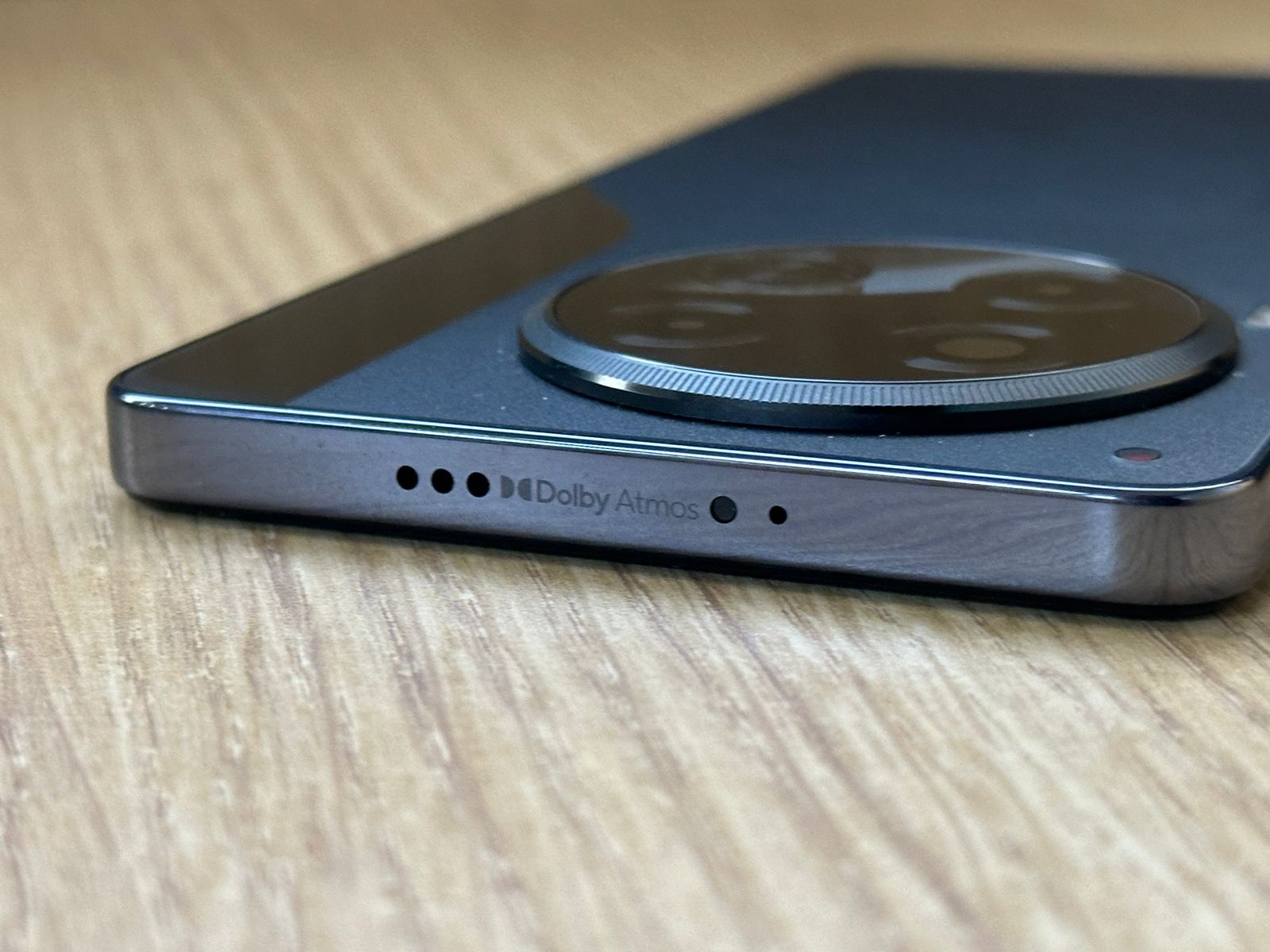
As for the audio quality, the Camon 30 amazed me with its immersive sound delivered through twin stereo speakers with DOLBY Atmos technology.
While the Camon 30 excelled in many areas, the FunTouch OS, based on Android 14, felt feature-rich and customizable, but some of the bloatware cluttered the user experience with unwanted apps and notifications.
The general software experience, however, remained positive owing to the user-friendly interfaceand ample numbers of customization options.
The battery in the Tecno Camon 30 is 5000mAh in size, which, although large, is not particularly innovative today as that kind of capacity has become pretty much a standard across most mid-range smartphones.
The 70W Flash Charger does support super-fast top-ups, giving it 50% charge in less than 19 minutes,which is excellent and no doubt a convenient feature for fast charging.
But if this charging variant makes the device stand out in a great deal, it doesn’t mean that general battery performance will exceed expectations.
With a bright display, an extensive camera setup, and solid performance,it has its drawbacks, such as a lack of an ultra-wide-angle lens and the presence of bloatware.
However, the device is great for photography lovers and users seeking a powerful daily driver with high-resolution cameras and efficient processing power.
Users seeking a more advanced battery or a more seamless software experience might be disappointed.
Overall, the Tecno Camon 30 is a decent contender in its segment for what it offers to a user.
5 Reasons to Buy
5 Reasons to Buy
Excellent primary and selfie cameras: The device captures stellar photos with its 50MP main and selfie cameras, ensuring sharp, vibrant results.
High-performance chipset with gaming enhancements: Equipped with the MediaTek Dimensity 7020 and HyperEngine 5.0, it offers seamless gaming and robust performance.
Premium design with elegant color options: Features a sleek, marble finish glass back in unique colors, providing a sophisticated look.
Vibrant AMOLED display with high brightness: The display boasts 1300 nits of brightness and a 120Hz refresh rate, offering crisp and vivid visuals.
Robust accessory set included in the box: Comes with all necessary accessories, adding exceptional value and convenience.
3 Reasons Not to Buy
3 Reasons Not to Buy:
Lacks an ultra-wide camera: The absence of an ultra-wide lens reduces photographic versatility.
Includes bloatware that clutters the UI: FunTouch OS comes with pre-installed apps and notifications that can diminish the user experience.
Battery capacity and charging are not groundbreaking: Despite having a 5000mAh battery with 70W charging, it doesn’t stand out in the competitive market.
The Tecno Camon 30 starts at Rs 21,999 in India, offering mid-range smartphone features at an affordable price.
What are the key camera features of the Tecno Camon 30?
The Tecno Camon 30 features a 50MP primary camera with OIS, a 2MP depth sensor, and an AI lens. It also includes a 50MP AF Eye Tracking selfie camera.
How is the display quality of the Tecno Camon 30?
The Tecno Camon 30 has a 6.78-inch LTPS AMOLED FHD+ display with a 120Hz refresh rate, 360Hz touch sampling rate, and 1300 nits peak brightness, offering vibrant and smooth visuals.
What processor powers the Tecno Camon 30?
The Tecno Camon 30 is powered by the MediaTek Dimensity 7020 processor, ensuring efficient performance and smooth multitasking.
Does the Tecno Camon 30 support fast charging?
Yes, the Tecno Camon 30 supports 70W fast charging, allowing the device to reach 50% charge in just 19 minutes.
What storage options are available for the Tecno Camon 30?
The Tecno Camon 30 comes with two storage options: 256GB and 512GB, both equipped with up to 24GB of combined RAM.
Camera Master TECNO CAMON 30 Series Launched with Sony IMX 890 starting at ₹19,999. Details?
CAMON 30 Series will be available for purchase at a stunning price starting ₹19,999 and will include CAMON 30 5G in two storage variants and CAMON 30 Premier 5G
TECNO has also released its latest TVC campaign with Deepika Padukone in a playful unseen avatar.
Going all-in for its young and bold audience, TECNO has revealed the first edition of its Shot on CAMON calendar, celebrating the Tech+Style spirit
Get ready to be amazed because TECNO, the global smartphone, just dropped the smartphone photography revolution: CAMON 30 Series!
This highly anticipated lineup features a premium yet classic design and epic camera technology. This beauty is built to up users’ photography game with features like India’s first 100MP OIS Mode with 50MP AF Front Camera, Super Night Mode, and AI magic.
With the CAMON 30 Series, TECNO challenges users to “See what’s never been seen” and flex their creativity to snap pro-level photos and videos effortlessly.
Landing in India on May 23rd, setting new standards for mobile photography and proving that TECNO is all about capturing life in style!
Powered by the legendary SONY IMX 890, the CAMON 30 Series is the go-to for capturing life’s vibrant moments in stunning detail and colors that pop! Whether soaking in the sunrise or chasing the night’s magic partying, this sensor ensures every snap is pure beauty.
Combining innovation with a nod to timeless design, the CAMON 30 series boasts a triple-camera setup that captures the essence of a classic camera.
And that’s not all, it comes with up to 24GB RAM and up to 512GB ROM, ensuring smooth performance and ample storage catering to all needs with ease.
TECNO also unveiled its latest campaign for the CAMON series, featuring none other than Bollywood’s favourite superstar, Deepika Padukone.
This fun TVC shows the sensation in an unseen playful avatar, bringing the colours back to the world, with the CAMON 30 series!
Why Should Users Join the CAMON 30 Series Revolution?
Ditch the darkness! The Polar Ace AI Image Processor turns dim lighting into dazzling shots. Need to zoom in on a squirrel from a mile away?
No problem!
The 50MP 3X Periscope lens and its crazy 60X Hyper Zoom have users covered. Capture those majestic landscapes with the 50MP Ultra Wide camera.
And forget blurry selfies forever – the 50MP front camera with Eye-Tracking Autofocus ensures users will always be selfie-ready, like a total pro!
Moreover, the phone is also empowered by AI Generative large models to produce 480 plus AI Styles in real time.
Scroll Through Tasks with a Hi-Speed Display
Whether diving into the latest show or busy in meme-scrolling, this phone’s got users covered. The hi-speed display with an adaptive refresh rate (think 10Hz for battery saving and 120Hz for super smooth action) keeps everything looking sharp and responsive.
Plus, the In-Display Fingerprint Sensor and tough Corning Gorilla Glass 5 make using it a breeze – all with a touch of premium style.
Feel the Luxe
Forget boring phone backs! This phone breaks the mould with the first-ever super cool suede leather back that screams premium.
Inspired by pro cameras, it flaunts a classic side-axis design. And something more distinctive? A breathing light notification system that lets users know what’s going on in style.
What is the Price and Availability of Tecno Camon 30 ?
CAMON 30 5G, 8GB RAM + 256GB Storage variant will be available for purchase at ₹22,999 and the 12GB RAM + 256GB Storage variant at ₹26,999.
Users can enjoy an instant bank discount of ₹3,000 on both variants, snagging them for an effective price of just ₹19,999 and ₹23,999, respectively as part of a limited-time launch offer.
The CAMON 30 Premier 5G 12GB RAM + 512GB is available at ₹39,999 users can grab the device with ₹3,000 effectively bringing the price down to ₹36,999!
Additionally, the brand is offering complimentary goodies worth ₹ 4,999 for both online and offline customers.
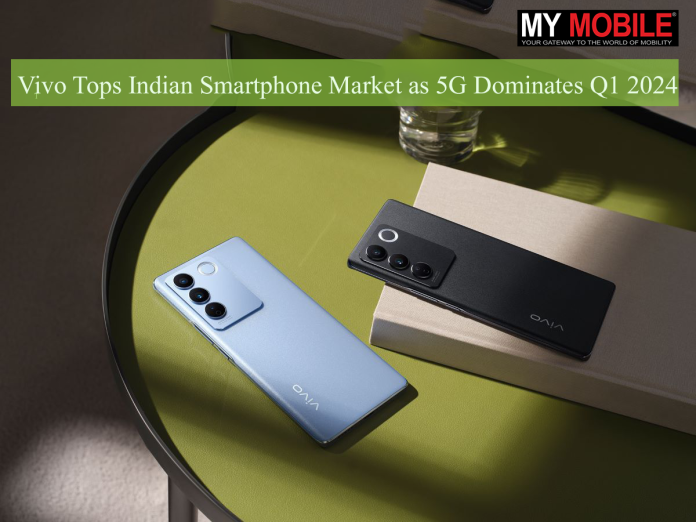
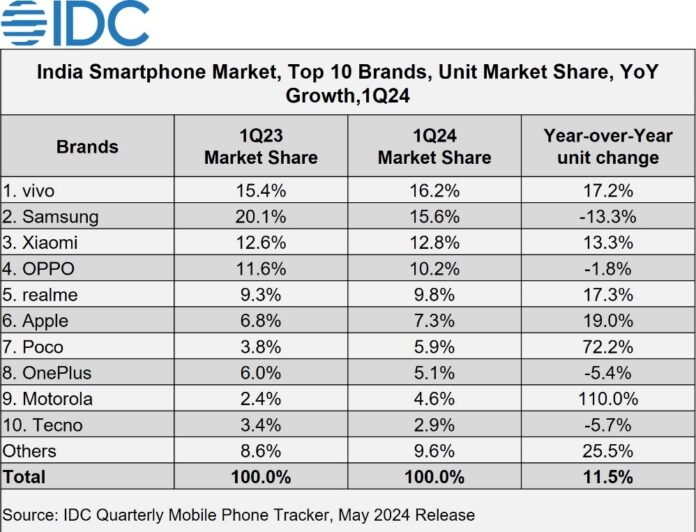
With a 16.2% share, Vivo edged past Samsung’s 15.6%, thanks to its consistent launches across various price points and attractive deals for offline retailers.
This surge can be attributed to the company’s strategic price discounts and attractive financing options, which resonated well with customers even during the non-festive season.
5G Smartphone Dominance
5G smartphones make up 67% of total shipments, with mass budget segment leading growth
The report highlights the growing dominance of 5G smartphones in the Indian market.
Out of the 34 million smartphones shipped in the first quarter, a whopping 23 million were 5G-enabled devices.
Average selling price of smartphones remains stable at $263 for the first time in several quarters
Price Stability: For the first time in several quarters, the average selling price (ASP) of smartphones remained unchanged at $263 (approx. Rs 22,000).
Top 5G Models: Some of the highest-shipped 5G smartphones included the Redmi 13C, Vivo T2x, Samsung Galaxy A15, Vivo Y28, and Apple iPhone 14.
Brand Shake-Up: While Vivo and Apple experienced significant growth, brands like OnePlus and Tecno witnessed a decline in their market share.
Affordable 5G Drives Growth
Apple sees 19% YoY growth in shipments due to strategic discounts and financing options
As 5G networks continue to expand across the country, consumers are actively seeking affordable devices that can take advantage of the faster speeds and improved connectivity.
Competitive Landscape
Vivo Tops Indian Smartphone Market as 5G Dominates Q1 2024
The smartphone market in India remains highly competitive, with various brands vying for consumer attention.
While Vivo and Apple have gained ground, established players like Samsung and Xiaomi are likely to respond with new strategies and product launches.
This fierce competition ultimately benefits consumers, who can expect a wider range of choices and moreaggressive pricing.
FAQs
Which brand led the Indian smartphone market in Q1 2024?
Vivo led the Indian smartphone market in Q1 2024 with a 16.2% market share, surpassing Samsung’s 15.6%.
How did Apple perform in the Indian smartphone market during Q1 2024?
Apple saw a 19% year-on-year growth in shipments, attributed to strategic price discounts and attractive financing options.
What percentage of smartphones shipped in Q1 2024 were 5G-enabled?
Out of the 34 million smartphones shipped, 23 million, or approximately 67%, were 5G-enabled devices.
What was the average selling price (ASP) of smartphones in Q1 2024?
The average selling price of smartphones remained stable at $263 (approx. Rs 22,000).
Which 5G smartphones were the top sellers in Q1 2024?
Some of the highest-shipped 5G smartphones included the Redmi 13C, Vivo T2x, Samsung Galaxy A15, Vivo Y28, and Apple iPhone 14.
Which brands saw a decline in market share in Q1 2024?
Brands like OnePlus and Tecno witnessed a decline in their market share during Q1 2024.