Home Blog Page 1054

Tech News Wrap: OnePlus 10T launches next week…and more

0
Tech News oneplus 10t

OnePlus 10T launches next week

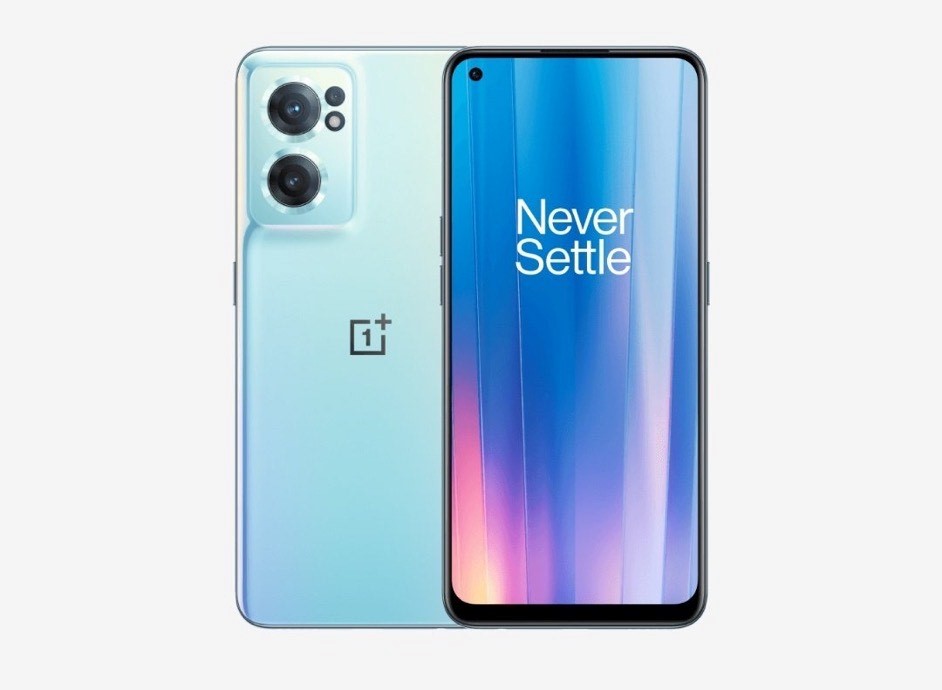
There is a lot of anticipation as the new OnePlus 10T is all set for launch next week as the makers have confirmed the official date of release for the new handset. Although certain rumours speculated that the launch had been delayed, official sources put an end to such claims.

Oneplus 10T

OnePlus 10T is going to launch next week on August 3, 2022, not only in India but globally thereby giving users a chance to rejoice as the tension and excitement had been gnawing at their patience for a long time by waiting anxiously for any news of the release date.

Although the official launch event is going to take place in New York City, Indian consumers will be able to watch it livestream on the official YouTube channel of OnePlus India aside from the official website and other official social media platforms of the company at 7:30pm IST.

T-series is going to come out after quite some time as the last model was OnePlus 8T with no OnePlus 9T to look forward to but there are strong rumours circulating around the new model OnePlus 10T even though official reports are yet to be confirmed.

It will come with the Qualcomm Snapdragon 8+ Gen 1 chipset, AMOLED display screen, triple rear camera system apart from other details that we are now going to look into to make people aware.

OnePlus 9T will have three storage options in India during its launch where the base model will be packed with 8GB RAM and 128GB internal storage with the starting price being Rs 49,999.

The other two models are reported to have 12GB RAM + 256GB storage and 16GB RAM + 512GB storage that cost Rs 54,999 and Rs 55,999, respectively apart from certain other features.

The colour options are Jade Green and Moonstone Black while the handset is expected to go on sale starting August 6, 2022 on Amazon India, OnePlus India official website and other experience stores.

Garena Free Fire Max Redeem Codes for July 25

If you’re looking for a legitimate battle royale action adventure replete with thrills and adrenaline rush then Garena Free Fire Max is the best option you can find in current times as it guarantees both along with many others.

Free Fire

To say that online gamers are crazy about the game would be an understatement as they cater to everything that the game has to offer and absolutely don’t mind sitting in front of the screen for hours together.

The credit goes to the excellent online graphics, intriguing and taut gameplay, regular new updates and, above all, redemption coupons but when you want to sail through the rigorous adventures then you need to have redeem codes to pull through.

In order to unlock new characters, weapons, skins and other necessary features, you need to have redeem codes and it is to the company’s credit that it regularly brings out new codes so that players can easily unlock any character or level of their choice.

To make sure that you give your best in the game, here are some of the best Free Fire redeem codes for July 25, 2022, so that the going becomes easier with each level.

SARG886AV5GR
FF7MUY4ME6SC
FJK8-SL6W-Q203
9ER8-FG7H-BYU4
JVK9-DS2W-QJ2U
Y54E-RF3G-BE4E
JON9-8B7V-FY6D
F6C5-X4SA-3QWE
2DF3-GHRT-UG76
5FD4-SQED-2FV3
B4J5-TIY8-H765
F4G5-TYH9-KJU7
4VRB-5TJK-GY6H
DR8S-F2VB-N4J5
KTIY-8H76-B8V5
CDRS-F5EV-456I
FH3R-NF1B-VD8S
A52E-Q12Q-6E3D
SCX4-VB21-HD85
EY64-5RF3-GB7D
GD8H-JEUI-84I7
6TRG-FBH4-NJCK
IX8S-765Y-4QE2
G6VT-5RSF-AV7W
FV5S-GW7T-5TR4

iOS 16 Beta 1 Features unveiled

iPhone users have a reason to celebrate big time as Apple has released the iOS 16 beta version for all users that have a compatible handset although it was earlier limited to app developers but the stable version is expected to be out within a few months.

iOS

Some important features that we can expect in the iPhones deserve to be mentioned as it will allow the users to know about them beforehand even though they are the regular ones featured in many devices.

iOS 16 Lock Screen is going to have a refreshing look as Apple wants to leave no stone unturned to make it a success and with the users already aware that Apple has experimented with widgets, they will be happy to know about the new lock screen look.

Weather is the native iPhone app where you’ll get the widgets on the lock screen where you need to long press it and tap customize where the users will find the boxes underneath and press them to add the widgets.

Next we have the notifications that’ll appear directly on the lock screen and you need to swipe the screen from bottom to top for gaining access to it following which they can start going further.

Now certain users have expressed doubts on this features but they need to know that smartphones are getting bigger in size due to which swiping up from down is getting more and more difficult.

iOS 16 Keyboard isn’t considered as supple and reliable as Google’s GBoard but Apple has improved the feature that converts speech to text so that users can type simultaneously just in case the dictation feature can’t recognize regional lingo and works on Gmail and Whatsapp.

Finally we come to the Privacy feature where Apple has added an App tracking data and native VPN but this new feature is called Lockdown mode that protects the device from spyware like Pegasus and you have to go to ‘Settings’, tap ‘Privacy’ and then tap ‘lockdown mode’ to enable it.

Also Read Here: iOS 16: Check out the list of new features announced by Apple 

Whatsapp tests new feature

When it comes to messaging apps, Whatsapp is comfortably at the top position with very little competition from any other application and is arguably the most used messaging app worldwide and one reason for it is that it keeps adding new and upgraded features to it.

Whatsapp

There is a process before a new feature is launched in an application, which is that it has to undergo numerous tests before the makers make it safe for users and their data is secure from malicious influence.

There is a new feature in the pipeline that is being tested and expected to change the working of group chats on Whatsapp. It is called Past Participants that will inform group participants who’ve all left the chat within the past 60 days.

If you ‘ve just joined a new Whatsapp group, Whatsapp will tell you the past participants that were part of it, which’ll be an interesting way for people to gauge what the group is all about and what sort of people were part of it.

WhatsApp has not yet given explicit details on how this feature works as it is still in beta phase, which means it is available for selecting people that have enrolled into the programme.

Also Read Here: WhatsApp tips and tricks: Here is how you can type upside down on WhatsApp

Top Smartphones under Rs. 12000

0
top smartphones under Rs. 12,000

A smartphone today offers a variety of capabilities and is more than simply a tool for making calls. Therefore, the value of the functions a phone offers will determine its pricing. The top 10 smartphones in India that cost less than 12000 rs will be discussed in this post.

One of the most crucial considerations when buying new electrical devices is the money. This post is just for you if your new smartphone budget is Rs 12,000 and you’re seeking for the top models from the top Indian companies in this price range. We will go into great detail about the features and specs of the top phones in this post. The phones included on this list have been chosen by experts to be the finest phones under $12,000 in price. You may review the information and identify the phone that not only satisfies your requirements but also falls inside your price range.

Price List of Best Latest Smartphones under 12000 in 2022

top smartphones under 12000

All of the items that are mentioned in this article are listed in this section. You may quickly review the top cellphones under 12000 on this list, along with their costs. This table allows you to compare various goods depending on their cost.

Product Price in India
Samsung Galaxy M12 (White,4GB RAM, 64GB Storage) 6000 mAh with 8nm Processor | True 48 MP Quad Camera | 90Hz Refresh Rate) Rs. 9,499
Redmi 9A (Nature Green, 2GB RAM, 32GB Storage) | 2GHz Octa-core Helio G25 Processor | 5000 mAh Battery Rs 6,799
OPPO A31 (Fantasy White, 6GB RAM, 128GB Storage) Rs 11,490
Redmi 9 Power (Blazing Blue, 4GB RAM, 64GB Storage) – 6000mAh Battery |FHD+ Screen| 48MP Quad Camera | Alexa Hands-Free Capable Rs 10,999
Samsung Galaxy M32 (Light Blue, 4GB RAM, 64GB Storage) Rs 12,999
Redmi 9 Prime (Sunrise Flare, 4GB RAM, 64GB Storage)- Full HD+ Display & AI Quad Camera Rs 9,999
Panasonic Eluga I6 (Black, 2GB Ram, 16GB Storage) Rs 5,488
Vivo Y12s (Glacier Blue, 3GB, 32GB ) Rs 10,990
OPPO A15 (Dynamic Black, 3GB RAM, 32GB Storage) Rs 10,990
 10. Samsung Galaxy M21 2021 Edition (Charcoal Black, 4GB RAM, 64GB Storage) | FHD+ AMOLED Rs 11,999

Top 10 Phones in India Under Rs. 12000 in 2022

This section includes a list of the top 10 smartphones available for less than Rs. 12000. Regarding aspects like camera quality, display, memory and storage, sim card slots, and more, we have provided all the required information. The budget, the necessary specifications, the warranty provided, and the functionality of the item were all taken into consideration while compiling this list. Now let’s quickly review the top smartphones from the top manufacturers in this price range.

Samsung Galaxy M12

Samsung Galaxy M12

(White,4 GB RAM, 64 GB Storage) 6000 mAh with 8nm Processor | True 48 MP Quad Camera | 90 Hz Refresh Rate

  • Price: 9,499
  • Product Dimensions and Weight: 1 x 7.6 x 16.4 cm; 221 g
  • Display Size and Type: 5 inches; LCD screen
  • Warranty: 1-year

Pros:-  long-lasting battery, Face unlocking function

Cons:- The length of the charging cord is short.

Redmi 9A

Redmi 9A

(Nature Green, 2 GB RAM, 32 GB Storage) | 2GHz Octa-core Helio G25 Processor | 5000 mAh Battery

  • Price: Rs. 6,799
  • Product Dimensions and Weight: 5 x 0.9 x 7.7 cm; 194 g
  • Display Size and Type: 53 inches; HD+ screen
  • Warranty: 1-year

Pros:– Camera with AI-based portrait mode, long-lasting battery

Cons:- There is no fingerprint reader for unlocking.

OPPO A

Oppo A

(Fantasy White, 6 GB RAM, 128 GB Storage)31

  • Price: Rs. 11,490
  • Product Dimensions and Weight: 4 x 0.8 x 7.6 cm; 180 g
  • Display Size and Type: 5 inches; LCD screen
  • Warranty: 1-year

Pros:-mode for eye protection, There are three slots for the SIM and SD cards.

Cons:-The processor’s speed is a little bit sluggish.

Redmi 9 Power

Redmi 9 Power

(Fiery Red, 4 GB RAM, 64 GB Storage) – 6000 mAh Battery |FHD+ Screen|     48MP Quad Camera | Alexa Hands-Free Capable

  • Price: Rs. 10,999
  • Product Dimensions and Weight: 2 x 1 x 7.7 cm; 198 g
  • Display Size and Type: 53 inches; FHD+ screen
  • Warranty: 1 year

Pros:– portable, stereo speaker.

Cons:– It takes a while to charge.

Samsung Galaxy M32

Samsung Galaxy M32

(Light Blue, 4 GB RAM, 64 GB Storage)

  • Price: Rs. 12,999
  • Product Dimensions and Weight: 6 x 10.3 x 0.8 cm; 236 g
  • Display Size and Type: 4 inches; AMOLED screen
  • Warranty: 1-year

Pros:- Amoled screen, Elegant back design.

Cons:-The processor’s speed is a tad sluggish.

Redmi 9 Prime

(Sunrise Flare, 4 GB RAM, 64 GB Storage)- Full HD+ Display & AI Quad Camera)

  • Price: 9,999
  • Rating: 4.3/5
  • Product Dimensions and Weight: 16.3 x 0.9 x 7.8 cm; 198 g
  • Display Size and Type: 53 inches; FHD+ screen
  • Warranty: 1-year

Pros:-Stylish colours and body designs, Protective Corning Gorilla Glass 3

Cons:- The camera lacks a night mode.

Panasonic Eluga I6

Panasonic Eluga I6
Panasonic Eluga I6

(Black, 2 GB RAM, 16 GB Storage)

  • Price: Rs. 5,299
  • Product Dimensions and Weight: ‎15.8 x 8.2 x 5.5 cm; 300 g
  • Display Size and Type: 45 inches; LCD screen
  • Warranty: 1 year

Pros:- created in India, Simple to use

Cons:-No music-specific applications

Vivo Y12s

Vivo Y12s

(Glacier Blue, 3 GB, 32 GB )

  • Price: Rs. 10,990
  • Product Dimensions and Weight: 4 x 7.6 x 0.8 cm; 191 g
  • Display Size and Type: 51 inches; LCD screen
  • Warranty: 1-year

Pros:-Stylish and modern style, excellent backup power.

Cons:-It takes a while to charge.

OPPO A15 (Dynamic Black, 3 GB RAM, 32 GB Storage)

OPPO A15

  • Price: Rs. 10,990
  • Product Dimensions and Weight: 4 x 0.8 x 7.5 cm; 175 g
  • Display Size and Type: 52 inches; HD+ screen
  • Warranty: 1 year

Samsung Galaxy M21 2021 Edition

Samsung M21

(Charcoal Black, 4 GB RAM, 64 GB Storage) | FHD Super Amoled |

  • Price: Rs. 11,999
  • Product Dimensions and Weight: 9 x 7.5 x 15.9 cm; 192 g
  • Display Size and Type: 4 inches; AMOLED screen
  • Warranty: 1-year

Pros:- A superior display, 24/7 client support

Cons:- Not good for gaming

Important things to consider before buying a Smartphone

Considerations that should be made before purchasing a smartphone

It is a difficult challenge for you to select a smartphone that meets your demands. It might be difficult to find all the necessary features and requirements at a reasonable price. Ten smartphones with the finest features with affordable prices are covered.

Battery 

Batteries typically deplete faster when used heavily online. If you fall into this group of users, you should get a phone with a powerful battery.
Memory

It follows that phones with more RAM will operate more quickly, while those with more ROM will provide more storage. A 2 GB RAM and 16 GB ROM should be sufficient for the majority of users. However, if you use your phone frequently, get one with at least 3–4 GB RAM and 64–GB ROM.

Camera

If you anticipate taking many photos, choose a phone with a 12 or 16 MP camera and an aperture of f/2.0 or less for excellent images even in dim lighting. If you don’t anticipate using the camera frequently, a phone with an 8–12 MP camera and an aperture of f/2.2 should work for you.

Processor

Take a look at the processing speed that is specified in GigaHertz (GHz). The CPU runs more quickly the higher the speed. Choose a speedier CPU if you want to stream videos, play online games, or edit lots of photos and videos.

Display

Typically, a phone with a 5.5–6-inch HD or QHD display is the best choice. This will make it possible for you to encounter rich media while yet being portable enough to fit in your pocket or handbag.
Operating Systems

There are just two OS options available: Android or iOS. If you choose iOS, an Apple iPhone is automatically your choice. Other smartphone manufacturers all use the Android operating system.
Price of the Device

As mentioned earlier, smartphones come at price points that vary greatly. Obviously, prices tend to go up as you go higher up the value chain in terms of processor speeds, memory, camera and display.
How to Set up and Test Your Microphone in Windows 11?

0
Set up and Test Your Microphone in Windows 11

More than ever, PC users rely on having access to a microphone and camera. After all, tools like Zoom and Microsoft Teams open the door for remote work. They also make staying in contact with far-off family members and friends smoother than ever.

But the quality of these apps depends entirely on the technology you’re utilising. To prepare your microphone for speaking with friends, family, and coworkers, you might need to alter the settings for your surroundings.

Windows 11 has a built-in application to make it simple for you to test your mic. Here’s how to test a microphone on a Windows 11 computer if you’re not sure how.

There is a convenient way to test your audio input device and check its input level in Windows Settings if a microphone attached to your Windows 11 computer is too loud, too quiet, or simply not working. We’ll demonstrate how.

Set up and Test Your Microphone in Windows 11

In order to set up a new microphone, do the following:

  1. Make sure your microphone and desktop are paired.
  2. From the menu, choose Start > Settings > System > Sound.
  3. Navigate to Input in the Sound settings to see your connected microphones. If the device is a Bluetooth microphone, choose Add device.

You should always check your microphone to make sure it is in functioning order and is adjusted to an ideal audio input level before every crucial meeting, call, or interview.

Using the Windows settings interface, you can quickly test the microphone in Windows 11 to make sure it is functioning properly. I’ll address that in this guide and demonstrate how to test the microphone on Windows 11 PCs.

Testing of Micro Phone on Windows 11

  1. Launch the Start menu, then choose Settings.
  2. Select Sound under System in Settings.
  3. In the Input section, choose your microphone.
  4. Verify the input volume settings are accurate by adjusting the slider in the Properties menu for your microphone.
  5. Verify further options as necessary, such as the audio format settings.
  6. Press the Start test button to start testing your microphone.
  7. Press Stop test after speaking into your microphone for a few seconds.
  8. If your microphone accurately captured the sound, a result % should appear next to the Start test button.
  9. You must raise the input volume slider to increase the loudness if the result percentage is less than 75%.

Also Read: Here is how to take a screenshot on your Windows 11 PC 

Vivo T1x Vs Redmi Note 11

0
VivoT1X
VivoT1X

Vivo has launched its new T-Series smartphone in India in the form of Vivo T1x with a slim and delicate design but also powered by a Qualcomm Snapdragon 680 chipset. The handset comes with an Ultra game mode and multi turbo 5.0 feature that guarantee an excellent performance.

Apart from the regular features, it is also equipped with a four layer cooling system that seamlessly adapts itself according to the system processes thereby providing an optimal cooling solution so that the players can enjoy gameplay without tedious interruptions.

Feature Comparison

Vivo T1x comes with VEG Technology that houses a 5000mAh battery and since VEG is classified as a smart engine that saves power, it proves of great help in expanding the battery’s life that does not allow it to get damaged due to excessive charging as many have the bad habit of charging their battery long after its full.

Vivo T1X

Once the smartphone reaches its full potential of 100% battery after charging, it stops giving power automatically to the phone, which, by the way, supports 18W fast charging that ensures a longer shelf life.

The device comes with a 50MP primary camera, 2MP macro camera and lastly, an 8MP front selfie camera. Vivo T1x supports a dual camera setup and comes at the cost of Rs 11,999 but the catch is that it is going to face stiff competition from Redmi Note 11.

Redmi Note 11 is powered by Qualcomm Snapdragon 680 chipset just like VivoT1x and has the many identical features to the latter like a 5000mAh battery with fast charging support and a 50MP main camera.

As far as comparisons go, there are many similarities and differences between VivoT1x and Redmi Note 11 like for example they have a display screen of 6.58 inch and 6.43 inch, respectively and an operating system of Android 11 and Android 12, respectively.

It all comes down to preference as to which of the two you prefer but it goes without saying that both have their own uniqueness that appeals to their users, which is why they constantly wait for a new version to come out.

Also Read Here: Vivo launches budget smartphone T1X in India with 90Hz display, sale to start on July 27

11 Best Free Antivirus for Android Devices

0
Antivirus for Android Feature

Since practically all of our vital activities are now completed through our smartphones, it is essential to have software that can prevent our confidential info passwords and financial data from being misused by malicious attackers.

In order to protect your device from malicious viruses and attacks, the installation of Antivirus Software is the best solution.

Top 11 Free Antivirus Apps for Your Android Devices in 2022

An antivirus is software that detects, blocks, and removes all forms of threats from a device. Viruses, malware, spyware, bloatware, and other hazards may infiltrate your smartphone via harmful websites, links, or programs that can be removed with help of Antiviruses.

Here is a ranking of the top free antivirus apps for Android Phones:

 1. Bitdefender Antivirus

Bitdefender Antivirus

It offers malware and virus protection for your Android device while having little to no negative battery effect. Bitdefender is one of the most recommended antivirus apps because of its features. The app has both free and paid versions. The app allows the users to surf the internet at a speed of 200 MB per day with the help of a secure VPN.

Top Features of Bitdefender

  • It provides a secure VPN for online browsing.
  • It allows you to locate, lock, or format your device in the event that it is stolen or misplaced.
  • The app has no or little influence on the battery life.
  • Bitdefender most helpful in maintaining the privacy of your account and check to see if your email has been compromised.
  • It is compatible with Android 5.0 or later.
  • It can only operate with an Internet connection.

2. Avira Antivirus

Avira Antivirus

 Avira is one of the best antivirus apps for free privacy protection. It offers a free VPN of 100 MB per day, protects your privacy, blocks harmful apps and websites, and does a lot more. Avira is without a doubt one of the most suggested antivirus for Android devices, with more than 20 million users globally and a 4.6/5 rating on the Google Play store.

Top Features of Avira:

 Get a free VPN with 100 MB of daily internet use with the use of Avira.

  • Tools to aid in recovering your phone in the event of theft.
  • It notifies you right away if your info is compromised.
  • Put a password on your phone to lock the applications.
  • The app blocks any websites that appear to pose a danger to your device.

3. Norton Antivirus 

Norton Antivirus

 For the protection of your Android mobile devices, Norton Mobile Security is a cost-effective and dependable option. For personal use,Norton antivirus works  exceptionally on your Android device.It  provides protection against cybercrime and risky Wi-Fi networks, and keeps your device secured while using internet.

Top Features of Norton:

 Your phone is secured from any threats by their patented app screening technology.

  • It protects your device from online criminals.
  • It alerts you if you join an unreliable Wi-Fi network.
  • It identifies harmful websites.
  • The privacy concerns may be checked before installing an app from Google Play.

4. Avast Antivirus 

Awast Antivirus

Popular, lightweight, and effective antivirus programme Avast Mobile Security offers free protection for Android smartphones. This antivirus software attempts to keep your Android smartphone operating with the highest levels of privacy, security, and performance.

Top Features of Avast:

 It detects harmful applications

  • Avast guards your device from links on the internet that might be harmful.
  • evaluates a Wi-Fi network’s security.
  • It utilises Avast’s VPN to keep your surfing history confidential.

5. Kaspersky Antivirus 

Kaspersky AntiVirus

Kaspersky offers mobile security For Android smartphones. It provides you with antivirus software and solutions for guarding your identity and privacy. The app uses artificial intelligence to constantly identify and stop possible threats to your device.

Top Features of Kaspersky:

 Kaspersky monitors the risks on your device 24/7.

  • The app has features that prevent theft, such as locking, tracking down, and erasing a stolen device.
  • It also determines the applications that are monitoring your calls or texts.
  • It notifies the user if the user stumbles upon an URL that is stealing your data.
  • It automates the scanning of your apps.

6. AVG Antivirus

AVG Antivirus

The popular free antivirus for Android is AVG Antivirus. Additionally, they do provide premium features that are available for 30 days free of charge. The users Android device is shielded against viruses and theft with this application. By password-protecting your apps, you also receive options for privacy protection.

Top Features of  AVG Antivirus:

  • The application helps in finding your Android device in case of theft.
  • Your phone’s apps can be password-protected.
  • On your phone, if someone enters the wrong password three times, the app will automatically snap his picture and mail it to you together with the date and place of the occurrence.
  • your smartphone locks itself when the sim is changed.

7. Trend Micro Antivirus 

Trend Micro Antivirus

Trend Micro provides solutions for  Windows, Mac, Android, iOS, and Chromebooks. They are a  30-year-old Internet security software providers. They are expertise in providing services for home  and business. The antivirus software is free of cost.

Top Features of Trend Micro:

  •  The functionality of your smartphone is enhanced by optimization features.
  • Threats are stopped before they can reach your device through a clever cloud-based network.
  • prevents spies from using your identity against you.
  • safeguards for children.
  • works with iOS 11 or later and Android 4.1 or later.

8. McAfee Antivirus 

McAfee Antivirus

Award-winning antivirus service provider McAfee offers a variety of benefits for its Android users. It provides services that are of utmost importance for your device performance and safe surfing. McAfee is highly recommended for Android devices because of its exclusive features.

Top Features of McAfee:

  • It defends you from dangers like harmful links and websites, etc.
  • Get access to McAfee’s VPN to shield your login credentials and financial data from identity thieves.
  • Check your device’s applications frequently for risks and disable them.
  • It safeguards your personal data from connections or websites that are not reliable.

9. Malwarebytes Antivirus 

Malwarebytes Antivirus

The most effective antivirus software for Android is Malwarebytes. It provides you with tools that are helpful for the removal of vulnerabilities from your device. It also  detects  phishing URLs, and much more.

Top Features of  Malwarebytes

  • Threats are automatically detected and eliminated.
  • The privacy audit function searches for applications that track your movements.
  • Removes bloatware from your Android handset to make it more functional.
  • It gives you access to a VPN so you can safeguard your privacy.

10. Google Play Protect Antivirus 

Google Play Protect Antivirus

The Google Play store has an internal security mechanism called Google Play Protect. It blocks shady apps, aids in device recovery in the event of theft, and has a lot more features to offer.

Top Features of Google Play Protect:

  • Cloud-based app verification makes sure that the applications are not PHAs (PHAs).
  • Immediately removes and disables a PHA if it determines that the user will not benefit from it.
  • Aids you in locating your gadget in the event of theft
  • Allows you to remotely lock the device or delete data.

11. Sophos Intercept Antivirus 

Sophos Antivirus

Sophos provides a great service with many attractive features. Additionally, there are no commercials on it. The Anti Virus software is relatively new to the Android users,but the app is highly effective as a Ad blocker and in  threat detection.

Top Features of Sophos:

  • Screening for malware in operating systems
  • A link checker for protection against dangerous links blocks a malicious web page.
  • Scanning for WiFi networks and a privacy monitor.

Why are Anti Viruses a good option for an Android user?

Choosing an antivirus for your android device is always a sensible move in these times of rising cybercrime and password hacks. The majority of antivirus apps for Android give away or charge little for their basic functionality. As a result, anyone may readily obtain an Android antivirus. Bitdefender Mobile Security is the top antivirus for Android. It provides the most features at the most competitive costs.

AVG Antivirus Free’s Camera Trap function stands out among antivirus programs. Even though this function is only accessible in the premium edition, it has a lot of advantages.

Installation of Anti Virus Application on your Android Device

  • Open the Google Play Store app on your smartphone and perform a search of the above-mentioned applications.
  • The search shows a list of all these top antivirus apps mentioned above. Click on the application icon.
  • Select Install to download and install the application. After the installation process is complete click on open to run the app.
  • Check the box next which displays all the user agreements and Privacy Policy, then tap Start before selecting Next.

Apple Watch Proves to be a Life Saver, detects tumor

0
Apple Watch
Apple Watch

We have to hand it to electronic gadgets for making our life easier than ever. There are many of them out there that vie for our attention ranging from smartphones and laptops but there is one that doesn’t come up in conversations as much as it should.

An apple watch turned into a life saver as per reports when it saved the life of a woman in Maine, New England. One mistake that many people make is equating Apple watch to a regular smartwatch when in fact it is much more than that.

It has saved countless lives by alerting them at the right time and the above reference was of a woman that had a tumor but was not even aware of it. It is due to this tumor that her heartbeats were quite irregular, which prompted the Apple smartwatch to turn saviour.

The woman herself considered the smartwatch to be utterly worthless until she realized what it did and swears by it to this day. The tumor was spreading at a rapid pace so much so that it started blocking blood supply to her heart and she could have suffered a stroke anytime.

Description

Apple Smartwatch Series 8 is capable of detecting fever as well, which is quite useful in times of Covid-19 when it can detect fluctuating body temperature. Earlier it was simply limited to checking heartrate, oxygen level and workout steps while walking, etc.

Apple Watch
 

An additional feature that the new smartwatch series will have is the temperature sensor, which might soon replace thermometers in recording body temperature, which will also be present in the smartwatch series meant for athletes.

However, the above incident just goes to prove is how important an Apple smartwatch is for people grappling with health issues as it was able to immediately detected a deadly tumor that could have aggravated the heart condition of a woman.

There have been innumerable reports over the past few years of iPhones and smartwatches saving lives of their users but one that can detect life threatening ailments is quite remarkable indeed.

Also Read Here: Apple watch 8 likely to be equipped with this health sensors and features, check details

How to clean up the iPhone apps you don’t use

0
iPhone apps you don’t use

Many of us have amassed a library of applications that we downloaded at one time but haven’t really used in months as we use our phones year after year or move everything to a new device (or possibly years). These applications may eat up space on our phones, clutter up our home screens, and, in the worst-case scenario, even drain our batteries. They could be a failed social network, the companion app for the smart gadget you trashed, or even just Duolingo shaming you for giving up on learning Spanish.

Please take note that iOS 16, which is presently in beta, was used to capture the screenshots for this post. Earlier OS versions may have somewhat different screens, but the instructions still apply to iOS 15 and 16.

USE THE FEATURES TO OFFLOAD UNUSED APPS

Use iOS’s Offload Unused Apps function if you’re seeking for the simplest solution to make some space available.

Once enabled, it will automatically remove any apps you aren’t using, however, Apple doesn’t exactly specify how long an app must be ignored before it is offloaded.

iPhone apps you don’t use

Offloaded applications, however, will remain on your home screen or in your app library, simply with a cloud icon next to their name, unlike when you uninstall an app from your phone.

When you tap on an app that has been offloaded, your phone will download it again immediately, allowing you to resume your work largely where you left off.

You may set Dump Unused Apps under Settings > App Store to have your phone offload apps automatically. You may also disable the functionality here.

Before turning the function on, click on Settings > General > iPhone Storage to check how much space it can save you.

Most of the time, there will be a section describing how much space the function will save you and an Enable button to activate it.

The storage screen also shows you how much space your phone still has available as well as how much space each program and its associated data use. When you manually delete an app, it may also serve as an excellent indicator of how big it is.

First off, if an app is deleted from the App Store, Apple’s support literature clearly suggests that you won’t be able to re-download it. Therefore, you might not want to enable automated offloading if you intend to maintain any deprecated apps for archive purposes.

Select “ OFFLOAD APPS

You may manually unload programs rather than letting your phone decide which apps to remove, however, I was unable to discover a mechanism to stop certain apps from being deleted by the automated system. To accomplish this, navigate to Settings > General > iPhone Storage and choose the desired app from the list. Tap the Offload App button after that.

PERMANENTLY DELETE APPS

There are a few options if you want to completely get rid of useless applications.

Going to the App Store and clicking my profile picture in the upper right corner to view the list of applications that have just been updated is one of my personal faves. I can swipe left on a button to reach a delete button if I see one there that I essentially never use. Your phone will remain somewhat clutter-free if you check on this once a month or so.

The app library makes it comparatively simple to remove all the programs you don’t use at once in one huge sweep. In order to see all of your apps organized on one page, scroll through your home screens to the right. By touching and holding on to the icons of the applications you no longer require and selecting Delete App, you can then browse through each category.

Remember that there may be more apps in the categories than you can view from the main app library screen; pressing on a category’s bottom right corner will open it and show all the apps.

The iPhone Storage screen under Settings > General offers one more choice. You may see a Delete App option next to the upload button if you tap any of the applications in the list, which are arranged by how much space they need on your phone. You may have a lot of free space and a less cluttered phone if you go through the list and remove any program you don’t use.

Technology adoption is very fast in India, says Avneet Singh Marwah, SPPL CEO

0
Avneet-Singh-Marwah
Avneet-Singh-Marwah

What’s your reaction when you are building all international brands in India? What’s the inspiration behind it?

Our inspiration has always been to build a world-class vision brand powered by technology, in India. A brand that can give equal competition to international brands. Indian SMART TV brands have taken the center stage within the country’s TV market, unlike our smartphone industry which has till now seen only foreign brands flourish. All of SPPL’s portfolio brands combined, make SPPL the highest-selling TV brand in the country.

Indian TV brands are not only leading the way in sales figures but in quality too. For SPPL, it has always been about ensuring as much backward integration as possible while creating a good ecosystem for the same. This is solely what has allowed us to maintain our quality at the prices we offer. We do feel that SPPL has been successful in R & D, manufacturing, and technology by following this route and staying in the pursuit of building a world-class brand.

What’s the USP of Blaupunkt TVs when it comes to audio, picture quality, OS, and looks?

With regard to Blaupunkt, we are very proud of the quality sound system we have been able to achieve for the brand, something which has now become our USP. We have seen great responses for our 4K 43 to 55 inches, our best-selling categories. The picture quality of our TVs is above 550 nits. Our Blaupunkt TVs are completely bezel-less too along with Dolby DTS technology and Version 10 Android.

What’s the reason that within 6-7 months, Blaupunkt TV got a 4.7 rating on Flipkart?

Commonly a 4.7 rating on Flipkart means it has been rated by 6000+ people and it truly is a great rating. No other brand offers the kind of sound output we do, along with being upgraded with the latest OS and PCI quality at the prices that we do. Thus, this helped us generate much buzz and brand recall in the market.

What is the pricing strategy behind your products?

Our pricing strategy has always been to offer the best-in-class products and technology at a fairly affordable rate. We want to make our offerings accessible to as many people as possible. Blaupunkt technology and prices is giving direct competition to the top 2-3 selling TV brands in India, and in fact, we have more USPs to offer than some older brands do. A good sound system at this price is very difficult and we have been able to do that, which has worked out very well for Blaupunkt.

How does Blaupunkt, SPPL help with customers’ anxiety about post-sale services?

I will admit that before we had our licenses, we did hit many road bumps in this area but ever since we acquired the necessary licenses, there have been zero such road bumps we have faced with respect to after-sales service. We have offices in 24 cities, and 28 warehouses and offer delivery in 18000 pin codes in India. Our SLA in tier 1 and 2 cities is less than 24 hours. Our company has truly been able to achieve a vast and deep network for better customer service.

How stay-at-home circumstances have pushed the demand for televisions? Explain in terms of pre and post pandemic situation?

Before the pandemic ever happened, we had made certain plans to be achieved in the next 4-5 years from then. The situations that arose during the pandemic turned everything around for us. We achieve those goals within 2 years in fact. And, a major reason for this has been the work-from-home phenomenon that was induced by the pandemic. While the main form of entertainment was the screen, people moved on to larger screens to watch content. The trend of exploring new content on OTT also increased. Nowadays new movies and series are first being launched on OTT platforms, this is in turn helping us. Currently, the focus of TV software companies is on helping customers spend less time searching for content and more time watching it.

How did the multiple waves of the pandemic impact your business?

After the first wave, when the lockdown opened up we saw much pent-up demand by customers which resulted in a 10-year hike in sales. However, with the second wave, the scenario was much different for the wave was very hard on India. People lost their disposable income and had to spend on healthcare given the Delta variant. We saw huge degrowth in the TV industry during that time period for these reasons.

Now, with time we are back on track to achieving the goals, numbers that we had set for ourselves are actualizing and as per our estimates, the LED TV market will see a 10-12% growth.

Also, Read Here: German audio company Blaupunkt launches budget earphone

How important is the upgradation of the devices to build up the sales in an upward trajectory format?

Today TV is more about software than hardware and hence one needs to upgrade their TVs timely if they want to enjoy the latest of what TV tech has to offer.

India is a very tech-savvy country. Not only is our population very young, but because of this, the rate at which India adopts technology is very fast. A software lifecycle is no more than 3-4 years. An upgrade is certainly required after that. We are seeing customers replacing their gadgets within a quicker time period because of these reasons. WRT gadgets today including TV, it is more about the software than the hardware.

Apple releases new versions

0
Apple new versions

Apple, a leading technology company, has launched new updates and customers are beginning to experience the newest Apple software upgrades, which include tvOS 15.6, macOS 12.5, iOS and iPadOS 15.6  and watchOS 8.7.

The lack of enhancements in Wednesday’s upgrades is not surprising given that the upcoming OS versions are probably due out in a few months time. Here is what’s updated as per the release notes.

A large number of security upgrades are also included in the updates, some of which fix vulnerabilities that sound rather alarming. Regardless of the fact that Apple doesn’t specifically indicate that any of the issues have been actively targeted in the recent past. It is better to be updated with the latest versions.

iOS and iPad OS 15.6 Updates and Bug Fixes

 It’s typically The update adds the capability to “refresh” the Settings app, which resolves a bug that may make it appear full even when it isn’t to resume, pause, rewind, and fast-forward a live sports event that is currently being played.

Apple new versions

Enhancements, bug fixes, and security improvements are all part of the latest iOS 15.6 release. It gives the TV app the ability to pause, fast-forward, or rewind a live sports game that is already in progress.

Additionally, it resolves a problem where Settings can still show that the device’s storage is full even when there is still space.

Some functions might not be accessible in all locations or on all Apple devices, according to the study.

Apple’s latest updates for iOS and iPadOS:

Customers of Apple Cash may now send and receive money from their Apple Cash card using Wallet.

A new feature in Apple Podcasts allows you to set a storage cap for episodes and has older episodes deleted automatically.

Removes a bug that might cause home automation triggered by visitors or guests to malfunction.

macOS, OS and TvOS updated features

  • macOS 12.5 – The latest update furthermore receives a bug patch for Safari Watch and an update to the TV app.
  • OS 8.7 – Improvements, bug fixes, and crucial security upgrades are included in OS 8.7.
  • TvOS 15.6 – The recent update “offers improvements to stability and overall performance.”

Steps to get the updated version on your devices

 You may download iOS or iPadOS 15.6 by choosing Settings > General > Software Update.

  1. Go to the Apple Menu > System Preferences > Software Update to download macOS 12.5.
  2. Your Apple TV and Watch will probably update themselves automatically. If not, you may manually upgrade by according to Apple’s instructions, which are available for watchOS and tvOS, respectively, here.
  3. If you don’t see the updates right away, simply return to the screen in an hour or so. It might take some time for the updates to become accessible for everyone.


Shift from offline to online is next big avenue for growth for travel and tourism industry

0
Travel app
Travel app

Domestic and international travel witnessed a sharp increase after restrictions within India and across the globe lifted. It has been observed that people are on revenge travel after being confined on their homes due to Covid-19, and a large portion of this revenge travel is getting planned through smartphone.

According to data.ai, around 1.48 billion apps in travel category were downloaded worldwide during January-May 2022.

Among total downloads, more than 220 million travel apps have been downloaded which is highest among all regions. There has been 10.4% increase in downloads of the apps in the same period as compared to the corresponding period last year.

Of late, technology is playing crucial role in helping people planning their vacations and the travel itinerary, says spokesperson, MakeMyTrip.

“Technology has helped democratize travel for all. In fact, the past two years have only helped accelerate the momentum around leveraging technology to help travellers search and book travel online. Today, tens of thousands of users from tier II and smaller pockets of the country are making travel bookings online –a pattern that we are also seeing across all our three brands, MakeMyTrip, Goibibo and redBus,” adds the spokesperson.

 Penetration in smaller cities

Not only metro cities, people from smaller towns and cities are also using apps to plan their vacation. Highlighting this, Bajaj says that a recent ‘on-platform study’ on Goibibo indicates that nearly 48% of new users and app downloads are from smaller cities across the country.

According to the official, the shift from offline to online is fast becoming the next big avenue for growth for the entire travel and tourism industry.

The MakeMyTrip group is equally excited of these opportunities that are unfolding, and remain focused on revolutionizing travel at every step of the customers journey.

“Through apps our customers can plan, search, book and make any modifications to their bookings in a few clicks and taps. The exhaustive range of offerings allow people to choose and book all travel services including air ticketing, hotel and alternative accommodations, holiday packages, rail ticketing, bus ticketing, car hires and ancillary travel requirements such as third-party travel insurance and visa –all on a single platform. And that’s the power of tech that we are passing on to our customers. With deep technology solutions on the side, we are also constantly elevating the end-to-end travel experience by offering customized and personalized travel recommendations with the help of advanced AI and data analytics solutions,” adds the spokesperson.