Home Blog Page 1085

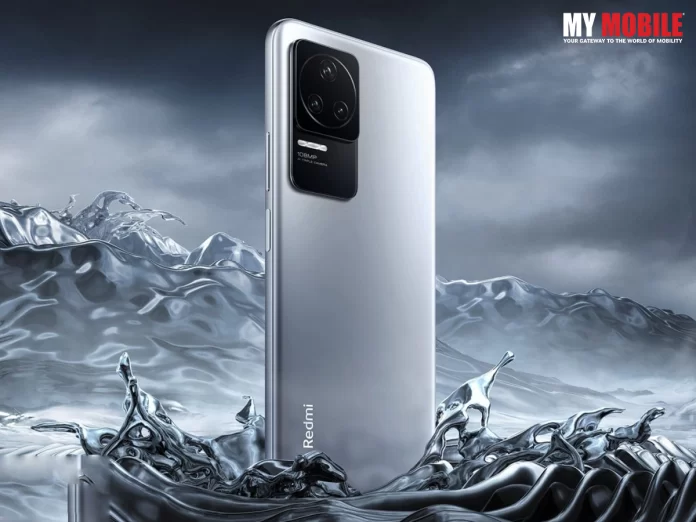
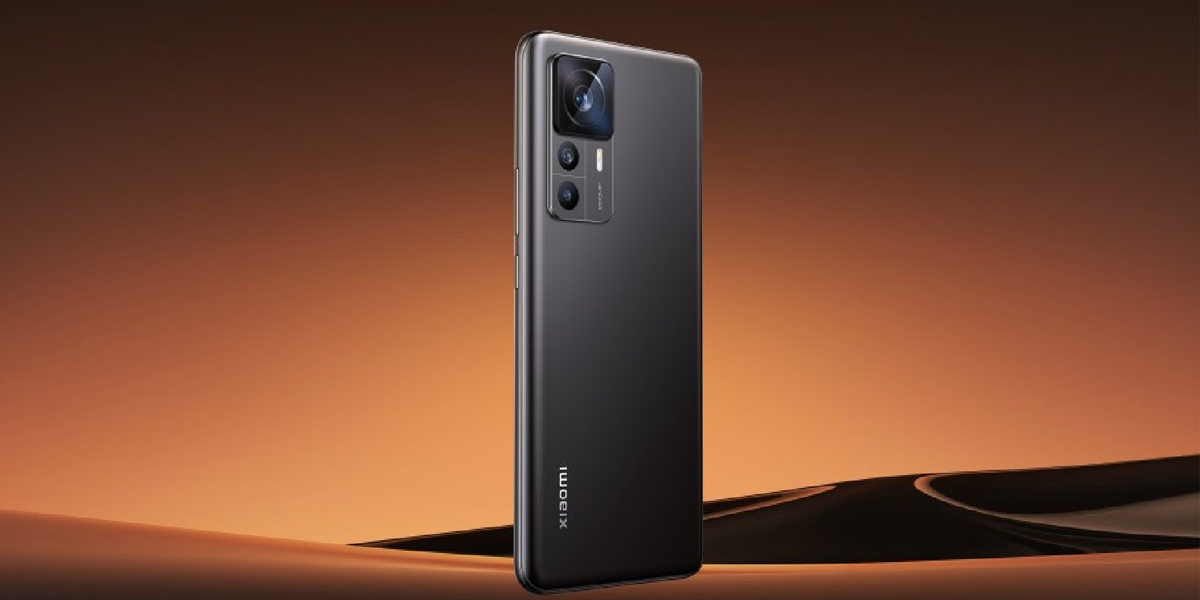
Xiaomi Civi 2, Redmi 11A is now 3C Certified

0

When it comes to massive tech giants like Xiaomi, users expect nothing less than the best when it comes to devices and sure enough, the company lives up to its reputation by delivering on their goods, which is why it is right up there with its counterparts like Apple and Samsung.

There are some models that just cannot be explained into words especially when the brands are as big as Xiaomi or Redmi and the latest buzz coming around is that their model smartphones, Xiaomi Civi 2 and Redmi 11A, are now 3C Certified, or at least it is the buzz circulating but not yet confirmed according to other sources.

Xiaomi Civi 2 is going to be launched in September of 2022 or at least the grapevine says it because there have been leaked information in the past whenever a new device is just days away from being launched.

Brief Up

A reliable news portal has reported that two new Xiaomi smartphones have bagged a certification from China’s 3C website where one of them is Xiaomi Civi 2 and the other is Redmi 11A.

It is interesting to note that Xiaomi has not yet confirmed the existence of these two models, let alone any news regarding their launch so whatever anybody says otherwise has to be taken with more than a pinch of salt.

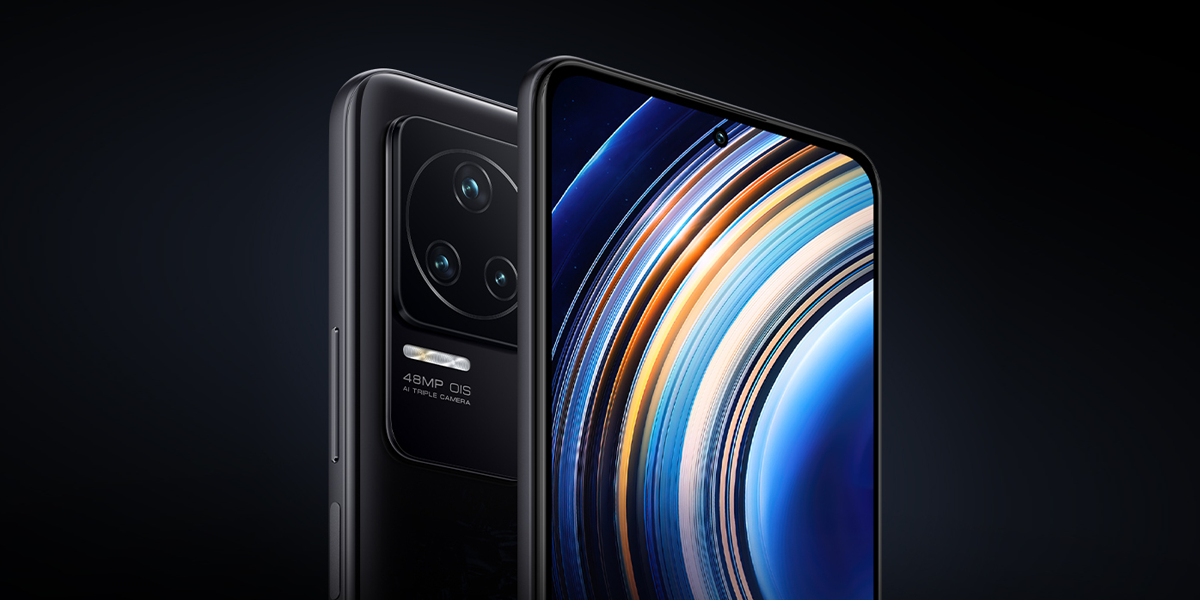
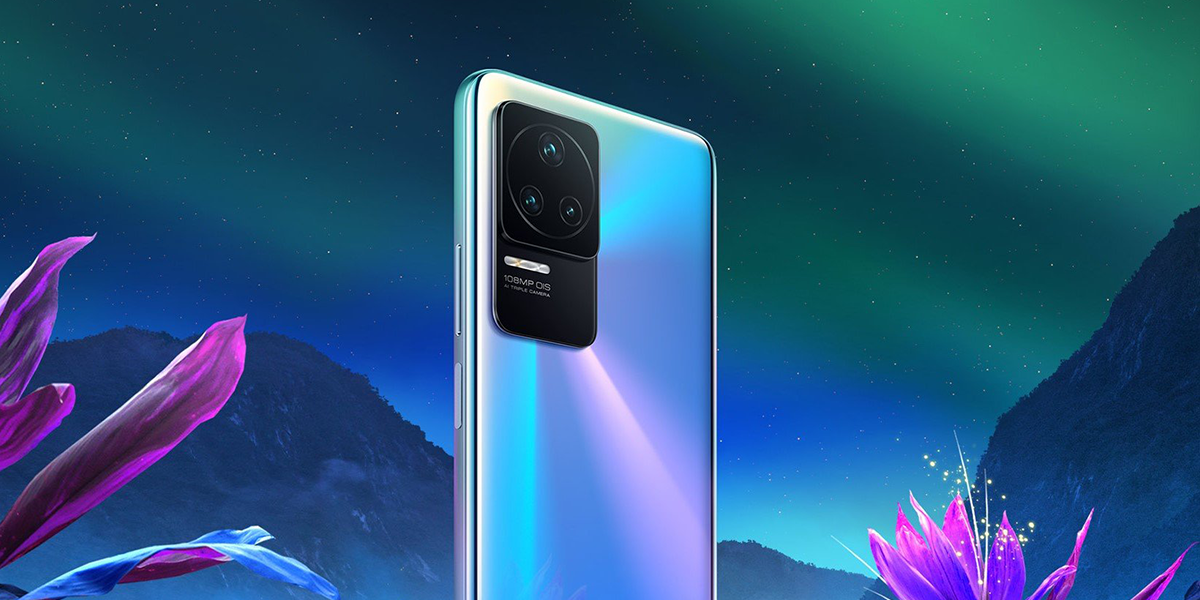
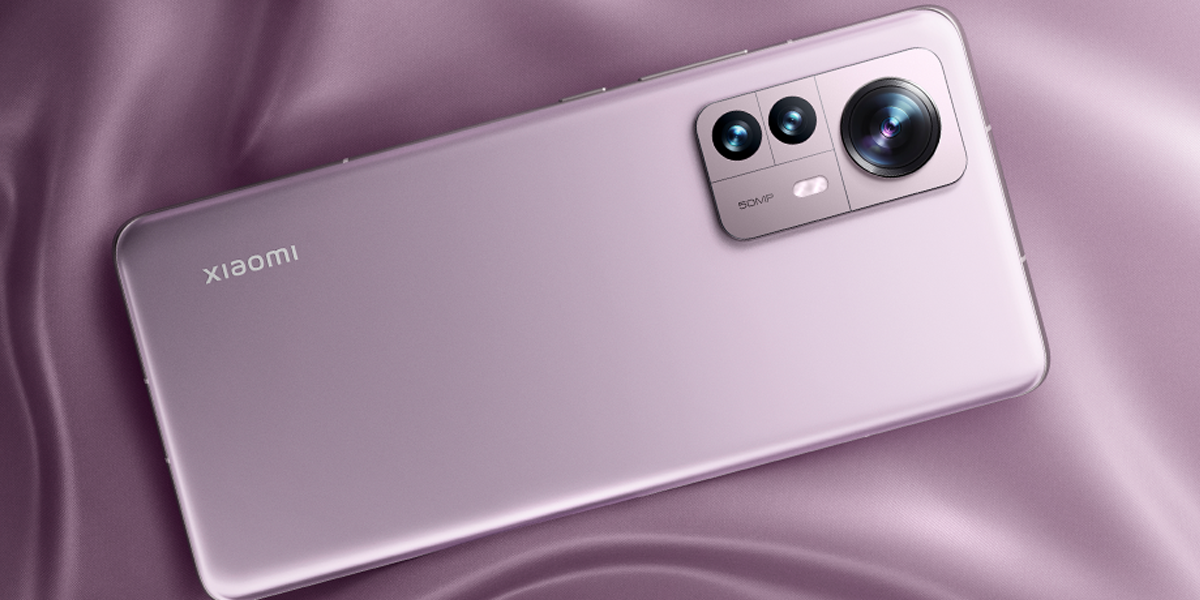
However, it needs to be mentioned that Xiaomi Civi comes with a 6.55 inch HD+ display with a 120Hz refresh rate and is powered by Qualcomm Snapdragon 778G SoC paired with a 12GB RAM and up to 256GB of internal storage capacity.

Then we have the triple rear camera setup of 64 megapixel primary sensor along with a battery power of 4500mAh with 55W fast charging unit, which are among the know features of this model.

Snapchat Web: How to Use Snapchat on Laptop

0

Snapchat is one of the fast-growing mobile applications, and it is available to be used on your laptop. However, there are a lot of people who know very little about how they can use Snapchat on their laptops. The information in this article will tell you everything that you need to know about using Snapchat on your laptop.

In July, Snap said that it will launch Snapchat on the web, enabling users to send snaps and have video chats with pals from their PCs. Initially, Snapchat+ subscribers in the US, UK, Canada, Australia, and New Zealand will have access to Snapchat for Web. Following the initial rollout, the business intends to make Snapchat for Web available to all users worldwide after rolling it out to Snapchat+ members in France, Germany, Saudi Arabia, and the United Arab Emirates. You can send messages and snaps using Snapchat on the web, along with video and voice calls for a chat. Users of Snapchat on the web are also able to access mobile messaging services including chat reactions. The Lenses function will eventually be included in video calls, according to Snap.

How to use Snapchat on Desktop at web.snapchat.com

  • Users must go to web.snapchat.com and log in using their Snapchat username and password to access Snapchat for Web.
  • After that, you will automatically be required to do a two-step verification on your phone. Your discussions may resume where they left off on mobile once you launch Snapchat for the web.
  • Your Bitmoji will show up in conversations using a laptop when you use Snapchat on a desktop to let other users know that you are accessing the chat through Snapchat for Web.
  • A privacy screen is also included in the online experience, which conceals the Snapchat window whenever you click away to perform another action.

Messages sent using Snapchat on the Web will be removed instantly after 24 hours, much like the mobile app experience. Additionally, the organization claims that Snapchat for Web would stop users from capturing screenshots. Snap is aware that the device isn’t ideal and that users may still shoot pictures on the phone’s screen.

How to install Snapchat On a laptop?

The answer is yes if you’re wondering if you can install the Snapchat app on your PC or not. The business enables you to easily access the Snapchat Web PWA (Progressive Web App) whenever you want by allowing you to build a shortcut for it. The Snapchat laptop app installation instructions are as follows:

  1. Click on your profile symbol in the upper left corner of Snapchat Web after logging in.
  2. After that, choose “Create desktop shortcut” from the drop-down menu that appears.
  3. A popup will now appear in the upper right corner of the address bar. To acquire the Snapchat app on your laptop, click “To install” in this pop-up window.
  4. After installing Snapchat on your computer, you may make a desktop shortcut and add the program to the start menu or taskbar. Just that. Now you may use the Snapchat app whenever you want on your laptop.

Google search updates will prioritize real reviews over clickbait: The first update starts rolling out on Monday

0

Clickbait is a scourge on the internet. It’s dishonest, it’s lazy, and it’s often just plain weird. But real reviews? Real reviews are something else entirely. They’re honest and real, they don’t try to manipulate you into clicking on something that isn’t worth your time, and they’re genuinely helpful in helping you understand whether an item is right for you. Imagine if the only thing people could get out of reading an article was a disappointment. That’s what clickbait is like. The practice is so common now that many social media platforms have taken steps to prevent it from happening within their networks and communities.

There’s been a lot of talk in the SEO industry about giant brands buying positive product reviews and reviewing sites/services that are willing to sell them. Google has long had a problem with this kind of activity. They’re finally taking action.

Things To Know About Google Search Updates

Google is implementing a number of changes to search to remove clickbait and improve the relevance of search results, giving original and authentic evaluations priority over repeated data that circulates on aggregator websites. According to a blog post claiming the rating adjustments, the changes in the form of two updates would be implemented in the coming weeks. We know that information that appears to have been created more to entice clicks than to enlighten readers is not beneficial. In order to make it simpler for people to access helpful material created directly by and for people, we’re introducing a number of updates to search starting next week for English users worldwide, according to the release.

Especially for online educational resources, entertainment, retail, and tech-related content, this upgrade will assist ensure that unoriginal, low-quality content does not rank prominently in search. According to Google spokesperson Jennifer Kutz, a simple search ranking update known as the “Helpful Content Update” will start rolling out internationally to English users on Monday, August 20. Within the next several weeks, a second replacement will likely be “to make it even simpler to identify high-quality, unique reviews.” The digital giant changed how products are evaluated.

Comparatively, the Brave web browser unveiled a fresh function that also promotes material from Stack Exchange and Reddit. These may be discovered without having to add anything to the end of search phrases in its “Discussions” section. After noting that more people are going to Reddit to get reliable evaluations and solutions to their questions, the announcement for this browser feature made a passing reference to the idea that “Google search is dying.”

Who Will Get Benefited By This Update?

These adjustments may be especially helpful for users of the Reddit append “hack,” which filters away useless websites in search results in favour of actual human encounters. This is demonstrated while looking for “hardware” evaluations. For example, launching a Google search for “Sony WH” in the US returns two results, with “Reddit” appearing above the word “review” for the well-liked Sony WH-1000XM line of headphones. Although Reddit isn’t specifically mentioned in Google’s blog post as a source for the more individualized and authentic content, it’s difficult to avoid drawing the connection given current search trends.

Google is making this switch because they want to promote high-quality content while removing all manipulative practices used to get attention in search results. This ultimately gives small businesses an opportunity by making it harder for bigger businesses to rank. If you’re trying to engage your audience, use your strengths as a jumping-off point, and provide content that will benefit your audience, you are more likely to benefit from this update.

Why You Should Eliminate Clickbait

Reviews are the most talked about topic when it comes to search engine optimization. The fear of negative reviews has led to services that will remove all of them for you at an alarmingly high price. Some companies have even been attacked by review manipulation in the past few years, with Google stepping in and changing how businesses can influence their rankings due to strong review leadership tactics. You have to know what your audience wants, and you have to be able to make it sound like they’re getting it. The problem is, if you aren’t careful, you can alienate the very people reading your content in the first place. You may be tempted to write clickbait headlines that promise your readers the world, but if they don’t deliver on their promises, they will just stop reading your content and go elsewhere! The solution is simple: make sure your clickbait headlines are true! If you want to increase traffic and engagement with your brand, then make sure that what you promise in the text matches up exactly with what people will get when they read it. On its Search Central site, Google provides guidance for creators to help them “create content which will be valuable” once the company’s latest upgrades go live.

Here’s How To Tell If A Review Is Real Or Not

  1. Check the reviewer’s profile: If the reviewer has only written one or two reviews, or if they have a small number of followers, it doesn’t mean that their review is invalid—but it does mean that there’s a higher chance that the review is fake.
  2. Look at the date of the review: If it was posted recently and most of the other reviews you’re looking at are several years old (and still exist), then there’s probably a pretty good chance that this person has been posting fake reviews for a while now.
  3. Look at the star rating: If it stands out from all of the other ratings on the page, that could be an indication that someone has been trying to manipulate their star rating with made-up accounts by giving themselves 5-star ratings on every single product they’ve ever reviewed just in order to boost their credibility as an expert in that field.”
  4. Similar phrasing: If you see suspiciously similar phrasing in different reviews. If two reviewers use almost the same words, it’s possible that they’re not real customers—or at least not actual customers simultaneously.
  5. Finally, if you see any obvious grammar or spelling errors in the reviews, it may indicate that they were written by someone who doesn’t speak English as their first language—and, therefore, not an actual customer.

Google’s new search method is a big win for consumers, but it could be bad news for companies and businesses. Since clickbait is valued less highly—and real reviews are valued more highly by Google—it will lead to fewer websites receiving organic traffic from Google search results. Fake reviews are deceptive, and they prey upon readers wanting to find honest, unbiased information. This update from Google sends a message that this behaviour will not be tolerated. Perhaps the bigger message is that online consumers shouldn’t blindly trust everything they read, even if it comes up on their first search. Going forward, clickbait and straightforward ad links will no longer dominate page one of Google search results. We believe this is a good change as it will improve user experience and content quality across the web. Hopefully, this change will provide greater transparency for business owners and allow them to compete on an even footing with review sites that prioritize social accounts and email lists.


Electric-Double Decker Bus gets App-Based booking in Mumbai

0

Business has indeed picked up in the city of dreams, Mumbai, as now you can book an electric Double Decker bus via booking it through apps as Mumbai’s BEST Bus Service has given a huge contract to a private company for supplying around 900 to 1000 electric buses in different phases.

Brihanmumbai Electric Supply and Transport (BEST) is all set to launch two electric buses, including the electric double decker one, within a few days where the single decker electric bus is for the app based premium service and the double decker air-conditioned one will be launched at an NCPA-based function set to take place in south Mumbai.

The event will be graced by numerous dignitaries that include Eknath Shinde, Chief Minister of Maharashtra, Nitin Gadkari, Minister for Road Transport and Highways in the central government, Devendra Fadnavis, Deputy CM and ex-CM of Maharasthtra, along with others.

Brief Up

The single decker bus will be blue in colour while the double decker model will be black and red, both of whose pictures have gone viral on social media and received a positive response from users that can’t wait to try it out when it comes out sometime next week.

The private company that has received the contract from BEST to deliver the 900 electric buses will be delivering 50% of them sometime in March 2023 and the other 50% later on in different phases.

Passengers can now book their seats via mobile app-based premium public transport that will be launched in the city very soon for which they need to shell out more fares as compared to the conventional buses.

How to Reprogram the Buttons on the Samsung Galaxy Watch 5

0
Galaxy Watch FE

At launch, Samsung’s Galaxy Watch 5 offers more customization than previous models. One aspect of this is the ability to remap the home and back buttons to better suit your daily needs or workflows. And, now that Google Assistant is available on Wear OS 3, you no longer have to rely on Samsung’s hard-coded Bixby as your default smartwatch assistant.

Samsung has found its stride in the smartwatch space with the Samsung Galaxy Watch 5. No, it’s not all that different from last year’s Samsung Galaxy Watch 4, but the few improvements are minor but significant.

The battery life on the Samsung Galaxy Watch 5 is up to 10 hours longer, and the device is more scratch resistant thanks to a sapphire crystal glass display. The bottom curvature is reshaped to more naturally fit wrists and increases the amount of surface area that actually makes contact with your skin, improving sensor reading accuracy.

After a week with the device for this Samsung Galaxy Watch 5 review, it’s clear that it’s the best Samsung watch yet for most people and the best smartwatch overall for anyone who owns a Samsung smartphone.

You can double-press the home button to go to the most recently used app or long-press to bring up Bixby right away. With a short press, the back button returns you to the previous screen, while a long press launches Samsung Pay. With the exception of launching Samsung Pay, you can edit these controls if they don’t work for you. Samsung, for whatever reason, will not allow you to change that hard-coded control.

BUTTON REPROGRAMMING ON THE WATCH

  • Swipe up to select the app’s main menu.
  • Click on the Settings option (which looks like a gear).
  • Scroll to the bottom and select Advanced Features.
  • Select Customize keys.
  • You can then customize the Double Press and Press and Hold options under Home Key.
  • Double pressing allows you to either go to the most recently used app or launch a specific app.
  • Select the app icon that best meets your requirements.

For the Press and Hold option, you have fewer options. You can use this menu to access Bixby, Google Assistant, or the Power off menu. If you want to use Google Assistant, you must first download it from the Play Store, install the Assistant Update, and then follow the on-screen instructions. You’ll be directed to the app on your phone to activate Assistant for use on your smartwatch. Note: You may need to restart your phone if you’re upgrading from a Galaxy Watch 4 or Watch 4 Classic that already has Assistant Update installed.

You can also reprogram the short press by scrolling down to the Back key section of the Customize keys menu. There are two choices: Return to the previous screen or Show recently used apps Choose the one that is most convenient for your needs.

USE YOUR PHONE TO REPROGRAM BUTTONS

  • Launch the Samsung Galaxy Wearable app.
  • Select Watch settings.
  • Scroll down for the Advanced Features option.

You should be able to see the Home and Back key sections. To reprogram the buttons, go to the Home key and tap Double press or Press and Hold. The short press can be found under the Back key. All of these have the same options as on the watch.

The best option for Android users

The upcoming Pixel Watch will give Samsung’s wearables stiff competition this fall, but for now, the Samsung Galaxy Watch 5 is the best option for Android users. It retains the predecessor’s bright display and appealing design, as well as superior battery life and durability. It also has a temperature sensor, though we’re still waiting for software support. These changes aren’t necessarily significant enough to justify an upgrade from last year’s model, but if you’re looking for a new Android-compatible smartwatch, the Samsung Galaxy Watch 5 is our Editors’ Choice. Outdoor enthusiasts may prefer the Galaxy Watch 5 Pro, which has a more durable titanium case, a more powerful sapphire crystal glass display, a longer battery life, and a few outdoor-specific navigation features. We intend to test it, so stay tuned for our review.

She-Hulk Post Credit Scene Episode 1

0

The Marvel Cinematic Universe (MCU) has produced some of the best superhero films in the world that every film industry across the globe takes inspiration from and it just keeps getting better and better with each passing year.

Avengers: The Endgame, which was released in 2019, has become the highest grossing film of all time and that’s saying something as we have a lot many in the pipeline scheduled for release in 2022-23.

Marvel’s Infinity Saga too has met with extreme reactions, both positive and negative, with many having their own take on She-Hulk’s Post Credit Scene Episode 1, which, by the way, premiered on Disney+ and its response to the climax has been termed gassy and chaotic.

The scene has Bruce Banner and Jennifer Walters boozing it out with the latter venting out her frustrations on Captain America where she posed questions on his virginity, a topic that has been of hot debate since ages.

This has met with massive reactions on Twitter with Chris Evans posting #SheHulk with laughing emojis thereby inspiring everyone else to post their own take on the post credit scene at the end of episode 1.

Nonetheless, different people will have a different take on the matter but one thing that can be said that the scene is indeed highly entertaining and might soon become popular meme material in the coming days.

A step-by-step guide to sending a confidential message via Gmail

0

Here’s a quick guide to enabling Confidential Mode in Gmail on your PC, as well as Gmail’s Android and iOS apps.

What is the Gmail confidential mode?

Gmail’s confidential mode does not send messages using standard email protocols. The message is instead hosted on Google’s server. This means that, while Gmail can help you protect confidential emails, recipients of confidential emails must click a link to view the message in their browser.

It exists to assist you in preventing sensitive information from being shared inadvertently or without your consent.

You cannot forward, copy, print, or download the message or its attachments while in confidential mode.

The sender can do the following while in confidential mode:

  • Set the message’s expiration date.
  • You have to message revoke Access at any time.
  • To open messages, text a verification code.

However, there are some disadvantages. One limitation is that messages in confidential mode cannot be scheduled.

TLS encryption is used by Google to protect the contents of an email while it is in transit. The other disadvantage is that it is not foolproof. While it prevents messages from being shared inadvertently, it does not prevent recipients from taking screenshots and forwarding them on, nor does it prevent malicious software applications from copying or downloading messages and their attachments.


This encryption prevents hackers from listening in on users’ conversations as they pass from sender to receiver. However, having encryption isn’t always enough to keep confidential information in an email from being leaked. There is always the possibility that the recipient of an email containing confidential information will unintentionally forward the email to someone who was not intended to receive it. In such cases, Gmail has a feature called Confidentiality Mode that is designed to prevent such leaks.

Gmail users can use Confidential Mode to set an expiration date for messages or revoke access at any time. The message or attachments in an email sent with confidential mode enabled cannot be forwarded, copied, printed, or downloaded by the recipient. They can, however, take a screenshot of any photos or attachments in the email.

Meanwhile, if you want to send an email with confidential mode enabled, follow these steps.

How to Send an Email in Gmail with Confidential Mode Enabled on Your PC

Step 1: Go to your web browser and open Gmail.
Step 2: Select the Compose option.
Step 3: In the bottom right corner of the window, select Turn on Confidential Mode.
Step 4: Configure an expiration date and a passcode.
Notably, if you select “No SMS passcode,” recipients will be able to open it directly in the Gmail app. Recipients who do not use Gmail will receive an email with a passcode. If you select “SMS passcode,” the recipients will receive a passcode via text message. Make certain that you enter the recipient’s phone number rather than your own.
Step 5: Click the Save button.

How to Send an Email in Gmail’s Android App with Confidential Mode Enabled

Step 1: Open the Gmail app on your Android Phone/tablet.
Step 2: Select the Compose option.
Step 3: In the app’s top right corner, tap More, then Confidential Mode.
Step 4: Next, configure the expiration date, passcode, and other controls.
Step 5: Click Done.

How to send an email with confidential mode enabled in the Gmail iOS app

Step 1: Open the Gmail app on your iPhone (Apple phone).
Step 2: Select the Compose option.
Step 3: In the app’s top right corner, tap More, then Confidential mode.
Step 4: Enter an expiration date, a passcode, and any other controls before tapping Done.

Nothing Phone (1) Receives New Updates

0

Nothing has become a name to be reckoned with despite being surrounded by global tech giants like Apple, Samsung, OnePlus, and their ilk so to make a name and place for yourself in such a motley crowd is no less than a herculean achievements.

The latest buzz is that the Nothing Phone (1) has received new updates for its latest Nothing OS Version 1.1.3 update in India, which will be the flagship model of the company to roll out the new OS version online.

As with every new device out in the market, this one too will have many features and specifications to boast of while the update on the device is that it is 64.33MB in size. Nothing Phone (1) was launched in July 2022 with a dual camera setup of 50 megapixel and glyph interface with a 6.55 inch OLED display screen.

Features & Specifications

With the new OS version 1.1.3 update, Nothing users will be able to enable Google’s Adaptive Battery to optimize battery life while the handset will have a fingerprint verification user interface, perhaps one of the best security measures any smartphone has in current times.


The phone will be powered by Qualcomm Snapdragon 778G+ SoC with a 12GB LPDDR5 RAM while the front camera at 16 megapixel is perfect for people obsessed with taking selfies on a regular basis while the battery is 4500mAh with a 33W fast charging support.

Nothing OS Version 1.1.3 also fixes a major issue like stuttering that became a regular feature in apps like Twitter and Google Play Store due to which mobile hotspot functions abysmally but due to this update, the error stands rectified.

Transfer WhatsApp messages and media from Android to iPhone

0
WhatsApp messages from Android to iPhone

WhatsApp is one of the most used chatting platforms, so it carries a lot of memories. Hence, when switching phones, the first thing that comes to mind is how to transfer WhatsApp data from Android to iPhone. Consequently, determining how to transfer WhatsApp data from Android to iPhone would be the first thought that comes to mind when switching phones.

Thankfully, there is a formal way to switch WhatsApp from Android to iPhone. Use one of the methods below to transfer WhatsApp to your new iPhone.

Method 1: Directly transfer WhatsApp data from an Android device to an iPhone

It appears to be challenging to move WhatsApp from Android to iPhone. Fortunately, MobileTrans is a reliable source. It is one of the best programmes to transfer WhatsApp from Android to iPhone. It eliminates the need for a backup of WhatsApp, making the transfer process incredibly simple for non-techies. It is also capable of more than just WhatsApp transfer. Here are some of the salient features of MobileTrans:

  • Transfer WhatsApp between devices running different operating systems, such as iOS and Android.
  • Supports more than 6000 different iOS and Android smartphone models.
  • Move safely without wiping original data from devices or resetting them.
  • Supports backup and restore, as well as phone-to-phone and phone-to-computer transfers.
  • Constantly works with the most recent OS release.

To transfer WhatsApp messages to the new iPhone, follow these steps:

Step 1: Use a USB cable to connect your old Android device and iPhone to the computer.

Step 2: Install and run MobileTrans on your Windows or Mac computer, and then select “WhatsApp Transfer” from the menu that appears.

Step 3: After both connected devices are automatically identified, the application designates them as either a source or a destination. Click “Flip” if their placement is incorrect.

Step 4: To start the WhatsApp transfer process, click the “Start” button. If you have been using WhatsApp on your iPhone, you can decide whether or not to keep the current data.

Step 5: All you have to do is wait a short while for the procedure to be finished. Additionally, wait until the procedure is over before disconnecting your phones.

The newly transferred data will now be automatically detected by WhatsApp when you launch it on your iPhone, allowing you to restore it to your iOS device.

Method 2: Transfer WhatsApp with a Backup from Android to iOS

If you haven’t yet received your new iPhone, you can first backup your WhatsApp chat history before restoring it to your iPhone. WhatsApp can be restored and backed up using MobileTrans, a useful programme.

The steps to transfer WhatsApp chats and data from Android to iOS with a backup are listed below.

Step 1: Use a USB cable to connect your old Android device to your computer.

Step 2: Start MobileTrans, choose the Backup & Restore module, and then press the Backup button in the App Backup & Restore window to proceed.

Step 3: To begin backing up WhatsApp, select Backup WhatsApp and press the Start button.

Step 4: After a short while, MobileTrans would complete the operation.

You can transfer your WhatsApp data to your old iPhone when you get a new one.

Step 1: Use a Lightning cable to connect your iPhone 13 to the computer.

Step 2: Launch MobileTrans on your computer, select the Backup & Restore feature, and then select Restore from App Backup & Restore.

Step 3: Select your most recent WhatsApp backup and restore it to your iPhone.

Method 3: Transfer WhatsApp without a PC from an Android phone to an iPhone 13.

If you do not want to transfer WhatsApp through the computer, you could try using the Wutsapper app. It is available for download from the Google Playstore.

Wutsapper supports transferring WhatsApp data from Android to iPhone 13 without a computer. To transfer it, simply open Wutsapper and connect two phones using an OTG cable or USB-C to a Lightning cable.

Here is how you can move WhatsApp chats from an Android phone to an iPhone without using a computer:

Step 1: As soon as you install Wutsapper from Google Play, open it.

Step 2: Your phone’s WhatsApp backup will be verified by the app. If it does not then Wutsapper will demonstrate how to backup your WhatsApp on your phone. Remember to have an OTG or USB-C to Lightning cable ready.

Step 3: Click “Trust” on both connected phones after using an OTG cable to connect them, then enter your phone number. The cellphone used to access your backup WhatsApp account must be used.

Then, you can start to transfer! Wutsapper will first Parse your WhatsApp backup. Please be patient.

Step 4: Once parsing is done! Click on “ start” to transfer your WhatsApp and wait till transfer completes.

What you need to know about Motorola’s Edge 2022 with MediaTek Dimensity 1050 SoC

0

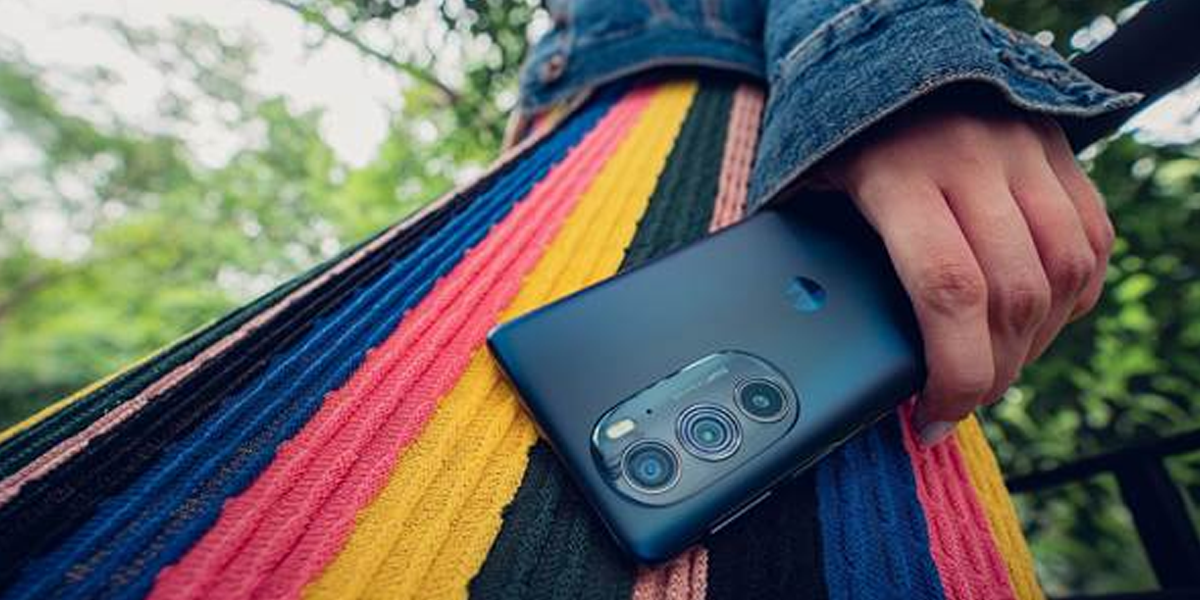
Motorola launched the Edge 2022 on Thursday in the US and Canada. It is Motorola’s upcoming flagship phone, and despite being more reasonably priced than the Motorola Edge, it actually seems to share more features with the more expensive Motorola Edge Plus.

The Motorola Edge 2022 costs only $498 and has a 6.6-inch OLED screen with a 144Hz refresh rate. Like the Motorola Edge Plus, it has a 5000 mAh battery as well as a number of intriguing camera features.

The performance of the new Motorola Edge, which ships with Android 12 and a MediaTek Dimensity 1050 chipset, will determine whether or not this device ranks among the best budget phones of the year. Here is all you need to know about its features:

A gist of features of Motorola Edge 2022:

6.6-inch OLED screen sizeCPU has a MediaTek Dimensity 1050
RAM consists of 6GB / 8GB
It has a storage of 128GB / 256GB
50 MP main (f/1.8) and 13 MP ultrawide (f/2.2) cameras on the back
32MP (f/2.45) front-facing camera
Size of battery is 5,000 mAh
6.3 x 2.9 x 0.3 inches6.3 x 2.9 x 0.3 inches in size
Weight of the phone is 5.99 ounces

Processor

The Motorola Edge (2022)’s processor is one of the device’s more distinctive features. The MediaTek Dimensity 1050 serves as the Edge (2022)’s processor in place of a Qualcomm Snapdragon one. The Moto G 5G earlier this year continued Motorola’s practice of choosing MediaTek over Qualcomm by being the first phone in the country to use that chip.

The Dimensity 1050 is a 6nm chip with an octa-core CPU — including two Cortex A78 cores clocked at 2.5GHz, in addition to six Cortex A55 cores. Additionally, it features Wi-Fi 6E support, a Mali G610 MC3 GPU for graphics, and 5G support for both sub-6 and mmWave. The Edge (2022) seemed to work quite well with the Dimensity 1050, as system applications opened quickly and pages scrolled without any hiccups. You also get either 6GB or 8GB of RAM and 128GB or 256GB of storage in addition to the Dimensity 1050.
Design and display:

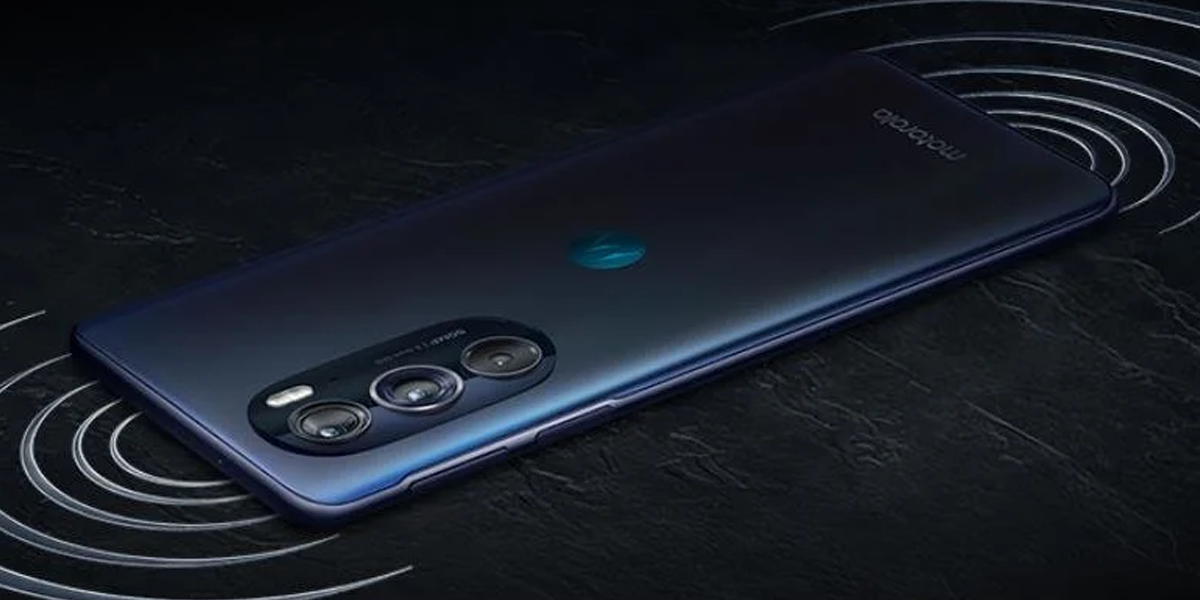
Although it has a simple appearance and fits comfortably in our hands, the Motorola Edge 2022 weighs less than 6 ounces. It has a unique mineral grey finish that, although it appears sleek in the light, during our hands-on session, seemed to be a total fingerprint magnet.

With regard to the display, the Motorola Edge 2022 has a 6.6-inch FHD OLED panel and a refresh rate of 144Hz, which is higher than the 90Hz refresh rate on both the Motorola Edge and the Edge Plus.

The display can be adjusted for various lighting conditions. So, if you have sensitive eyes, a dimming technology can help reduce screen flickering. Additionally, the Motorola Edge’s high brightness mode has a claimed peak brightness of 1300 nits, making it suitable for use in direct sunlight.

We should also mention that this is the company’s first phone to arrive in packaging made entirely of recycled materials. Although it’s not entirely surprising, Motorola appears to be taking sustainability initiatives more seriously this year.

Camera

The Motorola Edge has a 50MP main sensor with optical image stabilisation to help with shakes, as well as a 13MP ultra-wide lens that is said to provide a 4x larger field of view for photographs. Additionally, the ultra-wide lens enables macro vision. The 32MP front camera on the Edge appears to be equipped to take high-resolution selfies.

In terms of photo software capabilities, the Motorola Edge 2002 has Auto Night Vision, which ensures deeper blacks and improved clarity in dimly lit environments. It also has a dual capture mode that enables you to simultaneously take photos and videos with the rear and selfie camera. So you could record something as it occurs and then record your response.

Finally, there is a super slow motion mode for cameras that records video at 960 HD frames per second. We demoed it while playing skee-ball and the quality impressed.

Battery life and charging:

Although Motorola hasn’t provided a time frame for how long the Edge 2022 is anticipated to operate on a full charge, the 5000 mAh battery makes us hopeful. The Motorola Edge Plus, which has a 5000 mAh battery as well, lasts for around 10 hours and 55 minutes.

The Motorola Edge 2022 can be charged with 30W “turbo power,” or 15W wireless. Additionally, it has a 5W power-sharing capability, which we successfully tested with an iPhone.

Software and updates: 

Software updates are a different issue Motorola is attempting to solve with the Edge (2022). In the Android community, Motorola is notorious for providing some of the worst software support, frequently promising just one or two software updates.

I’ve been harping on Motorola about this for years, as have many of my friends and colleagues in this industry. And, thankfully, it appears that all of the complainings is beginning to pay off. Three years of operating system updates and four years of bimonthly security updates are promised for Motorola Edge (2022). Although it is not quite as strong as Samsung’s four years of OS upgrades, it is still a significant improvement over previous efforts from the company.

The Motorola Edge (2022) comes pre-installed with Android 12 and Motorola’s My UX user interface as far as software goes. The Edge (2022) runs Android 12 and it looks exactly like Android 12 on a Pixel phone, but it also comes with the usual assortment of Motorola software perks.

Other feature:

Although Motorola’s My UX has added gestures and additional colour and design customizations to the Android 12 operating system, the Motorola Edge 2022 is still an Android device.

Additionally, there are some features that are unique to the Motorola ecosystem. You can connect the smartphone to a big screen or TV using Motorola’s “Ready for” platform. Using the Motorola Edge as a wireless touch pad, you could even build a mobile desktop for your larger devices. Since Motorola is owned by Lenovo, the phone works well with their laptops, enabling simple file and photo transfers between them.

NFC, WiFi 6e, and GPS are available on the Motorola Edge for connectivity. Additionally, it is a 5G device developed in collaboration with T-Mobile, and in the years to come, upgrades to 5G should be supported by the MediaTek Dimensity 1050.

Speaking of the future, the phone can receive OS updates for up to three years and security updates for up to four years. The company said it is seeing people keep their phones for longer, so this is a longer warranty period than Motorola has previously offered.

Prices and availability:

The new Motorola Edge will be available through T-Mobile initially and has a starting price of $498 for those who live in the United States. According to Motorola, the Edge 2022 will eventually come to other carriers like Verizon, AT&T, Spectrum Mobile, UScellular, and Visible.

There are two storage options available for the Motorola Edge 2022: 6GB RAM + 128GB storage and 8GB RAM + 256GB storage.

The Moto Edge 2022 appears to have a lot to offer at a price that is half that of the Motorola Edge Plus. We have reason to believe that this could be one of the best phones under $500 we’ll see this year, given the 144Hz refresh rate, camera capabilities, and battery specifications.