Meta introduces stricter messaging settings for teens on Instagram and Facebook.
Teens restricted from receiving DMs from unknown contacts by default.
Upcoming feature to filter inappropriate content in messages for teens.
Enhanced parental supervision tools for better control over teens’ online settings.
In an effort to enhance online safety for teenagers, Meta has introduced a seriesof new measures on Instagram and Facebook, focusing on stricter private messaging settings and enhanced parental supervision tools.
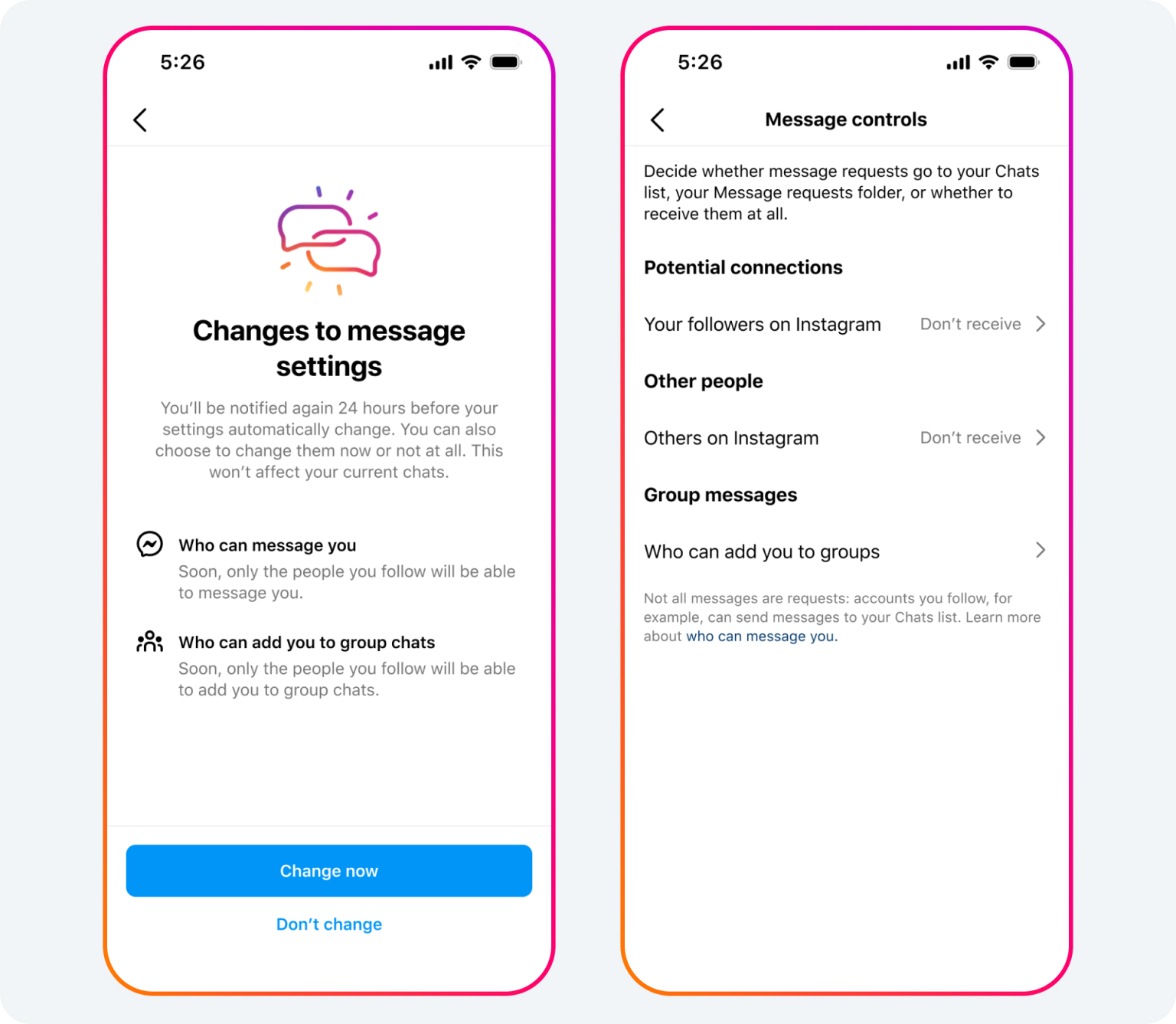
“Under this new default setting, teens can only be messaged or added to group chats by people they already follow or are connected to, helping teens and their parents feel even more confident that they won’t hear from people they don’t know in their DMs,” Meta added.
New Messaging Restrictions for Enhanced Teen Safety
New Messaging Restrictions for Enhanced Teen Safety
Meta has announced significant updates to private messaging settings on Instagram to safeguard teens from unwanted contact.
The new default setting restricts teens from receiving direct messages (DMs) from anyone they don’t follow or aren’t connected to on the platform, including other teens.
This change, Meta says, aims to provide a safer online environment by ensuring that teens only interact with known contacts in their DMs.
For teenagers under the age of 16 (or under 18 in certain countries), this setting will be the norm. Existing users will be notified of this change through a notification in their Instagram feed.
Similarly, on Facebook Messenger, teens will only be able to receive messages from Facebook friends or people they’re connected to through phone contacts.
This feature, which will be compatible with encrypted chats, is set to launch later in the year, further enhancing the safety protocols for teen users.
Parental Supervision Tools Strengthened
Parental Supervision Tools Strengthened
Since the launch of parental supervision on Instagram in March 2022, Meta has been expanding its features to allow parents to play a more active role in their teens’ online experiences.
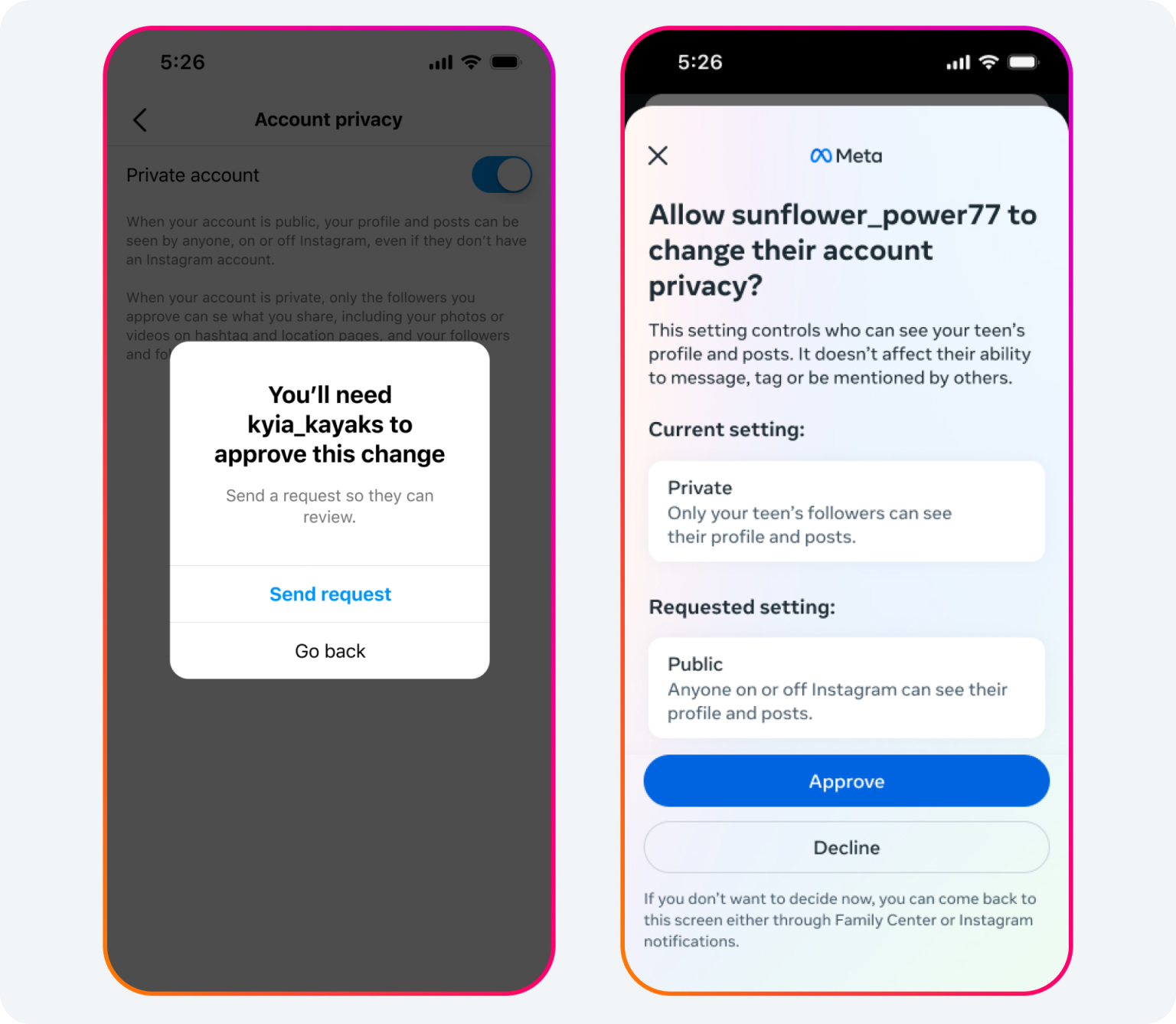
Larry Magid, CEO of ConnectSafely, said “Empowering parents to approve or deny requests to change their teen’s default safety and privacy settings gives parents the tools they need to help protect their teens, while at the same time respecting their teens’ privacy and ability to communicate with their friends and family.”
The latest update requires parents to approve any changes their teens (under 16) wish to make to their default safety and privacy settings.
This includes changes like switching from a private to a public account, modifying sensitive content controls, or altering DM settings to allow messages from unknown contacts.
Facilitating Offline Conversations
Facilitating Offline Conversations
Meta emphasizes that these supervision tools are designed to spur offline discussions between parents and teens about their online presence, ensuring that families can collectively decide on the best practices for their online experiences.
FAQs
What are the new messaging settings introduced by Meta for teens?
Meta has implemented stricter messaging settings on Instagram and Facebook, preventing teens from receiving direct messages from people they don’t follow or aren’t connected to.
How will the new Meta settings affect teens using Instagram and Facebook?
The new settings will make it harder for teens to receive unwanted messages, enhancing their safety and privacy on these social platforms.
Is there an upcoming feature for teen safety on Meta’s platforms?
Yes, Meta is planning to launch a new feature that filters out inappropriate images in messages, aiming to protect teens from potentially harmful content.
How do the enhanced parental supervision tools work?
Parents will now have to approve any changes their teens make to default safety and privacy settings, ensuring a higher level of control and safety.
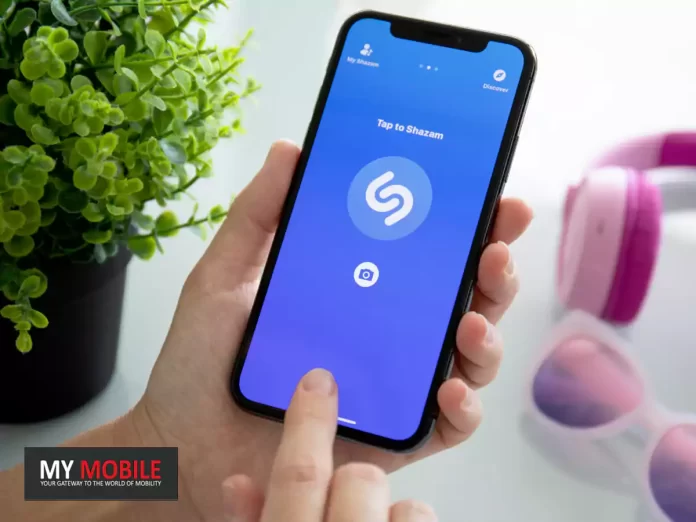
“You can now identify music while wearing headphones (wired or Bluetooth). Simply open the app, check for the headphone icon to confirm your headphones are connected, and then start recognising music around you or within apps like TikTok, Instagram, and YouTube,” said Apple about the Shazam update.
Expanding Shazam’s Capabilities
Expanding Shazam’s Capabilities
Previously, Shazam enabled users to identify songs playing externally, but the latest update extends this functionality to when users are wearing headphones, both wired and Bluetooth.
Testing the new feature reveals its seamless integration. For instance, you can open Shazam, then switch to a YouTube video.
Shazam will actively recognize any song playing in the video. When switching back to Shazam, the app displays the identified song, showcasing its capability to work across various applications.
Not Limited to AirPods
Shazam iOS App Update Gives You New Headphone Music Identification Feature
Importantly, this feature isn’t restricted to Apple’s AirPods; it works with any connected headphones.
This makes the update accessible to a broader range of users, reinforcing Apple’s commitment to inclusive technology enhancements.
Since Apple’s acquisition of Shazam in December 2017, the company has been steadily integrating the music recognition service across its devices and operating systems.
This includes the introduction of a Shazam widget in the Control Center in iOS 14.2 and a similar feature on macOS Sonoma 14.2.
FAQs
What does the new Shazam update offer?
The latest update to Shazam’s iOS app allows users to identify music playing through headphones, enhancing the app’s functionality with added convenience.
Can Shazam identify songs from other apps while using headphones?
Yes, with the new update, Shazam can recognize music playing in other apps, like TikTok or YouTube, when the user is wearing headphones.
Do I need AirPods to use the new Shazam feature?
No, the updated Shazam feature supports music identification with any wired or Bluetooth headphones, not just Apple’s AirPods.
How does Shazam’s integration into Apple’s ecosystem evolve with this update?
This update is part of Apple’s ongoing effort to integrate Shazam more deeply into its ecosystem, as seen with the Control Center widget in iOS and similar functionality in macOS.
What’s new with the latest Shazam update?
As described in the release notes for version 17.3 of the Shazam app for iPhone and iPad, users can now open the app to identify a song that is playing while wearing headphones. The coolest part is that the new feature works for songs playing around you or in another app, such as Instagram or TikTok.
“You can now identify music while wearing headphones (wired or Bluetooth). Simply open the app, check for the headphone icon to confirm your headphones are connected, and then start recognizing music around you or within apps like TikTok, Instagram, and YouTube,” says Apple about the Shazam update.
I’ve tried out the new feature and it works as promised. For example, you can open the Shazam app and then switch to YouTube and Shazam will identify any songs playing in the video you’re watching. The same applies to almost any other app you can think of. When you switch back to Shazam, it shows you the identified song.
It was already possible to identify songs within other apps with Shazam before this update, but not while wearing headphones. If nothing is playing on your phone, Shazam will identify the song playing in the background, as expected. It’s worth noting that the feature doesn’t seem to require AirPods specifically.
Apple acquired Shazam in December 2017 and has gradually been integrating it across all its platforms. In iOS 14.2, for example, Apple added a dedicated Control Center widget on iPhone for Shazam. That same functionality is now available on the Mac with macOS Sonoma 14.2.
How the new Shazam feature works?
To utilize this feature, simply open the Shazam app and confirm if your headphones are connected by looking for the headphone icon.
The app can then identify songs playing in several apps.
For example, you can switch from Shazam to YouTube, and the app will recognize any songs playing in the video being viewed.
Upon returning to Shazam, the identified song will be displayed.
Note that if your phone isn’t playing anything, Shazam will identify the music in the background.
Apple’s integration of Shazam across platforms.Details?
Apple acquired Shazam in December 2017 and has since been integrating it into various platforms.
In iOS 14.2, Apple introduced a dedicated Control Center widget for Shazam on iPhone.
This functionality is now also available on Mac with macOS Sonoma 14.2.
The latest update signifies another step in Apple’s integration of Shazam across its devices. The Shazam app can be downloaded for free on the App Store.
Does the updated Shazam feature support wired and Bluetooth headphones?
Yes, the updated Shazam feature extends to both wired and Bluetooth audio devices.
What was a limitation of Shazam before this update?
Previously, Shazam allowed song recognition in other apps but did not support this functionality when the user had headphones on.
How has Apple’s acquisition of Shazam influenced the app?
Since Apple acquired Shazam, the app has been more deeply integrated into the iOS ecosystem, including a Shazam widget in the iOS Control Center and expansion onto the Mac platform.
Is Shazam free for download?
Yes, Shazam remains free for download in the App Store for all iPhone and iPad users.
Does Shazam still function independently after being acquired by Apple?
Yes, despite the acquisition and the integrations, Shazam retains its autonomous functionality and user-friendly appeal.
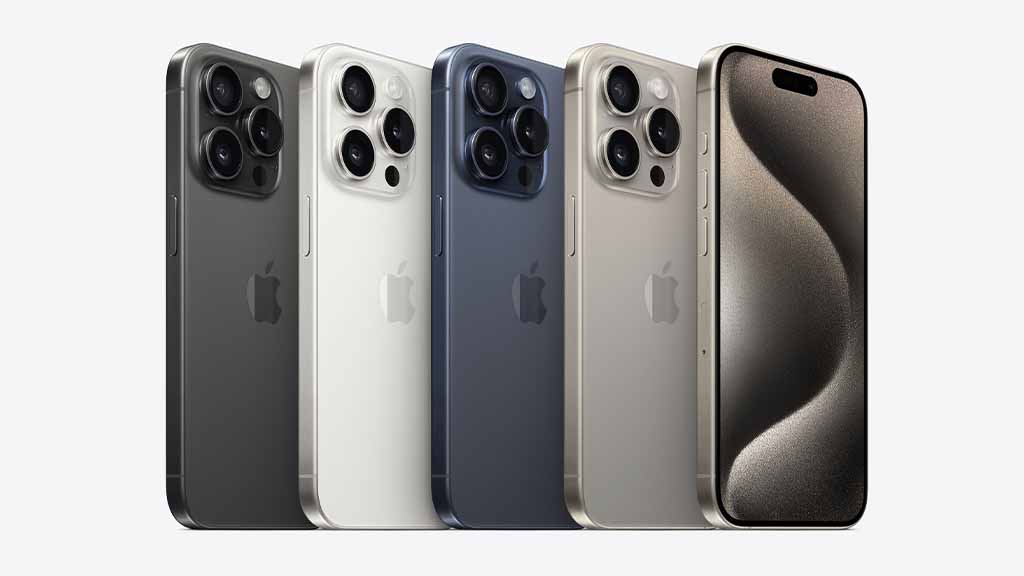
Four months into the launch of its ultra-high-end iPhone 15 line-up, Apple is not easing up on its marketing efforts, especially with the emergence of competitors like the Samsung Galaxy S24 series and OnePlus 12 super-flagship.
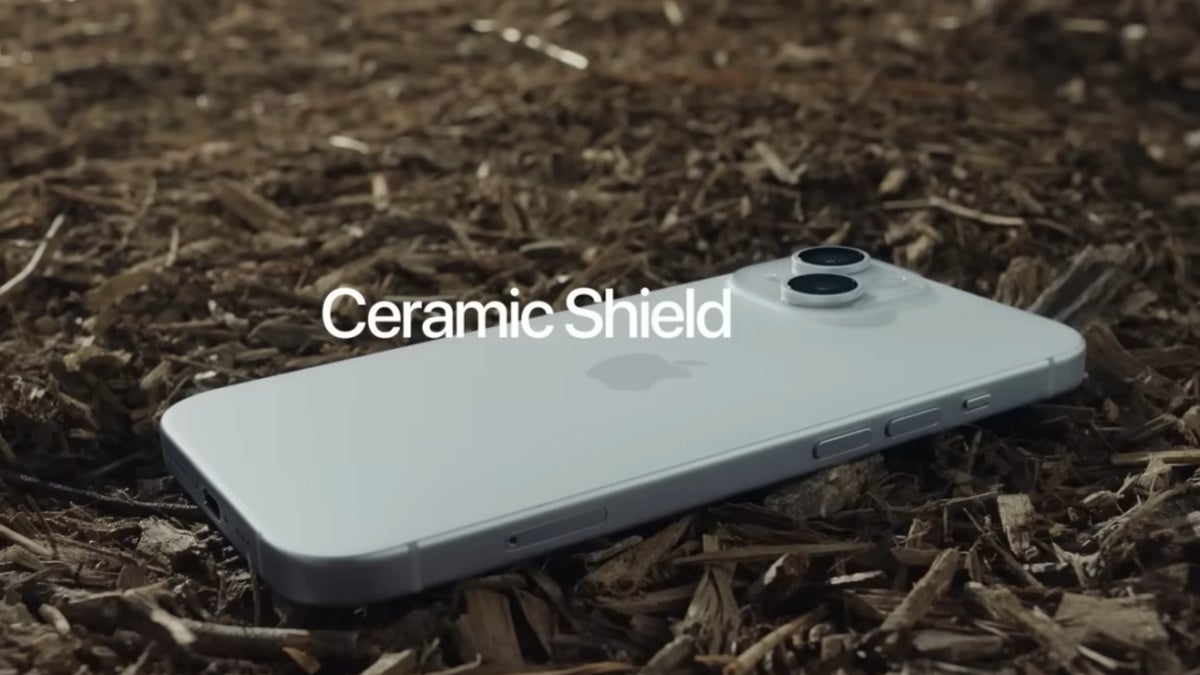
Apple’s iPhone 15 ad focuses on Ceramic Shield’s durability against bird strikes.
In its recent YouTube commercial, Apple takes an unusual yet entertaining approach to showcase the robustness of the iPhone 15’s “Ceramic Shield” technology.
The ad, tailored specifically for an Australian audience, humorously addresses a common local nuisance – bird attacks.
Ceramic Shield: Front and Center
Ceramic Shield: Front and Center
This ad cleverly brings to light the durability of Apple’s signature Ceramic Shield, which adorns the screens of all four models in the iPhone 15 family.
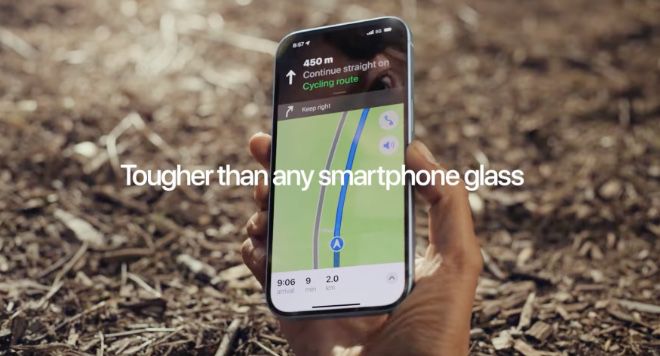
Heralded as “tougher than any smartphone glass,” the ad sets to prove this claim in an everyday Australian scenario involving bird strikes – an unusual but relatable peril for the audience of Australia.
Humour Meets Engineering
Humour Meets Engineering
What we like alot is that the ad’s narrative unfolds in a lighthearted manner. It revolves around the idea of an iPhone 15 withstanding unexpected bird strikes, a scenario that, while is odd to global viewers, resonates quite wll with the Australian market.
Apple Targets Australian Market with Humorous iPhone 15 Ceramic Shield Ad
As such, Apple’s decision to create a region-specific commercial is noteworthy, especially considering its high production value – something that we have come to associate with the tech giant’s commitment to advertising excellence.
High production value and region-specific approach in latest iPhone 15 commercial
Apple iPhone 15 Specs
GENERAL
Sim Type
Dual Sim, GSM+GSM
Dual Sim
Yes
Sim Size
Nano-SIM and eSIM
Device Type
Smartphone
Release Date
September 12, 2023
DESIGN
Dimensions
77.8 x 160.9 x 7.8 mm
Weight
201 g
Colors
Black, Blue, Green, Yellow, Pink
DISPLAY
Type
Color Super Retina XDR OLED (1B Colors)
Touch
Yes
Size
6.7 inches, 1290 x 2796 pixels, 60 Hz
Aspect Ratio
19.5:9
PPI
~ 460 PPI
Glass Type
Ceramic Shield front, Colour-infused glass bac
Features
Dolby Atmos, Haptic Touch, 1,000 nits max brightness (typical), 1,600 nits peak brightness (HDR), 2,000 nits peak brightness (outdoor), True Tone display, 20,00,000:1 contrast ratio (typical),HDR display
Super-high-resolution photos, (24MP and 48MP), Next-generation portraits with Focus and Depth Control, 4x optical zoom range, Night mode, Stereo recording, Audio zoom, Deep Fusion, Smart HDR 5, Photo geotagging, Burst mode, Photographic Styles, 12MP 2x Telephoto (enabled by quad-pixel sensor)
Video Recording
1080p @ 60 fps FHD, 4K @ 24/25/30/60 fps UHD
Flash
Yes, Dual LED
Front Camera
12 MP f/1.9 with Retina Flash
Front Video Recording
4K @ 60 fps UHD, 1080p @ 60 fps FHD
TECHNICAL
OS
iOS v17
Chipset
Apple Bionic A16
CPU
3.46 GHz, Hexa Core Processor
Core Details
2×3.46 GHz Everest & 4×2.02 GHz Sawtooth
GPU
Apple GPU
IP Rating
IP68
Java
No
Browser
Yes
MULTIMEDIA
Email
Yes
Music
AAC, MP3, Apple Lossless, FLAC, Dolby Digital, Dolby Digital Plus and Dolby Atmos
Video
HEVC, H.264 and ProRes, HDR with Dolby Vision, HDR10 and HLG
FM Radio
No
Document Reader
Yes
BATTERY
Type
Non-Removable Battery
Size
4383 mAh, Li-ion Battery
Fast Charging
Yes
Wireless Charging
Yes, 15W MagSafe Charging
FAQs
What is unique about Apple’s latest iPhone 15 ad?
Apple’s new ad for the iPhone 15 series, designed for the Australian market, humorously showcases the durability of the Ceramic Shield against bird strikes, a common local issue in Australia.
How does the iPhone 15 Ceramic Shield ad connect with the Australian audience?
The ad resonates well with Australians by incorporating a familiar local challenge – bird attacks, emphasizing the robustness of the iPhone 15’s Ceramic Shield in a relatable way.
What feature of the iPhone 15 is highlighted in the new Australian ad?
The ad focuses on the Ceramic Shield technology of the iPhone 15, touted as tougher than any other smartphone glass, and tested against bird strikes in the ad.
Why did Apple choose a region-specific approach for its iPhone 15 ad?
Apple’s region-specific ad for the Australian market demonstrates the company’s understanding of diverse consumer experiences and tailors its message to resonate with local audiences.
Apple Promotes iPhone 15’s Durability in Frantic New Ad.Details?
Apple today promoted the durability of the iPhone 15’s Ceramic Shield front glass in a new “Swoop” ad shared on its YouTube channel in Australia.
In the video, a magpie attempts to attack a woman riding a bicycle, causing her to fall over. In the process, the iPhone she was using for cycling directions also drops to the ground, but it does not suffer damage due in part to the Ceramic Shield.
Apple says the Ceramic Shield is “tougher than any smartphone glass.” Introduced on iPhone 12 models in 2020, Apple advertised the ceramic-infused glass as increasing drop performance by 4x compared to the iPhone 11.
iPhone 15’s Ceramic Shield survives bird attack in new ad.Details?
Apple’s latest ad is “Swoop,” a 30-second spot promoting the durability of the iPhone 15 because of its Ceramic Shield glass covering.
Like a stylized remake of Daphne du Maurier and Alfred Hitchcock’s “The Birds,” the new “Swoop” ad shows a woman being attached by a bird. She’s cycling, using Apple Maps, and it is possibly drawn to her yellow helmet.
Ultimately, the cyclist is knocked off her bike and her iPhone 15 goes flying through the air. If the footage of the iPhone crashing to the ground is a practical effect, it’s especially impressively shot.
Ceramic Shield was introduced with the iPhone 12 range and improves durability by including nano-ceramic crystals grown within its glass matrix.
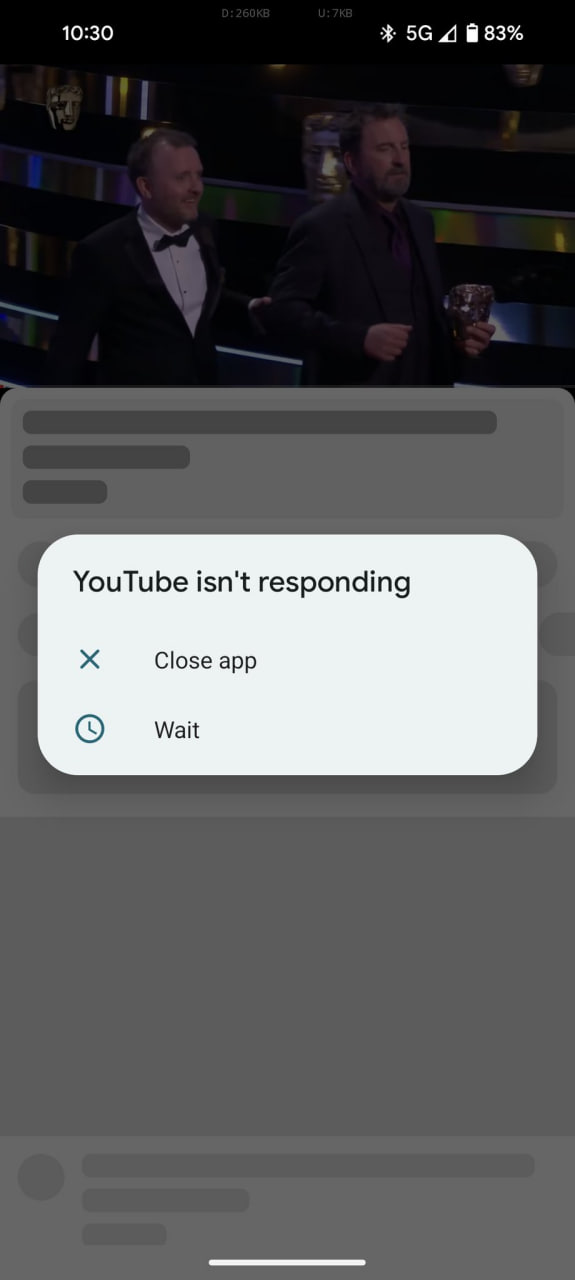
YouTube app crashes when loading videos post recent update on Android.
Issue not affecting all Android users but still widespread.
Temporary fixes include uninstalling updates or sideloading beta version.
YouTube yet to officially acknowledge or resolve the crashing problem.
In a perplexing turn of events, numerous Android users have been grappling with a persistent crashing issue in the YouTube app.
The problem, which emerged approximately a week ago, has been traced back to a recent update, leaving users frustrated and searching for solutions.
A Bug in Viewing: Where the Trouble Begins
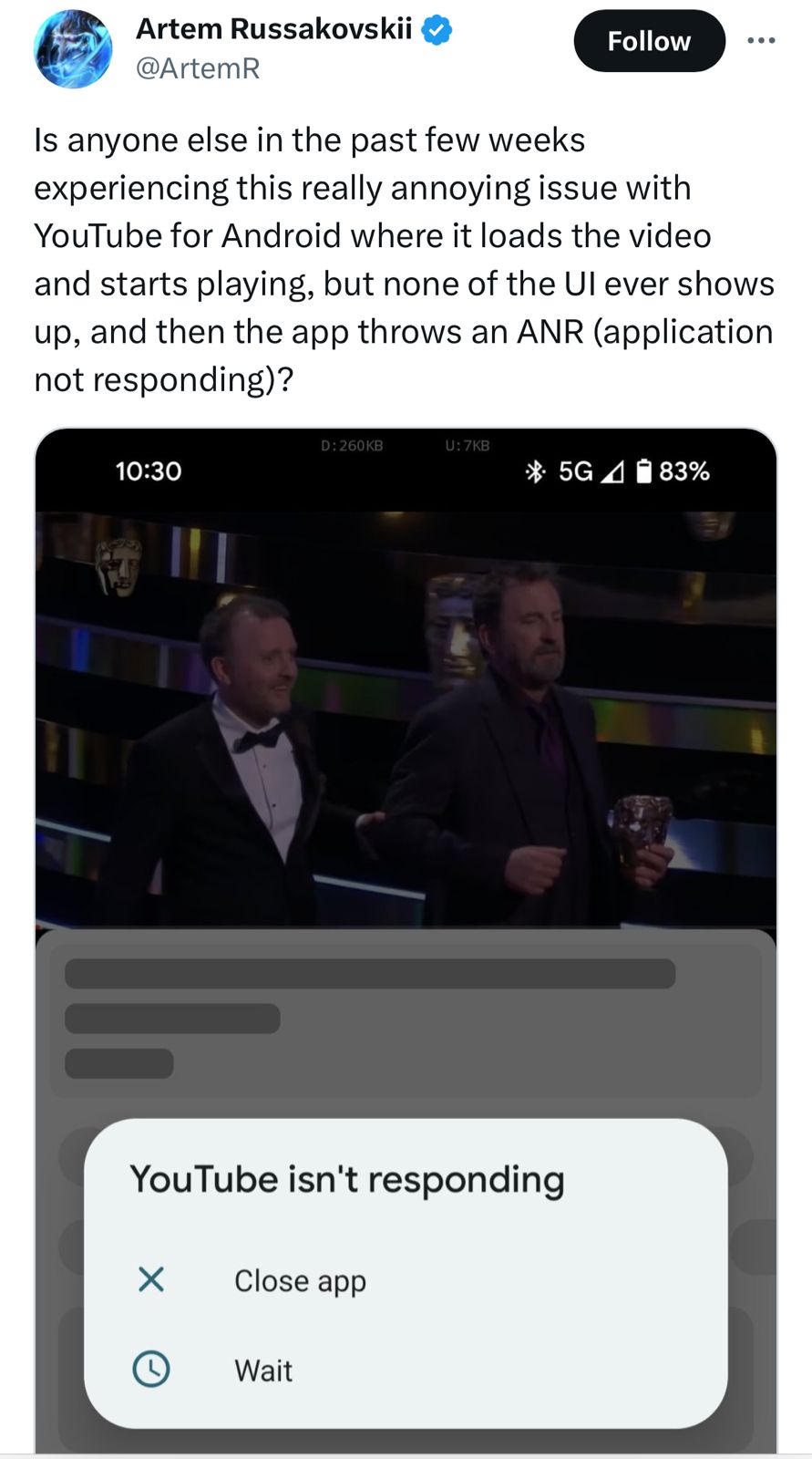
Is anyone else in the past few weeks experiencing this really annoying issue with YouTube for Android where it loads the video and starts playing, but none of the UI ever shows up, and then the app throws an ANR (application not responding)? pic.twitter.com/senV8eaWnT
— Artem Russakovskii (@ArtemR) January 22, 2024
Reports indicate that the glitch appears when users attempt to watch a video on the app. As the video loads, users expect to see the usual accompaniments – descriptions, comments, and related videos.
Instead, they are met with an abrupt crash of the app.
Repeated attempts to reopen the app result in the same frustrating outcome.
A Widespread Issue but Not Universal
A Widespread Issue but Not Universal
While not all Android users are facing this predicament, the problem is widespread enough to have generated a significant amount of complaints and negative feedback.
The precise version of the YouTube appresponsible for these issues remains unclear, though some users have reported improvements with newer versions.
For those still battling with the bug, a temporary fix seems to be either uninstalling the recent updates of the YouTube app or installing the latest beta version.
However, this solution comes with its own set of challenges.
The official beta program for the app is currently full, leaving users with the only option of sideloading the beta version from third-party sources – a move that carries potential security risks.
Awaiting Official Response
Awaiting Official Response
As of now, YouTube has not officially acknowledged the issue, nor has there been a statement addressing the problem.
Users are eagerly awaiting a stable update from YouTube that will hopefully iron out these disruptive glitches.
The flurry of complaints reached its peak a few days ago, but there has been a noticeable decline in reports recently.
If you’re still experiencing this issue, or if it has since been resolved, your feedback could be valuable.
Recent YouTube App Update Causes Crashing Issues on Android Devices
FAQs
What is the main issue with the recent YouTube app update on Android?
The latest update of the YouTube app on Android is causing the app to crash when users try to watch a video, with the video’s description and comments failing to load.
Are all Android users affected by the YouTube app crashing issue?
While the problem is widespread, it is not affecting every Android user. The extent of the issue varies across different devices and app versions.
What are the recommended temporary solutions for the YouTube app crashing?
Users can try uninstalling the recent updates of the YouTube app or sideloading the latest beta version, although the official beta program is currently full.
Has YouTube responded to the reports of the app crashing on Android?
As of now, YouTube has not officially acknowledged or provided a solution for the app crashing issue on Android devices.
What are the Possible Causes of YouTube Crashing on Your Smartphone ?
Outdated YouTube app: the most common problem why the YouTube app crashes on your smartphone is when the app is outdated. The older version of the YouTube app may not be compatible with your device or optimized for the latest hardware and software and may also contain bugs that prevent the YouTube app from working smoothly.
Insufficient storage: Insufficient storage is another common issue that can cause YouTube crashes on your smartphone. This is because the app requires a certain amount of storage space to run. If the storage space is limited, the system will automatically stop the app from running.
Network-related issues: The YouTube app requires a stable internet connection to work. If you have network issues, it may cause the YouTube app to become unresponsive or crash while trying to load the content.
YouTube is down: When YouTube is down, you may experience a number of issues, such as not being able to play videos, error messages, or crashes when you try to use the app. YouTube downtime is usually caused by problems with the YouTube server. In some cases, YouTube may also go down due to cyber attacks or security breaches. In most cases, the downtime is temporary, and the platform will return to normal once the issue is resolved.
As users, there’s not much we can do until the problem is fixed.
Third-party apps: Another reason why Youtube apps may crash on your smartphone is due to interference from third-party apps. This can be the case when other apps installed on your smartphone conflict with YouTube and cause the app to malfunction.
Device software issue: Device software can also cause the YouTube app to crash on your smartphone. This may be because you are using outdated system software, incompatible device hardware, or corrupted system files.
Google has published a new blogpost answering the exact same question and here’s an in-depth look for what it means for users.
Body Temperature Feature
Body Temperature Feature
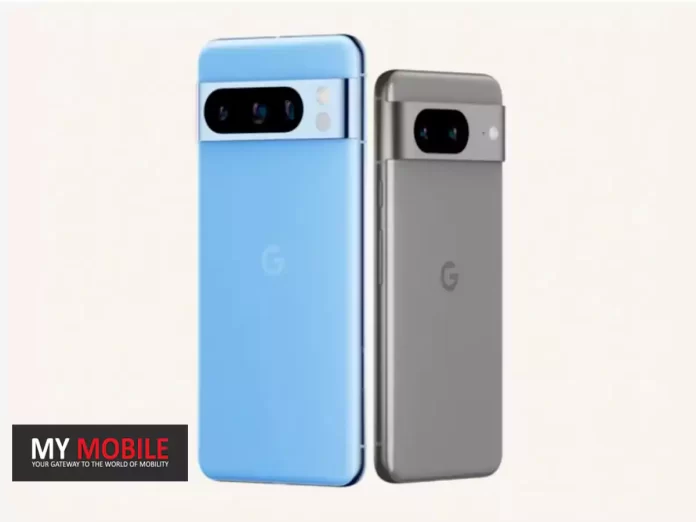
The new body temperature feature in the Thermometer app for Pixel 8 Pro is coming and it is a result of six years of dedicated research and development at Google Health.
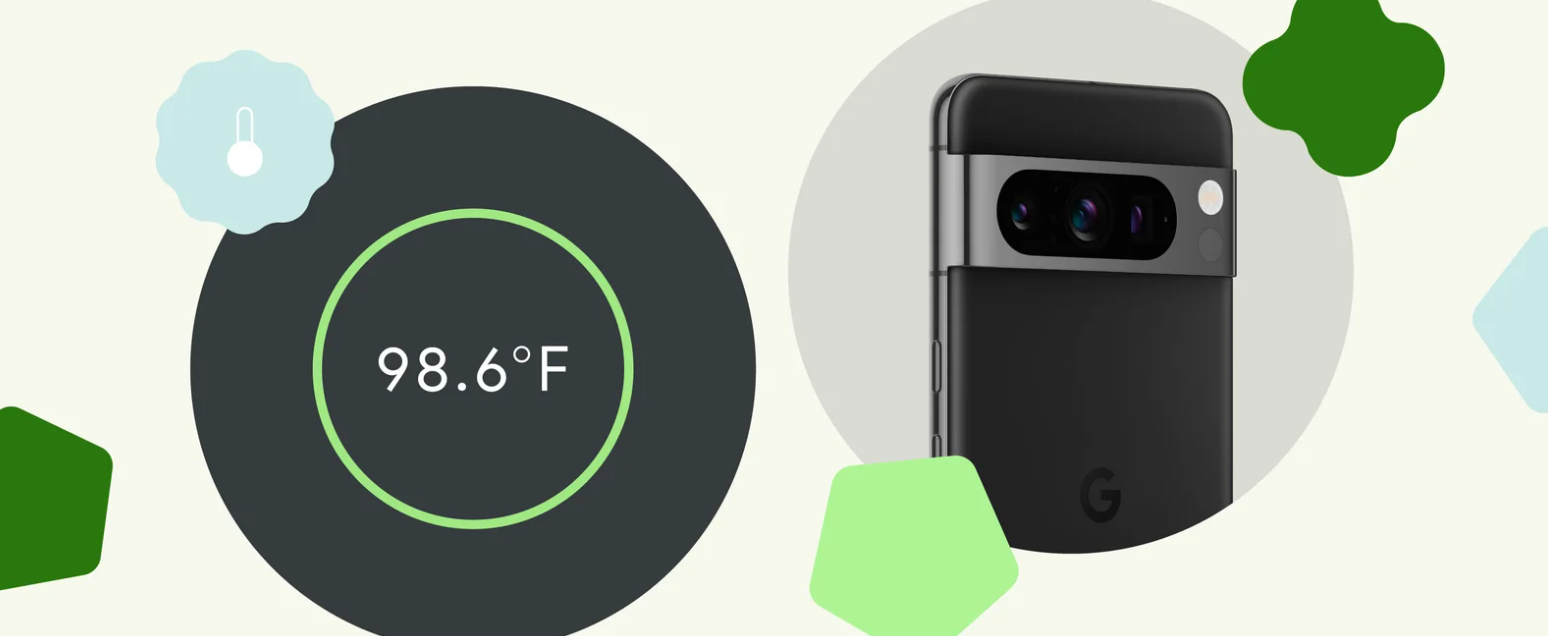
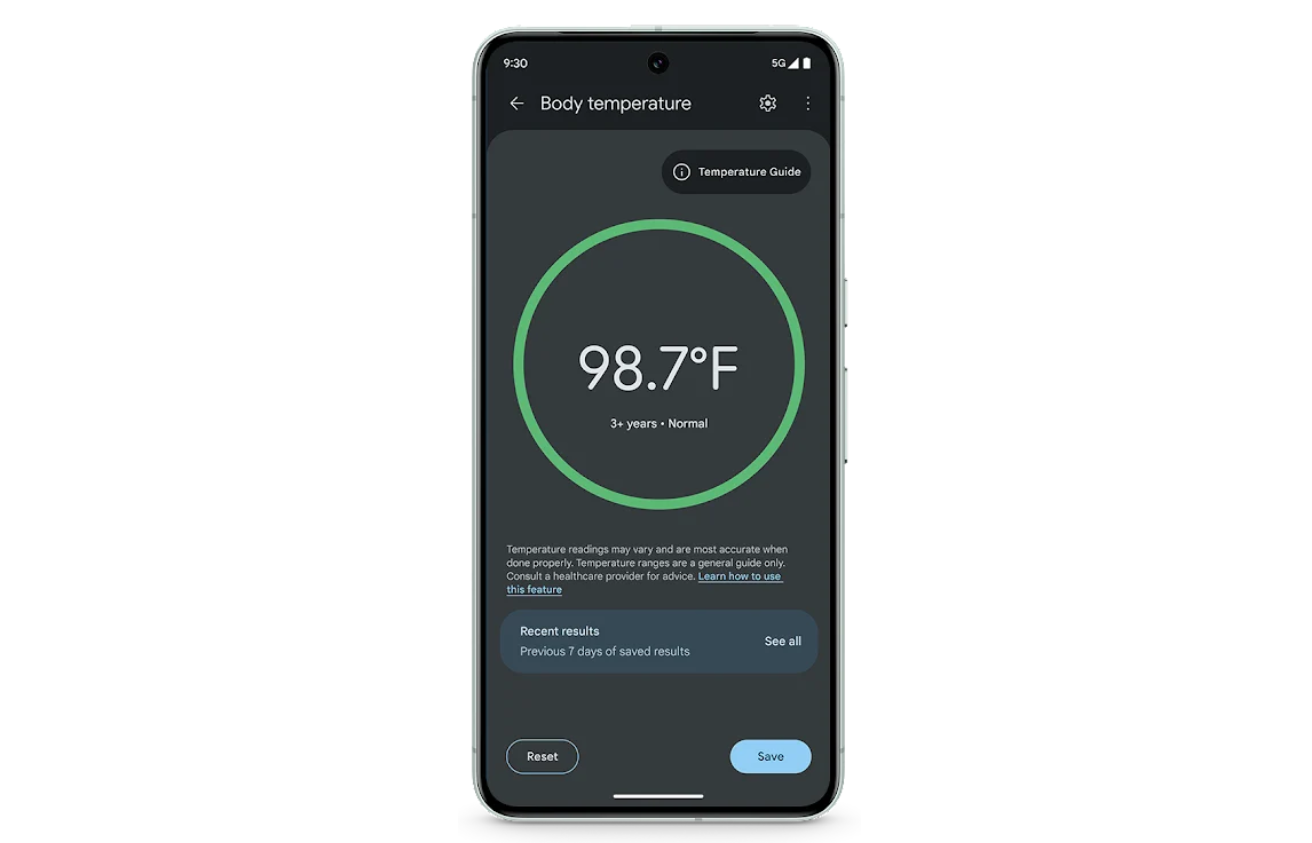
This feature, part of the January Pixel feature drop, enables users to measure body temperature simply by scanning a forehead with their phone.
It represents a significant step forward in mobile health technology, offering precision and convenience in one package.
When a user sweeps the phone across their forehead, the sensor accurately measures temperature by focusing on the temporal artery.
This method is more precise than traditional forehead thermometers, which often measure the center of the forehead.
Achieving Precision and Convenience
Achieving Precision and Convenience
The Pixel 8 Pro’s sensor boasts a wide field of view, allowing it to detect heat beyond just the forehead.
However, this also means that holding the phone too far from the forehead can capture heat from surrounding areas, affecting accuracy.
The closer the device is to the forehead, the more precise the reading.
To ensure contactless use and prevent the spread of germs, the team employed the LDAF (laser detection autofocus) sensor to help users position the phone at the optimal distance for accurate readings.
FDA Approval and Clinical Validation
FDA Approval and Clinical Validation
Google saysthat receiving the FDA’s De Novo classification, a first for smartphone-based temperature sensors in the U.S., was no small feat.
The team underwent rigorous testing and clinical validation to ensure the tool’s safety and effectiveness.
Their dedication to developing a user-friendly, internet-independent tool was critical in securing the FDA’s approval.
The Pixel 8 Pro’s ease of use and accuracy provide a new level of convenience for everyday health assessments.
Whether it’s a parent checking a child’s fever or an individual monitoring their health, the Pixel 8 Pro offers a quick, reliable solution.
Google Pixel 8 Pro Temperature Sensor for Enhanced Health Monitoring Explained
FAQs
How does the Pixel 8 Pro’s temperature sensor work?
The Pixel 8 Pro uses an infrared sensor next to the rear camera to detect heat emitted by the body, focusing on the temporal artery for accurate temperature readings.
What makes the Pixel 8 Pro’s temperature sensor different from traditional thermometers?
Unlike standard forehead thermometers, the Pixel 8 Pro’s sensor targets the temporal artery, offering more precise measurements and a contactless experience.
How does the Pixel 8 Pro ensure the accuracy of temperature readings?
The device employs a wide field of view infrared sensor and LDAF technology to ensure the phone is at the optimal distance from the forehead, enhancing reading accuracy.
Is the Pixel 8 Pro’s temperature sensor feature FDA approved?
Yes, Google’s temperature sensor in the Pixel 8 Pro has received FDA De Novo classification, marking a significant achievement in smartphone-based health technology.
What are the 7 ways to use Pixel 8 Pro’s temperature checker ?
Whether you want to make a room feel more cozy or show off your hosting skills with perfectly cooked culinary delights, here are some of the best ways to make the most out of your Pixel 8 Pro temperature sensor:
Safe baby-feeding: Feed young ones on the go by measuring the temperature of baby formula or milk.
Help your pets feel comfy: Keep your pets comfortable, whether it’s in their everyday living space or while traveling. Staying warm makes vet trips ever-so-slightly easier to handle.
Acing your baking: Check the warmth of your oven to perfect your baking, or aim the sensor at your freshly baked goods to see if they’re cool enough to eat.
Regulate your workspace: Avoid shivering or overheating at your desk by measuring the temperature of your work environment so you can adjust accordingly.
Maximize shelf-life: Keep your groceries fresher for longer by checking for temperature variations in your fridge or freezer.
Future-proof your products: Storing skincare and cosmetics too hot or too cold can damage the formulas. Keep your routine effective by monitoring the temperature of your perfumes, serums, and lotions.
Keep your tech running: Check on your gadgets with Pixel 8 Pro. Detect rising temperatures so you can make sure your devices are safe and functional, even on the hottest day (or tightest deadline).
How does Pixel 8 Pro measure temperature?
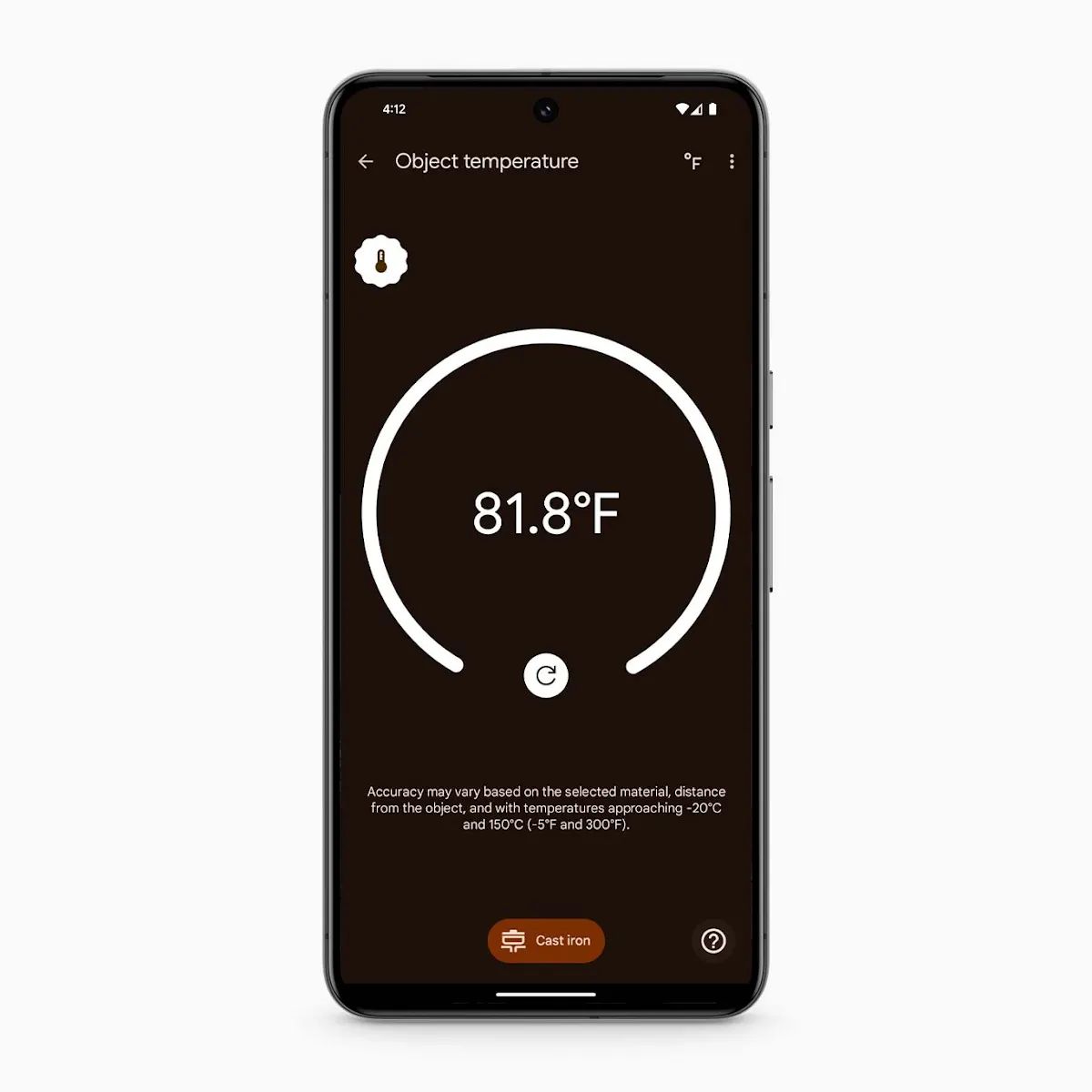
Situated right next to the camera, Pixel 8 Pro’s temperature sensor is easy to spot and easy to use. It measures the infrared radiation emitted from the item and shows you a temperature reading. The sensor can take the heat up to 392°F or tell you when something is as cool as -4°F.
How to use Thermometer, the temperature checking app?
To use the temperature measurement feature on your Pixel 8 Pro, just open the pre-installed Thermometer app. You can find it in the app drawer or by typing in the search bar.
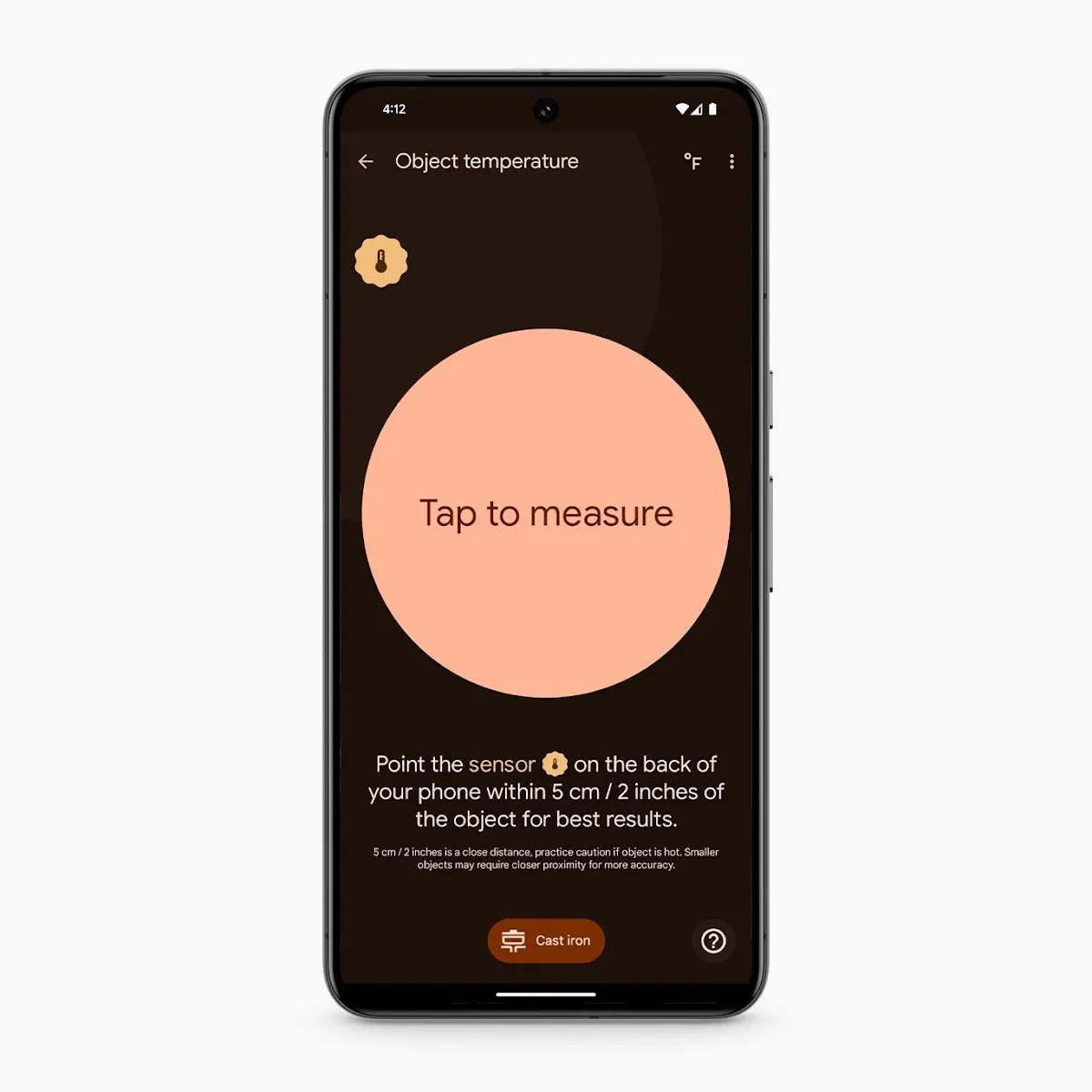
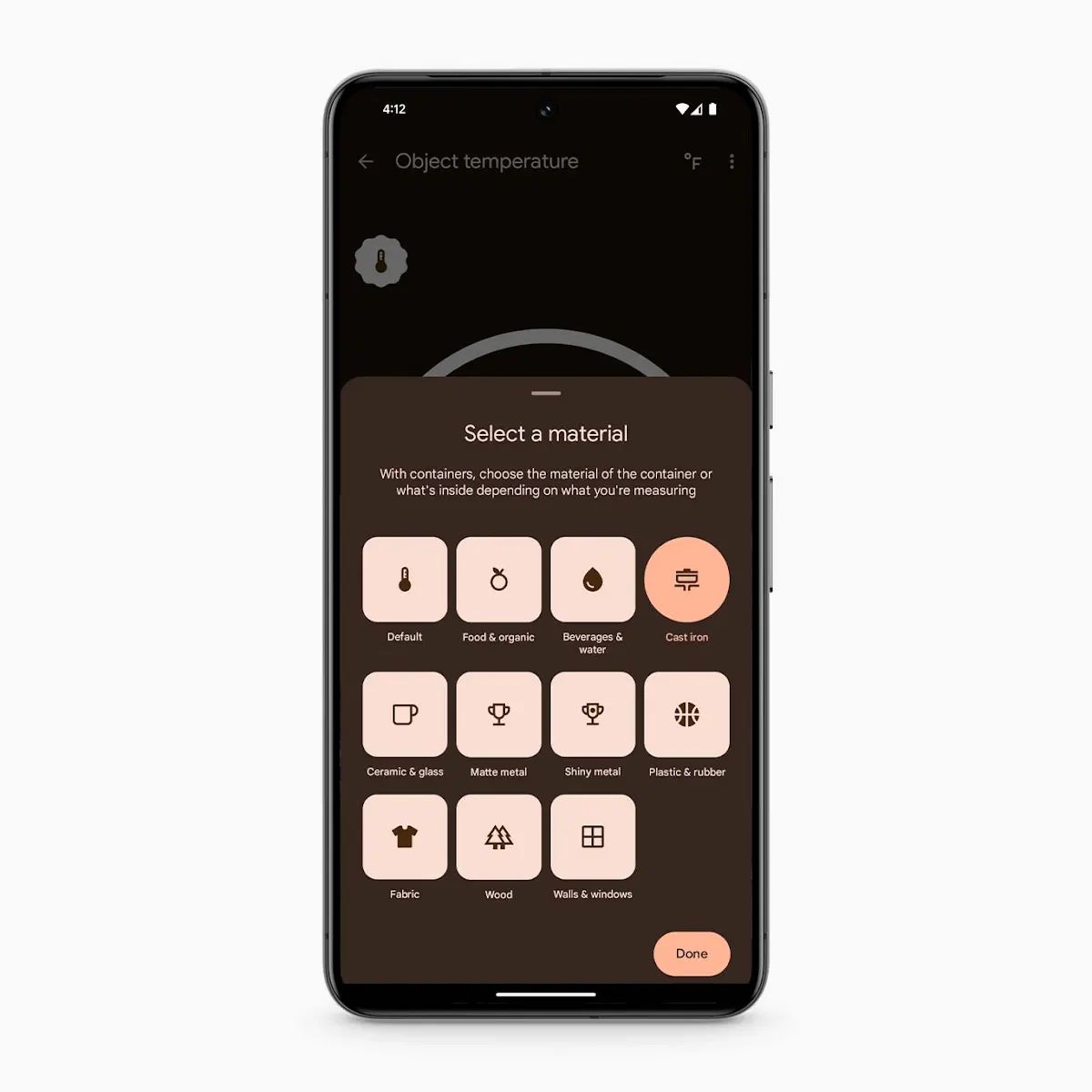
Open the app and tap “Object temperature.” Then, select the material of the object you’ll be measuring.
Next, hold your phone about two inches away from the object and hit the “Tap to measure” button. You may need to go slightly closer for very small items.
If there’s hot steam coming from your item, try to measure the area of the object not covered by it, or hold off taking the temperature until the steam clears. Think of it as a photo, and try not to let the steam block your image.
After a few seconds, the temperature will appear on the screen. And it’s as easy as that.
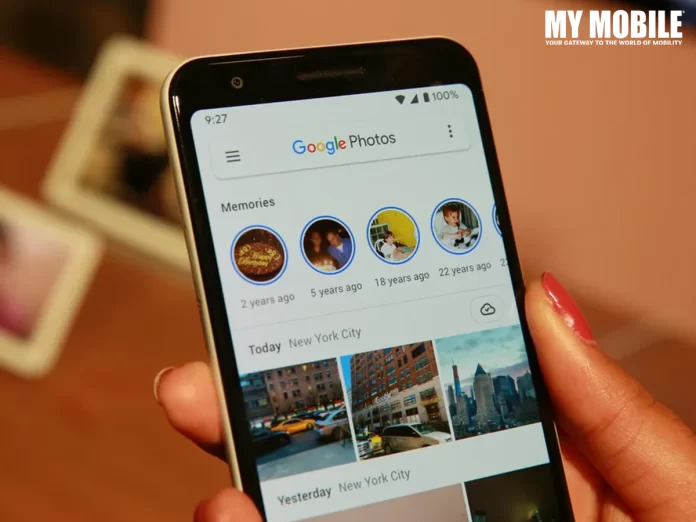
After a successful trial phase in November, Google has now extended its innovative ‘Photo Stacks’ feature to a broader audience, a move that’s set to significantly streamline the photo-browsing process.
Photo Stacks on Google Photos
Fiiiinally just got the stacked photos in Google Photos activated today. This rollout took forever. pic.twitter.com/zDaGbn8RfP
It automatically groups images taken around the same time into a single collection, represented by a ‘top pick’ photo.
This ‘top pick’ serves as the thumbnail for the entire stack, providing a cleaner and more organized view.
Essentially, Photo Stacks eliminate the clutter of seeing multiple, similar photos in succession – a familiar scenario for anyone who’s taken several attempts at the perfect shot.
Streamlined Viewing Experience
Streamlined Viewing Experience
The introduction of Photo Stacks means users will no longer have to scroll through endless screens of near-identical images to find the one they want.
Now, only the ‘top pick’ photo is visible in the main view.
For those who take multiple selfies or group photos, this is a game-changer.
The full collection of photos within a stack is still accessible with a simple tap, offering the best of both worlds: a tidy main view and the option to delve deeper into specific moments.
Navigating Potential Challenges
While Photo Stacks bring a significant improvement to photo organization, they may present a small learning curve.
Since only the ‘top pick’ images are displayed by default, finding a specific photo might require an extra step: users will need to open the relevant stack to locate their desired image.
With the rollout of this feature, Google Photos users can look forward to a more streamlined and efficient way to manage their photo libraries, balancing the need for organization with ease of access.
Google Photos Enhances User Experience with New Photo Stacks Feature
FAQs
What is the new Photo Stacks feature in Google Photos?
Google Photos’ Photo Stacks is an organizational tool that automatically groups images taken at similar times into one collection, with a ‘top pick’ photo representing each stack in the main view.
How does Photo Stacks improve the photo browsing experience?
By consolidating similar photos into stacks, Photo Stacks reduces the need to scroll through repetitive images, making it easier and quicker to navigate through your photo library.
Can I access all photos within a Photo Stack?
Yes, although only the ‘top pick’ is visible in the main view, you can tap on any stack to view all the photos it contains, providing full access to your collection.
Is it possible to disable the Photo Stacks feature if I don’t like it?
Google Photos offers the flexibility to disable Photo Stacks, allowing users to revert to the traditional layout if they prefer viewing all photos individually.
What is Group similar photos with Photo Stacks ?
It may take more than one try to achieve the ideal photograph, whether you’re attempting to catch a stunning sunset or a big group portrait. However, your gallery can become bloated with all those additional shots. Similar photographs make up a third of most people’s galleries.
Google Photographs can automatically sort your gallery by identifying and stacking pictures that were shot simultaneously or near each other into Photo Stacks, from which you may choose the best shot to capture any given moment. AI makes all of this possible, but you can always choose your picture as the top pick, change the stacks, or turn off picture Stacks to see everything in your Photos gallery.
What is Easily find and do more with your screenshots and documents feature ?
While screenshots have their uses, they also clog up your gallery, making it harder to see the important moments you’ve captured. Now, with the help of artificial intelligence, Google Photos can automatically sort your gallery’s screenshots and documents into more useful albums, such as those for identifying items, receipts, and events. When you need something specific, you won’t have to waste time scrolling through your entire photo library because of this.
Another great feature is adding helpful reminders to your calendar using images of tickets or event flyers. If you want to save a snapshot of a concert ticket for later use, you may do it easily by adding the image to your calendar and then clicking the “Set Reminder” button. Additionally, after 30 days, you can automatically archive your papers and screenshots. It will conceal them from your main gallery but make them available in their respective albums.
How to Create Stacks on Google Photos?
Now, how can you create “Stacks” on Google Photos? So, it’s very simple for both Android and iOS users. Follow these simple steps for the same-
Step 1: Open the Photos app on your device
Open the Google Photos app on your iOS or Android devices. If you are a new user, log in with Gmail account credentials.
Step 2: Browse your photos
Go through your media library. Events, albums, or even your whole collection can be selected. Hold down the first picture you want to stack.
Step 3: Go to the menu (three dots) Icon and Preview your stack
You may easily group related images or videos by dragging and dropping them. There will be a sneak peek of the stack as it forms, along with an approximation of the number of images.
Step 4: Create your stack
Hold down the option until you’ve added all the specified photographs. The selected “top pick” image and the total number of stacked items will be displayed in the newly constructed stack.
How to Enjoy the New Auto-Photo Stacking Feature?
Update Google Photos: Ensure you have the latest version of Google Photos installed from the App Store.
Take Photos: Snap a few pictures as you usually would.
Give it Time: Allow Google Photos some time to process your images. It typically takes a few hours for the AI to analyze and stack your photos.
Check the Gallery: Open your Google Photos gallery and observe as similar shots are now elegantly combined into a single stack.
Browse Versions: Tap on the stacked photo thumbnail to look through all the grouped snapshots and pick your favourite.
What new video effects are being added to Google Meet?
Google Meet is rolling out the ability to combine background and filter effects, allowing users to create a more personalized and dynamic meeting experience.
How has the Google Meet user interface changed with this update?
The update introduces a revamped interface for effects, categorizing them into backgrounds, filters, and appearance settings for easier discovery and application.
What is the studio lighting feature in Google Meet?
Available for Google Workspace Enterprise users, the studio lighting feature in Google Meet allows users to adjust lighting settings for enhanced video quality. This feature requires an eligible device for use.
What does the Studio Sound feature do in Google Meet?
The Studio Sound feature uses AI to improve audio quality, especially from Bluetooth headsets and dial-in participants, by recreating higher audio frequencies for a clearer sound.
What is the new stacking feature in Google Photos?
Google Photos’ stacking feature uses AI to group similar photos together, suggesting the best shot from the collection to help declutter your photo library. Users can also select their preferred photo to represent the stack.
How does Google Photos’ new sorting feature work?
The sorting feature automatically organizes photos by identifying the content of images, such as IDs, receipts, and tickets, and placing them into respective albums for easy access and organization.
Can I add events to my calendar using Google Photos?
Yes, Google Photos now allows you to add events to your calendar directly from a photo or screenshot of a ticket, streamlining the process of event management.
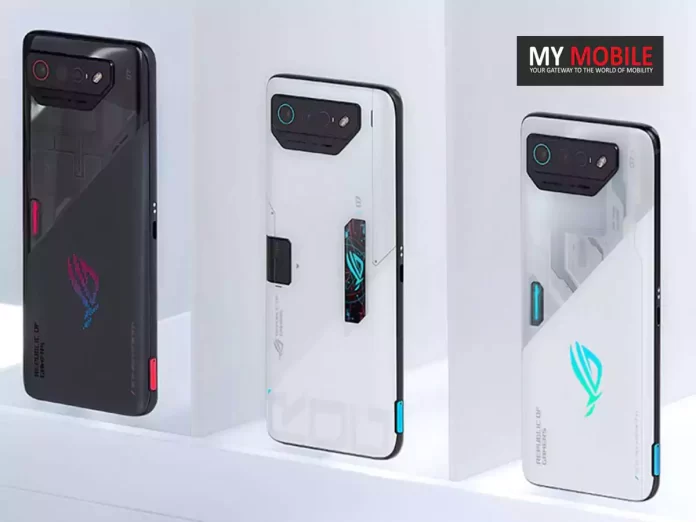
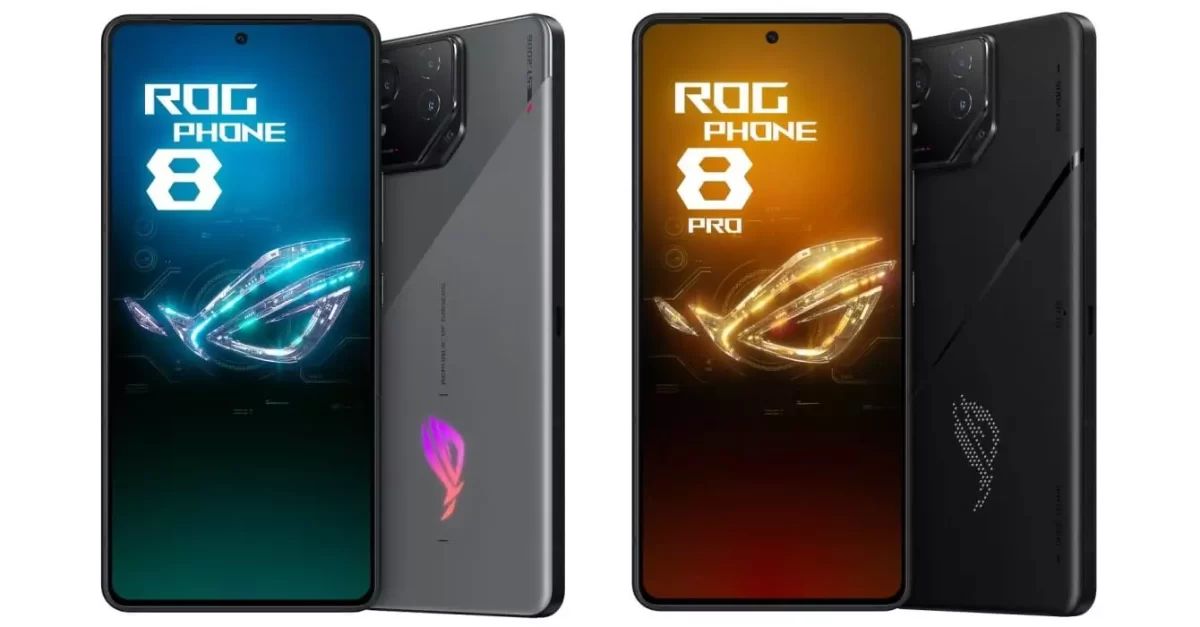
• Vijay Sales is the Retail Partner for ASUS ROG Phone 8 Pro and ROG Phone 8 Pro Edition smartphones.
• The new ROG Phone 8 Pro and ROG Phone 8 Pro Edition Series undergo a significant redesign, evolving from a gaming-centric device into a versatile premium smartphone with a slimmer and lighter profile.
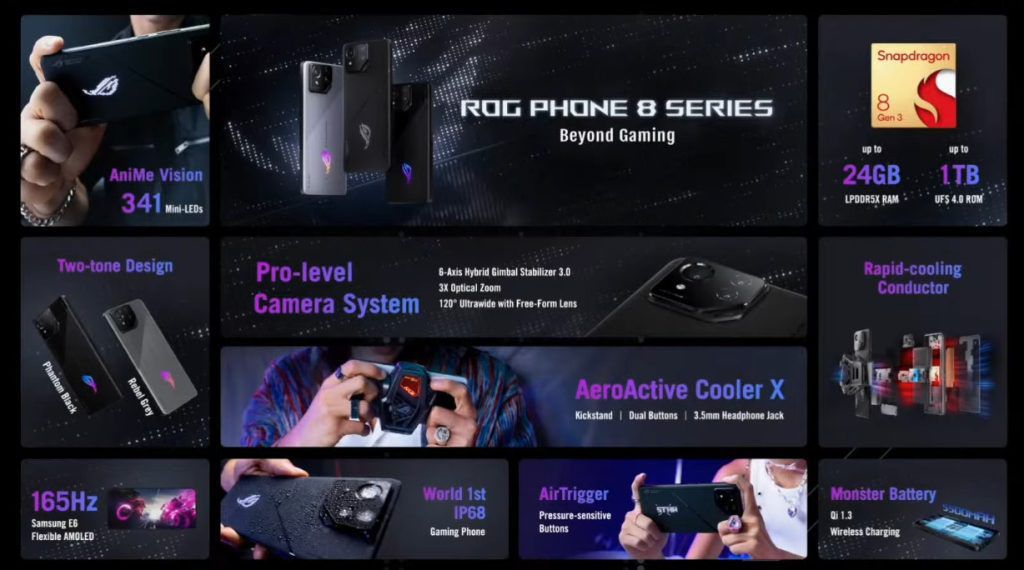
• Powered by the Snapdragon® 8 Gen 3 Mobile Platform, the ROG Phone 8 Pro Series boasts up to 24GB LPDDR5X RAM and 1TB UFS 4.0 storage for seamless and responsive user experiences.
• The ROG Phone 8 Pro Series is competitively priced, with ROG Phone 8 Pro Edition (24GB+1TB) available at INR 1,19,999 and the ROG Phone 8 Pro (16GB+512GB) at INR 94,999.
The ROG Phone 8 Pro Series marks a groundbreaking redesign, transforming from a gaming-centric device into a futuristic and versatile premium smartphone.
Boasting a slimmer and lighter body, the series caters not only to gamers but also to a broader audience, including streamers, content creators, and tech enthusiasts.
Vijay Sales Sets the Stage for ASUS ROG Phone 8 Pro Series in India
Priced at INR 94,999 and INR 1,19,999 respectively, ASUS ROG 8 Pro (16GB+512GB) and ROG 8 Pro Edition (24GB+1TB) rank high on premium design, durability, and ultimate AI-powered performance, cementing the ROG Phone 8 Series as a powerful all-round powerhouse.
With up to a staggering 24GB of LPDDR5X RAM and 1TB UFS 4.0 storage, users can expect a seamless and responsive experience.
The revolutionary Rapid-Cooling Conductor design, part of the advanced GameCool 8 thermal system, ensures optimal performance even during marathon gaming sessions.
Commenting on this exclusive partnership, Mr. Nilesh Gupta, Director at Vijay Sales, said, “It is an honor for us at Vijay Sales to be the exclusive Preferred Retail Partner for the ROG Phone 8 Pro Series, the most advanced and versatile gaming smartphone ever created by ASUS. This is not the first time that we have collaborated with ASUS, as we were also the preferred retail partner for the ROG Phone 6 series and the ROG Phone 7 series, both of which were highly successful and popular among our customers. The ROG Phone 8 Pro Series takes the gaming experience to a whole new level, with its stunning display, powerful processor, and amazing camera. Whether you are a gamer, a content creator, or a tech enthusiast, the ROG Phone 8 Pro Series will cater to your every need and exceed your expectations. We invite everyone to visit our stores or our online platform and get your hands on the ROG Phone 8 Series.”
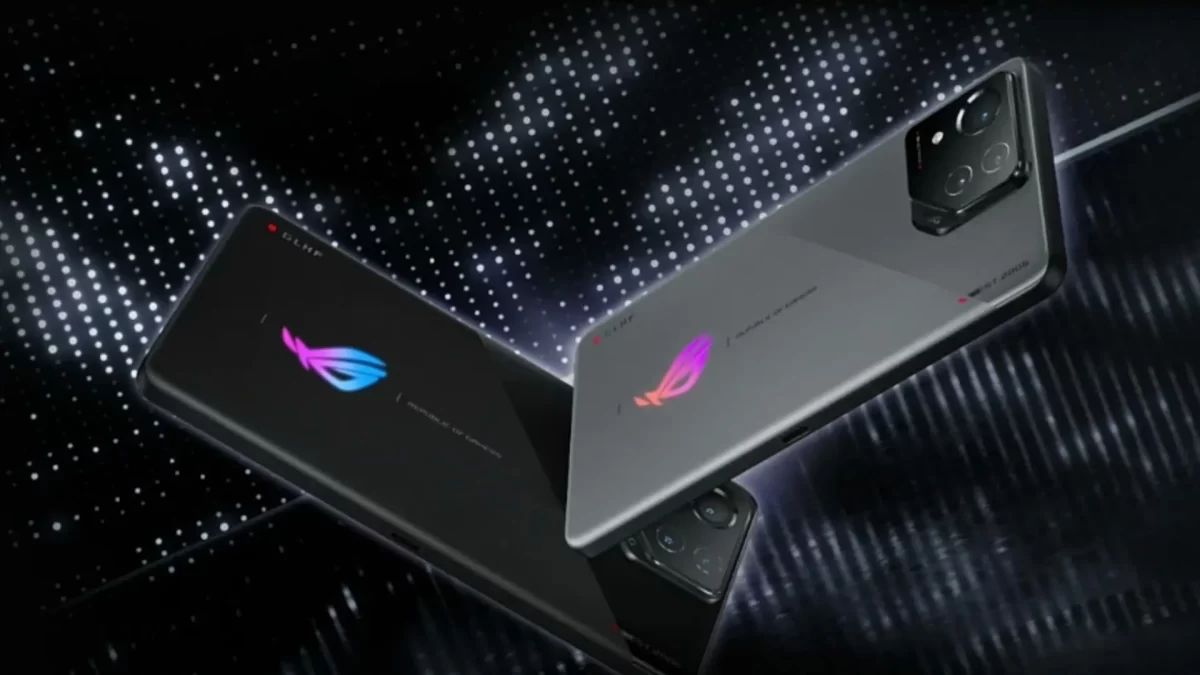
The new ROG Phone 8 Pro and ROG Phone 8 Pro Edition Series undergo a significant redesign
Mr. Dinesh Sharma, Business Head, Commercial PC and Smartphone, System Business Group, ASUS India, said, “We are quite excited to introduce the ASUS ROG Phone 8 series – with a refreshed masterpiece in mobile gaming. Attuned to the community’s feedback, this revolutionary gadget is meticulously designed for gamers and enthusiasts seeking a lot more from their gaming phones. With flagship features, upgraded camera modules featuring a gimbal, unparalleled gaming performance, and an IP68 rating, the ROG Phone 8 series sets a new standard for premium mobile experiences. Our continued partnership with Vijay Sales ensures that this exceptional gaming phone is readily available to Indian enthusiasts on both, their online and offline platforms. We look forward to our continued collaboration with them even in the future.”
ASUS ROG Phone 8 Pro Series in India
Setting new standards for display technology, the ROG Phone 8 Pro seriesfeatures a 6.78″ flexible AMOLED panel with adaptive refresh rates using LTPO technology.
With a peak brightness of 2500 nits, users can enjoy gaming and multimedia even in bright sunlight. Collaborating with Pixelworks®, the visual-processing company, ensures world-beating color accuracy for a truly immersive visual experience.
The advanced tri-camera system in the ROG Phone 8 Pro Series offers endless photographic possibilities, featuring a 50MP Sony image sensor, a 3X telephoto lens, and a 13MP ultrawide camera.
ASUS HyperClarity technology preserves every detail in photos, even at up to 30X zoom, setting new standards for mobile photography.
ROG Phone 8 Pro Series offers endless photographic possibilities
AI-enhanced features further elevate the gaming experience with Background Mode, X Capture, X Sense, and AI Grabber for text capture.
The series introduces AniMe Vision, a customizable display element, and retains the renowned AirTrigger ultrasonic controls for console-like gaming experiences.
Vijay Sales, with over 56 years of industry leadership, is excited to bring the ROG Phone 8 Series to Indian consumers through its 130+ retail stores and online platform.
Powered by the Snapdragon® 8 Gen 3 Mobile Platform, the ROG Phone 8 Pro Series
ASUS ROG Phone 8 Series Key Specs
GENERAL
Sim Type
Dual Sim, GSM+GSM
Dual Sim
Yes
Sim Size
Nano SIM
Device Type
Smartphone
Release Date
April 13, 2024 (Expected)
DESIGN
Colors
Phantom Black, Storm White
DISPLAY
Type
Color AMOLED Screen (1B Colors)
Touch
Yes
Size
6.82 inches, 1080 x 2448 pixels, 165 Hz
Aspect Ratio
20.5:9
PPI
~ 392 PPI
Screen to Body Ratio
~ 82.2%
Glass Type
Corning Gorilla Glass Victus
Features
1200 nits (HBM), 2000 nits (peak), HDR10+
MEMORY
RAM
16 GB
Storage
512 GB
Storage Type
UFS 4.0
Card Slot
No
CONNECTIVITY
GPRS
Yes
EDGE
Yes
3G
Yes
4G
Yes
5G
Yes
VoLTE
Yes, Dual Stand-By
Wifi
Yes, with wifi-hotspot
Wifi Version
Wi-Fi 802.11 a/b/g/n/ac/6e/7, tri-band, Wi-Fi Direct
Bluetooth
Yes, v5.3
USB
Yes, USB-C v3.1
USB Features
USB on-the-go, USB Charging
EXTRA
GPS
Yes with A-GPS
Fingerprint Sensor
Yes, In Display
Face Unlock
Yes
Sensors
Accelerometer, E-Compass, Gyroscope, Proximity sensor, Ambient-light sensor, Ultrasonic sensors for AirTrigger and grip press
3.5mm Headphone Jack
Yes
Extra
NFC
Water Resistance
Yes
IP Rating
IP55
Extra Features
Symmetrical dual front-facing speakers with Dirac HD Sound, 5-magnet stereo speaker, LPDDR5X RAM
What are the pricing details for the ASUS ROG Phone 8 series?
The ASUS ROG Phone 8 starts at approximately Rs 91,400, the ROG Phone 8 Pro at about Rs 99,700, and the Pro Edition around Rs 124,610.
The AeroActive Cooler X accessory is priced at approximately Rs 8,400.
When will the ASUS ROG Phone 8 series be available, and in which colors?
The phones are scheduled for release in spring 2024. The standard ROG Phone 8 comes in Rebel Grey and Phantom Black, while the Pro and Pro Edition are exclusively in Phantom Black.
Can you describe the display features of the ASUS ROG Phone 8 series?
The series flaunts a 6.78-inch FHD+ Samsung E6 AMOLED display, with a variable refresh rate up to 165Hz for gaming, HDR support, and Corning Gorilla Glass Victus 2 for protection.
What are the key camera specifications of the ASUS ROG Phone 8 series?
The series includes a 50MP Sony IMX890 primary camera, a 13MP ultra-wide camera, and a 32MP 3x telephoto sensor. Additionally, it features a 32MP front camera for high-quality selfies and video calls.
What does the ASUS ROG Phone 8 Ultimate Geekbench listing reveal about the processor?
The Geekbench listing indicates the phone will feature an octa-core processor with a 1+5+2 CPU architecture, speculated to be the upcoming Qualcomm Snapdragon 8 Gen 3 SoC.
What operating system will the ASUS ROG Phone 8 Ultimate run on?
According to the Geekbench listing, the device will run on Android 14 out of the box.
What are the Geekbench scores for the ASUS ROG Phone 8 Ultimate?
The phone scored 2,213 points in the single-core test and 7,408 points in the multi-core test, indicating high-performance capabilities.
What chipset will power the ASUS ROG Phone 8 Series?
The ASUS ROG Phone 8 Series will be powered by the latest Snapdragon 8 Gen 3 chipset, offering improved performance and energy efficiency.
How does the new Snapdragon 8 Gen 3 chipset compare to its predecessor?
The Snapdragon 8 Gen 3 outperforms the previous version by 30% and is also 20% more energy-efficient.
Apple introduces over 600 new APIs and alternative app payment and distribution methods in the EU.
Enhanced security measures, including Notarization and authorization for marketplace developers, to safeguard EU users.
Developers gain tools for alternative app marketplaces and non-WebKit browser engine use.
Changes to Safari and App Store include new choice screens and payment processing options.
In a significant move to align with the European Union’s Digital Markets Act (DMA), Apple has announced sweeping changes across its key services:iOS, Safari, and the App Store.
These updates, primarily focused on enhancing developer capabilities and user choice, are poised to reshape the tech landscape in the EU.
Notably, the changes encompass the introduction of over 600 new APIs, expanded app analytics, and alternative options for app payments and distribution.
“The changes we’re announcing today comply with the Digital Markets Act’s requirements in the European Union, while helping to protect EU users from the unavoidable increased privacy and security threats this regulation brings. Our priority remains creating the best, most secure possible experience for our users in the EU and around the world,” said Phil Schiller, Apple Fellow.
“Developers can now learn about the new tools and terms available for alternative app distribution and alternative payment processing, new capabilities for alternative browser engines and contactless payments, and more. Importantly, developers can choose to remain on the same business terms in place today if they prefer.”
Apple to Enhance Security Amidst Open Platforms
Apple to Enhance Security Amidst Open Platforms
With openness comes risk, and Apple acknowledges this as they open doors for alternative app marketplaces and payment processing methods.
These new avenues, while beneficial for competition, potentially increase exposure to malware, fraud, and other security threats.
To mitigate these risks, Apple is implementing new safeguards like Notarization for iOS apps and authorization for marketplace developers.
These measures aim to maintain a secure environment for EU users, though Apple concedes that not all risks can be completely eliminated.
Developer-Centric Updates
Developer-Centric Updates
For developers, these changes are particularly transformative.
They now have access to tools enabling the creation of alternative app marketplaces, use of non-WebKit browser engines, and the submission of interoperability requests with iPhone and iOS features.
Additionally, contactless payment apps can leverage new NFC technology APIs.
However, the introduction of these features also carries inherent privacy and security challenges, which Apple plans to address with multiple layers of safeguards in the upcoming iOS 17.4 update.
Implications for Safari and App Store
Implications for Safari and App Store
The ripple effect of the DMA compliance extends to Safari and the App Store.
Users will encounter a new choice screen for default browsers in Safari, a direct outcome of the DMA’s requirements.
The App Store will also undergo changes, including new payment processing options and informative labels for apps using alternative payment methods.
These alterations come with a caveat: certain App Store features like Family Sharing will not be compatible with externally downloaded apps.
FAQs
What are the key changes Apple is making in the EU to comply with the Digital Markets Act?
Apple is rolling out significant updates in response to the EU’s Digital Markets Act, including the introduction of new APIs, alternative app marketplace and payment processing options, and revised functionality for browser engines.
How will Apple’s changes impact app developers and marketplace options in the EU?
Developers will now have access to new tools and APIs for creating alternative app marketplaces, utilizing different browser engines, and managing app updates, significantly expanding their capabilities within the EU market.
What security measures is Apple implementing in light of these changes?
To counter potential risks from more open platforms, Apple is introducing safeguards like app Notarization and required authorization for marketplace developers, aiming to protect users from malware and other security threats.
Will Apple’s compliance with the DMA affect user experience in Safari and the App Store?
Yes, users in the EU will notice changes such as a new default browser choice screen in Safari and additional payment options in the App Store, though some existing features like Family Sharing might not be compatible with externally downloaded apps.
What are the Changes to iOS in the E.U. which Apple has made ?
In the EU, Apple is making a number of changes to iOS to comply with the DMA.
For developers, those changes include new options for distributing apps. The coming changes to iOS in the EU include:
New options for distributing iOS apps from alternative app marketplaces — including new APIs and tools that enable developers to offer their iOS apps for download from alternative app marketplaces.
New framework and APIs for creating alternative app marketplaces — enabling marketplace developers to install apps and manage updates on behalf of other developers from their dedicated marketplace app.
New frameworks and APIs for alternative browser engines — enabling developers to use browser engines, other than WebKit, for browser apps and apps with in-app browsing experiences.
Interoperability request form — where developers can submit additional requests for interoperability with iPhone and iOS hardware and software features.
As announced by the European Commission, Apple is also sharing DMA-compliant changes impacting contactless payments. That includes new APIs enabling developers to use NFC technology in their banking and wallet apps throughout the European Economic Area.
And in the EU, Apple is introducing new controls that allow users to select a third-party contactless payment app — or an alternative app marketplace — as their default.
Inevitably, the new options for developers’ EU apps create new risks to Apple users and their devices. Apple can’t eliminate those risks, but within the DMA’s constraints, the company will take steps to reduce them. These safeguards will be in place when users download iOS 17.4 or later, beginning in March, and include:
Notarization for iOS apps — a baseline review that applies to all apps, regardless of their distribution channel, focused on platform integrity and protecting users. Notarization involves a combination of automated checks and human review.
App installation sheets — that use information from the Notarization process to provide at-a-glance descriptions of apps and their functionality before download, including the developer, screenshots, and other essential information.
Authorization for marketplace developers — to ensure marketplace developers commit to ongoing requirements that help protect users and developers.
Additional malware protections — that prevent iOS apps from launching if they’re found to contain malware after being installed to a user’s device.
These protections — including Notarization for iOS apps, and authorization for marketplace developers — help reduce some of the privacy and security risks to iOS users in the EU. That includes threats like malware or malicious code, and risks of installing apps that misrepresent their functionality or the responsible developer.
However, Apple has less ability to address other risks — including apps that contain scams, fraud, and abuse, or that expose users to illicit, objectionable, or harmful content. In addition, apps that use alternative browser engines — other than Apple’s WebKit — may negatively affect the user experience, including impacts to system performance and battery life.
Within the DMA’s constraints, Apple is committed to protecting the privacy, security, and quality of the iOS user experience in the EU as much as possible. For instance, App Tracking Transparency will continue to work with apps distributed outside of the App Store — asking a user’s permission before a developer tracks their data across apps or websites. However, the DMA’s requirements mean that App Store features — including Family Purchase Sharing and Ask to Buy — will not be compatible with apps downloaded from outside of the App Store.
When these changes come into effect in March, Apple will share more detailed resources explaining the options available to users — including best practices for protecting their privacy and security.
What are the Changes to Safari by Apple in EU?
Today, iOS users already have the ability to set a third-party web browser — other than Safari — as their default. Reflecting the DMA’s requirements, Apple is also introducing a new choice screen that will surface when users first open Safari in iOS 17.4 or later. That screen will prompt EU users to choose a default browser from a list of options.
This change is a result of the DMA’s requirements, and means that EU users will be confronted with a list of default browsers before they have the opportunity to understand the options available to them. The screen also interrupts EU users’ experience the first time they open Safari intending to navigate to a webpage.
What are the Changes to the App Store by Apple in EU?
On the App Store, Apple is sharing a number of changes for developers with apps in the EU, affecting apps across Apple’s operating systems — including iOS, iPadOS, macOS, watchOS, and tvOS. The changes also include new disclosures informing EU users of the risks associated with using alternatives to the App Store’s secure payment processing.
For developers, those changes include:
New options for using payment service providers (PSPs) — within a developer’s app to process payments for digital goods and services.
New options for processing payments via link-out — where users can complete a transaction for digital goods and services on the developer’s external website. Developers can also inform EU users of promotions, discounts, and other deals available outside of their apps.
Business planning tools — for developers to estimate fees and understand metrics associated with Apple’s new business terms for apps in the EU.
The changes also include new steps to protect and inform EU users, including:
App Store product page labels — that inform users when an app they’re downloading uses alternative payment processing.
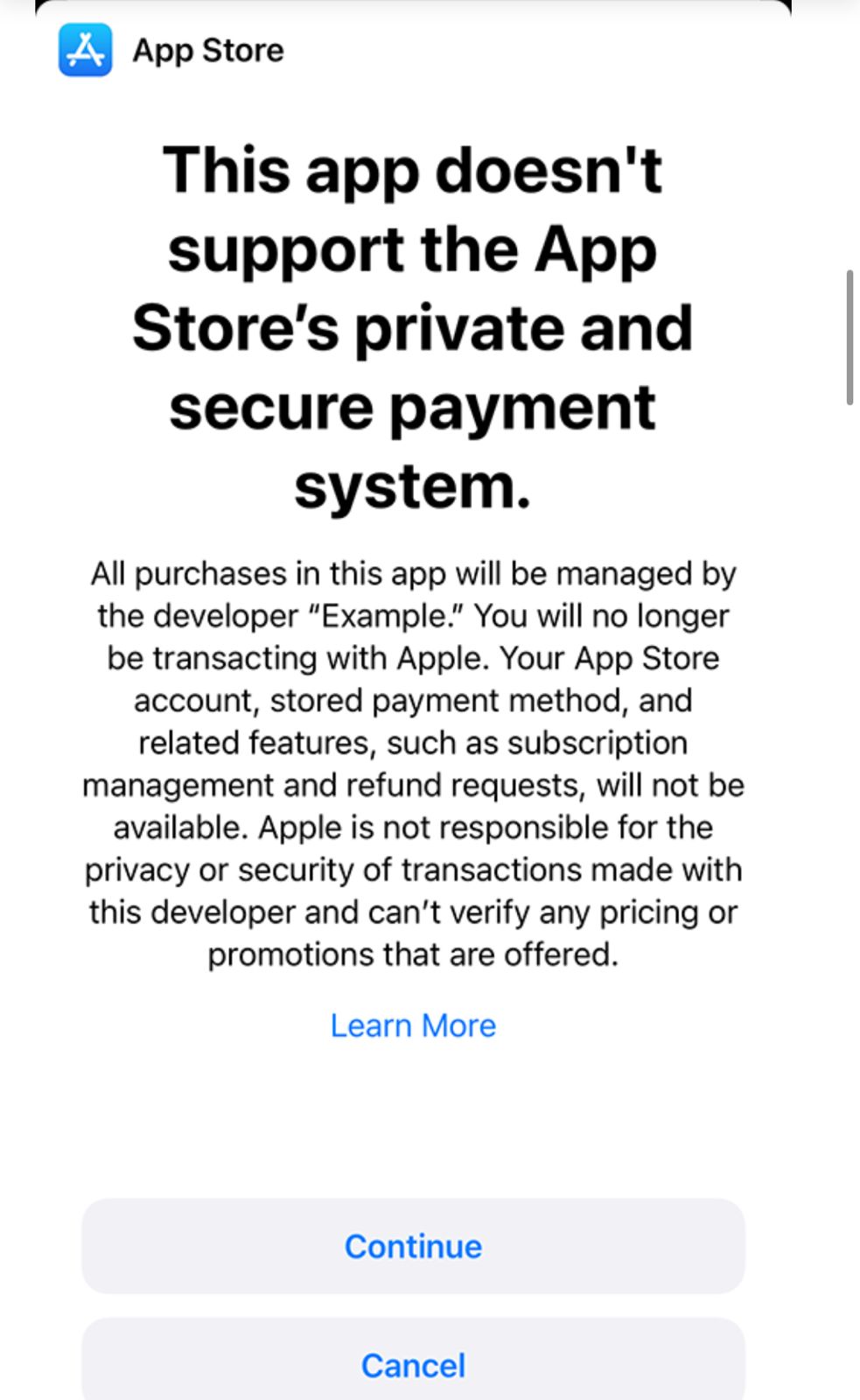
In-app disclosure sheets — that let users know when they are no longer transacting with Apple, and when a developer is directing them to transact using an alternative payment processor.
New App Review processes — to verify that developers accurately communicate information about transactions that use alternative payment processors.
Expanded data portability on Apple’s Data & Privacy site — where EU users can retrieve new data about their usage of the App Store and export it to an authorized third party.
For apps that use alternative payment processing, Apple will not be able to issue refunds, and will have less ability to support customers encountering issues, scams, or fraud. Helpful App Store features — like Report a Problem, Family Sharing, and Ask to Buy — will also not reflect these transactions. Users may have to share their payment information with additional parties, creating more opportunities for bad actors to steal sensitive financial information. And on the App Store, users’ purchase history and subscription management will only reflect transactions made using the App Store’s In-App Purchase system.
What are the New Business Terms for Apps in the EU ?
Also today, Apple is sharing new business terms available for developers’ apps in the European Union. Developers can choose to adopt these new business terms, or stay on Apple’s existing terms. Developers must adopt the new business terms for EU apps to use the new capabilities for alternative distribution or alternative payment processing.
The new business terms for apps in the EU are necessary to support the DMA’s requirements for alternative distribution and payment processing. That includes a fee structure that reflects the many ways Apple creates value for developers’ businesses — including distribution and discovery on the App Store, the App Store’s secure payment processing, Apple’s trusted and secure mobile platform, and all the tools and technology to build and share innovative apps with users around the world.
Developers operating under either set of business terms can continue to use the App Store’s secure payment processing and share their apps on the App Store in the EU. And both sets of business terms reflect Apple’s long-standing work to make the app ecosystem the best opportunity for all developers.
Developers operating under the new business terms will have the option to distribute their iOS apps from the App Store and/or alternative app marketplaces. These developers can also choose to use alternative payment processors in their EU apps on the App Store, across Apple’s operating systems.
The new business terms for iOS apps in the EU have three elements:
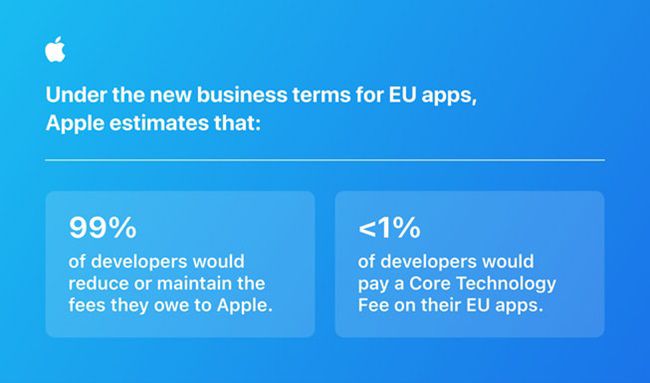
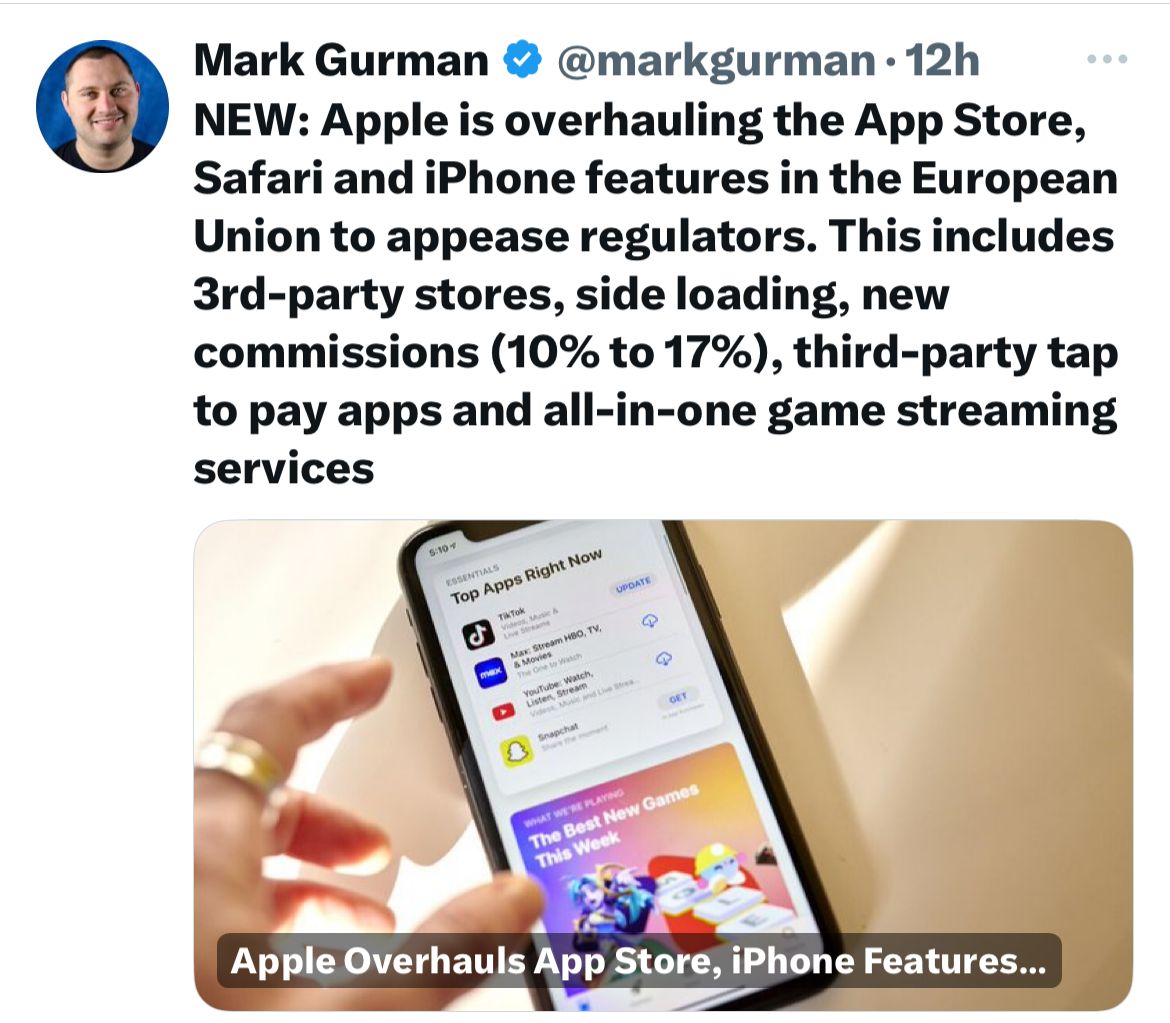
Reduced commission — iOS apps on the App Store will pay a reduced commission of either 10 percent (for the vast majority of developers, and subscriptions following their first year) or 17 percent on transactions for digital goods and services.
Payment processing fee — iOS apps on the App Store can use the App Store’s payment processing for an additional 3 percent fee. Developers can use a payment service provider within their app or link users to their website to process payments for no additional fee to Apple.
Core Technology Fee — iOS apps distributed from the App Store and/or an alternative app marketplace will pay €0.50 for each first annual install per year over a 1 million threshold.
For apps on iPadOS, macOS, watchOS, and tvOS in the EU, developers who process payments using a PSP or by linking out to their website will get a 3 percent discount on the commission they owe to Apple.
Apple is also sharing a fee calculator tool and new reports to help developers estimate the potential impact of the new business terms on their app businesses. Developers can learn more about the changes for EU apps on a new Apple Developer Support page and can begin testing these capabilities today in the iOS 17.4 beta.
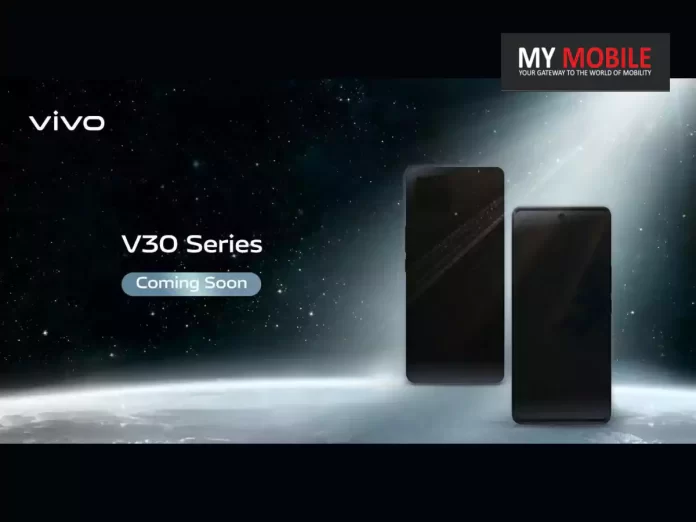
The potential launch is going to come at the heels of the V30 Lite’s debut last December.
As a confirmation, Vivo Philippines recently teased the Vivo V30 5G, which is almost always a hint at an imminent arrival.
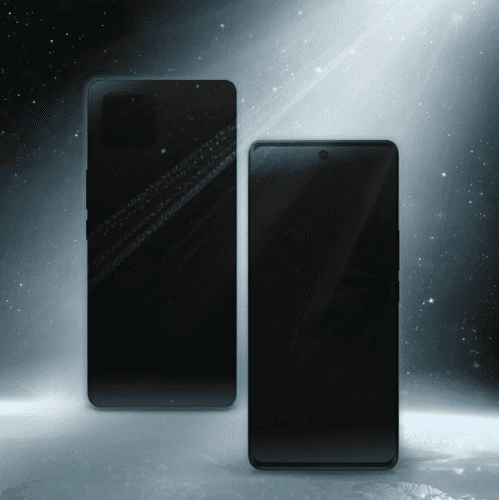
The teaser image reveals a slim design featuring a curved screen with a punch-hole cutout, alongside a distinctive square camera island at the back, though specifics of the camera modules remain under wraps.
Vivo V30 5G: Potential Specs
Vivo V30 5G: Potential Specs
Positioned as the direct successor to the Vivo V29, the Vivo V30 5G is anticipated to elevate the user experience with its remarkable camera capabilities, ample storage, and a powerful chipset ensuring smooth performance.
Recent leaks and benchmarks have shed light on the technical prowess of the Vivo V30 5G.
This benchmark listing also indicates that the V30 5G will boast 12GB of RAM and come pre-loaded with Android 14, promising a robust and efficient user experience right out of the box.
Other specs are not as of yet known but from the kind of specs that we already know, it wouldn’t be too much of a stretch to imagine a device with a more than decent viewing experience along with a healthy battery life.
We will let you know as and when more information about the Vivo V30 arrives.
Regulatory Insights
Regulatory Insights
The Vivo V30 5G’s journey through various regulatory approvals has also been noted, with the model number V2318 appearing on FCC, IMDA, NBTC, TDRA, and Bluetooth SIG certification websites.
Particularly, the Vivo V30 FCC listing disclosed the handset’s software version as PD2323IF_EX_A_14.0.2.21.W30, leading to speculations that the Vivo V30 5G could be a rebranded version of the Vivo S18 from the Chinese market.
What is the Vivo V30 5G and where is it launching?
The Vivo V30 5G is the latest addition to Vivo’s V30 series, and it has been recently teased by Vivo Philippines, signaling its upcoming launch in the Philippines.
What are the expected specifications of the Vivo V30 5G?
Anticipated to include a Qualcomm Snapdragon 7 Gen 3 processor, 12GB of RAM, and Android 14, the Vivo V30 5G is set to offer a powerful and efficient performance.
How does the Vivo V30 5G compare to its predecessor?
As the successor to the Vivo V29, the Vivo V30 5G is expected to surpass its predecessor with improved camera capabilities, more storage, and better overall performance.
What design features does the Vivo V30 5G showcase?
The Vivo V30 5G boasts a sleek design with a curved screen, punch-hole cutout, and a distinctive square camera island, as revealed in the teaser by Vivo Philippines.
Has the Vivo V30 5G received any regulatory approvals?
Yes, the Vivo V30 5G, with model number V2318, has appeared on various certification websites, including FCC, IMDA, NBTC, and Bluetooth SIG, hinting at its readiness for launch.
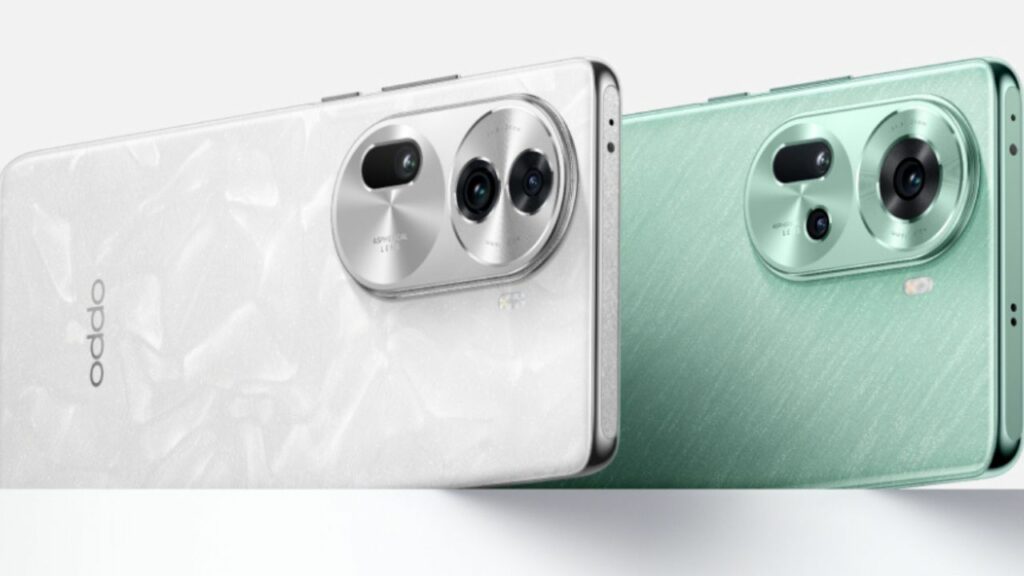
Looking at the price and the specs on offer, there is every reason to think that the Reno 11 is attracting attention and will likely be an appealing choice for smartphone enthusiasts.
Affordable Pricing and Exclusive Discounts
Affordable Pricing and Exclusive Discounts
The base model of the Oppo Reno 11 5G, which comes with 8GB of RAM and 128GB of storage, was initially priced at Rs 29,999.
However, it’s now being offered at a significantly reduced price of Rs 23,999 on Flipkart.
This steep discount includes a Rs 3,000 reduction for using specific bank cards and an additional Rs 3,000 off when using Flipkart’s super coins.
Oppo Reno 11 5G Now Up for Sale in India
The higher-end model, featuring 8GB RAM and 256GB storage, originally priced at Rs 31,999, is now available at a discounted price of Rs 28,999.
This price reduction is mainly due to bank card discounts.
It comes with a 6.7-inch FHD+ AMOLED curved display that supports a 120Hz refresh rate, offering crisp and smooth visuals.
The screen also supports HDR and has a peak brightness of 950 nits.
For photography enthusiasts, the Reno 11 featuresa 50MP main camera with OIS stabilization, an 8MP ultra-wide camera, and a 32MP telephoto camera with 2X optical zoom. It also includes a 32MP front camera for high-quality selfies.
The device offers 8GB of LPDDR4X RAM and comes in two storage variants – 128GB and 256GB, both using the fast UFS 3.1 technology.
Additional notable features include an in-display fingerprint sensor, infrared sensor, and various connectivity options like 5G, Wi-Fi, Bluetooth 5.2, USB Type-C, and NFC.
The phone is backed by a 5000mAh battery, supporting 67W SuperVOOC fast charging, making it a powerhouse for daily use.
Photo, portrait, night view, panorama, professional, cutie, super text, video, movie, multi-view video, ultra-clear quality, AI ID photo, time-lapse photography, slow motion, scan
Video Recording
4K @ 30 fps UHD, 1080p @ 30 fps FHD
Flash
Yes, LED
Front Camera
Punch Hole 32 MP f/2.4 (Wide Angle)
Front Video Recording
1080p @ 30 fps FHD
TECHNICAL
OS
Android v14
Custom UI
ColorOS V14
CPU
Octa Core Processor
Java
No
Browser
Yes
MULTIMEDIA
Email
Yes
Music
Yes
Video
Yes
FM Radio
No
Document Reader
Yes
BATTERY
Type
Non-Removable Battery
Size
5000 mAh, Li-Po Battery
Fast Charging
Yes, 150W Fast Charging
Reverse Charging
Yes
FAQs
What are the pricing details for Oppo Reno 11 5G in India?
The Oppo Reno 11 5G is priced at ₹23,999 for the 8GB/128GB model and ₹28,999 for the 8GB/256GB model, with additional bank card and Flipkart super coin discounts.
What makes the Oppo Reno 11 5G’s display stand out?
The smartphone boasts a 6.7-inch FHD+ AMOLED display with a 120Hz refresh rate, offering vibrant and smooth visuals, ideal for gaming and streaming.
Can you detail the camera specifications of the Oppo Reno 11 5G?
The device features a 50MP primary camera with OIS, an 8MP ultra-wide lens, a 32MP telephoto camera, and a 32MP front camera, catering to diverse photography needs.
What are the performance capabilities of the Oppo Reno 11 5G?
Powered by the Dimensity 7050 SoC and running on Android 14-based ColorOS 14, the phone promises efficient performance and future software updates.
What are the camera specifications for the Oppo Reno 11 series?
The Oppo Reno 11 series includes a 32MP telephoto portrait camera and a 50MP Sony IMX890 sensor.
The series also features an 8MP ultra-wide-angle sensor, enhancing the photography experience.
What display features can be expected in the Oppo Reno 11 series?
The series is expected to have curved displays with a centered punch-hole notch, supporting a 120Hz refresh rate and HDR10+ for enhanced visual quality.
What are the processor and battery specifications for the Reno 11 Pro?
The Reno 11 Pro is confirmed to have the MediaTek Dimensity 8200 SoC, a 4600mAh battery, and supports 80W SuperVOOC fast charging.
How does the standard Reno 11 model compare to the Pro variant?
The standard Reno 11 model will feature a 6.7-inch OLED display and the MediaTek Dimensity 7050 chipset.
It also comes with a 50MP primary camera and a 4,800mAh battery supporting 67W charging.