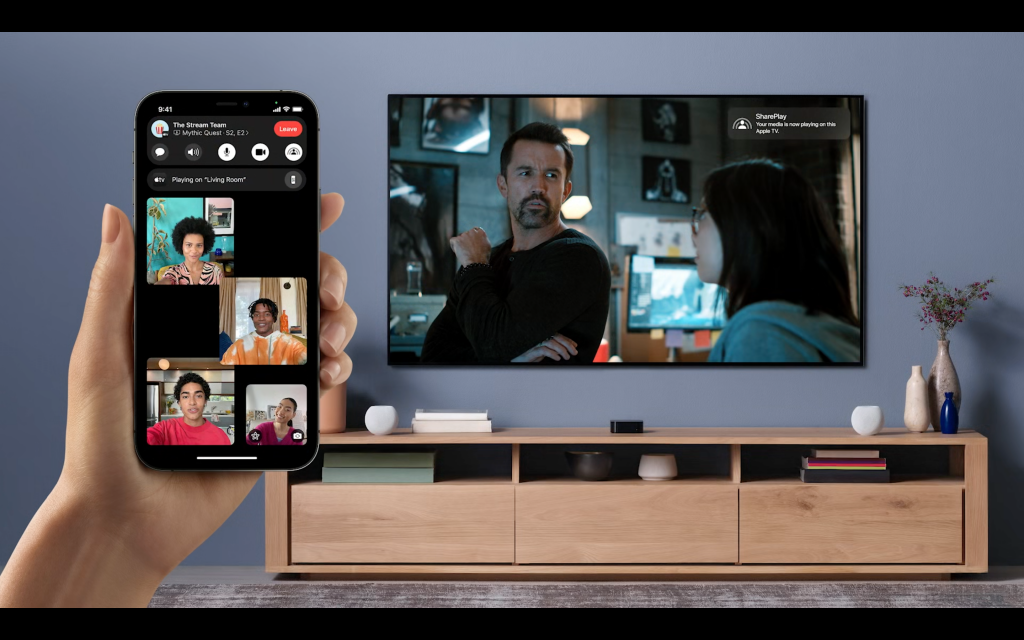
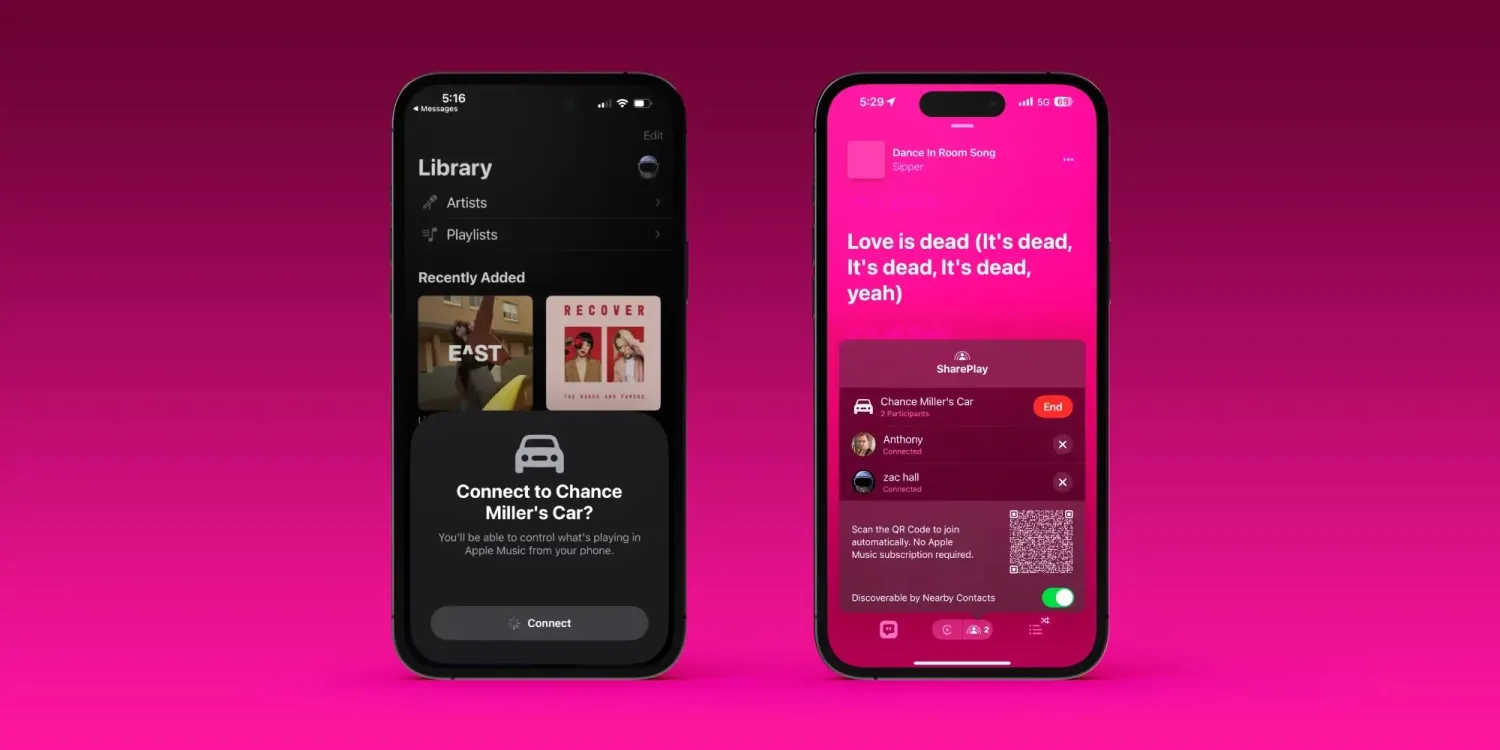
This latest software enhancement brings the Apple Music SharePlay experience, previously limited to CarPlay, into the comfort of your living room with full compatibility for HomePod and Apple TV.
Integrating SharePlay into the Home Environment
Integrating SharePlay into the Home Environment
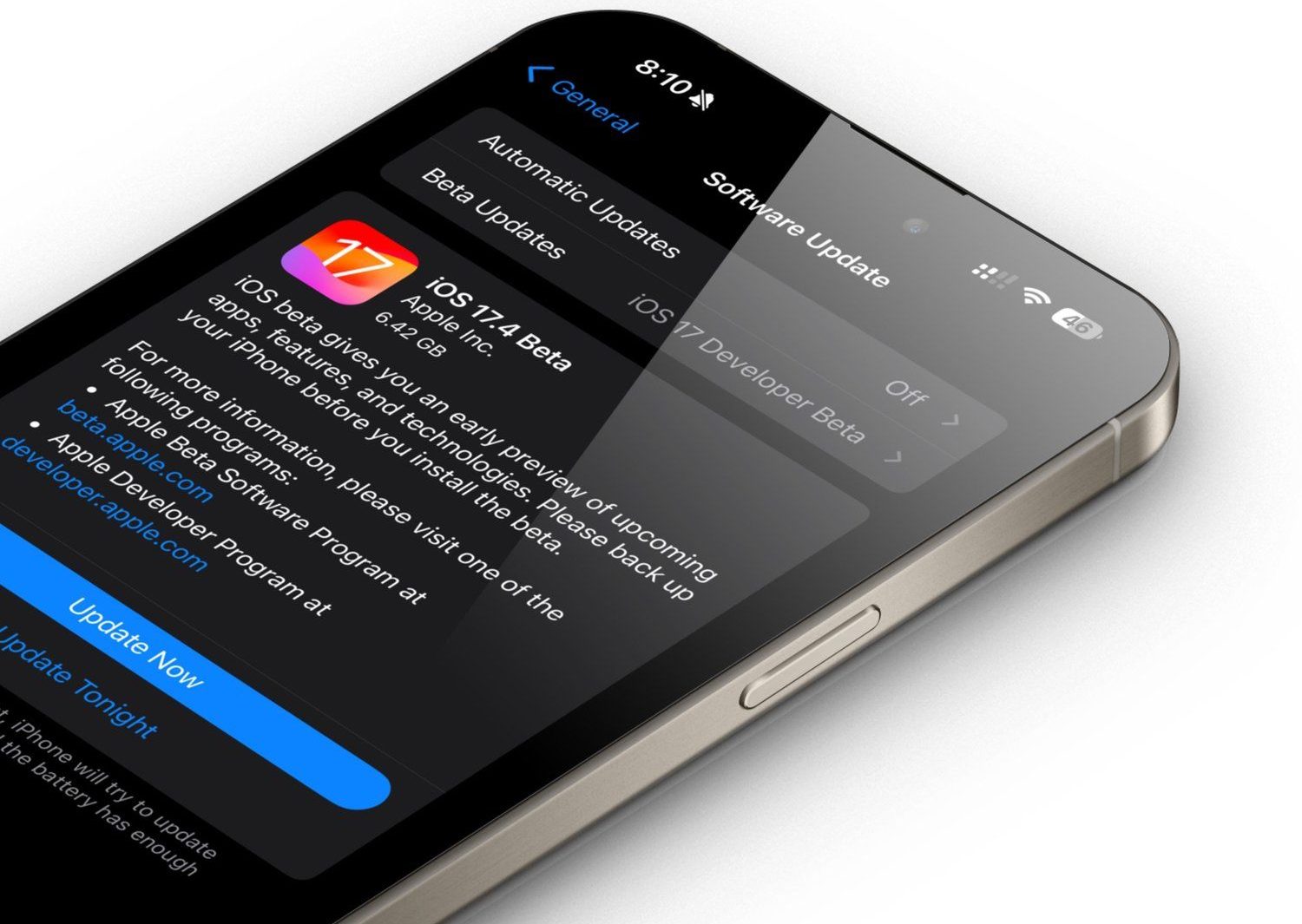
With the release of iOS 17.4, along with tvOS 17.4 and HomePod 17.4 updates, users will experience a new level of music control.
First reported by Joe Rossignol from MacRumors, the developer betas released this week already feature SharePlay music control for Apple TV and HomePod.
Enhanced Music Sharing Features
Enhanced Music Sharing Features
Utilizing this feature on HomePod, iPhone users with Apple Music subscriptionscan play a song in the Music app, tap the SharePlay icon to create a QR code, which others can scan using their phones, whether iPhone or Android, to request control over the music playback.
This inclusivity extends to both the HomePod and HomePod mini.
For Apple TV users, the tvOS 17.4 update enables the Music app to show a QR code on the TV screen.
Guests can scan this code to gain access to music control through any connected speaker.
The beauty of this system is that only the person initiating the SharePlay session needs to be an Apple Music subscriber.
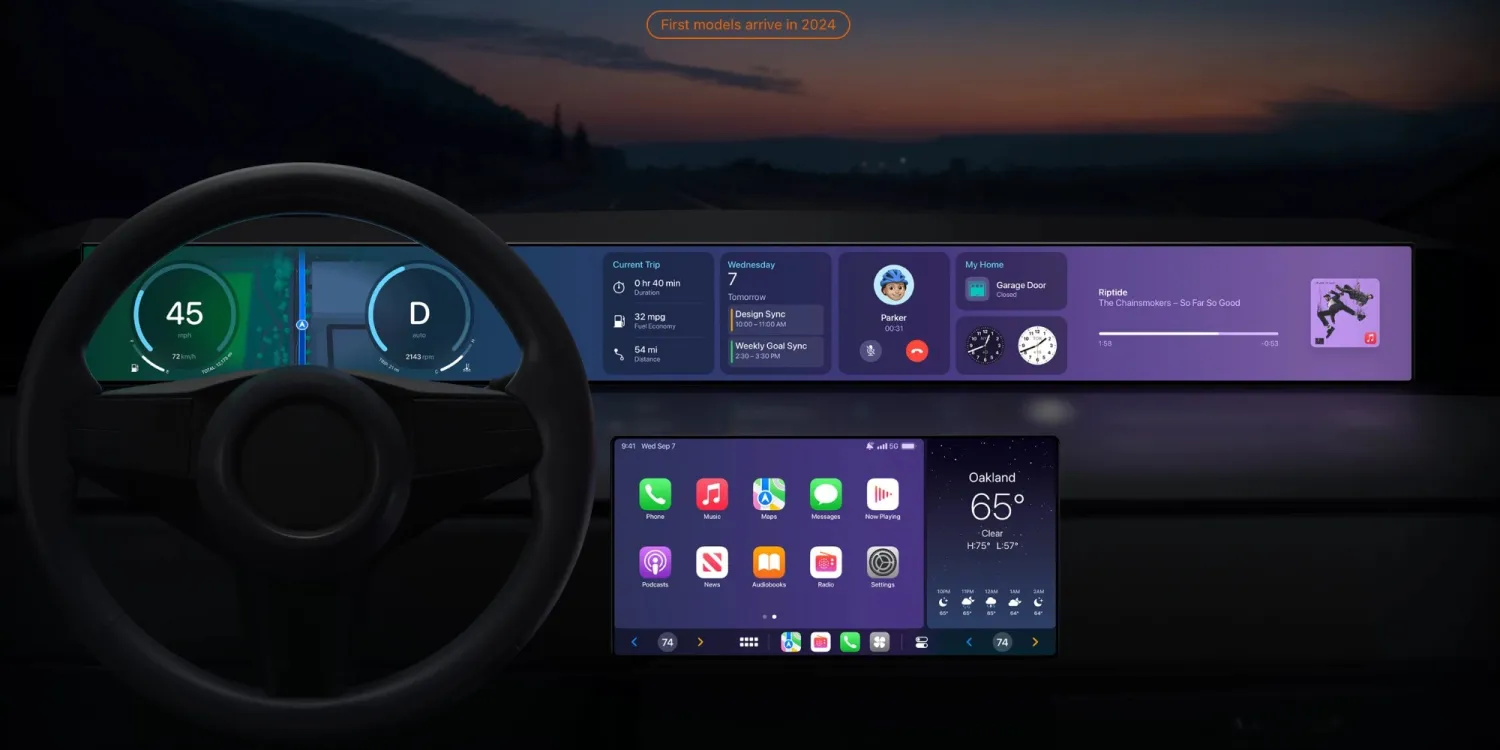
This update, as noted by Joe Rossignol at MacRumors, includes a recent amendment to Apple’s CarPlay website, changing “Vehicle announcements coming in late 2023” to “First models arrive in 2024.”
The race to feature this next-gen technology is currently between luxury car brands Porsche and Aston Martin.
However, there’s hope that next-gen CarPlay will also be available in more affordably priced vehicles within the year.
Apple’s iOS 17.4 Update Expands SharePlay to HomePod and Apple TV, CarPlay Set for Next-Gen Upgrade
FAQs
What new features does iOS 17.4 introduce for Apple Music SharePlay?
The iOS 17.4 update extends Apple Music SharePlay functionality from CarPlay to HomePod and Apple TV, allowing users to control music through QR code scanning.
How does SharePlay work on HomePod and Apple TV with the new update?
On HomePod, users can play a song and generate a QR code for others to scan and control music. On Apple TV, a QR code displayed on the screen grants guests music control access.
Is the SharePlay feature on iOS 17.4 limited to Apple devices?
No, SharePlay music control through QR code scanning is compatible with both iPhone and Android devices, enhancing accessibility across platforms.
When can users expect the rollout of the next-gen CarPlay?
Apple has confirmed that the first models with next-gen CarPlay will be available in 2024, with assets in the iOS 17.4 beta indicating its imminent release.
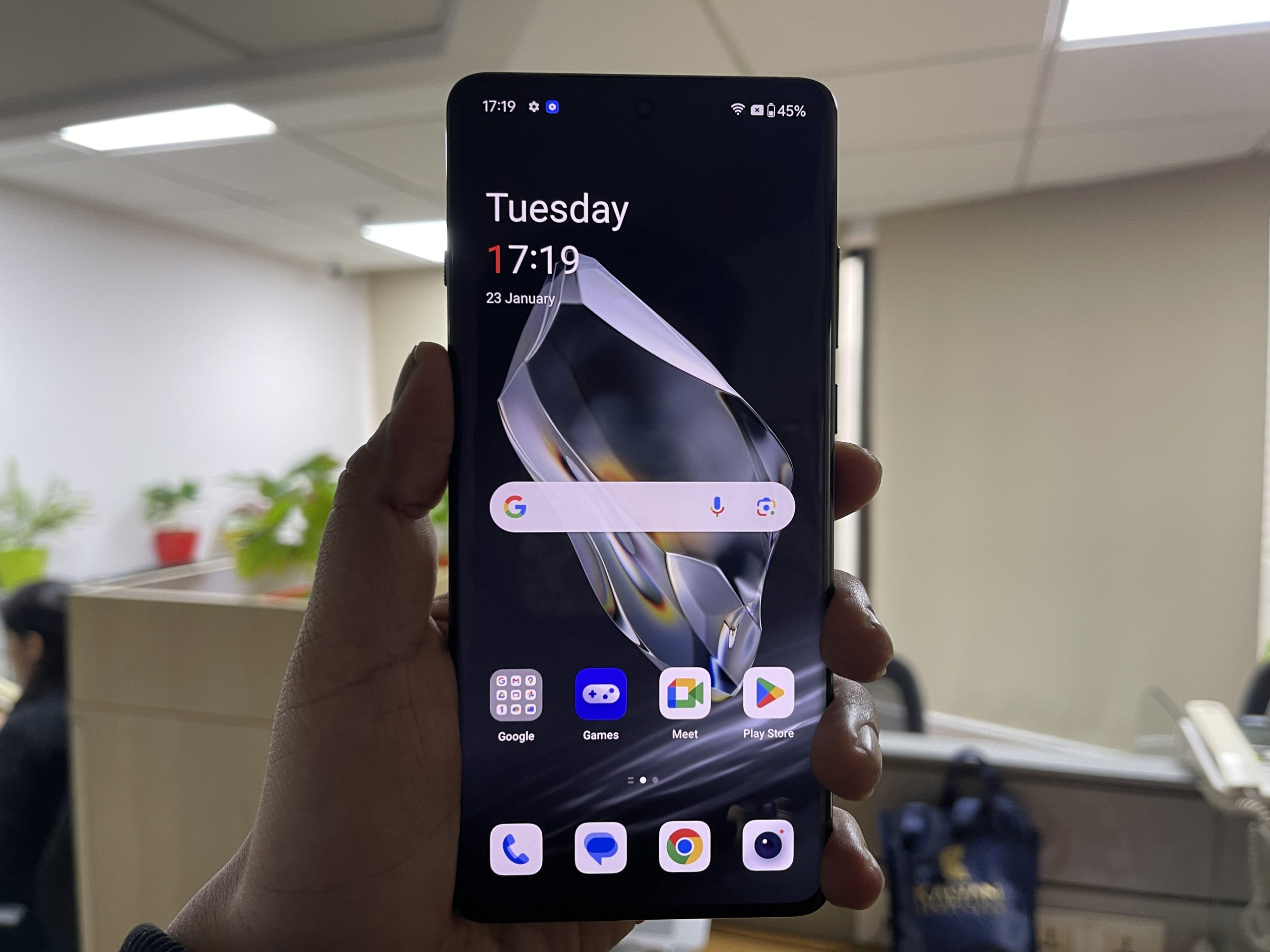
While the launch lacked the recent push to AI that many OEMs have touting, there was emphasis on core improvements, particularly the introduction of the Trinity Engine – a feature aimed at revolutionizing smartphone performance.
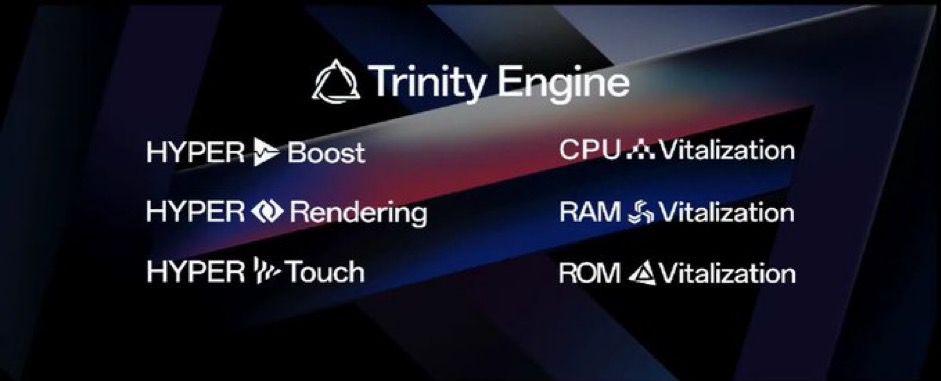
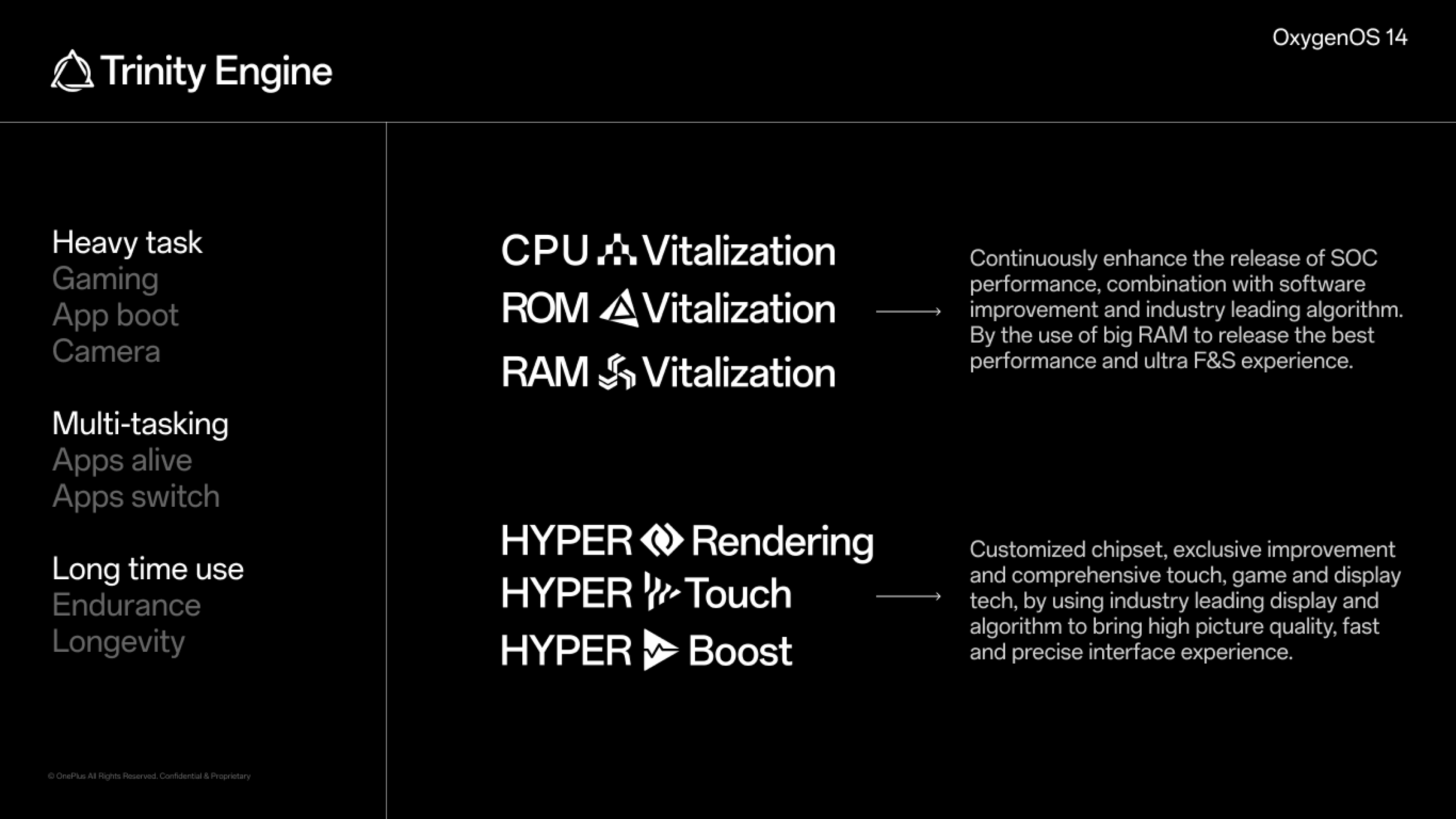
This proprietary engine integrates three key technologies: CPU vitalization, RAM vitalization, and ROM vitalization, each designed to optimize different aspects of the phone’s performance.
CPU Vitalization: Enhancing Performance and Efficiency
CPU Vitalization: Enhancing Performance and Efficiency
CPU vitalization lies at the core of the Trinity Engine.
It’s engineered to maximize the chipset’s performance while judiciously managing battery consumption.
By adjusting the device’s processing power based on usage patterns, this technology ensures that the phone operates swiftly when needed without rapidly depleting the battery.
According to OnePlus, this optimization could result in up to an additional 30 minutes of battery life, a significant boost for power users.
RAM Vitalization: Smarter Memory Usage
RAM Vitalization: Smarter Memory Usage
The RAM vitalization component acts as an intelligent memory allocator. It prioritizes active tasks and efficiently manages the phone’s memory.
By doing so, it reduces instances of app slowdowns and abrupt task terminations, thereby enhancing the smoothness of multitasking and app usage.
This facet of the Trinity Engine ensures that users experience a consistently fluid interaction with their OnePlus 12 device, especially when navigating through multiple applications.
ROM Vitalization: Sustaining Long-Term Performance
ROM Vitalization: Sustaining Long-Term Performance
It works by keeping the phone’s storage system efficient and clutter-free, which is key to maintaining a high level of performance over time.
This aspect of the Trinity Engine is particularly significant for ensuring that the OnePlus 12 series retains its responsiveness andspeed, even after years of usage.
What is the Trinity Engine in the OnePlus 12 series?
The Trinity Engine is a new feature in the OnePlus 12 series that enhances the phone’s overall performance.
It consists of CPU, RAM, and ROM vitalization technologies, each designed to optimize different aspects of the phone’s functionality.
How does the CPU vitalization in the Trinity Engine benefit OnePlus 12 users?
CPU vitalization in the Trinity Engine boosts the processing power when needed while efficiently managing battery usage. This results in a faster device with extended battery life.
What role does RAM vitalization play in the OnePlus 12’s Trinity Engine?
RAM vitalization in the Trinity Engine manages memory allocation, ensuring active tasks are prioritized and reducing slowdowns, for a smoother multitasking experience.
Can older OnePlus models receive the Trinity Engine update?
The Trinity Engine is a software-based feature and will be available to older OnePlus smartphones compatible with Oxygen OS 14, although performance may vary based on hardware.
Smooth Beyond Belief: OnePlus Debuts the OnePlus 12 . Details?
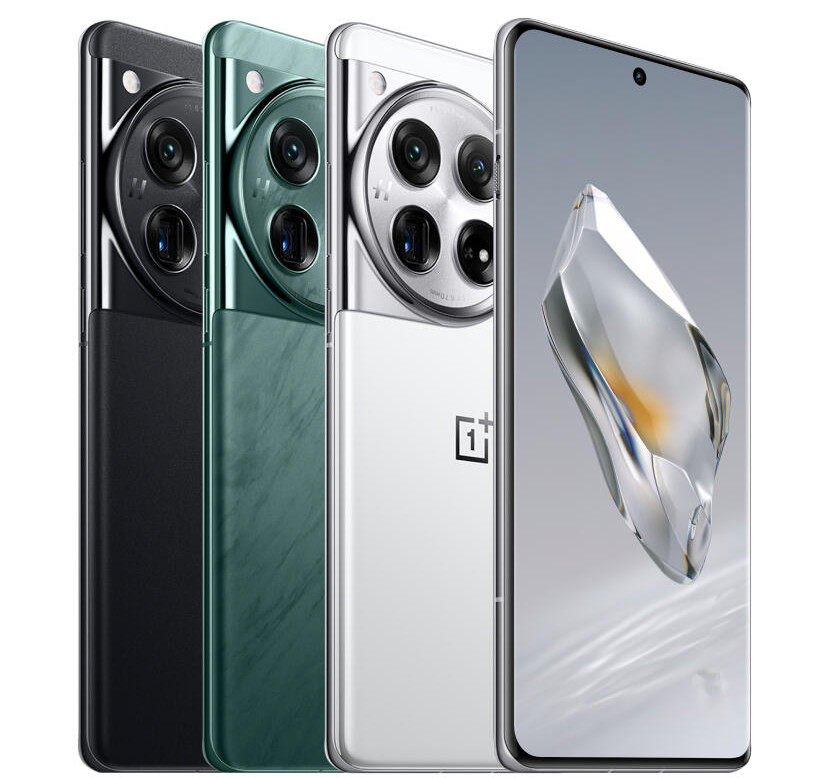
OnePlus officially launched its latest flagship smartphone, the OnePlus 12, at Pragati Maidan in New Delhi.
Representing the culmination of OnePlus’ decade-long pursuit for excellence and innovation, the OnePlus 12 boasts the Snapdragon® 8 Gen 3 Mobile Platform, the proprietary Trinity Engine, the 4th Gen Hasselblad Camera for Mobile, a new 2K 120Hz ProXDR display, 100W SUPERVOOC fast charging, 50W AIRVOOC wireless charging, and OnePlus’ iconic modern elegant design, delivering an unparalleled flagship experience that is incredibly fast and smooth.
“As we celebrate the tenth anniversary of OnePlus with our loyal users worldwide, we are thrilled to introduce the OnePlus 12 — an all-round flagship phone that embodies our decade-long leadership in technology,” said Pete Lau, Founder of OnePlus.
“With our ‘Never Settle’ mantra, OnePlus is dedicated to bringing innovative ideas to life and disrupting the mobile industry. With the OnePlus 12, we have created a true masterpiece, combining advanced technologies from OnePlus and our partners to make it one of the best flagship smartphones in the year 2024.”
How does OnePlus 12 give Long-lasting Fast and Smooth Experiences ?
The OnePlus 12 is designed to deliver an uncompromising performance. At the heart of the OnePlus 12 is Qualcomm’s latest Snapdragon® 8 Gen 3 mobile platform, an ultra-intelligent chip promising top-tier performance and power efficiency with up to 30% improved CPU performance and a 25% enhancement in GPU performance.
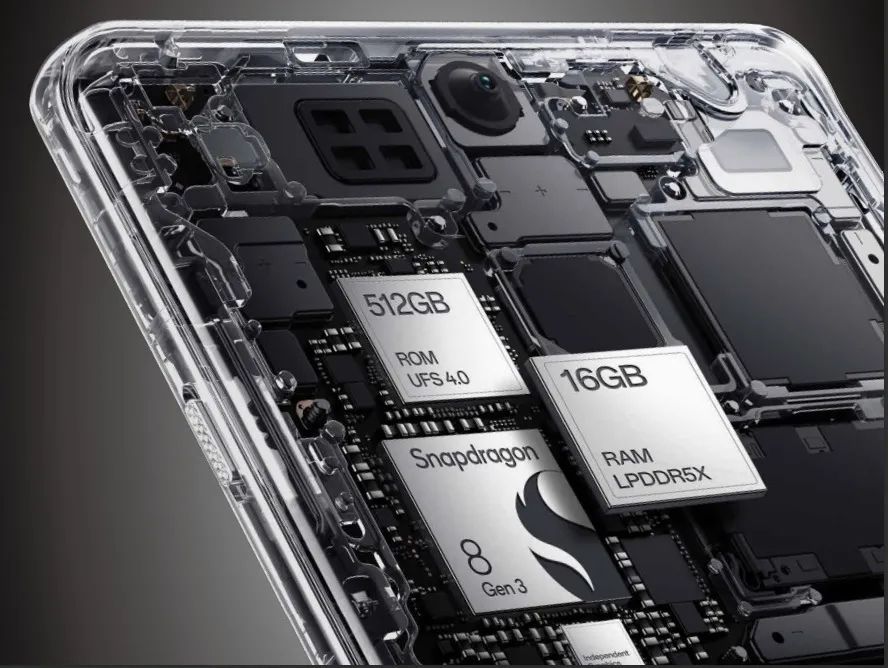
Empowered by the proprietary Trinity Engine and equipped with up to 16GB of LPDDR5X RAM and 512GB of UFS 4.0 ROM, the OnePlus 12 can keep applications readily available in the background for 72 hours1. In addition, OnePlus 12 is the first Snapdragon 8 Gen 3 device to be approved as Snapdragon Spaces™ Ready.
This will allow developers to bring their XR ideas to life and explore the full potential of head-worn AR.
The OnePlus 12 introduces an industry-leading Dual Cryo-velocity VC Cooling System, featuring a 3D capillary dissipation structure and a dual VC design with OnePlus’ largest-ever surface area covering 9,140 mm², revolutionizing the flow of the coolant to significantly reduce overheating.
Crafted using a unibody die-casting manufacturing process, the larger VC consistently absorbs heat from the smaller VC to accelerate the entire heat dissipation process, making the OnePlus 12 a versatile companion for activities such as marathon gaming sessions, pro-level video editing, and concurrent charging without risk of overheating.
With support for 100W SUPERVOOC Endurance Edition and a 5400mAh big battery, the OnePlus 12 reduces the time spent tethered to an outlet, allowing users to use the device more freely.
The OnePlus 12 takes only 26 minutes from 1% to 100% battery capacity courtesy of its 100W SUPERVOOC fast-charging function.
In North America, the OnePlus 12 charges with 80W SUPERVOOC Endurance Edition that can take only 30 minutes from 1% to 100% battery capacity. The long-awaited 50W AIRVOOC wireless charging also makes its debut in the OnePlus 12, providing a reliable alternative for those who prefer a cable-free lifestyle.
Harnessing the power of a twin-battery design with each cell charging at an impressive 25W, the 50W AIRVOOC outpaces even some of the most advanced wired charging solutions while offering unmatched efficiency.
As a result, the OnePlus 12 has proven its capability to run Genshin Impact at maximum settings, achieving an impressive and consistent frame rate of 57.4FPS3 (Frames Per Second) during a rigorous 3-hour testing session.
Furthermore, its exceptional battery performance enables it to sustain 5.5 hours of continuous video shooting at 1080p resolution, operating at 30Hz.
In addition, the all-round flagship experience on the OnePlus 12 is boosted further by powerful and stable wireless signal performance. The omnidirectional antenna design, with a total of 16 antennas, enables the OnePlus 12 to unleash the full potential of high-speed connectivity.
Will older OnePlus smartphones receive the Trinity Engine feature?
The Trinity Engine platform is a software-based feature and will eventually make its way to previous OnePlus smartphones compatible with Oxygen OS 14. However, it’s worth noting that the Trinity Engine platform could work differently on older OnePlus devices.
HMD Global Reportedly Set to Unveil Smartphone Range, Marking a Shift from Nokia
Highlights
HMD Global to debut its own smartphone range at MWC 2024.
Leaked model N159V potentially partnering with US carrier Verizon.
Six new models including Pulse and Legend series in the works.
HMD’s transition from Nokia branding to own range emphasizes quality and affordability.
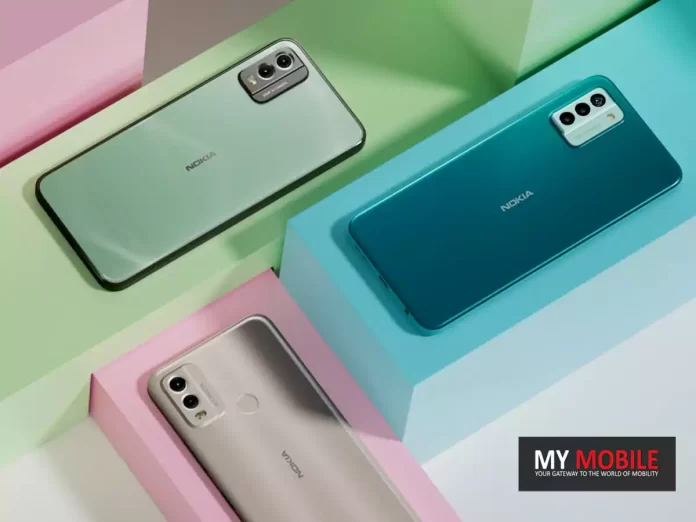
Finnish tech company HMD Global, renowned for revitalizing the Nokia brand, is set to make a significant leap this year by introducing its own range of smartphones.
This launch is set to take place reportedly at MWC next month and there are likely to be several offerings that are going to be in the mix.
Anticipated Debut at MWC 2024
Anticipated Debut at MWC 2024
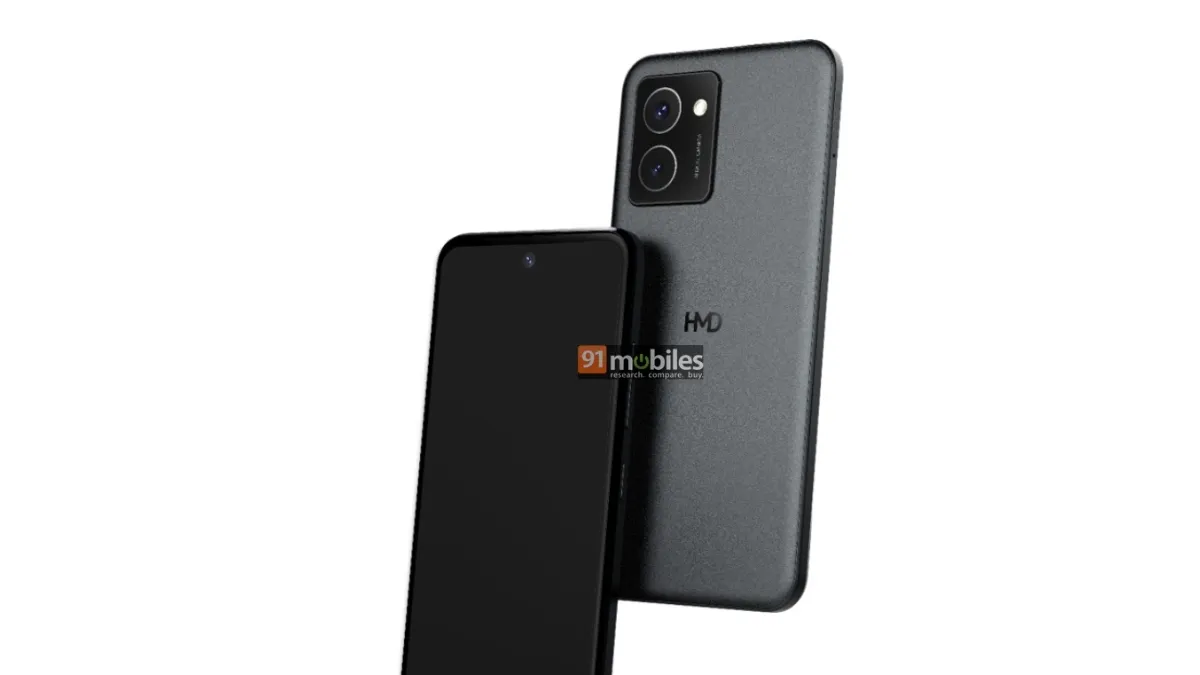
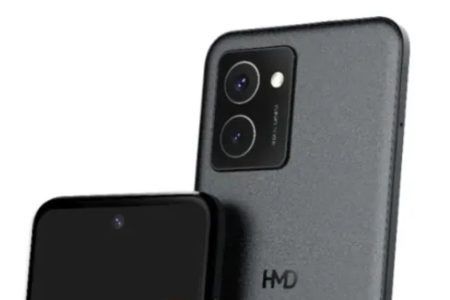
Recently, a glimpse of what’s to come was revealed with the leak of an HMD-branded phone, model number N159V.
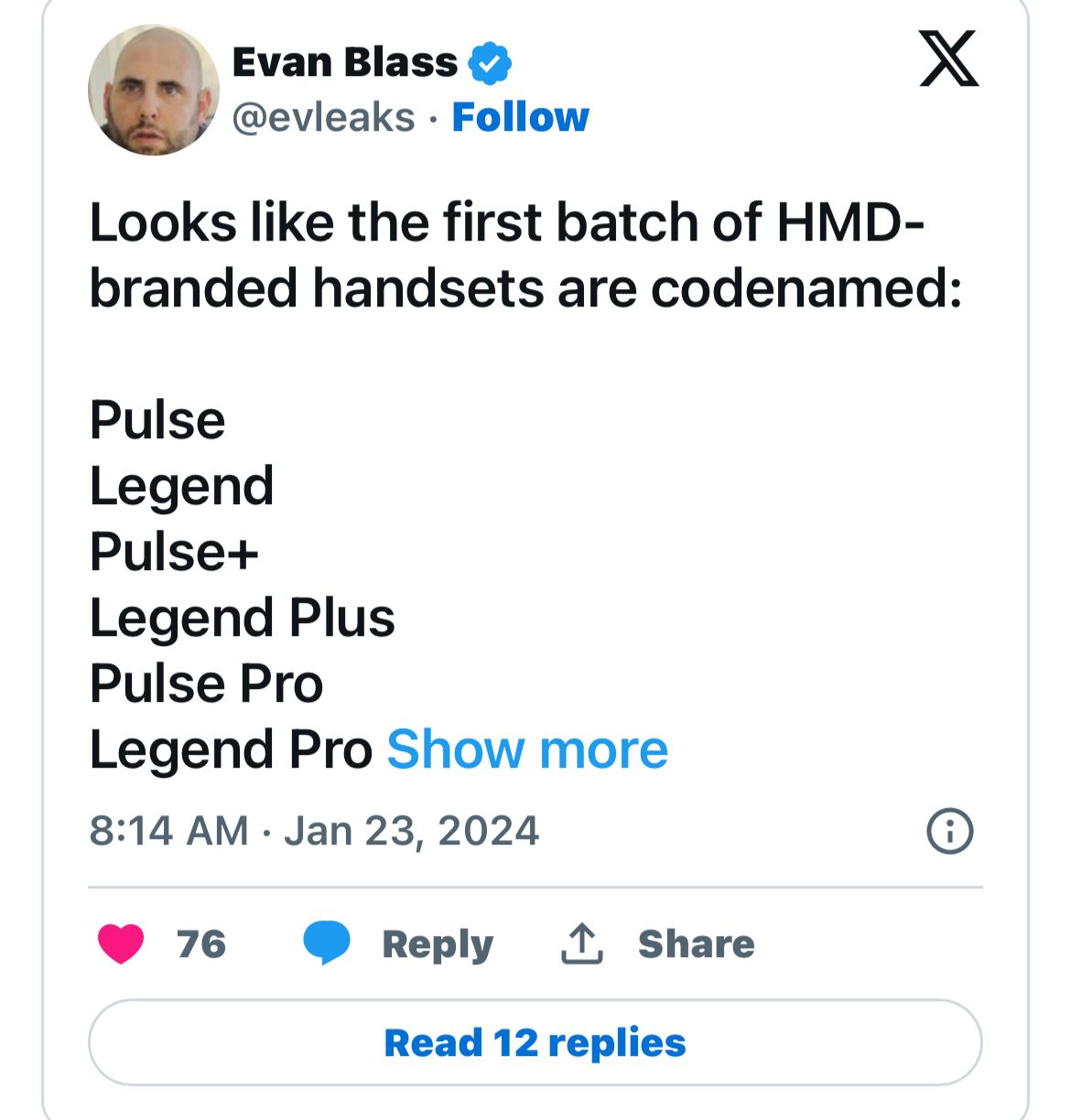
Notably, tech insider Evan Blass has hinted that this model might find a home with at least one US carrier, Verizon.
This partnership could signal HMD’s intention to broaden its market reach, particularly in the US.
Adding to the excitement, Evan Blass has shared further insights, suggesting that HMD is not just stopping at one model.
The Finnish handset maker is reportedly working on at least six differentHMD-branded smartphones.
HMD Global Reportedly Set to Unveil Smartphone Range, Marking a Shift from Nokia
With intriguing codenames like Pulse, Legend, Pulse+, Legend Plus, Pulse Pro, and Legend Pro, these upcoming devices promise variety and innovation.
However, it remains to be seen which of these models will be available in the US market or indee the Indian market.
For several years, HMD Global has been contemplating a shift away from the Nokia brand to carve out its unique niche.
2024 appears to be the year this transition becomes a reality.
The company’s experience in manufacturing Nokia phones for nearly seven years is likely going to be a strong foundation for this new endeavour.
Expectations for Quality and Affordability
Expectations for Quality and Affordability
There is a hopeful expectation that HMD’s own-branded smartphones will continue the legacy of reliability and affordability that Nokia-branded phones are known for.
We have been assured of HMD’s proven track record which we believe can turn this new chapter into a success story.
FAQs
What is HMD Global planning to launch at MWC 2024?
HMD Global is expected to introduce its own range of smartphones at MWC 2024, marking a significant shift from its focus on revitalizing the Nokia brand.
Has any information been leaked about HMD Global’s new smartphones?
Yes, a leak revealed the model number N159V, an HMD-branded phone, with speculation that it might be offered through Verizon in the US.
How many new models is HMD Global reportedly working on?
According to tech insider Evan Blass, HMD Global is developing at least six new models, including the intriguingly named Pulse and Legend series.
Will HMD Global’s new smartphones be available in markets outside the US?
While details about global availability are still unclear, there is anticipation around which models from HMD Global’s new range will be released in various international markets, including the US and India.
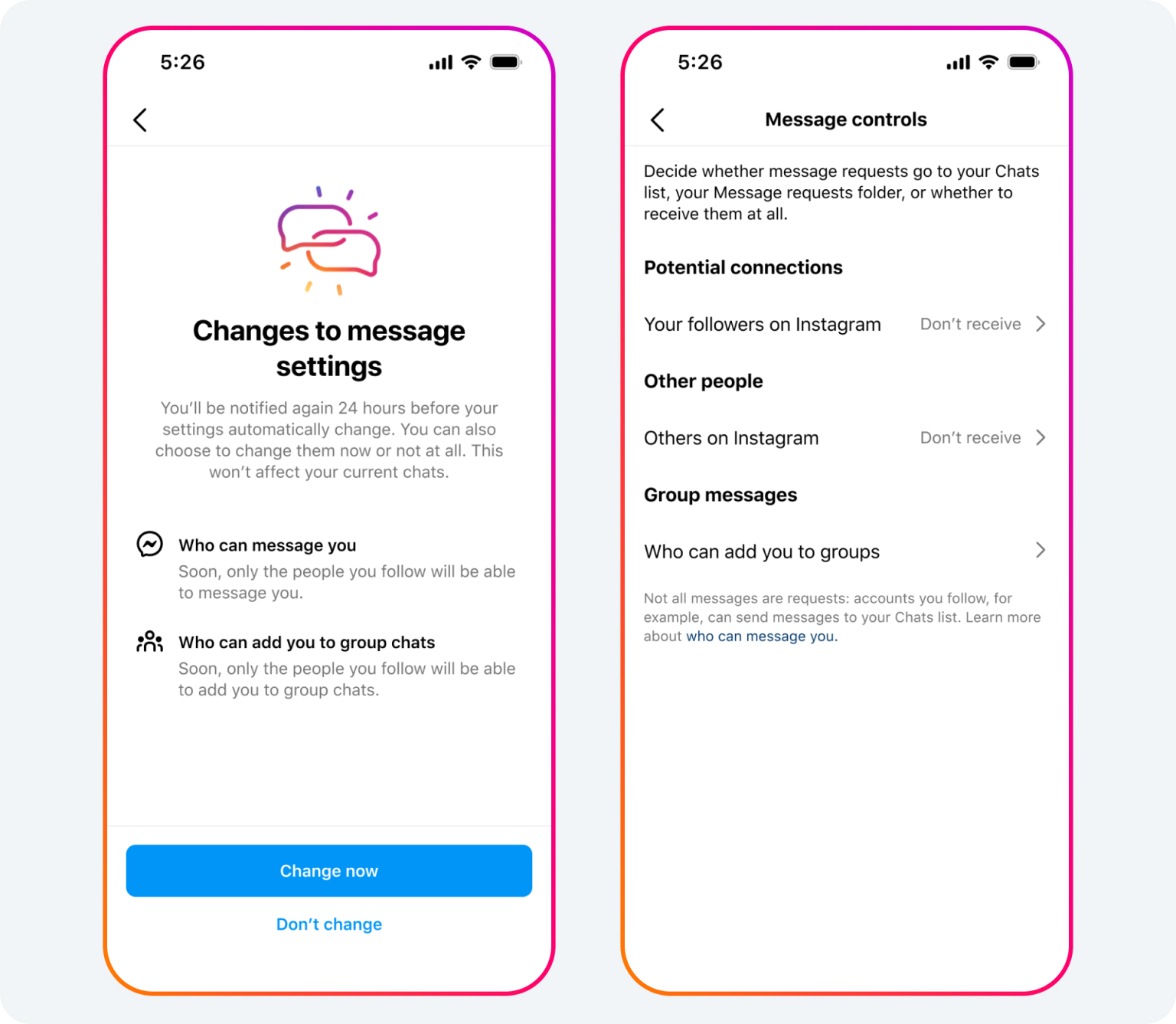
Meta introduces stricter messaging settings for teens on Instagram and Facebook.
Teens restricted from receiving DMs from unknown contacts by default.
Upcoming feature to filter inappropriate content in messages for teens.
Enhanced parental supervision tools for better control over teens’ online settings.
In an effort to enhance online safety for teenagers, Meta has introduced a seriesof new measures on Instagram and Facebook, focusing on stricter private messaging settings and enhanced parental supervision tools.
“Under this new default setting, teens can only be messaged or added to group chats by people they already follow or are connected to, helping teens and their parents feel even more confident that they won’t hear from people they don’t know in their DMs,” Meta added.
New Messaging Restrictions for Enhanced Teen Safety
New Messaging Restrictions for Enhanced Teen Safety
Meta has announced significant updates to private messaging settings on Instagram to safeguard teens from unwanted contact.
The new default setting restricts teens from receiving direct messages (DMs) from anyone they don’t follow or aren’t connected to on the platform, including other teens.
This change, Meta says, aims to provide a safer online environment by ensuring that teens only interact with known contacts in their DMs.
For teenagers under the age of 16 (or under 18 in certain countries), this setting will be the norm. Existing users will be notified of this change through a notification in their Instagram feed.
Similarly, on Facebook Messenger, teens will only be able to receive messages from Facebook friends or people they’re connected to through phone contacts.
This feature, which will be compatible with encrypted chats, is set to launch later in the year, further enhancing the safety protocols for teen users.
Parental Supervision Tools Strengthened
Parental Supervision Tools Strengthened
Since the launch of parental supervision on Instagram in March 2022, Meta has been expanding its features to allow parents to play a more active role in their teens’ online experiences.
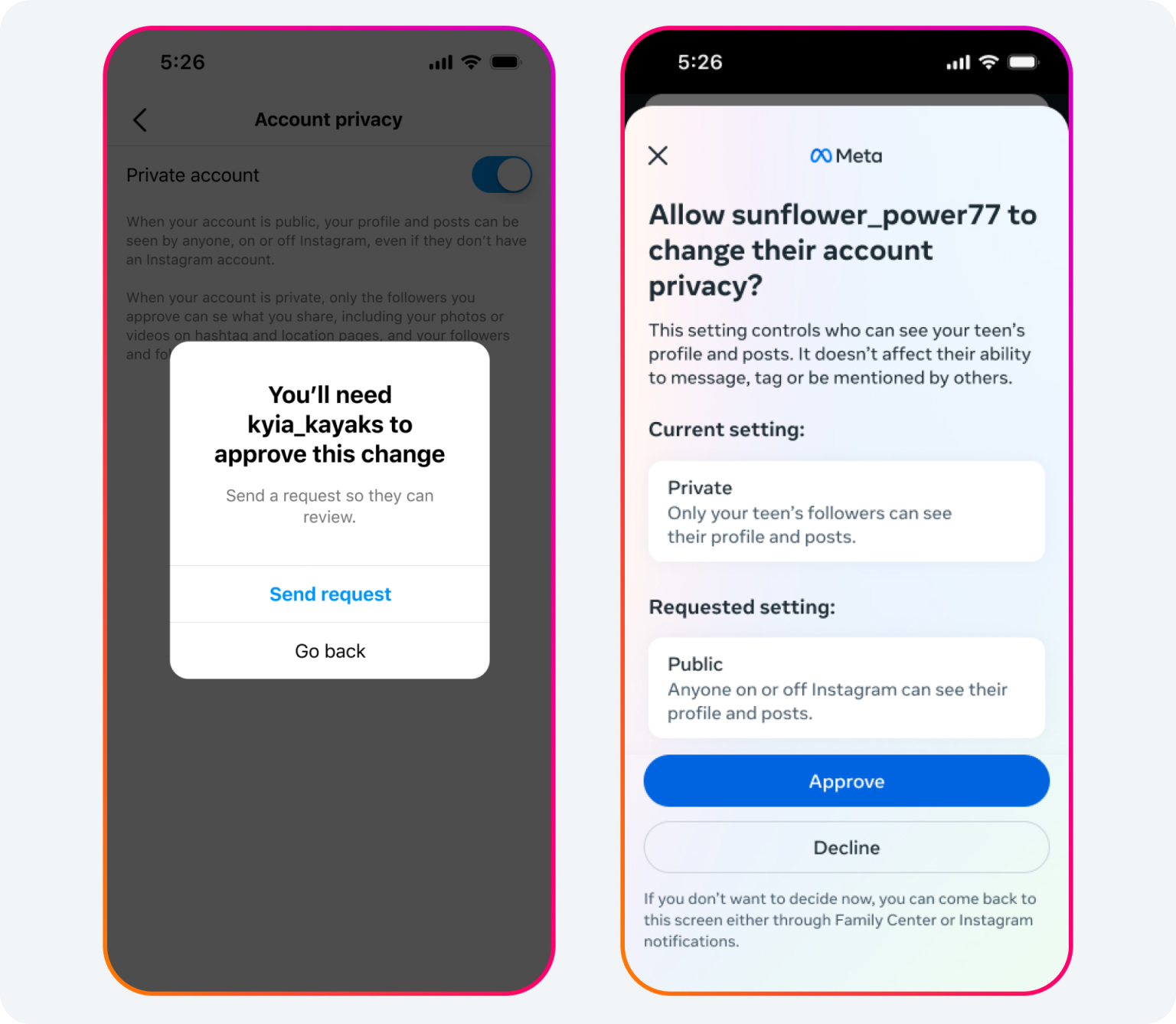
Larry Magid, CEO of ConnectSafely, said “Empowering parents to approve or deny requests to change their teen’s default safety and privacy settings gives parents the tools they need to help protect their teens, while at the same time respecting their teens’ privacy and ability to communicate with their friends and family.”
The latest update requires parents to approve any changes their teens (under 16) wish to make to their default safety and privacy settings.
This includes changes like switching from a private to a public account, modifying sensitive content controls, or altering DM settings to allow messages from unknown contacts.
Facilitating Offline Conversations
Facilitating Offline Conversations
Meta emphasizes that these supervision tools are designed to spur offline discussions between parents and teens about their online presence, ensuring that families can collectively decide on the best practices for their online experiences.
FAQs
What are the new messaging settings introduced by Meta for teens?
Meta has implemented stricter messaging settings on Instagram and Facebook, preventing teens from receiving direct messages from people they don’t follow or aren’t connected to.
How will the new Meta settings affect teens using Instagram and Facebook?
The new settings will make it harder for teens to receive unwanted messages, enhancing their safety and privacy on these social platforms.
Is there an upcoming feature for teen safety on Meta’s platforms?
Yes, Meta is planning to launch a new feature that filters out inappropriate images in messages, aiming to protect teens from potentially harmful content.
How do the enhanced parental supervision tools work?
Parents will now have to approve any changes their teens make to default safety and privacy settings, ensuring a higher level of control and safety.
“You can now identify music while wearing headphones (wired or Bluetooth). Simply open the app, check for the headphone icon to confirm your headphones are connected, and then start recognising music around you or within apps like TikTok, Instagram, and YouTube,” said Apple about the Shazam update.
Expanding Shazam’s Capabilities
Expanding Shazam’s Capabilities
Previously, Shazam enabled users to identify songs playing externally, but the latest update extends this functionality to when users are wearing headphones, both wired and Bluetooth.
Testing the new feature reveals its seamless integration. For instance, you can open Shazam, then switch to a YouTube video.
Shazam will actively recognize any song playing in the video. When switching back to Shazam, the app displays the identified song, showcasing its capability to work across various applications.
Not Limited to AirPods
Shazam iOS App Update Gives You New Headphone Music Identification Feature
Importantly, this feature isn’t restricted to Apple’s AirPods; it works with any connected headphones.
This makes the update accessible to a broader range of users, reinforcing Apple’s commitment to inclusive technology enhancements.
Since Apple’s acquisition of Shazam in December 2017, the company has been steadily integrating the music recognition service across its devices and operating systems.
This includes the introduction of a Shazam widget in the Control Center in iOS 14.2 and a similar feature on macOS Sonoma 14.2.
FAQs
What does the new Shazam update offer?
The latest update to Shazam’s iOS app allows users to identify music playing through headphones, enhancing the app’s functionality with added convenience.
Can Shazam identify songs from other apps while using headphones?
Yes, with the new update, Shazam can recognize music playing in other apps, like TikTok or YouTube, when the user is wearing headphones.
Do I need AirPods to use the new Shazam feature?
No, the updated Shazam feature supports music identification with any wired or Bluetooth headphones, not just Apple’s AirPods.
How does Shazam’s integration into Apple’s ecosystem evolve with this update?
This update is part of Apple’s ongoing effort to integrate Shazam more deeply into its ecosystem, as seen with the Control Center widget in iOS and similar functionality in macOS.
What’s new with the latest Shazam update?
As described in the release notes for version 17.3 of the Shazam app for iPhone and iPad, users can now open the app to identify a song that is playing while wearing headphones. The coolest part is that the new feature works for songs playing around you or in another app, such as Instagram or TikTok.
“You can now identify music while wearing headphones (wired or Bluetooth). Simply open the app, check for the headphone icon to confirm your headphones are connected, and then start recognizing music around you or within apps like TikTok, Instagram, and YouTube,” says Apple about the Shazam update.
I’ve tried out the new feature and it works as promised. For example, you can open the Shazam app and then switch to YouTube and Shazam will identify any songs playing in the video you’re watching. The same applies to almost any other app you can think of. When you switch back to Shazam, it shows you the identified song.
It was already possible to identify songs within other apps with Shazam before this update, but not while wearing headphones. If nothing is playing on your phone, Shazam will identify the song playing in the background, as expected. It’s worth noting that the feature doesn’t seem to require AirPods specifically.
Apple acquired Shazam in December 2017 and has gradually been integrating it across all its platforms. In iOS 14.2, for example, Apple added a dedicated Control Center widget on iPhone for Shazam. That same functionality is now available on the Mac with macOS Sonoma 14.2.
How the new Shazam feature works?
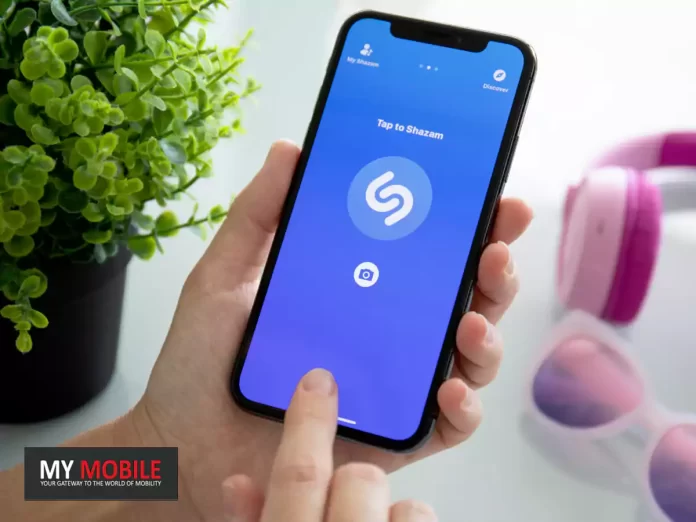
To utilize this feature, simply open the Shazam app and confirm if your headphones are connected by looking for the headphone icon.
The app can then identify songs playing in several apps.
For example, you can switch from Shazam to YouTube, and the app will recognize any songs playing in the video being viewed.
Upon returning to Shazam, the identified song will be displayed.
Note that if your phone isn’t playing anything, Shazam will identify the music in the background.
Apple’s integration of Shazam across platforms.Details?
Apple acquired Shazam in December 2017 and has since been integrating it into various platforms.
In iOS 14.2, Apple introduced a dedicated Control Center widget for Shazam on iPhone.
This functionality is now also available on Mac with macOS Sonoma 14.2.
The latest update signifies another step in Apple’s integration of Shazam across its devices. The Shazam app can be downloaded for free on the App Store.
Does the updated Shazam feature support wired and Bluetooth headphones?
Yes, the updated Shazam feature extends to both wired and Bluetooth audio devices.
What was a limitation of Shazam before this update?
Previously, Shazam allowed song recognition in other apps but did not support this functionality when the user had headphones on.
How has Apple’s acquisition of Shazam influenced the app?
Since Apple acquired Shazam, the app has been more deeply integrated into the iOS ecosystem, including a Shazam widget in the iOS Control Center and expansion onto the Mac platform.
Is Shazam free for download?
Yes, Shazam remains free for download in the App Store for all iPhone and iPad users.
Does Shazam still function independently after being acquired by Apple?
Yes, despite the acquisition and the integrations, Shazam retains its autonomous functionality and user-friendly appeal.
Four months into the launch of its ultra-high-end iPhone 15 line-up, Apple is not easing up on its marketing efforts, especially with the emergence of competitors like the Samsung Galaxy S24 series and OnePlus 12 super-flagship.
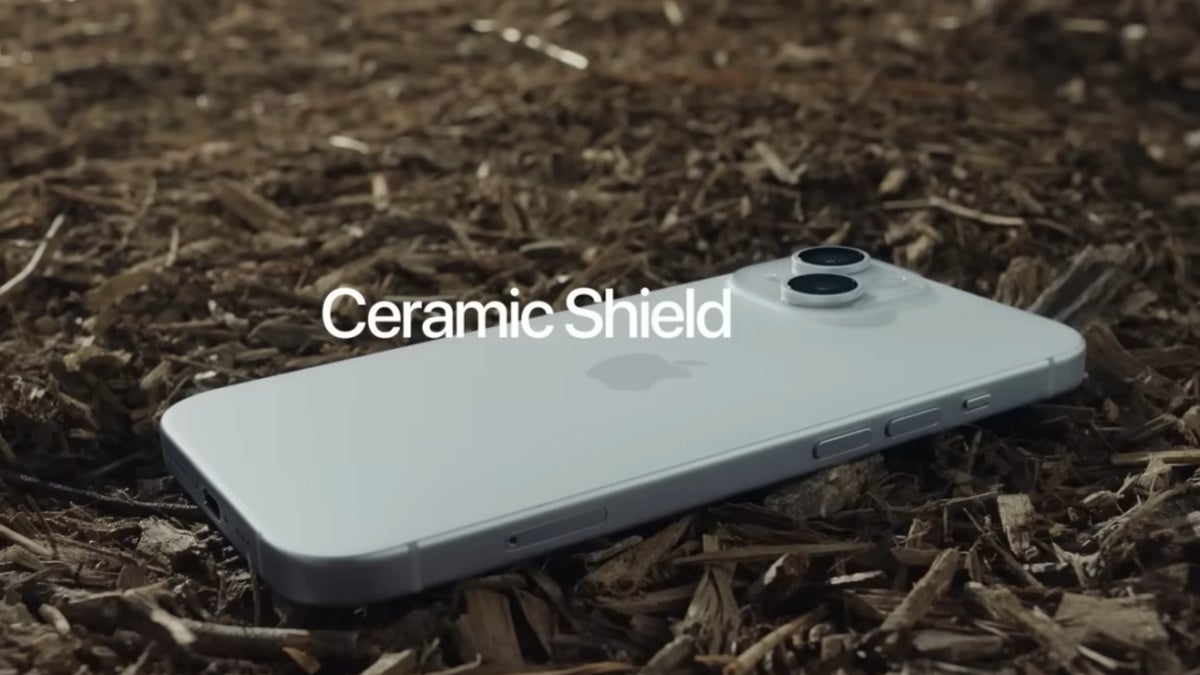
Apple’s iPhone 15 ad focuses on Ceramic Shield’s durability against bird strikes.
In its recent YouTube commercial, Apple takes an unusual yet entertaining approach to showcase the robustness of the iPhone 15’s “Ceramic Shield” technology.
The ad, tailored specifically for an Australian audience, humorously addresses a common local nuisance – bird attacks.
Ceramic Shield: Front and Center
Ceramic Shield: Front and Center
This ad cleverly brings to light the durability of Apple’s signature Ceramic Shield, which adorns the screens of all four models in the iPhone 15 family.
Heralded as “tougher than any smartphone glass,” the ad sets to prove this claim in an everyday Australian scenario involving bird strikes – an unusual but relatable peril for the audience of Australia.
Humour Meets Engineering
Humour Meets Engineering
What we like alot is that the ad’s narrative unfolds in a lighthearted manner. It revolves around the idea of an iPhone 15 withstanding unexpected bird strikes, a scenario that, while is odd to global viewers, resonates quite wll with the Australian market.
Apple Targets Australian Market with Humorous iPhone 15 Ceramic Shield Ad
As such, Apple’s decision to create a region-specific commercial is noteworthy, especially considering its high production value – something that we have come to associate with the tech giant’s commitment to advertising excellence.
High production value and region-specific approach in latest iPhone 15 commercial
Apple iPhone 15 Specs
GENERAL
Sim Type
Dual Sim, GSM+GSM
Dual Sim
Yes
Sim Size
Nano-SIM and eSIM
Device Type
Smartphone
Release Date
September 12, 2023
DESIGN
Dimensions
77.8 x 160.9 x 7.8 mm
Weight
201 g
Colors
Black, Blue, Green, Yellow, Pink
DISPLAY
Type
Color Super Retina XDR OLED (1B Colors)
Touch
Yes
Size
6.7 inches, 1290 x 2796 pixels, 60 Hz
Aspect Ratio
19.5:9
PPI
~ 460 PPI
Glass Type
Ceramic Shield front, Colour-infused glass bac
Features
Dolby Atmos, Haptic Touch, 1,000 nits max brightness (typical), 1,600 nits peak brightness (HDR), 2,000 nits peak brightness (outdoor), True Tone display, 20,00,000:1 contrast ratio (typical),HDR display
Super-high-resolution photos, (24MP and 48MP), Next-generation portraits with Focus and Depth Control, 4x optical zoom range, Night mode, Stereo recording, Audio zoom, Deep Fusion, Smart HDR 5, Photo geotagging, Burst mode, Photographic Styles, 12MP 2x Telephoto (enabled by quad-pixel sensor)
Video Recording
1080p @ 60 fps FHD, 4K @ 24/25/30/60 fps UHD
Flash
Yes, Dual LED
Front Camera
12 MP f/1.9 with Retina Flash
Front Video Recording
4K @ 60 fps UHD, 1080p @ 60 fps FHD
TECHNICAL
OS
iOS v17
Chipset
Apple Bionic A16
CPU
3.46 GHz, Hexa Core Processor
Core Details
2×3.46 GHz Everest & 4×2.02 GHz Sawtooth
GPU
Apple GPU
IP Rating
IP68
Java
No
Browser
Yes
MULTIMEDIA
Email
Yes
Music
AAC, MP3, Apple Lossless, FLAC, Dolby Digital, Dolby Digital Plus and Dolby Atmos
Video
HEVC, H.264 and ProRes, HDR with Dolby Vision, HDR10 and HLG
FM Radio
No
Document Reader
Yes
BATTERY
Type
Non-Removable Battery
Size
4383 mAh, Li-ion Battery
Fast Charging
Yes
Wireless Charging
Yes, 15W MagSafe Charging
FAQs
What is unique about Apple’s latest iPhone 15 ad?
Apple’s new ad for the iPhone 15 series, designed for the Australian market, humorously showcases the durability of the Ceramic Shield against bird strikes, a common local issue in Australia.
How does the iPhone 15 Ceramic Shield ad connect with the Australian audience?
The ad resonates well with Australians by incorporating a familiar local challenge – bird attacks, emphasizing the robustness of the iPhone 15’s Ceramic Shield in a relatable way.
What feature of the iPhone 15 is highlighted in the new Australian ad?
The ad focuses on the Ceramic Shield technology of the iPhone 15, touted as tougher than any other smartphone glass, and tested against bird strikes in the ad.
Why did Apple choose a region-specific approach for its iPhone 15 ad?
Apple’s region-specific ad for the Australian market demonstrates the company’s understanding of diverse consumer experiences and tailors its message to resonate with local audiences.
Apple Promotes iPhone 15’s Durability in Frantic New Ad.Details?
Apple today promoted the durability of the iPhone 15’s Ceramic Shield front glass in a new “Swoop” ad shared on its YouTube channel in Australia.
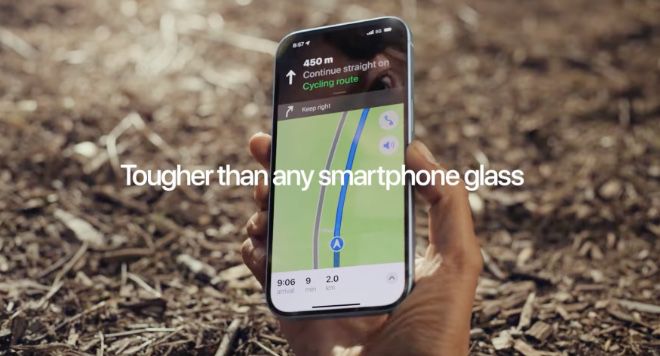
In the video, a magpie attempts to attack a woman riding a bicycle, causing her to fall over. In the process, the iPhone she was using for cycling directions also drops to the ground, but it does not suffer damage due in part to the Ceramic Shield.
Apple says the Ceramic Shield is “tougher than any smartphone glass.” Introduced on iPhone 12 models in 2020, Apple advertised the ceramic-infused glass as increasing drop performance by 4x compared to the iPhone 11.
iPhone 15’s Ceramic Shield survives bird attack in new ad.Details?
Apple’s latest ad is “Swoop,” a 30-second spot promoting the durability of the iPhone 15 because of its Ceramic Shield glass covering.
Like a stylized remake of Daphne du Maurier and Alfred Hitchcock’s “The Birds,” the new “Swoop” ad shows a woman being attached by a bird. She’s cycling, using Apple Maps, and it is possibly drawn to her yellow helmet.
Ultimately, the cyclist is knocked off her bike and her iPhone 15 goes flying through the air. If the footage of the iPhone crashing to the ground is a practical effect, it’s especially impressively shot.
Ceramic Shield was introduced with the iPhone 12 range and improves durability by including nano-ceramic crystals grown within its glass matrix.
YouTube app crashes when loading videos post recent update on Android.
Issue not affecting all Android users but still widespread.
Temporary fixes include uninstalling updates or sideloading beta version.
YouTube yet to officially acknowledge or resolve the crashing problem.
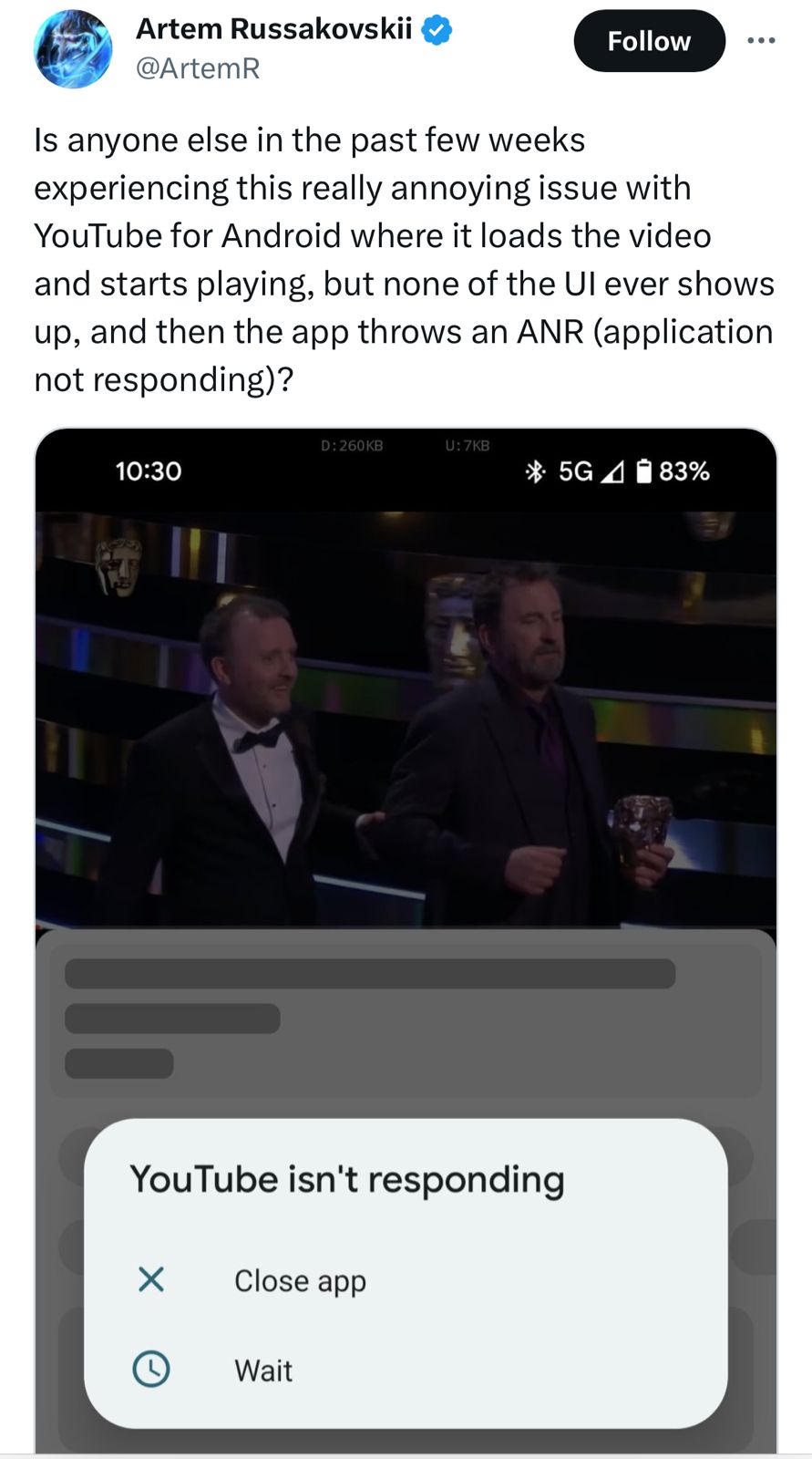
In a perplexing turn of events, numerous Android users have been grappling with a persistent crashing issue in the YouTube app.
The problem, which emerged approximately a week ago, has been traced back to a recent update, leaving users frustrated and searching for solutions.
A Bug in Viewing: Where the Trouble Begins
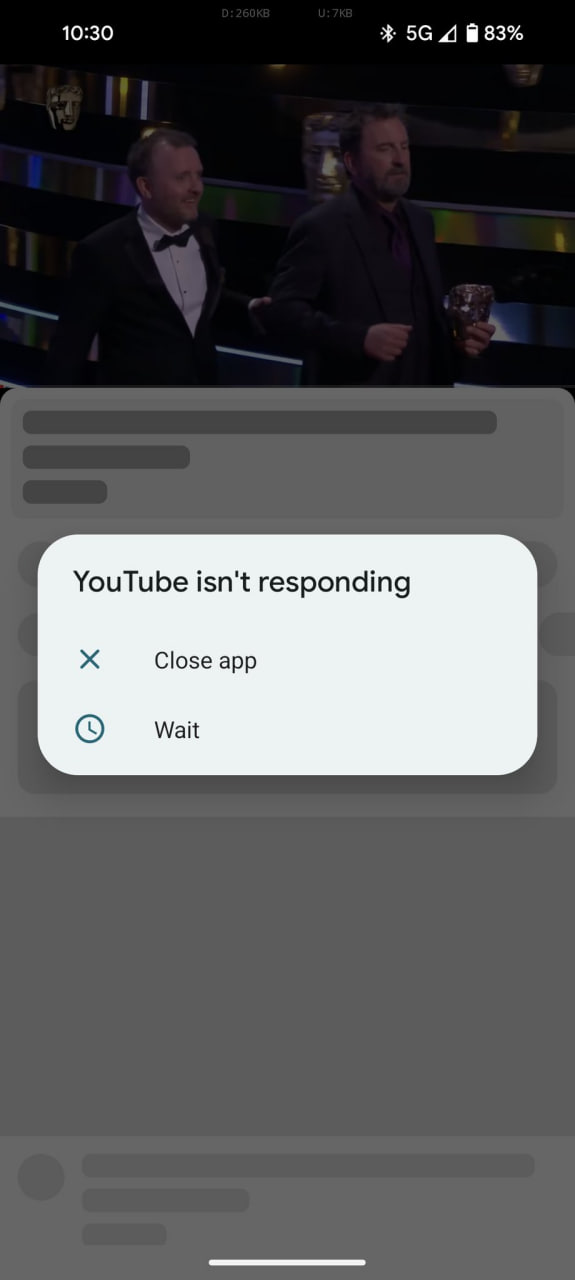
Is anyone else in the past few weeks experiencing this really annoying issue with YouTube for Android where it loads the video and starts playing, but none of the UI ever shows up, and then the app throws an ANR (application not responding)? pic.twitter.com/senV8eaWnT
— Artem Russakovskii (@ArtemR) January 22, 2024
Reports indicate that the glitch appears when users attempt to watch a video on the app. As the video loads, users expect to see the usual accompaniments – descriptions, comments, and related videos.
Instead, they are met with an abrupt crash of the app.
Repeated attempts to reopen the app result in the same frustrating outcome.
A Widespread Issue but Not Universal
A Widespread Issue but Not Universal
While not all Android users are facing this predicament, the problem is widespread enough to have generated a significant amount of complaints and negative feedback.
The precise version of the YouTube appresponsible for these issues remains unclear, though some users have reported improvements with newer versions.
For those still battling with the bug, a temporary fix seems to be either uninstalling the recent updates of the YouTube app or installing the latest beta version.
However, this solution comes with its own set of challenges.
The official beta program for the app is currently full, leaving users with the only option of sideloading the beta version from third-party sources – a move that carries potential security risks.
Awaiting Official Response
Awaiting Official Response
As of now, YouTube has not officially acknowledged the issue, nor has there been a statement addressing the problem.
Users are eagerly awaiting a stable update from YouTube that will hopefully iron out these disruptive glitches.
The flurry of complaints reached its peak a few days ago, but there has been a noticeable decline in reports recently.
If you’re still experiencing this issue, or if it has since been resolved, your feedback could be valuable.
Recent YouTube App Update Causes Crashing Issues on Android Devices
FAQs
What is the main issue with the recent YouTube app update on Android?
The latest update of the YouTube app on Android is causing the app to crash when users try to watch a video, with the video’s description and comments failing to load.
Are all Android users affected by the YouTube app crashing issue?
While the problem is widespread, it is not affecting every Android user. The extent of the issue varies across different devices and app versions.
What are the recommended temporary solutions for the YouTube app crashing?
Users can try uninstalling the recent updates of the YouTube app or sideloading the latest beta version, although the official beta program is currently full.
Has YouTube responded to the reports of the app crashing on Android?
As of now, YouTube has not officially acknowledged or provided a solution for the app crashing issue on Android devices.
What are the Possible Causes of YouTube Crashing on Your Smartphone ?
Outdated YouTube app: the most common problem why the YouTube app crashes on your smartphone is when the app is outdated. The older version of the YouTube app may not be compatible with your device or optimized for the latest hardware and software and may also contain bugs that prevent the YouTube app from working smoothly.
Insufficient storage: Insufficient storage is another common issue that can cause YouTube crashes on your smartphone. This is because the app requires a certain amount of storage space to run. If the storage space is limited, the system will automatically stop the app from running.
Network-related issues: The YouTube app requires a stable internet connection to work. If you have network issues, it may cause the YouTube app to become unresponsive or crash while trying to load the content.
YouTube is down: When YouTube is down, you may experience a number of issues, such as not being able to play videos, error messages, or crashes when you try to use the app. YouTube downtime is usually caused by problems with the YouTube server. In some cases, YouTube may also go down due to cyber attacks or security breaches. In most cases, the downtime is temporary, and the platform will return to normal once the issue is resolved.
As users, there’s not much we can do until the problem is fixed.
Third-party apps: Another reason why Youtube apps may crash on your smartphone is due to interference from third-party apps. This can be the case when other apps installed on your smartphone conflict with YouTube and cause the app to malfunction.
Device software issue: Device software can also cause the YouTube app to crash on your smartphone. This may be because you are using outdated system software, incompatible device hardware, or corrupted system files.
Google has published a new blogpost answering the exact same question and here’s an in-depth look for what it means for users.
Body Temperature Feature
Body Temperature Feature
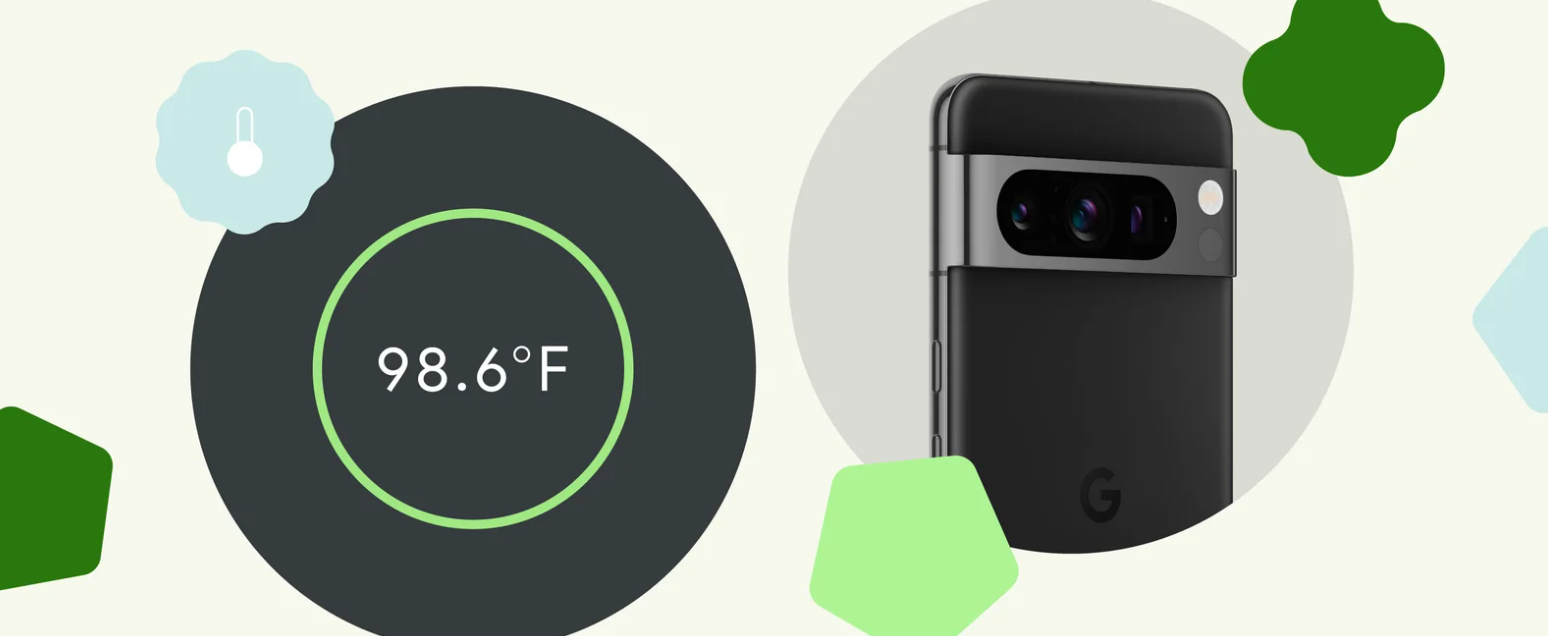
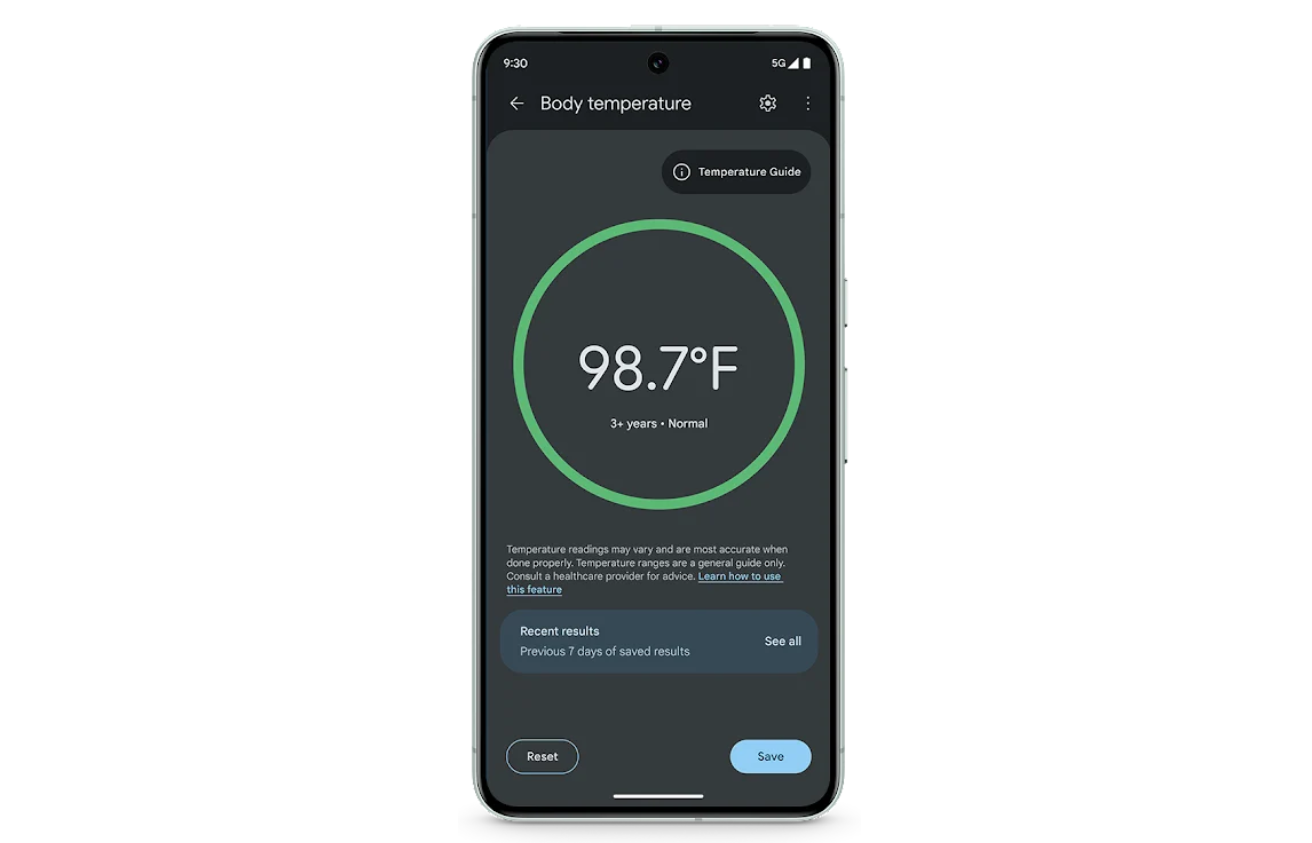
The new body temperature feature in the Thermometer app for Pixel 8 Pro is coming and it is a result of six years of dedicated research and development at Google Health.
This feature, part of the January Pixel feature drop, enables users to measure body temperature simply by scanning a forehead with their phone.
It represents a significant step forward in mobile health technology, offering precision and convenience in one package.
When a user sweeps the phone across their forehead, the sensor accurately measures temperature by focusing on the temporal artery.
This method is more precise than traditional forehead thermometers, which often measure the center of the forehead.
Achieving Precision and Convenience
Achieving Precision and Convenience
The Pixel 8 Pro’s sensor boasts a wide field of view, allowing it to detect heat beyond just the forehead.
However, this also means that holding the phone too far from the forehead can capture heat from surrounding areas, affecting accuracy.
The closer the device is to the forehead, the more precise the reading.
To ensure contactless use and prevent the spread of germs, the team employed the LDAF (laser detection autofocus) sensor to help users position the phone at the optimal distance for accurate readings.
FDA Approval and Clinical Validation
FDA Approval and Clinical Validation
Google saysthat receiving the FDA’s De Novo classification, a first for smartphone-based temperature sensors in the U.S., was no small feat.
The team underwent rigorous testing and clinical validation to ensure the tool’s safety and effectiveness.
Their dedication to developing a user-friendly, internet-independent tool was critical in securing the FDA’s approval.
The Pixel 8 Pro’s ease of use and accuracy provide a new level of convenience for everyday health assessments.
Whether it’s a parent checking a child’s fever or an individual monitoring their health, the Pixel 8 Pro offers a quick, reliable solution.
Google Pixel 8 Pro Temperature Sensor for Enhanced Health Monitoring Explained
FAQs
How does the Pixel 8 Pro’s temperature sensor work?
The Pixel 8 Pro uses an infrared sensor next to the rear camera to detect heat emitted by the body, focusing on the temporal artery for accurate temperature readings.
What makes the Pixel 8 Pro’s temperature sensor different from traditional thermometers?
Unlike standard forehead thermometers, the Pixel 8 Pro’s sensor targets the temporal artery, offering more precise measurements and a contactless experience.
How does the Pixel 8 Pro ensure the accuracy of temperature readings?
The device employs a wide field of view infrared sensor and LDAF technology to ensure the phone is at the optimal distance from the forehead, enhancing reading accuracy.
Is the Pixel 8 Pro’s temperature sensor feature FDA approved?
Yes, Google’s temperature sensor in the Pixel 8 Pro has received FDA De Novo classification, marking a significant achievement in smartphone-based health technology.
What are the 7 ways to use Pixel 8 Pro’s temperature checker ?
Whether you want to make a room feel more cozy or show off your hosting skills with perfectly cooked culinary delights, here are some of the best ways to make the most out of your Pixel 8 Pro temperature sensor:
Safe baby-feeding: Feed young ones on the go by measuring the temperature of baby formula or milk.
Help your pets feel comfy: Keep your pets comfortable, whether it’s in their everyday living space or while traveling. Staying warm makes vet trips ever-so-slightly easier to handle.
Acing your baking: Check the warmth of your oven to perfect your baking, or aim the sensor at your freshly baked goods to see if they’re cool enough to eat.
Regulate your workspace: Avoid shivering or overheating at your desk by measuring the temperature of your work environment so you can adjust accordingly.
Maximize shelf-life: Keep your groceries fresher for longer by checking for temperature variations in your fridge or freezer.
Future-proof your products: Storing skincare and cosmetics too hot or too cold can damage the formulas. Keep your routine effective by monitoring the temperature of your perfumes, serums, and lotions.
Keep your tech running: Check on your gadgets with Pixel 8 Pro. Detect rising temperatures so you can make sure your devices are safe and functional, even on the hottest day (or tightest deadline).
How does Pixel 8 Pro measure temperature?
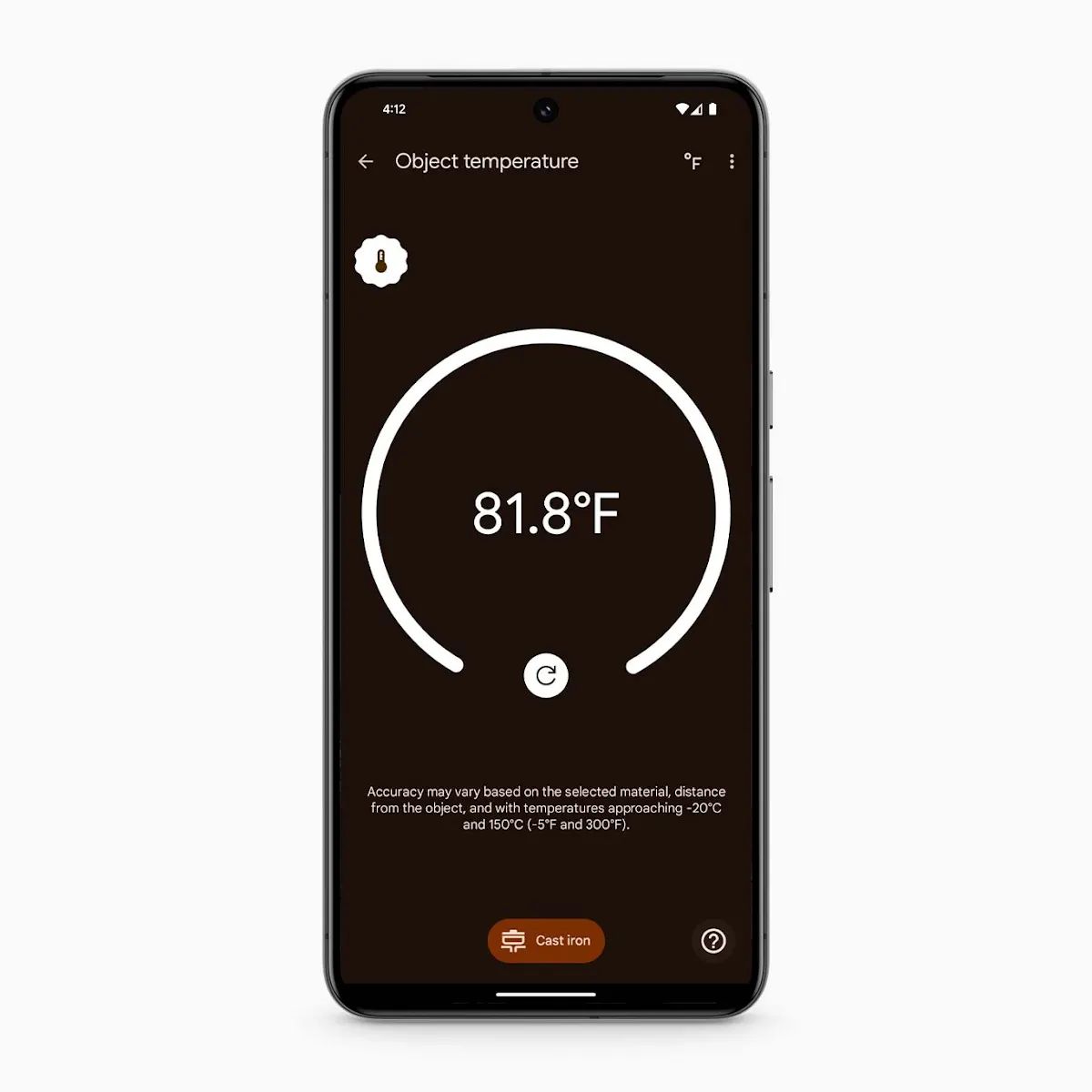
Situated right next to the camera, Pixel 8 Pro’s temperature sensor is easy to spot and easy to use. It measures the infrared radiation emitted from the item and shows you a temperature reading. The sensor can take the heat up to 392°F or tell you when something is as cool as -4°F.
How to use Thermometer, the temperature checking app?
To use the temperature measurement feature on your Pixel 8 Pro, just open the pre-installed Thermometer app. You can find it in the app drawer or by typing in the search bar.
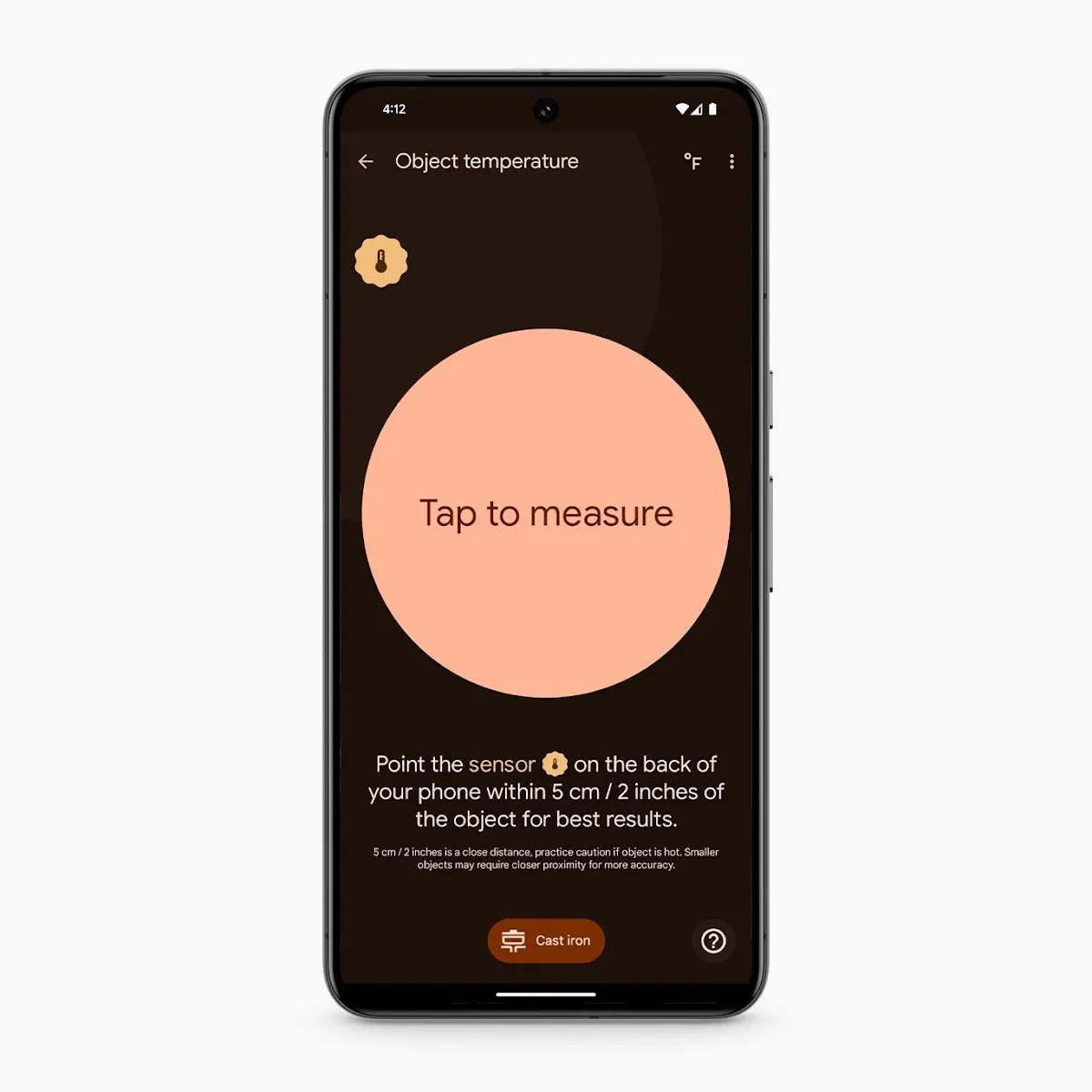
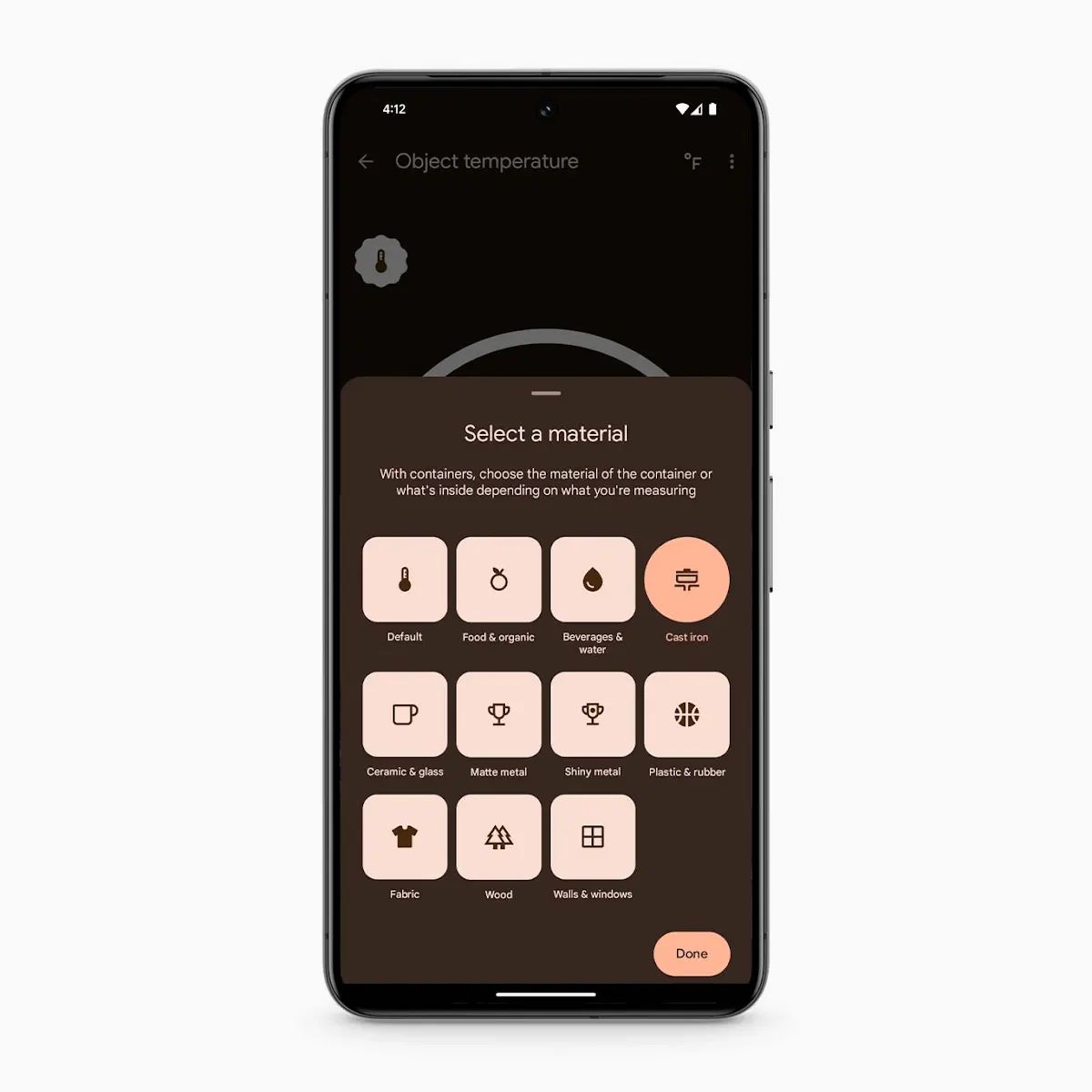
Open the app and tap “Object temperature.” Then, select the material of the object you’ll be measuring.
Next, hold your phone about two inches away from the object and hit the “Tap to measure” button. You may need to go slightly closer for very small items.
If there’s hot steam coming from your item, try to measure the area of the object not covered by it, or hold off taking the temperature until the steam clears. Think of it as a photo, and try not to let the steam block your image.
After a few seconds, the temperature will appear on the screen. And it’s as easy as that.
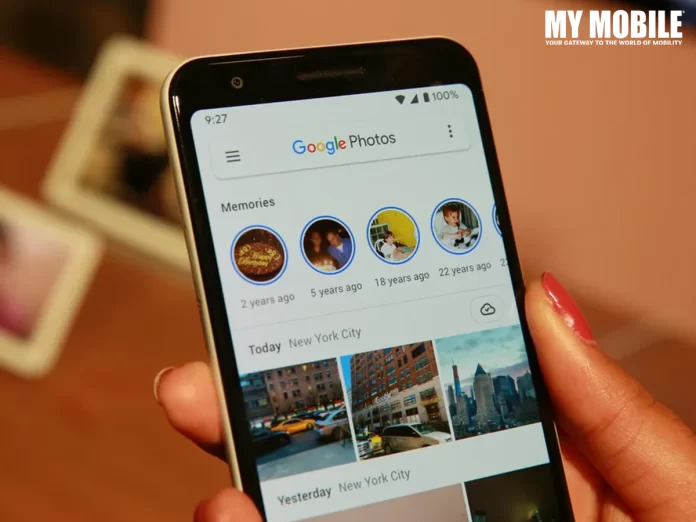
After a successful trial phase in November, Google has now extended its innovative ‘Photo Stacks’ feature to a broader audience, a move that’s set to significantly streamline the photo-browsing process.
Photo Stacks on Google Photos
Fiiiinally just got the stacked photos in Google Photos activated today. This rollout took forever. pic.twitter.com/zDaGbn8RfP
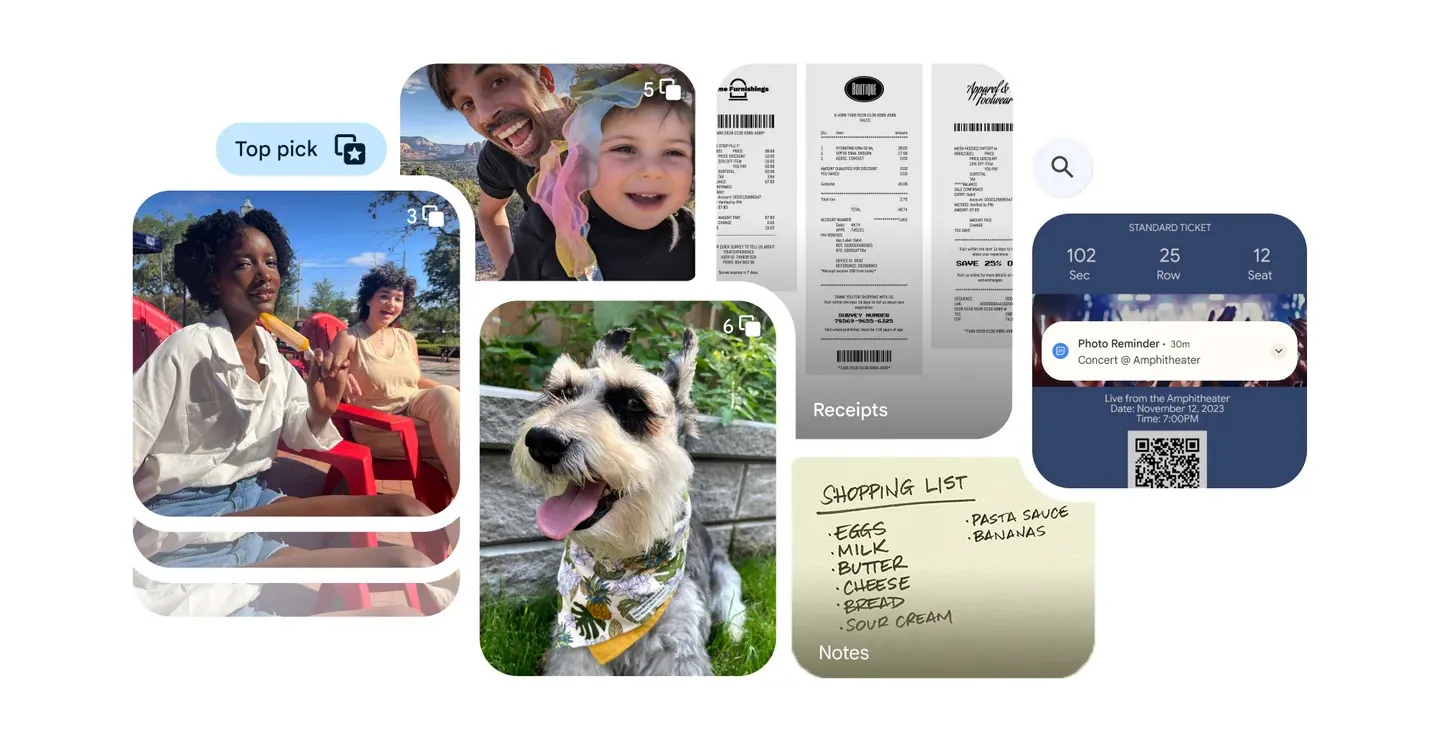
It automatically groups images taken around the same time into a single collection, represented by a ‘top pick’ photo.
This ‘top pick’ serves as the thumbnail for the entire stack, providing a cleaner and more organized view.
Essentially, Photo Stacks eliminate the clutter of seeing multiple, similar photos in succession – a familiar scenario for anyone who’s taken several attempts at the perfect shot.
Streamlined Viewing Experience
Streamlined Viewing Experience
The introduction of Photo Stacks means users will no longer have to scroll through endless screens of near-identical images to find the one they want.
Now, only the ‘top pick’ photo is visible in the main view.
For those who take multiple selfies or group photos, this is a game-changer.
The full collection of photos within a stack is still accessible with a simple tap, offering the best of both worlds: a tidy main view and the option to delve deeper into specific moments.
Navigating Potential Challenges
While Photo Stacks bring a significant improvement to photo organization, they may present a small learning curve.
Since only the ‘top pick’ images are displayed by default, finding a specific photo might require an extra step: users will need to open the relevant stack to locate their desired image.
With the rollout of this feature, Google Photos users can look forward to a more streamlined and efficient way to manage their photo libraries, balancing the need for organization with ease of access.
Google Photos Enhances User Experience with New Photo Stacks Feature
FAQs
What is the new Photo Stacks feature in Google Photos?
Google Photos’ Photo Stacks is an organizational tool that automatically groups images taken at similar times into one collection, with a ‘top pick’ photo representing each stack in the main view.
How does Photo Stacks improve the photo browsing experience?
By consolidating similar photos into stacks, Photo Stacks reduces the need to scroll through repetitive images, making it easier and quicker to navigate through your photo library.
Can I access all photos within a Photo Stack?
Yes, although only the ‘top pick’ is visible in the main view, you can tap on any stack to view all the photos it contains, providing full access to your collection.
Is it possible to disable the Photo Stacks feature if I don’t like it?
Google Photos offers the flexibility to disable Photo Stacks, allowing users to revert to the traditional layout if they prefer viewing all photos individually.
What is Group similar photos with Photo Stacks ?
It may take more than one try to achieve the ideal photograph, whether you’re attempting to catch a stunning sunset or a big group portrait. However, your gallery can become bloated with all those additional shots. Similar photographs make up a third of most people’s galleries.
Google Photographs can automatically sort your gallery by identifying and stacking pictures that were shot simultaneously or near each other into Photo Stacks, from which you may choose the best shot to capture any given moment. AI makes all of this possible, but you can always choose your picture as the top pick, change the stacks, or turn off picture Stacks to see everything in your Photos gallery.
What is Easily find and do more with your screenshots and documents feature ?
While screenshots have their uses, they also clog up your gallery, making it harder to see the important moments you’ve captured. Now, with the help of artificial intelligence, Google Photos can automatically sort your gallery’s screenshots and documents into more useful albums, such as those for identifying items, receipts, and events. When you need something specific, you won’t have to waste time scrolling through your entire photo library because of this.
Another great feature is adding helpful reminders to your calendar using images of tickets or event flyers. If you want to save a snapshot of a concert ticket for later use, you may do it easily by adding the image to your calendar and then clicking the “Set Reminder” button. Additionally, after 30 days, you can automatically archive your papers and screenshots. It will conceal them from your main gallery but make them available in their respective albums.
How to Create Stacks on Google Photos?
Now, how can you create “Stacks” on Google Photos? So, it’s very simple for both Android and iOS users. Follow these simple steps for the same-
Step 1: Open the Photos app on your device
Open the Google Photos app on your iOS or Android devices. If you are a new user, log in with Gmail account credentials.
Step 2: Browse your photos
Go through your media library. Events, albums, or even your whole collection can be selected. Hold down the first picture you want to stack.
Step 3: Go to the menu (three dots) Icon and Preview your stack
You may easily group related images or videos by dragging and dropping them. There will be a sneak peek of the stack as it forms, along with an approximation of the number of images.
Step 4: Create your stack
Hold down the option until you’ve added all the specified photographs. The selected “top pick” image and the total number of stacked items will be displayed in the newly constructed stack.
How to Enjoy the New Auto-Photo Stacking Feature?
Update Google Photos: Ensure you have the latest version of Google Photos installed from the App Store.
Take Photos: Snap a few pictures as you usually would.
Give it Time: Allow Google Photos some time to process your images. It typically takes a few hours for the AI to analyze and stack your photos.
Check the Gallery: Open your Google Photos gallery and observe as similar shots are now elegantly combined into a single stack.
Browse Versions: Tap on the stacked photo thumbnail to look through all the grouped snapshots and pick your favourite.
What new video effects are being added to Google Meet?
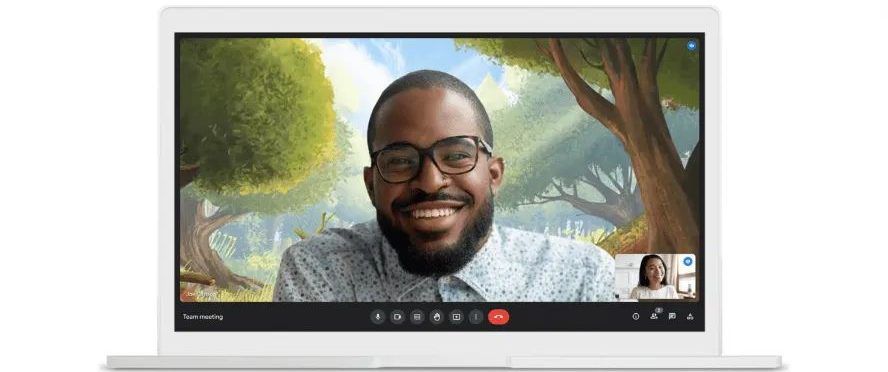
Google Meet is rolling out the ability to combine background and filter effects, allowing users to create a more personalized and dynamic meeting experience.
How has the Google Meet user interface changed with this update?
The update introduces a revamped interface for effects, categorizing them into backgrounds, filters, and appearance settings for easier discovery and application.
What is the studio lighting feature in Google Meet?
Available for Google Workspace Enterprise users, the studio lighting feature in Google Meet allows users to adjust lighting settings for enhanced video quality. This feature requires an eligible device for use.
What does the Studio Sound feature do in Google Meet?
The Studio Sound feature uses AI to improve audio quality, especially from Bluetooth headsets and dial-in participants, by recreating higher audio frequencies for a clearer sound.
What is the new stacking feature in Google Photos?
Google Photos’ stacking feature uses AI to group similar photos together, suggesting the best shot from the collection to help declutter your photo library. Users can also select their preferred photo to represent the stack.
How does Google Photos’ new sorting feature work?
The sorting feature automatically organizes photos by identifying the content of images, such as IDs, receipts, and tickets, and placing them into respective albums for easy access and organization.
Can I add events to my calendar using Google Photos?
Yes, Google Photos now allows you to add events to your calendar directly from a photo or screenshot of a ticket, streamlining the process of event management.
• Vijay Sales is the Retail Partner for ASUS ROG Phone 8 Pro and ROG Phone 8 Pro Edition smartphones.
• The new ROG Phone 8 Pro and ROG Phone 8 Pro Edition Series undergo a significant redesign, evolving from a gaming-centric device into a versatile premium smartphone with a slimmer and lighter profile.
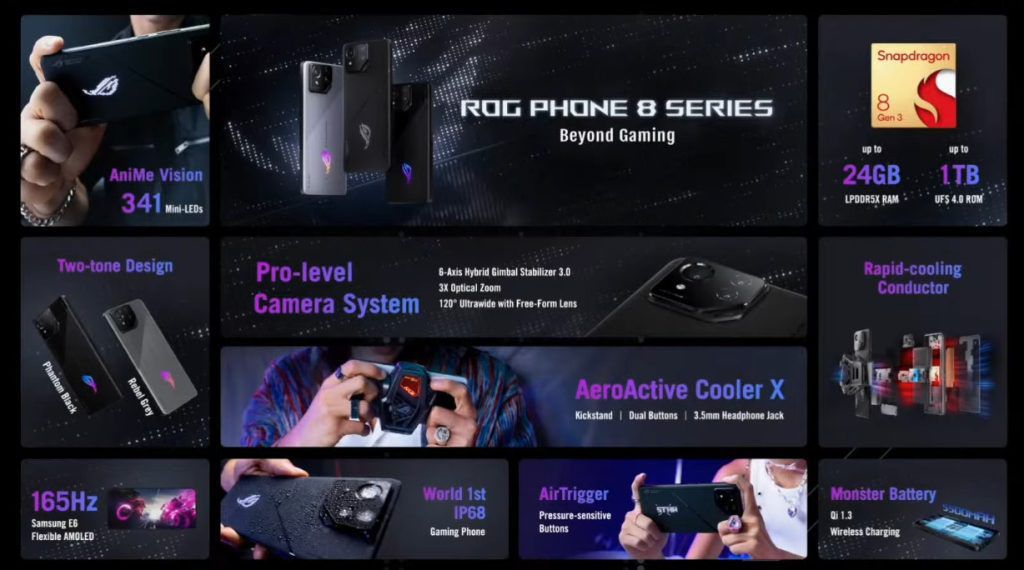
• Powered by the Snapdragon® 8 Gen 3 Mobile Platform, the ROG Phone 8 Pro Series boasts up to 24GB LPDDR5X RAM and 1TB UFS 4.0 storage for seamless and responsive user experiences.
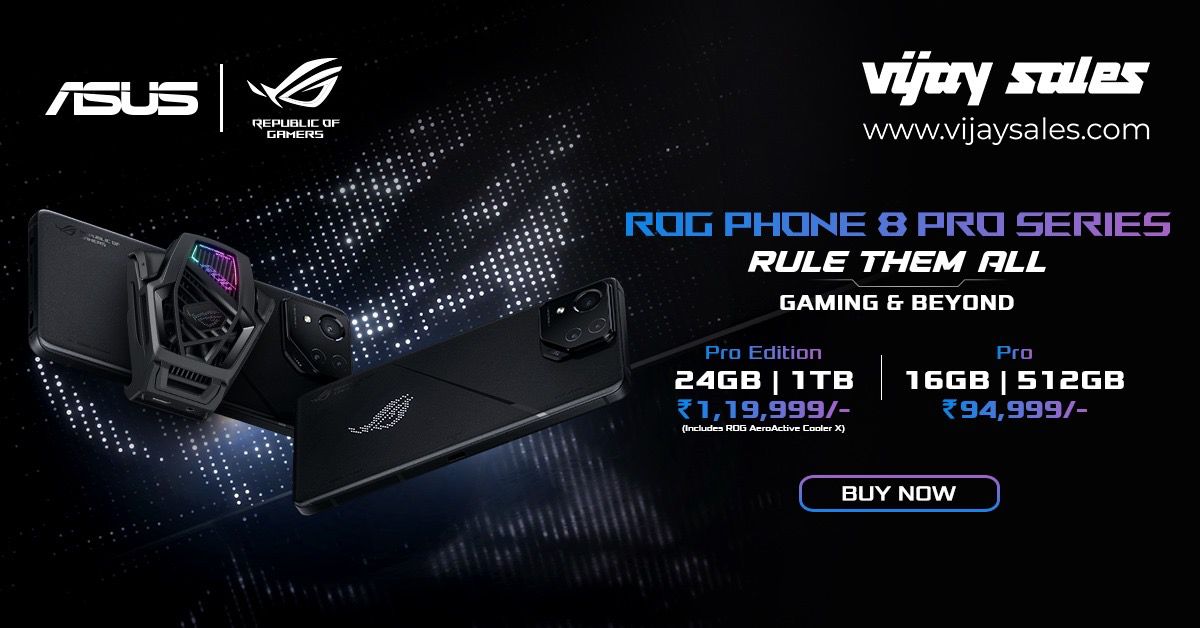
• The ROG Phone 8 Pro Series is competitively priced, with ROG Phone 8 Pro Edition (24GB+1TB) available at INR 1,19,999 and the ROG Phone 8 Pro (16GB+512GB) at INR 94,999.
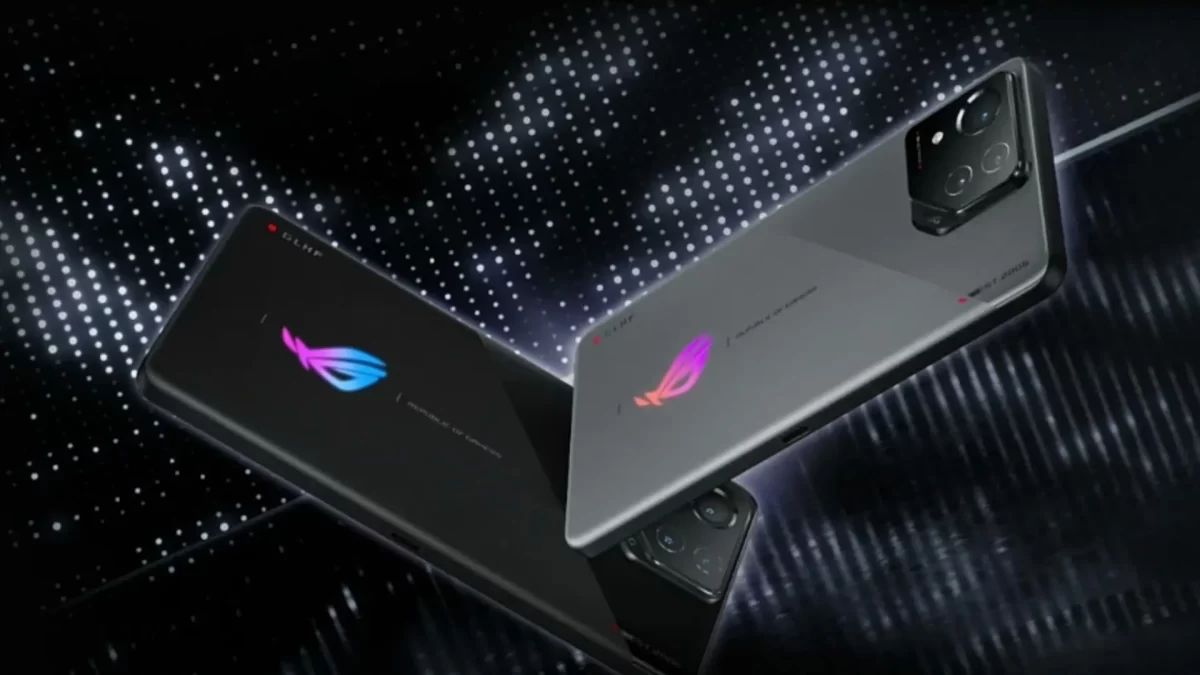
The ROG Phone 8 Pro Series marks a groundbreaking redesign, transforming from a gaming-centric device into a futuristic and versatile premium smartphone.
Boasting a slimmer and lighter body, the series caters not only to gamers but also to a broader audience, including streamers, content creators, and tech enthusiasts.
Vijay Sales Sets the Stage for ASUS ROG Phone 8 Pro Series in India
Priced at INR 94,999 and INR 1,19,999 respectively, ASUS ROG 8 Pro (16GB+512GB) and ROG 8 Pro Edition (24GB+1TB) rank high on premium design, durability, and ultimate AI-powered performance, cementing the ROG Phone 8 Series as a powerful all-round powerhouse.
With up to a staggering 24GB of LPDDR5X RAM and 1TB UFS 4.0 storage, users can expect a seamless and responsive experience.
The revolutionary Rapid-Cooling Conductor design, part of the advanced GameCool 8 thermal system, ensures optimal performance even during marathon gaming sessions.
Commenting on this exclusive partnership, Mr. Nilesh Gupta, Director at Vijay Sales, said, “It is an honor for us at Vijay Sales to be the exclusive Preferred Retail Partner for the ROG Phone 8 Pro Series, the most advanced and versatile gaming smartphone ever created by ASUS. This is not the first time that we have collaborated with ASUS, as we were also the preferred retail partner for the ROG Phone 6 series and the ROG Phone 7 series, both of which were highly successful and popular among our customers. The ROG Phone 8 Pro Series takes the gaming experience to a whole new level, with its stunning display, powerful processor, and amazing camera. Whether you are a gamer, a content creator, or a tech enthusiast, the ROG Phone 8 Pro Series will cater to your every need and exceed your expectations. We invite everyone to visit our stores or our online platform and get your hands on the ROG Phone 8 Series.”
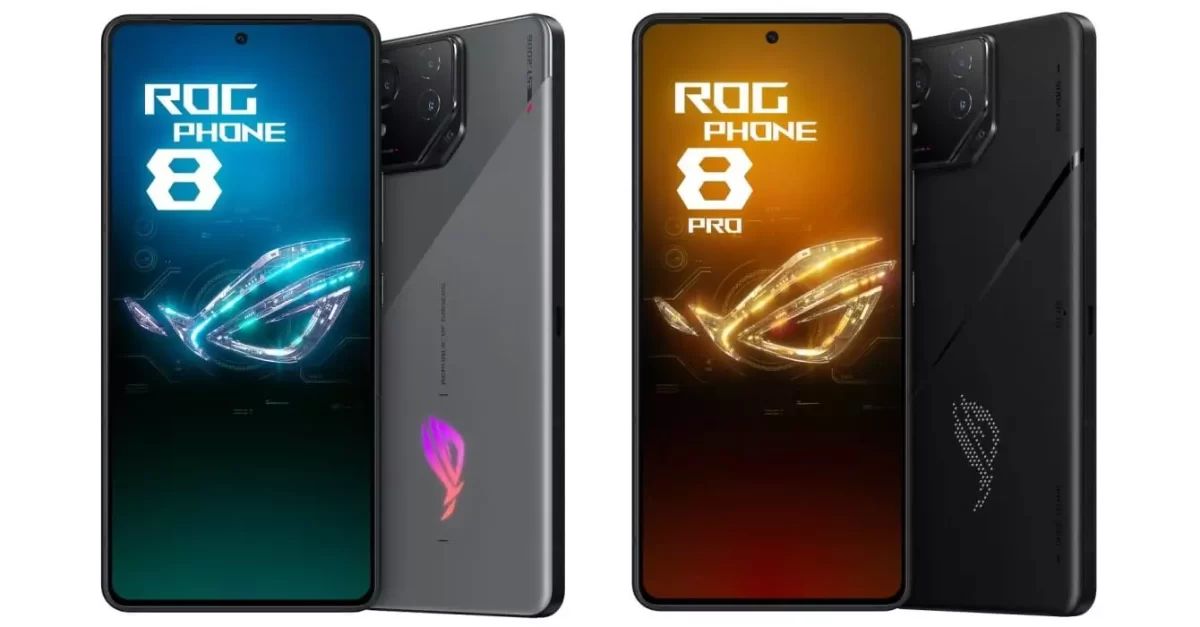
The new ROG Phone 8 Pro and ROG Phone 8 Pro Edition Series undergo a significant redesign
Mr. Dinesh Sharma, Business Head, Commercial PC and Smartphone, System Business Group, ASUS India, said, “We are quite excited to introduce the ASUS ROG Phone 8 series – with a refreshed masterpiece in mobile gaming. Attuned to the community’s feedback, this revolutionary gadget is meticulously designed for gamers and enthusiasts seeking a lot more from their gaming phones. With flagship features, upgraded camera modules featuring a gimbal, unparalleled gaming performance, and an IP68 rating, the ROG Phone 8 series sets a new standard for premium mobile experiences. Our continued partnership with Vijay Sales ensures that this exceptional gaming phone is readily available to Indian enthusiasts on both, their online and offline platforms. We look forward to our continued collaboration with them even in the future.”
ASUS ROG Phone 8 Pro Series in India
Setting new standards for display technology, the ROG Phone 8 Pro seriesfeatures a 6.78″ flexible AMOLED panel with adaptive refresh rates using LTPO technology.
With a peak brightness of 2500 nits, users can enjoy gaming and multimedia even in bright sunlight. Collaborating with Pixelworks®, the visual-processing company, ensures world-beating color accuracy for a truly immersive visual experience.
The advanced tri-camera system in the ROG Phone 8 Pro Series offers endless photographic possibilities, featuring a 50MP Sony image sensor, a 3X telephoto lens, and a 13MP ultrawide camera.
ASUS HyperClarity technology preserves every detail in photos, even at up to 30X zoom, setting new standards for mobile photography.
ROG Phone 8 Pro Series offers endless photographic possibilities
AI-enhanced features further elevate the gaming experience with Background Mode, X Capture, X Sense, and AI Grabber for text capture.
The series introduces AniMe Vision, a customizable display element, and retains the renowned AirTrigger ultrasonic controls for console-like gaming experiences.
Vijay Sales, with over 56 years of industry leadership, is excited to bring the ROG Phone 8 Series to Indian consumers through its 130+ retail stores and online platform.
Powered by the Snapdragon® 8 Gen 3 Mobile Platform, the ROG Phone 8 Pro Series
ASUS ROG Phone 8 Series Key Specs
GENERAL
Sim Type
Dual Sim, GSM+GSM
Dual Sim
Yes
Sim Size
Nano SIM
Device Type
Smartphone
Release Date
April 13, 2024 (Expected)
DESIGN
Colors
Phantom Black, Storm White
DISPLAY
Type
Color AMOLED Screen (1B Colors)
Touch
Yes
Size
6.82 inches, 1080 x 2448 pixels, 165 Hz
Aspect Ratio
20.5:9
PPI
~ 392 PPI
Screen to Body Ratio
~ 82.2%
Glass Type
Corning Gorilla Glass Victus
Features
1200 nits (HBM), 2000 nits (peak), HDR10+
MEMORY
RAM
16 GB
Storage
512 GB
Storage Type
UFS 4.0
Card Slot
No
CONNECTIVITY
GPRS
Yes
EDGE
Yes
3G
Yes
4G
Yes
5G
Yes
VoLTE
Yes, Dual Stand-By
Wifi
Yes, with wifi-hotspot
Wifi Version
Wi-Fi 802.11 a/b/g/n/ac/6e/7, tri-band, Wi-Fi Direct
Bluetooth
Yes, v5.3
USB
Yes, USB-C v3.1
USB Features
USB on-the-go, USB Charging
EXTRA
GPS
Yes with A-GPS
Fingerprint Sensor
Yes, In Display
Face Unlock
Yes
Sensors
Accelerometer, E-Compass, Gyroscope, Proximity sensor, Ambient-light sensor, Ultrasonic sensors for AirTrigger and grip press
3.5mm Headphone Jack
Yes
Extra
NFC
Water Resistance
Yes
IP Rating
IP55
Extra Features
Symmetrical dual front-facing speakers with Dirac HD Sound, 5-magnet stereo speaker, LPDDR5X RAM
What are the pricing details for the ASUS ROG Phone 8 series?
The ASUS ROG Phone 8 starts at approximately Rs 91,400, the ROG Phone 8 Pro at about Rs 99,700, and the Pro Edition around Rs 124,610.
The AeroActive Cooler X accessory is priced at approximately Rs 8,400.
When will the ASUS ROG Phone 8 series be available, and in which colors?
The phones are scheduled for release in spring 2024. The standard ROG Phone 8 comes in Rebel Grey and Phantom Black, while the Pro and Pro Edition are exclusively in Phantom Black.
Can you describe the display features of the ASUS ROG Phone 8 series?
The series flaunts a 6.78-inch FHD+ Samsung E6 AMOLED display, with a variable refresh rate up to 165Hz for gaming, HDR support, and Corning Gorilla Glass Victus 2 for protection.
What are the key camera specifications of the ASUS ROG Phone 8 series?
The series includes a 50MP Sony IMX890 primary camera, a 13MP ultra-wide camera, and a 32MP 3x telephoto sensor. Additionally, it features a 32MP front camera for high-quality selfies and video calls.
What does the ASUS ROG Phone 8 Ultimate Geekbench listing reveal about the processor?
The Geekbench listing indicates the phone will feature an octa-core processor with a 1+5+2 CPU architecture, speculated to be the upcoming Qualcomm Snapdragon 8 Gen 3 SoC.
What operating system will the ASUS ROG Phone 8 Ultimate run on?
According to the Geekbench listing, the device will run on Android 14 out of the box.
What are the Geekbench scores for the ASUS ROG Phone 8 Ultimate?
The phone scored 2,213 points in the single-core test and 7,408 points in the multi-core test, indicating high-performance capabilities.
What chipset will power the ASUS ROG Phone 8 Series?
The ASUS ROG Phone 8 Series will be powered by the latest Snapdragon 8 Gen 3 chipset, offering improved performance and energy efficiency.
How does the new Snapdragon 8 Gen 3 chipset compare to its predecessor?
The Snapdragon 8 Gen 3 outperforms the previous version by 30% and is also 20% more energy-efficient.