Home Blog Page 525

Best Alternative Options To Use Instead of Paytym Payment

0
Will Paytm Stop Working After February 29th? RBI Imposes Restrictions on Paytm Payments Bank: Key Impacts and Responses

Highlights

  • RBI’s decision to stop Paytm Payments Bank’s wallet operations after 29 February 2024, has sparked fears of Paytm shutting down.
  • There are many alternative payment banks currently functioning in India that you can use instead.

The digital payment landscape in India is currently going through multiple ups and downs.

While our UPI system is internationally appreciated with many countries across the globe working to replicate similar systems, the payment banks are facing compliance issues internally.

The recent RBI action against Paytm Payments Bank has set off a barrage of speculations in the industry with many claims and disclaims surfacing online every day.

Paytm has been instrumental in promoting and expanding India’s digital payment systems to the country’s remotest corners.

However, RBI orders will have ripple effects in the form of user migrations to other platforms.

So, if Paytm payment bank is to shut shop, what are the best alternatives to use instead?

Before we get to that, let’s understand more about why people are planning to switch.

Why Paytm Alternatives Are in Demand?

Paytm Payements Bank Shutdown
Best Alternative Options To Use Instead of Paytym Payment

The Reserve Bank of India (RBI) on January 31 directed Paytm Payments Bank Ltd (PPBL) to stop accepting deposits or top-ups in any customer accounts, wallets, FASTTags, and other instruments after February 29.

This sparked fears about whether Paytm’s QR codes will also be affected.

As per recent media reports, more than 42 per cent of local grocery stores have already switched from Paytm to Mobikwik, Bharatpe, Phonepe and GooglePay, with 20 per cent more planning to do so.

Kirana Club Founder & CEO Anshul Gupta said, “While the ban imposed by the regulatory authority might lead to disruption at Kirana stores, they are not much worried because there are alternate payment options available. Our recent survey also indicates that Kiranas across states have already started using or plan to use other payment apps to ensure smooth business operations.”

Best Alternatives to Paytm Payment Bank

Mobikwik

MobiKwik
MobiKwik

Mobikwik is a popular digital wallet and payment platform that offers a range of financial services, including digital payments, bill payments, recharges, and money transfers.

Users can link their bank accounts, debit/credit cards, and UPI accounts to the Mobikwik wallet to make seamless transactions.

With its user-friendly interface and wide acceptance across merchants, Mobikwik is a convenient alternative for users seeking digital payment solutions.

Airtel Payments Bank

Airtel Payments Bank

Airtel Payments Bank is one of the leading alternatives to Paytm Payments Bank.

It offers a range of banking services, including savings accounts, money transfers, and bill payments.

With its widespread network and seamless integration with Airtel’s telecom services, Airtel Payments Bank provides convenient banking solutions to users across India.

PhonePe

PhonePe
PhonePe

PhonePe, owned by Flipkart, is another popular digital payment platform that offers banking services.

Users can open a savings account with PhonePe and enjoy features such as instant money transfers, bill payments, and UPI transactions.

With its user-friendly interface and robust security measures, PhonePe has gained traction among Indian consumers.

Google Pay

Google Pay
Google Pay

Google Pay is a widely used digital payment platform that also offers banking services through partnerships with various banks.

Users can link their bank accounts to Google Pay and access features such as money transfers, bill payments, and online purchases.

With its seamless integration with Google services and intuitive interface, Google Pay is a convenient alternative to traditional banking.

Amazon Pay

Amazon Pay
Amazon Pay

Amazon Pay is another alternative that provides users with a range of banking and payment services.

Users can add funds to their Amazon Pay wallet and use it for online purchases, bill payments, and recharges.

Additionally, Amazon Pay offers cashback rewards and discounts, making it an attractive option for frequent Amazon shoppers.

BharatPe

BharatPe
BharatPe

BharatPe is a fintech company that provides digital payment solutions specifically tailored for merchants and small businesses.

It offers a range of services, including QR code-based payments, instant settlements, loans, and business management tools.

FAQs

Q1. How to transfer waller money from Paytm to other payment banks?

Answer. Follow these simple steps to transfer your money from Paytm to your bank account:

  • Open the Paytm app & Tap on ‘Passbook’
  • Select ‘Paytm Wallet’
  • Select ‘Send Money To Bank’
  • Tap ‘Transfer’
  • Enter the amount & bank details
  • Confirm the transfer
  • Once complete, money will be transferred successfully

Q2. Will Paytm QR codes work in future?

Answer. Yes, Paytm QR codes will continue to function as usual, allowing merchants to accept payments beyond February 29, 2024.

Payment devices such as Paytm Soundbox and card machines will also continue to remain operational as always.

Q3. Why did RBI ban Paytm payments?

Answer. The Reserve Bank of India (RBI) on January 31 directed Paytm Payments Bank Ltd (PPBL) to stop accepting deposits or top-ups in any customer accounts, wallets, FASTTags, and other instruments after February 29.

RBI Governor Shaktikanta Das ruled out any review of the central bank’s action against PPBL, saying that its decisions are well thought out.

RBI, he said, is not against any fintech but its prime objective is to protect the interest of customers and depositors.

Q4. Is it advisable for traders to switch to other payment apps from Paytm?

Answer. Yes, Traders’ body CAIT on February 4 issued a cautionary advisory to traders to switch from Paytm to other payment options for business-related transactions following RBI curbs on Paytm wallet and bank operations.

“The Reserve Bank of India has imposed certain restrictions, prompting CAIT to recommend that users take proactive measures to protect their funds and ensure uninterrupted financial transactions. A large number of small traders, vendors, hawkers and women are making payments through Paytm and as such RBI restrictions on Paytm could lead to financial disruption to these people,” the Confederation of All India Traders (CAIT) stated.

Q5. Is Paytm Payments Bank shutting down?

Answer. There is no confirmation about Paytm Payments Bank shutting down.

However, after February 29, 2024, Paytm Payments Bank will not be able to collect deposits, conduct credit transactions, or top up any customer accounts, prepaid cards, wallets, FASTags, NCMC (National Common Mobility Cards), or any other type of customer account.

Also Read: 5 Things to Keep in Mind While Using UPI Apps Paytm, PhonePe or GooglePe

Also Read: Top 10 Paytm UPI Alternative Apps in India for Secure Transactions

What Is Circle To Search On Android?: The Fastest Search Ever!

0
Google Launches Innovative Circle to Search Feature on Pixel 8 and Galaxy S24

Highlight

  • Circle to Search is Google’s latest search feature.
  • It allows users to search for anything that appears on their Android phone’s screen.
  • It’s currently exclusive to the S24 and Pixel 8 series only.

As a part of Google’s continuous efforts to make its search feature more user-friendly and intuitive, the tech giant recently introduced the “Circle to Search” feature.

It is a new AI-powered search feature for Android phones that allows users to search for information directly from any app.

The feature is officially launched on January 31 on select premium Android smartphones, including the Pixel 8, Pixel 8 Pro and the new Samsung Galaxy S24 series.

In this blog, we will explore all about the Circle To Search On Android.

We will learn what the feature is and how it works.

So, let’s get started.

What is Circle to Search on Android?

How Circle to Search Enhances User Interaction
Circle to Search is Google’s latest search feature

According to Google’s blog post announcing the feature feature, “Circle to Search is a new way to search anything on your Android phone without switching apps.”

Now, with a simple gesture, you can select what you want to know more about and get more information right where you are.

The blog post further mentions, “Circle to Search can help you quickly identify items in a photo or video.

Relevant ads will continue to appear in dedicated slots throughout the page.”

Why Should You Use Circle to Search?

Technical and Privacy Considerations
It allows users to search for anything that appears on their Android phone’s screen.

Discover the versatility of Google Circle Search with these handy features:

  • Object Identification: Stumped by an unfamiliar plant in a photo? Simply circle it, and let Google provide the answers.
  • People and Places: Spot a stylish shirt in a video? Circle it to uncover purchasing options.
  • Delve Deeper: Find an intriguing topic in a news piece. Circle it to explore further information on Google.
  • Text Lookup: Don’t interrupt your reading flow to search for a word; highlight it, and Google will offer its definition.

How Does Circle To Search on Android Work?

Activate Circle Search 

Google's 'Circle to Search' feature expands beyond Galaxy S24 series
It’s currently exclusive to the S24 and Pixel 8 series only
  • On a Pixel phone, long press the home button or navigation bar.
  • On other devices that support the recent feature, check the device’s specific instructions for activating the feature.

Although the new feature is widely referred to as Circle to Search, Google has not restricted its users to drawing circles on-screen only.

You can use different gestures to use the search feature on different apps.

Different gestures that you can use include –

Circling: Draw a circle around an object you want to know more about.

Google says, “Maybe you need help identifying a few items a creator wore in their “Outfit of the Day” video, but they didn’t tag the brands. Just long-press the home button or navigation bar on your Android phone to activate Circle to Search. From there, you can select any item that you see with your preferred gesture — like circling their sunglasses — to quickly find similar, shoppable options from retailers across the web.”

  • Highlighting: Drag your finger across to highlight the text you wish to search for.
  • Scribbling: Create a random design over an area to search for anything it contains.
Circle to Search expands to more Pixel devices, including the Pixel Fold
New AI-powered search feature for Android phones

Google’s official blog further highlights, “You could scribble the bag and tap on the boots to look those up, too — all without leaving where you are.

When you’re done, simply swipe away and you’re right back where you started.”

  • Tapping: Simply tap on the object or text that you wish to search for.
  • Simply Circle and Ask a Question:

About this Google clarifies, “With multisearch — the ability to search with text and images at the same time — and our latest AI-powered upgrades, you can more easily understand concepts, ideas or topics from helpful information that’s pulled together from across the web. Simply circle the corn dog and ask a question, like “Why are these so popular?”

You’ll quickly learn that these sweet and savoury treats are Korean corn dogs.

And they’re trending because of their unique combination of flavours and textures — including meat or gooey melted cheese surrounded by a crunchy exterior — and the growing popularity of Korean cuisine.

Just like that, your curiosity is satisfied (although the photos might leave you with an appetite).

Who Can Use Circle to Search?

A Multitude of Use Cases
Google’s continuous efforts to make its search feature more user-friendly and intuitive

The latest Circle to Search has been officially launched on 31 January 2024 on select premium Android smartphones.

These include the Pixel 8, Pixel 8 Pro and the new Samsung Galaxy S24 series.

The new feature is available in all languages and locations where they’re available.

FAQs

Q1. Is circle to search easy to use?

Answer. Yes, you save time and effort by searching directly within the app you’re using, avoiding the hassle of switching apps and remembering what you want to find.

Q2. Why can’t I use Circle to Search on my Android phone?

Answer. The circle to search feature is currently available on limited Android devices. You can access it on select premium Android smartphones. These include the Pixel 8, Pixel 8 Pro and the new Samsung Galaxy S24 series.

Q3. Can I use Circle to Search on PC?

Answer. The feature is specifically designed for Android smartphone users. It is currently available on limited devices.

Q4. Can I disable Circle to Search feature?

Answer. If you don’t like the Circle to Search gesture or keep accidentally triggering it, you can toggle off Circle to Search on Galaxy phones by heading to Settings > Display > Navigation bar. Moreover, you can turn it off on your Pixel by following these steps:

  • Open Settings on your phone.
  • Navigate to Display > Navigation mode > Gesture Navigation.
  • Turn off the Hold handle to search option.

Also Read: Google’s Circle to Search: The Next Evolution For Searching Online

Also Read: Google Expands Circle to Search Feature to More Devices; Samsung Says it is the Most Used Galaxy AI Feature

How to Gain Your First (or Next) 1,000 Instagram Followers? – Tips

0
Instagram Followers

Highlight

  • Learn more about gaining the first (or next) 1000 followers on Instagram.
  • Understand the importance of quality content over quantity, with tips on diversifying your post types.
  • Discover effective engagement and growth strategies.

Instagram today is a pivotal tool for individuals and businesses alike.

But the struggle to gain followers on Instagram is challenging.

This is especially true for those who are just starting with the social media platform.

Being a visually driven platform, the tips or tricks to grow organically widely differ from other popular platforms such as X(formerly Twitter), Linkedin or Facebook.

In this blog post, we are sharing a roadmap to secure your first (or next) 1,000 Instagram followers.

Follow these valuable tips and strategies to boost your presence on Instagram organically –

Optimize Your Profile

How to Quickly Grow Your Instagram Account With Real Organic Followers?
Optimize Your Profile

The point is to make your profile memorable.

Consider it your digital identity.

And when it comes to social media identity, especially Instagram, aesthetics play a major role.

Profile Picture

Profile Picture
Profile Picture
  • Use a clear, high-quality image that represents you or your brand.
  • Ensure the image is recognizable, even at a small size.

Username and Bio

Username and Bio
Username and Bio
  • Choose a memorable username that reflects your identity or brand.
  • Craft a compelling bio with relevant keywords.
  • Include a call-to-action (CTA) encouraging visitors to follow.

Below are some profile examples to consider:

Switch to Business Profile

Switch to Business Profile

Upgrading to a business profile on Instagram is not just a formality.

It’s a strategic move that unlocks a plethora of tools and features designed to fuel follower growth.

From increased visibility and credibility to valuable analytics and advertising capabilities, a business profile is a cornerstone for businesses aiming to thrive in the competitive landscape of Instagram.

Make the switch and watch your follower count soar as you leverage the full potential of Instagram’s business-oriented features.

Consistent and Strategic Post Schedule

Consistent and Strategic Post Schedule

Consistency is key.

Develop a content calendar and stick to it.

Prioritize quality over quantity, diversifying your content types.

Use tools like Later or Buffer to schedule posts strategically.

Here’s how you can do that –

Content Calendar

  • Develop a consistent posting schedule.
  • Utilize tools like Later or Buffer to plan and schedule posts in advance.

Quality Over Quantity

  • Prioritize high-quality, visually appealing content.
  • Mix up content types, including photos, videos, and carousel posts.

Timing Matters

  • Post when your target audience is most active.
  • Use Instagram Insights to analyze your audience’s activity patterns.

Follow the Current Trends

Instagram Insights
Follow the Current Trends

Keep abreast of the latest trends, songs, and reels!

It’s crucial to stay current with the posts and patterns of fellow internet personalities and meme accounts.

This is particularly important because Instagram’s algorithm prioritizes trending content, making it more likely for viewers to come across and engage with your posts.

Stay in the loop to maximize your visibility and relevance on the platform.

The best way to do this is to follow popular hashtags and pay attention to what popular reels are doing.

You will have to spend time on the app to know the nitty-gritty.

There is no shortcut to this.

Harness the Power of Hashtags

Harness the Power of Hashtags

Hashtags are there for a reason.

If you are not already, start paying attention to the hashtags you use with each post.

Below are some easy tips to follow –

Research and Use Relevant Hashtags:

  • Identify popular and niche-specific hashtags.
  • Use a mix of broad and specific hashtags for maximum reach.
Research and Use Relevant Hashtags:

Create a Branded Hashtag:

  • Develop a unique hashtag for your brand.
  • Encourage followers to use it when sharing content related to your brand.

Craft Captivating Captions

Craft Captivating Captions

Ensure your post captions are not only interesting but also possess a touch of humour.

These captions add depth and meaning to your content.

For lighthearted posts, keep captions short and simple.

On the other hand, if your content is informative, sentimental, or requires in-depth explanations, consider breaking the captions into short paragraphs or a bullet-point format for clarity.

Engaging captions enhance the overall impact of your posts.

Audience Engagement

instagram Audience Engagement
Instagram Audience Engagement

Build a community by actively engaging with your audience.

Personalized conversations are best for fostering connections online.

Here are simple ways towards this goal:

Respond to Comments

  • Reply to comments on your posts promptly.
  • Engage in conversations to build a sense of community.

Direct Messages (DMs)

  • Respond to direct messages promptly.
  • Use DMs for personalized interactions and to address inquiries.

Engage with Others

  • Like, comment, and share content from other users in your niche.
  • Participate in relevant conversations through hashtags.

Collaborate and Cross-Promote

Endless Possibilities for Engagement
Collaborate and Cross-Promote

A great way of expanding your reach on Instagram is collaboration with other Instagram users.

Seek shoutouts or features and engage in joint projects.

Leverage user-generated content to strengthen your community and profile.

Cross-Promotion with Other Users

  • Partner with other Instagram users for shoutouts or features.
  • Collaborate on joint projects to expand your reach.
Cross-Promotion with Other Users

User-Generated Content (UGC)

  • Encourage followers to create content related to your brand.
  • Share and credit user-generated content on your profile.

Instagram Stories and Reels

Instagram Stories and Reels

Here’s a fact – Instagram is way beyond static posts.

If you wish to grow your page, you will have to start paying attention to features such as Instagram stories and reels.

They have a wider reach and are easily accessible to a large audience.

Here are some tips on how to utilise stories and reel features –

Share Behind-the-Scenes Content

  • Offer a glimpse into your daily life or the making of your products.
  • Use Instagram Stories to connect with your audience on a more personal level.
Share Behind-the-Scenes Content

Leverage Reels for Engagement

  • Create entertaining and informative short-form videos.
  • Use trending sounds and challenges to increase visibility.

Giveaways and Contests

Instagram AI chatbot
Giveaways and Contests

Even if you have a small audience base, giveaways and contests are great for growing and engaging on any platform.

Boost engagement and follower count on Instagram by organising giveaways and contests.

To successfully do this, here are some tips –

Define Clear Rules

  • Clearly outline the rules for participation.
  • Include actions like following, liking, and tagging friends.
Prize Relevance
Giveaway Alert: Prize Relevance

Prize Relevance

  • Offer prizes that resonate with your audience.
  • Collaborate with other brands for bigger and more appealing prizes.

Make Use of Social Media Engagement Tools

Instagram-captions-one-word-1-1200x675
Make Use of Social Media Engagement Tools

Leverage a social media management tool to streamline your posting process on Instagram.

By using such a tool, you can ensure consistent posting without the hassle of logging in each time.

If you’re committed to growing your Instagram following efficiently, scheduling your posts with a dedicated tool allows you to automate the process and focus on other aspects of your strategy.

Save time and effort by letting the software handle the rest.

Track Your Progress Regularly

Engage with Your Audience
Track Your Progress Regularly

Regularly tracking your progress on Instagram is paramount for follower growth.

Metrics to analyze include –

  • engagement rates
  • follower demographics
  • post reach

All these provide valuable insights into what resonates with your audience.

By understanding which content performs well, you can refine your strategy, optimize posting times, and tailor your approach to attract and retain followers.

Monitoring your progress also allows you to identify trends, adapt to algorithm changes, and stay ahead in the dynamic landscape of social media.

Consistent tracking empowers you to make informed decisions, ensuring sustained growth and increased follower numbers on your Instagram profile.

FAQs

Q1. How can I optimise my profile to gain more followers on Instagram?

Answer. Your Instagram profile is the identity of your profile, you can optimise it to gain more followers. Here are some tips –

  • Use a clear, high-quality image that represents you or your brand.
  • Ensure the image is recognizable, even at a small size.
  • Choose a memorable username that reflects your identity or brand.
  • Craft a compelling bio with relevant keywords.
  • Include a call-to-action (CTA) encouraging visitors to follow.

Q2. How often should I post on Instagram to gain more followers?

Answer. Posting frequency is crucial, but there’s no one-size-fits-all answer.

Aim for consistency, whether it’s three times a week or daily. Assess your audience’s response and adjust accordingly.

Quality content always trumps quantity.

Q3. Can I buy Instagram followers?

Answer. While it may be tempting to buy Instagram followers as a quick way to inflate your follower count, it’s generally not recommended.

Purchased followers are often inactive or fake accounts, providing little to no engagement on your content.

Instagram’s algorithms are designed to prioritize genuine engagement, and buying followers can lead to a skewed follower-to-engagement ratio, potentially harming your credibility.

Q4. Can I get suspended for fake followers on Instagram?

Answer. Instagram actively works to identify and remove fake accounts, and profiles found engaging in such practices may face consequences, including account suspension.

Q5. What are some Instagram business profile optimisation tips?

Answer. Below are some significant Instagram business profile optimization tips that you can follow to enhance your profile presence –

  • Choose a profile picture that’s on-brand with your company.
  • Fill your bio with valuable and actionable information. It must include your brand, who you are and what you do.
  • Add a link or a link tree (if you have multiple important links) to your bio. This makes it easy for the audience to go straight from your profile to your other platforms.

Also Read: Here are some tricks – How to know unfollowers from Instagram

Also Read: How to Quickly Grow Your Instagram Account With Real Organic Followers?

How To Get The Most Out Of Streaming Services?

0
How To Get The Most Out Of Streaming Services?

Highlight

  • Types of streaming services include video, music, and live-streaming platforms.
  • To get the most out of it, users can choose the platform that aligns with their entertainment preferences.
  • Recommendation algorithms will personalize suggestions based on the user’s viewing and listening history.

Streaming services have made entertainment consumption convenient like never before.

From movies and TV shows to music, reality shows, Live events, and podcasts, streaming platforms today offer an unparalleled range of entertainment at home.

However, with so many choices available at our fingertips, we often feel unsure of what to watch and how to get the most out of paid streaming subscriptions.

To help out with this, our team at MyMobiles have compiled a comprehensive guide for streamlining your streaming experience.

This guide will be able to help you navigate the world of streaming and get the most out of your subscription.

Make Sure You Understand the Available Options

Netflix Household
Types of streaming services include video, music, and live-streaming platforms

Before diving into the world of streaming, the first and foremost step is to understand the different types of services available.

You should also pay attention to what they offer and how it can match your requirements.

There are three primary categories of streaming services:

  • Video Streaming Services 
Hulu and Disney+ Enforce New Rules
Video Streaming Services

These include platforms such as Netflix, Amazon Prime Video, Hulu, and Disney+.

They offer a vast library of movies, TV shows, documentaries, and original content for subscribers to stream on-demand.

  • Music Streaming Services 
Apple Music for Artists Launches New Real-Time Analytics Feature
Music Streaming Services

While you have platforms to watch your favourite movies and TV shows, there are also services such as Spotify, Apple Music, and Tidal that are here to curate your music playlists.

These platforms provide access to millions of songs and albums for streaming and offline listening.

They also offer personalized playlists and recommendations depending on popular plays in the different music genres.

  • Live Streaming Services 
Google shares YouTube user details with government investigators
Live Streaming Services

We also have platforms for live streaming.

Platforms like Twitch and YouTube Live allow users to watch live broadcasts of gaming, music, sports, news, and other events in real-time.

Since every streaming platform caters to different purposes, it becomes essential to choose the one that aligns with your interests and needs.

Always Choose the Right Subscription Plan

Netflix-amazon-prime-video-disney-hotstar-collage
Recommendation algorithms will personalize suggestions based on the user’s viewing and listening history

Once you finalise the type of streaming service best suited to your needs, the next step is to choose the right subscription plan.

All streaming platforms have multiple subscription plans with different features, validity options and prices.

Before you pick any subscription plans, ask yourself the following questions:

  • How is the Content Library? Does the subscription plan include access to all the content you want to watch/listen to, or do you need to upgrade for additional shows, movies, or songs?
  • Is the streaming quality good? Keep in mind that higher-tier plans often offer better video and audio quality. These high-end plans include options for 4K Ultra HD and lossless audio streaming.
  • How many devices will be allowed to stream? Some platforms have plans that put a limit to the number of devices that can stream simultaneously on one subscription.
    If you want to share your subscription with family and friends, make sure you choose a plan that allows multiple devices to stream simultaneously.
  • Does it allow offline downloads? Many users prefer streaming while travelling or when they are outside the home when internet service might not be the best.
    So, if you too are frequently travelling or plan on watching your favourite show when you know you will have limited internet access, make sure you check the offline download option.
    Always consider a plan that allows you to download content for offline viewing/listening.
  • Does it provide a complete Ad-Free experience? Most streaming services have ad-supported content and premium plans to go completely ad-free. The free content is also limited and might not include the shows or movies that you want to watch. So, always decide if you’re willing to tolerate a few ads during streaming or if you rather prefer an uninterrupted experience.

Personalizing Streaming Recommendations

Methods of Enforcement
Recommendation algorithms will personalize suggestions based on the user’s viewing and listening history

Streaming services provide many features and one of the best is their ability to personalise every user’s streaming experience based on their watch history and preferences.

Personalized recommendation is one feature that you need to utilise properly to make the most of it. Here’s how you can do that.

  • Rate and Review what you watch: Always rate and review when you watch/listen to some content. When you provide feedback, it helps the streaming platform algorithm to understand your taste and it can come back to you with better auto recommendations. It will automatically show you content that you will most probably like.
  • Create Your Profile: This is specifically important in case you plan on sharing your account with others. Always start by creating separate profiles for yourself and recommend the other users create one profile for themselves as well.
  • Explore Recommendations: Every streaming platform has a functioning algorithm that ensures you get the content you like. Take advantage of the platform’s algorithms. Start by exploring recommended shows, movies, playlists, and channels based on your interests.

Stay Up-to-date On Original Content

netflix-logo
Stay Up-to-date On Original Content

Streaming platforms, whether it is music or video, keep adding exclusive and original content for their users.

From blockbuster movies to critically acclaimed TV shows and award-winning documentaries, streaming platforms invest in producing original content to attract subscribers.

To be able to make the most out of the streaming services, the most important step is to up-to-date on their content calendar.

Here’s how you can stay up-to-date –

  • Keep an eye out for announcements and release schedules for upcoming original content on your preferred streaming platforms.
  • Take the time to explore the platform’s catalogue of original content and discover hidden gems that you may not have heard of before.
  • Follow your favourite directors, actors, musicians, and content creators on social media to stay updated on their latest projects and collaborations.
  • Engage with the virtual events, premieres, and Q&A sessions with creators and talent.

Managing Your Steaming Subscriptions and Avoid Overspend

Managing Your Steaming Subscriptions and Avoid Overspend

Since we have too many streaming platforms available today, the chances of subscribing to multiple platforms can increase monthly bills.

There are many ways you can avoid subscription fatigue and overspending. Consider the following steps –

  • Regularly assess the streaming services you use.
  • Consider cancelling or pausing subscriptions that you rarely use.
  • Check all the bundle deals and discounted subscription packages.
  • Share subscriptions with family or friends whenever possible to avoid multiple subscriptions.
  • Use trials to test the streaming platforms wisely.

Follow the above suggestions and relax!

Once you get the hack of it, the streaming platforms will open up new worlds of entertainment and discovery.

Happy streaming!

FAQs

Q1. Do streaming services collect data?

Answer. Whenever a user visits a webpage or starts watching a stream or a video, all involved vendors log all requests in their access logs on their servers, including the user’s IP address, which is personal data.

Q2. Can I share my Netflix password with someone?

Answer. Although the streaming giant put an end to unofficial password sharing, you can still share a password with someone outside your household, but for a price.

Q3. How much does a Spotify plan cost in India?

Answer. The Spotify Premium prices in India are different depending on which Premium plan you choose: The Spotify Premium Mini plan costs ₹7 for 1 day, the Premium Individual plan costs ₹119 per month, the Premium Duo plan costs ₹149 per month, the Premium Family plan costs ₹179 per month, and the Premium Student plan costs ₹59.

Q4. How can check if my device is compatible with the streaming app?

Answer. When viewing an app on the Google Play Store, scroll down to the “Additional Information” section. Here you can find compatibility-related information.

Also, Make sure your streaming device (smart TV, streaming stick, gaming console, etc.) is compatible with the streaming service and supports the desired features, such as 4K streaming or Dolby Atmos audio.

Q5. How many screens are allowed on Amazon Prime?

Answer. Amazon Prime video can be downloaded on multiple devices and up to 3 devices can stream simultaneously with the same login credentials and only 2 devices can simultaneously view the same title/content.

Also Read: New on Prime Video: All the Movies and Shows Coming to Prime Video in February 2024

Also Read: January 2023 Movie Calendar: Netflix, Disney Hotstar, Prime Video Must-Watch Movies

Also Read: Netflix Top 10: The Most-Watched Shows in the World Right Now; New on Netflix: February 2024 , March 2024

How To Clean Dirty iPhone? Do’s and Don’ts

0
How To Clean Dirty iPhone? Do’s and Don’ts

Highlight

  • iPhone should be cleaned regularly to maintain hygiene and appearance.
  • Learn the key do’s and don’ts for maintaining a clean and functional iPhone.
  • The best materials for safely cleaning your iPhone include microfiber cloth, isopropyl alcohol solution, soft-bristled brush and more.

We carry our iPhones everywhere and phones have practically become an extension of ourselves.

From the office to the gym and from the dinner table to even the washroom, our iPhones travel wherever we go.

It shouldn’t be a surprise to anyone that our iPhones can quickly accumulate dirt, grime, and fingerprints.

This can compromise appearance, functionality and hygiene equally.

And the one habit that all of us should actively develop is cleaning our dirty iPhones at regular intervals.

With a few simple practices, you can clean iPhones and keep them in the best condition.

So, let’s start by diving into the do’s and don’ts of how to clean dirty iPhones.

Do’s and Don’ts of Cleaning Dirty iPhones

Do’s and Don’ts of Cleaning Dirty iPhones

Here’s a quick look at do’s and don’ts of cleaning dirty iPhones –

Do’s Don’ts
●     Regularly clean your iPhone.

●     Use a screen protector.

●     Turn off your iPhone before cleaning.

●     Use isopropyl alcohol for stubborn stains.

●     Clean accessories regularly.

●     Use a soft brush for hard-to-reach areas.

●     Practice good hygiene.

●     Do Not Use harsh chemicals for cleaning.

●     Do Not Submerge your iPhone in water.

●     Do Not Use rough materials for wiping.

●     Do Not Spray cleaning solutions directly onto your iPhone.

●     Do Not Forget to remove your iPhone case.

●     Do Not Overlook regular maintenance.

●     Do Not Ignore signs of damage.

Items You Need To Clean an iPhone

Items You Need To Clean an iPhone
  • Microfiber Cloth: Ideal for gently wiping away fingerprints, smudges, and dust from the screen and body of your iPhone.
  • Isopropyl alcohol solution: Effective for removing stubborn stains and sticky residue from the surface of your iPhone.
  • A soft brush: Useful for cleaning hard-to-reach areas such as speaker grills and crevices around buttons.
  • Soft-bristled brush: Perfect for removing dust and debris from charging ports and headphone jacks.
  • Cleaning wipes designed for electronics: Convenient for quick and easy cleaning of your iPhone while on the go.

How To Save iPhones from Accumulating Dirt?

iPhone should be cleaned regularly to maintain hygiene and appearance

To ensure that your iPhone doesn’t accumulate dirt from everyday use, you can use the following items –

  • Screen protector: Protects your iPhone screen from scratches and makes cleaning easier.
  • Phone case: Helps protect your iPhone from dirt and damage, reducing the frequency of cleaning required.

Step-By-Step Guide on How to Clean Your iPhone

Step-By-Step Guide on How to Clean Your iPhone

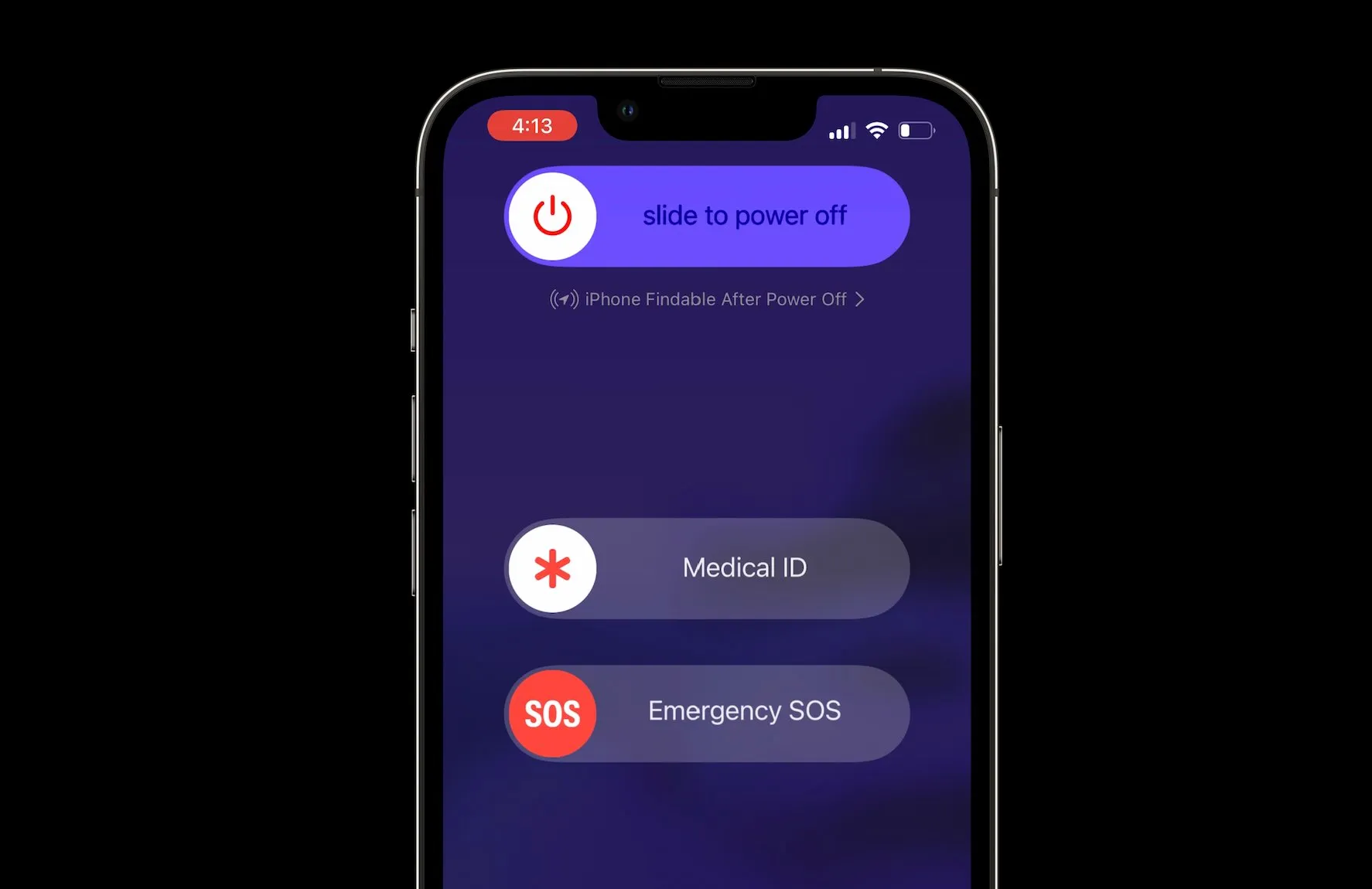
First and foremost, Apple has always maintained that you need to power off your iPhone before cleaning it.

So, before you perform any of the steps mentioned below, make sure you have switched off the device.

Once you switch off the iPhone, remove any accessories such as phone cases or screen protectors.

Once done, move to the following steps –

Gather all necessary cleaning supplies.

As mentioned earlier, you will need the following –

  • Microfiber cloth
  • Isopropyl alcohol solution
  • Soft-bristled brush
  • Screen protector

Firstly, take the dry microfiber cloth to gently wipe the screen and body of your iPhone.

You have to start by removing any visible dirt, fingerprints, and smudges.

In case there are any stubborn stains, you can dampen a corner of the microfiber cloth with the isopropyl alcohol solution and wipe the affected areas gently.

Never spray the solution directly onto the device.

Use the soft-bristled brush to remove dust and debris from hard-to-reach areas such as the speaker grills, charging ports, and headphone jacks.

Once finished, allow the device to air dry completely.

If required, apply a new screen protector to your iPhone to protect the screen from scratches and smudges.

Using UV iPhone Cleaners

Using UV iPhone Cleaners

UV iPhone cleaners have recently gained immense popularity across the world.

The trend of using these rapidly grew during the COVID-19 pandemic as the need to keep devices clean was increasingly propagated.

These UV cleaners effectively eliminate bacteria and ensure a hygienic device.

Here’s how you can use them to clean your iPhone –

  • Turn off your iPhone. Open the UV cleaner device.
  • Position your iPhone securely in the cleaner compartment.
  • Seal the compartment shut.
  • Turn on the UV-C light function.
  • Follow device instructions to set a 5-10 minute cleaning cycle.
  • Initiate the cleaning cycle.
  • Let the device complete the cleaning cycle.
  • Open the lid and take out your iPhone.
  • Ensure it functions properly.
  • Clean regularly for ongoing hygiene.
  • Seal the UV cleaner for future use.

FAQs

Q1. Is it safe to clean iPhones with hand sanitizer?

Answer. No, do not use hand sanitizer on your phone screen. However, sanitize your hands before touching your phone and after cleaning it with a screen cleaning solution.

Q2. What to do if you drop your iPhone in water while cleaning?

Answer. If your iPhone has been exposed to liquid, unplug all cables and do not charge your device until it’s completely dry.

Using accessories or charging when wet may damage your iPhone. Allow at least 5 hours before charging or connecting a Lightning or USB-C accessory.

If you notice any damage or face issues in switching the phone back on, visit the nearest Apple care centre for expert advice.

Q3. Can I clean my phone with water?

Answer. While certain iPhone models are designed to be water-resistant, it’s generally not recommended to clean your phone with water.

Instead, you can use a lint-free cloth slightly dampened cleaning solution to wipe clean the iPhone screen and body.

Also Read: How to clean up the iPhone apps you don’t use

Microsoft Windows 11’s Redesigned UI is Sparking User Frustration

0
windows 11
Microsoft

Highlights

  • Windows 11 Start menu now features app recommendations.
  • ‘Sign out’ button moved to a hidden submenu in the new Account Manager.
  • Lock button relocated to the power menu alongside shutdown options.
  • Account Manager now prominently displays OneDrive storage and Xbox Game Pass details.

Microsoft has made some odd changes to Windows 11 that many users are not happy about.

First, they started showing app recommendations on the Start menu, which was criticized by a former Microsoft employee and Windows 11 users.

Now, they’ve hidden the ‘Sign out’ button behind a three-dot menu in the new Account Manager feature.

Where the Sign Out Button Is Now

Microsoft Windows 11’s Redesigned UI is Sparking User Frustration

In the recentWindows 11 Insider Preview Build 22635.3500 for Beta channel users, Microsoft has introduced a new Account Manager.

The ‘Sign out’ button is no longer easily visible – it’s tucked away in a submenu that you can only access by clicking the three-dot menu.

Other Changes

Sign out' button moved to a hidden submenu in the new Account Manager
Sign out’ button moved to a hidden submenu in the new Account Manager

Bizarrely, Microsoft seems to think it’s a good idea to show your OneDrive storage and Xbox Game Pass subscription expiry date prominently, instead of the ‘Sign out’ button.

They’ve also moved the ‘Lock’ button from its previous location to the power menu, where it now sits alongside options like ‘Shut down’, ‘Restart’, and ‘Sleep’.

Microsoft claims the new Account Manager design makes it easier to manage account settings and view subscriptions at a glance.

However, hiding commonly used functions like ‘Sign out’ is likely to frustrate and confuse many users.

FAQs

What are the new changes in the latest Windows 11 update?

The recent Windows 11 update has introduced an Account Manager that hides the ‘Sign out’ button behind a three-dot menu, a move that has been unpopular among users.

Where can users find the ‘Sign out’ option in the new Windows 11 layout?

In the updated Windows 11, the ‘Sign out’ option is now located in a submenu within the Account Manager, accessed by clicking a three-dot menu.

Why has Microsoft moved the ‘Lock’ button in Windows 11?

Microsoft has relocated the ‘Lock’ button to the power menu, positioning it with other options like ‘Shut down’, ‘Restart’, and ‘Sleep’ to supposedly streamline the user interface.

How has Microsoft justified these changes to Windows 11?

Microsoft claims that the redesign, including the new Account Manager, aims to simplify managing account settings and quickly viewing subscription details.

What has been the user response to these Windows 11 changes?

Many users have expressed frustration with the new Windows 11 layout, particularly criticizing the decision to hide frequently used functions like the ‘Sign out’ button.

Also Read: Windows 11 Slows Down Games, Asserts Microsoft; Details Inside

Also Read: Windows 11 Critiqued by Ex-Microsoft Engineer for Slow Performance

Xiaomi Band 9 Set to Launch Soon After Being Spotted on Multiple Certifications

0
Xiaomi Band 9 Set to Launch Soon After Being Spotted on Multiple Certifications

Highlights

  • Xiaomi Band 9 spotted in UAE and Indonesian certification listings.
  • Expected to feature both standard and NFC versions.
  • Maintains 1.62-inch AMOLED display with improved brightness.
  • Battery life projected to last up to two weeks on a single charge.

Xiaomi has been a big name in the affordable fitness tracker market with its Mi Band range. Last April, they released the Xiaomi Band 8, which hit global shops in October.

Now, there are rumours about its successor, the Xiaomi Band 9, and given the Band 8’s reputation, there’s lots to look forward to with the new model.

Certification Listings Hint at Imminent Launch

Xiaomi Band 9 Set to Launch Soon After Being Spotted on Multiple Certifications

The Xiaomi Band 9 has recently showed up in certification listings with UAE and Indonesian telecom agencies, sporting the model number M2345B1.

While the documents don’t reveal much about specs, it’s expected to come in regular and NFC versions.

With multiple certifications under its belt, a launch seems likely soon, potentially following its predecessor’s April China debut timeline.

What to Expect Based on the Band 8

Expected to feature both standard and NFC versions.
Expected to feature both standard and NFC versions

To get an idea of what the Band 9 might offer, let’s recap the Band 8.

It had a nice 1.62-inch AMOLED display, improved battery life, SpO2 tracking and a refreshed user interface over previous models.

However, it lacked built-in GPS and the global version missed out on NFC for contactless payments.

Going by current rumours, the Band 9’s look won’t change drastically.

It should stick with that 1.62-inch AMOLED panel, but with better brightness and resolution. Battery life is tipped to stay at around two weeks on a charge.

The sensor array may not see major upgrades, but it’s unclear if built-in GPS will finally make the cut this time around.

FAQs

What is known about the Xiaomi Band 9 from recent certifications?

The Xiaomi Band 9 has appeared in regulatory filings with UAE and Indonesian telecom agencies, hinting at an imminent launch with models that include standard and NFC capabilities.

When is the Xiaomi Band 9 expected to launch?

Following the pattern of its predecessor, the Xiaomi Band 9 is likely to be introduced in China around April, with global availability details to follow.

What improvements are expected in the Xiaomi Band 9?

The Xiaomi Band 9 is rumored to retain its 1.62-inch AMOLED screen but with enhancements in screen brightness and resolution, alongside a robust two-week battery life.
Will the Xiaomi Band 9 have GPS and NFC features?

While it is expected to offer an NFC version, it remains unclear whether Xiaomi will include built-in GPS in the Band 9, which was missing in the global version of the Band 8.

How does the Xiaomi Band 9 compare to the Band 8?

The Xiaomi Band 9 is set to build on the strengths of the Band 8, such as its display and battery life, while potentially addressing previous shortcomings like the lack of built-in GPS and NFC for contactless payments in some versions.

Also Read: Xiaomi Smart Band 8 Listed on NRRA Korea Certification with Leaked Live Images: Reveals Design, Sensors & More

Also Read: Xiaomi Smart Band 8 Active Smartwatch with 14 Days Battery Life launched: Price, Specifications & Features

Also Read: Xiaomi Band 7 Pro confirmed to feature Always On Display (AOD) support

Huawei Kirin 9010 Chip Reportedly Underperforms Compared to Qualcomm’s Snapdragon

0
Huawei Kirin 9010 Chip Reportedly Underperforms Compared to Qualcomm's Snapdragon

Highlights

  • Kirin 9010 is 30% slower than Qualcomm’s Snapdragon 8 Plus Gen 1.
  • Uses the same amount of power as Snapdragon but delivers less speed.
  • Manufactured using SMIC’s 7nm process due to US trade restrictions.
  • Huawei’s latest phones compensate with larger 4,900mAh batteries.

Huawei’s latest Kirin 9010 chip has lots of upgrades over the older Kirin 9000S, like a 12-core CPU.

But these improvements don’t make the Kirin 9010 faster or more power-efficient than rival chips.

Tests show it’s about 30% slower than Qualcomm’s previous Snapdragon 8 Plus Gen 1 while using the same amount of power.

Performance Lags Behind

In benchmark tests by @negativeonehero, one of the Kirin 9010’s performance cores used as much power as the Snapdragon 8 Plus Gen 1’s Cortex-X2 core, but was significantly slower.

Compared to the Snapdragon 870’s Cortex-A77, the tipster said the Kirin 9010 uses 50% more power, though performance differences weren’t stated.

Reasons for Slower Performance

Huawei Kirin 9010 Chip Reportedly Underperforms Compared to Qualcomm's Snapdragon
Huawei Kirin 9010 Chip Reportedly Underperforms Compared to Qualcomm’s Snapdragon

It’s not Huawei’s fault that the once top phone brand can’t use advanced tech like TSMC’s 3nm process due to US restrictions.

Huawei had to partner with local firm SMIC to make the Kirin 9010.

Since Qualcomm used TSMC’s 4nm node for the Snapdragon 8 Plus Gen 1, it’s unsurprising it’s more power-efficient than the Kirin 9010.

While details are unclear, Huawei likely used SMIC’s 7nm process for the Kirin 9010, same as the Kirin 9000S, explaining why its performance core matches the Cortex-X2’s power use.

This may be why Huawei gave bigger 4,900mAh batteries to the Pura 70 series.

FAQs

How does the Huawei Kirin 9010 chip compare to Qualcomm’s Snapdragon 8 Plus Gen 1?

The Kirin 9010 chip is approximately 30% slower in performance than the Snapdragon 8 Plus Gen 1 while consuming the same amount of power.

What manufacturing process is used for the Huawei Kirin 9010?

Due to US restrictions, Huawei partnered with SMIC to produce the Kirin 9010 using a 7nm process, less advanced than the processes used for competing chips like Qualcomm’s.

Why does the Kirin 9010 consume more power compared to other chips?

Benchmark tests show that the Kirin 9010’s performance cores use as much power as those in Qualcomm’s older chip models but do not deliver comparable speed.

What impact do the US trade restrictions have on Huawei’s chip performance?

The US trade restrictions prevent Huawei from accessing cutting-edge manufacturing technology, contributing to the lower performance efficiency of chips like the Kirin 9010.

How has Huawei addressed the power efficiency issues in its devices?

To counterbalance the less power-efficient Kirin 9010 chip, Huawei has equipped its Pura 70 series smartphones with larger 4,900mAh batteries to ensure longer usage times.

Also Read: Leaked 3D Render Reveals Mysterious Huawei Smartphone, Could Be Nova 12 Ultra or the P70

Also Read: Huawei Enjoy 70 Launched in China: Price, Features, Specs

Also Read: Huawei’s Kirin 9000S SoC Doesn’t Fare to Well Compared to the Kirin 9000: Report

Google Chat Expands Cross-Platform Messaging with Slack and Microsoft Teams

0
Google Chat To Reportedly Finally Get a Voice Messaging Feature

Highlights

  • Google Chat now supports direct messaging with Slack and Microsoft Teams users.
  • Mio powers the integration, requiring a Mio license for full functionality.
  • Features include file sharing, message editing, emojis, GIFs, and threaded conversations.
  • Integration available to all users, enhancing communication across different platforms.

Google Chat now allows you to chat directly with people on Slack and Microsoft Teams without switching apps.

Here’s how it works:

In August 2023, Google announced that its Chat app would integrate with Slack and Teams, the popular corporate communication platforms, alongside Google Workspace.

At first, only a few paying Workspace customers could access the interoperability feature in beta mode.

Now Open to Everyone

Google Chat Expands Cross-Platform Messaging with Slack and Microsoft Teams

However, Google has now opened up the feature to all users.

If you’re using Workspace and want to connect with Slack or Teams, you’ll need to purchase a Mio license as well.

The Integration is Powered by Mio

Features include file sharing, message editing, emojis, GIFs, and threaded conversations

The integration is powered by Mio, a company that specializes in making Workspace and Microsoft 365 work seamlessly together.

Although you need Mio to translate between chat apps, it lets you do pretty much everything you’d expect.

You can send messages and tag your colleagues, regardless of which platform they’re on.

According to a blog post from Mio, you can securely share files, edit or delete messages, use emojis, GIFs, and reactions, and even start threaded conversations across these platforms.

A Step in the Right Direction

Google's Bard Chatbot Set To Transform with Next-Gen Gemini AI Enhancement
Integration available to all users, enhancing communication across different platforms

While the Mio solution might seem like a detour, it’s a step in the right direction.

Regulators are putting pressure on tech giants to improve interoperability, and this feature, even with the extra tool, allows people to chat across platforms without being confined to separate app silos.

FAQs

What has Google recently enabled in Google Chat?

Google has expanded Google Chat to allow users to communicate directly with individuals on Slack and Microsoft Teams, bridging the gap between different messaging platforms.

How does the new Google Chat integration work?

To utilize the cross-platform messaging feature between Google Chat, Slack, and Microsoft Teams, users need to obtain a Mio license, which facilitates seamless interaction across these services.

What functionalities does the integration include?

Users can send messages, share files, use emojis, and start threaded conversations across Google Chat, Slack, and Microsoft Teams, thanks to the integration powered by Mio.

Who can access the new Google Chat features?

Initially available in beta for paying Workspace customers, the feature is now open to all users who purchase the necessary Mio license.

Why is Google using Mio for its chat integration?

Mio specializes in integrating Workspace and Microsoft 365, enabling Google Chat to function across different platforms without users having to switch between apps.

Also Read: Google Chat Redesign Brings Enhanced Navigation and Functionality to Mobile Apps

Also Read: Google Chat To Reportedly Finally Get a Voice Messaging Feature

Also Read: Google Enhances Family Password Sharing in Chrome and Updates Google Chat

Realme Narzo 70x Will Come with a 120Hz Display: Expected Pricing and Specs

0
Realme Narzo 70x Will Come with a 120Hz Display: Expected Pricing and Specs

Highlights

  • Realme Narzo 70x to debut with a 120Hz refresh rate display.
  • Scheduled for release in India on April 24th.
  • Priced under Rs 12,000, positioned as a budget-friendly option.
  • Features a 50MP main camera and 44W fast charging.

Realme is all set to unveil its latest budget smartphone, the Narzo 70x, as part of its popular Narzo lineup.

The phone is scheduled to launch in India on 24th April and will likely go on sale the very same day.

Narzo 70x 120Hz Display

Realme Narzo 70x 5G Launch Set for April 24 in India: What You Need to Know
Realme Narzo 70x Will Come with a 120Hz Display

The Narzo 70x is highly anticipated for its 120Hz refresh rate display, which is expected to provide a smooth and fluid experience while scrolling, gaming, and watching multimedia content.

However, it’s uncertain whether the display will be an AMOLED or LCD panel.

The previous Narzo 60x featured an LCD panel, while the higher-end Narzo 70 Pro boasted an AMOLED display, so the choice for the Narzo 70x remains unclear.

Pricing and Availability

Realme Narzo 70x 5G Launch Set for April 24 in India: What You Need to Know
Priced under Rs 12,000, positioned as a budget-friendly option

In India, the Realme Narzo 70x5G is expected to be priced under Rs 12,000.

The device will be positioned between the Realme Narzo 70and Narzo 70x.

Other Expected Specs

Powered by MediaTek Dimensity 6100+ processor
Features a 50MP main camera and 44W fast charging

On the back, the Narzo 70x is likely to sport a 50MP main camera, possibly similar to the Narzo 70 Pro’s camera setup.

It will also likely include a single-depth camera for better portrait shots and bokeh effects.

The device will be powered by a 5,000 mAh battery with 44W fast charging and offer IP54 protection against dust and water splashes.

Realme Narzo 70x 5G Specs

GENERAL

Sim Type Dual Sim, GSM+GSM
Dual Sim Yes
Sim Size Nano SIM
Device Type Smartphone
Release Date April 24, 2024 (Expected)

DESIGN

Dimensions 165.7 x 76 x 7.9 mm (6.52 x 2.99 x 0.31 in)
Colors Stellar Green, Nebula Purple

DISPLAY

Type Color IPS LCD Screen (16.7M)
Touch Yes
Size 6.72 inches, 1080 x 2400 pixels, 120 Hz
Aspect Ratio 20:9
PPI ~ 392 PPI
Screen to Body Ratio ~ 86.6%
Features 550 nits (typ), 680nits Peak Brightness
Notch Yes, Punch Hole

MEMORY

RAM 4 GB
Expandable RAM Upto 4 GB Extra Virtual RAM
Storage 128 GB
Card Slot Yes, upto 2 TB

CONNECTIVITY

GPRS Yes
EDGE Yes
3G Yes
4G Yes
5G Yes
5G Bands 1, 3, 5, 8, 28, 40, 41, 77, 78 SA/NSA
VoLTE Yes, Dual Stand-By
Wifi Yes, with wifi-hotspot
Wifi Version 2.4/5GHz Wi-Fi
Bluetooth Yes, v5.2, A2DP, LE
USB Yes, USB-C v2.0
USB Features USB Tethering, USB on-the-go, USB Charging

EXTRA

GPS yes with A-GPS, Beidou, Glonass, Galileo
Fingerprint Sensor Yes, Side
Face Unlock Yes
Sensors Accelerometer, Proximity, Compass
3.5mm Headphone Jack Yes
Splash Resistant Yes
IP Rating IP54
Dust Resistant Yes

CAMERA

Rear Camera 50 MP 27mm, 0.64µm, PDAF f/1.8 (Wide Angle)
8 MP (Ultra Wide) with autofocus
Features HDR, panorama
Video Recording 1080p @ 30 fps FHD
Flash Yes, LED
Front Camera Punch Hole 16 MP 26mm f/2.1 (Wide Angle) with Screen Flash
Front Video Recording 1080p @ 30 fps FHD

TECHNICAL

OS Android v14
Custom UI realme UI 5.0
Chipset Mediatek Dimensity 6080
CPU 2.4 GHz, Octa Core Processor
Core Details 2xCortex-A76@ 2.4GHz & 6xCortex-A55@ 2GHz
GPU Mali-G57 MC2
Java No
Browser Yes, supports HTML5

MULTIMEDIA

Email Yes
Music AAC, APE, FLAC, AMR, MID, MP3, OGG, WAV, WMA, MKA
Video AVI, MP4, 3GP, 3G2, 3GPP, 3GPP2, M4V, FLV, F4V, WEBM, WMV, ASF, MOV, QT, TS, M2TS, MTS, MKV
FM Radio No
Document Reader Yes

BATTERY

Type Non-Removable Battery
Size 5000 mAh, Li-ion Battery
Fast Charging Yes, 45W Fast Charge

FAQs

What is the launch date for the Realme Narzo 70x in India?

The Realme Narzo 70x is set to launch on April 24th in India, with expectations of immediate availability on the same day.

What type of display will the Realme Narzo 70x have?

The Narzo 70x will feature a 120Hz refresh rate display, although it’s currently unclear if it will be an AMOLED or LCD panel.

How is the Realme Narzo 70x priced and positioned in the market?

The device is expected to be priced under Rs 12,000, making it a cost-effective option within the Narzo lineup, nestled between the Narzo 70 and the more advanced Narzo 70x models.

What are some of the camera features of the Narzo 70x?

The Narzo 70x is likely to include a 50MP main camera enhanced with a depth sensor for improved portrait photography.

What are the battery specifications and durability features of the Narzo 70x?

The Narzo 70x will come equipped with a 5,000 mAh battery supported by 44W fast charging, and it also boasts IP54 protection against dust and water splashes.

Also Read: Realme Ropes in Bollywood superstar Shahid Kapoor as Product Ambassador for its Upcoming NARZO 70 Pro 5G : Check Launch Details, Price, Availability, Features

Also Read: Realme Narzo 70 Pro 5G Early Bird Sale Announced; Software, Design, and Battery Features Revealed

Also Read: Realme Narzo 70 Pro Launch Set For 19th March: Complete Rumour Roundup, When and Where to Watch the Event Live