Home Blog Page 442

How to Unlock the Android 15 Beta Experience on Your Google Pixel Device

0
How to Unlock the Android 15 Beta Experience on Your Google Pixel Device

Highlights

  • Android 15 Beta now available for compatible Pixel devices.
  • Eligible devices include Pixel 6, Pixel 7, Pixel 8, and more.
  • Installation methods: Android Beta Program and sideloading.
  • Backup important data before installing the beta.

Google has officially rolled out the first beta of Android 15 for Pixel devices, marking a huge milestone in the development of the latest iteration of the OS.

The beta gives consumers a chance to try new features and improvements before the stable release, even if it is still not the final version.

Compatibility of Devices and Eligibility
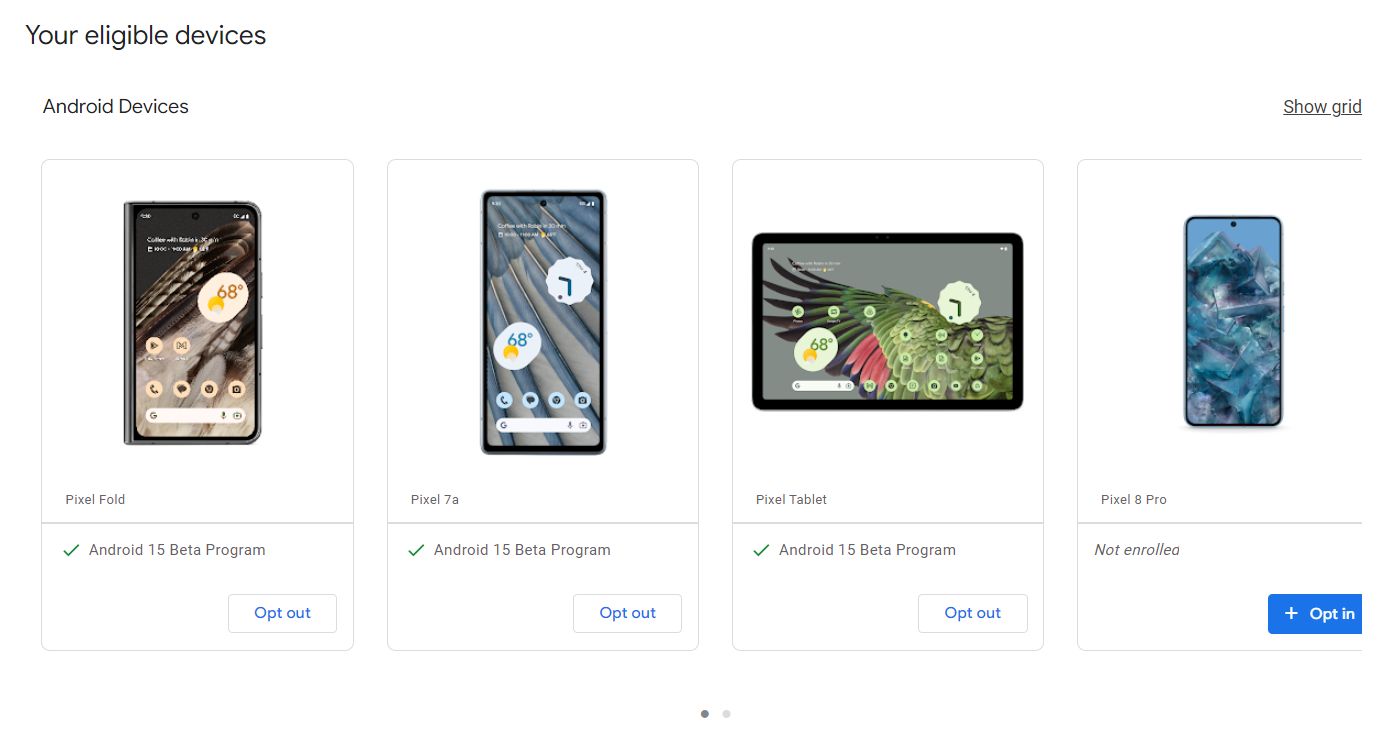
Eligible devices include Pixel 6, Pixel 7, Pixel 8, and more

Google has announced that it would support the Android 15 only for Pixel smartphones with Tensor processing.

The Pixel 6, Pixel 6 Pro, Pixel 6a, Pixel 7, Pixel 7 Pro, Pixel 7a, Pixel Fold, Pixel Tablet, Pixel 8, Pixel 8 Pro, and Pixel 8a are all eligible for running the beta of Android 15.

All Pixel devices that have been out since October 2021 are eligible for the update.

Methods of Installation
Android 15 Beta now available for compatible Pixel devices

Google offers the Android Beta Program and sideloading as the two main ways to install the Android 15 beta on Pixel devices that are compatible.

Android Beta Program

  1. Visit google.com/android/beta and “Opt in” on your selected device.
  2. Once opted in, check for updates on your device to install the beta.

Sideloading

  1. Download the necessary files from Google’s Full OTA Image hosting site.
  2. Boot your Pixel into Recovery mode.
  3. Navigate to “Apply update from ADB” and connect your device to a computer with ADB tools installed.
  4. Enter the sideload command and follow the prompts to install the beta.
  5. Reboot your phone once the installation is complete.
Android 15 Beta Experience on Your Google Pixel Device

At the same time, it’s very important to remember that, while sideloading might be a bit faster, Google’s advice is to wait to unlock the bootloader or enable “OEM Unlocking” under developer settings.

Second, one should make a backup of any important data before doing any major software change.

By enrolling in the Android 15 beta program, or sideloading the beta, users will get the latest and greatest features and enhancements while delivering valuable feedback to Google and further developing the software.

Needless to say, one should make a backup of all the important data before sideloading.

FAQs

Which Pixel devices are compatible with Android 15 Beta?

The Android 15 Beta is compatible with Pixel 6, Pixel 6 Pro, Pixel 6a, Pixel 7, Pixel 7 Pro, Pixel 7a, Pixel Fold, Pixel Tablet, Pixel 8, Pixel 8 Pro, and Pixel 8a.

How can I install the Android 15 Beta using the Android Beta Program?

To install via the Android Beta Program, visit google.com/android/beta, opt-in on your selected device, and check for updates to install the beta.

What is the sideloading method for installing Android 15 Beta?

Sideloading involves downloading files from Google’s Full OTA Image site, booting your Pixel into Recovery mode, applying the update from ADB, and following prompts to complete the installation.

Is it necessary to back up data before installing the Android 15 Beta?

Yes, it is highly recommended to back up all important data before installing the beta to prevent data loss during the update process.

Should I unlock the bootloader before sideloading the Android 15 Beta?

Google advises against unlocking the bootloader or enabling “OEM Unlocking” unless necessary. It’s best to follow the standard installation procedures.

How to sideload Android 15 Beta on Google Pixel ?

The fastest way to get a new version of Android on your Pixel is to sideload it.

It’s a relatively easy process, but you’ll need to get set up to do it.

Download the needed files.
Boot into Recovery mode.
Navigate to ADB sideload.
Connect the handset to a computer with ADB tools installed.
Enter the sideload command.
Reboot your phone.

How to Download Android 15 Beta files ?

To get started, you’ll first need to download the files needed to actually put the Android 15 Beta 2 on your Pixel.

There are two ways to do that . First, you can install a Factory Image, which wipes your phone and starts everything from scratch.

There’s an OTA file, which installs over your current version of Android without wiping your phone.

You can download the beta OTA file from Google’s Full OTA Image hosting site.

That site contains OTA downloads for sideloading different updates, including the Android 15 Beta, on every Pixel and Nexus device, so you’ll need to scroll down to ensure you are downloading the file that is associated with your device. OTA downloads are available here.

For the Android 15 Beta, only Pixel 6/Pro, Pixel 6a, Pixel 7/Pro, Pixel 7a, Pixel 8/Pro, Pixel 8a, Pixel Fold, and Pixel Tablet are available. You won’t be able to install it on the original Pixel/XL, Pixel 2/XL, Pixel 3/XL, Pixel 3a/XL, Pixel 4/XL, Pixel 4a, Pixel 4a 5G, Pixel 5, or Pixel 5a.

How to Boot into Recovery mode ?

After downloading Android 15 beta files you’ll boot your Pixel into Recovery mode. To do this, fully power down your handset.

Then hold down on the Power button and the Volume down button at the same time until you get to the Bootloader page.

You will know you’re in the right place when you see an Android figure lying down on the screen.

Using your volume buttons, scroll down to Recovery mode. Select this by clicking the power button. Alternatively, if you’re already connected to a computer with ADB, you can use the reboot recovery command.

You should see a smaller Android lying down with an exclamation mark over it.

After this press the Power button and the Volume up button for about a second to fully enter Recovery mode. Releasing the Volume up button will send you into Recovery.

How to Navigate to ADB sideload ?

Using the volume buttons, scroll down to Apply update from ADB and select it with the power button. This will launch a mostly blank screen with text near the bottom directing you on how to sideload an OTA.

How to Connect the handset to a computer with ADB tools installed ?

It’s the only way to transfer the downloaded OTA file to your handset. You’ll need to have ADB and Fastboot tools in a handy place.

You can download ADB tools from the Android Developers website. You can also use the Universal ADB Drivers from ClockWorkMod, which can make the process a bit easier on Windows devices.

How to enter the sideload command ?

You can now sideload the OTA file. On Windows, ensure your Command Prompt is directed to the ADB tools folder and type in adb sideload.

If you’re on macOS or Linux, do the same thing in Terminal (use “cd” and “ls” commands to make sure your Terminal is pointed at the right folder – Google it if you need help) but type in ./adb sideload.

You’ll then need to insert the file name of the .zip folder you downloaded from Google and hit enter to start the process.

If everything is working properly, you should see some dialog on your computer and handset that shows the process of the sideload and installation process.

How to Reboot your phone after installing ?

Once the OTA is done installing, you will be taken back to Recovery Mode. The last step to jump into the new update is to select the Reboot now option with your power button.

Also Read: Android 15 Beta Brings Key Security Update, Notification Features; Pixel 5a Excluded From Early Access

Also Read: Effective Android 15 Notification Management Tips for a Cleaner Interface
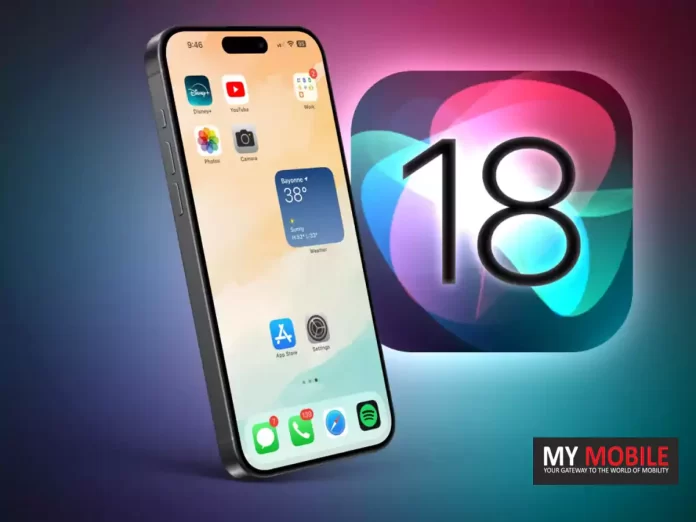
iOS 18 Beta Unveils Accessibility Features, Vocal Shortcuts, Eye Tracking to Help Disabled People

0
iOS 18 Beta Unveils Accessibility Features, Vocal Shortcuts, Eye Tracking to Help Disabled People

Highlights

  • iOS 18 introduces Vocal Shortcuts for voice commands without Siri.
  • Eye Tracking enables control of iPhone and iPad using eye movements.
  • Music Haptics offers a new way for deaf users to experience music.
  • New CarPlay features include Sound Recognition, Colour Filters, and Voice Control.

The forthcoming iOS 18 update from Apple will likely make iPhones and iPads super accessible.

It has released features that can help users with disabilities in the latest beta.

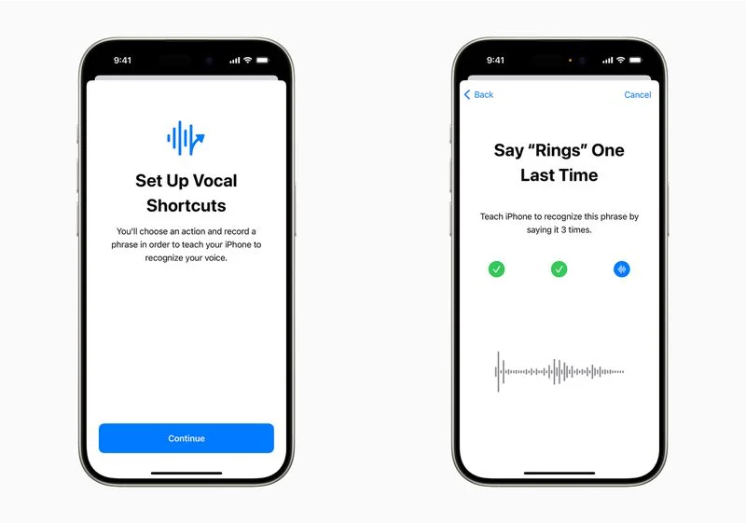
Vocal Shortcuts are now available, which lets users issue voice commands throughout the system without invoking Siri.

Then there is Eye Tracking, which uses the front camera and on-device machine learning to offer eye-controlled navigation for users with physical disabilities.

“We believe deeply in the transformative power of innovation to enrich lives,” said Tim Cook, Apple’s CEO. “That’s why for nearly 40 years, Apple has championed inclusive design by embedding accessibility at the core of our hardware and software. We’re continuously pushing the boundaries of technology, and these new features reflect our long-standing commitment to delivering the best possible experience to all of our users.”

“Each year, we break new ground when it comes to accessibility,” said Sarah Herrlinger, Apple’s senior director of Global Accessibility Policy and Initiatives. “These new features will make an impact in the lives of a wide range of users, providing new ways to communicate, control their devices, and move through the world.”

“Apple Vision Pro is without a doubt the most accessible technology I’ve ever used,” said Ryan Hudson-Peralta, a Detroit-based product designer, accessibility consultant, and cofounder of Equal Accessibility LLC. “As someone born without hands and unable to walk, I know the world was not designed with me in mind, so it’s been incredible to see that visionOS just works. It’s a testament to the power and importance of accessible and inclusive design.”

“Artificial intelligence has the potential to improve speech recognition for millions of people with atypical speech, so we are thrilled that Apple is bringing these new accessibility features to consumers,” said Mark Hasegawa-Johnson, the Speech Accessibility Project at the Beckman Institute for Advanced Science and Technology at the University of Illinois Urbana-Champaign’s principal investigator.

“The Speech Accessibility Project was designed as a broad-based, community-supported effort to help companies and universities make speech recognition more robust and effective, and Apple is among the accessibility advocates who made the Speech Accessibility Project possible.”

Let’s jump into what these updates actually mean.

Vocal Shortcuts: Seamless Voice Commands

iOS 18 introduces Vocal Shortcuts for voice commands without Siri

Apple announced that in iOS 18, a potent new voice tool, Vocal Shortcuts, will be available.

Using this feature, users will be able to set up custom phrases that will initiate system wide actions without the need for saying “Siri.”

Apple demonstrated an example where typing “Rings” would open the user’s Activity app and display their Activity Rings but did not elaborate.

Maybe there will be more utility-driven initiatives for this in the future.

Vocal Shortcuts will allow iPhone and iPad users to assign "custom utterances" that Siri can understand to "launch shortcuts and complete complex tasks."
Vocal Shortcuts will allow iPhone and iPad users to assign “custom utterances” that Siri can understand to “launch shortcuts and complete complex tasks.”

From Apple’s press release: With Vocal Shortcuts, iPhone and iPad users can assign custom utterances that Siri can understand to launch shortcuts and complete complex tasks.

The feature’s explicit use of the word “shortcuts,” combined with the recent history of Apple enabling the iPhone 15 Pro’s Action button to be used as a shortcut trigger.

One could set up simple voice shortcuts for enabling Do Not Disturb, Low Power Mode, or toggling similar system settings.

Using Shortcuts app, one could build complex, multi-step shortcuts that all trigger when they would say the magic words.

Removing the word “Siri” from voice triggers certainly opens the potential for far more accidental triggers.

iOS 18 will require you to configure each custom phrase manually, and say each phrase multiple times during set up, hopefully those unintentional triggers will be minimal.

Eye Tracking and Aural Experience with Music

Eye Tracking enables control of iPhone and iPad using eye movements

More interestingly, Apple also released new tools for access: Music Haptics and Eye Tracking.

The feature of eye tracking will enable disabled persons with physical impairments to just control their iPad or iPhone with their eyes.

It could be set up and calibrated instantly via the front-facing camera.

iPhone's Taptic Engine will play "taps, textures, and refined vibrations" that correspond with the audio of the music:
iPhone’s Taptic Engine will play “taps, textures, and refined vibrations” that correspond with the audio of the music

Setup and control data is stored on the device via on-device machine learning and kept fully secure.

Meanwhile, Music Haptics will be the feature that uses the Taptic Engine of the iPhone, introducing a new way for hard-of-hearing or deaf users to experience music.

Motion Cues in Vehicles and CarPlay Compatibility

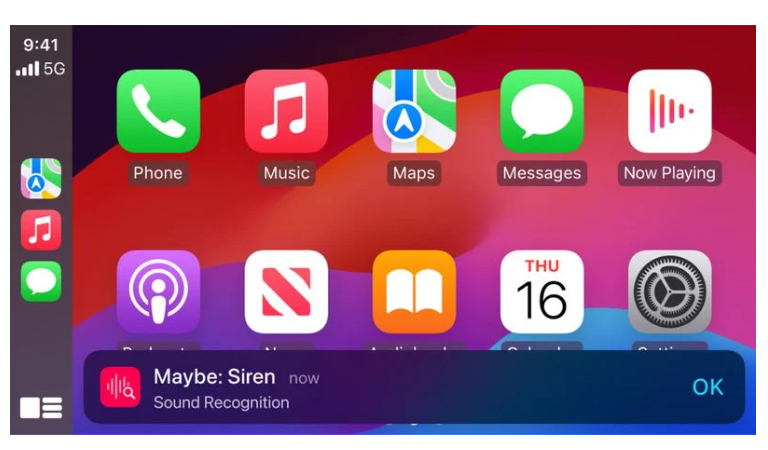
New CarPlay features include Sound Recognition, Colour Filters, and Voice Control

Apple has released Vehicle Motion Cues, meant to help diminish sensory conflict when users are moving around.

This feature represents the changes in vehicle motion using moving dots at the edges of the screen without interfering with the primary information.

CarPlay will be gaining Voice Control, Color Filters, and Sound Recognition.

Vehicle Motion Cues uses the built-in sensors of iPhone and iPad to detect when a user is riding in a moving vehicle and to respond accordingly.

In addition, Apple has disclosed a number of accessibility features for CarPlay, including as Sound Recognition, Colour Filters, and Voice Control.

Voice Control allows users to operate CarPlay and applications using just their voice, allowing them to drive hands-free.

FAQs

What are Vocal Shortcuts in iOS 18?

Vocal Shortcuts allow users to issue custom voice commands to initiate system wide actions without invoking Siri, making the device more accessible.

How does the Eye Tracking feature work in iOS 18?

Eye Tracking uses the front camera and on-device machine learning to enable users with physical disabilities to control their iPhone or iPad using eye movements.

What is Music Haptics in iOS 18?

Music Haptics uses the Taptic Engine to provide a tactile experience for hard-of-hearing or deaf users, allowing them to feel the music through vibrations.

What are Vehicle Motion Cues in iOS 18?

Vehicle Motion Cues use built-in sensors to represent vehicle motion with moving dots on the screen, helping to reduce sensory conflict for users on the move.

What new accessibility features are available for CarPlay in iOS 18?

iOS 18 introduces Sound Recognition, Colour Filters, and Voice Control for CarPlay, enhancing hands-free operation and accessibility while driving.

What are the Additional Updates by Apple ?

For users who are blind or have low vision, VoiceOver will include new voices, a flexible Voice Rotor, custom volume control, and the ability to customize VoiceOver keyboard shortcuts on Mac.

Magnifier will offer a new Reader Mode and the option to easily launch Detection Mode with the Action button.

Braille users will get a new way to start and stay in Braille Screen Input for faster control and text editing; Japanese language availability for Braille Screen Input; support for multi-line braille with Dot Pad; and the option to choose different input and output tables.

For users with low vision, Hover Typing shows larger text when typing in a text field, and in a user’s preferred font and color.

For users at risk of losing their ability to speak, Personal Voice will be available in Mandarin Chinese. Users who have difficulty pronouncing or reading full sentences will be able to create a Personal Voice using shortened phrases.

For users who are nonspeaking, Live Speech will include categories and simultaneous compatibility with Live Captions.

For users with physical disabilities, Virtual Trackpad for AssistiveTouch allows users to control their device using a small region of the screen as a resizable trackpad.

Switch Control will include the option to use the cameras in iPhone and iPad to recognize finger-tap gestures as switches.

Voice Control will offer support for custom vocabularies and complex words.

What are the best features of Eye Tracking introduced to iPad and iPhone ?

Powered by artificial intelligence, Eye Tracking gives users a built-in option for navigating iPad and iPhone with just their eyes.

Designed for users with physical disabilities, Eye Tracking uses the front-facing camera to set up and calibrate in seconds, and with on-device machine learning, all data used to set up and control this feature is kept securely on device, and isn’t shared with Apple.

Eye Tracking works across iPadOS and iOS apps, and doesn’t require additional hardware or accessories. With Eye Tracking, users can navigate through the elements of an app and use Dwell Control to activate each element, accessing additional functions such as physical buttons, swipes, and other gestures solely with their eyes.

Does Music Haptics Makes Songs More Accessible ?

Music Haptics is a new way for users who are deaf or hard of hearing to experience music on iPhone. With this accessibility feature turned on, the Taptic Engine in iPhone plays taps, textures, and refined vibrations to the audio of the music.

Music Haptics works across millions of songs in the Apple Music catalog, and will be available as an API for developers to make music more accessible in their apps.

What are the New Features introduced for a Wide Range of Speech by Apple ?

With Vocal Shortcuts, iPhone and iPad users can assign custom utterances that Siri can understand to launch shortcuts and complete complex tasks. Listen for Atypical Speech, another new feature, gives users an option for enhancing speech recognition for a wider range of speech.

Listen for Atypical Speech uses on-device machine learning to recognize user speech patterns.

Designed for users with acquired or progressive conditions that affect speech, such as cerebral palsy, amyotrophic lateral sclerosis (ALS), or stroke, these features provide a new level of customization and control, building on features introduced in iOS 17 for users who are nonspeaking or at risk of losing their ability to speak.

Can Vehicle Motion Cues Help Reduce Motion Sickness ?

Vehicle Motion Cues is a new experience for iPhone and iPad that can help reduce motion sickness for passengers in moving vehicles.

Research shows that motion sickness is commonly caused by a sensory conflict between what a person sees and what they feel, which can prevent some users from comfortably using iPhone or iPad while riding in a moving vehicle.

With Vehicle Motion Cues, animated dots on the edges of the screen represent changes in vehicle motion to help reduce sensory conflict without interfering with the main content.

Using sensors built into iPhone and iPad, Vehicle Motion Cues recognizes when a user is in a moving vehicle and responds accordingly.

The feature can be set to show automatically on iPhone, or can be turned on and off in Control Center.

What features has CarPlay added in IOS 18 beta ?

CarPlay Gets Voice Control, More Accessibility Updates

Accessibility features coming to CarPlay include Voice Control, Color Filters, and Sound Recognition. With Voice Control, users can navigate CarPlay and control apps with just their voice.

With Sound Recognition, drivers or passengers who are deaf or hard of hearing can turn on alerts to be notified of car horns and sirens.

For users who are colorblind, Color Filters make the CarPlay interface visually easier to use, with additional visual accessibility features including Bold Text and Large Text.

What are the Accessibility Features Coming to visionOS ?

This year, accessibility features coming to visionOS will include systemwide Live Captions to help everyone — including users who are deaf or hard of hearing — follow along with spoken dialogue in live conversations and in audio from apps.

With Live Captions for FaceTime in visionOS, more users can easily enjoy the unique experience of connecting and collaborating using their Persona. Apple Vision Pro will add the capability to move captions using the window bar during Apple Immersive Video, as well as support for additional Made for iPhone hearing devices and cochlear hearing processors.

Updates for vision accessibility will include the addition of Reduce Transparency, Smart Invert, and Dim Flashing Lights for users who have low vision, or those who want to avoid bright lights and frequent flashing.

These features join the dozens of accessibility features already available in Apple Vision Pro, which offers a flexible input system and an intuitive interface designed with a wide range of users in mind.

Features such as VoiceOver, Zoom, and Color Filters can also provide users who are blind or have low vision access to spatial computing, while features such as Guided Access can support users with cognitive disabilities.

Users can control Vision Pro with any combination of their eyes, hands, or voice, with accessibility features including Switch Control, Sound Actions, and Dwell Control that can also help those with physical disabilities.

Also Read: Apple’s iPhone 16 to Revolutionize with AI Integration in iOS 18

Also Read: Apple’s iOS 18 Is Likely to Be Its Most Ambitious Update Yet: Mark Gurman

Also Read: Apple Reportedly Acquires DarwinAI to Boost iOS 18 AI Features and More

Google Releases Android 15 Beta 2 with Enhanced Features and Broader Compatibility: See What All is New

0

Highlights

  • Android 15 Beta 2 expands compatibility to more smartphone brands.
  • Introduces Private Space for enhanced app security and privacy.
  • Improves battery life with time-limited foreground services.
  • Adds new font support and accessibility features.

Google has announced that the Android 15 beta 2 is now availablefor download with a ton of new features and enhancements.

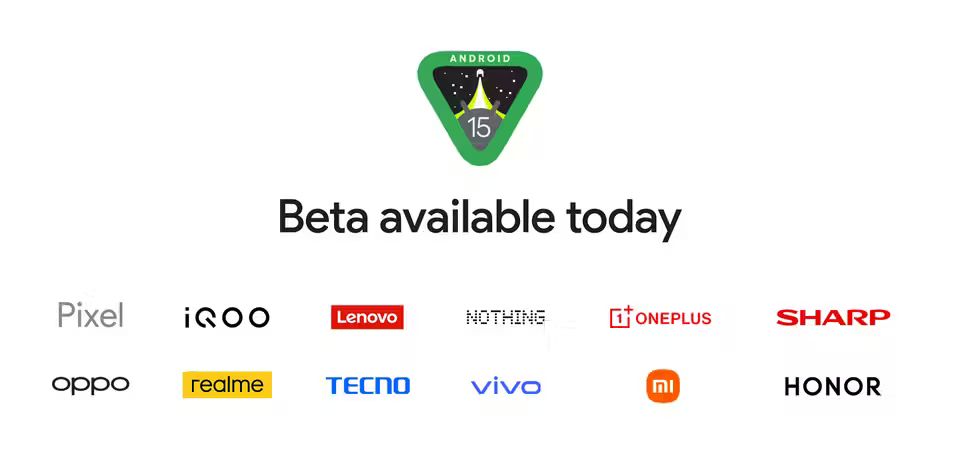
The second Android 15 beta increases compatibility to a wider number of smartphones from different manufacturers, such as iQOO, Lenovo, Nothing, OnePlus, Sharp, Oppo, Realme, Tecno, Vivo, Xiaomi, and Honor.

Android 15 Beta 2 expands compatibility to more smartphone brands.

I think people are aware of the fact that the first beta was restricted to specific Pixel devices.

Now that it is open to more devices, there will be a greater possibility of finding bugs and glitches.

Putting Security and Privacy First

  • Privacy dashboard elevated
Introduces Private Space for enhanced app security and privacy

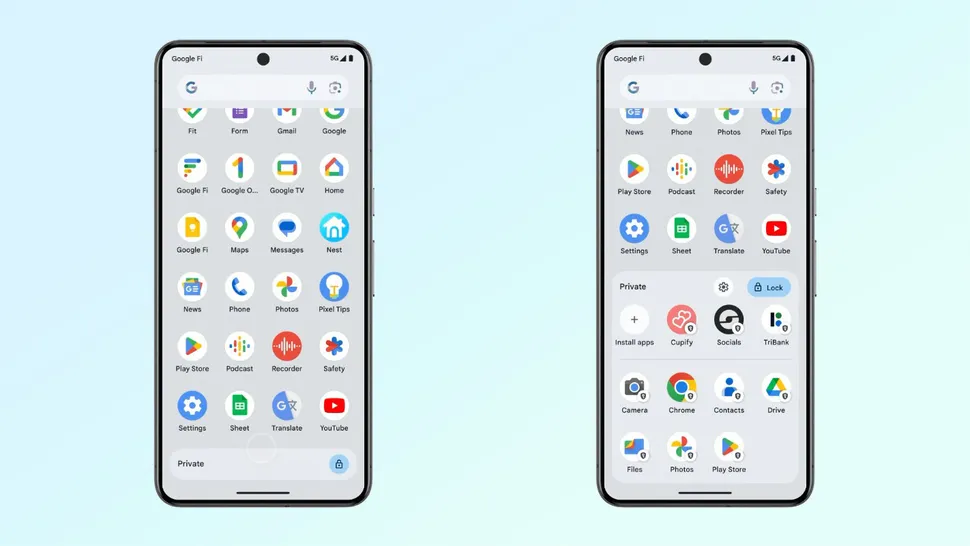
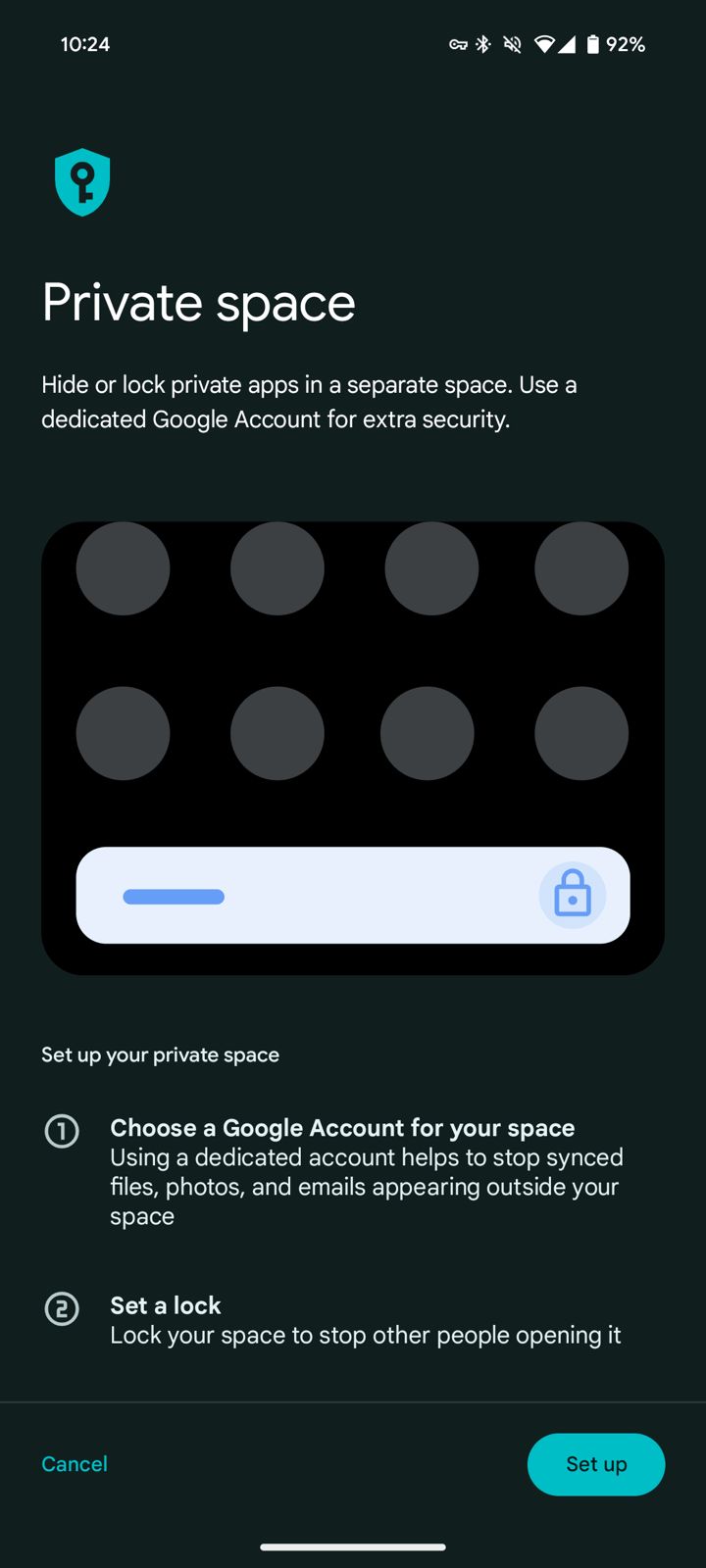
The inclusion of Private Space has been one of the biggest features added in Android 15 beta 2.

Improves battery life with time-limited foreground services
Private Space has been one of the biggest features added in Android 15 beta 2

The feature allows users to isolate and protect sensitive applications installed on the smartphone, each with an extra layer of authentication.

The feature allows users to isolate and protect sensitive applications installed on the smartphone

These apps go under lockdown, are grayed out, and are hidden from the launcher, recents view, settings menu, and notifications for further privacy and protection.

Increasing Battery Life and Efficiency

Adds new font support and accessibility features
Improves battery life with time-limited foreground services

Google has made a couple of changes to make things more effective and battery-saving.

DataSync and media processing foreground services are now time-limited to 6 hours before shifting into the background to conserve power.

Foreground services are what keep an application running in an active state.

Android 15 Beta 2 comes with improved wide-screen multitasking features, such as pinning the taskbar, seamless switching between applications, and saving the different split-screen combinations.

Enhanced Font Support and Accessibility

oogle's Platform That Centralizes Health and Fitness Data
Adds new font support and accessibility features

The second beta adds more font support for various global alphabets, including variable support for Chinese, Japanese, and Korean, and a new font file for Japanese Hentaigana by default.

These changes are intended to improve readability and avoid linguistic and cursive font clippings.

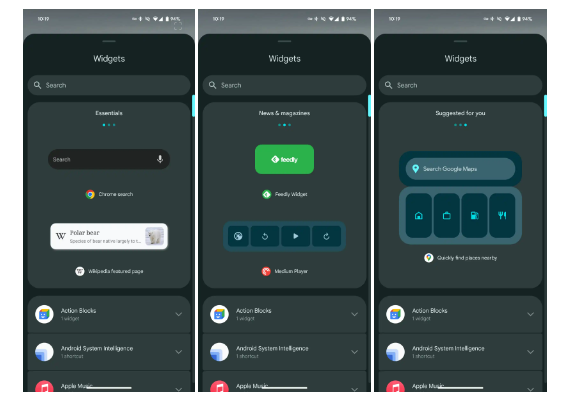
Also, the second beta release of Android 15 includes widget previews, which allow applications to provide a Remote View to the Widget Picker that shows the user what the widget looks like so that users may preview what a widget looks like before placing it on their home screen.

Health and Fitness Enhancements

Google's Platform That Centralizes Health and Fitness Data.
Google’s Platform That Centralizes Health and Fitness Data.

Android 15 Beta 2 Adds More Data Types to Health Connect, Google’s Platform That Centralizes Health and Fitness Data.

This includes skin temperature monitoring and training plans with performance goals for cadence, heart rate, power, perceived rate of exertion, and completion goals for steps, distance, time, and calories burnt.

Improved Navigation and Volume Panel

  • Beta 1.2 vs Beta 2
  • Taller with the app icon appearing
Android 15 Beta 2, accessible via Tasker or any other application that can trigger the intents

Android 15 beta 2 introduces “predictive back,” a feature that shows, through an animation, where the back button or gesture will take users to prevent accidental navigation to unintended locations.

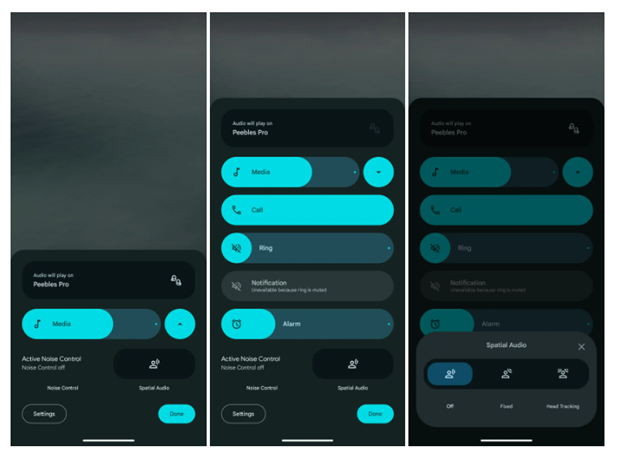
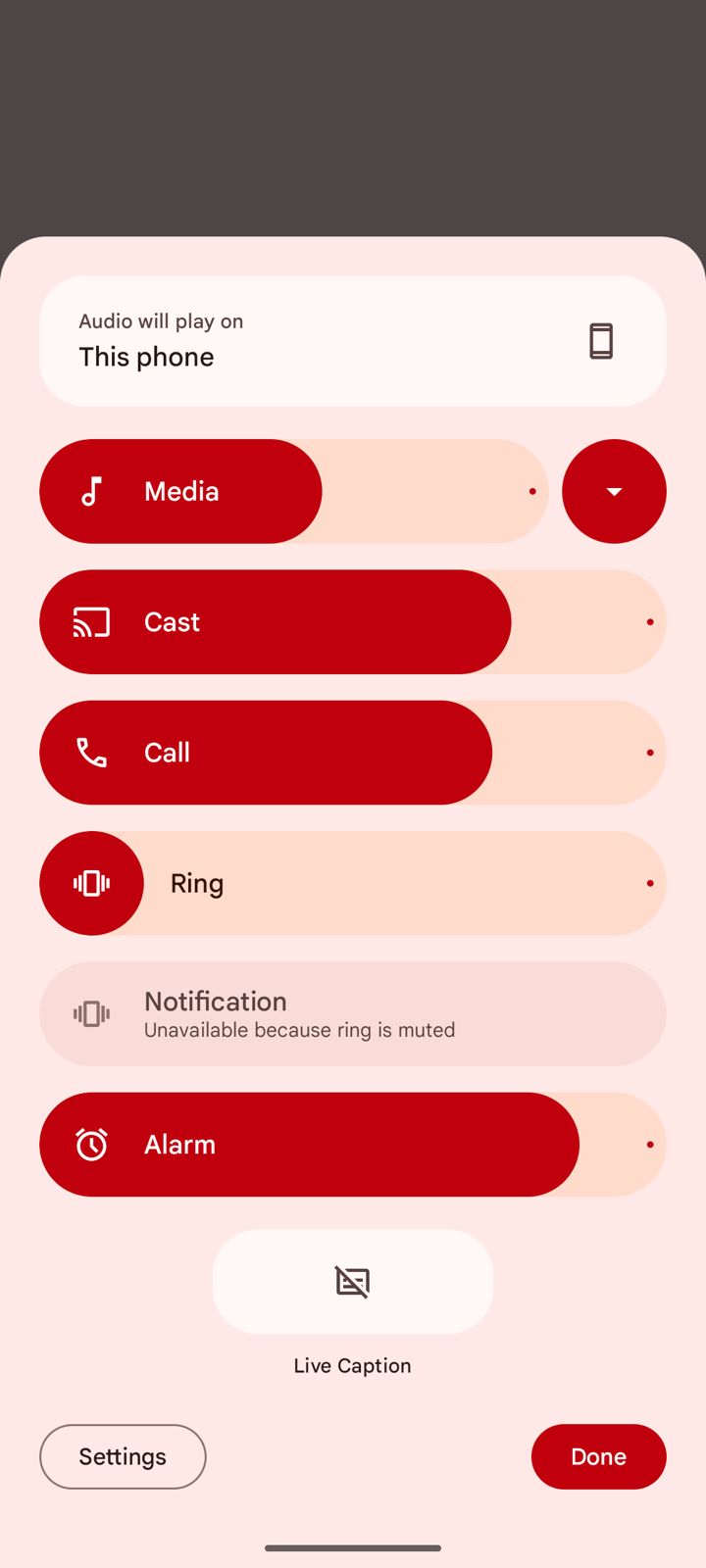
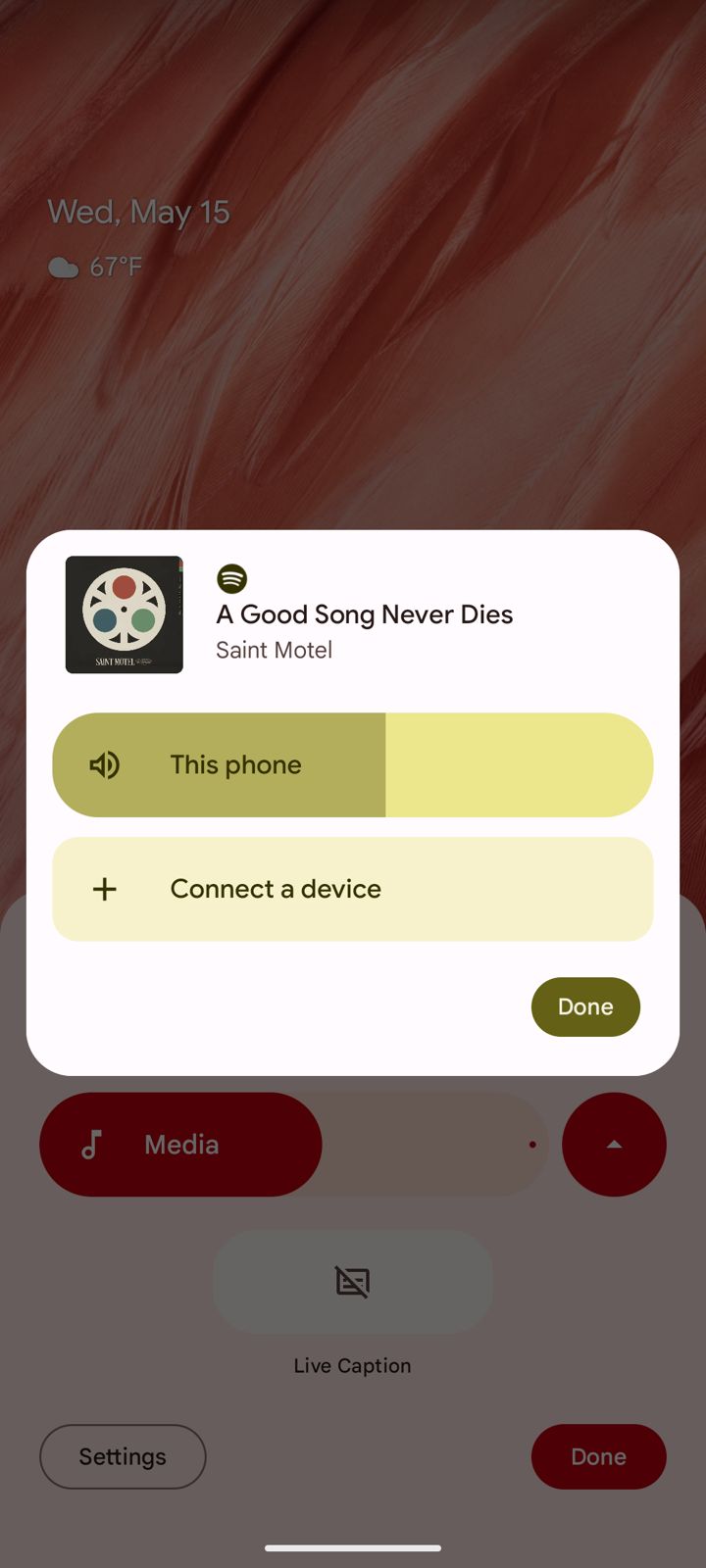
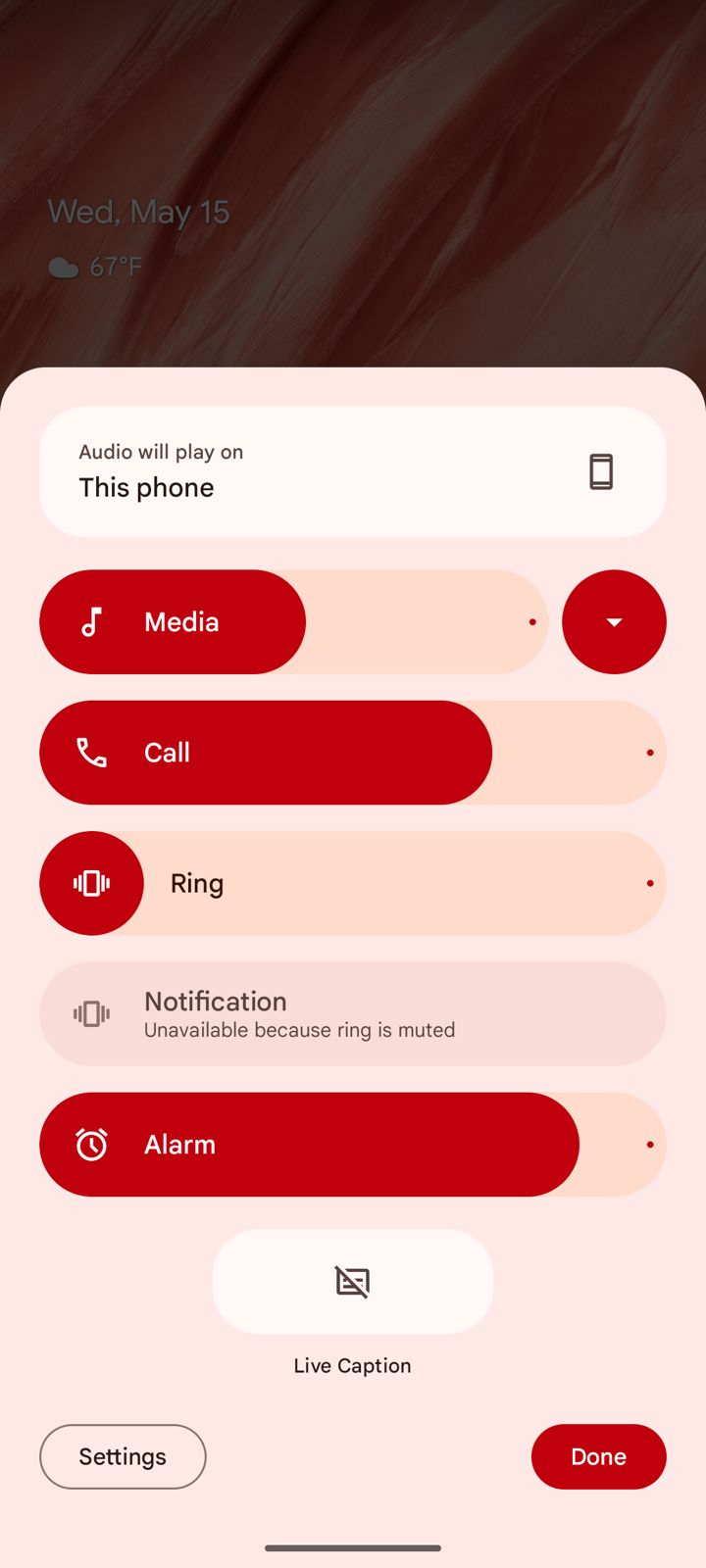
There’s also a redesign of the volume panel, with a sleeker interface, a shortcut for Live Captions, and an output switcher widget for Bluetooth accessories.

Note that the previous, enlarged volume panel user interface is still present in Android 15 Beta 2, accessible via Tasker or any other application that can trigger the intents.

However, when you use the extended volume panel in this way, as opposed to using the shortcut in the right-aligned volume panel, you still invoke the Android 14-style bottom sheet panel.

Android 15 Beta 2 redesigns volume menu introduces built-in output switcher.

Android 15 Beta 2 redesigns volume menu introduces built-in output switcher.

The new design, live by default in Android 15 Beta 2, adds a splash of Material You to the whole interface.

The sliders are now big and vibrantly colored.

In terms of functions it remains the same .

The sliders are now big and vibrantly colored.

New functionality here includes a shortcut for Live Caption at the bottom of the page and an audio output switcher.

Android already supports switching the output via the media widget in Quick Settings, but this new means of access is always available.

New functionality here includes a shortcut for Live Caption at the bottom of the page

A slider for Cast volume is also present when the context demands it.

slider for Cast volume is also present when the context demands it.

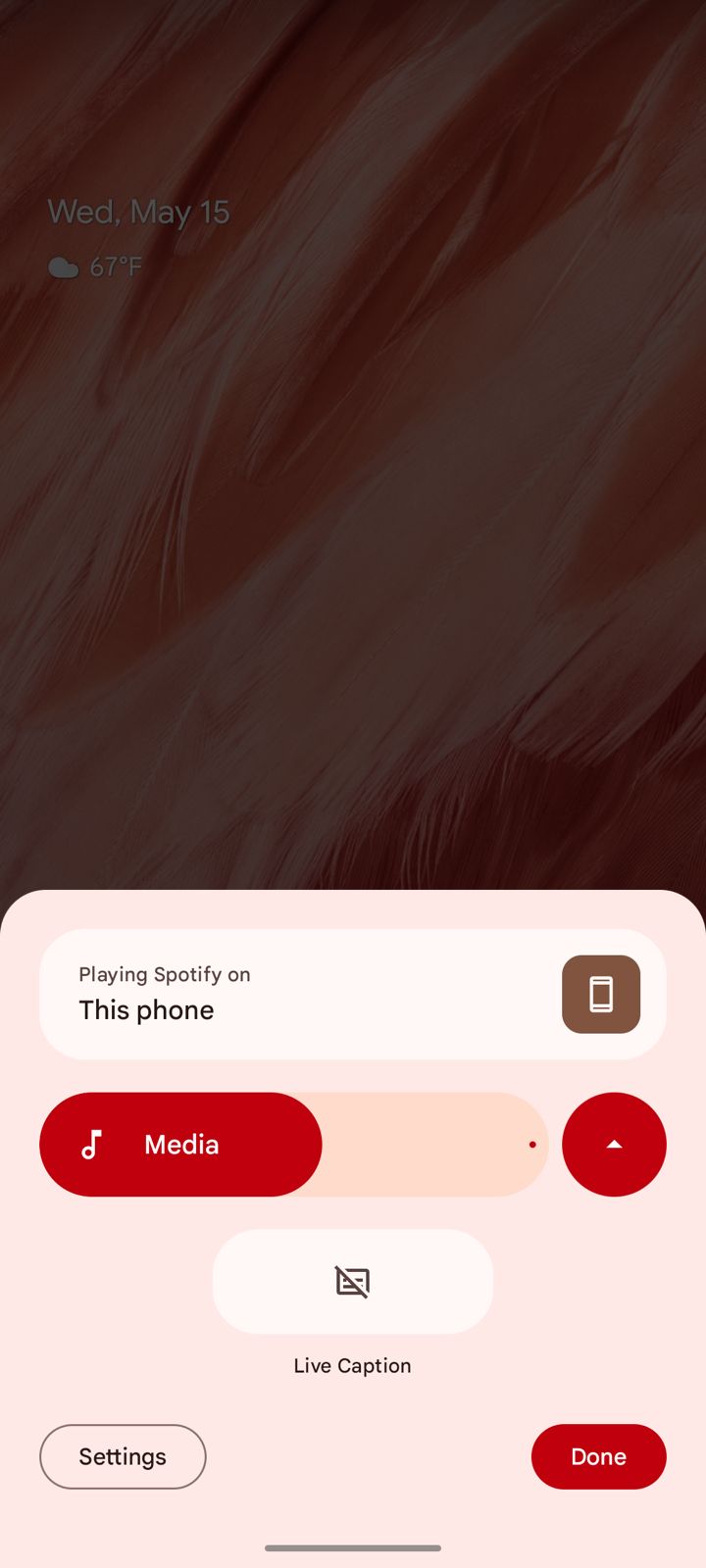
A button next to the “Media” slider allows you to condense the menu down, and the menu will remember what status you’ve picked the next time you open it.

Bluetooth Tweaks

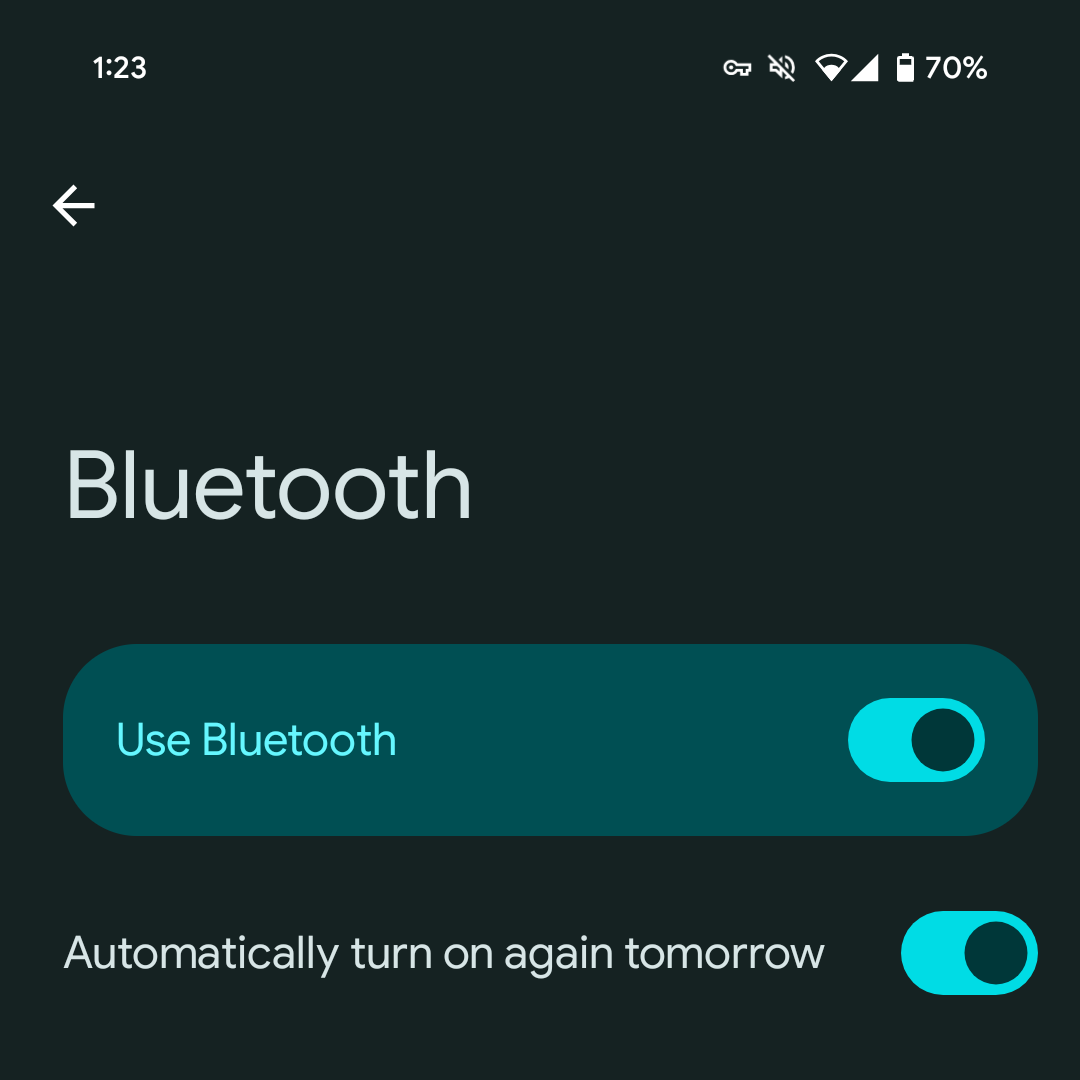
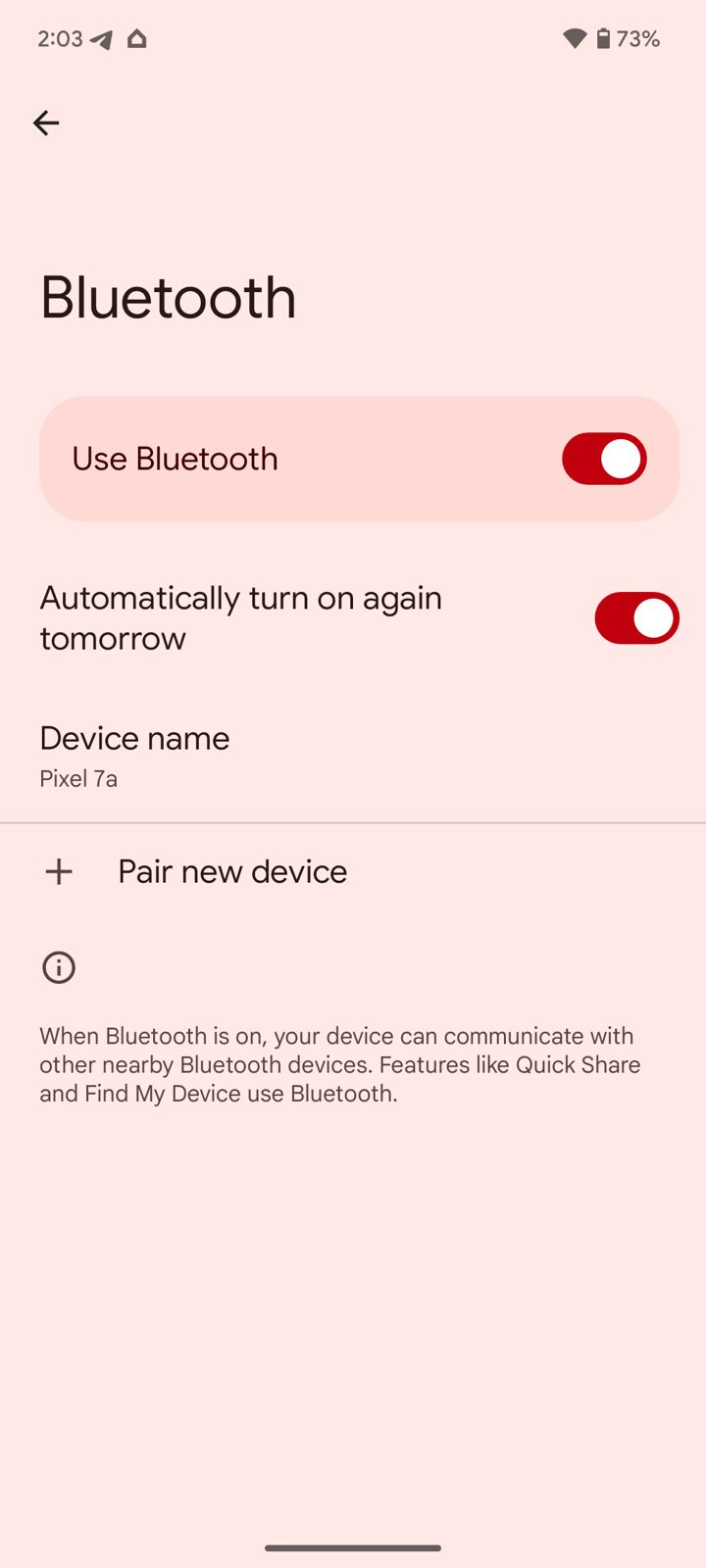
  • Settings > Connected devices > Connection preferences > Bluetooth
  • Enabled by default
  • Presumably aid the Find My Device network
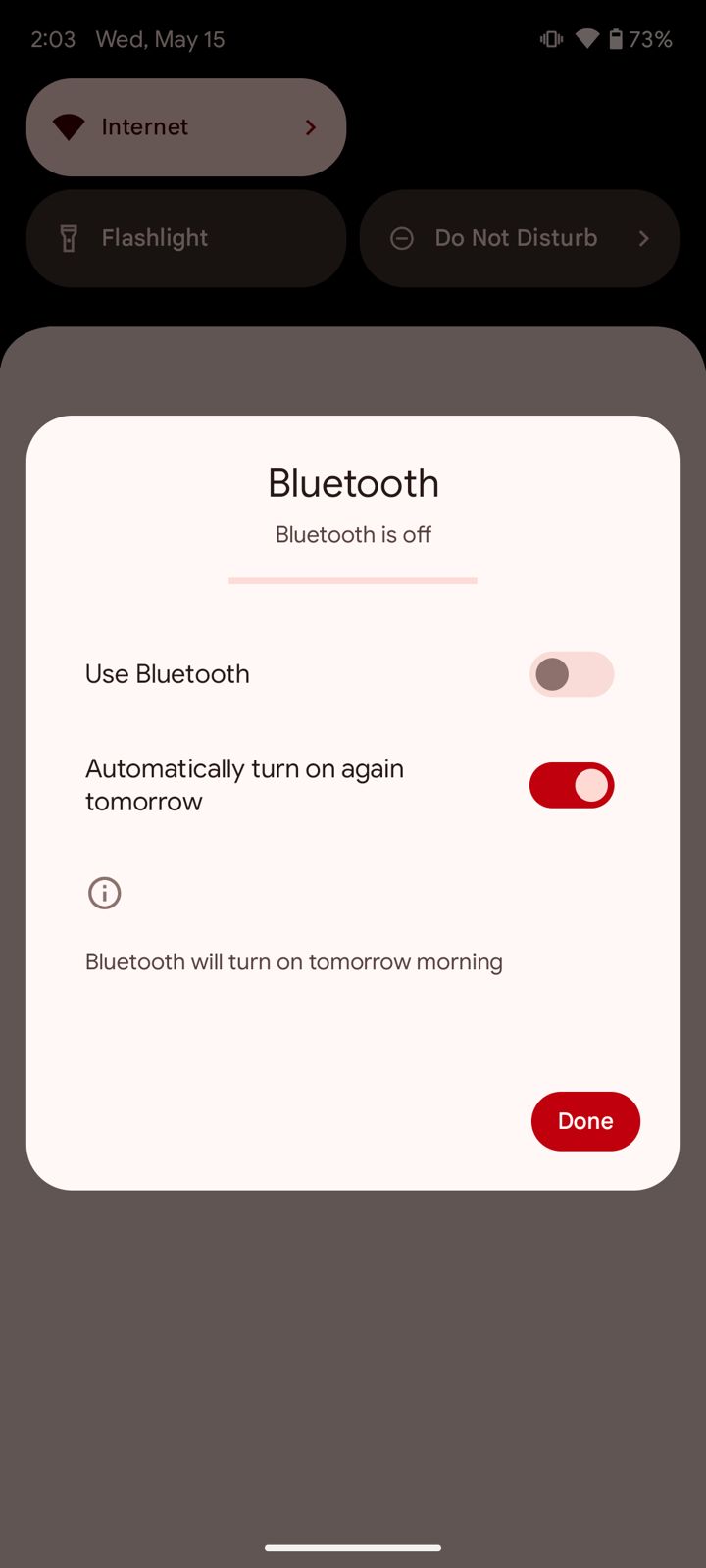
Google states clearly that Bluetooth will be turned back on “tomorrow morning,”

Google is altering the default behaviour of Bluetooth in Android 15.

If a user turns off Bluetooth in the Quick Settings, it will automatically reactivate the following morning.

But this has nothing to do with when you switch off Bluetooth.

Google is altering the default behaviour of Bluetooth in Android 15.

Google states clearly that Bluetooth will be turned back on “tomorrow morning,” but only in the Quick Settings.

However, it’s unclear what “morning” means in this particular context.

If a user turns off Bluetooth in the Quick Settings

This adjustment is aimed at enhancing the functionality of Quick Share and Find My Device, although the specific time for reactivation is not yet specified.

Predictive Back Live

  • In Settings app
  • Developer option toggle has been removed

Don’t suggest app

Pixel Launcher from suggesting it
  • Previously, you had to drag the app up as if you were deleting to stop the Pixel Launcher from suggesting it

Redesigned authentication Panel

Redesigned authentication panel
  • Beta 1.2 vs Beta 2
  • Taller with the app icon appearing

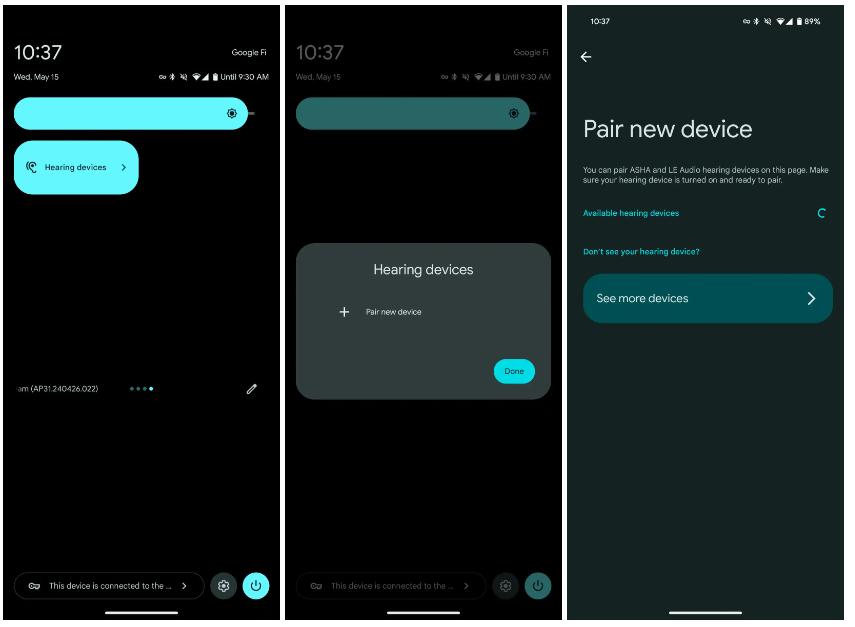
Hearing devices QS Tile

Hearing devices QS Tile

FAQs

Which devices are compatible with Android 15 Beta 2?

Android 15 Beta 2 is now available for a wider range of devices from brands like iQOO, Lenovo, Nothing, OnePlus, Sharp, Oppo, Realme, Tecno, Vivo, Xiaomi, and Honor.

What is the Private Space feature in Android 15 Beta 2?

Private Space allows users to isolate and protect sensitive apps with an extra layer of authentication, hiding them from the launcher, recent view, settings menu, and notifications.

How does Android 15 Beta 2 improve battery life?

Battery life is enhanced by time-limiting DataSync and media processing foreground services to 6 hours before they shift to the background to conserve power.

What new font support does Android 15 Beta 2 include?

The update adds support for various global alphabets, including new font support for Chinese, Japanese, and Korean, and a new font file for Japanese Hentaigana.

What changes are introduced in the volume panel of Android 15 Beta 2?

The volume panel has been redesigned with a sleeker interface, a shortcut for Live Captions, and an output switcher widget for Bluetooth accessories. The older volume panel interface is still accessible via Tasker.

What are known issues of private space ?

Creating a private space on a device for the first time removes app icons from the Home screen (or Home screens if more than one Home screen has been added). We expect to include a fix for this issue in a Beta 2 point release in the coming days. (Issue #340868295)
Debugging with LLDB doesn’t work yet with 16 KB emulator system images.
When an app window is transitioning to picture-in-picture (PiP) mode, the PiP window disappears if the device is rotated before the PiP transition finishes.
An error page shows while adding an account during device setup.
An “Android System Intelligence keeps stopping” message appears while creating a file in the Google Docs app.
The Google TV app sometimes fails to initiate video playback and instead displays a “Play Movies & TV is temporarily unavailable” message.

What are Bluetooth resolved issues ?

BLE Reliability:

Implemented a fix to prevent BluetoothGatt from getting stuck in a busy state when a characteristic write fails. (Issue #330663537)

Fixed a bug in BluetoothGattService that sometimes a SecurityException is thrown out when enabling notifications for a specific device. (Issue #317215071)

Addressed a critical Bluetooth connection issue affecting dual-mode devices with LE random address.

LE Audio Enhancements:

Significant improvements have been made to LE Audio, addressing clock synchronization problems, pairing and bonding experiences, and packet drops for a smoother, higher-quality audio and hearing aid experience.

Bluetooth API Refinements: – Extended Bluetooth Audio Classic (A2DP) stack to support vendor codec on the offload audio codec.

Also refined Bluetooth APIs for better developer experience and improved functionality. This includes fixes for GATT error handling, HID/HOGP switching, and enhancements to BluetoothDevice#getAddressType() accessibility. (Issue #220161109)

Also Read: Android 15 Beta Brings Key Security Update, Notification Features; Pixel 5a Excluded From Early Access

Also Read: Effective Android 15 Notification Management Tips for a Cleaner Interface

Samsung Galaxy S25 Ultra Will be Retaining Four Cameras Despite Contrary Rumours

0

Highlights

  • Galaxy S25 Ultra rumored to retain four-camera setup with 200MP main sensor.
  • 10MP 3x telephoto camera to receive slight sensor size and focus length upgrades.
  • Potential improvements include Snapdragon 8 Gen 4 processor.
  • Speculative reports suggest variable focal length for periscope module.

A recent rumour suggested that the next Samsung Galaxy S25 Ultra would only be using its 200MP primary sensor for short-range zoom in lieu of its 3x telephoto camera.

Several leakers on X have made different claims about the number of cameras on the Galaxy S25 Ultra.

Tipster Sperandio4Tech was the first to say that Samsung will only offer three cameras instead of four cameras like the S24 Ultra.

Sperandio4Tech said that Samsung will use a 200MP main camera with the same sensor size as before (but with improved light capture) to generate 3x images.

They said that the S25 Ultra will have a periscope camera with variable zoom and a large sensor.

This isn’t believed to be continuous variable zoom but rather switching between ~4x to ~5x and ~6x to ~7x.

Leaked @BennettBuhner said that the Galaxy S25 Ultra would be getting three cameras instead of four.

He claims that Samsung will offer a ~50MP variable telephoto camera with “select zoom ranges.”

The tipster said that we could see 14x “lossless” zoom if it tops out at 7x optical zoom.

The leaker also says that the S25 Ultra will pack an upgraded 200MP ~1-inch sensor and a 50MP ultrawide lens.

Tipster Revegnus says that the S25 Ultra has four rear cameras.

Galaxy S25 Ultra rumored to retain four-camera setup with 200MP main sensor

But always reliable Ice Universe has given light on the topic and says that the next Ultra variant will still include four cameras.

Ice Universe clarified that an upgrade with respect to this camera is definitely going to be possible, and that it will not be discontinued.


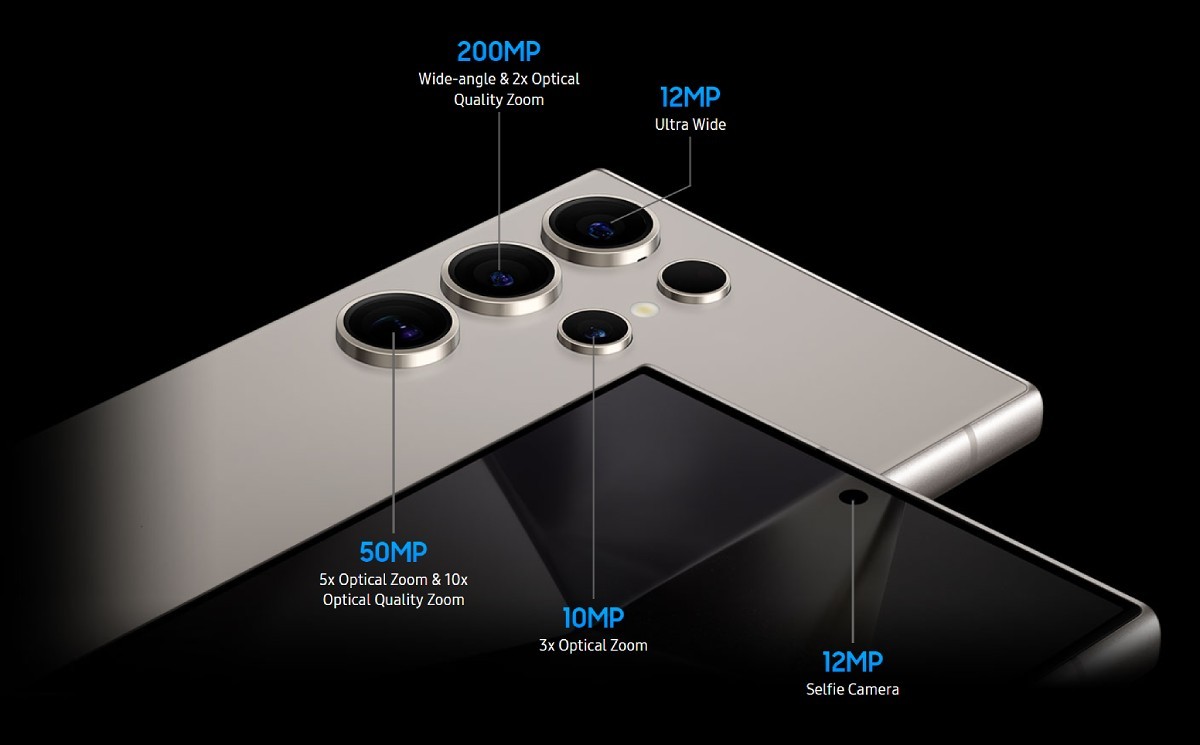
The 10MP 3x camera has not changed much, except for slight changes with the sensor size and focus length, since the Galaxy S21 Ultra.

“Regarding the camera of Galaxy S25 Ultra, you need to be prepared for the worst. Do not rule out the possibility that everything will remain the same. What I can confirm at present is that the screen size has not changed, and it is still 6.8 inches,” is what Ice Universe wrote in his tweet.

Potential Upgrades and Speculations

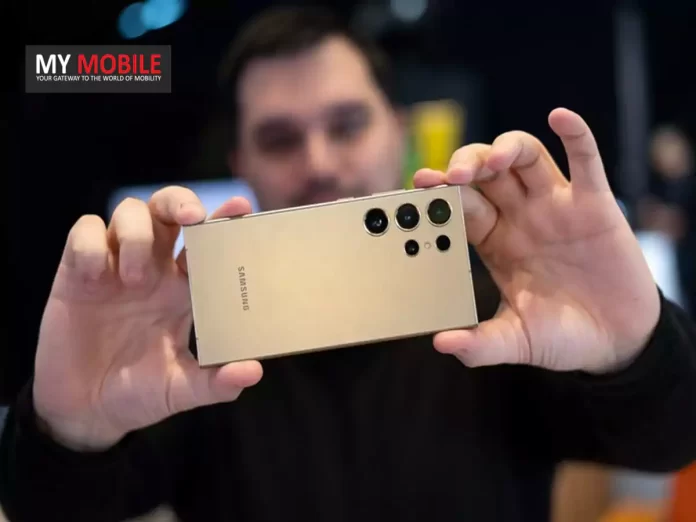
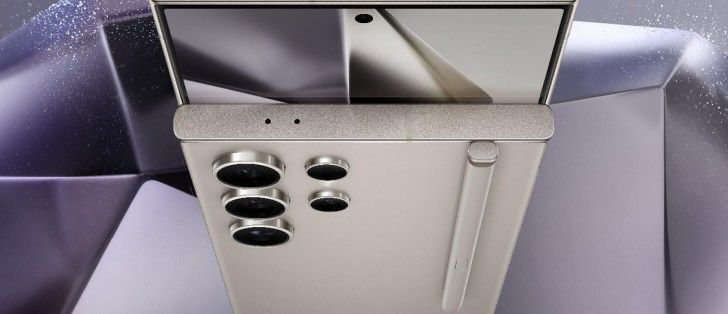
Samsung Galaxy S24 Ultra’s camera configuration

The 12MP 120° ultra-wide camera hasn’t changed all that much since the S20 Ultra, much like the 3x camera.

The main camera, however has changed over time—from the S20 Ultra’s 108MP HM1 sensor to the S23 and S24 Ultra models’ 200MP HP2 sensor.

While it is expected that the Galaxy S24 Ultra will retain the HP2 sensor, there are indeed speculative reports that Samsung has experimented with the concept of making the periscope module variable in its focal length, thus able to switch between two pre-defined positions.

The ultra-advanced AI skills introduced with the S24 series

Rumours about possible improvements and additions are still there with the debut of the Galaxy S25 Ultra.

Samsung might have a few surprises in store, though specifications, such as battery life, screen resolution and refresh rate, and storage options are unlikely to differ greatly from the S24 Ultra.

Speculative reports suggest variable focal length for periscope module

One possible improvement would be a new and enhanced Snapdragon 8 Gen 4 processor that may match Apple’s upcoming A18 Pro chip in raw power.

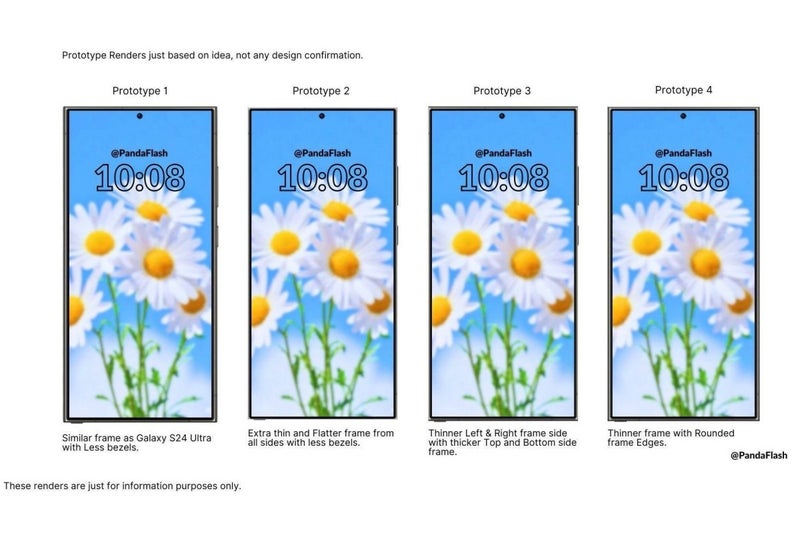
Furthermore, it’s possible that the Galaxy S25 Ultra will have minor but noticeable design adjustments; however, details are yet unknown at this time.

The rumour mill will continue to churn and Samsung enthusiasts might not have to await to long to get some tangible confirmation and details about the Galaxy S25 Ultra.

Samsung Galaxy S25 Ultra Specs

GENERAL

Sim Type Dual Sim, GSM+GSM
Dual Sim Yes
Sim Size Nano+Nano SIM
Device Type Smartphone
Release Date December 8, 2024 (Expected)

DISPLAY

Type Color Dynamic AMOLED 2X (1B Colors)
Touch Yes
Size 6.83 inches, 1800 x 3440 pixels, 144 Hz
Aspect Ratio 20.5:9
PPI ~ 454 PPI
Glass Type Corning Gorilla Glass Victus Plus
Features Always-on Display, HDR10+, Curved Display
Notch Yes, Punch Hole

MEMORY

RAM 12 GB
Storage 256 GB
Storage Type UFS 4.0
Card Slot No

CONNECTIVITY

GPRS Yes
EDGE Yes
3G Yes
4G Yes
5G Yes
VoLTE Yes, Dual Stand-By
Vo5G Yes
Wifi Yes, with wifi-hotspot
Bluetooth Yes, v5.3
USB Yes, USB-C v3.2
USB Features USB Tethering, USB on-the-go, USB Charging

EXTRA

GPS Yes with A-GPS, Glonass
Fingerprint Sensor Yes, In Display
Face Unlock Yes
Sensors Accelerometer, Proximity, Barometer
3.5mm Headphone Jack USB Type-C
Water Resistance Yes

CAMERA

Rear Camera 200 MP f/1.8
12 MP f/2.2 (Ultra Wide)
12 MP f/2.4 (Telephoto)
12 MP f/4.9 (Periscope ) with autofocus
Features Digital Zoom, Auto Flash, Face detection, Touch to focus
Video Recording 4K, 1080p
Flash Yes, LED
Front Camera Punch Hole 60 MP with Screen Flash
Front Video Recording 1080p

TECHNICAL

OS Android v14
Custom UI OneUI 6.0
Chipset Qualcomm Snapdragon 8 Gen4
CPU Octa Core Processor
GPU Adreno GPU
Java No
Browser Yes

MULTIMEDIA

Email Yes
Music Yes
Video Yes
FM Radio Yes
Document Reader Yes

BATTERY

Type Non-Removable Battery
Size 5100 mAh, Li-Po Battery
Fast Charging Yes, 65W Fast Charging
Wireless Charging Yes, 45W
Reverse Charging Yes, 10W

FAQs

FAQs

Will the Samsung Galaxy S25 Ultra have a 3x telephoto camera?

Yes, reliable sources indicate that the Galaxy S25 Ultra will retain its 10MP 3x telephoto camera with slight upgrades in sensor size and focus length.

What changes are expected in the Galaxy S25 Ultra’s camera setup?

The main camera will continue to feature the 200MP sensor from the S24 Ultra, with potential enhancements in other cameras, including a possible variable focal length for the periscope module.

What processor might the Galaxy S25 Ultra feature?

Rumours suggest that the Galaxy S25 Ultra could be equipped with the new Snapdragon 8 Gen 4 processor, potentially matching the performance of Apple’s upcoming A18 Pro chip.

Are there any design changes expected for the Galaxy S25 Ultra?

While specific details are yet unknown, it is speculated that the Galaxy S25 Ultra may have minor but noticeable design adjustments compared to its predecessor.

When will more information about the Galaxy S25 Ultra be available?

As the rumour mill continues, Samsung enthusiasts can expect more tangible confirmation and details about the Galaxy S25 Ultra in the coming months.

Will some Galaxy S25 models be more power efficient than others ?

The Exynos 2500 will feature Samsung Foundry’s Gate-All-Around (GAA) process technology, which should allow it to run cooler than the Snapdragon 8 Gen 4, per Business Korea.

While both of these chips will be based on the 3nm tech, the GAA process will give Samsung’s chip an edge in terms of efficiency.

The GAA architecture overcomes the challenges of FinFET, leading to increased performance and reduced power consumption.

The report says that while the Snapdragon 8 Gen 4 will lead in performance, the Exynos 2500 will be close.

The Exynos 2500 won’t be Samsung’s first 3nm chip, though, as the Exynos W1000 chip for the Galaxy Watch 7 will be the company’s first 3nm chip in July 2024.

The company decided to go ahead with the Exynos 2500 processor for some Galaxy S25 and Galaxy S25+ units.

The Galaxy S25 Ultra will likely continue using the Snapdragon 8 Gen 4 processor.

Other 3nm chips, such as the M4 chip in Apple’s new iPad Pro, are made using TSMC’s 3nm process, which uses the older FinFET structure.

What to expect from Galaxy S25?

The Galaxy S25 is expected to have a new design, improved camera quality, and longer battery life.

The phone could also feature two-way satellite connectivity for emergency communications.

It will most likely run Android 15-based One UI 7.1 out of the box and get major Android OS updates for seven years.

Also Read: Samsung Galaxy S25 Ultra Rumoured to Feature Redesigned Camera System

Also Read: Samsung Camera Upgrades for Galaxy S24, S25, and S26 Ultra Series Leaked

Google I/O Unveils “Ask Photos” AI Tool for Enhanced Image Search

0
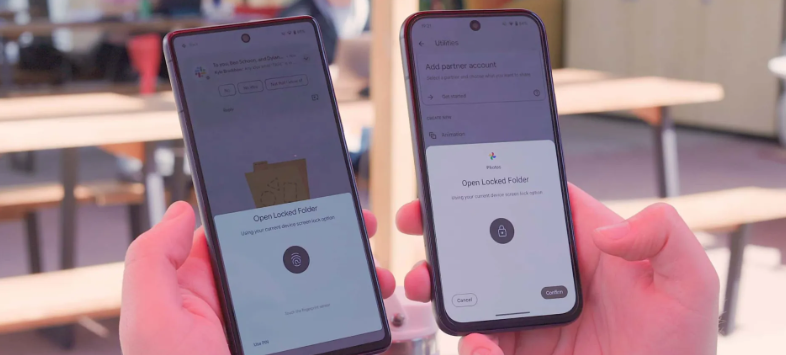
Google Photos Gets a Favorite Shortcut on Android; OEMs Integrate Photos Into Their Native Gallery Apps

Highlights

  • “Ask Photos” AI tool announced at Google I/O for Google Photos.
  • Users can search photos using context-aware voice and text prompts.
  • Gemini AI models enable recognition of unique aspects and complex queries.
  • Feature to roll out in the summer, details on internet connection requirement pending.

At Google I/O, a host of AI updates were revealed.

Among them was “Ask Photos”, a new AI-powered tool that will be added to Google Photos in the upcoming months.

With the help of this feature, users will be able to more easily sort through their complete collection of photos and videos by using context-aware voice and text prompts to search for specific images or elements within photographs.

Basically, you can ask Google Photos to locate a specific photo, and amazingly, it will.

Gemini AI for Identifying Unique Aspects and Complex Queries

Google I/O Unveils "Ask Photos" AI Tool for Enhanced Image Search
Google I/O Unveils “Ask Photos” AI Tool for Enhanced Image Search

“Ask Photos” surpasses basic search by comprehending context and providing answers to more intricate queries, all made possible using Gemini models.

Google gave instances of how Gemini could recognize a specific license plate number on a car type and determine a child’s swimming instruction age based on pictures in the user’s library.

The type of content backed up to the user’s Google Photos library may affect the feature’s capacity to find precise identifiers like these, but in order to expedite the search, upload dates, locations, and other metadata will also be used.

Users can search photos using context-aware voice and text prompts

Google mentioned that “Ask Photos” will work with videos as well.

We’ll have to take Google’s word for it at the moment though as a live demo or example was not provided during the event.

The company tentatively plans to roll out this feature over the summer, but it is unclear whether it will require an internet connection or be available locally on the device.

Might be the latter though.

FAQs

What is “Ask Photos” in Google Photos?

“Ask Photos” is a new AI-powered tool that allows users to search their photo library using context-aware voice and text prompts for specific images or elements.

How does “Ask Photos” improve the search experience in Google Photos?

“Ask Photos” goes beyond basic search by understanding context and handling complex queries, thanks to Gemini AI models, enabling more precise and relevant results.

What types of searches can “Ask Photos” handle?

“Ask Photos” can identify specific details like license plate numbers or estimate a child’s age in swimming lessons based on photos in the library, using context and metadata.

Will “Ask Photos” work with videos as well as photos?

Yes, Google mentioned that “Ask Photos” will also work with videos, although no live demo or example was provided during the announcement at Google I/O.

Also Read: MIT’s PhotoGuard Technology: Protecting Images from Malicious AI Edits and Unauthorised Access

Also Read: ChatGPT 5: A Glimpse into the Future of OpenAI’s AI Evolution

Also Read: Top 5 AI Photo Editors To Use For Mind Blowing Transformations

Google Integrates Gemini Nano AI “Help Me Write” into Chrome Browser

0
Google Integrates Gemini Nano AI "Help Me Write" into Chrome Browser

Highlights

  • Gemini Nano AI “Help Me Write” feature now in Chrome browser.
  • Available in version 126 on the Canary channel.
  • Operates on-device for enhanced privacy and control.
  • Future updates to include AI-powered captioning, translation, and transcription.

Google is adding its Gemini AI-assisted feature called “Help Me Write” directly to the Chrome browser.

Gemini Nano will be the lowest tier of Google’s GenAI for using the feature.

One of the simplest use cases for getting help with writing was one of the ways Google has already implemented this concept into many of its products, from Play Store listings to Google Docs and Google Messages.

On-Device, Privacy-Conscious AI

Google Integrates Gemini Nano AI "Help Me Write" into Chrome Browser
Google Integrates Gemini Nano AI “Help Me Write” into Chrome Browser

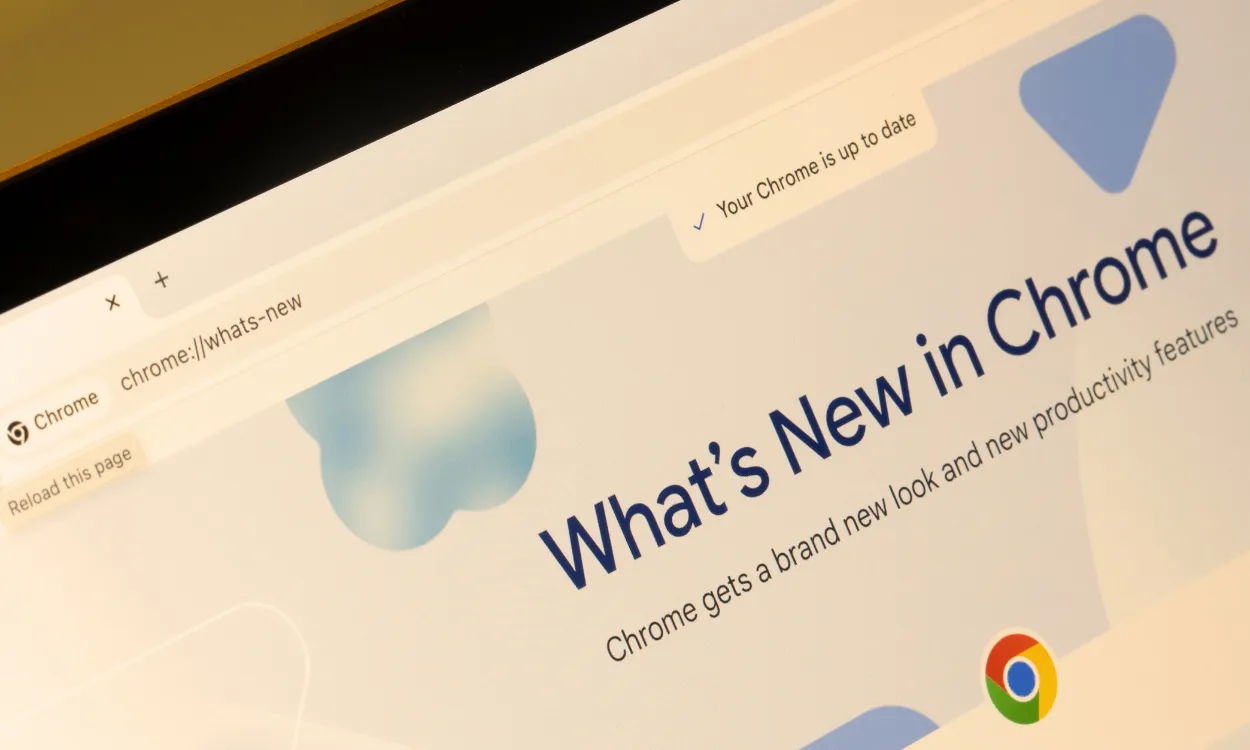
Gemini Nano is being integrated into the browser experience with the rollout of version 126 of the Chrome browser, now available in the Canary channel.

Soon, users will be able to seek writing assistance straight from Google’s Gemini Nano from anywhere on the web.

This could be as simple as writing a quick social media message or a client review for a business.

While these more sophisticated models, such as Gemini 1.5 Pro, may produce text of a bit higher quality, Gemini Nano is a good choice for this purpose because of its speed and—moreover—privacy concerns.

Prompts and related context are still controlled by the user because the AI model operates directly on the user’s device.

Limited Availability

Future updates to include AI-powered captioning, translation, and transcription

While Gemini Nano is now available on just a handful of Android smartphones, Google thinks these AI-powered Chrome features will work on the great majority of desktop and laptop computers.

The company does, however, indicate that the deployment might be spaced out, much like most past Chrome feature launches.

In addition to the “Help Me Write” tool, Google has hinted at upcoming Gemini-powered services for web developers.

Artificial intelligence-provided captioning, translation, and transcription will be simple to access through a new suite of high-level web APIs.

FAQs

What is the “Help Me Write” feature in Chrome?

“Help Me Write” is an AI-assisted writing feature powered by Gemini Nano, now integrated into the Chrome browser to help users with writing tasks directly from the web.

How does Gemini Nano ensure user privacy?

Gemini Nano operates directly on the user’s device, allowing users to control prompts and related context, enhancing privacy and security.

Which version of Chrome includes the Gemini Nano feature?

The Gemini Nano feature is included in version 126 of the Chrome browser, which is currently available in the Canary channel.

What future AI-powered services are planned for web developers?

Google plans to introduce AI-powered captioning, translation, and transcription services through new high-level web APIs, enhancing the web development experience.

Also Read: Google’s Gemini AI Video Sparks Controversy Over Misrepresented Capabilities

Also Read: Google Drops New Update Giving Pixel 8 Pro Gemini AI Capabilities and Enhanced Features

Apple’s Leaked Roadmap Reveals Future iPhone SE 4, Foldable Devices, and AR Glasses

0
Apple's Leaked Roadmap Reveals Future iPhone SE 4, Foldable Devices, and AR Glasses

Highlights

  • iPhone SE 4 expected in 2025 with 48MP camera and 6.1-inch OLED display.
  • iPhone 17 models in 2024 may feature 12GB RAM and 48MP triple rear cameras.
  • First foldable iPhone planned for 2026 with 8-inch inner display.
  • Apple to release AR Glasses and foldable 20-inch iPad by 2027.

Apple has a number of interesting product releases and feature updates planned for the upcoming years, according to a leaked roadmap.

One of them, one of the most anticipated launches, includes an iPhone SE 4 that would launch in 2025, with a 48MP main camera and a 6.1-inch OLED display.

Furthermore, according to the report, some of the iPhone 17 models, expected to be released in the year 2024, may come upgraded to 12GB RAM, 48MP triple rear cameras, 48MP front cameras, and a Pol-less display.

Foldable Devices, OLED Macs, and Augmented Reality Glasses

Apple's Leaked Roadmap Reveals Future iPhone SE 4, Foldable Devices, and AR Glasses
Apple’s Leaked Roadmap Reveals Future iPhone SE 4, Foldable Devices, and AR Glasses

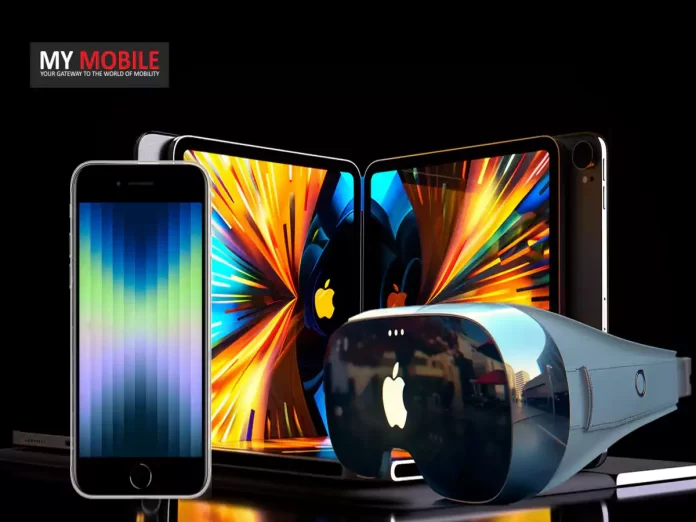
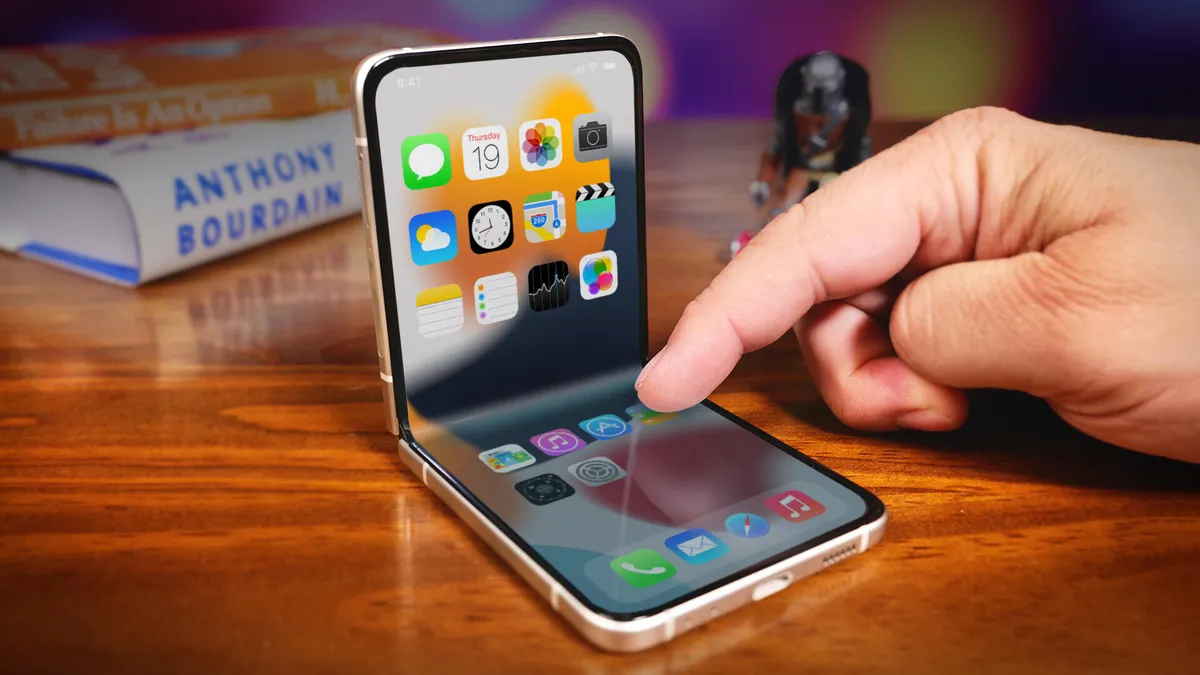
The plan also makes clear aspirations for new product categories, such as foldable devices and augmented reality glasses.

The business is said to intend to unveil the first foldable iPhone in 2026.

It is said to sport an 8-inch inner display, a 6-inch outer screen, LLW DRAM, and an under-display IR sensor.

An OLED version of the iPad mini, coming with an 8.4-inch screen, along with the 10.9-inch version of the iPad Air, might be released that year; the lineup will also get an OLED MacBook with 14- and 16-inch versions of its screen.

Besides that, it is reported that Apple has already been preparing AR Glasses and a foldable 20-inch iPad, which are going to appear in 2027.

The AR Glasses will mark Apple’s entry into the augmented reality hardware market and are said to sport 1.4-inch RGB screens with MicroOLED or MicroLED panels.

iPhone SE 4 expected in 2025 with 48MP camera and 6.1-inch OLED display

He also says that a slightly more affordable version of the Vision Pro XR headset is planned for next year, 2026, which should make the technology a little more accessible to a larger variety of users.

I guess it doesn’t come as any surprise that the roadmap does give an intriguing look at Apple’s upcoming product portfolio, demonstrating the company’s desire to push boundaries and release cutting-edge devices across several categories, including foldable smartphones, even though leaks should always be taken with a grain of salt.

Apple iPhone SE 4 Specs

GENERAL

Sim Type Dual Sim, GSM+GSM
Dual Sim Yes
Sim Size Nano+eSIM
Device Type Smartphone
Release Date June 8, 2024 (Expected)

DISPLAY

Type Color OLED Screen (16M Colors)
Touch Yes
Size 6.1 inches, 750 x 1580 pixels
Aspect Ratio 16:9
PPI ~ 441 PPI
Screen to Body Ratio ~ 65.4%
Features 1,400:1 Contrast Ratio (typical), True Tone Display, Wide Colour Display (P3), Haptic Touch, 625 nits Max Brightness

MEMORY

Storage 64 GB
Card Slot No

CONNECTIVITY

GPRS Yes
EDGE Yes
3G Yes
4G Yes
5G Yes
VoLTE Yes
Wifi Yes, with wifi-hotspot
Bluetooth Yes, v5.3, A2DP, LE
USB Yes, Lightning Port
USB Features USB Charging

EXTRA

GPS Yes, with A-GPS, GLONASS, GALILEO, QZSS, BEIDOU
Fingerprint Sensor Yes, Front
Face Unlock Yes
Sensors Barometer, Three Axis Gyro, Accelerometer, Proximity Sensor, Ambient Light Sensor
3.5mm Headphone Jack Lightning
NFC Yes
Water Resistance Yes
IP Rating IP67
Dust Resistant Yes

CAMERA

Rear Camera 12 MP f/1.8 with autofocus
Features Deep Fusion, Smart HDR 4, Photographic Styles, Advanced Red-eye Correction, Auto Image Stabilisation, Burst Mode, Photo Geotagging
Video Recording 4K, 1080p
Flash Yes, LED
Front Camera 10.8 MP f/2.2 with Retina Flash
Front Video Recording 1080p @ 30 fps FHD

TECHNICAL

OS iOS v16
Chipset Apple Bionic A15
CPU 3.22 GHz, Hexa Core Processor
Core Details 2×3.22 GHz Avalanche + 4xX.X GHz Blizzard
GPU Apple GPU
Java No
Browser Yes

MULTIMEDIA

Email Yes
Music AAC, MP3, Apple Lossless, FLAC, Dolby Digital and Dolby Digital Plus
Video HEVC, H.264 and ProRes
FM Radio No
Document Reader Yes

BATTERY

Type Non-Removable Battery
Size Li-ion Battery
Fast Charging Yes, 18W Fast Charging
Wireless Charging Yes, Works with Qi Chargers
Music Playback Time 50 hours

FAQs

What are the key features of the iPhone SE 4?

The iPhone SE 4, anticipated for a 2025 release, is expected to have a 48MP main camera and a 6.1-inch OLED display.

What upgrades are expected in the iPhone 17 models?

The iPhone 17 models, set for a 2024 release, may include 12GB RAM, 48MP triple rear cameras, 48MP front cameras, and a Pol-less display.

When will Apple release its first foldable iPhone?

Apple’s first foldable iPhone is expected to launch in 2026, featuring an 8-inch inner display, a 6-inch outer screen, LLW DRAM, and an under-display IR sensor.

What new product categories is Apple planning to enter?

Apple plans to enter new product categories such as foldable devices and augmented reality glasses, with AR Glasses and a foldable 20-inch iPad expected by 2027.

What is the anticipated release for an affordable Vision Pro XR headset?

A more affordable version of the Vision Pro XR headset is planned for release in 2026, aiming to make the technology accessible to a broader audience.

Also Read: Apple iPhone SE 4 Specifications Revealed; Details Inside

Also Read: Apple Foldable iPhone Launch Soon: Patent Won for Crack-Resistant folding display

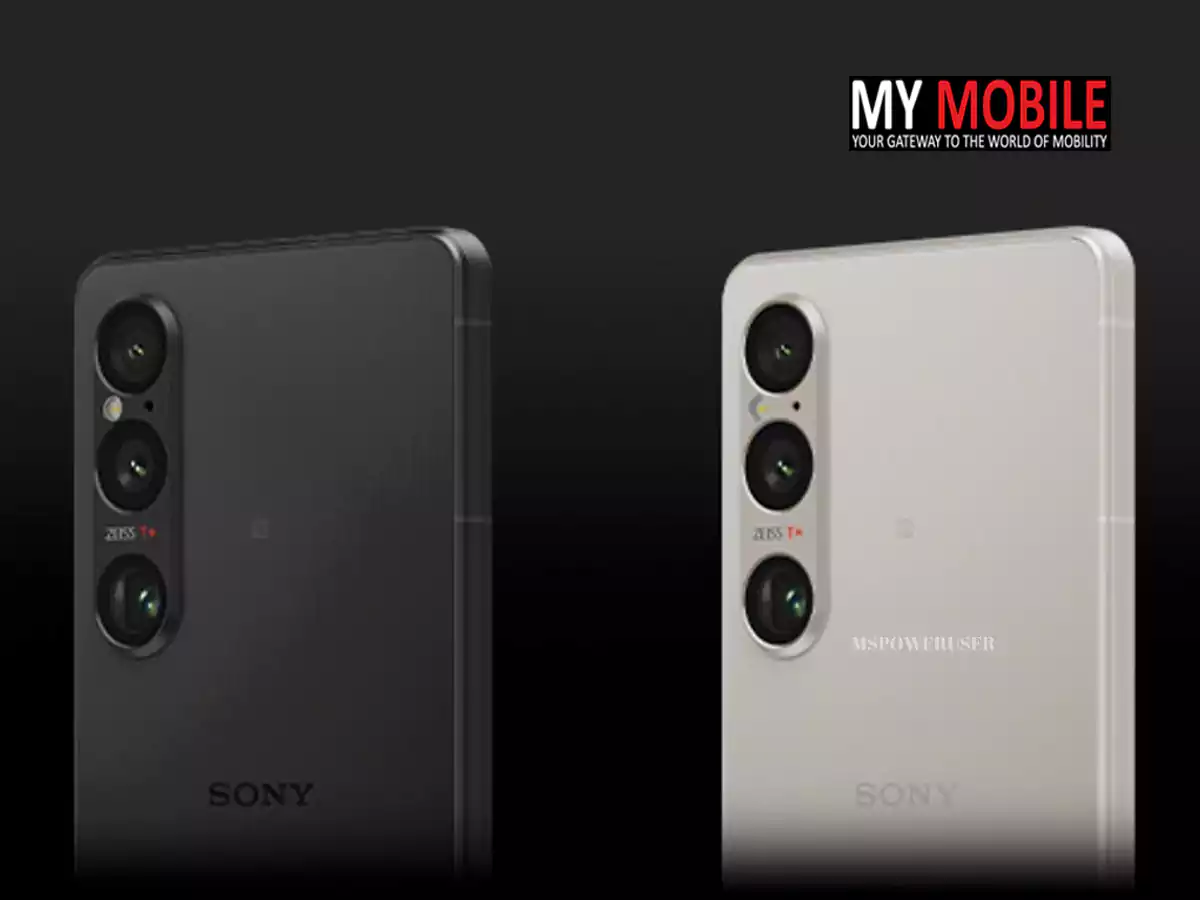
Sony Unveils Xperia 1 VI and Xperia 10 VI Smartphones With High-End Cameras, Snapdragon 8 Gen 3: Price, Features, Specs

0

Highlights

  • Xperia 1 VI features a 1080x2340px OLED display and Snapdragon 8 Gen 3.
  • Xperia 10 VI includes a 6.1-inch Full HD+ OLED display and Snapdragon 6 Gen 1.
  • Xperia 1 VI priced at €1,399/£1,299, available from early June.
  • Xperia 10 VI priced at €399/£349, available from June 10th.

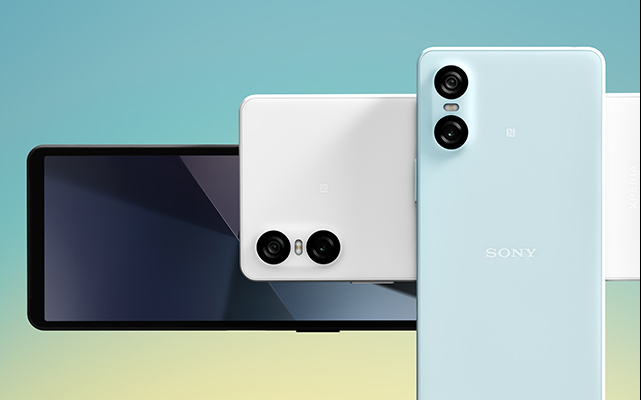
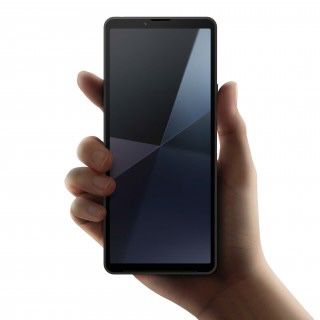
Sony has officially announced the launch of two new smartphones: the high-end Xperia 1 VI and the mid-range Xperia 10 VI.

Both models come with significant upgrades and features tailored for different user needs.

Pricing and Availability

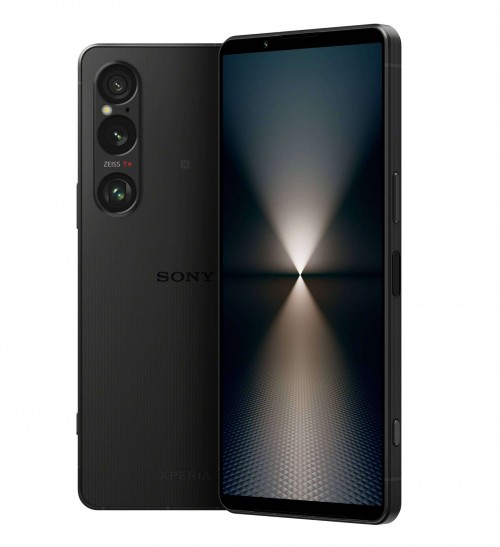
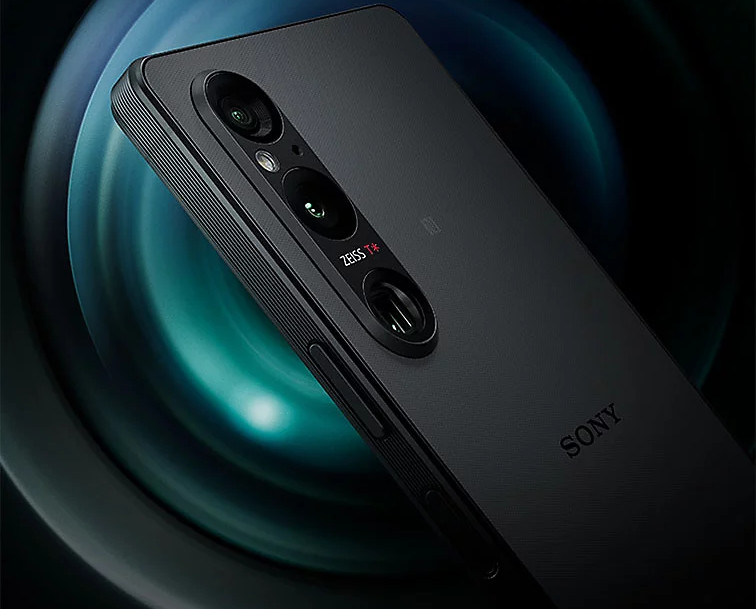
Sony Unveils Xperia 1 VI and Xperia 10 VI Smartphones With High-End Cameras, Snapdragon 8 Gen 3
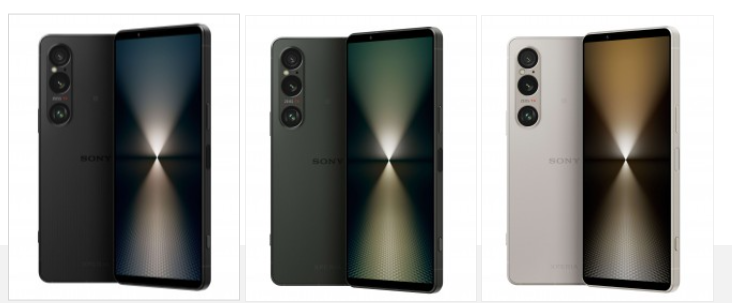
  • Xperia 1 VI: Priced at €1,399 (approx. Rs 1,25,500) / £1,299 (approx. Rs 1,34,000), available from early June in Black, Platinum Silver, and Khaki Green.
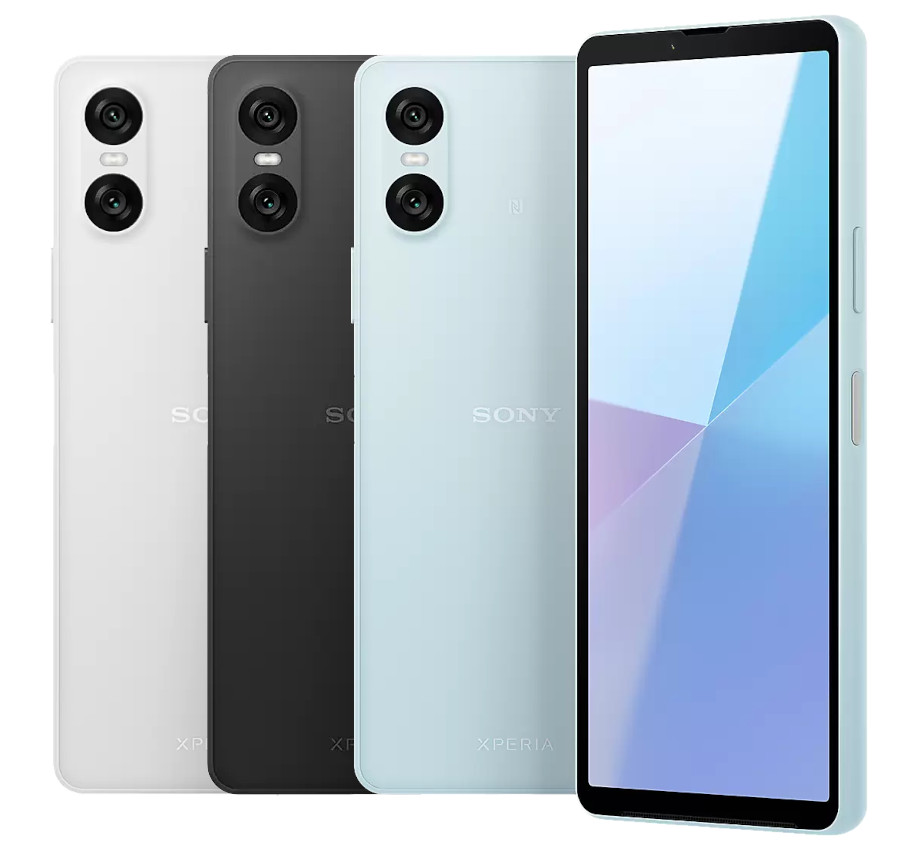
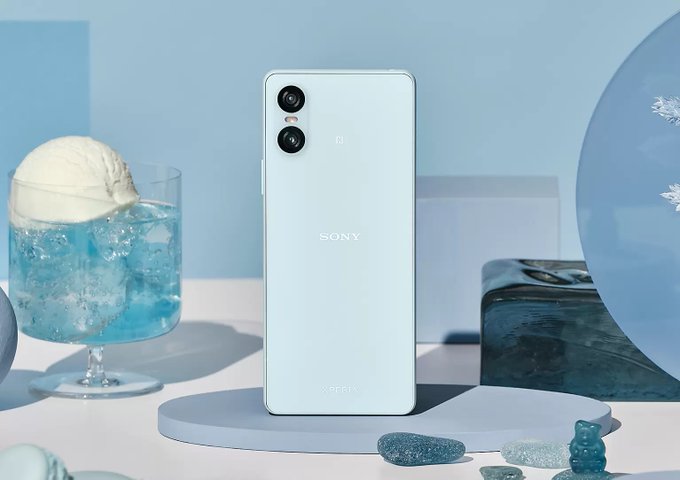
  • Xperia 10 VI: Priced at €399 (approx. Rs 36,075) / £349 (approx. Rs 36,735), available from June 10th in Black, White, and Blue.

Sony Xperia 1 VI: Key Specs

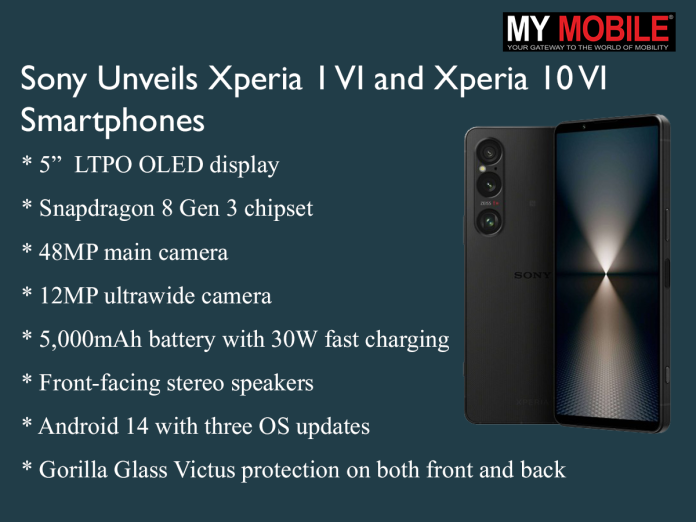
Xperia 1 VI features a 1080x2340px OLED display and Snapdragon 8 Gen 3
  • 5-inch 1080x2340px 19.5:9 LTPO OLED display
  • Snapdragon 8 Gen 3 chipset with 12GB RAM
  • 256GB storage (Europe) / 512GB storage (Japan and East Asia)
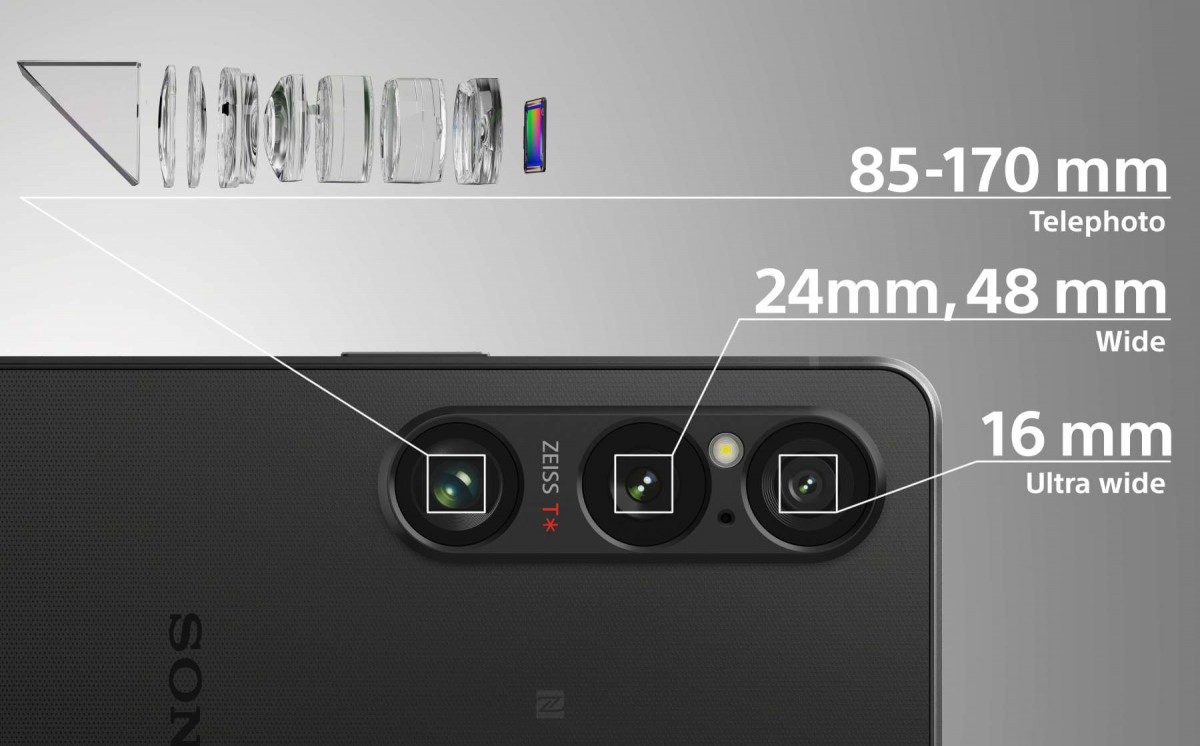
  • 48MP main camera, 12MP ultrawide camera, and 85mm-170mm optical zoom
  • 5,000mAh battery with 30W fast charging
  • Front-facing stereo speakers with Premium Audio Circuit
  • Gorilla Glass Victus protection on both front and back
  • Android 14 with three OS updates and four years of security updates

Sony Xperia 10 VI: Key Specs

Xperia 10 VI includes a 6.1-inch Full HD+ OLED display and Snapdragon 6 Gen 1
  • 1-inch 2520x1080px Full HD+ OLED display
  • Snapdragon 6 Gen 1 chipset with 8GB RAM
  • 128GB storage, expandable up to 1.5TB via microSD
  • 48MP main camera, 8MP ultrawide camera, and 8MP front camera
  • 5,000mAh battery with up to 30W fast charging
  • Front stereo speakers with 360 Reality Audio
  • Water and dust resistance (IP65/68)
  • Android 14 with three OS updates and four years of security updates

Sony Xperia 1 VI: Features

display is now brighter too - up from 900 nits to 1,300 nits - and smarter - the LTPO panel
display is now brighter too – up from 900 nits to 1,300 nits – and smarter – the LTPO panel

The legendary  4K OLED 21:9 format of the Xperia 1 VI has been replaced with a 1080x2340px OLED display with a 19.5:9 aspect ratio.

This change makes the screen a little bit larger with the same 6.5-inch diagonal size.

The brightness of the display has been increased to 1,300 nits, and it can support variable refresh rates from 1Hz up to 120Hz.

Sony has mentioned that the battery life of the 5,000mAh battery can last two days and charge to 50% in 30 minutes with a 30W charger, so an improvement in battery life is expected.

Couple that with the fact that, thanks to Battery Care and Xperia Adaptive Charging technology, the battery is said to retain 80% of its capacity even after four years.

Xperia 1 VI brings louder and balanced full-stage front-facing stereo speakers with reduced distortion

The front-facing dual speakers on the Xperia 1 VI now deliver a louder and more balanced audio experience.

There’s a new Premium Audio Circuit for better sound from the 3.5mm headphone connector.

Internally, the Snapdragon 8 Gen 3 chip is paired to 12GB of RAM and 256GB of storage in Europe, or 512GB in Japan and East Asia.

Sony Xperia 1 VI Specs and Features Leaked Ahead of May 17th Launch
The ultrawide is unchanged as well – it’s a 12MP f/2.2 lens with a 16mm focal length and PDAF

Thermal control is improved with a new vapor chamber, and a new FPS Optimizer changes up frame rates and CPU usage in games.

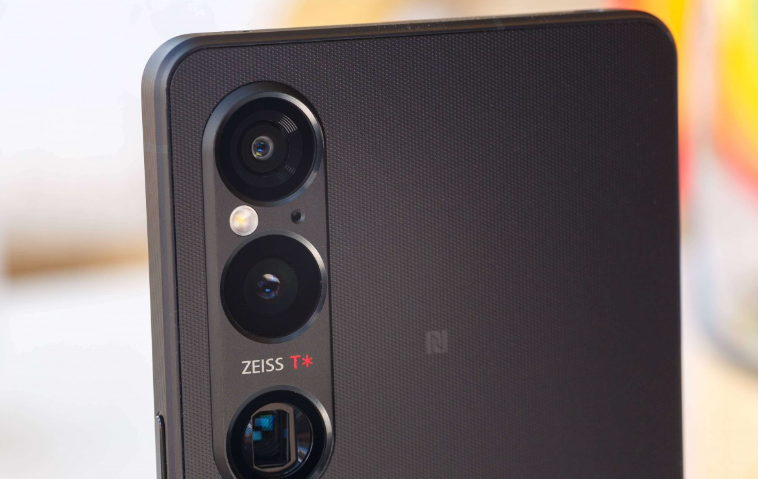
The camera system on the Xperia 1 VI features an upgraded zoom camera with an 85mm–170mm optical zoom, a 12MP ultrawide, and a main 48MP sensor with a full-res 48MP mode.

Furthermore, on the zoom camera, there is a fixed 4cm close focus with focus peaking to help and a tele-macro option that enables it to be even closer in focus.

The textured aluminum frame gadget comes with Gorilla Glass Victus protection on both sides.

Sony Xperia 10 VI: Features

Xperia 10 VI priced at €399/£349, available from June 10th

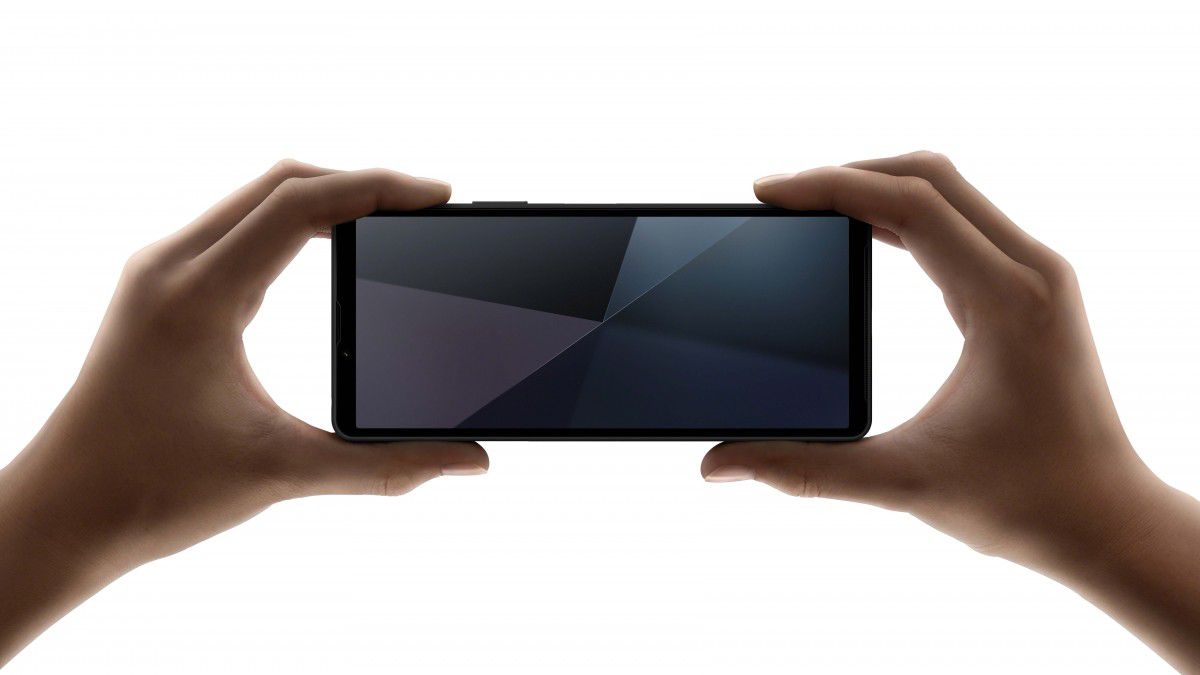
The Xperia 10 VI still retains its 6.1-inch Full HD+ OLED display with a 21:9 aspect ratio, 60Hz refresh rate, and 120Hz touch sampling rate.

The display is protected by Corning’s Gorilla Glass Victus.

Powering the device is the Snapdragon 6 Gen 1 chipset with an octa-core CPU and Adreno 710 GPU.

Xperia 10 VI still retains its 6.1-inch Full HD+ OLED display with a 21:9 aspect ratio, 60Hz refresh rate

It has 128GB of expandable storage up to 1.5TB using a microSD card and 8GB of RAM out of the box.

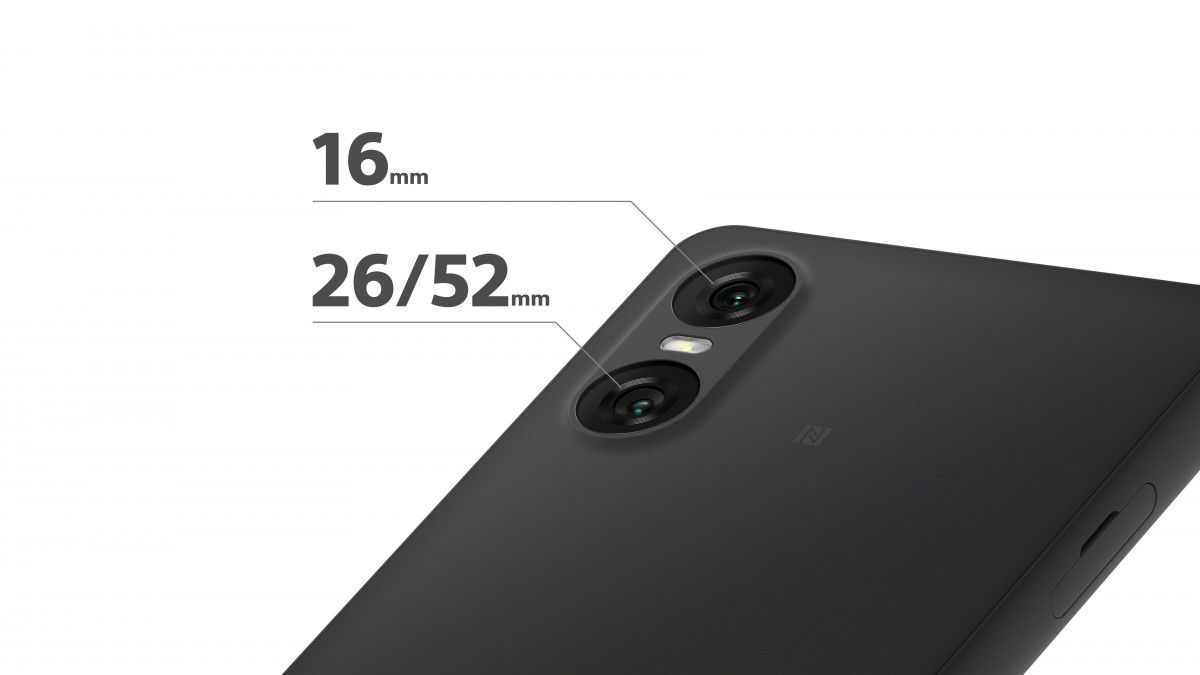
The camera setup comprises an 8MP ultrawide camera, an 8MP front camera, and a 48MP primary camera with hybrid OIS/EIS.

Powering the device is the Snapdragon 6 Gen 1 chipset with an octa-core CPU

Its telephoto camera has been removed from the previous model.

This Xperia 10 VI has a 5,000mAh battery that can be fast-charged up to 30W.

It’s about 164 grams in weight.

Xperia 10 VI has a 5,000mAh battery that can be fast-charged up to 30W

The phone’s stereo speakers on the front come rated IP65 and IP68 for dust and water resistance.

It also features “Video Creator” software to help create and edit videos.

Sony Xperia 10 VI Specifications

Sony Xperia 10 VI Specifications
  • 6.1-inch (2520 x 1080 pixels) Full HD+ OLED 21:9 aspect ratio Wide display with 97% DCI-P3, 10 bit tonal gradation, Triluminous display for mobile, Corning Gorilla Glass Victus protection
  • Octa Core (4x A78 at 2.2GHz+4x A55 at 1.8GHz Kryo CPUs) Snapdragon 6 Gen 1 4nm Mobile Platform with Adreno 710 GPU
  • 8GB RAM, 128GB storage, expandable memory up to 1.5TB with microSD
  • Android 14 (3 OS upgrades and 4 years of security updates)
  • Hybrid Dual SIM (nano + nano / microSD)
  • 48MP rear camera with LED flash, f/1.8 aperture, 1/2.0″ sensor, 80° wide-angle lens, Hybrid OIS/EIS, 8MP 1/4″ 120° ultra-wide-angle lens with f/2.2 aperture
  • 8MP front camera with f/2.0 aperture, 1/4″ sensor, 1.12μm pixel size, 78° wide-angle lens
  • Side-Mounted fingerprint sensor
  • Water and dust resistant (IP65/68)
  • 3.5mm audio jack, 360 Reality Audio Certified, 360 Reality Audio Upmix, DSEE Ultimate, Stereo Recording, Qualcomm aptX adaptive, Front firing stereo speakers
  • Dimensions: 155 x 68 x 8.3 mm; Weight: 158g
  • 5G (sub-6GHz) / 4G VoLTE, Wi-Fi 802.11 ac (2.4GHz / 5GHz), Bluetooth 5.2, GPS/ GLONASS, NFC, USB 2.0 Type-C
  • 5000mAh battery with up to 30W (USB PD) fast charging, Xperia Adaptive
  • Charging, Battery Care, STAMINA Mode

Sony Xperia 1 VI Specifications

Sony Xperia 1 VI boots Android 14 at launch and will get three Android version updates and four years of security updates
  • 6.5-inch (1080 x 2340 pixels) FHD+ OLED HDR Display with 19.5:9 aspect ratio, 1-120Hz refresh rate, 240Hz Motion blur reduction, 240Hz Touch scanning rate, Creator mode “powered by CineAlta”—Inspired by Master Monitor color reproduction, DCI-P3 100%, ITU-R BT.2020 (REC.2020), Illuminant D65 White point, 10 bit tonal gradation, X1 for mobile, Corning Gorilla Glass Victus 2 protection
  • Octa Core Snapdragon 8 Gen 3 4nm Mobile Platform with Adreno 750 GPU
    12GB LPDDR5X RAM, 256GB (UFS 4.0) internal memory, expandable memory up to 1.5TB via microSD card
  • Android 14 (3 OS upgrades and 4 years of security updates)
  • Dual SIM (nano + eSIM)
  • 48MP rear camera with Exmor T sensor for mobile, 1/1.3.5″ sensor, f/1.9 aperture, Hybrid OIS/EIS, 12MP f/2.2 aperture 1/2.5″ 123° 16 mm ultra wide-angle camera, 12MP f/2.3 (85 mm 28° FoV) to f/3.5 (117 mm 15° FoV) 1/3.5″ Exmor RS for mobile telephoto lens, 3.5 to 7.1x equivalent optical zoom, 21.3X hybrid zoom, ZEISS T* coating, Real-Time Eye AF (Human, Animal), Real-Time Tracking, 4K video recording
  • 12MP front-facing camera with 1/2.9″ Exmor RS mobile sensor, f/2.0 aperture, 84° wide-angle lens, 4K video recording
  • 3.5 mm audio jack, 360 Reality Audio, 360 Reality Audio hardware decoding, 360 Spatial Sound, Full-Stage stereo speakers, Dolby Atmos, DSEE Ultimate, Stereo Recording, Qualcomm aptX HD audio
  • Side-mounted Fingerprint sensor
  • Dimensions:162 x 74 x 8.2 mm; Weight: 192g
  • Water resistant (IPX5/IPX8), Dust proof (IP6X)
  • 5G (sub-6GHz) / 4G VoLTE, Wi-Fi 6E 802.11 ax (2.4GHz / 5GHz) 2 x 2 MIMO,
  • Bluetooth 5.4 LE, GPS/ GLONASS, NFC, USB 3.2 Type-C
  • 5000mAh Battery with 30W (USB PD) fast charging, Xperia Adaptive Charging, Battery Care, STAMINA Mode, Qi Wireless charging, Battery Share function

Sony Xperia 1 VI Specs

GENERAL

Sim Type Dual Sim, GSM+GSM (Hybrid Slot)
Dual Sim Yes
Sim Size Nano SIM
Device Type Smartphone
Release Date May 11, 2024 (Expected)

DESIGN

Dimensions 165 x 71 x 8.3 mm (6.50 x 2.80 x 0.33 in)
Colors Black, Khaki Green, Platinum Silver

DISPLAY

Type Color OLED Screen (1B Colors)
Touch Yes
Size 6.6 inches, 1644 x 3840 pixels, 120 Hz
PPI ~ 633 PPI
Screen to Body Ratio ~ 84.2%
Glass Type Corning Gorilla Glass Victus 2
Features Contrast ratio: Infinite (nominal), HDR BT.2020

MEMORY

RAM 12 GB
Storage 256 GB
Card Slot Yes, (Hybrid Slot)

CONNECTIVITY

GPRS Yes
EDGE Yes
3G Yes
4G Yes
5G Yes
VoLTE Yes, Dual Stand-By
Wifi Yes, with wifi-hotspot
Wifi Version Wi-Fi 802.11 a/b/g/n/ac/6e/7, tri-band
Bluetooth Yes, v5.4, A2DP, aptX HD, LE
USB Yes, USB-C v3.2
USB Features USB on-the-go, USB Charging

EXTRA

GPS Yes, with A-GPS, GLONASS, BDS, GALILEO
Fingerprint Sensor Yes, Side
Face Unlock Yes
Sensors accelerometer, gyro, proximity, barometer, compass, color spectrum
3.5mm Headphone Jack Yes
NFC Yes
Water Resistance Yes, 1.5 m upto 30 min
IP Rating IP65
Dust Resistant Yes

CAMERA

Rear Camera 48 MP 24mm, 1/1.35″, 1.12µm, Dual Pixel PDAF, OIS f/1.9 (Wide Angle)
12 MP f/2.8 (Telephoto)
12 MP f/2.2 (Ultra Wide) with autofocus
Features Zeiss optics, Zeiss T* lens coating, Rotating Ring
Video Recording 4K @ 24 fps UHD, 1080p @ 30 fps FHD
Flash Yes, LED
Front Camera 12 MP 1/2.9″, 1.25µm (Wide Angle)
Front Video Recording 4K @ 30 fps UHD, 1080p @ 30 fps FHD

TECHNICAL

OS Android v14
Chipset Qualcomm Snapdragon 8 Gen3
CPU 3.3 GHz, Octa Core Processor
Core Details 1xCortex-X4@3.3 GHz & 5xCortex-A720@3.2 GHz & 2x Cortex-A520@2.3 GHz
GPU Adreno GPU
Java No
Browser Yes, supports HTML5

MULTIMEDIA

Email Yes
Music Yes
Video Yes
FM Radio No
Document Reader Yes

BATTERY

Type Non-Removable Battery
Size 5000 mAh
Fast Charging Yes, 33W Fast Charging
Wireless Charging Yes
Reverse Charging Yes
Reverse Wireless Charging Yes


Sony Xperia 10 VI Specs

GENERAL

Sim Type Dual Sim, GSM+GSM (Hybrid Slot)
Dual Sim Yes
Sim Size Nano+Nano SIM
Device Type Smartphone
Release Date May 15, 2024

DESIGN

Dimensions 68 x 155 x 8.3 mm
Weight 164 g
Colors Blue, Black, White

DISPLAY

Type Color OLED Screen (1B Colors)
Touch Yes
Size 6.1 inches, 1080 x 2520 pixels
Aspect Ratio 21:9
PPI ~ 449 PPI
Screen to Body Ratio ~ 82.5%
Glass Type Corning Gorilla Glass Victus
Features Triluminos display

MEMORY

RAM 8 GB
Storage 128 GB
Card Slot Yes, (Hybrid Slot), upto 1 TB

CONNECTIVITY

GPRS Yes
EDGE Yes
3G Yes
4G Yes
5G Yes
VoLTE Yes
Wifi Yes, with wifi-hotspot
Bluetooth Yes, v5.1, A2DP, LE, aptX HD
USB Yes, USB-C v2.0
USB Features USB on-the-go

EXTRA

GPS Yes, with A-GPS, GLONASS, GALILEO, BDS, QZSS
Fingerprint Sensor Yes, Side
Face Unlock Yes
Sensors Accelerometer, Proximity, Compass
3.5mm Headphone Jack Yes
NFC Yes
Water Resistance Yes, 1.5 m upto 30 min
IP Rating IP65
Dust Resistant Yes
Extra Features eSIM

CAMERA

Rear Camera 48 MP f/1.8 (Wide Angle)
8 MP f/2.2 (Ultra Wide) with autofocus
Features HDR, Panorama
Video Recording 1080p @ 30 fps FHD
Flash Yes, LED
Front Camera 8 MP f/2 (Wide Angle)
Front Video Recording 1080p @ 30 fps FHD

TECHNICAL

OS Android v14
Chipset Qualcomm Snapdragon 6 Gen1
CPU 2.2 GHz, Octa Core Processor
Core Details 4xCortex-A78@2.2 GHz & 4xCortex-A55@1.8 GHz
GPU Adreno 710
Java No
Browser Yes

MULTIMEDIA

Email Yes
Music Yes
Video Yes
FM Radio No
Document Reader Yes

BATTERY

Type Non-Removable Battery
Size 5000 mAh, Li-Po Battery
Fast Charging Yes

FAQs

What is the main display upgrade in the Xperia 1 VI?

The Xperia 1 VI now features a 1080x2340px OLED display with a 19.5:9 aspect ratio, replacing the previous 4K OLED 21:9 format.

What chipset powers the Xperia 10 VI?

The Xperia 10 VI is powered by the Snapdragon 6 Gen 1 chipset, offering improved performance and efficiency.

What are the battery specifications for the new Sony models?

Both the Xperia 1 VI and Xperia 10 VI come with 5,000mAh batteries and support up to 30W fast charging.

What are the camera capabilities of the Xperia 1 VI?

The Xperia 1 VI features a 48MP main camera, a 12MP ultrawide camera, and an upgraded 85mm-170mm optical zoom camera.

When will the Xperia 1 VI and Xperia 10 VI be available?

The Xperia 1 VI and Xperia 10 VI will be available from early June in various colors and markets.

Also Read: Sony Xperia 1 VI Might Be Announced Next Year at MWC 2024 with 6X Zoom, Eco-Friendly Design

Also Read: Sony Xperia Ace IV Specifications Leaked; May Feature Snapdragon 4 Gen 1 SoC: Details

Also Read: Sony Xperia 5 IV Speculated to be the First Smartphone of the Company

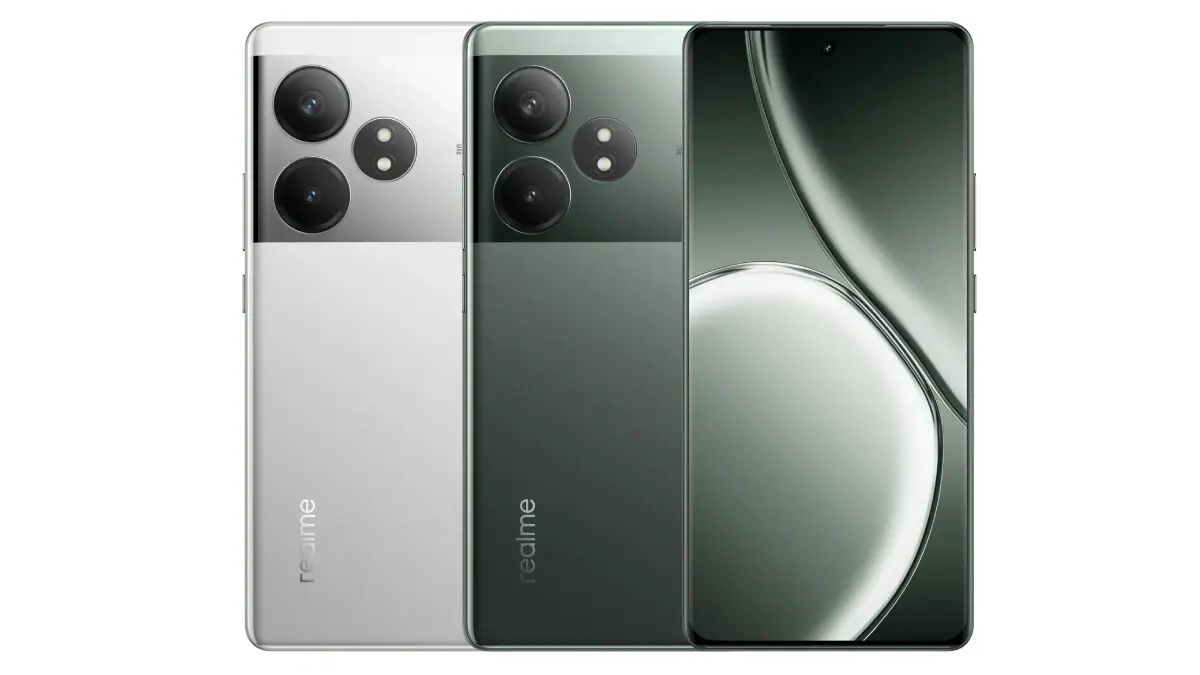
Realme GT 6T To Come With Industry-Leading Cooling System for Gamers and More

0
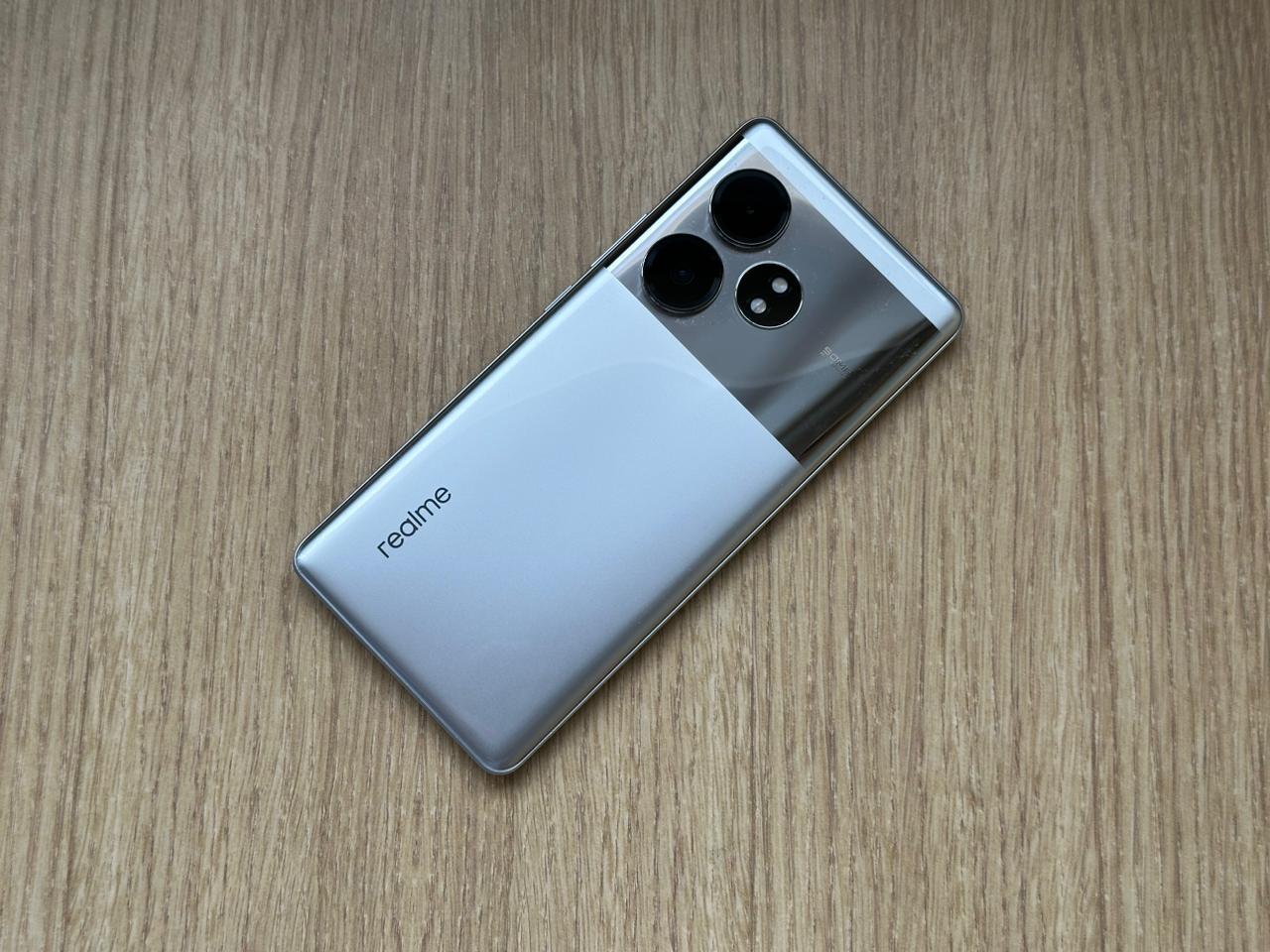
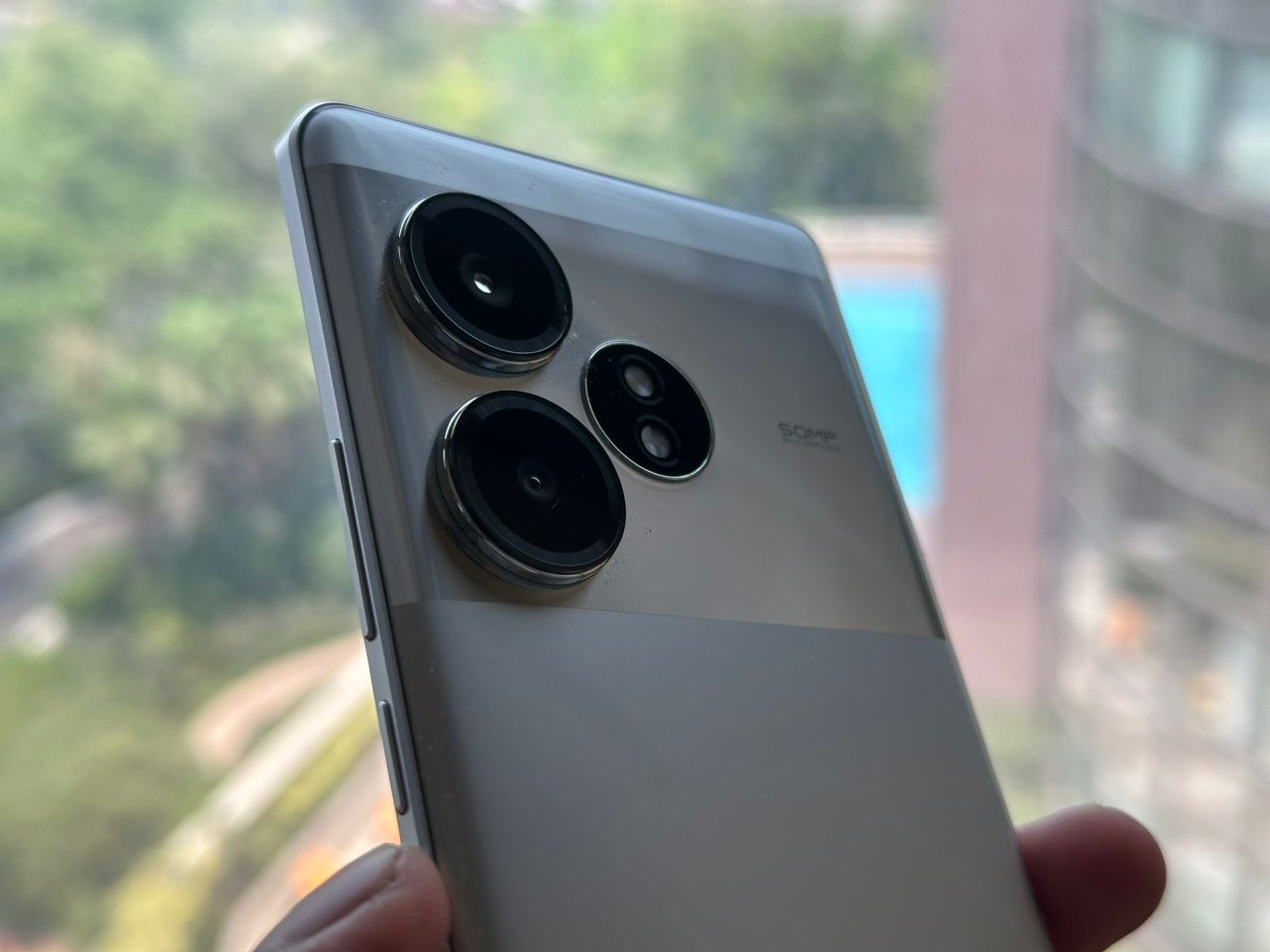
Realme GT 6T To Come With Industry-Leading Cooling System for Gamers and More

Highlights

  • Realme GT 6T features an advanced 9-layer cooling system.
  • Device includes the industry’s largest dual VC for effective heat management.
  • Powered by Snapdragon 7+ Gen 3 with high benchmark scores.
  • Packs a 5500mAh battery with 120W SUPERVOOC fast charging.

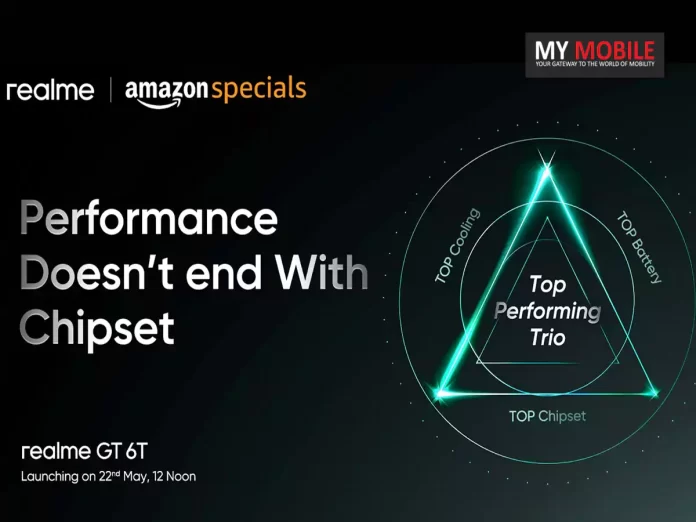
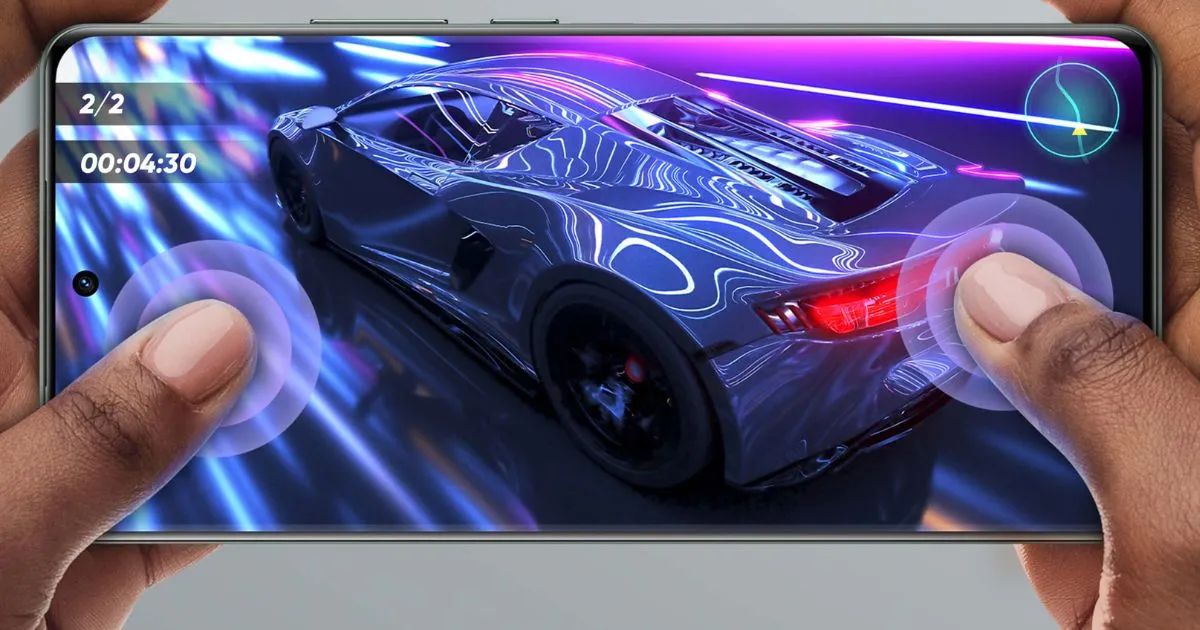
Realme has revealed that its upcoming new GT 6T smartphone houses an outstanding cooling system, made especially for gaming.

With an overall size of 10014mm², the 9-layer cooling system of the device comprises the largest dual VC (vapor chamber) for the first time in the industry.

Powered by Snapdragon 7+ Gen 3 with top scores on Geekbench
Realme GT 6T To Come With Industry-Leading Cooling System for Gamers and More

This huge cooling area successfully keeps the temperature of the phone within bearable limits, even during continuous gaming, as it fully covers the main heat sources.

A large 10870mm² copper foil above the screen, a 7075mm² superconductive graphite in the screen compartment, cooling gel, a 1420mm² top graphite copper foil on the mainboard, the PCB, an 800mm² bottom copper foil, and a 5300mm² press plate support graphite are all included in the cooling system in addition to the dual VC.

Features a 5,500mAh battery with 100W fast charging

This comprehensive cooling solution minimizes heat perception and ensures superior cooling.

Powerful Performance and Battery Life

Realme GT 6T features an advanced 9-layer cooling system

The Realme GT 6T is likely going to be powered by the Snapdragon 7+ Gen 3 chipset, which has an octa-core CPU that peaks at up to 2.8 GHz and an Adreno 732 GPU for graphics processing.

Some impressive results were fetched from benchmark tests, which include the GT 6T scoring 1801 in single-core and 4499 in multi-core Geekbench tests.

Device includes the industry's largest dual VC for effective heat management
Device includes the industry’s largest dual VC for effective heat management

The GT 6T packs a big 5500mAh battery and has 120W SUPERVOOC charging with a gallium nitride charger that pairs well with its beastly chipset.

Powered by Snapdragon 7+ Gen 3 with top scores on Geekbench

This combination will definitely guarantee a long battery life, fast charging, and a very good option for mid-high-end customers wanting flagship-like performance.

Packs a 5500mAh battery with 120W SUPERVOOC fast charging

Realme GT 6T Specs

GENERAL

Sim Type Dual Sim, GSM+GSM
Dual Sim Yes
Sim Size Nano+Nano SIM
Device Type Smartphone
Release Date July 28, 2024 (Expected)

DESIGN

Dimensions 163.9 x 75.8 x 8.9 mm (6.45 x 2.98 x 0.35 in)

DISPLAY

Type Color AMOLED Screen (1B Colors)
Touch Yes
Size 6.74 inches, 1240 x 2772 pixels, 120 Hz
Aspect Ratio 20:9
PPI ~ 451 PPI
Screen to Body Ratio ~ 93.7%
Features 2000 nits Brightness
Notch Yes, Punch Hole

MEMORY

RAM 8 GB
Expandable RAM Upto 8 GB Extra Virtual RAM
Storage 128 GB
Storage Type UFS 3.1
Card Slot No

CONNECTIVITY

GPRS Yes
EDGE Yes
3G Yes
4G Yes
5G Yes
5G Bands 5G NR: n1/n3/n5/n8/n28a/n41/n77/n78
VoLTE Yes, Dual Stand-By
Vo5G Yes
Wifi Yes, with wifi-hotspot
Wifi Version Wi-Fi 7
Bluetooth Yes, v5.4, A2DP, LE, aptX HD
USB Yes, USB-C v2.0
USB Features USB Tethering, USB on-the-go, USB Charging
IR Blaster Yes

EXTRA

GPS GPS, AGPS, BEIDOU, GLONASS, GALILEO, QZSS
Fingerprint Sensor Yes, In Display
Face Unlock Yes
Sensors Accelerometer, Gyro, Proximity, Compass
3.5mm Headphone Jack No
NFC Yes

CAMERA

Rear Camera 50 MP f/1.88 (Wide Angle)
13 MP f/2.2 (Ultra Wide)
2 MP with autofocus
Video Recording 4K @ 30 fps UHD, 1080p @ 30 fps FHD
Flash Yes, Dual LED
Front Camera Punch Hole 32 MP (Wide Angle) with Screen Flash
Front Video Recording 1080p @ 30 fps FHD

TECHNICAL

OS Android v14
Custom UI Realme UI 5.0
Chipset Qualcomm Snapdragon 7+ Gen3
CPU 2.8 GHz, Octa Core Processor
Core Details 1xCortex-A715@2.8 GHz & 4xCortex-A715@2.6 GHz & 3xCortex-A510@1.9 GHz
GPU Adreno 732
Java No
Browser Yes

MULTIMEDIA

Email Yes
Music AAC, APE, FLAC, AMR, MID, MP3, OGG, WAV, WMA, MKA
Video MP4, 3GP, ASF, AVI, FLV, M2TS, MKV, MPG, TS, WEBM, WMV
FM Radio No
Document Reader Yes

BATTERY

Type Non-Removable Battery
Size 5000 mAh, Li-Po Battery
Fast Charging Yes, 100W SuperVOOC Charging

FAQs

What makes the cooling system in Realme GT 6T unique?

The Realme GT 6T’s cooling system features a 9-layer design and the largest dual vapor chamber (VC) in the industry.

This extensive system ensures the device stays cool even during intense gaming sessions.

How does the cooling system benefit gamers using the Realme GT 6T?

The comprehensive cooling solution minimizes heat perception and keeps the device’s temperature within bearable limits. This ensures uninterrupted and comfortable gaming experiences.

What chipset powers the Realme GT 6T?

The Realme GT 6T is powered by the Snapdragon 7+ Gen 3 chipset. This octa-core CPU can reach speeds up to 2.8 GHz, paired with an Adreno 732 GPU for excellent graphics performance.

How did the Realme GT 6T perform in benchmark tests?

The Realme GT 6T scored 1801 in single-core and 4499 in multi-core Geekbench tests. These impressive results indicate strong performance suitable for mid-high-end customers.

Also Read: Realme GT 6T Emerges on Geekbench: Features Snapdragon 7+ Gen 3 Ahead of India Launch