Now, though, Cook’s long-tenured executive team is aging, and some are beginning to speculate about his eventual replacement.
Succession to Apple’s Throne?
John Ternus Emerges as Potential Successor to Apple CEO Tim Cook
While Chief Operating Officer Jeff Williams would likely be in charge if Cook were to leave any time soon, a Bloomberg report says that hardware engineering chief John Ternus is the top candidate to eventually replace him if Cook hangs on for at least three more years as planned.
At 49, Ternus is relatively young compared to many other top Apple executives and is seen as someone with the potential to helm the company long-term.
Potential leadership transition signals strategic planning for Apple’s future
Ternus praised for collaborative leadership across Apple’s teams
Those who have worked with Ternus describe him as well-liked and good at collaboration across Apple’s hardware and software teams.
He is also hands-on, often working directly with engineers to fix problems rather than managing through layers of middle management.
John Ternus identified as a leading candidate for Apple’s next CEO
One former vice president, who worked with Ternus, vouched for his ability and personality, not like some other Apple executives who have reputations for abrasive management styles in emulation of Jobs’s famously uncompromising leadership.
While a transition may not happen for years, the Bloomberg report signals Ternus is being groomed for an eventual CEO role to helm Apple’s next chapter whenever Cook decides to retire after over a decade atop the world’s most valuable public company.
FAQs
Who is currently considered a potential successor to Tim Cook as CEO of Apple?
John Ternus, Apple’s hardware engineering chief, is emerging as a leading candidate to succeed Tim Cook, particularly if Cook remains in his role for at least three more years.
What qualities make John Ternus a strong candidate for Apple’s CEO position?
Ternus is known for his hands-on approach and ability to collaborate effectively across different teams at Apple.
His increasing visibility in public roles and involvement in key projects highlight his leadership capabilities.
Could Jeff Williams become the next CEO of Apple if Tim Cook steps down soon?
Yes, Jeff Williams, Apple’s Chief Operating Officer, is seen as the likely successor if Tim Cook were to leave his position in the near future, due to his current role and experience within the company.
What sets John Ternus apart from other Apple executives?
Unlike some executives who are known for their abrasive styles, Ternus is well-liked within Apple for his cooperative and hands-on approach to leadership, which aligns well with Apple’s culture of collaboration.
When is Tim Cook expected to retire, and how does this affect the succession plan?
While there’s no confirmed timeline for Cook’s retirement, it is speculated that he may continue as CEO for at least three more years.
This timeline allows for a well-planned transition to potentially groom Ternus for the role.
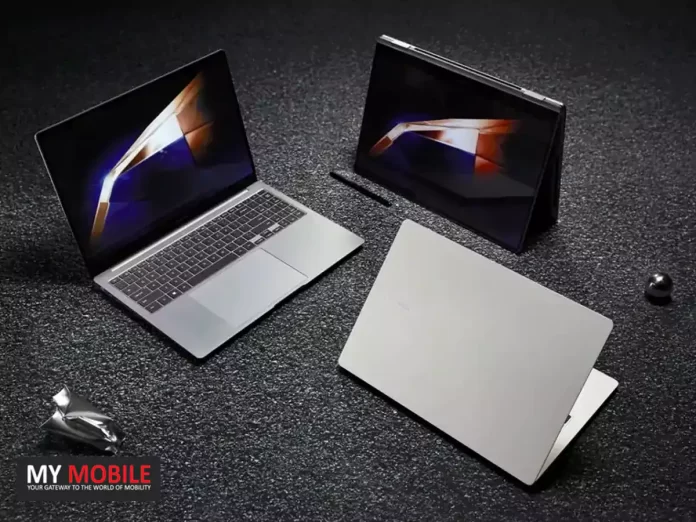
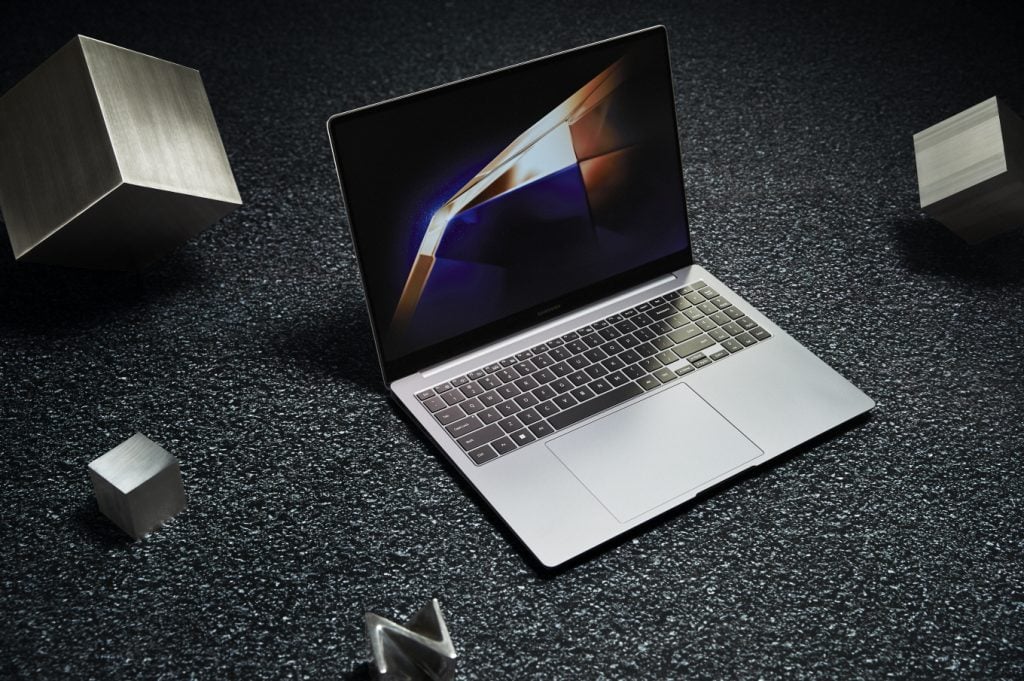
• Galaxy Book4 Edge may feature the new Snapdragon X Plus chip. • The Snapdragon X Plus offers similar AI and 5G capabilities as the Elite version but with a less powerful CPU and GPU. • Samsung revives “Edge” branding for its potential new Windows-on-ARM laptop. • The Galaxy Book4 Edge is expected to challenge high-end laptops like the MacBook Air with premium specifications.
Doesn’t mean, though, that the rumoured Galaxy Book4 Edge from Samsung—a supposed one of the first Snapdragon X Windows laptops—can’t have a more affordable Plus chip version.
Galaxy Book4 Edge Could Get Snapdragon X Elite
Galaxy Book4 Edge Could Get Snapdragon X Elite
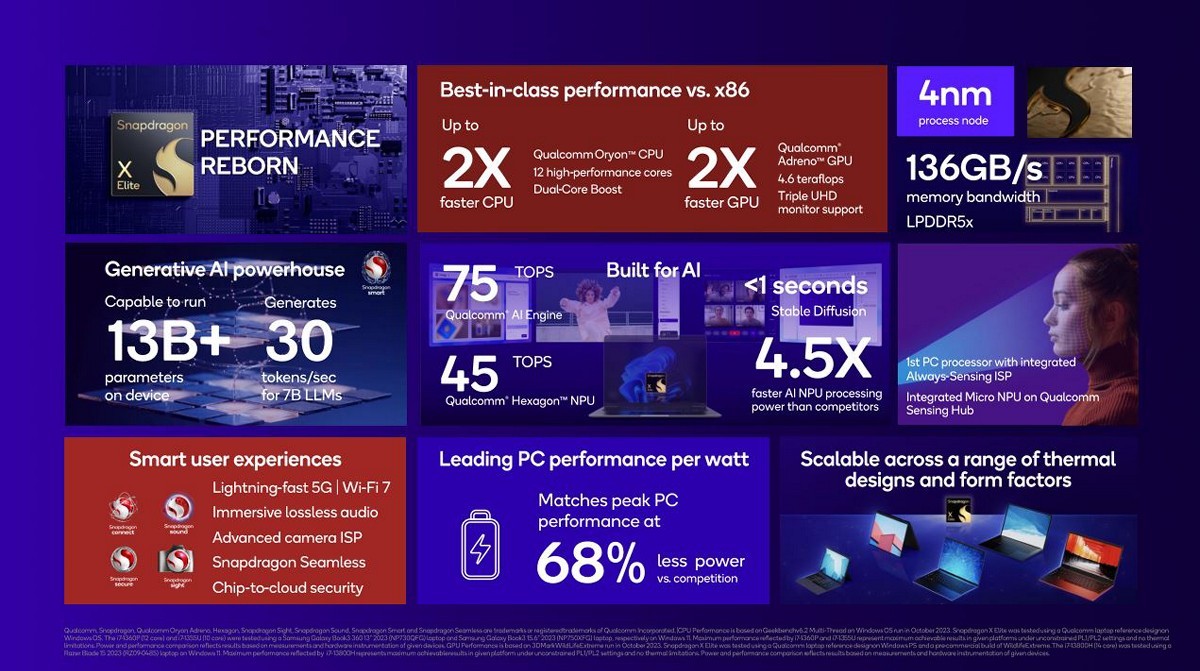
Since the Plus chip has a weaker CPU compared to the Elite, 10-core vs. 12-core, and a weaker GPU, its AI acceleration and 5G modem capabilities are both the same.
An interesting question raised by the leaker Ice Universe is: why does Samsung bring back the “Edge” name for this device?
The “Edge” name has been tied to the company’s curved display technology when it first launched and has never been attached to chipsets before.
Galaxy Book 4 Edge,coming
Compared to the Snapdragon X Elite processor, I’m more curious about its design. Why is it called “edge”?
— ICE UNIVERSE (@UniverseIce) May 7, 2024
In the past, Samsung has used names such as “Galaxy Book S” for its fanless Windows laptop based on the Snapdragon 8cx and “Galaxy Book Go” for a fanless laptop that relies on the Snapdragon 7c.
It seems there is a lack of consistency in naming conventions for Samsung’s Windows-on-ARM laptops, with “Edge” being a random term employed, perhaps, as the latest.
Can Samsung Overtake Apple?
The Galaxy Book4 Edge is expected to challenge high-end laptops like the MacBook Air with premium specifications
Time is running out for Samsung if it has ambitions to be first to market with a Snapdragon X-powered laptop.
This could potentially translate to a significant improvement in battery life for the Galaxy Book 4 Edge when compared to previous generations.
FAQs
What is the Galaxy Book4 Edge and which chip might it use?
The Galaxy Book4 Edge is a rumoured upcoming laptop from Samsung that might include the new Snapdragon X Plus chip, a slightly less powerful version of the Snapdragon X Elite, but still superior to previous Windows-on-ARM chips.
How does the Snapdragon X Plus compare to the Snapdragon X Elite?
While the Snapdragon X Plus chip has fewer CPU cores (10-core) and a less robust GPU compared to the Snapdragon X Elite (12-core), it maintains comparable AI acceleration and 5G modem capabilities.
Why is Samsung using the “Edge” name for its new laptop?
The “Edge” branding, historically linked to Samsung’s curved display technology, is being used for the Galaxy Book4 Edge, possibly to signify a cutting-edge or premium tier within Samsung’s laptop lineup.
When might the Galaxy Book4 Edge be released and what will it cost?
Although an official release date hasn’t been confirmed, there are speculations about a €1,800 price tag for the Galaxy Book4 Edge, indicating its positioning in the premium laptop market.
This is Meta’s attempt to get more content shared and interactions made on Threads by leveraging the user base of Instagram.
As more users are drawn to the growing app, such features may eventually set it up as a Twitter alternative.
FAQs
What is the new feature Meta is testing for Instagram and Threads?
Meta is currently testing a feature that allows Instagram users to cross-post their posts directly to Threads. This test is aimed at enhancing content sharing between the two platforms.
How does the cross-posting feature work between Instagram and Threads?
Users have the option to cross-post individual posts or enable the feature for all posts. However, the feature currently does not support Instagram Reels.
The Instagram caption and hashtags are converted into plain text for the Threads post.
Can Instagram users opt out of the cross-posting feature to Threads?
Yes, the cross-posting feature is opt-in, meaning users can choose to activate it and can turn it off at any time through their Instagram settings if they decide not to use it.
What incentives does Meta offer for using the cross-posting feature?
To encourage active participation, Meta has rolled out a creator bonus program on Threads, targeting accounts with high follower counts to increase posting activity on the platform.
For decades, one of the familiar features of Google Search has been the display of the number of search results for a given query.
As noted by @si1very on Twitter/X (via SERoundTable), the count is now hidden under the “tools” menu alongside Advanced Search and other additional filters.
However, in a recent development, Google has decided to hide this number by default, marking a significant change in the user experience.
“The Google app now has a way to share search results urls. Finally! Previously, you would have to open the page to share it first or use a browser to search. There was no way to long press the search result and get its url,” reads the post.
In the post, he also shared a screenshot, depicting the button’s availability. However, it is unclear when the feature was added.
The Disappearing Results Count
The results count is no longer overtly present – but it appears to be accessible if you click for the search Tools. 🔧
— Chris Silver Smith (@si1very) May 7, 2024
Over the last day or so, users have seen Google Search begin removing the number of results that typically appear between the search filters and actual results.
The move is part of any kind of search, including the site commands, which used to be accompanied by the number of indexed pages from a specific website.
Google Search Updates User Experience by Removing Result Counts and Adding Share Button
The removal of the results count might seem like a minor change, but it moves away from a tradition that has been ongoing for a very long in the world of search engines.
Google Search has removed the traditional display of the number of results for queries
While some may argue that the number of results is often in the millions or even billions, making it an unreliable measure of the actual content available, others may find the absence of this information unsettling.
Google Search Updates User Experience by Removing Result Counts and Adding Share Button
Spotted by tech enthusiast Artem Russakovskii, the Google app on Android now features a dedicated Share button on the “About this result” page.
This page, reachable through the three-dot menu beside each search result, previously housed options like Save, Remove result, and Feedback.
The introduction of the Share button is to ease the process of sharing web links directly from the results of the Google app.
The removal of result counts marks a significant shift in Google’s user interface design
Previously, users had to manually copy the URL or employ other alternative methods to share a certain result.
With the new Share button, it’s now much easier and more convenient to do so.
FAQs
What recent change has Google made to its search engine display?
Google has recently stopped displaying the number of search results for queries, a feature that has been part of the search engine for many years, offering users a sense of the volume of available information.
How does the removal of result counts affect users?
While some users might not find the result count crucial as it often reflects very large numbers, others may miss this feature as it provided a quick glimpse into the extent of information available and helped gauge the popularity or richness of content on specific topics.
What is the purpose of the new Share button in the Google app?
Google has introduced a Share button on the “About this result” page to facilitate easier sharing of web links directly from search results, enhancing user convenience compared to the previous need for copying and pasting URLs.
Where can I find the new Share button in the Google Search app?
The Share button is located on the “About this result” page, accessible via the three-dot menu next to each search result in the Google app, streamlining the process for users to share information.
How to share search result URLs without opening the page ?
The new Share button is accessible from the three-dot button.
It is available alongside Save, Remove result, and Feedback. Users will get options to either share the link directly with other users or send to an app.
The new Share button is present on the desktop UI too.
Meanwhile, Google is working on new features for its search platform. One such feature is the ability to find the owner of an unknown number.
As per a post by X user AssembleDebug, Google is testing a “Lookup” button in the beta version of the Google Phone app that will allow app users to search for a number already entered for them, on Google Search. The new ‘Lookup’ button will be present along with other options, like “Block” and “History”.
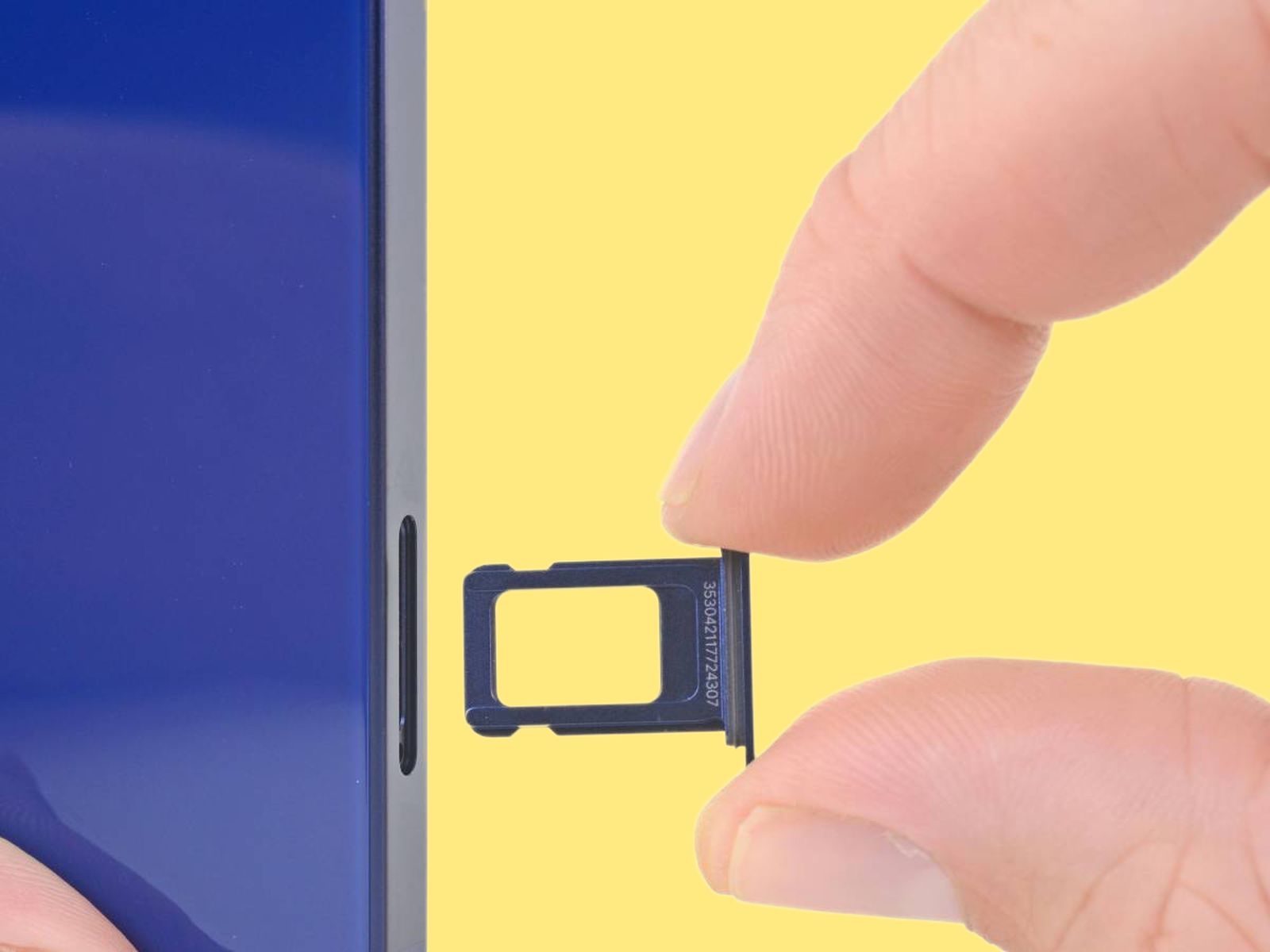
It is not certain what may be the reason behind this decision, but it can be a part of Apple’s relentless pursuit of thinness and minimalism in device design.
However, this change represents a significant shift for users accustomed to swapping physical SIMs on their devices.
New iPad Air and iPad Pro models feature eSIM technology, eliminating physical SIM slots
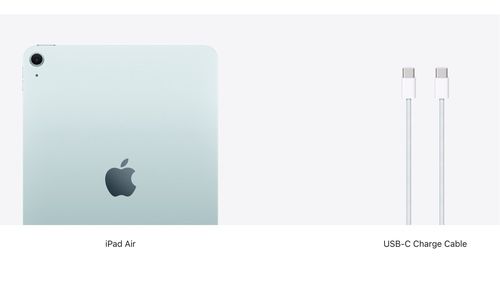
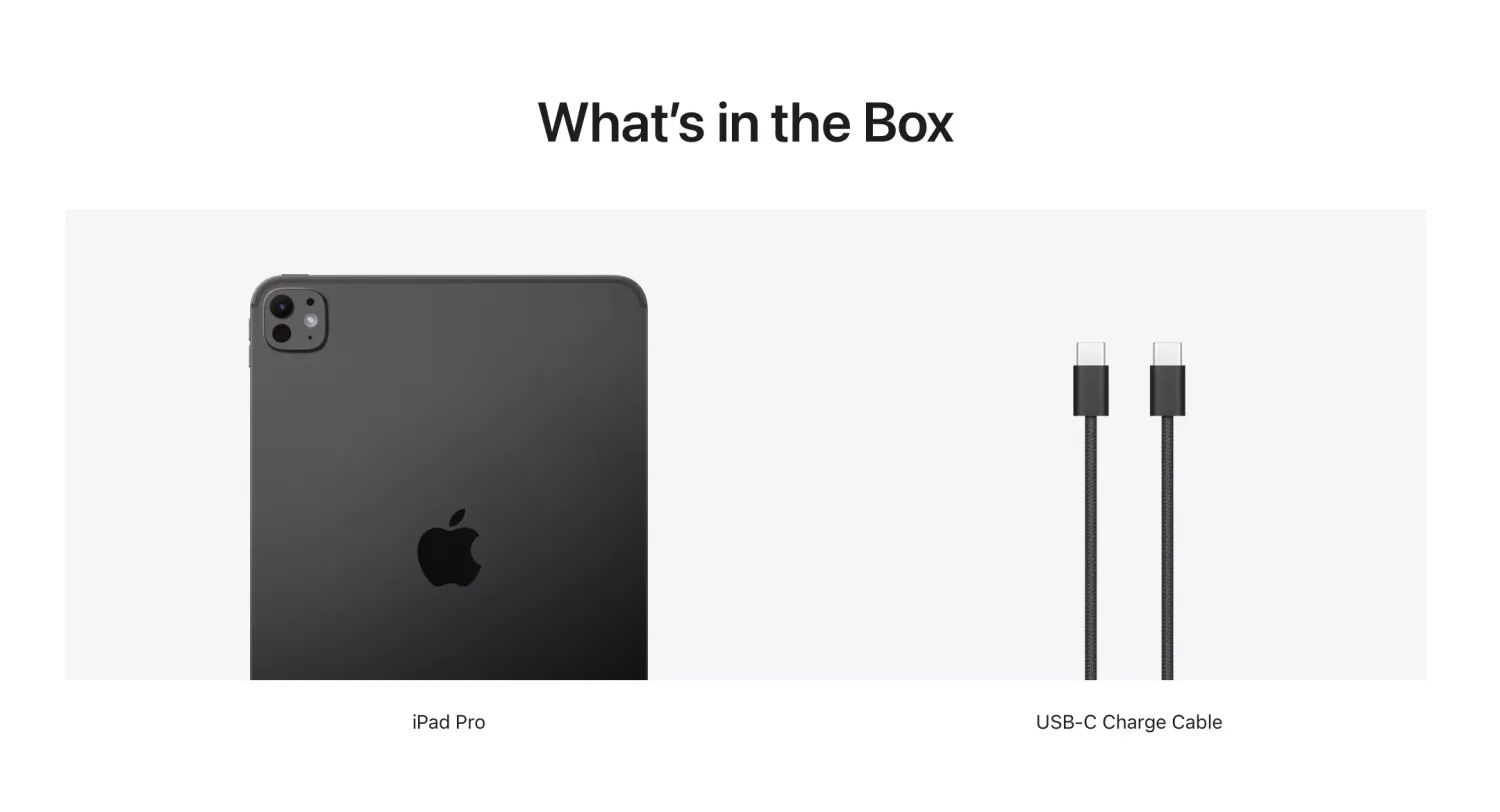
The move marks a change from the prior-gen iPad Pro and iPad Air, both of which came with both the cable and wall plug.
Apple’s shift to eSIM only may influence wider adoption across the mobile industry
There was no official word on the change, though at least the iPad mini and iPad 10 sold in the same regions retain the wall plug in their packaging.
Now, reports hint that the reason for the change may lie in the “Waste from Electrical and Electronic Equipment” in the European Union—regulations applied at least to the UK before it left the union.
Both devices to ship with only a USB-C cable in the UK and Europe, no wall plug included
What changes has Apple made to the SIM options in the new iPad models?
Apple has removed the physical SIM slots from the latest iPad Air and iPad Pro models, opting instead for eSIM technology exclusively, continuing a trend started with the iPhone 14 in the US.
Why is Apple shifting to eSIM-only technology for its devices?
The move to eSIM-only configurations in the new iPads likely supports Apple’s goals for thinner and more minimalistic device designs while also possibly setting a new standard for connectivity options in the tech industry.
What does the removal of physical SIM slots mean for iPad users?
Users of the new iPad models will no longer be able to swap physical SIM cards as eSIM technology allows for digital switching and management of carrier profiles without needing a physical SIM.
Are the new iPads shipping with all necessary accessories?
In the UK and other European countries, the new iPad Air and iPad Pro will ship only with a USB-C cable, excluding the traditional USB-C wall plug, which aligns with environmental goals to reduce e-waste.
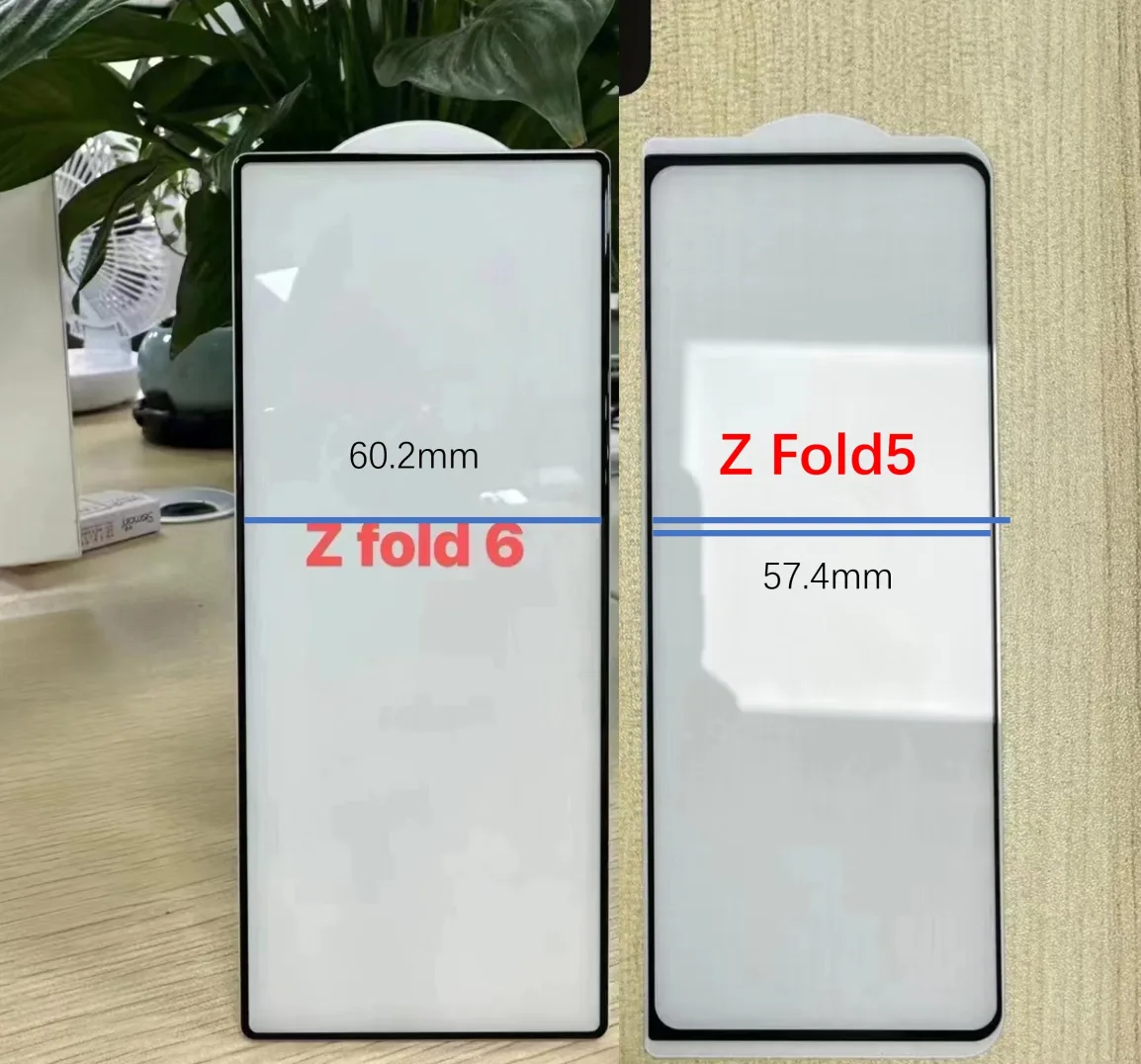
The Galaxy Z Fold6’s external screen width is 60.2mm, while the Fold5’s external screen width is 57.4mm. Therefore, you can get a wider external screen, which is beneficial to the experience, but not too wide. pic.twitter.com/j2eLPJELx4
— ICE UNIVERSE (@UniverseIce) May 7, 2024
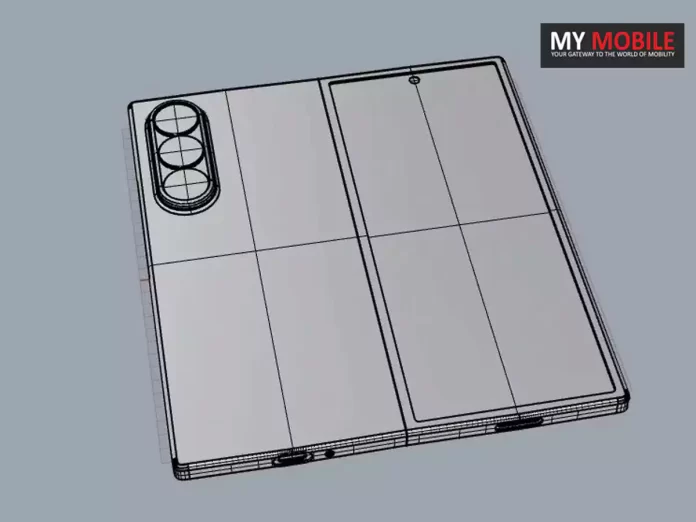
According to the leaked image, the outer display could measure just over 60mm in width, a noticeable increase from the roughly 57mm width of the existing Fold 5.
This design modification would effectively provide users with more usable screen real estate while maintaining a similar overall footprint, without the need to increase the device’s overall size substantially.
Outer display width potentially increasing from 57mm to over 60mm
Leaked Galaxy Z Fold 6 Design Suggests Larger, More Functional Outer Display
It’s important to note that these screen protectors are sourced from third-party vendors, and their accuracy cannot be fully verified until official confirmation from Samsung.
50 MP, Primary Camera
12 MP, Ultra-Wide Angle Camera
10 MP , Telephoto Camera
Autofocus
Yes
Flash
Yes, LED Flash
Image Resolution
8150 x 6150 Pixels
Settings
Exposure compensation, ISO control
Shooting Modes
Continuous Shooting
High Dynamic Range mode (HDR)
Camera Features
Digital Zoom
Auto Flash
Face detection
Touch to focus
FRONT CAMERA
Camera Setup
Single
Resolution
12 MP, Primary Camera
Battery
Capacity
4700 mAh
Type
Li-ion
Removable
No
Wireless Charging
Yes
Quick Charging
Yes, Fast
USB Type-C
Yes
Storage
Internal Memory
256 GB
Expandable Memory
No
Network & Connectivity
SIM Slot(s)
Dual SIM, GSM+GSM
SIM Size
SIM1: Nano, SIM2: Nano
Network Support
5G Not Supported in India, 4G Supported in India, 3G, 2G
VoLTE
Yes
SIM 1
4G Bands:
TD-LTE 2300(band 40) FD-LTE 1800(band 3)
3G Bands:
UMTS 1900 / 2100 / 850 / 900 MHz
2G Bands:
GSM 1800 / 1900 / 850 / 900 MHz
GPRS:
Available
EDGE:
Available
SIM 2
4G Bands:
TD-LTE 2300(band 40) FD-LTE 1800(band 3)
3G Bands:
UMTS 1900 / 2100 / 850 / 900 MHz
2G Bands:
GSM 1800 / 1900 / 850 / 900 MHz
GPRS:
Available
EDGE:
Available
Wi-Fi
Yes, Wi-Fi 4 (802.11 b/g/n)
Wi-Fi Features
Mobile Hotspot
Bluetooth
Yes, v5.2
GPS
Yes with A-GPS, Glonass
NFC
Yes
USB Connectivity
Mass storage device, USB charging
Multimedia
Loudspeaker
Yes
Audio Jack
USB Type-C
Sensors
Fingerprint Sensor
Yes
Fingerprint Sensor Position
Side
Other Sensors
Light sensor, Proximity sensor, Accelerometer
FAQs
What new design features are rumoured for the Galaxy Z Fold 6?
The upcoming Galaxy Z Fold 6 is expected to feature a wider outer display, increasing from 57mm to just over 60mm, providing more screen real estate while maintaining a compact device size.
How reliable are the rumours about the Galaxy Z Fold 6’s design?
The rumours stem from images shared by reputable leaker Ice Universe, showing a third-party screen protector, but final details should be confirmed by Samsung during the official launch.
What benefits will the wider outer display offer on the Galaxy Z Fold 6?
A wider outer display on the Galaxy Z Fold 6 would offer users more usable space for apps and navigation, improving the phone’s ergonomics and accessibility.
When is the Galaxy Z Fold 6 expected to launch?
Samsung is likely to unveil the Galaxy Z Fold 6 in July, with more precise details and specifications to be confirmed at the official announcement.
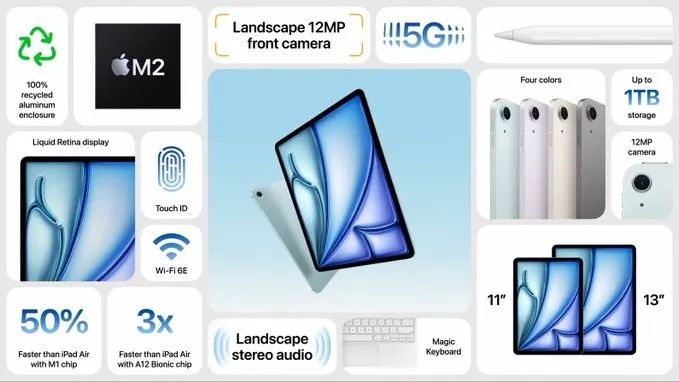
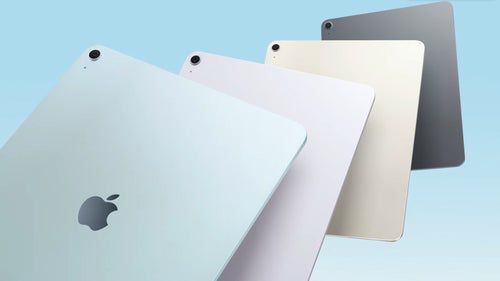
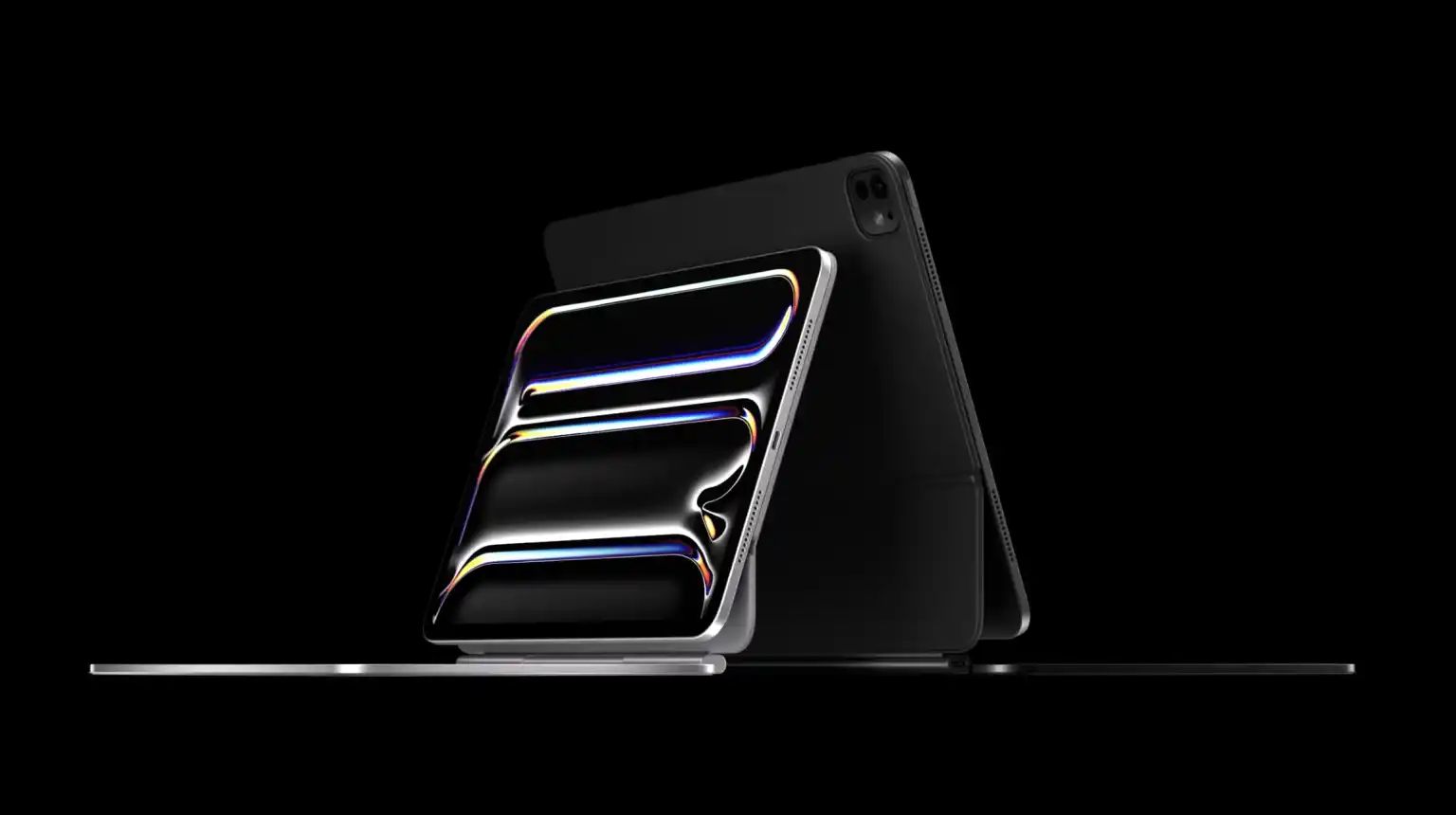
Besides the usual 11-inch model, there’s now a larger 13-inch variant of the iPad Air available.
Apple says that this new bigger size was introduced because several users prefer having a larger screen on their iPad.
Apple Introduces Bigger 13-inch iPad Air for Users Who Want More Screen Space
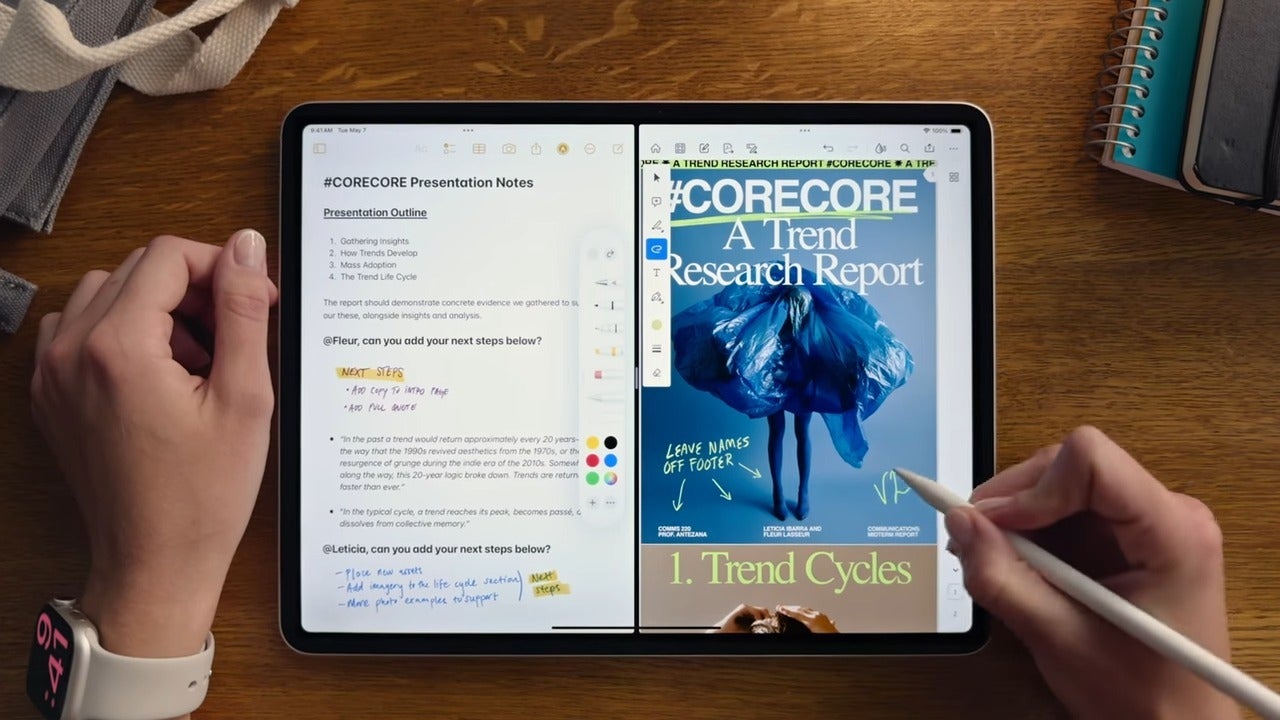
“The larger display gives users more space to express their ideas in apps like Freeform, or to see more participants in a video call on Zoom,” Kuna said. “It also provides more space to view multiple apps using Split View in iPadOS. And both displays have the same advanced features. So all your content looks absolutely gorgeous.”
“So it’s perfect for connecting with friends and family over FaceTime,” Kuna said. “Or joining a video conference while using a keyboard.” The new Air also features “landscape stereo speakers with Spatial Audio, so it sounds great,” Kuna added.
“Under the hood, the new Air supports Apple Pencil hover for greater precision, letting you preview your mark before you make it,” Kuna noted.
“So many users — from students, to content creators, to small businesses, and more — love iPad Air for its performance, portability, and versatility, all at an affordable price. Today, iPad Air gets even better,” said Bob Borchers, Apple’s vice president of Product Marketing, in a statement.
“We’re so excited to introduce the redesigned 11-inch and all-new 13-inch iPad Air, offering two sizes for the first time. With its combination of a brilliant Liquid Retina display, the phenomenal performance of the M2 chip, incredible AI capabilities, and its colorful, portable design with support for new accessories, iPad Air is more powerful and versatile than ever.”
The Need For a Bigger iPad Air
New iPad Air strikes a perfect balance between performance and affordability
New Apple Pencil Pro and Magic Keyboard introduced to complement the iPad lineup
According to Melody Kuna, Apple’s iPad Product Design Director, while users like the portability and ease of use associated with the 11-inch iPad Air and quick tasks such as writing down notes, there’s a huge demand for a bigger screen as well.
Powered by the M2 chip, it delivers impressive performance for everyday tasks
iPad Air’s all-day battery life and 5G connectivity (on cellular models) ensure reliable power
This led Apple to issue a 13-inch variant of the iPad Air, offering users a bit more choice when it comes to display size.
What’s Different: 11-inch vs 13-inch
Apple launches a new 13-inch iPad Air alongside the traditional 11-inch model.
The 13-inch iPad Air features 30% more screen real estate compared to the 11-inch variant.
13-inch iPad Air features 30% more screen real estate compared to the 11-inch variant
Apple says that a larger display is helpful for several use cases—from unleashing creativity to exploring new ideas and even having more pleasant video conferencing sessions since you’ll be able to see more participants at the same time.
30% more screen real estate in the 13-inch model enhances productivity and multitasking
Larger display ideal for creative tasks, video conferencing, and exploring new ideas.
In adding the 13-inch iPad Air, Apple’s trying to meet the needs of users who want a larger screen without needing the features and ability of the iPad Pro.
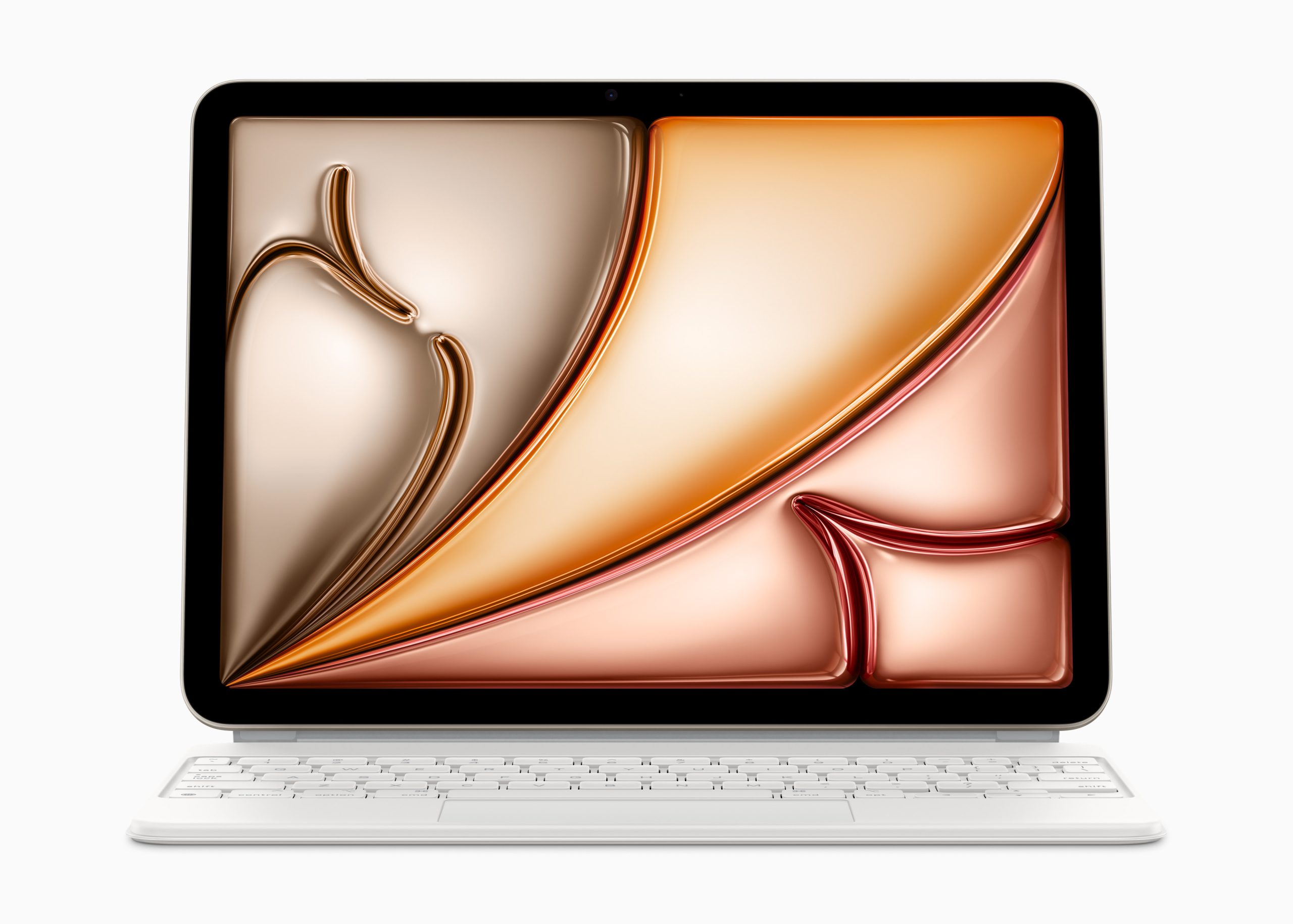
keyboard’s sleek and minimalist design complements the iPad’s aesthetic, while the enhanced trackpad
With both the compact and portable 11-inch iPad Air and the larger 13-inch model, users have the flexibility to choose the one that suits their specific needs and preferences.
Apple addresses user preferences for larger screens without the complexity of the iPad Pro
FAQs
Why did Apple decide to introduce a 13-inch iPad Air?
Apple unveiled the 13-inch iPad Air to cater to user demand for larger screens, as evidenced by the preference among iPad Pro users for bigger displays, enhancing their experience for multitasking and media consumption.
What are the benefits of the 13-inch iPad Air over the 11-inch model?
The 13-inch iPad Air offers 30% more screen space, making it better suited for tasks that benefit from a larger display, such as drawing, note-taking, and video calls with multiple participants.
How does the 13-inch iPad Air improve multitasking?
With its larger screen, the 13-inch iPad Air allows users to comfortably use multiple apps side by side with the Split View feature, significantly boosting productivity.
Who is the target audience for the new 13-inch iPad Air?
The 13-inch iPad Air targets users who desire a larger display for enhanced visual workspace but do not require the high-end performance or features of the iPad Pro.
What are the key differences between the 11-inch and 13-inch iPad Air models?
Besides the obvious size difference, the 13-inch iPad Air provides more screen area which supports better multitasking and a more immersive experience for creative and professional tasks compared to the more compact 11-inch version.
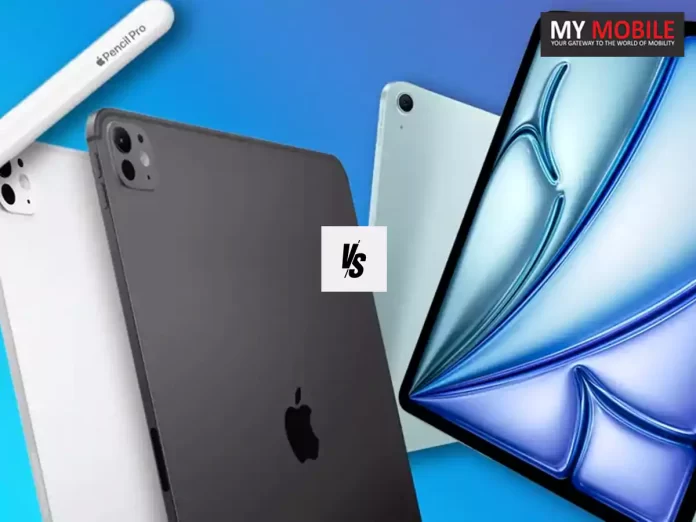
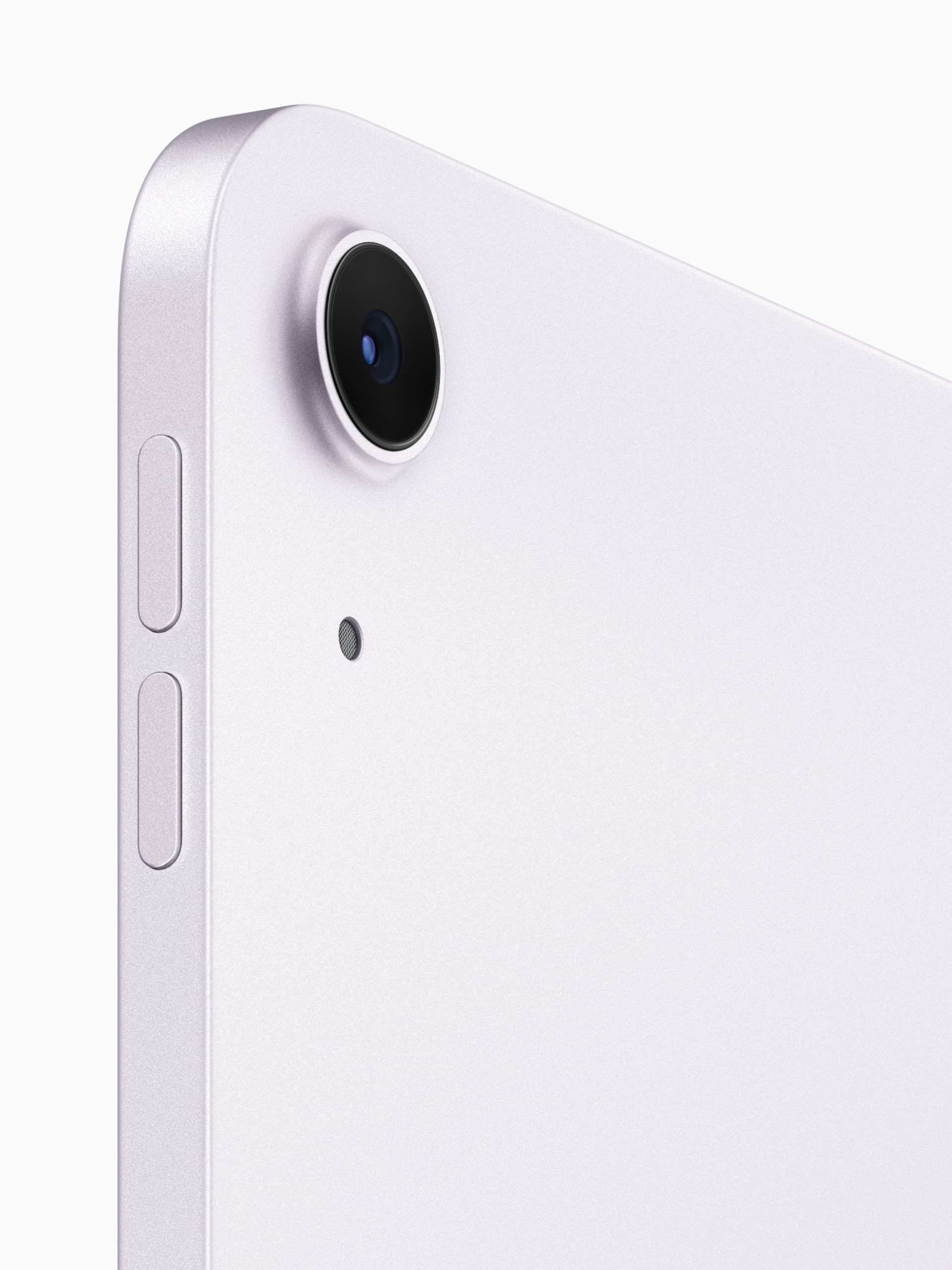
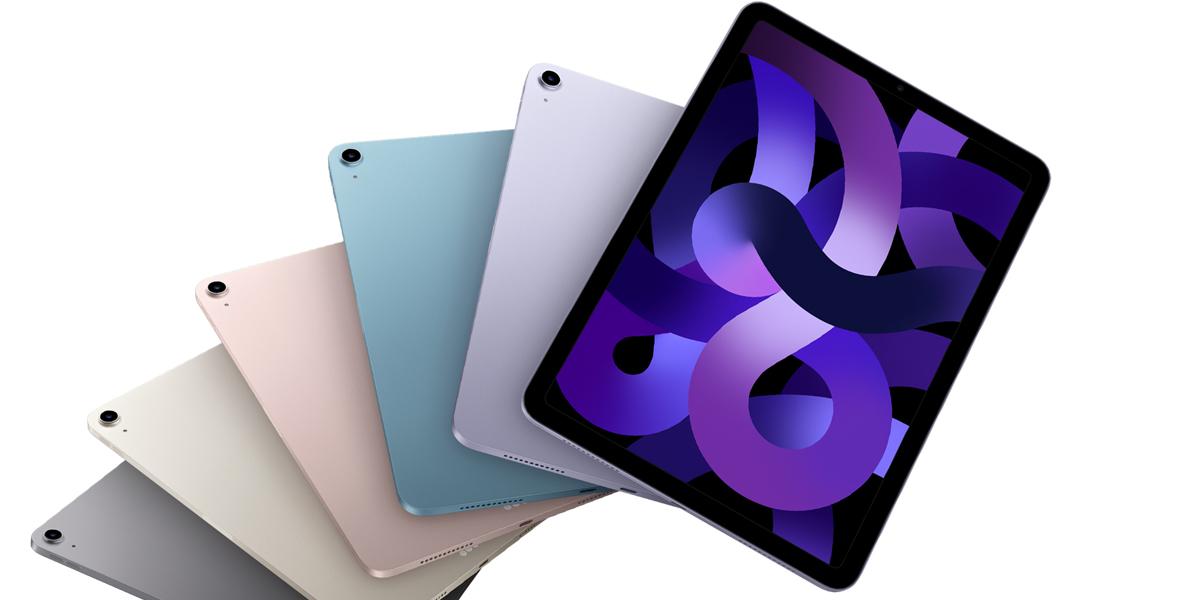
However, the Air strikes back with a more vibrant colour palette, offering options like dark gray, starlight gold, light purple, and light blue, in contrast to the Pro’s monochromatic black and silver hues.
If that is something that interests you.
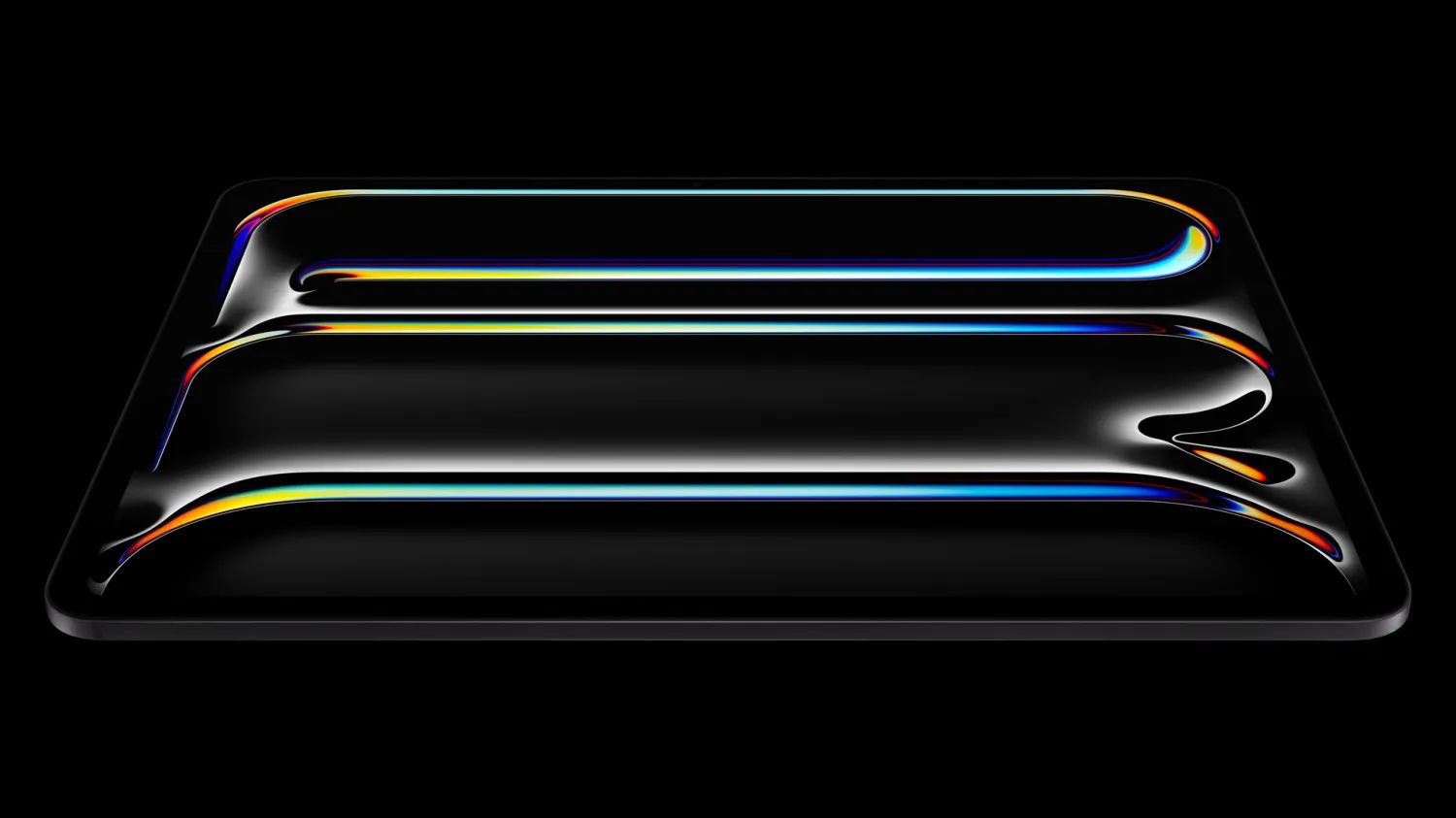
Where the iPad Pro truly shines is its display technology.
iPad Pro Design and Display: Sleek Elegance Meets Stunning Visuals
It boasts Apple’s Ultra Retina XDR display, which combines two OLED panels for unparalleled brightness, reaching up to 1,600 nits peak for HDR content.
iPad Pro vs iPad Air Processing Power: M4 vs M2 – The Battle for Supremacy
iPad Pro Processing Power: M4 vs M2 – The Battle for Supremacy
So who’s running the show?
Well at the heart of the iPad Pro lies Apple’s cutting-edge M4 chip, delivering what Apple claims as 50% faster CPU performance compared to the M2-powered iPad Air.
The M4 model also boasts a more powerful Neural Engine and GPU, offering hardware-accelerated ray tracing, mesh shading, and Dynamic Caching technology for improved performance in professional apps and games.
iPad Air Processing Power: M4 vs M2 – The Battle for Supremacy
However, for demanding users who require the absolute best processing capabilities, the iPad Pro’s M4 chip is of course a clear winner.
Although as you can see, it will cost you an arm and a limb to purchase the Pro moniker.
iPad Pro vs iPad Air Accessories: Productivity and Creativity
iPad Pro Accessories: Productivity and Creativity
Both tablets support the latest Apple Pencil (USB-C) and the forthcoming Apple Pencil Pro, enabling users to take advantage of features like haptic feedback, squeeze gestures, and the hover feature for previewing line strokes.
iPad Air Accessories: Productivity and Creativity
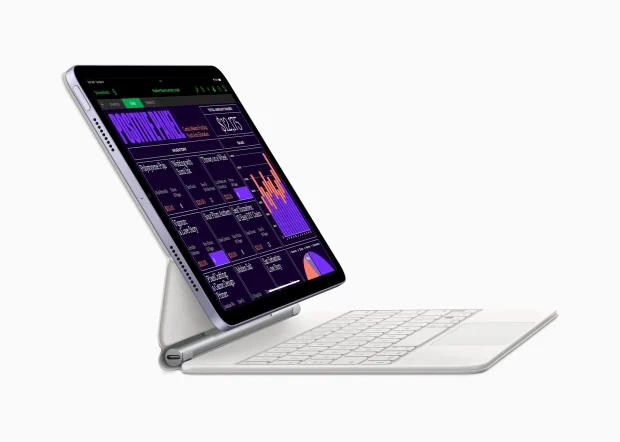
However, the iPad Pro gains an edge with its compatibility with the all-new Magic Keyboard, which boasts a thinner and lighter aluminum design, a larger trackpad, and a dedicated function key row.
iPad Pro vs iPad Air Speakers and Cameras: Audio and Imaging Prowess
iPad Pro Speakers and Cameras: Audio and Imaging Prowess
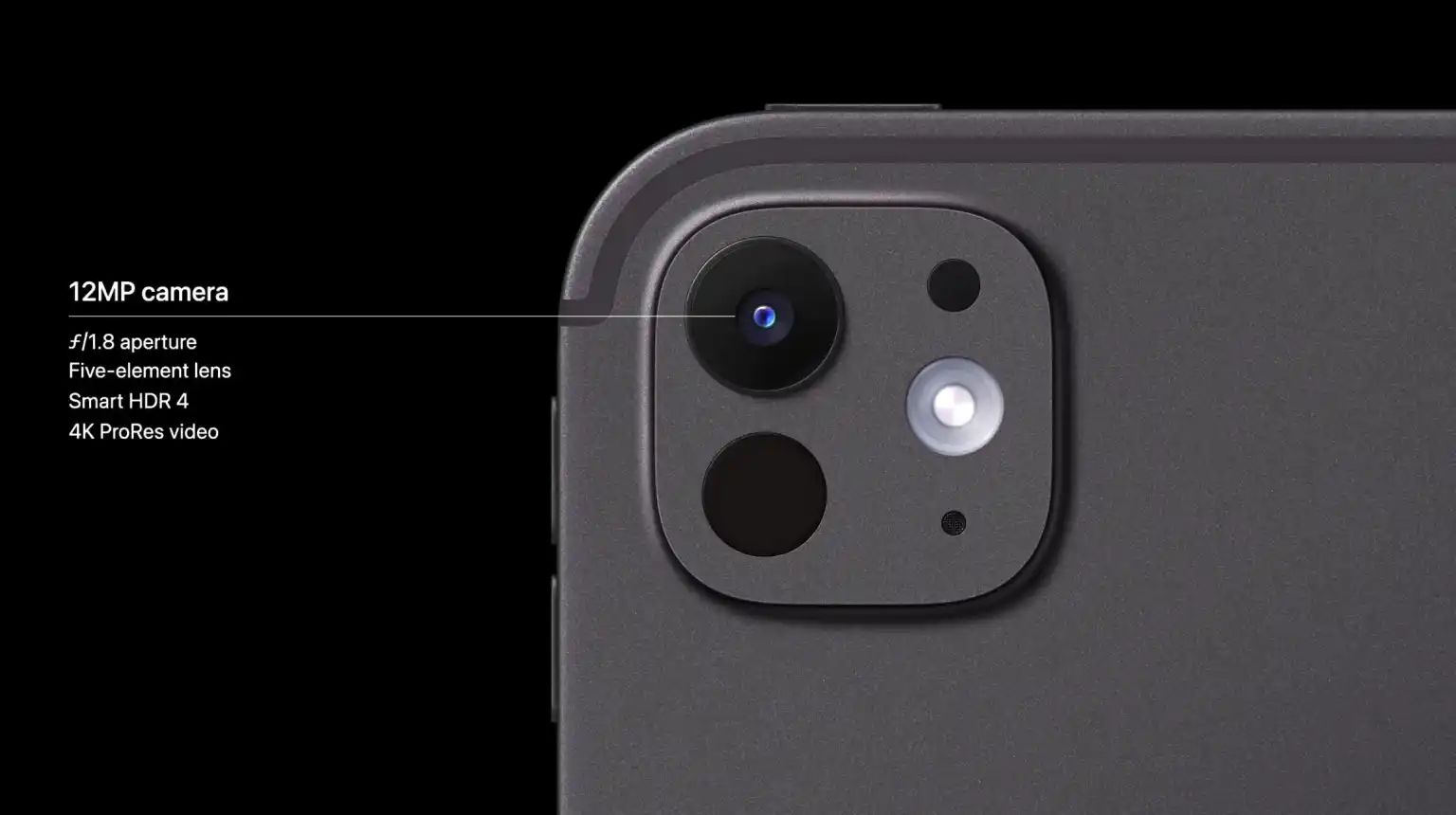
For multimedia enthusiasts, the iPad Pro’s quad-speaker system and four microphones promise a superior audio experience, delivering louder and fuller sound compared to the iPad Air’s stereo speakers and dual mics.
Additionally, the Pro models feature an adaptive True Tone flash for improved document scanning capabilities.
iPad Air Speakers and Cameras: Audio and Imaging Prowess
All-in-all you might never be using the cameras on either iPad, but if you do then the Pro one has marginally better capabilities.
iPad Pro vs iPad Air: Pricing and Value Proposition
iPad Pro: Pricing and Value Proposition
Undoubtedly, the iPad Pro commands a premium price, with the 11-inch model starting at Rs 99,900 for the Wi-Fi variant and Rs 119,900 for the Wi-Fi + Cellular option.
The larger 13-inch model starts at Rs 74,900 for the Wi-Fi version and Rs 94,900 for the Wi-Fi + Cellular configuration.
iPad Pro vs iPad Air: Final Verdict
iPad Pro optimized for power users with enhanced speakers and processing power
The iPad Pro represents an absolute leader for pros, creators, and power users who need nothing less than the best in performance, display quality, and productivity features.
It is a real powerhouse with its next-generation M4 chip, stunning OLED display, and compatibility with the latest accessories.
But for a casual user who wants to have a flexible tablet for entertainment, light productivity, and general use, an iPad Air is an excellent value.
iPad Air offers vibrant color options and a capable M2 processor
Its capable M2 processor, bright display, and compatibility with the Apple Pencil and Magic Keyboard make for a balanced device in performance and price.
Ultimately, the decision comes down to your specific needs, budget, and preferences.
What are the key differences in display technology between the iPad Pro and iPad Air?
The iPad Pro features an Ultra Retina XDR display with OLED technology, offering higher brightness and sharper contrast, whereas the iPad Air uses a Liquid Retina display which, while high-quality, does not support OLED’s superior black levels and contrast.
How do the processors in the iPad Pro and iPad Air compare?
The iPad Pro is equipped with Apple’s latest M4 chip, providing up to 50% faster CPU performance than the iPad Air’s M2 processor, making it better suited for intensive tasks and professional applications.
What options are available for storage across the iPad Pro and iPad Air models?
The iPad Pro offers more extensive storage options, ranging from 256GB to 2TB, while the iPad Air’s storage capabilities are capped at 1TB, catering to less demanding storage needs.
Can you explain the accessory compatibility differences between the two models?
Both models are compatible with the Apple Pencil Pro, but the iPad Pro pairs with a newer Magic Keyboard that features a larger trackpad and additional function keys, not supported by the iPad Air.
Which iPad model offers better value for money?
While the iPad Pro offers higher performance and advanced features, the iPad Air provides substantial functionality at a lower price point, making it an excellent value for more casual users or those with moderate computing needs.
Kijoon Hong, VP of Samsung’s System LSI arm, said, “Our longstanding collaboration has delivered leading-edge SoC designs. This is a remarkable milestone for successfully achieving the highest performance, power, and area on the most advanced mobile CPU cores and SoC designs in collaboration with Synopsys. Not only have we demonstrated that AI-driven solutions can help us achieve PPA targets for even the most advanced GAA process technologies, but through our partnership, we have established an ultra-high-productivity design system that is consistently delivering impressive results.”
The Samsung staffer said, “Since we’ve just completed the tape-out of the 3nm mobile AP, we cannot specify the performance of the mass-produced chips yet, but it is true that we have made significant progress compared to the previous generation, and we are on track to start mass production in the second half of this year.”
Upcoming Samsung Products with 3nm SoC
Samsung Prepares to Launch First Advanced 3nm Exynos Chip
Samsung, in collaboration with Synopsys, has completed the design of a groundbreaking 3nm chip, marking a significant advancement in semiconductor technology with potential applications in smartphones and smartwatches.
When is Samsung expected to start mass production of the 3nm chips?
Following the final design phase, Samsung’s factories are anticipated to commence mass production of the 3nm chips in the coming months, indicating a near-future availability for consumer devices.
Which devices might feature the new Samsung 3nm Exynos chip?
While not confirmed, there is speculation that the new 3nm Exynos chip could power the upcoming Galaxy S25 series or the Galaxy Watch 7, showcasing its advanced capabilities in either smartphones or smartwatches.
How does the new 3nm chip differ from Samsung’s previous chips?
Unlike earlier 3nm chips used primarily in crypto mining, this new chip integrates advanced CPUs, GPUs, and other mobile technologies, making it suitable for high-performance consumer electronics.
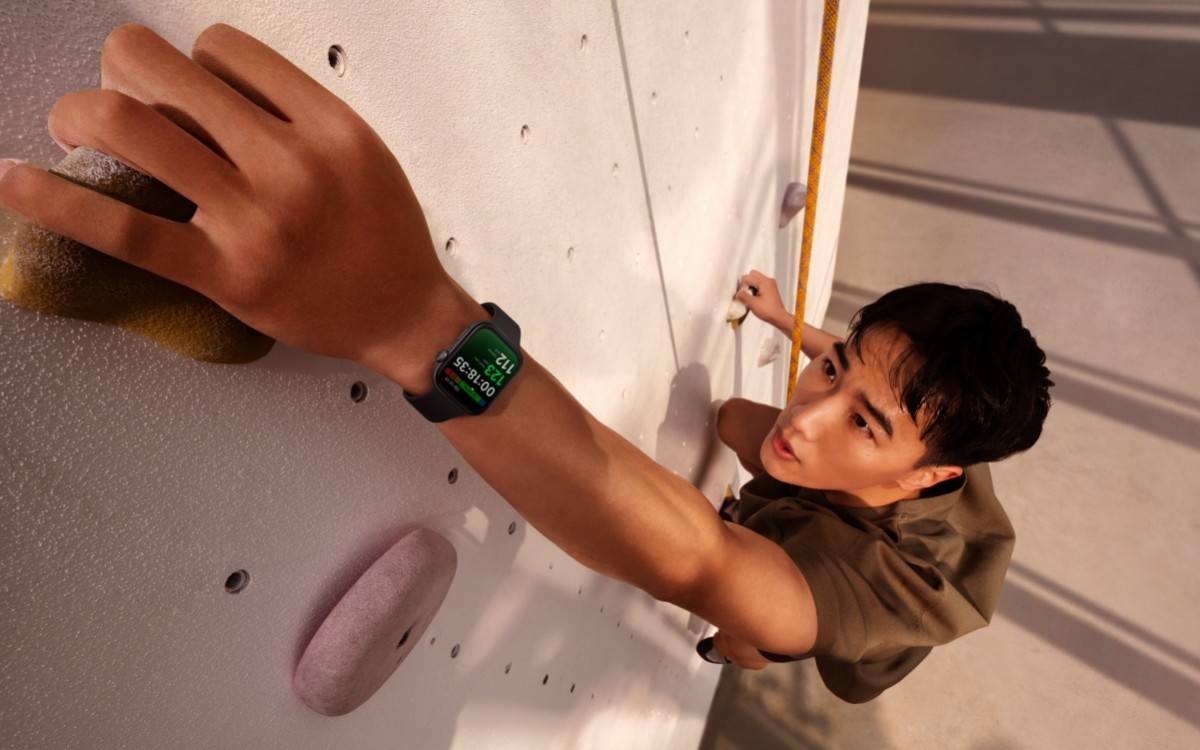
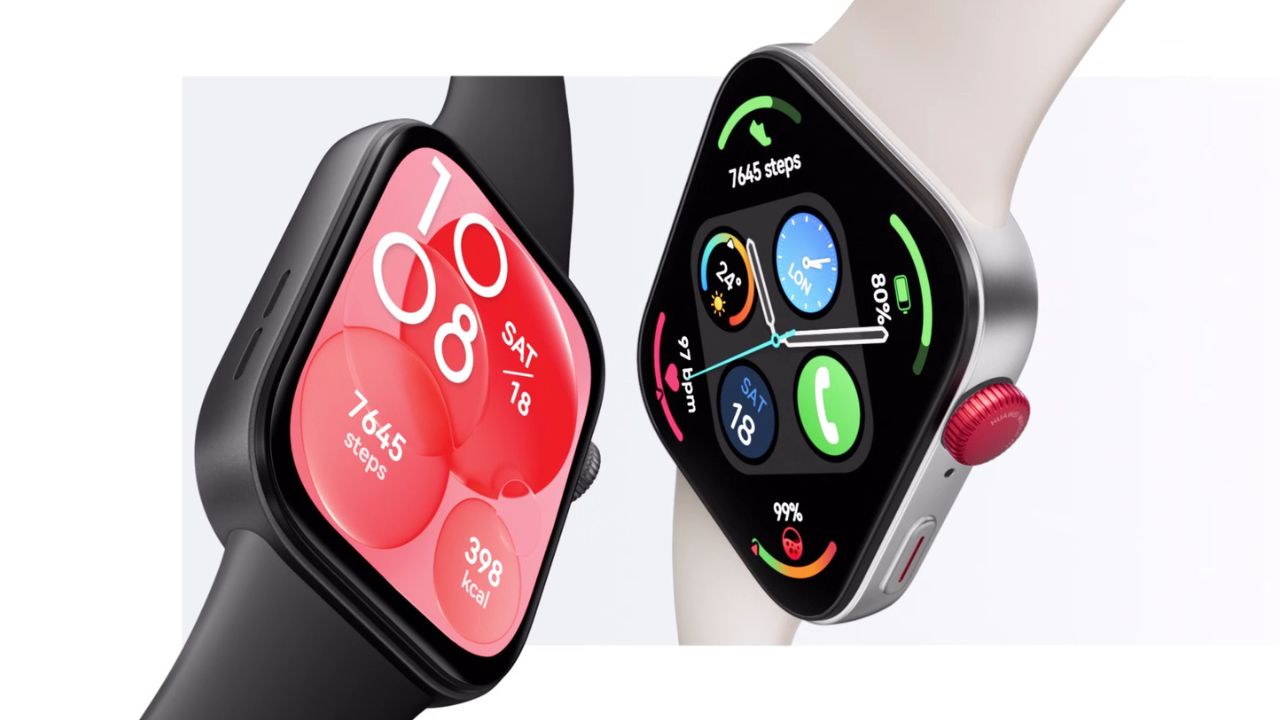
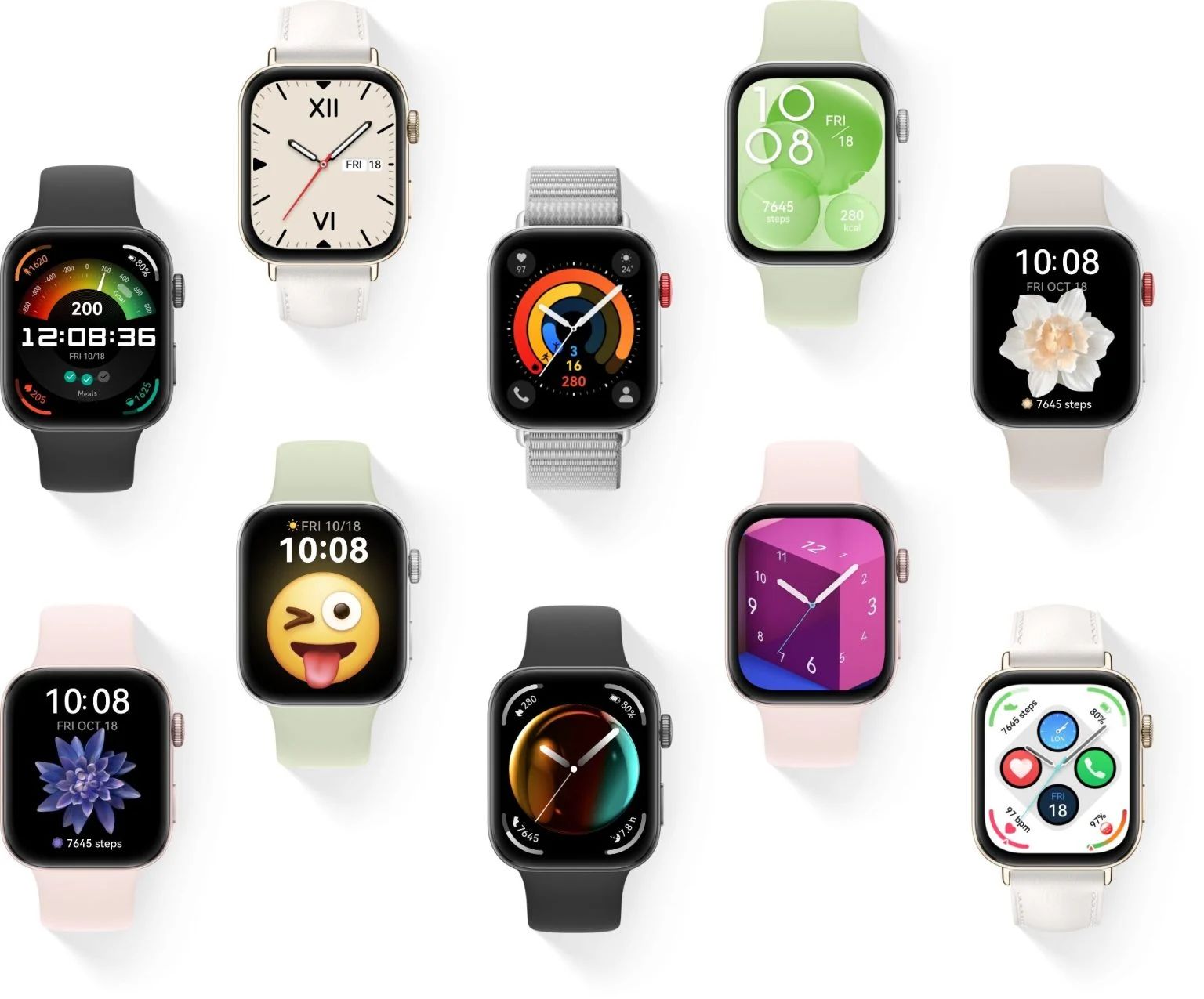
For fitness enthusiasts, it supports over 100 workout modes, including a new Track Run mode that uses the watch’s GPS to record running routes and lap distances.
Health Features: Heart rate and SpO2 monitoring with TruSeen 5.5 system
Six types of workout modes are also automatically detected.
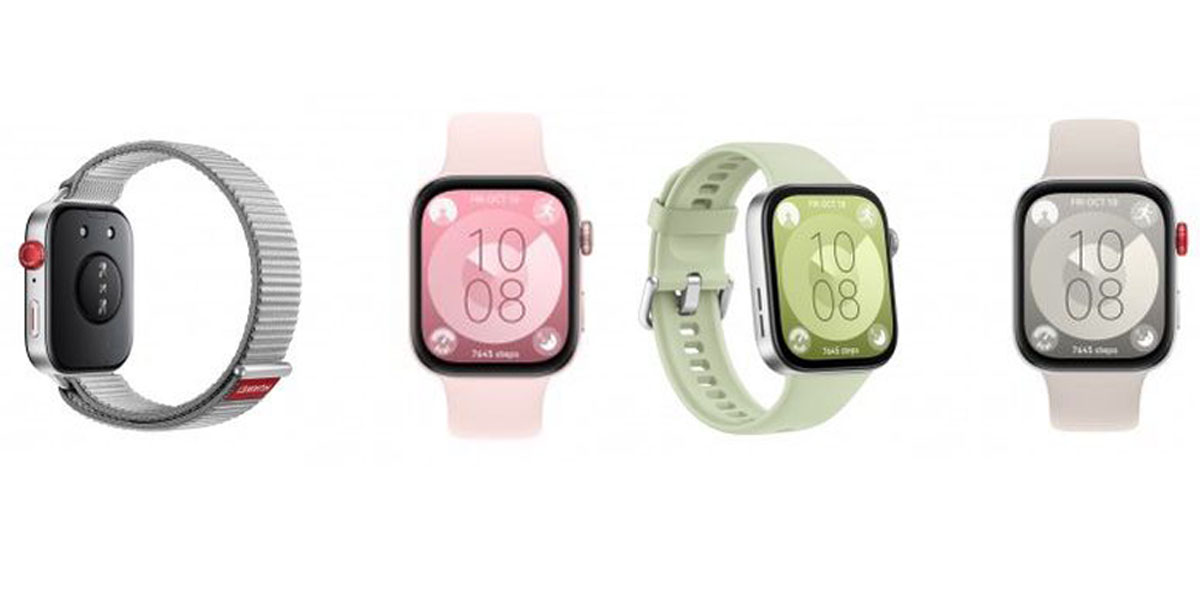
The device comes with Black, Pink, Green, or Moon White Fluoroelastomer straps, priced at £140/€160
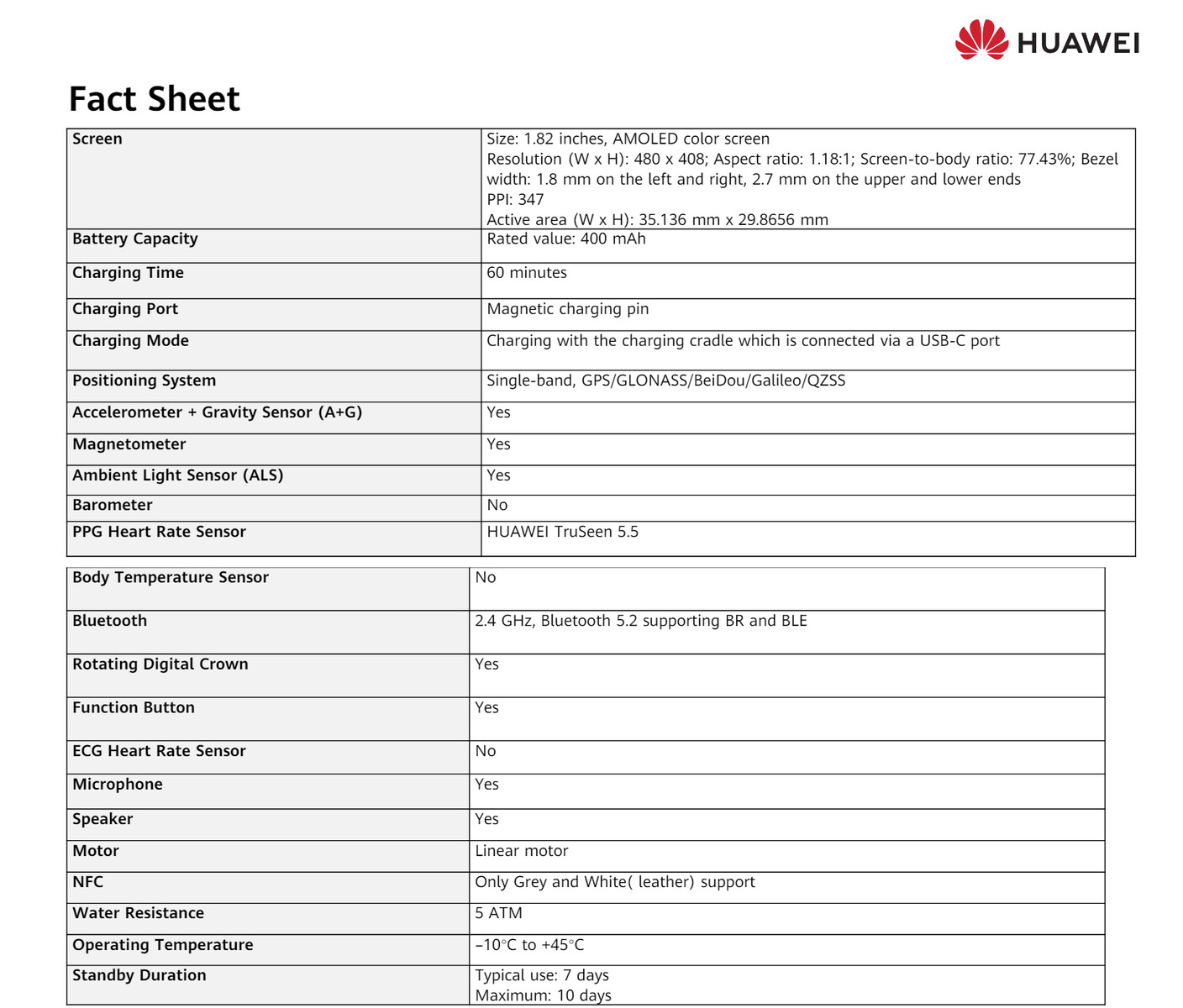
It will also promise long battery life, up to 10 days under certain conditions, which limits Bluetooth calling and music playing, with heart rate and sleep tracking turned on.
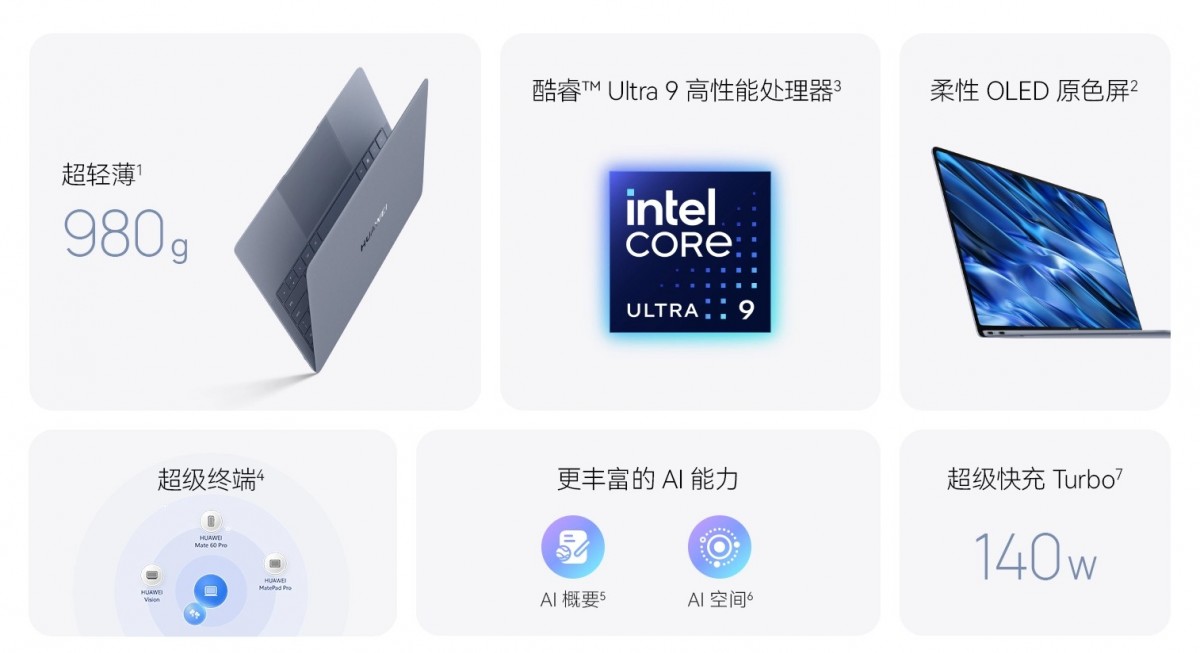
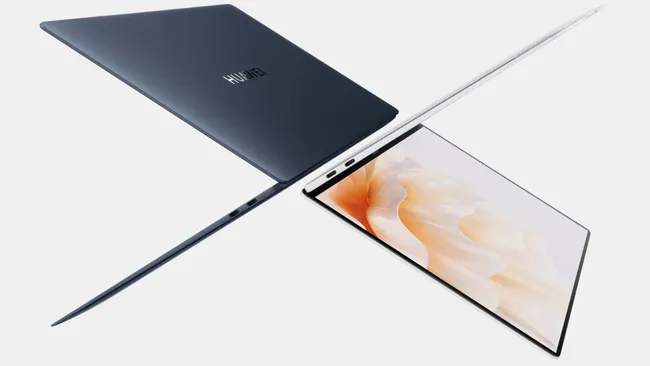
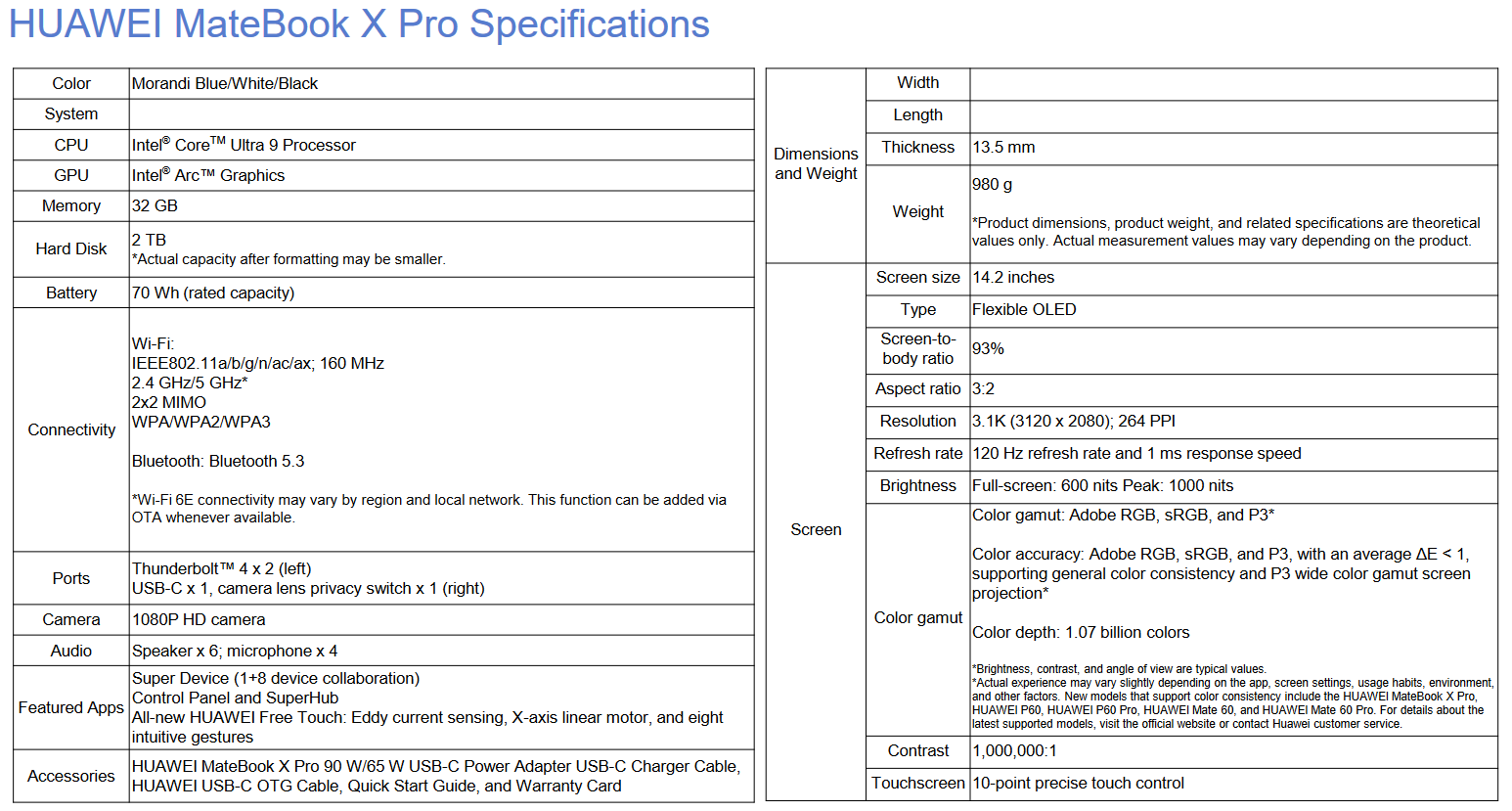
Huawei MateBook X Pro 2024 specifications (image via Huawei)Complete spec sheet (Image source: Huawei)
FAQs
What are the starting prices for the Matebook X Pro 2024 and Watch Fit 3 in Europe?
The Matebook X Pro 2024 is priced from €1,999 for the base model, while the Watch Fit 3 starts at €160, with higher costs for models with premium straps.
When will the Matebook X Pro 2024 and Watch Fit 3 be available for purchase?
The Matebook X Pro 2024 will be available from June 4, and the Watch Fit 3 will hit retail stores on May 22, following pre-orders starting May 7.
What are the key specifications of the Matebook X Pro 2024?
This laptop features an Intel Core Ultra processor, a 14.2-inch OLED display with 120Hz refresh rate, and offers configurations up to 32GB RAM and 2TB SSD.
Can you describe the health and fitness features of the Watch Fit 3?
The Watch Fit 3 includes advanced health monitoring like heart rate and SpO2 tracking, supports over 100 workout modes, and offers GPS tracking for detailed fitness analytics.
What design options are available for the Watch Fit 3?
The Watch Fit 3 is available in six colours and comes with a choice of fluoroelastomer, nylon, or leather straps, designed to complement personal style while providing durability.
What are the Features of Huawei MatePad?
– 10.4-inch 2K resolution
– Kirin 810 chipset
– 4GB RAM
– 64GB internal storage
– 7,250mAh battery
– AOSP with EMUI 10
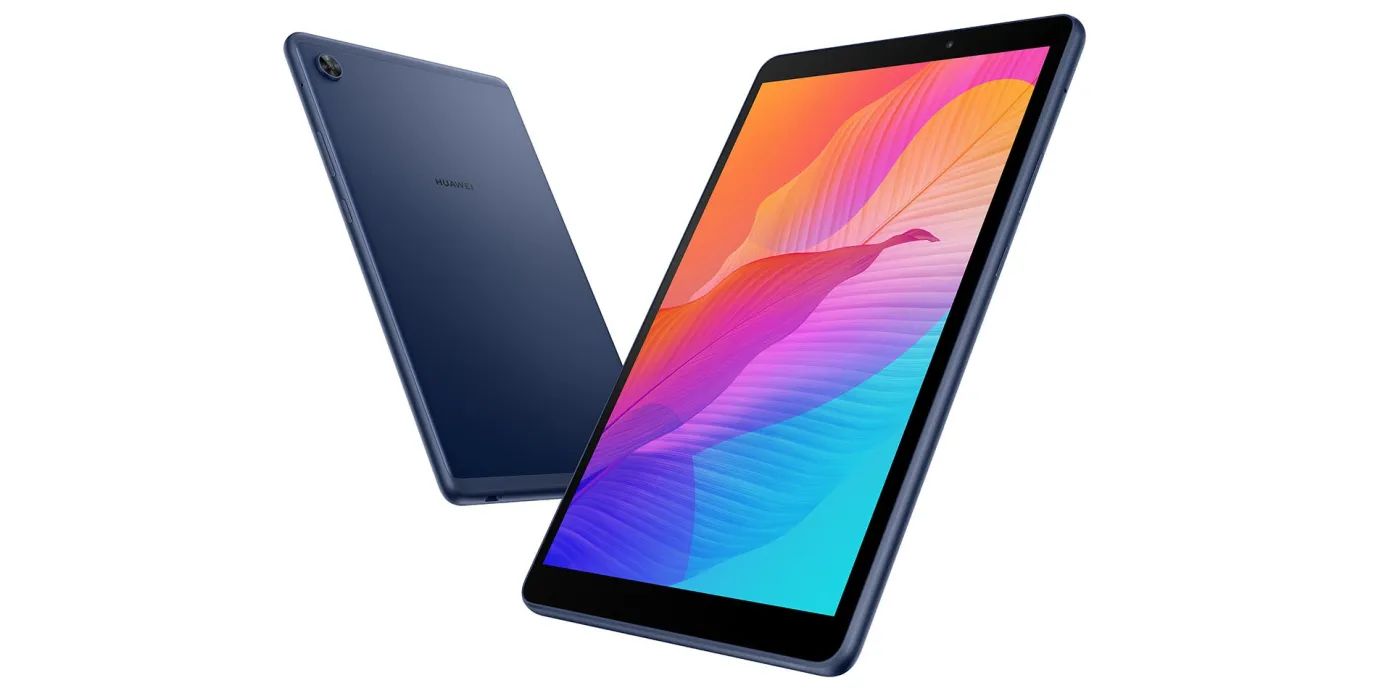
What are the Features of Huawei MatePad T ?
– 8-inch IPS LCD screen
– 1280×800 pixels in resolution
– MediaTek MT8768 chipset
– 2GB RAM
– 32GB storage
– 5,100mAh battery
– AOSP with EMUI 10
What are the Features & Price of Huawei Sound X?
This new speaker is made in collaboration with the French audio company, Devialet. This is a Bluetooth speaker with dual-subwoofers. It claims that this speaker can hit frequencies as low as 40Hz too.
Around the Huawei Sound X is 6 full-range tweeters, creating an immersive 360° surround sound. The speaker also has some smart features – like muting by simply covering the top of the speaker.
The Huawei Sound X will be available at the price of RM1,299.
Huawei has Updated its Existing Lineup of Premium Laptop. Details?
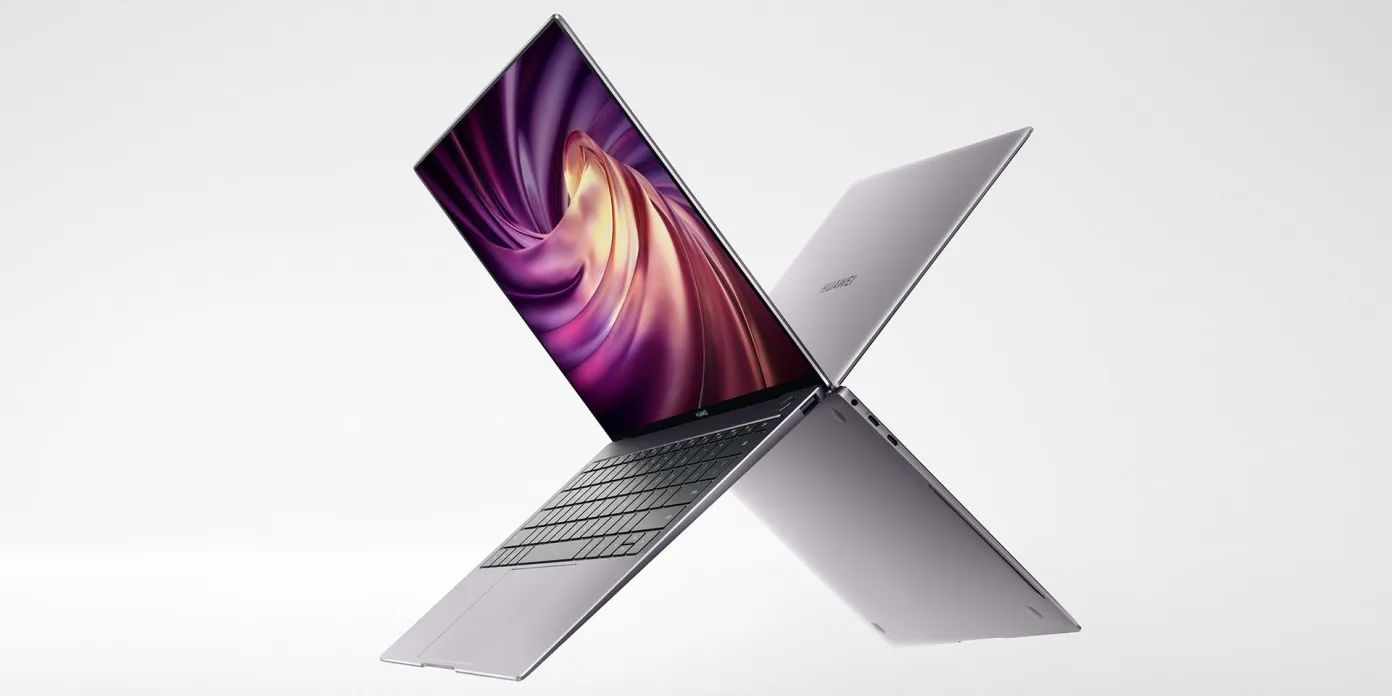
Starting with the new MateBook X Pro, Huawei has updated its existing lineup of premium laptop with the latest 10th Gen Intel Core i7-10510U processor, coupled with an NVIDIA GeForce MX250 graphics with 2GB of GDDR5 VRAM. Of course, this means that the laptop is a very capable ultrabook.
Huawei MateBook X Pro
It is also equipped with a 13.9-inch screen that has an unusual 3:2 aspect ratio with 3000×2000 resolution that is touch-capable.
With a massive 91% screen-to-body ratio, the new MateBook X Pro is here to be your everyday companion. For us Malaysians, it is available in Space Grey and Emerald Green colors, with the latter arriving soon in limited quantities.
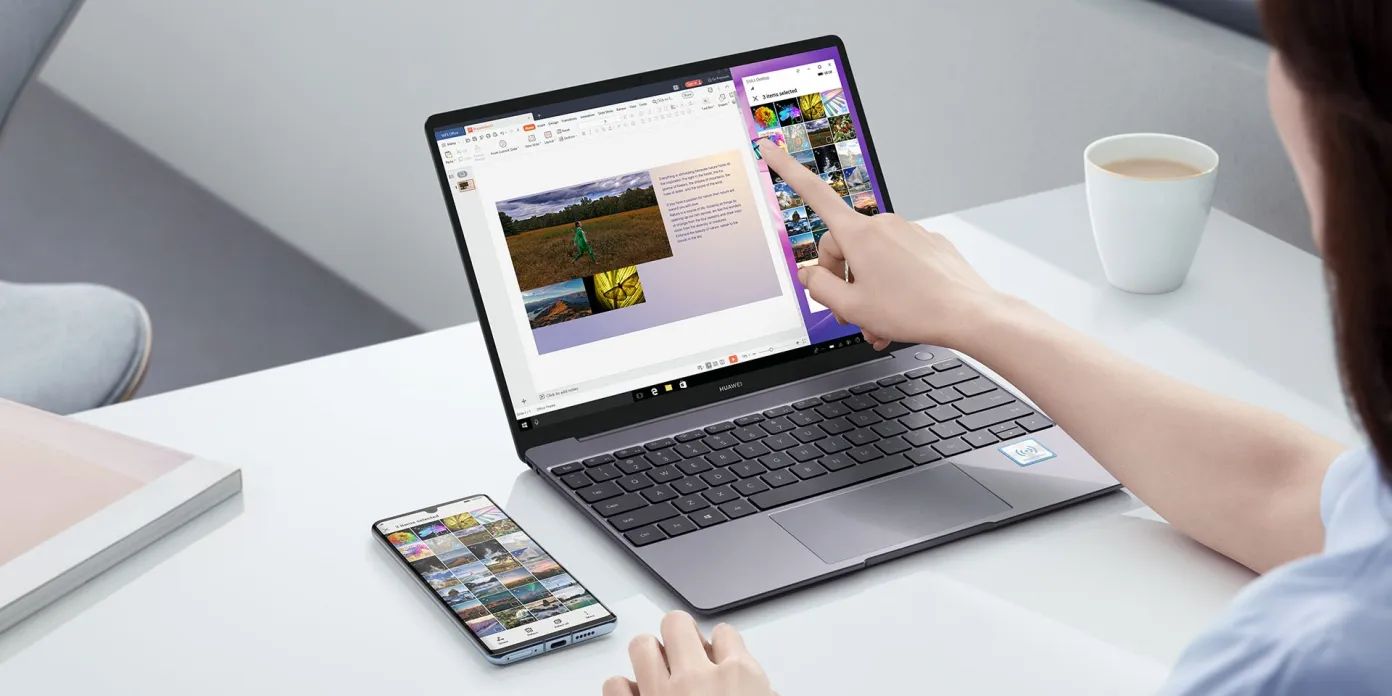
Huawei is also bringing in the MateBook 13 which has a 10th Gen Intel Core processor, 16GB of RAM, and a 2K touchscreen with 88% screen-to-body ratio.
It is also a slim laptop that weighs in at 1.3kg.
For the budget options, Huawei is now offering the MateBook D 14 too! We have previously reviewed the larger MateBook D 15 here, which I absolutely love.
Now, the MateBook D 14 is smaller in size but still packs quite a big punch.
Huawei MateBook D 15
The main difference here – other than the size – is the SoC used. The MateBook D 14 packs an AMD Ryzen 5 3500U CPU with Radeon Vega 8 Graphics (which was what the MateBook D 15 used to have) while the Huawei MateBook D 15 now gets an upgrade to the new Ryzen 7 3700U with Radeon RX Vega 10 Graphics.
Huawei has also stated that all of the products will be available for sale starting 16th May 2020, and there will be a flash sale with lots of activities and campaigns over at Huawei’s official online store too.
Also, purchases of the MateBook X Pro will be eligible to get a bunch of free gifts – including the Huawei Sound X.