What are your plans for Diwali? Are you looking forward to the exciting offers on devices? Would you like to know about the one from JioFiber?
In Brief
Diwali is just a few days away and everyone has already started preparing vigorously for the festivities by shopping for new clothes, firecrackers, sweets, and other souvenirs because they want this once-in-a-year celebration to be just as memorable, if not more, than the previous ones.
The festivities actually began a month back during Dussehra, which is usually the case every year because the festival is a precursor to the festival of lights that are not just popular in India but throughout the world.
Flipkart and Amazon, two leading e-commerce portals in India, came out with the Big Billion Days Sale and Great Indian Festival, respectively, where they offered excellent discount offers on various electronic devices and gadgets, most of which sold like hot cakes.
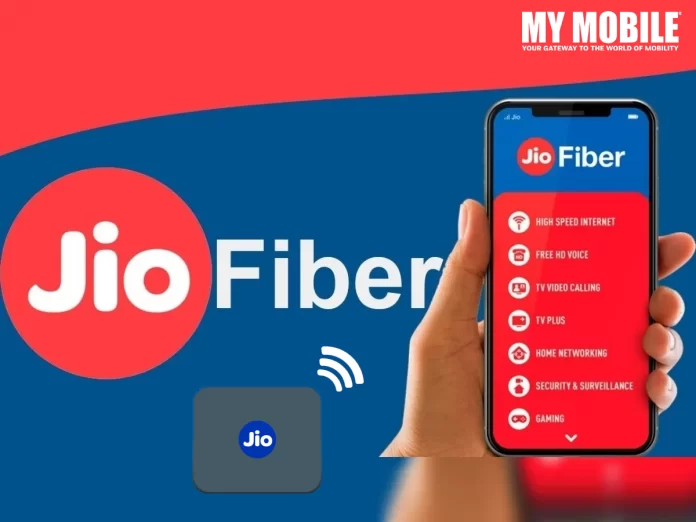
Reliance Jio too wants to contribute for the Diwali season and are therefore launching the JioFiber Double Festival Bonanza offer in the country, which includes massive benefits worth Rs.6,500 on the purchase of Rs.599 or Rs.899 JioFiber plan.
For those who don’t know, JioFiber Double Festival Bonanza Offer is valid from October 18 to October 28, 2022, which is a long period and Jio users would not want to lose this opportunity, especially after reading about the offers given below.
The Festival Double Bonanza Offer is for those new customers who’re willing to get a JioFiber connection through which they can avail two benefits- 100% value back and an additional 15 days validity.
Both plans have been made available to the users and for those who are unaware, you can get a 30Mbps speed for a Rs.599 plan, along with additional perks like 500 on-demand channels, 14+ OTT apps, and vouchers worth Rs.4,500 from renowned brands like Reliance Digital, IXIGO, NetMeds, Ajio, etc.
Then you have the Rs.899 plan that offers 100Mbps speed, along with 14+ OTT apps, unlimited data, 500 on demand channels, and Rs.6,500 worth gift vouchers for Diwali, which will prove to be extremely beneficial.
In addition, the Rs.899 offer is applicable for Jio users who purchase the Rs.599 offer for 6 months in one go, for which the cost will be Rs.4,241 (Rs.3,594 + Rs.647 GST), while the Rs.899 can be purchased for a 3 month period as well at Rs.2,697 (Rs.3,182 + Rs.485 GST, along with a 6 month offer for the same plan, which costs Rs.6,365 (Rs.5,394 + Rs.971 GST).
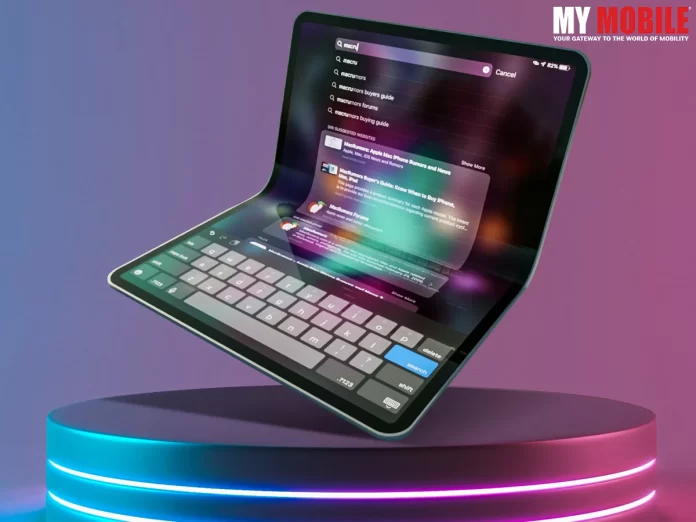
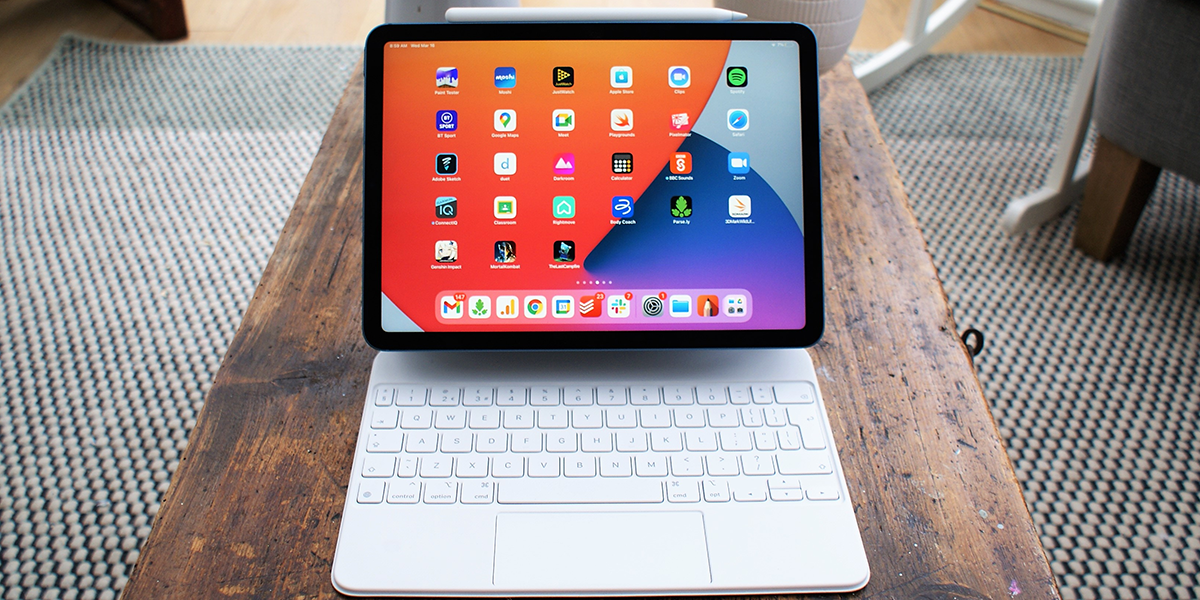
Cupertino-giant Apple is ready to board the bandwagon with its foldable iPad. After Samsung, Oppo and Huawei, Apple iPad is planning to enter the market followed by foldable iPhones. Apple folding screen devices are expected to hit stores with a foldable tablet in 2024. The global mobile market is flooded with new tech and technologies and updating the same enables in the devices is necessary for mobile companies to stay connected with the masses.
The analysts at CCS insight revealed their predictions report with future predictions and trends forecast. It revealed Apple’s plan to launch a foldable iPad before landing a foldable phone in the market. Samsung has already hit the market with the new tech and other mobile manufacturing companies are following suit. Apple has also buckled up for the race of a foldable tablet in 2024 but in a different aspect. Coming up with a foldable iPad enables the company to overcome several challenges that it may face in manufacturing and selling mobile phones with a folding screen.
The chief of research at CCS Insight, Ben Wood said that the iOS mobile manufacturing company shall not follow the trend of foldable mobile phones and instead introduce a flexible display Apple iPad. He further stated that in the present scenario a foldable iPhone would be a super risk for Apple as it would turn out to be super expensive which might impact the sales of other iPhones. Several Analysts estimated the foldable iPad cost to be around $2500 (approx. 2,05,000 /-)
Woods stated Apple’s willingness to adopt the technology due to the growing trend of the technology among the masses. He stated that in case of any technical issues in foldable iPhones, the “feeding frenzy” critics would attack apple for the problems in the folding screen, so they are landing up with a foldable tablet in 2024 first followed by similar tech-enabled iPhones.
Flexible Display iPad Specifications
Ross Young, a popular analyst reported that the global mobile market shall soon witness the groundbreaking 20-inch display size foldable Apple iPad. Ming-Chi- Kuo, another analyst stated that Apple could opt e-ink display on its foldable devices enabling efficient battery utilization.
The present Apple devices use Qualcomm for 5G connectivity. There are rumors that Apple is enabling its own 5G modems on foldable iPhones and iPads for the next launch. However, the timeline for such transformation is flickery. Introducing new tech involves a lot of groundbreaking research and analysis. After thorough discussion, unlike other mobile manufacturing companies, Apple has announced it to move ahead with a foldable tablet in 2024 first followed by mobile devices based on similar technology.
Reports reveal that Apple iPad has acquired the patent for a folding screen accompanied by self-healing properties. The new iPhones and iPads would be introduced with anti-scratch and anti-dent display properties as the new display is believed to be made up of elastomer. It may be applied to either the flexible region or underneath the full display. Reports claim that the self-healing properties will activate without any prompting. The foldable iPad, likely to be named as M2 iPad Pro would witness the first update to its lineup since 2021.
Ross Young, a popular analyst reported that Apple is working on a 20-inch display size foldable iPad. Ming-Chi- Kuo, another analyst stated that Apple could opt e-ink display on its foldable devices enabling efficient battery utilization. The present Apple devices use Qualcomm for 5G connectivity. There are rumors that Apple is enabling its own 5G modems on iPhones and iPads for the next launch. However, the timeline for such transformation is flickery.
The present global mobile market is thrust upon a plethora of new technologies to attract the masses. Now mobile manufacturing companies are coming up with tech-enabled folding screen mobile phones. Apple too shall become a part of this transformation but not in the mobile sector. On the contrary, it shall begin its journey with a foldable tablet in 2024 accompanied by groundbreaking scratch, dent and software solutions. The new generation would surely experience something new as the mobile giant is all buckled up with surprises.
Oppo Find N2 specs, details tipped by Digital Chat Station
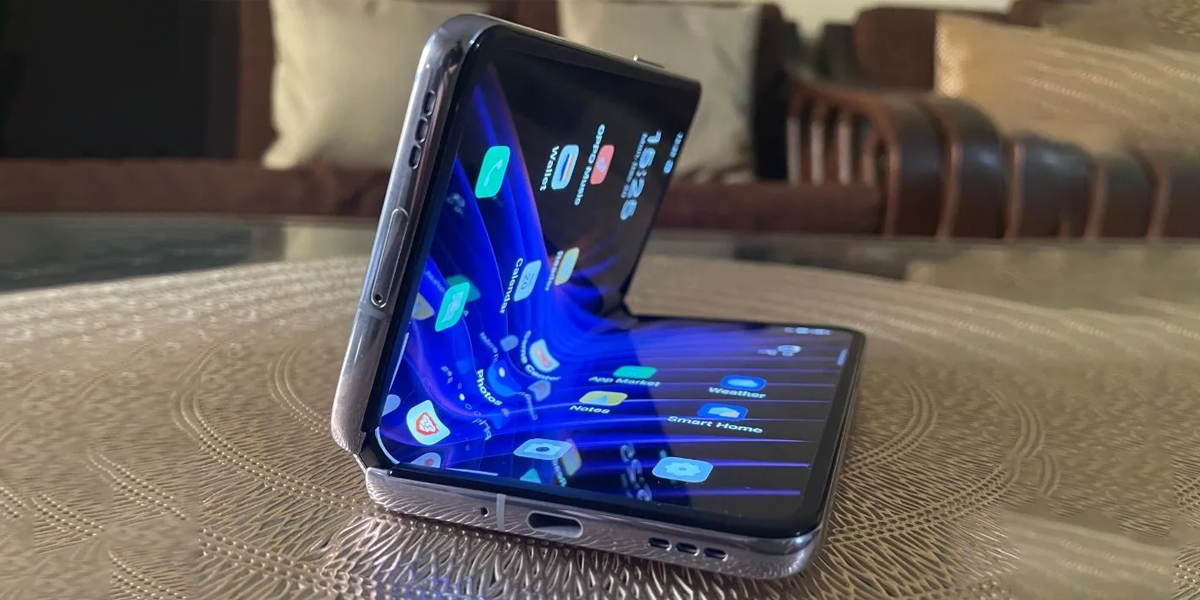
Oppo Find N2 will reportedly succeed Oppo Find N
Oppo has not confirmed any details on the purported foldable smartphone
What are your expectations regarding the new OPPO smartphone model? What are the features that you want to be upgraded?
In Brief
Oppo has had a wonderful year in 2022 with the launch of so many devices where most of them have been extremely well received. To have carved your own niche amidst established tech giant like Apple, Samsung, LG, and their ilk is a huge task that Oppo has accomplished with flying colours.
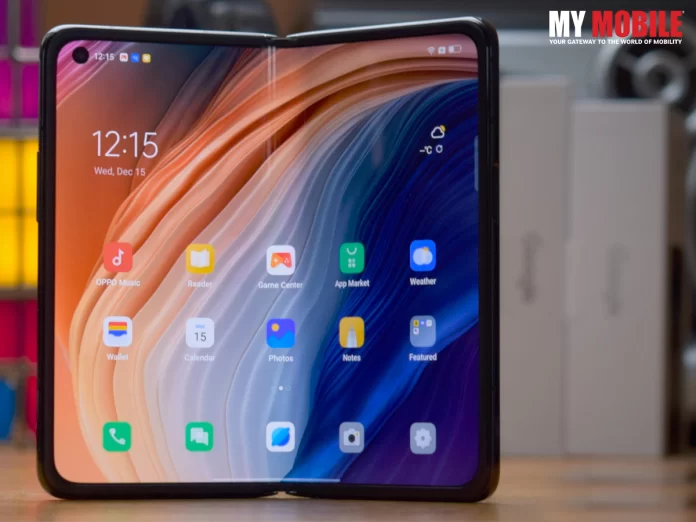
Oppo launched its new N-series of smartphones called Oppo Find N in 2021, which was also the first foldable smartphone of the company. It received positive responses from users and tech experts alike, as they were quite happy with its design, features, price, and specifics.
It isn’t easy to consistently churn out one excellent device after another over a period of time and to sustain your name and reputation for more than a decade is no less than a herculean achievement.
Oppo Find N2 5G price in India
The latest buzz doing the rounds is that Oppo has another N-series model lined up for release called Oppo Find N2, which has left Oppo users excited as they’re eager to receive more information regarding its release and features.
Although the Chinese smartphone brand has not divulged any information regarding the handset as yet, there are many inside sources that bring out some info or the other prior to the release of a new device, and they’re called tipsters.
A tipster has posted online regarding the key specifications of Oppo Find N2 on Weibo, which is a famous microblogging website based in China, where he has revealed certain details regarding the handsets’ specifics.
Features & Specifications
Oppo Find N2 is speculated to come with a 7.1 inch LTPO AMOLED display screen of 120Hz refresh rate that will be powered by a Snapdragon 8+ Gen 1 SoC, while the build of the alleged foldable handset might have a faux leather black and will be powered by Oppo’s ColorOS 13, which’ll be based on Android 13.
While the predecessor model had issues concerned with its external display and creases on its folding display, Oppo has recently confirmed that Find N2 will not have any such issue, while the devices’ side mounted fingerprint scanner is said to be retained for this model by integrating it into the power button.
It is allegedly coming in three colour options- Black, White, and Green, while its battery capacity is said to be 4,520mAh units. Its production, as claimed by the tipster, is underway, implying that its price and launch date will soon be out in the open, although it hasn’t been confirmed if the device will be launched outside China, at the moment.
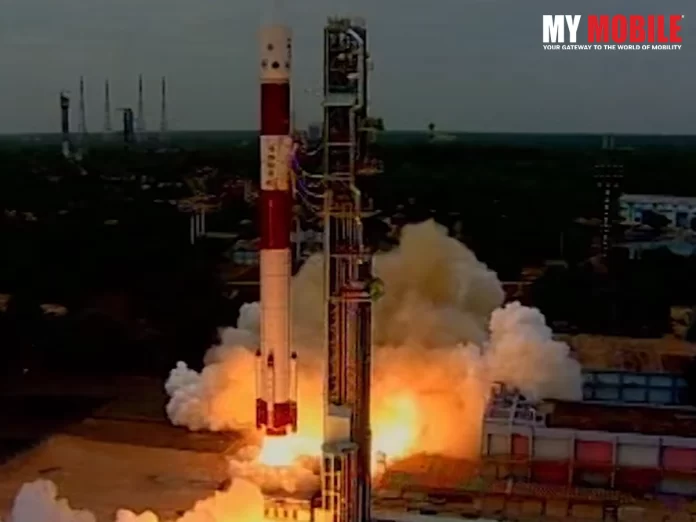
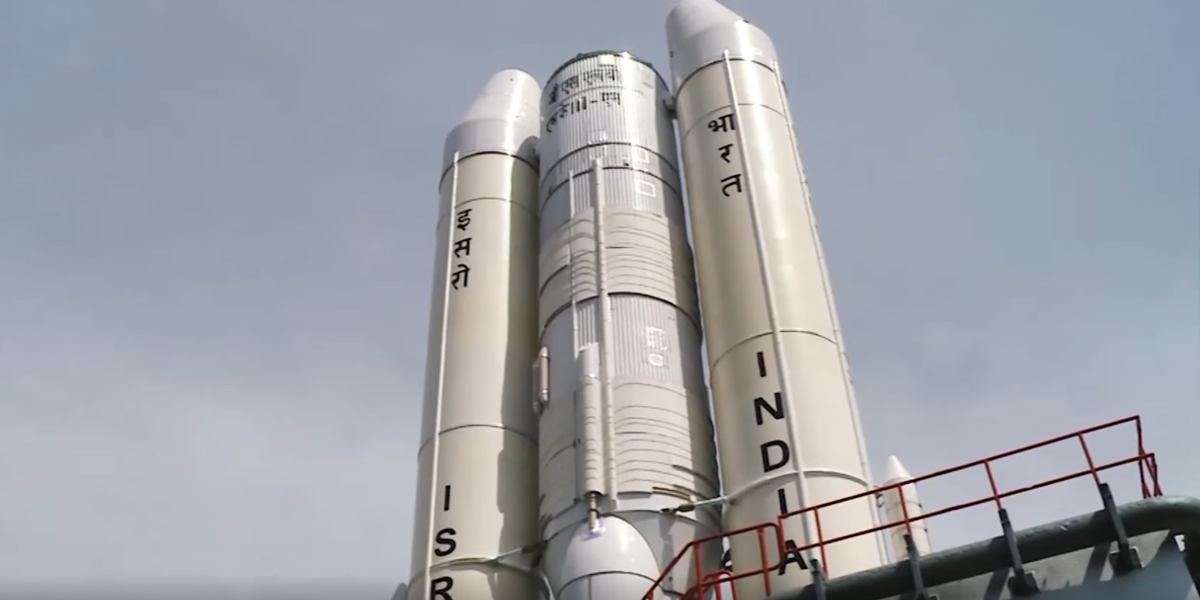
In a bid to take India’s dream of interplanetary explorations one step ahead, the Indian Space Research Organisation (ISRO) is all set to launch Chandrayaan-3 in June 2023. Chandrayaan-3 will be ISRO’s third mission to the moon and one of the most ambitious space projects of the year. ISRO Chairman S Somanath while speaking to the media during an event revealed, “Chandrayaan-3 (C-3) launch will be in June next year onboard the Launch Vehicle Mark-3 (LVM3).”
Apart from disclosing the timeline for Chandrayaan-3, ISRO officials also lined up plans for the country’s first human spaceflight. The first test flight of the ‘abort mission for Gaganyaan is scheduled for a launch early next year. This is in line with India’s next ambitious space mission, which involves for the first time flying Indian astronauts into orbit by the end of 2024.
As per reports, ISRO is planning to carry out six test flights before it goes ahead and launches the first human spaceflight in 2024. Somanath didn’t shy away from revealing that one of the country’s most awaited space missions Gaganyaan is rightfully progressing at an expected slow and steady pace.
Let’s take a quick look at how 2023 is planned for ISRO.
What We Know About Chandrayaan-3 So Far
Chandrayaan-3 is the mission to the moon proposed and planned after the unfortunate soft landing failure of Chandrayaan-2.
Chandrayaan-2 was ISRO’s second lunar exploration mission launched in 2019 after the completion of the previous mission, Chandrayaan-1. On 22 July 2019, the C-2 spacecraft was launched from the Satish Dhawan Space Centre, Andhra Pradesh on a mission to the Moon. The ultimate mission was to explore and study the lunar surface composition along with detecting the lunar water location.
The C-2 spacecraft was carrying a lunar orbiter and India’s indigenously developed Vikram lander and Pragyan lunar rover. Although the craft successfully reached Moon’s orbit and started orbital operations needed for the preparation for the soft landing of Vikram lander, due to some software glitch the lander deviated from its trajectory losing the momentum to finally facing a crash at landing.
Chandrayaan-3 since then have become ISRO’s next project to re-attempt a soft landing on the lunar surface in 2023 and complete the lunar objectives set for C-2.
The major difference between Chandrayaan-2 and Chandrayaan-3 would be the absence of an orbiter. Chandrayaan-3 will not have an orbiter and will only carry a lander and a rover to the moon.
On the design front, Chandrayaan-3 is programmed to have some design changes as well.
The Chandrayaan-3 lander will have only four throttle-able engines. This is different from Vikram lander on Chandrayaan-2, which had five 800 Newtons engines. The fifth engine on Chandrayaan-2 was centrally mounted with a fixed thrust. Moreover, the lander of the proposed Chandrayaan-3 craft will also be equipped with a Laser Doppler Velocimeter (LDV).
“C-3 is ready now. It is not a replica of C-2. The rover is there. The engineering is significantly different. We have made it more robust so that it does not have problems like last time,” Somanath added during his interactions with the media personnel.
About the Abort Missions
Abort missions are test flights where the space crew needs to abort the mission in case of a system or other failure. The crew in that case needs to escape the spacecraft in the middle of an ongoing flight. An Abort Mission is basically a test flight that is designed for the crew to practice how to manage a space escape in case of failures. Through these missions, ISRO will be testing the systems with the crew before planning the launch of human spaceflights.
According to ISRO’s updated brief, the Gaganyaan mission is envisaging a manned spaceflight to Low Earth Orbit (LEO) for the first time by Indian space scientists and astronauts. This mission, when performed successfully, will play an instrumental role as the foundation stone for a future Indian human space exploration programme.
Speaking of the first test flight of the abort mission for Gaganyaan planned for early next year, Somanath said, “If this is successful, we will repeat it once again and then we will go for an unmanned mission. The unmanned mission will be a full-fledged rocket. It will go to orbit, then it will come back.”
Also Read: Addressing revolution on the anvil: Pataa to use ISRO’s tech to introduce navigation solutions
Cadbury’s #shopforshopless campaign is garnering a lot of praise and rightly so! Diwali being one of the most celebrated festivals of the year unleashes the creative instinct of a lot of brands as they plan to benefit from increased public spending during this time of the year. And Cadbury has been at the forefront!
Cadbury, as a brand, has had a special place in every Indian’s life. The brand has always creatively positioned itself as the perfect gift on any occasion. However, in recent times, the brand has displayed a heartwarming sensitivity towards not just its customers but countrymen in general through its thoughtful campaigns. Whether it was the customised “Thank You” packaging in eight regional languages for the Covid warriors or the 2021 “Not Just A Cadbury Ad” last Diwali for local small businesses, Cadbury is leaving no stone unturned in making every occasion sweeter. The latest Diwali special Cadbury #shopforshopless campaign is also an extension of similar messaging.
We cannot discuss this year’s Cadbury campaign without paying a little bit of attention to its last year’s Diwali campaign. The “Not Just A Cadbury Ad” campaign, released in October 2021, featuring Bollywood Superstar Shah Rukh Khan was nationwide appreciated and received many accolades in the advertising awards season. The idea of “now you can have Shah Rukh Khan as Your Brand Ambassador” was an instant hit.
The 2021 campaign was designed keeping in mind the small town local businesses by giving them an opportunity to get their own customised ads featuring local stores. Cadbury manually mapped local businesses into a directory and programmed their advertisement in such a way that anyone watching would see a separate localized version of the same ad. With geo-targeting of the local business, there were hundreds and thousands of versions of the same ad for different regions. So, any watching the ad in Kashmir would get to see their local stories featured in the ad with the same tagging being different for a person watching the ad in Kanyakumari. The campaign was widely appreciated for the message of ensuring a Happy Diwali for every local business while pushing for localized purchases.
This was undoubtedly one of the most creative and heartwarming uses of AI and machine learning in the modern-day advertisement industry.
With the success of its previous Diwali campaign, the industry was all eyes on how the chocolate brand is going to greet this Diwali. And let’s just, no one was disappointed.
The Cadbury Diwali 2022 campaign has gone one step ahead of last year and now sifted its focus onto supporting hawkers. The #shopsforshopless campaign is all about facilitating hundreds and thousands of shopless hawkers across the country to set up their own shops just with the help of scanning one QR code. The idea, as the brand mentions, is to give the power of technology to the hands of the community and empower them in self-reliance.
To achieve this, the brand is using the now widely recognised QR code technology. Customers purchasing the Cadbury celebrations pack this Diwali can now simply by scanning the QR code printed on the pack get to know all about their local hawkers. Cadbury has again manual gathered the data of local hawkers and marked them through a QR code. Customers would be able to get all the information about nearby hawkers and the products they sell.
The technology also builds a simple interface for the consumers purchasing a Cadbury celebrating pack where they can promote their local hawkers. Consumers, by scanning the QR code, can now even set up a small virtual shop for their local vendors. They can add useful details such as the hawker’s name, phone number, and the list of products they sell. Other customers can easily shop for these listed products from registered hawkers.
“We are not just in the business of storytelling, we want to engage consumers and get them to participate and be involved in what we are trying to say. It is actually a call to action to customers to actually participate and do their bits as well,” said Anil Viswanathan, the Vice President, Marketing of Mondelez India. Viswanathan also revealed how the brand has some other ideas for this Diwali as well but keeping the factor of continuity with the previous year’s campaign in mind, this idea was finalised.
A closer look at the last few campaigns by Cadbury very clearly states their intent. The brand is, with its message-orient campaigning, trying its best to build a thoughtful narrative around the idea of showing generosity for the past two years. And for the worth of its last two campaigns, it is not hard to notice that the idea behind its messaging is working.
Viswanathan also added, “Over the years, we have been building many chapters of generosity, whether it the generosity we were showing towards Covid warriors, or to say thank you to each other, or being generous to some people. It’s been a long journey.”
CCI noted Google has leveraged its dominant position in app store market
Section 4 of the Competition Act pertains to abuse of dominant position
In 2019, CCI ordered a detailed probe on Google following complaints
Do you think Google is going through a rough patch? Can it handle the setback of the hefty fine leveled by Competition Commission of India on it?
Brief Summary
To say that Google is one of the biggest tech giants on the planet is a massive understatement because it has become a lifeline for billions of users worldwide. Today, it is virtually impossible to imagine your life without Google as its search engine has become the proverbial platform where people hope to get a solution.
All they need to do is to type a word or phrase in the Google search engine and press ‘Enter’, following which a slew of websites and articles will immediately pop up on the screen that will offer answers/solutions to the problem.
Gone are the days when students used to rely on their school/college textbooks of hardbound elastic with thousands of pages with bookish definitions that they would need to cram up in their minds.
Google India is arguably the most popular search platform in the country with nearly a billion users who look up to it when they want a platform where they need to search for their preferable content.
Google search is deemed more than enough to look up for a solution for all kinds of problems in life, both personal and professional, which is why Google has acquired the stature of being one of the top 10 or top 5 tech giants in the world, which it has consistently sustained in the past two decades despite facing competitive challenges.
Speaking of challenges, Google has been subjected to many legal hassles and financial penalties since the past two decades with the most recent one being filed by the Competition Commission of India (CCI), a renowned fair trade regulator in the country.
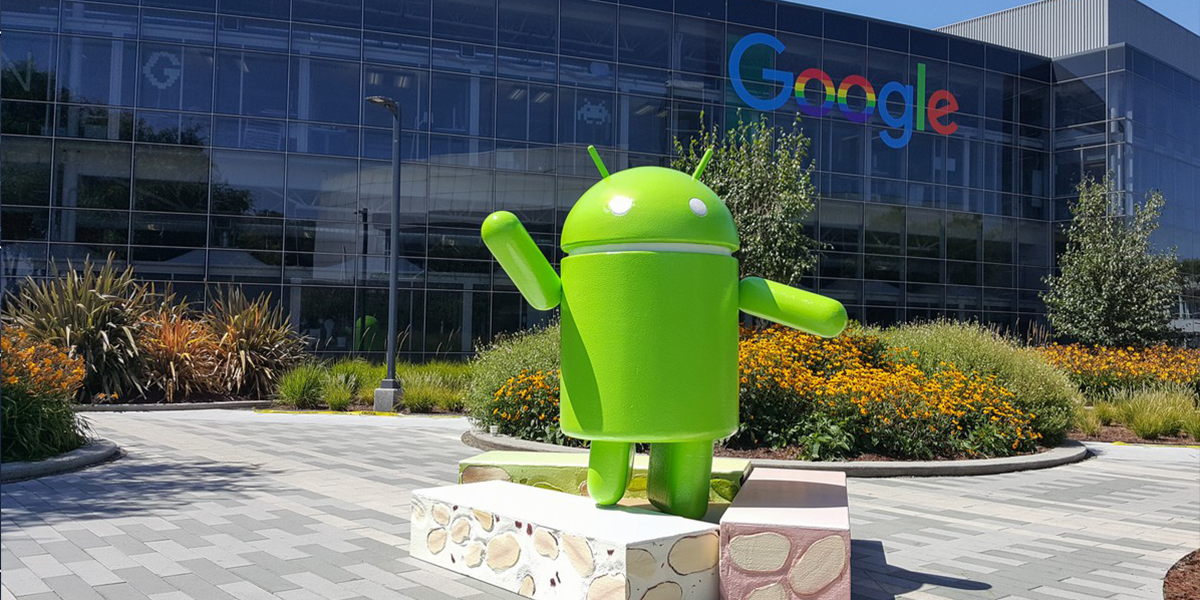
CCI has accused Google of indulging in unfair business practices in the android mobile device ecosystem and imposed a hefty penalty of Rs.1,337.76 crore on the tech giant for abusing its position of power in numerous markets.
CCI has further instructed Google to provide a defined timeline and modify its conduct instead of using its position and reputation for its own benefits and leveraging its dominance in the app store market.
Many Android smartphone users in India have leveled complaints on Google, based on which Competition Commission of India has ordered a detailed probe on the tech giant. For the unversed, Android is an open-source, mobile operating system that is installed by Original Equipment Manufacturers (OEMs) of smartphones, laptops, tablets, etc.
There are two agreements on which the allegations levelled on Google are based viz. Anti-Fragmentation Agreement (AFA) and Mobile Application Distribution Agreement (MADA), which were entered into Android OS OEMs.
CCI has also deemed the pre-installing Google Mobile Suite (GMS) under MADA, along with their prominent placement, as good as imposing of unfair conditions on device manufacturers as it contravenes the competition law, especially as there is no option to uninstall it.
Therefore, CCI has imposed the financial penalty on Google as the company has violated Section 4(2)(d) of the Competition Act, which is the code for violation of dominant position.
This alleged action by Google apparently denies market access for competing search apps, which is another violation of the competition law, as the tech giant seeks to enter as well as protect its position in non-OS specific web browser market via the Google Chrome app.
Conclusion
Competition Commission of India’s fine imposed on Google is to teach the tech giant a lesson so that it doesn’t abuse its position as not only does it violates the competition laws but also might prove to be detrimental to other applications.
Also Read: Google Probed by CCI; Tech Giant Allegedly Violates Revenue Sharing Terms
Amazon has called the proposed case to be “without merit”
Amazon has been accused of breaching competition law
The lawsuit is expected to be filed at the CAT by the end of this month
Are you fond of shopping on Amazon? What do you make of the lawsuit filed against the company? Do you believe the allegations levelled against it?
In Brief
Amazon is one of the biggest tech companies in the world that deals with online advertising, digital streaming, cloud computing, e-commerce, artificial intelligence, among many others things.
Amazon India is one of the biggest and most popular e-commerce platforms in the country, alongside Flipkart, where millions of consumers purchase their favourite products in different hues and varieties.
The company has reached a position and stature where people don’t think twice before placing their implicit faith in its products and vouch for its services from time to time, which is rare to find for any company nowadays.
However, the more successful and dominant you become in your field, the greater are the chances of facing allegations, challenges, and hurdles from others, for different reasons, that may or may not be valid.
Amazon too is no exception in this regard as it has entered troubled waters as it has been slapped with a lawsuit in UK for abusing its dominant position and blatantly favouring its own products at the cost of those belonging to other companies.
As a result, Amazon has been slapped with punitive damages of up to GBP 900 million as renowned consumer rights advocate, Julie Hunter, is representing the British consumers and plans to bring collective action on their behalf as they’ve made Amazon purchases since October 2016.
Amazon, in its defense, has refuted the allegations and claimed the proposed case is ‘without merit’ and plans to take the matter further as this is the newest case against a reputed tech giant that will be filed at Competition Appeal Tribunal (CAT), London.
Hausfeld is the law firm that is representing advocate Hunter, which has accused Amazon of breaching competition law via a secretive and self-favouring algorithm’ to promote its own products on its official website, for which it is using its ‘Buy Box’ feature for the task.
Amazon has confidently claimed that the claims lack merit and will be cleared through the legal process as the case is under subjugation since July 2022, with UK’s antitrust watchdog carrying on its investigations like the company’s way of selecting its products to be placed in the ‘Buy Box’ feature.
Conclusion
This isn’t the only legal hassle that Amazon is involved in as it has faced many similar probes elsewhere too, like the one where it offered a hefty sum to the European Commission to avert possible hefty EU antitrust fines.
Amazon has even declined to comment on its product-search system to an Australian Competition regulator, which has also heard complaints of platforms with large marketplaces of preferring in-house wares.
Silvergate’s hold-up isn’t because of technological hurdles
The crypto bank reported third-quarter earnings on Tuesday
Diem was bought by Silvergate Capital Corporation in January
What do you know about cryptocurrency? What are your thoughts on Silvergate’s decision? Do you subscribe to it?
In Brief
Cryptocurrency is one of the most intriguing topics to discuss because many people have such contrasting opinions about it. The word ‘crypto’ itself evokes mixed feelings and people that don’t about it inside out will surely tell others to be wary of it.
Cryptocurrency is defined as digital currency that is unregulated. In other words, it is not regulated by a central bank, unlike the official currency of a country that is classified as legal tender while cryptocurrency is not.
Official currencies like Dollar for US/Canada/Australia, Rupee for India, Yen for Japan, etc. have been legalized as tender bills by the central bank of their countries, which is why it they can be used as a medium of change through which goods and be bought and sold.
When the Rs.500 and Rs.1,000 notes were demonetized in India on November 8, 2016, they ceased to be legal tender and they were reduced to being mere pieces of paper, and were replaced by new Rs.500 and Rs.2,000 rupee bills.
Bitcoin is the most popular cryptocurrency we have today that has changed the lives of many individuals, both positively and negatively, over the past years and has inspired many of them to invest into cryptocurrency so as to get excellent returns.
Silvergate Capital, a crypto bank holding company in the US, which was in the process of launching Stablecoin, touted to be the company’s own US dollar, has decided to delay the project citing compliance in regulatory procedures.
It was initially thought that the project had been put on the backburner due to technical glitches but Silvergate Capital has clarified that it pertains to regulatory compliance, which has now added a spanner to its plans of launching the much awaited Stablecoin.
The news was confirmed by Alan Lane, Silvergate Capital CEO, during the crypto banks’ third quarter earnings, where it was clarified that the company was focused on stablecoin, which will be its own payment focused platform, following the acquisition of intellectual property, tools, and infrastructure from Diem Group, which is a Blockchain payment network developer.
Lane, along with higher officials, elaborated further that Silvergate Capital was the only bank that was in the best and most financially sound position in comparison to its counterparts to launch a tokenized dollar on the blockchain that was safe, secure, and compliant to regulation.
In addition, Silvergate Capital has offered loans to numerous crypto firms, whilst accepting Bitcoin as collateral. Furthermore, Microstrategy, a business intelligence firm, took a major loan from Silvergate, while putting Bitcoins as collateral, after deciding that they’ll use the loan to buy more bitcoins and this is the largest loan ever secured by a Bitcoin holding company.
Conclusion
All in all, Silvergate Capital has confirmed that market pain is going to last for sometime as there will be a lot of challenges and hurdles for crypto funds and exchanges from the crypto industry, which might cause problems in the initial stages but eventually, things will work out fine in the end, until a new issue pops up.
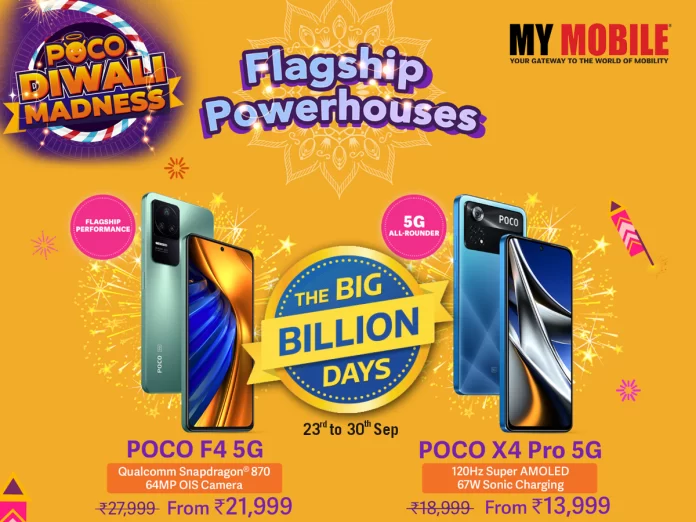
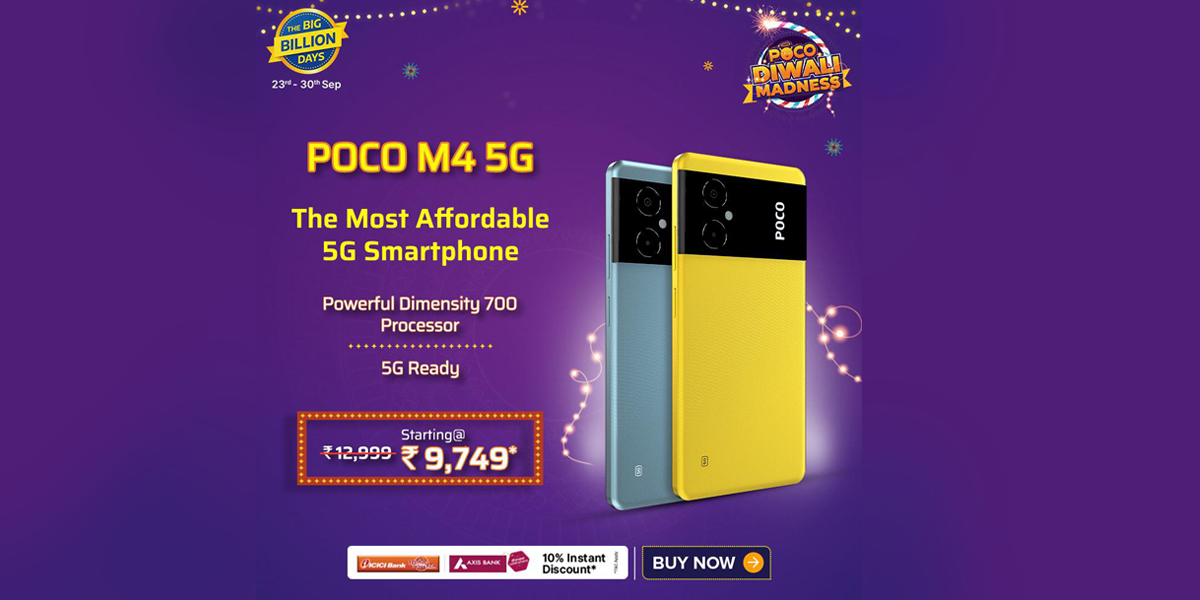
POCO is a leading player in the consumer technology brand that has made it a mission to deliver the highest quality products to its fans and consumers. It has recently rolled out some exciting offers for the customers to experience technological revolution of POCO Smartphones at unbeatable prices.
The offers that are available for the Flipkart Big Diwali Sale when it comes to topnotch quality of Poco smartphones are as follows:
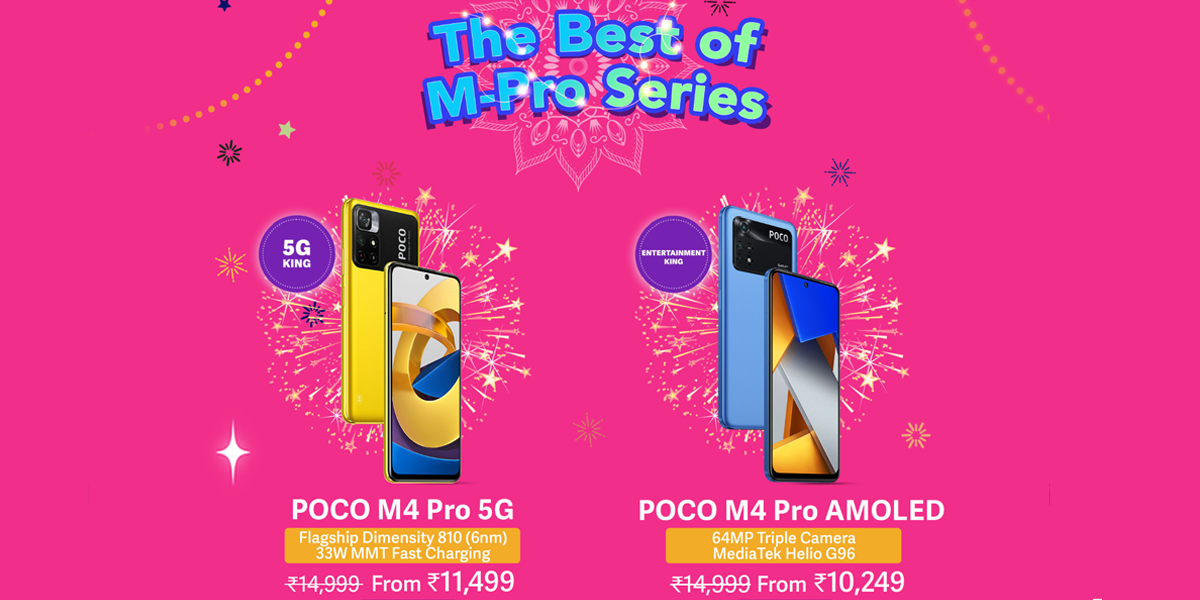
POCO M4 Pro AMOLED
It comes with a 90Hz Super AMOLED Display, which makes it the first ever Super AMOLED Display in M series. It also boasts of a strong triple camera setup, including a 64MP Primary Camera, 8MP Ultrawide Camera and 2MP Macro Camera and for the selfie mode.
It is powered by MediaTek Helio G96 paired with the 8GB of RAM and 128GB of internal storage and has a battery power of 5,000mAh battery that comes with a 33W MMT fast charging that charges 100% in just 60 minutes.
POCO M5
It is powered by the latest MediaTek Helio G99 6nm processor and is classified as the most power-efficient smartphone in its segment, which also comes with a massive 5000 mAh battery that easily lasts for 2 days.
It comes with a 6.58-inch 90Hz FHD+ smart display with 240Hz refresh rate, along with a touch sampling offering an efficient scrolling and a vivid content viewing experience. Equipped with a 50MP triple camera set-up lets users capture detailed and sharp images.
POCO C31
It is powered by a high quality chipset Mediatek Helio G35, featuring a triple camera setup with 13MP main camera, a 5,000 mAh massive battery, which makes it a valuable disruption seldom seen in its segment.
It carries POCO’s characteristic design and loaded features. POCO C31 is an amazing choice in its segment of smartphones that caters to the needs of its users, and comes in two colour options- Royal Blue and Shadow Grey.
This smartphone is powered by Snapdragon® 695, which is a cutting-edge 6nm framework and is also the first in X-Series to include a 120Hz Super AMOLED screen with a 360Hz touch sampling rate ideal for gaming and videos.
It also features a 67W MMT Sonic charging with 5000 mAh battery power, while the photography experience is quite immaculate, courtesy of the 64MP camera, 8MP Ultrawide sensor and 2MP Macro sensor for detailed captures in all lighting conditions.
POCO F4 5G
It comes with a Snapdragon® 870 flagship chipset built on a 7nm processor and is able to handle strenuous tasks and multitasking with much ease. Also you can avail a 6.67 inch E4 AMOLED screen, along with an ultra-tiny 2.76mm Dot Display, which is one of the smallest in the price segment, and finally, a 120Hz refresh rate and 360Hz touch sampling rate.
The device comes with Dolby Vision and Dolby Atmos and even being the thinnest model in the POCO lineup to date with 7.7mm thickness, POCO F4 5G is equipped with a 4,500mAh battery with 67W Sonic charging for users always on the go.
POCO M4 5G
It is powered by a MediaTek Dimensity 700 processor that promises to deliver a lag-free experience, while its 90Hz FHD+ Smart display holds the fort for smooth scrolling, multitasking and also gives an excellent gaming session.
Users can also get a phenomenal camera performance with its 50MP AI Dual camera solid performance, along with a 5000mAh battery that easily takes you through a demanding day. It takes forward the legacy of M-series by flaunting a mesmerizing swirl design rear panel, making it look regal.
POCO M4 Pro 5G
This handset is equipped with an exceptional 5G-ready MediaTek Dimensity 810 processor and sports an immersive 90Hz 6.6” FHD+ display coupled with 240Hz touch sampling rate for an ultimate viewing and gaming experience.
It also gives a massive 5000 mAh battery with a 33W fast in-box charger and boasts a dual setup camera with 50MP primary sensor and an 8MP ultrawide sensor. POCO M4 Pro 5G is available in three exciting colors- Power Black, Cool Blue, and POCO Yellow.
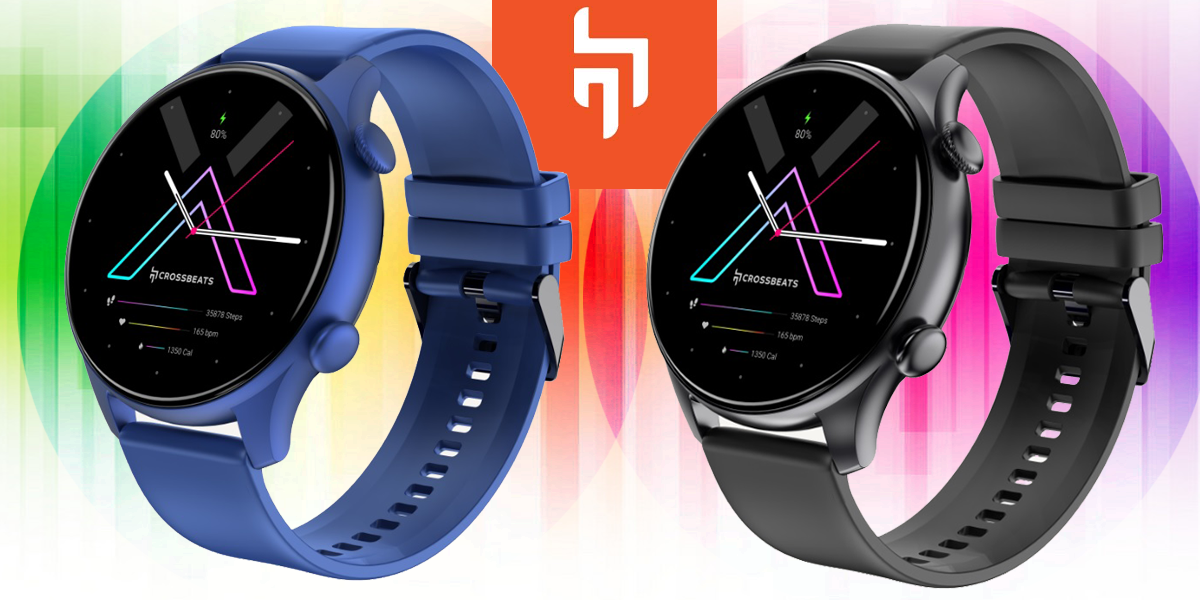
Crossbeats is a renowned consumer technology brand, which is known all around for bringing the best-in-class technology to its users, and the good news is that it has once again come out triumphs with an iconic addition to its portfolio called Orbit Apex.
Orbit Apex further boasts of the best-in-segment battery life, offering week-long playtime following a single charge of 30 minutes. It is available at a starting price Rs.3999 at Crossbeats’ official website, along with Amazon in two colour options viz. Classic Black and Blue.
Users can behold its trademarked RealHueTM technology for a surreal visual experience, while the display of the timepiece scores is displayed at the front. Then you have the Stainless steel crown buttons that are packed in a high-grade aerospace metal casing, which gives it a very sophisticated look.
Now if you add 250 watch faces, you can get a new look every day, while the advanced Bluetooth calling model is powered with a 2W Dynamic speaker and powerful microphone backed by patented ClearCommTM technology.
Crossbeats co-founder Archit Agarwal spoke on the occasion of the launch of the smartwatch, “This iconic smartwatch adds to our range of products that have the best-in-class technology, design, and multi-utility. It is an era where consumers want one gadget to multi-task, and also look good, and I believe that Orbit Apex fills the gap. It is the perfect smartwatch for youngsters who prioritize their health and also cannot compromise with the style element.”
Features & Specifics of Crossbeats Anti-glare Smartwatch
The Crossbeats smartwatch comes with a round 1.4 inch Super AMOLED display screen, along with the segment’s first Anti-Glare display technology, which gives it a unique look of its own.
There is also an updated 5.1 Bluetooth, which ensures no audio lag during voice calls and the Voice-Assistant-enabled smartwatch is further equipped with AI-powered Health Trackers to monitor important vitals such as Heart Rate, SpO2, sleep trackers, etc.
Crossbeats Orbit Apex is a very good option for sports aficionados and fitness enthusiasts as it has more than 60 diverse sports modes that also sports a 3ATM water-resistant rating, which enables the user to enjoy those unforeseen splashes in the rain, while the timepiece becomes the perfect partner during those strenuous exercises in the gym when sweat flows freely both during weightlifting and cardio.