Although AnTuTu scores might not mean a great deal for the average phone user, they do offer a view into the raw power lurking beneath a device’s sleek exterior.
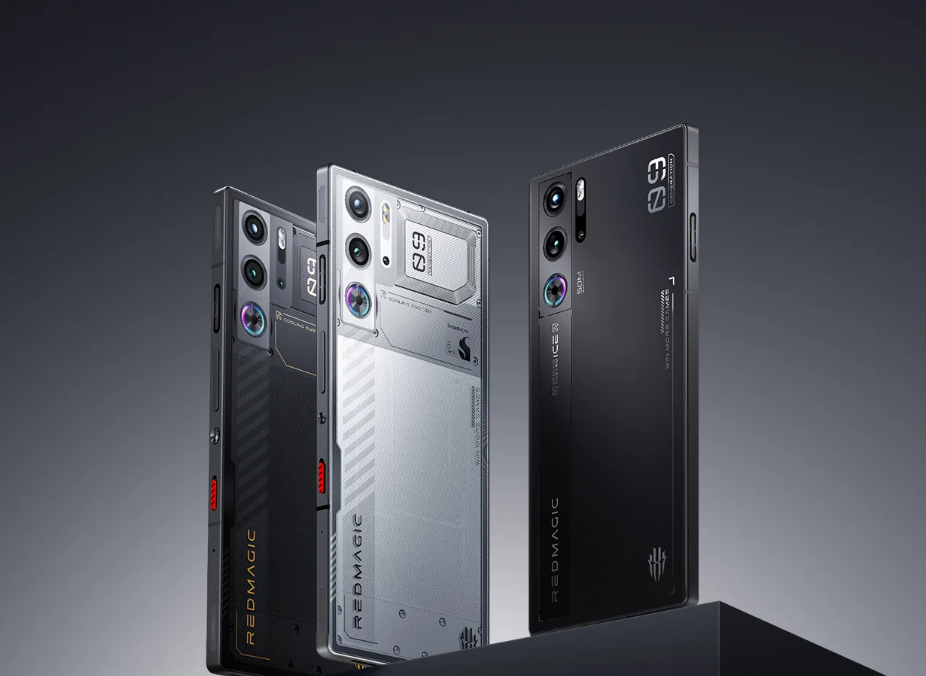
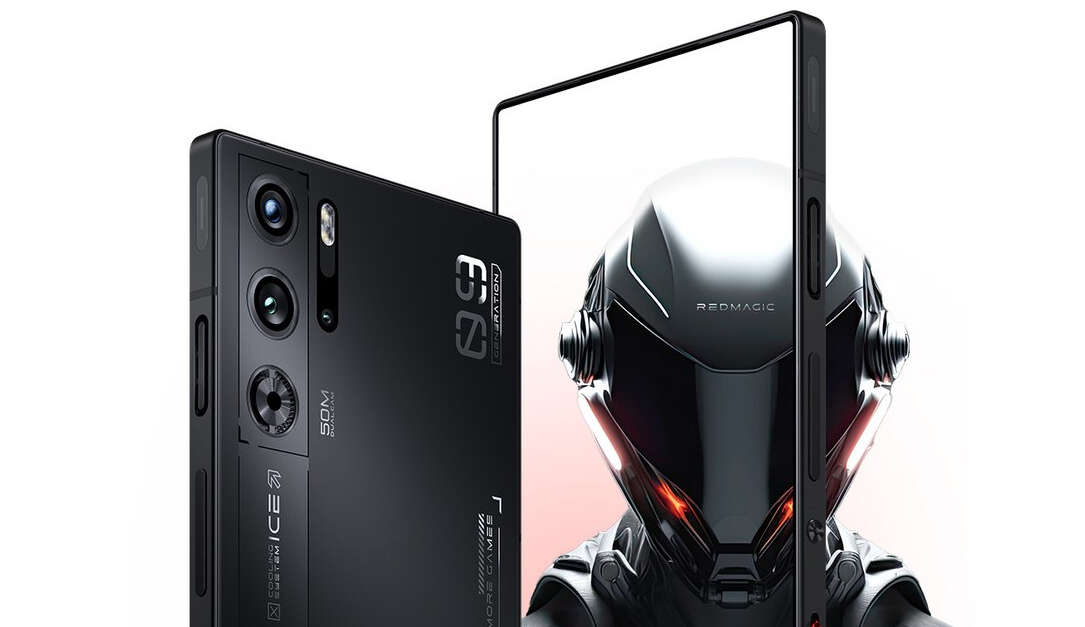
Well, with all signs pointing to it being the upcoming Red Magic 9S Pro+, that makes for quite an entrance.
A Numbers Game: Breaking Down the Benchmark
The Antutu numbers of the alleged Red Magic 9S Pro+ are insane
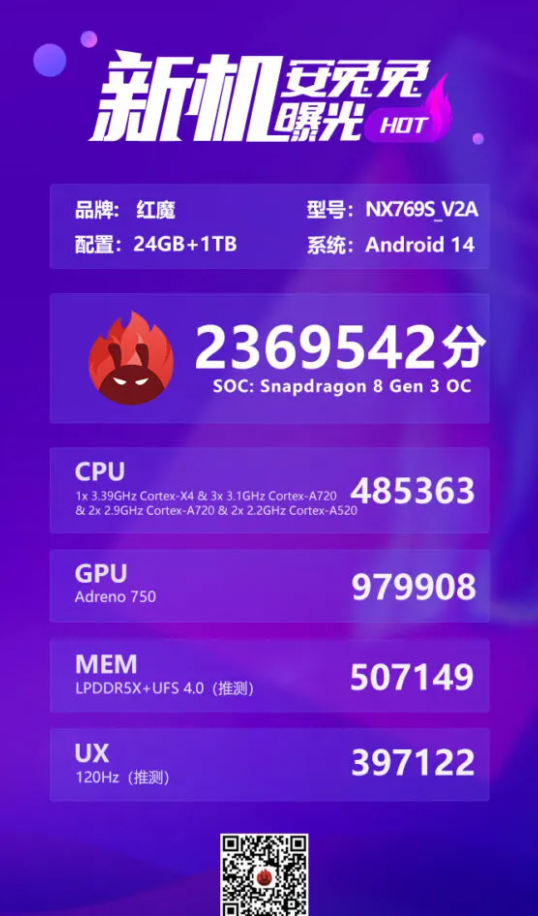
Now, let’s talk figures.That mysterious Red Magic device chalked up an eye-watering 2,369,542 points on AnTuTu’s rigorous testing gauntlet.
To put that into perspective, it’s leaving even the recently launched Pro variant of the OnePlus Ace 3somewhat in the dust, which claimed a rather good 2,326,659.
AnTuTuanalysis doesn’t consist of some big number;performance gets broken down into four key areas. So here is what it looks like for the Red Magic 9S Pro+.
CPU: 485,363 points
GPU: 979,908 points
Memory: 507,149 points
User Experience: 397,122 points
These scores paint a picture of a device that’s not just fast, but blazingly, absurdly quick across the board.
It’s particularly interesting to see the GPU score approaching the million-point mark – a testament to the serious gaming chops we’ve come to expect from Red Magic phones.
Under the Hood: Snapdragon’s Secret Weapon
Snapdragon 8 Gen 3 Advanced edition is soon to be revealed
So how is that benchmark-busting beast powered? Smart money says it’s going to be Qualcomm’s yet-to-be-officially-announced Snapdragon 8 Gen 3 Advanced Edition.
This hopped-up version of theirflagship chip should make its debut in China first,as currencies go, packing a large core CPU frequency bumped up from 3.3GHz to 3.4GHz.
On paper, this doesn’t sound so impressive, but with mobile processors, every hertz counts.
AnTuTu attributes this boost in frequency, combined with a monstrous 24GB of RAM and 1TB of storage—likely the cutting-edge LPDDR5x and UFS 4.0 combo—to the phone’s performance, which shattered records.
And let’s not forget, this powerhouse is expected to run Android 14 right out of the box.
Beyond Raw Power: AI and Innovation
Red Magic Phones are some of the fastest in the Android world
But the Snapdragon 8 Gen 3Advanced Edition isn’t just about clock speed and benchmark scores—QUALCOMM has saved some huge strides forward in on-device AI capabilities.
Yes, we’re talking about running AI models sporting a staggering 10 billion parameters right there in your pocket.
Yet more impressive is that the chip can allegedly generate images with Stable Diffusion technology in less than a second.
What Else Does the Red Magic 9S Pro+ Have?
No official date as of now on when the Red Magic 9S Pro+ will launch
Red Magicisn’t stopping at raw horsepower, either.
Rumours suggest the 9S Pro+ will feature an under-screen camera, allowing for a true full-screen designwithout any unsightly notches or cutouts.
BOE, a major player in display technology, is tipped to be supplying the screen for this cutting-edge device.
What Does This Mean for Mobile Gaming? Well, the Red Magic 9S Pro+ could represent a quantum leap forward.
We’re potentially looking at a device capable of running the most demanding mobile games at their highest settings, with buttery-smooth framerates.
FAQs
What is the AnTuTu score of the Red Magic 9S Pro+?
The Red Magic 9S Pro+ achieved an impressive 2,369,542 points on AnTuTu, setting a new benchmark record.
What processor powers the device?
The Red Magic 9S Pro+ is expected to be powered by the Snapdragon 8 Gen 3 Advanced Edition, with a CPU frequency boost from 3.3GHz to 3.4GHz.
What are the key specifications of the Red Magic 9S Pro+?
The device boasts 24GB of RAM, 1TB of storage, and is likely to feature an under-screen camera along with running Android 14.
How does the Red Magic 9S Pro+ perform in terms of GPU?
The GPU score of the handset is 979,908 points, highlighting its exceptional gaming capabilities.
What advancements in AI does the Snapdragon 8 Gen 3 Advanced Edition offer?
The Snapdragon 8 Gen 3 Advanced Edition supports on-device AI with up to 10 billion parameters and can generate images with Stable Diffusion technology in less than a second.
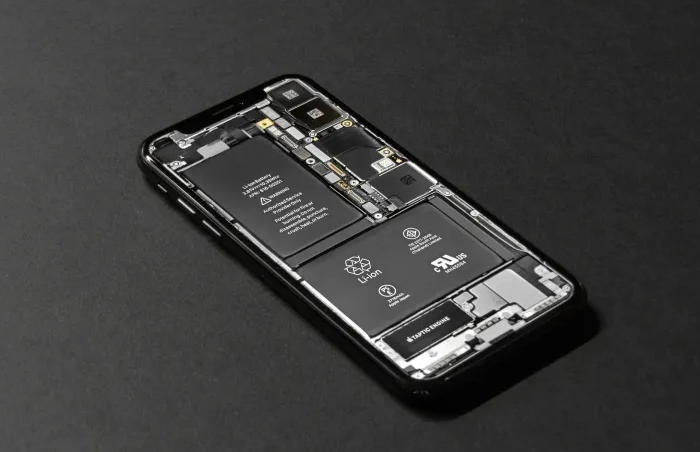
gone could be these days of fighting with sticky glue and risking damage to the fragile components.
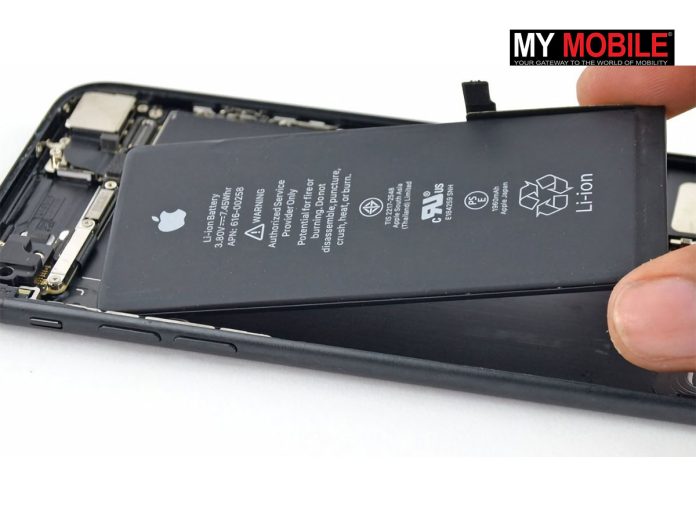
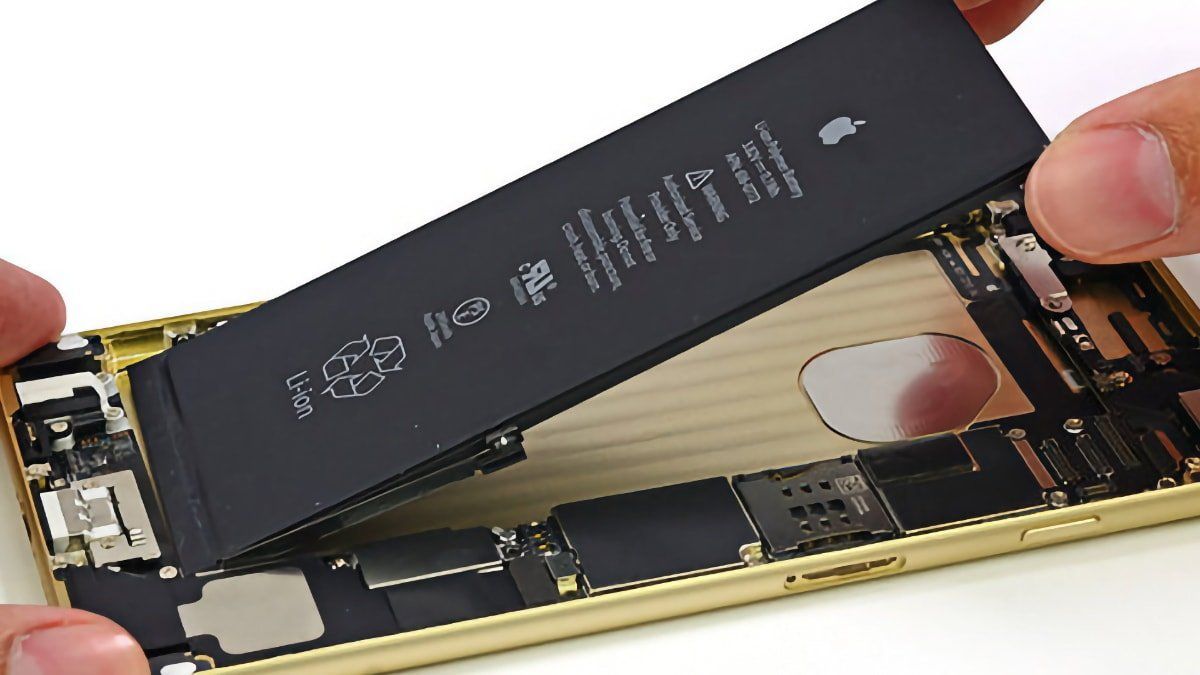
According to The Information, instead, we could soon see a system using an electric jolt to free batteries for easy replacement.
Apple’s New Battery Tech
iPhone batteries are possibly getting a brand new upgrade soon
Apple rather sneakily calls the proposed technology “electrically induced adhesive debonding”.
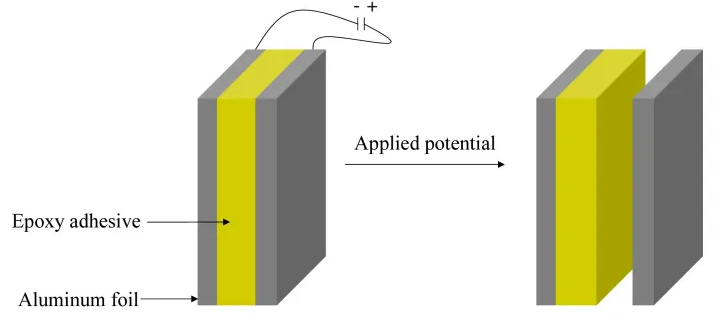
It’s based upon some clever engineering. In essence, if you wrapped the metal up around the batteries instead of around the foil, then at battery replacement time, a small electrical current would break the battery free from its moorings.
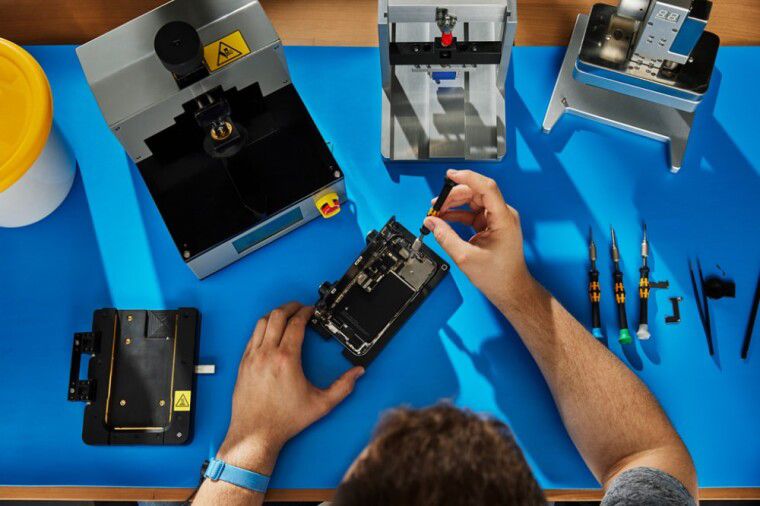
This will turn out to make a great difference for professional repair shops since, as it stands today, swapping out an iPhone battery can turn into something of a quest.
On some 2020 models, it can take up to four hours to disassemble the phone, clean up any liquid damage, and reapply adhesive.
Why the Change of Heart for Apple?
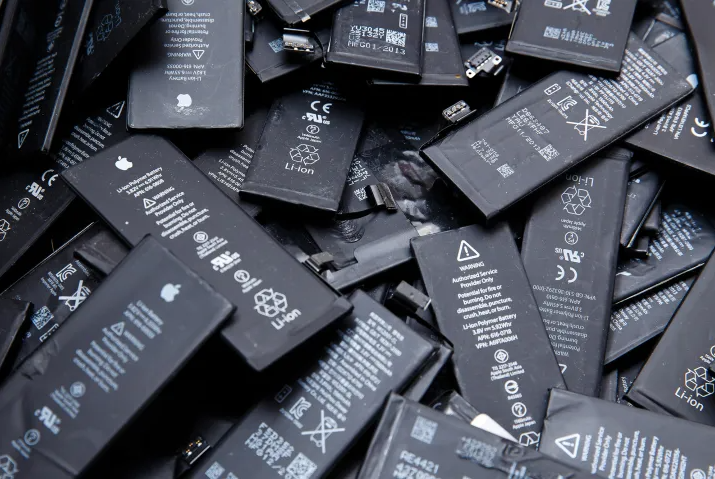
Apple Batteries have been notoriously hard to replace
Apple is hardly famous for its gadget repairability. So why this newfound passion for user-friendly battery swapping? Two words: European Union.
The European Union has decided to start doing something about it and is pretty much walking the walk toward more sustainable electronics.
Last year they released the Batteries Regulation, with quite strict rules in it.
Starting from 2027, consumers at any point in that device’s lifespan should be able to remove and replace a battery within their gadget.
There’s also an environmental message: tackling the growing mountain of electronic waste.
The EU wants to see higher recycling rates and more use of recycled materials in batteries.
It’s a noble goal, and one that’s forcing tech giants like Apple to rethink their design philosophy.
The Science Behind the Spark
Here’s how this new technology for the battery actually works
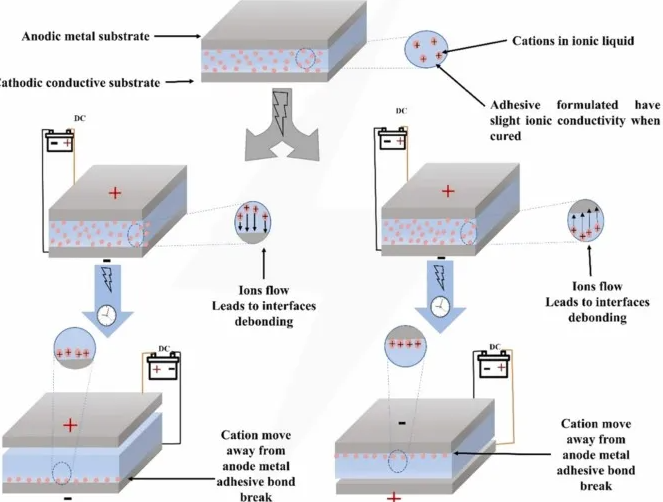
Now time to get a bit technical, for this “electrically induced adhesive debonding” is to be built on some pretty spiffy materials science.
The trick is to add some ionic components, dissolved salts, or even ionic liquids into the adhesive mix.
That gets the glue to be responsive to electrical stimulation.
When a voltage is applied across the surfaces, this actually triggers the debonding process.
The applications of this technology are far reaching
The new technique has several key advantages over other methods in practice.
It is more accurate than heat-based removal, thereby reducing the risk of damaging other components.
A Broader Impact
A Broader Impact
But the effects of the new technology could be very wide-ranging: the aerospace and electronics industries are already looking at similar adhesives in their own applications.
Just imagine:it will be possible to quickly and safely peel off delicate parts from circuit boards, or it will be much easier to dismantle some complex structures inside an aircraft for maintenance.
All sorts of possible uses abound, and Apple’s adoption could spur development in several sectors.
Looking Ahead
Looking Ahead
It’s important to note that this technology is still in the research phase. We don’t know when (or even if) we’ll see it in actual iPhones.
But the very fact that Apple contemplates this path means the company is changing their attitude toward repairability.
For now, iPhone owners can at least daydream about a time when replacing a battery won’t require shaking hands and nerves of steel.
And who knows? Maybe this small innovative spark from Apple is all that is needed for more sustainable and serviceable designs in the tech world in its entirety.
FAQs
What is “electrically induced adhesive debonding”?
Electrically induced adhesive debonding is a new technology Apple is working on that uses an electric jolt to release iPhone batteries, making them easier to replace.
How will this new battery technology benefit repair shops?
The new technology will simplify the battery replacement process, reducing the time and effort required to remove old batteries and minimizing the risk of damage to other components.
Why is Apple changing its approach to iPhone battery replacement?
Apple is likely responding to the European Union’s Batteries Regulation, which mandates user-friendly battery replacements and higher recycling rates for electronic devices by 2027.
What are the technical details behind Apple’s new battery technology?
The technology involves adding ionic components to adhesives, making them responsive to electrical stimulation. When voltage is applied, the adhesive debonds, allowing for easier battery removal.
When will Apple’s new battery technology be available in iPhones?
The technology is still in the research phase, and it’s uncertain when or if it will be implemented in actual iPhones. However, its development indicates Apple’s shift toward improving device repairability.
Even better, regular Truecaller users can get this protection without paying a penny extra.
No Paperwork Hassle
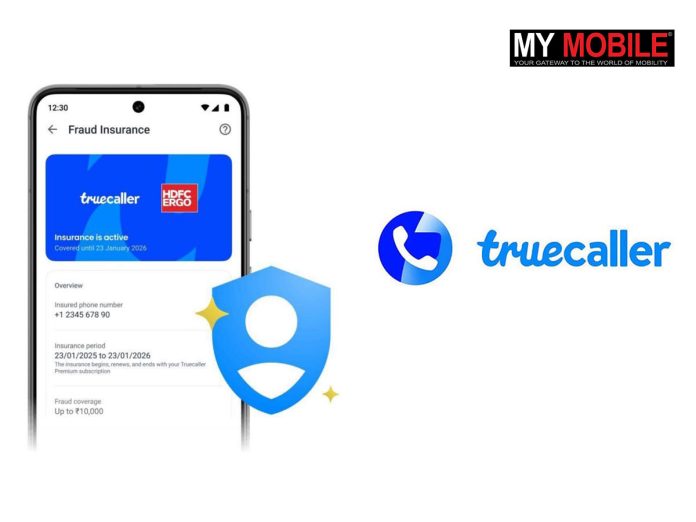
Truecaller and HDFC are partnering for a one of a kind collaboration to keep away scamsters.
The best bit? You can set up this coverage right in the Truecaller app. No need to faff about with loads of forms or paperwork.
This isn’t Truecaller’s only weapon against scammers. The insurance comes on top of their existing security features.
You’ve got their AI-powered spam blocker, a clever AI assistant, and a call scanner to help spot dodgy callers.
The insurance is there as a safety net if a scam somehow slips through these defences.
Registration Process
If you’re keen to get this Fraud Insurance, it’s dead simple. Here’s what you do:
Fire up your Truecaller app
Head over to the Premium Tab
If you’re not already on the Yearly Premium Plan, you’ll need to sign up for that
Look for the Fraud Insurance option and follow the steps to get yourself covered
Who Can Get It?
Now, before you rush off to sign up, here’s who’s eligible:
You need to be 18 or older
Indian residents are good to go
If you’re a foreigner with an Indian phone number, you’re in too
Even if you’re an Indian resident on a short trip abroad, you can still get covered
A Few Things to Keep in Mind
Your insurance is tied to your Truecaller subscription. So when your subscription renews, so does your insurance. No need to faff about with separate renewals.
If you’ve got questions about your insurance, Truecaller’s got you covered. There’s a self-help portal from their insurance partner you can access right from the Premium screen in the app.
The insurance specifically covers digital theft of funds, which falls under HDFC ERGO’s cyber sachet insurance.
Why It Matters
Digital fraud’s becoming a real headache in India. The Indian Cyber Crime Coordination Centre reckons it’s cost the country a whopping 1.25 lakh crore rupees over the last three years. That’s a lot of zeros.
Rishit Jhunjhunwala, Truecaller’s Chief Produc11:35:42t Officer and MD, India, expressed stated, “We are thrilled to introduce this innovative insurance offering. It underscores our unwavering commitment to providing comprehensive solutions that prioritize user security and trust. Fraud Insurance isn’t just a feature; it’s a reinforcement of our dedication to protecting our community from the ever-evolving threats of digital fraud. We empower users with the peace of mind they deserve in today’s complex digital landscape.”
HDFC ERGO’s on board too. Vishal Sikand from their commercial team points out, “The pandemic fueled the growth of digital mobile payments in India. While convenient, it also opened the door for increased digital fraud. Partnering with Truecaller aligns perfectly with our commitment to leveraging technology for customer-centric innovations. Our comprehensive insurance, combined with Truecaller’s massive user base, will significantly contribute to financial inclusion and protection against digital communication fraud in India.”
The Bigger Picture
Your digital security is paramount and Truecaller is helping you in securing your online presence
This tie-up between Truecaller and HDFC ERGO is more than just a new feature.
It’s a sign of how tech companies and financial services are joining forces to tackle the growing threat of online scams.
With Truecaller’s massive user base and HDFC ERGO’s insurance know-how, they’re hoping to make a real dent in India’s digital fraud problem.
It’s an interesting move in the ongoing cat-and-mouse game between scammers and the rest of us.
As digital fraudsters get cleverer, it looks like the good guys are upping their game too. Will it be enough? Only time will tell, but for now, Truecaller users have got a bit more protection in their pocket.
FAQs
What is the new Fraud Insurance offered by Truecaller and HDFC ERGO?
Fraud Insurance is a new initiative by Truecaller and HDFC ERGO, providing coverage up to 10,000 rupees to victims of digital fraud in India.
Who can avail of the Fraud Insurance provided by Truecaller and HDFC ERGO?
The insurance is available to both Android and iPhone users across India. It is included in Truecaller’s yearly premium service and accessible to regular users without additional cost.
How can I activate the Fraud Insurance on Truecaller?
You can set up the Fraud Insurance directly within the Truecaller app without any paperwork, making it convenient and hassle-free.
What additional security features does Truecaller offer against digital scams?
Truecaller provides an AI-powered spam blocker, a smart AI assistant, and a call scanner to identify and block suspicious calls, alongside the new Fraud Insurance as a backup measure.
Why is the partnership between Truecaller and HDFC ERGO significant?
This collaboration combines Truecaller’s extensive user base with HDFC ERGO’s insurance expertise, aiming to significantly reduce the impact of digital fraud in India.
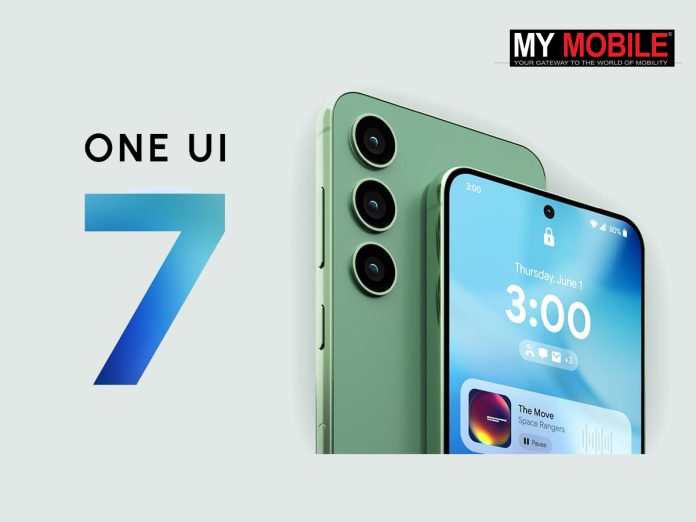
One UI 7.0 expected to introduce new app drawer and enhanced battery life.
Built on Android 15 with smoother animations and better notification control.
First rollout likely for Galaxy S25, Z Fold6, and Z Flip6 in October.
AI advancements in cameras, gesture controls, and Galaxy Watch 7 series.
Samsung’sannual dev meetup is around the corner and the rumour mill is churning full bore.
Slated for October 3rd at San Jose’s McEnery Convention Center, SDC 2024 sounds like it’s going to be a real doozy.
Of course, the Korean company is keeping mum about what’s coming down the pipe—but whispers from the industry grapevine are painting an interesting picture of what to expect.
One UI 7: One More Coat of Paint
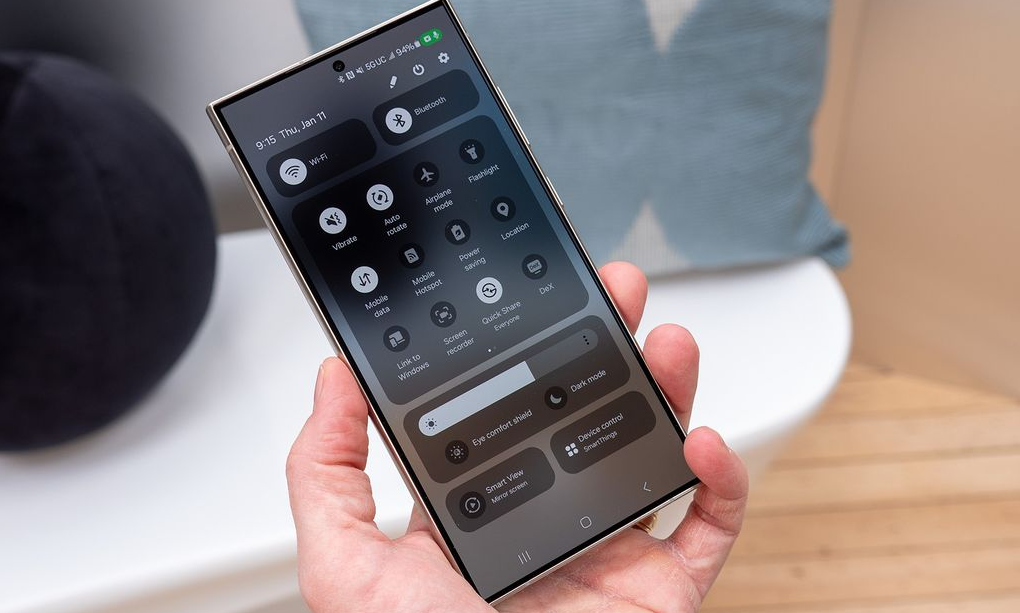
But the real star of the show is likely to be One UI 7 — Samsung’s latest take on Android.
It’s built on the bones ofAndroid 15, he says, and if rumors are to be believed, it’s bringing some major changes to how your Galaxy phone looks and works.
The rumor is that we’re going to get a new app drawer that scrolls up and down.
More than likely, this could make searching for your apps easy, especially on these enormous phones everyone carries these days.
But it’s not all about aesthetics. One UI 7 will focus on the ease of life of users, so better battery life, smoother animations, and more control over those pesky notifications.
It’ll probably play nice with Android 15’s new tricks too, like sharing just a bit of your screen or putting the brakes on notification overload.
Who Gets OneUI 7.0 First?
Android 15-based OneUI 7.0 coming to devices soon
Though Samsung’s not saying anything about the rollout, going on past experience, of course, shiny new phones will definitely be first in line.
The Galaxy S25 group will surely see an early taste—maybe as early as October. The latest folding phones, the Z Fold6 and Z Flip6, are likely to be there in the lineup.
Beyond the Software: New Gadgets on the Way
While SDC is mostly about the software side of things, Samsung’s not leaving the hardware fanatics out in the cold.
They’ve already let slip the date for their next big Unpacked event, where we’ll get to gawk at the latest and greatest gadgets, and the Z Fold 6 and Z Flip 6 are very much expected to be the stars of the show, revealing what Samsung’s been cooking up in the foldable phone section.
Invitations boast the Galaxy AI logo, which hints at what will head us toward some pretty nifty new AI features for the Z Fold6 and Z Flip6:smarter cameras, gesture controls, and a phone that knows you better than your momma does.
It’s not just phones getting the AI treatment. Rumors are milling around about the Galaxy Watch 7 series getting its grey cells boosted, probably making it a proper little health guru on your wrist.
What’s Next for Galaxy?
SDC 24 invite
All in all, SDC 2024 is shaping up to be a pretty big deal for Samsung.
One UI 7 shows they’re still dead set on making our phones easier to use and playing nicely with the latest Android goodies.
The AI stuff is proper exciting too – it looks like our Galaxy gadgets are about to get a whole lot smarter.
For the developer crowd, SDC 2024 is a golden ticket to learn about new tools and join the Galaxy app-making party.
With so much on the menu, this year’s conference is bound to set the course for Galaxy phones (and more) in the months to come.
Samsung’s Vision for the Future
Samsung has exciting things in the future for users
Well, step back a bit. SDC 2024 is not about the coming phone or any future software update; it’s like gazing into Samsung’s crystal ball, for what is to be in store.
It’s in the focus on AI, the push for more intuitive interfaces, and the blurring of lines between phones and tablets with foldables – these all paint a picture of a future where our little rectangles are more than just tools;they become extensions of ourselves, where they do things for us as they learn our ways, quite literally.
FAQs
Q1: When and where is the Samsung Developer Conference 2024?
The Samsung Developer Conference 2024 is set for October 3rd at the San Jose McEnery Convention Center.
Q2: What new features are expected in One UI 7.0?
One UI 7.0 is expected to include a new app drawer, improved battery life, smoother animations, and better control over notifications.
Q3: Which devices will receive One UI 7.0 first?
The Galaxy S25 series, Z Fold6, and Z Flip6 are likely to be the first devices to receive One UI 7.0.
Q4: What AI advancements are anticipated at SDC 2024?
AI features are expected to enhance camera functions, gesture controls, and functionalities in the Galaxy Watch 7 series.
Q5: What hardware announcements are expected alongside One UI 7.0?
The Z Fold6 and Z Flip6 are expected to be highlighted, showcasing Samsung’s advancements in foldable phone technology.
OnePlus Pad Pro features a 12.1-inch 3K IPS display with a 144Hz refresh rate.
OnePlus Watch 2 supports eSIM and 100+ workout modes.
SUPERVOOC 100W Power Bank with 12000mAh capacity and 100W output.
Available starting July 2024 with varying prices and configurations.
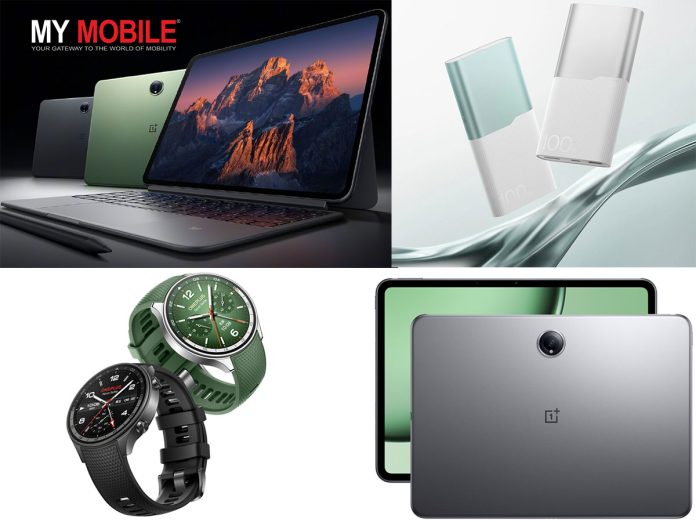
One Plus has launched a trio of new gadget products in China: the OnePlus Pad Pro tablet, refreshed OnePlus Watch 2, and a beastly SUPERVOOC 100W Super Flash Charging power bank.
Don’t let all the noise generated around the OnePlus Ace 3 Pro overshadow these triple launches.
Let’s dive into what these devices bring to the table.
Pricing and availability
OnePlus Pad Pro pricing is as follows:
8GB + 128GB: 2899 CNY
8GB + 256GB: 3099 CNY
12GB + 256GB: 3399 CNY
16GB + 512GB: 3799 CNY
Available in Space Gray and Khaki Green. Will go on sale from July 3, 2024. As of right now there is no word on when an Indian availability can be expected.
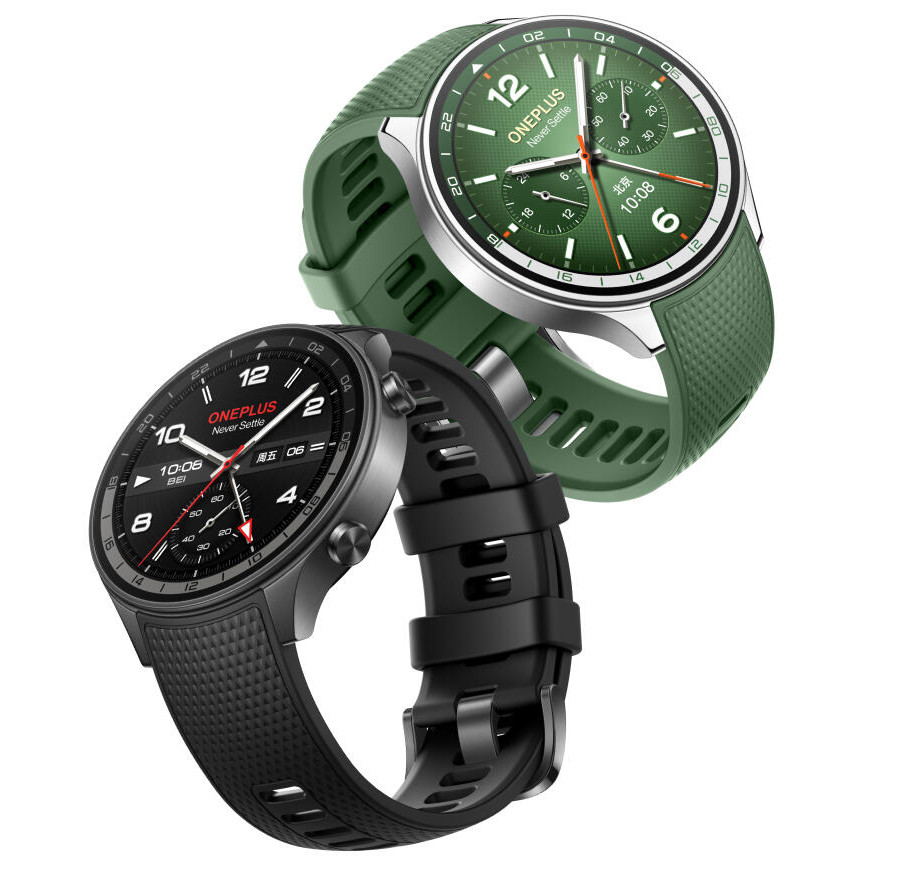
OnePlus Watch 2 is priced at 1799 CNY. It is going to be available in Meteorite Black and Nebula Green options and will go on sale from July 3, 2024.
Finally we have the OnePlus SUPERVOOC 100W Power Bank which is priced at 299 CNY.
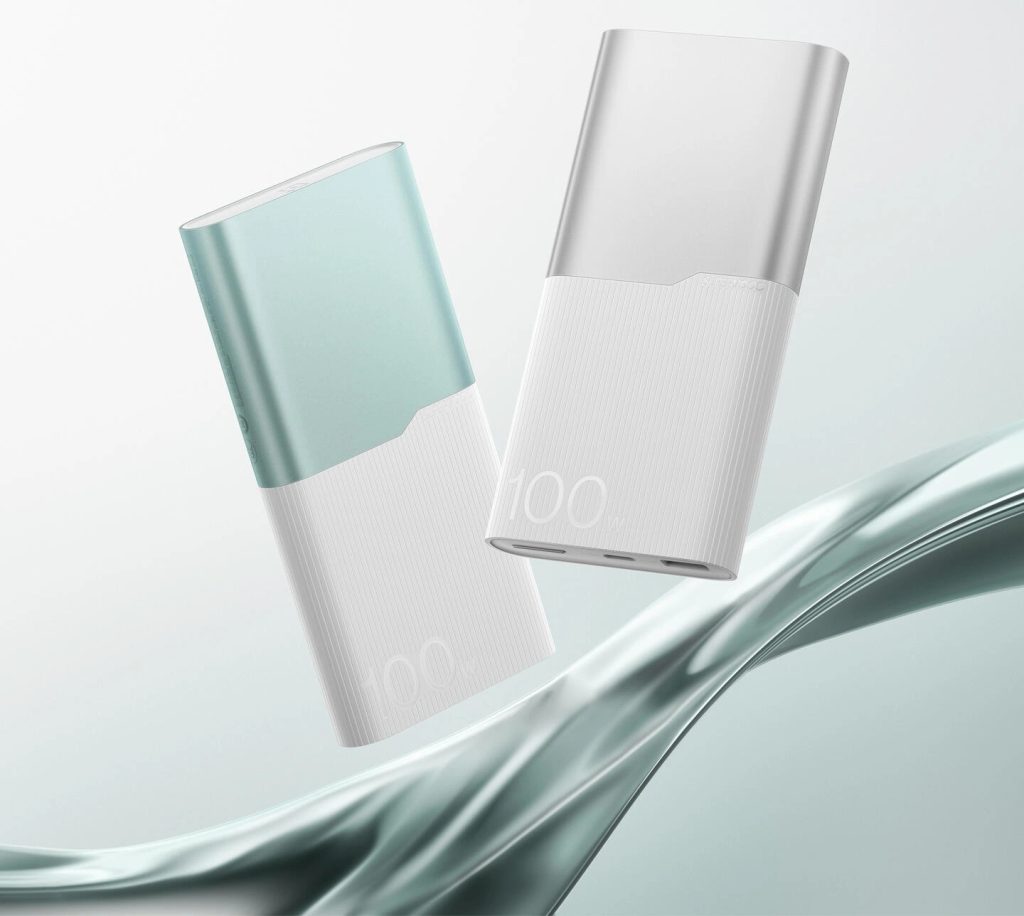
It is going to be available in Silver Wing White and Green Cloud while it will go on sale from July 25, 2024.
OnePlus Pad Pro: Features
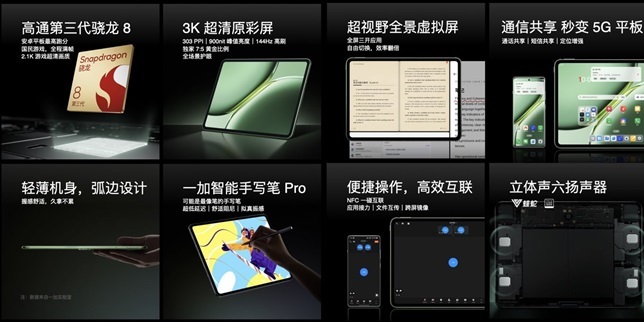
12.1-inch 3K 144Hz IPS display
Snapdragon 8 Gen 3 processor
Up to 16GB RAM, 512GB storage
9510mAh battery, 67W fast charging
13MP rear camera, 8MP front camera
Android 14 with ColorOS for Pad
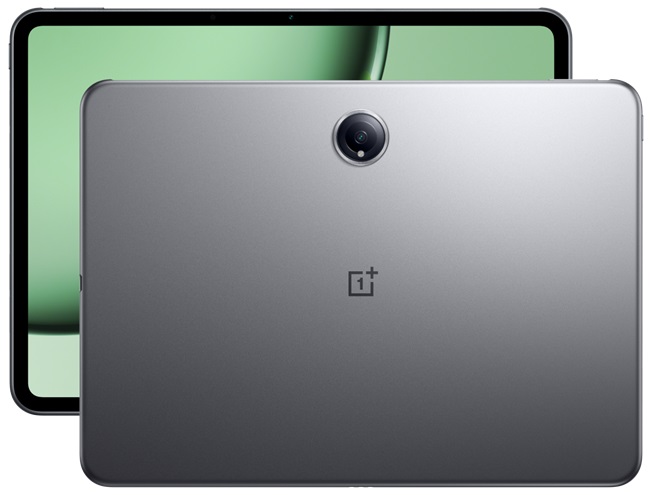
The Pad Pro is the newest contestant from OnePlus to break into the tablet market; it’s really well-endowed.
At its heart is a 12.1-inch 3K IPS display sporting a silky-smooth refresh rate of 144Hz.
OnePlus Pad Pro specs
Although its 7:5 aspect ratio might prove rather unusual,it could easily be excellent for productivity.
Under the hood liesQualcomm’s high-endSnapdragon 8 Gen 3 chip, hitched with as much as 16GB of RAM and 512GB of onboard storage.
That’s a couple of laptop-level specs in a slate factor. Wrap it all around in a svelte metal casing just 6.49mm at its thickest and weighing only 584g.
For the audiophiles, OnePlus fits in quad speakers tuned by Viper and NetEase Cloud Audio.
The 9510 mAh battery should have you done for some distance. When it falls, be rest assured that the 67W Fast Charging will juice it back up in no time.
OnePlus Pad Pro has launched only in China
The software, more significantly, is ColorOS for Pad, with a base of Android 14.
You also get some pretty nifty tricks in the form of 5G sharing, screen sharing, and a virtual screen hosting three apps concurrently.
You can pair it with the Smart Stylus Pro or the Smart Touch Keyboard, and you’re basically looking at a veritable laptop substitute.
Camera-wise, there’s a 13MP rear shooter and an 8MP front-facing camera. Not groundbreaking, but should handle video calls and quick snaps just fine.
OnePlus Watch 2: Features
1.43-inch AMOLED display
Snapdragon W5 + BES2700BP processors
2GB RAM, 32GB storage
500mAh battery
eSIM support, NFC
ColorOS Watch 6.0
The new Watch 2 is a curious option. From afar, it looks exactly like the global version, but there are some key differences.
The 1.43-inch AMOLED display still resides here, which also hits up to 1000 nits of brightness for easier outdoor visibility.
OnePlus Watch 2 specs
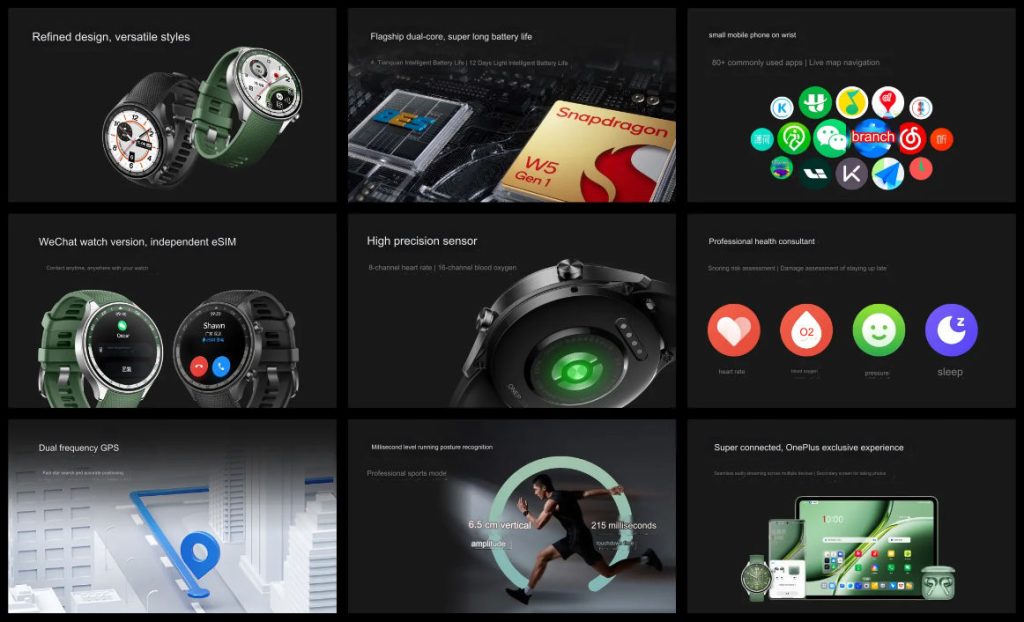
Big news: This watch finally adds eSIM support to let you call directly from it without needing your phone nearby.
It comes with ColorOS Watch 6.0 instead of Wear OS, so out of the box, that means it will support both Android and iOS devices.
You get a Snapdragon W5 chip paired with a BES2700BP processor that uses 2GB of RAM and 32GB of storage.
The storage is very ample on this smartwatch, so you can load up on apps and music.
The OnePlus Watch 2 is different than the global variant
You also get over 100 workout modes, and dual-band GPS ensures tracking accuracy.
Additionally, it has a 5ATM water resistance rating, so you can take it for a swim.
It’s a good unit for battery life;OnePlus is touting up to 4 days in smart mode or an impressive 12 days in power saver mode.
When you’re back to juice, restore with the VOOC fast charging that will get you back to 100 percent in about an hour.
OnePlus SUPERVOOC 100W Power Bank: Features
12000mAh capacity
100W output (max)
USB-A and USB-C ports
45W input for self-charging
318g weight
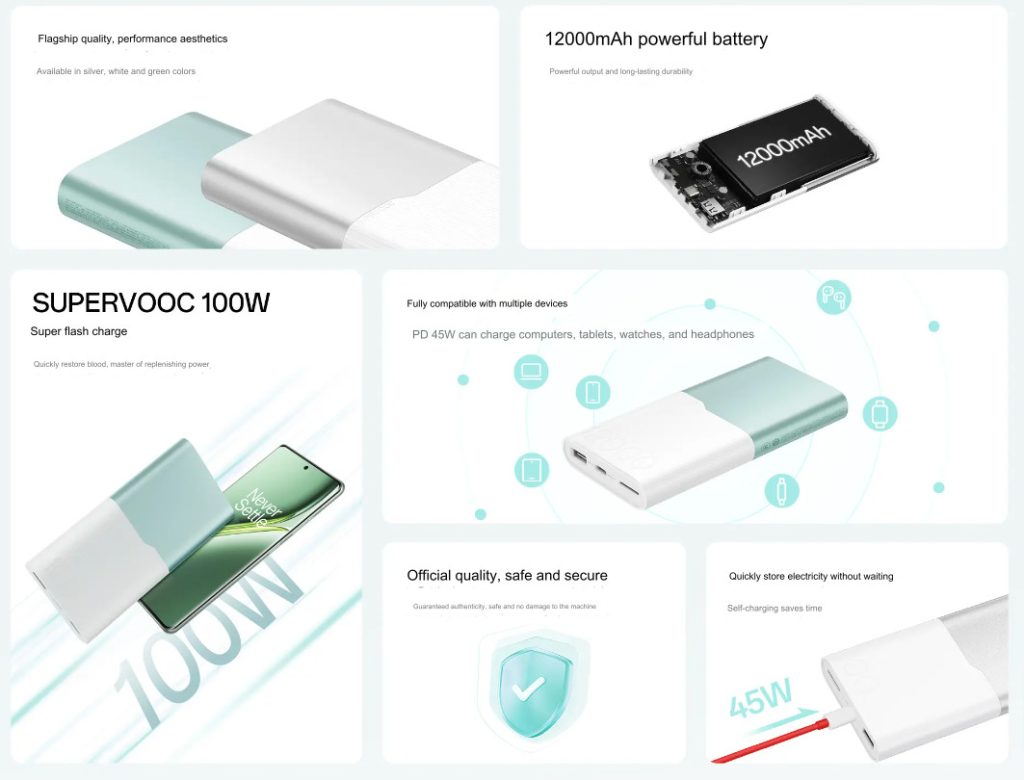
This isn’t any power bank. Somehow, OnePlus managed to pack 12000mAh capacity into such a slick package that weighed only 318g.
But that’s not all; the real star of the show is the 100W output—that’s as powerful as many wall chargers.
OnePlus 100W Power bank specs
It’ll juice up OnePlus 12 from nil to 70% in just 17 minutes with SUPERVOOC.
But that’s not all since it also comes with a 45W PD output for bigger devices—be it for charging a laptop.
It won’t also charged slowly on its own. It simply takes the power bank 90 minutes tocharge from nil to full with a 45W SUPERVOOC adapter.
Unlikely the power bank makes its way to India
Safety is a big focus here, with 12 layers of protection covering everything from temperature control to overcharge prevention.
And if you’re a frequent flyer, you’ll be happy to know it meets international air transport standards.
The dual-tone design gives it a premium look, and you’ve got both USB-A and USB-C ports for maximum compatibility.
It’s a versatile charging solution that should handle pretty much any device you throw at it.
FAQs
Q1: What is the price of the OnePlus Pad Pro
The OnePlus Pad Pro starts at 2899 CNY for the 8GB + 128GB variant.
Q2: What are the key features of the OnePlus Watch 2?
The OnePlus Watch 2 includes a 1.43-inch AMOLED display, eSIM support, 100+ workout modes, and dual-band GPS.
Q3: How much capacity does the OnePlus SUPERVOOC 100W Power Bank have?
The OnePlus SUPERVOOC 100W Power Bank has a capacity of 12000mAh.
Q4: What is the maximum output of the SUPERVOOC 100W Power Bank?
The power bank can deliver a maximum output of 100W, suitable for charging phones and laptops.
Q5: When will the new OnePlus devices be available for purchase?
The OnePlus Pad Pro and Watch 2 will be available from July 3, 2024, and the SUPERVOOC 100W Power Bank from July 25, 2024.
OnePlus has implemented a second-generation Tiangong cooling system in the Ace 3 Pro.
It includes a 9126mm² VC vapor chamber, 2Ksupercritical thermal graphite, and AI global temperature control.
This system aims to maintain performance during intensive tasks, with OnePlus claiming2.32 million AnTuTu 10 scores.
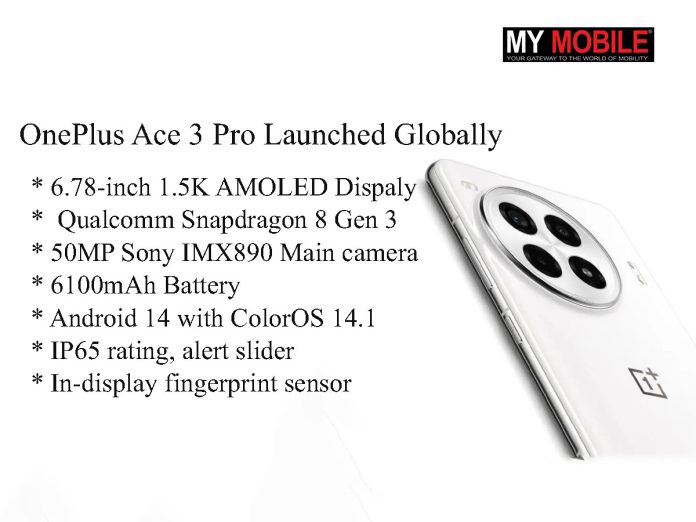
The camera setup consists of a 50MP main camera using a Sony IMX890 sensor with OIS, an 8MP ultra-wide camera with Sony IMX355 sensor, and a 2MP macro camera with Howe OV02B sensor.
The front-facing camera is a 16MP unit with a Samsung S5K3P9 sensor.
The Ace 3 Pro houses a 6100mAh silicon-carbon negative electrode battery, the largest in any OnePlus phone to date.
Developed in partnership with CATL, this “Glacier Battery” offers 1100mAh more capacity than a standard 5000mAh graphite battery while reducing volume by 3%.
It supports 100W SuperVOOC fast charging, capable of fully charging the device in 36 minutes.
OnePlus claims the battery maintains over 80% health after four years of use.
The device retains the signature OnePlus alert slider on the left side.
It also features an in-display fingerprint sensor, stereo speakers with Dolby Atmos support, and an IP65 rating for dust and splash resistance. Connectivity options include 5G, Wi-Fi 7, Bluetooth 5.4, NFC, and USB Type-C.
Top 5 reasons to buy
It packs a Qualcomm Snapdragon 8 Gen 3 SoC.
High-capacity 6100mAh battery with 100W fast charging
Powerful Snapdragon 8 Gen 3 chip with advanced cooling system
Versatile camera setup with 50MP main sensor and OIS
Large 6.78-inch AMOLED display with 120Hz refresh rate
Up to 24GB RAM and 1TB storage for enhanced performance
FAQs
Q1: What is the starting price of the OnePlus Ace 3 Pro?
The OnePlus Ace 3 Pro starts at 3199 CNY for the 12GB RAM + 256GB storage variant.
Q2: What are the available finishes for the OnePlus Ace 3 Pro?
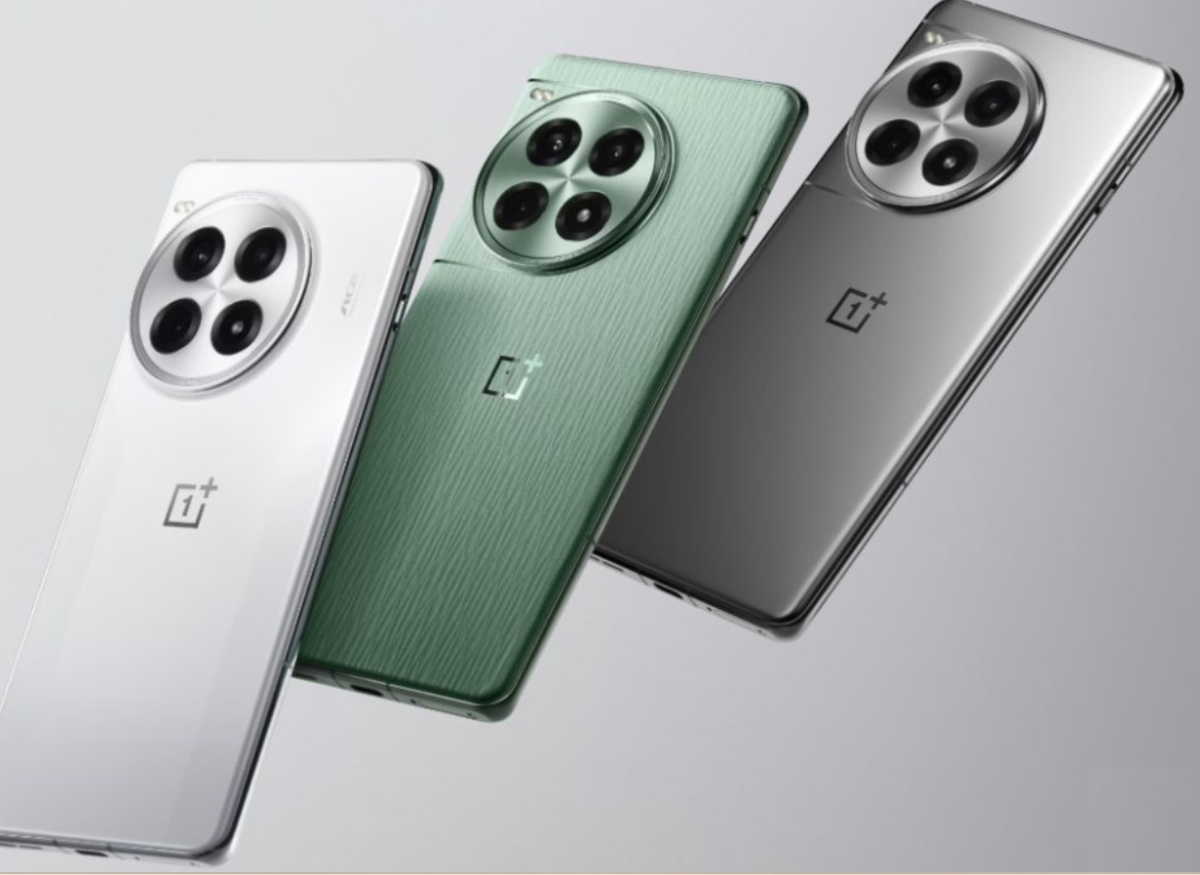
The device comes in Titanium Silver (glass), Green (vegan leather), and Ceramic White finishes.
Q3: What type of display does the OnePlus Ace 3 Pro have?
The Ace 3 Pro features a 6.78-inch 1.5K BOE X1 AMOLED display with a 1-120Hz refresh rate and 8T LTPO technology.
Q4: How fast can the OnePlus Ace 3 Pro charge?
The OnePlus Ace 3 Pro supports 100W SuperVOOC fast charging, capable of fully charging the 6100mAh battery in just 36 minutes.
Q5: What is the camera setup on the OnePlus Ace 3 Pro?
The camera setup includes a 50MP main camera with OIS, an 8MP ultra-wide camera, and a 2MP macro camera.
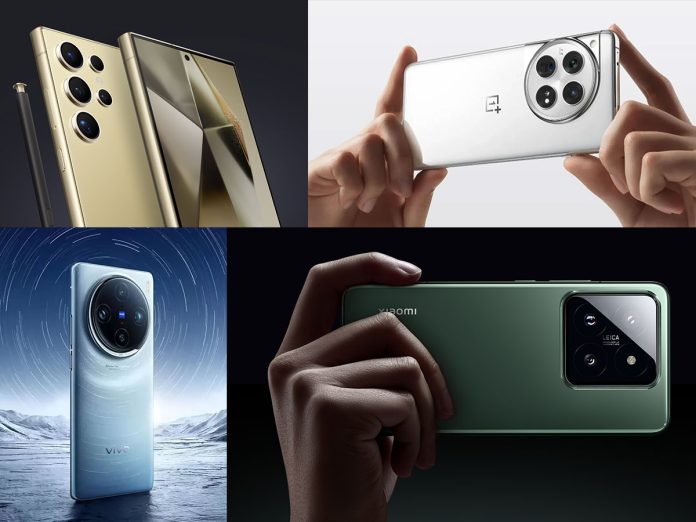
Samsung Galaxy S24 Ultra offers a stunning QHD+ display and powerful Snapdragon 8 Gen 3.
OnePlus 12 delivers flagship performance with Super VOOC charging at an accessible price.
Xiaomi 14 combines a compact form factor with the latest Snapdragon 8 Gen 3 processor.
vivo X100 features MediaTek Dimensity 9300 and a ZEISS-engineered camera system.
Smartphones have become our constant companions,handling everything from work emails to social media, gaming, and photography.
With the advent of high processing tasks like gaming, and photography, it has never been more opportune to have powerful and efficient phones.
The arrival of the 12GB RAM smartphones are the real powerhouses that can cope with our expanding digital appetites.
What are some of the most striking 12GB RAM phones in 2024, then? Well, we have compiled a list of topmost contenders, pitted their specifications, features, and value against each other to let you find your ultimate digital sidekick.
The Samsung Galaxy S24 Ultra is nothing less than a powerhouse of a smartphone, having a big and gorgeous display paired with a versatile camera system that caters perfectly to every photography enthusiast.
Equipped with a Snapdragon 8 Gen 3 processor supported by 12GB of RAM, it assures ultra-high performance for any action.
A long-lasting battery and premium build quality make it probably the best choice.
Camera: Triple rear (50MP + 48MP + 64MP), 32MP front
Battery: 5400mAh with Super VOOC charging
Price: Rs. 64,999
The OnePlus 12 is a high-end device that comes with slightly more affordable pricing, brilliant display, and a powerful camera set for taking great photos in all conditions.
Powered by the Snapdragon 8 Gen 3 chip paired with 12GB of RAM, this phone makes no fuss while running through the toughest daily tasks and games.
With fast-charging capabilities and OxygenOS software, it is hard to match a user experience like the OnePlus 12’s.
Camera: Triple rear (50MP + 50MP + 64MP), 32MP front
Battery: 5000mAh with Flash Charging
Price: Rs. 63,999
The vivo X100 stands out with its MediaTek Dimensity 9300 processor, offering a different flavor of performance compared to Snapdragon-powered devices.
The large AMOLED display and substantial battery make it great for media consumption and long-lasting use.
If you’re looking for a powerful alternative to the more common Snapdragon devices, the vivo X100 is worth considering.
Final Thoughts
These phones represent some of the best options for those looking for a device with 12GB of RAM in 2024.
Each offers its own unique set of features and strengths, so consider your specific needs and preferences when making your choice.
Whether you prioritize camera quality, overall performance, or value for money, there’s a 12GB RAM phone out there that’s perfect for you.
FAQs
Q1: What are the standout features of the Samsung Galaxy S24 Ultra?
The Galaxy S24 Ultra boasts a 6.8-inch QHD+ Dynamic AMOLED 2X display, Snapdragon 8 Gen 3 processor, 12GB RAM, and a quad-camera setup with a 200MP main sensor.
Q2: How does the OnePlus 12 compare to other 12GB RAM smartphones?
The OnePlus 12 offers a 6.82-inch QHD+ AMOLED display, Snapdragon 8 Gen 3, 12GB RAM, and a 5400mAh battery with Super VOOC charging, making it a strong contender.
Q3: What makes the Xiaomi 14 a good choice for 2024?
The Xiaomi 14 features a 6.36-inch FHD+ LTPO AMOLED display, Snapdragon 8 Gen 3 processor, and a triple 50MP camera setup, offering excellent performance in a compact design.
Q4: What is unique about the vivo X100?
The vivo X100 is powered by the MediaTek Dimensity 9300 processor and features a ZEISS-engineered triple camera system, a 6.78-inch FHD+ AMOLED display, and a 5000mAh battery.
Q5: Why should I consider a 12GB RAM smartphone?
12GB RAM smartphones provide exceptional multitasking capabilities, ensuring smooth performance for gaming, productivity, and multimedia consumption.
New shortcut for instant replies to video messages.
Available to beta testers on WhatsApp beta for Android 2.24.14.5.
Enhances user interaction and engagement within the app.
Recent updates include status update previews for a better viewing experience.
WhatsApp is rolling out a new feature that allows users to quickly reply to instant video messages.
This update builds upon the instant video notes feature introduced in July last year, which enabled users to record and share short videos with contacts.
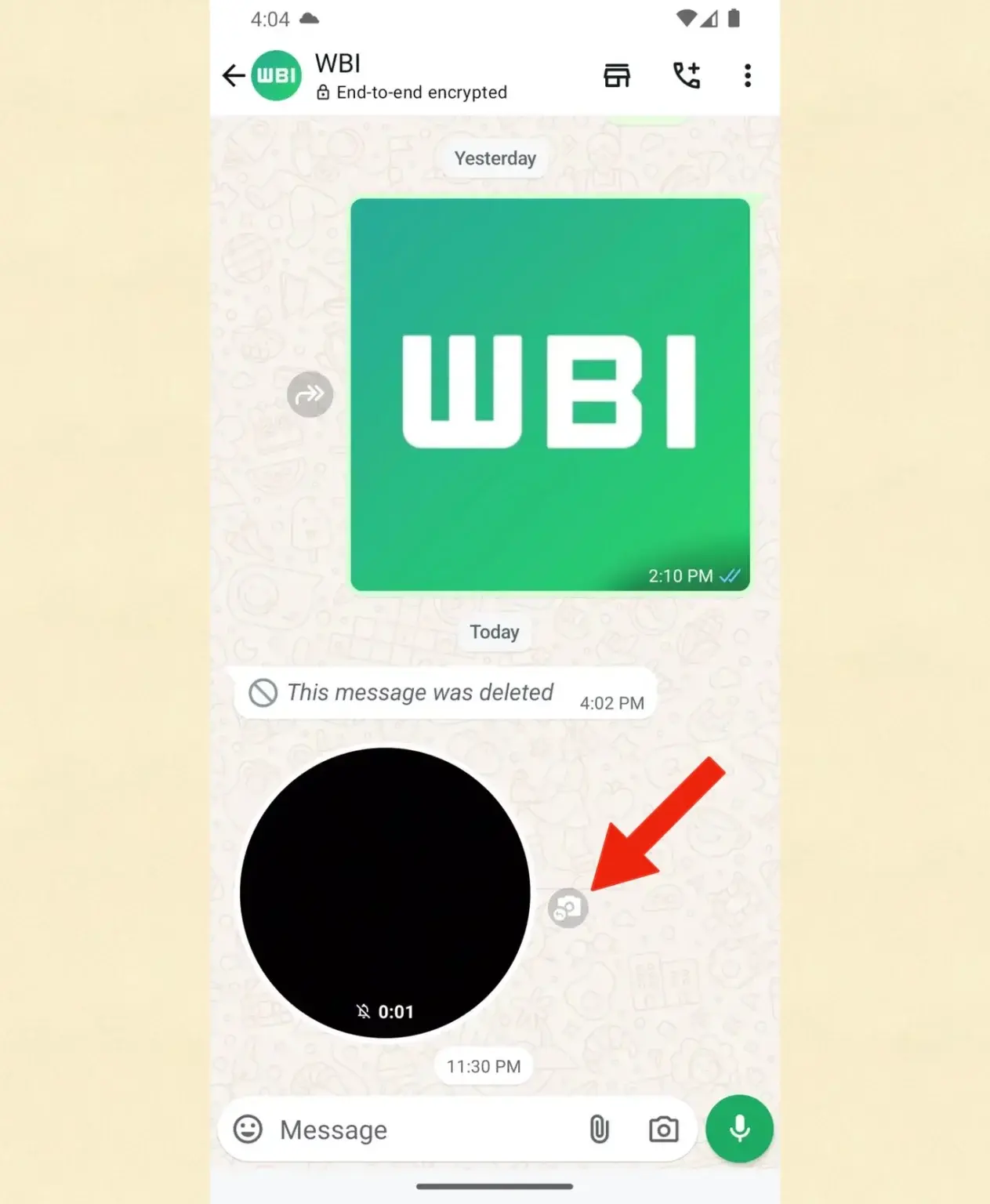
Users can now instantly reply to a video message by tapping this shortcut, eliminating the need to manually open the message menu or use gestures to record a response.
Availability and Rollout
WhatsApp beta for Android (version 2.24.14.5) adds a new video message reply shortcut.
Currently, the feature is available to some beta testers who have installed the latest WhatsApp beta for Android 2.24.14.5 update from the Google Play Store.
It is expected to reach more users in the coming days.
Other Recent WhatsApp Updates
One can now immediately record and send video messages directly from the chat for enhanced user experience.
WhatsApp has been actively developing new features to enhance user experience.
A recent update introduced a new preview feature for status updates, aiming to provide a more visually appealing way to view updates.
For users who follow channels, status update previews now appear as thumbnails on the right side of the screen in a horizontal layout.
This design helps maintain an uncluttered updates tab.
Users who don’t follow channels will see a vertical list for status updates, with redesigned thumbnails that preview the updates while retaining the profile photo.
This change addresses previous issues where profile photos were replaced by previews, making it difficult to identify contacts quickly.
The quick reply feature for video messages, in particular, aims to make conversations more dynamic and responsive.
FAQs
Q1: What is the new quick reply feature on WhatsApp?
The quick reply feature allows users to instantly reply to instant video messages using a new shortcut, streamlining the response process.
Q2: Who can access the quick reply feature for video messages?
Currently, the feature is available to beta testers who have the latest WhatsApp beta for Android 2.24.14.5 update from the Google Play Store.
Q3: When will the quick reply feature be available to all users?
The feature is expected to roll out to more users in the coming days as WhatsApp expands the update.
Q4: What other recent updates has WhatsApp introduced?
WhatsApp has introduced a preview feature for status updates, providing a more visually appealing way to view updates, especially for users following channels.
Q5: How do the new status update previews work?
For users following channels, status update previews appear as thumbnails in a horizontal layout, while those not following channels see a vertical list with redesigned thumbnails and profile photos.
Apple products retain 40% more value than Android smartphones.
Out-of-warranty repair rates reduced by 38% from 2015 to 2022.
Liquid damage repairs decreased by 75% since iPhone 7.
iPhone 15 back glass repair costs reduced by over 60%.
Apple has shared anew whitepaper entitled“Longevity, by Design”as the company expands its Self Service Repair program to Europe.
The document is entirely focused on Apple’s approach to the longevity of their products and the principles of reparability maintenance.
It also voices its stand on parts pairing—an area previously riddled with controversy.
Some interesting statistics pertaining to Apple product longevity can be found in the white paper.
For example, iPhones natively hold their value at a least 40 per cent more than Android smartphones do; this gap widens for older models.
Hundreds of millions of iPhones have been in use for over five years—and that number is growing.
Repair Rates and Improvements
iPhone retain a lot more of their value after sale as compared to Android
Apple cites a 38% reduction in the rate of out-of-warranty repair rates from 2015 to 2022.
Repairs resulting from accidental damage to iPhones, overall,have reduced by 44% due to more robust enclosures since the introduction of the iPhone 7 line-up.
The liquid ingress protection implemented on the iPhone 7 and 7 Plus reduced liquid damage repair by 75%.
This level of accessibility is what Apple considers essential for access to repair services.
Reparability Principles
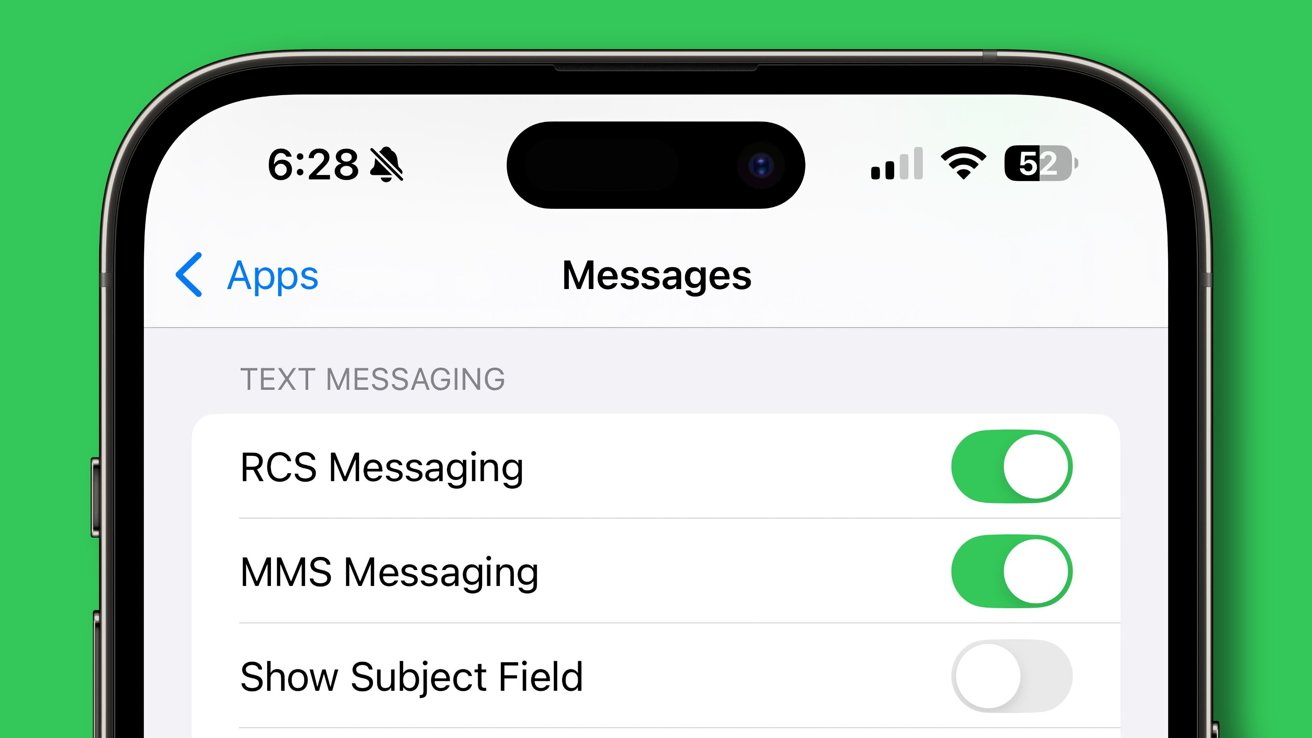
Apple is about to get RCS support on iOS 18
Apple outlines four key principles guiding its approach to reparability:
Environmental Impact
Access to repair services
Safety, security, and privacy
Transparency in repair
Parts pairing has been a widely criticised method but Apple says it is used to ensure reparability and transparency without putting device security and performance at risk.
Apple is thus attempting to justify parts pairing, a practice very much controversy-laden.
Apple argues that pairing would help achieve this dual purpose: greater accessibility and transparency of repairability while maintaining device security and optimal performance.
The company has clarified that this will not make any compelling situation for customers to go to Apple for repairs since less than one-third of out-of-warranty repairs are done by Apple.
The whitepaper cites safety issues with non-Apple parts, referencing a UL Solutions study in which 88% of third-party batteries tested ignited or exploded in at least one test.
Apple points out that enabling iPhone 15 back glass repair as an individual module has reduced repair costs for customers by over 60%.
“Designing the best, longest-lasting products in the world requires striking a balance between durability and reparability, while providing ongoing software updates — and we’re constantly looking for new and innovative ways to accomplish that mission,” says John Ternus, Apple’s Senior Vice President of Hardware Engineering.
FAQs
Q1: What is the focus of Apple’s new whitepaper “Longevity, by Design”?
The whitepaper focuses on Apple’s approach to product longevity, reparability principles, and the company’s stance on parts pairing.
Q2: How much more value do iPhones hold compared to Android smartphones?
iPhones hold their value at least 40% more than Android smartphones, with the gap widening for older models.
Q3: What has been the impact of liquid ingress protection on iPhone repairs?
The liquid ingress protection on the iPhone 7 and 7 Plus reduced liquid damage repairs by 75%.
Q4: What are the key principles guiding Apple’s approach to reparability?
Apple’s reparability principles include environmental impact, access to repair services, safety, security, privacy, and transparency in repair.
Q5: How has Apple made repairs more affordable for customers?
Enabling iPhone 15 back glass repair as an individual module has reduced repair costs for customers by over 60%.
Q6: What are the new whitepaper handful notable statistics about Apple product longevity ?
iPhone retains at least 40% more of its value compared to Android smartphones, with the valuation difference increasing for even older models of iPhone.
There are hundreds of millions of iPhones that have been in use for more than 5 years — and that number is still growing. And Apple products remain in use longer than competitor devices.
From 2015 to 2022, out-of-warranty repair rates were down by 38%.
For iPhone, overall repairs for accidental damage have decreased by 44% since the introduction of improved enclosures starting with the iPhone 7 line-up.
When liquid ingress protection was introduced with iPhone 7 and iPhone 7 Plus, repairs for liquid damage decreased 75%.
Enabling iPhone 15 back glass repair as an individual module lowered the cost of repair for customers by over 60%.
85% of the US population is within a 30 minute drive of an Apple Store, Apple Authorized Service Provider (AASP) location, or Independent Repair Provider (IRP).
88% of third-party batteries tested in a UL Solutions study caught fire or exploded in at least one test.
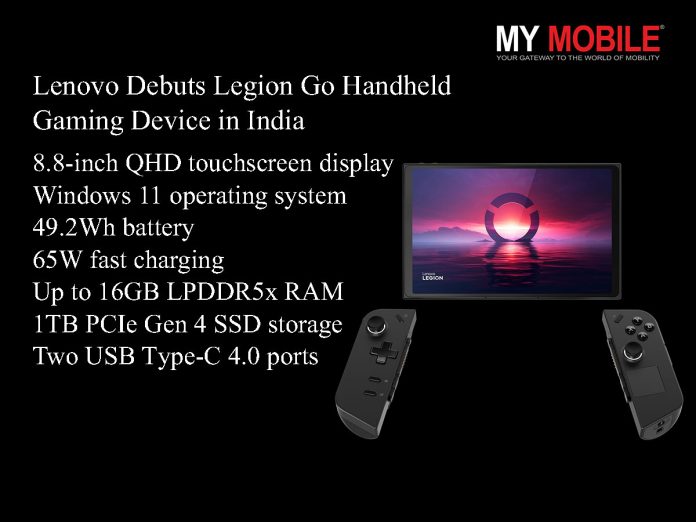
Lenovo Legion Go features an 8.8-inch QHD touchscreen with 144Hz refresh rate.
Powered by AMD Ryzen Z1 Extreme processor with RNDA graphics.
Up to 16GB RAM and 1TB PCIe Gen 4 SSD for smooth gaming.
Available at Rs 89,990 starting 1st July 2024 in India.
Lenovo is going to enter the handheld gaming market in India, bringing its Legion Go device.
This new offering competes with similar products from MSI and ASUS in bringing the strenuous and world-wide performance of gaming in portable form factors to Indian consumers.
Lenovo Debuts Legion Go Pricing and Availability
Lenovo Debuts Legion Go Pricing and Availability
Starting at Rs 89,990, the Lenovo Legion Go shall be available in India from 1st July 2024.
The product will be available to buy on Flipkart and select Lenovo Exclusive Stores and the official website of Lenovo.
Apart from this, Lenovo bundles a 3-month subscription to Xbox Game Pass Ultimate, supporting gamers even more.
Ashish Sikka, Director and Category Head, Lenovo India, said, “The gaming community in India is dynamic, enthusiastic, and rapidly evolving. A recent Lenovo survey revealed that 60% gamers play games daily and 80% gamers want high-end premium gaming devices, which makes it a perfect market for new and innovative products. Recognizing the diverse needs of the gaming community, we are excited to introduce the Legion Go to our Indian consumers, allowing them to, literally – ‘game on the go’. Lenovo Legion has become one of the preferred choices for gaming enthusiasts in India, and we are confident that our first handheld device will further elevate their gaming experience”
Lenovo Debuts Legion Go Key Specifications
Lenovo Debuts Legion Go Key Specifications
8.8-inch QHD touchscreen display with 144Hz refresh rate
AMD Ryzen Z1 Extreme processor with RNDA graphics
Up to 16GB LPDDR5x RAM and 1TB PCIe Gen 4 SSD storage
Windows 11 operating system
49.2Wh battery with 65W fast charging
Two USB Type-C 4.0 ports, headphone jack, and microSD card reader
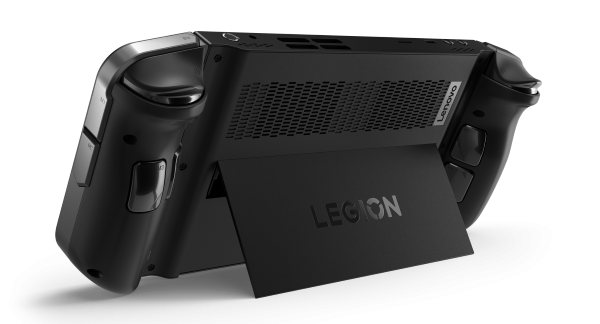
Legion Coldfront cooling technology
Lenovo Debuts Legion Go Features
Lenovo Debuts Legion Go Features
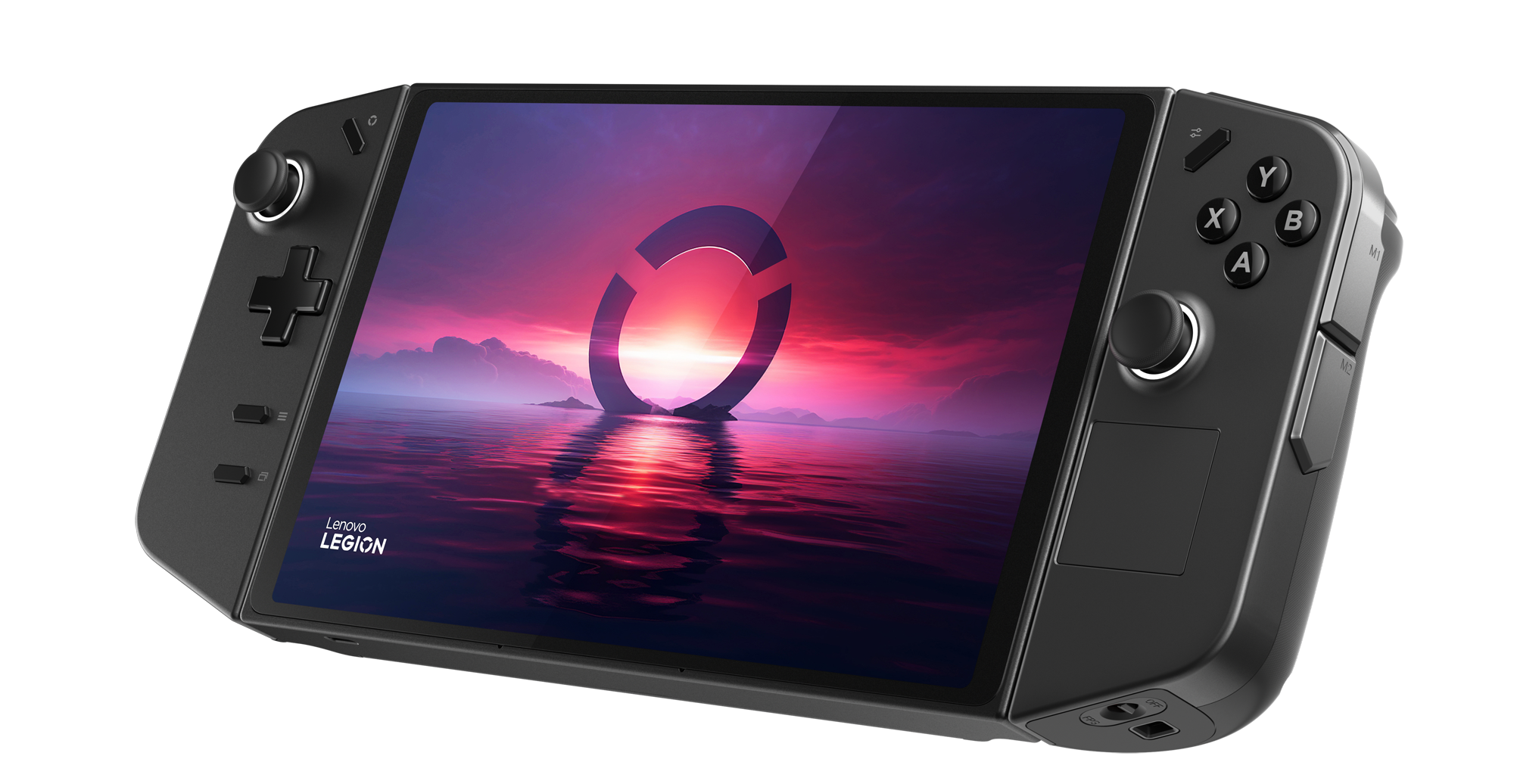
The display of Legion Go is an 8.8-inch QHD touchscreen with a 144Hz refresh rate,covering 97 percent of DCI-P3 colors and hitting 500 nits for peak brightness.
With such a setup, the intention is to bring an immersive gaming experience on the go.
Equipped by Lenovo with an AMD Ryzen Z1 Extreme processor and RNDA graphics, this system can play even the most demanding games.
Up to 16GB LPDDR5x RAM and a 1TB PCIe Gen 4 SSD make for nice, smooth usage, with fast loading times.
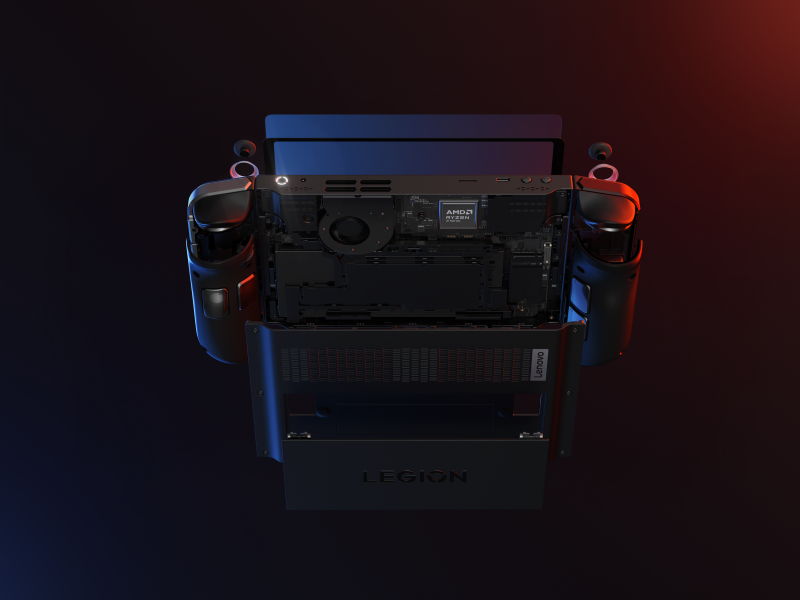
Equipped with Legion Coldfront, powered by a single 79-blade liquid crystal polymer fan,Quiet Mode runs less than 25dB, and Custom Mode fires at full 25W TGP—this system promises to balance between performance and noise.
Legion Coldfront, powered by a single 79-blade liquid crystal polymer fan, Quiet Mode runs less than 25dB, and Custom Mode fires at full 25W TGP
Battery life is accounted for via a 49.2Wh battery with 65W fast charging.
Lenovo says its so-called Super Rapid Charge technology can refuel the battery to 70 percent in just 30 minutes—shortening your downtime between gaming sessions.
The launch marks Lenovo’s entry into a growing market segment in India, offering a new option for portable gaming enthusiasts.
In terms of competitors, the Lenovo handheld is currently facing off with the Asus ROG Ally and the Steam Deck.
Lenovo Debuts Legion Go 5 Reasons to Buy the Lenovo Legion Go
Lenovo Debuts Legion Go 5 Reasons to Buy the Lenovo Legion Go
Powerful Processor: Equipped with AMD Ryzen Z1 Extreme for high-performance gaming.
High-Quality Display: Features an 8.8-inch QHD touchscreen with a 144Hz refresh rate.
Ample Storage and RAM: Up to 16GB RAM and 1TB PCIe Gen 4 SSD for smooth gaming and fast loading times.
Rapid Charging: 49.2Wh battery with 65W fast charging, reaching 70% in just 30 minutes.
Advanced Cooling System: Legion Coldfront technology with a quiet and efficient cooling fan.
Alternatives to Lenovo Legion Go
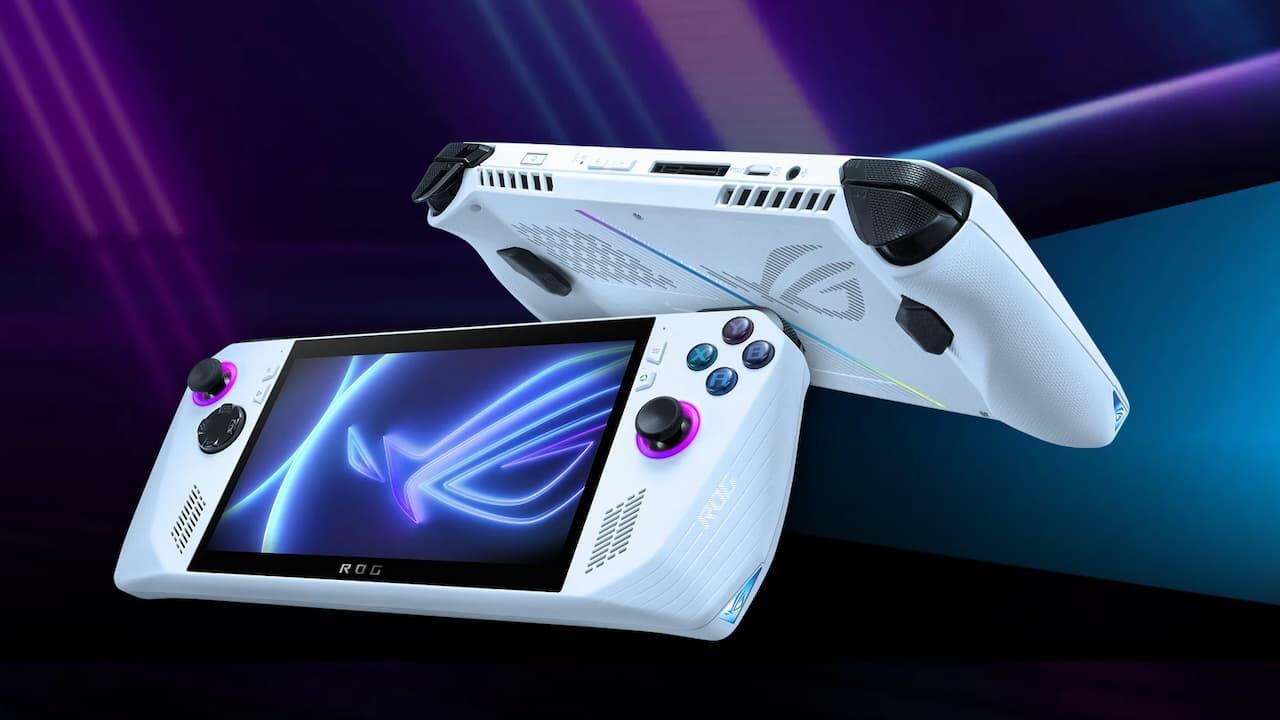
Asus ROG Ally
ASUS ROG Ally
Price: Starting at Rs 49,990
Key Specs:
AMD Ryzen Z1 Extreme processor
7-inch FHD IPS display, 120Hz refresh rate
16GB RAM, 512GB SSD
Windows 11 operating system
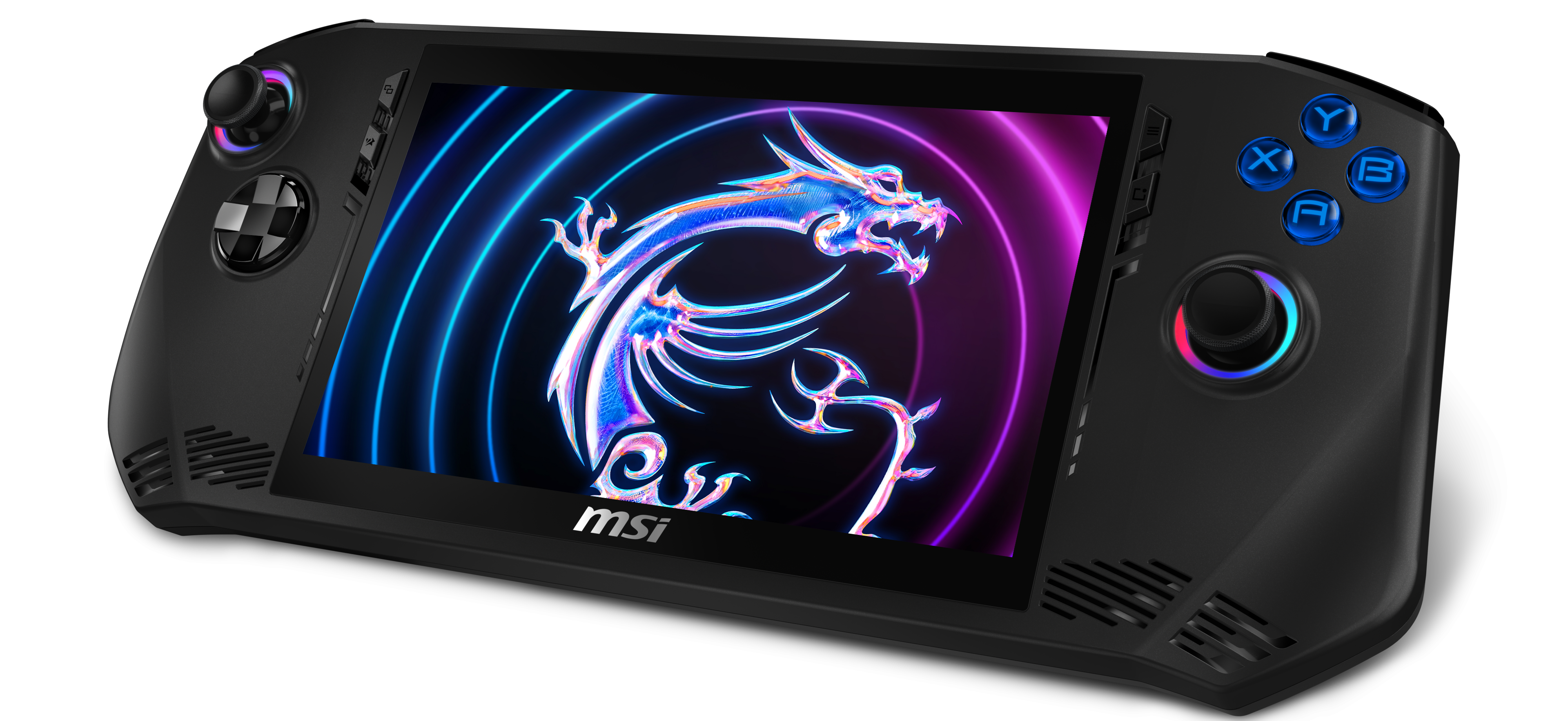
MSI Claw
Price: Starting at Rs 88,990
Key Specs:
Intel Core Ultra 7 155H processor
7-inch 120Hz display
16GB RAM, 1TB SSD
Advanced cooling with VRR and XeSS support
FAQs
Q1: What is the price of the Lenovo Legion Go in India?
The Lenovo Legion Go is priced at Rs 89,990 and will be available starting 1st July 2024.
Q2: Where can I purchase the Lenovo Legion Go?
You can buy the Lenovo Legion Go from Flipkart, select Lenovo Exclusive Stores, and Lenovo’s official website.
Q3: What are the key specifications of the Lenovo Legion Go?
The Legion Go features an 8.8-inch QHD touchscreen with a 144Hz refresh rate, AMD Ryzen Z1 Extreme processor, up to 16GB RAM, and 1TB PCIe Gen 4 SSD.
Q4: What battery life does the Lenovo Legion Go offer?
The Legion Go has a 49.2Wh battery with 65W fast charging, and Lenovo’s Super Rapid Charge technology can recharge the battery to 70% in 30 minutes.
Q5: Does the Lenovo Legion Go include any special offers?
Yes, Lenovo bundles a 3-month subscription to Xbox Game Pass Ultimate with the purchase of Legion Go.
Lenovo’s first handheld gaming device ‘Legion Go’ launched in India.Details?
Lenovo, the global technology powerhouse, today announced the latest entry to its gaming ecosystem – Lenovo Legion Go, offering gamers the freedom to game anywhere, anytime. Designed without compromise, the Lenovo Legion Go boasts top-tier specs and visuals, ensuring an uncompromising gaming experience.
The Lenovo Legion Go, powered by the latest AMD Ryzen Z1 Extreme processor and AMD RNDA™ Graphics, offers cutting-edge performance on Windows 11. With up to 16GB LPDDR5X RAM (7500Mhz) and 1TB PCIe Gen4 SSD, it ensured smooth gameplays and ultra fast loading times. The device includes a micro-SD slot supporting up to 2TB of extra storage.
The Lenovo Legion Go offers cutting-edge performance on Windows 11. With up to 16GB LPDDR5X RAM (7500Mhz) and 1TB PCIe Gen4 SSD, it ensured smooth gameplay and ultra fast loading times. The device includes a micro-SD slot supporting up to 2TB of extra storage.
Legion Go’s display offers a peak brightness of 500 nits and a 97% DCI-P3 color gamut, with adjustable resolutions from 1600p to 800p and refresh rates of 144Hz and 60Hz. The 10-point touch screen enables natural and intuitive control, be it scrolling, tapping, or swiping.
The device is equipped with a robust 49.2Wh battery, for extended gaming marathons. Its Super Rapid Charge technology boosts the battery life to 70% in only 30 minutes. For uninterrupted gaming while plugged in, Legion Go utilizes power bypass mode, which extends battery life and reduces heat generation by powering the device directly without draining the battery.
Lenovo Legion Coldfront Technology keeps the Legion Go cool and quiet. A 79-blade liquid crystal polymer fan operates at less than 25dB in Quiet Mode. In Custom Mode, the Legion Go unleashes its full 25W TGP for maximum performance, all while preventing thermal throttling for uninterrupted gaming.
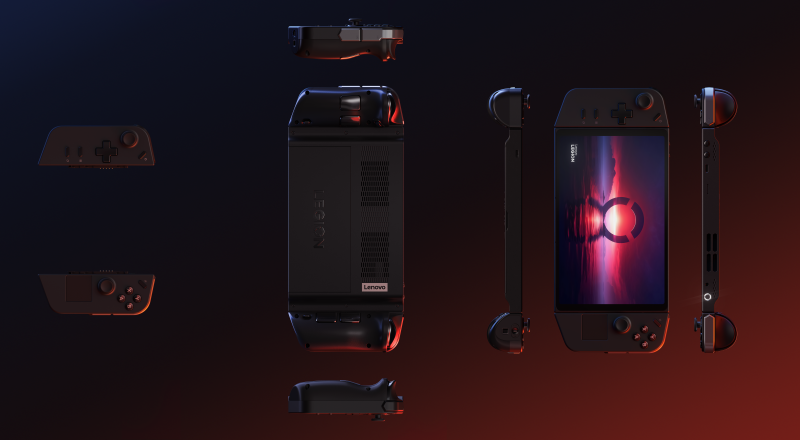
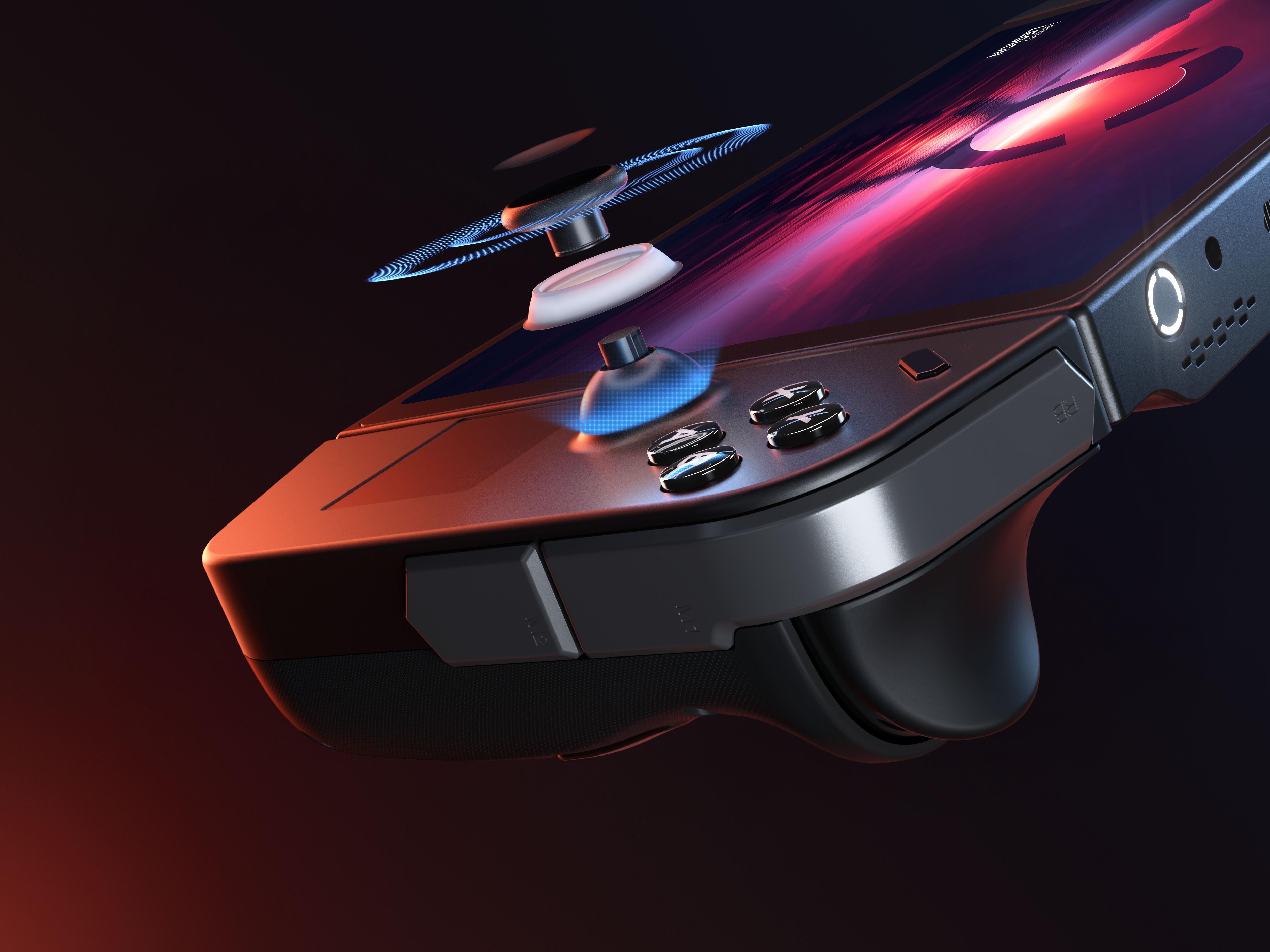
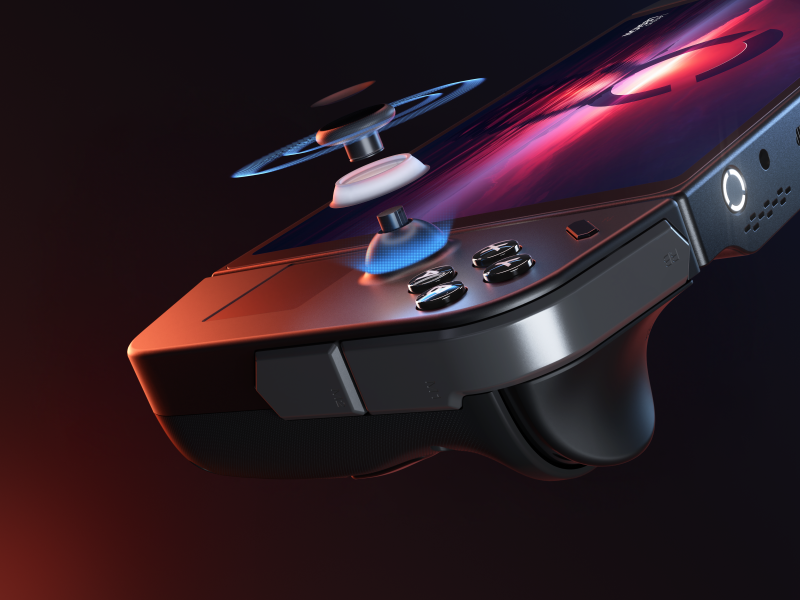
The Lenovo Legion Go’s controllers feature hall effect joysticks, to eliminate drift and improve responsiveness during intense gaming sessions. The controllers include a suite of inputs, such as an integrated trackpad, a sizable D-pad, an angled mouse wheel, and 10 mappable shoulder buttons, triggers, and grip buttons for a fully customizable gaming experience.The power button, emblazoned with the iconic Lenovo Legion ‘O’, features RGB lighting that changes based on the fan mode. Customizable RGB rings around the joysticks add a touch of flair and double as a controller pairing notification system.
The device’s Legion TrueStrike controllers are detachable, allowing more flexibility in playstyles and enabling FPS mode for impromptu sessions.. The right controller, once detached, can be secured into the magnetic base . Additionally, the optical eye located at the bottom of the controller enhances aiming and control, offering the precision required in competitive FPS games.
Just like all Lenovo gaming PCs, Legion Go is bundled with 3 months access to Xbox Game Pass Ultimate free. The nexus of what connects the Lenovo Legion Go’s many amazing features together is the brand-new Legion Space.
Specifically designed for the Lenovo Legion Go, Legion Space quickly accesses all game platforms and stores, displays all installed games, and allows for direct game purchases from the Legion Game Store, featuring Xbox Game Pass Ultimate titles.
All supported game launchers can be grouped together in Legion Space so gamers can get right into the action. Legion Space also allows users to quickly adjust settings such as resolution, refresh rate, brightness, and more on the fly.
What is the price & availability of Lenovo Legion Go Handheld Gaming Device ?
The Lenovo Legion Go will be available at a starting price range of INR 89,990 for purchase on Flipkart, select Lenovo exclusive stores and Lenovo.com from 1st July, 2024.
Legion Go also comes with 1 year Accidental Damage protection and customers can get their Legion Go screen protector at no cost.