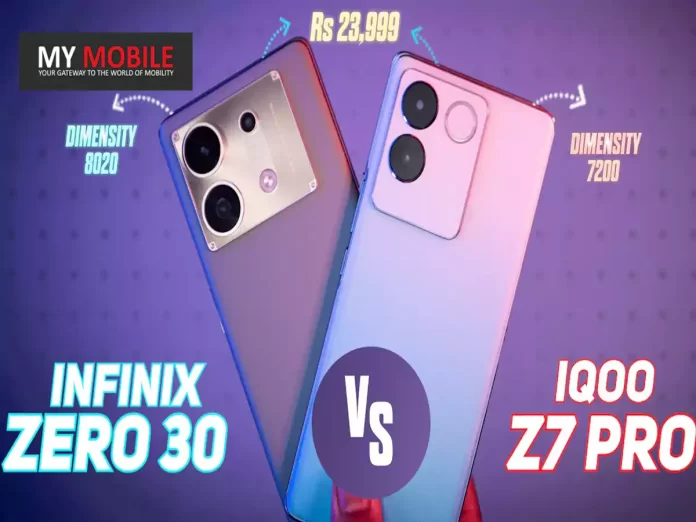
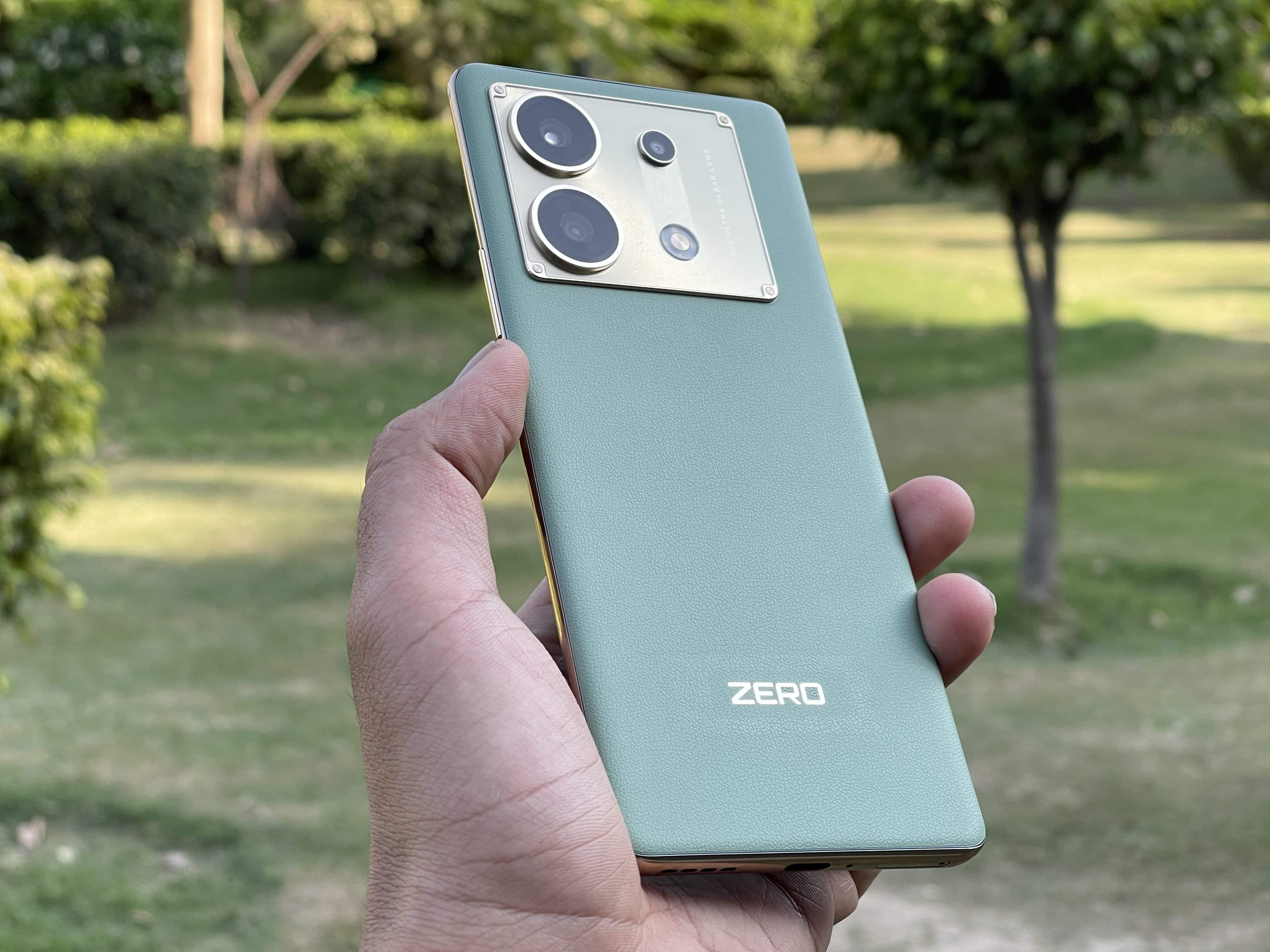
MediaTek Dimensity 7200 SoC in iQOO Z7 Pro outperforms Infinix Zero 30’s Dimensity 8020 in Antutu benchmarks.
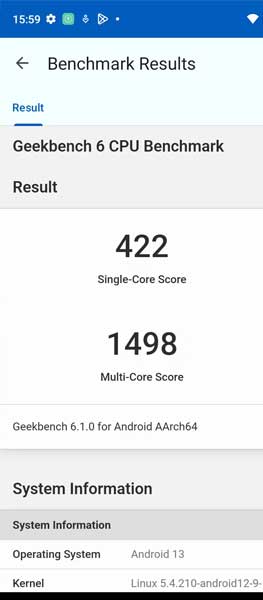
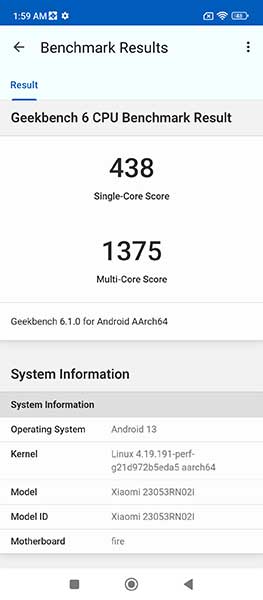
Infinix beats the iQOO Z7 Pro in both single-core and multi-core Geekbench scores
Infinix Zero 30 heats up during long gaming sessions, whereas iQOO Z7 Pro maintains stability.
Both phones offer 256GB of UFS 3.1 storage and expandable RAM options, catering to performance enthusiasts.
The battle for supremacy in the mid-range smartphone segment is heating up with contenders like the iQOO Z7 Pro and Infinix Zero 30.
Both devices are marketed towards performance enthusiasts and gamers.
With price tags of Rs 23,999 for the iQOO Z7 Pro and Rs 25,279 for the Infinix Zero 30, they offer a lot of bang for your buck.
This article provides an in-depth comparison, examining their performance metrics, gaming capabilities, and how they stack up in synthetic benchmarks.
Performance and Benchmarking Metrics
iQOO Z7 Pro: Performance
iQOO Z7 Pro
MediaTek Dimensity 7200 SoC, 4nm build, max clock speed 2.8GHz
8GB LPDDR4X RAM (Expandable with Dynamic RAM)
256GB UFS 3.1 Storage
CPU Throttle Score: 84%
Geekbench 6: Single-core 1,176, Multi-core 2,673
Antutu Score: 713,216
The iQOO Z7 Pro is powered by a MediaTek Dimensity 7200 SoC, a 4nm chipset that achieves a max clock speed of 2.8GHz thanks to its Cortex A715 CPU.
When put through the Antutu benchmark, the device earned an impressive score of 713,216, demonstrating its ability to handle a wide range of tasks efficiently.
Additionally, its Geekbench 6 scores were equally impressive: a single-core score of 1,176 and a multi-core score of 2,673.
These scores indicate a well-rounded CPU performance, capable of both bursty single-threaded tasks and more demanding multi-threaded operations.
The CPU Throttle score was an impressive 84%, which shows that the device can maintain consistent performance over long periods.
Infinix Zero 30
Infinix Zero 30: Performance
MediaTek Dimensity 8020 SoC, 4nm build, max clock speed 2.6GHz
8GB LPDDR4X RAM (Our variant has 12GB, expandable)
256GB UFS 3.1 Storage
CPU Throttle Score: 68%
Geekbench 6: Single-core 993, Multi-core 3,355
Antutu Score: 706,479
The Infinix Zero 30, on the other hand, comes with a MediaTek Dimensity 8020 SoC. This 4nm chip has a max clock speed of 2.6GHz, achieved through its Cortex A78 CPU.
While it slightly lags behind the Z7 Pro in Antutu scores with a 706,479, it outshines in Geekbench 6 multi-core performance with a score of 3,355.
However, its single-core score of 993 is lower, which might affect performance in tasks that don’t leverage multiple cores.
Also, the device’s CPU Throttle score lags at 68 percent, hinting at performance degradation under sustained loads.
Gaming Performance and Experience
iQOO Z7 Pro
iQOO Z7 Pro: Gaming Experience
The Z7 Pro excels in gaming with remarkable stability and battery efficiency.
Popular titles likeBGMIran at a consistent 60fps on HD graphics without any signs of stuttering or heating.
Even over a 30-minute gameplay session, the battery only drained by about 20%. Similarly, Call of Duty: Mobile performed well at 60fps at the highest graphics settings, consuming just 18% battery.
Infinix Zero 30
Infinix Zero 30: Gaming Experience
The Zero 30 shows promise but has some setbacks. While it runs BGMI at Extreme 60fps with HD graphics, the device tends to heat up.
A 30-minute gameplay resulted in a more substantial 31% battery drop.
Call of Duty started strong but exhibited signs of stutter after about 30 minutes, indicating that long gaming sessions might be problematic.
Concluding Thoughts
The iQOO Z7 Pro and the Infinix Zero 30 are competent in their own right, but the former edges out in overall sustained performance and gaming efficiency.
The slightly lower price point of Rs 23,999 for the iQOO Z7 Pro offers a more balanced experience against the Rs 25,279 Infinix Zero 30.
FAQs
Ques) What chipsets do the iQOO Z7 Pro and Infinix Zero 30 use?
The iQOO Z7 Pro uses a MediaTek Dimensity 7200 SoC, while the Infinix Zero 30 comes with a MediaTek Dimensity 8020 SoC. Both are 4nm chipsets but differ in max clock speeds and benchmark scores.
Ques) How do the two phones compare in terms of gaming performance?
The iQOO Z7 Pro shows more stability and efficiency during gaming, while the Infinix Zero 30 tends to heat up and shows signs of stutter during extended gameplay.
Ques) Is there a significant difference in price between the two models?
The iQOO Z7 Pro is priced at Rs 23,999, while the Infinix Zero 30 is priced at Rs 25,279. The slight difference in price may be a deciding factor for some buyers.
Ques) What are the Geekbench and Antutu scores for these devices?
The iQOO Z7 Pro scored 713,216 in Antutu and had Geekbench 6 scores of 1,176 (single-core) and 2,673 (multi-core). In contrast, the Infinix Zero 30 scored 706,479 in Antutu and had Geekbench 6 scores of 993 (single-core) and 3,355 (multi-core).
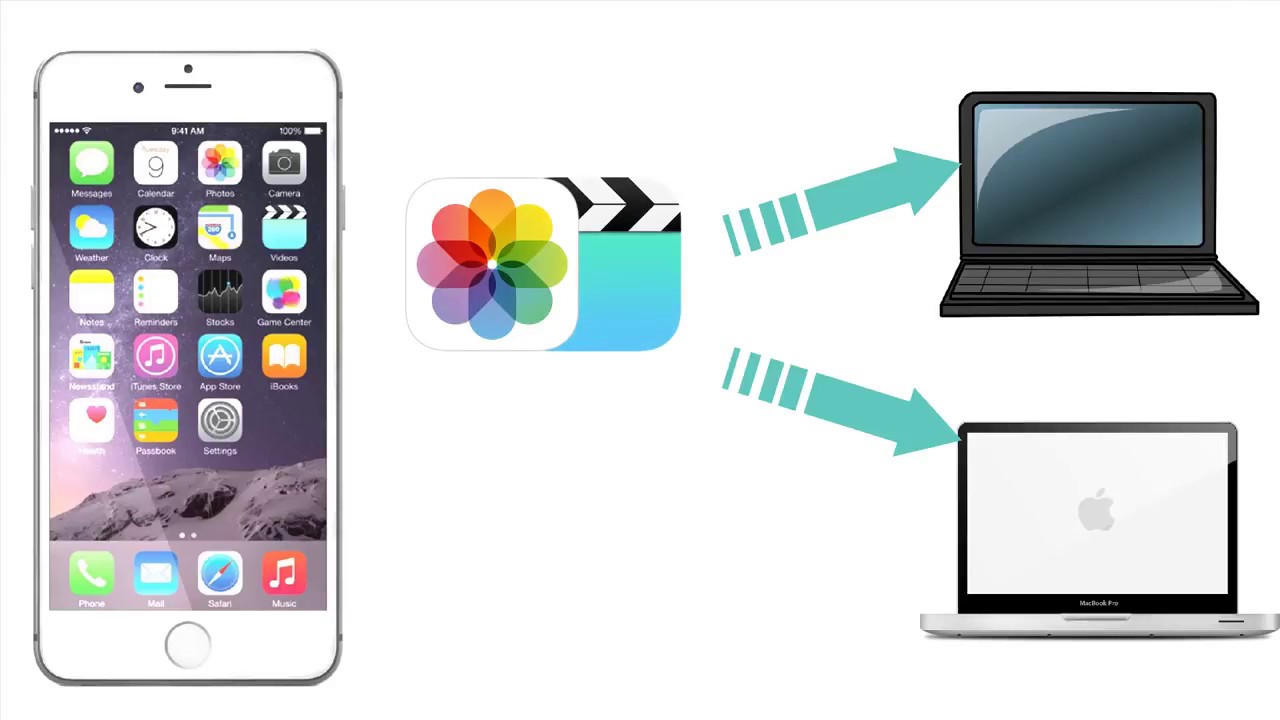
There are multiple hassle-free methods to seamlessly transfer data from your old phone to your new iPhone.
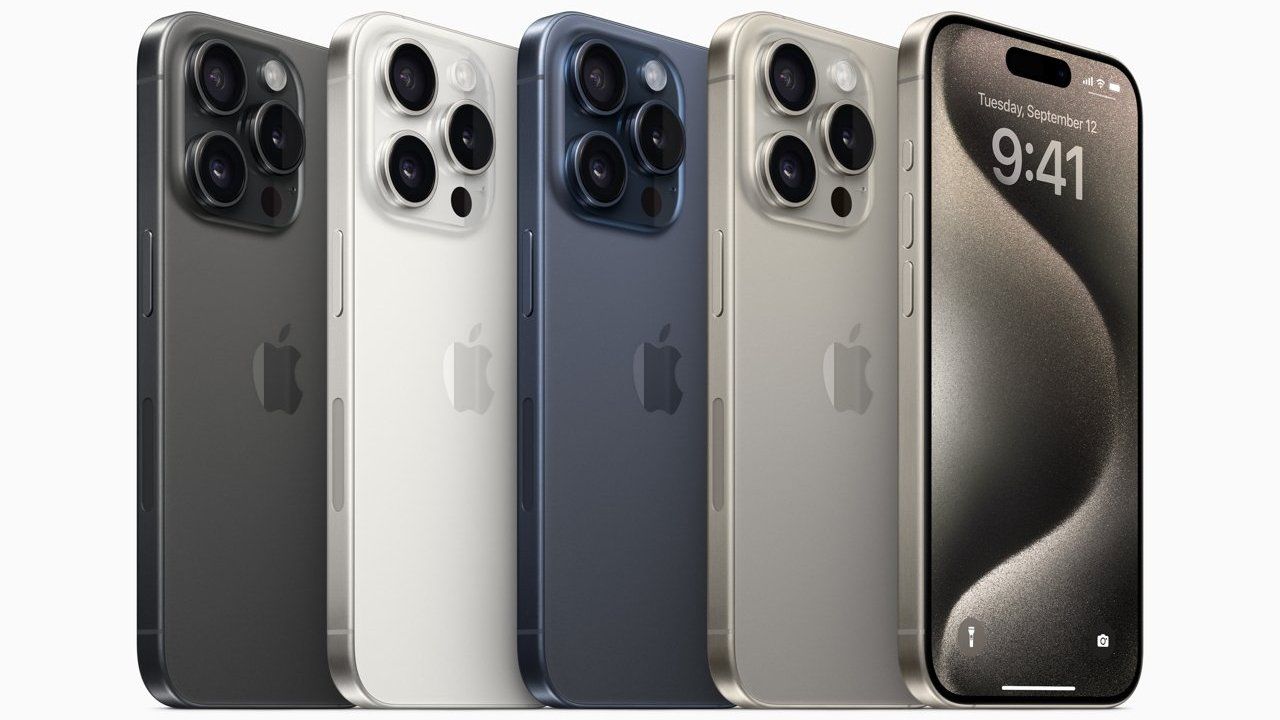
You can easily transfer all your apps, photos, and settings from your old device to the all-new iPhone 15 or iPhone 15 Pro.
Getting your hands on a brand-new iPhone 15 or iPhone 15 Pro is an exhilarating experience.
However, the excitement can quickly turn into a daunting task when you think about transferring all your data, apps, and settings from your old device.
Fortunately, Applehas streamlined the process, making it relatively straightforward.
In this guide, we’ll walk you through the various methods to move your data seamlessly to your new iPhone 15 or iPhone 15 Pro.
Restore iCloud Backup to Your New iPhone
One of the most convenient and hassle-free methods to transfer your data to a new iPhone is by using iCloud backup. Here’s how to do it:
Backup Your Old iPhone to iCloud:
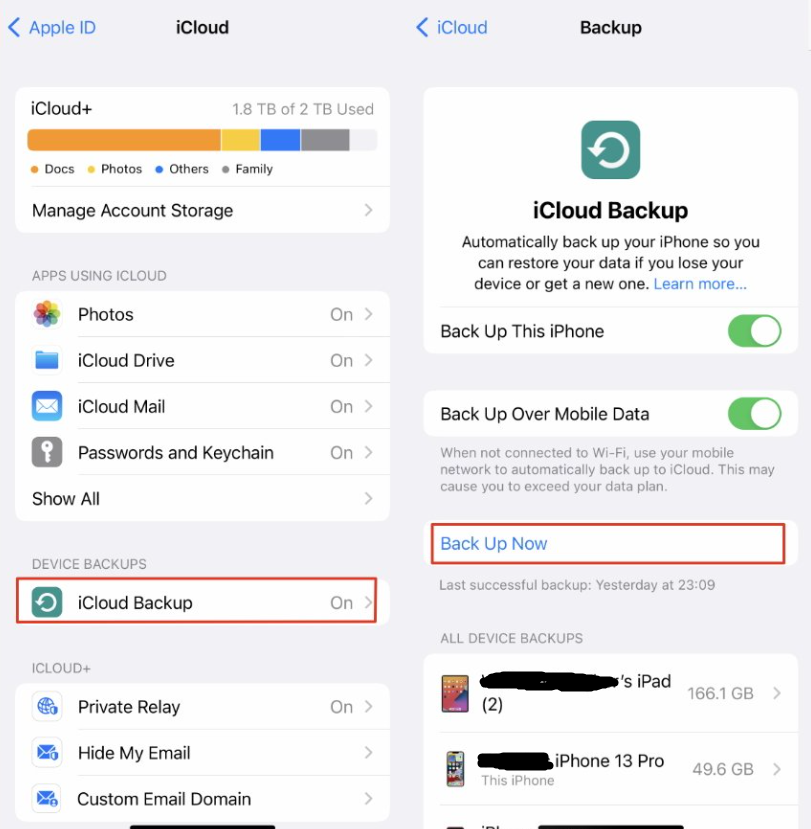
Before you start setting up your new iPhone, ensure that your old iPhone is backed up to iCloud. To do this, go to “Settings” > [your name] > “iCloud” > “iCloud Backup.”
Make sure the “iCloud Backup” toggle is on, and then tap “Back Up Now.”
This will create a current backup of your old device, including apps, photos, contacts, and settings.
Set Up Your New iPhone:
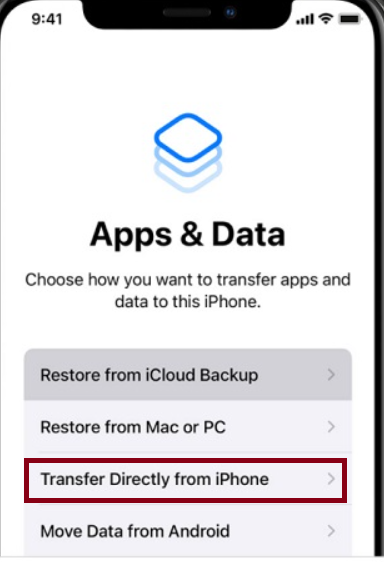
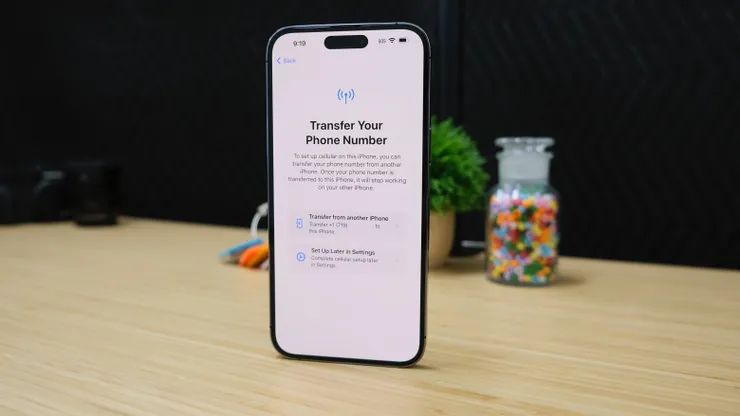
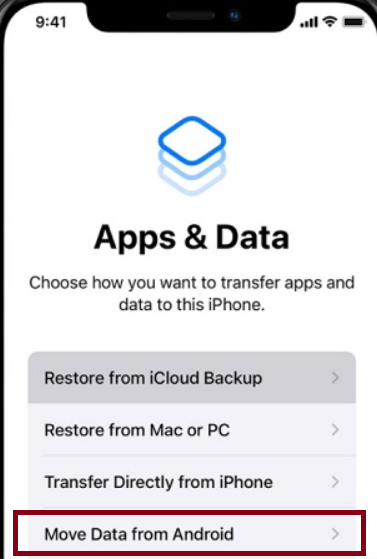
Power on your new iPhone 15 or iPhone 15 Pro. Follow the initial setup steps until you reach the “Apps & Data” screen.
Choose “Restore from iCloud Backup”:
On the “Apps & Data” screen, select “Restore from iCloud Backup.”
Enter your Apple ID and password to sign in to your iCloud account.
Choose the most recent backup from the list of available backups. Your new iPhone will begin restoring your data from iCloud.
Wait for the restoration process to finish. Once it’s done, your new iPhone will have all your old data, apps, and settings.
Apple’s Direct Transfer Method
Apple’s Direct Transfer Method
If you prefer a direct and quick transfer method without using iCloud, Apple offers another option:
Prepare Your Old iPhone:
Make sure your old iPhone is updated to the latest iOS version and is powered on.
Set Up Your New iPhone:
Set Up Your New iPhone
Turn on your new iPhone 15 or iPhone 15 Pro and go through the initial setup steps until you reach the “Apps & Data” screen.
Choose “Transfer Data from iPhone”:
Bring your old iPhone close to your new iPhone. A prompt will appear on your old iPhone asking you to set up your new device. Follow the on-screen instructions.
After a few moments, your new iPhone will establish a connection with your old iPhone and begin transferring your data, including apps, photos, settings, and more.
Once the transfer is complete, your new iPhone will prompt you to finish the setup process. Follow the instructions to complete the setup.
Transfer Your Data to an iPhone Using Mac or PC
Transfer Your Data to an iPhone Using Mac or PC
If you have a Mac running macOS Catalina or later or a PC with iTunes, you can use your computer to transfer data to your new iPhone:
Connect Your Old iPhone to Your Computer:
Use a USB cable to connect your old iPhone to your Mac or PC.
Open Finder (Mac) or iTunes (PC):
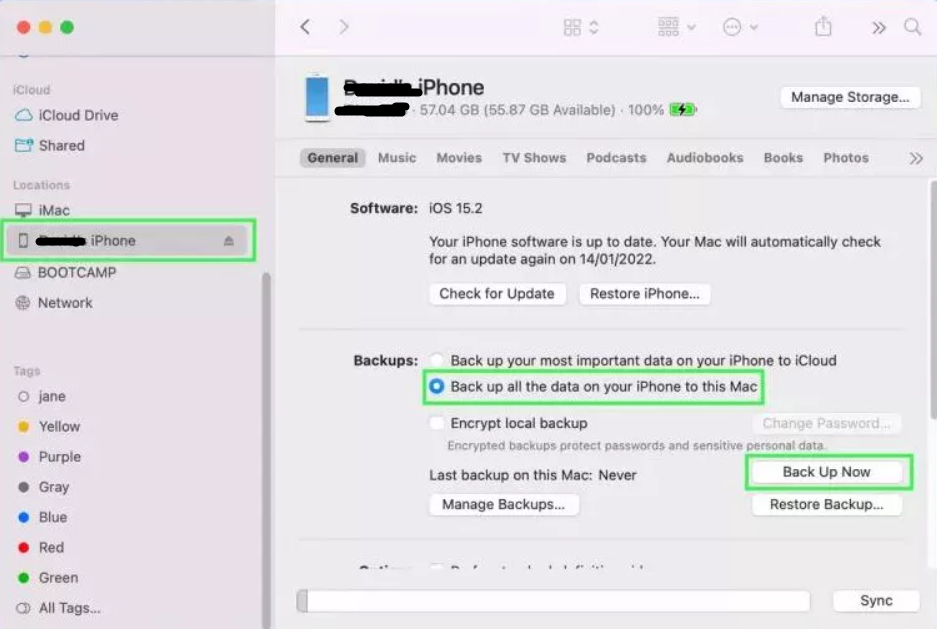
On a Mac running macOS Catalina or later, open Finder and select your iPhone under “Locations.”
On a PC or Mac running macOS Mojave or earlier, open iTunes and select your iPhone.
Create a Backup:
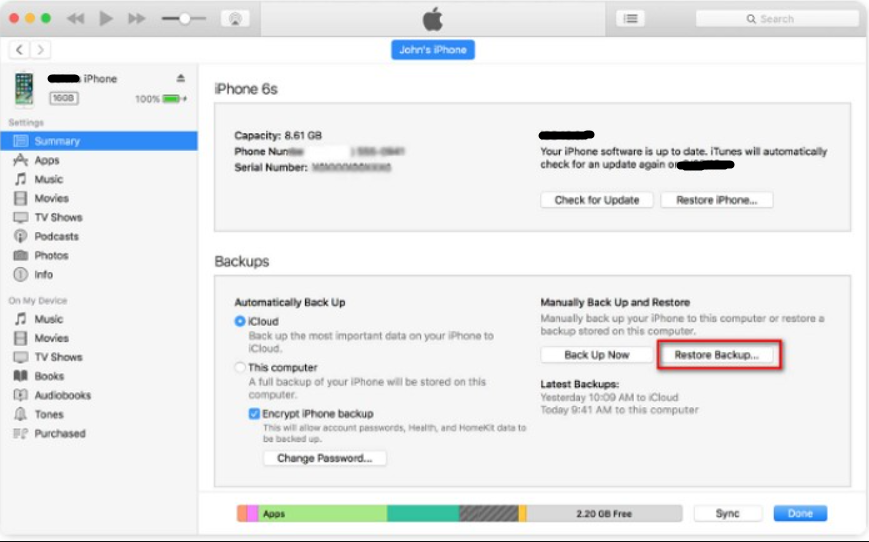
In Finder or iTunes, create a backup of your old iPhone on your computer. This will save all your data, including apps, photos, and settings.
Once the backup is complete, safely disconnect your old iPhone from your computer.
Use the same USB cable to connect your new iPhone 15 or iPhone 15 Pro to your computer.
In Finder (macOS Catalina or later) or iTunes (macOS Mojave or earlier), select your new iPhone. Choose the option to “Restore Backup” and select the backup you created from your old iPhone.
Wait for the restoration process to finish. Your new iPhone will have all the data and settings from your old iPhone.
What Android Users Should Do?
If you’re switching from an Android device to an iPhone 15 or iPhone 15 Pro, Apple has made the transition as smooth as possible.
Prepare Your Android Device:
On your Android device, ensure that your contacts are synced to your Google account. Also, make sure you have access to your Google account credentials.
Set Up Your New iPhone:
Turn on your new iPhone and follow the initial setup steps until you reach the “Apps & Data” screen.
On the “Apps & Data” screen, choose “Move Data from Android.”
Using a USB-C to Lightning cable or an adapter, connect your Android device to your new iPhone.
Your new iPhone will prompt you to follow on-screen instructions for transferring data from your Android device. This may include downloading the “Move to iOS” app from the Google Play Store.
Wait for the transfer to finish. Your new iPhone will move your contacts, message history, photos, videos, web bookmarks, and more from your Android device.
With these methods, you can seamlessly move your data to your new iPhone 15 or iPhone 15 Pro, whether you’re upgrading from an older iPhone or switching from an Android device.
Enjoy your new device with all your familiar apps, photos, and settings in place.
FAQs
Q1. How do I set up the new iPhone 15?
Answer. To turn an iPhone on, press and hold the Side button until the Apple logo displays. Then, follow the below steps –
Select your language.
Select your country or region.
Select the desired Wi-Fi network then follow the prompts to connect.
Enter the desired Passcode then re-enter your passcode to confirm.
Q2. Can I set up my new iPhone myself?
Answer. You can turn on and set up your new iPhone with an internet connection. You can also set up your iPhone by connecting it to your computer. If you have another iPhone, an iPad, or an Android device, you can transfer your data to your new iPhone.
Q3. How do I transfer everything from my old iPhone to a new iPhone?
Answer. After entering your Apple ID and passcode, select “Transfer From iPhone” and wait for the transfer to complete. At this point, you can also choose to transfer data from iCloud or use some other option. Remember to keep the two iPhones close to each other the entire time during the transfer. Done!
Q4. Does the new iPhone 15 series come with a data transfer cable?
Answer. The iPhone 15 will ship with a USB-C port and charging cable that’ll give customers a taste of the trouble. That cable reportedly will be fine for charging but will transfer data at a mere 480 megabits per second.
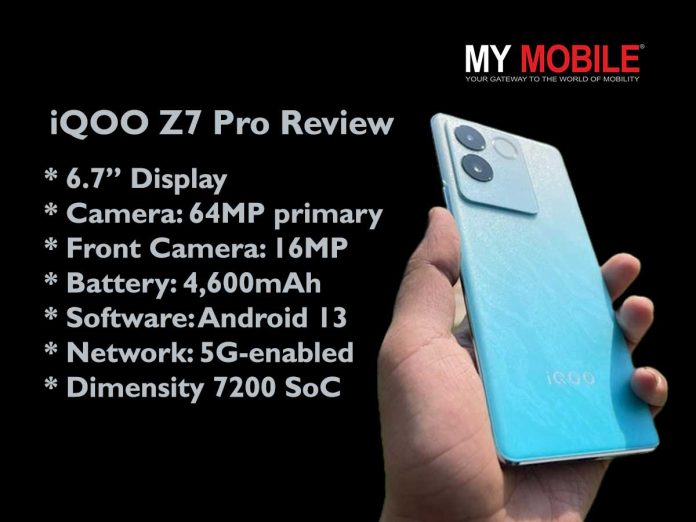
Slim, eye-catching design featuring a stunning Blue Lagoon variant that truly stands out.
Equipped with a 64MP primary camera, delivers solid imaging but struggles with dynamic range.
Powered by MediaTek’s Dimensity 7200 SoC, offering robust performance for gaming and multitasking.
Affordable pricing with a starting rate of Rs 23,999, providing a balance of features and value.
The iQOO Z7 Pro, priced starting at Rs 23,999, enters the competitive mid-range smartphone market with the intention of marrying aesthetic appeal with strong performance.
While the device sports a slim, attractive design, it also doesn’t compromise oniQOO’s well-established reputation for robust performance capabilities.
This comprehensive review unpacks various facets of the device, including its design, display, camera functionalities, performance metrics, software experience, and battery life.
iQOO Z7 Pro: Verdict
iQOO Z7 Pro: Verdict
The iQOO Z7 Pro stands as a compelling offering in the mid-range segment. The phone successfully balances design aesthetics with solid performance.
While it excels in display quality and general performance, its camera system could be more versatile, and the battery life has room for improvement.
iQOO Z7 Pro: Pros and Cons
Pros
Cons
Vibrant AMOLED display
Limited camera versatility
Premium Design
Bloatware present
Decent Performance Metrics
Fast Charging
iQOO Z7 Pro: Expected Specs
Display: 6.7-inch AMOLED, 120Hz refresh rate
Processor: Dimensity 7200 SoC, 4nm chipset
RAM: GB physical + 8GB virtual RAM
Storage: 128GB or 256GB options
Camera: 64MP primary, 2MP depth sensor
Front Camera: 16MP
Battery: 4,600mAh with 67W fast charging
Software: FunTouch OS 13 over Android 13
Network: 5G-enabled
iQOO Z7 Pro: Design
iQOO Z7 Pro: Design
The iQOO Z7 Pro exudes a premium feel, marking a shift from iQOO’s typical focus on performance-oriented, bulky devices.
Notably, it is one of the slimmest smartphones available, with a thickness of just 7.36mm.
The well-rounded frame ensures a comfortable grip, making it a pleasure to hold.
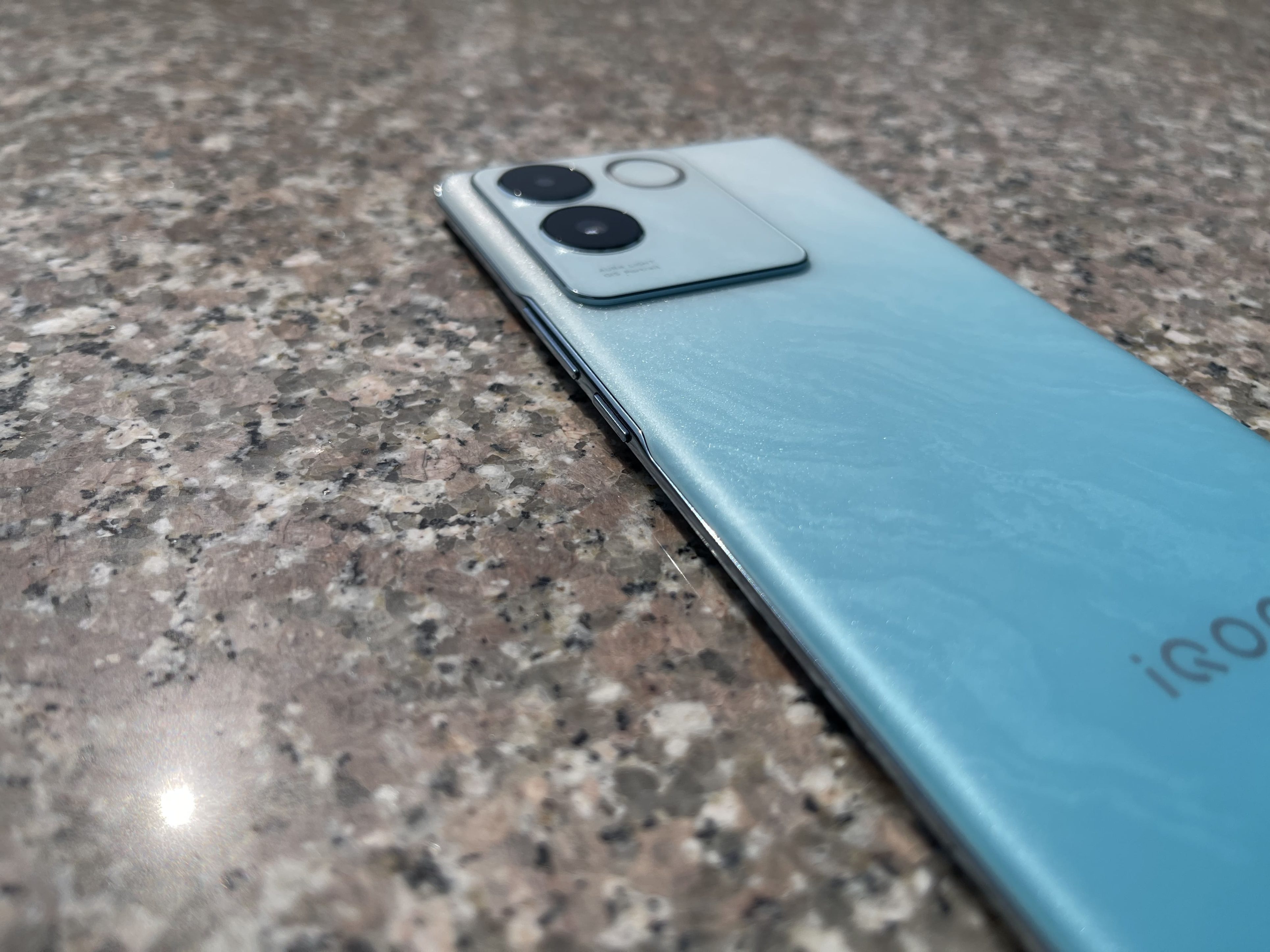
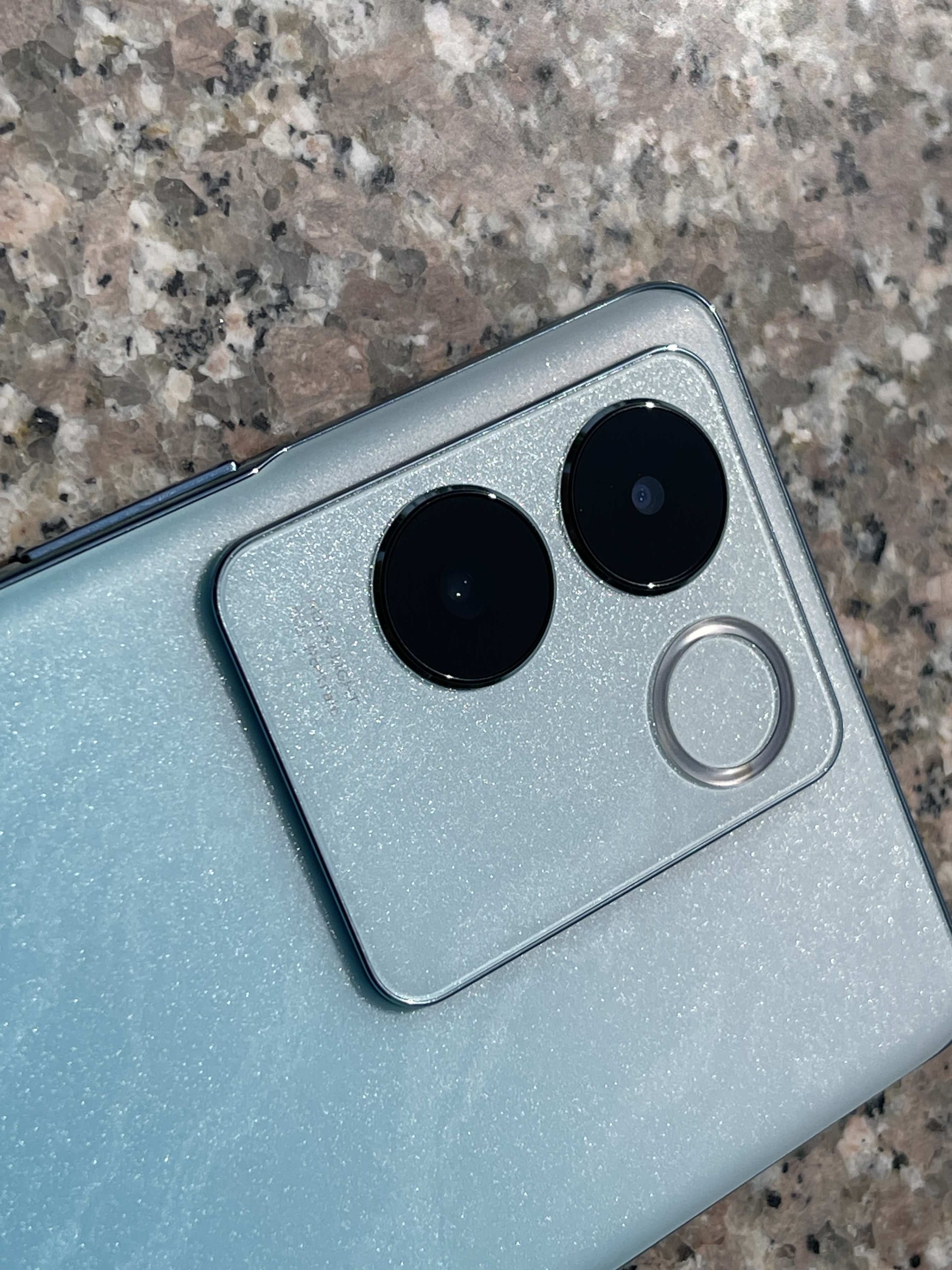
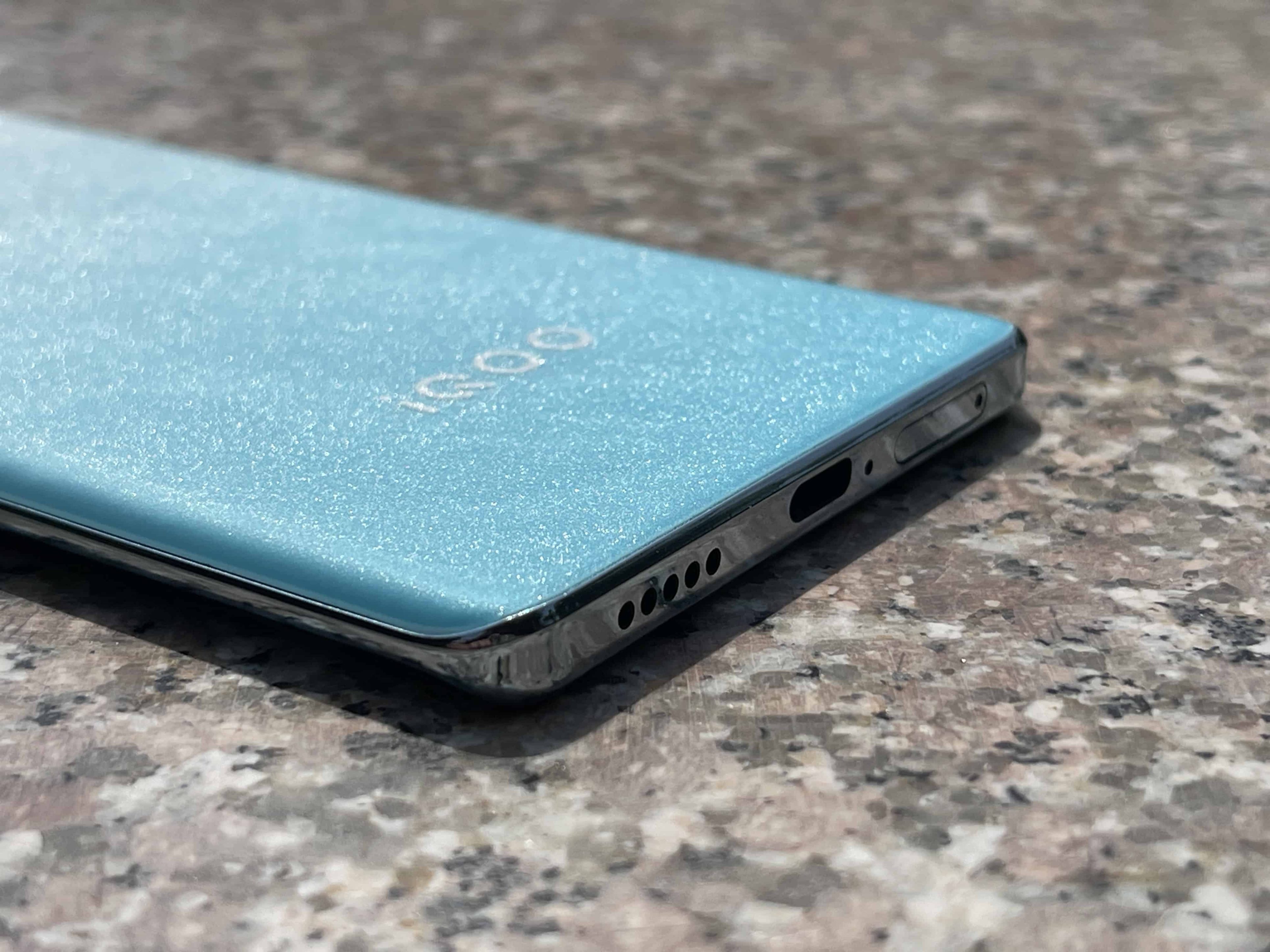
Instead of the common colour-changing backs we often see, the Z7 Pro features a rear panel with a refined sparkly matte finish, which not only looks appealing but also does an excellent job of hiding fingerprints and smudges.
The device we reviewed came in a stunning Blue Lagoon variant that truly stands out.
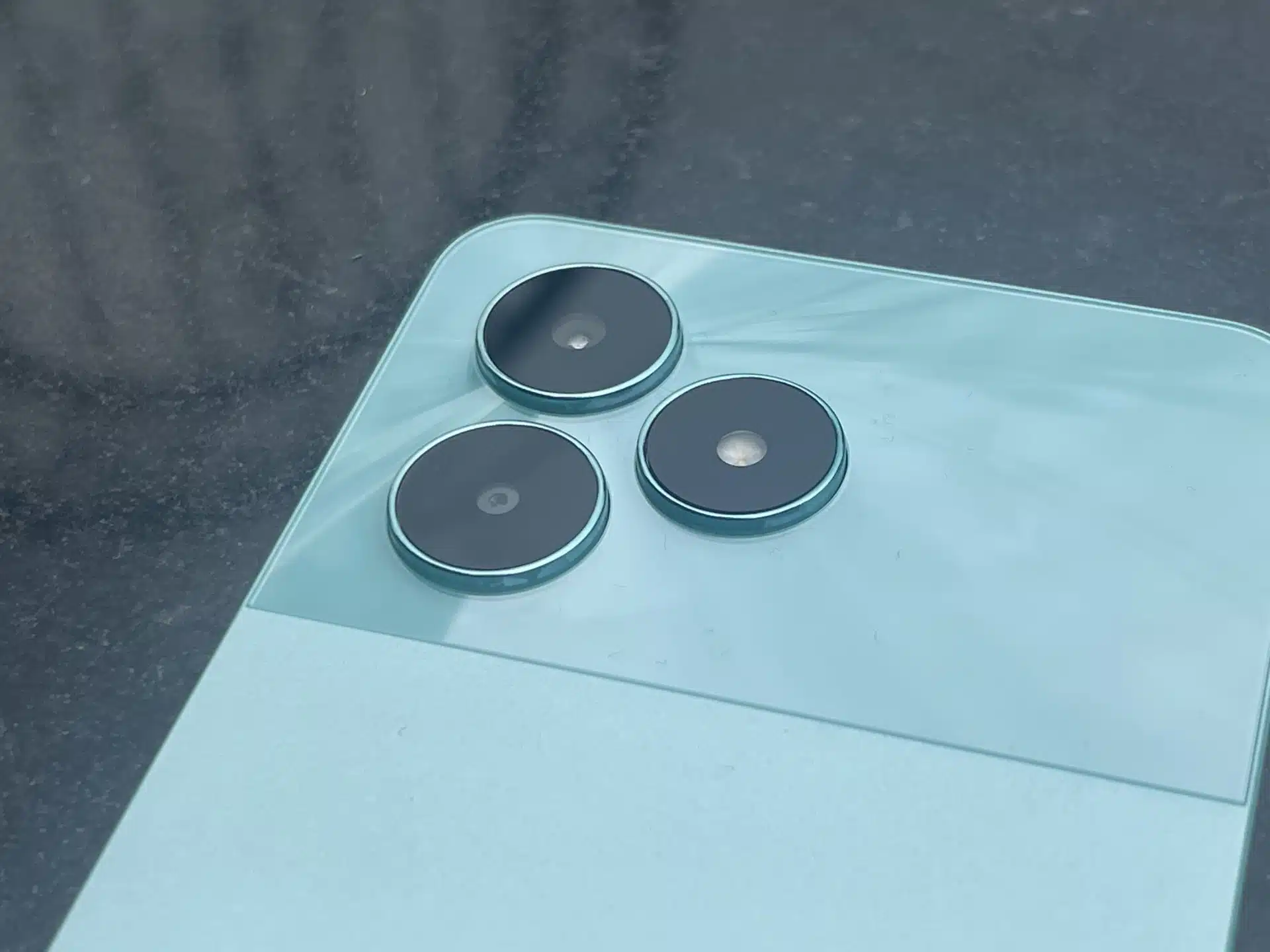
In terms of design elements, the Z7 Pro sports a rectangular camera housing with a dual-camera setup, accented by a ring-shaped flash cutout known as Aura Light.
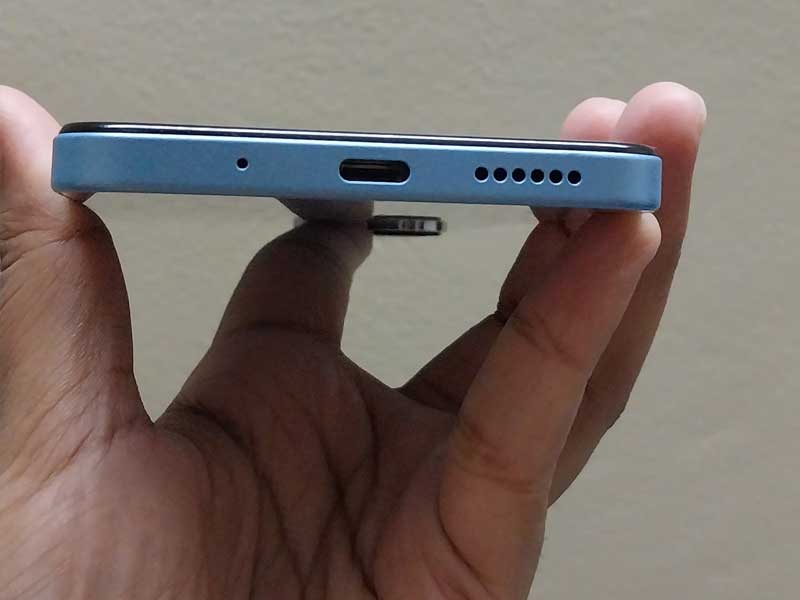
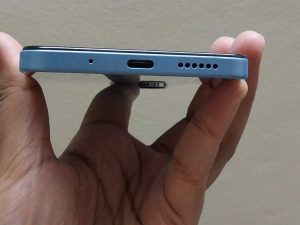
The minimalist buttons, which are more like slits integrated into the sides, the bottom-firing speaker grill, and the USB Type-C port at the bottom, are design features that remind us of the Vivo V29e, released earlier.
iQOO Z7 Pro: Display
iQOO Z7 Pro: Display
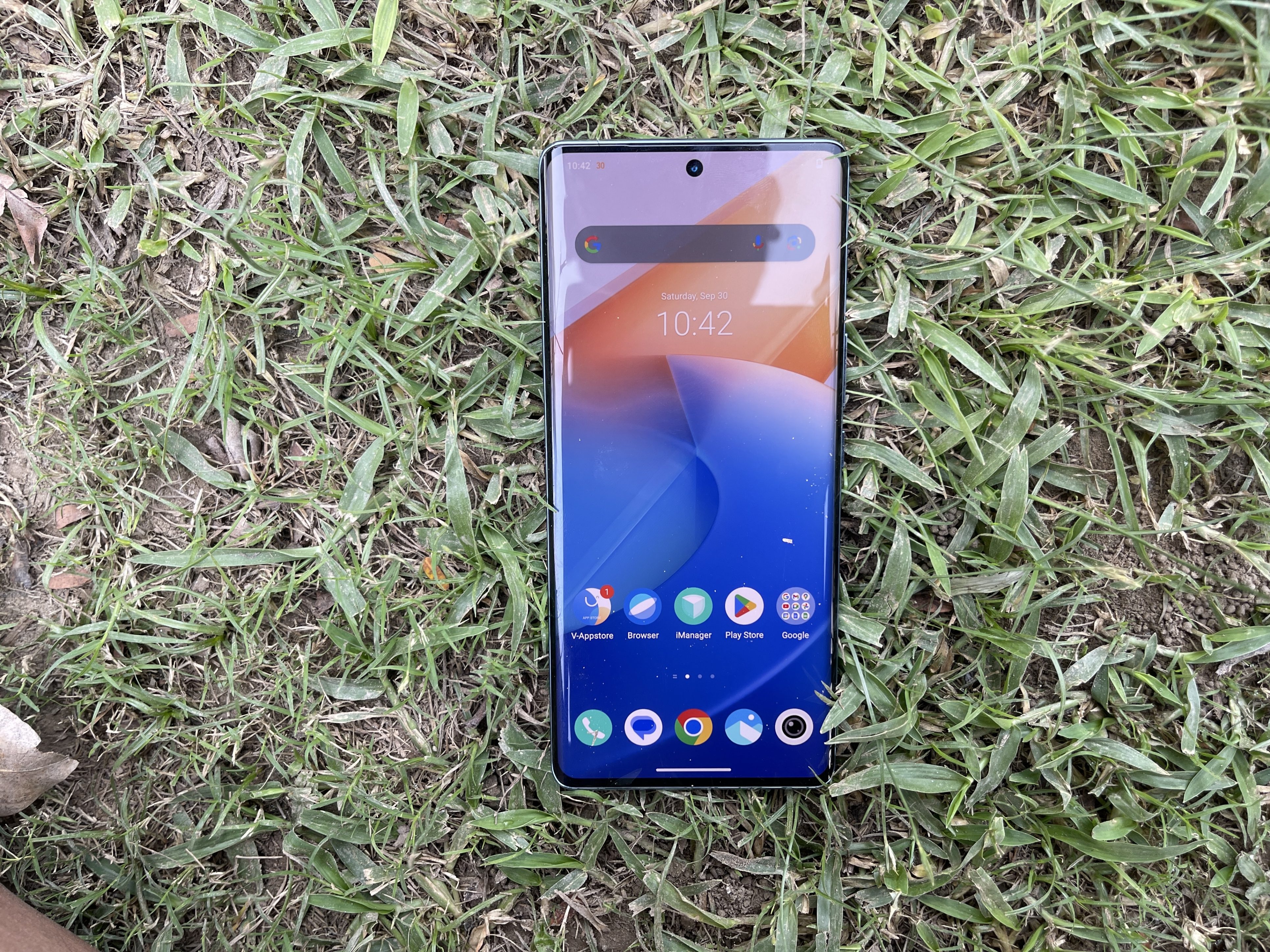
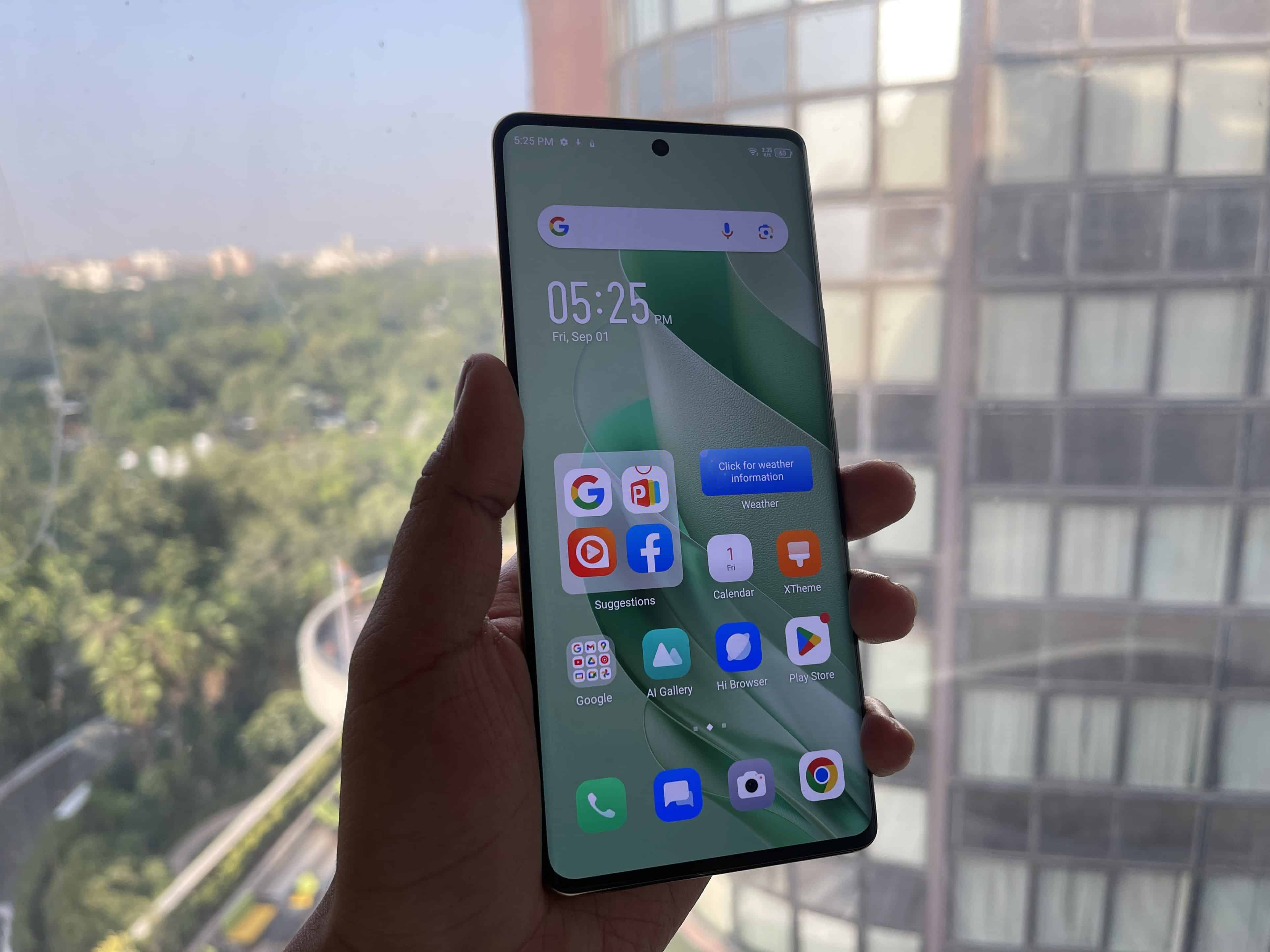
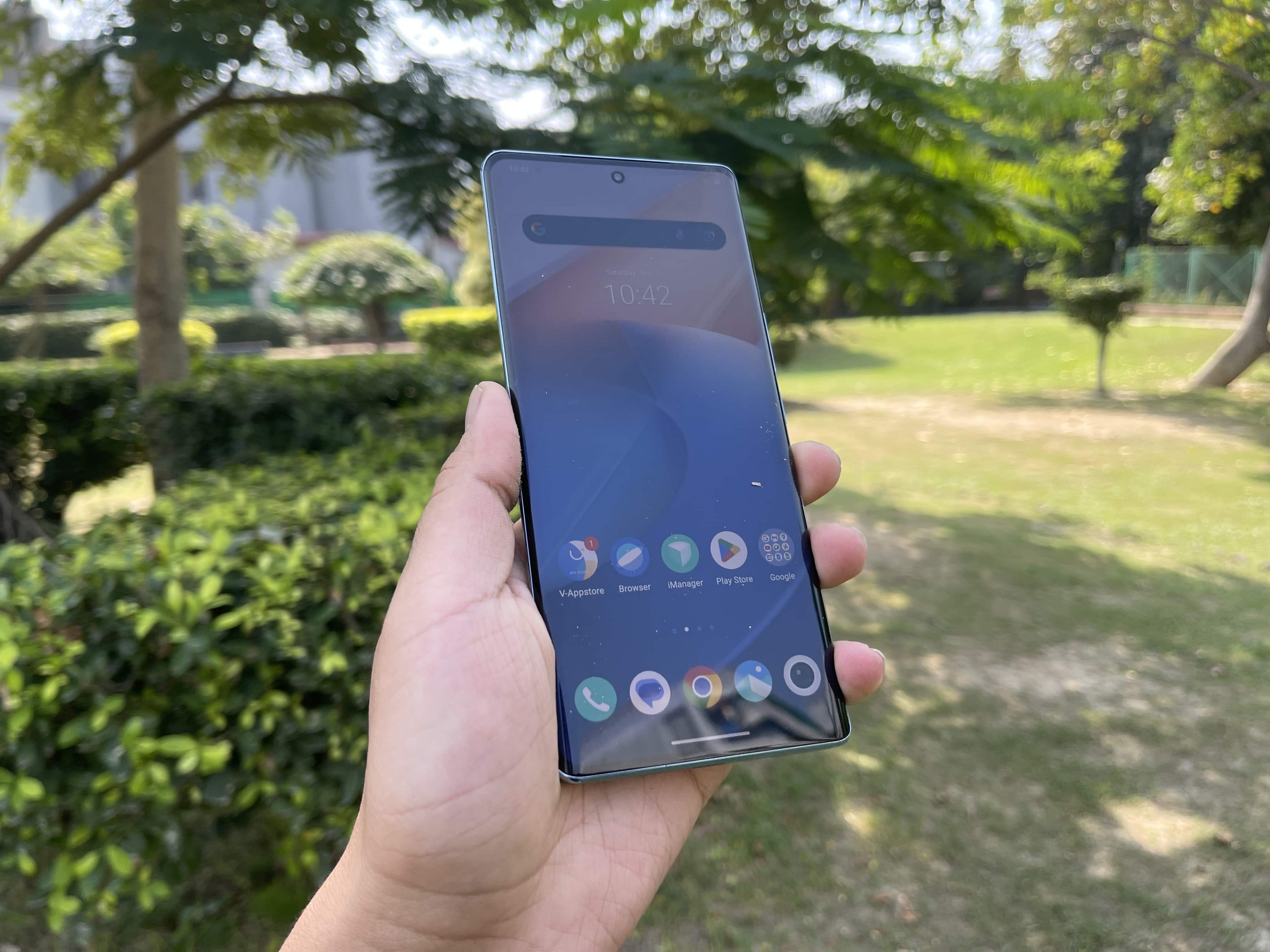
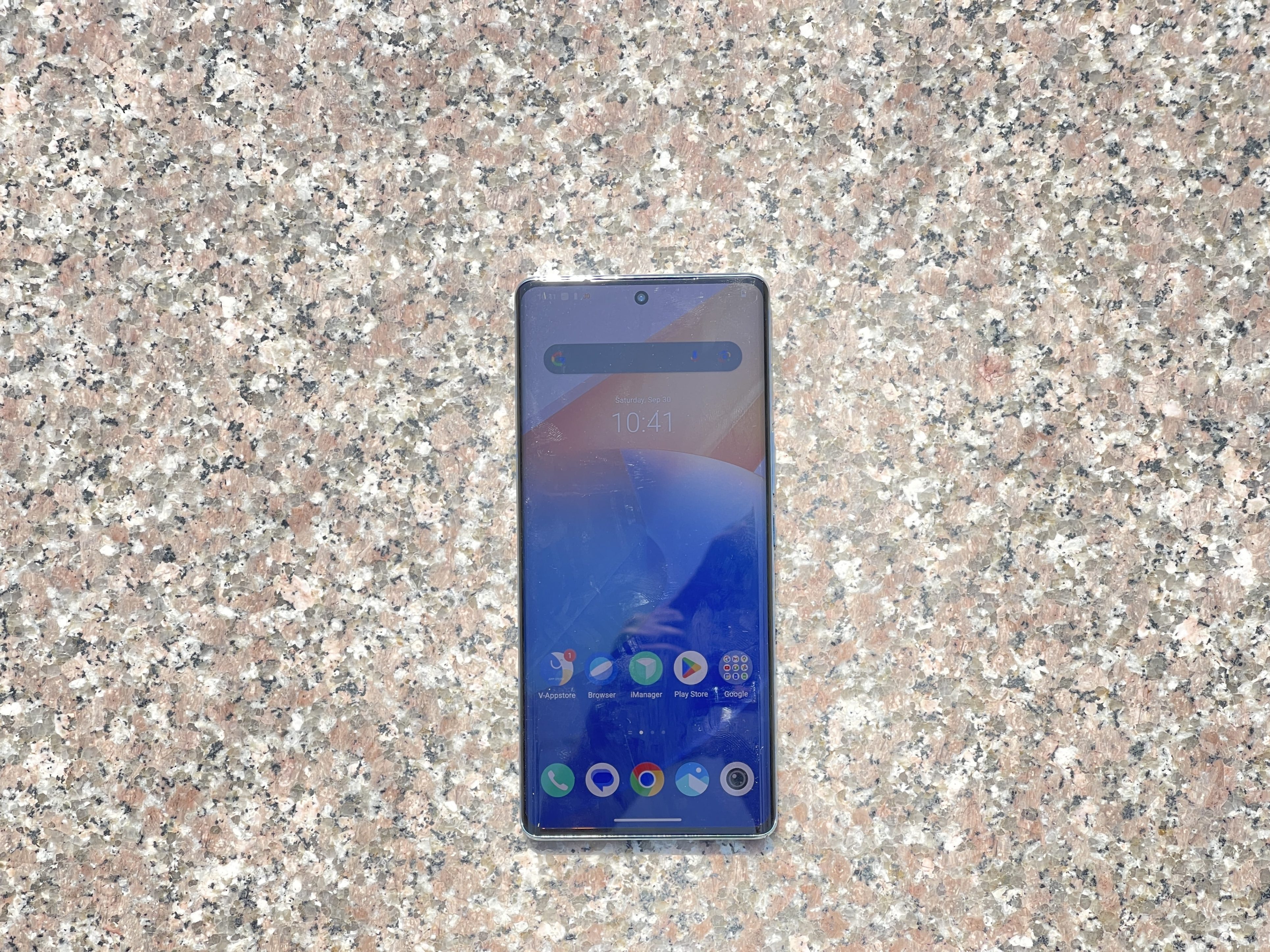
The iQOO Z7 Pro features a 6.7-inch AMOLED panel that gracefully curves along the sides, a design choice increasingly popular in mid-range smartphones.
The curvature not only minimizes bezels but also enhances the device’s visual appeal. iQOO has successfully mitigated the issue of accidental touches on the curved screen, an accomplishment that deserves praise.
The display panel is impressively bright, offering excellent visibility even under harsh sunlight.
Adding to the fluidity of the user interface is the panel’s 120Hz refresh rate, which ensures a smooth and seamless navigation experience.
Coupled with a capable chipset, the phone guarantees that elements like web pages and apps load without any stuttering, making the overall browsing experience quite enjoyable.
As for colour reproduction, we set the device to a vibrant colour profile, which rendered punchy and dynamic visuals.
The device doesn’t stop at just delivering vibrant colours; it also offers HDR10+ certification.
This feature, often found in higher-priced phones, considerably enriches content streaming on OTT platforms like Netflix.
iQOO Z7 Pro: Camera
iQOO Z7 Pro: Camera
The iQOO Z7 Pro’s camera system is a mixed bag, offering some highs but also revealing notable shortcomings.
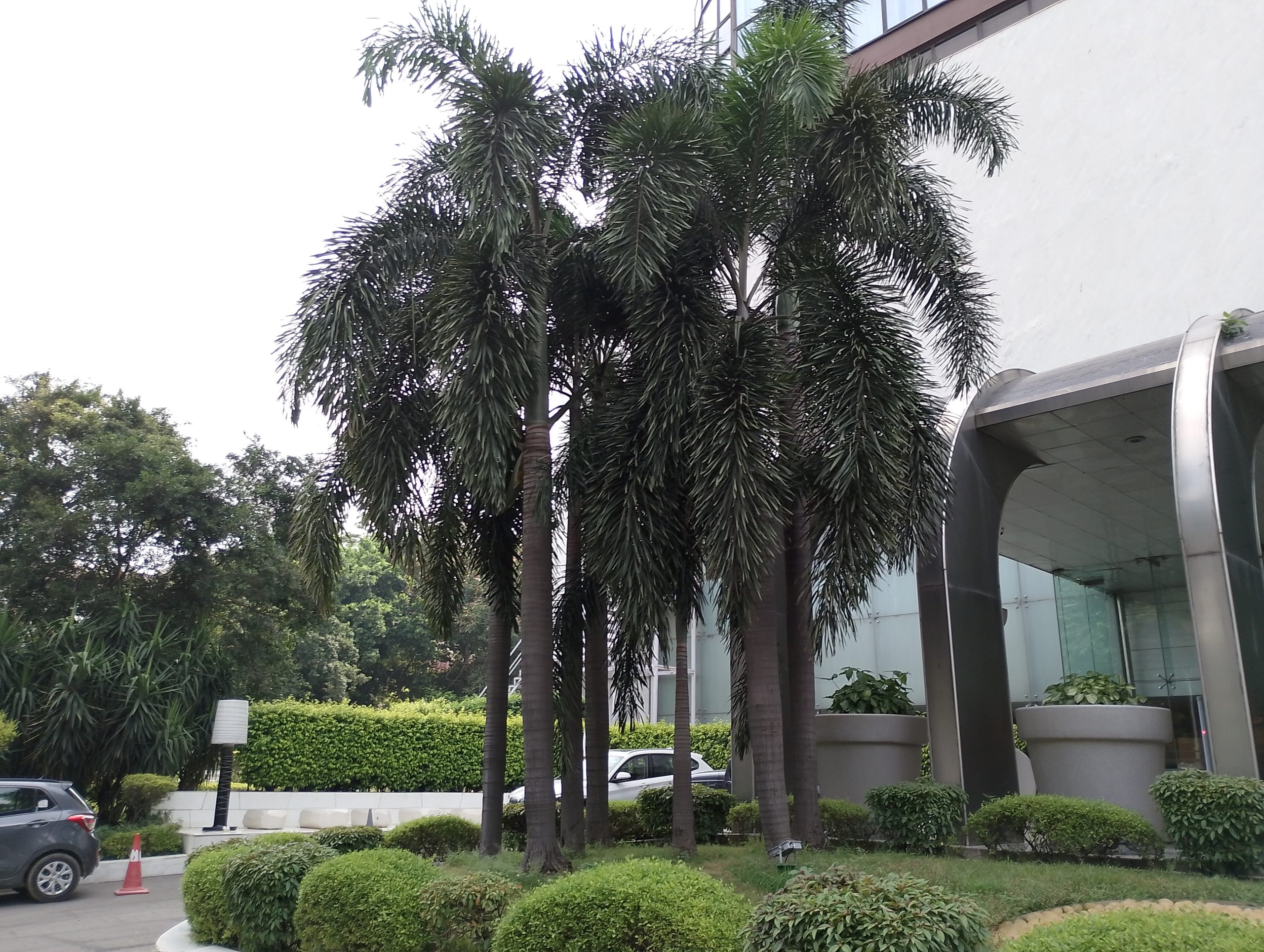
The 64MP primary camera, promoted as one of the phone’s standout features, delivers solid results but not without limitations.
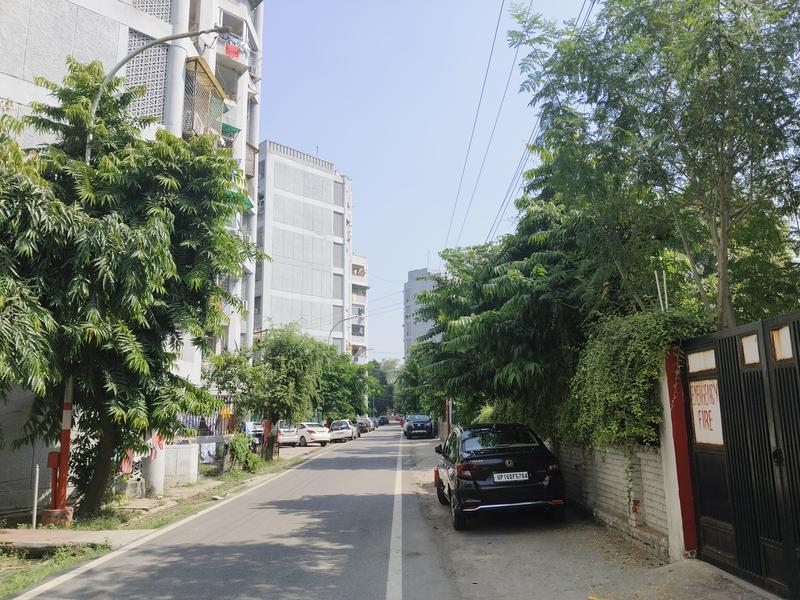
While it performs well in good lighting, it falls short when it comes to dynamic range, especially when compared to competitors in the same price bracket.
Nonetheless, the camera maintains iQOO’s tradition of punchy colour output. It also provides commendable sharpness and contrast across various lighting conditions.
Though the focusing speed leaves room for improvement, the shutter speed is more than adequate, and the manual exposure slider functions impressively.
One glaring omission is the absence of ultra-wide or macro lenses, which is surprising given the device’s price point.
The 2MP depth sensor is merely serviceable, and its utility is often eclipsed by the phone’s adept AI-based edge detection for bokeh effects.
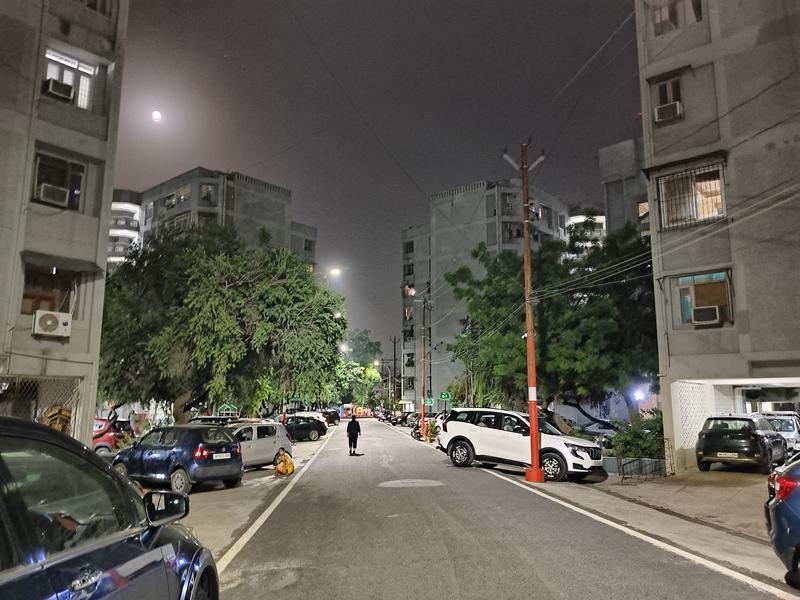
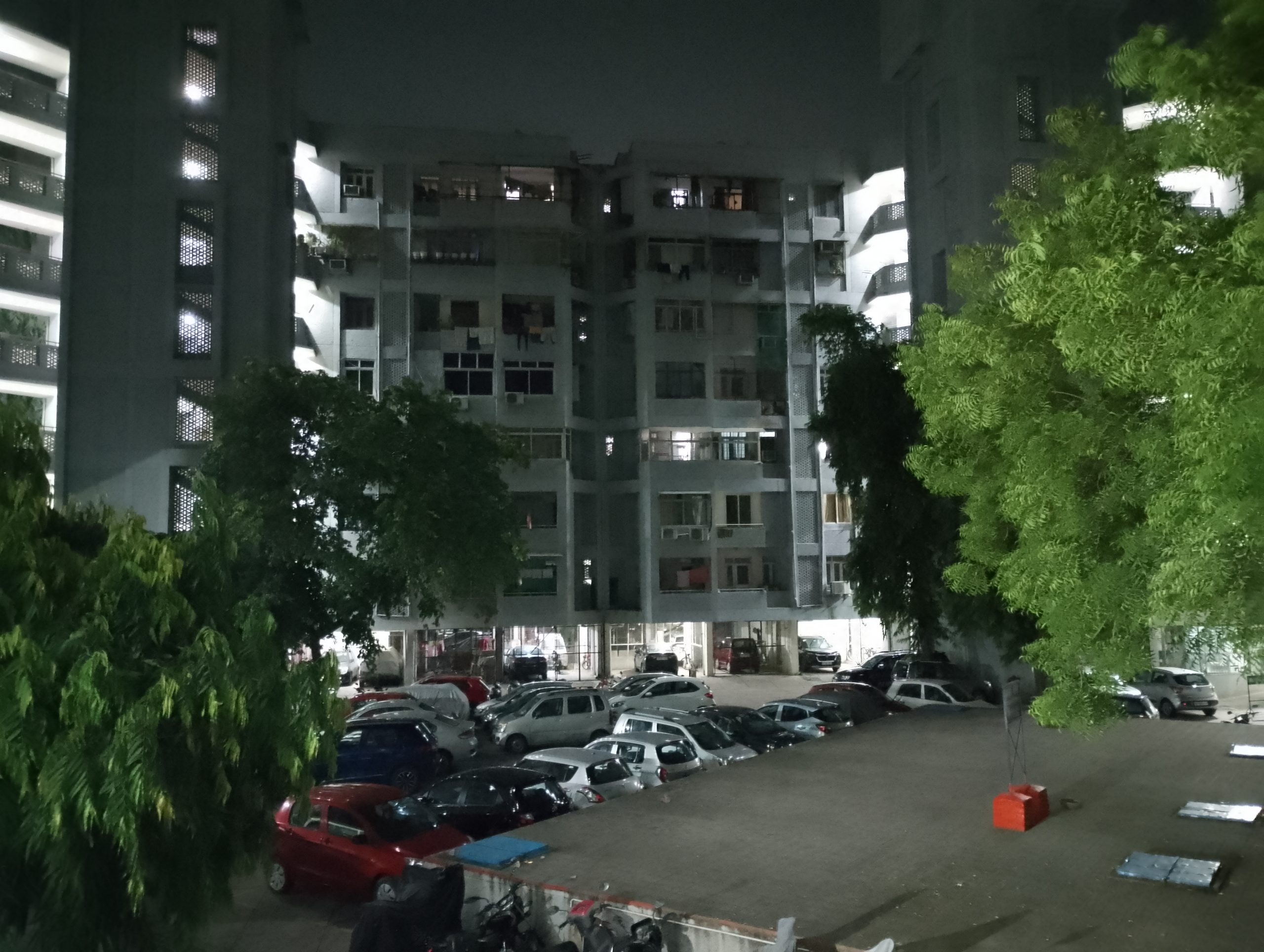
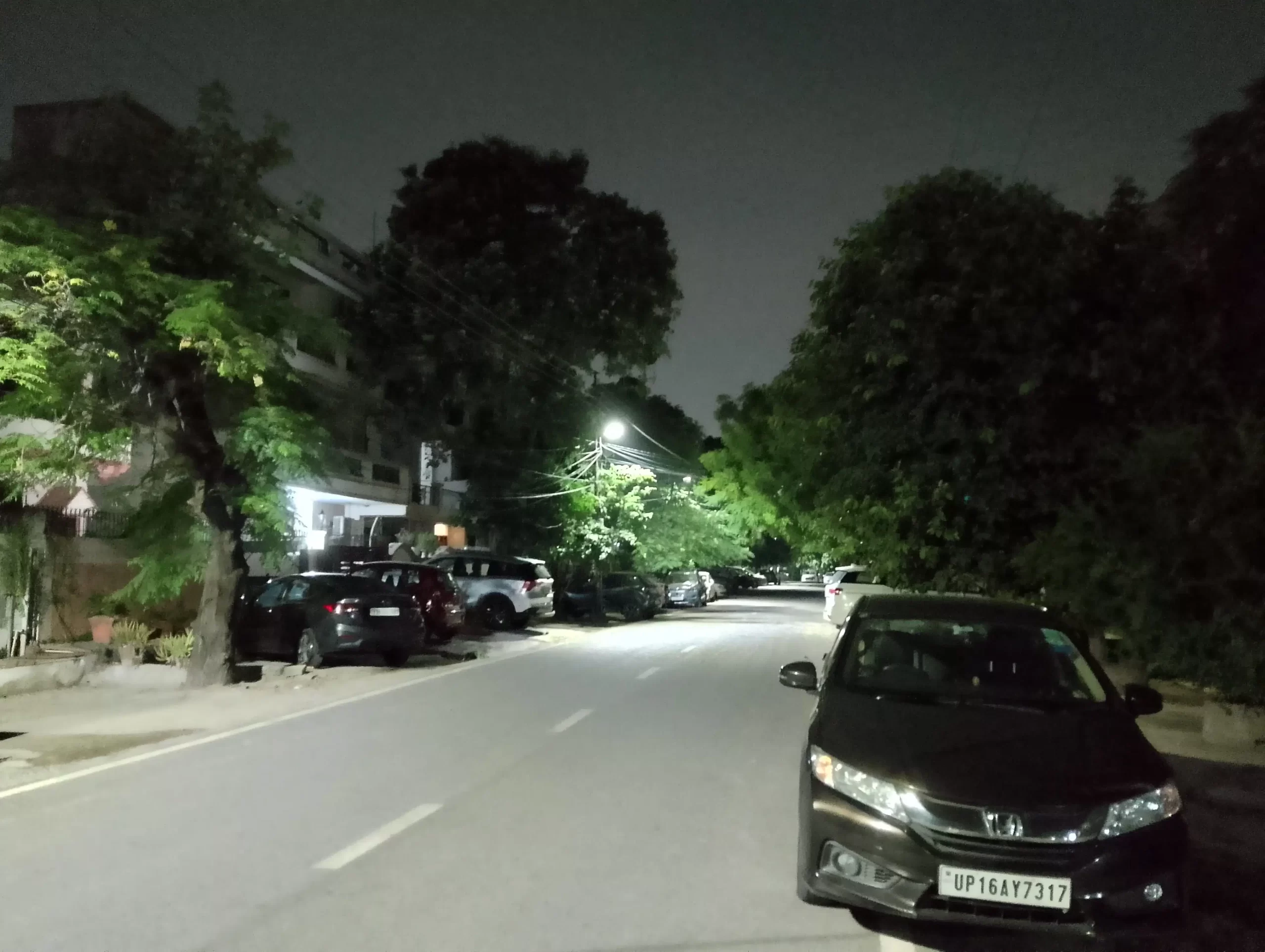
Low-light photography is another area where the phone struggles. Though you can get some utility from the Aura Light flash feature, it doesn’t provide natural tones. The dedicated Night mode is inconsistent, often missing the mark on delivering good low-light shots.
On a brighter note, the 16MP front-facing camera, housed in a punch-hole cutout, excels at capturing selfies.
It delivers skin tones and facial details that are more than satisfactory.
iQOO Z7 Pro: Performance and Features
iQOO Z7 Pro: Performance and Features
When it comes to performance, the iQOO Z7 Pro is no slouch.
Powered by the Dimensity 7200 SoC, a 4nm chipset featuring a competent CPU and GPUsetup, the device lives up to iQOO’s reputation for performance-oriented smartphones.
While design elements do take some precedence in this model, the phone’s standard benchmarking scores affirm its capabilities.
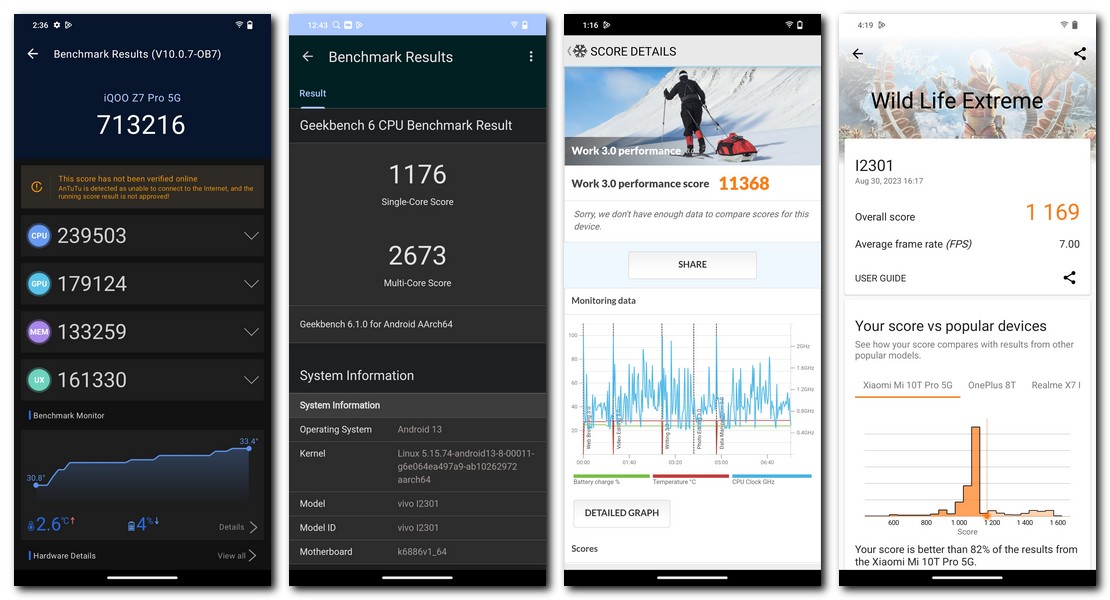
For instance, it registered a multi-core score of 2,673 onGeekbench 6 and 713,216 on AnTuTu, results that, while not groundbreaking, are more than sufficient for everyday use.
The Z7 Pro comes equipped with GB of physical RAM complemented by an additional 8GB of virtual RAM.
Storage options of 128GB and 256GB are available. Remarkably, the device sustains over 90% of its peak performance even under heavy loads.
Gaming is another strong point, as the phone smoothly handles 60fps BGMI gameplay at HD graphics settings, exceeding expectations for a device in this segment.
In terms of audio, the Z7 Pro offers a single bottom-firing speaker.
While a stereo setup would have been a welcome addition, the existing speaker delivers respectable sound quality.
Biometric authentication is facilitated via an in-display fingerprint sensor, which performs quickly and accurately.
Additionally, the device is 5G-ready, and during testing on Airtel’s Noida network, it showcased its 5G capabilities impressively.
iQOO Z7 Pro: Software and Battery
iQOO Z7 Pro: Software and Battery
In the realm of software, the iQOO Z7 Pro comes pre-installed with FunTouch OS 13,Vivo’s proprietary skin, layered over Android 13.
While the software is far from bloat-free, it does offer a plethora of customization options.
Users have the liberty to uninstall pre-loaded apps that they find redundant.
Additional features such as customizable UI icons,album-hiding capabilities, and thermal management via the iManager Coolingphone app add to the user experience.
For gaming enthusiasts, the device offers an ultra-gaming mode to ensure an immersive and distraction-free experience.
It also comes with six motion gestures to grant players enhanced in-game control. Importantly, Vivo has committed to providing two years of major software and security updates for the device.
Adding to this, theiQOO Z7 Pro is slated to receive an upgrade toAndroid 14, reinforcing Vivo’s strong track record for software support.
The iQOO Z7 Pro features a 4,600mAh battery, which is slightly less capacious compared to the standard 5,000mAh offerings in the same price range.
While the device managed to deliver around 5 hours of screen-on time, there is room for improvement in this aspect.
Nevertheless, the phone can comfortably last through a full day of use, eliminating the need to carry a charger to work.
Enhancing the battery experience is the inclusion of Vivo’s 67W fast charging support, which quickly replenishes the battery, meeting your power requirements in a flash.
iQOO Z7 Pro: Final Verdict
iQOO Z7 Pro: Final Verdict
The iQOO Z7 Pro is a welcome evolution in iQOO’s traditionally performance-oriented portfolio, introducing a striking design language.
Its key strengths include a vibrant AMOLED display, consistent performance, and a variety of software features courtesy of FunTouch OS 13.
Vivo’s commitment to software updates, including an upgrade to Android 14, is a significant plus.
On the downside, the device doesn’t quite hit the mark in terms of camera capabilities, and its 4,600mAh battery could offer a bit more endurance.
If these are not deal-breakers for you, the iQOO Z7 Prodelivers a comprehensive package that makes it a strong contender in its price bracket.
FAQs
What is the starting price of the iQOO Z7 Pro and what does it offer for this price?
The iQOO Z7 Pro is competitively priced, starting at Rs 23,999. At this price point, you get a well-designed phone with a slim profile, a 64MP primary camera, a Dimensity 7200 SoC, and a host of software features running on FunTouch OS 13 layered over Android 13.
Does the iQOO Z7 Pro feature any ultra-wide or macro camera? If not, how does it compensate?
Unfortunately, the iQOO Z7 Pro does not offer ultra-wide or macro lenses, a surprising omission for a device in this price range. However, the 64MP primary camera and 2MP depth sensor are designed to capture detailed and vibrant images, and the phone employs AI-based edge detection for bokeh effects to somewhat make up for this lack.
What chipset is under the hood of the iQOO Z7 Pro and what kind of performance can users expect?
The device houses the MediaTek Dimensity 7200 SoC, a 4nm chipset featuring a strong CPU-GPU combination. This chipset ensures smooth performance across a variety of tasks, from web browsing to gaming. The phone also scored 2,673 on Geekbench 6 and 713,216 on AnTuTu, indicating good overall performance.
What is the battery life like on the iQOO Z7 Pro and does it support fast charging?
The iQOO Z7 Pro comes with a 4,600mAh battery, which is a bit less capacious compared to the standard 5,000mAh batteries in phones in a similar price bracket. However, it still offers around 5 hours of screen-on time and can last through a full day. Additionally, the phone supports Vivo’s 67W fast charging technology, which quickly refuels the battery when needed.
Thesub Rs 10,000 category of smartphones caters to budget-conscious consumers seeking affordable yet capable devices.
In this competitive segment, users can find a wide range of options, each offering a unique set of features.
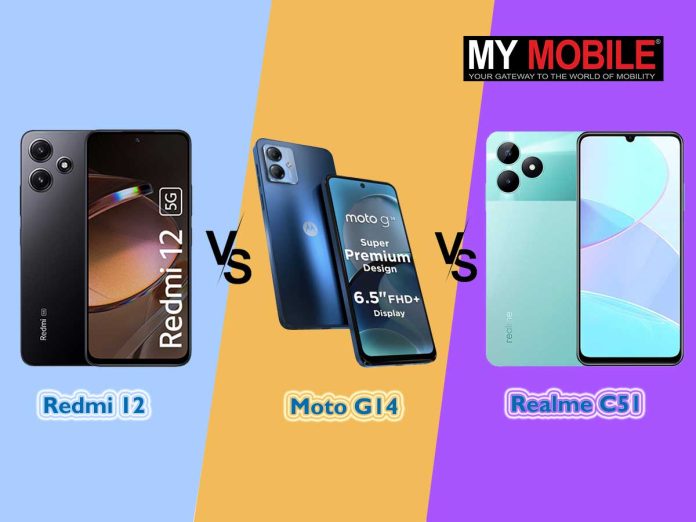
Three contenders that have recently made their way into the sub Rs 10,000 category are the Redmi 12, the Moto G14, and the Realme C51.
Each of these smartphones offers a unique set of features and specifications that cater to different user preferences and needs.
In this comprehensive comparison, we will delve into the key features of these three devices to help you decide which one deserves the title of the sub Rs 10,000 champion.
Let’s start with a quick glance at the key specification comparison.
Redmi 12 VS Moto G14 VS Realme C51 – Key Specs Comparison
Overview
Redmi 12
Moto G14
Realme C51
Display
6.79″ (17.25 cm) 90Hz IPS LCD Display
6.5″ (16.51 cm) 60Hz IPS LCD Display
6.74″ (17.12 cm) 90Hz IPS LCD Display
Processor
MediaTek Helio G88 Octa-core
Unisoc Octa-core Processor
Unisoc Octa-core Processor
RAM & Storage
4 GB RAM | 128 GB Storage
4 GB RAM | 128 GB Storage
4 GB RAM | 64 GB Storage
Rear Camera
50 MP + 8 MP + 2 MP
50 MP + 2 MP
50 MP + 0.08 MP
Front Camera
8 MP Front Camera
8 MP Front Camera
5 MP Front Camera
Battery
5000 mAh
5000 mAh
5000 mAh
Charging
18 W Fast Charging Battery
20 W Fast Charging Battery
33 W Fast Charging Battery
OS
Android v13 OS
Android v13 OS
Android v13 OS
Network
Dual SIM: 4G & 4G Network
Dual SIM: 4G & 4G Network
Dual SIM: 4G & 4G Network
Price
Rs 9,999
Rs. 8,999
Rs 8,999
Redmi 12 VS Moto G14 VS Realme C51 – Design and Build Quality
The Redmi 12 embraces a classic design with its boxy body and flat frame, giving it a vintage aesthetic. However, it adds a touch of elegance with its crystal glass back.
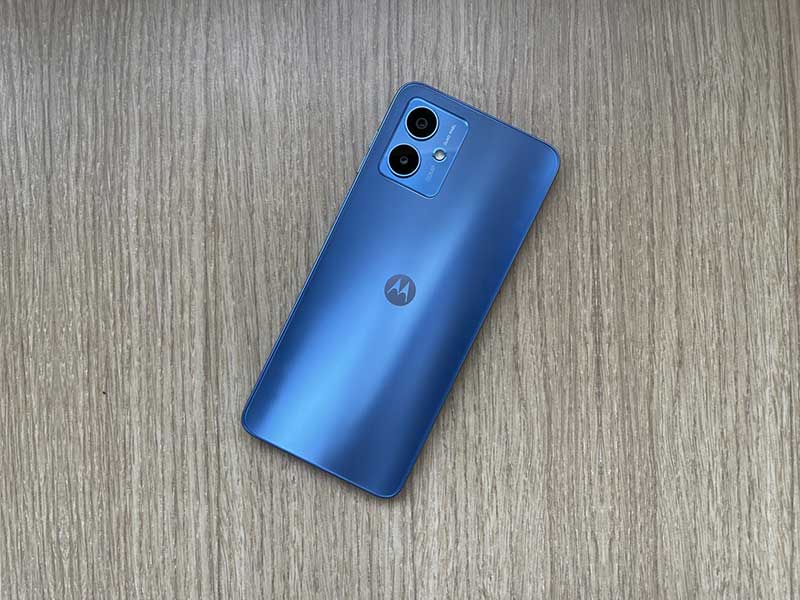
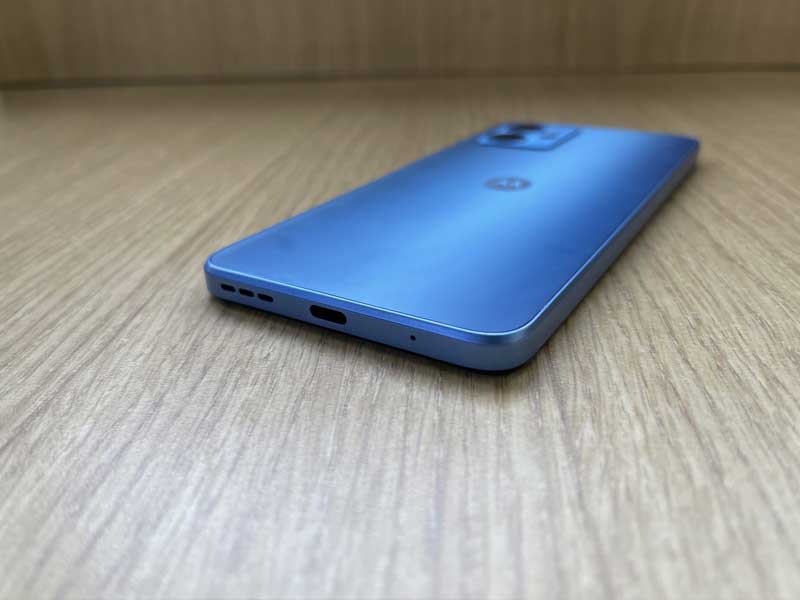
In contrast, the Moto G14 features a sleek matte finish on its back, exuding a premium feel that stands out among other budget phones.
As for Realme C51, it also adopts a boxy body design but elevates its look and feel with a dual-tone finish on the back and a durable plastic build.
Its modern flat edges enhance comfort, ensuring a pleasant grip without any bulkiness.
Ultimately, design preference is highly subjective, and users should choose the smartphone that aligns with their personal style and ergonomic preferences.
Redmi 12 VS Moto G14 VS Realme C51 – Display
The Redmi 12 boasts a large 6.79-inch IPS LCD display with a 90Hz refresh rate. This combination should provide smooth scrolling and an overall enjoyable viewing experience, especially for gaming and multimedia consumption.
The Moto G14 features a slightly smaller size – a 6.5-inch IPS LCD display with a 60Hz refresh rate.
While it may not match the Redmi 12 in terms of refresh rate, it still offers decent visuals for everyday use.
The Realme C51sports a 6.74-inch IPS LCD display with a 90Hz refresh rate,striking a good balance between size and smoothness.
It should offer an enjoyable viewing experience, similar to the Redmi 12.
In terms of display quality, both the Redmi 12 and Realme C51 offer90Hz refresh rates, which can make a noticeable difference in daily usage compared to the Moto G14’s 60Hz display.
Redmi 12 VS Moto G14 VS Realme C51 – Performance
Under the hood, the Redmi 12 is powered by the MediaTek Helio G88 octa-core processor, coupled with 4 GB of RAM and 128 GB of storage.
This combination should provide decent performance for everyday tasks, gaming, and multitasking.
The device also runs on Android v13 OS, which is Xiaomi’s custom skin based on Android.
The Moto G14, on the other hand, is equipped with a Unisoc octa-core processor, 4 GB of RAM, and 128 GB of storage.
While the processor may not be as well-known as MediaTek or Qualcomm, it should still deliver reliable performance for most users.
Like the Redmi 12, it runs on Android v13 OS.
The Realme C51 too features a Unisoc octa-core processor, 4 GB of RAM, and 64 GB of storage.
While it has slightly less storage compared to the other two devices, it compensates with other unique selling points.
In terms of performance, all three devices offer similar specifications in terms of RAM and storage.
However, the Redmi 12 and Moto G14 have a slight edge with their MediaTek and Unisoc processors, which are generally known for better performance in this price range.
Redmi 12 VS Moto G14 VS Realme C51 – Camera Capabilities
The Redmi 12 boasts a triple-camera setup on the rear, with a 50 MP primary sensor, an 8 MP ultra-wide lens, and a 2 MP macro camera.
For selfies, it features an 8 MP front camera. These specifications indicate that it should be capable of capturing decent photos and videos in various scenarios.
Then we have the Moto G14, which also offers a triple-camera setup on the back, with a 50 MP primary camera and a 2 MP depth sensor.
It has an 8 MP front camera for selfies and video calls.
While it lacks an ultra-wide and macro lens, the primary camera should still deliver satisfactory results.
The Realme C51, on the other hand, comes with a dual-camera setup on the rear, featuring a 50 MP primary sensor and a unique 0.08 MP secondary sensor.
On the front, it has a 5 MP selfie camera.
The low-resolution secondary sensor may limit its versatility in certain photography scenarios, but the primary camera should still perform well.
When it comes to camera capabilities, the Redmi 12 offersthe most versatile setup with its ultra-wide and macro lenses.
However, the Moto G14 and Realme C51 both feature a 50 MP primary camera, which is impressive for this price range.
Redmi 12 VS Moto G14 VS Realme C51 – Battery and Charging
The Redmi 12 is equipped with a 5000 mAh battery and supports 18 W fast charging.
While not the fastest charging speed available, it should still provide a reasonable charging experience and excellent battery life, especially with the power-efficient MediaTek Helio G88 processor.
The Moto G14 also packs a 5000 mAh battery but offers slightly faster 20 W fast charging.
This combination should ensure a good balance between battery life and charging speed, keeping users connected throughout the day.
The Realme C51 stands out in terms of charging speed, featuring a 33 W fast charging battery.
With its 5000 mAh battery, it should provide quick top-ups and extended usage between charges.
When it comes to battery and charging, the Realme C51 takes the lead with its fast charging capabilities.
However, all three devices offer a sizable 5000 mAh battery, ensuring extended usage on a single charge.
The Redmi 12 stands out with its large 90Hz display, versatile camera setup, and reliable MediaTek processor.
The Moto G14, on the other hand, provides a stock Android experience and a reasonable overall package.
Meanwhile, the Realme C51 offers fast charging and a 90Hz display, appealing to users looking for quick top-ups and a smoother user interface.
Ultimately, the choice between these three smartphones depends on your specific needs and preferences.
If you prioritize a high-refresh-rate display and camera versatility, the Redmi 12 is an excellent choice.
If you prefer a stock Android experience and reliable performance, the Moto G14 is a strong contender.
And if fast charging is a must for you, the Realme C51 delivers on that front.
Each of these devices offers great value for the price, and your choice will ultimately depend on your individual priorities and preferences in a budget smartphone.
Redmi 12 Camera Samples
Moto G14 Camera Samples
Realme C51 Camera Samples
FAQs
Q1. What is the display size and refresh rate of the Redmi 12?
Answer. The Redmi 12 features a large 6.79-inch IPS LCD display with a smooth 90Hz refresh rate.
Q2. What is the camera setup on the Moto G14?
Answer. The Moto G14 features a triple-camera setup with a 50 MP primary camera and a 2 MP depth sensor. It offers an 8 MP front camera.
Q3. How fast does the Realme C51 charge, and what is its battery capacity?
Answer. The Realme C51 features a 5000 mAh battery and supports an impressive 33 W fast charging.
Q4. What is the processor and RAM configuration of the Redmi 12?
Answer. The Redmi 12 is powered by the MediaTek Helio G88 octa-core processor, coupled with 4 GB of RAM.
Q5. What is the processor and RAM configuration of the Moto G14?
Answer. The Moto G14 features a Unisoc octa-core processor with 4 GB of RAM.
Starting prices for Redmi Note 12 and Redmi Note 12 5G slashed to Rs 13,999 and Rs 10,999 respectively.
Extra Rs 2,000 discount on Redmi Note 12 5G and Rs 1,000 on Redmi Note 12 with specified bank credit cards.
Reward Mi members can avail additional Rs 500 discount through special coupon.
Redmi Earphones worth Rs 599 are available at just Rs 49 with each Redmi Note 12 series purchase.
As the festive season looms, Xiaomi is setting the stage for its annual Diwali with Mi sale, promising a slew of enticing discounts and deals.
One of the star attractions of the sale will be the Redmi Note 12 and its 5G counterpart, both of which are now available at newly slashed prices.
Pricing and Discounts on Redmi Note 12 Series
Xiaomi is making the Redmi Note 12 available at a starting price of Rs 13,999, down from its original price of Rs 14,999 for the 6GB + 128GB variant.
Its 5G variant comes with an initial price tag of Rs 10,999. These prices are inclusive of additional bank offers from financial institutions like ICICI, HDFC, SBI, and Axis.
Redmi Note 12 5Gbuyers will find an array of configuration choices, ranging from 4GB + 128GB to 8GB + 256GB.
Each variant comes with a discount of up to Rs 2,500, with an additional flat discount of Rs 2,000 if purchased through specified bank credit cards.
Redmi Note 12 5G Pricing Details
Redmi Note 12 5G
4GB + 128GB: Diwali Price – Rs 15,999; With Bank Offer – Rs 13,999
6GB + 128GB: Diwali Price – Rs 17,499; With Bank Offer – Rs 15,499
8GB + 256GB: Diwali Price – Rs 19,499; With Bank Offer – Rs 17,499
The Redmi Note 12 is no slouch either, with two configurations: 6GB + 64GB and 6GB + 128GB.
Each of these variants receives a flat Rs 1,000 discount along with an extra Rs 1,000 off through credit card transactions.
Redmi Note 12 Pricing Details
Redmi Note 12 4G
6GB + 64GB: Diwali Price – Rs 11,999; With Bank Offer – Rs 10,999
6GB + 128GB: Diwali Price – Rs 13,999; With Bank Offer – Rs 12,999
Additional Perks
Moreover, Reward Mi members have the opportunity to shave off another Rs 500 from the device’s price using a special coupon redeemable through the Reward Mi portal.
Also, Xiaomi is tossing in a pair of Redmi Earphones, originally priced at Rs 599, for a mere Rs 49 with every Redmi Note 12 series purchase.
The Diwali with Mi sale offers an excellent opportunity to grab the Redmi Note 12 or Redmi Note 12 5G at discounted prices, making it the perfect time for those eyeing an upgrade or a new smartphone purchase this festive season.
FAQs
What are the new starting prices for the Redmi Note 12 and Redmi Note 12 5G during the Diwali with Mi sale?
The Redmi Note 12 is priced at Rs 13,999, and its 5G variant starts at Rs 10,999 during the sale.
Are there any extra discounts available on these smartphones?
Yes, an additional discount of Rs 2,000 is available on Redmi Note 12 5G and Rs 1,000 on Redmi Note 12 when purchased with specified bank credit cards.
What benefits do Reward Mi members get?
Reward Mi members can avail an extra Rs 500 discount through a special coupon redeemable on the Reward Mi portal.
Is there any offer on accessories during this sale?
Redmi Earphones, originally priced at Rs 599, are available at just Rs 49 with every purchase of a Redmi Note 12 series smartphone.
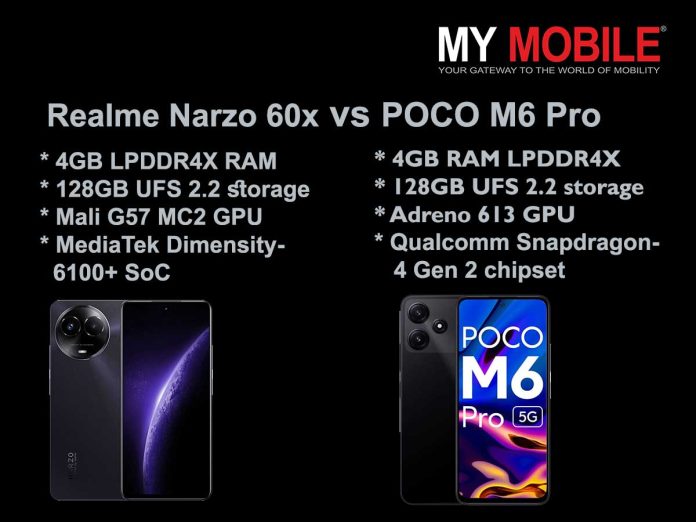
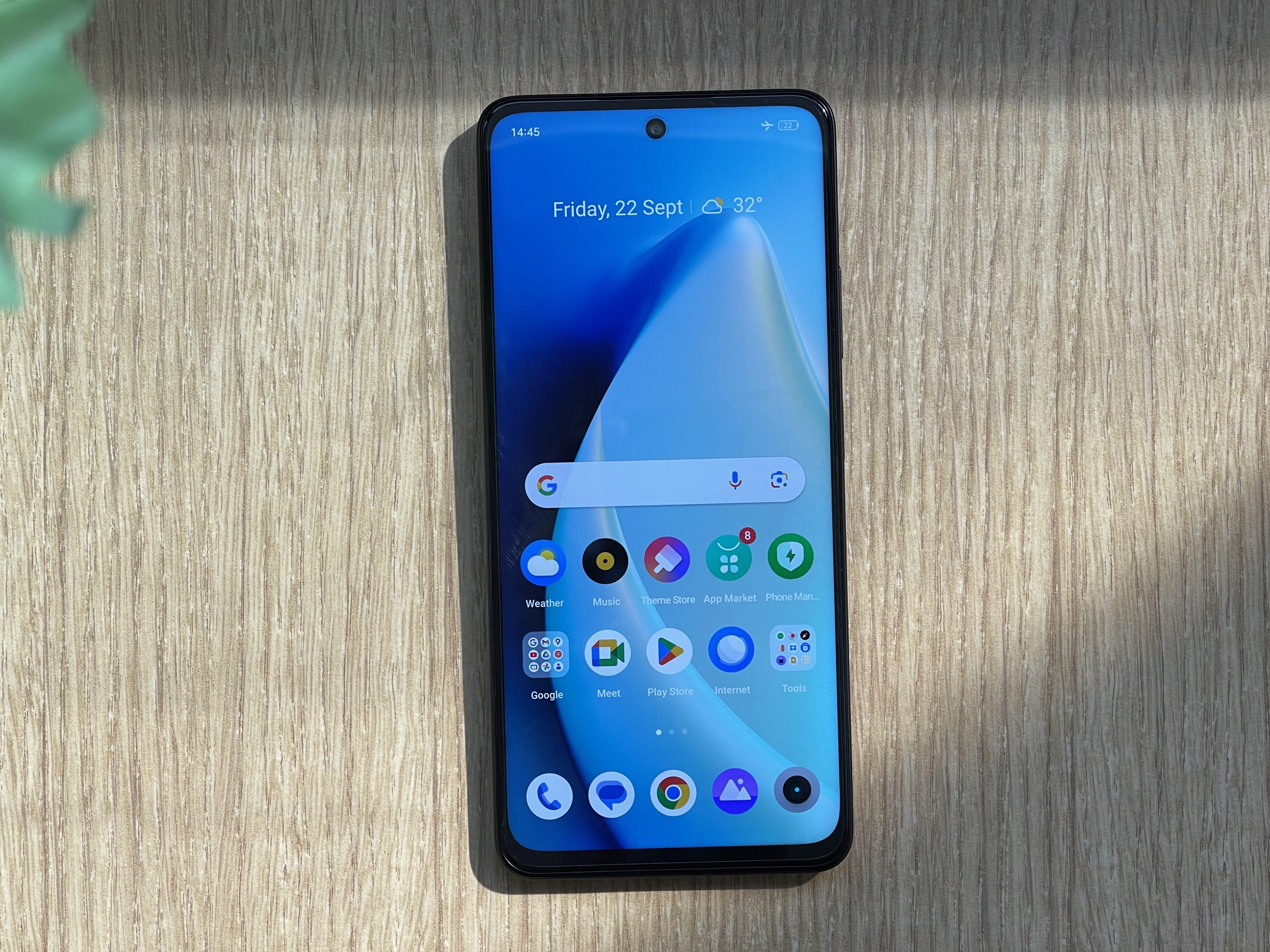
Realme Narzo 60x has MediaTek Dimensity 6100+ SoC and 93% CPU stability.
POCO M6 Pro excels in AnTuTu v10 and Geekbench 6 tests with Snapdragon 4 Gen 2 chipset.
Both phones have 4GB LPDDR4X RAM and 128GB storage.
Narzo 60x outperforms M6 Pro in BGMI gaming at 60fps.
Navigating the crowded landscape of budget smartphones can often feel like an insurmountable task, especially with the myriad of specifications and features that each new model throws into the mix.
The spotlight today falls on two strong contenders in this highly competitive market: the POCO M6 Proand the Realme Narzo 60x.
Positioned at attractive price points and boasting a suite of features that are performance-oriented, both phones have been the subject of extensive reviews.
We delve deep into a comprehensive comparison that scrutinises their performance metrics, hardware specifications, and practical usability, all to help you make an informed choice about which offers the better value for your hard-earned money.
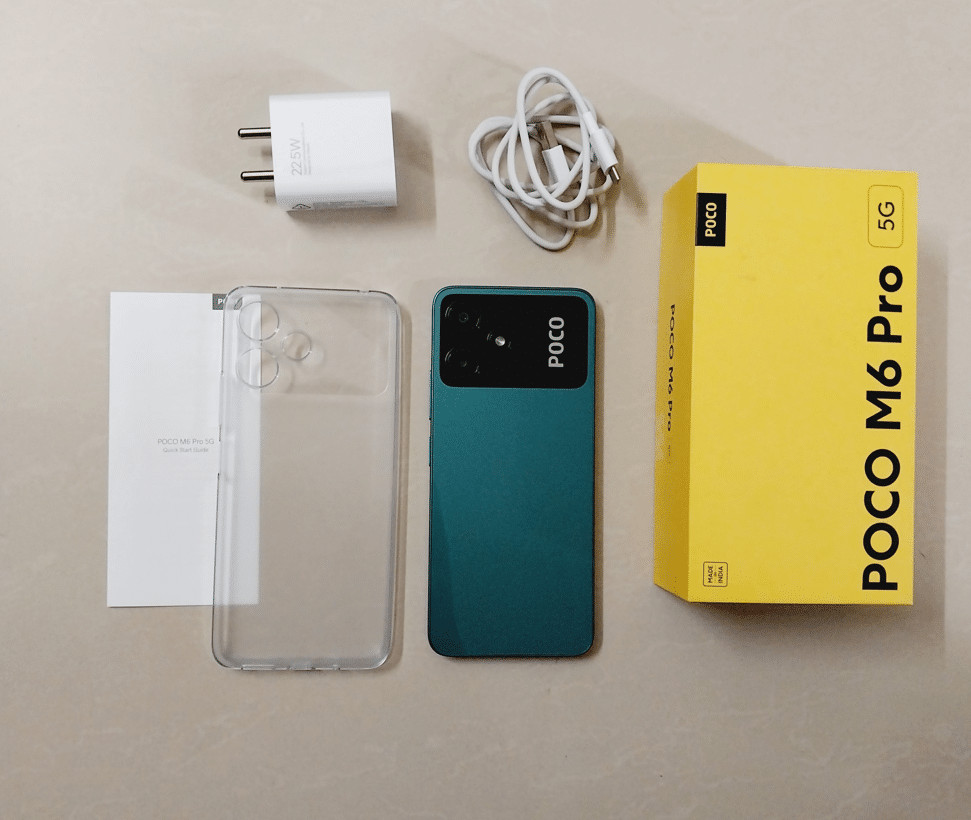
POCO M6 Pro: A Close Look
POCO M6 Pro
Qualcomm Snapdragon 4 Gen 2 chipset
4GB RAM LPDDR4X variant tested
128GB UFS 2.2 storage
AnTuTu v10 score: 446,310
Geekbench 6: 1918 multi-core, 855 single-core
91% CPU peak performance
Adreno 613 GPU
The POCO M6 Pro, priced at a compelling Rs 10,999, comes equipped with the Qualcomm Snapdragon 4 Gen 2 chipset, a choice aimed at providing balanced performance.
The review unit we received had 4GB of RAM and 128GB of storage. When subjected to the AnTuTu v10 benchmark, the device scored 4,46,310 points, slightly exceeding the brand’s own claims.
Geekbench 6 further revealed multi-core and single-core scores of 1918 and 855 points respectively.
Standard memory comes in the form of 4GB LPDDR4X RAM, which is in line with what most lower-tiered budget phones offer.
In terms of CPU performance, the POCO M6 Pro showed a throttle rate of about 91 percent of peak performance, quite satisfactory for the segment it operates in.
For the gamers out there, the phone houses an Adreno 613 GPU and can run popular titles like BGMIat medium graphics settings with a frame rate of 45fps.
The phone posted an AnTuTu V9 Lite score of 428,787 and Geekbench 6 multi-core and single-core scores of 1,893 and 727 respectively.
Similar to the POCO M6 Pro, it also comes standard with 4GB of LPDDR4X RAM and offers 128GB of UFS 2.2 storage.
CPU stability sits at an impressive 93 performance, slightly edging out its competitor.
For gaming performance, the device features a Mali G57 MC2 GPU, capable of running BGMI at 45fps at medium graphics settings, and even pushes it to 60fps if the graphics settings are lowered to smooth.
Realme Narzo 60x vs POCO M6 Pro: So Which Phone is Better?
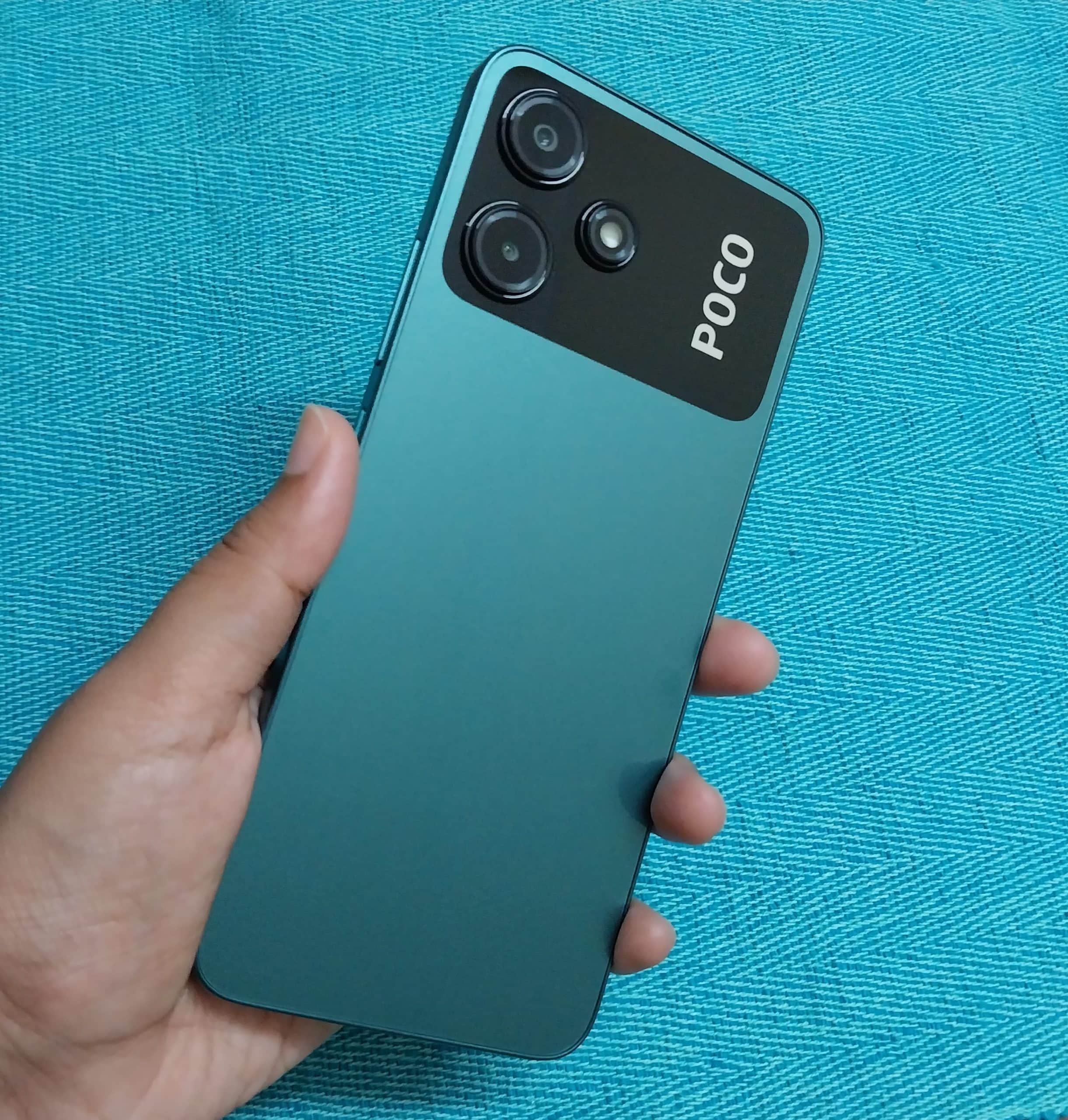
Poco M6 Pro 5G – Design
Benchmarks, while not the definitive measure of real-world performance, provide a useful frame of reference.
The POCO M6 Pro has a slight upper hand in benchmark testing, making it an appealing choice for those who prioritize general day-to-day tasks.
However, when it comes to gaming, the Realme Narzo 60x comes out on top, especially with its ability to run games at higher frame rates when the settings are adjusted.
CPU performance on both phones is fairly comparable, although the Narzo 60x offers a slight edge with its 93% stability rating.
Memory configurations are virtually identical on both devices, so either would serve well for standard multitasking needs.
Realme Narzo 60x vs POCO M6 Pro: Final Thoughts
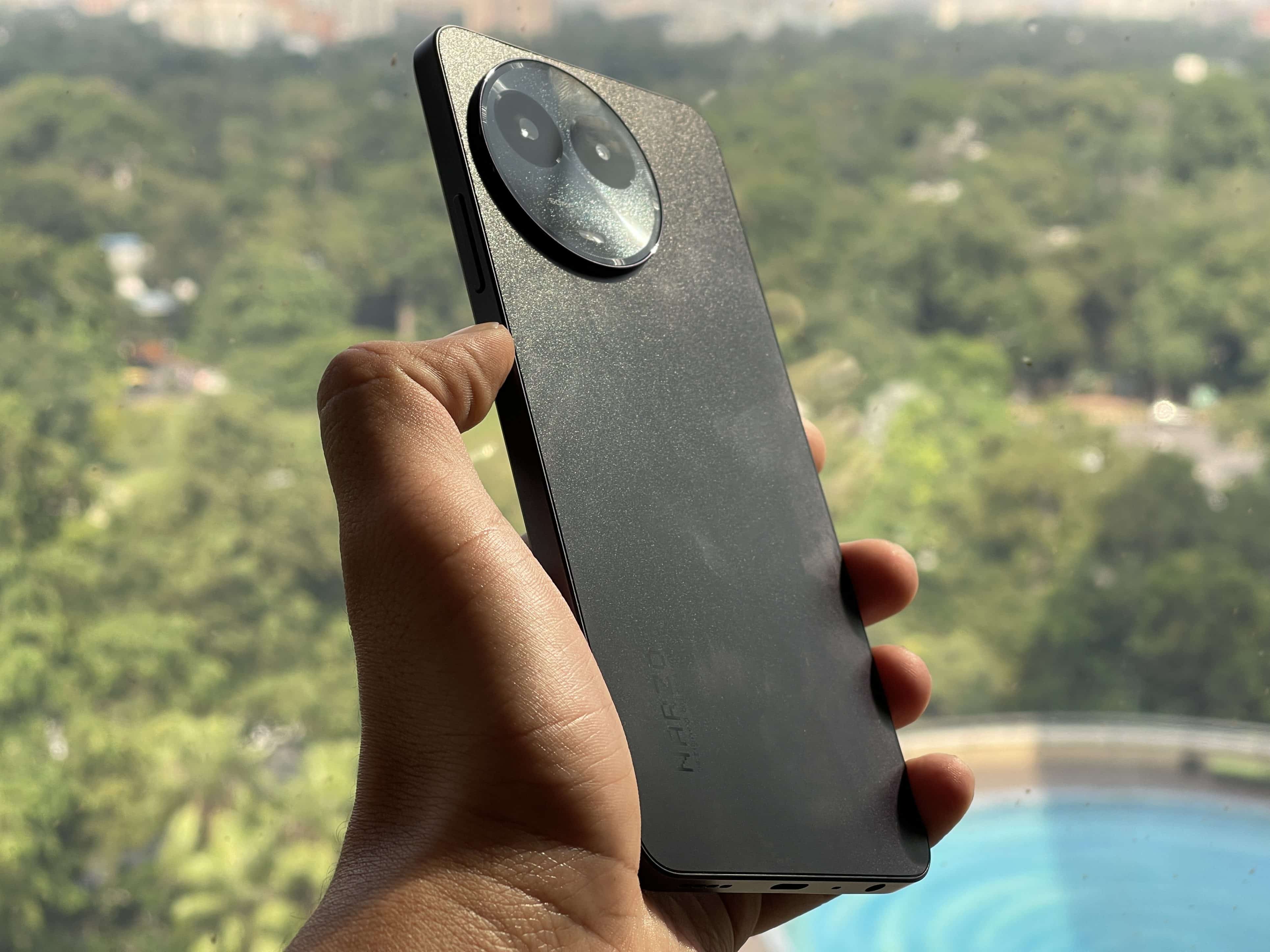
Realme Narzo 60X: Back View
In summary, the POCO M6 Pro and the Realme Narzo 60x offer different strengths in different areas.
If your day-to-day usage is more general and you are looking for slightly better benchmark performance, the POCO M6 Pro is the logical choice.
On the other hand, if gaming or graphics-intensive tasks are your priority, the Realme Narzo 60x might be the more apt selection.
Both phones are robust choices within their budget constraints, leaving the final decision down to what specific features you prioritize more.
Ques) What is the key difference in chipsets between the Realme Narzo 60x and the POCO M6 Pro?
The Realme Narzo 60x is powered by a MediaTek Dimensity 6100+ SoC, while the POCO M6 Pro houses a Qualcomm Snapdragon 4 Gen 2 chipset.
Ques) How do the two phones compare in terms of RAM and storage?
Both the Realme Narzo 60x and POCO M6 Pro come with 4GB of LPDDR4X RAM and 128GB of storage, making them similar in memory configurations.
Ques) Which phone offers better gaming performance?
While both devices can run BGMI at medium graphics at a 45fps frame rate, the Realme Narzo 60x offers the ability to run the game at 60fps when graphics are set to smooth.
Ques) Is CPU performance noticeably different between the two models?
The Realme Narzo 60x offers 93% CPU stability compared to the POCO M6 Pro’s 91%, making it slightly better in terms of CPU performance.
Immerse yourself in a terrifying future with The Callisto Protocol, a narrative-driven survival horror game.
Experience the joys and challenges of agrarian life in Farming Simulator 22, now featuring seasonal cycles.
Embark on a gritty fantasy adventure in the Wild West with the isometric action RPG, Weird West.
As we usher in October, PlayStation Plus is treating its members to another delectable assortment of games, available from Tuesday, October 3, until Monday, November 6.
This month, the titles on offer — The Callisto Protocol, Farming Simulator 22, and Weird West — promise a range of experiences, from nerve-wracking survival horror to the pastoral peace of digital farming.
Here, we take an in-depth look at each title to give you a clearer idea of what awaits you.
The Callisto Protocol: Survival Horror Reaches New Heights
The Callisto Protocol
Available on both PS5 and PS4, The Callisto Protocol takes players 300 years into the future to the moon of Jupiter, Callisto.
You assume the role of Jacob Lee, an unfortunate inmate in Black Iron Prison. When prisoners suddenly mutate into horrific creatures, the facility descends into chaos.
The game brilliantly marries third-person shooting with close-quarters combat.
Scavenging becomes just as important as fighting, as you must find new weapons, gear, and abilities to stand a chance against the ever-evolving threats.
With its compelling narrative and gruesome enemies, The Callisto Protocol promises a spine-chilling gaming experience that also delves deep into disturbing secrets hidden beneath Callisto’s icy surface.
Farming Simulator 22: Embrace the Agrarian Lifestyle
Farming Simulator 22
Farming Simulator 22, compatible with both PS5 and PS4, offers an expansive look into the life of a modern farmer.
The game features three rich, geographically distinct environments — from the United States to Europe.
Players have the liberty to explore various farming operations, focusing not just on agriculture but also on animal husbandry and forestry.
New to this edition are seasonal cycles, which bring an additional layer of realism to your farming activities.
Boasting over 400 machines and tools from real-life brands like John Deere and New Holland, the game offers an immersive and authentic farming experience.
The gameplay is further enriched by new categories of machines and crops, as well as the possibility of multiplayer farming, adding a social element to this robust simulator.
Weird West: A Gritty Fantasy Western Experience
Weird West
Weird West is another gem available for both PS5 and PS4. The game is an isometric action RPG set in a Wild West landscape where the frontier isn’t just home to outlaws and gunslingers but also to fantastical creatures.
Developed as a “sandbox simulation,” Weird West reacts dynamically to player choices.
The game offers multiple origin stories for different characters, each contributing to the grand narrative.
Be prepared to face tough decisions, as the choices you make have irreversible consequences, including the ultimate price — death.
Last Call for September’s Offerings
Just a reminder: PlayStation Plus members have until October 2 to claim last month’s games, which include Saints Row, Black Desert – Traveler Edition, and Generation Zero.
So whether you’re into the horrors of space, the challenges of farming, or the fantasy of the Wild West, October’s PlayStation Plus lineup has something for everyone.
Make sure to mark your calendars and get ready for a month of incredible gaming.
FAQs
Ques) What genres do the PlayStation Plus October 2023 Free Games cover?
The lineup covers a range of genres, from survival horror in The Callisto Protocol to simulation in Farming Simulator 22, to action RPG in Weird West.
Ques) Are these games compatible with both PS4 and PS5?
Yes, all the games in the October 2023 lineup are available for both PS4 and PS5.
Ques) How long are these games available for download?
These titles will be available for download from Tuesday, October 3, until Monday, November 6.
Ques) Are there any multiplayer features in these games?
Farming Simulator 22 offers multiplayer farming, enabling you to build and run a farm cooperatively with other players.
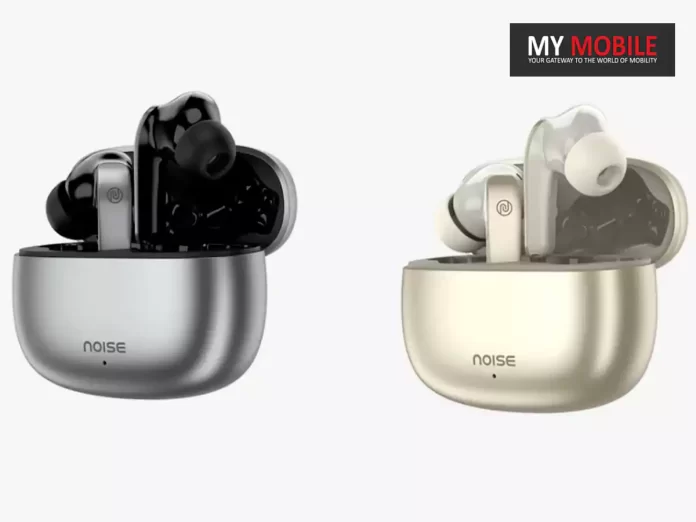
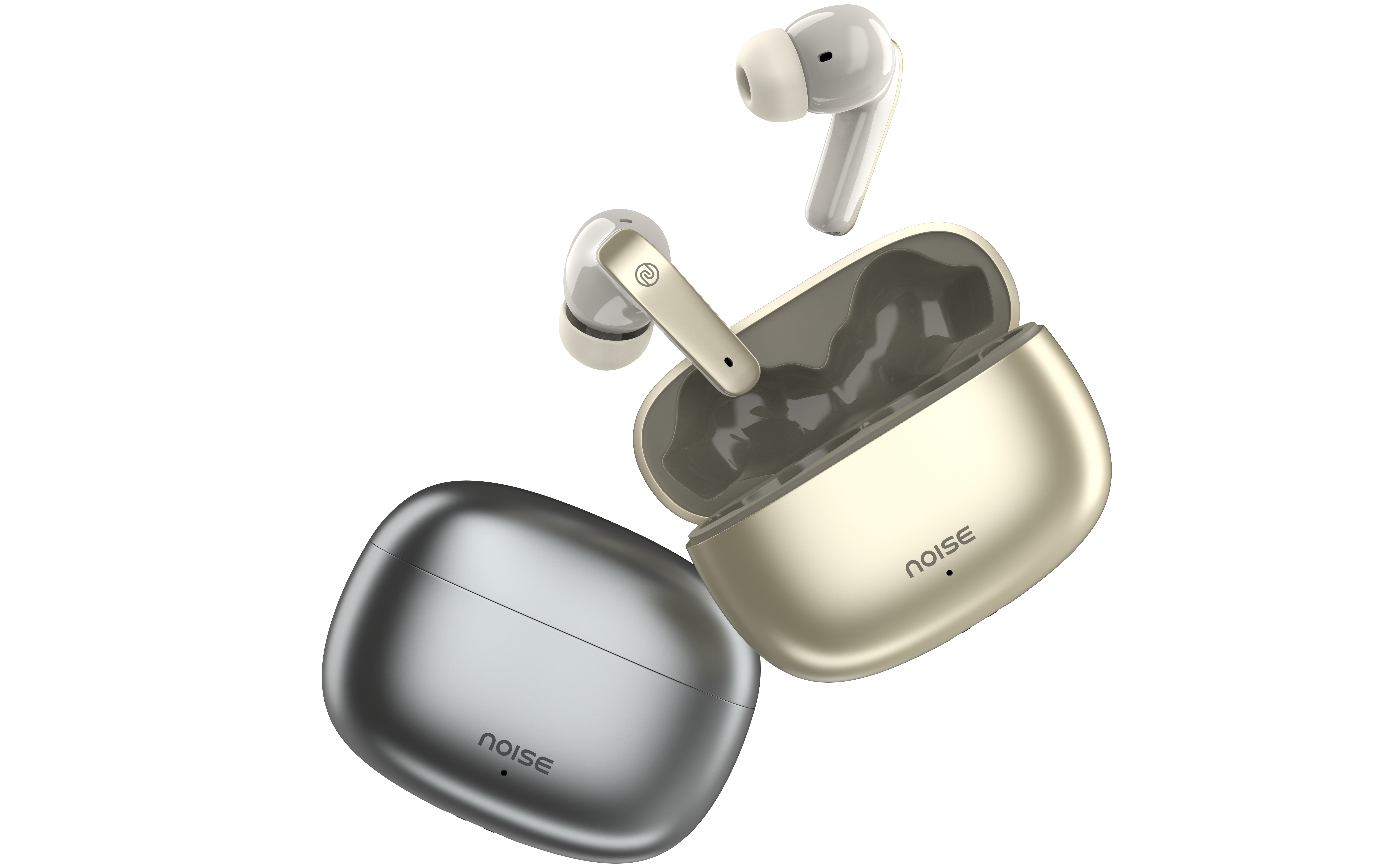
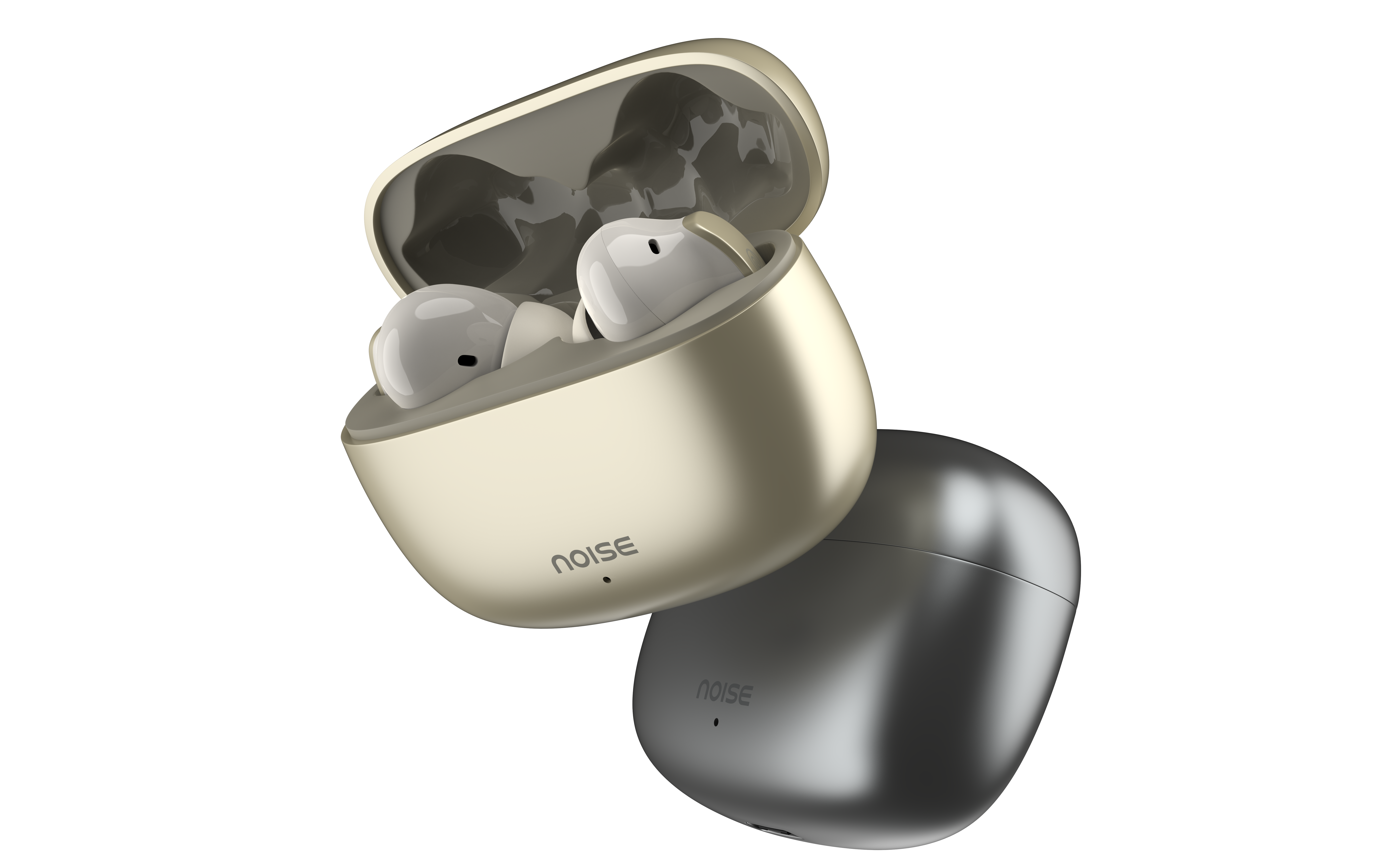
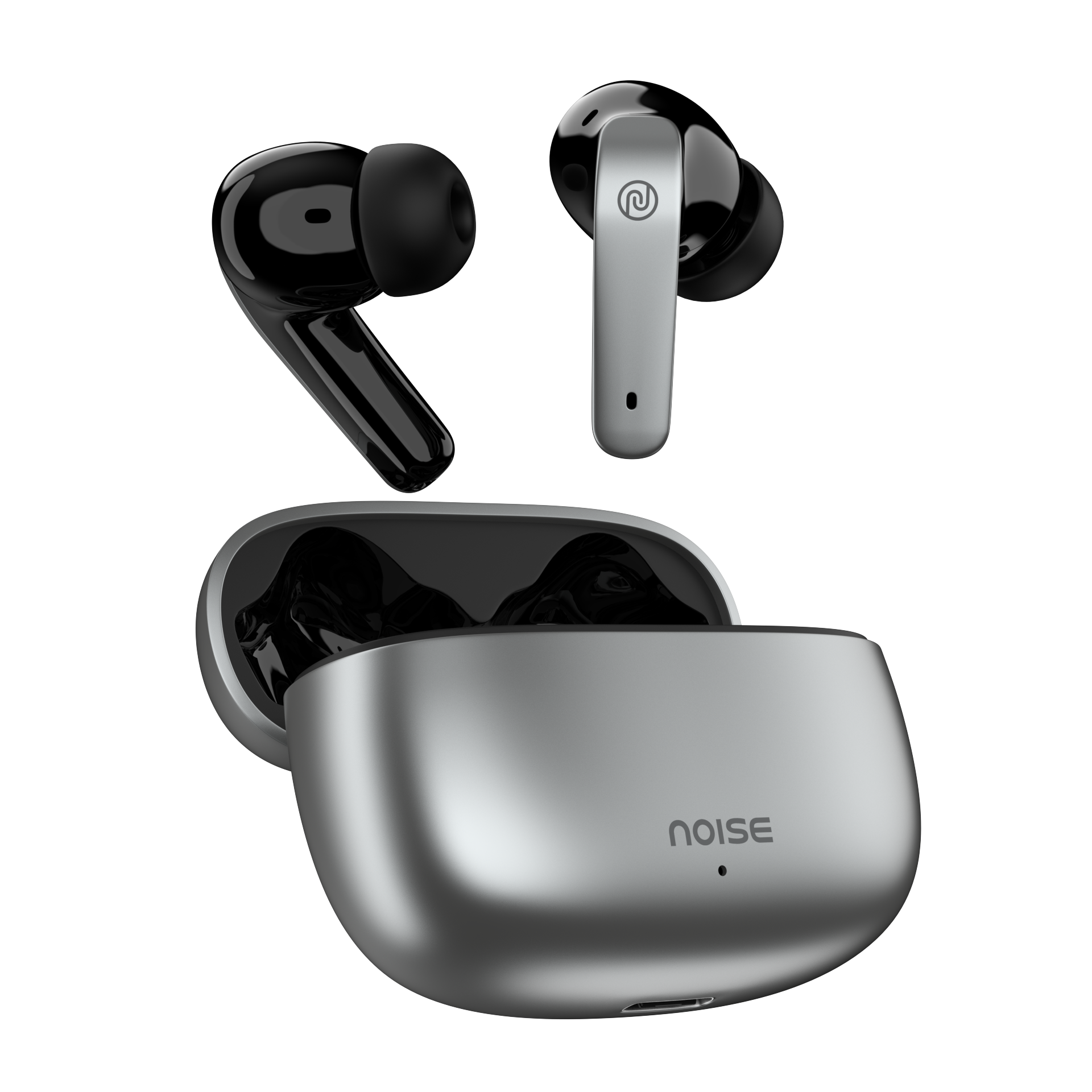
* Noise Air Buds Pro SE are the company’s latest addition in the wireless earbuds. * The Air Buds Pro SE are available on sale at Flipkart and gnoise.com. * The earbuds are priced in India at Rs 1,699. * Noise Air Buds Pro SE can be bought in two colour options – Lustre black and Champagne gold. * The earbuds come with a warranty of one year.
Noise, today expanded its TWS portfolio with the launch of Noise Air Buds Pro SE in India as company flagship TWS series.
Users can customize their TWS experience with its Premium Metallic Finish, allowing for a personal touch.
Additionally, the Quad Mic ENC (Environmental Noise Cancellation) technologyensures crystal clear audio, enhancing the audio experience.
Noise Buds Pro SE will allow users to indulge in crystal clear audio journeys with the help of a Quad Mic ENC.
Noise Air Buds Pro SE have launched after the Air Buds 3 and Air Buds Pro 3 TWS earbuds, which were launched earlier this month.
Noise Air Buds Pro SE Edition
The earbuds come with 13mm drivers and support for Bluetooth v5.3.
The Pro variant comes with ANC up to 30dB, IPX5 rating for splash and sweat resistance, and ultra-low latency of 40ms.
Noise Air Buds 3 are priced at Rs 1,399 and are available in two colour variants- Serene White and Jet Black colours.
The Air Buds Pro 3 are at Rs 1,799 and come in four colour options which are Space Black, Serene White, Shadow Grey, and Sage Green.
The earbuds are available on sale on Amazon, Flipkart as well as the company’s own website.
Noise Air Buds Pro SE Price, Availability
Noise Air Buds Pro SE Price
The Noise Air Buds Pro SE goes on sale today and can be purchased from Flipkart and gonoise.com at a price of just INR 1,699.
The earbuds come with a warranty of one year.
The latest TWSis available in two exciting colour options – including Lustre black and Champagne gold.
Noise Air Buds Pro SE Specifications & Features
Noise Air Buds Pro SE Specifications
The Quad Mic ENC (Environmental Noise Cancellation) technology ensures crystal clear audio
The TWS has a metallic finish.
The TWS comes with Instacharge™ technology that offers an 180 minutes of playtime with a quick 10-minute charge.
One can immerse themself in a rich immersive soundscape through a 13mm driver.
The Active Noise Cancellationof up to 30dB allows a clear audio experience, making the Noise Air Buds Pro SE apt for day-to-day usage.
The TWS earbuds feature HyperSync™ technology, facilitating effortless and near-instantaneous pairing, while benefiting from the seamless and uninterrupted connectivity of Bluetooth version 5.3.
“These earbuds have undergone meticulous digital tuning, promising users an exceptional calling experience.” said Noise in a press release.
Designed to endure an active lifestyle, these earbuds are equipped with an IPX5 water resistance rating, making them a dependable companion for workouts and outdoor escapades.
The Noise Air Buds Pro SE is a fusion of innovation, design, and performance.
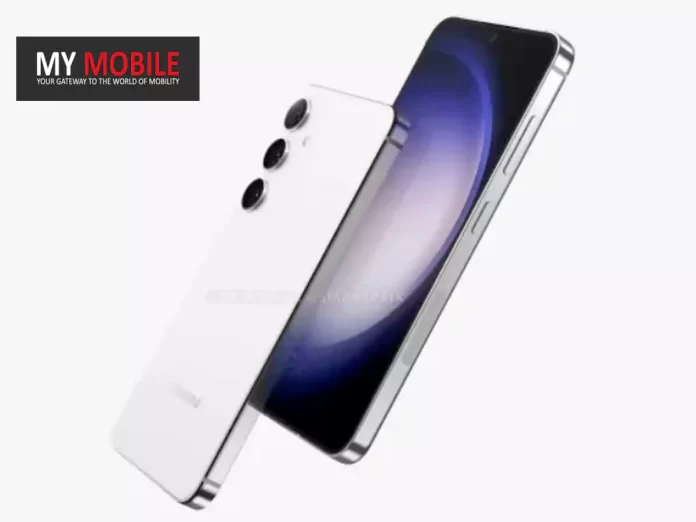
New Galaxy S24 renders hint at flat edges, diverging from the Galaxy S23’s curved design.
The phone is rumoured to feature an ultra-wide band (UWB) antenna for better local connectivity.
Leaks suggest the Galaxy S24 will be slightly taller than its predecessor, the S23.
Even as we’re still some time away from the official unveiling of Samsung’s next flagship, the Galaxy S24 series, leaks have started to surface, offering us some intriguing insights.
The latest in the line is a leak by Smartprix, which showcases 5K renders and a 360-degree video, giving us a comprehensive view of the phone from all sides.
Remarkably, at first glance, the Galaxy S24 seems to mirror its predecessor, the Galaxy S23, in design elements.
In fact, if one were to place them side by side based on these renders, distinguishing between the two could become a challenge.
However, if you delve a little deeper, subtle differences begin to emerge.
Galaxy S24 Renders: Differences Compared to Galaxy S23
Leaked Samsung Galaxy S24
For starters, the S24 appears to be opting for flat edges instead of the curved ones we’ve seen on the Galaxy S23.
This minute alteration in design is notable upon close inspection.
Another change lies in the connectivity domain; the new model features an ultra-wide band (UWB) antennaon the side, promising enhanced nearby connections.
The display remains relatively unchanged, retaining the flat display profile and the punch-hole camera cutout on the front.
However, when it comes to the physical dimensions, the S24 is rumoured to be slightly taller than the S23.
Galaxy S24: Taking A Page Out Of Apple?
Samsung Galaxy S24 Renders
Also worth mentioning is the texture of the rear panel, which now appears to sport a soft matte finish.
The phone is shown in a palette of light blue, white, and black, further diversifying its aesthetic appeal.
Not to be ignored is a fascinating rumour that suggests the Galaxy S24 series might borrow from Apple’s playbook by incorporating titanium in its build, akin to what we’ve seen with the iPhone 15 Pro models.
While these leaks specifically discuss the standard S24 model, speculations are rife that the Ultra variant of the series could sport some noteworthy design changes.
Additional leaks are anticipated in the coming weeks, which should help paint a more comprehensive picture of what the Galaxy S24 series has in store.
FAQs
Ques) What changes can we expect in the design of the Galaxy S24 compared to the Galaxy S23?
While the Galaxy S24 closely resembles the S23, notable changes include flat edges and a UWB antenna. The device is also slightly taller and may come in multiple colour options.
Ques) What is an Ultra-Wide Band (UWB) antenna, and what does it mean for the Galaxy S24?
UWB technology enables high-bandwidth communication over a large portion of the radio spectrum. Its inclusion suggests that the Galaxy S24 will offer improved local connectivity features, possibly enabling seamless device-to-device interactions.
Ques) Are there any rumours about the build material for the Galaxy S24?
The new Galaxy S24 is rumoured to feature a titanium build, similar to the iPhone 15 Pro models. This could make the device more durable and premium.
Ques) Will the Galaxy S24 feature a punch-hole camera?
Based on the leaked renders, it appears that the Galaxy S24 will maintain the punch-hole camera design seen in the Galaxy S23.
This introduction widens the palette for consumers looking to purchase the Galaxy F34 5G during the festive period, complementing the existing Electric Black and Mystic Green options.
Galaxy F34 5G: Storage and Availability
The Galaxy F34 5G, including the new Orchid Voilet variant, will be available in two storage configurations: 6+128 GB and 8+128 GB.
Consumers can purchase the device during the upcoming Flipkart Big Billion Days event, on Samsung’s official website, and at selected retail outlets.
Galaxy F34 5G: Key Specs
50MP No Shake Camera with Optical Image Stabilization (OIS)
6.5-inch FHD+ Super AMOLED 120Hz display protected by Gorilla Glass 5
Powered by 5nm Exynos 1280 processor
6000mAh battery with up to 2 days of usage
Available in Orchid Violet, Electric Black, and Mystic Green colours
Storage variants: 6+128 GB and 8+128 GB
Samsung Galaxy F34 5G Orchid Violet Colour
Galaxy F34 5G: A Close Look at Features
The device’s expansive 6.5-inch FHD+ Super AMOLED display operates at a 120Hz refresh rate and is fortified with Gorilla Glass 5.
Vision Booster technology and a peak brightness level of 1000 nits combine to offer a premium visual experience.
The Galaxy F34 5G operates on the 5nm Exynos 1280 chipset. This ensures a smooth, interruption-free user experience, whether it’s multitasking or browsing.
With a 6000mAh battery capacity, the device promises extended usage periods, allowing for uninterrupted web surfing or media consumption.
The battery can last up to two days, ensuring that users stay connected and entertained.
The smartphone’s 50MP No Shake Camera offers stabilized, high-quality images and videos.
In addition, the camera system includes an 8MP Ultra Wide lens and a 13MP front-facing camera.
Unique features like Single Take and Nightography enable a range of photography styles, from capturing multiple images and videos in one go to shooting in low light conditions.
Additional Features
The Galaxy F34 5G also offers specialized Galaxy features such as Voice Focus for background noise reduction during calls.
Plus, Samsung commits to delivering up to four OS upgrades and five years of security updates.
FAQs
Ques) What is the new colour option for Galaxy F34 5G?
Samsung has introduced the Galaxy F34 5G in a new Orchid Violet colour variant, expanding the choices for consumers.
Ques) When and where can I buy the new Orchid Violet Galaxy F34 5G?
The new colour variant will be available during the upcoming Flipkart Big Billion Days, on Samsung’s official website, and at select retail stores.
Ques) What are the standout features of the Galaxy F34 5G?
The smartphone offers a 50MP No Shake Camera, a 6.5-inch Super AMOLED 120Hz display, and a robust 6000mAh battery.
Ques) Will the new Orchid Violet variant have the same specifications as the other colour options?
Yes, the Orchid Violet Galaxy F34 5G will offer the same features and specifications as the existing Electric Black and Mystic Green models.