While speculations are many, some of the recent reports have suggested some significant innovations on cards for MediaTek’s upcoming release.
According to recent reports, the Dimensity 9400 chipset will feature a whopping 30 billion transistors.
In case you are wondering how that makes any difference, this number is a significant increase compared to the 19 billion transistors featured in the A17 Pro AP.
Currently, the A17 Pro AP powers the iPhone 15 Pro and iPhone 15 Pro Max.
MediaTek’s CEO, Rick Tsai, expects the Dimensity 9400 to boost the company’s revenues by 50% next year.
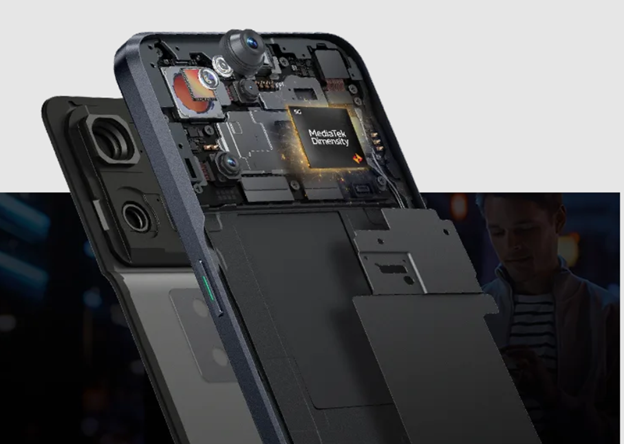
Image for representation, Credit – mediatek.com
This is due to the chip’s use of ARM’s ‘BlackHawk’ CPU architecture, which allows it to function without any low-power efficiency cores.
Built on TSMC’s second-generation 3nm process node (N3E), it’s set to be the largest smartphone chipset at 150 mm2.
MediaTek did very well with its last release Dimensity 9300 application processor (AP).
Source: Digital Chat Station
This powerful chip boasts four Cortex-X4 performance cores clocking up to 3.25GHz, and four Cortex-A720 efficiency-performance cores running up to 2.0GHz.
Noticeably, it doesn’t include any low-power efficiency cores like the Cortex-A520.
And initially, there are concerns about overheating too.
However, the Dimensity 9300 AP has been successfully powering the Vivo X100 series and the smartphone brand seems quite pleased with its performance.
In fact, Vivo was so impressed that back in March, they signed a deal with MediaTek to use the upcoming Dimensity 9400 SoC in some of their next-gen high-end smartphones.
The Upcoming Dimensity 9400 AP To Carry 30 Billion Transistors
MediaTek has done well financially from the Dimensity 9300, earning over $1 billion in revenue.
They’ve also released the AI-enhanced Dimensity 9300+, and now they’re gearing up to launch the Dimensity 9400 AP in just a couple of months.
The new Dimensity 9400 will have a unique configuration, including one Cortex-X5 super CPU core running up to 3.4GHz, three Cortex-X4 super CPU cores clocking up to 2.96GHz, and four Cortex-A720 efficiency-performance CPU cores reaching speeds of 2.27GHz.
Dimensity 9400’s GPU details also shows a 20 percent increase in performance and efficiency.
Earlier this year, there were worries about the Cortex-X5 consuming too much power at higher clock speeds, which affected its multi-core benchmark scores.
However, it appears MediaTek is confident in its new design.
FAQs
Q1. What Dimensity 9400 AP do we know so far?
Answer. As per rumours, upcoming Dimensity 9400 specs could be the following –
CPU: 1x Cortex-X5 Prime, 3x X4 Prime, 4x A720.
Possible GPU co-development with Nvidia NPU: with 20%-50% quicker Large Language Model production and 15% faster picture generation.
Will power late 2024 top smartphones competing with the Snapdragon 8 Gen 4 and Samsung’s Exynos 2500.
Q2. What processor is in the Dimensity 9400?
Answer. Although nothing is confirmed, the processor in Dimensity 9400 may have an octa-core structure which includes a single Cortex-X5 prime core at 3.4GHz frequency, 3x Cortex-X4 performance cores, and 4x Cortex-A720 efficiency cores.
Q3. What phones will use the Dimensity 9400?
Answer. As per rumours, the Dimensity 9400 looks set to first feature on flagships from OPPO and Vivo.
Q4. How is Dimensity 9300+ different?
Answer. The Dimensity 9300+ chipset will power flagship smartphones with improved on-device generative AI processing and will have broader support for LLMs, enhancing on-device AI support for smartphones.
Q5. Is MediaTek Dimensity 9300 good for gaming?
Answer. The MediaTek Dimensity 9300+ boosts Arm Cortex-X4 speeds to the next level, giving enthusiasts and gamers a new benchmark in ultimate smartphone performance.
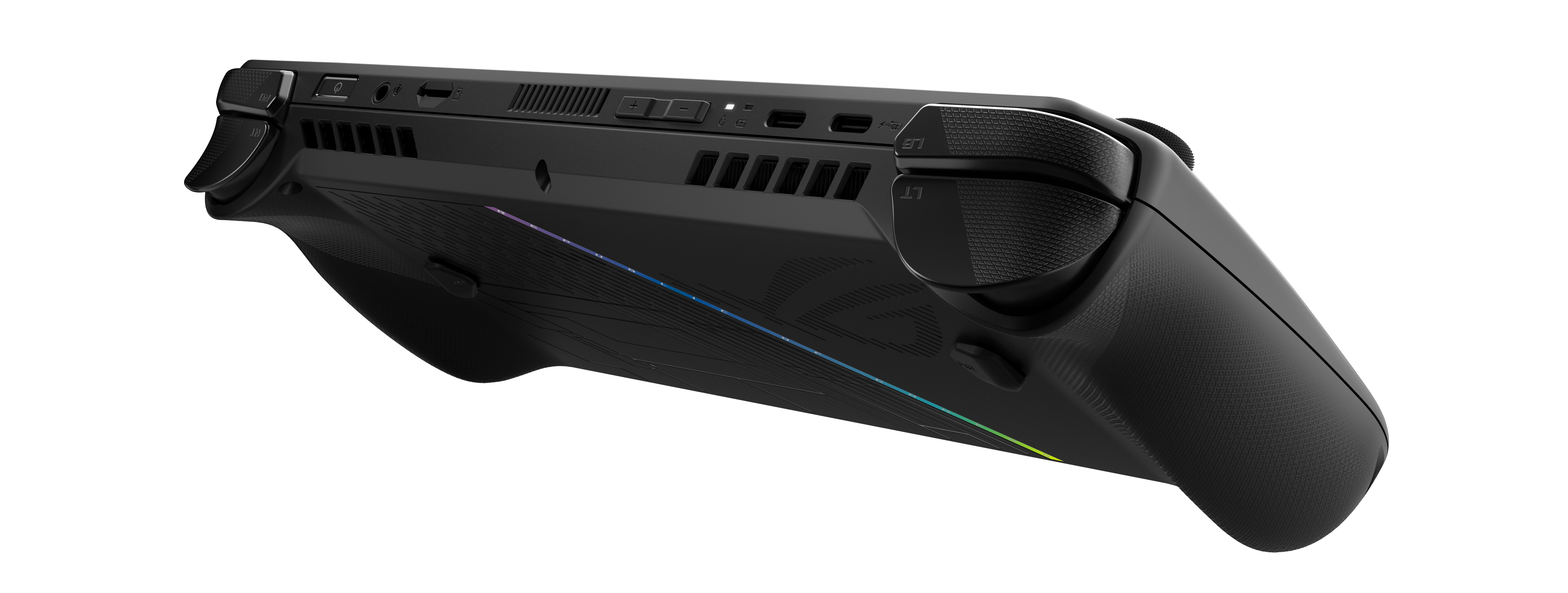
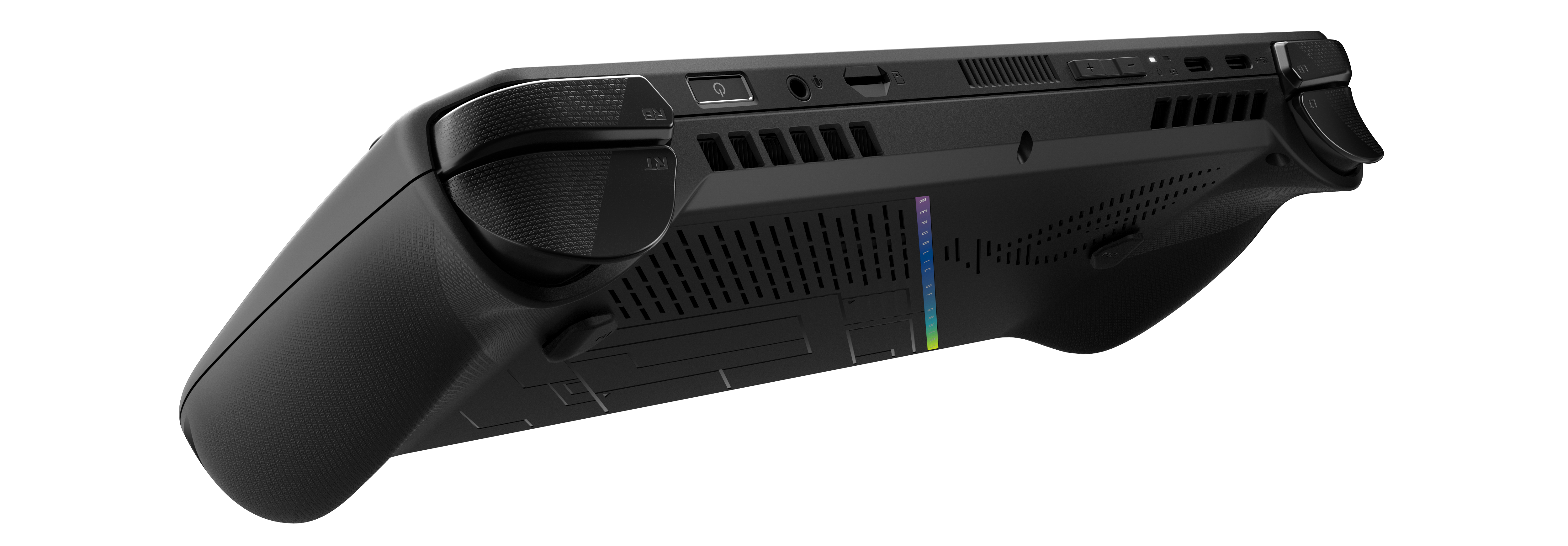
• The ROG ALLY X features double the battery and is coupled with the AMD Z1 Extreme CPU, to enable portable gaming experiences.
• The user can experience longer gaming sessions with the upgraded 80Wh battery, offering double the capacity over the original ALLY.
• The device offers up to 15% higher performance, purely based on the faster 24GB LPDDR5X memory which now runs at 7500MHz.
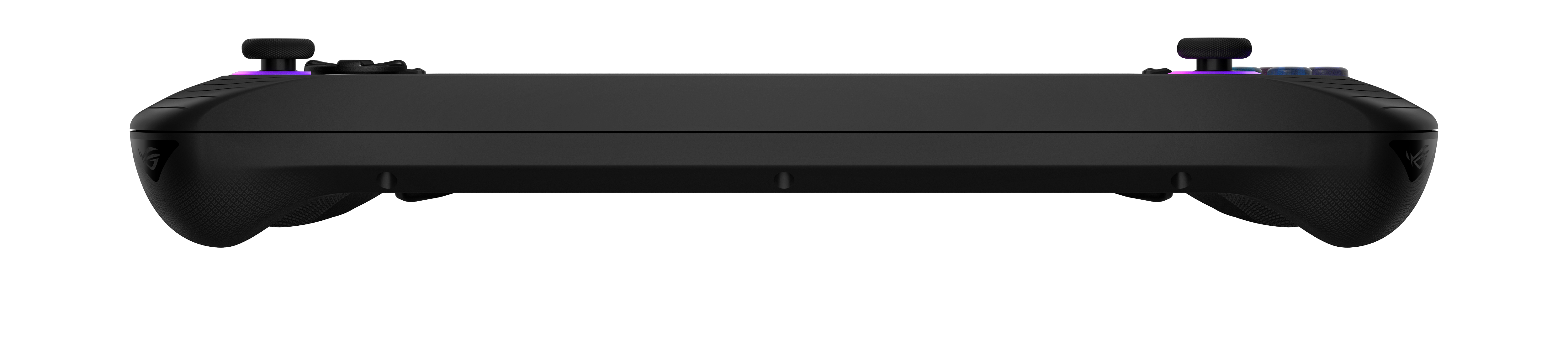
• It comes with enhanced joysticks and ergonomics offer precise control, while dual USB-C ports provide increased flexibility.
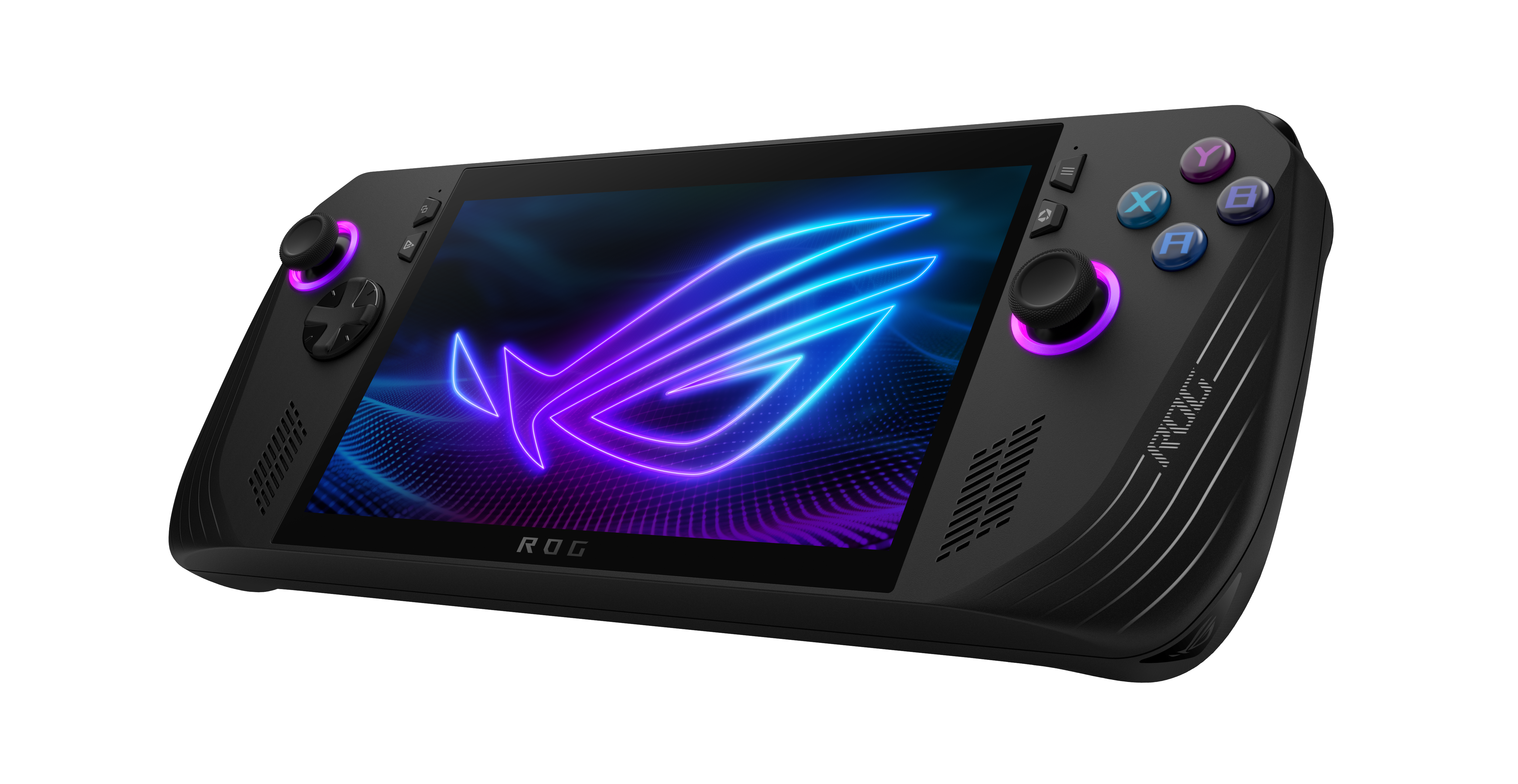
At the forefront of innovation in handheld gaming technology, ASUS India has announced the launch of the all-new ROG ALLY X in India.
ASUS ROG launches the all-new ALLY X in India, elevating portable gaming to new heights
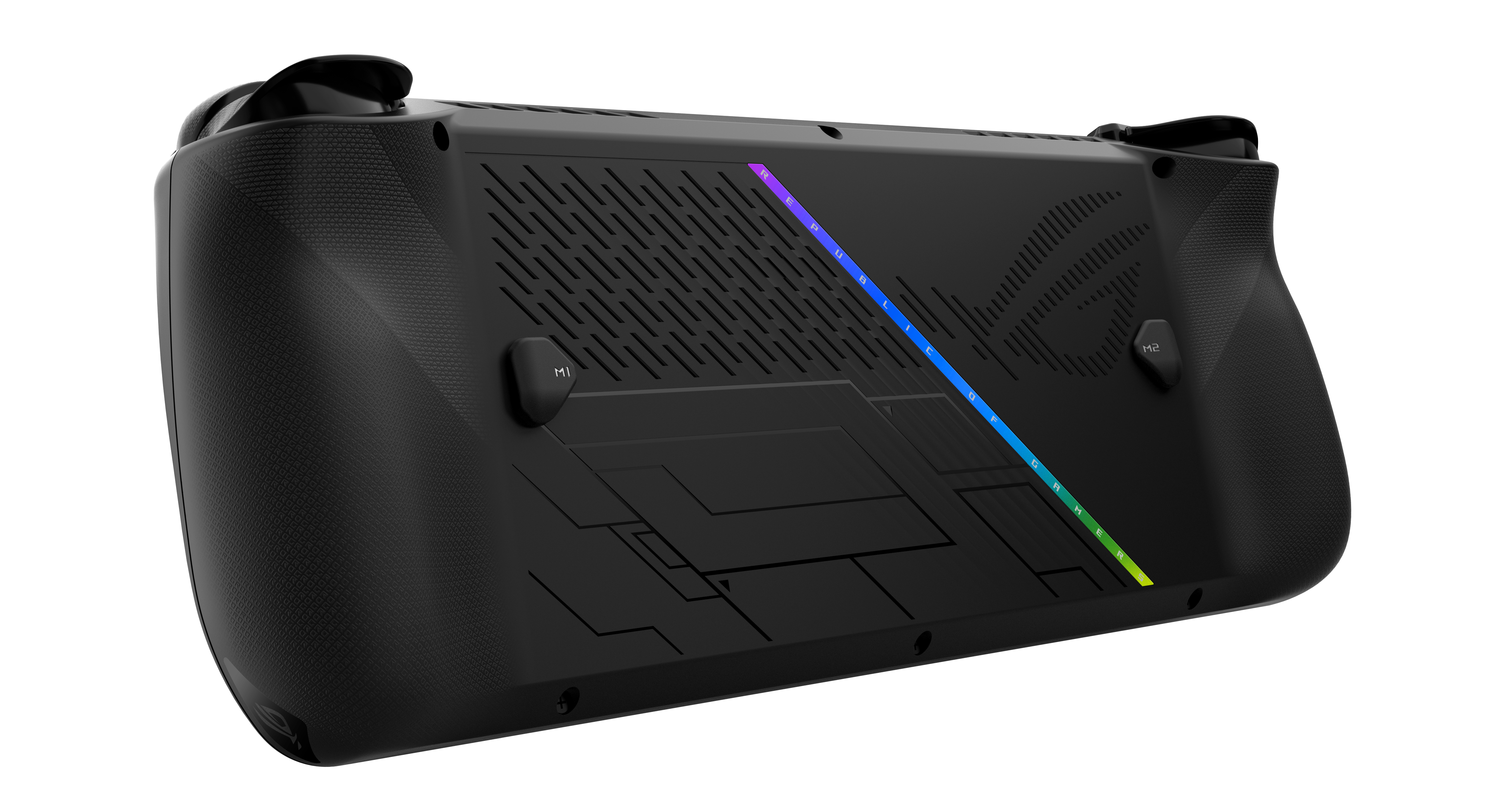
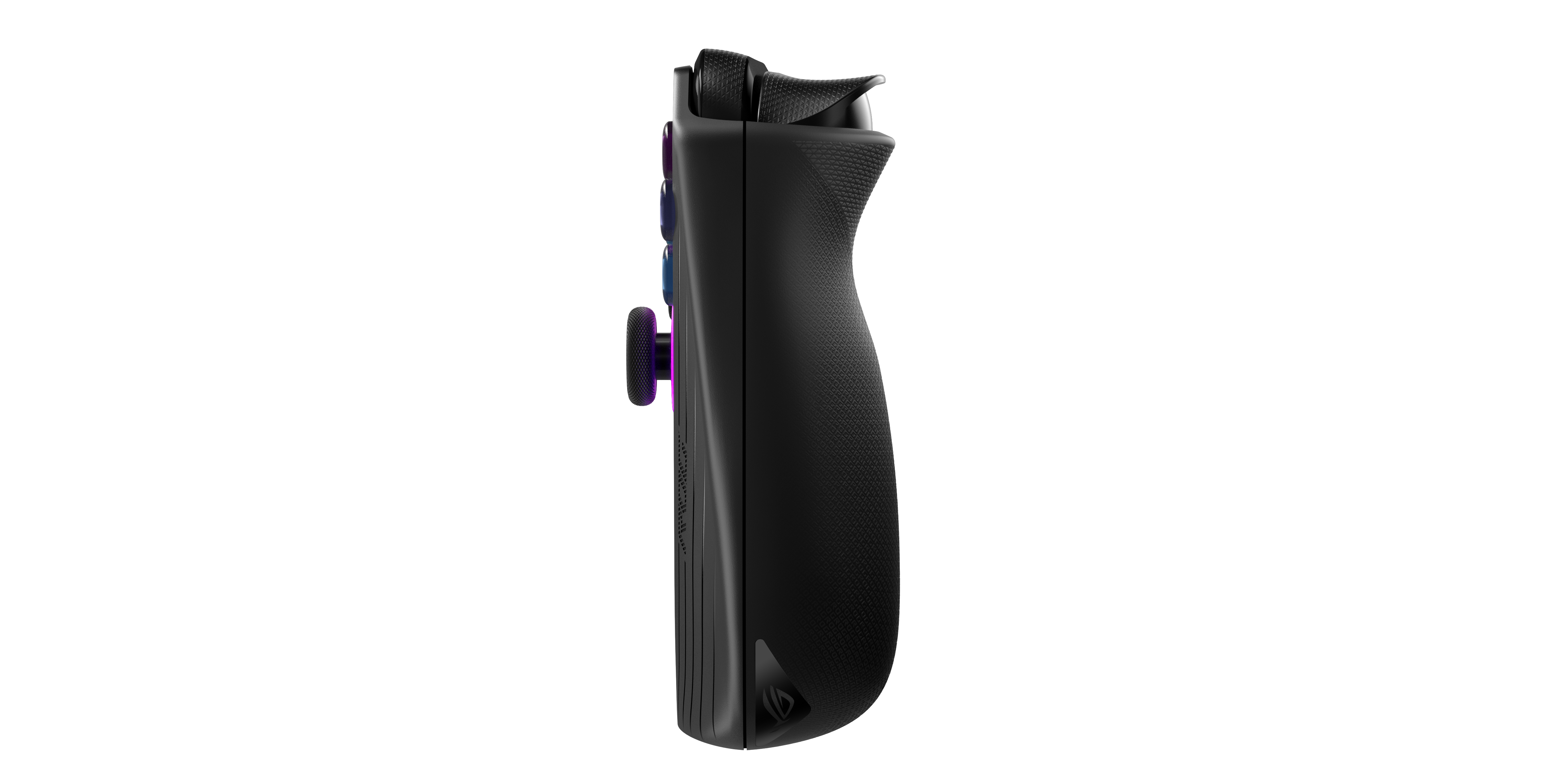
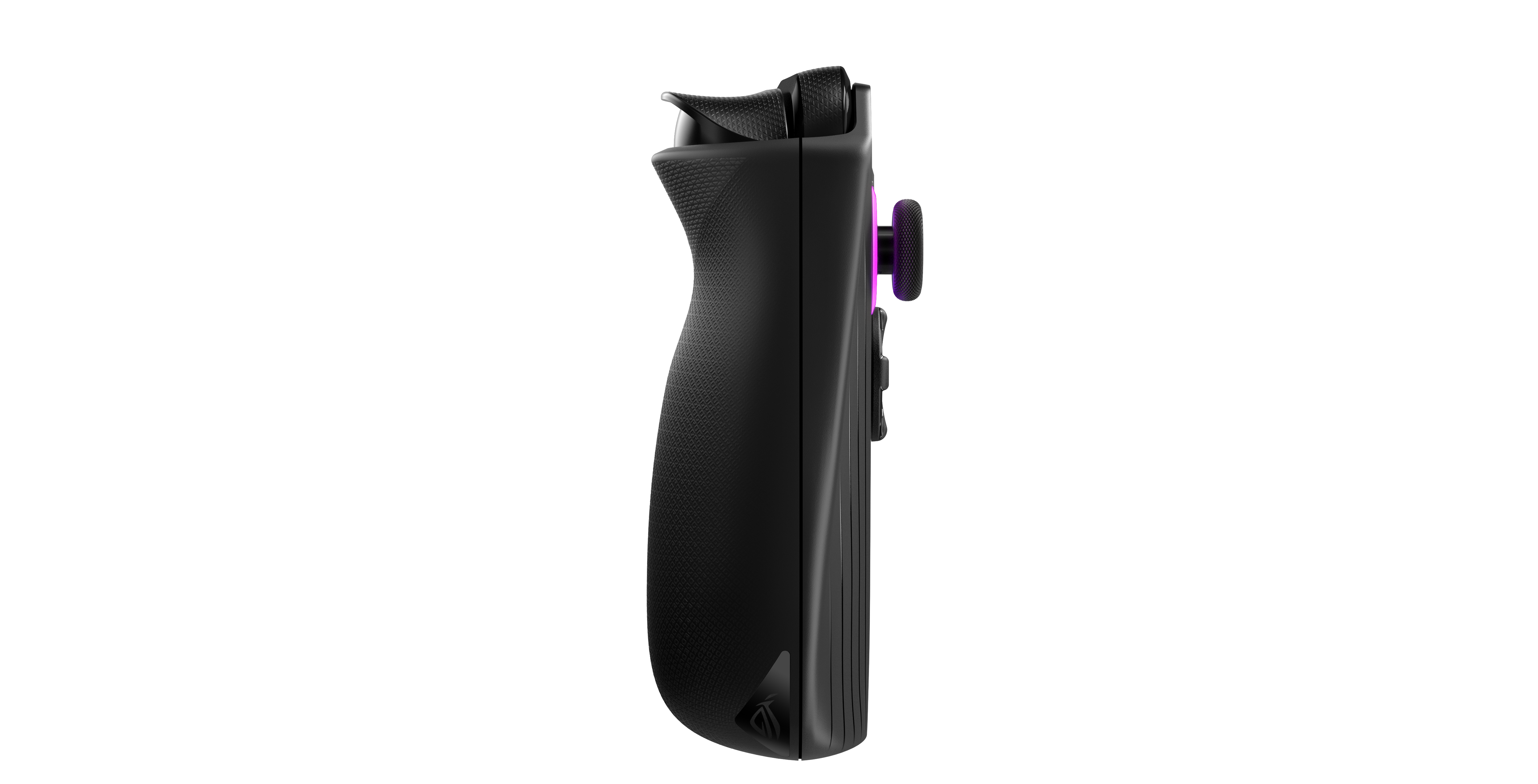
Having launched the ALLY last year, the new ROG ALLY X debuts in a sleek black design with ergonomic, revamped design for the ultimate comfort of the user.
Driven by the cutting-edge, AMD Z1 Extreme CPU processor, it is specifically engineered for superior portable gaming performance.
ROG ALLY X: Features & Upgrades
The ROG ALLY X comes with an upgraded 80Wh battery
With the Radeon 780M iGPU equipped with 12 Compute Units (CUs), the ALLY X delivers outstanding graphical power and optimization for a truly immersive gaming experience on the go.
The ROG ALLY X comes with an upgraded 80Wh battery for extended gaming sessions, ensuring you stay powered through marathon play.
The device is equipped with a full-sized 1TB 2280 M.2 NVME Gen 4 SSD
The Armory Crate Special Edition (ACSE) is specifically crafted for Windows handheld gaming, and it is enhanced with the latest Armory Crate SE 1.5.
This upgraded software seamlessly integrates with the ROG ALLY X, offering streamlined controls and enhanced customization options to ensure an optimized and personalized gameplay.
The ROG ALLY X features double the battery and is coupled with the AMD Z1 Extreme CPU
Additionally, the device is equipped with a full-sized 1TB 2280 M.2 NVME Gen 4 SSD, which offers ample storage and can be upgraded to an impressive 4TB.
This combination of features ensures you have the power, speed, and space needed for an exceptional gaming experience.
The device offers up to 15% higher performance
ALLY X cranks up the memory to 24GB LPDDR5X, running at 7500MT/s.
Commenting on the launch, Arnold Su, Vice President, Consumer and Gaming PC, System Business Group, ASUS India, said, “Following the ROG ALLY launch last year, we are excited to unveil the ROG ALLY X in India. Building on valuable feedback from the ALLY community, the ALLY X brings numerous enhancements, including a larger 80Wh battery, faster 24GB LPDDR5X RAM, and a full-sized 1TB 2280 M.2 NVME Gen 4 SSD with upgrade potential up to 4TB. While retaining its iconic design, the ALLY X features a refined ergonomic design with improved input points for a more responsive and comfortable experience. As pioneers in gaming innovation, ASUS ROG has always been committed to delivering cutting-edge technology and exceptional performance. We are confident that the ALLY X will continue to set benchmarks in the gaming industry, enhancing the gaming journey for players across India.”
This powerhouse retains its immersive Full HD 1080 display with a blazing 120Hz refresh rate, ensuring your visuals are always crisp and smooth.
The 500 nits display supports Variable Refresh Rate (VRR) to eliminate screen tearing and artifacts, while covering 100% of the sRGB colour space and offering multi-touch capabilities.
It comes with enhanced joysticks and ergonomics offer precise control
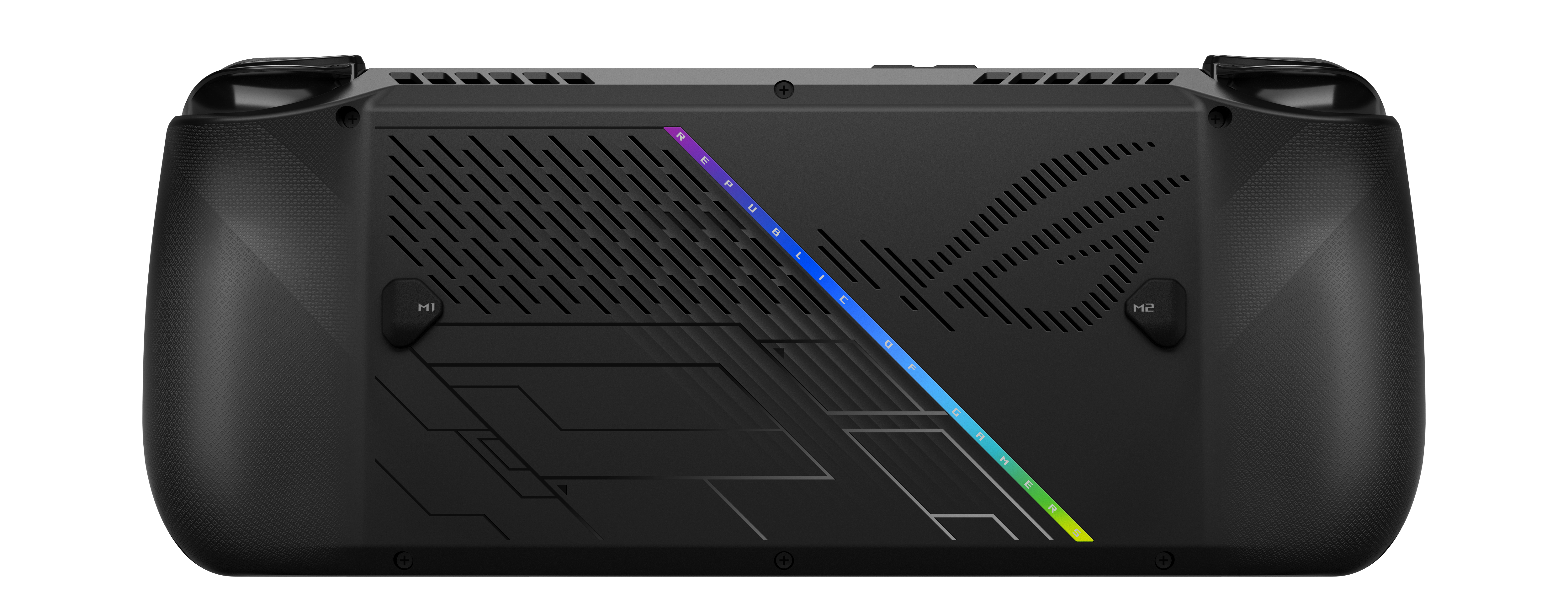
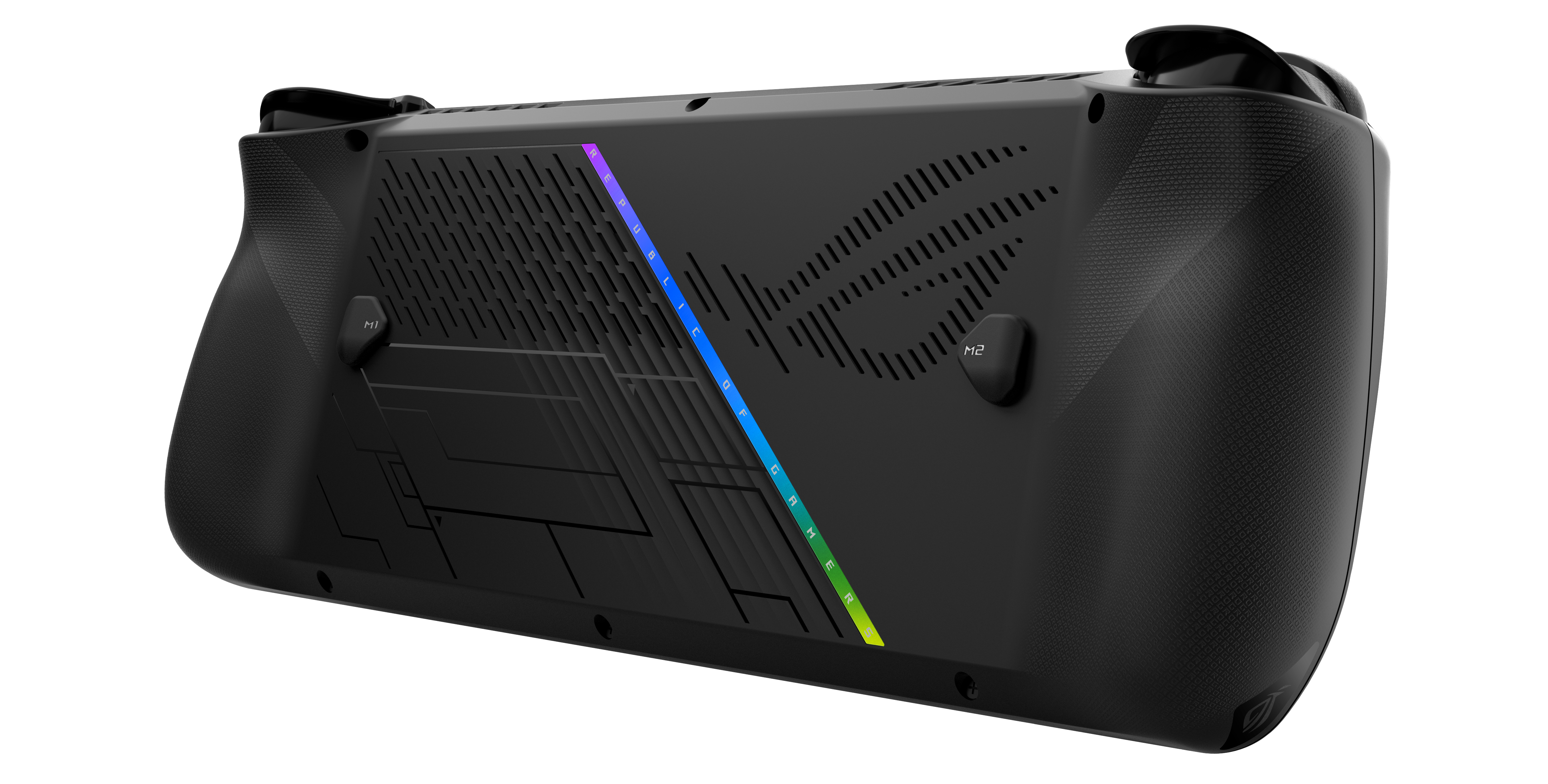
Its chassis is covered in grippy textures, and it features larger, more tactile bumper buttons along with hall-effect triggers on top.
With support for AMD’s Radeon Super Resolution (RSR), FidelityFX Super Resolution (FSR), and the futuristic AMD Fluid Motion Frames (AFMF), your gameplay will look sharper and run smoother than ever.
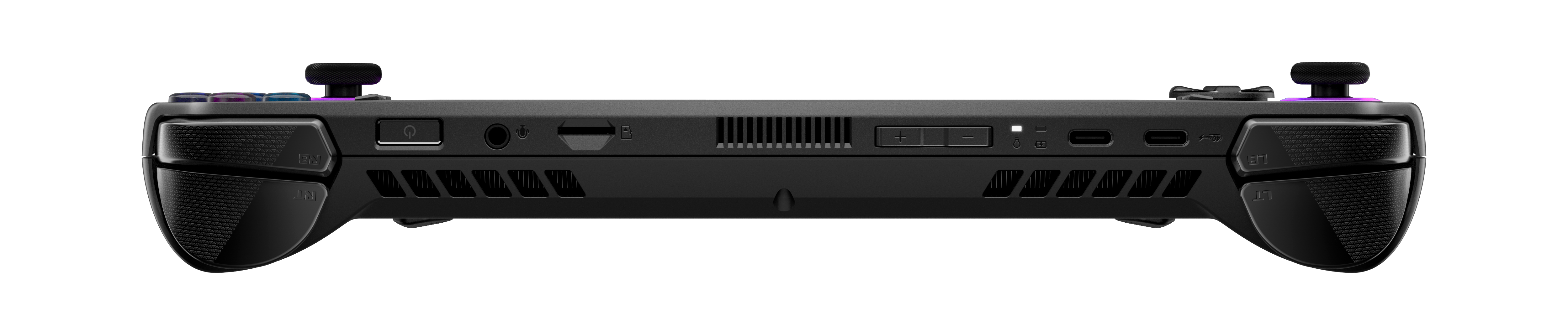
The ROG ALLY X now packs two USB-C ports
It features dual speakers that provide immersive virtual 5.1.2-channel surround sound, enhanced by Dolby Atmos technology.
It hooks you up with a free lifetime subscription to the Dolby Access app, so you can crank up your audio experience to the max.
The ROG ALLY X now packs two USB-C ports, with one rocking a USB4 connection and a lightning-fast 40GB/s data rate.
ROG ALLY X still stands strong at just 678 grams
This means you can plug in Thunderbolt e-GPUs and supercharge your gaming rig like a pro.
The ROG ALLY X might look familiar, but it’s now packed with an upgraded ergonomic design that takes your gaming to the next level.
All the input points, including the joysticks, have been fine-tuned for a comfier and more precise experience.
ASUS India has announced the launch of the all-new ROG ALLY X in India
And despite these upgrades, the weight of the ROG ALLY X still stands strong at just 678 grams (70 grams higher than the ROG ALLY), making it feel remarkably better in your hands.
WiFi 6E support ensures that the ALLY X stays on a rock-solid connection, even in congested networks, whether gamers are natively playing a multiplayer match or streaming a game.
With the upgraded Zero Gravity thermal system, now featuring a third air vent for extra airflow, the ROG ALLY X takes cooling to the next level.
With an additional fan chamber vent aimed at the display, the system stays up to 8 degrees cooler overall and keeps the panel up to a cool 6 degrees lower.
The Anti-Gravity heat pipes work like magic to kick out heat super efficiently, while the fluid-bearing fans ensure minimal noise and smooth gameplay, no matter how you hold it.
ROG ALLY X: Pricing and Availability
ALLY X will be available at the starting price of INR 89,990
The ALLY X will be available at the starting price of INR 89,990 both via online and offline channels.
Model Name
Availability
Starting Price
RC72LA-NH021W
Asus ROG Store/Eshop/Flipkart/Amazon
₹ 89,990
Specifications
Model
RC72LA
CPU
AMD Z1 Extreme, 4nm Zen 4 processor
8 cores & 16 threads || 24M total cache
CPU clock: up to 5.10 GHz || TDP: 7 – 30 watts
GPU
Integrated AMD Radeon™ 780M RDNA3 Graphics
Up to 8GB VRAM support || 8.6 TFlops
12 CUs || GPU Clock: 2.7GHz
Panel
Full HD (1920 x 1080), 120 Hz / 7ms
500 nits IPS-panel || 100% sRGB coverage
FreeSync™ Premium, Gorilla® Glass Victus™ and Gorilla® Glass DXC,
1x Type C support USB 4 (Thunderbolt™ 4 compliant, DisplayPort™ 1.4 with Freesync support, Power Delivery 3.0)
1x USB 3.2 Gen 2 Type-C support DisplayPort™ / power delivery
1x UHS-II microSD card reader (supports SD, SDXC and SDHC)
1x 3.5mm Audio jack
Audio
2 x 1W speakers with smart amp technology
Dolby Atmos®, Hi-Res Audio, Two-way AI Noise Cancellation
Wireless
WiFi 6E (802.11ax) with Bluetooth® v5.2
Battery & Adapter
80Wh 4-cell Li-ion battery (Supports fast charging with compatible 100W adapters)
Charger: 65W PD adapter, supports pass through charging
Output: 20V DC, 3.25A, 65W
Dimensions and Weight
28.0 x 11.1 x 2.47 ~ 3.69 cm (11.02″ x 4.37″ x 0.97″ ~ 1.45″)
678g
Faqs
How is the battery upgraded in the new Rog Ally X?
The ROG ALLY X comes with an upgraded 80Wh battery for extended gaming sessions, ensuring you stay powered through marathon play.
What is the pricing of the new Rog Ally X?
The ASUS ROG ALLY X is now available in India at a starting price of ₹89,990.
Where can I buy the Rog Ally X from ?
It can be purchased through the ASUS ROG Store, Eshop, Flipkart, and Amazon.
What are the best features of the new Rog Ally X?
•The ROG ALLY X now packs two USB-C ports, with one rocking a USB4 connection and a lightning-fast 40GB/s data rate. This means you can plug in Thunderbolt e-GPUs and supercharge your gaming rig like a pro.
•The ROG ALLY X might look familiar, but it’s now packed with an upgraded ergonomic design that takes your gaming to the next level. All the input points, including the joysticks, have been fine-tuned for a comfier and more precise experience.
•It hooks you up with a free lifetime subscription to the Dolby Access app, so you can crank up your audio experience to the max.
What is special about the display of the new Rog Ally X?
This powerhouse retains its immersive Full HD 1080 display with a blazing 120Hz refresh rate, ensuring your visuals are always crisp and smooth.
The 500 nits display supports Variable Refresh Rate (VRR) to eliminate screen tearing and artifacts, while covering 100% of the sRGB colour space and offering multi-touch capabilities.
Its chassis is covered in grippy textures, and it features larger, more tactile bumper buttons along with hall-effect triggers on top.
With support for AMD’s Radeon Super Resolution (RSR), FidelityFX Super Resolution (FSR), and the futuristic AMD Fluid Motion Frames (AFMF), your gameplay will look sharper and run smoother than ever.
It features dual speakers that provide immersive virtual 5.1.2-channel surround sound, enhanced by Dolby Atmos technology.
Plus, it hooks you up with a free lifetime subscription to the Dolby Access app, so you can crank up your audio experience to the max.
•The phone is priced at INR 14,999* for 12GB+256GB and INR 13,499* for 8GB+256GB variants respectively.
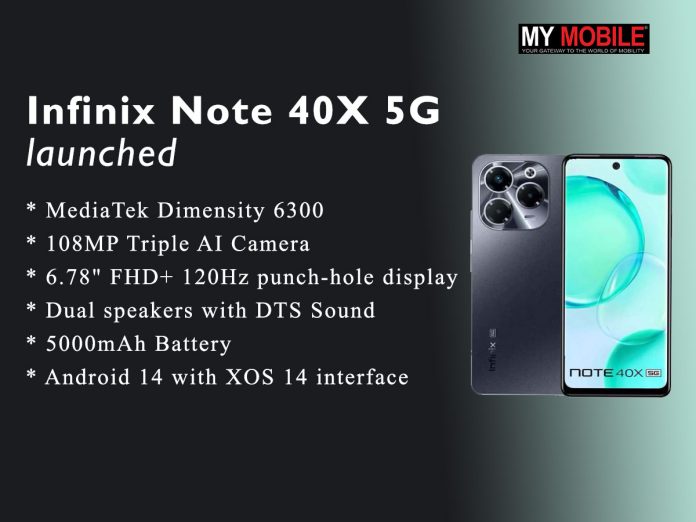
•The device is powered by MediaTek Dimensity 6300 processor for robust performance.
•The phone features 108MP Triple AI Camera with Quad-LED Flash and 15+ modes & 8MP front camera with LED flash for high-quality selfies.
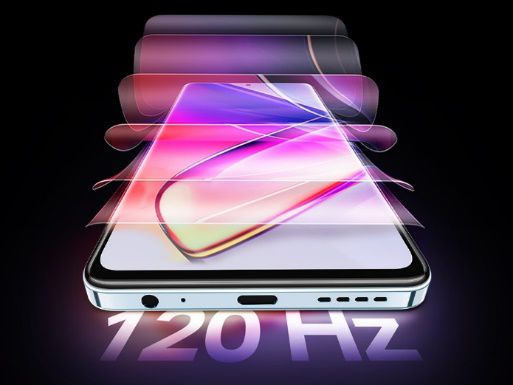
•It has an Immersive 6.78″ FHD+ 120Hz punch-hole display with Interactive Dynamic Port.
•The phone comes with Dual speakers with DTS Sound for premium audio experience.
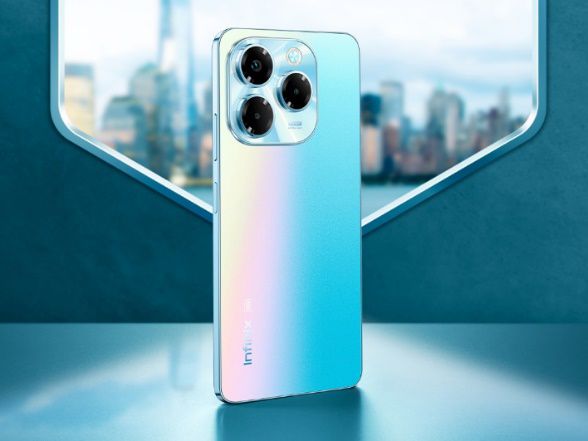
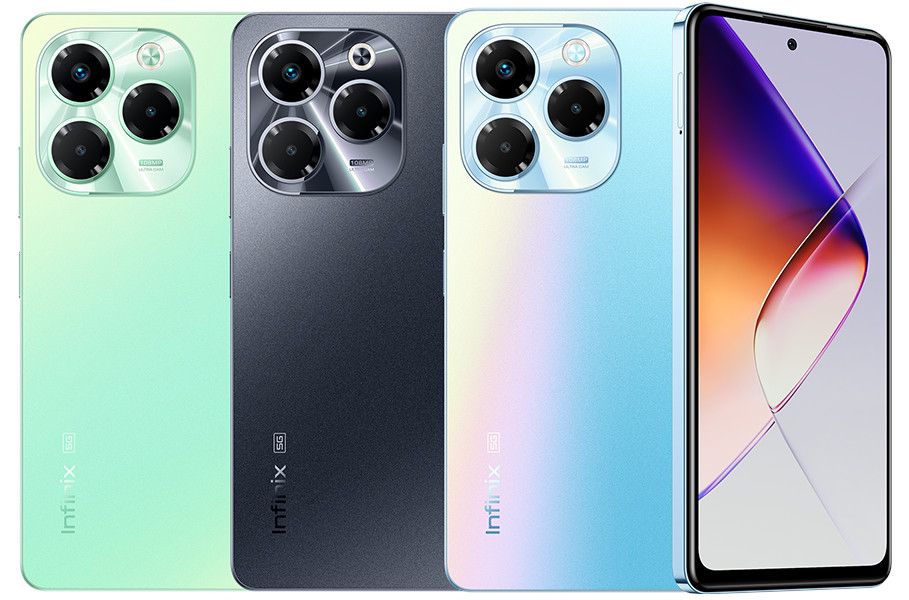
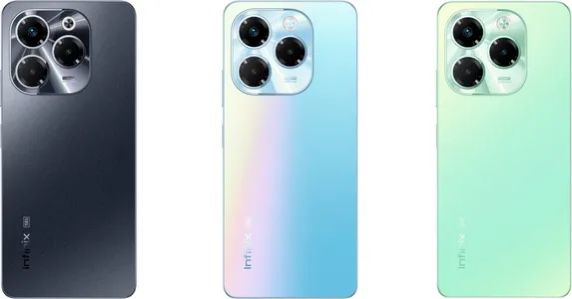
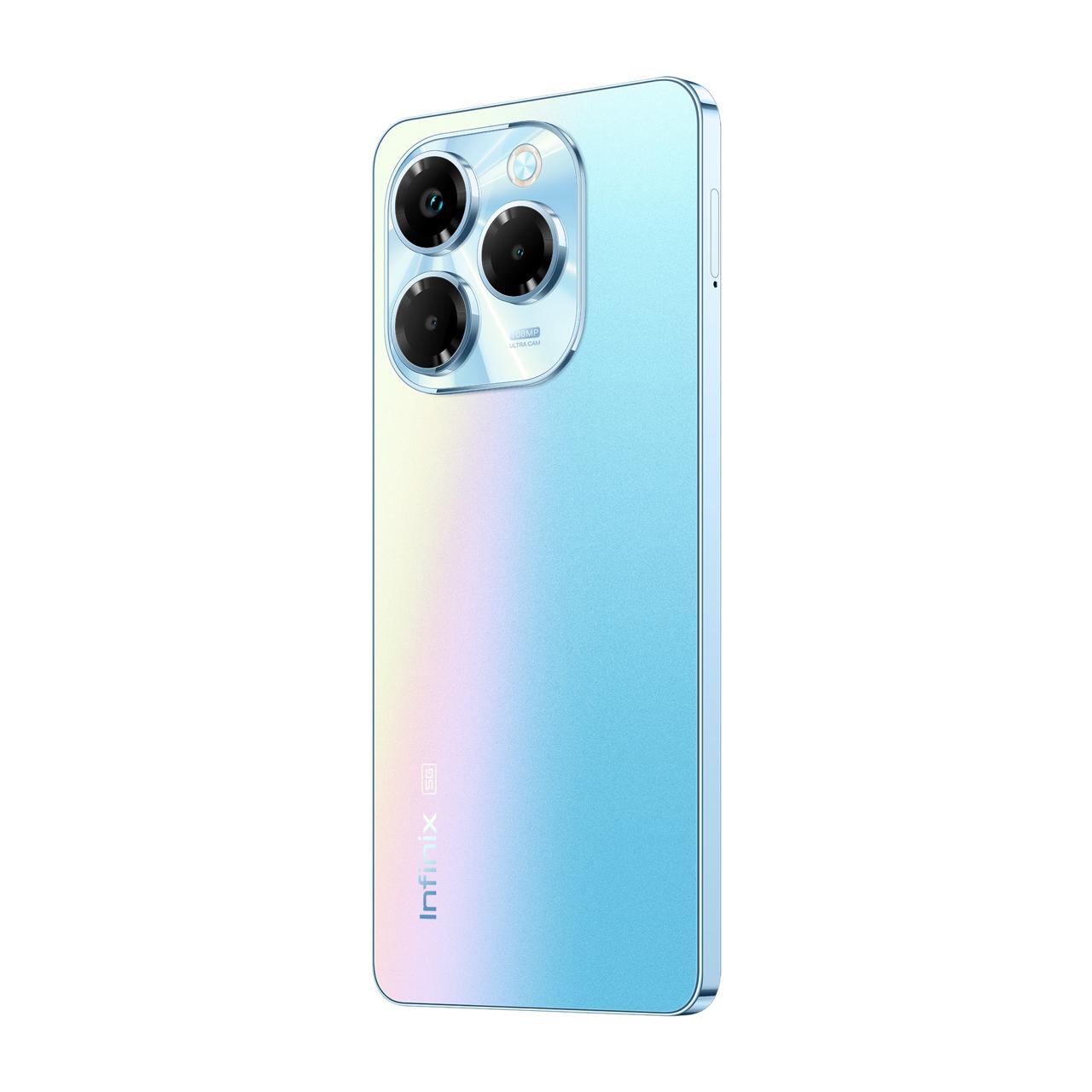
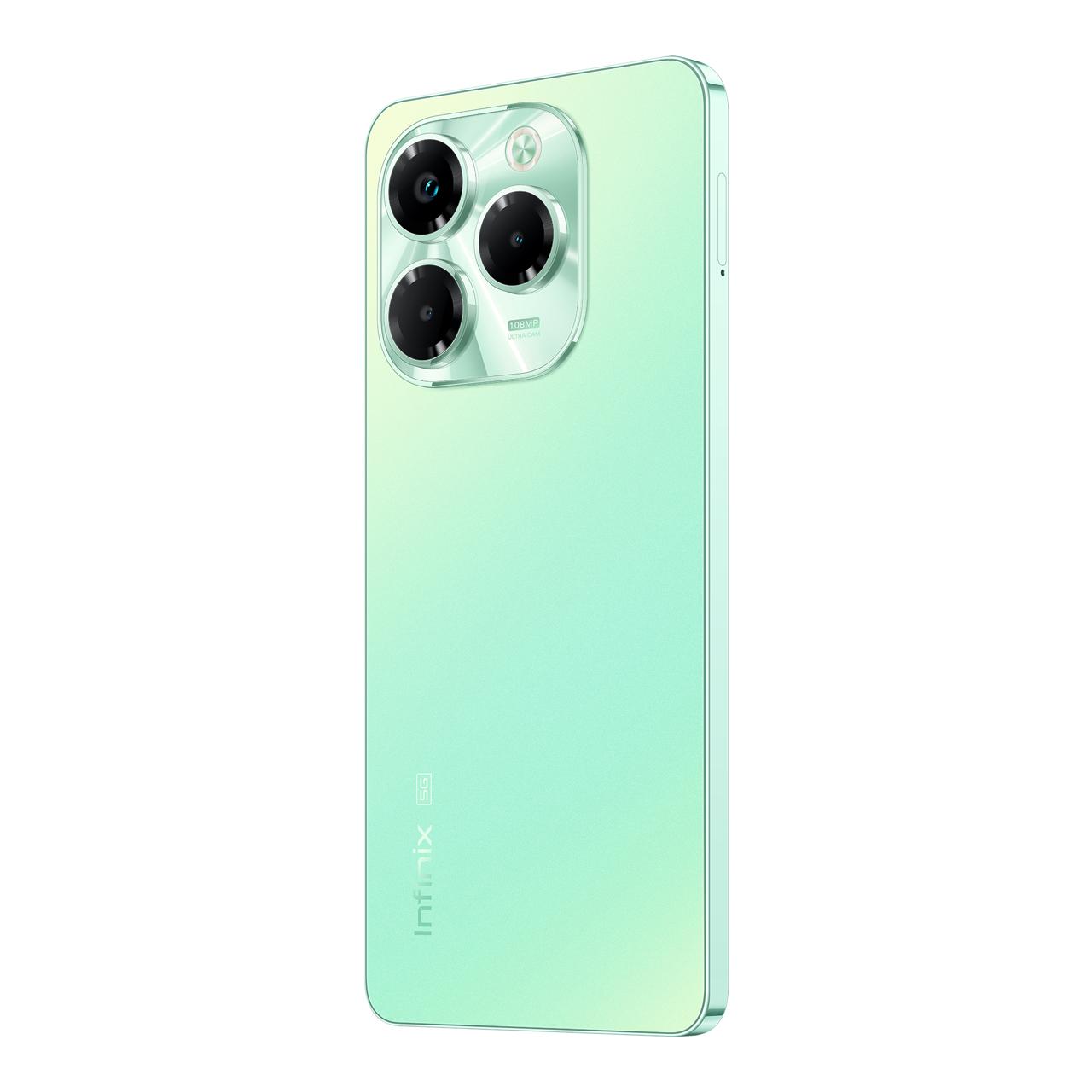
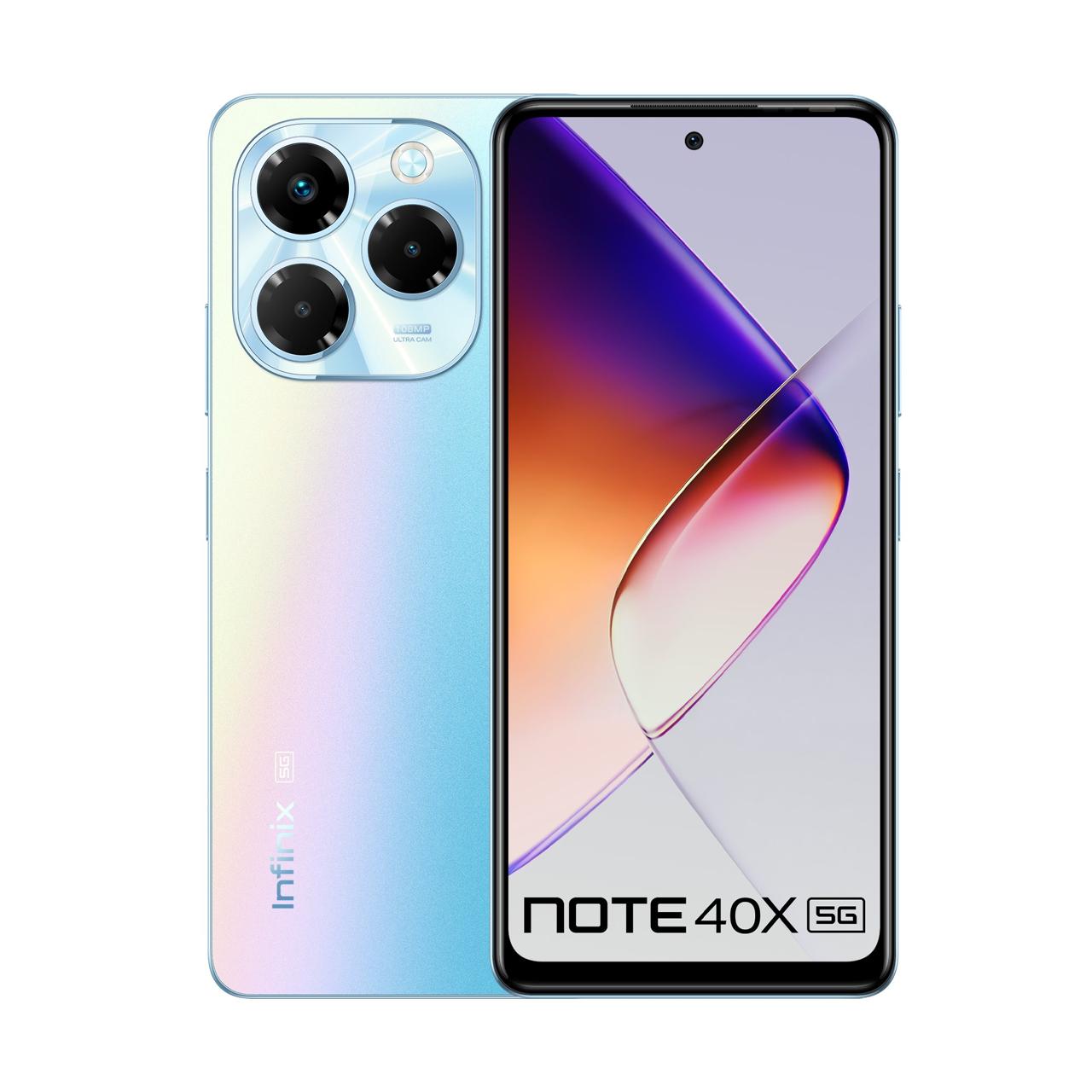
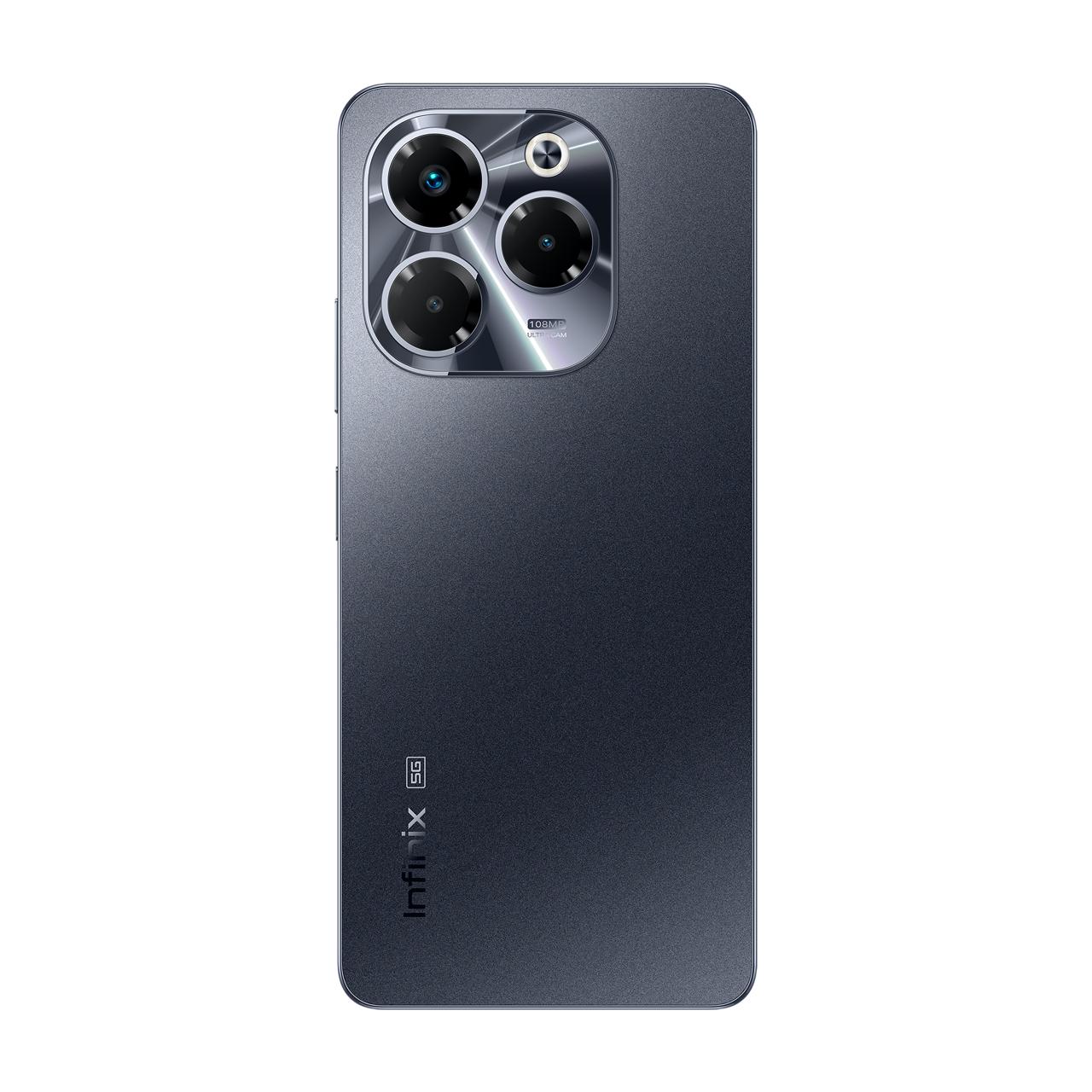
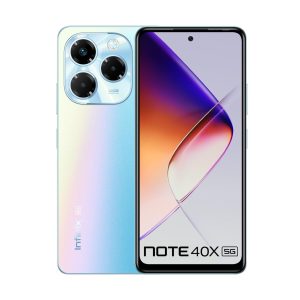
•It has a striking gradient back design in Palm Blue, Starlit Black, and Lime Green.
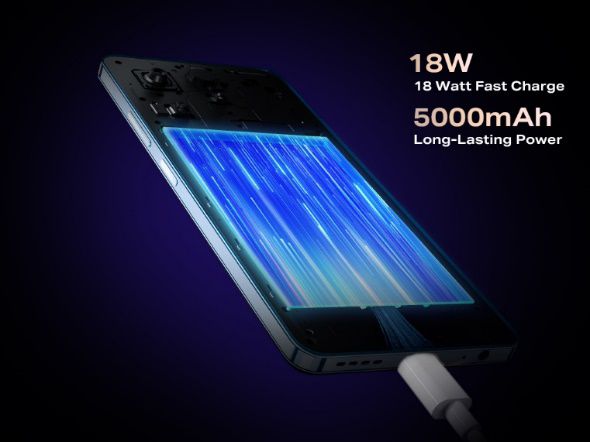
•The phone packs a 5000mAh battery with 18W fast charging for all-day use.
•The device is supported by the latest Android 14 with XOS 14 interface for clean user experience.
•The device provides Enhanced security with side-mounted fingerprint sensor and face unlock & Multi-functional NFC for advanced connectivity options.
Infinixtoday announced the launch of its latest smartphone, the Note 40X 5G.
Infinix just launched the Note 40X 5G, the company’s latest 5G smartphone in India
This device marks a significant milestone in Infinix’s journey, pushing the boundaries of what’s possible in the mid-range smartphone segment and reinforcing the company’s position in the ‘Note’ series – known for its all-round performance.
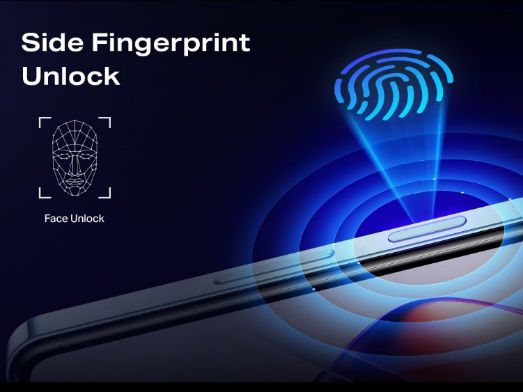
Infinix Note 40X 5G provides enhanced security with side-mounted fingerprint sensor & face unlock
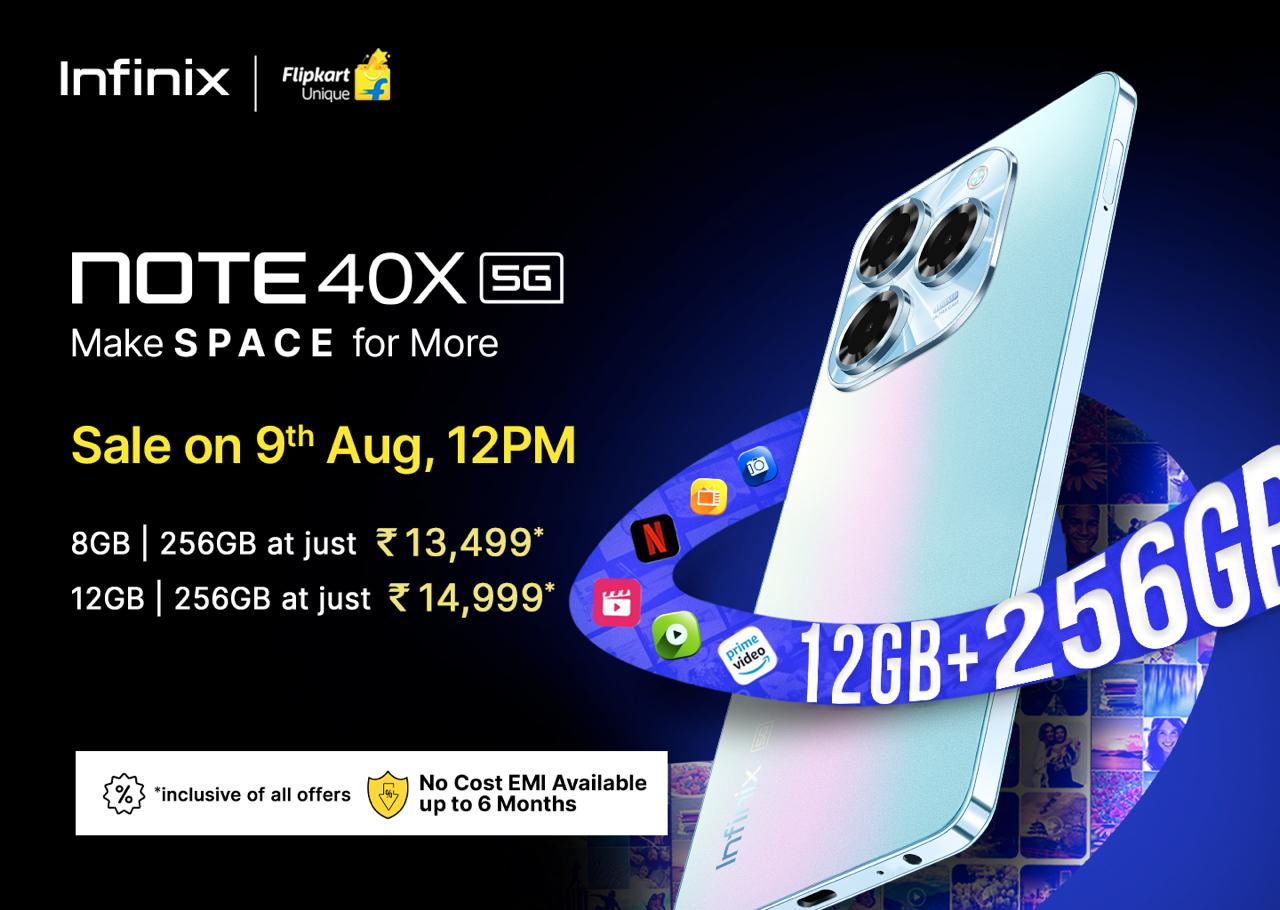
The new Note 40X 5G will be available from 9th August onwards on Flipkart with an introductory price of INR 13,499, including bank offers.
Infinix Note 40X 5G Specifications & Features
Infinix Note 40X 5G Memory and Performance
INFINIX NOTE 40X 5G: Available in 2 Memory Variant
Note 40X 5G offers two groundbreaking memory configurations: 8GB+256GB and 12GB+256GB, both utilizing UFS 2.2 storage technology.
This combination ensures lightning-fast app launches, seamless multitasking, and ample space for all user content.
INFINIX NOTE 40X 5G: With the MediaTek Dimensity 6300 processor, the experience of performance never seen before
At the heart of the device lies the MediaTek Dimensity 6300 processor, delivering robust performance for everything from day-to-day tasks to resource-intensive applications and mobile gaming.
Infinix Note 40X 5G Camera Capabilities
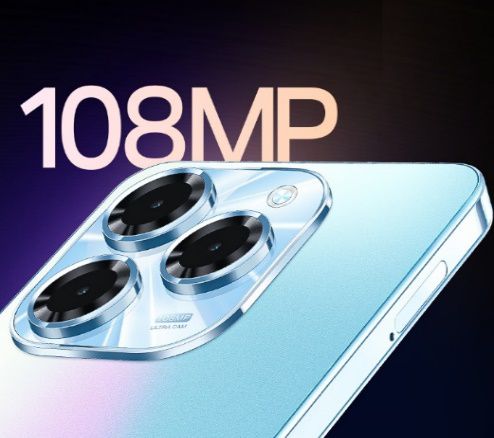
INFINIX NOTE 40X 5G: 108MP AI Triple Rear Camera
Photography enthusiasts will be happy by the Note 40X 5G’s advanced camera system.
The device features a 108MP Triple AI Camera setup complemented by a Quad-LED Flash, ensuring stunning image quality even in challenging light conditions.
Users can explore their creativity with over 15 camera modes, including AI Cam for intelligent scene optimization, Portrait mode for professional-looking depth effects, Dual Video mode for simultaneous front and rear camera recording, Pro mode for manual controls, and Film mode for cinematic video capture.
The 8MP front camera, enhanced with a dedicated LED flash, guarantees high-quality selfies and video calls in any environment.
Infinix Note 40X 5G Immersive Display and Audio Experience
Infinix Note 40X 5G comes with 6.78FHD+ 120Hz Refresh Rate & Punch-Hole Display
The Note 40X 5G boasts an expansive 6.78″ FHD+ display with a 120Hz refresh rate, offering smooth scrolling and responsive touch interactions.
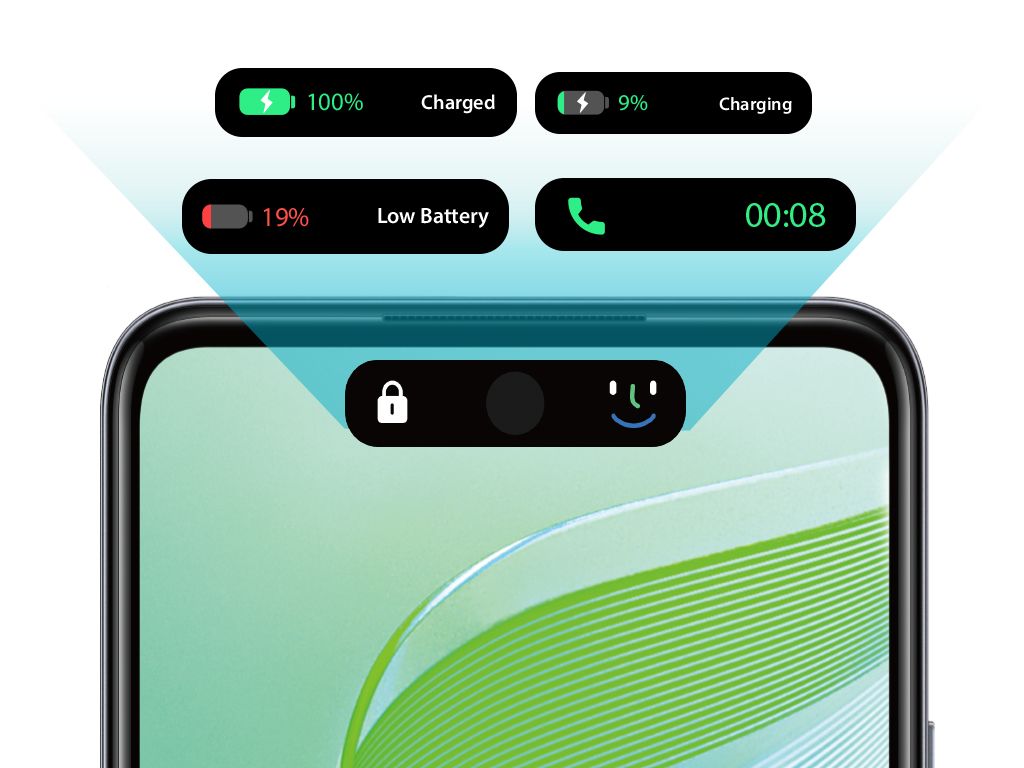
The punch-hole design maximizes screen real estate, while the innovative Interactive Dynamic Port adds a unique flair to notifications and device interactions.
Infinix Note 40X has officially launched in India
Complementing the visual experience, the dual speaker system with DTS Sound technology delivers rich, immersive audio, making the Note 40x an entertainment powerhouse for gaming, video streaming, and music playback.
Infinix Note 40X 5G Design and Battery Life
Infinix Note 40x which brings Big 5000mAh Battery & 18W Fast Type C-Charging
The device is available in three stunning colors – Palm Blue, Starlit Black, and Lime Green – the Note 40X 5G features a premium gradient back design.
The device is powered by a robust 5000mAh battery, ensuring all-day usage.
Infinix Note 40X 5G in Starlight Black, Palm Blue, and Lime Green colours
With 18W fast charging support, users can quickly top up their device and get back to what matters most.
AI Charge feature optimizes the charging process while maintaining battery health, ensuring longer and better performance over time
Infinix Note 40X 5G Software and Security Features
The NOTE 40X 5G brings you handy and speedy face unlock function
The Note 40X 5G runs on the latest Android 14 operating system, overlaid with Infinix’s XOS 14 user interface.
The Note 40X 5G Powered by Android 14 Runs on XOS 14
This combination offers a clean, intuitive user experience with minimal bloatware.
The Note 40X 5G’s dual DTS speakers.
Security is prioritized with a side-mounted fingerprint sensor for quick unlocking and a face unlock feature for added convenience.
Infinix Note 40X 5G has Dual speakers with DTS, side-mounted fingerprint scanner
The Infinix Note 40X 5G is packed with advanced AI technology to enhance your smartphone experience.
Its AI APP Boost feature keeps your favorite apps ready in the background, significantly speeding up launch times.
The NOTE 40X 5G brings you the smoother experience with an Interactive Dynamic Port
AI Wallpaper Generator allows users to generate custom wallpapers based on the text prompts added by them.
Infinix Note 40X 5G Connectivity
Infinix Note 40X 5G includes multi-functional NFC capabilities
Note 40X 5G includes multi-functional NFC capabilities, enabling contactless payments, quick pairing with compatible devices, and easy data sharing.
Infinix Launches Note 40X 5G with 12 GB+256GB under INR 15,000
The device comes in 3 dynamic gradient colors- Palm Blue, Lime Green, and Starlit Black, the Infinix Note 40X 5G smartphone will be available in two memory variants: 12GB+256GB is priced at INR 14,999, 8 GB+256 GB at INR 13,499 including bank offers on Flipkart, offering an unbeatable value proposition for its exceptional all-round entertainment capabilities.
No-cost EMI starts at INR 2250 for the 8GB+25G variant and INR 2500 for the 12GB+256GB one.
The latest offering by Infinix will be available for purchase starting 9th August 2024 both on Flipkart and retail stores near you.
Device
Storage
Price
Infinix Note 40X 5G
8GB+256GB
Rs 14,999
12GB+256GB
Rs 15,999
Infinix Note 40X 5G Specs
General
Android v14Good
Thickness: 8.26 mmAverage
201 gHeavy
Side Fingerprint Sensor
Display
6.78 inch, AMOLED ScreenLarge
1080 x 2406 pixelsGood
389 ppiPoor
100% Wide Color Gamut, 500nits Brightness, Dynamic Bar
120 Hz Refresh Rate
Punch Hole Display
Camera
108 MP + 2 MP Triple Rear CameraAverage
1440p @ 30 fps QHD Video Recording
8 MP Front Camera
Technical
Mediatek Dimensity 6300 Chipset
2.4 GHz, Octa Core ProcessorFast
8 GB RAM + 8 GB Virtual RAMLarge
256 GB Inbuilt MemoryLargest
Dedicated Memory Card Slot, upto 1 TB
Connectivity
4G, 5G, VoLTE
Bluetooth v5.2, WiFi, NFC
USB-C v2.0
IR Blaster
Battery
5000 mAh BatteryAverage
18W Fast Charge
Reverse Charging
Faqs
What are the best features of Infinix Note 40X 5G ?
* Maxed-Out Memory: With the NOTE 40x, you’re getting the biggest memory configuration in its class. Whether you choose the 8GB + 256GB or the 12GB + 256GB variant, you’ll have plenty of space for all your apps, photos, and files.
* Stunning Photos Anytime: Say goodbye to blurry night shots. The NOTE 40X 5G features a 108MP AI Camera with Quad LED Flash, ensuring your photos are crisp and clear, even in low light. Plus, with over 15 camera modes, including dual video mode, film mode, and pro mode, you’ll have the flexibility to capture your moments just the way you want.
* Cinematic Entertainment: Dive into an immersive entertainment experience with the 6.78″ HD+ punch hole display. Whether you’re streaming your favorite series or playing the latest games, the dual speakers with DTS audio processing deliver incredible sound quality that brings your content to life.
* Smooth Performance: Powered by the MediaTek Dimensity 6300, the NOTE 40x runs on the latest Android 14, ensuring fast, smooth, and efficient performance for all your needs.
* Smart & Intuitive: XOS 14 takes the user experience to the next level. With features like the AI Wallpaper Generator and AI Cam, plus a range of special functions, your NOTE 40x becomes more than just a smartphone—it’s a smart companion that adapts to you.
What is the price of Infinix Note 40X 5G?
It is priced at Rs. 14,999 for the 8GB + 256GB and the 12GB + 256GB model costs Rs. 15,999.
What are the Color’s available in Infinix Note 40X 5G ?
The Infinix Note 40X 5G comes in Lime Green, Palm Blue and Starlit Black colours .
What are the launch offers on Infinix Note 40X 5G ?
Up to Rs. 1500 Instant discount with SBI and HDFC Bank Credit and Debit Card
Up to 6 months no-cost EMI starting at Rs. 2250
How is the battery life of Infinix Note 40X 5G?
The device helps you power through your day, and then some more.
You don’t need to frequent charge your phone which gives a seamless mobile experience.
The phone packs a Big 5000mAh Battery & 18W Fast Type C-Charging.
Whether you’re navigating work tasks, streaming your favourite shows, or capturing life’s moments it delivers the reliability and performance you need.
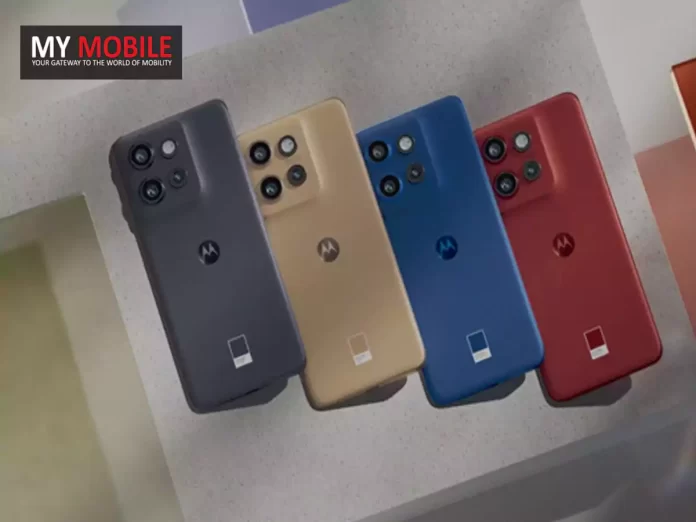
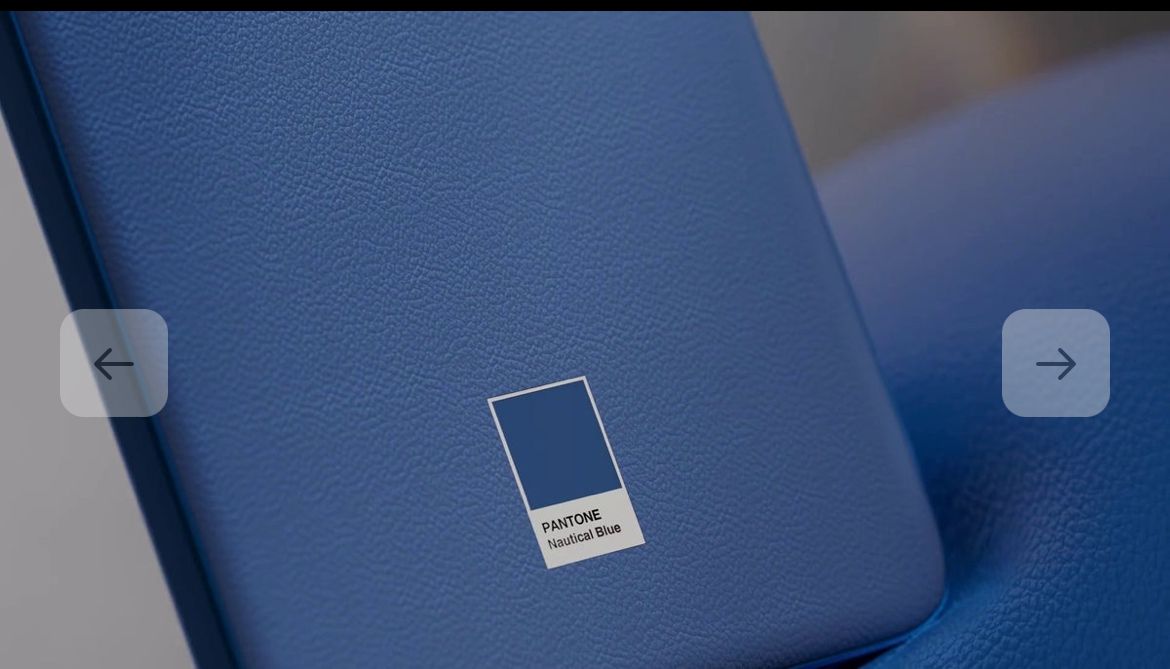
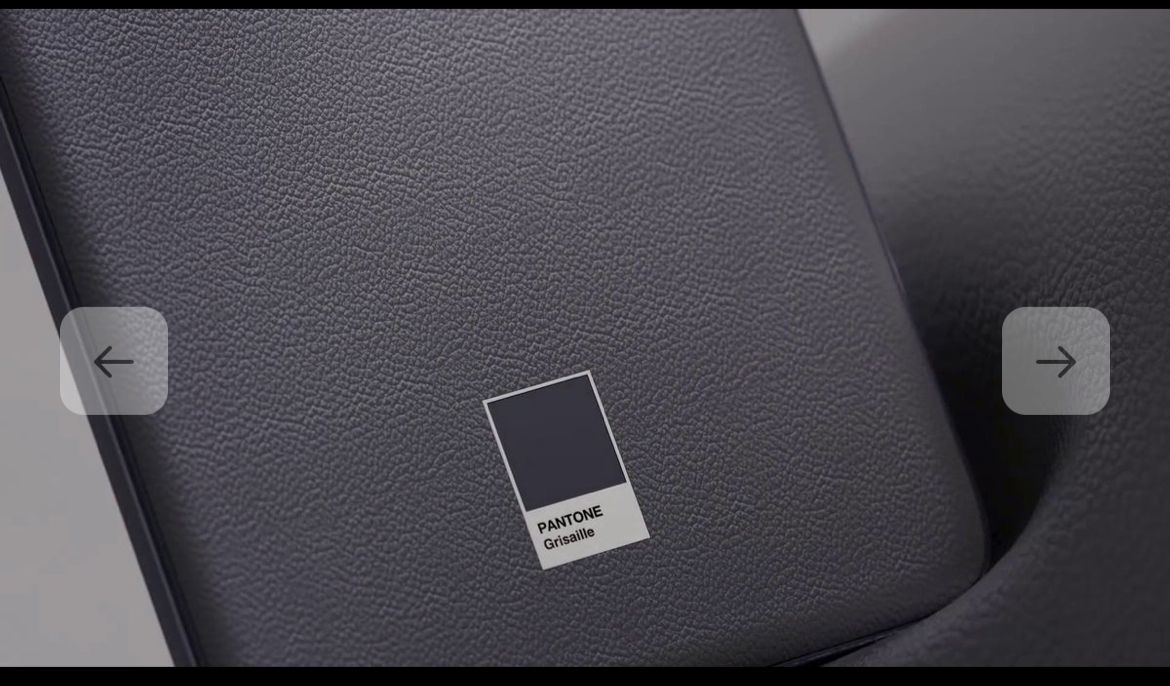
It is likely to be available in four colours: Grisaille, Nautical Blue, Poinciana, and Latte.
Although several renders of the Motorola Edge 50 Neo have been circling the internet, new leaks from Evan Blass have given us a fresh look at the upcoming Motorola Edge 50 Neo.
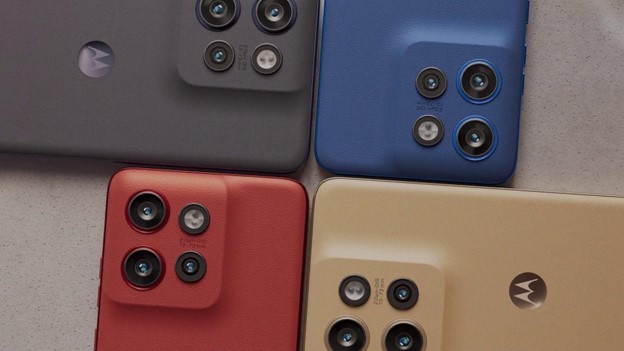
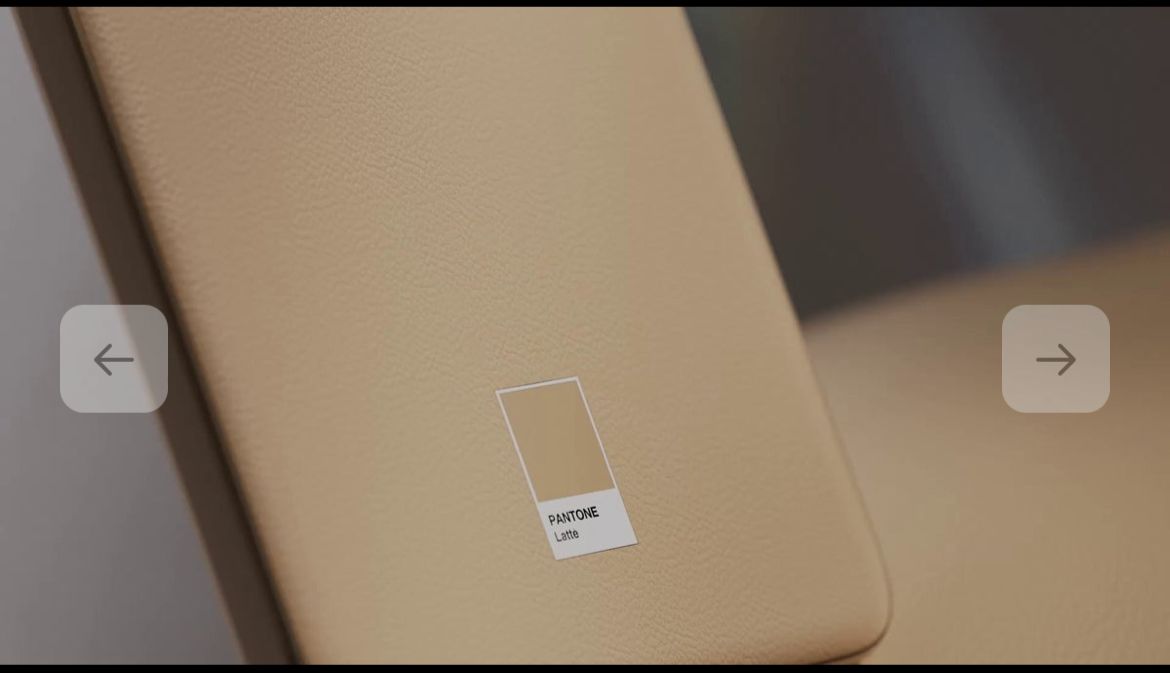
The new images show that this smartphone will come in four colours: Grisaille (black), Nautical Blue, Poinciana (red), and Latte (beige).
Motorola Edge 50 Neo Leaked Images of the back panel
The Edge 50 Neo is believed to feature a 6.4-inch pOLED display with Gorilla Glass 3 protection and a smooth 120Hz refresh rate.
One slight letdown is the 4310mAh battery, which is smaller than last year’s 5000mAh battery on the Edge 40 Neo.
The Motorola Edge 50 Neo is set to launch this month and will join the other models in the Edge 50 series, including the Edge 50 Fusion, Edge 50 Pro, and Edge 50 Ultra.
FAQs
Q1. Which processor is used in the Motorola Edge 50 Fusion?
Answer. Motorola Edge 50 Fusion comes powered by Qualcomm Snapdragon 7s Gen 2 chipset with 4nm process.
The smartphone has an octa-core CPU with four high-performance Arm Cortex-A78 cores clocked at 2.4Ghz speed.
It is paired with four power-efficient Cortex-A55 cores at a clock speed of 1.95GHz.
Q2. What Motorola Edge 50 Neo variants can we expect?
Answer. As per Twitter leaks, the Motorola Edge 50 Neo will be available in two models: 8GB + 256GB and 12GB + 512GB.
Q3. How is the camera of Motorola Edge 50 Neo?
Answer. The Motorola Edge 40 Neo features a 50MP primary camera with OIS and a 13MP ultra-wide angle lens with Macro Vision.
There’s a 32MP front camera for selfies and video chats.
Q4. How big is the screen on the upcoming Motorola Edge 50?
Answer. The Motorola Edge 50 will boast a 6.67-inch 1.5K curved pOLED display and 1900 nits peak brightness with an in-display fingerprint, an upgrade from the 6.55-inch display and 1200 nits peak brightness on the Motorola Edge 40.
Q5. When is the Motorola Edge 50 series available for sale?
Answer. The first sale for the Motorola Edge 50 will take place on August 8th at 12 pm via Flipkart.
Q6. What are the key features of Motorola Edge 40?
Answer. The Motorola Edge 40 5G features a 6.55-inch Full HD+ display with a 144Hz refresh rate, 8GB RAM, 256GB storage, a 50MP primary camera with OIS, a MediaTek Dimensity 8020 processor, and a 4400mAh battery with 68W Turbo Power Charger and wireless charging support.
The iPhone 16 series is likely to launch in India and international markets in September 2024.
Recent leak from China reveals battery upgrade in iPhone 16 Pro.
Rumours also suggest certain upgrades in charging speed and type.
Apple is gearing up to finally introduce the iPhone 16 series in September 2024.
However, the rumour mill surrounding the upcoming iPhone series hasn’t stopped even for a day since the last release.
Now recent talk about the battery capacity of upcoming series is definitely giving a lot of reasons to rejoice to the iPhone fans.
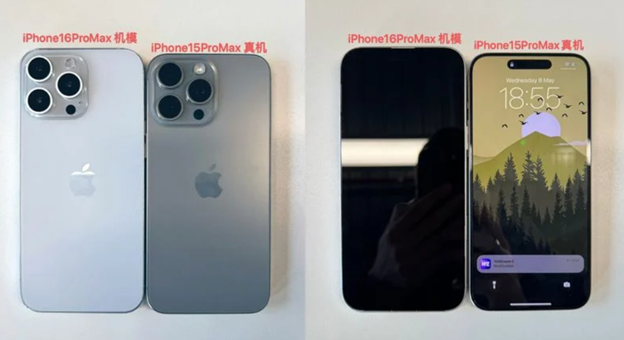
Before we get to the rumours about battery capacity, here is a quick look at the dummy images leaked on X (previous known as Twitter) couple of years ago.
The iPhone 16 series is likely to launch in India and international markets in September 2024
The image above were posted on X by user @ZONEofTECH.
The images reveal dummy model that represents the iPhone 16 Pro Max alongside an actual iPhone 15 Pro Max to give an idea to users what to expect.
Now coming back to the recent battery capacity leaks.
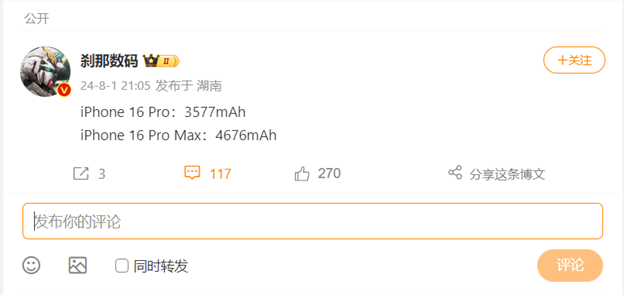
A recent rumour from China, which has been shared by many media outlets in India and outside alike, reveals the exact battery capacity upgrades for the iPhone 16 Pro and iPhone 16 Pro Max.
The word comes through Setsuna Digital in China. While the increases aren’t huge, they demonstrate Apple’s ongoing efforts to improve its devices.
iPhone 16 Pro and iPhone 16 Pro Max Battery Capacity Details As per Leaks
iPhone 16 Pro Max will likely feature a 4,676 mAh battery & iPhone 15 Pro Max’s 4,441 mAh battery
The iPhone 16 Pro is expected to have a 3,577 mAh battery, which is over 9% larger than the iPhone 15 Pro’s 3,274 mAh battery.
Meanwhile, the iPhone 16 Pro Max will likely feature a 4,676 mAh battery, about 5% bigger than the iPhone 15 Pro Max’s 4,441 mAh battery.
Though these increases may not seem significant, they reflect Apple’s commitment to making steady improvements.
A larger battery typically means longer usage times, which is great news for users who depend on their phones all day.
Even small boosts in battery size can make a noticeable difference when combined with other enhancements.
The upcoming iPhone 16 models are anticipated to include advancements in both chipset and display panel efficiency.
iPhone 16 Pro and iPhone 16 Pro Max Charging Speed Rumors
Both models are expected to support 40W wired charging and 20W MagSafe wireless charging
Another exciting rumour is about the charging speeds for the iPhone 16 Pro and Pro Max.
48 MP + 12 MP + 12 MP Triple Rear Camera with OISAverage
4K @ 60 fps UHD Video Recording
12 MP Front CameraAverage
IMX803
48 MP + 48 MP + 12 MP Triple Rear Camera with OISAverage
4K @ 60 fps UHD Video Recording
12 MP Front CameraAverage
IMX903
Technical
Apple Bionic A18 Pro Chipset
Hexa Core Processor
8 GB RAMSmallest
128 GB Inbuilt MemorySmallest
Memory Card Not Supported
Apple Bionic A18 Pro Chipset
Hexa Core Processor
256 GB Inbuilt MemoryAverage
Memory Card Not Supported
Connectivity
4G, 5G, VoLTE
Bluetooth v5.4, WiFi, NFC
USB-C v4.0
4G, 5G, VoLTE
Bluetooth v5.4, WiFi, NFC
USB-C v4.0
Battery
3355 mAh BatterySmall
40W Fast Charging
15W MagSafe Wireless Charging
4676 mAh BatteryAverage
40W Fast Charging
15W MagSafe Wireless Charging
FAQs
Q1. What are the rumoured features of iPhone 16 Pro?
Answer. Although nothing is confirmed, the iPhone 16 Pro models are expected to have following features –
3-inch and 6.9-inch display sizes
New Camera button
Relocated mmWave antenna
48MP Ultra Wide lens
5x optical zoom for both models
Faster A-series chip
Wi-Fi 7
Q2. What colours will iPhone 16 have?
Answer. The iPhone 16 Pro models are expected to come in black, white or silver, gray or “Natural Titanium,” and rose, a shade of gold.
While some rumors have referred to the color as a rose gold, another rumor suggests that it will be a bronze shade.
Q3. Which chip can we expect in iPhone 16?
Answer. Code in iOS 18 confirms that all four iPhone 16 models are set to use the same next-generation A18 chip.
As per Analyst Jeff Pu the chip will feature a larger die size for improved artificial intelligence performance, and the same 6-core GPU in the A17 Pro.
Q4. What camera enhancement will be in next iPhone?
Answer. As per rumours, the next scheduled-to-release iPhone 16 Pro Max could feature a super telephoto periscope camera for a dramatically increased optical zoom.
“Super” or “ultra” telephoto usually describes cameras with a focal length of over 300mm.
Currently, telephoto lens is equivalent to a 77mm lens. So, if rumours are true, there would be notable increase in zoom capabilities of next iPhone Pro models.
Q5. Will the iPhone 16 have AI?
Answer. After Apple’s WWDC event in June 2024, everyone is looking forward to Apple Intelligence being included in iPhones.
However, it is important to note that Apple might make a limited subset of its generative AI software available in September when iPhone 16 series is scheduled to launch.
Proper “generative AI for smartphone” might not arrive until Q1 2025, when the launch of the iPhone SE is expected.
These new rules combine previous guidelines for wireline, wireless, and broadband services into one comprehensive framework.
It also addresses advancements like 4G/ 5G network and fibre broadband.
Image Credit – Photo by VD Photography on Unsplash
The updated regulations by TRAI will come into force on October 1, 2024.
The aim is to enhance the quality and transparency of access and broadband services in India.
Here’s what you need to know about the new guidelines.
Empowering Consumers with Information
TRAI will come into force on October 1, 2024
A key feature of the new regulations includes the requirement for service providers to display mobile coverage maps for different technologies (2G/3G/4G/5G) on their websites.
This will enable consumers to make more informed decisions.
Moreover, to increase transparency in QoS performance, providers must publish their performance against prescribed parameters online.
The updated regulation also introduces new metrics like jitter and packet drop rate.
It aligns the latency benchmark with global standards to better meet the needs of emerging applications.
The TRAI statement further states, “In addition to requirement for display of mobile coverage map, new parameters like reporting of significant network outages, jitter, maximum bandwidth utilization between radio and core network during busy hour and SMS delivery success rate etc. have been introduced.”
Enhanced Service Monitoring
The aim is to improve transparency, accountability, and overall service reliability
TRAI has also mandated monthly monitoring of QoS performance for mobile services.
The providers will have six months to transition to this new reporting frequency.
Detailed performance data, including network availability and call drop rates, will now be collected at the cell level.
A clear and uniform measurement methodology will be adopted to make sure consistent reporting across all providers.
Compensation for Service Disruptions
New rules to compensation for service outages, stricter penalties for telecom providers
A major new rule requires telecom operators to compensate subscribers for service outages lasting more than two hours at the district level.
Postpaid customers will get a bill rebate proportional to the outage duration, while prepaid customers will have their connection validity extended accordingly.
Stricter Penalties
TRAI has also doubled the penalty for failing to meet quality benchmarks
Meanwhile, TRAI has also doubled the penalty for failing to meet quality benchmarks.
The regulatory body has increased penalties from Rs 50,000 to Rs 1 lakh per violation.
This measure aims to encourage operators to uphold high service standards and minimize disruptions.
The official statement of TRAI also says, “Delivering QoS is a lifecycle activity that can only be achieved through the adoption of best practices in the quality management domain. Therefore, Service providers have been asked to adopt Six Sigma Quality Management Plan to achieve continuous improvement in the quality of services.”
The revised regulations are the outcome of a detailed consultative process.
The roadmap was based on a Consultation Paper on ‘Review of Quality-of-Service Standards for Access Services (Wireless and Wireline) and Broadband (Wireless and Wireline) Services’.
It was issued on 18th August 2023 and comments from the stakeholders were invited thereafter.
An Open House Discussion (OHD) was successfully held on 9th April 2024 with the stakeholders.
All stakeholders and consumer forums participated and shared their opinions on various provisions of the new regulations.
FAQs
Q1. What as per TRAI is the minimum Broadband speed limit?
Answer. According to regulation on “Quality of Service standards for Broadband Services” issued by TRAI on 6th October, 2006, a broadband subscriber must receive a minimum 80% of the subscribed broadband connection speed from ISP Node to user.
Q2. How can I measure the download speed of my Broadband connection?
Answer. There are many online speed test portals online that can be used to test the connection strength.
Customers can also check the speed using the official TRAI My Speed App by clicking on the speed check icon.
The speed of the broadband is displayed generally in Kbps (Kilobits per second).
Q3. Can operators activate or deactivate data on my mobile?
Answer. No service provider can activate or deactivate the data service on the Cellular Mobile Telephone connection without explicit consent.
Subscribers can send SMS by typing ‘START’ or ‘STOP’ to 1925 to activate or deactivate a service.
1925 is a toll-free number and subscribers can even make calls to 1925 for activation/deactivation of data services.
Q4. What is TRAI’s Do Not Disturb (DND 2.0) app?
Answer. TRAI’s DND app helps users to register their preference for DND, change his preference and monitor the status of his complaints with regards to UCC. Other features of the app include –
Intelligent spam detection engine (for SMS only) to assist the subscriber in reporting.
Anti-SPAM engine works on crowd sourced feedback and dictionary built-up process.
Suggest probable SPAM for unknown SMSs/ Calls.
Suggest/ mark unsolicited Calls/ SMS as SPAM.
Updates about action taken on complaints within the App.
Q5. What does TRAI do?
Answer. TRAI is a telecom regulatory body that ensures the smooth execution of work by service providers.
It oversees hassle-free services, regulates the quality of services, makes sure consumer grievances are handled and reviewed to ensure quick response and solutions to customers by service providers.
Q6. Telecom Service Providers Committed to Quality Despite Regulatory Challenges: COAI. Details?
Answer. COAI’s member Telecom Service Providers (TSPs) have consistently invested in enhancing Quality of Service (QoS) through significant improvements in network infrastructure, resulting in greater stability and reliability.
The industry has embraced advanced technologies and automation tools, including predictive maintenance and AI-driven analytics, to proactively address network issues.
Moreover, major initiatives are underway to fiberize towers across India, which is a crucial step for the efficient deployment of 5G services.
While TRAI has tightened the QoS benchmarks over the years, the ground realities remain unchanged.
TSPs still grapple with Right of Way (RoW) issues when acquiring permissions for infrastructure deployment in public and private land for the installation of cell towers and fiber-optic cables.
The situation is further aggravated due to additional requirement of street furniture for the 5G networks.
Moreover, interference from various sources, such as other wireless devices and electromagnetic interference, degrade signal quality and network performance.
Further, illegal boosters and repeaters used by unauthorised agents, as well as the cases of theft of equipment are also external factors which, nevertheless, impact the QoS.
Besides, frequent takedown of the overhead fiber by the authorities have a significant impact in QoS as well.
TSPs have limited control over these external sources which adversely impact the Quality of Services.
Despite these challenges, TSPs have consistently met TRAI’s QoS benchmarks.
The industry expresses concern over the proposed regulations, which not only tighten benchmarks but also shift from quarterly to monthly reporting and site to cell level reporting in many cases.
In fact, the QoS parameters prescribed in the new Regulations have not been introduced by any other regulator in other similar economies.
These changes are expected to significantly increase the compliance as well as the cost burden on telecom operators, and without commensurate benefits for the customers.
While we are disappointed with the stringency of these new regulations, we remain committed to engaging constructively with TRAI on QoS-related matters.
Our member organizations will continue to strive for excellence in service quality while advocating for regulations that recognize the practical challenges faced by our industry.
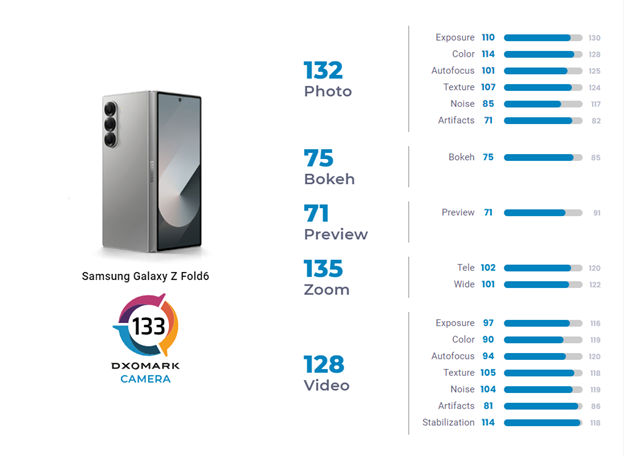
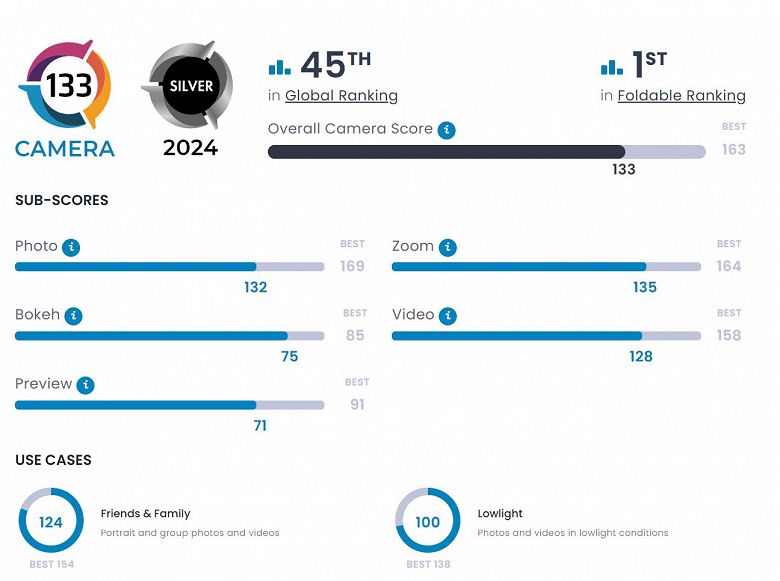
In fact, the camera has recently earned the top spot for the best camera on a foldable phone in the DXOMARK camera test.
Experts at DxOMark have praised the camera for its ability to capture highly detailed photos with beautiful, blurry backgrounds.
The colours are generally accurate, and the images are bright without being overly so.
In the DXOMARK Camera tests, the Z Fold6 performed well for a foldable device, with good performances in the photo and video categories.
The video quality is also excellent, with minimal shake during recording.
However, it is definitely not without faults.
There are a few areas where the camera could improve as highlighted in the camera test results.
Sometimes, photos taken indoors or in low light can be a bit noisy.
The camera also struggles with focusing in dark environments.
Moroever, the colours can sometimes be off, and videos can occasionally appear shaky and noisy, especially in low-light conditions.
Galaxy Z Fold 6 Camera Pros & Cons
Galaxy Z Fold 6 Camera Pros
Galaxy Z Fold 6 Camera Cons
● The camera manages to capture a wide range of light and shadow details.
● Photos in bright conditions show a lot of detail with minimal noise.
● The camera maintains decent detail even in long-distance shots.
● The camera effectively creates a blurred background while keeping the subject in focus.
● Videos generally have good exposure and capture a wide range of light.
● Most conditions result in videos with good detail.
● Video colours are vibrant and accurate.
● The camera’s stabilization works well, especially when recording while standing still.
● Indoor and low-light photos can show luminance and chroma noise.
● The camera can have trouble focusing accurately in dark settings.
● The colours in photos sometimes can be inaccurate or show white balance casts.
● Ultra-wide photos can have noticeable noise.
● Subjects in photos taken without flash at night can appear underexposed.
● Videos can sometimes show fluctuations in exposure and colour.
● The autofocus can be unstable and need to refocus frequently during video recording.
● Videos recorded in low light can have high levels of noise.
● Some videos may show artefacts like ringing and colour quantization.
All in all, the Samsung Galaxy Z Fold 6 is a top choice for anyone seeking a foldable phone with a great camera, as per DxOMark camera test results.
Motorola Edge 50 Ultra Tops Major Camera Test
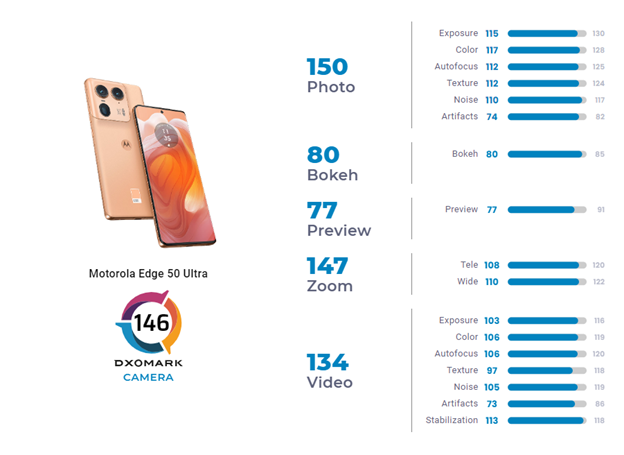
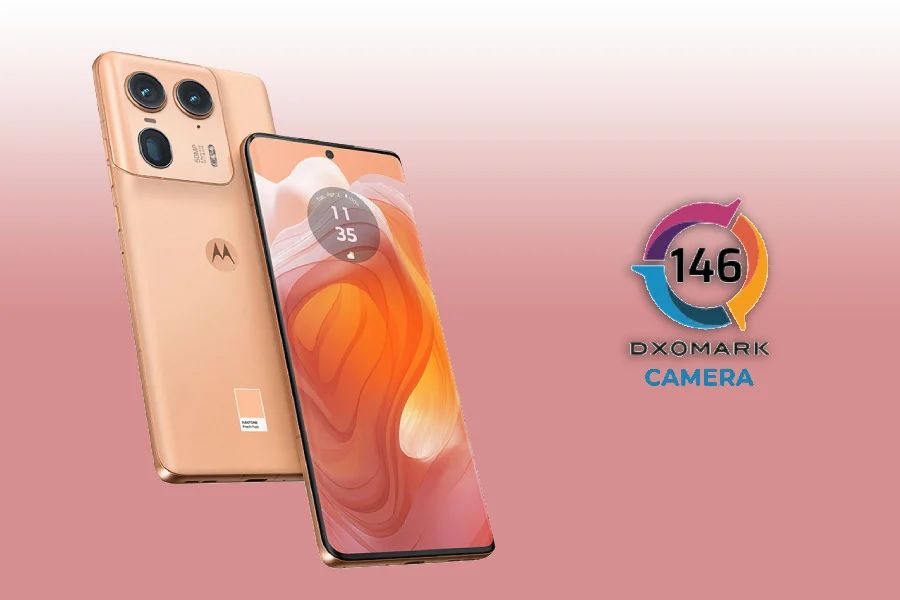
Motorola Edge 50 Ultra DXOMARK Camera Test Score
In another DxOMark camera test, Motorola Edge 50 Ultra has taken the spotlight away from the Galaxy S24 Ultra and iPhone 15.
With an impressive score of 146 points, Edge 50 Ultra ranks 18th among the top smartphones by camera score.
This year’s Samsung flagship, the Galaxy S24 Ultra, is at 23rd with 144 points, while the iPhone 15 and 15 Plus are at 21st with 145 points.
DxOMark’s tests reveal significant improvements over the previous Edge 40 Pro, especially in noise reduction and detail retention during zooming.
Motorola Edge 50 Ultra with a score of 146 points, ranks 18th among the top smartphones by camera score.
The Edge 50 Ultra shines in portrait photography, achieving accurate exposure and minimal motion blur, scoring 136 points in the “Friends & Family” category.
Low-light performance remains an issue for the Edge 50 Ultra.
DxOMark praises the phone for its accurate target exposure and pleasing colour casts in both photos and videos.
However, it also highlights issues with noise reduction inconsistencies.
In DxOMark’s new close-up use case, the Edge 50 Ultra shows some limitations.
It performs decently but doesn’t match top competitors in terms of subject detail and occasionally struggles with white balance.
Motorola Edge 50 Ultra Camera Pros & Cons
Motorola Edge 50 Ultra Camera Pro
Motorola Edge 50 Ultra Camera Cons
● Good exposure in most situations
● Balanced detail retention and noise reduction
● Fast and accurate autofocus
● Accurate depth estimation in bokeh mode
● Good detail in telephoto shots, especially at close and mid-range
● Low image noise in zoom shots, including ultra-wide
● Effective video stabilization
● Strong contrast in HDR format
● Issues with exposure and white-balance adaptation
● Unstable temporal noise reduction in video mode
● Unwanted artefacts, including fusion artefacts, ghosting, ringing, and colour fringing
● Occasionally inaccurate focus in telephoto shots
● Slightly limited dynamic range in ultra-wide shots
While it does have some weaknesses, Motorola Edge 50 Ultraprovides great camera performance compared to many devices in the similar price range.
FAQs
Q1. What are DXOMARK Camera Photo tests?
Answer. It is a review website that provides independent benchmarks and “scientifically assesses smartphones, lenses and cameras” DXOMARK engineers capture and evaluate more than 2,600 test images both in controlled lab environments and in outdoor, indoor and low-light natural scenes, using the camera’s default settings.
The photo protocol is designed to take into account the main use cases and is based on typical shooting scenarios, such as portraits, family, and landscape photography.
Q2. Can Samsung fold go underwater?
Answer. IPX8 water resistance is supported on your device, which means your device will function properly even after being submerged in fresh water for up to 30 minutes under specific conditions
Q3. What are the camera features of Galaxy Z Fold 6?
Q4. What are the camera features of Motorola Edge 50 Ultra?
Answer. The Motorola edge 50 ultra has high-resolution cameras. Key features include a 50MP main lens, a 64MP telephoto lens with 3x optical zoom and 100x Super Zoom, a 50MP ultrawide lens with macro vision, and a 50MP selfie camera with autofocus.
Q5. Is the Motorola Edge 50 Ultra waterproof?
Answer. Yes, the Motorola Edge 50 Ultra is waterproof, It has an IP68 rating so don’t worry about water or dust.
Use your Android phone’s built-in feature to identify and block spam calls automatically.
Block specific numbers by selecting them in your recent calls list and marking them as spam.
Add your number to the National Do Not Call Registry to reduce telemarketing calls.
Install apps like Truecaller, Hiya, or RoboKiller for advanced spam detection and blocking.
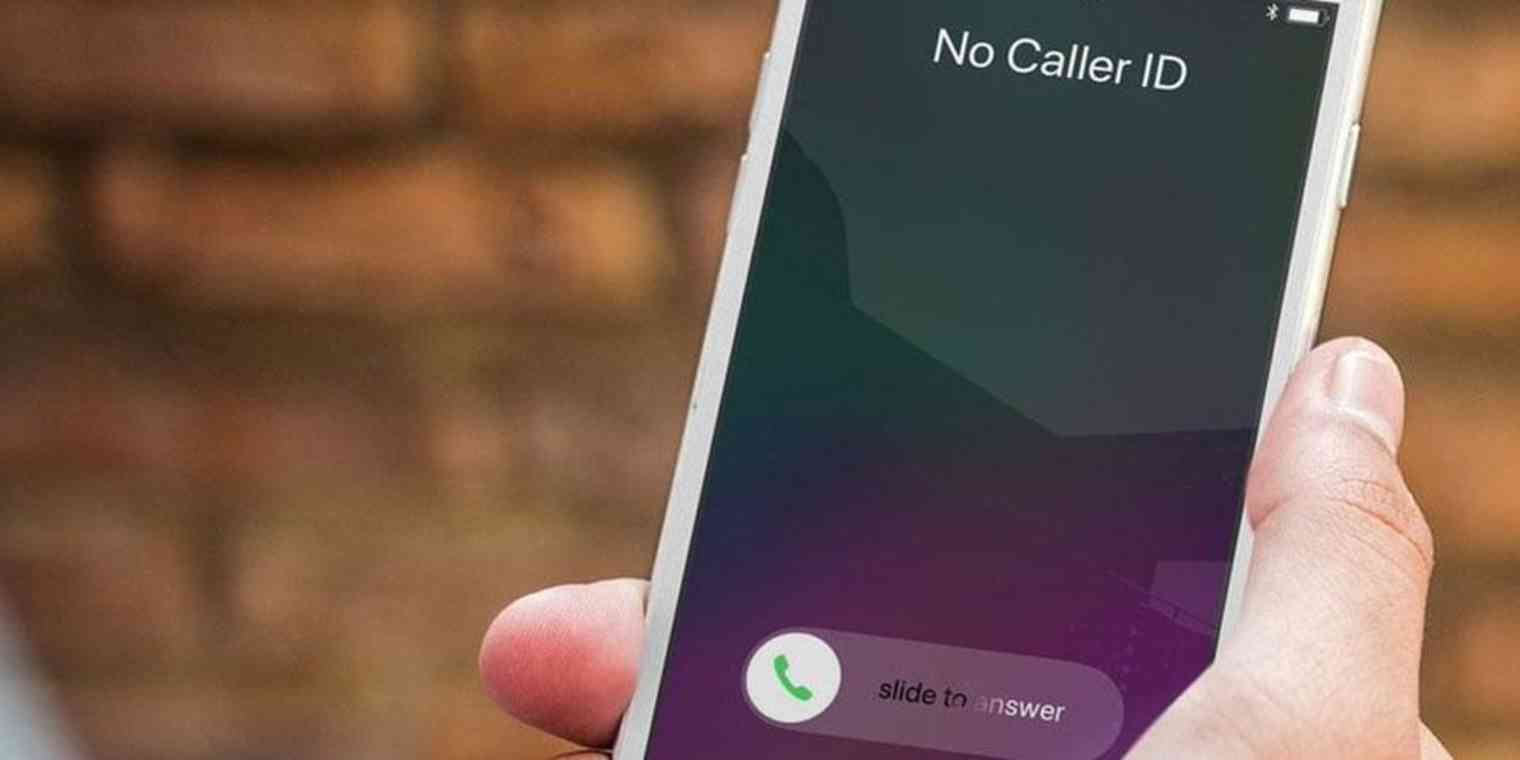
Are you tired of being bombarded by annoying spam calls?
You’re not alone.
These unwanted calls can be a major headache, interrupting your day.
And that is not all, these calls potentially put you at risk of major scams.
Fortunately, there are several effective methods to block spam calls on your Android phone.
In this ultimate guide, we’ll explore what spam calls are, how spammers find you and detailed steps to block these unwanted calls using various features and services.
Before we get to the solution, let’s understand the problem in detail.
What is A Spam Call?
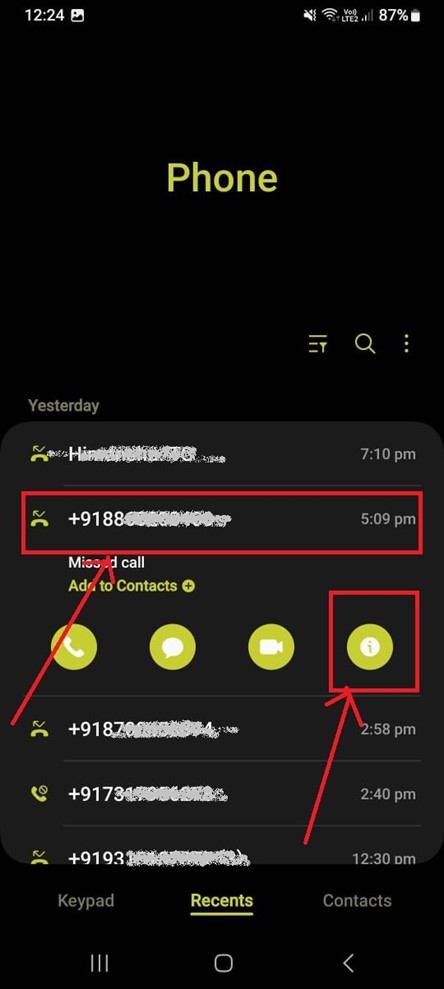
Block specific numbers by selecting them in your recent calls list and marking them as spam
A spam call is an unwanted phone call that typically tries to sell you something, ask for your personal information or trick you into ascam.
These calls can come from telemarketers, automated systems (robocalls), or even fraudsters pretending to be from legitimate organizations.
Spam calls are not only annoying but can also be dangerous if you fall victim to a scam.
Spam calls can be divided into the following types:
Telemarketing Calls: These are calls from companies trying to sell you products or services. While some may be doing real business, they often pry on personal information.
Robocalls: These are automated calls that deliver pre-recorded messages. They can range from political campaign messages to fraud schemes.
Scam Calls: These calls aim to deceive you into providing personal information or money. Common scams include pretending to be from a government agency, bank, or tech support.
Phishing Calls: These are similar to scam calls but focus specifically on getting personal information including credit card numbers, Social Security numbers, or online account details.
How Spammers Find You?
Image credit – pexels.com
The people behind those spam calls are professionals.
These spammers have several ways of finding your phone number.
Following are some of the commonly known methods.
These companies collect and sell your personal information, including your phone number, to marketers and spammers.
They gather data from various sources like online purchases, subscriptions, and public records.
When you fill out forms online, your phone number can be collected and shared with third parties.
It is advised that you should always check the privacy policies and opt out of sharing your information when possible.
If your number is listed publicly, such as in online directories or social media profiles, spammers can easily find it.
So, be cautious about where you share your phone number online.
Spammers use automated systems to dial random phone numbers, hoping to reach potential victims.
This is also known as “war dialling” and can flood users with unwanted calls.
How to Block Spam Calls on Android Phones?
Use your Android phone’s built-in feature to identify and block spam calls automatically
Blocking spam calls on your Android phone can be done in several ways.
Here, we’ll cover the most effective methods:
Block with Caller ID and Spam Protection Feature
These features work by cross-referencing incoming calls
Almost all Android phones come with built-in features to help identify and block spam calls.
These features work by cross-referencing incoming calls with a database of known spam numbers.
If a match is found, the call is flagged or blocked.
This is a dynamic system, constantly updated to keep up with new spam numbers.
Here’s the step-by-step process of how to enable these features:
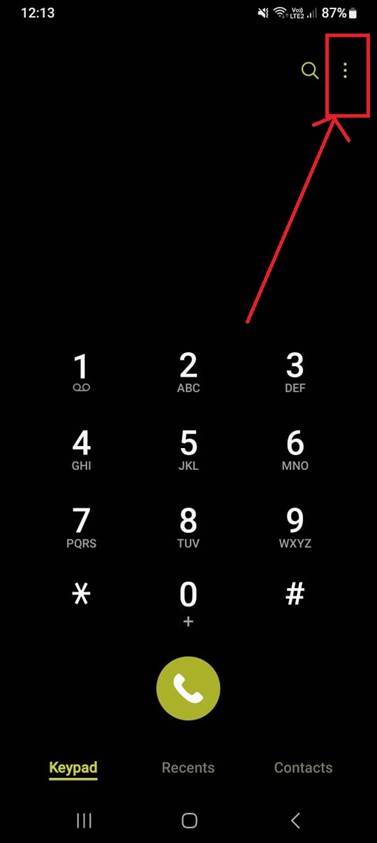
Open the Phone App on your Android device
Tap the More Options Icon (Three Dots) located in the upper-right corner of the screen
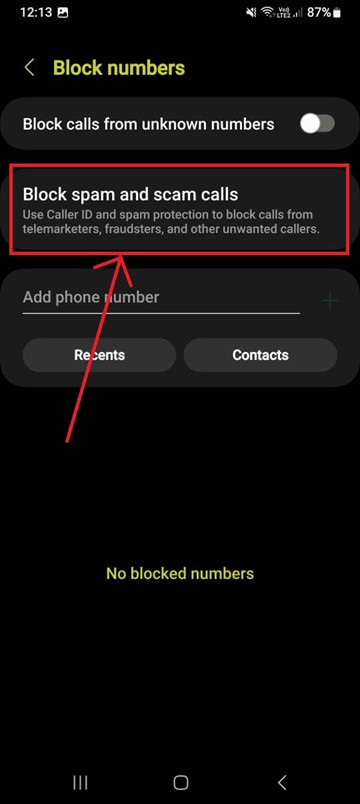
Tap Settings > select ‘Block Numbers’
Turn On or Off Caller ID and Spam Protection feature to let your phone identify potential spam calls
Tap ‘Block numbers’ and toggle on ‘Block spam and scam calls’.
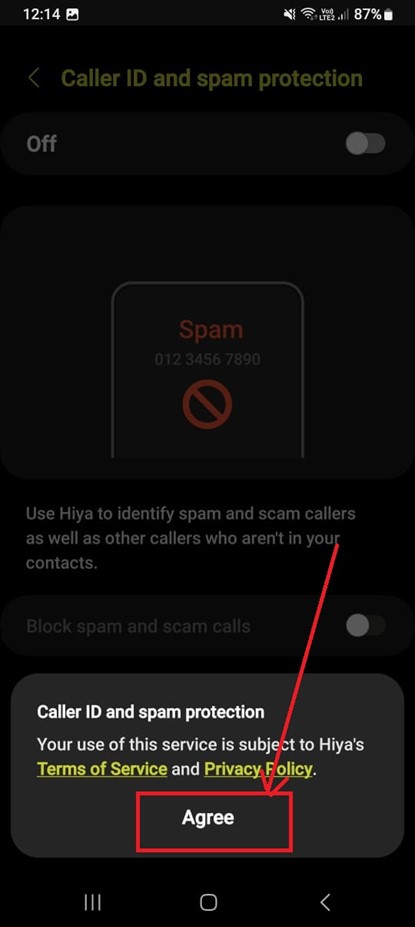
Tap on Agree and finish blocking spam calls
Block Single Callers Manually
Blocking numbers manually is effective for persistent spam numbers
If you receive a spam call from a specific number, you can block it manually.
Blocking numbers manually is effective for persistent spam numbers that aren’t caught by automatic filters.
Here’s the step-by-step process of how you can block numbers manually:
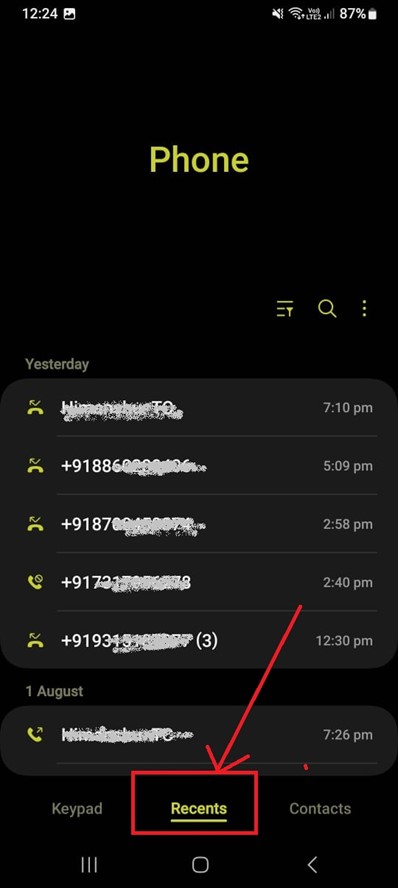
Open the Phone App and select Recent
Tap the number you want to Block and select Info (i)
Tap on Block
Choose the type of spam call if prompted and tap ‘OK’
Tap Block on the Info Screen to prevent future calls from that number.
Use Third-Party Apps
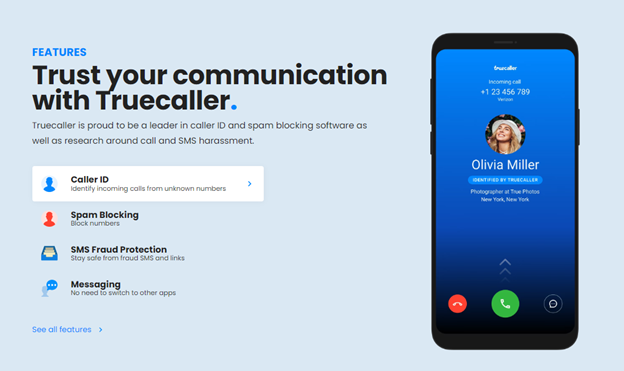
A widely-used app that identifies and blocks spam calls
In addition to the built-in features, there are numerous third-party apps available on the GooglePlay Store that specialize in blocking spam calls.
Some popular options include:
Truecaller: A widely-used app that identifies and blocks spam calls. It has a large database of spam numbers and allows user contributions to keep the database updated.
It also offers a reverse phone lookup feature to identify unknown numbers
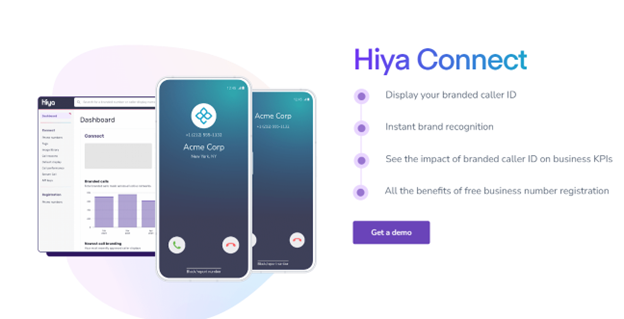
Hiya: An app that blocks spam calls and provides caller ID features. It also offers a reverse phone lookup feature to identify unknown numbers.
It has a humorous approach to dealing with spammers
RoboKiller: This app not only blocks spam calls but also uses AI to answer and waste the spammer’s time. It has a humorous approach to dealing with spammers.
These apps offer additional layers of protection and customization, allowing you to work on the spam-blocking strategy to your needs.
Alternative Ways to Block Spam Calls
There are several other methods to block spam calls.
In addition to the built-in features on your Android phone, there are several other methods to block spam calls.
Register with the National Do Not Call Registry (For American citizens)
Register with the National Do Not Call Registry (For American citizens)
The National Do Not Call Registry is a free service that allows you to opt out of telemarketing calls.
While it won’t stop all spam calls, it can significantly reduce them.
Go to donotcall.gov and follow the instructions to register your phone number.
You may need to verify your registration through an email or phone call.
After registering, it may take up to 31 days for your number to be removed from telemarketing lists.
While this service is effective against legitimate telemarketers, it may not stop scam calls from overseas or robocalls.
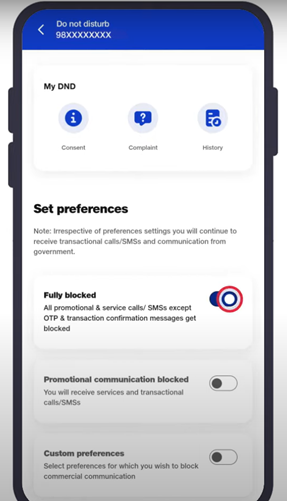
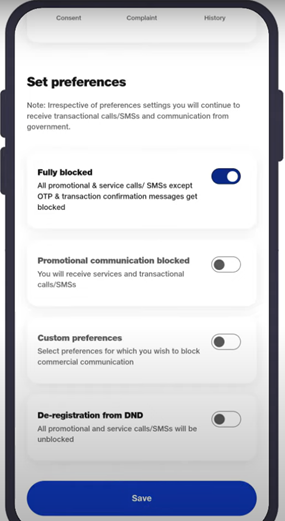
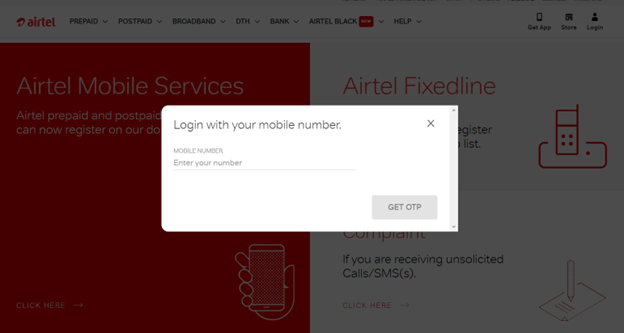
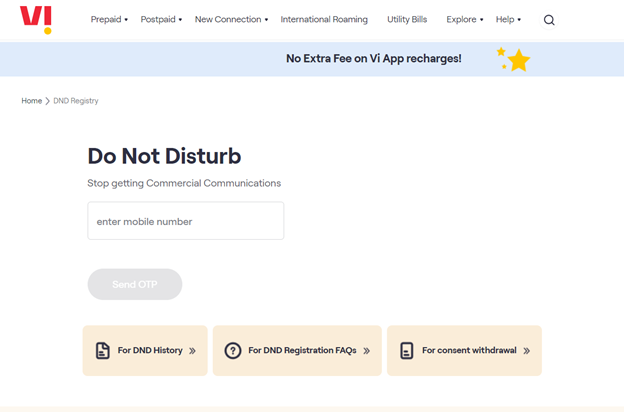
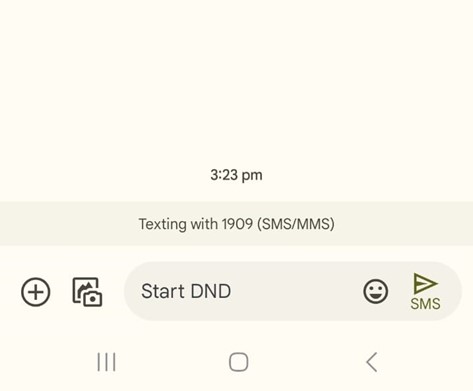
Activate DND Service by Telecom Operators
Telecom operators offer Do Not Disturb (DND) services to block spam calls
Many telecom operatorsoffer Do Not Disturb (DND) services to block spam calls.
Here’s how to activate DND for major Indian telecom providers:
These services allow you to customize your DND settings, blocking specific categories of calls such as telemarketing, promotional messages, and more.
Conclusion
Android phone is essential to maintain your privacy and peace of mind
Blocking spam calls on your Android phone is essential to maintain your privacy and peace of mind.
By utilizing built-in features, and third-party apps, registering with the Do Not Call Registry, and activating DND services, you can effectively reduce the number of spam calls you receive.
Stay vigilant and take control of your phone to keep those unwanted calls at bay.
FAQs
Q1. Why am I getting so many spam calls?
Answer. Data brokers often collect and sell your phone number and get information from online forms, subscriptions, and public records.
If you share your phone number on social media or public websites, it becomes more accessible to spammers.
Moreover, automated systems, or “war dialling,” randomly generate and dial phone numbers, leading to an influx of spam calls.
If your number is publicly listed in directories or social media profiles, it becomes an easy target for spammers.
Q2. How to be secure online to help avoid spam calls?
Answer. To enhance your online security and reduce the risk of spam calls, be cautious with sharing your number.
Only provide your phone number to trusted contacts and reputable websites.
Using a secondary phone number for online registrations, forms, and subscriptions can protect your primary number from exposure.
Regularly review and update the privacy settings on your social media accounts and other online platforms to limit the visibility of your phone number.
Also, register your phone number with the National Do Not Call Registry to reduce telemarketing calls.
Q3. Is there a way to block all spam calls at once?
Answer. Enable your phone’s built-in features like Caller ID and spam protection to automatically identify and block potential spam calls.
Installing third-party apps such as Truecaller, Hiya, or RoboKiller can offer advanced spam call detection and blocking features. Activate Do Not Disturb (DND) services.
Q4. How to Block Spam Calls on iPhone?
Answer. Two ways you can block spam calls on iPhones are –
Block single callers manually –
Go to the Phone app and find the number you want to block
Tap the i icon next to the number
Scroll and tap Block this Caller
Tap Block Contact to confirm
Block all unknown callers at once –
Go to Settings and scroll to Phone
Scroll and tap Silence Unknown Callers
Slide the toggle On (so that the green part is showing)
Q5. What are some tips for preventing spam calls from coming?
Answer. Tips for Preventing Spam Calls
In addition to blocking spam calls, there are several proactive steps you can take to prevent them from reaching you in the first place:
Avoid sharing your phone number publicly or with unknown entities. Use a secondary number for online forms and subscriptions.
Apps like Google Call Screen can help you screen calls before answering them.
Stay informed about common phone scams and techniques used by spammers.
Many spam calls go unreported. By reporting spam calls to your telecom provider or the relevant authorities.
OnePlus will launch the OnePlus Open Apex Edition on August 7.
Brand teases a VIP mode for enhanced privacy.
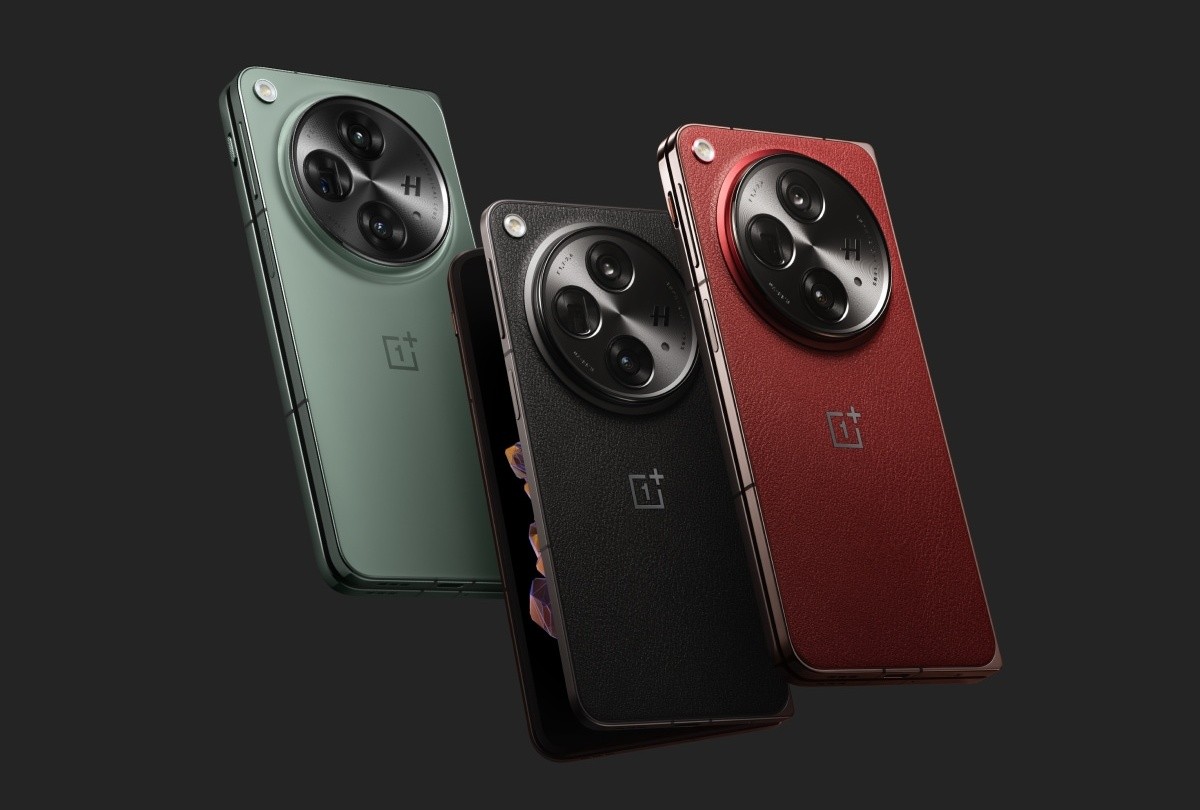
It will be available in a new Crimson Shadow colour with a faux leather finish.
It will also feature a Hasselblad-branded triple-camera system.
Powered by Snapdragon 8 Gen 2 with 16GB RAM and 512GB storage, the foldable open will likely run on OxygenOS 13.2 based on Android 13.
OnePlus is all set to launch a new version of its flagship foldable, the OnePlus Open Apex Edition, on August 7.
In the run-up to the launch, the company has been teasing various features and details about this upcoming foldable smartphone.
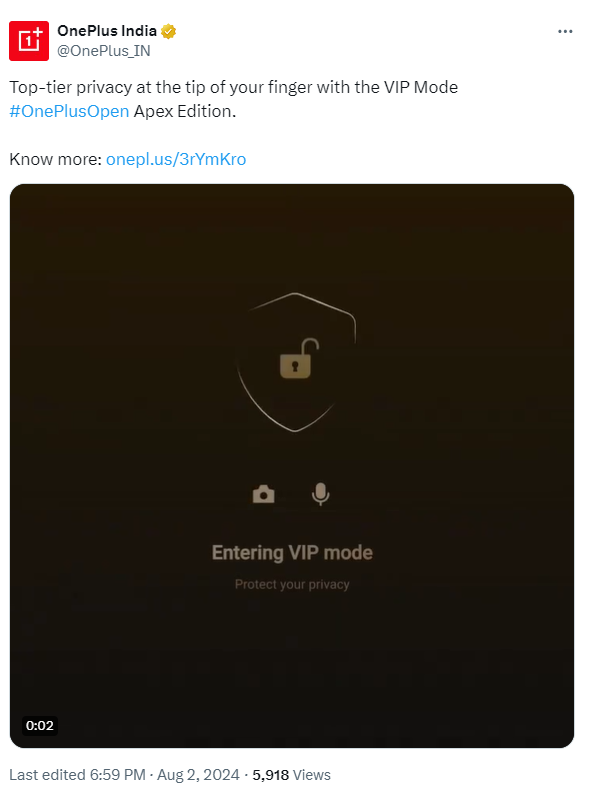
Among the latest revelations, OnePlus has confirmed that the new device will include a special VIP mode.
OnePlus announced on X (formerly Twitter) that the OnePlus Open Apex Edition will introduce a new VIP mode designed to enhance user privacy.
Although specific details about this mode were not provided, it’s expected to be similar to the VIP mode found on OPPO’s Find N3 and Find X7 Ultra.
A video posted by OnePlus shows the VIP mode animation, which strongly suggests that users will be able to disable the camera, microphone, and location access with ease using the alert slider.
OnePlus Open Apex Edition to Have VIP Mode for Better Privacy
In addition to the VIP mode, the OnePlus Open Apex Edition will come in a new Crimson Shadow colour with a faux leather finish.
This model will also feature enhanced storage capabilities and new AI image editing tools.
While these features are exciting, OnePlus has hinted that there won’t be significant hardware upgrades in this edition.
Major hardware improvements are expected to be reserved for the OnePlus Open 2, which is planned for release next year.
OnePlus Open Specifications
OnePlus will launch the OnePlus Open Apex Edition on August 7
The OnePlus Open boasts a 7.82-inch 2K Flexi-fluid LTPO 3.0 AMOLED primary display with a 120Hz dynamic refresh rate and up to 2,800 nits of peak brightness.
On the outside, it features a 6.31-inch 2K LTPO 3.0 Super Fluid AMOLED display, which also offers the same refresh rate and peak brightness as the main screen.
It comes with 16GB of LPDDR5x RAM and 512GB of UFS 4.0 storage, ensuring plenty of power and space for all your needs.
It will be available in a new Crimson Shadow colour with a faux leather finish
The OnePlus Open runs on OxygenOS 13.2, which is based on Android 13.
For photography, the OnePlus Open features a triple camera setup.
This includes a 48-megapixel Sony LYT-T808 primary camera with both optical image stabilization (OIS) and electronic image stabilization (EIS), a 64-megapixel 3X telephoto camera with an OmniVision OV64B sensor, and a 48-megapixel Sony IMX581 ultra-wide-angle camera.
For selfies, the device is equipped with a 20-megapixel front camera on the primary display and a 32-megapixel selfie shooter on the cover display.
Hasselblad Camera for Mobile, Nightscape, Dolby Vision, Smart Scene Recognition, Portrait Mode, Pro Mode, Panorama, Tilt-Shift mode, Long Exposure, Dual-View Video, Retouch, Movie Mode, XPan Mode, Focus Peaking, Raw file, Raw Plus file, Filters, Super Stable, Video Nightscape, Video HDR, Focus Lock, Time-lapse, Google Lens
Video Recording
4K @ 30/60 fps UHD, 1080p @ 30/60 fps FHD
Flash
Yes, LED
Front Camera
Punch Hole 20 MP 20 mm f/2.2 (Wide Angle)
32 MP 22mm, 1/3.14″, Cover camera f/2.4 (Wide Angle)
Q1. When is the OnePlus Open Apex Edition set to launch?
Answer. The OnePlus Open Apex Edition is scheduled to launch on August 7.
Q2. What is the new VIP mode in the OnePlus Open Apex Edition?
Answer. The VIP mode is a privacy feature that allows users to easily disable the camera, microphone, and location access using the alert slider.
Q3. What are the standout design features of the OnePlus Open Apex Edition?
Answer. Although the device will only be available after the launch to give a proper opinion, the OnePlus Open Apex Edition comes in a new Crimson Shadow colour with a faux leather finish.
Q4. What are the camera specifications of the OnePlus Open Apex Edition?
Answer. It will most likely feature a Hasselblad-branded triple camera setup, including a 48MP primary camera, a 64MP telephoto camera, and a 48MP ultra-wide-angle camera.
It also features a 20MP front camera on the primary display and a 32MP selfie camera on the cover display.
Q5. What are the key specifications of the OnePlus Open Apex Edition?
Answer. The device will most ikely feature a 7.82-inch 2K Flexi-fluid LTPO 3.0 AMOLED display, Snapdragon 8 Gen 2 processor, 16GB RAM, 512GB storage, and runs on OxygenOS 13.2 based on Android 13.
Q6. How does the OnePlus Open’s display quality compare to other foldables?
Answer. The OnePlus Open sets a new standard in foldable displays with its large 7.82-inch inner screen, featuring minimal crease and high brightness levels. Its 120Hz refresh rate ensures a smooth visual experience, making it a leader in this segment.
Q7. What makes the camera of OnePlus Open stand out?
Answer. The OnePlus Open boasts a versatile camera setup, including a 48MP primary sensor and a 64MP telephoto lens.
What sets it apart is the integration of Hasselblad’s color science and advanced sensors, providing exceptional image quality and dynamic range.
Q8. Is the OnePlus Open suitable for gaming?
Answer. Absolutely. With its Snapdragon 8 Gen 2 processor and 240Hz touch sampling rate, the OnePlus Open delivers a responsive and immersive gaming experience, rivaling other high-end smartphones.
Q9. What are the software capabilities of the OnePlus Open?
Answer. Running on Oxygen OS 13.2, the OnePlus Open offers a user-friendly interface with features like Open Canvas for multitasking.
Its promise of up to Android 17 updates ensures longevity and up-to-date software experience.
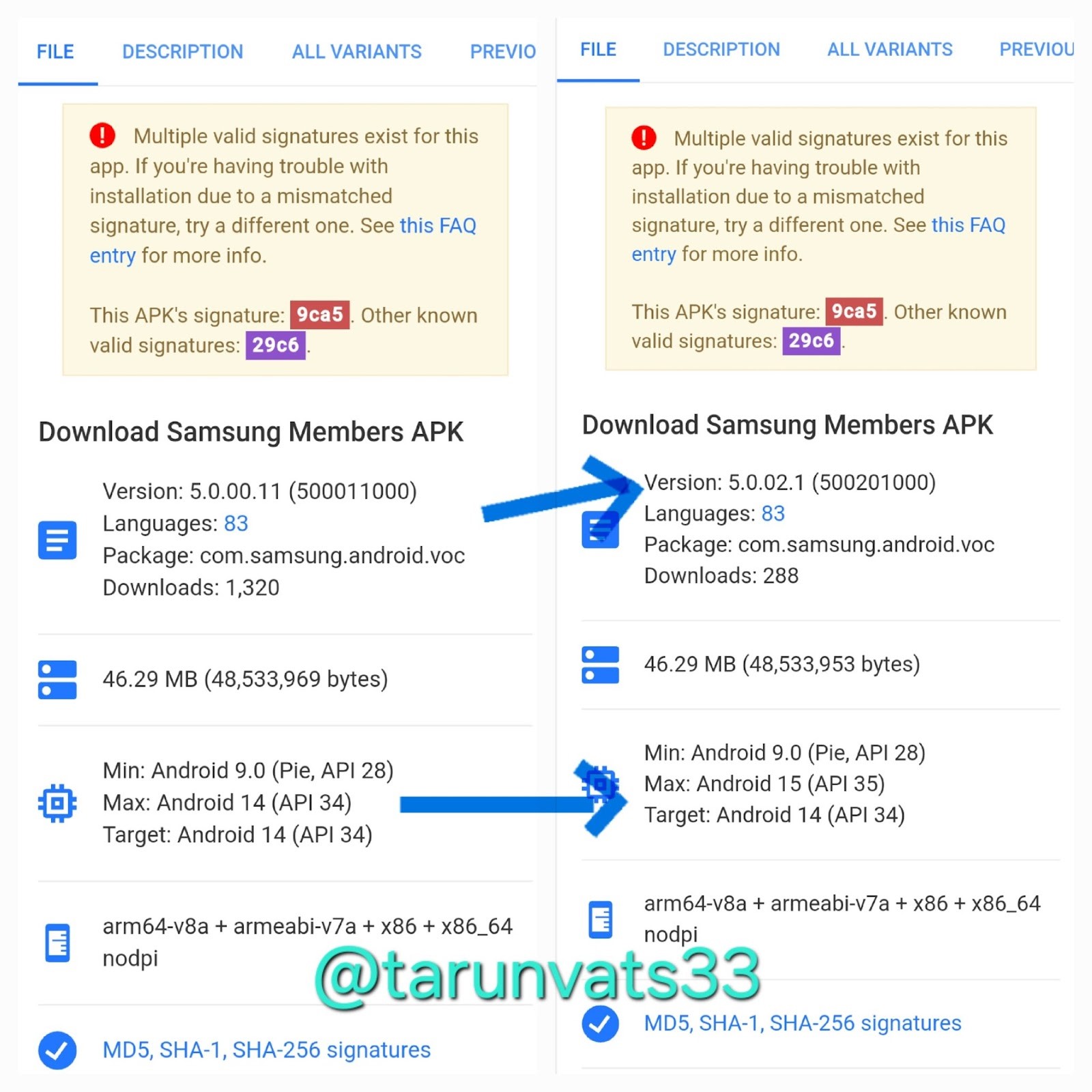
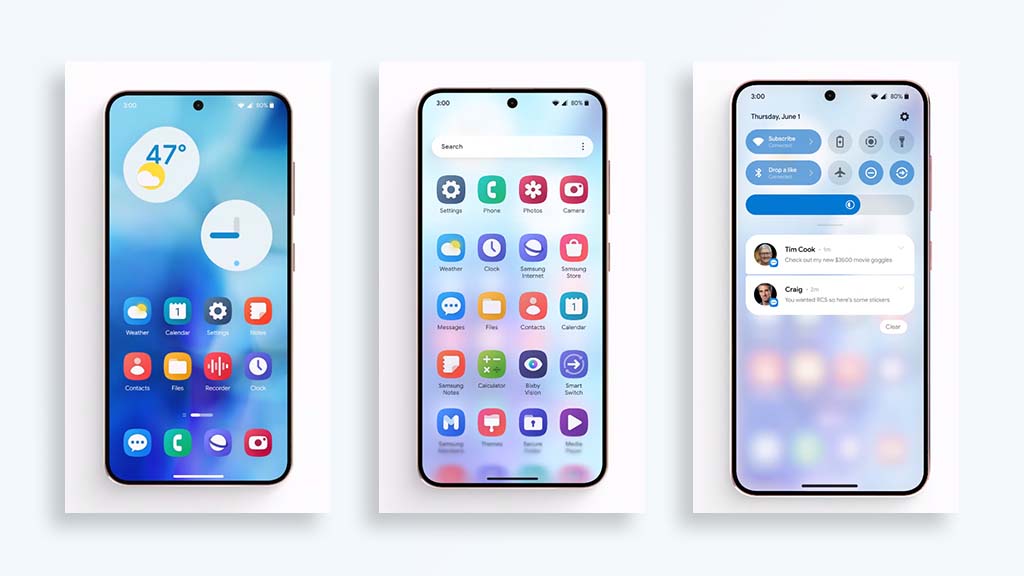
First look at Samsung's next big thing, Image Credits: Tarunvats33 on X (Formerly Twitter)
Highlights
One UI 7 introduces a complete redesign of the user interface for Samsung Galaxy devices, enhancing usability and visual appeal.
New lock screen controls and customizable notification settings offer users greater flexibility and faster access to essential functions.
Anticipated features include improved system icons, fluid animations, a revamped camera interface, and potential satellite connectivity for the Samsung Galaxy S24 Ultra.
Lately, the internet has experienced another wave of new technology, and sailing on the tidal wave of this tech world, there is so much information available about Samsung One UI 7, the big update that is all set to make things changeable inSamsung smartphones.
Yes, there is clamor for Android 15, but it is One UI 7 that Samsung will turn things upside down for Android.
One UI 7: A Massive Overhaul for Samsung Galaxy Users
First look at Samsung’s next big thing, Image Credits: Tarunvats33 on X (Formerly Twitter)
One UI 7 leaked by the famous tipster @UniverseIce said that One UI 7 will have shocking changes.
It will not be a simple change, but the complete redesign of the user interface of your Samsung Galaxy device to revolutionize the feeling of using it.
New changes with system icons and animations and, a new camera interface; aiming to change the way people shoot their pictures.
The flat battery indicator will also be different from the original one.
Great personalities do not always go with beautiful faces though it might be partly true.
One UI 7 will be further going to introduce a new control area on the lock screen to access some selected features quickly.
You also get access whether you want a single drop-down for Quick Settings and notifications or a different drop-down for each.
As always, the custom is a key keyword One UI 7, time for some creativity with a couple of new lock screen and home screen widgets, so you’ve got even more chances to turn your phone into what you want it to be.
If true, the Samsung Galaxy S24 Ultrawill also receive the mother of all camera updates due to heavenly One UI 7 improvements.
One UI 7 introduces a complete redesign of the user interface for Samsung Galaxy devices, enhancing usability and visual appeal.
One UI 7 is more or less centered around the improvement of the ility.
It arrives with the system icon set and updated and smoother animations which gives the ty and balance interaction in the concerned device.
A revamped and new UI design of the camera defines the capturing of moments and makes it easier and more enjoyable.
Some additions that seemed to complicate the working process have been made and with the new control area on the lock screen, everything has become even easier and faster.
The unified or the separate dropdown for the notification and the quick setting options give you the customization freedom to let you change the interface according to what you want.
Thus, this leak does help in the sense that it provides at least a glimpse of what we should be expecting shortly from Samsung smartphones or, at the very least, the Samsung smartphones that we are all still waiting for.
The next Samsung One UI 7 release is set to become not only an update but, at the same time, the proclamation of redefining the flagship smartphone experience.
Mobile-dependent services requiring special satellite access, and theoretical improvements to the Samsung Galaxy S24 Ultra’s cameras– all these tell a story of Samsung that is simply unwilling to step back in the never-ending race for innovation.
More information is still to come and the official start of our project will be soon.
In general, Samsung’sfuture looks incredibly promising and One UI 7 leaks should contribute a great deal to it.
It is not at all an update about graphical changes but it is all about making the software more usable and more enjoyable with a very highly geared interface.
Also, similar to One UI 7, it should open a series of significant shifts in the ways Samsung Galaxy owners have been using their mobile devices.
One UI 7 redesigns system icons and smoothes out animations for motion across Samsung Galaxy devices, along with revamping the camera interface.
Added features include the new control area on the lock screen to easily and quickly access some key functions and customization through new lock screen widgets and home screen widgets.
How will One UI 7 work to improve the user experience on Samsung devices?
One UI 7 will bring an even more beautiful and seamless interface to its users for a much-enhanced experience.
With a renewed icon set of the system and new animations, there is a swifter flow to the interaction.
The reworked camera interface lets users shoot easier and more intuitively.
In this redesigned notification and quick setting experience, many customizations can be allowed so that everything is per the user’s will.
What are the customization options available in One UI 7?
The following most conspicuous feature of One UI 7 is customization.
One UI 7 will introduce a slew of new lock and home screen widgets with which users can further personalize their devices.
It also enables either a unified or independent dropdown for quick settings and notifications, thus giving more flexibility in the way one uses a device.
Can users expect any major hardware improvements with One UI 7?
It’s rumored that the Samsung Galaxy S24 Ultra will come with considerable camera upgrades through improvements made in One UI 7.
Moreover, it could bring satellite connectivity, which would open a completely new aspect of communication.
When will One UI 7 come?
Although no specific release date has been announced for One UI 7, this leak does give a hint of the upcoming features and improvements.
Samsung will share more details quite soon, as this update is sure to bring more distinct changes in the flagship smartphone experience.