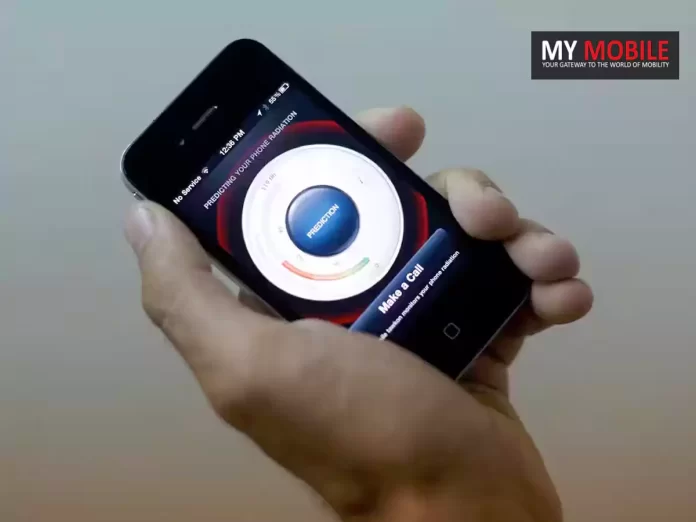
Haidt’s book addresses the shift to a phone-based childhood existence.
Teen girls spend 20 hours a week on social media, likened to a part-time job.
The digital age is leading to an epidemic of mental illness among children.
Haidt advocates delaying smartphone use until high school age.
In his forthcoming book “The Anxious Generation:How the Great Rewiring of Childhood Is Causing an Epidemic of Mental Illness,” social psychologist Professor Jonathan Haidt examines the profound changes in childhood brought about by the digital age.
According to a report by The New York Post, Haidt delves into the unsettling shift towards a “phone-based existence” that has, over the last decade, transformed childhood into something markedly less human.
Haidt’s Observations and Concerns
Professor Haidt points out a startling reality where teen girls are dedicating as much as 20 hours a week to social media, likening their engagement to a part-time job.
This digital engagement, as highlighted in his book set for release on March 26th, is leading to an array of mental health issues among children, including sleep and social deprivation, attention fragmentation, addiction, and a loss of spiritual connection.
Depressive Symptoms in US
“The great rewiring” of childhood, as Haidt describes it, is creating the most mentally troubled generation in history, with distinct effects on boys and girls. “Social media really does a number on girls,” Haidt tells The Post.
“It takes all the worst parts of middle school — social comparison, focusing on your looks, insecurity — and multiplies them by ten.”
For boys, the narrative shifts to a gradual disengagement from the real world, drawn into the realms of online pornography and video gaming.
This disconnection, according to Haidt, is accelerating as the allure of the virtual world grows.
A Call for Change
Haidt’s book addresses the shift to a phone-based childhood existence
Amidst personal struggles with his own children’s screen time, Haidt advocates for delayed introduction to smartphones, suggesting parents hold off until their children are of high school age.
He also recommends keeping kids away from social media until they are 16, emphasizing the importance of real-world engagements and responsibilities over virtual activities.
Haidt is optimistic about the potential for rapid improvement, stressing that with collective action, the issues of digital overexposure and its impact on children’s mental health can be significantly mitigated.
“We can solve this problem most of the way within a year if we just work collectively,” he asserts, showing the power of community effort in addressing these challenges.
FAQs
Q: What is the main focus of Jonathan Haidt’s new book?
A: Jonathan Haidt’s upcoming book, “The Anxious Generation,” explores the significant impact the digital age, particularly smartphones and social media, has had on transforming childhood and contributing to a rise in mental illness among children.
Q: How does social media affect children according to the book?
A: The book reveals that children, especially teen girls, are spending excessive amounts of time on social media, which exacerbates issues like social comparison, insecurity, and attention fragmentation, leading to a mental health crisis.
Q: What solutions does Haidt propose for combating the negative effects of the digital age on children?
A: Haidt suggests several measures, including delaying the introduction of smartphones and social media until a child is in high school or older, engaging children in real-world activities, and fostering genuine relationships and responsibilities.
Q: How does the digital age impact boys differently than girls?
A: For boys, the book indicates a progressive withdrawal from the real world into virtual spaces, such as online gaming and pornography. This disengagement from real-life activities and interactions is contributing to a decline in mental health and well-being.
Q: Can parents really make a difference in addressing the challenges posed by the digital age?
A: Yes, according to Haidt, parents can play a crucial role by collectively taking action to limit children’s screen time, encouraging more physical and social activities, and delaying access to smartphones and social media. He believes significant improvement is possible within a year with concerted effort.
Mark Gurman refutes rumours of a March 26 Apple iPad announcement.
Anticipated iPad updates include OLED screens and a new iPad Air model.
Speculations suggest iPad Pro and Air models to feature the M3 chip.
Potential redesigns for Magic Keyboard and Apple Pencil in the works.
Bloomberg’s Mark Gurman has quashed the swirling rumours of an imminent iPad announcement on March 26, 2024.
Despite the anticipation and speculation from various sources pointing towards an end-of-March reveal for Apple’s updated iPad lineup, Gurman’s concise response on Twitter/X,“Not true,” has put a pause on expectations for any such announcement on the speculated date.
The Unfolding of Events
Not true
— Mark Gurman (@markgurman) March 21, 2024
Previously, Gurman himself hinted at a potential refresh in the iPad lineup towards the end of March or early April.
However, as other reports narrowed down March 26 as the announcement date, Gurman’s rebuttal has brought a moment of reconsideration regarding the timing of Apple’s next big reveal.
What to Expect When Expecting
Mark Gurman Debunks March 26 Apple iPad Announcement Rumours
Speculations have been rife about the introduction of new iPad Pro and iPad Air models, with significant upgrades in the pipeline.
Rumours suggest the possibility of a first-time 12.9-inch iPad Air model and an OLED screen introduction for the iPad Pro.
Additionally, potential redesigns for the Magic Keyboard and Apple Pencil have been part of the buzz surrounding the upcoming refresh.
The last update to the iPad Pro series in October 2022 brought forward 11-inch and 12.9-inch models, with speculation suggesting the 2024 refresh could see a slight increase in screen sizes to 11.1 inches and 13 inches, respectively.
Further, the introduction of the M3 chip and an increase in maximum storage capacity to 4TB are among the eagerly awaited enhancements.
The iPad Air, which also saw its last update in October 2022, might see an expansion with two new models, maintaining the 10.9-inch size and potentially adding a larger 12.9-inch variant to the lineup.
FAQs
What did Mark Gurman say about the rumoured March 26 iPad announcement?
Mark Gurman recently addressed the rumours surrounding a supposed Apple iPad announcement on March 26, 2024, by simply stating “Not true” on Twitter/X. This response has dismissed speculations about the exact date of the upcoming iPad lineup refresh.
What are the expected updates in the new iPad lineup?
The upcoming iPad refresh is anticipated to introduce significant updates, including the possibility of OLED screens for the iPad Pro models, a new 12.9-inch iPad Air model, and enhancements like the M3 chip for improved performance.
There are also rumours of potential redesigns for accessories such as the Magic Keyboard and Apple Pencil.
When can we expect the new iPads to be announced?
While the exact date remains unconfirmed due to recent developments, there’s speculation that Apple may announce the new iPad models sometime after March 26, potentially aligning with Gurman’s earlier predictions of a late March or early April timeline.
How often does Apple update its iPad lineup?
Apple typically updates its iPad lineup annually, though there wasn’t a new iPad release in 2023, leading to increased speculation and anticipation for the next refresh. The last updates for the iPad Pro and iPad Air were in October 2022.
What changes are rumoured for the iPad Pro and iPad Air models?
Rumours suggest the next iPad Pro models might feature slightly larger displays, moving to 11.1 inches and 13 inches, alongside the introduction of the M3 chip and an increase in maximum storage capacity to 4TB. For the iPad Air, there’s speculation about introducing two new models, including a larger 12.9-inch version for the first time.
Priced at CNY 179, with a pre-order discount available.
Equipped with 12.4mm titanium-plated dynamic drivers.
Offers up to 38 hours of battery life with the charging case.
Features Dolby Panoramic Sound and AI-backed noise cancellation
In a recent unveiling, OnePlus introduced the Buds V alongside the Ace 3V smartphone in China, signaling a potential expansion of their audio product line.
However, these speculations are based on OnePlus’s historical product launches and brand strategies, so take it with a grain of salt.
OnePlus Buds V: Pricing and Availability
The OnePlus Buds V have been launched at an attractive price of CNY 179 (about Rs 2,100) and are already up for pre-orders on the Oppo China e-store.
Early birds can snag these earbuds at a special pre-order price of CNY 149 (about Rs 1,700).
Available in three elegant colours—Interstellar Blue, Silver Sand White, and Shadow Black—the Buds V will officially go on sale in China starting March 25.
OnePlus Buds V: Key Specifications
4mm Titanium-Plated Dynamic Drivers for enhanced audio clarity and bass.
Dolby Panoramic Sound Support for an immersive audio experience with compatible OnePlus smartphones.

8-Hour Battery Life per charge, extending to 38 hours with the charging case.
Lightweight Design with each earbud weighing just 4.3g.
IP55 Dust and Water Resistance for durability.
Custom Sound Modes with Balanced, Deep Bass, and Clear & Bright options, adjustable via the HeyMelody app.
AI-Backed Dual Microphones for noise-cancellation and clearer call quality.
At their core, these earbuds boast 12.4mm titanium-plated dynamic drivers, promising not just clearer audio, but a bass that resonates.
This auditory experience is further enriched for users of Dolby Atmos-supported OnePlus smartphones through Dolby Panoramic Sound, ensuring a cinema-like soundstage directly in the ears of the listener.
The Buds V offer an impressive 8 hours of playback on a single charge, with the total battery life reaching up to 38 hours when combined with the charging case.
This is complemented by a quick charge feature where an hour of charging can yield five hours of playback.
Furthermore, the lightweight design and IP55 rating for dust and water resistance make these earbuds a convenient choice for users on the go.
This personalization extends to the earbuds’ AI-backed dual microphones, which employ noise-cancellation technology to filter out background noise during calls, ensuring that your voice is heard clearly on the other end.
FAQs
Q: What is the price of the OnePlus Buds V in China?
A: The OnePlus Buds V is priced at CNY 179, approximately Rs. 2,100. For those pre-ordering, there’s a special price of CNY 149, around Rs. 1,700.
Q: What unique audio features do the OnePlus Buds V offer?
A: These earbuds feature 12.4mm titanium-plated dynamic drivers and support Dolby Panoramic Sound, promising an immersive listening experience. They also include customized sound modes and AI-backed noise cancellation for clearer calls.
Q: How long does the battery last on the OnePlus Buds V?
A: On a single charge, the earbuds offer 8 hours of playback, which extends to 38 hours with the included charging case. A quick charge of one hour can provide up to five hours of playback.
Q: Are the OnePlus Buds V water and dust resistant?
A: Yes, the earbuds come with an IP55 rating for dust and water resistance, making them suitable for use in various environments.
Q: Can I customize the sound settings on the OnePlus Buds V?
A: Absolutely. The earbuds come pre-installed with three custom sound modes—Balanced, Deep Bass, and Clear & Bright. Users can further personalize these settings using the HeyMelody application.
Slated for an official release later this year, the Dimensity 9400 is MediaTek’s bold move to challenge the established dominance of Snapdragon chipsets in high-end smartphones.
Unlike its predecessors and many current competitors, the Dimensity 9400 will forgo the use of low-power efficiency cores.
Instead, it will feature a cutting-edge combination of Cortex-X5, Cortex-X4, and Cortex-A7xx Performance CPU cores.
Speculations suggest a configuration comprising one Cortex-X5 core, three Cortex-X4 cores, and four Cortex-A7xx cores, positioning the Dimensity 9400 as a powerhouse in the CPU domain.
Advanced Fabrication for Peak Performance
The chipset’s fabrication is another area where MediaTek is pushing the envelope.
This not only implies a leap in processing power but also efficiency, although it may introduce challenges related to thermal management.
The Qualcomm Conundrum
MediaTek Dimensity 9400 Prepares to Challenge Snapdragon 8 Gen 4
Qualcomm’s Snapdragon 8 Gen 4 stands as the primary contender to MediaTek’s ambitious chipset.
With Qualcomm potentially setting a premium price for its flagship SoC, MediaTek sees an opportunity to position the Dimensity 9400 as a formidable, perhaps more accessible, alternative.
The timing, however, presents its own set of challenges. While Qualcomm’s chipset is nearing its final stages of development, the Dimensity 9400 is expected to make its debut around October, giving Qualcomm a temporal edge.
The Road Ahead for MediaTek
Dimensity 9400 ditches efficiency cores for performance CPU cores
Digital Chat Station also hints at MediaTek’s roadmap leading to the release of the Dimensity 9400.
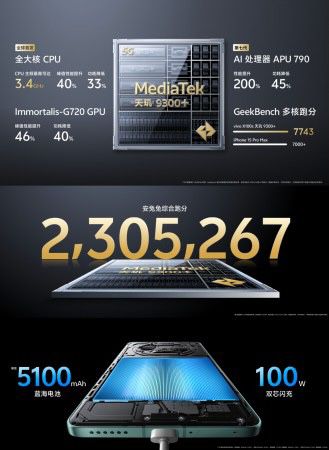
A precursor, the Dimensity 9300+ SoC, is expected to launch in May, featuring the Cortex-X4 running at 3.4GHz and Arm’s Immortalis-G720 MC12 GPU.
Q: What sets the Dimensity 9400 apart from other chipsets?
A: The Dimensity 9400 is MediaTek’s innovative chipset, opting out of low-power efficiency cores in favor of a high-performance CPU core configuration, including Cortex-X5, Cortex-X4, and Cortex-A7xx cores. This design is aimed at maximizing processing power and efficiency, setting it apart from typical chipset architectures.
Q: How does the Dimensity 9400 compare to the Snapdragon 8 Gen 4?
A: The Dimensity 9400 is positioned as a strong competitor to Qualcomm’s Snapdragon 8 Gen 4, with MediaTek focusing on delivering a high-performance chipset that could challenge Qualcomm’s dominance in the high-end smartphone market. With advanced CPU cores and built using the 3nm fabrication process, it’s designed to offer comparable, if not superior, performance.
Q: What are the expected challenges for the Dimensity 9400?
A: While the Dimensity 9400 promises exceptional performance, it may face challenges related to thermal management due to its high-powered CPU configuration. Additionally, competing against the well-established Snapdragon 8 Gen 4, which is close to its launch, might be a significant hurdle for MediaTek’s new chipset.
Q: When is the Dimensity 9400 expected to be released?
A: According to insights from Digital Chat Station, MediaTek plans to debut the Dimensity 9400 in October. This follows the release of the Dimensity 9300+ SoC, which is set for a May launch, indicating MediaTek’s phased strategy for updating its chipset lineup.
Q: How does MediaTek plan to integrate AI capabilities with the Dimensity 9400?
A: MediaTek has been optimizing its chipsets, including the Dimensity 9300 and 8300, for enhanced AI capabilities in collaboration with Google. While specific details about AI integrations in the Dimensity 9400 are not yet disclosed, it’s expected that MediaTek will continue to focus on supporting AI-driven applications, leveraging its partnership with Google.
i was on instagram earlier and it literally logged me out. like while i was watching stories. now it won’t let me log in???? hello
— riley (@riley_d23) March 22, 2024
A significant number of Instagram and Threads enthusiasts reported attempts to re-enter their accounts being temporarily successful before being ousted once again.
The issue appears to be indiscriminate, affecting a wide array of users without warning.
Adding to the inconvenience, some individuals have encountered difficulties uploading content, such as photos and stories, to Instagram.
User Reactions and Workarounds
@instagram who ran the script to log all users out? 🤣😂🤣
— Omega Jaido!! (@jay_smn) March 22, 2024
The incident has prompted a mix of alarm and irritation among the user base, with many initially fearing unauthorized access to their accounts.
“I thought my Instagram got hacked just now. I got logged out of all my accounts at the same time,” shared one affected individual, echoing the sentiments of many others who took to social media to voice their concerns and seek answers.
next time instagram log me out ima stay logged out…FOR LIFE ! 🗣️
— Queenroyal🫧 (@JaylaRoyal) March 22, 2024
In an effort to combat this issue, users have shared potential temporary fixes, including clearing the application’s data and avoiding interaction with certain error messages.
Earlier in the month, a significant outage took down Facebook, Messenger, Instagram, and Threads for an extended period, attributed by Meta to a “technical problem” without further elaboration.
The current situation might be linked to underlying issues that have yet to be fully resolved.
Q: What happened with Instagram and Threads accounts recently?
A: A large number of users experienced unexpected logouts from their Instagram and Threads accounts on Thursday evening. This issue seemed to affect users indiscriminately, causing confusion and concern among the social media community.
Q: Are there any known fixes for the Instagram and Threads logout issue?
A: Some users have found temporary relief by clearing their application’s data and avoiding certain error messages. These community-sourced workarounds have helped users regain access to their accounts, albeit temporarily, as the root cause of the issue has not been addressed by Meta.
Q: Did Meta acknowledge the Instagram and Threads logout problem?
A: As of the latest reports, Meta has not provided an official statement or acknowledgment regarding the sudden logout issue affecting Instagram and Threads users. The lack of communication has left many users seeking answers and solutions on social media platforms.
Q: Have Instagram and Threads faced similar issues in the past?
A: Yes, earlier in the month, Meta’s platforms, including Facebook, Messenger, Instagram, and Threads, experienced a major outage attributed to a “technical problem”. This recent logout issue may be related to ongoing technical challenges within Meta’s network of social media platforms.
Q: What should I do if I’ve been logged out of my Instagram or Threads account?
A: If you’ve been affected by the logout issue, you can try clearing your app’s data and temporarily avoid pressing certain error prompts as a workaround. However, since the underlying cause has yet to be addressed by Meta, these fixes may only provide temporary access to your account.
In the tablet world, very few, if any, can boast of better performance than an iPad.
It stands to reason that iPads are the bestselling tablets in the world.
From the original iPad introduced in 2010 to the latest models that harness the power of Apple Silicon, each iteration has marked a leap forward in processing capability, enhancing what users can do with their iPads.
With each new chip, from the A-series to the groundbreaking M-series Apple Silicon, iPads have become more capable, supporting a range of applications from graphic-intensive games to professional-grade creative tools.
This move began with the M1 chip, which was first introduced in the Mac lineup and later brought to the iPad Pro, symbolizing Apple’s ambition to create a unified architecture across all its devices.
Here’s the list of iPads through the ages with their chipset, courtesy of 9to5Mac.
iPad Model
Chipset
Original iPad
A4 – 1 core, 1 GHz
iPad 2
A5 – 2 cores, 1 GHz
iPad 3rd gen
A5X – 2 cores, 1 GHz
iPad 4th gen
A6X – 2 cores, 1.4 GHz
iPad Air
A7 – 2 cores, 1.4 GHz
iPad mini 2
A7 – 2 cores, 1.3 GHz
iPad Air 2
A8X – 3 cores, 1.5 GHz
iPad mini 3
A8 – 2 cores, 1.5 GHz
iPad Pro 12.9″ (1st gen)
A9X – 2 cores, 2.26 GHz
iPad Pro 9.7″
A9X – 2 cores, 2.16 GHz
iPad 5th gen
A9 – 2 cores, 1.85 GHz
iPad Pro 10.5″
A10X Fusion – 6 cores, 2.3 GHz
iPad Pro 12.9″ (2nd gen)
A10X Fusion – 6 cores, 2.3 GHz
iPad 6th gen
A10 Fusion – 4 cores, 2.3 GHz
iPad Pro 11″ (1st gen)
A12X Bionic – 8 cores, 2.5 GHz
iPad Pro 12.9″ (3rd gen)
A12X Bionic – 8 cores, 2.5 GHz
iPad Air 3
A12 Bionic – 6 cores, 2.5 GHz
iPad mini 5
A12 Bionic – 6 cores, 2.5 GHz
iPad 7th gen
A10 Fusion – 4 cores, 2.3 GHz
iPad Pro 11″ (2nd gen)
A12Z Bionic – 8 cores, 2.5 GHz
iPad Pro 12.9″ (4th gen)
A12Z Bionic – 8 cores, 2.5 GHz
iPad 8th gen
A12 Bionic – 6 cores, 2.5 GHz
iPad Air 4
A14 Bionic – 6 cores, 3.0 GHz
iPad 9th gen
A13 Bionic – 6 cores, 2.66 GHz
iPad mini 6
A15 Bionic – 6 cores, 3.2 GHz
iPad Air 5
Apple Silicon M1– 8 cores, 3.2 GHz
iPad Pro 11″ (3rd gen)
Apple Silicon M1– 8 cores, 3.2 GHz
iPad Pro 12.9″ (5th gen)
Apple Silicon M1– 8 cores, 3.2 GHz
iPad Pro 11″ (4th gen)
Apple Silicon M2 – 8 cores, 3.5 GHz
iPad Pro 12.9″ (6th gen)
Apple Silicon M2 – 8 cores, 3.5 GHz
Reflecting on the Progress
Journey from A4 in the original iPad to M2 in the latest iPad Pro models
From the single-core A4 chip in the original iPad to the powerful 8-core M2 in the latest iPad Pro, Apple’s chipset evolution mirrors the expanding capabilities of the iPad itself.
This progression is indicative of Apple’s innovation in hardware and also its vision for a future where iPads are as powerful and versatile as traditional.
But when will they replace MacBooks?
The honest answer is no one knows .
FAQs
Q: What was the first chip used in iPads?
A: The original iPad, introduced in 2010, was powered by the A4 chip, which had a single core running at 1 GHz.
This was Apple’s first step in custom silicon for iPads, setting a precedent for performance and efficiency in tablet computing.
Q: How did the transition to Apple Silicon affect iPads?
A: The transition to Apple Silicon in 2020, starting with the M1 chip in iPad Pro models, represented a significant leap in processing power and efficiency.
This move not only enhanced the iPad’s capabilities but also aligned it closer with the performance levels of desktop and laptop computers, thanks to the M1’s 8-core CPU and GPU.
Q: Can you explain the difference between the A-series and M-series chips in iPads?
A: The A-series chips, used in iPads for a decade, focused on balancing performance and efficiency in a mobile form factor.
The introduction of the M-series, beginning with the M1 chip, marked a shift towards providing desktop-class performance in iPads, with more powerful CPU and GPU cores and higher efficiency.
Q: What makes the M2 chip stand out in the latest iPad Pro models?
A: The Apple Silicon M2 chip, featured in the latest iPad Pro models, stands out for its enhanced performance and efficiency.
With an 8-core CPU that includes 4 performance and 4 efficiency cores, along with a 10-core GPU, the M2 chip offers significant improvements in multitasking, graphics, and overall speed, setting a new benchmark for what tablets can achieve.
This is especially useful for those long commutes or when you’re working and want to listen to something without having to keep the YouTube app open on your screen.
YouTube Music Premium
Listen in the background with YouTube Premium’s multitasking feature
Included with your YouTube Premium subscription is YouTube Music Premium, offering an extensive library of songs across various Indian languages and genres.
Whether you’re into the latest Bollywood hits, regional folk music, or indie tracks, YouTube Music Premium serves as your all-access pass.
The ability to download videos for offline viewing is a boon for Indian users, particularly for those with fluctuating internet connections or limited data plans.
So if you’re traveling in areas with spotty coverage or you want to save your data, YouTube Premium lets you download videos and playlists to watch later, ensuring your entertainment is uninterrupted.
This includes a variety of original series, movies, and events, featuring some of India’s most beloved creators and artists.
From documentaries highlighting social issues to comedy series and musical performances, YouTube Originals offers unique content that resonates with the Indian audience.
This feature, which allows watching multiple games simultaneously, is now available on iOS and iPadOS devices.
Users need to update their app to version 8.11 to enjoy multiview, selecting games from preset options or the “Top Picks for You” section.
While this feature has been a staple on TVs, allowing for two to four games to be viewed at once, its expansion to mobile devices marks a significant update.
Q: What advantages does YouTube Premium offer to Indian users?
A: YouTube Premium provides an ad-free viewing experience, allowing uninterrupted enjoyment of videos and music. It supports background play, making it perfect for multitasking.
Subscribers can download content for offline viewing, ideal for areas with limited connectivity. Additionally, YouTube Premium includes access to an extensive library of YouTube Originals, featuring content tailored to the Indian audience.
Q: How does YouTube Premium enhance music listening for Indian users?
A: With YouTube Music Premium, users gain access to a vast collection of songs across various Indian languages and genres, from Bollywood hits to regional music.
This service offers an ad-free music experience, offline downloads, and background play, catering to the diverse musical tastes of Indian users and enhancing their listening experience.
Q: Can YouTube Premium users in India download videos for offline viewing?
A: Yes, YouTube Premium allows users in India to download videos and playlists for offline viewing.
This feature is particularly beneficial for those with fluctuating internet connections or limited data plans, ensuring that users can enjoy their favourite content without interruption, regardless of connectivity issues.
Q: What exclusive content do YouTube Premium subscribers have access to?
A: Subscribers of YouTube Premium have exclusive access to YouTube Originals, which includes a variety of original series, movies, and events.
This content features some of India’s most beloved creators and artists, offering documentaries, comedy series, and musical performances that resonate with the Indian audience.
In a pioneering move, Threads has launched a beta feature allowing selected users to connect their accounts with the Fediverse, marking a significant step towards broader social media interoperability and user-controlled data.
Expanding Social Horizons
Post by @zuck
View on Threads
A Threads post by Meta CEO Mark Zuckerbergrevealed that Threads is embracing the concept of the Fediverse, a network of independent servers that operate collaboratively, allowing for a more open and interconnected social media ecosystem.
This initiative opens up new avenues for Threads users, enabling them to share their content beyond the confines of a single platform and interact with a wider audience across various Fediverse-compatible platforms like Mastodon.
Threads Steps into the Fediverse and Tests New User-Driven Features
Threads is not stopping at Fediverse integration.
It’s also experimenting with swipe gestures to refine the user experience further.
This new feature, aptly named Algo Tune, introduces a hands-on approach to content curation, allowing users to swipe left or right on their feed to indicate their content preferences.
This gesture-based feedback is designed to fine-tune the algorithm, ensuring that the “For You” feed more accurately reflects the user’s interests and preferences.
It’s a rare opportunity for users of a Meta-owned platform to have a say in how their content feed is curated, highlighting Threads’ commitment to enhancing user satisfaction and engagement.
FAQs
Q: What is Threads’ new Fediverse integration?
A: Threads has introduced a beta feature allowing users to connect their accounts with the Fediverse, a decentralized network of social media platforms. This enables broader interaction and content sharing across different platforms.
Q: How can I participate in the Threads Fediverse integration beta?
A: To participate, you must be over 18 years old with a public Threads profile. The beta feature is currently available to a select group of users who can opt-in to share their content with the Fediverse.
Q: What are the benefits of connecting Threads to the Fediverse?
A: Connecting Threads to the Fediverse allows for a more open and interconnected social media experience, giving users control over their data and enabling them to interact with a wider audience across various platforms.
Q: How does the new swipe gesture feature work in Threads?
A: The swipe gesture feature, known as Algo Tune, allows users to swipe left or right on posts to indicate their preferences, helping to refine the content that appears in their feed based on their likes and dislikes.
Q: Will Threads’ integration with the Fediverse affect my privacy settings?
A: The integration with the Fediverse is designed with privacy in mind, only available to users with public profiles who choose to participate. However, users should review their privacy settings to ensure they are comfortable with the level of sharing enabled through the Fediverse.
However, amid all the fun, it’s important to remember to use our tech gadgets, particularly our phones and earbuds, safely and smartly.
Here are some tips for Holi 2024:
Protect Your Devices
Waterproof Your Phone: With the advent of water fights during Holi, your phone is at risk. A waterproof case is a good investment. These cases are designed to withstand not just water, but also the colored powders used in Holi, protecting your phone from potential damage. If a waterproof case isn’t an option, a zip-lock bag can also work. Just make sure it’s sealed properly!
Safe Storage for Earbuds: Wireless earbuds, while convenient, are easy to lose in the hustle and bustle of Holi. When not in use, store them in a protective case. Some earbud cases also offer waterproof features, providing an extra layer of protection.
Set Up Non-Biometric Security: In the vibrant chaos of Holi where colours fly freely, relying on biometric security might not be the best idea. Opt for a pattern or PIN lock instead to ensure you have uninterrupted access to your devices, even when your hands or face are unrecognizable with colours.
Dry Before Charging: The festivities might get your smartphone a bit wet. Should that happen, hold off on charging it until it’s thoroughly dry. Charging a wet phone could lead to short circuits. And steer clear of using blow dryers for drying; the heat can harm your device’s sensitive internals.
Screen Protection Tactics: Keep your phone’s screen pristine amid the Holi hues by using a transparent film or plastic cover. This barrier keeps the vibrant stains at bay, preserving both the display’s visibility and touch sensitivity.
Use Tech to Enhance the Celebration
Capture the Moments: Smartphones today come with high-quality cameras that can capture stunning photos and videos. Use these to document the vibrant colors and joyful moments of Holi. Remember to clean your phone afterwards to prevent any residual color from damaging your device.
Create a Holi Playlist: Music streaming apps like Spotify and Apple Music allow you to create and share playlists. Curate a list of your favorite Holi songs and share it with your friends. You can all connect your earbuds and enjoy the same music, creating a shared experience even in the crowd.
Stay Connected, Stay Safe
Tips to keep your smartphones and other gadgets safe
Regularly check in with each other to ensure everyone is safe and having a good time.
FAQs
Q: What is the best way to protect my phone during Holi?
A: The best protection is using a waterproof case or a securely sealed zip-lock bag to guard against water and colored powders.
This precaution helps in keeping your device safe from the splashes and spills that are all too common during Holi festivities, ensuring your phone remains functional throughout the celebration.
Q: Can I charge my phone immediately after it gets wet during Holi celebrations?
A: No, you should wait until your phone is completely dry before charging to avoid the risk of short circuits.
Charging a wet phone can cause serious damage to the internal components, potentially leading to a permanent malfunction.
It’s also advisable to avoid using direct heat sources like hair dryers to speed up the drying process, as this can warp or damage parts of your phone.
Q: How can I ensure my wireless earbuds are safe during the festival?
A: Keep your earbuds in a protective, preferably waterproof, case when not in use to prevent loss and water damage.
This is especially important during Holi where the likelihood of getting drenched or dropping your earbuds is high.
A good case not only protects against water but also against the colored powders, ensuring your earbuds’ longevity and functionality.
Q: What security should I use for my phone considering the mess of colors?
A: Opt for non-biometric security like a pattern or PIN lock for uninterrupted access to your device during Holi.
Biometric security features, such as fingerprint and facial recognition, may not work effectively when they’re covered in color, making traditional security methods more reliable during the festival.
This way, you can ensure that you have continuous access to your device, even in the most colorful conditions.
The HP Spectre x360 14 is the latest addition to the series and is notably one of the first to be powered by the Intel Core 7 Ultra chipset, promising a leap in performance and efficiency.
Priced at Rs 164,999, it’s positioned in the luxury segment, reflecting its high-quality build and advanced features.
Let’s delve deeper into what makes the Spectre x360 14 stand out in this comprehensive review.
HP Spectre x360 14: Key Specs
Processor: Intel Core Ultra 7 (Meteor Lake)
RAM: 32GB LPDDR5X at 7467MHz
Storage: 1TB SSD
Display: 14-inch OLED, 2880 x 1800, 120 Hz
Ports: USB Type-A, 2x USB Type-C Thunderbolt 4, 3.5mm jack
Battery Life: Up to 19 hours, rapid charging
Weight: 1.14kg
HP Spectre x360 14: Pros and Cons
Pros
Cons
Elegant and Versatile Design
Can be Considered a Bit Heavy
Performance is Decent
Trackpad’s Haptic Feedback is Not Great
Speakers are Loud
Excellent Battery Life
HP Spectre x360 14: Build, Design, I/O
The new HP Spectre x360 14 embodies pure elegance, a hallmark of HP’s premium consumer line. Every surface of this laptop is covered with anodized metal, giving it a luxurious metallic finish.
Its edges and corners are seamlessly smooth, featuring gem-cut design that houses a Thunderbolt 4 port and a 3.5mm audio jack for added functionality.
There’s no bending, flexing, or twisting, and the hinge mechanism is sturdy, maintaining any position effortlessly, although it may not feel as smooth as some of its competitors.
Transforming into a tablet with a 360-degree hinge, its 3.19-pound weight feels excessive for a tablet-first approach but proves handy for occasional use.
I particularly enjoyed setting it up in an easel-like mode to watch movies.
The Spectre’s Slate Blue chassis and distinctive gem-cut corners make it visually striking, setting it apart from more conventional designs.
Notably, the power button has been repositioned from the gem-cut corner, a change I appreciate for its practicality.
Regarding connectivity, the Spectre x360 14 offers a USB Type-A port, two USB Type-C Thunderbolt 4 ports, and a 3.5mm jack.
This selection mirrors what’s available in other laptops in its price range, but HP distinguishes itself by including a Type-C dongle in the box, expanding its port availability even further.
This 14-inch screen is a singular but excellent choice: an OLED panel boasting a 2880 x 1800 resolution.
It supports multi-touch and pen input, enhancing its versatility, and features an adaptive refresh rate that ranges from the standard 60 Hz to a smoother 120 Hz, making everything look fluid and responsive.
I appreciate the screen’s 100% coverage of the sRGB colour space and nearly perfect 99% coverage of the DCI-P3 colour space, ensuring what I see is vivid, punchy, and colour-accurate. Brightness levels are more than adequate, making outdoor use hassle-free.
Thanks to the OLED technology, the viewing angles are broad, and the contrast ratio is exceptional, bringing out the best in both content creation and consumption.
The Spectre x360 14’s display doesn’t just perform; it excels, making every visual experience a delight.
HP Spectre x360 14: Keyboard and Trackpad
The Spectre x360 14’s keyboard gets high marks from me.
Its keys are larger than those on the 14-inch MacBook Pro and offer pleasing key travel, making typing a delight. The absence of a full-size keyboard in this laptop’s form factor isn’t missed.
It comes with two levels of white backlighting, enhancing visibility in low light.
The layout’s only minor flaw is the uneven arrow keys.
Interestingly, the power button, located at the top right, doubles as a fingerprint reader—an elegant solution that keeps the design sleek with its unmarked appearance, highlighted only by an LED when pressed.
I have mixed feelings about the haptic-feedback touchpad. While it mimics the click-feel through vibration, which I’m not entirely sold on yet, its smooth surface allows for effortless navigation, something I’ve come to appreciate.
As a convertible 2-in-1, the touch display with active pen support adds to the Spectre x360 14’s versatility, rounding out a highly adaptable and engaging user interface.
While the Core Ultra doesn’t drastically improve performance over the 13th generation Core i7, its cooler, more energy-efficient operation is a noticeable advantage.
HP has optimized this chip for efficiency, which was evident in the multicore throttling tests we conducted.
Despite this focus on efficiency, the Spectre’s performance remains robust.
It boasts 32GB of LPDDR5X RAM running at 7467MHz, matching the memory but outpacing the speed of many competitors.
With a 1TB SSD, its read and write speeds are superior, enhancing overall system responsiveness.
The inclusion of the Core Ultra 7 chipsets means I can now play games at decent quality, a feat previously more associated with AMD processors.
Whether I’m browsing, working on large documents in Office programs, editing photos, or cutting film, the experience is quick and smooth.
The ample memory facilitates effortless multitasking.
The Spectre offers customizable fan control through “My HP,” allowing for silent operation with muted performance, a performance mode for higher demands, or an AI-driven Smart Sense mode for a balance between the two.
While its weight and the haptic touchpad’s feel may deter some, these are minor compared to its benefits.
The combination of a high-quality OLED screen, efficient and powerful hardware, and versatile convertible design makes it an excellent choice for those seeking luxury and functionality.
Its long battery life and rapid charging capability ensure productivity and entertainment are never interrupted.
If you value design, performance, and versatility, the Spectre x360 14 is a compelling choice, despite its few drawbacks.
Five Reasons to Buy
Five Reasons to Buy
Elegant Design: Luxurious anodized metal body with gem-cut corners and a seamless, high-quality build.
Superior Display: 14-inch OLED panel offers vivid colors, exceptional contrast, and smooth responsiveness.
Powerful Performance: Intel Core Ultra 7 processor, 32GB LPDDR5X RAM, and 1TB SSD for efficient multitasking.
Convertible Versatility: Acts as a laptop and tablet with a 360-degree hinge, enhancing usability.
Impressive Battery Life: Lasts up to 19 hours on a single charge, with rapid USB Type-C charging.
Three Reasons Not to Buy
Weight: At 3.19 pounds, it’s heavier than ideal for tablet use.
Haptic Touchpad: The feedback mechanism may not appeal to everyone.
Arrow Keys Design: Uneven arrow keys can be a minor inconvenience.
Top Alternatives
Apple MacBook Pro 16 – Space Grey
Price: Rs 1,95,902
OS: macOS
Processor: 9th Gen Intel Core i7
RAM: 16GB
Display: 16-inch Retina with True Tone
Storage: 512GB SSD
Battery Life: Up to 11 hours
Dell XPS 9500 15.6-inch UHD Laptop
Price: Rs 1,86,990
OS: Windows 10 Home Plus
Processor: 10th Gen Intel Core i7-10750H
RAM: 32GB DDR4
Display: 15.6-inch UHD (3840 x 2400)
Storage: 1TB SSD
Battery Life: Up to 8 hours
ASUS ZenBook Pro Duo
Price: Rs 2,09,990
OS: Windows 10
Processor: 9th Gen Intel Core i9-9980HK
RAM: 32GB DDR4
Display: 15.6-inch 4K UHD OLED
Storage: 1TB NVMe SSD
Battery Life: Up to 5 hours
Lenovo Yoga 9i
Lenovo Yoga 9i
Price: Rs 1,89,990
OS: Windows 10 Home
Processor: 11th Gen Intel Evo Platform i7-1185G7
RAM: 16GB DDR4
Display: 14″ FHD Touch-Screen
Storage: 1TB SSD
Battery Life: Up to 9 hours
ASUS ROG Zephyrus G14 (2021)
Price: Rs 1,96,990
OS: Windows 10 Home
Processor: AMD Ryzen 9 5900HS
RAM: 16GB DDR4
Display: 14″ 120Hz PANTONE Validated WQHD
Storage: 1TB PCIe NVMe SSD
Battery Life: Up to 8 hours
FAQs
What makes the HP Spectre x360 14 stand out?
The HP Spectre x360 14 is a premium laptop with an Intel Core 7 Ultra chipset, known for its slim, powerful design, and advanced features like a 14-inch OLED display and rapid USB Type-C charging.
How does the HP Spectre x360 14’s display perform?
The laptop’s 14-inch OLED screen delivers vivid, punchy colors with 100% sRGB and 99% DCI-P3 color space coverage, ensuring color accuracy for both content creation and consumption.
Is the HP Spectre x360 14 good for gaming?
Thanks to the Intel Core 7 Ultra chipset, the HP Spectre x360 14 can handle games at decent quality levels, previously a domain dominated by AMD processors.
What are the HP Spectre x360 14’s key features for productivity?
With 32GB LPDDR5X RAM, a 1TB SSD, and a versatile 2-in-1 design, the Spectre x360 14 facilitates smooth multitasking and productivity across various applications.
How is the battery life of the HP Spectre x360 14?
The laptop offers impressive battery life, lasting up to 19 hours for light activities, and supports rapid charging, making it one of the longest-lasting devices in its category.