Noise, India’s leading connected lifestyle tech brand, has rolled out deal breaking discounts on its top audio products prior to the Amazon Prime Day 2023.
One of the top TWS brands in India, Noise is all set to indulge its consumers in never seen before deals across Noise audio devices, running from 8th July till 11th July 2023 on Amazon.
During this limited period, customers will be greeted with extraordinary discounts, allowing them to enjoy substantial savings.
Noise Buds Connect
With discounts ranging from 50-70% and prices as low as INR 899, Noise is all set to lure customers ahead of the Prime Day sale, and guarantee an unforgettable shopping experience on Amazon.
Noise’s latest products in the audio segment, Noise Buds X, Noise Buds Connect and Noise Buds VS103 Pro, are designed for those who are always on the go and are looking for a reliable audio experience.
Designed for the youth for an authentic audio experience while staying light on their pockets, the Noise Buds Connect come equipped with a Quad Mic ENC along with a 50-hour battery life packaged in a stylish design.
The Noise Buds VS103 Pro offer a smarter sound experience with uninterrupted entertainment and an impressive playtime of up to 40 hours with Active Noise Cancellation (ANC) of up to 25 dB.
Buds VS201-V3 and Buds VS201-V2 flaunt an ergonomic lightweight design that ensures comfort and IPX5 water resistance for durability.
Whether you are busy on a street or in a crowded place, hear and be heard clearly with the help of Quad Mic and environmental Noise Cancellation Technology available in VS401 and VS104 pro.
Unlock the potential for up to 50 hours of playtime with the Buds VS401 and Buds VS402, offering an exceptional audio experience.
Some of the latest buds feature HyperSyncTM technology and the brand’s proprietary and industry-leading InstachargeTM technology.
Noise Buds VS103 Pro
Faqs
1) iPhone 14 will be available with biggest discount of this year during Amazon Prime Day sale. Details ?
Ans) Amazon is hosting its much-awaited Prime Day sale this month. The e-commerce platform has revealed that the upcoming Prime Day sale will take place between July 15 and July 16. And offers during the sale will be available exclusively for Prime users. While the company has already revealed some of the offers in the phone category, the one that many are waiting for is the deal on iPhones. Speaking to India Today Tech, Ranjit Babu – Amazon India Director of Wireless & Home Entertainment category, revealed that iPhone 14 is going to get a big discount during the Prime Day sale.
He revealed that one of the best offers would be on the iPhone 14. In fact, the offer on the iPhone 14 will be much better than that of the iPhone 13. Although Amazon didn’t reveal the offer pricing yet, it did mention that the discount on the iPhone 14 will be the best this year so far. So, if you have been waiting to buy the iPhone 14 for a long time, this could be the best time to grab it.
2) Amazon Prime Day Sale: Deals on newly launched smartphones.Details?
Ans) Top smartphone launches on Amazon.in:
Itel A60s: With up to 8GB RAM and 64GB ROM
Price starts at Rs. 6,299
Itel P40+:7000mAh battery, Octa-core processor, 6.8-inch punch-hole display, and 90Hz refresh rate
Price starts at Rs. 8,099
iQOO Neo 7 Pro 5G: Snapdragon 8+ Gen1 mobile platform, 120Hz 10-bit AMOLED display, 120W Flash charge, and 5000mAh battery
Price starts at Rs. 31,999; Pre-book available for Rs. 1000 with 2-year warranty.
Motorola razr 40: with 3.6 OLED external display and 144Hz refresh rate
Price starts at Rs. 54,999 including bank offers.
Motorola razr 40 Ultra 5G: 6.9-inch main display, 165Hz refresh rate, and Snapdragon 8+ Gen 1 processor
Price starts at Rs. 82,999 including bank offers.
OnePlus Nord 3 5G: 6.74-inch Superfluid AMOLED display, 120Hz refresh rate, and IP54 certification
Price starts at Rs. 33,999
realme narzo 60 5G: 90Hz Super AMOLED display and 64MP street photography
Price starts at Rs. 17,999; Pre-book available for Rs. 999.
realme narzo 60 Pro 5G: 120Hz curved display, Dimensity 7050 5G Chipset, 67W SUPERVOOC charge, and 5000mAh battery
Price starts at Rs. 23,999, Pre-book available for Rs. 999.
Price starts at Rs. 16,999 including bank offers; Pre-book available for Rs. 999 and get a free charger worth Rs. 1699
Tecno CAMON 20 Premier 5G: 108MP ultrawide macro lens, 6.67-inch FHD+ AMOLED Display, and 5000mAh battery
Price starts at Rs. 29,999
3) Amazon Prime Day July 15-16.Everything you need to know?
Ans) Amazon India Prime Day 2023, starting at 12:00 AM on July 15 until July 16, 2023. This seventh edition of Prime Day promises two days filled with fantastic deals, savings, blockbuster entertainment, and exciting new launches.
Prime members can indulge in a shopping extravaganza while enjoying blockbuster entertainment throughout the event.
From smartphones, TVs, appliances, fashion, beauty, groceries, Amazon devices, home, kitchen, furniture, to everyday essentials, Prime members can expect never-before-seen deals, exclusive new launches, and great savings.
4) What did Ranjit Babu Comment on the launch ?
Ans) Commenting on the upcoming Amazon Prime Day sale, Ranjit Babu, Director, Wireless & TV, Amazon India, said:
As a customer-focused marketplace, our main goal is to expand our portfolio with high-quality products and improve the shopping experience. We’re grateful for the support from these esteemed brands and believe our Prime Day lineup is one of the strongest yet.
These launches not only solidify our market position but also showcase our dedication to providing tech-savvy consumers with an unparalleled online shopping experience.
TECNO, a leading global smartphone brand, announces its collaboration with Barista, one of India’s most popular coffee chains, to offer a unique and engaging experience, “Brew With Tech”, bringing together technology and the love for coffee.
Under this partnership, TECNO and Barista will initiate a series of activities designed to bring customers closer to the TECNO brandwhile enjoying their favorite coffee.
Celebrating its customers, every TECNO user who visits the café over the 4-day event will receive a complimentary cup of coffee.
By merging technology and the coffee culture, TECNO and Barista aim to create an unforgettable experience for all visitors.
TECNO and Barista
The coffee and tech mavericks can engage in daily organised Lucky Draw as well, where the coffeeholics would stand a chance to win TECNO smartphones.
To further add a touch of excitement to the event, TECNO will introduce an engaginggame/quiz for customers. Participants will have a chance to win free exciting TECNOxBarista goodies.
The centrepiece of this collaboration is the TECNO Smartphone Experience Zone, where customers can explore and experience TECNO’s latest smartphone line-up first-hand.
This dedicated zone will feature the following showcased products: Phantom V Fold, Phantom X2 Pro, Camon 20 Premier, Camon 20 Pro 5G, Spark 10 5G, and the upcoming POVA 5.
Brew with tech
Commenting on the collaboration, Arijeet Talapatra, CEO, TECNO Mobile, said, “We are excited to join forces with Barista to deliver a one-of-a-kind coffee experience for our customers. By merging the love for coffee with our cutting-edge smartphone offerings, we aim to create unforgettable moments that resonate with the Zillennial generation. This collaboration reflects our dedication to engaging with customers and providing them with unique and distinct experiences that showcase our innovative products in an interactive and enjoyable setting.”
The unique Brew With Tech experience will run for four days, from July 6th to July 9th, between 12:30 PM and 8:30 PM at Exhibition Area, Cyber Hub, Gurugram.
Faqs
1) TECNO and Barista partner for Brew with Tech event.Details?
Ans) TECNO India has announced an exciting collaboration with Barista, a well-known coffee chain in India, to introduce the “Brew With Tech” event. This event aims to create a unique and engaging experience that combines the world of technology with the love for coffee.
During the four-day event, TECNO users visiting Barista cafés will receive a complimentary cup of coffee, celebrating their loyalty. Participants can also enter a daily Lucky Draw for a chance to win TECNO smartphones. Additionally, an interactive game/quiz will provide participants with an opportunity to win TECNOxBarista goodies.
The highlight of the collaboration is the TECNO Smartphone Experience Zone, where customers can explore and experience TECNO’s latest smartphone lineup firsthand. The showcased products include the Phantom V Fold, Phantom X2 Pro, Camon 20 Premier, Camon 20 Pro 5G, Spark 10 5G, and the upcoming POVA 5.
From July 6th to July 9th, between 12:30 PM and 8:30 PM, you can head over to the Exhibition Area in Cyber Hub, Gurugram, to be a part of this Brew With Tech experience.
2) What are Tecno Camon 20 Premier specifications?
Ans) * Display: The Tecno Camon 20 Premier flaunts a 6.67-inch FHD+ AMOLED display with 1080 x 2400 pixels resolution and a 120Hz refresh rate.
* Chipset: The phone is powered by the MediaTek Dimensity 8050 6nm processor with ARM G77 MC9 GPU.
* RAM and Storage: The phone packs 8GB LPDDR4X RAM and up to 512GB storage.
* OS: The Tecno Camon 20 Premier runs on Android 13-based HiOS 13.
* Cameras: The Tecno Camon 20 Premier has triple camera sensors, with a 50MP primary RGBW sensor with 6P+1G lens, PDAF, f/1.77 aperture, a 108MP ultra-wide camera with f/2.2 aperture, PDAF, and a 2MP portrait sensor.
* Front camera: There is a 32MP shooter on the front for selfies and video chats.
* Connectivity: Connectivity options include 5G SA/NSA, Dual 4G VoLTE, Wi-Fi 802.11 ac, Bluetooth 5.2, GPS/GLONASS, NFC, and a USB Type-C port.
* Battery: The phone packs a 5,000mAh battery with 45W charging support.
3) What is Tecno Camon 20 Premier price in India, sale?
Ans) *The Tecno Camon 20 Premier 5G has an introductory price of Rs 29,999.
* The handset will be available through Amazon during the upcoming Prime Day Kickstarter sale.
* The phone comes in Serenity Blue and Dark Welkin colours.
Bringing game-changing performance for tech enthusiasts and professionals at an unbelievable price, Infinix’s latest innovation, the ZEROBOOK 13th Gen, is finally here and up for grabs.
Starting July 11, 2023, customers can now purchase this cutting-edge laptop on Flipkart, getting their hands on unrivaled performance and affordability.
With its impressive range of features and attractive pricing, the ZEROBOOK 13 is set to redefine the laptop marketand cater to the diverse needs of modern-day users.
The ZEROBOOK 13 is available in three variants, including the Core i9 – 32+1TB starting at an unbelievable introductory price of INR 81990.
For those seeking excellent performance at a more affordable price point, the Core i7 – 16+512GB and Core i7- 32+1TB models are available at INR 64,999 and INR 69,990 respectively.
ZEROBOOK 13th Gen
The ZEROBOOK Core i5 version, which offers an excellent balance of performance and value, comes in the 16+512GB configuration and is priced at only INR 51990.
Crafted with precision and elegance, the ZEROBOOK 13 boasts a thin and light metal body with a mere 16.9mm thickness.
Its color-rich 15.6″ FHD display, featuring 400 nits peak brightness, provides a captivating visual experience for both work and play.
The powerhouse laptop offers exceptional performance with its unique Overboost Switch, allowing users to choose from ECO Mode, BAL Mode, and OVERBOOST Mode, depending on their computing needs.
The base variant, i9, is a remarkable 40% faster than the industry average, ensuring a seamless and efficient user experience.
To maintain optimal performance, the ZEROBOOK 13 incorporates the ICE STORM 2.0 Upgraded Dual-fan Cooling System.
With 0.25mm Thinner Shark Blades, 2x69mm fans, and 79 blades, this innovative cooling system guarantees a superior thermal experience even during intense usage.
Furthermore, the ZEROBOOK 13 offers unique productivity features, including face tracking technology, enabling users to maximize their efficiency and convenience.
ZEROBOOK
With a powerful 70Wh high-capacity all-day long battery and a Hyper 100-Watt multi-utility Type C charger, the ZEROBOOK 13 keeps you connected and productive all day long.
The device can be fully charged in approximately 2 hours, thanks to the DC charger point.
Connectivity is seamless with the latest Wi-Fi protocol featuring 6GHz support, delivering up to 9.6 Gbit/s throughput.
Additionally, Bluetooth 5.2 ensures seamless pairing with other devices. The ZEROBOOK 13 provides ample connectivity options with an SD slot, a 3.5mm earphone slot, and a USB 3.0 slot, catering to a wide range of user requirements.
These are the company’s first premium notebooks in the market as it had previously limited itself to entry-level models.
The ZERO BOOK 13 series is an updated version of the company’s ZERO BOOKline available in other markets but with Intel’s 13th Gen Core processors. That’s the 13 in the name, which confusingly does not actually refer to the size of the notebook.
To help India’s professionals get PRO in their fields, Infinix is here to raise eyebrows with its flagship ZEROBOOK 13 seriespacked with innovative and first-in-segment features.
This premium laptop hosts features like uber-fast processing speed, face tracking, long battery life and much more.
The series is equipped with latest 13th Gen H series processors and 96EU Iris ® Xe Graphics integrated graphics card which is capable of accommodating heavy data processing, programming, video editing, image design and other demanding work scenarios.
The ZERO BOOK 13 features a 15.6-inch, 1920×1080 resolution 60Hz IPS LCD display with 400 nits peak brightness. You get a choice of Core i5-13500H, Core i7-13700H, and Core i9-13900H processors.
You get 16GB LPDDR5X on the i5, 16GB or 32GB on the i7 and 32GB on the i9. You also get a choice of 512GB and 1TB PCIe 4.0 NVMe SSD storage.
Other features include an aluminum chassis with 16.9mm thickness, a 70Wh battery with 100W charger, 2×2 Wi-Fi 6E R2, Bluetooth 5.2, 2x USB-C ports, 2x USB-A 3.0 ports, HDMI 1.4, and microSD card slot.
A physical switch on the side lets you switch between eco, balanced, and performance profiles. A fingerprint sensor is provided on the power button for Windows Hello support.
Fast and smooth performance: Equipped with the latest 13th Generation intel core processors, the ZERO BOOK comes in three processor variants (i9, i7 and i5) and offers leading edge-performance hybrid architecture.
The laptops are integrated with a powerful 96EU Iris® Xe Graphics card and are also backed by PCIe 4.0 SSD, promising users with higher input/output operations per second (IOPS) and potentially lower power consumption.
The laptops come with a category first Unique Over Boost Switch which turns the device in three different modes: Eco mode (to maximise battery life), Balance mode (to maintain stability between the over boost and eco mode) and Over boost mode (to deliver higher performance at 54W output power while using heavy software).
The red rear light on the hinge of the device ensures that the over boost mode is active.
The ZEROBOOK 13 series makes no compromises on the connectivity.
It features all the connectivity ports to accommodate the users’ needs, including one SD slot, one 3.5 mm earphone slot and one USB 3.0 slot.
It also comes with the latest Wi-Fi protocol with 6GHz support and offers up to 9.6 Gbit/s throughput with Bluetooth 5.2.
This means even if there are too many competing signals for your laptop to get through, there will be enough room for up to seven maximum-capacity Wi-Fi streams to all be broadcast simultaneously and not interfere with each other.
The series also includes a Dual-mic Array with AI Noise Cancellationthat not only captures the user’s voice clearly, but also blocks out unwanted background noise.
Thin and aesthetically pleasing design with superior viewing experience: The all-new Infinix ZERO BOOK 13 laptop series interstellar aesthetics with its Meteoric phase design and light metal body with 16.9mm thickness, perfect for the new age-creators. It also comes with rear hinge light with an over boost switch.
The laptops sport a vivid colour-rich 15.6-inch display with ultra-clear full HD resolution of 1920*1080 and 100% sRGB colour reproduction, which is the highest in this segment.
This makes the device perfect for designers and YouTuberswho are creative and imaginative.
The new ZEROBOOK 13 series makes learning from home for students and online meetings for freelancers (like copy editors, writers) extra productive with an AI Beauty cam enhancement feature that can track the face and blur the background even while users are not in a static position.
The viewing is further enhanced by a Quad array balanced audio feature that ensures crisp high tones and heavy bass with 2x High frequency 2 Watt speakers in the bottom and 2x low frequency 1 Watt speakers in the front. For easy and quick unlocking, there is a fingerprint sensor on the power key button of the laptops.
Long-lasting Battery backup: Bid adieu to the stress of frequently charging your laptop in the middle of focused tasks.
The new ZERO Book series is backed by a high-capacity 70Wh battery. It is supported by a segment-first Hyper 100 Watt multi-utility Type C charger along with a DC charger point that can charge the laptops in close to 2 hours.
So, while binge watching your favourite content on the laptop, a full HD video playing session can last up to 10 hours. This ensures a perfect balance of power and portability.
Considering the customer-centric approach, Infinix has developed a robust network with 1250+ service centres across 1000 towns in India, allowing users to access a responsive after-sales experience.
Infinix devices come pre-installed with the Carlcare App that empowers users to locate their nearest service centre and indicates to them the availability of parts at the service centres.
Today, the brand has more than 10 million happy consumers in the country.
Faqs
1) What is the Price and availability of various models of Infinix Zero 13 Series ?
Ans) The company has launched four models under the Infinix Zero Book 13 series.
* Zero Book 13 with Core i5 (16GB+512GB) – Rs 51,990
* Zero Book 13 with Core i7 (16GB+512GB) – Rs 64,999
* Zero Book 13 with Core i7 (32GB+1TB) – Rs 69,990 * Zero Book 13 with Core i9 (32GB+1TB) – Rs 81,990
The Infinix Zero Book series laptops will be available online on Flipkart starting July 11.
2) What are Infinix Zero Book series features?
Ans) Infinix Zero Book 13 comes with a 15.6-inch full HD display with 1920×1080 pixel resolution. The display offers up to 400 nits of peak brightness. The laptop series is powered by 13th Generation Intel Core-H-series processors. The company has launched three models in the series powered by i9, i7 and i5.
The Zero Book 13 series packs 96EU Iris Xe Graphics card and offers two storage options 32GB and 1TB.
The laptops come with a unique OverBoost Switch which turns the device in three different modes: Eco mode (to maximise battery life), Balance mode (to maintain stability between the over boost and eco mode) and Over boost mode (to deliver higher performance at 54W output power while using heavy software). The red rear light on the hinge of the device ensures that the over boost mode is active.
The device comes equipped with a fingerprint sensor and its beauty AI cam can track the face and blur the background during motion. The Infinix Zero Book 13 series come with 70Wh battery and support a Hyper 100 Watt Type C charger. The company claims that the laptop takes approximately two hours to charge completely.
3) Infinix ZERO BOOK 13 launches with Raptor Lake silicon, USB type-C ports and LPDDR5X RAM.Details?
Ans) Infinix’ latest additions to its ZERO BOOK series of laptops takes its name from the fact that it upgrades to 13th-gen Intel processors. It also ships with up to 32GB of RAM, PCIe Gen 4 NVMe SSDs and a 100% sRGB display. The ZERO BOOK 13 is currently being previewed ahead of its release to the Indian market via Flipkart.
Infinix might be best known for its often affordable and/or compelling smartphone technology; however, the brand has gone all out to underpin the fact that it also makes laptops with the ZERO BOOK 13. The PC strives for flagship status with updated CPUs, although potential compromises have been made along the way.
This latest ZERO BOOK comes from a series marked with a lid design most like that of the Zenbook series, but with less artful skewing. It is in fact a 15.6-inch display laptop, attributing its new 13 suffix to its Raptor Lake nature instead – something made even more confusing as its immediate Alder Lake predecessor is called the Ultra.
Regardless, the 13 lives up to its name with a choice of either Core i5-13500H, i7-13700H or i9-13900H platforms. Those potentially high-end options notwithstanding, not one of those SKUs boast Thunderbolt 4. The HDMI port is also 1.4 – although Wi-Fi speeds are 6E, at least.
Infinix fans currently located in India and who are unperturbed by that omission can order a ZERO BOOK 13 on Flipkart from July 11, 2023, priced from INR 51,990 to 81,990 (~US$628-992, whereas other Raptor Lake-H-based PCs easily crack the ~US$1,200 mark on Amazon.in) with the online retail giant.
4) How is Storage, Memory, and Battery of Zero Book 13 Series?
Ans) The ZERO BOOK 13 series offers two storage options: 512GB and 1TB PCIe 4.0 NVMe SSD. This provides ample space for storing files, documents, multimedia content, and more. When it comes to memory, the i5 model comes with 16GB of LPDDR5X RAM. The i7 model offers a choice between 16GB or 32GB, while the top-tier i9 model provides 32GB of RAM.
Powering the ZERO BOOK 13 is a robust 70Wh battery that comes with a 100W charger that quickly recharges the notebook.
5) How is Connectivity and Port Options of Zero Book 13?
Ans) The ZERO BOOK 13 is equipped with 2×2 Wi-Fi 6E R2, offering high-speed and stable wireless connections. Additionally, it supports Bluetooth 5.2, allowing users to connect their favorite peripherals wirelessly. The notebook features a versatile array of ports, including 2x USB-C ports, 2x USB-A 3.0 ports, HDMI 1.4, and a microSD card slot.
6) How is the Audio Experience of Zero Book 13?
Ans) The ZERO BOOK 13 incorporates two 2-watt speakers at the bottom and two 1-watt speakers at the front.
7) How is the Smart Switch and Fingerprint Sensor of Zero Book 13?
Ans) One standout feature of the ZERO BOOK 13 series is the physical switch located on the side of the notebook. This switch enables users to toggle between eco, balanced, and performance modes effortlessly. It allows users to optimize the notebook’s power usage based on their needs, balancing performance and battery life.
To enhance security and convenience, Infinix has integrated a fingerprint sensor into the power button. This enables users to quickly and securely unlock their notebook using Windows Hello authentication.
* The Sony WF-CN700N comes with a 5mm driver. * These earbuds have noise cancellation support and an IPX4 rating for splash resistance. * The Sony WF-CN700N offers a 15 hours battery life. * The Sony WF-CN700N earbuds will be available for purchase in India starting from July 15 . * Sony WF-CN700N will be available at Sony retail stores, major electronics stores, shopatsc portal, and other e-commerce websites
Sony India has introduced its latest WF-C700N truly wireless earbuds, offering a range of features for a seamless listening experience.
The earbuds allow you to cancel out background noise with noise cancelling or use Ambient Sound Mode to stay connected to your surroundings.
The built-in feedforward mics capture ambient sound, providing a natural listening experience.
Personalize the settings through the Sony | Headphones Connect app or use the Focus on Voice feature to chat without removing the earbuds. The WF-C700N also features Adaptive Sound Control, adjusting ambient sound settings based on your location and activities.
The earbuds are designed for comfort and stability, with a shape that matches the human ear and an ergonomic design.
The cylindrical charging case is compact and portable.
Sony WF-C700N Noise Cancelling TWS earbuds
The earbuds offer reliable call quality, wind noise reduction, and a long-lasting battery life of up to 15 hours.
The Multipoint connection allows pairing with two Bluetooth devices simultaneously, and the IPX4 water resistance ensures durability against splashes and sweat.
Sony has officially launched a new truly wireless noise cancelling earbuds, the Sony WF-C700N in India today.
Prior to the official launch, the company had teased the arrival of these earbuds for the Indian market a few days back.
Speaking about the specifications, the newly launched Sony WF-C700N comes equipped with 5mm drivers which produces powerful bass and stunningly clear vocals despite their small size.
These new earbuds also have an IPX4 rating for splash resistance, noise cancellation support, and up to 15 hours of battery life.
Sony WF-CN700N Price In India, Availability & Colours
Sony WF-CN700N Price In India
The Sony WF-CN700N is priced at Rs 8,990. These new earbuds come in Black, White, Lavender and Sage Green colour options.
The Sony WF-CN700N earbuds will be available for purchase in India starting from July 15 via Sony retail stores, major electronics stores, shopatsc portal, and other e-commerce websites.
Sony WF-CN700N Specifications, Features
Sony WF-CN700N Specifications
The new Sony WF-CN700N earbuds ships with 5mm drivers. Users can also use the EQ settings through the Sony headphones app.
These earbuds have noise-cancellation technology support, which can cancel out the background noise.
Users also can switch to ambient noise mode with the help of a button.
These new earbuds have been designed with comfort and stability in mind, and they come in a cylindrical case.
The case is small in size, and you can easily carry it in a pocket or bag.
These earbuds also provide reliable call quality because of the wind noise reduction structurewhich delivers your voice clearly, even on a windy day.
The Sony WF-CN700N also has a multipoint connection feature, which means that the earbuds can be paired with two Bluetooth devices at the same time. As mentioned above, these earbuds also have an IPX4 rating for splash resistance.
Sony WF-CN700N
Sony claims that these new earbuds can last for up to 15 hours. With quick charging of up to 10 minutes, you can expect a 1-hour playback. Additionally, you can expect 20 hours of additional battery life with the charging case.
With noise cancellation turned on, the earbuds offer a 7.5 hours battery life, while when it is turned off, users can expect a battery life of up to 10 hours.
Last but not least, these earbuds also have Fast Pair support, Bluetooth v5.2, and Google Assistant and Siri support.
Quick specifications: Sony WF-C700N Wireless Earbuds
* Driver Unit: 5mm, Closed type * Supports Volume control, DSEE (Digital Sound Enhancement Engine) * Battery life: Music – 7.5hrs with Noise cancellation ON | Call – 5hrs with Noise cancellation ON * Up to 15 hours of battery life; Fast charging for 10 mins gives 1 hour of playback * Charging: USB-C; 1.5hr to full charge (buds); 3hrs for Case * Multipoint connection support * Bluetooth: v5.2, SBC, AAC codec support, * Noise Cancelling and Ambient Sound modes * IPX4 Splash-proof and Sweat-proof * Sony | Headphones Connect app * Weight: 4.6g (each earbuds); Case: 31g
Faqs
1) What are Sony WF-CN700N Specifications?
Ans) * 5mm drivers.
* Noise cancellation support, Ambient Sound mode.
* IPX4 rating, Bluetooth v5.2 support.
* Google Assistant, Siri support, Multipoint connection, Fast Pair support.
* 15 hours battery life, 20 hours additional battery life with case, USB Type-C port
2) What is the Pricing and availability of Sony WF-C700N ?
Ans) Starting from July 15, 2023, you can purchase the Sony WF-C700N wireless earbuds in India for a price of Rs. 8,990. They come in black, white, lavender, and sage green colors.
These earbuds will be available at Sony retail stores such as Sony Center and Sony Exclusive, ShopatSC portal, major electronic stores, as well as various e-commerce websites.
Oppo Reno 10 Pro+ is a flagship smartphone from Oppo, featuring a powerful Snapdragon 8+ Gen 1 Mobile Platform for seamless performance.
It boasts a stunning display with a size of 6.74 inches, a high screen ratio of 93.9%, and a pixel density of 450PPI for immersive visuals.
The camera setup includes a versatile triple camera system on the rear (50MP main + 64MP telephoto + 8MP ultra-wide-angle) and a high-resolution 32MP front camera for exceptional photography.
The device offers a substantial 4560mAh battery capacity (4700mAh typical) and supports SUPERVOOC 100W fast charging, ensuring efficient power management and quick recharge times.
The Oppo Reno 10 5G series, which includes the Oppo Reno 10, Reno 10 Pro, and Reno 10 Pro+, have been officially launched today.
Let’s take a close look at their specs, features and pricing. In this blog, we will also reveal our Reno 10 Pro+ first impression, the top variant of the series.
Successors to the Reno 9 series, the highly anticipated Reno 10 series have arrived in Indiawith slightly modified specifications compared to the models launched earlier this year in China.
While Oppo Reno 10 Pro series price in India starts at Rs 39,999, the price of Oppo Reno 10 will be revealed later directly on 20th July 2023.
Ahead of the official launch in India, several leaks and tips were already floating in the tech news segment disclosing certain specifications of the high-end Oppo Reno 10 Pro+.
Now that phones have been unveiled officially, we know what upgrades and improvements the Chinese manufacturer has introduced. So, without further ado, here’s our Oppo Reno 10 Pro+ first impression.
Oppo Reno 10 Pro+
Oppo Reno 10 Pro+
Oppo Reno 10 Pro+ features a 6.74 inches OLED display with 1220 x 2712 pixels resolution and 440 PPI screen density. The display is protected by Corning Gorilla Glass.
The smartphone comes with a rear triple-camera set-up with a 50 MP (wide) + 64 MP (periscope telephoto) + 8 MP (ultrawide). On the front, there is a single camera of 32 MP (wide) for your selfies.
OPPO Reno 10 Pro Plus is fueled by a Li-Po 4700 mAh battery + 100W wired, PD, QC3 + Reverse wired.
It runs on the Android 13 + ColorOS 13.1 operating system and supports Dual SIM. The sensors include an optical under-display fingerprint, proximity, accelerometer, gyro, proximity, compass, and colour spectrum.
Oppo Reno 10 Pro+ – Key Features
Oppo Reno 10 Pro+ Key Features
7.4-inch 3D AMOLED (flexible) display supporting a high 120Hz refresh rate
Rear cameras – 50MP primary camera with OIS + 64MP periscope lens with OIS + 8MP wide-angle lens
Selfie camera – 32MP on the front
Chipset – Qualcomm Snapdragon 8+ Gen 1 SoC
Storage – 12GB + 256GB
OS – Android 13, ColorOS 13.1
Battery – 4,700mAh battery with 100W SUPERVOOC Flash Charge technology
Connectivity – Wi-Fi 6, 5G bands, Bluetooth 5.3, USB Type-C port, etc
Oppo Reno 10 Pro+ – Pros & Cons
Pros
Cons
● 6.74-inch 3D AMOLED (flexible) display
● Great Rear camera setup with 64MP telephoto lens with OIS
● Good battery with 100W fast charging
● Stylish design
● 5G enabled
● Outdated USB Type C 2.0 charging port
● No Micro SD Card
● Expensive
Oppo Reno 10 Pro+ – Display
Oppo Reno 10 Pro+ – Display
The Oppo Reno 10 Pro+ boasts a stunning display that delivers an immersive visual experience. With a 6.74-inch 3D AMOLED (flexible) display, the screen provides ample space for content consumption, gaming, and multimedia enjoyment.
The screen ratio of 93.9% ensures minimal bezels, allowing for an expansive viewing area and an edge-to-edge display.
Featuring an FHD+ resolution of 2772×1240 pixels, the Reno 10 Pro+ guarantees sharp and detailed visuals. Whether you’re browsing the web, watching videos, or viewing photos, the display brings out the finest details with clarity.
One standout feature of the Reno 10 Pro+is its impressive refresh rate. With a maximum refresh rate of 120Hz, the display delivers smooth and fluid motion, enhancing the overall user experience.
Combined with a maximum touch sampling rate of 240Hz, interactions with the screen feel incredibly responsive, making gaming and navigating through apps a delight.
The colour depth of 1.07 billion hues, achieved through a 10-bit colour panel, ensures vibrant and lifelike colour reproduction.
Whether you’re viewing photos, watching videos, or playing games, the display accurately showcases a wide range of colours, making every visual element pop with brilliance.
With a pixel density of 450PPI, the Reno 10 Pro+ offers exceptional sharpness and clarity. Texts, icons, and images appear crisp and well-defined, immersing you in a world of visual richness.
The brightness capabilities of the Reno 10 Pro+ are equally impressive. With a standard maximum brightness of 500 nits (Typical), the screen remains visible and legible even in bright environments.
For enhanced visibility under direct sunlight, the display can reach a maximum brightness of 1100 nits.
Furthermore, when it comes to displaying HDR photos and HDR10+ content, the brightness can go up to 1400 nits, ensuring vivid and dynamic visuals with a wide dynamic range.
Oppo Reno 10 Pro+ – Hardware, Software and Performance
Oppo Reno 10 Pro+ – Hardware, Software and Performance
The Reno 10 Pro+ is equipped with theSnapdragon 8+ Gen 1 Mobile Platform, a high-performance chipset that ensures swift and efficient operation.
This cutting-edge processor delivers excellent processing power, enabling smooth multitasking, lag-free app launches, and seamless navigation through the user interface.
With a substantial 12GB of RAM, the device can handle intensive tasks and demanding applications with ease.
Whether you’re running multiple apps simultaneously or engaging in resource-heavy gaming, the ample RAMcapacity ensures a lag-free and responsive experience.
The LPDDR5 RAM type, operating at 3200MHz with a 4x16bit configuration, further enhances the device’s overall speed and efficiency.
In terms of storage, the Reno 10 Pro+ offers a generous 256GB of internal storage. This ample space allows you to store a vast library of apps, photos, videos, and other multimedia content without worrying about running out of storage.
Oppo Reno 10 Pro+ Performance
The device utilizes UFS3.1 technology with 2 lanes HS-Gear4, ensuring fast read and write speeds for quick access to your files and apps.
Thanks to its powerful hardware configuration and optimized software, the Oppo Reno 10 Pro+ delivers seamless performance across various tasks.
Whether you’re playing graphics-intensive games, editing multimedia content, or multitasking between numerous apps, the device handles everything with remarkable speed and efficiency.
The combination of the Snapdragon 8+ Gen 1 Mobile Platform, RAM capacity, and high-speed storage ensures smooth performance, quick app launches, and swift responsiveness.
The Oppo Reno 10 Pro+ runs on ColorOS 13.1, providing a user-friendly and intuitive interface. ColorOSis known for its polished design, smooth animations, and a wide range of customization options.
The software offers a clean and organized layout, making it easy to navigate through menus, access settings, and interact with various features.
Additionally, ColorOS 13.1 introduces several optimizations and enhancements, further improving system stability, app performance, and overall user experience.
Oppo Reno 10 Pro+ – Camera
Oppo Reno 10 Pro+ – Camera
The Reno 10 Pro+ features a triple camera setup on the rear, designed to cater to a variety of photography needs. The main camera boasts an impressive 50MP resolution, utilizing a 6P lens configuration.
This high-resolution sensor, combined with advanced autofocus (AF)capabilities and a closed-loop focus motor, ensures sharp and detailed images with accurate focusing.
The inclusion of optical image stabilization (OIS)further enhances image stabilization, reducing the impact of camera shake and resulting in clearer shots, especially in low-light conditions.
The telephoto lens offers a substantial 64MP resolution, delivering exceptional zoom capabilities while maintaining image quality.
With autofocus and OIS support, it allows for clear and focused shots even when zoomed in, capturing distant subjects with remarkable detail.
Telephoto Portrait Camera
The ultra-wide-angle lens provides an 8MP resolution, offering a broader perspective for capturing expansive landscapes, group photos, or architectural shots.
While it lacks autofocus capabilities, the 5P lens configuration ensures decent image quality and a wide field of view.
The Oppo Reno 10 Pro+ is equipped with a 32MP front camera that delivers impressive selfies and video calls.
With a 5P lens configuration and autofocus support, it captures sharp and detailed self-portraits, ensuring you look your best in every shot. The open-loop focus motor enhances focusing accuracy and speed, resulting in clear and well-defined selfies.
The camera performance of the Reno 10 Pro+ is truly noteworthy. The combination of high-resolution sensors, advanced autofocus technology, and OIS ensures sharpness, clarity, and accurate focusing in both rear and front camera setups.
The device excels in various photography scenarios, from capturing intricate details with the main camera to zooming in on distant subjects with the telephoto lens.
The ultra-wide-angle lensoffers a wider perspective, while the front camera delivers impressive selfies with excellent focus and detail.
Oppo Reno 10 Pro+ – Battery Life and Connectivity
Oppo Reno 10 Pro+ – Battery Life and Connectivity
The Reno 10 Pro+ is equipped with a sizable battery, featuring a rated capacity of 4560mAh and a typical capacity of 4700mAh.
This generous battery capacity ensures prolonged usage and allows you to stay connected and engaged with your device throughout the day without frequent recharging.
One standout feature of the Reno 10 Pro+ is its SUPERVOOC 100W fast charging technology. This remarkable charging capability allows you to quickly replenish the battery and minimize downtime.
With the included charger, you can experience rapid charging speeds, ensuring that you spend less time connected to a power source and more time using your device.
The Reno 10 Pro+ is optimized for battery efficiency, ensuring that power consumption is managed effectively to maximize battery life.
With intelligent power management and optimizations in both hardware and software, the device strives to provide an optimal balance between performance and battery usage, allowing you to make the most out of your device without worrying about running out of battery quickly.
The battery performance of the Oppo Reno 10 Pro+ is impressive, offering a large battery capacity that keeps you connected throughout the day.
The SUPERVOOC 100W fast chargingfeature allows for quick charging when needed, minimizing downtime and ensuring you can get back to using your device swiftly. The device’s battery efficiency measures help in prolonging battery life and ensuring a satisfactory user experience.
Oppo Reno 10 Pro+ – Price and Availability
Oppo Reno 10 Pro+ – Price and Availability
OPPO Reno10 Pro Plus price in India starts at Rs. 54,999. The sale will start on 13th July 2023. This is the 16 GB RAM / 256 GB internal storage base variant of OPPO Reno10 Pro Plus.
The device will be available in Silvery Grey and Glossy Purple colour variants.
Apart from Oppo Reno 10 Pro+, the series also include Reno 10 and Reno 10 Pro. Here’s a quick first look at both.
Oppo Reno 10 5G
Oppo Reno 10 series smartphones sport 6.74-inch full-HD+ AMOLED displays with a 120Hz refresh rate. They could pack a 32-megapixel selfie camera.
The vanilla model is said to be powered by a MediaTek Dimensity 7050 SoC under the hood. In contrast, the Oppo Reno 10 Pro is said to run on Snapdragon 778G SoC, whereas the Oppo Reno 10 Pro+ is tipped to feature a Snapdragon 8+ Gen 1 SoC.
The Oppo Reno 10 is tipped to pack a 5,000mAh battery with 67W charging support. The Oppo Reno 10 Pro and Oppo Reno 10 Pro+ are said to carry a 4,600mAh battery with 80W charging support and a 4,700mAh battery with 100W charging support, respectively.
The triple rear camera setup of Oppo Reno 10 Pro is teased to include a 50-megapixelSony IMX890 sensor with OIS, a 32-megapixel telephoto sensor and an 8-megapixel ultra wide-angle camera.
The Oppo Reno 10 Pro+, being the most premium option in the lineup, is confirmed to pack a 64-megapixel sensor, a 50-megapixel Sony IMX890 sensor with OIS and an 8-megapixel ultra wide-angle shooter.
Oppo Reno 10 5G – Key Features
Oppo Reno 10 5G Key features
74-inch FHD+ OLED display supporting a high 120Hz refresh rate
Rear cameras – 64MP primary Omnivision OV64B sensor + an 8MP IMX355 ultra-wide camera + a 32MP IMX709 2X telephoto camera
Selfie camera – 32MP on the front
Chipset – MediaTek Dimensity 7050
Storage – 8GB+128GB and 8GB+256GB
OS – Android 13, ColorOS 13.1
Battery – 5,000mAh with 67W SUPERVOOC fast charging technology
Connectivity – Wi-Fi 6, 5G bands, Bluetooth 5.3, USB Type-C port, etc
Oppo Reno 10 5G – Price and Availability
Oppo Reno 10 5G – Price and Availability
OPPO Reno 10 price in India is expected to start at Rs 35,999 (as per rumours). The brand will officially reveal the price on 20th July 2023 directly on Flipkart.com. This will be the 8 GB RAM / 256 GB internal storage base variant of OPPO Reno10.
The phone will be available in Silvery Grey and Ice Blue colour variants.
Oppo Reno 10 Pro
Oppo Reno 10 Pro
Oppo Reno 10 Pro comes with a 6.74-inch FHD+ touchscreen display offering a resolution of 1240×2772 pixels at a pixel density of 450 pixels per inch (ppi) and a 120 Hz refresh rate.
Oppo Reno 10 Pro is powered by an octa-core MediaTek Dimensity 8200 processor. It comes with 16GB of RAM. The Oppo Reno 10 Pro runs Android 13 and is powered by a 4600mAh battery. The Oppo Reno 10 Pro supports Super VOOC fast charging.
As far as the cameras are concerned, the Oppo Reno 10 Pro on the rear packs a dual camera setup featuring a 50-megapixel primary camera; a 32-megapixel camera, and an 8-megapixel camera. It has a single front camera setup for selfies, featuring a 32-megapixel sensor.
The Oppo Reno 10 Pro runs ColorOS 13.1is based on Android 13 and packs 256GB of inbuilt storage. The Oppo Reno 10 Pro is a dual-SIM mobile that accepts Nano-SIM and Nano-SIM cards.
Connectivity options on the Oppo Reno 10 Pro include Wi-Fi 802.11 a/b/g/n/ac/ax, Bluetooth v5.30, NFC, Infrared, USB OTG, USB Type-C, 4G (with support for Band 40 used by some LTE networks in India), and 5G with active 4G on both SIM cards.
Sensors on the phone include an accelerometer, ambient light sensor, compass/ magnetometer, gyroscope, proximity sensor, and in-display fingerprint sensor.
Oppo Reno 10 Pro – Key Features
Oppo Reno 10 Pro – Key Features
6.74-inch FHD+ OLED display supporting a high 120Hz refresh rate
Rear cameras – 50MP primary camera with OIS + 32MP telephoto lens with OIS + 8MP wide-angle lens
Selfie camera – 32MP on the front
Chipset – Qualcomm Snapdragon 778G
Storage – 12GB + 256GB
OS – Android 13, ColorOS 13.1
Battery – 4,600mAh with 100W SUPERVOOC Flash Charge technology
Connectivity – Wi-Fi 6, 5G bands, Bluetooth 5.3, USB Type-C port, etc
Oppo Reno 10 Pro – Price and Availability
Oppo Reno 10 Pro – Price and Availability
OPPO Reno 10 Pro price in India starts at Rs. 39,999. The sale will start on 13th July 2023. This is the 16 GB RAM / 256 GB internal storage base variant of OPPO Reno10 Pro.
The phone will be available in Silvery Grey and Glossy Purple colour variants.
OPPO Reno 10 series price in India, sale details
MODEL
RAM AND STORAGE
PRICE
OPPO Reno 10
TBA on July 20th
OPPO Reno 10 Pro
12GB + 256GB
Rs 39,999
OPPO Reno 10 Pro+
12GB + 256GB
Rs 54,999
OPPO Reno10 Quick Specifications
OPPO Reno10 Quick Specifications
6.7-inch FHD+ (2412 × 1080 pixels) FHD+ AMOLED HDR10+ display with 120Hz refresh rate, 240Hz touch sampling rate, up to 950 nits peak brightness, AGC DT-Star2 glass protection.
Octa Core (2 x 2.6GHz Cortex-A78 + 6 x 2GHz Cortex-A55 CPUs) MediaTek Dimensity 7050 6nm processor with Mali-G68 MC4 GPU.
8GB LPDDR4x RAM with 128GB / 256GB UFS 2.2 storage.
Android 13 with ColorOS 13.1.
64MP rear camera with Omnivision OV64B sensor, ƒ/1.7 aperture, 8MP IMX355 ultra-wide camera, ƒ/2.2 aperture, 32MP IMX709 2X telephoto camera, ƒ/2.2 aperture, LED flash 32MP RGBW front camera with IMX709 sensor, ƒ/2.4 aperture.
Dimensions:162.4×74.19×7.99mm; Weight:185g.
In-display fingerprint sensor, infrared sensor.
5G SA/NSA, Wi-Fi 802.11 ac (2.4GHz + 5GHz), Bluetooth 5.3, USB Type-C, NFC. 4600mAh battery with 67W SuperVOOC fast charging.
OPPO Reno10 Pro Quick Specifications
OPPO Reno10 Pro Quick Specifications
6.7-inch FHD+ (2412 × 1080 pixels) FHD+ AMOLED HDR10+ display with 120Hz refresh rate, 240Hz touch sampling rate, up to 950 nits peak brightness, AGC DT-Star2 glass protection.
Octa Core (4 x 2.4GHz + 4 x 1.8GHz Kryo 670 CPUs) Snapdragon 778G 6nm Mobile Platform with Adreno 642L GPU, 12GB LPDDR4x RAM with 256GB UFS2.2 storage.
Android 13 with ColorOS 13.1
50MP rear camera with IMX890 sensor, ƒ/1.8 aperture, OIS, 8MP IMX355 ultra-wide camera with ƒ/2.2 aperture, 32MP IMX709 2X telephoto camera with ƒ/2.0 aperture, LED flash, MariSilicon X NPU 32MP RGBW front camera with IMX709 sensor, ƒ/2.4 aperture
Dimensions:162.3×74.2×7.89mm; Weight:185g
In-display fingerprint sensor, infrared sensor
5G SA/NSA, Wi-Fi 802.11 ac (2.4GHz + 5GHz), Bluetooth 5.2, USB Type-C, NFC 4600mAh battery with 80W SuperVOOC fast charging
OPPO Reno10 Pro+ Quick Specifications
OPPO Reno10 Pro+ Quick Specifications
6.7-inch FHD+ (2772 × 1240 pixels) 1.5K curved OLED HDR10+ display with 120Hz refresh rate, 240Hz touch sampling rate, up to 1400 nits peak brightness, AGC DT-Star2 glass protection
Up to 3GHz Octa Core Snapdragon 8 Gen 1+ 4nm Mobile Platform with Adreno 730 GPU, 12GB LPDDR5 RAM with 256GB UFS 3.1 storage
Android 13 with ColorOS 13.1
50MP main camera with 1/1.56″ Sony IMX890 sensor, ƒ/1.8 aperture, OIS, 8MP ultra-wide camera with ƒ/2.2 aperture, 64MP periscope telephoto camera with Omnivision OV64B sensor, ƒ/2.5 aperture, 3x optical zoom and up to 120x digital zoom, LED flash, MariSilicon X NPU 32MP RGBW front camera with IMX709 sensor, ƒ/2.4 aperture
Dimensions:162.9x74x8.28mm; Weight:194g
In-display fingerprint sensor, infrared sensor
5G SA/NSA, Wi-Fi 802.11 ac (2.4GHz + 5GHz), Bluetooth 5.3, USB Type-C, NFC 4700mAh battery with 100W SuperVOOC fast charging
Q1. What is the display size and resolution of the Oppo Reno 10 Pro+?
Answer. The Oppo Reno 10 Pro+ features a 6.74-inch display with FHD+ resolution (2772×1240 pixels), offering a sharp and detailed viewing experience.
Q2. How much RAM and storage capacity does the Oppo Reno 10 Pro+ offer?
Answer. The Reno 10 Pro+ comes with 12GB of RAM and a generous 256GB of internal storage, providing ample space for your apps, files, and multimedia content.
Q3. What is the battery capacity of the Oppo Reno 10 Pro+?
Answer. The Reno 10 Pro+ is equipped with a 4560mAh battery (rated capacity) or 4700mAh (typical capacity), ensuring extended usage time on a single charge.
Q4. What is the fast charging technology used in the Reno 10 Pro+?
Answer. The Oppo Reno 10 Pro+ supports SUPERVOOC 100W fast charging, allowing for rapid charging speeds and minimizing downtime.
Q5. Which software version does the Oppo Reno 10 Pro+ run on?
Answer. The Reno 10 Pro+ runs on ColorOS 13.1, providing a user-friendly interface with various optimizations and enhancements for a smooth and enjoyable user experience.
Q6. What are the standout features of the Oppo Reno 10 Pro+?
Answer. The Oppo Reno 10 Pro+ offers standout features such as its powerful Snapdragon 8+ Gen 1 Mobile Platform, a high-resolution display, a versatile camera setup, generous RAM and storage capacities, SUPERVOOC 100W fast charging, and an intuitive user interface with ColorOS 13.1.
Q7. Can you provide information about the camera setup of the Reno 10 Pro+?
Answer. Certainly! The Reno 10 Pro+ boasts a triple camera setup on the rear: a 50MP main camera with OIS, a 64MP telephoto lens with OIS, and an 8MP ultra-wide-angle lens. It also has a 32MP front camera for impressive selfies.
* Apple iPhone 15 Pro Max will reportedly be more expensive than ever before. * Jeff Pu of Haitong International Tech Research has revealed several details about the upcoming Apple iPhone flagship. * The iPhone 15 Pro Max pricing is expected to be steeper because of exclusive features. * The iPhone 15 Pro Max is said to get exclusive features. * The Max model is also said to get a higher price tag. * Apple will likely launch the iPhone 15 series in early September this year.
The Apple iPhone 15 Pro Maxwill be pricier than ever according to a new report. The report comes via Apple Insider citing one of the top Apple analysts – Jeff Pu of Haitong International Tech Research.
Pu has revealed several details including the manufacturing volume, price hike, and more in his latest prediction.
Reportedly, not only is Apple hiking the price of the iPhone 15 Pro Max but is also increasing the manufacturing volume for the same.
Apple’s highly anticipated iPhone 15 Pro Max is expected to come with a higher price tag compared to its predecessor, the iPhone 14 Pro Max.
According to tech analyst Jeff Pu from Haitong International Securities, the larger of the two upcoming Pro models will likely see a price increase beyond the current starting price of $1,099 for the iPhone 14 Pro Max.
The iPhone 15 Pro Max is again in the news for coming with a higher price tag. Well, the leaks have been suggesting that the ultra-premium flagship phone from Apple will be super expensive this time around, and the same has also been reiterated by Jeff Pu, an analyst from Haitong International Tech Research.
A lot of other details regarding the production of the iPhone 15 series and features have also been leaked online ahead of the upcoming Apple event.
Here is all we know.
Read ahead to know all details of the latest iPhone 15 Pro Max leak.
iPhone 15 Pro Max Expected to be Priciest iPhone in the History
iPhone in the History
According to the report, Pu has claimed that Apple is increasing the manufacturing volume of the iPhone 15 series. If the report is to be believed, The Cupertino-based tech giant is on schedule to manufacture a whopping 84 million units of the iPhone 15 by the end of 2023.
Apparently, this is 12% more volume compared to the iPhone 14 series volume manufactured during the same period in 2022.
According to the analyst, the iPhone 15 Pro Max will be significantly more expensive than the current flagship – iPhone 14 Pro Max.
The current flagship is priced at Rs 1,39,900 for the base variant in India.
While the report suggests that the upcoming flagship will be more expensive, it doesn’t reveal the pricing details.
iPhone Details
A past leak has revealed that the average price of an iPhone 15 series device would be $925, which is $100 more than the current average price. If these reports are indeed true, iPhone will get a price hike for the first time since iPhone X.
The latest report suggests that the price hike could be due to features exclusive to iPhone 15 Pro Max.
According to the report, one such feature is the presence of the periscope-style telephoto lens with an extended optical zoom on the 15 Pro Max model.
Additionally, the rumours also suggest that the iPhone 15 series devices will also come with a bigger battery.
Another rumour suggests that the iPhone 15 series will come with an advanced ultrawideband (UWB) chip for Apple Vision Pro integration in iPhones.
We should know more about the iPhone 15, iPhone 15 Plus, iPhone 15 Pro, iPhone 15 Pro Max, and iPhone 15 Ultra (rumoured) in the coming days as Apple is set to launch them in September.
Understanding the Potential Factors Behind the Price Increase
Potential Factors Behind the Price Increase
While the exact reasons for the price increase are not specified, industry insiders speculate that the iPhone 15 Pro Max’s enhanced features may be contributing factors.
Notably, the device is rumored to boast a periscope lens, a significant improvement over the 3x zoom capability found in the iPhone 14 Pro Max.
This periscope lens would enable users to enjoy 5x to 6x optical zoom, allowing for more versatile and high-quality photography.
A periscope lens system typically involves a primary lens capturing the image, and then an angled mirror or prism reflecting the light 90 degrees towards a secondary lens that directs it to the image sensor.
This arrangement requires additional space inside the smartphone due to the sideways positioning of the image sensor and secondary lens, which could contribute to the higher cost.
iphone 15 series
According to Pu, the iPhone 15 series is expected to commence mass production in August, aligning with Apple’s typical release schedule. This suggests that the iPhone 15 lineup may be officially announced in September.
Pu further predicts that Apple will manufacture approximately 84 million units of the iPhone 15 series in the second half of 2023, with the Pro models anticipated to be the most sought-after devices in the initial months following their launch.
Rumors surrounding the iPhone 15 series suggest that all four models, including the Pro Max variant, will feature a USB-C port, the Dynamic Island, and a slightly more curved frame.
Additionally, the Pro models are expected to offer 12 additional features and improvements.
Faqs
1) What are iPhone 15 Pro Max tipped to get exclusive features and other upgrades?
Ans) The analyst says that the forthcoming iPhone 15 Pro Max will boast exclusive features that will not be found in the 15 Pro variant.
It is speculated that Apple plans to incorporate a periscope lens into the Max model’s telephoto camera, enabling an extended optical zoom capability.
The details about the rest of the exclusive features are currently unknown, but we should hear more as we are nearing the next big Apple launch event.
In addition to this, there have been rumors indicating that Apple will enhance the battery capacities across its entire lineup, although this may result in slightly thicker devices.
The iPhone 15 is said to feature a 3,877mAh battery, surpassing the 3,279mAh unit found in the iPhone 14.
Similarly, the iPhone 15 Plus is rumored to sport a larger 4,912mAh battery, a significant improvement from the 4,325mAh capacity of the iPhone 14 Plus.
As for the iPhone 14 Pro model, it is being said that the iPhone 15 Pro will house a 3,650mAh battery, marking an upgrade from the 3,200mAh battery of the iPhone 14 Pro.
Additionally, the iPhone 15 Pro Max is anticipated to utilize a 4,852mAh battery, surpassing the 4,323mAh variant seen in the iPhone 14 Pro Max.
The Pro models are heavily rumoured to come with thinner bezels, which will give more screen space to users.
All the models in the iPhone 15 series are tipped to come with a punch-hole display design. This is something that we have been seeing on Android phones for the past few years.
iPhone 15 Pro and iPhone 15 Pro Max models are expected to feature the company’s latest Bionic A17 processor.
If leaks are to be believed, it is being said that the iPhone 15 Pro models will be made available with up to 1TB storage option.
A report from ITHome claims that the next-generation iPhone Pro versions will be on sale with 256GB, 512GB, and 1TB variants.
2) iPhone 15 Pro and iPhone 15 Pro Max: Leaked prices before Apple launch event.Details?
Ans) A reliable Wall Street analyst Dan Ives recently claimed that the iPhone 14 Pro models will see a big price hike of around $200 (roughly Rs 16,490).
To recall, the iPhone 14 Pro was announced for Rs 1,29,900 in India and $999 (approximately Rs 82,380) in the US. So, if the company actually increases the price by $200, then the price would be $1,199 in the US.
This is roughly Rs 98,850 in India when converted, but don’t expect Apple to launch the iPhone 15 Pro at the same price in India because there are GST, custom, and other charges that the company applies.
The India price of the iPhone 14 Pro model was almost Rs 47,500 higher than the US market. Hence, the iPhone 15 Pro models will likely be pretty expensive.
Similarly, the iPhone 14 Pro Max was launched for $1,099, which is around Rs 90,626. So, with up to $200 hike, the price of the iPhone 15 Pro Max could be $1,299 (roughly Rs 1,07,090).
But, again the same won’t be the price in India. Last year, the iPhone 14 Pro Max was made available in India for Rs 1,39,900, which means that there was a price gap of Rs 32,800 between this market and US.
3) iPhone 15 series: Production starts in August, expected launch timeline.Details?
Ans) While an official launch date has yet to be announced by Apple, we expect it to host the event in early September. Apple is said to commence mass production in August. As per analysts’ predictions, the company is poised to manufacture a staggering 84 million units by the close of 2023.
This figure represents a notable 12% increase compared to the number of iPhone 14 devices produced during the same period in the previous year.
* Fire-Boltt has launched Fire-Boltt Destiny smartwatch in India. * The company has priced the smartwatch under Rs 2,000. * The watch is equipped with a HD+ display and nine-day battery life. * Fire-Boltt Destiny comes with an in-built mic and speaker * It features 123 sports modes * Fire-Boltt Destiny supports smart notifications.
Fire-Boltt recently brought two rugged smartwatchesto the Indian market called the Fire-Boltt Combat and the Fire-Boltt Grenade. Now, the brand has debuted a sleek, premium-looking smartwatch called the Fire-Boltt Destiny.
Fire-Boltt has launched many smartwatches recently in India, targeting consumers in all segments.
Fire-Boltt is a home-grown brand that has a diverse range of smartphone accessories. The home-grown brand has launched Fire-Boltt Destiny smartwatch.
The company recently announced Fire-Boltt Combat smartwatch targeting consumers under Rs 2,000 segment.
Fire-Boltt Destiny Smartwatch
Fire-Boltt equips the watch with a 1.95-inch HD+ display, Bluetooth calling, eight-day battery life, and more.
The company has recently unveiled Fire-Boltt Ultimate, Fire-Boltt Artillery, Fire-Boltt Grenade, and Fire-Boltt Dagger Luxe Smartwatches in India. The Artillery smartwatch is equipped with a rugged design.
This smartwatch comes with a high-definition 1.39-inch display, providing a crystal-clear visual experience with a resolution of 360 x 360 pixels. Crafted with a zinc alloy frame and aluminum alloy button, the watch is durable and stylish.
Equipped with an in-built microphone and speaker, the smartwatch supports Bluetooth calling, allowing users to effortlessly make and receive calls. It also offers seamless integration with voice assistants,enabling convenient voice commands and assistance.
The Fire-Boltt Health Suite offers various wellness features including precise heart rate monitoring, SpO2 tracking for blood oxygen levels, sleep monitoring for comprehensive sleep analysis, and specialized Women’s health tracking.
With an extensive collection of 123 sports modes, the smartwatchcaters to various fitness enthusiasts by accurately tracking their activities. Whether it’s running, cycling, swimming, or engaging in other sports, the smartwatch helps users monitor their performance.
In addition to its health and fitness features, the smartwatch offers a range of practical functionalities. Users can customize their watch face from a selection of options and choose from ten different menu styles.
The watch also supports smart notifications, providing timely updates from applications.
It allows users to conveniently control music playback, manage the camera, and stay informed about weather conditions. Moreover, the watch includes essential tools such as a timer, alarm, and stopwatch.
The smartwatch is designed to withstand water exposure up to IP67 standards, ensuring protection against water splashes and short immersion.
Fire-Boltt Destiny: Pricing, Availablity
Fire-Boltt Destiny Smartwatch Price
Fire-Boltt had launched the Fire-Boltt Destiny smartwatch in Pink, Beige, Black, and Silver colour options.
The company has kept the introductory pricing of the smartwatch at Rs 1,999. The product will be available on Flipkart and Fire-Boltt’s eStore.
The company has announced that the device will be available from 12 PM, July 11. Fire-Boltt has not announced the regular pricing or the validity of introductory pricing.
Fire-Boltt Destiny: Features, Specifications
Fire-Boltt Destiny Smartwatch Specifications
The design of the watch is designed with primarily targeted towards women. Fire-Boltt Destiny is equipped with a 1.39-inch display with an HD+ resolution. The company claims that the display has a pixel of 360 x 360.
Fire-Boltt uses a zinc alloy material for the frame. The company has used an aluminium alloy material for the button.
Fire-Boltt has equipped the smartwatch with a circular dial with a stainless steel design and features a metallic strap. The watch also gets support for Bluetooth calling, similar to other Fire-Boltt smartwatches.
Fire-Boltt equips the smartwatch with an in-built microphone and speaker. The watch also gets support for voice assistantsand more.
Destiny Smartwatch
The Fire-Boltt Destiny also supports a dedicated dial pad and syncing call history and contacts. The watch features support for multiple watch faces, including ten different menu styles.
Fire-Boltt equips the watch with Fire-Boltt Health Suite, similar to Noise Health Suite. The watch gets support for tracking sleep, SpO2 and heart rate tracking, and female health.
Fire-Boltt Destiny smartwatch gets an IP67 ratingto protect from dust and resistance. Fire-Boltt claims that the watch can track over 123 sports modes.
The watch also supports smart notifications, weather, camera and music control, timer, alarm, and stopwatch. The watch supports a One Tap connection which will ease the connection process.
The brand has yet to reveal the battery details of the Fire-Boltt Destiny smartwatch. The company claims that the watch can last up to nine days.
Fire-Boltt adds that the watch can be charged from 0 to 100 in two hours. The company provides a warranty of one year for manufacturing defects.
Fire-Boltt Destiny Smartwatch in Black
Faqs
1) What is Price & availability of Fire -Boltt Destiny Smartwatch?
Ans) The Fire-Boltt Destiny smartwatch comes in Pink, Beige, Black, and Silver colors. It will be available on the company’s website and Flipkart at an introductory price of Rs. 1,999 starting July 11th, 12 P.M.
2) What are Fire-Boltt Destiny Specifications?
Ans) * 1.39″ HD Display, 360 x 360 pixels
* Zinc Alloy Frame and Aluminum Alloy button
* Multiple watch faces, 10 menu styles
* Bluetooth Calling, Call history, Quick dial pad, Sync contacts
* Inbuilt Mic and Speaker
* 123 Sports modes
* Voice Assistant support
* Health monitoring: Sleep, SpO2 and Heart rate tracking, Women’s health
* IP67 Water-Resistant
* Other Features: Smart Notifications, Weather, Camera and Music control, Timer, Alarm, Stopwatch
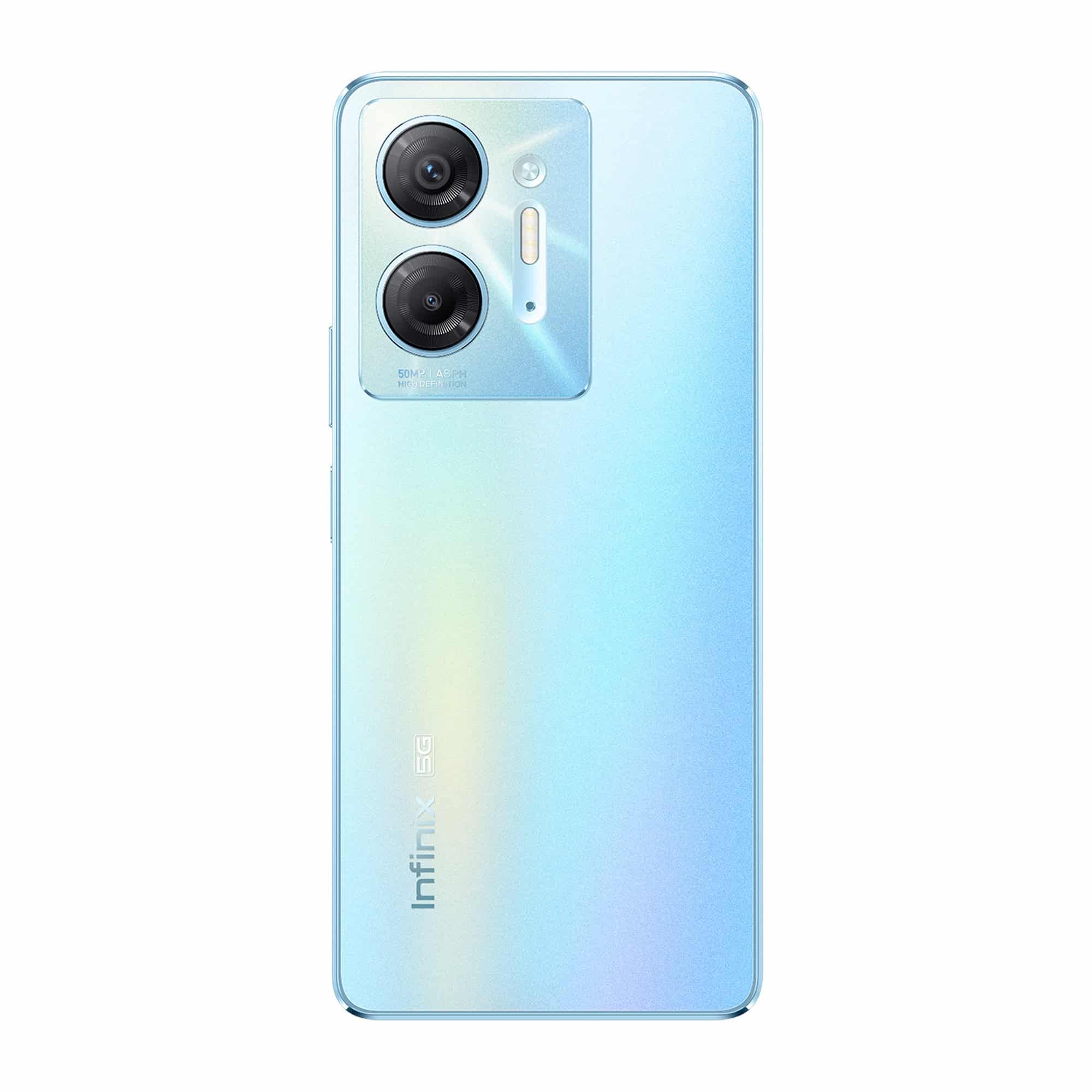
Infinix has announced that it will be launching the Infinix W1 QLED TV series and the Infinix Hot 30 5G smartphone in India next week. The TVs will be powered by webOS developed by LG and will be available in two screen sizes.
Infinix, a leading technology company specializing in innovative consumer electronics, is thrilled to announce the upcoming launch of two groundbreaking products: the Infinix W1 QLED TV Series and the Infinix HOT 30 5G smartphone.
These highly anticipated devices are set to redefine entertainment and connectivity, delivering exceptional performance and cutting-edge features to enhance the digital lifestyles of our users.
The Infinix W1 QLED TV Series, set to launch on July 11th, promises an immersive viewing experience like no other. Powered by webOs, the most advanced and intuitive TV operating system, the W1 QLED TV series offers a seamless and intuitive user interface.
With vibrant colors and exceptional picture quality, the QLED technology delivers an extraordinary visual feast for the eyes. Bringing premium entertainment experience at an unbeatable price, the W1 QLED TV will be priced under INR 12,000.
\The W1 QLED TV Series will be available in two variants: the 32″ HD QLED and the 43″ UHD QLED. In addition, both variants support Apple services and AirPlay features, allowing users to effortlessly stream content from their Apple devices.
The 43-inch variant also comes with the Magic Remote, enabling convenient navigation and control over your entertainment experience. Moreover, the Infinix W1 QLED TV Series is compatible with the ThinQ Al mobile app, providing seamless integration with your smartphone for enhanced control and customization options.
On July 14th, Infinix will unveil the HOT 30 5G smartphone, revolutionizing the way consumers experience mobile connectivity. At a price point of under INR 13,000, the HOT 30 5G boasts of 14 5G bands, ensuring lightning-fast internet speeds and allowing users to enjoy a truly immersive online experience.
The device’s 6.78-inch FHD+ Display with a 120Hz refresh rate and peak brightness of 580nits guarantees stunning visuals, providing a smooth and vibrant viewing experience.
The HOT 30 5G also offers the biggest memory in its segment, with up to 16GB* RAM and 128GB ROM, enabling users to store their favorite content without compromise.
Designed with elegance and durability in mind, the HOT 30 5G features a premium design with an IP53 splash proof rating, safeguarding against accidental spills and splashes.
With its 6000mAh big battery and 18W Type-C fast charge support, the HOT 30 5G ensures extended usage and quick charging capabilities, keeping users connected throughout the day. For enhanced security and convenience, the Infinix HOT 30 5G features a side-mounted fingerprint sensor and Face Unlock technology, providing multiple options for effortless device access.
NFC support allows users to conveniently make payments via wallets and connect their devices seamlessly.
The Infinix W1 QLED TV Series and the HOT 30 5G smartphone are set to make their mark in the market, offering unparalleled features and performances to elevate entertainment and connectivity to new heights.
Infinix is set to build upon the incredible success of its renowned Hot seriesby introducing Hot 30 5G.
To be priced between 10-15K, Infinix Hot 30 5G is expected to boast premium
design feel with its vibrant colour variants such as Aurora Blue and Knight Black.
Users can also anticipate the inclusion of a 6000 mAh battery in the device, 580 NITS brightness and splash proof IP53 rating for a better productivity and smooth experience. These features will definitely make it a #breakthroughboring device of the year.
Infinix W1 QLED TV series, Hot 30 5G price, launch date
The Infinix W1 QLED TV series will be launched on July 11 and will be priced under Rs 12,000. The Hot 30 5G smartphone will debut on July 14 starting under Rs 13,000.
Infinix W1 QLED TV series features
The Infinix W1 QLED TV Series will be powered by webOS and will come with a Magic Remote. It will be available in two models: a 32-inch HD QLED and a 43-inch UHD QLED.
Both models will support Apple services and AirPlay features, allowing users to stream content from their Apple devices. The Infinix W1 QLED TV Seriesis compatible with the ThinQ Al mobile app.
Infinix Hot 30 5G features
Infinix Hot 30 5G will sport a 6.78-inch FHD+ display with a 120Hz refresh rate and peak brightness of 580nits. The company said that the smartphonewill offer the biggest memory in its segment with up to 16GB RAM and 128GB storage.
Furthermore, it will be powered by a 6,000mAh battery and 18W Type-C fast charge support. The smartphone gets an IP53 dust and water-resistant rating and will sport a side-mounted fingerprint sensor as well as Face Unlock feature.
Other connectivity options include NFC support to make payments via wallets, and the smartphone will come with 14 5G bands.
Infinix Zerobook 13
Infinix also announced that it is also bringing Infinix Zerobook 13 with up to 13th Gen Core i9 processor paired with up to 32GB LPDDR5X RAM and up to 1TB PCIe 4.0 storage.
Stay tuned for further updates and mark your calendars for the official launch dates.
Faqs
1) Infinix Hot 30 5G Design, Specifications Officially Confirmed; Could Launch on July 14.Details?
Ans) Infinix is all set to unveil the Infinix Hot 30 5G smartphone in India soon. The company has revealed the expected launch date along with a few key specifications and price range for the upcoming smartphone.
The phone is expected to launch next week. The company has also confirmed the colour options for the upcoming Infinix Hot 30 5G. The handset will be available in Aurora Blue and Knight Black colour options. Recently, the phone’s camera specifications were also leaked. Infinix Hot 30 5G is tipped to feature a 50-megapixel primary camera sensor.
Infinix has revealed the look and the expected launch date, along with some key specifications and price bracket, for the upcoming Infinix Hot 30 5G. The phone will be unveiled on July 14.
Launching in Aurora Blue and Knight Black colour options, the phone will sport a rectangular camera island housing two camera sensors alongside an LED flash. On the front, it will feature a centrally positioned hole-punch display housing the selfie camera.
Additionally, the phone is confirmed to be equipped with a 6,000mAh battery, and is IP53-rated for splash resistance. The charging capability of the phone is yet to be revealed. The Infinix Hot 30 will feature a display with 580 nits brightness.
Furthermore, the phone is teased to be priced between Rs. 10,000 and Rs. 15,000. Apart from these, the company is yet to reveal the display specifications and other key details for the handset.
Meanwhile, the phone’s design and a few other details have already leaked online, suggesting the phone will sport a 50-megapixel primary camera sensor, a USB-C port, a 3.5mm headphone jack, a microphone, and speaker grilles. The leaked image also suggests that the smartphone will ship with a SIM card slot on the left edge and volume and power buttons on the right edge. The phone is tipped to feature a side-mounted fingerprint scanner.
Earlier this year, Infinix launched the Infinix Hot 30 4G in Thailand. The phone packs a 5,000mAh battery with support for 33W fast charging. It is powered by the MediaTek Helio G88 SoC and sports a hole-punch display housing a selfie camera.
2) What is Infinix Hot 30 5G India launch date, expected price, and colors?
Ans) The Infinix Hot 30 5G is said to launch on July 14 in India. It is worth noting that this isn’t the official launch date and the brand is yet to confirm the same.
We expect the smartphone to be priced under Rs 15,000. The device may arrive in more than a single variant. It is said to launch in Miami Orange, Aurora Blue, and Knight Black color options.
3) What are Infinix Hot 30 5G specifications and features?
Ans) The Infinix Hot 30 5G will borrow some design elements from the recently launched Infinix Note 30 5G. The Miami Orange color of the phone will be similar to its Sunset Orange. It appears that Infinix is recycling the vegan leather Orange finish since it was also seen on the Infinix Zero 5G 2023.
The Hot 30 5G is expected to feature a large display with a 120Hz refresh rate and Full-HD+ resolution. Considering its price range, it will likely be an IPS LCD panel. The screen will be a flat punch-hole panel with thin bezels.
It may feature a dual camera system on the back with a 50MP main lens. The LED flash will be vertically placed next to the camera sensors. There will be a single camera on the front for selfies placed in the punch hole.
There’s no information on the chipset inside the phone. We expect the phone to come with up to 8GB of RAM and 128GB of internal storage. The device will pack a bigger battery compared to its predecessor. It is said to come with a massive 6,000mAh battery and may get 18W or faster 33W charging support.
The phone is tipped to come with 14 5G bands, Wi-Fi, and Bluetooth for connectivity. It may also have a side-mounted fingerprint scanner similar to its predecessor. The device will likely boot on the latest Android 13 OS out of the box with XOS 13 on top.
In other news about Infinix, the company launched the Infinix Note 30 5G recently with JBL-tuned speakers and Dimensity 6080 chipset. It also has a 108MP triple camera system on the back. The device boots on XOS 13 based on Android 13 OS.
* The Realme GT Neo 6 and the GT Neo 6 Pro are expected to be launched in China soon. * The company is also tipped to be working on a flagship Realme GT smartphone. * The rumoured flagship smartphone is expected to be launched in the coming months.
As per reports, Realme is preparing for the launch of the Realme GT Neo 6 series in China. It may possibly launch in August of this year. A new leak courtesy of reliable leaker Digital Chat Station reveals that the company is also working on a flagship phone powered by the forthcoming Snapdragon 8 Gen 3 chipset.
According to the tipster, the upcoming Realme flagshipwill boast the Snapdragon 8 Gen 3 chip and pack impressive specifications. He added that the smartphone will be equipped with a periscope zoom camera.
It is highly likely that this Realme flagship will belong to the GT seriesand may be unveiled a few months after the Realme GT Neo 6 series. Qualcomm is expected to officially announce the Snapdragon 8 Gen 3 chip in October of this year.
Brands like Xiaomi, Vivo, OnePlus, and iQOO are expected to launch Snapdragon 8 Gen 3-powered flagship phones in November and December of this year.
Rumors suggest that the Realme GT Neo 6, which is expected to launch in August, will feature the Snapdragon 8 Gen 2 chipset.
Hence, it is likely that the brand may launch its Snapdragon 8 Gen 3 phone at least six months after the Realme GT Neo 6. Hence, there is a possibility that it may debut at some point in the first quarter of 2023.
In related news, the Realme GT Neo 6 is expected to arrive with a 6.74-inch OLED 144Hz display that offers a 1.5K resolution, a 16-megapixel front-facing camera, and an OIS-enabled Sony IMX890 50-megapixel triple camera unit on the back.
The Snapdragon Gen 2-powered phone may come with up to 16 GB of LPDDR5x RAM and up to 1 TB of UFS 4.0 storage. There is a possibility that the device may support 240W fast charging, like the Realme GT Neo 5.
The upcoming Realme GT Neo 6 and the GT Neo 6 Pro are expected to be launched soon. However, another flagship smartphone from the series is said to be in the works. And tipster Digital Chat Station has revealed some information about the smartphone. Here are the details that we know so far.
Rumoured Realme GT Flagship key details
* The tipster did not reveal many details about the camera department, but he tipped that the upcoming flagship smartphone will feature a periscope zoom camera.
* On the microblogging site Weibo, the tipster also said that the expected GT flagship smartphone will be powered by the Qualcomm Snapdragon 8 Gen 3 chipset.
* The company has not yet revealed any details about the upcoming flagship smartphone. However, reports say that the phone might be launched in the coming months.
The Qualcomm Snapdragon 8 Gen 3 is a much-awaited chipset, and it is anticipated that the company will make an official announcement regarding the chipset in October of this year.
Meanwhile, a recent report mentioned that the upcoming OnePlus 12, Xiaomi 14 series, iQOO 12 series, and Vivo X100 are expected to feature the Qualcomm Snapdragon 8 Gen 3 chipset.
On the other hand, the Realme GT Neo 6 and the GT Neo 6 Pro will soon be unveiled in China. And as per a recent report, here are some expected specifications of the upcoming phones.
* The Realme GT Neo 6 Pro is expected to be equipped with the Qualcomm Snapdragon 8 Gen 2 chipset, while the standard model is rumoured to feature the MediaTek Dimensity 9200+ chipset.
* The Realme GT Neo 6 Pro is expected to feature a 4,600mAh battery equipped with 240W fast charging technology. Additionally, it is possible that there may be a 150W charging option available.
* The vanilla model will likely be equipped with a 5,000mAh battery and will support a charging speed of 100W.
Faqs
1) What are Realme GT Flagship: Expected Specs?
Ans) * The Realme GT Neo 6 Pro is anticipated to come with the Qualcomm Snapdragon 8 Gen 2 chipset. Whereas the standard variant is rumoured to feature the MediaTek Dimensity 9200+ chipset.
* In terms of battery capacity, the GT Neo 6 Pro is expected to house a 4,600mAh battery. Which is the support for 240W fast charging technology.
* There are also speculations of a potential 150W charging option. On the other hand, the vanilla model is likely to equip with a 5,000mAh battery and support charging speeds of up to 100W.
2) Realme GT Flagship Smartphone Is Rumoured To Feature A Periscope Camera.Details?
Ans) According to reliable tipster Digital Chat Station, Realme is actively developing another flagship smartphone within the GT series. The tipster has shared some intriguing details about this upcoming device. Here’s what we know so far.
*
* Although the tipster didn’t disclose extensive information regarding the camera specifications. It is just hinted that the forthcoming flagship smartphone will incorporate a periscope zoom camera.
* Additionally, on Weibo, the tipster mentioned that the anticipated GT flagship smartphone will be equipped with the Qualcomm Snapdragon 8 Gen 3 chipset.
* As of now, Realme has not officially shared any specifics about this upcoming flagship device. However, reports indicate that the phone could potentially be unveiled within the next few months.
Infinixannounced the launch of its premium ZERO BOOK 13 series of professional notebooks in India.
These are the company’s first premium notebooks in the market as it had previously limited itself to entry-level models.
The ZERO BOOK 13 seriesis an updated version of the company’s ZERO BOOK line available in other markets but with Intel’s 13th Gen Core processors.
That’s the 13 in the name, which confusingly does not actually refer to the size of the notebook.
To help India’s professionals get PRO in their fields, Infinix is here to raise eyebrows with its flagship ZEROBOOK 13 series packed with innovative and first-in-segment features.
This premium laptop hosts features like uber-fast processing speed, face tracking, long battery life and much more.
The series is equipped with latest 13th Gen H series processors and 96EU Iris ® Xe Graphics integrated graphics card which is capable of accommodating heavy data processing, programming, video editing, image design and other demanding work scenarios.
The laptops will be available on Flipkart with introductory launch pricing starting 51,990 for i5, and 64,999 & 69,990 for i7(16GB & 32GB RAM Variant), 81,990 for i9 (1TB).
The ZERO BOOK 13features a 15.6-inch, 1920×1080 resolution 60Hz IPS LCD display with 400 nits peak brightness. You get a choice of Core i5-13500H, Core i7-13700H, and Core i9-13900H processors.
You get 16GB LPDDR5X on the i5, 16GB or 32GB on the i7 and 32GB on the i9. You also get a choice of 512GB and 1TB PCIe 4.0 NVMe SSD storage.
Other features include an aluminum chassis with 16.9mm thickness, a 70Wh battery with 100W charger, 2×2 Wi-Fi 6E R2, Bluetooth 5.2, 2x USB-C ports, 2x USB-A 3.0 ports, HDMI 1.4, and microSD card slot.
A physical switch on the side lets you switch between eco, balanced, and performance profiles.
A fingerprint sensor is provided on the power button for Windows Hellosupport.
The ZERO BOOK 13 is priced at INR 51,990 for the i5 model with 16GB/512GB, i7 model with 16GB/512GB for INR 64,999 and 32GB/1TB for INR 69,990 and i9 model with 32GB/1TB for INR 81,990.
It will be available from Flipkart starting July 11.
Fast and smooth performance: Equipped with the latest 13th Generation intel core processors, the ZERO BOOK comes in three processor variants (i9, i7 and i5) and offers leading edge-performance hybrid architecture.
The laptops are integrated with a powerful 96EU Iris® Xe Graphics card and are also backed by PCIe 4.0 SSD, promising users with higher input/output operations per second (IOPS) and potentially lower power consumption.
The laptops come with a category first Unique Over Boost Switch which turns the device in three different modes: Eco mode (to maximise battery life), Balance mode (to maintain stability between the over boost and eco mode) and Over boost mode (to deliver higher performance at 54W output power while using heavy software).
The red rear light on the hinge of the device ensures that the over boost mode is active.
The ZEROBOOK 13 series makes no compromises on the connectivity.
It features all the connectivity ports to accommodate the users’ needs, including one SD slot, one 3.5 mm earphone slot and one USB 3.0 slot.
It also comes with the latest Wi-Fi protocol with 6GHz support and offers up to 9.6 Gbit/s throughput with Bluetooth 5.2.
This means even if there are too many competing signals for your laptop to get through, there will be enough room for up to seven maximum-capacity Wi-Fi streams to all be broadcast simultaneously and not interfere with each other.
The series also includes a Dual-mic Array with AI Noise Cancellation that not only captures the user’s voice clearly, but also blocks out unwanted background noise.
Thin and aesthetically pleasing design with superior viewing experience: The all-new Infinix ZERO BOOK 13 laptop series oozes interstellar aesthetics with its Meteoric phase design and light metal body with 16.9mm thickness, perfect for the new age-creators. It also comes with rear hinge light with an over boost switch.
The laptops sport a vivid colour-rich 15.6-inch display with ultra-clear full HD resolution of 1920*1080 and 100% sRGB colour reproduction, which is the highest in this segment.
This makes the device perfect for designers and YouTubers who are creative and imaginative.
The new ZEROBOOK 13 series makes learning from home for students and online meetings for freelancers (like copy editors, writers) extra productive with an AI Beauty cam enhancement feature that can track the face and blur the background even while users are not in a static position.
The viewing is further enhanced by a Quad array balanced audio feature that ensures crisp high tones and heavy bass with 2x High frequency 2 Watt speakers in the bottom and 2x low frequency 1 Watt speakers in the front.
For easy and quick unlocking, there is a fingerprint sensor on the power key button of the laptops.
Long-lasting Battery backup: Bid adieu to the stress of frequently charging your laptop in the middle of focused tasks.
The new ZERO Book series is backed by a high-capacity 70Wh battery. It is supported by a segment-first Hyper 100 Watt multi-utility Type C charger along with a DC charger point that can charge the laptops in close to 2 hours.
So, while binge watching your favourite content on the laptop, a full HD video playing session can last up to 10 hours. This ensures a perfect balance of power and portability.
Considering the customer-centric approach, Infinix has developed a robust network with 1250+ service centres across 1000 towns in India, allowing users to access a responsive after-sales experience.
Infinix devices come pre-installed with the Carlcare App that empowers users to locate their nearest service centre and indicates to them the availability of parts at the service centres.
Today, the brand has more than 10 million happy consumers in the country.
Faqs
1) What is the Price and availability of various models of Infinix Zero 13 Series ?
Ans) The company has launched four models under the Infinix Zero Book 13 series.
* Zero Book 13 with Core i5 (16GB+512GB) – Rs 51,990
* Zero Book 13 with Core i7 (16GB+512GB) – Rs 64,999
* Zero Book 13 with Core i7 (32GB+1TB) – Rs 69,990
* Zero Book 13 with Core i9 (32GB+1TB) – Rs 81,990
The Infinix Zero Book series laptops will be available online on Flipkart starting July 11.
2) What are Infinix Zero Book series features?
Ans) Infinix Zero Book 13 comes with a 15.6-inch full HD display with 1920×1080 pixel resolution.
The display offers up to 400 nits of peak brightness. The laptop series is powered by 13th Generation Intel Core-H-series processors.
The company has launched three models in the series powered by i9, i7 and i5.
The Zero Book 13 series packs 96EU Iris Xe Graphics card and offers two storage options 32GB and 1TB.
The laptops come with a unique OverBoost Switch which turns the device in three different modes: Eco mode (to maximise battery life), Balance mode (to maintain stability between the over boost and eco mode) and Over boost mode (to deliver higher performance at 54W output power while using heavy software).
The red rear light on the hinge of the device ensures that the over boost mode is active.
The device comes equipped with a fingerprint sensor and its beauty AI cam can track the face and blur the background during motion.
The Infinix Zero Book 13 series come with 70Wh battery and support a Hyper 100 Watt Type C charger.
The company claims that the laptop takes approximately two hours to charge completely.
3) Infinix ZERO BOOK 13 launches with Raptor Lake silicon, USB type-C ports and LPDDR5X RAM.Details?
Ans) Infinix’ latest additions to its ZERO BOOK series of laptops takes its name from the fact that it upgrades to 13th-gen Intel processors.
It also ships with up to 32GB of RAM, PCIe Gen 4 NVMe SSDs and a 100% sRGB display.
The ZERO BOOK 13 is currently being previewed ahead of its release to the Indian market via Flipkart.
Infinix might be best known for its often affordable and/or compelling smartphone technology; however, the brand has gone all out to underpin the fact that it also makes laptops with the ZERO BOOK 13.
The PC strives for flagship status with updated CPUs, although potential compromises have been made along the way.
This latest ZERO BOOK comes from a series marked with a lid design most like that of the Zenbook series, but with less artful skewing. It is in fact a 15.6-inch display laptop, attributing its new 13 suffix to its Raptor Lake nature instead – something made even more confusing as its immediate Alder Lake predecessor is called the Ultra.
Regardless, the 13 lives up to its name with a choice of either Core i5-13500H, i7-13700H or i9-13900H platforms. Those potentially high-end options notwithstanding, not one of those SKUs boast Thunderbolt 4. The HDMI port is also 1.4 – although Wi-Fi speeds are 6E, at least.
Infinix fans currently located in India and who are unperturbed by that omission can order a ZERO BOOK 13 on Flipkart from July 11, 2023, priced from INR 51,990 to 81,990 (~US$628-992, whereas other Raptor Lake-H-based PCs easily crack the ~US$1,200 mark on Amazon.in) with the online retail giant.
4) How is Storage, Memory, and Battery of Zero Book 13 Series?
Ans) The ZERO BOOK 13 series offers two storage options: 512GB and 1TB PCIe 4.0 NVMe SSD.
This provides ample space for storing files, documents, multimedia content, and more.
When it comes to memory, the i5 model comes with 16GB of LPDDR5X RAM. The i7 model offers a choice between 16GB or 32GB, while the top-tier i9 model provides 32GB of RAM.
Powering the ZERO BOOK 13 is a robust 70Wh battery that comes with a 100W charger that quickly recharges the notebook.
5) How is Connectivity and Port Options of Zero Book 13?
Ans) The ZERO BOOK 13 is equipped with 2×2 Wi-Fi 6E R2, offering high-speed and stable wireless connections. Additionally, it supports Bluetooth 5.2, allowing users to connect their favorite peripherals wirelessly.
The notebook features a versatile array of ports, including 2x USB-C ports, 2x USB-A 3.0 ports, HDMI 1.4, and a microSD card slot.
6) How is the Audio Experience of Zero Book 13?
Ans) The ZERO BOOK 13 incorporates two 2-watt speakers at the bottom and two 1-watt speakers at the front.
7) How is the Smart Switch and Fingerprint Sensor of Zero Book 13?
Ans) One standout feature of the ZERO BOOK 13 series is the physical switch located on the side of the notebook. This switch enables users to toggle between eco, balanced, and performance modes effortlessly. It allows users to optimize the notebook’s power usage based on their needs, balancing performance and battery life.
To enhance security and convenience, Infinix has integrated a fingerprint sensor into the power button. This enables users to quickly and securely unlock their notebook using Windows Hello authentication.










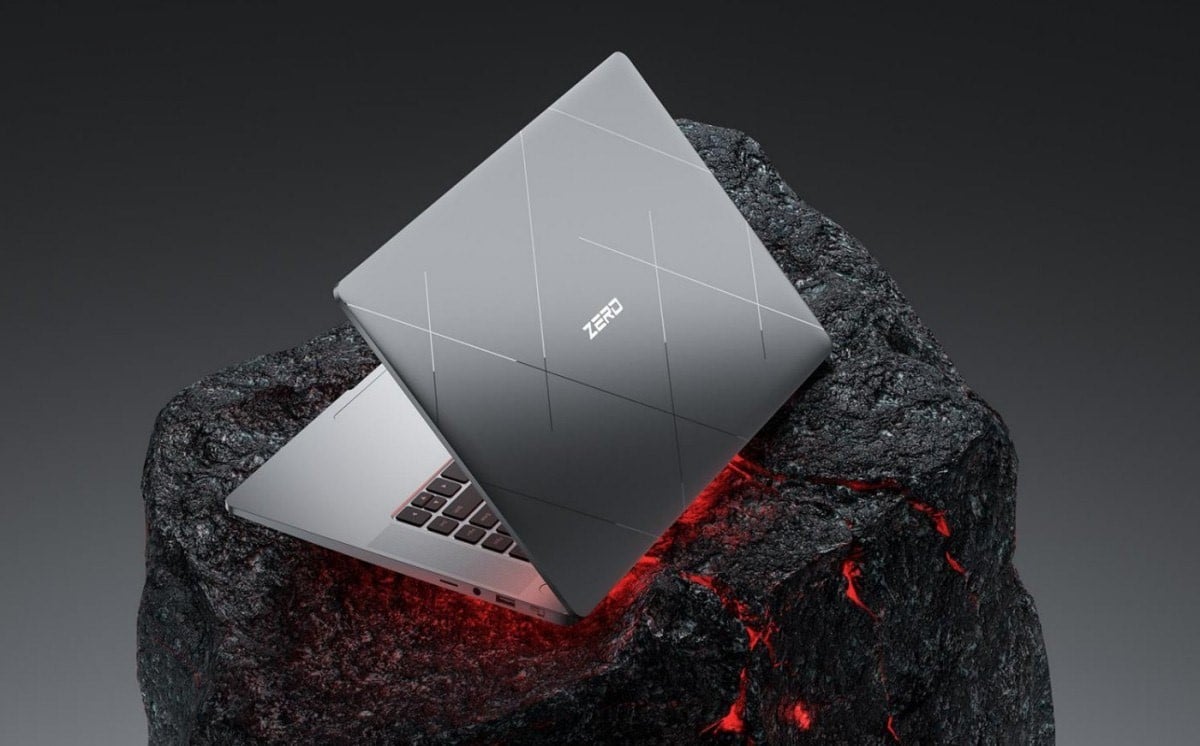

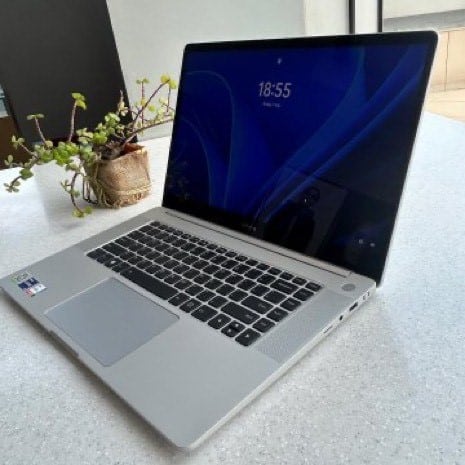



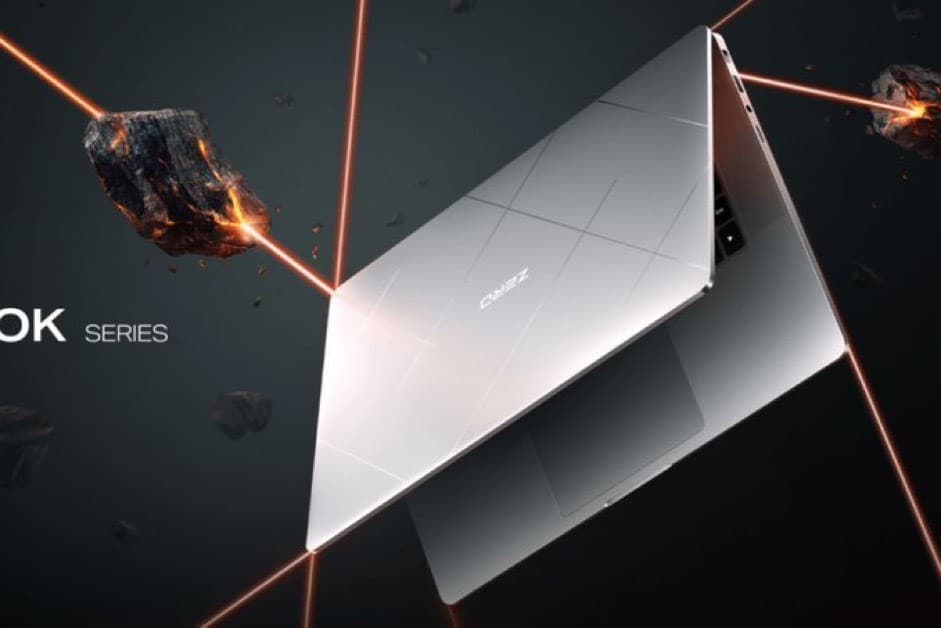
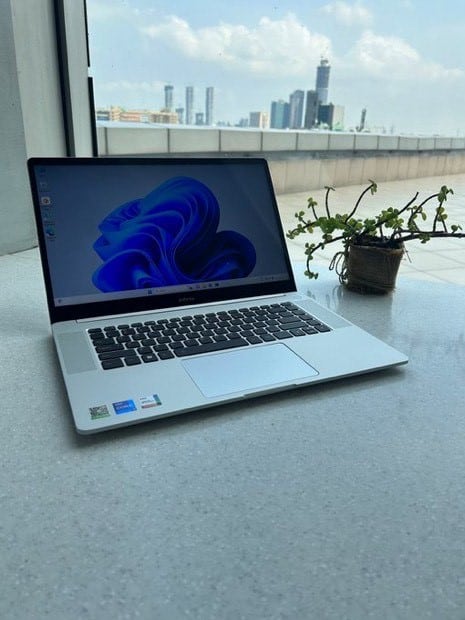


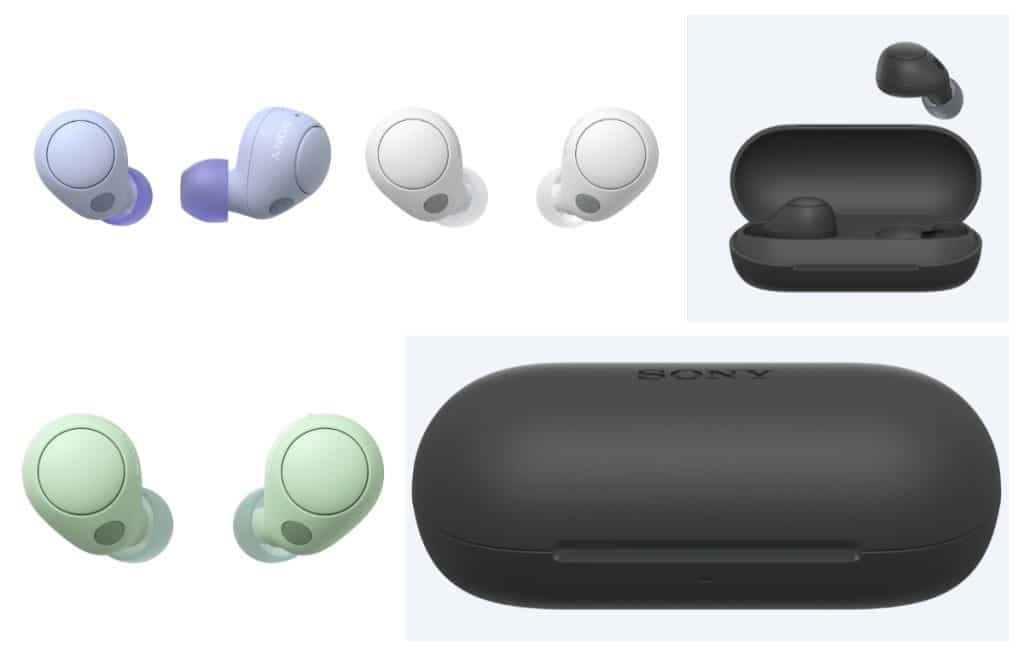








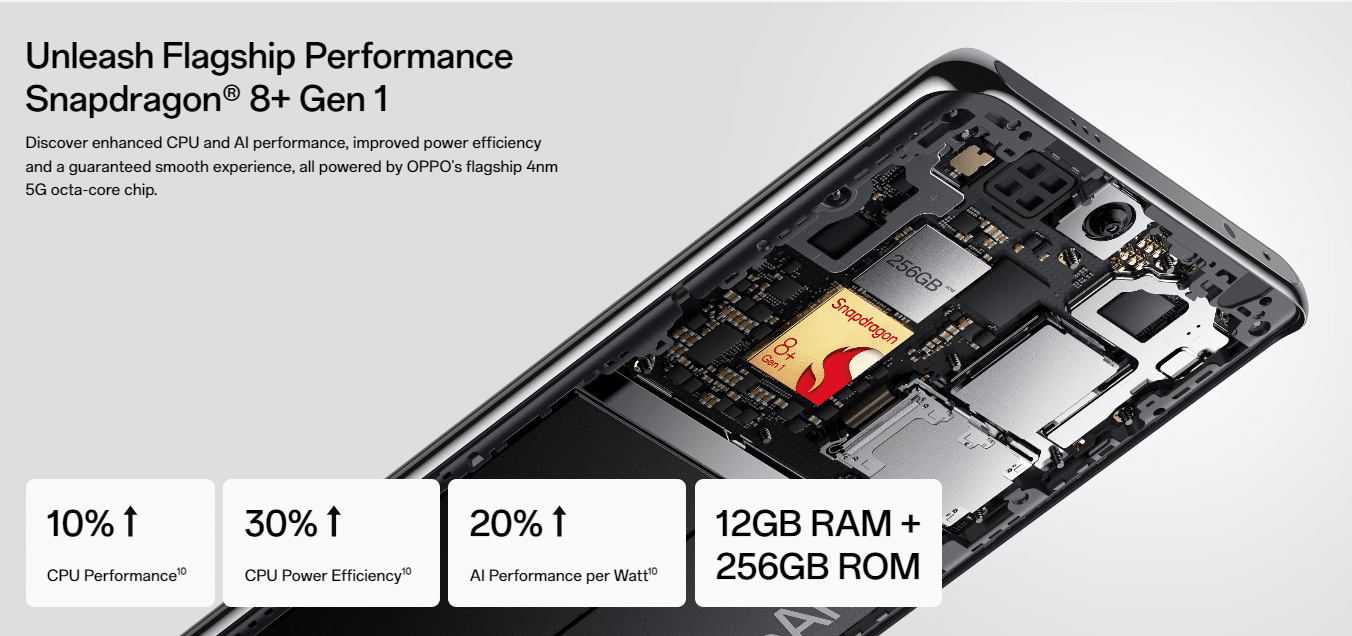
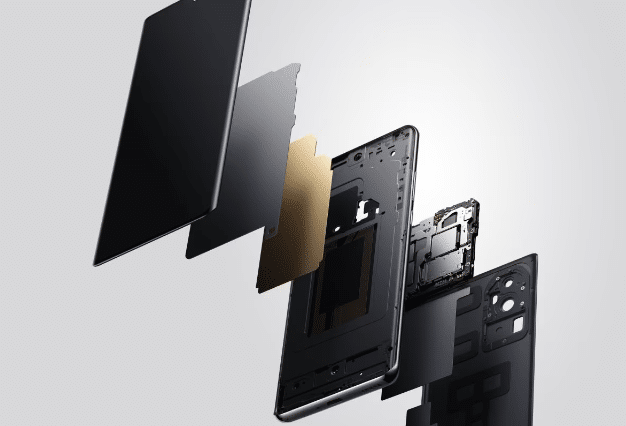
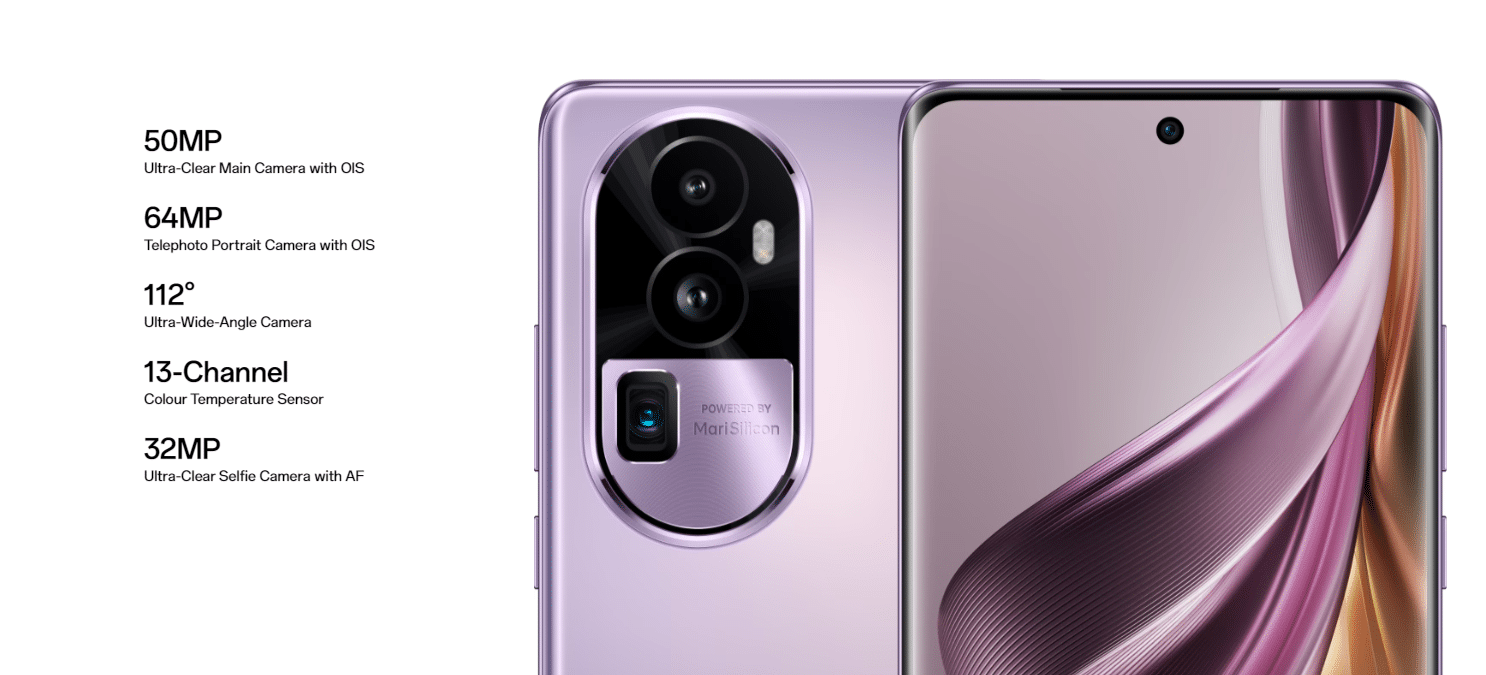

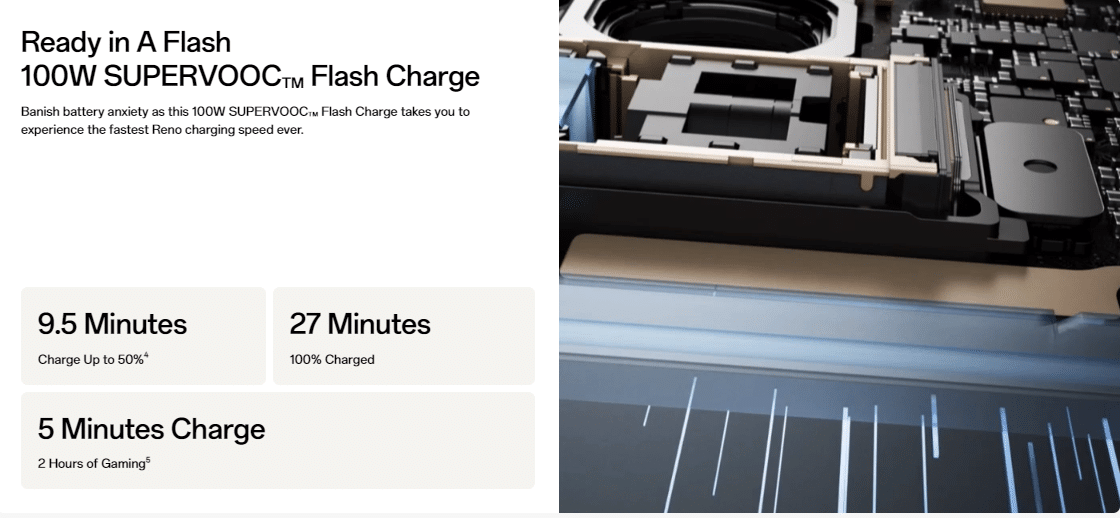
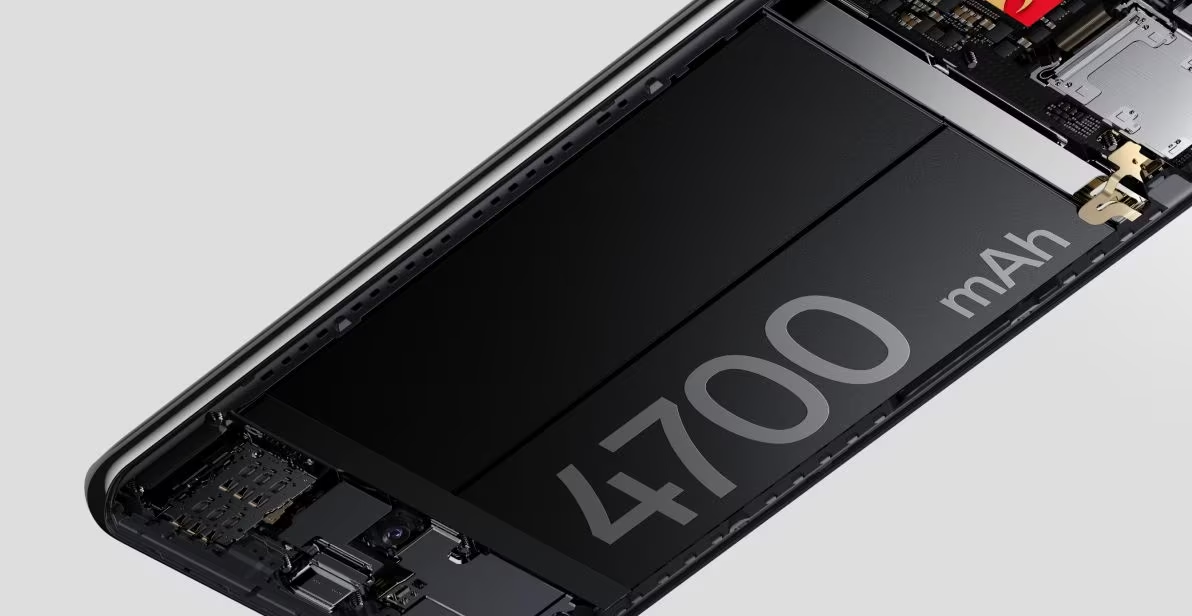

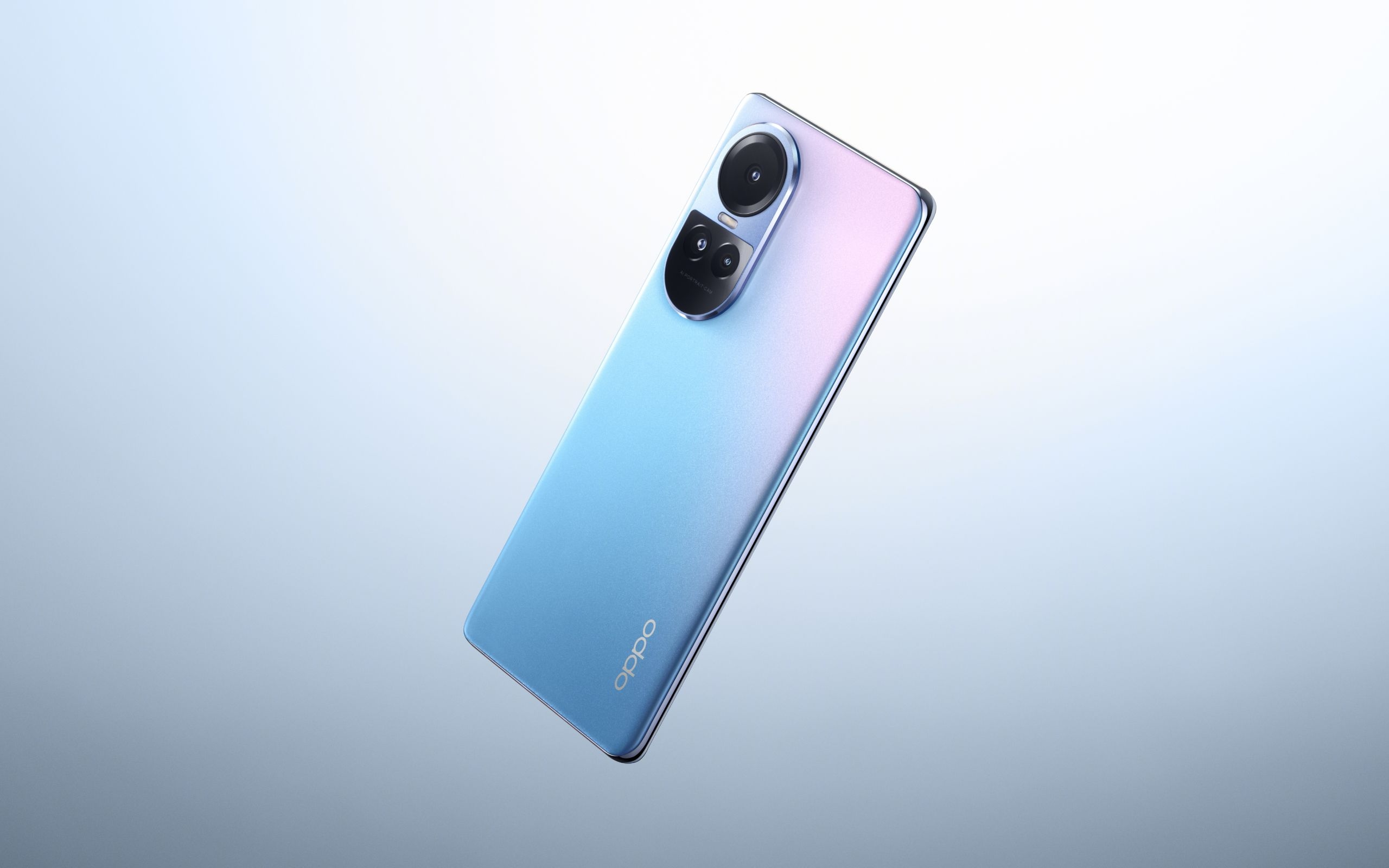













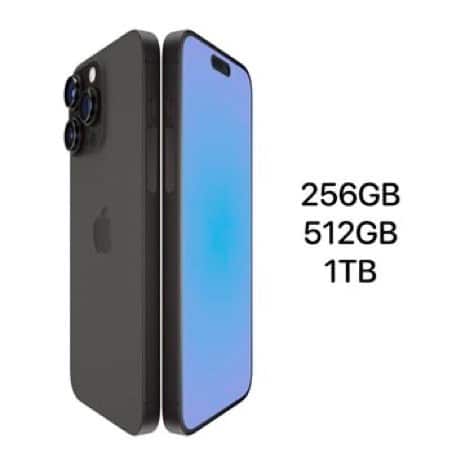

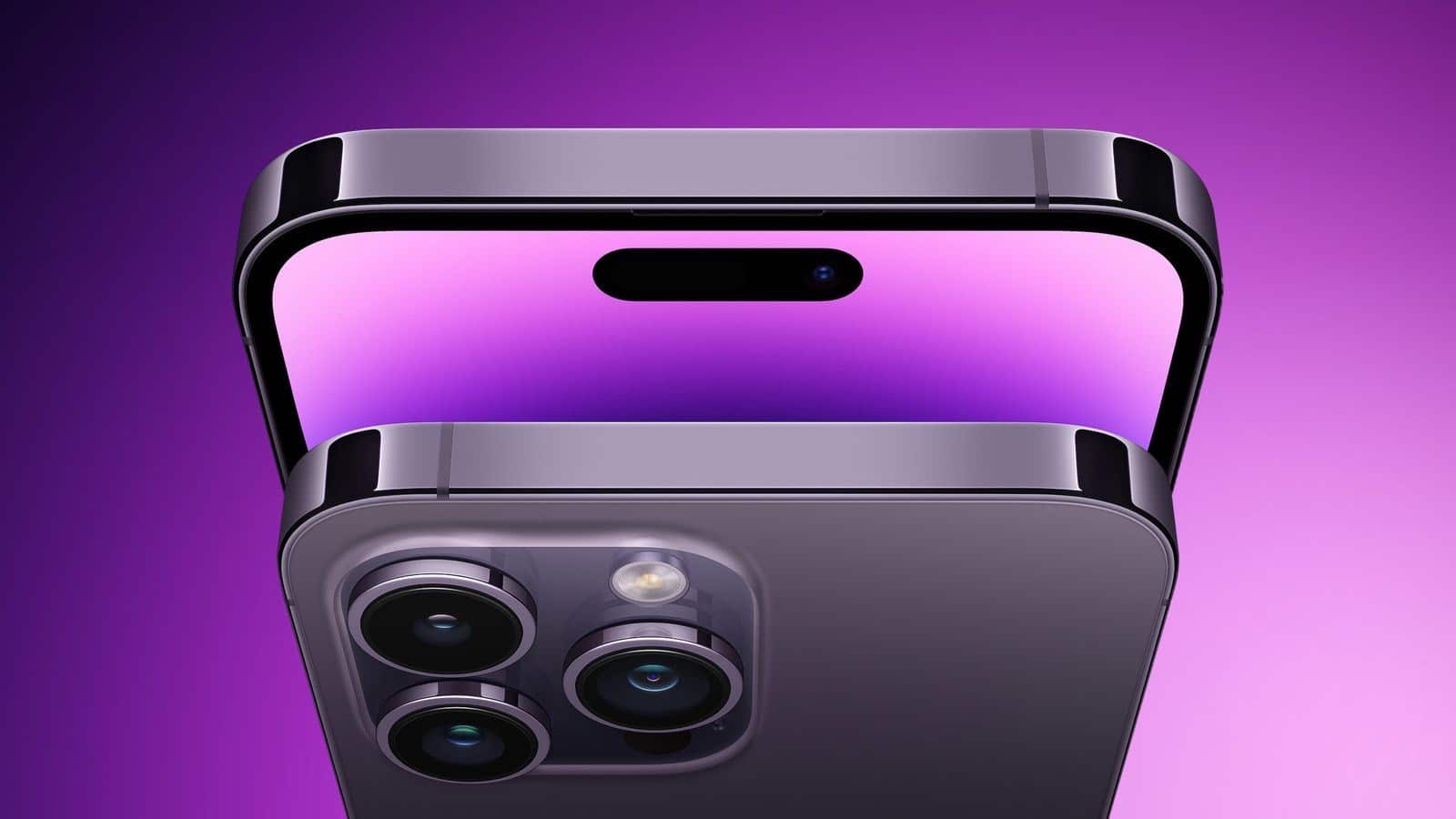


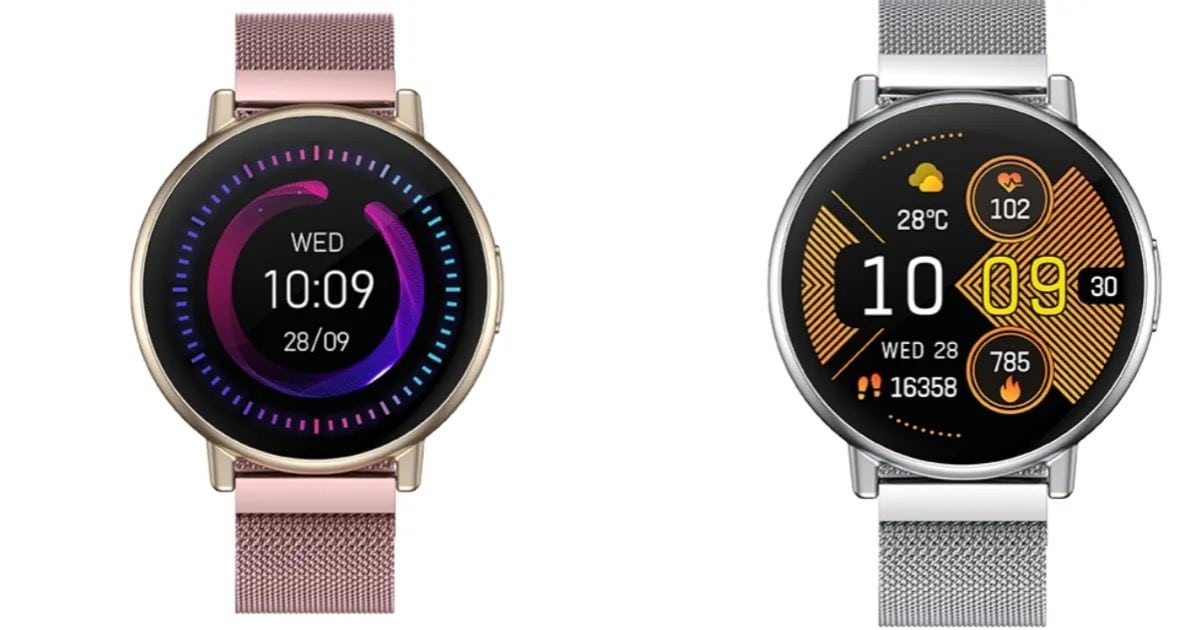




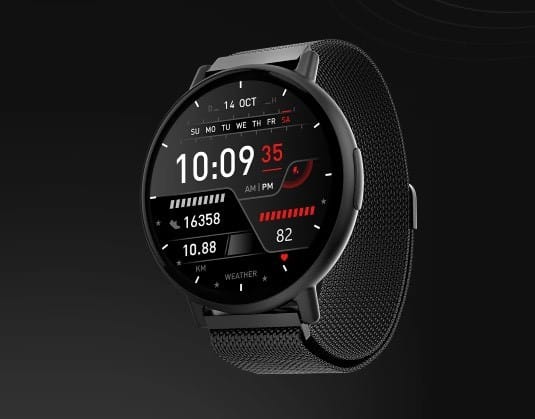

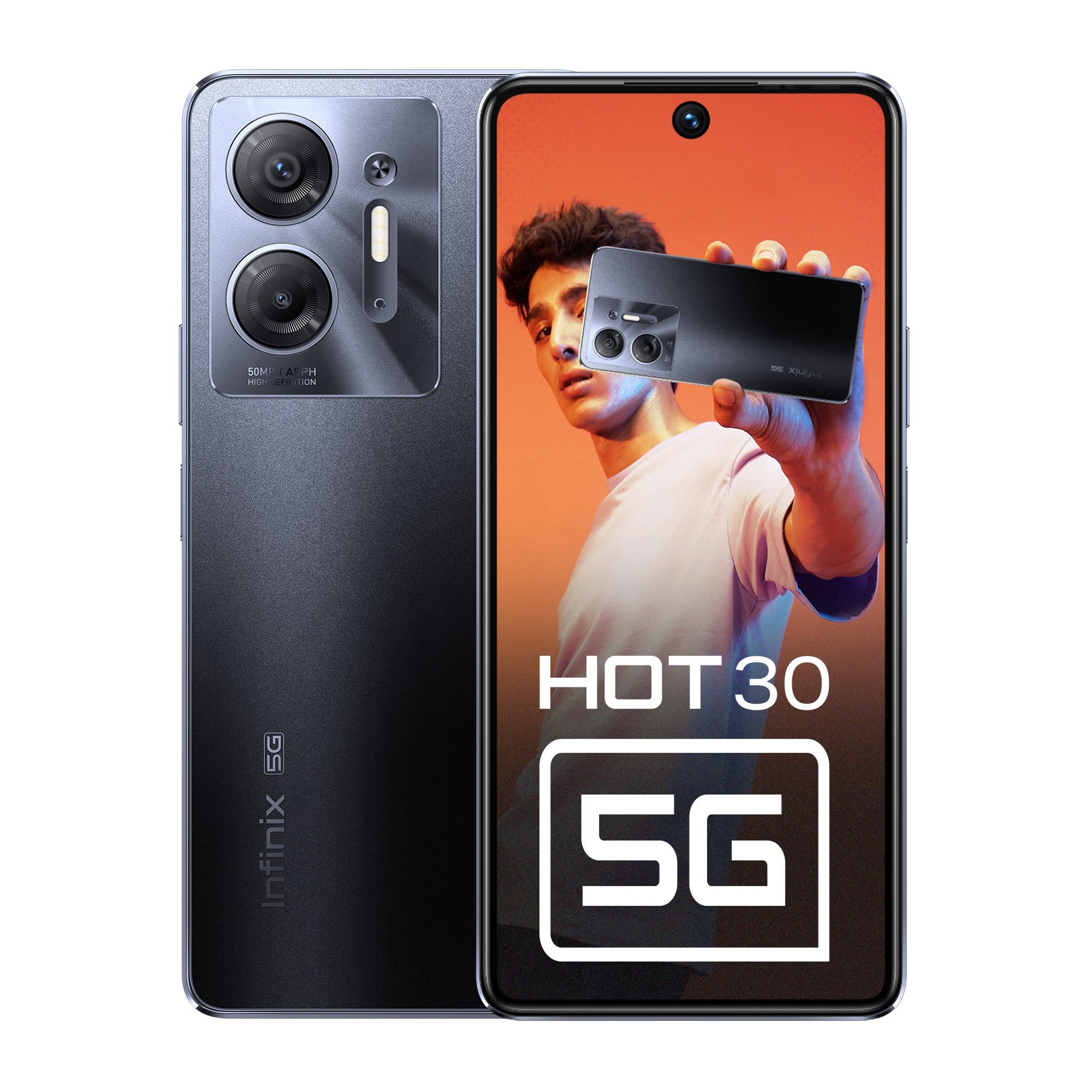 Designed with elegance and durability in mind, the