Home Blog Page 1034

Google Pixel 7 Series on FCC Database

0
Google Pixel 7

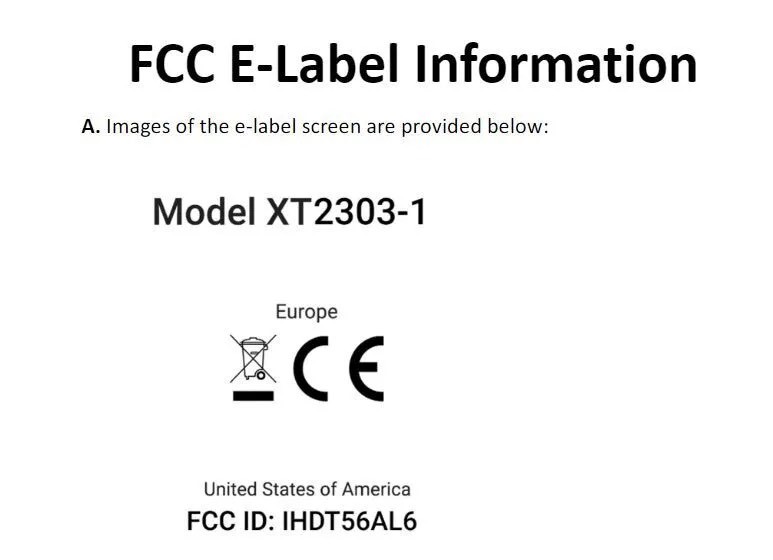
The FCC database has come out with a list of devices where many people spotted Google Pixel 7 Series with its two flagship devices viz. Pixel 7 and Pixel 7 Pro. Google is believed to be launching these two devices in the US on October 6, 2022 and the two handsets featuring on a database website only heightens rumours.

There are four other Google smartphones that have surfaced on the FCC database website, which are GP4BC, GVU6C, GE2AE, and GQML3. They are believed to be variants of Pixel 7 Series.

The first two models are listed to support sub-6GHz 5G connectivity while the latter two will support mmWave technology, which is not as widely used outside the country while its frequency is 24Hz.

With the launch date already out, pre-orders are going to open on the same day or a few days prior and once the booking is done, the smartphones will be available for purchase starting from October 13, 2022.

Also Read: Google Pixel Phones Receive Spatial Audio in January 2023 Update

Vivo Y22s Renders Leaked

0
Vivo Y22s

Vivo has so many devices lined up for 2022 that it is launching at regular intervals with the latest addition to the list being Vivo Y22s smartphones. A tipster has leaked relevant information regarding the new model like its features, specifications, along with some smaller details.

This is one of those occasions where users will have prior knowledge to a new device before its launch although such leaks do happen every now and then but this one seems to be authentic information.

Of course, one has to wait for news from official sources regarding a device but the available details that have been made public definitely gives an idea to the users whether they can look forward to it or not.

Also Read: Vivo X90 Pro Global Variant Out before Launch on Geekbench

Key Specifications of Vivo Y22s

Vivo Y22s

The smartphone has appeared on many certifications websites, which includes the US Federal Communications Commission (FCC) database along with an another website partnered with it and is speculated to be launched sometime in September 2022.

According to the leaked information, the device will be a 4G smartphone with a 6.55 inch HD LCD display that will be powered by Qualcomm Snapdragon 680 SoC and come with two colour options- black and blue, and will have the capability to run FuntouchOS 12.

The internal storage will be 8GB RAM + 128GB storage configuration while the videos and photos will be managed by a 50 megapixel primary sensor and a 2 megapixel secondary camera alongside an LED flash while the front camera will be 8 megapixel essential for video calls and selfies and finally, the battery is packed with 5000mAh that supports 18W fast charging.

Also Read: Vivo X Fold 2 to Feature 2K Screen, Launch Tipped around Early 2023

Sony Bravia launches LED TV in India; Details Inside

0
Sony BRAVIA XR

Sony devices have always been successful all over the world and with India being one of its biggest markets, the company has achieved enormous success through its Indian markets through all their devices be it smartphone, smart TV, tablet, you name it and you’ll find many success stories where users vouch for their items.

The latest addition to the list is Sony Bravia XR 85X95K 4K Mini LED TV, which has an 85 inch screen along with many interesting features like any new device that users should know about so as to get an idea on whether it floats their boat or not.

The company has claimed the Cognitive Processor XR on the LED TV helps in reproducing content the way human beings have the power to see and hear things in the real world abd is backed by XR Backlight Master Driver technology, which uses a local dimming algorithm that gives natural mid-tones.

Also Read: Sony HT-A5000 & HT-A3000 Soundbars Enhances Home Cinema Experience

The device has been made available in all Sony centers across India, which include e-commerce platforms and online stores since August 16, 2022 at the starting price of Rs.6,99,990.

Features

Sony BRAVIA XR

The LED TV also supports XR 4K upscaling as Sony is well aware that its users want to enjoy their content in 4K quality and it doesn’t matter to what kind of content it will be as they’re totally mesmerized by the visuals.

Also Read: CES 2023 – “Afeela” Sony And Honda’s First Ever Electric Car (EV) Coming in 2026

Users can also avail a dedicated game mode with HDMI 2.1 compatibility that supports 4K 120fps, Auto Game Mode, Auto Low Latency Mode, Variable Refresh Rate, and Auto HDR Tone.

Then you add X-anti-reflection and X-Wide Angle technology that minimizes reflections due to which users will be able to clearly watch the content from anywhere in the house while those with a Bravia camera can also control settings like picture and sound.

The LED TV also supports audio enhancement features like Dolby Atmos, IMAX Enhanced, Netflix Adaptive Calibrated Mode, Dolby Vision, Acoustic Surface Video+, etc. that can be run on both Google and Android TV.

Also Read: Sony WF-LS900N Review

WhatsApp launches Windows Native App

0
Windows Native App

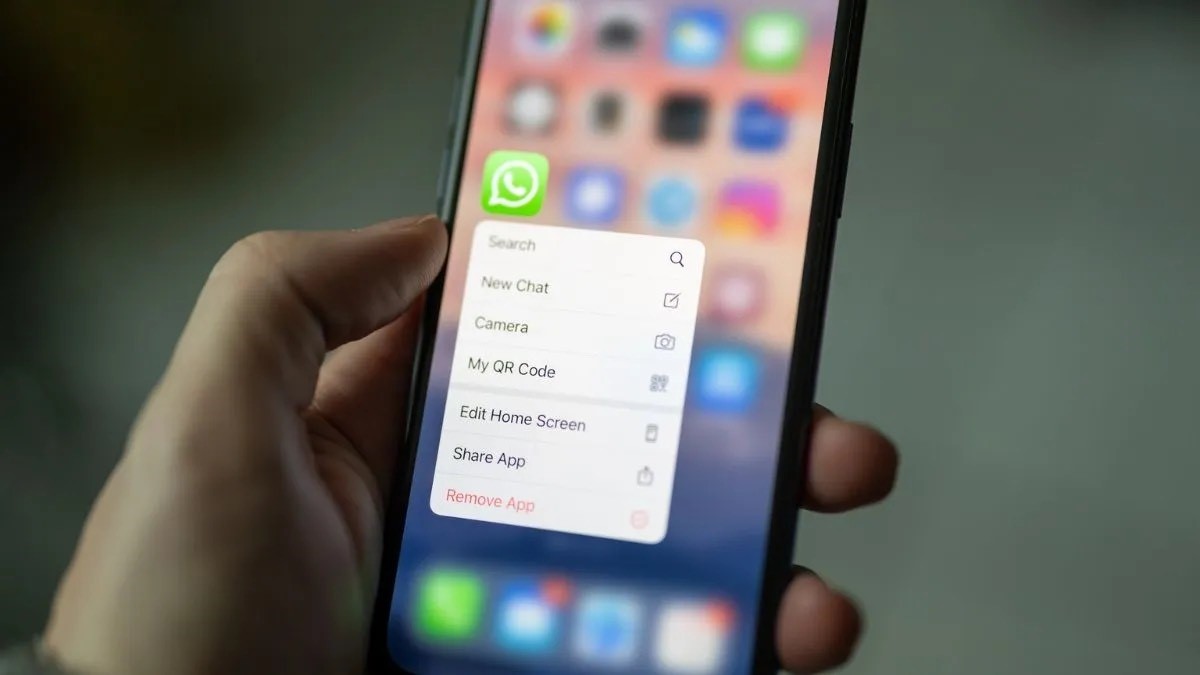
When it comes to messaging apps, WhatsApp holds fort over all others like Signal and Telegram, as it is not only for sending and receiving messages as it can now be used for video chats and calls as well.

There are many things to talk about WhatsApp but the latest news doing the rounds is that it has launched a new native desktop app for Windows, which was earlier limited to web based apps for Windows and Mac operating system.

WhatsApp has high hopes for native app as it vouches for the speed and reliability of the platform where users will continue to receive regular updates via notifications and messages even if their handset is offline but users can continue to login by scanning a QR code.

Also Read: WhatsApp in 2023

Mac phone users will have to wait for a while as the native desktop app is under development as of now for their smartphones and can only avail a beta version of the app for the time being.

The good news for Windows users is that they can use the native app for desktop and is currently live while users can download it through Microsoft’s website. This information was shared by WhatsApp itself on its official website.

Windows Native App

Conclusion

The user can download the native app for desktop and then open WhatsApp on their phone following which they have to tap on ‘More Options’, which is for Android users while Apple users have to do the same via ‘Settings’.

Then they have to click on ‘Linked Devices’ option to open the QR code scanner following which they have to point it at the QR code that is displayed on the native app to complete the process.

Also Read: How to be Online on WhatsApp Without Being Visible to Your Contacts?
Call of Duty Warzone 2 Release Date Leaked

0
Call of Duty Warzone 2

In this day and age, we have many forms of entertainment to look forward to with just as many platforms online to keep our interests piqued whether it is movies or video games. Speaking of video games, there was a time when we all used to enjoy Super Mario, Ninja Roberts, Swat Kats, and many others.

Nowadays, smartphones have taken over big time from video games and new games have emerged that we can now play on our phones. Mobile games too are aplenty where you have so many to choose from.

One of them is the Call of Duty franchise, which is an action adventure first person shooter game that has taken over the fancy of many youngsters with the latest buzz being that Call of Duty Warzone 2 is all set to launch in a few months on October 28, 2022.

Also Read: Top 5 Mobiles Games Launching In 2023: Valorant Mobile, COD: Warzone Mobile, And More

The other good news is that Call of Duty: Modern Warfare 2 has consented to grant early access to its campaign segment where those who order a digital edition of the adventure can be allowed to play the single-player component a week in advance on any platform of their choice from October 20, 2022.

Activision Blizzard has high hopes of being launched on November 16, 2022 by its makers while players can witness the globe trotting operation in its early phase if they pre-order Call of Duty: Modern Warfare 2, which happens the moment they take control of Task Force 141.

Call of Duty Warzone 2

It is a special forces unit that works under Soap MacTavish where the missions take place all over the world be it North America, Europe, Asia, etc. and get to participate in dangerous missions and hunt down Vladimir Makarov, leader of the Russian Ultranationalist Party.

Prior to this, multiplayer access was allowed only a week or so before the launch but this is the first instance when Activision has allowed early access to the campaign with many changes added for good measure.

Also Read: Top 5 Much-Awaited Games of 2023 for Console and PC

There are many stealth missions involved in offshore sieges where there are many underwater combats to look forward to that have been totally rebuilt from ground up as now players can avail upgraded graphics quality courtesy of photogrammetry technology.

Another benefit of pre-ordering Call of Duty: Modern Warfare 2 is that players can gain early access to arms and weapons that are very essential for the mission along with access to multiplayer beta, which is all set to come out in September 2022.

Those that have a PS4 and PS5 at home can get access to multiplayer Modern Warfare 2 beta from September 16-17 while preordering on PC and Xbox grants early access from September 22, 2022.

Conclusion

The starting price of Call of Duty: Modern Warfare 2 Vault Edition is going to be Rs.6,699 where players can avail perks such as Red Team 141 and be allowed to play as the four main operators, which are Farah, Price, Ghost, and Soap.

All eyes are on October 28, 2022 and it will be interesting to see as to what response it gets from the public although makers and tech experts have high hopes that it will be received well.

Also Read: Top 5 best Action-Adventure games for android.

How to Lock a Hidden Photo Album on iPhone with Face ID/Touch ID in iOS 16

0
How to Lock a Hidden Photo Album on iPhone

Despite the fact that the Apple Photos app already allowed you to hide photos on your iPhone, anyone can easily access your hidden album. As a result, most iOS users rely heavily on photo vault apps to keep their personal photos safe. However, if you have iOS 16, you can now use Face ID/Touch ID to lock your hidden photo album on your iPhone and iPad so that no one can access your private photos without your permission. So, in iOS 16, here’s how to lock the hidden photo album.

For a long time, iPhone users have been requesting the feature to password-protect sensitive photos, and iOS 16 was finally delivered. This is one of many new features in iOS 16 that Apple did not have time to talk about on stage.

iPhone Lock Hidden Photo Album

Aside from protecting the hidden album, iOS 16 allows you to protect the “Recently Deleted” folder, where deleted photos and videos can be found for up to 30 days. This is well-thought-out in terms of privacy. We frequently delete personal images and forget to permanently delete them. As a result, they are still present on the device. However, with this new privacy feature enabled, you will no longer have to be concerned about the security of deleted images.

Also Read: 5G iPhones Comes with iOS 16.2 Update

Face ID/Touch ID can be used to unlock hidden and recently deleted folders

  1. To begin, launch the Settings app on your iPhone or iPad.
  2. Now, scroll down to find and select the Photos app.
  3. Make sure the Use Face ID/Touch ID toggle is turned on.

A tiny lock icon will now appear next to both the hidden album and the recently deleted folders from now on. It’s worth noting that anyone attempting to disable this feature must first authenticate using Touch ID or Face ID. As a result, you can rest assured that your photos are secure.

Face ID/Touch ID can be used to unlock hidden and recently deleted folders

Unlocking the hidden photo album is as simple as it gets.

  1. Open the Photos app on your iPhone or iPad, then tap the Albums tab at the bottom of the screen.
  2. To view your photos, go to the utility section, tap Hidden, and then authenticate with Touch ID/Face ID. Tap Recently Deleted and then authenticate if you want to see your recently deleted images.

Also Read: How to Use Apple Passkeys on iOS 16?
Allow any family member or close friend access to your password-protected private photo album.

How to Lock a Hidden Photo Album on iPhone

What if you want to give one of your friends or loved ones full access to your hidden album? To gain unrestricted access to the hidden album, you can ask a friend to set up an alternate appearance on your Face ID-enabled device or add a fingerprint on your Touch ID-enabled device.

  1. Select Face ID/Touch ID & Passcode from the Settings app on your iPhone.
  2. Now, depending on the availability, either set up an alternate appearance or add a fingerprint.

Your friend will be able to view your hidden photo album using Face ID or Touch ID in the future.

Keep your personal photos out of the hands of prying eyes

That’s how you secure your hidden photos album in iOS 16. This is a welcome addition for iPhone users who previously had to rely on third-party apps to protect their personal photos. You don’t have to worry about a third-party app stealing your data or uploading your images to the cloud because the feature is built into the Photos app.

Also Read: iOS 16 Bulk Edit Photos Feature, A Tale To Tell!

What Is iOS 16’s Safety Check?

0
What is iOS 16's Safety

It’s important to note that Apple has always given users the option to revoke sharing their location with apps and people, as well as access to their iPhone via Face ID and passcodes. Safety Check, on the other hand, makes it easier for people at risk of domestic abuse to quickly adjust or completely revoke these permissions from a single location, rather than having to hunt down the various settings scattered throughout the iPhone.

Safety Check functions in two ways

Manage Sharing and Access

Emergency reset

Emergency reset

As the name implies, Emergency Reset acts as a kill switch, removing all access that you may have granted to apps and people in one fell swoop. It is intended for use in situations where data sharing needs to be stopped urgently with anyone, such as your location (including any apps that might be used to track your whereabouts). Follow the steps to use this feature.

Open settings -> Privacy and Security -> Safety Check.

Also Read: 10 Best Instagram Alternatives For Android and iOS

Tap ‘Emergency Reset‘ here. After verifying your identity with Face ID/Touch ID/Passcode, tap the ‘Start Emergency Reset‘ button. There are three steps to the process after this.

  1. This step ensures that your iPhone no longer shares any location data, photo libraries, or other information with anyone or any app. To do this, simply tap on ‘Reset People & Apps.’ Tap on ‘Reset’ to confirm.

1.1. Following that, Safety Check will ensure that only your personal devices are linked to your Apple ID. Simply select any devices you want to remotely sign out of and remove your Apple ID. After you’ve selected the devices, click ‘Remove Selected Devices.’ If there are no such devices, simply press the ‘Skip’ button.

  1. This step allows you to add (or remove) trusted phone numbers from your account. These are your personal phone numbers. If there are any other phone numbers in this list, simply remove them before clicking ‘Continue.’

2.1 Following that, if you’ve shared your Apple ID password with the person you’re attempting to remove yourself from, it’s critical to ensure they can’t access your Apple account. You can either use the ‘Update Password‘ button to change your password or use the ‘Update Later in Settings’ option to keep the same password.

  1. Finally, make a list of your emergency contacts. These should be people you can rely on, such as family members or friends. These contacts will be notified if, God forbid, you ever need to use your iPhone’s Emergency SOS feature. You can add contacts here before clicking ‘Continue.’

Once you’ve completed these steps, Safety Check will recommend additional actions you can take to improve your personal safety and peace of mind. Once you’ve completed this list, simply tap ‘Done.’

Also Read: How to Add Widgets to iPhone Lock Screen in iOS 16

Manage Sharing and Access

What is iOS 16's Safety

If you want to remove permissions and sharing settings for specific people, use the second option titled ‘Manage Sharing & Access.’ Follow the steps to use this feature.

Open settings  -> Privacy & Security -> Safety Check.

Tap ‘Manage Sharing & Access’ and then ‘Continue’ to proceed.

There are now three steps to take.

  1. You can see whom you’ve shared information with and what information you’re sharing here. This page allows you to remove people with whom you no longer want to share information such as your location, iPhone access, and so on.
  2. In the following step, you can see which apps have access to your data. You can uninstall any apps that you did not install yourself or that you no longer want to use. When finished, press the ‘Continue’ button.
  3. Finally, a list of devices where you have logged in with your Apple ID will be displayed. If you notice any unidentified devices here, please remove them. You can also remove any devices belonging to the abuser so that they no longer have access to your Apple ID. If there are no such devices, select ‘Skip.’

3.1 You can also verify your trusted contacts, delete those you no longer trust, and add new ones if necessary. When finished, simply tap ‘Continue’.

3.2 The iPhone will then ask you to update your Apple ID password. This is useful if the perpetrator of the abusive relationship has written down or saved your password in a password manager. You can easily change your password to ensure that no one else has access to your Apple ID.

3.3 It is critical to establish emergency contacts. These should be people you can rely on, such as family members or friends. These contacts will be notified if, God forbid, you ever need to use your iPhone’s Emergency SOS feature. You can add contacts here before clicking ‘Continue.’

3.4 Finally, to ensure the security of your data, you will be prompted to change your device passcode. You can change your passcode or skip this step if you prefer.

Once you’ve completed these steps, Safety Check will recommend additional actions you can take to improve your personal safety and peace of mind. Once you’ve completed this list, simply tap ‘Done.’

Also Read: How can I send photos in their entirety on WhatsApp for iOS?

Samsung Galaxy Fold 4 competes with Xiaomi Mix Fold 2 and Moto Razr 2022; which is better?

0
Samsung Galaxy Fold 4

On August 10, Samsung unveiled the Galaxy Z Fold 4 and Z Flip 4, but neither device remained the most recent foldable phone on the market for long. The next day, Motorola and Xiaomi also unveiled their foldables.

In this article, we will compare the Galaxy Fold 4 with those from Motorola and Xiaomi to give you an insight into which is the right foldable for you.

Pricing of the product

In the UK, the Samsung Galaxy Z Fold 4 costs £1649, while in the US, it costs $1799.99. Pre-orders for the gadget are being accepted now, and it will be available for purchase on August 26.

The starting price for the Xiaomi Mix Fold 2 is 8,999 RMB, which is roughly £1100, $1300, and €1300. However, for now, you cannot purchase it in the UK, US, or Europe because it is currently only available in China.

Also Read: Samsung Galaxy S23 Unpacked event date officially for 1st February

Currently, the Motorola Razr (2022) is only being sold in China and costs 5,999 CNY. It is rumoured to cost €1149 when it is sold in Europe, though this isn’t confirmed as of now. Furthermore, it won’t likely happen for a few more months.

Design of the product

Both the Samsung Galaxy Z Fold 4 and the Xiaomi Mix Fold 2 have a vertical fold that resembles a book. They both unfold to reveal a substantial main display, a front external display, and a back camera system.

The Samsung Galaxy Z Flip 4 has a beautiful, high-end design, IPX8 water and dust resistance, Corning Gorilla Glass Victus protection, an Armour frame, and other features. The Z Flip 4 comes in four standard colours, but it also has a Bespoke Edition model with 75 customization options.

A screen is placed next to a dual camera on the outside of the device, which neatly takes up about a third of the rear. Everything else in the back is plain. When the main display is opened, it has extremely thin bezels and a punch-hole camera positioned in the centre of the top. At the edge of the power button is a physical fingerprint sensor.

Also Read: Samsung Galaxy A14 5G, Galaxy A23 5G to Launch in India on January 18th

Comparatively, the Xiaomi Mix Fold 2 has a rectangular rear camera housing that extends across the width of the device. It has a very thin build, measuring just 5.4mm, and is available in two colours. In order to accommodate its thin build, it chooses a waterdrop hinge and is similarly protected by Corning Gorilla Glass Victus.

Moto Razr 2022

The Xiaomi Mix Fold 2 lacks an official IP rating but features an under-display fingerprint sensor in place of a physical option and a punch hole camera on top of both the external and main displays.

Instead of an official IP rating, the Motorola Razr (2022) has a water-repellent coating. It is available in only one colour, Quartz Black, and provides Corning Gorilla Glass 5 protection.

The device has a dual camera on the outside, but the screen is located elsewhere and is bigger than the Z Flip 4. In addition, there are logos for Motorola and Razr, indicating that the Z Flip 5’s exterior design is a little more complicated. Like the Z Flip 4, the main display has a punch hole camera positioned in the centre at the top, and it also has a fingerprint sensor integrated into the power button.

The Motorola Razr (2022) folds horizontally, offering a very small and portable device when folded and unfolded to a standard-sized phone.

Display of the product

The Samsung Galaxy Z Fold 4 has a 6.2-inch external display with a 23.1:9 aspect ratio and a resolution of 2316 x 904 pixels for a 401ppi. It is a dynamic AMOLED display with a variable refresh rate ranging from 49Hz to 120Hz. Additionally, the external display is an Always On Display.

When unfolded, the main display offered is 7.6-inches with a 2176 x 1812 pixel resolution, resulting in a pixel density of 373ppi, and an aspect ratio of 21.6:18. It too is a Dynamic AMOLED display, and it features Ultra-Thin Glass on top, allowing it to bend.

Also Read: Buyer’s Guide for the Samsung Galaxy Z Fold 4: Everything You Need to Know

The Z Fold 4’s main display supports HDR10+ and has an adjustable refresh rate between 1Hz and 120Hz.

The 6.56-inch cover display on the Xiaomi Mix Fold 2 has a resolution of 2250 x 1080 pixels and a 21:9 aspect ratio. It has a 120Hz refresh rate and an AMOLED screen with Dolby Vision support.

An 8.02-inch OLED LTPO display with a 120Hz refresh rate and support for Dolby Vision and HDR10+ serves as the Mix Fold 2’s primary display. With a resolution of 2160 x 1914 pixels, it has a 360 ppi pixel density.

The primary display on the Motorola Razr (2022) is 6.7 inches and has a Full HD+ resolution as well. It supports HDR10+ and has a refresh rate of 144Hz, though it is not adjustable. A 2.7-inch OLED screen with a resolution of 800 x 573 pixels serves as the secondary display.

Samsung Galaxy Fold 4

Hardware and specs

Both the Xiaomi Mix Fold 2 and the Samsung Galaxy Z Fold 4 are powered by the Qualcomm Snapdragon 8+ Gen 1 chipset, which has 12GB of RAM. Additionally, they are both available in the same storage sizes of 256GB, 512GB, and 1TB. RAM options for the Motorola Razr (2022) include 8GB and 12GB.

There’s a very slight difference in their battery capacities, though, with the Samsung Galaxy Z Fold 4 offering a 4400mAh battery and the Xiaomi Mix Fold 2 offering a slightly bigger 4500mAh capacity. The Motorola Razr (2022) offers a slightly lower battery capacity of a 3500mAh cell.

While the Mix Fold 2 has support for 67W fast charging and claims to deliver a full battery in 40 minutes, the Z Fold 4 offers support for 25W fast charging, promising a full battery in 1 hour and 30 minutes. The Razr has a 33W fast charging capability.

Camera

A 50-megapixel main sensor with an f/1.8 aperture, Dual Pixel AF, and OIS, a 12-megapixel ultra-wide sensor with an f/2.2 aperture, and a 10-megapixel telephoto lens with an f/2.4 aperture are all included in the Samsung Galaxy Z Fold 4’s triple rear camera setup. A 30X space zoom and a 3x optical zoom are available on the telephoto lens.

A 10-megapixel camera with an f/2.2 aperture, an 85-degree field of view, and 1.22 mm pixels is located on the front, while an under-display camera on the inside has an internal resolution of 4-megapixels and an f/1.8 aperture.

Also Read: Samsung Galaxy Z Flip 4 with Snapdragon 8+ Gen 1 Unveiled; Here are the Specs and Prices!

A 50-megapixel main sensor with f/1.8 aperture, PDAF, and OIS, a 13-megapixel ultra-wide sensor with f/2.4 aperture, and an 8-megapixel telephoto lens with f/2.6 aperture and 2x optical zoom make up the triple rear camera on the Xiaomi Mix Fold 2. There is a 20-megapixel sensor on the front.

Motorola Razr (2022) has a 13-megapixel ultra-wide sensor and a 50-megapixel main sensor with an f/1.9 aperture.

The Razr (2022)’s front camera has a 32-megapixel sensor and an f/2.5 aperture.

Software

The Samsung Galaxy Z Fold 4 comes pre-installed with One UI 4.1, based on Android 12. The Xiaomi Mix Fold 2 runs MIUI Fold 13 based on Android 12, in contrast.

Major software updates for the Galaxy Z Fold 4 will be available for four years, compared to three for the Mix Fold 2.

Although the Mix Fold 2’s software and user interface are good, the Galaxy Z Fold 4‘s are superior. The Galaxy Z fold 4 offers significantly better multitasking and user experience than the Mix Fold. All apps run smoothly on the Galaxy Z Fold 4’s software because it has been carefully optimised. The Mix Fold 2 might be able to keep up with new software updates.

Android 12 with Motorola’s MyUI 4.0 skin makes up the software of the Motorola Razr (2022). This supports Ready For 3.5, meaning users can connect it to an external display for a desktop experience. Users can connect it to an external display to experience a desktop environment because it supports Ready For 3.5.

On all these phones, you can download and install apps from the Google Play store. Additionally, you’ll receive OTA software updates.

So what do you want to buy?

Samsung provides more customizability options, a slightly more streamlined and clean design, as well as a bigger battery.

In this comparison, the Xiaomi Mix Fold 2 is the slimmer of the two devices and also provides features like an under-display fingerprint scanner, larger internal and external displays, slightly bigger battery, and faster charging.

However, the Samsung Galaxy Z Fold 4 has a wider availability and offers features like an under-display camera, S Pen compatibility, better camera zoom, an IP rating, and a user-friendly interface. Even though it isn’t quite as thin as the Mix Fold 2, the Z Fold 4 still has a beautiful design and will be available for purchase.

While Samsung is readily available across the globe, Motorola and Xiaomi are currently available only in China. The choice between these devices will, therefore, probably come down to availability as well as general design preference, given that their core hardware is fairly comparable.

Also Read: CES 2023- Affordable Samsung Galaxy A14 5G Phone Announced

How to Add Widgets to iPhone Lock Screen in iOS 16

0
iOS 16

One of the main differences between Android and iOS is the extensive customizability provided by Google’s mobile operating system. However, Apple has recognized this potential and has begun to catch up to Android. IOS 15 added home screen customization to the iPhone, and iOS 16 ads lock screen customization. With the help of widgets, you can finally see more than just the clock and alerts on your iPhone lock screen. So, if you’ve installed the iOS 16 beta on your iPhone, read on to learn how to easily add widgets to the lock screen.

How do iPhone Lock Screen Widgets Work?

Apple allows you to get important information at a glance by adding widgets to the iPhone lock screen in iOS 16. You can monitor live cricket scores, track your real-time steps, and even view the current weather conditions. While this is a step forward, the lock screen widgets, like the home screen widgets on the iPhone, are not interactive. You can access the corresponding app by tapping the lock screen widgets.

The lack of interactive widgets is disappointing, but it is not a deal breaker. Many users will be pleased to be able to pin widgets, customize their iPhone lock screen, and gain quick access to information. So, let’s take a look at how to customize lock screen widgets on an iPhone running iOS 16 (Eg. clock widget).

Also Read: Login to iPhone and Mac without Password

  • To begin, unlock your iPhone using Face ID or Touch ID but do not go to the home screen. Long-press on the lock screen wallpaper to activate it. If you want to change the current lock screen, tap the “Customize” button at the bottom. Tap the blue “+” (plus) button at the bottom-right to create a new lock screen and customize it to your liking.

iPhone Lock Screen in iOS 16

  • Then, on the lock screen, tap on the blank rectangular box that appears below the clock to bring up the widgets panel.

iPhone Lock Screen in iOS 16

  • The widgets panel displays suggested widgets at the top, followed by a list of apps that support lock screen widgets in iOS 16 on your iPhone. As a result, you currently have a wide range of widgets for Apple’s native apps at your disposal, with more third-party widgets expected to arrive with the official release later this year.

iPhone Lock Screen in iOS 16

  • There are now two ways to add widgets to your iPhone’s iOS 16 lock screen. The simplest way to add widgets is to tap on them, and they will appear in the lock screen widgets panel under the clock. So, look for the appropriate widgets and tap on them.

iPhone Lock Screen in iOS 16

If you want more control over widget placement, you can drag and drop widgets into the rectangular frame beneath the clock on the lock screen. You can also change the position of a widget by long-pressing it and moving it around within the rectangular box.

  • Now that you know how to add widgets to the lock screen, keep in mind that there is a limit to the number of widgets you can include below the clock. On the lock screen, Apple allows up to four square (1 x 1) widgets, two square (1 x 1) widgets and one rectangular (1 x 2) widget, and two rectangular (1 x 2) widgets. Here are all of the possible combinations:
  • When you’ve finished customizing the lock screen widgets, tap “Done” in the top right corner to confirm your changes.

Also Read: iPhone, iPad Users to get Advertisements


Shri Krishna- Best Serials and Movies

0
Shri Krishna TV Shows

The name ‘Shri Krishna’ stirs up a flurry of emotions inside every Indian especially Hindus although Indian Muslims and Christians too are extremely fond of him as one can find many people belonging to other religions that swear by his name.

Krishna was born on what many Indians celebrate today as the festival of Janmashtami, which falls on August 19 for the year 2022, which is the date as per the Gregorian calendar although Hindus follow the Hindu calendar to mark all the Hindu festival and celebrate it whenever it falls as per the Gregorian date.

Shri Krishna has billions of devotees all over the world that are no longer limited to Indians as he has countless temples in his name and likeness even in western nations of Europe and America aside from many in other parts of the globe.

Brief Up

Shri Krishna, the eighth avatar of Lord Vishnu, was born to Vasudev and Devaki in the prison cell of Mathura kingdom where they were imprisoned by the latter’s cruel brother Kansa, who had heard of a prophecy that he will be killed by Devaki’s eighth child.

Accordingly, Kansa leaped into action when his life was threatened and immediately had his sister and brother-in-law imprisoned. He killed their first seven children, one by one, the minute they were born.

So, Krishna lived under the shadow of death even before birth and had to be transported by his father via sea to Gokul where he was brought up by the cowherd Nanda and Yashoda, his foster parents, along with his older brother, Balarama, who was an incarnation of Shesha, the serpent on which Lord Vishnu reclined.

Most Popular Movies and TV Shows based on Shri Krishna

Right from his infancy and throughout his childhood, he faced many attempts on his life from his uncle Kansa, who sent many demons to kill him in order to prevent the prophecy from being fulfilled, but they were all slain by Krishna and Balarama.

It isn’t that Krishna and Balarama only lived in the fear of imminent death looming over their heads, waiting to pounce on them any moment as they defeated all their potential killers effortlessly and without a shred of fear.

Krishna is also seen as a mischievous prankster who would often steal pots of butter from the residents of Gokul even when they were kept high out of his reach, resulting in the women of every household constantly complaining to Yashoda about her son’s behavior.

Also Read: Amazon prime video gets a hue of Netflix, with its new update

There are many images depicting him as an infant with pots of butter with a large amount of it smeared all over his face. Krishna, like Rama and other deities, has distinct characteristics but is easily identifiable with a peacock feather on the tip of his crown.

As a last resort, Kansa invited the two brothers to Mathura on the pretext of watching a wrestling match but in reality, he wanted those wrestlers to kill the two kids, who were around 8 to 10 years old at the time.

Another interesting facet of Krishna is the countless names he is addressed with and it is said that it might be possible to count the dust in the world but it’s to keep count of the names and forms he has inhabited with a few well known ones being Kanha, Kanhaiya, Madhusudan, Janardhan, Ranchod, and many, many more.

In Popular Culture

Most Popular Movies and TV Shows based on Shri Krishna

Given the immense adoration he enjoys, it is only obvious that Shri Krishna too will have many TV serials and movies based on him with the most popular ones being B.R Chopra’s Mahabharat (1988) where he was played by Nitish Bhardwaj and Ramanand Sagar’s Shree Krishna (1993) where he was portrayed by Sarvadaman Banerjee.

These two actors have been immortalized Krishna like no other despite the deity being played countless number of times before and after them in countless number movies and TV shows.

For the millennial generation who have grown up in the era of social media platforms it is Saurabh Raj Jain who they know and love as Shri Krishna in Star Plus’s Mahabharat (2013), which was a massive success and dubbed in many Indian and foreign languages.

When we have so many representations of Krishna on the small and big screen, how can animation be left out so let us now look at some important animated series that are based on Shri Krishna.

  • Krishna: The Birth- This movie was released in 2006 and depicts the birth of Krishna where his biological parents, Devaki and Vasudev, keep him out of sight of Kansa and how Vasudev transports him to Gokul where he grows up amidst many threats to his life, his adventurous exploits, and life lessons that everyone can learn
  • Krishna Makhan Chor– This one depicts Krishna’s life in Gokul and his relationship with foster parents, Nanda and Yashoda, where you get to see the mischievous side of young Krishna when he stole butter from many households, leading to the name ‘Makhan Chor
  • Krishna in Vrindavan– This one depicts his growing up years in Vrindavan and the adventures of his youth along with his relationship with Radha
  • Krishna Kansa Vadh– An inspiring series for young children that teaches them right and wrong, good and evil, etc. along with the reason for Krishna’s birth and concludes with the slaying of his evil uncle Kansa and his parents’ release from imprisonmentAs mentioned above, Krishna is many things to many people and he takes the form that people give him. For some he is the lord incarnate who vanquishes evil while for others he is the mischievous prankster, for women he is the eternal lover, for Mathura and Braj residents, he is the butter thief, etc.

One can go on and on about Shri Krishna who lives on in many forms while actors who have portrayed him in popular culture movies and series too have become immortalized and remain fixated in public memory as ‘Shri Krishna’ where they have hordes of people touching their feet wherever they go.

The International Society for Krishna Consciousness (ISKCON) was founded in 1966 in New York City that aims to make people aware of Shri Krishna and what they can learn from his life so that they accordingly inculcate these principles into their own life as well.

Also Read: How to Control YouTube on Android TV Using Your iPhone or Android Phone