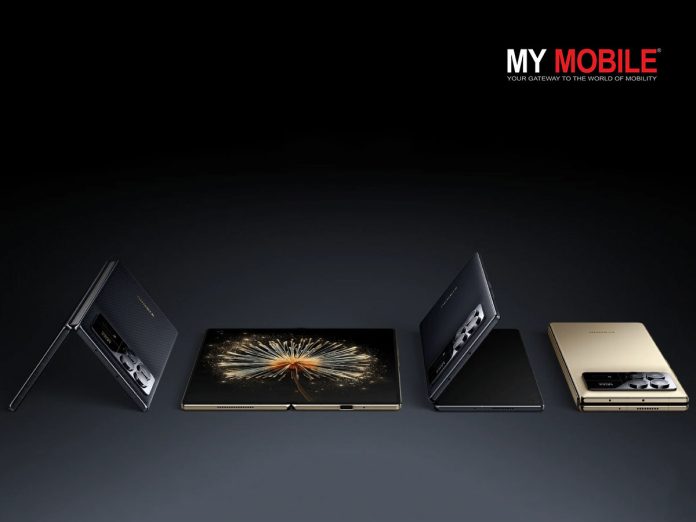
The company made the announcement on social media, revealing that both devices will be launched this July.
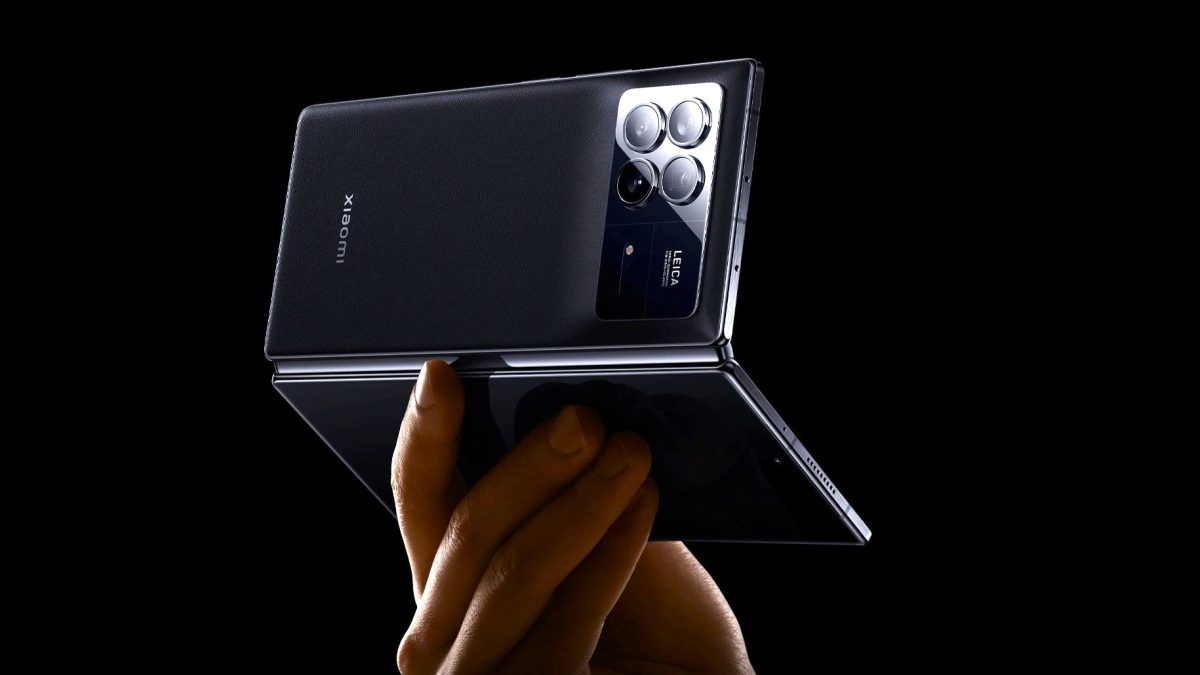
The Mi Mix 4 could have a very good camera setup.
Mi Mix Fold 4 and Flip Launch Confirmed
The Mix Fold 4 is set to replace last year’s Mix Fold 3, which was introduced in August.
This earlier release suggests Xiaomi might be keen to get a head start in the market.Alongside it, Xiaomi will debut its first flip-style smartphone, the Mix Flip.
Xiaomi’s announcement highlighted their new factory, which boasts full automation for critical processes.
This smart facility will be responsible for producing both the Mix Fold 4 and Mix Flip.
Xiaomi MIX Fold 4
The timing of Xiaomi’s launch is noteworthy, as it coincides with Samsung’s Unpacked Event on 10 July.
Xiaomi’s decision to launch in the same month could be seen as a direct challenge to Samsung’s dominance in the foldable phone market.
While Xiaomi has confirmed the July launch, they’ve not yet disclosed a specific date or any technical details about the devices.
However, industry insiders have shared some potential specifications.
Reports suggest both phones will feature the top-tier Snapdragon 8 Gen 3 processor.
The Mix Flip is rumoured to have a 4-inch outer display and a dual rear camera setup,including a 50MP main camera and a 60MP telephoto lens.
It’s also expected to support 67W fast charging.
Expected Features
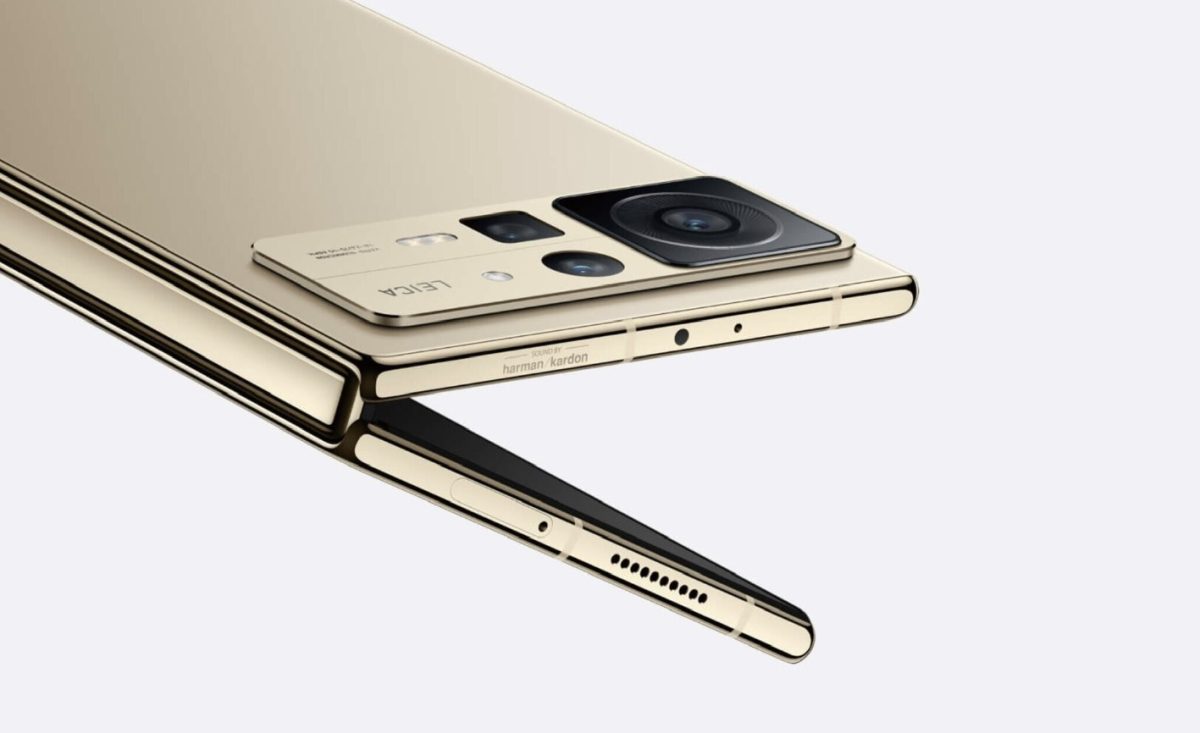
Expect some extreme features on the Mi Mix Fold 4
The Mix Fold 4 is said to boast a more robust camera system, with a quad-setup featuring a 50MP main sensor, 12MP ultra-wide, 60MP telephoto, and 10MP periscope telephoto lenses.
Battery life is reportedly a focus for the Fold 4, with capacity expected to exceed 5,000mAh and support for 67W fast charging.
As the launch approaches, more information about these devices is likely to surface.
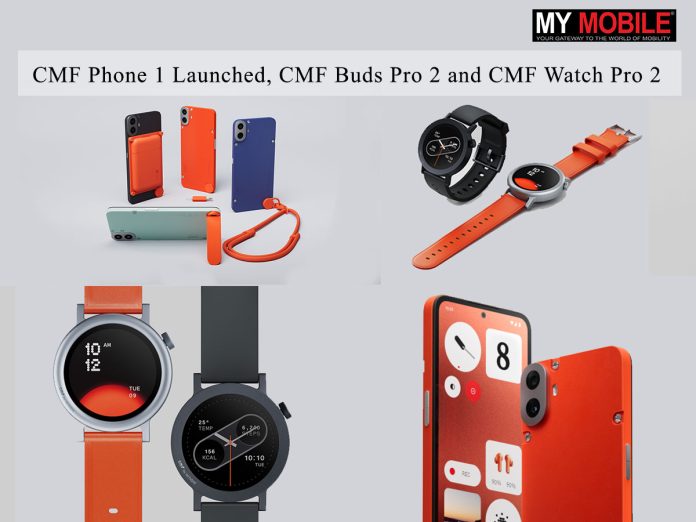
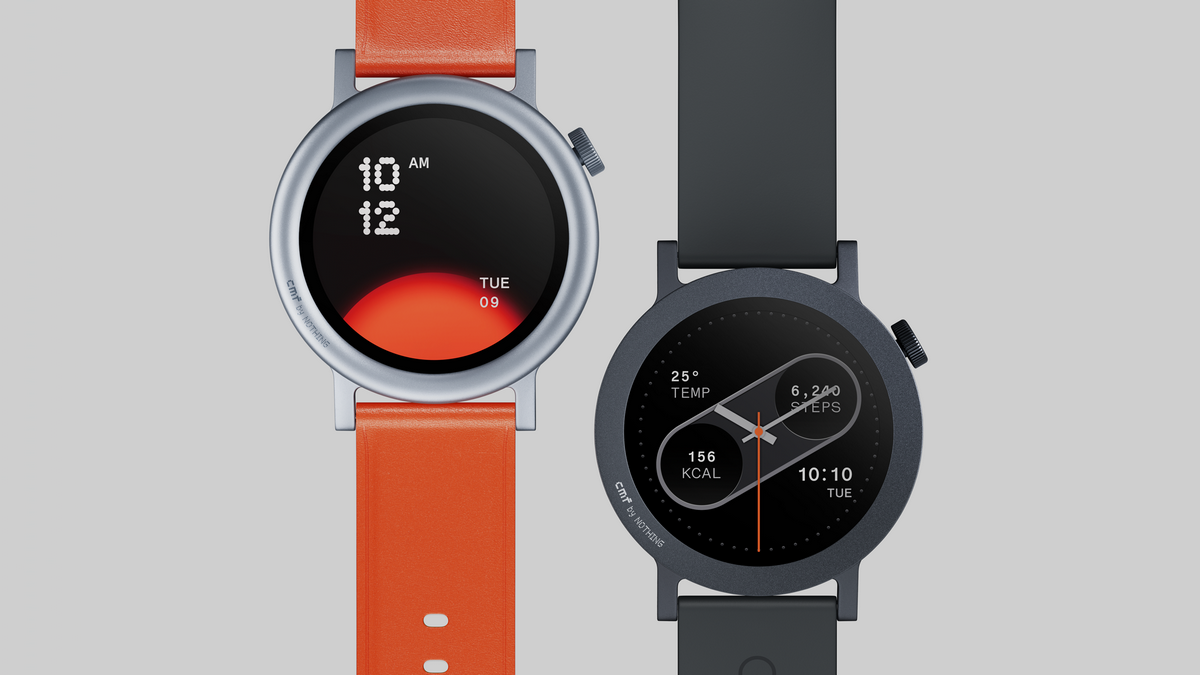
CMF Watch Pro 2: Rs 4,999 (Dark Gray, Ash Gray), Rs 5,499 (Blue and Orange – Vegan Leather)
CMF Buds Pro 2: Rs 4,299
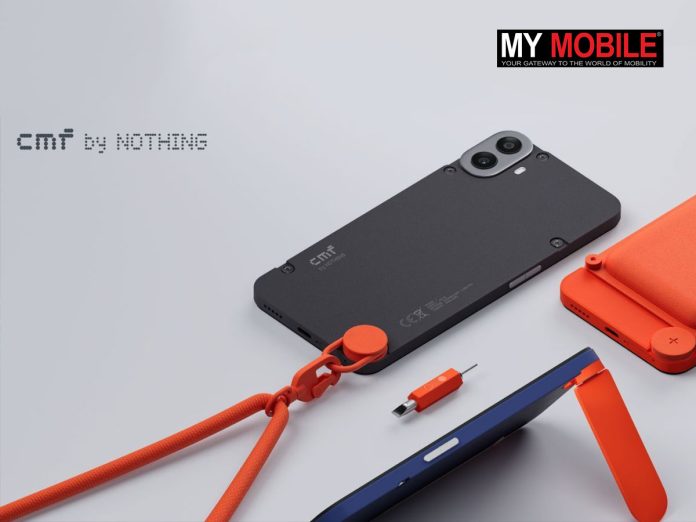
All accessories of the CMF Phone 1.
All products will be available for purchase from July 12th at 12 noonvia cmf.tech and retail partners.
Carl Pei, CEO of Nothing, said, “CMF Phone 1, CMF Watch Pro 2, and CMF Buds Pro 2 showcase Nothing’s unique approach to integrating creativity, practicality, and personalisation through design. These products further mark our commitment to injecting fun into a boring industry, and I’m very excited to see the market feedback.”
The CMF Buds Pro 2 are designed for an immersive audio experience, featuring a dual driver system with an 11mm bass driver and a 6mm tweeter.
They support LDAC technology and are certified for Hi-Res Audio Wireless, enhanced by Dirac Opteo™ for high-fidelity sound.
CMF Buds Pro 2 are designed for an immersive audio experience
These earbuds offer advanced Hybrid Active Noise Cancellation of up to 50dB.
Communication remains clear with 6 HD mics featuring Clear Voice Technology 2.0 and Wind-Noise Reduction 2.0.
The Buds Pro 2 also include a Spatial Audio Effectfor a three-dimensional soundscape and offer up to 43 hours of total battery life.
The Buds Pro 2 introduces an industry-first customizable Smart Dial on the charging case, allowing users to control various aspects of their audio experience.
They also feature Ultra Bass Technology 2.0 for enhanced low-frequency response.
The Buds Pro 2 introduces an industry-first customizable Smart Dial on the charging case
With Bluetooth 5.3 connectivity, the earbuds support dual device connection for seamless switching between devices.
They also include a low-latency gaming mode for improved audio-visual synchronization during mobile gaming sessions.
The Buds Pro 2 are compatible with the Nothing X App, which offers additional customization options and firmware updates.
Top 3 Alternatives for CMF Buds Pro 2
1. OnePlus Buds Pro
Adaptive Noise Cancellation up to 40dB
Bluetooth 5.2, 11mm dynamic driver
Up to 38 hours of battery life
IP55 water and dust resistance
Price: Rs 9,990
2. Jabra Elite 75t
Active Noise Cancellation
Bluetooth 5.0, 6mm driver
Up to 28 hours of battery life
IP55 water and dust resistance
Price: Rs 7,999
3. Sony WF-1000XM4
Industry-leading noise cancellation
Bluetooth 5.2, 6mm driver
Up to 24 hours of battery life
IPX4 water resistance
Price: Rs 19,990
CMF ‘Wonderful by Design’ Campaign
CMF has also launched its ‘Wonderful by Design’ campaign featuring popular Bollywood actress Rashmika Mandanna
Apart from the CMF Phone 1 launch, CMF has also revealed its ‘Wonderful by Design‘ campaign to showcase its innovative product line.
The campaign, featuring popular Bollywood actress Rashmika Mandanna, aims to highlight the blend of cutting-edge technology and aesthetic brilliance in the CMF Phone 1, CMF Watch Pro 2, and CMF Buds Pro 2.
The brand video opens with Mandanna discovering a secret doorway in a London underground station, leading her into the mysterious CMF Lab.
The narrative unfolds in a stylized R&D facility, where Nothing’s team of engineers and designers craft extraordinary products.
This innovative lab environment serves as a backdrop, emphasizing forward-thinking, high-quality, and design-led innovation.
As Mandanna explores the products and machines that create them, the audience senses her trespassing, yet the machines and products welcome her curiosity.
The journey of these products culminates in their placement in vending machines, symbolizing their path to consumers.
Through this narrative, CMF aims to convey that ‘Wonderful by Design’ reflects not only their process and products but also the inherent wonder in all of us.
Sharing thoughts on the campaign, Pranay Rao, Director and Head of Marketing at Nothing India said, “CMF Phone 1 is our first smartphone under the sub-brand CMF by Nothing. CMF was launched to democratize technology giving the consumer a great product at a more affordable price point while not compromising on design, quality or user experience. This film through the eyes of Rashmika showcases the entire CMF ecosystem of devices designed to complement each other and work together.”
FAQs
What are the prices for the new CMF by Nothing products?
For the CMF Phone 1 launch the device is priced at ₹15,999 for the 6GB+128GB variant and ₹17,999 for the 8GB+128GB variant. The CMF Watch Pro 2 ranges from ₹4,999 to ₹5,499, and the CMF Buds Pro 2 are priced at ₹4,299.
What are the key features of the CMF Phone 1?
The CMF Phone 1 features a 6.67″ 120Hz AMOLED display, MediaTek Dimensity 7300 5G processor, 50MP main camera, and a 5000mAh battery with 33W charging.
What are the launch offers for the CMF Phone 1?
On the first day, the CMF Phone 1 will be available at ₹14,999 for the 6GB model and ₹16,999 for the 8GB model, with an additional ₹1,000 bank discount and a special bundle price for the CMF Power 33W charger.
What makes the CMF Watch Pro 2 unique?
The CMF Watch Pro 2 has a 1.32″ AMOLED display, supports over 120 sports modes, and provides up to 11 days of battery life. It also has customizable watch faces and an interchangeable bezel design.
When will the new CMF by Nothing products be available?
The products will be available from July 12th at 12 noon via cmf.tech and retail partners.
It made another appearance at the Mobile World Congress in February.
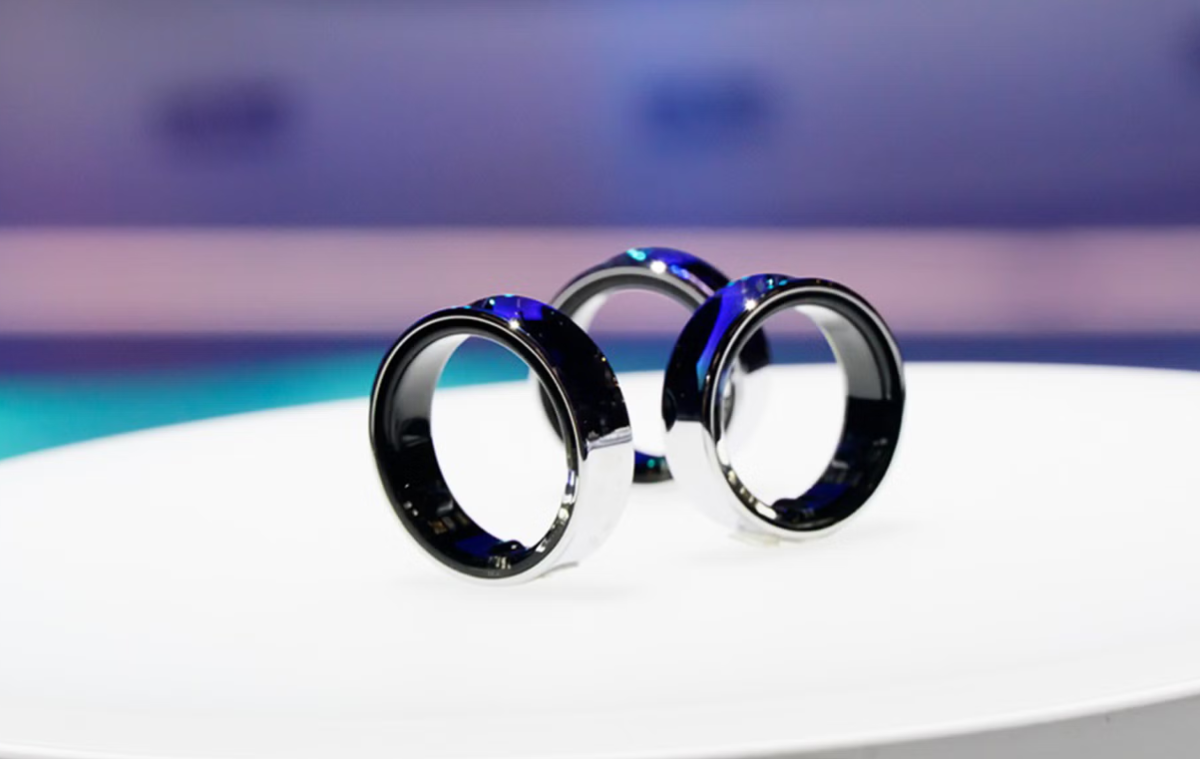
The full reveal is expected at Samsung’s upcoming Unpacked event on 10 July.
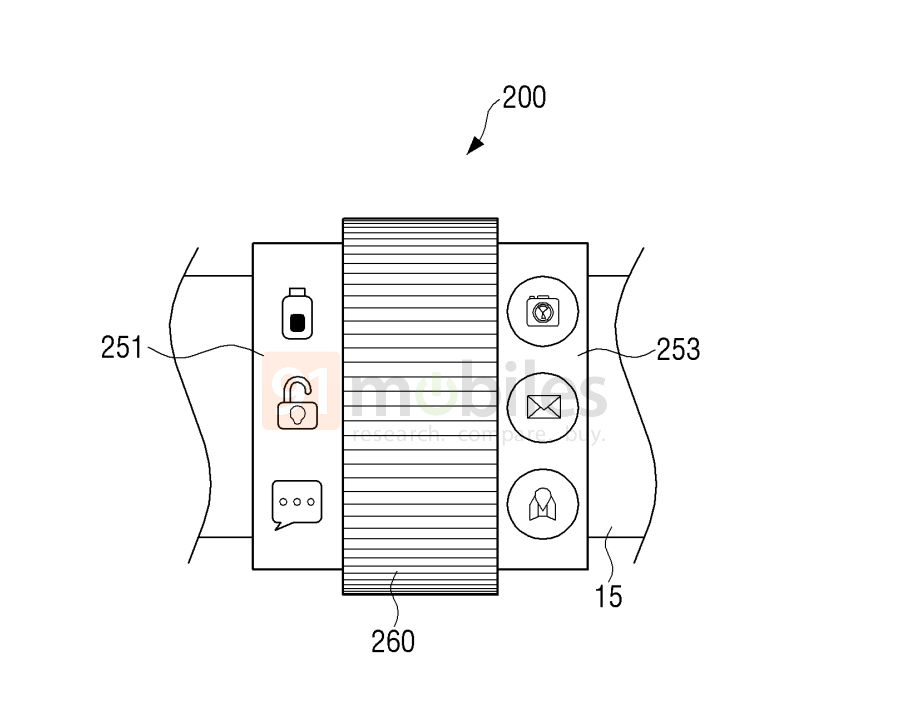
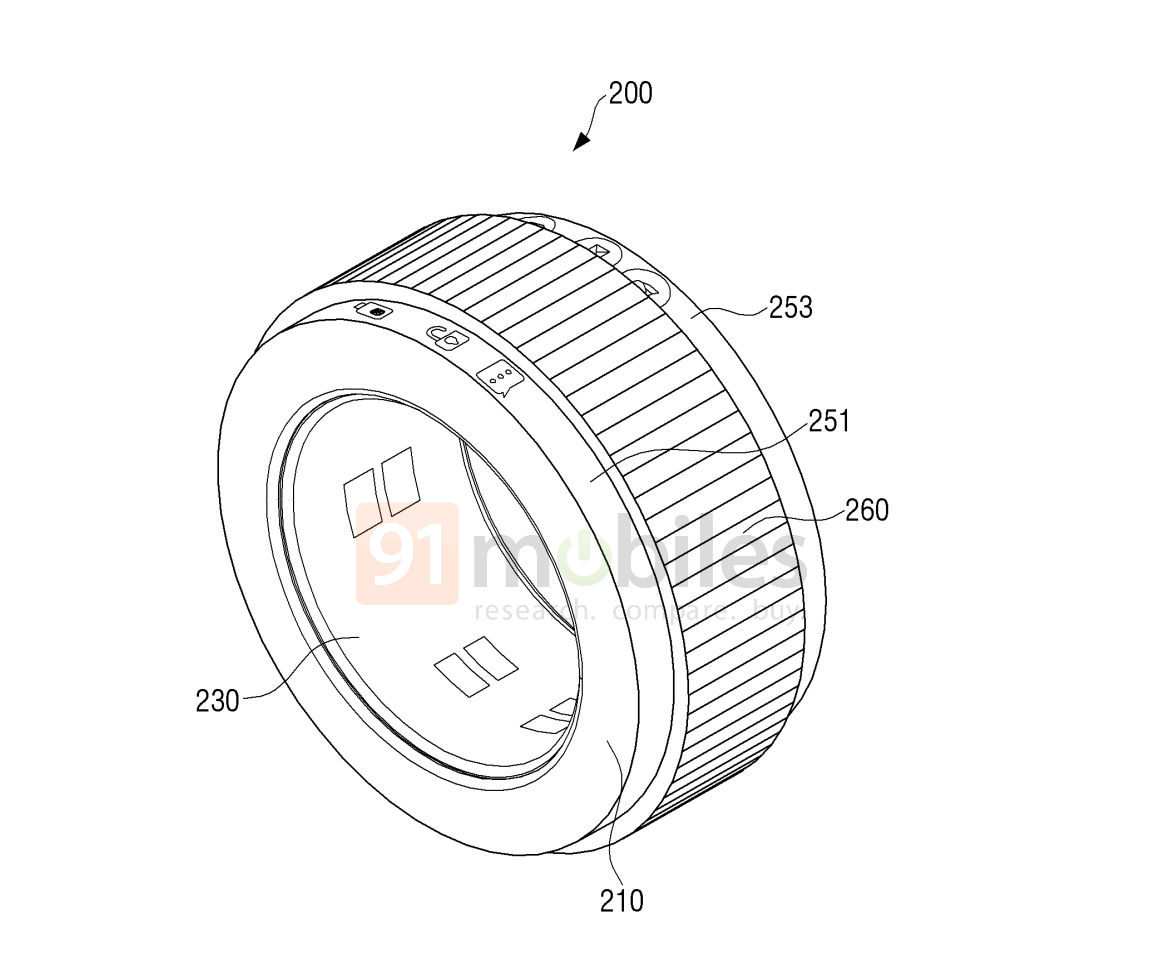
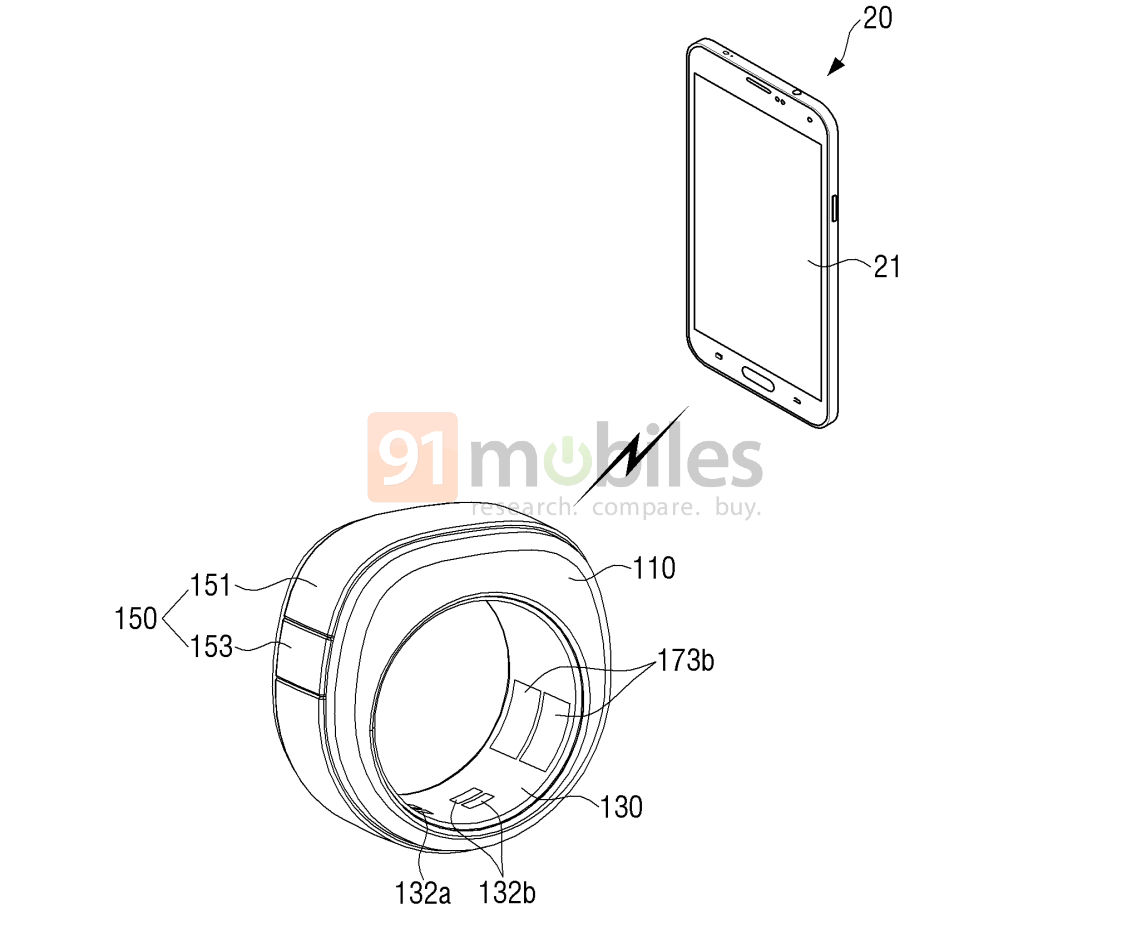
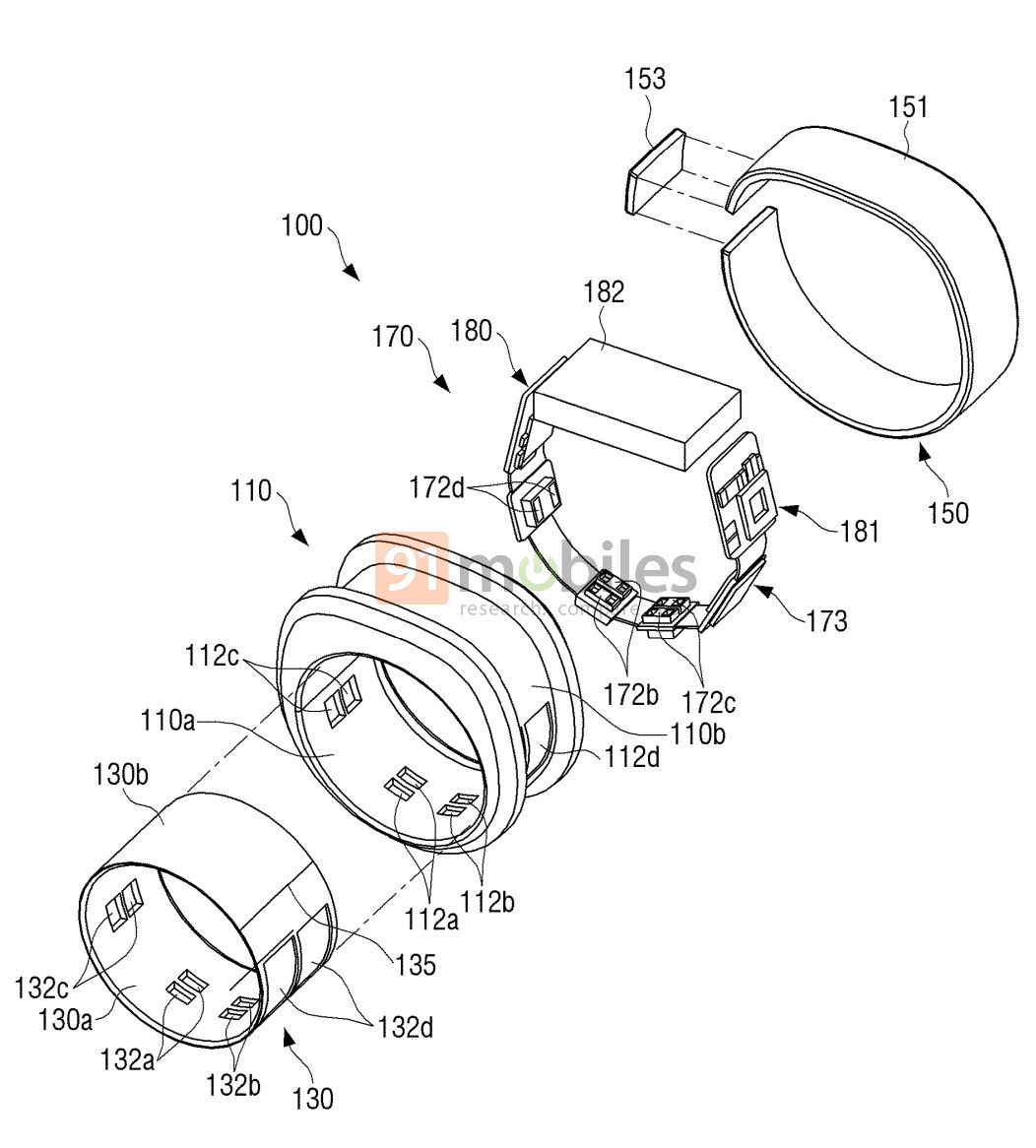
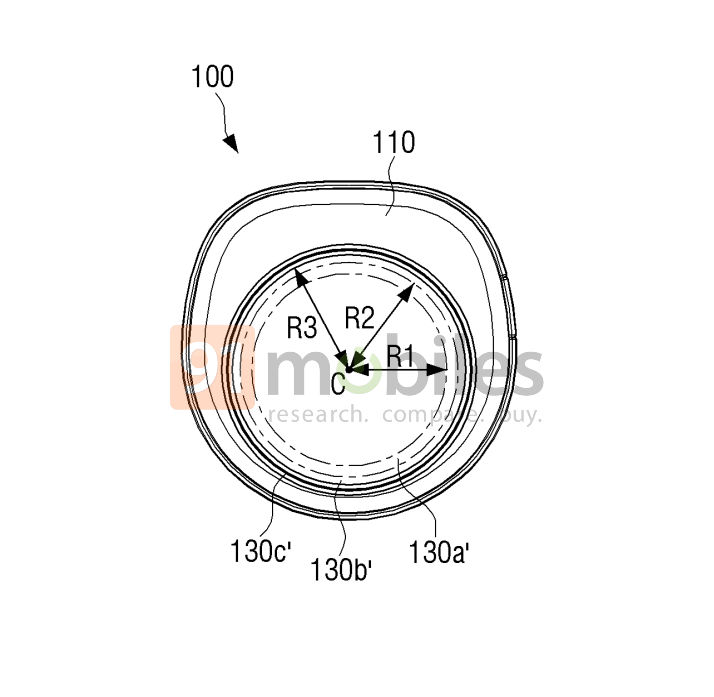
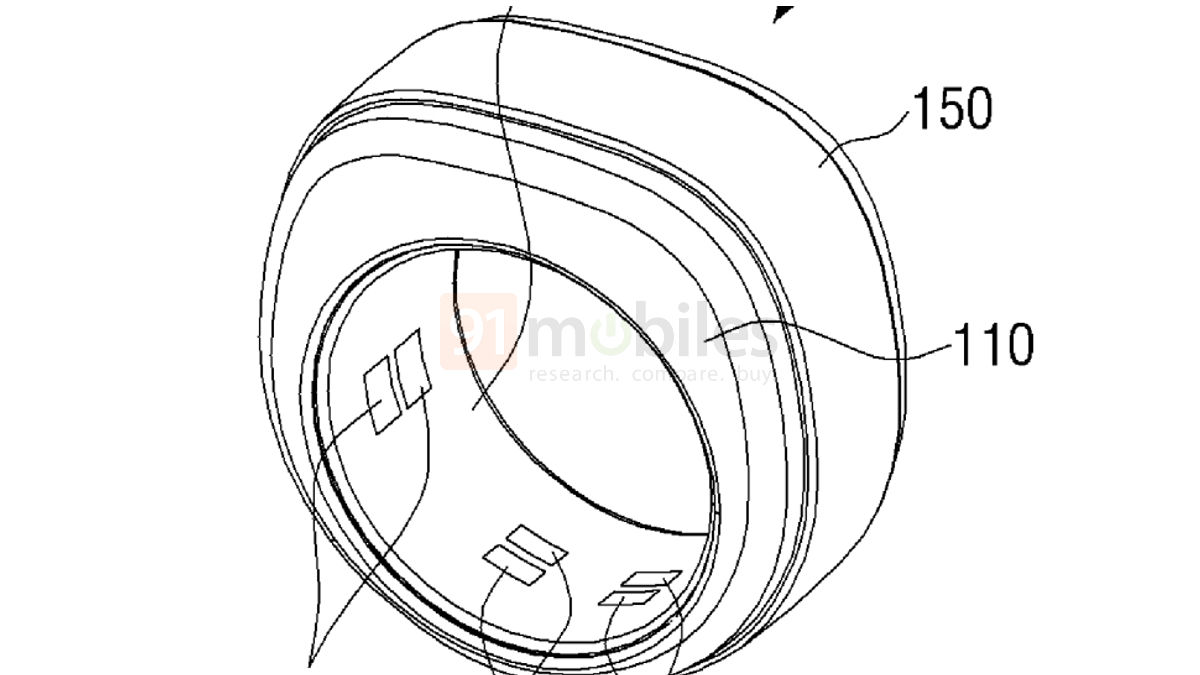
The patent for the possible Galaxy Ring 2, as reported by 91mobiles, shows a design that differs from the teasers of the first model.
Galaxy Ring 2 Patents
1 of 7
While the original ring appears fully circular, the new patent depicts a squarish outer layer with a circular inner layer housing embedded sensors.
This new design seems slightly elongated and may feature two display units.
These screens could work interactively, with users selecting icons on one display to show information on the other.
The patent suggests the ring could support various health measurements and includesensors for temperature, acceleration, and fingerprints.
Connectivity options might encompass Bluetooth, Wi-Fi, Zigbee, NFC, and MST for payments.
Multiple ring sizes are mentioned in the patent documents – 27 for South Korea and 65 for the US.
The design changes with each size, which could impact pricing.
What About the Original Galaxy Ring?
Samsung confirms Galaxy Ring debut at MWC 2024 in Barcelona
As for the original Galaxy Ring, it’s expected to track heart rate,blood oxygen levels, and physical activity.
There are whispers of additional featureslikeblood flow measurement and electrocardiogram functions. Wireless device control and payments are also anticipated.
Water resistance seems likely, given the ring is meant to be worn on the finger.
Some reports mention a potential Lost Mode feature, where users could trigger a blinking light in the ring through an app to help locate it if misplaced.
The interest in smart rings stems from their potential to pack advanced health monitoring and connectivity features into an even smaller form than smartwatches.
Samsung Galaxy Ring
To truly understand how a potential Galaxy Ring 2 might compare to its predecessor, we’ll need to wait for the launch of the first model.
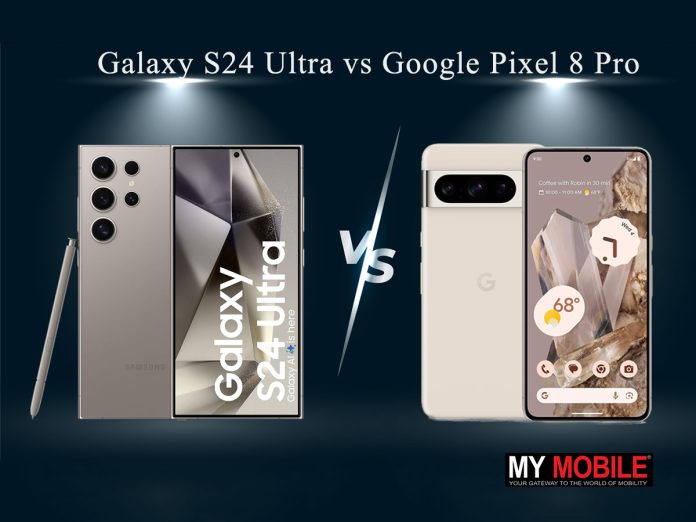
Both offercutting-edge technology,but which one is right for you?
Let’s dive into a comparison of these powerhouse devices to help you make an informed decision.
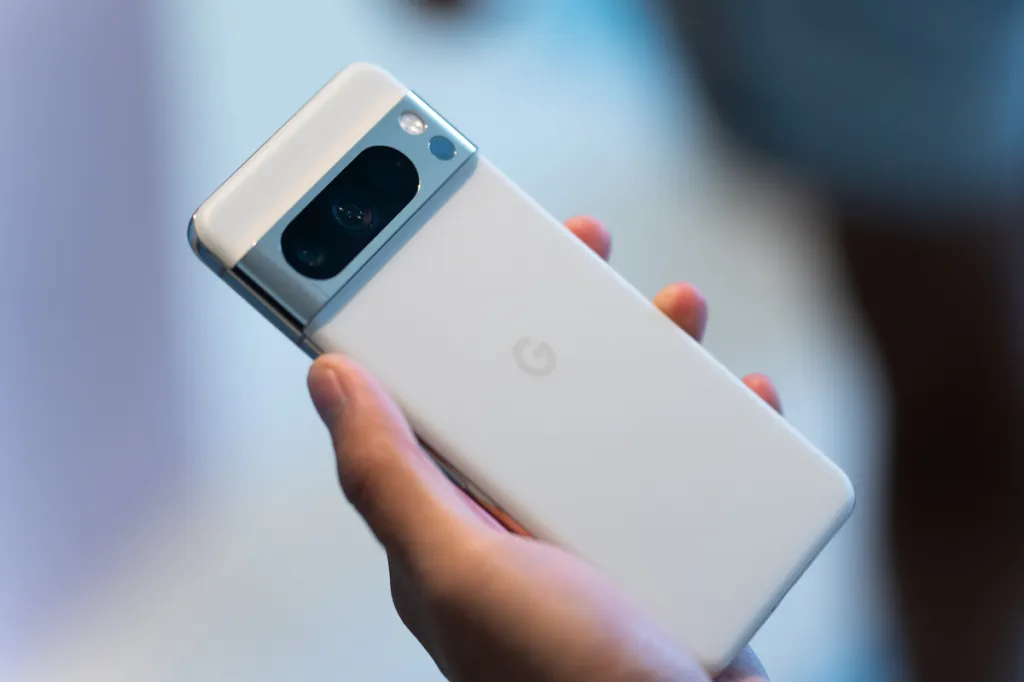
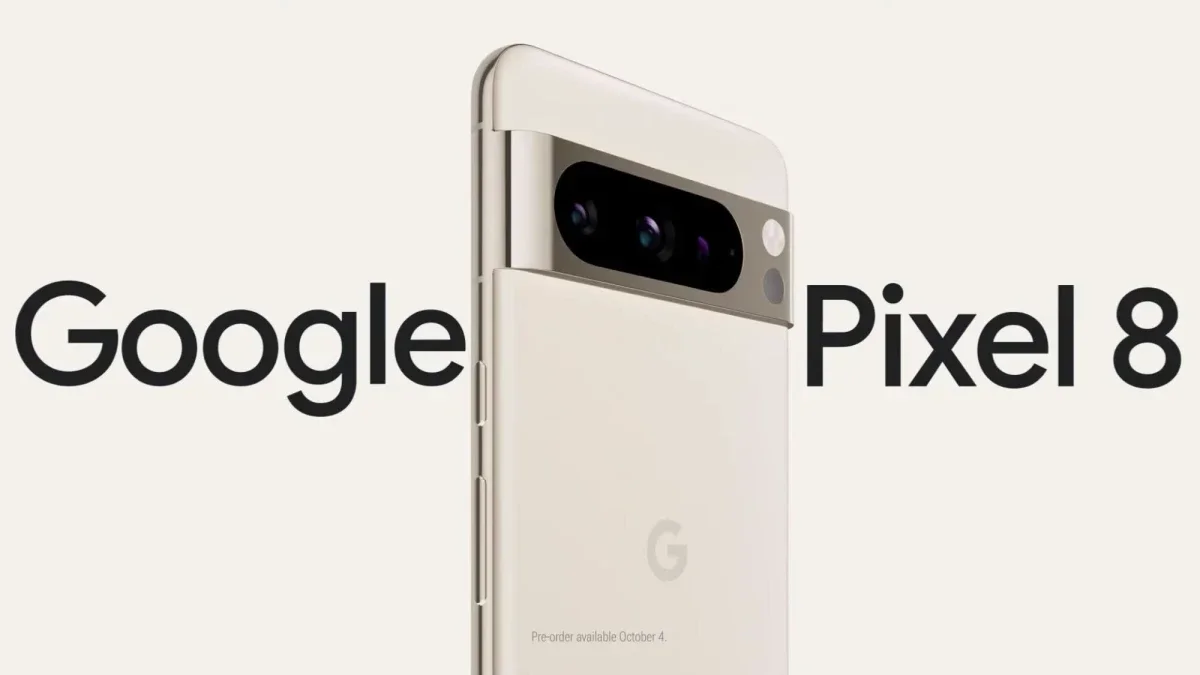
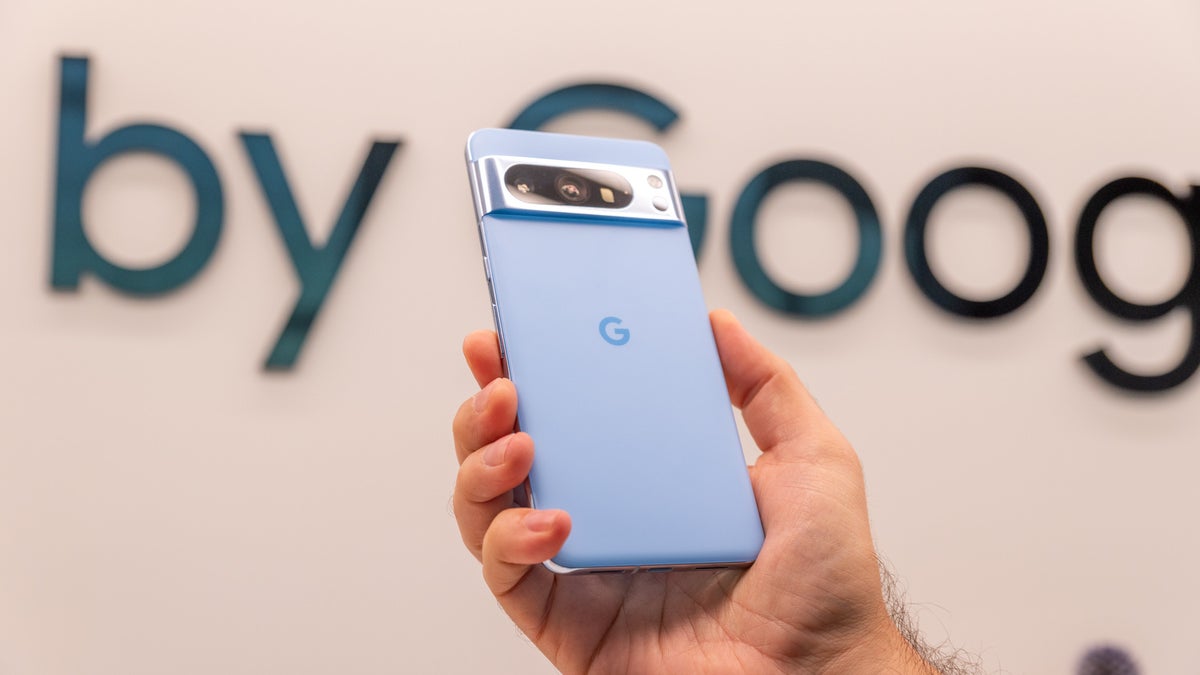
Google Pixel 8 Pro
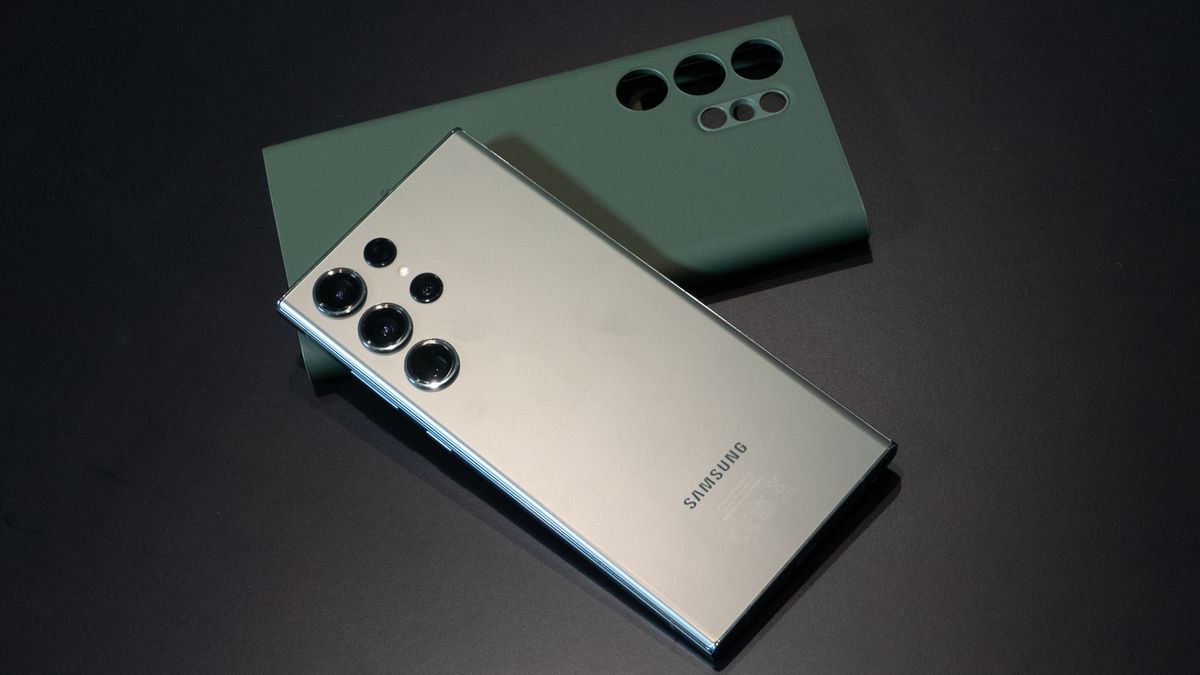
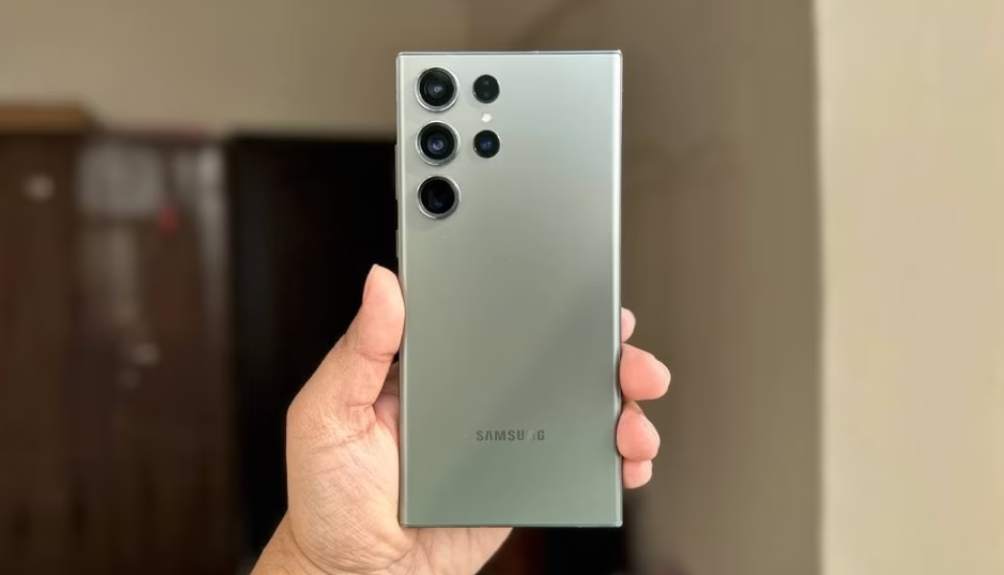
Samsung Galaxy S24 Ultra vs Google Pixel 8 Pro: Key Specs
Feature
Samsung Galaxy S24 Ultra
Google Pixel 8 Pro
Display Size
6.8 inches
6.7 inches
Display Technology
LTPO OLED
LTPO OLED
Resolution
1440 x 3120 pixels
1344 x 2992 pixels
Peak Brightness
2600 nits
2400 nits
Weight
232g
213g
Frame Material
Titanium
Aluminum
Stylus
Yes (S Pen included)
No
Main Camera
200MP
50MP
Telephoto Cameras
2 (3x and 5x zoom)
1 (48MP, 5x optical zoom)
Ultrawide Camera
Yes
Yes (48MP)
Chipset
Qualcomm Snapdragon 8 Gen 3
Google Tensor G3
RAM
12GB
12GB
Base Storage
256GB
128GB
5G Support
Yes
Yes
Wi-Fi
Wi-Fi 6E
Wi-Fi 6E
Water Resistance
IP68
IP68
Software
One UI 6.1 on Android 14
Stock Android 14
Software Updates
7 years security updates
3 years OS, 5 years security
Battery Capacity
5000mAh
5050mAh
Wired Charging
45W
30W
Wireless Charging
Yes
Yes
Reverse Wireless Charging
Yes
Yes
Display and Design
The S24 Ultra boasts a slightly larger 6.8-inch displaycompared to the Pixel 8 Pro’s 6.7-inch screen.
Both use LTPO OLED technology, offering vibrant colors and smooth 120Hz refresh rates.
However, the S24 Ultra edges ahead with a higher resolution of 1440 x 3120 pixels versus the Pixel’s 1344 x 2992 pixels.
Samsung’s flagship also shines brighter, with a peak brightness of 2600 nits compared to the Pixel’s 2400 nits.
Early samples indicate improved thermal efficiency and performance
This could make a noticeable difference when using the phone outdoors.
In terms of design, the S24 Ultra sports a premium titanium frame available in various colors, while the Pixel 8 Pro opts for a more understated look.
The S24 Ultra is slightly heavier at 232g compared to the Pixel’s 213g, but it also includes the S Pen stylus,which some users might find invaluable.
Cameras
Both phones pack impressive camera setups, but take different approaches.
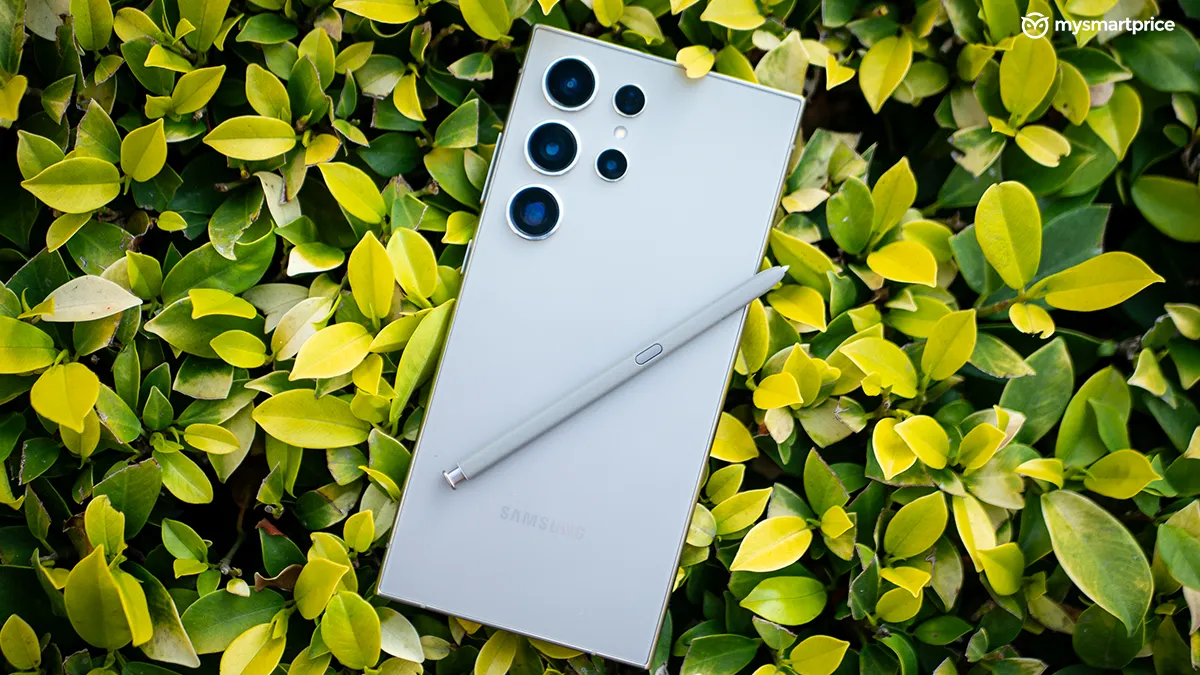
The S24 Ultra features a quad-camera system led by a massive 200MP main sensor, complemented by two telephoto lenses (3x and 5x zoom) and an ultrawide camera.
The Pixel 8 Pro, while having “only” a 50MP main camera, is known for its computational photography prowess.
It also includes a 48MP telephoto with 5x optical zoom and a 48MP ultrawide lens.
In practice, both phones will take stunning photos in most situations.
The S24 Ultra might have an edge in zoom capabilities and raw detail, while the Pixel 8 Pro could shine in low-light situations and with its unique AI-powered features like Magic Eraser and Best Take.
Both offer 12GB of RAM, but the S24 Ultra starts with 256GB of storage compared to the Pixel’s 128GB base model.
In terms of pure performance, the S24 Ultra is likely to come out on top in benchmarks.
However, the Pixel’s Tensor chip is optimized for AI tasks, which enables some unique features.
Samsung Galaxy S24 Ultra: A Deep Dive
Both phones support 5G, Wi-Fi 6E, and have IP68 water resistance ratings.
The S24 Ultra includes the S Pen stylus, which can be a game-changer for note-taking and precision tasks.
Software and Battery
Here’s where personal preference plays a big role. The S24 Ultra runs Samsung’s One UI 6.1 on top of Android 14, offering a feature-rich experience with Samsung’s ecosystem integration.
The Pixel 8 Pro provides Google’s vision of Android, with a clean interface and exclusive AI-powered features.
Features for Pixel 8 Pro
Samsung promises seven years of security updates for the S24 Ultra, which is impressive.
Google typically offersthree years of major OS updates and five years of security patches for Pixel devices.
However, it has made an exception for the Pixel 8 Pro which will get 7 years of updates.
Battery-wise, it’s a close call. The S24 Ultra has a 5000mAh battery, while the Pixel 8 Pro squeezes in a slightly larger 5050mAh cell.
The S24 Ultra supports faster 45W wired charging compared to the Pixel’s 30W, but both offer wireless and reverse wireless charging capabilities.
Final Verdict
Choosing between the Galaxy S24 Ultra vs Pixel 8 Pro Pro isn’t easy – both are excellent devices that cater to slightly different users.
Samsung Galaxy S24 Ultra Emerges in Leaked Photos Ahead of Official Launch
Go for the Samsung Galaxy S24 Ultra if you want:
The most cutting-edge hardware and performance
S Pen functionality
Versatile camera system with impressive zoom capabilities
Longer software support
New Features in Pixel 8 Pro
Choose the Google Pixel 8 Pro if you prefer:
A clean, stock Android experience
AI-powered camera features and unique software tricks
Slightly more compact design
Potentially lower price point
Ultimately, you can’t go wrong with either phone.
The S24 Ultra is the spec champion and offers more raw power, while the Pixel 8 Pro counters with its software smarts and photography prowess.
Consider your priorities, try them out in person if possible, and pick the one that feels right for you.
FAQs
What are the main differences in display between the Galaxy S24 Ultra and Pixel 8 Pro?
The Galaxy S24 Ultra has a 6.8-inch display with 1440 x 3120 pixels and 2600 nits brightness, while the Pixel 8 Pro has a 6.7-inch display with 1344 x 2992 pixels and 2400 nits brightness.
Which phone has a better camera system?
The S24 Ultra features a 200MP main camera with two telephoto lenses (3x and 5x zoom), while the Pixel 8 Pro has a 50MP main camera with advanced AI features and a 48MP telephoto lens with 5x zoom.
What are the key performance differences?
The S24 Ultra uses the Snapdragon 8 Gen 3 chip, offering higher benchmark performance, while the Pixel 8 Pro uses Google’s Tensor G3 chip, optimized for AI tasks.
How do software updates compare between these devices?
Samsung promises 7 years of security updates for the S24 Ultra. The Pixel 8 Pro will also receive 7 years of updates, including major OS updates and security patches.
Which phone offers better battery and charging capabilities?
The S24 Ultra has a 5000mAh battery with 45W wired charging, while the Pixel 8 Pro has a 5050mAh battery with 30W wired charging. Both support wireless and reverse wireless charging.
Y28s features segment’s first 50 MP Sony AI camera. The device packs in 5000 mAh battery. The phone features sunlight display with 840 nits high brightness.
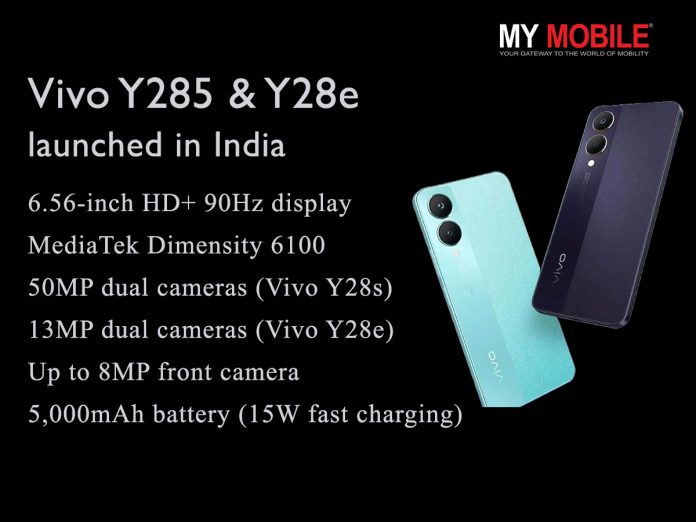
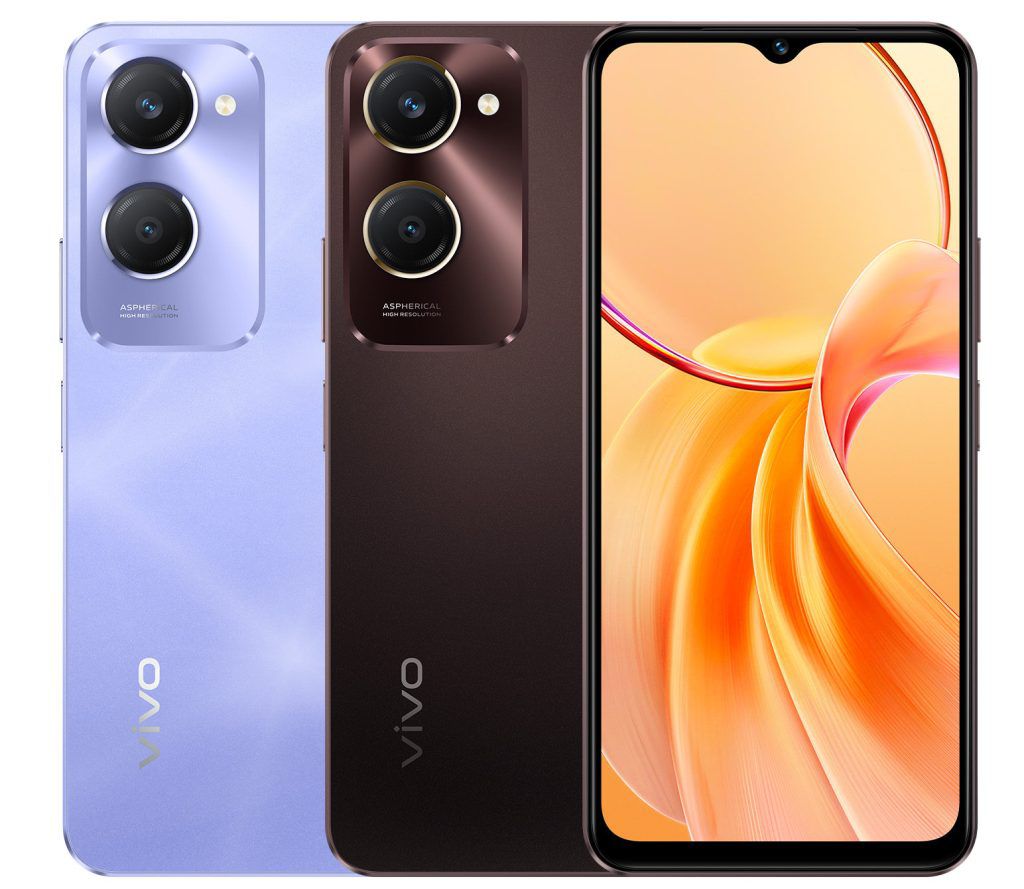
vivo, today expanded its Y series portfolio with the launch of Y28s and Y28e in India.
Both smartphones embody an exquisite design paired with MediaTek Dimensity 6100+ 5G processor and a powerful 5000mAh battery offering consumers uninterrupted usage and a seamless experience.
Geetaj Chanana, Head of Corporate Strategy at vivo India, commented, “We are thrilled to unveil the latest additions to our Y-series lineup, the Y28e and Y28s smartphones. Y series is known for its stunning design and exceptional camera performance that is crafted for young and tech-savvy users. Both these smartphones are a testimony of our commitment to drive customer centric innovation. With enhanced camera performance, stunning design and top-notch performance, we are confident that the Y28e and Y28s will address the core needs of our users.”
Vivo Y28s and Y28e Price , Availability
The vivo Y28s is priced at INR 13,999 for the 4GB+128GB variant,INR 15,499 for 6GB+128GB variant and INR 16,999 for 8GB+128GB variant, the vivo Y28e will be priced at INR 10,999 for the 4GB+64GB variant and INR 11,999 for 4GB+128GB variant.
The smartphones will be available for purchase via Flipkart,vivo India e-store, and across all partner retail stores starting today.
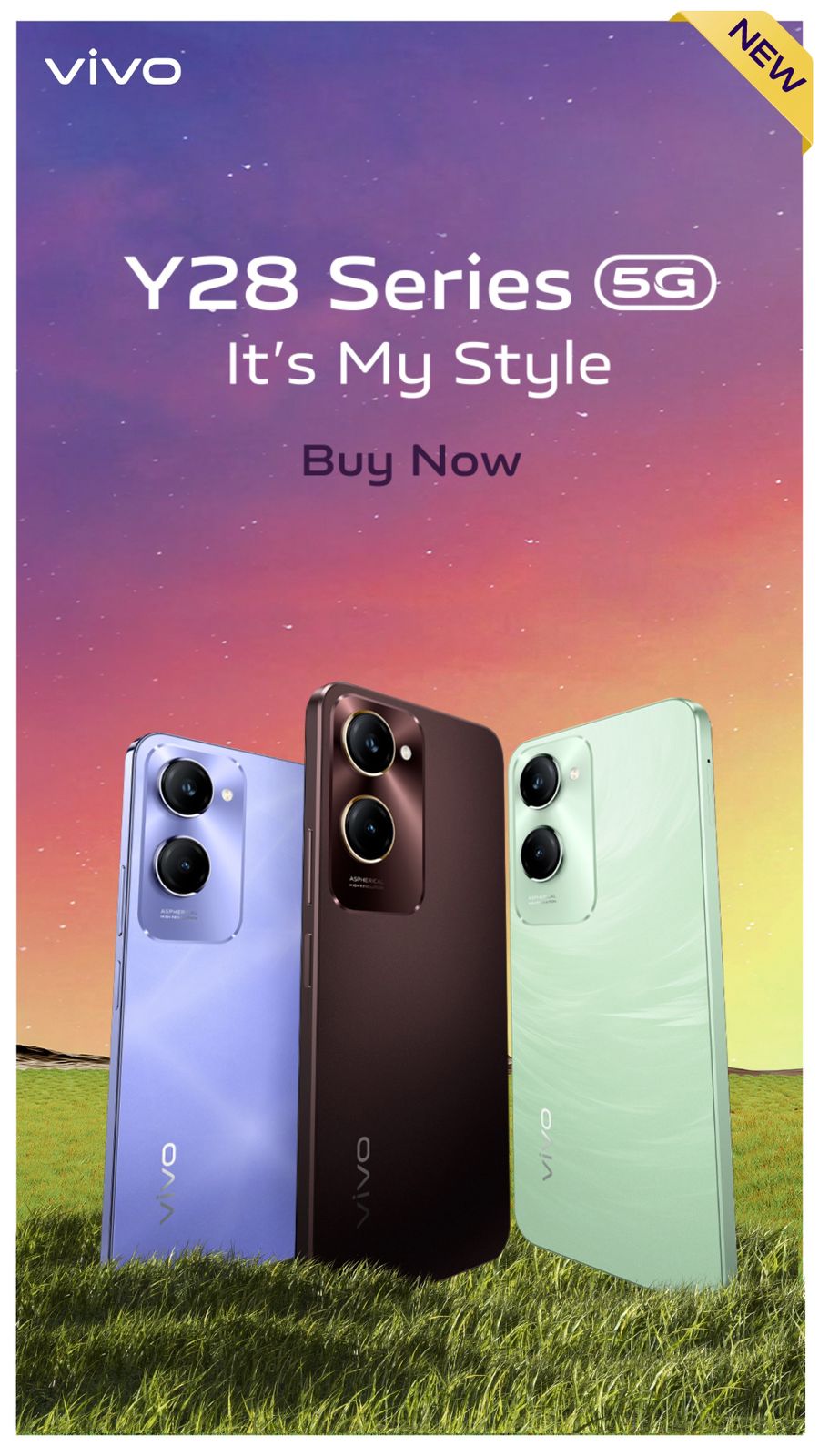
Both the smartphones will be available in two color variants, each.
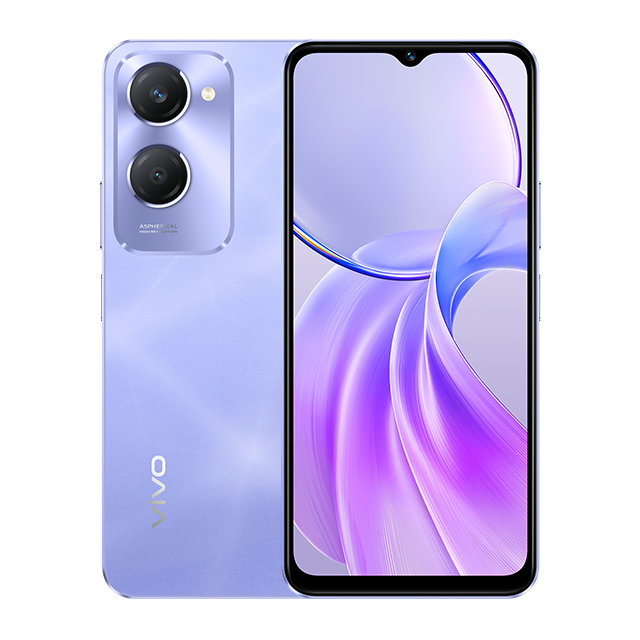
The Y28s comes with Vintage Red and Twinkling Purple, while the Y28e dazzles in Vintage Red and Breeze Green.
Vivo Y28s and Y28e features & specifications
The vivo Y28e comes in Vintage Red and Breeze Green colours .
Stunning Design and Advanced Display Technology
The new vivo smartphones,Y28s and Y28e feature a 16.6 cm(6.56-inch)High Brightness Sunlight display with a peak brightness of up to 840 nits, and a 90 Hz refresh rate.
The Y28s offers an HD+LCD display and includes a side-mounted fingerprint scanner for quick and efficient device security.
In contrast, the Y28e is equipped with an HD display.
Both smartphones are TÜV Rheinland Low Blue Light certified, ensuring comprehensive eye protection throughout the day.
Additionally, both smartphones boast an ultra-slim 0.83 cm (8.38 mm) body, making them easy to hold and handle.
The stunning design and advanced display technology make the consumer experience much more delightful
Capture Your Creativity with the Dual Camera Set Up
The vivo Y28s empowers users to explore their creativity with its dual-camera setup.
It features the segment’s first 50 MP Sony IMX 852 camera, delivering sharp and clear photos during day or night.
The vivo Y28e enhances your photography experience with a 13 MP main camera in its dual-camera setup, adding an atmospheric portrait effect for fun and engaging photos.
On the front, the Y28s is equipped with an 8MP portrait camera, while the Y28e features a 5MP portrait camera,ensuring picture-perfect selfies every time.
Both smartphones come with a Super Night camera mode, enhancing camera performance in low-light conditions.
Additionally, the Multi-style portrait mode allows users to capture stunning portraits in both bright and low-light scenes.
Smooth Performance and User Experience
The phones run FunTouch OS 14 based on the Android 14 platform.
The vivo Y28s and Y28e are powered by MediaTek Dimensity 6100 5G Processor,built on a 6nm advanced process and an Octa-core CPU architecture, with a clock speed of up to 2.4 GHz.
They come equipped with an 8GB RAM which can be further extended by up to 16GB.
For seamless and long-lasting performance, the smartphones are equipped with a massive, 5000mAh batterycombined with a 15W flash charge.
This setup promises four years of battery health* and incorporates 24-dimension security protection for added safety.
The Y28s and Y28e run on FunTouch OS 14 based on the Android 14 platform.
With IP64 dust and water resistance, the Y28s and Y28e provide a more reliable and durable user experience.
What’s New With the Y28s and Y28e
The Y28s introduces the first 50 MP Sony AI camera in its category, ensuring exceptional photo quality. Both devices are powered by the MediaTek Dimensity 6100+ 5G processor, paired with a robust 5000mAh battery for uninterrupted usage.
The smartphones boast a 6.56-inch high brightness sunlight display with a peak brightness of 840 nits and a 90Hz refresh rate, ensuring vivid visuals even in bright conditions.
Additionally, the Y28s includes a side-mounted fingerprint scanner for quick access, while both models are TÜV Rheinland Low Blue Light certified, providing comprehensive eye protection.
Enhanced camera features, such as the Super Night camera mode and Multi-style portrait mode, elevate the photography experience, making the Y28s and Y28e stand out in their segment.
vivo Y28s and Y28e 5G specifications
The vivo Y28s comes with Vintage Red and Twinkling Purple colours
6.56-inch (1612 × 720 pixels) HD+ LCD screen, 90Hz refresh rate, up to 840 nits peak brightness
Octa Core MediaTek Dimensity 6100+ 6nm processor (2x Cortex-A76 @ 2.2GHz 6x Cortex-A55 @ 2GHz) with Arm Mali-G57 MC2 GPU
4GB / 6GB / 8GB LPDDR4X RAM with 128GB UFS 2.2 internal storage, expandable memory up to 1TB with microSD
Android 14 with Funtouch OS 14
Hybrid Dual SIM (nano + nano / microSD)
Y28s – 50MP rear primary camera with f/1.8 aperture, 2MP portrait camera with f/2.4 aperture
Y28e – 13MP rear primary camera, 2MP portrait camera with f/2.4 aperture
Y28s – 8MP front camera with f/2.0
Y28e – 5MP front camera
Side-mounted fingerprint sensor (Y28s only)
3.5mm audio jack
Dust and Water resistant (IP64)
Dimensions: 163.63×75.58×8.39mm; Weight: 185g
5G, Dual 4G VoLTE, Wi-Fi 802.11 ac (2.4GHz + 5GHz), Bluetooth 5.3, GPS + GLONASS, USB Type-C Port
5000mAh (typical) battery with support for 15W charging
Faq’s
What is the price of both smartphones of the Vivo Y28 series ?
The vivo Y28s is priced at INR 13,999 for the 4GB+128GB variant, INR 15,499 for 6GB+128GB variant and INR 16,999 for 8GB+128GB variant, the vivo Y28e will be priced at INR 10,999 for the 4GB+64GB variant and INR 11,999 for 4GB+128GB variant.
Where can I buy the Vivo Y28 series from ?
The smartphones will be available for purchase via Flipkart, vivo India e-store, and across all partner retail stores starting today.
What are the Color’s available in Vivo Y28 series?
Both the smartphones will be available in two color variants, each. The Y28s comes with Vintage Red and Twinkling Purple, while the Y28e dazzles in Vintage Red and Breeze Green.
How is the camera capability of Vivo Y28e?
The vivo Y28e enhances your photography experience with a 13 MP main camera in its dual-camera setup, adding an atmospheric portrait effect for fun and engaging photos.
Y28e features a 5MP portrait camera, ensuring picture-perfect selfies every time.
Both smartphones come with a Super Night camera mode, enhancing camera performance in low-light conditions.
Additionally, the Multi-style portrait mode allows users to capture stunning portraits in both bright and low-light scenes.
How is the display of Vivo Y28s?
The Y28s offers an HD+LCD display and includes a side-mounted fingerprint scanner for quick and efficient device security.
Four Pixel Watch 3 models appear on FCC certification site
Expected features include UWB technology and Wi-Fi 6 support
LTE and Wi-Fi/Bluetooth variants likely
Possible debut alongside Pixel 9 series on August 13
Googlehas announced its “Made by Google 2024”event for August 13, breaking from its traditional October launch schedule.
While the Pixel 9 series is confirmed, there’s speculation about thePixel Watch 3 debut.
FCC Certification Details
Pixel Watch 3 FCC
1 of 4
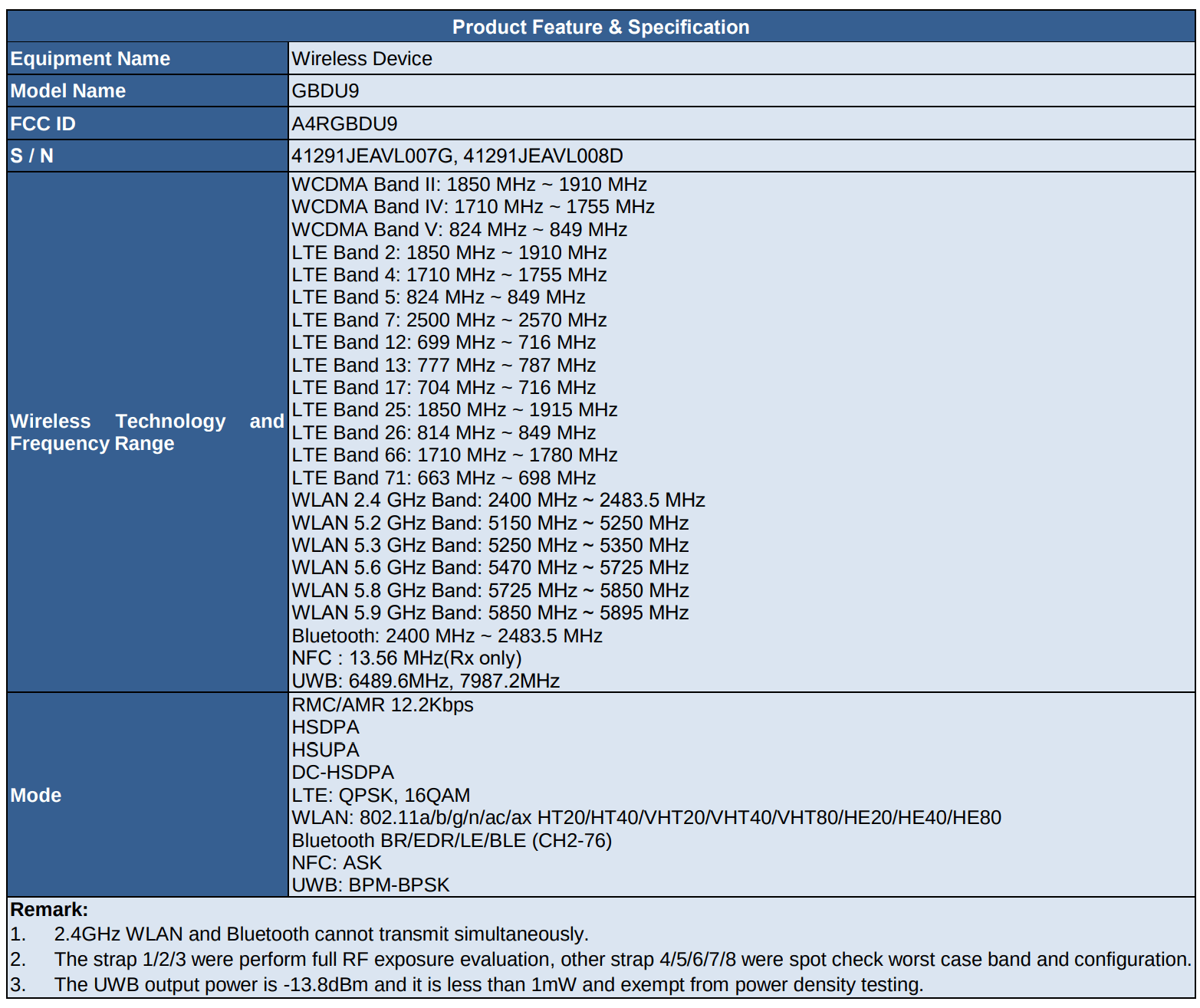
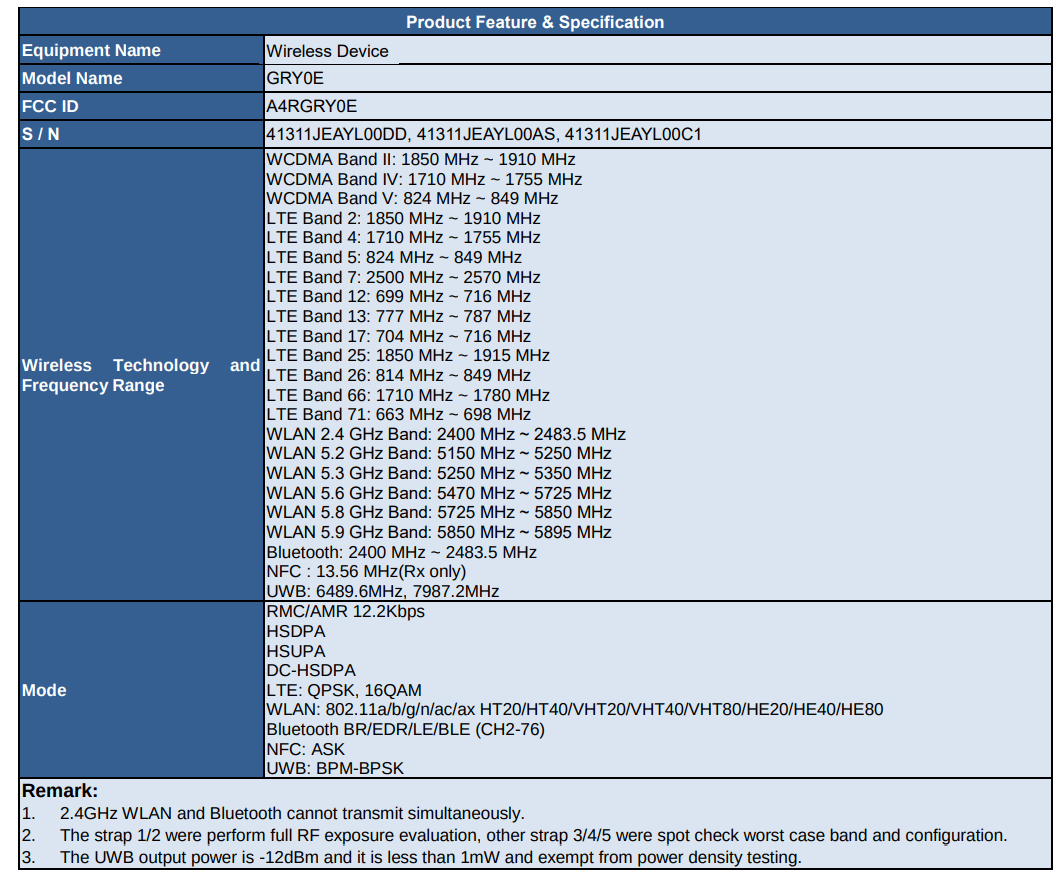
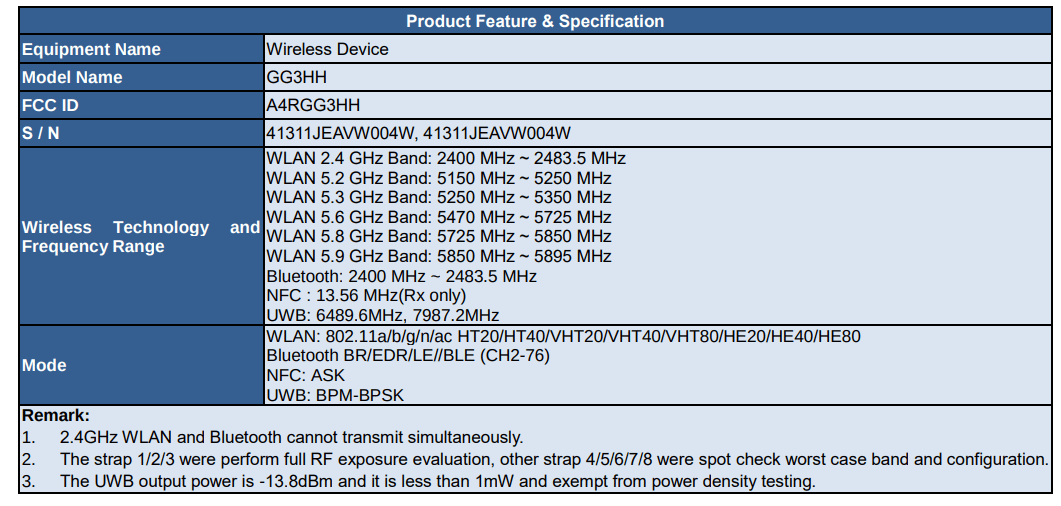
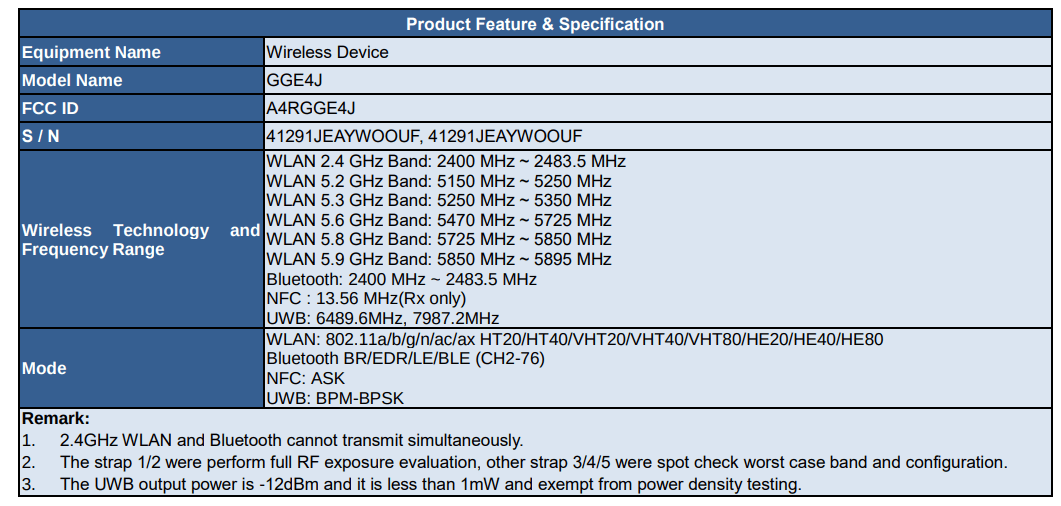
Four models believed to be variants of the Pixel Watch 3, have appeared on the FCC certification website.
These listings provide insights into potential new features and connectivity options.
The FCC listings show four models:
• GBDU9 • GRY0E • GG3HH • GGE4J
Two of these are thought to have LTE connectivity, while the other two are likely Wi-Fi/Bluetooth models.
Key Features Revealed
Lesser bezels compared to previous models
Ultra-Wideband (UWB): All four models seem to include UWB technology. This could enable features like unlocking compatible cars and enhanced NFC payments.
Wi-Fi Capabilities: The listings suggest both 5GHz and 2.5GHz Wi-Fi support, which is uncommon in smartwatches. LTE models may include 802.11ax, possibly indicating Wi-Fi 6 support.
LTE and Wi-Fi Models: GBDU9 and GRYoE are expected to be the LTE and Wi-Fi models with UWB support. GG3HH and GGE4J are likely Wi-Fi and Bluetooth models with 802.11ax Wi-Fi, UWB, and NFC.
The listings don’t clarify which models correspond to different sizes of the Pixel Watch 3.
Previous Leaks and Rumors
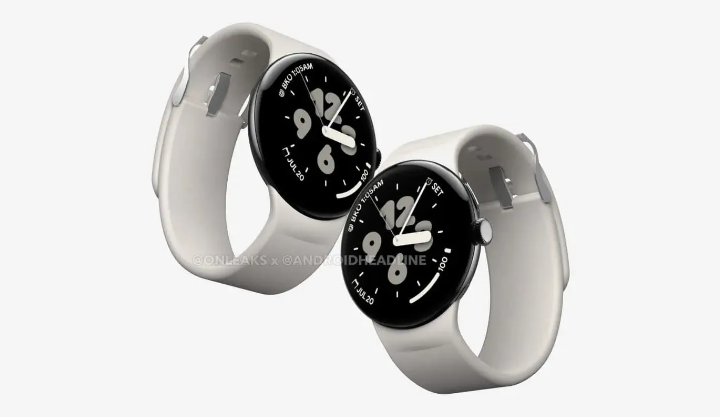
Pixel Watch 3 retains a circular bezel-less display with a crown button
Last month, renders of the alleged Pixel Watch 3 surfaced online, giving a glimpse of its potential design.
There are rumors that thePixel Watch 3 might use Samsung’s latest M14 OLED panel, which is said to be superior to the displays used in Samsung’s own Galaxy S24 series.
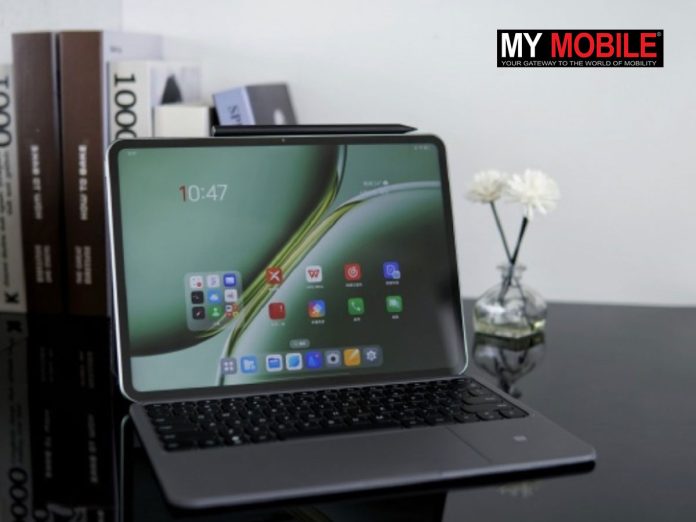
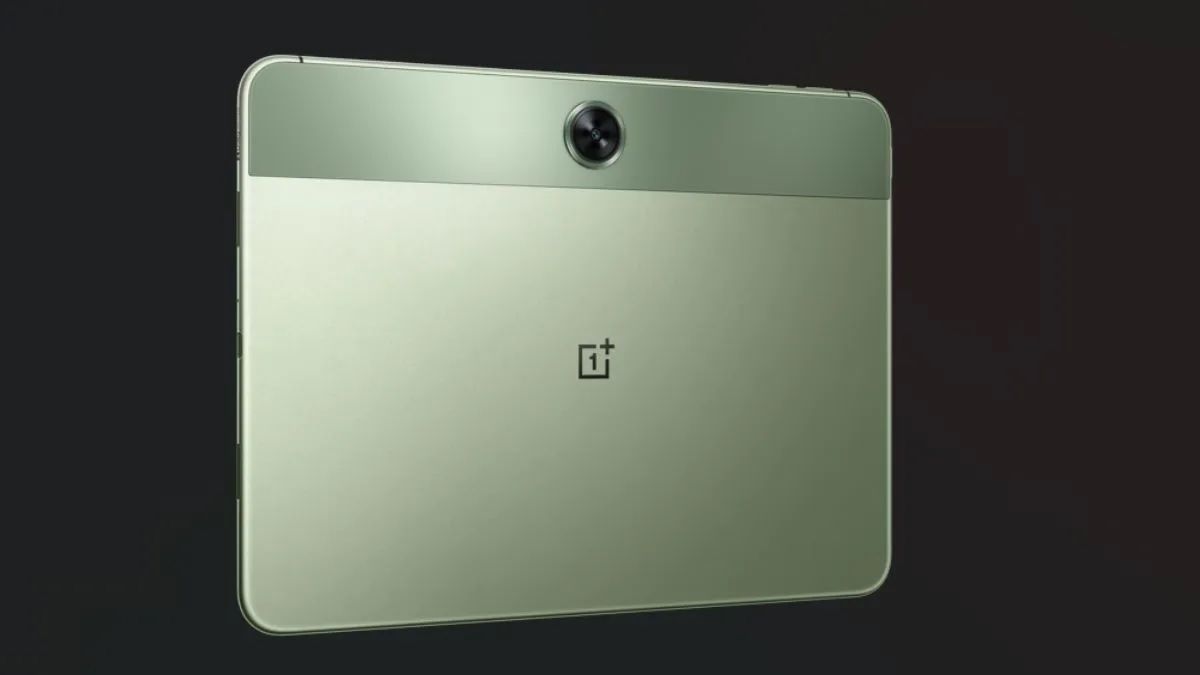
The OnePlus Pad 2’s display is a step up from its predecessor. It offers a larger 12.1-inch screen compared to the 11.6-inch on the original OnePlus Pad.
The peak brightness has also increased from 500 nits to 900 nits.
The new tablet is expected to feature the Snapdragon 8 Gen 3 chipset, a significant upgrade from the MediaTek Dimensity 9000 in the previous model.
The OnePlus Pad Pro was quite well-received in China
CMF Phone 1 leaked price is Rs 17,999 in India, with potential discounts bringing it down to Rs 14,999.
Launching sales are expected on July 12th at 12 PM IST.
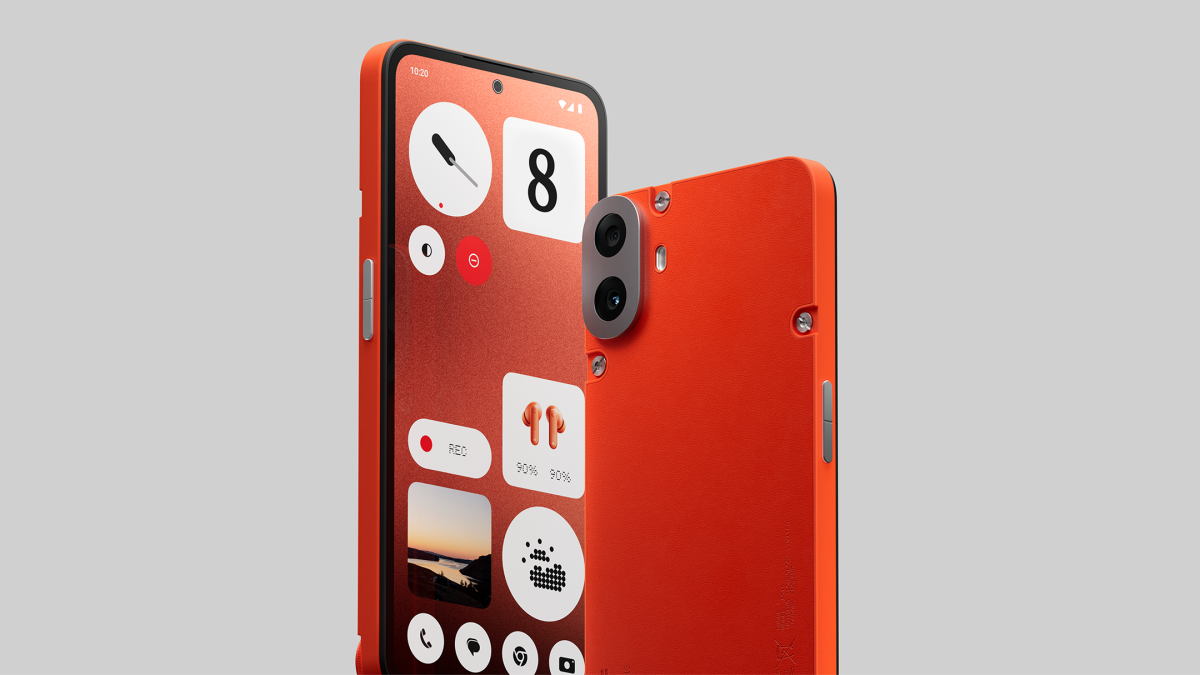
Features 6.67-inch AMOLED display with 120Hz refresh rate and MediaTek Dimensity 7300 5G SoC.
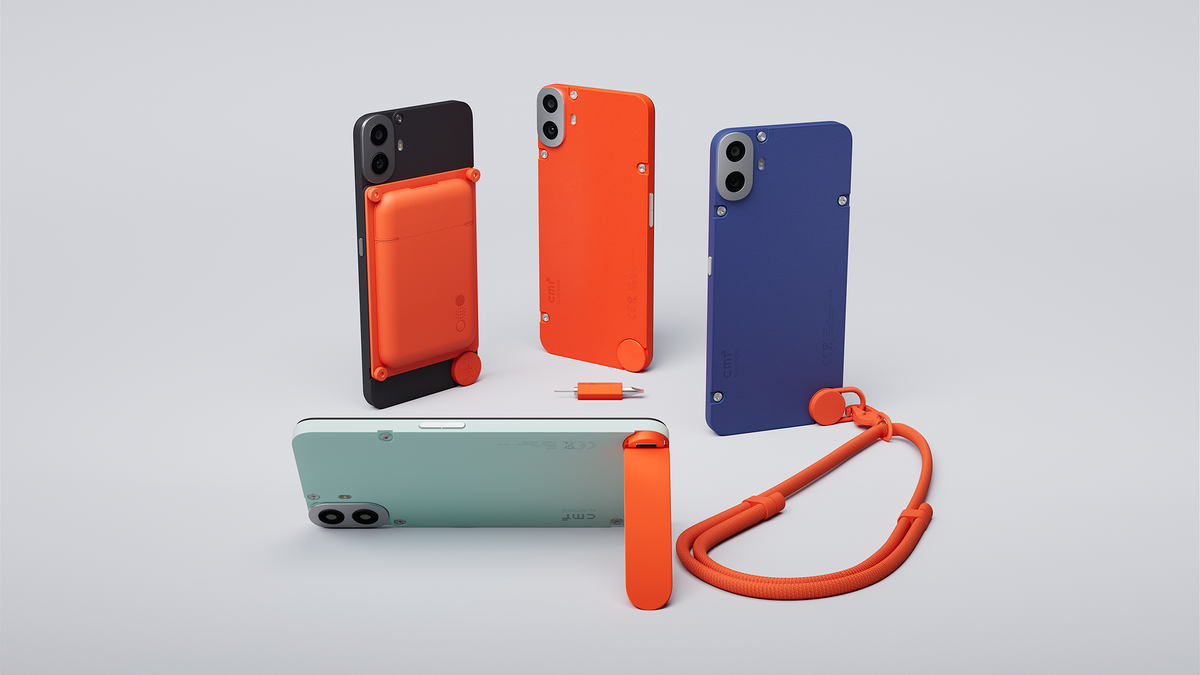
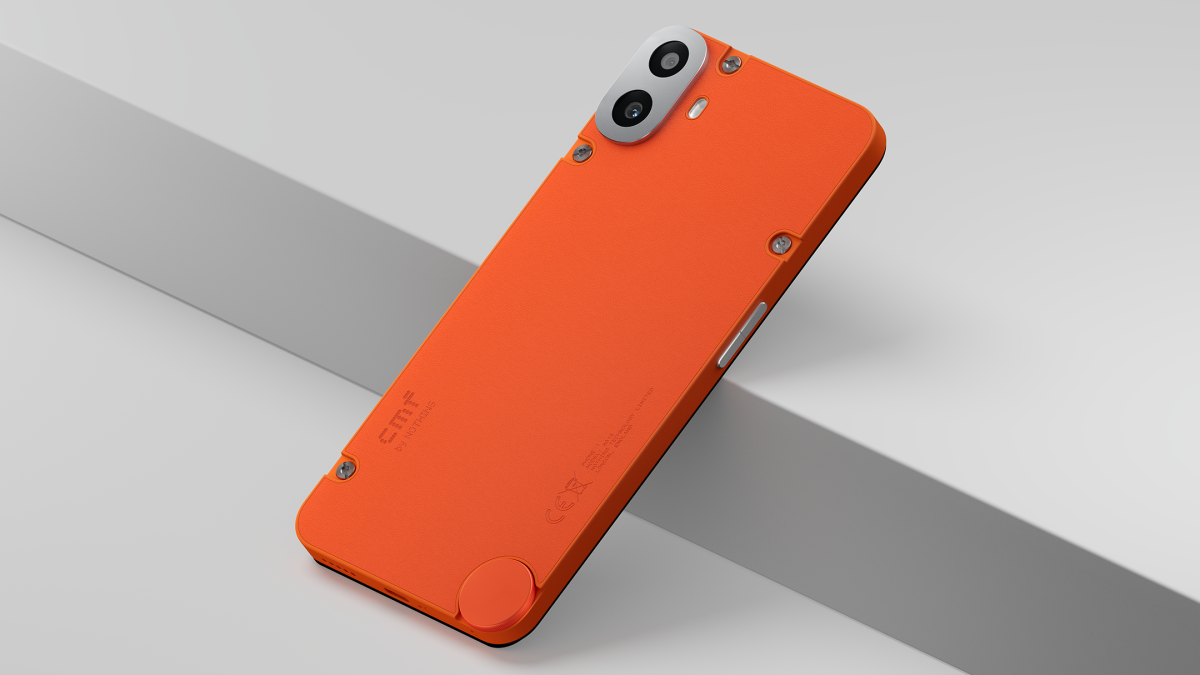
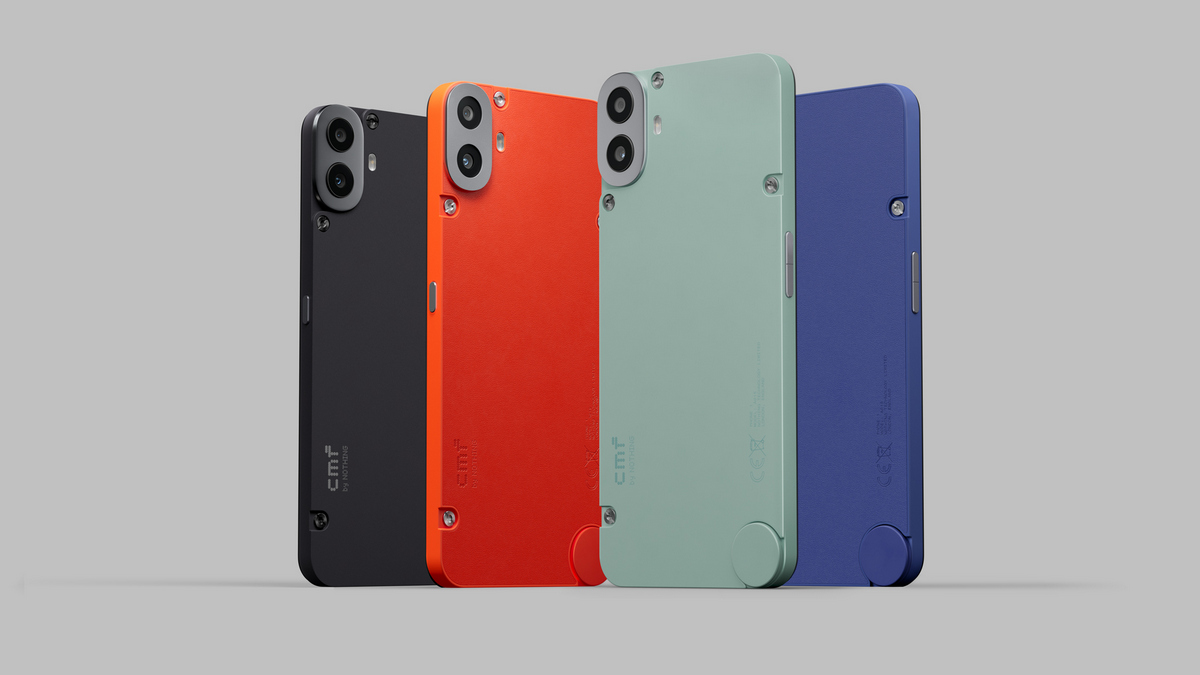
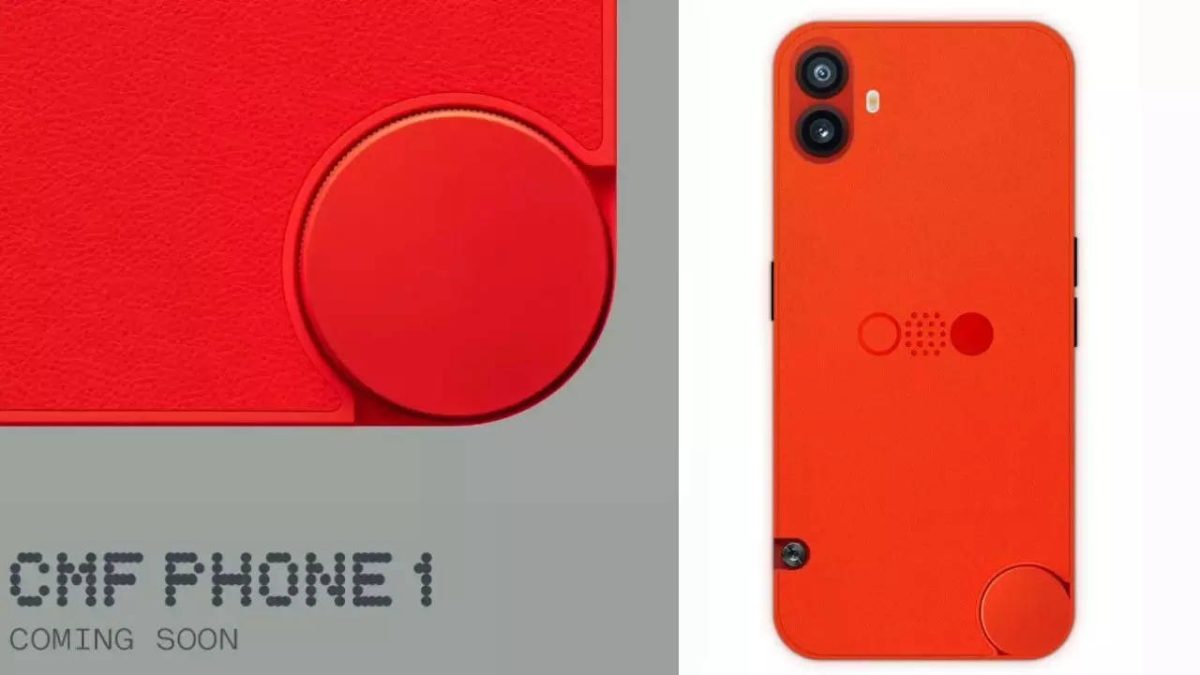
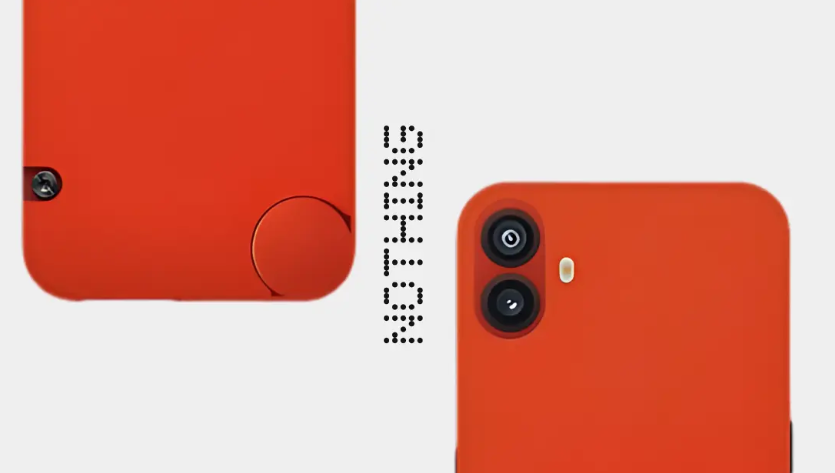
Unique replaceable back panel covers for customization.
The CMF Phone 1, set to launch in India and globally today,has been the subject of much anticipation.
The company has been steadily revealing details about the device, and now a Flipkart advertisement has potentially exposed theCMF Phone 1 leaked price.
CMF Phone 1 Leaked Price
According to a mini banner ad spotted on YouTube by Xuser himawanth8, the CMF Phone 1 might be priced at Rs 17,999 in India.
This unique design element allows users to customise the look of their device, a feature that’s relatively uncommon in today’s smartphone market.
The phone is expected to run on Android 14 with Nothing OS 2.6.0 layered on top.
CMF has committed to providing two years of OS upgrades and three years of security patches, ensuring the device stays up-to-date for a considerable period.
While we know about the 50MP primary sensor,details about the secondary rear camera remain under wraps.
The front-facing camera is rumoured to be a 16MP shooter, suitable for selfies and video calls.
The CMF Phone 1’s 5,000mAh batterymatches the capacity of theNothing Phone (2a), though it charges slightly slower at 33W compared to its competitor.
If the leaked pricing is accurate, the CMF Phone 1 could be well-positioned to compete in the mid-range smartphone market in India.
The launch event for the CMF Phone 1 is being held today.
Its combination of unique design elements, solid specifications, and competitive pricing could make it an attractive option for consumers looking for something different in this price bracket.
However, as with all leaks, it’s important to take this information with a grain of salt.
The official launch will provide confirmed details about pricing, availability, and final specifications.
FAQs
What is the expected price of the CMF Phone 1 in India?
The CMF Phone 1 is expected to be priced at Rs 17,999, with possible discounts bringing it down to Rs 14,999.
When will the CMF Phone 1 be available for sale?
Sales are expected to start on July 12th at 12 PM IST.
What are the key specifications of the CMF Phone 1?
It features a 6.67-inch AMOLED display with a 120Hz refresh rate, MediaTek Dimensity 7300 5G SoC, 8GB RAM, 128GB storage, and a 50MP primary camera.
What makes the CMF Phone 1 unique?
The phone has replaceable back panel covers for customization, a feature not commonly seen in the market.
What operating system will the CMF Phone 1 use?
It will run on Android 14 with Nothing OS 2.6.0, offering two years of OS upgrades and three years of security patches.
While Google uses its own Tensor chipsinstead of Qualcomm’s Snapdragon series, it’s worth noting that many flagship Android phonesthis year are powered by the Snapdragon 8 Gen 2.
This chip offers significant improvements in performance and energy efficiency, setting a high bar for mobile processing power.
Let’s dive into the top 5 Google Pixel phones available in India this year:
Google Pixel 8 Pro
Display: 6.7″ FHD+ OLED, 120Hz
Processor: Google Tensor G3
RAM: 12GB
Storage: 128GB
Camera: 50MP + 48MP + 48MP
Battery: 5050mAh
Price: Rs. 101,999
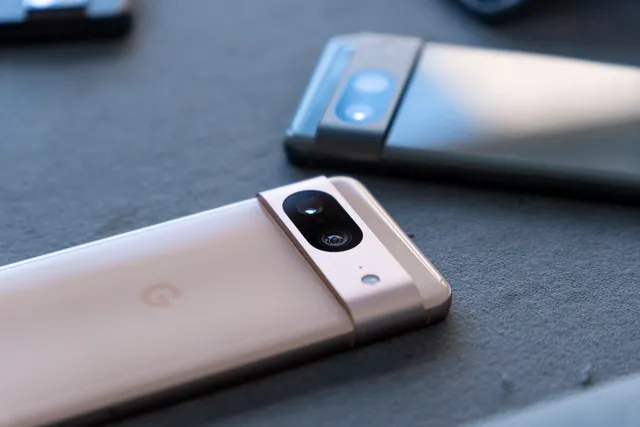
Google Pixel 8 Pro
The Pixel 8 Pro is the cream of the crop in Google’s 2024 lineup.
Its triple camera system is a photographer’s dream, capable of capturing stunning images in any lighting condition.
The large 6.7-inch display is perfect for content consumption, while the 120Hz refresh rate ensures buttery-smooth scrolling.
Google’s latest Tensor G3 chip powers advanced AI features, including improved voice recognition and real-time translation.
With its premium build quality and IP68 water resistance, the Pixel 8 Pro is built to last.
The all-day battery life and fast charging capabilities mean you’ll rarely be caught short on power.
Google Pixel 8
Display: 6.2″ FHD+ OLED, 120Hz
Processor: Google Tensor G3
RAM: 8GB
Storage: 128GB
Camera: 50MP + 12MP
Battery: 4575mAh
Price: Rs. 62,999
Pixel 8
The Pixel 8strikes a perfect balance between performance and price.
It shares many features with its Pro sibling, including the powerful Tensor G3 chip and a gorgeous 120Hz display.
The dual-camera setup may lack the telephoto lens of the Pro model, but it still delivers exceptional photo quality, especially in low-light situations.
Google’s AI-powered featuresshine here, with tools like Magic Eraser and Photo Unblur helping you create perfect shots.
The compact size makes it comfortable to use one-handed, and the all-day battery life ensures you can stay productive on the go.
With its clean Android experience and guaranteed software updates, the Pixel 8 is a solid choice for most users.
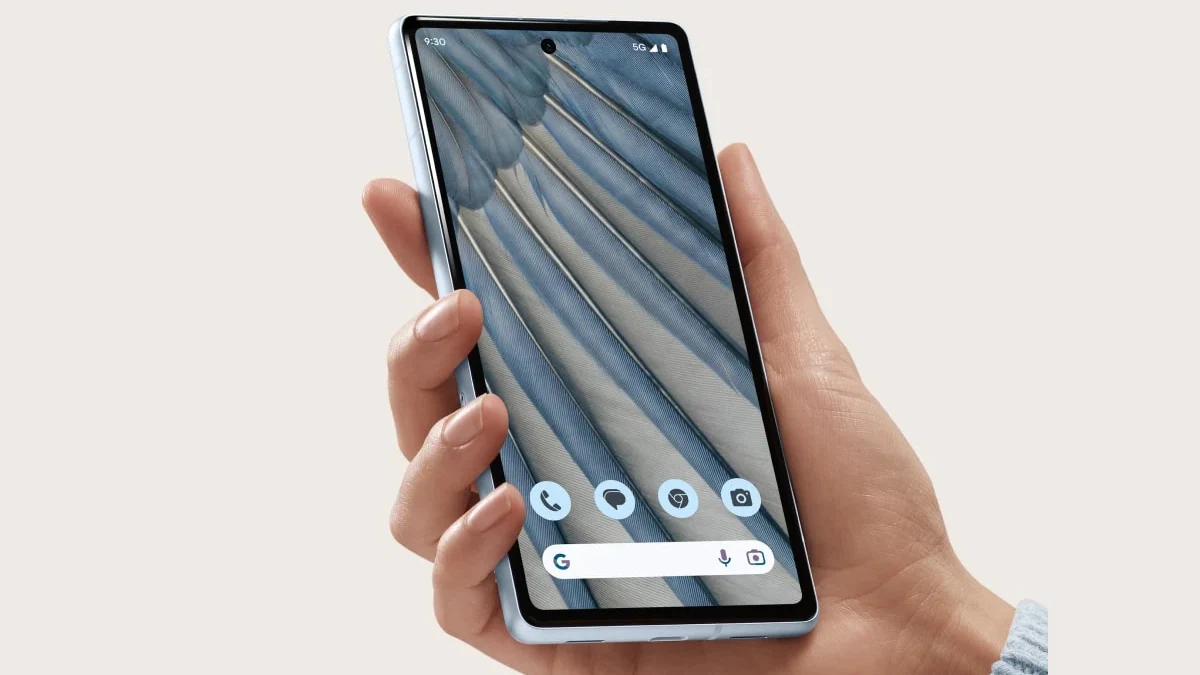
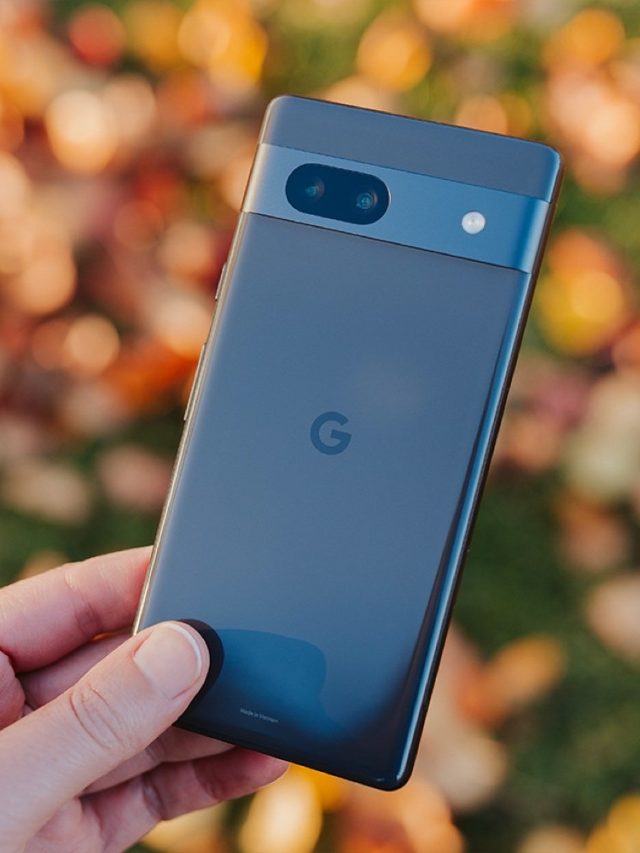
Google Pixel 7A
Display: 6.1″ FHD+ OLED, 90Hz
Processor: Google Tensor G2
RAM: 8GB
Storage: 128GB
Camera: 64MP + 13MP
Battery: 4385mAh
Price: Rs. 36,999
Pixel 7a
The Pixel 7Abrings many of Google’s high-end features to a more affordable price point.
Despite being a mid-range device, it doesn’t skimp on performance thanks to the Tensor G2 chip.
The 90Hz display offers a noticeable improvement in smoothness compared to standard 60Hz screens.
The camera system, while not as advanced as the flagship models,still delivers impressive results with Google’s computational photography magic.
Features like Night Sight and Portrait Mode produce photos that rival much more expensive phones.
The compact size and lightweight design make it a great option for those who prefer a smaller device.
With its competitive price and strong feature set, the Pixel 7A is an excellent value proposition.
Google Pixel 6A
Display: 6.1″ FHD+ OLED, 60Hz
Processor: Google Tensor
RAM: 6GB
Storage: 128GB
Camera: 12.2MP + 12MP
Battery: 4410mAh
Price: Rs. 27,999
Google Pixel 6A
Although it’s an older model, thePixel 6Aremains a compelling option in 2024,especially for budget-conscious buyers.
The first-generation Tensor chip still holds its own, providing smooth performance for everyday tasks.
While the 60Hz display lacks the fluidity of newer models, it helps conserve battery life.
The dual-camera system, though lower in megapixel count,leverages Google’s software prowess to produce excellent photos.
Features likeMagic Eraser and Night Sight are available here, allowing for creative shot editing and impressive low-light photography.
The compact size and durable build make it a great choice for those who want a no-frills Pixel experience without breaking the bank.
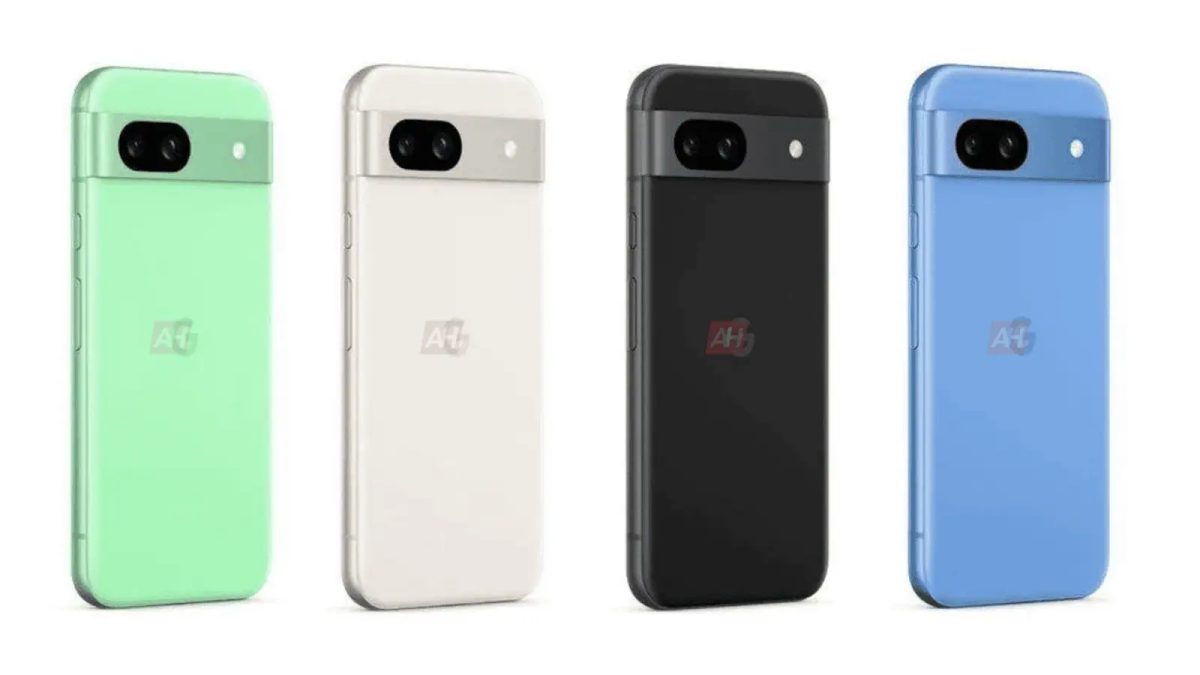
Google Pixel 8A
Display: 6.1″ FHD+ OLED, 120Hz
Processor: Google Tensor G3
RAM: 8GB
Storage: 128GB
Camera: 64MP + 13MP
Battery: 4492mAh
Price: Rs. 52,999
The Pixel 8A is Google’s latest mid-range offering, bringing some high-end features to a more accessible price point.
The inclusion of a 120Hz display is a standout feature,providing a premium scrolling experience typically reserved for flagship devices.
The Tensor G3 chip ensures the 8A can handle demanding tasks and AI-powered features with ease.
The camera system, while not as advanced as the Pixel 8, still delivers excellent results thanks to Google’s computational photography expertise.
Features, like improved Night Sight and Real Tone, make it easy to capture great shots in various conditions.
With its balance of performance, camera quality, and price, the Pixel 8A is an attractive option for those who want a taste of Google’s flagship features without the premium price tag.
FAQs
What are the standout features of the Google Pixel 8 Pro?
The Pixel 8 Pro boasts a 6.7″ FHD+ OLED display with a 120Hz refresh rate, a powerful Tensor G3 chip, and a 50MP triple camera system.
How does the Pixel 8 differ from the Pixel 8 Pro?
The Pixel 8 features a slightly smaller 6.2″ display, dual cameras instead of triple, and 8GB of RAM compared to the Pro’s 12GB.
Is the Google Pixel 7A a good value for money?
Yes, the Pixel 7A offers impressive features like the Tensor G2 chip, a 90Hz display, and a 64MP camera at a mid-range price.
What makes the Google Pixel 6A a budget-friendly option?
The Pixel 6A is affordable, featuring a reliable first-gen Tensor chip, 6GB of RAM, and Google’s excellent software support.
What improvements does the Pixel 8A offer over the 7A?
The Pixel 8A includes a 120Hz display, an upgraded Tensor G3 chip, and enhanced camera capabilities for a better mid-range experience.