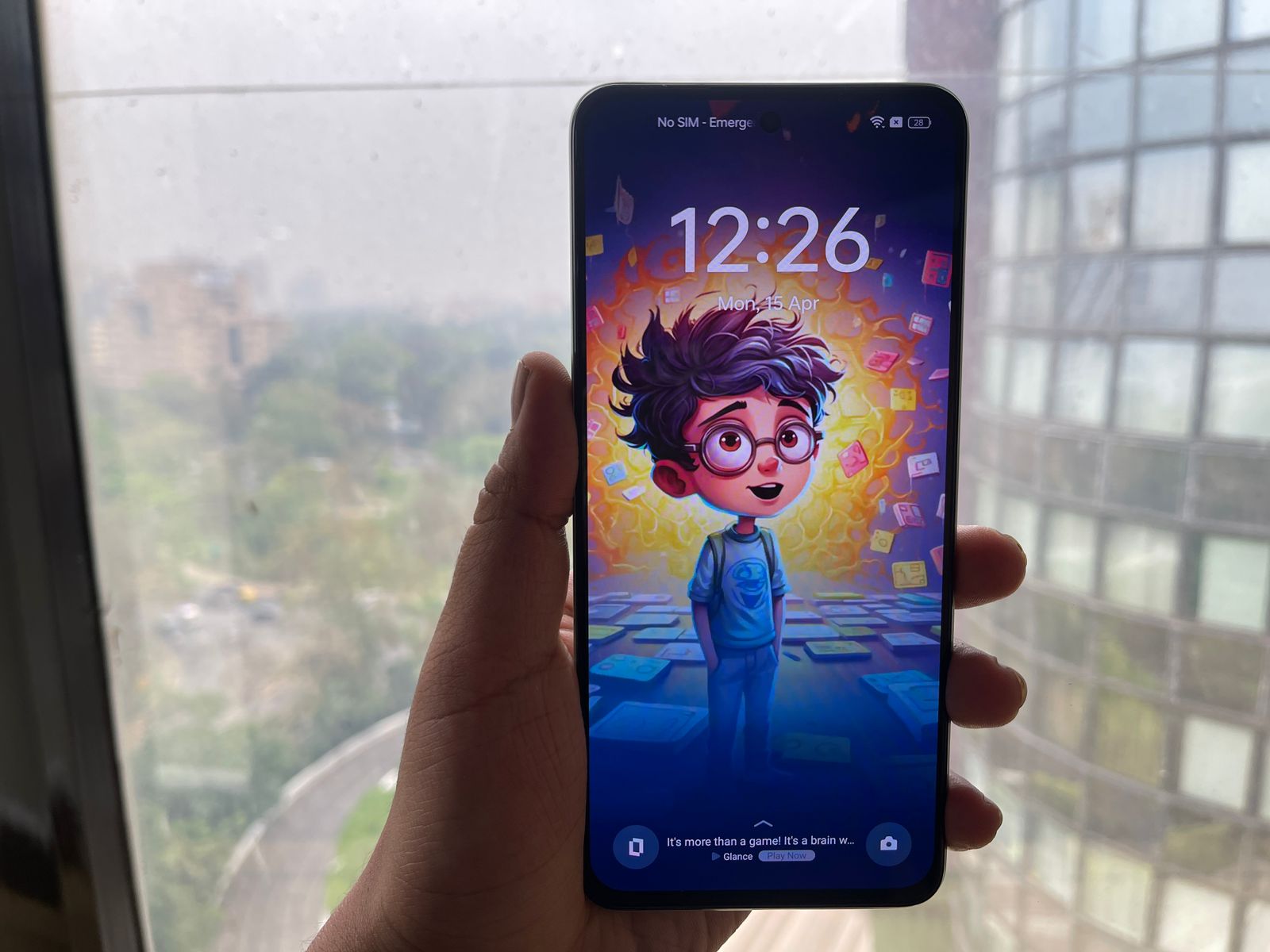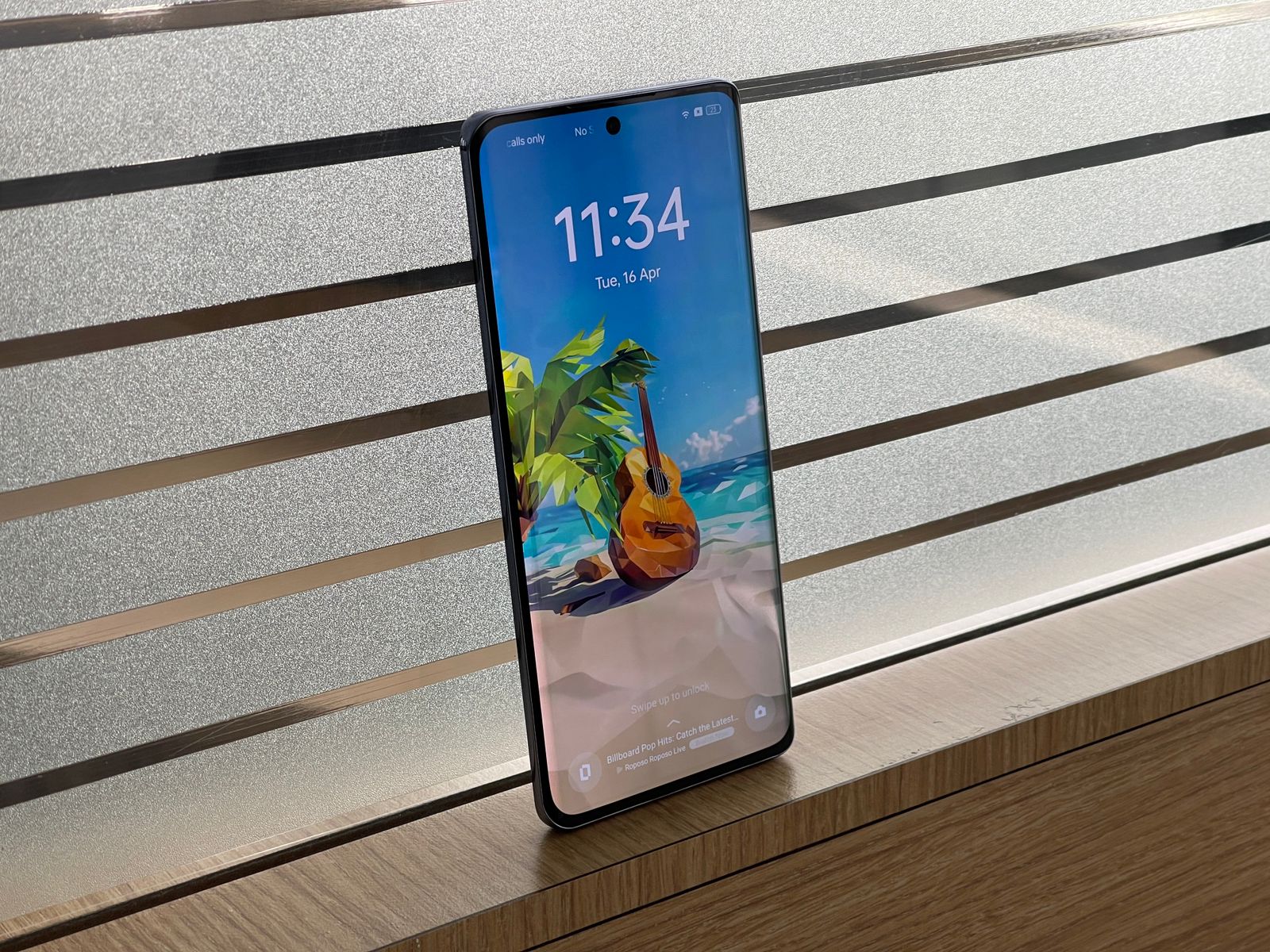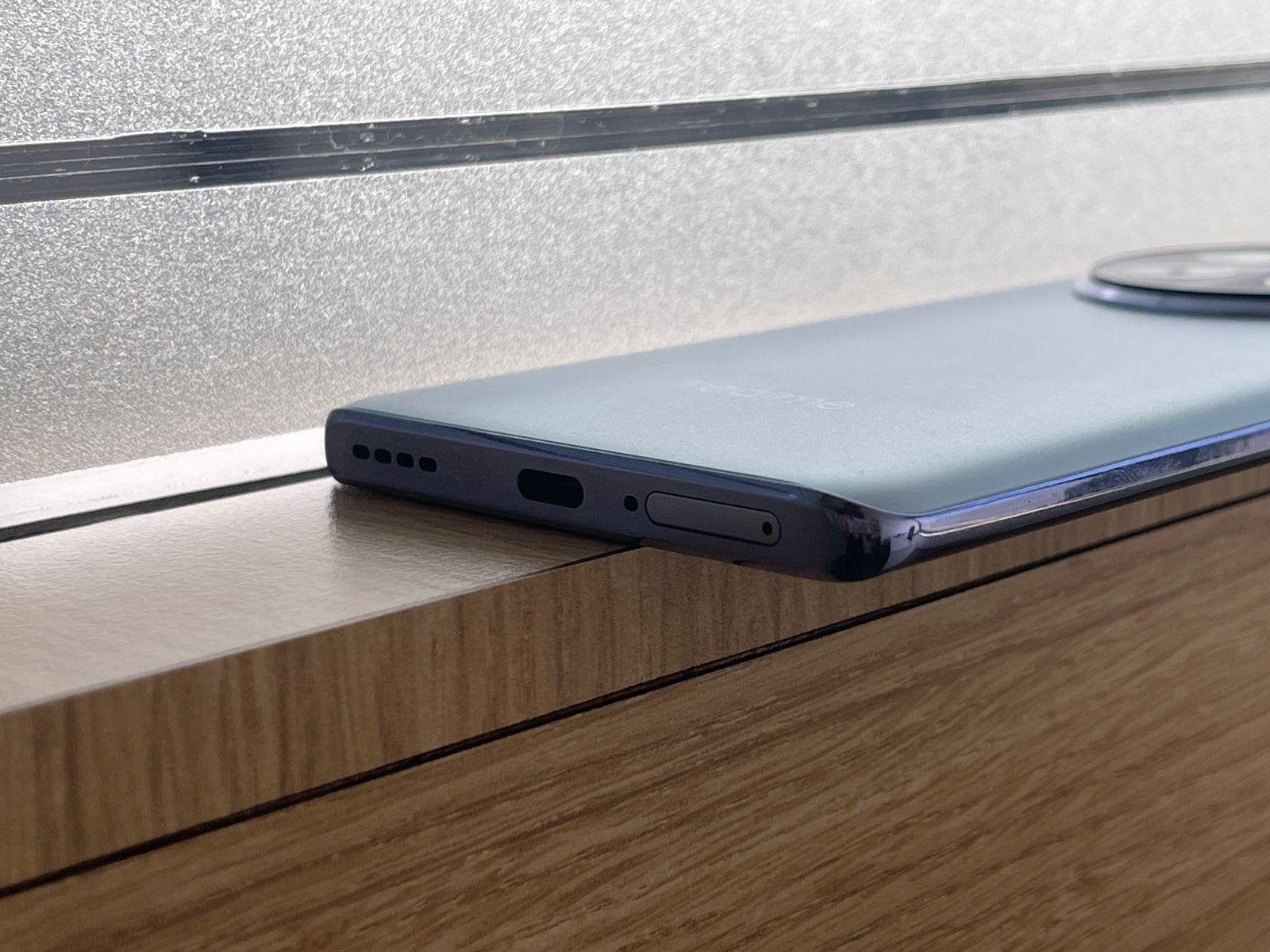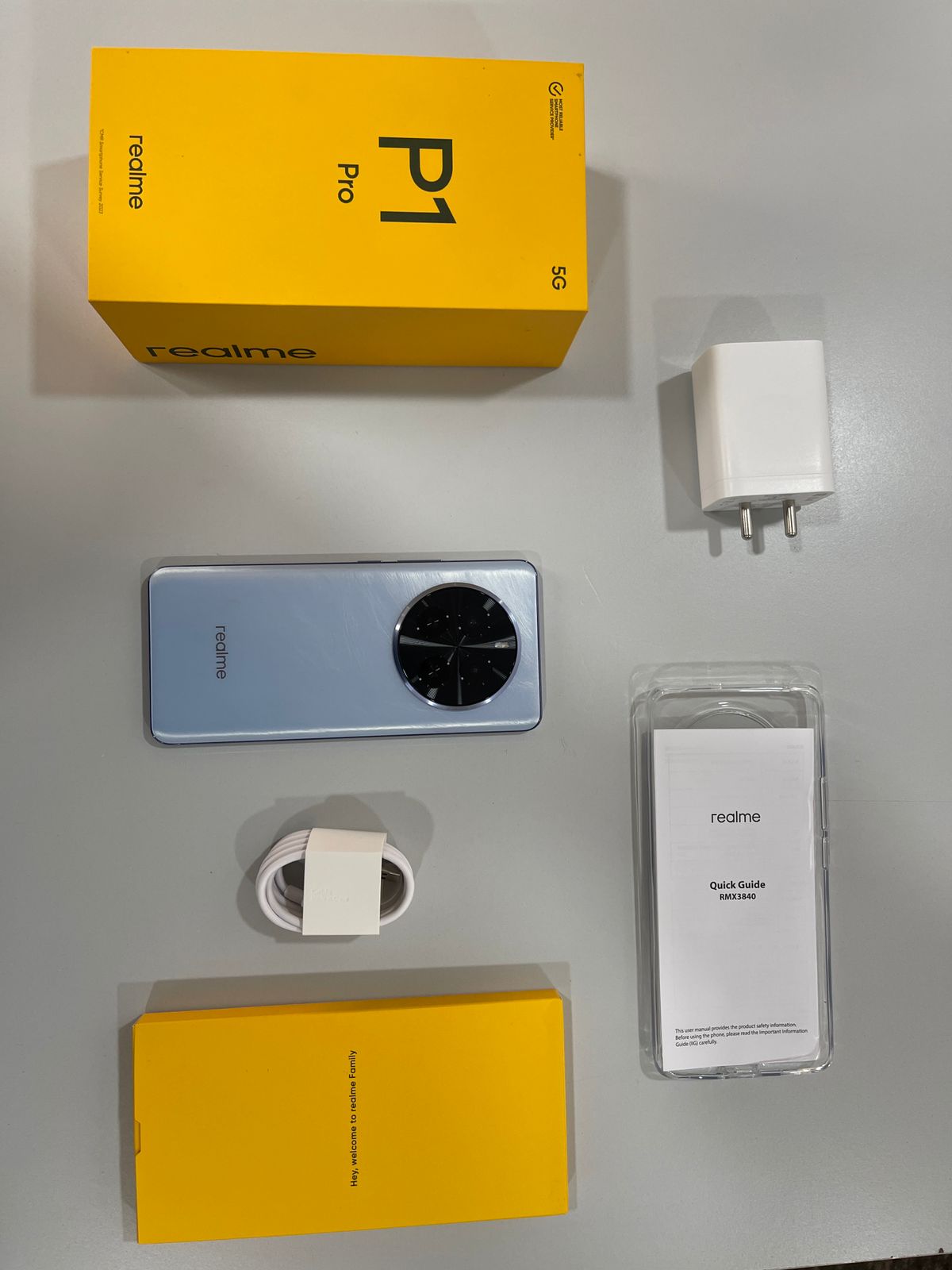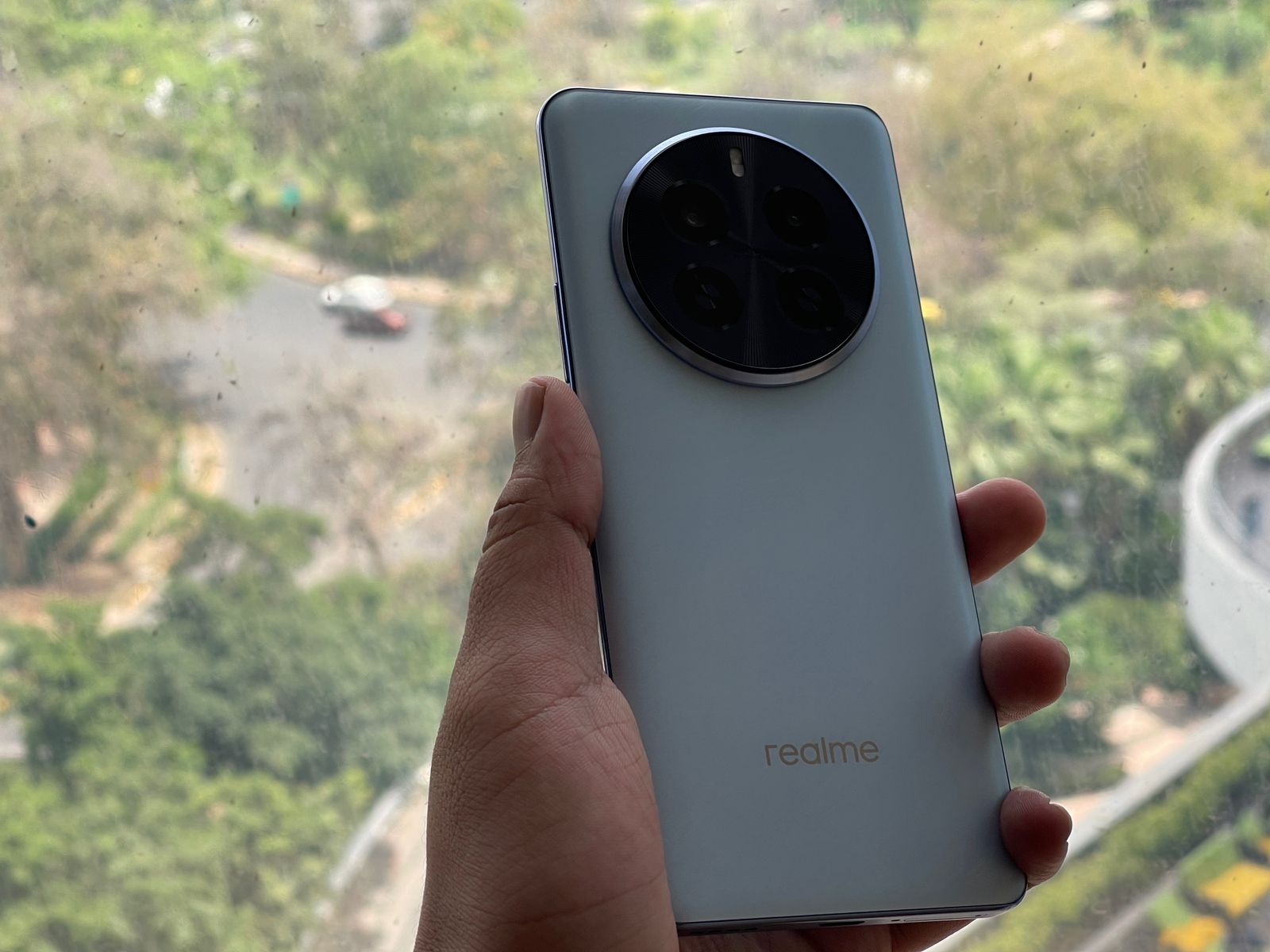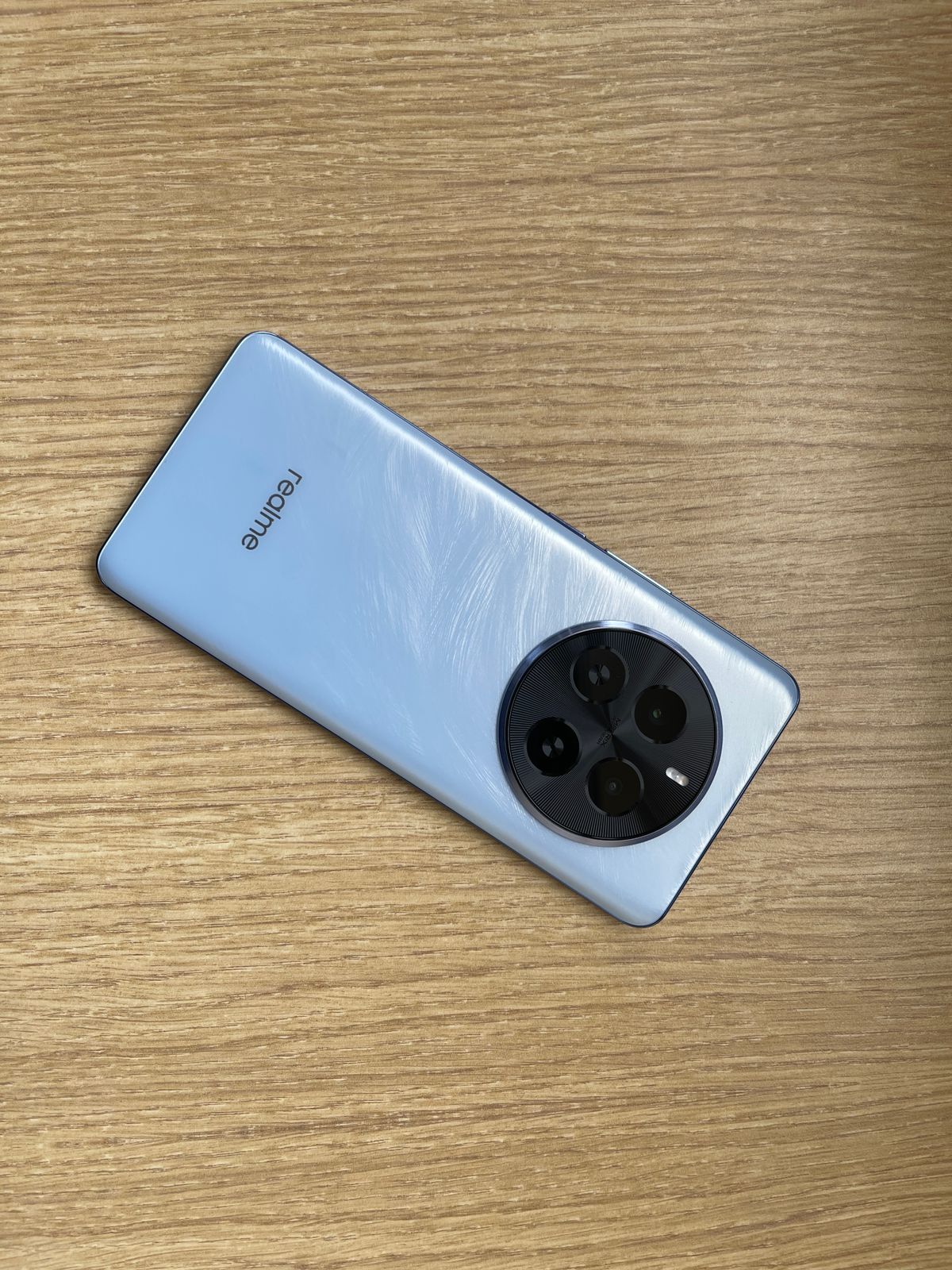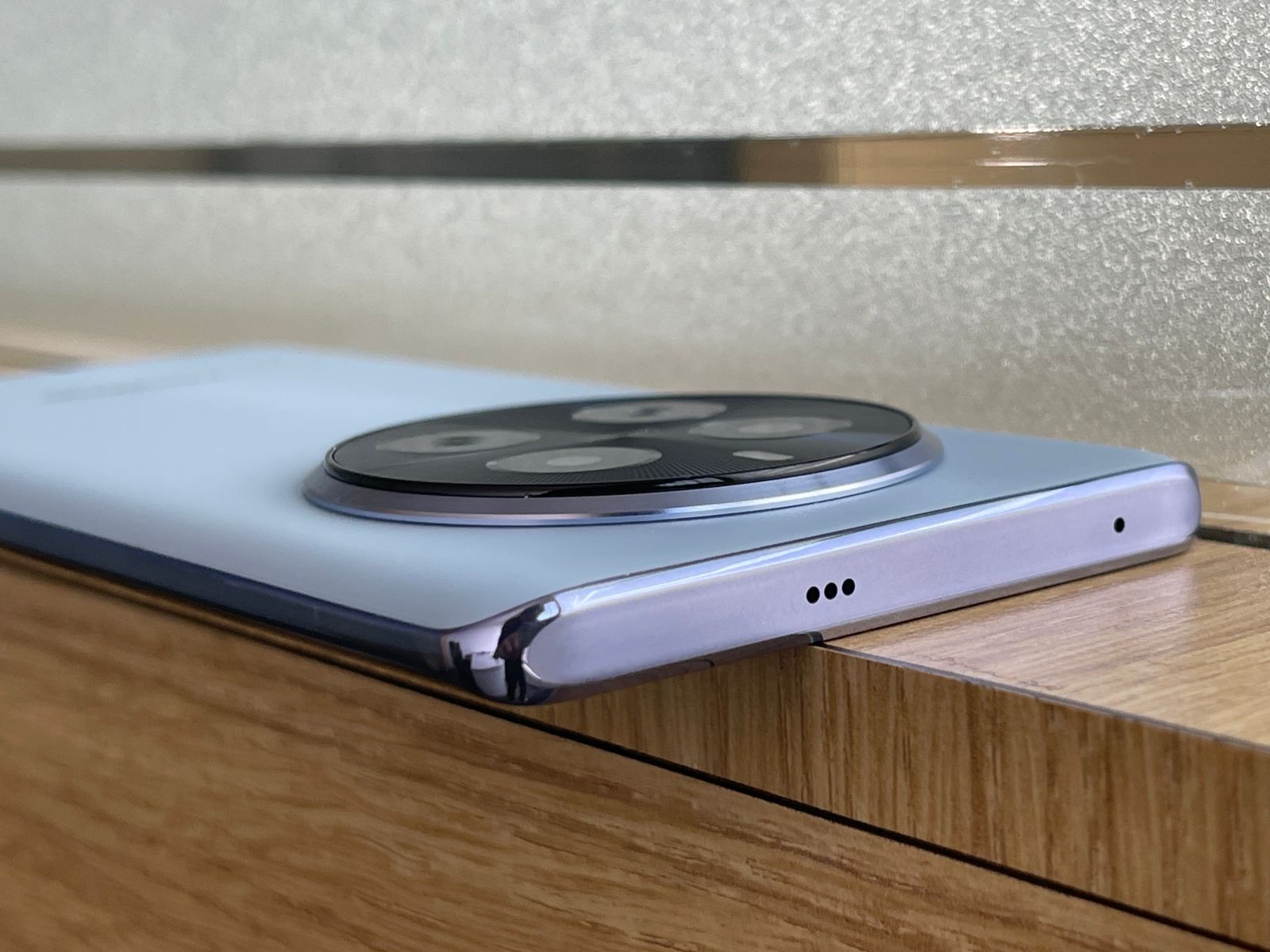
* The Realme Narzo 70 Pro will launch this month. * Bollywood superstar Shahid Kapoor will be the product ambassador. * Realme has set up a landing page for the phone. * The phone will feature a glass design.
This strategic collaboration precedes the highly anticipated launch of the NARZO 70 Pro 5G, underscoring the brand’s commitment to innovation, excellence, and the seamless fusion of style and substance.
The partnership strengthens the brand’s dedication to inspire the millennial & GenZ generations and will help set new standards in the smartphone industry.
Bollywood superstar Shahid Kapoor will be the product ambassador
Shahid Kapoor, known for his spectacular performances and magnetic film presence, embodies the spirit of our NARZO Series and will set a new standard in photography with the NARZO 70 Pro 5G to provide a brand new camera experience in low light.
The Narzo series, known for its vibrant and youth-oriented appeal, exemplifies Realme’s commitment to offering consumers an unparalleled mobile experience.
Realme has set up a landing page for the phone.
Commenting on the association, Tao Zhang, Chief Marketing Officer, Realme India, stated “We are excited to welcome Shahid Kapoor to the Realme family as the face of our NARZO 70 Pro 5G. Shahid’s global appeal and dynamic energy complement Realme’s underlying beliefs, resulting in a relationship that embodies elegance, substance, and refinement. We feel Shahid’s involvement will help further enhance Narzo’s overall brand appeal, and fortify our connection with India’s discerning youth, who are the heart of the Narzo Series.”
Shahid Kapoor shared, reflecting on the collaboration, “I’m thrilled to be a part of the Realme’s Narzo family! Realme is a technology leader that is strongly associated with innovation, style, and cutting-edge technology. I am equally excited to represent a brand that reflects the dynamic spirit of today’s youth. The brand’s constant commitment to pushing boundaries aligns with and complements my own relentless pursuit of perfection. I look forward to being the face of a brand that embodies the spirit of growth and reflects the goals of today’s youth.”
We are thrilled to announce the launch of our upcoming NARZO 70 Pro 5G, a revolutionary smartphone that is set to redefine the standards of low-light photography.
But that’s not all, the NARZO 70 Pro 5G also comes equipped with the Sony IMX890 OIS Camera, another segment-first feature that promises to elevate mobile photography to new heights.
Realme Narzo 70 Pro 5G NARZO is the newest addition to the incredibly popular and successful NARZO By Realme line-up.
The launch date is set for Tuesday, 19th March 2024 at 12 noon.
The launch can be followed on Realme social media platforms Realme.com, Twitter, Facebook and YouTube.
Realme Narzo 70 Pro: Expected Specifications
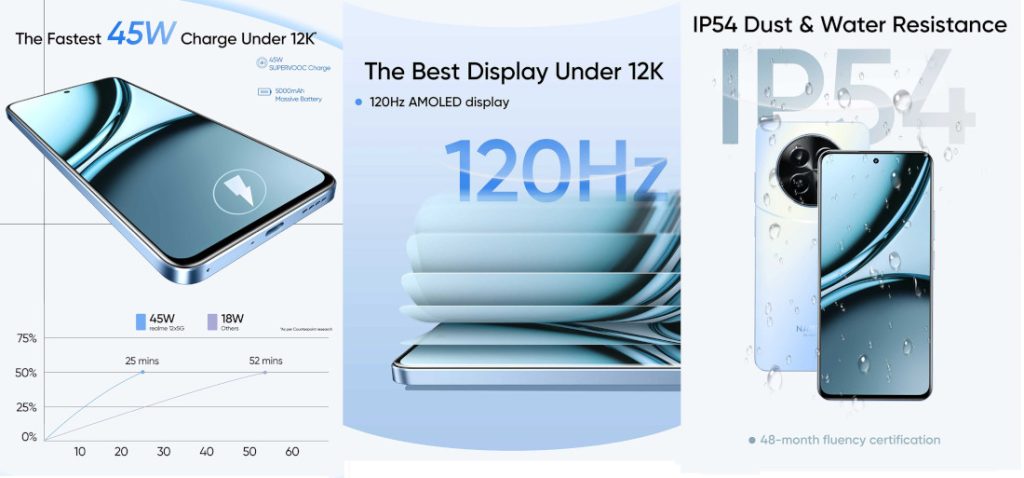
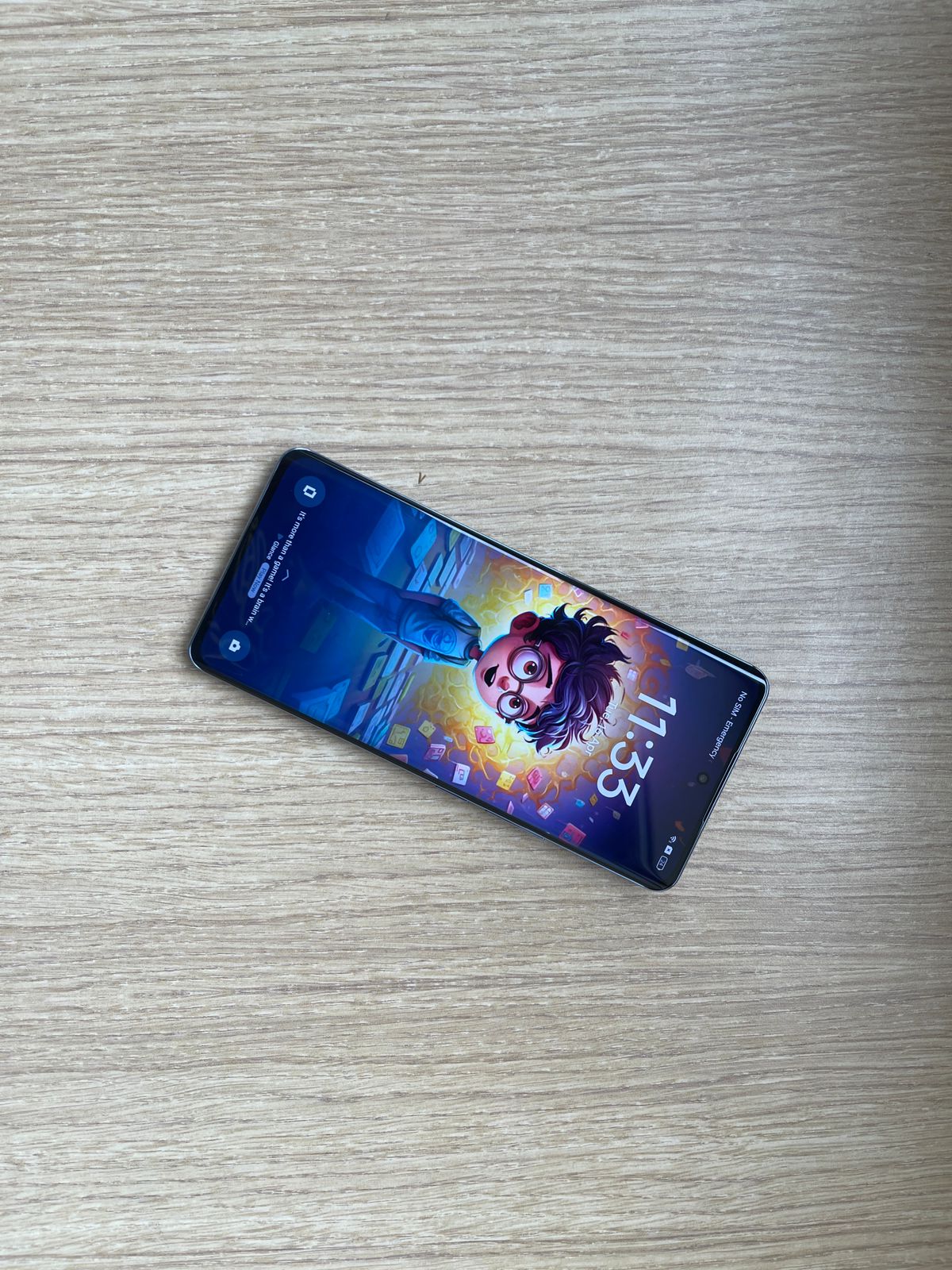
The Realme Narzo 70 Pro is expected to boast a flat-screen design with slim bezels and a trendy hole-punch display.
At the front, users might get a 6.7-inch Amoled display boasting a 120 Hz refresh rate.
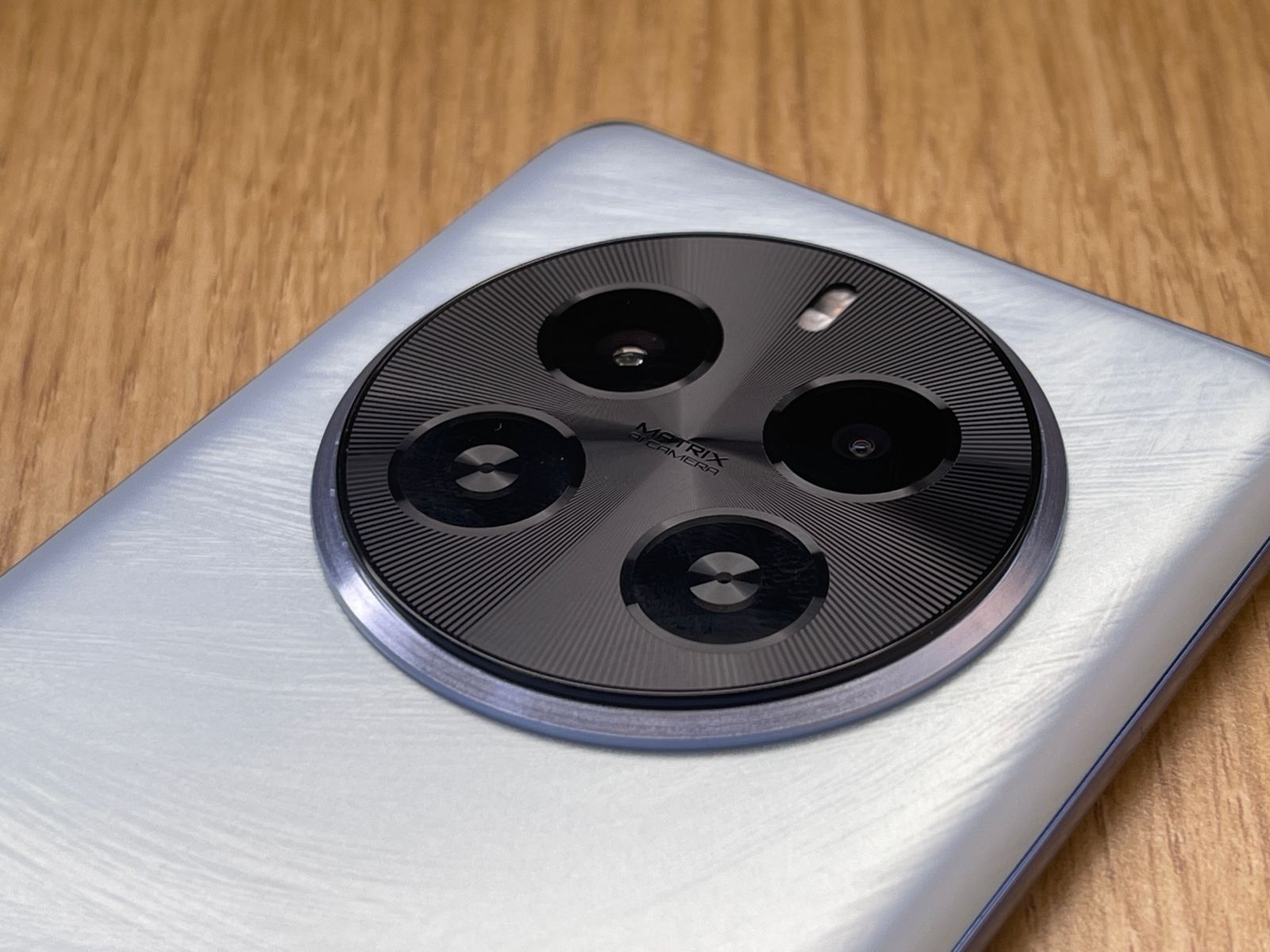
On the back, the circular camera island pays homage to its predecessor, the Realme Narzo 60 Pro.
Realme Narzo 70 Pro Camera
Camera enthusiasts can also look forward to a significant upgrade, as the phone is expected to feature a Sony IMX890 camera, a first in this smartphone category.
Further, there is likely to be a 50-megapixel primary shooter with Optical Image Stabilisation (OIS).
The smartphone is expected to come with a 5,000 mAh battery is set to power the device, ensuring lasting performance.
The Narzo 70 Pro is also rumoured to feature Air Gestures, allowing users to interact with the device through intuitive hand movements.
Realme Narzo 70 Pro Geometric
This functionality is expected to offer a diverse range of over 10 distinct gestures, expanding the possibilities of user interface control beyond traditional touch-based methods.
Realme Narzo 70 Pro 5G Price
Expectations:
The Realme Narzo 70 Pro 5G is expected to be in the sub-30,000 price category .
The company has not announced yet about the price of the upcoming phone .
Ultra Steady Video, Ultra Steady Max Video, Night Mode, Panoramic View, Expert, Timelapse, HDR, Ultra-wide, Ultra Macro, AI Scene Recognition, AI Beauty, Filter, Slow Motion, Bokeh Effect Control
Video Recording
4K, 1080p, 720p
Flash
Yes, LED
Front Camera
Punch Hole 16 MP f/2.1 (Wide Angle) with Screen Flash
The Realme NARZO 70 Pro will launch on March 19 in the Indian market.
Who is the product ambassador of Realme Narzo 70 Pro ?
Ahead of the launch, the company announced that Bollywood celebrity Shahid Kapoor will endorse the upcoming NARZO smartphone.
What are the camera details of Realme Narzo 70 Pro 5G?
Realme has already revealed that its upcoming NARZO series smartphone will sport a 50MP Sony IMX890 sensor with OIS support.
The Realme NARZO 70 Pro will feature a triple rear camera inside a circular module, similar to the Realme 12 Pro series.
How will the design of Realme Narzo 70 Pro be ?
The Realme NARZO 70 Pro will feature a Duo Touch Glass design.
The Realme NARZO 70 Pro’s rear panel will feature a dual-tone design with glossy and matte textures. A circular arc containing the circular camera module seems to have a glossy finish. Meanwhile, the remaining part of the rear panel will have a matte finish.
What are display details of Realme Narzo 70 pro ?
The Realme NARZO 70 Pro flat display with a centred punch-hole notch and a thick bottom chin.
The NARZO series handset will feature support for Creative Air Gestures with support for over ten air gestures to mimic screen interactions without physical contact with the device.
Apple has been at the forefront of efforts in integrating and refining features for users with disabilities have not only provided greater independence but also enhanced the user experience for a broader audience.
Apple can do this much better than other OEMs because of its tight control over software and hardware in its products, especially the iPhone.
Originally a basic feature, VoiceOver has evolved into a sophisticated tool that now includes the ability to automatically read photo descriptions and text within images.
This advancement is particularly beneficial for visually impaired users, offering a richer interaction with their device without the need for developers to add descriptive text manually.
Assistive Touch
Assistive Touch
Assistive Touch caters to users who find physical buttons on the iPhone challenging, providing a virtual button on the screen for easy access to various functions like volume control and screenshots.
The Magnifier transforms the iPhone’s camera into a powerful zoom tool, enabling users with vision impairments to easily read text, view fine details, and engage more comfortably with their surroundings.
Switch Control and Voice Control
Switch Control offers an alternative way to interact with the iPhone using physical buttons or head movements for users with limited mobility, while Voice Control provides extensive voice commands for app navigation and communication.
Zoom and Bold Text: Improves visibility with screen magnification and bolder, easier-to-read text.
Sound Recognition: Notifies users of specific sounds, like alarms or doorbells, helpful for those with hearing impairments.
Guided Access: Simplifies the user interface by locking the iPhone to a single app, benefiting users with cognitive disabilities who may get overwhelmed by complex interfaces.
Apple’s initiatives in accessibility are greatly appreciated and go beyond just adding features; they are about reshaping how technology can serve and include all users.
Point and Speak will be an accessibility feature in Magnifier’s Detection Mode for those with vision impairment.
It requires users to point the iPhone or iPad, more specifically the LiDAR scanner, towards objects and appliances with text labels so they can be read out loud.
One of the best Apple accessibility features, Point and Speak works with VoiceOver as well as with features like People Detection and Image Descriptions since it’s integrated into Magnifier.
It will help visually impaired individuals navigate their physical environment. The feature currently supports English, French, Italian, German, Spanish, Portuguese, Chinese, Cantonese, Korean, Japanese, and Ukrainian.
It is designed to locate the door and identify how far the user is from it as they approach one.
The feature even lets users know the attributes of the door, like whether it is closed or open.
If closed, the user will be told how to open the door, like whether it needs to be pushed or opened using a door knob/handle.
It can also read any text or descriptions on the door, like the room number or other important instructions like staff entry only, no entry, etc.
However, the feature requires a LiDAR scanner to function.
So, it is only available on Pro models of iPhone and iPad, including the latest iPhone 14 series models — 14 Pro and 14 Pro Max — which are among the most popular Apple devices.
Made for iPhone Hearing Devices
Apple has teamed up with the best hearing aid and cochlear implant manufacturers to create made-for-iPhone hearing devices.
Additionally, there’s bidirectional hearing aid support for hands-free phone and FaceTime calls.
FAQs
What are iPhone Accessibility Features?
iPhone Accessibility Features are a suite of tools designed by Apple to make the iPhone more usable for people with disabilities.
These include VoiceOver for the visually impaired, Assistive Touch for physical accessibility, Magnifier for low vision users, and many more, demonstrating Apple’s commitment to inclusivity.
How does VoiceOver help visually impaired users?
VoiceOver is a screen reader that provides auditory descriptions of what’s on your screen, including text and images.
It’s particularly beneficial for visually impaired users, allowing them to interact with their iPhone more independently by reading out photo descriptions and text within images automatically.
Can iPhone be used without touching the screen?
Yes, with Assistive Touch and Switch Control, users can navigate their iPhone without directly touching the screen.
Assistive Touch allows control through a virtual button, while Switch Control lets users interact using physical buttons or head movements, catering to individuals with limited mobility or strength.
How does Magnifier make reading easier for those with vision impairments?
Magnifier turns the iPhone’s camera into a digital magnifying glass, enabling users with vision impairments to enlarge text and objects for easier viewing.
This feature is a testament to Apple’s innovative approach to using existing technology to enhance accessibility.
What features support users who are deaf or hard of hearing?
For users who are deaf or hard of hearing, the iPhone offers Live Captions, which provide real-time transcriptions of conversations, and Sound Recognition, which alerts users to specific sounds like alarms or doorbells.
These features ensure that communication and awareness are more accessible for everyone.
How to Get started with accessibility features on iPhone?
iPhone provides many accessibility features and settings to support your vision, mobility, hearing, speech, and cognitive needs.
These features make your iPhone easier to use, whether you need them temporarily or on an ongoing basis.
You can set many of these up when you turn on your iPhone for the first time or you can turn them on later.
Vision
You can change screen colors and text size, zoom in, reduce transparency, and more. You can also hear what’s onscreen, or use VoiceOver to interact with your iPhone.
Mobility
You can navigate your iPhone hands-free, or you can use your voice or connect a switch, mouse, or other input. You can also control other devices, customize gestures and alerts, and adjust how sensitively iPhone responds to your tap or touch.
Hearing
You can adjust audio for noisier contexts or turn speech into text. You can also change how iPhone alerts you, or have it recognize sounds.
Speech
You can communicate with family, friends, and colleagues in the way that works best for you, whether you’re nonspeaking, at risk of speech loss, or someone with a speech disability.
Cognitive
You can reduce distraction and sensory stimulus, get help with everyday tasks, like signing into accounts and typing, and make it easier to identify people and things around you.
You can also set up Assistive Access, which gives those with cognitive disabilities the option to perform the most common tasks, such as taking photos and communicating with their inner circle of family and friends, while reducing cognitive load and offering more focused choices.
Apple introduces new features for cognitive accessibility, along with Live Speech, Personal Voice, and Point and Speak in Magnifier. Details?
Apple previewed software features for cognitive, vision, hearing, and mobility accessibility, along with innovative tools for individuals who are nonspeaking or at risk of losing their ability to speak.
These updates draw on advances in hardware and software, include on-device machine learning to ensure user privacy, and expand on Apple’s long-standing commitment to making products for everyone.
Apple works in deep collaboration with community groups representing a broad spectrum of users with disabilities to develop accessibility features that make a real impact on people’s lives.
Coming later this year, users with cognitive disabilities can use iPhone and iPad with greater ease and independence with Assistive Access; nonspeaking individuals can type to speak during calls and conversations with Live Speech; and those at risk of losing their ability to speak can use Personal Voice to create a synthesised voice that sounds like them for connecting with family and friends.
For users who are blind or have low vision, Detection Mode in Magnifier offers Point and Speak, which identifies text users point toward and reads it out loud to help them interact with physical objects such as household appliances.
What is Assistive Access Supports Users with Cognitive Disabilities ?
Assistive Access uses innovations in design to distill apps and experiences to their essential features in order to lighten cognitive load.
The feature reflects feedback from people with cognitive disabilities and their trusted supporters — focusing on the activities they enjoy — and that are foundational to iPhone and iPad: connecting with loved ones, capturing and enjoying photos, and listening to music.
Assistive Access includes a customised experience for Phone and FaceTime, which have been combined into a single Calls app, as well as Messages, Camera, Photos, and Music.
The feature offers a distinct interface with high contrast buttons and large text labels, as well as tools to help trusted supporters tailor the experience for the individual they support.
For example, for users who prefer communicating visually, Messages includes an emoji-only keyboard and the option to record a video message to share with loved ones.
Users and trusted supporters can also choose between a more visual, grid-based layout for their Home Screen and apps, or a row-based layout for users who prefer text.
What is Live Speech and Personal Voice Advance Speech Accessibility ?
With Live Speech on iPhone, iPad, and Mac, users can type what they want to say to have it be spoken out loud during phone and FaceTime calls as well as in-person conversations.
Users can also save commonly used phrases to chime in quickly during lively conversation with family, friends, and colleagues.
Live Speech has been designed to support millions of people globally who are unable to speak or who have lost their speech over time.
For users at risk of losing their ability to speak — such as those with a recent diagnosis of ALS (amyotrophic lateral sclerosis) or other conditions that can progressively impact speaking ability — Personal Voice is a simple and secure way to create a voice that sounds like them.
Users can create a Personal Voice by reading along with a randomised set of text prompts to record 15 minutes of audio on iPhone or iPad.
This speech accessibility feature uses on-device machine learning to keep users’ information private and secure, and integrates seamlessly with Live Speech so users can speak with their Personal Voice when connecting with loved ones.
What is Detection Mode in Magnifier Introduces Point and Speak for Users Who Are Blind or Have Low Vision?
Point and Speak in Magnifier makes it easier for users with vision disabilities to interact with physical objects that have several text labels.
For example, while using a household appliance — such as a microwave — Point and Speak combines input from the camera, the LiDAR Scanner, and on-device machine learning to announce the text on each button as users move their finger across the keypad.
Point and Speak is built into the Magnifier app on iPhone and iPad, works great with VoiceOver, and can be used with other Magnifier features such as People Detection, Door Detection, and Image Descriptions to help users navigate their physical environment.
What are Additional Features of accessibility on iPhone for people with disabilities?
Deaf or hard-of-hearing users can pair Made for iPhone hearing devices directly to Mac and customise them for their hearing comfort.
Voice Control adds phonetic suggestions for text editing so users who type with their voice can choose the right word out of several that might sound alike, like “do,” “due,” and “dew.”4 Additionally, with Voice Control Guide, users can learn tips and tricks about using voice commands as an alternative to touch and typing across iPhone, iPad, and Mac.
Users with physical and motor disabilities who use Switch Control can turn any switch into a virtual game controller to play their favorite games on iPhone and iPad.
For users with low vision, Text Size is now easier to adjust across Mac apps such as Finder, Messages, Mail, Calendar, and Notes.
Users who are sensitive to rapid animations can automatically pause images with moving elements, such as GIFs, in Messages and Safari.
For VoiceOver users, Siri voices sound natural and expressive even at high rates of speech feedback; users can also customise the rate at which Siri speaks to them, with options ranging from 0.8x to 2x.
Deaf or hard-of-hearing users can pair Made for iPhone hearing devices directly to Mac and customise them for their hearing comfort.
Voice Control adds phonetic suggestions for text editing so users who type with their voice can choose the right word out of several that might sound alike, like “do,” “due,” and “dew.”
Additionally, with Voice Control Guide, users can learn tips and tricks about using voice commands as an alternative to touch and typing across iPhone, iPad, and Mac.
Users with physical and motor disabilities who use Switch Control can turn any switch into a virtual game controller to play their favorite games on iPhone and iPad.
For users with low vision, Text Size is now easier to adjust across Mac apps such as Finder, Messages, Mail, Calendar, and Notes.
Users who are sensitive to rapid animations can automatically pause images with moving elements, such as GIFs, in Messages and Safari.
For VoiceOver users, Siri voices sound natural and expressive even at high rates of speech feedback; users can also customise the rate at which Siri speaks to them, with options ranging from 0.8x to 2x.
Waze excels in real-time traffic updates and dynamic rerouting for drivers.
MapQuest offers direct booking integrations and a user-friendly interface.
HERE WeGo supports extensive offline maps and public transit information.
OpenStreetMap provides customizable maps and strong offline functionality.
It’s no secret that Google Maps reigns supreme as the go-to application for plotting our journeys, finding local businesses, and even taking virtual strolls down foreign streets.
However, as our digital footprint expands and privacy concerns grow, many are seeking alternatives that offer similar, if not superior, features with a different user experience.
Let’s explore some of the top contenders vying for a spot on your devices, offering fresh perspectives and functionalities that might just make them worthy rivals or complements to the omnipresent Google Maps.
Waze
Waze
Waze, now owned by Google, started as an independent app and has grown to specialize in providing real-time, user-generated traffic data and road information.
Unlike Google Maps, which offers a broad range of features including business searches and pedestrian navigation, Waze focuses purely on the driving experience.
It excels in offering real-time alerts about traffic jams, accidents, speed traps, and police presence, making it an invaluable tool for commuters looking to save time and avoid headaches.
Pros:
Real-time traffic updates and alerts are superior thanks to user contributions.
Offers more dynamic rerouting to save time based on current road conditions.
Cons:
Primarily beneficial for drivers, with limited functionality for pedestrians or cyclists.
Can be overwhelming with alerts and advertisements compared to Google Maps’ cleaner interface.
It provides directions, integrates with various services to book hotels and restaurants directly through the app, and offers live traffic updates.
While it may not boast the same level of detail or global coverage as Google Maps, MapQuest holds its own with a user-friendly interface and practical features for travelers and daily commuters alike.
Pros:
Direct integration with booking services simplifies trip planning.
User-friendly interface and reliable directions.
Cons:
Less detailed and comprehensive maps compared to Google Maps.
Some users report inaccuracies in directions and outdated information.
HERE WeGo
HERE WeGo
HERE WeGo,initially developed by Nokia, offers a robust mapping solution that caters not only to drivers but also to users of public transport, cyclists, and pedestrians.
With downloadable maps for offline use, it’s particularly useful for international travelers looking to navigate without incurring data roaming charges.
HERE WeGo provides detailed transit information, including routes, departure times, and walking directions, making it an excellent all-rounder for various types of users.
Pros:
Offline maps reduce the need for constant internet access.
Comprehensive public transit information supports seamless urban navigation.
Cons:
The interface and user experience might feel less intuitive to some users compared to Google Maps.
Coverage and detail levels may vary significantly between regions.
OpenStreetMap & Apps
OpenStreetMap (OSM) is a collaborative project to create a free editable map of the world, making it the Wikipedia of maps.
OSM data is used by various apps like OsmAnd, which offers detailed maps for offline navigation, including driving, cycling, and walking modes.
It includes features like turn-by-turn directions, real-time traffic information, and an innovative Flyover mode that provides 3D visual tours of major cities.
The app also benefits from continuous updates that improve accuracy and add new functionalities, such as indoor maps for airports and shopping centers.
Pros:
Strong privacy features align with Apple’s overall focus on user data protection.
Deep integration with iOS devices, including Siri and Apple Watch, enhances user convenience.
Cons:
Limited availability and functionality outside of iOS, making it less accessible for users of other platforms.
Historically faced criticism for map accuracy and coverage, although this has significantly improved over time.
Bing Maps
Bing Maps
Bing Maps is probably one of Google Maps’ most direct competitors.
However, Microsoftdoesn’t just try to copy the Google Maps interface to compete. Instead, you’ll find a fresh and clean user interface that’s very simple to use.
All controls for directions, traffic, sharing, and more are lined up along the top.
Bing Maps has all of the same features you’ll find in Google Maps, including road, aerial, and streetside layers, as well as transit and walking maps in addition to driving.
It’s straightforward to add destinations all along the route and then print the map to take with you on your trip.
Pros:
• Maps are extremely detailed, with multiple layers available.
• The user interface is modern and easy to use.
• Map tools and features are situated all around the edges of the map.
Cons:
• No mobile app is available.
• No trip planner tool.
• Overall fewer features and tools are available.
Rand McNally
Randmcally
Rand McNally is another popular alternative to Google Maps.
It’s also the publisher of traditional map books.
Rand McNally is pretty easy to use.
Type your source and destination addresses and click “Get Directions” for the route.
The tool also offers detailed maps, just like its paper maps.
You can quickly identify the unclear walking trails and even the smallest bodies of water.
Both Google Maps and Rand McNally offer free online maps, but the latter has better and more precise maps, showing small bodies of water and remote walking trails.
Pros:
Offers more detailed maps
Fast and straightforward zoom tool
Functional and impressive satellite view
Save locations
Cons:
No mobile app
No walking and transit layers
Fewer features
CityMapper
City mapper
CityMapper is a Google Maps alternative that focuses on providing users with public transportation data.
It offers varying modes of transportation through subway, tram, bus, and other public transit available in supported cities.
However, it shares users’ data to search services, like the Google app.
Pros:
Display public transportation data
Updated information from the government
Third-party transportation services integration
Cons:
Does not respect data privacy
Limited cities are supported
Restricted features in other cities
BackCountry Navigator
Backcountry navigator
The ideal GPS navigation app for outdoor adventures, BackCountry Navigator, will come in handy if you’re out in the wilderness.
It provides detailed land topography that you can download for offline usage, utilizes GPS waypoints, and allows you to manually enter location coordinates.
Aside from that, it offers detailed topography maps from USTopo and nautical maps from NOAA RNC.
It offers turn-by-turn navigation and is one of the most comprehensive mapping apps available.
TomTom gives users accurate traffic information, so they can plan their routes.
The software has many helpful features like speed alerts, road closures, and route planning.
All of these features can help keep users safe on the roads.
It features a street view and satellite view, as well as indoor mapping for airports and malls.
It’s a great app for those who want an easy-to-use mapping application.
TomTom GO Navigation is available on Android, iOS, and other platforms.
Pros
• easy-to-use mapping
• is available on Android, iOS, and other platforms
• features a street view and satellite view
Cons
Requires smartphone connection for Live Updates
Can be difficult to pair devices via Bluetooth
Journey bar rotates information
FAQs
What are some alternatives to Google Maps for navigation?
Alternatives to Google Maps include Waze for real-time traffic updates, MapQuest for direct booking features, HERE WeGo for comprehensive public transit info, OpenStreetMap for customizable maps, and Apple Maps for users in the Apple ecosystem.
How do Google Maps alternatives compare in terms of privacy?
Many Google Maps alternatives, such as Apple Maps, focus strongly on user privacy, offering features and policies designed to protect user data. Others, like OpenStreetMap, prioritize open-source data and customizable features for tech enthusiasts and professionals.
Can I use these alternatives offline?
HERE WeGo and OpenStreetMap-based apps like OsmAnd offer extensive offline map functionalities, allowing users to navigate without an internet connection, making them ideal for international travelers or areas with poor connectivity.
Are there navigation apps specifically designed for drivers?
Waze is specifically designed for drivers, providing real-time alerts on traffic jams, accidents, speed traps, and police presence, along with dynamic rerouting to save time.
Which Google Maps alternative is best for iOS users?
Apple Maps is the best alternative for iOS users, offering deep integration with iOS devices, privacy-focused features, and a clean interface, along with continuous improvements in map accuracy and functionality.
What are geographic information systems?
Geographic Information Systems (GIS) are designed to work with data located in space referenced to the Earth.
The data describe objects or phenomena occurring on the Earth’s surface, beneath its surface, or in its atmosphere. These data can be assigned coordinates defined in a reference system associated with the Earth’s solid.
As a result, Geographic Information Systems enable the collection, storage, sharing, processing, analysis, and visualization of spatial data.
Geographic Information Systems use advanced technologies to integrate information about places, objects, phenomena, and events related to geographic space.
With GIS, it is possible to mine location data to explore spatial relationships and detect patterns, enabling informed decision-making based on the analysis of geographic data.
Is it worth using alternative maps – other than Google Maps?
It is worth using alternative maps, different from Google Maps.
•Data privacy •Offline access •Specialized maps •Customizability and additional features •Competitive information about places
While Dolby Vision is already a step above the standard HDR10 by offering dynamic metadata that adjusts brightness and colour levels on a scene-by-scene basis, Dolby Vision IQ takes this innovation further by incorporating ambient light sensing and intelligent display technologies to optimize picture quality in real-time, regardless of the lighting conditions in the room.
Understanding HDR10, Dolby Vision, and Dolby Vision IQ
HDR10 is the most basic form of HDR and is widely supported across TVs, streaming services, and Blu-ray discs.
It uses static metadata that does not change from one scene to another, which can sometimes lead to less optimal picture quality in certain scenes or lighting conditions.
Dolby Vision builds upon HDR10 by offering dynamic metadata.
This means the color and brightness levels can be adjusted on a per-scene or even per-frame basis, allowing for more precise and immersive viewing experiences.
Dolby Vision content is mastered in studios to ensure it meets high-quality standards, offering deeper blacks, brighter highlights, and a wider color gamut.
Dolby Vision IQ extends the capabilities of Dolby Vision by adding an ambient light sensor technology to the mix.
For instance, on a bright sunny day, the TV will automatically adjust the brightness and contrast levels so that the picture remains clear and vibrant, without being washed out by the ambient light.
Conversely, in a dark room, it will lower the brightness to reduce strain on the viewer’s eyes while still maintaining optimal contrast and color accuracy.
This ensures that the viewer always experiences the best possible picture, regardless of external factors.
Adaptive Brightness and Contrast: Automatically adjusts the display settings based on ambient light, ensuring the best possible picture quality in any lighting condition.
Enhanced Viewer Experience: By automatically adapting to the room’s lighting, Dolby Vision IQ eliminates the need for manual adjustments, providing a seamless viewing experience.
Preservation of Artistic Intent: Despite the adjustments made for ambient lighting, Dolby Vision IQ works to preserve the original artistic intent of the content, ensuring that viewers see the movie or TV show as the creators intended.
As it builds on the dynamic metadata of Dolby Vision and incorporates intelligent ambient light adaptation, Dolby Vision IQ is now the new standard for immersive and lifelike viewing experiences on compatible TVs and devices.
List of TVs supporting Dolby Vision IQ
Haier C11
Xiaomi Smart TV X Pro
Toshiba M650
Panasonic OLED JZ2000
TCL Mini-LED C825
LG 42C2PSA
LG 55A3PSA
LG 55C2PSC
LG 48A3PSA
LG 55LX1QPSA
LG 48LX1QPSA
LG 55CX
LG 65GX
Vu Masterpiece Glo QLED TV
FAQs
What is Dolby Vision IQ?
Dolby Vision IQ is an advanced HDR technology that extends the capabilities of Dolby Vision. It includes ambient light sensing to automatically adjust picture settings according to the room’s lighting conditions, ensuring optimal viewing experience at all times.
How does Dolby Vision IQ differ from standard HDR10?
Unlike HDR10, which uses static metadata, Dolby Vision IQ and its base, Dolby Vision, use dynamic metadata allowing for scene-by-scene or frame-by-frame adjustments. Dolby Vision IQ takes this further by also considering the ambient light in the room to automatically optimize picture settings.
Can Dolby Vision IQ adapt to any room lighting?
Yes, Dolby Vision IQ can adapt to various lighting conditions, from bright daylight to dark rooms, by adjusting the display settings accordingly. This ensures the picture quality is always at its best, regardless of external factors.
Does Dolby Vision IQ affect the artistic intent of content?
No, Dolby Vision IQ aims to preserve the original artistic intent of the content while adjusting the picture quality. It ensures that viewers experience the content as closely as possible to how the creators intended, even with automatic adjustments for ambient light.
Is Dolby Vision IQ available on all TVs and devices?
Dolby Vision IQ is available on compatible TVs and devices that support Dolby Vision. It’s a feature that manufacturers can implement, so availability may vary depending on the brand and model of your TV or device.
Humane AI Pin Impressions: Ushering Beyond the Era of Smartphones?
Unveiled in late 2023, this innovative device is now on the cusp of availability, with preorders in the U.S. priced at $699, alongside a monthly subscription of $24 for connectivity and AI services.
Is this the future of what smartphones will be soon?
We went through some of the reviews of the device online and here are our thoughts.
A New Form Factor
A New Form Factor
This compact, square-shaped device, designed to be worn as effortlessly as a pin on your chest, introduces a paradigm shift in how we interact with technology.
Voice commands and gesture recognition on its touchpad allow for a hands-free, heads-up digital experience.
Bethany Bongiorno, CEO and co-founder of Humane, encapsulates the device’s ethos, emphasizing the aspiration to enhance our presence at the moment, undistracted by screens.
Redefining Interaction: Beyond the Screen
From the initial impressions of reviewers, the AI Pin isn’t just another gadget; it’s a leap towards redefining human-computer interaction.
Operating on a custom system named Cosmos, it boasts an e-SIM, speaker, microphone, and basic water resistance.
Humane AI Pin introduces wearable computing with voice and gesture control
Its most intriguing feature, however, is the combination of a camera and Time of Flight (ToF) projector, adept at turning your hand into a display for projecting information.
The potential for AI Pins to interact with each other is also under exploration, which makes us believe that there will be future possibilities for even more immersive experiences.
Investing in the Future
Owning a piece of this futuristic vision comes with its costs.
The initial investment in the device is followed by a subscription model, essential for powering the AI services and cloud connectivity that make its intelligence possible.
This approach is a commitment to continuous innovation and user support, albeit with an ongoing financial commitment.
Promises immersive AI experiences with potential for device interaction
The Humane AI Pin, at its very core, represents more than just technological advancement; it’s a conceptual shift towards more meaningful, less intrusive digital interactions.
As we stand on the brink of this new era, the promise of living more freely in the moment, with AI as our discreet companion, thankfuly paints an enticing picture of the future of computing.
However, is the Humane AI Pin the way to go about this future is very much up for debate.
FAQs
Q: What is the Humane AI Pin?
A: The Humane AI Pin is a wearable device designed to offer hands-free, screen-free personal computing experiences, utilizing voice commands and gestures for interaction.
Q: How does the Humane AI Pin work?
A: It operates on a custom Cosmos operating system, supports e-SIM for connectivity, and uses a combination of a camera and ToF projector to project information onto your hand.
Q: Can the Humane AI Pin recognize individuals?
A: Yes, the device showcases advanced AI capabilities, including the ability to recognize individuals and read information from IDs, thanks to its integrated ChatGPT software.
Q: Is there a subscription fee for the Humane AI Pin?
A: Yes, owning the Humane AI Pin requires a $24 monthly subscription for connectivity, AI services, and cloud storage, in addition to the initial purchase price of $699.
Q: What makes the Humane AI Pin different from smartphones?
A: The Humane AI Pin represents a shift towards more interactive, present, and less intrusive digital experiences, with the goal of reducing screen time while still offering smart, AI-powered functionalities.
Q: What is Humane AI: Price and Availability in India?
A: The Humane AI Pin, a groundbreaking wearable device, is set to potentially launch in India soon, following its initial debut in the US. Priced at $699 (approximately Rs. 57,900), the Humane AI Pin offers a unique experience by integrating AI seamlessly into daily life, replacing the need for a smartphone.
The company aims to understand user behaviour and preferences in India before officially launching the device in the country.
The Watch 1 was followed by the Nord Watch in early 2023, which, while serving as a budget-friendly option, primarily functioned as a fitness tracker due to its limited features.
Now with the tech landscape rapidly evolving, OnePlus has ventured into the premium segmentwith notable launches like the OnePlus Pad and the OnePlus Open foldable smartphone, signaling its ambition to expand its footprint beyond smartphones.
OnePlus Watch 2: A Comprehensive Guide to the Top 5 Features We Liked
As such the OnePlus Watch 2 is the latest testament to OnePlus’s dedication to innovation, crafted to challenge the dominance of Samsung’s Galaxy Watch 6 series.
Although we have not personally tested the OnePlus Watch 2, this analysis is drawn from a comprehensive review of user feedbackand expert opinions available online.
Here are the top five aspects that highlight the uniqueness of the OnePlus Watch 2:
Design and Build Quality
The OnePlus Watch 2 is encased in a 47mm stainless steel frame, exuding a blend of elegance and durability.
Its distinctive design is accentuated by two uniquely positioned pushers on the left side, adding to its aesthetic appeal.
The watch is designed to endure, with a water resistance rating of 5 ATM (equivalent to 50 meters depth) and an IP68 certification for dust and water resistance.
Further solidifying its robustness, OnePlus asserts that the Watch 2 meets the MIL-STD-810H US military standards, making it suitable for various adventures, whether swimming, mountain trekking, or facing extreme weather conditions.
Dual-Engine Architecture
The Watch 2 actually has a rather innovative Dual-Engine Architecture, featuring two independent chipsets that facilitate a seamless switch between RTOS for basic tasks and fitness tracking, and Wear OS 4 for running apps.
This design aims to enhance battery life without compromising the user experience.
As mentioned above, the Watch 2 operates on a dual operating system setup, with RTOS managing routine activities and Wear OS 4 springing into action for app-based tasks.
This approach mirrors the software fusion seen in the Oppo Watch, offering both efficiency and smart functionality.
Despite not making an iOS app the device’s compatibility with Google’s Health Connect service ensures that health data is not confined to the OnePlus ecosystem, allowing for other Android.
Battery Performance
Battery Performance
By far one of the OnePlus Watch 2’s hallmark claims is its exceptional battery life.
Leveraging its dual-chipset design and intelligent software management, the device promises up to 12 days of usage in Power Saver Mode, even with active health tracking.
This bold assertion reflects OnePlus’s ambition to set new standards in wearable battery performance, supported by a substantial 500mAh battery that surpasses the capacity of many competitors in the Wear OS market.
This decision, based on community feedback according to OnePlus, positions the Watch 2 as a companion device rather than a standalone wearable.
The absence of NFC payments for Google Pay, particularly for users in India, may limit its functionality for some.
FAQs
What makes the OnePlus Watch 2 design stand out?
The OnePlus Watch 2 features a distinctive design with a 47mm stainless steel case, two pushers on the left side, and durability ratings like 5 ATM water resistance and IP68 certification, making it both elegant and adventure-ready.
How does the Dual-Engine Architecture benefit the OnePlus Watch 2?
The Dual-Engine Architecture, featuring two independent chipsets, allows the OnePlus Watch 2 to seamlessly switch between RTOS for basic tasks and fitness tracking, and Wear OS 4 for app usage, enhancing both battery life and user experience.
Can the OnePlus Watch 2 sync health data with other platforms?
Yes, through its compatibility with Google’s Health Connect service, the OnePlus Watch 2 allows health data to be shared across platforms, ensuring users are not locked into the OnePlus ecosystem.
What is the battery life of the OnePlus Watch 2, and what supports this performance?
The OnePlus Watch 2 offers up to 12 days of usage in Power Saver Mode, thanks to its dual-chipset design, intelligent software management, and a substantial 500mAh battery.
Does the OnePlus Watch 2 support cellular connectivity or NFC payments?
The OnePlus Watch 2 lacks cellular connectivity or eSIM support and does not offer NFC payments for Google Pay, based on community feedback and market needs.
Is OnePlus Watch 2 Introduced as an Unmatched Flagship Powered with Wear OS by Google?
OnePlus its Watch 2 in India, Europe, and North America during MWC.
OnePlus Watch 2 is a stunning flagship smartwatch, and it is also powered with the latest version of Wear OS by Google™ (Wear OS 4).
Featuring a unique Dual-Engine Architecture with flagship dual chipsets and Wear OS’s hybrid interface, market-leading battery life of up to 100 hours in full Smart Mode, and a premium build and design, the OnePlus Watch 2 represents a big step forward for the smartwatch market.
Does OnePlus Watch 2 have Industry-leading Battery Life Backed by Dual-Engine Architecture?
The OnePlus Watch 2 is packed with flagship features, including exceptional battery and charging performance for unrivaled reliability and longevity.
It features OnePlus’s self-developed Dual-Engine Architecture powered by two different flagship chipsets — the Snapdragon W5 performance chipset and the BES 2700 MCU Efficiency chipset.
The BES2700 Efficiency Chipset runs RTOS and handles background activity and simple tasks, while the Snapdragon W5 wakes for powerful tasks, like running your favorite Google apps.
This optimized approach, enabled by the Wear OS hybrid interface seamlessly managing the transition between chips, means users will experience a smartwatch that effortlessly does it all while extending the time between charges.

With this unique Dual-Engine Architecture and a 500mAh battery, OnePlus Watch 2 can offer up to 100 hours1 of regular use with all functionalities accessible in Smart Mode, or up to 48 hours2 with heavy use.
With 7.5W VOOC Fast Charging, the 500mAh battery can be fully charged in 60 minutes. With its 2GB RAM and 32GB ROM configuration, the OnePlus Watch 2 also offers plenty of memory and storage to ensure the watch runs smoothly at all times.

What are the fitness features of OnePlus Watch 2?
A Personal Fitness and Wellness Coach on Your Wrist
Drawing on its advanced combination of hardware and software, the OnePlus Watch 2 provides meaningful insights that drive positive change in health and fitness thanks to its ability to collect and analyze comprehensive health data in the OHealth app.
The OnePlus Watch 2 and the OHealth app now also support Health Connect by Android™, which offers a central hub in Android 14 for managing data permissions from multiple health and fitness apps and devices.
With user permission, users can securely sync their health data collected via the watch or the OHealth app with Health Connect-compatible apps.
Fitness features available through the OHealth app include tracking modes for more than 100 sports such as badminton, running, tennis, skiing, and more.
Specifically for badminton, the OHealth app on the OnePlus Watch 2 can track data such as swing strength and speed.
Using the running tracking mode, wearers can also track data such as ground contact time, ground balance, and VO2 max. OnePlus and Wear OS worked closely to fine-tune these sensor capabilities.
Designed for enhanced accuracy in location tracking, the OnePlus Watch 2 features Dual Frequency GPS with the ability to receive L5 GPS signals in addition to the commonly used L1 signals. The use of two separate antennas for each GPS signal further improves the precision and reliability of positioning for wearers.
Building on the OHealth app, the OnePlus Watch 2 also offers detailed sleep tracking analysis – including an all-day sleep record that tracks users’ deep sleep, light sleep, REM and awake times, as well as monitoring sleep breathing rate and providing a sleep quality score, sleep snoring risk assessment, and more, it can also monitor stress levels by calculating heart rate variability (HRV).
What are the OnePlus Watch 2 Best Google apps with Wear OS 4?
Powered with the latest version of Wear OS, the OnePlus Watch 2 comes with popular Google apps like Maps, Assistant, and Calendar, plus support for more third-party apps.
Experience new levels of convenience with the new features coming to Google apps, like the launch of transit directions on Google Maps that helps you navigate public transportation effortlessly from your wrist.
With Fast Pair, you can quickly connect and set up your OnePlus Watch 2 with your OnePlus phone or other supported Android smartphone. This seamless pairing experience supports features like calling, messaging, media remote control, and more directly from your wrist.
How is OnePlus 2 Watch Design ?
Premium Design with Remarkable Durability
OnePlus Watch 2 shares the same design language with the OnePlus 12 Series.
Taking inspiration from the distinctive K-shape design of the OnePlus 12 series, the OnePlus Watch 2 features a round watch face that echoes the series’ camera deco, making it the perfect companion for the OnePlus 12 series.
The OnePlus Watch 2 features a 2.5D sapphire crystal cover, making it more scratch-resistant without compromising optical clarity.
The watch chassis is made out of stainless steel for added rust and corrosion resistance. Certified to the latest MIL-STD-810H US military standard, the OnePlus Watch 2 is able to withstand tough conditions and environmental stresses, while its IP68 resistant rating and 5ATM water resistance rating ensure excellent performance at the beach, in the desert, or while swimming.
What are 5 Reasons to Buy the OnePlus Watch 2 ?
Enhanced Software Experience: The integration of Wear OS dramatically expands the watch’s capabilities, providing access to a broader array of apps and functionalities.
Superior Battery Life: With up to 100 hours of usage in smart mode, the OnePlus Watch 2 stands out for its longevity, reducing the frequency of charges.
Rapid Charging Technology: SuperVOOC charging technology ensures that the watch can be quickly recharged, making it ideal for those with busy lifestyles.
Innovative Dual-Processor Design: This unique approach ensures efficient handling of both primary functions and background tasks, offering a seamless user experience.
Stylish and Durable Design: Despite its larger size, the watch’s design and lighter weight make it an attractive option for those who appreciate both form and function in their wearables.
Tools like ChatGPT indicate AI’s potential to handle complex coding tasks, hinting at job transformation rather than elimination.
Emphasis on AI literacy could enhance tech industry inclusivity, but human oversight remains crucial.
At the recent World Government Summit in Dubai, Nvidia CEO Jensen Huang posited that children should not be encouraged to learn coding, suggesting instead that this responsibility should be handed over to artificial intelligence (AI).
Huang articulated a vision for the future in which AI’s capabilities could make traditional programming languages like Java and C++ redundant, arguing that computers should understand instructions in human language, thereby democratizing programming and making “everyone a programmer” through AI.
Nvidia CEO Jensen Huang suggests AI should take over coding, making traditional programming languages obsolete
Is he right?
Has AI evolved so much that basic coding knowledge is no longer needed for students because the AI is inherently going to do it better than them?
Does this appear as the death of the coding job industry at large?
There are a lot of ethical conundrums to Huang’s statement here.
Nvidia CEO Jensen Huang and SIEPR’s John Shoven get ready to take the stage together at the 2024 SIEPR Economic Summit
“Over the last 10-15 years, almost everybody who sits on a stage like this would tell you that it is vital that your children learn computer science, everybody should learn how to program. In fact, it is almost exactly the opposite. It is our job to create computing technology such that nobody has to program, and that the programming language is human. Everybody in the world is now a programmer. This is the miracle of AI,” Huang said.
John Carmack, who is the former CTO Oculus VR said “Coding was never the source of value, and people shouldn’t get overly attached to it. Problem-solving is the core skill. The discipline and precision demanded by traditional programming will remain valuable transferable attributes, but they won’t be a barrier to entry,” he said in an X post responding to Huang’s video. “I suspect that I will enjoy managing AIs more, even if they wind up being better programmers than I am,” he added.
Let’s explore what it could signify.
Validity of Huang’s Statements
Critics and supporters alike have weighed in on Huang’s vision.
John Carmack, the former CTO of Oculus VR and a well-known figure in the tech world, supported Huang’s view by emphasizing that the core value lies not in coding itself but in problem-solving.
Carmack suggests that while the discipline and precision required by traditional programming will remain valuable, they should not be barriers to entry in the tech field.
Tools like OpenAI’s ChatGPThave demonstrated the potential to write and debug code, showing us a future where AI could handle increasingly complex programming tasks.
However, critics argue that learning to code develops critical thinking, problem-solving skills, and an understanding of the digital world that goes beyond merely instructing a computer.
While AI can automate tasks, the human ability to innovate, think critically, and understand complex systems remains essential.
The emphasis should perhaps be on integrating AI literacy into education rather than eliminating coding from curricula.
Long-Term Prospects of AI Taking Over Coding Jobs
Job Transformation, Not Elimination: The advent of AI in programming does not necessarily equate to the eradication of coding jobs. Instead, it suggests a transformation. Programmers might shift towards more strategic roles, overseeing AI-generated code, ensuring quality, and integrating human insights with AI capabilities.
New Opportunities and Challenges: As AI automates routine coding tasks, it could open up opportunities for professionals to focus on more complex, creative, and strategic aspects of software development. However, this shift also presents challenges, including the need for ongoing education and adaptation to new tools and methodologies.
This could lead to a more diverse and innovative field.
Even so, there is of course the undeniable fact that relying on AI for coding raises questions about ethics, quality, and reliability.
Tools like ChatGPT indicate AI’s potential to handle complex coding tasks, hinting at job transformation rather than elimination
As such any kind of AI-generated code must be scrutinized for biases, errors, and security vulnerabilities, underscoring the ongoing need for human oversight.
There is still some time before AI can completely right fluent code based on some textual prompts.
However, we are getting there faster than we would like and the hope is that the education system keeps up with it.
Emphasis on AI literacy could enhance tech industry inclusivity, but human oversight remains crucial
FAQs
What did Nvidia’s CEO say about children learning to code?
Jensen Huang, CEO of Nvidia, suggested that the responsibility of coding could be handed over to AI, proposing a future where traditional programming languages become redundant as computers could understand instructions in human language.
How do critics respond to the idea of AI replacing basic coding knowledge?
Critics of Huang’s vision argue that learning to code is crucial for developing critical thinking, problem-solving skills, and understanding the digital world, skills that AI automation cannot replace.
Can AI really take over coding jobs?
While AI like ChatGPT shows promise in writing and debugging code, the consensus is that AI will transform coding jobs rather than eliminate them. Professionals may move towards roles that blend human insight with AI capabilities.
What are the long-term prospects of AI in programming?
Long-term, AI is expected to automate routine coding tasks, potentially making programming more accessible and inclusive, yet emphasizing the need for human oversight to ensure ethics, quality, and reliability.
What are the implications of AI taking over coding for the tech industry?
AI’s role in coding could democratize programming, lowering barriers to entry and fostering a more diverse tech industry. However, it raises ethical questions and highlights the importance of quality control and security.
This launch follows the successful introduction of the iQOO Neo 9 Pro 5G last month, which is said to have garnered positive reviews for its performance in the competitive price segment.
The iQOO Z9 promises to elevate the user experience further, with the brand revealing nearly all the specifications, leaving only the pricing a mystery.
Expected Pricing and Availability
iQOO Z9 Expected Pricing and Availability
While the official price of the iQOO Z9 will be unveiled at the launch, it is anticipated to be in the same affordable range as its predecessor, the iQOO Z7, which was priced below Rs 20,000.
This pricing strategy positions the iQOO Z9 as a formidable contender against the recently announced Nothing Phone 2a.
As for availability, the iQOO Z9 will be an Amazon exclusive, ensuring easy access for online shoppers.
When and Where to Watch
iQOO Z9: Design and Camera Innovations
For those eager to witness the unveiling live, the launch event will be broadcasted on the company’s official YouTube Channel.
Camera: Dual setup with a 50 MP Sony IMX882 primary sensor and OIS.
Display: AMOLED with a 120 Hz refresh rate and 300 Hz touch sampling rate.
Brightness: Up to 1800 nits, the brightest in its segment.
Battery: A robust 5,000 mAh capacity.
Audio: Dual stereo speakers for an immersive sound experience.
Design: A unique Brushed Green variant with a matte, two-tone back design.
iQOO Z9: Expected Features
The iQOO Z9 is likely going to be geared up to be a powerhouse, especially with the MediaTek Dimensity 7200 processor at its core, which iQOO claims will make it the fastest device in its segment.
As for the display metrics, the device will have a 120Hz Ultra-Bright AMOLED, coupled with a 300Hz touch sampling rate.
The company has confirmed that the display will go up to 1,800nits of peak brighness.
Gamers and multimedia users, towards which iQOO historicaly targets its devices, will enjoy the high-refresh-rate AMOLED display, which not only promises smooth visuals but also boasts the highest brightness level among its competitors.
Photography on the iQOO Z9 is also expected to be taken care of, thanks to a 50 MP Sony IMX882 primary camera equipped with OIS.
This setup is designed to offer clear, stable shots across various lighting conditions.
The addition of an ‘Aspherical premium lens’ aims to enhance photo quality further by minimizing wide aperture shots’ distortion and ensuring color accuracy.
Moreover, the iQOO Z9 doesn’t just focus on performance and photography but also pays attention to user experience and aesthetics.
The dual stereo speakers and the visually appealing design, featuring a matte finish with water splash-like patterns, reflect iQOO’s commitment to both functionality and style.
The choice of a Brushed Green variant adds a refreshing touch to the device’s overall look, making it stand out in the crowded smartphone market.
The iQOO Z9 is powered by the MediaTek Dimensity 7200 processor, ensuring it stands out as the fastest device in its price segment.
What are the camera specifications of the iQOO Z9?
The iQOO Z9 features a dual camera setup with a primary 50 MP Sony IMX882 sensor that supports Optical Image Stabilization (OIS) for superior photo quality.
What makes the iQOO Z9’s display special?
With a 120 Hz refresh rate and a touch sampling rate of 300 Hz, combined with up to 1800 nits of brightness, the iQOO Z9’s AMOLED display is set to be the brightest in its segment, enhancing gaming and multimedia experiences.
Can I buy the iQOO Z9 in colors other than Brushed Green?
While iQOO has confirmed the Brushed Green variant, teasers suggest there might be an all-black option, though official details are yet to be announced.
How does the iQOO Z9 compare with its competitors?
Priced similarly to its predecessor and expected to be under Rs 20,000, the iQOO Z9 is positioned to compete directly with the Nothing Phone 2a, offering superior specs like its processor and display brightness in the segment.
Infinix Hot 40i dominates the budget segment with an AMOLED display and 90Hz refresh rate.
Redmi Note 13 5G offers versatile photography options with a 108MP primary camera.
POCO X6 Pro balances performance and affordability with a Dimensity 8300 Ultra processor.
iPhone 15 Pro Max sets a premium standard with the A17 Pro Bionic chip and advanced camera system.
As we step into March 2024, the competition across various price segments has intensified, offering consumers a plethora of choices tailored to their specific needs and budgets.
From budget-friendly devices that don’t skimp on features to high-end flagships that push the boundaries of what smartphones can do, there’s something for everyone.
In this roundup, we delve into the best smartphones across different price ranges available in India, highlighting their key features, specs, and what sets them apart in a crowded marketplace
The device’s AMOLED display ensures vivid visuals complemented by a smooth scrolling experience, thanks to the 120Hz refresh rate.
Its Dimensity 6080 processor adeptly handles both daily tasks and moderate gaming, while the versatile camera setup caters to various photography needs.
The large battery and fast charging mean minimal downtime, keeping you connected throughout the day.
Under Rs 30,000
POCO X6 Pro
POCO X6 Pro
Price: Rs 28,999
Key Specs
Display: 6.67-inch AMOLED, 1.5K resolution
Processor: MediaTek Dimensity 8300 Ultra
Camera: 64MP primary, 8MP ultrawide
Battery: 5,000mAh, 100W fast charging
Features:Striking the perfect balance between affordability and performance, the POCO X6 Pro’s standout AMOLED display and MediaTek Dimensity 8300 Ultra processor deliver a seamless user experience.
The device’s primary camera captures detailed imagery, complemented by the versatility of an ultrawide lens.
Fast charging significantly reduces battery recharge times, ensuring the phone is ready when you are.
The device’s battery life is commendable, supporting prolonged usage without frequent charges.
There is no denying the device’s extreme photographic capabilities.
Over Rs 1,00,000
iPhone 15 Pro Max
iPhone 15 Pro Max
Price: Rs 1,39,900
Key Specs
Display: 6.7-inch Super Retina XDR, ProMotion technology
Processor: A17 Pro Bionic
Camera: Triple 48 MP system with 5X Optical Zoom, 12MP TrueDepth front camera
Battery: Up to 20 hours of video playback
As Apple’s flagship, the iPhone 15 Pro Max doesn’t disappoint, offering an exquisite display, unmatched performance courtesy of the A17 Pro chip, and a sophisticated camera system perfect for capturing life’s moments in stunning detail.
In fact, the performance of the chipset is so good it is almost arriving at the levels of Apple’s MacBooks.
Its enduring battery life ensures productivity and entertainment are never interrupted, solidifying its status as a premium choice for tech enthusiasts.
However, you must have pretty deep pockets to get Apple’s crown jewel.
FAQs
What makes the Infinix Hot 40i stand out in the under Rs 10,000 category?
The Infinix Hot 40i is notable for its vibrant AMOLED display and high refresh rate, offering an exceptional viewing experience at a budget price point.
How does the Redmi Note 13 5G enhance the mid-range smartphone experience?
With its 108MP primary camera and smooth 120Hz AMOLED display, the Redmi Note 13 5G provides premium features in the mid-range segment, including 5G connectivity.
What are the key features of the POCO X6 Pro in the under Rs 30,000 category?
The POCO X6 Pro impresses with its 1.5K AMOLED display, powerful MediaTek processor, and 100W fast charging, making it a top contender for performance enthusiasts on a budget.
Why is the iPhone 15 Pro Max considered a premium choice for tech enthusiasts?
The iPhone 15 Pro Max delivers unparalleled performance with its A17 Pro Bionic chip, advanced triple camera system, and ProMotion technology, offering a luxury smartphone experience.
How did the iPhone 15 Pro Max perform in the Chinese smartphone market?
In October, the iPhone 15 Pro Max unexpectedly led China’s smartphone market, securing a 5% market share.
This is particularly notable given the market’s usual preference for local brands like Huawei.
What are the pricing and storage options for the Vivo X100 Pro?
The Vivo X100 Pro is available in multiple storage variants.
The 12GB+256GB model costs 2,599 CNY (about Rs 30,271), the 16GB+512GB variant is priced at 2,999 CNY (approximately Rs 34,930), and the premium 16GB+1TB version is available for 3,499 CNY (roughly Rs 40,753).
What design features does the Vivo X100 Pro offer?
The Vivo X100 Pro boasts a sleek Fluorite AG Glass back and a 3D Curved AMOLED display, offering both a premium look and a comfortable grip.
It comes with a thin-bezel design and is available in Blue, Black, and Gold colours.
How does the camera setup in the Vivo X100 Pro stand out?
The Vivo X100 Pro features a unique camera setup with three 50 MP sensors, including a primary camera with a 1-inch sensor, an ultra-wide lens, and a super-telephoto lens.
This combination allows for exceptional photo quality across various shooting scenarios, including low-light conditions.
What kind of performance can be expected from the Vivo X100 Pro?
Powered by the MediaTek Dimensity 9300 chipset and coupled with 16GB RAM, the Vivo X100 Pro is designed to handle demanding applications and gaming with ease.
The performance will be tested thoroughly in the full review.
What are the key differences in camera technology between the Vivo X100 and X100 Pro?
The Vivo X100 features a standard 50MP primary camera with OIS, while the X100 Pro boasts a larger 1-inch 50MP sensor, offering superior clarity and low-light performance.
Both have a 50MP ultra-wide camera, but the X100 Pro includes a 50MP Zeiss APO super-telephoto lens with 4.3X zoom, compared to the X100’s 64MP telephoto lens.
How do the displays of the Vivo X100 and X100 Pro compare?
Both models feature a 6.78-inch LTPO AMOLED display with a 120Hz refresh rate. This ensures vivid, crisp visuals and smooth scrolling, enhancing the user experience.
What are the charging capabilities of the Vivo X100 series?
The Vivo X100 supports a remarkable 120W wired charging, providing rapid power-ups. The X100 Pro, on the other hand, offers both 100W wired and 50W wireless charging options, catering to different user needs.
What makes the Vivo X100 series stand out in the Indian market?
The Vivo X100 series introduces cutting-edge camera technology with Zeiss optics and high-end performance features like the MediaTek Dimensity 9300 SoC, appealing to photography enthusiasts and power users alike.
What makes the OnePlus 12R a good choice under Rs 40,000?
The OnePlus 12R stands out for its combination of flagship-level aesthetics and performance, including a Snapdragon 8 Gen 2 SoC, a ProXDR AMOLED display, and rapid 100W charging, all priced competitively.
How does the OnePlus 12R’s camera perform?
The OnePlus 12R’s camera setup, led by a 50MP main sensor, delivers impressive shots in various lighting conditions. While it includes features like macro and tilt-shift, the macro lens may underperform compared to the main and ultra-wide sensors.
Can the OnePlus 12R handle intensive gaming?
Yes, the OnePlus 12R, with its high-performance chipset and ample RAM and storage options, offers a fluid gaming experience, even supporting high frame rates for demanding games.
Is the OnePlus 12R’s battery life sufficient for daily use?
With a 5,500mAh battery and 100W rapid charging, the OnePlus 12R provides excellent battery life for regular usage and quick top-ups, ensuring minimal downtime.
What are the software and update support like on the OnePlus 12R?
The OnePlus 12R runs on Android 14-based OxygenOS 14.0, offering a clean and user-friendly experience. OnePlus has committed to providing 4 years of Android updates and 5 years of security patches.
What are the starting prices of the Redmi Note 13 series models?
The Redmi Note 13 Pro Plus 5G starts at Rs 32,999, while the Redmi Note 13 Pro 5G is priced from Rs 25,999. The Redmi Note 13 5G offers an even more budget-friendly option.
How do the camera capabilities differ among the Redmi Note 13 series models?
The Redmi Note 13 5G features a 100 MP primary camera, whereas the Pro and Pro Plus models boast a 200 MP Samsung ISOCELL HP3 main sensor, offering superior photography experiences.
What are the battery and charging specs across the Redmi Note 13 series?
All models have large batteries around 5,000mAh, but charging speeds vary: 33W for the Redmi Note 13 5G, 67W for the Pro, and a remarkable 120W for the Pro Plus.
Which Redmi Note 13 model should I choose if I want a curved display and fast charging?
The Redmi Note 13 Pro Plus 5G is ideal for those seeking a curved display and ultra-fast 120W charging, along with an IP68 water and dust resistance rating.
Is the Redmi Note 13 Pro 5G a good alternative to the Pro Plus model?
Yes, the Pro 5G is a cost-effective alternative, offering almost identical features as the Pro Plus but at a lower price, albeit with a flat screen and slower charging.
What are the camera specs of Infinix Hot 40 i?
Capture Every Moment with India’s first 32-MP selfie
The Hot 40i redefines mobile photography with its 50MP Dual AI Camera, Quad LED Ring Flash and 12+ camera modes including Pro mode, delivering stunning and detailed images.
For selfie enthusiasts, the device features a market-first 32MP Crystal Clear Selfie Cam with Flash, ensuring every selfie is a masterpiece.
How is the storage capacity & RAM of Infinix hot40i ?
Mega Storage and Virtual RAM
The device comes with a Mega Storage capacity of 256GB, coupled with a Dedicated MicroSD Slot supporting expansion up to 2TB, providing ample space for all your needs.
With up to 16GB RAM, including 8GB + 8GB Virtual RAM, the Hot 40i ensures seamless multitasking and enhanced overall performance.
How is Infinix Hot 40i give a Seamless & Smart Experience ?
The Hot 40i introduces a range of seamless and smart features, including the Magic Ring for Face Unlock, Background Call, Charging Animation, Charge Reminder, and Low Battery Reminder.
These intuitive functionalities enhance the user experience, making interactions with the device more convenient and enjoyable.
How is the display of Infinix Hot40i ?
Premium and smooth 90Hz Punch-Hole Display
Breaking new ground, Infinix introduces a 90Hz Punch-Hole Display on the Hot 40i, offering a smooth and responsive visual experience.
The 6.6HD+ Sunlight Readable display ensures clarity even in bright outdoor conditions. It also comes with a side-mounted fingerprint sensor and an IP 53 rating.
Does Infinix Hot 40i give a Powerful Performance ?
Equipped with the UniSOC T606 and a 2x A75 Performance Core Quad-Core Processor, the Hot 40i achieves an impressive AnTuTu V10 score of 254,990.
The device is powered by a robust 5000 mAh Battery, supported by 18W Type-C Fast Charge with Power Marathon capability and reverse charging feature, ensuring long-lasting performance throughout the day.
Infinix Hot 40i Specs
GENERAL
Sim Type
Dual Sim, GSM+GSM
Dual Sim
Yes
Sim Size
Nano SIM
Device Type
Smartphone
Release Date
December 27 ,2024 (Expected)
DESIGN
Bezel less
Yes
Colors
Mirror Black, Glacier Blue
DISPLAY
Type
Color IPS Screen (16M Colors)
Touch
Yes, 180 Hz Touch Sampling Rate
Size
6.67 inches, 720 x 1612 pixels, 120 Hz
Aspect Ratio
20.5:9
PPI
~ 395 PPI
Screen to Body Ratio
~ 92.01%
Glass Type
Panda Glass Protection
Features
Brightness upto 500 NITS, Color Contrast Ratio: 1500:1
Siri, first launched in 2011 with iPhone 4s, was its very own virtual digital assistant and the possibilities seemed endless at the time.
After the Vision Pro, Apple’s next big reveal could be the AI transformation of Siri
However, over the years, competitors have managed to overtake Apple’s virtual assistant in almost every aspect.
Google Assistant and many similar AI-enabled assistant tools such as Alexa today are far more popular and capable.
On the other hand, the functionality of Siri hasn’t been able to add much value to Apple products.
Ask any Apple user and they will confirm that the transformation of Siri is long due.
What Apple’s Siri Transformation to Expect?
Powerful that ChatGPT?
According to multiple media reports including The Information (via The Verge), Apple is increasing its spend on conversational AI development projects.
An exclusive report says Apple’s head of AI, John Giannandrea has authorised forming a special team to develop large language models as known as conversational AI.
The language model called Ajax, as per The Information (via The Verge) “is more powerful than ChatGPT.”
The conversation around AI image generation tools has been already stirred this year with OpenAI showcasing the capability of its new text-to-video generator, Sora.
A machine-learning tool, currently with limited access only to experts, has generated both excitement and scepticism.
While Sora transforms text prompts into detailed videos, AI assistants at the moment are restricted to taking on commands such as “create an image of a boy walking on busy Bangkok road sporting a red jacket” and endeavour to fulfil them.
Apple is working on the development of a conversational AI with ChatGPT-like capabilities.
Siri should focus on finesse, potentially imposing stringent limitations on what the enhanced Siri can create or express.
What is also needed is maximum sensitivity even at the expense of functionality.
FAQs
Q1. What Is Siri and How Does the Voice-Activated AI Assistant Work?
Answer. Siri is Apple’s voice-enabled virtual assistant powered by artificial intelligence, machine learning, and voice recognition. Using the commands “Siri” or “Hey Siri,” you can activate Siri and ask it to perform various tasks, such as texting a friend, opening an app, pulling up a photo, or playing your favourite song.
Q2. How does Siri algorithm work?
Answer. The “Hey Siri” detector uses a Deep Neural Network (DNN) to convert the acoustic pattern of your voice at each instant into a probability distribution over speech sounds. It then uses a temporal integration process to compute a confidence score that the phrase you uttered was “Hey Siri”.
Q3. What all Apple devices currently is Siri available on?
Answer. Siri is available on various Apple devices, including iPhones, iPads, Macs, Apple Watches, and HomePods. It is integrated into the operating systems of these devices, such as iOS, macOS, watchOS, and tvOS, allowing users to access Siri by voice command or by pressing a dedicated button.
Q4. Can Siri understand multiple languages?
Answer. Yes, Siri supports multiple languages and dialects. It allows users from different regions and language backgrounds to interact with it. Siri can understand and respond to queries in languages such as English, Spanish, French, German, Chinese, Japanese, and more.
Q5. Can Siri integrate with third-party apps?
Answer. Yes, Siri can integrate with certain third-party apps, allowing users to perform tasks and access content across a wider range of services. Developers can create Siri shortcuts, which are custom voice commands that trigger specific actions within their apps.
Q6. Who developed Siri?
Answer. Adam Cheyer is the man behind the development of Siri. Twenty years ago, at the nonprofit research institute SRI International, Cheyer developed the prototype for Siri. Later in 2010, Apple acquired Siri Inc., and integrated the technology into its products, launching Siri as a key feature of the iPhone 4S in October 2011. Since then, Siri has become an integral part of Apple’s ecosystem, available on various devices running iOS, macOS, watchOS, and tvOS.