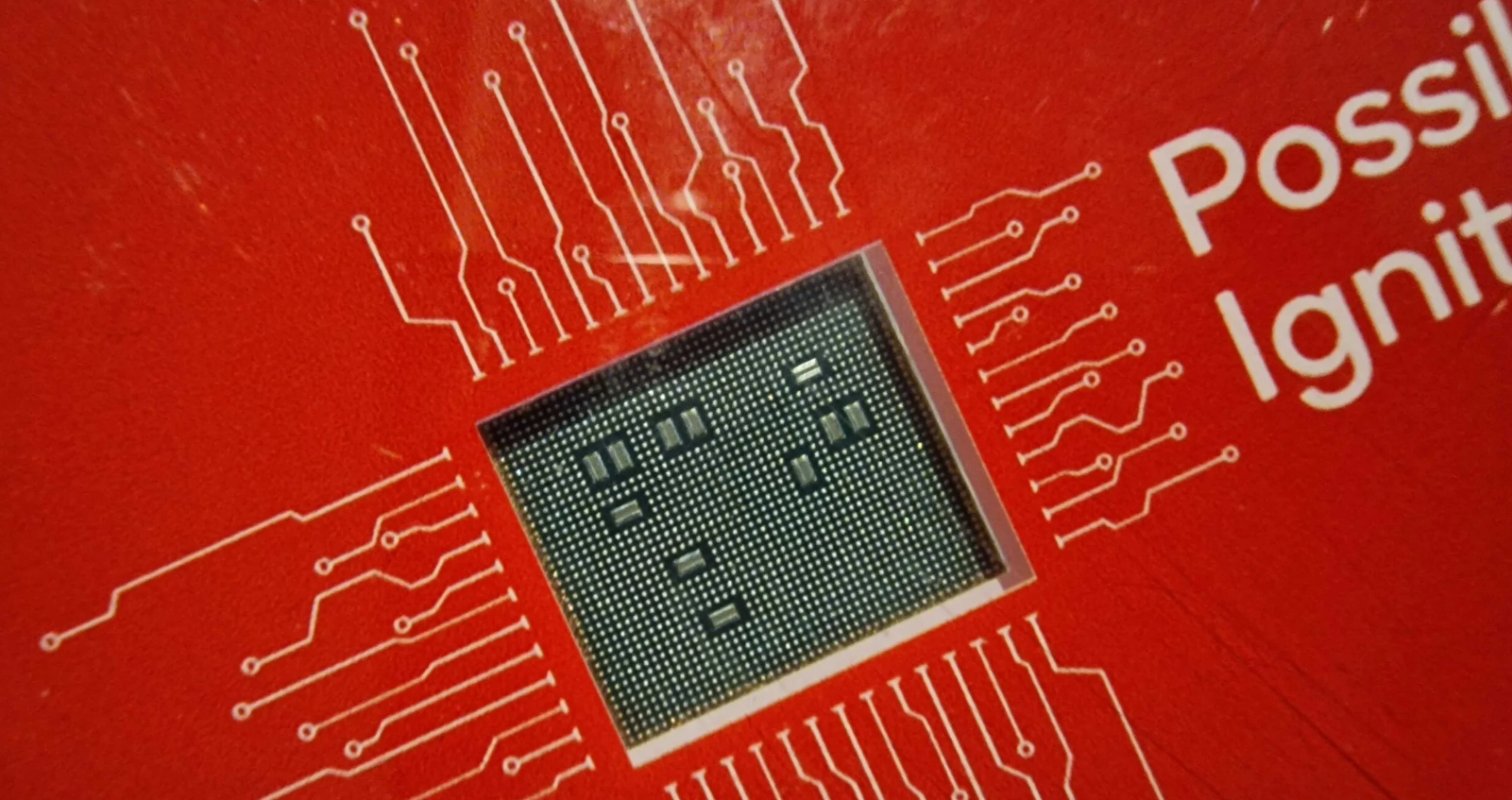
Set to be unveiled at the Snapdragon Summit this October, this new chip appears to prioritize energy efficiency over raw performance, particularly in its graphics processing unit (GPU).
According to a recent leak, internal testing data reveals impressive results for the Snapdragon 8 Gen 4’s Adreno 750 GPU.
The chip, manufactured using TSMC’s advanced 3nm process, reportedly achieves performance levels similar to MediaTek’s powerful Dimensity 9300 processor but at half the power consumption.
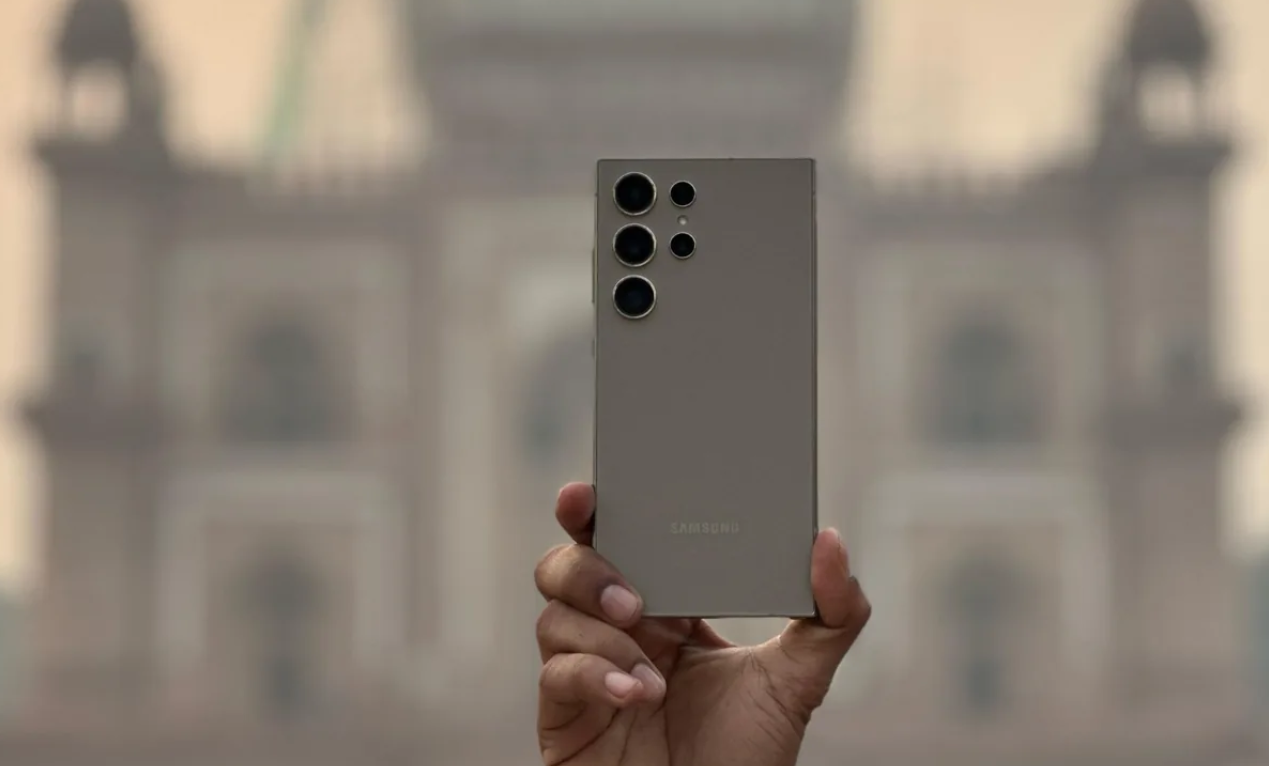
Samsung Galaxy S25 Ultra to Feature Energy-Efficient Snapdragon 8 Gen 4 Processor
However, the news isn’t all positive.
The same leak suggests that the CPU performance of the Snapdragon 8 Gen 4 may only see a single-digit percentage increase compared to current-generation chips like the Snapdragon 8 Gen 3.
This relatively modest CPU improvement has led some to suggest that performance-focused users might want to wait for the Snapdragon 8 Gen 5, expected to debut in 2025.
Adreno 750 GPU achieves performance similar to Dimensity 9300 at half the power
Despite the potentially underwhelming CPU gains, the move to TSMC’s 3nm process from Samsung’s 4nm node used in the Snapdragon 8 Gen 3 should provide inherent efficiency improvements across the entire chip.
Looking further ahead, the Snapdragon 8 Gen 5, which could power the Galaxy S26 series in 2026, is rumored to feature custom Pegasus CPU cores in a 2 + 6 configuration (two high-performance cores and six efficiency cores).
For potential Galaxy S25 Ultra buyers, the takeaway is clear: expect a device that emphasizes GPU efficiency and potentially longer battery life, rather than a significant leap in overall processing power.
Digital Zoom, Auto Flash, Face detection, Touch to focus
Video Recording
4K, 1080p
Flash
Yes, LED
Front Camera
Punch Hole 60 MP with Screen Flash
Front Video Recording
1080p
TECHNICAL
OS
Android v14
Custom UI
OneUI 6.0
Chipset
Qualcomm Snapdragon 8 Gen4
CPU
Octa Core Processor
GPU
Adreno GPU
Java
No
Browser
Yes
MULTIMEDIA
Email
Yes
Music
Yes
Video
Yes
FM Radio
Yes
Document Reader
Yes
BATTERY
Type
Non-Removable Battery
Size
5100 mAh, Li-Po Battery
Fast Charging
Yes, 65W Fast Charging
Wireless Charging
Yes, 45W
Reverse Charging
Yes, 10W
FAQs
What processor will the Samsung Galaxy S25 Ultra feature?
The Samsung Galaxy S25 Ultra is expected to feature Qualcomm’s upcoming Snapdragon 8 Gen 4 processor, set to be unveiled at the Snapdragon Summit in October.
How does the Snapdragon 8 Gen 4 GPU perform?
The Adreno 750 GPU in the Snapdragon 8 Gen 4 reportedly matches the performance of MediaTek’s Dimensity 9300 processor but consumes half the power, focusing on energy efficiency.
Will the CPU performance of the Snapdragon 8 Gen 4 be a significant improvement?
The CPU performance of the Snapdragon 8 Gen 4 is expected to see only a single-digit percentage increase over the Snapdragon 8 Gen 3, making it a modest improvement.
What manufacturing process is used for the Snapdragon 8 Gen 4?
The Snapdragon 8 Gen 4 is manufactured using TSMC’s advanced 3nm process, which should provide efficiency improvements and cooler operation compared to the previous 4nm process.
What can Galaxy S25 Ultra buyers expect from the new processor?
Potential buyers of the Galaxy S25 Ultra can expect a device that emphasizes GPU efficiency and improved battery life, addressing common concerns about heat and battery drain in high-performance smartphones.
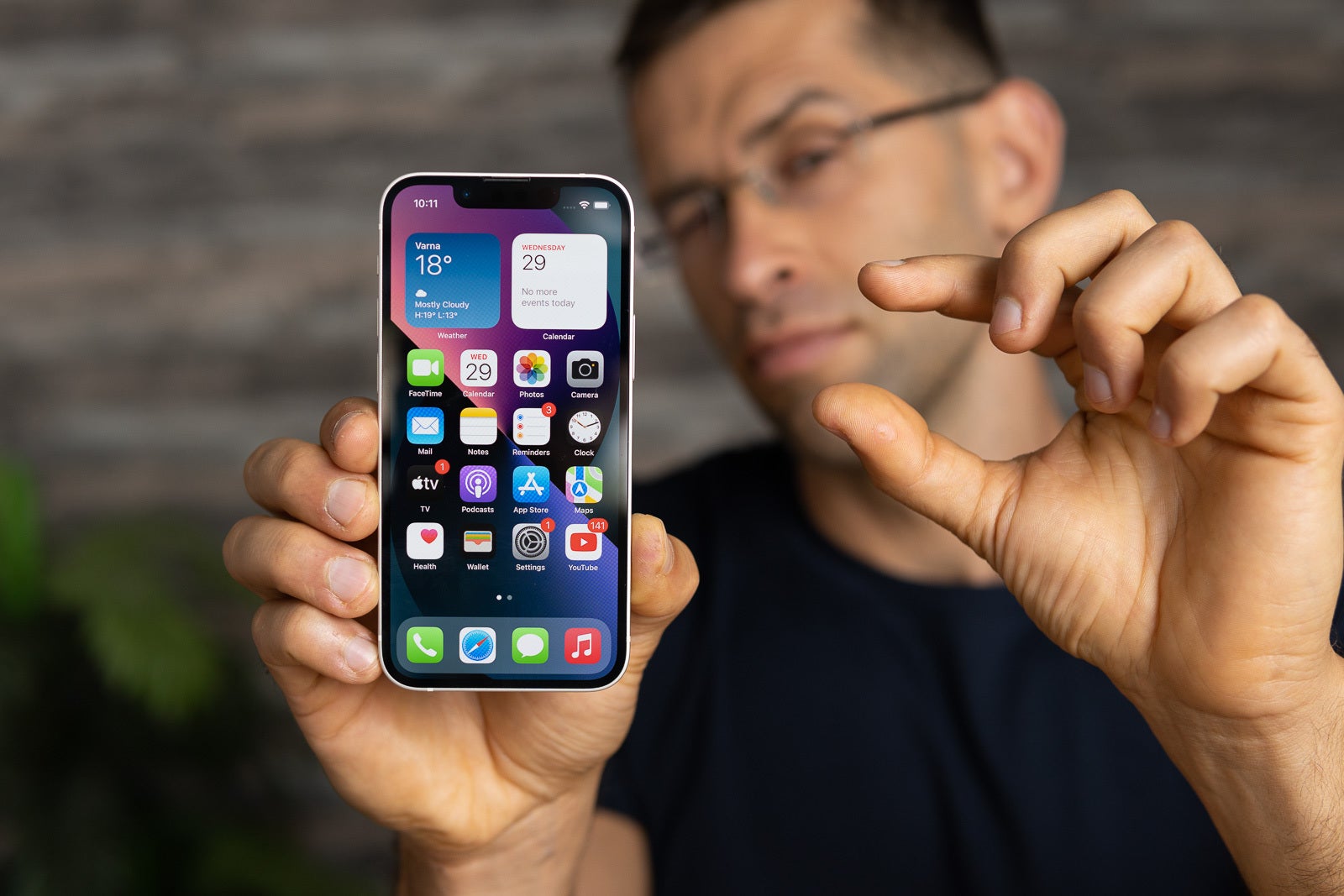
The iPhone Mini offers flagship features in a compact form
Proposed updates every two to three years for better refinement
Improved battery life can address past endurance issues
A slightly larger screen can balance compactness and usability
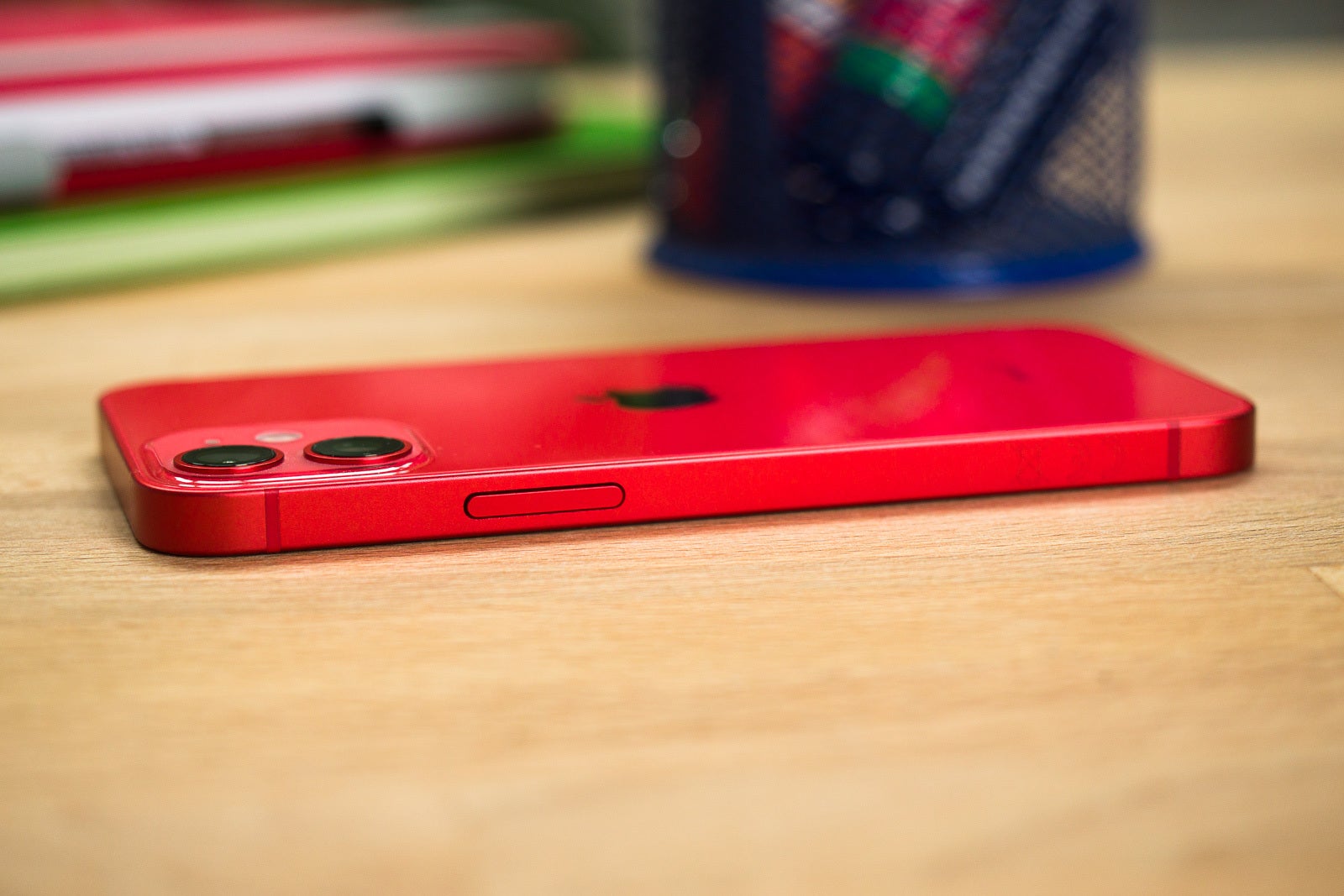
In an era of ever-expanding smartphone screens, Apple’s brief foray into the world of compact phones with the iPhone Mini seriesleft a lasting impression on a dedicated group of users.
Despite its short-lived run, there’s a compelling argument for Apple to revisit this concept and bring back a smaller iPhone option.
The iPhone Mini Introduced in 2020
Apple Should Revive the iPhone Mini? A Case for Compact Innovation
The iPhone Mini, introduced with the iPhone 12 series in 2020, was a bold move against the industry trend of larger devices.
It offered the power and features of flagship iPhones in a more pocket-friendly form factor.
While it may not have been a commercial blockbuster, it garnered a passionate following among those who preferred a more manageable device.
One of the main challenges faced by the Mini was its annual release cycle.
Trying to cram significant upgrades into such a compact form factor every year proved difficult.
A solution could be to treat the Mini as a niche product, similar to the iPad Mini or iPhone SE, with updates every two to three years.
This approach would allow Apple to refine the device without the pressure of yearly improvements.
Why the Mini iPhone is Important
The iPhone Mini offers flagship features in a compact form
Battery life was another hurdle for the original Mini models.
Apple’s focus on thinness at the time compromised the phone’s endurance.
However, the company has since shifted its priorities, as evidenced by the improved battery life in recent iPhones.
A new Mini could benefit from these advancements, potentially offering a more balanced experience between size and longevity.
While the smartphone market continues to favor larger screens, there’s still a segment of users who yearn for a truly compact, premium device.
By reintroducing the iPhone Mini, Apple could cater to this underserved market and potentially create a unique selling point in a crowded industry.
A revised Mini doesn’t necessarily need to stick to the exact dimensions of its predecessors.
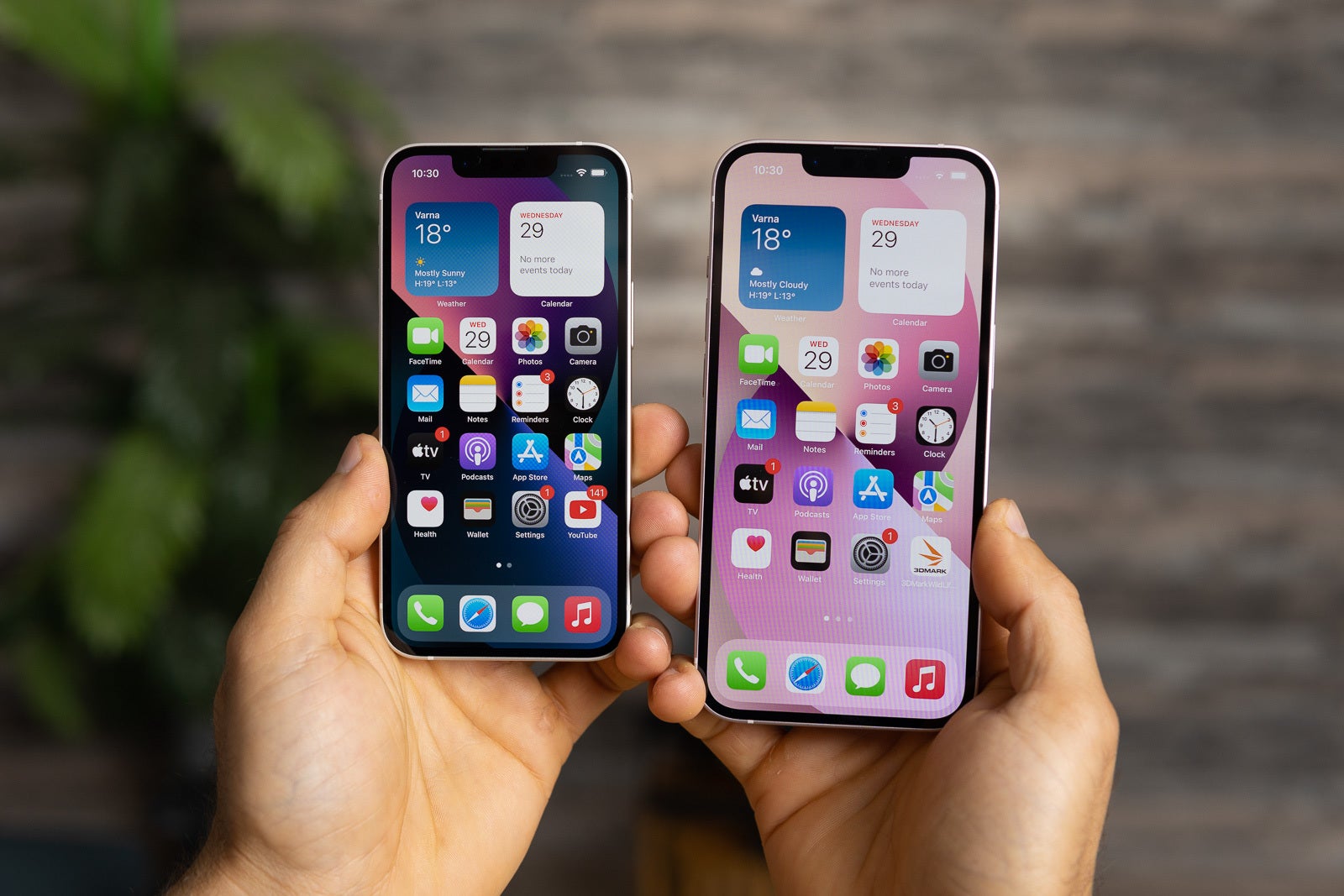
The iPhone Mini, introduced with the iPhone 12 series in 2020
A slight increase in size – perhaps to a 5.7-inch screen – could strike a better balance between compactness and usability, while still offering a distinct alternative to larger models.
Bringing back the iPhone Mini would showcase Apple’s willingness to cater to diverse user preferences and its commitment to innovation in all size categories.
It would also reinforce the company’s reputation for creating products that inspire passion and loyalty among users.
In a world where smartphone choices often feel homogenous, a new iPhone Mini could stand out as a beacon of thoughtful design and purposeful engineering.
It’s time for Apple to reconsider the Mini – not as a mass-market device, but as a specialized tool for those who value compactness without compromising on quality and performance.
FAQs
What is the iPhone Mini and when was it introduced?
The iPhone Mini was introduced in 2020 as part of the iPhone 12 series.
It provided the power and features of flagship iPhones in a smaller, more manageable size.
Why did the iPhone Mini have a short lifespan?
The iPhone Mini faced challenges due to its compact size, such as fitting significant upgrades annually and having a shorter battery life.
These factors contributed to its brief run.
How could Apple improve a new iPhone Mini?
Apple could update the iPhone Mini every two to three years, allowing more time to refine the device.
Improvements in battery technology could also offer better endurance.
Is there still demand for a smaller iPhone?
Yes, there is a segment of users who prefer compact, premium devices.
Reintroducing the iPhone Mini could cater to this underserved market and offer a unique alternative to larger smartphones.
What changes could a new iPhone Mini include?
A new iPhone Mini could feature a slightly larger screen, around 5.7 inches, to balance compactness and usability.
Enhanced battery life and periodic updates could further improve its appeal.
Anthony Mackie stars as Captain America in “Brave New World”
“Thunderbolts” introduces Lewis Pullman as Sentry
“The Fantastic Four: First Steps” set in retro-futuristic 1960s
Robert Downey Jr. returns as Doctor Doom in “Avengers: Doomsday”
Marvel Studios returned to San Diego Comic-Con with a bang this year, unveiling a thrilling lineup of upcoming films that promise to reshape the Marvel Cinematic Universe (MCU).
Captain America: Brave New World footage reveals plan to rebuild The Avengers and Giancarlo Esposito’s MCU role
Following the theatrical release of “Deadpool & Wolverine,” fans were eager to see what Marvel had in store, and the studio did not disappoint.
Captain America: Brave New World
Anthony Mackie stars as Captain America in “Brave New World”
The panel kicked off with updates on previously announced projects.
“Captain America: Brave New World,” set for a Valentine’s Day 2025 release, will see Anthony Mackie’s Sam Wilson fully embrace his role as the new Captain America.
The film will feature Harrison Ford as President Thaddeus Ross, who transforms into the Red Hulk, and Tim Blake Nelson returning as The Leader.
“Captain America: Brave New World,” set for a Valentine’s Day 2025 release,
A surprising revelation was that the Celestial from “Eternals” is made of adamantium, hinting at potential crossovers.
Giancarlo Esposito joins the cast as Sidewinder, adding another layer of intrigue to the plot.
Thunderbolts and Fantastic Four Reboot
“Thunderbolts” introduces Lewis Pullman as Sentry
“Thunderbolts*” (yes, with an asterisk) didn’t offer much new information but teased reunions between beloved characters and gave us our first glimpse of Lewis Pullman as Sentry.
This anti-hero team-up is scheduled to hit theaters on May 2, 2025.
The long-awaited Fantastic Four movie finally has an official title: “The Fantastic Four: First Steps.”
“The Fantastic Four: First Steps” set in retro-futuristic 1960s
Set in a retro-futuristic 1960s, the film begins production soon and is slated for a July 25, 2025 release.
Michael Giacchino, known for his work on other Marvel projects, will compose the score, promising a unique auditory experience to match the visual aesthetic.
New Avengers Movies Announced
Robert Downey Jr. returns as Doctor Doom in “Avengers: Doomsday”
However, the real showstoppers came at the end of the panel.
Marvel Studios president Kevin Feige announced that “Avengers:The Kang Dynasty” has been renamed “Avengers: Doomsday.”
This fifth Avengers film will be directed by Joe and Anthony Russo, the duo behind some of the MCU’s most successful entries.
The biggest surprise?
Robert Downey Jr. is returning to the MCU, not as Tony Stark, but as the iconic villain Doctor Doom.
Downey’s Doom will feature prominently in both “Doomsday” and its sequel, “Avengers: Secret Wars.”
Marvel Studios president Kevin Feige announced that “Avengers
These two films, both helmed by the Russo brothers, are set to cap off the current saga of the MCU in grand fashion.
“Doomsday” is scheduled for May 2026, with “Secret Wars” following a year later in May 2027.
This lineup of films showcases Marvel’s commitment to evolving its cinematic universe while honoring its roots.
The return of familiar faces in new roles, the introduction of classic characters like the Fantastic Four, and the promise of epic crossover events all point to an exciting future for the MCU.
FAQs
What is the release date for “Captain America: Brave New World”?
“Captain America: Brave New World” is set to be released on Valentine’s Day, February 14, 2025, featuring Anthony Mackie as the new Captain America.
Who will Robert Downey Jr. play in the upcoming Avengers films?
Robert Downey Jr. will portray the iconic villain Doctor Doom in “Avengers: Doomsday” and its sequel “Avengers: Secret Wars.”
What is the new title for the fifth Avengers film?
The fifth Avengers film has been renamed “Avengers: Doomsday,” with Joe and Anthony Russo directing.
When is “The Fantastic Four: First Steps” scheduled for release?
“The Fantastic Four: First Steps” is slated for a July 25, 2025 release and will be set in a retro-futuristic 1960s.
Who are some of the new characters and actors joining the MCU?
Harrison Ford will play President Thaddeus Ross who becomes the Red Hulk, Giancarlo Esposito joins as Sidewinder, and Lewis Pullman will appear as Sentry in “Thunderbolts.”
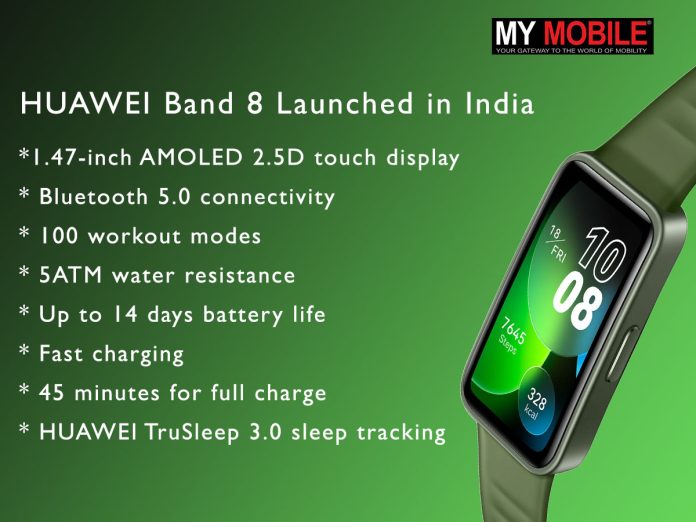
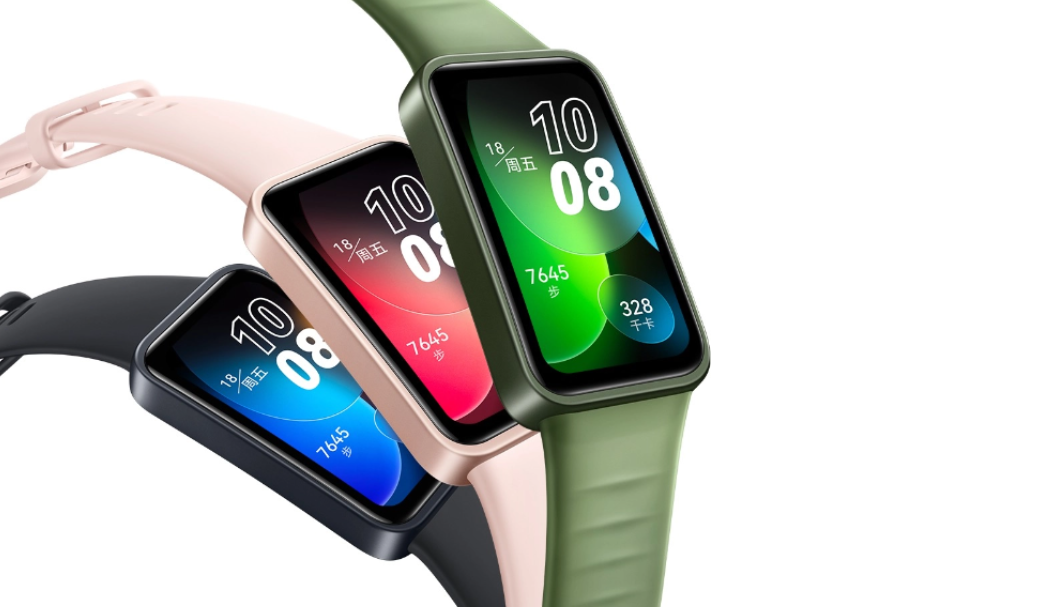
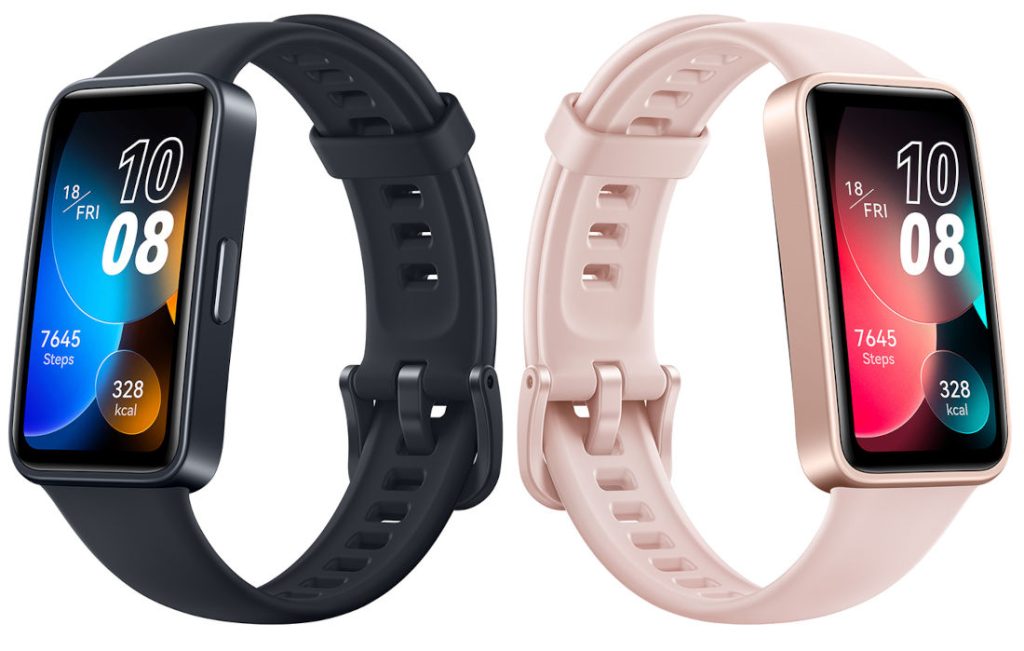
The HUAWEI Band 8 is designed to be a comprehensive health and fitness companion.
Its vibrant AMOLED display offers crystal-clear visibility and supports personalized watch faces to match your style.
The device’s extensive workout modes cater to a wide range of activities, from running and cycling to more niche pursuits like dance and rope skipping.
Health monitoring is a standout feature of the Band 8.
With HUAWEI’s advanced TruSeen 5.0 technology, users can enjoy 24-hour heart rate monitoring and blood oxygen (SpO2) tracking.
The TruSleep 3.0 function provides detailed insights into sleep patterns, while the stress monitoring feature helps users manage their well-being holistically.
The Band 8’s impressive battery life is a game-changer for busy individuals.
With up to 14 days of use on a single charge and a rapid 45-minute full charge time, it keeps pace with even the most active lifestyles.
This represents a 30% improvement in charging speed compared to its predecessors.
Beyond fitness tracking, the HUAWEI Band 8 offers practical smartwatch features.
Users can control music playback, remotely operate their smartphone camera, receive notifications, and even respond to messages directly from their wrist.
5 Reasons to Buy
HUAWEI Band 8 offers practical smartwatch features
Sleek design with a large, vibrant AMOLED display
Comprehensive health monitoring with advanced HUAWEI technologies
Extensive workout options with 100 modes to choose from
Impressive 14-day battery life with fast charging capability
Affordable price point for feature-rich fitness tracking
FAQs
What are the key features of the HUAWEI Band 8?
The HUAWEI Band 8 features a 1.47-inch AMOLED display, 100 workout modes, advanced health monitoring with TruSeen 5.0, and up to 14 days of battery life with fast charging.
How long does the HUAWEI Band 8 battery last?
The HUAWEI Band 8 offers up to 14 days of battery life on a single charge. It also supports fast charging, reaching a full charge in just 45 minutes.
Is the HUAWEI Band 8 suitable for swimming?
Yes, the HUAWEI Band 8 is 5ATM water-resistant, making it suitable for swimming and other water-based activities up to 50 meters deep.
What health monitoring features does the HUAWEI Band 8 offer?
The HUAWEI Band 8 includes 24-hour heart rate monitoring, blood oxygen (SpO2) tracking, sleep tracking with TruSleep 3.0, and stress monitoring to help manage overall well-being.
Where can I purchase the HUAWEI Band 8 in India?
The HUAWEI Band 8 is available for purchase on Flipkart, priced at Rs. 4,699, with color options of Midnight Black and Sakura Pink.
Thanks to a flurry of leaks and reports, we have a surprisingly clear picture of what to expect from Google’s next flagship lineup.
From design changes to performance upgrades and innovative AI features, the Pixel 9 series promises to be a significant step forward.
Let’s dive into everything we know so far about these upcoming devices.
The Lineup and Design
Google Pixel 9 Series: The devices will feature polished metal frames
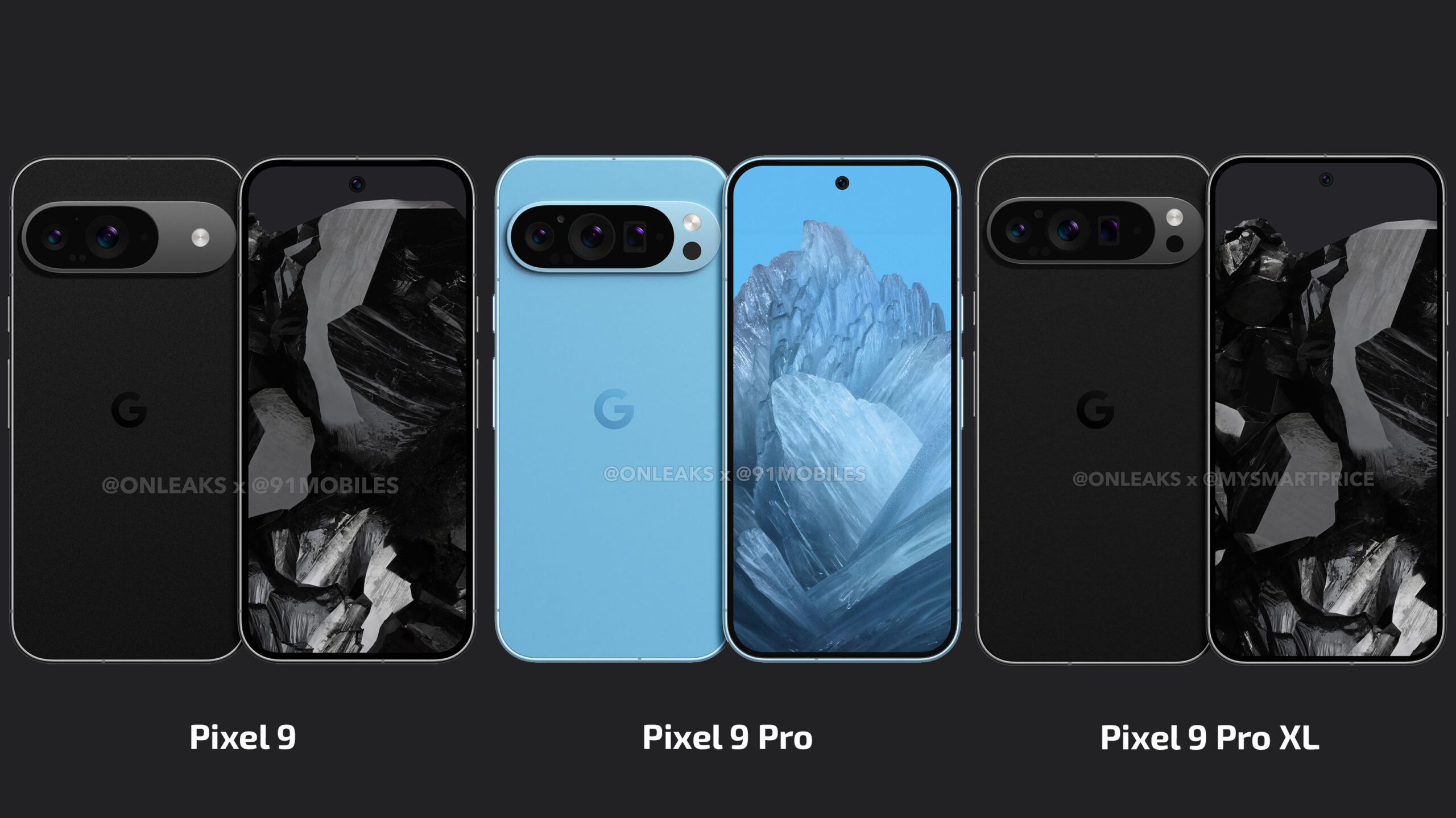
Google is set to release three models in the Pixel 9 series: the standard Pixel 9, Pixel 9 Pro, and Pixel 9 Pro XL.
This marks a departure from previous years, with the addition of a larger “Pro” model to cater to users who prefer more screen real estate.
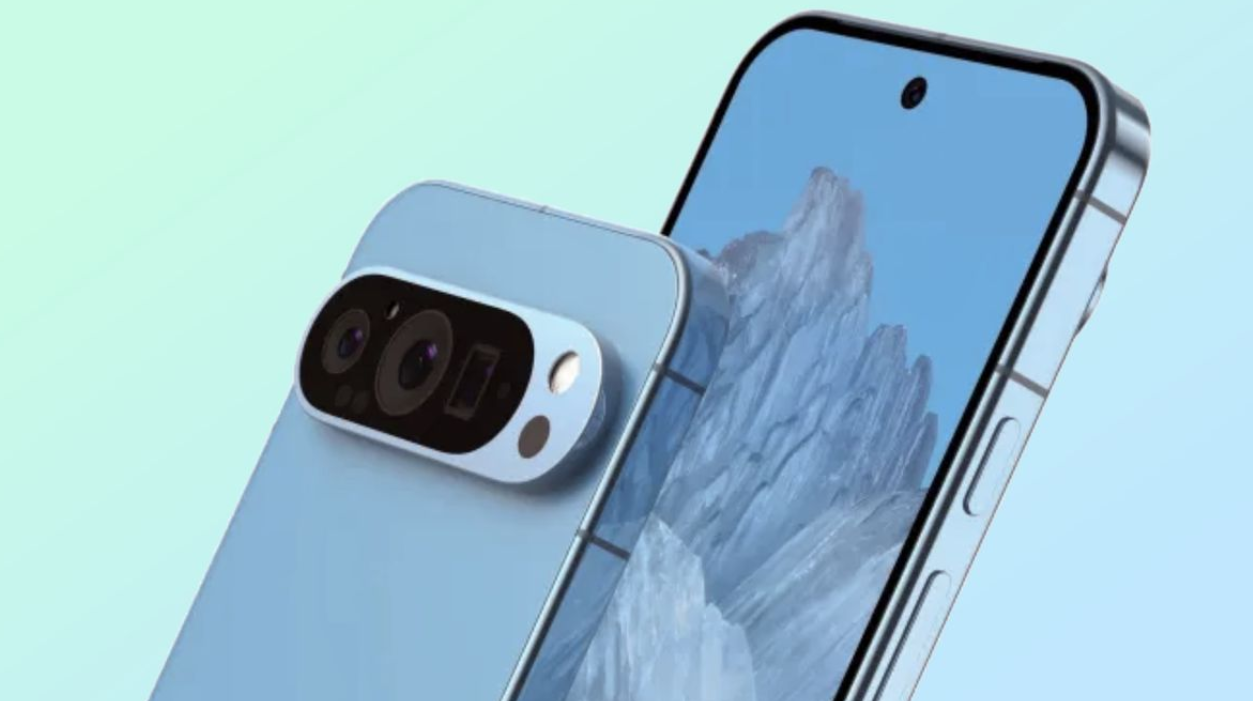
One of the most noticeable design changes is the matte finish on the camera bar, a welcome improvement that should address the scratching issues that have plagued the “Pro” models since the Pixel 7 Pro.
The devices will feature polished metal frames, adding a touch of elegance to the overall aesthetic.
Color options have also been leaked, with all three models reportedly available in four shades: Obsidian, Porcelain, Rose, and Hazel.
The Obsidian and Porcelain options are carried over from last year’s lineup, albeit with slight modifications to the frame’s appearance.
Rose and Hazel, while familiar names from the Pixel 8, will be new additions to the “Pro” lineup with more saturated tones.
Display Advancements
Both the Pixel 9 Pro and Pro XL are reported to reach a peak brightness of 2,050 nits
Google made significant strides with its “Actua” displays in the Pixel 8 series, and the Pixel 9 lineup looks to build on that success.
The base Pixel 9 is said to feature a 6.24-inch display with a resolution of 1080 x 2424 and a peak brightness of 1,800 nits during HDR content.
This represents a notable upgrade from the Pixel 8’s 1,400 nits.
The Pro models take things even further.
Both the Pixel 9 Pro and Pro XL are reported to reach a peak brightness of 2,050 nits during HDR playback, up from 1,600 nits on the Pixel 8 Pro.
The Pixel 9 Pro will sport a 6.34-inch display (1280 x 2856), while the Pro XL stretches to 6.73 inches (1344 x 2992).
These improvements in brightness and size should translate to better outdoor visibility and a more immersive viewing experience, keeping the Pixel series competitive with other flagship devices on the market.
While details about its capabilities are still scarce, Google is reportedly calling it “game-changing” in leaked promotional materials.
This suggests significant improvements over the already impressive Tensor G3 found in the Pixel 8 series.
Perhaps even more exciting is the boost in RAM across the lineup.
The base Pixel 9 is set to come with 12GB of RAM, a notable increase from the 8GB found in the Pixel 8.
This upgrade is likely tied to Google’s plans for on-device AI processing, particularly for features like Gemini Nano.
The Pro models are taking things a step further, with both the Pixel 9 Pro and Pro XL reportedly featuring 16GB of RAM.
This not only represents a new high for the Pixel series but also sets a new minimum standard for Google’s premium devices.
The increased RAM should translate to better multitasking capabilities and smoother performance, especially when using demanding AI features.
Camera Enhancements
The base Pixel 9 is getting a significant boost to its ultrawide camera
While the main 50MP camera sensor appears to remain unchanged across the Pixel 9 series, there are some notable upgrades to the supporting cameras.
The base Pixel 9 is getting a significant boost to its ultrawide camera, jumping from a 12MP sensor to a 48MP one.
This should result in sharper, more detailed wide-angle shots.
The Pro models are set to receive improvements to both the ultrawide and selfie cameras, though specific details on these upgrades are still unclear.
Of course, the Pro variants will continue to include a telephoto lens, giving users more versatility in their photography.
These camera improvements, combined with Google’s renowned computational photography algorithms, should help the Pixel 9 series maintain its position as one of the best smartphone camera systems on the market.
AI Features: The Pixel’s Secret Weapon
Users will be able to take a photo of their refrigerator contents, and Gemini
Google has long positioned AI as a key differentiator for its Pixel devices, and the Pixel 9 series looks to double down on this strategy with some exciting new features:
Gemini-powered recipe generation: Users will be able to take a photo of their refrigerator contents, and Gemini will generate recipe suggestions based on the available ingredients.
Pixel Screenshots: This new tool will be able to analyze and extract information from screenshots, potentially making it easier to save and act on important details.
“Add Me” feature: Building on the controversial but innovative “Best Take” feature from the Pixel 8, “Add Me” allows users to add themselves to group photos after they’ve been taken. This is achieved by taking two separate photos in the same location and having AI seamlessly combine them.
These AI-powered features showcase Google’s commitment to making smartphones more intelligent and helpful in day-to-day life.
Pricing and Availability
Pixel 9 series represents a solid evolution of Google’s smartphone lineup
While official US pricing hasn’t been announced, we can make some educated guesses based on European pricing leaks and previous models.
The base Pixel 9 is expected to start around €899 in Europe, which could translate to approximately $699 in the US.
The Pixel 9 Pro and Pro XL are likely to be priced around $999 and $1,099, respectively.
Interestingly, Google appears to be shifting up its release schedule this year.
While an exact launch date hasn’t been leaked, the abundance of information suggests we might see the Pixel 9 series earlier than the traditional October timeframe.
Accessories and Ecosystem
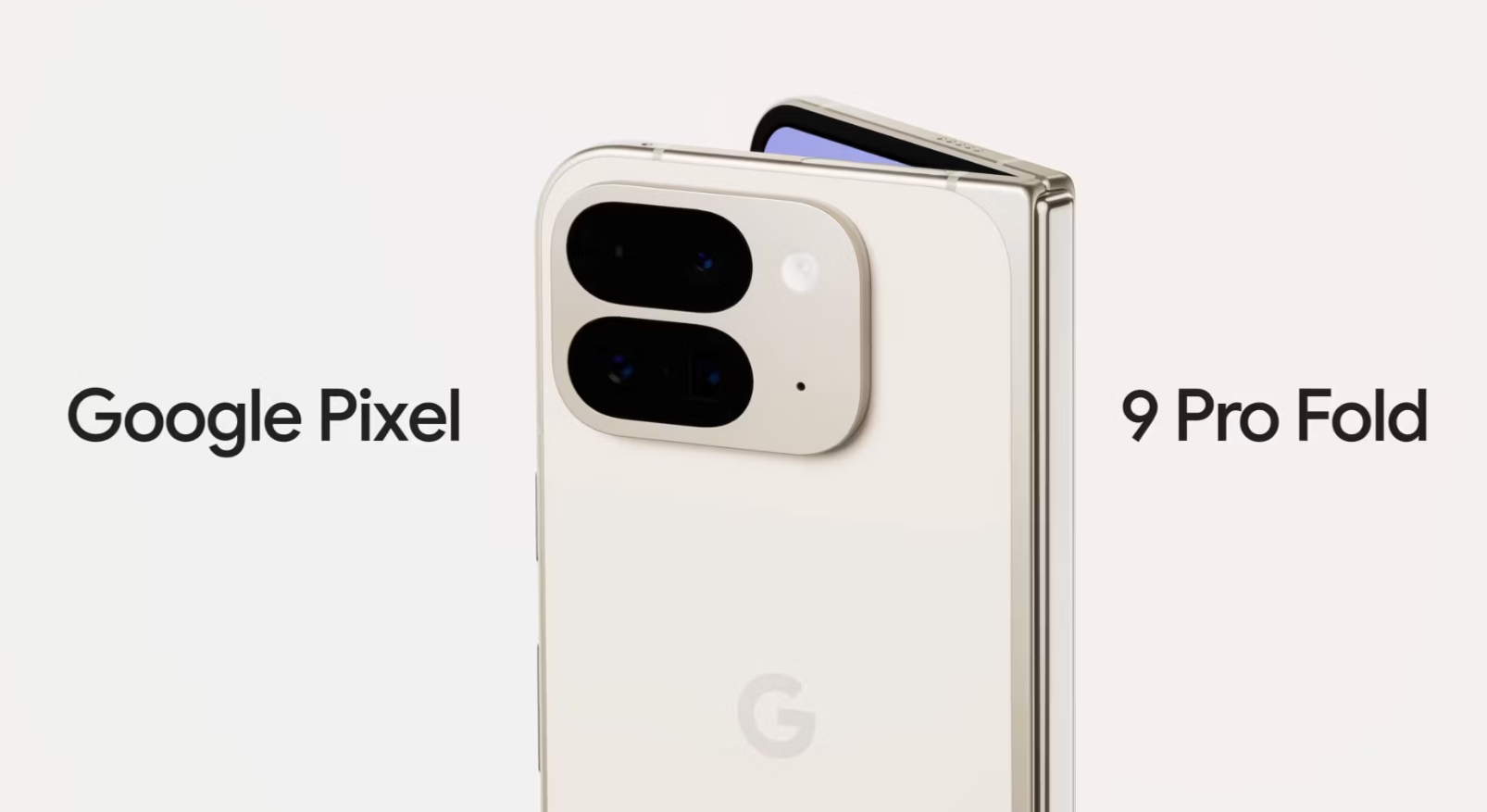
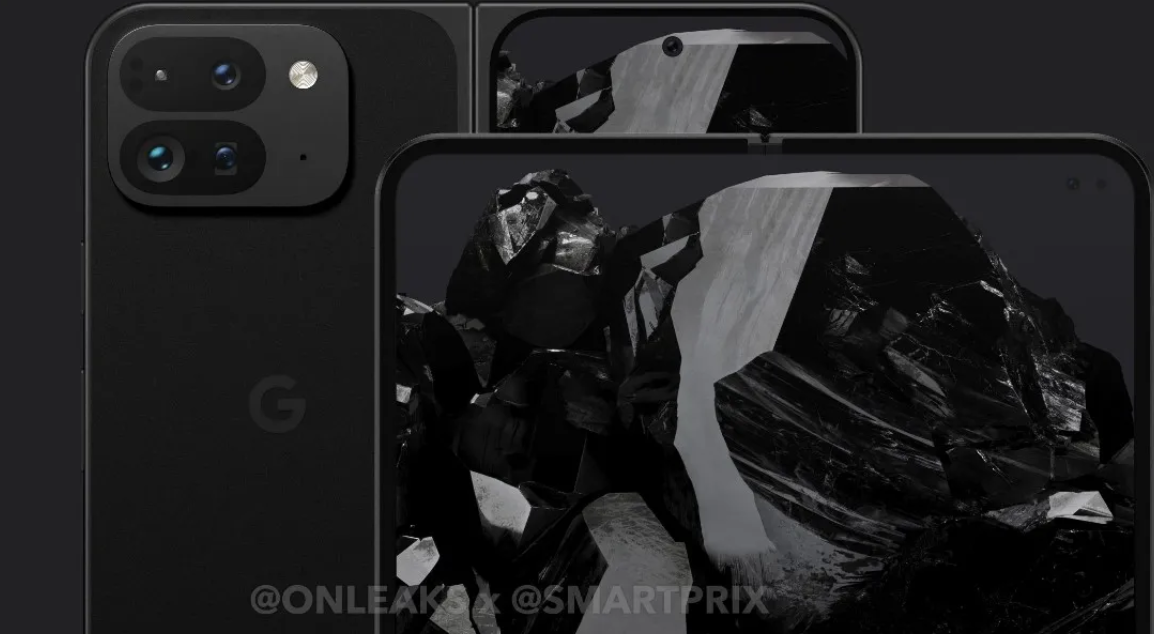
The leak also hints at wider availability for the foldable model, suggesting Google may expand beyond its initial launch markets of the US
Google is also preparing new cases for the Pixel 9 series.
These cases feature a full-coverage design, including protection for the bottom edge of the device.
Made from a grippy silicone material with a fabric-like interior lining, the cases will be available in Charcoal, Porcelain, Hazel, Rose, and a new Aloe color option.
The Bottom Line
A fresh leak has revealed projected European pricing for Google’s forthcoming Pixel 9 series
Based on what we know so far, the Pixel 9 series represents a solid evolution of Google’s smartphone lineup.
With improved displays, more powerful internals, and innovative AI features, these devices are poised to keep Google competitive in the ever-changing smartphone landscape.
The increased RAM across the board is particularly noteworthy, as it opens the door for more advanced on-device AI processing.
This could lead to faster, more private interactions with Google’s AI features, setting the stage for even more impressive capabilities in the future.
While some may argue that the camera hardware upgrades are relatively minor, it’s important to remember that Google’s strength has always been in its software and AI-powered photography features.
The improvements to the ultrawide camera on the base model and the unspecified upgrades to the Pro models’ cameras should still result in noticeable enhancements to photo quality.
FAQs
What are the different models in the Google Pixel 9 series?
The Google Pixel 9 series includes the standard Pixel 9, Pixel 9 Pro, and the larger Pixel 9 Pro XL, offering a variety of options to cater to different user preferences.
What upgrades can we expect in the Pixel 9 series cameras?
The Pixel 9 series will see significant enhancements, particularly in the ultrawide camera, which is upgraded from 12MP to 48MP in the base model.
The Pro models also receive upgrades to the ultrawide and selfie cameras.
How does the Tensor G4 chip improve the Pixel 9 series?
The new Tensor G4 chip promises significant improvements in performance and efficiency over its predecessor, supporting advanced AI features and ensuring smoother multitasking and overall user experience.
What are the AI features introduced in the Pixel 9 series?
Key AI features in the Pixel 9 series include Gemini-powered recipe generation, which suggests recipes based on your fridge contents, and Pixel Screenshots, which can analyze and extract information from screenshots.
When will the Pixel 9 series be available and at what price?
While the exact US pricing and release date are not confirmed, the Pixel 9 is expected to start around $699, with the Pixel 9 Pro and Pro XL priced at approximately $999 and $1,099, respectively.
Google Pixel 9 Specs
Google Pixel 9 Pro Specs
Google Pixel 9 Pro XL Specs
Display
6.03 inch, AMOLED ScreenSmall
1080 x 2400 pixelsPoor
436 ppiAverage
HDR10+, Always-on Display
Corning Gorilla Glass Victus Plus
120 Hz Refresh Rate
Punch Hole Display
Display
6.1 inch, OLED ScreenSmall
1440 x 3120 pixelsGood
563 ppiBest
HDR10+, Always-on Display
Corning Gorilla Glass Victus Plus
144 Hz Refresh Rate
Punch Hole Display
Display
6.71 inch, OLED ScreenSmall
1440 x 3120 pixelsAverage
512 ppiGood
HDR10+, Always-on Display
Corning Gorilla Glass Victus Plus
120 Hz Refresh Rate
Punch Hole Display
Camera
50 MP Quad Rear Camera with OISAverage
4K UHD Video Recording
50 MP Front Camera
Camera
50 MP + 50 MP + 50 MP Triple Rear Camera with OISAverage
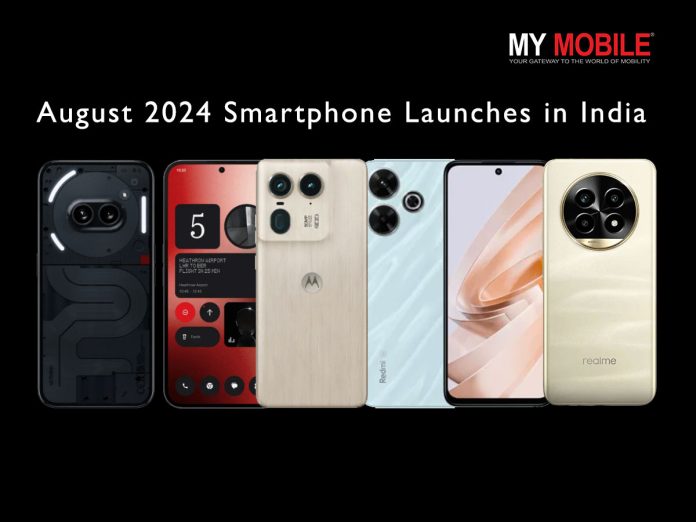
This week promises to be a thrilling one for tech enthusiasts, with a slew of high-profile smartphone launches on the horizon.
From the much-awaited Nothing Phone (2a) Plus to the feature-packed Realme 13 Pro series, there’s something for every mobile aficionado.
Let’s dive into the details of these upcoming releases and explore what each device brings to the table.
Nothing Phone (2a) Plus (Launch: July 31st)
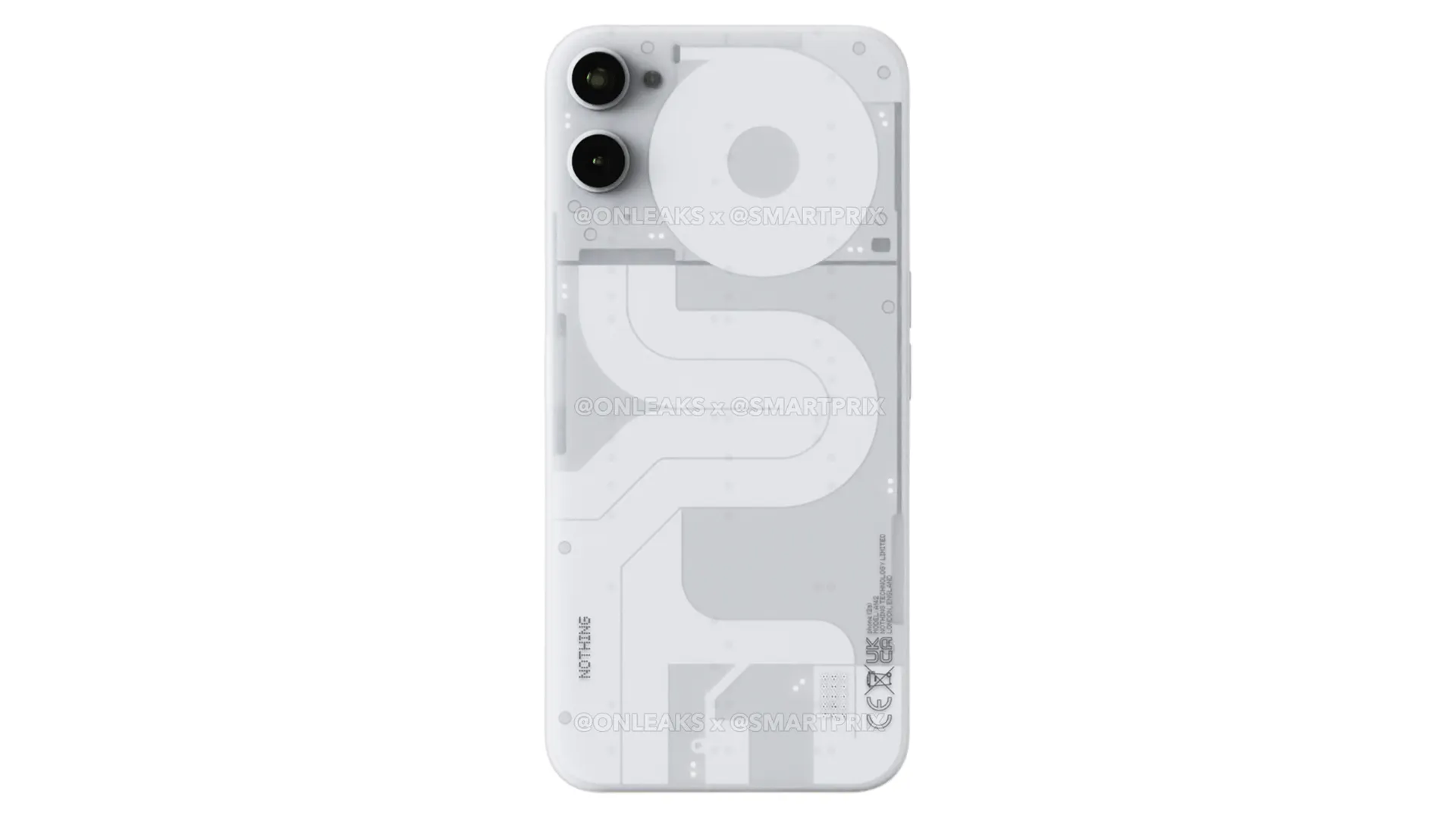
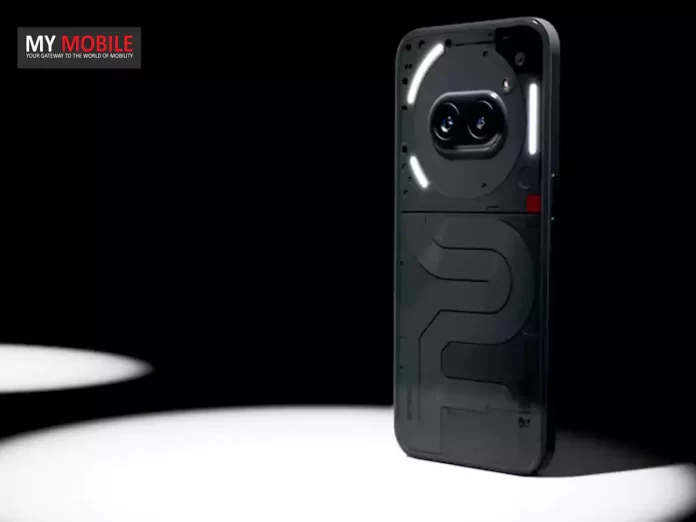
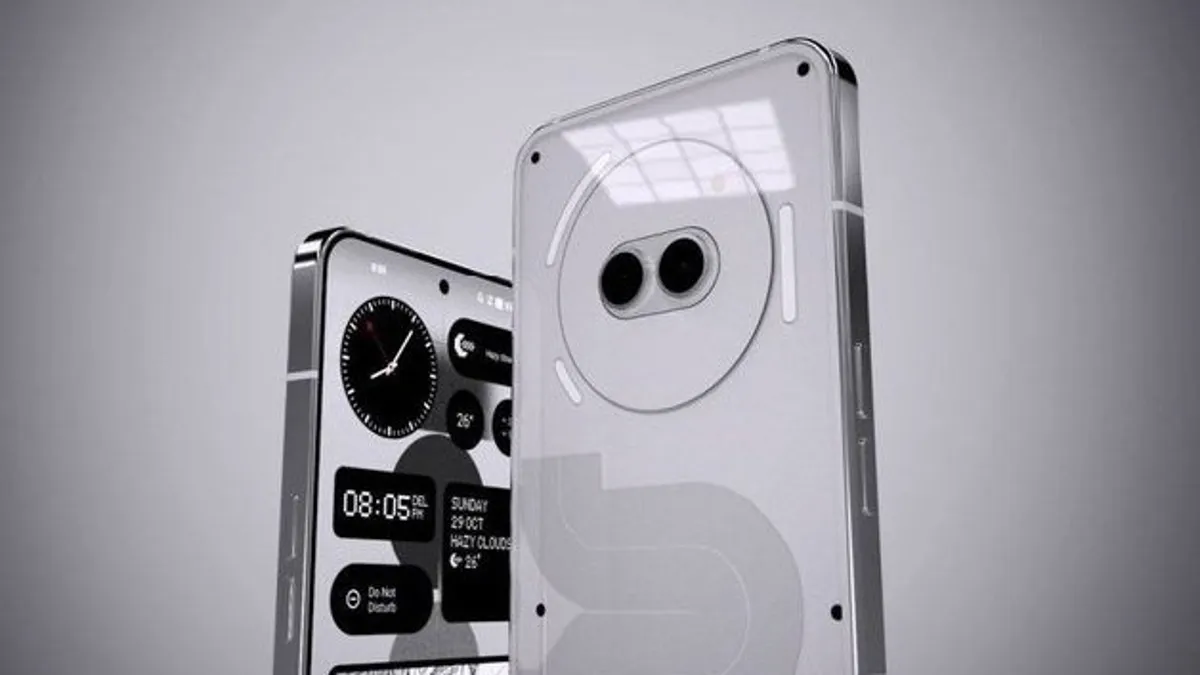
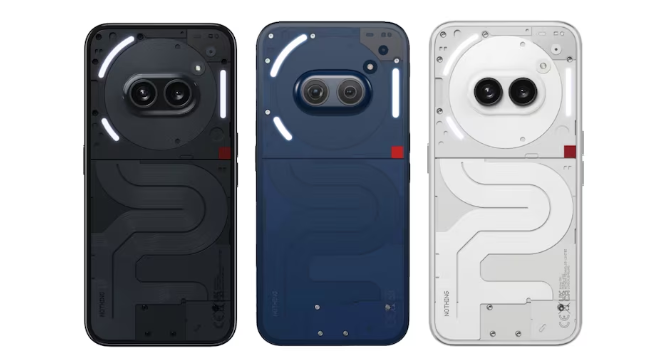
Nothing Phone (2a) Plus features MediaTek Dimensity 7350 Pro SoC and iconic Glyph Light interface
Processor: MediaTek Dimensity 7350 Pro SoC
Display: Larger than Nothing Phone (2a)
Design: Glyph Light interface
Expected Price: Around Rs 30,000
Launch Date: July 31st
OS: Android (version unspecified)
Storage: TBA
Camera: TBA
The Nothing Phone (2a) Plus is set to be a beefed-up version of its predecessor, the Nothing Phone (2a).
While detailed specifications are still under wraps, we know it will offer enhanced processing power with the MediaTek Dimensity 7350 Pro SoC.
The device will feature a larger form factor compared to the standard model
The device will feature a larger form factor compared to the standard model, while retaining the iconic Glyph Light interface that has become a hallmark of Nothing’s design philosophy.
This unique lighting system not only adds a distinctive aesthetic but also serves functional purposes for notifications and charging status.
With its rumored price point of around Rs 30,000, the Nothing Phone (2a) Plus aims to deliver a premium experience without breaking the bank.
Motorola Edge 50 (Launch: August 1st)
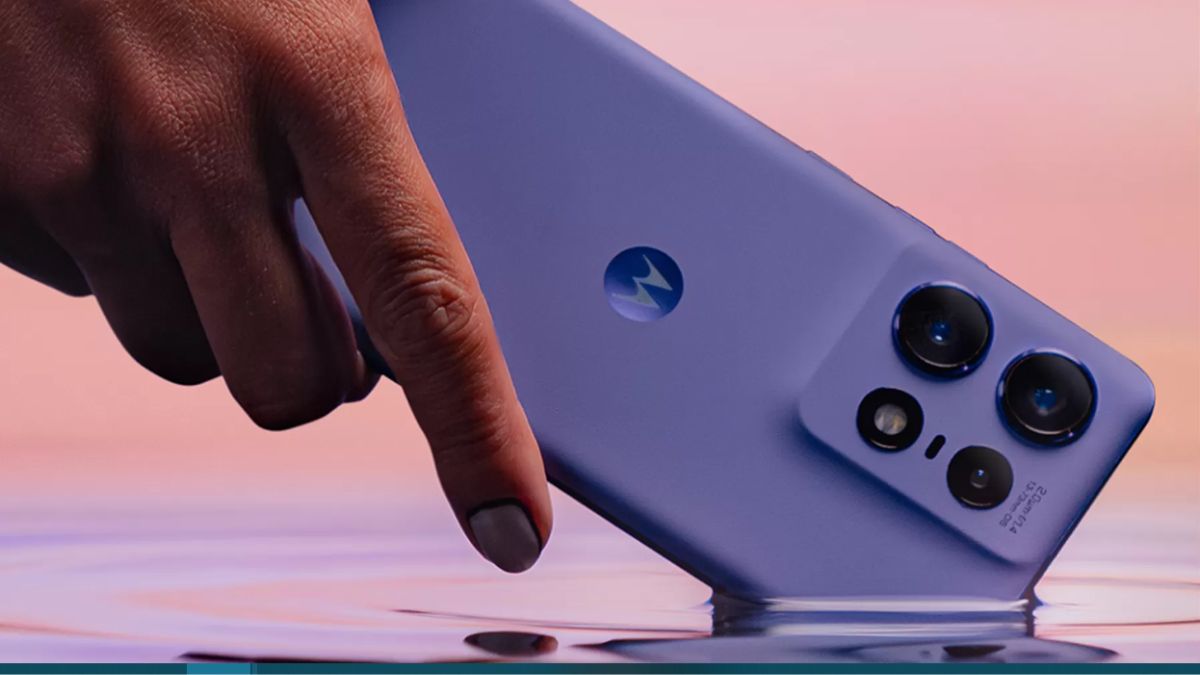
Motorola Edge 50 debuts as the world’s slimmest MIL-810 military-grade smartphone
The Motorola Edge 50 is poised to make a splash in the smartphone market with its claim of being the world’s slimmest MIL-810 military-grade smartphone.
This device combines durability with sleek design, featuring a 6.67-inch curved pOLED display that promises stunning visuals.
his device combines durability with sleek design
The triple rear camera setup, including a 50MP primary sensor, is designed to cater to photography enthusiasts.
With its robust 5,000mAh battery and fast charging capabilities, the Edge 50 aims to keep users powered throughout the day.
The inclusion of wireless charging adds convenience to the package.
Running on Android 14, users can expect a clean and up-to-date software experience.
Realme 13 Pro Series (Launch: July 30th)
Key Specs for Realme 13 Pro
The Realme 13 Pro series brings two formidable contenders to the mid-range smartphone market
The Nothing Phone (2a) Plus is set to launch on July 31st.
What is special about the Motorola Edge 50?
The Motorola Edge 50 is the world’s slimmest MIL-810 military-grade smartphone, featuring a curved pOLED display and robust camera setup.
What processors are used in the Realme 13 Pro series?
The Realme 13 Pro uses the Qualcomm Snapdragon 7s Gen 2 SoC, while the Realme 13 Pro+ is powered by the Snapdragon 7s Gen 3 SoC.
What are the standout features of the POCO M6 Plus?
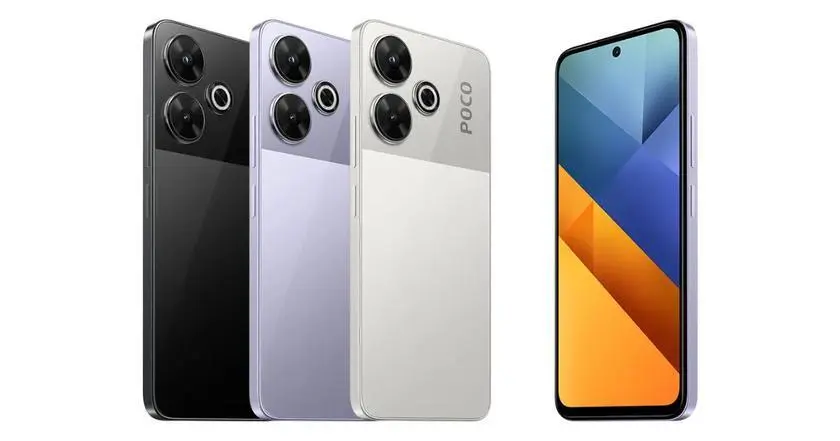
The POCO M6 Plus features a large 6.79-inch display with a 120Hz refresh rate and a high-resolution 108MP primary camera.
What is the price range for these upcoming smartphones?
The Nothing Phone (2a) Plus is expected to be priced around Rs 30,000, while the pricing for the other models will be revealed at their respective launches.
How has the community contributed to the Nothing Phone (2a) Community Edition?
The community has helped design the hardware, create wallpaper, and develop packaging for the Nothing Phone (2a) Community Edition, making it a unique collaborative project.
When is the official announcement for Nothing OS 3.0 expected?
The official announcement for Nothing OS 3.0 is expected to take place in September, according to Nothing founder and CEO Carl Pei.
What are the storage options for the Motorola Edge 50 Neo?
The Edge 50 Neo comes with RAM options of 8GB or 12GB and storage capacities of 256GB or 512GB.
What is the battery capacity of the Edge 50 Neo?
The device is equipped with a 4310 mAh battery, designed to provide all-day usage for most users.
What battery capacity and charging support does the Realme 13 Pro+ have?
The smartphone features a 5,200 mAh battery and supports 80W fast charging.
When will the Realme 13 Pro+ be launched in India?
The Realme 13 Pro+ is scheduled to launch on July 30, 2024, at 12 PM Indian Standard Time.
How much is the POCO M6 Plus 5G likely to weigh?
The POCO M6 Plus 5G is rumored to weigh approximately 205 grams.
What is the expected price range for the POCO M6 Plus 5G in India?
The POCO M6 Plus 5G is expected to be priced under Rs 15,000 to compete with budget 5G smartphones like the Redmi Note 12 series and Samsung Galaxy A-series.
Key Specs: Snapdragon 7 Gen 3, 50MP main camera, 6.78-inch 120Hz display
Battery: 5,500 mAh for Z9s, 6,000 mAh with 80W charging for Z9s Pro
Get ready for some new phones!
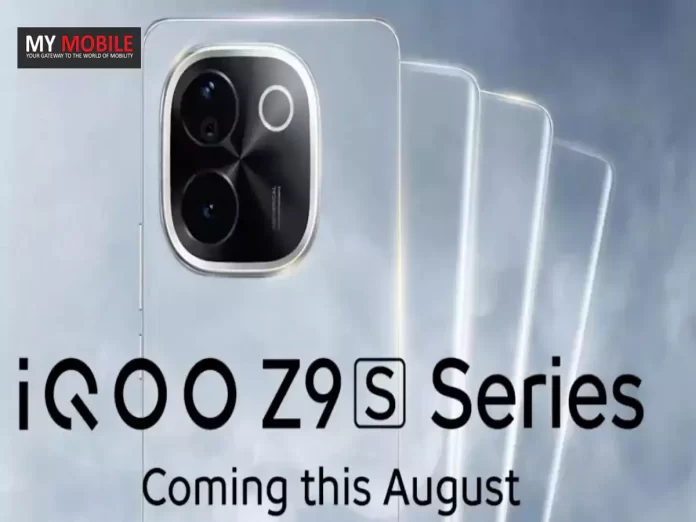
iQOO is about to launch its Z9s series in India on August 4.
We’re learning more about these phones every day.
Let’s look at what we know so far.
What’s New?
Say hello to the first glimpse of our Z9s series smartphone that is #FullyLoadedForTheMegaTaskers. Can you guess its name? #iQOOZ9sSeries pic.twitter.com/v9LKlb117D
— Nipun Marya (@nipunmarya) July 24, 2024
Two Models: It looks like there will be at least two phones in this series – probably a regular Z9s and a Z9s Pro.
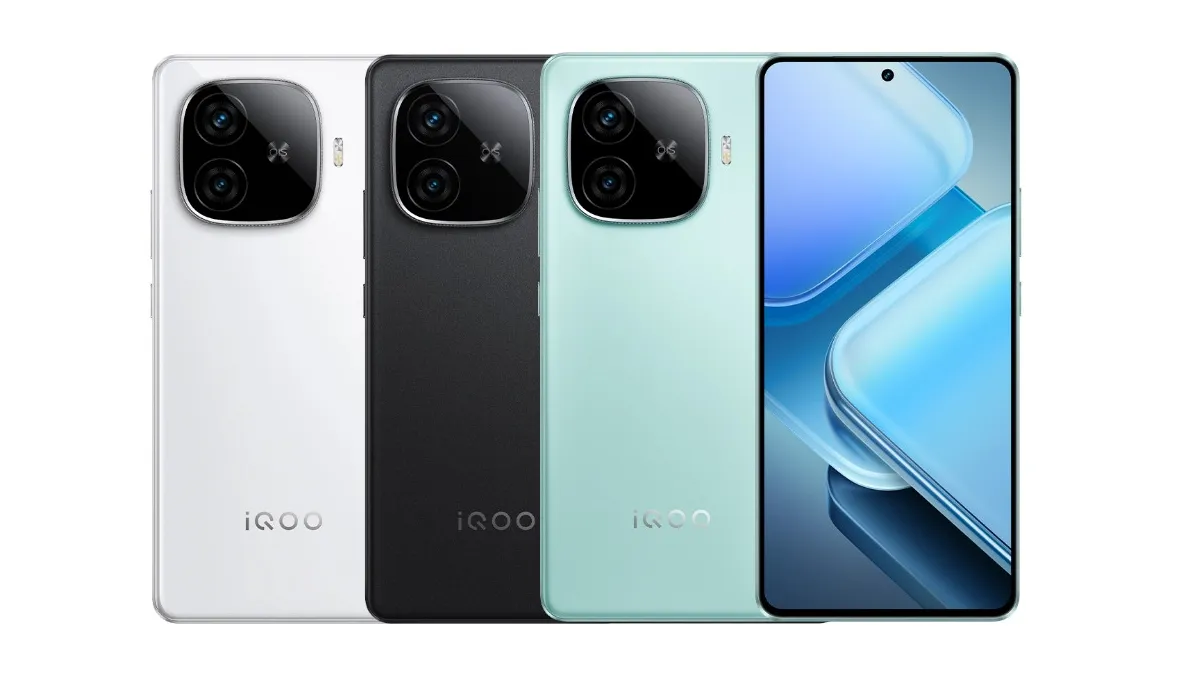
Design Sneak Peek: iQOO has shown us a bit of what the phone will look like. It has a rectangular camera area in the top left corner with a silver border. The buttons to change volume and turn the phone on are on the right side.
Performance: Someone spotted what might be the regular Z9s on a website called Geekbench. This site tests how fast phones are. The scores suggest it’s pretty quick!
Expected Specs
iQOO Z9s Series Set to Launch in India on August 4: Spotted on Geekbench
The regular Z9s might have:
– A Snapdragon 7 Gen 3 chip (the brain of the phone)
– An Adreno 720 graphics processor (for games and videos)
– A big 6.78-inch curved screen that’s very smooth (120Hz)
But someone thinks it might cost around Rs 25,000.
The Chinese iQOO Z9 has some cool features:
– The same Snapdragon 7 Gen 3 chip
– An even bigger 6,000 mAh battery that charges really fast (80W)
– A 6.78-inch screen
– The same cameras as we expect on the Z9s
When Can We Get It?
The series is expected to include at least two models: a regular Z9s and a Z9s Pro.
Mark your calendars for August 4!
That’s when iQOO will tell us all about these new phones.
We’ll learn the exact features, prices, and when you can buy them.
It looks like the iQOO Z9s series will be fast, have good cameras, and big batteries.
If you’re looking for a new phone, these might be worth checking out!
FAQs
When will the iQOO Z9s series launch in India?
The iQOO Z9s series is scheduled to launch on August 4 in India.
What models are expected in the iQOO Z9s series?
The series is expected to include at least two models: a regular Z9s and a Z9s Pro.
What are the key specifications of the iQOO Z9s?
The iQOO Z9s might feature a Snapdragon 7 Gen 3 chip, a 6.78-inch 120Hz display, a 50MP main camera, a 16MP selfie camera, and a 5,500 mAh battery.
What is the expected price of the iQOO Z9s Pro?
The iQOO Z9s Pro is speculated to be priced around 25,000 Indian Rupees.
What special features might the iQOO Z9s Pro have?
The iQOO Z9s Pro is expected to have a Snapdragon 7 Gen 3 chip, a 6.78-inch screen, a 6,000 mAh battery with 80W fast charging, and similar camera specs as the Z9s.
Nothing, the company started by former OnePlus leader Carl Pei, is about to launch a new phone.
It’s called the Nothing Phone 2a Plus, and it’s coming soon to many countries, including India.
Let’s take a look at what we know so far.
What’s Different from the Phone 2a?
Nothing Phone 2a Plus Set to Launch with Upgraded Features
The Phone 2a Plus isn’t a completely new phone. Instead, it’s an upgraded version of the Nothing Phone 2a that came out earlier this year. Here are the main changes:
Better Selfie Camera: The new phone will have a 50-megapixel front camera. That’s a big jump from the 32MP camera on the regular Phone 2a.
Faster Charging: While the battery size stays the same at 5,000mAh, the new phone can charge a bit faster. It will support 50W charging, up from 45W on the Phone 2a.
More Memory: You’ll be able to get the Phone 2a Plus with up to 12GB of RAM, which should help it run smoothly even when doing tough tasks.
What Stays the Same?
Nothing Phone 2a Plus, and it’s coming soon to many countries, including India
Many features from the Phone 2a will carry over to the Plus version:
The main cameras on the back (two 50-megapixel cameras) won’t change.
It will have the same 6.7-inch AMOLED screen with a 120Hz refresh rate.
The fingerprint sensor will still be under the display.
It will still have NFC for contactless payments.
Under the Hood
Phone 2a Plus will use a MediaTek Dimensity 7350 chip.
New setting allows users to opt out of sharing posts and conversations for AI training.
The opt-out option is currently available on the web and will soon be on mobile.
Private accounts are excluded from AI training data by default.
Users can also delete past conversations with Grok for added privacy.
X, the platform we used to call Twitter, has a new AI assistant named Grok.
But did you know that X uses your posts and conversations to teach Grok?
Don’t worry if you’re not comfortable with this – X now gives you a way to say “no thanks” to sharing your data.
Let’s talk about how you can stop X from using your posts for AI training:
Easy opt-out: X has added a simple setting to let you opt out. You can find it on the web right now, and it’s coming soon to your phone app.
Where to find it: Go to your settings menu. Look for “Privacy and safety,” then click on “Grok.” It’s that simple!
What it does: When you opt out, X won’t use your posts or your chats with Grok to improve its AI. They also won’t share data about how you use Grok with xAI, the company behind it.
Private accounts: If your account is private, your posts won’t be used to train Grok or to help it answer other people’s questions.
Clearing your history: You can also delete your past conversations with Grok if you want to start fresh.
X Introduces Opt-Out Feature for AI Data Sharing with Grok
This new setting is a big deal for privacy.
It gives you more control over your data and how it’s used.
It’s great to see X listening to users who might not want their posts used for AI training.
Remember, using your data to improve AI isn’t new or unique to X.
Many tech companies do this.
But not all of them make it so easy to opt out.
By adding this setting, X is showing that it cares about user choice.
X, the platform we used to call Twitter, has a new AI assistant named Grok
They’re letting you decide if you want to help make their AI smarter or keep your posts to yourself.
Whether you choose to share your data or not, it’s important to know you have the option.
Take a moment to check your settings and make the choice that feels right for you.
As AI becomes a bigger part of our online world, having control over our data will only become more important.
It’s good to see X taking steps in the right direction.
FAQs
What is the new feature introduced by X?
X has introduced an opt-out feature that allows users to stop sharing their posts and conversations for AI training with Grok.
Where can I find the opt-out setting on X?
You can find the opt-out setting under “Privacy and safety” in the settings menu, then click on “Grok.”
What happens if I opt out of AI data sharing?
If you opt out, X won’t use your posts or conversations to improve Grok’s AI and won’t share data about your usage with xAI.
Are private accounts automatically excluded from AI training?
Yes, posts from private accounts are not used to train Grok or help it answer other people’s questions.
Can I delete my past conversations with Grok?
Yes, users have the option to delete their past conversations with Grok if they want to start fresh.