Home Blog Page 365

OnePlus Nord Buds 3 Pro Review: Unleashing Powerhouse Sound and Endless Battery Life

0

Highlights

  • Exceptional battery life up to 44 hours with the case
  • Effective ANC with up to 49dB noise cancellation
  • Comfortable and secure fit with IP55 water resistance
  • Fast charging via USB-C for quick power boosts

The true wireless earbud market continues to evolve at a rapid pace, with manufacturers constantly pushing the boundaries of what’s possible in these tiny audio powerhouses.

OnePlus, a brand known for delivering premium features at competitive prices, has entered the fray with their latest offering: the OnePlus Nord Buds 3 Pro.

Promising a potent mix of powerful sound, effective noise cancellation, and marathon battery life, these earbuds aim to shake up the mid-range TWS segment.

Let’s dive deep into what makes these earbuds tick and see if they live up to the hype.

Pros & Cons

Pros Cons
Exceptional battery life Bass-heavy sound may not suit all music genres or listeners
Effective ANC performance Limited codec support (SBC and AAC only)
Comfortable and secure fit
Fast charging capability

Key Specs of OnePlus Nord Buds 3 Pro

Key Specs of OnePlus Nord Buds 3 Pro
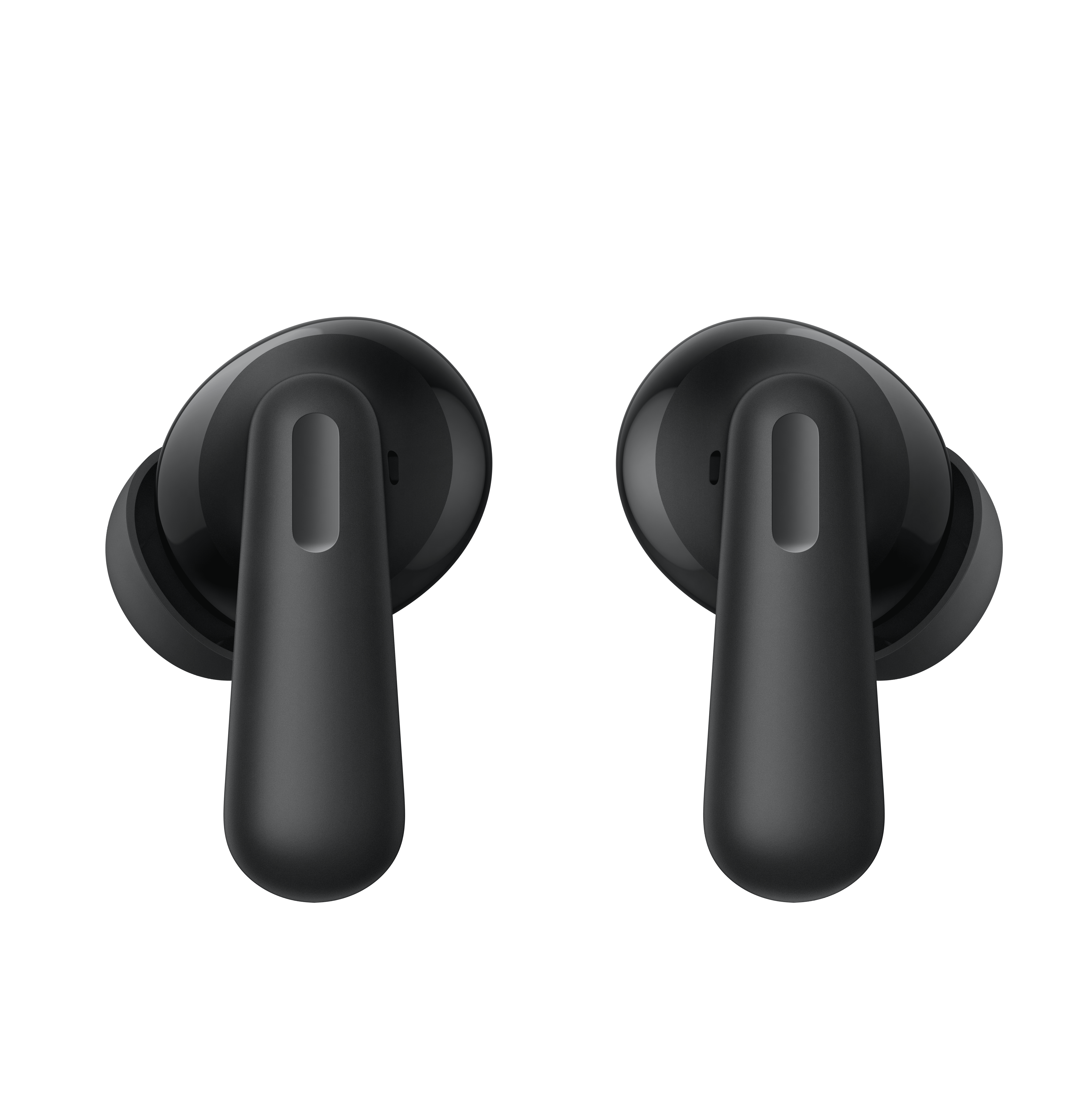

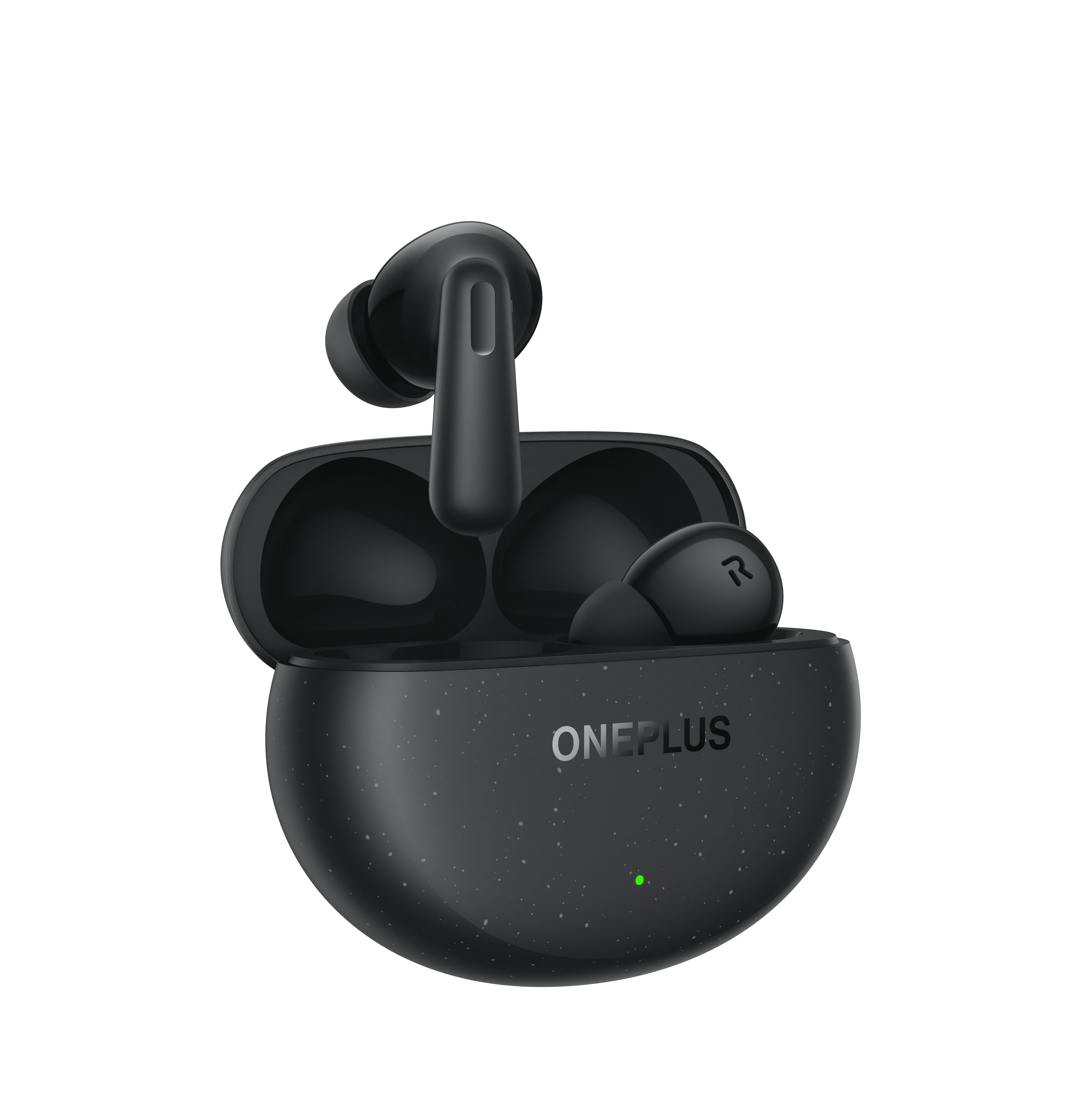
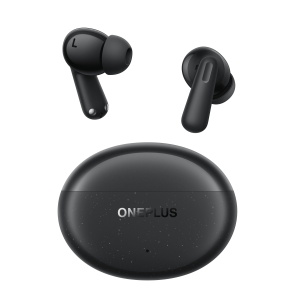
The OnePlus Nord Buds 3 Pro make a strong first impression with their sleek, modern aesthetic.
  • Drivers: 12.4mm dynamic drivers
  • Noise Cancellation: Up to 49dB active noise cancellation
  • Battery Life: 10 hours (earbuds only), 44 hours total with charging case
  • Water Resistance: IP55 rating
  • Bluetooth: Version 5.3 with LHDC, AAC, and SBC codec support
  • Weight: Earbuds 4.8g each, charging case 40.8g
  • Charging: USB-C with fast charging support
  • Microphones: Three microphones per earbud

OnePlus Nord Buds 3 Pro: Box Contents
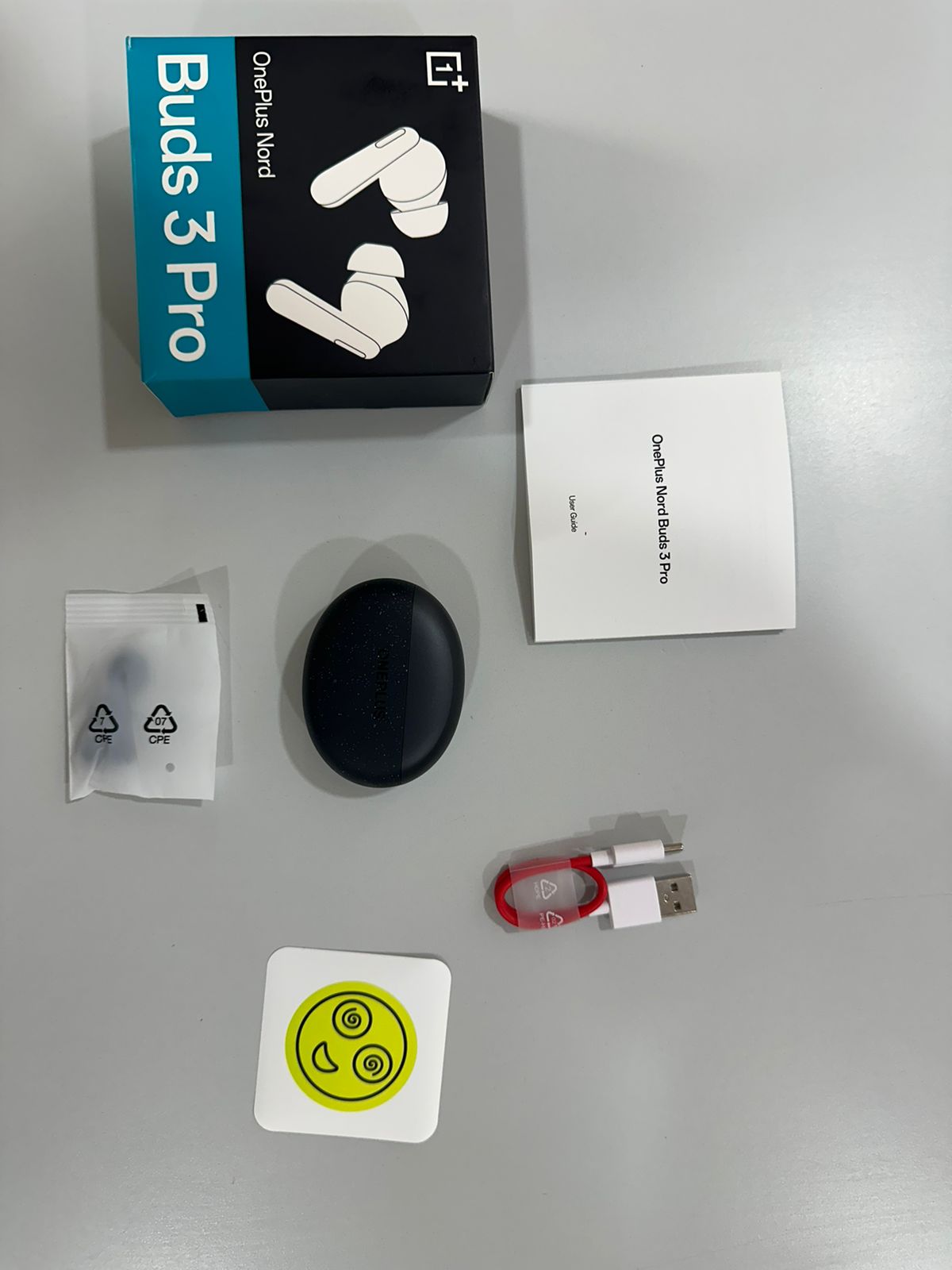
OnePlus Nord Buds 3 Pro: Box Contents
  • OnePlus Nord Buds 3 Pro earbuds
  • Charging case
  • USB-C charging cable
  • Three sizes of silicone ear tips (S, M, L)
  • User manual and warranty information

OnePlus Nord Buds 3 Pro: Unboxing Video

OnePlus Nord Buds 3 Pro: Design and Fit
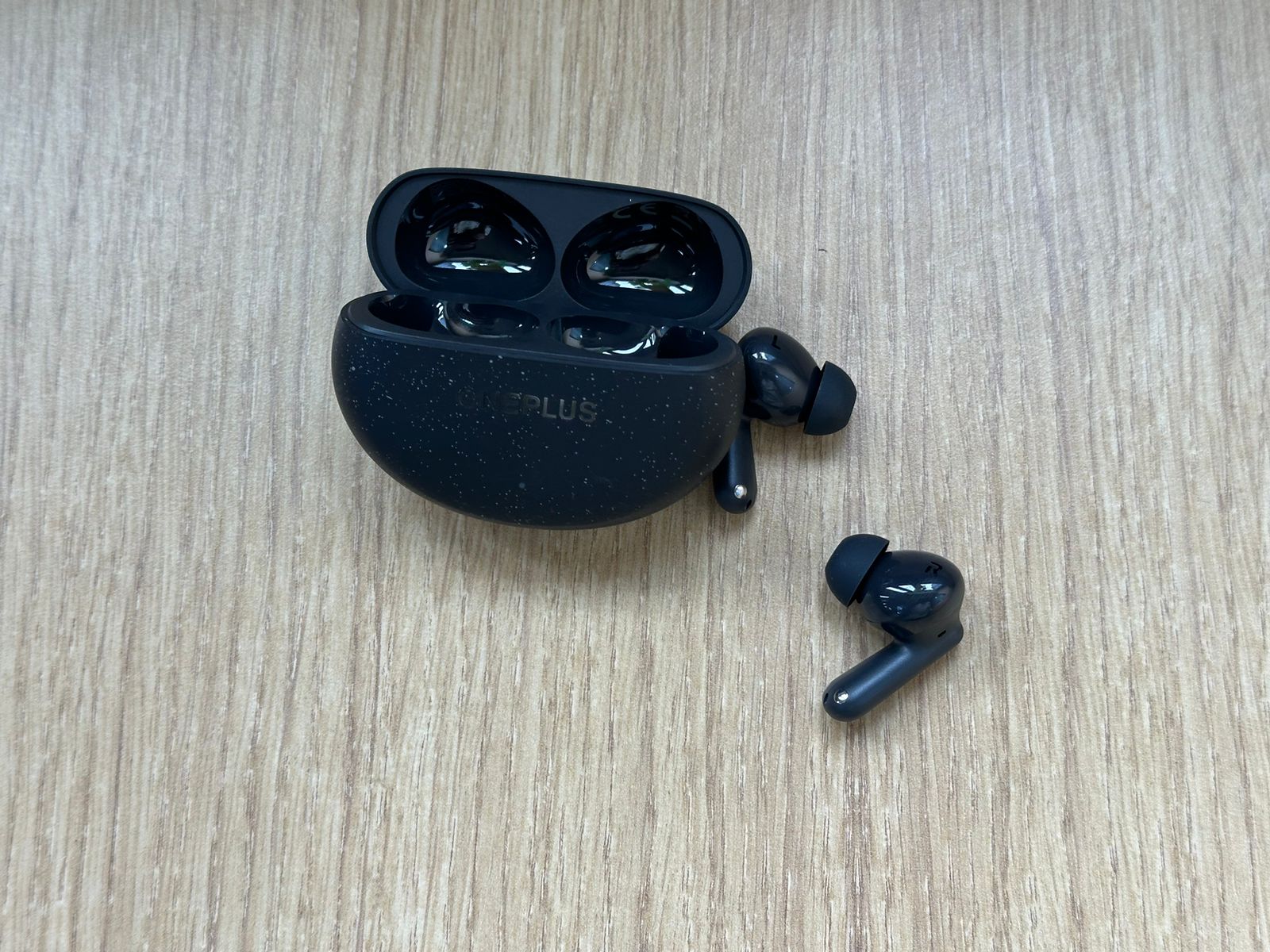
OnePlus Nord Buds 3 Pro: Design and Fit
The low-end performance of the Nord Buds 3 Pro is nothing short of impressive for earbuds in this price range.

The OnePlus Nord Buds 3 Pro make a strong first impression with their sleek, modern aesthetic.

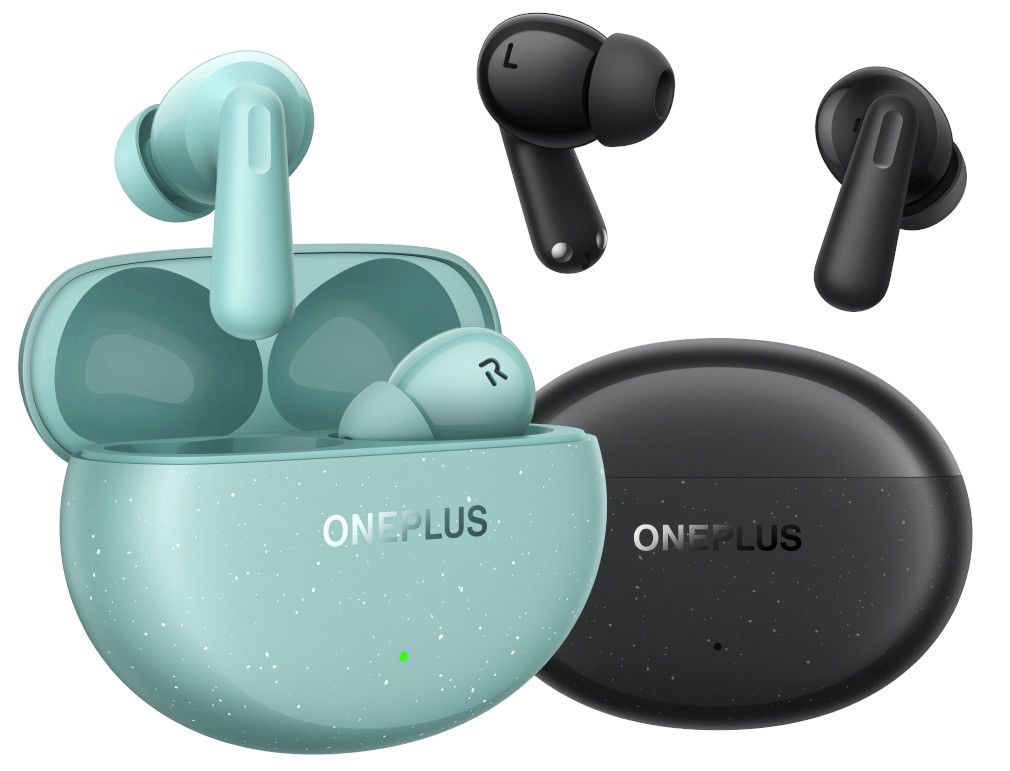
Available in two colorways – Soft Jade and Starry Black – these earbuds strike a balance between eye-catching design and understated elegance.

The Soft Jade variant, which we tested, features a unique dual-tone finish that’s particularly appealing.

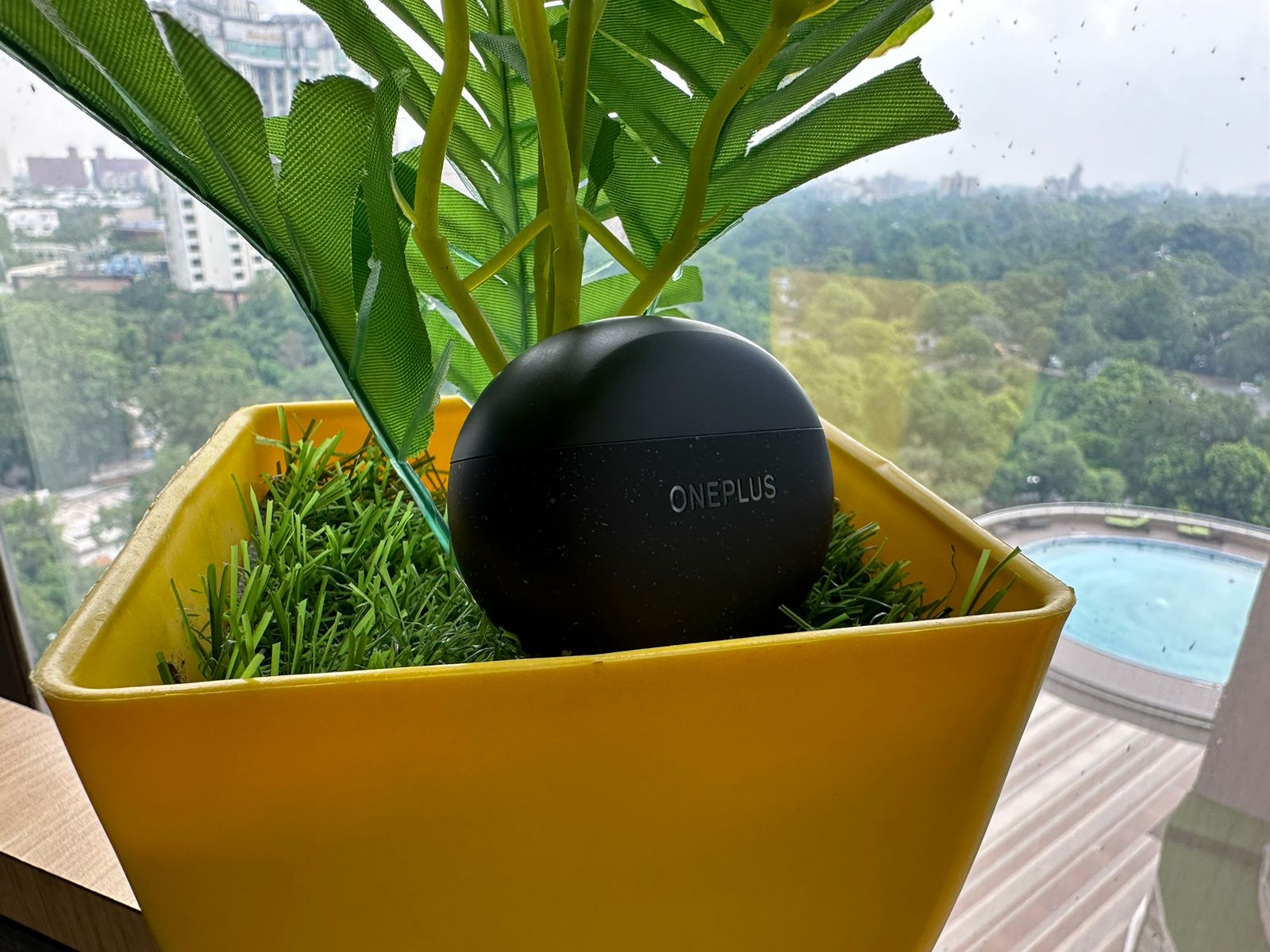
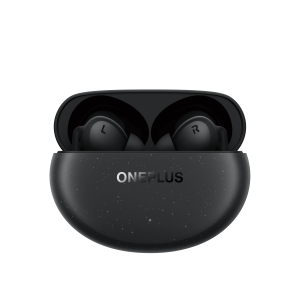
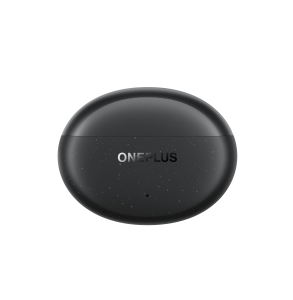
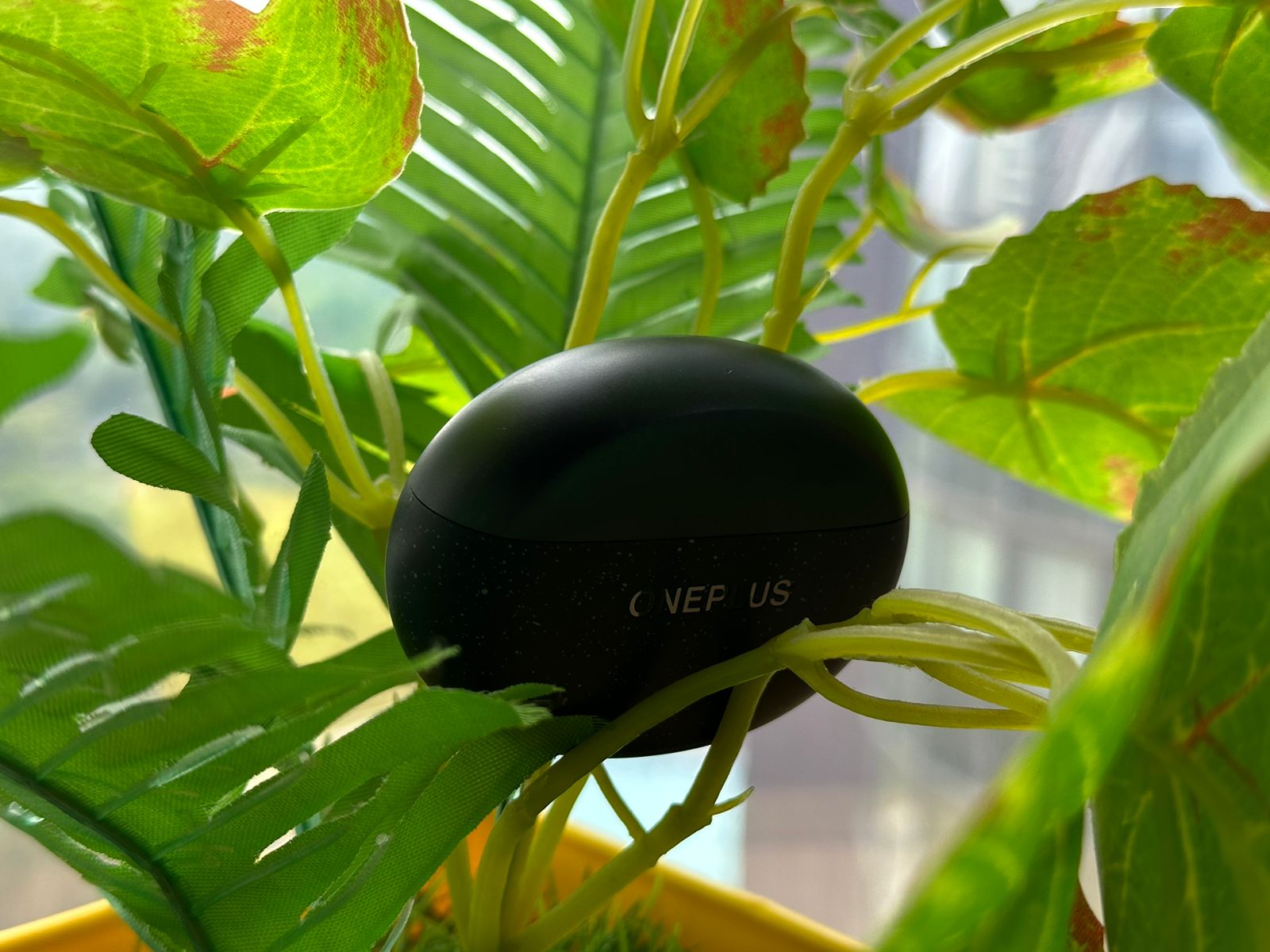
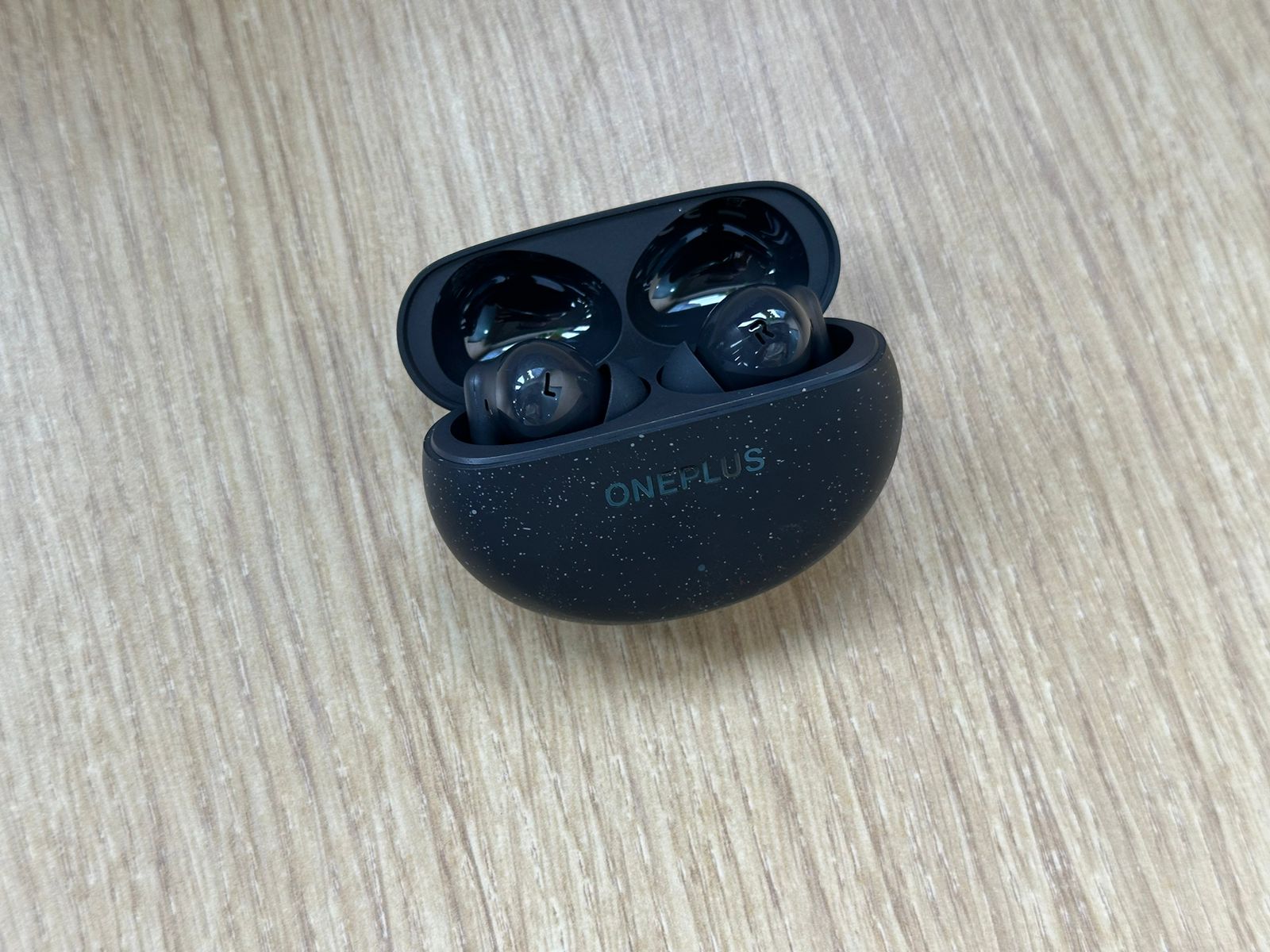
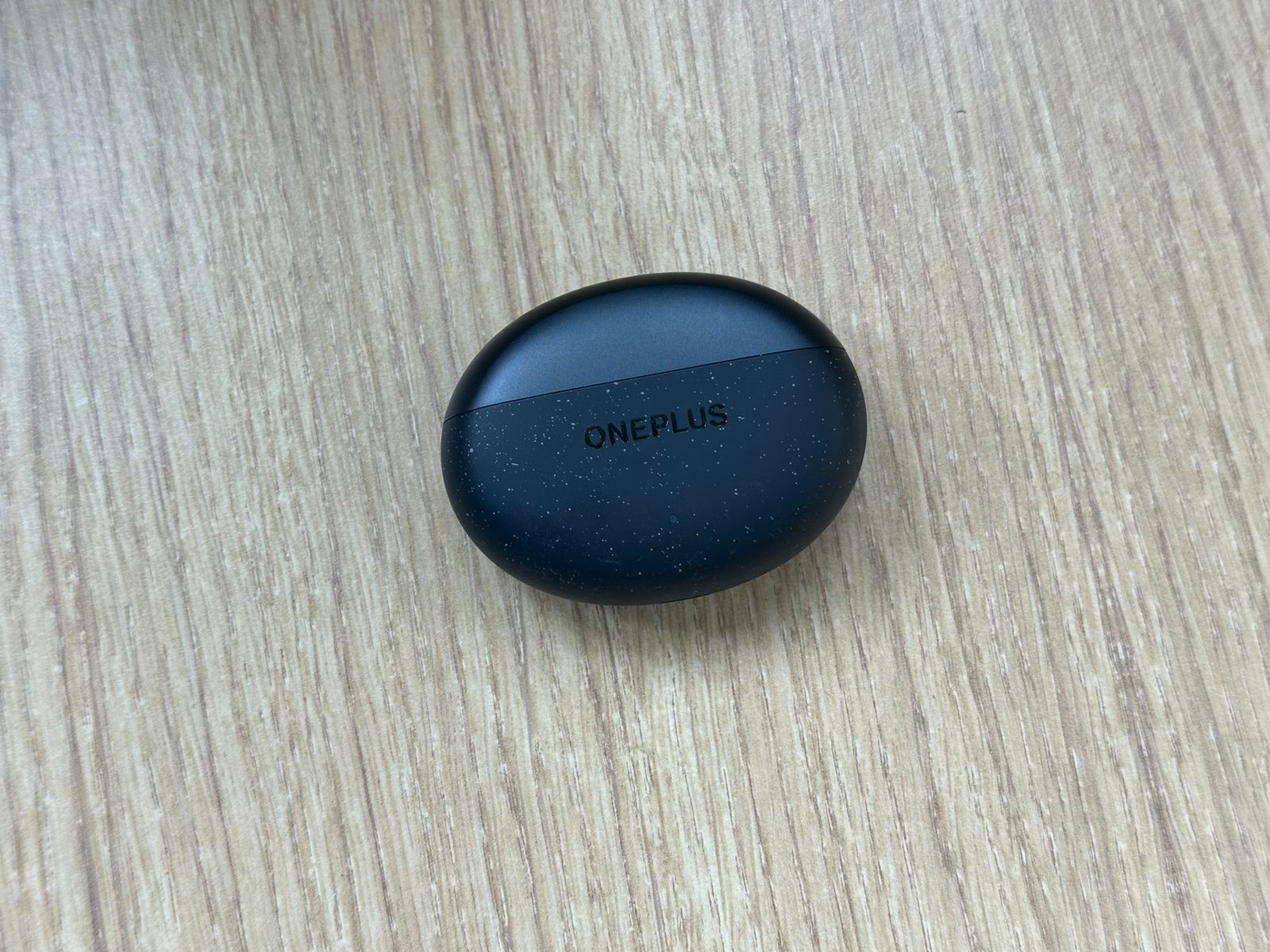
The top of the pebble-shaped charging case sports a glossy, deep green hue reminiscent of polished jade, while the body of the case has a lighter, matte green finish adorned with subtle white speckles.

This attention to detail gives the Nord Buds 3 Pro a premium look that belies their mid-range price point.

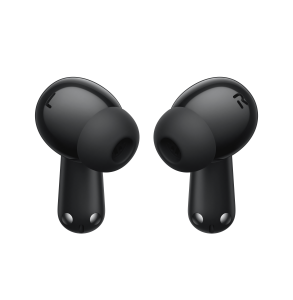
The earbuds themselves follow a traditional in-ear design, with ergonomically shaped buds that nestle comfortably in the ear canal.

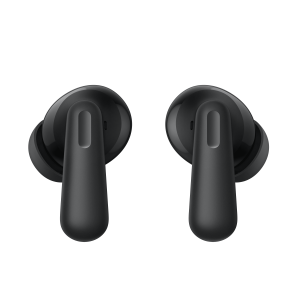
The stems of the earbuds feature a clever design choice: the lower portion is wider, providing a better grip for insertion and removal, while the upper part narrows to house the touch-sensitive controls.

This dual-width stem not only improves handling but also makes it easier to locate the touch controls by feel alone.

Comfort is a crucial factor for any pair of earbuds, and the Nord Buds 3 Pro excel in this regard.
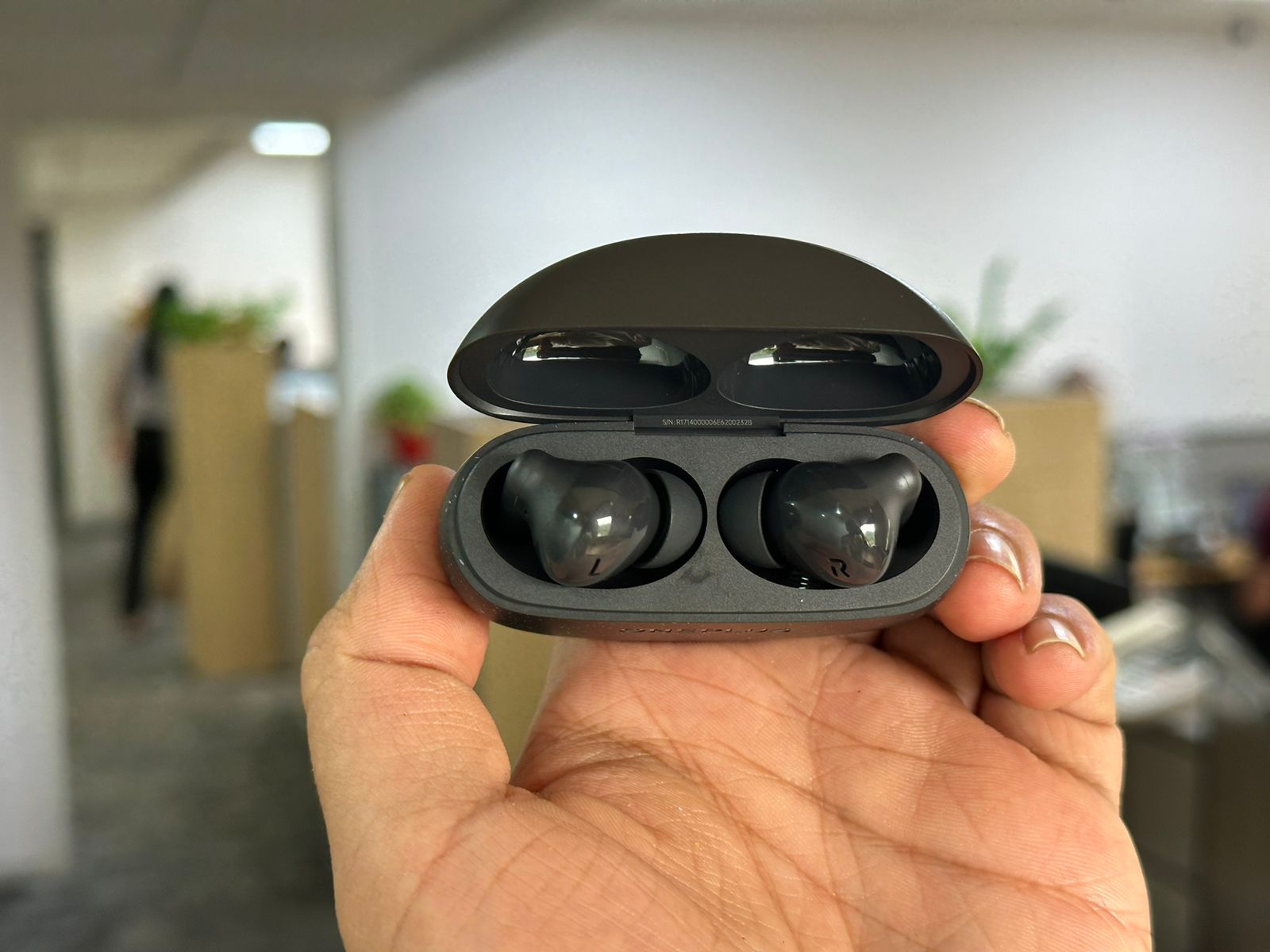
Comfortable and secure fit with IP55 water resistance
OnePlus Nord Buds 3 Pro: Comfortable and secure fit with IP55 water resistance

Weighing in at just 4.4g per earbud, they’re light enough for extended wear without causing fatigue.

OnePlus provides three sizes of silicone ear tips (S, M, L) in the box, allowing users to find their perfect fit.

In my testing, the medium tips provided a secure and comfortable seal, even during more vigorous activities like jogging or gym sessions.

The IPX5 water resistance rating adds an extra layer of durability, making these earbuds suitable for workouts or light rain exposure.

While not fully waterproof, this level of protection should be more than adequate for most users’ needs.


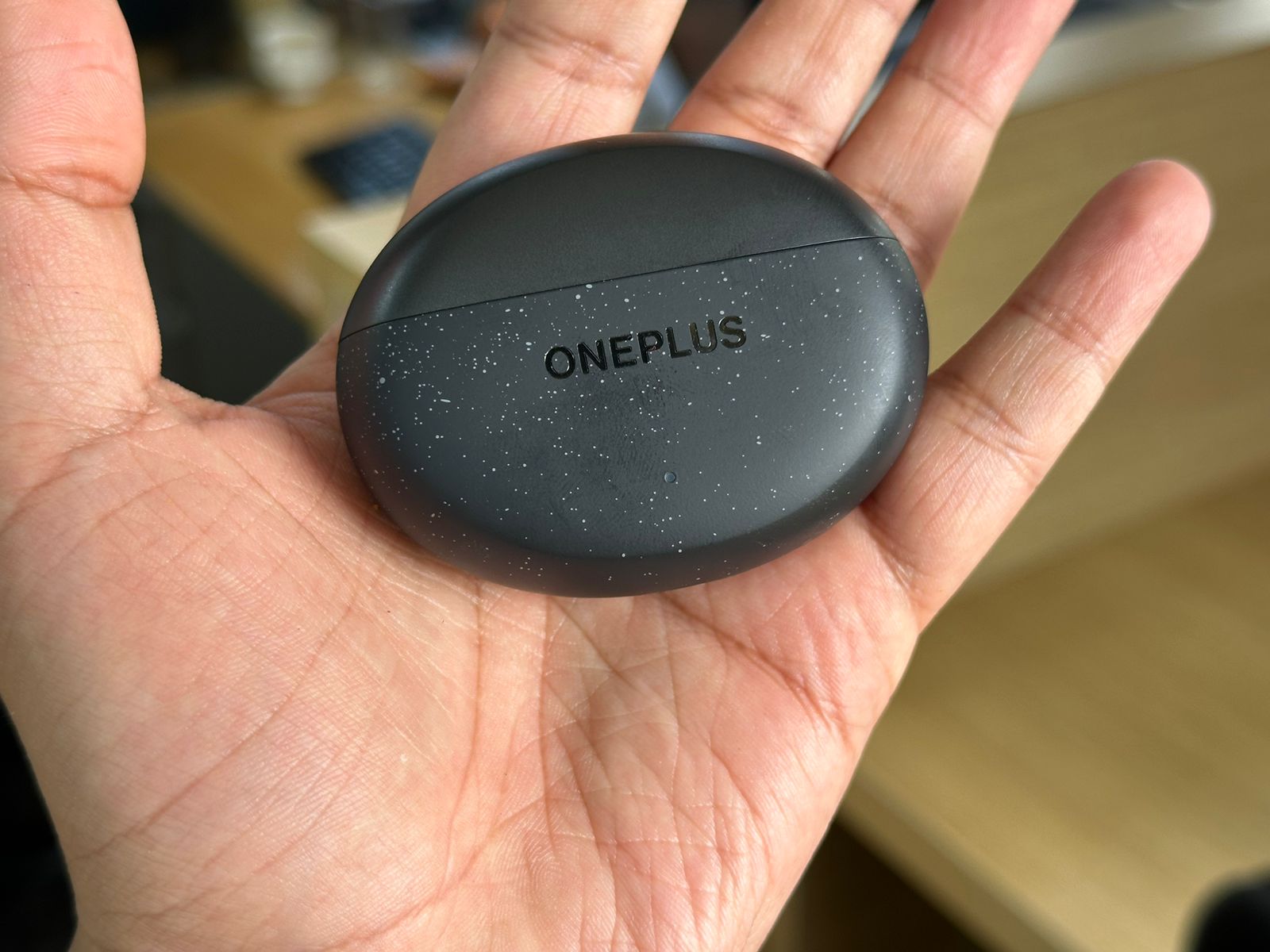
The charging case, despite its premium look, remains pleasantly compact and lightweight at just 38.2g.

It easily slips into a pocket or small bag compartment, making it ideal for on-the-go use.

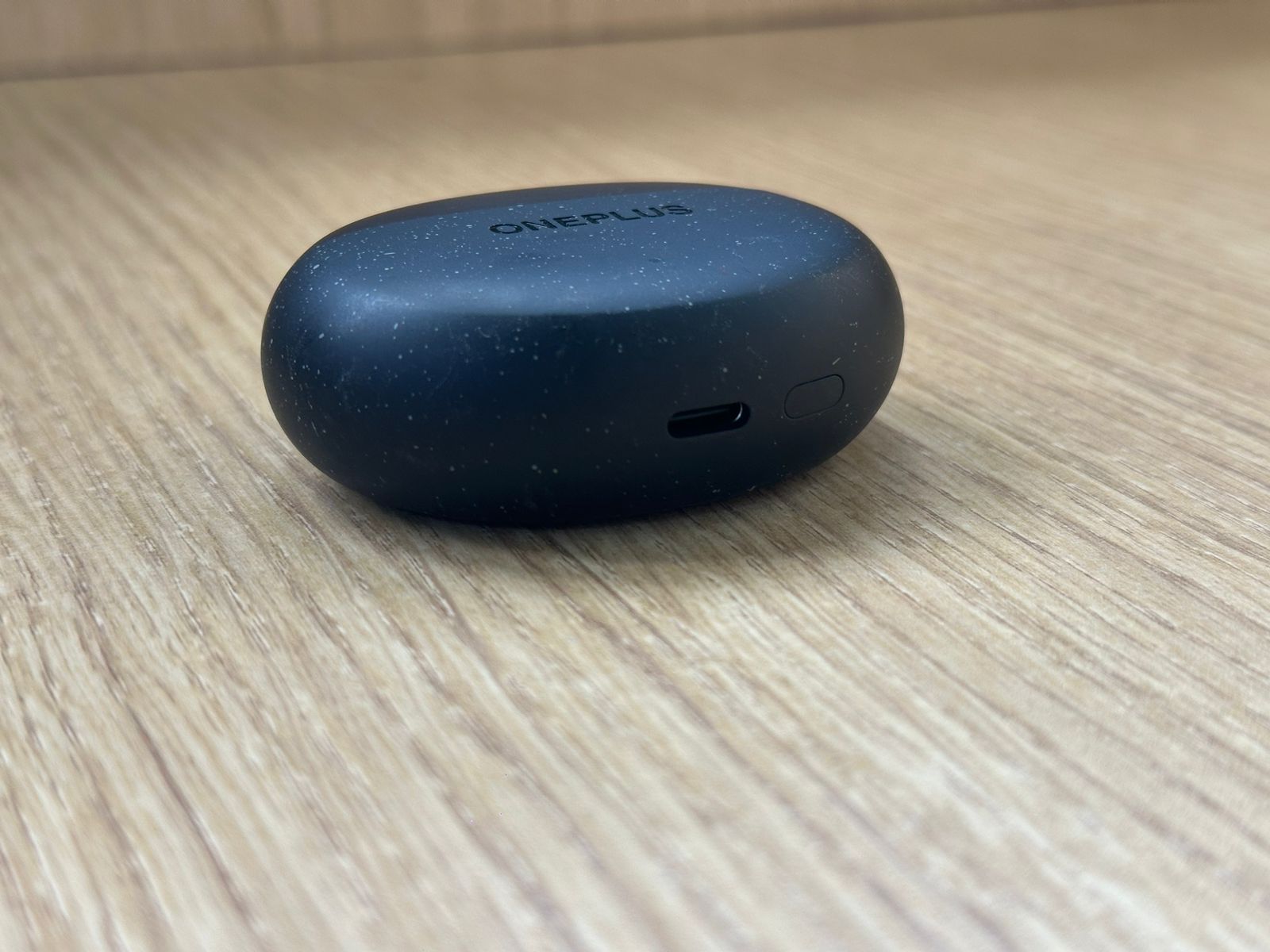
The case features a USB-C charging port on the bottom, alongside a small button used for pairing and resetting the earbuds.

A subtle LED indicator on the front of the case provides at-a-glance battery status information.

OnePlus Nord Buds 3 Pro: Sound Quality and Performance
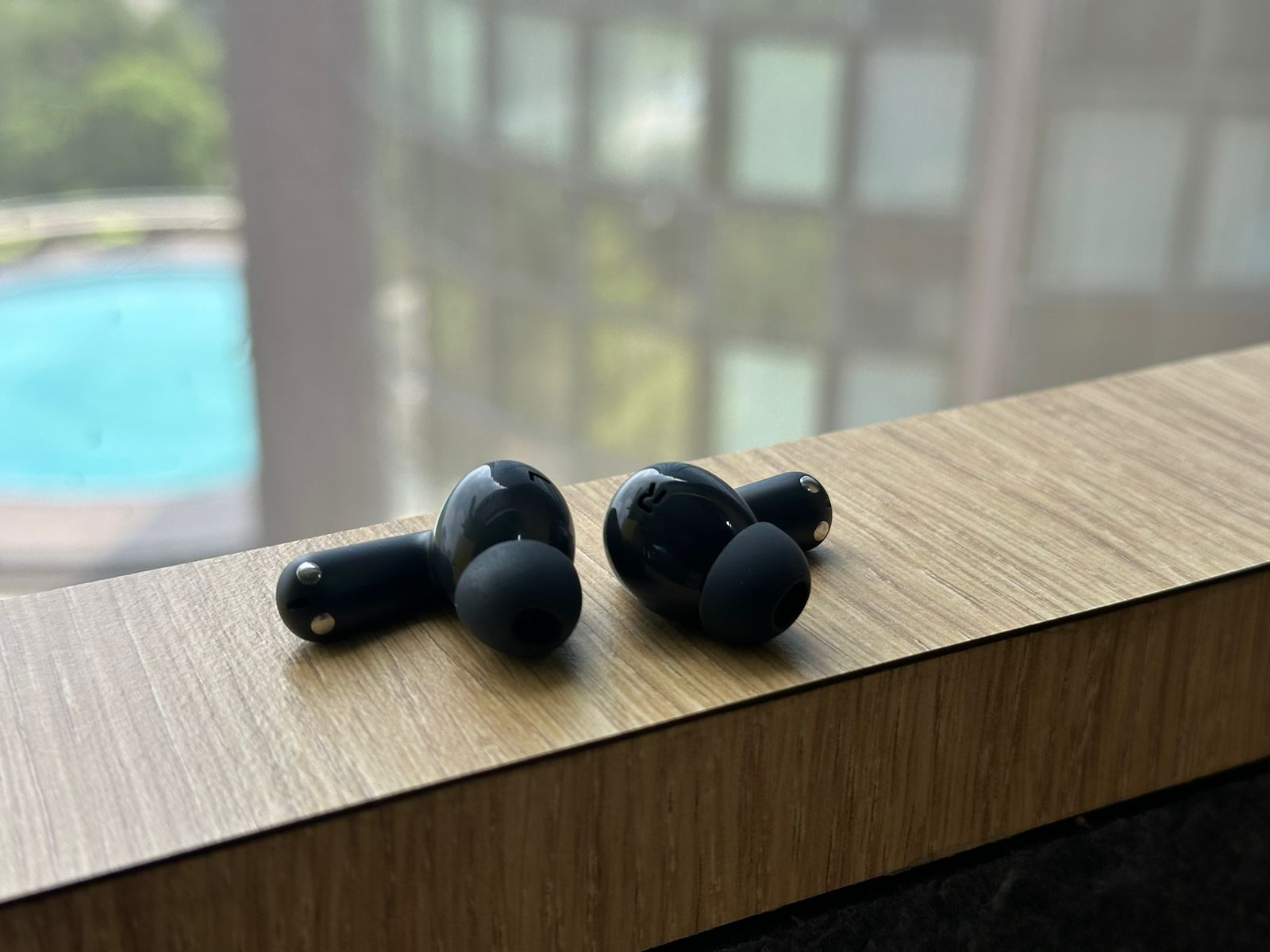
OnePlus Nord Buds 3 Pro: Sound Quality and Performance
Weighing in at just 4.4g per earbud, they’re light enough for extended wear without causing fatigue

At the heart of the OnePlus Nord Buds 3 Pro’s audio performance are its 12.4mm dynamic drivers.

OnePlus has tuned these earbuds with a decidedly bass-forward signature, which will undoubtedly please lovers of genres like hip-hop, EDM, and modern pop.

However, this tuning may not be to everyone’s taste, especially those who prefer a more neutral or balanced sound profile.

Let’s break down the sound signature across different frequency ranges:

The low-end performance of the Nord Buds 3 Pro is nothing short of impressive for earbuds in this price range.

Sub-bass extends deep, providing a visceral rumble in tracks that call for it.

For example, in Billie Eilish’s “bad guy,” the pulsating bass line is reproduced with authority, creating an almost physical sensation of the low-end.

The mid-bass is punchy and impactful, adding warmth and body to kick drums and bass guitars.
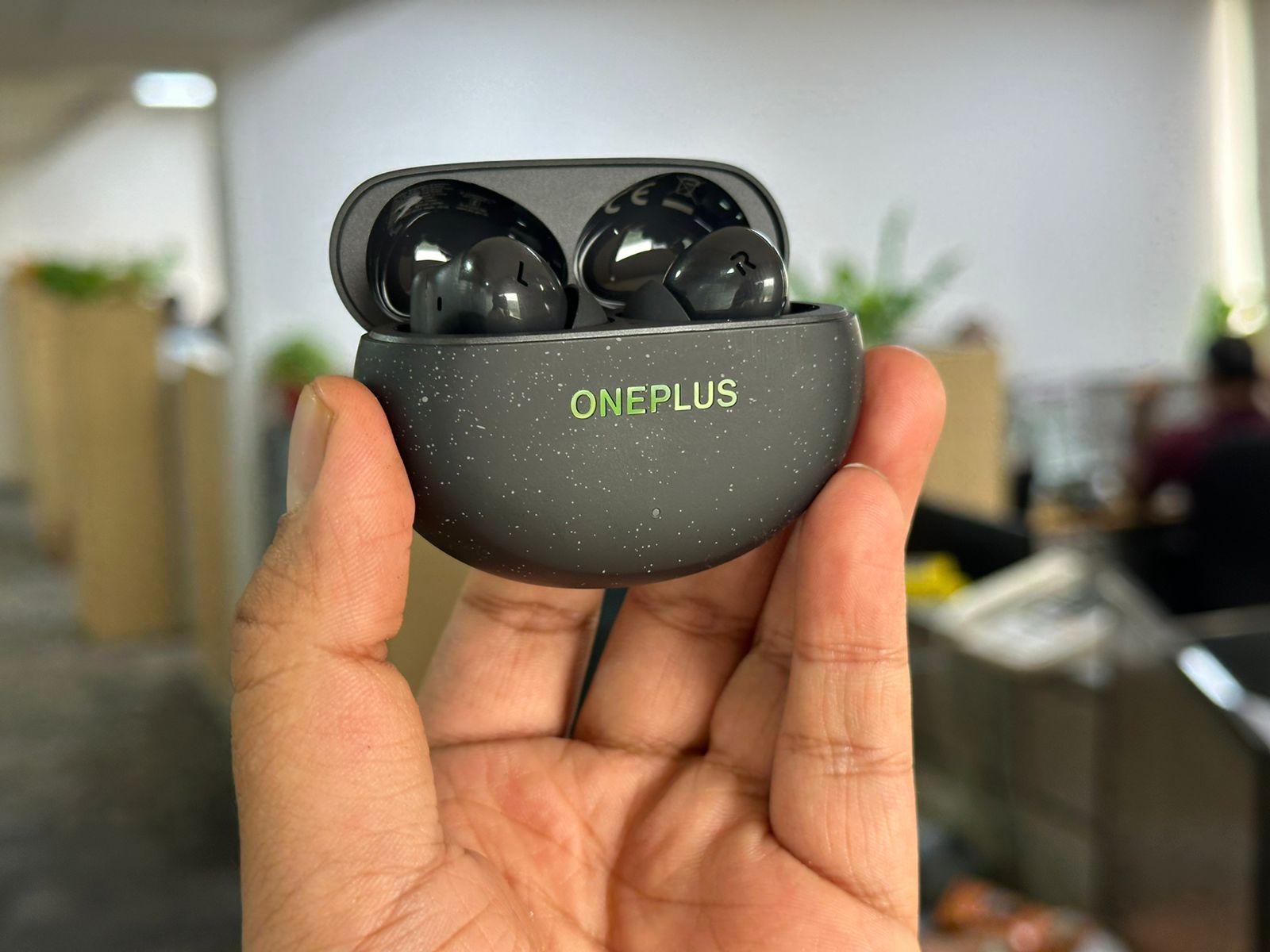
OnePlus has tuned these earbuds with a decidedly bass-forward signature

The mids on the Nord Buds 3 Pro are generally clear and present, although they can sometimes take a backseat to the prominent bass.

Vocal performances in pop and rock tracks come through with good clarity, but they may lack some of the intimacy and forwardness found in more neutrally tuned earbuds.

In complex arrangements, like Queen’s “Bohemian Rhapsody,” the layered vocal harmonies in the middle section can sound slightly recessed compared to the driving rhythm section.

High frequencies are well-represented, providing a sense of air and detail to recordings.

Cymbals and hi-hats have a pleasant shimmer without becoming harsh or sibilant.

However, the treble doesn’t quite reach the levels of sparkle and extension found in some higher-end models.

This tuning helps prevent listener fatigue during long sessions but may leave some audiophiles wanting more top-end brilliance.

OnePlus Nord Buds 3 Pro: Soundstage and ANC
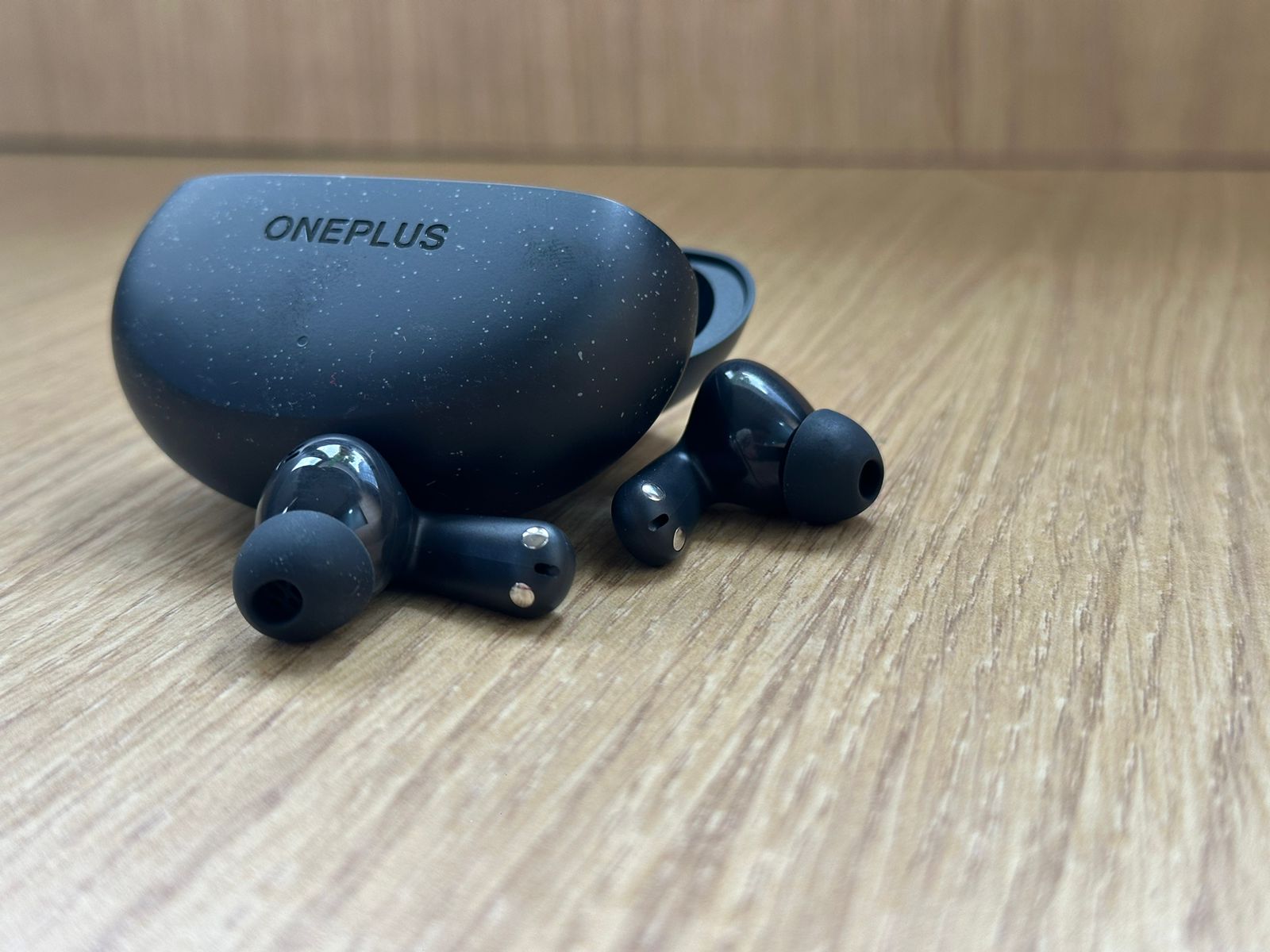
OnePlus Nord Buds 3 Pro: Soundstage and ANC
OnePlus claims up to 49dB of noise reduction, which is impressive for earbuds in this category

For a pair of in-ear headphones, the Nord Buds 3 Pro offer a respectable soundstage.

While not as expansive as over-ear headphones, there’s a good sense of space between instruments in well-recorded tracks.

Imaging is precise enough to place different elements of a mix in their correct positions, though it falls short of the pinpoint accuracy found in premium audiophile earbuds.

Active Noise Cancellation (ANC) is a standout feature of the Nord Buds 3 Pro, especially considering their price point.

OnePlus claims up to 49dB of noise reduction, which is impressive for earbuds in this category.

In practice, the ANC performance is indeed noteworthy:

The Nord Buds 3 Pro excel at cancelling out consistent, low-frequency sounds like the hum of air conditioning units, the rumble of trains, or the drone of airplane engines.

These types of noises are reduced to a barely perceptible level, creating an impressive cocoon of silence.

Sounds in the mid-range, such as general office chatter or the clatter of keyboards, are significantly reduced, though not entirely eliminated.

The ANC takes the edge off these noises, making them much less distracting.

As with most ANC systems, especially in this price range, high-frequency sounds like the clinking of dishes or high-pitched voices are less effectively cancelled.

However, the passive isolation provided by a good seal with the ear tips helps mitigate some of these higher frequency disturbances.

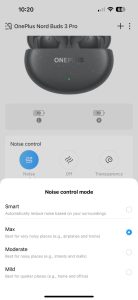
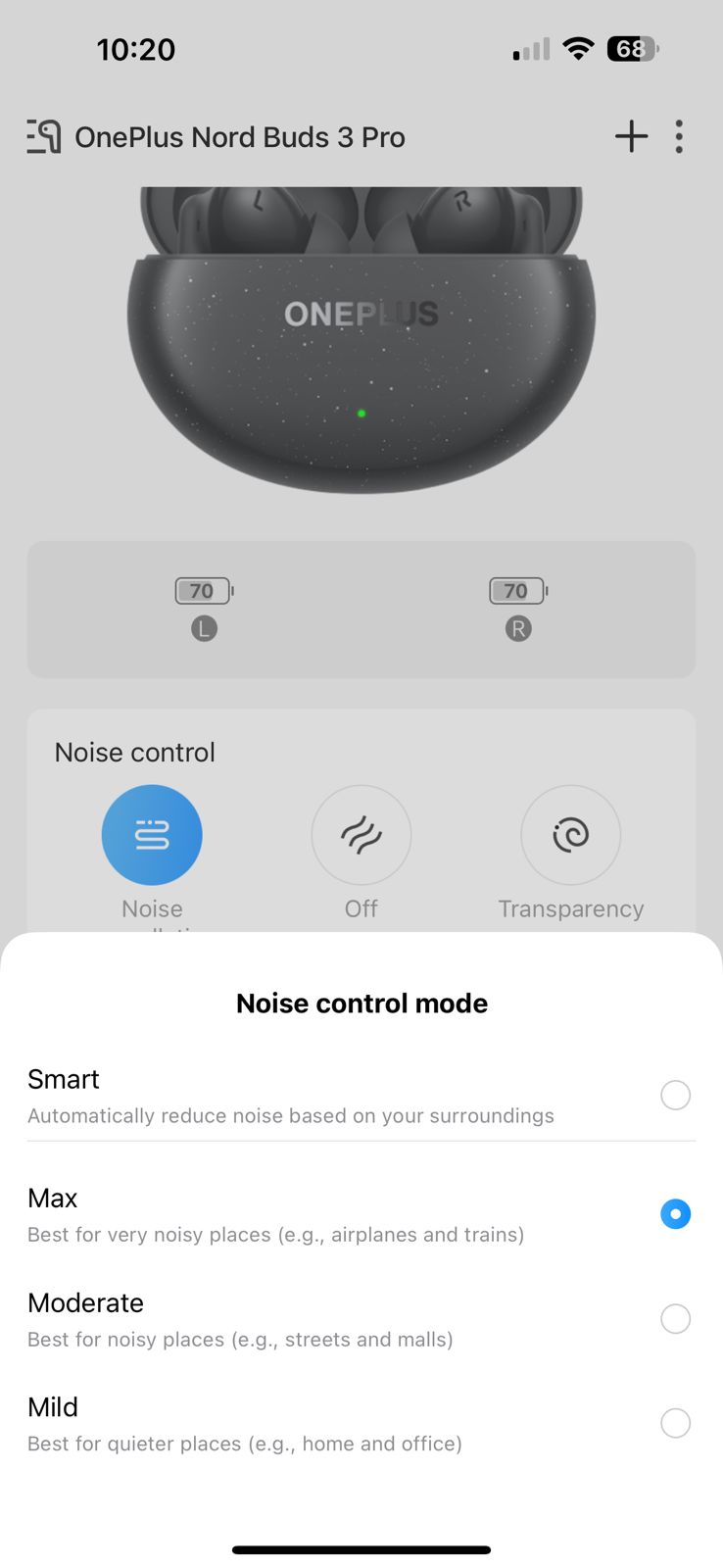
The ANC system offers four intensity levels: Mild, Moderate, Max, and Smart.

The Smart mode is particularly useful, as it analyzes your environment and automatically adjusts the level of noise cancellation to suit the situation.

This feature works well in practice, adapting quickly as you move between different noise environments.

A Transparency mode is also included, which uses the earbuds’ microphones to pipe in external sounds.

This feature is handy for brief conversations or when you need to be aware of your surroundings without removing the earbuds.

The implementation is natural-sounding, without the artificial or tinny quality found in some lesser transparency modes.

OnePlus Nord Buds 3 Pro: Microphone Quality
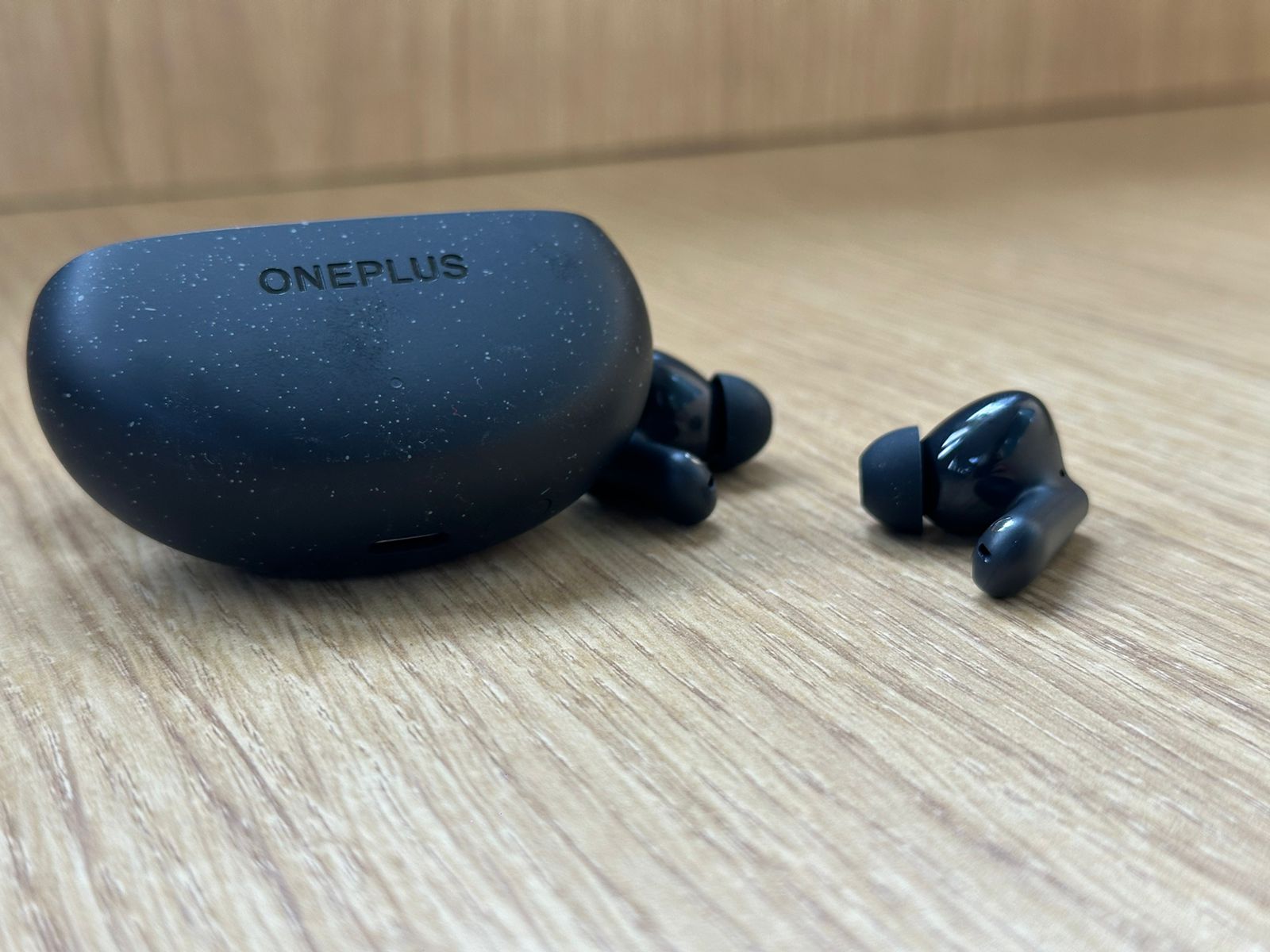
OnePlus Nord Buds 3 Pro: Microphone Quality
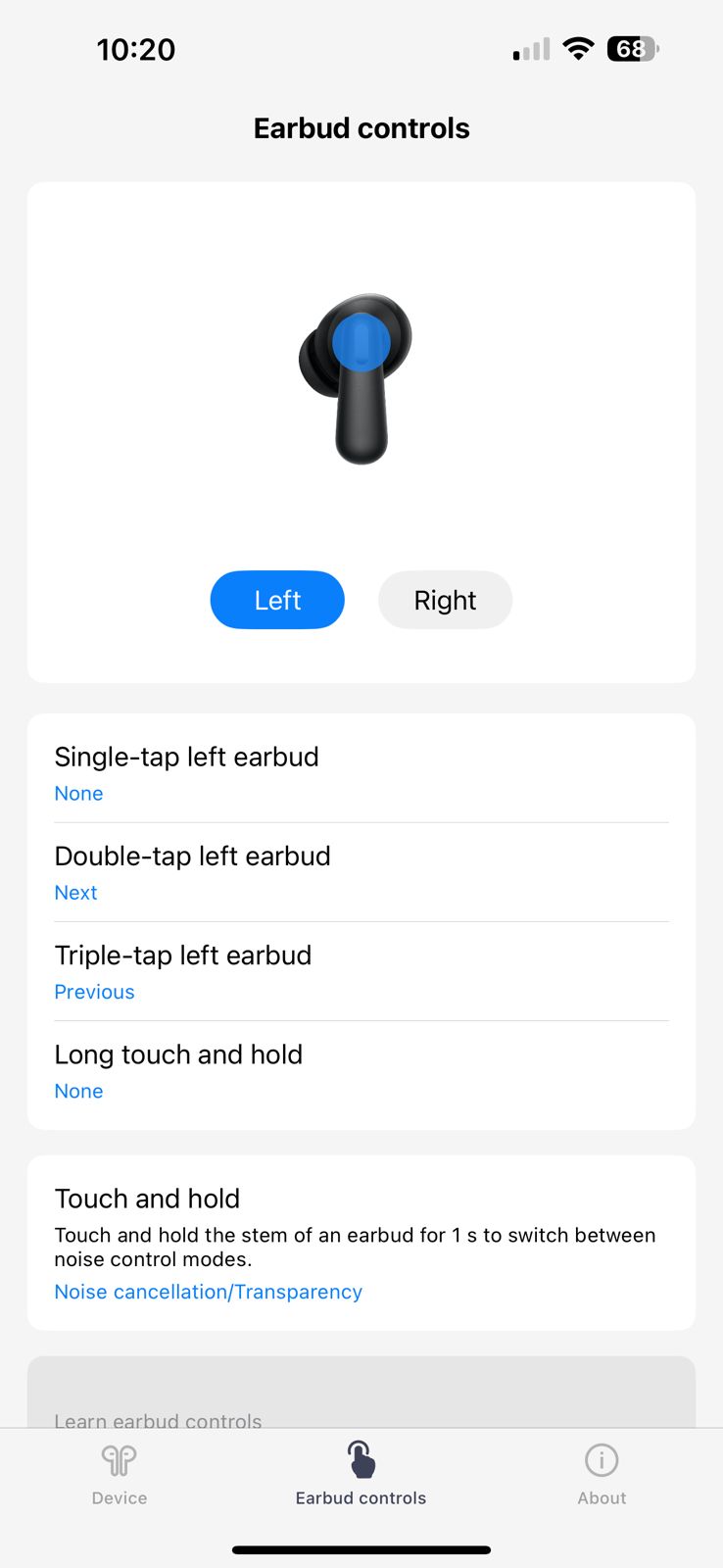
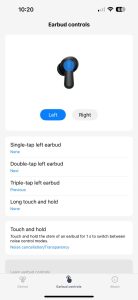
The touch controls on the Nord Buds 3 Pro are responsive and customizable through the companion app.

The OnePlus Nord Buds 3 Pro feature a three-microphone system on each earbud, which works in conjunction with AI noise reduction algorithms to deliver clear call quality.

In testing, call performance was generally good:

  • In quiet environments, voices come through clearly and naturally.
  • In moderately noisy settings like coffee shops or busy streets, the noise reduction does a commendable job of suppressing background noise while keeping speech intelligible.
  • In very loud environments, such as near heavy traffic, some background noise does creep in, but voices remain understandable.

The microphones also handle wind noise relatively well, making these earbuds suitable for outdoor calls or voice messages.

OnePlus Nord Buds 3 Pro: Connectivity, Controls, and Features
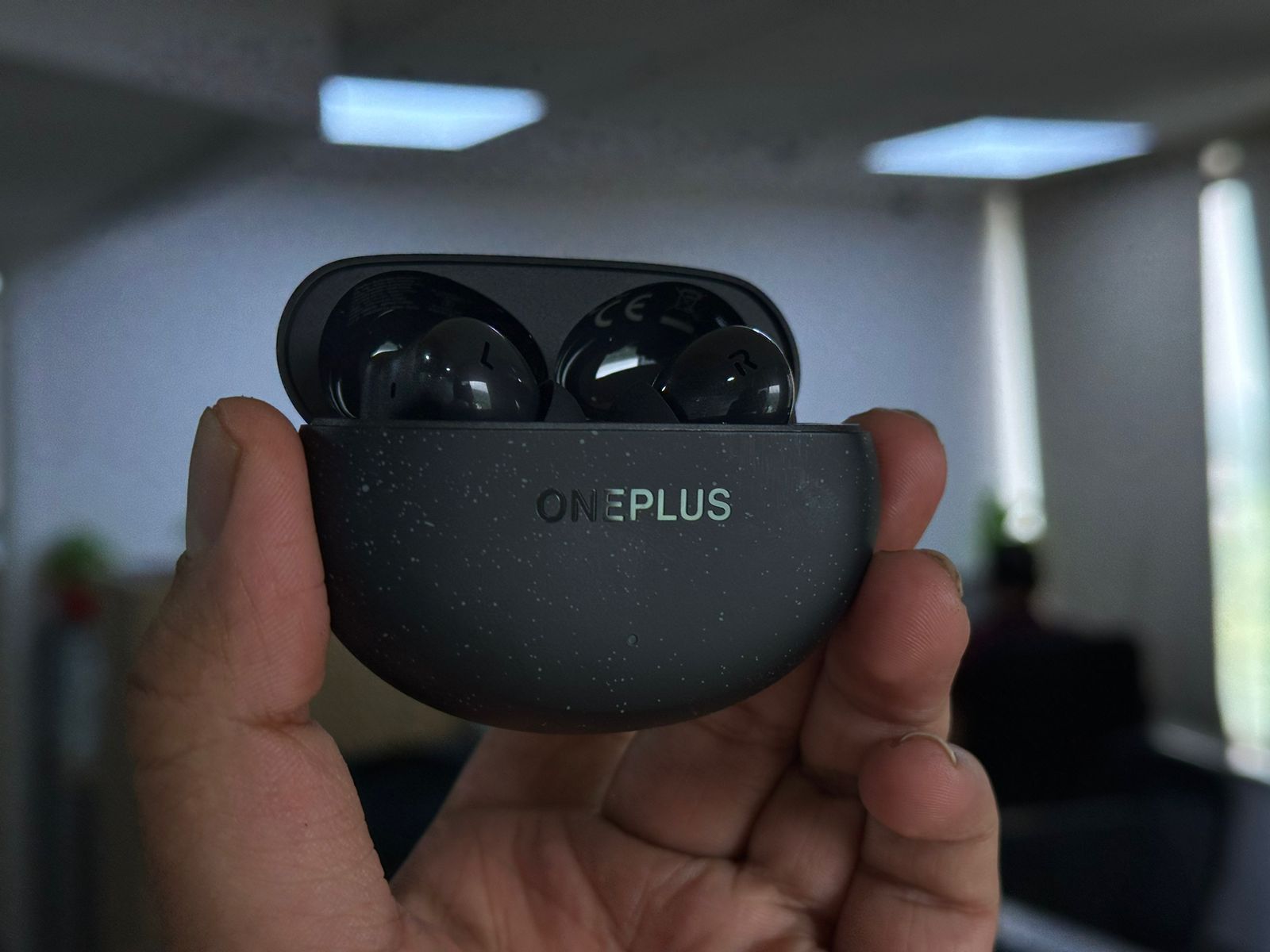
OnePlus Nord Buds 3 Pro: Connectivity, Controls, and Features
This attention to detail gives the Nord Buds 3 Pro a premium look that belies their mid-range price point.

The OnePlus Nord Buds 3 Pro are equipped with Bluetooth 5.4, ensuring a stable and energy-efficient connection with your devices.

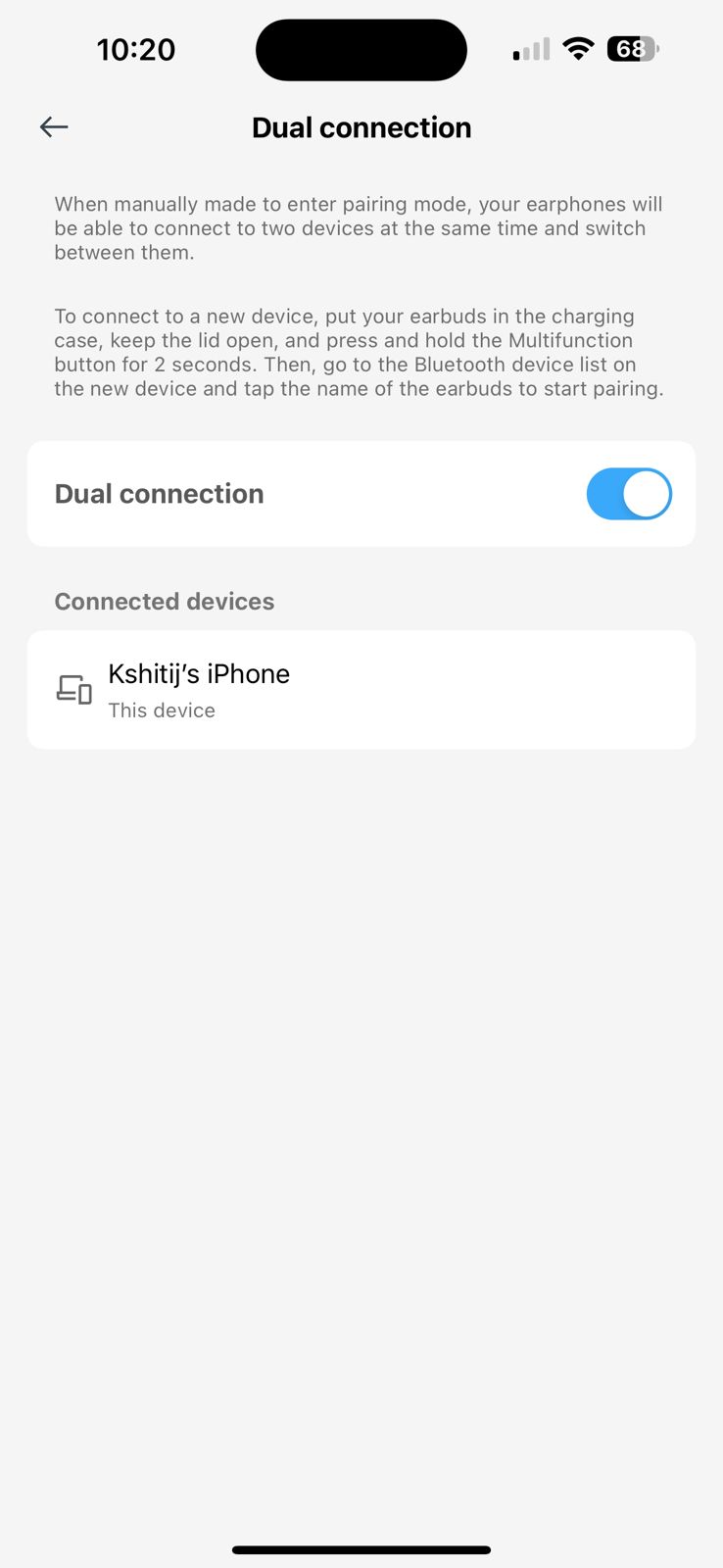
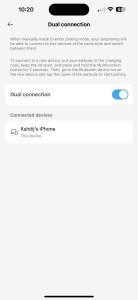
The earbuds support dual device connectivity, allowing you to seamlessly switch between, say, your smartphone and laptop without needing to re-pair.

Codec support includes SBC and AAC, which should suffice for most users and provides good compatibility across both Android and iOS devices.

Google Fast Pair is supported, making the initial setup process with Android devices quick and painless.

For iOS users, the pairing process is still straightforward, if not quite as seamless.
WhatsApp Image 2024-07-17 at 10.21.16 AM
WhatsApp Image 2024-07-17 at 10.21.16 AM (1)
WhatsApp Image 2024-07-17 at 10.21.17 AM
WhatsApp Image 2024-07-17 at 10.21.17 AM (1)
WhatsApp Image 2024-07-17 at 10.21.18 AM
WhatsApp Image 2024-07-17 at 10.21.19 AM
WhatsApp Image 2024-07-17 at 10.21.19 AM (1)
WhatsApp Image 2024-07-17 at 10.21.16 AM WhatsApp Image 2024-07-17 at 10.21.16 AM (1) WhatsApp Image 2024-07-17 at 10.21.17 AM WhatsApp Image 2024-07-17 at 10.21.17 AM (1) WhatsApp Image 2024-07-17 at 10.21.18 AM WhatsApp Image 2024-07-17 at 10.21.19 AM WhatsApp Image 2024-07-17 at 10.21.19 AM (1)

The touch controls on the Nord Buds 3 Pro are responsive and customizable through the companion app.

By default, the controls are set up as follows:

  • Double tap: Play/pause music, answer/end calls
  • Triple tap: Next track
  • Long press: Toggle between ANC and Transparency modes

These can be customized to some extent in the app, allowing users to assign different functions to suit their preferences.

Additional features include

  • Game Mode: This low-latency mode reduces audio delay, which can be crucial for mobile gaming or watching videos.
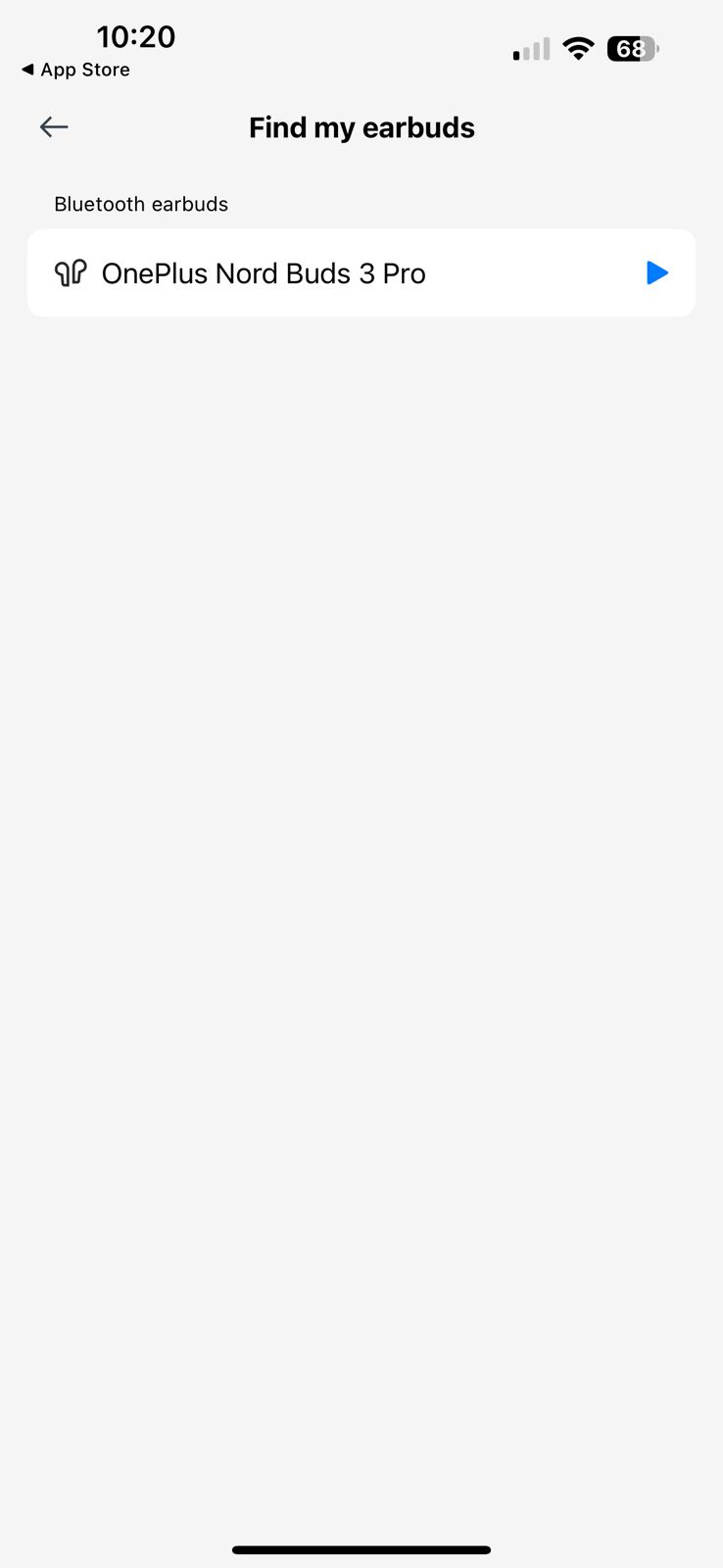
  • Find My Earbuds: Helps locate misplaced earbuds by playing a sound through them.
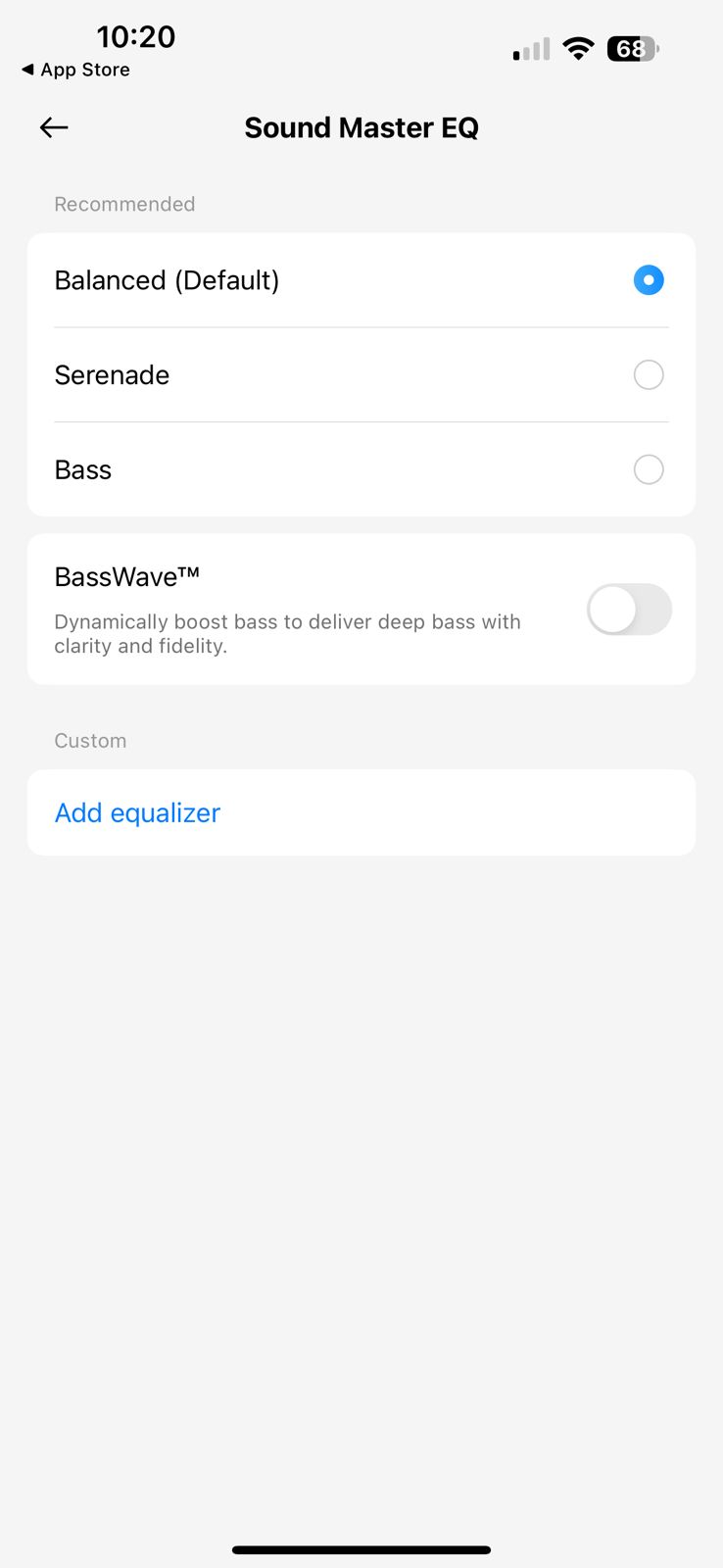
  • Customizable EQ: Allows fine-tuning of the sound signature to personal preferences.

OnePlus Nord Buds 3 Pro: Companion App Experience
OnePlus Nord Buds 3 Pro: Companion App Experience
Priced at Rs 3,299, the OnePlus Nord Buds 3 Pro offers excellent value for money.

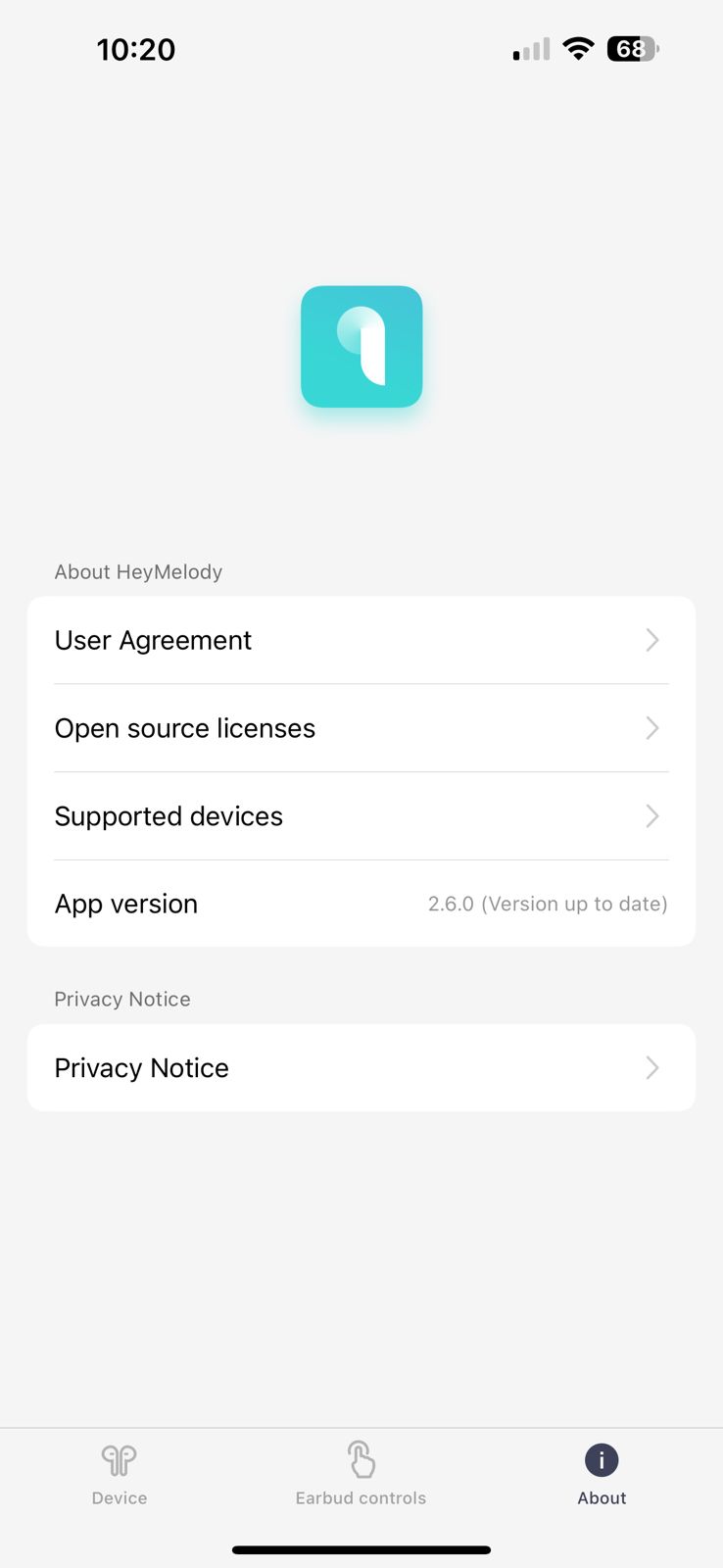
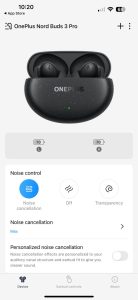
The OnePlus Nord Buds 3 Pro are compatible with the Hey Melody app, available for both Android and iOS.

The app provides a clean, intuitive interface for managing various aspects of the earbuds:

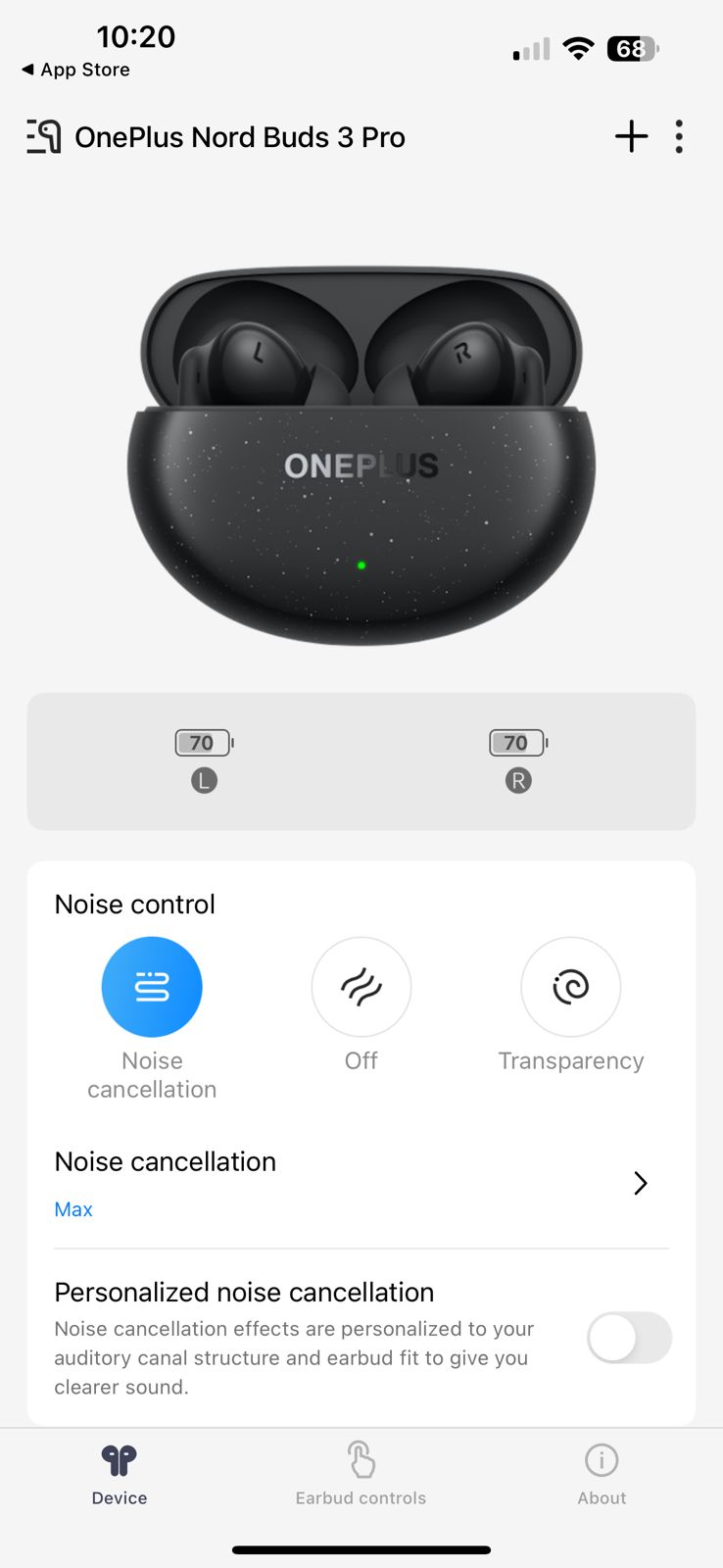
  • Battery levels: Clearly displays remaining battery for each earbud and the charging case.
  • ANC controls: Easily switch between ANC, Transparency, and Off modes, as well as adjust ANC intensity.
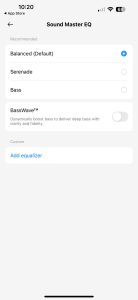
  • EQ settings: Choose from preset EQ modes or create a custom EQ using the 6-band equalizer.
  • Touch control customization: Reassign functions to different touch gestures.
  • Firmware updates: Ensure your earbuds are running the latest software.
  • Fit test: Helps ensure you’re using the correct size ear tips for optimal sound and ANC performance.

The app is responsive and well-designed, adding significant value to the overall user experience.

OnePlus Nord Buds 3 Pro: Battery Life and Charging
OnePlus Nord Buds 3 Pro: Battery Life and Charging
The top of the pebble-shaped charging case sports a glossy, deep green hue reminiscent of polished jade

One of the most impressive aspects of the OnePlus Nord Buds 3 Pro is their exceptional battery life.

OnePlus claims up to 44 hours of total playtime with the charging case when ANC is turned off.

This breaks down to around 10 hours of continuous playback from the earbuds themselves, with an additional 34 hours provided by the charging case.

In real-world testing, these claims hold up impressively well:

  • With ANC turned on and volume at about 60%, I consistently achieved between 8 to 9 hours of playback from the earbuds alone.
  • With ANC off, this extended to just over 11 hours on a single charge.
  • The charging case indeed provided an additional three full charges, sometimes even a bit more.

These figures place the Nord Buds 3 Pro at the top of their class in terms of battery performance.

For most users, this translates to several days of use before needing to recharge the case, making these earbuds an excellent choice for frequent travelers or those who dislike constantly monitoring battery levels.

Charging is handled via USB-C, and OnePlus has included fast charging support.

A quick 10-minute charge provides up to 11 hours of total playtime (5 hours for the buds, 6 hours in the case) with ANC off.

This feature is incredibly convenient for those moments when you’re about to head out and realize your earbuds are low on battery.

A full charge of both the earbuds and the case takes approximately 2 hours.

It’s worth noting that wireless charging is not supported.

Difference from Last Model

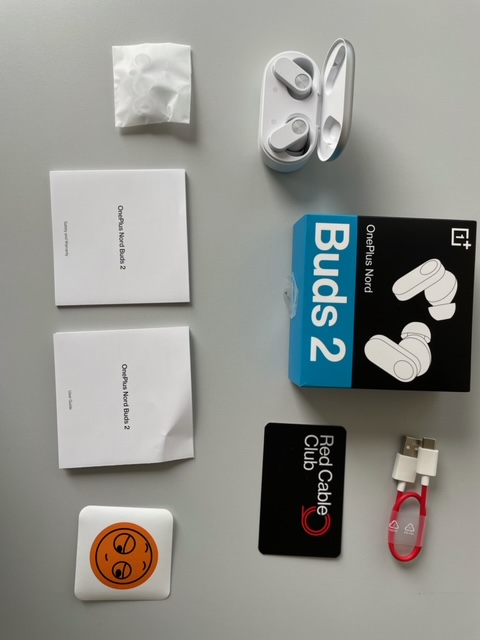
OnePlus Nord Buds 3 Pro VS OnePlus Nord Buds 2
Students can also avail Rs. 100 off on Nord Buds 3 Pro from 20th July to 31st August
OnePlus Nord Buds 3 Pro: Unleashing Powerhouse Sound
OnePlus Nord Buds 2 Review
OnePlus Nord Buds 2: Perfect all day Playback Companion

Compared to the OnePlus Nord Buds 2, the Pro model brings several significant upgrades:

  1. Improved ANC performance (49dB vs 25dB)
  2. Longer total battery life (44 hours vs 36 hours)
  3. Larger 12.4mm drivers for enhanced sound quality
  4. Dual device connectivity
  5. Upgraded IP55 rating for better durability

What’s New
Low-latency Game Mode for improved gaming experience
OnePlus Nord Buds 3 Pro: Low-latency Game Mode for improved gaming experience
  1. Introduction of BassWave mode for enhanced low-end response
  2. More comprehensive EQ customization options in the companion app
  3. Personalized noise cancellation feature that adapts to your ear shape
  4. Low-latency Game Mode for improved gaming experience
  5. Improved microphone system for better call quality

Final Verdict – Should You Buy?
OnePlus Nord Buds 3 Pro
OnePlus Nord Buds 3 Pro: Bass enthusiasts who enjoy genres like EDM, hip-hop, and modern pop

The OnePlus Nord Buds 3 Pro present a compelling package for those seeking feature-rich earbuds without breaking the bank.

Their strengths lie in exceptional battery life, effective ANC, and a bass-forward sound signature that will appeal to many listeners.

These earbuds are an excellent choice for:

  • Bass enthusiasts who enjoy genres like EDM, hip-hop, and modern pop
  • Users who prioritize long battery life
  • Those seeking effective ANC at a mid-range price point
  • Individuals who value a comfortable, secure fit for extended wear

However, they may not be ideal for:

  • Audiophiles seeking a neutral or balanced sound signature
  • Users who require support for high-resolution codecs like aptX or LDAC
  • Those who prioritize wireless charging capability

Is the OnePlus Nord Buds 3 Pro Worth the Price?
OnePlus Nord Buds 3 Pro offers excellent value for money

Priced at Rs 3,299, the OnePlus Nord Buds 3 Pro offers excellent value for money.

They bring several features typically found in more expensive models down to a more accessible price point.

The combination of impressive battery life, effective ANC, and powerful sound make them a strong contender in the mid-range TWS market.

While they may not satisfy the most discerning audiophiles, for the vast majority of users looking for a feature-packed set of earbuds that won’t break the bank, the Nord Buds 3 Pro are an easy recommendation.

My Mobile Ratings

My Mobile Ratings
My Mobile Ratings
  • Design and Fit – 4/5
  • Features – 4/5
  • Performance and Sound Quality 4/5
  • ANC and Microphone 4/5
  • Battery 4/5
  • Overall 4/5

Top 5 Alternatives to OnePlus Nord Buds 3 Pro

Sony WF-C500
Sony WF-C500
Sony WF-C500
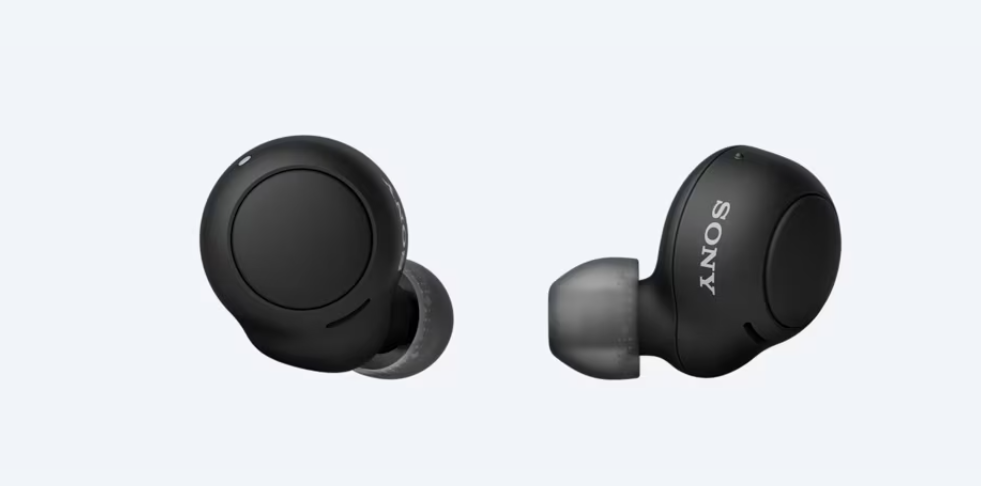
  • Price: Approximately $80
  • Battery Life: 10 hours (earbuds), 20 hours total
  • Water Resistance: IPX4
  • Sound: Balanced sound profile
  • Weight: 5.4g per earbud
  • Bluetooth: Version 5.0

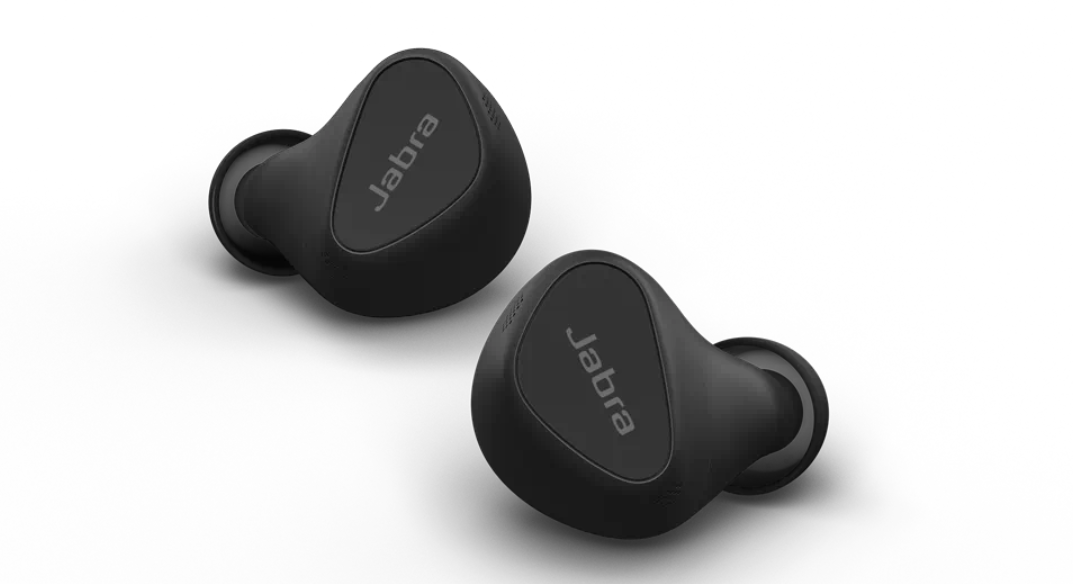
Jabra Elite 5

Jabra Elite 5
Jabra Elite 5
  • Price: Approximately $130
  • Battery Life: 7 hours (earbuds), 28 hours total with case
  • Water Resistance: IP55
  • Sound: Balanced sound with customizable EQ
  • Weight: 5g per earbud
  • Bluetooth: Version 5.2 with aptX codec support

Samsung Galaxy Buds 2

Samsung Galaxy Buds2 Pro Review
Samsung Galaxy Buds 2
  • Price: Approximately $150
  • Battery Life: 5 hours (earbuds), 20 hours total with case
  • Water Resistance: IPX2
  • Sound: Balanced with ANC
  • Weight: 5g per earbud
  • Bluetooth: Version 5.2

Anker Soundcore Liberty Air 2 Pro
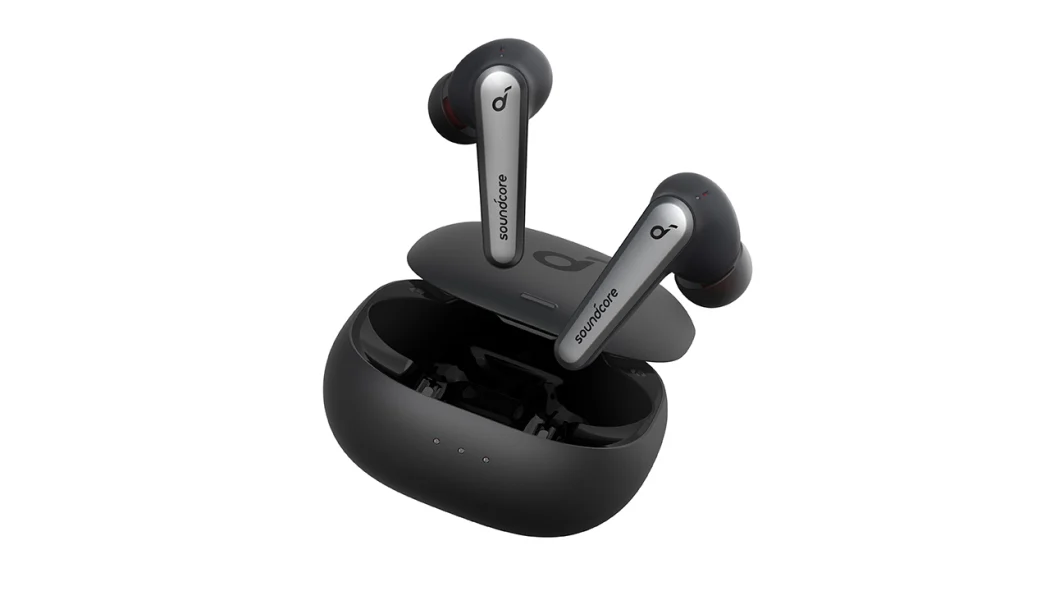
Anker Soundcore Liberty Air 2 Pro
  • Price: Approximately $130
  • Battery Life: 7 hours (earbuds), 26 hours total with case
  • Water Resistance: IPX4
  • Sound: Customizable via app
  • Weight: 5g per earbud
  • Bluetooth: Version 5.0 with AAC and SBC support

Beats Studio Buds

Beats Studio Buds
Beats Studio Buds
  • Price: Approximately $150
  • Battery Life: 8 hours (earbuds), 24 hours total with case
  • Water Resistance: IPX4
  • Sound: Balanced with ANC
  • Weight: 5g per earbud
  • Bluetooth: Version 5.2 with AAC and SBC support

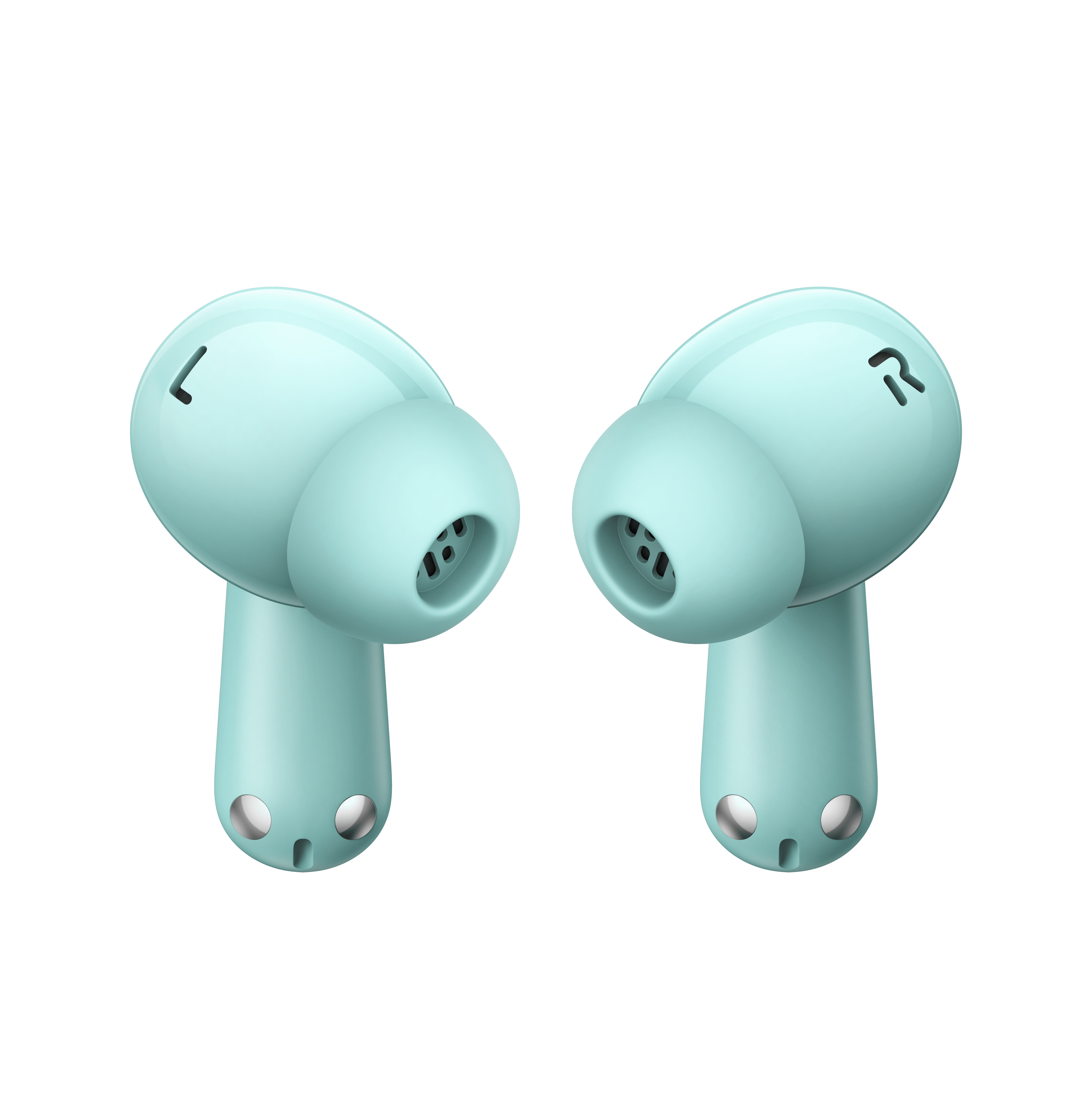
OnePlus Nord Buds 3 Pro: Soft Jade

OnePlus Nord Buds 3 Pro (Soft Jade) - Render 6
OnePlus Nord Buds 3 Pro (Soft Jade) - Render 5
OnePlus Nord Buds 3 Pro (Soft Jade) - Render 1
OnePlus Nord Buds 3 Pro (Soft Jade) - Render 4
OnePlus Nord Buds 3 Pro (Soft Jade) - Render 3
OnePlus Nord Buds 3 Pro (Soft Jade) - Render 2
OnePlus Nord Buds 3 Pro (Soft Jade) - Render 6 OnePlus Nord Buds 3 Pro (Soft Jade) - Render 5 OnePlus Nord Buds 3 Pro (Soft Jade) - Render 1 OnePlus Nord Buds 3 Pro (Soft Jade) - Render 4 OnePlus Nord Buds 3 Pro (Soft Jade) - Render 3 OnePlus Nord Buds 3 Pro (Soft Jade) - Render 2

OnePlus Nord Buds 3 Pro: Starry Black
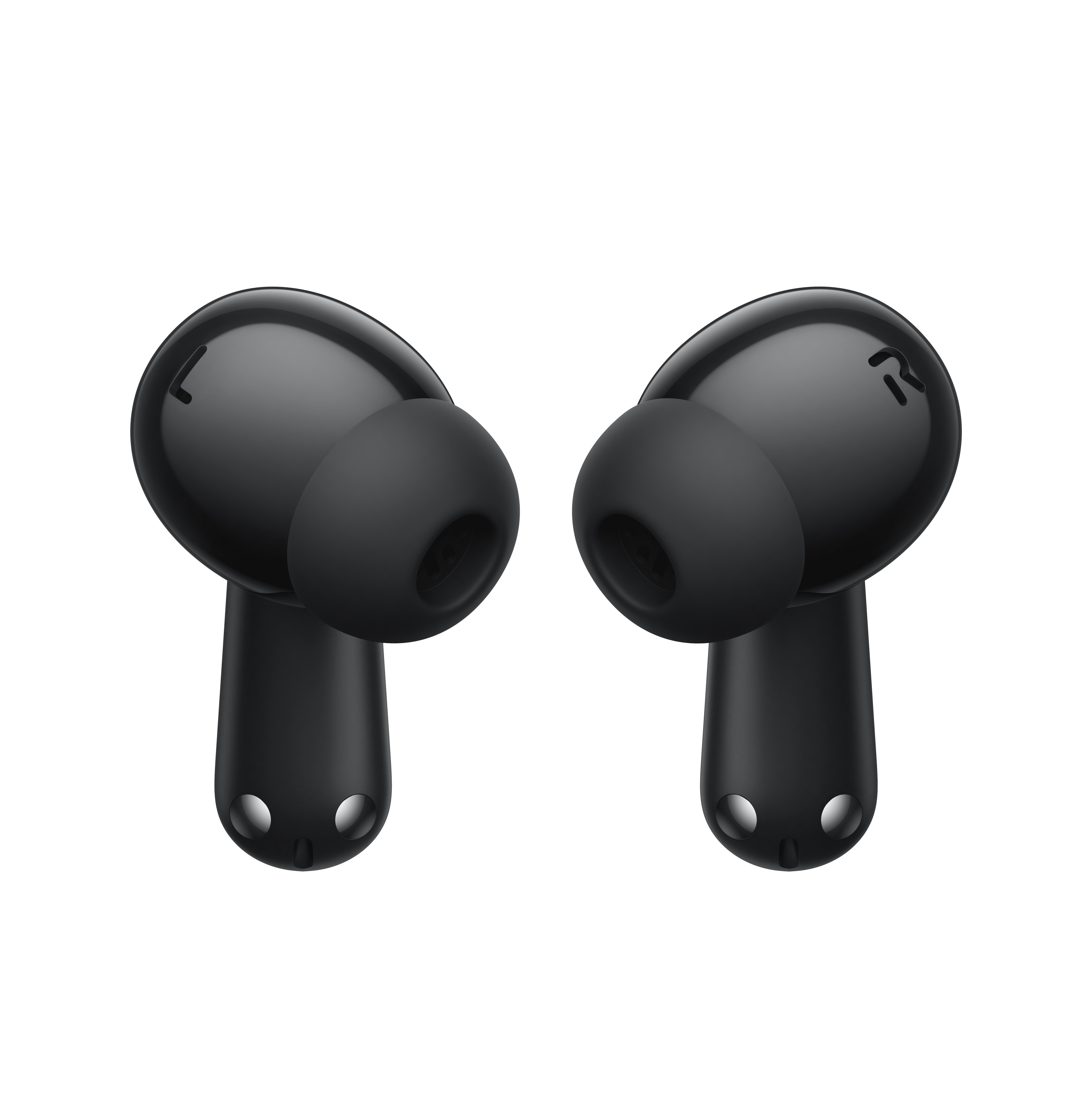
OnePlus Nord Buds 3 Pro (Starry Black) - Render 3
OnePlus Nord Buds 3 Pro (Starry Black) - Render 6
OnePlus Nord Buds 3 Pro (Starry Black) - Render 5
OnePlus Nord Buds 3 Pro (Starry Black) - Render 1
OnePlus Nord Buds 3 Pro (Starry Black) - Render 2
OnePlus Nord Buds 3 Pro (Starry Black) - Render 4
OnePlus Nord Buds 3 Pro (Starry Black) - Render 3 OnePlus Nord Buds 3 Pro (Starry Black) - Render 3 OnePlus Nord Buds 3 Pro (Starry Black) - Render 6 OnePlus Nord Buds 3 Pro (Starry Black) - Render 5 OnePlus Nord Buds 3 Pro (Starry Black) - Render 1 OnePlus Nord Buds 3 Pro (Starry Black) - Render 2 OnePlus Nord Buds 3 Pro (Starry Black) - Render 4

FAQs

What is the battery life of the OnePlus Nord Buds 3 Pro?

The OnePlus Nord Buds 3 Pro offer up to 10 hours of playback on a single charge, and up to 44 hours in total with the charging case included.

Do the OnePlus Nord Buds 3 Pro have active noise cancellation?

Yes, they feature active noise cancellation that can reduce noise by up to 49dB, making them ideal for use in noisy environments.

Are the OnePlus Nord Buds 3 Pro water-resistant?

The earbuds have an IP55 rating, which means they are resistant to sweat and splashes, making them suitable for workouts and light rain.

What Bluetooth version do the OnePlus Nord Buds 3 Pro use?

These earbuds use Bluetooth 5.3, ensuring a stable connection and compatibility with the latest devices.

Can I use the OnePlus Nord Buds 3 Pro with multiple devices?

Yes, the OnePlus Nord Buds 3 Pro support dual device connectivity, allowing you to switch between two devices seamlessly.

What is the Price and Availability of oneplus Nord Buds 3 Pro ?

Starting at INR 3299 Nord Buds 3 Pro will go on open sale at midnight on 20th July at Amazon.in, Flipkart.in, OnePlus.in, OnePlus Store App, Myntra, Blinkit, OnePlus Stores and select offline partner stores.

ICICI Bank and OneCard Customers can avail Instant Bank Discount of INR 300 from 20th July – 31st July.

RCC Members can avail INR 200 off from 20th July to 19th August

RCC Members purchasing the OnePlus Nord 4 can also avail discount Upto INR 500 on Nord Buds 3 Pro from 5th August to 31st August, 2024.

Students can also avail INR 100 off on Nord Buds 3 Pro from 20th July to 31st August.

How is the design philosophy of OnePlus Nord Buds 3 Pro ?

Purposeful Design

Following OnePlus’ modern elegant design philosophy, the OnePlus Nord Buds 3 Pro is encased in a pebble-shaped vertical case with a matte finish and metallic accents, exuding a premium look and easy grip.

And with each earbud weighing just 4.4g, they offer a burdenless listening experience that’s ideal for users with adventurous lifestyles to enjoy for extended periods of wear.

What is the End-to-End Reliability of OnePlus Nord Buds 3 Pro ?

Built to be a powerhouse with exceptional staying power, the OnePlus Buds 3 Pro offers up to 12 hours of music playback on a single charge with Active Noise Cancellation disabled, and 44 hours of total listening time when paired with the charging case.

Up to 20 hours of battery life is available when used with the charging case in AAC mode with ANC on.

Additionally, fast charging provides 11 hours of playback after just a 10-minute charge, so users can plug in and play without ever worrying about battery life.

Further streamlining the overall user experience is fast and smooth connectivity.

With the latest Bluetooth 5.4, OnePlus Nord Buds 3 Pro ensures low-latency transmission of high-quality audio, providing seamless and ultra-stable sound output.

Dual Connection allows easy pairing across systems and devices to boost productivity.

For Android users, Google Fast Pair brings even more convenience with intuitive switching and the elimination of tedious manual pairing.

No corners have been cut when it comes to build quality either.

The buds’ IP55 water and dust resistance rating makes them ready to take on any situation – from sweaty workouts to rainy commutes – ensuring users can keep powering through the day.

What is the best feature of OnePlus Nord Buds 3 Pro ?

The OnePlus Nord Buds 3 Pro features hybrid active noise cancellation, generating precise anti-noise signals to tune out unwanted sounds.

With up to 49dB noise cancellation and an ultra-wide frequency range reaching 4,000Hz, it handles everything from low-pitched traffic to high-pitched instruments to deliver the pure sound of silence.

In recognition of this, the OnePlus Nord Buds 3 Pro has been certified by TÜV Rheinland for High-Performance Noise Cancellation, making it stand out from the crowd.

The earbuds also come with scenario-based Smart Noise Cancellation, which intelligently detects ambient sounds and selects the most suitable noise reduction mode in real-time to balance noise-cancelling effectiveness and convenience.

OnePlus’ Crystal Clear Call technology, enhanced by a triple-microphone (one digital and two analog) stereo setup and proprietary algorithms, ensures exceptionally clear and stable audio during voice or video calls.

Putting the finishing touches to the adaptive noise-cancelling capabilities is Transparency Mode.

By allowing outside sound in, it enables users to stay aware of their surroundings without pausing music or cutting off a conversation, so every listening experience can continue uninterrupted.

How is the audio capability of OnePlus Nord 3 Pro ?

Complementing the flagship-level noise cancellation on the OnePlus Nord Buds 3 Pro is powerful yet well-balanced sound delivered through a dedicated titanized driver.

Its 12.4mm extra-large diaphragm is crafted from high-quality TPU with a titanium coating to enhance bass depth and dynamics, delivering layered sound that harmonizes pulsating bass and pristine treble to please even the most discerning audiophiles.

BassWave™ 2.0 – the long-awaited upgrade to the flagship OnePlus earbuds – makes its debut on OnePlus Nord Buds 3 Pro.

Leveraging OnePlus’ in-house algorithms, BassWave™ 2.0 fine-tunes bass frequencies to create a deep and broad low-end while maintaining clarity and fidelity.

The result is an enriched, bass-heavy profile that delivers truly dynamic and impactful audio.

OnePlus’ Master EQ also makes its way to the Nord Buds 3 Pro. Featuring three distinctive modes – Balanced, Serenade, and Bass – Master EQ makes it easy for anyone to craft the desired sound to match their unique music tastes.

Also Read: OnePlus Nord 4, Pad 2, Watch 2R, and Nord Buds 3 Pro Launched in India: Pricing, Features, Specs

Also Read: Leaked Renders Reveal Upcoming OnePlus Buds 3 Design, Specs, And, More

Also Read: OnePlus Community Sale 2023: Offers on OnePlus Pad, Nord Buds 2, Nord CE 3, and More
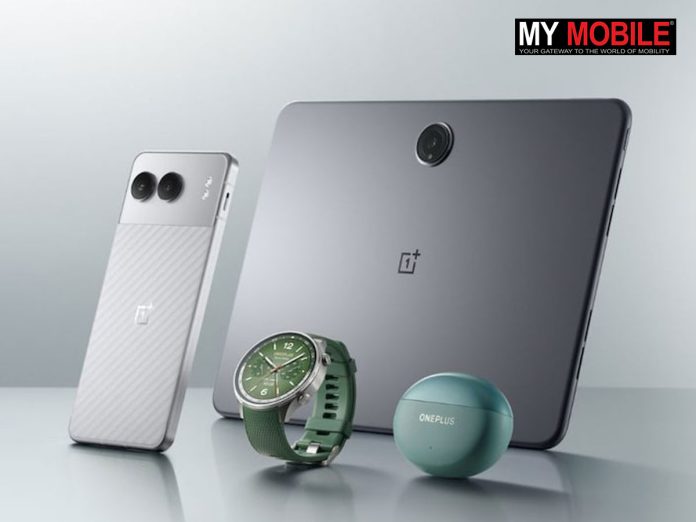
OnePlus Nord 4, Pad 2, Watch 2R, and Nord Buds 3 Pro Launched in India: Pricing, Features, Specs

0

Highlights

  • OnePlus Nord 4 features a 6.74-inch AMOLED display and Snapdragon 7+ Gen 3 processor
  • OnePlus Pad 2 offers a 12.1-inch LCD display with 144Hz refresh rate and Snapdragon 8 Gen 3
  • OnePlus Watch 2R boasts a 1.43-inch AMOLED display and comprehensive health tracking
  • OnePlus Nord Buds 3 Pro delivers superior sound with 12.4mm drivers and Hybrid ANC

OnePlus has once again raised the bar in the tech world with the launch of four exciting new products: the OnePlus Nord 4, OnePlus Pad 2, OnePlus Watch 2R, and OnePlus Nord Buds 3 Pro.

This impressive lineup showcases OnePlus’ commitment to delivering cutting-edge technology across various product categories.

Pricing and Availability

The Pad 2 will be available from August 1, while the Watch 2R and Nord Buds 3 Pro hit the market on July 20.

The new OnePlus products will be available through various channels, including the OnePlus website, Amazon, and select retail partners.

Pre-orders for the Nord 4 begin on July 20, with open sales starting August 2.

The Pad 2 will be available from August 1, while the Watch 2R and Nord Buds 3 Pro hit the market on July 20.

OnePlus Nord 4: Launch offers

OnePlus just launched the Nord 4, the company’s latest Nord smartphone, at its Summer Launch event in Italy

Rs. 3000 instant bank discount with ICICI Bank and OneCard Credit cards and EMI Jio benefits

OnePlus Pad 2: Launch offers

Additional exchange bonus of Rs. 3,000 for upgrading from an old tablet
OnePlus Pad 2: Additional exchange bonus of Rs. 3,000 for upgrading from an old tablet
  • ICICI Bank and OneCard Customers can avail an Instant Bank Discount of Rs. 2000 on the OnePlus Pad 2 starting 1st Aug on select channels
  • Avail No Cost EMI for up to 9 months from 1st Aug on leading bank cards
  • Additional exchange bonus of Rs. 3,000 for upgrading from an old tablet or smartphone, and Rs. 5,000 from a OnePlus tablet or smartphone
  • On purchasing the OnePlus Pad 2, avail an additional discount of 50% on the OnePlus Stylo 2, OnePlus Smart Keyboard 2 and OnePlus Folio Case 2 from 1st Aug

RCC members can avail of an extra Rs. 1000 coupon on OnePlus.in and OnePlus Store App

OnePlus Nord Buds 3 Pro Launch offers

Students can also avail Rs. 100 off on Nord Buds 3 Pro from 20th July to 31st August
OnePlus Nord Buds 3 Pro: Students can also avail Rs. 100 off on Nord Buds 3 Pro from 20th July to 31st August
  • ICICI Bank and OneCard Customers can avail Instant Bank Discount of Rs. 300 from 20th July – 31st July.
  • RCC Members can avail Rs. 200 off from 20th July to 19th August
  • RCC Members purchasing the OnePlus Nord 4 can also avail discount Up to Rs. 500 on Nord Buds 3 Pro from 5th August to 31st August, 2024.
  • Students can also avail Rs. 100 off on Nord Buds 3 Pro from 20th July to 31st August.

“We’re thrilled with the early reception our new Summer Launch Event products have received,” said Kinder Liu, OnePlus President and COO. “From bringing metal smartphones back to the market to democratising high-end earbuds technology like adaptive noise cancellation, we’re really excited to see what our users can do with them.”

Here’s a breakdown of the pricing for each product:

Device Storage Price
OnePlus Nord 4 8GB + 128GB Rs 29,999
OnePlus Nord 4 8GB + 256GB Rs 32,999
OnePlus Nord 4 12GB + 256GB Rs 35,999


Product Price
OnePlus Pad 2 (8GB + 128GB) Rs 39,999
OnePlus Pad 2 (12GB + 256GB) Rs 42,999
OnePlus Stylo 2 Rs 5,499
OnePlus Smart Keyboard Rs 8,499


Product Price
OnePlus Watch 2R Rs 17,999


Product Price
OnePlus Nord Buds 3 Pro Rs 3,999

Key Specifications

OnePlus Nord 4

The OnePlus Nord 4 represents a significant leap forward in the mid-range smartphone segment.

1. Display: 6.74-inch Super Fluid AMOLED, 1.5K resolution (2772×1240), 120Hz refresh rate
2. Processor: Qualcomm Snapdragon 7+ Gen 3
3. RAM/Storage: Up to 12GB RAM, 256GB storage
4. Camera: 50MP main + 8MP ultrawide, 16MP front camera
5. Battery: 5500mAh with 100W SuperVOOC charging
6. OS: OxygenOS 14.1 based on Android 14
7. Build: Metal body with dual-tone finish
8. Other: Alert slider, IP54 rating, in-display fingerprint scanner

OnePlus Pad 2

Battery: 9,510mAh with 67W SuperVOOC charging
OnePlus Pad 2 Battery: 9,510mAh with 67W SuperVOOC charging

1. Display: 12.1-inch LCD, 3000×2120 resolution, 144Hz refresh rate
2. Processor: Qualcomm Snapdragon 8 Gen 3
3. RAM/Storage: Up to 12GB RAM, 256GB storage
4. Camera: 13MP rear, 8MP front
5. Battery: 9,510mAh with 67W SuperVOOC charging
6. OS: OxygenOS 14 based on Android 14
7. Connectivity: Wi-Fi 7, Bluetooth 5.3
8. Other: Dolby Vision support, side-mounted fingerprint sensor

OnePlus Watch 2R

RAM/Storage: 2GB RAM, 32GB storage
OnePlus Watch 2R RAM/Storage: 2GB RAM, 32GB storage

1. Display: 1.43-inch AMOLED, 466×466 resolution, 60Hz refresh rate
2. Processor: Qualcomm Snapdragon W5 + BES2700
3. RAM/Storage: 2GB RAM, 32GB storage
4. OS: Wear OS 4 by Google
5. Battery: 500mAh with VOOC magnetic fast charging
6. Sensors: Dual-frequency GPS, heart rate, blood oxygen, barometer
7. Water Resistance: IP68, 2.5ATM
8. Other: 100+ sport modes, sleep monitoring

OnePlus Nord Buds 3 Pro

Connectivity: Bluetooth 5.4, Google Fast Pair
OnePlus Nord Buds 3 Pro Connectivity: Bluetooth 5.4, Google Fast Pair

1. Driver: 12.4mm Titanized Diaphragm
2. ANC: Hybrid Active Noise Cancellation up to 49dB
3. Connectivity: Bluetooth 5.4, Google Fast Pair
4. Battery: 44+ hours total playback with case
5. Charging: Fast Charging (11 hours playback with 10 min charge)
6. Water Resistance: IP55
7. Audio: BaseWave 2.0, ultra-wide frequency range up to 4000Hz
8. Other: Transparency mode, dual device connection

OnePlus Nord 4: Features

OnePlus Nord 4: Powered by the Qualcomm Snapdragon 7+ Gen 3 processor, the Nord 4 delivers impressive performance for its price point.

The OnePlus Nord 4 represents a significant leap forward in the mid-range smartphone segment.

Its full metal body and unique dual-tone design make it stand out from the crowd, while the slim bezels and hole-punch display contribute to a premium look and feel.

Powered by the Qualcomm Snapdragon 7+ Gen 3 processor, the Nord 4 delivers impressive performance for its price point.

The device boasts AI features such as Audio Summary, Screen Translate, and LinkBoost, enhancing user experience across various applications.

OnePlus Nord 4: Supports 5500mAh battery, coupled with 100W SuperVOOC fast charging, ensures that users can stay powered up throughout the day.

Photography enthusiasts will appreciate the versatile camera setup, featuring a 50MP main sensor and an 8MP ultrawide lens.

The Nord 4 can capture stunning photos and videos in various conditions, with 4K 60fps video recording capabilities.

OnePlus has made a strong commitment to software support, promising 4 years of Android updates and 6 years of security patches for the Nord 4.

This extended support ensures that users can enjoy the latest features and security enhancements for years to come.

The device’s 5500mAh battery, coupled with 100W SuperVOOC fast charging, ensures that users can stay powered up throughout the day.

The inclusion of the signature alert slider, a fan-favorite feature, adds to the overall appeal of the Nord 4.

OnePlus Pad 2: Features

The tablet’s Open Canvas feature enhances productivity by offering improved multitasking capabilities.

The OnePlus Pad 2 builds upon the success of its predecessor, offering a premium tablet experience.

The 12.1-inch LCD display with a 144Hz refresh rate provides smooth visuals and responsiveness, making it ideal for both productivity and entertainment.

Powered by the flagship Qualcomm Snapdragon 8 Gen 3 processor, the Pad 2 delivers exceptional performance for demanding tasks and multitasking.

The tablet’s Open Canvas feature enhances productivity by offering improved multitasking capabilities.

The Pad 2’s 9,510mAh battery ensures long-lasting usage, while 67W SuperVOOC charging allows for quick top-ups when needed.

The tablet’s sleek design, measuring just 6.49mm in thickness, makes it highly portable and comfortable to use for extended periods.

With support for the OnePlus Stylo 2 and OnePlus Smart Keyboard, the Pad 2 transforms into a versatile productivity tool.

These accessories enhance the tablet’s functionality, making it suitable for creative work, note-taking, and document editing.

OnePlus Watch 2R: Features

The Watch 2R is designed to keep up with active lifestyles without frequent charging interruptions.

The OnePlus Watch 2R combines style and functionality in a sleek smartwatch package.

Its 1.43-inch AMOLED display offers vibrant visuals and always-on functionality, making it easy to check notifications and health metrics at a glance.

Running on Wear OS 4 by Google, the Watch 2R provides access to a wide range of apps and services, enhancing its versatility.

The dual-chip architecture, featuring both Qualcomm Snapdragon W5 and BES2700 processors, ensures efficient performance and extended battery life.

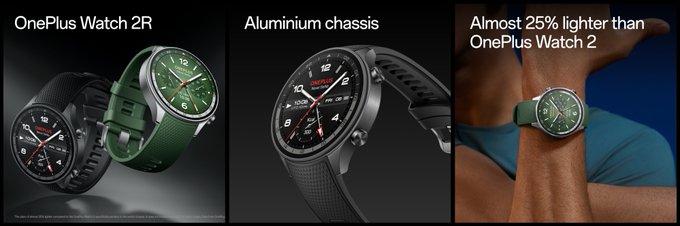
OnePlus Watch 2R combines style and functionality in a sleek smartwatch package

Fitness enthusiasts will appreciate the Watch 2R’s comprehensive health tracking features, including dual-frequency GPS, heart rate monitoring, blood oxygen measurement, and support for over 100 sport modes.

The IP68 rating and 2.5ATM water resistance make it suitable for various activities and environments.

With its impressive battery life of over 100 hours on a single charge and fast VOOC magnetic charging, the Watch 2R is designed to keep up with active lifestyles without frequent charging interruptions.

OnePlus Nord Buds 3 Pro: Features

The Nord Buds 3 Pro excel in call quality, thanks to the three-microphone array on each earbud.

The OnePlus Nord Buds 3 Pro deliver an exceptional audio experience in a compact and stylish package.

The 12.4mm Titanized Diaphragm drivers, combined with BaseWave 2.0 technology, provide rich, immersive sound across a wide frequency range.

These true wireless earbuds feature advanced Hybrid Active Noise Cancellation, offering up to 49dB of noise reduction.

Users can choose between Mild, Moderate, and Max ANC levels to suit their environment, while the transparency mode allows for awareness of surroundings when needed.

The Nord Buds 3 Pro excel in call quality, thanks to the three-microphone array on each earbud.

This ensures clear voice pickup and effective noise suppression during calls, even in challenging environments.

With support for Bluetooth 5.4 and Google Fast Pair, the Nord Buds 3 Pro offer seamless connectivity and easy pairing with devices.

The dual device connection feature allows users to switch between audio sources effortlessly.

Battery life is a strong point for the Nord Buds 3 Pro, with over 44 hours of total playback time when using the charging case.

The fast charging capability provides 11 hours of playback with just 10 minutes of charging, ensuring that users can enjoy their music without interruption.

FAQs

What are the key features of the OnePlus Nord 4?

The OnePlus Nord 4 includes a 6.74-inch Super Fluid AMOLED display, Snapdragon 7+ Gen 3 processor, 50MP main camera, 5500mAh battery with 100W charging, and runs on OxygenOS 14.1.

When will the new OnePlus products be available?

Pre-orders for the OnePlus Nord 4 begin on July 20, with open sales starting August 2.

The OnePlus Pad 2 will be available from August 1, and the Watch 2R and Nord Buds 3 Pro will be available starting July 20.

What makes the OnePlus Watch 2R unique?

The OnePlus Watch 2R features a 1.43-inch AMOLED display, dual-chip architecture with Snapdragon W5 and BES2700, and offers over 100 sport modes, dual-frequency GPS, heart rate monitoring, and blood oxygen measurement.

What audio features do the OnePlus Nord Buds 3 Pro offer?

The OnePlus Nord Buds 3 Pro feature 12.4mm Titanized Diaphragm drivers, Hybrid Active Noise Cancellation up to 49dB, Bluetooth 5.4, Google Fast Pair, and over 44 hours of total playback time with the charging case.

What productivity features does the OnePlus Pad 2 have?

The OnePlus Pad 2 includes a 12.1-inch LCD display with a 144Hz refresh rate, Snapdragon 8 Gen 3 processor, support for OnePlus Stylo 2 and Smart Keyboard, and a 9,510mAh battery with 67W SuperVOOC charging.

Also Read: OnePlus reveals OnePlus Nord 4 will feature its longest ever software

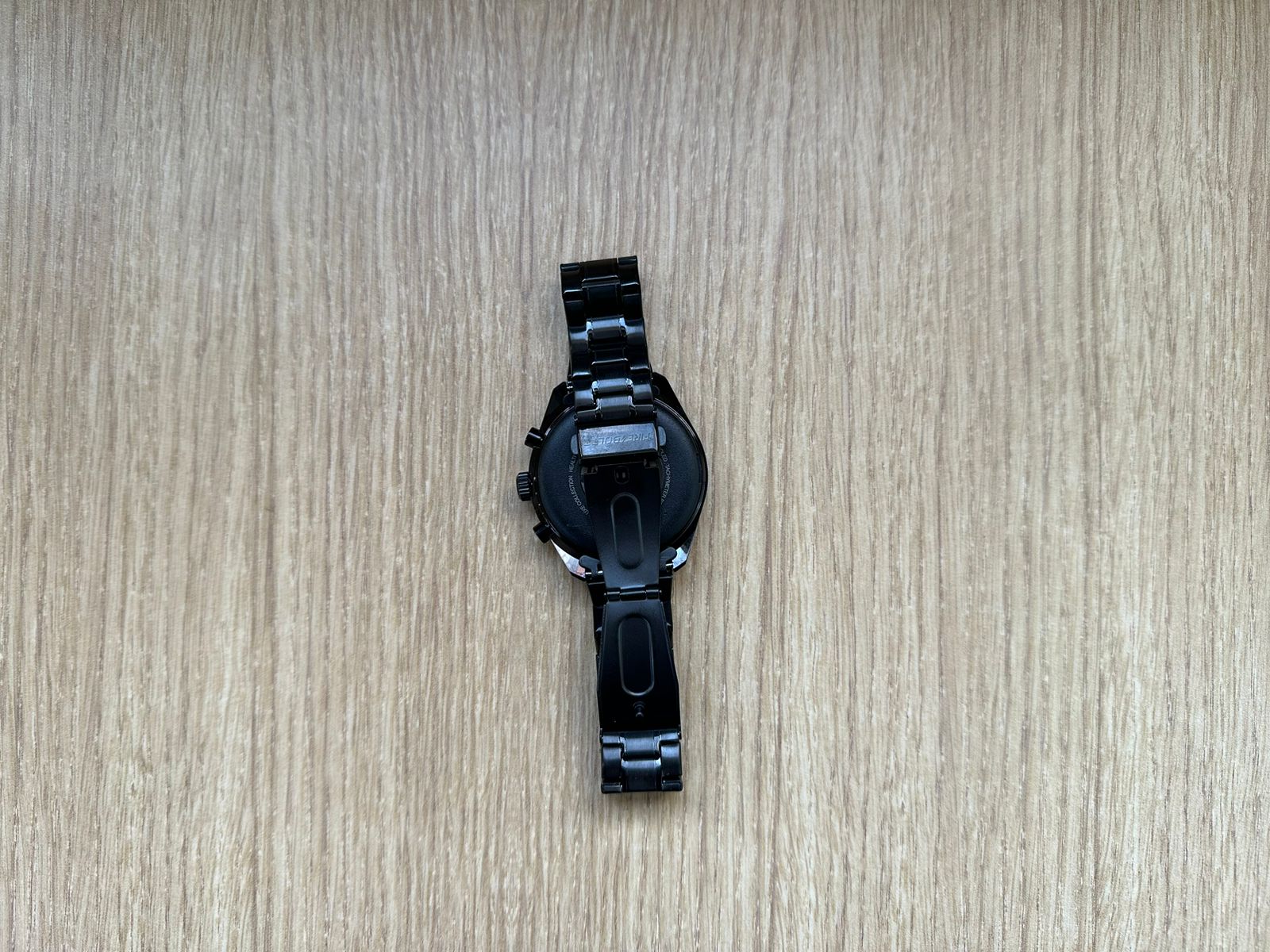
Fire-Boltt Moonwatch Review: Elegance Meets Functionality in a Budget Smartwatch

0

Highlights

  • Stunning 1.43-inch AMOLED Display with always-on functionality
  • Features wireless charging and Bluetooth calling
  • Comprehensive health tracking including heart rate and SpO2
  • Impressive battery life of up to 5 days

Being the kind of geek who keeps a constant lookout for new gadgets in the electronic devices sphere, I was more than a little elated at the opportunity of laying my hands on the Fire-Boltt Moonwatch.

This watch exudes elegance, yet comes laden with solid functionality and ultra-smooth performance that will delight both tech buffs and fitness enthusiasts.

After using the Moonwatch for a few weeks now, here are my comprehensive observations regarding this rather fascinating wearable.

Fire-Boltt Moonwatch: Key Specs

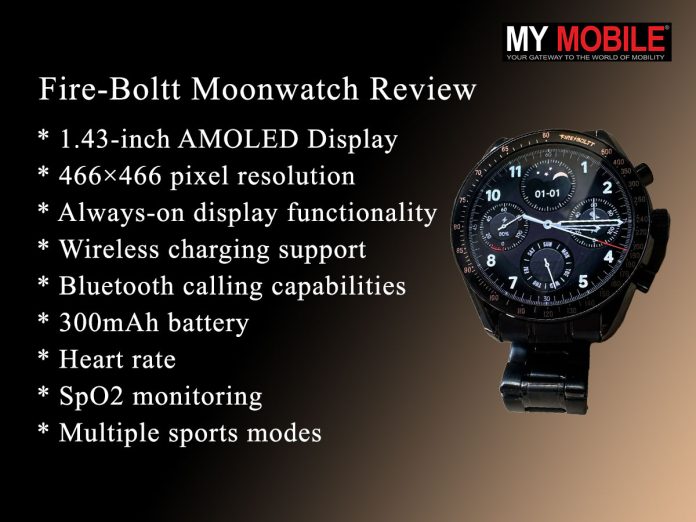
Fire-Boltt Moonwatch: Key Specs
  • 1.43-inch AMOLED Display
  • 466×466 pixel resolution
  • Always-on display functionality
  • Wireless charging support
  • Bluetooth calling capabilities
  • 300mAh battery with up to 5 days life
  • Heart rate and SpO2 monitoring
  • Multiple sports modes and sleep tracking

Fire-Boltt Moonwatch: Pros and Cons

Pros Cons
Elegant design and build Not a medical device
Comprehensive health tracking features Limited app ecosystem
Wireless charging convenience Longer charging time
Impressive battery life duration

Fire-Boltt Moonwatch: Unboxing

Fire-Boltt Moonwatch: Unboxing

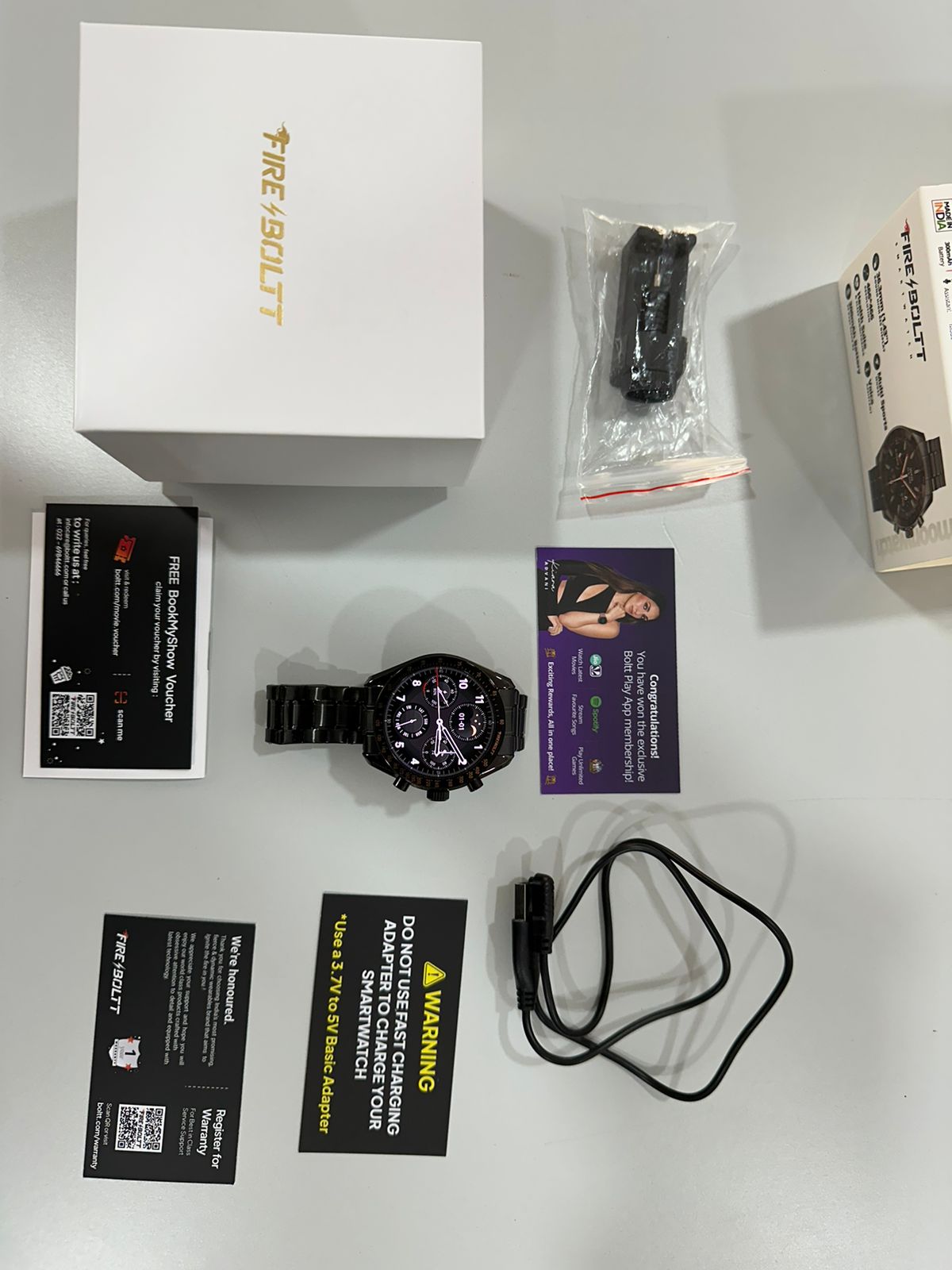
The Moonwatch comes in a sleek, compact box with a minimalist design.

Upon opening, you’re greeted with the smartwatch itself, prominently displayed.

The packaging includes the smartwatch, a charging cable, a warranty card, and a user manual.

The overall presentation is neat and premium, setting a positive tone for the product inside.

Fire-Boltt Moonwatch: Unboxing Video

Fire-Boltt Moonwatch: Design and Build

Fire-Boltt Moonwatch: Design and Build

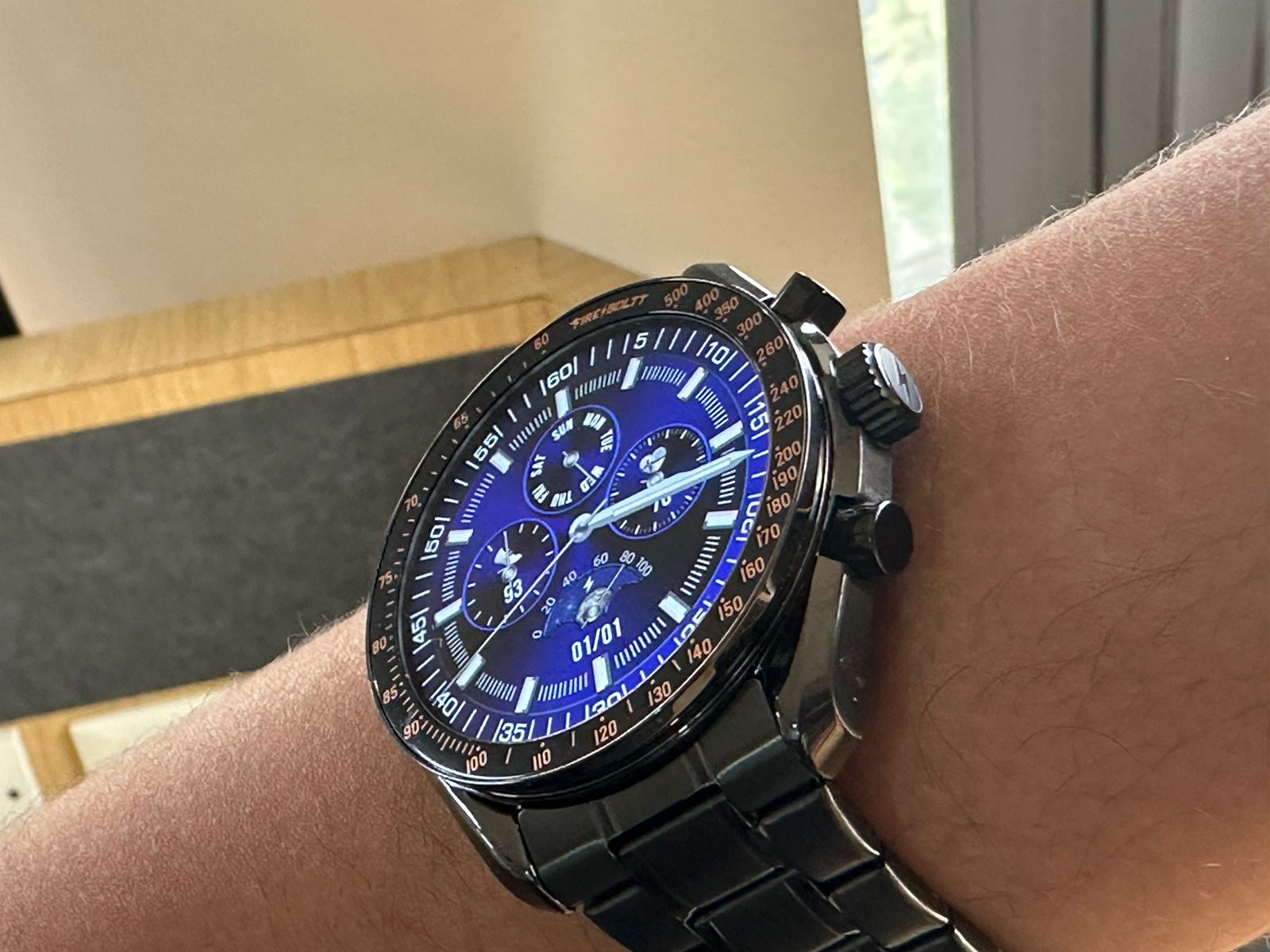
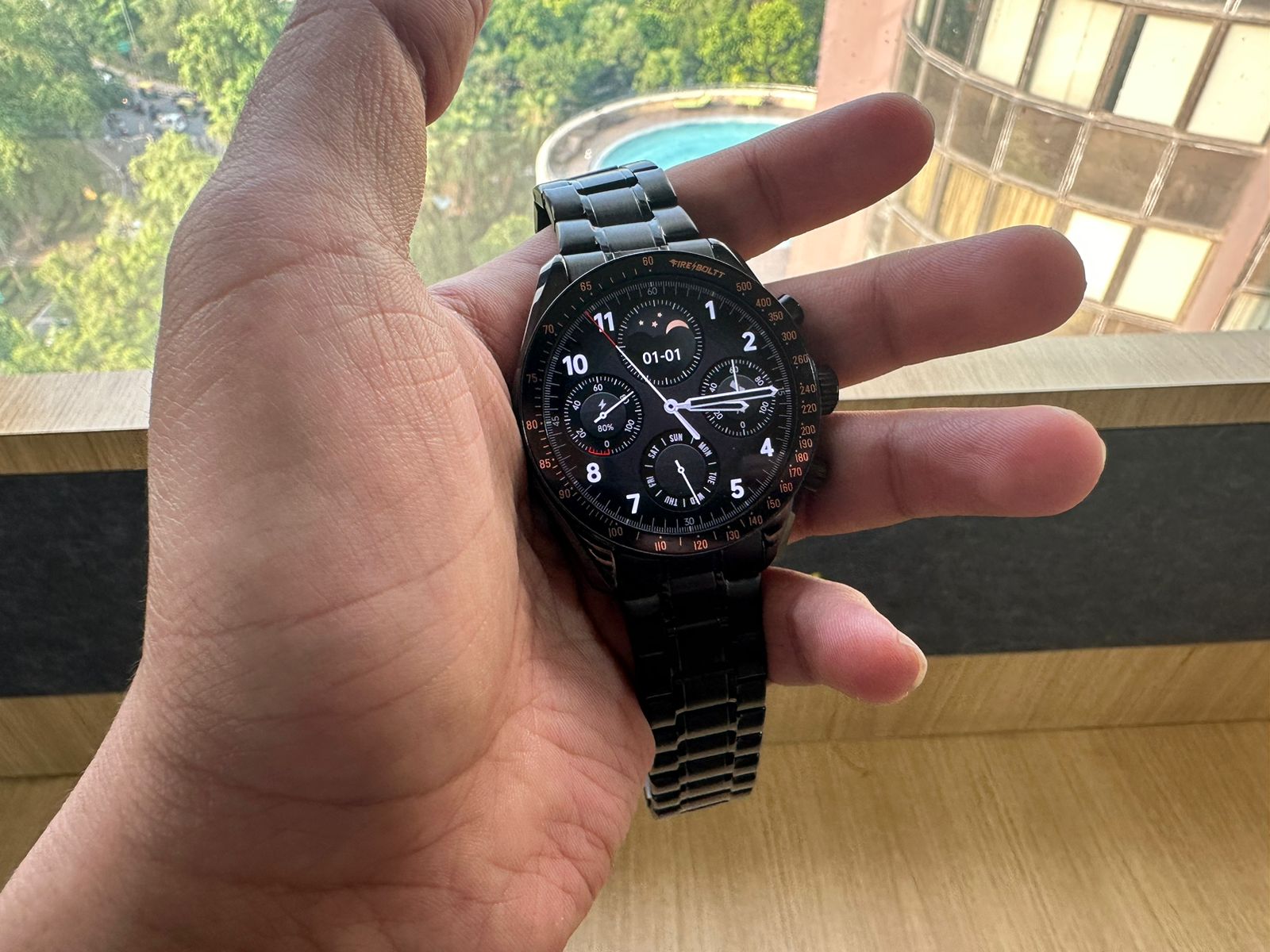
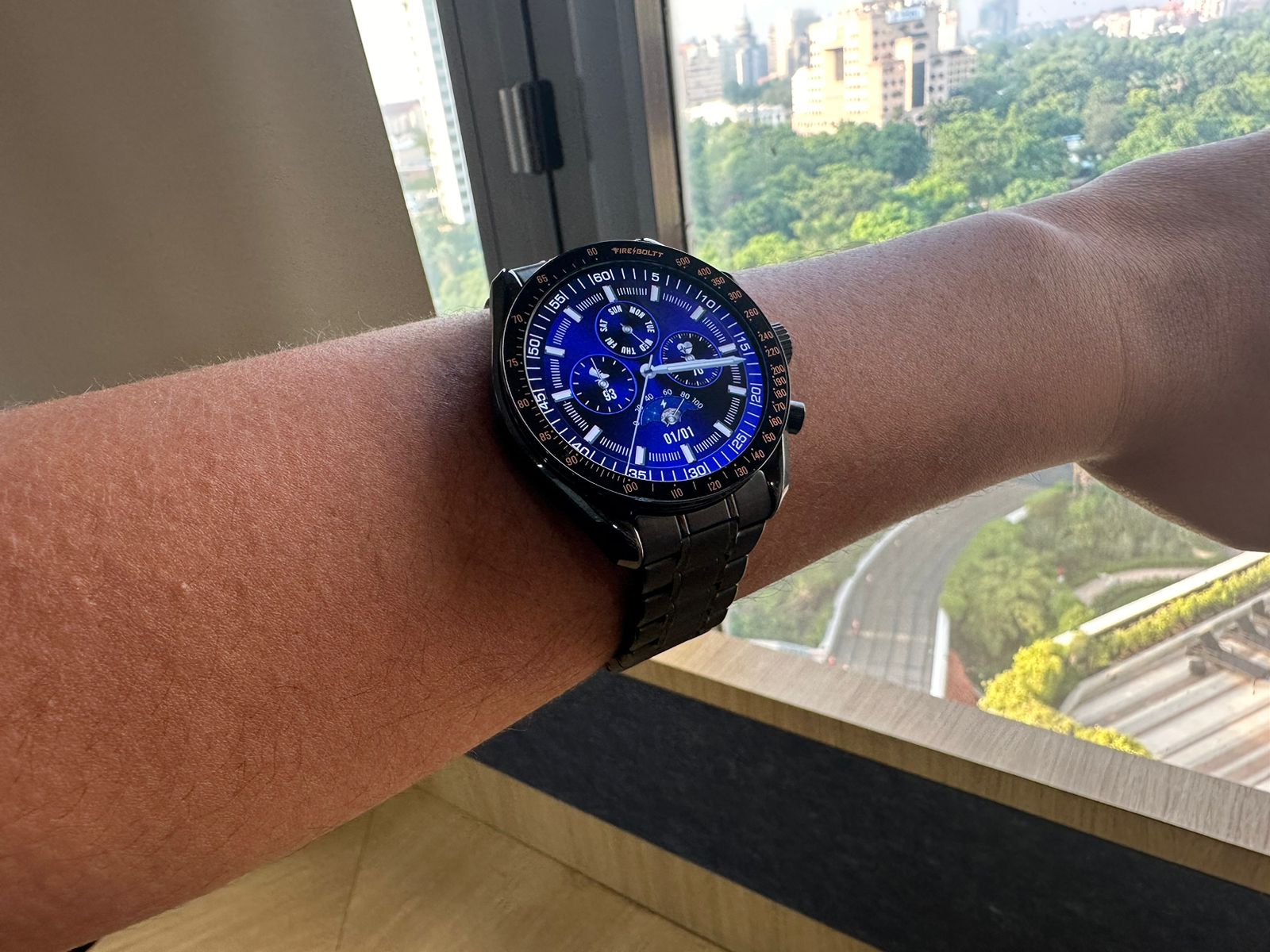
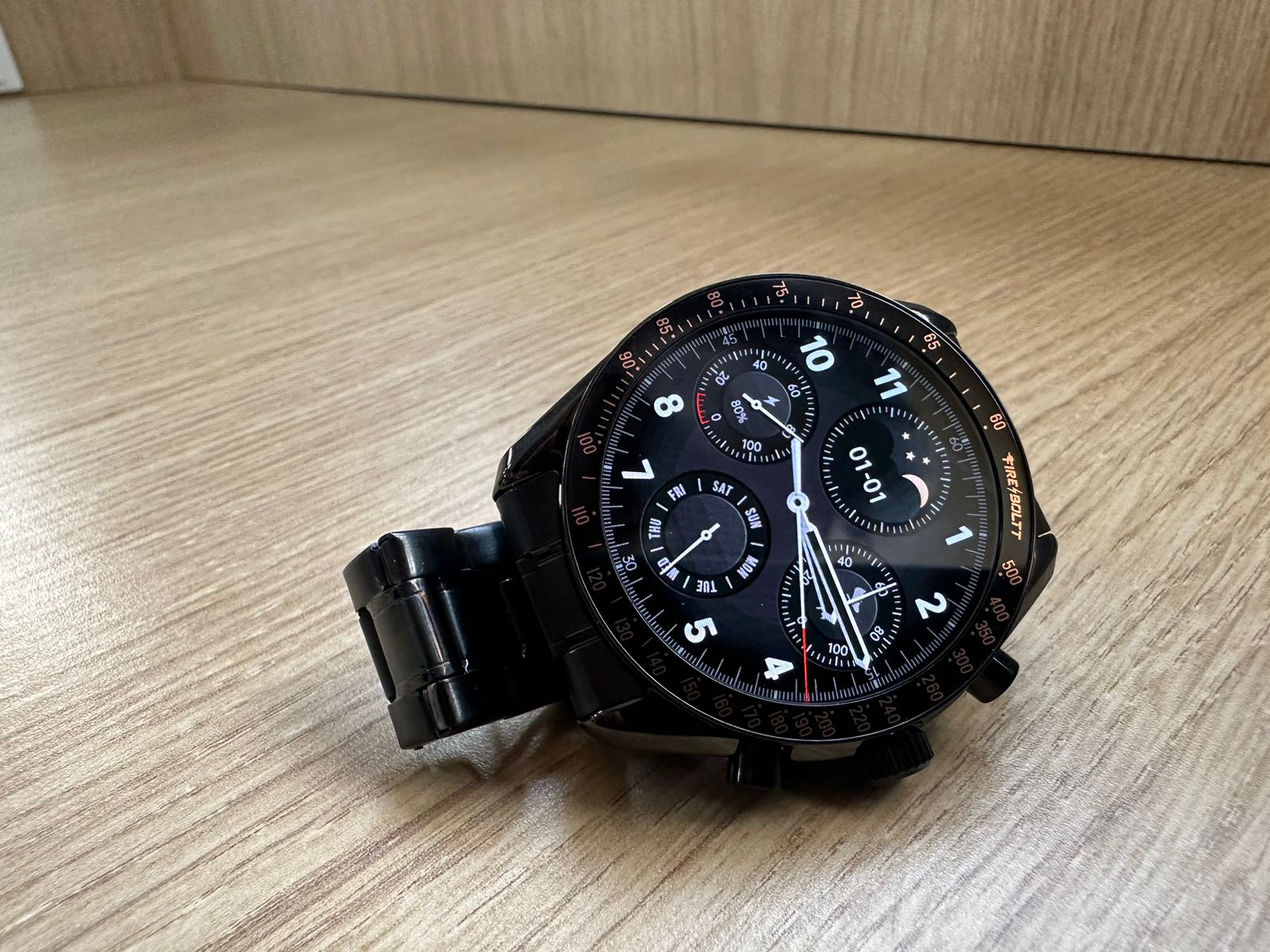
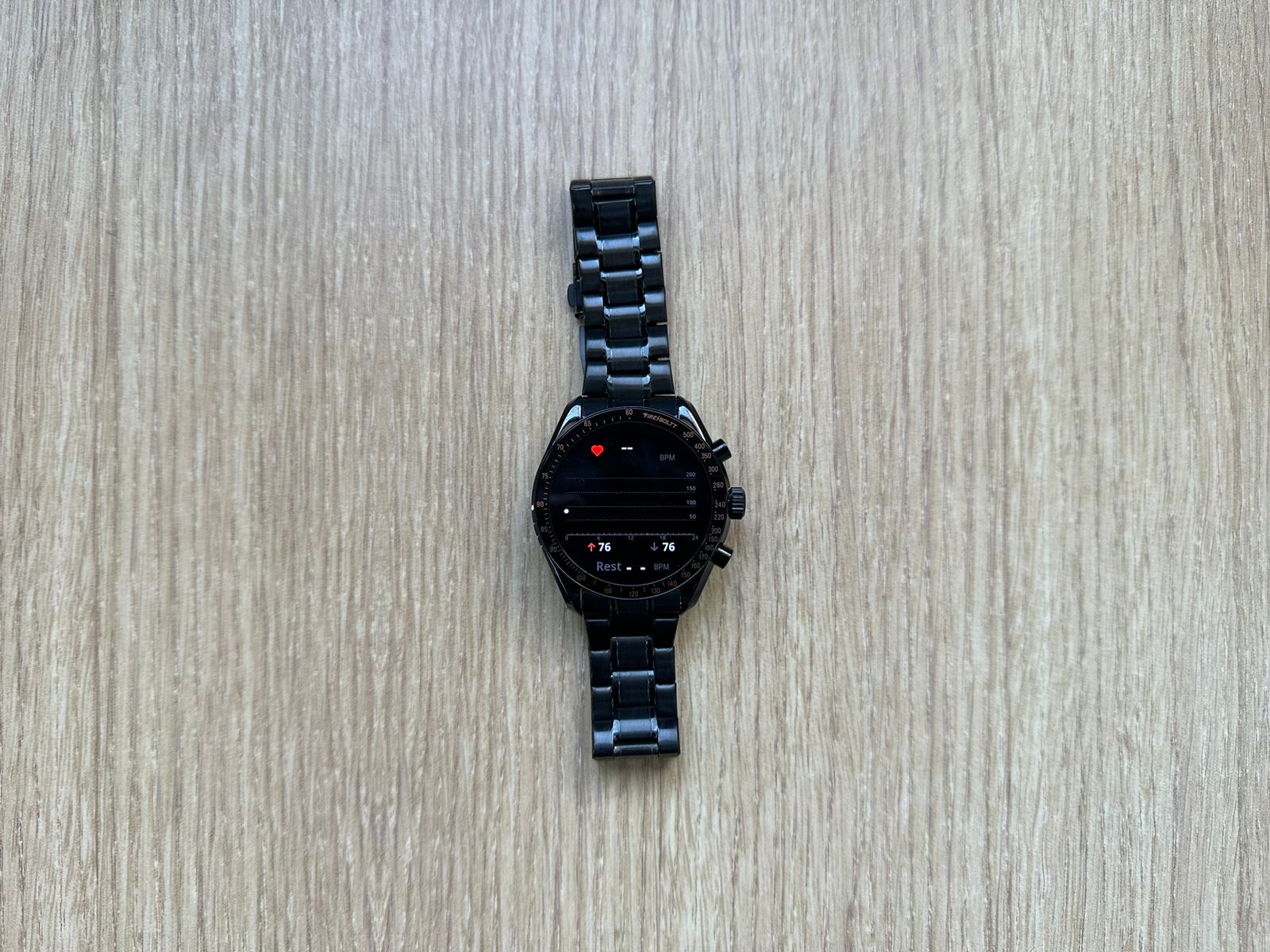
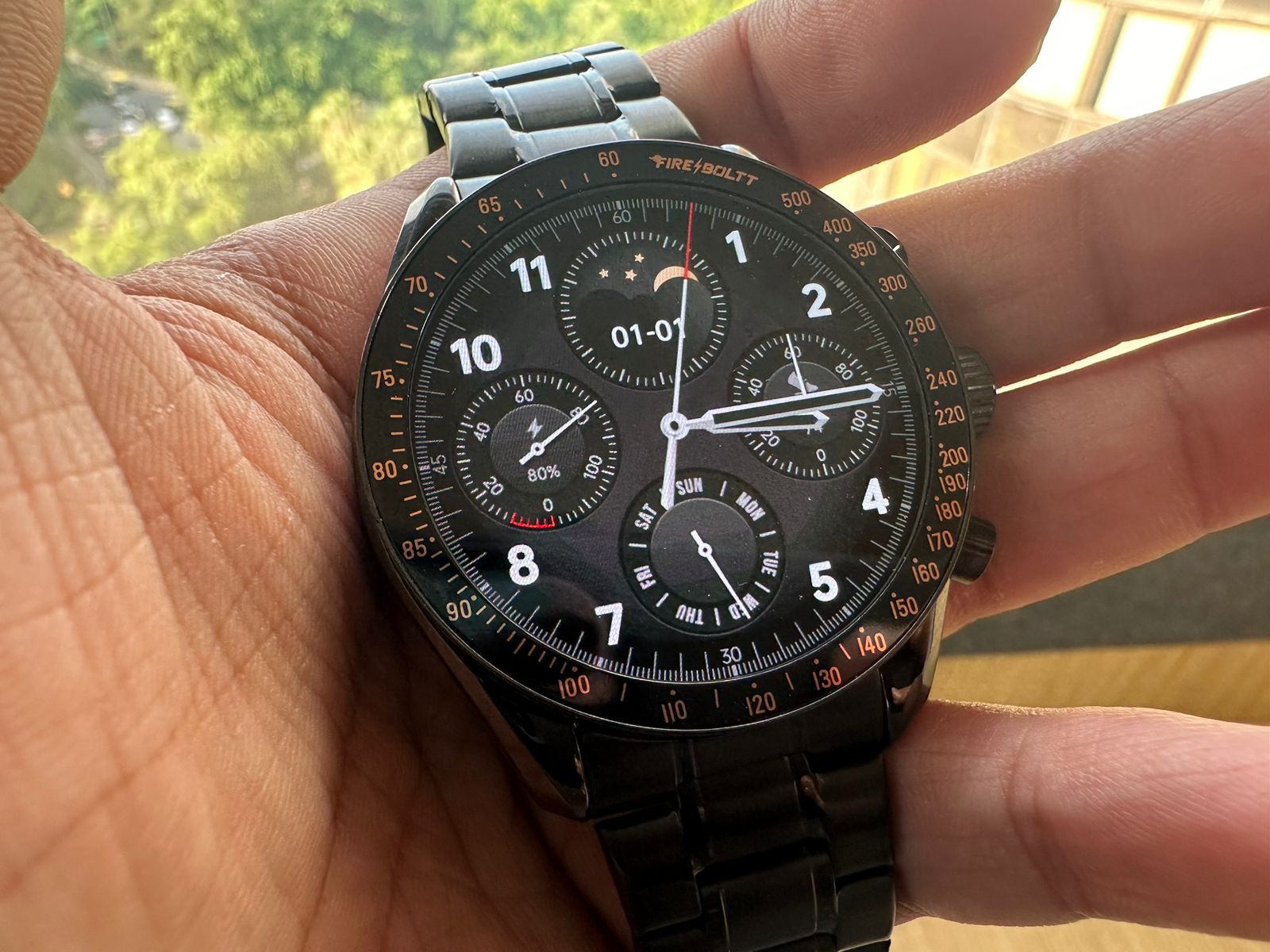
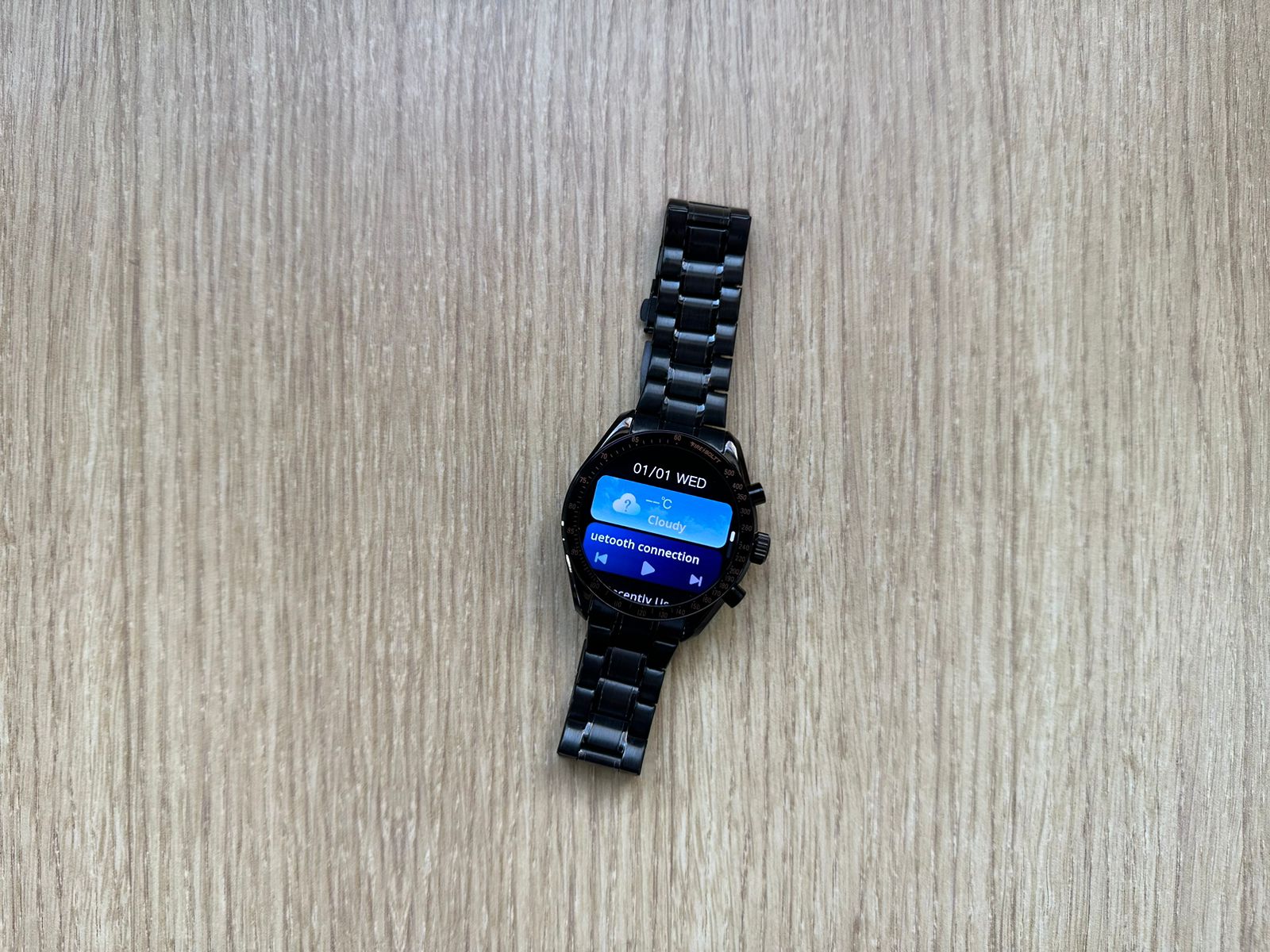
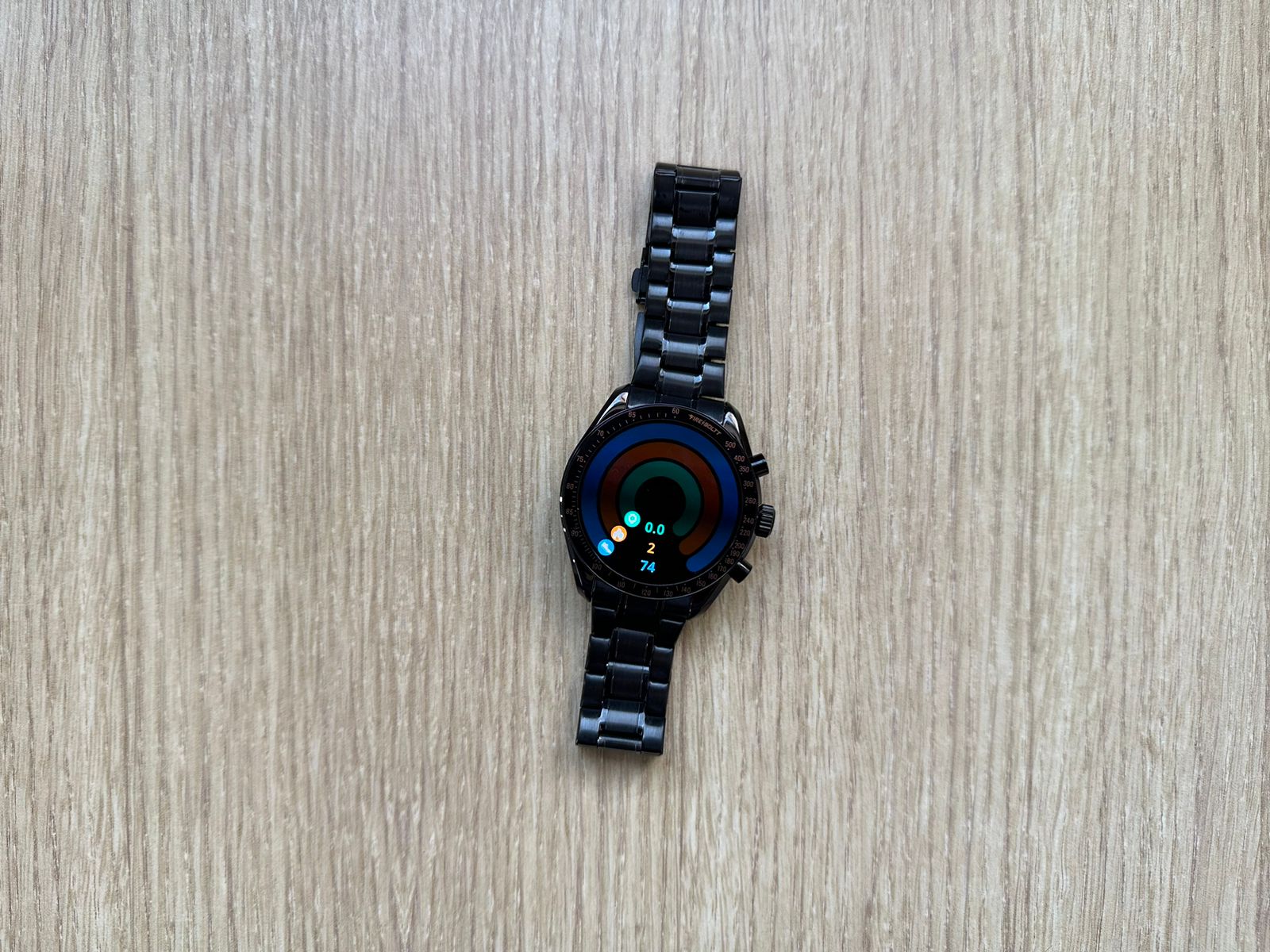
First off, I was impressed by the wonderful round 1.43-inch AMOLED Display on the watch. Sharp, vibrant, and absolutely pleasing to the eye, with a resolution of 466×466 pixels, the screen shows clear without a single blur.

More importantly, the always-on display function is impressing, in that it enables the watch face to show up constantly without a big drain on the battery.

The build quality is just right.

Moonwatch appears in a zinc alloy frame with a tempered glass cover at the front; it looks durable while oozing class.

Dripping some class along with its overall character, it comes with steel straps, suitable for casual and formal occasions alike.

The watch sits well on your wrist, even when worn for the entire day, thanks to its lightweight finish and ergonomically designed strap.

Fire-Boltt Moonwatch: Features

Fire-Boltt Moonwatch: Features

The Moonwatch is no exception to features, as it packs in some genuinely useful ones.

First off, wireless charging breaks the tethers of cables.

Just rest it on the charging dock, and voilà—it’s powered up.

Calling from a watch through its Bluetooth capability that allows calling directly and answering from your wrist is a nice feature.

The audio quality is clear, and the connection is reliable.

It comes with heart rate monitoring, SpO2 measurement, sleep tracking, and more.

Although the watch itself is not a medical device, the data supplied from it helps keep track of one’s overall wellness.

The watch also supports multiple sports modes, catering to various physical activities.

Whether you’re running, cycling, or practicing yoga, the Moonwatch tracks your performance and provides valuable insights.

Smart notifications keep you connected and informed.

From messages to app alerts, everything is accessible from your wrist, ensuring you stay in the loop without constantly checking your phone.

Fire-Boltt Moonwatch: Performance and Health Tracking

Fire-Boltt Moonwatch: Performance and Health Tracking

Fire-Boltt Moonwatch works on the RTOS operating system and is smooth and responsive in general.

No big lags or glitches while moving across menus and features of the watch.

Health tracking features are quite robust.

The heart rate monitor works pretty well and does continuous tracking throughout the day.

The SpO2 sensor is a nice addition, especially for those who like to track blood oxygen levels.

Another area where this Moonwatch watch really closes the deal is in sleep tracking.

It breaks your sleep down into deep, light, and REM, giving detailed information on the quality of sleep.

Valuable data if one wants to understand sleep habits and how to make adjustments for better rest.

It also provides sedentary reminders to keep one active throughout the day.

This can be especially useful for people holding desk jobs or sitting down most of their time.

Fire-Boltt Moonwatch: Battery Life

Fire-Boltt Moonwatch: Battery Life

The most crucial part of any smartwatch thankfully is the battery life, and on this aspect, the Moonwatch doesn’t fall short.

The 300mAH battery keeps this smart watch running, provided one uses it wisely, for up to 5 days on a single charge.

That’s an achievement by all standards, considering it supports an always-on display along with a host of other features.

The Moonwatch is easy to charge.

While it may take about 3 hours to be fully charged, in a hurry you can get it up to about 20% with a 30-40 minute charge.

Add in the convenience of wireless charging, and keeping it powered is super easy without needing to mess with cables.

Fire-Boltt Moonwatch: Final Verdict

Fire-Boltt Moonwatch: Final Verdict

The Fire-Boltt Moonwatch is a compelling smartwatch that combines elegance with functionality.

Its design is both stylish and durable, making it suitable for various occasions.

The high-resolution AMOLED display is a joy to use, providing clear and vibrant visuals.

Feature-wise, the Moonwatch excels with, Bluetooth calling, comprehensive health tracking, and multiple sports modes.

The RTOS operating system ensures smooth performance, and the battery life is impressive, making it a reliable companion for daily use.

While it’s not a medical device, the health tracking features provide valuable insights into your wellness, and the smart notifications keep you connected on the go.

Overall, the Fire-Boltt Moonwatch is an excellent choice for anyone looking for a stylish, feature-rich smartwatch.

Whether you’re a tech enthusiast, a fitness buff, or someone who values staying connected, the Moonwatch has something to offer.

It’s a worthy addition to the growing lineup of smartwatches on the market.

5 Reasons to Buy

5 Reasons to Buy
5 Reasons to Buy
  • Elegant and stylish design suitable for all occasions
  • Comprehensive health and fitness tracking features
  • Wireless charging for convenience
  • Impressive battery life up to 5 days
  • High-resolution AMOLED display with always-on feature

3 Reasons Not to Buy

3 Reasons Not to Buy
  • Not a medical device, so health tracking may not be precise
  • Limited app ecosystem compared to other smartwatches
  • Longer charging time (up to 3 hours)

My Mobile Rating

My Mobile Rating
My Mobile Rating

Design and display – 4 / 5

Features – 3.5 / 5

Performance and Health tracking – 3.5 / 5

Battery Life –  3.5 /5

Overall – 3.5 / 5

FAQs

What is the display quality of the Fire-Boltt Moonwatch?

The Fire-Boltt Moonwatch features a 1.43-inch AMOLED display with a resolution of 466×466 pixels, offering sharp and vibrant visuals.

Does the Fire-Boltt Moonwatch support wireless charging?

Yes, the Moonwatch supports wireless charging, allowing you to easily power up the device by placing it on a charging dock.

What health tracking features does the Fire-Boltt Moonwatch offer?

The Moonwatch includes heart rate monitoring, SpO2 measurement, sleep tracking, and multiple sports modes for comprehensive health and fitness tracking.

How long does the battery of the Fire-Boltt Moonwatch last?

The 300mAh battery can last up to 5 days on a single charge with regular use, which includes the always-on display and other features.

Can I make and receive calls on the Fire-Boltt Moonwatch?

Yes, the Moonwatch has Bluetooth calling capabilities, allowing you to make and receive calls directly from your wrist.

Also Read: Fire-Boltt Rise Luxe Smartwatch Review – Affordable Luxury Smartwatch with 1.85″ display, Bluetooth calling and more

Also Read: Fire-Boltt Solace Luxe Smartwatch Review – Under 2000 Luxury Smartwatch with 1.32″ HD display, BT calling, health suite and more

WhatsApp to End Support for KaiOS Devices by February 2025 Impacting Feature Phone Users

0

Highlights

  • WhatsApp to discontinue support for KaiOS devices by February 2025
  • New users and logouts can’t access WhatsApp on KaiOS from June 25, 2024
  • App removed from KaiOS store, halting new downloads or installations
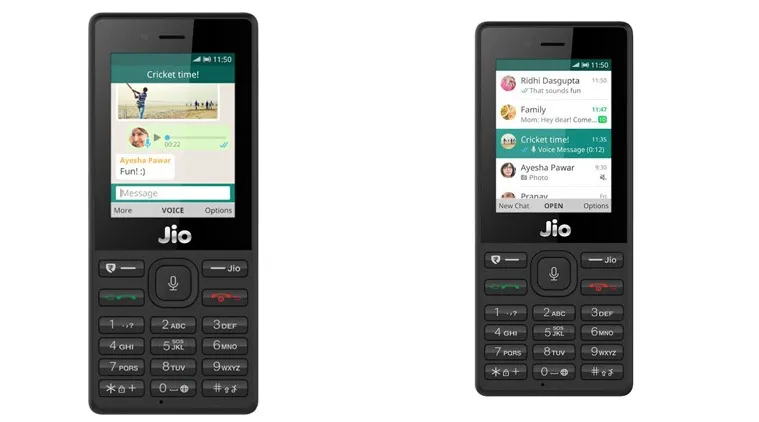
  • Affected devices include JioPhone, Nokia 800 Tough, 2720 Flip, and more

In a move that marks the end of an era for many feature phone users, WhatsApp has announced plans to discontinue support for KaiOS devices by February 2025.

Phased Withdrawal

WhatsApp to End Support for KaiOS Devices by February 2025 Impacting Feature Phone Users

WhatsApp’s departure from KaiOS is not abrupt but rather a phased process:

  1. As of June 25, 2024, new users or those who have logged out cannot access WhatsApp on KaiOS devices.
  2. Existing users who logged in before June 25, 2024, can continue using the app until early 2025.
  3. WhatsApp has ceased updates and maintenance for the KaiOS version.
  4. The app has been removed from the KaiOS store, preventing new downloads or installations.

Affected Devices and User Impact

New users and logouts can't access WhatsApp on KaiOS from June 25, 2024
New users and logouts can’t access WhatsApp on KaiOS from June 25, 2024

This change impacts a wide range of popular feature phones, including:

  • JioPhone and JioPhone 2
  • Nokia models: 800 Tough, 2720 Flip, 2760 Flip, 2780 Flip, 6300 4G, 8000 4G, and 8110 4G
  • Select Alcatel and Energizer models

Users of these devices face the prospect of losing access to one of the world’s most popular messaging platforms, potentially forcing them to consider upgrading to smartphones or finding alternative communication methods.

WhatsApp’s decision to end KaiOS support follows a pattern of discontinuing support for older operating systems.

Affected devices include JioPhone, Nokia 800 Tough, 2720 Flip, and more

In November 2021, the company dropped support for Android 4.0.3, iOS 9, and KaiOS 2.5.0.

This latest move signifies a shift in focus towards more advanced platforms, likely driven by security concerns and the challenges of maintaining compatibility with older systems.

The announcement has sparked concern and frustration among KaiOS users.

Some Reddit users reported issues with logging in and encountered error messages.

A few tech-savvy users discovered temporary workarounds, such as installing older versions of WhatsApp and manipulating device dates.

However, these solutions are not officially supported and may not work long-term.

What’s Next

App removed from KaiOS store, halting new downloads or installations

As the February 2025 deadline approaches, KaiOS users face important decisions:

  1. Upgrade to a smartphone to continue using WhatsApp
  2. Explore alternative messaging apps compatible with KaiOS
  3. Consider reverting to traditional SMS and voice calls

For many in developing countries where feature phones remain popular due to their affordability and long battery life, this change could have significant implications for how they communicate and access information.

While WhatsApp has not issued an official statement explaining the rationale behind this decision, it’s likely driven by a combination of technical limitations, security concerns, and the evolving landscape of mobile technology.

FAQs

When will WhatsApp stop supporting KaiOS devices?

WhatsApp will discontinue support for KaiOS devices by February 2025, with a phased process starting on June 25, 2024.

Which devices are affected by WhatsApp’s decision to end support for KaiOS?

Affected devices include JioPhone and JioPhone 2, Nokia models such as 800 Tough, 2720 Flip, 2760 Flip, 2780 Flip, 6300 4G, 8000 4G, 8110 4G, and select Alcatel and Energizer models.

What changes will existing KaiOS users experience with WhatsApp?

Existing KaiOS users who logged in before June 25, 2024, can continue using WhatsApp until early 2025, but the app will no longer receive updates or maintenance.

Why is WhatsApp discontinuing support for KaiOS devices?

While WhatsApp has not provided an official explanation, the decision is likely due to technical limitations, security concerns, and the evolving landscape of mobile technology.

What alternatives do KaiOS users have after WhatsApp support ends?

KaiOS users can upgrade to smartphones, explore alternative messaging apps compatible with KaiOS, or consider using traditional SMS and voice calls.

Also Read: WhatsApp to Enhance User Experience with AI-Powered Image Editor

Read More: WhatsApp launches picture-in-picture (PIP) mode for video calls on Apple IOS

Read More: Activate Whatsapp Web For Android And iOS Devices

How To Check And Reduce The Time You Spend On Instagram

0

Highlights

  • Use Instagram’s built-in tools to track your daily usage and set limits
  • Leverage iOS and Android screen time features for comprehensive tracking
  • Implement strategies like setting daily limits and using “quiet mode”
  • Enjoy benefits like improved focus, better sleep, and reduced anxiety

Instagram has become an integral part of our daily routines.

Its endless stream of photos, videos, and stories can be both entertaining and informative.

However, the app’s addictive nature can lead to excessive use, potentially impacting our productivity and well-being.

Understanding and managing your Instagram time is crucial for maintaining a healthy digital balance.

Here’s a comprehensive guide to help you track and control your Instagram usage.

Understanding Your Instagram Time

How To Check And Reduce The Time You Spend On Instagram
Use Instagram’s built-in tools to track your daily usage and set limits

Instagram has recognized the need for users to be aware of their time spent on the platform.

They’ve built-in tools to help you monitor your usage:

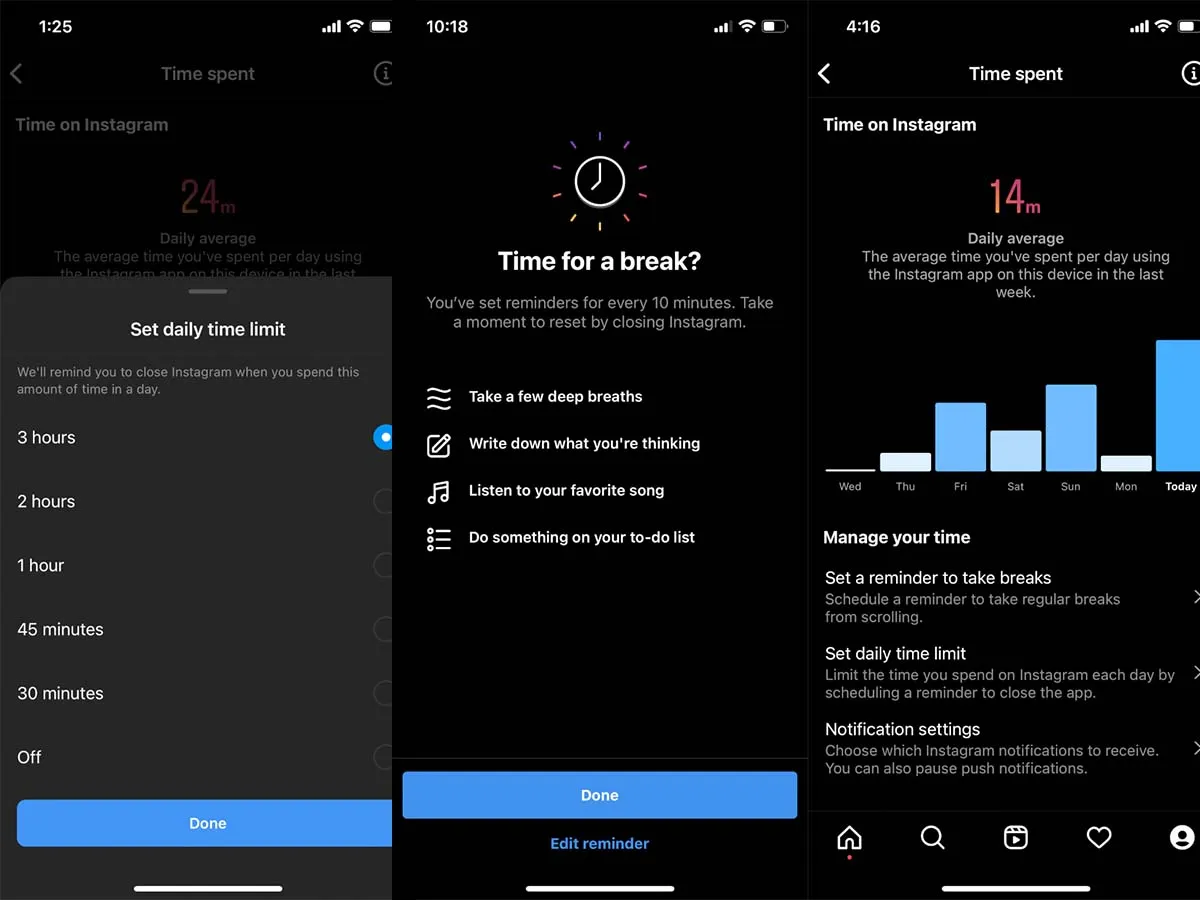
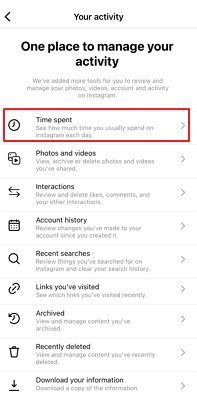
  1. Open Instagram and tap your profile icon in the bottom-right corner
  2. Select the menu (three horizontal lines) in the top-right corner
  3. Choose “Your activity” from the menu
  4. Scroll down to “Time spent”

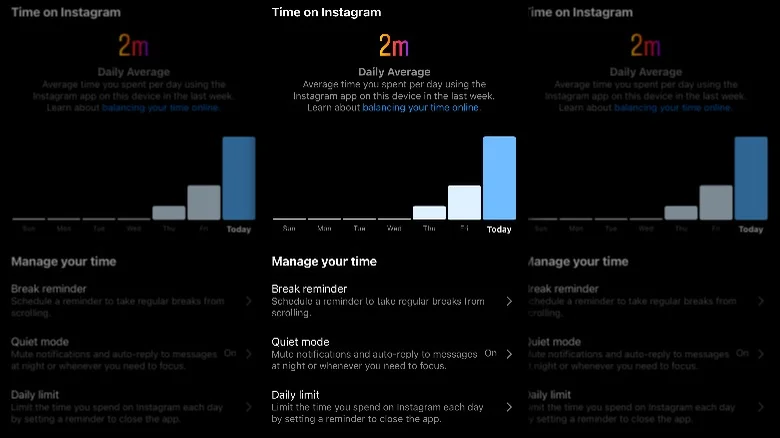
In this section, you’ll find your daily average for the past week and a graph showing your daily usage.

You can press and hold on the graph bars to see specific daily totals.

This feature also allows you to set break reminders and daily limits, helping you manage your time more effectively.

Leveraging Your Phone’s Built-in Tools

Leverage iOS and Android screen time features for comprehensive tracking

For a more comprehensive view of your digital habits, both iOS and Android offer built-in screen time tracking tools:

iOS

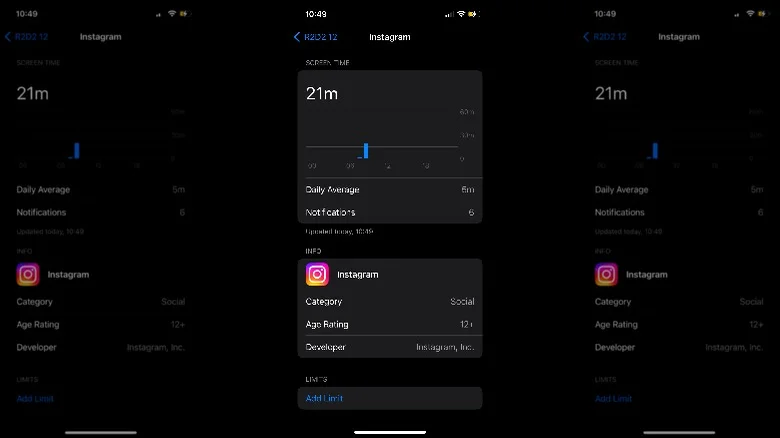
  • Go to Settings > Screen Time > See All Activity
  • Here you can view weekly or daily usage statistics
  • Tap on Instagram to see detailed information and set app-specific limits
  • The iOS tool provides data beyond the 7-day limit of Instagram’s in-app feature

Android

  • Navigate to Settings > Digital Wellbeing & parental control
  • View the usage pie chart for all frequently used apps
  • Tap on Dashboard to see specific hours for each app, including Instagram
  • Use the hourglass icon to set time limits for Instagram

Taking Control of Your Time

Implement strategies like setting daily limits and using "quiet mode"
Implement strategies like setting daily limits and using “quiet mode”

Once you’ve identified your usage patterns, consider implementing these strategies to reduce your Instagram time:

  1. Set realistic daily limits: Start small and gradually decrease your allowed time
  2. Use the “quiet mode” feature: Pause notifications during specific hours
  3. Remove Instagram from your home screen: Reduce the temptation to open the app mindlessly
  4. Find alternative activities: Replace scrolling time with reading, exercise, or other hobbies
  5. Practice mindful usage: Ask yourself why you’re opening the app each time
  6. Use Instagram’s built-in reminders: Set break reminders to prompt you to close the app
  7. Curate your feed: Follow accounts that add value to your life, unfollow those that don’t

Remember, the goal isn’t to eliminate Instagram entirely, but to create a healthier balance.

By being aware of your usage and setting boundaries, you can enjoy the platform without letting it consume too much of your valuable time.

The Impact of Reduced Instagram Usage

Instagram usage is about reclaiming your time and attention

Many users who have successfully reduced their Instagram time report numerous benefits:

  • Improved focus and productivity
  • Better sleep quality
  • Reduced anxiety and FOMO (Fear of Missing Out)
  • More time for real-world social interactions
  • Increased creativity and original thinking

Ultimately, taking control of your Instagram usage is about reclaiming your time and attention.

It’s about being intentional with how you engage with social media and ensuring that it enhances rather than detracts from your life.

FAQs

How can I check my Instagram usage within the app?

To check your usage, open Instagram, tap your profile icon, select the menu, choose “Your activity,” and scroll down to “Time spent.”

Here you can see your daily average and set reminders.

What built-in tools do iOS and Android offer for screen time tracking?

iOS users can go to Settings > Screen Time > See All Activity to view detailed usage statistics and set app-specific limits.

Android users can navigate to Settings > Digital Wellbeing & parental control to see usage charts and set time limits for apps.

What strategies can help reduce Instagram usage?

Set realistic daily limits, use “quiet mode” to pause notifications, remove Instagram from your home screen, find alternative activities, practice mindful usage, and use Instagram’s built-in reminders.

What are the benefits of reducing Instagram time?

Reducing Instagram time can improve focus and productivity, enhance sleep quality, reduce anxiety and FOMO, allow more time for real-world interactions, and boost creativity and original thinking.

How can I set daily limits for Instagram on my phone?

On iOS, go to Settings > Screen Time > See All Activity, tap on Instagram, and set app-specific limits.

On Android, navigate to Settings > Digital Wellbeing & parental control, tap on Dashboard, and use the hourglass icon to set time limits for Instagram.

Also Read: Instagram is making it easier to tag multiple people in Stories: Heres How it Will Work

Also Read: Browse Instagram Without an Account: Top 3 Tools for Anonymous Viewing

Also Read: Meta lets you use avatars for video calls on Instagram, Messenger: Here’s How it Works

Apple Watch Saves Body Surfer in Dramatic Ocean Rescue Off New South Wales Coast

0

Highlights

  • Experienced body surfer Rick Shearman rescued using Apple Watch emergency call
  • Swept 1 km from shore by strong ocean current, Shearman used his watch to call for help
  • Rescued after an hour-long call, guided emergency services to his location
  • Apple Watch praised as a “game changer” by Surf Life Saving Far North Coast

In a dramatic rescue off the coast of New South Wales, Australia, the Apple Watch once again proved its worth as a potentially life-saving device.

Rick Shearman, a 49-year-old experienced body surfer, found himself in a perilous situation when a powerful ocean current swept him far from shore.

Jimmy Keogh, from Surf Life Saving Far North Coast, who assisted in the rescue operation, highlighted the importance of the device in such adverse circumstances. “The Apple Watch made a huge difference. With the conditions we had, the search area would have been substantial, involving multiple agencies and could have lasted for days“, he explained.

Ocean Peril Meets Modern Technology

Apple Watch Saves Body Surfer in Dramatic Ocean Rescue Off New South Wales Coast

Despite his daily routine of body surfing, Shearman was caught off guard by the current’s strength.

After 20 minutes of struggling against the tide, he realized he was in serious trouble.

Cramps set in, panic began to rise, and he was now a kilometer from the safety of the beach.

In this moment of crisis, Shearman remembered his Apple Watch.

The Westpac life saver rescue helicopter saved a man 1km offshore on the NSW North Coast after he called help from his Apple Watch

Even while treading water, he managed to activate the emergency call feature.

This simple action set in motion a rescue operation that would ultimately save his life.

“I copped a couple of big ones on the head and was held under for a while, I started to panic a bit and cramp up underwater there. It became clear after about 20 minutes that I wasn’t going to make it back in and I needed some assistance,” said Rick Shearman.

A Challenging Rescue

Swept 1 km from shore by strong ocean current, Shearman used his watch to call for help

The rescue was not without its challenges.

Shearman struggled to communicate his location and needs through the watch while battling waves and wind.

Despite these obstacles, he remained on the call for an hour, guiding emergency services to his position.

The dramatic rescue concluded with Shearman being winched to safety by a helicopter.

Photo: Surf Life Saving NSW

Jimmy Keogh from Surf Life Saving Far North Coast hailed the Apple Watch as a “game changer” that undoubtedly saved Shearman’s life.

Shearman himself was grateful for the technology, stating, “if it wasn’t for being able to access that service in my watch, I’d probably be bobbing out somewhere in international waters by now. It’s amazing that I was able to use that technology to save my life.”

Photo: Surf Life Saving NSW

This event adds to the increasing number of rescues made possible by the Apple Watch, which includes anything from identifying irregular cardiac conditions to notifying emergency personnel following falls or auto accidents.

It acts as a potent reminder of how wearable technology might offer an essential safety net during unforeseen dangerous situations.

FAQs

How did Rick Shearman use his Apple Watch during the rescue?

Rick Shearman activated the emergency call feature on his Apple Watch while treading water, enabling him to contact emergency services and guide them to his location.

What challenges did Shearman face during the rescue?

Shearman struggled to communicate his location through the watch while battling waves and wind, but he stayed on the call for an hour until he was rescued.

How was Shearman ultimately rescued?

Shearman was winched to safety by a helicopter after guiding emergency services to his position using his Apple Watch.

What did emergency services say about the Apple Watch’s role in the rescue?

Jimmy Keogh from Surf Life Saving Far North Coast called the Apple Watch a “game changer” that undoubtedly saved Shearman’s life.

What other life-saving incidents involve the Apple Watch?

The Apple Watch has previously been credited with saving lives by identifying irregular cardiac conditions, notifying emergency personnel after falls or auto accidents, and now aiding in ocean rescues.

How to call the emergency services on your Apple Watch?

Press and hold your watch’s side button (the button below the Digital Crown) until the Emergency Call slider appears.

Drag the Emergency Call slider to start the call immediately.

Or you can keep holding the side button, then after a countdown your watch will call the emergency services automatically.

Also Read: Apple Watch Series 9 and Ultra 2 Lose Blood Oxygen Feature: All You Need To Know About This Patent Dispute

Also Read: Apple Watch Series 9: Five Features To Admire & Two Reasons for Second Thoughts

CMF Phone 1 Teardown Reveals Repairability Issues Despite Promising Design

0

Highlights

  • Difficult back cover removal complicates repairs
  • Screws covered with tape and hidden screw add to disassembly challenges
  • Battery removal more difficult than expected
  • Received a repairability score of 6.5 out of 10 from PBK

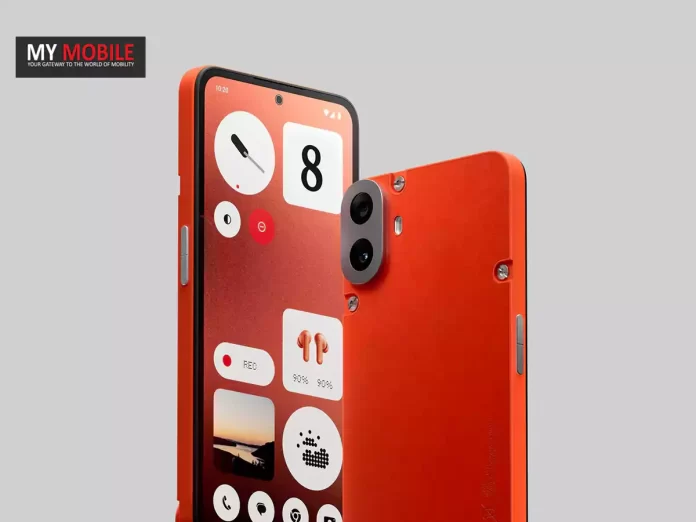
Nothing’s budget-friendly CMF Phone 1 has found itself under scrutiny, thanks to a revealing teardown by repair experts PBK.

While the device boasts an attractive design and impressive features, its repairability claims have hit a snag.

Hurdles in the Repair Process

CMF Phone 1 Teardown Reveals Repairability Issues Despite Promising Design

Contrary to Nothing’s marketing, the CMF Phone 1 presents several challenges for DIY repairs:

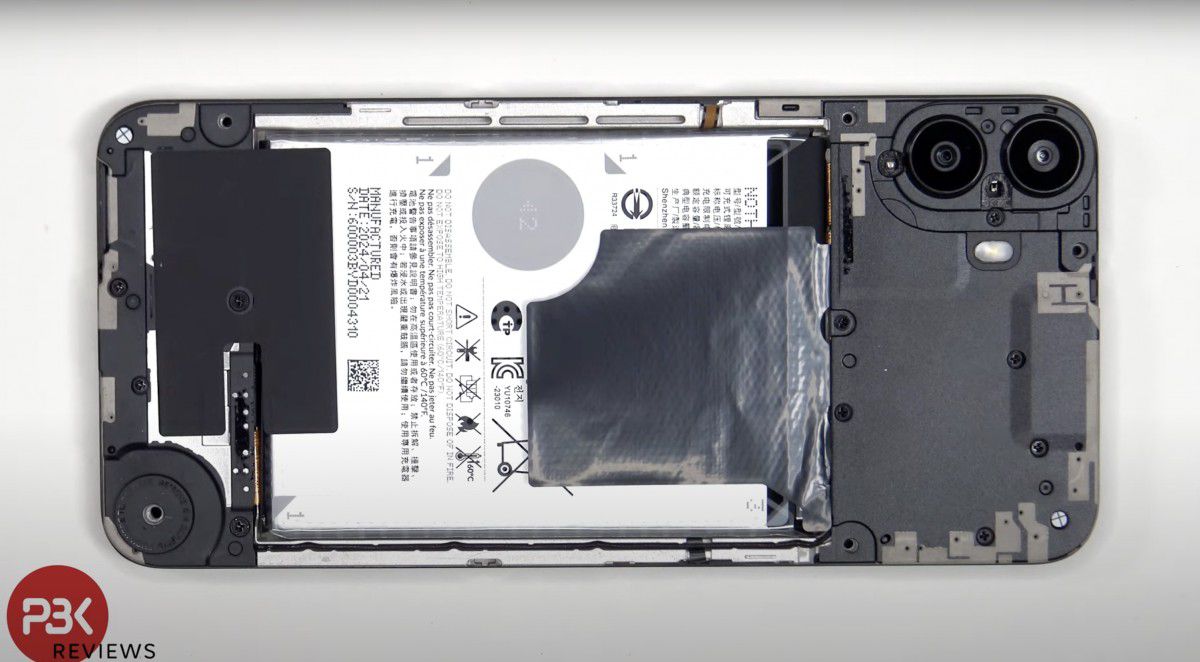
  • Back cover removal is difficult
  • A plastic cover with warranty warnings lies beneath
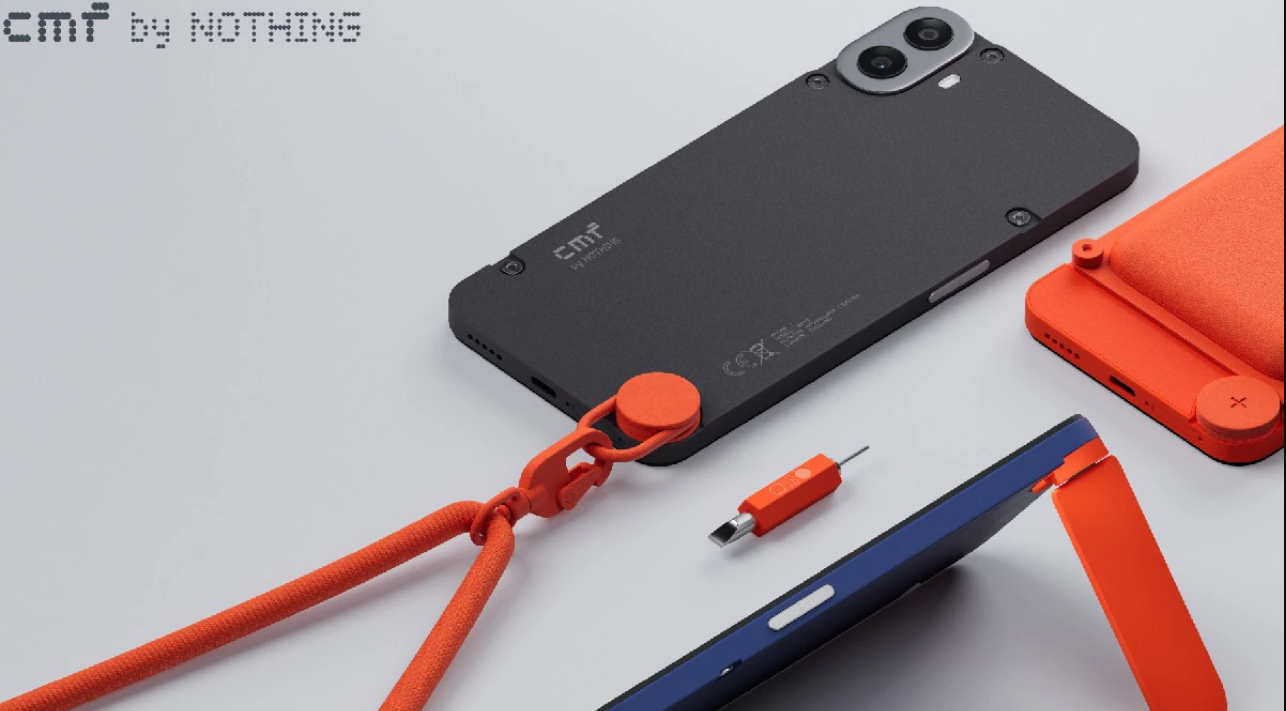
CMF Phone 1 is held in place by four flathead screws and one larger knob which Nothing calls the Accessory Point.
  • Screws are covered with tape, complicating disassembly
  • A crucial screw is hidden under an accessory knob
  • Battery removal is trickier than expected
The top half of the back plastic cover houses the camera lens covers and antennas

These obstacles stand in stark contrast to user-repairable devices like HMD’s Nokia G22 and G42, setting a disappointing precedent for the CMF brand.

Silver Linings and Quality Concerns

Nothing's budget-friendly CMF Phone 1
CMF Phone 1 earns a 6.5/10 repairability score with the battery removal

Despite the repairability issues, the teardown revealed some positive aspects:

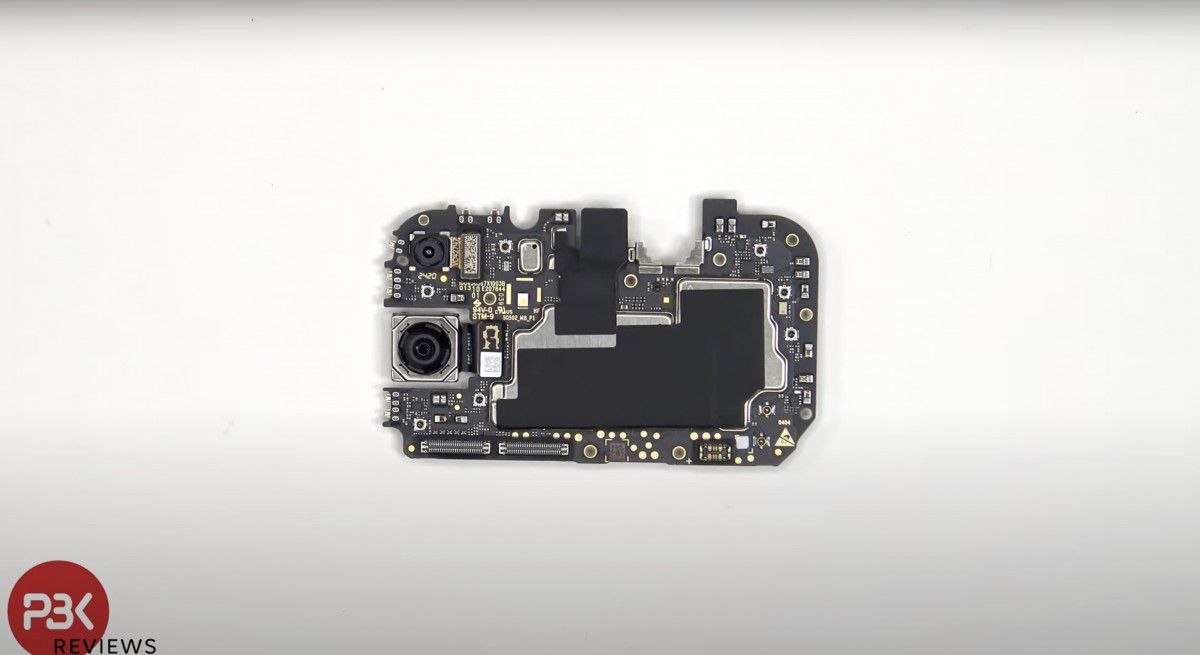
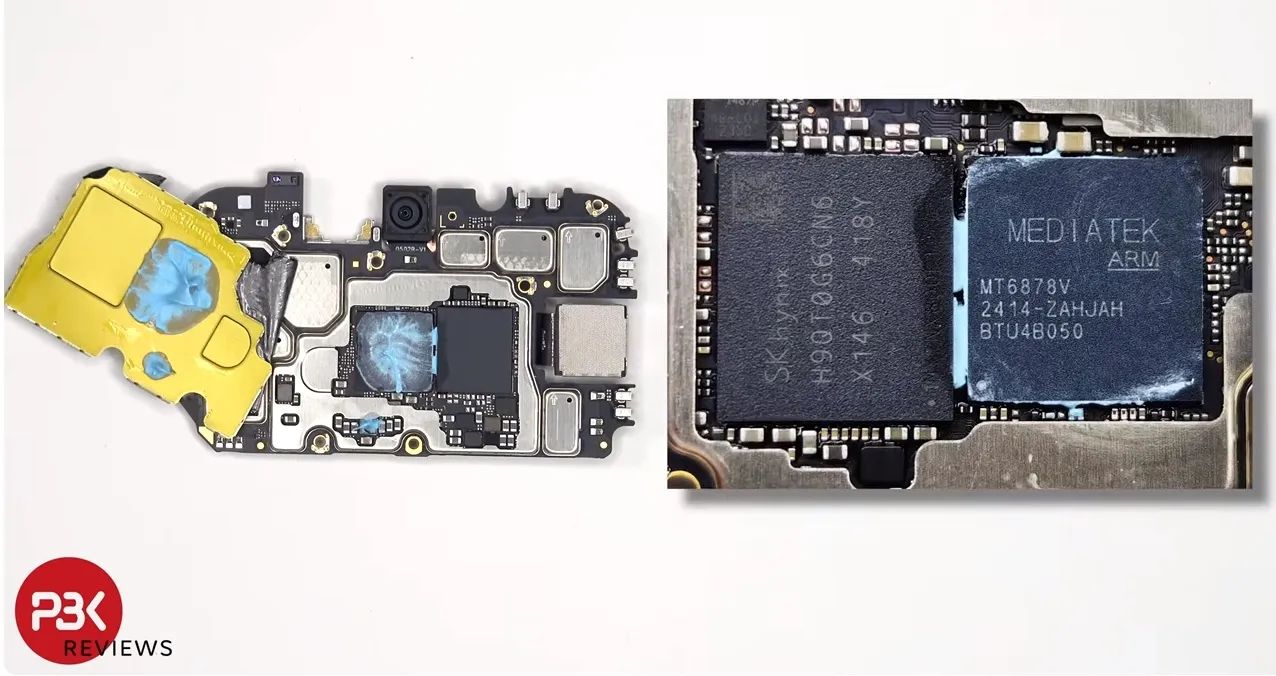
  • Impressive cooling features, including heat dissipation shields and thermal paste
  • Sturdy construction with an aluminum shell and numerous screws

However, a critical assembly error during the teardown resulted in a damaged connector, raising questions about quality control.

The plastic covers over the motherboard and speaker assembly are also harder to remove than on other phones.

These factors contributed to PBK awarding the CMF Phone 1 a modest repairability score of 6.5 out of 10.

The CMF Phone 1’s repairability shortcomings highlight a growing disconnect between marketing claims and real-world practicality.

Despite its “modular design” CMF Phone 1 earns a 6.5/10 repairability score

As consumers increasingly prioritize sustainable, repairable electronics, Nothing and other manufacturers must rise to the challenge.

The CMF Phone 1 is a reminder that real repairability necessitates careful design and a sincere dedication to user accessibility—not just marketing.

FAQs

What challenges were found during the teardown of the CMF Phone 1?

The teardown revealed several challenges, including difficult back cover removal, screws covered with tape, a hidden screw under an accessory knob, and tricky battery removal.

How does the CMF Phone 1 compare to other user-repairable devices?

Compared to devices like HMD’s Nokia G22 and G42, the CMF Phone 1 presents more obstacles for DIY repairs, highlighting a disconnect between marketing claims and real-world repairability.

Were there any positive aspects noted during the teardown?

Yes, the teardown revealed impressive cooling features such as heat dissipation shields and thermal paste, along with sturdy construction featuring an aluminum shell and numerous screws.

What quality control concerns were raised during the teardown?

A critical assembly error led to a damaged connector, raising questions about the quality control of the CMF Phone 1 and contributing to its modest repairability score.

What is the repairability score of the CMF Phone 1?

PBK awarded the CMF Phone 1 a repairability score of 6.5 out of 10, reflecting the challenges faced during the teardown process.

Also Read: Nothing Releases 3D Printing Documentation for Custom CMF Phone 1 Back Covers

Also Read: CMF by Nothing Announces Blind Drop Pre-Order Sale Ahead of Official Launch

Also Read: Nothing Phone 2a Launch Set for March 5; To Launch in India and UK

Honor X60i Impressive Specs and Stylish Design Revealed, Targeted for Budget Buyers

0

Highlights

  • 6.7-inch Full HD+ LCD display with 8MP selfie camera
  • 50MP main rear camera paired with a 2MP depth sensor
  • Powered by MediaTek Dimensity 6080 chipset with up to 12GB RAM
  • 5,000mAh battery with 35W fast charging and four stylish colour options

Honor’s upcoming X60i has been thrust into the spotlight, thanks to a revealing listing on China Telecom.

This mid-range contender is shaping up to be a compelling option for budget-conscious smartphone enthusiasts.

Honor X60i: Specs Leaked


The Honor X60i boasts a svelte 7.2mm profile, tipping the scales at a mere 172 grams.

Its 6.7-inch LCD display offers Full HD+ resolution, with an 8MP selfie camera nestled in a pill-shaped cutout.

The rear camera setup features a 50MP main sensor paired with a 2MP depth sensor, arranged in a distinctive triangular island.

Under the hood, the X60i is powered by the MediaTek Dimensity 6080 chipset (likely the MT6833P).

RAM options are generous, with 8GB and 12GB variants available, alongside storage capacities of 256GB or 512GB.

A 5,000mAh battery with 35W fast charging ensures ample endurance.

Software and Pricing

Powered by MediaTek Dimensity 6080 chipset with up to 12GB RAM

Honor’s latest MagicOS 8.0, based on Android 14, will run the show out of the box.

The X60i will be available in four stylish colors: Phantom Night Black, Cloud Water Blue, Moon Shadow White, and Coral Purple.

While the China Telecom listing suggests a price range of CNY1,699 to CNY2,099 ($230-$290), it’s worth noting that these figures may not be final.

A rumored launch date of July 26 is circulating, which should bring clarity to the pricing structure.

The Honor X60i appears poised to offer a compelling mix of design, performance, and features at an attractive price point.

Honor’s latest offering could carve out a niche for itself among value-conscious consumers.

With its imminent launch, all eyes will be on Honor to see if the X60i can live up to its promising spec sheet.

WhatsApp Image 2024-07-16 at 3.01.11 PM
WhatsApp Image 2024-07-16 at 3.01.10 PM
WhatsApp Image 2024-07-16 at 3.01.12 PM
WhatsApp Image 2024-07-16 at 3.01.12 PM (1)
WhatsApp Image 2024-07-16 at 3.01.11 PM WhatsApp Image 2024-07-16 at 3.01.10 PM WhatsApp Image 2024-07-16 at 3.01.12 PM WhatsApp Image 2024-07-16 at 3.01.12 PM (1)

FAQs

What are the display features of the Honor X60i?

The Honor X60i features a 6.7-inch Full HD+ LCD display with an 8MP selfie camera housed in a pill-shaped cutout for a sleek design.

What camera setup does the Honor X60i offer?

The rear camera setup includes a 50MP main sensor and a 2MP depth sensor, arranged in a distinctive triangular island for enhanced photography.

What is the performance capability of the Honor X60i?

The Honor X60i is powered by the MediaTek Dimensity 6080 chipset and offers RAM options of 8GB and 12GB, ensuring smooth multitasking and performance.

What is the battery capacity and charging speed of the Honor X60i?

The device boasts a 5,000mAh battery with 35W fast charging, providing ample endurance and quick recharge times for users.

When will the Honor X60i be available and at what price?

The Honor X60i is rumored to launch on July 26, with a price range of CNY1,699 to CNY2,099 ($230-$290), though these figures may not be final.

Honor X60i Specs

DISPLAY

Type AMOLED, 90Hz
Size 6.7 inches
Resolution 1080 x 2412 pixels
DESIGN & BUILD

Dimensions

Weight
Colors Blue, Pink

PERFORMANCE

OS Android 13
Chipset Mediatek Dimensity
CPU Octa-core
Card slot No
Built-in 256GB 8GB RAM, 512GB 8GB RAM

MAIN CAMERA

Rear camera 108MP + 2MP
Features LED flash, HDR, panorama
Video 1080p@30fps

FRONT CAMERA

Front camera 8MP
Front features HDR
Front video 1080p@30fps

BATTERY

USB USB Type-C
Battery Li-Po 4500 mAh, Non-removable
Charging 35W Fast charging

GENERAL

Technology GSM / HSPA / LTE / 5G
SIM Dual SIM (Nano-SIM, dual stand-by)
WLAN Wi-Fi 802.11 a/b/g/n/ac, dual-band, Wi-Fi Direct
Bluetooth 5.1, A2DP, LE, aptX HD
GPS GPS, GLONASS, GALILEO, BDS
NFC No
Radio No
Sensors Fingerprint (side-mounted), accelerometer, compass

Also Read: Honor X9b Ready to Debut in India After Being Teased by HTech’s Madhav Sheth

Also Read: Honor X9b 5G Indian Launch Date Revealed, To Come with Innovative Ultra Bounce Display

Also Read: Honor X9b Confirmed to Launch in India With Ultra-Bounce Display Technology and More

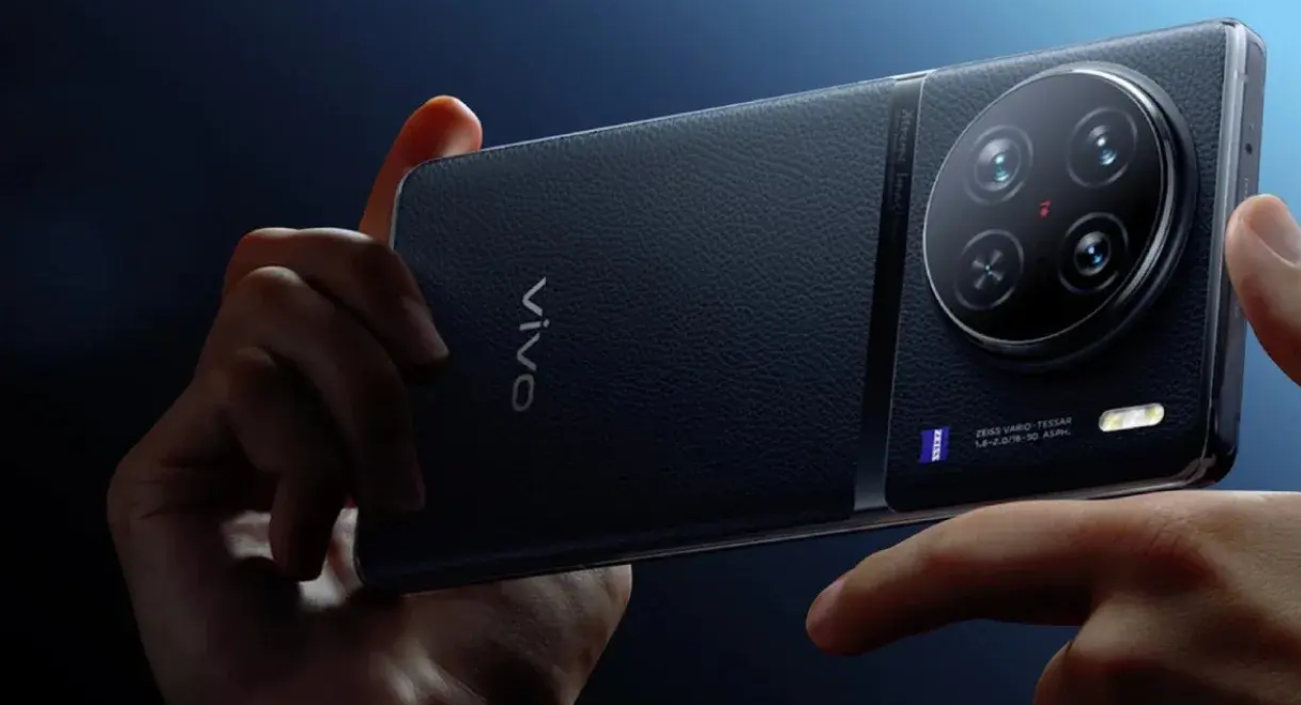
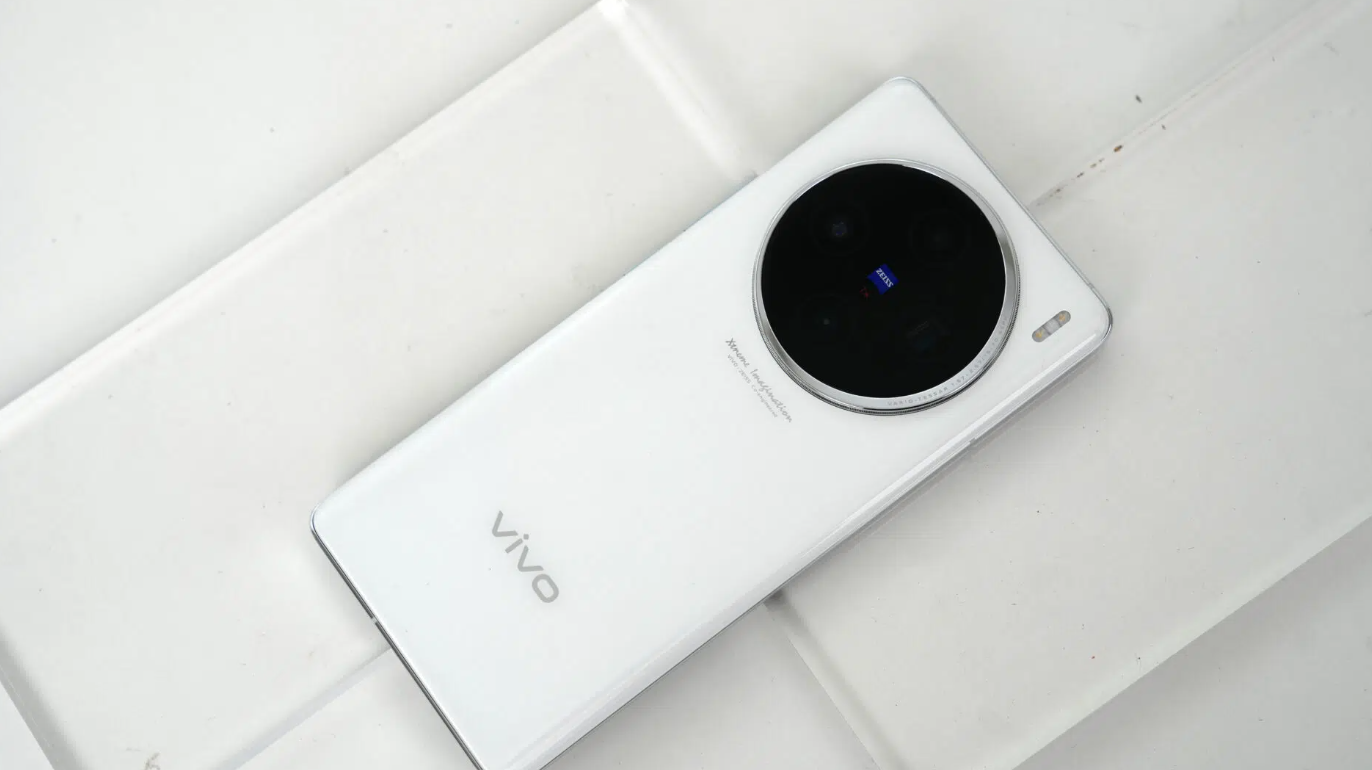
Vivo X200 Pro to Redefine Smartphone Photography with Samsung HP9 200MP Periscope Lens

0

Highlights

  • 200 MP periscope lens with Samsung’s HP9 sensor for unparalleled zoom
  • 1.5K BOE Micro-Curved LTPO OLED display for stunning visuals
  • Ultra-large battery with 100W fast charging for extended endurance
  • MediaTek Dimensity 9400 chipset for top-tier mobile processing power

Vivo is set to shake up the smartphone industry with its upcoming X200 Pro.

This flagship device promises to push the boundaries of what’s possible in mobile imaging and performance.

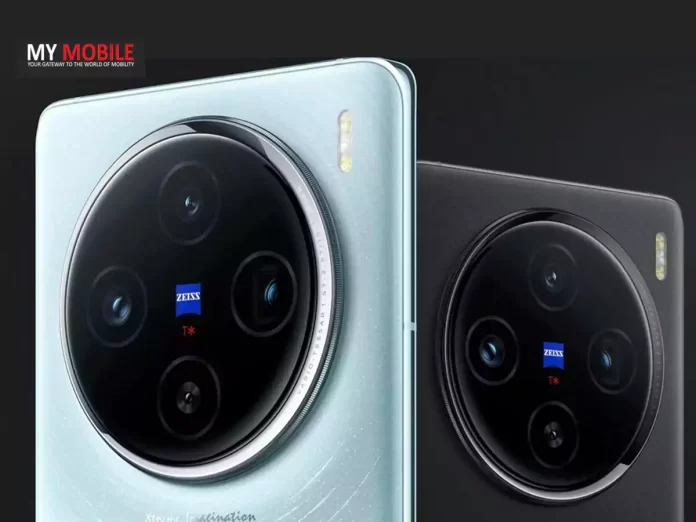
At the forefront of the X200 Pro’s arsenal is a staggering 200 MP periscope lens.

Digital Chat Station says the Vivo X200 Pro is getting a Dimensity 9400

Likely utilizing Samsung’s HP9 sensor, this powerhouse promises to deliver unparalleled zoom capabilities.

While the exact zoom range remains under wraps, it’s clear that Vivo is aiming to set a new standard in telephoto performance.

The primary camera isn’t neglected either.

Regular screen size expected for the Vivo X200

The X200 Pro is expected to retain the excellent 50 MP 1″ sensor from its predecessor, ensuring top-tier quality for everyday shots.

This dual approach to imaging showcases Vivo’s commitment to dominating the smartphone camera market.

Other Expected Specs

Vivo X200 Pro to Redefine Smartphone Photography with Samsung HP9 200MP Periscope Lens

Beyond its photographic prowess, the X200 Pro boasts impressive specs across the board.

A 1.5K BOE Micro-Curved LTPO OLED display promises stunning visuals, while an ultrasonic fingerprint sensor adds a touch of futuristic security.

Power users will appreciate the “ultra-large battery” paired with lightning-fast 100W charging.

This combination could redefine expectations for smartphone endurance and convenience.

Under the hood, the X200 Pro is slated to feature MediaTek’s upcoming Dimensity 9400 chipset, positioning it at the forefront of mobile processing power.

MediaTek Dimensity 9400 chipset for top-tier mobile processing power

With its expected Q4 2024 debut in China, the Vivo X200 Pro isn’t just another smartphone.

It’s a bold statement from a company determined to push the boundaries of mobile technology.

As the launch approaches, all eyes will be on Vivo to see if this ambitious device lives up to its considerable hype.

FAQs

What is the standout feature of the Vivo X200 Pro’s camera?

The Vivo X200 Pro features a groundbreaking 200 MP periscope lens, likely using Samsung’s HP9 sensor, promising exceptional zoom capabilities.

What display technology does the Vivo X200 Pro use?

The X200 Pro is equipped with a 1.5K BOE Micro-Curved LTPO OLED display, offering stunning visuals and improved energy efficiency.

How fast is the charging on the Vivo X200 Pro?

The Vivo X200 Pro supports lightning-fast 100W charging, paired with an ultra-large battery for extended usage without frequent recharging.

What processor powers the Vivo X200 Pro?

The Vivo X200 Pro is powered by MediaTek’s upcoming Dimensity 9400 chipset, ensuring top-tier performance and efficiency.

When is the Vivo X200 Pro expected to be released?

The Vivo X200 Pro is expected to debut in Q4 2024 in China, with anticipation building around its innovative features and performance capabilities.

Vivo X200 5G Specs

GENERAL

Sim Type Dual Sim, GSM+GSM
Dual Sim Yes
Sim Size Nano+Nano SIM
Device Type Smartphone
Release Date November 13, 2024 (Expected)

DESIGN

Dimensions 164.1 x 75.2 x 8.5 mm or 8.8 mm
Bezel less Yes

DISPLAY

Type Color LTPO AMOLED Screen (1.07B)
Touch Yes
Size 6.78 inches, 1260 x 2800 pixels, 144 Hz
Aspect Ratio 20:9
PPI ~ 453 PPI
Screen to Body Ratio ~ 93%
Features HDR10+, P3 Color Gamut, 6000nits, Curved Display
Notch Yes, Punch Hole

MEMORY

RAM 12 GB
Expandable RAM Upto 12 GB Extra Virtual RAM
Storage 512 GB
Storage Type UFS 4.0
Card Slot No

CONNECTIVITY

GPRS Yes
EDGE Yes
3G Yes
4G Yes
5G Yes
5G Bands n1/n3/n5/n7/n8/n28/n38/n40/n41/n77/n78
VoLTE Yes, Dual Stand-By
Wifi Yes, with wifi-hotspot
Wifi Version Wi-Fi 6, Wi-Fi 7, WLAN 2.4 GHz/5 GHz/6 GHz, Wi-Fi Display, 2 x 2 MIMO, MU-MIMO
Bluetooth Yes, v5.4, A2DP, LE, aptX HD
USB Yes, USB-C v2.0
USB Features USB Tethering, USB on-the-go, USB Charging
IR Blaster Yes

EXTRA

GPS Yes, with GPS, BeiDou, GLONASS, Galileo, QZSS, NavIC, A-GPS, Cellular Positioning, Wi-Fi Positioning
Fingerprint Sensor Yes, In Display
Face Unlock Yes
Sensors Accelerometer, Ambient Light Sensor, Proximity Sensor, E-Compass, Color Temperature Sensor, Laser Focus Sensor, Infrared Blaster, Flicker Sensor, Gyroscope
3.5mm Headphone Jack No
NFC Yes
Water Resistance Yes, 1.5 m upto 30 min
IP Rating IP68
Dust Resistant Yes
Extra Features LPDDR5X RAM, V3 Chip

CAMERA

Rear Camera 50 MP 1/1.49″, PDAF, Laser AF, OIS f/1.6 (Wide Angle)
100 MP 70mm, 1/2.0″, PDAF, OIS, 3x optical zoom f/2.6 (Telephoto)
50 MP 15mm, 119˚, 1/2.76″, AF f/2 (Ultra Wide) with autofocus
Camera Sensor Sony IMX920
Features Snapshot, Night, Portrait, Photo, Video, High Resolution, Pano, Ultra HD Document, Slo-Mo, Long Exposure, Timelapse, Supermoon, Astro, Landscape & Architectural, Pro, Food, Live Photo, Cinematic Portrait, ZEISS Telephoto Camera, ZEISS Multifocal Portrait, 100x Digital Zoom
Video Recording 4K, 1080p
Flash Yes, LED
Front Camera Punch Hole 50 MP f/2 (Wide Angle) with Screen Flash
Front Video Recording 4K, 1080p

TECHNICAL

OS Android v15
Custom UI Funtouch OS 15
Chipset Mediatek Dimensity 9400
CPU Octa Core Processor
Java No
Browser Yes

MULTIMEDIA

Email Yes
Music WAV, MP3, MP2, MIDI, Vorbis, APE, FLAC
Video MP4, 3GP, AVI, Video Recording: MP4
FM Radio No
Document Reader Yes

BATTERY

Type Non-Removable Battery
Size 5500 mAh, Li-ion Battery
Fast Charging Yes, 120W FlashCharge


Also Read: Vivo X200 Series to Feature MediaTek Dimensity 9400 Chipset: Leaked Details 

Also Read: Vivo X200 Pro Leaked: To Come with 1.5K Display, 6,000mAh Battery, and More

Android Auto 12.4 Enhances Stability and Performance with Latest Update

0

Highlights

  • Android Auto 12.4 focuses on bug fixes and performance improvements
  • Enhanced stability and faster app loading times in the latest update
  • Improved compatibility with various car models and Android devices
  • Simple update process available through the Google Play Store

Google has quietly rolled out Android Auto12.4, now available for download on the Play Store.

While this update doesn’t come with flashy new features, it promises to refine and enhance your in-car Android experience.

What’s New in the Update?

Android Auto 12.4 Enhances Stability and Performance with Latest Update

True to form, Google’s changelog is brief.

It simply states “bug fixes and other improvements.”

This might seem underwhelming, but seasoned Android Auto users know that these updates often bring significant under-the-hood enhancements.

Many of Android Auto’s most crucial updates work behind the scenes.

They address stability issues, improve performance, and enhance compatibility with various car models and Android devices.

While you might not see dramatic changes to the interface, these updates can greatly improve your overall experience.

Why You Should Update

Android Auto 12.4 focuses on bug fixes and performance improvements

Even without headline-grabbing new features, updating to Android Auto 12.4 is highly recommended:

  1. Enhanced Stability: The update may resolve persistent bugs or glitches you’ve been experiencing.
  2. Improved Performance: You might notice faster app loading times and a more responsive interface.

  3. Better Compatibility: The update could improve how Android Auto interacts with your specific car model or phone.
  4. Future-Proofing: Staying current ensures you’re ready for any new features Google might introduce soon.

How to Update Android Auto

Improved compatibility with various car models and Android devices

Updating is a straightforward process:

  1. Open the Google Play Store app on your phone.
  2. Tap your profile picture and select “Manage apps & device.”
  3. Find Android Auto in your list of installed apps.
  4. If an update is available, tap “Update.”

For those comfortable with manual installations, APKMirror offers an alternative download option.

However, exercise caution when using third-party sources.

Potential Improvements You Might Notice

Enhanced stability and faster app loading times in the latest update

While not explicitly mentioned, this update could address common Android Auto issues such as:

– Intermittent connection drops between your phone and car

– Audio cutting out during calls or music playback

– Maps navigation lag or inaccuracies

– Voice command recognition problems

The Bigger Picture

Android Auto 12.4 are part of Google's ongoing commitment to improving the platform
Android Auto 12.4 are part of Google’s ongoing commitment to improving the platform

Regular updates like Android Auto 12.4 are part of Google’s ongoing commitment to improving the platform.

They often lay the groundwork for more significant features or design changes in the future.

As cars become increasingly connected, the importance of a reliable, user-friendly interface like Android Auto grows.

These incremental updates ensure the platform evolves to meet changing user needs and technological advancements.

FAQs

What are the main features of the Android Auto 12.4 update?

The Android Auto 12.4 update primarily includes bug fixes and performance improvements, enhancing the overall stability and responsiveness of the platform.

Why should I update to Android Auto 12.4?

Updating to Android Auto 12.4 can resolve persistent bugs, improve app loading times, enhance compatibility with your car model or phone, and prepare your device for future updates.

How do I update to Android Auto 12.4?

To update, open the Google Play Store app, tap your profile picture, select “Manage apps & device,” find Android Auto in your installed apps, and tap “Update” if available.

What potential improvements might I notice after updating?

You might experience fewer connection drops, better audio quality during calls and music playback, improved navigation accuracy, and enhanced voice command recognition.

Also Read: CES 2024: Google Enhancing Electric Vehicle Experience with New Android Auto Updates

Also Read: Google Enhances User Experience with Sign-In Redesign and Advances Android Auto AI